Categories B2B

28 Best Email Newsletter Templates and Resources to Download Right Now

If you had to guess, how many email newsletters do you think you’re subscribed to? Ten? Twenty? Fifty?

To be honest, I’ve lost count — and I know I’m not alone. Email marketers have a lot to compete within their subscribers’ inboxes. That’s why a solid newsletter template is crucial to designing an email that people are encouraged to click through.

Click here to download our free lookbook that's packed with our favorite email  newsletters.

If done well, email newsletters can do wonders to help you build an engaged subscriber base, keep your business top-of-mind, and nurture leads that are already making their way down the funnel.

However, “done well” means more than just serving up great content. In fact, an often overlooked component of the newsletter creation process is the design.

Don’t have time to build out a custom template from scratch? We’ve scoured the internet for the best resources for email newsletter templates and compiled them below. Many of the templates have also been pre-tested for compatibility with major email service providers (ESPs) via Litmus — a web service that allows you to preview the way your email will look on different email clients and devices.

Once you find one you like, download the template and customize it to fit your needs.

1. HubSpot

email newsletter templates: hubspot

Price: Free & paid options available

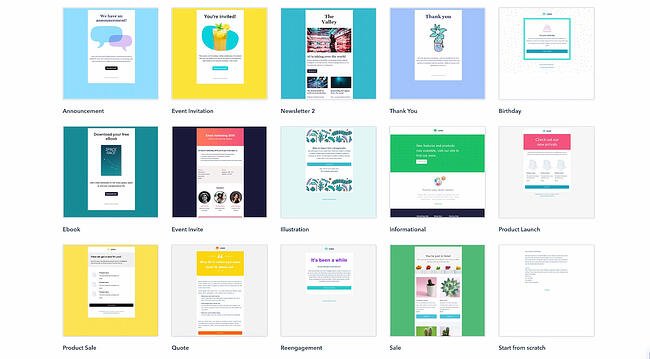
If you’re a Marketing Hub user, HubSpot offers a great collection of email templates you can use on your next marketing email. No need to log out and search for a template in another marketplace; these templates are available to you right within the tool.

Once you choose a template, you can start using it immediately right in HubSpot — no HTML or CSS required.

2. Announcement by Litmus

email newsletter templates: announcement by litmus

Price: Free

Litmus offers a free email template collection — from newsletter templates to account management templates. This marketing-specific theme — simply referred to as “Announcement” — is modern and sleek, while still being kind of fun. All of the templates have been tested with Litmus.

While you are required to create a Litmus account with your email address to access the templates, the templates themselves are free of charge.

3. ConvertKit

email newsletter templates: converkitPrice: Free

ConvertKit is a creative email template platform that’s a great option for bloggers, course creators, and more. ConvertKit comes with email automation tools, signup forms, and many more integrations.

To use ConvertKit’s email newsletter templates, you’ll need to sign up for a plan, but the good news is that they offer both free and pro subscriptions. While this platform is more on the creative side, their vast array of templates and tool integrations will help businesses in any industry upgrade their email newsletter.

4. ZURB Ink

email newsletter templates: zurb inkPrice: Free

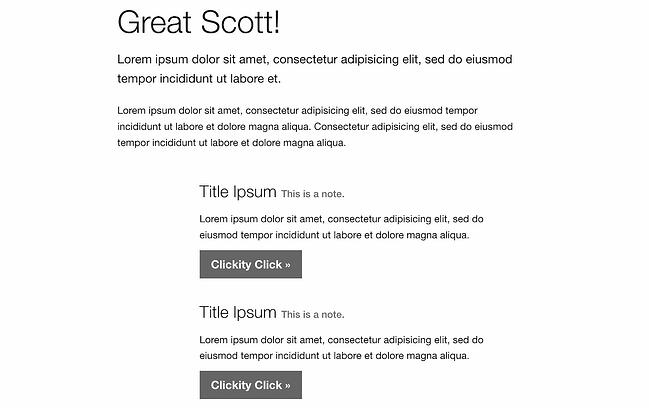
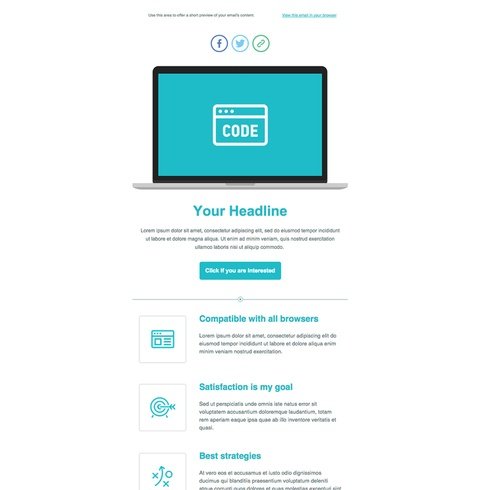
ZURB Studios has five responsive email templates available for free, including the newsletter one below. It has a great, fluid layout you can customize with your own colors, images, and wording.

If you want to see how each template looks on different email clients, you can check out screenshots from each template’s email client tests, which are available on the site. These layouts are optimized for most email clients — except for outdated versions of Outlook.

The template kit comes with a separate CSS stylesheet and HTML file to ease the editing process. Most email code editors will place the CSS inline with the HTML itself after both are uploaded separately. If you’re going to add images to your newsletter, keep in mind that you’ll have to create a separate folder and compress it with the CSS stylesheet before uploading.

Pro tip: Once you’ve selected a template, use HubSpot’s free email marketing software to craft your message and send a newsletter out to the world!

5. Flodesk

email newsletter templates: flodesk

Price: Free for 30 days

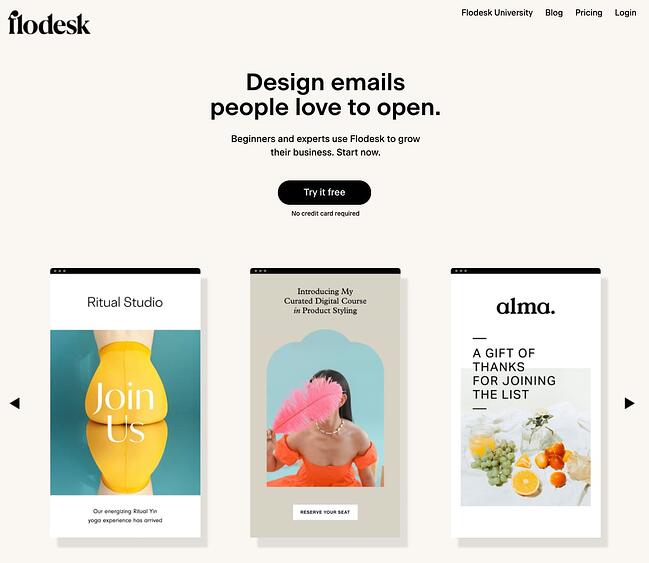
Flodesk is an upcoming email newsletter design platform with over 3,000 email templates and designs to enhance your email marketing. Aside from giving you access to a vast array of templates, Flodesk lets you connect your ecommerce site to help with automation and analytics.

Another benefit of Flodesk is that its subscription price ($38/month) is a flat fee. So, whether you’re sending 200 or 2,000 emails, you’ll pay the same price, and you’ll never have to upgrade your subscription to get all of the perks.

6. 99designs

email newsletter templates: 99 designs

Price: Free

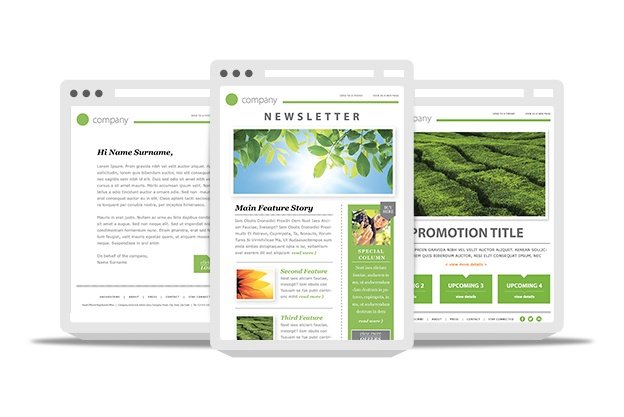
99designs is a growing online community and collaboration platform for designers and small businesses, and they have a great designer blog and business blog. As a free offering to their blog readers, they released a set of 45 free email templates — perfect for newsletters, promotional messages, and personalized responses. All of the templates are fully responsive and compatible with all major email clients.

7. Moosend

email newsletter templates: moosend

Price: Free for 30 days

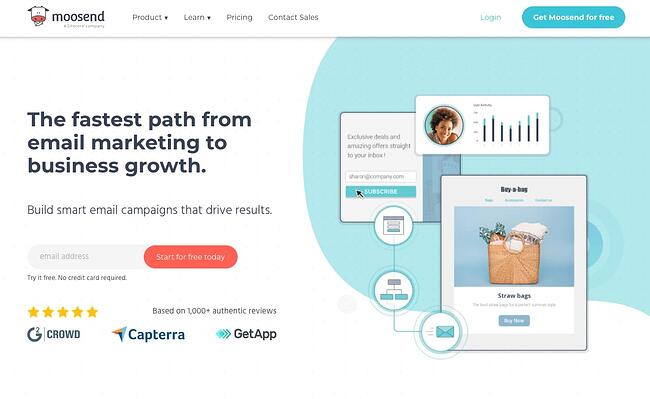
Moosend is an email marketing platform that makes it easy to design custom emails with a drag-and-drop editor and over 70 premade templates. Moosend also tracks analytics and sends personalized automated emails to subscribers based on their interest and behavior. If you’re interested in landing pages and subscription templates, it includes those as well.

Moosend analyzes your subscriber base to help with the success of your business. Just like Flodesk, Moosend lets you connect your ecommerce site to attract more subscribers and store all information in one place. Moosend is free for the first 30 days, and then you would have to upgrade to pro status for $9/month.

8. Campaign Monitor

email newsletter templates: campaign monitor

Price: Free

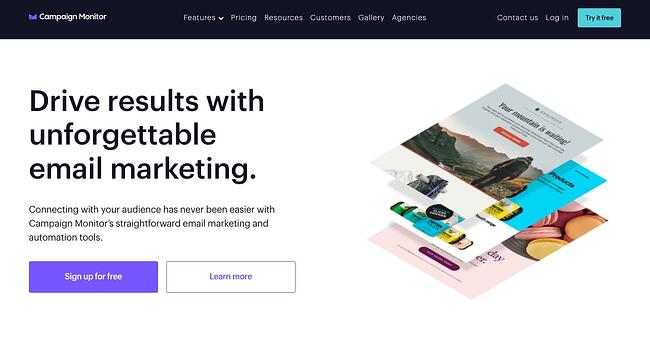
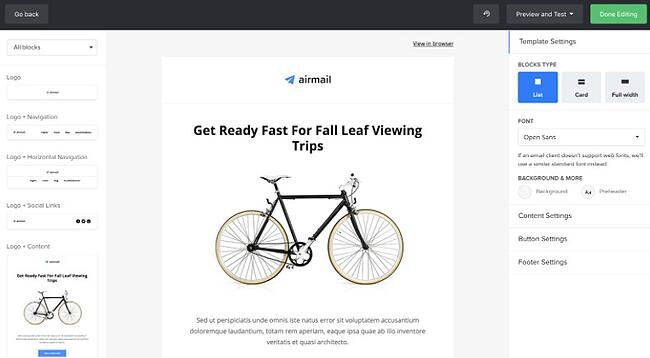
Campaign Monitor is another free email newsletter template and marketing platform. With a variety of email templates for newsletters, welcome emails, and promotional campaigns, Campaign Monitor makes designing emails easy. Campaign Monitor also compiles your analytics and tracks when emails are sent, delivered, and opened.

For many businesses, email marketing needs to connect to their website or ecommerce site, and Campaign Monitor does just that. Campaign Monitor has it all when it comes to templates and helps you maximize your sales by staying on-brand and creating a seamless customer experience. Campaign Monitor is only free for 30 days, but plans start as low as $9/month.

9. MailerLite

email newsletter templates: mailerlite

Price: Free

MailerLite offers various newsletter templates for promotions, announcements, and more. With its trendy newsletter designs, MailerLite makes sure its customers stay up to date while sending newsletters. You can customize the templates using either an HTML editor or drag-and-drop editor, and connect your MailerLite account to your website. MailerLite also has features where you can grow your audience with landing pages, subscription forms, and pop-ups.

MailerLite provides data insights as well. The advantage of MailerLite is that they will send your emails based on your customers’ time zones, allowing you to send emails that can get the most opens. MailerLite also provides A/B split testing tools so you can identify the best version of every email you send.

10. Constant Contact

email newsletter templates: constant contactPrice: $9.99 a month

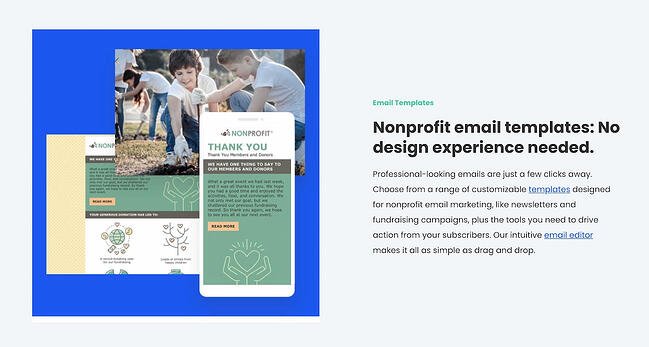
Do you run a non-profit? If so, this is the newsletter tool specifically for you. Constant Contact is an email newsletter builder that offers specific templates to help nonprofits raise funds and market their missions. With hundreds of templates to choose from, you’ll be sure to find a design based on the template you need and what type of nonprofit you run.

The great thing about Constant Contact is the business analytics. While using the platform, you can see when emails are sent, delivered, opened, and shared. You will also be able to see top trends and send personalized emails to your clients.

Constant Contact also connects with your social media profiles, includes sign-up forms, and offers text message marketing tools. Contacting your non-profit subscribers via text message can be a great advantage because people check their emails but people check their text messages more. While Constant Contact is not free, its features more than make up for it. You can start at the basic subscription ($9.99/month) or upgrade to a pro account ($45/month) to unlock all the features.

11. Themezy

email newsletter templates: themezy

Price: Free

Download sixteen free HTML, CSS, and PSD customizable email templates on Themezy. You don’t have to submit an email address to get started, and there are various color schemes and layouts to meet your email list’s needs.

Plus, they’re designed to be responsive across devices to ensure that your subscribers can read your newsletter.

12. Drip

email newsletter templates: dripPrice: Free

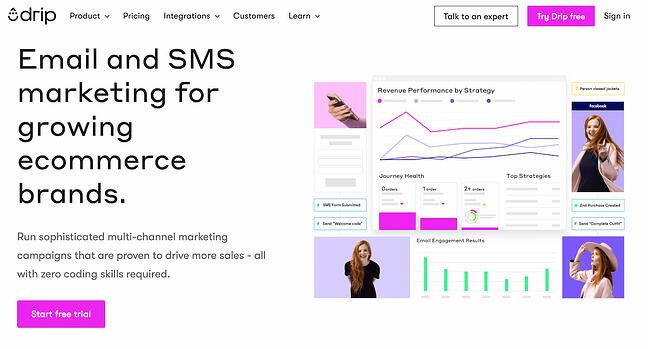
Drip offers email marketing and SMS marketing for ecommerce brands. Drip is a new platform that lets you set up email marketing campaigns through hundreds of customizable templates. Along with their email newsletter templates, Drip offers excellent customer relations management tools, data analytics, and trend trackers so thorough that you can see how many of your customers bought red shoes within the last year. As a result, you’ll be able to better market yourself through your campaigns. Drip also has integrations that you can connect to your WordPress website, so you can use Drip without being on Drip.

Drip lets you start with a free 14-day trial, and the cost of your subscription will depend on your number of contacts. For up to 500 contacts, it’s $19/month, and the price goes up from there. Drip is beneficial to creators and ecommerce businesses because of the various marketing and analytical tools it offers. From email marketing to SMS marketing campaigns, Drip lets you effectively engage your customers.

13. MailPortfolio by SliceJack

email newsletter templates: mailportfolio

Price: Free

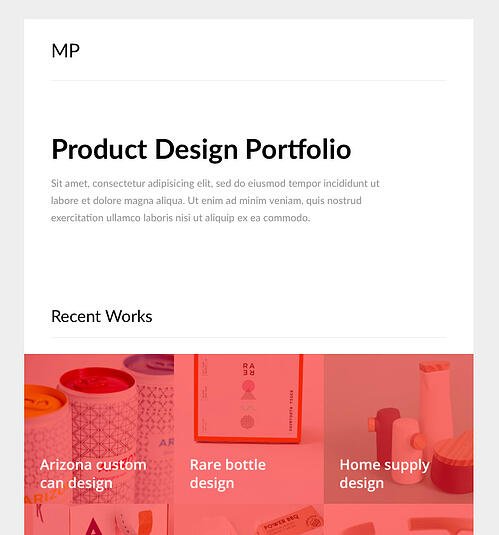
If your marketing strategy is heavily reliant on visuals, MailPortfolio is perfect for you. It’s a minimalist template with no added background distractions. While it was made for those looking to display personal creative portfolios, it’s also suitable for larger businesses and organizations.

The template has been tested with Litmus, is responsive, and works perfectly on all email clients. (Note: older versions of Outlook may not render all of the fonts, and the Android Gmail app is not fully supported.)

14. Material Design by Paul Goddard

email newsletter templates: paul goddard

Price: Free

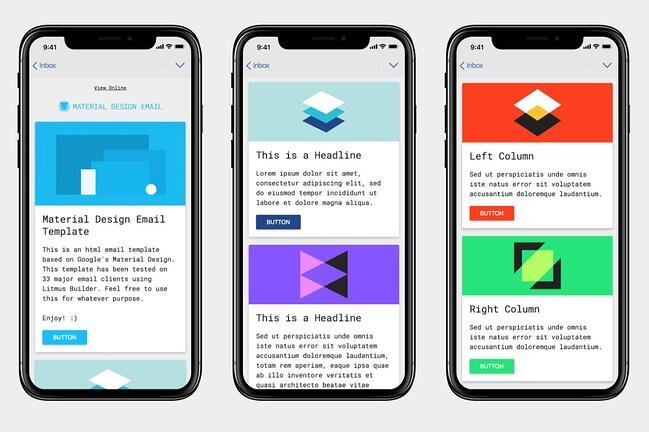
This template is based on Google’s Material Design and has a robotic-retro feel. It is perfect for sending out multi-purpose newsletters featuring new products, events, and other announcements at the same time. This theme isn’t made for a specific industry, but the template is well-fitting for businesses looking for a timeless, technological look.

Material Design has been tested on Litmus, is compatible with all major ESPs, and is responsive. While its main attraction is its unique design, this theme download also includes customizable HTML files.

15. Briar by SliceJack

email newsletter templates: briarPrice: Free

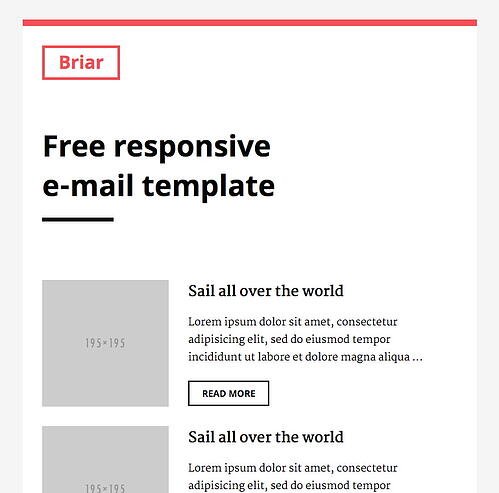
Briar is the perfect newsletter template for marketers looking for a fluid, minimalist design featuring images and text that don’t overshadow each other. It’s perfect for sending out regular newsletters, and you can customize the Inline CSS files.

The template has been tested with Litmus and works with all major email service providers (ESPs). However, some older versions of Outlook may not render all Google fonts. Also, the Android Gmail app is not fully supported.

16. EmailOctopus

email newsletter templates: emailoctopus

Price: Free

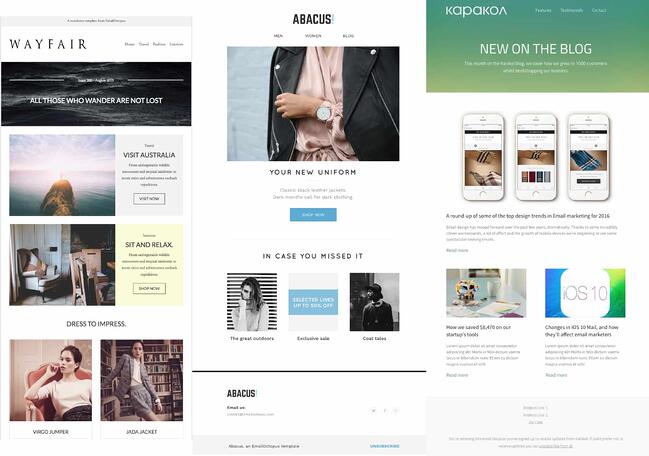
EmailOctopus is a marketing service that launched a series of 11 templates that can be used to create newsletters for a variety of industries. Whether you’re marketing for a fashion brand or a medical supply company, one of the templates will fit your needs.

The templates have the “typical” newsletter look, but allow you to add product announcements, feature stories, and CTAs wherever you’d like. All of the templates can be modified through any WYSIWYG editor, and the downloads include the HTML files.

These templates have been tested through Litmus across all major ESPs and are responsive to all screen sizes.

1. Feshto by Liramail

email newsletter templates: feshtoPrice: $29-25/template

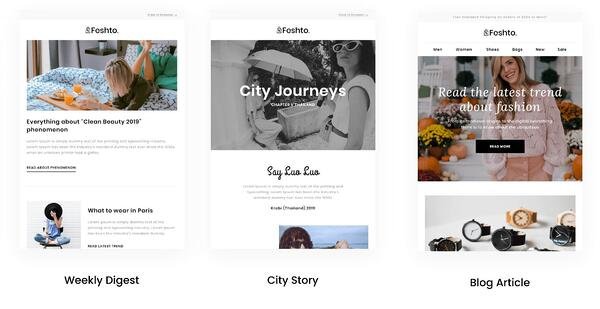
Feshto is an email bundle that helps ecommerce companies feature products in their newsletters and share testimonials from satisfied customers. It comes with a weekly digest module, which is their version of a newsletter.

The module features a chic, clean design that ensures your images and copy are not distracting from the other. You can choose from their various layouts, such as “Weekly Digest,” “City Story,” and “Blog Article.”

As mentioned, these templates are perfect for product features and testimonials from satisfied customers. While the default themes are black and white, you can make edits in your preferred WYSIWYG editor.

Feshto’s templates are responsive and compatible with all major ESPs.

2. Bee

email newsletter templates: bee

Price: Free – $15

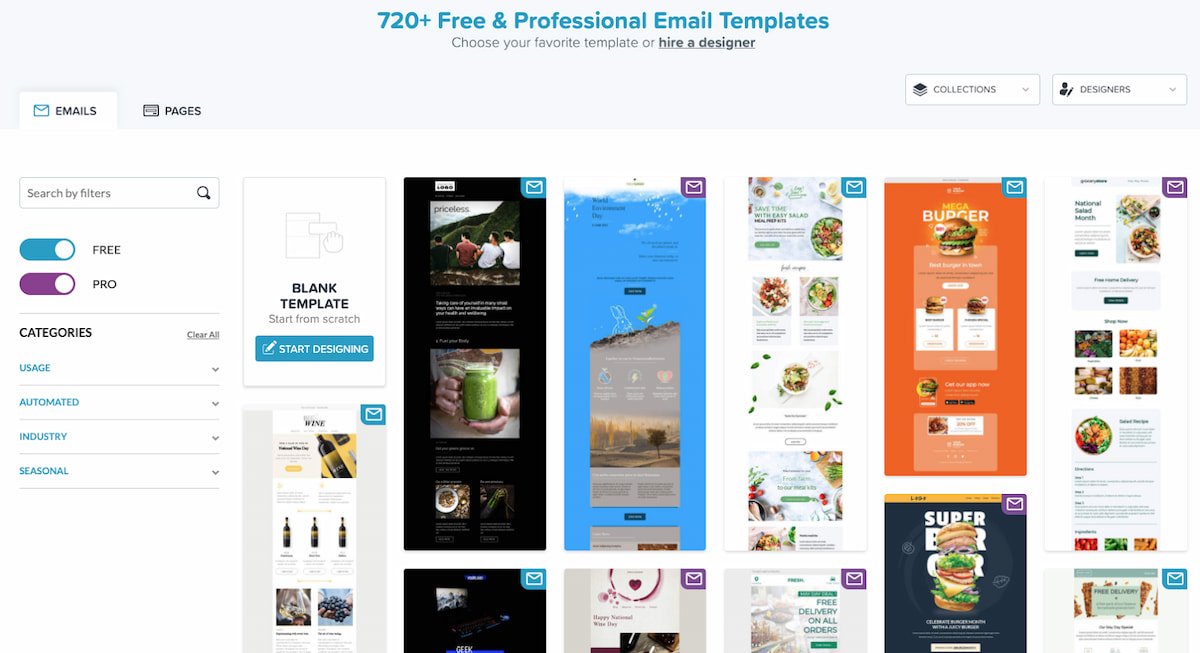
Bee is an HTML template tool with thousands of free templates for any professional to use. With a variety of categories, Bee gives you a template for everything, but it also has tools that allow you to build your own email newsletters. The drag-and-drop feature allows you to pick and choose the elements that best suit your personal needs. The versatility also allows you to customize every email you send, then download it as an HTML so you can send your emails to anyone from anywhere. Another great advantage of Bee is that it allows you to save various content from different emails that can then be used in other templates. No need to start from scratch.

With Bee, you do have a 14-day free trial and plenty of free templates to use if you do not want to sign up for an account. If you would like an account, Bee offers different versions of their Pro account depending on the field you are in. For instance, they have Pro Freelancers, Pro Team, Pro Agency, Pro Enterprise, and Pro Nonprofit; Pro Freelancer starts at $15 a month.

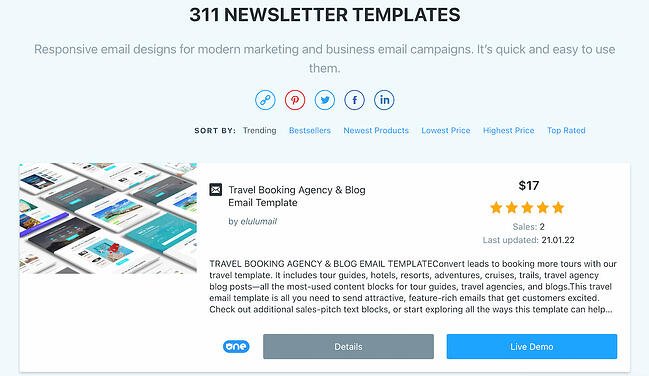
3. ThemeForest

email newsletter templates: themeforestPrice: $6-23/template

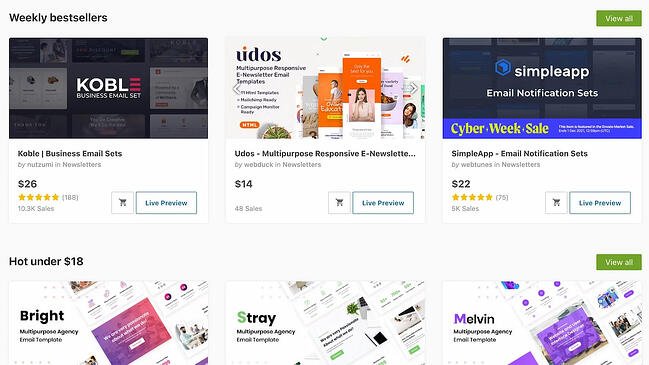
ThemeForest is an awesome resource for email templates if you have some budget to spend. Their library has over 460 newsletter templates in all different colors, styles, and themes. The templates are rated using a four-star system, and you can filter by rating, price, recency, and popularity.

Here’s one example from its library:

Market – Responsive Newsletter with Template Builder ($19)

This template has eight prebuilt layouts, 24 color variations, 24 full-layered PSD files, and more. Plus, it’s supported by all major email clients.

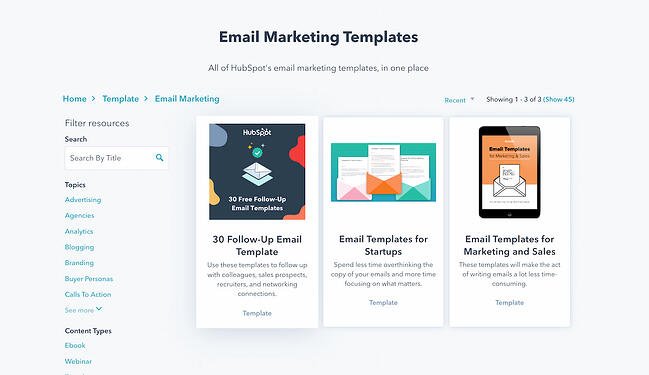
4. HubSpot Email Copy Templates

email newsletter templates: hubspot email copy templatesPrice: Free

If you’re looking for written templates you can input into your email tool, these are the templates for you.

HubSpot offers free email templates that empower you to market and sell your business over email without writing a single line from scratch. These free email template downloads save you time and money.

The templates can be downloaded right to your computer and can be used by any type of business.

5. Mailchimp

email newsletter templates: mailchimpPrice: Free – $200 per month

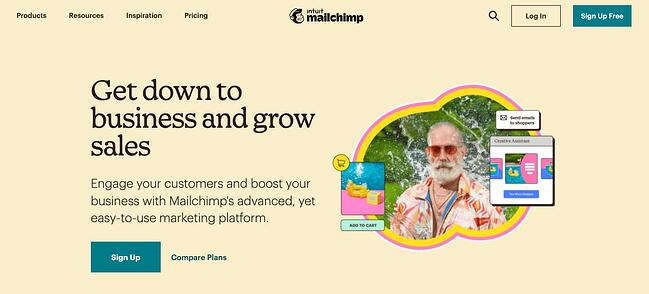
Mailchimp is an all-in-one marketing platform that helps small and large businesses scale and grow their business through marketing techniques and automations. Mailchimp has a variety of pre-made templates in their email newsletter tool. Aside from giving you over 100 designs to choose from, Mailchimp also gives you the option to download their Email Blueprints, which allows you to customize HTML templates.

6. ActiveCampaign

email newsletter templates: activecampaign

Price: Free – $258 a month

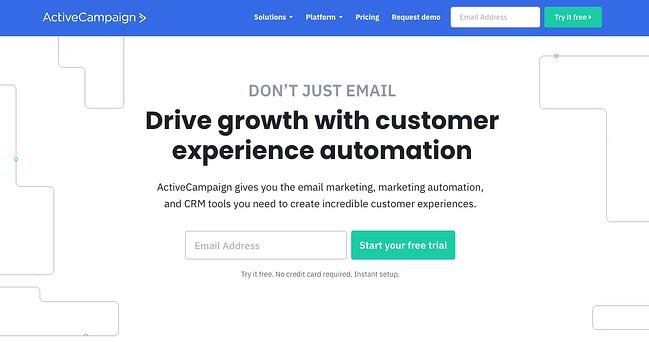
ActiveCampaign is a full-service email provider that offers email marketing automation and CRM tools. Its library of newsletter templates allow you to create conversion-optimized, visually impactful emails without touching a single line of code.

ActiveCampaign is free, but you will need to sign up for an account to use and view their email templates. You can use the majority of their templates for free, but if you want some customization, you’ll want to upgrade to a paid account.

7. Canva

email newsletter templates: canvaPrice: Free – 20.00 per month

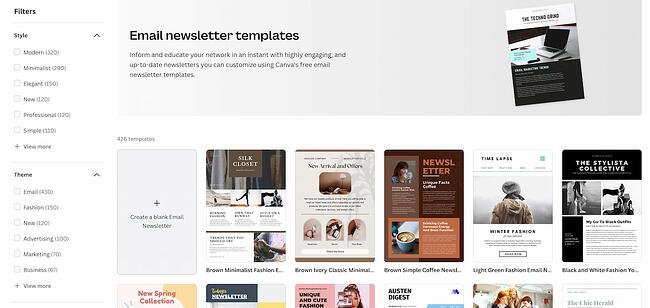
Canva is an online graphics software that provides free templates for a multitude of things like Instagram posts, resumes, and email newsletters. Canva is a great tool because you can find free templates for specific niches like fashion, tech, culinary, and many more. While there is a paid tier, many of the premade templates are free, and you can add your own customizations without having to pay extra.

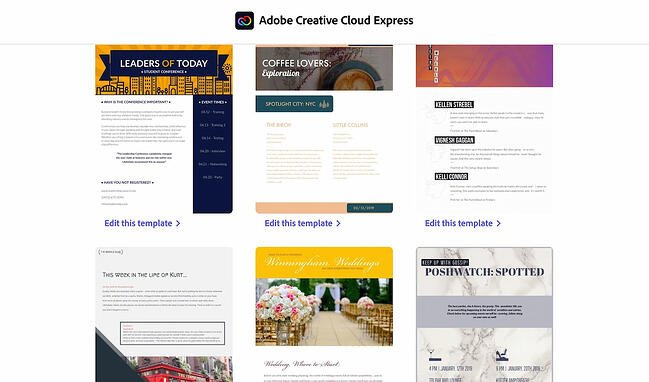
8. Adobe Express

email newsletter templates: adobe express

Price: Single Application: $33.99 a month | Full Bundle: $79.99 a month

Adobe Express, formerly known as Adobe Spark, is another browser-based graphic design tool that has a multitude of templates and functions to help any company create a newsletter. Similar to Canva, Adobe offers premade templates based on industry categories like photography, architecture, and fashion. To access the templates, you must sign up for an account with Adobe.

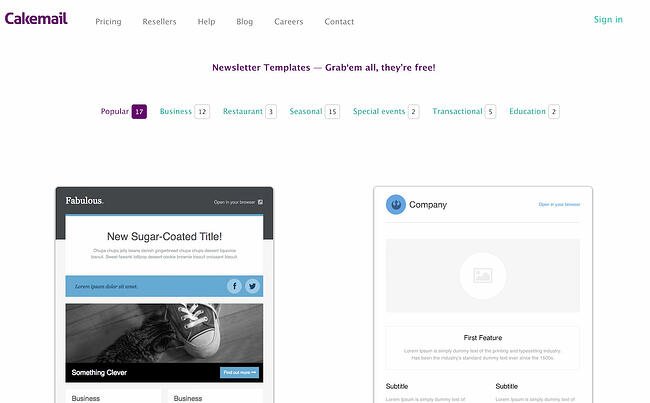
9. CakeMail

email newsletter templates: cakemail

Price: Free – $200.00 per month

CakeMail is an email marketing tool that includes user-friendly automation tools and allows you to create customizable emails for any person, occasion, and niche. CakeMail offers over 50 free editable email templates that are divided into smaller niche categories. One of the advantages of CakeMail is that you do not have to sign up to use the email templates provided, but if you would like to see how your email campaigns are performing, you can register for an account.

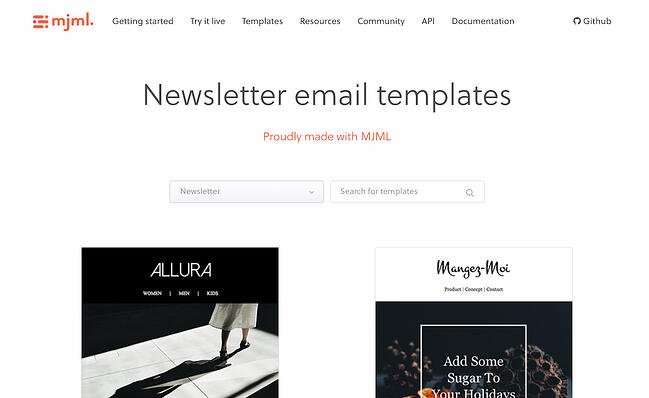
10. MJML

email newsletter templates: mjml

Price: Free

MJML is an HTML-based email designer. They have a wide variety of free templates that are customized for the type of email marketing your company is trying to do, including newsletters, promotions, and seasonal emails. Once you find a template that you like, MJML allows you to see the template and the HTML code in real-time as you edit it. Because MJML is HTML-based, you will have to copy your code and transfer it to the HTML editor in an email marketing service to use the template.

11. TemplateMonster

email newsletter templates: templatemonster

Price: Varies

TemplateMonster offers a variety of email newsletter templates, such as the Useful Notifications newsletter template pictured below, all of which are available for relatively low prices. Their templates are clean, customizable, and easy to use, and they’re compatible with most major email clients, such as Gmail and Yahoo Mail.

Additionally, the templates come with built-in responsive layouts for screen adaptability, like the ones on the mobile phone pictured below, and PSD sources for a litany of customization options.

12. Microsoft Office Templates

email newsletter templates: microsoft office

Price: Free & Paid Email Templates

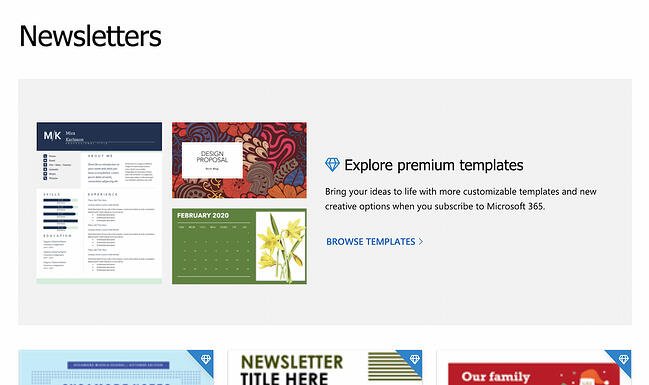
Microsoft Office has a variety of tools, including extensive templates that can be used for Microsoft Word, Excel, and PowerPoint. You can further narrow down your templates depending on the category of your business. While Microsoft does offer free templates, they are limited. For use of the paid templates, you will have to download Microsoft 365 to use them.

Get Started on Your Email Marketing Newsletter

Ready to draft your next email newsletter campaign? Download one of the excellent newsletter templates from the template galleries and landing pages above. Then, grab your free guide below for creating an email newsletter your audience will want to engage with.

Editor’s Note: The post was originally published in December 2018 but was updated for comprehensiveness in December 2019.

New Call-to-action

Categories B2B

17 PowerPoint Presentation Tips to Make More Creative Slideshows [+ Templates]

Creating a great PowerPoint presentation is a skill that any professional can benefit from. The problem? It’s really easy to get it wrong. From poor color choices to confusing slides, a bad PowerPoint slideshow can distract from the fantastic content you’re sharing with stakeholders on your team.

→ Free Download: 4 PowerPoint Presentation Templates [Access Now]

Download Now

That’s why it’s so important to learn how to create a PowerPoint presentation from the ground up, starting with your slides. Even if you’re familiar with PowerPoint, a refresher will help you make a more attractive, professional slideshow. Let’s get started.

I like to think of Microsoft PowerPoint as a test of basic professional skills. To create a passing presentation, I need to demonstrate design skills, technical literacy, and a sense of personal style.

If the presentation has a problem (like an unintended font, a broken link, or unreadable text), then I’ve probably failed the test. Even if my spoken presentation is well rehearsed, a bad visual experience can ruin it for the audience.

Expertise means nothing without a good PowerPoint presentation to back it up. For starters, grab your collection of free PowerPoint templates below.

No matter your topic, successful PowerPoints depend on three main factors: your command of PowerPoint’s design tools, your attention to presentation processes, and your devotion to consistent style. Here are some simple tips to help you start mastering each of those factors, and don’t forget to check out the additional resources at the bottom of this post.

How to Make a PowerPoint Presentation

A presentation is made up of multiple slides, and now that you know how to make one, you can delve deeper into PowerPoint’s capabilities.

1. Open a blank presentation again or start from one you’ve already created.

If you’ve already created a presentation, double-click the icon to open the existing file. Otherwise, open Microsoft PowerPoint, click File in the top left corner, and click New Presentation. From there, you can follow the prompts to set up a new presentation.

2. Choose a theme or create your own.

Microsoft offers built-in themes and color variations to help you design your slides with a cohesive look. To choose from these pre-built themes, choose the File tab again, select New, choose one of the options, and click Create.

Otherwise, you can use PowerPoint elements, your design sense, and your brand’s color palette to make your own “theme.”

3. Create a variety of slides for different purposes.

You don’t want to present the same exact slide, only with different content on it. This would bore your audience. Ensure that you create multiple variations, accommodating some of the common uses for slides. At minimum, you’ll need:

  • A title slide
  • An agenda or table of contents slide
  • A slide that introduces the speaker
  • Various content slides (create different layouts considering what kind of multimedia you’ll use)

4. Use the Duplicate Slides feature to save you time.

There’s no reason to create these designs over and over again. Now that you have a few to draw from, you can simply duplicate them before inputting your content. Here’s how to do that:

  • On the left pane, right-click the thumbnail of the slide you want to duplicate.
  • Choose Duplicate Slide from the pop-up menu.

This will automatically add a copy of this slide to the presentation. From there, you can customize it for your needs.

5. Add transitions to your slides (optional).

Done well, transitions can add a little bit of movement and showmanship to your presentation. PowerPoint has several transitions built in for you to choose from.

To access them, select the Transitions tab from the top ribbon. From there, you can select a transition for it to preview on your screen. To customize it further, click Effect Options and play with the features to find something that suits your liking. To remove a transition, select Transitions and click None.

6. Add animations to your slides (optional).

Like transitions, animations can add movement, reveal information, and help you underscore the points you want to hit during your speech. To animate an element, follow these steps:

  • Select the element you want animated by clicking on it.
  • Choose Animations from the top ribbon.
  • You’ll have the option to choose from several effects displayed in the ribbon.
  • Clicking on one will give you a preview.
  • To customize the animation, select Effect Options.
  • To remove an animation, click None in the ribbon.

Some of the ways to customize animations include:

  • On Click
  • With Previous
  • After Previous
  • Duration
  • Delay

These describe how you want the effect to behave, so play around with them until you find an effect that suits your liking.

You’ll also have the option to move animations around as you edit your slides by clicking on the Animation Pane button, then reordering the animations in the list that pops up.

7. Save your presentation.

Click File and Save, making sure to specify which folder or destination you want your PowerPoint to be stored.

8. Run your presentation.

It’s always good to do a trial run to ensure that your slides are set up properly and your animations fire the way you expect them to.

To present your PowerPoint, go to the Slide Show tab and click Play from Start. The slide will cover your whole screen, blocking out your desktop and PowerPoint software. This is so your audience (in this case, you for the trial run) is solely focused on the visual elements of your presentation.

9. Advance the slides.

When you’re done with one slide and want to show the next in your sequence, click your mouse in presentation mode. This will advance the slide.

PowerPoint Style

1. Don’t let PowerPoint decide how you use PowerPoint.

Microsoft wanted to provide PowerPoint users with a lot of tools. But this does not mean you should use them all. Here are some key things to look out for:

  • Make sure that the preset PPT themes complement your needs before you adopt them.
  • Try to get away from using Microsoft Office’s default fonts, Calibri and Cambria. Using these two typefaces can make the presentation seem underwhelming.
  • Professionals should never use PPT’s action sounds. (Please consider your audience above personal preference).
  • PowerPoint makes bulleting automatic, but ask yourself: Are bullets actually appropriate for what you need to do? Sometimes they are, but not always.
  • Recent PPT defaults include a small shadow on all shapes. Remove this shadow if it’s not actually needed. Also, don’t leave shapes in their default blue.

2. Create custom slide sizes.

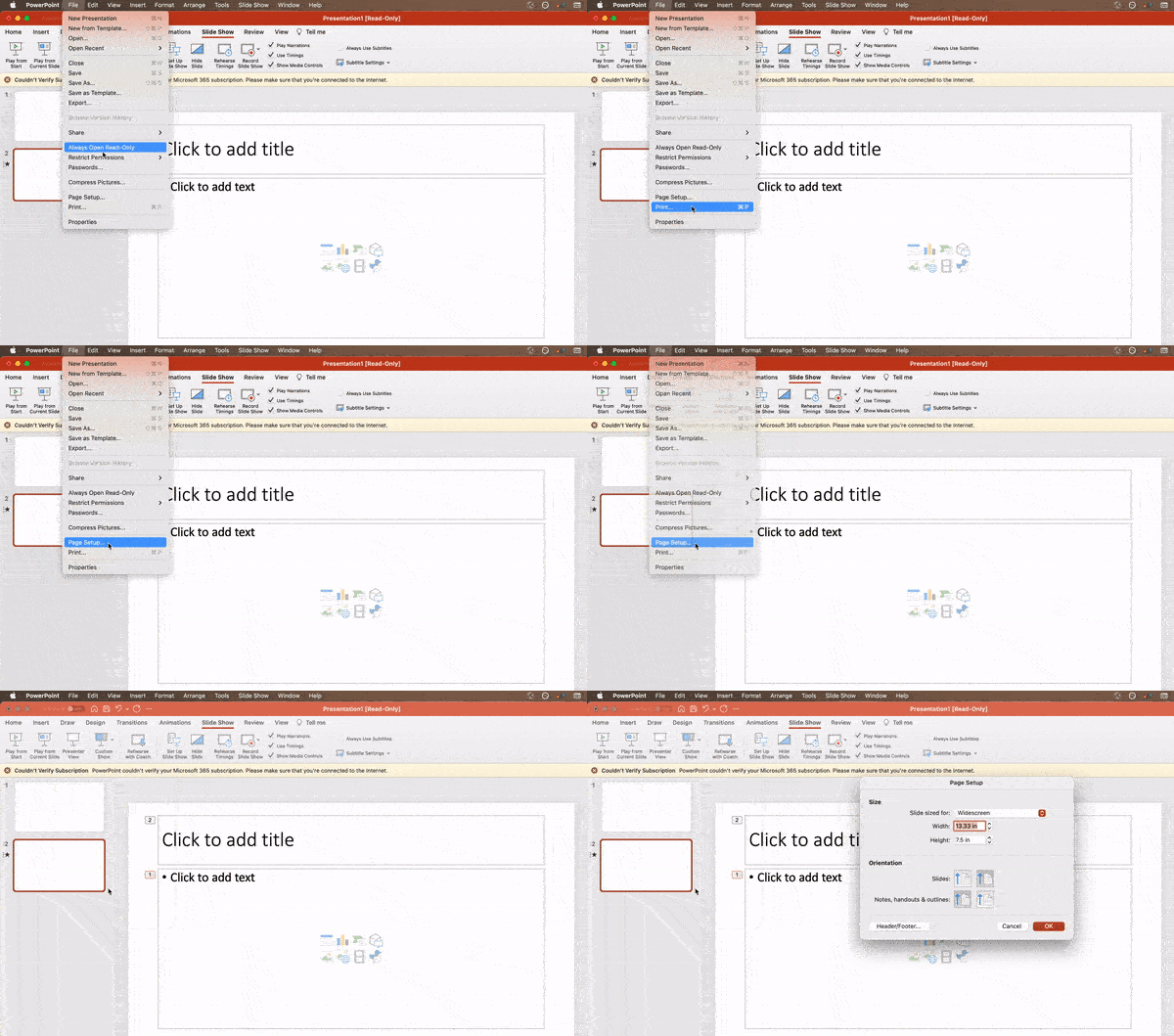
While you usually can get away with the default slide size for most presentations, you may need to adjust it for larger presentations on weirdly sized displays. If you need to do that, here’s how.

  • In the top-left corner, choose File.
  • Select Page Setup.
  • Type the height and width of the background you’d like, and click OK.
  • A dialogue box will appear. Click Scale if you want to also resize your content, or Don’t Scale if you don’t. We recommend clicking Don’t Scale, then manually adjusting minor layout issues.

Tip: You can avoid a headache with the last step if you resize your slides before you add any objects to them. Otherwise, the dimensions of your objects will become skewed.

powerpoint presentation: resize slide

3. Edit your slide template design.

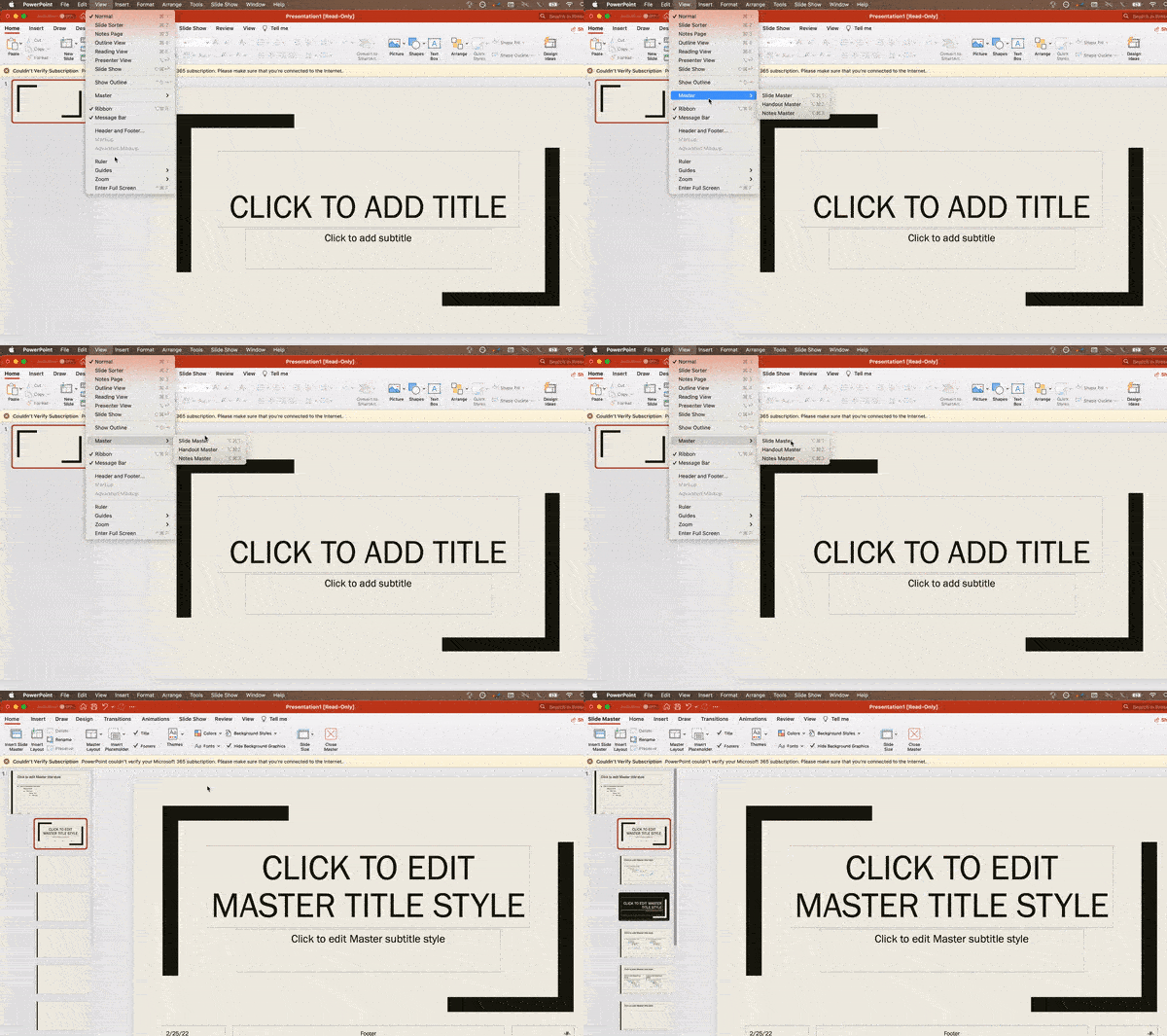
Often, it’s much easier to edit your PowerPoint template before you start — this way, you don’t have to design each slide by hand. Here’s how you do that.

  • Select View in the top navigation.
  • Click Master.
  • In the drop-down, click Slide Master.
  • Make any changes you like, then click Close Master in the top ribbon. All current and future slides in that presentation will use that template.

powerpoint presentation: editing the master

4. Write text with your audience in mind.

A significant part of a PowerPoint’s content is text. Great copy can make or break your presentation, so evaluating your written work from a few different angles could make you seem more persuasive. Thinking about how your text is received differentiates good presenters from the best.

Typography:

Many people underestimate the influence of typeface, but choosing the right font is important — the perception of your font type could influence your audience’s impression of you. The right font is an opportunity to convey consistent brand personality and professionalism.

Some fonts are seen as clean and professional, but this doesn’t mean they’re boring. A common mistake is thinking your font isn’t “exciting” enough, which could lead you to choose a font that distracts from your overall message. We recommend sticking to simple serif and sans-serif fonts. Avoid script fonts because of potential readability issues.

powerpoint presentation: types of fonts

That said, you can still use fun and eccentric fonts — in moderation. Offsetting a fun font or large letters with something more professional can create an engaging presentation.

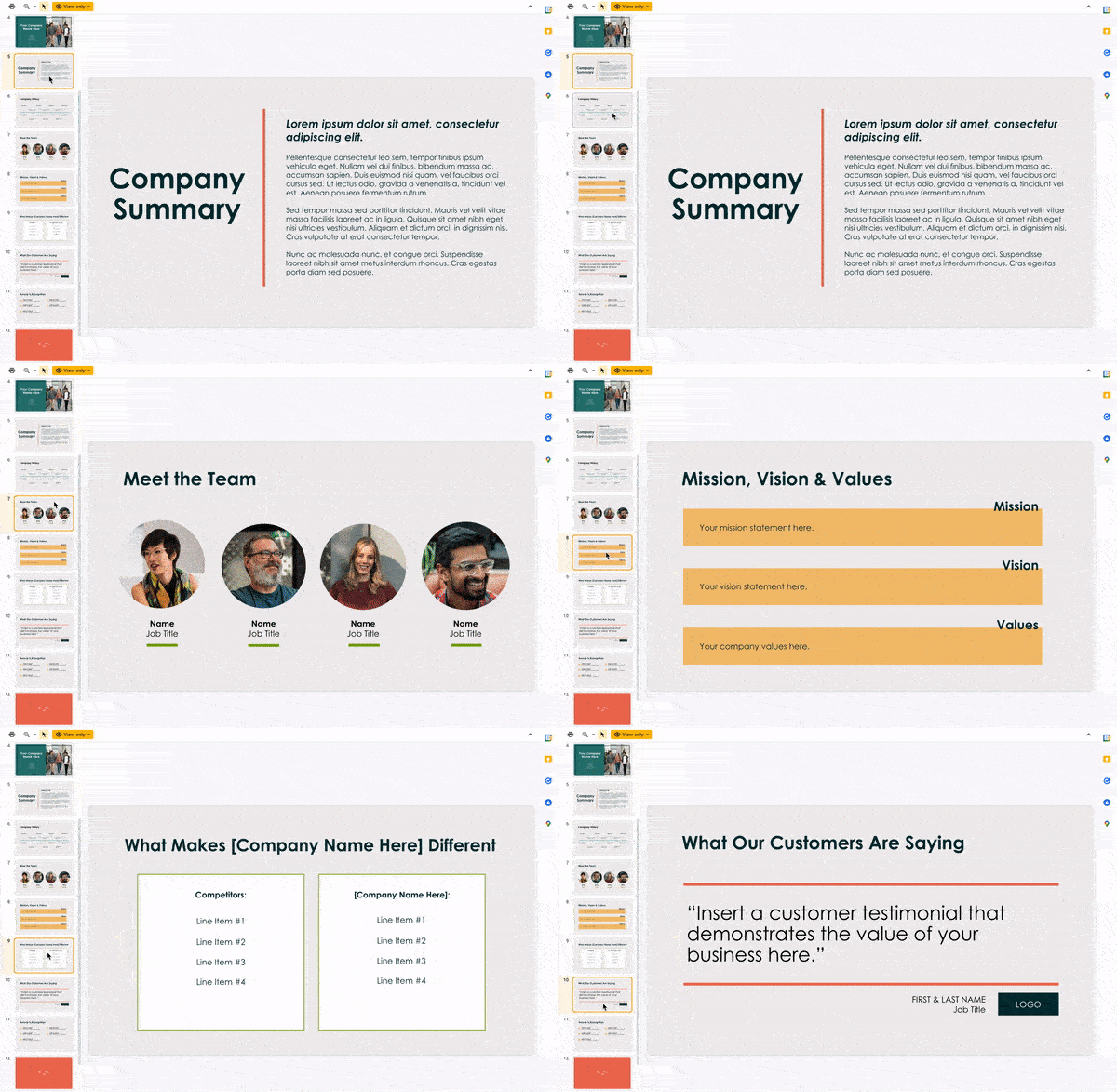
Above all, be sure you’re consistent so your presentation looks the same throughout each slide. That way, your audience doesn’t become distracted by too many disparate fonts. Check out this example from HubSpot’s company profile templates:

powerpoint presentation: consistent slides

Interested in this presentation template? Download it for free here.

5. Make sure all of your objects are properly aligned.

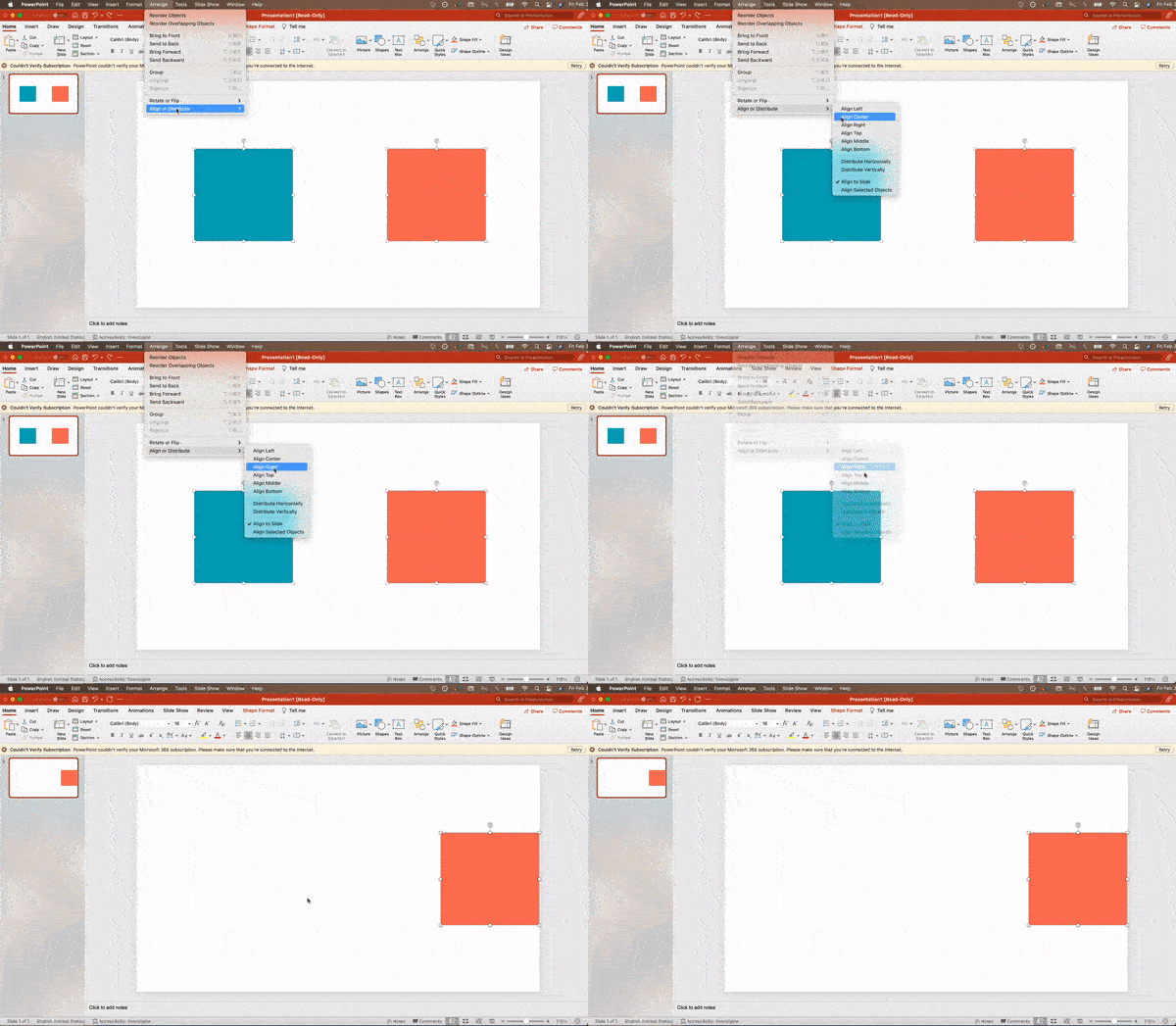
Having properly aligned objects on your slide is the key to making it look polished and professional. You can manually try to line up your images … but we all know how that typically works out. You’re trying to make sure all of your objects hang out in the middle of your slide, but when you drag them there, it still doesn’t look quite right. Get rid of your guessing game and let PowerPoint work its magic with this trick.

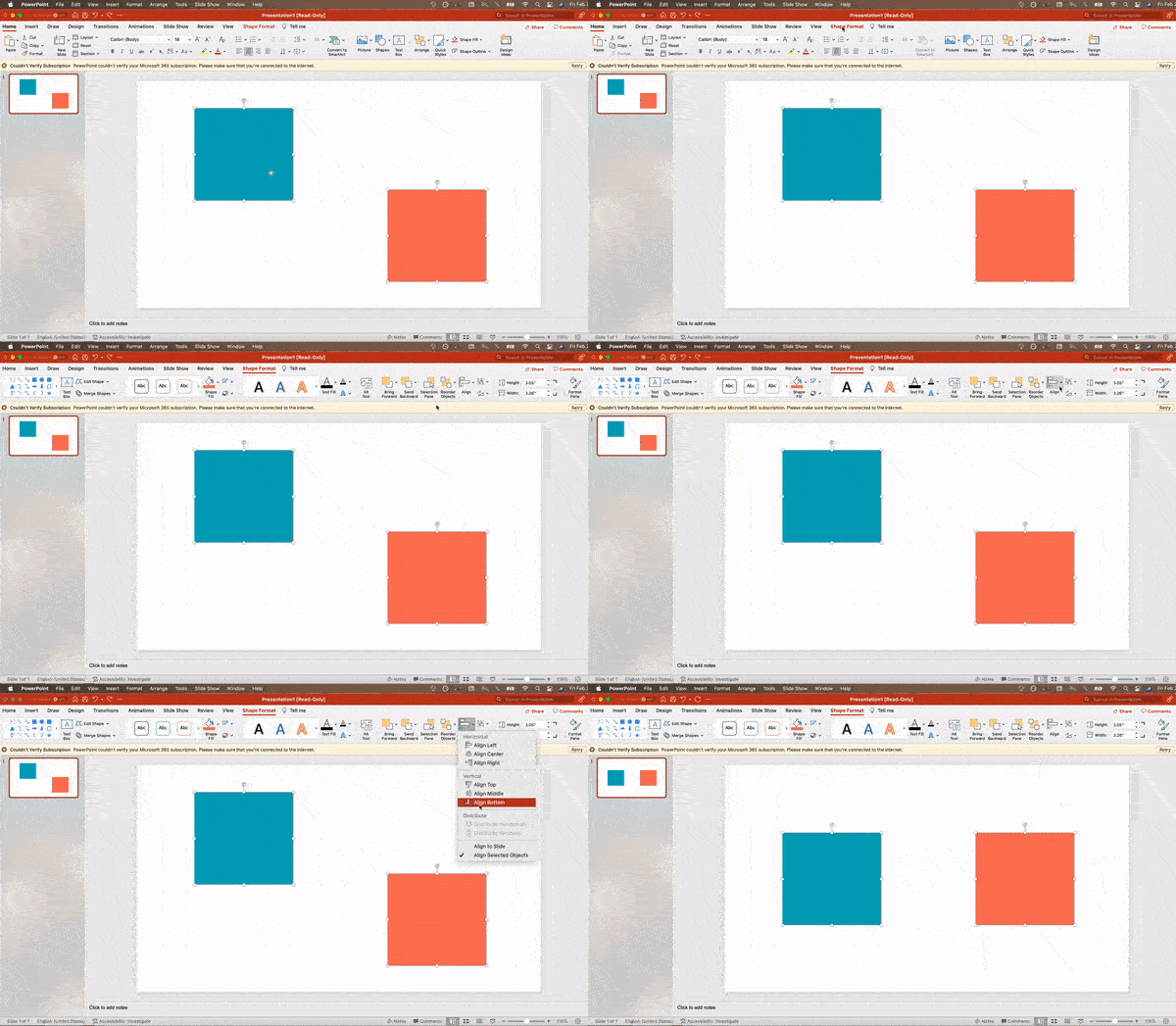
Here’s how to align multiple objects:
  • Select all objects by holding down Shift and clicking on all of them.
  • Select Arrange in the top options bar, then choose Align or Distribute.
  • Choose the type of alignment you’d like.

powerpoint presentation: aligning objects

Here’s how to align objects to the slide:
  • Select all objects by holding down Shift and clicking on all of them.
  • Select Arrange in the top options bar, then choose Align or Distribute.
  • Select Align to Slide.
  • Select Arrange in the top options bar again, then choose Align or Distribute.
  • Choose the type of alignment you’d like.

powerpoint presentation: aligning objects

PowerPoint Design

6. Use “Format Object” to better control your objects’ designs.

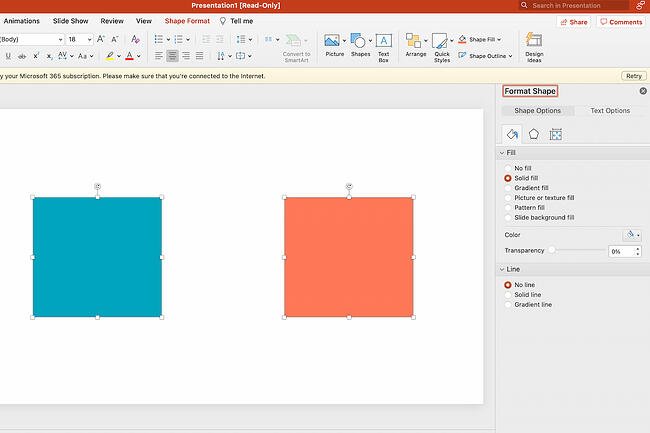
Format menus allow you to do fine adjustments that otherwise seem impossible. To do this, right-click on an object and select the Format Object option. Here, you can fine-tune shadows, adjust shape measurements, create reflections, and much more. The menu that will pop up looks like this:

powerpoint presentation: format object pane

Although the main options can be found on PowerPoint’s format toolbars, look for complete control in the format window menu. Other examples of options available include:

  • Adjusting text inside a shape.
  • Creating a natural perspective shadow behind an object.
  • Recoloring photos manually and with automatic options.

7. Take advantage of PowerPoint’s shapes.

Many users don’t realize how flexible PowerPoint’s shape tools have become. In combination with the expanded format options released by Microsoft, the potential for good design with shapes is readily available. PowerPoint provides the user with a bunch of great shape options beyond the traditional rectangle, oval, and rounded rectangle patterns.

Today’s shapes include a highly functional Smart Shapes function, which enables you to create diagrams and flow charts in no time. These tools are especially valuable when you consider that PowerPoint is a visual medium. Paragraphing and bullet lists are boring — you can use shapes to help express your message more clearly.

8. Create custom shapes.

When you create a shape, right click and press Edit Points. By editing points, you can create custom shapes that fit your specific need. For instance, you can reshape arrows to fit the dimensions you like.

powerpoint presentation: editing points

Another option is to combine two shapes together. To do so, select the two shapes you’d like to work with, then click Shape Format in the top ribbon. Tap Merge Shapes.

You’ll see a variety of options.

  • Combine creates a custom shape that has overlapping portions of the two previous shapes cut out.
  • Union makes one completely merged shape.
  • Intersect builds a shape of only the overlapping sections of the two previous shapes.
  • Subtract cuts out the overlapping portion of one shape from the other.
  • Fragment will split your shape into different parts depending on where they overlap.

By using these tools rather than trying to edit points precisely, you can create accurately measured custom shapes.

9. Crop images into custom shapes.

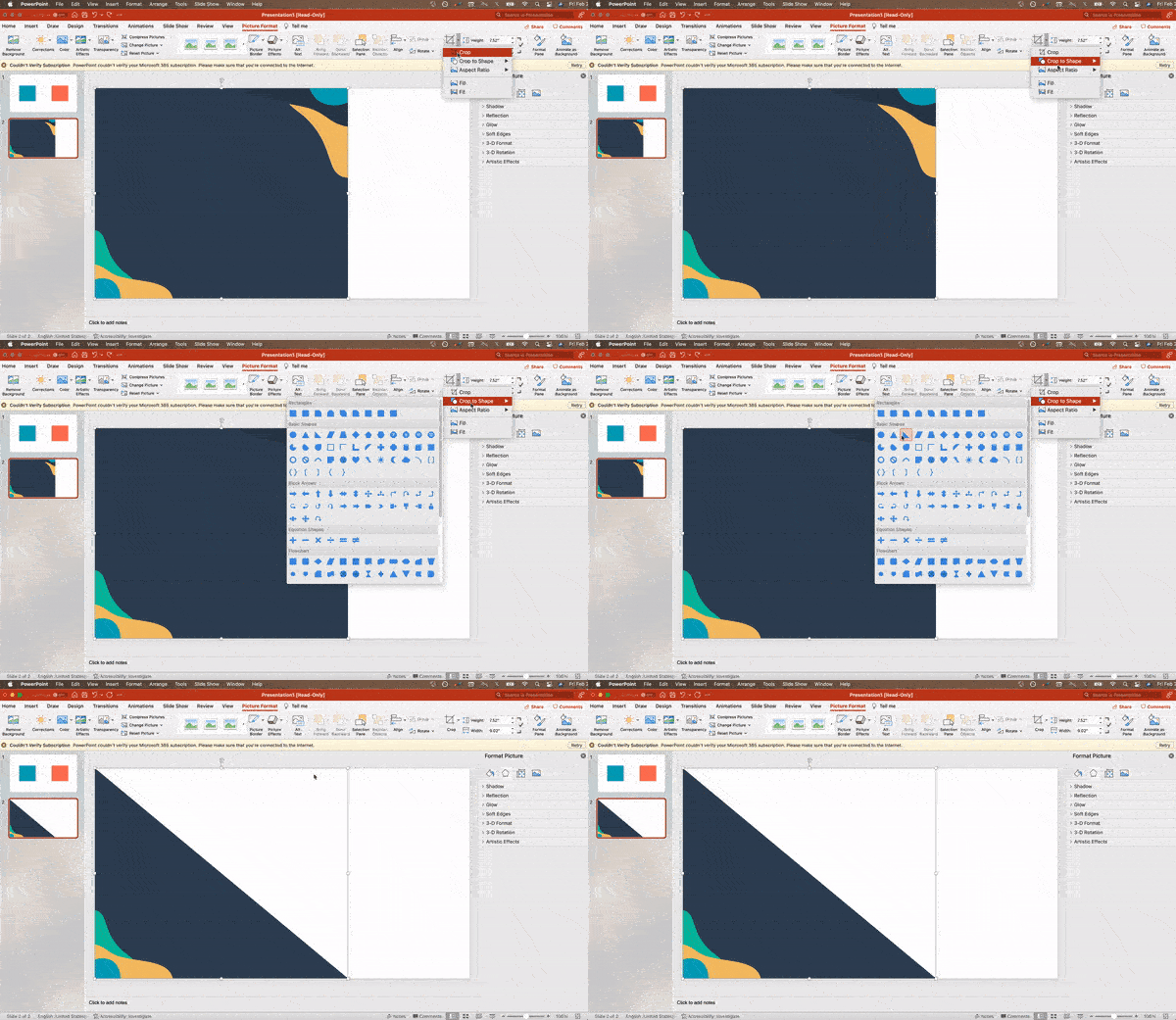
Besides creating custom shapes in your presentation, you can also use PowerPoint to crop existing images into new shapes. Here’s how you do that:

  • Click on the image and select Picture Format in the options bar.
  • Choose Crop, then Crop to Shape, and then choose your desired shape. Ta-da! Custom-shaped photos.

powerpoint presentation: cropping an image into a custom shape

10. Present websites within PowerPoint.

Tradition says that if you want to show a website in a PowerPoint, you should just create a link to the page and prompt a browser to open. For PC users, there’s a better option.

Third party software that integrates fully into PowerPoint’s developer tab can be used to embed a website directly into your PowerPoint using a normal HTML iframe. One of the best tools is LiveWeb, a third-party software that you can install on your PowerPoint program.

By using LiveWeb, you don’t have to interrupt your PowerPoint, and your presentation will remain fluid and natural. Whether you embed a whole webpage or just a YouTube video, this can be a high-quality third party improvement. To install the add-on, simple head to the LiveWeb website and follow the instructions.

Unfortunately, Mac users don’t have a similar option. A good second choice is to take screenshots of the website, link in through a browser, or embed media (such as a YouTube video) by downloading it directly to your computer.

11. Try Using GIFs.

GIFs are looped animated images used to communicate a mood, idea, information, and much more. Users add GIFs to PowerPoints to be funny or quickly demo a process. It’s easy to add GIFs to your slides. To do so, simply follow these steps:

  • Download and save the GIF you want.
  • Go to the slide you want the GIF on.
  • Go to the Home tab, and click either Insert or Picture.
  • From the Picture drop-down menu, choose Picture from File.
  • Navigate to where you saved your GIF and select it. Then, choose Insert.
  • It will play automatically the moment you insert it.

PowerPoint Process

12. Keep it simple.

PowerPoint is an excellent tool to support your presentation with visual information, graphics, and supplemental points. This means that your PowerPoint should not be your entire presentation. Your slides — no matter how creative and beautiful — shouldn’t be the star of the show. Keep your text and images clear and concise, using them only to supplement your message and authority.

If your slides have dense and cluttered information, it will both distract your audience and make it much more likely that you will lose their attention. Nothing in your slides should be superfluous! Keep your presentation persuasive by keeping it clean. There are a few ways to do this:

  • Limit bullet points and text.
  • Avoid paragraphs and long quotes.
  • Maintain “white space” or “negative space”.
  • Keep percentages, graphs, and data super basic.

13. Embed your font files.

One constant problem presenters have with PowerPoint is that fonts seem to change when presenters move from one computer to another. In reality, the fonts are not changing — the presentation computer just doesn’t have the same font files installed. If you’re using a PC and presenting on a PC, then there is a smooth workaround for this issue.

Here’s the trick: When you save your PowerPoint file (only on a PC), you should click File, then Options, then open up the Save tab. Then, select the Embed fonts in the file check box under Preserve fidelity when sharing this presentation. Now, your presentation will keep the font file and your fonts will not change when you move computers.

The macOS PowerPoint version has a similar function. To embed your fonts on a Mac, do the following:

  • Open up your presentation.
  • On the top bar, click PowerPoint, then click Preferences.
  • Under Output and Sharing, click Save.
  • Under Font Embedding, click Embed fonts in the file.

14. Save your slides as a PDF file for backup purposes.

If you’re still scared of your presentation showing up differently when it’s time to present, you should create a PDF version just in case. This is a good option if you’ll be presenting on a different computer. If you also run into an issue where the presenting computer doesn’t have PowerPoint installed, you can also use the system viewer to open up the PDF. No laptop will ever give you trouble with this file type.

The only caveat is that your GIFs, animations, and transitions won’t transfer over. But since the PDF will only work as a backup, not as your primary copy, this should be okay.

To save your presentation as a PDF file, take the following steps:

  • Go to File, then click Save as …
  • In the pop-up window, click File Format.
  • A drop-down menu will appear. Select PDF.
  • Click Export.

You can also go to File, then Export, then select PDF from the file format menu.

15. Embed multimedia.

PowerPoint allows you to either link to video/audio files externally or to embed the media directly in your presentation. You should embed these files if you can, but if you use a Mac, you cannot actually embed the video (see note below). For PCs, two great reasons for embedding are:

  • Embedding allows you to play media directly in your presentation. It will look much more professional than switching between windows.
  • Embedding also means that the file stays within the PowerPoint presentation, so it should play normally without extra work (except on a Mac).

Note: macOS users of PowerPoint should be extra careful about using multimedia files.

If you use PowerPoint for Mac, then you will always need to bring the video and/or audio file with you in the same folder as the PowerPoint presentation. It’s best to only insert video or audio files once the presentation and the containing folder have been saved on a portable drive in their permanent folder. Also, if the presentation will be played on a Windows computer, then Mac users need to make sure their multimedia files are in WMV format. This tip gets a bit complicated, so if you want to use PowerPoint effectively, consider using the same operating system for designing and presenting, no matter what.

16. Bring your own hardware.

Between operating systems, PowerPoint is still a bit jumpy. Even between differing PPT versions, things can change. One way to fix these problems is to make sure that you have the right hardware — so just bring along your own laptop when you’re presenting.

If you’re super concerned about the different systems you might have to use, then upload your PowerPoint presentation into Google Slides as a backup option. Google Slides is a cloud-based presentation software that will show up the same way on all operating systems. The only thing you need is an internet connection and a browser.

To import your PowerPoint presentation into Google Slides, take the following steps:

  • Navigate to slides.google.com. Make sure you’re signed in to a Google account, preferably your own.
  • Under Start a new presentation, click the empty box with a plus sign. This will open up a blank presentation.
  • Go to File, then Import slides.
  • A dialog box will come up. Tap Upload, then click Select a file from your device.
  • Select your presentation and click Open.
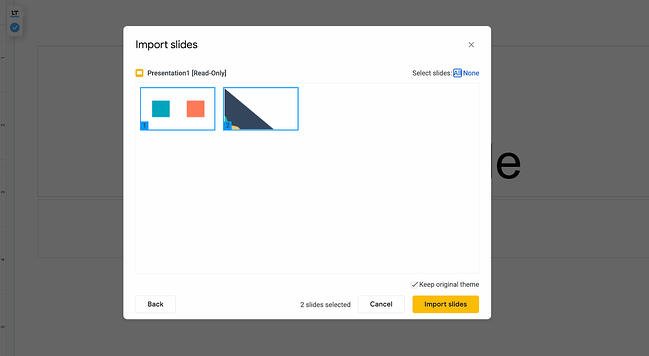
  • Select the slides you’d like to import. If you want to import all of them, click All in the upper right-hand corner of the dialog box.
  • Click Import slides.

powerpoint presentation: importing slides into google slides

When I tested this out, Google Slides imported everything perfectly, including a shape whose points I had manipulated. This is a good backup option to have if you’ll be presenting across different operating systems.

17. Use Presenter View.

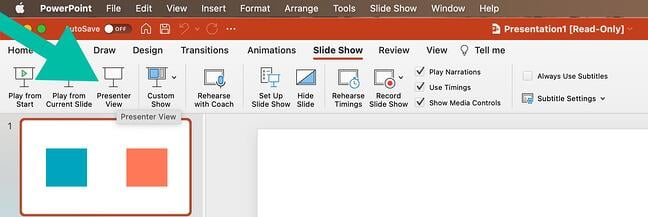
In most presentation situations, there will be both a presenter’s screen and the main projected display for your presentation. PowerPoint has a great tool called Presenter View, which can be found in the Slide Show tab of PowerPoint. Included in the Presenter View is an area for notes, a timer/clock, and a presentation display.

powerpoint presentation: using presenter view

For many presenters, this tool can help unify their spoken presentation and their visual aid. You never want to make the PowerPoint seem like a stack of notes that you’re reading off of. Use the Presenter View option to help create a more natural presentation.

Pro Tip: At the start of the presentation, you should also hit CTRL + H to make the cursor disappear. Hitting the “A” key will bring it back if you need it!

Your Next Great PowerPoint Presentation Starts Here

With style, design, and presentation processes under your belt, you can do a lot more with PowerPoint than just presentations for your clients. PowerPoint and similar slide applications are flexible tools that should not be forgotten. With a great template, you can be on your way to creating presentations that wow your audience.

Editor’s note: This post was originally published in September 2013 and has been updated for comprehensiveness.

powerpoint slides

Categories B2B

How to Prepare an Advertising Plan [Free Template]

Turning an idea for an advertising campaign into reality isn’t exactly simple, but it always begins with creating a concrete and detailed advertising plan.

Your plan will help you present a clear path for return on investment (ROI), get buy-in from leadership, and share your proposal with relevant stakeholders. 

Follow Along With HubSpot’s Free Ad Plan Template


In this post, we’ll explain what an advertising plan is and highlight the major sections you should include in your advertising plan so you can guarantee your next campaign is a success. 

Advertising Plan Template

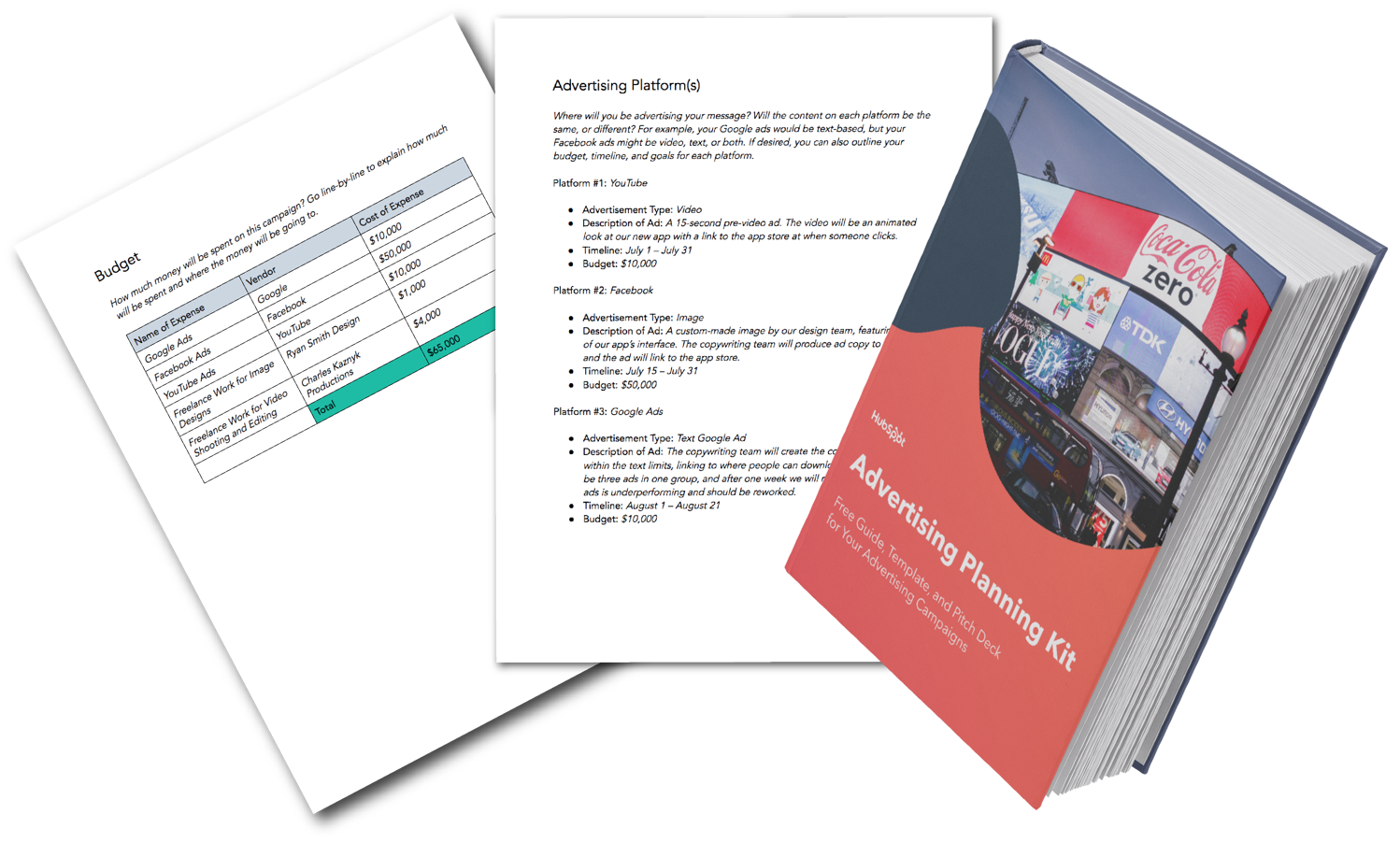
Pro Tip: HubSpot created the following advertising plan template for you to download so you can organize your advertising campaign — it’s broken down into relevant sections and can be shared with your stakeholders when it’s completed.

In it you’ll find:

  • Advertising campaign outline, 
  • Advertising campaign timeline, and 
  • Advertising budget template.

advertising planning kitDownload this Advertising Planning Kit

Now let’s dive into how you can prep your ad plan. 

How to Prepare an Advertising Plan

Before you jump into your tactical advertising ideas, the first step in the process is to provide those reading your ad plan with a high-level overview of your initiative.

1. Provide an overview of your advertising plan.

Specify the following elements so anyone reading your plan will have a basic understanding of what your campaign is and what you’re trying to accomplish:

  • Campaign Name: Make the campaign name catchy, unique, and easily identifiable so your team can get behind it.
  • Campaign Description: What is the purpose of your campaign? Explain in 2-3 paragraphs what the inspiration behind your campaign is, how it aligns with your company initiatives, what customer problems you’re solving, and what the final deliverables of the campaign will be.
  • Target Audience: Ideally, who’s on the receiving end of these ads? You can be specific to age, sex, region, or any number of demographics, or name which of your buyer personas you’re targeting.
  • Advertising Platforms: How will you be getting your message across? Here, identify the platform you’ll be using, since you’ll get more into the details of what the actual ads will look like in a later section.
  • Goals and ROI: Explain what the end goal of your campaign is. Most ad campaigns are intended to produce a direct profit or return on investment, so if that’s your goal, identify that number. If your campaign goal is something else — event sign-ups, product awareness, etc. — be sure to identify and quantify it.

2. Choose your platforms.

Here’s where you’ll provide more detail on the advertisements themselves and on which platform they will be promoted. For each ad you intend to run in this campaign, you should provide the following:

  • Platform name
  • Ad type
  • Description of the ad
  • Timeline
  • Budget

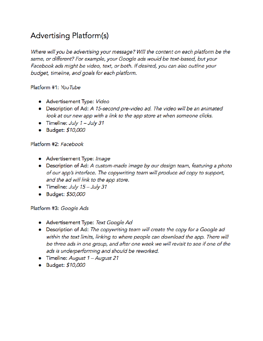
For example, your content in this section might look like this:

Platform #1: YouTube

  • Advertisement Type: Video
  • Description of Ad: A 15-second pre-video ad. The video will be an animated look at our new app with a link to the app store at when someone clicks.
  • Timeline: July 1 – July 31
  • Budget: $10,000

3. Develop your timeline.

Working on an ad campaign takes a ton of time and resources, so everyone involved will want to know what tasks they’re responsible for, when they’re due, and how long they have to do them. In this part of your advertising plan, list the tasks that are due, when they are due, and who’s responsible for accomplishing them.

4. Outline your budget.

Because ROI isn’t guaranteed, the budget can be the toughest part of your advertising project to get approved — which is why it’s important to break up your requests by line item and present them in your plan.

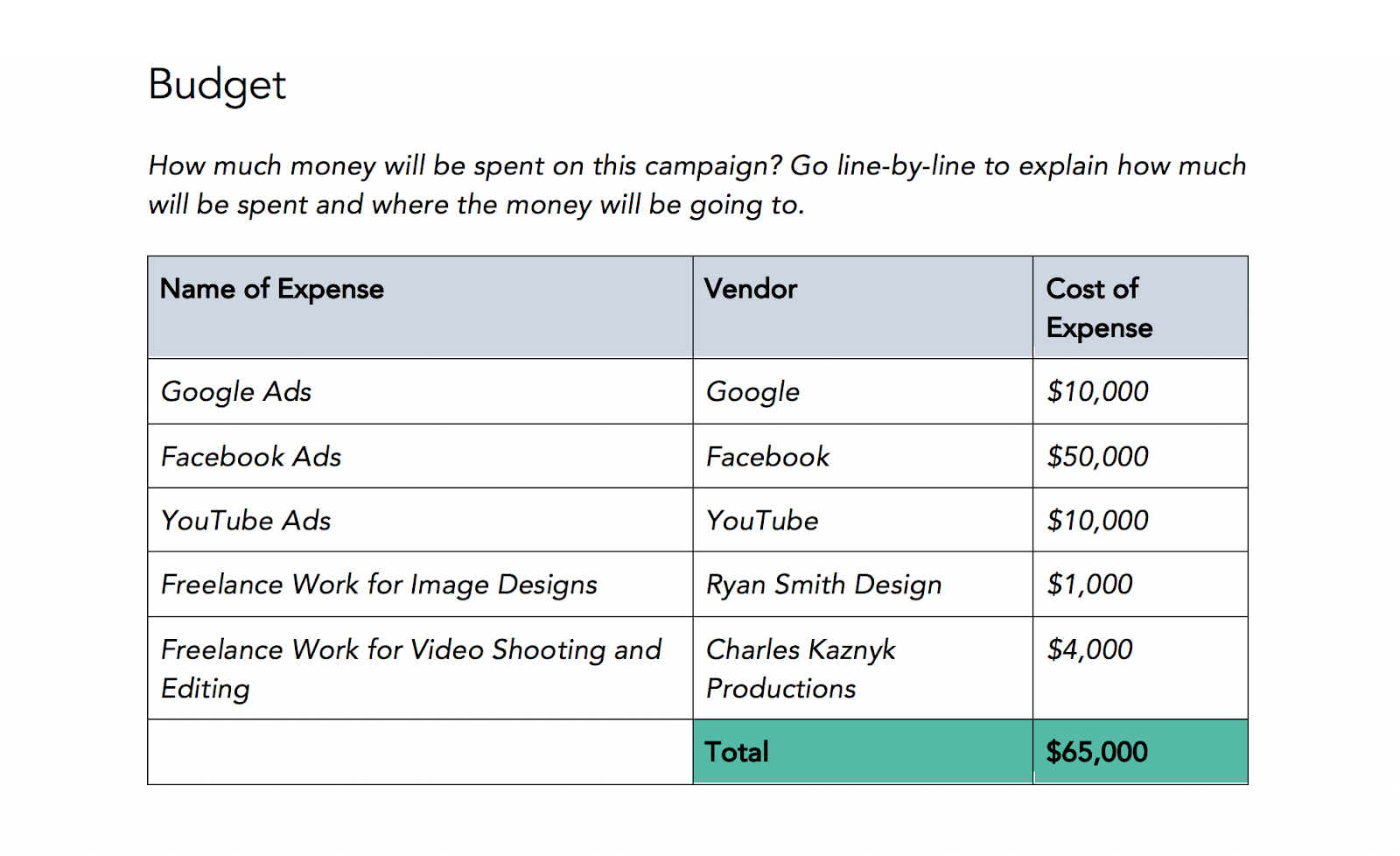
Rather than simply stating, “We need $65,000 for this project”, organize your budget into a detailed visual, like the example below.

outline your advertising plan

Download this Template for Free

Naturally, you can (and should) expect questions and pushback on certain line items.

For example, you may be asked to find another designer or video freelancing team who can complete the job for less money. So, arrive at meetings prepared to defend which costs are necessary for the campaign’s success and which expenses can be reconsidered.

5. Explain your DACI framework.

The DACI framework outlines who the key contributors in the project are and what each of their responsibilities entail.

Here’s how a DACI framework is broken down:

  • (D)river: As you might have guessed, this person is the project’s main driver or directly responsible individual. (Chances are, this will be either you or your direct manager.) The driver will coordinate all of the moving pieces of the project, seeing it through from inception to wrap-up.
  • (A)pprover: This will be the person who must approve a project and is typically a director, VP, or manager. They’ll give feedback, recommendations, or approval on the overall project and have a final say in all project deliverables.
  • (C)ontributors: Contributors will be the individuals who are responsible for creating one or more deliverables for the project. In an advertising campaign, this can include copywriters, video producers, animators, designers, and digital advertising specialists.
  • (I)nformed: These are employees who are kept in the loop as the project goes on. Examples include the department heads and the managers of project contributors. These people have no direct responsibilities but benefit from knowing about the project and its status.

Your DACI framework should include the name of each stakeholder, his or her contact information (email, phone, and/or Slack handle), and that person’s responsibility or deliverable.

This framework makes project delegation crystal clear for everyone involved.

6. Provide additional resources.

This will act as the appendix of your advertising plan. Share the ad campaign that inspired this one with your readers, link to the product page you’ll be promoting with this initiative, or link to your company’s brand style guide — this way, designers and writers get a refresh on how to create externally-facing content.

7. Host a campaign kickoff meeting.

After you complete the outline, hop on a call with your team to explain the campaign concept, timeline, and deliverables. Compile all of them in HubSpot’s advertising project pitch deck and present your advertising plan. Then, open up the floor for any questions and suggestions with project contributors.

Advertising Plan Example

It can always be helpful to reference examples, and below we’ll go over one.

sample advertising planIn this plan, a business outlines the different channels it will use to reach its advertising goals: YouTube, Facebook, and Google Ads. It outlines the type of ad for each channel, a summary of what each ad will be, a target timeline, and an allocated budget. While it is simply an overview, it has the key elements it will execute in its advertising strategy. 

While this is a high-quality example, be mindful that it is merely an example. You can personalize this template to meet your business goals by inputting what works best for your needs.

Over to You

Now that you know how to write your own advertising plan, download HubSpot’s free template to get your own advertising campaign project plan off the group. 

Editor’s note: This post was originally published in August 2019 and has been updated for comprehensiveness.

Improve your website with effective technical SEO. Start by conducting this  audit.  

Categories B2B

10 Best Social Media Organization Tips and Tricks for Managers

Managing social media accounts for a brand is not easy – and one of the biggest challenges is organizing your social media content.

Between managing social promotion goals from different departments, staying up-to-date on social mentions and trends, and posting relevant and engaging content on a regular basis, being a social media manager can sometimes feel like herding cats.

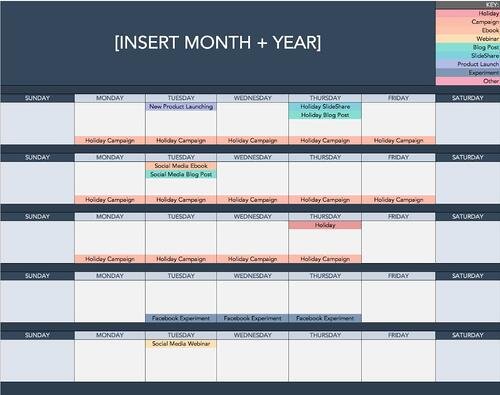
Manage and plan your social media posts with the help of this free calendar  template.

So, how do busy social media managers keep their ducks in a row? We asked the people who run social media for their brands from across the U.S. for their best tips on staying organized. Here’s what they shared with us.

1. Keep an updated content calendar.

Planning out social media posts is time-consuming, so keeping track of it all with a content calendar can help cut down on time.

“I keep an updated content calendar that includes all our social networks and the types of content we’ll be posting on each one,” says Georgie Morley, community manager at Bai.

She then creates both a daily and weekly to-do list based on the calendar.

“I make sure there’s flexibility because something always comes up – you have to be prepared to fight some fires.”

social media content calendar

Image Source

To help you plan your updates and coordinate social campaigns more easily, here’s a free social media publishing template.

2. Schedule social posts ahead of time and in bulk.

Scheduling posts saves a lot of time, and it allows you to focus on other parts of your job instead of being constantly distracted by the need to publish at certain times of day.

Former HubSpot Social Media Manager Robyn Showers used to Tweet from the @HubSpot account 24 or more times per day, not including replies to other Twitter users.

To save time, she used Social Inbox to schedule tweets in bulk by uploading them from a spreadsheet. HubSpot customers: Learn how to use the bulk scheduling tool here.

“I also tend to schedule Facebook, LinkedIn, and Google+ posts several days ahead of time,” said Showers.

3. Use a to-do list app.

Social media managers would be lost without their to-do lists. Oftentimes, the question is: What’s the best to-do list app out there?

There is a lot to choose from – Todoist, TickTick, Any.do to name a few. To narrow down your options, here are a few key features to look for:

  • Syncing option between devices
  • Recurring due dates and reminders
  • Priority levels
  • Categories
  • Task sharing and delegation
  • Calendar feeds

4. Know where to find trending topics.

What’s trending right now? What has the Twitter timeline buzzing? Which news stories are people talking about?

These are all questions social media managers need to be thinking about – not just when they arrive at work in the morning, but all day long. By staying on top of rising trends, social media managers can properly newsjack, which can bring terrific spikes in traffic to your website.

Feedly homepageImage Source

How do you stay on top of it all when things are changing so fast? First, sign up for an RSS reader like Feedly and subscribe to industry news sites and blogs that post on industry trends and topics.

5. Maintain an “Inbox Zero” mentality.

For most people, high productivity comes from closing out of email for several hours at a time. `This couldn’t be less true for social media managers who need to stay alert to incoming requests.

Back when Laurie Meacham led the social media team at JetBlue, they had to stay on top of Twitter mentions in addition to social post requests from their marketing, public relations, operations, and customer commitment teams. How do they do it?

“I maintain the ‘Inbox Zero’ mentality so I know what’s new and what needs my action,” she said. “That way, it doesn’t get lost in mountains of unimportant emails or assignments.”

It can be easy to lose important emails below the fold, so star (or flag) the ones you want to refer back to and set alert notifications for your most important senders.

6. Have a dedicated “Social Content” folder in your email.

As a social media manager, one of your many jobs is to collect all of the content your company creates, sift through it, and create bite-sized social posts your audience can digest quickly.

But with so many incoming content and promotion requests, how do you make sure you don’t overlook or forget about the important stuff?

When it comes to sifting through and bookmarking content, former Social Media Manager at HubSpot Brittany Leaning recommends creating a folder dedicated to social content.

For Leaning, many of these emails included upcoming webinars, product launches, or marketing collateral from other companies that she thought the HubSpot audience would appreciate.

“My routine consisted of going through every single HubSpot blog post that was published in the last week, and scheduling the evergreen posts for the following week,” she said. “I’d do the same thing with all our relatively new evergreen efforts. This would keep the social publishing machine going while I looked for opportunities for newsjacking or other time-sensitive content.”

After creating the folder, have a routine in which you sift through it when you need inspiration for new content and remove outdated content after a certain time has passed.

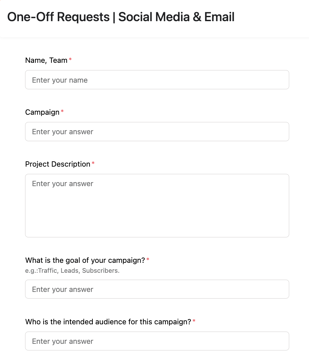
7. Create a form for social promotion requests.

To minimize the number of social media promotion requests you get via email and instant messaging, field these requests through a form.

social promotion request form example

This way, you free up your email and IM and you now have a dedicated place to review requests.

If you’re concerned about time-sensitive requests, you can add a note that specifies the best way to contact you or your team for urgent requests.

8. Use Canva to make batches of similar images.

Canva is a wonderfully simple (and free) graphic design platform that social media managers can use to create social media templates.

Maintaining a consistent aesthetic is very important on social media. With Canva, you can create templates, get them approved by your branding team if necessary, and use them whenever you’re posting on social media.

You can create multiple folders based on the post category, the platform, or the visual format – how you organize it is all up to you.

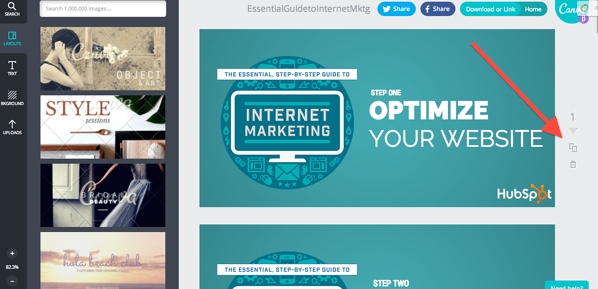
Showers would use Canva to create images in bulk for HubSpot’s campaigns on social.

“Anytime we run a campaign to promote an ebook, webinar, or another valuable piece of content, I want to have at least five creatives to test on Twitter,” she said.

To create those creatives, she only has to design one image on Canva, then she uses the “copy” tool (shown below) to duplicate the image and create multiple versions while retaining the core design elements.

canva screenshot

9. Organize your windows and tabs in a specific order every day.

When you’re juggling your email, calendar, social streams, post requests, links, and so on and so forth, you can easily lose track of which tab is where. One member of JetBlue’s social team suggests keeping windows and tabs open in a specific order that you’ll get used to and memorize quickly.

The JetBlue team also suggests getting into the habit of closing out of tabs as soon as you’re done with them.

“We get sent so many links that, if I’m not careful, I’ll have 30 articles open as well as Fly-Fi selfies and pictures of suitcases with wheels and zippers missing.”

If someone tweets a link at your brand, once you’ve addressed that tweet, close out of the link. This also helps ensure your toggle bars never get so crowded that you can’t easily see updates as they happen.

10. Set a time limit for each task.

Social media managers tend to have jam-packed schedules that don’t allow them to do one task for too long.

“It’s easy to get lost in the endless streams of to-dos, research, and meetings,” says Yip, “so it’s important to schedule time limits for each task so you can stay focused and not spend too much time on one.”

And finally, says the JetBlue social team, “Don’t forget to blink!”

Staying Organized as a Social Media Manager

It’s one thing to get organized, it’s another to stay that way.

All of the tips outlined below require consistency. Otherwise, they won’t serve much of a purpose. As with everything, you incorporate these tips into your routine, you will slowly but surely see how much organized your days will become.

Pro-tip: Incorporate one tip at a time and pick based on your biggest pain point. For some, adding one thing at a time is much more manageable and makes it easier not to get overwhelmed by the changes.

Editor’s Note: This post was originally published in Oct. 2014 and has been updated for comprehensiveness.

New Call to action

Categories B2B

How to Calculate Marketing ROI [+Free Excel Templates]

If you can prove that your marketing activities actually made an impact on your business, you’ll have many more opportunities (and budget) to grow your marketing efforts. Sounds like a marketer’s dream, right?

But how do you find the right metrics to measure and prove marketing ROI to your boss and stakeholders? With the help of this guide and a free marketing ROI excel template, you’ll learn how to calculate your marketing ROI with Excel to secure more resources for your marketing team.

→ Free Download: Free Marketing Reporting Templates [Access Now]

Marketing Reporting Templates

For example, if you’ve been running an $800 marketing campaign for three months, and average sales revenue was $2,400 for those three months, your marketing ROI would be:

200% = ($2,400 – $800)/$800

If math isn’t your cup of tea, use a marketing ROI calculator to do the heavy lifting. The free ROI calculator below considers five factors of your marketing campaign to produce an accurate ROI percentage for your marketing efforts.

Marketing ROI Calculator

HubSpot's Marketing ROI Calculator

Calculate Your Marketing ROI Free

Pro Tip: if you’re a HubSpot customer, you can use this ROI calculator programmed with the same formula.

Calculating ROI the old fashioned way in Excel is still the most popular method for good reason. By using Excel, you can keep track of ROI overtime to run comparisons, identify gaps, and optimize your marketing efforts.

Here’s a guide for calculating marketing ROI in excel.

How to Calculate ROI in Excel

Excel is one of the most accessible ways to calculate return on investment in a matter of seconds. You don’t have to make up any fancy formulas or commands — just follow these steps to calculate your marketing ROI.

Step 1: Write down your formula.

You won’t be able to enter this formula as-is into your spreadsheet, but understanding the formula before opening Excel will be helpful. By taking note of the formula below, you’ll know which cells to include in your Excel formula so that you calculate your numbers correctly.

(Sales Revenue – Marketing Cost)/Marketing Cost

Step 2: Add variables.

Open your Excel spreadsheet and add one row for your sales revenue and one row for marketing costs. In the next column over, include how much sales revenue your marketing campaign generated. Then, under that, add how much your marketing team spent on the campaign.

In the example below, our sales revenue was $50,000 and marketing costs were $12,500. Right away, we know that the campaign generated more money than was spent on it, so that’s a great sign of high ROI.

Step 3: Add the formula

Once you’ve added your revenue and cost numbers, select a free cell to type in the formula using your data. In this example, we chose the cell right below the revenue and cost numbers. Here’s how the formula translates into Excel:

  • Sales Revenue is in cell B2
  • Marketing Cost is in cell B3

(Sales Revenue – Marketing Costs) / Marketing Costs =

(B2 – B3) / B3

Step 4: Calculate marketing ROI.

Tap enter or return on your keyboard to calculate your ROI.

If the formula doesn’t automatically calculate it as a percentage, change the number format by going to the Home Tab > Number > Percentage.

Step 5: Communicate the ROI

Now that you know the ROI on this marketing campaign was 300%, how do you communicate this to your stakeholders so that they know whether or not 300% was successful? With any statistic, it’s important to give context for the data you discover. For ROI, you can communicate it like this:

“Our return on investment for the latest marketing campaign was 300%. That means for every dollar we spent in marketing costs, we made $3 in revenue. Compared to our past marketing campaigns that had an ROI of 200%, this was our most successful one to date.”

Calculating Marketing ROI with Attribution Variables

Figuring out your return on investment when attribution isn’t as black and white requires a slightly different approach.

For example, over a 12-month campaign, the sales team may inform the marketing team that 10% of the sales revenue came from leads that were organically prospected on the sales team and weren’t impacted by marketing’s efforts. This is an example of varying attribution of revenue and is a common problem that marketing and sales teams face. In other words: Who really gets the credit for revenue generated?

Depending on the thresholds set by both teams, you can add attribution as a this variable along with the original factors using this ROI equation:

(Sales Revenue – Organic Sales Revenue – Marketing Cost)/Marketing CostHow to calculate marketing ROI with attribution variables

To calculate the ROI, tap enter or return on your keyboard and you’ll have a more precise ROI metric that attributes credit to the sales team for revenue they generated without the help of marketing.How to calculate marketing ROI with attribution variables, percentage

After accounting for organic sales revenue, the marketing team’s ROI was a bit lower at 220%. To communicate this to stakeholders, you might say:

“Sales revenue for the past 12 months was $50,000. The sales team generated $10,000 of that revenue through organic efforts like prospecting. The marketing team’s campaign contributed to the other $40,000 in revenue resulting in a 220% ROI. That means for every dollar we spent in marketing costs, we made $2.20 in revenue. Compared to our past marketing campaigns that had an ROI of less than 200%, this was very successful.”

Now that we’ve reviewed a couple of examples, let’s walk through which metrics you should track to measure ROI for your marketing campaigns.

Not all metrics are equal when it comes to ROI, so you’re going to need to tell a story with the right data. Here are the top metrics to tack when measuring marketing ROI.

1. Reach

Reach is an important metric to track for advertising spend, especially for digital ads. This metric determines how many individual people saw your marketing campaign content.

If your campaign has a goal of increasing brand awareness within a large target audience, you’ll want to look at reach to make sure you’re reaching many different people rather than the same person a few thousand times.

2. Impressions

Impressions tell you how many times your marketing content was viewed. They don’t, however, don’t take into account whether the users were unique or not. Depending on your campaign goals, this metric can indicate how efficient your campaign was at spending money compared to how many times campaign assets were seen.

If your campaign goal is to guide customers through a traditional marketing funnel, repeat exposure to an ad is a key part of doing this successfully and impressions is one metric you can use to track this.

3. Visits

Your website is one of the most important marketing assets your team manages. Every time a person visits your site, they have an opportunity to become a customer and spend money with your business.

Measuring the ROI of a new website redesign using visits as a metric can give your team insight into whether the new design is working, whether SEO has improved and brought in more traffic, and more.

4. Leads

Acquiring leads can get expensive if your marketing strategy isn’t up to par. Determining ROI on lead acquisition is critical as the goal is to keep Cost Per Lead (CPL) in line with your company’s revenue goals.

It’s a good idea to develop a service level agreement (SLA) with the sales team to determine how much marketing is willing to spend on leads vs. the customer lifetime value (CLV).

5. Conversion Rates

A conversion rate details the percentage of people who take a specific action on one of your marketing assets. This could be clicking a CTA on your website, making a purchase, or signing up for a newsletter.

It’s common for a marketing team to manage several conversion paths, thus having several conversion rates to keep track of. As a result, you’ll have a different ROI for each conversion.

To measure which conversions have the best ROI, you’ll need to determine how much it costs to get a customer to the point of conversion (i.e. Did you use paid ads or organic traffic to get visitors to convert?) and how much that conversion is worth (if the conversion is a purchase, then you’d use the purchase price).

6. Customer Lifetime Value (CLV)

Believe it or not, customers are valued based on how much they spend, how many purchases they make, how often they engage with CTAs, content, and more. Your company can set the criteria for a customer’s value. Once you’ve determined this, CLV can be calculated using this formula.

CLV is a useful variable to include when calculating your marketing ROI because it compares how much you spend on marketing campaigns compared to how much money a customer is worth to the business throughout the customer life cycle.

7. Return on Ad Spend (ROAS)

Sometimes marketing campaigns rely heavily if not solely on paid digital advertisements. These ads can take many forms including search ads, display ads, social media ads, and more.

Return on Ad Spend (ROAS) is a type of ROI metric that lets you know how efficiently you’re spending your advertising dollars. The formula is the exact same as the ROI formula we shared earlier, except it only measures paid advertising dollars rather than all marketing spend which could include costs for contractors, agencies, and other functions that help launch your campaign.

If you’re curious about where your ROAS stands right now, use this free ROAS calculator to get an idea.

8. Cost Per Lead (CPL)

Cost Per Lead is a metric that marketers use to measure how many interested prospects their campaign is gaining. A lead doesn’t make a purchase. Instead, they exchange information for access to a business’s content or offers. This information can be an email address, phone number, survey, or something else that is not monetary.

What’s considered a high or low CPL varies widely by industry, company, and even campaign to campaign. Factors like copy, design, site speed, landing page content, and more can affect your CPL numbers.

9. Cost Per Acquisition (CPA)

Similar to Cost Per Lead, Cost Per Acquisition measures how many people take an action to purchase your product. An acquisition is usually identified by a visitor entering their card information to sign up for a free or discounted trial. They may also make a purchase outright.

10. Lead Close Rate

Your lead close rate is best described as the number of leads who turn into customers. Ideally, every marketer wants every lead to become a customer, resulting in a 100% lead close rate, but that’s unrealistic. Just like CPL and CPA, the lead close rate can vary widely among industries, companies, and campaigns.

Tracking this metric can identify gaps in your marketing campaign. If you notice many of your leads are not returning to make a purchase, you can identify another touch point to reach them or try retargeting them with a different ad that leads them to make a purchase.

For more marketing metrics to measure for ROI, take a look at our marketing metrics template.

How to Create Your Own Marketing Metrics Report

So now you know what metrics you need, but what about generating a report to share these metrics? Trust me, nobody wants to receive a spreadsheet and be expected to read it front and back. Even if your marketing ROI is 1000%+ day over day, you’ll probably receive a lackluster response from your stakeholders if you don’t tell a story with the data.

Follow these steps to create an engaging marketing metrics report.

Step 1: Follow along by downloading a free monthly marketing reporting template for Excel and PowerPoint.

Step 1: Follow along by downloading a free monthly marketing reporting template for Excel and PowerPoint.

Step 2: Open Excel and add your metrics.

The equations and graphs will automatically populate and adjust based on the metrics you add.

How to Create Your Own Marketing Metrics Report Step 2: Open Excel and add your metrics

Step 3: Copy the graphs and paste them into PowerPoint.

Right click on the graph you want to copy and select Copy.

How to Create Your Own Marketing Metrics Report Step 3: Copy the graphs and place them into Excel

Then open your PowerPoint slide deck and click Paste where you want the graph to go.

free marketing template graphs in PowerPoint

Step 4: Customize your graphs and charts to fit your company’s brand.

Click on individual elements in the graph to customize them.

How to Create Your Own Marketing Metrics Report Step 5: Customize the graphs and charts to fit your company's brand

Step 5: Add context to tell a story with your data.

Add content to each slide that explains your marketing team’s success from the past month. For example, if you have a blog post that drove a lot of leads, you could include a photo of the post along with a few takeaways. These specific examples give context to your presentation and justify why your marketing efforts worked and how you can repeat this success in your next campaign.

How to Create Your Own Marketing Metrics Report Step 5: Add context to tell a story with you data

ROI Excel Templates

Excel is one of the best tools to use when tracking and calculating ROI regularly. Here’s a collection of marketing ROI excel templates so you can report your metrics like a pro.

1. Reach Marketing ROI Excel Template

Calculate your marketing campaign’s reach with this ROI template. You can measure the reach of your blog, email, and social media content.

Reach Marketing ROI Excel Template

2. Website Visits Marketing ROI Excel Template

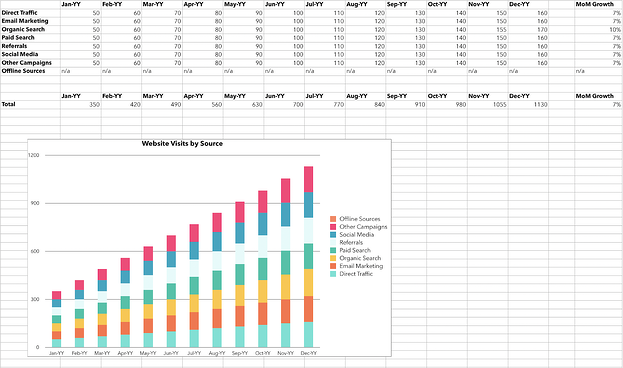
With this template, you can calculate your website visits via sources and channels including paid traffic, direct traffic, and social media referrals.

Website Visits Marketing ROI Excel Template

3. Leads Marketing ROI Excel Template

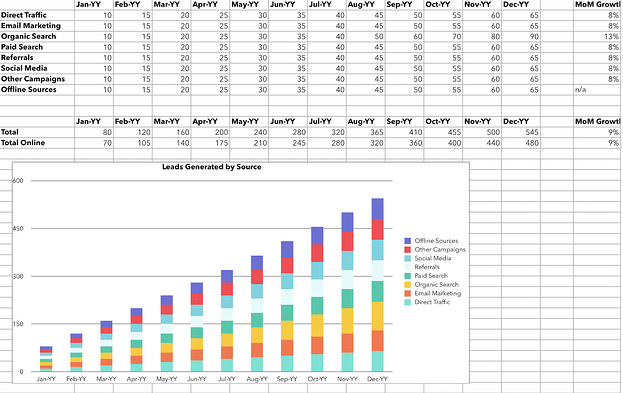
See how many leads are generated with your marketing campaigns with this excel ROI template. These results are segmented by source.

Leads Marketing ROI Excel Template

4. Acquisition Marketing ROI Excel Template

Use this template to track how many customers your campaign acquired, segmented by traffic source.

Acquisition Marketing ROI Excel Template

5. Conversion Rate Marketing ROI Excel Template

Identify how many leads converted to customers as a result of your marketing campaign with the conversion rate marketing ROI excel template.

Conversion Rate Marketing ROI Excel Template

Optimize Your Marketing Campaigns for Higher ROI

Businesses can make a lot of assumptions about how well marketing campaigns perform, but without the ROI data to back it up, they’re just that — assumptions. Get your excel sheet or marketing ROI calculator out and follow this guide to really understand how well your campaigns are doing. You may even be able to make a case for a larger budget, additional headcount, or more resources to market your product or service even better.

Editor’s note: This post was originally published in September 2013 and has been updated for comprehensiveness.

 marketing reporting templates

Categories B2B

How to Craft a Successful Customer-Centric Marketing Strategy

When was the last time a business fully addressed your wants and needs as a customer? For me, it was around the holidays, while searching for the perfect gift to give a friend who is a huge fan of the video game series “The Legend of Zelda.”

→ Download Now: Free Marketing Plan Template

My online search for the right gift led me to STL Ocarina, a company that sells ocarinas — the musical wind instruments that have been around for thousands of years and a staple item in the Legend of Zelda series. Clearly, the company knew many of its customers were like me — either fans of the games or shopping for fans of the games — so it made finding Zelda-themed ocarinas on its website simple.

Just hover over the tab that says “Our Ocarinas,” and the first category to pop up under the tab says “For Legend of Zelda Fans.” From there, I was taken to a page displaying their Zelda-themed ocarinas and the option to include a songbook of the game’s music.

After purchasing the ocarina and songbook, I remembered my friend doesn’t know how to play the ocarina and the songbook may not have tips for beginners. Luckily, STL Ocarina’s confirmation email included a YouTube instructional video and links to online resources that will help him get started.

STL Ocarina serves as a great example of what customer-centric marketing looks like. During the few minutes I was on the company’s website, every touchpoint of my buyer journey was valuable, from landing on the website to browsing for the right gift to making a purchase.

Months later, I’m still recommending the website to friends who want Legend of Zelda merchandise or are simply looking for a new hobby to pick up.

In order for your company to turn customers into advocates, the same way I advocate for STL Ocarina, it’s important to add value to every part of the customer’s journey and to address their needs. A way to accomplish this is to create a solid customer-centric marketing strategy.

Customer-centric marketing ensures your customers are satisfied with their products or service enough to remain loyal and to tell others to become customers as well. To implement customer-centric marketing for your business, first ask yourself:

  • How are customers connecting with your business? Is it via social media, the website, email, phone, or something else?
  • Is there value being offered in each of these channels?
  • What can be done to improve the customer’s experience at every touchpoint?

Customer-Centric Marketing Examples

Many companies have taken a customer-centric approach to their marketing strategy and have achieved great success. These companies include:

1. Starbucks

customer centric marketing starbucks

Image Source

One of the most well-known successful customer-centric marketing strategies comes from Starbucks with its Starbucks Reward Loyalty Program. This program offers a variety of perks, including exclusive discounts, free refills on brewed coffee, and free drinks for customers on their birthday. However, one of the program’s standout services is that it gives customers the ability to order and pay ahead of arriving at the restaurant.

This means customers who are pressed for time can schedule their items for pickup, thus avoiding long lines and inconsistent wait times.

According to Forbes, Starbucks attributed 40% of its total sales in 2019 to its rewards program. Forbes also reported users of the Loyalty Program’s app were 5.6 times more likely to visit a Starbucks every day.

2. Nordstrom

Luxury department store chain Nordstrom sought to improve its service and product discovery by creating a more streamlined and personalized shopping experience. The company achieved this by implementing its Nordstrom Analytical Platform. The platform consists of AI models that handle tasks such as inventory control and fulfillment, and routes orders to the nearest store.

The company also created fashion maps in which the AI uses natural language conversations, combined with images and information gathered from social media to predict customer preferences. Thanks to AI, the Nordstrom Analytical Platform offers personalized products and selections for customers via its Looks feature, storyboards, and more.

3. Bacardi

Back in 2019, Bacardi wanted to get potential customers in the UK and Germany excited about the brand’s new single-malt whiskies. Understanding drinkers in that demographic often have a taste for luxury, Bacardi teamed up with Amazon to create a live whisky tasting customers can enjoy from the comfort of their home.

The spirits company created its Single Malt Discovery Collection, which was made up of three whiskies exclusively for tasting. Customers in the UK and Germany could purchase the collection from Amazon and, in turn, receive access to the live streamed tasting. During the live stream, customers were able to ask questions to the host via a custom landing page on Amazon. More than 500 questions were asked and Bacardi saw an increase in sales on Amazon.

Tips for Creating a Strong Customer Centric Marketing Strategy

Crafting a customer-centric marketing strategy for the first time can be daunting, but it doesn’t have to be. Here’s how to get started:

1. Get Leadership Involved

To help ensure the success of any new strategy, it’s important to get the support and enthusiasm of senior leadership. If senior leaders prioritize customers at every channel and interaction, it will encourage others in the organization to do the same. You can get leadership on board by hosting regularly scheduled meetings to educate leadership on customer-centric marketing, discuss upcoming campaigns, and brainstorm creative ways to promote the brand.

2. Learn About Your Customers

Gain a better understanding of your customers by doing some of the following:

  • Conduct surveys asking customers about the quality of the service/product, the company’s strong points, where it can improve, and how they most interact with the brand.
  • Have one-on-one interviews with current and former customers asking about their experience with the company, why they choose to remain loyal, or why they left. You can also ask former customers what changes would have made them stay.
  • Use data gathered from analytics tools to track customer behavior.
  • Monitor social media and/or enable Google Alerts so that you can see what people are saying about your business online. For example, if customers often take to Twitter to complain about how difficult it is to navigate your website, that could be a sign to update the site. You can also gauge the type of content your customers like to see on social media. Perhaps on TikTok you notice followers enjoy behind-the-scenes videos, while customers on Twitter enjoy having their questions answered or reading important announcements.
  • Read through customer emails and monitor calls to see how customers are interacting with your company.

3. Add Value to Every Customer Interaction

Customers, or potential customers, can be at any stage of their journey with your company, which is why it’s important to create appeal at every touchpoint. Whether they interact with your organization via social media, are calling to get help with a problem, or they are at the end stage of purchasing a product/service, every part of the buyer’s cycle should spark engagement and joy.

Nordstrom offering personalized products/services based on the customer’s behavior, and Starbucks creating a system that allows customers to get their needs met quickly and efficiently are great examples of adding value at different customer interactions. Same can be said for Bacardi’s virtual, at-home whisky tasting. The one thing that all of these actions have in common is that they make the customer experience fun, engaging, and simple.

4. The Value of Customer-Centric Marketing

As technology continues to change the way people interact with brands and businesses, the customer journey has become less linear. To keep up with the ever-evolving journey, companies must adopt a customer centric marketing approach to build stronger relationships that will turn your customers into some of its strongest advocates.

New Call-to-action

Categories B2B

12 Essential Media Planning Tools

Your customers are consuming messages in more ways than ever before — online, in publications, on TV, the radio, and on their phones — to name a few.

Access Now: Free Media Planning Template

For companies hoping to reach their audiences across multiple channels, engaging in media planning is a must. However, it’s almost impossible to pull off without media planning tools that give you insight into your efforts.

To help you with your media planning efforts, we’ve compiled a list of the essential media planning tools, templates, and software to use this year.

Your customers are consuming messages in more ways than ever before — online, in publications, on TV, the radio, and on their phones…to name a few.

1. HubSpot Media Planning Template [Featured Resource]

media planning tool: HubSpot's media planning template.

Image Source

HubSpot’s paid media template will help you keep track of how much you’re spending on paid media, where your messages have gone out, and how much attributable revenue has been generated from each source.

You’ll also gain access to charts that automatically adjust when you add your spend and ROI. This resource is free — click here to get your copy now.

What we like: This template lets you compile data from your media buying efforts on a monthly basis. With it, you can determine which paid media channel works best for your company and yields the best results for your bottom line.

2. Bionic Media Planning Software

media planning tool: bionicImage Source

Bionic prides itself on its media plans, flowcharts, RFPs and IOs, trafficking, reporting, and client dashboards.

It has an average of 3.1 software updates on a monthly basis, meaning agencies using the software are provided with up-to-date planning tools to run and organize their campaigns.

What we like: Unlike other tools, Bionic is cloud-based — meaning you’ll be up and running in minutes. You also get unlimited training, support, and data backups at no extra cost.

3. Kantar SRDS Media Planning Platform

The most valuable resource for media planners is data. To feel confident promoting media on a specific platform, media planners need to know who is on each channel, in addition to understanding their target audience.

What we like: SRDS gives media planners access to extensive datasets on audience statistics and demographics so media planners can choose the right platform, message, and audience to target.

4. Media Plan HQ

media planning tool: media plan hq

Image Source

Not a fan of spreadsheets? No problem. Media Plan HQ’s got you covered. The tool tracks dates, placements, and budgets in real-time over an organized interface without having to deal with Excel. The tool is also collaborative, allowing you to work alongside your team members without the headaches caused by back-and-forth emails.

What we like: This tool gets a gold star for its collaboration capabilities. You can work alongside your team members (or share your plan with stakeholders) without the headaches caused by back-and-forth emails.

5. BluHorn

media planning tool: bluehorn

Image Source

Promising easy media planning and buying, BluHorn integrates with Nielsen and Comscore to provide users with instant access to data-rich insights. The tool is rich with useful features, such as post-buy, a vendor database, and data filters.

What we like: BluHorn is integration-rich. Connect with Nielsen & Comscore for easy planning; Google Analytics and Facebook for better tracking; and programmatic for seamless digital buying. And here’s the icing on the cake — BluHorn also integrates into Amazon AWS.

6. Quantcast

media planning tool: quantcastImage Source

Quantcast is an audience insights tool with data from 100 million websites. Quantcast uses AI so users can “better predict and influence [their] desired audience,” which is especially useful in an era where consumers are showered with ads wherever they go.

What we like: If you’re looking to dig into your audience’s behavior, look no further. Quantcast provides real-time insights into your ad campaigns, empowering you to better understand your audience and drive results.

7. Basis Technologies

media planning tool: BasisImage Source

Rated the #1 demand-side platform on G2 Crowd, Basis “addresses your direct, programmatic, search & social through a single interface.”

The software gives users access to 9,000 vendors and 11,000 publishers and informs them with more than 180 unique data points. It also contains a messaging tool for seamless team communication.

What we like: Running multiple ad campaigns can sometimes feel like an unorchestrated chaos. But with Basis, you can integrate all your advertising (including programmatic, direct, search, and social) in one central location.

8. Comscore

media planning tool: comscoreImage Source

Comscore is an essential tool for “planning, transacting and evaluating media across platforms.” Best known for providing data for digital platforms, film, and television, Comscore provides audience measurement metrics for companies looking to promote their products on a visual medium.

What we like: With Comscore, you can access data to determine the true impact of your media plan. Then, you can optimize your plan across a variety of media and screens in one place.

9. Nielsen

A household name, Nielsen is synonymous with audience measurement. Known mostly for TV viewership metrics, Nielsen’s global strategy also provides users with metrics for podcasts, streaming services, and social media. This gives users an all-encompassing view of where their audience is. It’s no wonder media planners and sellers have relied on Nielsen for nearly a century.

Fun Fact: Nielsen is considered to be the first company to offer market research and is responsible for the term “market share.”

What we like: Along with advanced audience segmentation, Nielsen also provides competitive intelligence that paints a complete picture of the media landscape — which helps you identify ways to differentiate your brand from competitors.

10. HubSpot Social Media Software

media planning tool: HubSpot Social Media Software

Looking to keep things just to a social media audience? HubSpot’s Social Media Software allows for easy publishing and audience analysis for Facebook, Twitter, LinkedIn, and Instagram on a single platform.

Plus, you can measure how your audience converts from social media in your CRM on their journey to becoming a customer.

What we like: Are you constantly refreshing your social media to monitor interactions? With this tool, all your social media interactions link back to your CRM — which saves you time and effort.

11. Scarborough from Nielsen

Another appearance from Nielsen on this list, Scarborough is a media planning tool for companies looking to get more local, hyper-focused audience insights. This tool is great for region-specific messaging or promotion and can facilitate a more systematic rollout of the word you want to spread.

What we like: With this tool, you can profile consumers beyond standard demographics — such as their lifestyle, shopping behaviors, and media consumption. You can also narrow in on specific audience segments, like sports betters or streamers.

12. MRI-Simmons

media planning tool: mri-simmonsImage Source

Marketed as “The Essential Consumer Truth Set,” MRI-Simmons provides both national and regional focus studies to those looking to learn more about their audience and plan media more effectively. Its clientele includes companies spanning multiple industries like Dell, Spotify, Coca-Cola, and Men’s Warehouse — which makes sense, given the massive amount of segmentations available to users.

What we like: As I mentioned above, MRI-Simmons is a powerful tool for segmentation. Why is this important? With segmentation, marketers can identify new audience trends to anticipate their behavior, attitudes and preferences and reach them in the most effective way.

Bonus Resource: HubSpot Academy’s Paid Media Course

HubSpot Academy’s course on How to Build a Paid Media Strategy is the perfect introduction to media planning. Whether you have a generous budget or none at all, this course provides marketers with the fundamentals of developing a paid media strategy, utilizing media throughout the buyer’s journey, and finding the ROI of your efforts. Click here to take the free course.

Media planning is an essential task for marketers. But doing it alone, or with disconnected software, will make it unnecessarily difficult. That’s why it’s important to look at the available tools and use ones that make sense for your goals.

paid media template

Categories B2B

11 Talent Acquisition Strategies to Find the Best Employees

It can be difficult to find the ideal candidate for a specific position — in fact, in 2021, 69% of companies have reported talent shortages and difficulty hiring – a 15-year high.

Regardless of the state of the economy and your talent pool, to succeed long-term, your business should be able to hire and retain the best, most talented employees.

→ Click here to download our free guide to hiring and training a team of  all-stars [Free Ebook].

But hiring can be a daunting task, which is why you need a talent acquisition strategy.

To succeed long-term, it’s critical you attract and retain talented employees regardless of vacant roles. Talent acquisition can help you do this, while solving for long-term organizational needs.

Now that you understand what talent acquisition is and how it differs from recruitment, let’s dive into the most effective talent acquisition strategies.

Talent acquisition strategies: 11 methods for hiring top talent

Here are eleven critical talent acquisition strategies to ensure you’re finding the best people.

1. Align with your business goals.

Consider your business goals for the next one to five years, and use those objectives to tailor your acquisition strategy to meet those needs. While recruitment tends to focus on filling vacancies within departments, talent acquisition is more about considering how your company is going to expand long term and then finding employees who can help take you there.

For instance, are you planning on expanding into Latin America? If so, perhaps your HR department should focus on attracting candidates with international or regional experience. Or, maybe you’re planning on creating a new product, in which case, your HR efforts should focus on attracting talented software developers and coders.

Certain roles might not even exist yet, but you’ll want to consider what type of talent you’ll need to hit your business’s long-term goals. Remember, investing in the right candidates will pay off for your company, long-term.

2. Use data and marketing to create better acquisition material.

You wouldn’t create a marketing campaign without data, so why should you recruit without it?

Talent acquisition should be treated with just as much importance as any of your marketing campaigns. Convincing people to join your company is just as necessary as incentivizing people to buy your products.

There are plenty of different opportunities to use data to strengthen your talent acquisition strategy. For instance, you might use data to figure out where your top talent came from, and use that information to focus your talent acquisition efforts on certain academic programs or professional networking sites.

Additionally, your HR team should partner with your marketing department to refine job descriptions, career pages, emails, and more.

Using data, you can figure out if certain questions are deterring candidates from filling out job applications, and eliminate those questions. Alternatively, perhaps you’ll find adding images or videos to highlight company culture incentivizes more candidates to fill out job forms. Or, maybe more candidates apply for a job with description A over description B.

By using analytics and data, you’re able to ensure your job descriptions and career pages aren’t deterring qualified people from applying.

Bullhorn is designed to tackle some of the biggest tasks of talent acquisition: recruiting candidates, and sorting through the job pool. Their software was created to streamline applicant tracking systems and improve profitability for any size business.

3. Expand outreach strategies.

To find better talent, you’ll need to expand your sourcing strategies. Different skill sets require different methods of outreach. You’ll find your best marketers in a different place than your best programmers, so you’ll want to diversify your sourcing approach.

Rather than spending all your time on LinkedIn, consider other specialized job boards, academic programs, or networking events where you might find a specific group of talented professionals. For instance, SmartRecruiter is a CRM that is developed for recruiting candidates and coordinating calendars for potential new hires.

It’s critical you identify where you can find the vast majority of your top talent, whether that be professional events, conferences, online forums, or social networks. Then, focus on strengthening relationships and networking with the right people — not only will you grow your pool of potential hires, but you’ll also grow brand awareness for your company, which will help you attract talent in the future, as well.

4. Build your company brand.

Millions of millennials and older Generation Z candidates make up the current job force. This group of potential employees came of age with the internet and social media. In researching your business, these individuals look at social media accounts, websites, and job boards to understand your work culture.

When looking into your company, candidates will have questions. What is the workplace atmosphere? Do their employees look happy? Is there potential for growth? Leverage your current employees and capitalize on the instant broadcast capabilities of your website and social media. Post images and videos of your employees at work. Encourage employees to interact with your company on its platforms. Congratulate employees on internal promotions.

Note the focus on employees. A company that focuses on the well-being of its staff is a place where people will strive to work. Building your company identity to reflect a positive, expanding environment can be an effective tool in your talent acquisition strategy.

5. Emphasize the company’s corporate social responsibilities.

Companies have taken a step back from policies that only benefit them. Your company needs to focus on pursuing its goals while benefiting others. Your company’s corporate social responsibilities (CSR) are a considerable tool for attracting top candidates aligned with your organization’s values and beliefs.

Corporate social responsibilities lead to the betterment of your brand image, workplace culture, and general society. For example, while Ben & Jerry’s is known for its collection of ice cream flavors, the brand also stands out for its long-standing commitment to social responsibilities. Since 1985, Ben & Jerry’s has donated 7.5% of its pretax earnings to social causes like Greenpeace and Vietnam Veterans of America. Since then, the company has supported voting rights, racial justice, LGBTQ+ rights, and more. With a menu item dedicated to its values on the landing page of its website, the ice cream company emphasizes the importance of its CSR.

On the career landing page for your company, your CSR should be immediately noticeable through images and videos throughout the page. If your company focuses on diversity and inclusivity, demonstrate that. If your company stands behind sustainability, illustrate that through your content. Employees rarely want to work for a company that contradicts their values and beliefs. Use your corporate social responsibilities to attract like-minded candidates who will be passionate about working for your business.

6. Increase budget for the DE&I department.

Diversity, equity, and inclusion is critical for creating a successful talent acquisition strategy — in fact, Dan Schawbel a best-selling author and managing partner of a New York City-based HR research and advisory firm says “This year, 70 percent of job seekers said they want to work for a company that demonstrates a commitment to diversity and inclusion.

The face of the workforce has changed drastically in the last fifty years. In 2022, there are more women and minorities applying for jobs, and as stated by Schawbel, the majority of job seekers want to see this reflected in a company.

DE&I training is imperative and demonstrates that your company is willing to stay current and relevant with changing times. To see an ROI on your investment in training, prioritize retention. During the job application process, continue to eliminate biases in resume reviewing. Ways to remove biases include removing names and photos when sourcing candidates, making applications and resumes anonymous before review, and creating a diverse hiring team.

7. Offer updated work options.

The COVID-19 pandemic reshaped the American work model. Talent acquisition specialists adapt their work models to conduct online onboarding versus meeting candidates face-to-face. As the workforce evolves with more technological advances, workers will strive for more work/life balance.

A professional at Goldman Sachs posted a question on the finance message board of Blind, an anonymous professional network. They asked, “Would you rather make $30k more switching to a new job that requires you to work in the office, or would you rather keep your current salary but WFH anywhere after covid?” The network found that 64% of professionals prefer to permanently work from home over a $30K compensation increase. Other professional groups who favored permanent work from home over a compensation increase include Airbnb (71%), Lyft (81%), Twitter (89%), and Zillow Group (100%).

Employees want to work from home. Remote work models lead to higher productivity. On average, workers are 13% more productive when working from home. As technology continues to advance, your company needs to adjust and consider incorporating remote or hybrid work models while also cutting costs in outdated recruitment techniques to funnel the money into talent acquisition software.

8. Design a competitive and comprehensive benefits plan.

When it comes to compensation packages, employees may be willing to accept a lower salary if balanced by comprehensive health benefits e.g. medical, vision, and dental. Employees want good health benefits, and that includes mental health.

Life inside the workplace is not all that matters in talent acquisition. Consider what happens in an employee’s life outside the business. Does your business model allow for a healthy work/life balance? Are your employees able to receive sufficient healthcare? What kind of retirement or investment opportunities do you offer? Potential candidates will ask these questions about your company. It is necessary to provide the answers with a comprehensive benefits plan.

9. Promote internal diversity.

Many industries are dominated by men leading to women feeling underrepresented within the company’s culture. While the number of women in the workforce has increased significantly over the last few decades, men still hold most positions of power. There is also a racial disparity in corporate America. When HR departments create internal coalitions to rally morale, it increases diversity and inclusion efforts from inside the workforce. To build a diverse and inclusive culture, your company needs to give a voice to people from a wide range of backgrounds.

Diversity should be a company-wide model; however, it begins at the top. Educate yourself on various cultural traditions and backgrounds. Create a workplace where different perspectives are valued and voiced. Employees tend to follow the example of their boss or manager, and setting this example can span internal diversity across your company.

10. Partner with local universities to build an applicant pool.

To build a pipeline of potential candidates, companies partner with educational institutions. It helps establish a relationship between students and future employers.

Take IBM, for example. The technology corporation has partnered with The University of Notre Dame, Virginia Tech, and Florida State University to provide access to its systems for teaching and research. IBM has also planned joint-research collaborations with Duke University and Harvard University.

Instead of waiting for interested candidates to come across the company, IBM has started cultivating relationships with potential applicants. This strategy attracts candidates after graduation and boosts company retention.

11. Add other incentives.

Large to mid-size corporations use eye-catching bonuses and employee benefits to compete in a global market to attract top talent within the industry, but financial incentives aren’t the only things that matter.

When talented candidates are comparing companies, they’re going to consider values, culture, and work-life balance, too. By cultivating an impressive employer brand, you’ll attract better talent and find more long-term success.

To succeed with talent acquisition, consider how you can reframe your branding to focus on the best aspects of your company’s values and culture. You might mention your flexible remote policy and other work-life balance perks, or your company’s emphasis on growth opportunities.

It’s important to broadcast these unique attributes through employee review sites like Glassdoor, as well as your “About Us” page on your company website. When highly qualified people are contemplating your company over your competitors, it just might be those reviews that end up convincing them.

A Talent Acquisition Strategy to Find Top Talent

Your pursuit of top talent shouldn’t solely rely on traditional, short-term recruitment strategies like sending LinkedIn messages or attending job fairs. To ensure top talent acquisition and retention, you’ll need to devise a strategic long-term talent acquisition plan.

Editor’s note: This post was originally published in November 2018 and has been updated for comprehensiveness.
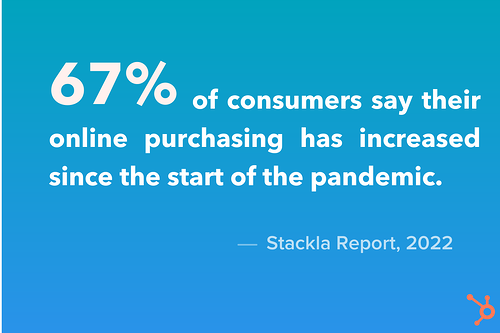
New Call-to-action

Categories B2B

What Video Marketers Should Know About Creating Diverse and Inclusive Content [New Research]

Inclusive content is no longer considered a bonus for video marketers; Diversity, Equity & Inclusion (DEI) is an integral component of an effective video content strategy.

According to Facebook Advertising, 64% of audiences in the US, UK, and Brazil said they would like to see more diversity. Deloitte’s Heat Test Report found 69% of brands with representation in ads saw an average stock gain of 44%.

But where does one start? Diversity isn’t something you can simply check off a list — implementing inclusive content is complex. It has many facets internally and externally in an organization and includes multiple areas that must be taken into consideration when brand and marketing teams plan and produce diverse content strategies.

→ Access Now: Video Marketing Starter Pack [Free Kit]

Many marketers are working against legacy systems and ways of doing things that have been in practice for years, if not decades or more. What can brands and marketing teams do today to start implementing successful DEI content strategies?

At Storyblocks, a rapid video creation company, we’ve released the Diversity in Video Report to help businesses and marketers implement effective DEI content strategies. Through conducting quantitative and qualitative market analysis over a period of the last four years, we could see how the DEI landscape has evolved in video marketing and determine what the key takeaways are for brands today.

About the Diversity in Video Report

Thanks to our growing diverse video content library at Storyblocks, we’ve been given unique access to what is important to content creators and brands today. Our research analyzes over 250 million searches and over 45 million downloads from our user database of businesses, marketing teams, and individual content creators from 18 industries worldwide.

In addition to these quantitative data points, the research also includes a qualitative in-depth analysis of noteworthy brand DEI initiatives over the last few years. Through evaluating what the top global brands have done to implement DEI strategies, this qualitative study shines a light on best practices and lessons to be learned from the successes and failures of the big players in the market. We include specific examples from companies like Citi, Netflix, Sesame Street, and more.

Diversity in Video Report Findings

1. Diversity doesn’t stop at race.

Diversity is often thought of in terms of race, but our research suggests that diversity in video marketing extends beyond that. Diversity has many layers and includes diversity in faith, age, sexual orientation, ability, body type, and more in addition to racial diversity.

In 2021 the top five DEI keywords and searches by all businesses were: body diversity, elderly, Muslim, general diversity, and African American.

Body diversity, particularly the representation of plus-sized bodies, is something multiple industries prioritized in 2021. This is an area of diversity that has been historically underrepresented, with most ads showing thin body types. Today marketers are approaching this differently, highlighting the importance of body diversity in content planning.

Top DEI searches by businesses in 2021Image Source

2. There’s an increased demand for BIPOC representation in media and marketing.

Compared to 2019, there has been a 113% increase in BIPOC (Black, Indigineous, and People of Color) video searches from members and visitors, with 937,000 more searches in 2021. There has been a 195% increase in the number of BIPOC video downloads, with 2.3 million more downloads in 2021 compared to 2019.

BIPOC video searches vs. BIPOC video downloads

Image Source

This increase in demand for BIPOC representation in media is likely linked to the murder of George Floyd and the vast racial inequities that led to increased coverage of the Black Lives Matter (BLM) movement that took place in the spring of 2020.

This movement resulted in a global cultural awakening that led to a ripple effect on different facets of media and business. Similar to the evolution of BLM, demand for BIPOC representation in media is not a ‘moment’ — the movement is still continuing and growing today.

3. Demand for diversity is clear with an increase of over 100% in just two years.

It’s clear that brands and video marketers are getting the message and listening to consumers’ undeniable demands for representation. Many businesses have been prioritizing inclusion when producing video content in the last few years.

In 2021, diversity searches including race, ethnicity, ability, age, body and LGBTQIA+ increased by 104% from 2019, with 1.1 million more diversity searches in 2021 from both Storyblocks members and visitors.

Similarly, downloads of diverse content increased by a massive 191% from 2019, with 3 million more downloads of content that include more authentic representation of communities in 2021.

Downloads of diverse content 2019 vs. 2021

Image Source

What the future of diverse content looks like.

The data indicate DEI is not a trend — the increase in diverse video content creation and consumption in media is increasing. We see DEI in video and advertising becoming an intentional, thought-out practice that more businesses invest in and strategize around.

Diverse Video Content Best Practices

1. Don’t insert your brand into a community without research.

The most powerful tool to invest in when approaching DEI is research. If a community is “trending” and receiving increased attention in the media for any given reason, be careful before your marketing team dives headfirst into the conversation.

Do your due diligence and fully understand the community you are planning on representing in your content. So many failed DEI campaigns that have received public backlash could have been avoided if the research phase was done properly.

2. Have a DEI strategy in place.

Set clear and measurable DEI goals and targets that are cross-functional and involve different workstreams and teams in your organization. DEI initiatives shouldn’t just be put on a singular group — DEI should be incorporated into your company’s strategy as a whole.

When a company is serious about its DEI efforts and has a results-driven strategy, dedicating financial resources is essential, similar to how sales and marketing have quarterly and annual budgets. DEI should be no different.

3. Diverse representation needs to exist at the decision making level.

This past year, Storyblocks worked with Indigenous filmmakers to increase the representation of Indigenous communities in our libraries. We recognized our team did not have adequate Indigenous representation, so our marketing team hired a board of external advisors from the Indigenous community to act as guides on how to best communicate, understand the community’s pain points, encourage compassion and avoid harmful misrepresentation.

When aiming to create content that’s inclusive, make sure the decision makers represent who you are speaking to. Recognize when your team is not as inclusive as you’d like and reach out for third-party support to make up for the representation your team is lacking.

Final Thoughts

Armed with the information we’ve compiled in this report, you should be able to build or take a critical look at your DEI video strategy successfully. A crucial part of that success lies in you and/or your business’s ability to approach DEI thoughtfully. Learn from the successes and failures of other brands, bring in diverse voices and understand that this isn’t something you should rush to implement. Take time and care in crafting your approach.

We’re still learning lessons ourselves, and are on this journey with you. We can’t wait to see what you create.

Discover videos, templates, tips, and other resources dedicated to helping you  launch an effective video marketing strategy. 

Categories B2B

Top Tactics for Instagram Growth in 2022: HubSpot Blog Data

Instagram is a top-rated app, with more than 1 billion global monthly active users.

Given the size of its user base, businesses have valuable opportunities on the platform to generate an audience, build a community, and drive sales.

To help learn more about how to grow your business on the app and create an engaged community, the HubSpot Blog surveyed more than 1,000 marketing professionals that use the platform. Here are some of our key findings.

New Data: Instagram Engagement Report [2022 Version]

How Marketers Grew Their Following in 2021

In 2021, marketers reported that the key to growing an account to the first 1,000 followers on Instagram was by creating shareable content with high-quality captions. Growing their following past 1,000 followers involved posting engaging Stories, engaging with users, and partnering with influencers, all of which we’ll discuss in more detail below.

If you’re having trouble growing your following, or are losing followers, marketers report that this typically occurs for a few key reasons: not posting often enough, being too sales-y, and Instagram removing bot followers.

How Marketers Grew Engagement in 2021

In 2021, marketers increased engagement on Instagram through audience interaction, and creating content that encourages engagement. For example,

  • Creating content that is shareable, inspiring audiences to share it on their own profiles via Stories or reposting on their feed,
  • Monitoring your comments and mentions to find user-generated content that you can share on your profile,
  • Responding to comments and DMs from audience members when it makes sense to do so.

How Marketers Grew Instagram ROI in 2021

49% of marketers reported that, out of all the platforms they leverage, Instagram has the highest ROI. Here are the strategies that they used to grow ROI:

This was the most popular strategy, as 79% of Instagram marketers have used shopping tools in their roles, and 33% plan to use them for the first time in 2022.

  • Creating content centered around a brand’s product and services.

This informs audiences of your offerings on a platform that they’re already familiar with, and has the second highest ROI of any content type.

The tool is leveraged by 45% of IG marketers, and 92% plan to increase or maintain their investment in 2022. Stories are also the number two format for gaining followers and getting your content shared on Instagram.

Instagram Growth Tips for 2022

Now that you know some of the key ways marketers found success on Instagram in 2021, let’s look forward to how you can create an organic Instagram growth strategy for your business in 2022.

1. Leverage different content formats.

Video and carousel posts are the most engaged with type of content on Instagram, especially when compared to single images. For reference, carousel posts contain multiple different media forms (image or video) in one, allowing you to create high-impact posts.

Both forms of content keep users engaged for longer, whether they’re scrolling through your 5 picture photo set, or watching a video. The longer a user stays interacting with your content, the longer they’re engaged.

While video and carousel posts are the most popular, you can also experiment with different content formats (like Reels and Stories) and see what resonates most with your audience.

2. Post at the right times.

When you post on Instagram, it’s important to post a time that allows you to meet your audiences when they’re online and more likely to engage with your posts.

The best way to decide what time to post on Instagram is to monitor your analytics, as mentioned above. However, the universal benchmark for ideal timing is posting between 6PM and 9PM, and the best days are Saturday, Friday, and Sunday, respectively.

3. Post consistently.

Growing your profile is tied to how much you post, so aim to post consistently. The more content you share, the more opportunities you have for engagement and growing your profile. As such, create a consistent posting schedule that helps you stay top of mind for your audiences.

Many marketers report that four to six posts per week is the sweet spot. Be mindful, though, that there is such a thing as posting too much on Instagram. Don’t oversaturate your audiences, but instead be strategic.

4. Partner with influencers that are relevant to your business.

While it seems like a best practice to partner with influencers with tons of followers, HubSpot’s Instagram Engagement Report says your efforts are more worthwhile if you partner with influencers that are more connected to their audience and community over follower count.

When you do this, you’re working with someone that has built trust with their audience, regardless of its size. And, when an influencer’s audience trusts them wholeheartedly, they’re more likely to trust their opinion on products or services and be curious and eager to learn more about what your brand offers.

Micro-influencers with 10k to 50k followers and nano-influencers with under 10k followers are considered to be the next wave of influencer marketing.

5. Monitor your engagement.

You may be saying “Yeah, I knew that” but monitoring your Instagram engagement is important, so it’s an important callout. In fact, it is the most impactful way to grow your engagement, as you’ll learn exactly what works and what doesn’t.

For example, your profile insights may say that users engage more with your videos. If you spend most of your time creating Stories, you’re actively ignoring what your audiences value most. Instead, you’d want to leverage the information from your insights and focus on sharing high-quality video content.

Consistently monitor your engagement analytics to make informed decisions that will help you grow better.

5. Write strong, compelling captions.

Always include captions on your posts — doing so can increase your engagement by almost 2%. Quick and short captions (1-20 characters) perform well, and so do longer ones (over 2000 characters).

Regardless of their length, you should always aim to create high-quality captions that are informative, engaging, and related to the content you share.

7. Use hashtags.

Using hashtags on Instagram helps you get your content seen by people who don’t follow you but surf the hashtags you use on their Explore page.

If you choose hashtags relevant to your business and use them in your captions, people can find your posts, discover your profile and follow you and help you grow your account. Case in point, 81% of marketers say that using hashtags has been somewhat or very effective for their Instagram strategy.

Over To You

Growing a following on any platform can be challenging, especially if you’re starting from scratch. Leverage the tips on this list from other marketers who have gone through it and reaped the benefits to begin creating your own Instagram growth strategy that helps you build an engaged community.

Improve your website with effective technical SEO. Start by conducting this  audit.