Categories B2B

Scrunch vs Semrush: AI visibility or traditional SEO?

Scrunch vs Semrush comes down to one question: Do you need a dedicated AI visibility tool, or a full SEO suite that now tracks AI answers too? Scrunch is an AEO specialist built to monitor how your brand appears in AI-generated answers, while Semrush is a traditional SEO platform that added an AI Visibility Toolkit to a stack marketers already use for keyword research, rank tracking, and backlinks.

Get Started with HubSpot's AEO Tool

That gap, specialist versus suite, drives every practical difference that follows: what each costs, how many engines each tracks, how each moves a visibility insight toward published content, and which one fits your team’s size and maturity.

In this guide, I’ll compare both on pricing, monitoring coverage, optimization workflow, and content-delivery risk, then walk through a step-by-step way to choose based on your goals.

Table of Contents

Scrunch vs Semrush: What is the real difference?

Scrunch is an AEO-specific tool focused on how your brand appears in AI answers, while Semrush is a broader platform that covers traditional SEO and adds an AI Visibility Toolkit. In short, Scrunch has AEO features but not SEO features, while Semrush has both SEO and AEO features.
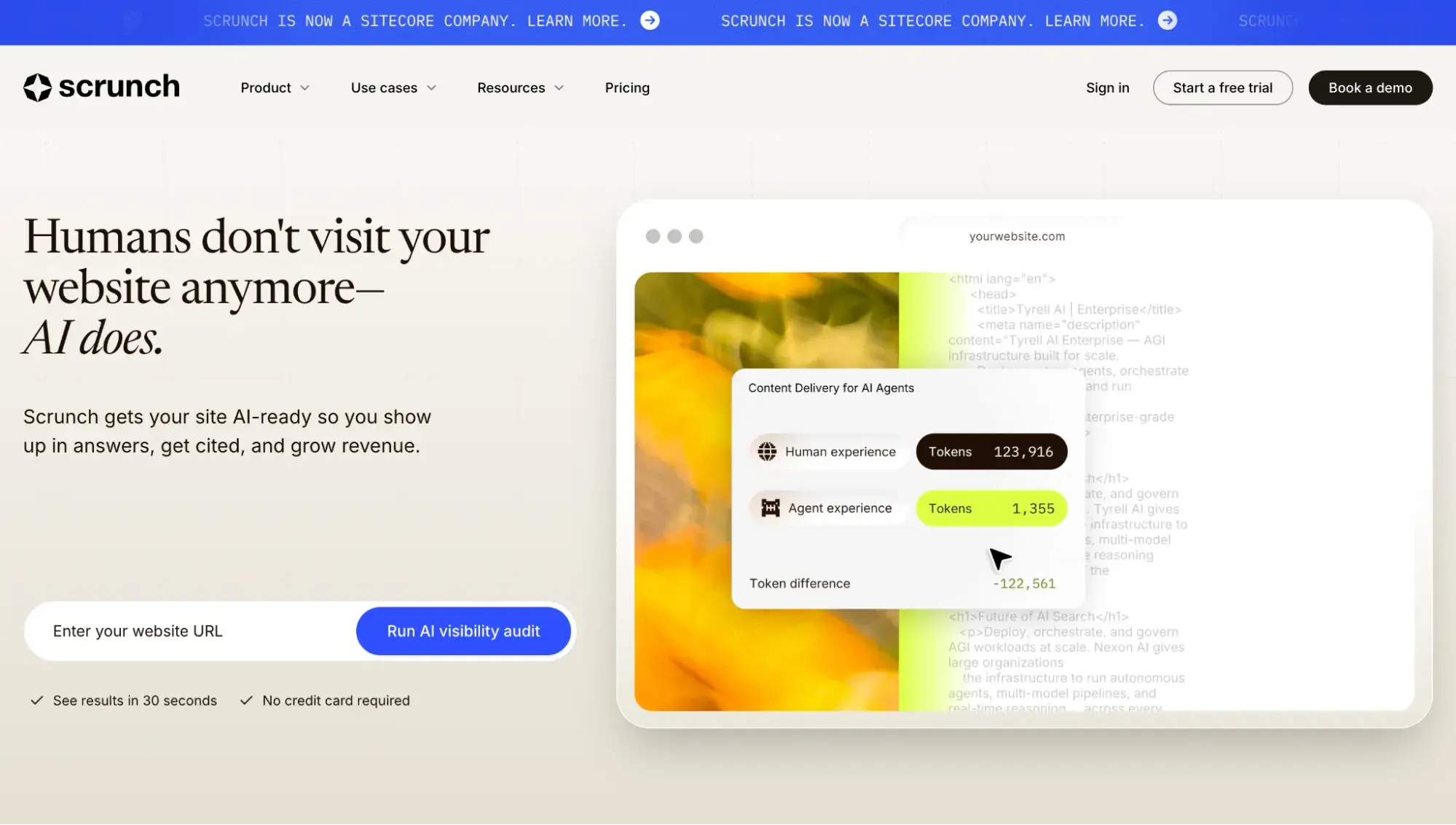
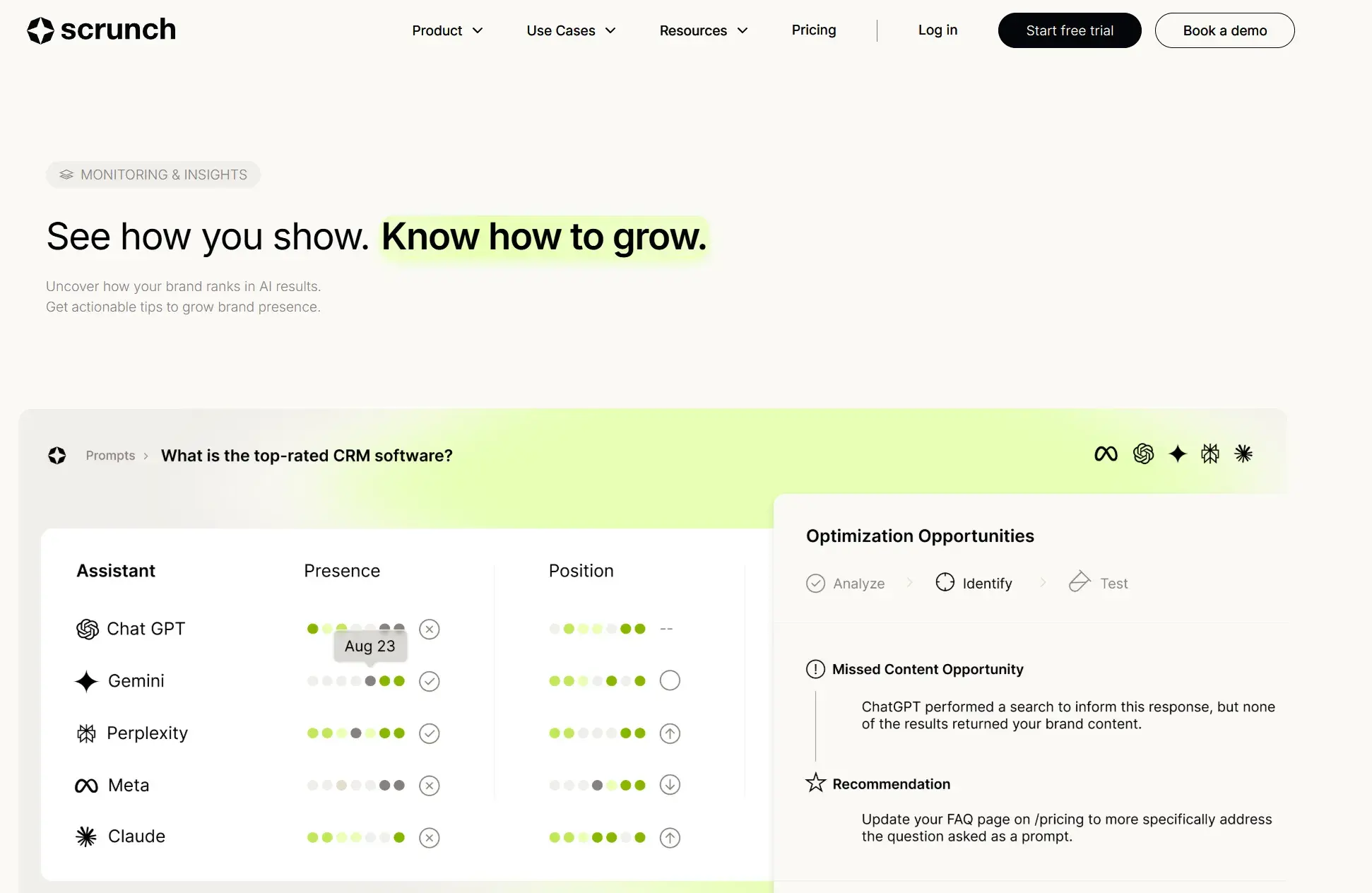
Scrunch homepage

Source

Scrunch dubs itself “The AI Customer Experience Platform.” Functionally, it’s an AI visibility platform that monitors brand presence, position, sentiment, citations, and share of voice across as many as nine answer engines on its Enterprise plan. Its self-serve Core and Agency Core plans track four: ChatGPT, Perplexity, Google AI Overviews, and Copilot.
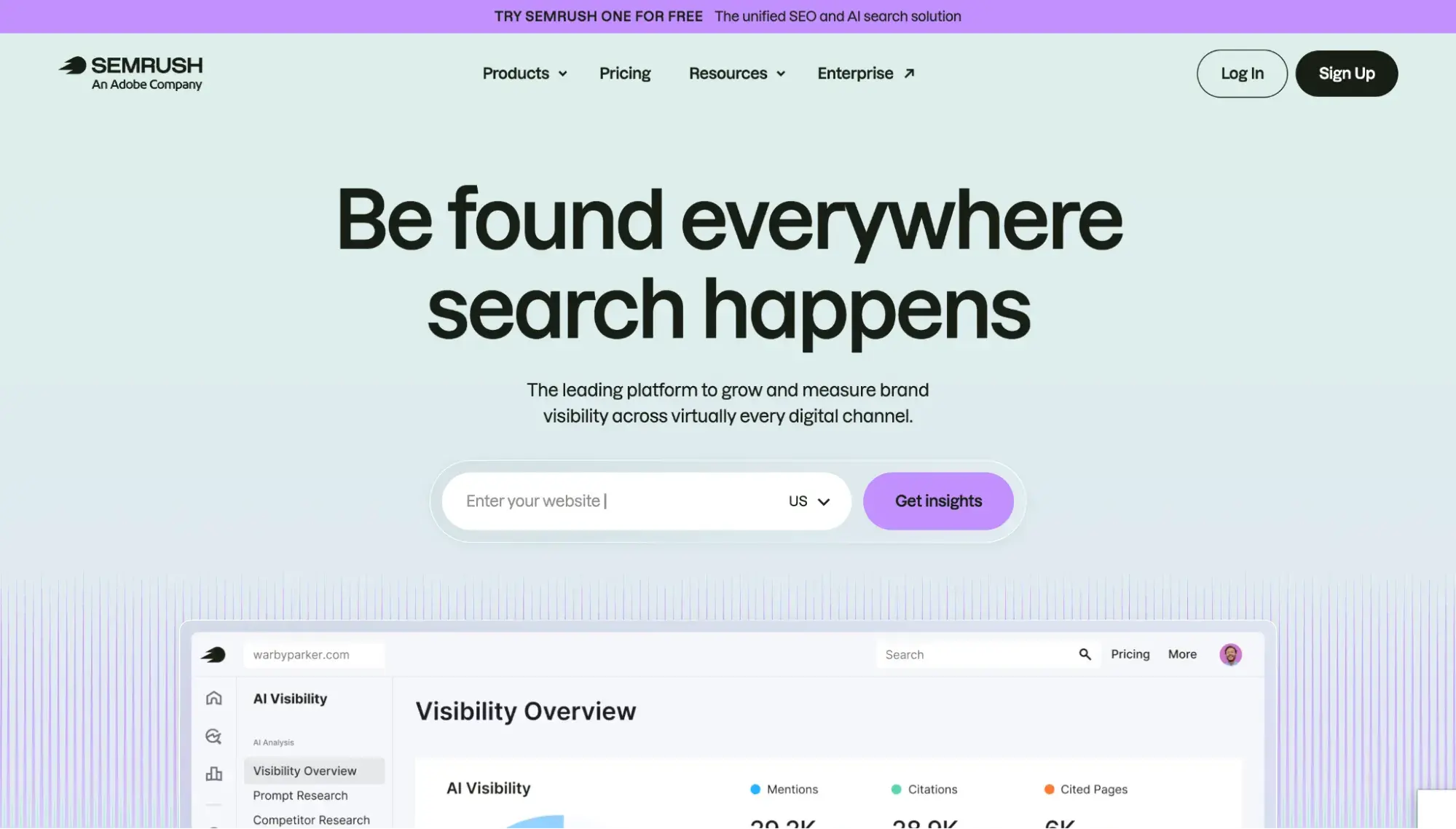
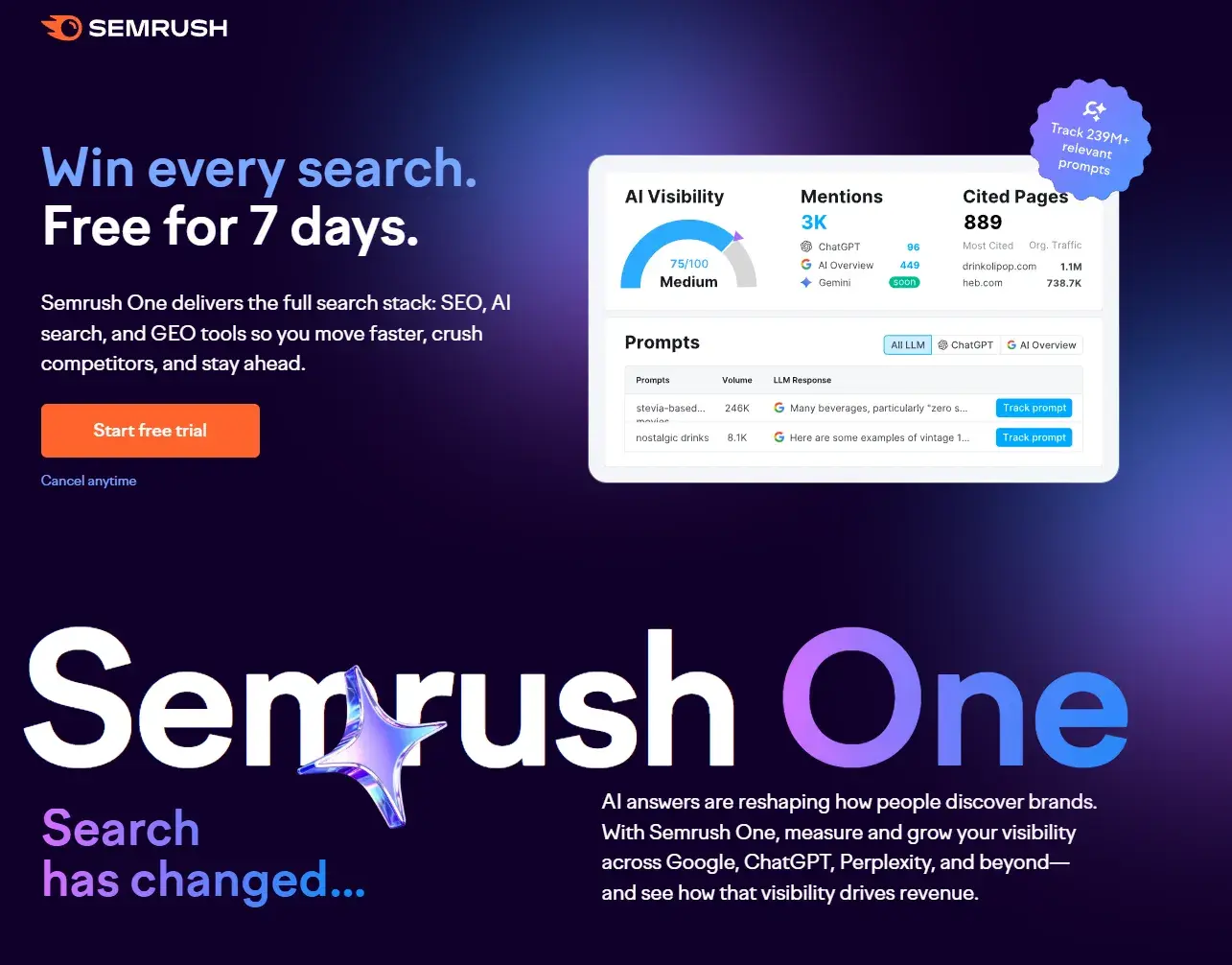
Semrush homepage

Source

Semrush describes itself as a “brand visibility management platform“ spanning “SEO, AI search, content marketing, and paid media.” Most teams know it for traditional SEO features: keyword analysis, rank tracking, audits, and backlinks. Semrush’s AEO features live in a dedicated AI Visibility Toolkit that can be purchased as a standalone tool or bundled with the SEO Toolkit.

So the difference between Scrunch and Semrush comes down to specialization versus breadth. Notably, neither vendor frames AEO as a replacement for SEO.

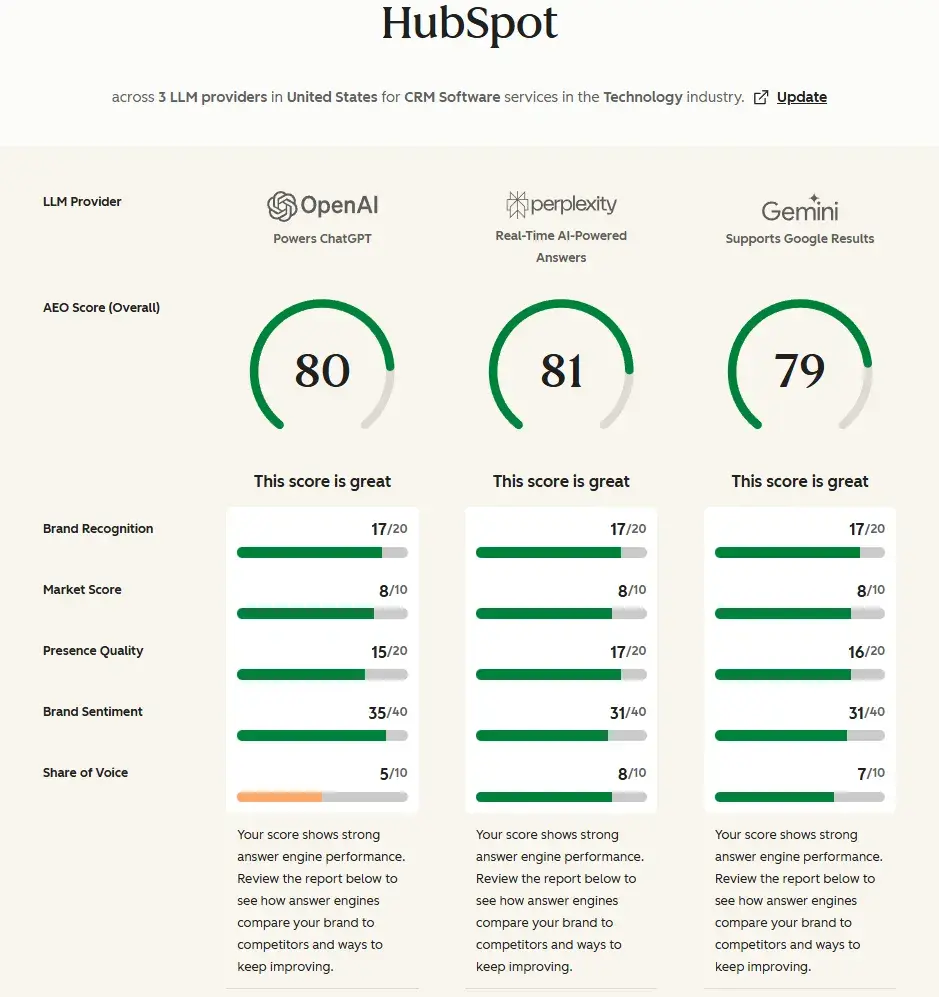
Before committing to either, it helps to know where your brand stands in AI answers right now. HubSpot’s AEO Grader gives you a quick, free read on your AI search visibility so you can choose a tool against a real baseline instead of a guess.


Scrunch

Semrush

Self-described category

“The AI Customer Experience Platform”

“Brand visibility management platform”

Primary focus

AI visibility/AEO

All-in-one suite with AI visibility built in

Traditional SEO depth

Complements SEO tools; does not have SEO features itself

Deep (rank tracking, audits, backlinks, keywords)

AI answer monitoring

Core product; nine engines tracked

One toolkit within the broader suite; five engines on self-serve plans (Google AI Overviews, AI Mode, ChatGPT, Perplexity, Gemini), expanding to nine on the custom Enterprise AIO tier (adds Claude, Copilot, Grok, DeepSeek)

Stance on SEO

Complements, does not replace

Adds to, does not replace

Best fit

Teams adding a dedicated AI-answer layer to an existing stack

Teams wanting SEO and AI visibility in one platform

Decision shorthand

AI visibility-first: Add alongside your SEO stack

SEO and AEO: One suite for both

Scrunch vs Semrush Pricing and Total Cost of Ownership

Scrunch sells AI visibility as a standalone subscription. Semrush sells SEO and offers AI visibility as an add-on or a bundle.

Scrunch Pricing

Plan

Monthly price

Seats

Brand workspaces

Prompts tracked

Engines

Free trial

Core

$250

5 licenses

1

125

4

7-day, self-serve

Agency Core

$500

Unlimited

3

250

4

Enterprise

Custom

Custom

Custom

Custom

9

Contact sales

Semrush Pricing

Plan

Monthly price

Seats

Websites/domains

Prompts tracked

Engines

Free trial

AI Visibility Toolkit (add-on)

$99 + SEO Classic from $139.95

Main user (+$99/subuser)

1 domain (Brand Performance)

25 (+50 for $60/mo)

5

No trial on standalone add-on

Semrush One – Starter

$199

Main user (+$99/subuser)

5

50

5

7-day

Semrush One – Pro+

$299

Main user (+$99/subuser)

15

100

5

7-day

Semrush One – Advanced

$549

Main user (+$99/subuser)

40

200

5

7-day

Semrush for Enterprise

Custom

Custom

Custom

15,000

9

Contact sales

The $99 AI Visibility Toolkit is a standalone subscription covering AEO monitoring only, with no rank tracking or backlinks. To run SEO alongside it, add a separate SEO Toolkit subscription or move to Semrush One, which bundles both.

Budget factors to price out:

Total cost depends on seats, domains, prompts, and engine needs, not list price alone.

Best for: For coverage beyond five engines, both vendors’ Enterprise tiers reach nine. Scrunch Enterprise is the only one that includes Meta AI; Semrush’s Enterprise AIO is the only one that includes DeepSeek.

Scrunch vs Semrush Features: Monitoring, Auditing, and Optimization

Monitoring Coverage: What Each Tool Tracks

Scrunch’s approach: Scrunch monitors up to nine answer engines on Enterprise (ChatGPT, Claude, Perplexity, Gemini, Meta AI, Google AI Mode, AI Overviews, Microsoft Copilot, Grok). It is prompt-native, estimating volume at the topic level, which it defines as clusters of related prompts. Scrunch refreshes new prompts daily for 14 days, then every 72 hours, with on-demand pulls. It benchmarks competitors on share of voice, gaps, and citations, and labels sentiment as positive, mixed, or negative.

Semrush’s approach: The AI Visibility Toolkit tracks five engines (Google AI Mode, AI Overviews, ChatGPT, Perplexity, and Gemini). Those five hold across its self-serve plans. The custom Enterprise tier expands coverage to nine engines, adding Claude, Microsoft Copilot, Grok, and DeepSeek, plus daily prompt tracking of up to 15,000.

Semrush frames the work as prompt and topic research, updates its core reports daily and Brand Performance weekly, benchmarks competitors on the same axes, and labels sentiment as favorable versus neutral. Like Scrunch, Semrush sizes AI search volume at the topic level rather than per prompt, with its Prompt Research report estimating demand for related topic clusters from a database of 289 million-plus AI queries.

Winner for engine coverage: Semrush, narrowly. At the entry tiers most buyers compare, Semrush tracks five engines to Scrunch’s four, including Gemini and Google AI Mode, which Scrunch’s Core and Agency Core plans skip. Scrunch’s lone entry-level edge there is Copilot. At the top end, the two converge: Both track nine engines, with Semrush’s Enterprise tier reaching ChatGPT, Gemini, Google AI Overviews, Google AI Mode, Perplexity, Claude, Copilot, Grok, and DeepSeek. The only engine Scrunch covers that Semrush does not, at any tier, is Meta AI; the only engine Semrush covers that Scrunch does not is DeepSeek.

Auditing and Optimization

Scrunch’s approach: Scrunch turns gaps into content briefs you hand to your team or paste into ChatGPT or Claude, and pushes data outward through a Data API, Looker Studio, GA4, and Adobe Analytics.

Semrush’s approach: Semrush keeps AI visibility inside Semrush One, where the toolkit shares projects, data, and reporting with the SEO Toolkit, so rank tracking, site audits, and AI visibility sit in one login. Its Prompt Research report can push a topic into the Content Toolkit in one click to start a draft, and its AI Search Site Audit brings SEO-style crawl checks into the AI workflow.

Whichever tool surfaces the brief, acting on it is often the hard part. Breeze Agents by HubSpot can generate blog titles, outlines, and full post drafts inside HubSpot, helping teams move flagged content gaps into production with less context-switching.

Winner for in-platform execution: Semrush. One-click drafting inside the suite beats Scrunch’s hand-off. But if you would rather route AEO data into an existing analytics and content stack, that’s where Scrunch’s open integrations win (for example, you can use Scrunch’s MCP to find citation gaps and then have it instruct Claude to generate blog posts based on that).

Scrunch vs Semrush: Monitoring or Actionable Optimization

Scrunch’s approach: Scrunch keeps a human in the loop. Its Content Gaps feature flags prompts where you’re absent, then hands the call back to you. As Scrunch frames it, “You decide what’s worth acting on.” You pick the format, Scrunch generates the brief, and you execute. To re-measure, Scrunch suggests checking back after 30 to 60 days to confirm that a citation gap has closed.

Semrush’s approach: Semrush leans toward automated recommendations. Its Brand Performance reports surface “AI Strategic Opportunities” and convert your data into a suggested action plan. To re-measure, its Prompt Tracking logs daily visibility changes, so you can tie a content update to a movement.

The execution loop runs the same regardless of tool: Audit the answers you’re cited in, find the gap, update or create content, then re-measure. Where both Scrunch and Semrush stop is publishing. Each gets you to a brief or draft, not a live, governed page. With HubSpot’s Content Hub, however, you can create, manage, and publish that content in one place.

Winner for turning insight into action: Semrush. Auto-generated recommendations and one-click drafting move faster, unless you want the final call on every gap, where Scrunch’s review-first model fits better.

Scrunch vs Semrush: Content Delivery and AEO Risks

Scrunch’s approach: Beyond monitoring, Scrunch’s Enterprise plan adds the Agent Experience Platform (AXP), a content-delivery layer that sits at your CDN and returns a separate, simplified version of each page to AI bots while human visitors see your normal site. In plain terms, you get two versions of a page: one for people, one for machines.

Note: This is not the same thing as llms.txt, which Scrunch says it does not use. Additionally, Scrunch does not serve the bot-friendly version of a page to Google crawlers, so it shouldn’t affect traditional search indexing.

Semrush’s approach: Semrush offers no equivalent bot-serving layer. Its optimization work happens on the live, user-facing page through the Content Toolkit and Site Audit, so the content people read is the content AI systems retrieve.

Personally, I can see how using Scrunch’s AXP would make a website owner nervous. Showing AI bots one version of a page and human visitors another resembles cloaking, the practice Google acts against when a site feeds its crawler different content than people see. The key distinction is which crawler is involved: AXP serves its alternate version to AI assistant crawlers, not to Googlebot, and Scrunch says it never serves the bot version to Google search crawlers. By that account, AXP falls outside Google’s cloaking rule, which governs Google’s own crawler, and shouldn’t change what Google indexes. Scrunch defends its approach directly, arguing it isn’t deceptive because the AI version “reflects the same intent” as the page people read.

The lower-risk path is to create one page for both audiences at once. Scrunch’s own citation guidance points in the same direction: Lead each page with a direct answer, use question-matching headers, and add factual specificity. Structured data, scannable formatting, and authoritative external links help machines parse a page without a parallel version. Content built this way stays legible to readers and extractable by AI, with no second layer required.

Winner for low-risk delivery: Semrush. It optimizes one page for every audience, avoiding the duplicate-content exposure AXP potentially introduces. Still, AXP is Enterprise-only and optional, so many Scrunch buyers never touch it.

Scrunch vs Semrush: Who is each best for?
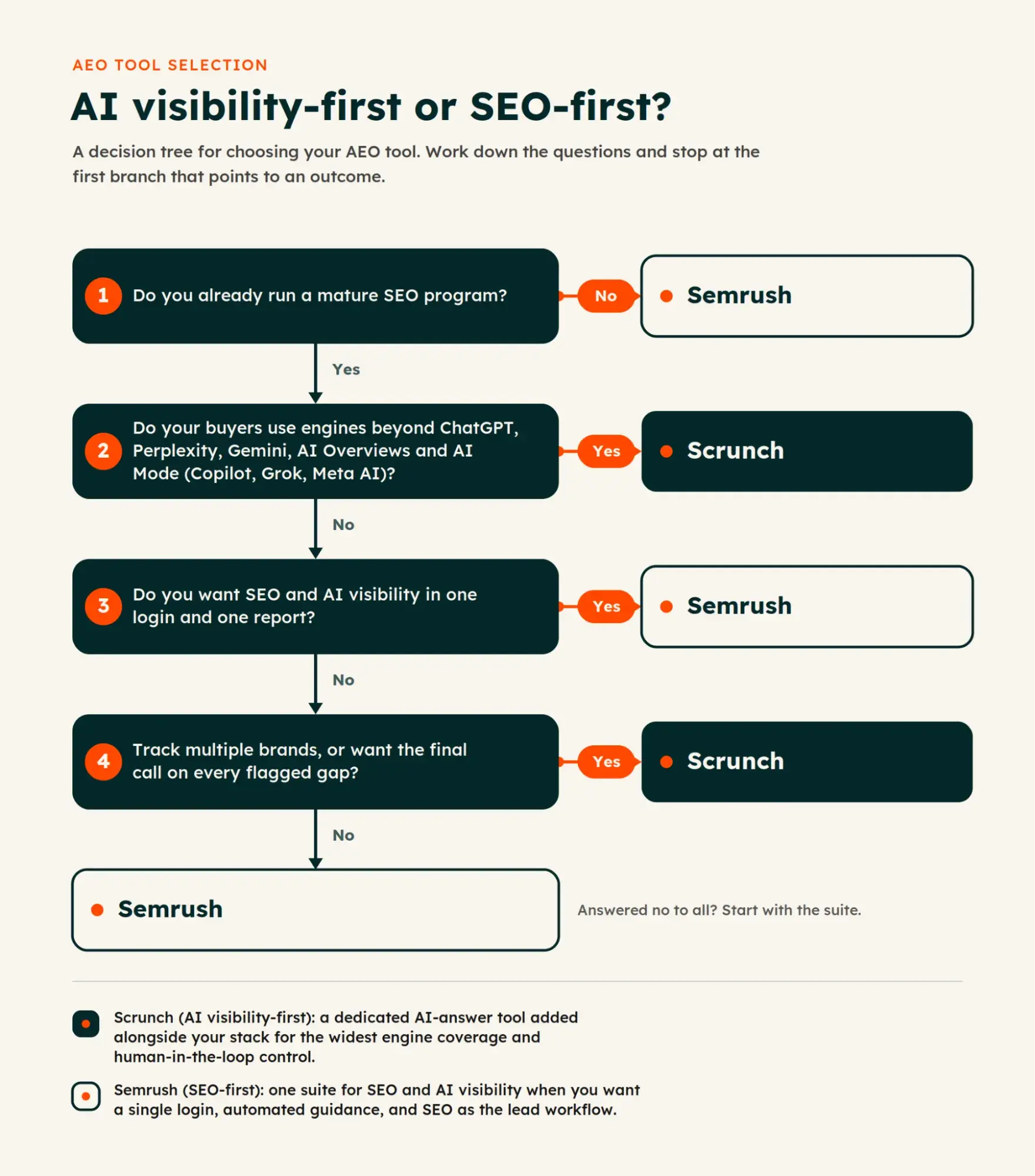
Decision tree flowchart for choosing between Scrunch vs Semrush based on SEO maturity and engine coverage needs

Three buyer profiles map cleanly to these tools: AI visibility-first teams, SEO suite-first teams, and teams that need both.

Best for Scrunch: Teams already running a mature SEO program who want to add a dedicated AI-answer layer without rebuilding their stack. Agencies fit here, too, since Agency Core covers multiple brand workspaces and unlimited seats. Scrunch also suits teams that prefer a human-in-the-loop model, where a person decides which gaps are worth acting on before anything moves into production, or that specifically need Meta AI tracking, the one engine Semrush doesn’t cover at any tier. Scrunch has an AI Referrals tab where you can track revenue and conversions from AI visibility if you connect your GA4 account.

Best for Semrush: Leaner teams that would rather run SEO and AI visibility from one login than manage two subscriptions. It fits teams that still lead with rank tracking, audits, and backlinks, and treat AI visibility as one report inside that workflow rather than the main event. Buyers who prefer automated recommendations over a review-first model land here as well. Semrush has a “My Reports” tool where you can connect your GA4 data and use the “AI Referral” Traffic Channel filter to see revenue data.

Use this decision matrix to match priorities to the better pick:

Your priority

Better pick

Most AI engines at entry-level pricing

Semrush

Meta AI tracking specifically

Scrunch

Rank tracking, audits, and keyword research

Semrush

Backlink analysis

Semrush

Content ops tied to AI insights

Semrush

SEO and AEO reporting in one platform

Semrush

Routing AI data into an existing analytics stack

Scrunch

Connecting AI visibility to revenue

Scrunch

Looking for a tool that strongly connects content to revenue? HubSpot’s Marketing Hub connects content performance to campaign automation, attribution, and reporting, so an AI visibility gain can be traced to the deals it influences rather than measured in citations alone.

Scrunch vs Semrush: Alternatives to Consider

Scrunch and Semrush are not the only tools for tracking AI visibility. If neither fits your budget, team, or focus, the strongest alternatives sort into three groups that differ depending on what you need most.

  • Enterprise AI Visibility Platforms
    • Profound monitors brand presence across ChatGPT, Gemini, Claude, Perplexity, and other engines, and targets large brands with dedicated marketing teams.
    • AthenaHQ calls itself “the command center for AEO and GEO,” tracking eight engines on every plan and pairing monitoring with prescriptive content recommendations.
    • Best for: Larger teams that need depth, governance, and the widest engine coverage
  • Focused, Reporting-First Trackers
    • Peec AI keeps its scope on AI search analytics and reporting, with a Looker Studio connector that feeds visibility data into existing dashboards.
    • Otterly AI centers on answer engine optimization, pairing daily citation monitoring with on-page audits that flag specific fixes.
    • Best for: Teams that want clean visibility data without a heavier suite
  • AEO Built Into Your Marketing Stack
    • HubSpot AEO starts at $50 per month and tracks brand visibility across ChatGPT, Gemini, and Perplexity. The same tooling is built into Marketing Hub Professional and Enterprise, where it draws on your CRM data to sharpen recommendations.
    • Best for: HubSpot users who want AEO tied to the content and customer data they already have

Whichever tool you shortlist, the visibility data is only as useful as what you publish next. The structural choices that make a page extractable matter regardless of the platform.

How to Structure Content for AI Visibility Without Risk

We talked about a lower-risk route earlier: optimizing one page for both readers and answer engines instead of serving bots a separate version. So let’s now cover how to structure content to be AEO-friendly.

Run flagged pages through this checklist before you republish:

  • Lead with the answer. Put the direct response to the target query in the opening line, not four paragraphs down.
  • Match headings to questions. Phrase H2s and H3s the way buyers ask the question, so an engine can map a query to a section and lift the passage beneath it.
  • Keep entity names consistent. Use one spelling for your brand, products, authors, and executives across your own site and your third-party profiles, so engines resolve every mention to the same entity.
  • State your sources. Attribute your data, name the study or document behind each claim, and link to it. Factual specificity gives an engine a reason to cite you over a vaguer competitor.
  • Write self-contained passages. Ensure each key paragraph can stand on its own if an engine extracts it apart from the surrounding page.

Built this way, a page stays legible to readers and extractable by AI with no parallel bot-only version, which avoids the duplicate-content exposure an AXP-style layer might introduce.

The measurement loop is the one named earlier: Audit the answers you’re cited in, find the gaps, update or create the content, then re-check after a refresh cycle. Getting a fix from brief to live page is usually the slow step. Marketers can use HubSpot’s content operations platform to draft, approve, and publish in one place to save time.

How to Choose Between Scrunch and Semrush Based on Your Goals

Before you structure a page for citations, you need to pick the tool that surfaces which pages to fix. Here’s how to choose based on your goals rather than starting from a feature list.

  1. Assess where you stand today. Get a baseline before you compare anything. HubSpot’s free AEO Grader scores how answer engines currently represent your brand so you can check AI search visibility against real data instead of a hunch. Scrunch runs an AI visibility audit with no credit card required, and Semrush’s free plan shows where AI answers mention and cite your brand, plus an overall visibility score.
  2. Define your goal, then read it from the matrix. Decide whether AI share of voice, traditional SEO depth, or both lead your priorities. The fit matrix earlier in this guide under “Scrunch vs Semrush: Who is each best for?” already maps each priority to the stronger pick, so revisit it if needed.
  3. Confirm budget and seats. Price the entry point for your team, not the list price. Scrunch’s Core plan covers five seats for $250 per month; Semrush’s AI Visibility Toolkit starts at $99 per month as an add-on, with each extra seat billed separately. The cheaper option depends on how many people need access and how many brands you track, which the pricing breakdown earlier covers in full.
  4. Trial, then validate. Scrunch’s self-serve Core plan comes with a 7-day free trial. Semrush’s standalone AI Visibility Toolkit has no free trial, though a free account can run a limited 7-day Semrush One trial. Use the window for one thing: Confirm the tool tracks the engines and prompts your buyers actually use before you pay.

Three fast paths:

  • Keep Semrush, add Scrunch. Best if your SEO program is mature and you want the widest engine coverage as a separate layer. The two run in parallel, since Scrunch complements an SEO suite rather than replacing it.
  • Use Semrush for both SEO and AI visibility. Best if you track a single brand and want both toolsets under one login. If you already pay for Semrush’s SEO Toolkit (from $139.95 per month), adding the AI Visibility Toolkit at $99 per month is the cheapest way to layer on AEO tracking. Bought on its own, that $99 toolkit covers AEO monitoring only, with no traditional SEO features, so a buyer starting from scratch who wants both should pick Semrush One, which bundles the two toolkits from $199 per month.
  • Lead with a specialized AI visibility tool. Best if AI answers are your primary channel and SEO is secondary. Start on Scrunch’s Core plan and layer in SEO tooling later.

Frequently Asked Questions About Scrunch vs Semrush

Do I need Scrunch if I already use Semrush?

Maybe not. Semrush’s AI Visibility Toolkit monitors five engines on its self-serve plans and shares data with your SEO workflow, so if your buyers stick to those engines, the toolkit may cover you. Its custom Enterprise tier closes most of the remaining gap, tracking nine engines that include Claude, Copilot, Grok, and DeepSeek. The one engine Scrunch covers that Semrush doesn’t, at any tier, is Meta AI. Scrunch still positions itself as a complement, not a replacement.

How do I measure AI visibility without changing my SEO stack?

Route the data out instead of switching tools. Both connect to Looker Studio, but through different paths: Scrunch via a Data Studio Community Connector on Enterprise, and Semrush via its own native Looker Studio connector on any paid plan. The two also handle GA4 differently. Scrunch reads your GA4 data in through an OAuth connection and displays AI-referred sessions and revenue inside its AI Referrals dashboard, rather than writing anything back to GA4. Semrush surfaces GA4 data in My Reports, its in-platform report builder, where an “AI Referral” filter isolates AI-driven sessions and conversions. Each also offers an API: Scrunch on Enterprise, Semrush on Business and above.

What are Scrunch AI competitors?

Scrunch competes with AEO tools rather than full SEO suites. Its closest alternatives include HubSpot AEO, Semrush’s AI Visibility Toolkit, Profound, AthenaHQ, Peec AI, and Otterly AI. Scrunch’s own materials don’t name competitors directly; it describes itself as “The AI Customer Experience Platform,” which sets it apart from rank-tracking suites.

When should I use Semrush’s AI Toolkit instead of a separate AI visibility platform?

Choose Semrush One when you want SEO and AI visibility in one login or if you already use Semrush for SEO. It shares projects and data with Position Tracking, Site Audit, and the Content Toolkit, so AI insights sit beside rank tracking and audits. Semrush builds it for SMBs, agencies, and mid-market teams that treat AI visibility as one report inside an existing SEO workflow rather than a standalone discipline.

How do I tie AI visibility gains to pipeline impact?

Connect AI visibility data to revenue reporting. Scrunch’s AI Referrals tab links to GA4 to track AI purchase revenue and conversion rates, and Semrush’s “My Reports” adds an “AI Referral” filter on any paid plan. Neither documents native pipeline or CRM reporting. AEO in HubSpot Marketing Hub connects citation data directly to CRM records, allowing teams to trace answer engine visibility from prompt to site visit to lead and pipeline.


Categories B2B

What is AI search optimization? (& why marketers should care)

AI search optimization is the practice of improving brands’ odds of being cited and mentioned by answer engines like ChatGPT, Gemini, and AI Overviews. The traffic it earns is small but high-intent. Across more than 1,200 publisher and news sites, visitors referred by AI tools signed up at roughly 11 times the rate of search visitors, according to a Microsoft Clarity study.

Get Started with HubSpot's AEO Tool

In this article, I’ll walk you through how to define, evaluate, and implement AI search optimization. I’ll even clearly outline how it differs from, but does not replace, SEO.

Table of Contents

What is AI search optimization? And why does it matter?

AI search optimization is the practice of making a brand and its content more likely to be mentioned and cited by answer engines like ChatGPT, Perplexity, AI Overviews, and Gemini. AI search optimization is known by many names, including generative engine optimization (GEO), AI SEO, and LLM optimization (LLMO), but at HubSpot, we call it answer engine optimization (AEO).

AEO builds upon SEO and does not replace it; they remain distinct but complementary practices, which I’ll detail in a section below.

By optimizing for AI search, brands can expect to see:

  • Increased brand visibility. AEO can help brands get recommended in answers generated in Google AI Mode, ChatGPT, Claude, Gemini, and more. Even if a user never clicks through to your website, they can find out details about your product that are highly tailored to their specific situation.
  • More qualified leads. Traffic that comes from AI search tends to be higher intent than traffic that comes from traditional search. Why? In an attempt to provide a personalized result, answer engines essentially pre-qualify users by asking follow-up questions targeting sub-queries.

To be clear, AI search traffic is still small compared to traditional search. However, it has an outsized impact on conversions. AI traffic grew 66.02% in 2025 (faster than every channel except paid search), while accounting for only 0.14% of visits, according to Semrush. The latest data I could find shows that AI search is still less than 1% of the total share, according to Ahrefs May 2026 data. But again, that doesn’t tell the whole story when AI answers are influencing purchases without buyers clicking links.

People are increasingly using AI answer engines to get recommendations. AI search optimization puts you in control of the narrative that answer engines put out.

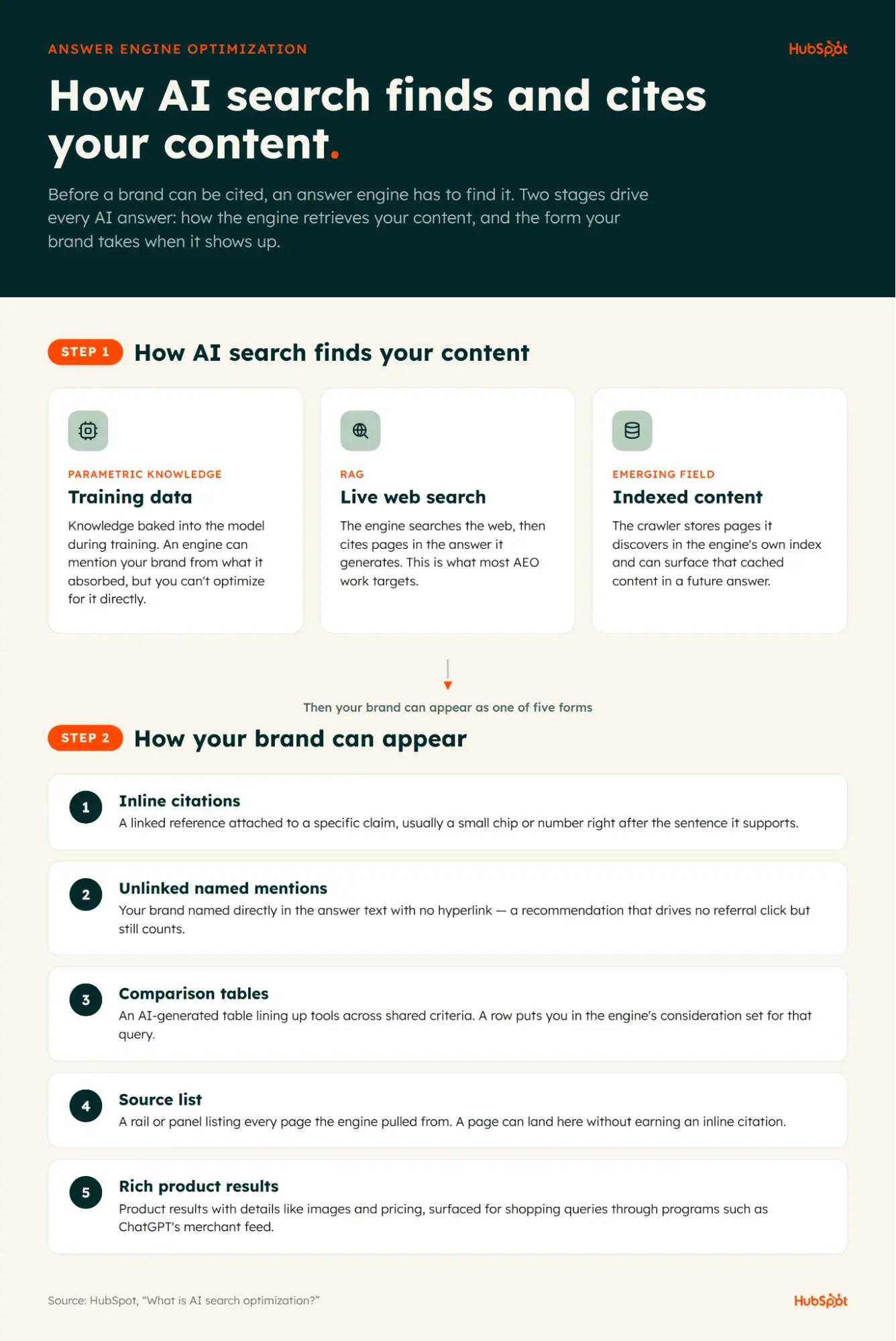
How AI Search Finds and Cites Your Content

Infographic showing how AI search finds content through parametric knowledge, RAG, and indexed content, and five ways brands appear in answers

AI search is powered by large language models (LLMs), a type of artificial intelligence that can read, understand, and respond in natural language. They are trained on massive amounts of data and can respond to prompts in seemingly novel, human-like ways. When it comes to AI search optimization, there are three ways an answer engine can surface your content, and each works differently:

  1. Training data (parametric knowledge) – This is the knowledge baked into a model during training. An engine can mention your brand from what it absorbed before its knowledge cutoff, but you can’t optimize for it directly, because training runs on a fixed snapshot of the web you don’t control. However, brands can indirectly increase the likelihood of future inclusion by building a strong, consistent presence across authoritative websites, news coverage, research publications, and other trusted sources that are likely to be included in future training datasets.
  2. Live web search (RAG) – For the most part, when marketers talk about AEO, they are talking about live web search. In other words, they’re trying to create content that gets cited in answers that are generated after searching the internet.
  3. Indexed content – This is a newer, emerging field of AEO, about which little is known. As I wrote about in how to get indexed by ChatGPT, OpenAI stores the pages its crawler discovers in its own index and can surface that cached content in a future answer, separate from any live web fetch.

Content Types That AI Search May Cite

An answer engine can pull from properties you own or from third-party platforms where your brand shows up. Content types it may cite include:

  • Homepages
  • Landing pages
  • Pricing pages
  • Product listings
  • Blog posts
  • Reddit threads
  • YouTube videos
  • LinkedIn posts
  • Quora answers

Where Brands Can Appear in AI Search

Getting cited isn’t the only way to show up. A brand can surface in an AI answer in a few different forms.

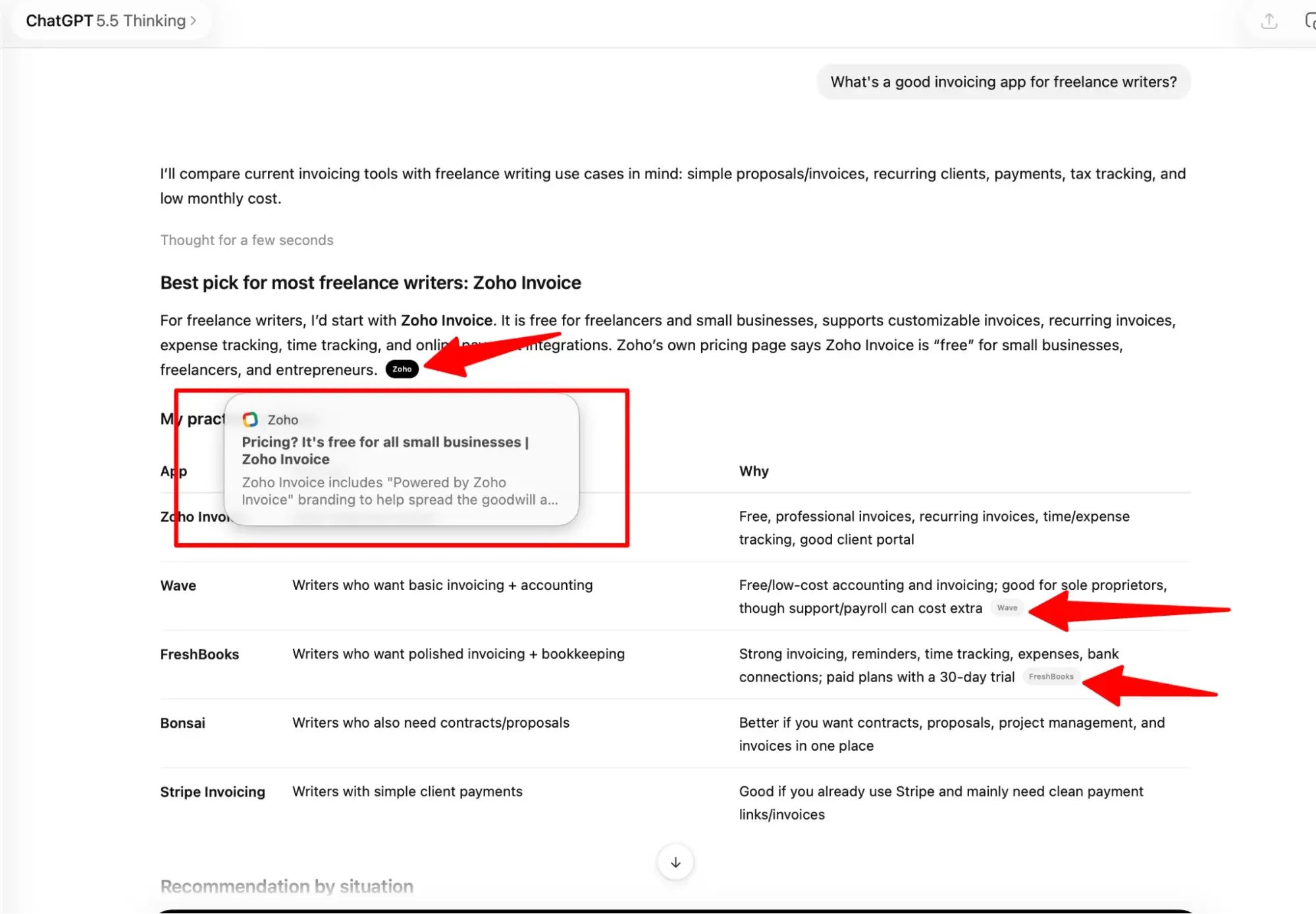
Inline Citations

A linked reference attached to a specific claim inside the answer, usually a small chip or number right after the sentence it supports. It tells the reader exactly which statement came from your page, and clicking it sends them straight to that source.

ChatGPT answer showing inline citation to Zoho Invoice with highlighted source reference and comparison table

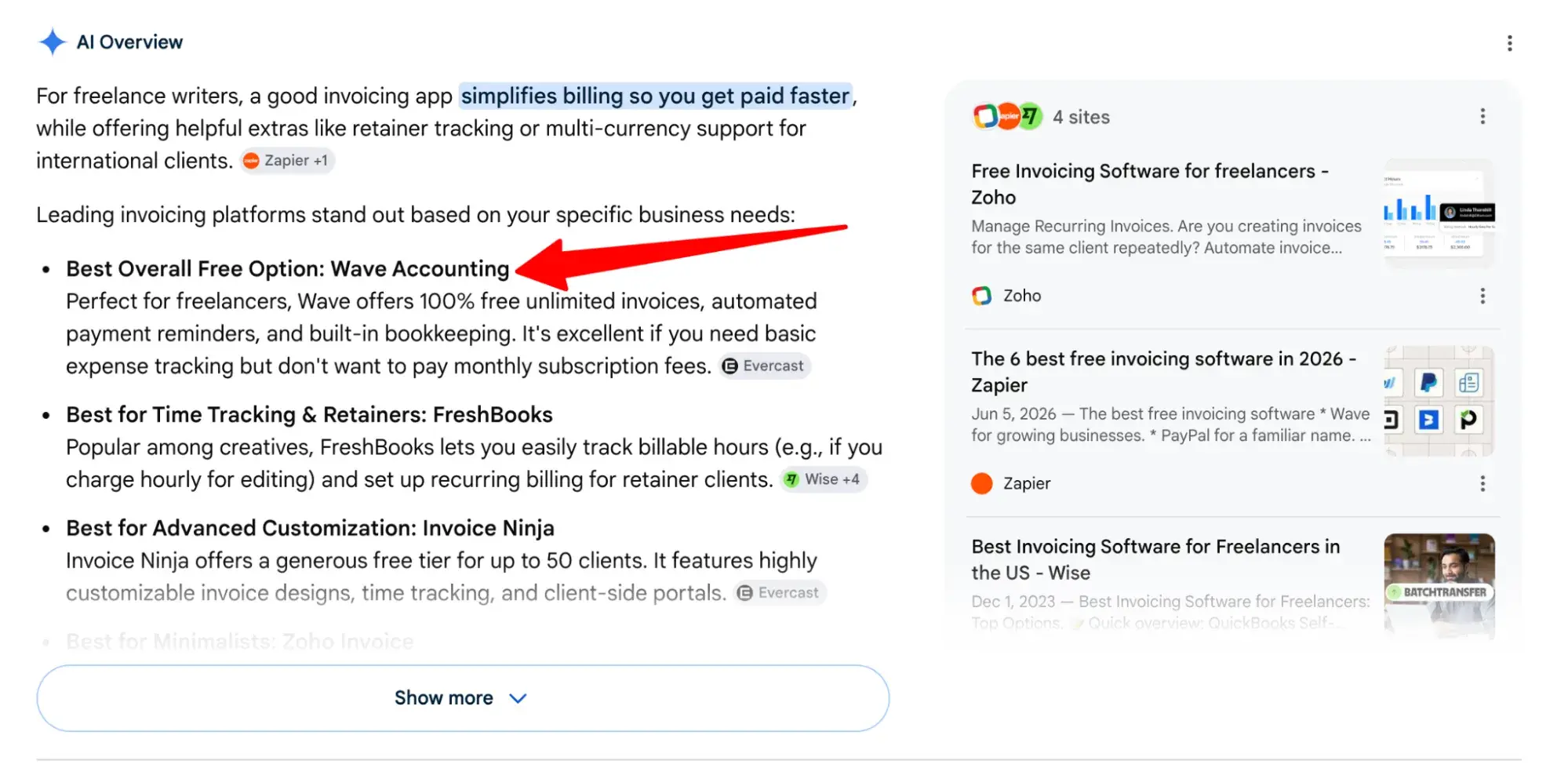
Unlinked Named Mentions

Your brand is named directly in the answer text with no hyperlink attached. An engine can recommend you this way without sending a click, which is why these mentions are worth tracking even though they don’t show up as referral traffic.

Google AI Overview result for invoicing apps with bullet points, inline citations, and source panel showing related articles

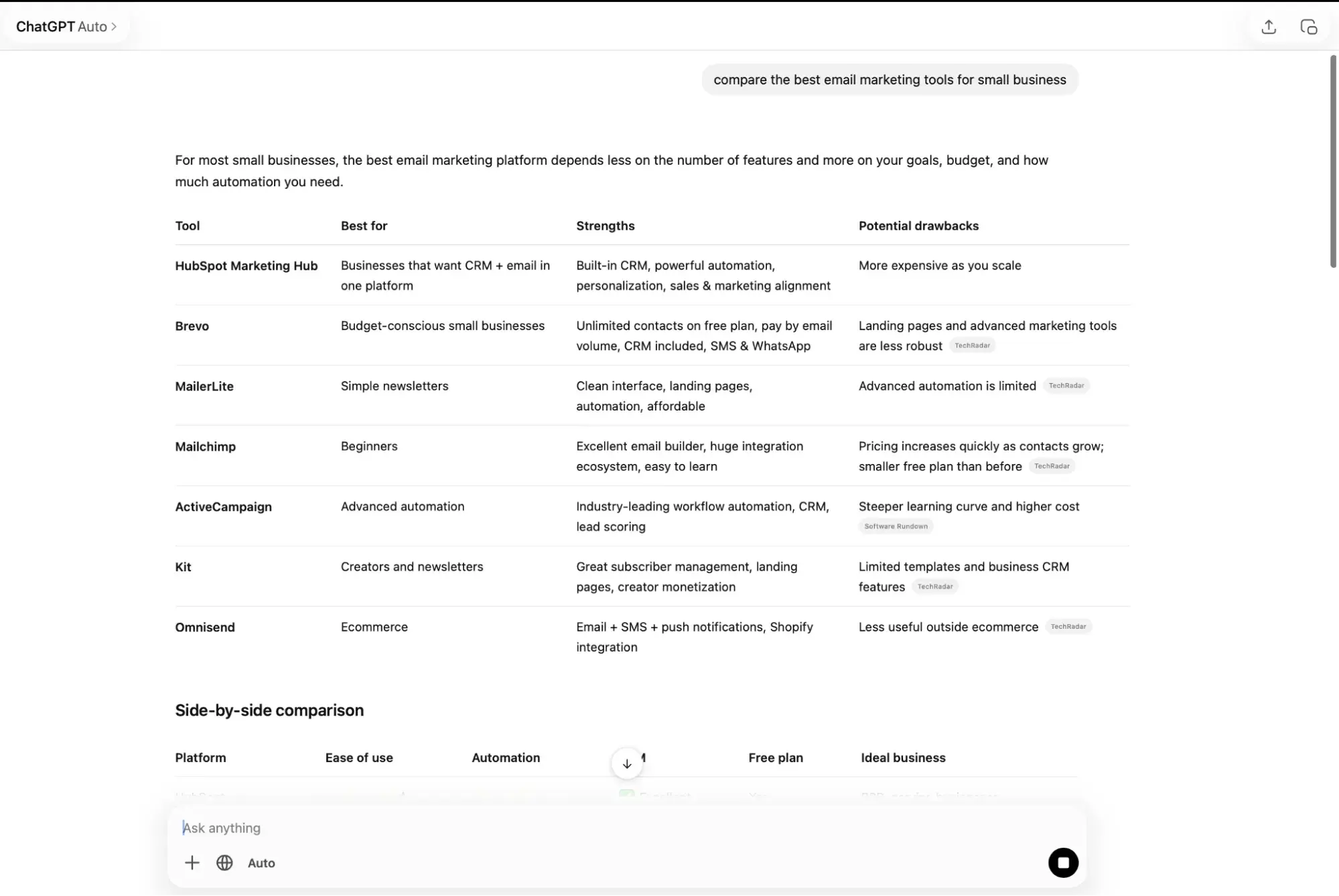
Comparison Tables

An AI-generated table that lines up several tools or brands across shared criteria like best use case, strengths, and drawbacks. Being included as a row puts you in the engine’s consideration set for that query, and the cells become the engine’s summary of how you stack up against competitors, accurate or not.

ChatGPT table comparing email marketing tools with columns for features, strengths, and drawbacks

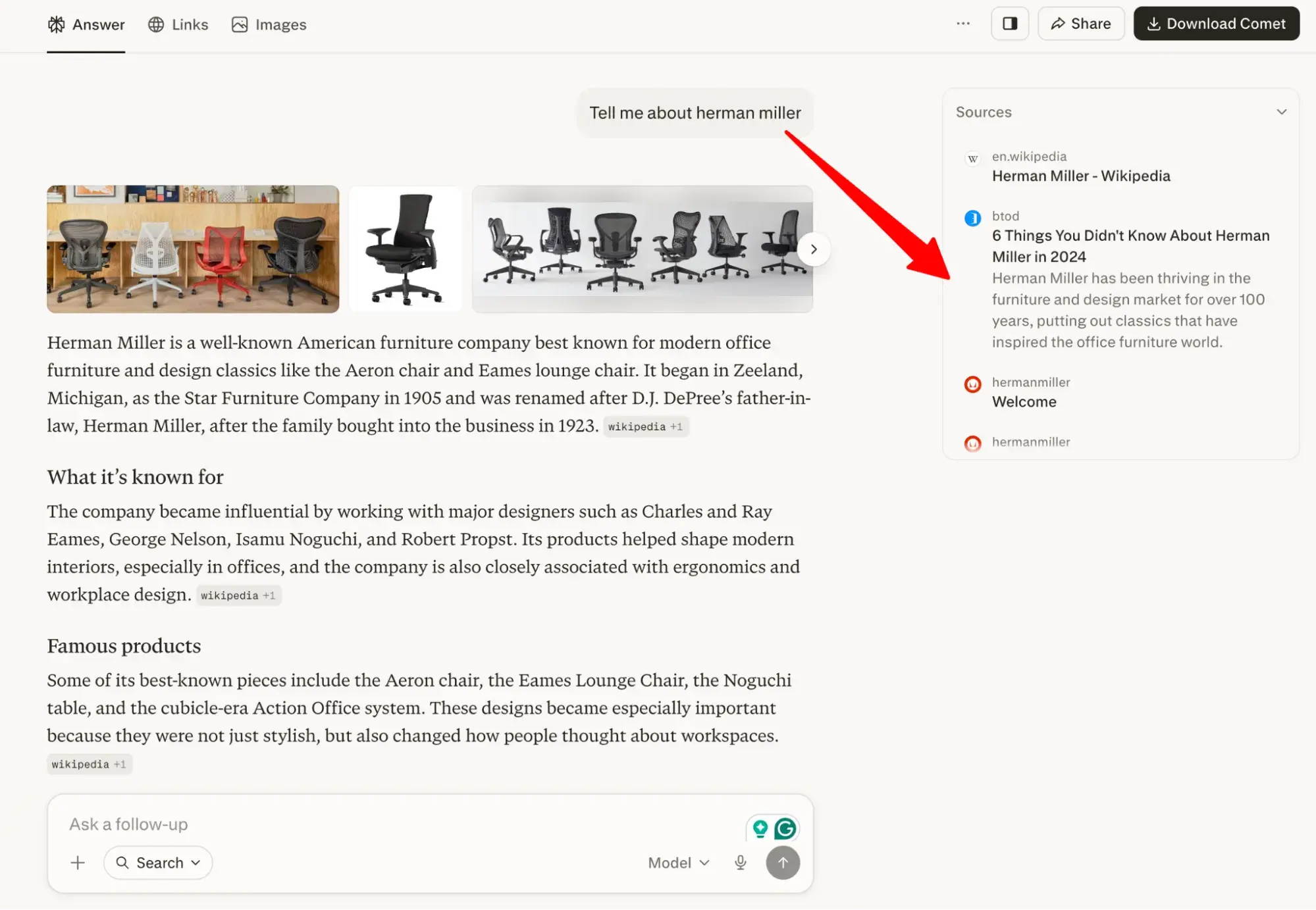
Source List

A rail or panel listing every page the engine pulled from to build its answer, shown alongside or below the response. A page can land here even when it isn’t tied to any single sentence, so a brand can appear in the source list without earning an inline citation.

Perplexity answer about Herman Miller furniture with source citations and related content panel

Rich Product Results

Product results with details like images and pricing, surfaced for shopping queries. ChatGPT, for example, shows products through its merchant program.

ChatGPT rich product result for Herman Miller Aeron chair with price, rating, and detailed description

How is AI search optimization different from traditional SEO?

There’s been much debate about whether AEO is actually a thing, or whether it’s just traditional SEO masquerading as something new and exciting. AEO is definitely distinct from SEO. And here’s where they differ:

  • JavaScript can block answer engines that wouldn’t block Google. Some answer engine crawlers, including OpenAI’s, can’t render JavaScript at all, so any content a script loads is invisible to them. Googlebot renders JavaScript in a second indexing wave, so a page that ranks fine in Google can still be unreadable to ChatGPT.
  • Answer engines handle long, conversational prompts. Unlike a Google Search keyword that might be a few words, prompts submitted to answer engines like ChatGPT can be paragraphs long.
  • Answer engines retrieve passages, not whole pages. An answer engine pulls specific chunks from a page to assemble its response instead of ranking the URL as one unit, as iPullRank founder Mike King has documented.
  • AEO is a multi-engine game. SEO has been overwhelmingly Google-focused; AEO spreads visibility across ChatGPT, Perplexity, Gemini, Copilot, and more, each with its own crawler and citation patterns.
  • Unlinked mentions carry real weight. Answer engines treat brand mentions as entity and authority signals even without a hyperlink, while traditional search has leaned more heavily on backlinks.
  • Visibility matters more than the click. In AEO, the goal is to be named as the recommended answer; in SEO, the goal is to get a click to your page.

For deeper reading, check out our article on how SEO has evolved over the years.

How to Optimize Content for AI Search Citations

Content optimization for AI search comes down to two questions: how you format your answers so an engine can lift them cleanly, and what signals you attach to those answers so the engine trusts them enough to cite. Here’s how to optimize both.

How can I format answers for AI extraction?

Answer first, add details after.

Begin by answering the implied question directly, ideally in a subject-predicate-object format (aka, “semantic triple”). Then, you can share the details. Too often, we invert this when we write, leading with a whole bunch of preamble before we finally get to the punch.

Here’s a real-life example from an article I wrote pre-AEO and how I would reword it for AI search optimization:

Before AEO:

“According to Omnisend, a series of three shopping cart abandonment emails results in 69% more orders. So you can see why reminding buyers of what they left behind in their carts is powerful, right?”

How I would rewrite that for AI search optimization:

“Buyers who receive cart abandonment emails are more likely to complete their purchase. A series of three shopping cart abandonment emails leads to 69% more orders, according to Omnisend.”

Conduct prompt research.

Similar to how keyword research informs SEO strategy, prompt research guides your AEO strategy by helping you discover the queries and follow-up questions a customer might ask an answer engine. This gives you the opportunity to structure your content around those questions and, hopefully, win the citation.

There are two main ways to approach prompt research:

  1. Manually. Pose the questions your customers would ask to ChatGPT, Gemini, and Perplexity on a regular schedule. To reduce the impact of previous conversations or personalization, use a fresh chat, Temporary Chat (where available), or a private browsing session. Then, record which sources each engine cites and what follow-up questions it raises. That running log shows which prompts your content already wins and which ones competitors own.
  2. Using AEO tools. HubSpot AEO automates that tracking and recommends which prompts to monitor, building those suggestions from your company profile, competitor set, and industry. AEO in Marketing Hub Professional and Enterprise takes it further: It reads your connected CRM data to suggest prompts tied to the questions your actual buyers ask, and sharpens those suggestions as your business changes.

Get a demo

Structured data may help.

Schema markup, the specialized code that labels your content type for crawlers, may help boost AI citations, according to HubSpot’s State of AEO 2026. Which schema types matter for which engines is covered in the technical structure section below.

Focus on off-site signals.

Answer engines verify credibility through third-party sites, such as review sites and social media. Google AI Overviews gets 51% of its citations from off-site sources like review platforms, according to research by the AEO agency Fan Out. The research also found that Reddit and YouTube make up more AI citations than all other off-site platforms combined, making them particularly high-value for brands looking to boost off-site signals.

What claims and author signals should I add?

Show credibility with an on-page author bio.

An on-page author bio carries slightly more citation weight than a byline alone, per State of AEO 2026. The same report found that those trust signals matter most in AI Overviews, Gemini, and Perplexity, the three engines most responsive to experience, expertise, authoritativeness, and trustworthiness (E-E-A-T). Give each author a bio that names their years of experience, areas of expertise, and any credentials or publications that explain why they can speak on the topic.

Then keep that identity consistent wherever it appears. An answer engine forms a clearer read on an author when the same name shows up the same way across your site, LinkedIn, Crunchbase, G2, and other trusted profiles.

Back up claims with original data or external research.

Answer engines favor pages that back up what they assert. Including statistics and data on a page correlates with more citations, most strongly in AI Overviews and ChatGPT, and outbound links show the same pattern, with the biggest lift in AI Overviews and Gemini, according to State of AEO 2026.

First, publish original data when you have it. First-party research, survey results, or proprietary benchmarks give an answer engine a fact it can’t find anywhere else, which positions your page as the source to cite. Second, when a claim isn’t yours, attribute it to a credible source and link out to the original. A statistic with a named source and a working link reads as more verifiable than a bare assertion.

How to Optimize Technical Structure for AI Search

Now, let’s move on to technical optimization that shapes whether answer engines can read and trust your page: the markup that describes it and how that markup gets rendered.

What schema and HTML help AI understand context?

Schema markup and semantic HTML give answer engines structural cues that help them interpret a page and the relationships between the entities on it. FAQ sections paired with schema markup correlate with higher citations in Gemini, Google AI Mode, and Perplexity, according to HubSpot’s State of AEO 2026.

Schema’s role is debated, though. Google advises site owners not to overfocus on structured data and says no special schema is required to appear in its AI features, per Google’s generative AI optimization guide. A small controlled experiment cuts the other way: Among three near-identical pages, only the one with well-implemented schema triggered an AI Overview and earned the highest organic rank, though the authors call the result inconclusive, according to Search Engine Land. The takeaway is that schema works best as a supporting signal when it accurately maps entity relationships, not as a guaranteed boost.

For HTML, Google says it’s generally a good idea to use semantic markup when possible because it helps screen readers parse and navigate your structure.

Pro tip: Run any markup through the Schema.org validator and Google’s Rich Results Test before publishing.

When should you use server-side rendering?

Use server-side rendering (SSR) or static site generation whenever you need answer engines beyond Google to read your content. As covered earlier, many AI crawlers can’t execute JavaScript, so anything a script loads after the initial response stays invisible to them. SSR and static generation fix this by delivering fully populated HTML in the first response, before any client-side script runs.

How Off-Page Signals Strengthen AI Visibility

Off-page signals are references to your brand on sites you don’t own. Earlier, I covered why Reddit and YouTube carry so much citation weight. Two more off-page levers deserve attention: earned media and the local or ecommerce details that feed Google’s specialized results.

How can PR and bylines boost authority?

ChatGPT leans heavily on publishers, drawing 78% of its citations from vendor- or publisher-controlled sources, which makes earned media one of the most direct routes to a ChatGPT citation, according to Fan Out’s analysis of 33,000+ AI citations. News and media sites make up 9.5% of all ChatGPT citations, according to Semrush.

The practical play is digital PR, getting your experts quoted and published on high-authority outlets. A byline on a trusted publication ties an author’s name to an authoritative domain, reinforcing the entity recognition I described in the author-signals section. Mentions in respected publications build that authority whether or not they link back.

How should local and ecommerce details be optimized?

For shopping and local queries, Google AI Overviews are the wrong place to concentrate. AI Overviews show up for just 3.2% of shopping searches and 7.9% of local searches, according to an Ahrefs study. The shopping opportunity sits in conversational engines instead, where product listings and landing pages were cited in 86% of ChatGPT queries and 84% of Perplexity queries tested, per HubSpot’s State of AEO 2026.

For ecommerce, here are three ways to optimize for AEO:

  • List products on marketplaces. AI citations in shopping categories cluster around a few retailers. Amazon earned 17.99% of AI citations in consumer staples and Walmart 6.25%, per Conductor’s 2026 AEO & GEO Benchmarks Report.
  • Optimize category pages, not just product pages. Category pages drew 15.96% of AI citations in ecommerce, according to Wix Studio’s AI Search Lab (share of total citations).
  • Surface detailed reviews. User reviews were cited in 90% of ChatGPT queries tested, per State of AEO 2026.

The payoff is conversion. ChatGPT-referred ecommerce visits convert at 11.4% against 5.3% for organic search, according to Similarweb’s 3rd Annual Global Ecommerce Report. If you generate product data with AI, label it per Google Merchant Center policy.

Local AI visibility is harder to earn than a map-pack spot. Multi-location brands surfaced in ChatGPT recommendations only 1.2% of the time versus 35.9% in Google’s local 3-pack, and just 45% of retail brands leading traditional local search carried into AI recommendations, according to SOCi’s 2026 Local Visibility Index (vendor data). To close that gap, complete your Google Business Profile and keep your name, address, and phone number identical across every directory an engine reads. Add LocalBusiness schema to each location page so engines can parse hours, service area, and category without guessing.

What Not to Do for AI Search Optimization

The flip side of optimizing for AI search is knowing which tactics waste your time. Most AI search “hacks” fall apart under scrutiny, and a few can actively hurt you. Here’s what to skip.

Don’t create special files just for AI.

You don’t need llms.txt files, separate Markdown versions of your pages, or any other machine-readable format to show up in generative AI results. Google states plainly that its search features, including AI Overviews and AI Mode, don’t use these files. Maintaining llms.txt won’t help or hurt your visibility, according to Google’s AI search optimization guide. Serving a bot-only version of a page carries a real downside, too: Publishing separate content for crawlers and users can read as cloaking, which violates Google’s spam policies.

Don’t over-chunk your content as a gimmick.

Logical structure helps, as the earlier sections on passage retrieval covered, but artificially fragmenting a page into one-sentence paragraphs and FAQ-style snippets because you think models prefer bite-sized text is a different move. Google’s Danny Sullivan has told creators not to do it, according to Search Engine Land. A well-structured page already creates natural retrieval boundaries through clear headings, logical sections, and focused paragraphs. It’s good practice to develop one idea per paragraph, but manufacturing extra fragmentation prioritizes perceived ranking signals over readability.

Don’t publish commodity or mass-produced content.

Recycling what’s already been said gives an answer engine no reason to cite you over the original source. Using AI to spin up high volumes of unoriginal pages designed to game rankings is classified as scaled content abuse and violates Google’s spam policies. The work that earns citations is the opposite: people-first content with a first-hand perspective, original data, or expert insight that can’t be found anywhere else.

Pro tip: If a tactic asks you to create something only a bot will ever see, treat that as a red flag. The lasting plays for AI search are the same ones that serve readers.

How to Measure AI Visibility and Operationalize Your Plan

Answer engines changed what you measure. Clicks still matter, but they no longer capture the full picture because a buyer can read an AI answer about your brand and form an opinion without ever landing on your site. Measuring AI search means tracking how often answer engines mention you, whether those mentions are accurate, and how that visibility shows up in the pipeline.

How can I assess AI visibility with a grader?

Start with a baseline. Before you can improve how answer engines represent your brand, you need to know how they represent it today.

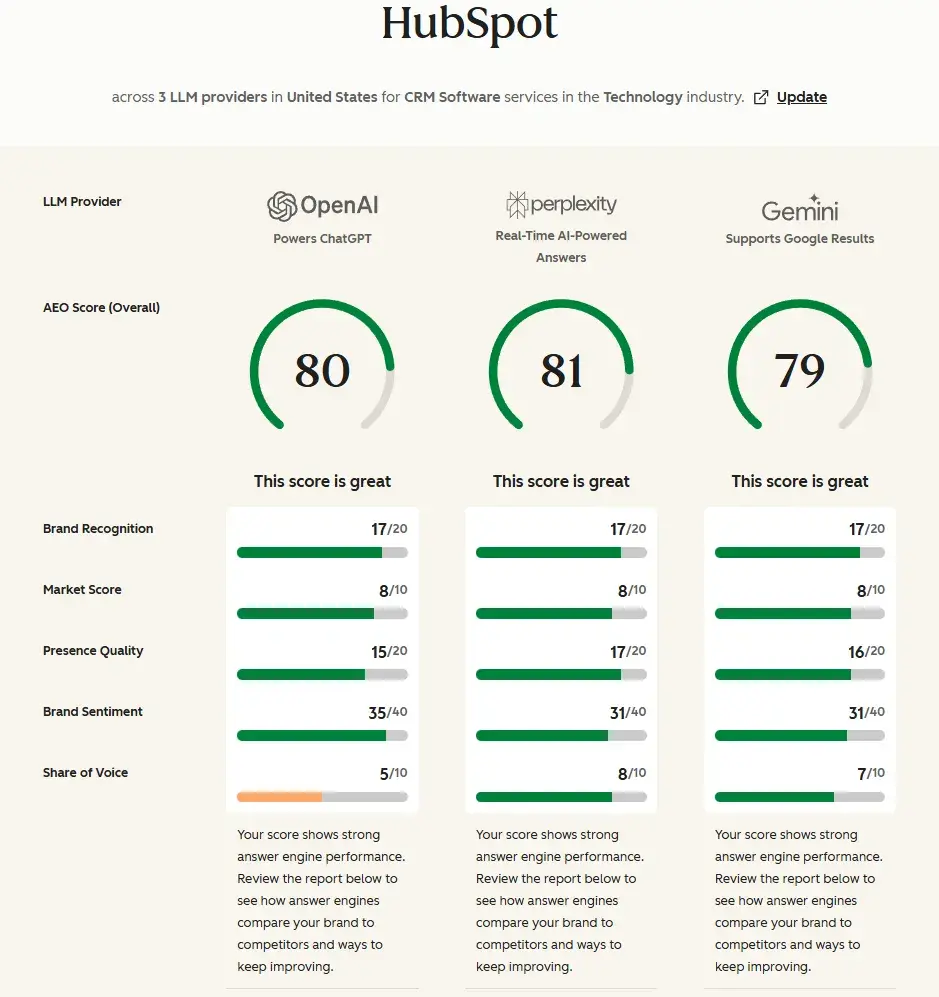
HubSpot’s AEO Grader runs a free, one-time diagnostic that scores how ChatGPT, Perplexity, and Gemini currently describe your brand, returning a composite score out of 100 across sentiment, presence quality, brand recognition, share of voice, and market competition.

Because AEO Grader accepts any brand name, you can run the same check on a competitor and compare where they show up and you don’t. A grader is a single moment in time, though, not a monitoring system, so it tells you where you stand today but not how that’s trending.

Best for: Teams that want a quick read on AI brand perception before committing to ongoing measurement

How do I connect visibility to pipeline?

Visibility only matters if it leads somewhere, and the early data suggests AI-referred visitors convert at a higher rate than other channels.

Looking across all channels, AI-referred visitors in that same Microsoft Clarity dataset converted at about three times the rate of other traffic sources overall. The pattern holds because people use answer engines to research and compare before they click, so the ones who reach your site arrive further along in their decision.

HubSpot’s own results point in the same direction. After focusing on AEO, HubSpot grew qualified leads from AI by 1,850%, with those leads converting at three times the rate of leads from other sources.

To connect that thread, your AI visibility data has to sit next to your demand data. AEO in Marketing Hub tracks brand visibility alongside campaign metrics, so you can see whether a lift in citations corresponds to a lift in form fills.

Get a demo

Preparing for AI Agents and What Comes Next

AI agents are moving from answering questions to completing tasks. Browser agents like OpenAI’s ChatGPT agent and Perplexity’s Comet can now navigate sites, fill forms, and act on a user’s behalf inside a logged-in session. Commerce agents go a step further: ChatGPT can surface products and, through Agentic Commerce Protocol, hand a purchase to the merchant’s own systems.

The readiness work is mostly an extension of what already earns citations. Agents read the rendered page and rely on structured, machine-readable signals, so the pages an agent can parse and act on are the same clean, well-structured pages I described in the technical and off-page sections. Where agents add a wrinkle is action: Agents can only reliably buy, book, or submit when the relevant controls are exposed in an accessible, machine-interpretable way.

You don’t need a stack overhaul to get ready. Try these steps first:

  • Serve content in the initial HTML response so agents that can’t run JavaScript still see it.
  • ChatGPT’s commerce experience relies on structured product feeds, so keeping pricing and inventory synchronized is important.
  • Label key actions like buy, book, and contact with semantic markup rather than script-only buttons.
  • Keep your entity details consistent across the profiles that agents check.

Most organizations won’t need a new CMS. In many cases, improving rendering, structured data, accessibility, and product feeds is enough. Agents act on the pages they can already read, which is the same foundation AEO has asked for throughout this guide.

Frequently Asked Questions About AI Search Optimization

How long does it take to see results from AI search optimization?

There’s no fixed timeline, and it depends on which lever you pull. Technical fixes like server-side rendering can make a page citable as soon as engines recrawl it, often within days or weeks. Authority signals move more slowly: Earned media, consistent entity details, and training-data inclusion compound over months. Set expectations accordingly, and track movement with ongoing monitoring rather than waiting for a single before-and-after read.

Who should own AI search optimization across marketing and SEO?

AEO works best as a shared responsibility rather than a single owner. Your SEO or content team is the natural lead, since the on-page and structural work overlaps heavily with what they already do. But because citations also depend on earned media, consistent brand profiles, and product data, AEO pulls in PR, brand, and web teams too. Assign one person to coordinate, then make the supporting functions accountable for their piece.

Do I need to rebuild my site or change CMS to optimize for AI search?

No. You don’t need to overhaul your tech stack, switch CMS platforms, or add AI-only files to compete. Google states its AI features require no special structured data, chunking, or llms.txt files, and that maintaining them won’t help your visibility, per Google Search Central. The fixes that matter most are crawlability and rendering, which I covered in the technical structure section above.

How does AI search optimization impact paid search and social?

Differently for each. On paid: Bidding on a keyword doesn’t earn your page a spot in an AI Overview, and only 5% of AIO SERPs also showed PPC ads, according to Semrush. On social: Answer engines lean heavily on community and video platforms, with Reddit and YouTube driving more AI citations than all other off-site sources combined, per Fan Out.

Categories B2B

Profound vs. Bluefish AI for AEO: Which tool wins for marketers?

If a brand is not visible in answer engines, it’s missing critical early-stage influence. According to McKinsey, 50% of consumers now use answer engines, and more than 70% rely on it to ask questions and gather information. That means a growing share of discovery occurs within AI tools and before users click through to websites.

Free AEO Grader: See Your Brand's Visibility in Answer Engines [Free Tool]

But how do marketers know how their site is performing in these new search models? Marketers track performance using AEO tools such as Profound and Bluefish AI. These AI visibility platforms help marketing teams monitor, measure, and improve how their brand appears in AI-driven search experiences.

As AEO becomes a priority, many teams are evaluating Profound vs. Bluefish AI for AEO to determine which platform delivers the strongest visibility, safest brand positioning, and clearest ROI. This guide breaks down what each tool offers, how they differ, and which solution best supports your AEO strategy.

Table of Contents

What is Profound?

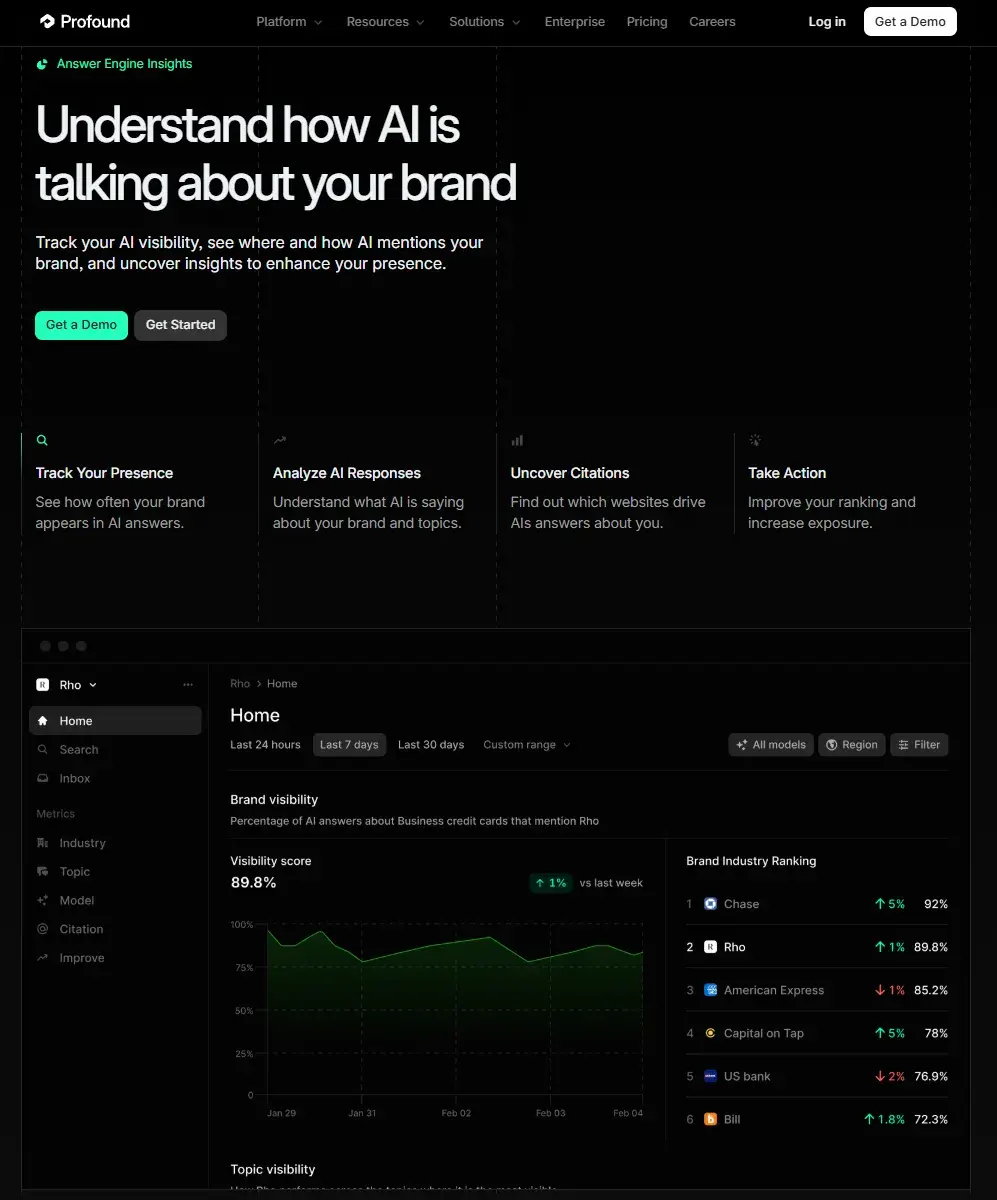
profound vs bluefish ai for aeo, screenshot shows profound ai analysis open with charts, brand visibility graphs, and listed domains.

Source

Profound is an enterprise-grade AI search visibility and Answer Engine Optimization platform designed to help brands understand and improve how they appear inside AI-generated answers.

At its core, Profound specializes in AI visibility tracking and citation analysis. The platform monitors how brands are referenced across major AI systems, tracks citation sources, and surfaces prompt-level insights so teams can see exactly where and why they appear in AI responses.

For marketing and SEO leaders, Profound stands out for its depth of data, enterprise-ready reporting, and workflow integrations. It connects AI search visibility to measurable business outcomes, helping teams move from passive monitoring to active optimization.

As AI answers increasingly replace traditional blue links, platforms like Profound give brands the infrastructure to measure, attribute, and improve their presence inside AI-driven search experiences.

What is Bluefish?

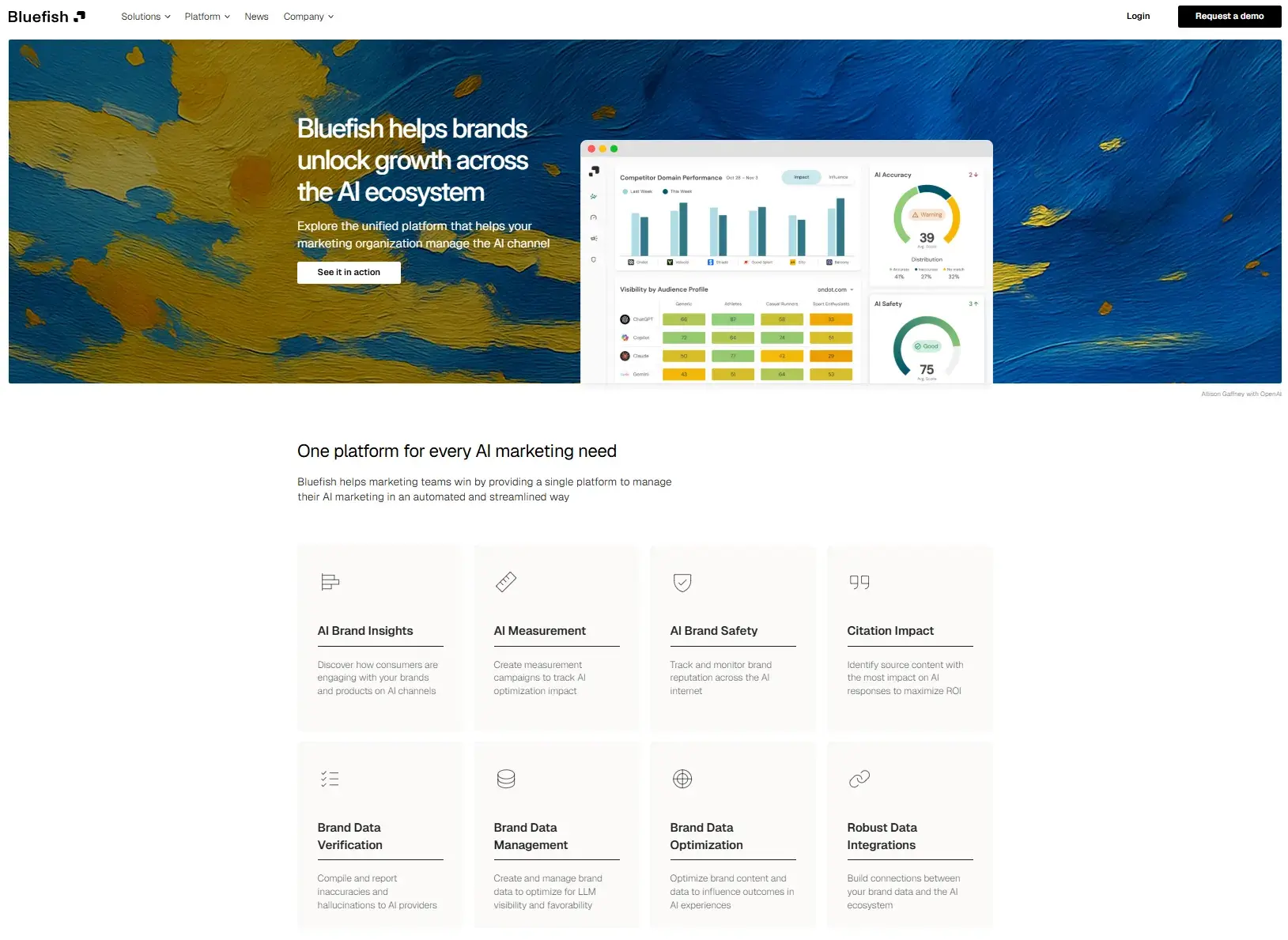
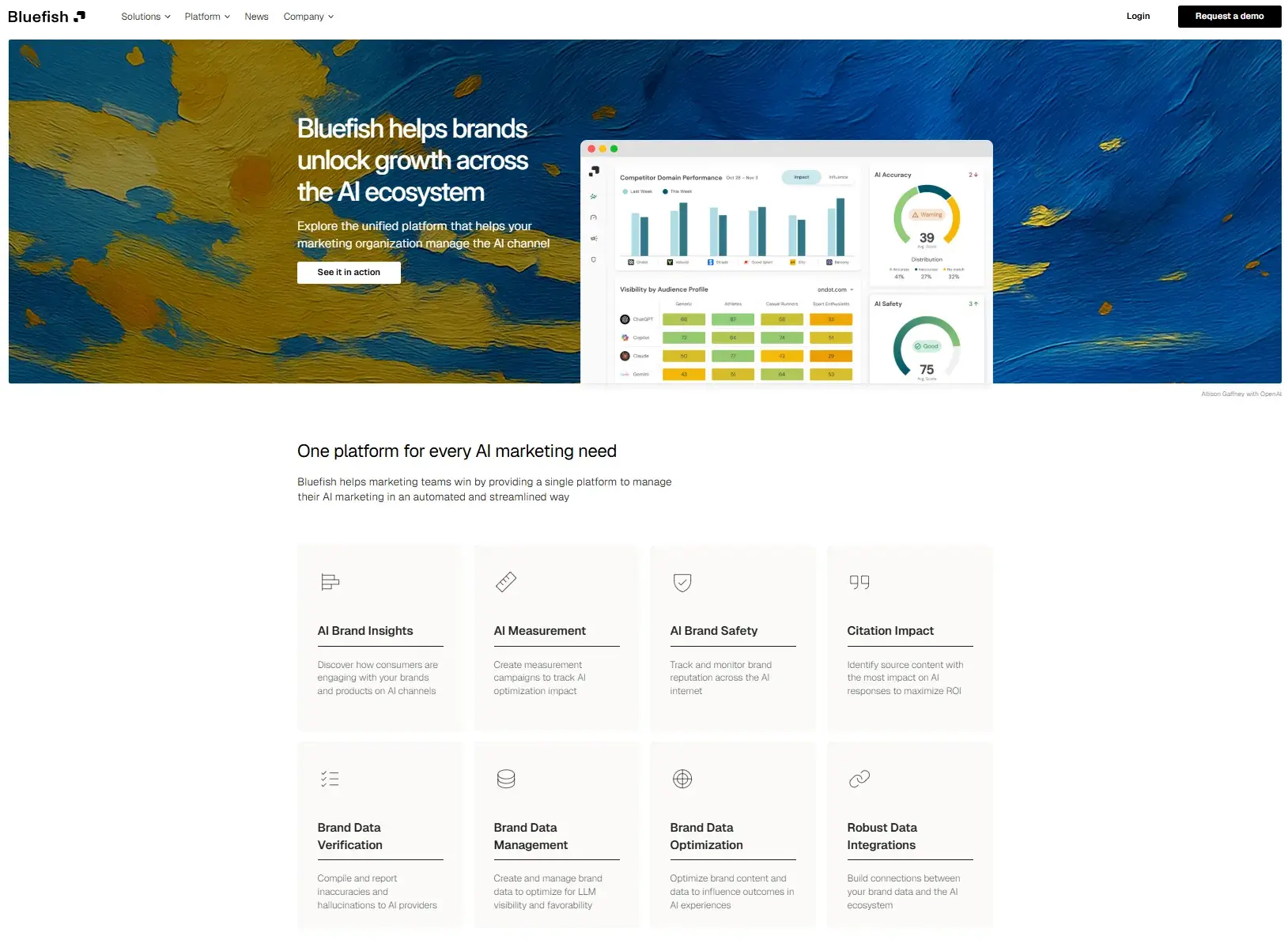
profound vs bluefish ai for aeo, screenshot from bluefish ai showing some of its ai capabilities, such as brand insights, measurement, brand safety, citation impact, and more.

Source

Bluefish AI is an AI visibility and brand safety platform built to help organizations monitor how their brand is referenced in AI-powered search and generated answers while prioritizing risk management and accuracy.

Bluefish AI goes beyond basic visibility metrics and emphasizes protecting brand integrity. It alerts teams when their brand is misrepresented, associated with harmful content within search generative experiences (SGE), or appearing in AI responses that could pose reputational risk.

For risk-sensitive industries, such as healthcare, finance, legal, and enterprise brands operating at scale, Bluefish AI provides context-rich insights, governance workflows, and signal filtering that help marketers stay in control of how AI systems cite and present their content.

As AI-generated answers become part of the customer journey, tools like Bluefish offer a differentiated lens on visibility that couples optimization with oversight, helping teams not just track presence but manage the risk around that presence.

Profound vs. Bluefish AI for AEO: At a Glance

Before committing to an enterprise platform, many teams start with free AEO tools to benchmark.

HubSpot’s AEO Grader offers a free snapshot of how major answer engines represent any brand, giving marketing leaders a fast, practical way to assess AI visibility before investing in a tool like Profound or Bluefish AI. Here’s what it looks like:

profound vs bluefish ai for aeo: screenshot of hubspot’s aeo search grader.

The platform unlocks a detailed breakdown of how a user’s brand performs across AI systems. Marketers can review competitive positioning, visibility scores, and how often their brand is cited compared to others in their space.

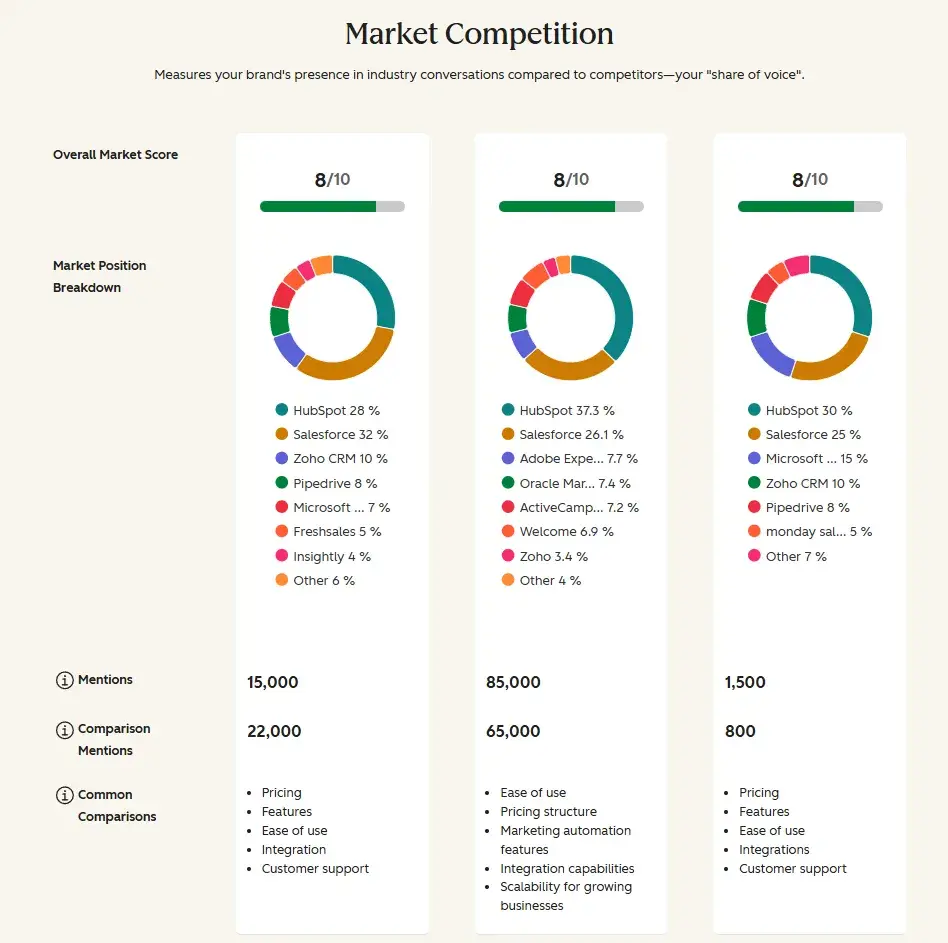
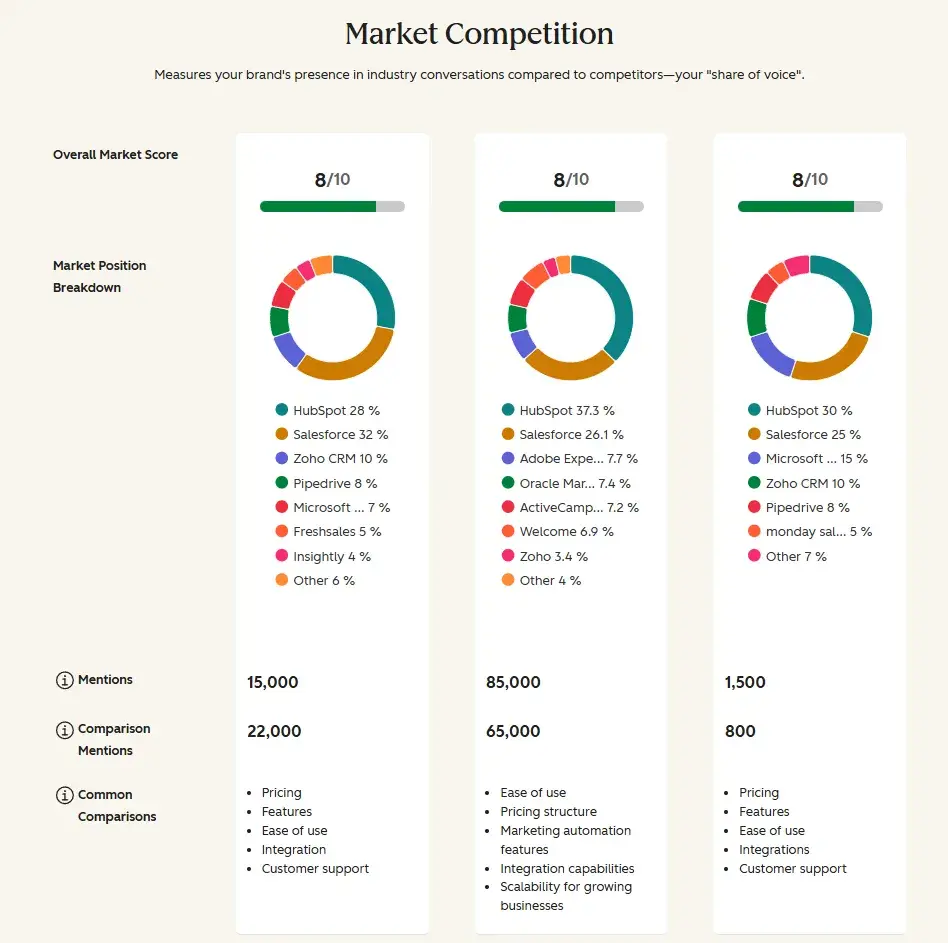
The Market Competition score highlights where a brand stands, while built-in recommendations outline specific actions to improve AI visibility, from content strategy adjustments to authority-building opportunities.

screenshot of hubspot’s aeo grader, which is an alternative to profound vs bluefish ai for aeo.

The tool also provides:

  • Brand recognition metrics (market position, mention depth, source quality).
  • Strength and trajectory analysis across AI platforms.
  • Contextual themes associated with your domain.
  • Sentiment analysis showing how positively AI engines reference your brand.

HubSpot AEO Grader helps marketers benchmark AI visibility before choosing a platform, making it a useful first step in evaluating Profound vs Bluefish AI for GEO (generative engine optimization) and determining where deeper investment is justified.

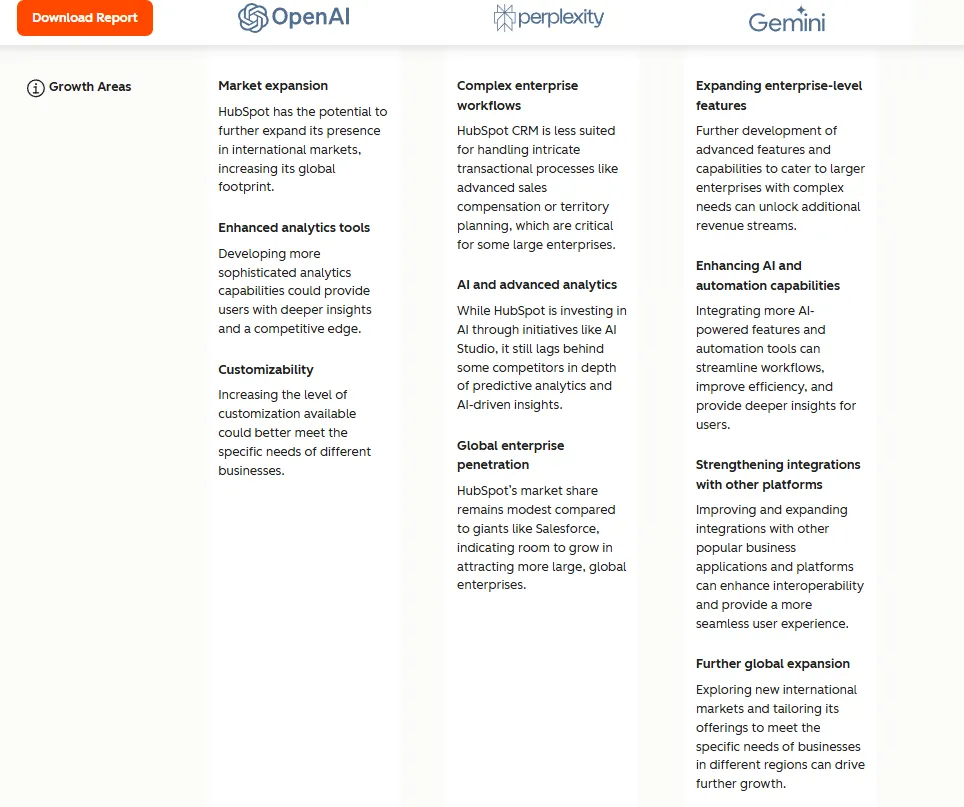
The free grader tool will also provide marketers with actions. Marketers can start resolving AEO issues using free tools before “graduating” to paid tools like Profound or Bluefish. Here’s what the detailed actions look like:

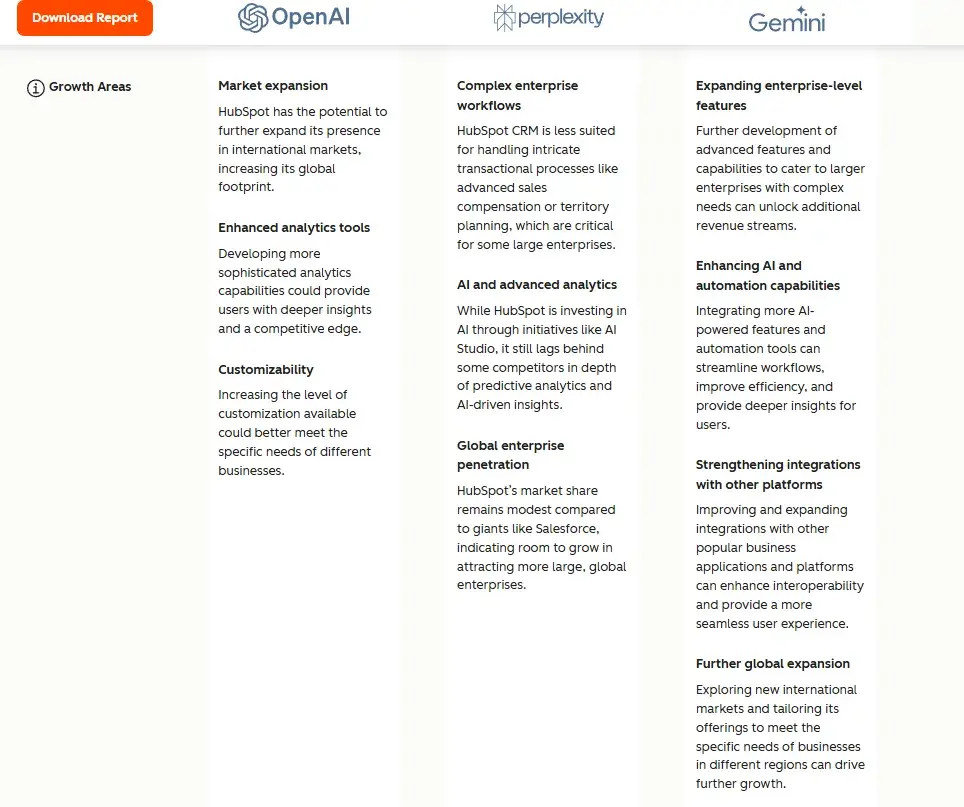
screenshot of hubspot’s aeo grader showing how it handles strategic recommendations.

Profound vs. Bluefish Compared

Here’s a comparison of four key factors to help teams decide between Profound AI vs. Bluefish AI for AEO.

Supported AI Engines and Platform Coverage

For marketers investing in AEO, platform coverage is critical. Buyers search on multiple platforms and move between Google AI Overviews, ChatGPT, Perplexity, Gemini, and other AI systems. If a monitoring platform tracks only a limited subset, marketers are making decisions with incomplete data.

How Bluefish AI Handles Platform Coverage

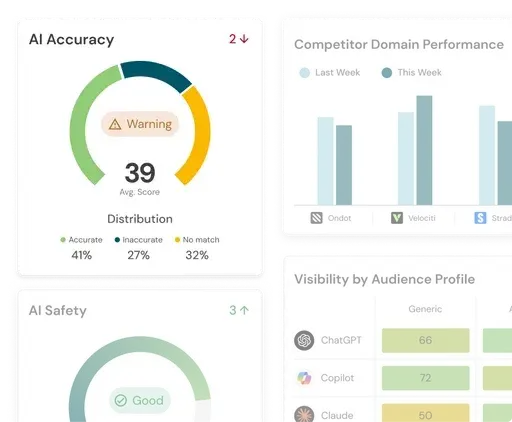
profound vs bluefish ai for aeo, screenshot of bluefish ai shows how bluefish ai handles ai accuracy warnings versus profound ai.

Source

Bluefish AI focuses on monitoring brand representation across major generative AI platforms, particularly those influencing consumer research and enterprise risk exposure.

Its coverage prioritizes widely used AI engines where misinformation or brand misrepresentation could pose reputational risk. Rather than emphasizing exhaustive engine lists, Bluefish centers its tracking around high-impact environments and alert-driven monitoring.

This approach supports organizations that care less about experimental model coverage and more about safeguarding presence in the most commercially relevant AI ecosystems.

How Profound Handles Platform Coverage

screenshot shows the different ai models that you can analyze in profound vs bluefish ai for aeo

Source

Profound takes a broader visibility-first approach compared to Bluefish AI. Profound supports Google AI Overviews, ChatGPT (including Search), Perplexity, Claude, Gemini, Microsoft Copilot, Grok, DeepSeek, and other emerging models.

Using front-end capture and prompt-level tracking, Profound enables marketers to analyze how responses appear across multiple engines, compare citation order, and monitor competitive share of voice at scale. This makes it particularly strong for teams running proactive, multi-engine AEO programs.

Who wins?

  • Profound wins for brands that want the widest engine coverage and future-proof monitoring across established and emerging AI systems.
  • Bluefish AI wins for brands whose priority is monitoring high-impact platforms with a strong emphasis on brand risk and representation control.

Reporting Depth and Competitive Intelligence

Tracking AI visibility is only useful if it drives action. Marketing leaders need more than mention counts — they need context, competitive positioning, and insight into how AI narratives are shaped.

How Bluefish AI Handles Reporting and Competitive Intelligence

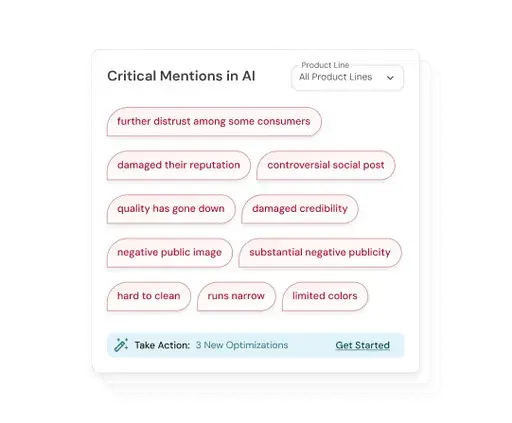
profound vs bluefish ai for aeo, screenshot shows how bluefish ai presents critical mentions in ai that need immediate attention. this brand safety feature sets bluefish ai apart from competitors such as profound ai.

Source

Bluefish AI focuses on brand safety monitoring and misinformation alerts, surfacing when a brand is misrepresented, associated with sensitive topics, or inaccurately cited in AI responses. Bluefish emphasizes signal clarity:

  • Where a brand appears.
  • Whether the context is accurate.
  • Whether intervention may be required.

This makes it particularly valuable for compliance-driven teams where narrative control outweighs aggressive optimization.

How Profound Handles Reporting and Competitive Intelligence

Profound leans heavily into analytical depth. Profound specializes in AI visibility tracking and citation analysis, allowing teams to evaluate citation order, share of voice, prompt-level variations, and cross-engine positioning. With granular tracking, marketers can analyze:

  • Which competitors are cited first.
  • How messaging shifts across engines.
  • Which prompts trigger visibility gains or losses.
  • How citation performance and AI trends change over time.

For teams treating AEO as a growth channel rather than a monitoring function, this depth supports structured experimentation and attribution.

Who wins?

  • Profound wins for teams that require deep investigative reporting, citation analysis, and competitive benchmarking.
  • Bluefish AI wins for teams that prioritize brand accuracy, governance visibility, and fast identification of reputational risk.

Integrations and Workflow Connectivity

For AEO to drive measurable ROI, it can’t sit in a silo. Profound and Bluefish AI integrate with GA4, BI tools, and CRM systems like HubSpot.

How Bluefish AI Handles Integrations and Workflow Connectivity

Bluefish AI supports API access and data exports, allowing teams to bring AI monitoring insights into broader reporting environments. The focus is on governance workflows, alert routing, and structured reporting for compliance and brand teams. For organizations that prioritize oversight, this ensures that AI-related brand risks are surfaced to the right stakeholders quickly.

How Profound Handles Integrations and Workflow Connectivity

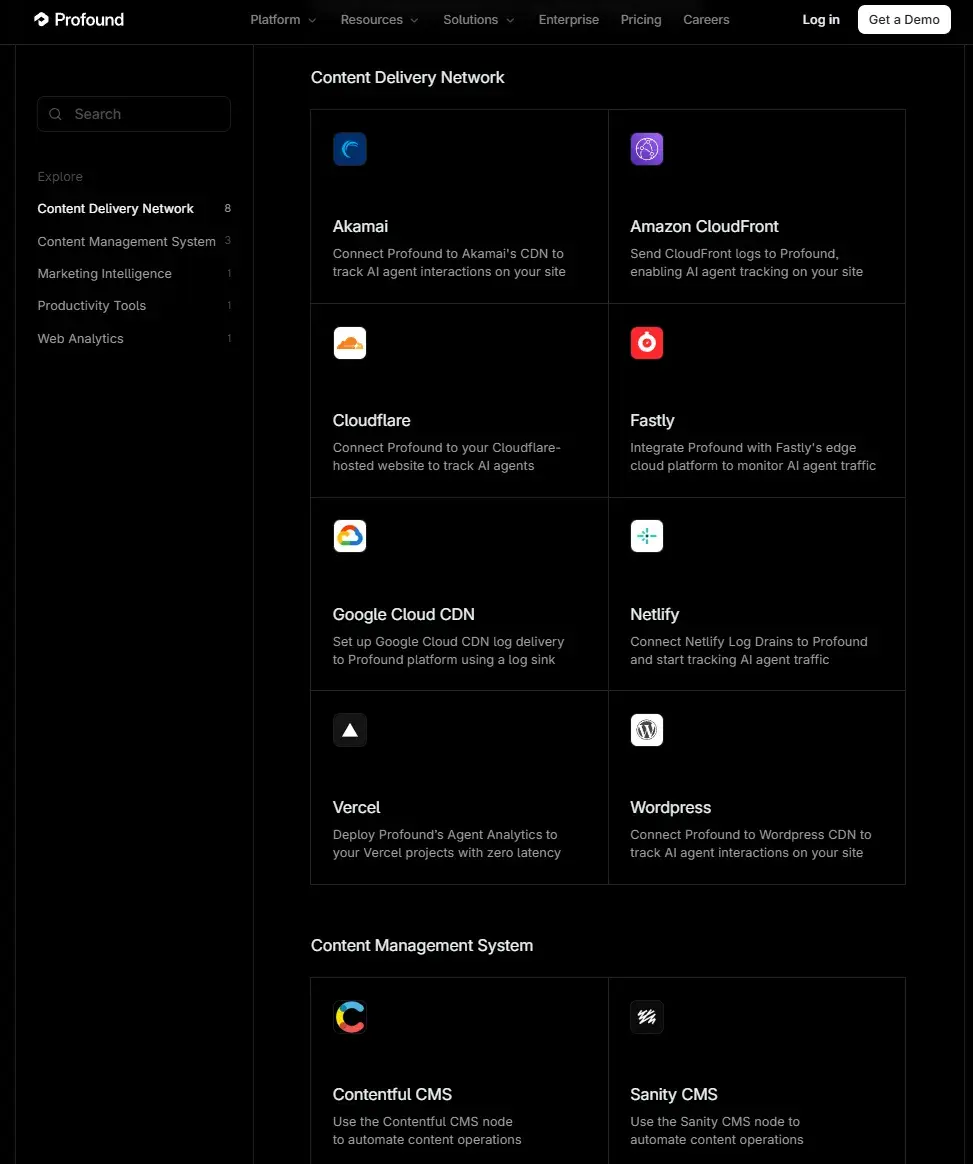
profound vs bluefish ai for aeo, screenshot shows the many integrations that profound ai has.

Source

Profound has an extensive integration ecosystem built to operationalize AEO insights across the entire marketing stack. Rather than limiting visibility data to standalone dashboards, the platform connects with content management systems (CMS), content delivery networks (CDNs), marketing intelligence tools, analytics systems, and collaboration software. Profound ensures AI visibility data becomes actionable, not isolated.

This enables teams to integrate AI search signals into:

  • CRM reporting and pipeline attribution.
  • Content strategy, planning, and optimization cycles.
  • BI dashboards and executive-level reporting.
  • Marketing automation systems and multi-touch attribution models.

For growth-focused teams, this structure makes it easier to tie AI visibility directly to measurable business outcomes.

Who wins?

  • Profound wins for growth-driven marketing teams that need AI visibility deeply embedded into CRM, analytics, content, and attribution workflows. It’s built for operational integration, not just monitoring.
  • Bluefish AI wins for organizations that prioritize structured reporting, governance, and risk oversight, and don’t need the same level of integrations.

Pricing Structure, Onboarding, & Scalability

The cost of AI tools and scalability are often decisive when evaluating Profound vs. Bluefish AI for GEO. Budget constraints, internal resources, and long-term growth plans all influence which platform makes sense.

How Bluefish AI Handles Pricing, Onboarding, and Scalability

Bluefish doesn’t provide any transparency on how it handles pricing, onboarding, or scalability. If teams are interested in learning more about Bluefish, they’ll need to contact sales and speak to Bluefish AI directly.

How Profound Handles Pricing, Onboarding, and Scalability

Profound is positioned strongly toward enterprise and growth-focused marketing organizations. It offers enterprise-grade security controls, compliance features, and structured onboarding processes designed to support large, distributed teams.

Its implementation model often aligns with enterprise procurement cycles, including stakeholder onboarding, governance setup, and technical integration planning. While this may extend ramp-up time compared to lighter-weight GEO tools, it supports scalable deployment across global regions and business units.

Pricing

With Profound, teams jump straight into paid packages. From my experience, there’s no free trial, but CTAs do suggest you can try it for free.

Paid packages start from:

  • Starter: $82.50/month
  • Growth: $332.50/month
  • Enterprise: Custom

Note: Profound’s starter package includes only ChatGPT.

Which should you choose for AEO, Profound or Bluefish?

The right choice depends less on feature lists and more on an organization’s priorities. Are you optimizing for growth and attribution? Or safeguarding brand integrity in AI-generated responses?

AEO platforms don’t create strategy — they operationalize it. Here’s how to evaluate Profound AI vs Bluefish AI for AEO by scenario.

Consider HubSpot AEO as an alternative to Profound vs. Bluefish AI for AEO.

If you’re evaluating Profound vs Bluefish AI for AEO, it’s worth considering HubSpot AEO as an alternative.

HubSpot AEO is an ongoing solution for AI visibility measurement and optimization. It combines prompt tracking, competitive intelligence, citation analysis, and prioritized recommendations to help teams move from monitoring to action. Key capabilities include:

  • Prompt Tracking. HubSpot AEO suggests and tracks the prompts buyers are asking across ChatGPT, Gemini, and Perplexity, filtered by buyer’s journey phase, product relevance, and more. The tool suggests prompts based on what it knows about your company, competitors, and industry, so teams aren’t starting from scratch.
  • Competitive Intelligence. The tool tracks brand mentions, share of voice, and sentiment across major answer engines so marketers can benchmark performance against competitors.
  • Citation Analysis. It shows which domains, content types, and specific pages are driving AI mentions for your brand and competitors, so teams know exactly what to create, update, or optimize.
  • Prioritized Recommendations. HubSpot AEPO turns visibility data into specific, actionable next steps. Each step comes with a full content brief explaining which prompts triggered it, what content types dominate citations, and which URLs are being cited most.
  • Buyer’s Journey Coverage. Prompt tracking can be filtered by buyer’s journey phase, from early awareness through evaluation and decision-stage queries.

For Marketing Hub Pro and Enterprise customers, recommendations connect directly to HubSpot’s content and social tools, so teams can act on AEO insights without leaving the platform.

Perhaps most valuable is the optimization layer. Rather than stopping at dashboards, HubSpot AEO surfaces prioritized recommendations that guide teams on what to improve — from creating new content to updating existing pages or reaching out to third-party sites — making AEO strategy more executable and measurable.

Frequently Asked Questions About Profound vs. Bluefish AI for AEO

What is the main difference between Profound and Bluefish AI for Answer Engine Optimization?

Profound is built around proactive AI search visibility and optimization, providing teams with deep citation analysis, prompt-level tracking, and competitive benchmarking to improve share of voice across AI engines.

Bluefish AI, by contrast, emphasizes brand integrity and risk management. While it still offers visibility, its core value is alerting teams to misrepresentation, misinformation, and context that could harm their reputation.

Which AI engines and platforms do Profound and Bluefish AI track?

Profound’s coverage is broad and growth-oriented. It tracks major AI systems, including Google AI Overviews, ChatGPT (including search-based variants), Perplexity, Gemini, Claude, Microsoft Copilot, Grok, and other emerging engines. Its engine list is designed to reflect the current landscape of AI-powered search and answer systems that influence buyer behavior and organic visibility.

Bluefish AI also tracks key generative platforms. The list includes widely adopted tools where misattribution or harmful contextual associations matter most.

Is Profound or Bluefish AI better for multi-region and multi-language tracking?

Profound is generally stronger for multi-region and multi-language AEO, especially when teams need consistent, comparable visibility data across markets. Bluefish AI also supports multi-region monitoring, but its strength is in contextual accuracy rather than exhaustive linguistic coverage.

How does Profound and Bluefish AI pricing compare?

Bluefish AI does not publicly disclose pricing tiers. Profound, by contrast, offers defined paid tiers and clearer entry points. Packages typically start at approximately $82.50/month for Starter, $332.50/month for Growth, with Enterprise pricing customized.

The Bottom Line: Profound vs. Bluefish AI for Modern AEO Strategy

As AI-powered search reshapes discovery, the decision between Profound and Bluefish AI comes down to strategic intent. Profound is built for proactive growth: deep citation tracking, competitive intelligence, and integration into revenue workflows. Bluefish AI is built for governance: brand safety monitoring, misinformation alerts, and risk control in high-stakes industries.

If a marketing team’s goal is measurable AI visibility, attribution, and content optimization at scale, Profound is typically the stronger fit. If their priority is protecting brand integrity and managing reputational risk across AI systems, Bluefish AI may be the smarter choice.

Before investing in either platform, however, I recommend starting with HubSpot’s AEO Grader. It provides a free benchmark of a brand’s current AI visibility, helping marketers understand where it stands before committing budget and internal resources. AEO Grader helps marketers benchmark AI visibility before choosing a platform, making it a practical first step in their AEO journey.

From my perspective, the biggest mistake teams make is buying an AEO tool before defining whether their strategy is defensive or growth-driven. I’ve found that clarity on that question makes the platform decision far easier and ensures the investment supports measurable outcomes rather than just another dashboard.


Categories B2B

CRM administration: Roles and best practices guide

After years of working alongside CRM administrators, I’ve learned the single biggest difference between CRM platforms that drive revenue and ones that collect digital dust. The difference isn’t the software nor the budget, but the quality of the administration behind it.

Learn more about why HubSpot's CRM platform has all the tools you need to grow  better.

CRM administration is the operational discipline that determines whether your platform actually reflects how your business currently works. Done well, it means a clean record, efficient workflows, and trustworthy data.

In this guide, I’ll walk through exactly what CRM administration involves, who’s responsible for it, and the frameworks, checklists, and best practices that set high-performing CRM operating models apart from those held together with duct tape.

Table of Contents

That definition matters because it’s different from “what is a CRM” — a question most articles in this space answer at length. This isn’t a guide to what a CRM is, but to what it takes to run one well.

CRM administration supports clean data and consistent user adoption — two outcomes that directly affect pipeline accuracy and the quality of every customer interaction your team has.

Why CRM Administration Matters for Revenue and Adoption

In my experience, when leadership loses confidence in the CRM, they stop using it for decisions. And when the CRM stops driving decisions, adoption collapses. Here’s how CRM administration directly impacts revenue and adoption:

According to Gartner, poor data quality costs organizations an average of $12.9 million per year.

HubSpot’s own research shows that teams using Data Hub for data quality see improvement in report accuracy within 90 days of implementation.

A Real-World Example: Duplicate Lifecycles and Broken Handoffs

One of the most common failure patterns I’ve seen is a lack of lifecycle-stage governance. Often, marketing assigns contacts to MQLs when a form is submitted. Sales reps manually set them back to Lead when they’re not ready. Nobody agrees on the definition of SQL—the handoff breaks.

The result? Marketing thinks it’s generating 500 MQLs per month, but sales says it’s receiving 50 qualified leads. Leadership blames marketing for poor quality. Marketing blames sales for cherry-picking. The real problem is that the lifecycle stage property has no owner, no definition, and no enforcement logic.

The governance fix is simple. Write down what each stage means, build a workflow that automatically sets stage transitions based on agreed criteria, remove the ability for reps to override lifecycle stages without a defined process manually, and publish the definitions in a shared CRM data dictionary.

In HubSpot, this takes less than a day to implement correctly, but it requires the business alignment conversation first.

Core CRM Administration Capabilities

CRM administrator owns permissions, properties, workflows, pipelines, reports, and documentation. That scope is broader than most non-admins realize, and it’s why strong CRM administration requires both technical depth and business fluency.

HubSpot Smart CRM supports unified customer data reporting and cross-team visibility through a single platform that teams share. Here’s how each admin capability maps to business outcomes:

Team Mapping: Who Owns What

CRM administration doesn’t reside in a single function. In most organizations, admin responsibilities are distributed across RevOps, marketing ops, and sales ops, with a CRM admin or an admin team serving as the central coordinator. Here’s how responsibilities typically map:

CRM Administration for Data Governance and Quality

Data governance defines naming conventions, validation rules, merge policies, and lifecycle standards. Without these, even a well-configured CRM will drift into inconsistency within six months of launch. I’ve seen CRMs with 800 contact properties, of which fewer than 100 were actively used. The rest were created ad hoc by reps, marketers, and well-meaning ops folks who didn’t know the field already existed.

It’s not bureaucracy, but the operating agreement that lets everyone share a single source of truth, and it starts with strong data maintenance practices.

Property and Schema Standards

A CRM data dictionary is the foundational governance document. It specifies every active property: its name, object, data type, definition, who populates it, and how it should be used. In HubSpot, the property description field is visible inline to users — use it.

Property governance rules I enforce on every HubSpot instance I manage:

  • Use a naming prefix by team or object for custom properties (e.g., MKT_ for marketing-created fields, SALES_ for sales-specific fields)
  • Avoid free-text fields where a dropdown will do — enforce taxonomies for Lead Source, Industry, ICP Tier, and Deal Type
  • Archive, not delete, unused properties — deleting a property destroys its historical data and breaks any workflow or report that references it.
  • Run a quarterly property audit. In HubSpot: Settings > Properties > sort by ‘Last modified’ to identify orphaned fields
  • Document every custom property in the CRM data dictionary with owner, purpose, and acceptable values.

Pro tip: In HubSpot, use Property Groups to organize related properties into logical sections on the contact/deal record. Reps who see 40 ungrouped properties are far less likely to fill them in than reps who see 6 clean, labeled sections. Organized properties improve data completeness with no training required.

Deduplication and Validation Rules

Duplicate records reduce report accuracy and team trust in the CRM. Deduplication is an ongoing data hygiene process. A contact that exists three times in your CRM inflates your MQL count, splits engagement history across records, and makes personalization impossible.

Data Hub automates data quality, deduplication, and standardization. Specific workflows I recommend:

  • Format standardization: use Data Hub’s ‘Format data’ action to normalize phone numbers, capitalize names, and standardize state/country fields on every new record creation
  • Duplicate flagging: build a workflow that triggers when a new contact’s email domain + company name matches an existing record — enroll in a ‘Suspected duplicate’ active list for weekly admin review
  • Required field enforcement: use HubSpot’s deal stage-gated required fields so a deal cannot advance past ‘Proposal Sent’ without a populated close date and deal amount
  • Validation on import: before any CSV import, run a deduplication check against existing records. HubSpot’s import tool will flag duplicates — use ‘Update existing’ for contacts, not ‘Create new’

Pro tip: Never run a bulk merge or deduplication operation directly in production without first performing a test export. For example, a colleague once inherited a CRM where a well-meaning admin bulk-merged 4,000 contacts based on a matching first name + company rule, collapsing distinct contacts at the same company into a single record. Always export a backup and test the merge logic on a filtered subset before applying at scale.

CRM Administration for Permissions, Roles, and Security

Permission models should follow the principle of least privilege, meaning every user has access to exactly what they need to do their job, and nothing more. Over-permissioned CRMs are a data security and data quality risk, because reps who can edit any record often do, sometimes accidentally.

In HubSpot, permissions are configured at three levels:

  • individual user
  • Team
  • permission set

Getting the architecture right before you onboard your first hundred users is one of the highest-leverage decisions a CRM administrator makes.

Designing a Scalable Permission Model

Start with roles, not individuals. Define a permission set for each distinct job function that uses the CRM, then assign users to sets rather than configuring permissions user-by-user. In HubSpot, use Permission Sets (available in Professional and Enterprise) to create reusable access profiles.

Here is a permission matrix for a typical B2B SaaS company:

HubSpot Permission Best Practices

  • Use HubSpot Teams to scope record visibility by territory, business unit, or segment — Teams are the foundation of ‘view only assigned’ logic.
  • Audit inactive users quarterly: Settings > Users & Teams > filter by ‘Last login’ — deactivate accounts unused for 60+ days.s
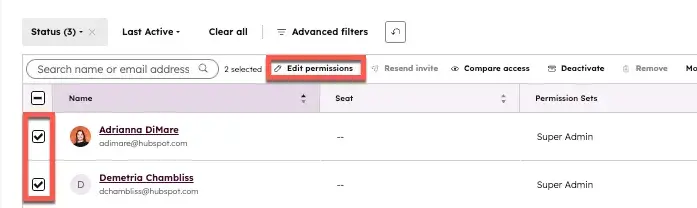
  • Limit Super Admin access to 2–3 individuals. Require documentation for every admin-level change as a condition of holding the role.
  • Use Property-Level Permissions (Enterprise) to hide sensitive fields (e.g., deal margin, contract terms) from roles that don’t need them.
  • Assign default record owners automatically via workflow — round-robin assignment, territory matching, or lead score routing — so new records never land unowned.

What we like: HubSpot’s team-based record visibility is one of the cleanest permission architectures I’ve worked with. Unlike some CRMs that require complex role hierarchies to control what reps see, HubSpot Teams makes it straightforward to scope visibility to owned records, team records, or all records, and change it as your org structure evolves.

CRM Administration for Workflows, Automation, and Lifecycle Stages

Workflow guardrails prevent automation conflicts and silent data errors. In my experience, most CRM automation failures aren’t caused by bad logic; missing safeguards cause them: no suppress lists, no enrollment caps, no error monitoring, and no documentation of what each workflow is supposed to do.

CRM automation administration is the practice of designing workflows that are reliable, documented, and observable — not just workflows that work the first time you test them.

Building Confident Workflows

Every workflow in a well-administered CRM has five non-negotiable elements:

Pro tip: Create a single HubSpot contact named ‘CRM Admin Test — [Your Name]‘ with a fake email address at a domain you own (e.g., [email protected]). Use this contact exclusively for workflow validation. Never delete it. In HubSpot, you can use the ‘Test’ tab in any workflow to run this contact through specific branches without actually enrolling them.

Mapping Lifecycle Stages to Pipelines

Lifecycle stage rules align marketing, sales, and service handoffs. The most operationally important governance decision in any CRM is: what triggers a lifecycle stage transition, who can change it, and what happens downstream when it changes.

Here is the lifecycle stage governance model I use as a starting point for HubSpot implementations:

What to watch out for: Do not allow the lifecycle stage to move backward manually. A common mistake: SDRs resetting Opportunity-stage contacts to Lead when a deal goes cold. This destroys funnel conversion data. Instead, build a separate ‘Re-engagement Status’ property (values: Active, Cold, Re-nurture) to track where a contact stands without touching lifecycle stage history.

CRM Administration for Reporting, Dashboards, and Adoption

Reliable dashboards depend on standard definitions, clean fields, and documented filters. Reporting administration is the most visible CRM admin function and among the most crucial.

I’ve seen CRM admins lose stakeholder confidence overnight when a pipeline report double-counts deals due to a duplicate lifecycle stage. And I’ve seen admins earn a permanent seat at the leadership table by building a forecast dashboard so reliable that the CFO stopped maintaining a separate Excel model.

Building Reliable Dashboards

The four conditions that must be true for any CRM report to be trustworthy:

  1. Clean, complete data — required properties populated, lifecycle stages accurate, deal amounts entered
  2. Correct pipeline architecture — stage names map to real buyer milestones, not internal process steps
  3. Consistent attribution — lead source and first/last touch captured and standardized on every record
  4. Governed access — reports built on agreed definitions, with named owners who are accountable for accuracy

If any of these conditions are broken, fix the upstream problem — not the report.

Core Dashboard Set: What Every Organization Needs

HubSpot Reporting Features for CRM Admins
  • Custom Report Builder: Build multi-object reports joining contacts, deals, companies, and activities in a single view
  • Attribution Reports: HubSpot’s multi-touch revenue attribution maps content and channel contributions to closed revenue
  • Funnel Reports: Visualize lifecycle stage and deal stage conversion rates with drill-down by source, team, or rep
  • Dataset Builder (Data Hub Enterprise): Create governed, reusable datasets that standardize how metrics are calculated before they reach any report — the most impactful feature for report governance I’ve used in any CRM

CRM Administration for Change Control, Sandboxes, and Documentation

Change control includes intake, testing, approvals, rollout, and post-launch monitoring. Without a change control process, CRM changes accumulate unpredictably — a property renamed here, a workflow trigger modified there — until something important breaks and nobody can trace why.

I’ve worked in CRMs where ‘change control’ meant posting in a Slack channel and hoping nobody objected. And I’ve worked in organizations with a formal CRM change advisory board. Neither extreme is right for most teams. What works is a lightweight, consistent process.

The CRM Change Control Process

Intake: Anyone requesting a CRM change submits a short form clarifying what’s changing, why, and what business process it supports

Review: CRM admin assesses conflicts, downstream workflow dependencies, and alignment with governance standards

Approval: Changes above a defined risk threshold (e.g., any change affecting live workflows, pipelines, or lifecycle logic) require a second approver — typically RevOps lead

Scheduling: Approved changes are batched into a monthly or bi-weekly CRM change window to limit disruption

Testing: All changes validated in the sandbox before production release (see below)

Rollout: Changes deployed with a documented rollback plan for high-risk modifications

Post-launch monitoring: Workflow enrollment counts, error logs, and affected report metrics are monitored for 48–72 hours after any significant change

Running UAT and Rollouts

User Acceptance Testing (UAT) is the step most CRM changes skip, even though it prevents the most production incidents. For any change that affects user-facing behavior (e.g., a pipeline stage rename, a new required field, or a workflow that sends an email), run a structured UAT before enabling it in production.

Pro tip: HubSpot’s Sandbox environment (available in Professional and Enterprise) is purpose-built for CRM change testing. Sync a copy of your production portal to the sandbox, make your changes, run UAT, then replicate to production with confidence. If you’re making significant pipeline, workflow, or permission changes without a sandbox, you’re taking on unnecessary risk.

CRM Documentation That Actually Gets Used

The best CRM documentation I’ve ever seen was three things: short, searchable, and up to date. Here’s what to maintain:

  • CRM data dictionary: every active property, its definition, and acceptable values — shared in Notion, Confluence, or Google Docs
  • Workflow changelog: date, owner, change description, and reason for every workflow modification — a simple spreadsheet works
  • Architecture diagram: a visual map of your core lifecycle flow, pipeline stages, and key automations — update it quarterly
  • Admin runbook: step-by-step guides for common admin tasks (user provisioning, property creation, workflow creation standards) so any team member can execute them consistently

CRM Administration for Cross-Team Alignment

A CRM RACI clarifies who owns decisions across admin, RevOps, marketing, sales, service, and IT. Without this clarity, every significant CRM decision becomes a committee — or worse, a conflict. The CRM admin becomes a bottleneck, not a platform partner.

Cross-team alignment in CRM administration is not about getting everyone to agree on every detail. It’s about establishing clear decision rights so the right people are consulted, informed, and able to make the call when consensus stalls.

CRM Administration RACI

R = Responsible | A = Accountable | C = Consulted | I = Informed

SLAs for Data Entry, Lifecycle Qualification, and Handoffs

A shared CRM only works if everyone agrees on the service levels that govern its use. Here are the SLAs I recommend defining and enforcing for any B2B revenue team:

AI in CRM Administration with Breeze

Breeze helps admins summarize work, audit setup, and speed up repetitive tasks. In my view, this is the most significant shift in CRM administration in a decade — not because AI replaces admin work, but because it dramatically reduces the time spent on low-value admin tasks that previously ate up hours of every sprint.

The important caveat: AI-generated data requires governance. When Breeze writes to your CRM, those writes need the same rigor as human-entered data. That’s a new administration challenge, and an important one.

Practical AI Use Cases for Admins

Governing AI-Generated Data

When Breeze Enrichment populates a contact’s company revenue, how do you know if it’s accurate? How do you know if it overwrote a value your sales team had manually verified? These are CRM administration questions, not AI questions, and they need to be answered before you turn on enrichment at scale.

My recommended governance approach for AI-written CRM data:

  • Create a ‘Data Source’ property for each enriched field — set to ‘Breeze’ when populated by enrichment, ‘Manual’ when populated by a human. This makes audit filters trivial.
  • Build a workflow that flags records where Breeze-enriched values conflict with existing human-entered values — send to an admin review queue before overwriting.
  • Exclude low-confidence enrichment records from deal routing logic until a rep has reviewed the key field
  • Track which workflows and reports consume enriched data, so you understand the blast radius if enrichment logic changes.

What we like: Breeze Copilot’s ability to draft workflow logic from a plain-language description is genuinely useful. I’ve used it to generate the skeleton of a complex lead routing workflow in under two minutes — then refined the conditions myself. For admins who are less comfortable with workflow builder logic, it meaningfully lowers the barrier to building automation correctly.

CRM Administration Skills, Certifications, and Career Path

CRM administration is a real career path that’s become significantly more strategic as organizations invest more heavily in RevOps and CRM-driven GTM motions. The CRM admins I’ve seen advance fastest share one quality: they speak the language of business outcomes, not just CRM features.

Core Skills for CRM Administrators

Training and Certification Path Through HubSpot Academy

HubSpot Academy offers free training and certifications in CRM administration for all HubSpot users. HubSpot Academy’s CRM admin certification is one of the most practical in the industry because it’s built around real HubSpot platform scenarios, not abstract CRM theory.

Recommended certification path for CRM administrators:

  • HubSpot Smart CRM Certification (foundational — start here)
  • Marketing Hub Software Certification (understand what marketing ops does in your CRM)
  • Sales Hub Software Certification (understand the sales rep experience)
  • HubSpot Data Hub Certification (core admin toolset for data quality, automation, and integrations)
  • HubSpot Reporting Certification (build trustworthy dashboards and attribution models)
  • HubSpot Revenue Operations Certification (strategic capstone — aligns CRM administration to GTM strategy)

Frequently Asked Questions About CRM Administration

What does a CRM administrator do day to day?

A CRM administrator’s day-to-day responsibilities include monitoring workflow errors and enrollment anomalies; reviewing data quality reports and assigning cleanup tasks; processing CRM change requests; provisioning and deactivating users; supporting reps with CRM questions; building and updating reports and dashboards; and managing integration sync health.

On any given day, a CRM admin might fix a broken workflow trigger in the morning, conduct a lifecycle-stage audit at midday, and run a permission review for a new-hire cohort in the afternoon.

How is CRM administration different from sales operations or RevOps?

Sales operations focus on sales process efficiency, quota management, territory design, and sales team enablement, and use CRM as a tool. RevOps is the broader function that aligns marketing, sales, and service operations around a shared revenue model.

CRM administration is the platform governance function that sits inside (or alongside) RevOps, ensuring the CRM accurately reflects the processes that RevOps designs. In practice, at smaller companies, one person often holds all three roles. At larger organizations, they’re distinct functions with separate accountability.

Do I need a sandbox to manage CRM changes?

For any organization running significant automation, active pipelines, or complex integrations, yes, a sandbox is not optional. HubSpot’s Sandbox (Professional and Enterprise) allows you to test changes against a copy of your production data without risk.

Without a sandbox, even well-tested changes carry risk: a workflow condition that worked perfectly on two test contacts can behave unexpectedly when enrolled across 10,000. The cost of a production incident almost always exceeds the cost of the sandbox tier.

How do I reduce duplicates without breaking records?

Start with prevention, not cleanup. Enforce email uniqueness as a validation rule across all lead-capture forms and import processes. Use HubSpot’s duplicate management tool for ongoing review. Set a recurring calendar reminder to process the duplicate queue weekly.

When merging, always keep the older record as the primary (it will have more history) and merge the newer record into it. Before any bulk merge operation, export a backup of all records in scope, test the merge logic on 10 records first, and confirm that associated deals, tickets, and activities have transferred correctly before proceeding at scale.

Which certifications should a CRM administrator get first?

Start with HubSpot’s CRM Certification and Data Hub Certification — together, they cover the core administrative skill set. If you’re working in a marketing-heavy organization, add the Marketing Software Certification to understand the automated flows your marketing team depends on.

The Revenue Operations Certification is worth pursuing once you have 6–12 months of hands-on admin experience — it provides the strategic framework that turns good CRM admins into true RevOps partners.

CRM administration is a revenue function.

CRM administration is the ongoing function of managing CRM data, users, workflows, and reporting. Every qualified lead that falls through a broken workflow, every forecast that misses because of dirty pipeline data, every rep who stops using the CRM because it’s slow and unreliable — these are administration failures with direct revenue consequences.

The organizations that win with CRM invest in administration as a practice: with formal ownership, clear governance, continuous improvement, and a seat at the GTM strategy table.

Whether you’re a solo admin at a 30-person startup or leading a 10-person RevOps team, the frameworks in this guide apply. Start with what you can control. Document what exists. Build governance incrementally. And never stop auditing.

A well-administered CRM is not a technology achievement. It is a competitive advantage.

Categories B2B

The Recall Gap: What Content Format Tells You About Your Buyer’s Mindset

We’ve covered a lot of ground around the Recall Gap.

Why Your Best Leads Keep Forgetting You Exist named the problem; The Three Problems No One Wants to Own in B2B established the structural conditions that make it inevitable; and Why the Brain Forgets Your Brand went inside the neuroscience (six bodies of peer-reviewed research!).

Now it’s time to address how content type influences a registrant’s mindset.

Your Registrant’s Format Choices and the Signals They Send

Research from Similarweb and Sparktoro (April 2026) revealed that 68% of Google searches within the United States now end without a click. That’s up from 60.45% just two years ago. 

Of the 32% of clicks that do yield a click, 66.61% of those clicks go out into the Open Web. That actually means that only 21.3% of U.S. Google searches actually get beyond the search results. 

So, what does this mean for gated content and its relationship to the Recall Gap?

Just Getting “There” is an Achievement and a Signal

The number of people getting to and clicking on our stuff has dropped. Is that a problem? Yes and no.

If you’re a media business reliant on traffic, yes. (Same goes for branding, too, but that’s for the next article.) Otherwise, it’s not a massive issue.

The point is, the people who DO get to your content likely WANT to be there. The likelihood of this traffic converting is much greater. 

Buried inside every content registration are signals that most demand gen teams treat as an afterthought or ignore entirely. 

These signals reveal: 

  • Depth of intent
  • Engagement timeline
  • Remarkably useful information about how to follow up (once you understand it through the lens of the Recall Gap)

Essentially, every content registration is technically a self-selection event.

Format Preference is a Proxy for Cognitive Investment

Nobody fills out a gated form for a White Paper just for fun these days.

Assuming that information on a topic is available across multiple formats, users choose one format over another for a reason. 

Each choice provides a clue as to where they are in their buying journey—as well as a registrant’s mental state. How can we make this assumption? Because, as we’ve detailed in our first-party intent research and the Consumption Gap by format, each registration relays a different level of attention and willingness to sit with complexity.

The reason we’ve banged the drum so loudly around the connection between intent and format is due to the thought process required of the registrant.

Their selection, whatever format it may be, signals an expectation of depth, a commitment of time, and a question serious enough to warrant an investment beyond a Google search or an AI overview. That distinction matters enormously for how your follow-up should work.

And it matters even more once you factor in the Recall Gap.

This creates a practical framework that most teams don’t have: the format of a registration predicts the likely width of the Recall Gap. And the likely width of the Recall Gap should determine the intensity and structure of the follow-up.

What the Data Actually Shows

This isn’t just a conceptual argument. NetLine’s first-party intent research, drawn from millions of B2B content registrations overlaid with self-reported purchase timelines, reveals a consistent, reproducible pattern: the format a registrant chooses is a reliable predictor of whether they’re in an active buying decision.

The data segments cleanly into two groups.

Formats more likely to be associated with an active purchase decision:

Research Reports, White Papers, Webinars, eBooks, and similar long-form or high-commitment formats consistently correlate with registrants who report a purchase decision within the next six months.

Formats less likely to be associated with an active purchase decision:

Cheat Sheets, Infographics, Tip Sheets, and other short-form or reference-style formats correlate with registrants in earlier, more exploratory phases of the buying journey.

The logic tracks intuitively. Nobody registers for a technical White Paper unless they’re trying to solve something specific (or better understand something technical). Nobody attends a Webinar unless the topic is directly relevant to a problem they’re working on right now. The commitment required to engage with these formats is the commitment of someone who is in the decision.

Short-form formats tell a different story. 

They’re discovery assets—the content a buyer reaches for when they’re building category awareness, not evaluating vendors. Still worth having? Absolutely! Especially with the essential need to have more content exposing your brand to professionals even if they’re not in market. 

These leads are still worth following up on, too. But the timeline and approach need to reflect what the format is actually signaling.

Introducing the Format Signal Framework

Based on NetLine’s research into content consumption and purchase intent, here is how to think about format as a predictor of both intent depth and Recall Gap width:

HIGHER INTENT / NARROWER RECALL GAP

Formats associated with active purchase decisions

FORMAT WHAT IT SIGNALS
White Paper Evaluating solutions; late-stage research
Research/Trend Report Building internal business case; seeking data to justify
Webinar Active engagement; problem is live and urgent
eBook Curious about a topic; committed to understanding
Playbook Looking for implementation guidance; decision likely in progress

Registrants in this group are closer to a purchase decision and are making a higher cognitive investment at the moment of registration. The Recall Gap still exists—the six forces from Article 3 don’t stop working—but its width is narrower, and the window for effective follow-up is more forgiving.

EXPLORATORY INTENT / WIDER RECALL GAP

Formats associated with active purchase decisions

Format What It Signals
Cheat Sheet Quick reference; awareness stage; low commitment
Infographic Casual discovery; building general category knowledge
Tip Sheet / How-To Guide Tactical curiosity; problem not yet fully defined
Checklist Self-assessment; early in the evaluation process
Template Practical utility; problem defined, solution not yet selected

Registrants in this group are real—their curiosity is genuine—but they are earlier in the journey, and their cognitive investment at registration was lower. The Recall Gap is wider. The nurture clock is longer. And the follow-up approach needs to be built for patience, not urgency.

The Mistake Most Teams Make

Look at your current nurture sequences.

Chances are, a prospect who downloaded your Cheat Sheet enters the same 30-day email cadence as the one who attended your Webinar. They get the same first-touch message (which assumes they remember you), the same follow-up timing, and hit the same SDR handoff threshold.

That’s a problem in both directions.

Conversely, the Webinar registrant is being underserved—they’re closer to a decision, and a 30-day generic nurture sequence isn’t designed for where they actually are. The Cheat Sheet registrant is being over-pressured—they’re not ready, and pushing them through a short, aggressive cadence just burns the relationship before it has a chance to develop.

And both are being reached by a follow-up model that, as we established in Articles 2 and 3, assumes they remember you. Which, on average, they don’t.

Format-informed nurturing fixes this, not by adding complexity, but by using a signal that was already there.

What This Means for How You Follow Up

Photo by Pablo Gentile on Unsplash

The practical implications break down simply.

For high-intent formats:
The Recall Gap is narrower but still real.

Your first-touch communication should rebuild context (don’t assume they remember the asset), your follow-up cadence can be shorter, and your SDR handoff threshold can be lower. These registrants are closer to the conversation you want to have.

For exploratory formats:
The Recall Gap is wider and the buying timeline is longer.

Your nurture sequence needs to be rebuilt for a 6–12 month horizon—not 30 days. The goal isn’t to convert; it’s to stay present and credible until their buying timeline catches up with their curiosity. Every touchpoint should add value without assuming readiness.

The Consumption Gap adds another layer here. Even high-intent registrants wait an average of 47.7 hours to open what they registered for. That 48-hour window is your most important follow-up decision point—and format should be informing what you send and how you frame it.

One More Thing the Format Tells You

There’s a subtler implication worth naming.

If source memory failure (from Article 3) is most likely to occur when cognitive investment at registration was low, then Cheat Sheet and Infographic registrants are your highest-risk Recall Gap candidates. They’re the most likely to have no memory of your brand by the time your SDR calls. They’re also the most likely to have their attribution migrate to a more familiar competitor.

That’s not a reason to deprioritize them. It’s a reason to design their nurture experience specifically around rebuilding brand context at every touch—not just delivering content and hoping they connect the dots.

The format signal doesn’t just tell you how ready a buyer is. It tells you how hard the cognitive environment worked against you at registration—and therefore how much work your nurture program needs to do to overcome it.

The Bridge to What Comes Next

We now have a complete picture of the Recall Gap and the forces that shape it.

  • We know what it is: the measurable distance between registration and reliable brand recall.
  • We know why it exists: three structural problems and six cognitive forces, all working in concert against the standard follow-up playbook.
  • We know who it affects most: every registrant, but with widths that vary predictably by format, buying timeline, and cognitive conditions at registration.

The next article turns to what to actually do about it. Three pillars—each one a design decision, not a tactical tweak—that address the Recall Gap at its root causes rather than its symptoms.

  • Pillar one: assume zero recall. 
  • Pillar two: rebuild the nurture clock. 
  • Pillar three: the olive branch.
Categories B2B

8 top Profound alternatives your marketing team can actually use

As AI search reshapes how customers discover and evaluate brands, tools like Profound are gaining attention for helping marketers measure visibility within AI-generated answers. But, as budgets tighten, new AI visibility features emerge, and integration demands increase, many teams are actively seeking alternatives to Profound AI.

Free AEO Grader: See Your Brand's Visibility in Answer Engines [Free Tool]

The AI search shift is already impacting performance metrics. According to HubSpot’s State of Marketing Report, 58% of marketers say that while traditional search traffic is declining, AI referral traffic carries significantly higher intent. At the same time, 75% of marketers now use five or more distinct marketing channels, reinforcing just how fragmented discovery has become. It’s no surprise that marketing teams are investing in AI search monitoring tools like Profound.

In this guide, discover eight Profound alternatives marketing teams can actually use. To help marketing leaders quickly find the right fit, they are organized into three categories: tools for multi-platform LLM monitoring, tools with region-based prompts and reporting, and platforms that include Google’s AI Overviews (AIO) tracking.

Table of Contents

Quick Picks for Profound Alternatives

A full breakdown of each tool is below, and here’s a table for easy comparison.

Why Consider Profound Alternatives Now

AI visibility can help marketers with campaign planning, brand positioning, and how marketing leaders report performance to stakeholders. But the challenge isn’t just finding a tool that tracks AI mentions. It’s finding one that a team will actually use consistently and that finance will approve without pushback.

Ideally, marketing teams choose a platform they can switch to now and scale with as they grow. Tool migrations are draining on time, resources, and budget. Switching more than once can disrupt reporting continuity and strategic momentum. AI search insights quickly become disconnected metrics rather than decision-making drivers if they aren’t integrated into reporting cycles, quarterly planning, or content roadmaps. Here are some of the main reasons why marketing teams are looking for alternatives to Profound AI.

Pricing

Profound’s entry-level package starts at $99/month. Although it feels accessible, that tier only focuses on ChatGPT tracking. If teams expand monitoring needs to additional LLMs, prompts, or reporting capabilities, pricing jumps significantly: the Growth plan is $399/month and still only allows tracking across three AI SEO tools. After that, it’s Enterprise tiers with custom pricing.

For teams scaling AI visibility across markets or business units, that jump is steep. Profound AI competitor tools like Peec AI offer more AI tools at lower starting tiers.

In my experience, pricing conversations rarely hinge on whether a tool is “good.” They hinge on whether finance can clearly see the value relative to alternatives. The scrutiny intensifies if leadership sees separate line items for SEO software, AI visibility tracking, reporting tools, and CRM integrations. And when there are Profound AI alternatives that consolidate some of those capabilities — or integrate more cleanly into the existing stack — Profound is often the one that gets questioned first.

Missing Features

Feature gaps are another common reason marketing teams explore Profound AI alternatives. Profound specializes in LLM monitoring, but some organizations want multi-platform tracking that spans traditional SEO, AI Overviews, and generative search in one dashboard.

For example, Semrush, a Profound AI alternative, now includes AI Overviews tracking alongside keyword rankings, backlinks, and technical audits. That unified visibility can simplify reporting.

Tracking visibility is useful, but without structured workflows to turn insights into briefs, updates, and campaigns, data isn’t helpful. Marketing leaders increasingly want tools that move from measurement to action, not just monitoring.

This is where platforms that bridge the gap between insights and execution become critical. HubSpot Content Hub enables creation and management of briefs from AI insights, helping marketing teams operationalize templates, briefs, and reusable content patterns that support extractable answers at scale.

Seat Limits

Seat structure may seem like a small detail, but it can become a practical constraint. On Profound’s lowest-tier plan, marketers are limited to one seat. For solo consultants or lean teams, that might work. But once AI visibility becomes a shared responsibility across SEO, content for search generative experiences (SGE), brand, and demand gen, a single-seat setup creates bottlenecks.

The $399/month Growth plan expands seat access (with at least three users), but that pricing jump can feel disproportionate if a team’s primary need is collaborative access rather than expanded monitoring. Some Profound alternatives or lower-cost competitors offer more generous seat allocations at comparable prices, making adoption easier across departments.

Ease of Reporting

Reporting is where AI visibility tools either prove their value or create friction. Time costs add up if teams have to export reports manually or pull data from multiple sources. If dashboards aren’t customizable for different stakeholders — SEO managers, CMOs, and sales leaders — the insights stay siloed and don’t turn into action.

Increasingly, teams are looking for ways to eliminate that gap between insight and execution. Breeze AI Suite automates repetitive workflows from AI insights to actions. This reduces manual reporting work and helps teams activate visibility data faster across content, SEO, and campaign workflows.

Top Profound Alternatives

Profound alternatives help marketing teams track brand visibility in AI-generated answers, but only the strongest options have been included in this roundup.

Tools for Multi-Platform LLM Monitoring

Some of the best Profound alternatives support multi-platform LLM monitoring (ChatGPT, Perplexity, Gemini, Claude, AI Overviews), and effective tools offer region-based prompts, reporting exports, and CRM integration.

AEO Grader

profound alternatives, Screenshot of HubSpot’s AEO search grader.

HubSpot’s AEO Grader provides a snapshot of any website’s AEO visibility, so marketers can use it to analyze their own site or competitors. If a team is interested in benchmarking AI visibility with a free Profound AI alternative, AEO Grader is one of the most practical starting points available today.

AEO Grader provides a free baseline diagnostic for AI search visibility, making it ideal for teams that want benchmarking data before committing to a paid platform.

Once users have submitted their email, they can access a deeper analysis showing how their domain performs across AI-driven platforms. Each AI platform — ChatGPT, Perplexity, and Gemini — has a column on the report, and the data is structured in a skimmable, well-structured, easy-to-read format.

The report goes beyond simple visibility tracking and breaks down competitive positioning, recognition strength, and market trajectory. Here’s the Market Competition report:

profound alternatives, Screenshot of HubSpot’s AEO grader, which is a free alternative to Profound.

AEO Grader provides actionable recommendations that marketers can use to improve AI visibility across search platforms.

Profound alternatives, Screenshot of HubSpot’s AEO grader showing how it handles strategic recommendations.

The AI search tool provides:

  • Brand recognition statistics, including market position, brand archetype, mention depth, source quality, and more.
  • Full domain analysis highlighting key strengths, market trajectory, and insights refined by AI platform.
  • Contextual narrative themes associated with the domain.
  • Sentiment analysis showing how positively different AI tools cite the brand.

Unlike many Profound AI competitor tools that require immediate subscription commitments, this free grader allows teams to benchmark performance before investing further. That makes it especially useful for marketing leaders who need data to justify future AI visibility spend.

If marketing leaders are evaluating alternatives to Profound AI and want a low-risk starting point, this tool provides meaningful insights without requiring enterprise pricing.

Key Features

  • Free AI visibility snapshot across three major AI search platforms.
  • Competitive positioning and sentiment analysis, so marketers can see how their brand is performing.
  • Actionable recommendations for improving AEO best practices.

Pros

  • Completely free baseline diagnostic with strategic insights.
  • Executive-friendly reporting that helps justify further investment.

Cons

  • Not a full ongoing monitoring solution (designed as a benchmark rather than continuous tracking).

Best for: Teams that want to start with a free baseline option

Why I like HubSpot’s AEO Grader: For me, what’s most desirable about the AEO Grader is that it’s free. I use it a lot as part of pitch work to clients, so we can all get a feel for how their website is performing before investing in paid tools. For some clients, the AEO Grader is enough to satisfy their LLM visibility queries, too.

XFunnel

profound alternatives, Screenshot from Xfunnel, showing how brand visibility is tracked across five different LLMs.

Source

HubSpot recently acquired XFunnel, positioning it as its advanced solution for in-depth AEO analysis and strategy. While AEO Grader provides a powerful free benchmark, XFunnel is built for teams that want continuous monitoring, competitive intelligence, and controlled experimentation at scale.

Where many Profound AI alternatives focus primarily on tracking brand mentions, XFunnel goes further. It simulates real buyer queries, mapping the AI-driven customer journey and testing optimization strategies in real time. This makes it especially useful for organizations that treat AI visibility as a growth channel rather than just a reporting metric.

One of XFunnel’s standout capabilities is the AI Query Simulation. The platform uses nine data sources to simulate the real queries buyers ask of AI search engines. It maps the full buyer journey and reveals exactly where and how a brand appears in AI-generated responses.

XFunnel provides reporting within the tool itself and integrates directly into Google Analytics 4, allowing marketing teams to connect AI exposure with broader performance metrics.

Profound alternatives, Screenshot from Xfunnel, showing the integration into Google Analytics 4.

Source

XFunnel makes strategy actionable. Its AI engine runs controlled experiments and provides structured AEO recommendations, from content enhancements to technical improvements, while tracking visibility impact over time.

Profound alternatives, Screenshot of Xfunnel, showing how the AEO tool supports marketing strategy with prioritized tasks to improve LLM visibility.

Source

Key Features

  • AI Query Simulation using nine data sources to map the full AI-driven buyer journey.
  • Competitive intelligence tracking brand mentions, rankings, and sentiment across major AI platforms.
  • Strategic experimentation framework that tests optimizations and measures AI visibility impact in real time.

Pros

  • Built for full-funnel AI visibility with experimentation and measurable impact.
  • Integrates with GA4 to connect AI exposure to broader analytics workflows.

Cons

  • More robust than smaller teams may need.

Best for: Enterprise-grade AEO strategy and experimentation

Bluefish.AI

profound alternatives, Screenshot from Bluefish AI showing some of its AI capabilities, such as brand insights, measurement, brand safety, citation impact, and more.

Source

Bluefish AI is an AI visibility and brand safety platform designed to help organizations monitor how their brand is represented in AI-generated responses with a strong emphasis on governance and risk management.

While many Profound AEO alternatives focus primarily on share of voice and citation tracking, Bluefish differentiates itself by prioritizing misinformation alerts, contextual accuracy, and reputational oversight. This makes it especially relevant for regulated industries like healthcare, finance, and legal, where how a brand appears in AI responses can carry compliance implications.

Key Features

  • Brand safety monitoring with alerts for misinformation or harmful AI associations.
  • Context-rich reporting focused on representation accuracy across major AI platforms.

Pros

  • Strong governance and risk-management focus for compliance-driven teams.

Cons

  • Less growth-oriented analytics compared to GEO tools built for deep competitive AEO optimization.

Pricing

Bluefish AI doesn’t provide pricing details. Interested teams need to contact Bluefish sales and speak with them directly.

Why I like Bluefish: I like Bluefish’s alert-driven approach. If an AI system misrepresents a brand or surfaces inaccurate information, marketers don’t want to find out weeks later in a report. Real-time warnings help marketing teams act quickly and proactively manage brand risk, especially in regulated industries.

Best for: Teams that need governance and risk management visibility

Waikay

Profound alternatives, Screenshot from Waikay showing the three steps this tool uses to track AI visibility.

Source

Waikay is an AI visibility platform built around the idea of showing what AI systems actually understand and represent about a brand, rather than just counting mentions or citations. It helps teams track brand presence across LLMs, uncover knowledge gaps, and turn those insights into prioritized action plans based on models’ outputs and underlying source data.

Key Features

  • Brand visibility tracking that shows how often a brand appears across major AI models, plus who the competition is.
  • Topic and fact reporting that highlights knowledge gaps and sources shaping AI responses.

Pros

  • Focuses on a deeper understanding of AI perception and actionable intelligence beyond simple mention counts.

Cons

  • Platform coverage and model breadth may be more limited than broader AI visibility suites like Profound or Nightwatch.

Pricing

  • Small teams: $69.95/month
  • Large teams: $199.95/month
  • Bigger projects: $444.00/month

Best for: Measuring what AI knows about your brand

Tools With Region-Based Prompts and Reporting

Nightwatch

Profound alternatives, Screenshot from Nightwatch that offers AI search and LLM tracking.

Source

Nightwatch is a cost-effective yet comprehensive alternative for teams that want both AI visibility tracking and traditional SEO ranking monitoring in a single platform. Compared to many Profound AI competitor tools, Nightwatch emphasizes breadth. It tracks LLM outputs and monitors the live web searches that AI systems use to gather real-time information.

While some platforms focus only on AI-generated responses, Nightwatch combines multi-model LLM monitoring with traditional rank tracking across 100,000+ global locations. For marketing teams that don’t want separate subscriptions for AI search and SEO, this unified dashboard can simplify reporting and reduce tool sprawl.

Key Features

  • Multi-model LLM monitoring across ChatGPT, Claude, Perplexity, and Google AI Overviews.
  • Integrated traditional SEO rank tracking alongside AI visibility data.

Pros

  • Significantly lower starting price (from $32/month) with a 14-day free trial and self-service signup.

Cons

  • The advanced feature set and dual tracking approach may require onboarding time for teams new to AI monitoring.

Pricing

Nightwatch’s pricing assumes teams are tracking both SEO and AI. The pricing is based on the number of tracked keywords, websites, and competitors. AI tracking is +$99/month per 100 prompts.

  • Starter: $32/month
  • Optimize: $82/month
  • Agency: $559/month
  • Enterprise: Custom pricing

Why I like Nightwatch: I’ve used Nightwatch for years for traditional SEO, and I genuinely love the Chrome extension for quick, on-the-fly ranking checks. It makes day-to-day SEO validation effortless. While AI tracking isn’t yet built into the extension for free, having both AI visibility and rank tracking in one affordable platform is a big advantage.

Best for: Monitoring regions and combining AI and traditional SEO tracking on a budget

Scrunch AI

Profound alternatives, Scrunch AI landing page showing how it monitors brand presence and position.

Source

Scrunch AI is a brand visibility and optimization platform built for the AI search era. It helps marketing teams track how their brand shows up across a variety of generative AI platforms. The tool provides visibility into AEO trends, prompt performance, citations, and AI-driven traffic data. Scrunch’s dashboards focus on prompt analytics, competitor insights, sentiment tracking, and early-stage optimization workflows that help teams understand where and how their content appears in AI responses.

Key Features

  • Tracks brand visibility, prompt performance, citations, and AI traffic trends across major LLMs and AI search engines.
  • Provides sentiment analysis and competitor benchmarking to show how AI perceives a brand relative to others.

Pros

  • User-friendly dashboards with detailed visibility and citation filtering, plus sentiment insights that help teams quickly assess where they stand in AI search results.

Cons

  • Primarily a monitoring-first tool. Actionable optimization guidance and content execution workflows are more limited compared with platforms that generate briefs or direct content optimization steps.

Pricing

Scrunch AI starts at $250/month and includes tracking for four LLMs (ChatGPT, Perplexity, Google AIO, and Copilot). To access all nine LLMs, teams need the Enterprise package with custom pricing.

Best for: Mid-market and enterprise teams focused on multi-LLM brand visibility and competitor insights.

Tools That Include AI Overviews Tracking

Peec AI

Profound alternatives, Screenshot shows Peec AI analysis open with charts, competitor analysis, and listed domains.

Peec AI is an AI visibility and search analytics platform designed to help marketing teams track how often their brand appears in AI-generated responses across platforms like ChatGPT, Perplexity, and Google AI Overviews. For teams exploring budget-friendly Profound alternatives, Peec offers a practical middle ground between basic tracking and enterprise-grade tooling.

The platform focuses on clear dashboards, competitive benchmarking, and structured recommendations. It’s especially appealing to startups, mid-market teams, and agencies that want to validate AEO performance without committing to enterprise pricing.

Key Features

  • AI visibility tracking across ChatGPT, Perplexity, and Google AI Overviews (with additional engines available as add-ons).
  • Built-in Actions framework that separates optimization into on-page and off-page recommendations.

Pros

  • Competitive pricing with a 7-day free trial and entry plans starting lower than many Profound AI competitor tools.

Cons

  • Broader AI engine coverage and integrations may require add-ons or higher tiers, limiting scalability for complex enterprise needs.

Pricing

Try Peec free for seven days. Paid packages for this AI cost:

  • Starter: $75/month
  • Pro: $169/month
  • Enterprise: Custom

Best for: Cost-efficient multi-platform AI visibility tracking

Semrush AIO

Profound alternatives, Screenshot from Semrush one shows how it tracks AI visibility, mentions, and cited pages.

Source

Semrush One is a comprehensive SEO tool that now fully encompasses the AI search landscape. This tool enables marketers to track how their domains appear in Google’s AI Overviews, LLMs, and AI search like Gemini and ChatGPT, as well as traditional SEO search engine results page (SERP) features. Instead of treating AI visibility as a separate channel, Semrush integrates AI tracking into its existing platform, which also includes keyword and position tracking, competitive analysis workflows, and much more.

Key Features

  • Tracks visibility within Google AI Overviews alongside traditional organic rankings.
  • Integrates AI appearance data into existing keyword tracking and reporting dashboards.

Pros

  • Unified reporting across traditional SEO, AI-driven SERP features, and AI search tools.

Cons

  • It is quite expensive and may outprice smaller companies.

Pricing

Semrush is the most expensive tool, but it is also the most comprehensive and efficient since it tracks SEO and AEO. It starts with the classic SEO tracking, then it’s $99/month/domain for AI tracking.

  • Pro: $117.33/month
  • Guru: $208.33/month
  • Business: $416.66/month

Why I like Semrush: I’ve used Semrush for years, and I feel like Semrush (as an industry leader in SEO tracking) is a trusted source and well-positioned tool for AI expansion. When new platforms promise accurate AI tracking, established tools with deep search data infrastructure are more likely to be reliable.

Best for: Comprehensive SEO and AI tracking

How to Choose the Right Alternative to Profound

Not all Profound AI alternatives are built the same. The right choice depends less on flashy dashboards and more on how well the tool fits a company’s budget, coverage needs, reporting expectations, and internal workflows. Here’s a practical way to evaluate the options.

Budget and Pricing Structure

Look beyond the starting price. Consider seat limits, prompt caps, regional add-ons, export restrictions, and whether pricing scales with brand monitoring.

Platform Coverage (LLMs and AI Search Engines)

Make sure the tool tracks visibility where your audience actually searches. Some platforms only monitor Google AI Overviews or ChatGPT, while others track prompt-based results across generative engines.

Reporting Cadence and Export Capabilities

Ask how often data updates and whether reports can be exported for leadership or clients. Snapshot dashboards are helpful, but actionable reporting is better. In more advanced setups, tying visibility data to revenue matters — especially since HubSpot Smart CRM connects AI visibility insights to pipeline reporting — and helps teams prove business impact rather than just presence.

Region Complexity and Prompt Localization

If a company operates in multiple cities, states, or countries, generic prompts won’t cut it. Teams need tools that allow location-based testing and multilingual prompts.

Integration and Workflow Activation

AI visibility tracking shouldn’t live in a silo. The best platforms help marketers operationalize insights, not just observe them. This is where orchestration becomes critical. HubSpot Marketing Hub orchestrates campaigns based on AI-identified topics, helping teams connect SEO tools with AEO strategies and coordinate cross-channel promotion and nurturing around answer-ready content.

Pro tip: If you’re testing the waters, start with a benchmark first. HubSpot’s AEO Grader provides a free baseline diagnostic of AI search visibility, helping marketing leaders determine whether a premium subscription is justified.

Frequently Asked Questions About Profound Alternatives

What is the best alternative to Profound?

There isn’t a single “best” alternative — it depends on your goals. If a marketing team wants broad SEO and AI visibility tracking in one platform, enterprise SEO suites like Semrush AIO stand out. For pure multi-LLM monitoring and prompt testing, tools like PEEC.AI or Bluefish.AI may be better suited. The key is matching the tool’s strengths to the team’s needs and priorities, whether that’s exploring AI Overviews, regional prompt performance, or integrating visibility with campaign execution.

How much does Profound AI cost?

Profound AI’s tiered pricing starts at $82.50/month for the Starter package if billed annually. The Growth package is $332.50/month, billed annually. After that, it’s custom Enterprise pricing.

Are there any free AEO tools similar to Profound?

HubSpot’s AEO Grader is a free AEO tool similar to Profound. It provides a free baseline diagnostic for AI search visibility so marketers can benchmark brand presence before investing in a paid solution. Free tools are useful for exploration, but they often lack the sustained monitoring or exports needed for strategic reporting.

What tool should I use instead of Profound for small businesses?

Small businesses often benefit from lower-cost or integrated platforms that don’t require separate contracts for AI and SEO. Tools like Peec AI or Nightwatch are more affordable. But, comprehensive all-in-one SEO suites like Semrush One can work out to be cheaper, considering you only need one tool.

Is Scrunch AI or PeecC AI a better alternative to Profound?

Both Scrunch AI and Peec AI are good alternatives to Profound. Peec AI is strong at multi-LLM monitoring and prompt testing, making it a good fit for teams prioritizing cross-platform visibility. Scrunch AI excels in social listening and audience insights with AI augmentation, which can complement AEO tracking but may not match the same depth of AI search visibility features.

Turn AI visibility into measurable growth.

AI visibility is quickly becoming a competitive advantage, but only if marketers turn insights into action. Tracking where a brand appears in AI-generated answers is the first step. The real value comes from using that data to refine messaging, update content, prioritize topics, and guide campaign planning.

If marketing leaders are still unsure where they stand, they should start by benchmarking using free tools like HubSpot’s AEO Grader. They can always upgrade their tech stack later. Establishing a baseline gives marketers clarity on whether AI visibility is already influencing their brand discovery — and where gaps exist. From there, they can make a smarter decision about whether they need advanced multi-LLM monitoring, region-based prompts, or deeper reporting capabilities.

In my experience, tools don’t do anything for marketers unless they’re actually used. I’ve seen teams invest in sophisticated platforms only to let dashboards gather dust. You’re far better off starting small, building internal adoption, and integrating AI visibility tracking into existing workflows before scaling up. When insights become part of weekly reporting, content planning, and campaign execution, that’s when they start driving measurable growth.

Categories B2B

CRM compliance: What it is and how to nail It with your team & tech

A CRM is like a teenager’s journal – full of sensitive information. But instead of school stories and secrets, it holds contact records, purchase history, support conversations, and for some, health information or payment data, too.


Learn more about why HubSpot's CRM platform has all the tools you need to grow  better.

Without proper CRM compliance, someone on your team might be doing something risky with that data this very moment. And it’s not malicious; it’s just the nature of working with private data in a digital space.

According to IBM, the average data breach now costs businesses $4.88 million, and arguably even more in customer trust. Most teams know they need to do something about CRM compliance, but few know where to start.

This guide cuts through the noise. I’ll explain what CRM compliance actually means, common business regulations, technical controls to look for in a CRM, and how to build a CRM compliance program your team will actually follow.

Table of Contents

What is CRM compliance?

Your CRM knows a lot about people. Names, emails, purchase history, support tickets, health information, and financial data; depending on your industry, a single contact record can hold more personal details than most filing cabinets ever did.

With so much private data being communicated and documented, rules need to be in place to prevent its compromise or misuse. That is exactly why CRM compliance exists.

CRM compliance is the ongoing process of aligning your CRM data practices with the laws, security standards, contractual obligations, and internal policies governing how customer data is handled. This is no one-time audit. It’s a living program outlining how your customer data is collected, stored, used, and deleted.

As multiple teams touch the CRM, CRM compliance is a shared responsibility across marketing, sales, service, operations, IT, and legal.

In practice, that means CRM compliance may look like:

  • Marketing, obtaining, and recording consent before sending emails.
  • Sales only having access to the records of their assigned accounts.
  • Ops being able to delete a contact within 30 days if requested.
  • IT proving, via an audit log, who changed what and when.
  • Legal ensures that data sent to third-party tools follows transfer rules.

Think of it this way: Unlike that journal tucked under a mattress, your CRM is accessed by dozens of people across multiple teams every day, which is exactly why CRM compliance can’t be an afterthought.

Want a refresher on what a CRM actually does? Check out HubSpot’s CRM overview.

Why CRM Compliance Matters

The short version? The risks of not complying are real, but the rewards of following through are too.

Risks: The Cost of Getting CRM Compliance Wrong

CRM compliance regulatory scrutiny is intensifying. Just think of recent high-profile data breaches at Instagram or Elon Musk’s DOGE.

Cisco notes that 53% of consumers are now aware of data privacy laws, and a growing share (36%, up from 28% the prior year) is actively exercising their data rights by submitting access, correction, deletion, or transfer requests.

More consumer awareness means more Data Subject Requests (DSRs), scrutiny, and higher expectations for the companies that hold their data. Companies that don’t, well, they face heavy fines.

Non-compliance with regulations is now associated with a 22.7% increase in organizations paying regulatory fines of over $50,000, per the IBM 2024 breach report.

Rewards: Trust That Converts

Now, the business case for compliance doesn’t just come back to saved nickels and dimes. Arguably, the most valuable gain from CRM compliance is customer trust.

Today, 88% of consumers consider a company’s data-handling reputation important when making business decisions, and 86% say trust directly inspires them to buy or use its products. That same survey found that 74% of Americans actively worry about how organizations handle their personal data. So, there’s no sleeping on CRM data security.

A well-run CRM compliance program may not be something your customers are aware of, but it’s one of the most important factors in maintaining your relationship with them. CRM compliance and secure data directly affect pipeline, retention, and lifetime value.

Pro tip: I’ve found that teams with documented consent and retention workflows close compliance reviews in days rather than months. This upfront operational investment is small compared to fees and lost sales after a breach or a regulator inquiry.

HubSpot Smart CRM is built with consent logging, role-based access, and audit trails out of the box — so your compliance foundation is in place before you even need it.

Start protecting your customer data today. Try HubSpot Smart CRM free.

Which Laws and Standards Apply to CRM Compliance

CRM compliance doesn’t exist in a regulatory vacuum. There are several overlapping laws and standards to take into account when handling customer data, depending on your industry, geography, and the type of data you process.

For example, a US healthcare company serving EU patients could face GDPR, HIPAA, and PCI DSS simultaneously.

Below is a plain-English breakdown of some of the most well-known regulatory frameworks, but make sure to consult qualified legal counsel to confirm your specific obligations.

Regulation / Standard

Who It Applies To

Key CRM Obligations

Max Penalties

GDPR

Any org processing EU/EEA residents’ data

Consent, lawful basis, DSRs, deletion, DPAs, breach notification (72 hrs)

€20M or 4% of global turnover

CCPA / CPRA

Businesses serving CA residents meeting size thresholds

Right to know, delete, opt-out of sale, data disclosure, and non-discrimination

$7,500 per intentional violation

HIPAA

US healthcare entities and their business associates

PHI access controls, audit logs, BAAs, encryption, breach reporting

Up to $1.9M per violation category per year

PCI DSS

Any org storing, processing, or transmitting cardholder data

Encryption, access controls, logging, vulnerability management

$5K–$100K per month until compliant

SOC 2

SaaS and cloud service providers

Security, availability, confidentiality, processing integrity, privacy

No direct fines; loss of vendor contracts

ISO 27001

Any org seeking international security certification

ISMS controls, risk assessment, access management, and incident response

Certification loss; reputational impact

A few important specifics to keep in mind:

  • GDPR applies to you even if you are based in the US if you process data belonging to EU residents.
  • HIPAA only covers Protected Health Information (PHI), but if your CRM stores any health data, you likely need a Business Associate Agreement (BAA) with your CRM vendor.
  • SOC 2 and ISO 27001 are voluntary certifications, but enterprise buyers increasingly require them before signing contracts.

For a deeper dive into GDPR specifically, see HubSpot’s guide to GDPR compliance.

CRM Security Policies and Required Controls

Every major compliance framework requires a set of technical controls in your CRM to execute and maintain compliance.

Let me work through each one with you.

Encryption and Key Management

A compliant CRM must encrypt data in transit and at rest. In other words, it has to make it unreadable.

In transit means that data moving between your browser, your CRM, and any connected tools is protected by TLS (Transport Layer Security). At rest means that data stored in databases, backups, and logs is encrypted using AES-256 or equivalent standards.

Key management, or who holds the encryption keys, is equally important.

Enterprise-grade CRMs should offer customer-managed keys for organizations that require them under HIPAA or ISO 27001.

HubSpot Smart CRM encrypts all data in transit and at rest by default. For enterprise customers with advanced compliance needs, HubSpot supports additional security configurations.

Verify current certifications and download security reports at trust.hubspot.com.

Role-Based Access and Least Privilege

That secret journal we talked about? It only one reader: the person who wrote it (hopefully). Your CRM can have dozens if not thousands, which makes controlling who sees what one of the most important things you can do.

Role-based access control (RBAC) means that every user in your CRM can only see and do what their job requires.

For instance, a sales development rep should not have access to executive compensation data, and a marketing intern should not be able to bulk-delete contact records.

Following the “least privilege principle is wise, especially at larger organizations. It says even within a role, permissions should be as narrow as possible. This way, the impact is minimized if an account gets compromised.

Here’s an example of what that may look like:

  • Defining user roles (admin, manager, rep, read-only) with granular permissions.
  • Restricting access to records by team, territory, or deal stage.
  • Updating access when employees change roles or leave.

User and permission settings are also available in all HubSpot accounts.

CRM compliance; CRM user permissions interface showing two team members with Super Admin permission sets selected

Source

CRM compliance; Permission settings page for General Support Team Member role with access controls toggles

Authentication, SSO, and MFA

Weak credentials are the most common cause for data breaches. According to IBM’s 2024 report, breaches involving stolen or compromised credentials like passwords and usernames took an average of 292 days to identify and contain.

To protect against that, a compliant CRM should require:

  • Multi-factor authentication (MFA) for all users, especially admins. This is when you log into your account, but then have to “verify” it’s you by entering a code texted to you or clicking a link in your email, among other options.
  • Single sign-on (SSO) integration with your identity provider (i.e., Okta, Azure AD, Google Workspace). With this, users log in to a single system that gives them access to all the tools they need.
  • Session timeouts and automatic logout after inactivity. This way, if you walk away from your workspace for an extended period, no one can snoop.
  • IP allowlisting for organizations with fixed-location teams.

Audit Trails and Change History

An audit trail is a timed log of every significant action taken in your CRM, including:

  • Who created a record
  • Who changes a field
  • Who exports data
  • Who runs reports

Regulators and auditors look for these during investigations to get a better idea of where things may have gone wrong.

Without audit trails or change history, you can’t:

  • Prove a consent record was not retroactively modified.
  • Determine who deleted a contact and when.
  • Show an auditor that access was promptly revoked after an employee’s departure.

HubSpot Smart CRM maintains detailed activity logs for contacts, companies, deals, and admin actions in addition to asset editing. These logs are exportable for audit purposes.

CRM compliance; CRM contact record for Brian Halligan showing activities, key information, and associated companies

Backup, Recovery, and Data Residency

Many compliance frameworks require that data be recoverable in the event of a breach or incident and that any backups remain within certain geographic boundaries. And that makes total sense.

Ir’s like backing up your photo files to an external hard drive you keep at home, just in case something happens to your laptop or phone.

Here’s what you need to know:

  • Backup and recovery: Your CRM vendor should perform regular automated backups with defined recovery point objectives (RPO) and recovery time objectives (RTO).
  • Data residency: GDPR requires that EU resident data not be transferred to countries without sufficient protection. For some organizations, that means CRM data can only be hosted in specific regions (EU, US, APAC). So, verify where your vendor’s data centers are located and explore residency options.

How to Build a CRM Compliance Program

Ok, so knowing the regulations is the easy part. Building a CRM compliance program that actually works, your team follows, auditors approve, and your CRM enforces takes effort. These steps will help make the process a little more painless.

Step 1: Map your data and systems.

You can’t protect what you do not know you have. Cue data mapping.

Data mapping is the process of documenting:

  • The types of personal data your organization collects
  • where it comes from
  • how it flows through your systems
  • who can access it, and
  • when it is deleted

It’s like drawing a map of your data’s life cycle from the moment a visitor fills out a form on your website to the moment their record is deleted from your CRM, your email tool, and every integration in between.

Under GDPR, this map is called a Record of Processing Activities (ROPA), and maintaining one is a legal requirement for most organizations processing EU personal data. Even if GDPR does not apply to you, a data map is the single most useful document you can have when a regulator, auditor, or legal team asks questions.

Here is how to build one:

1. Take inventory: List every category of personal data in your CRM, including custom properties. For each one, answer four questions:

  • What data do we collect? (i.e. name, email, phone, IP address, health info, payment data)
  • Where does it come from? (i.e. web form, list import, integration, manual entry, enrichment tool)
  • Where does it go? (i.e. email tools, ad platforms, analytics, data warehouses)
  • How long do we keep it? And is that actually documented somewhere? (i.e. 90 days, 2 years, indefinitely)

2. Trace each category back to its origin (source mapping). A form submission, a CSV import, an API push, and a manual entry all carry different risk and consent needs.

3. Follow where the data goes (flow mapping). Document where each category travels after it enters the CRM. Which tools receive it via sync or API? Does your email platform get the full contact record, or just name and email? Doing this helps ensure no data flies under the radar.

4. Document who can see and edit what (access mapping). Note which roles and teams can view or edit each category. Sensitive fields like health data or payment info should have a much shorter access list than standard contact fields.

5. Assign a retention period to every category (retention mapping). Outline how data is kept and deleted. “We keep it until we don’t need it” is not a retention policy.

6. Flag your highest-risk categories (risk flagging). Identify high-sensitivity categories that require additional controls: health data, payment data, minors’ data, and data belonging to contacts in regulated regions such as the EU or California.

In practice, teams that do this manually (usually in a spreadsheet) spend weeks on it and end up with a document that is out of date before it is finished. The map only stays accurate if it updates when your stack changes, which is why tools are important.

HubSpot Data Hub gives teams visibility into data lineage across its integrations and connected systems. That makes your data map a living document rather than a one-time project.

Pro tip: When data mapping, start with your highest-risk data categories. Health information, payment data, and data belonging to contacts in regulated regions (EU, California) carry the most compliance exposure. Map those first, apply controls, then work outward to lower-sensitivity categories.

A complete data map also makes every subsequent step in this program easier.

Step 2: Operationalize consent and preferences.

Consent management is where most teams have the biggest gaps. Marketing captures consent in one system, sales ignores it, and service overrides it. This isn’t malicious; it’s just a mistake that can happen when working with many moving parts.

The fix? Create a consent program that:

  • Records the lawful basis for every contact (Aka your reason for saving their information, i.e., consent, legitimate interest, contract, etc.).
  • Logs when and how consent was obtained, and through which channel.
  • Honors opt-outs immediately across all sending channels.
  • Captures channel preferences (email, SMS, phone) separately. Consent for one channel does not cover all channels.

HubSpot Smart CRM stores consent and communication subscription data at the contact level, with field-level history. This means you have a defensible, timestamped record for every individual.

For more details on CCPA-specific consent obligations, see HubSpot’s CCPA compliance guide.

Step 3: Set retention and automated deletion.

Every piece of customer data you hold comes with liability. Retention policies define how long you keep each data category and what happens when that time expires.

In this step, you want to define those timelines and use automation to move more efficiently.

For example, you can use workflow automation in HubSpot to alert you when deletion deadlines are approaching or suppress tasks when retention windows expire. This helps you keep up with regulations without the manual effort or thought.

A workable retention framework looks like this:

Data Category

Suggested Retention

Action at Expiry

Active customer contacts

Duration of relationship + 3 years

Archive or delete per legal hold policy

Prospect contacts (no conversion)

12–24 months from last engagement

Delete or suppress

Marketing consent records

Duration of relationship + 5 years

Retain for regulatory defense

Support tickets

3–5 years, depending on jurisdiction

Delete PII, retain ticket metadata

Payment data in CRM fields

As short as possible; use a payment processor

Delete immediately after processing

Step 4: Establish a process for fulfilling data subject requests (DSRs).

GDPR, CCPA, and most modern privacy laws give individuals rights over their personal data. These are called Data Subject Requests or Consumer Rights Requests.

This can include requests for:

  • Access/portability: The individual wants to know what you hold and receive a copy.
  • Correction: The individual wants inaccurate data fixed.
  • Deletion/erasure: The individual wants their data removed entirely.
  • Restriction: The individual requests that processing be paused while a dispute is resolved.

GDPR requires you to respond to DSRs within 30 days, which is nearly impossible to do consistently without a tool that can quickly surface, export, and delete contact-level data. So, having a repeatable process is important.

Tools like HubSpot’s Smart CRM make this much more manageable. With it, you can search for a contact’s record, export it in a suitable format, and delete all associated records, including activity logs and form submissions.

Step 5: Train teams and review access.

Technical controls only work if the humans using the system know how to use them and understand why. In my experience, that means training.

At a minimum, your compliance training should cover:

  • What data is in the CRM and why it is sensitive.
  • How to handle a DSR when it arrives via email or support ticket.
  • What to do if they suspect a breach or data leak.
  • Which fields are restricted and why.

I also recommend having quarterly access reviews. Simply, pull the user list from your CRM and check for accounts that should have been deactivated, like old employees, contractors, and partners. Dormant accounts with high-privilege access are a common attack vector.

Step 6: Report, audit, and improve.

Compliance isn’t a destination. It’s a cycle. You need a regular cadence of reviews to keep the program current as regulations evolve, your stack changes, and your business grows.

Build a simple compliance calendar with:

  • Monthly: access review, retention workflow check, DSR queue review.
  • Quarterly: consent audit, integration review, training completion check.
  • Annually: full data mapping refresh, vendor security review, policy update.

For more on CRM data maintenance best practices, see HubSpot’s guide to CRM data maintenance.

How to Enforce CRM Compliance in Your Tech

A written policy is necessary but not sufficient. The only way to enforce compliance reliably is to bake it into the system. Here is what that looks like:

Compliance Requirement

How to Enforce It in Your CRM

Consent required before sending email

Block sends to contacts without valid consent status; use subscription types

Retention limit of 24 months

Workflow triggers deletion/suppression at the 24-month mark automatically

Access restricted to assigned accounts

RBAC rules limit record visibility by team or territory assignment

DSR must be completed in 30 days

Intake form creates a timestamped task; SLA alerts fire at day 25

Audit log required for field changes

Enable field-level history on all sensitive properties in CRM settings

Integration data minimization

Use sync filters to share only required fields with connected tools

Incident Response in Your CRM Context

Data breaches involving CRM data require a coordinated response.

GDPR mandates notifying your within 72 hours of becoming aware of a breach, while HIPAA requires affected individuals and HHS be notified within 60 days.

In your CRM incident response plan, include:

  • Detection: How will you know if CRM data was accessed without authorization? Audit logs and anomalous activity alerts are your first line of defense.
  • Containment: How will you revoke access, suspend affected accounts, and prevent further data export?
  • Assessment: Can you determine which records were affected, and by whom?
  • Notification: Do you know which contacts are EU residents, California residents, or covered by HIPAA? Your CRM segmentation should make this answerable in minutes, not days.
  • Documentation: Every step of the response should be logged with timestamps for regulatory defense.

For more on digital security fundamentals, see HubSpot’s guide to online security and ecommerce protection.

How to Choose a CRM with Compliance Capabilities

Not all CRMs are built with compliance in mind. That’s why when evaluating options, I look for platforms that treat compliance as infrastructure, not an afterthought.

Vendor Security and Governance Checklist

Use this checklist when evaluating any CRM vendor. We’ll go through it with HubSpot as an example.

What to Look for

What to Ask

HubSpot

Certifications

SOC 2 Type II, ISO 27001, GDPR-ready, HIPAA-eligible?

✓ SOC 2 Type II, ISO 27001, HIPAA BAA available

Encryption

Data encrypted at rest and in transit? Customer-managed keys available?

✓ AES-256 at rest, TLS in transit

Access controls

Granular RBAC, field-level permissions, record-level visibility?

✓ Supported with team and permission set controls

Authentication

SSO (SAML 2.0), MFA, session management, IP allowlisting?

✓ SSO, MFA, and IP allowlisting available

Audit logging

Field-level history, admin action logs, exportable audit trail?

✓ Activity logs, exportable data

Data residency

Data center location options, EU hosting available?

✓ Data center options, including EU

DSR support

Can you export and delete a single contact’s full profile?

✓ Full contact export and deletion supported

Review HubSpot’s certifications and controls here

Be proactive about evaluating your CRM for these features. My experience has taught me that the best time to look into compliance is before you need it, not when an issue arises. For instance, a CRM that can’t produce an audit trail or fulfill a DSR in under an hour is a huge compliance liability. Plan ahead.

How to Manage Integrations Without Risking CRM Compliance

Here is a stat that should stop any RevOps leader cold: IBM’s 2024 breach report found that 35% of all data breaches involved shadow data or data that organizations did not know they had, stored in systems they had not fully inventoried.

One of the most common culprits is integration. Every tool connected to your CRM is a potential compliance exposure.

Marketing automation, ad platforms, analytics tools, data enrichment services, outbound dialers, and customer success platforms all receive a copy of some subset of your CRM data. And without oversight, they are a risk.

Integration Governance Principles

Integration governance means holding the same compliance standards for your connected tech stack that you hold for your core CRM.

The four rules I follow:

  1. Share the minimum necessary data. Only sync the fields each tool actually needs. If your ad platform needs email addresses, but not phone numbers, exclude phone numbers from your sync. HubSpot Data Hub enables sync filtering so you can control exactly which fields flow to which tools.
  2. Apply least-privilege API scopes. Like data, when connecting tools via API or OAuth, only request or allw the permissions integration truly needs. Avoid any connector that requests admin-level access for read-only workflows.
  3. Have an app approval process. Require IT or RevOps sign-off before any team member installs a new CRM integration. Shadow apps that sync CRM data without governance review are a common source of unintended data exposure.
  4. Have ongoing monitoring. Set up alerts for unusual data export volumes, new integration activity, or sync errors that could indicate misconfigured data flows.

Pro tip: One often-overlooked risk is data broker enrichment services.

If you plug in a third-party enrichment tool that appends data to your CRM records, you need to verify that the source data was collected legally and that storing it in your CRM is consistent with your privacy policy.

CRM compliance; Data Quality dashboard displaying enrichment coverage metrics for contacts and companies

This is especially relevant under GDPR, where the lawful basis for processing must cover data obtained from third parties.

For a deeper look at how data synchronization affects compliance, see HubSpot’s guide to data synchronization. For more on CRM optimization, see HubSpot’s CRM optimization guide.

Where AI Fits in CRM Compliance

AI in CRM is already here. The question is, how do you use it without creating new compliance risks?

IBM’s report found that organizations using AI and automation for security reduced breach costs by an average of $2.2 million compared to those that didn’t use them. So, AI can be a compliance asset when implemented correctly.

The bad news: AI systems that process personal data without proper controls can introduce new risks related to bias, scope of consent, data minimization, and accountability.

Safe AI Patterns for CRM Compliance

In my experience, these are the AI use cases that are both high-value and compliance-safe:

  • Preferences-aware outreach: This means AI-drafted emails that respect subscription types and channel preferences already logged in the CRM. The AI operates on data that the contact has already consented to receive.
  • Access Reviews: AI can find dormant accounts, over-privileged users, and unusual login patterns for human review.
  • Retention task automation: AI triggers review workflows when records approach retention limits, flagging them for a team member to review rather than automatically deleting them.
  • Consent gap detection: AI flags contacts missing required consent fields before they are enrolled in a campaign.
  • DSR prep: AI gathers all data associated with a contact record across connected tools, assembles a draft export, and flags gaps for human review before the package is sent.

The pattern in every safe AI use case? AI handles the data gathering and drafting. A human reviews and approves. This is what Anthropic calls a “human-in-the-loop” design, and it is the right model for compliance-sensitive workflows.

HubSpot’s Breeze Copilot and Breeze Agents are designed with this in mind. They surface recommendations, draft content, and prep workflows, but your team reviews and confirms before anything executes.

Pro tip: Before using any AI on your CRM data, do a quick compliance check. Ask yourself:

• What personal data does the model access or process?

• Is that use consistent with the consent and lawful basis on file?

• Is there a human review step before output reaches customers?

• Is the AI’s activity logged in the audit trail?

If you cannot answer yes to all four, slow down and evaluate more closely.

For background on AI assistants in marketing workflows, see HubSpot’s guide on AI in marketing.

Frequently Asked Questions About CRM Compliance

Can a CRM be HIPAA compliant?

Compliance is determined by your behavior, not a tool, but a CRM can have features or policies to better enable HIPAA compliance.

If your CRM stores or processes Protected Health Information (PHI), you need to:

  1. Sign a Business Associate Agreement (BAA) with your CRM vendor.
  2. Configure access controls, audit logging, and encryption as HIPAA requires.
  3. Ensure no PHI is sent to connected integrations that lack their own BAAs.

HubSpot offers HIPAA-eligible configurations for qualifying enterprise customers, including the ability to sign a BAA. Contact HubSpot’s sales team for details.

How do I make my existing CRM compliant without migrating?

Most compliance gaps in existing CRM deployments can be addressed without a full migration. Start here:

  • Audit your current user list and revoke excess permissions.
  • Enable MFA and SSO if you haven’t already.
  • Turn on field-level history for sensitive properties.
  • Create a consent field and backfill it for existing contacts using reliable source documentation.
  • Set up at least one retention workflow with automated suppression.
  • Review your top integrations and apply sync filters.

Following these steps will give you a significant compliance uplift that takes days, not months. Use HubSpot’s CRM data cleaning resources to get started: HubSpot’s guide to cleaning your CRM data.

How do I effectively audit CRM compliance?

A CRM compliance audit should cover four areas:

  • Data mapping accuracy: Does your documented data inventory still match what is actually in the CRM?
  • Access control review: Are user permissions appropriate for current roles? Any dormant accounts?
  • Consent and retention: Are consent fields populated and current? Are retention workflows firing correctly?
  • Integration governance: Have any new tools been connected without review? Are sync filters still configured correctly?

I run this as a quarterly checklist rather than an annual event. Quarterly reviews catch drift before it becomes a breach.

How should we handle international data residency?

If you have contacts in the EU, you need to understand where your CRM data is physically stored and how it is transferred. Here’s what you should do:

  1. Verify your CRM vendor’s data center locations and whether EU hosting is available.
  2. If data is transferred outside the EU, confirm the legal mechanism (Standard Contractual Clauses, adequacy decision, etc.).
  3. Review your integration stack — if your CRM syncs to a US-based analytics tool and that data includes EU residents, the transfer must be covered.
  4. Document all data transfer mechanisms as part of your Record of Processing Activities (ROPA) under GDPR.

How do I use AI in CRM without risking privacy?

Using AI in your CRM doesn’t have to mean more data risk. Just make sure you are mindful of:

  • Data minimization: AI models should only access the data they need for a specific task. Do not give AI access to your full CRM.
  • Scoped permissions: AI agents should operate under the same RBAC rules as human users.
  • Audit logging: Every AI action that touches personal data should be logged with the same detail as human actions.
  • Human review: For any output that reaches a customer or triggers a data change, require human sign-off first.

HubSpot’s Breeze Copilot is built with these principles in mind. It assists your team rather than replacing their judgment on compliance-sensitive decisions.

In CRM Compliance We Trust

Ok, so maybe your CRM isn’t that much like a teenager’s journal. You can’t simply scribble down someone’s name and number and forget about it. Because, unlike a journal, your CRM holds more than just contact information. A CRM holds trust your customers have placed in your business to protect and not abuse the information they share with you.

This is why CRM compliance is non-negotiable. Ideally, you outline this process before you start inputting information, but if you’re already using a CRM, it’s never too late to start.

Map your data, lock down access, document consent, set retention rules, and govern your integrations. Do those six things consistently, and you will be ahead of most organizations.

When you are ready to put the right infrastructure behind that program, HubSpot Smart CRM provides consent management, audit logging, role-based access, and data controls to make compliance something your team can actually maintain — not just aspire to.

Categories B2B

How to rank in AI search results: Expert best practices

Knowing how to rank in search engines and how to rank in AI search results are two different games now.

Get Started with HubSpot's AEO Tool

As of early 2026, BrightEdge found AI Overviews appear in roughly 48% of tracked Google searches, and prevalence climbs as high as 100% for healthcare and treatment queries. ChatGPT handles over a billion queries per week, while Perplexity, Claude, and Gemini are routing millions of searches every day without a single click.

But here’s the silver lining: You can be invisible in blue-link results and still win AI visibility if you know how to optimize for it.

I’ve spent a lot of time inside the data, working with content marketers who are trying to figure out exactly this. What follows is everything that actually works, backed by research — no fluff, no guessing.

Table of Contents

Why Ranking in AI Search Results Matters

AI-referred visitors aren’t just traffic — they’re pre-qualified buyers. Ahrefs analyzed their own traffic data and found that AI search visitors accounted for just 0.5% of total visitors, but drove 12.1% of all signups. That’s 23x the conversion rate of visitors from traditional organic search.

Semrush confirmed the pattern, finding that AI search visitors on average convert at 4.4x the rate of standard organic visitors.

These visitors are inherently more qualified than visitors forced to click onto your website. In most instances, they’ve already received the answer they needed from AI and actually chosen to click through for more. That self-selection shows high intent and interest.

The volume of AI search traffic is still small compared to Google, but it’s growing fast. The teams investing in AEO (or GEO) now are building citation authority while competition is still low. If SEO trends continue, that tide won’t stay low for long.

How to Optimize Content for AI Search Prompts

1. Make sure your website is accessible to AI crawlers.

Cloudflare reported that AI crawlers now account for 4.2% of all HTML requests across their network. OpenAI’s GPTBot alone grew 305% from May 2024 to May 2025. However, if your robots.txt or server configuration blocks AI crawlers, even the greatest content will go unnoticed by AI knowledge bases.

Seasoned digital marketers know that before search engines can even rank you, they need to be able to crawl your pages, and it’s the same for AI search results. Every major AI platform has its own crawler.

Here are the most important ones to know about:

Platform

Crawler / User-Agent

Purpose

ChatGPT Search

OAI-SearchBot

Real-time retrieval (not training)

OpenAI

GPTBot

Model training

Perplexity

PerplexityBot

Real-time retrieval

Anthropic / Claude

ClaudeBot

Training and retrieval

Google AI Overviews

GoogleBot

Indexing and retrieval

Now, if you have some sort of intellectual property (IP), private, or proprietary content on your website, you don’t want AI using without compensation, having AI crawlers blocked isn’t a bad thing — but make sure you’re not blocking crawlers you want to let in.

Check your robots.txt file.

OAI-SearchBot and PerplexityBot, for example, are retrieval crawlers. They don’t use content for training, but they power real-time AI answers. Block them, and you disappear from ChatGPT and Perplexity search results.

Pro Tip: Even if you’re protective about your content, don’t block all AI crawlers. Research from Rutgers Business School and Wharton found that publishers blocking AI crawlers via robots.txt lost roughly 7% of weekly traffic within six weeks.

AI crawlers aside, there are several other things you can do to make your website technically accessible to AI.

Consider adding an llms.txt file.

An llms.txt file is a document added to your website that serves as a map and resource guide for AI models, search agents, and autonomous web bots. This newer standard, officially supported by Anthropic, helps AI systems understand which content is safe to summarize and cite.

What we like: The llms.txt file is a quick win. It takes under an hour to create and tells AI crawlers clearly which parts of your site you want them to use. Think of it as a welcome mat for AI systems.

Improve your page speed.

AI bots prioritize fast servers (and let’s face it, users want fast sites too). Aim for sub-200ms TTFB (Time to First Byte) to ensure your content is crawled frequently and refreshed quickly. Use HubSpot to check your site speed, then try these ways to improve your page loading speed.

Fix crawl errors.

Broken pages (404s), redirect chains, and invalid sitemaps can also reduce crawl budget. So, keep your robots.txt error-free. Google Search Console is great for catching technical errors that prevent both Google and AI crawlers from reading your content.

Make sure Bing indexes you.

Google is still the top search engine, but ChatGPT Search is built on Bing. If you’re not indexed on Bing, you may not appear in ChatGPT search results. Set up Bing Webmaster Tools and submit your sitemap.

2. Lead with an answer-ready (or answer-first) structure.

AI systems don’t read content the way humans do. They scan for easy-to-extract answers to users’ queries and intents. If your page doesn’t make these answers obvious, the AI skips to a page that does.

Answer-ready content starts with a direct answer. And this is not a suggestion — it’s the single most reliable structural tactic for AI citation. Let’s get more granular.

  • Use question-based headers (H2s and H3s). Structure sections around the natural-language questions your audience types into AI search. Think “How do I…” and “What is…”
  • Lead with the answer. Don’t bury the answers to queries three paragraphs down. State it clearly in 1-3 sentences using plain language. Aim for 75–150 words.
  • Use short sentences. AI systems favor content written for human comprehension. Long, complex sentences get paraphrased badly or skipped entirely.
  • Support it with facts. Follow with data, examples, or context that proves the point.
  • Write for the query, not the topic. AI search is conversational. Your content needs to match the way real people phrase questions, not how marketers write about topics.

TL;DR: Whatever your heading promises, deliver it immediately. Don’t make the reader wade through context before getting the answer.

Example Header: “How Does Content Marketing Drive Revenue?”

STRUCTURE Type

EXAMPLE

Before answer-led

“In today’s competitive digital landscape, brands are increasingly looking for ways to connect with their audiences in more meaningful ways. Content marketing has emerged as one of the most discussed approaches …”

After answer-led

“Content marketing drives revenue by attracting high-intent visitors through search and converting them with useful content before they ever talk to sales. Companies that blog consistently generate 67% more leads per month than those that don’t.”


Pro tip: Use HubSpot Content Hub’s AI writing tools to restructure existing blog posts into an answer-first format. Paste your section into the AI editor with the prompt: “Rewrite this to lead with a direct 2-sentence answer to [question].” It takes minutes per section.

Depending on the nature of your page or section, you may also want to use schema markup in your page structure or, more specifically, FAQ schema. More on that in our next section.

3. Use structured data on your pages.

Structured data or schema markup is one of the most effective ways to translate and communicate your content value for AI. Schema outlines the meaning of your content explicitly. Without it, AI systems have to guess based solely on what’s visibly on the page, and let’s face it, clarity isn’t every brand’s strong suit.

But that doesn’t make schema a magic wand for AI search either.

Three important things to remember:

  • Schema is only confirmed to increase your potential for Google AI Overviews. Its impact on ChatGPT, Perplexity, and Gemini is still unclear.
  • Schema markup doesn’t directly affect rankings. Google’s own Search Central documentation states explicitly that structured data changes “won’t affect how pages are ranked.” But it significantly improves how AI systems understand and extract your content.
  • For ChatGPT and Perplexity, visible on-page Q&A formatting matters most. These LLMs read your JSON-LD as raw text. Your schema signals intent to Google’s Knowledge Graph, while the visible content structure is what ChatGPT and Perplexity extract directly.

There are several types of schema markup, but here are the ones most likely to improve AI search performance and are applicable to most businesses.

Schema Type

What It Does

Best For

FAQPage

Signals Q&A content structure to Google AI

Blog posts, help articles

Article

Identifies author, date, and topic for content clarity

All editorial content

Organization

Confirms brand identity and contact details

Homepage and about pages

HowTo

Structures step-by-step instructions

Tutorial and guide content

Product

Defines product details, pricing, and reviews

Product pages

When implementing these, always use JSON-LD format. It’s cleanly separated from your HTML, makes it easier for AI crawlers to parse, and is explicitly recommended by Google. Then, validate your schema with Google’s Rich Results Test and fix any errors before publishing.

Data and comparison tables also help. Like schema, tables organize your data in an easy-to-understand way. If your content compares options, shows data, or lists features, put it in a table.

4. Organize your content into pillar pages and clusters.

Topic clusters build topical authority. AI systems use topical authority signals to decide which sources to trust on a given subject, and you want your business or brand to be one of them.

A site that covers a topic deeply (say with a pillar page and supporting cluster content) signals expertise that a single blog post can’t.

Fan-out is why this matters even more now. Fan-out is the process by which an AI system takes a user query and breaks it into multiple related sub-queries before generating an answer.

For example, if someone asks ChatGPT: “What’s the best CRM for a small sales team?”

The AI doesn’t just search for that exact phrase, but expands into:

  • “CRM software comparison for small businesses”
  • “best CRM for sales teams under 20 people”
  • “HubSpot vs Salesforce for small teams”
  • “affordable CRM with pipeline tracking”

This is important because it means your content can still be cited even if you don’t rank for the initial query, as long as you cover the subtopics on your cluster pages well. The subtopics show you go deep on a topic; you don’t just scratch the surface.

The internal links created by clusters are also essential. When you link from a cluster page to your pillar and vice versa, you’re creating a semantic web that AI systems can follow. It shows them which content on your site is most authoritative on a given topic.

Learn how to get started with pillar pages.

Pro tip: Use HubSpot’s SEO tool to identify content gaps in your cluster. It maps your existing content to topic themes and shows you which subtopics are missing — so you know exactly what to create next instead of guessing.

5. Follow Google’s E-E-A-T framework.

E-E-A-T (Experience, Expertise, Authoritativeness, and Trustworthiness) isn’t just a Google quality signal anymore. It’s an AI citation filter. But E-E-A-T isn’t about writing style, it’s about proof. AI systems look for signals that the content comes from a real, credible person with real experience.

Add the following to your website:

  • Author bios with credentials. Make it easy for AI to verify who wrote the content and that they actually know what they’re talking about. Include their name, job title, years of experience, photo, and links to published work.
  • First-person experience. Anecdotes from real practitioners outperform generic advice. That said, use phrases like “I tested this” or “In my experience…” when you have direct experience.
  • Data citations. Link to reliable, primary sources. This is a big quality signal.
  • Original research. Proprietary data and survey results have no substitutes. AI systems must cite the original source. Original research is the #1 type of content for earning AI citations.

6. Optimize for authority off-site.

On-site content only gets you so far. Think of it like someone telling you they’re the best chef in the country. You certainly wouldn’t just take their word for it; you’d want to confirm with third parties. Authority works the same way with AI systems.

Brands are 6.5x more likely to be cited by AI via third-party sources than via their own domains, according to Airops 2025.

To build off-site authority:

  • Earn mentions in reputable publications. Guest posts, expert quotes, positive mentions, and PR placements in well-known industry publications all vouch for your authority in your area of expertise.
  • Maintain consistent brand data. Inconsistent contact and brand info confuses AI and buyers alike. Make sure your name, address, phone number, product details, and descriptions match across all your internet presences (LinkedIn, G2, Crunchbase, Wikipedia, and industry directories).
  • Monitor AI misrepresentation. Run brand queries in ChatGPT, Perplexity, and Google AI regularly. If AI is misrepresenting your brand, prioritize publishing content that crowds out the misinformation.
  • Get active on Reddit and in communities. Brand mentions in discussions weigh just as mentions on social media do.

Pro tip: Create a Wikidata entity for your brand if you don’t have one. A clean Wikidata entry is one of the fastest E-E-A-T wins for ChatGPT visibility. It gives AI systems a machine-readable source of verified brand facts.

7. Refresh your content regularly.

Content refresh timing depends on the topic and how fast the space is moving. Here’s a simple framework:

Content Type

Recommended Refresh Cadence

Pillar pages/cornerstone content

Every quarter

Blog posts with statistics

Every 6 months, or when key stats are outdated

Product/feature pages

Within 30 days of any product change

FAQ sections

Every 3 months, based on new customer questions

Pro tip: When you refresh your content, update the publish date.

how to rank in ai search results; HubSpot blog article header featuring article title, author name, and promotional content for AI search grader tool

AI Overviews and RankBrain favor recently updated content. So, a page refreshed in March 2025 will outperform an identical page last updated in 2022, even if the actual content is similar.

How to Track AI Search Ranking Performance

You can’t improve what you don’t measure, but AI citation tracking is truly different from traditional rank tracking. Here’s the framework I recommend for building a real AI visibility measurement practice.

There are three metrics that matter most for AI visibility:

Metric

What It Measures

How to Track

Citation presence or Visibility

Does AI mention your brand/content in answers?

HubSpot AEO, Otterly.AI, Semrush AI Toolkit

Share of voice

How often do you appear vs. competitors in AI answers?

HubSpot AEO Sensor, manual brand queries

AI-referred traffic quality

Are AI-sourced visitors converting?

GA4 session source, CRM attribution

These are new metrics for most, of course, so you likely don’t have baseline data to set goals or even evaluate performance.

To set your baseline:

  • Run 20-30 target queries in ChatGPT, Perplexity, Google AI, and Claude. Record whether your brand is cited. You can also get a snapshot of your performance with HubSpot’s free AEO grader.
  • Track your AI-referred sessions in Google Analytics 4 under source/medium. Look for referrals from ChatGPT, Perplexity, and other AI platforms.
  • Benchmark your citation rate against your top three competitors for the same queries.

From there, set a 90-day target. AI search optimization typically yields initial results within 2-3 months of implementation.

What we like: HubSpot AEO tracks your AI citation presence and brand mentions across all major AI platforms, gives you a readiness snapshot with the AEO Grader, and benchmarks your performance against industry trends via AEO Sensor. It connects AI visibility directly to your CRM data so you can see which AI-referred visitors actually convert. We’ll get deeper into that in a few sections.

How to Get Started with AI Search Rank Optimization: A 3-Month Plan

Start with what moves the needle fastest and builds a foundation for everything else. Here are the prioritized steps I recommend for this quarter:

  1. Technical access (Week 1). Audit robots.txt, fix blocked AI crawlers, and confirm Bing indexing. This is a must for everything else.
  2. AEO baseline (Week 2). Run HubSpot’s free AEO grader and target queries across ChatGPT, Perplexity, and Google AI. Document your current citation rate.
  3. Schema implementation (Week 2-3). Add JSON-LD Article and FAQPage schema to your top 10 most-visited pages.
  4. Answer-first refresh (Week 3-4). Rewrite the intros of your top 20 pillar pages to lead with direct 1-3 sentence answers.
  5. Content cluster audit (Month 2). Map your existing content to topic clusters. Identify the biggest gaps and fill them.
  6. E-E-A-T and off-site authority (Ongoing). Build a cadence of original research, expert guest posts, content updates, and brand mention monitoring.

→ See how HubSpot connects AI citation tracking to CRM pipeline — Get a demo

How to Rank in AI Search Results with HubSpot Solutions

HubSpot has built AI visibility and AEO tools directly into our platform, so you can operationalize most of this program without adding new software.

Here’s how HubSpot’s tools map to each part of the AI search ranking program:

HubSpot Tool

What It Does for AI Search

HubSpot AEO

Tracks AI citation presence, brand mentions, and visibility across platforms. Connects AI referrals to CRM pipeline.

AEO Grader

Gives you an AI readiness score for any page or domain. Flags structural, schema, and content issues with recommendations.

AEO Sensor

Tracks industry benchmarks and AI citation volatility. Tells you how your share of AI voice compares to competitors.

Content Hub

Manages topic clusters, pillar pages, and internal linking at scale. AI writing tools help restructure content for an answer-first format.

Breeze AI

Automates content refresh suggestions, identifies outdated stats, and recommends AEO improvements across your content library.

Smart CRM

Attributes AI-referred sessions to contacts and deals, so you can see which AI channels are actually driving revenue.

Now, the real advantage of managing AI search visibility inside HubSpot is attribution. Most teams track AI citations as a vanity metric, like “we appeared in 40 AI answers this month.”

HubSpot’s Smart CRM connects those citations to real results, such as sessions, contacts, deals, and revenue. That’s the difference between reporting on visibility and proving business impact.

Start with the AEO Grader. Run your top 5 pillar pages through it before doing anything else. It’ll show you exactly where the biggest gaps are, so you can prioritize your next steps.

how to rank in ai search results; AEO Grader tool interface with form fields for company name, location, product or services, and industry

Frequently Asked Questions About AI Search Ranking

How long until AI citations improve?

Brands with established topical authority and active content distribution can see citations improve within weeks of a major content refresh. Patience plus consistency is the formula.

Do I need separate strategies for Google AI Overviews and ChatGPT?

Yes, but there’s a lot of overlap between the core principles. A universal foundation of technical access, answer-first structure, schema, and E-E-A-T supports all platforms simultaneously.

The biggest differences:

  • Google AI Overviews favor E-E-A-T signals, mobile optimization, and freshness. Organic ranking still helps, but it’s not required.
  • ChatGPT incorporates Bing indexing and favors Reddit and Wikipedia in its training data. Active community presence matters more here.
  • Perplexity favors conversational, experience-based content with practical examples and cited sources.

What if AI misrepresents my brand?

Unfortunately, this happens more than most brands realize. The fix is to be proactive, not reactive. Publish accurate, authoritative content that crowds out misinformation.

Make sure your brand facts are consistent across all platforms (e.g., website, LinkedIn, G2, Wikipedia, Crunchbase). AI systems learn from the most authoritative available sources. So,if you own those sources, you own the narrative. In critical situations, you can also consider blocking AI crawlers.

Should I block AI crawlers?

In most cases, no. If AI can’t crawl your site, it can’t cite it. The exception is if you have proprietary content or significant server cost concerns, you can selectively block training crawlers (like GPTBot) while allowing retrieval crawlers (like OAI-SearchBot and PerplexityBot) that power real-time AI search answers.

What’s the best way to track AI citations over time?

Build a simple tracking cadence with tools like HubSpot AEO. That may look like:

  • Weekly manual checks: Run your 10 most important queries across major AI platforms.
  • Monthly tool review: Use HubSpot AEO or Semrush AI Toolkit to track citation trends at scale.
  • Quarterly attribution analysis: In GA4, review AI-sourced sessions and tie them to conversion events in your CRM.

AI citation rates fluctuate. Don’t panic about week-over-week swings. Look for the 90-day trend.

Rise in AI search rank.

AI search is not the future; it’s our current reality. AI overviews, ChatGPT, Perplexity, Gemini, these platforms are where your audience is finding answers, and they’re usually finding them without clicking to your website.

The marketers who figure this out first will build durable AI visibility advantages that compound over time, while others spend the next two years trying to catch up.

You have the playbook. Now, run with it.

Categories B2B

How to get indexed by ChatGPT [2026]

If you want to know how to get indexed by ChatGPT, I’ll show you, but first, I want to clarify: Other articles on this topic conflate “getting indexed by” with “showing up in” ChatGPT — and they are not the same thing. Getting indexed by ChatGPT means OpenAI’s search crawler discovered your page and stored it in OpenAI’s proprietary index (about which very little is publicly known). Showing up in ChatGPT means your content appeared in an answer, which can happen via that index or via a live web fetch triggered by a user’s query.

Get Started with HubSpot's AEO Tool

In this guide, I’ll explain both concepts so you understand them, then show you how to get your website indexed by ChatGPT by ensuring OpenAI’s search crawler can discover your site. The ultimate goal of getting indexed is to eventually get cited and mentioned in the LLM’s answers to enhance your answer engine optimization (AEO) efforts. If it sounds complicated, don’t worry. I’ll make it easy for marketers to understand and implement.

Table of Contents

What does it mean to get indexed by ChatGPT?

Getting indexed by ChatGPT means that, not only was your webpage crawled by OpenAI’s crawlers (primarily OAI-SearchBot), but at least some of what the bot discovered was then stored for later potential retrieval, making it possible that the same content could surface in future answers generated by ChatGPT.

When a user submits a prompt in ChatGPT, the model forms an answer using a combination of the following:

  • Knowledge learned from its training data
  • Live web search to retrieve the latest relevant information that the training data does not contain
  • Information the user put into the prompt, attached as context, mentioned in previous chat histories (if this feature is enabled), or was saved in ChatGPT’s memory (again, if this feature is enabled)
  • Content cached in OpenAI’s index. OpenAI documents in its help center that “offline web search uses OpenAI’s indexed and cached web content for eligible ChatGPT workspaces.”

Note: Beyond the offline web search feature documented for eligible workspaces, SEO/AEO practitioners have reported evidence of broader cached-index behavior in ChatGPT through independent experiments (which I’ll describe in a section below). This broader behavior has not been officially confirmed by OpenAI.

How does ChatGPT indexing work?

Because OpenAI doesn’t publish details about the architecture or mechanics of its index, no one writing about it right now truly knows its inner workings. But the whole “index” framing is based on what we do know about Google’s search index. Google has crawlers, such as Googlebot, that crawl the web to obtain content to store in Google’s index, which the search engine pulls from to serve results on its SERPs.

From that framework, we can deduce that there are three steps of OpenAI’s indexing:

  • Crawled: One of OpenAI’s bots visited your site and read it, typically to pull relevant info to include in an answer to a user’s query that triggered live web search. This likely contributes to OpenAI’s searchable web index (although the company has not publicly revealed details of the underlying system).
  • Indexed: After crawling your site, OpenAI stored what it found there. Getting indexed does not guarantee you will be surfaced, but it does make it a possibility.
  • Surfaced: The content that OpenAI crawled and indexed from your site gets included in a ChatGPT-generated answer. Just because content from your site is surfaced in a ChatGPT answer doesn’t mean your brand or website was also mentioned/linked to in that answer.

About OpenAI’s Bots

how to get indexed by chatgpt - openai bots

Unlike Google, which has 20+ publicly documented crawlers and potentially hundreds of non-public ones, as of May 2026, OpenAI has four publicly documented crawlers and user agents:

  • OAI-SearchBot retrieves websites for ChatGPT search answers.
  • GPTBot crawls content for training OpenAI’s models.
  • ChatGPT-User fetches pages on demand when initiated by a user.
  • OAI-AdsBot is only relevant if you’re running ads in ChatGPT.

For marketers trying to get indexed by ChatGPT, OAI-SearchBot is the crawler that likely matters most. GPTBot affects training, not ChatGPT search visibility.

But do we know that ChatGPT has a web index?

As of April 2026, OpenAI’s help center confirmed the existence of its web index by publishing that eligible workspace accounts can enable offline web search, which uses “OpenAI’s indexed and cached web content.” I posted about this on LinkedIn and got interesting comments from SEO and marketing professionals who say they’ve seen caching/indexing behavior from OpenAI even before the company published about it.

LinkedIn post from Amy Rigby about OpenAI's cached index with screenshot of offline web search for ChatGPT workspaces help article

Source

Further, during the Google antitrust remedies trial in April 2025, court filings show that OpenAI’s Nick Turley testified that his company is building its own search index.

Additionally, independent SEO/AEO experts have been running experiments that support the existence of a cached/indexed layer used by OpenAI’s web search tooling. Technical SEO Jérôme Salomon surfaced the external_web_access parameter on OpenAI’s Responses API web_search tool, using Google Colab to compare answers with external_web_access: false (cache-only) against live web access.

LinkedIn post from Jérôme Salomon describing OpenAI's cached index and external_web_access parameter in the API documentation

Source

James Berry of LLMrefs then ran dozens of follow-up tests using the same parameter and documented behavioral findings about the cached index, including how quickly it refreshes for trending stories and that pages remained accessible in cache-only mode more than 30 days after indexing. Berry’s tests also suggest ChatGPT-User contributes to the cached index alongside OAI-SearchBot — though OpenAI’s documentation explicitly says ChatGPT-User is not used to determine search appearance.

Pro tip: The existence of offline web search means that those with eligible ChatGPT workspaces now have a non-technical way to check if their content is in OpenAI’s index, as my colleague Victor Pan so brilliantly pointed out. Simply prompt ChatGPT with a URL while offline web search is enabled; if it returns your content, that’s a strong signal the page is in OpenAI’s index or cache.

specific URL behavior

Source

How to Get Indexed by ChatGPT

I’d be remiss to write this section without a caveat: Getting indexed by ChatGPT is not something marketers can directly submit for or verify the way they can with Google Search Console. As I mentioned before, OpenAI hasn’t publicly disclosed the inner workings of its index. Additionally, OpenAI publishes very little on how to get surfaced in ChatGPT’s answers. Contrast that with the loads of documentation that Google publishes in its Google Search Central, and ChatGPT feels like a black box.

So, given what little official documentation we have, the best marketers can do is make content eligible for discovery, retrieval, and citation, and lean on independent experiments to infer what helps pages get indexed by ChatGPT. I’ll walk you through what I’ve found below.

1. Configure your robots.txt file to allow OAI-SearchBot.

If your main concern is how to get indexed by ChatGPT, before you do anything else, check your robots.txt file to ensure it is not blocking OAI-SearchBot. Open your robots.txt file and check for the following:

  • If you see the following in your robots.txt, it means you’re blocking all bots from crawling any page on your site:

User-agent: *

Disallow: /

  • If you see the following, don’t panic. The “disallow” field is empty, so it’s not blocking anything. The intent is for you to enter the URL paths you want blocked (if any), such as login pages (e.g., /login).

    User-agent: *

    Disallow:

Once you’ve resolved that, the next step is to proactively add the following to your robots.txt file. Now, if the previous step revealed that you’re not blocking any crawlers (there was no “disallow” rule in your robots.txt file), then the following is a nice-to-have because if you’re not blocking any crawlers, OAI-SearchBot can crawl your site. If you are blocking some crawlers in your robots.txt file intentionally, then you absolutely need to “allow” OAI-SearchBot specifically. So either way, here’s what I’d recommend:

If you want your website to be crawled for ChatGPT search results, add this to your robots.txt file:

User-agent: OAI-SearchBot

Allow: /

If you want your website to be crawled for ChatGPT’s model training data, you can also add:

User-agent: GPTBot

Allow: /

If you do not want any page of your website used for model training, add this instead:

User-agent: GPTBot

Disallow: /

2. Submit your sitemap to Bing.

SEOs are familiar with the concept of resubmitting sitemaps to Google when they want the search engine to re-crawl and re-index a webpage that has since been updated. Thus far, ChatGPT does not have an equivalent. However, because ChatGPT search sometimes uses Bing’s index for its answers, you can submit a sitemap to Bing to help boost the chances that a newly updated page gets re-indexed in ChatGPT.

3. Submit to IndexNow to speed up re-indexing.

IndexNow is an open protocol you can use to ping participating search engines the moment a page is published, updated, or deleted, instead of waiting for the next crawl. Microsoft Bing supports IndexNow natively, which extends the benefit to ChatGPT search by way of Bing’s index. Most major CMS platforms support IndexNow either natively or through plugins, including WordPress (via SEO plugins like Yoast or Rank Math) and Shopify (via apps like IndexNow Kit).

Pro tip: When you update an existing page and want it re-indexed by ChatGPT faster, three things appear to help:

  1. First, update the <lastmod> date in your XML sitemap so crawlers see a fresh signal. Bing says lastmod is a key freshness signal for AI-powered recrawling and reindexing.
  2. Second, resubmit the URL through IndexNow so Bing knows the page changed.
  3. Third, link to the updated page from other URLs on your site that are already indexed by Bing. Bots tend to follow links from pages they’ve recently re-fetched.

Regarding those last two tips, in a 2025 test, Gus Pelogia, senior SEO & AI product manager at Indeed, found that Bing picked up both his homepage and a new blog post within minutes via IndexNow. About six hours later, ChatGPT was able to answer a query about the new post — not by reading the new URL directly (Bing hadn’t indexed it yet), but by pulling the post’s title from a linked reference on another page. Gus credits internal linking for the early visibility.

4. Avoid hiding essential content behind JavaScript.

OpenAI’s crawlers do not render JavaScript. A March 2026 experiment by Writesonic confirmed that ChatGPT is an HTML-only parser. That means if important content on your webpages (such as pricing, product names, or descriptions) only shows up after JavaScript has loaded in a browser, OAI-SearchBot can’t “see” it. And if it can’t see it, ChatGPT can’t index it.

How to Test if ChatGPT Can See Your Page’s Content: 4 Ways

1. Curl command in Terminal (Difficulty: High, Reliability: High)

  1. Open Terminal.
  2. Enter the following command (insert your URL in place of the example URL below):

    curl -sL https://www.example.com/pricing | less

  3. Cmd + F or Ctl + F for important terms to see if they show up. If you don’t see them, ChatGPT’s crawlers may not either.

2. Chrome Developer Tools (Difficulty: Medium, Reliability: High)

  1. Right-click the page and click Inspect.
  2. Cmd/Ctrl + Shift + P and Disable JavaScript.
  3. Reload the page.
  4. Whatever you see on the page is a good indicator of what ChatGPT’s crawlers can see. If important content is missing, you’ve got a problem.

3. LLMRefs AI Crawlability Checker (Difficulty: Easy, Accuracy: Medium to High)

  1. Visit the LLMRefs AI Crawlability Checker.
  2. Enter your URL.
  3. View the results.

4. Ask ChatGPT (Difficulty: Easy, Reliability: Medium)

  1. Submit the following prompt to ChatGPT: “Read this page and tell me what you see: [INSERT URL]”
  2. See if it tells you it can read it or not. This test actually gives you more nuanced detail. Because even if ChatGPT reports that it couldn’t read your page, it might tell you where it found its answers instead (as it did in the screenshot below), which grants you valuable info about which pages you might need to update.

ChatGPT prompt response showing inability to render JavaScript content from HubSpot pricing page in HTML-only mode

Solutions to JavaScript Ruining Your ChatGPT Indexability

If JavaScript is preventing your site from getting indexed by ChatGPT, then you’re probably using client-side rendering (CSR), which means a near-empty HTML shell is sent from the server, and then the rest of the content is rendered once JavaScript runs in the browser. But if a bot doesn’t render JavaScript … it never sees that content. Here’s how to fix it:

  • Server-side rendering (SSR) generates HTML on every request. Useful for personalized or frequently changing pages.
  • Static site generation (SSG) prebuilds pages as HTML during the site’s build process so crawlers receive already-assembled HTML instead of waiting for the server to generate the page on each request.
  • Incremental static regeneration (ISR) combines SSR and SSG. Pages are static but revalidate on a schedule or on demand. Useful when content updates often, but not on every request.

Measuring Visibility in ChatGPT

Getting indexed by ChatGPT isn’t the end goal — showing up in ChatGPT answers is. I’ve got a whole other article on how to show up in ChatGPT results, which will help you with AI visibility goals. While clicks, rankings, and keywords still matter, when talking about showing up in answer engines, there’s an additional set of metrics you need to track, including:

  • Mentions: The number of times your brand name was mentioned in an AI-generated answer
  • Citations: The number of times your website was cited in an AI-generated answer
  • Brand visibility score: The percentage of your tracked prompts where your brand shows up
  • Share of voice: The percentage of prompts where your brand shows up compared to competitors

Specialized AEO tools give you a scalable, accurate way to tell if your ChatGPT indexing efforts are paying off. HubSpot AEO tracks your brand visibility, mentions, citations, and share of voice across ChatGPT, Perplexity, and Gemini — showing you which prompts surface your content, which surface competitors instead, and where you’re missing from AI answers entirely.

Frequently Asked Questions About Getting Indexed by ChatGPT

How long does it take to get indexed by ChatGPT?

Pages can get indexed by ChatGPT within hours of publication, based on experiments from SEO professionals, but give it a few days to be on the safe side. In tests of cache-only mode, James Berry of LLMrefs found OpenAI’s index could surface accurate information about breaking stories within hours of those events occurring — evidence of the index absorbing content quickly when the content is high-interest.

Citation is a separate and slower question. Just because your page is in OpenAI’s index doesn’t mean ChatGPT will pull it into an answer. In May 2026, Josh Blyskal of Profound analyzed about 900 newly published marketing pages and determined that the median time from publication to citation on either ChatGPT or Claude was 6.81 days.

Can I block ChatGPT from training on certain pages but still allow citations?

Yes, you can block ChatGPT from training on certain pages by blocking GPTBot while still allowing OAI-SearchBot to crawl content to include in citations. To disallow GPTBot and prevent ChatGPT from training on your site’s content, add the following to your robots.txt file:

User-agent: GPTBot

Disallow: /

To explicitly allow OAI-SearchBot to crawl your site so you can potentially be included in citations, add the following to your robots.txt file:

User-agent: OAI-SearchBot

Allow: /

What if my site is SPA-heavy and content doesn’t show in raw HTML?

If your single-page app (SPA) relies on client-side JavaScript to render content after the initial HTML loads, OAI-SearchBot won’t see it because OpenAI’s crawlers don’t execute JavaScript. Therefore, you won’t get indexed by ChatGPT. There are two ways to fix this.

The fastest workaround is pre-rendering the pages that matter most for AEO (your homepage, pillar pages, product pages, and high-traffic posts). A service like Prerender.io — or your host’s built-in prerendering (such as Vercel or Netlify) — detects bot user agents and serves a pre-rendered HTML snapshot to crawlers, while regular users still get the SPA experience.

The longer-term fix is to migrate the relevant routes to server-side rendering (SSR), static site generation (SSG), or incremental static regeneration (ISR). Next.js and Nuxt support all three patterns natively, and you don’t have to convert your entire app at once. Start with the templates that drive organic and AI visibility.

Is there a ChatGPT Search Console I can use?

No, there’s no ChatGPT equivalent of a Google Search Console. Instead, marketers use third-party AEO tools to track how their site appears in ChatGPT responses to specific prompts. HubSpot AEO tracks how your brand shows up across ChatGPT, Perplexity, and Gemini, comparing your visibility against competitors and providing recommendations to close the gap.

Do backlinks still matter for ChatGPT indexing?

Yes, backlinks matter for ChatGPT, but unlinked brand mentions on third-party platforms matter too.

There are two reasons backlinks matter for ChatGPT: One, good SEO fuels good AEO, and two, ChatGPT seems to use backlinks as a way to gauge the trustworthiness of a domain. ChatGPT search can use third-party search providers, including Bing in some contexts, and backlinks can help traditional search engines discover, crawl, index, and evaluate pages. So, backlinks can indirectly improve the chances that your content is discoverable through systems ChatGPT may rely on.

Additionally, in an SE Ranking analysis of 129,000 domains and 216,524 pages, the number of referring domains was the “strongest signal of trust and credibility” for ChatGPT citations out of 20 signals analyzed. Citations averaged 1.6 to 1.8 for sites with under 2,500 referring domains, and 8.4 for sites with over 350,000.

SE Ranking’s analysis also found that brand mentions on Quora and Reddit correlated with a higher ChatGPT citation rate. Brands with up to 33 Quora mentions averaged 1.7 ChatGPT citations, while brands with over 6.6 million Quora mentions averaged 7 citations.

How to get indexed by ChatGPT, like everything with AI, could change quickly.

I’m not one for speculation, which is why I spent a month researching how to get indexed by ChatGPT and consulting with SEO/AEO experts. For every claim I’ve made, I tried to back it with official documentation or real-world independent experiments. I also endeavored not to make the mistake of conflating two very different concepts by focusing strictly on getting indexed by ChatGPT. If you’re interested in getting cited by ChatGPT, then read my article on how to show up in ChatGPT results for tactical advice.

Like with everything AI-related, how ChatGPT indexes content could change quickly. I’m hoping OpenAI will soon release more official information about its index’s inner workings, but until then, you can rely on this article for good guidance.

Categories B2B

Signal Drop: For B2B Buyers, It’s Not If, But When

Welcome to The Signal Drop: your bite-sized transmission from the frontlines of the B2B universe to help you take action and drive results.

This series distills the most important insights from NetLine’s 2026 State of B2B Content Consumption and Demand Report, filtered through Luna’s Lens.

Our resident astronaut and B2B expert orbits above the noise to zero in on what actually matters. She’s been floating through millions of data points, tracking shifts in demand, engagement, and intent—so you don’t have to.

Strap in, fellow explorer. Luna’s found something you don’t want to miss.

The Drop

“Your buyers haven’t left the launchpad. They’re just waiting for the right launch window.”

The Signal

More buyers than ever are planning to purchase in the next 6–12 months—up 78.6% year over year. Fewer are ready to buy right now (-15.7%), and fewer are kicking the can past a year (-17.7%). Translation: the market isn’t cooling off. It’s just taking a breath before committing. 

Why This Matters

B2B buyers aren’t vanishing into a black hole. They’re still there… they’re just delaying—and there’s a massive difference between the two.

Think of it like orbital mechanics. (Bear with me, I live here.) A spacecraft doesn’t just fire its engines whenever it feels like it. It waits for the precise alignment of conditions—trajectory, fuel, timing, destination gravity—before committing to the burn. Miss that window and you’re circling alone in space (like Sandra Bullock) for another six months.

So that’s your buyer right now: They’re not saying no, they’re calculating their launch window (and triple checking the math).

The data backs this up. In 2025, 45.9% of B2B professionals said they expected to make a purchase decision within the next 12 months. And according to Dreamdata, the average B2B sales cycle now spans 272 days from first touch to closed-won. 

It was 211 days the year before! Just like the amount of time cosmonaut Valentin Lebedev spent in space in 1982!

Anyway… your buyers know what they want, the conditions for launch just aren’t right. 

Your job, Explorer, is to make sure you’re already in orbit when they’re ready to dock.

What’s on Luna’s Radar

There’s a lot of signal in these numbers. But keep on target, Explorer. Here’s what the radar’s revealed.

  • The 6–12 month window is your new prime real estate: That 78.6% surge in mid-range purchase intent is the entire story, not just a footnote.

    While everyone else is fighting over the tiny slice of buyers ready to sign this quarter, a dramatically larger cohort is quietly building the internal case, gathering stakeholder alignment, and waiting for budget cycles to open up.
    These buyers are highly motivated. They’re just not there yet.

    If your nurture programs dry up after 60 days of silence, you are leaving the most valuable leads you have sitting in a waiting room with no one to talk to.
  • Fewer buyers are pushing things off indefinitely—and that’s huge: The share of prospects saying “maybe in a year or more” dropped 17.7% year over year. Combine that with the 78.6% surge in the 6–12 month bucket and you see what’s actually happening: buyers who previously had no timeline are now quickly seeing theirs come into focus.

    The horizon is getting clearer. The fog isn’t gone (wait, is there fog in space?), but it’s lifting. Your pipeline isn’t stalling. It’s staging.
  • Near-term dropoff is real. Just don’t panic: Yes, the under-3-months cohort shrank 15.7%. That stings if your entire go-to-market is built around immediate conversions and hot-hand pipeline. But it’s not a signal to abandon the short game—it’s a signal to build the middle one.

    The buyers who are ready right now are still there (hello, Live Webinar registrants, who are 81.3% more likely to purchase within 3 months than any other format). The mistake is treating everyone else like they don’t exist until they raise their hand.

Looking Through the Telescope

  • Your content has a timing job, not just an education job: Here’s a stat Luna wants you to tattoo on your helmet so you’ll see it every morning: Trend Report registrants are 177% more likely to be associated with a buying decision in the next 6–12 months.

    People registering for Trend Reports are actively building the internal case, benchmarking their thinking, and preparing recommendations for leadership reach for Trend Reports. If you want to be present in the 6–12 month buying window, that’s your format.

    Produce it. Syndicate it. Wait for the window.
  • C-suite engagement is growing. Nurture accordingly: C-level content consumption grew 3.8% YOY in 2025, accounting for 14.5% of total demand. C-suite professionals clocked a 48.3-hour Consumption Gap. They’re slower to open, but they’re opening more than ever.

    And here’s the thing about C-suite buyers: they’re more likely than nearly any other job level to make a buying decision. They just need the patience, proof points, and strategic framing to get there. Stop sending them the same nurture sequence you send an Individual Contributor. Give them the altitude-appropriate content they’re actually looking for.
  • Format and timing are inseparable: Playbook registrations were 101.7% more likely to be associated with a buying decision in the next 3–6 months. Case Studies show up in the top five for near-term, mid-term, and overall purchase associations.

    Newsletters—humble, reliable, always-on Newsletters—made the top five for formats most associated with a buying decision over the next 12 months. There is a content format for every stage of the buyer’s delay. The question is whether your program is intentional about it, or whether you’re just publishing and hoping someone lands.

Your Mission Checklist

  • Map your nurture programs explicitly to the 6–12 month window. If your sequences expire before a buyer’s launch window opens, you’ve already lost the deal without knowing it.
  • Build a Trend Report. Seriously. It’s the single highest-scoring format on NetLine’s Format Efficiency Matrix (60.1) and the format most correlated with mid-range purchase intent. That’s not a coincidence. That’s your assignment.
  • Stop scoring leads only on short-term intent signals. A buyer registering for a Playbook or a Case Study with a 6–12 month horizon is a highly qualified mid-funnel opportunity—not a cold lead to be recycled. Treat them accordingly.

The 2026 content universe is not waiting for anyone to catch up.

Your buyers are still buying. They’re just doing it on a longer runway. The programs that stay present, stay useful, and stay patient across that runway are the ones that close. Everything else is just noise between registration and revenue.

Don’t forget, cadet, there’s plenty more to be discovered amongst the stars…oh, and also, the 2026 State of B2B Content Consumption and Demand Report!