Categories B2B

The Best Time to Post on Social Media in 2022 [Data from 300+ Marketers]

Social media is one of the best ways to amplify your brand and the great content you’re creating. But it isn’t enough to just post content to social whenever you feel like it – posting at some times performs better than others.

Download Now: Social Media Trends in 2022 [Free Report]

So, what are the best times to post on each social media channel in 2022? We surveyed over 300 social media marketers in the United States and got the answer.

Before we get into the specifics for each platform, it’s important to note that for our survey, we asked respondents to answer in their current time zone – with 38% of respondents located in the Eastern time zone. Keep this in mind as you review the information and see how that is applicable to your brand.

Best Time to Post on Instagram

In 2022, Instagram has surpassed 2 billion monthly users, with most of its base accessing the platform via mobile.

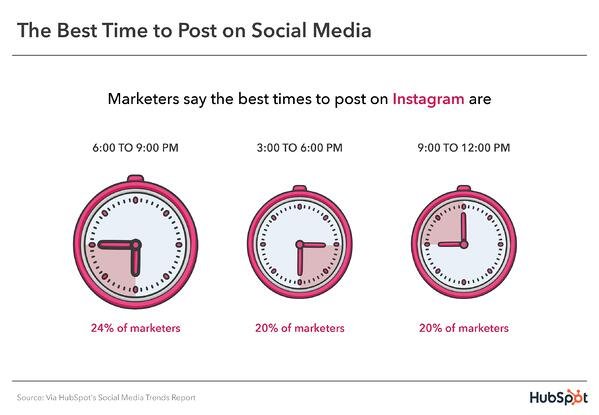
Best Time To Post on Instagram

  • On average, the best times to post on Instagram across industries are in the mid- to late afternoon, specifically between 6 and 9 p.m., 3 and 6 p.m., and 9 and 12 p.m.
  • The best day to post on Instagram is Saturdays. The worst is on Mondays. However, when comparing B2C and B2B brands, the former report Saturdays as the best day while the latter say it’s Friday.
  • The worst times to post are:
    • 6 a.m. to 9 a.m.
    • 9 p.m. to 12 a.m.
    • 12 p.m. to 3 p.m.

One industry that reports a lot of success in the 12-3 p.m. time frame is manufacturing and materials, with 50% surveyed saying it’s the best time to post.

Best Time to Post on Facebook

When it comes to best times to post, marketers report almost identical numbers on Facebook as they do on Instagram.

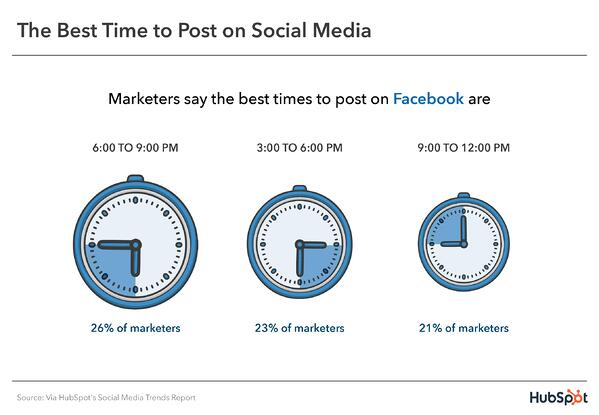
Best Time To Post on Facebook

  • On average, the best times to post on Facebook across industries are in the mid- to late afternoon, specifically between 6 and 9 p.m., 3 and 6 p.m., and 9 and 12 p.m.
  • The best day to post on Instagram is Saturdays. The worst is on Mondays.
  • The worst times to post are:
    • 6 a.m. to 9 a.m.
    • 9 p.m. to 12 a.m.
    • 12 p.m. to 3 p.m.

Industries that have more success posting early morning are agriculture, food, and beverage brands, with 50% choosing 9 a.m. to 12 p.m. as the best time to post on Facebook. In addition, 100% of marketers surveyed from travel and hospitality brands also chose this time frame.

Best Time to Post on Twitter

This text-based social media platform is known to draw early morning users who use the app to get their news and night owls looking to share their late-night thoughts.

However, the data suggests that the best time to reach users is the afternoon, between noon and 9 p.m.

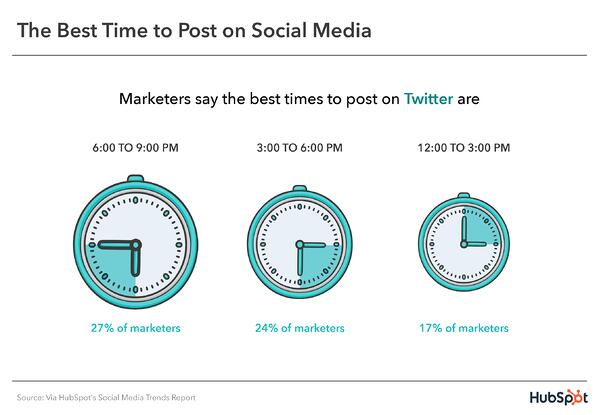
Best Time To Post on Twitter

  • 27% of marketers surveyed say 6 p.m. to 9 p.m. is the best time to post on the platform, followed by 3 p.m. to 6 p.m., then noon to 3 p.m.
  • Unlike Instagram and Facebook, Friday is the best day to post on the platform.
  • Worst times? Early morning. Specifically 6 a.m. to 12 p.m.

Best Time to Post on LinkedIn

Roughly 28% of U.S. adults use LinkedIn to network and share their professional endeavors. It’s no surprise that it’s the only social platform to report a weekday as one of the top days to post.

Best Time To Post on LinkedIn

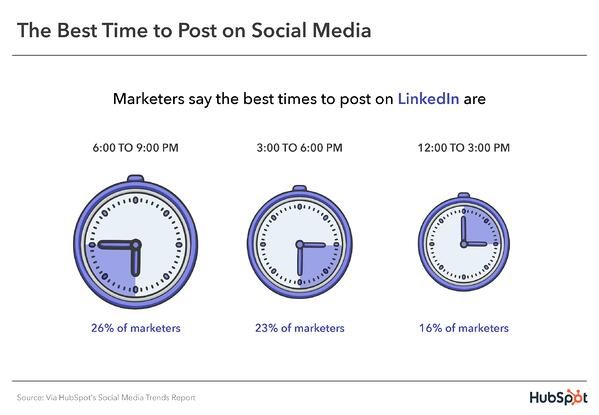
  • Aim to post on LinkedIn between 6 – 9 p.m., 3 – 6 p.m., or 12 – 3 p.m.
  • The best day to post is Saturdays, Sundays, and Wednesdays.
  • The lowest-performing days are Mondays and Fridays.

Best Time to Post on Pinterest

  • The best times to post on Pinterest are between 6 p.m. to 9 p.m.
  • The second most popular time is noon to 3 p.m., selected by marketers surveyed in construction, financial services, agriculture, food and beverage, chemicals and metals, consumer product manufacturing, plus travel and hospitality.
  • 22% of B2C brands say Sundays are the best days to post on Pinterest, compared to only 6% of B2B brands. Conversely, only 2% of B2C brands chose Mondays versus 13% of B2B brands.

Best Time to Post on YouTube

Over 80% of U.S. adults use YouTube and data from a 2021 Pew Research study suggests that its reach is growing. So, how can you get the best reach on the platform? Let’s dive in.

Best Time To Post on YouTube

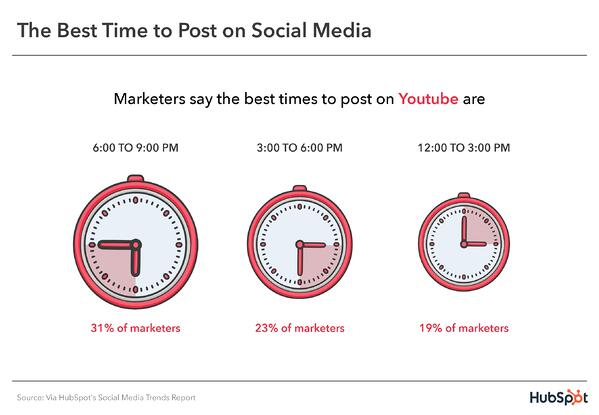
  • Post between 6 p.m. and 9 p.m. (31%), 3 to 6 p.m., and noon to 3 p.m.
  • 25% of marketers surveyed recommend posting on Saturdays while 23% say Friday is the best day to post.
  • Monday through Wednesday are the worst days to post on the platform, along with early mornings from 6 a.m. to 9 a.m.

The most popular time frame for advertising/marketing, electronics, and financial services brands is 3 p.m. to 6 p.m.

Best Time to Post on TikTok

Since 2020, TikTok has become the go-to short-form video platform for Gen-Z and Millennial consumers.

Best Time To Post on TikTok

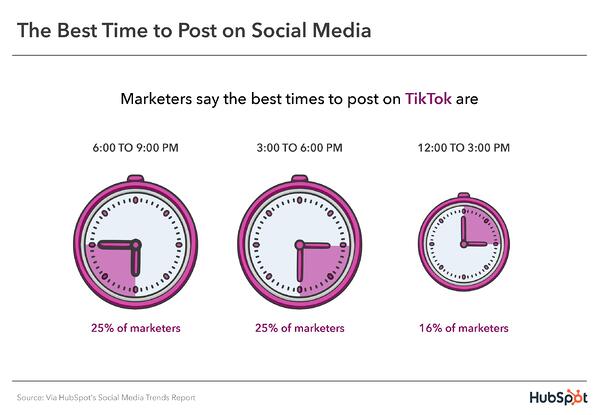
  • The best times to post are 6 to 9 p.m., 3 to 6 p.m., and 12 to 3 p.m.
  • For B2B brands, Saturdays and Thursdays are the best days to post. For B2C brands, it’s Saturdays and Sundays.
  • Although transportation and financial services brands seem to find success in posting between 6 to 9 a.m., most marketers don’t recommend it.
  • The worst day to post on TikTok is Tuesday, followed by Monday, then Thursday.

Creating an Effective Posting Schedule

Although each social network sees its engagement increase at specific hours and days of the week, you’ll still have to tailor your approach to your audience.

Use this data as a guide if you don’t have enough data yet. Once you start posting regularly and have collected data, review it to determine when your audience is most active on the platform and what posting schedule they respond to the most.

You may find that certain content types work better when posted at certain times. For instance, your videos may perform well when posting in the morning while your images may do better in the late afternoon.

Editor’s note: This post was originally published in 2017, but was updated for comprehensiveness.

New call-to-action

Categories B2B

How to Measure Social Media Marketing ROI [with Expert Advice]

When it comes to building effective social media ad campaigns, the biggest question isn’t “how much should I spend?”

It’s “for every dollar I spend, how much do I get back?”

In other words, it’s all about return on investment (ROI) — how are ad spending and customer conversion linked? Understanding this connection makes it less important how much you spend, and instead lets you focus on the impact of your social ads. In this piece, we’re taking a look at how to measure social media marketing ROI and offering a look at eight tools to help streamline the process.

Download Now: Free Ad Campaign Planning Kit

ROI is a measure of spend versus value: If I spend “X” amount, how much do I get back? The best-case scenario is an ROI greater than one, where companies get back more than they spent on an investment.

Consider a manufacturing company buying a new piece of production line equipment that costs $10,000 but brings in $20,000 worth of revenue each year. The result is a positive ROI and a worthwhile investment. While measuring social media ROI isn’t quite as straightforward since companies need to account for the reach and impact of specific ad campaigns, the underlying concept is the same: Over time, the goal is to get back more than you spend.

While specific measurement timelines and media metrics will differ, the role of ROI remains the same.

How to Measure Social Media Marketing ROI

One of the most popular and data-driven ways to measure social media marketing ROI is through paid advertising. The problem arises, though, when there isn’t a sound strategy in place to yield a positive return on investment.

How does this happen? Typically, social media marketers build an AdWords campaign to rank for important search terms. The campaign drives clicks, traffic, and leads, but ultimately the ad spend outweighs the impact of the ads which is bad news for ROI.

These marketers end up learning a really expensive lesson, one that could be easily prevented by following these simple steps:

1. Develop a Budget.

Ads aren’t right for everyone. Some industries have extremely high competition with astronomical CPCs. Some products have too low of an average sales price for the economics to work.

To determine if ads are worth your time, start by building a budget. This isn’t always an easy task, especially considering the hit many marketing budgets have taken over the past two years. According to Tequia Burt, Editor in Chief of the LinkedIn Marketing Solutions Blog, market knowledge is a key component of this process. “As marketing leaders evaluate their budgets and organize their plans for the year ahead,” she says, “a bit of context and clarity can lend helpful structure.”

Consider that 76% of companies plan to boost spending across areas such as branded influencer content, ads in social media stories and ads in social media feeds. Knowing where and when this spending makes the most sense is critical to drive ROI.

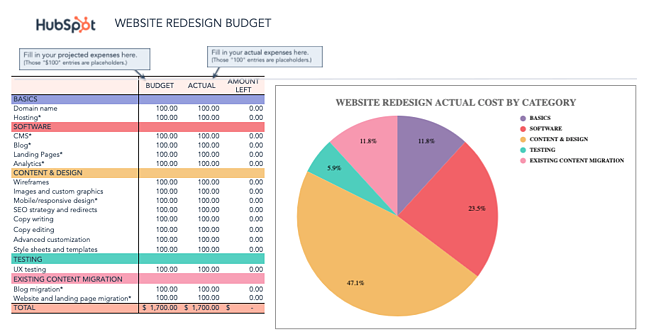
Featured Resource: Budget Templates To Manage Your 2022 Spend

marketing budget template

Download Free Marketing Budget Templates

2. Continually Evaluate Ad Performance.

Try not to look at ads as a shortcut. It’s possible to get to a place with ads where they become a recurring source of profit, but typically that’s not how things start.

Don’t be surprised when a week after your campaign launches your ads aren’t generating tons of profit. “Around 80% of businesses online feel that they deliver great assistance via social media, but only 8 percent of their customers agreed,” says John Kopanakis, professor of Business Intelligence at Hellenic Mediterranean University. “Despite putting in a lot of effort, many marketers hardly reach their targeted sales. It is because they struggle to measure the impact of their social media efforts on their sales.”

As a result, incremental improvements in clickthrough rates and conversion rates can have a huge impact on profit. Use the ads calculator to explore the impact these changes could have. Watch your ads like a hawk for the first month and you’ll avoid big mistakes.

3. Make Sure You’re Amplifying the Right Message

Ads act like a megaphone to amplify your marketing campaigns and content. The more complete and well-developed your campaigns are, the better your ads will perform.

As noted by Samuel Bu, Marketing Director at FortuneNote Chinese Business Magazine in a recent LinkedIn Pulse post, it’s also critical to find the right channel for your business. While he highlights LinkedIn as a great way to generate leads and calls out Facebook’s huge impact on the social market, he also highlights challenges with platforms such as Instagram. Why? Bu says “Most likely, Instagram falls short of producing strong ROI due to its more intangible metrics — such as brand awareness, reputation, loyalty, and consumer engagement.”

Think about it: Which ads do you think perform better? Those promoting your homepage or those promoting a remarkable piece of content that helps someone?

Bingo. Those promoting awesome content.

Campaigns that use ads should be treated like other campaigns. Establish your goals first, build great content, focus your message and optimize your landing pages, then figure out how ads can help amplify your message. Taking this combined approach and only using ads as a strategic component of your marketing campaigns will pay off.

How Much Should You Spend on Ads?

Assuming you’ve run the numbers and now know what you can expect in terms of profit and ROI, it’s time to launch a campaign. To do this you’ll have to make two budget decisions, regardless of where you are advertising:

  • Total campaign budget or duration: How much do you plan to spend in total? How long will the ads run for? Be aware that if you don’t set a limit there will be no maximum or end date.
  • Daily budget: How much do you want to spend a day?

There are two ways most marketers use ads, short-term and long-term. Let’s take a look at both …

Short-term ads. Budget = at least a few hundred dollars over a month.

When marketers use ads for a short-term goal, it’s usually to jump-start a campaign or boost content that needs a bump. These ad spends are generally smaller and shorter, but can be large.

If you have a few hundred dollars to spend, spend it this way. Create a social post that promotes a piece of content and then use your ads to boost the post. Facebook, Twitter, and LinkedIn all have good solutions for this. Make sure you use the social network that gives you the best targeting for your persona and returns the most valuable leads. Measure this by assessing the quality of the leads generated after the campaign.

Long-term ads. Budget = at least a few thousand dollars over a quarter.

Ads can be a great solution in a pinch but if you really want to use ads strategically build them into your overall marketing strategy. This means more consistent, quarterly ad spends.

Consider how potential customers make purchase decisions and use ads to influence them. This may mean always relying on search ads or retargeting to make sure prospects find you when they are ready to buy. You’re more likely to accumulate better data taking this approach, which will allow you to get more sophisticated in how you optimize your ad spend.

Given the quickly-changing nature of social media platforms and posts, it’s worth considering social media ROI tools to help stay on top of spend and revenue measurements. Here’s a look at eight great options.

1. HubSpot

 Best Social Media ROI Measurement Tools: HubSpot

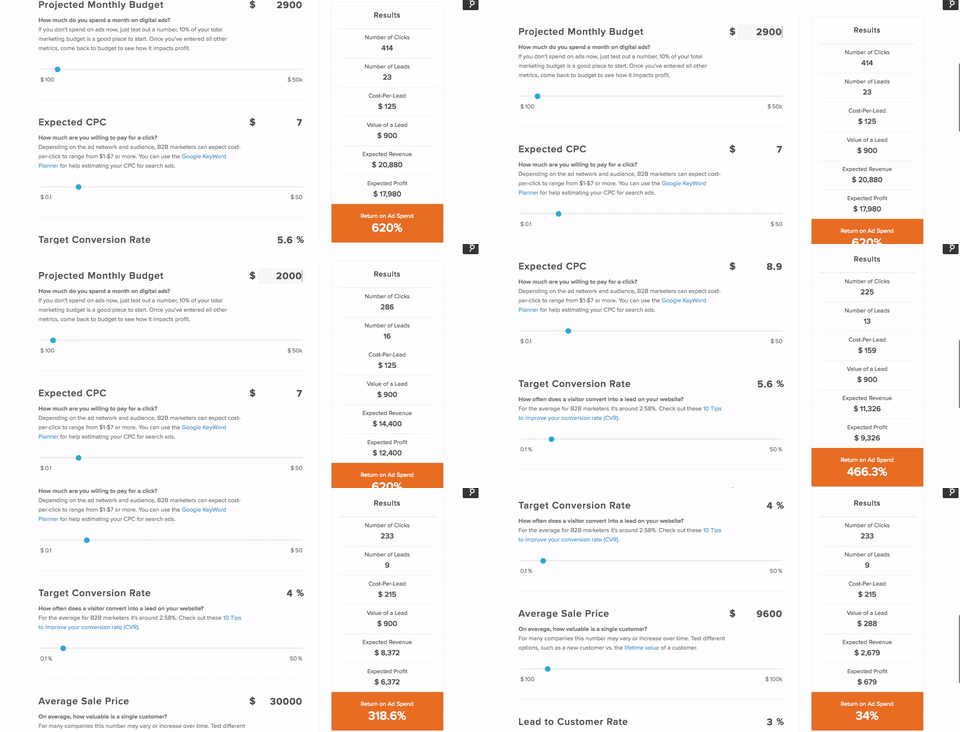
The HubSpot Advertising ROI Calculator makes it easy to narrow down when and where it’s worth spending on social ads.

Start by inputting your projected monthly budget, then your expected cost-per-click (CPC), target conversion rate, average sale price and lead to customer rate to get a general idea of your ROI on advertising spend. Use the calculator regularly to reevaluate your campaigns and make sure they’re delivering on key metrics.

2. Hootsuite

 Best Social Media ROI Measurement Tools: Hootsuite

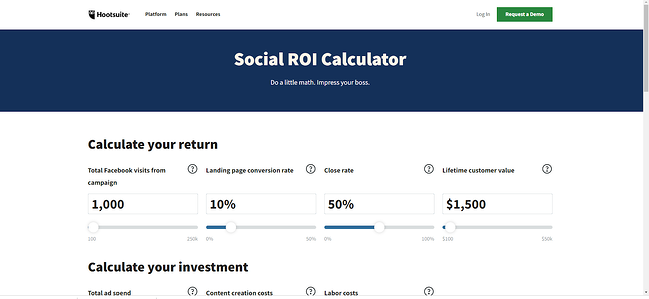
Hootsuite also offers a free Social ROI Calculator that lets you input ad spend data to determine potential ROI. While it uses slightly different metrics and has a different setup than the HubSpot version, the general function is the same: Input your data to see where it makes sense to spend on ads and where the return may not justify the investment.

While both offer a solid starting point for ROI, we’re naturally biased toward the HubSpot version.

3. Sprout Social

 Best Social Media ROI Measurement Tools: Sprout Social

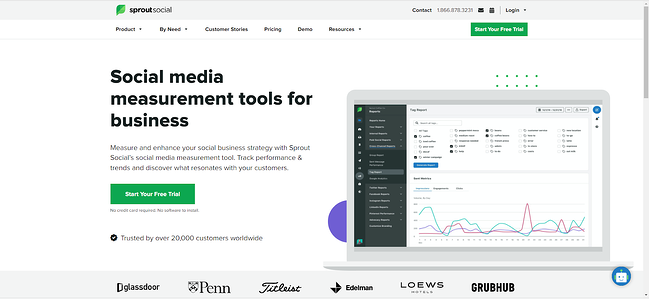
Next up is Sprout Social. Unlike HubSpot and Hootsuite, you’ll need to sign up for a free trial to access Sprout Social’s ROI calculator. After 30 days, it’s $99 per month if you want to keep using the tool.

Depending on your current ad campaign and ROI goals, however, the cost may be worth it. Sprout’s tool offers message-level insights to see which posts are proving their worth along with follower, engagement, and keyword analytics that cover the entire publishing process from draft to queue to posting.

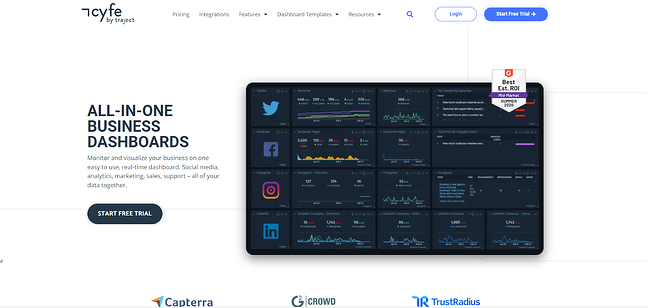
4. Cyfe

 Best Social Media ROI Measurement Tools: Cyfe

Cyfe provides a set of all-in-one business dashboards that provide insights across key social platforms such as Twitter, Facebook, Instagram, and LinkedIn. Easily monitor what ads are being posted, how they’re performing, and how users are interacting with your campaign efforts.

Cyfe comes with a 14-day free trial. After that, it’s $19 per month for two dashboards and one user.

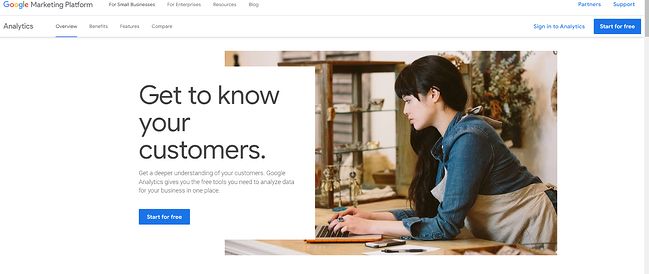
5. Google Analytics

 Best Social Media ROI Measurement Tools: Google Analytics

Google Analytics is familiar, free, and functional. While it doesn’t have the same laser-focus on social media as some other offerings on our list, it comes with the advantage of access to massive data sets, and also helps inform social advertising SEO, which is critical to any effective campaign.

To see how your social ads are performing at a high level, first log into your Google Analytics dashboard. From there, select Acquisition, then All Traffic, then Channels. This will bring up a list of your traffic sources, including those from social sites, in turn helping you get a general sense of how social ads are working to drive revenue.

Featured Resource: The Ultimate Google Ads PPC Kit

HubSpot's Ultimate Google Ads PPC Kit

Download Now

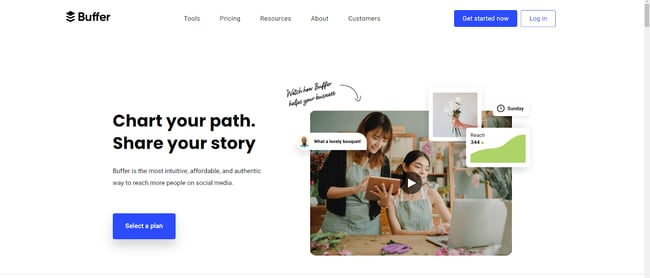
6. Buffer

 Best Social Media ROI Measurement Tools: Buffer

Buffer is an all-in-one social media marketing and ROI tool that’s designed to simplify the process of measuring and managing ads. The tool streamlines the creation of social ad content and lets you measure impact in just a few clicks to see what’s working, what isn’t, and what needs to improve.

If you’re just getting started with social media ads, Buffer has a free plan that lets you manage up to three channels with basic tools. From there, plans start at $5 per month for “Essentials”, $10 per month for “Team” and $100 per month for “Agency”.

7. Keyhole

 Best Social Media ROI Measurement Tools: Keyhole

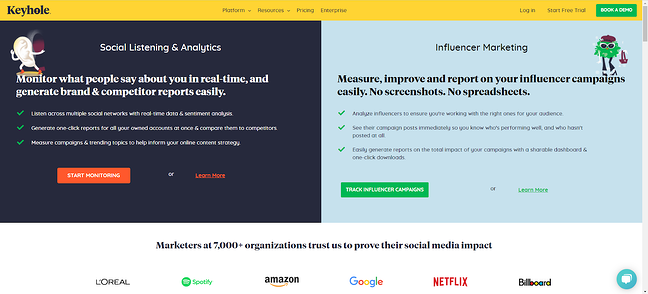
Keyhole lets you accomplish two key tasks: Listen to what people are saying about your brand in real-time and monitor the impact of your influencer marketing campaigns.

The first is critical because customer sentiment is a solid bellwether when it comes to ad effectiveness. If the number of people talking about your brand is going up — and if most of what they have to say is positive, you’re on the right track.

Influencer marketing reports, meanwhile, help keep tabs on influencer partners who exist outside your business ecosystem but offer potential benefits for your brand, as long as they’re posting consistently and in line with your messaging.

8. Social Mention

 Best Social Media ROI Measurement Tools: Social Mention

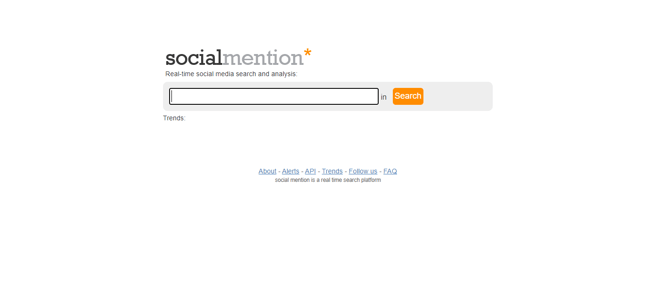
The simplest tool on our list, Social Mention lets you search any keyword or key phrase for recent social mentions.

In practice, companies can use Social Mention to see what’s currently trending and what opportunities exist to target specific keywords, and can then follow up after ads have gone live to see how campaigns are performing.

Getting the Biggest Social Impact for Your Spend

Bottom line? There’s no single way to spend your social marketing budget. Some companies may prefer to keep spending low and handle most of their ads through free platforms and word of mouth, while others are willing to spend top dollar for on-demand results.

Whatever budget you choose and whichever approach you take, however, there’s a common rule of thumb: Ask lots of questions about your ad spend, and make sure ads are performing as intended.

Why? Because even targeting the right market with the right approach, it’s easy to burn through money fast. Safeguard yourself by knowing what to expect, having clear expectations, and using the right tools to measure social ad ROI.

Editor’s note: This post was originally published in July 2016 and has been updated for comprehensiveness.

Improve your website with effective technical SEO. Start by conducting this  audit.  

Categories B2B

How Content Marketing & PR Combined Can Generate Leads

Public relations is the practice of creating mutually-beneficial relationships by providing relevant and timely information to an audience that already exists. Content marketing, meanwhile, is all about creating content that attracts and retains new audience members.

While these concepts may seem like opposite ends of the communication spectrum, combining content marketing and PR offers a new approach to lead generation for your organization.

Download Now: The State of Media & Content Planning in 2022 [Free Data Report]

Current Challenges in Lead Generation

Customer acquisition costs (CAC) are on the rise. About 60% of marketers say that their CAC has increased over the past three years, making it more important than ever for companies to both identify potential leads and increase the chances that these leads are quickly converted into paying customers.

Content marketing excels at the second part of this equation. As a result, companies are earmarking more of their marketing budgets for content-based campaigns; as noted by the Marketing Insider Group, the most successful companies now spend up to 40% of their total marketing budget on content-driven campaigns. PR budgets are also growing as companies look to keep existing connections strong — in the U.S. alone, businesses now spend more than 6 billion per year on public relations efforts.

The result? Spending to keep current customers and drive conversions is on the rise. However, for many companies, lead generation is hampered by content nets that are too wide to capture the ideal audience, and PR approaches that focus too much on maintaining the status quo.

On its own, PR is designed to keep current audiences interested and disseminate key information about business operations to relevant news and industry outlets.

By integrating techniques that content marketers use to drive engagement (quizzes, questionnaires or user generated content), it’s possible for PR teams to generate new leads that have existing connections with current audiences in order to capture more of the target market.

How Content Marketing and PR can Work Together

PR and content marketing are two sides of the same coin. Both focus on creating and communicating valuable information — just for two different audiences.

When it comes to PR, the goal is to educate existing audiences, such as loyal customers, stakeholders, and social media followers, about topics of interest. Assets created by public relations teams — such as press releases, white papers, or eBooks — are often posted on news sites or shared with industry publications to reach an audience that’s already listening.

Content marketing teams, meanwhile, focus on consistently creating high-value content that’s both timely and relevant and then sharing this content in hopes of generating new customer interest and expanding the overall audience. Content marketing teams are often responsible for email campaigns that encourage users to click through on new products or download reports; they may also create newsletters and social media posts and coordinate marketing partnerships such as those with social media influencers.

Combining these two approaches makes it possible to find and generate leads that are likely to become loyal customers.

Not sure where to get started with lead generation under a content marketing/PR model? We’ve got you covered with seven strategy options.

1. Find new channels

News travels fast. So fast, in fact, that even digital news outlets often can’t keep up. For businesses, this means that it remains important to submit PR pieces to familiar news sources and industry publications. It’s also worth finding accounts on Facebook, Twitter, and LinkedIn that offer similar news coverage at speed.

By using a combination of familiar and fast-moving options for content distribution, companies can increase their reach and their impact.

2. Combine science and art

While PR’s focus has long been on written content— press releases and white papers that contain the science of data collection and statistical interpretation — there’s a growing demand for visual content that offers a lower bar to entry.

The result? Marrying the in-depth content created by PR teams with more broadly-applicable infographic art developed by content marketing experts will help your content reach the widest audience possible.

3. Repurpose content

When it comes to content marketing and PR combined, there’s nothing wrong with copying yourself, so long as you do it the right way.

Here’s what it looks like in practice: You create a white paper or eBook about a new product, then repurpose this content to create multiple, shorter blog posts. The result? You capture both PR and content markets with similar — but not identical — content.

4. Talk up your accomplishments

Don’t be shy about awards you’ve won or honors you’ve received. Often listed on press releases, companies may be reluctant to mention awards in content marketing efforts for fear of veering too far away from social conversation into sales.

In reality, it’s worth highlighting what you’re good at, both on your website and in any content marketing campaign efforts. While there’s a balance to strike here between self-love and self-awareness, the evolving nature of consumer expectations has customers seeking out brands who have the credentials to back up big claims.

5. Create a reciprocal content framework

Your content doesn’t exist in a vacuum. Consider a white paper used by PR teams and then reposted as a blog and social media link by content marketers. If content teams can prompt engagement from potential customers, such as giving feedback or leaving comments, this can help inform the focus of the next piece of PR content, which in turn gives rise to the next content campaign.

6. Lean on established connections

Both what you know and who you know matters in marketing. It’s worth leveraging PR connections to help drive content strategies. These could be social media influencers, industry experts, or even long-term customers who are willing to share your content.

For influencers, this could mean an ongoing freelancer arrangement that requires a specific number of posts. For long-term clients, discounts or other offers could pave the way for content sharing.

7. Keep communications open

Last but never least in the fast-moving world of consumer purchasing trends? PR and content marketing teams need to stay in constant communication. This both reduces the risk of redundant or outdated content making it to news outlets or onto social media sites and helps ensure that new campaigns are coordinated for maximum effect.

Examples of Content Marketing and PR Lead Generation Strategies

So what does this combination of PR and content marketing look like in practice? Let’s take a look at four real-world examples.

1. Wells Fargo

PR is about digging into the details, while content marketing focuses on the outcome. Both work in favor of Wells Fargo, which donates up to 1.5% of its total revenue to charitable causes every year.

As a press release this is good information, but as part of a larger content marketing campaign, especially during the covid-19 pandemic, it’s a great way for the company to show themselves doing some good and connect with new customers.

2. Ford

Ford is focusing on sustainability and has committed $22 billion for vehicle electrification efforts to help achieve carbon neutrality by 2050. It’s an ambitious goal with a substantial timeline — but it also fits neatly with the current public focus on green initiatives.

By creating a narrative around this sustainable approach, Ford has the potential to reach environmentally-conscious consumers who would have otherwise avoided the popular vehicle maker.

3. Google

Google is also committed to energy reduction but has had more impact on the social side of corporate social responsibility (CSR) thanks to its outspoken CEO, Sundar Pichai, who is willing to engage both industry and world leaders in areas of social responsibility and equality.

As a result, Google is not only able to leverage its massive data resources to deliver relevant PR statistics but can back it up with socially-conscious action that makes for compelling content.

4. Netflix

Streaming giant Netflix offers paid parental leave for parents — most take between four and eight months but they can take up to a year — putting them well ahead of most corporations.

While the parental leave itself is a great talking point, combining information about this program with details about the ongoing success of the company at scale creates a great content narrative, one that could pay significant dividends over time as companies grapple with the ongoing impact of The Great Resignation.

PR and Content Marketing: Making the Most of this Dynamic Duo

PR and content marketing together can bring lead generation opportunities to the table. Public relations offers relevant information for interested parties to help create reciprocal relationships, while content marketing makes it possible to streamline the process of lead-to-customer conversion.

By combining forces, these disparate delivery methods become a dynamic duo, capable of generating leads that are more likely to convert — and more likely to share their experiences with other potential customers.

Want to make the most of this practical pairing? Use PR to establish and reinforce relationships with industry insiders and influencers, then lean on their connections to distribute purpose-built content that helps generate high-quality leads across your target audience.

Editor’s note: This post was originally published in February 2010 and has been updated for comprehensiveness.

content planning in 2022

Categories B2B

How To Create An Infographic In Powerpoint [+Free Templates]

It can be intimidating to create your own infographic when you don’t have a design background. You could always commission an agency or hire a designer — but that can get pricey fast. To create professional-looking infographics and captivate your audience, you can benefit from learning how to create your own infographics in PowerPoint.

PowerPoint can be a marketer’s best friend when it comes to visual content creation. In fact, Infographics are the fourth most used type of content marketing. And it’s plain to see why, marketers who align the topic, content, and style of their infographics with the needs and preferences of their target audiences are still finding success among their audience.

→ Download Now: 15 Free Infographic Templates

So you may be thinking, where do I start? We’ll guide you through how to create your own infographics and even give you examples of different types you can work with using our 15 fabulous infographic templates for free within PowerPoint.

For better comprehension, we’ll walk through how to make a simple timeline infographic in PowerPoint.

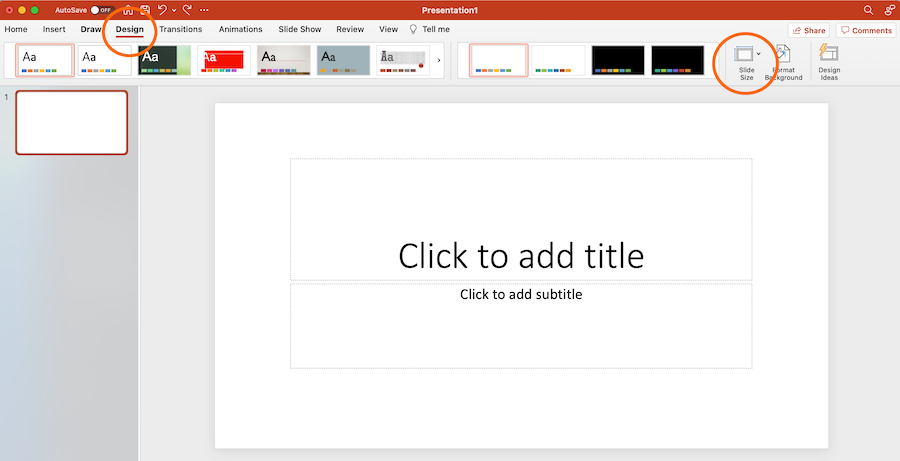
1. In the Design Tab, adjust the Slide Size to best fit your infographic.

To begin making an infographic from scratch, you have to readjust the size of the PowerPoint Slide to give you more space to work with.

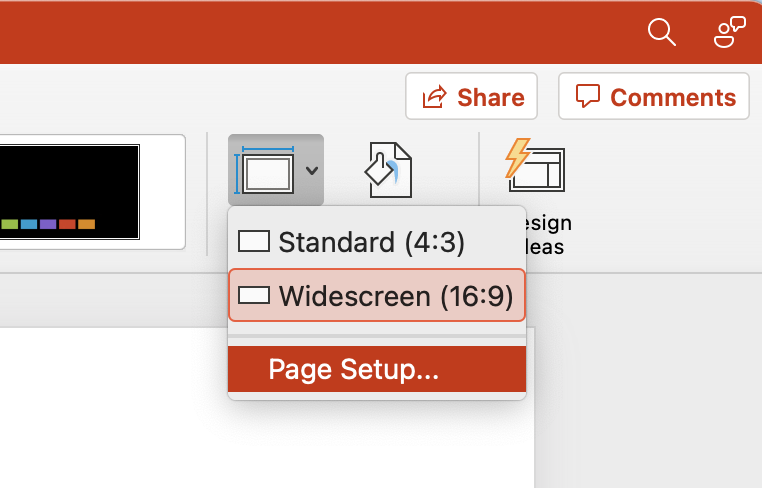
Begin by opening a new PowerPoint, in the top navigation bar, click on Design and select Slide Size.

how to make an infographic step #1: open slide size in the design tab

how to make an infographic step #1: adjust slide size in page setup

Then in the drop-down menu, select either one of the predetermined sizes or click Page Setup.

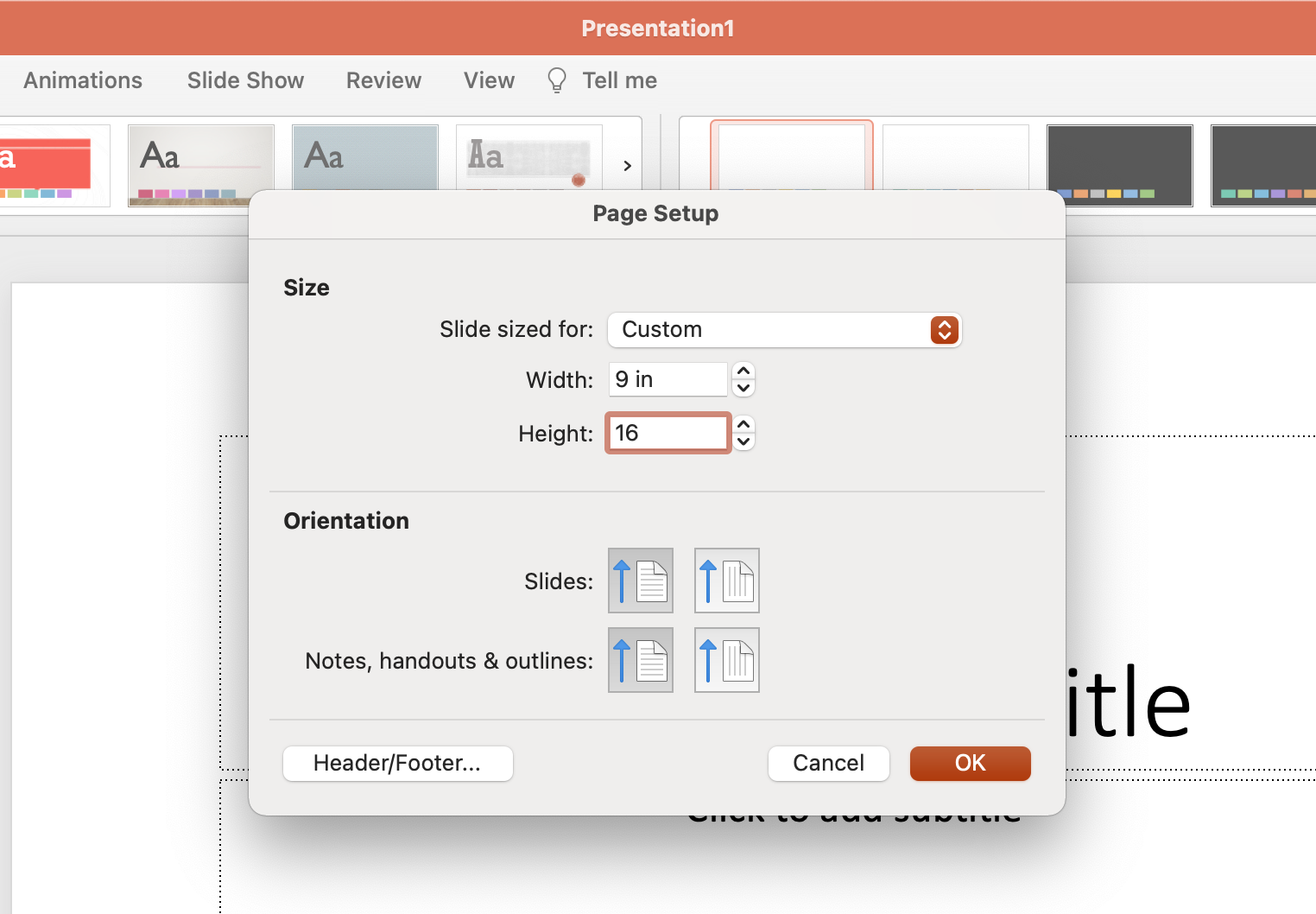
how to make an infographic in powerpoint step #1: input width and height of infographic

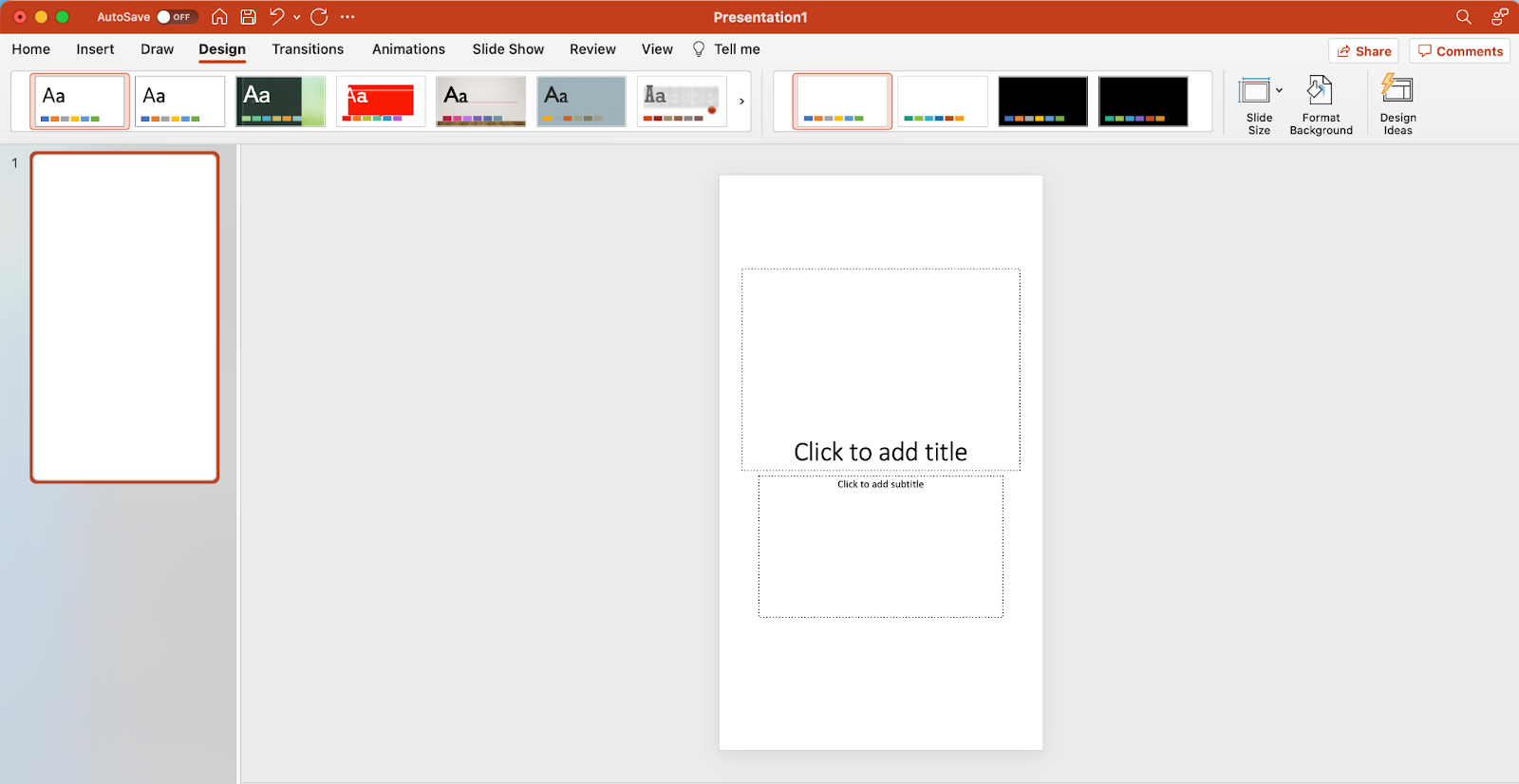
Input your preferred width and height dimensions and click OK.

how to make an infographic in powerpoint step #1: set preferred width and height

2. Select SmartArt from the PowerPoint navigation bar.

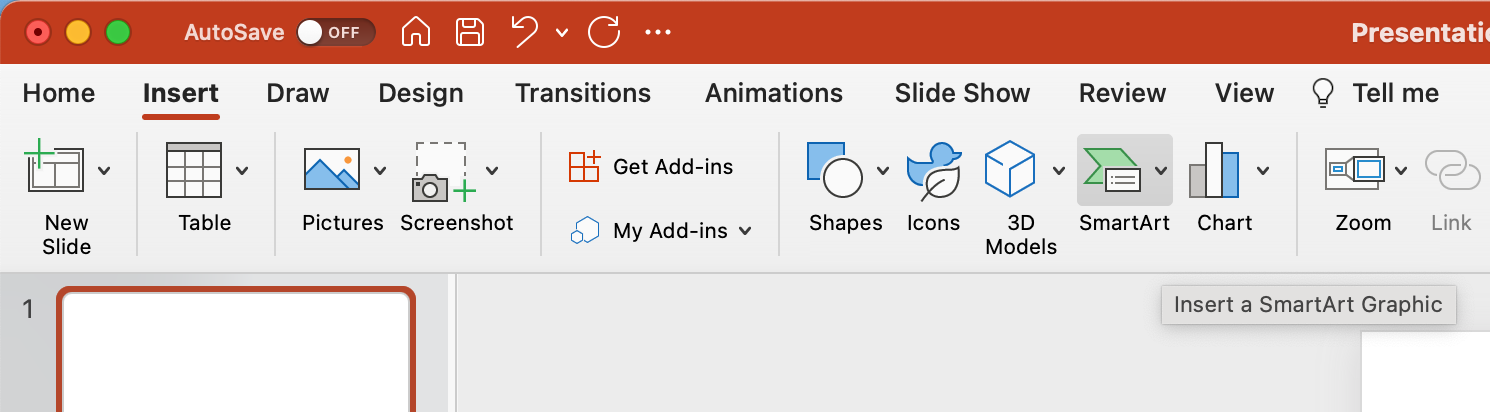
To make a timeline graphic in PowerPoint, suitable for any infographic, open PowerPoint and click Insert from the top navigation bar, then select the SmartArt icon beneath the navigation bar, where you’ll find several categories of graphics to choose from.

how to make an infographic in powerpoint step #2: select SmartArt

3. Find a graphic that fits your data from the Process or Picture menu.

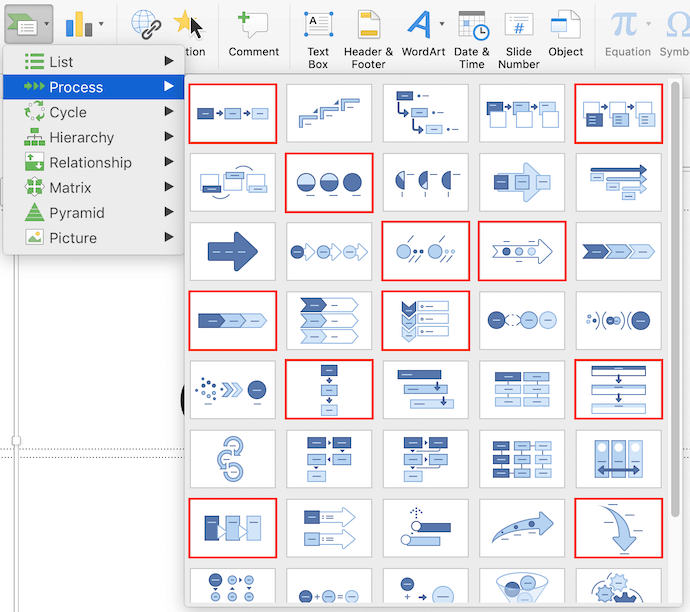
There are two categories of graphics that make effective timelines. The first is the Process category. Click this option to expand the graphics menu shown below. 

Creating Graphics for Timelines

If you’re working to create a timeline infographic, we’ve highlighted in red a few of the most fitting timeline-related graphics.

how to make an infographic in powerpoint step #3: find a graphic that fits your data

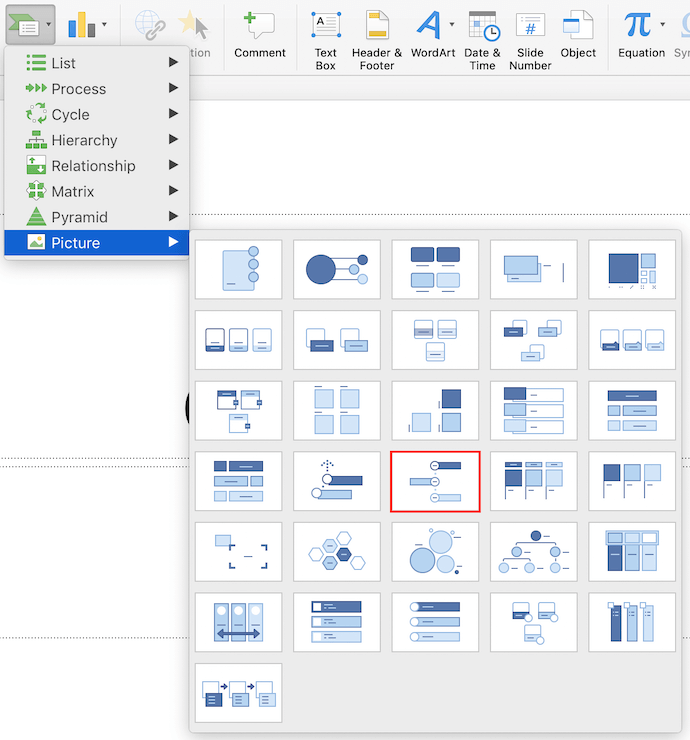
Aside from the Process menu of graphics, you’ll also find a viable timeline graphic in the Picture category. Select this category and you’ll find the Alternating Picture Circles option near the center of the graphics menu. We’ve highlighted it in red, below.

how to make an infographic in powerpoint step #3: explore picture graphics

4. Add or remove data points, time stamps, or other key information.

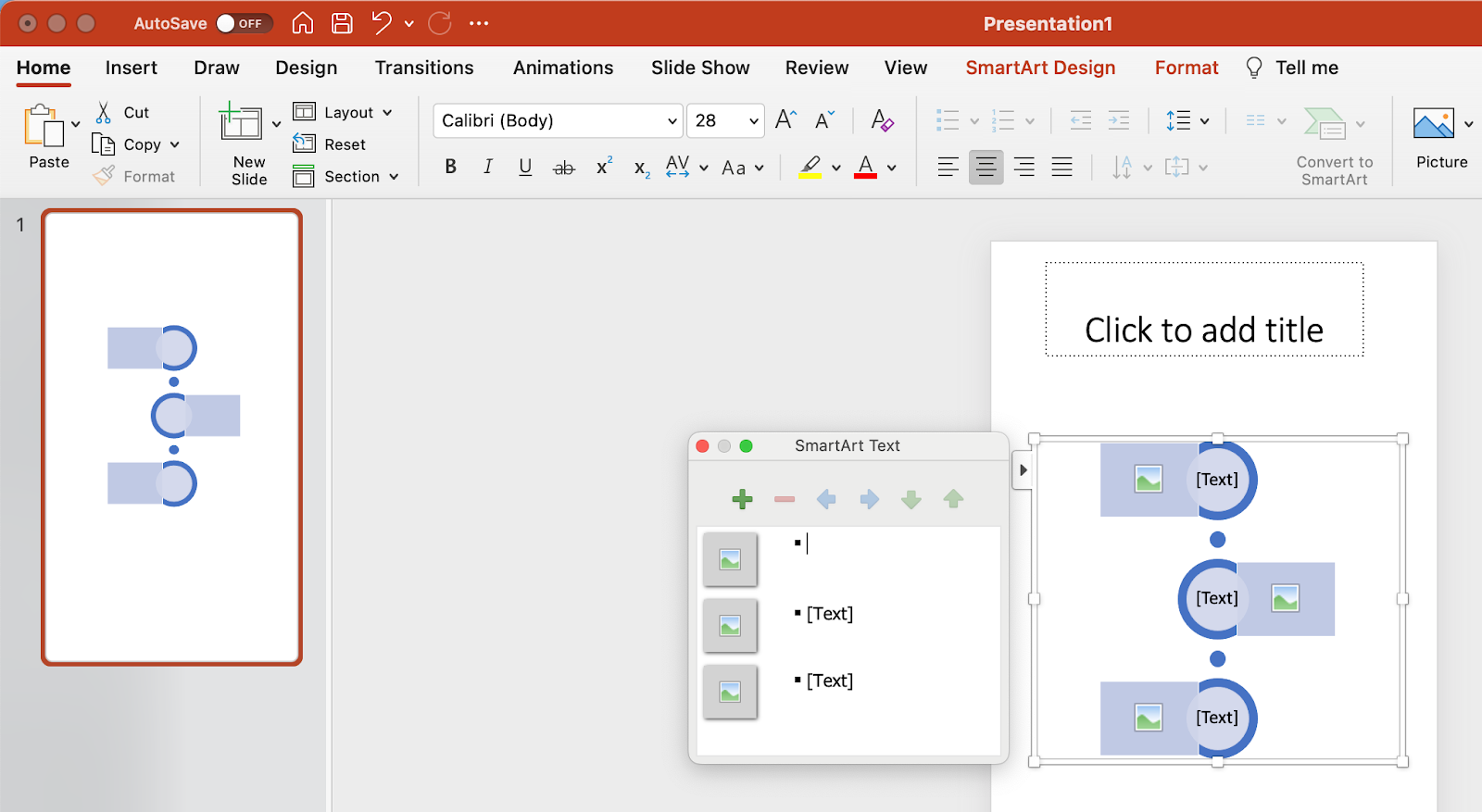
For the sake of these instructions, we’ll use the Alternating Picture Circles graphic from the Picture menu. Once you’ve inserted this graphic into your first PowerPoint slide, you can add or remove circular icons to match the types of data and inputs you’re presenting.

how to make an infographic in powerpoint step #4: add or remove data points, timestamps, or other information

5. Insert your data into the graphic.

At this point, the size of your timeline graphic should match the amount of data you have. Begin to fill your timeline with the information you plan to report on using this timeline and explore PowerPoint’s excellent drag and drop features to help arrange graphics as necessary.

6. Edit the text and imagery of your SmartArt graphic.

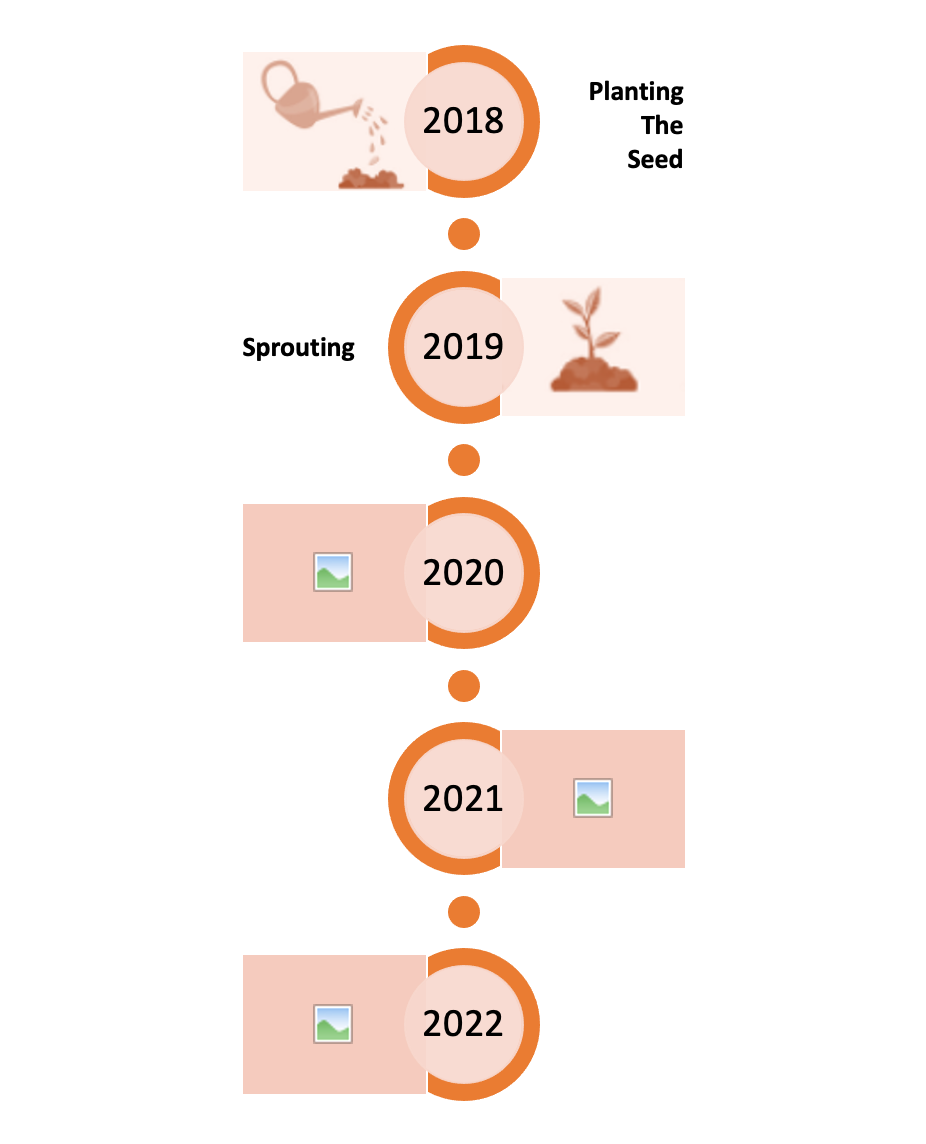
As with the other graphics available in PowerPoint’s SmartArt, you can edit the text and the images associated with your timeline to your liking. As you can see below, we’ve edited the years and the images to better represent what happened at each point in time.

To insert images into your timeline graphic, right-click the square landscape icon, select a graphic From File and upload an image from your computer onto your PowerPoint slide.

how to make an infographic in powerpoint step #6: edit the text and imagery of your SmartArt graphic

To tell your story you can update the time periods in the center circles, replace the placeholder text, and adjust the visuals and colors to your liking. For those latter adjustments, you can choose Insert > Shape in PowerPoint to add in different visuals and use the paint bucket (a.k.a. Color Fill) icon to change the colors of different elements.

You can choose to create the infographic of your liking, adding background colors, more imagery, or other visual elements as you please, but for the sake of guiding you through the basic way to create your own infographic, the example stops here.

But if you’re looking for something more convenient, you can download some of our infographic templates that open directly in PowerPoint so you can get to creating faster.

PowerPoint Infographic Examples

1. Data-Centric Infographic Example

Infographics and data visualization are the peanut butter and jelly of the visual content world.

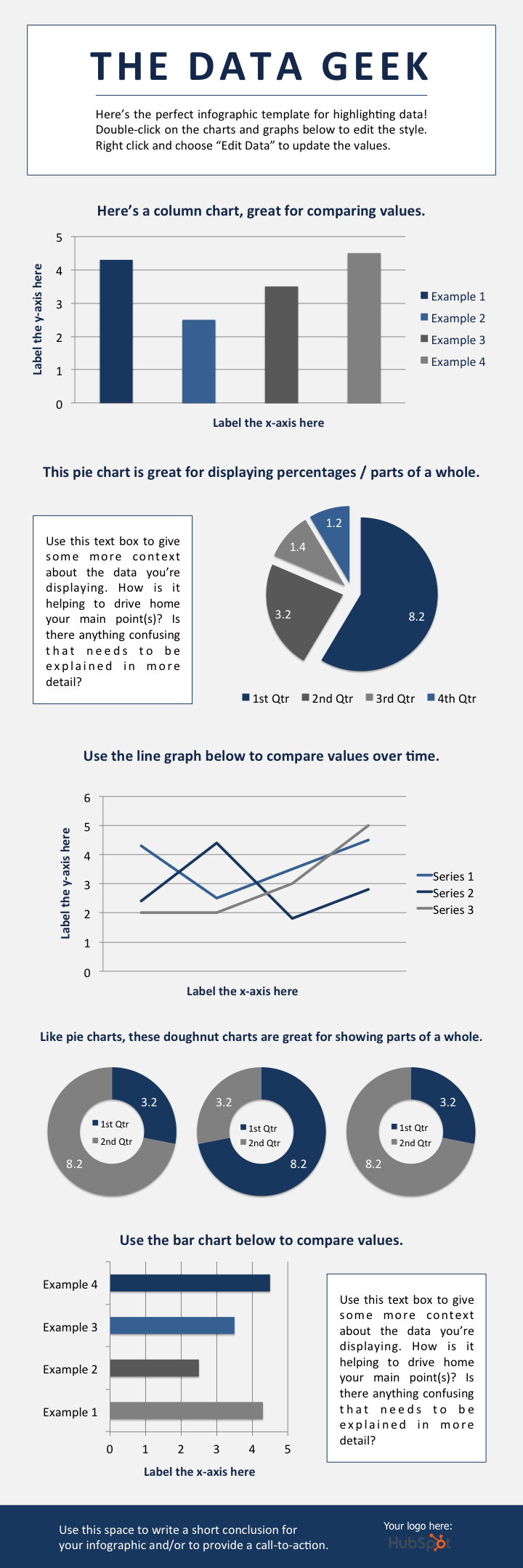
When you have new data to reveal to the world, you can use an infographic to display that data as part of a cohesive, visual narrative. And that’s exactly what the Data Geek template is for.

The Data Geek infographic template

We’ve loaded this template with a variety of different charts and graphs, which you can easily update with your own data. (Just right-click on a graph, choose Edit Data, and you’ll be able to customize the values in an Excel spreadsheet.)

What to Add to a Data-Centric Infographic

  • Column chart: Use for comparing different categories or for showing changes over time (from left to right).
  • Pie chart: Use for making part-to-whole comparisons. (Note: They work best with small data sets.)
  • Line graph: Use for showing data that changes continuously over time. Ideal for displaying volatility, trends, acceleration, or deceleration.
  • Doughnut chart: Use a pie chart. This stylistic variation allows you to put a number, graphic, or other visual in the center of the chart.
  • Bar chart: Use a column chart. (The horizontal bars make it easier to display long category names.)

2. Timeline Infographic

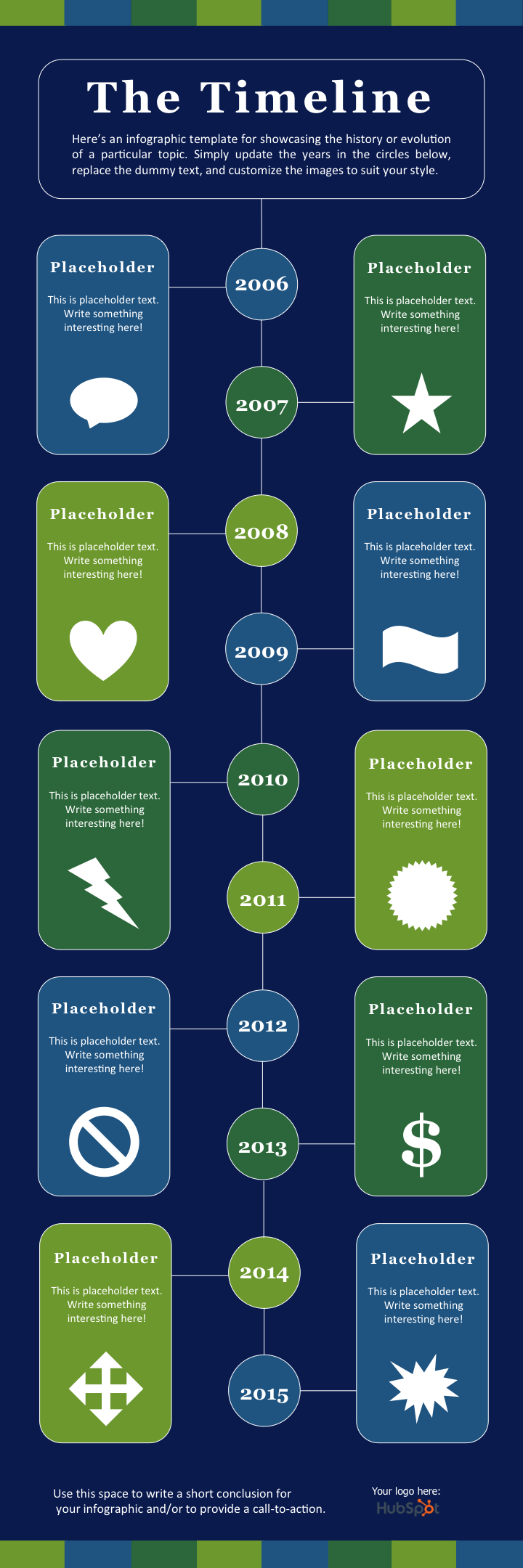
Telling the history of a particular industry, product, brand, trend, or tactic can be a great topic for an infographic. And while there are a variety of different ways that you can visualize time — including in a circle, which is what we did with our Google algorithm updates infographic — the timeline is by far the most common and easiest design method to use.

The Timeline infographic template for PowerPoint

Timeline Infographic Best Practices

  • Research. Research. Research. The best timeline infographics aren’t just beautifully designed — they also tell a great story based on extensive research. So before you start the design phase of your infographic, put in the time to surface the best information possible.
  • Narrow the scope: Timelines that cover hundreds or thousands of years can certainly be interesting, but they can also require weeks or months of research. To keep your sanity, stick with shorter time periods.
  • Keep your copy concise: Infographics are supposed to be visual. If you find yourself writing 100+ words for each date on your timeline, a blog post may be the better content format.

3. Modern Design Infographic

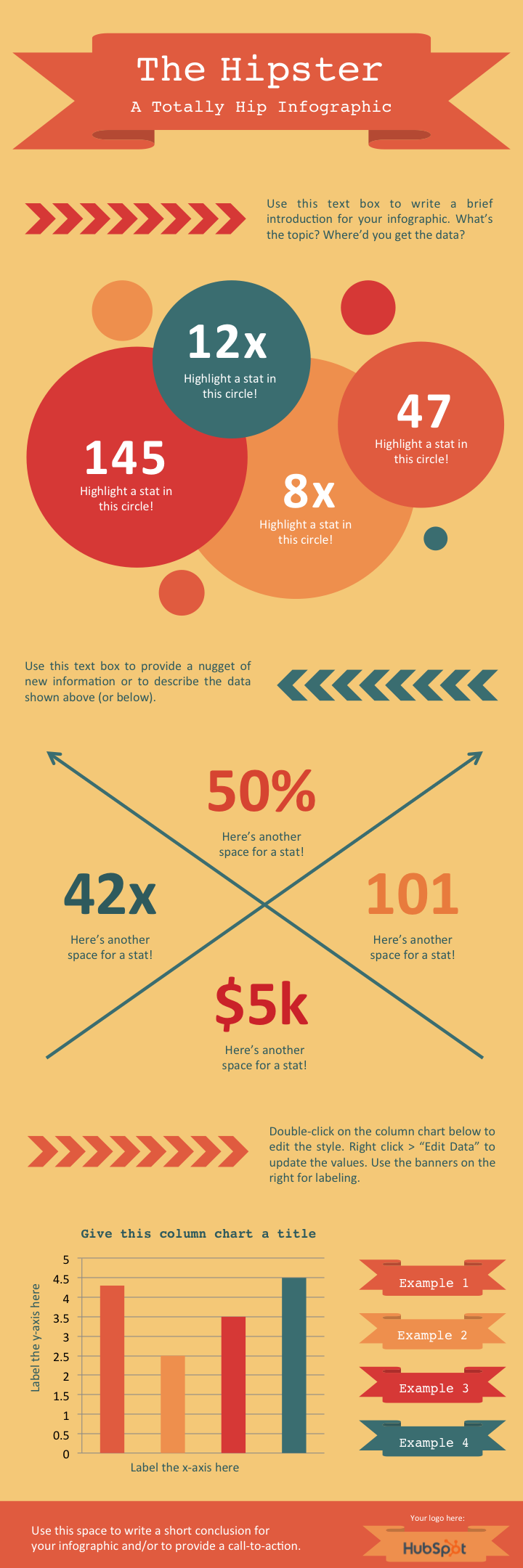
For this infographic template, we wanted to do something that reflected modern design trends, including using banners and arrows.

In terms of content, we provided plenty of space for both stats and copy. There’s also a column chart at the bottom. But remember, you can always add different charts and graphs to the template wherever you see fit. Just select Insert > Chart … and you’ll have several options to choose from.

The Hipster infographic template

Modern Design Infographic Best Practices

  • Experiment with new color palettes. There are tons of free color palettes online. Don’t believe me? Do a Google image search ofColor Palette”. When you find a palette you like, drag the image directly into your PowerPoint presentation. Next, select the Color Fill bucket, choose More Colors … and click on the eyedropper icon. With the eyedropper tool, you can select colors from your palette and use them for elements in your infographic.

Take the time to manipulate shapes. PowerPoint has an extensive library of shapes — including banners, ribbons, and arrows — that you can use in your infographic design. By clicking and dragging on the little yellow diamonds that appear on these shapes, you can customize them. For example, you can make the pointy ends of a ribbon longer or shorter, or make the body of an arrow thinner or thicker.

 4. Flowchart Infographic

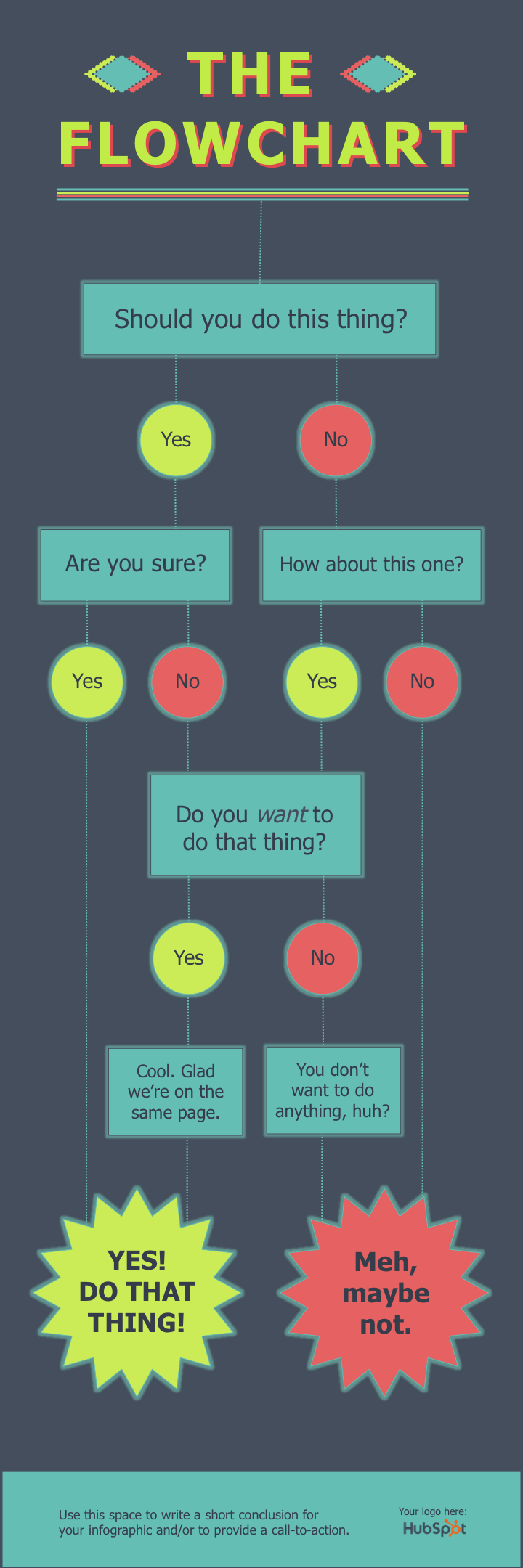
While on the surface a flowchart infographic may appear simple and fun, a lot of thought and planning needs to go into making sure the different sections logically flow into each other.

In our flowchart PowerPoint template, we created a basic flowchart structure, with positive responses guiding viewers to a conclusion at the bottom left of the infographic and negative responses guiding viewers to a separate conclusion at the bottom right of the infographic.

The Flowchart infographic template

Flowchart Infographic Best Practices

  • Draw out the branches beforehand. Before you dive into PowerPoint, get out a pen and paper and do a rough outline of your flowchart. Test for weaknesses in your logic by answering questions in every possible combination and seeing where you end up. For best results, have a friend or coworker run through the flowchart, too.
  • The smaller the scope, the easier the execution. The more questions or stages you add to your flowchart, the more difficult it will be to create (and the harder it will likely be for viewers to understand). So try to narrow the focus of your flowchart.

5. Image-Heavy Infographic

So far, the infographic templates we’ve looked at have relied primarily on illustrations that you can create within PowerPoint. But of course, there’s no reason why you can’t bring external photos and other images into your infographic design.

We’ve created this image-heavy infographic template for that exact purpose. It’s great for comparing different categories, ideas, or results, and since you don’t need to create or customize a lot of shapes, it’s a lot less work.

Image Heavy infographic template

Image-Heavy Infographic Best Practices

  • Use high-quality images. It’s better to scale down a big image (e.g. 2,000 pixels by 2,000 pixels) than to scale up a small image (e.g. 20 pixels by 20 pixels) to fit a particular space. The latter approach will result in images appearing pixelated and grainy.
  • Use borders. Adding borders to your images will help make them feel like their part of a cohesive design. In PowerPoint, you can control the size, style, and color of borders under the Format Picture tab.
  • Save your infographic as a PNG file. This is a best practice for all infographics but is particularly relevant when publishing an infographic that contains photographs. The PNG extension offers better quality than other options. To save your finished infographic as a PNG file, you simply need to choose File > Save As … and select PNG from the dropdown.

Make an Eye-Catching Infographic Today

The possibilities are endless when you discover how to start creating infographics. You’ll be able to expand your skills as a marketer and create more elaborate content that your audience will be intrigued by and engage with. We hope you found this article useful and that you’ll take the initiative to build your own infographics in PowerPoint.

Editor’s note: This article was originally published in October 2020 and has been updated for comprehensiveness.

New Call-to-action

Categories B2B

5 Human Resource Management Functions Every HR Manager Needs to Know

There’s something every single company needs to operate, regardless of the industry or product, and that’s people.

Download Now: Free Company Culture Code Template 

Just as there are professionals who specialize in managing products and services, there’s also a need for human resource management.

Learn what it is and the key functions every HRM needs to operate.

Recently, we’ve heard the term “People Operations” used much more frequently than human resources. Are they the same? Not exactly. People ops is technically considered a subset under HR. However, in many companies, they are used interchangeably.

While human resources focus on the structural and legal pillars such as hiring, compliance, compensation, and benefits, people ops look at the cultural implications and focus on things like employee satisfaction, productivity, and diversity and inclusion.

5 Main Functions of Human Resource Management

1. Recruitment and Staffing

When you think of HR, recruitment and staffing is probably the first thing you think about.

HRM requires working hand-in-hand with recruiters to identify top talent, set budgets, conduct background checks, and negotiate compensation and benefits.

In addition, they must be well versed in employment law to know how to comply with federal and state legislation regarding worker rights, discrimination, and more.

HRM also oversees onboarding, the process of integrating a new hire into the company. This involves setting up training, providing equipment and access to necessary software, and team introductions.

Knowing how new employees are responding to them can be helpful in ensuring the employee’s long-term success at the company.

In fact, a 2021 data by Microsoft revealed that new hires are 3.5 times more likely to be satisfied with their onboarding experience if their manager played an active role.

By knowing this information, they can tweak the process to increase managerial involvement in onboarding.

2. Employee relations

A 2021 HBR study found that 89% of workers were not satisfied with their jobs – 85% said that their well-being had declined and 56% said that their job demands had increased.

For HR, that’s a major concern because that can directly lead to high attrition. HR professionals are tasked with identifying these issues through internal NPS surveys, meetings, and other methods, then putting systems in place to address them.

In addition to these responsibilities, conflict resolution is another major aspect of employer-employee relations at the workplace. This can be anything from friction between two employees who don’t get along to a sexual harassment claim.

Human resources management is tasked with investigating these claims and taking appropriate action to maintain a safe workplace for all.

Beyond conflict, a communication standard can also be set by HR to promote transparency and encourage openness. This can look like mandatory weekly one-on-one meetings between managers and direct reports, monthly skip-level meetings, quarterly AMAs, and more.

3. Learning and Development

According to 2021 Glint data, having opportunities to learn and grow is now the top factor that people say defines an exceptional work environment.

The survey also found that employees who rate their culture highly are 25% more likely to be happy at work and 31% more likely to recommend working at their organization.

This is why investing in employees’ development can directly impact a company’s bottom line.

This can look like allocating stipends for role-related courses, providing access to third-party providers, and hosting management training. Having options that cater to both individual contributors and managers is essential to making sure all employees are growing.

Once these programs are up and running, HR must evaluate their effectiveness and make changes as needed.

4. Performance Management

Performance management is another key function of HR, which involves setting performance metrics, review schedules, conduct guidelines, and more.

For instance, what happens if an employee underperforms during the quarter? What are the steps they and their manager can take? This process should be determined by HR.

From probation to termination and everything in between, HRM has it covered.

5. Company Culture

A company’s culture is the set of values, beliefs, and behaviors that define its way of doing business.

Culture is incredibly important because it affects every aspect of a company, from how employees interact with each other to how they serve customers. Unhappy employees make for unhappy customers.

HRM entails figuring out what employees want and care about and balancing them with company resources. For instance, there has been a shift to remote work since the start of the pandemic in 2020.

While this may seem separate from company culture, how easily companies adapted to this shift is representative of their culture.

In 2020, a Glint report found that a sense of belonging is the second-highest driver of work culture, behind opportunities to learn and grow. How do you create that belonging?

That’s where HRM comes in – creating this environment and making sure it’s scalable and flexible.

Human resources management is an essential part of every organization, making sure that their most important asset – the people – has everything they need to succeed.

Click me

Categories B2B

The Beginner’s Guide to Keyword Density

When you’re writing SEO-optimized content, how many keywords are enough? How many are too many? How do you know? And what happens if Google and other search engines determine your site is “stuffed” with keywords?

In our beginner’s guide to keyword density, we’ll cover the basics, dig into why it matters, and offer functional formulas and simple tools that can make sure your keyword strategies are working as intended.

→ Download Now: SEO Starter Pack [Free Kit]

Why Keyword Density Matters

Keywords are a critical part of your SEO strategy .

Along with relevant content and optimized website design, ranking for the right keywords helps your site stand out from the crowd — and get closer to the top of search engine results pages (SERPs).

So it’s no surprise that a substantial amount of SEO advice centers on keywords: Doing your research can help you select and rank for top-performing keywords in your market, in turn boosting user engagement and increasing total sales.

Why? Because keywords drive searches. When users go looking for products or services, they’ll typically use a keyword that reflects their general intent, and expect search engines to serve up relevant results.

While tools like Google now take into account factors such as geographical area and page

authority — defined in part by the number of visitors to your webpage and in part by “dofollow” links from reputable sites that link back to your page — keywords remain a critical factor in website success.

The caveat? You can’t simply “stuff” as many keywords as possible into your content and expect reliable results.

This practice is called keyword stuffing, and it’s a black-hat SEO practice that can lead to penalization and even full-on removal from the SERPs.

During the wild west days of the first search engines, brands and SEO firms would write low-value content and cram it with keywords and keyword tags, along with links to similarly-stuffed pages on the same site. Not surprisingly, visitors grew frustrated and search engine providers realized they needed a better approach.

Now, keyword stuffing has the opposite effect — search engines will penalize the page rankings of sites that still choose to keyword stuff.

By the Numbers: The Keyword Density Formula

How do you calculate keyword density? The formula is straightforward: Divide the number of times a keyword is used on your page by the total number of words on the page.

Here’s an easy example: Your page has 1,000 words and your keyword is used 10 times. This gives:

10 / 1000 = .001

Multiply this by 100 to get a percentage, which in this case is 1%.

There’s also another formula sometimes used to assess keyword usage: TF-IDF, which stands for “term frequency-inverse document frequency”. The idea here is to assess the frequency of a keyword on specific pages (TF) against the number of times this word appears across multiple pages on your site (IDF). The result helps determine how relevant your keyword is for specific pages.

While TF is straightforward, it’s easy to get sidetracked by IDF. Here, the goal is to understand the rarity of your keyword across multiple documents. IDF is measured in values between 0 and 1 — the closer to 0, the more a word appears across your pages. The closer to 1, the more it appears on a single page and no others.

This is the “inverse” nature of the calculation: lower values mean more keyword use.

Consider this formula in practice. Applied to very common words such as “the” or “but”, the TD-IDF score will approach zero. Applied to a specific keyword, the value should be much closer to 1 — if not, you may need to reconsider your keyword strategy.

What is good keyword density?

While there are no hard and fast rules for keyword density beyond always-relevant “don’t keyword stuff” advice, many SEOs recommend using approximately 1-2 keyword for every 100 words of copy. That factors in to about 1-2% keyword density.

Your content may perform similarly with slightly more or slightly less, but general wisdom holds that Google and other search engines respond well to keyword density around 0.5%.

It’s also worth remembering the value of keyword variants — words and phrases that are similar, but not identical, to your primary keyword. Let’s say your website sells outdoor lighting solutions. While your highest-value keyword for SERPs is “outdoor lighting”, stuffing as many uses of this keyword into as many pages as possible will reduce rather than improve overall SEO.

Instead, consider keyword variants; terms that are close to your primary keyword but not an exact copy. In the case of “outdoor lighting”, variants such as “garden lighting”, “patio lighting”, “deck lighting” or “landscape lighting” can help your page rank higher without running afoul of keyword-stuffing rules.

Not sure what variants make the most sense for your website? Use the “searches related to” section at the bottom of Google’s SERP for your primary keyword. Here’s why: Google has put significant time and effort into understanding intent, so the “searches related to” section will show you similar terms to your primary keyword.

Keyword Density Tools

While you can do the math on keyword density yourself by calculating the total word and keyword counts across every page on your website, this can quickly become time- and resource-intensive as your website expands and page volumes increase.

Keyword density tools help streamline this process. Potential options include:

1. SEO Review Tools Keyword Density Checker

keyword density checker: seo review tools

This free tool is browser-based — simply input your site URL or page text, then complete the “I’m not a robot” captcha to perform a keyword density check. While this tool doesn’t offer the in-depth analytics of other options on the list, it’s a great way to get an overview of current keyword density.

Why We Like It

SEO Review Tool’s keyword density checker includes a color warning for keywords with an abnormally high level of appearance, so you can easily see which ones you need to pare down. It also gives you a breakdown of the keywords by word-number and allows you to exclude certain phrases.

2. SEOBook Keyword Density Analyzer

keyword density checker: seobook

Similar to the tool above, the SEOBook Keyword Density Analyzer is free — but it does require an account to use. Along with basic keyword density reports, this tool also lets you search for your target keyword in Google, pull data for five of the top-ranked pages using the same keyword, then analyze them to see how your keyword stacks up.

Why We Like It

The SEOBook keyword density analyzer allows you to include meta information and exclude “stop words,” which tend to appear often in a text (like “does,” “a,” “the,” and so forth). You can also set a minimum word length. That gives you the ability to only include words that meet a certain character count criteria.

3. Copywritely Keyword Density Checker

keyword density checker: copywritely

Copywritely’s keyword density checker shows your top keywords by density, and color codes terms that come up often. This tool is a bit more limited than the others in that it doesn’t give you an option to exclude stop words, not does it give you an option to include meta descriptions. But it is a great starter tool.

Why We Like It

Copywritely’s simplicity and user-friendliness makes it a good option if you’re looking for a quick, at-a-glance keyword density check. You then have the option of signing up for a Copywritely account to check and correct errors.

4. Semrush’s On-Page SEO Checker

keyword density checker: semrush

Semrush’s powerful on-page SEO checker includes a keyword density checker, named “keyword phrase usage” within the tool. Along with keyword density assessment, the tool includes automated SEO checkups and reports, assessments for titles and metadata, backlink prospecting tools, and in-depth site crawls, scans, and reports. It also helps you compare your keyword density with your competition’s. It does come at a premium price, starting at $119.95/month.

Why We Like It

Semrush isn’t just a keyword density checker, but a powerful SEO tool that can help you with all aspects of on-page SEO, including competitive comparison. You can learn how many times competitors user certain keywords. You can then get closer to their performance levels by adhering to the industry standard.

Key(words) to the Kingdom

Want to improve your SERP position and boost site impact? Start with strong keywords.

The caveat? Keyword balance is key to search success. By finding — and regularly assessing — the keyword density of both specific pages and your site at scale, it’s possible to boost relevant SEO impact and avoid the ranking pitfalls of overly-dense keyword distribution.

Editor’s note: This post was originally published in December 2020 and has been updated for comprehensiveness.

marketing

Categories B2B

The 21 Best Email Newsletter Tools for Engaging Subscribers in 2022

One of the best ways to deliver valve to and engage with your subscribers — those who already like, know, and trust your brand — is through an email newsletter.

→ Download Now: The Beginner's Guide to Email Marketing [Free Ebook]

With the right email newsletter tool in place, you can keep your contacts engaged with your business, establish your brand authority and trustworthiness, and ultimately drive more leads.

Discover the top email newsletter software to help you do just that.

Newsletter software is essential since it allows you to beautifully design a newsletter email and deliver the email to your subscribers with features such as:

  • A/B testing
  • Smart content
  • Templates and customizability
  • Analytics

However, not all email newsletter tools are created equal.

What’s the best newsletter software?

There’s no one reigning champion of email newsletter tools. Ultimately, you’ll need to make the best decision for your unique needs based on the following criteria:

  • Price – This one goes without saying, but if you want ROI from your email efforts, you’ll need to choose a solution that fits your budget.
  • Features – If you’re new to email marketing, you’ll want a solution with a simple interface and easy-to-use features (like drag-and-drop email design). More advanced users may require more robust functionality.
  • Subscriber Limits – Many solutions will base their pricing around the size of the database or the number of monthly email sends. Consider the size of your current audience and the rate at which you want to grow to choose a provider that offers plans to accommodate that.

With differences in features, pricing, and availability, choosing an email newsletter can be hard — especially with the number of options available. Additionally, newsletter tools differ in how much of the customer journey they can cover.

Ultimately, when choosing your email newsletter tool, you’ll want to ensure the tool matches your business’s goals — which is why we wanted to take out the guesswork and highlight the top email newsletters out there for your business.

1. HubSpot’s Email Marketing Tool

Pricing: Starts Free

Newsletter Software Tools: HubSpot

Best for: Automation and scaling your email marketing

Designing, sending, and analyzing email newsletters has never been easier with the HubSpot Email tool. HubSpot offers a drag-and-drop email editor so you can easily create a polished email newsletter that you can personalize to fit your brand’s design without needing a designer or IT professional.

Additionally, you can experiment with smart content rules, personalization, A/B testing, and advanced reporting – ensuring your email newsletters are optimized for your business.

You can also see who’s engaging with each newsletter email and when, what device they’re using, the most popular links and documents, and more. You can use these insights to design tests that will take conversion rates to new heights for your business.

Ultimately, what makes HubSpot’s Email tool so exceptional is its ability to pair with HubSpot’s free forms tool to easily collect email leads, as well as HubSpot’s free CRM to give you insight into how your marketing emails are performing.

For example, you can use an email subscriber’s lifecycle stage, list membership, or any information in their contact records to automatically serve up the most relevant subject lines, content, links, attachments, and calls-to-action.

Best of all, it can grow with you as you grow.

2. Moosend

Pricing: Starts at $9/month

Newsletter Software Tools: Moosend

Image Source

What we like: Moosend is a well-rounded email marketing newsletter tool that requires no technical skill whatsoever.

Through Moosend’s email editor, you can easily build personalized email newsletters using interactive elements like videos and images. Alternatively, you can get started immediately by picking one of the ready-made templates available in the platform’s template library.

This newsletter software also comes with landing pages and subscription forms to boost your lead generation efforts. You also get detailed reporting and analytics that allow you to make data-driven decisions.

Finally, to top it off, Moosend’s platform allows you to create or use some ready-made automation recipes to boost conversion.

3. Benchmark

Pricing: Free up to 250 emails per month, then $10.50/month

Newsletter Software Tools: Benchmark

Image Source

Best for: Small businesses just starting out with email marketing

Benchmark offers the ability to easily create email newsletters via drag-and-drop functionality, giving non-technical marketers the power to create beautiful newsletters. There’s also a good selection of newsletter templates that you can choose from in the Benchmark template library.

Some of Benchmark’s most valuable features include detailed analytics on how each email campaign performs, A/B split testing to ensure you’re sending the best emails, spam testing tools that ensure your emails get to inboxes, responsive designs, and templates, list segmentation tools, and auto-responders.

4. SendInBlue

Pricing: Free up to 300 emails per day, then $25/month

Newsletter Software Tools: SendInBlue

Image Source

With SendInBlue, you don’t need technical skills to create well-designed email newsletters. The drag-and-drop functionality, HTML editor, and expansive template gallery gives you the tools you need to create stunning emails.

You can personalize the design of your newsletters with easy builders, choose the form fields for your subscription form, and design many ways for your visitors to opt-in.

Pro-tip: SendInBlue has a robust automation pipeline, allowing you to send different emails based on specific actions taken by your contacts. However, SendInBlue does not have a CRM, so it’s not the best option for scaling teams.

5. Sender.net

Pricing: $0 up to 15,000 emails/month or 2,000 subs, then $41.75+/month

newsletter software: Sender.net

Best for: Growing online businesses that want an omnichannel approach

Sender.net is an email marketing automation platform that doesn’t require any technical skill to set up. The platform provides an intuitive drag-and-drop editor and a simple yet powerful HTML editor for more advanced users.

Additionally, Sender includes many features that are intended to automate or ease the process of managing subscribers. New subscribers can be easily collected by using embedded forms and pop-ups that are provided by the platform. Plus, Sender only counts unique entries towards the total subscriber count, unlike many other email marketing platforms.

Finally, the platform provides in-depth email campaign analytics that allows marketers to dig deep into data and discover areas for improvement.

6. Stripo

Pricing: Free until, then $12.50+/month

Newsletter Software Tools: Stripo

Image Source

What we like: With Stripo, you’ll have access to interactive elements (such as rollover effects on buttons and images) and features for embedded dynamic content and personalization.

Stripo is an email template builder that allows you to design HTML email templates and export them to your email newsletter software of choice. If you’re not a fan of working in HTML, you also have the option to use the drag-and-drop editor, or even combine the two editing formats, depending on your preference.

Stripo also offers over 350 prebuilt templates with over 100,000 free stock images and 1,000 prebuilt modules that you can use across your campaigns.

You can use the embedded email testing tool so you know how your newsletters will render across your contacts’ email clients.

Additionally, Stripo integrates with HubSpot, which allows you to push all your emails from Stripo to HubSpot with just a few clicks.

7. GetResponse

Pricing: Starts at $15 per month

Newsletter Software Tools: GetResponse

Image Source

Best for: Building the look and feel of your email

GetResponse offers features that become available as you need them, from a range of starter features all the way to enterprise features such as webinars and landing pages. Hosting landing pages in GetResponse will further enable you to capture email subscribers for your newsletter.

GetResponse also allows you to create well-designed email newsletters with their drag-and-drop email editor, segment contacts tool, campaigns creator, and A/B testing tool.

With a ton of templates to choose from, you can create an email to match your brand and send emails more efficiently.

8. Mailjet

Pricing: Free up to 6,000 email sends per month

Newsletter Software Tools: Mailjet

Image Source

Mailjet offers email solutions for fast-moving teams, especially in Europe, and great scaling opportunities for larger companies.

One appealing feature of Mailjet is the ability to create dynamic content that is personalized for each recipient based on data such as name and location.

If your team demands email newsletters are built together and reviewed often before sending, Mailjet’s collaborative tools make it easy for teams to work together on emails.

For example, you can create a draft of your newsletter in Mailjet, and your teammates can suggest edits before it’s sent — all within the app.

Pro-tip: Want to customize some elements? This newsletter software is very developer-friendly, offering a powerful API solution for engineers to build on their email platform.

9. Pabbly Email Marketing

Pricing: Free up to 100 subs, then $25+/month

Newsletter Software Tools: Pabbly Email Marketing

Image Source

Pabbly Email Marketing is a powerful bulk emailing tool that provides features like built-in email templates, auto-followups, custom fields, subscription forms, integrations – all included in the basic plan.

Pabbly provides the ability to choose from more than 50 SMTPs for sending emails.

Pro-tip: Using the SMTP routing feature, you can divide your email campaign into smaller segments of subscribers and use different SMTPs for each segment. Sending emails using different SMTPs can improve the deliverability of your emails.

10. Mailchimp

Pricing: Free up to 10,000 monthly sends, then $11+/month

Newsletter Software Tools: MailChimp

Image Source

Best for: MailChimp is ideal for small and medium-sized businesses looking to get their feet wet in email marketing but is not suited for scaling teams since it lacks powerful automation and segmenting features.

This newsletter software offers a free email marketing service with a large selection of templates to choose from for newsletters.

MailChimp is a valuable tool nonetheless, especially since its free plan generously offers up to 12,000 free email sends per month. You’ll also like the variety of newsletter templates that MailChimp offers, and the drag-and-drop builder that lets you rework the designs.

11. Constant Contact

Pricing: Starts at $20 per month

Newsletter Software Tools: Constant Contact

Image Source

Constant Contact offers a reliable email newsletter solution for small to large businesses. Constant Contact provides a helpful user onboarding for anyone looking to get started quickly and offers easy-to-use features.

If you think you’ll be running into complexity with the email marketing tool, you’ll be happy to know that Constant Contact’s multi-channel support system can help walk you through most issues.

In Constant Contact, you can use their email builder to create newsletters that match your brand, select from a variety of templates, and edit to ensure it looks exactly how you want it.

Cons: If you need robust automation features and workflows, Constant Contact isn’t the best software for you.

12. MailUp

Pricing: Starts at 39€/month

Newsletter Software Tools: MailUp

Image Source

MailUp offers plenty of the same functionality as what you’d expect from an email marketing service, including a drag-and-drop email builder, beautifully designed templates, and an HTML editor.

However, it’s critical to note – you get more value from MailUp if you choose to send out emails at a slower pace since the price varies depending on delivery speed. So, if your business has a specific number of contacts and doesn’t mind sending newsletters slower, you could save money by using this newsletter software.

Pro-tip: If you use WordPress, MailUp also offers a WordPress plugin that you can use to capture newsletter subscribers on your website.

13. Zoho Campaigns

Pricing: Free up to 6,000 monthly emails, then $3+/month

Newsletter Software Tools: Zoho Campaigns

Image Source

Zoho offers a great email solution for marketers looking to utilize automation features, including auto-responders and workflows. If you’re already a Zoho CRM customer, it might be worth checking out Zoho Campaigns for an email newsletter tool, since they work better together.

Zoho includes many modern and well-designed templates to choose from.

If you’re worried about how your newsletter will look on mobile devices or browsers, Zoho allows you to check to preview your newsletters on various devices to ensure it’s optimized for mobile, tablet, and desktop.

14. AWeber

Pricing: Free up to 500 subscribers, then $16.15+/month

Newsletter Software Tools: AWeber

Image Source

What we like: AWeber delivers a well-established email marketing newsletter tool with an array of features for your business, including email designs, list segmentation, automation tools, and detailed reporting.

To make design easier, AWeber has more than 6,000 royalty-free stock photos to include in your emails. Of course, you can also upload your own images and gifs.

AWeber is a great solution if your business uses WordPress since AWeber easily integrates with WordPress. However, one con is that you can’t specify multiple segments at once when sending an email newsletter – plus, AWeber lacks some powerful automation features.

15. Campaigner

Pricing: Starts at $59/month

Newsletter Software Tools: Campaigner

Image Source

Campaigner is a good option if you work for a growing team since the tool offers robust automation and workflow features available at the enterprise tier. You can set up systems that send email newsletters when contacts fill out specific forms, make a purchase, or engage with a previous email.

As with most of the email newsletter tools in this list, Campaigner offers easy-to-use email builders and a large selection of templates to get you started. If you run into trouble, their support is noted as being helpful in solving technical challenges.

16. Drip

Pricing: Starts at $19/month

Newsletter Software Tools: Drip

Image Source

Best for: Experienced email marketers since it’s not as intuitive and easy to use as some of the others in the list. For example, there’s a limited email template library, so you’ll have to spend time designing your email newsletter.

With that said, Drip comes packed with automation features that could be beneficial for your business, particularly if you work in e-commerce.

With Drip’s “ECRM,” you can run personalized email newsletter campaigns that work with information gathered from contact purchases and checkout information, like abandoned cart details.

One con is that Drip does not offer phone support, so you won’t have that added peace of mind but you can reach their customer support team via email and chat.

17. Postcards

Pricing: Starts free

Newsletter Software Tools: Postcards

Image Source

Used by major brands like Nike, Disney, and T Mobile, Postcards is a drag-and-drop email builder that enables you to create impressive email newsletters.

The tool features a “modular system”, meaning you can stack and re-arrange pre-made designs to create a custom newsletter that fits your brand. Customizable modules include a header and footer, CTA, and menu options.

Additionally, the tool enables you to collaborate with teammates to ensure the newsletter is up to everyone’s standards and gives you a 30-day version history if you decide to revert to an older format. Plus, you’ll get unlimited exports.

18. Campaign Monitor

Pricing: Starts at $9/month

Newsletter Software Tools: Campaign Monitor

Image Source

What we like: This newsletter software integrates with over 50 other tools, including HubSpot, Unbounce, WooCommerce, and AdRoll.

Campaign Monitor’s email marketing tool enables you to create an engaging and high-quality email newsletter with a simple drag-and-drop interface. Additionally, the tool includes sign-up forms you can embed on your blog pages to encourage new readers to sign-up for daily content delivered to their inboxes.

Along with unique and customizable templates, Campaign Monitor provides a full analytics suite to help you track the performance of your newsletters over time. You can measure engagement to improve the content you include in your newsletters for the long haul.

19. BEE Pro

Pricing: Free until 10 emails, then $30+/month

Newsletter Software Tools: BEE Pro

Image Source

If you’re a freelance designer or work at an email agency, this tool could be a good fit for you.

BEE Pro lets you create mobile-ready emails quickly with smart design tools — plus, you can save custom templates, and even assign projects to specific clients’ to ensure an easy workflow if you’re using this one email tool for multiple brands.

Additionally, the tool enables you to invite clients or colleagues to review and make comments on email newsletter drafts to get approval faster.

Con: BEE Pro’s free version serves more as a free trial since it only allows for 10 emails. As a result, it’s not the best choice if you want a free starter option.

20. MailerLite

Pricing: Free up to 1,000 subscribers and 12,000 sends per month

Newsletter Software Tool: MailerLite

Image Source

Best for: Audiene segmentation and personalization

Its newsletter editor features pre-built design blocks and drag-and-drop functionality, allowing you to build attractive and mobile-friendly emails quickly and easily.

To top things off, you get built-in photo editing to help you create without leaving the platform. Mailerlite also has the capability to segment audiences, add personalization, and create dynamic content so you can continually deliver a great experience.

Premium plans include unlimited sends, a custom HTML editor, and the removal of the MailerLite logo. You can also get a Stripe integration for monetizing your newsletter with digital products.

21. ConvertKit

Pricing: Free up to 300 subscribers, then $9+/month

Newsletter Software Tool: ConvertKit

Image Source

Best for: Workflows and automation

ConvertKit offers a whole suite of products for building and growing an email newsletter. With the free version, you’ll be able to create unlimited landing pages and forms to build your subscriber list. You’ll also be able to draw from a library of templates for email creation.

One interesting thing about ConvertKit is that you can sell digital products and memberships without an integration or added premium, giving you monetization capability out of the gate.

Premium plans include automation, subscriber scoring, and even a referral system through SparkLoop.

Growing Your Newsletter

You can’t go wrong with any of these newsletter software since they all offer similar features, but there will be one that’s best suited for your business.

The great thing about HubSpot is that we offer a free solution to get you started — and then, once your business grows, we have plenty of advanced features you’ll need in order to deliver a successful newsletter marketing strategy down the road.

Editor’s note: This post was originally published in June 2020 and has been updated for comprehensiveness.

New Call-to-action

Categories B2B

What Are Local Citations [+ 4 Steps to Build Them for Your Business]

If you’re not sure what local citations are, don’t worry — you’ve probably come across them while looking for a new service-provider, brand, or company.

For example, a few weeks ago, my sister came to town and wanted to take me out to dinner. She’s unfamiliar with the area’s local spots, so my sister took to Yelp to find a restaurant we’d both love. After scrolling through Yelp, she found a Black-owned restaurant called 7th + Grove that had rave reviews.

Yelp showed 7th + Grove’s address, so we knew it was in a busy part of town and could be packed the night we wanted to visit. Fortunately, the restaurant’s phone number was listed, so my sister called and made a reservation. In this scenario, the restaurant’s listed address and phone number were their local citations — and made our visit easy and organized.

→ Download Now: SEO Starter Pack [Free Kit]

Citations can help with local SEO because they allow search engines to verify the legitimacy of your business. If the same name, address, and contact information for your brand are easily accessible throughout the web, search engines can trust that your business exists and is truthful about the service it provides.

Benefits of Local Citations

Local online searches have proven to be integral to a business’ success. According to BrightLocal’s 2022 Consumer Review survey, 99% of consumers used online searches to find local businesses in the last year. In that same survey, 78% of consumers said they searched for local businesses online more than once a week.

Graphic showing statistics that support the importance of local citations.

Types of Local Citations

There are several kinds of citations for local SEO that could work for your business. Let’s take a look at what they are:

Structured Citations

A structured citation is when the name, address, and phone number of your business are listed on relevant business directories or third party websites like Yelp or Yellow Pages. These third party websites already have huge databases of reliable information. For those reasons, search engines like Google trust them.

It’s helpful to have local citations in directories that are relevant to your industry. For more general directories, like Yellow Pages, you’ll want to ensure your business is listed in the appropriate category.

This makes it easier for Google to understand the service your business provides and connect you to your intended audience. If you’re not sure what directories you should target, our list of 50 local directories can help.

Below is an example of a structured citation on Yelp. I searched the word “cookies” and a local cookie shop was shown with its NAP listed and website linked, all in one directory.

cookies-Apr-29-2022-02-45-53-83-PMImage source

Unstructured Citations

Unstructured citations also mention key information regarding your business, but unlike structured citations, the information isn’t grouped together. These kinds of citations are typically found on websites or apps that aren’t specifically designed as directories or business listings.

Common forms of unstructured local citations are online news articles, reviews, or blog posts that mention your business.

For example, the That’s So Tampa article below spotlights a new restaurant named Wandee opening in the city of Tampa, Florida. The name of the restaurant is mentioned in the first paragraph, while the location and link to its Facebook page (which contains contact information) is at the bottom.

Local citations in article about Tampa restaurant

There is data that supports the notion that unstructured citations, like online reviews, can be beneficial to businesses. According to a survey by Brightlocal, 77% of consumers were “always” or “regularly” reading online reviews when browsing for local businesses in 2021. This is up from 63% in 2020.

How to Build Citations for Local SEO in 4 Steps

If you want to pursue local citation building for your business, here are the simple steps you need to take:

1. Use data aggregators.

There are many online business directories that rely on business owners to submit their NAP directly to the website to be included. Business owners and marketers simply don’t have the time to submit their business’ NAP to thousands of sites. Fortunately, there is a simple way to navigate this: data aggregators.

Data aggregators are companies that collect information, including business NAPs, and distribute them to hundreds of websites, saving you time and effort.

According to CitationsCheck, the four most prominent data aggregators right now are Foursquare, Localeze, Factual, and Infogroup.

To boost your citations for local SEO, simply search for your business on these sites to see if it’s already featured. If you spot your business, claim it. If it’s not already on the site and you’ve ensured there are no duplicates, submit your business listing and its correct NAP to the website.

2. Submit your NAP to core sites.

The next step is to submit your NAP to core sites like Yellow Pages, Facebook, Yelp, Apple Maps, Yahoo Local, and Bing Places. Before submitting your NAP to these sites, make sure they are relevant to your business and worth the time and effort. This can be done by visiting the websites yourself and seeing what kinds of businesses are featured in the directories.

3. Submit your NAP to industry-specific and local websites.

After submitting to core websites, you’ll want to submit your information to directories that are specific to your kind of business. If you’re a home improvement contractor you’ll want your information on Angi, if you’re a realtor you should be on realtor.com, if you’re a hotel your information should be on TripAdvisor.

You’ll also want to be featured on hyper-local directories like the local Chamber of Commerce or other local business association websites.

4. Pursue unstructured local citations.

Unstructured citations for local SEO come in the form of blog posts, reviews, and articles about your business. Unstructured local citation building is a bit more difficult than structured local citation building because you’ll need someone to care enough about your business to write about it. But, don’t worry, it is far from impossible.

One way to pursue unstructured citations is to use Google to find supplier pages. Many businesses have supplier pages that link to the companies they supply or companies that supply them. Just make a list of suppliers and perform a site search to see if they already have mentions of your business on their website.

Another resource is HARO (Help A Reporter Out). HARO connects journalists with sources for news stories. It’s a free tool that works by sending you daily email alerts from journalists. You’ll answer the journalist’s questions or give a quote, they’ll usually cite you and your business in their upcoming article.

Local citations help your business gain visibility online, boost search engine rankings, and improve consumer discovery. Whether you’re pursuing unstructured or structured local citation building, it’s important to ensure your business’ name, address, and phone number are accurate and the same across all platforms.

marketing

Categories B2B

Everything You Need To Know About Keyword Match Types

Google’s keyword match types ensure that the money you spend on your Google Ad campaigns is well spent, ensuring you don’t waste money drawing in unqualified traffic that is not likely to do business with you.

Read on to learn more about the different keyword match types for PPC ads, the type of traffic they generate, and how to use them.

Free Guide, Template & Planner: How to Use Google Ads for Business

Keyword Match Types

There are four different keyword match types for Google Ads: broad match, phrase match, exact match, and negative match. The image below shows the syntax for using each type, what queries your ad will appear in for each, and the search terms that would surface your ads.

keyword match types

Below we’ll go in-depth into each type, and provide context for how each one shows up in search results.

1. Broad Match

A broad keyword match is when your ads show in search results for queries related to the meaning of your keywords but don’t necessarily contain the exact terms. It’s the default type for Google Ads and works best with smart bidding. The syntax is to write out your keyword.

If your keyword is iPhone case, your ad could show up in queries for apple phone case and best iPhone case for kids, and phone case.

A broad keyword match helps you reach a wide audience, but your visitors are unrefined as the terms they search for are related to your keyword. However, to ensure traffic is somewhat related, Google will also take into account a user’s search activities, the content on your landing page, and other keywords in your ad group.

2. Phrase Match

A phrase match surfaces your ads in queries that have the same meaning as your keyword or more specific forms of your keyword. Words can be added before or after your keyword, but not between. The syntax is to place quotes around your target word, like “keyword.”

If your phrase match keyword is “iPhone case,” you could show up in queries for buy iPhone case, blue iPhone case, iPhone case sale.

Using phrase match puts your ads in front of a smaller audience, but they are only shown in searches that include what your ad is for, so audiences are more refined. Note that modified broad match was discontinued in 2021 and its parameters were added to phrase match criteria.

Broad Match vs. Phrase Match

The key difference between broad and phrase match is that phrase match reaches fewer audiences but traffic is more qualified for what you’re offering, while broad matches reach a wider audience, but searchers may not necessarily be looking for exactly what you’re selling.

So, if your search term is iPhone and you use broad match type, your ad would show if a user searched iPhone case, apple phone case, or iPhone 11 case, but if you used a phrase match your ad would only show for iPhone case.

table displaying the difference between broad match vs phrase match

3. Exact Match

An exact match is the opposite of broad match, and your ads only show in queries for the same exact meaning or intent of your keyword. This can include singular or plural forms, misspellings, abbreviations, and accents.

With this type, you’ll get more refined visitors to your site, but you’ll have less reach. The syntax is to place your keyword in square brackets, so [keyword].

If your keyword is [iPhone case], your ad would show in queries for iPhone case, case iPhone, and iPhone cases.

4. Negative Keyword Match Types

Negative keywords are used to exclude your ads from specific queries to help you focus on reaching the right users. Your ads will show for relevant terms, but not for the exact term you’ve written.

negative keywords match type

There are three different types of negative keywords: negative broad match, negative phrase match, and negative exact match. We’ll discuss them below.

1. Negative Broad Match

A negative broad match is the default negative keyword. Your ads won’t appear if the query contains all of the terms you’ve selected, no matter the order. The syntax is to simply write your keyword.

Google uses running shoes keyword as an example and says your ads would show in queries for blue tennis shoes and running shoes, but would not show for blue running shoes, shoes running, or running shoes.

2. Negative Phrase Match

Negative phrase match keywords won’t surface your ads in queries that contain the exact keywords you’ve given in the exact same order. If the query includes additional words, your ads won’t show either if the order is the same as the keyword you’ve set. The syntax is to write your keywords in quotes.

If your keyword is “running shoes”, your ad would show in searches for blue tennis shoes, running shoe, and shoes running, but wouldn’t show for blue running shoes.

3. Negative Exact Match

Negative exact match will exclude your ads in queries that contain your exact keyword in the exact order you set, without any extra words. The syntax is to write your keyword in brackets.

According to Google, your ad would show for blue tennis shoes, running shoe, blue running shoes, shoes running, not for running shoes.

Use keyword match types to maximize the ROI of your PPC ads.

Using the right keyword match type ensures the money you spend on Google Ad campaigns helps you bring in the right type of traffic, which makes you more likely to attract a new customer, drive a sale, and maximize ROI.

New Call-to-action

Categories B2B

How to Write the Perfect Page Title With SEO in Mind

If you’re asking “what is a page title in SEO?” and wondering how it can work for you, you’re not alone.

Whether you write your page title first or save the best for last, your business relies on the impact of a great headline.

After all, over 50% of shoppers use Google to discover or find new brands. If they’re researching online, your audience is scanning to find what they’re looking for. So, let’s talk about how page titles impact SEO.

Free Guide: How to Run a Technical SEO Audit

Many experts say that the page title is an important on-page factor for SEO. But which page title are they talking about?

In this post, we’ll cover:

Before we dig into the details, let’s talk about the terms we’re using.

A title tag is what’s going to show up in the browser tab and (most likely) the search engine results pages (SERPs).

Title tag example: HubSpot, “What is a Marketing Plan & How to Write One [+Examples]

If your main goal is improving your click-through rate (CTR), this is a great resource to learn more about optimizing your title tags.

H1 is an HTML heading, and it’s usually the largest and most important heading on a web page. The page title appears on the page itself and is often denoted using H1 style coding.

H1 example, HubSpot, Page view of “What is a Marketing Plan & How to Write One [+Examples]”

So, a page title could refer to either the title tag or the H1, depending on where you publish your website content. Other phrases that you may see instead of “page title” include:

  • Browser title
  • SEO title
  • Blog title

This can be confusing. If you’re new to search engine optimization, it’s probably part of the reason why you’re asking about page titles in SEO.

For clarity, in this article we’ll use “page title” to talk about H1s, and “title tag” when talking about the title in the SERPs.

As you keep reading, keep in mind that what you call the page title is less important than what it can do.

Why Are Page Titles Important for SEO?

If page titles don’t show up on SERPs directly, why are they important for SEO? Because a strong page title can improve SEO on your site and improve the user experience because of its prominence on the page.

The page title sits at the top of the post. It can tell your reader what your post is about and draw them into reading the full article.

The page title has the power to lure and entice readers without having to compete with ads, snippets, and featured images the way that the title tag does.

There are a few other reasons that your page title is important for search engine optimization.

1. Page titles help users and search engines understand what your page is about.

According to Search Engine Journal, Google uses the page title to find out the content and structure of the page. This information relates directly to page rank.

Your page title helps search engines decide if your web page satisfies search intent. It can more completely answer a user’s question.

2. They reassure users that they’ve found what they’re searching for.

While title tags tell users what a page contains, this tag doesn’t appear on the page. So, the page title confirms that they are in the right place. This creates a better experience for the people visiting your site. Google’s guidelines also say that user experience is a ranking factor.

3. A page title can confirm page content if Google revises your title tag.

Google explains why they don’t always use the title tag in SERP results. Sometimes they use the page title instead.

Google doesn’t always use the title tag to generate the title that you see in the SERPs, and your page title is another way that you can tell readers and search engines what your page is about.

4. They keep readers engaged and on your page.

A great page title can help cut down bounce rates and increase time on the page. This is because a visitor who quickly finds what they are looking for on your site is more likely to engage with your post by clicking to other pages on your site and to spend more time reading your content.

While this data isn’t a direct ranking factor, both low bounce rates and dwell time are important for SEO because they show Google that your page contains high-quality content.

Page Title SEO Examples

In these examples, you can see major differences between the page title and title tag.

1.Copyblogger

This page title from Copyblogger leads you into their article by pinpointing an important what and when.

Page title SEO example: Copyblogger,

The title tag is missing the when, but its inclusion in the page title will ensure that this page shows up in the right SERPs.

Title tag example: Copyblogger,

2. Ahrefs

This title tag from Ahrefs uses the term “beginner’s guide” to stand out in the SERPs.

Title tag example: Ahrefs, “Keyword Research: The Beginner’s Guide by Ahrefs”

They simplify the offer once you click on the article.

Page title SEO example: Ahrefs, “How to Do Keyword Research for SEO”

3. Essence

This page title stands out on the SERPs with fun adjectives that show what makes this listicle unique.

Title tag, Essence: “25 Stylish Bloggers Who Are Slaying This Summer”

Once readers click into the page, Essence expands the title to emphasize the fun, summery vibe.

Page title SEO example, Essence: “Blogger Beach Babes: 25 Stylish Bloggers Who Are Slaying This Summer”

4. Fast Company

This title tag stands out because it targets a problem and how to solve it.

Fast Company, “Best activity tools and tips for hybrid teams”

Fast Company adds 2022 to the page title to show freshness. They also use a story in the subheading to draw readers into their content.

Page title SEO example: Fast Company, “Here are the best productivity tools and tips for hybrid teams in 2022”

Now, you might be wondering, “How can I get started?” Below, let’s review the best practices to keep in mind when writing SEO page titles.

How to Create SEO Page Titles That Stand Out

1. Include relevant keywords.

While you don’t want to stuff your page titles with keywords, it’s still a good idea to include your primary keyword.

If you can, putting it near the front can help search engines and users figure out what your page is about quickly.

SERP examples for the keyword “How to write great headlines” to help users understand what is a page title in SEO.

If you can’t include your primary keyword, you should try to include a variant of your keyword that satisfies search intent.

2. Write for the user.

Your content should be written for the reader, not for the search engine.

This means that your page title should offer something useful to your reader. Usually this will be information that helps them better understand a problem or brings them closer to a solution. You might also want to spark their emotions.

3. Try long sentences, but pay attention to length.

If you’re using competitive keywords, a long headline is often more effective. In fact, according to a Backlinko content study from 2020, 14-17 word headlines bring 76.7% more social shares than short headlines.

Page titles don’t have the strict character limits that keep a title tag from getting cut off in the SERPs. While you don’t need to worry about Google cutting your title off, for a page title to be useful for SEO it should still stick to around 60-70 characters.

Your page title should be long enough to entice the reader, but short enough to make the meaning and purpose of the page clear to both users and search engines.

4. Don’t be repetitive or stuff keywords.

Your page titles shouldn’t include multiple versions of the same keyword phrases.

A great example of a bad page title is “Toaster, toaster oven, kitchen toaster, college toaster, 8 slice toaster, bagel toaster | Chris’ Toaster Emporium”.

Titles like this promote worst practices and often lead to having the same page titles used across most (if not all) of the pages on your site.

Plus, it doesn’t help users understand what’s on the page.

5. Don’t put your company name at the front.

In most cases, your website will already rank high for your company name.

Leverage the fact that search engines give more weight to the words that appear at the beginning of a page title. Form your titles using your keyword phrases first, and then your company name if it makes sense.

6. Be specific.

Every page on your site should have a specific purpose. It’s easy to create a unique page title for a blog. But ecommerce and business sites often run into repetition.

Great page title SEO on this example from West Elm page title reads “Your outdoor oasis awaits” while the title tag reads “Modern Outdoor Furniture” to show the intent of the page.

Unique page titles help prevent traffic cannibalization. Cannibalizing happens when two pages from the same domain rank for the same keyword and are stealing traffic from each other. With unique page titles, you’re less likely to create pages that Google believes are serving the same keywords.

To improve your page titles, think about the specifics of the page in front of you, and try to describe it.

For example, if a page is just about “toasters”, the title should include your keywords centered on toasters. Don’t add generic keyword phrases like “kitchen appliances.”

7. Get some help.

Writing a great page title used to take a lot of practice and testing. But you can speed up the process by taking advantage of useful tools and templates to create original and high-performing page titles.

If you enjoy the process of writing, try one of these headline analyzer tools:

Another option is to use a blog topic research tool that also offers great headlines. If this idea appeals to you, try using the HubSpot Blog Ideas Generator.

SEO isn’t easy.

While writing titles can be hard, it doesn’t have to be. Once you’ve mastered the art of SEO page titles, you can focus on other strategies that can drive traffic to your site.

Editor’s note: This post was originally published in May 2010 and has been updated for comprehensiveness.

seo audit