Categories B2B

9 Tips on How to Leave a Job on Good Terms

At some point in your career, you’ll likely quit your job – it’s a normal part of any career. When it does come around, learning how to leave your job on good terms will be key.

However, even though quitting happens all the time. it’s easy to ruffle some feathers during the resignation process and burn bridges.

Download Now: 5 Free Resignation Letter Templates

In this article, you’ll learn how to preserve a healthy relationship with your employer, manager, and colleagues.

1. Tell your manager first.

With such big news, it’s important that your manager hear this news directly from you first.

Hearing this from someone else can cause unnecessary friction between you and your manager and end your relationship on a sour note. In addition, you don’t want the news to spread until you discussed an exit strategy with your team.

Otherwise, you may get bombarded with questions and concerns regarding the impact of your departure on ongoing projects without a clear path forward.

Instead, inform your colleagues only once you’ve had the conversation with your manager – even those with whom you’re close.

Your company may want to share the news formally through a press release or an email. With this in mind, it’s best to wait for the all-clear.

2. Give at least your two weeks’ notice.

Most people will tell you that it’s standard practice to give your employer notice two weeks ahead of your exit. However, you can actually do so earlier – in some cases, it’s preferred.

If you’re an individual contributor managing one or two projects, two weeks may be appropriate. However, if you’re a manager overseeing multiple high-impact projects, announcing earlier will give your team more time to prepare for your departure and find a replacement.

The earlier you notify your manager, the better impression you will leave, as they will appreciate having a solid window to build a plan for your absence.

A two weeks’ notice letter is a formality, but sending your resignation information to both human resources and your manager clarifies that you’re leaving the company and solidifies the date of your last day.

When you write your two weeks’ notice letter, keep it short and sweet. You don’t need to delve into the reasoning of why you’re leaving or what would’ve made you stay at the company. All you need to do is include three main elements in your resignation letter: the fact that you’re resigning, when you’re last day of work will be, and a brief note of appreciation for the opportunity.

Here’s an example of a resignation letter you can follow:

[Date]

Dear [Manager]

I’m writing to let you know that I’m resigning from my position as [position[ at [company]. My last day will be on [date].

This was a tough decision to make. [Company] has done great things for my career development. I greatly appreciate the amount of time and effort you invested into my professional growth and all the opportunities you gave me.

I will continue to support the team during the next two weeks and am happy to discuss an exit strategy to ensure a smooth transition.

Sincerely,

[Name]

[Signature]

3. Organize your files.

In the days before your departure, make sure to review the projects and files you manage. Are there important documents you should share with your team? Are your files easily referenced? Can someone easily pick up where you left off?

If not, this is the time to do it.

Think of this as the last impression you leave. What do you want people to say once you’ve left? Making things easy for people will make people see you as a valuable, organized team member they were lucky to work with.

4. Finish strong.

While it’s tempting to slack off the last few days on the job, maintaining your productivity will show your team and your manager that you are reliable.

Humans have a recency bias, which means they tend to remember and emphasize the most recent observations about people more than the ones in the distant past.

If you slack off during your final weeks, especially when your team is working on a big project or if you have several important tasks to finish, you’ll leave your team with the burden.

You might be thinking, “Who cares? I won’t be working with them anymore.” While you may not ever return to this company, you could work with your colleagues again somewhere else.

You could also leverage them for future opportunities down the line. With this in mind, you want to keep your foot on the gas until that last day.

5. Offer to train your replacement.

Helping your replacement learn the ropes of your position will accelerate their learning curve and help greatly with the transition. Why do it? Well, it’s an opportunity to display your gratitude to your former employer for the opportunity and ensure they’re not left lost.

It’s an extra step you don’t always need to take (and oftentimes won’t have the opportunity to). However, your generosity will leave a mark on your colleagues and pay off in the future.

If you can’t directly train your replacement, you can write a training guide that covers key processes and contacts.

6. Write a goodbye email to your colleagues.

Out of all your colleagues, you’ll usually grow closest with your teammates. They deserve to know about your future plans directly from you. Seeing your Slack get deactivated is a sour way to find out.

There are a few ways you can do this:

  • Send a heartfelt goodbye message.
  • Set 1-on-1 coffee chats to share the news.
  • Have a group in-person or virtual lunch to announce the news.

Whichever method you select, use that time to discuss positive moments you shared with your teammates and express your gratitude for working alongside them.

You can also give them your personal contact information to stay in touch.

7. Express gratitude.

The people who impacted your career the most deserve a personal thank you.

Even if you didn’t have a close relationship with your manager, their job was to oversee your growth. As such, they likely invested time and effort to help you grow in your career.

As such, take the time to give thanks and express your gratitude. This is especially important if you’d like to use them as a reference for future opportunities.

8. Don’t blast your manager, team, or the company.

When you’re leaving a job, it’s tempting to go on a Twitter rant about all the things you hated about your workplace. Before you do that, take a breath.

In fact, wait a few weeks after leaving your company to share anything on social media. Emotions are usually high when you’re leaving your job and you want to avoid saying something you’ll regret later.

That’s why it’s better to wait a few weeks, once the anxiety and stress have hopefully subsided, and you have a clear mind.

While it’s fine to critique your former company, avoid making unsubstantiated claims, name-calling, or anything that you wouldn’t want a future employer to see.

9. Give feedback on your experience.

If you really want to share constructive criticism with your former manager and employer, an exit interview is the best place to do it.

You’re able to share your thoughts with an HR representative and dive into your experience in this workplace. Many people shy away from the exit interview but don’t be afraid to be candid.

You can be honest about your experience – the good, the bad, and the ugly – while still maintaining your professionalism. Plus, your employer will appreciate you disclosing your concerns in a closed setting instead of on social media.

Regardless of the situation you were in when you left your job, quitting is always nerve-racking. You’ve built relationships with your boss and colleagues and you may be stressed about their reactions. What if your manager gets mad or frustrated at you? Will you seem ungrateful for leaving the opportunity they gave you?

Despite all these scary thoughts, you must remember that you’re almost certainly not the first person who has left the company, and you definitely won’t be the last.

Quitting your job is a delicate process. Taking these steps now to leave on good terms is an investment in your future because you never know who you’ll need down the line.

Editor’s Note: This post was originally published in July 2018 and has been updated for comprehensiveness.
Apply for a job, keep track of important information, and prepare for an  interview with the help of this free job seekers kit.

Categories B2B

Why You Should Leverage Interactive Videos [Data from 500+ Marketers]

A 2021 Wyzowl report found that the use of video content from brands has increased roughly 25% over the past six years.

→ Access Now: Video Marketing Starter Pack [Free Kit]

Lately, the conversation has been focused on short-form video lately, but interactive video is one we should be talking more about.

Learn what interactive video is, how to create one, and examples from some top brands.

You can use interactive videos for a number of purposes, including increasing engagement, fostering two-way communication, and boosting conversions.

In Q1 2022, we surveyed over 500 global video marketers to ask about their video strategy. Roughly a quarter of marketers surveyed (28%) said they currently leverage interactive content in their videos.

Of those who do leverage it, 8% plan to invest in it more than any other video type.

There are multiple types of interactive videos:

  • Branched stories – This allows viewers to choose their own path when watching a video and decide what they will watch.
  • Hotspots – These are clickable areas within a video that allow viewers to discover something new in the video.
  • Polls and quizzes – You can engage your audience with questions related to the content in your video.
  • 360-degree view – This allows viewers to immerse themselves in the video and get an augmented reality experience.

Interactive video is still relatively new to many marketers with 27% leveraging it for the first time this year. Considering leveraging it? Let’s go over the benefits of this strategy.

Benefits of Interactive Videos

The biggest reason to leverage interactive videos is the high return on investment.

Our video marketing report revealed that interactive video offers the fifth-highest ROI, behind product-related, funny and trendy, and behind-the-scenes videos.

In addition, 47% of marketers surveyed say interactive content is one of the most effective lead generators.

When it comes to engagement, interactive video is also one of the best performers. In fact, 47% of marketers surveyed say interactive content is one of the top three video types that get the most engagement.

This video type can also leave a deeper impression on its viewers. With so many brands fighting for our attention, one way to keep them engaged longer is through interaction.

Doing so can help your brand awareness and recognition, helping you stand out from the competition. In fact, 7% of marketers say interactive video is most likely to go viral.

Lastly, you can gain more insight into your audience through interactive content. Say you include a quiz in your video, not only do you get insights from the video itself (views, time watched, etc) but you also learn more about them through quiz results.

So, you end up getting more data through a single piece of data.

How to Make an Interactive Video

1. Brainstorm your concept.

Before you create your interactive video, you have to build a concept. What will the video be about? What’s the journey you want to take viewers on?

Your answers to these questions should be driven by your marketing objectives. Otherwise, it will be difficult to create a successful concept.

Once you have that sorted out, how will you engage the audience? Given the various types of interactive content you can have, you’ll need to determine which one will work best.

2. Choose your video platform.

The platform you choose will depend on the type of content you’re creating and what you want to accomplish.

Popular interactive video platforms include:

Once you select the right platform, it’s all about putting the pieces together, creating a draft, reviewing it, and re-editing until you have a great final version.

3. Analyze results.

Once your video goes live, the hard work isn’t done. It’s now time to assess its performance.

During your concept phase, you ideally set some KPIs. If this is your first time creating an interactive video, use your other videos as a benchmark.

This way, you’ll know what numbers to expect and have a baseline to evaluate your results.


Interactive Video Examples

1. Mile 22

To promote this new action movie “Mile 22,” the marketing team behind the film created an immerse, interactive video that allowed you to choose your path and get snippets from the movie based on your selection.

interactive video example

What makes this video interesting is that it doesn’t rely on just the trailer to build excitement. It takes the viewer on the journey of the characters and gives them a peek into how things play out.

2. Sweet Digs

Usually, if you want to catch the latest episode of Sweet Digs, you head to YouTube. However, recently, Refinery29 decided to switch things up with an interactive video instead.

In this interactive video, viewers get a tour of someone’s home, as usual, but this time, they get to make guesses as they watch about costs, designs, and more.

It’s a great way to bring some freshness into an established series and keep viewers engaged.

3. Boursin

Ever wonder what a fridge full of Boursin products looks like? With this interactive video, you can.

This brand reimagines what a food commercial looks like by offering viewers a 360 virtual experience through a fridge.

As the gold carpet guides them through the fridge, the viewer sees various Boursin products and can move the mouse to see other items in the fridge.

Like all new technology, interactive video might have started as a sort of fringe technology that seemed slightly intimidating and inaccessible. Now, that’s changing.

There are lots of exciting things happening in the world of video marketing but interactive video might just be the most exciting of all.

Editor’s Note: This post was originally published in May 2017 and has been updated for comprehensiveness.

Discover videos, templates, tips, and other resources dedicated to helping you  launch an effective video marketing strategy. 

Categories B2B

11 Companies on Pinterest That Are Crushing It

If you think Pinterest is just a place to find recipes and fine-tune wedding planning details, think again. With over 431 million users coming to Pinterest every month to look for inspiration, Pinterest is an effective platform for building your audience and getting your product in front of potential customers who are ready to buy.

Free Resource: 12 Pinterest Templates for Business

According to a HubSpot Blogs survey of 310 marketing professionals, 39% of marketers said Pinterest generated a high return on investment.

With an effective Pinterest strategy in place, you can generate organic web traffic, create targeted ad campaigns to reach your ideal buyers, and sell directly from the platform. Gather inspiration from these brands who are yielding big results through Pinterest.

Table of Contents:

  1. IKEA
  2. IT Cosmetics
  3. Jonas Paul Eyewear
  4. Michaels
  5. Primally Pure
  6. Mayvenn
  7. Samsung
  8. La Mer
  9. Lavendaire
  10. Golde
  11. The Good Trade

11 Best Brands on Pinterest

1. IKEA

What we like: IKEA’s innovative integration of its lead-generating quiz and Pinterest recommendations.

Companies on Pinterest: IKEA

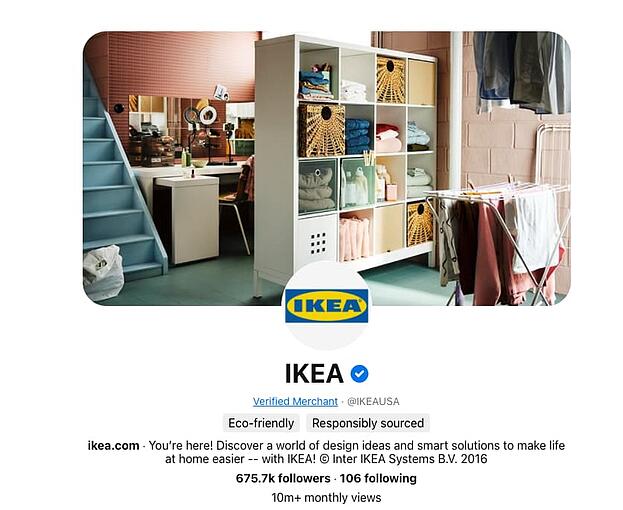
IKEA is a globally-recognized brand with countless product options and configurations. Shopping for new furniture and houseware can be an overwhelming experience, and IKEA is reducing customer overwhelm through creative Pinterest marketing.

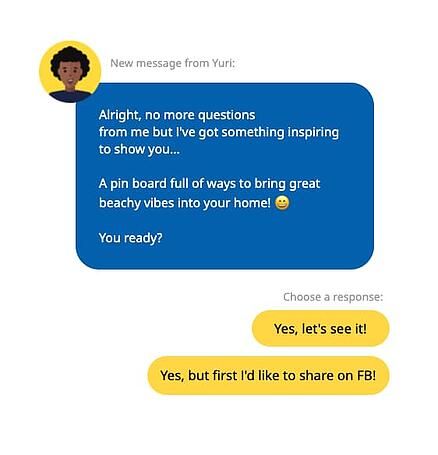
Potential customers can take IKEA’s Renocations quiz to unlock which IKEA items would best suit their home. At the end of the quiz, users are given a Pinterest board of IKEA products they make like, and can then pin the options to their personal boards for inspiration, or shop directly through Pinterest when they’re ready to buy.

IKEA's Pinterest Style Quiz

This approach works because many customers turn to Pinterest for decorating ideas and to save potential product finds in one place. The integration of product recommendations and pre-populated Pinterest boards is creative and solves a real need for customers who are looking to streamline the furniture buying process.

2. IT Cosmetics

What we like: Savvy keyword targeting.

Companies on Pinterest: IT Cosmetics

According to Pinterest, 91% of beauty searches on the platform are unbranded. That means when users are typing beauty-related keywords in search, they aren’t searching for specific brands. Upon learning this statistic, IT Cosmetics implemented a keyword-first Pinterest strategy to reach users who were searching for CC cream on the platform.

This strategy gave the brand the opportunity to be found by users who were interested in learning more about CC cream and other cosmetic products but didn’t yet have loyalty to any specific brand.

IT Cosmetics Pinterest Idea Pins targeting the keyword CC cream

Looking through the IT Cosmetics Pinterest account, several pins are optimized to be found in CC cream-related. The brand’s Pinterest content shows its products in action through tutorial-based videos so users can see how the products work in real-time. This approach has helped IT Cosmetics expand its organic reach on Pinterest, and acquire new customers.

3. Jonas Paul Eyewear

What we like: Clear ideal customer identification.

Companies on Pinterest: Jonas Paul Eyewear

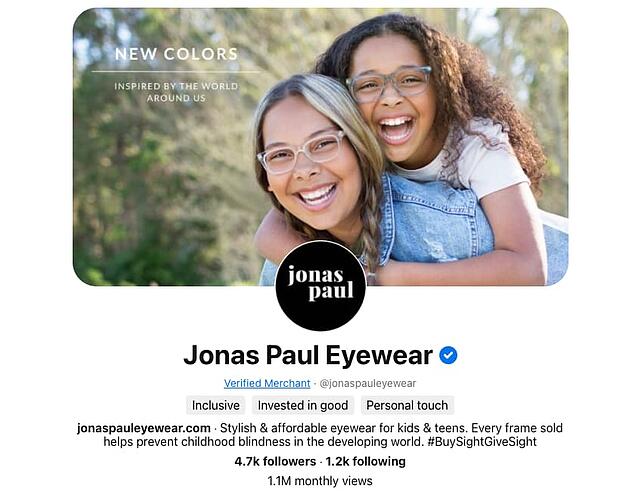
Eyewear brand Jonas Paul makes affordable, on-trend frames for kids and teens. Knowing the ideal potential customers for the brand are parents looking for eyewear for their children, Jonas Paul creates organic and paid Pinterest content specifically for parents.

Implementing this strategy has helped the brand increase web traffic from Pinterest, resulting in higher order value than web visitors from other channels.

4. Michaels

What we like: Seasonal posts and use of Idea Pins.

Companies on Pinterest: Michaels

Pinterest is a great place to find inspiration for your next creative project, so it makes sense that craft store Michaels would perform well on the platform.

The Michaels Pinterest account has a variety of beautiful search-driven posts that are aligned with what users are searching for each season. Content pinned to the Michaels Pinterest account often features videos of seasonal craft projects directly linking to items that can be purchased from Michaels.

The brand also runs keyword-focused holiday campaigns, targeting users who search for terms related to projects that can be executed with products from the store. In addition to driving online conversions, Michaels’ Pinterest efforts have also increased in-store traffic by 8%.

5. Primally Pure

What we like: Educational content to nurture new customers.

Companies on Pinterest: Primally Pure

Primally Pure is a natural beauty brand that makes non-toxic deodorant and body care products. The brand’s Pinterest account has been one of its key drivers of growth.

On Pinterest, the Primally Pure account is focused on holistic lifestyle education and captures users who want to learn more about skincare and the potential side-effects of conventional product options. With many pins leading back to the company blog where there are in-depth articles on various topics the brand’s ideal customer would be interested in, this inbound marketing approach is an effective way to build trust and educate an audience.

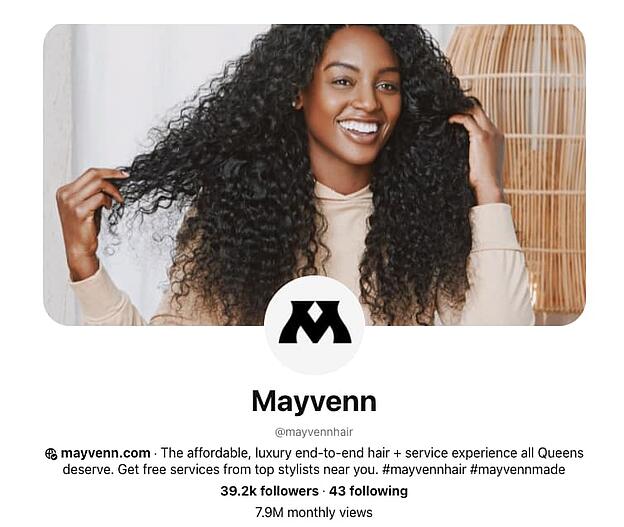
6. Mayvenn

What we like: Video demonstrations of Mayvenn’s various products.

Companies on Pinterest: Mayvenn

Mayvenn sells affordable hair extensions and related products to hairstylists and salon owners. With this ideal customer in mind, Mayvenn’s Pinterest content has a variety of tutorial-based posts to show stylists how they can use Mayvenn’s products on their clients. In addition to tutorials, Mayvenn shares pins related to hairstyle inspiration that are easily searchable.

The brand also features photos of their products fully styled so users can see exactly how the potential hairstyle they want to create will look.

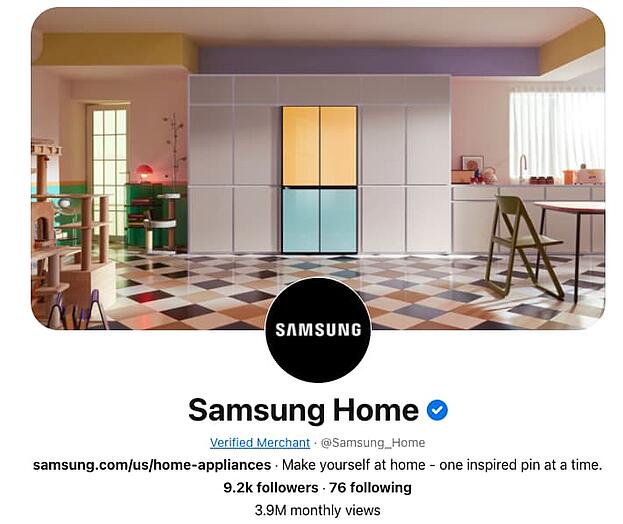
7. Samsung

What we like: Aspirational product content.

Companies on Pinterest: Samsung

Samsung is a global brand that makes a range of products, but on Pinterest, the brand’s home appliance account truly shines.

Appliances and home inspiration are popular search topics on Pinterest, and Samsung has created an impressive brand account creating beautiful imagery with its products front and center. The brand stays at the forefront of Pinterest’s latest features using video and Idea Pins to showcase how its products work to users who are looking for pins to help them create their dream homes.

The Samsung Home Pinterest account also has boards related to key home-related search topics such as “How to Clean” and “Kitchen Ideas.” The content on these boards consists of organic and user-generated pins that subtly feature Samsung’s products.

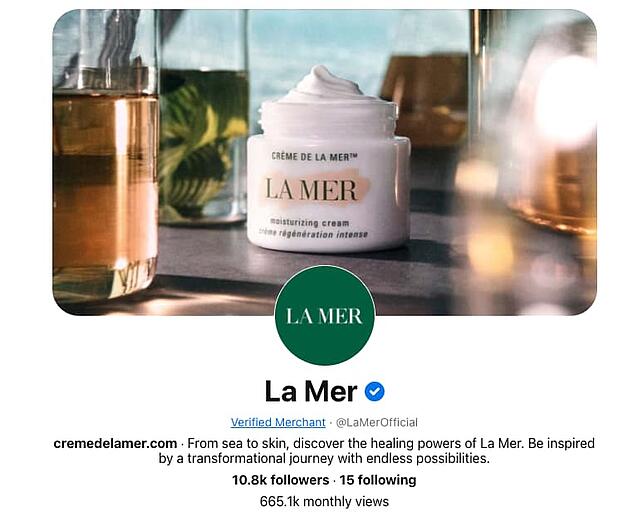
8. La Mer

What we like: Cohesive brand identity and Pinterest-exclusive products.

Companies on Pinterest: La Mer

Luxury skincare brand La Mer is known for having high-end products that are often deemed celebrity favorites. The brand leverages Pinterest as a key part of its marketing strategy.

Not only are the visuals on the La Mer account cohesive, but the brand has found creative ways to generate new business through Pinterest. La Mer launched a video ad campaign to showcase the benefits of its products. Users who engaged with the ads were sent product samples to increase engagement and customer reviews.

In addition to its ad strategy and sampling campaign, La Mer has created product sets that are exclusively available through Pinterest, enticing users who discover the brand through Pinterest to make a purchase that isn’t available anywhere else.

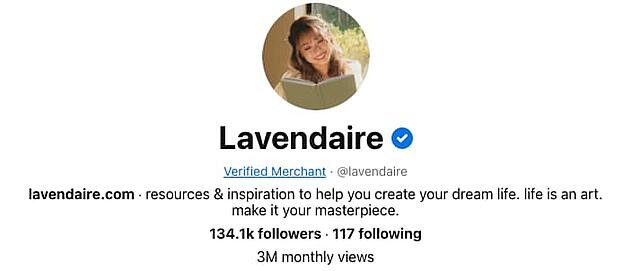
9. Lavendaire

What we like: Natural-looking videos showing the company’s products in use.

Companies on Pinterest: Lavendaire

Lavendaire is a personal development brand that sells journals and apparel. The Lavendaire Pinterest account organically garners three million monthly views to drive traffic to the brand’s products and other content channels.

A particular area where Lavendaire shines on Pinterest is through the creation of Idea Pins. The Idea Pins feature is a primary focus area for Pinterest, and the Lavendaire brand frequently shares new Idea Pins showcasing the company’s journaling products.

With journaling being a high-traffic search term on Pinterest, pins shared by Lavendaire are optimized to show up in journaling-related search results helping Pinterest users find and connect with the brand and community.

10. Golde

What we like: Colorful visuals, and recipe-based content.

Companies on Pinterest: Golde

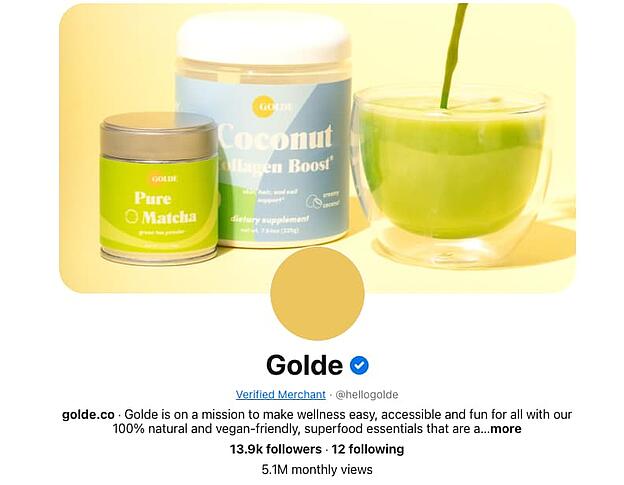
Wellness superfood brand Golde has an impressive Pinterest account that features its product line in a variety of ways. The account has video posts that are beautifully shot and feature Golde products used in recipes and tutorials.

In each of the brand’s educational and recipe videos, the pin is linked directly to the product featured helping the brand drive sales from users who are looking for recipe inspiration and new creative ways to use products such as matcha and cacao.

11. The Good Trade

What we like: Organic traffic generation.

Companies on Pinterest: The Good Trade

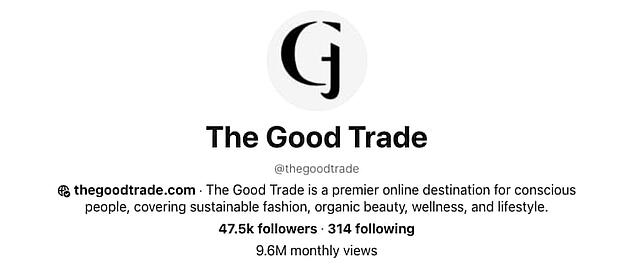
The Good Trade is an online publication that covers topics related to sustainability and slow living. The company’s Pinterest account has almost 10 million organic monthly views, which is an impressive feat.

Though The Good Trade doesn’t currently run Pinterest ads, the brand creates pins for all of its articles, generating traffic back to its website.

The Good Trade Pins

The brand relies on keywords and hashtags to create pins that can be found through search and has built an engaged audience on Pinterest to convert into readership.

If your company isn’t on Pinterest yet, now is the perfect time to get started. Whether you have an eCommerce business, brick-and-mortar store, or your content is your product – users on Pinterest are likely searching for what you have to offer.

Pinterest Templates

Categories B2B

Why Workplace Authenticity Matters More than Ever, According to Credly’s VP of Customer Success

Pre-pandemic, it was relatively easy to keep tight boundaries between our personal and professional lives.

But in a post-pandemic world, things have shifted. Now, people have their dogs or children in the background during Zoom calls. Others have yoga breaks and book clubs blocked into their work calendars.

Companies have also put a bigger focus on their employees’ mental and physical health: For instance, HubSpot began offering its employees access to mental health tool Modern Health, as well as an employee discount for the Headspace app.

All of which is to say: The workplace has changed, and whether people work from home or return to the office, they’re going to want — and expect — the freedom of bringing their full selves to work.

Here, I sat down with Krystal Lamoureux, VP of Customer Success at Credly, to learn her leadership tips for encouraging employees to bring their full selves to work. Let’s dive in.

Download Now: Free Company Culture Code Template 

What It Means to Bring Your Whole Self to Work, and Why It Matters

For starters, I asked Lamoureux what it means to bring her ‘full self’ to work.

She told me, “I think the pandemic has helped me realize that being a professional does not mean I have to check my personal life at the door. It forced me to shrink everything about me to fit inside the four walls of my home. Suddenly work, school, and play were all occurring in the same place and at the same time. Pre-pandemic, my kids went to school and I commuted to the office. Somewhere in the car post-drop off, I switched from mom to professional.”

Lamoureux adds, “When the pandemic hit, I no longer had the option to segment my day or attention the way I used to and, as a result, the way I work has changed (for the better). Not only has my wardrobe shifted to more casual options (leggings, yoga pants, and hoodies for the most part), but I’ve also adjusted when and how I work.”

Research has shown tremendous benefits to authenticity in the workplace, both for individuals and for organizations at-large. For instance, Simmons University Institute for Inclusive Leadership’s 2021 Leadership Development Survey found people who behaved authentically at work felt more confident, more deeply engaged, and happier.

Additionally, respondents said being authentic enabled them to build stronger coworker relationships, and roughly half even said authenticity made them “more able to do their best work” in the office.

Authenticity in the workplace can’t happen without psychological safety, but it’s a critical component for happy, healthy employees. Additionally, it’s simply a good business practice to foster authenticity in the workplace, since people who feel they can bring their full selves to work ultimately connect more deeply and fully with their team — leading to lower turnover rates and higher engagement.

As Lamoureux puts it: Our personalities, experiences, likes and dislikes, and goals and aspirations all join together to form the person who shows up for work every day anyway.

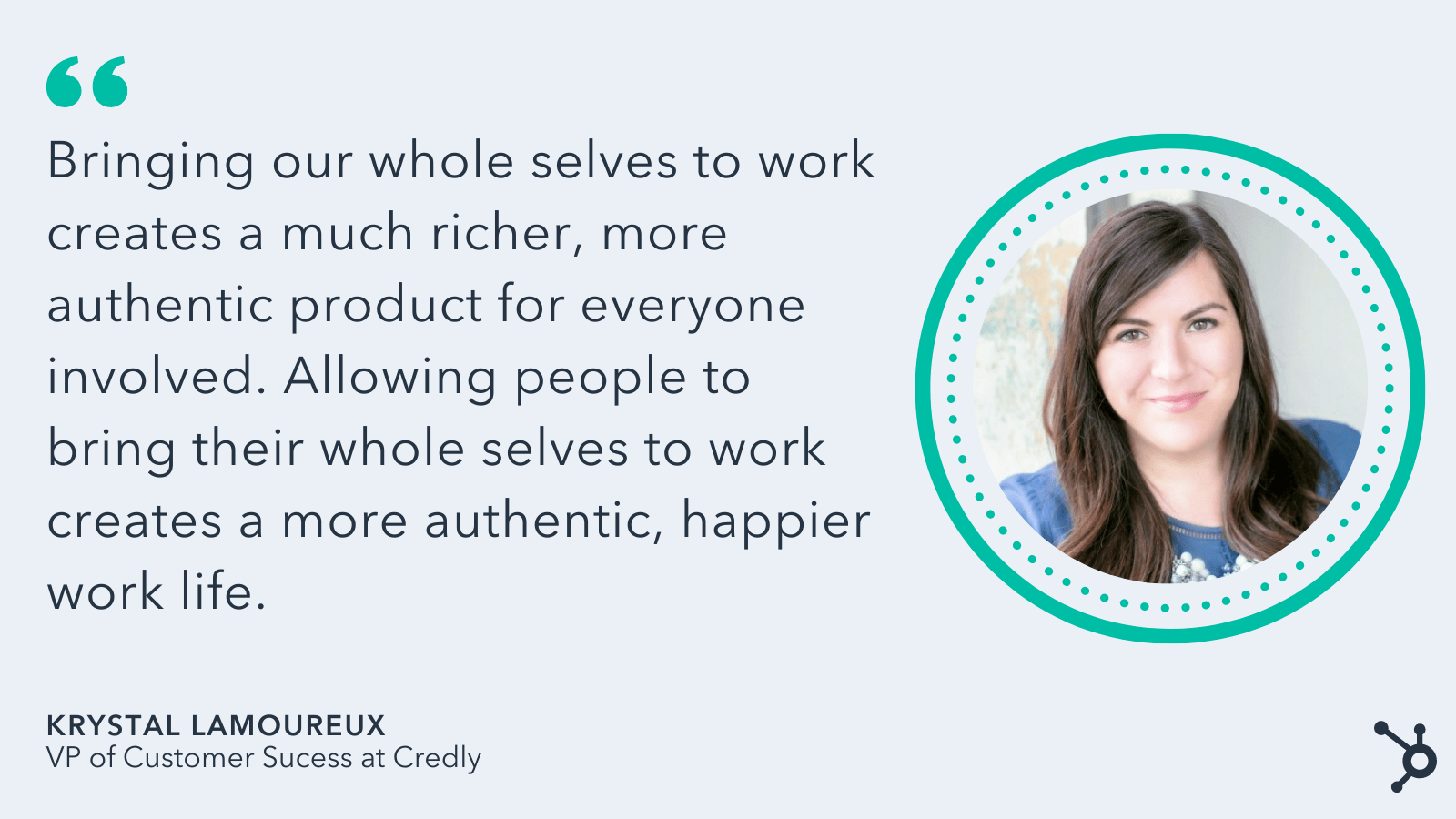
“Bringing our whole selves to work creates a much richer, more authentic product for everyone involved. Allowing people to bring their whole selves to work creates a more authentic, happier work life.”

quote from credly vp on authenticity workplace

So — what does authenticity look like in practice?

Lamoureux told me, “I don’t have a dedicated office space in my home, but I usually set up shop at the dining room table where I have a tidy background for video calls. When I’m chatting with my team, I’ll move to my couch to snuggle with my pup. Our CEO often encourages us to turn our cameras off and walk around during calls to avoid Zoom-fatigue. Knowing that I’m not always expected to be on-camera allows me flexibility to tend to laundry while I participate in a meeting.”

Aspects of Lamoureux’s life outside of work — her dining room, her puppy, and her laundry — will inevitably mingle with Lamoureux’s work, and she’s okay with that.

As she puts it, “Am I always at my desk? No. Am I still working and being productive? Yes. Do I have a better work-life balance? Absolutely.”

In terms of leadership, there’s a delicate balance between encouraging authenticity and expecting your employees to deliver results, but with empathy and trust, you can find a way to accomplish both.

Lamoureux told me, “I expect my team to be responsible, responsive, and complete what needs to be completed. I also expect them to take care of their family obligations and their health. We do a work-life blend at Credly — meaning there will be times we are online shopping for new shoes on Tuesday at 3 p.m. (and getting opinions from coworkers), and other times when we’re answering emails at 9 p.m. on a Thursday. The bottom line is that I want them to set healthy boundaries because it’s necessary for us all to do good work.”

How can you encourage authenticity in the workplace?

Creating fun ways for employees to interact with one another that isn’t work-related is an effective starting point for encouraging authenticity.

At Credly, Lamoureux’s team has coffee breaks and book clubs to connect with one another and learn more about each other as full human beings.

  • Coffee Breaks: We have a weekly coffee break with only one rule: no work allowed. Sometimes, we incorporate a theme into our coffee breaks encouraging people to dress up or bring something to share. It allows us to show bits of ourselves in a fun way. We’ve learned so much about one another from these casual conversations.
  • Book Club: we generally read 2-3 books per year as a team. Sometimes, they are work-related, but sometimes they aren’t. We’ve had such deep, rich discussions in those book club meetings!

Additionally, one of the most effective and simple ways to encourage authenticity is to lead by example. The more authentic you can be as a leader, the more you’re giving employees permission to do the same. 

How do businesses fail when it comes to creating an authentic culture?

Finally, I asked Lamoureux how she feels most businesses fail when it comes to authenticity.

quote from credly vp on authenticity at work

She told me, “I think most businesses want the best for their employees but are afraid to reset what a productive, professional environment looks like. Our world of work isn’t what it was two years ago, and as the world opens up again and employees return to offices, I think it could be tempting for business leaders to try to function the same way they did pre-pandemic.”

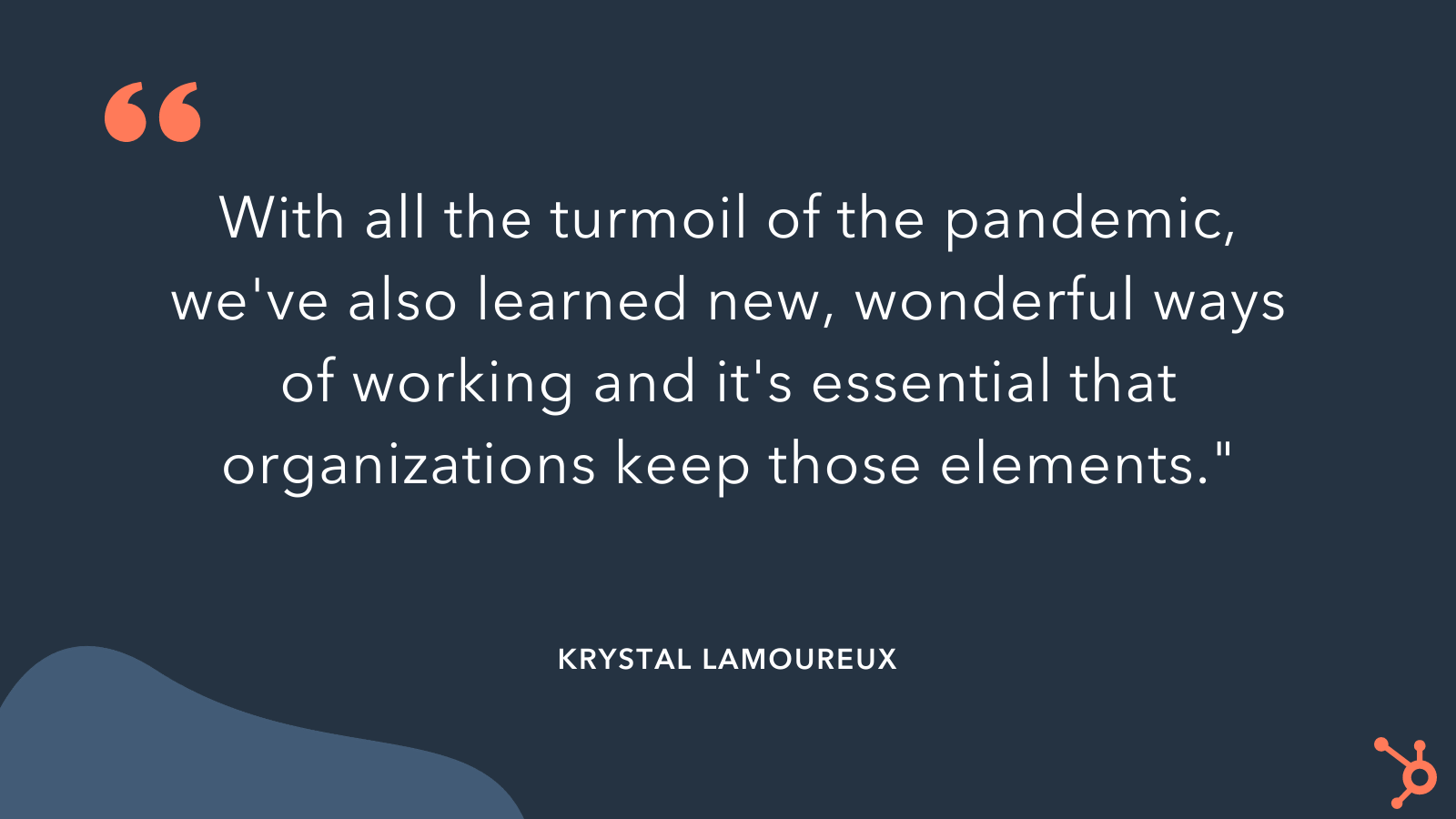
“It’s the baseline for ‘normal’ — how things used to be. But with all the turmoil of the pandemic, we’ve also learned new, wonderful ways of working and it’s essential that organizations keep those elements.”

Ultimately, it’s critical your team learns how to pivot and meet the needs of each employee today. Perhaps those needs have changed as a result of the pandemic; or, maybe the pandemic simply brought them to light. Either way, to increase the satisfaction, engagement, and happiness of your employees, it’s vital you encourage and foster authenticity.

company culture template

Categories B2B

Best Times to Post on YouTube in 2022 [Research]

HubSpot Blog Research revealed that YouTube sees the highest usage among social media platforms by video marketers, more than TikTok and Instagram. It’s also where marketers will invest the most in this year.

With so much emphasis placed on the platform, we wanted to know what times and days publishers saw the best results.

Download Now: Social Media Trends in 2022 [Free Report]

Keep reading to learn what we discovered.

Creating a video for YouTube isn’t an easy task. First comes ideation, then scripting followed by filming, and finally editing – and that’s just at a high level. Imagine doing all that work just to upload a video that doesn’t get much traction.

When you’re first starting out, you’re bound to struggle. However, if you’ve been at it for a while and are still not getting any traction from your videos, your upload time could be the culprit.

We surveyed 300+marketers in the United States for our Social Media Trends Report and asked them, “What’s the best time to post on YouTube?

To start, our report revealed that most marketers surveyed say they post on YouTube four to six times a week – as much as they post on Instagram, TikTok, Reddit, and many other social platforms.

The only platforms where respondents posted every day were Facebook and Twitter.

While other social media platforms offer countless formats to engage audiences, from ephemeral content and in-feed posts to polls and live streaming, some argue YouTube is slow to expand its formats.

Given that, it’s a bit surprising that marketers are posting as often on the platform, especially since it’s long-form content that tends to require more time and effort.

Now onto the good stuff: The best times to post on the platform.

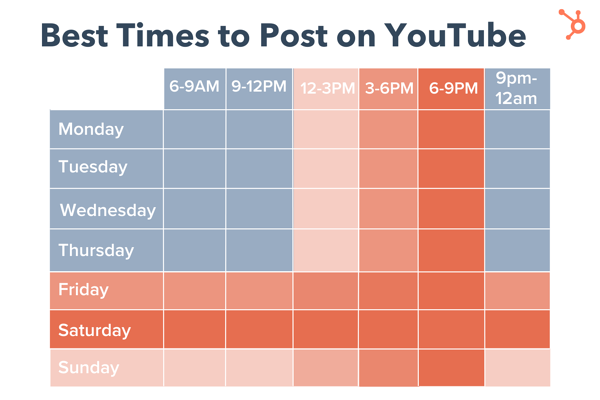
Here’s the breakdown:

  • 31% of respondents said 6 p.m. to 9 p.m.
  • 23% of respondents said 3 p.m. to 6 p.m.
  • 19% of respondents said 12 p.m. to 3 p.m.

graph showing the best times to post on YouTubeNote: Respondents were instructed to answer in their current time zone and for context, roughly 40% of respondents were located in the Eastern time zone.

As for the best days, data shows that it’s the weekend with Saturdays being the most popular answer, followed by Fridays and then Sundays.

One way to explain this is that the weekend gives consumers more time to explore the platform and dive into their favorite content.

Other video platforms like TikTok and Instagram focus on short-form content, making it easy for consumers to get what they need during breaks throughout the day. YouTube, however, requires a bigger time commitment.

When is the worst time to post on YouTube?

Wondering when you shouldn’t post on the platform? According to our social media trends report, Mondays aren’t so popular among marketers.

Only 5% of marketers surveyed said Mondays were the best time to post on the video platform. The second least-popular day was Tuesday, followed by Wednesday.

As for the times, here’s the breakdown:

  • 6 a.m. to 9 a.m.
  • 9 p.m. to 12 a.m. (midnight)
  • 9 a.m. to 12 p.m.

Fewer than 20% of respondents said an early morning posting (between 6 a.m. and noon) offered the best results.

Does it matter what time you post on YouTube?

The answer to this is both yes and no. Yes, it does matter what time you post on YouTube in the short term because it will impact how many views your video gets within the first few hours.

Optimizing your views during this time period can help you generate more traffic to your content and help the growth of your channel.

However, it doesn’t play a huge role in the long term. Say your video was posted at 3 a.m., that has little impact on how many views it can garner over the next couple of months or years.

Unlike a platform like Instagram where fresh content is key to success, novelty is not the biggest ranking factor on YouTube – relevance is.

This means that even if your video may not perform well initially, if it’s the most relevant video to a user’s query, it can quickly gain traction.

How to Find Your Channel’s Best Time to Post

Your Analytics dashboard is the best place to go to find the most accurate and reliable data on your channel – including the best time to post.

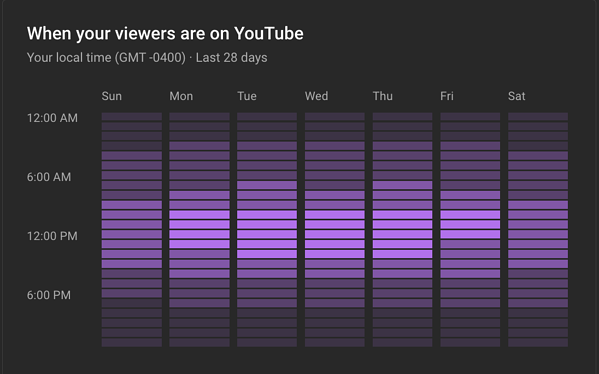
If your channel generates enough traffic, you’ll gain access to an advanced report which shows you when your viewers are most active on the platform. 

youtube analytics dashboard "when your viewers are on youtube" report

To access this page, follow these steps.

  1. Open YouTube Studio.
  2. Click on “Analytics.”
  3. Open the “Audience” tab and view your report. 

Knowing the best times and days to post on YouTube isn’t meant to be a strict ruling on when you should post. Instead, it should be used as a guide to optimizing your channel for short- and long-term success.

New call-to-action

Categories B2B

16 Leadership Resources for Any Stage of Your Career [+ 9 Extra Tools]

When you think of leadership resources, terms like ROI, budget, and management might come to mind. But the data is in.

There’s a new way to think about leadership. It’s time to focus on the relationships that are essential to business success.

→ Click here to download leadership lessons from HubSpot founder, Dharmesh  Shah [Free Guide].

According to a 2021 Gallup report, only 20% of employees feel engaged at work. Low employee engagement is a quality of life issue, and it’s also expensive. Low engagement costs companies $8.1 trillion per year.

Whether you’re starting your first job or managing a tough team, these resources for leadership development can help. These are the tools that can help you thrive both personally and professionally.

While there are many qualities that make someone a great leader, this list focuses on three areas that anyone can use:

Leadership Resources for Empathy

Leadership Resources for Communication

Leadership Resources for Support and Development

Let’s get started.

16 leadership resources graphic

Leadership Resources for Empathy

Empathy makes it onto every top ten list for leadership qualities. Empathy can improve:

  • Innovation
  • Engagement
  • Retention
  • Inclusivity

But a 2021 EY study says that 54% of employees left their jobs because of a lack of empathy from their boss.

These resources can help you be a more empathetic and authentic leader. And they can help you whether you’re working to support your teammates or leading your own team.

1. The Radical Candor Framework

Book, Podcast, and Workshops

Price: $18 for the book, cost varies for other services

Leadership resources: Radical Candor Framework

Commitment: Varies depending on the services you choose

What it offers:

After an important presentation, Kim Scott’s boss, Sheryl Sandberg– yes, the one who wrote Lean In– had some feedback. Harsh feedback. The kind of feedback that stings. But because Scott knew that Sandberg was coming from a compassionate place when giving her feedback, Scott accepted it, moved on, and became better.

Scott took this pivotal interaction and used it to develop a framework for giving better feedback at work. It’s a framework for feedback that embraces both brutal honesty and profound empathy.

Why we like this leadership resource:

The Radical Candor Framework offers worthy advice on how to add empathy to your interactions at work. It’s a useful tool for leaders at any point in their careers.

2. No Straight Path

Podcast

Price: Free

Leadership resources: No Straight Path

Commitment: 30-50 minutes per week

What it offers:

This new HubSpot podcast hosted by Ashley Menzies Babatunde examines the human stories behind the glossy façade of business leadership.

Instead of drawing a clear line from start to success, Menzies unpacks the ups and downs of life. This podcast talks about how setbacks and unexpected gifts can form a path toward leadership and achievement.

Why we like this free leadership resource:

Tactical business podcasts can often skip the challenges or put a positive spin on hard moments. This show offers a fresh alternative. It emphasizes the quality of empathy not just for others, but also for yourself.

3. LinkedIn Learning

Online courses

Price: $19.99 a month for an annual subscription

Leadership resources: LinkedIn Learning

Commitment: Course times vary from 20 minutes to 5+ hours

What it offers:

If there’s a professional skill you want to advance, chances are, LinkedIn Learning has a course for it. It offers classes in everything from Excel, to audio production, to coding.

Why we like these resources for leadership development:

Their programming doesn’t just teach traditional ideas about leadership. Top-rated courses in 2021 included:

4. TED Radio Hour

Podcast

Price: Free

Leadership resources: TED Radio Hour

Commitment: About an hour, once a week

What it offers:

Around here, we love a good TED talk. But trying to pick just one out of volumes of valuable presentations is as tricky as trying to pick one thing to watch on Netflix. That’s what makes the TED Radio Hour podcast so valuable.

Why we like this free leadership resource:

It takes some of the most intriguing TED talk topics — like making amends, balancing work, play, and rest, or even gratitude— and builds episodes based on them.

5. Blinkist

Mobile App

Price: $8.34 a month for an annual subscription

Leadership resources: Blinkist

Commitment: 15 minutes a day

What it offers:

Blinkist offers bite-sized overviews of the latest non-fiction books that you can read or listen to on your phone. This helps you keep up with the latest research on the topics that are important to the people on your team.

Why we like this leadership resource:

This is a great learning tool for time-strapped professionals. Empathy begins with understanding, and this app makes it easy to recognize challenges and passions that may not be top of mind in your world.

6. Side Hustle Pro

Podcast

Price: Free

Leadership resources: Side Hustle Pro

Commitment: Each episode is under an hour.

What it offers:

Side Hustle Pro highlights black female entrepreneurs who made their side job a profitable business. Host Nicaila Matthews Okome talks about finance, online business, and marketing. She also covers business trends in fashion, health, and wellness.

Why we like these free leadership resources:

This podcast has more than extensive interviews with business experts, there’s a Bootcamp series too. This is great for new listeners who aren’t sure where to start. The Bootcamp boosts newbies with an ebook, uplifting emails, and an engaged Facebook community. Many of her podcast guests share the challenges that led them to create their products and services.

More resources:

If you’re working on empathy skills on your own, you may enjoy these resources for active listening. Another great choice comes from CompassPoint. They offer online and in-person training for nonprofits and BIPOC leaders.

Leadership Resources for Communication

Communication is another leadership skill that anyone can develop.

But being a great communicator is much more than being funny or well-spoken. Most people think they’re good communicators, but the data disagrees. A 2022 Grammarly and Harris Poll says that businesses lose up to $1.2 trillion a year from ineffective communication.

And only 19% of U.S. employees think that leadership communicates effectively in their organization.

Get ready to improve your communication skills.

7. Toastmasters

Online learning and club membership

Price: Club membership costs $7.50 per month, and includes Pathways learning in the membership fee.

Leadership resources: Toastmasters

Commitment: Varies, may include attending meetings for one to two hours every one to two weeks.

What it offers:

Public speaking isn’t exactly a requirement for being a strong leader, but as you progress in your career, it might become part of your job (think: presenting at large team meetings or to a board), and it’s a skill that can help set you apart from the pack.

You can join a Toastmasters club and take part in their online learning program. Their resources can step up your skills with advice on topics like:

  • Presentation skills
  • Goal setting
  • Dealing with nervousness and building confidence

Why we like these resources for leadership development:

Toastmasters has been a leader in public speaking since the organization started in the early 1920s. With over 300,000 members and 15,000+ clubs, they offer a large community. They also have a broad range of tools to develop your communication and leadership skills.

8. Rapport Leadership Training

Online and in-person workshops

Price: Courses run from $199-2,595 per course

Leadership resources: Rapport Leadership Training

Commitment: Varies depending on the training you choose

What it offers:

Their focus is intensive 2.5-day courses. Rapport also offers self-guided online learning to work on leadership skills.

Options include:

  • Cultivating Culture
  • Emotional Intelligence
  • Feedback and Coaching

Why we like this leadership resource:

Rapport has 30+ years of experience in principles-focused training. Their intensive courses focus on applying new skills to real-life situations. Rapport online classes also include a range of different media to support unique learning styles.

9. Bunch

Mobile app

Price: Free

Leadership resources: Bunch

Commitment: Two minutes a day.

What it offers:

This coaching app is a simple way to add leadership learning to your busy schedule. It offers quick daily leadership tips. They also have leadership style quizzes and targeted suggestions for deeper learning.

Why we like this leadership resource:

This app personalizes the experience of learning. Instead of giving general tips, they work to align their content with your main interests. Bunch also offers a podcast, a blog, and an active Slack community for extra support when you want it.

10. Simon Sinek’s InspireU

Online courses

Price: Course fees range from $40-250, and there is also a free podcast.

Leadership resources: Simon Sinek’s InspireU

Commitment: Course times run from under 25 minutes to 90+ minutes.

What it offers:

Live and on-demand online courses that cover Sinek’s teachings from his books. They also have resources for self-care and leadership from a range of experts. His popular “Start with Why” course includes both solo and partner exercises.

Why we like these leadership resources:

Sinek’s philosophies have influenced leadership thinking since his Ted Talk in 2009. This course focuses on the value of inspiration in leadership. If you are struggling with motivating yourself or your team, this could be a great resource to recharge.

11. MindTools

Club with access to exclusive resources

Price: Limited free access, and $27 per month for membership.

Leadership resources: MindTools

Commitment: Varies depending on the training you choose

What it offers:

Mindtools offers hundreds of resources for communication including:

  • Short trainings
  • Expert interviews
  • Book synopsis

Why we like these resources for leadership development:

Mindtools includes both personal and organizational learning modules. This can help you no matter what your leadership challenges are. Their free tools for communication alone contain a wealth of tools for growth.

Whether you want to dig into value propositions and body language or get the basics of giving feedback, Mindtools is a great resource for leadership development.

More resources:

The GLSNext mobile app offers insights from business leaders in videos, blogs, and podcasts.

Leadership Resources for Support and Development

Leaders are only as great as their team. It takes time and experience to support today’s workplace.

Do you want to build skills and business acumen? Are you curious about leadership philosophy? Do you want to grow your own business? Are you hoping to influence people where you work?

These leadership tools can help you understand and prepare for the challenges that might lay ahead. They can help you whether you’re leading from the top down or the bottom up.

12. Brené Brown’s Dare to Lead Hub

Book, Videos, Podcast, Workbook, and Training

Price: The book costs $20. Training costs vary by the facilitator.

Leadership resources: Brené Brown's Dare to Lead Hub

Commitment: Varies depending on the resource you choose

What it offers:

Brown writes powerful books that can help you better understand how to lead. Her site also has hubs that enable a more intensive exploration of the themes in her books.

This includes the “Dare to Lead” hub, which offers a video, workbook, assessment, and other tools for aspiring leaders.

Why we like these resources for leadership development:

Sometimes, it feels like we have to know everything to be a leader. We have to learn how to manage projects, delegate tasks, and analyze outcomes. But then, there are the leadership lessons that don’t always get the biggest headlines, like learning to be accountable and embrace vulnerability.

Taking risks requires some degree of becoming vulnerable, and strong leaders know when to take calculated risks. But that doesn’t just apply to work leadership — Brown’s resources also explore how vulnerability and courage can help in other areas of life.

13. HubSpot Academy

Online courses

Price: Free

Leadership resources: HubSpot Academy

Commitment: Varies depending on the resource you choose

What it offers:

HubSpot Academy is best known for its excellent certification programs in Inbound Marketing, Sales, Social Media Marketing, and Content Marketing. But it doesn’t stop there. This leadership resource also offers 100+ lessons, courses, and learning paths to support leaders in every facet of business operations.

Why we like these free leadership resources:

The HubSpot team is constantly creating new content and updating courses to meet the needs of a rapidly changing work world.

14. Dale Carnegie Training

Online and in-person courses for groups and individuals

Price: Course prices range from $150-2500 per course.

Leadership resources: Dale Carnegie Training

Commitment: Varies by training. Most on-demand courses offer a full year of online access.

What it offers:

Carnegie has unique courses for both organizations and individuals. Online courses are available live online, on-demand, and with an online subscription.

Before 2020, 98% of Carnegie courses were available in person only. They scaled fast to create leadership resources that are available in 32 languages and in 86 countries.

Why we like this leadership resource:

We all need feedback from a real human being, and on occasion, it can be the most enlightening to get it from someone outside your company or industry.

Carnegie started teaching about leadership in 1912. The principles of his best-selling book focus on ideas about wellbeing that are only now taking hold in workplaces.

Whether you’re looking for broad instruction on leadership or more targeted learning for your specific challenges, Dale Carnegie courses can help.

They offer over 80 course options. Their website also has white papers, case studies, and webinars if you’re not sure where to start.

15. How I Built This

Podcast

Price: Free

Leadership resources: How I Built This

Commitment: About an hour a week.

What it offers:

This podcast has over 400 episodes of business leadership know-how. Each episode features the founders of a business and how they got their start.

Why we like this free leadership resource:

Listening to founder stories is an easy way to take in topics like accountability and resilience. It’s also a chance to understand how founders manage complexity in their startups. These anecdotes can help you figure out which skills and tools can help you prepare to meet your goals.

16. HubSpot Podcast Network

Podcast

Price: Free

Leadership resources: HubSpot Podcast Network

Commitment: Varies by podcast, usually about an hour

What it offers:

If you’re not ready to pick a favorite, the HubSpot Podcast Network offers 26 podcasts and counting. Each has a unique take on business development, growth, and priorities.

From stories of epic failure to the recovery that followed it, HubSpot hosts interview guests who share their most intriguing organizational, cultural, conceptual, and team insights.

Why we like this leadership resource:

If your schedule is tight, there is nothing like getting the basics done while listening to a strategic podcast. These podcasts cover targeted topics like change management, negotiation, and tech news. This resource can shed light on the big and small challenges you face as a leader every day.

So, spend some time with professionals from HubSpot and The Hustle. They offer insights you can use on your path to leadership enlightenment.

More resources:

Books are also great resources for leadership development. These two long-time bestsellers continue to be relevant and popular if you want to know how to lead effectively.

  • How to Win Friends and Influence People by Dale Carnegie
  • The 7 Habits of Highly Effective People by Stephen R. Covey

If you want more resources for support and development, these are some other great tools to look into:

Put These Leadership Resources Into Action

It’s not unusual to seek out a list like this after a difficult conversation or challenge at work. And it’s just as common to add a bookmark to your browser and forget about it until the next issue pops up.

So, get started now, even if you can only spare a few minutes. One great resource could be all that you need to change the way you lead.

Editor’s note: This post was originally published in May 2017 and has been updated for comprehensiveness.

New Call-to-action

Categories B2B

How to Write a Great Email Signature [+ Professional Examples]

Around the globe, more than 300 emails are sent and received each day, on average. That’s 300 opportunities to market yourself and your business in those individual emails you send.

A lot of people treat their email signatures like an afterthought, which is a big missed opportunity. Those signatures are a chance for you to make it clear who you are, make it easy for people to reach you, and give people a place to go to find out more — either about you, about your business, or about something you’re working on.

Create a new, on-brand email signature in just a few clicks. Get started here.  (It's free.)

So, if you’re just putting your name and a point or two of contact information in your signature, you’re not taking full advantage of the opportunity to connect and engage with the people you’re emailing. So what exactly should go in your signature?

1. First and Last Name

Just like with snail mail correspondence, your name should always be included so that the recipient of your message knows who it was from. This manifests in the email signature, often as the first line of text.

2. Affiliation Info (Such as Job Title and Department)

Closely following your name should be your affiliation information. Your affiliations could include your job title, your company or organization, and/or even your department. Your name should eventually be its own draw, of course, as you build a relationship with the recipient, but providing this information provides more context about the conversation and your role in it.

In addition, affiliating yourself with a larger organization lends you more credibility, especially if it’s a recognizable organization. This helps you get the attention of your readers so they take your message seriously.

3. Secondary Contact Information

Secondary contact information is important, too, so that the recipient knows how else to contact you. Secondary information might include phone, fax, or any other method of communication you want to emphasize. In situations where you don’t want to cough up your direct line, you could take this opportunity to promote your personal website — a passive way to open the lines of communication without flooding yourself with outreach if you don’t want it.

4. Social Profile Icons

Your social media presence is a major part of your personal brand because it helps you gain a following in your space and shows people what you care about. You can tell a lot about a person by what they post and how they portray themselves.

That’s why it’s a great idea to include links to your social media pages in your email signature. It not only reinforces your personal brand, but it also helps people find new ways to contact and follow you.

Even better? It can help drive traffic to your online content if you’re posting links to that content on social media. So if you do include social icons in your signature, make sure you’re keeping your social profiles up-to-date and chock full of interesting, relevant content. (In other words, if you haven’t tweeted in six months, you may want to leave Twitter out.)

Why use social media icons instead of simply text links? Because icons are more easily recognizable for folks skimming your signature — and they’ll stand out from the rest of the text in there. According to research from NeoMam Studios, visuals shown in color increase a person’s willingness to read the rest of the content by 80%. That’s a huge advantage. Plus, icons are big space-savers in a place where you might be packing a lot of information.

Even if you have a presence on a lot of social media sites, though, try to cap the number of icons to five or six. Focus on the accounts that matter most to growing your business or building your personal brand.

If you do include a lot of social media icons, at least try to cut back on the other content if possible so your design isn’t too busy. Check out the example below, made using HubSpot’s Email Signature Generator.

What to include in an email signature: social profile icons

5. Call to Action

One of the smartest things you can do in your email signature is include a call-to-action. The best email signature CTAs are simple, up-to-date, non-pushy, and in line with your email style, making them appear more like post-script, and less like a sales pitch. Choose a CTA that aligns with one of your current business goals, and update it when those goals change. Here’s an example of a HubSpotter’s email signature that includes a CTA for the HubSpot Podcast Network:HubSpot Podcast Network CTA in a Professional Email Signature

6. Booking Links

If you find yourself emailing back and forth with colleagues and clients who want to book meetings with you, make it easy for them by including a link to book your calendar right in your email signature. Here’s an example from our own Bryan Lowry, below.

There are many tools out there that’ll help people book appointments. Bryan from the example above uses HubSpot’s shareable personalized booking link. If you’re a HubSpot Sales customer, you can share your personalized meeting link with anyone who you want to book a meeting with and let them choose from your available times. If you want, you can make it so the HubSpot CRM automatically creates a new contact record for anyone who books a meeting if one doesn’t already exist.

If you aren’t a HubSpot customer, one great meeting tool is Calendly, which is free for Basic and lets you integrate your Google or Office 365 calendar. If you’re looking for a Calendly alternative, YouCanBook.me is another booking tool that goes for $7 per calendar per month.

7. Industry Disclaimer or Legal Requirements

Some industries such as legal, financial, and insurance have specific guidelines on email usage and etiquette to protect private information from being transmitted. For this reason, you may want to look into what regulations your industry has in place and include a disclaimer in your signature about email transmissions. Mail-Signatures offers a number of email disclaimer examples, including this one:

“The content of this email is confidential and intended for the recipient specified in the message only. It is strictly forbidden to share any part of this message with any third party, without a written consent of the sender. If you received this message by mistake, please reply to this message and follow with its deletion, so that we can ensure such a mistake does not occur in the future.”

8. Photo or Logo

An image is a great choice to spice up your email signature. If you want a personal touch so that recipients you’ve never met can associate your name with your face, consider using a professional photo in your signature. Alternatively, you can use the company’s logo to add more brand awareness to the email.

9. Pronouns

While not as common in email signatures and certainly not required, adding your preferred pronouns to your signature is helpful, especially when emailing individuals you’ve never met. It also takes ambiguity away if you have a name perceived as gender-neutral.

Now that you know the elements you should include, what does a great email signature look like? Here are some tips for creating signatures that are helpful and professional, including a few great examples.

1. Emphasize your name, affiliation, and secondary contact information.

As you might guess, your name comes first. Closely following your name, however, should be your affiliation and where else people can reach you.

Your affiliation could mean your job title, your company, your school, or a similar organization that you deem important to your recipients. Your name should eventually be its own draw, of course, but using a more popular brand name — and even its logo — ensures you get the attention of your readers and they take your message seriously.

Secondary contact information is important, too. You might not want to endorse your personal phone number, but you could take this opportunity to promote your personal website — a passive way to open the lines of communication without flooding yourself with outreach you don’t want.

Here’s a sample email signature that hits on all three things described above nicely. Kevin’s first and last name are accompanied by his affiliation with the University of Connecticut. He also promotes his personal website so his recipients have another outlet to see his work and contact him for more information.

Want to create a signature like the one below? Use HubSpot’s Email Signature Generator.

email signature for Kevin McLievie of University of Connecticut generated with HubSpot's Email Signature Generator

2. Keep the colors simple and consistent.

Branding is most effective when it’s consistent — and that includes your email signature. Adding color to your email signature is a nice touch that’ll help it stand out from the rest of your email. But if you do choose to use color, be sure to stick to one or two in addition to dark text.

Use subtle highlights to match your logo or branding, like Brittany Hodak does in her email signature, below. Notice how her social media icons are the same blue hue as the ZinePak logo.

Professional email signature example by Brittany Hodak with multiple colors

3. Use design hierarchy.

Good design is all about presenting your information in an easily digestible manner. Because your email signature is likely more a list of information than it is a compelling story, you’ll want to use hierarchy to direct readers’ eyes to what they should be reading first.

Scale your name up to a larger font so that it attracts the most attention, like you would on a resume. Then, pick and choose information to bold and color based on importance so you can help guide people’s eyes logically through the design.

4. Make links trackable.

So you put a few links in your email signature, including your CTA and your social media icons. But is anyone actually clicking on them?

To figure out whether the links in your signature are actually attracting clicks and making an impact, you’ll want to make those links trackable — just like you would any other link in your emails.

Follow these instructions to easily make a tracking link that helps you attribute traffic to your website to your email signature. From time to time, you might switch up the format of your signature or the wording inside your signature to see what drives the most clicks.

5. Use space dividers.

Although you never want to jam-pack your email signature for too much information, there are ways to fit a lot of text into a compact area like this one without compromising design.

This is helpful for breaking up different types of information, like your name and contact information, your logo, any calls-to-action you have, or even a disclaimer.

Using space dividers within your design, as in the example below, is one great way to do this. You can also use glyph dividers, which is the vertical bar symbol (i.e., |.)

email signature for Evelyn Castiger with a space divider between photo on the left and text on the right

Image Source

6. Include an international prefix in your contact number.

If you work with people around the world, don’t forget the prefix for your country’s code when you list your contact phone number. Many people overlook this if they aren’t used to dialing international prefixes themselves, but it’s really helpful for your international colleagues and clients to have it right there. Here’s a list of country codes if you don’t know yours.

Here’s an example from Kit Smith, formerly of Brandwatch, a company that has offices in both the United States and Europe and works with international clients. Including the U.S. country code makes it easier for folks in other countries to reach him by phone.

email signature for kit smith with international country code

7. Make your design mobile-friendly.

According to Truelist, over a third of professionals open emails on their phone making it a prime method of communication for business and professional matters.

The more people who read email on mobile devices, the more you’ll want to keep mobile users top-of-mind when you’re writing emails — including your email signature.

One major way to make your email signature mobile-friendly is to make your signature’s design easy to read and clickable for mobile users. This is where scale becomes really important. Make sure your text is large enough to read on small mobile screens, and that your links and buttons are large enough — and spaced out enough — for folks to tap on with their fingers.

Check out the example below, and note how much space there is between different clickable elements like the social media icons. These are great for tapping with your finger on a mobile screen so that users don’t accidentally tap on the Facebook icon when they meant to go to Twitter.

email signature for tyler adams with padded space between social icons

Image Source

8. Use an email signature generator.

If you’ve tried all of these steps and you’re still not happy with how your email signature turned out, don’t fret. These digital sign-offs can be tricky to get perfect. Try a free email signature generator to do the heavy lifting for you instead.

Rather than choosing the colors, fonts, and layout yourself, this generator gives you several combinations to choose from. Simply add your information, photos, and links. Then choose your colors. Once you’re satisfied with your email signature, you can add it to your email account right away.

9. Check your new email signature for quality.

Finally, as with any part of an email, make sure your signature looks as good as you think it does by testing it with various email clients. Microsoft Outlook doesn’t recognize background images, for example, so avoid using those. Other email clients don’t load images by default at all.

Best Professional Email Signature

The best professional email signature will be true to who you are both in and outside the workplace. Once you include the basic contact information, the rest of your email signature is a blank canvas for you to share a bit of personality with each professional email you send.

Armed with these email signature best practices, you can create your own signature that aligns with your brand and gives your emails a little extra umph.

Editor’s note: This post was originally published in June 2019 and has been updated for comprehensiveness.

New Call-to-action

Categories B2B

How to Write Professional Yet Kind Rejection Letters [4 Templates]

It’s never easy notifying someone that they didn’t get the job.

This often leads to generic emails, or worse, complete silence – that’s where a rejection letter template can come in handy.

While it’s never fun to do it, there are kind yet professional ways to reject an applicant that preserve your employer brand.

→ Click here to download our free guide to hiring and training a team of  all-stars [Free Ebook].

How to Write a Rejection Letter

You might not think twice about a rejection letter once you send it. But the truth is, your rejection letter is a reflection of your company. If it’s poorly written, that leaves a negative impression of your company that could easily spread to other candidates.

This is why writing a thoughtful rejection letter is key. It allows you to maintain a good relationship with the applicant, even if they were not a good fit for a particular role. Who knows, you may want to circle back to them if another position opens up.

When that comes up, you want a candidate to be excited about the prospect of working with you – and how you communicate plays a pivotal role in this.

It’s critical you remain positive with your language and focus on language from the job description itself.

In addition, keep in mind that a rejection letter is a fantastic opportunity for the candidate to receive positive feedback and learn how to do better in the future. Consider how you can include specific and valuable feedback.

A rejection letter can be broken down into three sections:

Paragraph One

Your first paragraph should be completely personalized and include the applicant’s name and the position for which they applied. Next, thank the candidate for their interest in your company and for taking the time to interview.

Finally, it’s critical you tell the candidate within the first paragraph you’ve decided to move forward with another candidate.

You can let them down kindly by including a compliment in the rejection, such as “While your qualifications are quite impressive …”

Paragraph Two (Optional)

The second paragraph is where the personalization really comes in. What you write will depend on your experience with the candidate and how far into the process they got.

For instance, if you’re rejecting a candidate after the first round, you can keep this section brief and jump to paragraph three. However, for a candidate who reached the final round, you’ll likely want to give more context to the reason for the rejection.

The candidate took time to prepare for your interview process, so if you were impressed by them during the interview, it could make a huge difference to let them know.

Simply include one strength of theirs you remembered from the interview process, like “Our team was particularly impressed with your writing skills.”

To truly add value, you’ll also want to include constructive feedback to help your candidate identify areas of improvement. Take detailed notes during the interview (or ask the hiring manager to do so) and when you reject your applicant, provide one or two areas of improvement.

Focus on one aspect of the job description you feel the candidate didn’t quite match.

Say the role required expertise in data analytics, but the applicant wasn’t strong in this area. You might say, “At this time, we’re looking for candidates with a deeper understanding of data analytics…”

If you were impressed by the candidate and genuinely feel they’d be a good fit for your company down the road, leave the door open by telling them you’ll put them into your contact database and reconsider them in the future.

Additionally, if it was a difficult decision, tell your candidate – it can help soften the blow.

Paragraph Three

Conclude by wishing the candidate luck in their job search, and thanking the applicant again for considering your company.

Standard Rejection Letter

Dear [Name],

Thank you for interviewing for [position] on [date of interview] and taking the time to learn about our company. After careful consideration, we have selected another candidate for the position.

We do hope you’ll keep us in mind when we advertise roles in the future and encourage you to apply again.

We wish you the best of luck in your job search and thank you for your interest in our company.

Sincerely,

[Name]

Feedback Rejection Letter

Dear [Name],

Thank you for interviewing for [position] on [date of interview]. It was a very tough decision but we have selected another candidate for the position.

Our team was particularly impressed with your [skills], but we felt you lacked experience in [skill/experience]. We’d recommend [taking a course/obtaining a certificate/gaining project experience] to improve.

We would like to stay in touch with you for future opportunities that might be a good fit. Please let us know if you’re interested in remaining in our talent pool.

Thanks again for taking the time to apply and come in to meet the team. We wish you the best of luck in your job search and thank you for your interest in our company.

Sincerely,

[Name]

Redirection Rejection Letter

Dear [Name],

Thank you for interviewing for [position] on [date of interview]. After careful consideration, we have decided to move forward with another candidate.

Our team was particularly impressed with your [skills], but we felt you lacked experience in [skill]. However, we believe your skillset would align better with [position] and would love to consider you for it.

Please let us know if you would be interested in discussing it further.

We’d like to thank you again for your time and wish you the best in your future endeavors.

Sincerely,

[Name]

Short Rejection Letter

Dear [Name],

Thank you for interviewing for [position] on [date of interview]. After careful consideration, we have decided to move forward with another candidate.

We thank you for your interest in the company and we wish you the best of luck in your job search.

Sincerely,

[Name]

Notifying a candidate that they have been rejected is never easy. By writing a thoughtful letter fit for the situation, you leave the door open for future collaboration and leave a positive impression of your company.

Editor’s Note: This post was originally published in Oct. 2018 and has been updated for comprehensiveness.

New Call-to-action

Categories B2B

11 of the Best Microsite Examples We’ve Ever Seen

They say the best things often come in small packages. Think about it: jewelry, books, the keys to a new car … all of these things support this notion. And with our attention spans shrinking below that of a goldfish, it should come as no surprise that we crave more focused content at a smaller scale, too.

Here’s where microsites come into play. Unlike regular websites, microsites tend to be simplistic and easier to navigate. This isn’t to say they won’t make you want to poke around for a while, though. In fact, the really great ones do just that. In this post, we’ll show you some great design examples of microsites in action.

Access hundreds of website templates in HubSpot's Theme Marketplace

What is a microsite?

A microsite is a web page or small website made to promote a company’s product, service, campaign, or event. Microsites typically use a different domain or subdomain from the main company website and include links back to the main website, but act as a separate entity for the brand.

Microsites can help brands achieve a number of things. As HubSpot Product Manager Alex Girard puts it, “You can use a website to create a digital experience for a number of different moments in the buyer’s journey. It doesn’t have to be just a corporate ‘.com’ website for converting visitors to leads. You can build digital experiences that span the entire customer journey.”

For example, many companies use them to highlight a specific campaign or target specific buyer personas. Others use them to tell a short story or to experiment with new types of branded content, or to spread to a new region. With a big event coming up, a company might launch a microsite to spread awareness and promote sign-ups.

Whatever the reason, the goal of a microsite is to engage visitors with a specific message, generate interest, and draw them to the business’s offerings.

1. Website Grader (HubSpot)

HubSpot Website Grader is a microsite to improve your website, for free. Paste in your site’s URL and your email address, and Website Grader will leverage Google Lighthouse’s automated assessment system to assign a grade to your website.

microsite examples: hubspot website grader homepage

Website Grader calculates your grade based on four key factors — performance (how fast your website is), SEO, mobile, and security — each of which receives its own score. For each factor, Website Grader breaks down your site’s rating and suggests areas for improvement.

microsite examples: website grader score page

Along with its suggestions, Website Grader directs visitors to a HubSpot Academy course on increasing their website grade. If users need more guidance, they can click one of several CTAs on the assessment page to take the course.

2. Listening Together (Spotify)

Spotify knows how to make a microsite — its hugely popular Spotify Wrapped series began as a microsite and has since become a feature of its mobile app. In 2020, the streaming platform introduced a new microsite to support its Listening Together campaign.

microsite examples: spotify listening together homepage

The microsite features a spinning three-dimensional map of the Earth covered with pins. Each pair of pins represents two users pressing play on the same track at the same moment. When you click a pin, you can hear the song being played, making this microsite a means for discovering new music.

microsite examples: spotify listening together page

Overall, it’s the kind of microsite that only a brand like Spotify could pull off, a clever and heartwarming reminder of how music brings us together.

3. My Creative Type (Adobe)

Adobe’s software suite contains more than a couple of industry-standard tools for visual creatives. Beyond the well-renowned tools it makes, a big force behind Adobe’s success is the brand’s ability to align itself with customers through marketing. The microsite My Creative Type is a prime example.

microsite examples: adobe creative types homepage

On this microsite, visitors complete a short questionnaire to determine their “creative personality.” The 15 questions assess your thinking, behavior, and outlook, each followed by a playful video metaphor for the answer you give.

microsite examples: adobe creative types question page

At the end, you’re given one of eight creative types (I got “the Maker”) and a description of your strengths, potential, motivations, and advice for pursuing creative goals. You can then download your type or share it on social media.

microsite examples: adobe creative types results page

Though it’s not made entirely clear how empirically sound all of this is, it’s still a fun way to bring new aspiring artists into the fold.

4. Emojitracker (Emojipedia)

There’s no “point” to emojitracker.com. It was created by Matthew Rothenberg, former Head of Product at Flickr and Bitly, as an experiment to track all emojis used on Twitter in real-time. Now, it’s maintained as a microsite for Emojipedia.

microsite examples: emoji tracker page

The only calls-to-action on the site are some outgoing links at the very bottom. Otherwise, it’s just for pure interest. With no navigation bar or way to get to another site, it might actually confuse some visitors.

Emojipedia might break some rules of user interface design, but it also shows that microsites don’t need to have complicated designs and that a cool idea can get you pretty far. Make it simple enough to keep people on the page without taking up too much of their time.

5. Elf Yourself (OfficeMax)

I think it’s a rule that you can’t write about microsites without mentioning Elf Yourself, perhaps the most successful microsite of all time. Come the holiday season, expect your inbox to be rife with animations because Elf Yourself isn’t going away.

microsite examples: elf yourself homepage

What made the site so popular in the first place? Well, it’s hilarious. Besides that, the content is easily shareable, the website is simple to use, and it makes the users the stars. You would hardly know this is a corporate-sponsored site.

OfficeMax used the microsite to be creative and let their freak flag fly, and actually pulled it off. The company focused its campaign on the consumers, not the brand — but the sales tie-in came at the end of the Elf Yourself videos in the form of coupons and promos.

6. Blue Heart (Patagonia)

Patagonia is one of the few exceptional brands that not only offers a top-tier customer experience, but goes above and beyond in its advocacy work. In a partnership with Farm League, the company created a microsite to draw attention to environmental harm caused by hydroelectric dams in the Balkan region.

microsite examples: patagonia blue heart homepage

Unlike most other microsites, the Blue Heart website does not include prominent CTAs directing visitors to the main Patagonia website. Instead, it places focus completely on the story being told with various elements: a short film, articles, and an interactive map.

microsite examples: patagonia blue heart information page

It’s rare for brands to put out microsites of this quality — Blue Heart is an engaging, visually rich experience with a mission that goes far beyond generating leads for the business to serve a greater mission.

7. Inside CHANEL (Chanel)

Inside Chanel is a microsite that harnesses multimedia to educate visitors on the company’s history and heritage. The site houses a ton of short, social videos that chronicle the people, places, items, and events that have contributed to the continued success of this iconic fashion brand.

microsite examples: inside chanel homepage

The purpose? “The strategy behind this microsite is to create some accessibility of Chanel’s history, but more importantly, their success throughout the years,” explains Dalia Strum, president of Dalia Inc.

We love their video-centric approach to visual storytelling. Each video pulls back the curtain and gives you an exclusive look at behind-the-scenes photos and stories as they pertain to different aspects of the brand — color, couture, and so on.

microsite examples: inside chanel article page

This site isn’t Chanel’s first stab at microsite creation. In fact, the brand has experimented with multiple microsite formats, including the editorial-style site Chanel News.

8. Xbox Museum (Microsoft)

To celebrate the 20th anniversary of its Xbox brand, Microsoft launched the microsite Xbox Museum, a virtual tour of its various consoles throughout the years.

microsite examples: 20 years of xbox homepage

This content-rich site is built around the significant events in Xbox’s history, including console launches, design plans, game releases, and more. You play as a character who navigates a virtual timeline, visiting articles marking each event.

microsite examples: the museum of xbox interface

It’s a unique and fitting way to celebrate such a huge milestone for the business, plus a way to capture the nostalgia of long-time fans and the interest of new ones.

9. Life at Home (Ikea)

2020 and 2021 marked a major shift in where and how we spend our time. To shed light on the intersection of mental health and living space, Ikea published a microsite of original research and ways to be happier at home.

microsite examples: life at home ikea homepage

Throughout the report, readers learn how our mental health, families, and communities have changed throughout the COVID-19 pandemic. They emphasize the role of a comfortable living space and strong relationships in our mental well-being. Other cool elements include a map visualization, videos, and short questions posed to the reader.

microsite examples: a statistic displayed on the ikea life at home microsite

Ikea’s microsite expertly connects the importance of safe living spaces and healthy relationships back to its branding, forming positive associations in the minds of visitors and bringing them closer to a purchase.

10. NASA Spacecraft (NASA)

Let’s be honest, spaceships are probably the coolest thing ever, and NASA knows this. That’s why they launched (pun intended) this microsite: to catalog all of its satellites, from its first in 1960 all the way until its most recent launch, the James Webb Space Telescope.

microsite examples: nasa spacecraft homepage

Each spacecraft has its own three-dimensional visualization that you can rotate and view from various angles, along with a brief description. It’s enough to reignite any kid’s (or adult’s) interest in space research and exploration.

11. Chipotle Farmers Market (Chipotle)

Fast casual dining favorite Chipotle wants you to know that its ingredients are sourced sustainably and ethically from family farms, so it launched a microsite dedicated to supporting them.

microsite examples: chipotle farmers market homepage

The Chipotle Farmers Market is a microsite that lists some of the company’s suppliers and links to their websites where you can purchase their products directly. The site is also a means to advertise the Seed Grants program, which gives $5,000 to 50 farmers under 40.

microsite examples: chipotle farmers market team page

Microsite vs. Website

While microsites are often their own websites, there are a few things that differentiate them from what we usually call websites.

The main difference between a website and a microsite is its purpose. An organization’s website often does many things, including explaining its products or services, sharing its values and mission, and selling products. It’s the main place where visitors, leads, and customers go to learn or do business with you. It’s also probably built in order to drive conversions and encourage visitors to a purchase.

Microsites, on the other hand, could be made for a bunch of different reasons. As Girard explains, microsites are “smaller websites, separate from a company’s corporate website, that enable marketers to quickly build content for and report on the success of a specific initiative.” This initiative could be a campaign, a product launch, an event, or other way to draw in current and potential customers. Still, all microsites are usually focused on brand awareness or conversion. They also typically occupy a different domain or subdomain than the primary website.

Additionally, as their name implies, microsites are typically smaller than full company websites. As we saw in our examples, a microsite could range in size from one page to several, but almost always fewer pages than the main website it’s related to.

Microsite vs. Landing Page

Like microsites, landing pages are focused on a specific goal related to a marketing play. However, a landing page is not a website — it is a single web page within a website intended to inform visitors about an offering and drive conversions.

While landing pages feature minimal design to keep visitors focused on generating leads, microsites encourage exploration and engagement. Microsites aim to build positive connections between people and brands, so visitors are more likely to convert later in their journey.

Microsites: Small But Mighty

At least when it comes to websites, companies don’t like taking risks. The goal is to get visitors from landing to conversion to purchase as seamlessly and as quickly as possible. That’s why businesses spend so much of their resources on design and the user experience.

But, microsites aren’t a company’s main website — that’s the point. As a result, they’re some of the coolest projects on the internet. Microsites are a chance to experiment with new content, promote a unique message, do something offbeat, and, most importantly, create value for visitors.

Editor’s note: This post was originally published in March 2016 and has been updated for comprehensiveness.

New Call-to-action

Categories B2B

How To Write Meta Descriptions

I’ll be the first one to admit it: the first time I wrote a blog post, I had a lot of new terminology to learn.

Specifically, I didn’t know the purpose of a meta description and why adding one to a blog post was so important. After all, wouldn’t Google highlight the most relevant part of my blog in search results? Not quite.

Download Now: Free On-Page SEO Template

This post will show you why meta descriptions are important and how to write effective ones. Before all that, though, let’s discuss what a meta description is.

What is a meta description?

A meta description is the snippet of information below the blue link of a search result. Its purpose is to describe the contents of the page to the searcher.

Any words that match the search term are bolded in the description. The end goal is to convince and persuade the searcher to click through to your website.

Here is an example of a meta description as it would show up on a search engine results (SERP) page:

example of a meta description on a serpNotice that, because the query is “What is inbound marketing?”, the two words are bolded in that meta description.

Also notice how the meta description gives a clear and concise snapshot of the topic, which signals to the reader what they can expect.

To remain visible within Google, you should keep your meta descriptions somewhere between 140-160 characters in length.

Why are meta descriptions important?

Meta descriptions are important because they let Google know what your webpage will be about. If Google can read and comprehend the content of your meta description, they will have an easier chance of ranking your page to answer search queries.

🧡 TL;DR: Meta descriptions increase organic traffic and bring more eyes to your webpages.

If you don’t include a meta description, Google will display a snippet of text from the first paragraph of your page. If there’s a search keyword in that text, it’ll be bolded. While this isn’t a bad thing, not including a meta description means missing out on the chance to personalize the message you deliver to browsers.

Meta Description Examples

Meta descriptions should be quick, one- to two-sentence summaries of the content within your web page. They should tell the reader what they can expect to find after clicking on your link. For example, here’s a meta description for a data-driven marketing report:

This meta description accurately describes what will be found in the report, who is presenting the information, and why the content will be helpful to readers. If browsers were typing in queries such as, “SEO trends in 2021,” it’s likely that this meta description will appear in their results.

Meta descriptions follow a few simple rules: They’re short, descriptive, and use keywords. But after that, you have free reign to play around with what they will say. Use this to your advantage when you’re creating your meta description:

Screen Shot 2022-04-13 at 4.21.44 PM

If you know that your webpage will present content that’s usually considered a bit dry, the way to engage browsers is to make a compelling meta description, like the one above.

Readers often check only the first page of results for their search queries. Because of this, where you rank on a webpage matters. Even though meta descriptions aren’t the be-all, end-all that determines your rank, (you’ll want to fully optimize On-Page SEO for that), they sure do help.

A great meta description has the potential to appear on the first page of results, and a great one might even be first, like this example below:

real estate search results

The meta description told Google how their page will fix the challenge of the query.

Now, you may wonder if there’s a secret key or formula to writing a perfect meta description, besides the rules above.While the secret key hasn’t been located yet, there are some tips and tricks you can follow when writing your meta description. Let’s talk about a few, next.

Meta Description Tips

Google suggests that a meta description should tell users what that web page is about. Based on the information in a meta description, the search engine ranks results on relevancy.

Think of meta descriptions as a pitch for your webpage. Communicate why the page will be helpful to the reader, and make sure it accurately reflects what’s on the page. If a reader doesn’t find what the meta description promises, they’re probably going to click away.

Let’s get into some tips for writing an amazing meta description.

1. Answer the question.

It’s likely that people are on Google searching for an answer to a question. Try to get into their heads and think about what they’re looking for that your content can help with.

Use your meta description to answer that question with a solution or benefit. For example, let’s say your web page provides readers with a free template for writing standard operating procedures.

The question audiences will most likely Google is “What is an SOP?” Your meta description, then, should tell readers that they can use your guided template to learn how to write one. For instance, this would be my meta description if I were to write one to answer this query:

💻“Learn everything there is to know about writing a standard operating procedure (SOP), and find out how to write one that’s amazing.”

This meta description answers the question and provides a little detail about the rest of the contents of the post.

2. Mention a solution to the challenge.

Provide a solution to the challenge your readers are looking to solve. For instance, if you’re writing a blog post that’s a listicle roundup of helpful CRM software, mention how many items are in the post and why that post will be valuable to readers.

If I were to write a meta description for a roundup, in this case, I would go with something like this:

💻“Discover the 15 best CRM software options for your small business and learn why they’re great for simplicity, customer retention, and organization.”

Remember, meta descriptions are the elevator pitch of your page — sell the content of your post in a way that will get readers to click. This description tells readers how many options they will read about and why they’re important to know.

3. Keep the description concise.

The body of your page is where you’ll educate your audience, so the meta description doesn’t need to be lengthy. Provide a quick summary of the page — or the point of the page that will stand out to readers. Meta descriptions should be under 160 characters long.

A good way to check the length of a meta description is to draft a tweet. Twitter limits you to 280 characters and lets you know when you reach your limit:

meta description tweet checkIf your description fills more than half of the circle in the tweet box, you should think about trimming it down. Meta descriptions should serve as a snapshot, not the body text of the post — save that for when the readers access your page.

4. Don’t overuse the keywords.

While your meta description should have keywords, it also should read naturally to the reader. If you overuse keywords just to get a high rank, readers might not understand your meta description. A tough-to-follow description could turn a browser away from your page.

For example, let’s say your webpage is delivering a content offer for interview materials and the primary keywords are “interview success,” “tips for great interviews,” and “interview preparation.”

You could write a meta description that reads along the lines of, “An interview success offer that’s free to download to be successful in preparing for interviews.” However, this reads a little clunky and is hard to follow, right? Instead, try going with something more smooth:

💻“Learn the tips and tricks for acing interviews with this downloadable job seeking kit.”

This description still uses two keywords but also makes sense to the reader and gives them the background information they need to know how that offer page will help them.

5. Be engaging and unique to readers.

If you can, make your meta descriptions fun and engaging to read. Something eye-catching that will stop the reader from scrolling through a SERP. This is especially helpful if your webpage content is meant to be engaging and unique.

Match the tone of the content in your meta. Let’s say the content for your webpage is a blog post about funny workplace memes. Your description of this could be straightforward and accomplish everything a meta description should, such as, “These 20 workplace memes are funny, timely, and shareable.”

A description like that covers all of your bases, but it leaves the personality out. The post sounds like it was fun and interesting to put together, so that shouldn’t stop with the body text! Instead, try this more compelling approach:

💻 “Brighten your work day with these fresh, fun memes that any professional can relate to. Cat videos, anyone?”

A description like that sells your content, tells readers what they can expect, and still manages to be interesting in just two sentences.

6. Entice readers with a call-to-action.

If you want to persuade the reader to take action — or create a sense of urgency — try tacking a call-to-action at the end of your description.

Let’s look at this example from Neil Patel:

Screen Shot 2022-04-13 at 3.51.52 PM

There are plenty of CTAs to choose from — for example: Learn More, Sign Up Today, or Start a Free Trial. Context matters here, so choose one that works with the content you’re providing.

7. Avoid duplicate meta descriptions.

While Google won’t actively penalize you for duplicating the meta descriptions on your site, it’s still bad for SEO. Why? If you have too many identical descriptions, search engines may flag some of your content as low-quality or redundant, thus impacting your ranking.

Instead, make it meaningful, easy to understand, and descriptive — like it’s an elevator pitch for your blog post.

Back to You

Your meta description is your chance to win over readers. Be sure to create an engaging meta description for your website that persuades people to choose your content first. After all, if your webpages are made to be helpful and valuable to browsers, so should the content that’s describing it.

download the free on-page SEO template