Categories B2B

Developing a Niche Marketing Strategy that Drives Growth [+ Examples]

With a fiercely competitive market, marketers everywhere are wondering how to make their brands stand out? Niche marketing strategy might be the answer they’re looking for.

→ Download Now: Free Marketing Plan Template

Discover what a niche marketing strategy is, how to develop one, and examples of these strategies in action from popular brands.

Developing a Niche Marketing Strategy

1. Know your competition.

Developing a niche marketing strategy is impossible without scoping out your competition.

That’s because it’s crucial to understand your unique selling proposition — what you do that makes customers choose your company over another.

Maybe you design ceramic dishware that can’t be found anywhere else, or maybe you’ve developed a tool that makes it easier for marketers to send emails.

Whatever is it, find your specialty and craft a story around it.

2. Narrow down your niche market.

Airbnb co-founder Brian Chesky is famous for saying, “Build something 100 people love, not something 1 million people kind of like.”

Put simply, it’s better to reach a small group of people who sing praises about your company, rather than a large group who thinks it’s just okay.

You can do this by honing in on the right niche market for your business. While this takes time and thought, it’s worth the effort to find loyal customers who will gladly choose you over competitors.

For instance, Thirdlove is the first underwear company to offer bras in half-size cups. Through its inclusive sizing options and emphasis on body diversity, they’ve built a loyal community of over 327,000 Instagram followers.

3. Go where your buyers are.

If your ideal customer spends all of their time scrolling on Facebook, it wouldn’t make sense to develop a niche marketing strategy around email campaigns.

This is where the value of market research comes in.

You already know who your buyers are, but research helps you go deeper to find out where they shop, how they find products, and what influences their purchase decisions.

Once you have that information, you’ll get the most return for your marketing dollars.

4. Listen to the word on the street.

Everyone has problems that need solutions.

If you listen to people’s thoughts about a certain product or service, you can find opportunities to fill in the gaps.

David Barnett did just that when he engineered a solution for constantly tangled headphones. What started out as two buttons glued to the back of a phone case quickly turned into Popsockets, a company that brought in $169 million in revenue just seven years after its founding.

5. Create a unique brand.

Once you’ve defined your unique selling point, outlined your buyer persona, found out where to reach them, and listened to their problems — all that’s left is to build a brand identity.

A well-defined brand will help you develop a niche marketing strategy that’s authentic to you and attracts ideal customers.

For instance, Etsy’s position as the marketplace for independent artists has attracted more than 138 million buyers.

In a 2020 TV commercial, the brand touched on the pandemic and used emotional marketing tactics to encourage support for small businesses that sell through the platform.

8 Niche Marketing Strategy Examples

1. Malenki Shoes

Malenki Shoes was born after its founder noticed a gap in the market for fashionable shoes for petite women.

This company empowers petite women with fun, stylish heels and sandals instead of being limited to children’s flats at their local shoe store.

As a niche brand, Malenki Shoes has leveraged the power of influencer marketing to raise its brand awareness.

By partnering with influencers showcasing petite fashion brands, they not only benefit from the credibility of those influencers but also reach wider audiences.

2. TomboyX

Despite all the progress made surrounding gender fluidity, finding gender-neutral clothing clothes is still difficult for many.

This is the problem TomboyX’s founders aimed to solve and the niche market they entered by creating a gender-inclusive clothing brand.

The brand caters to all, with products ranging from compression tops and soft bras to biker shorts and swim trunks.

As part of its marketing strategy, TomboyX created a #TomboyTuesday content series, in which they interview self-identified tomboys about their lives and journeys toward self-love.

This strategy allows the brand to highlight community members, create content that resonates with its audience, and further grow its brand.

3. DryBar

A few years ago, traditional salons offered women packages – usually a wash, blowdry, haircut, and iron – a lengthy process that could have you at the salon for several hours.

Then came DryBar, which offered one service: blowouts. This niche service changed how consumers viewed a salon experience.

How did they spread the word? One way was through its simple yet effective tagline: “No cuts. No color. Just blowouts.”

This simple tagline allowed consumers to understand quickly what DryBar was about and what it offered. From there, their brand awareness grew considerably, earning them news coverage all over the U.S.

4. Flylow Gear

With 9.2 million skiers and snowboarders in the U.S, the pool of potential customers seems wide enough for all to share.

But popular brands like Patagonia and The North Face can be found in almost every sports shop, making it hard to convince customers to seek out smaller brands with fewer offerings.

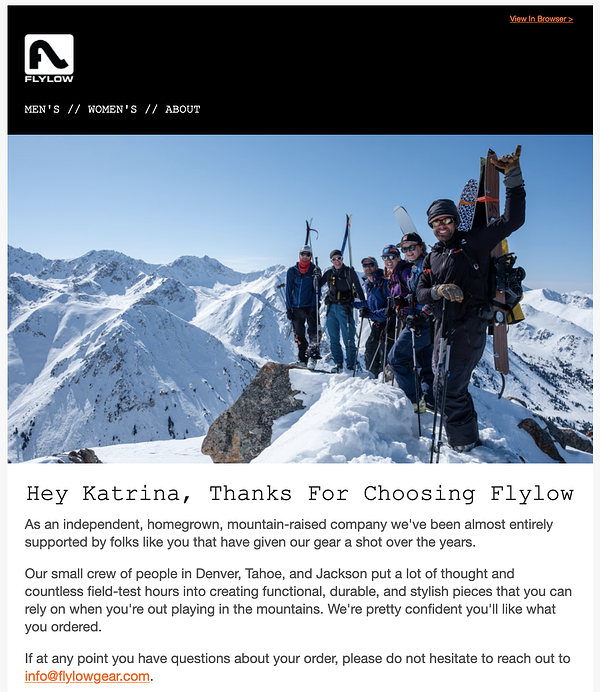
Flylow Gear figured out how to fight through the noise. Instead of targeting all customers interested in winter gear, their niche marketing strategy focuses on backcountry skiers looking for no-nonsense, quality gear.

Their products are featured in all the right places — like Powder magazine — to reach their ideal buyers. Even their confirmation emails share that they’re a small, mountain-based crew of dedicated skiers.

flylow gear example of niche marketing

Image Source

5. Octavia Elizabeth Jewelry

For ethically-minded consumers searching for jewelry, the most important factor is knowing about raw materials sourcing and product creation.

That’s because this $300 billion dollar industry has come under fire for using child labor and causing extensive environmental harm.

Octavia Elizabeth understands the need for responsible jewelry. The company’s commitment to fair working conditions, legitimate living wages, and ethical production is clearly stated on its website.

Not only has Octavia Elizabeth honed in on customers looking for sustainably-sourced, handmade jewelry who are willing to pay a higher price, but the brand has also elevated its niche offering by associating itself with celebrity clientele.

octavia elizabeth niche marketing exampleImage Source

6. Natural Dog Company

According to a Statista study, Americans spent over $123 billion on their pets in 2021 alone.

So how can a pet-focused business stand out amongst the thousands of memory foam beds, custom carry-on bags, and dog-friendly ice creams saturating the market?

natural dog company niche marketing

Image Source

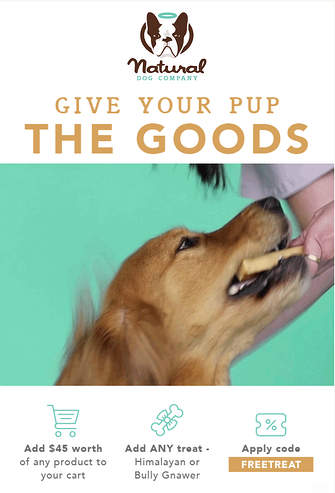
Natural Dog Company caters to a very specific kind of pet owner: the eco-conscious consumer who pampers their pooch.

By giving their organic and all-natural skin care products names like PAWdicure Pack and offering discount codes for free dog treats, they put pups first — which is exactly what their customers do.

7. Pimsleur

Learning a new language can be a struggle, and the options for doing so are definitely overwhelming. Will you really be speaking like a Parisian after spending $1,000 on a program?

Rather than making promises of perfect grammar and flawless accents, Pimsleur focuses on conversational skills.

To promote its product, Pimsleur works with polyglot influencers who can vouch for its efficacy for learning new languages. 

Through its affiliate marketing program, it can reach new consumers regularly and gain customers. 

8. Photographers Without Borders

It’s one thing to entice people to buy a product, but it’s another thing entirely to attract donors to a nonprofit.

While this type of organization may not seem like the right fit for a niche marketing strategy, it’s essential for bringing in donations and volunteers.

Photographers without borders niche marketing strategy

Image Source

Photographers Without Borders has partnered with major organizations like Adobe, Sony, and Patagonia by honing in on a particular marketing technique: storytelling.

By prioritizing ethical storytelling, whether in a social media post, email newsletter, or online webinar, the organization has built a reputation for producing high-quality work that addresses the 17 UN Sustainable Development Goals and UNDRIP.

Plus, their Code of Ethics makes it clear what type of community members and partners they’re aiming to attract.

Creating a niche marketing strategy that drives growth for your business is more than creating a social media ad or sending a weekly email promotion.

If you take the time to learn about your customers and differentiate your brand, you can develop a strategy that attracts the right buyers and helps you hit your growth goals.

New Call-to-action

Categories B2B

38 Podcast Stats That Advertisers Need to Know in 2022

If you’re interested in pursuing a podcast advertising strategy to connect with millennial or Gen Z customers but aren’t sure if the right opportunities exist for your company, check out this list of podcast advertising stats.

➝ Free Guide: How to Start a Podcast

With these tactics, you can identify podcasters with a price-point and audience target that makes sense for your brand. Then, you can work with them and leverage their expertise by sponsoring the content they’ve made. Alternatively, you could also create a native ad that aligns with their discussion topics.

We’ll cover podcasting’s biggest marketing opportunities, where podcasting is headed, and the demographics who tune in the most.

Table of Contents:

Podcasts and Advertising

Podcast Demographics

Podcast Growth

Podcast Listener Behaviors

Podcasts and Advertising

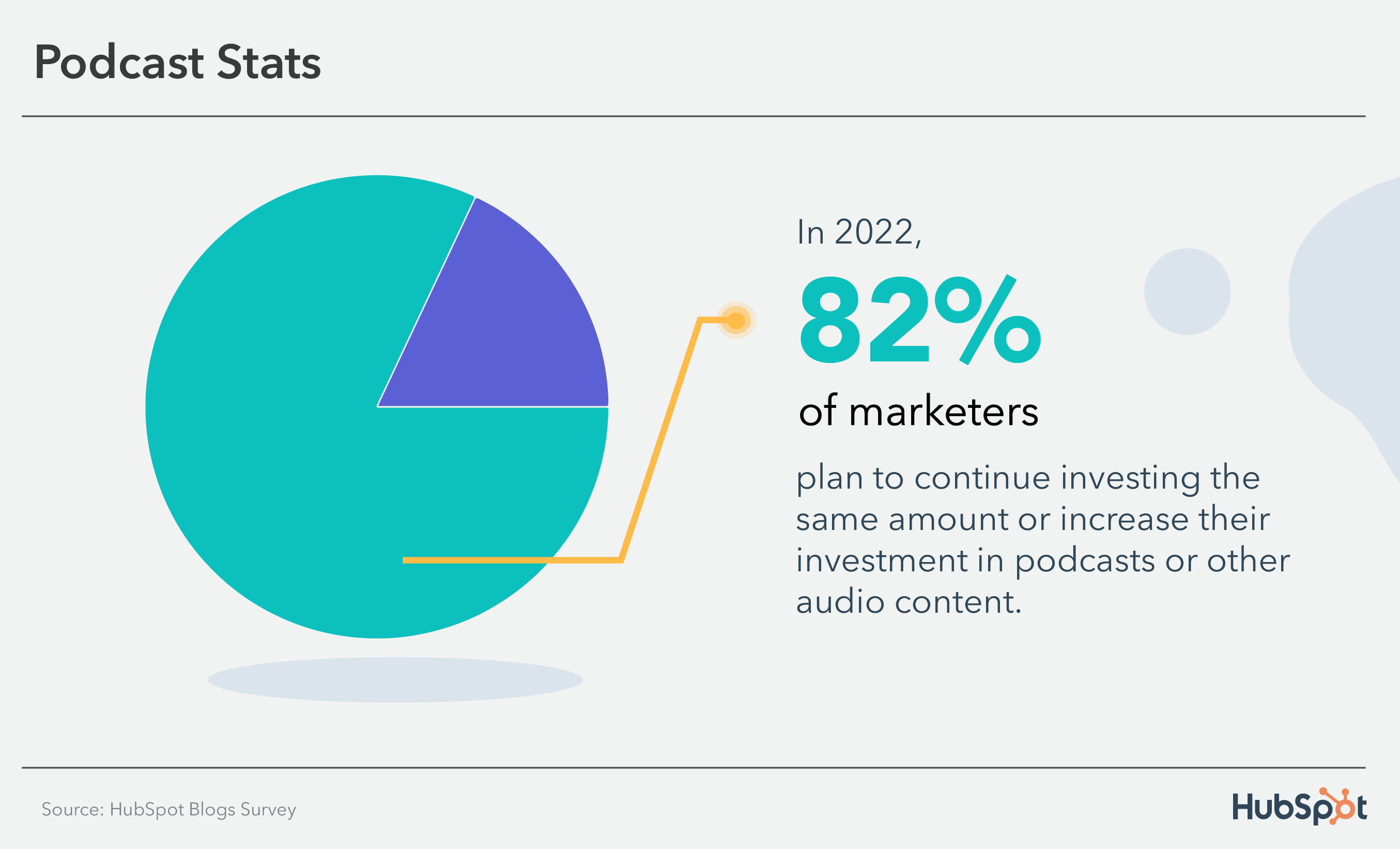
Podcast Stats: 82% of marketers plan to continue investing in audio content

  • In 2022, 82% of marketers plan to continue investing the same amount or increase their investment in podcasts or other audio content. (HubSpot)
  • Podcast ad spending is expected to hit $1.74 billion this year. (Statista)
  • 39% of Information Technology companies plan to leverage podcast advertising in 2022. (HubSpot)
  • The average podcast ad slot costs between $10 to $50, with additional premium fees for shows with high listenership. (HubSpot)
  • 18% of U.S.-based companies plan to leverage podcasts and audio content in their marketing strategies. (HubSpot)
  • 54% of podcast consumers say that they are more likely to consider the brands they hear advertised on podcasts. (Edison Research)
  • 38% of marketers working for retail companies say podcast advertising is the media channel with the biggest ROI. (HubSpot)
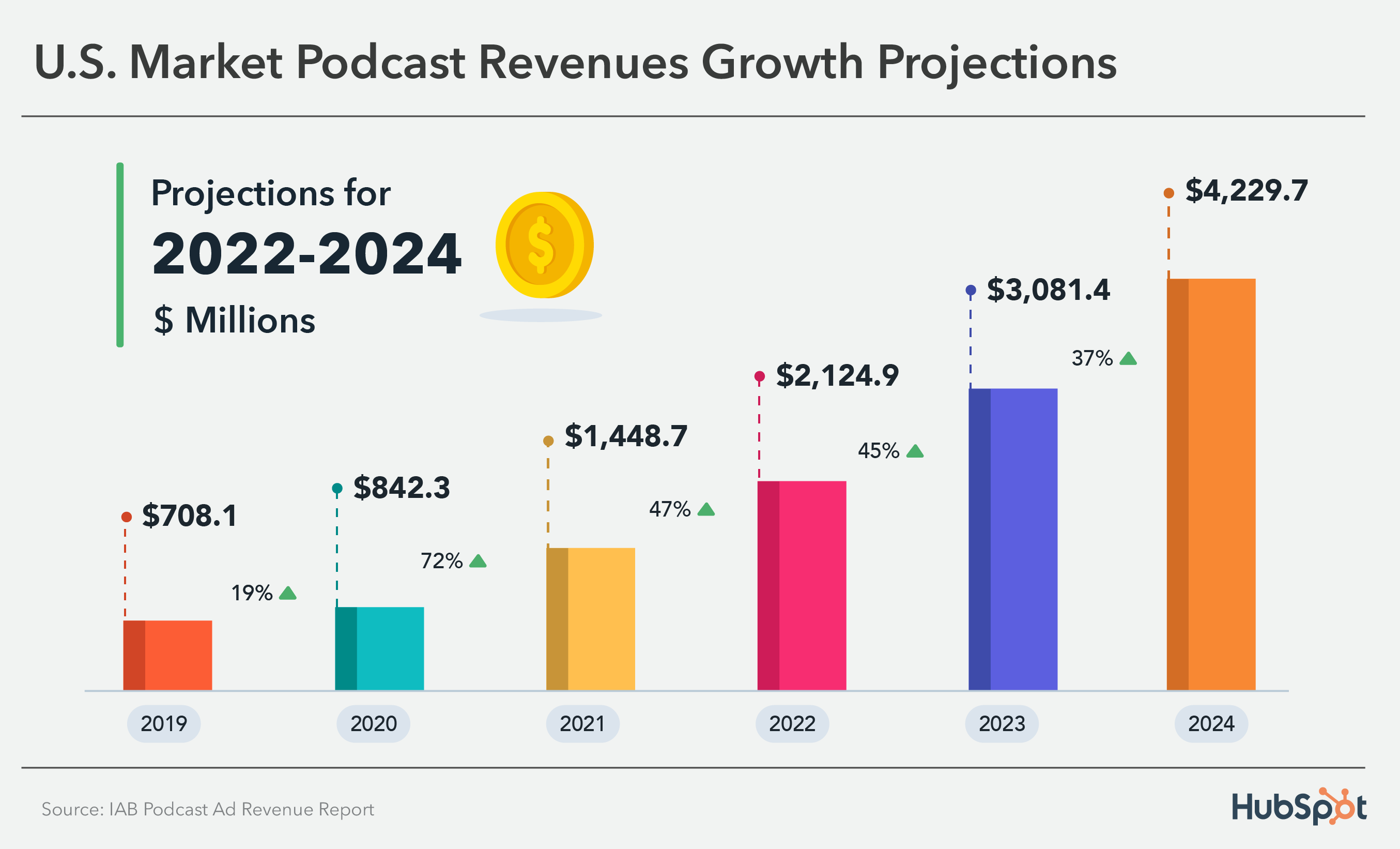
  • Podcast advertising revenue is expected to pass $2 billion in 2022. (IAB Podcast Ad Revenue Report)

Podcast Stats: podcast revenue growth

Podcast Growth

  • In 2021, there were over 2 million active podcasts. (Podcast Insights)
  • By April 2021, there were over 48 million podcast episodes. (Podcast Insights)
  • Monthly podcast listeners grew by 6.1% to 125 million listeners in 2022. (eMarketer)
  • 73% of Americans age 12 and up have listened to podcasts in the past month. (Buzzsprout)
  • Between 2021 and 2022, the number of people over the age of 12 in the U.S. who listened to podcasts increased from 57% to 62%. (Edison Research)

Podcast Demographics

  • Roughly 79% of people over the age of 12 in the U.S. are familiar with podcasts. (Edison Research)
  • 53% of podcast listeners are men. (Edison Research)
  • 41% of millennials listen to podcasts weekly. (Jam Street Media)
  • 53% of men and 46% of women listen to podcasts in 2022. (Edison Research)
  • 66% of podcast listeners have a college degree and an average income of $75,000 per year. (Buzzsprout)
  • The biggest increase in podcast listenership in the past year has come from those in the 12-to-34 age group. (Edison Research)

Podcast Listener Behaviors

  • 38% of people listen to podcasts monthly while 26% of people listen to podcasts weekly. (Edison Research)
  • While 49% of podcast listeners tune in from home, 22% listen in the car. (Podcast Insights)
  • Roughly 30% of people learn about podcasts from online search while about 20% of listeners say they hear about them from other friends or word of mouth. (Buzzsprout)

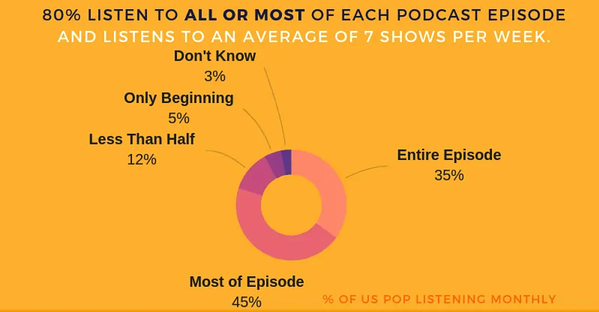
People listen to all or most of podcast episodes

Source

  • Podcast listeners are more likely to own a smart speaker. (Buzzsprout)
  • Podcasts are the number one audio source by time of consumption among podcast listeners. (Edison Research)
  • 50% of podcast Super Listeners agree that podcast ads are the best way to reach them. (Edison Research)
  • Millennials and Gen Z are 5% more likely to listen to podcasts for professional reasons than older generations. (EX-IQ)
  • Roughly 50% of customer service reps have listened to a podcast at work. (EX-IQ)
  • While 39.2% of people who listen to podcasts at least monthly listen via Apple Podcasts, 26.4% use Spotify. (Buzzsprout)
  • More than half of millennials listen to educational podcasts. (EX-IQ)
  • 62% of podcast listeners say they’d be more likely to share podcasts with friends if they were able to share one short segment or highlight of it, rather than an entire episode. (EX-IQ)
  • In 2021, dynamic ad insertion accounted for 84% of podcast advertising revenue. 40% of podcast ads were host-read. (IAB Podcast Ad Revenue Report)
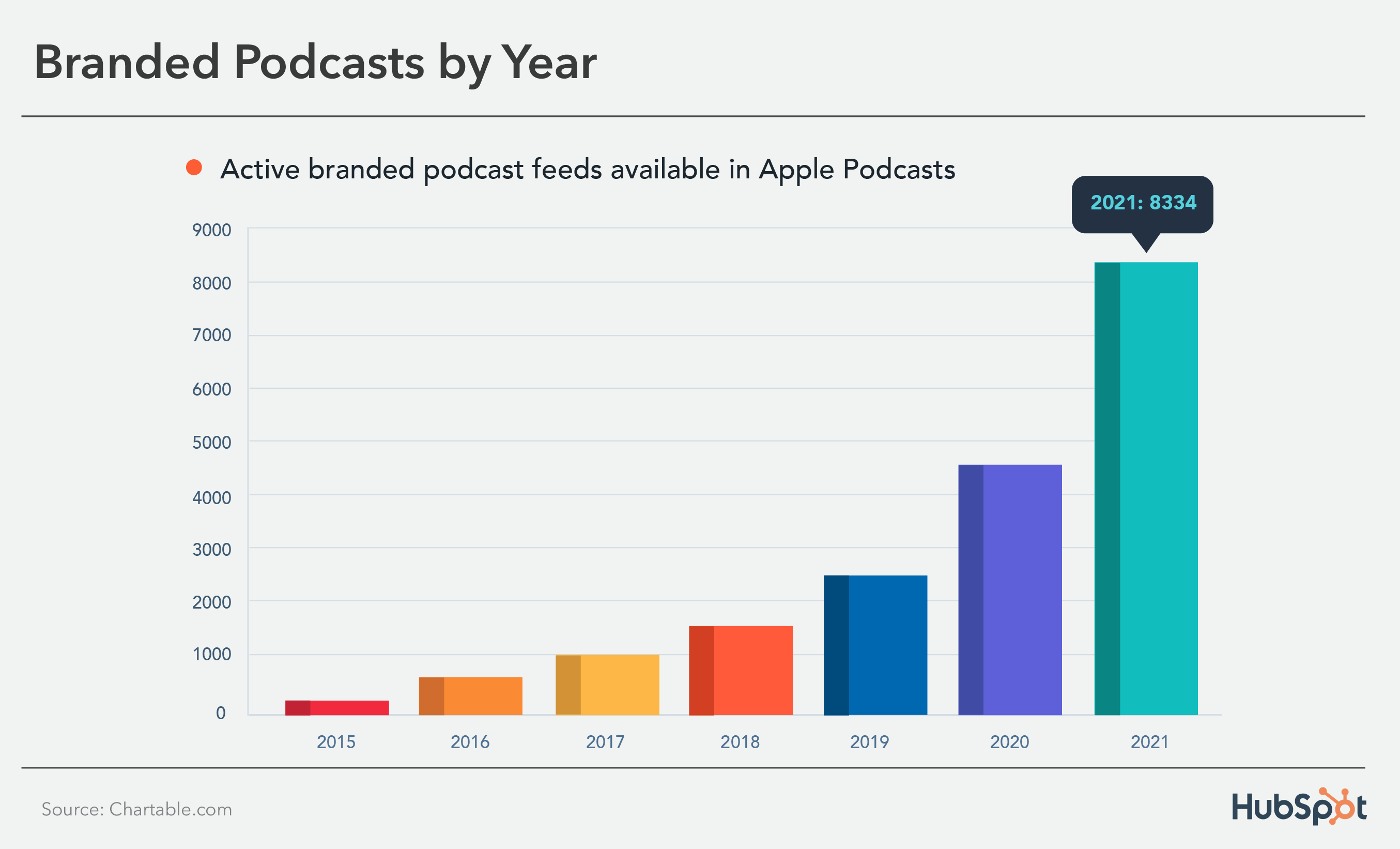
  • The amount of branded content in podcasts increased by nearly 82% between 2020 and 2021. (Chartable)

Podcast Stats: number of branded podcasts by year

Considering podcast advertising?

As you’ve seen from the stats above, podcasting is growing in popularity — especially among younger generations. And while it is often considered a form of “entertainment,” podcast content can be incredibly versatile.

For example, although millennials or Gen Z listen to podcasts that feature interviews with big celebrities, they’ll also listen intently to smaller shows that educate them about new trends or news that impacts their life or career.

Because there are so many podcasts, and so many listeners with buying potential, you might want to consider podcast sponsorships in your future advertising plan.

New Call-to-action

Categories B2B

YouTube Demographics & Data to Know in 2022 [+ Generational Patterns]

Chances are, you’ve probably spent an afternoon falling down a rabbit hole of YouTube videos.

While it’s a great source of entertainment, YouTube has also proved itself to be a valuable tool for marketers. With a global user base of more than 2 billion people, it’s also safe to assume that your target audience is on the platform.

→ Free Templates: How to Use YouTube for Business [Download Now]

In this post, we’ll go over key YouTube statistics you need to know in 2022 to help you succeed in your marketing efforts.

2022 YouTube Demographics

Below, we’ll go over the most critical YouTube statistics that show marketers how global audiences are using the platform.

General YouTube User Demographics

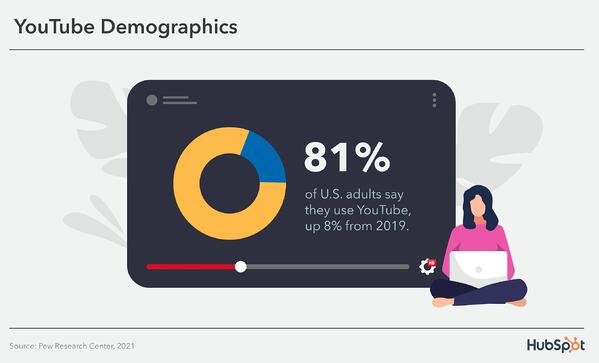
youtube demographics: 81% of U.S. adults say they use YouTube, up 8% from 2019

  • 81% of U.S. adults say they use YouTube in 2021, up 8% from 2019. (Pew Research)
  • YouTube is the second most visited website in the world. (Hootsuite)
  • YouTube accounts for more than 25% of total worldwide mobile traffic. (Sandvine)
  • YouTube has 2+ billion users, making up almost one-third of the entire internet. (YouTube for Press)
  • In 2021, 36% of U.S. adults say they visit YouTube several times a day. (Pew Research)
  • These 2+ billion users are present in over 100 countries and consume content in 80 different languages. (YouTube for Press)
  • 70% of viewers bought from a brand after seeing content on YouTube. (Google Ads)
  • 49.3% of all YouTube viewing time in 2022 will be mobile. (eMarketer)
  • YouTube is the top video streaming app, and the average user spends 23.2 hours per month watching content. (App Annie)
  • The most popular YouTube video is Baby Shark Dance with 10.41 billion views. (Statista)
  • YouTube TV ended Q3 2020 with 3 million subscribers. (Alphabet)
  • 70% of people used YouTube to exercise in 2020. (YouTube)
  • Livestreams on YouTube grew 45% in the first half of 2020. (YouTube)

YouTube Age Demographics

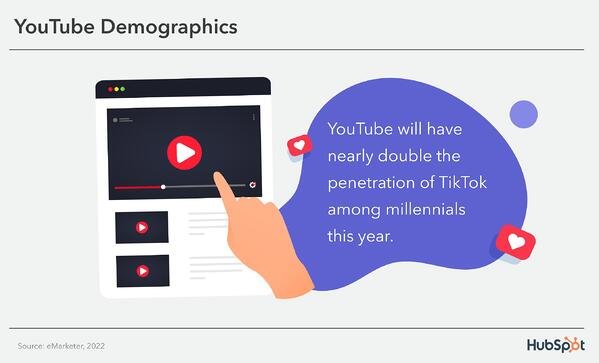
YouTube demographics: YouTube will nearly double the penetration of Tiktok among millennials this year.

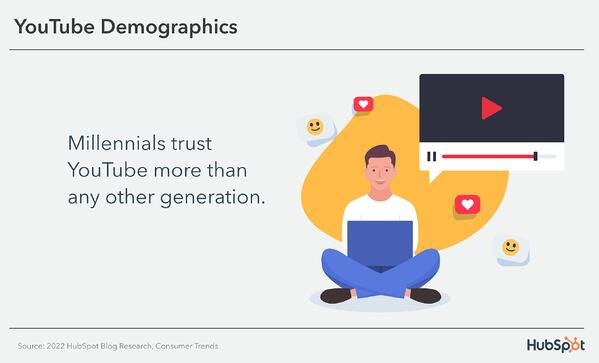
  • Millennials trust YouTube more than any other generation. (HubSpot Blog Research)
  • 56% of Gen Z, 54% of Millennials, 48% of Gen X, and 26% of Boomers say they discover new products most often on YouTube. (HubSpot Blog Research)
  • In 2021, 95% of U.S. adults between 18 and 29 years of age said they use YouTube (the age demographic with the highest percentage) while only 49% of U.S. adults who are 65+ years reported using it. (Pew Research)
  • As of 2022, 20.2% of YouTube’s advertising audience is between 25 and 34 – the largest group – and 15.5% is between 35 and 44. (Hootsuite)
  • In 2020, 80% of U.S. parents with a child age 11 or younger say their child watches videos on YouTube, and 53% of those children use the platform daily. (Pew Research Center)
  • 84% of parents who use YouTube or YouTube Kids agree that YouTube makes learning more fun for their children. (Oxford Economics)

YouTube Gender Demographics

Please note that audience data for individuals who do not identify within the binary are not reported.

  • 82% of U.S. adults who identify as male report using YouTube. (Pew Research)
  • 80% of U.S. adults who identify as male say they use YouTube. (Pew Research)
  • 45.8% of YouTube’s total advertising audience identifies as female. (Hootsuite)
  • 54.2% of YouTube’s total advertising audience is male. (Hootsuite)

YouTube Geography Demographics

  • As of February 2021, 16.6% of YouTube site visits come from the United States, 9.4% comes from India, and 4.9% comes from Japan. (Alexa)
  • YouTube has launched local versions of the platform in more than 100 countries. (YouTube for Press)
  • 74% of U.S. adults living in rural areas,, 81% of those living in suburban areas, and 84% living in urban areas report using YouTube. (Pew Research)

What Different Generations Watch on YouTube

What Gen Z Watches on YouTube

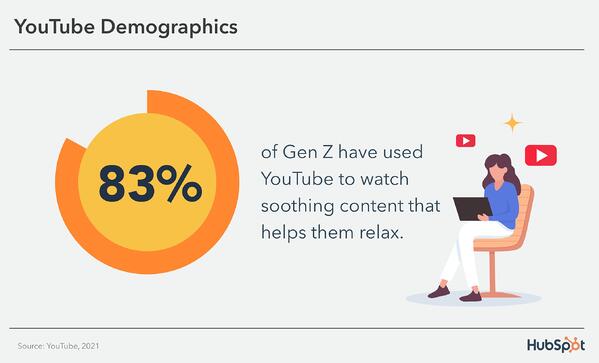
youtube demographics: 83% of Gen Z have used YouTube to watch soothing content that helps them relax.

  • According to a 2021 report, 83% of Gen Z have used YouTube to watch soothing content that helps them relax. (YouTube)
  • 85% of teens use YouTube, making it the most popular among teens. (Pew Research)
  • 82% of Gen Z say they’ve used YouTube to watch content that will make them feel nostalgic. (YouTube)

Takeaways for Video Marketers

Based on the research, Gen Z turns to YouTube when they want to relax or revisit positive memories from their past. If you’re targeting Gen Z, entertaining content will reign supreme.

What Millennials Watch on YouTube

youtube demographics: Millennials trust YouTube more than any other generation

  • YouTube reaches more millennials than all the TV networks combined. (The Shelf)
  • A 2022 report found that YouTube will have nearly double the penetration of TikTok among millennials this year. (eMarketer)
  • Millennials prefer watching:
    • News and human interest stories to keep up to date
    • Unboxing and product review videos to influence spending
    • Quick and fun entertainment content (The Shelf)

Takeaways for Video Marketers

Millennials go to YouTube when they want to learn something or be entertained. Additionally, they go to the platform to be inspired, watch TV, and catch up on the news. If you’re targeting millennials, news stories, product reviews, entertaining content, and inspiring content will win out.

How to Target the Right Demographic on YouTube

While each generation might watch fairly similar content, it’s important to remember that the goal is different. For Gen X it might be to reminisce, while for Boomers it’s to save time, and for Millennials and Gen Z, it could be to learn something new.

To properly target the right demographic on YouTube, pay attention to the most popular categories and types of videos they watch on the platform.

Just as it is for all social networks, building a presence on YouTube requires understanding which segments of your audience are already there and what they’re watching.

Use these statistics to create a YouTube marketing strategy that speaks to your audience’s interests, drives revenue, and increases conversions.

Having that information makes it easier to create content that speaks to their interests, maximize ROI, and achieve general marketing success.

Editor’s note: This post was originally published in April 2019 and has been updated for comprehensiveness.

New call-to-action

Categories B2B

20 Effective Ways to Automate and Grow Your Business

There’s more scope for automation in your business than ever before. With automation, you can schedule emails to be sent at the perfect time, follow up with leads that have abandoned their cart, sync data between apps, and notify team members of new tasks.

However, these options can be overwhelming, especially if your business isn’t a huge corporation with a lot of budget and resources to throw at automation.

You might be wondering:

  • What types of automation will benefit my business the most?
  • What should I stay away from?
  • How can I easily implement these while keeping life simple?

Let’s explore the best types of business automation so you can start implementing a strategy in your own organization.

→ Download Now: The Beginner's Guide to Email Marketing [Free Ebook]

20 Ways to Automate Your Small Business

1. Set up automated email campaigns.

When you think of automation, email marketing automation might come to mind first. It’s not only one of the most popular types of automation, it’s one of the most accessible, too.

Types of email automation:

  • Triggering emails based on actions, such as webinar sign-up confirmations or abandoned basket notifications
  • Email drip workflows that send content at set intervals
  • Delivering content or requested information after filling out a form
  • A/B testing content and automatically send the best performing version of the content
  • Personalizing each email you send
  • Segmenting groups based on data and automatically sending the right email to each group

A good way to get started with email marketing automation is to have a look at the automation capabilities that your email marketing platform already has and think about how you can use them to execute your strategy.

All popular email marketing tools have built-in automation functionality. However, if you haven’t picked an emailing tool yet, pick an option with enough automation functionalities to meet the needs of your business.

2. Create standard operating procedures (SOPs).

How many processes within your business are documented? Whether you’re a solopreneur or lead a small team, having standard operating procedures (SOPs) is critical for a healthy business. 

SOPs are detailed instructions that outline how to complete processes within your business. As your company grows, having SOPs on hand makes it so much easier to onboard new team members and delegate tasks to others. The faster team members can get up and running, the greater the impact they can have on your business. 

3. Upload contact data to a CRM for a centralized database. 

Is your customer data hidden across various messy spreadsheets? Is it hard for your team to decipher a contact’s status, or when the last interaction with them was? If so, your business could benefit from customer database automation.

To automate your customer information, you can use a CRM as a centralized database, and sync contact data between apps to automatically make updates as soon as anything changes on a customer account. This reduces the manual work done by your team, and improves relationships with your contacts and customers.

4. Implement a lead scoring system.

Does your team have a process for determining which leads are more viable? If not, you may want to consider implementing lead scoring

With lead scoring, key attributes of leads will generate numerical values making it easier for you and your team to prioritize working with leads who are most likely to buy from your business. This saves you and your team precious time and allows you to engage with leads who are more likely to become paying customers.

5. Use a social media scheduling tool.

Any social media manager or content creator can tell you how time-consuming social media can be, especially when posting on the fly. That’s why using a social media scheduling tool is a game-changer for busy marketing teams. 

With the right social media scheduling tool, your team can create meaningful content in advance, and schedule content to automatically post to your key platforms. 

6. Immediately respond to customer service requests.

How well your company responds to customer service inquiries can make all the difference in keeping customers happy and coming back for more. Response time and first response resolution rate are key metrics driving customer satisfaction, and it can be hard for customer service teams to meet demands while carrying out all customer service manually.

Automation is not about removing the human element from one-to-one interactions. In fact, it’s about making more time for these and providing a better experience for your customers.

You can automate notifications to let you know when it’s the right time to reach out to a customer, meaning you can engage in targeted outreach for better results. Customer satisfaction surveys can also be automated to alert you when a customer needs quick attention to reduce the risk of churn.

Your team can also leverage chatbots or knowledge bases with built-in AI that can quickly answer simple questions, or route a customer to the best support rep for their inquiry if that doesn’t fix it.

Automation enables your customer care staff to manage a higher volume of customers more effectively, without burning out or diminishing the quality of one-to-one interactions.

7. Automate SMS marketing messages. 

Increased screen time due to the COVID-19 pandemic has led to a resurgence in SMS marketing

Your marketing team can consider adding automated SMS marketing to your company’s strategy to reconnect with leads and convert potential customers. Potential SMS marketing automation includes:

  • Meeting and event reminders
  • Restock alerts for products the contact has expressed interest in
  • Empty cart abandonment messages
  • Promotional messages for special deals and discounts

8. Review and automate your sales process.

Sales automation is about managing your sales process more effectively, reducing friction, and increasing conversion rates.

Benefits of sales automation:

  • Stay on top of a busy pipeline
  • Better calendar management
  • Identify and focus on the most sales-ready leads
  • Collect and act on data insights
  • Sync the latest data across all apps
  • Create a strong bridge with marketing
  • Pass new customers to onboarding
  • Avoid spending time on bad-fit leads

To get started with sales automation, first look at any built-in automation functionality that your CRM offers. You can then look into adopting and integrating other apps to automate more powerful workflows.

9. Automate repetitive tasks.

Are there any tasks on your team that are repetitive, must be done frequently, or require a similar skill set to complete? If so, these tasks are the ideal candidates for automation. 

Consider using a task automation tool such as Zapier or Make to take some of the work out of repetitive tasks. Let’s say your team manually sends a promotional tweet every time your company publishes a blog post.

You can set up an automation in your tool of choice that will publish a tweet with a link to your new blog post every time your company’s blog publishes a new post. 

Similar processes can be implemented to sync data across applications in your tech stack to reduce duplicative work.

10. Outsource key tasks to experts.

When you’re first starting a business, you’re usually responsible for all the tasks and responsibilities that make that business run. While that can be good for the bottom line, it’s not good for scaling and automation.

Once you’re able to afford it, outsourcing tasks to new team members, assistants, and specialists can really help your business go to the next level. 

Let’s say you’re a small business owner who has handled all of your own email marketing while juggling various other duties. Unless you are an expert email marketer, you may not be giving this area the attention it deserves and the quality may suffer. 

When hiring a contract email marketing expert, they can set up the necessary workflows and funnels that can help your email marketing run on autopilot, potentially resulting in more sales. 

Go through the tasks you’re currently doing for your business and look for areas you can outsource to someone else to save you time and drive better results. 

11. Implement a task management system.

Are your to-do lists on random post-its and scribbled on miscellaneous notebook pages? 

Do you give your team tasks in passing and don’t follow up with them until it’s supposed to be due?

Do you and your team have a hard time tracking who does what?

If so, it’s time to implement a task management system with automation. Using task management software such as Asana, ClickUp, or Trello can help you and your team stay organized and accountable. With a task management tool in place, your team knows exactly where to look for their next action item and when it’s due. You’re also able to see their progress so you can support them if they get off track.

Automation can help take your task management system to the next level. You can use Zapier to turn line items from a spreadsheet into a task in your tool of choice, or automatically create tasks from Slack messages.

I use Asana to manage tasks, and love using the Gmail integration to turn emails into tasks with the click of a button.  

With solid task management and automation in place, you and your team will save time hunting down tasks and will have more time to actually complete them. 

12. Use drop shipping to automate fulfillment for e-commerce businesses.

Running an e-commerce business can be a lot of work. Between tracking inventory and managing fulfillment, a lot has to happen behind the scenes to get products to your customers. 

If you don’t want to manage inventory, consider drop shipping. With dropshipping, you can work directly with a supplier who will fulfill and ship your orders so you can focus on other areas of your business without worrying about the risks and logistics of having all of your inventory on hand.

13. Centralize your internal communication efforts.

Automating your communication processes is about streamlining and clarifying human-to-human interactions. As a business owner, these automations can free up your time to look after your team and support their growth.

Types of communication automation:

  • Automate team reminders to prep for meetings
  • Automatically follow up on tasks after set intervals
  • Sharing onboarding materials with new hires
  • Collecting daily feedback on wins and blockers
  • Self-reviews and performance tracking
  • Reporting dashboards
  • Syncing data with meeting slides

Gmail, Slack, and Asana are tools you might already be using that also offer great automation functionality to make communicating with your team easier.

14. Streamline your accounting and expense system.

Managing small business finances is a job of its own. If you’re still managing this yourself, consider using an accounting and expense system with automation capabilities. 

A tool such as QuickBooks Online can be helpful for tracking your business financials. You can even connect this tool directly to your CRM so your records can accurately reflect which contacts have purchased from you. 

Having an accounting and expense system in place can also help with receipt management by automatically categorizing receipts that come to your inbox to corresponding charges on your financial statements.

15. Use trigger/action workflows to publish data between apps. 

Do the platforms within your tech stack talk to one another? Using automation to share data between apps can save you hours of manual entry. 

Let’s say you have a potential customer fill out a Typeform survey to learn more about what they’re looking for in a product. Instead of manually creating a new contact entry in your CRM, you can set up a workflow that creates a new contact in your CRM any time you receive a response to that specific Typeform survey. 

You can use a trigger/action workflow to connect various tools and cut down on administrative work.

16. Automate your onboarding processes.

Onboarding tasks are perfect for automation because they are repetitive. After all, many new employees in an organization will undergo the same training and need similar reminders. 

Examples of ways you can automate your onboarding process include:

  • Automatically generating and sending legal and compliance forms for new employees to sign electronically.
  • Having accounts and access to key tools and systems automatically created.
  • Sync employee data across necessary systems to reduce manual entry.

By automating as much of the back-end process of onboarding as possible, you’re creating less busy work for your HR team and creating a smoother experience for new employees.

17. Enlist a tool to make scheduling meetings easier.

There are few things more frustrating than a back-and-forth email chain to determine a meeting time. Optimize this process by using a meeting scheduling tool such as the HubSpot Meeting Scheduler or Calendly that automatically syncs with your calendar, and allows contacts to schedule time to meet with you when you’re available.

These tools can also integrate directly with your CRM so your contact list is always up-to-date with your latest interactions.

18. Email contacts who abandoned their shopping carts.

Most people who use the internet have abandoned an online shopping cart or two. Whether they get distracted when placing an order, have second thoughts after they see shipping prices, or want to spend a little more time thinking about their purchase before pressing “buy” there are various reasons customers may abandon an online shopping cart.

To help your business convert these shoppers, you can use email automation to send a message to contacts who still have items left in their carts after a certain period of time. With 50% of users who click through abandoned cart emails coming back for their purchase, it’s a worthwhile automation to try.

19. Use a password manager to share and secure login credentials across your team. 

Chances are your team uses a wide variety of tools to run your business. To keep your company’s information more secure and to make your tech stack accessible to team members who need it, consider implementing a password manager to maintain and easily share login information. 

Tools such as LastPass allow users to generate and store secure passwords and can be used for individuals, small teams, and enterprises. 

20. Leverage AI and machine learning tools. 

Artificial intelligence (AI) is expected to unlock $2.6 trillion in value for businesses in the coming years. As a business owner, there are many ways you can leverage AI to streamline and automate your operations. 

For example, AI tools can help streamline data management and reporting, saving your team precious time and helping you gain access to valuable data. 

If you have a marketing team that creates a large volume of content, AI tools such as Jasper can greatly reduce the time marketers spend creating content through its outlining, research, and editing capabilities.

Automation is a long-term strategy: it’s not about trying to change everything at once or creating processes that are overly complex for the stage your business is at.

Take a look at where your business is now. Where are the blockers, manual tasks, and inefficiencies?

Ask yourself how can you start automating these areas to free up your focus for the areas where you have the most impact.

New Call-to-action

Categories B2B

How to Humanize a Brand: 15 Best Tips for Humanizing Your Voice

What’s the one thing business owners and their employees, partners and even customers all have in common? Well, at the most basic level, they’re all human. So why is it sometimes so challenging for businesses to showcase this in their marketing efforts?

Perhaps some people don’t want to show any biases that might deter any potential leads. Perhaps some may want to present themselves as strictly professional. Others may not care about their tone at all, but would rather focus on finding the right keywords to implement throughout their platforms. Some may not even realize just how robotic their brand’s voice really is.

Download Now: Free Brand Building Guide

Either way, the truth of the matter is: humanizing your brand is no longer an option, it’s a necessity. People like making connections. They enjoy investing their time and money in people they know are on their side and can relate to. So in today’s highly competitive world, it’s definitely in every business’s best interest to find a way to connect to their customers and leads through humanization — no matter what industry you’re in.

Why is humanizing your brand important?

Brands are not humans but customers are. In order to sell, get more conversions, increase engagement and build brand loyalty, it’s importantto first build a relationship with customers. Similar to relationships with new friends, brands need to build a rapportand establish trust in order for the customer relationship to flourish.

Humanizing your brand and adding a level of personalization will help customers connect. All of your marketing efforts and website messaging should be crafted in a way that establishes a connection with your audience. Without it you could be perceivedas a cold, faceless entitythat spawns customer indifference instead of loyalty.

How to Humanize Your Brand

Here are some helpful tips for how to start making your brand’s voice more real:

1. Begin from the inside out.

In other words, start with creating good company culture. Your CEO(s) and upper management have the potential to spread that culture like wildfire throughout your company, allowing your team to be the true advocates you want them to be.

Then, post about it! If your company did a 5K, post a photo on Instagram of employees happily crossing the finish line. If your business’s office is festively decorated according to your brand’s colors and theme, post a video tour of it on your website. Or, if your team has recently completed a certification or won an award, talk about it on LinkedIn.

Showcasing your team members on your website and social media platforms goes a lot farther than just having the basics. And, when your followers/website viewers/etc. are able to see how great it is to work at your company, they’ll be more willing to trust your professional abilities.

2. Make your brand’s tone personal, approachable and engaging.

For many businesses, portraying themselves as industry leaders is essential to generating leads and gaining credibility. And while that is certainly a crucial piece of the puzzle, it doesn’t negate the need for a human element. The reality is, you can still have professional, educational or even highly technical content that still incorporates a fun, caring, or engaging tone.

Look at Dollar Shave Club (or any of the brands mentioned in Kim Speier’s blog “7 Boring Big Brands That Used Humor to Amp Up Their Marketing”).

The company’s ads are known for being witty and silly. But most importantly, they’re smart. They made a traditionally “boring” product and developed a brand voice that was approachable, fun and human. These three attributes build trust, credibility, and eventually brand loyalty. Looking to capitalize on the brand’s following, the company was later acquired by Unilever.

3. Speak in your audience’s language.

You might have more than one group of people that make up your customer base. But none of those groups want to read or hear corporate jargon, sales talk or overly fluffed-up language.

If your company is B2B, communicate to your audience in an educational, informative way. If your company is B2C, strike an emotional chord. The better you are at learning your consumers’ language, the more approachable and “human” you’ll appear to them.

Just. Speak. Clearly. Business and industry-specific jargon is just another way of talking over people’s heads, and although you think you sound super smart and important, you’re really just coming off as inaccessible. Is that how you’d talk to someone in real life? No way. Unless you don’t want any friends. Speak like a human being, and your brand will feel more relatable, too.

4. Write an ‘About Us’ page that’s actually good.

The ‘About Us’ page is one of the most frequently flubbed-up pages on the internet. Which is a bummer, really, because what better way to humanize your brand than a page dedicated to telling people about who you are?

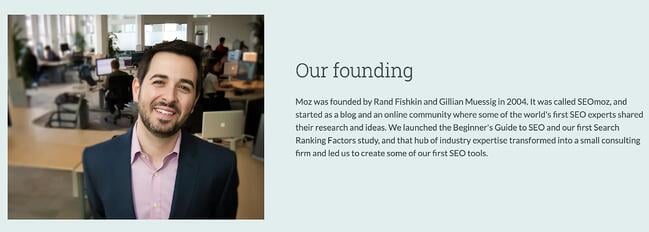
So, who do you want to be? A faceless corporation? Or do you want to tell people about what you do, who you are, and why you think it might be interesting to them? I went looking for an example to show off here. That’s an extraordinaryexample of someone humanizing their company through their ‘About Us’ page, and thanks to Blog Tyrant, I found an example for you.

Moz About UsImage Source

First, I recommend you check out SEOmoz. Their page includes several sections that explain what they do and why they’re valuable, as well as a timeline that explains how their company came to be — written in a light-hearted yet professional way. Giving the backstory of how the company was founded gives readers insight into the founders’ motivations, and also presents it in a way that shows the reader what value SEOmoz brings to the table for their customers.

5. Inject a sense of humor into your content.

It’s easy for B2C companies to create hilarious content — and you certainly should! Everyone loves a laugh. Although this strategy is best for B2C companies, B2B brands can also get into the action. Take this Zendesk tweet describing a sales funnel for example.

How to humanize a brand example: Zendesk Funny tweetImage Source

The tweet uses down-to-earth language and emojis to make the brand more relatable to its audience while presenting an ad that explains how its services can help improve your sales funnel.

You can get your point across really well with clear, concise, straightforward copy. That’s fine. But you can get your point across and humanize your brand — even delight readers — if you can infuse a sense of humor into your content once in a while. Frankly, nobody expects it from B2B brands. And if you’re one of the few brands doing it, it makes you look just awesome. Go ahead. Try to make someone crack a smile. What’s more human than unbridled laughter?

6. Focus more on offering resources than making a sale.

If you’re not already familiar with inbound marketing, you know that the statement above is essentially the gist of it. Give your viewers something of value to them (without the sales pitch) and they will seek you out for more. This whole step is about creating relationships through trust that’s built on you providing helpful, credible resources. This can be something as simple as a how-to blog post on an industry topic or industry case study.

Inbound marketing also ties in with speaking your audience’s language. While offering these resources, be sure to do so in a way that most effectively speaks to your audience. You’ll also want to be sure to offer the right kind of materials they will actually want to consume.

No matter what your inbound marketing efforts consist of, try to keep them focused on how it will benefit the end-user, not your company.

7. Keep an active blog on your website.

This is an easy — and most importantly — freeway to show a human side to your audience. Not only does keeping an active blog help with boosting your SEO, staying up to date with topics in your industry and becoming more purpose-driven in your efforts, but it also helps with showing your human side.

It allows readers to see that you’re current, active and educated, giving you more credibility. Plus, as we mentioned in the previous tip, it also helps with your inbound marketing by providing readers with information or educated opinions on topics they’re seeking out. It’s a win-win situation for everyone.

8. Showcase your community manager.

If your business has a community manager or similar role, let them take the spotlight for your company by showcasing them on all your online platforms.

Display their Twitter handle or email address so readers can easily access them with questions or concerns. Giving people a face to your community manager will make them feel more comfortable with your brand as a whole and will help build a strong relationship between you both.

9. Engage with fans, followers, and commenters.

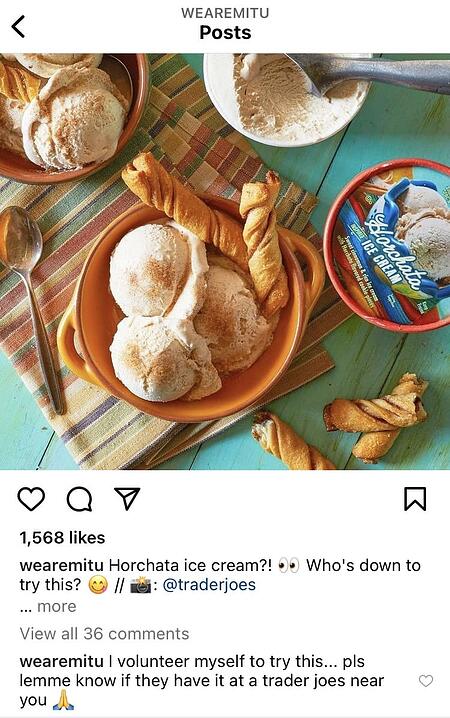
But make sure they aren’t all just about your company or industry — although those are important, too. When you venture outside of your usual topics once in a while, it makes people feel comfortable being themselves … because you’re being yourself, too! You can also add more structure to these conversations if you like and periodically host Twitter chats — conversations about a particular topic at a specific date and time, held together by a pre-designated hashtag.

How to humanize a brand example: Mitu instagram postImage Source

Additionally you can keep it light like media company Mitú and engage over something fun and seasonal like horcata ice cream. Whatever the topic — if your followers are commenting, reply back.

How to humanize a brand example: Mitu Instagram responsive commentsImage Source

10. Publish photos of your team being themselves.

Let your fans and followers get to know your employees a bit better by posting photos of them doing things “out in the wild” or at company events. Displaying these on your careers page, social media, or “About Us” page are all good spots to showcase what working for your company is like for employees.

How to humanize a brand example: Scotts Cheap flights staff pageImage Source

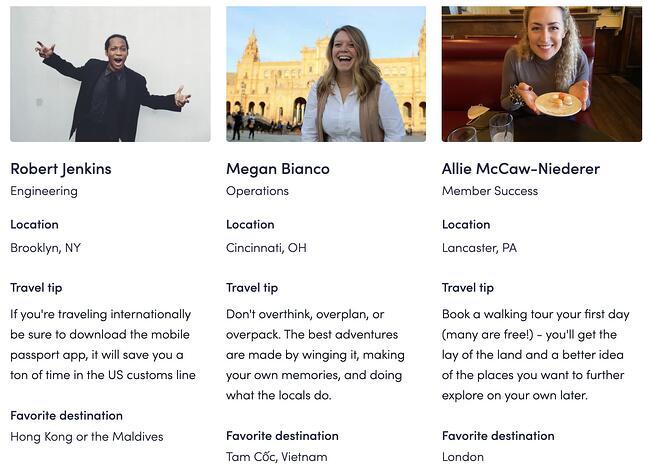
The photo above is from Scott’s Cheap Flights. The company adds a human touch by not only giving the spotlight to some of their employees, but also showcasing how knowledgeable they are by having each provide a travel tip and their favorite destination. It’s much more inviting than just using a standard photo and listing their position. With just one to two sentences, customers are able to get to know employees and view them as credible resources.

11. Encourage employees to be social on behalf of your company.

When employees post social media updates about or on behalf of their company, it does a few things:

  • It lets people know that person gives a hoot about the company they work for.
  • It lets people get to know the names, faces, and personalities behind a company.
  • It gives the company’s content much more reach.

While some companies, due to the nature of their industry, may need to keep a tighter lid on their social media networks, most businesses could really benefit from encouraging employees to use their social media accounts to share company content. And yes, they should even be able to do that during work hours! The times, they are a-changin’.

12. Apologize and say “Thank You” when necessary.

As every human knows, we all have our flaws and we all make mistakes. But when it comes to our businesses, we often try to protect our reputations at all costs, even if it’s our businesses that are at fault. And we mustn’t forget that our businesses are, in fact, made up of humans.

So if you’ve dropped the ball somehow, come to your audience with a sincere apology anda potential solution to the problem. People will appreciate you addressing the situation head-on, as opposed to them coming to you with their complaints.

More than that, though, you should be thanking your fans/followers/customers/advocates/etc. often. Something as simple as an Instagram post celebrating reaching 5,000 followers and thanking them specifically for helping you reach that milestone goes a long way.

Or, send out an email to current and past customers (perhaps on Thanksgiving) expressing your gratitude for their business. This is another way of making your audience see you as humans who care about them as humans, not simply a money-hungry company that’s uninterested in building relationships.

13. Be available.

This isn’t just a tip for upper management, nor is it just a tip for your customer service department. It’s for every member of your team and every part of your brand’s online persona.

Humanizing a brand can’t happen without actual humans being available to do it. For example, if someone at your business posts regularly to your social media platforms, he or she should also be available to respond to comments, questions, reviews, etc. Too often businesses simply schedule out their social posts for the month, ignoring the importance of frequent engagement.

This is a great opportunity to show that your business has a human side to it and is willing to help these followers get information, share ideas, and feel good about promoting your brand.

14. Sign your emails with your name. Like, your name.

Not your company name. A company can’t send an email. A person at your company, however, can. For instance, what does your signature look like in your email marketing? Consider including a real person’s name in your email signature, along with their role at your company, and maybe even a small headshot to make the message more personal.

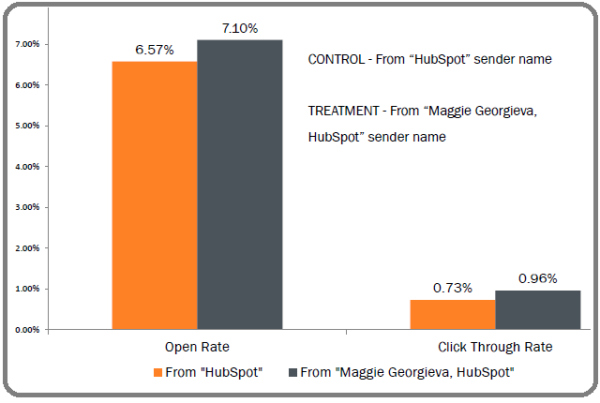
You could also experiment with a more personal “From” field, including the email sender’s real name alongside your company’s name. Your results may vary, so we recommend conducting your own test, but when we A/B tested the inclusion of an employee’s name alongside our company name, the results were fantastic!

Humanizing your brand graphic: signed emails vs unsigned

15. Take off your marketer hat once in a while.

Ultimately, you’re doing all this to get more traffic, leads, and customers. We know that. But it can be helpful to approach your efforts with a little less of a methodical marketer mindset, and more of a … human one.

It’s okay to throw in something you think your audience would just plain enjoy sometimes — no link to your blog, lead-capture form, or transaction on the other end. The more you get to know your buyer personas as you interact with them every day, the more naturally you’ll be able to do this; the content will practically roll off your tongue! Once you’ve established this natural rapport with your community, your relationship will be more akin to two friends hanging out — and that makes for customers with higher lifetime value (aaaand the marketer hat is back on).

Give Your Brand a Human Touch

All in all, humanizing your brand has a multitude of benefits, including gaining credibility and getting your voice heard. Use these eight simple tips to get started today!

Editor’s Note: This article was originally published in April 2015 and has been updated for comprehensiveness.

brand consistency

Categories B2B

How to Use YouTube’s Call-to-Action Overlay Ads

Almost 5 billion videos are watched on Youtube every single day, and with that much traffic, it’s no wonder why marketers are extending their strategies to include YouTube ads.

→ Free Templates: How to Use YouTube for Business [Download Now]

Brands have the opportunity to link commercials back to the products they’re selling and potentially increase their conversion rate. In this post, we’ll help you achieve those goals by teaching you how to share YouTube overlay ads and give you tips on how to run them successfully.

Not all YouTube ads are short videos; overlay ads are a type of imagery that pops up on the video player as viewers watch their chosen content.

youtube overlay ad example on video platform

Image Source

They’re relatively small and inoffensive to the viewing experience and leave enough space to garner the attention of various potential customers. And making them isn’t a challenge, let’s get into it.

How to Create YouTube Overlay Ads

1. Create a banner that fits the dimensions of overlay ad specs.

how to create youtube overlay ads: create a banner that fits necessary dimensions

You can easily create a banner on graphic design platforms like Canva or Photoshop, choose from pre-existing templates, and customize it to reflect your brand identity. And for ideal sizing of the banner, make sure it follows these dimensions:

  • Image dimensions: 480×70
  • File type: Static .GIF, .PNG, .JPG
  • File size: 150 Kb

2. Begin a new campaign in Google Ads.

YouTube ads are created and managed through Google Ads.

how to create youtube overlay ads: begin a new campaign in Google Ads

3. Select “Display” campaign type.

You’re looking to advertise your overlay banner ad, meaning an image you want to be displayed on YouTube.

how to create youtube overlay ads: select display campaign type

4. Choose the type of audience you want to reach.

how to create youtube overlay ads: choose your target audience

When advertising on YouTube, you want to pay to reach the people who are most likely going to be interested in your offering. This means you need to choose your target audience or demographic carefully.

Along with plugging in those specifics, you can set up your ad:

  • Budget: Cost-per-click (CPC or PPC)
  • Duration: Start and end date
  • Content Exclusions: Type of devices to run on

5. Add in your overlay ad banner and run your campaign.

When you’ve finished adding specs to your overlay add, it’s time to run the campaign.

In the case that you want to edit the ad, you can use Google Ads Manager to make adjustments where seen fit.

Youtube Overlay Ads Best Practices

1. Keep your overlay simple and clear to read.

When using Google Ads, you need to adhere to image quality requirements to avoid the risk of having your campaign ended abruptly.

Policies aside, you only have so much space in your overlay ad to show prospects. If it’s hard to read and comprehend at first glance, viewers most likely will press X instead of wanting to learn more about your brand, product, or service.

2. Don’t over-promise in your overlay ad.

When you get your prospects’ attention and get them to your landing page, the last thing you want to do is underdeliver or mislead them, as it makes your brand look untrustworthy.

Use your YouTube overlay ad to familiarize your target audience with the type of solution you can meet, and they’ll have a much more pleasant experience and introduction to your company.

3. Use a compelling call to action.

A strong call-to-action can distinguish between a campaigning budget is well-spent or not.

Overlay ads have already been successful for non-profit organizations because, as blogger Ramya Raghavan reported, they “drive traffic to an off-YouTube web page, where they can collect signatures, email addresses or even donations.” Charity: water best demonstrates the success potential of the new YouTube feature. This non-profit raised $10,000 daily by using the Call-to-Action overlay ads.

4. Send viewers to a dedicated landing page.

Landing pages are uniquely powerful components of a business’s digital marketing strategy.

It’s your business’ opportunity to ask visitors for their contact information in exchange for something of value, otherwise known as an offer.

Make your landing page rich in:

  • Benefit-focused H2s
  • Compelling copy
  • Lead forms or relevant offers

You want prospects to feel like they’re gaining something of value made just for them, so make sure it’s a page worth visiting.

5. Experiment with different in-video overlay ad formats.

youtube overlay ads best practices: experiment with different formats

Image Source

You can run more than one campaign at the same time on YouTube. Google Ads lets users create multiple different ads for YouTube, so feel free to get creative. Alongside your overlay ad campaign, you can make other using formats like:

  • Skippable or non-skippable video ads
  • Bumper ads
  • Sponsored cards

Catch Your Audience’s Attention with Overlay Ads

With YouTube overlay ads, you can meet your prospects where they are by targeting and gaining their interest in YouTube. We hope you found this post helpful and implemented some of these tactics into your marketing strategy.

Editor’s note: This article was originally published July 2009 and has been updated for comprehensiveness.

New call-to-action

Categories B2B

Future of Automation: 9 Predictions to Look Out For in 2022

As a blend of robotics, machine learning, and artificial intelligence (AI), automation takes care of the mundane tasks we’d rather not spend time on, the work we don’t want to mess up with human error, customer interactions that require instant responses – and so much more.

Download Now: Free Growth Strategy Template

While automation has been evolving at lightning speed over the last few years, it doesn’t look like it’s slowing down. So what does the future of automation look like? We’ll cover that and more in this article.

1. Automating High-Value Actions

Right now, the low-hanging fruit for automation is boring repetitive work. Automating front-office functions may be more challenging harder but it’s becoming more common.

More organizations will soon be using technology to automate quality customer experiences (CX).

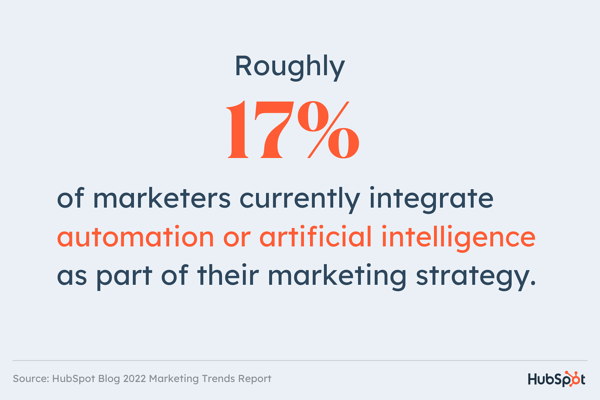
According to the HubSpot Blog’s 2022 Marketing Trends Report, roughly 17% of marketers currently integrate automation or artificial intelligence as part of their marketing strategy.

future of automation: graphic with data from hubspot blog's 2022 marketing trends report

Another HubSpot Blog research survey on media and content planning revealed that over a quarter of marketers surveyed say they plan to leverage automation in their media planning strategy.

With the data showing that consumers are prioritizing CX more and expecting more personalization during brand interactions, this forces brands to consider automation for bigger-scale, higher-impact sectors of their businesses.

2. Prioritizing Marketing, Sales, and Success Alignment

Automation cannot be successful when operating in a silo.

That’s why it’s key for teams – particularly marketing, sales, and success teams to be in alignment as they greatly impact the customer journey.

It’s no longer enough to automate marketing emails. What about contact handovers when a contact moves down the funnel? Or follow-ups once a lead completes a high-intent action?

Because marketing teams are only one part of the journey, it’s essential that automation workflows account for user behavior beyond marketing.

3. Automation as a Vital Part of CRMs

According to a 2021 LinkedIn report, 75% of sales professionals use technology — usually a CRM — to close more deals.

Despite this, today’s salespeople spend just a great deal of time catching up with admin work and data entry instead of selling.

As sales and marketing teams realize the potential of automation to tackle repetitive tasks, more of the top CRM tools are developing powerful automation features.

These will enable companies to automate routine tasks to speed up sales cycles, send personalized marketing messages, and proactively resolve customer service cases without lifting a finger.

4. Automation for Greater Personalization

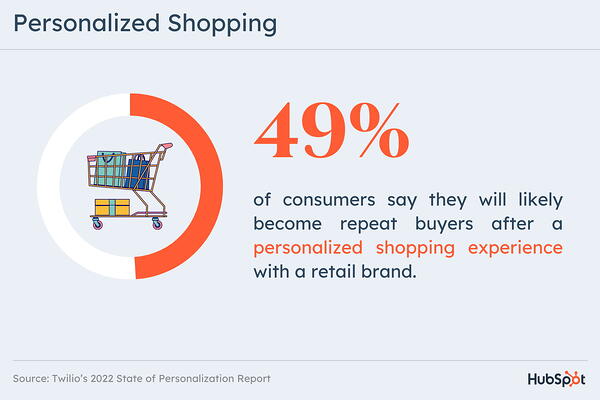
Nearly half of consumers say they will likely become repeat buyers after a personalized shopping experience with a retail brand, according to Twilio’s 2022 State of Personalization report.

future of automation: graphic displaying twilio's data

Following the pandemic, the need for personalization grew and brands must respond or risk falling behind.

From audience segmentation and drip campaigns to product recommendations and cart abandonment notifications, personalization cannot operate at scale without automation.

This new shift toward personalization means automation will become a higher priority for brands.

5. Automation Across a Company’s App Stack

Businesses have more tools than ever before at their fingertips.

In the future of automation, more companies will have a Head of Business Systems role to oversee their huge number of tools — and this position will hold a vast capacity for impact and change.

More than ever, the SaaS tools we choose will help our businesses become more productive, profitable, and impactful.

For best results, companies will connect their tools to enable automated two-way data syncing and greater accuracy.

6. Business Chatbots as Full-Time Agents

According to a 2021 Vonage report on customer engagement, one in five consumers use live chat or in-app chat daily.

While today’s businesses mostly use live chat to facilitate real-time conversations between consumers and business representatives, more companies are setting up chatbots.

With bots, companies can provide answers to frequently asked questions and even resolve issues without a team member’s involvement. Increasingly, the best chatbots serve as full-time customer support agents.

The key to a bot’s success is intelligence, which still has its limitations, but is improving fast.

In the future of automation, bots will become more useful, more intelligent, and may soon incorporate voice functionality.

7. AI for Automated Decision-Making

Decision-making is tiring.

You need the right data at your fingertips, to look beyond your biases and get agreement from other stakeholders. AI will increasingly provide a solution to this, delivering high-quality data that can help inform the best decisions.

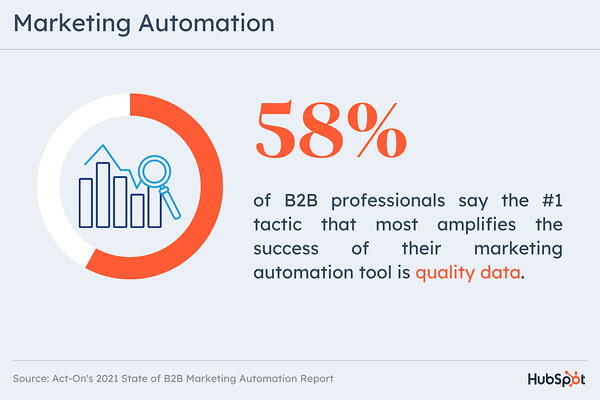
In a 2021 State of B2B Marketing Automation Report, 58% of B2B professionals say the #1 tactic that most amplifies the success of their marketing automation tool is quality data.

future of automation: graphic displaying B2B marketing automation data data

While some decisions can be instantly acted on with automation, many will – and should – go back to humans for consideration from an emotional and empathetic side.

8. Automating Data Collection and Reporting

Automating data management is essential to ensure data quality and integrity.

However, reporting doesn’t have to involve confusing Excel exports and hours spent manipulating data.

By consolidating all of your customer data with an iPaaS solution, your tools can deliver more accurate reporting with the information at hand.

9. RPA Helping Businesses Become More Productive

RPA, also referred to as ‘robotics’ or ‘robots,’ is defined as the automation of rules-based processes with software that utilizes the user interface and which can run on any software, including web-based applications, ERP systems, and mainframe systems.

This could include opening emails and attachments, moving files and folders, or filling in forms.

Going forward, RPA is likely to become a more standard part of our workflows, whether via stand-alone tools, features of the tools we’re already using, or integrated apps.

Is automation changing work as we know it?

The short answer is yes, but for the better.

A 2021 PWC survey found that 61% of people globally believe that automation is putting people’s jobs at risk. However, the truth is automation is not removing employment opportunities, it’s redefining roles.

The role of automation is to take care of the tasks that machines can do better than us, removing human error and allowing for scalability.

One common misconception about automation is that it’s a set-it-and-forget-it approach. However, that couldn’t be further from the truth.

While it does free up time, that time is used to feed and optimize to produce better results. So, automation doesn’t mean losing the human side, it means empowering workers to focus on more impactful work.

Editor’s Note: This post was originally published in Oct. 2021and has been updated for comprehensiveness. 

New call-to-action

Categories B2B

29 of the Best Form Builder Tools for 2022

You’ve heard it before – forms are the gold standard when it comes to capturing leads, learning about industry trends, doing market research, and even just getting some customer feedback.

Convert anonymous visitors into leads. Try HubSpot Forms free.

If you’re looking for the best online form builders, we’ve compiled a list of the top 30 currently available. Plus, discover the steps to create an online form.

Before we dive into the best form builder tools for 2022, let’s talk about what a form builder exactly is.

With no shortage of options, the best form builder apps tend to be quite similar and user-friendly. Whether you want to make a contact form, a sign-up form, or a survey, form tools are the easiest way to create web forms, with drag and drop questions, multiple form fields, and different color and structure options.

Once your responses start coming in, most forms will also import each entry into a spreadsheet or centralized database and send you notifications when people complete them.

Regardless of the form builder you choose, there are a few key steps you’ll want to follow when creating a form for the purpose of lead generation:

1. Identify the goals of the form.

Are you aiming to generate sales leads, or are you merely planning to add contacts to your email list?

Once you identify what you’re looking for from your prospects, you’ll be able to determine what information you’ll need to get from them on the form.

2. Pick a form builder tool.

Many online form builders are free or very affordable, but they might not have all the features you need. For example, some might not embed well onto the site you use because of your CMS.

Meanwhile, others might not link up to your email marketing software or CRM. Figure out which tool is the best match for your business needs.

Jump to the section on form builder tools here.

3. Include name and contact fields.

This step is pretty self-explanatory. As you begin creating a form, you’ll want to get your visitor’s first and last name.

You should also ask for their contact information, such as an email or phone number.

Keep in mind that your ask should be appropriate for the context. For instance, if someone’s signing up for your marketing newsletter, they might just want to give their email.

Meanwhile, if someone is interested in getting a demo of your product, they’ll be more likely to give their phone number or work address.

4. Add additional demographic information as needed.

Along with the standard name and email details, it may be valuable to gather more demographic information about your prospect, such as job title/

This can give you added insight into the daily life of your prospect and signal how much buying or decision power they have within their company.

For example, if a CEO fills out your form, they might be a stronger lead than an intern with no purchasing power.

Along with learning about a person’s role, you might also want to learn more about their company to get an idea of organizations that might be interested in your product or service.

For this reason, include a form area where they can note where they work, where their office is located, and what type of business category their company falls within.

Lastly, company size. While a startup might not be able to buy an enterprise product, an enterprise company might want a more intricate or advanced product.

5. Figure out which fields are must-have vs. nice-to-have.

If you’re simply looking to add people to your email list, you probably won’t need to request too much information beyond name, email, and interests.

But, if you’re sending out a form to generate leads or learn more about your target audience, you might want to ask a few more specific questions, such as age, gender, or location, to get a feel for who your prospects are.

While you may be tempted to add more fields to cover all your bases, asking too much at once may actually deter leads and lower your conversion rate. As such, only ask what you need.

6. Set up an automated follow-up email that’s triggered once the form is submitted.

After someone takes the time to fill out your form, it’s standard to send a “thank you” or “welcome” email letting them know the next steps.

For instance, if it’s a newsletter, let them know how often to expect the email, which topics are discussed, and include a peek into previous emails.

If it’s a “Contact Us” form, the follow-up email should confirm receipt of the form along with an estimated response time.

The more clarity you provide, the better experience for the user.

30 Online Form Builder Tools

Form tools today usually offer many different features too, like progressive profiling, smart fields, and interactivity.

Convert anonymous visitors into leads. Try HubSpot Forms free.

Ultimately, there’s a form for each of your business’ needs and goals – and we’re here to help you pick the best-fit tool specifically for you.

1. HubSpot’s Free Online Form Builder

HubSpot’s online form builder is one of the most powerful form builder tools available. The tool combines the foundations of form creation with cutting-edge technology to give you much more capability than a normal online form builder can – and it’s also free.
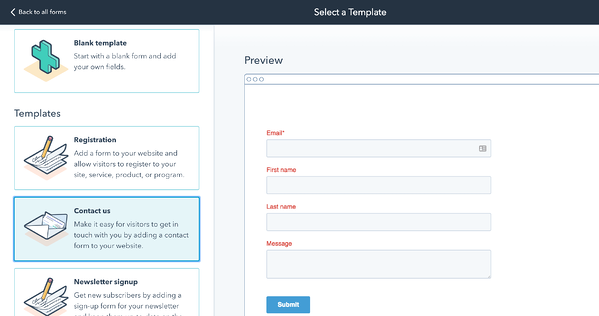
HubSpot's drag and drop online form builder for lead generation

Even though it’s one the more advanced form builder tools, you don’t need any technical expertise when you use HubSpot’s form builder. You can quickly create forms with the drag-and-drop form builder and convert anonymous website visitors into leads with unlimited forms, fields, submissions, and custom forms that all connect to your contact database.

Once someone fills your form out, they’re automatically routed to HubSpot CRM. Once they’re in your CRM system, you can set reminder tasks, call them, and send them one-to-one personalized emails, letting you better manage and nurture relationships with your contacts.

HubSpot’s form builder also has data enrichment for contact profiles and deep integration with HubSpot’s marketing hub, making it a good option for teams who want a single system to manage their forms, contacts, and marketing efforts.

2. HubSpot’s WordPress Plugin

Have a WordPress site but still want to leverage HubSpot tools to generate leads? With HubSpot’s WordPress plugin, you can create forms, assign them within a workflow, and use them to generate landing-page leads. Contacts generated with your forms can also be stored in your HubSpot CRM.

The tool also makes the form creation process easy. Although it’s from HubSpot, you don’t need to leave your WordPress dashboard to get the same form-building experience that you can find on our Marketing Hub.
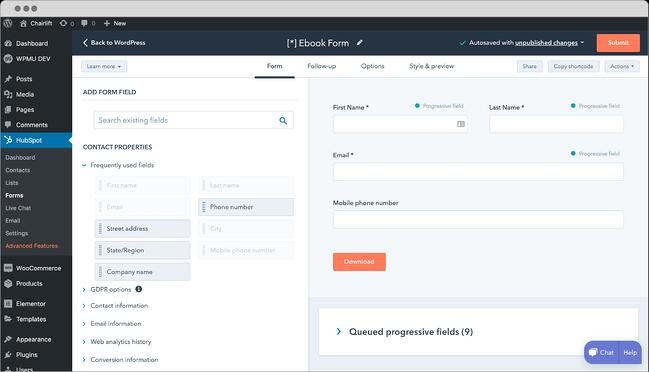
wordpress best online form builder

Image Source

3. Popupsmart

To improve your lead management and capture leads, you can opt to use popup forms with Popupsmart, an easy-to-use popup builder. With this no-code tool, you can create webinar signup forms, newsletter signups, contact forms, and registration forms within minutes without any coding or programming experience.
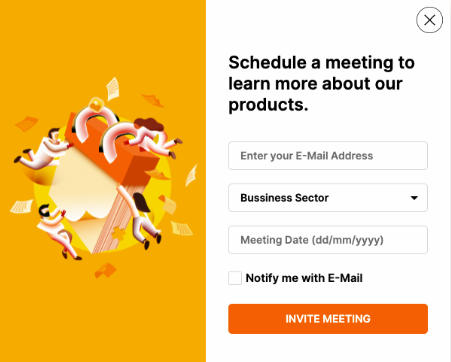
popupsmart best online form buildersPopupsmart makes it practical to add new form fields, phone inputs, email inputs, checkboxes, dropboxes and radio input fields, images, CSS, and custom fonts to a popup form. In addition, you can use smart tags and set your pop-up form’s appearance depending on your industry or customer persona.

With advanced audience targeting features, you can show your popup form based on language, device, location, exit intent, and traffic source. By turning the autoresponder email feature on, you can get notified when a form is submitted and follow up with warm leads.

The Lead Table section will show all user data acquired from your form. Thanks to modern and customizable popup form templates, you can create yours in under five minutes to increase conversion rates with your form popups.
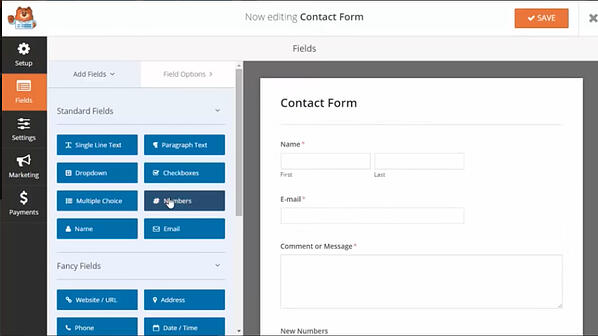
4. WPForms

WPForms best online form builders

Image Source

WPForms is a beginner-friendly WordPress form builder that makes it easy to add beautiful forms to your website with just a few clicks. It’s used by over 4 million users, and users love it for its wide variety of templates (over 100+ available).

Easily integrate your WPForms with an email marketing service like HubSpot or collect payments for bookings and orders with Stripe and Paypal integrations.

5. Gravity Forms

Another WordPress-powered plugin, Gravity Forms helps you create amazing forms with the help of multi-page/multi-step forms and a number of time-saving features.
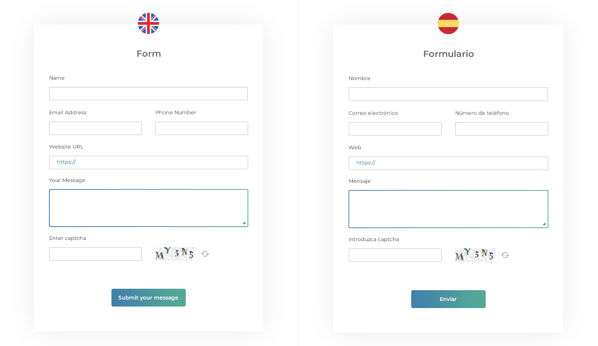
Gravity form builder form options

Image Source

With this tool, you have access to a variety of integration options and add-ons for email software, messenger platforms, payment options, and automation software. You can also create advanced forms, but, for non-techies, they can be a little complicated to set up.

6. JotForm

JotForm is an online form builder with an intuitive visual editor, known for making form building faster than ever.
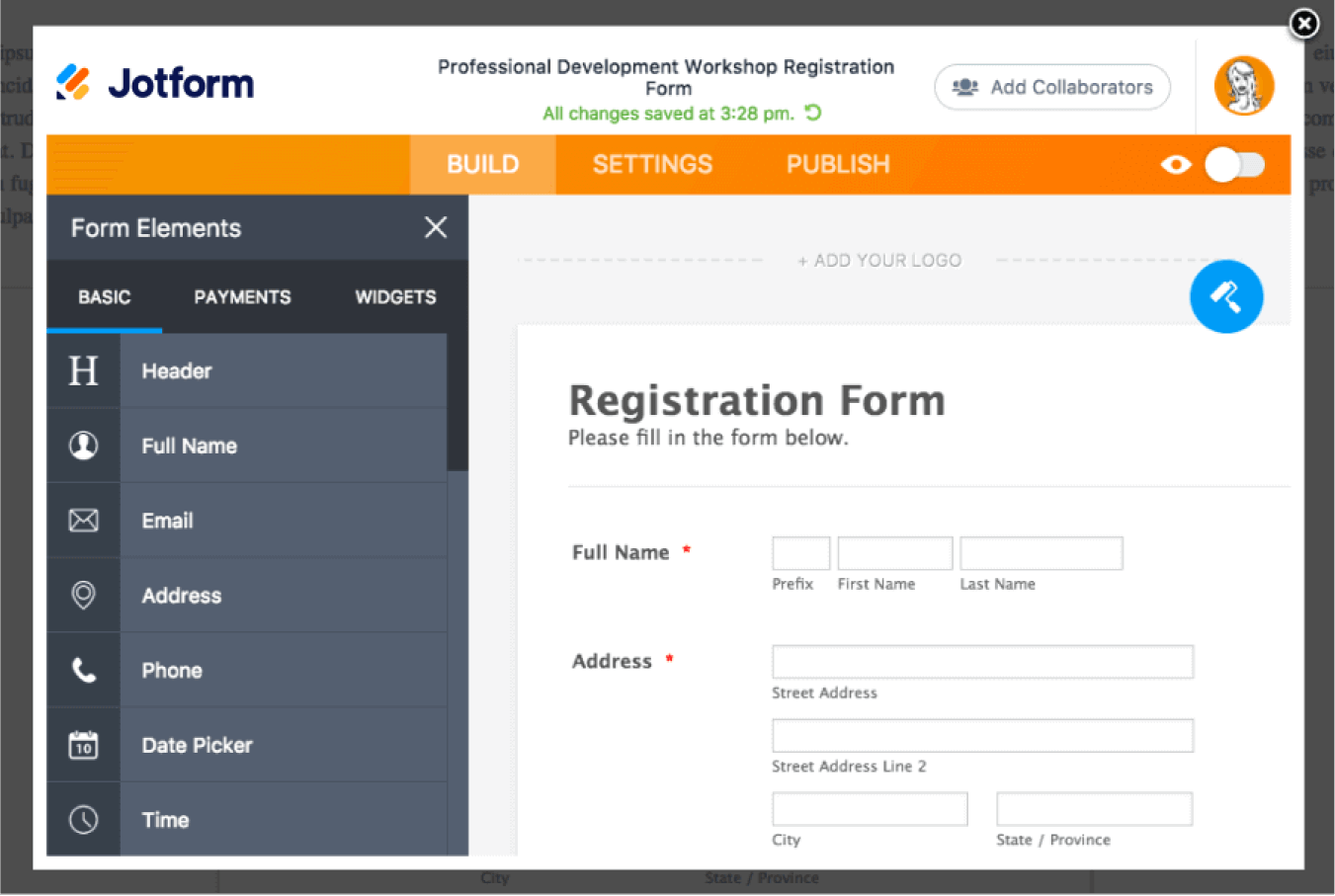
Jotform: online Form Builder

Image Source

The tool has all the normal form-building capabilities as well as unique fields to customize your own forms. It also integrates with almost every marketing platform. The free plan caps out at five forms, with up to 100 entries per month.

7. Moosend

Moosend’s online form builder is a great tool to increase your lead generation and expand your email lists. Part of the all-in-one marketing automation platform, Moosend’s subscription forms are easy to create through the drag-and-drop builder.
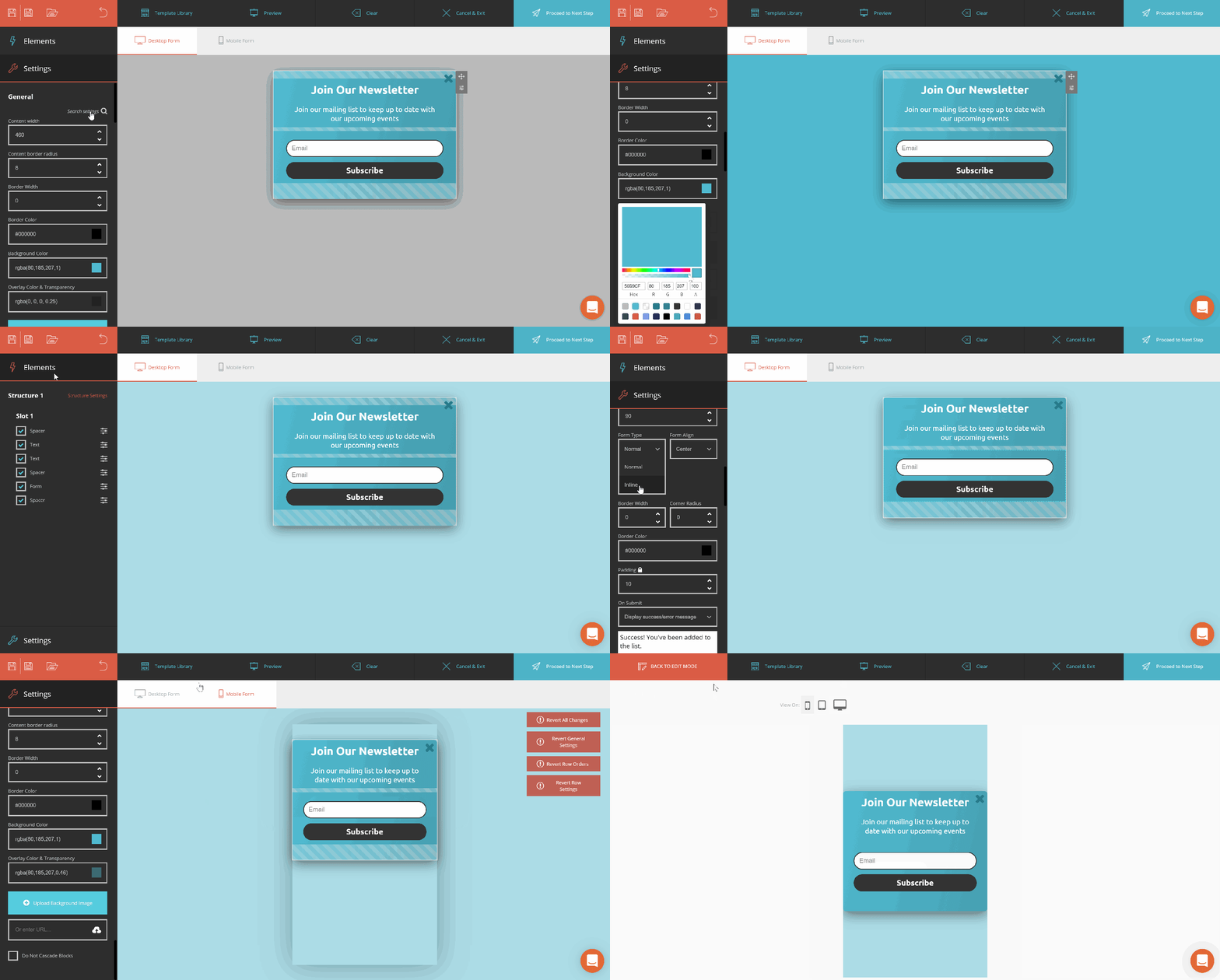
moosend form builder

You can build popups, online forms, and floating bars to convert your website visitors into subscribers for your brand. The builder has a form template library to help you out with your creations.

Moosend’s subscription forms can be displayed on specific pages and they are responsive to convert your mobile-first users. This allows you to easily leverage location data to show your popups based on a visitor’s city or country for a more personalized experience.

8. Woorise

Woorise is not only a form builder tool but an all-in-one lead generation and marketing platform that allows you to create a wide range of interactive campaigns such as landing pages, forms, surveys, quizzes, viral giveaways & contests, accept payments, and more to collect leads and engage your audience.
woorise landing page free online form builder

Image Source

Woorise features include a modern landing page and form builder, 40+ field types and thousands of social actions, 100+ interactive templates, conditional logic, real-time email notifications, multi-language support, and built-in analytics.

Woorise also integrates with popular marketing platforms such as Hubspot, ActiveCampaign, Aweber, Google Analytics, Bitly, Zapier, PayPal, Stripe, and many more allowing you to automatically send your new leads to the tools you already use.

9. Pabbly Form Builder

Pabbly Form Builder offers unlimited form submissions, file uploads, payment collection tools, users, storage, multi-page forms, conditional logic, and conversion rate optimization features.
Pabbly Form builder

The tool includes a highly customizable form builder that enables you to create, customize, personalize each form you build. You can adjust the spacing between different form fields, customize colors, shadows, borders, background, font styling, and much more.

Pabbly also offers multiple types of forms to embed on your website, sliding and pop-up forms you can use to capture leads for your business.

When it comes to organizing your form submissions, you can easily manage incoming submissions with a variety of pre-built filters, like “new” or “needs response”.

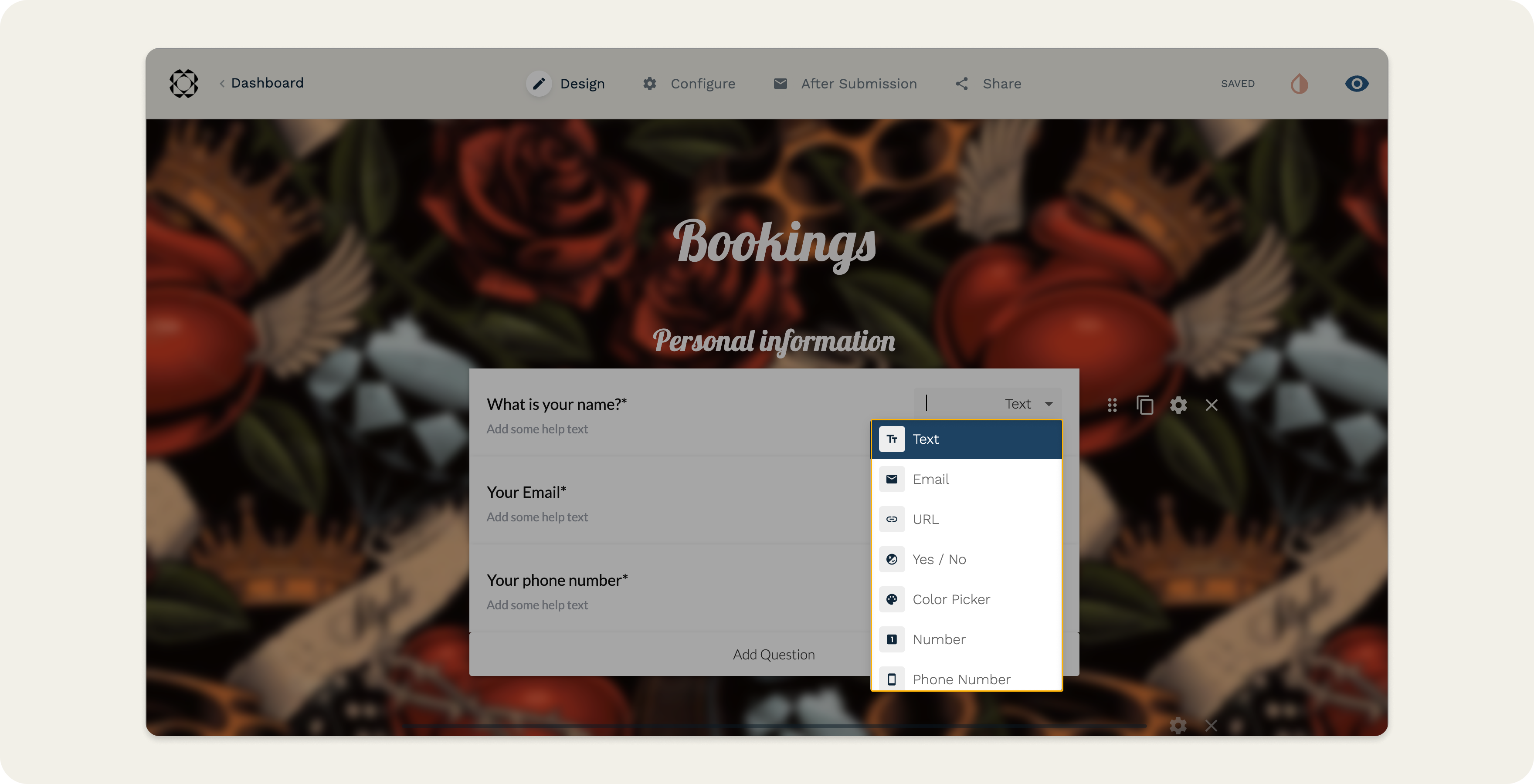
10. Paperform

Paperform is a no-code solution to building thoughtfully designed forms that are also digitally smart. Paperform is an all-in-one tool with a focus on flexibility. You can make sales, take bookings, communicate with customers, and put manual processes on autopilot all in one form.
paperform-1

The tool features 27+ question fields, as well as conditional logic, scoring, and calculation fields to help you create a powerful form that interacts with your respondents in real-time.

It also offers fully customizable elements, including media, typography, themes, and the ability to add custom HTML and CSS as needed.

With Paperform payments, you can easily sell your products, services, and subscriptions to customers worldwide.

Paperform also supports over 3,000 integrations, connecting you to thousands of popular apps and services, bringing all your work under one roof. Integrate Paperform with your favorite support service tools.

Access advanced form analytics. Sync data to Google Sheets. Set up automatic responses. It’s essentially a digital Swiss Army Knife for small businesses.

11. Forminator

Forminator is a WordPress plugin that allows you to create highly customizable forms using its drag and drop form builder.
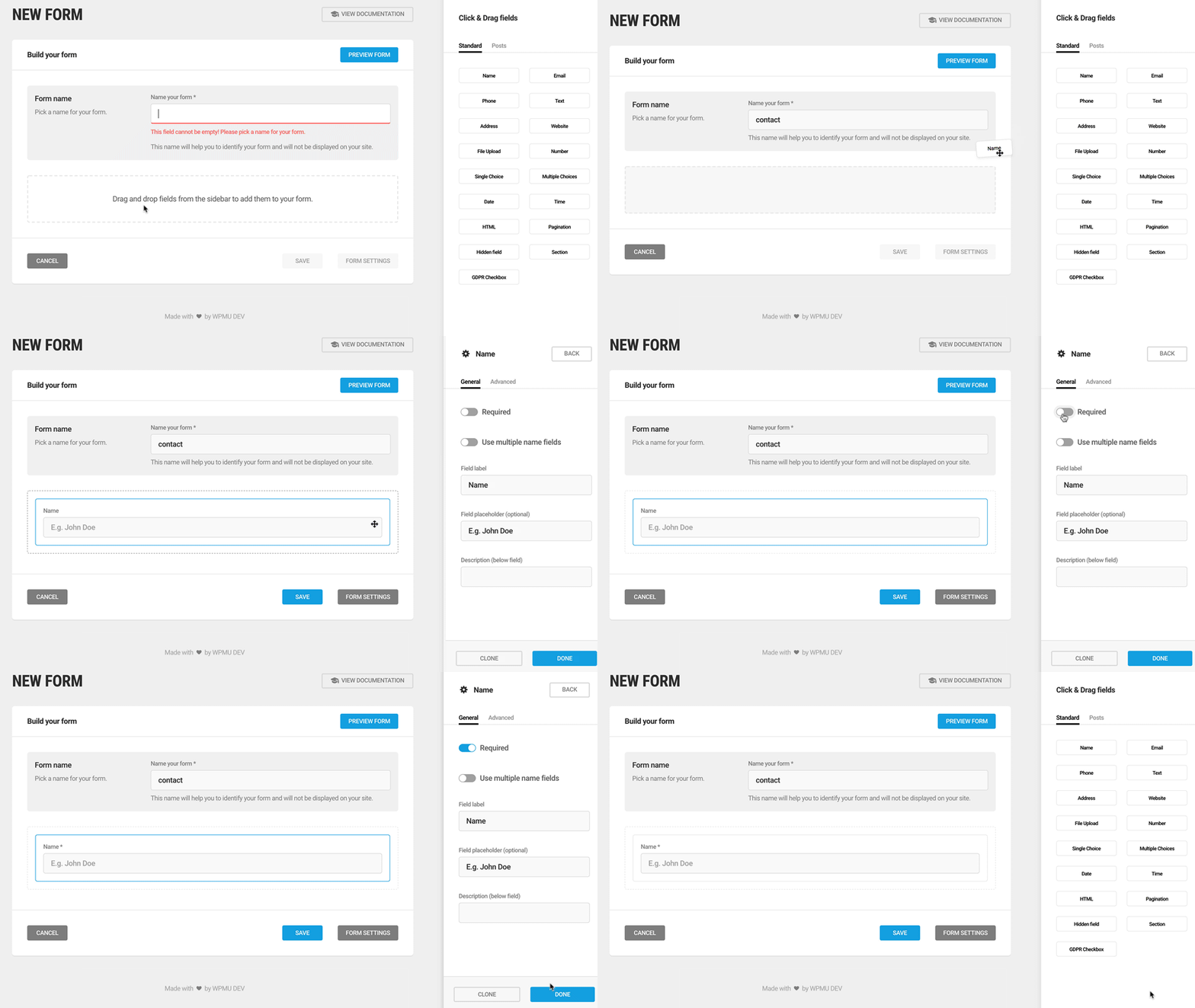
forminator-plugin new form page

Image Source

What makes Forminator unique compared to all the popular modern forms plugins out there is that it’s completely free. At this time, all features and integrations are included out of the box.

That’s not to say it lacks functionality either. Common premium form features such as polls, quizzes, frontend posting, calculations, and even accepting payments via Stripe and PayPal are all free. It is one of the most feature-rich free form plugins out there.

12. Google Forms

Google Forms’ unique selling point is that it’s fast, free, and easy to use, with unlimited forms and entries. It’s also built into the Google Docs suite, so it automatically pulls your data into a Google Sheet for you to analyze.
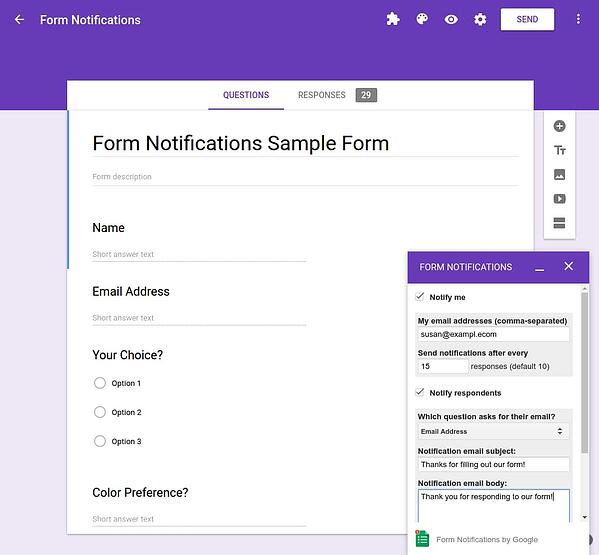
Google form builder form designer with options

Image Source


While Google Forms’ design has limited customizations, this form tool is best for quick market surveys, rather than a professional survey or lead capture form placed on your website.

13. 123 Form Builder

123 Form Builder is one of the original online form builders and has been around for more than a decade. Altogether, the tool has 3 million subscribers and over 200 million submissions.
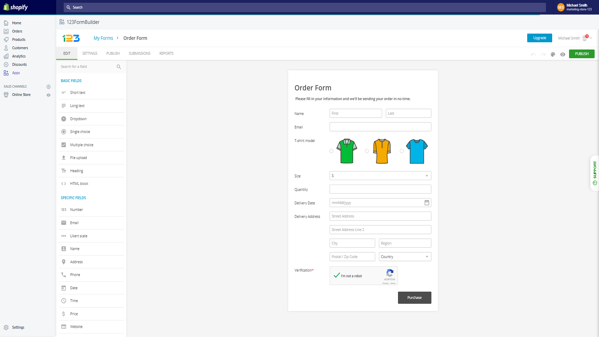
online form builder tools 123 form builder

Image Source

123 Form Builder is the most popular form building option on Wix and serves enterprise customers including Hilti, ABB, Toyota, and more. With countless templates and over 80 integrations, 123 Form Builder may be the form builder tool for you.

14. Typeform

Typeform takes an innovative approach to the world of form building. With an intuitive design, the tool guides you through the form creation process one question at a time and makes the experience of building a survey fun and interactive.
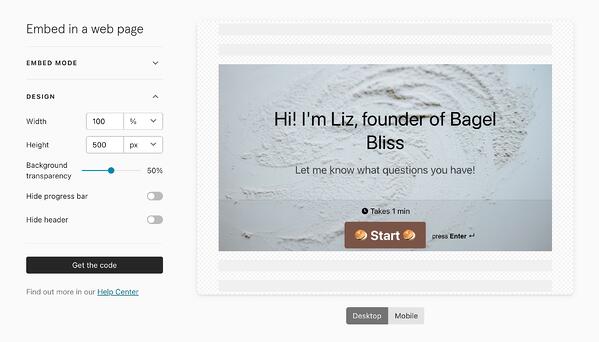
Typeform embeddable form tool

Image Source

Typeform is also great for customer surveys and user research – you can create and send standalone survey links out to your list. If you want to try something with an engaging, straightforward user experience, the tool is a solid option.

15. Microsoft Forms

Microsoft Forms is a simple, easy-to-use form creator that integrates with the Microsoft Office suite. With full customization options, users can quickly make surveys, feedback forms, quizzes, and lead forms.
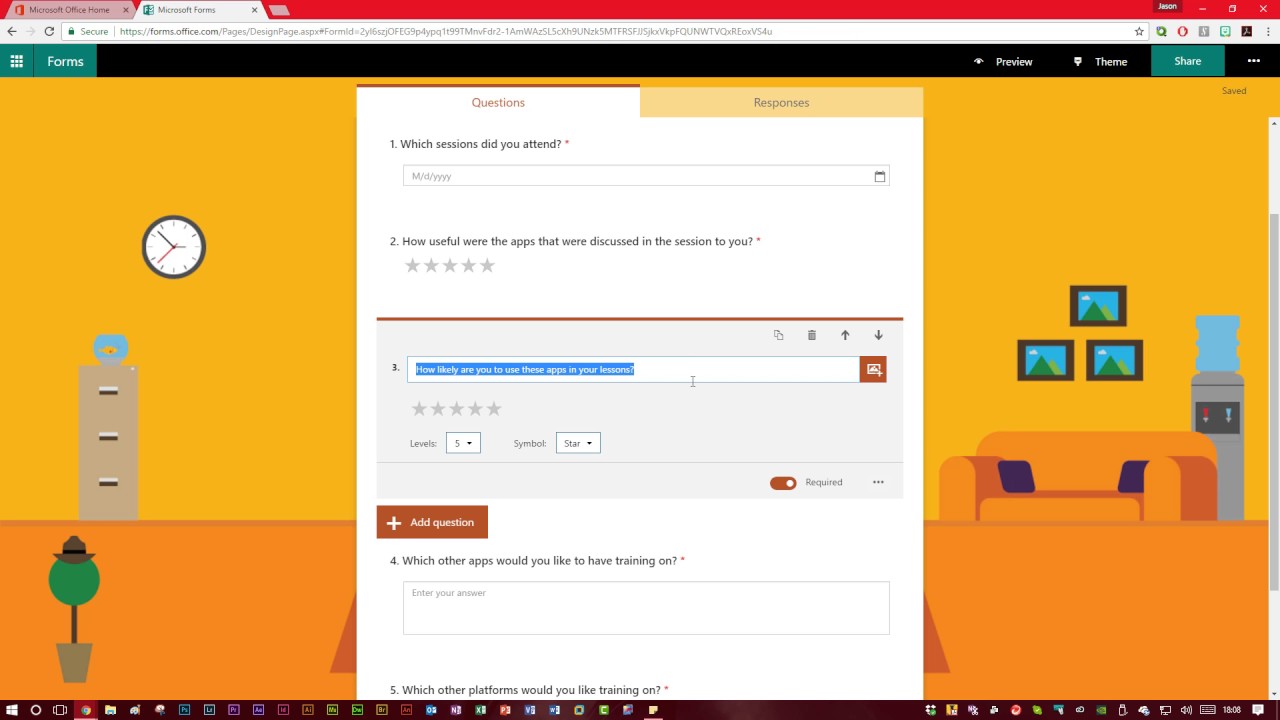
YouTube online form tool

Image Source

Since Microsoft forms don’t integrate directly with an online CMS, the tool might not be the best option for lead generation.

However, the form builder can collect data in real-time and import all your responses on an Excel spreadsheet, so you can perform powerful yet simple analysis with Excel filters and pivot tables.

16. Form Crafts

Form Crafts is a basic form builder tool that has a user-friendly interface and simple design.
WordPress drag and drop form tool

Image Source

The WordPress plugin allows you to create moderately customizable lead capture forms, email sign-up forms, surveys, and feedback collection forms.

One of Form Crafts’ best features is that it’ll send you email notifications about your lead generation process, so you don’t need to constantly monitor your results anymore.

17. FormTools

FormTools is a flexible form creator that focuses on feedback, data, insights, and beautiful form building.
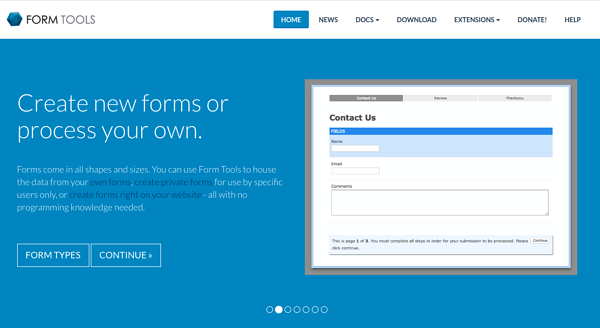
form tools best online form builders

Image Source

The form builder tool allows you to create most types of forms and tracks your results on a visually appealing dashboard. FormTools also give you an option to integrate their app with a third party provider of your choosing, like Salesforce or Dropbox.

18. Wufoo

Part of the SurveyMonkey family, Wufoo is one of the oldest form tools in the space. You can design some appealing online forms with it and it’s super easy to use.
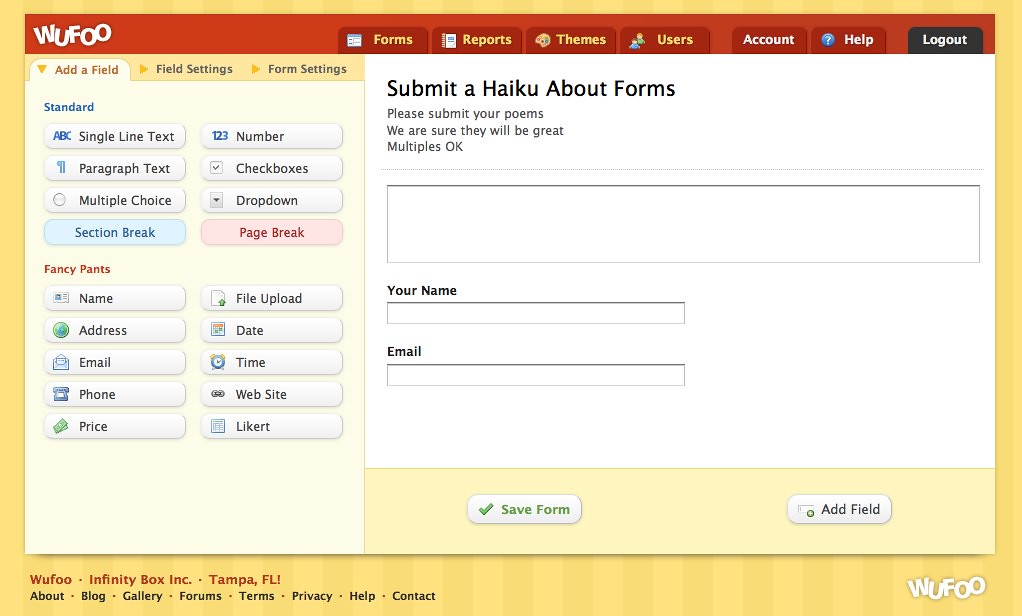
Dashboard to create a new form on WeFoo online form creator

Image Source

The app also allows you to embed forms on your website, set up payment fields that are compatible with a number of payment processing services, and turn on automatic email notifications to alert you when someone fills out your form.

19. Ninja Forms

Ninja Forms is a powerful WordPress form tool that’s used by a wide range of marketers, from novices to gurus.

 
The tool is free, integrates quickly and easily with a number of different tools, and it can greatly boost your marketing efforts. Ninja Forms also offers unlimited forms, fields, and submissions. But, sometimes, the tool lacks clear documentation and can be difficult to use when you want to customize your forms.

20. Cognito Forms

If you’re looking for a form builder with sound logic branches and robust payment fields, Cognito Forms is for you. The form tool also offers calculated fields, conditional logic, repeating fields, and more, making it easy and simple to create advanced forms.
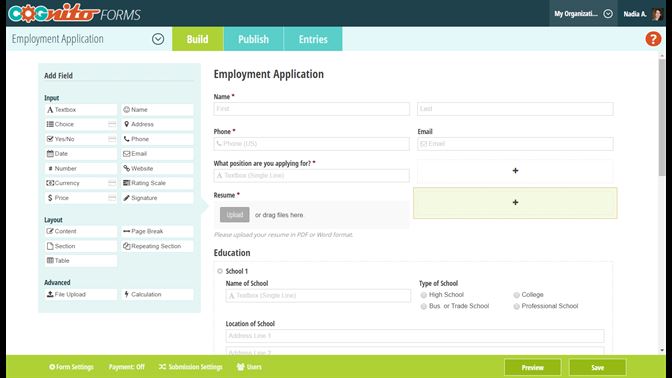
Build your form by choosing from specific field types with Cognito forms tool

Image Source

Cognito Forms integrates with Stripe, PayPal, and Square and offers a free version that includes unlimited forms with 500 entries per month.

21. FormStack

FormStack is mostly focused on building business and professional style forms. The tool’s best features include intelligent forms, built-in workflows, and seamless integrations with Google Sheets, PayPal, and MailChimp (and others through their API).

Formstack Salesforce App | Build Salesforce Forms in Minutes

One of FormStack’s more sophisticated features is an A/B testing tool that can compare different versions of your forms and tell you what performs better.

The tool also offers electronic signatures and payments, and users can save their form drafts and return to finish them.

22. FormSite

FormSite has all the essential features you need for cranking out some quick “prototypical” web forms. As one of the more basic form builders, it’s often used for simple contact or feedback forms.
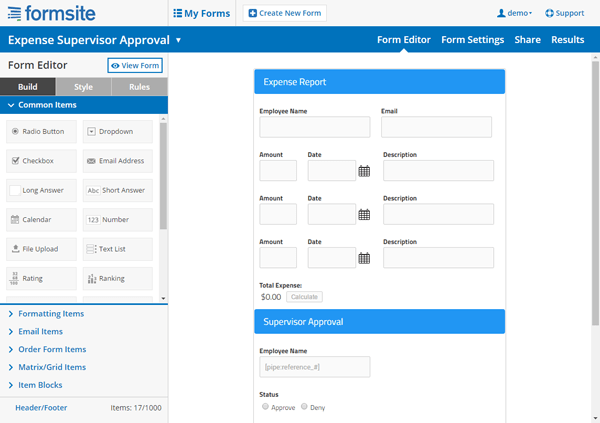
formsite-makeover-form-builder

Image Source

The tool also has a number of pricing plans that can suit your specific business needs. The free version offers five forms each month with 10 results per form.

23. Clearbit Forms

Clearbit Forms lets you leverage smart forms and flexible data enrichment technology to automatically collect specific user information.

This lets you create shorter forms with fewer fields, and, in turn, produce happier customers (because who doesn’t love a short survey?)
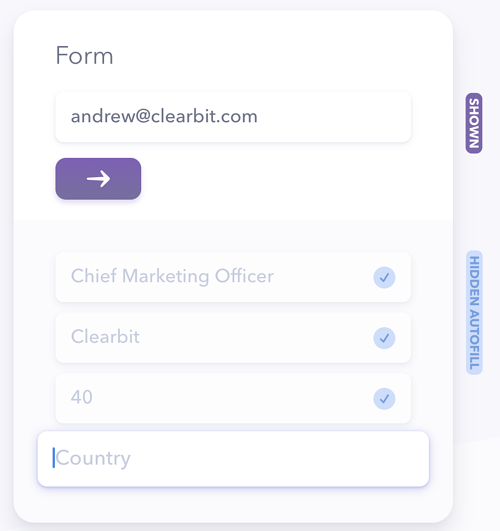
Clearbid drag and drop form creator tool

Image Source

With two plans designed for startups and enterprises, Clearbit can definitely meet your modern marketing needs.

24. FormKeep

FormKeep is a tool unlike most on this list – it’s an easy-to-use tool that finds a happy medium between coded and drag-and-drop forms.

With FormKeep, you have the option to code your own form, style it according to your brand guidelines, and integrate it with Zapier to manage your submission data.

25. Survey Anyplace

Survey Anyplace is a tool that can be used for form building, surveys, and assessments.

Survey Anyplace

Image Source

With full customization to your branding and a unique approach to form building, you can easily collect leads, information, and insights from respondents and instantly return a personalized PDF report to them.

26. Contact Form 7

One of the most popular WordPress plugins, Contact Form 7, has upwards of 5 million active installations on the CMS.
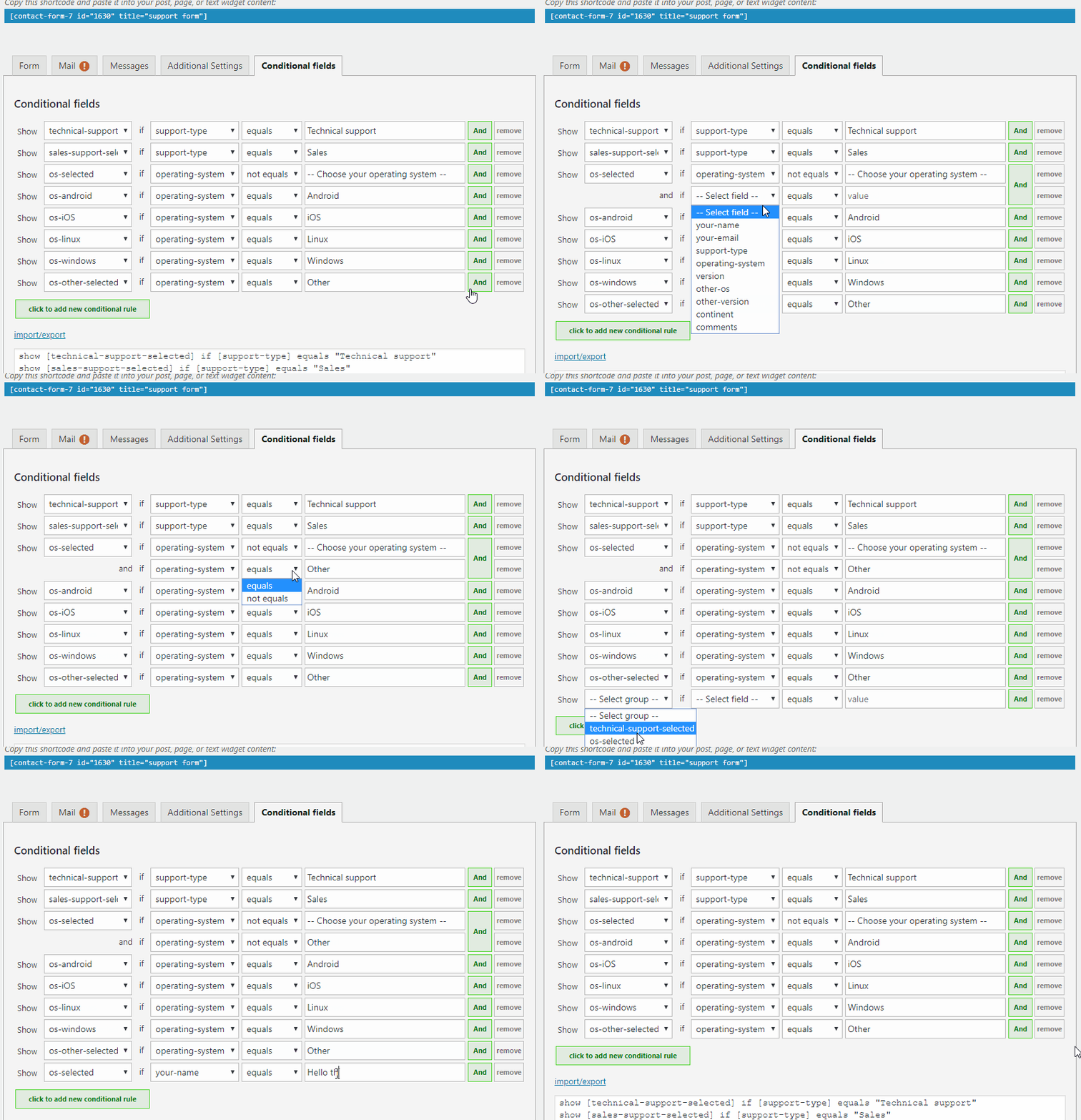
Contact form 7 on WordPress getting set up by a user.

Image Source

A free tool for everyone to use, it’s a super simple and basic form creator with a heavy focus on contact forms. But it’s also important to note that the tool has some limitations, especially with its customization options.

27. Conversational Form

An open source platform, Conversational Form lets you transform your web form into a simple chatbot.
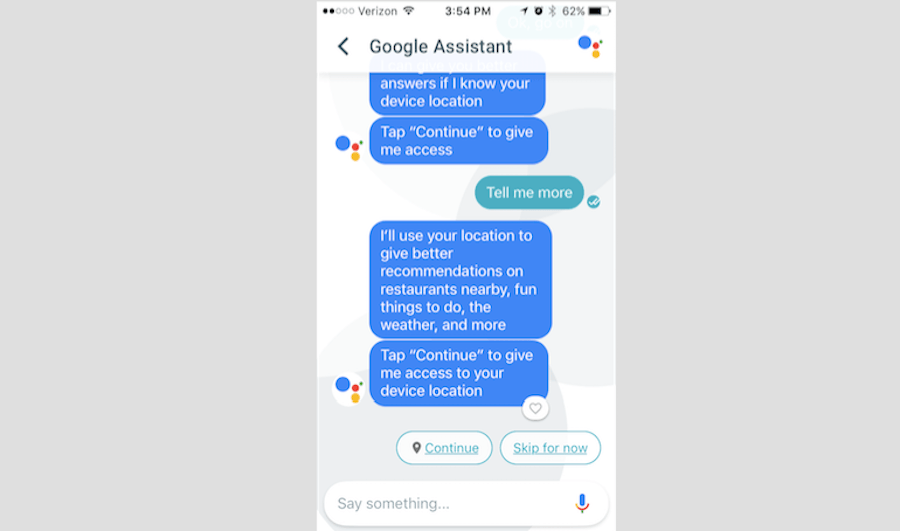
Conversation Tool form bot

Image Source

By using a novel and clever way to gather data, this form builder is bound to drive user engagement. At the same time, though, due to its new entrance into the marketing space, it might be difficult to learn your way around the tool.

28. FormBakery

As one of the easiest drag and drop form tools out there, FormBakery lets you build professional forms in the most straightforward way possible.

For those looking to build a super simple form in under five minutes, the tool is a great choice. You can quickly customize forms with your own designs, with no coding necessary.

If you’re looking to build a more advanced form, though, FormBakery may not be the right choice for you.

29. DeviceMagic

DeviceMagic is a mobile form solution on a mission to ditch all paperwork, automate lead generation processes, and enhance data collection.
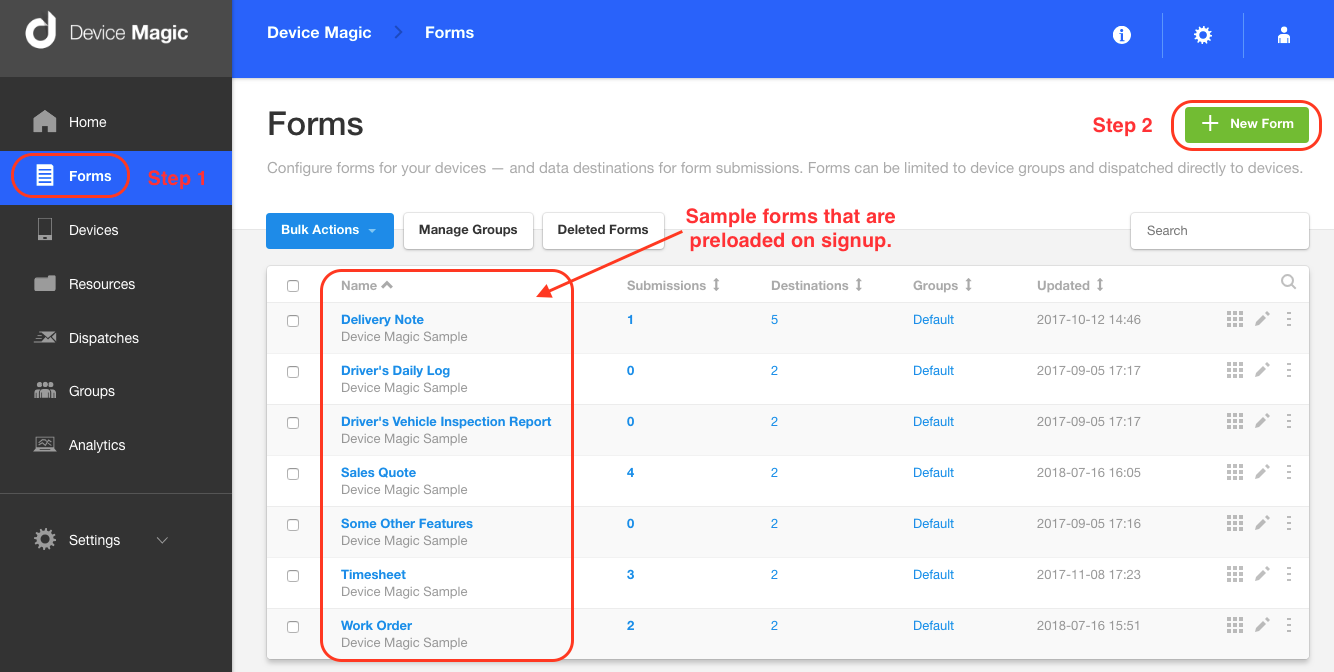
Device magic form creator dashboard

Image Source

Since the tool solely focuses on building mobile forms, it has a number of great benefits over other form builders, like quick and accurate data collection, lower operations costs, and less time wasted on administrative work.

Your Form Builder Tool Options are Endless

Most form builders offer all the essentials needed to make a basic form, but your options start to narrow down when you want better customization and deeper data analysis. Ultimately, for you, the best form tool depends on your team’s purpose and particular business needs.

Editor’s Note: This post was originally published in April 2019 and has been updated for comprehensiveness.
New Call-to-action

Categories B2B

The 15 Best Free PDF Readers of 2022

Even though they’re over 25 years old, PDFs are still one of the main types of documents on the internet. Whether you’re trying to access your W-2, a contract, or an ebook, it’ll probably be in the form of a PDF. But to view these important documents, you need to download a PDF reader on your computer.

There are hundreds of PDF readers and some can cost you almost a thousand dollars per year, so we sifted through the internet to find the best free PDF readers that you can download online.

Below, we created a list of 15 of the best free PDF readers whose capabilities range from only viewing PDFs to creating, editing, and securing them.

Click here to download our collection of customizable ebook templates.

The 15 Best Free PDF Readers

The 5 Best Free PDF Readers for Windows and Mac

1. Foxit Reader

Best free pdf readers: Foxit Pdf readerImage Source

Foxit Reader is like the Google Docs of PDF readers. You can create, share, and secure your PDFs all on the cloud. To create PDFs, you can upload scans, convert Word documents, PowerPoint presentations, and Excel sheets, and even combine multiple PDFs into a new file.

If you want to collaborate with someone on a PDF, you can grant and revoke document access, track who opens your document and view their activity, edit, comment, and also notify readers about new updates to your PDF.

What We Like

Foxit reader also provides multiple security options to keep your PDFs safe and private, like passwords, digital signatures, and encryption. If you create PDFs regularly for your job and need a way to collaborate on the same file, Foxit would be a good option.

2. Adobe Acrobat Reader DC

Best free pdf readers: Adobe pdf editorImage Source

Adobe’s free PDF reader, Adobe Acrobat Reader DC, connects to the Adobe Document cloud and other cloud storage systems like Box, Dropbox, and Microsoft OneDrive, letting you open, view, share, and comment on PDFs from anywhere and on any device you want.

What We Like

Acrobat Reader DC coolest feature is that it can read text out loud, guiding you along any document that’s challenging to read. Adobe’s free PDF reader is great for any busy professional who needs to annotate PDFs on the go or on their commute.

3. Javelin PDF Reader

Best free pdf readers: Javelin pdf reader

Image Source

Javelin PDF Reader is a straightforward PDF reader that lets you launch and print standard and encrypted PDFs, annotate them, and bookmark them. Since its download size is two MB and it doesn’t have extra features like editing, the PDF reader is fast with a simple and clean user interface. If you want to read and take notes on PDFs quickly, Javelin is probably the PDF reader for you.

What We Like

Although basic compared to powerhouse Adobe, if you want to read and take notes on PDFs quickly, Javelin is probably the PDF reader for you.

4. Google Drive

Best free pdf readers: Google DriveImage Source

Google Drive is the most accessible PDF converter and PDF storage system. On the platform, you can convert any of your documents, presentations, and sheets into PDF files and upload any PDFs to it for your own viewing purposes. If your only use for PDFs is viewing them or converting files into them, Google Drive is the best option for you.

What We Like

Google Drive allows teams to share documents and collaborate seamlessly thanks to a user-friendly interface and intuitive design.

5. Your Web Browser

Web browsers like Google Chrome, Firefox, and Safari all have integrated PDF readers. To view a PDF on your browser, all you have to do is click on the PDF link. You can also open PDF files that are already stored on your computer by dragging them to an open tab in your browser.

Additional features included in most browsers’ PDF readers: rotate, download, print, and adjust text size.

What We Like

The most accessible option on this list, web browser readers make it easy to open, read, adjust PDFs. If you don’t need to convert files into PDFs and you only need to view PDFs, you don’t need to download a PDF reader. You can just use your web browser.

The 5 Best Free PDF Readers for Windows

1. Nitro Reader

Best free pdf readers: Nitro pdfImage Source

Nitro Reader has a reputation for striking a good balance between usability and advanced features. The platform has an intuitive and slick interface, but you also have access to a wide variety of tools to create, review, secure, and share PDF files. To create new PDFs, all you have to do is drag and drop your documents into the reader. Then, you can design your PDF draft with custom colors, font embedding, and orientation.

When you want to review a document, the PDF reader’s review pane helps you edit, comment, and address feedback. If you’re a PDF power user, Nitro Reader could be your best option.

What We Like

To secure your PDF files, Nitro Reader uses QuickSign to password-protect and sign your documents. Sharing documents is also simple and secure — you can share documents with anyone since the PDFs you create in Nitro Reader are compatible with almost every other PDF reader.

2. PDF-XChange Editor

Best free pdf readers: PDF XChangeImage Source

PDF-XChange Editor is one of the more robust free PDF readers out there. You can create, view, add notes, record and attach audio, highlight text, attach files, strikethrough words, and add signatures. If you need to create, edit, and share PDFs at work a lot, PDF-XChange Editor could be the PDF reader for you.

What We Like

The PDF reader’s coolest feature is its Optical Character Recognition tool — it can scan printed documents and convert the text into a searchable document.

3. MuPDF

Best free pdf readers: MuPDFImage Source

MuPDF is a standard PDF reader for viewing and editing PDF files. You can fill out text forms, annotate documents, and use it to convert PDF files into other file types like HTML, SVG, and CBZ. You can also write scripts in Javascript to alter your documents.

What We Like

If you want a low-memory PDF reader that you can easily edit and view files on, MuPDF is your best option.

4. SumatraPDF

Best free pdf readers: Sumatra PDFImage Source

Even though SumatraPDF lacks some advanced features like annotation, document signing, and form-filling, Sumatra PDF provides an intuitive and fast reading experience — it has multiple viewing modes like single page, book, and presentation and shortcuts that help you navigate any PDF file. If you just need to read PDFs for work, consider using SumatraPDF.

What We Like

The variety of Sumatra PDF’s viewing modes make it easy for users to quickly access and read the information they’re looking for.

5. Slim PDF

Best free pdf readers: slim-pdf-reader

Image Source

Slim PDF is one of the smallest PDF readers in the world, taking up just 15 MB of space on your computer. Despite its tiny size, this free PDF reader comes with a lot of advanced features that complement core functionalities such as those allowing you to print, search, zoom and rotate PDF files.

It’s available for Windows, Mac, and Linux.

What We Like

Slim PDF is small but mighty. If you are looking for a solution that strikes the perfect balance between being lightweight and powerful, Slim PDF is a great choice.

The 5 Best Free PDF Readers for Mac

1. PDF Reader Premium

Best free pdf readers: PDF Reader PremiumImage Source

With over 50 million downloads, PDF Reader Premium is one of the most popular PDF readers for Apple Devices. It has powerful functionality that lets you view your PDF in multiple tabs, annotate your document with images and sticky notes, organize your files with tags, sign signatures and fill out forms on your PDF, and store and transfer PDFs through a variety of cloud services. Anyone who frequently uses PDFs for work should consider downloading PDF Reader Premium.

What We Like

In addition to editing and signature capabilities, PDF Reader Premium makes it easy to export documents to a variety of formats like JPG and DOCX.

2. Preview

Best free pdf readers: MacOS Preview

Image Source

Even though Preview is the pre-installed PDF reader on every Mac, it’s more powerful than you think. On Preview, you can view and annotate your documents, combine documents, fill out and sign forms, edit images, share files, and even export a password protected PDF, if there’s sensitive information on your document. Preview is the best choice for someone who wants to use one PDF reader for personal and professional matters.

What We Like

Preview is the best choice for someone who wants to use one PDF reader for personal and professional matters.

3. Skim

Best free pdf readers: Skim PDF readerImage Source

Skim is a PDF reader that was originally designed to help academics read and annotate scientific papers in PDF format, but they’ve now improved their functionality to let anyone view any type of PDF file on the reader. On Skim, you can highlight text, take notes, take snapshots, export notes as text, and integrate with third party apps like BibDesk, a bibliography manager.

What We Like

Designed with academics in mind, Skim’s annotation and markup features put it above the competition.

4. Soda PDF

Best free pdf readers: Soda PDF readerImage Source

Soda PDF is one of the best PDF readers for reading visual documents like digital catalogs, magazines, and comic books — you can even view files in 3D. The app also lets you create and edit PDFs from scratch. Soda PDF sells an online PDF platform too, so they drive demand for it by offering free PDF tools on their website like convert to PDF, convert from PDF, merge, split, & compress, sign & secure, and insert elements like watermarks and page numbering. You can use these online tools as a proxy for a downloadable PDF reader if you want to save space on your computer.

What We Like

Having both a web-based app and desktop version gives users the flexibility to read PDFs on any device.

5. Wondershare

Best free pdf readers: WondershareImage Source

While Wondershare isn’t completely free, it does offer a free trial. However this may be a good option for someone who needs a pdf editor for one-off projects.

With Wondershare PDFelement, you can not only edit documents and convert them to PDFs, but it also allows for digital signatures, watermarks, and makes it easy to create forms.

What We Like

Wondershare’s free version offers a robust assortment of features and functionality users typically would need to pay for.

Edit PDFs With Ease

PDF editing software is a must for businesses and professionals. Having the right PDF editor can aid your team with collaboration and file management.

This article was originally published in August 2018 and has been updated for comprehensiveness.

New Call-to-action

Categories B2B

How to Use TikTok: A Step-by-Step Guide

Did you know TikTok is the most engaging social media app with an average user session of almost 11 minutes? Now add to the mix a staggering 1.2 billion monthly users.

To state the obvious, TikTok is dominating the social media landscape, becoming a gold mine of short, snackable content. While that sounds exciting – how can you get started?

Free Ebook: The Marketer's Guide to TikTok for Business [Download Now]

Here’s a a handful of steps — with photos — to walk you through setting up your profile, filming your first video, adding special effects, and using challenges or duets to engage with other users.

Setting Up Your Account

1. Download the app and sign up.

Go to the App Store or Google Play and download TikTok. When you open it, TikTok makes it pretty easy to sign up. You can do an instant sign up with Facebook, Gmail, or Twitter, or add a standard username and password if you don’t want any of those accounts connected.

2. Set up your profile.

Once you’re logged in, you’ll instantly be brought to the feed of videos. I’ll show you how it works in step three. But first, tap the icon in the lower right that looks like a person’s outline to see and edit your profile.

tiktokprofile (1)
Once you enter your profile, tap the Edit Profile button, then select a profile photo or video. You should also add your username and bio information. If you want to show off your other social media profiles, you can link up your Youtube and Instagram pages. If you’re a business, this could be a helpful way to advertise your other visual platforms.

Finding Videos and Engaging with Users

3. View your video feed.

Now that you’ve set up your profile, tap back to the Home tab to see your video feed.

feedtiktok (1)

Think of this feed like Twitter’s, but where video is the primary content. If you don’t have any followers yet, the app will send you random trending videos. As you begin following and interacting with more people, your feed will become more personalized to your interests.

4. Like, comment, or share videos you enjoy.

When you find a video you like, you can tap the heart to like it or the speech bubble to comment on it. To share the video, press the forward sign underneath the comment symbol to see your sharing options. These symbols are all located on the right side of the video.

likecommenttiktok (1)

If you really like a video and want to see if the user has more posts you’ll enjoy, swipe left to toggle to their profile.

Swiping left on a TikTok video to see the creator's profile

5. Search for videos.

Tap on the second tab, or magnifying glass, to enter the app’s search area. On this tab, you can either search out accounts or videos, or you can look below the search bar to see videos by trending topic.

tiktoksearch

6. Organize your saved videos with Collections

Once you start “liking” videos, you can rewatch them under your Saved tab. But be warned: the Saved tab can get messy, quickly. Luckily you can organize your favorite videos under categories — or as they’re referred to on TikTok, Collections.

tiktokfavoritesImage Source

To access Collections, click on the bookmark icon below the comment icon. Then, press “+ Create new collection” to add a collection. Categorize your saved posts by topic (i.e., fitness, recipes, dog videos), aesthetic, or any other classification you want. Additionally, you can create a collection of your favorite sounds, effects, and hashtags.

7. Follow users.

If you want to keep up with a great video creator, you can follow them by pressing the icon that includes their profile picture and a plus sign.

followtiktokIf you already know of a TikTok account or person that you want to follow, you can search for them in the search bar and then press the “Users” filter.
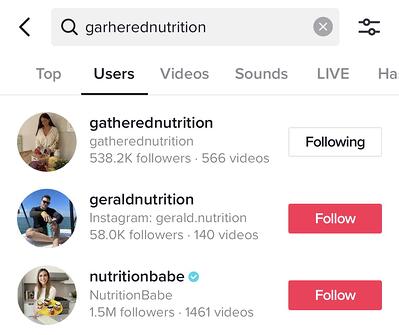
follow user on tiktok-18. Share your TikTok using TikCode.

Now that you have a TikTok, it’s time to share it far and wide. One of the easiest ways to do so is with a TikCode. A TikCode is a QR code unique to your profile that others can scan to quickly access your profile. It’s an ideal option if you run into a friend in-person who wants to add you.

TikCode

To find your own TikCode, go to your profile and access your settings options. Then, click QR code. This will open your unique code.

How to Post on TikTok

9. Set up your shot and pick out special effects.

Tap the center tab to enter camera mode. To face the camera in the right direction, tap the Flip icon in the top right. On the right side of the screen, you’ll also see icons for the following:

  • Speed: Allows you to record your video in slow motion or sped up.
  • Beauty: A filter that can hide blemishes and smooth out your skin.
  • Filters: Lets you change the color filter of the camera.
  • Timer: Allows you to set an auto-record countdown if you want to film hands-free.
  • Flash
Camera screen view of TikTok app

Sounds and Effects

On the top center of the camera screen, you’ll also see music notes with “Add a Sound” next to them. Tap this to choose the musical overlay or sound effect that you want to work with.

soundstiktok

On the bottom of the camera, you’ll also see an Effects icon to the right and an upload button to the left — in case you want to record your videos outside of the app.

When you tap the Effects button, you’ll see a giant lineup of AR filters and other special effects that can augment your face or your surroundings. You can also pick out a video overlay-styled filter here.

Previewing AR bunny face filter on TikTok

In the black bar under the camera, you can set the time limit for your video or tap Photo Template to create a photo slideshow instead of a video.

Using time bar under camera screen to set video length on TikTok

10. Record the video.

Once you’re ready, press and hold the red record button. You can either record your video all at once or in pieces.

Recording a video with a face and color filter on TikTok

If you want to fit different shots in each video or record it in pieces, simply hold the record button for each segment, then let go, then press and hold it again when you’re ready for your next shot.

Don’t want to hold your record button the whole time? Before you enter record mode, you can also use the timer to give yourself enough time to prop up your phone and pose in front of it before it starts automatically recording.

Setting a video recording timer on TikTok

11. Make final edits and add a caption to the video.

When you’re done recording the video, you’ll still be able to add a musical overlay, filters, and other basic special effects. You can also add stickers and text overlays on top of the video.

Adding stickers and other effects to a video before posting on TikTok

When you’re done, press Next. You’ll be directed to a page similar to Instagram’s post page where you can add a caption, relevant hashtags, and account handles of others. You can also set the privacy of the video, turn comments on or off, and allow duets or reactions.

Adjusting post settings and adding a caption on TikTok

If you aren’t ready to post yet, just press the Drafts button at the bottom left to save it for later.

12. Duet with other users.

See a musical post that you love? Want to join in with the person who made it? TikTok allows you to reply with a Duet video. To use this former Musical.ly feature, find a video you want to duet with, press the Share button to see sharing options, then press the “Duet” option on the bottom row in the center.

Using share options to start a Duet on TikTok

Your camera screen will appear next to the video. From there, you can press record and sing along, dance, or do whatever you want to the music.

Recording a duet on TikTok

To show you what a finished product looks like, here’s one great example:

If you make a post and don’t want anyone to duet with you, you can tap the “Duet/React Off” button on your Post page before publishing.

13. Participate in a challenge.

Like other social media platforms, you’ll occasionally see videos with hashtags for “challenges.” A challenge is when a video post, company, or person encourages users to film themselves doing something oddly specific — like flipping the lid of a Chipotle to-go bowl with no hands. Participants then film themselves doing the action and hashtag the challenge name in their post captions.

There usually aren’t any winners in a TikTok challenge, but hashtagging it might help you get more followers or views as people find you when searching the hashtag.

To give you a quick idea of what participating in challenge entails, here’s a video of someone doing the above-mentioned #ChipotleLidFlip challenge:

A Few TikTok Takeaways

As you’re brainstorming or filming your first videos, here are a few tips to help you create unique and engaging posts:

  • Have fun with the special effects. There are a ton of ways to zest up your video, and audiences on TikTok expect it. So play around and experiment with them.
  • Embrace the music. Most videos on the platform have some type of song or sound effect in the background.
  • Film a few videos with multiple shots. This will make it feel more interesting and active.
  • Don’t be afraid to show a lighter side or a sense of humor. People come to this platform to be entertained.
  • Use trendy hashtags and try out a challenge video. Then, include relevant hashtags in your post caption so your video shows up when people search it.
  • Look at what other brands are doing. While your company might not need to jump on TikTok just yet, videos posted by other brands could inspire some ideas for your own strategy.

Yes, TikTok may seem like a new, experimental platform right now, but it might be a great tool for engaging and spreading awareness to your younger audiences
later.

Blog - Content Mapping Template