Categories B2B

24 Mind-Blowing Creator Economy Stats That Marketers Can Learn From

Having found success on TikTok, Thomas Petrou co-founded The Hype House, a collaborative content house where TikTokers lived together, created videos, and grew their following with Petrou’s guidance and support.

He is one of the many content creators making a name for themselves in the creator economy — a relatively new concept but, as anyone can become a content creator, the potential for significant growth is clear.

In this post, we’ll explain exactly what the creator economy is, and go over key stats that marketers should know.

Download Now: 150+ Content Creation Templates [Free Kit]

What is the creator economy?

The creator economy is where creators, from YouTubers to bloggers, share content with audiences and generate revenue from monetization opportunities. It also includes the businesses that creators launch to further grow their content.

Businesses have a place in the creator economy as well; specifically those that create tools for creators to build their impact, reach, and audience. For example, Patreon helps creators launch premium membership programs and Virtual Dining Concept helps creators launch restaurants in ghost kitchens. Creators will also continue to look to businesses to offer the tools they need to meet their goals, requiring businesses to be on top of the trends.

Marketers are also impacted by the creator economy, as social media users put more trust in their favorite influencers and creators than the brands they follow. As a result, creating an impactful ad for social media can require partnering with influencers that have an engaged audience that trusts their recommendations.

The creator economy is only set to grow. Given this, it’s important to stay on top of the current state of the creator economy — below we’ve compiled a list of stats that demonstrate this.

Creator Economy Stats For Marketers To Know

General Creator Economy Stats

  • 30% of 18-24 year olds and 40% of 25-35 year olds call themselves content creators. (HubSpot Blog)
  • Creators are most likely to be young (63% Gen Z) and female (48%). (Global Web Index)
  • 46.7% of creators are full-time creators. (ConvertKit)
  • The top types of creators are educational creators, bloggers, coaches, writers, and artists. (ConvertKit)
  • 37% of niche creators have engaged in a brand collab at least once. (Linktree)
  • Full time creators use an average of 3.4 channels for audience engagement. (ConvertKit)
  • The average amount of time spent creating content each week is 1 – 5 hours. (Linktree)
  • Content creators say their top challenge is getting their content found. (The Tilt)
  • 61% of content creators say they post content for fun, 34% post because they’re passionate about the content they share, and 31% post content to explore a new potential hobby. (Global Web Index)
  • The most common creator launchpad in 2021 was Instagram. (ConvertKit)
  • 58% of creators produce 2-4 types of content. (Linktree)
  • Most often, full-time creators create social media posts, emails/newsletters, and articles/blog posts. (ConvertKit)
  • 52% of marketers lean on creators to strengthen their social community, and 41% say they want to work with content creators to promote their brand values. (Sprout Social)
  • The most common types of content marketers hire creators to make are educational content, unboxing or reveals, and testimonials. (Sprout Social)
  • The top earning types of creators are educational creators, coaches, podcasters, influencers, and marketers. (ConvertKit)
  • A majority of content creators share between 0 and 10 sponsored posts per year. (Influencer Marketing Hub)

Creator Economy Revenue Stats

  • The creator economy currently consists of over 300 startups. (Influencers Club)
  • The creator economy market size is currently estimated at $104.2 billion. (Influencers Club)
  • The total valuation of creator economy startups was $5 billion in 2021. (Influencers Club)
  • A majority of content creators say their highest earning revenue source is brand deals. (Influencer Marketing Hub)
  • It takes content creators an average of six and a half months to earn their first dollar. (The Tilt)
  • Content creators prefer to monetize their content on Instagram and TikTok. (Influencer Marketing Hub)
  • Full time creators leverage 2.7 income streams on average. (ConvertKit)
  • 59% of beginning creators haven’t monetized their content yet. (Linktree)

content templates

Categories B2B

How Co-Marketers Can Leverage Creator Collabs and Branded Content on Facebook

If you leverage influencer collabs, partnerships, or branded content on Facebook, there are two new features you need to know: Creator Collabs and Branded Content Tags.

These tools have a simple goal: to create smoother collaborations between content creators and brands that lead to more exposure and reach. On the consumer side, they add an extra layer of transparency around branded content.

Free Guide: How to Market on Facebook & Instagram

Here, we’ll cover everything you need to know about these tools and discuss how they can bring your Facebook strategy to the next level.

What is Facebook’s Creator Collab feature?

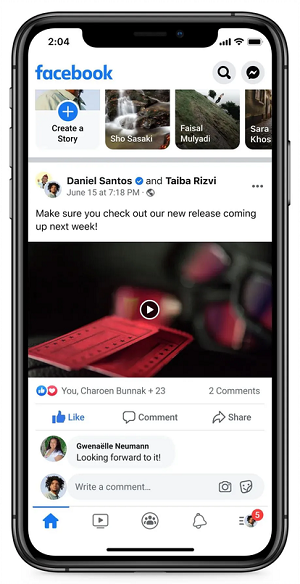
Released just this year, Facebook’s Creator Collab feature enables you to tag multiple creators in a single post. Here it is in action:

FB Creator Collaborations

Image Source

In the example above, notice that two creators — Daniel Santos and Taiba Rizvi – are tagged in the same post. What’s the benefit of this? When you tag multiple creators, you can generate more exposure by tapping into the audience of each collaborator.

Here’s how it works: the primary collaborator (the creator who uploads the post) sends an invite to the secondary collaborator to “join” the post. Once they accept, the primary user can add or remove the secondary collaborator at any time.

You may be wondering, what if the post is eligible for monetization? In that case, earnings are only available to the primary collaborator.

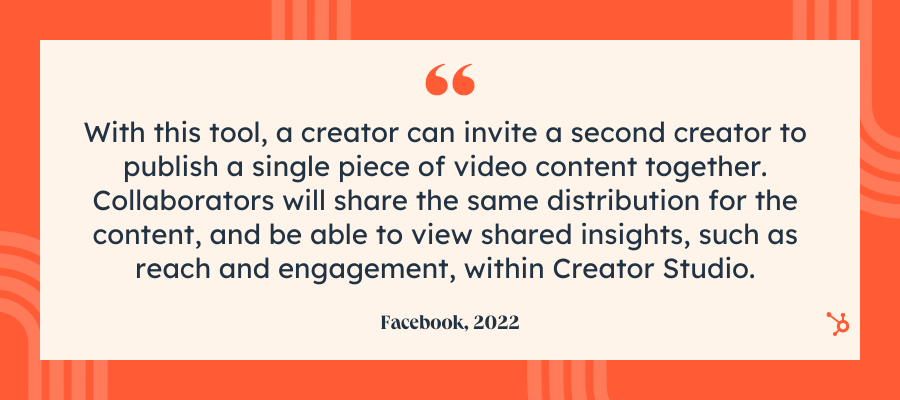
In terms of analytics, each collaborator can access insights about the post, such as reach, view count, and engagement, right within Facebook’s Creator Studio. Here’s what Facebook has to say:

Creator Collab FB quoteFacebook’s Collab tool mirrors a similar one on Instagram. The feature, known as Collab, enables two Instagram users to post the same post from two different accounts. They share likes, comments, and view counts on these posts.

Instagram Collabs featureIt’s clear that Meta-owned platforms are trying to reimagine the way creators and brands collaborate. Facebook’s Collab feature is an excellent addition to this effort, but it’s also limited. The feature is only available for video posts, although this may change in the future.

Now let’s take a closer look at another handy tool from Facebook: Content Tags.

What is Facebook’s Branded Content Tag?

You’re probably familiar with tagging on Facebook. Nowadays, creators must disclose who they work with by “tagging” the sponsor in each post. But there’s more to the story.

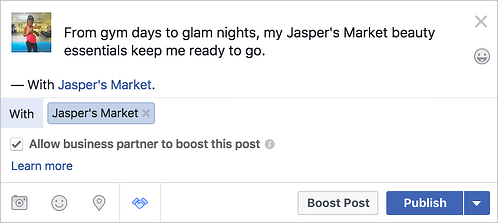
When a creator goes to publish content about your brand, they can now give you permission to boost the post.

Branded-content-post

Image Source

If they enable this feature, you can pay to promote the post and reach even more people. The audience will see the post from the original creator, even though you, the sponsor, boosted it.

Facebook will also allow you to add a call-to-action to the post. When the boosting period is over, the CTA will stick around. 

Over to You

More and more brands rely on creators to expand their reach and boost engagement. While collaborations and branded content are nothing new, Facebook is making it easier than ever to experiment with different features and drive results.

Free Resource: How to Reach & Engage Your Audience on Facebook

Categories B2B

How (& Where) Consumers Discover Products on Social Media [New Data]

Marketing is all about meeting people where they are — and more often than not, they’re on social media. For this reason, it’s the perfect vehicle for product discovery.

Download Now: 2022 State of U.S. Consumer Trends Report

Of course, not all social media platforms are created equal, especially when it comes to product discovery. So, if you’re looking to pinpoint the platforms consumers use the most for product research, you’ve come to the right place.

Here, we’ll dive into:

Let’s dive in.

Shopper research is critical for a better understanding of the customer journey from initial searches to website visits and eventual purchases. Plus, the advent of digital- and mobile-first interactions has made this research even more important as the customer journey now includes multiple paths and touchpoints from start to finish.

For example, prospective buyers might hear about your brand from a friend, do their research on social media, and then interact with your ecommerce store through their mobile device.

Understanding all touchpoints along this journey can help companies create more seamless and streamlined experiences for consumers and increase overall ROI.

The Top Social Media Channels Consumers Use For Product Discovery

22% of consumers prefer to discover new products via social media, according to HubSpot’s 2022 State of Consumer Trends Report. Let’s take a closer look at the channels they leverage for product discovery:

Gen Z

57% of Gen Z have discovered new products on social media in the past three months, and 71% say it’s where they most often discover products.

Almost half (49%) of Gen Z consumers prefer to discover new products via Instagram Stories. This isn’t too surprising when you consider 90% of people follow a business on Instagram. On top of that, Gen Z ranks Instagram as their favorite social media app.

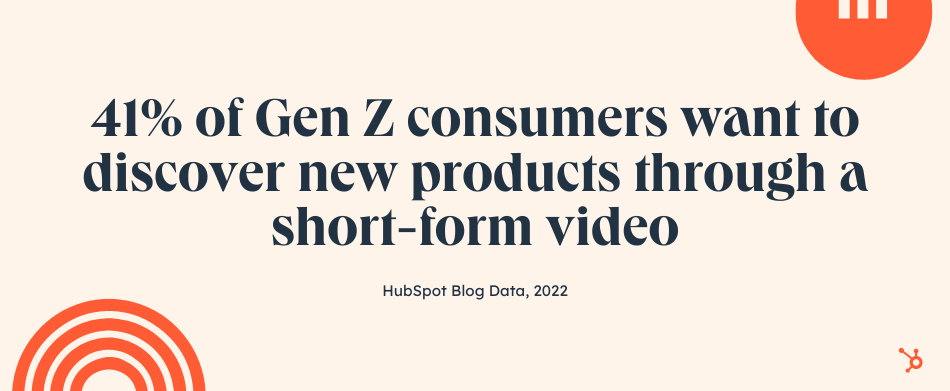
In second place, 41% want to discover new products through a short-form video — such as a TikTok or Instagram Reel. Since these platforms pull a younger audience, this adds up.

social media product researchMillennials

Millennials prefer to discover new products via feed or story posts. This could be anything from an Instagram Story to a Facebook post. Facebook, in particular, is the social app Millennials visit the most, followed closely by YouTube.

On top of that, Millennials also like to discover new products through short-form videos (36%).

Gen X

Gen X discovers new products on social media more frequently than any other channel, even though it isn’t preferred. Like Millennials, they’re most likely to find new products via feed or story posts.

Interestingly, this age group likes to discover new products through short-form videos (41%) in equal measure to Gen Z. It’s clear that short, snackable content is appealing to this demographic. In fact, 36% of TikTok users in 2021 were between 35 and 54 years old, a 10% increase from the year before.

Baby Boomers

Social media falls flat for boomers —  a slim 17% have discovered a product on it in the past three months, and only 4% have purchased a product on a social app in that time.

That said, of those who use social media, 42% prefer to discover new products via feed posts. The platforms they visit the most are Facebook, YouTube, Instagram, and Pinterest.

What Types of Product Content Do Consumers Watch or Engage With?

If you’re looking to leverage social media, it’s a good idea to know what types of branded content consumers enjoy.

social media product research

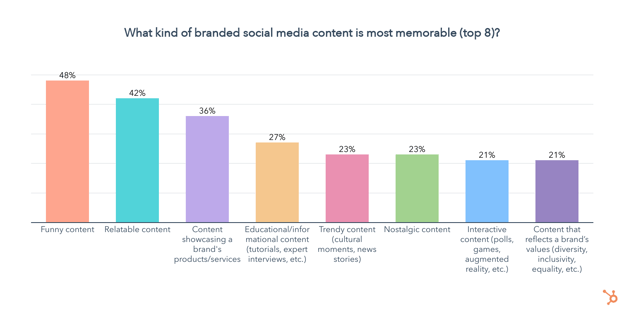
Nearly half of consumers (48%) find funny content the most memorable, followed by relatable content. Additionally, making content that showcases your product or service — such as a demo, review, or tutorial — is also highly memorable to 36% of consumers.

Social Media Research Habits

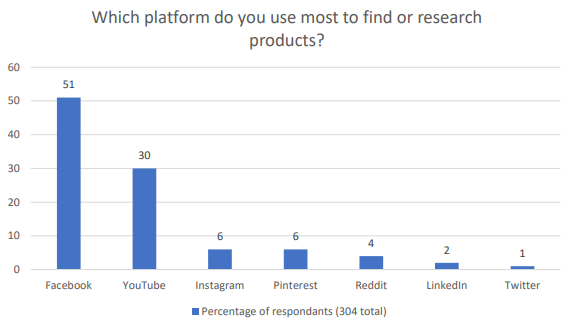
To learn more about the social networks people prefer to surf for product research, I conducted a poll of 304 people using Lucid Software.

Shopper Insights reveal social media research habits

Source: Lucid Software

At first glance, the survey data seems simple: Facebook is far and away the market leader when it comes to product research and eventual purchasing, followed by YouTube.

But that’s not the whole story. Part of the reason Facebook and YouTube rank so highly is because of their massive user base — for example, Facebook has three times the user base of Instagram, despite being owned by the same company.

It’s also worth noting that while Facebook marketing appeals to a broader audience, volume alone doesn’t guarantee conversion. Users on Pinterest, TikTok, and Reddit tend to be much more engaged with their social community — meaning that if your brand can capture their attention you can create substantive consumer loyalty.

LinkedIn, meanwhile, relies on authenticity and authority to inspire confidence, while Twitter is all about what’s trending right now.

1. Facebook

Facebook has a whopping 2.7 billion active daily users and has been around since the early 2000s. Its audience includes multiple age groups and spans the globe, making it a solid place for most brands to market themselves.

Most importantly, 78% of US consumers discover new products on Facebook, more than any than other platform.

When it comes to marketing your product, you have many free and paid options on Facebook. Here are a few examples of each.

Free Promotion

By now, you probably know that any company can create a Facebook Business Page. Once you create a business page, you can share posts about your products and offerings. If you have happy customers, you can even ask them to review your business on Facebook so prospects researching you can see how you’ve pleased your customers in the past.

Aside from creating a page to highlight your brand, you can also post your products in Facebook’s Marketplace. Marketplace listings can include product shots, pricing, product specifications, and purchasing information. Although individual users often use the Marketplace to sell items they no longer want to other people, Facebook Business pages are also eligible to use this feature.

You should also consider talking about your products or offerings on Facebook Stories. This might take a little extra effort because it will require you to film or create content in the Story format, but it can help you better connect with prospective buyers who want a better sense of what your brand is about.

Paid Promotion

Because Facebook’s feed algorithmically favors posts from individual accounts over businesses, you might decide that you want to put money into Facebook Ads.

Facebook Ads has a solid track record. It’s estimated that 10 million businesses were advertising on the platform in 2021.

With Facebook Ads, you can create advertisements with a certain goal in mind, such as conversions or in-store foot traffic. The detailed ads software also allows you to target specific audience demographics.

As a Facebook advertiser, you can either promote a post you’ve already created to ensure that it shows up on feeds of users in your demographic, or you can create native ads that might show up in feeds or on Facebook’s sidebars. While promoted posts look like an average post with a simple tag stating they’re promoted, the native ads look more like traditional ads to make it clear to users that the content they’re seeing is paid for.

If you want to launch video-based ads, Facebook also allows you to promote video content or buy in-stream ad placements that appear in Facebook Live videos or longer videos that other users have uploaded.

2. YouTube

If how-tos or video tutorials are part of your content marketing strategy. YouTube will be a natural fit for your brand. This is because YouTube users are three times more likely to prefer watching a YouTube tutorial video compared to reading the product’s instructions.

YouTube is also popular across multiple age groups. In the last three months, 83% of Millennials have visited YouTube, followed by 81% of Gen Z, and 79% of Gen X. For Baby Boomers, YouTube is their second favorite social media app, just behind Facebook.

With a branded YouTube channel, you can publish video content such as demos, tutorials, or customer testimonial videos that give insightful details about why your product is valuable. By filming your own videos, you can insure that you’re highlighting all the great aspects of your product that make it stand out from its competitors.

Alternatively, if you don’t have time to create your own videos, sponsoring an influencer’s content, tutorial, or review related to your product allows you to tap into that content creator’s audience as they tell their followers more about your offerings.

Aside from creating your own account or hiring an influencer to give a review or tutorial, you could also consider paid advertisements. YouTube offers a few ad styles including TrueView, Preroll, and Bumpers.

These ads allow you to submit a short video ad to YouTube which is then placed at the beginning or in the middle of videos with metrics and demographics that match your brand’s target. To learn the ins and outs of setting up an ad and determining which style is right for you, check out this guide.

YouTube Paid Ad Example

3. Instagram

Although Instagram ranked in third place in the poll above, you shouldn’t disregard it especially if you’re targeting Gen-Z or millennials who make up the platform’s primary audience.

For years, Instagram’s visual layout has made it a hot spot for influencer marketing. Influencers regularly post sponsored photos and videos about their experiences with products. Like YouTube, these influencers also regularly publish video posts or Stories that present tutorials, reviews, and unboxings related to a product.

Aside from influencer marketing, many brands also promote their products on Instagram Stories, Instagram Live, and through standard video or photo posts on Instagram Feed.

Here’s an example where Kylie Jenner, the CEO and Founder of Kylie Cosmetics, films a Story-based product tutorial for her company’s Instagram account:

Kylie Jenner promotes KylieCosmetics on the brand's Instagram Stories

Along with free strategies, Instagram now offers Shoppable posts. With Shoppable posts, you can promote a product in an Instagram post that links to your Facebook Catalog. Here’s an example of what a Shoppable Post looks like:

A necklace is shown in an Instagram Shoppable post

To be eligible for Shoppable posts, you must have an Instagram Business page that’s linked to a Facebook Catalog. This feature is also only for businesses selling physical goods.

Here’s a blog post that goes into detail about how to use and optimize Shoppable posts.

4. Pinterest

Pinterest encourages people to pin image-based posts that inspire them to digital boards, mimicking the process of creating a physical inspiration board.

Because people come to this platform to be inspired to do something, such as travel or home decorating, they might find themselves pinning all sorts of product-oriented images to a themed board. For example, someone who wants to redecorate their office might create an “Office Inspiration” board and pin photos of furniture or decorative items that they’d like to buy.

Here’s an example of what these boards look like:

Office Inspiration Pinterest Board showing various office products

To make it easier for people to find your products, you could consider starting a Pinterest account and making a few boards to highlight your products. For example, if you’re marketing a travel company, you could make a board for each country that you offer packages to. On each board, you could place images of trip activities that link to your website.

Then, if someone is trying to plan a trip to a country you sell a package for, they might come across one of your posts and pin it to their own “Travel Inspiration” board.

To give you a real-world example of how brands use Pinterest, below is a Wedding Registry board created by Target which features images of products that a bride and groom might want to add to their gift registry.

Target products presented in Target's own Wedding Registry Ideas Pinterest Board

Each of Target’s pinned images links to the company website so users can share the pin on their own Pinterest board, or click straight through the post to buy or register the product.

If you have an advertising budget, you can also consider launching pay-per-click ads on Pinterest. Pinterest Ads enables your posts to be seen by people in a specific demographic that matches your own. The platform also allows you to A/B test photos and target ads to Pinterest users on your contact lists.

Want to learn more about Pinterest Ads and effective experiments to run? Check out this blog post from a PPC and Pinterest expert.

5. Reddit

Reddit encourages users to create discussion threads in themed online communities, called subreddits. As the platform has evolved, many users have created both threads and subreddits devoted to talking about products, like fast-food restaurants or video games.

Below is an example of a subreddit, or online community, that Reddit users created to talk about all things related to Xbox One.

XboxOne Subreddit discussions on Reddit

However, because comments with promotional language in them often get downvoted or buried in feeds by more engaging Reddit threads, you’ll need to be creative if you want to engage with audiences on this platform.

While you might want to keep an eye on Reddit or experiment with it, don’t put all of your time and resources into it at least right now. As it evolves, the platform may become an easier platform to market your brand on, but at the moment, Reddit marketing strategies still require more brainstorming and time than tactics on other social platforms.

Although this platform has been called one of the “trickiest” for marketers to crack, some bigger brands have figured out how to reach the platform’s discussion-oriented users.

For example, some brands will create subreddits related to their product, while others will interact by commenting on threads related to their industry.

Aside from creating content for free on Reddit, you can alternatively pay into sponsored posts or ads, similarly to Facebook or Twitter. These ads will appear in a user’s feed or as a promoted comment in a thread or subreddit.

To learn more about the ins and outs of Reddit marketing, click here for tips and examples of how other brands have cultivated the platform.

6. LinkedIn

LinkedIn’s platform, which emphasizes networking and career-related chatter, might be well-suited for product marketing in B2B, academic, or professional industries. People who do product research on this platform might be looking for a service, tool, or software that can either escalate their careers or make their workdays easier.

If you’re marketing products like software, online courses, business-related publications, or anything that can help a professional or student do their job better, LinkedIn will be a great fit for you. However, if you sell more general, consumer-facing products like makeup or home decorations, you might want to put more marketing effort into other platforms on this list like Facebook or Instagram.

While the professional nature of LinkedIn and its audience might not be suited for all brands, the platform still offers a variety of opportunities for brands to leverage it. For example, research shows that 80% of B2B leads come straight from LinkedIn.

LinkedIn is very similar to Facebook in that you can post about your product or service for free, or purchase ads or post promotion to get information about your business front and center on feeds. To see a few great ad examples, check out this post.

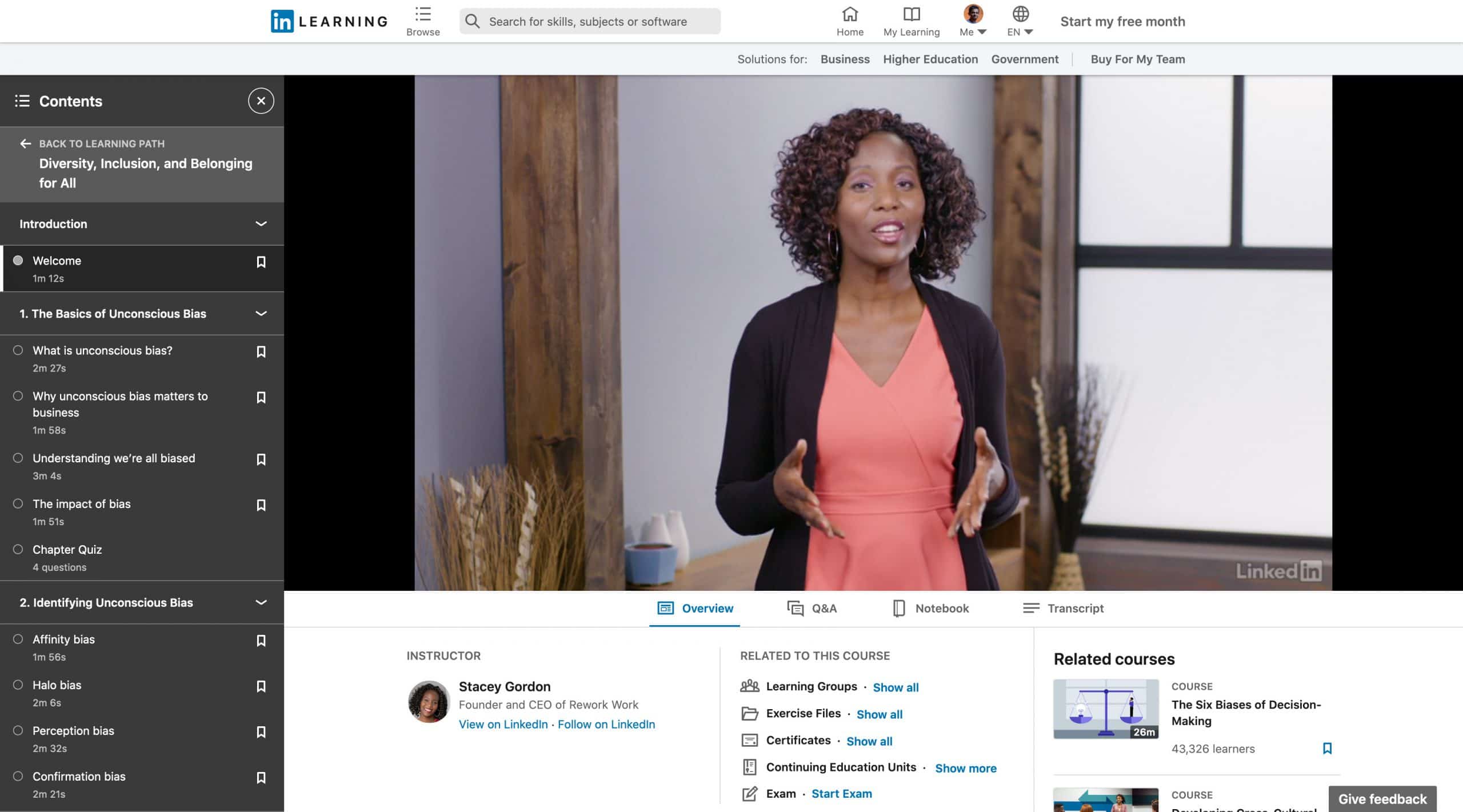
LinkedIn Course Offering

Image Source

7. Twitter

Twitter has approximately 200 million daily users from a variety of backgrounds, geographic locations, and industries. Its broad demographic might provide solid marketing opportunities to many different types of businesses. Because of its broad user base, you might want to create an account on Twitter and post regularly for brand awareness.

If you’re interested in video marketing, you can also experiment with Twitter’s live video feature and use it to film a tutorial or Q&A related to your product.

Aside from posting about your product for free, you can also pay into targeted ads or promoted tweets. Twitter claims that its advertising ROI is 40% higher than some other social channels.

While the ROI of Twitter advertising and its user base sounds promising, you might be wondering why it ranked so low on the poll shown above.

Ultimately, what might make Twitter rank last is its trend-oriented nature. The platform encourages people to connect with each other and post tweets or comments about current events, trending hashtags, or their thoughts on other specific topics.

Brands and product discussion are both prevalent on the platform, but users might go to Twitter to learn more about what’s going on in the world, rather than new products. When people are asked to pick which platform they do the most product research on, it’s not surprising that Facebook or YouTube might seem like a more obvious choice than Twitter.

While you should be on Twitter due to its sheer user base and advertising ROI, you’ll want to keep its audience’s need to stay trendy and informed in mind as you’re creating posts and advertisements for the platform. This might help you make social content that both engages these audiences while still weaving in information about how valuable your product is.

Twitter Product Marketing

Identifying the Right Platforms for Product Marketing

While running ads and product promotions on any social platform can help drive conversion, it’s a good idea to focus on platforms with audiences that already align well with your brand.

For example, broader audiences are actively looking for products or researching brands on Facebook, Instagram, YouTube, and Pinterest while Reddit and Twitter users tend to be more trend-focused. Similarly, if you’re marketing a B2B company, you might see a better ROI from ads on a professional network like LinkedIn than ads on a more consumer-friendly platform like Instagram.

Use the information provided above, and start leveraging social media for lead conversion and product marketing.

New Call-to-action

Categories B2B

ERP Investment Trends: What B2B Pros Prioritize and When They’ll Buy

When we hear the word enterprise in the context of business, it’s common to associate it with large-scale, multi-billion dollar corporations with hundreds or even thousands of employees. Perhaps, then, you’d be surprised to know that any for-profit business or company is defined as an enterprise but isn’t usually used to describe small businesses. 

Enterprise-level organizations typically have many moving parts, consisting of a number of disparate systems, strategies, and goals. That’s quite a bit to manage. To keep each of these pieces straight, businesses turn to ERP systems. 

What Is Enterprise Resource Planning (ERP)?

ERP is an acronym for enterprise resource planning—a software suite that encapsulates all facets of an organization to manage and integrate crucial business data. 

Many ERP software applications assist businesses implement resource planning by integrating all of the processes needed to run their companies (i.e. planning, purchasing inventory, sales, marketing, finance, human resources, etc.) through a single system. ERP software can be a very useful tool used across an organization to increase transparency, promote collaboration, and improve data-driven decisions. 

Despite the various capabilities ERP software covers, vendors don’t always have vision into which challenges or features drive purchase.

Fortunately, this is something that NetLine has insight into. 

The Challenge

  • How can Marketers at ERP software vendors better understand the needs of their target buyers beyond the personas they’ve built and learnings they’ve gleaned from their existing customer base?
  • What kind of obstacles are operations professionals facing that ERP software users resources-specific software vendors can solve or simplify?
  • How can Demand Generation Marketers for these vendors operationally leverage insights into those obstacles to drive more personalized and contextual dialogue with prospects?

The Goal

  • Identify and understand how leading ERP decision-makers use or intend to use ERP software and whether they intend to increase their investment any further within the next 12 months and beyond.
  • Such observations should exclusively be captured via first-party interactions with ERP decision-making buyers as they voluntarily registered and consumed related content.

The Questions

To answer the questions, we engaged nearly 11,000 senior-level IT decision makers to assess their:

  • Top priorities with ERP software
  • Greatest challenges managing and using existing ERP software
  • Desire and Timeline to invest in ERP software

Here’s a sampling of some of the insights we uncovered from their responses.

Question

What are Your Top ERP Software Priorities You Are Allocating Resources Towards?

Name PCT.
Moving to A Cloud ERP Solution 25.52%
Management Reporting is Cumbersome-Reporting Streamlining is Needed 21.26%
New Compliance Requirements 18.58%
A Solution to Disparate Data 13.17%
Desire to Move to a Shared-Services Model 12.34%
Replacing Existing ERP Infrastructure 9.13%

While there are three top priorities when it comes to ERP investment, the answers are quite evenly split, with no categories dipping below 9.13% or exceeding 25.52%. The themes at the top appear to be that centralization and clarity are the driving factors for businesses, with Moving to a Cloud ERP Solution (25.52%), Management Reporting is Cumbersome-Reporting Streamlining is Needed (21.26%), and New Compliance Requirements (18.58%) making up this trio. 

It’s worth noting, with Moving to a Cloud ERP Solution accounting for more than a quarter of the responses, it’s quite possible that these professionals have yet to use an ERP solution. 

While this is merely an educated guess, answers to the second question (What are your top challenges in managing and using ERP software?) resulted in 45.05% of respondents saying that Adequate Training (24.97%) and Commitment from Top Management (20.08%) were their greatest hurdles. It’s not a stretch to think that a significant number of respondents in that 45% would like to use an ERP tool but feel unsupported by management when it comes to the investment of capital or time. 

24.97% of respondents said that Adequate Training is their greatest hurdle in managing and using ERP software.

Some of the other notable insights include the following:

  • 9.13% of respondents said that “Replacing Existing ERP Infrastructure” was their top priority, the least selected priority.
  • Respondents in the Biotech and Pharmaceuticals field were 33.64% more likely to say that Moving to A Cloud ERP Solution was their top priority.
  • Respondents in the Transportation and Logistics field were the most likely to state that Replacing Existing ERP Infrastructure was their top priority at 16.67%, making them 82.6% more likely to say this than the average respondent.
  • Respondents in the Real Estate field were 44.7% more likely to say that New Compliance Requirements was their top priority.

Question

What’s the Timeframe for Additional Investment for ERP Software?

Name PCT.
Over 1 Year 69.3%
6-12 Months 15.03%
3-6 Months 7.29%
Under 3 Months 8.38%

On the whole, ERP investment timelines have accelerated slightly.

Since the end of Q1 2022, the number of respondents stating that their timeline extended beyond the next year decreased from 72.5% to 69.3%. While small, this acceleration was spread out across the board, with responses of Under 3 months increasing the most from 6.9% to 8.38%. Responses expecting investment between 3-6 months (7.29%) and 6-12 months (15.03%) each rose less than one percent, respectively. 

At 15.69%, Real Estate professionals were the most likely to state that they’d be investing within the next 3 months, making them 87.16% more likely to say this than their peers. Conversely, Biotech and Pharmaceutical professionals were most likely to state that their investment timeline extended beyond 12 months.

  • Professionals working in an Operations role (COO, Sales Ops, Marketing Ops, Legal Ops, etc) only stated that they’d be looking to invest between 6-12 months (42.11%) or past the 12 month mark (57.89%).
  • C-Level respondents were 21.5% more likely to say that 6-12 months was their expected timeline for investing in additional ERP software. This same group was also 16.5% less likely to say that they’d be investing over the next 3-6 months.
  • Respondents in the Travel/Hospitality/Entertainment industries were the least likely group to state that they’d make an investment past the one-year mark; in fact, they were 21.74% less likely to say this compared to their peers.

    This is good news for vendors, however, as these professionals were the most likely group to make an investment over the next 3-6 months—not to mention 132.08% more likely to invest than the average respondent—and were the third most likely group to invest within the next 3 months.
30.7% of all respondents have an ERP-related
investment occurring within the next 12 months.

While it’s encouraging to see a progression toward more immediate ERP investment, we need to recognize that more than two-thirds of respondents said they wouldn’t be making any decisions for the next 12 months. A big reason for this, undoubtedly, has to be the sizeable investment required—from every corner of the business—to make a wise choice. For instance, how many organizations do you believe would like to spend half a billion dollars without anything to show for it?

Around 2011, German grocery chain Lidl decided to replace the 90 different systems they were using to power their business with one, centralized ERP. By 2018, however, they’d terminated the entire project and reverted back to their previous systems. The grocer failed to make key, necessary adjustments to their existing processes—and without that willingness to change the blunder cost Lidl €500 million (US $584 million). Talk about a clean-up on aisle one.

According to SoftwarePath’s 2022 ERP Report, the average cost per user is $9,000. While the overwhelming majority of businesses in the US are comprised of 1-4 employees, 18.15% of respondents work within organizations employing 50,000+. Enterprise-sized businesses spending $450 million on the deployment of an ERP solution might seem astronomical, but clearly, it’s not that farfetched. 

Needless to say, selecting an ERP solution is a major decision that is not taken lightly. Any indication that a business is looking to move in the next few quarters should be seen as an organization that’s done a good deal of internal homework. While 95% of businesses have found improvement in some or all of their processes after ERP implementation, 100% would say that being on the same page before massive investment is made is crucial. 

The Results

For ERP vendors and/or those considering adding or upgrading their ERP solution, you now have a more complete and accurate understanding of where your potential clients/peers are in their unique buying journey. 

To further emphasize this, Intent Discovery identified:

  • While 9.13% of respondents said that “Replacing Existing ERP Infrastructure” was their top priority, the least selected priority, Manufacturing and Transportation and Logistics professionals had it at the top of their lists. Given how exacting and automated these fields are, having modern, up-to-date infrastructure is critical.
  • Respondents in the Legal field were 309.7% less likely to say that Adequate Training was their greatest challenge. Instead, these professionals said that Implementation Costs (22.47%) and Sufficient Testing (14.61%) were more challenging.
  • 15.49% of Finance professionals stated that Implementation TIme was their top challenge in managing and using ERP software, making them 24.4% more likely to make this statement than their peers.
  • 21.05% of Agriculture professionals stated that Maintenance Cost was their top challenge in managing and using ERP software, making them 207.41% more likely to make this statement than their peers.
  • 100% of State/Local Government professionals said that moving to a Cloud ERP solution was their top priority. (Thank goodness for the ever-evolving state of cloud-based securities.)

How Intent Data Can Help You Better Understand the Needs of Your Audience

As we move into an era of economic uncertainty around the world, insights like these are more valuable than gold. Having tangible, contextual information regarding the needs of your prospects that removes the guesswork opens the door to more productive and more fruitful interactions, relationships, and, hopefully, sales.

NetLine’s Buyer-Level Intent Discovery offers a glimpse (if not the full view) into what your buying audience craves. The product helps businesses accelerate its sales cycle by capturing first-party intent data by intercepting and engaging the buyer with customized validation questions with this one-of-a-kind product

Become a B2B Marketer that’s leveraging first-party insights for immediate activation and seamless remarketing/sales acceleration today.

How This Data Was Captured

By tapping into dramatic scale beyond the limitations of their own content, our customer leveraged NetLine’s Intent Discovery product to secure first-party sourced intent-rich data squarely aimed at accelerating sales outcomes. Empowered by NetLine’s entire universe content, the client put to good use all 13,000+ assets, billions of data points, and the 35,925,120 different ways of filtering buyers actively performing research.

Unlike traditional intent data, Buyer-Level Intent Discovery helps you better understand the challenges, priorities, and purchase timeline of your ideal targets. Nothing is hidden behind obfuscated datasets and/or black box proprietary scores. 

Perhaps most importantly, Intent Discovery acts as an always-on monitor of all B2B content consumption behavior as professionals are actively researching content specific to their challenges. Monitoring activity is then mined on a real-time basis and intercepted once a buyer has met or exceeded each element required to define intent—capturing custom, intent-rich, customer-specific insights directly from the prospect.

Categories B2B

Remote Work Loneliness: How to Protect Your Mental Health When Working Remotely

Since the start of the pandemic, working from home has become the new normal for many employees and companies. While working outside the office has its benefits — no more long, gas-guzzling commutes, for instance — there is still one downside many employees face: remote work loneliness.

Before the pandemic, it was normal to make friends around the office, crack jokes in the break room, or participate in fun, in-person team-building activities. However, those things aren’t possible when you’re working from home and your coworkers are scattered around the country. So, working from home can feel isolating.

Fortunately, there are strategies you can implement to protect your mental health and feel less lonely as you work from home or remotely.

Download Now: How to Move Your Company Online

5 Tips to Avoid Loneliness When Working From Home

I asked fellow HubSpotters and professionals across different industries for tips on avoiding work-from-home loneliness. Here is what they had to say:

1. Schedules ‘get to know you’ calls.

Jen Bergren, Head of Operations at Remotish, says “get to know you” calls are an important part of her team’s onboarding process.

“One of the team’s favorite tasks in our onboarding is for the new team member to schedule a short call with every other person on the team, individually, in their first two weeks for a ‘get to know you’ casual call,” she said. “We also make sure the new team members have at least one real-time human call/connection a day during their first few weeks, which we know is especially important when this may be their first remote job.”

Pro-Tip: Don’t be afraid to schedule regular lunch chats with colleagues you feel have the same interests as you. For example, if you’re on a GTKY call with a coworker and they mention Game of Thrones (your favorite show!), ask if they’d like to schedule a weekly lunch Zoom to talk about the show’s spin-off House of the Dragon. This will give you something fun to look forward to every week, and you’ll feel less alone while working.

2. Start/Join affinity groups.

Jen Spencer, CEO of SmartBug Media, suggests building connections with your teammates by starting or joining affinity groups with your company’s messaging channels.

“Whether it’s our LadyBugs channel, our LGBTQ+ channel, our Parents channel, or even our TheatreBugs — there is a Slack channel/affinity group for everyone at SmartBug,” Spencer said. “No group? Create one! Our Coffee and Tea Lovers group takes ‘Secret Santa’ to new heights by swapping local roaster specialties.

Pro-Tip: Challenge yourself to step outside your comfort zone and join groups about unfamiliar topics that interest you. In doing so, you’ll make connections across the company and will learn something new or develop a new hobby.

3. Work outside your home or with others.

HubSpot Advisor Dan Moyle says working from outside the office doesn’t have to mean only working from home, and it doesn’t have to mean working alone either.

“When I’m feeling cooped up I try to work outside of my office in a café, at a park — somewhere with humans,” he said. “And finally, scheduling time to work together while in a video meeting much like you’d work in a conference room, even if you’re not on the same project, can be helpful to feel more connected.”

Pro-Tip: If you want to work outside your home but still avoid distractions, try going to your local library. You’ll be out of the house and around other people, but you’ll also be in a place that prioritizes peace and quiet.

4. Connect with one friend or family member a day.

Lauren Steiner, President of Grant Plus, says she makes a point to contact at least one person a day — in whatever capacity she can muster at that moment.

“I prefer coffee dates/ lunch or phone calls but sometimes a text is all I can manage,” Steiner said. “But I make it a point to connect with at least one person in my personal life every day. It staves off the loneliness like nothing else!”

Pro-Tip: You can also schedule a virtual co-working space with close friends from outside of work — just make sure you don’t discuss or show anything that is confidential to your company.

5. Dedicate time to community service.

HubSpot Executive Dan Tyre says helping others in need is a great way to keep loneliness at bay while also giving back to your community.

“If people are down, sad, or lonely, I tell them to go provide service to people in need. Do more good for the universe,” he said. “Go to a soup kitchen, pet service dogs, spend time at your local school.”

Pro-Tip: Ask your company if anyone would like to get involved in or sponsor any online charity events. You’ll do good for your community and bond with your coworkers over a good cause.

4 More Ways to Protect Your Mental Health When Working From Home

To explore more options for protecting our mental health, I spoke with Dr. Willard, a psychologist, consultant, and author who specializes in mindfulness and positive psychology.

Let’s dive into Willard’s tips for practicing mindfulness during times of stress, avoiding burnout from too many virtual meetings, and finding moments of gratitude even in difficult circumstances.

1. Practice mindfulness to focus on the present moment and feel calm during times of stress.

If you’re anything like me, meditation is on the back burner at the moment. During times of stress and anxiety, I typically take the “white-knuckle and get through it” approach, focusing on happier future times rather than dwelling on the present moment.

Of course, that often lends itself to more stress and anxiety, not less.

Dr. Willard suggests, “Between calls, give yourself a break by taking five breaths, or looking out the window and noticing a few beautiful things. Sip your coffee with all five senses. Notice five sounds you hear. All of these kinds of things really do settle us down and bring us into the present.”

Additionally, he says, “With more time, take a walk around the neighborhood without your phone in hand, or do your calls standing or walking if possible.” You might also practice mindfulness when you’re lounging on the couch or eating a meal.

A chart explaining how to eat mindfully, which can help manage your mental health and remote work loneliness

Alternatively, Dr. Willard mentioned that when we’re stressed our perception is often distorted. If you find yourself overwhelmed with thoughts like “When will this end?” or “Will I get fired?,” try adding the statement, “I’m having the thought that ___.”

This can help you gain some perspective and understand that while your thoughts might be driving you further into anxiety or stress — but they might not be grounded in reality.

Lastly, if you are interested in trying meditation, take a look at apps like Calm or Prezence, which break meditation down into easy-to-digest categories like “5 Minutes for Sleep” or “2 Minutes of Breathing”.

2. Combat virtual meeting fatigue by alternating with phone calls or reading actual books or newspapers.

We all know the feeling of back-to-back Zoom meetings that leave you, within 2-3 hours, absolutely exhausted in a way physical meetings never did.

If you feel alone in your exhaustion toward virtual meetings, you’re not. In fact, Zoom fatigue is common when working from home and there are ways to minimize it.

Dr. Willard suggests a few key points for combating virtual meeting fatigue.

“I think getting out for a bit, or looking away from the computer — for instance, perhaps every 20 minutes, you take 20 seconds to look 20 feet in the distance — can be helpful for alleviating fatigue as a result of virtual meetings,” he said.

Of course, we can’t always take breaks in-between meetings. If you don’t feel like you have much time to get outside or look away, try phone calls to switch things up, as Dr. Willard advises: “Alternatively, instead of all Zoom meetings, perhaps you try phone calls to connect with people, and take a walk as you do.”

He adds, “I’d also suggest reading an actual book or magazine … I got a newspaper yesterday, and I was surprised by how different and better it felt to read it rather than consuming all my news online.”

3. Practice gratitude, and reflect on positive moments with a journal.

If you’re doubtful of the effect of gratitude on happiness levels, I’d suggest giving this TED Talk a watch. Ultimately, practicing gratitude can be critical for maintaining perspective and finding joy in difficult circumstances. Gratitude can be found in minor details and seemingly trivial things, as well. For instance, when was the last time you paused to reflect on how lucky you are to have access to clean water or a warm shower?

As Dr. Willard stresses, “Psychological health, perspective, and happiness can be found through practicing gratitude each day and just reflecting on the few good moments in a journal or with friends or family.”

Additionally, if you’re feeling overwhelmed with a sense of When will this all end?, Dr. Willard says a little consideration for the future isn’t such a bad thing.

“Setting reasonable goals in the morning, and thinking about what you’ll do after this, can help you raise happiness levels,” he said. “Why not plan a vacation? Even if you’re unsure when you’ll take it, research shows it actually boosts your mood.”

4. Reach out to friends and family, limit social media consumption, and set boundaries with people in your life.

Whether you’re working at home for the time being or your full-time job is remote, it’s critical to figure out positive, healthy ways to maintain strong relationships without feeling pressure to over-maintain them.

For instance, while you’re likely craving social interaction, it can become burdensome to feel like you need to be a support system for all your friends and family. If that’s the case, Dr. Willard urges, “Set negative or positive boundaries with roommates, family, partners, parents, or others in your life.”

“Additionally, if you’re the average of the five people you spend the most time with, consider who that is,” he said.

Here are some other tips Dr. Willard suggests for relationships:

  • Get multiple text threads going, even with old college roommates or colleagues you haven’t spoken to in a while.
  • Take a walk and call someone.
  • Try writing postcards or starting a pen-pal relationship with a friend.
  • Block unhelpful people on social media.
  • Join online AA groups, support groups, meditation groups, spiritual gatherings, or partake in online yoga.

Finally, if you’re feeling overwhelmed at this moment, Dr. Willard suggests remembering the CALM acronym, which can help ground yourself and relax tension in your body. All you need to do is squeeze and release the muscles in your Chest, Arms, Legs, and Mouth, which are areas where we tend to hold a lot of tension.

Working from home, especially if it’s your first ever remote job, can be a lot to adjust to. However, it’s important to remember that working from home doesn’t have to mean working alone or cooped up in your home. In a digital world, there are many ways to foster connections with your team virtually and be productive while getting some fresh air.

remote sales

Categories B2B

The 21 Best Lead Generation Tools in 2022

Online lead generation is difficult. There’s no way around it. However, you can give your brand an edge by optimizing lead generation pathways on your site.

This article will cover lead generation software and tools that help you reduce friction and increase the conversion rate of website visitors to leads. This will include both paid and free tools.

Get Started with HubSpot's Lead Capture Software for Free

We’ve compiled a list of the best lead generation tools on the market, including some free options.

The 21 Best Lead Generation Tools in 2022

1. HubSpot Marketing Hub

HubSpot Marketing — and specifically its lead capture tool — can be used for free (then upgraded) and has tons of lead generation that make it easy to capture, store, and nurture leads, including:

… and more. It all plugs naturally into HubSpot’s free CRM, or you can easily integrate with your CRM, email tool, or customer data platform of choice.

Using HubSpot Marketing helps you build an inbound marketing flywheel from start to finish. You create content that allures visitors, capture leads through one of several tools available, and then nurture them through kickback emails.

Eventually, your sales team will have full visibility of the previous touchpoints and can close leads with the full context of their previous touchpoints with your brand. Finally, you can create happy customers with features like free ticketing.

It’s a full suite lead generation machine.

best lead gen tools: hubspot forms

Pricing

Get started with HubSpot for free or opt for one of our paid tiers ranging from $45 to $3,600 per month depending on the size of your company.

What we like:

HubSpot’s Marketing Hub offers a full suite of tools for free and integrates with HubSpot’s CRM making it a great option for those looking for an affordable, but comprehensive lead generation solution.

2. Intercom

Intercom is another product with many components and use cases. You can use their on-site messaging and chat feature to engage with on-site visitors and collect their information.

Once in the system, you can analyze their on-site or in-app behavior and create message triggers to help with onboarding, support, or retention.

They also have an integrated help desk and knowledge base to provide support for current customers.

best lead generation tools: Intercom

Image Source


Pricing

Pricing starts at $74 per month for small businesses.

What we like:

This is another great tool when you want to accomplish marketing, sales, and support features under one roof.

3. Proof

Proof is an early stage SaaS startup based in Austin, Texas. They make software that helps you rev up your website’s conversion rate using social proof, personalization, and A/B testing.

Have you ever tried to book a trip on a site like booking.com or Airbnb and seen a message that reminds you, “three people have booked this hotel in the last 24 hours?”
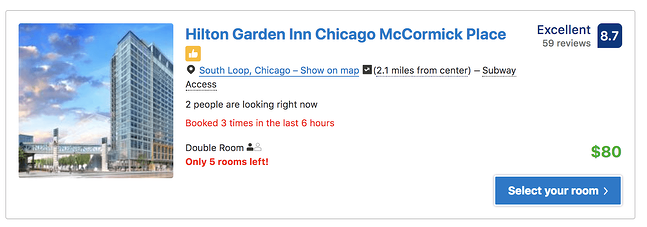
best lead generation tools: Proof

Image Source

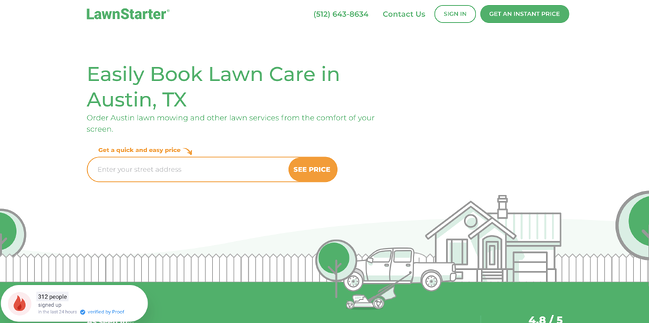
Proof helps you implement social proof messaging on your own website. Here’s a great example of the product in use by LawnStarter (another great Austin-based startup):
best lead generation tools: ProofImage Source

Pricing

Pricing starts at $79 per month.

What we like:

Proof offers a variety of settings to choose from for each campaign and also integrates with HubSpot, Webflow, WordPress, and Zapier.

4. Paperform

Paperform is a digital swiss army knife regarding lead generation forms, surveys, and quizzes. Whether you want to design a harry potter quiz to boost engagement or increase newsletter signup with a popup form Paperform doesn’t limit you to one or the other.

The powerful editor is a no-code solution that eliminates clunky side menus in favor of a word document-like structure. You can add your brand assets straight from Adobe’s Cloud libraries into Paperform and tweak the colors, fonts, and images.

While most form builders are either pretty or designed for powerful conditional logic, Paperform combines both. This is perfect for people looking to transform their business with smart forms and reduce busy work. For more in-depth insights, you can add complex calculations and tailored success pages and gain deep insights with their in-house analytics. Paperform’s versatile SaaS platform helps you create fully customizable, powerful solutions tailored to your unique specifications.

lead generation tools: paperform

Image Source

Pricing

Pricing starts at $24 per month for the Essentials tier up to $159 per month for the agency tier.

What we like:

Paperform is a great option for newbies and small businesses offering customization and professional templates combined with ease of use.

5. MobileMonkey

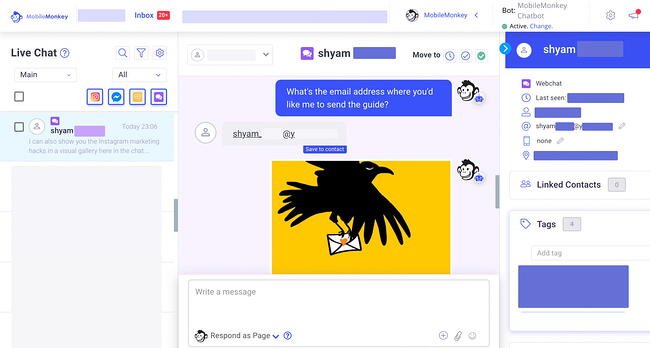
MobileMonkey chatbots make lead capture, lead qualification, and lead nurturing easier via live chat for your website, SMS text messaging, Messenger for Facebook and Instagram, and other popular chat channels, from one platform.

OmniChat by MobileMonkey is a multi-channel chatbot builder and automation platform that enables you to create chat campaign content once and use it on each of the above channels while unifying customer support chat in one streamlined inbox.

Here are some examples you can get started with to generate leads, sign-ups, and opt-ins using MobileMonkey:

  • Add MobileMonkey’s Free Facebook Lead Generator product to your Facebook Page and Posts to automatically capture names, emails, and phone numbers of those who “like” your posts and follow your business.
  • Use proactive live chat to engage prospects and customers on your website.
  • Setup Facebook and Instagram post autoresponders to capture the contact information of anyone who comments on your content.
  • Run a giveaway or contest with Messenger chatbots on Facebook or Instagram.

Then, run remarketing campaigns with interactive Facebook and Instagram Messenger ads to turn those leads into sales.

Lastly, connect the opt-ins, signups, and leads generated from your chat messaging channels to your CRM, such as HubSpot, as well as your email service providers, training & webinar platforms, and other business applications.
lead generation tools: Mobile Monkey

Image Source

Pricing

Pricing starts at $119 per month for the Startup tier. For the Growth tier, contact for a quote.

What we like:

Mobile Monkey offers a code free option in addition to chat box templates which make getting started quick and easy.

6. Mailshake

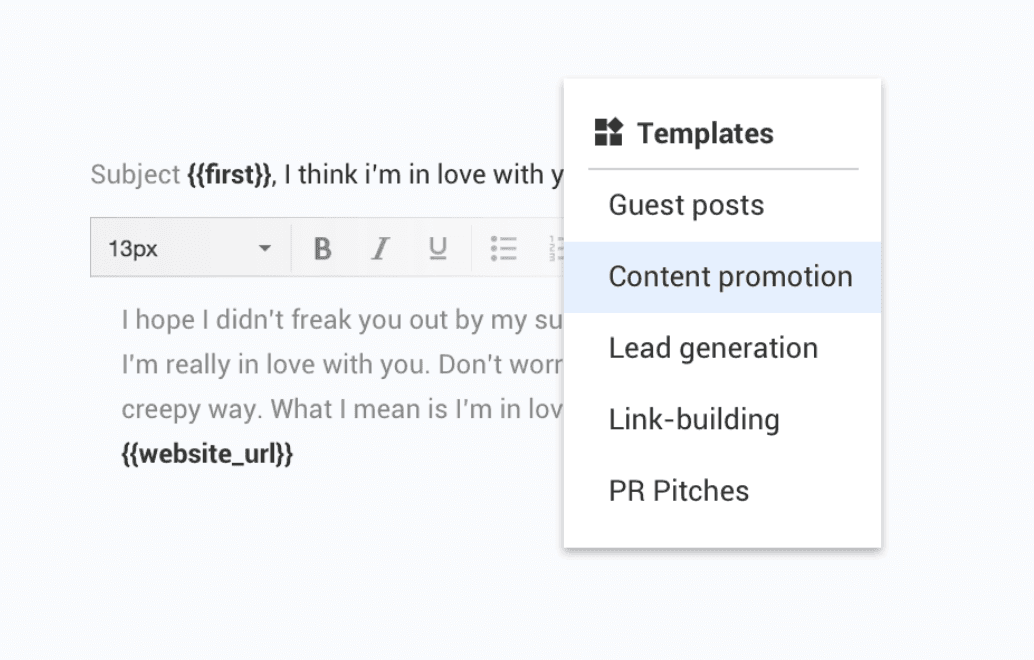
Mailshake is one of my favorite solutions for email outreach.Basically, it helps you automate, personalize, and optimize your cold emails.

This is great for many purposes, of course:

  • Sales development
  • Content promotion
  • Link building
  • Public relations
  • Fundraising

But it’s also great for lead generation. Mailshake’s AI email writer uses data from thousands of campaigns to help write winning copy.
lead generation tools: mailshake

Image Source

Pricing

Pricing starts at $58 per month per user for the Email Outreach tier and $83 per month per user for the Sales Engagement tier.

What we like:

One of my favorite parts about the tool is that you have tons of ready-made templates. So even if you’re not a world-class copywriter, you can still get responses.

7. Qualaroo

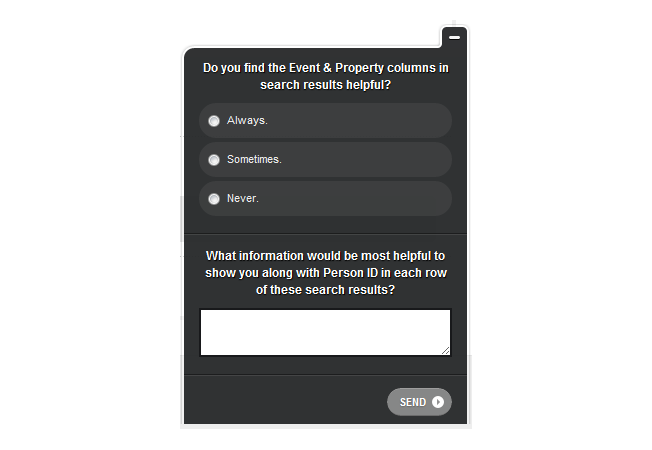
Qualaroo is an on-site polling tool that can not only collect user feedback (that can be used to improve any part of your product and marketing experience), but you can also collect leads using the tool.

In the best case, you can use Qualaroo to do both.

lead generation tools: Qaualero

Image Source

In this way, your customer feedback tool can double up as a sort of popup form.

Even if you don’t plan on using Qualaroo for lead generation, I’ve found the tool to be invaluable for collecting user experience and conversion optimization insights.

lead generation tools: Qualaroo

Image Source


Pricing

Pricing starts at $80 for the Essential tier while the Enterprise tier is quote-based.

What we like:

Qualaroo makes it easy to categorize leads and point them in a designated funnel based on what they answer to survey questions.

8. HotJar

HotJar is a customer experience analytics platform with many helpful tools. They’re one of my go-to solutions for conversion optimization research. Some of their features include:

  • Form analytics
  • On-site polls
  • Heat maps
  • Session replays

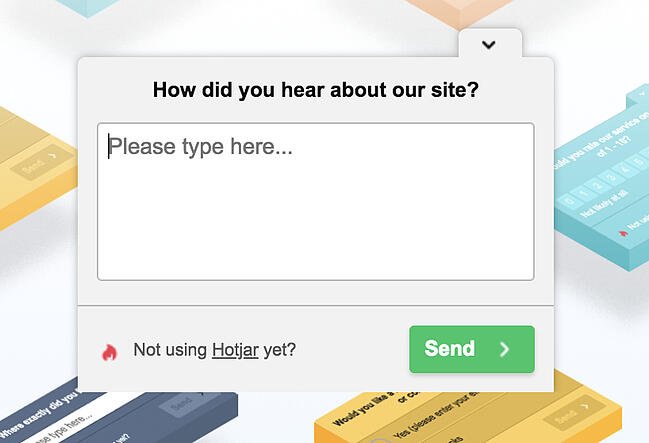
Like Qualaroo, their on-site polls can double up as conversion points. Basically, you can use the opportunity to collect feedback as a double opportunity where you can also collect an email address:

lead generation tools: Hotjar

Image Source

Pricing

HotJar’s Basic tier is free and starts at $80 per month for its Business tier.

What we like:

In addition to gathering feedback and polling site visitors it pulls double duty as lead generation — allowing you to collect emails.

9. Turnstile by Wistia

Video is a big focus for marketers right now, and I can only see that focus increasing with time. As such, it helps to look at video as a direct lead generation channel in addition to a brand building channel.

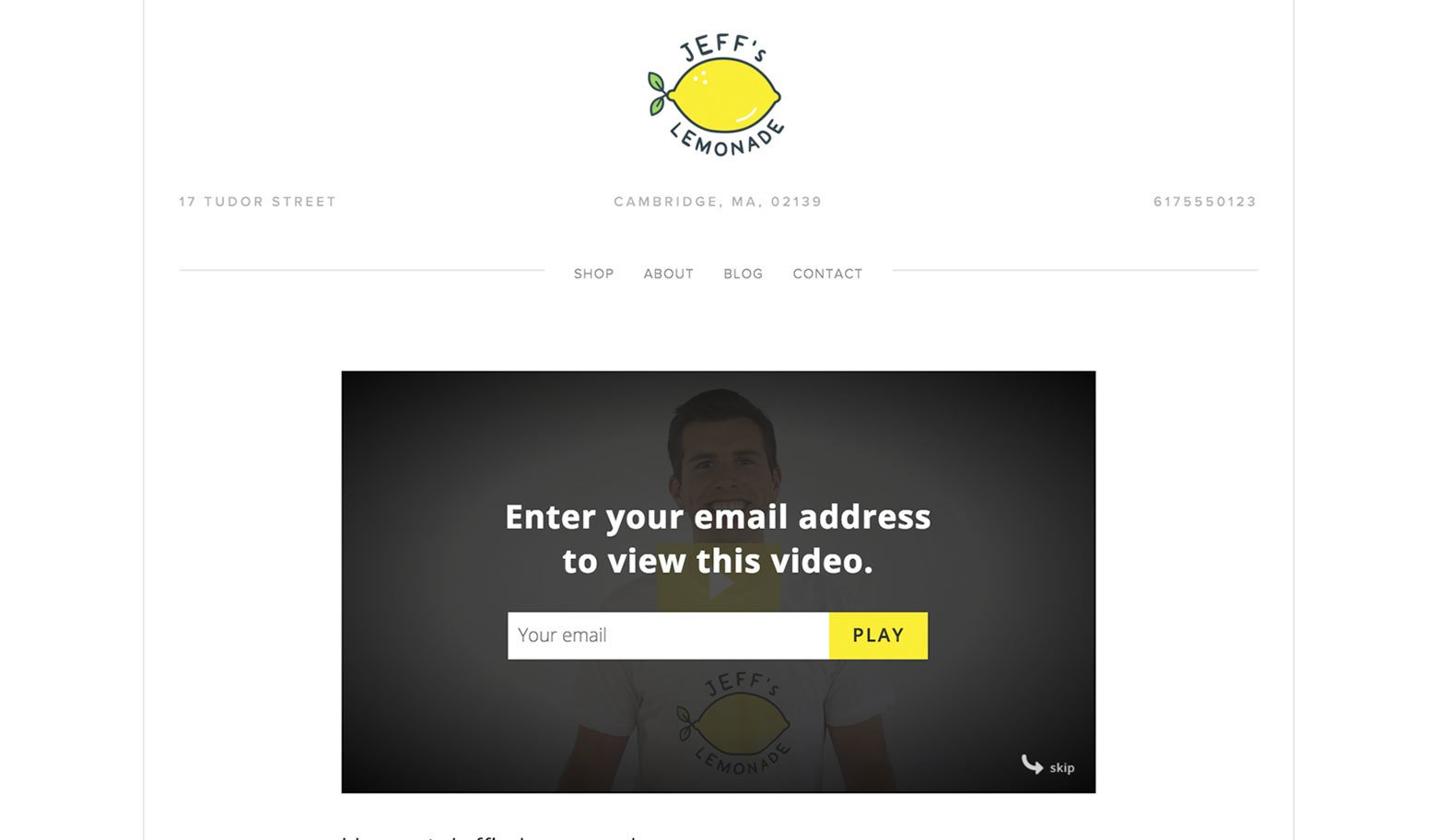
Wistia makes a really cool product called Turnstile that allows you to gate videos after a certain time period has elapsed. At this point, the visitor has to enter their email to continue watching.

lead generation tools: Turnstile

Image Source

Pricing

While Wistia has a free basic tier, in order to get Turnstile, you’ll need to upgrade to the Plus tier which starts at $19 per month.

What we like:

With Turnstile you can have your form display discreetly on hover or pause the video to get the viewer’s attention. You can also enable viewers to skip the gate altogether and control where the gate is placed within the runtime of the video.

10. Pointerpro

Pointerpro (formerly Survey Anyplace) is an advanced survey tool that has all the features to keep your sales machine running. Forms and surveys are often used to collect information from prospective customers, but they are rarely ever used to return something of value.

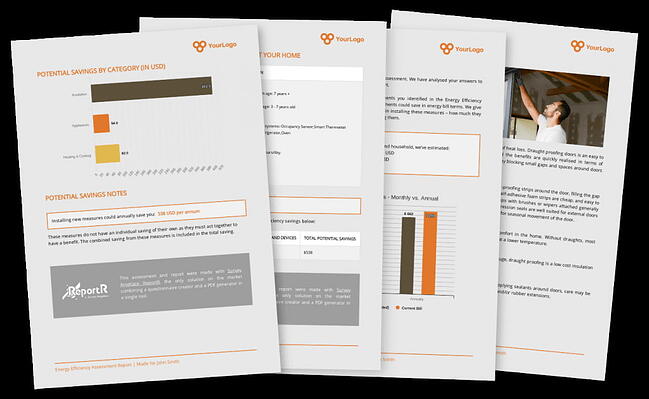
This tool allows respondents to walk away with a personalized PDF report based on their answers immediately after completion. This can be a detailed offering, the best service or product based on their answers, or any key information you want the respondent to have. Turning them from a cold prospect to a warmed-up lead in a matter of clicks.

lead generation tools: Pointerpro

Image Source

They integrate smoothly with your existing marketing stack, so you can easily transport leads through to your CRM or email marketing tool and start building nurturing campaigns. Bonus, you can use answers given during quizzes to personalize the follow-up.

Pricing

Pricing starts at $49 per month for Pointerpro’s Essential tier while you’ll need to contact them for a quote on the Enterprise tier.

What we like:

Pointerpro offers a code free, customizable templates that can be used as is or with your branding.

11. Zuko

Zuko (formerly Formisimo) capture tool, but it helps you optimize your lead generation forms.

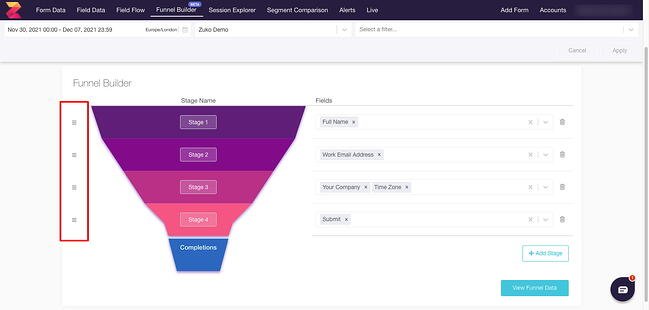
They provide form analytics that, in my opinion, are the most robust in the industry. They work with pretty much every form, and their reports include:

  • Form Overview
  • Field Drop Off Report
  • Most Corrected Fields
  • Real Time Report
  • Completion Time
  • Problem Fields Report
  • Fields Before Submission
  • Field Times Report
lead generation tools: Zuko

Image Source

You can also segment reports based on device, such as desktop, mobile, or table. Additionally, the tool actually gives you ideas and tips for how to improve your forms. You can export and share this data with additional systems so it can be used by other team members.

While they don’t offer a free plan, they have a 7-day trial where you can try out the product.

Pricing

Pricing is tiered ranging from $140 to $700 per month. Enterprise-level organizations will need to contact them directly for a quote.

What we like:

Zuko’s data is viewable live, allowing users to view data in real-time and export it.

12. ProProfs Quiz Maker

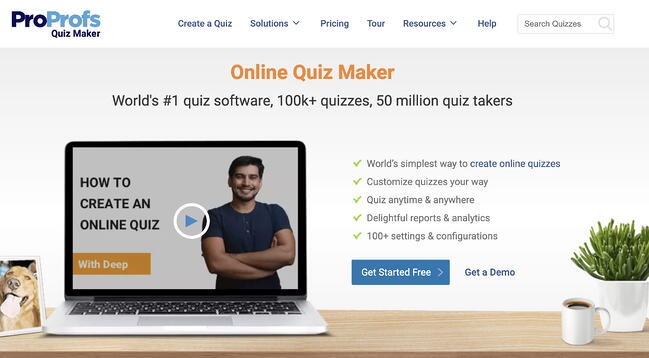
Quiz marketing is an effective way to capture leads through website visitors and social media engagement. ProProfs Quiz Maker lets you leverage these leads with visually engaging and highly-shareable quizzes.

ProProfs provides an entire quiz resources library containing 100+ beautiful quiz templates and a massive question bank with 1 million+ ready-to-use questions.
lead generation tools: proprofs quiz maker

Image Source

Pricing

While ProProfs does have a free version, you’ll want to upgrade to one of its paid tiers ($20 to $200 per month) to use the advanced features.

What we like:

ProProfs supports integrations with all the leading marketing tools, such as HubSpot, Active Campaign, and more. This allows you to automate and streamline your lead nurturing to create a high-converting lead management funnel.

13. Clearbit

Clearbit has a forms tool, but they have a broader use case for lead generation no matter which form or lead capture tool you use. They help you enrich contact profile data, which means you don’t have to ask for every little piece of information in a mile-long form.

lead generation tools: clearbitImage Source

All you need is an email address or corporate domain, and Clearbit Enrichment fills other important data (like company size and industry) and appends it to your CRM records, in your product, or anywhere else you need them.

Pricing

For pricing, contact Clearbit directly for a quote.

What we like:

Clearbit’s native integrations with platforms like HubSpot, Salesforce, Marketo, Zapier, and Slack make this tool ready to use out of the box.

14. Datanyze

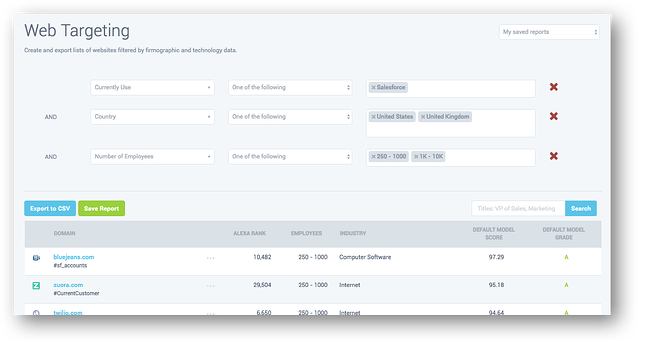
Datanyze is another data company, though they focus on “technographics.” What does this mean? Basically, Datanyze helps you discover what other software tools your website visitors, prospects, or customers are using.

The lead generation purposes for this are unparalleled if you have a way to personalize your website experience.

Imagine if you knew a website visitor was using a direct competitor. You could change up the copy on a landing page or an offer to reflect that.

Or if you had a WordPress plugin, and if you knew your visitor was using WordPress, you could design a custom CTA to let them know about your plugin.
lead generation tools: datanyzeImage Source

Pricing

Datanyze offers a generous 90-day free trial as well as paid tiers ranging from $21 to $39 per month.

What we like:

Datanyze is California Consumer Privacy Act (CCPA) and General Data Protection Regulation (GDPR) compliant, ensuring users are collecting business data the ethical way.

15. Hull.io

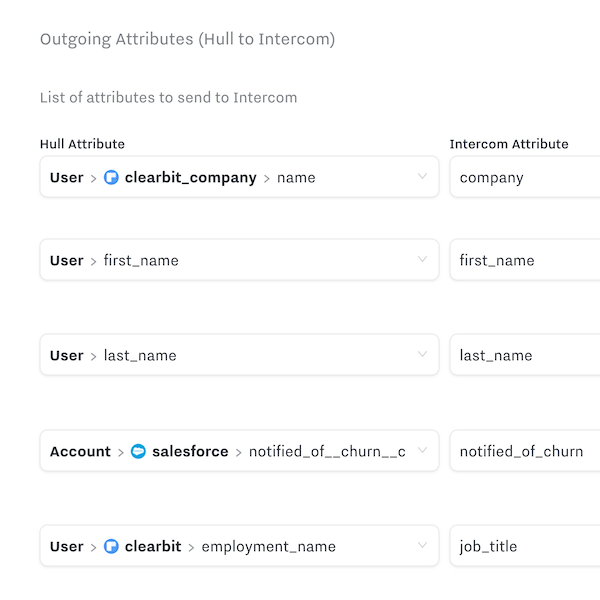
Hull.io is a customer data platform that helps you collect and centralize all the data you have from different marketing tools. It also helps you push that data out to your marketing tools so you can operationalize it and personalize experiences in real time.

I look at customer data platforms as a core component of a personalization strategy, since you generally need three components to make personalization work:

  • Good user data
  • An ability to deliver experiences
  • Content (the experience itself)

Hull.io, and other customer data platforms, help you collect data and deliver experiences.
lead generation tools: hull.io mappingImage Source

Pricing

Hull.io has a tiered pricing model ranging from $950 to $1600 per month based on your business needs.

What we like:

While this is one of the more expensive options on this list, when combined with a tool like Clearbit — which can give you tons of data points to use — you can really ramp up your personalized lead generation campaigns.

16. TypeForm

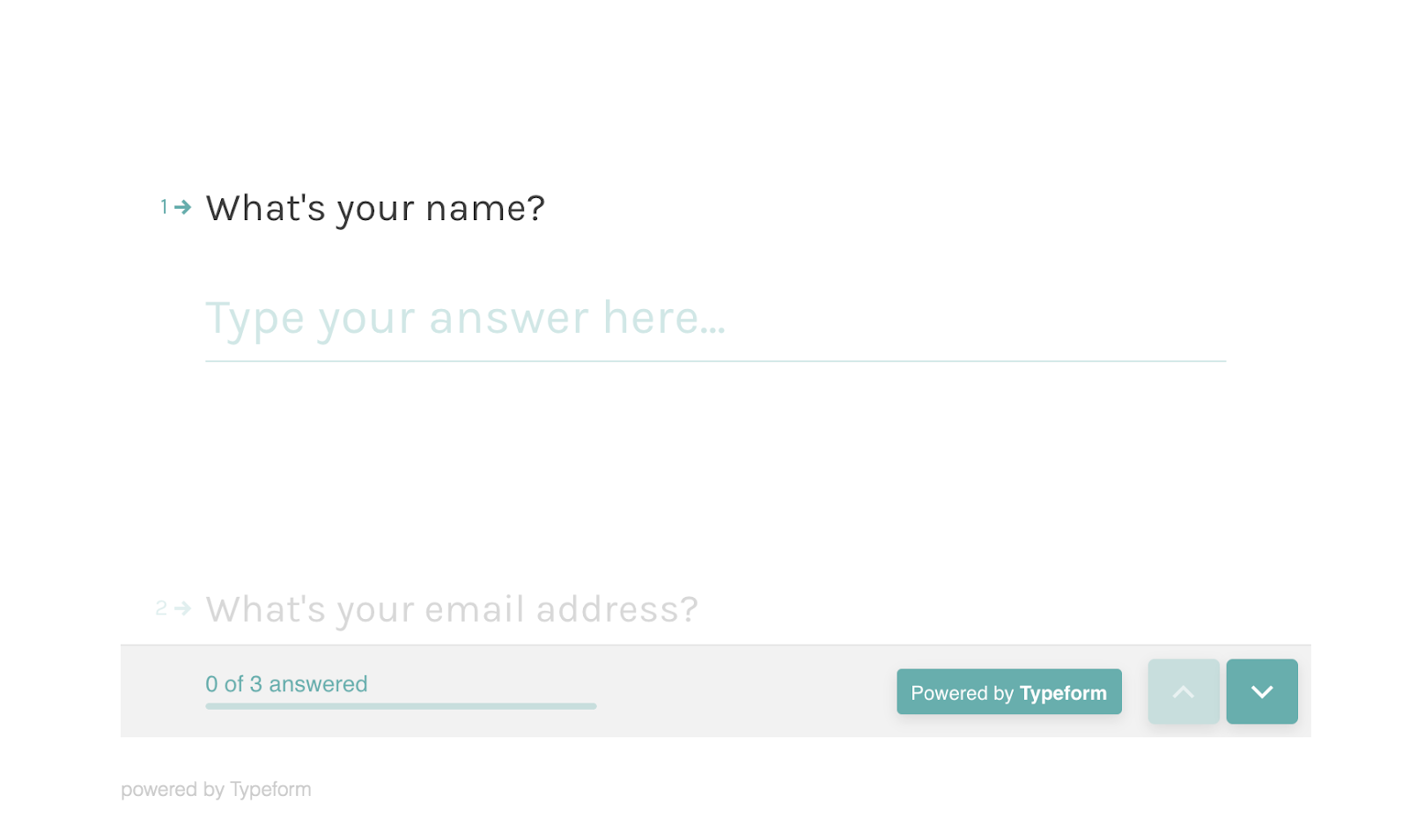
TypeForm is a survey tool, but it’s got many real world use cases. It’s also got a beautiful user experience. When I take a survey using TypeForm, I actually enjoy the experience.

While I’ve mostly used TypeForm to send customer surveys to get conversion research insights, I’ve also used it in the context of lead generation.

lead generation tools: TypeForm

Image Source

Pricing

Tiered plans are available from $25 to $83 per month.

What we like:

As one of the more affordably priced tools on our list, Typeform also scores high for taking a more conversational approach to surveys and forms.

17. Hello Bar

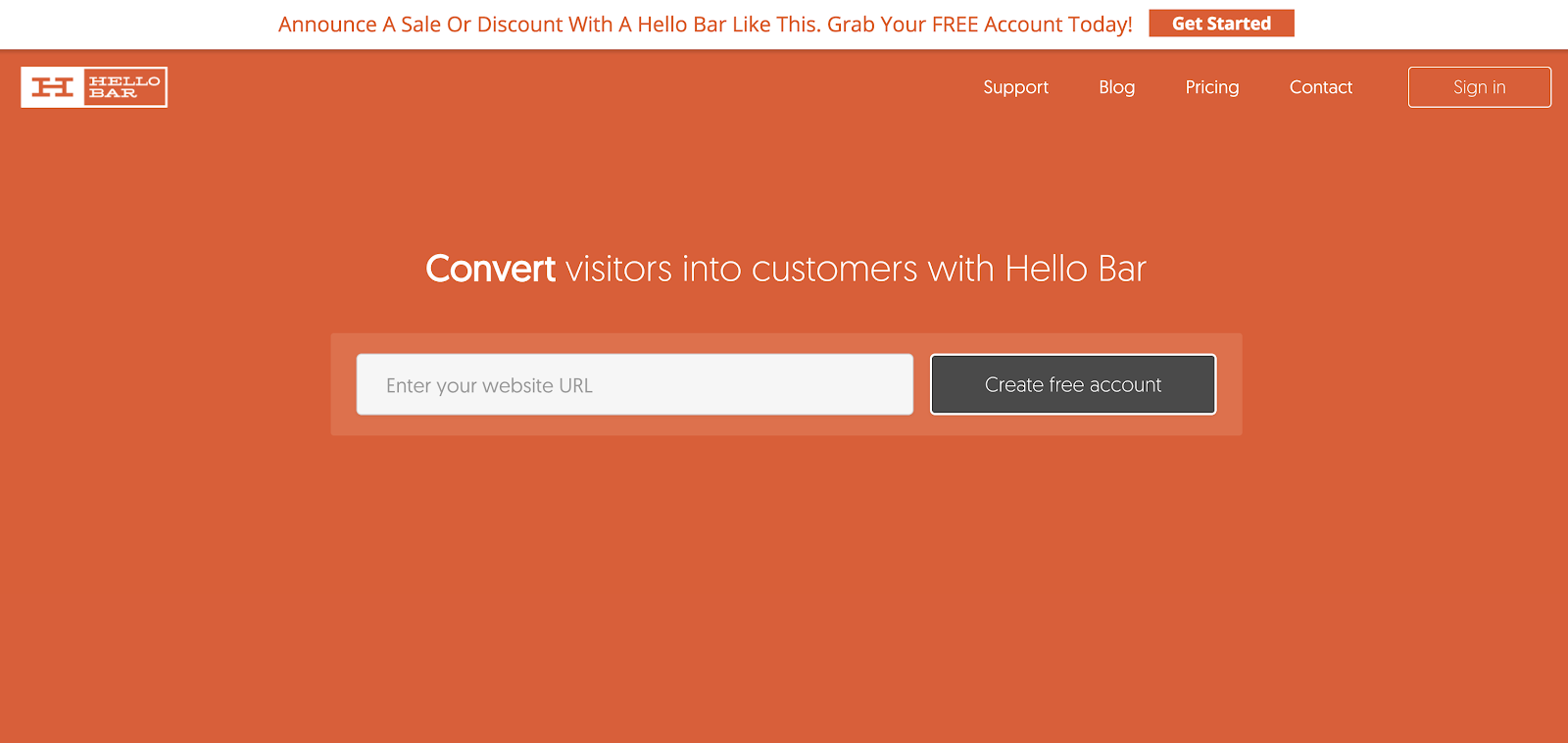
Hello Bar is a CTA and lead capture tool, but it’s got a very specific use case and user experience. Instead of a static web form embedded on a landing page, or an exit intent popup that appears when a visitor is leaving your site, Hello Bar gives you a sticky banner that appears on the top or bottom of the browser.

It looks just like the one on Hello Bar’s home page:

best lead generation tools: Hello Bar

Image Source

I find these types of CTAs are great for general campaigns and promotional announcements. Therefore, they’re good for short term lead drives, for things like a webinar coming up shortly or a new product feature announcement.

Pricing

Hello Bar offers a free plan as well as paid options ranging from $29 to $99 per month.

What we like:

Hello Bar is an all-in-one solution for creating CTAs and tracking metrics. Integrations with WordPress, Mailchimp, Webflow, SquareSpace, and Shopify ensure a seamless fit into your current tech stack.

18. Hunter.io

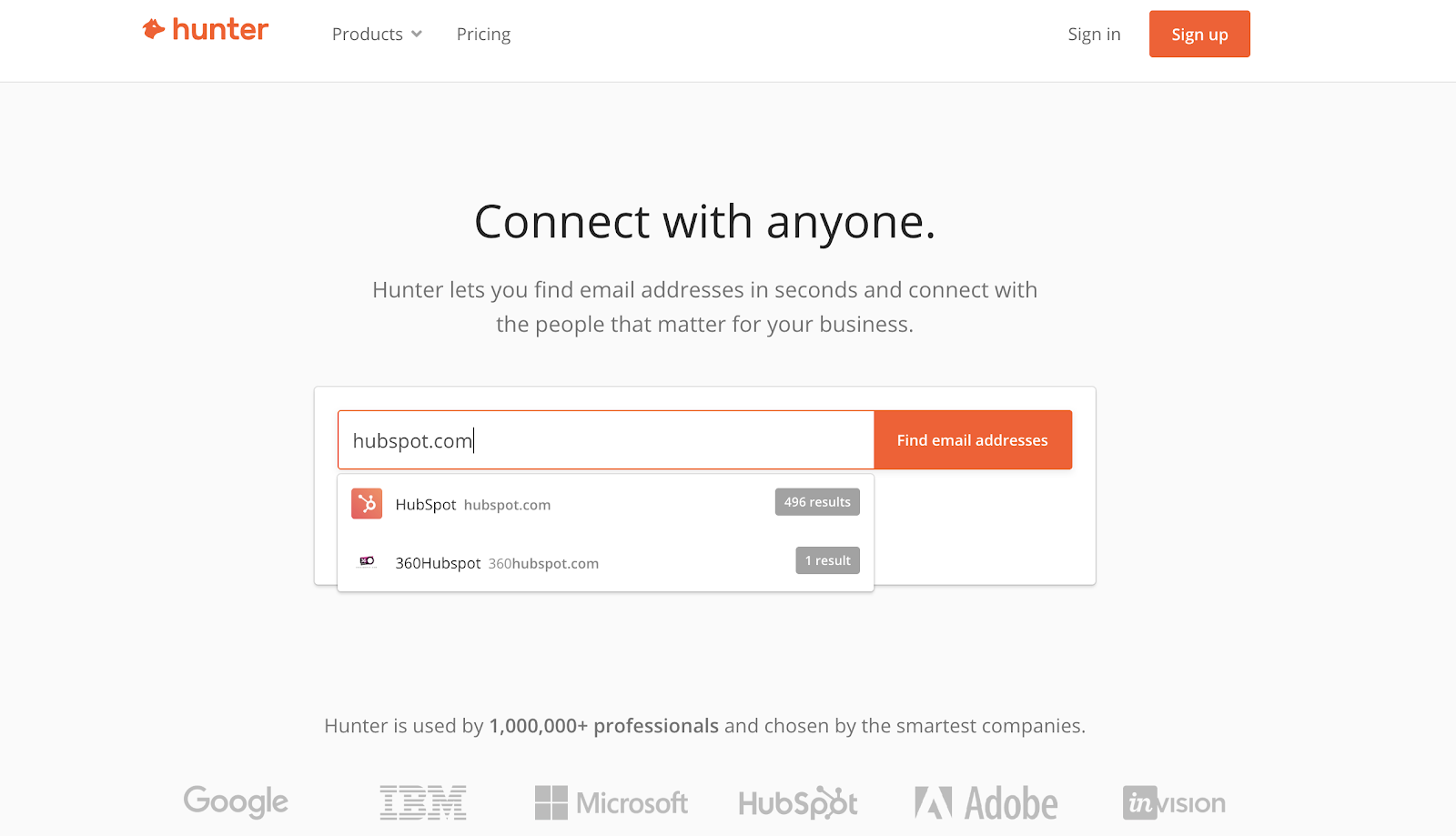
Hunter.io isn’t exactly a lead generation tool, but it helps you find and validate email addresses. If you’re looking to reach a particular person, Hunter is a good way to find their information.

lead generation tools: Hunter

Pricing

Hunter.io offers a free plan, but you’ll need to opt for a paid plan to reap the full benefits of what the platform has to offer.

What we like:

It’s not always perfectly accurate, but it’s free to use, and it’s a good tool to have in your toolkit when you need it.

19. Gravity Forms

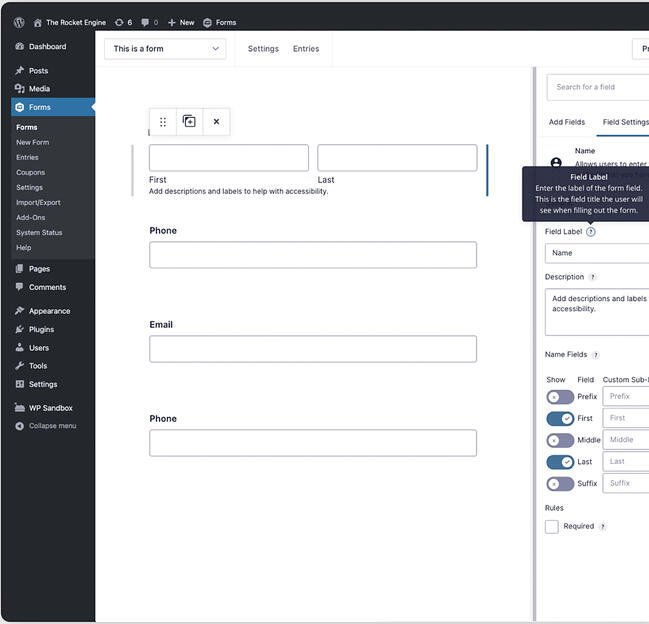
If using WordPress, Gravity Forms may be the lead generation tool for you. This WordPress plugin offers payment collection, lead capture and workflow automation in one.

You even have the option of capturing partial forms so that you can use the data to create better conversions.
best lead generation tools: Gravity FormsImage Source

Pricing

Gravity Forms offers tiered pricing from $41 to $181 per year.

What we like:

Gravity Forms uses conditional logic so that you can display certain fields, pages, or sections based on user inputs. Additionally the tool offers accessabilty compliant.

20. Jotform

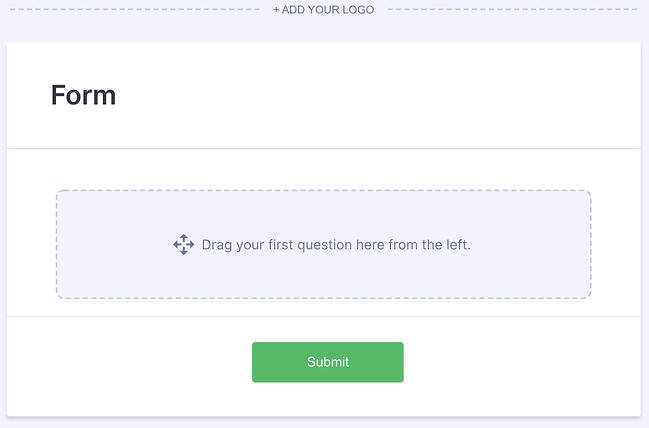
Similar to other options on this list, Jotform is a form builder platform that allows you to collect all kinds of data, including visitor emails.

This tool offers thousands of templates to help you get started quickly in addition to fully customizable survey templates. Jotform integrates with PayPal and Square to help ensure online payments are secure.
best lead generation tools: JotformImage Source

Pricing

Jotform offers a free base tier with paid plans ranging from $34 to $99 per month.

What we like:

Jotform’s drag-and-drop builder is easy to use and allows teams to collaborate with ease as multiple people can edit a form at the same time.

21. Discover.ly

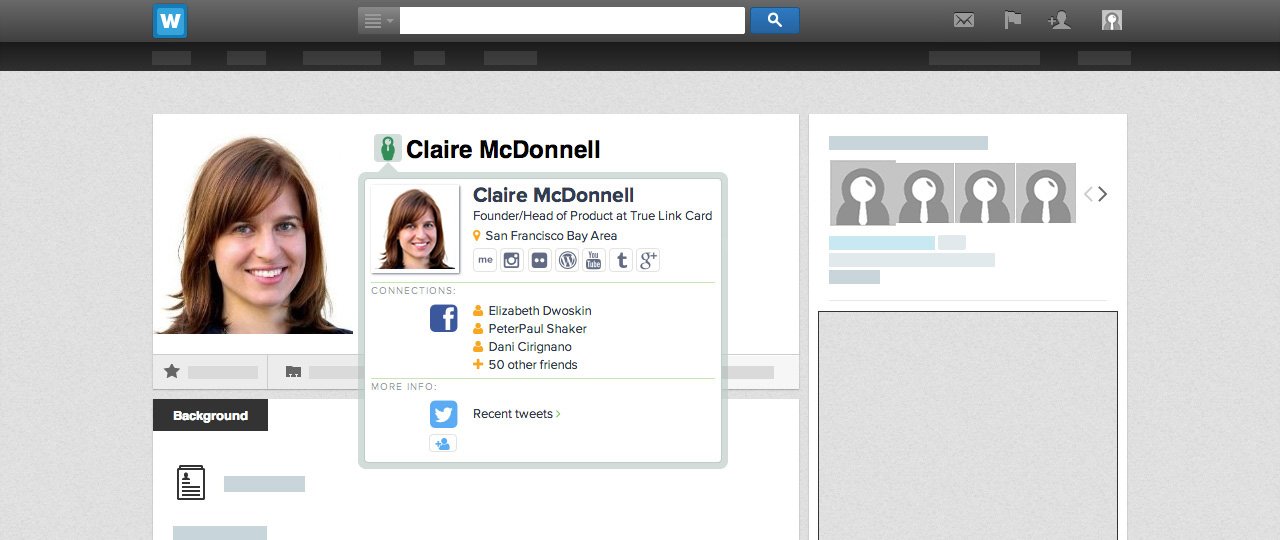
Discover.ly is a lead generation tool that gives you additional information on social media profiles. For that reason, it’s a great complement to other tools on this list, particularly Hunter.io.

When you want to learn more about specific prospects, this free Chrome extension can give you a lot of additional details like their connections and other social profiles.

lead generation tools: Discover.ly

Image Source

Pricing

Free

What we like:

This simple chrome extension is available to anyone, easy to install, and simple to use.

Lead generation software is a big category.

If you want the best lead generation software for your particular business, you may have to try a few of them out.

In my experience, it’s best to have a comprehensive solution like HubSpot to bear the brunt of the workload.

Then you can add in other tools like Pointerpro or Hello Bar to mix things up, and of course, some optimization tools like Clearbit and Formisimo to help you crank up the volume on your results.

This article was originally published in March 2019 and has been updated for comprehensiveness.
lead capture

Categories B2B

How to Add Tags to YouTube Videos & Why They’re Important

YouTube is the second largest search engine in the world, so keyword-optimizing your videos on the platform is just as important as keyword-optimizing your blog posts for Google. One of the best ways to keyword-optimize your videos for YouTube is leveraging tags, but not everyone knows how to add tags to YouTube videos.

Below, we’ve put together a guide that will explain exactly what YouTube tags are, how to add them, why they’re important, and some best practices to follow.

What are tags for YouTube?

How to Add Tags to YouTube Videos

Why are YouTube tags so important?

YouTube Tags Best Practices

Best YouTube Tag Generators

Sign up for HubSpot Academy's YouTube for Marketers Course [Free Online Course]

Now you know what tags are, so let’s get into how you can leverage them in your videos.

How to Add Tags to YouTube Videos

Adding tags to your YouTube videos is easy. Just follow these steps:

  1. Sign in to YouTube Studio by clicking on your account’s icon in the top right corner. Then select the tab that says “YouTube Studio.”

Step One of how to add tags to YouTube videos

2. Upload your video if you haven’t already done so. Do this by clicking the “Create” button and then “Upload Video.”

Step two of how to add tags to YouTube videos 3. If your video is already uploaded, go to the menu on the left, click “Content,” and select your video.

Step three of how to add tags to YouTube videosFrom there, scroll down until you get to the option to add your tags.

Step three of how to add tags to YouTube videos4. If your video is uploading, scroll down and click “Show More,” then add your tags.

Step four of how to add tags to YouTube videos

Why are YouTube tags so important?

YouTube tags help YouTube grasp your video’s content and context. This way, YouTube can understand your video’s topic and category, and associate it with similar content — which can amplify your video’s reach. The rise of semantic search has made YouTube tags less important over time, but they’re still a strategic element you can use to your advantage.

YouTube tags are especially important in cases where your target keyword is commonly misspelled because you can tag the misspellings without including them in your title and description.

As a secondary benefit, tags even help you organize and find your own content if you do self-reference tagging (e.g. “Ireland trip 2022”).

YouTube Tags Best Practices

To leverage YouTube tags to their fullest potential, check out these tips and tricks.

1. Make your first tag your target keyword and order the rest by importance.

YouTube heavily accounts for your video’s first few tags when ranking content in their search results, especially the first tag. So make sure your first tag is the exact keyword you want to target.

2. For other tags, use some broad keywords that describe the overarching topic your video falls under.

Using broad keywords as other tags helps YouTube understand your video’s context. For example, if you’re creating a video called “How to Hit a Baseball”, you’d want to add “Baseball” as a broad tag to indicate to YouTube that your video’s overarching topic is baseball.

3. Use some specific keywords that describe the topics covered in your video as other tags.

Using specific keywords that describe the topics you cover in your video as other tags will help YouTube understand your video’s content. For instance, in the same “How to Hit a Baseball” video, adding “hitting off a tee” or “hitting batting practice” as specific tags would indicate to YouTube the exact topics your video covers.

4. Keep most of your tags between 2-3 words.

While you should certainly include long-tail keywords and a few broad match variations, YouTube seems to prefer 2-4 word phrases (Briggsby).

5. Do not go overboard with tags.

The point of tags is to help the algorithm understand what your video is about so it can surface it to users that are looking for a video like yours. Using too many keywords can cause confusion for what your video is actually about. Research suggests that the optimal number of tags is between 31 and 40 — when used correctly, of course. More than that dilutes their power.

graph showing the optimal number of tags as being between 31 to 40

Image Source

6. Get inspiration from videos that are currently ranking.

If you know what you want to rank for, take notes from those who are already ranking on the topic. Their keyword tags might give you a good starting point for research and inspiration.

7. Get inspiration from YouTube auto-suggest.

Auto-suggest is a feature to help users find what they need. YouTube isn’t surfacing these suggestions for no reason. These keywords are suggested likely because they are commonly searched terms for that topic, so don’t be afraid to draw inspiration from auto-suggest.

youtube auto-suggest results for "sewing a button"

Best YouTube Tag Generators

To discover the keywords you can tag in your videos and help them rank higher in YouTube’s search results, here are three of the best YouTube Tag Generators to try.

1. Keywordtool.io

keywordtool.io youtube generator tag results for "baseball"

After plugging your target keyword into its YouTube search bar, Keywordtool.io will provide you with suggested keywords, their search volume, and how they’ve trended over the past 12 months. The tool will also suggest questions, prepositions, and hashtags that include your target keyword.

2. Rapidtags

rapidtags youtube tag generator results for "sewing a button"

Entering a seed keyword into Rapidtags and then hitting the button will generate a number of related tags for your YouTube video. Best of all, there’s a copy button for you to easily pull the text without entering it manually.

3. YTube Tool

ytube tool youtube tag generator homepage

This tool helps you extract the tags from a competitor’s YouTube video. All you have to do is enter the URL, and the tool will then return your results.

4. Keyword Keg

keyword keg youtube tag generator homepage

Using Keyword Keg, you can enter your target keyword into the tool and it’ll serve up its search volume, cost-per-click, competition, on-page difficulty, off-page difficulty, SEO difficulty, CTR scope, keyword power, trends, and suggested keywords. You can also filter your results by country and language.

5. VidIQ

vidiq youtube tag generator homepage

VidIQ will display your target keyword’s related keywords, related score, search volume, search score, competition score, and overall score. The overall score is a combination of a keyword’s related score, search score, and competition score.

Now that you know what YouTube tags are, how to add them, and the tools available to generate them, you’re well on your way to getting your content found on YouTube. Continue optimizing other elements of your videos as well and monitoring your channel’s growth.

Editor’s note: This post was originally published in July 2019 and has been updated for comprehensiveness.

Apply for a job, keep track of important information, and prepare for an  interview with the help of this free job seekers kit.

Categories B2B

How to Write a LinkedIn Recommendation in 2020 [Quick Tip]

When you get a recommendation from someone you respect and admire, you may feel honored and want to return the favor. But figuring out how to write a LinkedIn recommendation that is specific, honest, succinct, and helpful isn’t easy.

Most people get stuck. You might not know how to start or what to say. But with some simple templates and tips, you’ll be writing stellar testimonials on LinkedIn for your favorite people.

Free Guide: How to Use LinkedIn for Business, Marketing, and Networking  [Download Now]

Keep reading to learn how to write a LinkedIn recommendation. Then check out some recommendation examples and a quick recommendation letter template.

You can use these tools to write authentic and useful LinkedIn endorsements that can help move someone’s job search in the right direction. Let’s get started.

1. Explain the nature of your professional relationship.

That sounds really serious, but it’s simply a helpful piece of context that acts as an intro for your recommendation. Whether it’s a coworker you’ve worked closely with for years or a recent agency point of contact, it sets the stage for the reader to learn why you’re writing this recommendation.

For Example:

I’ve worked alongside Lisa for close to two years now.

2. Offer details about the position this person is working toward.

Are you recommending this person for their work in one position? Or are you writing about their work across multiple jobs they’ve held while you worked with them?

Either way, a great next step is to explain some of the notable parts of their job. It may feel strange — kind of like you’re listing out their job description. But this is helpful for anyone reading the recommendation, looking to get a feel for what they did in their job.

Resist the urge to create a laundry list of their job duties. If they’ve really worn that many hats, I recommend contacting them to see if there’s a certain part of their role they’d like emphasized over others.

For Example:

In those two years, I’ve seen her not only excel at the core elements of her job — like copywriting and copyediting — but also learn other tasks that extend well beyond the scope of her role. These include email marketing, event planning, and even championing our company’s internal communications.

3. Explain how they’ve grown at the company.

If this person reports (or once reported) to you, this aspect of a LinkedIn recommendation can go a long way. Explaining how the person you’re recommending has grown — either in their role or from one role to another — can show an ability to adapt as the organization expands.

Just be careful not to overstate any low points in the person’s career that can dilute the value of the growth you’re trying to highlight.

For Example:

Lisa has grown as quickly as our business has, and her willingness to learn and take on these new responsibilities is something sought-after in any professional.

4. Show how their contribution helped grow the team or company.

This could be an explanation of how their performance helped hit hard metrics. You could also talk about contributions like leading their teammates or fostering new initiatives.

For Example:

Lisa’s mastery of both her core role and extra projects have been critical to the company’s growth. In fact, her taking on internal company communication aligned with a sharp increase in employee happiness.

5. Explain what these achievements reveal about that person.

By now, you’ve included some specifics — so let’s explain what those specifics mean for the larger theme of your recommendation. Do the examples you’ve detailed reveal that person is hard-working? Ambitious? Great for team morale? Connect their accomplishments with their attributes.

For Example:

This rare mix of productivity and ambition sets a great example for the rest of the team. It also explains why everyone loves working with Lisa — no matter where they fall on the org chart.

6. End with a note about the personal aspect of working with them.

In this section, hit the message home with a mention of how you felt working with the person, your hopes for their career, or a prediction about their future.

For Example:

Lisa’s work has continued to pay dividends long past her tenure here and I still miss working with her every day. I can’t wait to see what she does with the next step in her career trajectory.

LinkedIn Recommendation Examples

Recommendation From an Employee

According to a 2021 SHRM report, over 40% of employees are looking for a new job. And according to a 2022 Gartner survey, 50% of employees have different employer expectations than they did before the pandemic.

Employee recommendations show that a stakeholder respects the opinions of the people they manage. It also shows how they lead from the bottom up.

In the recommendation below, a person discusses how their supervisor progressed at the company and how this person mentored them so they too could grow as an employee.

Example 1:

How to write a LinkedIn recommendation example: Employee

Why we like this LinkedIn recommendation:

This recommendation shows how the relationship between employee and manager evolved over time. Work relationships that shift from peer to manager can be tough. They can sometimes create power struggles, miscommunication, and more. But this LinkedIn recommendation example highlights mutual respect, care, and professional growth.

Example 2:

How to write a LinkedIn recommendation example: Employee

Why this is a good LinkedIn recommendation:

Soft skills can be difficult for recruiters and employers to assess. So the recommendation above is valuable because it talks about a manager/employee relationship that was essential to this employee. This gives them a sense of how this manager might engage their new team.

Example 3:

How to write a LinkedIn recommendation example: Employee

Why we like this LinkedIn recommendation:

An authentic recommendation is much more useful than a form letter. The letter above shows how this manager balanced kindness, critique, and composure on his team.

Recommendation from an Employer

Employer recommendations may be a replacement or a complement to the job requirements for many positions. This makes employer recommendations an important LinkedIn addition. Unlike most standard letters of recommendation, LinkedIn letters are usually short and to the point. Instead of a full page, most are short but dense paragraphs like the examples below.

For example, in this recommendation, an employer explains how an employee progressed and executed projects that made a big impact on their company.

Example 1:

How to write a LinkedIn recommendation example: Employer

Why we like this LinkedIn recommendation:

This letter jumps immediately into specific job functions, technical skills, and soft skills. A quick scan of this letter can show any employer what this person does best and how those skills can translate to other jobs or employers.

Example 2:

How to write a LinkedIn recommendation example: Employer

Why this is a good LinkedIn recommendation:

Connecting actions to outcomes can make it easier for prospective employers to understand the value an employee can bring to their team. This quick letter clearly connects what this new hire did, how she approached changes and the results that came from her actions.

Example 3:

How to write a LinkedIn recommendation example: Employer

Why we like this LinkedIn recommendation:

This recommendation letter uses industry-specific terms to show the activities and outcomes this employee was responsible for. This makes it easy for employers to understand how that performance could translate to their business and team.

Recommendation from a Coworker

Over 20% of LinkedIn users are 18-24 years old. This means that many LinkedIn users are recent graduates who might have limited job experience.

LinkedIn user statistics

Employers are looking to LinkedIn for a sense of your commitment, engagement, and soft skills at work. Coworkers are a great source to highlight these areas. Let’s look at some excellent coworker recommendations from LinkedIn.

Example 1:

How to write a LinkedIn recommendation example: Coworker

Why we like this LinkedIn recommendation:

This letter quickly highlights how long these two have worked together, what they did, and what this candidate’s strongest soft skills are. It stays positive but also showcases how this person responds to pressure.

Example 2:

How to write a LinkedIn recommendation example: Coworker

Why this is a good LinkedIn recommendation:

A recommendation full of job-specific details that emphasize abilities is always useful. At the same time, this letter shows off qualities that may not come into a job interview, depending on the role. By outlining teaching skills and continuing education, this recommendation shows potential employers how this candidate is preparing for the future.

LinkedIn Recommendation Sample (for a Manager)

Now, writing a LinkedIn recommendation can seem easy, but it’s not. What if the employee you’re recommending is your superior? This can make it more difficult to recommend the person — even if you’re saying stellar things about them.

Here’s a sample LinkedIn recommendation — written in full — that a manager would be proud to receive.

I’ve worked for Lisa for two years. During that time I’ve seen her quickly take on new responsibilities while making time to teach these new skills to her employees.

By inheriting tasks like campaign analytics and email A/B testing — both of which extend beyond the scope of our team — she’s made our department much more agile and set me up for promotion last month. Lisa is a great person and manager, and her next employer will be lucky to have her.

Now proofread, and hit send. Remember, the person you’re writing your recommendation for can review and request changes. So, you’ll have a chance to make changes and submit a recommendation that they’ll appreciate.

Write a Recommendation on LinkedIn Today

LinkedIn isn’t just job hunting and your professional reputation. It’s about building relationships. The sooner you start writing recommendations with the steps above, the better your professional relationships can be.

Editor’s note: This post was originally published in July 2018 and has been updated for comprehensiveness.

New Call-to-action

Categories B2B

The Business Requirement Document: What It Is and How to Write It [+5 Templates]

A business requirement document (BRD) is a starting point for any software project or business solution. This document aligns team members on what to build, why to build it, and how to get it done.

Download Now: Free Business Proposal Template

This article explores the basics of business requirement documents. That includes why you need one, how to write one effectively, and more. We’ve also included the 5 coolest BRD examples from big-name companies.

Keep reading for the complete guide.

Table of Contents

What is a Business Requirement Document
Why is It Important to Document Business Requirements
How to Write a Business Requirement Document in 9 Easy Steps
Examples of Business Requirement Documents


BRDs capture every step of product development, from an executive summary to expected outcomes. Business requirement documents often include:

  • Current pain points and project objectives.
  • What resources a company needs.
  • The delivery stages and milestones of a project.
  • The functional requirements of a new solution (technical and non-technical).
  • Project constraints (everything that may slow down or hinder the progress of a project).
  • Stakeholders.
  • Risks.
  • Expected ROI.

The structure of business requirement documents may vary depending on the project type. For instance, you’ll cut off technical functional requirements if the solution you aim to build isn’t software.

We’ll explain how to write a BRD in full. You can see a sample template below.

what is a business requirement documentImage Source

Why are Business Requirement Documents Important?

BRDs paint a complete picture of a potential project. These documents bring together all the teams involved in a project launch and ensure successful project delivery.

In fact, the Project Management Institute discovered that teams without prior planning fail projects two times more frequently than prepared teams. PMI also revealed that planning helps teams meet 77% of their goals, versus 56% for those with low project management maturity.

BRDs also allow your team to:

  • Monitor the overall project’s health.
  • Bring stakeholders and team members together to create consensus and collaboration.
  • Hedge the risk of unexpected project changes.
  • Understand your budget and anticipated ROI.
  • Understand your project constraints and find an optimal solution to address them.
  • Foster accountability among your team by setting clear, transparent goals.

How to Write a Business Requirement Document

Here, you’ll learn what to write in every section of a business requirement document. To make the process easy to understand, we’ll explain every step in an example.

So to start, imagine that your company wants to create a content management system for TikTok specialists. What you have now is a mess of Google Sheets and notes on paper. Your goal is to plan, manage, and measure TikTok performance in one place.

With that in mind, let’s start outlining our business requirements.

1. Start with your executive summary.

Executive summaries describe a project concisely for your execs or other parties involved (e.g., business partners). This section offers a high-level statement of project purposes. An executive summary should capture the following:

  • Current pain points and how they affect the business.
  • What you offer as a solution.
  • Relevant data, like expected ROI.
  • A deadline for the project.

Your executive summary should be easy to understand. Your readers should learn why the project is important and worth investing in just by reading this section.

For our TikTok CMS project, the executive summary would read as follows:

Our organization is seeking a TikTok content management system to measure the TikTok team’s performance. We aim to analyze campaigns, ad spending, and ROI to scale the most beneficial campaigns.

We expect the product to be built by the end of the third quarter.

2. Communicate business objectives.

List the business objectives you hope to achieve with the project. HubSpot’s SMART system offers a simple goal-setting method. Your objectives should be specific, measurable, attainable, relevant, and time-Bound.

Let’s set objectives for our TikTok CMS:

  • Increase the ROI of TikTok ads by 10% in November.
  • Speed up post creation to publish 2 posts daily.
  • Build an analytical report to access and analyze TikTok metrics in one place.
  • Define TikTok’s best-performing campaigns to scale them.

If you cannot specify the numbers or it’s hard to predict them, detail specific results that you hope to achieve from the full implementation of the project.

3. Explain the project’s background and why it’s needed.

Name a few urgent issues you aim to solve with the project. Provide data and research to support your statement. For instance, you can compare current and expected spending. Be sure to include a summary of past experiments or projects in this section.

Here’s the background for our TikTok example:

Our team has no detailed record of our TikTok ROI. A TikTok CMS will help to cut the costs of TikTok campaigns and increase ROI. We will also determine the best-performing campaigns in terms of ROI.

4. Set your scope of work.

This is the most important part of your BRD. This section should include:

  • A detailed overview of project objectives.
  • Milestones.
  • Project deliverables.
  • Acceptance criteria.

Your scope of work identifies what needs to be done within a specific period. Be sure to clearly communicate the project requirements for every step of development. This fosters clear communication between stakeholders and team members who will be working on the project. You’ll also mitigate the risk of the project veering off course.

5. Define the project’s functionality requirements.

List all the features and necessary functionality of the product. This section includes what needs to be built and any features your new project requires. You can also describe this section under the Scope of Work.

For our TikTok CMS, we’ll need:

  • A calendar task view for content management.
  • Reporting features.
  • Monthly performance analytics for a stand-alone post and a group of posts.
  • Filtering by different campaigns.

6. Identify your key stakeholders.

This section of your BRD lists key stakeholders for your project. Take the time to outline each person’s roles and responsibilities. Make sure to include both internal and external parties.

Let’s dive into our example.

  • Chief Marketing Officer: Approve TikTok CMS creation.
  • Project managers: Responsible for decomposing the project, assigning team members, and ensuring the project is completed on schedule.
  • TikTok team lead: Responsible for making content and gathering performance metrics.

7. Communicate project constraints.

It’s essential to specify the existing boundaries that affect project development. Your constraints can be anything from your budget, current toolkit, technical limitations, team availability, or dependencies.

Here’s a great example of project boundaries for a technical product:

how to write a business requirement document, listing constraints Image Source

8. Set a schedule.

Work hand in hand with your project managers to specify deadlines for each phase of your initiatives. BRDs for external clients should include final deadlines and estimated delivery dates around milestones.

For our TikTok CMS, here is our schedule.

  • Phase 1. Complete X by December 2022
  • Phase 2. Develop and conduct quality assurance of X feature by March 2023

9. Summarize your cost-benefit analysis.

A cost-benefit analysis determines whether the project’s benefits outweigh its costs. Create a spreadsheet that outlines current expenses and budget lost by inefficiencies. Forecast the amount of money and other benefits a company will gain.

Your goal is to convince executives that a new project is worth the investment. Bolster your case by presenting facts and figures.

business requirement document, cost-benefit analysisImage Source

5 Outstanding Business Requirement Document Examples

We’ve gathered a collection of 5 business requirement document templates. Look through each and choose one that fits best with your project. Be sure to adjust each template to meet your project requirements.

PandaDoc BRD Template

This is a fantastic template if you want to prepare a BRD for product development. PandaDoc provides straightforward examples of what text you should put in each section. You’ll also find best practices for every entity mentioned in the template.

business requirement document, pandadoc templateImage Source

TechWhirl BRD Template

This template is designed specifically for new technology solutions. TechWhirl includes 17 sections that detail the project summary, scope, business process overview, business requirements, and more. You can even include data in charts and graphs.

Best for: Explaining complex business processes and dependencies.

techwhirl business requirement template, BRD templateImage Source

Asana BRD Template

Asana provides a free BRD template that you can edit in real-time. This compact template includes only necessary fields, and each section has tips on what to write. This template is best for getting buy-in from internal stakeholders.

Asana’s business requirement templateImage Source

Smartsheet BRD Template

Smartsheet offers a one-size-fits-all BRD template. You can use it for small internal projects and for complex, expensive projects for external vendors. Every section is complemented by a short description or example of what should be written.

Want to see more templates? Here are 10 free BRD templates from Smartheet (all follow the same pattern).

business-requirement-document-smartsheetImage Source

ClickUp BRD Template

Looking for a simple BRD to guide your projects? Try this template from ClickUp. There are only basic sections (with sheets) that you can easily fill out online. Marketing and sales teams can use this template to get buy-in for CRM tweaks, API connectors development, etc.

Best for: Small inner projects with few requirements and deliverables.

clickup business requirement document templateImage Source

Writing Your Business Requirement Document

No matter the scope of your project, a business requirement document can help you keep the process tidy. With this document, you’ll have a clear plan to guide your project. Plus, you’ll have a compact summary of the business case fueling your initiative.

If you’re looking to pitch your business as a whole, explore HubSpot’s free business proposal template. We’ll walk through how to summarize your solutions, share pricing, and set timelines.

business proposal

Categories B2B

3 Tips for Creating Powerful Ads, According to Meta’s Director of Ads

Facebook is an undeniably powerful platform for advertisers.

In fact, HubSpot Blog Research found Facebook is the most popular social media network for advertising in 2022, with 62% of companies currently leveraging it.

Additionally, Facebook has proven to be the social media platform that generates the biggest ROI. 

But getting started on Facebook advertising can be intimidating — particularly with a limited budget. You don’t want to waste all your ad spend before you’ve identified a strong, effective long-term advertising strategy.

Here, I sat down with Tarcisio Ribeiro, Meta’s Director of Ads, to discuss his three tips for getting the most out of your Facebook ad strategy. Let’s dive in.

Free Guide: How to Market on Facebook & Instagram

Tips for Creating Powerful Facebook Ads, According to Meta’s Director of Ads

1. Keep it simple.

When you’re first getting started with Facebook ads, you might feel overwhelmed by the amount of options available. For instance, you can create a boosted ad, a video ad, a poll ad, or a carousel ad (to name a few).

Ribeiro advises against getting too complex when you’re first starting out. As he puts it, “One challenge I’ve seen with new Facebook Ads users is that they see the numerous capabilities we have in our Ads Manager, and without fulling understanding how everything works, they try to play with everything. As a result, they end up wasting money because they’re either not being targeted enough, or they’re using the wrong capabilities.”

In other words: Don’t try to do too much, too quickly.

tarcisio quote on facebook ad mistakes

Start by identifying your objective — awareness, traffic, engagement, leads, app promotion, or sales. And, rather than creating a more complex video or carousel, start with a boosted post, which is an easy opportunity to start discovering your target audience. (More on that, next.)

From there, consider taking the time to explore the resources that can help you create an optimized ad. Ribeiro suggests that new Facebook Ads users take the time to take the Meta Blueprint trainings.

2. Know your audience — including the details.

Ribeiro told me it’s imperative you understand the audience you’re going to target — in other words, who is most likely to become a consumer.

And, equally importantly, you need to be willing to iterate over time to ensure your target audience becomes more refined.

“For instance,” Ribeiro says, “Perhaps you sell baby strollers. But beyond that, you have certain characteristics that pertain to your target audience — maybe it’s a higher-income market, or parents who are very mobile and need a lightweight stroller to take on trips. In the beginning, you may have a cohort of ten different kinds of profiles who might buy your stroller. But, over time, you’re going to see that 20% of those audiences are the ones who are most likely to purchase your product.”

Facebook ads can help you identify a more specific and niche audience to target. If we use the example mentioned above, perhaps you’d expected parents in the suburban areas surrounding Boston to purchase your strollers, but you find in your Ads analytics that most of your consumers are metro-based. As you begin to discover who your true consumer is, you can refine your ads strategy accordingly.  optimize facebook ads tips from meta

Once you’ve identified your target audience, you can also leverage Facebook’s Lookalike feature to ensure your ads are capturing the attention of people who match the same characteristics as your current buyers.

Already a Meta customer? Click here to get 20% off HubSpot products. 

3. Pay attention to the creative.

“One of the first things users notice and react on is going to be your creative,” Ribeiro told me, “so it’s important you pay attention to how you’re designing your ad.”

For context, an ad creative is the visual attributes of the advertisement, whether it be an image, video, or another format.

Consider, for instance, the fun, lighthearted, and bright designs in the Blue Bunny Ice Cream creative, shown below:

The ad itself needs to grab the attention of your users. If you’re unsure what type of creative will resonate best with your audience, try A/B testing different styles to identify what works best.

Additionally, the type of ad you create is equally important to consider. Ribeiro says, “Video always performs best because it’s the most engaging. But you don’t need a big budget or sophisticated equipment for video. If you’re a small business and you only have pictures, you can actually convert those pictures into a video in our Ads Manager through our partnership with Vimeo.”

Whether you’re ready to get started with Facebook Ads or take your ads strategy to the next level, hopefully these three tips have enabled you to focus in on what matters most.

The power of Facebook Ads is in the large variety of tools and features it offers businesses — but it’s imperative, for your own purposes, that you start simple; take the time to identify your correct target audience; and design a creative that will compel your audience to take action.

Free Resource: How to Reach & Engage Your Audience on Facebook