Categories B2B

Job Simulations: What They Are and Why Recruiters Need Them

Recruiting or hiring the right talent is essential to the growth of any business.

However, it’s not always easy to find the right person. Most times, it feels like trying to find a needle in a haystack-like heap of CVs, with each new one looking better than the last.

Sorting through these CVs often requires a ton of time and effort — without the guarantee of picking the right candidate.

You can make things easier for yourself and increase your chances of picking the right candidate by using job simulations.Download Now: Free Company Culture Code Template 

In this guide, you’ll learn what job simulations mean. We’ll also consider how job simulations can help you, its pros and cons, types, and how to create an excellent job simulation that’ll benefit your company and its employees.

Let’s begin!

For example, for a secretary position, a job simulation might include typing a dictation or completing forms.

A job simulation might also involve the candidate showing their soft skills like communication, empathy, and emotional intelligence.

Job role tests are specific to the job the applicant is applying for, and by using these tests, employers can determine whether a job candidate can do the job instead of hiring them just based on their CVs or interview answers.

85+ years of research compiled into the Schmidt-Hunter paper reveal that education and experience aren’t effective at predicting candidates’ ability. Instead, job simulations help test for skills directly!

Let’s now see some of the most significant advantages and disadvantages of using these tests in a job hiring process.

When to Use Job Simulations

These tests can occur at different points in the hiring process. Here are some of the best times to use them.

During Screening

Using job simulations as the first screening step can weed out less-suitable candidates, leaving recruiters with an optimized pool that’ll make the time, effort, and costs of undergoing custom aspects of the hiring process worth it.

Situational judgment tests and similar role-specific tests prove effective at this stage.

At the Final Interview Stage

Using simulations like in-basket tests and case interviews in the final stages of the hiring process will increase the chances of hiring right. Since these tests take time to create and execute, using these tests at this stage ensures that recruiting teams spend their time rightly because they’ll likely be testing serious contenders.

Advantages of Using Job Simulations

Why should you consider using job simulations when hiring? Let’s discuss five significant reasons.

1. It Tests the Candidates’ Skills

A CV can be an excellent way to gauge whether a candidate is suitable for a job. However, it’s not enough, especially considering that candidates can now pay great writers to help them write or polish their resumes and cover letters.

Interviews are also an essential part of the hiring process, but many recruiters will agree that great interviewers don’t always make for great employees and vice versa.

However, a job simulation is better than CVs and interviews to evaluate a potential employee’s skills objectively. Such tests ensure you’re moved to hire by actual ability and let you see how well candidates handle the job in real-time and under work conditions.

Using these tests can reduce the risk of a bad hire. And how vital hiring right is! Hiring right reportedly increases the productivity of UK companies by almost £7.7 billion, while employing the wrong person can cost a business three times higher than a misdirected salary.

2. It Reduces Bias

It’s illegal to discriminate against job applicants based on their gender, religion, race, and other factors.

Unfortunately, many recruiters still discriminate against some candidates because of unconscious bias.

Using job simulations, though, it’s easier to fight against unconscious discrimination actively, thus helping you choose the best person for the job regardless of who they are.

3. It Gives Deeper Insights

These tests open a window for recruiters to peek into the personality of potential hires. Since simulations mirror actual work conditions, recruiters can see how candidates behave under stress, in a team, and when facing agitated customers.

For instance, they might learn that Candidate A is rude to agitated customers and doesn’t work well with others, despite acing their interview. In contrast, Candidate B, who is shy and reserved, has an excellent way with customers and teammates.

4. It Reduces the Cost of Bad Hires

Filling a position takes a lot of time, resources, and effort. Recruiters have to collect resumes, sift through to shortlist candidates, interview candidates, and welcome the new employees.

Imagine hiring wrong and having to find a replacement for the position within only six months.

With the average cost of training new employees running into thousands of dollars, how important it is to hire right!

Job simulations help reduce these risks and assist companies in hiring at the lowest cost.

5. It Benefits Candidates

Companies aren’t the only ones that benefit from job simulations: candidates do too.

A job simulation lets candidates know what they are expected to do in the role. They taste the organization’s culture and processes and experience its dynamics.

When candidates realize from the start that the job isn’t for them, they can exit the process early. This self-elimination can help decrease employee turnover because you’ll have to only sort through people suited for the role and looking to stay will be hired.

Disadvantages of Using Job Simulations

Although a job simulation is generally excellent, it has a few disadvantages.

1. It Can Be Expensive

Simulations, particularly in-person simulations, will require a lot of resources. You’ll need a space to carry out the simulation, a scheduling program for everyone to do the simulations, and internal staff to administer and debris the simulations which could mean hiring a new team.

2. It Can Exhaust Time and Resources

Simulations can take time to create and execute. For example, it could take several weeks or even months to develop custom simulations. Depending on your recruitment goals, this may not be worth the time and people resources you’ll need to make this happen.

Types of Job Simulations

Job simulations have different forms, depending on the role. However, there are some common types of job simulation tests. Let’s discuss them.

In-basket Simulations

In this type of job simulation, the candidate must complete a set of tasks in a given period.

This simulation aims to see how the candidate deals with tasks and deadlines and applies critical thinking. In addition, by observing the potential hire, managers can see how well or poorly the candidate manages their workflow.

In-basket simulations are recommended if you’re hiring for an administrative or managerial position.

Situational Judgment Tests

The situational judgment test (SJT) is a simulation test where the candidate is put in pretend scenarios with obstacles and assessed based on how they deal with these challenges.

These scenarios are usually in the form of multiple-choice questions, and the results are anonymously collected to weed out any bias.

For example, an SJT may put the candidate in a situation where they have to deal with an angry customer—the potential employee has to choose from several options on how they’ll deal with the customer.

Take-home assignments

Some companies use take-home assignments to test their candidates. These assignments are due within a timeframe, but they offer candidates the advantage of doing the test in their comfort zone and within their schedule.

While it has been criticized as being a less accurate simulation, it can be helpful if a manager wants to know how well a candidate works independently and without close management.

Group tests

Group tests are instrumental in checking out how well potential hires work in teams and communicate with others.

These tests can be in the form of group discussions and presentations or could be a group activity where the group has to solve a work-related problem. Either way, it offers managers insight into the dynamics at work and even helps to assign roles if the company’s hiring more than one candidate.

Case interviews

In this simulation, the candidate is presented with a challenging business scenario that they must navigate.

It puts the candidate in the ‘hot seat’ and helps hiring managers to assess the candidate’s ability to deal with high-pressure, high-stakes conditions.

Tips for Creating Successful Job Simulations

Here are tips for creating successful job simulations.

1. Make it immersive.

Whatever the form of the job simulation, it’s vital to make it immersive. This means the candidate must genuinely experience what it feels like to work in the role. Depending on the position and requirements, a job simulation can take a few hours or take the entire day.

2. Make it clear and specific.

The simulation should be clear and specific. Therefore, hiring managers should explain what is measured and how it is measured to the candidates. Then, by guiding candidates, you let them focus on doing their best.

Clarity and specificity also extends to your hiring team. They should know what’s being measured and how it’s being measured. All team members should know the specific skills and qualities they should be looking for.

Final Thoughts on Job Simulations

Job simulations are an excellent addition to any recruitment process as they help you discover skills you’d otherwise not have found on a CV. Although the process can be time-consuming, especially if it’s the first time incorporating it in your recruitment process, the benefits are worth it.

company culture template

Categories B2B

Leadership vs. Management: Key Differences You Should Know

We often hear the terms “leaders” and “managers” used interchangeably. However, there are key differences in how each operates.

→ Click here to download leadership lessons from HubSpot founder, Dharmesh  Shah [Free Guide].

In this article, we’ll dive into what those differences are and how you can leverage each one within an organization.

What’s most interesting is that every leader has likely taken on a managerial role. However, not every manager has been a leader.

This is because someone typically steps into a manager role when there’s a need within your organization. Anyone who can meet those needs will succeed as a manager.

However, a leader requires a different skill set and can emerge naturally at any point in an organization’s growth – in fact, a leader doesn’t need a title that specifies it.

Let’s break down the key differences below.

Vision vs. Execution

As a leader, you are responsible for setting the vision. This means the ability to see beyond where you currently are and imagine a future that goes beyond expectations.

Meanwhile, a manager will focus on executing that vision and figuring out the key processes to get there.

Leaders are able to see the big picture and develop a strategy for how to get there, whereas managers typically break down those goals into smaller, actionable tasks.

People vs. Processes

Another key distinction between leaders and managers is that leaders focus on people while managers focus on processes.

Leaders are there to inspire, motivate, and nurture the people they work with, often regarded as mentors to those they lead. To do so, they invest a lot of time in understanding their employees’ passions and values.

After all, that’s what’s going to ensure the success of the company.

Managers look at the processes that will deliver the desired outcomes based on business objectives. While they do pay attention to the people, that’s often not their main priority.

Leadership vs. Management Skills

Leadership skills are typically more soft skills-based, whereas management skills tend to be more hard or technical skills.

Common leadership skills include decision-making, communication, relationship building, and strategic thinking.

Top management skills include:

  • Planning and budgeting
  • Task allocation
  • Creativity
  • Problem-solving

Leadership vs. Management Characteristics

Both leadership and management involve setting a direction for others to follow.

However, leaders typically have more of a long-term vision while managers focus on the here-and-now.

Leaders also need to be able to build relationships and trust with their team, whereas managers may not need as strong of relationships since they are focused on task execution.

Characteristics of leaders include:

  • Identifying and nurturing talent.
  • Pushing the envelope of what is possible.
  • Taking calculated risks.
  • Championing employees.

On the other hand, some common management characteristics include:

  • Maintaining the status quo.
  • Detecting and addressing inefficiencies.
  • Mitigating risks.
  • Getting the job done.

Leadership vs. Management Examples

Let’s say you’re a project manager at an advertising agency.

Your daily tasks might involve overseeing client projects, delegating tasks to your team, and ensuring that deadlines are met.

Meanwhile, the agency owner might be focused on bringing in new clients, working on long-term strategy, and building relationships with other businesses.

Both roles have overlap in their responsibilities and skills. However, their priorities differ greatly.

If you think too long-term, you’ll never figure out what it takes today to get there. If you think too short-term, you’ll lack the big picture that tells you what you’re working toward.

There’s often the implication that leadership is better than management. The truth is, every organization needs a good balance of both to thrive.

New Call-to-action

Categories B2B

20 Best Webinar Software Platforms of 2022

If you’re looking to attract highly engaged leads, interact with your audience, get real-time feedback, and capitalize on exciting guest speakers, then you could benefit from webinar software.

In a blind test run by the team at Business2Community, it was discovered that live webinars got 2.3x the number of registrants than an on-demand video, and had 23% more.

In addition, live attendants were also more attentive as participants viewed an average of 80% of the live webinar content. That type of turnout can aid your business in lead generation and more conversions if they’re immersed in what you have to say.

Download Now: Free Webinar Planning Kit

To better engage with your audience and meet your marketing objectives, you have to choose the best software to host your webinars. In this post, we’ve listed our favorite webinar software platforms. If you’re in a pinch, we’ve divided them by category for easy research.

Best Webinar Software for Marketers

1. WebinarNinja

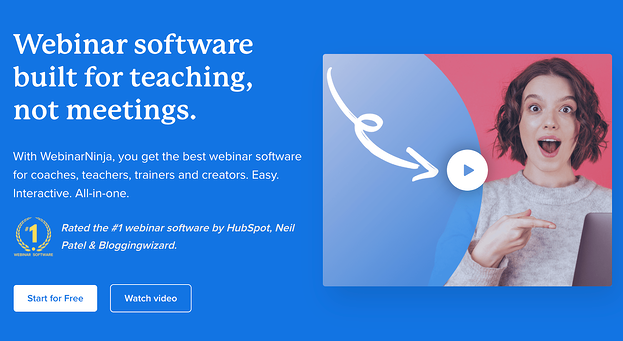
best webinar software for marketers: webinarninja

Optimizing for the customer journey is crucial and WebinarNinja knows it. The team of WebinarNinja focused Its tool development on making it easy to track and customize according to a prospect’s position in the funnel. We love how this platform:

  • Integrates with CRMs like HubSpot so you can easily track your leads.
  • It offers a gated landing page option to charge for events, which is an excellent option for hosting online conferences or other high-value content alongside regular webinar programming.
  • Provides more targeted, customized tracking with a Facebook Ad tracking pixel on webinar attendees.

2. WorkCast

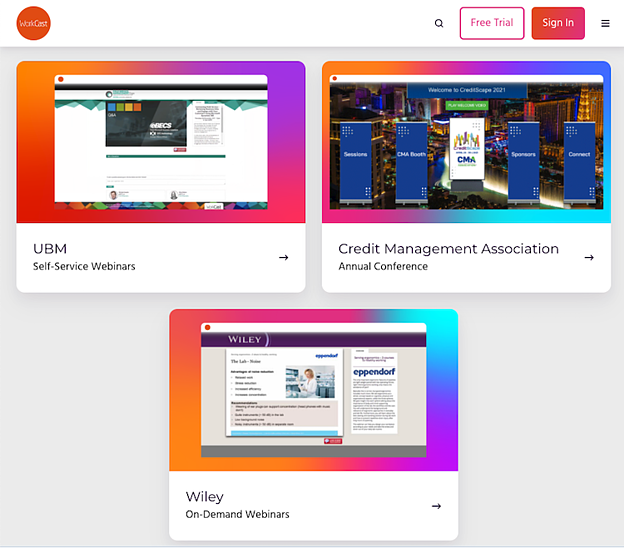
best webinar software for marketers: workcast

Image Source

As the webinar platform that brands itself as “created for marketers,” WorkCast is simple to use and has many helpful features. Whether you’re offering live or on-demand webinars, creating evergreen content, or a combination of all three, WorkCast has your back with:

  • Integrations with all of the most popular CRMs, including HubSpot, so you can track your leads and follow up automatically.
  • No downloads or plugins are required to host, attend, or present at webinars.
  • The option for simulative webinars uses pre-recorded video combined with a live Q&A session or presentation.
  • All of the benefits of viewer engagement, without the stress of organizing a live webinar.

3. LiveWebinar

best webinar software for marketers: livewebinar

When you’re looking for a powerful webinar platform, LiveWebinar is one of the most versatile options available on the market today. Whether you’re someone who regularly hosts webinars, a teacher, a recruiter, or anyone else who can make use of an online communication tool, LiveWebinar can be a good option for you.

The platform works right from your browser and is free from plugins or downloads. It works on all major browsers, as well as mobile devices.

LiveWebinar is reliable and has been proven in action time and again. Here are some of the platform’s key features:

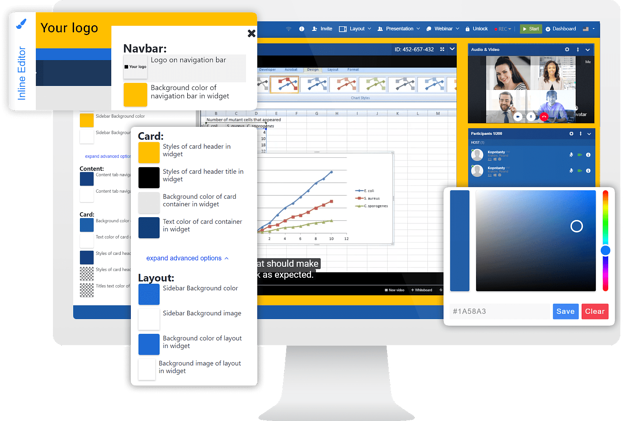
  • Customize the logo and background, ads banner, and the colors of windows and fonts to create a room that reflects your brand fully.
  • Use the whiteboard and screen sharing features to illustrate your ideas, or use features like polls & tests, and breakout rooms to start discussions.
  • Integrate the marketing, education, or email tools that you use daily, such as MailChimp, Zapier, Integromat, HeySummit, and plenty more.

4. Demio

best webinar software for marketers: demio

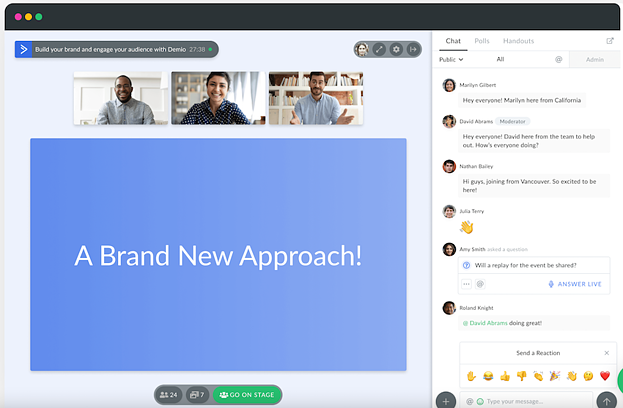
Demio is a great webinar platform for both PC and mobile devices with a sleek design and intuitive user interface. It’s an effective live video tool for marketers looking to host live or automated events that can assist in lead and demand generation goals. Our favorite features are:

  • Material sharing like slides and videos can be done on the platform while streaming.
  • The ability to give attendees permission to use their microphones and webcams for a more interactive experience.
  • Poll presentations, handouts, and call to action on the platform to further engage your audience.

Best Webinar Software for Small Businesses

5. WebinarGeek

best webinar software for marketers: webinargeek

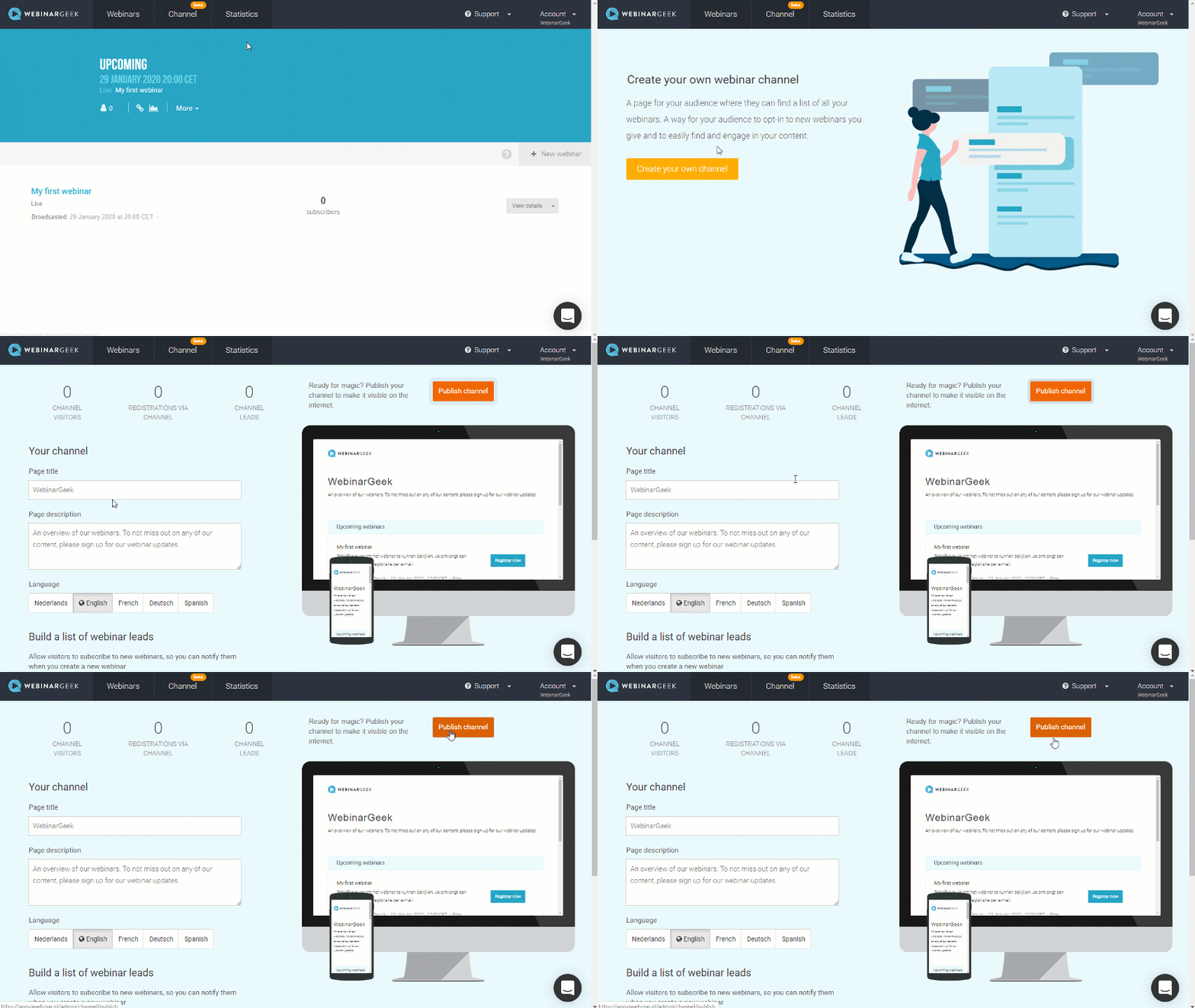
An easy-to-use platform that provides live, on-demand, and hybrid webinar features. With Its smart marketing features, you’ll be able to attract viewers and convert them to customers within the same platform. Priced reasonably for small businesses, WebinarGeek has several great tools, including;

  • No downloads are required for your audience, which makes it easy for non-tech audiences to attend.
  • Create your webinar channel to showcase all your on-demand and future webinars in one place.
  • Highly rated customer support (9.8/10 on G2) that will help you set up and deliver seamless webinars.

6. Accelevents

best webinar software for marketers: accelevents

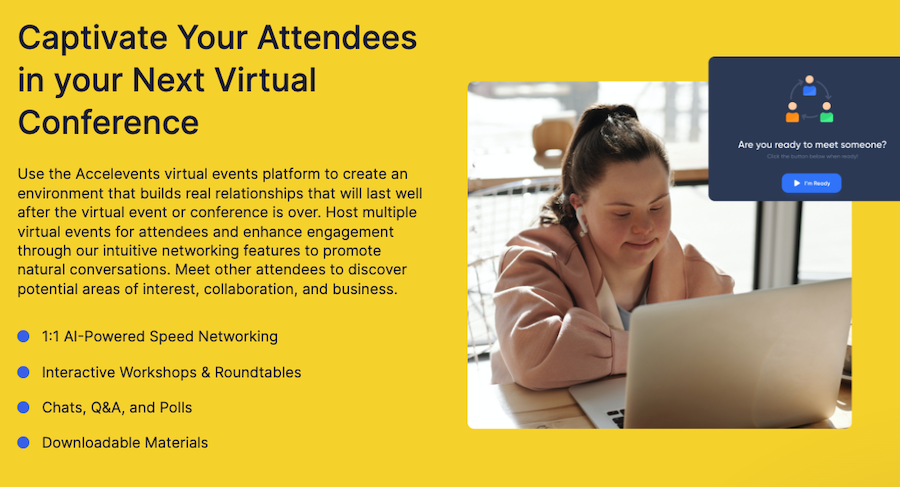
Accelevents is a virtual event platform that’s easy to use and truly moves the needle. This platform can help you build and manage online events that engage, make an impact, and drive growth for your small business. Outstanding features include:

  • Live streaming that can support over 100,000 attendees.
  • Community building opportunities with the ability to enact breakout sessions.
  • In-depth analytics reporting on engagement insights and lead reports.

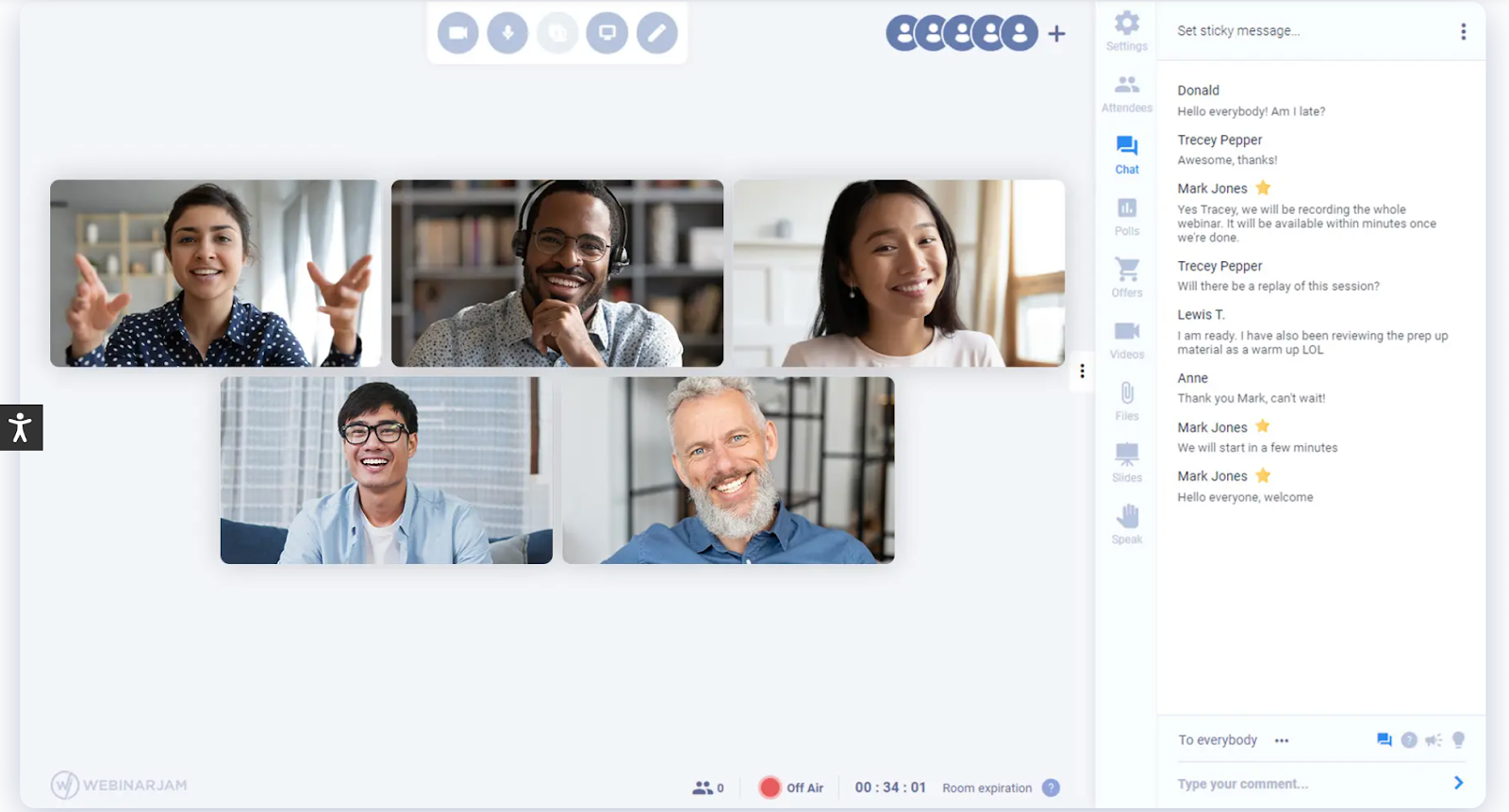
7. WebinarJam

best webinar software for marketers: webinarjam

Image Source

Marrying a simple interface with comprehensive tools makes WebinarJam an easy favorite for small businesses looking to run live webinars, even on the go. We love Its:

  • Customizable templates, such as waiting room graphics and emails, for an on-brand experience.
  • Ability to add up to six co-presenters, making it easy to produce a collaborative and high-value presentation. You can even inject pre-recorded video for additional presentation options.
  • Automatic recording function, which makes it easy to follow up with registrants who missed the live recording.

Best Webinar Tools for Training and Classroom Sessions

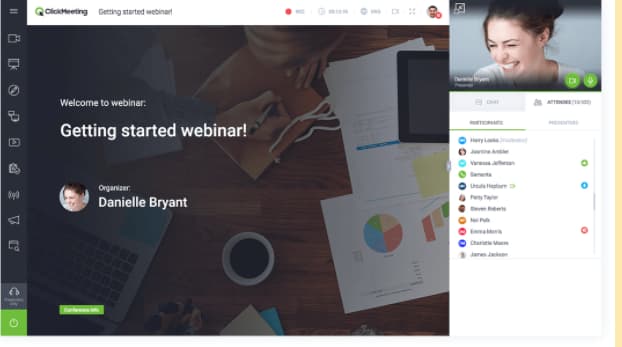
8. ClickMeeting

best webinar tools for training and classroom sessions: clickmeeting

Image Source

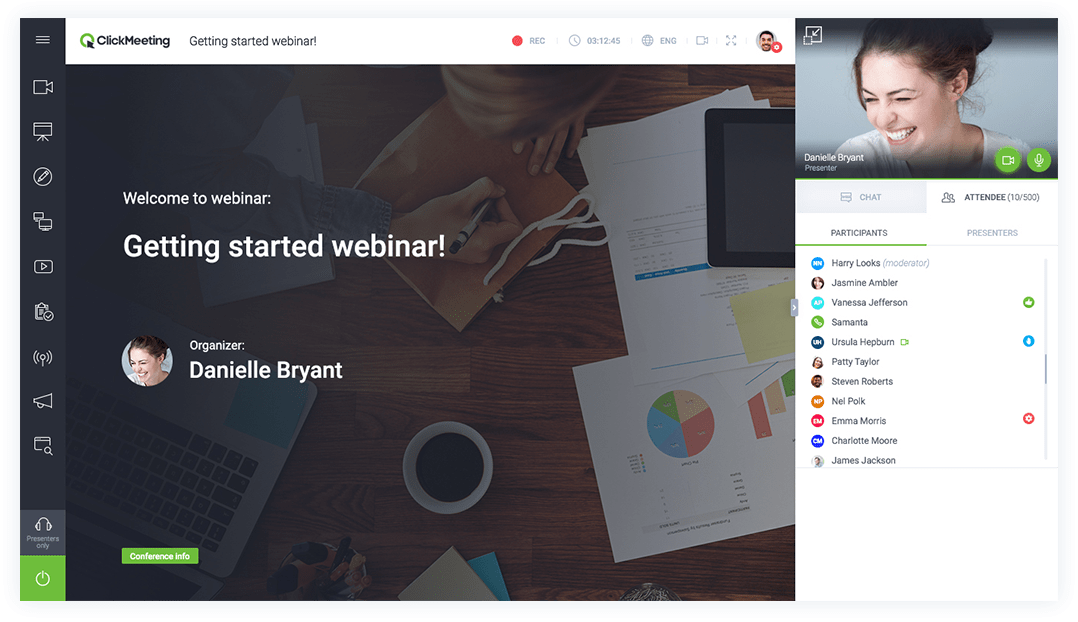
ClickMeeting offers webinars and video conferencing in one tool. Schedule meetings or webinars easily, and scale your webinar program with ClickMeeting’s 5000 attendance capacity.

ClickMeeting is particularly useful for running training and classroom-style presentations because of its:

  • Customizable waiting rooms with agenda layouts, file delivery, and presenter information.
  • Full suite of webinar tools including additional rooms, whiteboards, and polls.
  • Ability to join and deliver webinars on the go with the ClickMeeting mobile apps.

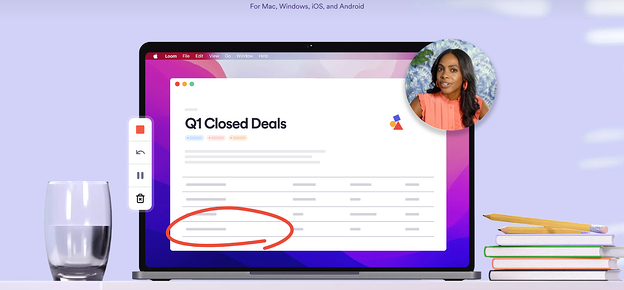
9. Loom

best webinar tools for training and classroom sessions: loom

Loom is a screen recording software platform that allows users to share webinars, instructional videos, and other presentations to audiences asynchronously. Trusted by over 14 million people, some favorited features include:

  • Speakers can record both their screens and webcams for a more intimate experience.
  • While asynchronous, recipients can use emoji reactions, time-stamped comments, and interactive features to respond to videos and keep your team connected.
  • Easy access to Loom recordings without logins or passwords, recipients can access your recordings with a link.

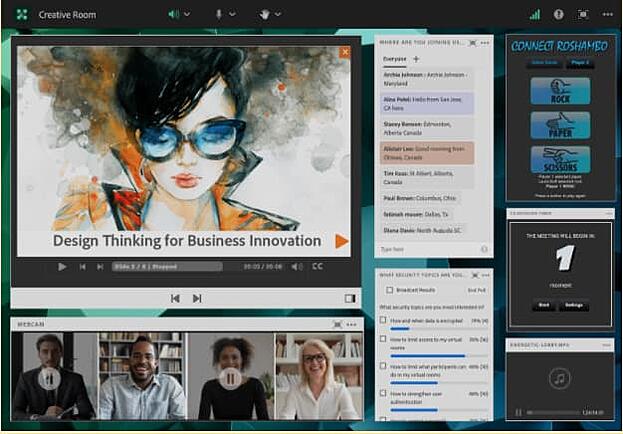
10. Adobe Connect

best webinar tools for training and classroom sessions: adobe connect

Image Source

Adobe Connect is ideal for guided training and seminars where you need to “set the stage” for your audience. Its classroom tools enable students to work together effectively. You can also:

  • Create breakout sessions, whiteboards, and teaching aids to help you deliver your message effectively.
  • Set up multiple “topic chats” to keep discussions on track.
  • Read your audience’s digital body language with advanced analytics to help you improve your delivery.

Best Free Webinar Software

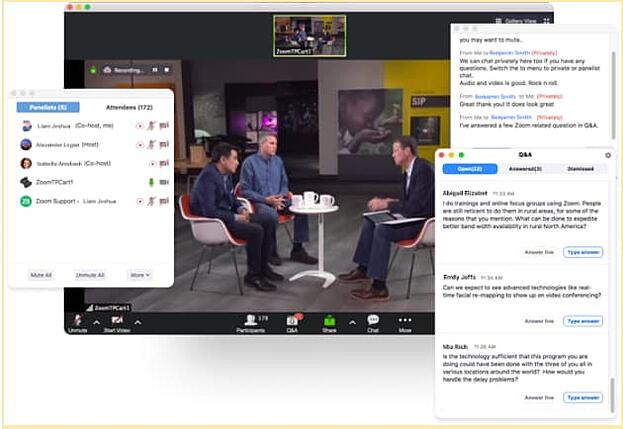
11. Zoom

best free webinar software: Zoom

Image Source

While many of us may have used Zoom for meetings, it’s also a great choice for webinars.

Because so many people are familiar with Zoom, hosts, and attendees both find it easy to use. Plus, if you’re on a tight budget, you can use Zoom’s video conferencing platform for small, free webinars (up to 100 participants).

Some of the benefits of Zoom include:

  • Keeping the focus on the presenter’s video, rather than slides, makes for more human interaction.
  • Leveraging virtual backgrounds, studio effects, and background noise suppression.
  • Dedicated live event support, including monitoring and moderation.

12. Freeconferencecall.com

best free webinar software: freeconferencecall.com

Image Source

One of the only wholly free webinar platforms, Freeconferencecall.com is still a powerful solution. It’s completely browser-based (which means no downloads for you or your guests), and:

  • Offers one-click recording so you never miss out on saving your webinar.
  • Has screen- and file-sharing capabilities so you can share your presentation materials effectively.
  • Allows you to host up to 1000 guests.

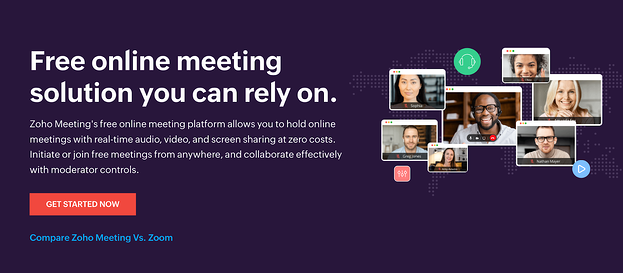
13. Zoho Meeting

best free webinar software: Zoho meeting

Zoho Meeting is a free online meeting platform that allows you to hold online meetings with real-time audio, video, and screen sharing at zero costs. Some features unique to ZoHo include:

  • Secure moderator controls like the ability to lock meetings, seamlessly switch presenters and properly hand control of screen presentation options to different collaborators.
  • Offers online and dial-in attendance for people with different devices or mediums.
  • Co-branding in meeting invites and reminders for attendees to see.

Best Live Webinar Software

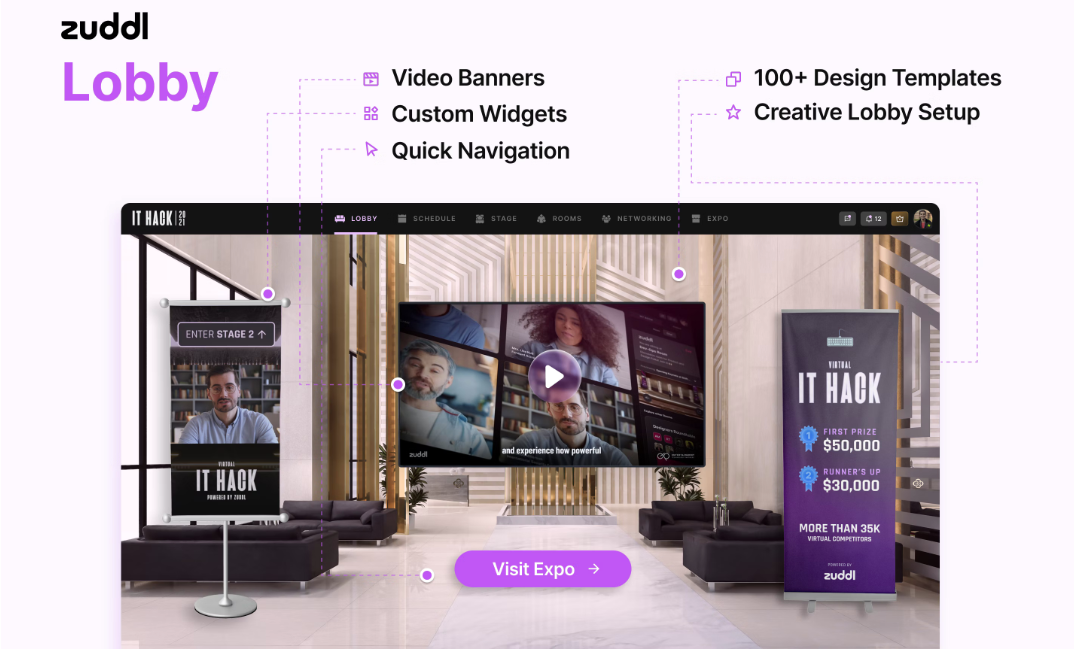
14. Zuddl

best live webinar software: zuddl

Zuddl is a live webinar platform like no other. With its software, your audience can feel like they’re walking into a virtual convention with unique widgets, hotspots, buttons, and iFrames to create an experience just like a physical event. Along with these capabilities, other standout features include:

  • Zuddl’s inbuilt ticketing and email tools let you create customized registration pages and disburse paid or unpaid event passes through automated emails.
  • Android and iOS-based mobile apps that help attendees join the event while being on the move.
  • 50+ pre-built 3D themes for more intuitive sessions to better serve the purpose of your webinars.

15. Riverside

best live webinar software: riverside

Image Source

For businesses looking to engage wide audiences in real-time, Riverside is a wonderful resource. This remote platform doesn’t skimp on quality, in fact, it offers users clear and uncompressed audio and supports up to 4K video resolution. What we like most about it is:

  • Users can simultaneously stream webinars on other channels like YouTube, LinkedIn, and more.
  • Live audience members can chime in or leave feedback during broadcasts.
  • You can hold dynamic discussions with up to eight participants.

16. On24

best live webinar software: on24

Image Source

On24 is the enterprise platform that does it all, as noted in Its positive reviews on G2: “We had a wide variety of needs for a service like this — internal training, external publications, panel forums, expert-led seminars, and more. We felt that ON24 checked every box.”

On24 specializes in live broadcasts and has a host of features designed to increase customer engagement with your video presentations. We love Its:

  • Enterprise-level streaming quality. They’re built for big events that need to stream smoothly.
  • Engagement analytics that integrate with your business intelligence platforms for better audience segmentation.
  • Engagement hub that stores past webinars for an “always-on” experience.

17. BigMarker

best live webinar software: bigmarker

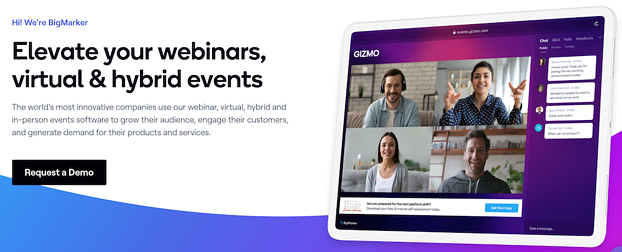
BigMarker is the world’s most customizable platform for webinars and virtual events. This browser-based platform is easy to access for audience members, with no downloading needed and has extensive third-party app integrations.

  • Engage with up to 10,000 audience members in one webinar.
  • No limits to the number of presenters in a discussion.
  • Includes the tools you need to promote your content, monetize your webinars, and measure everything to grow your audience

18. Jumbo

best live webinar software: jumbo

Jumbo is a newer webinar software platform that simplifies the live-streaming process. Made to be compatible for PC and mobile devices, it provides a no-fuss webinar service that customers can enjoy with features such as:

  • White label formatting to let your brand be the main focus of any webinar.
  • Interactive features such as live chat, breakout sessions, polls, trivia, and user profiles help your audience engage deeper with your content.
  • Intuitive user interface that is easy to use, even for those who aren’t tech-savvy.

19. GoToWebinar

best live webinar software: gotowebinar

Image Source

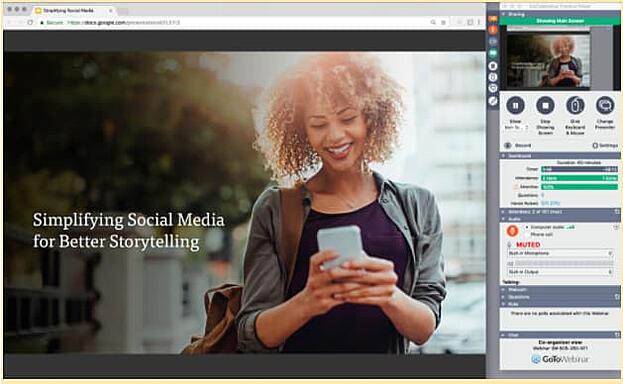
A best-in-class option that makes running a live webinar feel positively smooth. Equipped with the greatest hits of live webinar management like engagement tools, automatic recording, and excellent integrations, GoToWebinar goes the final mile by offering:

  • 24/7 customer service, which is essential in times of live webinar panic.
  • Source tracking to help determine the most effective sign-up strategies.
  • Truly excellent analytics that allows you to keep iterating and improving.

20. Webinar.net

best live webinar software: webinar.net

Image Source

This is an easy-to-use webinar platform that looks good. Webinar.net might be one of the newest platforms on the market, but they’re starting strong with a 4.7 out of 5 stars rating on G2. Its customers love them because:

  • They’re browser-based, so there are no downloads required for presenters or attendees.
  • You can upload a background template and pick your colors and font so that your webinar matches your company’s branding.
  • Broadcasts can be launched in under 60 seconds with Its five-step wizard.

Host Your Webinars in the Best Platform for You

There are so many different webinar platforms available to help you reach your audience. Choosing the right one for your needs depends on your budget and your goals, so we hope you found the one you were looking for with the help of this post.

Editor’s note: This article was originally published in April 2021 and has been updated for comprehensiveness.

New Call-to-action

Categories B2B

17 Recruiter-Approved Skills for Your Resume That’ll Help You Get the Job

When I graduated college, I didn’t have much prior work experience. However, I had something I believed made up for it — hard and soft skills for a resume. But what are hard or soft skills and how do they impact your professional future?

→ Download Now: 12 Resume Templates [Free Download]

What are Hard Skills and Soft Skills?

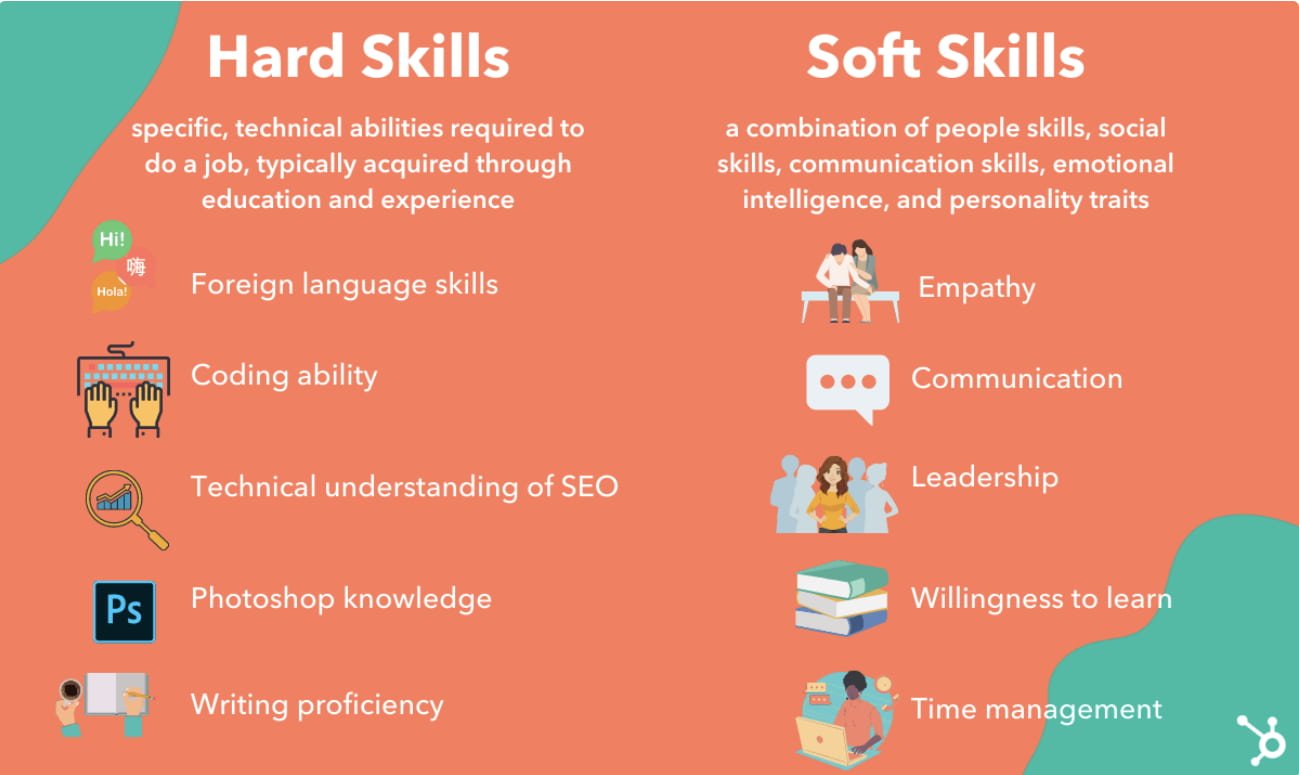
A comparison of hard skills and soft skills for resume buildingDon’t let these antonyms fool you — both hard skills and soft skills play a vital role in crafting an optimal job skills section. But although best practice calls for a balance of hard and soft skills in the skills section of your resume, There are differences between soft and hard skills that you need to understand before you hit submit on that application.
Some additional examples of hard skills include:

  • Web design
  • Content creation
  • Computer programming
  • Accounting
  • Technical writing

A few examples of soft skills are:

  • Collaboration
  • Time-management
  • Conflict resolution
  • Interpersonal skills
  • Self-motivation

For instance, examples of soft skills like “strong communicator”, “detail-oriented”, or “self-motivated” may not be within the job description, but they could be the attributes that nonetheless help you thrive and succeed in the role.

But what makes a combination of hard and soft skills so important? These skills are vital because employers are looking for the right union of both qualities to find the best candidate profile for the position.

The main takeaway to remember as you list your skills is that soft skills relate to your personality once you’re at the office, whereas hard skills show what you can accomplish once you get to work.

Stand out through your resume skills section.

Admittedly, as I was writing my resume some of these skills likely didn’t stand out to recruiters as particularly impressive — for instance, “Facebook” is probably a skill I didn’t need to include, seeing as I wasn’t even applying for a social media position.

However, skills, like “ability to work under pressure” and “proficiency in Adobe Creative Suite,” did help me — particularly when I tailored my skills to fit the job description. Because when you are writing your resume and deciding what to put in the skills section, it’s critical that you provide applicable and exceptional examples to show recruiters you’re an ideal candidate.

To help you create an impressive resume that will make recruiters take notice of and demonstrate your unique qualifications, I spoke with HubSpot recruiters to consolidate 17 recruiter-approved resume skills (and useful tips) that’ll help you get the job.

1. Ability to Work Under Pressure

Skill Type: Soft Skill

Able to keep a steady hand under stress? Your ability to handle difficult situations as pressure mounts while producing impactful work and meeting deadlines is a super skill. For example, if you are interviewing for a role as an Executive Assistant and you have a track record of successfully scheduling leadership appointments with the stress of tight turnarounds and ever-changing demands, you have the ability to work under pressure. When recruiters and companies see this skill, they see you as a person who can stay focused and get the job done.

Pro Tip: This soft skill is one that employers ask frequently, so it is a great one to continue to refine -– especially in customer service, leadership, and hospitality roles.

2. Leadership

Skill Type: Hard Skill

If you can take charge of a situation and inspire others to achieve a common goal, then you can likely lead a team professionally. For instance, say you directed a team of accountants during a large-scale company audit and led everyone to accomplish their respective tasks to complete the project. Then you would be demonstrating leadership skills that can influence a company to trust your guidance.

Pro Tip: By detailing your leadership experience as a core skill, you can quite literally distinguish yourself from the pack — consider this hard skill mandatory if you’re seeking managerial and executive roles.

3. Graphic Design

Skill Type: Hard Skill

Having Graphic Design skills means that you can use software like Photoshop, Adobe Illustrator, and more to create visually appealing designs that could propel a project forward. Even if you’re not applying for a position in graphic design, listing this skill on your resume shows recruiters you’re able to design — or learn how to design — graphically appealing proposals, flyers, billboards — and even decks.

Pro Tip: The best way to prove your design abilities is to create a portfolio of your work so that a hiring manager discerns the quality of work for themselves. Be sure to incorporate impactful, colorful, creative graphics, as well as, clean and concise designs to showcase your range.

4. SEO Marketing

Skill Type: Hard Skill

Knowing how to apply SEO Marketing best practices tells employers that you have the potential to increase search ranking visibility and website traffic for the business. These marketing skills can involve optimizing content tracking, search analytics, and reporting results, but don’t hesitate to get clever about how you’ve helped market a brand even if the route was untraditional.

Pro Tip: Instead of simply listing your SEO marketing skills on your resume and describing your experience, provide results like a deck of the metrics of an SEO project.

5. Copywriting

Skill Type: Hard Skill

Copywriting is one of those communication skills that’s always in demand, especially if your desired role is in the marketing and advertising industry. If you are applying for a job that requires writing skills, be sure to highlight your copywriting experience on your resume with examples in your portfolio.

Pro tip: Show both short-form and long-form copywriting for a range of brands, industries, and brand voices. You want to show your versatility in creative, technical, or marketing writing so the hiring manager sees you as a cross-channel asset.

6. Ability to implement Social Media Campaigns

Can you create, execute, or monitor social media campaigns? From start to finish? Then make sure you list your social media expertise and ability to implement campaigns under your resume skills. Brands love the social media experience because it shows an affinity for marketing business products and services. Whether it’s retargeting a customer base or reaching new consumers — you can do so for one of the most powerful audiences: social media.

Pro Tip: Be sure to list the top social media marketing and writing aspects like your ability to write a striking headline and engaging text post.

7. Data Analysis

Skill Type: Hard Skill

If you prove that you can organize data into a clear and concise structure, then employers will entrust you with handling company data to turn it into useful information. For example, data analysis can include the ability to:

  • Find, interpret, and transform data for decision making
  • Solve problems quickly and efficiently by the conclusions made from organized data sets
  • Communicate this information clearly and effectively to relevant stakeholders

Pro Tip: Data analysis is an intricate business. So highlight your methods of keeping detailed records for all your projects. This method will give recruiters insight into how successful you were at organizing information, as well as your cognition as an analyst.

8. Foreign Languages

Skill Type: Hard Skill

Knowing foreign languages is a valuable skill to have not only in business but in life. But listing a knowledge of languages as a job skill can really open doors because you are able to connect with consumers of different linguistic backgrounds on a deeper level — both verbally and through content. Whether you’re looking for a position in pediatrics or politics, being bilingual or multilingual can give you a serious advantage over the competition due to your ability to reach people.

Pro Tip: If you list a foreign language skill on a resume, be prepared to speak proficiently in that language during the interview process. If not it’s better to refine your understanding prior to listing it on the resume.

9. Editing

Skill Type: Hard Skill

Leveraging your editing skills for writing and video is crucial for most creative and technical arts. For instance, if you are applying for a role as a Content Writer, it’s imperative that you proofread and edit your work for grammar, punctuation, and clarity before you submit your blog posts. If you are publishing video content, then you need to be able to edit the footage into a cohesive (and compelling) story. Both abilities will work to your advantage when it comes to company messaging.

Pro Tip: Be sure to create an online portfolio and add your published work that employers can easily access. Within your portfolio, you should spotlight any work with recognizable brands that an interviewer could find noteworthy.

10. Java Programming

Skill Type: Hard Skill

Java is a versatile and powerful programming language that is widely used in a range of industries. If you are applying for a job that incorporates DevOps, Analytics, or Data Analysis — so essentially every business with a website — then Java and JavaScript proficiency are great skills to start with as they are some of the most vital programming languages, globally.

Pro Tip: Similar to professional foreign language tests, it’s not uncommon to have a live coding portion during the interview. So be sure to refine your code to clean and organized language scripts so there’s no doubt you’re a wiz at coding.

11. Quick Learner

Skill Type: Soft Skill

What does it mean to be a quick learner — professionally that is? Well, it means that you are able to learn new job tasks and apply them efficiently. This valuable skill can show that you are adaptable and willing to take on new challenges.

Pro Tip: If you want to showcase your quick learning ability on your resume, be sure to detail examples when you met and overcame a real-world challenge through quickly grasping a concept– avoid any fluff.

12. Detail-oriented

Skill Type: Soft Skill

Sure, calling yourself detail-oriented could be the most overstated resume skill you can list — however it is also one of the most important soft skills an employer wants to hear. What makes this job skill so impactful is that it means that you are able to pay attention to the small, seemingly overlookable details that can make a big difference on a project.

For instance, say you are hoping to land a job as a pharmacist. In this role, you will be responsible for reviewing and administering doses of medication that will impact a person’s health. Therefore, you will have to be cognizant of each medication’s safety details to be able to ensure there are no negative interactions across prescriptions, and advise customers on safety instructions they may overlook. In this case, attention to detail can make the difference between performing your role successfully or failing detrimentally.

Pro Tip: If you want to show hiring managers that you are detail-oriented, then elucidate examples of times you ensured quality assurance or found and corrected a mistake others didn’t catch.

13. Collaboration

Skill Type: Soft Skill

A good collaborator is someone who is able to communicate effectively to work together with a team and put the needs of the project above their own. So if you want to show that you are a collaborative person, then be sure to include examples of times you have worked together with colleagues to contribute to the success of a project.

Pro Tip: A great strategy for efficient collaboration is agreeing on what your team’s common goal is and defining how you will contribute to achieving this shared goal.

14. Adaptability

Skill Type: Soft Skill

If you are professionally flexible and able to flourish in new situations, then you should add Adaptability to your resume skills section. For example, if you are a PPC marketer asked to assist with a colleague’s Amazon Retail workload, their tasks may be a bit out of your purview. But if you adapt and learn how to approach Amazon Retail strategically, you will prove you can wear the various hats you’ll have to wear throughout your job’s tenure. This is an asset and a job skill you should include on her resume.

Pro Tip: When you explain your Adaptability on a paper, it doesn’t have to simply be professional; being adaptable is also an inherent trait, so you can describe transformations during your education or personal life if you feel like it’s an appropriate, more true representation of yourself.

15. Communication

When it comes down to collaborating, presenting, and guiding in the workplace, it’s no wonder why they say communication is key. If you excel in written and verbal Communications you should note this under the resume skills section because it shows you can understand, conceptualize, and explain information for yourself and your colleagues, which is invaluable every workday.

Pro Tip: Expand upon your Communication skills by detailing how this relates to your ability to learn new ideas and concepts from others, in addition to by yourself.

16. Creativity

Skill Type: Hard & Soft Skill

Why is creativity an important resume skill example to list? It’s because employers are looking for candidates who can think outside the box and generate new, engaging ideas for how they can engage consumers or reinvent processes. It’s innovation that propels industry, so having a new hire who can push the dial forward for your business is a big win long-term.

Pro Tip: If you’re able to make a case for including Creativity on your resume, be sure to relate this skill to how you are also capable of finding creative solutions to more practical pursuits, like problem-solving, as well.

17. Microsoft Office — especially Excel and Powerpoint

Skill Type: Hard Skill

At this rate, most candidates are sophisticated in Microsoft Suite products like Microsoft Excel, Word, PowerPoint, and more. This skill is important to employers because it allows candidates to complete projects, create presentations, and organize data through ubiquitously used software. If you want your resume to meet standards, be sure to list any other proficiency in Microsoft products you may have like Publisher or OneNote, too.

Key Tips On What Recruiters Look For — According to Recruiters

I spoke with Johanna Fleming, a former Services Recruiter here at HubSpot, about hard and soft skills and which are more critical for a resume. She told me, “Mostly, hard skills stand out. Soft skills don’t add a ton of value to resumes because they can be very subjective.”

Tip #1: Always prioritize showcasing your hard skills when you can.

Add a picture of Flemming

For example, says Flemming, “many people add that they have things like ‘strong communication skills’ … but it’s a bit fluffy because who is evaluating their communication skills?”

Instead, Fleming continues to underscore the importance of hard skills over soft. “Hard skills definitely are more important to highlight — especially technical skills and experiences. If someone is familiar with certain platforms or applications, it’s also definitely important to highlight those!”

Tip #2: Incorporate measurement metrics to detail skill performance.

Additionally, to demonstrate the validity of the skill, it’s important you incorporate real metrics. Holly Peterson, an Executive Recruiter here at HubSpot, says it’s critical you include “a track record of metrics-driven performance, and/or the impact you’ve had in each role. This could be something like, ‘Increase sales leads by 25%,’ or ‘Drove new users in thousands.'”

Noah Gilman, a Professional Services Recruiter at HubSpot, agrees. He says, “If you claim to have done really well in your last role, but don’t put any numbers behind it, that really weakens your message.”

Tip #3: Prove your skill set through real-world examples.

Along with including metrics in your work experience section, Noah suggests sticking to skills that you provide examples for as much as possible — “Stick to … things that you can answer questions about from a recruiter. For instance, when they ask questions like ‘What have you built using java?’ or ‘Talk to me about a cool report you built-in Tableau’, make sure you have real-world instances to offer. Prioritize hard skill examples like these, instead of something a recruiter would never ask … like ‘Talk to me about when you had strong communication skills.'”

Tip #4 Only mention the most impactful hard & soft skills.

Additionally, Glory Montes, a Technical Recruiter, mentioned a few other hard and soft skills that stand out as particularly impressive. One of the most vital hard skills: Presentations.

“It’s a big green flag if a resume mentions a time the candidate had to present to senior managers or present on work they did,” exalts the Technical Recruiter “I also look for collaboration skills,” Montes says when it comes to soft skills, “like if a candidate mentions they worked with co-workers in other departments. Being able to communicate across disciplines shows adaptiveness and strong communication skills.” Finally, showing project work outside of your day-to-day responsibilities shows me that you are passionate about your discipline.”

Tip #5: Stay clear and concise as you detail your resume skills.

It’s also important to avoid vague or general statements, which could seem untrue, particularly if other applicants often use the same phrases. To avoid this, Roshan Shah, a former HubSpot recruiter, told me specificity is key — “I don’t think many recruiters like seeing general statements like, ‘improved X process’ or ‘built relationships with stakeholders’. I strongly prefer more explicit details, like how much you improved a process or how you built relationships, and with which stakeholders.”

Tip #6: Be Honest In Your Skill Assessment & Stick to the Skills You Know

Roshan Shah echoes this, telling me, “Candidates should use their actual skillset as the barometer for how many things to list on their resume, rather than just the job description. They should list things they’re actually proficient in.” Because an honest assessment of your skill level can save you a lot of anxiety when employers put you to the test. “If you say you’re comfortable using AdWords because it’s on the job description,” says Shah, “but then we test you and you end up being pretty novice with it, that’s going to look much worse than if you’d just left it off your resume in the first place.”

So after you’ve looked at the job description, do some research on job sites like Glassdoor or Monster to see the qualifications other companies include for similar positions. This enables you to include skills the hiring manager hasn’t listed, demonstrating your potential to bring something unique to the role.

Tip #7: Get technical with your hard skills.

Paulina Valdez, an Executive Recruiter at HubSpot, told me, “It’s important to highlight the technical skills that the role requires. For my Spanish Translator role, I look for CAT tools in a resume, like MemoQ and SDL Trados. Soft skills are more buzz words than anything, so I prioritize hard skills related to the role.”

Tip #8: Make Sure Your Soft Skills Are Relevant to What The Role Needs

Finally, consider a list of soft skills you believe truly reflect your personality and work ethic. Include these if you believe they’re relevant for the position to which you’re applying. For instance, in the ‘my skills’ section of my resume, I’ve included “passion for learning”. While this attribute might not be listed for a specific role, it’s an authentic description and highlights in which type of work environment I do well, so it felt necessary to include it.

Show recruiters why you’re a top prospect.

Whether you are looking to land your dream job or making a career pivot to a new industry, clearly showcasing the skills on your resume that make you who you are as a professional is essential. If you want employers to consider you a top candidate, then be sure to include specific examples of when you demonstrated your skill under your Work Experience and once you make it to the interview. Plus it’s the moment recruiters see that your career skills meet– and exceed — the requirements of the candidate profile, where you stand out as an asset within an ever-competitive job market.

Editor’s note: This post was originally published in December 2018 and has been updated for comprehensiveness in May 2022.

New Call-to-action {{slideInCta(‘9b7f1c12-479a-45cb-9f9e-d104e0bd66be’)}

Categories B2B

5 Skills You Should Leave Leadership Training With

​​Are you an experienced leader looking to brush up on your skills? Or maybe you’re brand new in this space and want to gain the tools to help you succeed.

→ Click here to download leadership lessons from HubSpot founder, Dharmesh  Shah [Free Guide].

In this article, you’ll discover the key leadership skills you should leave leadership training with along with the benefits of taking a leadership training course.

Why leadership training is important?

Leadership training is valuable to anyone who currently or aspires to hold a supervisorial role. The qualities needed to succeed in a leadership role don’t just appear once you’ve been assigned the role. In fact, you should be exhibiting these qualities long before you step into it.

This is why taking a leadership training course can be valuable, even if you don’t oversee any direct reports.

For fresh managers, it’s an incredibly valuable resource that will arm them with the tools and strategies needed to motivate and inspire their teams. Leadership training is also a good setting for new leaders to discover leadership styles and determine which one fits best for them.

For experienced leaders, it’s an opportunity to learn new tactics that will help them improve their leadership style. For instance, psychological safety has been prioritized by many companies within the last few years, much more than before.

As such, it’s a big part of many leadership training courses available out there today.

Leaders also have an ethical responsibility to stay on top of their game. How can you expect the best from your team if you don’t also push to be the best version of yourself?

What are the benefits of leadership training?

At this point, you know why leadership training is valuable in a general sense. If you’re wondering what are some key benefits for you specifically, here are a few:

  • You’ll have access to new techniques and skills.
  • You’ll identify or refine your management style.
  • You’ll gain more confidence in your leadership ability.
  • You’ll develop a stronger understanding of what makes a successful leader.
  • You’ll get ahead of common mistakes made by leaders.

What to Expect from Leadership Training

1. Improving your communication.

One of the first things you should expect to learn in leadership training is how to effectively communicate with your team. Effective communication build trust and rapport while poor communication creates tension and discord.

Communication is fluid – it can take place in many different ways, formats, and styles. This is what makes it such a complex topic that is never fully exhausted.

Leadership training will teach you how to:

  • Create an environment that facilitates communication among your team.
  • Identify your direct reports’ communication styles and how to respond accordingly.
  • Be transparent with your team without divulging too much information.

And that’s just to name a few. As far as communication goes, it’s one aspect of leadership you can always gain new insights on.

2. Identifying or improving your leadership style.

How would you define yourself as a leader? Are you a commander or visionary? Are you a servant or a coach?

Every leader you ask will likely offer a different answer. That’s because there isn’t one approach to leadership. Every style can work in a specific environment with a specific group.

The earlier you identify your leadership style, the earlier you can start to refine it and discover how to build on it for the success of your team.

3. Building psychological safety.

One of the most important aspects of being a successful leader is creating a safe and positive work environment for your team – this is known as psychological safety.

There are four pillars of psychological safety:

  • Safe to be yourself
  • Safe to learn
  • Safe to contribute
  • Safe to challenge

A psychologically safe workplace is one where employees can bring their full selves to work, feel welcomed to share ideas, and challenge the status quo.

In addition, research has shown that when an organization welcomes diversity in thought, the company performs better. So, creating this environment is not only key to employee satisfaction but also contributes to the growth of the company.

4. Navigating difficult conversations.

One of the hardest things about being a leader is having tough conversations with your team members. These conversations can be difficult because they often involve conflict or criticism.

However, you can’t exactly avoid them.

Leadership training will give you the resources to navigate these conversations and lead to positive outcomes. A key part of this is by nurturing empathy and emotional intelligence to identify the root of certain issues and address them before they progress.

5. Managing Conflict.

Conflict is a natural part of any working relationship.

However, it is important to learn how to manage conflict effectively in order to maintain a positive and productive work environment. This can look like setting boundaries, mediating disputes, and more.

Leadership training will teach you how to do just that.

To recap, you should leave your leadership training with improved communication skills, better conflict management skills, greater creativity, and enhanced problem-solving abilities.

Even if you’ve taken one before, you’re sure to come out the other side with a fresh outlook on what it means to be a leader.

New Call-to-action

Categories B2B

Top 6 Video Marketing Metrics Your Boss Actually Cares About

Conventional wisdom tells us that views, especially three-seconds ones, are a vanity metric. But Facebook tracks them for a good reason.

In 2016, they analyzed their users’ video consumption data and discovered that 45% of people who watch the first three seconds of a video will keep watching it for at least 30 seconds.

Facebook’s study suggests that views are a good indicator of how well your video’s hook performed. But view count, as a metric, also has drawbacks, like not being able to tell you who your audience is or whether your video resonates with them.

That’s why we created this list of video marketing metrics that shed light on the things your boss actually cares about — like how much your audience engages with your video, conversion rates, and how video affects your website’s performance.

→ Access Now: Video Marketing Starter Pack [Free Kit]

Which Metrics are Brands Tracking?

We surveyed over 500 global video marketers to find out what metrics they believe are important in measuring a video’s success. Each respondent could select more than once answer, and in our survey we found the following metrics were mentioned as being important:

  • Engagement (60%)
  • Conversion rate (56%)
  • View count (53%)
  • Click-through rate (52%)
  • Follower/subscriber growth (52%)
  • Average view duration (50%)

A graph of the top 6 video marketing metrics marketers care about.

1. Engagement

Engagement is one of the most important factors in boosting your video’s organic reach — if a video resonates well with part of your audience, then it’ll likely resonate with the rest of it

Engagement provides marketers with valuable qualitative data too. Comments can show you the emotional effect your video had on your viewers. Do they seem inspired? Or are they angry you covered a controversial topic? This data can help you decide which video topics to focus on in the future.

Social shares can paint a clearer picture of your audience’s brand affinity and loyalty. This metric measures how much your audience values your content and brand. It also builds your brand’s credibility. Since people share content that confirms their ideal self-persona, people who share your video are willing to show their community that they trust and support your brand.

Social sharing is also one of the best forms of word-of-mouth marketing.

2. Conversion Rate

Your video’s conversion rate measures how well your video persuaded viewers to convert into a lead or a customer. You should test whether videos increase or decrease your landing or product pages’ conversion rates. If they do, this means video does a better job of conveying information and evoking excitement in your prospects than text does.

3. View Count

One would think that a view is counted anytime your video is watched on any device, but different platforms have different ways of measuring view counts. For example, YouTube counts a view if the platform confirms the video was played by a human on one device.

This means someone can’t refresh their page multiple times to raise their view count.

On TikTok, however, the moment your video starts to play, it’s counted as a view. No confirmation necessary.

38% video marketers reported their video content averages under 10,000 views, while 16% said their videos average under 1,000 views —according to our survey. We also found 84% average under 100,000 views per video.

4. Click-Through Rate

Click-through rate measures how well your video encourages viewers to take a desired action. If your CTR is low, consider altering the placement of your call-to-action in your video. Audience retention graphs show that most people don’t watch videos all the way through, so you could place your CTA at the beginning or middle of your video. Or you could also make your video more engaging so more viewers reach the CTA at the end of your video.

Leaving your CTA at the end could produce more clicks than moving it to the middle or beginning because viewers who watch your video all the way through are more likely to take action than someone who just clicked play.

5. Follower/Subscriber Growth

Follower/subscriber growth can be an excellent measure of a video’s performance because it shows that your video is reaching new audiences and attracting people to your brand. You can also see what kind of audience your video attracts, which can help you create a buyer persona and create more quality content that is tailored to your audience.

6. Average view duration

Average view duration is the total watch time of your video divided by the total number of video plays, including replays. It measures how long your viewers watch your video, on average. Average view duration is a powerful metric because it reveals your audience’s video length preference. For instance, if your 45 second videos keep getting a 30 second average view duration, you might want to cut those videos down by 15 seconds.

Benchmarks for Video Marketing

Different kinds of videos have different benchmarks. Here are a few video types and the benchmarks we found associated with them:

Short-Form Videos

Short-form videos lead in usage by 58% and have the highest ROI, lead generation, and engagement, according to our survey. With the rise of short-form video tools and platforms like Instagram Reels and TikTok, it’s not surprising short-form videos will be leveraged for the first time more than any format in 2022.

83% of marketers say the optimal length of a short-form marketing video is under 60 seconds. Our survey also shows 41% of short-form marketing videos have an average watch percentage between 61-80%, and almost half of short-form marketing videos have a CTR between 5-8%.

Long-form Videos

A long-form video is any video longer than three minutes. These videos rank second in terms of usage, ROI, lead generation, and engagement. Long-form videos will also be leveraged significantly by marketers for the first time in 2022 and are expected to see an increase in investment.

We found the optimal length for a long-form marketing video is three to six minutes. Our survey also showed 38% of long-form marketing videos have an average watch percentage between 41-60%, and 57% of long-form marketing videos have a CTR between 5-8%.

Live Video and Live Streams

35% of marketers plan to leverage live videos/live streams for the first time in 2022, and the optimal length of a live video/live stream is between four and nine minutes, according to 51% of video marketers. We also found 39% of live videos/live streams have an average watch percentage of 41-60%.

As video-sharing platforms see a surge in popularity, video marketing is only going to become more important to your brand’s success. Now that you know the metrics that most marketers — including your competitors — are measuring, you’ll be able to make sound decisions for your next video-marketing campaign.

Discover videos, templates, tips, and other resources dedicated to helping you  launch an effective video marketing strategy. 

 
Discover videos, templates, tips, and other resources dedicated to helping you  launch an effective video marketing strategy. 

Categories B2B

Writing a Job Description That Attracts Ideal Candidates [8 Tips]

As a direct response copywriter, I specialize in making readers take a specific action. I write a variety of copy, including articles, landing pages, sales emails, and job descriptions.

Download Now: Job Description Templates [Free Prompts]

This article will walk you through an approach to job descriptions that allowed me to double my conversion rate of visitors-to-applications in less than a year. You’ll learn the strategies and best practices I used to grip candidates, exciting them enough to take action.

What is a job description?

A job description is a document written by an employer that lists the tasks and responsibilities of a specific role along with the skills and experience needed to qualify for the position.  

1. Study your target candidate.

Many studies show that people buy on emotion first, and then rationalize their purchases using logic.

Applying for a job, in that sense, is a lot like making a purchase. Pressing the “Apply Now” button is an emotionally charged decision.

When writing your job ad, tap into those emotions by learning everything you can about your target candidate (i.e., the person you want to be interviewing). What are their professional goals and values? What makes them happy?

Example

Create a target candidate persona or a composite of your ideal employee. (Download these buyer persona templates to get started.)

Use the information you find to make potent promises that your target candidate wants to hear and, more importantly, you know you can keep.

Are you hiring for a role in content marketing? Consider aspects of your existing marketing team that you want to see reflected in your new hire.

  • What are your current employees’ career goals?
  • What do they enjoy most about the company?
  • Which areas of expertise do they lack that your candidate can provide?

These are all valuable pieces of information that can help you craft a corresponding job description and ensure your potential candidates would be a fit at your organization – both culturally and professionally.

2. Optimize the job title with keywords.

Every day, the job hunt leads millions of people to search millions of keywords. This makes SEO very important to the recruitment process, especially when writing job ads.

In your quest to be unique and desired, don’t make up a new, creative name for an established role. In other words, don’t call your open content marketing position an “Attention Ninja” or “Audience Crafter.”

Example

For a role in content marketing, title your job exactly what you’re looking for, such as content marketing manager. If you’re in the B2B space with clients all over the world, for instance, add a few more adjectives: “Global B2B Content Marketing Coordinator.”

Keep in mind that the experience level of your ideal candidate can change the words they use when looking for jobs online.

If you’re hiring for a mid-level content marketer, for example, consider words like “strategist,” “specialist,” or even “manager.” Is the content you produce part of a much larger digital marketing operation? If so, include that in the title.

Post the position under a recognizable, keyword-friendly title, as that’s what candidates will be searching for.

3. Start with a company summary.

Open your job ad’s main text copy with a “Company Summary” paragraph. But don’t simply paste your business’s “About Us” boilerplate description into your job listing.

Your “Company Summary” should help to put the job for which you’re hiring into context for the applicant.

If your company sells security software, for example, it won’t be enough to simply state your company name, when you were founded, the types of software packages you offer, and where you’re located.

Your applicants will want company details specific to the team they’d be joining.

Here’s an example of a company summary for a made-up software development company looking for a content marketing specialist to join its team.

Example

Security Software Co. is a Boston-based software developer that puts today’s most pressing ecommerce security challenges at the heart of its brand. We turn the best cybersecurity technology into trusted solutions for the small online business, and after a decade serving more than 70 clients, we need someone to help us tell the stories that matter most to our customers.

If you summarize your company in a way that resonates with your ideal candidate, you’ll set yourself up to dive right into the job description itself.

However, keep in mind that this doesn’t stop at the second paragraph following the company summary above. Describe your open position using subheads, or sections, in this order:

  1. Benefits
  2. Requirements
  3. Responsibilities

4. Concisely describe the job’s benefits.

Every ad must start with a concise description, or overview, of the role. It should be snappy and compelling – just be sure to complement that with the big-picture benefits as well.

General Electric did a nice job describing the benefits of their roles in the commercial below, as part of an amusing series to help the company shift its brand. Listen to how the person in the blue sweater describes their new position:

People inherently want to be part of something bigger than themselves. Appeal to that desire by helping candidates envision the impact of their work.

If you’re hiring a software developer, explain how their work will impact your customers. Will it help them beat traffic? Will it help them communicate better with their family? Will it help them get clean drinking water every day? Be specific. The more specific you are, the more compelling your message will be.

Here’s how our fictional organization, Security Software Co., might describe the benefits of working as their newest content marketing specialist:

Example

As the Content Marketing Specialist for Security Software Co., you’ll create articles, infographics, and eBooks that build an engaged audience. Your goal will be to drive thousands of people to subscribe to our newsletter and follow us on LinkedIn. Your success will expand Security Software’s global reach – helping millions of parents protect their children from online predators – while simultaneously developing your personal brand as a foremost expert in our space.

5. Summarize the benefits package.

Now that you have the candidate’s attention, draw them deeper into the ad with a section dedicated to the other benefits: your company’s benefits package.

According to a 2021 Indeed report, 83% of employers say their companies have become more transparent about compensation and perks in their job descriptions.

Instead of simply listing your perks, use examples to help candidates envision the benefit.

Example

At Security Software, we ask a lot of our employees, which is why we give so much in return. In addition to your competitive salary, medical/dental/vision plan, and matching 401(k), we’ll shower you with perks, including:

  • Dress: Wear anything you like to the office – and be as comfortable at work as you are in your own living room.
  • Flexibility: Two days a week, feel free to skip the commute and hit your deadlines from home.
  • Food: Save hundreds of dollars on food each year by using our well-stocked, healthy kitchen.
  • Wellness: Stretch away the stress every morning in our in-house yoga studio.

6. Keep the job’s requirements clear and realistic.

This section will be your ad’s most sterile, so don’t close with it. Stick it in the middle, sandwiched between two sections that highlight promise and opportunity.

Keep your list of requirements only as long as it needs to be. You don’t want to scare great candidates away with trivial prerequisites. You also don’t want to engage and inspire unqualified people with a shortlist.

Example

To be considered for this role, here are the skills we’re looking for:

  • At least 3 years in a similar role with comparable goals and responsibilities (security and/or software background, preferred)
  • Bachelor’s degree in English, Marketing, Communications preferred
  • You must be an excellent writer, someone who understands how to frame a message in a clear, concise, and compelling way. You must also understand the mechanics of an efficient, effective marketing automation campaign.
  • This is an autonomous position, so you should be self-sufficient and self-motivated. It’s also a creative role, so you must be able to gracefully receive criticism and feedback about your work.
  • At least 3 years in a similar role with comparable goals and responsibilities (security and/or software background, preferred)
  • Bachelor’s degree in English, Marketing, or Communications preferred
  • You must be an excellent writer, someone who understands how to frame a message in a clear, concise, and compelling way. You must also understand the mechanics of an efficient, effective marketing automation campaign.
  • This is an autonomous position, so you should be self-sufficient and self-motivated. It’s also a creative role, so you must be able to gracefully receive criticism and feedback about your work.

7. Use strong verbs to describe the job’s responsibilities.

Responsibilities are the job but they can also generate excitement and promise in a passionate candidate.

Begin each bullet point of your job responsibilities with a unique, yet, fitting verb. For example, the role doesn’t “manage” people, it “shapes” them. The role doesn’t “oversee” projects, it “enables” their success. See the difference?

One word can offer a fresh perspective, altering the reader’s frame of mind.

Example

As Security Software’s sole Content Marketer, you’ll meet the initiative’s strategic needs on your own, experimenting, learning, and adjusting as you go. Throughout your journey to grow our brand’s audience and reach, you’ll be responsible for:

  • Sculpting informative, entertaining, digestible articles that audiences can’t stop reading.
  • Designing beautiful, rich infographics that are as engaging as they are shareable.
  • Publishing easy-to-skim, value-driven eBooks for download in exchange for business-email addresses.
  • Crafting persuasive, laser-focused landing pages that compel your target audience to take one valuable action.
  • Purchasing targeted ad spend on well-performing social media platforms.
  • Pulling prospects through each stage of our marketing funnel, gradually warming them up for a productive conversation with sales.

8. Remove bias from your ad.

Believe it or not, your job description can show bias and alienate great candidates. How? Through the use of jargon, gendered language, culturally-specific expressions, and insider language.

For instance, terms like “aggressive,” “guru,” “fearless,” and “killer instinct” may seem harmless but they carry a masculine bias and can affect your candidate pool. Using Americanisms like “up your alley” can also confuse applicants whose native language isn’t English.

The Indeed report also found that 30% of employers surveyed have prioritized inclusive job descriptions. You can do so by leveraging tools like Textio that analyze your job description and make recommendations to help you craft a bias-free listing.

The Final Product

Here’s what our example job ad for Security Software Co. looks like when stitched together:

Content Marketing Specialist

Security Software Co. is a Boston-based software developer that puts today’s most pressing ecommerce security challenges at the heart of its brand. We turn the best cybersecurity technology into trusted solutions for the small online business, and after a decade of serving more than 70 clients, we need someone to help us tell the stories that matter most to our customers.

OVERVIEW:

As the Content Marketing Specialist for Security Software Co., you’ll create articles, infographics, and eBooks that build an engaged audience. Your goal will be to drive thousands of people to subscribe to our newsletter and follow us on LinkedIn. Your success will expand Security Software’s global reach – helping millions of parents protect their children from online predators – while simultaneously developing your personal brand as a foremost expert in our space.

BENEFITS:

At Security Software, we ask a lot of our employees, which is why we give so much in return. In addition to your competitive salary, medical/dental/vision plan, and matching 401(k), we’ll shower you with perks, including:

  • Dress: Wear anything you like to the office – and be as comfortable at work as you are in your own living room.
  • Flexibility: Two days a week, feel free to skip the commute and hit your deadlines from home.
  • Food: Save hundreds of dollars on food each year thanks to our well-stocked, healthy kitchen.
  • Location: On the days you are in the office, get here quickly thanks to our highly accessible central location.
  • Wellness: Stretch away the stress every morning in our in-house yoga studio.

REQUIREMENTS:

To be considered for this role, here are the skills we’re looking for:

RESPONSIBILITIES:

As Security Software’s sole Content Marketer, you’ll meet the initiative’s strategic needs on your own, experimenting, learning, and adjusting as you go. Along your journey to grow our brand’s audience and reach, you’ll be responsible for:

  • Sculpting informative, entertaining, digestible articles that audiences can’t stop reading.
  • Designing beautiful, rich infographics that are as engaging as they are shareable.
  • Publishing easy-to-skim, value-driven eBooks for download in exchange for business-email addresses.
  • Crafting persuasive, laser-focused landing pages that compel your target audience to take one valuable action.
  • Purchasing targeted ad spend on well-performing social media platforms.
  • Pulling prospects through each stage of our marketing funnel, gradually warming them up for a productive conversation with sales.

APPLY NOW

This ad, for all intents and purposes, is a generic example. It’s designed to illustrate, at a high level, the techniques that make candidates feel something when they read a job ad.

Nonetheless, it’s important to first use your knowledge of the role for which you’re hiring to create an accurate ad – one that reflects your company’s culture and specific needs.

Editor’s Note: This post was originally published in Sept. 2018 and has been updated for comprehensiveness.

job descriptions

Categories B2B

The Ultimate Collection of 200+ Best Free Content Marketing Templates

Whether it’s writing a blog post, designing an infographic, or creating an ebook, starting a new piece of content from scratch can be a challenge, especially if you’ve never done it before. Luckily, content marketing templates can make things easier. These templates can help with design and inspire you as you develop various processes to reach potential and existing customers.

Download Now: 150+ Content Creation Templates [Free Kit]

Instead of trying to master how to create every type of content in existence, cut down on the stress and inefficiency. Get inspired by our collection of free, customizable content creation templates. Below is a list of each type of content marketing template represented.

Content Marketing Plan Templates

Content marketing involves delivering valuable information to your target audience. Templates make creating consistent content easier and provide a visually appealing package for the relevant information you’re providing to customers.

Below, you’ll find several helpful templates to jumpstart your content marketing strategy.

1. Content Marketing Planning Template

Content Marketing Planning Templates

Download the content mapping template here.

You’re aware that you need a content marketing strategy in place to support the success of your inbound marketing and sales organizations. But how do you get started? We’ve created a content mapping template so you can create targeted content for each stage of your target audience’s buyer’s journey.

This template helps you identify buyer personas, outline their challenges and needs, and brainstorm content that provides solutions. You’ll have plenty of targeted blog post ideas to attract your audience to your site and convert them into leads.

2. Buyer Persona Template

a buyer persona template for Content Marketing from HubSpot

Download the buyer persona content template here.

Marketing to specific buyer personas results in more effective marketing decisions. This buyer persona template will help you easily organize your research to create your very own buyer personas. Use it to create beautiful, well-formatted buyer personas you can share with your entire company, while learning best practices for personal research along the way.

3. Blog Editorial Calendar Templates

content marketing templates: editorial calendar

Download the blog editorial calendar templates here.

Having an editorial calendar for your marketing content will save you a whole lot of time — not to mention sanity — as you plan your content release timeline. We realize there isn’t a one-size-fits-all solution, so we’ve created three editorial calendar templates to use at your leisure: one for Google Calendar, one for Excel, and one for Google Sheets. (Read this blog post for a step-by-step guide for using the Google Calendar template.)

Website Content Templates

Selecting the right template sets the foundation for intriguing designs and functionality. This enticing duo can lead to more newsletter subscribers and first-time visitors purchasing from your website.

4. On-Page SEO Template

content marketing template: on page seo

Download the on-page SEO template here.

The more content you publish to your website, the more traffic sources you’ll want to prioritize. One of those sources is organic traffic. To make on-page SEO easier, we’ve rolled out a handy website content planning template to help you create a website structure. It organizes each webpage and its purpose, and helps you outline how long it should be and how to optimize the metadata associated with each new page you publish. These on-page SEO templates will make your site more appealing to Google and help you rank better.

5. Website Optimization Checklist Template

content marketing templates: web checklist

Download the website optimization checklist here.

A properly optimized website results in better search engine rankings and an improved user experience. This checklist focuses on website optimization, SEO, site performance, mobile optimization, and security. This, paired with a website content writing template, makes sites more likely to reach (and keep) ideal customers.

6. Search Insights Report Template

content marketing templates: search insights report

Download the search insights report template here.

Keyword research helps you determine how meaningful your content is to your audience. With this search insight report template, you can track how effective your SEO strategy is over time and measure the effectiveness of your writing.

Content Writing Templates

Here’s the thing with blogging: There isn’t one, easy template you can fill in to produce a quality content offering. You need to spend some time researching, brainstorming a title, outlining core content, and so on. Use the following templates to help you along the way.

7. Blog Post Templates

6 blog post templates for Content Marketing from HubSpot

Download the blog post templates here.

Our content writing templates will walk you through the critical steps for creating the following six blog post types:

  • How-To Post
  • List-Based Post
  • Pillar Post
  • Infographic Post
  • Newsjacking Post
  • “What is?” Post

We’ve seen these formats crush it on our blogs, and we know you can use them to hit your own goals.

8. Ebook Templates

ebook templates for Content Marketing from HubSpot

Download the ebook templates here.

Year after year, marketers cite lead generation as one of their top content marketing goals for the year. To succeed at lead gen, you need content offers — like ebooks — to help you get there. Our internal creative design team went to work building a kit of beautiful ebook templates — for use in either InDesign, PowerPoint, or Google Slides — for you to download, customize, and publish.

9. Free Memo Templates

4 free memo templates for Content Marketing from HubSpot

Download the memo templates here.

Memos are essential content for effective internal communication. While they might not be customer-facing, they can ensure better, more aligned content is created by everybody on your team.

10. Call-to-Action Templates

content marketing templates: cta

Download the call-to-action templates here.

To help you design clickable calls-to-action (CTAs), we’ve built 28 pre-designed CTAs for you. These CTAs are super easy to customize, so you don’t need to know any fancy design programs — just PowerPoint or Google Slides.

Bonus: There’s also a handy free tool in there that lets you track your CTA clicks in real-time so you can see the exact number of clicks that your designs are reeling in.

11. A Press Release Template

A press release template for Content Marketing from HubSpot

Download the press release template here.

Press releases can be effective when used correctly. Our press release template considers this and provides an inbound-optimized version. This means the template can help you script press releases and do so in a format optimized for sharing on your company blog. You can easily adapt and customize as needed for your PR needs.

Design Content Templates

Searching for design ideas can be as easy as making a note of what’s eye-catching while scrolling online. Many creators upload their themes, swatches, mood boards, and more to display their creativity, helping inspire various designs. The flexibility of templates, such as Pinterest templates for business, can also attract consumers toward your brand by posting content as informative as it is visual.

12. Pinterest Templates for Business

content marketing templates: pinterest templates

Download the Pinterest templates here.

With millions of monthly active users, Pinterest continues to bring businesses tremendous value. Whether you’re bringing leads to your website, sharing infographic content, or promoting a blog post, Pinterest is a great platform to leverage for content marketing. Download these 12 Pinterest business templates you can tailor to your product or service offering.

13. 150+ Content Creation Templates

150 plus content creation templates from HubSpot

Download the content creation templates here.

Not a designer? Not a problem. We created over 150 visual marketing templates that are easy to use, work for any industry (finance, dentistry, agriculture, law — we’ve got ’em all), and are completely free. Some of the templates in this list are already included in this bundle. The templates include:

  • Infographics templates
  • Facebook ad templates
  • Facebook post templates
  • Twitter post templates
  • Email header templates
  • Blog title templates
  • Facebook cover photo templates
  • Twitter header templates
  • LinkedIn cover photos templates

14. Infographic Templates

15 Infographic Templates for Content Marketing from HubSpot

Download the infographic templates here.

Skip the frustrations and start creating the graphics right away. We’ve created several pre-designed infographic templates that you can customize in PowerPoint or Adobe Illustrator. Within each template, you’ll get guides to teach you how to use the templates effectively.

Social Media Content Templates

Every day, your potential customers actively and passively consume so much content. Exploring ways to quickly capture their attention can be fun and profitable. It’s all about packaging content in a way that feels innovative yet purposeful in its delivery. Check out the following social media templates to help you do just that.

15. 50 Social Media Graphics Templates

50 social media graphics templates for Content Marketing from HubSpot

Download the social media graphics templates here.

People remember visual information 6x more than written or audio. But we know well enough that creating visual content takes more time and resources — which is why we’ve created these 50 customizable templates for you. These templates are in Google Slides, so they’re very easy to edit — no Photoshop skills required. Simply customize the text on an image, save it, and post it to social media. These social media templates will help you give variety to your content.

16. 11 Facebook Cover Photo Templates for Businesses 11 Facebook cover templates for Business for Content Marketing from HubSpot

Download the Facebook cover photo templates here.

With how frequently businesses change and improve their Facebook pages today, you must have new material in the pipeline. Double down on your Facebook designs with these 11 templates dedicated to your Facebook cover photo. Get these designs by clicking on the link or image above.

17. Social Media Content Calendar Template

content marketing template: social media content calendar

Download the social media content calendar templates here.

With so many different social networks to manage, a social media manager’s life becomes a lot easier when they can plan which content to share on each account — and when. This easy-to-use social media content calendar for Microsoft Excel lets you organize your social media activities far in advance. Use it to plan your updates and learn how to properly format your content for the four most popular social networks used for business: Facebook, LinkedIn, Twitter, and Instagram.

Email Content Templates

Communication with potential and current customers is how relationships remain valuable. Creating “one-size-fits-all” messages come across as inauthentic and lead to people unsubscribing to newsletters or not reading the emails from your company. Download the templates below to ensure you’re delivering timely, actionable messages to your subscriber base.

18. 15 Email Templates for Marketing and Sales

15 Email Templates for Marketing and Sales from HubSpot

Download the email templates for marketing and sales here.

If you’re like most marketers, you probably spend way more time than you’d like to admit reading and responding to emails. There are many ways you can streamline your inbox to save time, but you ultimately will still have to create and send emails. That’s where these content templates come in. We’ve written the copy for 15 email templates that marketers and sales representatives are likely to send repeatedly to save you time and get you results.

19. Email Marketing Planning Template

Email Marketing Planning Template for Content Marketing from HubSpot

Download the email marketing planning template here.

Set goals for your email marketing planning with this free template. Available via Excel and Google Sheets, this template can help your marketing team plan an effective email marketing campaign with only half the work.

Video Content Templates

Creating videos that tell compelling stories can offer fresh perspectives about products or services. Setting up the lights and camera demonstrates why consumers should purchase from your company and can reach people all across the world in a matter of seconds.

20. 18 YouTube Templates for Business

content marketing templates: youtube templates for businessDownload the YouTube templates for Business here.

Depending on your role as a content creator, you may also be responsible for video content. A striking thumbnail and banner are a couple of the factors viewers rely on to determine what videos to watch. However, you don’t need to spend hours creating the perfect channel art for each video. These YouTube video content templates make this task simple so you can focus on more important things, like filming, editing, and promoting your videos.

Content Marketing Made Simple

Content marketers are expert storytellers, but designing visual guides and tinkering with Excel spreadsheets may not be your favorite part of the job. With hundreds of templates included in this blog post, you can spend more of your precious time doing the work you love.

So, there you have it, content marketers: hundreds of templates to help you start creating content easily and quickly and further your inbound success.

Editor’s note: This post was originally published in December 2020 and has been updated for comprehensiveness.

content templates

Categories B2B

Will Brands Boost Investment in Experiential Marketing in 2022? [New Data]

Experiential marketing involves inviting your audience to interact with your brand in a real-world situation.

These experiences are often hands-on, exciting opportunities that help businesses engage with attendees in a way that is different from interactions they may have online.

Read on to discover new data about how businesses are investing in experiential marketing and how you can leverage the strategy in your processes.

→ Download Now: Free Marketing Plan Template

Will brands invest in experiential marketing?

HubSpot Blog’s Marketing Industry Trends Report surveyed 1,000+ global B2B and B2C marketing professionals and asked them about the marketing trends they currently leverage.

29% of marketers say they use experiential marketing in their roles, and of those who use it, 51% say it is the second most effective trend they leverage. 83% of marketers also plan to continue investing the same amount or increasing their experiential marketing investments in 2022.

So, yes, brands will continue to and increase their investments in experiential marketing. Let’s discuss why.

Why are brands investing in experiential marketing?

Real-life experiences help foster a sense of connection that brands cannot mimic digitally. Esther Sauri, a marketer at Linkilaw Solicitors, told Business News Daily that experiential marketing is effective because humans are emotional beings: “When a brand connects with us in an emotional way, we not only buy it, [but we become] loyal customers.”

Marketers also say that continued investments in experiences are due to consumers’ desire for connection and community with their favorite brands after a few years of digital-only options. Brett Hyman, founder and president of NVE Experience Agency, told BizBash that, while production and safety remain key, “2022 will be about creating the best in-person experiences that focus on a return on their time…it’s important we prioritize experiences as a way to foster the human need for connection.”

Health and safety measures still remain critical for brand activations and experiential marketing experiences, though, so Cara Kleinhaut from AGENC told BizBash that leaning into outdoor environments is a best practice: “Giving consumers an exciting and visually stimulating space to explore, especially one with great air ventilation and where we can time and regulate the throughput, is very attractive to consumers right now in my view.”

Affordable Experiential Marketing Examples

1. Harry Styles – Harry’s House

Musician Harry Styles released an album, Harry’s House, in May of 2022, and promoting it involved launching pop-ups in cities across the world.

People could visit the pop-up and buy merchandise, but the main attraction was a life-size version of the album cover that people could take pictures in as if they existed within Harry’s House. The image below features his album cover on the left and a fan recreation on the right.

experiential marketing examples: harry styles' harry's house

Image Source

It was an affordable way to develop a connection with audiences who felt like they were part of his world by creating their version of the album cover. It also generated free marketing for the album, as people were encouraged to share images of their experience at the pop-up online.

2. DoorDash – Dash Course

Delivery service DoorDash created an experiential experience to draw attention to the hard work its delivery drivers do daily to seamlessly deliver food. The experience featured food-themed inflatable obstacle courses where the brand challenged people to leap over hot dogs or dive through the center of a donut.

experiential marketing examples: doordash dash course

Image Source

The inflatables were set up in a public space on college campuses, generating brand awareness from people simply walking by, a free form of marketing.

3. IKEA Sleepover

It was a cost-effective experiential marketing event for the business as it simply used its existing products, like beds, pillows, and bedding, to help sleepover attendees build their own sleepover setup.

A Facebook group called “I wanna have a sleepover in IKEA” inspired the business to take action on this request by randomly selecting 100 members from the group and inviting them to a sleepover.

experiential marketing example: ikea sleepover

Image Source

The sleepover was a hands-on, interactive experience that inspired a new form of connection with attendees, and it essentially offered people a free trial of its products. It was also cost-effective marketing, as it simply used its existing products, like beds, pillows, and bedding, to help sleepover attendees build their own sleepover setup.

It was also a cost-effective way to connect with audiences as it simply used the products it already offered, like beds, pillows, and bedding.

Experiential Marketing Helps You Form Emotional Connections

If you’re hoping to deepen the relationships you have with your target audience, events, experiences, and interactions help you establish emotional connections that are much deeper than what can come from sending an email or a targeted Instagram ad.

New Call-to-action

Categories B2B

When to Post on Instagram: A Simple Guide

How often you post on Instagram can affect your success on the app. Post too much and you oversaturate your audience, post too little and you can stand to lose followers (Marketers say that this is the number one reason they lose followers).

Given that your audiences want to hear from you on the platform, creating a posting schedule that meets this desire is important. Read on to learn how often your business should be posting on Instagram.

New Data: Instagram Engagement Report [2022 Version]

How Often Should A Business Post On Instagram

During Instagram’s 2021 Creator Weekend, Adam Mossieri (Head of Instagram) was asked about the ideal number of posts for businesses to make to succeed on the app. He said there was no set formula, but an ideal strategy is to share a couple of in-feed posts per week and a couple of stories per day.

A recent HubSpot Blog Survey asked the same question, and here are the responses collected from 500+ global B2B and B2C Instagram marketers.

Overall, 80% of marketers post to their feeds in their roles. When they do post,

  • 45% post multiple times per week,
  • 23% post multiple times per day,
  • 23% post once per day.

how often should a business post on instagram

The survey also asked marketers how often they post Stories, and 43% post stories multiple times per week, 23% post multiple times a day, and 23% post daily. Marketers also say the ideal number of Stories to have up at once is 4 – 9.

how many instagram stories should instagram marketers post

How To Know the Best Posting Frequency for Instagram

Coming up with the best posting frequency for your brand or business to post on Instagram involves leveraging the insights found above and experimenting, as your followers will let you know what works.

For example, if engagement tends to drop off after a certain number of posts per week, your followers are saying that you might be posting too much.

You also need to be mindful of when your followers are most active and the time zones they’re in. If you post when your most engaged audience is asleep, it doesn’t matter if you post ten times per week because they won’t be online and ready to engage when you’re trying to reach them.

Experiment with a posting schedule and use your insights and analytics to see what works and what doesn’t. Once you’ve figured out the perfect number of posts, you can stick to it week by week by scheduling your content.

Over To You

You never want to miss an opportunity to reach your audience. Aim to maintain a presence on the app that helps them learn from your business and remain excited to see what you’ll share with them next.

Improve your website with effective technical SEO. Start by conducting this  audit.