Categories B2B

How to Write a SMART Goal [+ Free SMART Goal Template]

Work can feel like a never-ending grind when you’re not chasing a clear goal. A SMART goal template can help you clarify your motivations, set a clear direction for you and your team members, and ensure you’re able to celebrate the wins when they come along.

But what exactly is a SMART goal, and how does it differ from a regular goal?

To help you write SMART goals, we’ve created a free template with all the tools you need to get started.

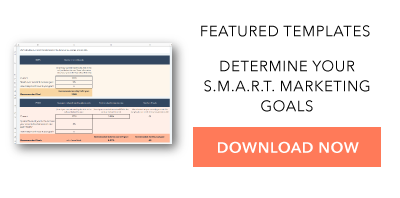
Download your free marketing goal-setting template here. 

What is a SMART goal?

The letters of SMART stand for:

  • Specific
  • Measurable
  • Attainable
  • Relevant
  • Time-Bound

The SMART acronym is a framework that will enable you to write goals that drive greater impact. Write goals with each of these aspects in mind, and you’ll be able to quantify how far you’ve come and how far you have left to go against your goal.

When you reach the milestone you articulated in your SMART goal, you’ll be able to celebrate knowing that you achieved something tangible and impactful.

To make setting a SMART goal simple, we’ve created a free, downloadable SMART goal setting template.
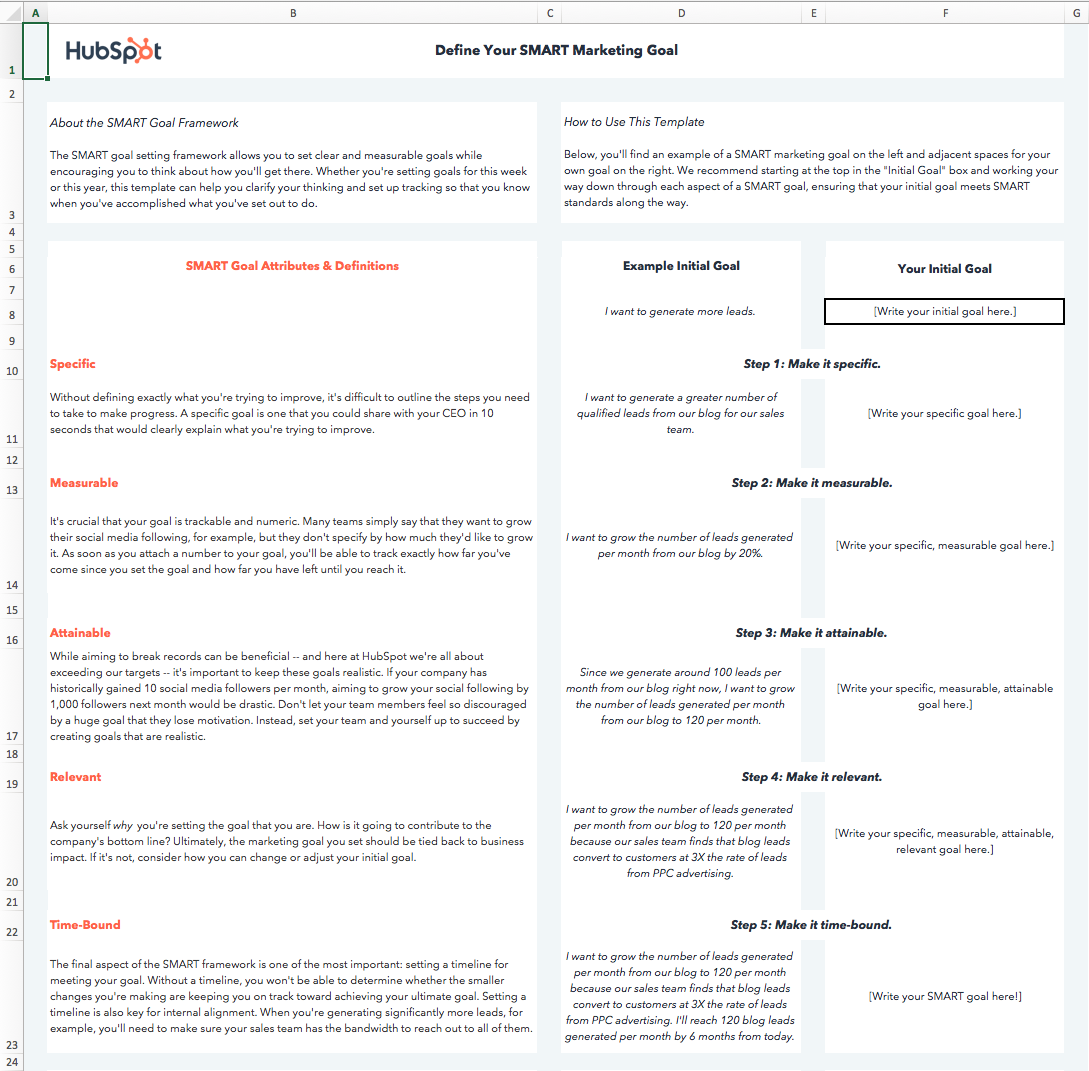
smart goal worksheet: filled out example

I’ll walk through the template below as we discuss each aspect of a SMART goal.

I’d suggest downloading the template yourself to follow along with this blog post. However, before anything else, let’s dive into the importance of each aspect of the SMART acronym.

What does each aspect of the SMART acronym mean?

While we run through the definition of each aspect of the SMART goal framework, we’ll apply the framework to a real-world example.

Let’s start with a basic, non-SMART goal as our example — “I want to get fitter.”

1. Specific

Goal setting is often associated with striving toward our highest aspirations, and reaching those aspirations can seem daunting. Specificity helps us determine the path between where we are and where we want to be.

  • Ambiguous goal: “I want to get fitter.”

There are innumerable ways to get fitter, and everyone has their own definition of fitness. For instance, do you want to lose weight? Do you want to perform more push-ups? Or do you want to cut a minute off your mile time?

When a goal isn’t specific, there is no way to tell whether your actions will help you achieve that goal or not. If your specific fitness goal is to increase the number of push-ups you can do, then following a running plan will not be very helpful in getting you to your true goal.

  • Specific goal: “I want to be able to do more push-ups.”

A specific goal makes your next steps clearer or, at the very least, narrows down the next steps you are going to take.

Make your goal more specific and type it into the cell under Step 1.

smart goal worksheet: example

2. Measurable

When a goal is measurable, you can easily track your progress. Typically, this means that a number will be attached to your goal.

  • Immeasurable goal: “I want to be able to do more push-ups.”
  • Measurable goal: “I want to be able to do 25 push-ups in a row.”

A numerical goal is valuable for many reasons. In addition to giving you something to strive toward, you’ll be able to celebrate a victory when you reach the final benchmark.

If you say that you just “want to do more push-ups,” does that mean that you want to complete just one more push-up per session, or that you want to double the number of push-ups you can do overall? One goal will take a lot more time and dedication than the other.

Let’s say I can do 10 push-ups in a row right now. To measure our progress against our final goal and to determine whether we’ve reached a milestone, we’ll edit our push-ups goal to read, “I want to be able to do 25 push-ups in a row.”

3. Attainable

Big aspirations are admirable, but it’s important to balance long-term goals with more achievable, short-term goals.

Setting attainable goals is all about looking at what you’ve done so far and adjusting your goals to be more realistic in relation to those benchmarks.

To consider the point in more concrete terms, think about business growth rates if your company has been selling 2% more product each month for the past 12 months:

  • Unattainable goal: Sell 15% more product next month.
  • Attainable goal: Sell 3% or 4% more product next month.
  • Unattainable goal: 25 push-ups.
  • Attainable goal: 20 push-ups.

Keep in mind that 2% growth is the status quo. Selling 4% more product would still be doubling your month-over-month growth.

Attainable goals are useful because they help you maintain momentum. It can be discouraging to miss huge targets, but consistently making small gains will encourage you to continue delivering wins.

Each month, you’ll be aiming for the familiar satisfaction of hitting your target rather than dreading another seemingly major miss.

Of course, there’s still a significant amount of work required to get to where I want to be, but I’ll be able to celebrate a huge achievement like doubling the number of push-ups I can do, and use that momentum to drive me in setting a goal of doing 25 push-ups soon after I achieve my goal of 20.

Consider what you’ve done in the past in relation to the goal you’re in the process of setting, and adjust it accordingly.

4. Relevant

Relevant goals will help you move in the direction you truly desire. You can allocate your time to an infinite amount of activities, but which activities will push you closest to your ultimate goals?

It’s a common trap to feel like we’re being productive when we’re busy, even if our action isn’t creating a meaningful impact.

In the beginning, our example goal was to “get fitter.” To ensure our goal is relevant, we need to ask ourselves if following through on this goal will help us get to where we want to be.

In the case of our push-up goal, the answer is yes.

  • Irrelevant goal: “I want to be able to do 20 push-ups in a row,”
  • Relevant goal: “I want to be able to do 20 push-ups in a row to improve my overall muscular fitness.”

Push-ups engage several muscle groups, including your back, arms, shoulders, and core, and consecutively doing a significant number can elevate your heart rate.

Executing this goal will improve my muscular strength and perhaps even my cardiovascular strength, which are key elements to overall fitness.

Ask yourself if the goal you’ve set will create a real impact on your overarching targets, then adapt it or identify a way to track its impact if the answer is currently no.

5. Time-bound

The final letter of the SMART acronym stands for time-bound. You should always aim to accomplish your goal within a specific time period. Adding a time frame will motivate you to take consistent steps every day toward your goal. In addition, setting a timeline or time boundaries allows you to track how much progress you’ve made toward your goal based on the amount of time that’s passed.

  • Goal that isn’t time-bound: “I want to be able to do 20 push-ups in a row to improve my overall muscular fitness.”
  • Time-bound goal: “I want to be able to do 20 consecutive push-ups two months from now to improve my overall muscular fitness.”

If I aim to increase the number of push-ups I can do from 10 to 20 in two months, I can set a midpoint milestone of adding five more push-ups in the first month. However, if a month passes and I’ve only increased the number by three, I’ll know I need to ramp up my efforts, re-evaluate my strategy, or perhaps adjust the time frame I initially chose.

A time frame can help you chart your progress. Now, I have a goal that clarifies the path to where I want to be.

In the final tab of the SMART goals template, you’ll be able to document the roadblocks to achieving your goal that you anticipate and make an action plan for overcoming those roadblocks to set yourself off on the right foot.
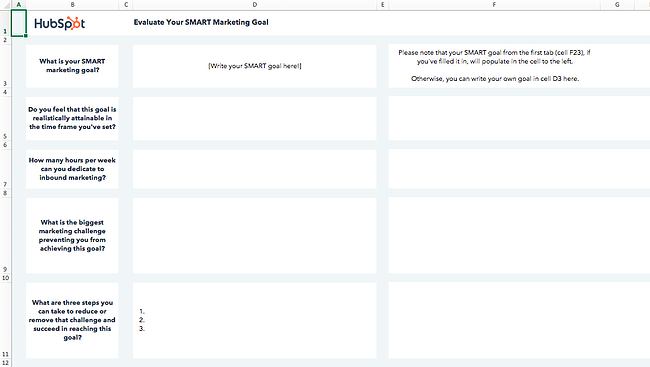
smart goal worksheet: blank example

Download the Template

Before I made my goal SMART, it would’ve been easy for me to make excuses. It wasn’t clear how I’d measure my progress or keep myself on track toward my goal.

Still need some help creating your SMART goals? You have a variety of worksheets at your disposal to help you establish SMART objectives. We’ve listed our favorite ones below.
1. Hubspot’s SMART Goal Template

smart goal worksheet template: hubspot

HubSpots’ SMART goal template will help you design effective marketing goals with measurable, time-bound results. It’s particularly useful if your key objectives are related to increasing traffic and conversions across your online properties.

We’ll teach you how to fill it out below, but remember: You can adjust it and customize it as you see fit. If you work for a customer service organization, for instance, you could change “Monthly visits” to “Incoming customer service calls,” then aim to increase first call resolution rate.

Because it lives on a Google Sheets file, HubSpot’s worksheet is ideal for collaborative SMART goal setting. Everyone in your team can access, comment, and edit the file with a Google Workspace account.

Step 1: Define your SMART goal.

Start by defining your SMART goal using the Define your SMART goal sheet.

  • Write your goal next to the example goal in Your Initial Goal section.
  • Make your goal specific by defining exactly what you want to accomplish. Write the specific goal next to the example goal in the Make it specific section.
  • After specifying your goal, make it measurable by including quantifiable KPIs that you would like to reach. Write your new specific, measurable goal next to the example in the Make it measurable section.
  • After making your goal measurable, make it attainable by setting realistic expectations. Write your new specific, measurable, attainable goal next to the example in the Make it attainable section.
  • After making your goal attainable, make it relevant by asking yourself why you are setting the goal. Determine the impact that achieving the goal will have on your business. Write your specific, measurable, attainable, relevant goal next to the example in the Make it relevant section.
  • Lastly, make your goal SMART by making it time-bound. Set a timeline that will keep you on track to achieve the goal.

Step 2: Calculate your SMART goal.

After defining your SMART goal, you can calculate recommended target metrics for site visits, leads, and customers using the Calculate your SMART goal sheet.

Visits

  • Enter your current number of monthly site visits in the cell to the right of Current.
  • Enter your month-over-month % increase goal in the cell to the right of Month-over-month % increase goal.
  • Enter the number of months you have to achieve your goal in the cell to the right of How many months out is your goal?
  • The template will calculate a recommended monthly traffic goal.

Leads

  • In the cell to the right of Current in the Average number of monthly website visits column, enter your current number of monthly site visits.
  • In the cell to the right of By what % would you like to increase your visitor-to-lead conversion rate each month?, enter your desired % increase of your monthly visitor-to-lead conversion rate.
  • Enter the number of months you have to achieve your goal in the cell to the right of How many months out is your goal?
  • In the cell in the Visitor-to-lead conversion rate column and Current row, enter your current visitor-to-lead CVR.
  • The template will estimate the number of leads your website generates a month. The template will also calculate a recommended visitor-to-lead CVR goal and monthly lead goal.

Customers

  • In the cell to the right of Current in the Average number of monthly website visits column, enter your current number of monthly leads.
  • In the cell to the right of By what % would you like to increase your lead-to-customer conversion rate each month?, enter your desired % increase of your monthly lead-to-customer conversion rate.
  • Enter the number of months you have to achieve your goal in the cell to the right of How many months out is your goal?
  • In the cell in the Lead-to-customer conversion rate column and Current row, enter your current lead-to-customer CVR.
  • The template will estimate the number of customers your website generates a month. The template will also calculate a recommended lead-to-customer CVR goal and monthly new customer goal.

Step 3: Evaluate your SMART goal.

After calculating the recommended target metrics for your SMART goal, you can evaluate your goal using the questions on the Evaluate your SMART goal sheet. This sheet will prompt you to think critically about your goal, identify challenges that may make it difficult to achieve the goal, and brainstorm steps that you can take to remove the challenges and achieve your goal.

  • Write your SMART goal in the cell next to What is your SMART marketing goal? If you have defined a SMART goal using the first sheet, the goal will populate this cell.
  • In the cell below your SMART goal, answer the question, “Do you feel that this goal is realistically attainable in the time frame you’ve set?”
  • In the next cell, enter the number of hours you can dedicate to inbound marketing.
  • In the next cell, enter the biggest marketing challenge preventing you from achieving the goal.
  • In the last cell, enter 3 steps you can take to reduce or remove the challenge and succeed in reaching your goal.
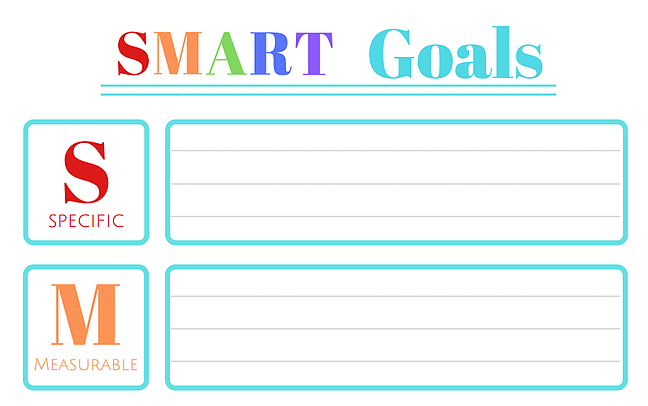
2. Organized 31’s SMART Goals Template

smart goal worksheet template: organized 31

This simple SMART goal worksheet by Organized 31 is a great fit for you if you’d like to create your SMART goals as quickly as possible. It provides five boxes to fill out, each one dedicated to a letter of the SMART acronym. A big plus? It can be used both at work and at home.

Here’s how to fill it out:

Specific

In this section, clearly define your goal. Determine what you will accomplish, the resources you have available, why the goal is important, who will do the work to accomplish the goal, and where the goal will be accomplished.

Sample scenario: Instead of setting a goal to get rich, set a specific goal of having enough money to buy a house.

Measurable

In this section, determine how you will measure your progress toward the goal. Use questions such as “How much?” and “How long?” to make your goal measurable.

Sample scenario: Instead of setting a goal to gain more social media followers, set a measurable goal of gaining 1,000 new followers.

Achievable

In this section, determine how you will achieve the goal. Determine the resources you will need and the amount of time you can allot to achieve the goal. Also, consider whether you have the necessary skills to achieve the goal.

Sample scenario: Instead of setting a goal of gaining 10,000 followers in the first six months, a social media team may set a more achievable goal of gaining 500 followers by the end of the year.

Relevant

In this section, determine if your goal is meaningful and relevant to your other goals. Determine if the goal supports your mission and if it’s the right time to pursue the goal.

Sample scenario: Instead of an online retailer setting a goal of increasing foot traffic, they may set a more relevant goal of increasing their leads by 15% in the first quarter.

Time-Bound

In this section, determine the deadline for your goal. In addition, consider what you can do in the coming days, weeks, or months to progress toward your goal.

For instance, rather than simply writing a novel, set a more time-bound goal of writing a 100,000-word novel in a year by writing 300 words a day.
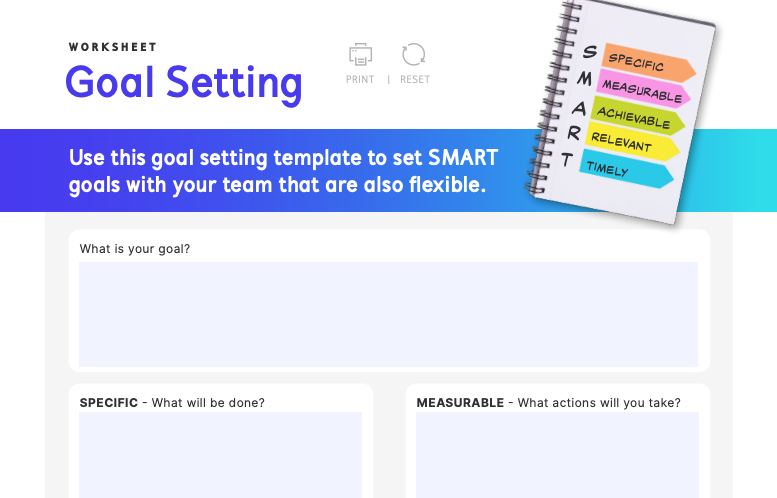
3. IntelliHR’s Goal-Setting Template

smart goal worksheet template: intellihr

IntelliHR’s goal setting worksheet is ideal for managers who want to establish SMART goals with or for their teams. It’s an online fillable PDF file, making it easy to distribute among your team members.

Here’s how to fill out each section:

What is your goal?

The first step to completing IntelliHR’s goal-setting template is to define your team’s goal. For instance, your team’s goal may be to bring more traffic to your website. At this stage, your goal doesn’t have to be too focused. Write your goal in the What is your goal? box.

Specific

After determining your goal, make it specific — detail exactly what your team has to do for the goal to be met. For instance, your team’s specific goal may be to increase website traffic by 10% in the next year.

Measurable

After making your goal specific, make it measurable. List the actions you will take to meet your goal. For instance, your team’s measurable goal may be to increase website traffic by 10% by posting ads and sponsored content on social media that will lead more of your target audience to visit your site and improve your CTR.

Achievable

After making your goal measurable, make it achievable. List the resources you will need to meet your goal. For example, to increase website traffic by 10% by posting ads and sponsored content on social media, your team will need to launch advertising campaigns and reach out to celebrities who may be interested in endorsing your brand and participating in sponsored content.

Relevant

After making your goal achievable, make it relevant. Consider how your goal contributes to your business’ overall goals. For instance, increasing website traffic by 10% by posting ads and sponsored content may be beneficial for businesses with a strong social media presence, but for businesses with little or no social media presence, the goal of increasing website traffic may not align with their other goals.

Timely

After making your goal relevant, the last step is to make it timely. Consider the amount of time you can allot to this goal every week. This template also factors in your workload, as a busy schedule may limit the amount of time you have to complete your goal.
4. Hirebook’s SMART Goals Template

smart goal worksheet template: hirebook's smart goals template

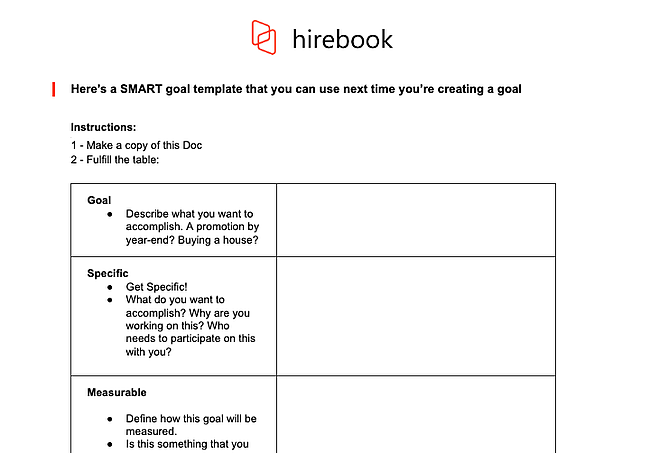
This SMART goal worksheet from Hirebook lives on a Google Docs file, making it an excellent choice if you want your team to collaborate on one documents. It also offers the simplicity of Organized 31’s template with a more workplace-friendly color palette.

Here’s how to fill it out:

Goal

The first step to completing Hirebook’s SMART Goals Template is identifying your goal. The template gives you a few examples, such as “Buying a house,” to help you brainstorm ideas for goals. Write your goal here.

Specific

The next step is to make your goal specific. The template includes a few questions, such as, “What do you want to accomplish?” and “Who needs to participate in this with you?” to help you narrow the focus of your goal as much as possible. Write a more specific version of your goal here.

Measurable

After making your goal specific, make it measurable. Determine how you will quantify the goal. How much do you need to increase or decrease a metric to reach your goal? How will you know that the goal has been met? Write the answers to these questions here.

Achievable

After making your goal measurable, make it achievable. How do you know that you can fulfill the goal? What past experiences have you had that make you capable of achieving the goal? Do you have access to the resources you need to accomplish the goal? Is this goal realistic when you consider time and financial limitations? Write the answers to these questions here.

Relevant

After making your goal achievable, make it relevant. Define how the goal is relevant to you, your business, and your long-term needs. Is this the right time to focus on this goal? Write about the relevance of the goal here.

Time-Bound

After making your goal relevant, the last step is making it time-bound. To keep yourself and your team accountable, you need to set a deadline for accomplishing this goal. When should this goal be completed? What can you do today to work towards completing your goal? What can you do in the next 6 weeks? The next 6 months? Establish a timeline and write it here.
5. SpriggHR’s SMART Goals Worksheet

smart goal worksheet template: sprigghr

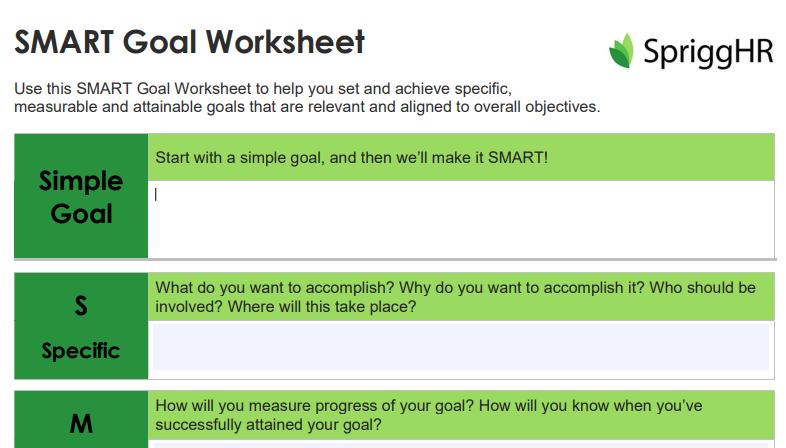
SpriggHR’s goal setting worksheet is available in three file types: A fillable online PDF file, an Excel spreadsheet, and a Word document. Because it offers three flexible options, it’s a great choice if you don’t want to use a Google Doc document or force your team to use a certain file type. You and your team members can choose what works best on an individual basis.

Here’s how to fill it out:

Simple Goal

The first step to completing SpriggHR’s SMART Goals Worksheet is coming up with a simple goal. This goal will be the basis of your SMART goal.

Specific

After creating a simple goal, the next step is making it specific. What exactly do you want to accomplish, and why? Who should be involved in this process? Where will the process take place? Write the answers to these questions here.

Measurable

After making your goal specific, the next step is making it measurable. How will you measure your goal’s progress? How will you know when you’ve successfully attained your goal? Write the answers to these questions here.

Attainable

After making your goal measurable, the next step is making it attainable. Is the goal attainable with your current skills and resources? If not, can you obtain new skills and resources to help you attain the goal? Write the answers to these questions here.

Relevant

After making your goal attainable, the next step is making it relevant. Is this goal a priority? How does it align with your team’s overall objectives? Write the answers to these questions here.

Timely

After making your goal relevant, the next step is making it timely. What is the deadline to achieve this goal?

SMART GOAL

The last step of this worksheet is taking your answers from the previous sections and rewriting them in a sentence or two to turn your simple goal into a SMART goal.

Start practicing smarter goal setting. Download a SMART goal template today.

Whether your goals are personal or professional, working toward them will never feel like a grind when you set SMART goals. Make sure every goal you set is specific, measurable, attainable, relevant, and time-bound by downloading one of these SMART goal templates today.

Editor’s note: This post was originally published in September 2019 and has been updated for comprehension.
New Call to action

Categories B2B

SEO Step-by-Step Tutorial: 8 Easy Basics for Beginners to Master

If you’re just getting started with search engine optimization (SEO), then a step-by-step SEO tutorial is in order. By this point, you’ve likely heard of a few basic terms, such as keyword research and on-page optimization. But how do you apply all the knowledge you’ve gathered thus far?

We’ll walk you through it step-by-step. No matter how new you are to SEO, anyone can get started with the below SEO tips and get their website to rank in no time. Well — some time. Maybe a year or more. SEO, you should know, is a long game.

By the end of this tutorial, you’ll be able to walk away with a list of actionable steps to get your SEO strategy off the ground.

→ Download Now: SEO Starter Pack [Free Kit]

1. Find keywords.

Keyword research is as simple as picking a list of words and phrases relevant to your business. Think about which words are most likely to get people to do what you want them to do (visit your website and submit a form) and focus on those words.

You can use a dedicated keyword research tool, but as a beginner, it’s wise to choose your keywords intuitively at first. For instance, if you sell roasted coffee, you might opt for “roasted coffee,” “Colombian coffee,” and “local coffee roaster.”

List these keywords out in a spreadsheet or document for you to keep track of. Then, pick one word or phrase to use on one page of your site. In other words, you don’t want to target different keywords on one page. You want to target one keyword, as well as any keywords it’s semantically related to.

For instance, you might write a page for “local coffee roaster.” In this page, you can target semantically related terms such as “local coffee,” “coffee roaster near me,” “coffee roaster [city name],” and “locally roasted coffee.”

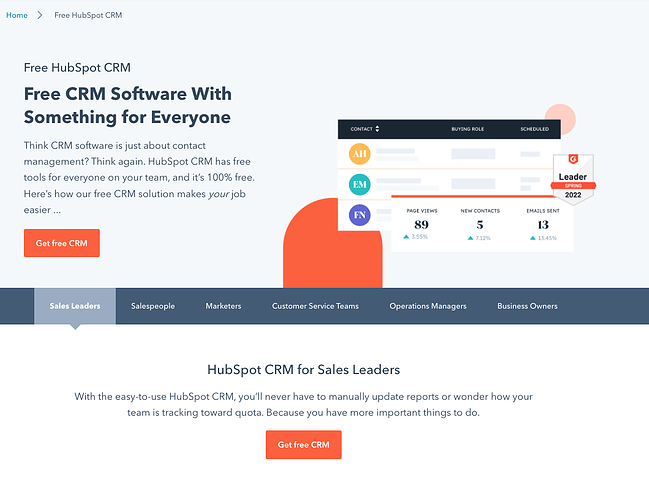
Here’s an example of what that looks like:seo step-by-step tutorial: keyword variants

Image Source

You can see a few keyword variants: “CRM software,” ”CRM solution,” and “free CRM.”

2. Put keywords in the page title.

Once you’ve chosen a keyword, it’s time to put it into action. First up, you want to put in your web page’s title.

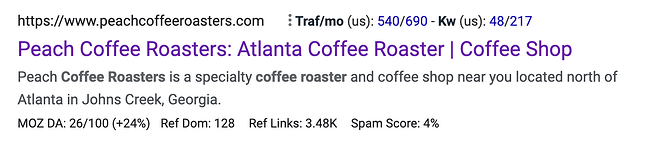
The page title is one of the most important things that Google and other search engines evaluate to determine what is on a web page. It’s what appears on top of your web page’s result in the search engine results pages (SERPs). Notice how the following brand put its keyword, “Atlanta Coffee Roaster,” on its page title:

seo step-by-step tutorial: keyword in page title

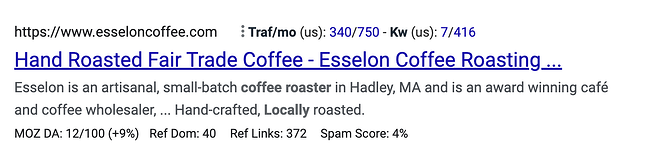
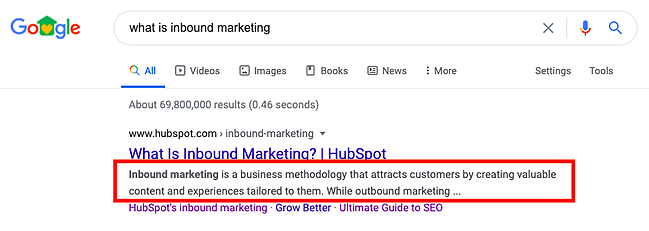
Don’t forget to keep it short. We recommend 65 characters or fewer to ensure that search engines don’t trim your title, like in this search result:

seo step-by-step tutorial: truncated page title

Keep in mind that your brand name is part of the character count of your website’s title.

3. Put keywords in the page URL.

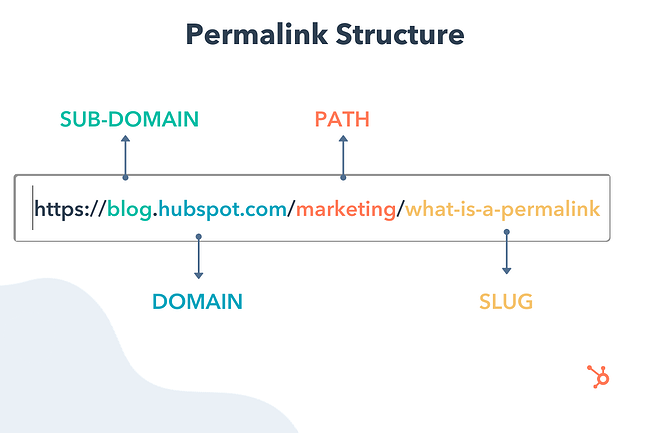
Google and other search engines also use the text of the URL of the page to determine the content of the web page. You should use your keyword or phrase specifically in the slug.

seo step-by-step tutorial: url slug

Image Source

Don’t overdo it, though. If you sell coffee, for instance, don’t create a slug as follows:

mycoffeecompany.com/coffee-atlanta-near-me-fulton-county-greater-atlanta-area-coffee

Keep it short, descriptive, and simple. One effective example would be:

mycoffeecompany.com/atlanta-coffee-roaster

If you’re using WordPress, here’s how to change your web pages’ slugs in the backend.

4. Put keywords in your meta description.

Your page’s meta description can further tell search engines and users what your page is about.

seo step-by-step tutorial: meta description

While metadata is not nearly as important as it used to be, it still counts. Take advantage by putting your keyword or phrase there. The description should be readable by a person and make sense, and the keyword metadata should focus on your keyword or phrase. Don’t make it long — less is often more.

5. Put keywords in your H1 text.

The H1 text is usually the title of an article or some larger bold text at the top of your page. Google and other search engines can see this, and they put extra importance on the words in the H1 text. Make sure your keyword or phrase is there.

Here’s an example from a local coffee roaster company:

seo step-by-step tutorial: h1 heading example

Image Source

6. Use keywords in the page’s content.

Using your target keywords in your content is an essential part of your on-page SEO strategy.

Why? Because doing that signals to search engines that the page is actually about the keyword and should show up in search results. I have heard from “experts” that you should use your keyword anywhere from 4-6 times to 10-12 times. My advice is to just write naturally, but to carefully avoid black-hat practices such as keyword stuffing.

In other words, don’t write something like this:

“We are Atlanta Coffee Roasters, the best coffee roasting company in Atlanta, GA, where you can find Atlanta locally roasted coffee roasted by hand in our coffee shop serving the greater Atlanta area.”

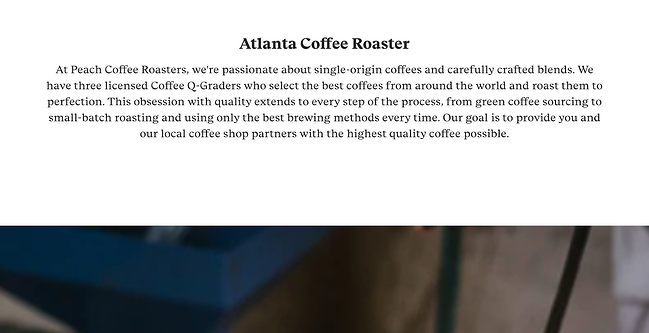
That’s simply unreadable. Compare that with the content from the local coffee roaster company:

“At Peach Coffee Roasters, we’re passionate about single-origin coffees and carefully crafted blends. We have three licensed Coffee Q-Graders who select the best coffees from around the world and roast them to perfection. This obsession with quality extends to every step of the process, from green coffee sourcing to small-batch roasting and using only the best brewing methods every time. “

7. Build links to your website.

Once you signal relevancy to search engines via your keywords, it’s time for the hard work to start: building inbound links to your website from authoritative sites in your industry or niche.

This is arguably one of the most important SEO steps you have to take. The number and quality of links pointing to your website are quite important to Google and other search engines to evaluate your rank on different terms. If people are linking to you, then that means that your site offers authoritative, trustworthy information on a certain topic.

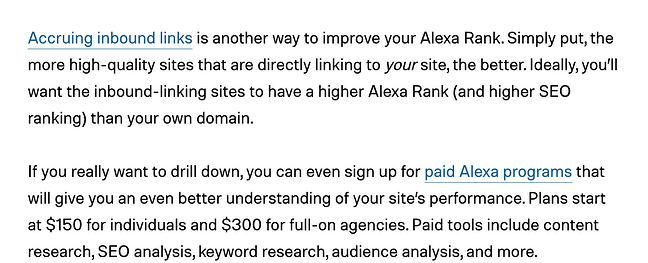
For instance, check out the backlink HubSpot received in this Digital Trends article (anchor text: “Accruing inbound links”):

seo step-by-step tutorial: backlink example

You should also externally link to websites related to your industry, which further demonstrates your relevance for that keyword.

8. Monitor your rank.

Last but not least, it’s time to check on the results from your efforts. Give the search engines some time to do their thing (from a couple of weeks to a few months), and then keep checking your rank to see what happened and track your progress.

If you’re just getting started with SEO, you can check this rank manually by searching for your target keyword in Google. We also recommend using Google Search Console to see your rankings for free. Since GSC can be limited in some respects, you can upgrade to an official SEO monitoring tool to track the most relevant keywords and consistently come up with strategies to improve your performance.

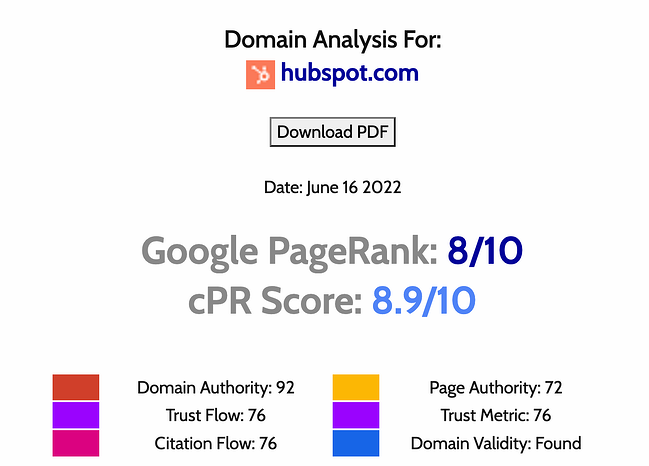
On that same vein, you should monitor your Google PageRank. Google uses your Page Rank as a measure of how “important” your website is on the web. Having a higher Page Rank means you have a better shot at being one of the top results for search terms.

Use a free tool such as Check Page Rank to get an estimate.

seo step-by-step tutorial: page rank analysis

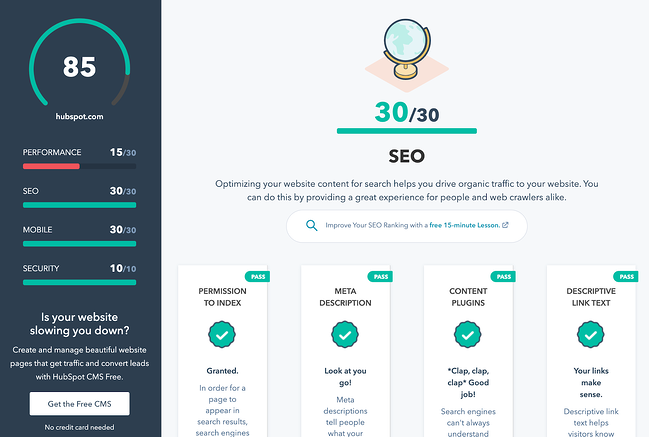
During the monitoring process, you should also grade your website. Use a free tool such as Website Grader to evaluate the SEO effectiveness of your site.

seo step-by-step tutorial: website grader

This SEO Step-by-Step Tutorial is Just the Beginning

Don’t let your learning to stop here. With the above steps, you can get started creating an effective search engine optimization strategy, but keep in mind that SEO has countless moving parts that warrant care, attention, and tenacity. That’s why some companies have entire teams dedicated to their SEO efforts.

The good news is that you don’t have to guess about your next steps. Use our starter pack to ramp up your SEO plans and boost the likelihood of your website ranking on the first page of the SERPs.

Editor’s note: This post was originally published in May 2007 and has been updated for comprehensiveness.

marketing

Categories B2B

MBO (Management by Objectives): Everything You Need to Know

As a leader, you have expectations for your team. You want to see a specific level of performance and efficiency, and using a management by objectives (MBO) approach can help you manage your team effectively.

When organizational goals are not communicated to employees, they can’t meet expectations. This leads to micromanaging and instills the belief in your employees that you don’t trust them or their ability to achieve results. Over time, this breeds resentment, erodes job satisfaction, and increases the rate of turnover as employees go off in search of greener pastures.

If you’ve seen this situation occur multiple times throughout your organization, it’s time to look at your leadership style. Do you provide your employees with the knowledge they need, and clearly communicate what you want to see? Are you providing opportunities to help them strengthen their skills? If not, shift your mindset and company culture to management by objectives and watch your employees step up to the challenge.

To help you better navigate to the information you need, we’ve links to different parts of this story:

What is MBO?

What is the purpose of MBO?

MBO Examples

MBO Advantages and Disadvantages

How to Incorporate MBO Into Your Organization

Download Now: 5 Free Skill Development Templates

What is MBO?

The term “management by objectives” refers to creating tangible goals for an employee to accomplish for the betterment of the organization.

example of management by objectives

Image Source

What is the purpose of MBO?

MBO ensures that employees receive clear communication regarding their roles and responsibilities, and they understand the role they play in the overall health of the organization. It not only helps them get clear on what’s expected of them, but also gives them a sense of purpose as they take ownership of how they impact the rest of the organization and help meet its mission.

In businesses that operate in silos where from one department to another, people don’t know what anyone else is working on, have a lower chance of succeeding. Employees can easily become disheartened when they can’t see the larger picture. Management by objectives aims to break down these walls for great transparency across organizations.


MBO Examples

If this sounds like something you’d like to try, you may be wondering what are some examples of objectives that you could set.

While specific objectives may differ depending on your industry, product, and specific company, there are some blanket objectives that you can begin with. While any department can use MBO, we’ll take a look at three specific instances.

Sales MBO Examples

  • Decrease the sales cycle from four to two months
  • Increase the average sales to $10,000
  • Bring in 15 new customers during a specific time period

Marketing MBO Examples

  • Increase social media likes by 40%
  • Increase time spent on the website by five minutes
  • Generate 500 new leads per month
  • Get five media placements

Customer Service BMO Examples

  • Decrease call time to under five minutes
  • Increase customer satisfaction by 30%
  • Reduce manager call intervention by 10%

Human Resources MBO Examples

  • Improve retention rate by 15%
  • Implement a leadership training program for remarkable employees
  • Increase employee satisfaction by 30%


MBO Advantages and Disadvantages

Just like any management style, there are pros and cons to management by objectives. Let’s take a closer look:

Advantages

  • Employees can understand and appreciate their individual impact on the company as a whole.
  • Expectations are clearly communicated and based on Key Result Areas (KRAs) tailored to each employee.
  • Employees understand what success looks like and what they have to accomplish to reach it.
  • Teamwork improves and finger-pointing decreases.
  • Employees know their responsibilities and tasks are less likely to fall through the cracks.

Disadvantages

  • It’s possible for managers to rely too much on MBO and a management style. While it can revolutionize your organization, it has its limitations and is not always appropriate.
  • With goals and objectives overemphasized, non-measurable aspects of the work environment (like teamwork, positive customer interactions, etc.) may become less practiced and valued.
  • With a constant focus on numbers and metrics, employees may feel anxious about their performance which could make things worse.

As you can see, management by objectives can help your organization move in the right direction. However, it is not a cure-all for every challenge your organization may face. Let’s take a closer look at how to utilize this leadership style for optimum effectiveness.

How To Incorporate MBO Into Your Organization

It helps to strategize MBO before diving in, so let’s review how to implement MBO in your own company.

MBO Steps

Define Your Goals

What do you want the company to achieve and during what time period? These goals should be shared with everyone in your organization.

Create and Communicate Employee Goals

How do your employee’s responsibilities play into the goals of the organization? This will allow you to create specific goals and objectives for them to meet.

Monitor Their Performance and Progress

Review your employees’ performance regularly. Are they hitting whatever numbers you’ve assigned them? Are they steadily working towards a larger goal?

Assess Their Performance

Without regular performance reviews, your employees can’t gauge how they are performing and if changes need to be made.

Provide Feedback

If employees are doing well, let them know. You can do this privately or publicly to inspire others. If they are not meeting your expectations, provide this feedback privately so as not to demean them in front of their colleagues. You will also need to give them steps to take to improve their performance.

If they’re not reaching their goals, this may be because those goals have not been properly communicated, or because they don’t have the right tools to do what’s expected. Have a conversation to assess if either of these factors is at play, and then do whatever is necessary to remedy the situation.

When you follow these steps, you can implement a successful culture of management by objectives and see an improvement in your team’s performance. This works for a sales environment, as well as customer service, or any other department in an organization.

When it’s time to inspire your team and breathe new life into your organization, consider incorporating management by objectives into your company culture. You may be surprised how well your employees take to this new system. Once they understand your expectations, they’re in a better position to meet or exceed them.

New Call-to-action

Categories B2B

The 15 Best Autoresponder Software in 2022 (Plus Free Autoresponders)

Nowadays, email marketing is an integral component of any marketing strategy. In fact, 59% of marketers say email is their biggest source of ROI.

When it comes to email marketing, the autoresponder sequence is a commonly used but often under-appreciated part of the process.

Autoresponders are a way to dip your toes into email automation. They’re typically the simplest form of marketing automation to execute when setting up your campaigns — but, when done well, they can be incredibly powerful for bringing in additional customers and revenue.

Here, we’ll cover what autoresponders are, and which autoresponder software solutions you might consider implementing for your own business.

Download Now: Email Marketing Planning Template 

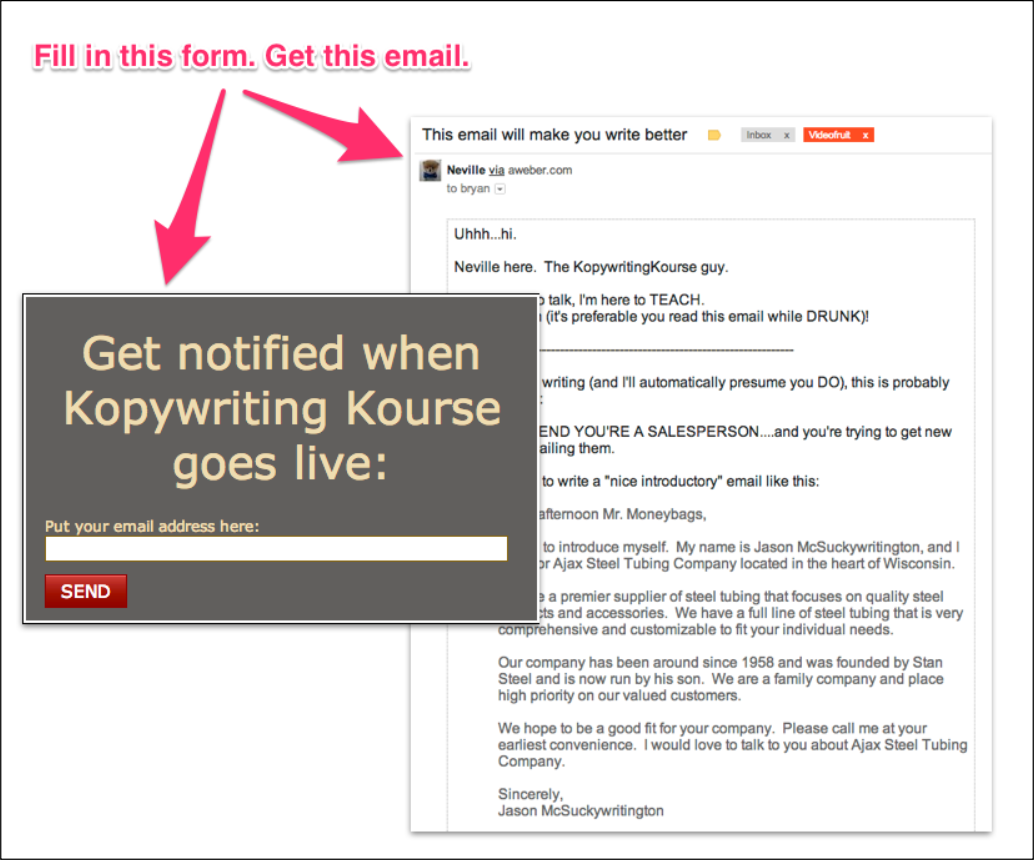
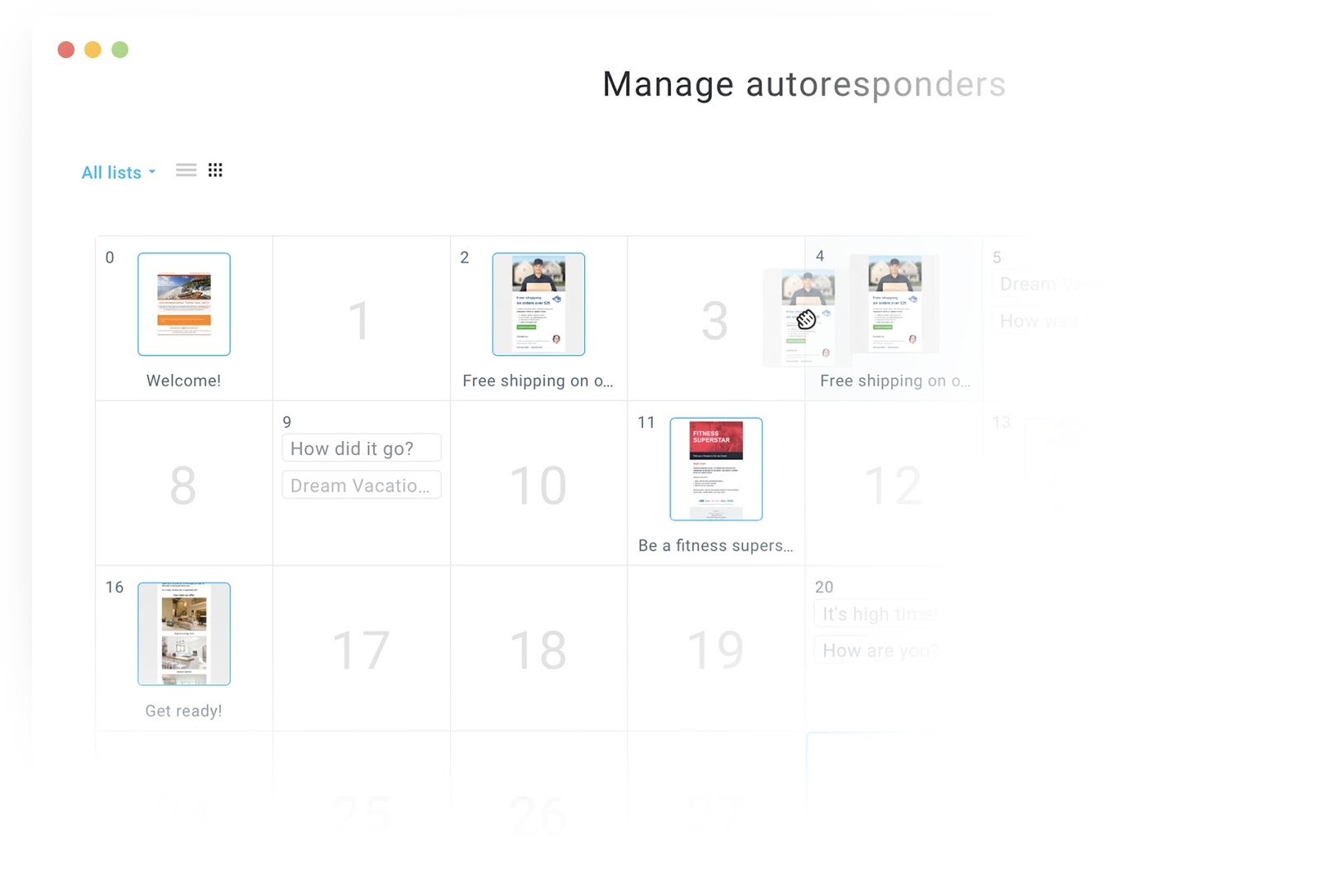
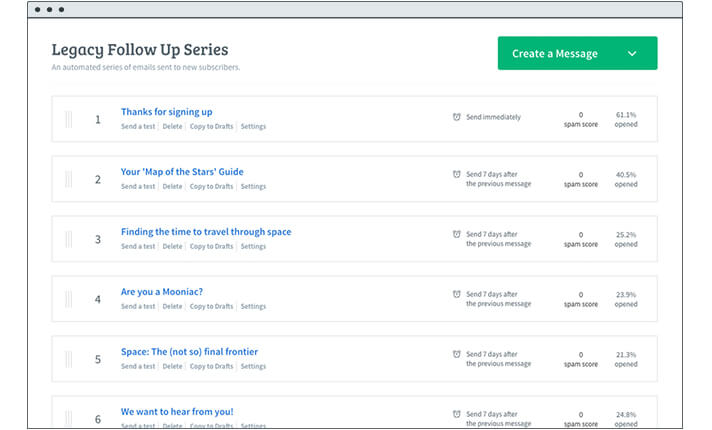
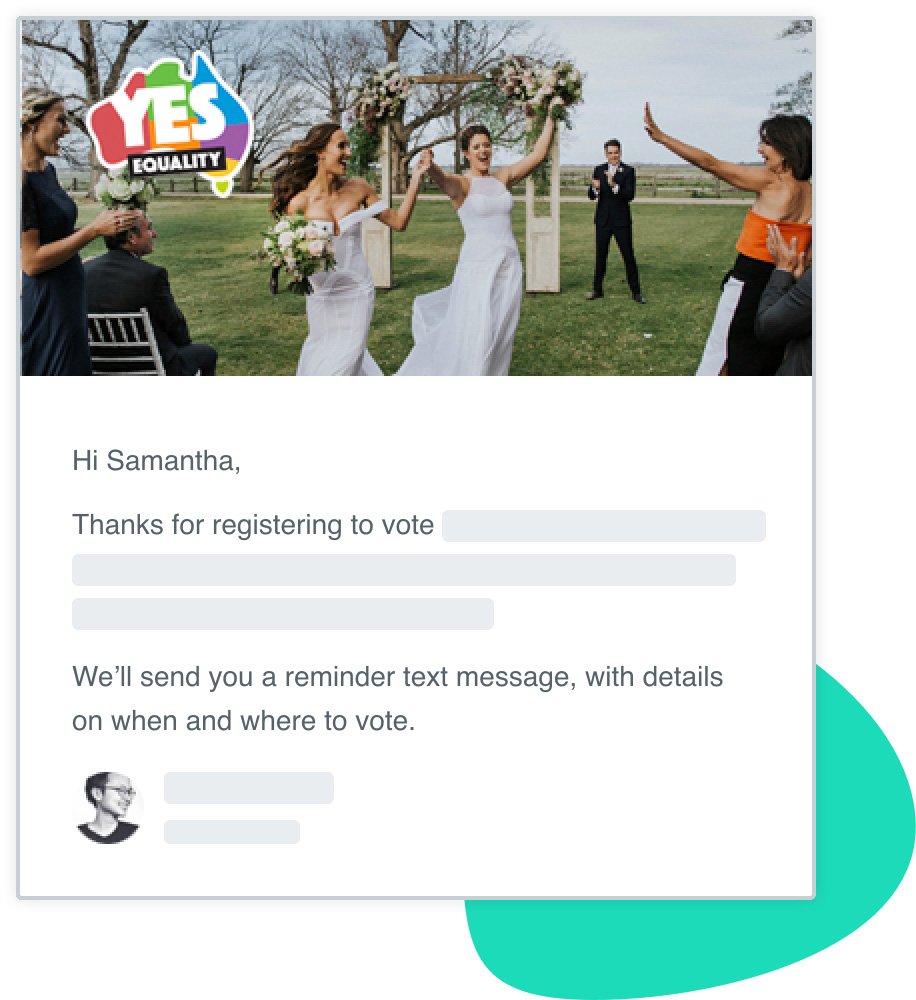
You can choose the number of messages that appear in an autoresponder sequence, and you can choose when they’re delivered. For instance, some autoresponder sequences only have one follow-up message, which is sometimes just a “Thank you” message for subscribing to the email list:

Image Source

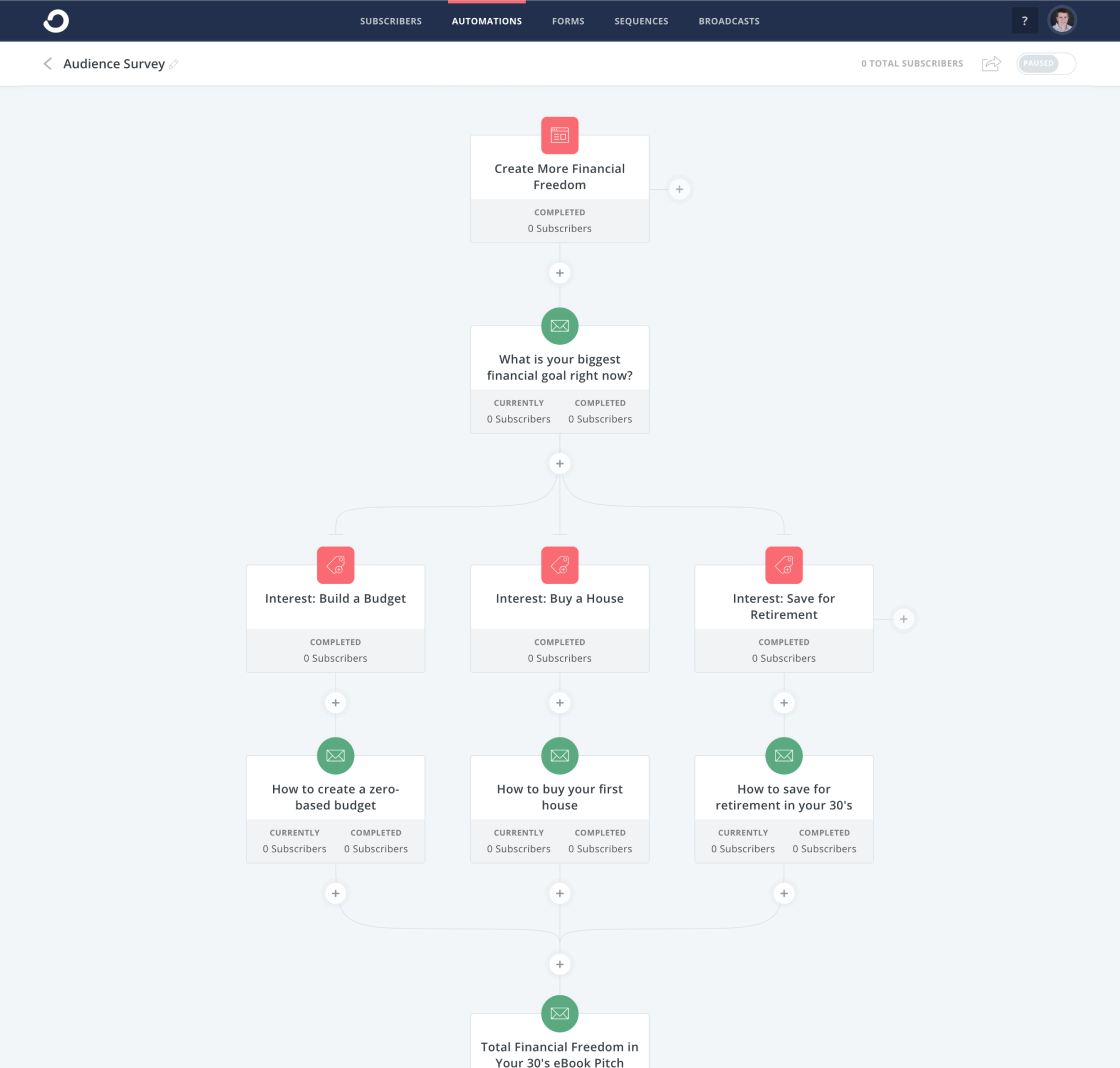
In other cases, the autoresponder can be quite robust, and deliver a series of on-boarding emails that escalate in persuasion, sometimes culminating in a sales pitch. This is typical in digital industries, where your email list is the primary sales channel to launch your products.

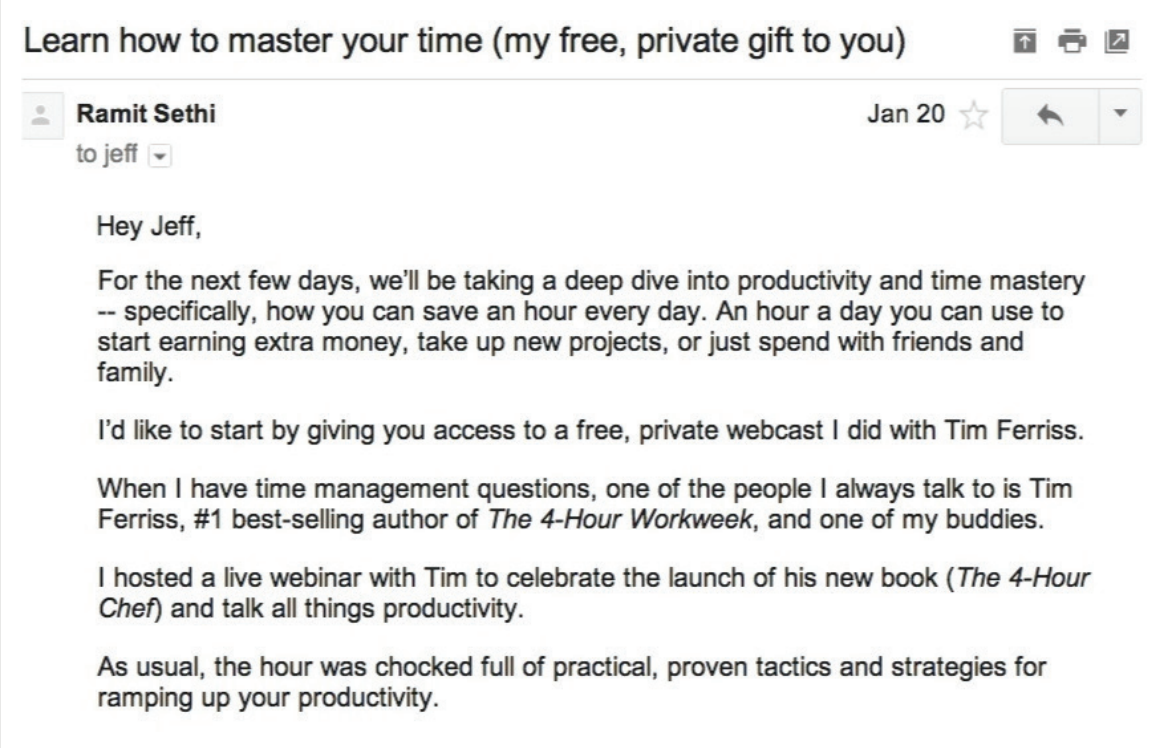
For example, Ramit Sethi starts his autoresponder sequence with a friendly and informational email message:

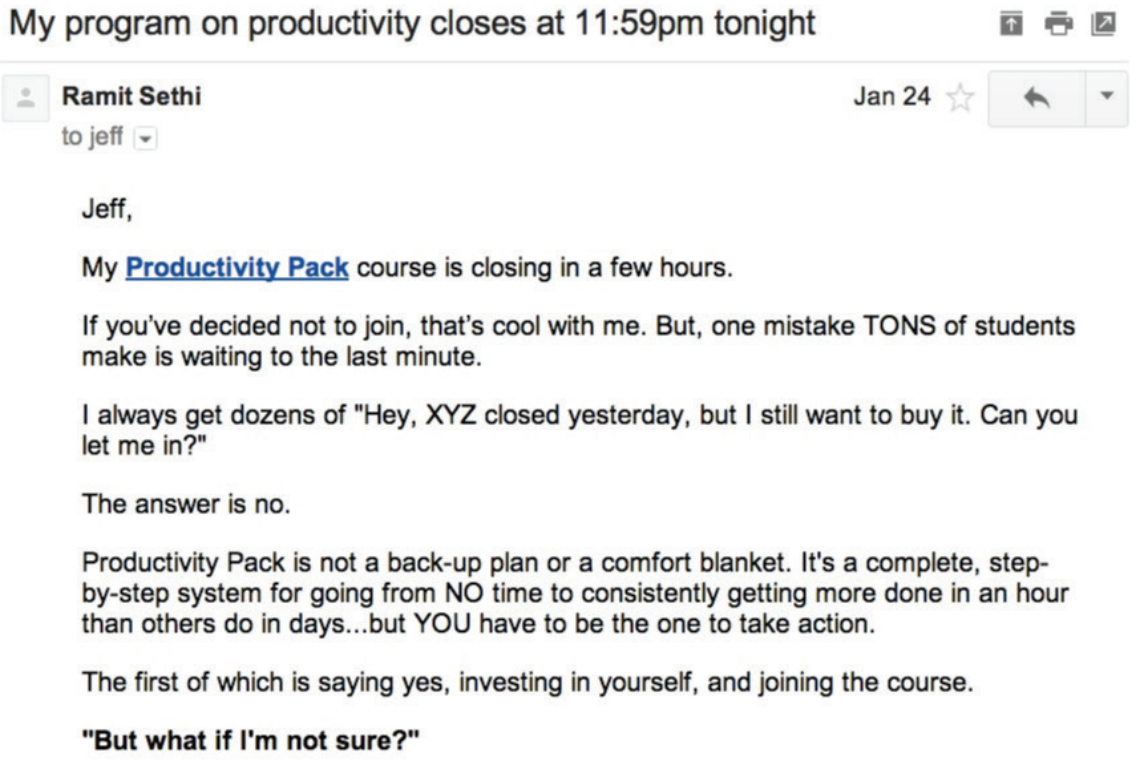
Over the course of several emails, the reader will eventually receive a sales pitch (or a few email sales pitches). This allows the reader to warm up to your brand, and your content. By the time you’re offering your product or service, you should’ve already provided a ton of informational value, like this:

Sometimes, an autoresponder can act as the actual lead magnet used to get someone to sign up for your list. A good example of this is gated email courses.

CXL, for instance, uses a gated “enterprise conversion optimization” email course to get people to sign up for their list. The deliverable is just a time-based sequence of email lessons — in other words, an autoresponder.

While the execution can be quite different depending on your business, your industry, and your goals, all autoresponders allow you to automate email sequences based on timing and email sign-up form.

Next, let’s dive into some of the best solutions on the market.

1. HubSpot

HubSpot offers one of the most powerful autoresponder capabilities on the market. Particularly if you’re using other tools in HubSpot’s Marketing Hub, such as our form builder and popup forms, you can easily set up auto-response emails upon form submission.

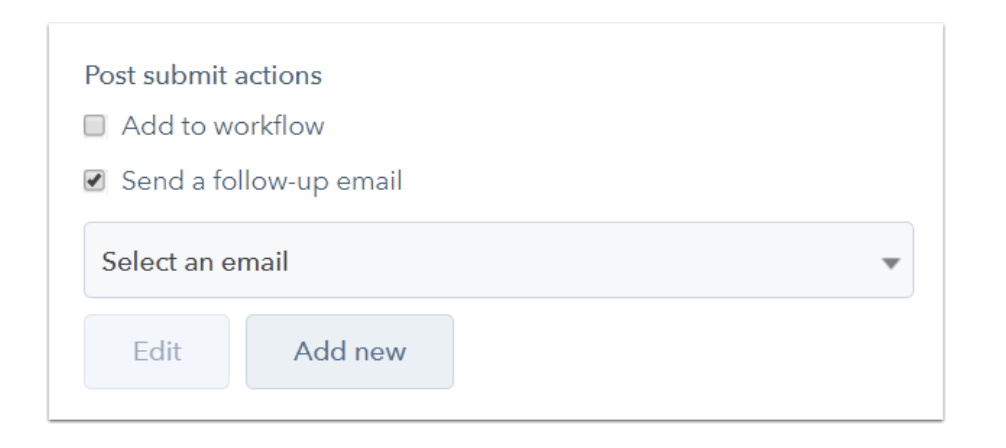
At a high level, there are two ways to send an email response to contacts who submit a form on your page:

  • Set up a follow-up email in the form options on your HubSpot page
  • Send an automated email through a workflow (Marketing Hub Professional and Enterprise only)

For the former option, it’s quite a simple setup. You simply set up a follow-up email to be delivered upon form submission (full instructions here).

However, through HubSpot’s workflows you can get quite robust with your targeting and follow-up email assignment. For instance, you can break things down by contact property data you’ve collected, like company size or which service the subscriber is interested in. This allows you to tailor your follow-up emails to ensure they’re more helpful and personalized for the user.

In addition, you can set a sequence of several autoresponder emails, and can also include behaviorally triggered messages — the options are pretty much endless.

If you’re just using HubSpot’s form builder, you can still easily integrate with another autoresponder solution in this list to get a simple setup working.

2. GetResponse

GetResponse is a full-suite marketing platform that offers tools including landing pages, webinars, and forms, but their most powerful tool is likely their email automation functionality.

Like others in this list, GetResponse can trigger emails based on multiple criteria, such as behavioral triggers, contact property triggers, and time-based triggers (i.e. autoresponders).

Their autoresponder feature is actually quite flexible. You can build email follow-up sequences with the following features:

  • Unlimited messages per day
  • Advanced timing control
  • Simple cycle management
  • Day-of-the-week selection
  • Drag-and-drop message management
  • Quick message edits

Sometimes I’ve found the usability of GetResponse to feel complicated when trying to do advanced automation, but building time-based autoresponders is incredibly simple to accomplish.

It depends on your list size and requisite features, but GetResponse pricing starts around $10 per month (which includes basic autoresponders, and a list size of 1,000).

3. Moosend

Moosend is an email marketing and marketing automation platform, ideal for eCommerce businesses, agencies, publishers, and more. The software offers a variety of lead generation tools like subscription forms and landing pages to expand your mailing lists. 

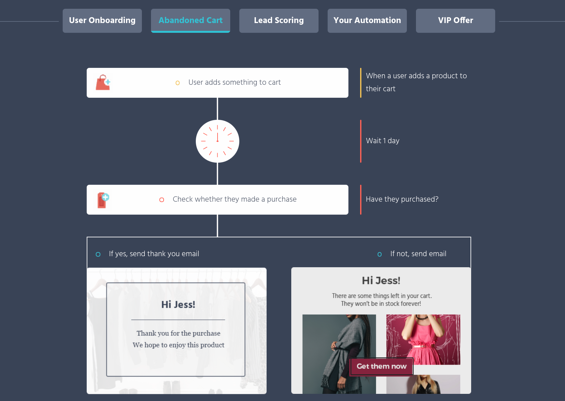
Through Moosend’s autoresponder feature, you can create and run a welcome series to greet new subscribers and offer exclusive deals. You can also target cart abandoners with abandoned cart sequences to restore your lost revenue.

Moosend’s advanced features include:

  • Powerful segmentation and personalization
  • Scalable automation workflows
  • Easy-to-use campaign editor
  • Weather-based condition filters
  • Action triggered messages

This email platform also has powerful reporting and analytics tools, advanced marketing automation tools, and a variety of automation recipes to help you scale your business.

Moosend offers a free plan that includes autoresponder and automation features. Paid plans start at $9 per month for 500 subscribers and gives you access to the landing page builder and more.

moosend-automation

4. Aweber

Aweber built one of the first well-known autoresponder softwares, and it’s still widely used and loved.

Aweber is a bit more expensive to start out ($19 per month for up to 500 subscribers), but the tool gives you all the critical features you need to implement an impressive autoresponder email system. This includes segmenting, analytics, sign-up forms, templates, and even stock photos.

If you want a straightforward solution for a relatively small email list (anything over 25,000 emails gets quite a bit pricier), Aweber is a good solution.

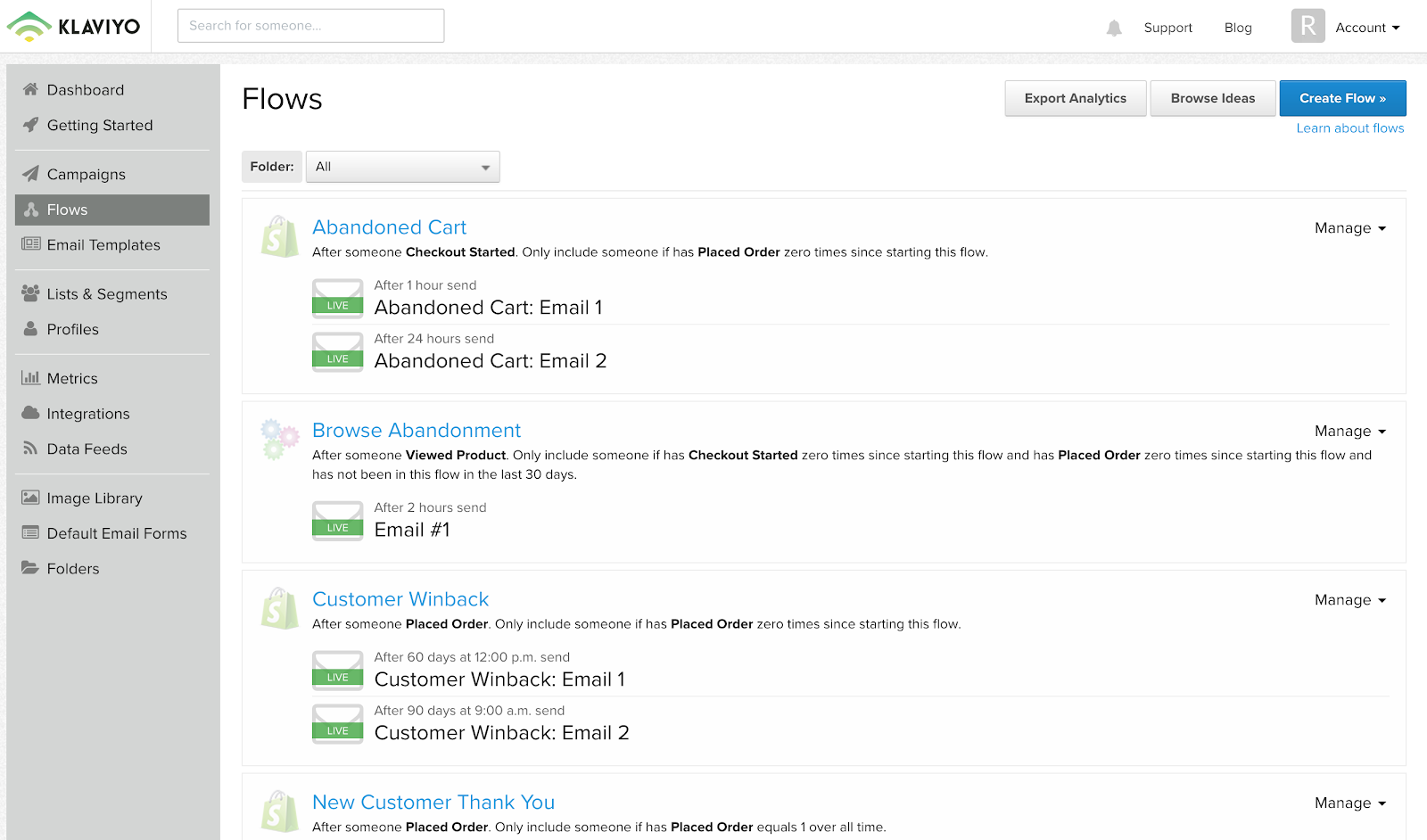
5. Klaviyo

Klaviyo is well-known and loved in the e-commerce world, and they have some of the coolest email automation features, particularly for behaviorally triggered emails.

With Klaviyo, you can trigger an autoresponder email sequence for basically any event you can measure (as long as you have the contact’s email address). This opens up all kinds of possibilities, such as abandoned cart emails, thank you emails after a purchase, customer satisfaction surveys after a time window after a purchase, and cross-sell emails given a certain item purchased.

It’s important to note, Klaviyo is built for e-commerce, so it’s relatively stock built for things such as abandoned cart emails. If you’re in e-commerce this is a plus, but in other industries, the feature set can be a bit complicated for what you want to accomplish.

Of course, if you just want to build a simple four-email sequence after an email list sign up, it’s easy enough to do.

Klaviyo offers a free tier (up to 250 email addresses). Once you hit that threshold, it starts at $25 per month and goes up quickly from there (for instance, it’s around $1000/month for 78,000 contacts).

Image Source

6. Mailchimp

Mailchimp is one of the world’s most popular email marketing tools, and they have a great (albeit simple) autoresponder functionality.

I like two things about Mailchimp:

  1. It’s simple to use.
  2. It’s free to start.

For those two reasons, the barrier to entry is incredibly low. So, for businesses with fewer than one thousand email addresses, it’s a good solution.

However, I’ve found that, as you scale and your automation becomes more complicated, Mailchimp becomes a bit too difficult to manage. It’s hard to know which email is going to whom, and when.

Again, you can begin for free, but after that the cost starts at $20 per month.

Image Source

7. ConvertKit

ConvertKit is an email marketing platform built for creators (i.e. bloggers, podcasters, designers, etc.). It’s incredibly useful for marketers who focus on inbound marketing.

ConvertKit platform’s is simple and easy to use, although it does include other features to help build your inbound marketing program — including forms, analytics, and their newer automation feature set.

Image Source

Pricing starts at $29 per month and that tier goes up to 1,000 email subscribers.

8. Autopilot

Autopilot is an email marketing, messaging, and automation platform that has billed itself as the easiest marketing automation platform to use. They have a visual editor that is quite clear and easy to understand (even without being a master automation nerd).

Of course, their platform allows for quite sophisticated messaging and targeting, although you can surely create a simple autoresponder based on a time-sequence as well.

Pricing starts at one dollar per month for up to 500 contacts, and then begins at $25 per month for more than 500 contacts. They include a 30-day free trial, as well.

9. Constant Contact

Constant Contact is a simple, easy to use, and popular email marketing tool. It includes basic features, such as templates, list building tools, a drag-and-drop editor, and autoresponder sequences.

It’s been a few years since I’ve used Constant Contact, but it’s the platform on which I initially learned email marketing. I enjoyed it somewhat, but found it to be frustrating when trying to edit templates, and also for any advanced email targeting. Although it may have changed, I think Constant Contact is best for relatively simple cases.

Their most basic package starts at $20 per month, which goes up to 500 contacts.

10. Omnisend

Omnisend is a popular tool in the e-commerce industry, with thousands of 5-star reviews across the Shopify App store, G2Crowd, and Capterra. They have advanced autoresponder features, allowing you to create interesting marketing automation workflows that include several channels: email, SMS, web push notifications, Facebook Messenger, WhatsApp, Viber, and more.

This allows you not only to set up an autoresponders via email, but via any channel your customer has consented to using with your brand.

Omnisend, like Klaviyo, is geared towards e-commerce. However, if you’re not in the e-commerce industry, many of their e-commerce-friendly features might be lost on you. Regardless, Omnisend is a powerful autoresponder platform that’s definitely worth checking out.

They offer a free plan that has basic email functions and is limited to 15,000 emails per month. Their Standard plan starts at $16 per month and includes automation features.

omnisend-workflowImage Source

The 8 Best Free Autoresponder Software Tools

Some of the tools listed above have free or incredibly cheap plans, such as Klaviyo and Autopilot ($1 per month). However, if you’re looking for a full list of the best free autoresponders that offer incredible value, we’d recommend the following six.

Ultimately, choosing the best autoresponder is difficult. It’s not as straightforward as asking, “How much does this cost?” or “What features does this tool have?”

Instead, it’s also about asking, “Which autoresponder software is best for my particular business?”

This question leads you to reflect on what your current tech setup is (which CRM you use, for instance), and how you plan on growing and using marketing automation in the months and years to come.

For what it’s worth, HubSpot has an affordable introductory plan and we’ve structured our email automation plans to help you grow. So you can expect powerful and simple-to-use features at the startup level, and then as you grow, our autoresponders will still support you, even at the enterprise level.

New Call-to-action

Categories B2B

Podcast Equipment You Need to Take Your Show from Good to Great in 2022

Want to start podcasting, but feel intimidated by the podcast equipment you’ll need? Don’t be! Professional-sounding podcast equipment is more accessible than ever. 

With 26% of adults listening to podcasts weekly, the production quality of your show is important. In order to build a successful podcast, you need the right tools and services at your disposal.

Let’s review the top podcast tools and services to make your production more efficient and professional.

➝ Free Guide: How to Start a Podcast

Below, we’ll break down the tools and services into four categories: podcast recording equipment, podcast recording software, podcast editing software, and podcast hosting sites.

Podcast Equipment

To take your podcast show from good to great this year, you need to have the right equipment.

1. USB or XLR Microphone

The first thing you need to record your podcast is a microphone. The two most popular options are USB microphones and XLR microphones. 

USB microphones can connect directly to your computer via a USB cable. They are easy to use and require minimal setup. 

If you’re looking to have a bit more control over your audio, you can opt for an XLR microphone and cable for higher sound quality. A popular podcasting microphone that allows for both USB and XLR connection is the Audiotechnica ATR2100 microphone.

The RODE PodMic is a cost-effective XLR microphone that gives studio-quality sound.

2. Audio Interface

For those who opt to use an XLR connection, you’ll need an audio mixer to connect your microphone to your computer. Not only does a mixer or audio interface connect directly to your computer, but it also gives you more flexibility in terms of volume control and editing.

A simple audio mixer is the Focusrite Scarlette 2i2 which connects XLR microphones to your computer via a USB-C cable. This mixer offers simple volume control for up to two microphones.

For more studio controls, you can opt for the RODECaster which can connect up to four microphones, has eight programmable settings, and has Bluetooth capability so you can interview guests via telephone. 

3. Windscreen or Pop Filter

Once you select your microphone, make sure you get a corresponding windscreen or pop filter to minimize popping sounds and record higher-quality audio that needs less editing to sound great.

4. Studio-Quality Headphones

Headphones are a must for podcasters, especially those who record interviews remotely. Wearing headphones while recording allows you to hear how the recorded audio will sound in real-time so you can make adjustments as needed to have the highest quality recording.

If you record virtual interviews on your computer, you’ll want to make sure both you and your guests use headphones to avoid having the mic pick up any sound that may come from your computer’s speaker causing an unpleasant echo.

5. Adjustable Microphone Arm Stand

Once you have a microphone, headphones, and audio interface, you’ll want to consider getting a microphone arm stand. A microphone stand will make it easier for you to record your podcast, so you aren’t chained to your desk or have to sit in an awkward position.

Most microphones will come with an adapter that’ll connect with any microphone arm stand. Before you buy a new stand, make sure you have that adapter.

Podcast Recording Software

Now that you have all the equipment to make your podcast the best it can be, you’ll need to make sure you’re using the right recording software.

6. Skype

Price: Free

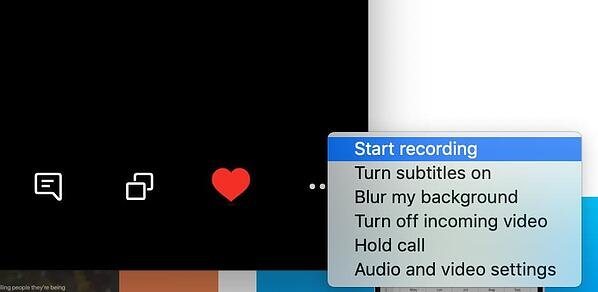
With Skype, you can record video and audio right in the program. When you’re on a call, you can click the three dots on the bottom right and then hit “Start Recording.”

Skype is a great option for podcasters because it’s free and easy to use. There are also other options, if you want better audio quality. For instance, you can download recording software on your computer or buy an external digital recorder.

best podcast equipment: Skype recording a podcast interview.

Image Source

7. Zoom

Price: Free+

Zoom is another excellent free option (for calls up to 40 minutes long). You can easily record right in the program, by clicking the “Record” button and choosing where you’d like to save your audio file.

Skype and Zoom are fairly similar options, however, the recording files differ. Skype will give you a mono file, which means both your and your interviewee’s side of the conversation is on one audio track. However, Zoom splits both sides of the call, giving you two separate audio tracks. This is helpful when it comes to cutting and editing in post-production.

best podcast equipment: Zoom recording a podcast interview.

Image Source

8. Ringr

Price: $8/month+

Ringr is a long-distance podcasting and broadcast interview recording program. Although this option isn’t free, it has excellent sound quality. If you’re focused on bringing higher-quality sound to your interviews, Ringr is a good choice.

Additionally, they have three different plans you can choose from. With the basic plan, you’ll get a mono audio file, and unlimited calls and storage. If you decide to go with the premium or enterprise plan, you’ll get a split-track audio file, plus better sound quality and the option to use conference calling.

9. Squadcast

Price: $5/hour or $20/month+

Squadcast is an easy-to-use podcast recording software. Once you sign up, all you have to do is set up a meeting, click “Record,” and you’re set.

One unique element of this software is that you can pay by the hour, if you don’t think you need a monthly plan. Even with the hourly plan, you can host up to three guests and will receive a high-quality WAV or MP3 file.

Additionally, Squadcast plans to add video recording and transcription, which will help with your show notes and posting your podcast to YouTube.

One of the top reasons to use a podcast recording software like Squadcast, as opposed to Skype or Zoom, is that you’ll have a library of all your recordings in one place, online, where you can access them at any time, any place.

10. Riverside

Price: Free+

If you’re looking for multimedia recording, Riverside could be a good fit for you.

This tool offers local recording of audio and video with up to 4K video quality. One of the most notable features is “Clips” which creates AI-generated video and audio clips of your recording that can be easily customized and shared on social media. 

Additional features include transcriptions, sharable links for guests, producer mode and controls, live streaming, one-click scheduling, and screen share recording.

11. Pro Tools

Price: $30/year+

If you’re ready to move beyond the beginner recording software above, Pro Tools is an excellent option.

Pro Tools is an advanced recording and editing software. You can record, edit, and mix numerous audio tracks. However, this is for the more advanced audio recorders/editors. The user interface (UI) isn’t as intuitive for beginners and may seem overwhelming at first.

Although, because it’s advanced, it also offers much more robust features. For example, since Pro Tools is known in the music industry, it has virtual instrumentation available, which can be helpful in creating the music to put in your podcast. Additionally, it offers plugins, collaboration, and hands-on audio mixing.

best podcast equipment: Pro Tools audio track editing software.

Image Source

12. Reaper

Price: $60 one time payment+

Reaper is another advanced recording, editing, and mixing software. This type of program provides higher-quality recordings and more capabilities when it comes to editing and mixing.

The UI isn’t as intuitive as programs like Zoom or Squadcast, but it offers higher-quality sound. With your audio interface and microphone attached, you can record directly into the program, with as many audio tracks as you’d like.

The recording feature is more robust, offering simultaneous recording inputs, a dozen audio formats, and recording tracks.

Additionally, it also has strong editing capabilities as well.

Reaper editing software.

Image Source

13. Logic Pro

Price: $200 one time payment+

Logic Pro is the advanced version of Garage Band for Mac users. It’s a higher-quality recording program offering an easy-to-use UI.

Recording is as simple as setting up your microphone and USB audio interface and pressing record.

Logic Pro offers up to 1,000 audio tracks, software instrument tracks, and hundreds of plugins to complete any project.

Additionally, it has advanced editing capabilities.

best podcast equipment: Logic Pro editing software for podcasts.

Image Source

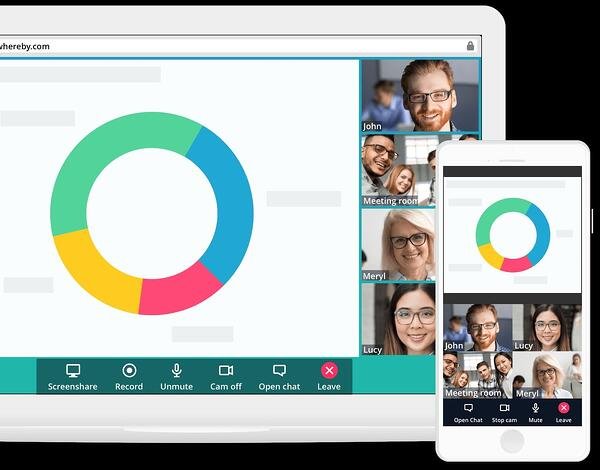
14. Whereby

Price: $10/month+

Whereby is another option for recording remote interviews. It’s excellent for beginners and is easy to use.

Although there is a free plan, recording is only available in the Pro or Business plan. Recording is as easy as hitting the “Record” button, once you’re on a call. This will record both video and audio, so it’s easy to post to YouTube if you want.

While this is an easy option, it isn’t the highest quality recording.

best podcast equipment: Whereby records remote interviews.

Image Source

15. Zencastr

Price: Free+

Zencastr is a web browser-based recording software that offers live sound editing, automatic postproduction, and automatic cloud backup of recordings. 

The app recently launched a beta HD video recording feature and also has built-in chat and footnote features that make sharing information with guests and producers a breeze.

Podcast Editing Software

Once you record your podcast, it’s time to edit it. As you’ve read above, many software includes both recording and editing capabilities. Below are some tools known for editing, rather than recording.

16. Adobe Audition

Price: $20/month+

Adobe Audition is an excellent mid-level audio editing software. You can create, record, mix, edit, and restore audio content.

It offers high-quality sound, plus comprehensive tools to deliver polished sound. For example, Adobe Audition comes with a podcast template, which helps you set up a multi-track recording so you can mix and edit different audio tracks and voices. Plus, you can work in both waveform and multi-track editors, for more well-rounded editing.

basic podcast equipment: Adobe Audition editing software for podcasts.

Image Source

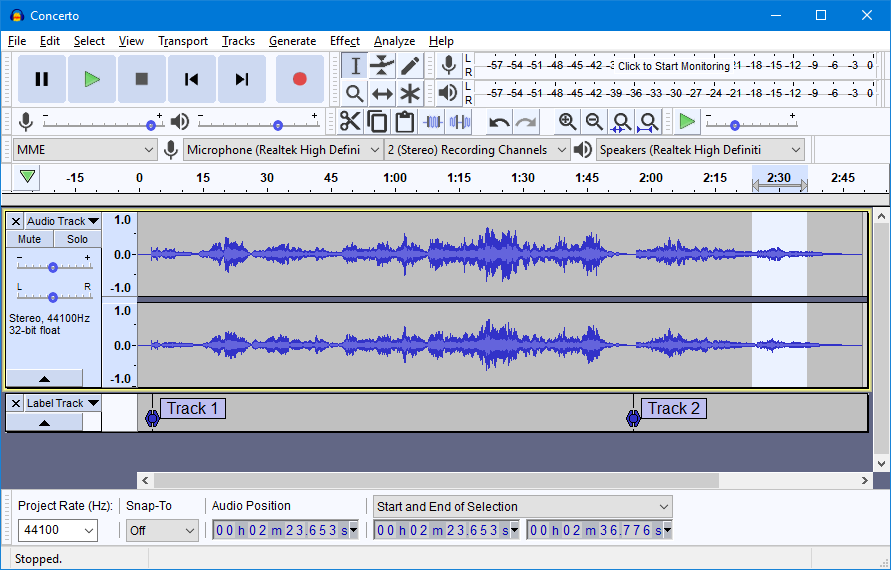
17. Audacity

Price: Free

Audacity is an excellent free option for editing your podcast. It’s especially easy if you plan to use only one take, with few cuts. The UI is easy to use and beginner-friendly. However, if you have to make a lot of cuts or move audio around, it’s a little more difficult because of the simplicity of the program.

This option is great for beginners because of the simple cut, copy, and paste functionality. It isn’t the highest quality sound, but it gets the job done.

Audacity editing software for podcasts.

Image Source

18. Garage Band

Price: Free

Garage Band is a free editing software that is available on and comes with most Mac computers.

It’s mostly used as a beginner editing program, but is capable of mixing up to 255 audio tracks. It comes with basic editing features including volume levels, cut, copy, and paste. You can use plugins to finish off your track and use audio effects such as compression.

Additionally, it features a sound library with effects that you can include in your podcast.

podcast equipment for beginners: Garage Band for Macs editing podcasts.

Image Source

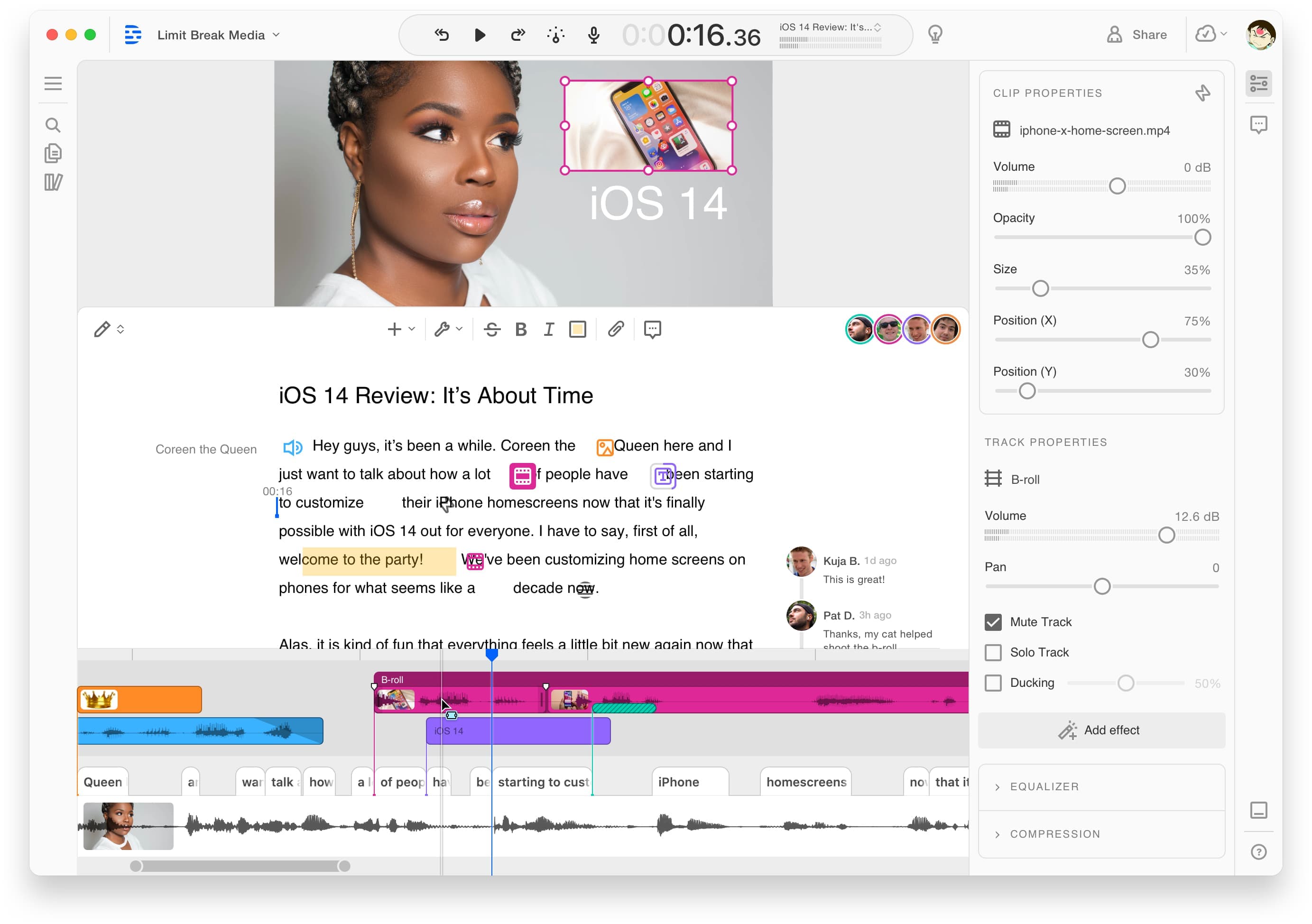
19. Descript

Price: Free+

If you can edit a Google Doc, you can edit a podcast. That’s the premise of Descript, a text-based audio, and video editing tool.

To use Descript, upload your file to the tool to get an AI-generated transcription. You can then review the transcription to make changes in real-time. Descript also has a feature that uses an AI-created version of your voice, so you can add words to your audio simply by typing. 

Descript is incredibly easy to use for new podcasters and those who don’t have audio editing experience.

podcast equipment for beginners: Descript Editing SoftwareImage Source

Podcast Hosting Sites/Services

Now that you’ve bought your equipment, recorded, and editing your podcast, you may be wondering what’s next? After you’ve produced your podcast, it’s time to find the right hosting site and service to publish it on.

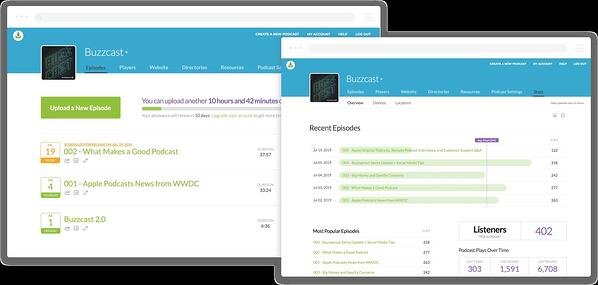
20. BuzzSprout

Price: Free+

BuzzSprout is an excellent hosting option, because it gets your podcast listed in all the top podcast directories including Apple Podcasts, Spotify, Google Podcasts, and Stitcher.

Additionally, it offers advanced metrics, so you can track the progress of your podcast. You can see statistics about your listeners, total plays over time, and where people listen to your podcast. Plus, you can transcribe your podcast in BuzzSprout.

With paid plans, you’ll have unlimited storage and episodes hosted indefinitely.

basic podcast equipment: BuzzSprout is a podcasting hosting service.

Image Source

21. Libsyn

Price: $5/month+

Libsyn is a hosting service that will get your podcast published on your audience’s favorite apps and platforms.

A unique feature is its monetization options. For example, it offers premium content subscriptions and opt-in advertising. These options keep you in control and allow you to customize your monetization.

You’ll also have access to detailed audience statistics, so you can also see what’s working and what isn’t.

Libsyn is a podcasting hosting service.

Image Source

22. Anchor

Price: Free

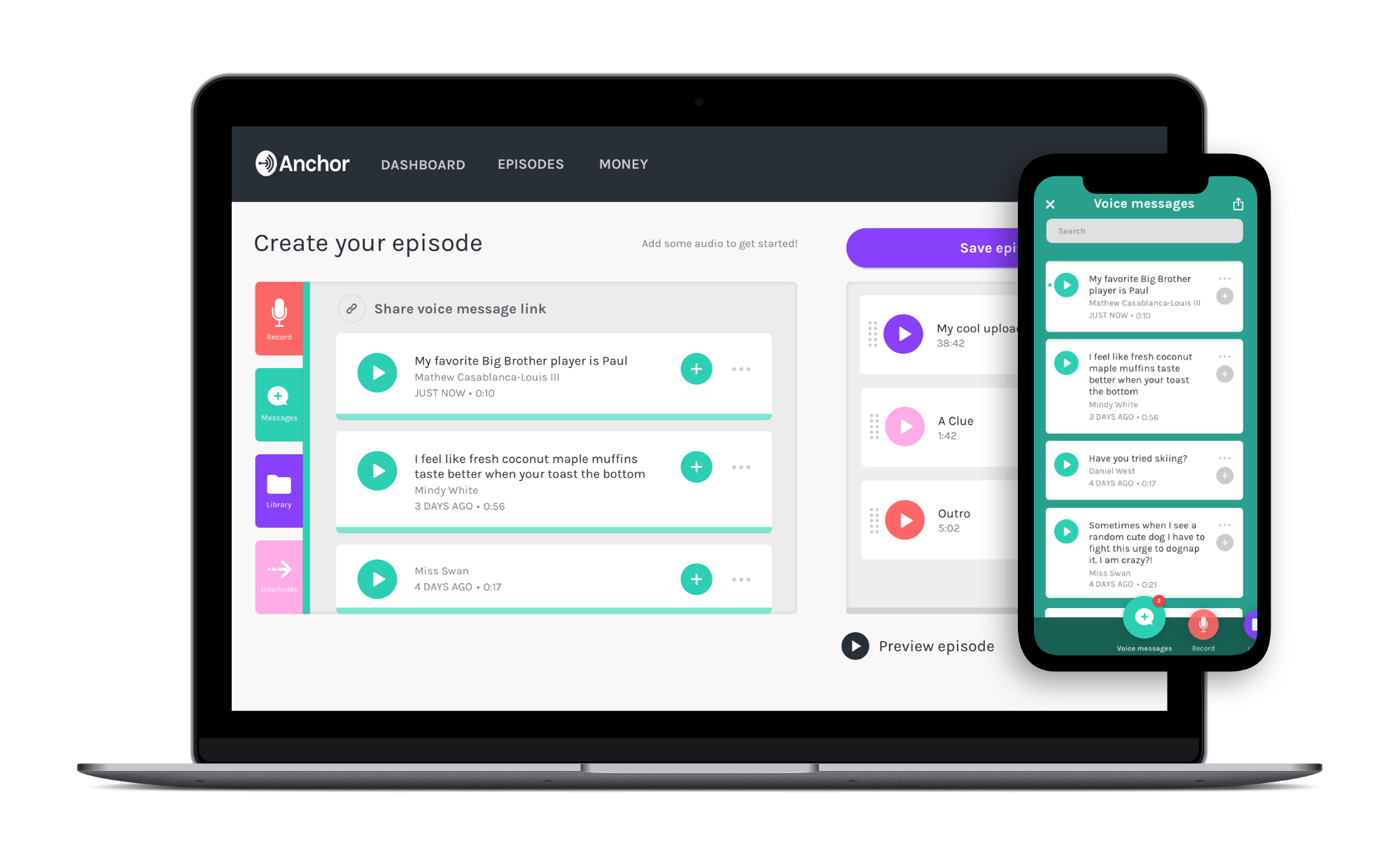
Anchor, owned by Spotify, is an easy-to-use platform that allows you to create, publish, and monetize in one place. 

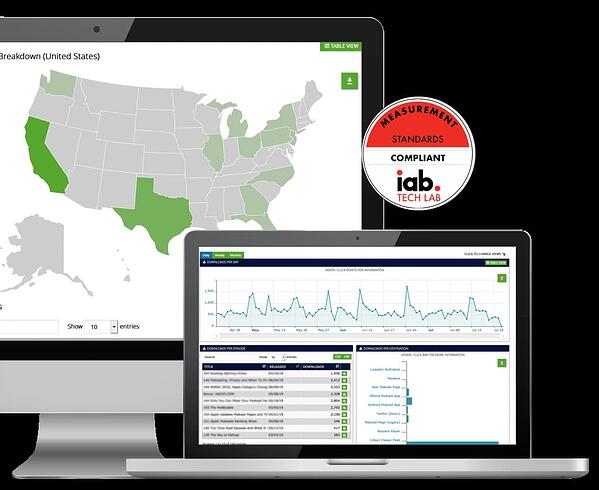
One standout feature of Anchor is its robust analytics system. Powered by Spotify, podcasts hosted on Anchor have access to powerful metrics allowing you to see exactly what the listening behavior of your audience looks like. This level of detail can help you tailor your content toward what your audience likes to hear. 

Anchor also offers monetization options such as host-read ads, paid subscriptions, and dynamically inserted ad spots.

podcast equipment for beginners: Anchor Image Source

How to Set Up a Podcast Studio

Once you have your equipment, recording and editing software, and hosting services, it’s time to figure out where you’re going to record your podcast.

You’ll want to set up a podcast studio. This can be as basic as having the right equipment in any room or as advanced as creating a dedicated space for recording.

To set up a podcast studio, follow these steps:

Step 1: Buy the equipment — Before you can get your studio set up, you need the equipment. You’ll need a microphone, microphone arm, headphones, audio interface, desks, and chairs. You’ll also want to consider buying more than one of these items, in case you decide to bring people in for interviews.

Step 2: Set up room for sound conditioning — In order to achieve the best sound, consider buying soundproof foam wall panels to attach to the walls. This will stop the sound from bouncing off the walls. Additionally, you can buy pop filters for the microphones to reduce popping sounds.

Step 3: Set up lighting and cameras — Many podcasters choose to film their podcasts so they can post to YouTube or other social media. If you want to do this, you’ll need to set up lighting and cameras.

Anyone can start a podcast. That’s why you want your podcast to stand out among the rest. To take your podcast from good to great, make sure you purchase the right equipment, software, and studio setup.

New Call-to-action

Categories B2B

Instagram Questions: 16 Ways to Boost Story Engagement

Instagram is a powerful channel for businesses to reach a larger audience — in fact, approximately 80% of the platform’s one billion users follow at least one business on Instagram.

If your brand is on Instagram, you need to be communicating and engaging with your audience, and Instagram Questions can help you do just that.

Download Now: Free Instagram for Business Kit + Templates

Introduced in 2018, Questions Sticker found within Instagram stories is a feature that makes it easier than ever to engage with, and receive feedback from, your followers. Here, we’re going to explore 15 creative ways to use Instagram’s Questions Sticker to engage with your followers. But first, let’s review how to use it.

Table of Contents:

How to Use Instagram’s Questions Sticker

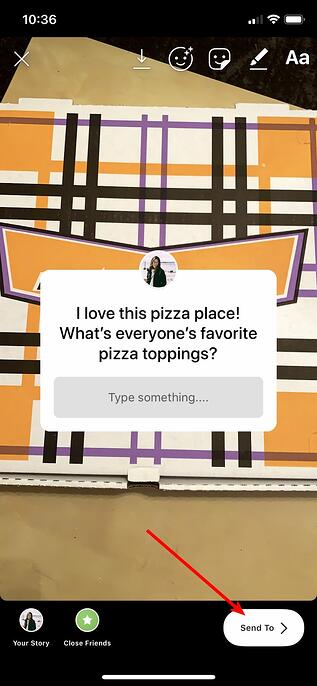
1. Go to your Stories feature, and either upload a photo or take one (I took one within the Stories feature of my pizza box). Then, click the square smiley face in the top right of your screen.

Instagram Questions: how to upload an Instagram Story

2. Click the “Questions” module.

how to use Instagram Questions

3. The default for the Questions Sticker is “Ask me a question” but you can click the text to type a customized question — for instance, I typed “I love this pizza place! What’s everyone’s favorite pizza toppings?” Once you’re done, add filters or any other features you’d like to include.

When you’re ready to post, click “Send To” in the bottom right.

Posting Instagram Questions

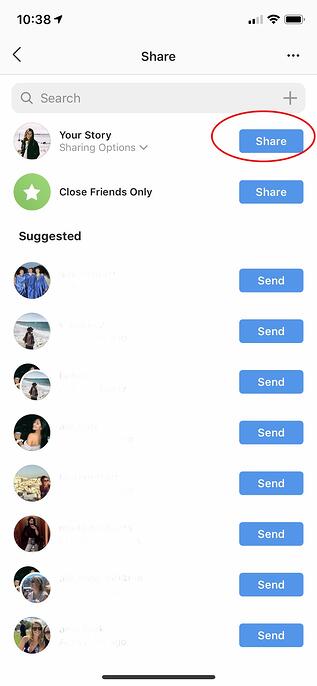
4. Finally, click “Share” beside “Your Story” to post your question to your Story.

Share Questions to Instagram Stories

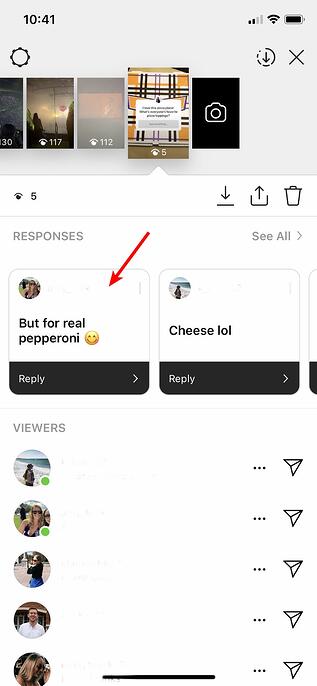
5. When you’re ready to see your followers’ answers to your question, open your Story and click the images of the profiles in the bottom left (these are the people who’ve seen your Story).

See Answers to Instagram Questions

6. You’ll see “Responses” above the list of people who’ve seen your post. To individually share one to your Story, click on it.

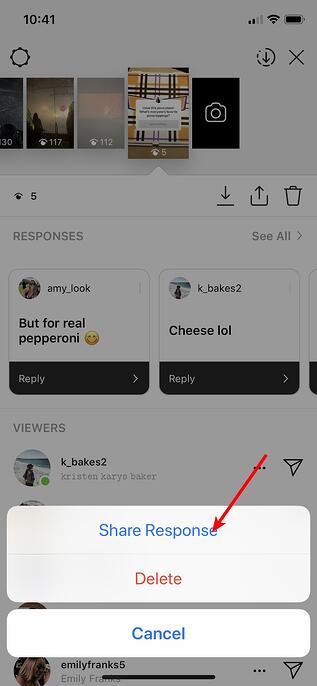
7. Click “Share Response” to share an individual response to your Story for your other followers to see.

Share Instagram Questions response

8. Next, take a photo or upload one, and the follower’s response you chose will appear on top of the image. When you’re ready to post, click “Send To” in the bottom right.

How to post a response to Instagram Questions on your Instagram Story

It’s important to note — your followers will become tired of constantly answering questions on your Story, so use the Questions feature sparingly. You don’t want to overuse the Questions Sticker and risk answer-fatigue from participants.

Additionally, you have a “Poll” feature if you want to ask your followers a binary question, like “Which pizza topping is better, cheese or pepperoni?” Save your Questions feature for more complex questions — and try to make them fun. Remember, your followers are on Instagram for entertainment, so they don’t want to feel quizzed by tough questions.

Lastly, consider what types of questions might actually help you know more about your audience. This will take some trial-and-error, since every brand’s audience is unique, so test a few different formats. For instance, if your brand is in the tech industry, perhaps you want to post a Question asking your followers’ their feedback on an innovative new tech product.

Alternatively, if your brand is in the retail industry, maybe you want to ask more generic questions like, “Do you still follow the no-white after Labor Day rule? If so, tell me why.”

For more inspiration, let’s explore some creative ways influencers, celebrities, and brands use the Questions Sticker.

Instagram Story Questions Ideas

1. Conduct a Q&A with your followers.

Influencers and celebrities often use Instagram Story Questions to conduct Q&As with their fans. For instance, Ali Fedotowsky, a blogger and former Bachelorette, will typically tell her followers to “Ask me stuff :)” at the end of the day.

Her responses are usually fun, casual, and friendly — like “Today? The wine” in response to “Best part of being a mom?”. These Q&A’s enable Ali’s followers to feel like they’re having a casual conversation with a friend. Additionally, the Q&A’s help Ali create stronger relationships with her fans and gear content towards what they want to know.

Instagram Questions: hosting an ask-me-anything seriesInstagram Questions: responding to Q&A Story

2. Showcase your brand’s values.

Away, a luggage company with 577K followers on Instagram, used the Questions Sticker to show support for Pride week while engaging meaningfully with followers. In the first post, they wrote “Happy #Pride from all of us at Away”, and followed the post with a question — “How are you celebrating?” to further engage with followers.

Instagram Questions: Away Pride StoriesInstagram Questions: Away uses Questions Sticker to share values

3. Conduct a pop quiz.

Companies can use the Questions Sticker to test the audience’s knowledge or ask fun questions related to the brand. Pattern, a company that sells products specifically for curly hair, is expanding its product distribution and asked its audience to guess what the first international retailer will be. 

Instagram Questions: Pattern Beauty

This approach gets the audience involved in the distribution conversation and helps potential customers in that geographic location get excited about picking up the product at a retailer near them. 

4. Ask followers their thoughts on a new product or service launch.

If done wisely, you might consider using the Questions Sticker to ask your followers what they think about a new product or service — but conduct these Questions sparingly, since they might seem too self-promotional.

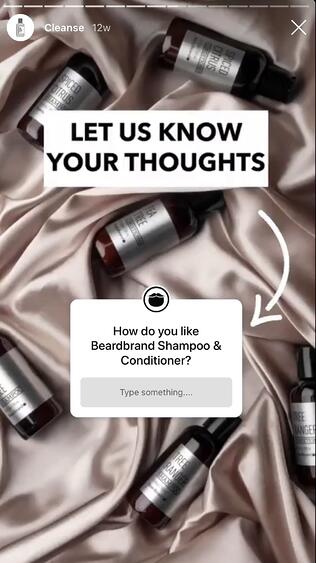
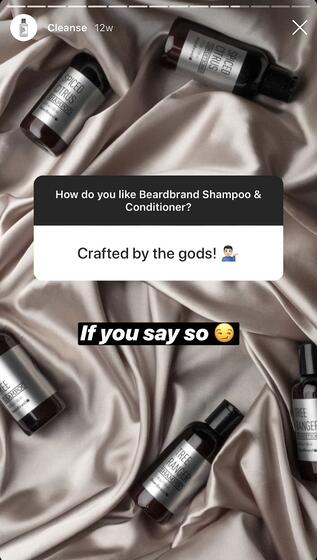
Beardbrand, a line of high-quality grooming products for men, effectively used the Questions Sticker to ask their niche audience how they felt about Beardbrand’s new shampoo and conditioner products. Beardbrand also posted their followers’ answers, and used it as an opportunity to demonstrate the brand’s sense of humor — for instance, in response to a follower’s “Crafted by the gods” answer, Beardbrand posted “If you say so” with a side-eye emoji.

If you do decide to ask followers about their thoughts on your product or service, consider posting their answers with funny or unique responses as well.

Beardband uses Instagram Questions

Beardband responds to Instagram Questions

5. Share information from a thought leader or expert.

Your Questions feature doesn’t just have to feature your own brand — you might also use it to post useful content from other experts in the field, as long as you believe your followers would still be interested in it.

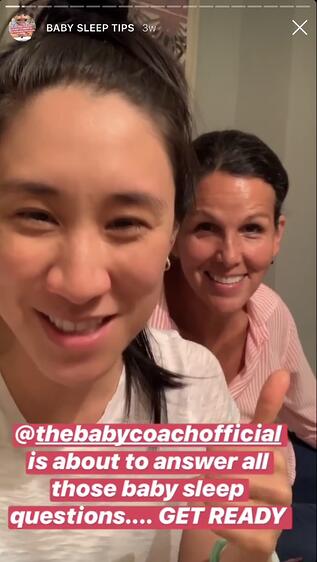
For instance, Eva Chen, an author and influencer with 2 million followers on Instagram, knows a good portion of her followers are mothers as well — which is why she featured her sleep trainer, @thebabycoachofficial, on her Story to answer some of her followers’ biggest sleep-related questions. This partnership helps @thebabycoachofficial reach a new audience and grow her following, while providing Eva Chen’s followers with free, useful tips — a win, win.

Thought Leader Instagram Questions

Instagram Questions Thought Leader Response

6. Use Questions as a lead generation strategy.

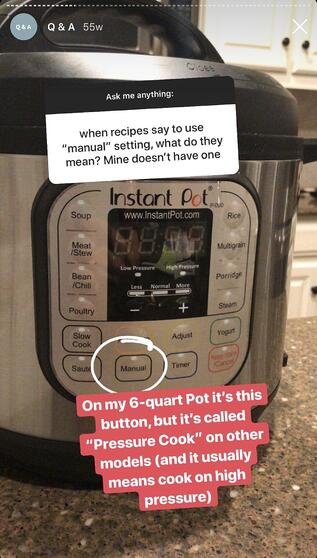
Megan Gilmore is a best-selling author and creator of the Instagram account @Detoxinista, which posts healthy recipes as well as Instant Pot tips-and-tricks. When Gilmore conducts “Ask me anything” Q&A’s, her followers typically ask recipe-related questions, which allows Gilmore to organically link to recipes on her blog — for instance, in response to “A good vegetable soup recipe”, Gilmore links to her vegetable soup recipe.

However, it’s important to note Gilmore doesn’t just link externally in her Q&A’s — she also provides useful tips and content from within the Story itself. When followers ask her about an Instant Pot, for instance, she posted the answer right within the Story for other followers to see.

Simply put, you can use Questions as an opportunity to link to your website, blog posts, or other helpful content, but do so sparingly, and ensure some of your responses to your followers’ questions can be found within the Story itself. This can help drive traffic to other content, but doesn’t require your followers to be ready to click-away from your Instagram page if they don’t want to.

How to use Instagram Questions for lead generation

Answering Instagram Questions to generate leads

7. Share tips from within the industry.

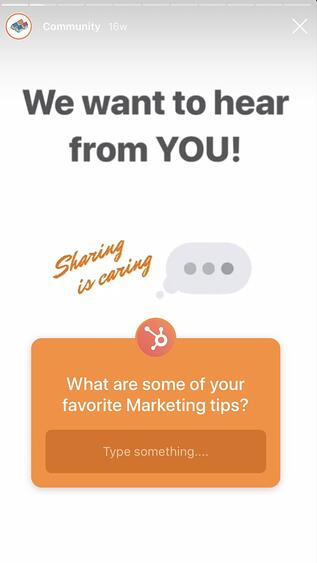
On Instagram, HubSpot’s followers are often other marketers — which is why it’s helpful for @HubSpot to post “What are some of your favorite marketing tips?” and share the responses of some of its followers, so other marketers within the industry can collect tips from a myriad of sources.

Ultimately, you might use Questions as an opportunity to connect with your followers and learn from them, as well. Rather than asking questions directly related to your product or service, consider how you might ask a question that helps your followers learn more about the state of the industry, including tips, trends, and new ideas to improve their own business strategy. Show them their voice is valuable, too.

Using Instagram Questions to share expert tips

8. Have fun with your followers!

Reese Witherspoon is an exceptional example of someone who uses Stories and the Questions Sticker, to have fun with her fans.

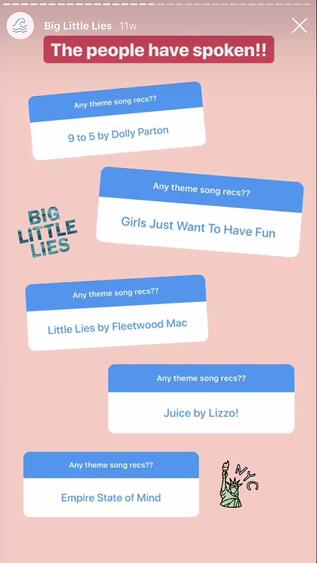
For instance, during the press tour for Big Little Lies, Witherspoon used the Questions feature to ask her fans for theme song recommendations for the tour. Later, she posted some of her favorites.

Ultimately, the Questions Sticker is a chance to have fun with followers and post lighter, more entertaining content. If your brand is heading to a conference, you might use Witherspoon’s tactic to ask followers a good “theme song for the conference” or “favorite ice breakers to use at a conference”. Plus, posting their responses shows them you’re listening, and might make other followers more willing to partake in future Questions you post.

Howo to use Instagram Questions to have fun with your followers

Answering Instagram Questions to have fun with followers

9. Announce new releases.

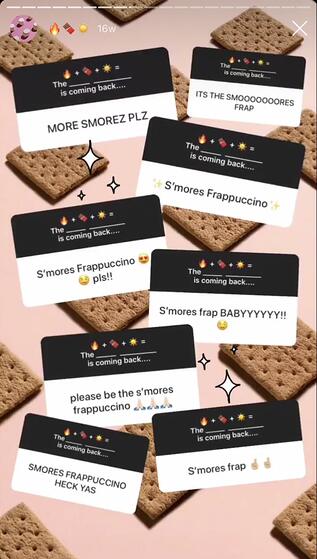
Starbucks playfully quizzed their followers with a question that added up fire, chocolate, and sun emojis, and said “The __ _____ is coming back…”. Starbucks then posted followers responses throughout the day, before finally posting one page with the “correct” answer — “S’mores Frappuccino”.

By building suspense (and showcasing some funny followers’ responses), Starbucks successfully created excitement around their new product while quickly (and cost-efficiently) spreading the word. You might consider using a similar strategy when announcing an upcoming new product or event.

Instagram Questions new product launch

Starbucks uses Instagram Questions to announce product return

10. Survey your followers.

Want to know how your followers feel about a particular topic, or what their preferences are? You can use the Questions Sticker as a feedback form. 

Whether you ask your audience their opinion on a recent event or ask an open-ended question they can provide the answer to, using Instagram Questions can provide insightful qualitative data about what matters most to your online community.

Luggage company Beis used a Q&A session about their newest product to survey their audience about what product they’d like to see next.

11. Play “caption this.”

Want to get a little silly? Post a fun image on your Instagram Story and use a Questions Sticker titled “Caption This” to boost engagement. Share the funniest or best responses you get to your story to keep the conversation going. 

12. Generate new content ideas.

It’s a good idea to use the Questions Sticker as an opportunity to ask followers what they want to see more or less of on your feed — it can help your team brainstorm more content while ensuring you’re making viewers feel like their opinion is valuable to your brand.

Use the Sticker and ask your audience “What content would you like to see more of?” to help guide your content strategy for Instagram, your company blog, or even a podcast.

13. Have your followers submit questions for an upcoming Livestream.

Is Instagram Live part of your content plan? Generate excitement and buzz for an upcoming live by using the Questions Sticker to collect questions ahead of time.

Not only will this boost engagement on your stories, but it could help viewers tune into your live in hopes of getting their questions answered.

14. Ask for recommendations.

You can also use the question sticker to ask your audience for recommendations. Content creator Carissa Stanton hosts monthly book clubs on her Instagram account and uses the Questions Sticker to ask her audience for book recommendations.

Instagram Questions: RecommendationsIf your company is opening a location in a new city, you can use the Instagram Questions Sticker to ask your community what their favorite hot spots are in that city. Or if you host a podcast or YouTube channel, ask your community who they’d like to see featured on your next episode.;


15. Use the questions sticker to facilitate an Instagram takeover.

Instagram takeovers typically involve having a guest post Stories from their perspective for a set period of time. Using the Questions Sticker allows your audience to get to know the guest better and provides a bit more structure to the takeover.

Instagram Questions: Summer Fridays Ask a Derm SeriesInstagram Questions: dermatologist answers questions for Summer FridaysSkincare brand Summer Fridays does this via its “Ask a Derm” Instagram Story segment, where a professional dermatologist will take over the account to answer skincare-related questions from the audience.

Your Instagram takeover guest can use the Questions Sticker to take questions for an “ask-me-anything” session or ask them about their favorite products or offerings related to your brand.

16. Create a weekly content series.

Looking for more consistent content ideas? Use the Questions Sticker as part of a weekly content offering on your Instagram account. Choose a day each week to post the Questions Sticker, with a standing prompt to build engagement and loyalty.

Instagram Questions: Content SeriesEach week on her Instagram Stories, creator Olivia Noceda hosts a series called “Worth the Hype” where her followers will put a brand or product in the sticker and she’ll share her thoughts on whether the product is worth checking out or not.
Implementing a similar strategy can build a sense of trust with your audience, and gives them a reason to keep coming back to your Stories on a regular basis.

The Instagram Questions feature is a great way to encourage conversation with the people who follow your account, creating a more engaging social media experience.

New Call-to-action

Categories B2B

12 Expert-Vetted Sample Business Plans to Help You Write Your Own

Ask any successful sports coach how they win so many games, and they’ll tell you they have a unique plan for every single game. The same logic applies to business. If you want to build a thriving company that can pull ahead of the competition, you need to prepare for battle before breaking into a market.

Business plans guide you along the rocky journey of growing a company. Referencing one will keep you on the path toward success. And if your business plan is compelling enough, it can also convince investors to give you funding.

→ Download Now: Free Business Plan Template

What does a business plan look like? And how do you write one that is viable and convincing? Let’s review the business plan format and sample business plans you can use to inspire your own.

Business Plan Format

Before you start your business plan, you might be wondering, “Where do I start? How should I format this?”

Typically, a business plan is a document that will detail how a company will achieve its goals.

Most business plans include the following sections:

1. Executive Summary

The executive summary is arguably the most important section of the entire business plan. Essentially, it’s the overview or introduction, written in a way to grab readers’ attention and guide them through the rest of the business plan (which may be dozens or hundreds of pages long).

Most executive summaries include:

  • Mission statement
  • Company history and leadership
  • Competitive advantage overview
  • Financial projections
  • Company goals

However, many of these topics will be covered in more detail later on in the business plan, so keep the executive summary clear and brief, including only the most important take-aways.

If you’re planning to start or expand a small business, preparing a business plan is still very crucial. The plan should include all the major factors of your business. You can check out this small business pdf to get an idea of how to create one for your business.

Executive Summary Example

Check out our tips for writing an effective executive summary for more guidance.

2. Market Opportunity

This is where you’ll detail the opportunity in the market. Where is the gap in the current industry, and how will your product fill that gap?

In this section, you might include:

  • The size of the market
  • Current or potential market share
  • Trends in the industry and consumer behavior
  • Where the gap is
  • What caused the gap
  • How you intend to fill it

To get a thorough understanding of the market opportunity, you’ll want to conduct a TAM, SAM, and SOM analysis and perform market research on your industry. You may also benefit from creating a SWOT analysis to identify some of the insights for this section.

3. Competitive Landscape

Speaking of market share, you’ll need to create a section that shares details on who the top competitors are. After all, your customers likely have more than one provider to choose from, and you’ll want to understand exactly why they might choose one over another. Performing a competitive analysis can help you uncover:

  • Industry trends that other providers may not be utilizing
  • Strengths in your competition that may be obstacles to handle
  • Weaknesses in your competition that may help you develop selling points
  • The unique proposition you bring to the market that may resonate with customers

4. Target Audience

This section will describe who your customer segments are in detail. What is the demographic and psychographic information of your audience?

If your immediate answer is “everyone,” you’ll need to dig deeper. Ask yourself:

  • What demographics will most likely need/buy your product or service?
  • What are the psychographics of this audience? (Desires, triggering events, etc.)
  • Why are your offerings valuable to them?

It can be helpful to build a buyer persona to get in the mindset of your ideal customers and be crystal clear on why you’re targeting them.

5. Marketing Strategy

Here, you’ll discuss how you’ll acquire new customers with your marketing strategy. You might consider including information on:

  • The brand positioning vision and how you’ll cultivate it
  • The goal targets you aim to achieve
  • The metrics you’ll use to measure success
  • The channels and distribution tactics you’ll use

It can help to already have a marketing plan built out to help you inform this component of your business plan.

6. Key Features and Benefits

At some point in your business plan, you’ll review the key features and benefits of your products and/or services. Laying these out can give readers an idea of how you’re positioning yourself in the market and the messaging you’re likely to use. It can even help them gain better insight into your business model.

7. Pricing and Revenue

This is where you’ll discuss your cost structure and various revenue streams. Your pricing strategy must be solid enough to turn a profit while staying competitive in the industry. For this reason, you might outline:

  • The specific pricing breakdowns per product or service
  • Why your pricing is higher or lower than your competition’s
  • (If higher) Why customers would be willing to pay more
  • (If lower) How you’re able to offer your products or services at a lower cost
  • When you expect to break even, what margins do you expect, etc?

8. Financials

This section is particularly informative for investors and leadership teams to determine funding strategies, investment opportunities, etc. According to Forbes, you’ll want to include three main things:

  • Profit/Loss Statement – This answers the question of whether your business is currently profitable.
  • Cash Flow Statement – This details exactly how much cash is incoming and outgoing to provide insight into how much cash a business has on hand.
  • Balance Sheet – This outlines assets, liabilities, and equity, which gives insight into how much a business is worth.

While some business plans might include more or less information, these are the key details you’ll want to include.

Keep in mind that each of these sections will be formatted differently. Some may be in paragraph format, while others will be in charts.

Sample Business Plan Templates

Now that you know what’s included and how to format a business plan, let’s review some templates.

1. HubSpot’s One-Page Business Plan

Sample business plan: HubSpot 1 page template

Download a free, editable one-page business plan template.

The business plan linked above was created here at HubSpot and is perfect for businesses of any size – no matter how many strategies we still have to develop.

Fields such as Company Description, Required Funding, and Implementation Timeline gives this one-page business plan a framework for how to build our brand and what tasks to keep track of as we grow. Then, as the business matures, it can expand on its original business plan with a new iteration of the above document.

2. HubSpot’s Downloadable Business Plan Template

We created a business plan template for entrepreneurs.

Sample business plan: hubspot free editable pdf

Download a free, editable one-page business plan template.

The template is designed as a guide and checklist for starting your own business. You’ll learn what to include in each section of your business plan and how to do it. There’s also a list for you to check off when you finish each section of your business plan.

Strong game plans help coaches win games and help businesses rocket to the top of their industries. So if you dedicate the time and effort required to write a viable and convincing business plan, you’ll boost your chances of success and even dominance in your market.

3. LiveFlow’s Financial Planning Template with built-in automation

Sample Business Plan: LiveFLow

This free template from LiveFlow aims to make it easy for businesses to create a financial plan and track their progress on a monthly basis. The P&L Budget versus Actual format allows users to track their revenue, cost of sales, operating expenses, operating profit margin, net profit, and more.

The summary dashboard aggregates all of the data put into the financial plan sheet and will automatically update when changes are made. Instead of wasting hours manually importing your data to your spreadsheet, LiveFlow can also help you to automatically connect your accounting and banking data directly to your spreadsheet, so your numbers are always up-to-date.

With the dashboard, you can view your runway, cash balance, burn rate, gross margins, and other metrics. Having a simple way to track everything in one place will make it easier to complete the financials section of your business plan.

4. ThoughtCo’s Sample Business Plan

sample business plan: ThoughtCo.

If you want to reference an actual business plan while writing your own, ThoughtCo’s got you covered. It created a fictional company called Acme Management Technology and wrote an entire business plan for it.

Using its sample business plan as a guide while filling out your own will help you catch and include small yet important details in your business plan that you otherwise might not have noticed.

5. BPlan’s Free Business Plan Template

sample business plan: BPlan

One of the more financially oriented sample business plans in this list, BPlan’s free business plan template dedicates many of its pages to your business’ financial plan and financial statements.

After filling this business plan out, your company will truly understand its financial health and the steps you need to take to maintain or improve it.

6. Harvard Business Review’s “How to Write a Winning Business Plan”

Most sample business plans teach you what to include in your business plan, but this Harvard Business Review article will take your business plan to the next level – it teaches you the why and how behind writing a business plan.

With the guidance of Stanley Rich and Richard Gumpert, co-authors of “Business Plans That Win: Lessons From the MIT Enterprise Forum”, you’ll learn how to write a convincing business plan that emphasizes the market demand for your product or service. You’ll also learn the financial benefits investors can reap from putting money into your venture rather than trying to sell them on how great your product or service is.

7. HubSpot’s Complete Guide to Starting a Business

If you’re an entrepreneur, you know writing a business plan is one of the most challenging first steps to starting a business. Fortunately, with HubSpot’s comprehensive guide to starting a business, you’ll learn how to map out all the details of your business by understanding what to include in your business plan and why it’s important to include them. The guide also fleshes out an entire sample business plan for you.

If you need further guidance on starting a business, HubSpot’s guide can teach you how to make your business legal, choose and register your business name, and fund your business. It will also give small business tax information and provide marketing, sales, and service tips.

8. Panda Doc’s Free Business Plan Template

sample business plan: Panda Doc

Panda Doc’s free business plan template is one of the more detailed and fleshed-out sample business plans on this list. It describes what you should include in each section, so you don’t have to come up with everything from scratch.

Once you fill it out, you’ll fully understand your business’ nitty-gritty details and how all of its moving parts should work together to contribute to its success.

9. Small Business Administration Free Business Plan Template

sample business plan: Small Business Administration

The Small Business Administration (SBA) offers several free business plan templates that can be used to inspire your own plan. Before you get started, you can decide what type of business plan you need — a traditional or lean start-up plan.

Then, you can review the format for both of those plans and view examples of what they might look like.

10. Culina Sample Business Plan

sample business plan: Culina

Image Source

Culina’s sample business plan is a great template to use if you just want to fill in your information. You can also use this template as a guide while you’re gathering important details. After looking at this sample, you’ll have a better understanding of the data and research you need to do for your own business plan.

11. Plum Sample Business Plan

Sample business plan: Plum

Image Source

This is one of my favorite sample business plans because you can see how implementing visuals can help tell your brand’s story. The images in this template are cutting edge, which makes sense for an innovative company like Plum. When creating your own business plan, make sure the pictures and design you use make sense for your branding.

Additionally, the financial charts included are incredibly helpful if you’re not sure what financial information to include.

12. LiveShopBuy Sample Business Plan

Sample business plan: LiveShopBuy

Image Source

With this business plan, the focus is the investment opportunity. This is an excellent template to use if you’re going to use your business plan to receive funding. The investment opportunity section is placed right up front and is several pages long. Then, it goes into more detail about the company synopsis industry analysis.

Top Business Plan Examples

Here are some completed business plan samples to get an idea of how to customize a plan for your business. We’ve chosen different types of business plan ideas to expand your imagination. Some are extensive, while others are fairly simple.

Take a look.

1. LiveFlow

One of the major business expenses is marketing. How you handle your marketing reflects your company’s revenue. We included this business plan to show you how you can ensure your marketing team is aligned with your overall business plan to get results. The plan also shows you how to track even the smallest metrics of your campaigns, like ROI and payback period instead of just focusing on big metrics like gross and revenue.

Fintech startup, LiveFlow, allows users to sync real-time data from its accounting services, payment platforms, and banks into custom reports. This eliminates the task of pulling reports together manually, saving teams time and helping automate workflows.

When it came to including marketing strategy into its business plan, LiveFlow created a separate marketing profit and loss statement (P&L) to track how well the company was doing with its marketing initiatives. This is a great approach, allowing businesses to focus on where their marketing dollars are making the most impact.

“Using this framework over a traditional marketing plan will help you set a profitable marketing strategy taking things like CAC, LTV, Payback period, and P&L into consideration, “ explains LiveFlow co-founder, Lasse Kalkar.

Having this information handy will enable you to build out your business plan’s marketing section with confidence. LiveFlow has shared the template here. You can test it for yourself.

2. Lula Body

This is a good business plan example for service-based businesses such as gyms, boxing, dancing classes, etc. For starters, the plan shows how to budget for the business loan and what to focus on buying first. Everything is well presented, including what to charge the customers in different scenarios and the expected revenue. This is a good foundation from which business performance can be evaluated with time.

Business plan example: Lula body

Brooklyn Business owner and Pilates instructor, Tara Kashyap, saw a need in her community for a pilates, tissue, and bodywork studio. In response, she opened Lula Body in Crown Heights.

Pictured above is a hypothetical pricing and revenue statement based on Lula Body’s business plan. As you can see, Kashyap breaks down the cost of classes, start-up expenses, monthly expenses, and her monthly sales projection. Everything from equipment costs to loan interest is included in the expenses to give the most accurate picture of operating costs and revenue.

If you’re seeking outside funding for your business, you’ll want to make sure this section of your business plan is as thorough as possible.

3. Patagonia

Sometimes all you need is a solid mission statement and core value to guide you on how to go about everything. You do this by creating a business plan revolving around how to fulfill your statement best. For example, Patagonia is an eco-friendly company, so their plan discusses how to make the best environment-friendly product without causing harm.

Business plan example: Patagonia mission statement

A good mission statement should not only resonate with consumers but should also serve as a core value compass for employees as well.

Outdoor clothing retailer, Patagonia, has one of the most compelling mission statements we’ve seen:

“We’re in business to save our home planet.”

It reels you in right from the start, and the environmental-friendly theme continues throughout the rest of their statement.

The page-length open letter goes on to explain that they are out to “Build the best product, cause no unnecessary harm, and use business to protect nature.”

Their mission statement is compelling and detailed, with each section outlining how they will accomplish their goal.

4. Vesta Home Automation

This is the kind of business plan you need when applying for business funds. It clearly illustrates the expected future of the company and how the business has been coming along over the years.

business plan example: Vesta executive summary

This executive summary for a smart home device startup is part of a business plan created by students at Mount Royal University. While it lacks some of the sleek visuals of the templates above, its executive summary does a great job of demonstrating how invested they are in the business.

Right away, they mention they’ve invested $200,000 into the company already, which shows investors they have skin in the game and aren’t just looking for someone else to foot the bill.

Get Started Writing Your Business Plan

When you’re first getting started on your business plan, it can be daunting. The business world moves fast, and it’s full of ambitious companies scrambling to gain the majority of their industry’s market share.

That’s why it’s important to make sure you understand the value your business provides and can communicate that through a properly formatted business plan.

Editor’s note: This post was originally published in November 2018 and has been updated for comprehensiveness.

Business Plan Template

Categories B2B

How Three Companies Grew Revenue With Social Media Shopping Tools [New Data + Case Studies]

Shopping on social media has become increasingly popular over the past few years.

In fact, 57% of consumers report social media as their preferred method for discovering new products — over television ads (56%), YouTube ads (49%), and retail stores (42%), and only surpassed by “searching on the internet” (58%).

And as someone who now purchases the majority of her skincare products from “Swipe Up to Buy” links, I can attest: Social media shopping tools are effective.

Here, let’s explore how three companies have grown their revenue using shopping tools from Facebook, Instagram, and TikTok.

Download Now: Social Media Trends in 2022 [Free Report]

How people prefer to discover new products

1. Facebook Shops and Pink Tag Boutique

According to HubSpot Blog Research, Facebook is the most popular social site for purchasing products, with 36% of consumers reporting they’d purchased a product directly from the platform.

In 2020, Facebook launched Facebook Shops, a free ecommerce tool designed to “create a mobile shopping experience for their audiences.” Essentially, it’s an online store that enables you to highlight products or specific collections of items, and customize fonts and colors to ensure it matches your brand.

Pink Tag Boutique, a Kentucky-based clothing and accessories boutique, saw immense growth on the platform. In fact, they attribute $44,448 in incremental sales from Facebook Shops, and have seen 66% greater average order value from buyers on Facebook Shops compared to those who bought directly from the website.

Pink Tag Boutique Facebook Shops Case Study

Beyond Facebook Shops, Pink Tag Boutique has also tested out Live Shopping events, which is a live broadcast in which people can learn more about your products and interact directly with you.

Facebook Shops could be a good opportunity for your brand to create its own digital storefront. Rather than requiring users to click-through to your website to purchase products, Facebook Shops allows you to make the process easier by enabling consumers to purchase directly from the platform.

2. Instagram Reels & Headway

HubSpot Blog Research found 44% of consumers prefer to discover new products on social media through ads or sponsored content — followed by 34% who prefer to discover new products via a feed post, and 32% who prefer social media marketplaces (like Facebook Marketplace), and 28% who prefer social media shops where purchases happen in-app (like Instagram Shop).

how people prefer to discover new products on social media

Additionally, 26% of consumers prefer discovering new products via short-form videos like Instagram Reels. As video continues to dominate in terms of most popular content format, it makes sense to test out leveraging video ads or Reels to engage with consumers.

For instance, Headway, an educational technology app that provides personal growth content, saw a 15% decrease in cost-per-acquisition with Reels ads, a 10% increase in video views with Reels ads, and a 10% increase in trials with Reels ads.

As Headway’s Head of Marketing, Vlad Strykun, told Instagram, “The Reels placement gave us the opportunity to expand our audience and reach new customers with new types of ad content—video explainers. The fall in cost per acquisition and the rise in conversions are convincing enough for us to continue working in this promising Reels area.”

Reels ads, which are full-screen and vertical, appear in-between content creators’ Reels within the app. The videos can be up to 30-seconds long, and people can comment, like, view, save, and share these videos.

It’s equally important to note — There are plenty of other Instagram ecommerce opportunities if Reels doesn’t seem like the best fit for your brand. The most popular tools leveraged by marketers include Instagram Shops (47%), Instagram Live Shopping (44%), Instagram Feed Post Shopping (40%), and Instagram Guides Shopping (39%).

3. TikTok and Abbott Lyon

With over 1 billion monthly users, TikTok is an undeniably powerful platform for reaching large audiences. Additionally, TikTok is used the most by Gen Z (26%), followed by Instagram (23%) and YouTube (22%) — so if your brand’s target audience is Gen Zers, it makes sense to test out TikTok’s ad capabilities.

Which social media app does Gen Z use most?

Abbott Lyon, a fashion accessories brand, tested out TikTok’s Value-Based Optimization (VBO) bidding strategy, which allows brands to deliver ads to users who have the potential to become high-value customers. Additionally, the brand used In-Feed Ads and SparkAds.

@abbottlyon

The Custom Enamel Bangle…THE bracelet for Summer ☀️

♬ You And Me  – Lyus

The campaign was a major success for the brand, resulting in an increased return-on-ad-spend by 31%, and an increased order value by 13%. Abbott Lyon also reduced cost-per-acquisition by 20%.

Ultimately, the Shopping Tools you consider using will depend upon which platforms your target audience prefers, and which tools make the most sense for your business goals. But social media shopping isn’t going anywhere, so now’s a good time to test out all the social media shopping tools at your disposal to determine which makes the most sense for your company.

New call-to-action

Categories B2B

6 Short-Form Video Trends Marketers Should Watch in 2022 [New Data]

Short-form videos are everywhere nowadays. And, now, as platforms like TikTok, Instagram Reels, YouTube Shorts, Google, LinkedIn, and Pinterest expand their short-form offerings, brands are continuing to take notice.

In the HubSpot Blog’s 2022 Marketing Industry Trends Survey, we found that more than half of marketers (51%) who use short-form video plan to increase their investment in 2022. Meanwhile, 38% plan to continue investing the same amount.

What’s more? Short-form video has the highest ROI of any social media marketing strategy as 30% of social media marketers plan to invest in it more than any other trend in 2022.

Download Now: Social Media Trends in 2022 [Free Report]

So, how can you join in on the short-form video action to grow your business? And what are some trends to look for in the next year? Learn what HubSpot marketing experts advise, below.

Brandon Sanders, former digital marketer for HubSpot Academy, highlights that what’s considered short-form can also depend on the platform.

“With the rise of platforms like TikTok, Reels, and Vine, short-form video is actually getting shorter and lending itself more to 60-second to two-minute videos,” he said.

“I think the perception of short-form content on platforms like YouTube is actually around that 10-minute sweet spot because content on YouTube tends to be more comprehensive and longer.”

So, when you’re thinking of short-form videos, Youtube is the exception, whereas TikTok and other growing short-form platforms are the rule.

How do short-form videos fit into your content strategy?

A 2020 study by Wyzowl reported that people share videos at twice the rate than any other form of content. It also found that 84% of people were convinced to buy a product or service based on the brand’s video.

So, we already know video content is increasingly becoming an important part of every brand’s content marketing strategy.

But when we look at short-form video specifically, the data (gathered from the HubSpot Blog’s 2021 social media trends report and 2022 video marketing report) speak for themselves.

  • Short-form ranks #1 for lead generation and engagement.
  • Marketers will invest in short-form video more in 2022 than any other content format.
  • Nearly half (47%) of marketers surveyed believe short-form videos are most likely to go viral.
  • 54% of marketers surveyed say their companies leverage short-form videos.85% of marketers say short-form videos are the most effective format on social media

Sanders says short-form videos give creators an innovative way to showcase their content.

“The growth of social media is causing the human attention span to become shorter and shorter,” he said. “So, leveraging the power of short-form content will give you a leg up on your competition and help engage your audience.”

Aside from length, one thing that sets short-form video apart is the trend culture.

TikTok, for instance, is run by dances, sounds, and social challenges. So, to get on the “For You” page on TikTok — which is equal to the “Explore” page on Instagram — brands must often join in on the fun.

video marketing statistics: 63% of marketers say trendy content gets the most video engagementImage Source

As with any new trend or platform, former HubSpot Senior Content Strategist Amanda Zantal-Wiener says you should always consider your audience first.

“It all goes back to a very old question: Which channels are your audiences using and for what?” she said. “And therefore, for which channels does it make the most sense for your business to create this short-form content?”

This means that while short-form video is often known for its entertainment value, you can adapt it to align with your brand.

Short-Form Video Trends to Look Out For

1. Brand Challenges

When short-form videos first gained popularity, it was through viral content based on dances, songs, and sounds.

Today, brands can make their own sounds, filters, and challenges go viral.

According to our social media trends report, 20% of marketers surveyed leveraged branded challenges and 42% said they performed better than expected.

In addition, marketers rank them among the most effective social media trends of 2021.

Short-Form Video Example: Colgate

To celebrate Mother’s Day, Colgate launched the #MakeMomSmile challenge, which encourages users all around the world to share videos in which they did something special for their mothers.

tiktok brand challenge

It’s also a great play on words, as Colgate is all about providing beautiful smiles to its customers.

2. Influencer Ads

Brands have been leveraging influencer marketing for years, that’s nothing new.

However, we’re seeing more brands use them in short-form video content.

HubSpot Blog Research found that 66% of marketers’ companies work with influencers on TikTok. They also rank it #5 in ROI when working with influencers.

For instance, popular TikTok influencer TiffFoods was recently in an ad for food brand Fly by Jing to promote its latest product.

Short-Form Video Example: Fly by Jing

With short-form content lending itself well to native advertising, brands can create videos that are more likely to generate conversions.

3. Product Teasers

Think about the average commercial you see: It’s usually anywhere between six seconds to 60 seconds. This also happens to be the average length of a short-form video.

Because of this, brands can leverage short-form video platforms to promote their products organically.

It can be incredibly effective because it doesn’t require a large budget, it has the potential to go viral, and it builds anticipation around your brand.

Short-Form Video Example: KaseMe Design

To build anticipation for its newest product launch, KaseMe Design posts a video using a popular TikTok sound and a cleverly deceptive low-battery sign.

It creates suspense by getting users to be even more invested in the launch as they wonder what the reveal is.

4. More User-Generated Content (UGC)

Consumers generally love UGC. In fact, it influences their purchasing decisions more than brand- or influencer-generated content.

According to HubSpot Blog research, UGC also offers great ROI, with 40% of marketers surveyed ranking it a high-ROI format on social media.

Our research also suggests it’s popular with Gen-Z, which is the biggest demographic on TikTok.

Why is UGC a winning strategy? Well, without using up too many resources, brands can publish videos that evoke emotion. It’s also budget-friendly.

Short-Form Video Example: Chipotle

This is a great example of how you can leverage user-generated content in your strategy. In this instance, Chipotle collaborated with these content producers to create a fun, viral-worthy video.

One of Chipotle’s target audiences might be young, college students looking for inexpensive meals. This video features two creators who reflect the audience they may want to attract. Brands should keep this in mind when considering UGC and ask, “will my audience relate to this?” If the answer’s “yes,” move forward.

5. More Behind-the-Brand Videos

Consumers seek out authenticity and transparency in brands. With short-form video, you only have a few seconds to connect with your audience.

So, how do you do that? Well, there’s no exact science to it, but consumers tend to feel more connected to brands that show the people behind the brand.

In one Sprout Social study, 70% of consumers said they felt more connected to brands whose CEO is active on social media platforms.

So, going into 2022, brands should pull back the curtain and engage with their audiences on a more personal level.

Our social media trends report revealed that 36% of marketers surveyed currently leverage the authentic, behind-the-scenes content that’s so popular on short-form video platforms like TikTok.

Those who do use it rank it third in ROI, with 68% of marketers saying it’s the most effective content behind funny and interactive content.

Short-Form Video Example: Sierra Nicole

Trendy? Check. Informative? Check. Prompts action? Check! This video works because it has all the ingredients for an effective short-form video.

It first grabs the viewer’s attention by including a popular song and dance. The content addresses pain points viewers may be facing. Then, the call-to-action (CTA) in the caption rounds out the video by turning viewers into potential leads.

6. More Explainer or Educational Videos

In 2022, brands will likely focus on educational content in their short-form videos – think how-to’s, DIYs, and explainer videos.

A 2020 Wyzowl report found that viewers want to see more of this video style from brands.

Wondering where we currently stand? 32% of marketers surveyed in our social media trends report say they currently leverage educational content and 57% of those who do say it’s one of the most effective content types.

Educational videos are great added-value content because they help audiences in their day-to-day lives. Brands that make education a priority in their marketing strategy can improve lead generation and build stronger brand loyalty.

Similarly, explainer videos target users who are at the decision-making stage of the buyer’s journey and, if done right, they can turn decision-makers into customers.

It’s a win-win situation: Brands get to address their audience’s pain points and offer solutions, which is (surprise!) them. Not sure what I mean? See the example below.

Short-Form Video Example: Soy Yo Candle

Soy Yo Candle used this formula to create this short-form video. Presumably, one of the biggest struggles of owning candles is making them last.

In just a few seconds, the brand presented a problem, offered a solution, and promoted its product. It can be as simple as that.

Another highlight in this video is that it caters to viewers who may be discovering the brand and those who already know it. Because of the value it offers, the brand can reach a broader audience organically.

Takeaways for Video Marketers

Social Media Content Manager Kelsi Yamada says it’s a low-commitment and engaging way to connect with your audience.

“You can get a good laugh or learn something new in a minute or less on TikTok or Reels,” said Yamada.

“On the flip side, it’s also relatively easy to create, which means there are more people who can share their humor or points of view. Because of this, brands should figure out what their unique point of view is, and how they can stand out in the noise.”

The desire to be on-trend is always tempting. But Yamada stresses that brands should be selective about which trends they partake in.

“Not every viral TikTok sound or meme format will align with your content strategy or brand, so don’t force it,” she said.

“Focus on catering to your niche and staying authentic first. Don’t be afraid to make something completely from scratch – trends have to start somewhere!”

With this in mind, it’s all about finding the balance between what’s trending and what’s on-brand for your business.

1. TikTok

With at least 47% of its users between 10 and 29 years old, TikTok is definitely the platform for the Millennial and Gen Z population.

TikTok video short form video example

Image Source

The TikTok homepage features a timeline of videos separated into two tabs. The “Following” tab with videos posted by the user’s followers, and the algorithm-driven “For You” page based on user behavior (what they like, comment on, scroll past, etc.)

TikTok Discover tab

Image Source

The “Discover” tab on TikTok highlights trending topics and hashtags, a great resource for marketers to generate new content ideas.

B2B marketers have been wary of using the platform, but it could be because success on the platform relies on emotional appeal. Yet, that emotional appeal may be exactly what they need.

According to a LinkedIn study, B2B strategies that appeal to emotions are seven times more effective for revenue generation than “rational messaging.”

Still not quite convinced TikTok is a viable marketing platform for your business? Check out this video explanation of how TikTok has grown into one of the most go-to platforms for short-form content today.

Now, it may be time to start practicing those dance moves.

2. Reels

Some call it TikTok 2.0, but Instagram Reels is proving to be its own beast.

Instagram Reel short form video

The Reels tab on Instagram is a scrollable video timeline, similar to what users see on their Explore page. From this page, users can click on the music the account used to see what other Reels feature that sound.

With over 1 billion active monthly users, Instagram already had consumers’ attention. When they launched Reels back in August of 2020, it became another marketing tool for brands and a worthy opponent for TikTok.

Instagram caters to a broader age demographic than TikTok. And when considering their other marketing features, Reels is another way for brands to expand their reach in a minute or less.

3. YouTube Shorts

YouTube Shorts is Youtube’s latest attempt to turn its long-form video platform into one that also houses short-form content.

YouTube first started testing it in September 2020 and it is now available to users globally.

youtube shorts

When using YouTube’s mobile app, you’ll see that Shorts now have their dedicated tab on the platform. Users can create Shorts up to 60 seconds and, similarly to other short-form video platforms, can edit the videos directly within the app.

4. Triller

Triller is Tiktok’s musical theater friend (or rival), the one who bursts into song anytime, anywhere without cause or notice.

Triller Discovery Page

Triller’s homepage looks similar to other short-form video platforms. However, They have made music a prominent feature on the app by making top and trending music the main tab.

The platform is popular among musical artists and allows users to edit 60-second videos within the app. This includes music, filters, effects, and transitions. Triller grew in popularity earlier this year when there was some uncertainty surrounding a TikTok ban in the United States.

With music playing a key role on the app, marketers should use music as a storytelling element in their videos. For instance, the song “You Got It” by Vedo, a song about unlocking your potential, made its rounds on Triller last year.

A recruiting firm could’ve used that sound to create a short video targeting job seekers. The song would also work great as a backdrop for a business coaching company advertising its services. The limit does not exist.

5. Hippo Video

If you want to take short-form video content beyond social media, there’s Hippo Video.

The video marketing platform gives brands a one-stop-shop to produce, distribute, and analyze their video content. Users can also embed forms, CTAs, and annotations within the video, making conversions easier.

Hippo Video Homepage

Image Source

For example, let’s say a SaaS company is launching a new product and the marketing team is using Hippo Video for the email campaign.

On launch day, they can send a product teaser video to current customers and include a “Schedule a Demo” CTA, leading users to a meeting scheduling page.

During the campaign, the team can track key metrics like total plays and average watch rate — taking video analytics to another level.

6. Magisto by Vimeo

Vimeo recently acquired Magisto, a video editing software that makes video marketing easy through artificial intelligence (AI).

The first step is uploading your videos. The software will then analyze the videos and put them together based on the video editing style you’re looking for. They have over 10 editing styles ranging from real estate and fitness to Facebook and YouTube ads.

Magisto Homepage

Image Source

Once you select the style you’re looking for and the video is complete, you can distribute it on social media platforms and track the analytics.

This platform is ideal for brands that don’t want to spend too much time or too many resources on video marketing. This app does it so you don’t have to.

7. Lately.ai

If your brand is short on time and resources but wants to leverage short-form video, consider Lately.ai.

short form video tool lately.ai

This software, powered by AI, takes long-form audio, video, and text and atomizes it into snackable posts for social media. How does it know what will work? That’s where the AI comes in.

It looks at what content your audience is most likely to respond to based on historical data and creates from there. It’s a great tool for brands who are dipping their toes in short-form content and want to build from their current library.

8. Wistia

Wistia is a leader in the video hosting industry, helping more than 300,000 businesses manage their video content and grow their audience.

short form video tool wistia

When using this platform, you can build a customizable video player that matches your brand, use lead generation tools, and track your videos’ performance to gain insights.

You can also create custom ad audiences for search and social to ensure your content reaches the right audience and use integrations to sync all your tools.

There are hundreds of ways to incorporate short-form videos into your marketing strategy. But no matter which trends come and go, it will always come back to your audience.

Try a few approaches, and listen to where the data tells you to go next.

Editor’s Note: This post was originally published in Jan. 2021 and has been updated for comprehensiveness.

New call-to-action

Categories B2B

Should You Pay a PR Firm? [+PR Tactics You Can Manage In-House]

It’s a question almost every fast-growing company runs into: should we hire a PR firm or build an in-house team? And if you wrestle with this question long enough, it quickly spirals into an endless back-and-forth (“on the other hand…“).

The truth is, depending on your specific goals, resources, and budget, one path may make more sense than the other. We’ve rounded up some helpful advice from PR pros at HubSpot to help you make the right call.

Download Now: Free Press Release Template

Let’s dive into the key benefits and drawbacks of hiring an agency, explore how to make the right decision for your business, and cover five PR tasks you can manage in-house.

Reasons to Hire a PR Firm

1. You know what you want.

Hiring a firm without knowing what you want is like driving to a new destination without a map. Chances are, you’ll get lost — quickly.

“Hiring a PR firm can be a significant investment, so before doing so, you need to be clear about your goals and what you’re hoping to achieve through PR,” advises Ellie Flanagan, Manager of Product & Corporate Communications at HubSpot.

Your goals are your compass. They influence your budget, timeline, and even the tactics you want to employ. Just as importantly, they give you a clear picture of what you need from an agency.

2. You’re ready to “feed the PR machine.”

PR is not a “set it and forget it” activity — even if you hire an agency to do the heavy lifting.

Mia MacKinnon, Head of Brand & Public Relations, APAC at HubSpot, echos this point, telling me, “If, as a founder or business leader, you don’t have capacity to invest in supporting your agency or in-house lead with developing and approving narratives, supporting launches, prepping for media interactions and events and being available for speaking opportunities, it’s going to be tough to see results.”

She continues, “If an agency’s drip-fed information, with little visibility of your business strategy and the challenges you’re facing, they’re going to have an incredibly tough time delivering results. You get out what you put in with public relations and my best agency partners have been ones where the team we’ve worked with have become an extension of our in-house team.”

In other words, you play a huge role in setting up your agency for success. If you treat your agency like a true partnership, you’re more likely to see great results.

3. You want to extend your media reach.

When you hire a PR firm, you not only access new ideas, perspectives, and expertise — you also work with people who have relationships with key contacts in the media. And when it comes to media outreach, you’re only as strong as your relationships.

Flanagan adds, “Building relationships with reporters is a core component of successful PR. If you do decide to go the agency route, it’s important that they have a day-to-day contact at your company that can bring them information and help them connect to internal stakeholders.”

That said, your budget may get in the way here. If that’s the case, fear not. Flanagan advises: “If you have a limited budget, hiring an in-house PR person to focus on relationship building can be a better investment. In-house teams also have better access to internal resources and spokespeople.”

4. You need specialized knowledge.

They say all press is good press — but that’s up for debate. Regardless, when a crisis situation comes a-knocking, most small businesses and start-ups are not equipped to handle it. Even negative feedback and disgruntled customers can impact a brand’s reputation and image.

All this to say, if your business needs crisis communication — or any specialized PR knowledge — it’s better to leave it to the pros. PR firms are more experienced and specially trained to handle (and prevent) these types of situations.

Now let’s explore some red flags you should consider before moving to the next step.

Reasons Why You Might Not Need a PR Firm

1. Your in-house team is closer to the information.

Your in-house team only has one client: you. Meaning they can give their complete and undivided attention, whereas an agency has to spread its time across multiple clients.

As Flanagan tells me, “In-house teams also have better access to internal resources and spokespeople.”

Whereas you need to educate an outside agency about the ins and outs of your business — and monitor their work for accuracy — your in-house team already has a strong grasp of internal company knowledge.

Additionally, with tools like HubSpot’s Marketing Hub and Hootsuite, working on PR-related tasks — like sending promotional emails and social monitoring — has never been easier.

2. You haven’t found a good fit with an agency.

When hiring an agency, never underestimate the importance of finding a good fit.

MacKinnon tells me, “There are many moving parts to finding the right agency — industry specialization, B2B versus consumer, agency size and how they structure their teams, how flexible an agency is, their model — are they pure media relations, or are they more integrated, and which of the two do you need?”

For small businesses that are new to the PR game, MacKinnon suggests looking for agencies that offer flexibility:

“Agencies who have a flexible model and can adapt to suit your businesses needs are often where smaller businesses find a great fit — until you have a set model of working, it’s important that the agency can flex to align with you — this might be a big launch one month, and a quiet period the next, as you prepare for your next campaign.”

Additionally, reputation is paramount in the PR world. Don’t hesitate to ask around for recommendations from others.

MacKinnon explains, “Exceptional agencies tend to be known and talked about — ask for recommendations from businesses whose public relations campaigns you admire, from businesses in an industry similar to yours, or who face similar challenges when it comes to awareness, perception and trust.”

3. You’re looking for a quick fix.

PR isn’t a “quick fix.” The PR seeds you plant today need time to grow, especially considering the nature of public relations is all about building real relationships. As a result, the relationship you have with your agency should feel like a true partnership — not a short-term investment.

If all that sounds daunting, the agency route may not be the answer.

MacKinnon echos this, saying: “One of the biggest learnings I’ve had in my career working in-house, and something I share with my team, is that once you find your agency, you have a huge role to play in setting you both up for success, and that’s to treat them like a true partner.”

5 PR Tasks Your In-House Team Can Manage

1. Press releases.

In today’s world, businesses have to generate their own buzz. Whether sharing a new product drop, an upcoming event, or changes in your organizational structure, a well-written press release can get the word out about your business. Check out this helpful guide on how to write a press release that stands out from the crowd.

2. Social media communications.

What people say about your business on social media can impact your overall reputation. Every in-house team should have their “ear to the ground” monitoring these conversations.

Social listening tools — like HubSpot’s Social Media Management Software, Sprout Social, and Buffer — track mentions of your brand, relevant keywords, and direct feedback through hashtags and DMs. Additionally, many of these tools will allow you to respond to mentions on your social media accounts directly from the dashboard.

3. Blog writing.

Community outreach is a pillar of public relations. A great way to engage with an audience is through owned channels, like a company blog. When it comes to developing a well-rounded blogging strategy, your in-house team may need to divide and conquer — one person creates an editorial calendar, another person looks for guest contributors, while another person writes blog content.

4. Promotional emails.

Thanks to tools like HubSpot’s Marketing Hub, Mailchimp, and Constant Contact, it’s easier than ever to manage, design, and send emails to customers. However, in order to send emails, you first need people to send them to. Therefore, building a healthy email list — and making it easy to opt in — should be a long-standing focus for your in-house team.

5. Employee communications.

Employee communications, also known as internal communications, has quickly become a major focus in PR. After all, employees can be a company’s harshest critics or most passionate advocates.

Employee communications involve sharing info through various channels, like email or an internal forum. In-house PR teams can share company news, project updates, and more. When employees feel “in the loop,” they’re more engaged, connected, and empowered at work.

Back To You

Ultimately, no one knows your business — and its needs — better than you. If you’re deciding whether to hire a PR firm or not, start with the advice in this article. And remember, as long as you factor PR in your business strategy to some capacity, you’re already headed in the right direction.

New Call-to-action