Categories B2B

11 Free Email Hacks to Step Up Your Productivity

If you’re anything like me, a solid portion of your day is sifting through your inbox, sending emails to junk, and responding to time-sensitive emails.

Need some help managing it? We’ve got free email hacks that will help you better manage your inbox so you can focus on the important stuff.

→ Download Now: The Beginner's Guide to Email Marketing [Free Ebook]

11 Free Email Hacks to Step Up Your Productivity

1. Turn off your notifications or pause emails.

Other than social media, email is where most people get flooded with notifications. This can be one of the biggest blockers to productivity since your attention is being pulled elsewhere.

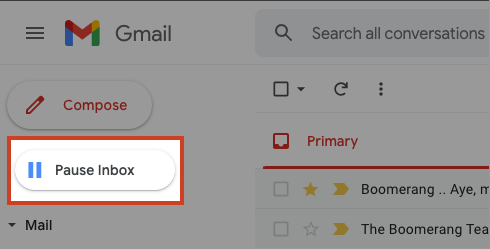
Solution? Simply turn off email notifications to focus on your more pressing tasks. Better yet, you can pause incoming emails from even showing up in your inbox – if your email provider allows it.

boomerang's pause email feature on Gmail

Image Source

Outlook users can pause notifications through the Boomerang app and unpause when they’re ready to tackle them.

2. Block out times for batch email review.

Emails can come at all hours of the day and if you’re working with a team asynchronous, there are no off-hours.

So, instead of constantly checking your emails and responding to each one as it comes, set aside blocks of time during your day to review them.

This can be early morning, late afternoon, or whenever when you expect to have some downtime.

Pro-tip: Once you decide on this time block, add it to your calendar to avoid conflicts with other work activities.

3. Create templates.

You know how websites have FAQ sections? In our professional careers, we often communicate the same thing over and over to our clients, colleagues, and stakeholders.

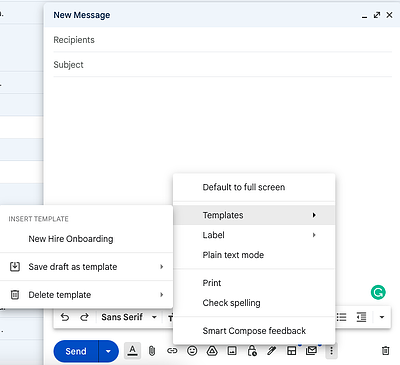
To make this a bit easier, create templates to avoid starting from scratch every time you draft an email.

email hack: use templates

Your templates will be based on the questions you get most often, the phrases you use the most, and the messages you share the most. Things like:

  • Cold emails
  • Redirections to other teams
  • Weekly team notifications
  • OOO message

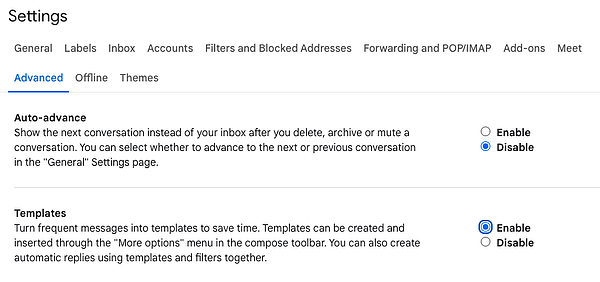
To set this up in Gmail, navigate to your settings, click on the Advanced tab, and click on “Enable” next to the Templates section. email hack: how to enable templates in gmail

4. Create folders.

Organization is the ultimate key to productivity and emails often fall on the back burner. The irony is they tend to hold some of the most important information we use in our day-to-day.

Creating folders within your email will not only make things easier to find but also more manageable when prioritizing your emails.

For instance, you can create categories by:

  • Priority (e.g. Action required, informational)
  • Function (e.g. HR, Finance, Insurance)
  • Teams (e.g. Leadership, direct reports, colleagues, etc)

5. Filter your incoming emails.

Why sort through emails when you can have your email provider do it for you automatically?

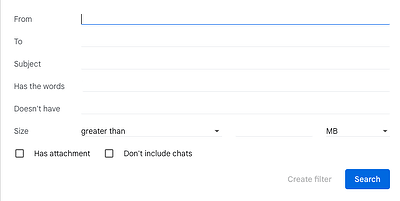
The filter feature – available through most email providers – allows you to sort, delete, flag, and forward emails.

email hacks - step 2 of creating a filter

You can do so using the following information:

  • Email addresses
  • Words and/or phrases
  • Subject line
  • Attachment

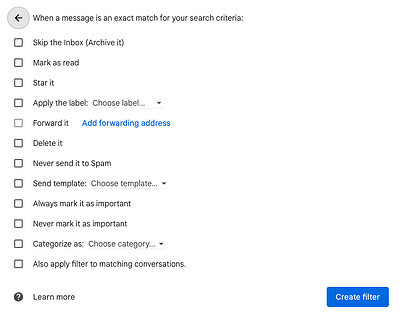
Once you create the filter, you designate the automated follow-up action.

email hacks - step 3 of creating a filter on Gmail

Use cases include adding emails from leadership to a specific folder, deleting junk mail, marking reminders as read.

6. Use an email scheduler.

Gone are the days of waking up at 6 a.m. just to send an email you couldn’t send at 10 p.m. last night when you drafted it.

email hack - scheduling emails on Gmail

Some email providers allow you to schedule a date and time to send your email so you can set it and forget it – worry-free.

If your provider doesn’t have this feature, consider an extension like Boomerang, which you can integrate with your email to schedule emails.

7. Enable the “unsend” feature.

We all do it: Send an email then do the obligatory re-read of the email you already re-read five times before sending JUST in case – even though you can’t do anything about it. Until now.

Gmail and other email providers now allow you to unsend an email for a few seconds after you’ve clicked “Send,” just in case you spotted a mistake or simply changed your mind.

Pro-tip: Only add the recipients once your email is ready to go – this way, you’ll never send an unfinished email again.

8. Learn shortcuts.

Shortcuts allow you to complete your email tasks quickly without skipping a beat.

With email shortcuts, you can:

  • Compose new emails.
  • Add cc and bcc recipients.
  • Insert links.
  • Open spelling suggestions.
  • Format text with bold, italic, underline, indents, and alignments.
  • Archive emails

And that’s just to name a few. If there’s a feature you use often, there’s likely a shortcut to get you there with just one click or keystroke.

Of course, shortcuts will vary by provider and device. So before you start using them, make sure you’re using the right ones.

9. Unsubscribe.

If your inbox is anything like mine, there are a few thousand emails from brands you never interact with.

While deleting these emails is time-consuming, you can start decluttering your inbox by unsubscribing from emails you never read. Unfortunately, not all brands have disengagement workflows that will automatically remove you from a reading list.

In this case, you’ll have to manually unsubscribe yourself. Trust me, your future self will thank you.

10. Get a grammar browser extension.

Most of us draft emails directly from the “New Draft” box. However, that strategy comes with some risks – namely misspelling or awkward phrasing.

Apps like Grammarly will serve as proofreader, catching your mistakes as soon as you make them. Grammarly also has neat features that will tell you the tone of your message and suggest alternative phrases.

With this tool, you never have to worry about how you sound or if there’s a hidden typo. It takes all of the guesswork out so you can just focus on pressing “Send.”

11. Prioritize your emails.

If you’re still struggling with managing the large volume of emails you’re receiving, try following this popular rule: If the email requires a response that will take two minutes or fewer, respond immediately.

If it will take longer, save it for later. This strategy is designed to help you get rid of the clutter without getting overwhelmed.

There you have it – free email hacks that will help you get your inbox under control and maximize your productivity.

Editor’s Note: This post was originally published in Aug. 2016 and has been updated for comprehensiveness.

New Call-to-action

Categories B2B

17 Best Email Newsletter Templates and 12 Resources to Use Right Now

If you had to guess, how many email newsletters do you think you’re subscribed to? Ten? Twenty? Fifty?

To be honest, I’ve lost count — and I know I’m not alone. Email marketers have a lot to compete within their subscribers’ inboxes. That’s why a solid newsletter template is crucial to designing an email that people are encouraged to click through.

Click here to download our free lookbook that's packed with our favorite email  newsletters.

If done well, email newsletters can do wonders to help you build an engaged subscriber base, keep your business top-of-mind, and nurture leads that are already making their way down the funnel.

However, “done well” means more than just serving up great content. In fact, an often overlooked component of the newsletter creation process is the design.

Don’t have time to build out a custom template from scratch? We’ve scoured the internet for the best resources for email newsletter templates and compiled them below. Many of the templates have also been pre-tested for compatibility with major email service providers (ESPs) via Litmus — a web service that allows you to preview the way your email will look on different email clients and devices.

Once you find one you like, download the template and customize it to fit your needs.

1. HubSpot

email newsletter templates: hubspot

Price: Free & paid options available

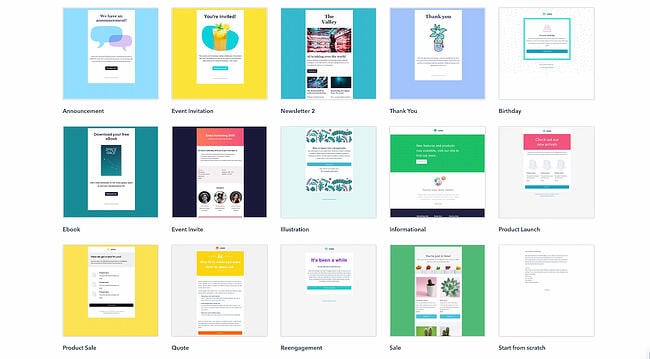
If you’re a Marketing Hub user, HubSpot offers a great collection of email templates you can use on your next marketing email. No need to log out and search for a template in another marketplace; these templates are available to you right within the tool.

Once you choose a template, you can start using it immediately right in HubSpot — no HTML or CSS required.

2. Announcement by Litmus

email newsletter templates: announcement by litmus

Price: Free

Litmus offers a free email template collection — from newsletter templates to account management templates. This marketing-specific theme — simply referred to as “Announcement” — is modern and sleek, while still being kind of fun. All of the templates have been tested with Litmus.

While you are required to create a Litmus account with your email address to access the templates, the templates themselves are free of charge.

3. ConvertKit

email newsletter templates: converkitPrice: Free

ConvertKit is a creative email template platform that’s a great option for bloggers, course creators, and more. ConvertKit comes with email automation tools, signup forms, and many more integrations.

To use ConvertKit’s email newsletter templates, you’ll need to sign up for a plan, but the good news is that they offer both free and pro subscriptions. While this platform is more on the creative side, their vast array of templates and tool integrations will help businesses in any industry upgrade their email newsletter.

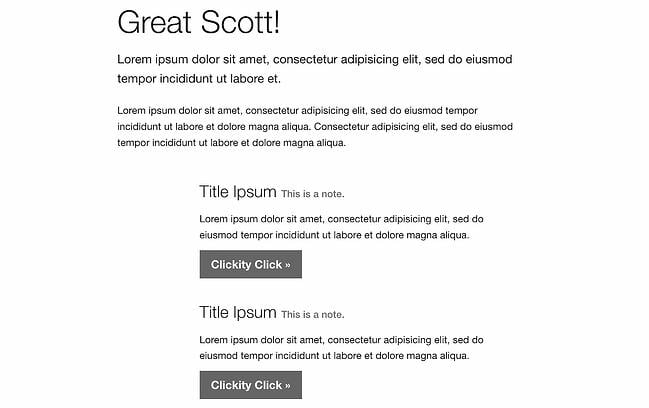
4. ZURB Ink

email newsletter templates: zurb inkPrice: Free

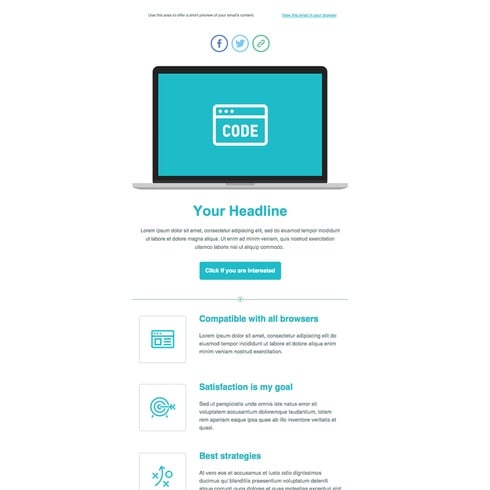
ZURB Studios has five responsive email templates available for free, including the newsletter one below. It has a great, fluid layout you can customize with your own colors, images, and wording.

If you want to see how each template looks on different email clients, you can check out screenshots from each template’s email client tests, which are available on the site. These layouts are optimized for most email clients — except for outdated versions of Outlook.

The template kit comes with a separate CSS stylesheet and HTML file to ease the editing process. Most email code editors will place the CSS inline with the HTML itself after both are uploaded separately. If you’re going to add images to your newsletter, keep in mind that you’ll have to create a separate folder and compress it with the CSS stylesheet before uploading.

Pro tip: Once you’ve selected a template, use HubSpot’s free email marketing software to craft your message and send a newsletter out to the world!

5. Flodesk

email newsletter templates: flodesk

Price: Free for 30 days

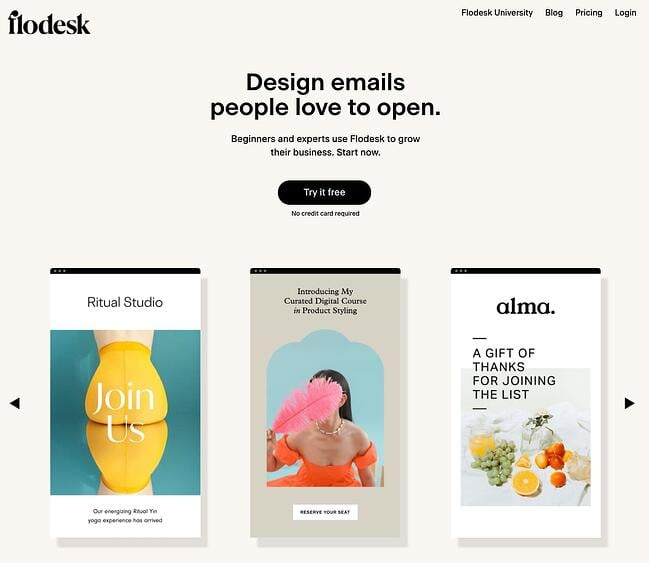
Flodesk is an upcoming email newsletter design platform with over 3,000 email templates and designs to enhance your email marketing. Aside from giving you access to a vast array of templates, Flodesk lets you connect your ecommerce site to help with automation and analytics.

Another benefit of Flodesk is that its subscription price ($38/month) is a flat fee. So, whether you’re sending 200 or 2,000 emails, you’ll pay the same price, and you’ll never have to upgrade your subscription to get all of the perks.

6. 99designs

email newsletter templates: 99 designs

Price: Free

99designs is a growing online community and collaboration platform for designers and small businesses, and they have a great designer blog and business blog. As a free offering to their blog readers, they released a set of 45 free email templates — perfect for newsletters, promotional messages, and personalized responses. All of the templates are fully responsive and compatible with all major email clients.

7. Moosend

email newsletter templates: moosend

Price: Free for 30 days

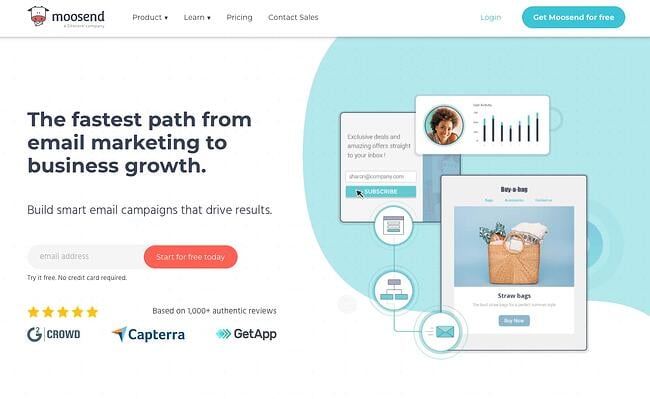
Moosend is an email marketing platform that makes it easy to design custom emails with a drag-and-drop editor and over 70 premade templates. Moosend also tracks analytics and sends personalized automated emails to subscribers based on their interest and behavior. If you’re interested in landing pages and subscription templates, it includes those as well.

Moosend analyzes your subscriber base to help with the success of your business. Just like Flodesk, Moosend lets you connect your ecommerce site to attract more subscribers and store all information in one place. Moosend is free for the first 30 days, and then you would have to upgrade to pro status for $9/month.

8. Campaign Monitor

email newsletter templates: campaign monitor

Price: Free

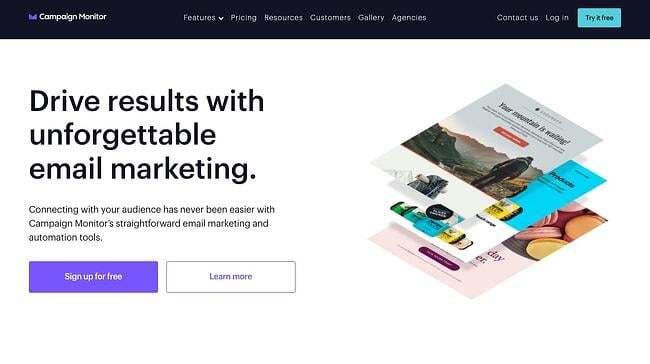
Campaign Monitor is another free email newsletter template and marketing platform. With a variety of email templates for newsletters, welcome emails, and promotional campaigns, Campaign Monitor makes designing emails easy. Campaign Monitor also compiles your analytics and tracks when emails are sent, delivered, and opened.

For many businesses, email marketing needs to connect to their website or ecommerce site, and Campaign Monitor does just that. Campaign Monitor has it all when it comes to templates and helps you maximize your sales by staying on-brand and creating a seamless customer experience. Campaign Monitor is only free for 30 days, but plans start as low as $9/month.

9. MailerLite

email newsletter templates: mailerlite

Price: Free

MailerLite offers various newsletter templates for promotions, announcements, and more. With its trendy newsletter designs, MailerLite makes sure its customers stay up to date while sending newsletters. You can customize the templates using either an HTML editor or drag-and-drop editor, and connect your MailerLite account to your website. MailerLite also has features where you can grow your audience with landing pages, subscription forms, and pop-ups.

MailerLite provides data insights as well. The advantage of MailerLite is that they will send your emails based on your customers’ time zones, allowing you to send emails that can get the most opens. MailerLite also provides A/B split testing tools so you can identify the best version of every email you send.

10. Sender

sender email marketing

Price: Free & paid options available

Sender is an all-in-one email & SMS marketing platform for ecommerce and small to medium-sized businesses who want to reach out to their customers at an affordable and accessible price.

Sender provides delivery-friendly text and branded HTML email newsletters to connect with your email subscribers and biggest fans. Choose from a library of 35+ visually stunning, premium-feel newsletter design templates that are fully customizable to your specific business requirement. In addition, all templates have responsiveness baked-in to the design so that your emails are guaranteed to play nice on mobile devices. Besides offering advanced email marketing features such as segmentation and automation, Sender also allows you to design highly responsive and eye-catching popups and forms to attract sign-ups and execute SMS marketing for higher conversions. 

Sender has a ton of affordable price points and capabilities even in their free account. With the Free Forever plan, you can send up to 15,000 emails every month to 2,500 contacts at no cost, with premium features such as segmentation and automation bundled together.

11. Constant Contact

email newsletter templates: constant contactPrice: $9.99 a month

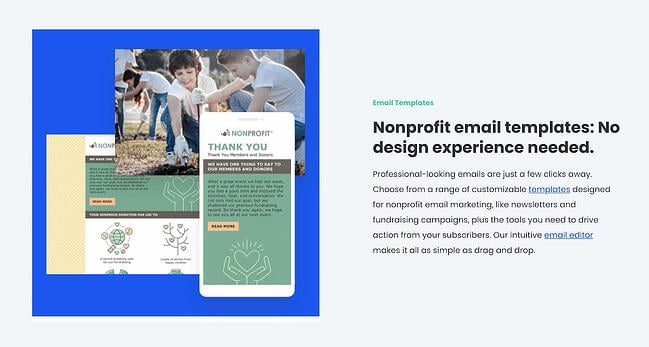
Do you run a non-profit? If so, this is the newsletter tool specifically for you. Constant Contact is an email newsletter builder that offers specific templates to help nonprofits raise funds and market their missions. With hundreds of templates to choose from, you’ll be sure to find a design based on the template you need and what type of nonprofit you run.

The great thing about Constant Contact is the business analytics. While using the platform, you can see when emails are sent, delivered, opened, and shared. You will also be able to see top trends and send personalized emails to your clients.

Constant Contact also connects with your social media profiles, includes sign-up forms, and offers text message marketing tools. Contacting your non-profit subscribers via text message can be a great advantage because people check their emails but people check their text messages more. While Constant Contact is not free, its features more than make up for it. You can start at the basic subscription ($9.99/month) or upgrade to a pro account ($45/month) to unlock all the features.

12. Themezy

email newsletter templates: themezy

Price: Free

Download sixteen free HTML, CSS, and PSD customizable email templates on Themezy. You don’t have to submit an email address to get started, and there are various color schemes and layouts to meet your email list’s needs.

Plus, they’re designed to be responsive across devices to ensure that your subscribers can read your newsletter.

13. Drip

email newsletter templates: dripPrice: Free

Drip offers email marketing and SMS marketing for ecommerce brands. Drip is a new platform that lets you set up email marketing campaigns through hundreds of customizable templates. Along with their email newsletter templates, Drip offers excellent customer relations management tools, data analytics, and trend trackers so thorough that you can see how many of your customers bought red shoes within the last year. As a result, you’ll be able to better market yourself through your campaigns. Drip also has integrations that you can connect to your WordPress website, so you can use Drip without being on Drip.

Drip lets you start with a free 14-day trial, and the cost of your subscription will depend on your number of contacts. For up to 500 contacts, it’s $19/month, and the price goes up from there. Drip is beneficial to creators and ecommerce businesses because of the various marketing and analytical tools it offers. From email marketing to SMS marketing campaigns, Drip lets you effectively engage your customers.

14. MailPortfolio by SliceJack

email newsletter templates: mailportfolio

Price: Free

If your marketing strategy is heavily reliant on visuals, MailPortfolio is perfect for you. It’s a minimalist template with no added background distractions. While it was made for those looking to display personal creative portfolios, it’s also suitable for larger businesses and organizations.

The template has been tested with Litmus, is responsive, and works perfectly on all email clients. (Note: older versions of Outlook may not render all of the fonts, and the Android Gmail app is not fully supported.)

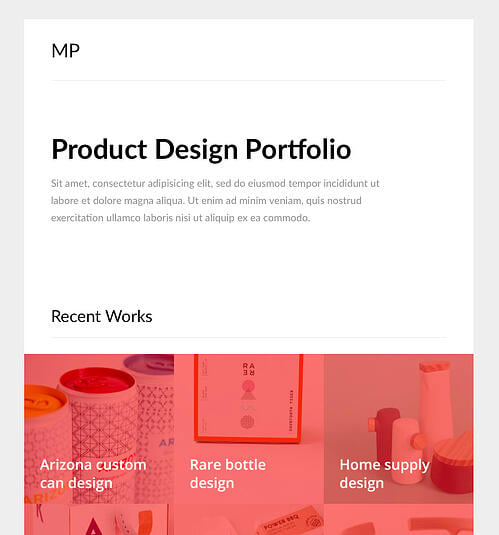
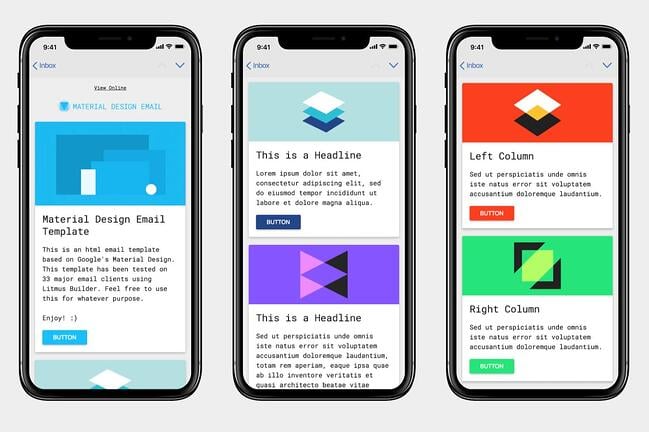
15. Material Design by Paul Goddard

email newsletter templates: paul goddard

Price: Free

This template is based on Google’s Material Design and has a robotic-retro feel. It is perfect for sending out multi-purpose newsletters featuring new products, events, and other announcements at the same time. This theme isn’t made for a specific industry, but the template is well-fitting for businesses looking for a timeless, technological look.

Material Design has been tested on Litmus, is compatible with all major ESPs, and is responsive. While its main attraction is its unique design, this theme download also includes customizable HTML files.

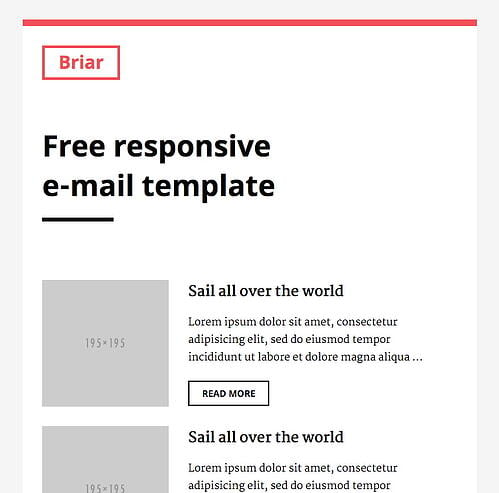
16. Briar by SliceJack

email newsletter templates: briarPrice: Free

Briar is the perfect newsletter template for marketers looking for a fluid, minimalist design featuring images and text that don’t overshadow each other. It’s perfect for sending out regular newsletters, and you can customize the Inline CSS files.

The template has been tested with Litmus and works with all major email service providers (ESPs). However, some older versions of Outlook may not render all Google fonts. Also, the Android Gmail app is not fully supported.

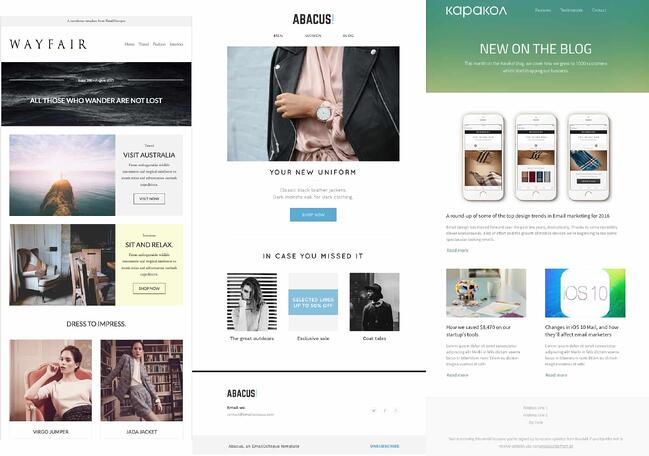
17. EmailOctopus

email newsletter templates: emailoctopus

Price: Free

EmailOctopus is a marketing service that launched a series of 11 templates that can be used to create newsletters for a variety of industries. Whether you’re marketing for a fashion brand or a medical supply company, one of the templates will fit your needs.

The templates have the “typical” newsletter look, but allow you to add product announcements, feature stories, and CTAs wherever you’d like. All of the templates can be modified through any WYSIWYG editor, and the downloads include the HTML files.

These templates have been tested through Litmus across all major ESPs and are responsive to all screen sizes.

1. Feshto by Liramail

email newsletter templates: feshtoPrice: $29-25/template

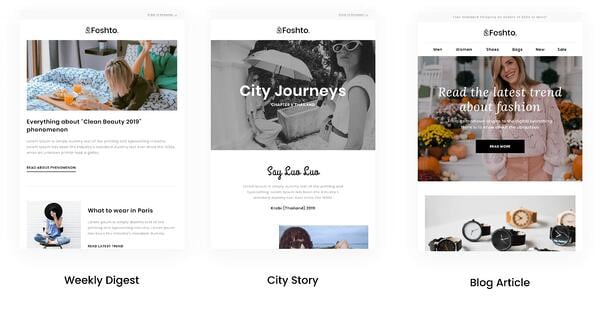
Feshto is an email bundle that helps ecommerce companies feature products in their newsletters and share testimonials from satisfied customers. It comes with a weekly digest module, which is their version of a newsletter.

The module features a chic, clean design that ensures your images and copy are not distracting from the other. You can choose from their various layouts, such as “Weekly Digest,” “City Story,” and “Blog Article.”

As mentioned, these templates are perfect for product features and testimonials from satisfied customers. While the default themes are black and white, you can make edits in your preferred WYSIWYG editor.

Feshto’s templates are responsive and compatible with all major ESPs.

2. Bee

email newsletter templates: bee

Price: Free – $15

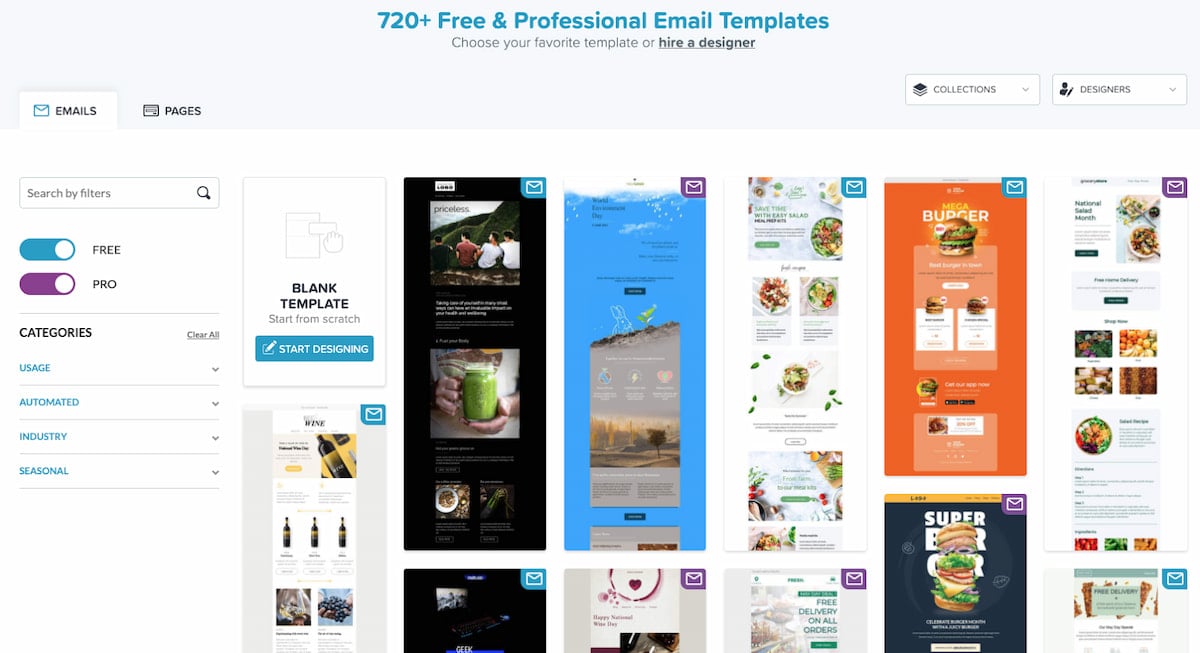
Bee is an HTML template tool with thousands of free templates for any professional to use. With a variety of categories, Bee gives you a template for everything, but it also has tools that allow you to build your own email newsletters. The drag-and-drop feature allows you to pick and choose the elements that best suit your personal needs. The versatility also allows you to customize every email you send, then download it as an HTML so you can send your emails to anyone from anywhere. Another great advantage of Bee is that it allows you to save various content from different emails that can then be used in other templates. No need to start from scratch.

With Bee, you do have a 14-day free trial and plenty of free templates to use if you do not want to sign up for an account. If you would like an account, Bee offers different versions of their Pro account depending on the field you are in. For instance, they have Pro Freelancers, Pro Team, Pro Agency, Pro Enterprise, and Pro Nonprofit; Pro Freelancer starts at $15 a month.

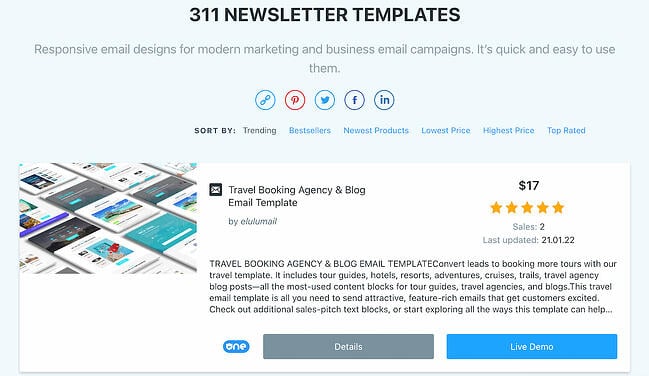
3. ThemeForest

email newsletter templates: themeforestPrice: $6-23/template

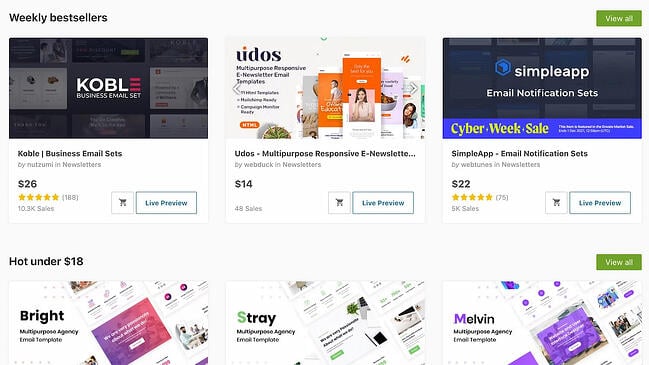
ThemeForest is an awesome resource for email templates if you have some budget to spend. Their library has over 460 newsletter templates in all different colors, styles, and themes. The templates are rated using a four-star system, and you can filter by rating, price, recency, and popularity.

Here’s one example from its library:

Market – Responsive Newsletter with Template Builder ($19)

This template has eight prebuilt layouts, 24 color variations, 24 full-layered PSD files, and more. Plus, it’s supported by all major email clients.

4. HubSpot Email Copy Templates

email newsletter templates: hubspot email copy templatesPrice: Free

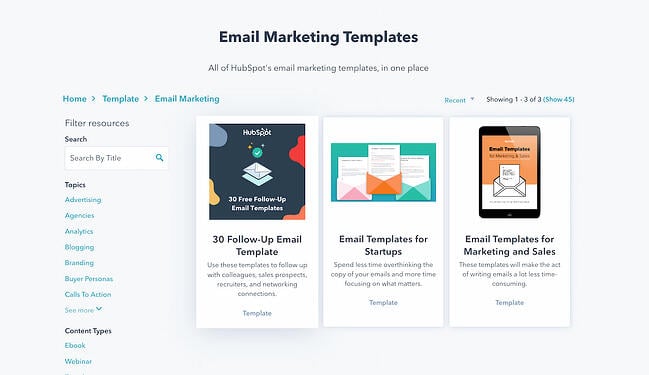
If you’re looking for written templates you can input into your email tool, these are the templates for you.

HubSpot offers free email templates that empower you to market and sell your business over email without writing a single line from scratch. These free email template downloads save you time and money.

The templates can be downloaded right to your computer and can be used by any type of business.

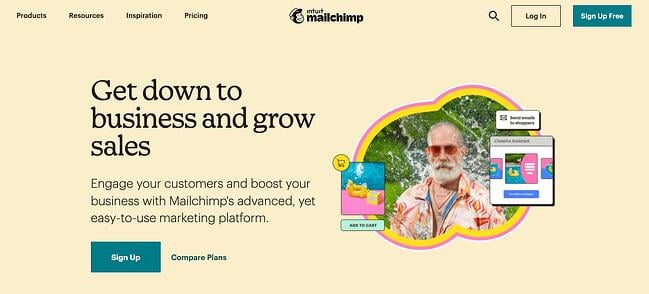
5. Mailchimp

email newsletter templates: mailchimpPrice: Free – $200 per month

Mailchimp is an all-in-one marketing platform that helps small and large businesses scale and grow their business through marketing techniques and automations. Mailchimp has a variety of pre-made templates in their email newsletter tool. Aside from giving you over 100 designs to choose from, Mailchimp also gives you the option to download their Email Blueprints, which allows you to customize HTML templates.

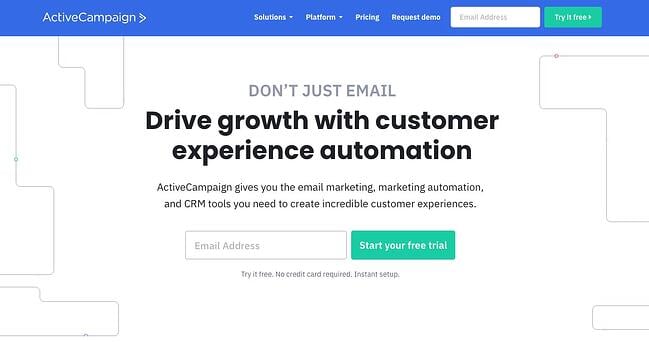
6. ActiveCampaign

email newsletter templates: activecampaign

Price: Free – $258 a month

ActiveCampaign is a full-service email provider that offers email marketing automation and CRM tools. Its library of newsletter templates allow you to create conversion-optimized, visually impactful emails without touching a single line of code.

ActiveCampaign is free, but you will need to sign up for an account to use and view their email templates. You can use the majority of their templates for free, but if you want some customization, you’ll want to upgrade to a paid account.

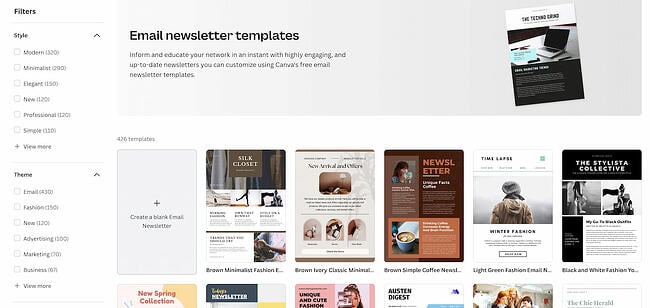
7. Canva

email newsletter templates: canvaPrice: Free – 20.00 per month

Canva is an online graphics software that provides free templates for a multitude of things like Instagram posts, resumes, and email newsletters. Canva is a great tool because you can find free templates for specific niches like fashion, tech, culinary, and many more. While there is a paid tier, many of the premade templates are free, and you can add your own customizations without having to pay extra.

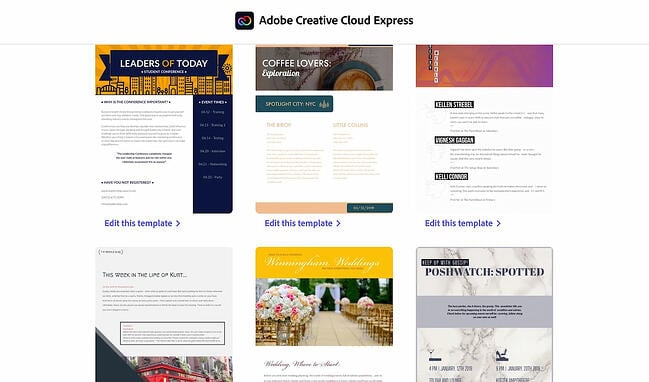
8. Adobe Express

email newsletter templates: adobe express

Price: Single Application: $33.99 a month | Full Bundle: $79.99 a month

Adobe Express, formerly known as Adobe Spark, is another browser-based graphic design tool that has a multitude of templates and functions to help any company create a newsletter. Similar to Canva, Adobe offers premade templates based on industry categories like photography, architecture, and fashion. To access the templates, you must sign up for an account with Adobe.

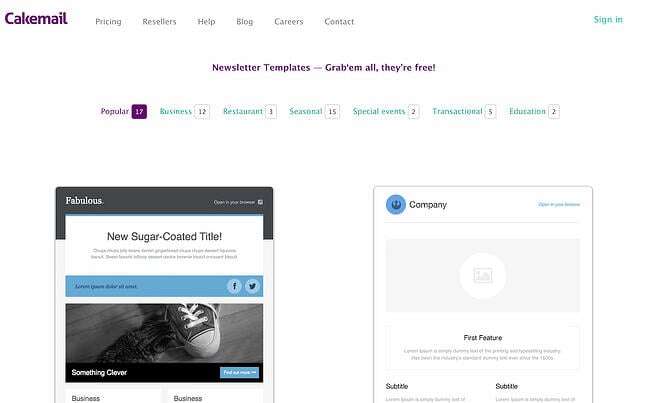
9. CakeMail

email newsletter templates: cakemail

Price: Free – $200.00 per month

CakeMail is an email marketing tool that includes user-friendly automation tools and allows you to create customizable emails for any person, occasion, and niche. CakeMail offers over 50 free editable email templates that are divided into smaller niche categories. One of the advantages of CakeMail is that you do not have to sign up to use the email templates provided, but if you would like to see how your email campaigns are performing, you can register for an account.

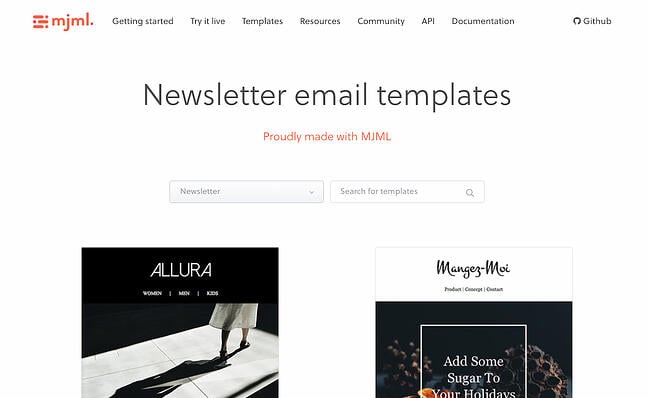
10. MJML

email newsletter templates: mjml

Price: Free

MJML is an HTML-based email designer. They have a wide variety of free templates that are customized for the type of email marketing your company is trying to do, including newsletters, promotions, and seasonal emails. Once you find a template that you like, MJML allows you to see the template and the HTML code in real-time as you edit it. Because MJML is HTML-based, you will have to copy your code and transfer it to the HTML editor in an email marketing service to use the template.

11. TemplateMonster

email newsletter templates: templatemonster

Price: Varies

TemplateMonster offers a variety of email newsletter templates, such as the Useful Notifications newsletter template pictured below, all of which are available for relatively low prices. Their templates are clean, customizable, and easy to use, and they’re compatible with most major email clients, such as Gmail and Yahoo Mail.

Additionally, the templates come with built-in responsive layouts for screen adaptability, like the ones on the mobile phone pictured below, and PSD sources for a litany of customization options.

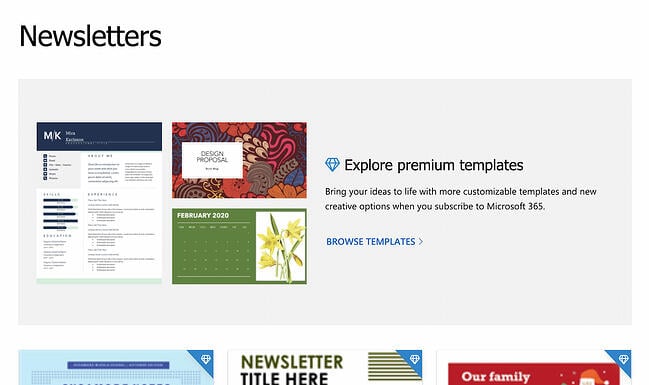
12. Microsoft Office Templates

email newsletter templates: microsoft office

Price: Free & Paid Email Templates

Microsoft Office has a variety of tools, including extensive templates that can be used for Microsoft Word, Excel, and PowerPoint. You can further narrow down your templates depending on the category of your business. While Microsoft does offer free templates, they are limited. For use of the paid templates, you will have to download Microsoft 365 to use them.

Get Started on Your Email Marketing Newsletter

Ready to draft your next email newsletter campaign? Download one of the excellent newsletter templates from the template galleries and landing pages above. Then, grab your free guide below for creating an email newsletter your audience will want to engage with.

Editor’s Note: The post was originally published in December 2018 but was updated for comprehensiveness in December 2019.

New Call-to-action

Categories B2B

45 Free Content Writing Tools to Love [for Writing, Editing & Content Creation]

Creating content isn’t always a walk in the park. (In fact, it can sometimes feel more like trying to swim against the current.)

While other parts of business and marketing are becoming increasingly automated, content creation is still a very manual job.

That being said, there are plenty of tools out there to make creating content much easier.

Download 195+ visual marketing design templates to use for social media posts,  infographics, and more. 

Below, you’ll find a list of 36 fantastic tools and resources to help you research, write, edit, and design content more easily. (You’ll notice there are a lot of design tools in here — that’s because visual content is often the part of the content creation process where people get the most nervous and frustrated. So don’t worry, we’ve got a ton in there for you.)

Let’s get started.

36 Free Tools & Resources to Make Content Creation Easier

For Researchers

1) Google Drive Research Tool

Google recently added a tool to Drive that allows you to conduct Google searches without ever leaving your Drive window. All you have to do is click “Tools” from the menu bar and choose “Research” from the dropdown menu.

google-drive-research-tool.png

2) Site:search

This is a handy Google hack I use every day. Basically, it allows you to do a Google search that’s limited to a particular website.

For example, if I wanted to search HubSpot’s blog for marketing resources so I can cite one of our old blog posts, I’d do a site:search for blog.hubspot.com with the search term marketing resources. The formula for site search is site:samplewebsite.com [search query]. So my example would be site:blog.hubspot.com marketing resources.

googlesitesearch.png

3) Google Webmaster Tools

Doing SEO and keyword research? Your marketing software should be able to help. But if it can’t (or you’d like to augment your data), Google’s Webmaster Tools can be a great help. You can check things like the number of indexed pages on your website, submit your site to Google so you’re getting crawled and indexed, and even disavow bad inbound links. It also can give you information on search queries that have a large volume of impressions but low clickthrough rate.

Within Google Webmaster Tools, go to “Your site on the web” and choose “Search queries.” You’ll see a table showing a search query, impressions, clicks, and clickthrough rate (CTR). Comparing this data to your other analytics data can help uncover some opportunities.

4) Percentage Change Calculator

I can’t even begin to tell you how useful this little calculator is when looking for and analyzing data. Ever want to know the percentage change of two values without having to remember the formula? Simply enter the two values into this calculator, and it’ll spit out the percentage change. Trust me, you’ll want to bookmark this one.

Here are a few other handy calculators:

  • 3-Way Percentage CalculatorCalculates answers to these questions: What is X% of Y? X is what percent of Y? X is Y% of what?
  • Conversion Rate Calculator Spits out a conversion rate when you enter the total visitor count during a specific time frame and the number of times during that time frame those visitors took a specific action.
  • A/B Test CalculatorWorks for a basic scenario with two groups of people (A & B) who get to see one version of your website and for whom you track the number of conversions or goals (purchases, downloads, clickthroughs, etc.).
  • ROI Calculator Analyzes your website’s monthly sales and lead generation efforts to determine ways in which marketing efforts can be optimized.

5) Atlas

Atlas is Quartz‘s data center, and it’s chock-full of graphs, charts, and data visualizations. You can search for almost any topic or keyword, and Atlas will have a graphic based on recent research data for you. This is a great tool to get background information on a topic you’re researching, or to find fresh data to use in a project you’re working on. Here’s a chart based on data from early 2016:

atlas dogs.pngSource: Atlas

6) Search in a Giphy

You know that coworker who always seems to find the perfect animated GIFs for your social posts or internal chat client? With the free Giphy Chrome extension, you’ll be able to find great GIFs just as quickly.

To use the tool, all you have to do is open the extension in Chrome, search, choose a GIF, and drag and drop. So far, the tool works in Gmail, Twitter, Facebook, and more — and they’re constantly expanding support.

search-in-a-giphy.png

For Writers

7) Evernote

I use the free version of Evernote every single day. From to-do lists and research notes to writing entire chunks of articles, it’s proven helpful at every step of the writing and editing process.

One great feature? Its mobile, desktop, and web apps sync automatically as long as you have an internet connection. (And if you work offline, it’ll sync the next time you have internet.) Plus — and this is super important for content creators like us — it’s constantly saving and syncing your work automatically, making it a safe place to write and store ideas.

Use it to keep a running list of ideas, take notes, store inspiring articles or ebooks, or plan your editorial and social media publishing calendars.

evernote-screenshot.png

8) Word2CleanHTML

If you like drafting blog posts in programs like Microsoft Word, Evernote, or Google Drive instead of your content management system (CMS), then this simple tool can be your best friend. Why? Because when you copy a document from Microsoft Office and paste it into your CMS, lots of little, weird formatting issues can crop up in your HTML.

Word2CleanHTML applies filters to fix all those things added into the HTML, resulting in well-formatted HTML you can paste directly into a web page CMS. Simply paste in your draft, click one button, and then copy the resulting HTML straight from the tool. When you paste that into your CMS (most will have buttons reading “HTML” or “</>” in their tool bar above your draft), it will appear nice and clean. No hair-pulling or swimming through code required.

9) WordCounter

There is no “right answer” for how long a blog post should be. As long as it serves its purpose — whether that’s thought leadership, driving leads, explaining a new concept, or something else — length doesn’t matter. But although we don’t recommend writing blog posts with a word count in mind, sometimes word count can come in handy. WordCounter works exactly the way you think it does: Paste in your content and it’ll spit out exactly how many words you have.

10) Cofftivity

According to a study out of the University of Chicago, “A moderate level of ambient noise is conducive to creative cognition.” In other words, being the tiniest bit distracted actually helps you be more creative. That’s why for many people, myself included, white noise helps promote focus.

There are a lot of white noise generators out there, but my favorite is Cofftivity. This particular one offers non-stop café background sounds at varying intensities, from “Morning Murmur” and “University Undertones” to “Lunchtime Lounge” and “Brazil Bistro.” It’s available on the web and as an app on iOS and Android.

11) & 12) Zerys & eLance

Need to start creating content but don’t have the bandwidth? We hear about this roadblock a lot. One way to get around it is by hiring freelancers from reputable marketplaces like Zerys or eLance. These resources give you access to skilled freelance writers who can write blog posts, ebooks, whitepapers, and other pieces of written content for you.

13) HTML Hacks for Marketers

While this isn’t strictly a writing resource, basic coding knowledge is quickly becoming a must-have skill for the modern marketer — bloggers and written content creators included. But learning from scratch can be daunting. Where on earth do you start?

If you’re a total beginner, start with HTML Hacks for Marketers, which my colleagues at HubSpot created with Codeacademy. It’ll teach you quick but useful hacks anyone — regardless of coding knowledge — can use in their marketing. For example, you’ll learn how to make small changes to HTML like altering headers and spacing, creating text in block-quote form, and inserting social share links. My personal favorite is the hack to change font colors.

Once you’ve mastered these basic HTML skills, move on to Codeacademy’s free interactive courses. They found a way to make learning HTML and CSS actually fun — and you can go through each lesson at your own pace.

14) Blog Topic Generator

If you need to get to writing blog posts but aren’t sure of an angle or title to get your creativity moving, HubSpot’s Blog Topic Generator can do the work for you. Simply enter a few keywords that your blog focuses on, and the Blog Topic Generator will produce a week’s worth of titles and topic ideas for you. It might not produce the final title of your blog post, but it helps get you thinking about creative new angles for topics you’ve written about before.

Here are the blog post titles I received when I entered “content,” “inbound marketing,” and “blogging”:

generator_contentcreation.png

15) Blog Post Templates

All blog posts aren’t created equal, but we’ve found that there are steps you can take to make your posts comprehensive and shareable. With these blog post templates, we’ll walk you through an outline to write successful how-to, listicle, newsjack, and curation blog posts. Instead of starting from scratch, you’ll save time and, hopefully, nail your blog goals.

For Content Editors

16) Editorial Calendar Template

Creating a balanced editorial calendar can be tough, especially if you don’t have one centralized calendar that you and your team can refer to. To save you time and headache, we’ve created editorial calendar templates for Google Calendar, Google Sheets, and Excel that you can fill in and share with your team to start the next month or year off on the right foot.

17) & 18) Grammarly & Correctica

While human editors will be able to catch most grammatical errors, editing tools like Grammarly and Correctica are great tools for triple-checking before you press “publish” or “send.” Both free tools check for grammatical errors — and Grammarly even checks for plagiarism.

19) Hemingway App

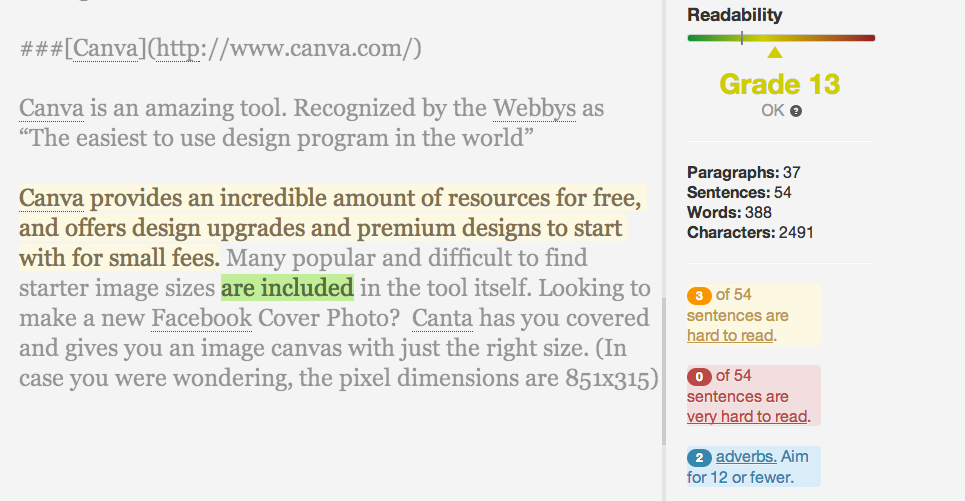
Ernest Hemingway, admired for his succinct writing style, is the namesake for this handy editing app. Want to make your written content easier to read? Paste your content into this free web app, and it’ll assess your writing and identify opportunities to make it simpler.

My favorite features include identifying passive voice and hard-to-read sentences. Check out the right-hand side of the screenshot below, where the tool has summed up how readable my writing is with a grade. (Some room for improvement here.) Their suggestion to improve readability overall? Shoot for lower than a 10th grade reading level.

hemingway-app-screenshot.png

20) Headline Analyzer

Here’s a scary stat for you: Only 60% of people who click into an article end up reading past the headline. That makes your headline both the first and possibly the only chance for you to compel readers to keep reading — so it’s totally worth it to spend the extra few minutes coming up with a really good one.

What does a really good headline look like? The free tool Headline Analyzer by CoSchedule can tell you. It scores your headline quality and rates its ability to drive social shares, traffic, and SEO value. In my experience, its strength is helping you strengthen specific components of your title. For example, it reports on perceived sentiment and commonality of word types. It’ll even show you how it will appear in search results.

So although you should take these scores and grades with a grain of salt, you can use this to give your headlines a “once-over.” (And read this blog post to learn more about writing awesome headlines.)

For Designers

21) Nimbus Screenshot

This is another tool I use every day. Sure, you can capture a screenshot of your entire screen or part of your screen using the old keyboard shortcut method. But what if you want your screenshot to include stuff that’s not visible on your screen?

Nimbus Screenshot lets you capture the visible part of a web page, a selected area, a selected scroll (my personal favorite), the entire page, or the entire browser window — including everything below the fold.

nimbus-screenshot.png

Once you’ve taken the screenshot, you can crop, edit (like adding notes and callouts), and choose to print or save to your desktop or Google Drive.

22) Canva

If you like creating beautiful visual content in a really short amount of time, you’ll love Canva. The time and resources it takes to learn design, pay for design assets, and/or get inspired to create beauty from scratch can be really difficult when you’re staring at a long list of to-dos — but Canva offers a huge library of pre-made templates and assets that you can manipulate while also adding your own imagery.

Best of all, they have so many assets and graphics available for free that you won’t have to pay a cent if you don’t want to. If you want to use more “premium” assets and graphics found through their image search, they’ll charge you $1 for each. But there’s plenty of value for free.

Here’s an example of something you could make:

hubspot_canva_example

23) ThingLink

Ever wanted to make an image (or infographic) clickable? ThingLink lets you upload an image and add little icons to it that appear when a person hovers their cursor over the image. These icons allow users to visit links, watch videos, or read messages you’ve written. Plus, it’s easy to share: Users can easily embed ThingLink images. (Click here for step-by-step instructions.)

Below is part of a a clickable infographic from Thinglink my colleague Ginny Mineo created for another post:

24) Skitch

Skitch is a free app by Evernote that helps you communicate more visually. It lets you mark up images, digital assets, PDFs, and other files with arrows, callout boxes, text, and more all in one place.

In the example below, I opened the program on my desktop and used the “Screen Snap” button to take a screenshot of a web page — which then opened right in Skitch for editing and exporting.

skitch-by-evernote.png

Although it’s free, it does require you to open an Evernote account — but that’s also free (see above).

25) Infogram

While similar to Canva, Infogram is a visual content tool that focuses on helping you create infographics, charts, and data visualization. If you like to create charts using Microsoft Excel, you’re in luck — it also offers compatibility with Excel through Infogram Charts. Also, their infographics are responsive with mobile devices.

26) Infographic Templates

As a content marketer, you might feel more comfortable creating written content than visual content, but that’s no excuse to exclude infographics from your strategy. Visual content is growing in demand from your audience, and infographics are particularly shareable. We’ve created the backbones of 15 different templates that you can easily play around with to customize for your content and audience — here’s a sneak peek of one template, and you can grab the rest here

IGtemplate_datageek.png

Source: 15 Free Infographic Templates in PowerPoint

27) Google Fonts

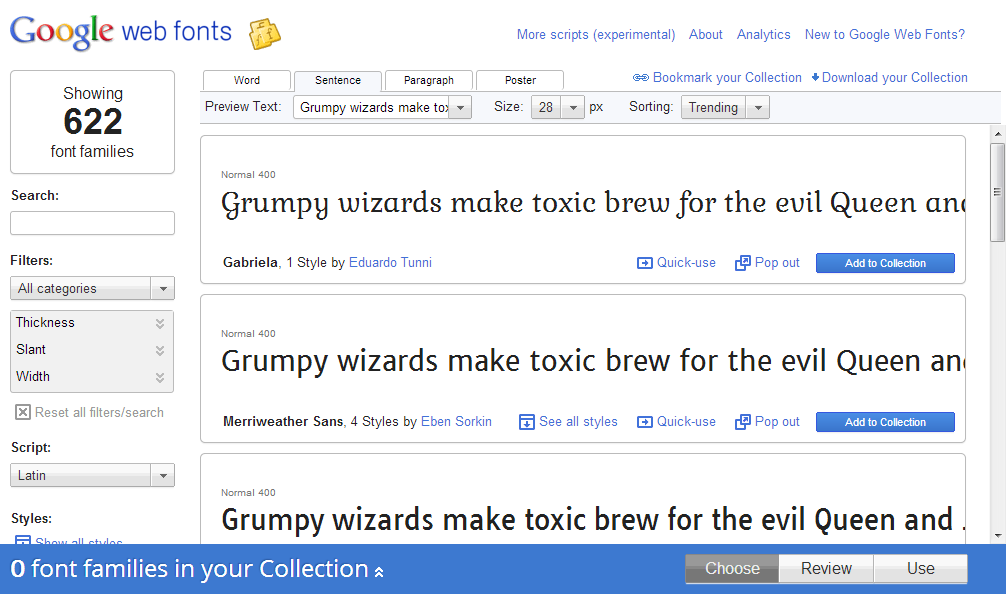
Want to spruce up your site pages, presentations, ebooks, and other content with cool and different new fonts? Little-known fact: Google has a directory of 600 free fonts ready for you to download and use.

Simply find and select the fonts you like from their directory, then click “Use” to get the HTML code you can copy and paste onto your site. Alternatively, you can download the fonts to your desktop and use them when making new marketing content by clicking “Add to Collection.” (Click here for step-by-step instructions for doing this in the HubSpot software.)

google-web-fonts.png

28) Image Color Picker

Remember that time you wanted to match your call-to-action design to that color you were using on all your event swag … but the one person who would know what that color was didn’t work at your company anymore? Next time that happens, snag a picture of that swag and upload it to ImageColorPicker.com, or use any image URL to do the same thing. Select any point of the picture, and immediately see its corresponding HEX, RGB, and HSV values.

29) PowerPoint Templates

Is there anything more boring than a PowerPoint presentation featuring black text on a white background? With the help of these templates, you’ll be able to put together compelling, visually appealing presentations. Whether you’re driving lead generation or reporting on your blog’s growth to your team, keep your audience’s attention with these eye-catching presentations.

30) SlideShare Templates

SlideShare doesn’t need to be daunting. You can easily create shareable, embeddable SlideShare presentations in PowerPoint with the help of these templates — no need to start from scratch or hire a freelancer. Once you’ve created your first presentation, check out our guide to marketing SlideShares successfully.

31) Haiku Deck

If you’ve ever had to create a PowerPoint or SlideShare presentation in a pinch, you’ll wish you knew about Haiku Deck. This tool helps you quickly find simple layouts, beautiful images, and great fonts. It’s available for the web and for iPad.

Want to see what one looks like? Below’s an example I pulled from their list of featured decks. Note the simplicity of the design — if you want to create super detailed slides, this may not be the right tool for you.


Snowed In? – Created with Haiku Deck, presentation software that inspires

32) HubSpot’s Free Stock Photos

Searching for and buying stock imagery can be a pain in the you-know-what — especially when it comes to deciphering legalese for different use cases. I have a liberal arts degree, and Nietzsche was easier to read than whatever legalese stock imagery companies tended to give me. All I wanted to know is whether to cite or not cite a stock image of a laptop. Why was it so hard?

That’s why our team decided to create a library of 550+ free and royalty-free stock photos. Whether it’s a unique image needed for an ebook or that perfect photo you want to add to a blog post, that collection should have you covered. Here’s one of our “around the kitchen” stock photos — yum.

candy-3.jpg

Source: The Free Stock Photos You’ve Been Searching For

33) PlaceIt

PlaceIt serves a very specific purpose: It allows you to upload images of your site or product into real-world environments of people holding phones, tablets, and laptops. PlaceIt will automatically alter the image to make it appear natural with the angle of the phone’s screen — which will save you time learning and/or editing in more advanced software to get the angle right.

place-it-example.png

You’ll have to pay per image to get really large or high-resolution versions, though I’ve found free images work just fine for blog posts and product page content. The paid downloads also remove that PlaceIt watermark from the bottom right.

34) LICEcap

Looking for the perfect GIF to include in your blog post? If it doesn’t already exist on Giphy, you can make one yourself using LICEcap. Film a screenshot and turn it into a GIF using this handy, free tool — we use LICEcap for our blog posts, too. 

35) & 36) The Noun Project & HubSpot’s Resizable Icons Collection

Like with stock photos, another challenge content creators face is finding elegant icons that resize without getting all fuzzy. There are a few resources out there for great, resizable icons.

The Noun Project is an extensive library of thousands of icons uploaded by contributors. With a free account, you can use icons as long as you either give credit to the creator or purchase them royalty-free for $1.99 apiece.

HubSpot has a library of resizeable icons, too, which you can download for free and without any licensing or attribution. The kit comes with a free guide for how to change the color of the icons using PowerPoint, Photoshop, and Illustrator.

To that, we say …

general-icons-26

(From HubSpot’s Free Icon Collection.)

It’s Not the Wand, It’s the Wizard

The tools and resources listed above can help you create, but it’s ultimately up to you to control the quality of your content. You still need to know your customer incredibly well, understand what challenges they face that your product or service solves, and create content that helps them address those challenges.

The brains and heart behind the content creator trump the code behind any tools and technology — and that’s a good thing for succeeding in marketing today.

What other tools or apps do you use to create content more easily? Leave them in the comments so we can extend this list right here!

Editor’s Note: This post was originally published in December 2013 and has been updated for accuracy and comprehensiveness.

download 195+ free design templates

 
content creation

Categories B2B

The Complete Guide to Project Management Basics

Project management isn’t just about building software and hardware. Project managers distribute resources appropriately, manage timelines, and take care of stakeholders throughout the process.

Click Here to Get HubSpot's Project Management Tool

However, that’s often easier said than done. After all, there’s a reason project managers are constantly tweaking their approaches and rethinking their processes.

In this article, you’ll learn project management basics and how you can implement them in your business. Let’s get started.

Table of Contents

The process includes developing plans for meeting deadlines while maintaining quality objectives within time and budget constraints. This discipline can be owned by a dedicated manager or a leader on a project.

Why is project management important?

Project management processes are essential to successful projects. Research from the Project Management Institute found that organizations that don’t integrate project management will see their outright project failure rate increase by a factor of 2/3.

That’s a shocking statistic. So, let’s dig deeper into some key benefits that result from mature project management processes.

You’ll meet important deadlines.

Project management allows you to break large tasks into smaller-scale deadlines. By sticking to these milestones, projects can easily stay on schedule from beginning to end.

In fact, companies with mature value-delivery processes deliver projects on time more frequently than those without project management (63% compared to 39%).

You’ll increase buy-in.

Project management enables a team to build trust and credibility among peers, customers, and stakeholders. After all, if you’re consistently submitting high-quality deliverables on time, then you’re bound to win people over.

You can easily track spend.

You’ll be able to stay within your budget, or even under budget. PMI found that 11.4% of all resources are wasted due to inferior project management processes.

Saving money is especially important in a landscape where only 43% of companies report that they complete projects on budget “most of the time” or “always.”

You’ll improve your culture.

You can develop a culture of continuous process improvement through knowledge management. If you foster an environment that prioritizes optimization and learning, you’ll likely inspire others and attract employees with the same mentality.

Project Manager Responsibilities

A project manager plans, organizes, and leads the execution of a project. This ensures that it meets the expected goals while delivering the required features within time and budget constraints.

Project management professionals provide leadership through effective environmental scanning, synthesis of information into meaningful data, and objective analysis. That’s a broad set of responsibilities that require training and experience.

project management basics, pm responsibilities

Image Source

We’ll discuss what skills — both trained and developed through experience — you’ll need for this role.

Project Manager Skill Sets

To ensure the teams stay productive and that projects are on track, project managers need a broad set of skills. Here are some of the most important skills that you need to excel in this role.

project management basics, project manager skillsets

Interpersonal Skills

Project managers (PMs) have to interact with many people, including team members, stakeholders, and other project managers. Great PMs can work with a diverse group of people to achieve a common goal.

Stakeholders often have competing objectives. To create cohesion, PMs must be diplomatic as they manage professional relationships with people who may have different perspectives, skill levels, and personal politics.

Good relationships keep team members motivated and make solving team disputes easier.

Communication Skills

Project managers must schedule frequent meetings between collaborators and provide feedback on performance. Not only do you need to know who to meet with and when, you’ll also need to balance multiple communication styles.

For example, legal will want your update in terms of contracts and risk. Meanwhile, finance will be eager to hear about your budget and spend. Engineers and the marketing team will also have different interests that require different types of communication.

Decision-Making Skills

A project manager must make decisions and take responsibility for results. Being clear about objectives and setting high expectations helps maintain morale.

Decision-making skills include prioritizing resources, developing alternative estimates, assessing risks, and ensuring proper budget management.

Management Skills

Project managers are responsible for both leading a team and reporting progress to more senior plays.

You’ll need experience leading a team, holding one-on-ones, and addressing challenges as they arise. PMs should also be able to communicate with leadership on behalf of their teams.

In some cases, project managers need to build the team for their initiative. That may include finding the right internal participants or looking outside the organization. Ideally, a PM has some experience recruiting new team members.

The Project Management Life Cycle

It’s best to look at the entire PM process as a series of stages. Each stage has an objective. In total, there are five critical stages in the project management life cycle. We’ll offer a brief overview of each stage.

  • Initiation. In this stage, project managers take a look at a project realistically. They estimate how long the project should take, which eventually determines the baseline budget and timeline for the project.
  • Planning. The planning stage involves analyzing technical details, assigning tasks to the right team members, and identifying risks associated with different parts of the project.
  • Execution. Here you start acting on the plan you created in the previous state.
  • Monitoring and control. This step ensures you meet your deadlines. Not only are you doing the work laid out in your plan, you’re also monitoring your progress. Here, you determine whether you comply with all governmental regulations and industry standards. You also track all of the project expenditures and progress.
  • Closing. Bringing a project to a close is its final stage. Here, you determine whether the project delivers its intended results and whether to cancel or continue the project.

Popular Approaches to Project Management

project management basics, approaches to project management.

While most organizations agree that project management is important, there are many different styles PMs use. In this section, you’ll explore four popular approaches to project management.

Product-Based Planning

Product-based planning centers its approach around outputs and project deliverables. This approach focuses on launching a product or service from conception through completion, with the end-result being sales of the product or service.

Process-Based Planning

Process-based planning ensures all project activities contribute to achieving organizational objectives. With this approach, the project manager creates, manages, and improves projects aligned with the business’ core values.

Phased Approach to Product Management

This approach involves planning and implementing projects in phases due to external constraints. Each stage goes through the five steps in the product management life cycle. Because of that, this approach is ideal for small and well-defined projects.

Project Production Management

This approach uses operations science theories and principles to understand and optimize project delivery. Project production management uses activity data to predict limits and determine achievement levels.

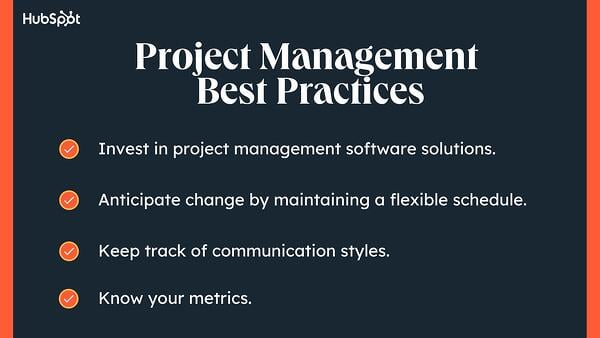
Project Management Best Practices

Regardless of which approach you choose, there are universal tips that help everyone. Here are some of those best practices applicable to any project in any industry or domain.

1. Invest in project management software solutions.

Today, under 1 in 4 organizations use any kind of project management software. Instead, teams rely on a patchwork of spreadsheets, paper notes, and emails. This approach results in disorganization. There’s no way to see where a project is in real time.

Project management software will help you keep track of your projects and agendas, organize tasks and activities, communicate effectively with your team, and manage risks and issues.

You can also customize dashboards to track KPIs and create reports to help forecast based on historical data and current trends for future planning.

2. Anticipate change by maintaining a flexible schedule.

Most projects run into delays. Unfortunately, minor delays can snowball into significant problems when you follow a fixed schedule. On the other hand, a flexible schedule can handle most changes in stride.

While some deadlines have flexibility, others may be rigid. Keep a list of dates that cannot change. This allows you to meet external deadlines with set timeframes while allowing for flexible deadlines in other areas.

3. Keep track of communication styles.

At the start of your project, sit down with important stakeholders. Ask how frequently they want to hear from you and how they would like to communicate.

For example, some stakeholders will want a weekly Zoom meeting with your team. Others may prefer a daily Slack update or monthly email with progress.

You can organize this information into a spreadsheet or a section of your project management software to keep organized.

4. Know your metrics.

One of the biggest challenges with any project is measuring success. Because of this, you’ll need to set measurable points before and during the execution of your project. Know which metrics matter to your project and when.

Rember essential metrics will change over time. If your project is just starting out, you may just celebrate quickly reaching important milestones.

Over time, you’ll need to prove your project impact. That includes metrics like the number of leads or contribution to ROI.

project management basics, best practices

Level Up Your Project Management

Taking a closer look at the basics, you can see project management is a broad field that requires a deep understanding of communication and industry-specific nuances.

By incorporating the tools and techniques mentioned above into your daily work experience, you can enhance your performance as a project manager.

To help you get the ball rolling, check out our free project management template now — it’ll help you save a lot of valuable time and resources.

New Call-to-action

Categories B2B

Behavioral Marketing: What Is It & How Is It Beneficial? [+ Examples]

In the business world, there are many forms of marketing that companies can implement to encourage customers to buy. Behavioral marketing is one robust method of gathering data to segment and target audiences.

Click here to download our free introductory ebook on marketing psychology.

Behavioral marketing can also help prevent consumers from being inundated with unwanted or unrelated ads. With this type of marketing, businesses focus on individual patterns of engagement to identify their customers’ specific needs.

In this post, you’ll learn what behavioral marketing is, its benefits, and examples of how businesses today utilize the strategy today.

Table of Contents

This data is gathered through web analytics, cookies, search history, and other insights.

By finely segmenting audiences based on specific behaviors or user profiles, organizations can provide relevant content and offers rather than sending general messages.

Types of Behavioral Marketing

When it comes to behavioral marketing, there are many strategies that a company can implement.

While some tactics are effective, many can be combined to create a robust behavioral marketing plan. Let’s look at a few of the most popular types of tactics.

Product Suggestions

behavioral marketing, product suggestions on Amazon

Image Source

Everyone has seen it happen when shopping online: You go to check out, and a window pops up showcasing items that are often bought with what’s in your cart. This suggested selling technique is an excellent way to engage potential customers in cross-selling or up-selling opportunities.

And, this tactic is incredibly effective. Cross-selling and category-penetration techniques like product suggestions can increase sales by 20% and profits by 30%, according to McKinsey & Company.

Product suggestions fall into behavioral marketing because an action (putting something into a cart) leads to targeted selling suggestions.

Remarketing

behavioral marketing, remarketing ads

Image Source

For companies that utilize Google and Facebook for their marketing efforts, remarketing and retargeting strategies could be a unique approach to driving sales.

Remarketing strategies focus on taking pages or products a customer has viewed and showing them again once the potential buyer has left the website. This additional opportunity for consumers to see your products again could help drive traffic to your website or convert product sales.

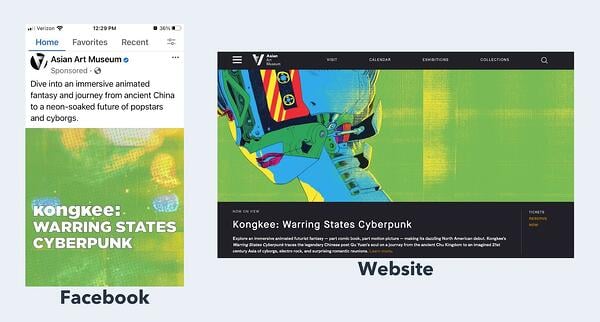
Let’s say you visit the Asian Art Museum’s website to plan for your next San Francisco trip.

A few minutes later, you see an ad for the museum when you’re scrolling on Facebook. The ad you receive on Facebook is based on a past behavior (visiting a website). That’s remarketing in action.

Email Marketing

behavioral marketing, behavioral segmentation email marketing

Image Source

Many organizations currently utilize email marketing as part of their marketing strategy, but few take advantage of the power of behavioral segmentation. One prime example of a behavioral segmentation email marketing strategy is abandoned cart emails.

By targeting customers who have items currently sitting in their cart for an extended period, your team can send content and emails specific to those products or categories.

Ultimately, this creates a more personalized experience for the consumer.

Demographic Targeting

Of all the behavioral marketing tactics, demographic targeting is one of the most widely used throughout the business world. Ultimately, organizations utilize criteria such as age, geographical location, education level, and even gender to create an image of a user.

Companies are even starting to look at other criteria, such as the website you visit, to help build a better vision of the type of products you might be interested in.

Marketing Automation

Data is precious to marketers, and as companies build out massive information caches, they can get better at generating and serving relevant content to consumers.

With marketing automation and machine learning technology, businesses can leverage their databases to forecast consumer behavior even months in advance.

However, data collection is a complicated and nuanced issue, and online privacy is becoming increasingly important as audience listening tools become more advanced.

Behavioral Marketing Segmentation

An important facet of the behavioral marketing method is thinly segmenting audiences. Behavioral segmentation might be determined differently depending on your organization’s marketing goals and ideal market.

However, there are a few common ways that companies split up markets, including:

  • Purchase behavior
  • Customer loyalty
  • Benefits sought
  • Customer journey stage
  • Engagement level
  • Occasion
  • Usage

1. Liquor Loot

behavioral marketing, whiskey loot

Effective segmented email marketing isn’t always serious. Just take a look at this abandoned cart email from Liquor Loot. The email has a joking tone as it lists the benefits of buying a bottle of whiskey.

In fact, by providing fun and playful reasons why a potential customer should consider signing up for the Whiskey Loot Box, they are likely to get engagement from those who were on the website but didn’t complete the purchase.

2. Dyson

behavioral marketing, dyson

Known for its incredible lineup of vacuums and sweepers, Dyson has done a great job of utilizing behavioral marketing. In the image above, you can see an example of one of their abandoned cart emails.

By providing a recap of the items that a shopper was thinking about buying and making it easy for them to return to the purchase screen, Dyson can recapture lost sales before they are gone for good.

3. Nike

behavioral marketing, nike

Nike has long been seen as a leader in the marketing space. Most people know of the company’s creative use of advertising campaigns featuring athletes to inspire millions of kids and adults to get up and be active.

However, Nike has also built out an incredible digital marketing strategy.

The remarketing ad featured above seems simple but can be a powerful tool to drive potential buyers shopping for shoes back to the Nike website.

4. Trivago

behavioral marketing, trivago

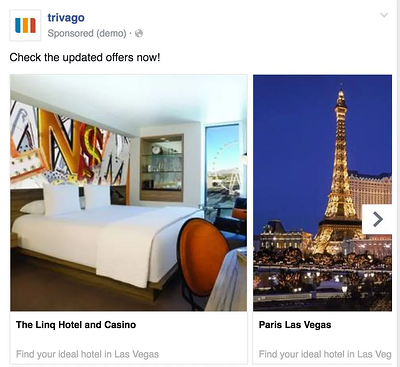
In today’s day and age, it’s common for consumers to visit a company’s website multiple times before deciding to purchase. This trend is especially true for businesses that focus on travel and transportation — which is why remarketing ads are essential.

Many people visit Trivago’s website to look up vacation destinations, but most people don’t often purchase the first time they look at a location.

So to ensure that the company stays top of mind, Trivago utilizes remarketing ads on Facebook and Google to showcase new updated offers for hotels in location spots a customer was previously searching.

5. Amazon

behavioral marketing, amazon

Image Source

Amazon has cornered the market on effective suggestive advertising. Throughout its website, you’ll see advertisements and sections that recommend products based on items you’ve purchased in the past, looked at, or have sitting in your cart.

You can also see what past buyers have purchased as a complement to the item in your cart.

By creating this level of personalization, Amazon has converted people from buying one item to doing most of their shopping through the online retailer.

Behavioral Marketing Stats

Looking for more proof of the power of behavioral marketing? These statistics demonstrate the growing popularity and benefits of behavioral marketing.

    • Organizations that leverage consumer behavior data to generate insights outperform their competitors by 85% in sales growth, according to Microsoft.

    • 92% of consumers agree it is important that every interaction they have with a brand is excellent, whenever or wherever they happen in the decision to purchase from a brand or retailer.

    • 49% of customers say they will likely become repeat buyers after a personalized shopping experience with a retail brand, according to Segment’s 2022 State of Personalization report.
    • Segment also reports 47% of companies personalize communication based on real-time behavior.

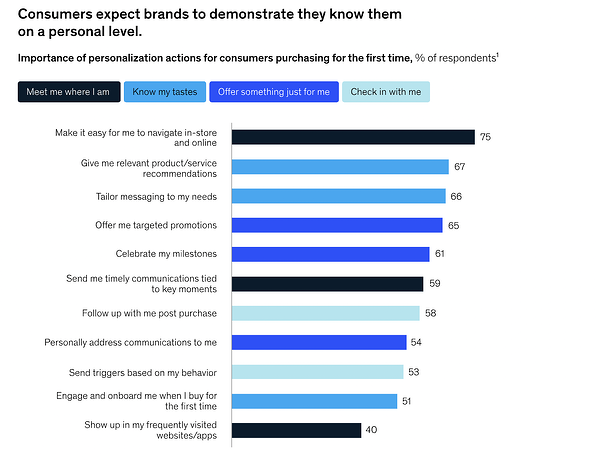
behavioral marketing data, customers expect brands to demonstrate that they know them on a personal level.

Image Source

    • Companies that grow faster drive 40% more of their revenue from personalization than their counterparts, according to 2021 research from McKinsey & Company.

Implementing Behavioral Marketing

Your customers expect a personalized experience. Behavioral marketing is one way you can get there. As you start your journey, remember the importance of transparency.

Customers should know what data is being collected and what your brand is using it for. With these considerations in mind, you’ll be well on your way to building an effective behavioral marketing strategy.

Editor’s Note: This post was originally published in Aug. 2019 and has been updated for comprehensiveness.

Click here to download our free introductory ebook on marketing psychology.

Categories B2B

The Ultimate Guide to Product Marketing in 2023

Product marketing is essential, even if you only sell one or two products at your organization.

→ Download Now: Free Product Marketing Kit [Free Templates]

But what is product marketing? How do you market a product, and how does that differ from conventional marketing strategies? Let’s find out.

What makes product marketing unique? How is it different from conventional marketing? Let’s unpack the differences.

Product Marketing vs. Conventional Marketing

Product marketing is strategic whereas conventional marketing is all-encompassing.

Product marketing is considered a component of conventional marketing. In fact, if you look at the seven Ps of marketing, you’ll see product marketing is one of the most important aspects of a business’s marketing efforts.

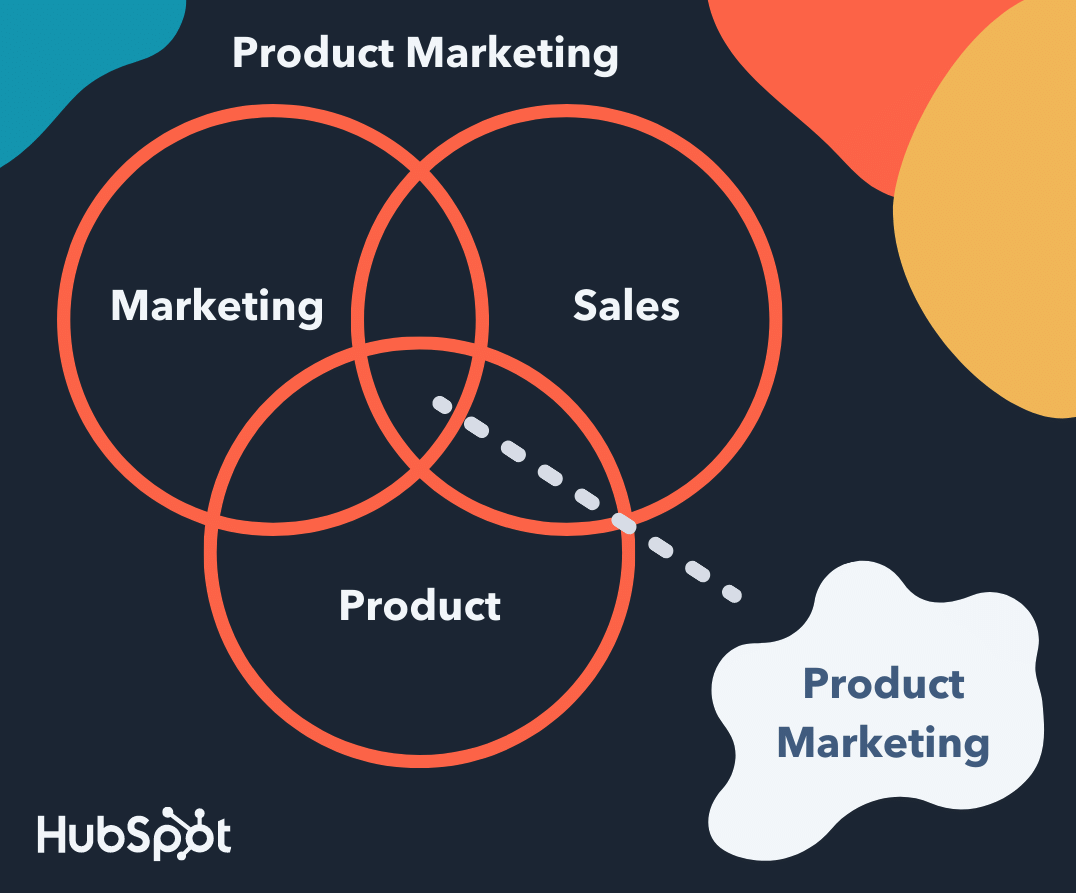
Product marketing is about understanding a specific product’s audience deeply and developing that product’s positioning and messaging to appeal to that audience. It covers the launch and execution side of a product in addition to the marketing strategy for the product — which is why the work of a product marketer lies at the center of a business’s marketing, sales, and product teams.

product marketing venn diagram marketing sales product

Conventional marketing is focused on broader topics under the umbrella of marketing, such as lead generation, SEO, and anything related to acquiring and converting new leads and customers. It’s about promoting the company and brand as a whole, including the products sold. These marketers make sure there’s a consistent, on-brand message behind all of the company’s content.

To understand it better, let’s look at product marketing goals.

Product Marketing Goals

Product marketing is focused on driving demand for and adoption of a product among existing customers. It’s focused on the steps people take to purchase your product so product marketers can build campaigns to support this work.

Usually, product marketing is executed with several goals in mind:

1. Understand your customers better.

When you implement a product marketing strategy, your target audience can see the value of having that specific product in their lives. Understanding how many customers gravitate to your product lets you conduct customer research.

2. Target your buyer personas effectively.

Alongside understanding your customers, you can figure out the type of buyer persona to target in the future. Knowing the exact needs of your target can help you when innovating your product to better suit their needs.

3. Learn about your competitors (products and marketing tactics).

When you market your product, you can compare your strategy and results to your competitors. What features and benefits of their products make a statement within the market? What ideas haven’t they explored? What does their product offer that yours doesn’t? You can use this research to your advantage when crafting your product marketing strategy.

4. Ensure the marketing, product, and sales teams are all on the same page.

Making your product offering abundantly clear for buyers and employees is mutually beneficial. Every team working together in your business can better understand the product’s purpose and better communicate that in their operations.

5. Position the product appropriately in the market.

In product marketing, you want your product, brand image, and tone consistent and evoke the right feelings intended for your audience. When you brainstorm your brand positioning, some questions to consider are:

  • Is this product suitable for today’s market?

  • How is this product different from our competitors’?

  • Can we further differentiate this product from our competitors’ offerings?

  • Are there any products we’ve sold in the past that we wouldn’t market or sell again? If so, why not?

6. Boost revenue and improve sales.

There are also questions you, as a product marketer, will have to ask yourself and reflect on regregardyour product. Asking yourself these questions will help you ensure your product is successful among customers.

  • Is this product suitable for today’s market?

  • Is this product appropriate for our customers today?

  • How is this product unique from similar productstof our competitors?

  • Is there a way to further differentiate this product from our competitors? 

  • Are there any products we’ve sold in the past that we wouldn’t market or sell ever again now that we look back? If so, why not?

As you can see, product marketing requires you to look at your products strategically to ensure they’re successful among customers in your current market.

Why is product marketing essential?

Product marketing is a critical part of any business’s marketing strategy. Without it, your product won’t achieve its maximum potential among your target audience.

To illustrate its importance, let’s look at an example of successful product marketing. During the 1950s, Volkswagen sold a bus. Although now considered a classic vehicle, the bus remains an icon for the car company decades later.

The cool part? Volkswagen announced their new VW Bus — it’s electric and features sleek, modern styling. Volkswagen’s marketing for the vehicle is eye-catching, unique, and fun, and it complements the original “hippie” vibe the company was once known for.

volkswagen bus example of product marketing

Image Source

Volkswagen also released a TV commercial for the bus that’s clever, minimalist, and on-brand. It introduces the new vehicle with the song The Sound of Silence playing in the background (hint: electric cars are silent) and ends with a short message on the screen for viewers to read: “Introducing a new era of electric driving.”

This sentiment touches on the fact Volkswagen is contributing to society’s interest in electric, eco-friendly vehicles. It also relates to this being a new era for the bus.

This is why product marketing is important: Because it highlights not the company but the product itself, ensuring longevity in the market.

But who works on this type of marketing? Who helps create content that excites consumers about new and updated products, like the Volkswagen bus? Who encourages consumers to buy? Product marketers.

Now, let’s take a look at the specific responsibilities that product marketers (or product marketing managers) face in their typical day.

Your responsibilities as a product marketer may vary slightly based on industry, company, products, and company size and resources. If you’re working for a startup, you may be a product marketer who also helps create the content the broader marketing team produces due to limited resources and budget. As the business grows, you may move onto a team whose sole job is product marketing.

Let’s take a look at six common product marketing responsibilities.

1. Identify the buyer personas and target audience for your product.

You must identify the buyer personas and audience for your product so you can target customers in a convincing way that makes them want to purchase. This will allow you to tailor your product and its features to solve your audience’s challenges.

Pro tip: Use templates to create buyer personas for your business. A tangible outline of whom you’re catering to can help align different teams in your business and better position your product in the marketplace.
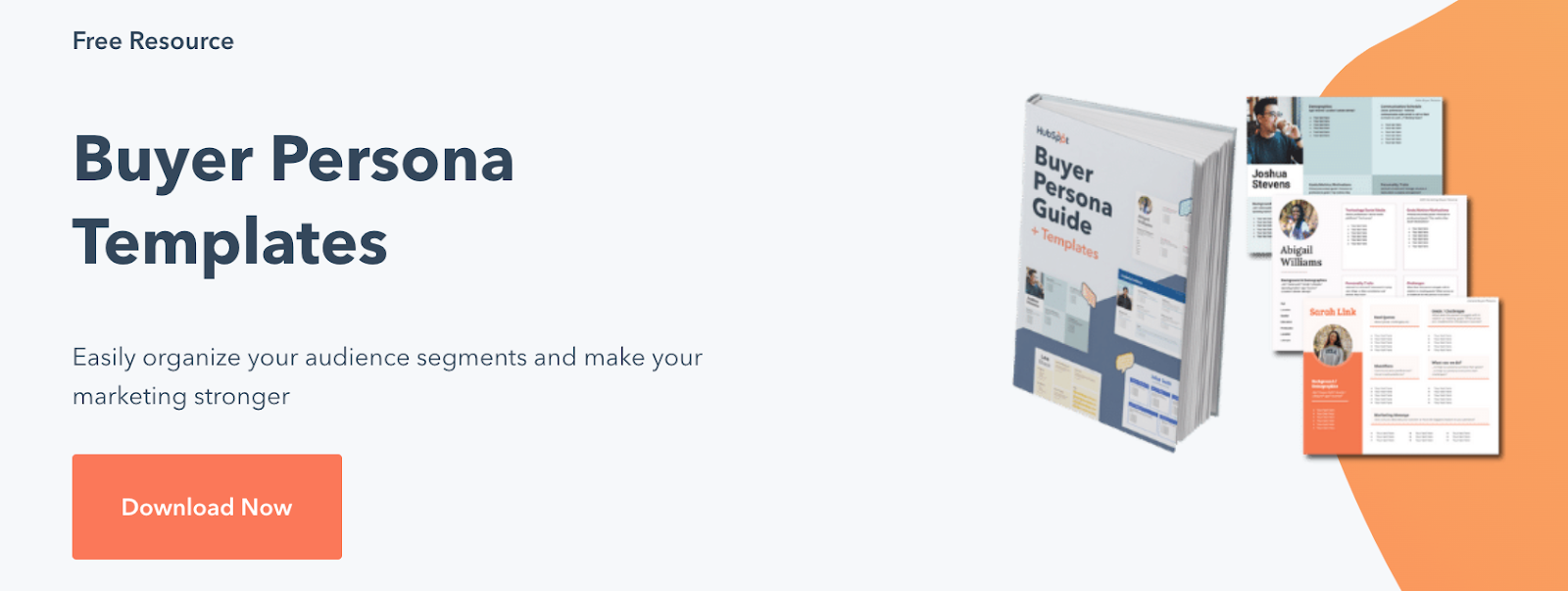
buyer persona templates hubspot free resource

2. Successfully create, manage and carry out your product marketing strategy.

A product marketing strategy (which we’ll review shortly) allows you to create, build, and execute content and campaigns — this supports the steps that will lead your buyer personas and customers to make a purchase.

3. Work with and enable sales to attract customers for your new product.

As a product marketer, you have to mamusta direct relationship with sales. You’ll work with sales to identify and attract the right customers for the product at hand and provide sales enablement materials to reps to ensure they understand the product inside and out, along with its features.

This way, you and your teams are on the same page in termregarding being shared with customers, allowing you to provide a consistent, on-brand experience for anyone who comes in contact with the product.

4. Determine your product’s positioning in the market.

One of the most important parts of your job is determining the product’s positioning in the market. Think about this process in terms of storytelling — your positioning requires you to create and tell the story of your product.

As a product marketer, you’ll work with the broader marketing team and the product team to tell this story by answering critical questions like:

  • Why was this product made?

  • Whom is this product made for?

  • What challenges does this product resolve?

  • What makes this product unique?

5. Ensure your product meets the needs of your target audience.

You must also make sure your product meets the needs of your customers and target audience. Through the research to determine your buyer persona and target audience, you should have uncovered the pain points and challenges you’re working to solve with your product.

If your product doesn’t meet thyour customers’ needsthey’ll have no reason to make the purchase or choose your product over your competitor’s.

6. Keep your product relevant over time.

Your product needs to stay relevant over time. As needs, expectations, and challenges change and evolve, it’s your job to ensure your product marketing strategy and the products themselves remain relevant among customers.

This means you may have to manage slight changes in your product marketing strategy (which we’ll discuss next) or updates and modifications to the product itself (you’ll likely work with the product team, which creates the effect, to do this).

7. Guide marketing strategies for new products.

In product marketing, you’ll need to pay close attention to what worked in your strategy and what didn’t so you can better plan marketing strategies for new and future products. Pay attention to where your audience is and what they are looking for. What channels got the most traction and led to more converted leads?

All this information and more should be applied to marketing strategies for new products.

Now, let’s take a look at five steps that can help you optimize your product marketing strategy.

1. Define your product’s target audience and buyer personas.

As a product marketer, one of the main roles you have is to define a specific target audience and create buyer personas for the product being sold (different products will likely have different target audiences). This is the first step to marketing your product.

By understanding your customers and their needs, challenges, and pain points, you’ll be able to end that all aspects of your product marketing strategy (as in the rest of the steps we’ll define below) are tailored to that target customer and persona. This way, the product and the marketing content created for the product will resonate with your audience.

2. Determine the positioning and messaging to set your product apart.

After your customer research and learning about your audience, you’ll have identified their needs, challenges, and pain points. From here, you can think about how to highlight the ways your product resolves those challenges for your customers.

However, that doesn’t necessarily mean you’ve differentiated yourself from your competitors. After all, they are your competitors because they solve your customers’ needs in a similar way to your company.

The key to setting your product apart is positioning (which we touched on earlier) and messaging. Posi—positioningessaging answers key questions your customers might have about your product and what makes it unique and th,en turns those answers into the main points behind your product’s marketing strategy.

It’s your job as the product marketer to ensure your customers and audience know the answers to these questions and don’t have to dig around for (or make assumptions about) them.

Examples of questions you’ll need to answer to develop your product’s positioning and messaging include the following:

  • What specifically makes our product unique?

  • Why is our product better than our competitors’?

  • Why are our product’s features ideal for our target audience?

  • What will our fromers get out of our product that they cannot get from our competitors’ products?

  • Why should our customers trust and invest in us and our product?

Once you’ve answered these questions, you can compile these responses into one, impactful and shareable statement that captures your positioning and messaging To do this, follow these steps:

  • Turn the answers to the positioning and messaging questions into an elevator pitch.

  • Use action words to excite your customers.

  • Ensure the tone of your statement captures the style of your brand.

  • Focus on the benefit of your product as a whole (not just one specific feature).

Pro Tip: As product marketers, you should ensure the sales, product, and (the broader) marketing teams are also aware of your positioning and messaging around the product so they, too, can communicate the same information to prospects and current customers.

This allows you to ensure the entire company is consistent in the content and information they share about your product. Additionally, you can provide this information to your support team if you think it’s necessary, as they may be fielding support calls and working with your customers who’ve already invested in the product.

3. Set goals for your product.

Next, you’ll want to set goals for your product. These will vary based on your specific product, the type of company you work for, your overall marketing goals, and more — your goals will be specific to your business and situation. However, let’s review some common goals product marketers aim to achieve:

  • Increase revenue

  • Engage with customers

  • Improve market share

  • Gain customers from competitors

  • Boost brand recognition

Pro Tip: Feel free to combine several goals or choose one to focus on — every company and product will have different plans. The key is ensuring you view and set these targets in the SMART goal format, meaning they’re specific, measurable, attainable, realistic, and time-bound.

Use a free template to help you create and achieve your SMART goals.

4. Price your product.

As a product marketer, you’ll also have to contribute to the discussion of the price of your product. Depending on your company, you might work with other teams on this part of the strategy, or it might be a job just for you and your fellow product marketers. Either way, you can consider competitive vs. value-based pricing.

Competitive vs. Value-Based Product Pricing

Competitive pricing means you’re basing your product’s price off similar products your competitors sell. It’s ideal for companies that have an effect similar to one that several other companies sell.

Suppose you believe your unique features warrant a significantly higher price e of your competitors’. In that case, you might price your product above the other similar products on the market. An excellent way to evaluate the fairness of the pricing of all of your competitors is by studying financial reports and industry trends.

Value-based pricing allows you to maximize your profit, although it’s a bit more time-consuming to establish in comparison to competitive pricing. It’s ideal for companies selling a product with very few competitors on the market or one with exceptionally new and unique features.

Value-based pricing quantifies your item’s value in a way your customer can relate to their profitability. It allows you to base your product’s price on its value for your customer rather than whatever the market, industry trends, and your competitors say.

5. Launch your product.

Now it’s time for the most impoessentialt of your role as a product marketer — not to mention, the most exciting: the launch of the product you’ve been marketing.

There are two main parts to the launch to focus on as a product marketer: the internal launch (what goes on within your company upon product launch) and the external launch (what goes on outside of your company, with customers and audience members, upon product launch).

Internal Aspects of a Product Launch

As previously stated, your job as a product marketer entails ensuring the entire organization is on the same page about your product. This way, your customers only receive consistent and accurate details about the product.

The marketing, product, and sales teams at your company should be aware of the following information:

  • The product’s benefits

  • Any available product demo information

  • Sales training opportunities on your product and details about how it’s used

  • What the positioning and messaging looks like

  • Who your buyer personas, and ideal customers are

  • What the goals for your product include

  • What your product’s features are

  • The pricing of your product

  • How your product is being launched to customers

Now, you might be wondering how to provide this information to marketing, product, and sales. Which channels are ideal for sharing these details with your fellow employees?

Here are a few examples of ways to do this:

External Aspects of a Product Launch

Externally, there are many ways to market your product launch so your current base of customers, prospects, and target audience learn about whatever it is you’re selling.

First, determine where you’re going to focus your product marketing efforts. Here are some examples of channels and places to do this (you might choose several of these or just one to focus on depending on your needs, goals, and resources).

  • Social media

  • In-store

  • Product launch event

  • Blog

  • Website landing page

  • Exclusive product preview (prior to the official launch)

  • Promotional event/ campaign (in-person and/ or online)

On whatever channel you choose to focus your product launch marketing efforts, you should include relevant product information (focused on your positioning and messaging) so prospects and customers can learn all about your product and why they need it. This includes your product’s features, what makes it unique, pricing, demos for customers, training for customers, and any other materials you’ve created and want to share.

Congrats! You’ve just worked through the steps to marketing a product. Remember, this process is one that should be thought about and updated as your products change and evolve so they remain relevant among your customers. (This shouldn’t be an issue as long as you have a member of your team focused on product marketing, considering it’s one of their main responsibilities.)

Now that you know how to create a product marketing strategy, how do you market a product across your channels? Let’s take a look.

1. Create a product marketing deck for other marketing teams.

Non-product marketers — i.e, social media marketers and content marketers — won’t have the full know-how on your product, impeding them from marketing it properly on customer-facing channels. As a product marketer, your job isn’t necessarily to execute marketing campaigns or write content. Instead, your job is to enable specialized teams — such as your social media and content team — to market your company’s products effectively.

The first step is to provide a deck, presentation, or document that outlines your product marketing strategy to other marketers. That way, when it’s time to execute on a strategy, they know the positioning they are aiming for, the wording they are to use, and the personas they are targeting.

2. Publish product-focused content on your blog.

A blog is primarily a place to attract inbound leads. Rather than trying to hammer them with information about your product, you might write content that helps them solve an issue instead, and then offer them a free guide or ebook to help them further.

But did you know that your team can publish content that attracts inbound leads and encourages purchases and sign-ups? At HubSpot, we call this product-focused content. It’s just as helpful as our other content, but with a critical difference: It has a call-to-action to try one of HubSpot’s products.

For instance, our blog post, What is a CMS and Why Should You Care?, aims to inform readers about content management systems, but then includes a call-to-action to try CMS Hub.

how to market a product: product-focused content

While the blog post is still informative and not overtly promotional, it still promotes one of our products. In the same way, you or your content team can write helpful content for your readers, help them the inbound way, and still encourage customers to try your offerings.

3. Insert product mentions naturally in your existing marketing collateral.

If you’ve had a longstanding marketing strategy prior to beginning product marketing, we have good news: You can retroactively market your product in existing collateral. For instance, if you already have an expansive library of blog posts, you can update them with information about your products (so long as the mention is natural).

Recent social media posts can also be candidates for an update, and your website content should also change to show your brand new product. Internal links from related pages can help drive traffic to your new product pages.

In addition, if your marketing team has created marketing offers in the past, you can have them update the offer and add a call-to-action to try your newest product — like in this example from HubSpot’s Case Study Templates offer, where we prompt users to try CMS Hub.
how to market a product: mention product in older collateral

4. Try comarketing with a similar brand.

Comarketing is an excellent way to market your product to a related audience. You can do something as simple as filming a video together, writing a collaborative blog post, posting on each other’s social channels, or running a webinar.

Your product should be an excellent match for the other company’s customers. Ideally, both of your products can be used in conjunction and not compete directly. For instance, Ankor Software and HubSpot partnered for a webinar, but Ankor Software doesn’t compete with HubSpot CRM — it complements it.

5. Launch PPC ads and bid on your and competitors’ keywords.

Pay-per-click (PPC) is an essential product marketing tactic. While content and social media marketing can help you attract inbound leads, you can get the attention of even more potential customers by posting PPC ads on search engines.

When setting up your PPC campaign, bid not only on general product keywords (such as “crm software” or “[insert category]”), but on your own branded terms and your competition’s as well. That way, customers who are considering purchasing the same product from a competitor will consider you as an alternative.

6. Focus on the benefits, not the features.

Regardless of the channel or platform you’re promoting your product on, highlight the benefits customers will experience, not the features of your product. Not only can features feel jargony (like “Customizable attribution models” or “Automated contact workflows”), but they shroud the benefits and alienate non-technical customers.

Try, instead, leading with the benefits, such as “Know where exactly your leads come from” or “Save time by automating tasks using contact workflows.” For instance, on the Marketing Hub page, the features snapshot reads:

Attract visitors through blogging, social media, ads, and more. Convert visitors into customers with landing pages, email, marketing automation, ABM, and more. Track ROI with revenue attribution reporting. All powered by the customer data in your CRM to enable personalization at scale.”

how to market a product: benefits over features

Using benefit-first language will engage customers and prompt them to try your products. The “how” of the benefit — such as features or functionalities — come after.

Let’s review four real-life examples of stellar product marketing.

1. Apple

Apple is a household name for leading technology products and software. Not only are its products gorgeously well-designed; it’s also super useful. But Apple’s product marketing doesn’t focus on the many product features — it markets the user benefits.

product marketing examples: apple

Image Source

Apple doesn’t simply list the impressive features of their products; the brand uses those features to tell consumers who they could be and how they could work if they have those products. Apple tells a narrative using its products and encourages people to buy in the process.

2. Billie

Billie is a women’s razor brand. In a highly competitive market, Billie has helped its products stand out. How? It established a sharp competitive edge (no pun intended) by doing what no razor brand had done before — show body hair in its advertising.
Not only did this advertising approach get Billie’s audience talking about the brand, but they also appreciated the brand’s accurate portrayal of women’s bodies and body hair. These differentiators were more than enough to set Billie apart from other razor brands and products.

3. Pepsi Cola

As a brand, Pepsi has positioned itself as one with youthful energy and excitement, and this can be seen consistently through its product marketing campaigns.

Pepsi’s customers are mainly aged between 13 and 35 years old with modern and active lifestyles, so it only makes sense to hire popular celebrities like Doja Cat for a commercial in a homecoming tailgate.

product marketing examples: pepsi cola

Through highly targeted positioning, repetitive advertising, and consistent branding, Pepsi has become a truly global household name and product.

4. MailChimp

There are dozens of email marketing tools on the market, but MailChimp hasn’t been fazed by competition. In fact, the company has risen above its competition by positioning itself as more than an email marketing tool: it’s an all-in-one marketing platform that helps businesses grow.
prodcut marketing examples: mailchimp

Like Apple, MailChimp primarily highlights its benefits for the end-user, not just its product features. A recent rebranding and site redesign further drives this narrative home.

Start Marketing Your Products

Product marketing is the process through which a company brings a product to market. Being a product marketer (or product marketing manager) means you’re at the center of your company’s marketing, sales, and product teams.

You’re an integral part to the success of your product, as you create and manage your product’s specific marketing strategy, but you also serve as a liaison between all three of these departments, ensuring everyone is on the same page with your product, it’s features, capabilities, and more. So, start developing your latest product’s marketing strategy to ensure it’s a success among your target audience and customers.

This post was originally published in February 2020 and has been updated for comprehensiveness.
Product Marketing Kit

Categories B2B

How to Use Black-Owned Banks to Start Your Business

Welcome to Breaking the Blueprint — a blog series that dives into the unique business challenges and opportunities of underrepresented business owners and entrepreneurs. Learn how they’ve grown or scaled their businesses, explored entrepreneurial ventures within their companies, or created side hustles, and how their stories can inspire and inform your own success.

Black-owned banks have been pillars of the Black community since the late 1800s when they were founded to fight against the economic inequality Black Americans felt in accessing financial services.

Despite being in a new millennium, these banks are still some of the few institutions that offer equitable support for Black business owners. Read on to learn more about the history of Black-owned banks and how you can use them to start your business.

The History of Black-Owned Banks

Freedman’s Savings and Trust Company was the first bank to serve formerly enslaved persons in 1865. Capital Savings Bank opened in 1888 in Washington, D.C., as the first bank organized and operated by Black Americans. A year later, The True Reformers Bank in Richmond, Virginia, became the first chartered Black-owned bank in the country.

Maggie Lena Walker became the nation’s first Black female banker when she founded The St. Luke Penny Savings Bank in Richmond, Virginia, in 1903. A few years later, nine businessmen founded Mechanics and Farmers Bank (now M&F Bank) in Durham, North Carolina, in 1907. They were among the 134 Black-owned banks that served the Black community from 1888 to 1934.

Unfortunately, the number of Black-owned financial institutions has decreased significantly, as Black-owned financial institutions declined over 50% from 2001 to 2018, and there are only 19 Black-owned banks today.

However, many Black entrepreneurs find the support they need with these businesses, and they are valuable tools for developing financial literacy and starting entrepreneurial ventures. Below we’ll discuss how you can use Black-owned banks to start your business.

How to Use Black-Owned Banks to Start Your Business

1. Open accounts

Black-owned banks offer many account options for business owners. You can open business accounts at banks like Alamerica Bank and Carver State Bank that offer in-person branches and online and mobile banking to access your accounts from wherever you are, whenever you need to.

2. Apply for loans.

Banks like OneUnited Bank and Harbor Bank of Maryland make it easier for Black entrepreneurs to access and grow capital with lending programs.

For example, OneUnited Bank offers lending programs in the form of small business or commercial real estate loans.

OneUnited Bank and Harbor Bank of Maryland were among some Black-owned banks that provided PPP loans for business owners during the early days of the pandemic. Harbor Bank of Maryland funded 694 PPP loans that totaled $66 million throughout the pandemic. Most of the loans were issued to Baltimore, Washington, D.C., and Virginia businesses.

3. Build credit.

Many entrepreneurs use credit to establish their businesses, but, unfortunately, financial institutions disproportionately deny Black Americans credit opportunities, or they receive less credit than they request, according to Federal Reserve data.

Given this, Black-owned banks are an essential source of credit for Black entrepreneurs. Many offer a range of credit card options, and some Banks, like Citizen Trust Bank, help customers learn about building and maintaining credit.

4. Receive financial education.

Black-owned banks offer opportunities outside traditional banking services, like education and financial literacy programs for underserved communities.

Industrial Bank, for example, works to strengthen the economy through partnerships and financial education seminars for Black-owned businesses. It reinvests over 60% of its assets into its communities every year, and teams of experienced bankers provide hours of financial education seminars for customers.

M&F Bank also offers a financial literacy course that helps small business owners learn how to partner with financial professionals, grow their businesses, and develop financial skills.

5. Get support.

Uplifting the community has always been a priority for Black Americans. Black-owned banks prioritize supporting their communities by providing training opportunities and jobs for their customers.

Carver Federal Savings Bank is a great example, offering community-focused banking for underserved neighborhoods. It focuses on developing reliable, long-term relationships with its customers, strengthening the overall economic advancement of Black Americans.

Black-owned Banks Lie at the Forefront of Change

Black-owned banks can be the best source of success for Black entrepreneurs, helping people develop financial literacy, build credit, and get the capital they need to pursue their ventures.

Click the link to discover more Breaking the Blueprint Content.

Categories B2B

The Marketing Power of $17 Smoothies

Welcome to HubSpot Marketing News! Tap in for campaign deep dives, the latest marketing industry news, and tried-and-true insights from HubSpot’s media team. 

If you’ve spent any time on #WellnessTok then you may be familiar with the luxury grocery chain Erewhon. With eight locations across Los Angeles, the stores feature organic, niche products and have a reputation for being rather bougie. 

Over the past few years, the store has turned its smoothie bar into an unlikely marketing machine for beauty, skincare, and lifestyle brands with reach extending far beyond its Los Angeles shoppers.

The Tinx smoothie, named after the popular TikTok creator, debuted as an off-menu item in 2021 and was based on the custom smoothie she ordered when visiting the store. Because Tinx grew her following giving LA-based recommendations and frequently posts about her love for Erewhon, a collaboration with the chain was a natural fit.

In 2022, the grocery chain made working with popular creators and entrepreneurs a regular part of its business strategy with new drinks appearing on the menu each month costing between $14-$17 each. 

Perhaps the most popular was when Erewhon partnered with Summer Fridays co-founder Marianna Hewitt to offer the Coconut Cloud Smoothie, a nod to the skincare brand’s hero product the Jet Lag Mask

The smoothie quickly went viral (I think the color had something to do with it) with users across social media posting themselves getting the smoothie from Erewhon and recreating their own versions at home. Admittedly, I did go to my local Erewhon and drop $17 for the Coconut Cloud because, research. 
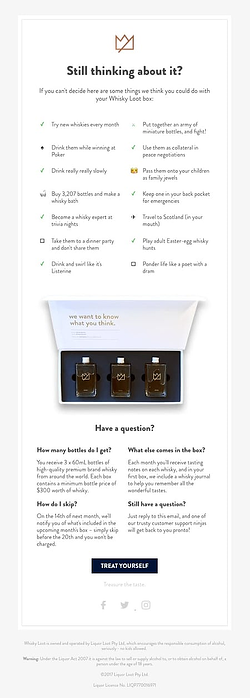
After the Coconut Cloud Smoothie went viral the collaborations kept coming, including: 

Whether users posted about the smoothies because they genuinely liked them, created their own versions at home or lamented about the price, there’s no denying these collaborations have been major conversation-starters on social media. 

These partnerships and the viral moments that ensued helped make Erewhon a common name outside of the LA wellness community and are positioning the brand to take a larger stake in the beauty and lifestyle space in the coming years.

Marketing Snippets

The latest news and marketing strategy insights.

Elder-Millennial

Image Source

Twitter saw a 70% dip in ad spending in December 2022.

Snapchat releases an unconventional new campaign.

Super Bowl: 75% of those tuning in are excited to see the ads.

TikTok introduced advanced messaging permissions, giving users more control over what they receive in DMs.

Building a loyal community on social media: learn how these brands and creators did it.

New call-to-action

Categories B2B

12 Resources for LGBTQ Entrepreneurs

Welcome to Breaking the Blueprint — a blog series that dives into the unique business challenges and opportunities of underrepresented business owners and entrepreneurs. Learn how they’ve grown or scaled their businesses, explored entrepreneurial ventures within their companies, or created side hustles, and how their stories can inspire and inform your own success.

The LGBTQ community is small but mighty, contributing trillions of dollars and thousands of jobs to the economy each year.

Despite this, LGBTQ individuals still face marginalization. The community continues to fight against historic and current systematic discrimination, which can present barriers to achieving equity and equality — even when trying to start or grow a business.

While progress is slow and not always linear, the good news is there are many resources intended to help give LGBTQ entrepreneurs a leg up. We’ve assembled a list of some of the best out there, which can help LGBTQ business owners thrive through peer networking, educational and leadership training, mentorship, and funding opportunities.

Resources for LGBTQ+ Entrepreneurs

1. NLGCC (National LGBT Chamber of Commerce)

The NLGCC, the National LGBT Chamber of Commerce, offers the only third-party certification for LGBTQ+ businesses in the U.S. If you complete their program and become a Certified LGBT Business Enterprise®, it opens the door to a new world of sales, networking, and educational opportunities.

Government bodies, and many corporations, have supplier diversity requirements — and obtaining a certification like this can put you in the procurement pipeline. The organization also offers many educational and networking opportunities, events, and resources.

2. StartOut

This nonprofit exists to support LGBTQ+ entrepreneurs and help them accelerate growth.

Resources include events, mentorship matching, a startup accelerator (StartOut Growth Lab), and even access to business capital. StartOut has several chapters throughout the U.S. with member networks and events, though if there isn’t one near you, the organization offers online events.  

3. Out Professionals

This organization is somewhat similar to StartOut, though it’s more of a business network for all LGBTQ+ professionals, not just entrepreneurs.

Out Professionals has a membership program with chapters across the country that hold networking events, and the organization is open to people starting chapters in areas without them. These can be ideal places for LGBTQ+ entrepreneurs to connect with potential clients or partners. Members can also be included in an online directory and attend educational webinars.

4. Gaingels

Finding capital to launch or grow a business is hard for any entrepreneur, but it can be especially difficult for those in marginalized or under-resourced communities.

Gaingels was formed in 2014 as an angel investing group that focuses on helping LGBTQ entrepreneurs access capital, and it’s an excellent resource for startups seeking funding. Another firm to consider is Pipeline Angels, which creates capital for entrepreneurs who identify as cis or trans women, non-binary, two-spirit, agender, or gender non-conforming.  

5. Out & Equal

While Out & Equal mainly focuses on supporting diversity and equality at large businesses, it also offers fellowships and career development training programs for LGBTQ+ leaders.

The organization also provides training on LGBTQ inclusion in the workplace, and its annual World Summit brings together business leaders to share best practices. They also offer a variety of online community engagement groups for those who want to connect with like-minded LGBTQ people (some current ones include bi+, LGBTQ+ people of color, and transgender & nonbinary people).

6. Lesbians Who Tech & Allies

Once geared toward lesbians, this group is now more broadly open to anyone in the tech industry who identifies as an LGBTQ+ woman, non-binary, trans, or an ally.

Lesbians Who Tech focuses on getting more women, people of color, and queer and trans people in technology. The organization also works to create visibility, foster community, and provide career and educational opportunities, such as coding scholarships. Their annual summit is an incredible opportunity for LGBTQ entrepreneurs to learn and network.

7. Out Leadership

This organization advocates for LGBTQ+ equality in the workplace. In addition to educating companies on how to be more inclusive, Out Leadership offers a global business network and programs for LGBTQ+ leadership. Entrepreneurs who want to hone their craft can apply for OutNEXT, a development program for emerging LGBTQ leaders, or OutWOMEN, for connecting LGBTQ+ women in business.

8. SBA Resource Partners

The U.S. Small Business Administration (the SBA) offers loads of free resources, including several partner organizations that support entrepreneurs. These aren’t specifically for LGBTQ+ individuals, but the SBA has been vocally affirming and supportive.

One resource funded by the SBA is its Small Business Development Centers, which are located nationwide and provide free business consulting, training, and support. Another SBA-supported resource is SCORE, which matches entrepreneurs with free business mentors who can help you start, grow or transition a business.

9. Your Local LGBT Chamber of Commerce

The NLGCC is the only national LGBTQ chamber of commerce, but its affiliate network contains city, state, and regional LGBTQ chambers across the U.S. Review their list of affiliate chambers to see if there are any near you.

These organizations are networks of LGBTQ-owned and allied businesses and entrepreneurs, and becoming a member plugs you into a network of peers. Members are also included in directories, which helps with marketing and signals that you’re in, or supportive of, the community. Local chambers usually also host many networking, social and educational events for members.

10. Out in Tech

Out in Tech is available to a broad audience of LGBTQ people working in technology, and its 40,000 members are tech leaders across the U.S. The organization has 32 chapters worldwide, featuring networking, education, social events, and a leadership training institute. Out in Tech also provides volunteer opportunities, such as the Digital Corps, which helps build websites for LGBTQ+ organizations and activists.  

11. Reaching Out

Reaching Out was created to connect LGBTQ+ business school students with communities of alumni. It has several conferences, including Out Women in Business, that brings together LGBTQ+ women in the business community.

LGBTQ entrepreneurs with MBAs can join this nonprofit and participate in year-long programming that helps build a network of MBA students, alumni, and corporate partners.

12. Stanford Executive Leadership Program

If you want to uplevel your leadership, consider signing up for this week-long program hosted by Stanford’s business school. Hosted in person in California for a week in June 2023, participants learn how to excel as an LGBTQ+ business leader, improve interpersonal and communication skills, and build a strong peer network. The program is unique in that it teaches attendees how their LGBTQ+ identity is a strength to leverage in the business realm.

You’re Never Alone

While these are some of the top resources for LGBTQ+ entrepreneurs, it’s far from an exhaustive list. There are many more at the local level and in specific industries. LGBTQ people often experience isolation and discrimination, but know that our community is full of fellow entrepreneurs you can connect with and committed angel investors, nonprofits, and government partners eager to support you.

Click the link to discover more Breaking the Blueprint Content.

Categories B2B

The Four Types of Research Design — Everything You Need to Know

When you conduct research, you need to have a clear idea of what you want to achieve and how to accomplish it. A good research design enables you to collect accurate and reliable data to draw valid conclusions.

→ Download Now: Market Research Templates [Free Kit]

In this blog post, we’ll outline the key features of the four common types of research design with real-life examples from UnderArmor, Carmex, and more. Then, you can easily choose the right approach for your project.

Table of Contents

Research design involves choosing the right methodology, selecting the most appropriate data collection methods, and devising a plan (or framework) for analyzing the data. In short, a good research design helps us to structure our research.

Marketers use different types of research design when conducting research.

There are four common types of research design — descriptive, correlational, experimental, and diagnostic designs. Let’s take a look at each in more detail.

The Four Types of Research Design

Researchers use different designs to accomplish different research objectives. Here, we’ll discuss how to choose the right type, the benefits of each, and use cases.

Research can also be classified as quantitative or qualitative at a higher level. Some experiments exhibit both qualitative and quantitative characteristics.

Experimental

An experimental design is used when the researcher wants to examine how variables interact with each other. The researcher manipulates one variable (the independent variable) and observes the effect on another variable (the dependent variable).

In other words, the researcher wants to test a causal relationship between two or more variables.

In marketing, an example of experimental research would be comparing the effects of a television commercial versus an online advertisement conducted in a controlled environment (e.g. a lab). The objective of the research is to test which advertisement gets more attention among people of different age groups, gender, etc.

Another example is a study of the effect of music on productivity. A researcher assigns participants to one of two groups — those who listen to music while working and those who don’t — and measure their productivity.

The main benefit of an experimental design is that it allows the researcher to draw causal relationships between variables.

One limitation: This research requires a great deal of control over the environment and participants, making it difficult to replicate in the real world. In addition, it’s quite costly.

Best for: Testing a cause-and-effect relationship (i.e., the effect of an independent variable on a dependent variable).

Correlational

A correlational design examines the relationship between two or more variables without intervening in the process.

Correlational design allows the analyst to observe natural relationships between variables. This results in data being more reflective of real-world situations.

For example, marketers can use correlational design to examine the relationship between brand loyalty and customer satisfaction. In particular, the researcher would look for patterns or trends in the data to see if there is a relationship between these two entities.

Similarly, you can study the relationship between physical activity and mental health. The analyst here would ask participants to complete surveys about their physical activity levels and mental health status. Data would show how the two variables are related.

Best for: Understanding the extent to which two or more variables are associated with each other in the real world.

Descriptive

Descriptive research refers to a systematic process of observing and describing what a subject does without influencing them.

Methods include surveys, interviews, case studies, and observations. Descriptive research aims to gather an in-depth understanding of a phenomenon and answers when/what/where.

SaaS companies use descriptive design to understand how customers interact with specific features. Findings can be used to spot patterns and roadblocks.

For instance, product managers can use screen recordings by Hotjar to observe in-app user behavior. This way, the team can precisely understand what is happening at a certain stage of the user journey and act accordingly.

Brand24, a social listening tool, tripled its sign-up conversion rate from 2.56% to 7.42%, thanks to locating friction points in the sign-up form through screen recordings.

different types of research design: descriptive research example.

Image Source

Best for: Gathering unbiased data that reveals behaviors or recurring phenomena.

Diagnostic

Diagnostic research determines the root cause of a problem and finds the most effective solution. It’s often used in marketing to identify areas of improvement or potential opportunities for growth.

The diagnostic research design consists of three steps:

  • Inception, which includes data collection and problem definition.
  • Diagnostics, which comprises data analysis, hypothesis testing, and setting objectives.
  • Solutions, which define the best possible solution.

In product teams, a diagnostic design would involve analyzing customer feedback and reviews to identify areas where a company can improve. This would help identify where a product offering needs to change — pricing, missing features, customer service, etc.

Diagnostic research provides an accurate diagnosis of a problem and identifies areas of improvement.

Best for: Understanding the underlying causes of a problem and how to address it.

Research Design Examples

Let’s explore how leading brands employ different types of research design. In most cases, companies combine several methods to reach a comprehensive overview of a problem and find a solution.

UnderArmour

types of research design: UnderArmour

Image Source

UnderArmour doubled its market share among running shoes by referring to diagnostic and descriptive research.

The team aimed to design a breakthrough product by constantly improving their shoes in response to athletes’ real-time feedback. To do so, the company shipped free shoes to over 10,000 athletes. Using Qualtrics, the company surveyed participants for their feedback.

Then, with all of the insights gathered, the team iterated their design. Thus, the UA HOVR™ cushioned running shoe was born.

The resulting product received a 2019 Runner’s World Recommendation Award.

Pro tip: Use descriptive research design to tailor your product to the customers’ needs by observing their natural behavior and addressing the feedback.

Carmex

research design examples, Carmex Labs qualitative tech-enabled research

Image Source

Carmex Labs worked with research company MRR to measure customers’ reactions to the lip-care company’s packaging and product. The goal was to find the cause of low sales in a newly launched market.

The team moderated a live, online focus group. Participants were shown w product samples, while AI and NLP natural language processing identified key themes in customer feedback.

This helped uncover key reasons for poor performance and guided changes in packaging.

Tweezerman

research design example, tweezerman

Image Source

A beauty brand Tweezerman turned to descriptive research design to track its brand health and validate product ideas.

Tweezerman utilized SurveyMonkey Audience to collect quantitative consumer feedback and inform its global business strategy. This approach helped Tweezerland validate 10 out of 50 products and get an in-depth understanding of their audience.

Remember: To conduct market research, all you need is to launch a simple survey with the right targeting.

Getting Started with Research Design

Research design is your blueprint to answer questions through collecting data. When done right, it gives granular information on an issue and informs business decisions.

To start, map out your questions, define your problem, and think of what data you want to receive as a result. Then, choose the right research design method.

Now you’re all set!

New Call-to-action