Categories B2B

How Marketing Leaders are Navigating Recession [New Data]

In the last six months, economic trend surveys we’ve conducted revealed that 37% of marketers are reporting budget cuts – likely due to our changing economy.

As a marketer, knowing where your leadership team might need to cut can help you prepare to pivot to strategies with less resourcing. And, if you lead a team, you’re likely wondering how marketing leaders are navigating this time to make the best decisions for your staff and business in uncertain times.

To help you navigate reducing your marketing budget in 2023, we used tools like Glimpse to survey more than 500 marketing leaders on their top strategies for cutting costs. We also asked them which channels they plan to pull back on first, so you can get an idea of what to expect.

Download Now: Free State of Marketing Report [Updated for 2023]

How Marketing Leaders Are Already Pivoting

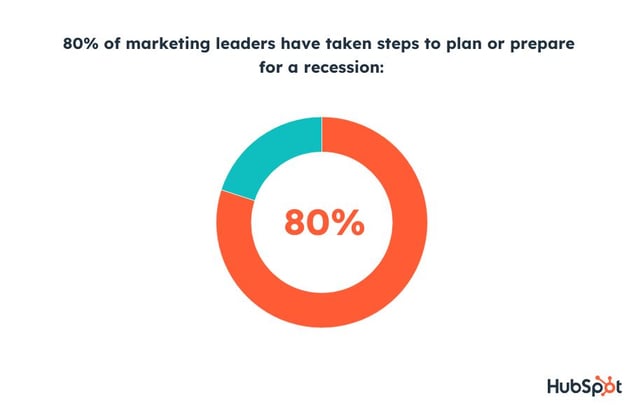
Our full report, the Marketing Leader’s Playbook, revealed 80% of leaders have already taken steps to plan or prepare for a recession – so let’s dive right in and see what we can learn.

80% of marketing leaders are planning for recesssion

How Marketing Leaders Are Cutting Costs in 2023

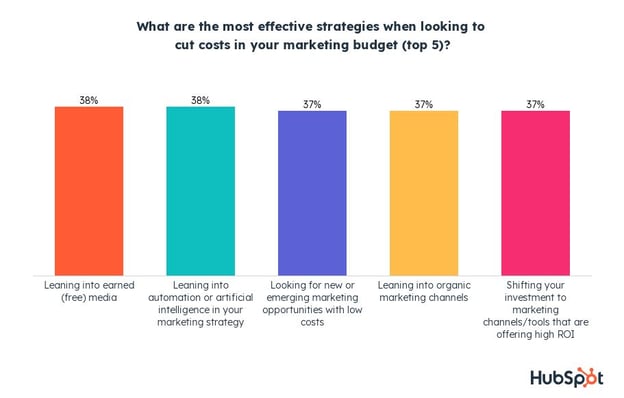
Marketing leaders say leaning into earned media, leveraging automation or AI, looking for emerging marketing opportunities, using organic marketing channels, and optimizing your media mix are the top strategies for cutting costs, so let’s take a look at each in more detail below.

the most effective cost cutting strategies for marketing leaders

1. Tapping Into Earned Media over Paid Media

Tapping into earned media is a great (and free) opportunity to expand your reach when budget cuts are on the horizon.

Traditional examples of earned media include getting your brand spotlighted by a news publication or rated by a review site. Not only is it free, but the fact that it comes from an independent source adds credibility to your brand.

Another powerful earned media asset is content from your very own satisfied customers who might share their pleasant experiences on social media, review sites, or other channels.

Also known as user-generated content, assets created by happy customers are a great way to promote your brand in an authentic and credible way. Sharing and interacting with UGC on your official page will also deepen your connection with your customers and incentivize others to share their stories too!

2. Leveraging Affordable AI and Automation

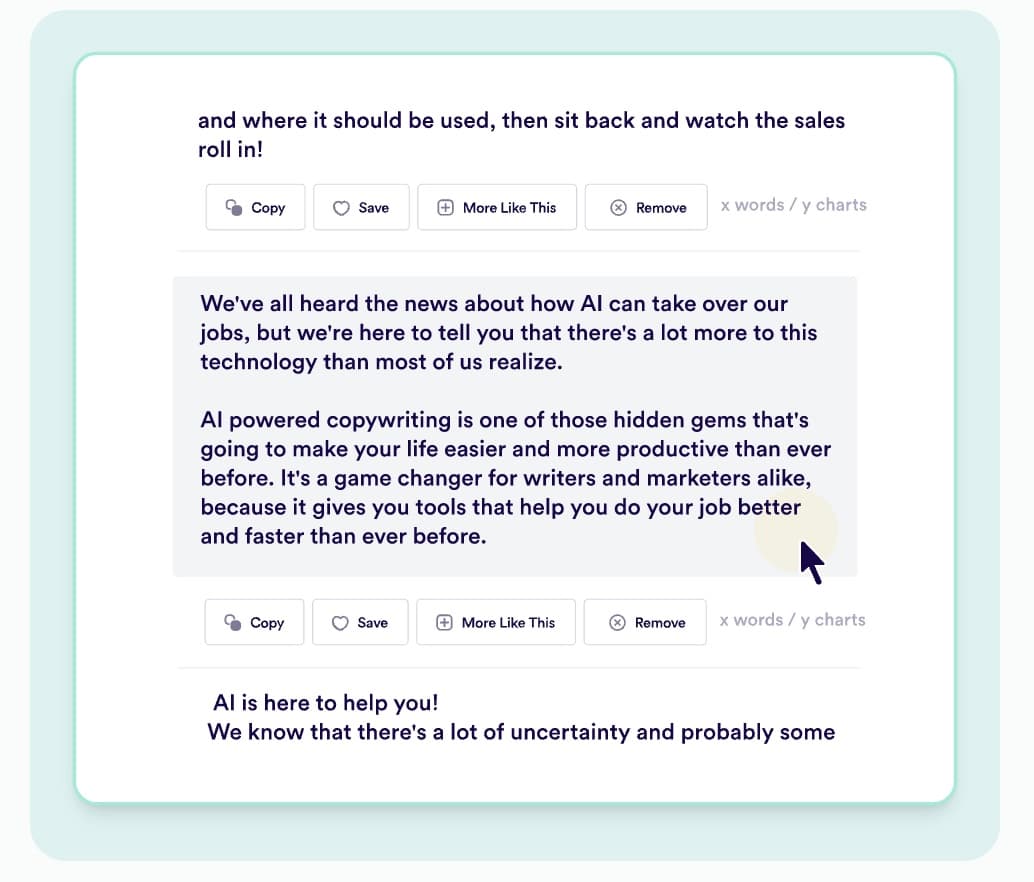
Let’s have AI (courtesy of OpenGPT) write this section on how AI can help marketers:

“Marketers can use AI to cut costs in several ways. For instance, they can use AI to automate repetitive tasks such as data entry and analysis, which can save time and reduce the need for human labor.

Additionally, AI can be used to optimize marketing campaigns, helping to target the right audience and increase the effectiveness of marketing efforts, which can reduce the amount of money spent on marketing activities.

Furthermore, AI can be used to improve the customer experience, leading to increased customer satisfaction and loyalty, which can help to reduce the cost of acquiring new customers.”

Yes. The writing above isn’t perfect. But, it makes the necessary points and just needs a few tweaks to be great.

While AI isn’t ready to write intriguing full-fledged blog posts on its own, and we don’t condone replacing your team with AI, marketers and leaders can leverage automation, like HubSpot’s Content Assistant, to save time and money in a wide range of ways, like:

  • Using AI for basic web research
  • Generating post outlines
  • Creating short meta or social media descriptions

Artificial intelligence could be such a major evolution in today’s economy and workplace, that it’s even the topic of our next research report and series, which will cover The State of AI in business. Bookmark this page to check out our survey’s marketing highlights.

3. Embracing Emerging Marketing Opportunities

From AI to social media, marketing is always evolving, with new apps and features popping up constantly.

These are often free to use and being among the first brands to hop on a new trend presents a massive opportunity.

For example, embracing BeReal, a new social media platform popular among Gen Z, can make a splash with that demographic in a space brands haven’t yet saturated. You can also try out new social media features, like Instagram’s shopping tools, which offer marketers a high ROI as Millennials and Gen Z continue discovering products (and buying them) through social media.

4. Leaning into Organic Social Media Content

Leveraging social media to gain organic, free awareness is a no-brainer in this day and age, especially for the leaders we surveyed. Rather than investing time and money into making paid ads, you can create great content tailored to the interests of your audience and let social algorithms do the targeting for you.

And as we’ll get into later, paid social media content is the first channel marketing leaders plan to cut in a recession, so organic may be more important than ever.

The good news is that you no longer need a professional camera and the perfect setup to win on social media. Nowadays, authenticity and relatability go much further, especially with Gen Z and Millennials.

Brainstorm a few ideas, grab your phone or pop open Canva, and hit the post button. Analyze your results, double down on what works, and watch your audience grow.

5. Optimizing Media Mixes

Optimizing your media mix is all about figuring out what works (and what doesn’t) and shifting your investment accordingly.

Analyze the performance of your marketing channels and amplify the ones giving you the best ROI. At the same time, you can either cut underperforming channels or switch up your strategy.

Speaking of cutting back on underperforming marketing channels, let’s take a look at where marketing leaders expect to see budget cuts if a recession were to happen.

Where Marketing Leaders Could Cut Costs

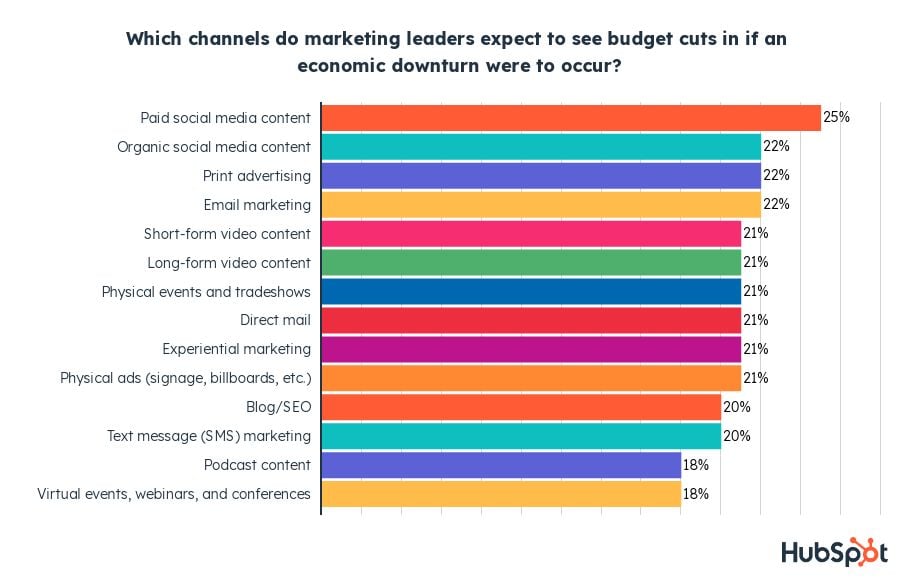
If our economy worsens, most marketing leaders expect to see budget cuts in their paid social media content, followed by organic social content, print ads, email marketing, and video content.

Since these are among the most popular marketing channels, it’s no surprise that budget cuts will affect them disproportionately, simply due to the fact more marketers use them in the first place.

With all of that said, one thing worth keeping in mind is that the data above doesn’t necessarily mean marketing leaders will get rid of things like social media or email completely: they just might invest in them differently and more conscientiously.

which channels marketing leaders will cut budget from

On the other hand, marketing leaders least expect virtual events, podcasts, SMS, and physical ads to see budget cuts in a recession – possibly because these are used least often. Still, around one in five leaders still think these channels would be on the chopping block.

One definitive finding is that blogs are also among the least likely to be cut, despite being the second most popular marketing channel. Based on that, we can assume blogs will see less of a pullback than other equally popular marketing channels like social media, email, and video.

Get Ahead With Key Economic Insights

With one in three marketers saying a recession will have an even bigger impact on their marketing activities than COVID-19, preparation and continuous monitoring will be key to success.

Now that you know how marketing leaders are planning to cut costs, dive into the full survey results by checking out the Marketing Leader’s Playbook.

We’re also regularly surveying marketers on how the recession is impacting them and the strategies they’re using to persevere.

After reading our blog content, learn about the latest trends, innovations, and other ongoing challenges in the marketing space today by downloading our free State of Marketing Report below.  

state-of-marketing-2023

Categories B2B

15 AI SEO Tools and How to Use AI in 2023 [New Data]

Optimizing your content to rank high in search engines can be tedious, especially when there are many factors to consider. Page load times, keywords, content quality, and videos are all things that can affect SEO.

Fortunately, AI SEO tools are available to streamline SEO optimization and boost your website’s rankings.

In this article, we’ll explore the various AI tools available to you, but first, let’s dive into how marketers use AI and the definition of AI SEO.

How Marketers Use AI

What is AI SEO?

15 AI SEO Tools Marketers Should Know

Free Guide: How to Use AI in Content Marketing [Download Now]

How Marketers Use AI

We surveyed more than 1,350 marketers to learn how they use AI. Here are some statistics we found:

  • The majority of the marketers we surveyed (48%) reported using generative AI to conduct research.
  • 45% of marketers use generative AI for content creation.
  • When creating marketing content, most marketers surveyed (22%) said they use AI to generate ideas.
  • 70% of marketers said generative AI is important to their content marketing strategy.

So, what do these statistics tell us? Essentially, AI plays a prominent role in the workflow of many marketers.

If you want to stay competitive as SEO continues to change the marketing landscape, then it’s time to consider how AI can help your brand.

One way to leverage AI is in SEO.

Many AI SEO tools can analyze your website’s performance and provide solutions to areas that need improvement. If you’re looking for AI SEO tools to help your site rank high in SERPs, here are some tools you should consider.

15 AI SEO Tools Marketers Should Know

From content writing to keyword searching to video creation, marketers should check out 20 AI SEO tools.

1. Jasper

jasperJasper is an AI writing assistant that can create SEO-optimized blog posts, emails, and other written marketing materials. All you have to do is provide the AI with seed words and clarify the tone of voice you desire.
From there, Jasper will analyze the information to create phrases, paragraphs, or full posts. Jasper has more than 50 templates users can choose from as well as other helpful features like:

  • Auto-save,
  • Plagiarism checker
  • Brand voice customization
  • Multi-user login

2. AlliAI

AlliAIAlliAI allows users to optimize their website for SERPs in just minutes. A key feature is its Bulk Onpage Optimization, which creates site-wide optimization rules. The feature also deploys code changes down to individual pages.
AllAI also has a live editor that edits and optimizes text, content, and code within your page.

Furthermore, its Self-Optimizer for Traffic ROI automatically generates sitewide page titles with real-time focus keyword A/B testing to efficiently boost organic traffic.

3. Pro Rank Tracker

Pro Rank TrackerGetting real-time updates on where your content ranks in SERPs can be challenging. While it’s possible to assess your ranking by manually searching in Google, the process can be time-consuming.
Plus, personalized and localized results can cause you to miscalculate your ranking.

Fortunately, Pro Rank Tracker is an SEO tool that provides daily automatic updates as well as updates on demand. Furthermore, its international tracking feature can track your rankings worldwide and in multiple languages.

4. RankIQ

rankiqCreated specifically for bloggers and businesses with a blog, RankIQ is an SEO toolset that helps users create SEO-optimized blog posts.
RankIQ provides SEO content briefs identifying topics that Google’s algorithm wants you to cover, allowing you to create a blog outline in minutes.

Its content-optimizing writing assistant even tells you what to add in your post to make it more comprehensive and likely to rank at the top of search engine results. You can even optimize older, underperforming posts in less than 30 minutes.

5. INK

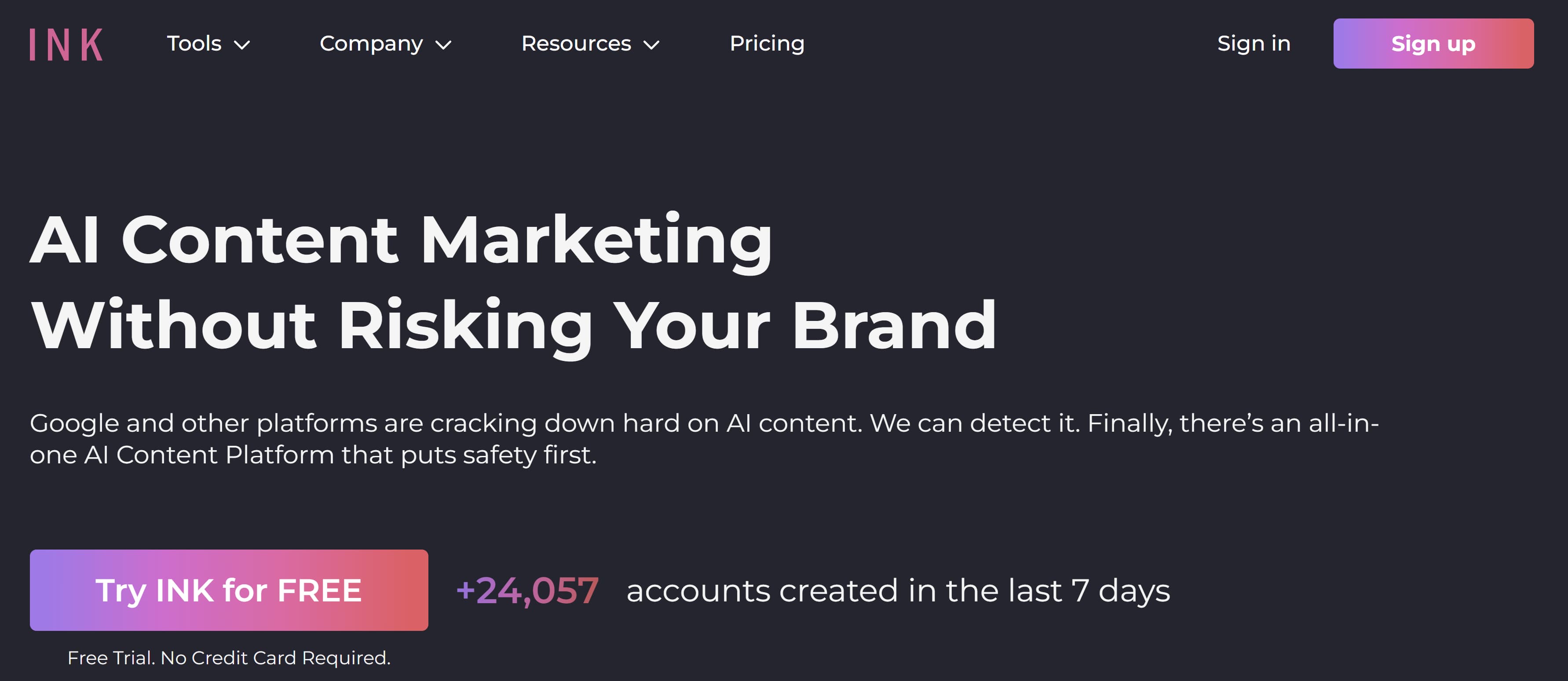
ink-1INK is an AI writing tool that learns from your competition so you can write brand content that outranks your competitors. The tool also serves as an SEO assistant by finding the right keywords to enhance and further optimize your content.
Advanced users can also access keyword clustering. Other key features are:

  • AI Writer, a long-form document editor
  • SEO Optimizer to score content for SEO
  • Fully automated keyword search

6. HubSpot AI Tools

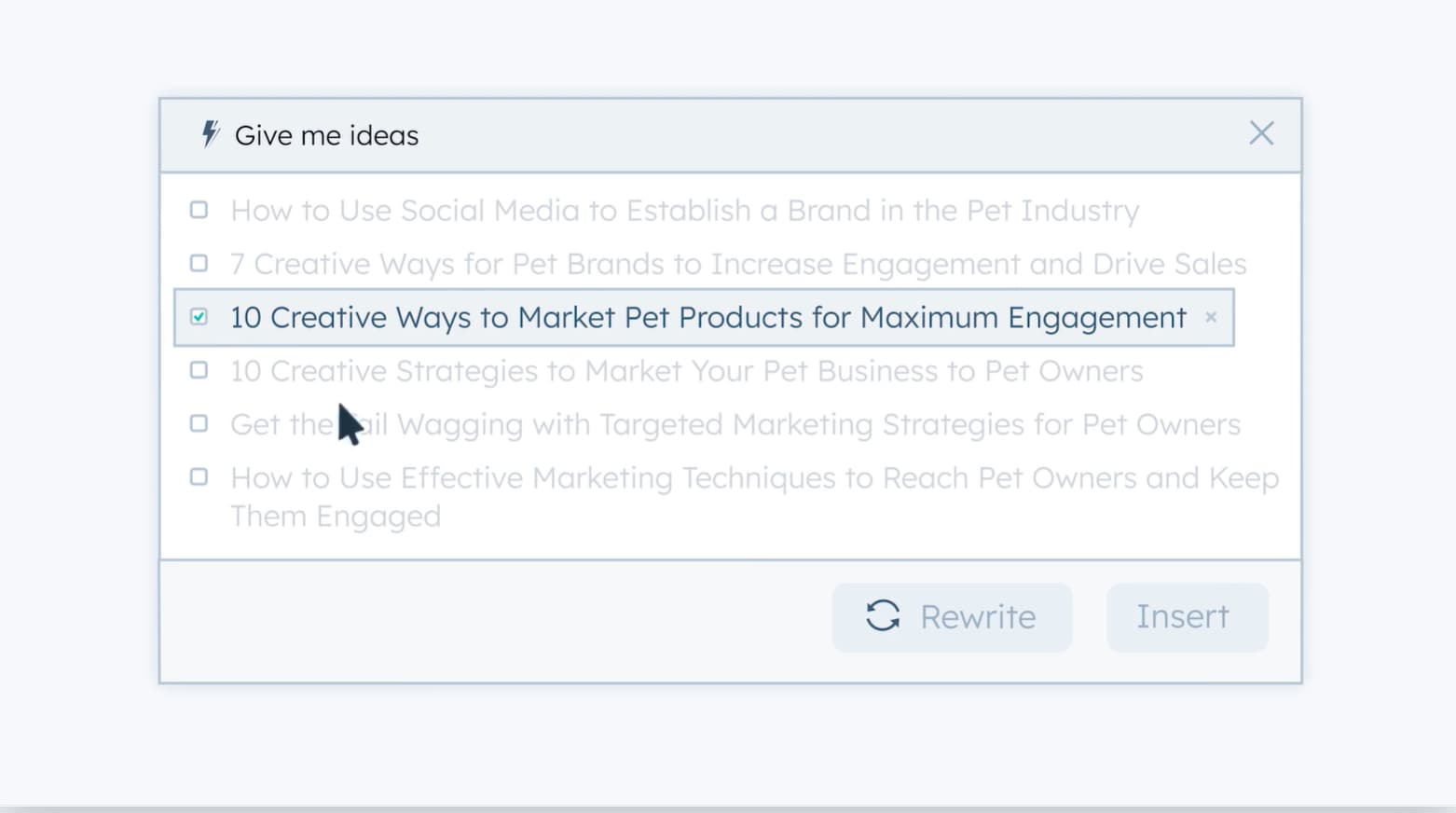
content assistantClick here to learn more about HubSpot’s AI tools.

HubSpot has various AI tools that help you create optimized content that will rank high in SERPs. For example, our SEO suggestions tools can scan your website and automatically pinpoint opportunities for optimization.

Furthermore, our AI content assistant helps users to toggle between manual and AI content creation to generate copy for blog posts, landing pages, marketing emails, and more.

The content assistant can generate blog ideas, outlines, paragraphs, and email content.

7. NeuronWriter

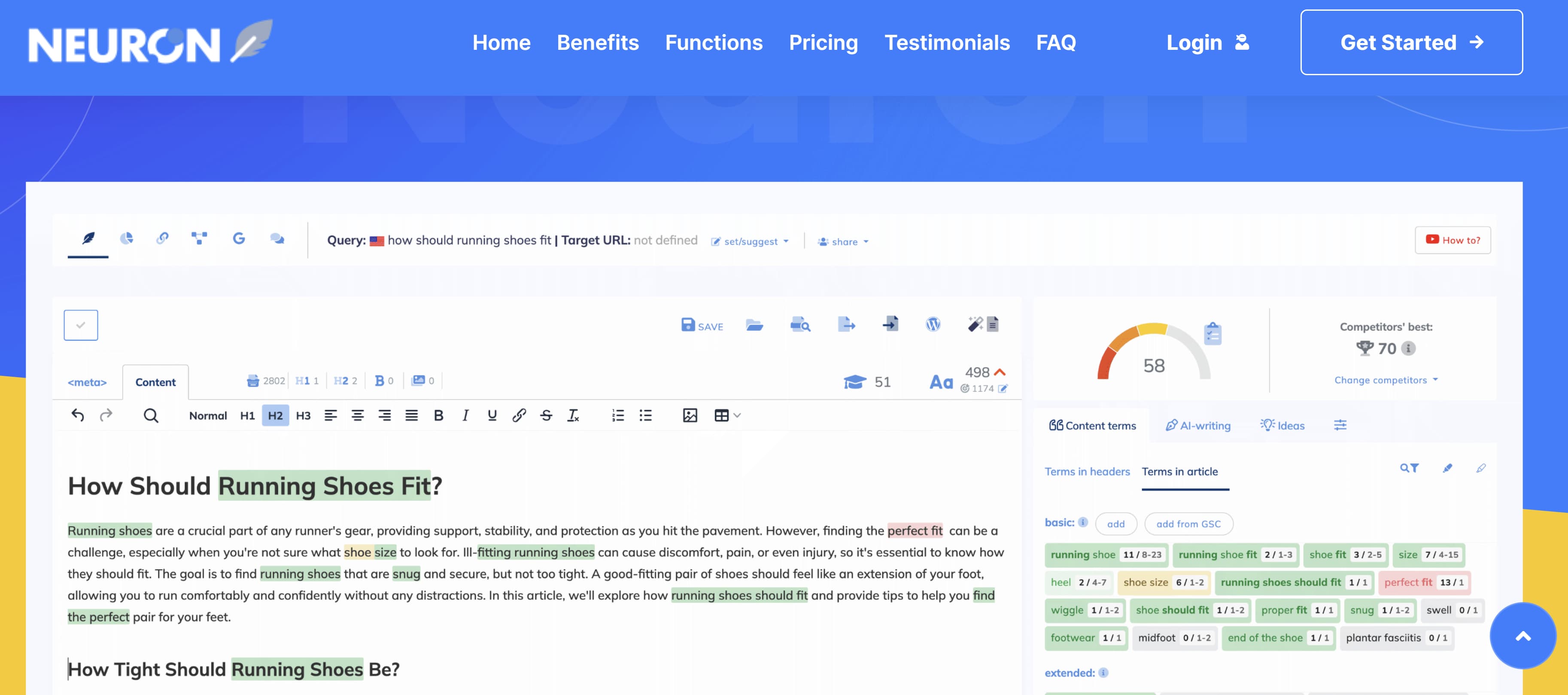
NeuronThis AI-powered optimization tool uses natural learning processing (NLP), Google SERPs data, and competition insights to help users create high-ranking, SEO-optimized articles and social media posts.
Key features are:

  • AI Writer, which generates AI-written content.
  • Internal Linking, which gives users recommendations for related sites — taking the guesswork out of link building.
  • Competitor Analysis, which analyzes the high-performing content from your competitor to give insight into what drives their ranking.

8. OutRanking

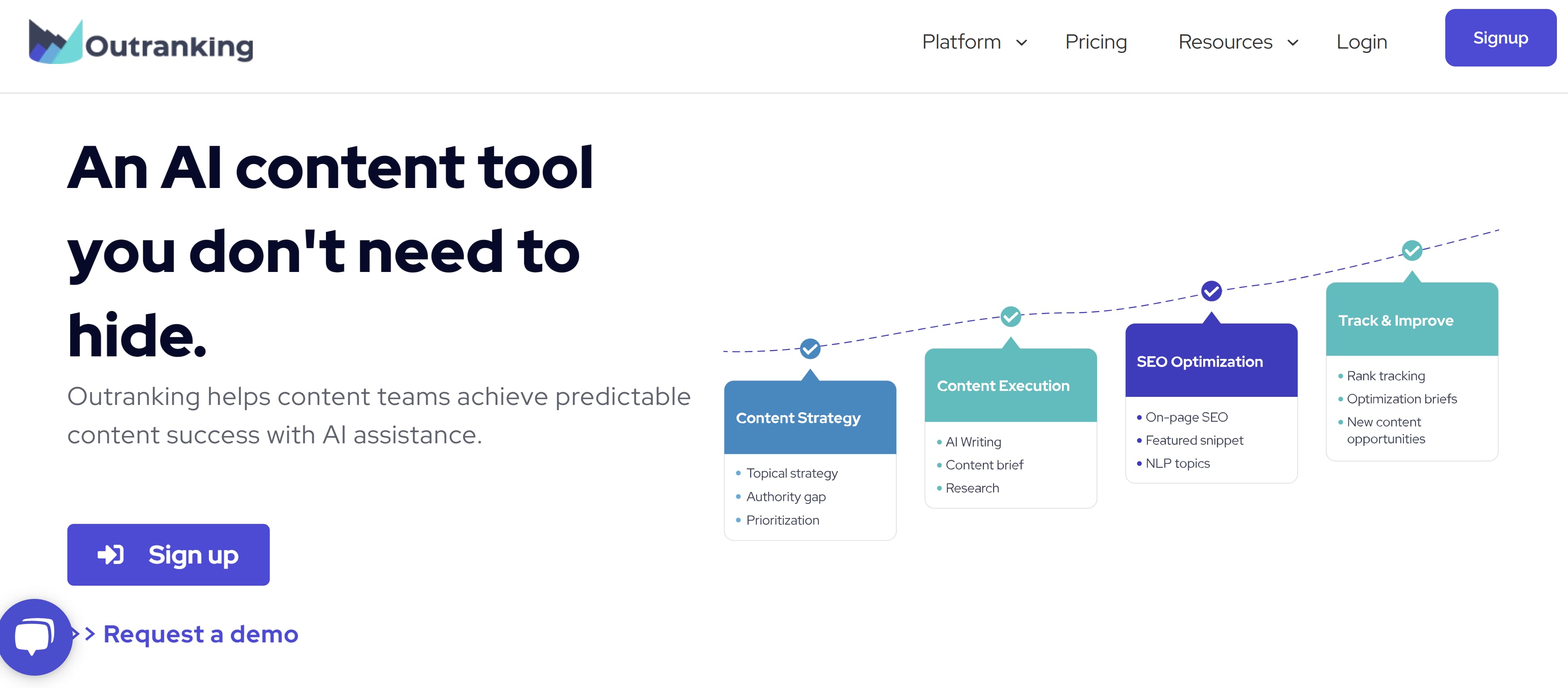
outrankingOutRankning examines data from top-ranking sites and uses the information to find opportunities to help its users rank higher.
Using SERP data, the tool can create an automated draft quickly, allowing users to make edits, fact-check, or re-write wherever they feel it’s necessary.

OutRanking can generate SEO-optimized blog outlines, briefs, titles, and campaigns.

9. Diib

diibDiib uses SEO and traffic insights to foster business growth. The AI SEO tool provides you with a personalized growth plan that includes customized objectives alerts to help with SEO.

It includes features that help monitor SEO keywords and develop new ones.

It also monitors backlinks and tracks competitor rankings. Even better, Diibs provides a daily health score to stay on top of your website’s health.

10. Surfer SEO

surferSurfer SEO is an AI tool focusing heavily on SEO strategy to boost organic traffic, visibility, and rankings in SERPs.
One of the tool’s features, Grow Flow, provides weekly SEO insights to identify high-ranking keywords, research niche topics generate content ideas, and find relevant internal links.

You can also use its SEO Audit tool to pinpoint problems in your SEO. Other helpful features include:

  • Content Editor
  • Audit
  • AI Outline Generator

11. PageSpeed Insights

pagespeed insightsPage speed plays a role in how high your website ranks in SERPs because search engines don’t want to send users to slow-loading platforms. In fact, page speed has played a role in Google’s rankings since 2017.

PageSpeed Insights is a free tool provided by Google for website owners to examine how Google assesses their page speed.

12. Scalenut

scalenutScalenut is an all-in-one SEO marketing tool that includes a keyword planner, SERP analyzer, SEO article writer, and content optimizer. With Scalenut, you can analyze the search volume and relevance of potential keywords using AI.
Its article writer creates a guided workflow to automate outlines and create content based on SERP data. And its editor provides real-time feedback and recommendations to boost the visibility of your posts.

13. Pictory

pictoryVideos increase website retention time, which helps sites rank higher in SERPs. If you’re looking for a quicker, more efficient way to incorporate videos into your web content, then Pictory could be your tool.
Pictory is an AI video generator that allows you to easily create and edit high-quality videos. To get started, upload a script for your video, which will serve as the base of your video content.

You can also use Pictory to edit videos based on text, which is especially useful for webinars, podcasts, and Zoom recordings.

Furthermore, Pictory has a feature that automatically captions and summarizes videos.

14. Nitro Pack

NitroPackAs I mentioned earlier, page speed is important in how your content ranks. Similar to Page Speed Insights, Nitro Pack is an AI tool that optimizes your website page loading time.
Nitro Pack includes features such as image optimization, which sizes, compresses, and adapts your images to load faster.

Other features, such as automatic caching and code optimization, are also excellent for improving page load time.

15. Neuraltext

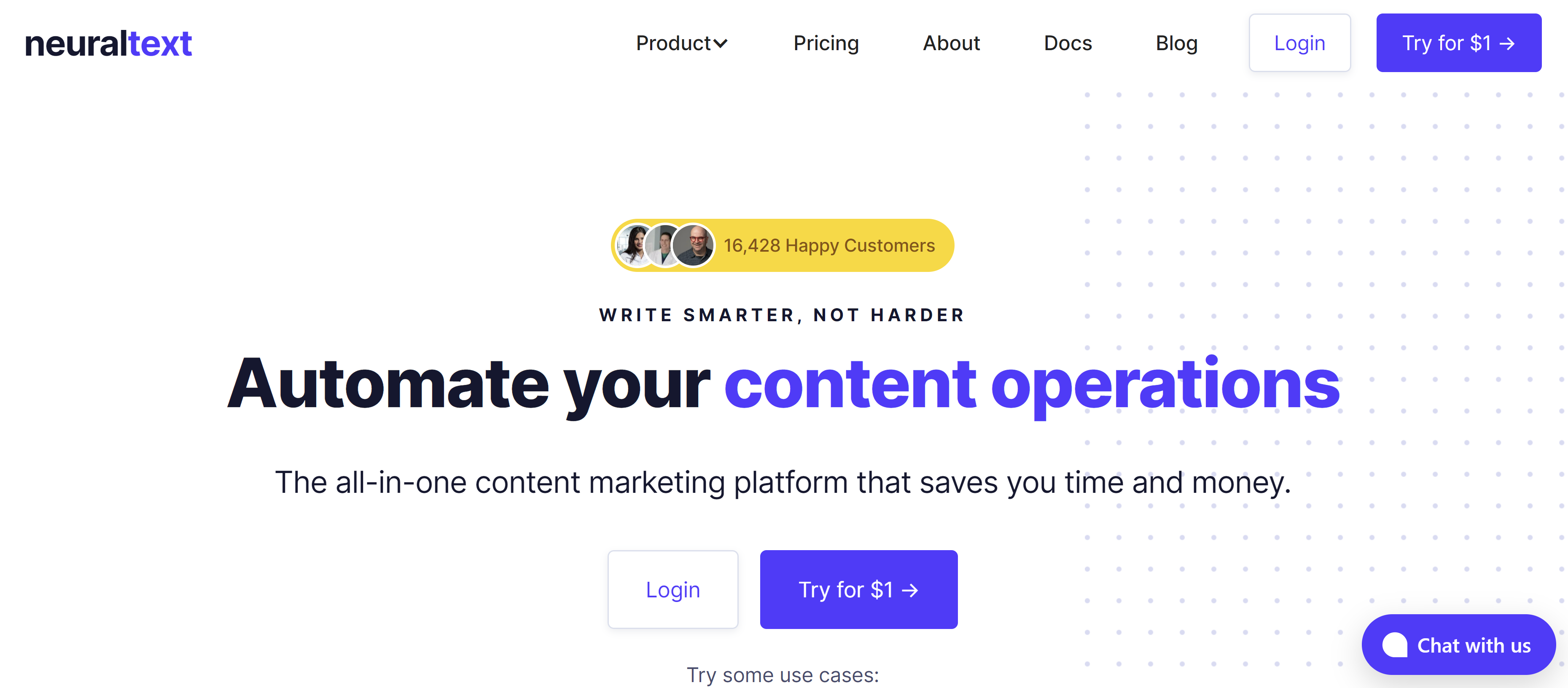
neuraltextNeuraltext is a keyword research tool, AI copywriter, and content tool. The AI copywriting feature includes over 50 templates, such as Facebook ads, slogan ideas, blog ideas, and more.
Its content features use data from ranked pages on Google to help generate well-researched content.

To use its content features, type in a keyword, and the tool will pull from the top 20 results on Google along with data on suggested keywords, topics, questions, and statistics.

Now that you have a list of AI SEO tools to choose from, you’re ready to find the right one to address any pain points in your SEO strategy.

New Call-to-action

Categories B2B

5 Challenges Marketers Face in Understanding Audiences [New Data + Market Researcher Tips]

As customer behavior constantly changes, marketers face an ongoing challenge to keep up with their audiences. Personalization and need fulfillment are essential to the success of any marketing campaign, and failing to understand what your customers want could result in lost revenue for your business.

Marketers must stay in touch with evolving customer behavior and preferences to ensure their campaigns resonate with their customers. In this blog post, we’ll highlight the top challenges marketers face in understanding audiences from HubSpot’s very own 2023 State of Marketing Report to provide data-driven tips for overcoming them.

Download Now: Free State of Marketing Report [Updated for 2023]

Challenges Marketers Face in Understanding Audiences

1. Identifying the target audience.

Surveyed marketers reported that their biggest social media challenges are consistently creating engaging content (22%), gaining and keeping followers (22%), and reaching their target audience (21%).

The special thing about these challenges is that the first two are contingent on the third.

Creating engaging content that grows your following is nearly impossible without understanding the target audience. Knowing exactly who you’re making content for is a foundational understanding marketers need.

Marketers can conduct more thorough market research to gather data on their target audience to gain a more concise understanding. They can use this data to create buyer personas and plan content for your ideal customer. These personas should be based on recent data and insights from trustworthy surveys, interviews, and other research methods.

2. Understanding customer behavior.

Another challenge that marketers face is understanding their customers’ behaviors. Understanding where they spend their time online, what they like, and what they don’t like is essential to creating effective marketing campaigns. You want to see how they prefer to view your content, the frequency with which they do it, and what will keep them returning to your business.

To overcome this challenge, marketers can use tools like Google Analytics or heat maps to gather data on customer behavior. They can use this data to analyze their customers’ website actions, track engagement, and identify areas for improvement. Marketers can also use social listening tools like Hootsuite to monitor conversations around their brand on social media.

3. Creating content that resonates with the audience.

Creating content that resonates with the audience is a significant challenge for many marketers. They may struggle to find topics their target audience is interested in or may not know how to write content that speaks to them.

For example, many customers in recent years have been looking for brands that share content that reflects corporate social responsibility on topics like social justice, sustainability, or ethical workplace practices. Current-day consumers, especially Millennials and Gen Z, want to buy from companies that display values and a purpose that resonates with them.

There’s proven potential in sharing values-based content with customers. According to HubSpot’s State of Marketing Report, 16% of marketers plan to get their company talking about values this year for the first time, and 89% of those who already do plan to increase or maintain their investment in this approach.

Marketers can use the data gathered on their target audience to better connect with the customer to create content that speaks to their interests and values. And to make things easier, they can also leverage tools like surveys or customer feedback to see what they want from your marketing content. Once you’ve identified topics your target audience is interested in, create high-quality content such as blog posts, videos, infographics, or ebooks based on the responses.

4. Measuring the success of marketing campaigns.

Measuring the success of marketing campaigns is another challenge faced by marketers. Without tracking the performance of their campaigns, it is impossible to know if they are effectively targeted towards their audience.

Marketers can set specific, measurable, and achievable campaign goals. They can use tools like HubSpot’s Marketing Analytics to track the performance of their campaigns and adjust them as necessary to achieve their goals. By monitoring key performance indicators (KPIs) like website traffic, lead conversions, click-through rates, and social media engagement, marketers can measure the success of their campaigns and optimize their strategies accordingly.

5. Keeping up with the latest marketing trends

Finally, keeping up with the latest marketing trends can be tedious for marketers. Digital marketing innovation and news is constantly changing, and marketers must keep up to ensure their campaigns are relevant and useful to the audience they’re trying to reach.

To keep up with these trends, marketers can follow industry blogs and social media accounts to stay informed of the latest developments in their niche. By keeping up-to-date on the latest marketing trends and implementing best practices, marketers can stay ahead of the competition.

Understanding your audience helps you cater to them.

Understanding the audience is critical to the success of any marketing campaign. By overcoming these roadblocks, marketers can create campaigns that resonate with their target audience and potentially drive engagement and conversions. Remember to conduct market research, monitor customer behavior, and stay up-to-date on the latest marketing trends. Marketers can overcome these challenges by following these best practices and achieving marketing success.

state-of-marketing-2023

Categories B2B

32 Mission and Vision Statement Examples That Will Inspire Your Buyers

Think about the brands you purchase from over and over. Why do you choose to buy products and or services from them even when cheaper options exist?

→ Free Resource: 100 Mission Statement Templates & Examples

Well, there’s a good reason for it — because of their values which are expressed in their mission statement. As consumers, we like to patronize businesses that have values we believe in.

Still, Loyalty doesn’t happen overnight. Building brand loyalty, like creating mission and vision statements, takes time. If you’re in a bit of a time crunch, use this table of contents to find precisely what you’re looking for to inspire the development of your company’s mission:

This brief description helps customers, employees, and leadership understand the organization’s top priorities.

As a company grows, it may reach its early goals, and they’ll change. So, it’s important to revise mission statements as needed to reflect the business’s new culture as it achieves its goals and develops new targets.

What makes a good mission statement?

The best brands combine physical, emotional, and logical elements into one exceptional customer (and employee) experience that you value as much as they do. A good mission statement will not only explain your brand’s purpose, but will also foster a connection with customers.

When your brand creates a genuine connection with customers and employees, they’ll stay loyal to your company, thereby increasing your overall profitability.

Mission statements also help you stand out in the marketplace, differentiating your brand from the competition.

What are the 3 parts of a mission statement?

Your mission statement should clearly express what your brand does, how it does it, and why the brand does it. You can quickly sum this up in your mission statement by providing the following:

  1. Brand Purpose: What does your product or service do, or aim to offer and for whom?
  2. Brand Values: What does your company stand for? For example, are you environmentally conscious and provide a more sustainable solution to solve a problem? Values are what make your company unique.
  3. Brand Goals: What does your company accomplish for customers? Why should they purchase from you instead of other competitors?

With these three components, you can create a mission that is unique to your brand and resonates with potential customers. Next, we’ll guide you step by step on how to write a proper mission statement to build on as your company evolves.

1. Explain your company’s product or service offering.

You want prospects to understand what your company does in a literal sense. This means explaining your offering in basic, clear terms. Your explanation should answer the most basic questions like:

  • Are you selling a product or service?
  • Why would customers buy it?
  • How does your offering solve for the customer?

Record your answers and focus on how your product or service brings value to your buyer personas, otherwise known as your target audience.

2. Identify the company’s core values.

Now, this is where you can start thinking bigger. You didn’t just make a product or service at random. Instead, you’re most likely motivated by a set of core values.

Core values are deeply ingrained principles that guide a company’s actions. Take HubSpot’s culture code, HEART, for example:

  • Humble
  • Empathetic
  • Adaptable
  • Remarkable
  • Transparent

These are principles that not only company employees respect, but are principles that our customers appreciate as well. By identifying core values that hold meaning on personal and organizational levels, you’ll have an appealing set to add to your mission statement.

3. Connect how your company’s offering aligns with your values.

So how can your company offering serve your core values? You need to draw a connection between the two in a way that makes sense to the public.

For example, if one of your core values centers on innovation, you want to frame your product or service as pushing boundaries and explaining how it helps customers innovate their lives or business practices. Essentially, you’re taking the literal benefit of the offering and expanding it to serve a higher purpose.

4. Condense these statements into one.

A mission statement can be as short as a single sentence, or as long as a paragraph, but it’s meant to be a short summary of your company’s purpose. You need to state the what, who, and why of your company:

  • What: The company offering
  • Who: Who you’re selling to
  • Why: The core values you do it for

Once you have successfully conveyed your message, it’s time to refine and perfect your statement.

5. Make sure it’s clear, concise, and free of fluff.

Above all, your mission statement is a marketing asset that is meant to be clear, concise, and free of fluff. It should clearly outline the purpose of your company offering and show the common goals the company is working to achieve. You should also have other team members or advisors read the mission statement and make adjustments if needed according to their recommendations.

What makes a good vision statement?

A good vision statement should be bold and ambitious. They’re meant to be inspirational, big-picture declarations of what your company strives to be in the future. They give customers a peek into your company’s trajectory and build customer loyalty by allowing them to align their support with your vision because they believe in the future of your brand as well.

What are the 3 parts of a vision statement?

Your company vision is meant to be inspirational while also aligning with the company’s mission. A vision statement should have the following characteristics:

  1. Aspirational and Ambitious: Have a lofty outlook for what you want your business to accomplish? Here’s the place to put it. Your vision statement should be aspirational and showcase how your business will grow in the future.
  2. Practical and Achievable: While your statement should be ambitious, it shouldn’t be impossible. Set a goal that is both challenging and practical.
  3. General: Your vision should be broad enough to encompass all of your brand’s overall goals. Think of it as umbrella for your mission statement and company objectives to nest under.

Both mission and vision statements are often combined into one comprehensive “mission statement” to define the organization’s reason for existing and its outlook for internal and external audiences — like employees, partners, board members, consumers, and shareholders.

The difference between mission and vision statements lies in the purpose they serve.

A mission statement is a literal quote stating what a brand or company is setting out to do. This lets the public know the product and service it offers, who it makes it for, and why it’s doing it. A vision statement is a brand looking toward the future and saying what it hopes to achieve through its mission statement. This is more conceptual, as it’s a glimpse into what the brand can become in the eyes of the consumer and the value it will bring in longevity.

In summary, the main differences between a mission statement and a vision statement are:

  • Mission statements describe the current purpose a company serves. The company’s function, target audience, and key offerings are elements that are often mentioned in a mission statement.
  • Vision statements are a look into a company’s future or what its overarching vision is. The same elements from the mission statement can be included in a vision statement, but they’ll be described in the future tense.

Now that we know what they are, let’s dive into some useful examples of each across different industries.

Mission and Vision Statement Template

Free Guide: 100 Mission Statement Templates & Examples

100-mission-statements examples

Need more examples to build your mission statement? Download our free overview of mission statements – complete with 100 templates and examples to help you develop a stand-out mission statement.

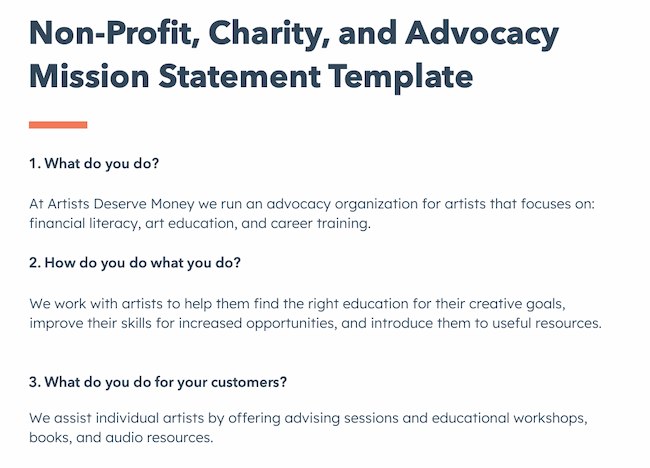
Create a mission statement with these useful templates, like this example below:

Create a mission statement example: HubSpot Nonprofit Mission Statement Template

1. Life Is Good: To spread the power of optimism.

Best Missions Statement Examples: Life is Good

Image Source

The Life is Good brand is about more than spreading optimism — although, with uplifting T-shirt slogans like “Seas The Day” and “Forecast: Mostly Sunny,” it’s hard not to crack a smile.

There are tons of T-shirt companies in the world, but Life is Good’s mission sets itself apart with a mission statement that goes beyond fun clothing: to spread the power of optimism.

This mission is perhaps a little unexpected if you’re not familiar with the company’s public charity: How will a T-shirt company help spread optimism? Life is Good answers that question below the fold, where the mission is explained in more detail using a video and with links to the company’s community and the Life is Good Playmaker Project page. We really like how lofty yet specific this mission statement is — it’s a hard-to-balance combination.

2. sweetgreen: Building healthier communities by connecting people to real food.

Best Missions Statement Examples: sweetgreen's

Image Source

Notice that sweetgreen’s mission is positioned to align with your values — not just written as something the brand believes. We love the inclusive language used in its statement.

The language lets us know the company is all about connecting its growing network of farmers growing healthy, local ingredients with us — the customer — because we’re the ones who want more locally grown, healthy food options.

The mission to connect people is what makes this statement so strong. And, that promise has gone beyond sweetgreen’s website and walls of its food shops: The team has made strides in the communities where it’s opened stores as well. Primarily, it offers education to young kids on healthy eating, fitness, sustainability, and where food comes from.

3. Patagonia: Build the best product, Cause no unnecessary harm, Use business to protect nature, Not bound by convention.

Best Missions Statement Examples: Patagonia

Image Source

Patagonia’s mission statement spotlights the company’s commitment to help the environment and save the earth. The people behind the brand believe that among the most direct ways to limit ecological impacts is with goods that last for generations or can be recycled so the materials in them stay in use.

In the name of this cause, the company donates time, services, and at least 1% of its sales to hundreds of environmental groups worldwide.

If your company has a similar focus on growing your business and giving back, think about talking about both the benefit you bring to customers and the value you want to bring to a greater cause in your mission statement.

4. American Express: Become essential to our customers by providing differentiated products and services to help them achieve their aspirations.

Best Missions Statement Examples: American Express

Image Source

Customers will never love a company until the employees love it first.

Simon Sinek (@simonsinek)

The tweet above is from Simon Sinek, and it’s one that we repeat here at HubSpot all the time. American Express sets itself apart from other credit card companies in its list of values, with an ode to excellent customer service, which is something it’s famous for.

We especially love the emphasis on teamwork and supporting employees so that the people inside the organization can be in the best position to support their customers.

5. Warby Parker: To inspire and impact the world with vision, purpose, and style.

Best Missions Statement Examples: Warby Parker

Image Source

In one sentence, the brand takes us to the root of why it was founded while also revealing its vision for a better future.

The longer-form version of the mission reads: “We’re constantly asking ourselves how we can do more and make a greater impact—and that starts by reimagining everything that a company and industry can be. We want to demonstrate that a business can scale, be profitable, and do good in the world—without charging a premium for it. And we’ve learned that it takes creativity, empathy, and innovation to achieve that goal.” This further shows how Warby Parker doesn’t hold back on letting its unique personality shine through. Here, the mission statement’s success all comes down to spot-on word choice.

6.InvisionApp: Transform the way people work together by helping them collaborate better. Faster. On everything. From anywhere.

Company mission statement examples: InvisionApp

Image Source

We love the way this statement is emphasized by bringing it back to InVision’s customers — top brands like Google, Zillow, and Slack — and linking to those stories. This mission statement is brief, authentic, and business babble-free — which makes the folks at InvisionApp seem trustworthy and genuine.

7. Honest Tea: To create and promote great-tasting, healthy, organic beverages.

Best Missions Statement Examples: Honest Tea's

Image Source

Honest Tea’s mission statement begins with a simple punch line connoting its tea is real, pure, and therefore not full of artificial chemicals. The brand is speaking to an audience that’s tired of finding ingredients in its tea that can’t be pronounced and has been searching for a tea that’s exactly what it says it is.

Not only does Honest Tea have a punny name, but it also centers its mission around the name. For some time, the company even published a Mission Report each year in an effort to be “transparent about our business practices and live up to our mission to seek to create and promote great-tasting, healthier, organic beverages.”

8. IKEA: To offer a wide range of well-designed, functional home furnishing products at prices so low that as many people as possible will be able to afford them

Best Missions Statement Examples: IKEA

Image Source

The folks at IKEA dream big. The vision-based mission statement could have been one of beautiful, affordable furniture, but instead, it’s to make everyday life better for its customers. It’s a partnership: IKEA finds deals all over the world and buys in bulk, then we choose the furniture and pick it up at a self-service warehouse.

“Our business idea supports this vision … so [that] as many people as possible will be able to afford them,” the brand states.

Using words like “as many people as possible” makes a huge company like IKEA much more accessible and appealing to customers.

9. Nordstrom: Offering customers the very best service, selection, quality, and value.

Best Missions Statement Examples: Nordstrom

Image Source

When it comes to customer commitment, few companies are as hyper-focused as Nordstrom is. Although clothing selection, quality, and value all have a place in the company’s mission statement, it’s clear that it’s all about the customer: “Nordstrom works relentlessly to give customers the most compelling shopping experience possible.”

If you’ve ever shopped at a Nordstrom, you’ll know the brand will uphold the high standard for customer service mentioned in its mission statement, as associates are always roaming the sales floors, asking customers whether they’ve been helped, and doing everything they can to make the shopping experience a memorable one.

10. Cradles to Crayons: Provides children from birth through age 12, living in homeless or low-income situations, with the essential items they need to thrive – at home, at school, and at play.

Best Missions Statement Examples: Cradles to Crayons

Image Source

Cradles to Crayons divided its mission and model into three sections that read like a game plan: The Need, The Mission, and The Model. The “rule of three” is a powerful rhetorical device called a tricolon that’s usually used in speechwriting to help make an idea more memorable. A tricolon is a series of three parallel elements of roughly the same length — think “I came; I saw; I conquered.”

11. Universal Health Services, Inc.: To provide superior quality healthcare services that: PATIENTS recommend to family and friends, PHYSICIANS prefer for their patients, PURCHASERS select for their clients, EMPLOYEES are proud of, and INVESTORS seek for long-term returns.

Best Missions Statement Examples: Universal Health Services

Image Source

A company thrives when it pleases its customers, its employees, its partners, and its investors — and Universal Health Services endeavors to do just that, according to its mission statement. As a healthcare service, it specifically strives to please its patients, physicians, purchasers, employees, and investors. We love the emphasis on each facet of the organization by capitalizing the font and making it red for easy skimming.

12. JetBlue: To inspire humanity – both in the air and on the ground.

Best Missions Statement Examples: JetBlue

Image Source

JetBlue’s committed to its founding mission through lovable marketing, charitable partnerships, and influential programs — and we love the approachable language used to describe these endeavors. For example, the brand writes how it “set out in 2000 to bring humanity back to the skies.”

For those of us who want to learn more about any of its specific efforts, JetBlue offers details on the Soar With Reading program, its partnership with KaBOOM!, the JetBlue Foundation, environmental and social reporting, and so on. It breaks down all these initiatives really well with big headers, bullet points, pictures, and links to other web pages visitors can click to learn more. JetBlue also encourages visitors to volunteer or donate their TrueBlue points.

13. Workday: Our core values guide everything we do — Employees, Customer Service, Innovation, Integrity, Fun, Profitability.

Best Missions Statement Examples: Workday

Image Source

Workday, a human resources (HR) task automation service, doesn’t use its mission statement to highlight the features of its product or how it intends to help HR professionals improve in such-and-such a way.

Instead, the business takes a stance on values. There’s a lot of great tech out there. But at Workday, it revolves around the people. We love how confident yet kind this mission statement is. It observes the state of its industry — which Workday believes lacks a human touch — and builds company values around it.

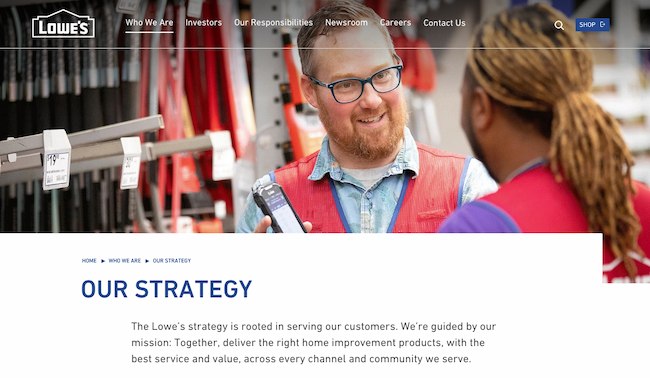
14. Lowe’s: Together, deliver the right home improvement products, with the best service and value, across every channel and community we serve.

Company mission statement examples: Lowe’s

Image Source

Sometimes the best way to communicate is direct. Lowe’s mission statement hones in on the who, how, what, and why behind this powerful home improvement brand.

It’s also a great lesson in how the words and phrases you choose show your audience the force behind your mission. This mission statement begins with the word “together.” So, no matter what location, products, or channel, the top priority of its mission is that it happens as a team.

That focus on togetherness also creates a foundation for the volunteer, scholarship, and charitable work that this organization does.

15. Tesla: Accelerating the world’s transition to sustainable energy.

Best Missions Statement Examples: Tesla

Image Source

A car company’s punny use of the word “accelerating” is just one reason this mission statement sticks out. But Tesla makes this list because of how its mission statement describes the industry.

It may be a car company, but Tesla’s primary interest isn’t just automobiles — it’s promoting sustainable energy. And, sustainable energy still has a “long road” ahead of it (pun intended) — hence the world’s “transition” into this market.

Ultimately, a mission statement that can admit to the industry’s immaturity is exactly what gets customers to root for it — and Tesla does that nicely.

16. Invisible Children: Partners with local peacebuilders across central Africa to end violent conflict through locally-led solutions.

Best Missions Statement Examples: Invisible Children

Image Source

Invisible Children is a non-profit that raises awareness around the violence affecting communities across Central Africa, and the company takes quite a confident tone in its mission.

The most valuable quality of this mission statement is that it has an end goal. Many companies’ visions and missions are intentionally left open-ended so that the business might always be needed by the community. But Invisible Children wants to “end” violent conflict facing African families with local solutions. It’s an admirable mission that all businesses — not just nonprofits — can learn from when motivating customers.

17. TED: Spread ideas, foster community and create impact.

Best Missions Statement Examples: TED

Image Source

We’ve all seen TED Talks online before. Well, the company happens to have one of the most concise mission statements out there.

TED, which stands for “Technology Education and Design,” has a succinct mission statement that shines through in every Talk you’ve seen the company publish on the internet. That mission statement starts with “Spread ideas.” Sometimes, the best way to get an audience to remember you is to zoom out as far as your business’s vision can go. What do you really care about? TED has recorded some of the most famous presentations globally. Then, it hones in on what great ideas can do — foster community and create impact.

18. Microsoft: To empower every person and every organization on the planet to achieve more.

Best Mission Statement Examples: Microsoft

Image Source

Microsoft is one of the most well-known technology companies in the world. It makes gadgets for work, play, and creative purposes on a worldwide scale, and its mission statement reflects that. Through its product offering and pricing, it can empower every person and organization.

19. Disney: To entertain, inform and inspire people around the globe through the power of unparalleled storytelling.

Best Mission Statement Examples: Disney

Image Source

Disney’s mission statement goes beyond providing ordinary entertainment. It intends to tell stories and drive creativity that inspires future generations through its work. This is an exceptional mission statement because it goes beyond giving consumers programs to watch, but ones that excite and change the way people see them and the world around them.

20. Meta: Giving people the power to build community and bring the world closer together.

Company mission statement examples: Meta

Image Source

Meta, formerly known as Facebook, is a major social media platform with a concise vision statement. It provides a platform to stay in touch with loved ones and potentially connect to people around the world.

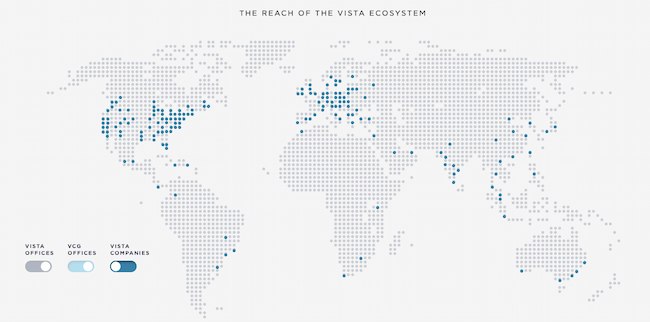
21. Vista Equity Partners: By providing technology expertise, operational guidance and capital for sustainable growth, we empower organizations across all industries to stay ahead in the digital economy.

Company mission statement examples: Vista Equity Partners

Image Source

Some businesses sell a clear and easy-to-understand product or service. But many companies need to combine branding with product education. This means that some mission statements need to not only communicate how a brand does business but also make it easy to see what it’s selling.

Vista Equity Partners is a leading technology brand that supports a wide range of people, technologies, and products. In its mission statement, it clarifies what its company offers and why. It does this using the terms its audience uses most often to describe how it can help.

22. Dunkin’: Everything we do is about you. We strive to keep you at your best, and we remain loyal to you, your tastes and your time. That’s what America runs on.

Best Vision Statement Examples: Dunkin'

Image Source

Dunkin’s mission goes beyond remaining a large coffee chain. Rather, the brand wants to be the consummate leader in the coffee and donut industry. It wants to become a place known for fun, food, and recreation.

Now that we’ve gone over successful mission statements, what does a good vision statement look like? Check out some of the following company vision statements — and get inspired to write one for your brand.

1. Alzheimer’s Association: A world without Alzheimer’s and all other dementia.

Best Vision Statement Examples: Alzheimer's Association

Image Source

The Alzheimer’s Association conducts global research and gives quality care and support to people with dementia. This vision statement looks into the future where people won’t have to battle this now incurable disease. With the work that it’s doing in the present, both employees and consumers can see how the organization achieves its vision by helping those in need.

2. Teach for America: One day, all children in this nation will have the opportunity to attain an excellent education.

Best Vision Statement Examples: Teach for America

Image Source

Teach for America creates a network of leaders to provide equal education opportunities to children in need. This organization’s day-to-day work includes helping marginalized students receive the proper education they otherwise wouldn’t have access to. Its vision statement is what it hopes to see through its efforts — a nation where no child is left behind.

3. Creative Commons: Help others realize the full potential of the internet.

Best Vision Statement Examples: Creative Commons

Image Source

This nonprofit’s vision statement is broad. It helps overcome legal obstacles to share knowledge and creativity around the world. By working closely with major institutions, its vision is an innovative internet that isn’t barred by paywalls.

4. Chipotle: We believe that food has the power to change the world.

Company mission and vision statement examples: Chipotle

Image Source

Delicious tacos, burritos, and bowls aren’t the only things that Chipotle is passionate about. Many fast food brands differentiate with products. But Chipotle offers a belief instead. This idea fuels practices like using local and organic produce, using responsibly raised meat, and cutting greenhouse emissions. Chipotle’s vision statement makes it clear what inspires and drives the actions of this international brand.

5. Australia Department of Health: Better health and wellbeing for all Australians, now and for future generations.

Best Vision Statement Examples: Australia Department of Health

Image Source

This government department has a clear vision for its country. Through health policies, programs, and regulations, it has the means to improve the healthcare of Australian citizens.

6. LinkedIn: Create economic opportunity for every member of the global workforce.

LinkedIn-Oct-26-2022-07-20-51-2448-PM

Image Source

LinkedIn is a professional networking service that gives people the opportunity to seek employment. Its vision statement intends to give employees of every level a chance to get the job they need.

7. Purely Elizabeth: We believe that food can heal.

Company mission statement examples: Purely Elizabeth

Image Source

Purely Elizabeth is a food brand selling granola, oatmeal, and cereal products. Its extended vision statement reads: “When you eat better, you feel better. It’s that simple. That’s why we use superfoods with vibrant flavors and rich textures to create delicious foods to help you thrive on your wellness journey.”

Food brands have a lot of competition, and this brand’s broad and inspiring vision offers a chance to connect more deeply with customers. Its podcast, blog, and recipe resources offer useful tools and tips for anyone looking to heal their bodies with their food choices.

8. AllHere: Connecting All Families with the Right Support at the Right Time

Company vision statement examples: AllHere

Image Source

Attendance is a big challenge for schools and families, especially with students in middle and high school. AllHere offers AI services like mobile messaging to overcome administrative and communication challenges. This helps students, parents, and teachers get the support they need for student success.

This vision statement emphasizes that this challenge is bigger than individual habits. It’s an empowering vision of an educational system that works for everyone.

9. Southwest: To be the world’s most loved, most efficient, and most profitable airline.

Best Vision Statement Examples: Southwest

Image Source

Southwest Airlines is an international airline that strives to serve its flyers with a smile. Its vision statement is unique because it sees itself not just excelling in profit but outstanding customer service, too. Its vision is possible through its strategy and can lead its employees to be at the level they work toward.

10. Supergoop!: Change the way the world thinks about sunscreen.

Company vision statement examples: Supergoop!

Image Source

For a vision statement to excite, but not overwhelm, it should be both broad and specific. Company mission statement examples like the one above from Supergoop! show that it may be tricky, but it’s also possible to balance those two extremes.

This vision says that sunscreen is important AND that sunscreen is more than sunscreen. This simple statement helps the audience think more about what its products are and what they should expect from those products. It’s about education, awareness, and quality. And this vision statement keeps the tone positive, bright, and direct.

Inspire Through Brand Values

Brand values play a much more significant role in customer loyalty than you think. Showing that your business understands its audience — and can appeal to them on an emotional level — could be the decision point for a customer’s next purchase. We hope you found some insight in this post that can help you brainstorm your inspiring vision and mission statements for your business.

Editor’s note: This post was originally published in August 2014 and has been updated for comprehensiveness.

New Call-to-action

Categories B2B

15 Essential Product Marketing Books for 2023

The product marketing landscape is continuously changing. To keep pace with the latest trends, you’ll need to keep up with the experts. That includes reading books with fresh insights and perspectives.

To help, we’ve gathered a list of 15 essential product marketing books for your 2023 reading list. These books tackle how to lead a successful launch, tips for growing your career, and how to build customer-centric campaigns.

→ Download Now: Free Product Marketing Kit [Free Templates]

15 Essential Product Marketing Books

1. The Launch, A Product Marketer’s Guide: 50 key questions & lessons for a successful launch by Yasmeen Turayhi

    • Pages: 130
    • Where to buy: Amazonproduct marketing books; The Launch: A Product Marketer's Guide: 50 key questions & lessons for a successful launch

Some of the best beginnings start with a question — or, as in the case of The Launch, 50. Through guided and thoughtful questions, this book will help you avoid common pitfalls and help put you on the path to success.

Best for: Understanding the framework of where to begin your product marketing. The Launch will equip you with questions to guide your product marketing journey.

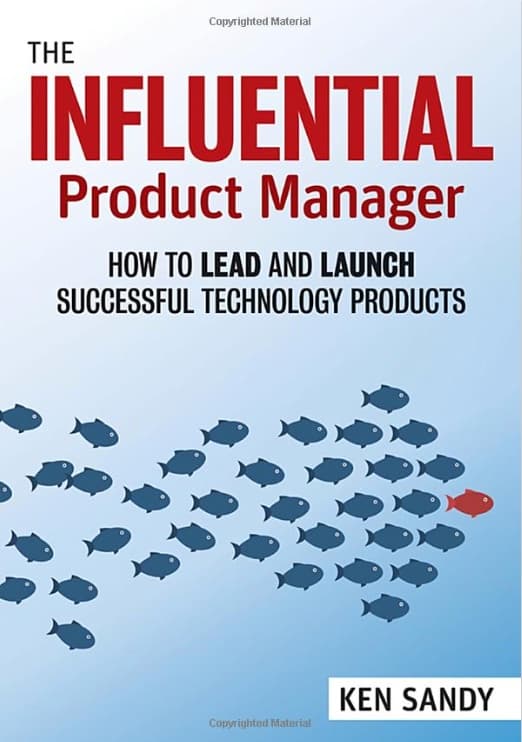
2. The Influential Product Manager: How to Lead and Launch Successful Technology Products by Ken Sandy

It can feel hard to justify what you do in your organization or prove your job value in the broader ecosystem of your company. The Influential Product Manager is about understanding how the product manager interacts with every level of the business to launch successful technology products.

What we like: Distilling decades of experience into learned lessons, this book offers a human perspective on product management in an actionable and practical guide.

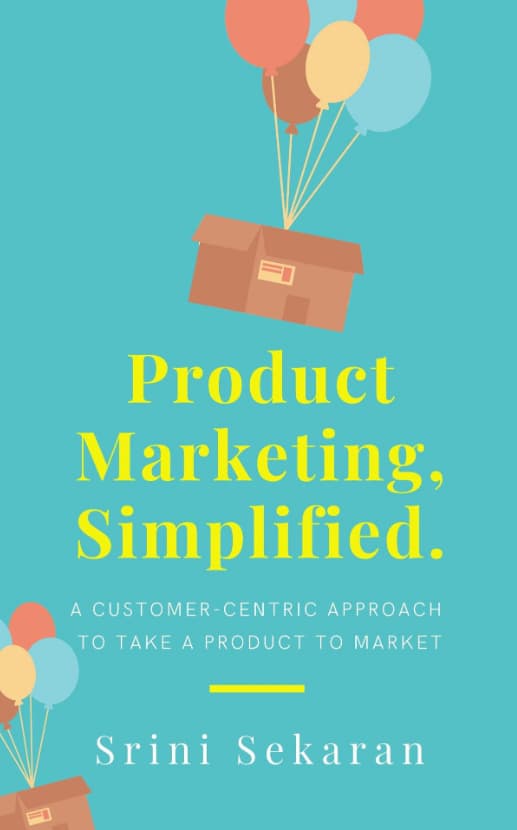
3. Product Marketing, Simplified: A Customer-Centric Approach to Take a Product to Market by Srini Sekaran

Under the fame of the customer’s needs, Product Marketing, Simplified is a comprehensive guide to product marketing that takes you through the steps. You’ll get best practices on everything from messaging to influencing the product roadmap.

Best for: Understanding the customer’s perspective. This book puts you in the customer’s mindset and helps answer questions around the “why” pertaining to the need of the product.

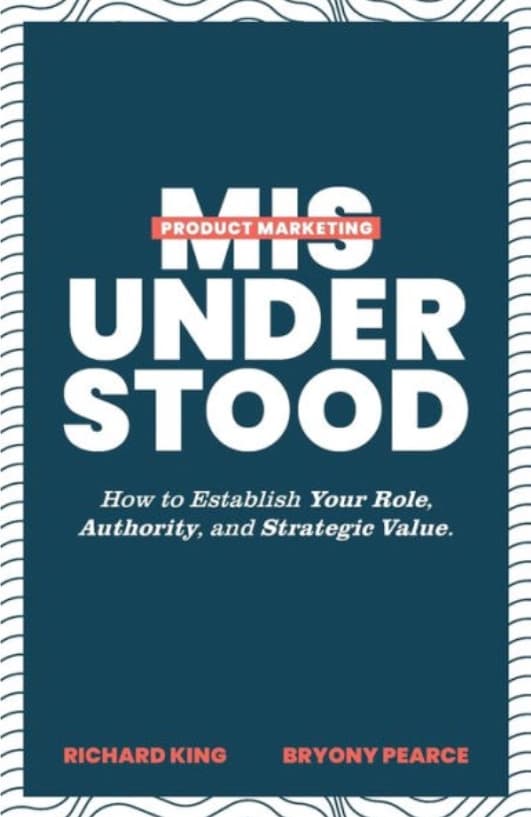
4. Product Marketing Misunderstood: How to Establish Your Role, Authority, and Strategic Value by Richard King and Bryony Pearce

While product marketing is still a relatively new job function to the organization, there are a lot of misunderstandings about your role and how to position it.

Product Marketing Misunderstood offers guidance on personifying your value and driving the organization forward.

Pro tip: Product Marketing Misunderstood provides practical knowledge and applications. You can apply these tools to your job positioning, messaging, and personas.

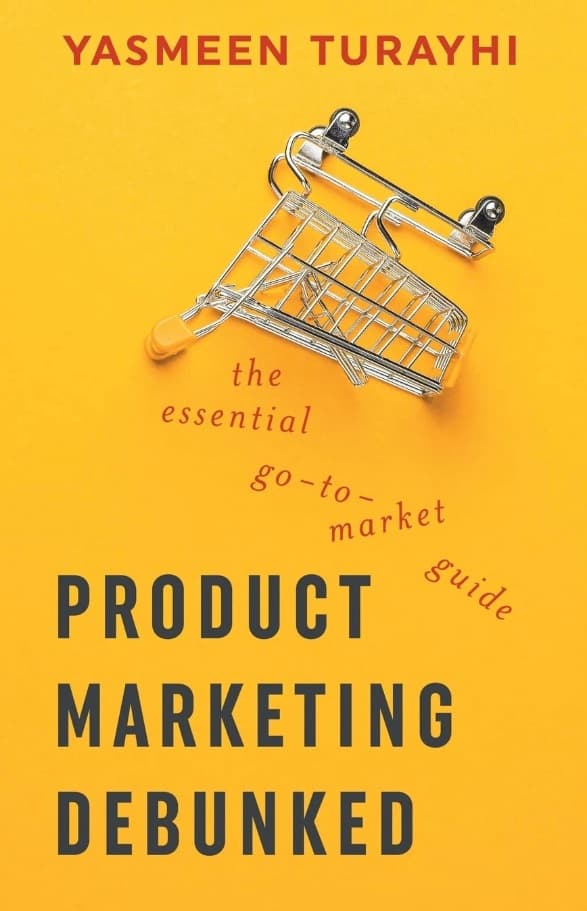
5. Product Marketing Debunked: The Essential Go-To-Market Guide by Yasmeen Turayhi

Product Marketing Debunked provides a view into taking unformed concepts and creating a proper strategy for commercializing a product. You’ll learn how to make a go-to-market plan and release your final product into the marketplace.

Best for: Establishing a framework for releasing a product. This book offers a starting point that you can modify to match your industry and growth stage.

6. Product-Led Growth: How to Build a Product That Sells Itself by Wes Bush

If you are a product marketer following product-led growth principles, Product-Led Growth is the book for you. It guides you through the thought processes of product-led growth and puts you in your customers’ shoes to build a product that better serves their needs.

Best for: Understanding where the pillars of product-led growth fit into your product marketing plan and strategy.

7. The Product Marketing Manager: Responsibilities and Best Practices in a Technology Company by Lucas Weber

  • Pages: 123 pages
  • Where to buy: Amazon

The Product Marketing Manager: Responsibilities and Best Practices in a Technology CompanyImage source

The Product Marketing Manager explains the product marketing role and focuses on practical applications. Weber ties insights to entertaining life lessons and anecdotes he collected.

What we like: The personal anecdotes and stories feel like wisdom passed down from a close friend who has learned a lot over the years.

8. INSPIRED: How to Create Tech Products Customers Love by Marty Cagan

INSPIRED: How to Create Tech Products Customers LoveImage source

To understand how to market a product, you must first understand the “why” behind the creation. INSPIRED helps equip product marketers with the skills and tools to sell a product customers will love.

Best for: Understanding how to assemble the right people and skill sets, discover the right product, embrace an effective yet lightweight process, and create a strong product culture.

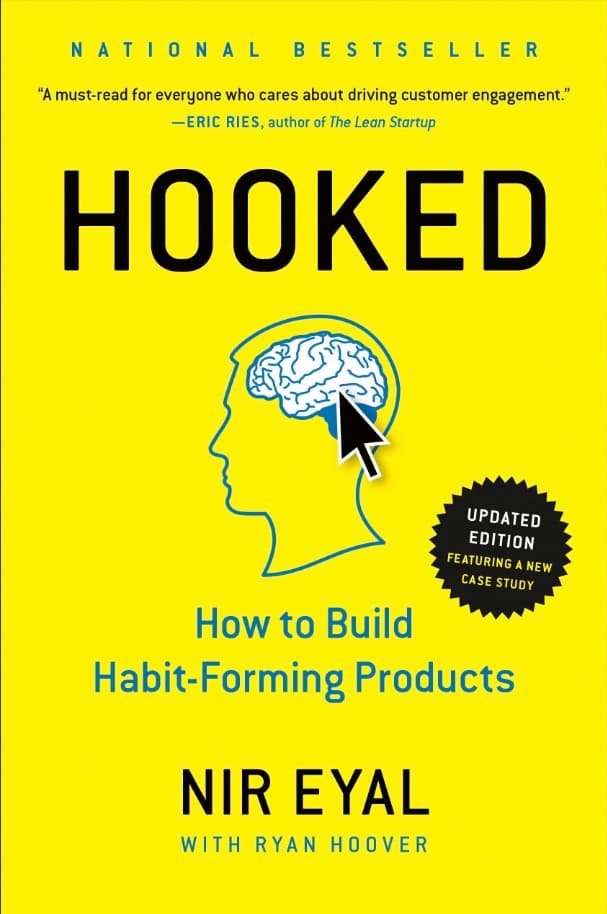
9. Hooked: How to Build Habit-Forming Products by Nir Eyal

Hooked: How to Build Habit-Forming ProductsImage source

There are certain products that we now believe we can’t live without, constantly coming back to get the latest model or update.

Hooked details the “Hook Model,” a four-step process embedded into the products of many successful companies to subtly encourage customer behavior.

Through consecutive “hook cycles,” these products bring users back again without depending on costly advertising or aggressive messaging.

What we like: This book helps you understand the psychology behind what gets people hooked on products. This can help you think through the same principles for your products.

10. Obviously Awesome: How to Nail Product Positioning so Customers Get It, Buy It, Love It by April Dunford

Obviously Awesome: How to Nail Product Positioning so Customers Get It, Buy It, Love ItImage source

So much of product marketing is product positioning, and understanding what positioning your customers react to is crucial to the sales cycle.

Obviously Awesome uncovers the principles of positioning and helps you find and position your product differentiators.

Best for: Putting yourself in your customer’s shoes to understand what makes them buy, what positioning they react to, and why they would want to buy from you continuously.

11. Escaping the Build Trap: How Effective Product Management Creates Real Value by Melissa Perri

Escaping the Build Trap: How Effective Product Management Creates Real ValueImage source

Companies that measure solely by outputs often fall into what Melissa Perri describes as the “build trap,” cranking out features to meet their schedule rather than the customer’s needs.

Following her advice, you can rethink the purpose of why something gets built.

What we like: This book helps you understand that to stay competitive in today’s market, you must adopt a culture of customer-centric practices focusing on outcomes rather than outputs.

12. Made to Stick: Why Some Ideas Survive and Others Die by Chip Heath and Dan Heath

Made to Stick: Why Some Ideas Survive and Others DieImage source

In Made to Stick, the authors reveal the anatomy of ideas that stick and explain how you can make your ideas stickier. You’ll learn about the human scale principle, using the Velcro Theory of Memory, and explore how to address curiosity gaps.

Best for: Understanding the impact of messages and why some things stick with us while others are forgotten over time. This book will help you level up your messaging with impactful and thoughtful tactics.

13. To Sell is Human: The Surprising Truth About Moving Others by Daniel H. Pink

To Sell is Human: The Surprising Truth About Moving OthersImage source

Nowadays, it can feel like everyone is trying to sell you something. While that’s not inherently bad, To Sell Is Human looks at the difference between selling and storytelling. This book offers a new perspective on the art and science of selling.

What we like: This book moves past typical sales jargon to explain why we sell and how to do it effectively. You’ll also learn how to communicate honestly with your customers.

14. Influence, New and Expanded: The Psychology of Persuasion by Robert B. Cialdini, Ph.D.

product-marketing-influence (1)Image source

Sometimes product marketers get so bogged down in their own messaging that they forget the science behind product launches.

Using memorable stories and relatable examples, Cialdini explains the psychology of why people say yes and how to apply these insights ethically in business and everyday settings.

Best for: Brushing up on communication and persuasion skills. Influence is for anyone looking to go back to the fundamentals of influence. You’ll rethink messaging that might not be working.

15. The Sales Acceleration Formula: Using Data, Technology, and Inbound Selling to Go from $0 to $100 Million by Mark Roberge

The Sales Acceleration Formula: Using Data, Technology, and Inbound Selling to Go from $0 to $100 MillionImage source

As someone who’s been at the forefront of multiple sales builds, Mark Roberge demystifies the sales process and life cycle.

The Sales Acceleration Formula provides a framework that uses all your tools at your disposal — like data, technology, and personas — to accelerate your growth.

Best for: Understanding the impact of a full sales lifecycle and your role within it. Use this book as a guide, picking up helpful information and tips to market your products better.

Building Your Product Marketing Reading List

Much like product marketing itself, learning about this business process is ever-changing. Understanding the skills needed and applying practical advice will help you level up your processes.

Ready to expand your product marketing knowledge in 2023 and stay ahead of the curve? Our list of 15 essential product marketing books is the perfect place to start.

Product Marketing Kit

Categories B2B

Content Workflow: What Marketers Need to Know

Content creation isn’t always as simple as we’d like it to be. It’d be great if marketers could just snap their fingers to launch a successful email campaign, YouTube series, or blog.

However, all content requires extensive planning, team effort, and a consistent content workflow to keep everything and everyone on track.

In this article, we’re going to explore what a content workflow is, why your team needs one, and the steps to craft the right content workflow to reach your marketing goals.

What is a content workflow?

Why Marketers Need a Content Workflow

Content Creation Workflow: Task-based Workflows vs. Status-based Workflows

Task-based Workflows

Status-based Workflows

Content Strategy Workflow: How to Build One

Download Now: The State of Media & Content Planning in 2022 [Free Data Report]


Key to an effective content workflow is clearly defining the people’s roles, the documents and materials at each stage, and the timeline in which everything must be completed. Your content workflow may change depending on the content type.

It’s normal for the materials, people, and timelines defined in one workflow to change depending on the content you’re creating, such as a blog, video, live stream, or web copy.

Why Marketers Need a Content Workflow

Content workflows ensure a project launches successfully without any hiccups. With a content workflow, you can:

  • Create content that is consistent, timely, and accurate.
  • Guarantee realistic deadlines and outcomes.
  • Proactively plan for common roadblocks in content planning and launches
  • Clearly establish how every team member fits in the big picture of creating the content

Essentially, a content workflow keeps you and your team on track to a seamless launch. Without a content workflow, you and your team are likelier to miss deadlines, make errors, and experience difficulty working toward your common goal.

Content Creation Workflow: Task-based Workflows vs. Status-based Workflows

Before learning how to build a content creation workflow, you must understand which would benefit your team the most — task- or status-based workflow.

Knowing the difference between the two will help you strategize the right workflow for you next project.

Task-based Workflows

Each stage of a task-based workflow is a task that needs to be carried out before moving on to the next step. In a task-based workflow, each step is described in detail, and everyone working on the project knows what is expected of them.

Task-based workflows are especially useful for new content teams because whoever is assigned to the task gets a clear idea of what needs to be done and what happens next.

Status-based Workflows

Status-based workflows are most often preferred by more experienced teams. In a status-based workflow, each stage is defined by status, and the stages don’t include detailed descriptions of what needs to be done like in task-based workflows.

Status-based workflows can be easier to track and can be used in a wide variety of content type. However, it’s crucial your team understands the content creation process and their roles within it.

Content Strategy Workflow: How to Build One

Follow these steps to craft a content workflow for you and your team.

1. Establish your content goals and audience.

Your goals will inform the content you want to create and the audience you’re trying to reach.

Is your goal to create brand awareness? If so, you’ll likely want to create product-led blogs or engaging social media posts. If you’re working to delight and retain your current customers, an effective email campaign would be the best fit.

2. Clearly define the roles and responsibilities of everyone on your team.

Once you know your content goals and who your audience is, you’re ready to decide who on your marketing team will be involved in the project.

For content creation workflows, you’ll need content creators (bloggers, YouTubers, videographers, etc.), editors, type, and other stakeholders involved in content creation.

Whether your team is using a a task-based workflow or a status-based workflow, everyone involved must have a clear definition of their role, duties, and where they fit within the process.

For example, your workflow is for a YouTube content series — the content creators will be in charge of crafting the content. The editors will be tasked with ensuring the content is of the best quality and contains no errors.

Senior editors or project managers will give the final approval to launch each episode in the series.

This is also the time to figure out the tools and materials your team will need to create and launch the content.

For example, content management systems like CMS Hub are essential for publishing blog posts. Canva and Adobe Photoshop are great tools for design.

You’ll may also need to consider things like mics and cameras for videos, or email automation software for email campaigns.

3. Decide the content types and frequency of output.

Figure out the kind of content you want to create and how often you want to put this content out. For example, you might decide you want to put out YouTube videos once a week or Instagram Reels every other day.

Now is also a great time to create a content calendar to plan your projects in advance and to ensure you content is launched on time.

4. Develop the content creation process.

Brainstorm with your team the different steps that must take place for your brand’s content to launch successfully. These steps will vary depending on the kind of content you’re creating.

For example, the process to craft and launch a blog post may look like:

  1. Strategizing
  2. Planning
  3. Creating
  4. Editing
  5. Publishing
  6. Analyzing

These tasks may seem broad, but this is where you want to expand. For example, strategizing typically means performing content audits, creating buyer personas, and conducting keyword research.

Editing might involve implementing SEO techniques or adding images and links.

Every step in the process needs to be accounted for so it can be assigned to the appropriate team member.

5. Document and automate your workflow.

Companies typically use standard operating procedures (SOPs) to keep their teams aligned with the process. Marketing Hub, Trello, and Evernote are examples of systems that give teams easy access to documents like SOPs.

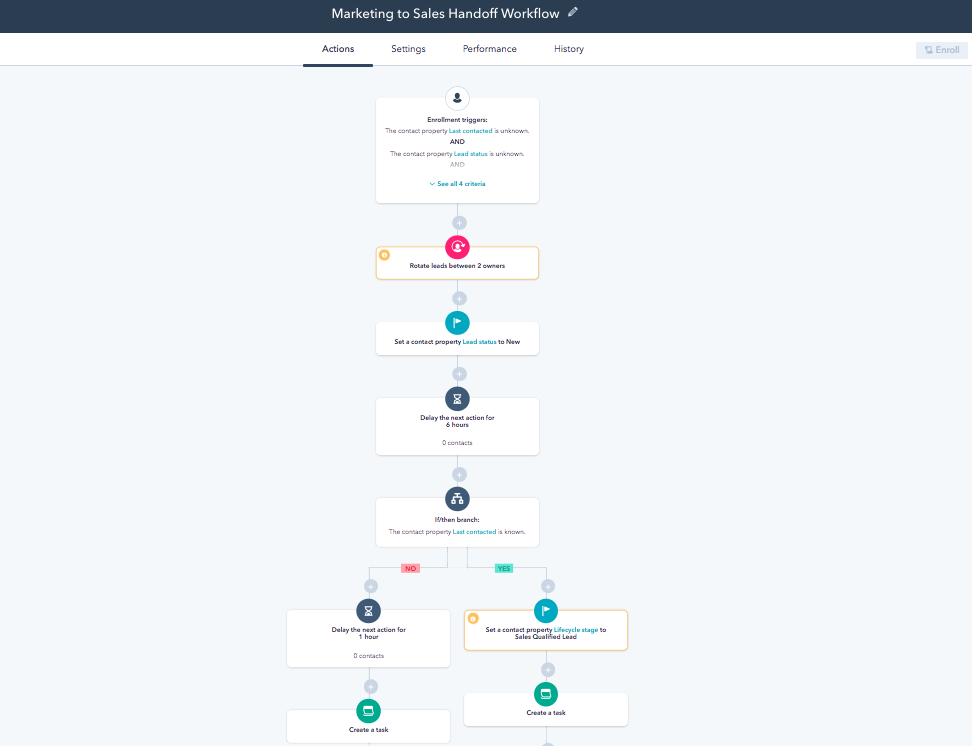
HubSpot also has an all-in-one workflow automated software that allows user to align all of their teams’ processes so there’s no confusion or hiccups from task to task.

workflow-automation-example-1Image source

We offer templates or you can create your workflow from scratch to easily hand leads from marketing to sales.

Content workflows are a must-have if you want to create content regularly and efficiently with your team informed every step of the way. With a content workflow, you can increase productivity, reduce errors, and boost workplace engagement.

Think of your workflow as a roadmap for a seamless content launch that takes you to your goals.

content planning in 2022


Categories B2B

41 Facebook Post Ideas for Businesses

Facebook is the most popular social network in the world. Its users are on the platform to connect with friends, watch videos, and share snippets of their own lives.

The channel is also a great platform for businesses, as many consumers report using it to interact with the brands they enjoy. In fact, in a HubSpot poll, 51% of respondents reported primarily using Facebook for product research.

Free Guide: How to Market on Facebook & Instagram

Given this, it’s essential to understand how to use the platform to meet your business needs. This post will explain why businesses should post on Facebook and share an expansive list of Facebook post ideas that you can use to interact with your audience and generate engagement.

Keep reading, or jump to the section you’re looking for:

Why should businesses post on Facebook?

The decision to post on Facebook should depend on your business’s individual marketing goals, but we’ll outline some benefits below. Firstly, in Q4 of 2022, Facebook reported almost 2 billion daily active users on the platform, which means that segments of your audience are likely already using the network.

When your audience discovers you’re on the platform, you can work to develop a community of like-minded consumers and deepen the connection they have to your brand. When you engage with them, you’ll learn more about their likes and interests, making it easier for you to create content they’ll enjoy and interact with.

Also, maintaining a Facebook profile is a great way to show your audience that you’re active and in business. As most users use the platform to research products, stumbling upon an inactive Facebook profile may prompt them to bring their business elsewhere.

Lastly, 200 million + businesses are already using the platform to meet their business goals, so you should join them.

How often should you post on Facebook?

A recent HubSpot experiment found that, overall, businesses should aim to post on Facebook two to five times per week.

While this is simply an average, it’s okay to adapt your strategy depending on your audience insights and what seems to bring the most success on the platform. But the experiment did note that posting more than five times per week can substantially decrease ROI.

All in all, spend time on the platform, learn from your audience, and use your page metrics to find out the best combination for your business.

What makes a business Facebook post great?

Gives your audience something they need.

If you know who your audience is, the next step is figuring out what they need, and how to give it to them.

One way to figure this out is to look at your Facebook analytics. Track posts with the most and least engagement to see what type of posts resonate with your audience. Next, step back and look at your content from your customers’ perspective. This will help you ask useful questions and post the right Facebook post ideas at the right time.

Shares a clear message.

Every idea comes from somewhere. And if you’re the one coming up with the idea, you know where it came from. That gives you more information than your audience, and it makes it easy to think you’re posting a clear message, even when you’re not.

To make sure your message is simple and direct, try these tips:

  • Create a quick outline of what you want to include in your post.
  • After writing, step away for a couple of hours before you edit your message.
  • Define or link to definitions of industry-specific terms.
  • Use writing tools to edit and proofread your posts.
  • Read your post out loud to yourself to make sure it’s easy to understand.

Has a personality and point of view.

B2B or B2C, professional or casual, people are still people. When your audience is scanning Facebook, they’re humans looking to connect or solve a problem. So, to grab your audience, it’s important to show them who you are.

But who are you? Are you being yourself on Facebook and is your personality what helps to sell your brand? Or are you a writer who’s writing on behalf of a business? First, understand who your audience wants to hear from. Next, look to your brand to develop a voice that’s consistent and authentic.

Once you have a writing voice that sings with brand personality, figure out how to use that voice. Think about the best way to add to a thread about breaking business news or how to announce an upcoming event. Decide which emojis add or detract from your text.

Whether you’re commenting, posting, or adding a tag, show your unique voice with every interaction.

Storytelling.

Stories are powerful tools. With just a few sentences, you can draw an audience in, inspire them, and drive them to take action.

And Facebook is an excellent platform for storytelling. You can use images and videos to tell your story, add captions to support your narrative, or connect a story to specific customers or followers.

Whether you want to share a challenging moment or a funny anecdote, storytelling can spark emotion and engagement.

If you’re not sure how to structure your story, this framework can help you get started.

Offers new or useful information.

If your Facebook page is all promotions all the time your audience may get in the habit of only checking your page when they want your product.

Instead, Facebook posts should be full of helpful insights that inspire your audience. The more time users spend scanning your Facebook posts, the more likely they are to become loyal customers.

To start, keep up with the latest news in your niche and industry and find easy ways to keep your followers up to date. Work with thought leaders for one-of-a-kind insights. Connect with followers to make user-generated content.

Then, find ways to connect the problems you’re hearing in comments and direct messages to the products and services you offer. This way, the useful information you’re offering helps your customers solve those problems while supporting your business goals.

Gives users some variety.

While some businesses choose two or three Facebook post ideas and stick with them, it’s best to try a little bit of everything to keep your Facebook page fresh and interesting. If some post types are too time-consuming to schedule consistently, try to create these posts in batches and space them out over time to surprise and delight your followers.

HubSpot customers: You can schedule and track your Facebook posts with HubSpot’s social media management software.

Grabs attention visually.

Over 35% of Facebook posts include images and 15% feature videos. This means that more than half of what’s posted on Facebook is visual.

So, don’t just think about visual media as an extra for your post. Make images the star, and use images that enhance your brand voice.

If you’re not a photographer or illustrator, that might sound like a big challenge. But there are a few tips that can help anyone pull powerful images into every Facebook post.

If you’re new to photography, these product photo tips can also help.

Below we’ll list various Facebook post ideas for businesses that you can use to generate engagement, drive traffic, and boost conversions.

Facebook Post Ideas For Your Business

1. Promote your website.

Business types this post idea is best for: Local Business or Place, Company Organization or Institution

Why it works: A great first post to make on Facebook is promoting your website. When you share a link on Facebook, customers get a full-sized preview of what the link leads to. If you’ve designed an eye-catching website, you may entice your users to follow the link and visit your website, which in turn drives traffic and helps you convert leads.

2. Tell a story.

Business types this post idea is best for: Company Organization or Institution, Brand or Product

Business Facebook post ideas: Dannijo Jewels

Image Source

Why it works: A smart way to engage with your audience on Facebook is to tell a story.

This story can be about your brand, like an experience that sparked your interest, or your brand’s mission and how you became what you are today.

You’ll share a bit of backstory with your audience, give them something to relate to, and get them interested in what you have to offer.

3. Share behind-the-scenes content.

Business types this post idea is best for: Brand or Product, Local Business or Place, Cause or Community

Business Facebook post ideas: Yowie

Image Source

Why it works: Customers enjoy doing business with you, but it’s also exciting for them to see how you do business. Sharing behind-the-scenes content on Facebook allows them to understand the day-to-day operations that generate the products or services they enjoy.

For example, if you’re a clothing company, you could share a video that shows how you make your products. Or a local shop could share progress on construction, like in the image above.

4. Ask your followers questions.

Business types this post idea is best for: Company Organization or Institution, Brand or Product

Facebook post ideas: Strand Bookstore

Image Source

Why it works: A great way to generate engagement with your Facebook audience is to ask them questions. If people reply, you’ll gain valuable insight into how they think and feel, and you’ll also have the opportunity to respond to comments and let them know you’re listening. Above is an example of a question-type Facebook post from the Strand bookstore.

5. Post tutorials and how-tos.

Business types this post idea is best for: Brand or Product, Artist, Band or Public Figure

Facebook business post ideas: HubSpot

Image Source

Why it works: Sharing how-tos and tutorials on your Facebook page is a great way to generate engagement with your audience, especially if the content is relevant to your business offerings. They’ll recognize and appreciate that you’re willing to help them succeed with your product, and they’ll continue to return to your page to seek out similar information in the future.

This type of post allows for creativity, as it doesn’t necessarily need to be text-based. You can create an informational video tutorial, infographic, or whatever best meets your needs. Above is an example of a how-to video tutorial post on Facebook.

6. Share industry-related news and content.

Business types this post idea is best for: Company Organization or Institution

Business Facebook post ideas: Goodwin Recruiting

Image Source

Why it works: Your Facebook audience is following you on the platform because they care about what you have to say. Given this, it’s safe to assume that they also care about news relevant to your industry, so consider posting this type of content on your Facebook page.

The example above is from Goodwin Recruiting, sharing insights from Harvard Business Review about career transitions.

7. Share user-generated content.

Business types this post idea is best for: Local Business or Place, Company Organization or Institution, Brand or Product

Facebook post ideas: Uoma Beauty

Image Source

Why it works: A great way to generate trust with your audience on Facebook is to share user-generated content (UGC). UGC is content created by people who have used your products and services or have had some experience with your business.

UGC is also a valuable form of social proof, which essentially means that your audience will trust your legitimacy because other consumers like what you have to offer. In fact, according to 2022 Statista research, 84% of consumers are more likely to trust a brand that incorporates UGC in its marketing.

This content can be anything from product reviews and testimonials to photos that customers have shared using your products. The example above is from Uoma Beauty where they’ve shared a picture of a fan using their product.

8. Post videos.

Business types this post idea is best for: Brand or Product, Artist, Band or Public Figure, Entertainment

Business Facebook post ideas: Bricks & Wood

Image Source

Why it works: Consumers love videos, so sharing them on Facebook is a great way to generate engagement and excitement for your brand, especially if they’re high quality.

The video post above is an example from Bricks & Wood, an apparel brand, of a video they’ve posted on the platform featuring their most recent seasonal campaign.

9. Post blog content.

Business types this post idea is best for: Company Organization or Institution, Brand or Product

Facebook post ideas: UserPilot

Image Source

Why it works: Cross-posting content from your blog is a great way to drive traffic to your website and expose your blog content to an audience that may be unfamiliar with it. In the example above, SaaS product Userpilot shares content from their blog to Facebook.

10. Use hashtags.

Business types this post idea is best for: All business types

Business Facebook post ideas: Iterable

Image Source

Why it works: Facebook uses hashtags to organize conversations about specific topics all in one stream. Use industry-related hashtags in your posts to join in on conversations that are already happening on Facebook. You can also use brand-specific hashtags to increase visibility and engage with audiences.

11. Post about trending topics.

Business types this post idea is best for: Company Organization or Institution, Brand or Product, Cause or Community

Facebook post ideas: Pura

Image Source

Why it works: Like using hashtags, posting about trending topics gives you an in on the conversations people are already having. People are also more likely to talk about a current trend in the moment, which can drive engagement to your page.

To make the most of this tip, stay on top of relevant industry trends and general internet trends. Then, post about topics you think your audience wants to hear about.

12. Share branded graphics.

Business types this post idea is best for: rand or Product, Artist, Band or Public Figure

Business Facebook post ideas CustomerLabs

Image Source

Why it works: One of the main goals of marketing is to increase awareness and recognition of your brand.

Given this, Facebook is a great platform to share branded graphics. This strategy shows your audience who you are and gives them the cues they need to recognize your brand and pick you out of the crowd.

13. Share product photos.

Business types this post idea is best for: All business types

Facebook post ideas: Bokksu

Image Source

Why it works: The average engagement rate on Facebook is .07%. The average engagement rate for image posts on Facebook is 0.12%, so take advantage of this and post images on the platform.

14. Post infographics.

Business types this post idea is best for: Company Organization or Institution, Brand or Product

Business Facebook post ideas: Gusto infographic

Image Source

Why it works: Infographics are a great marketing tool for educating customers and sharing relevant information.

Consider creating high-quality infographics and sharing them on your Facebook page. The example above is an infographic created by Gusto about employment trends.

15. Host contests and giveaways.

Business types this post idea is best for: Local Business or Place, Brand or Product

Facebook post ideas: GIR

Image Source

Why it works: Hosting contests and giveaways is a great way to generate engagement and interact with your audience on Facebook. The parameters of your contest can follow the same structure as any other contest you’d post on social media, but this post can help you create a Facebook-specific giveaway.

16. Announce deals and offers.

Business types this post idea is best for: Company Organization or Institution, Brand or Product, Local Business or Place

Business Facebook post ideas: ClickUp

Image Source

Why it works: Your Facebook audience may look a bit different from your email audience or your Twitter audience. So, it’s worth announcing deals and offers on all your social platforms to confirm that everyone has the chance to experience them. Above is a Facebook deal announcement from ClickUp, a project management app.

17. Share content from other social accounts.

Business types this post idea is best for: All business types

Facebook post ideas: Cloud Paper

Image Source

Why it works: There’s nothing wrong with recycling content; in fact, it’s a valuable practice. Repost tweets, TikTok videos, and even blog posts, and share them on Facebook. As different platforms have different user bases, you’re ensuring that all your segments can enjoy what you have to offer.

Above is an example from the Cloud Paper Facebook account of a cross-post from Instagram.

18. Post Facebook Lead Ads.

Business types this post idea is best for: Local Business or Place, Company Organization or Institution, Brand or Product

Why it works: Facebook Lead Ads allow users to submit information into a lead form without leaving the platform. This helps you collect the information you need to further nurture your leads.

Since they aren’t promoted to leave the page or navigate to a different window, users are also more likely to complete these, especially since they can autofill with information already shared in the user’s Facebook profile. Check out this post with Facebook ad tips to learn more.

example of a facebook lead ad information submission form

Image Source

19. Post trending memes and make them relate to your business.

Business types this post idea is best for: Brand or Product, Artist, Band or Public Figure, Entertainment

Why it works: One of the great things about social media is how easy it is to go viral. Take advantage of trending memes, rework them to relate to your business, and share them on your Profile. Consumers appreciate this kind of content, as it often displays a sense of humor, and it also shows them that you actively track online conversations.

20. Post discounts and sales.

Business types this post idea is best for: Company Organization or Institution, Brand or Product

Why it works: Like announcing deals and offers, cross-posting discounts and sales on Facebook is a great way to make sure that all segments of your audience are aware of your business offerings. This helps you drive traffic to your website and increase sales.

21. Partner with influencers.

Business types this post idea is best for: Brand or Product

Business Facebook post ideas: Chic Geeks

Image Source

Why it works: 90% of marketers say that influencer marketing is effective. Partner with influencers to promote your business, and share the content on Facebook for interested consumers to see.

The example above is a Facebook post from accessories seller Chic Geeks, where they’ve partnered with a TikTok influencer.

22. Share your YouTube videos.

Business types this post idea is best for: All business types

Facebook post ideas: Lemlist

Image Source

Why it works: As mentioned before, cross-posting content from your other channels is a great way to drive traffic and generate engagement. So, share links on Facebook from your YouTube videos.

23. Highlight products.

Business types this post idea is best for: Local Business or Place, Brand or Product

Business Facebook post ideas: Linoto

Image Source

Why it works: Your customers may already be aware of what you have to offer, but why not remind them? Consider creating a Facebook post to highlight your product offerings. The example above is from the Linoto Linens Facebook page advertising luxury bedding.

24. Announce new products.

Business types this post idea is best for: Brand or Product, Company Organization or Institution

Facebook post ideas: Acid League

Image Source

Why it works: In a similar vein, Facebook is a worthwhile platform for product announcements. Above is an example from Acid League, a food brand, announcing a new product kit.

25. Share product reviews.

Business types this post idea is best for: Brand or Product

Business Facebook post ideas: Adalo

Image Source

Why it works: Product reviews are another form of user-generated content to post that will generate social proof and establish your authority with customers.

You can take screenshots of positive reviews on your product pages, email feedback, or social media comments. You could even invite customers to create reviews specifically for your Facebook page.

26. Share open job positions.

Business types this post idea is best for: Local Business or Place, Company Organization or Institution

Facebook post ideas: Global Fund for Women

Image Source

Why it works: While Facebook is great for marketing, it can also help you attract new talent. Post job openings on your Facebook page, and you may find that engaged customers are also interested in becoming employees. Above is an example of a Facebook job post by Global Fund for Women.

27. Host ‘Ask Me Anything’ (AMA) sessions.

Business types this post idea is best for: Company Organization or Institution, Artist, Band or Public Figure

Why it works: Ask Me Anything sessions are a great way to engage with your audience. You can create a post around your desired topic and let your audience know that you’ll answer their questions in the comments and generate conversation.

28. Post answers to FAQ.

Business types this post idea is best for: Local Business or Place, Company Organization or Institution

Why it works: A great customer service tip is to practice proactive customer service, where you get ahead of customer questions if you notice that there are commonly asked questions.

Consider creating Facebook posts that answer these questions. This way customers can visit your profile and find the answers they’re looking for before picking up the phone and calling a service rep.

29. Promote events.

Business types this post idea is best for: Local Business or Place, Company Organization or Institution, Brand or Product

Facebook post ideas: Honeysuckle Biscuits and Bakery

Image Source

Why it works: Some people don’t check their email or stay active on every social channel they have. So, sharing events on Facebook is another way to make sure all segments of your audience are aware of them.

Above is an example of an event announcement from Honeysuckle Biscuits and Bakery.

30. Live-post events.

Business types this post idea is best for: Company Organization or Institution, Brand or Product

Business Facebook post ideas: Partake Foods

Image Source

Why it works: Live-posting isn’t just for big events.

Consider doing this on Facebook to create more opportunities for engagement with followers at your events. You’ll be around to answer their questions in real-time, take part in conversations, and inspire others to show up to your next event.

Above is an example from Partake Foods about a live-posting event with its CEO.

31. Create polls.

Business types this post idea is best for: Company Organization or Institution, Brand or Product

Why it works: While there are no longer Facebook features to create polls on the newsfeed or timeline, you can still add polls to:

  • Facebook Groups
  • Stories
  • Event pages

Facebook polls are a way to gain insight into your audience and their preferences. Learn more about Facebook polls for groups here.

32. Share employee-generated content.

Business types this post idea is best for: Company Organization or Institution, Brand or Product, Cause or Community

Facebook post ideas: Daisy by Shelby

Image Source

Why it works: Just as people want to work for your company, your followers may want to learn about your company’s employees. Employee-generated Facebook business posts can showcase company culture, projects, and the talent that helps run your business. The example above is from the pet supply company Daisy by Shelby.

33. Post in industry-relevant groups or pages.

Business types this post idea is best for: Local Business or Place, Company Organization or Institution

Why it works: While most of the posts you make will be on your own profile, it’s also worth posting in Facebook groups that are relevant to your industry. You’ll gain exposure to a new audience, and, depending on what you post, generate new leads.

34. Share a call-to-action (CTA).

Business types this post idea is best for: Local Business or Place, Company Organization or Institution, Brand or Product

Business Facebook post ideas: PandaDoc

Image Source

Why it works: Sharing a call-to-action (CTA) on your Facebook profile can help you collect information on new leads, and drive traffic to your website. CTAs can take many forms. Many Facebook post CTAs will include links to blogs or product trials. But you can also add a CTA to encourage your followers to sign up for a newsletter or invite them to sign up for exclusive access to a new product.

35. Recycle content from popular posts.

Business types this post idea is best for: All business types

Why it works: One of the great things about social media is that it’s an ever-evolving landscape where people are discovering new things every day.

Consider recycling content from your most popular posts so newer followers and leads can learn from and enjoy that content as well. You can find your old posts in your activity log, then schedule your Facebook post for the time you want your repost to go live.

Check this post out for more content recycling ideas.

36. Create a themed series.

Business types this post idea is best for: Company Organization or Institution, Brand or Product, Cause or Community

Facebook post ideas: Cometeer

Image Source

Why it works: Creating a themed series is a great way to drive engagement and interaction. Besides connecting with new visitors, it entices your visitors to keep coming back to read new posts as they go live.

The content in your themed series should be relevant to your business. Example ideas for a content series include:

  • Sharing information on a new industry trend
  • Explaining how that trend relates to your business
  • Explaining how that trend could affect your audience

In the example above, Cometeer’s Seed to Cup series goes into detail about the process of making their star product.

37. Share content from other industry leaders.

Business types this post idea is best for: Company Organization or Institution, Cause or Community

Business Facebook post ideas: Everlaw

Image Source

Why it works: Your audience trusts you because they believe you provide them with something of value.

Because of this, consider sharing content from other industry leaders or businesses that you think will benefit your audience and help them succeed. The example above is from the Everlaw Facebook account sharing an industry-relevant article.

38. Share your business values.

Business types this post idea is best for: Brand or Product

Facebook post ideas: Spot & Tango

Image Source

Why it works: 63% of consumers say that they buy or advocate for brands based on their beliefs and values.

Aim to build trust with your audience by sharing your brand values on Facebook and letting them know what you care about. The example above is from pet supply company Spot and Tango’s Facebook page. Its Facebook posts communicate how to care for pets at all life stages.

39. Host a Facebook Live.

Business types this post idea is best for: All business types

Business Facebook post ideas: Cloth and Paper

Image Source

Why it works: Facebook Live is a native feature that allows you to broadcast real-time video to your page and newsfeed.

Live video gives you the unique opportunity to build trust with your audience with interactive two-way conversations. Your audience can ask questions in the comments, and you can verbally reply using their name and generate a familiar relationship.

Featured Resource: The Guide to Facebook Live

40. Connect with investors.

Business types this post idea is best for: Local Business or Place, Brand or Product

Facebook post ideas: Sienna Sauce

Image Source

Why it works: Facebook isn’t just for customers. If you want a chance to drive interest and funding for a new brand, Facebook has a range of features that can help you draw attention to your business.

Share videos, images, and stories as a way to drive investor engagement and gain funding for your brand.

41. Share content from your other Facebook profiles.

Business types this post idea is best for: Company Organization or Institution

Google's Facebook page reposting a video post from the google small business Facebook page

Image Source

Why it works: Some companies have multiple Facebook profiles that correspond to different segments of their business. If this is you, share content from your other Facebook profiles to your main profile page. This can make your audience aware of the different types of content you have to offer.

The example above is from Google’s main profile page sharing content from the Google Small Business profile page.

Make Great Content for Your Facebook Page With These Post Ideas

Using the tips on this list will help you create an engaging Facebook business page. Each time your audience visits they’ll have a chance to learn more about what you have to offer and develop a relationship with your brand.

Editor’s note: This post was originally published in April 2021 and has been updated for comprehensiveness.

generate leads with facebook

Categories B2B

How to Edit YouTube Videos: A Beginner’s Guide

As a video marketer, knowing how to edit YouTube videos is a crucial skill, especially when it comes to post-production.

If you can’t seamlessly weave your shots together or get your cut to hit the right frame, your video will seem unpolished and disengage your viewers.

That said, if you’re operating on a shoestring budget, you might not be able to afford video editing software. So what’s a video marketer to do without editing software?

Fortunately, YouTube offers a web-based video editor that is entirely free and accessible through its platform.

In this post, learn how to use YouTube’s nativevideo-editingtools, as well as best practices to keep in mind when editing your videos to ensure you’re keeping your audience engaged and interested in watching more.

→ Free Templates: How to Use YouTube for Business [Download Now]

How to Use YouTube’s Video Editor

YouTube’s video editor is an extremely basic editing tool, butit can still let you trim clips out of any part of your video, so read on to learn how to chop up your videos right in the video platform.

1. Sign in to YouTube Studio.

YouTube Studio is a platform provided by YouTube for creators to control their presence, edit and upload videos, and track performance. The studio is accessible via desktop or app.

2. Click Content.

If you’re using the desktop version, go to the sidebar on the left and click Content. If you’re using the app, the Content tab is at the bottom.

youtube studio editor sidebar dashboard

3. Click the thumbnail of the video you want to edit.

While YouTube is compatible with multiple formatting types (3GPP, AVI, FLV, MOV, MPEG4, MPEGPS, WebM and WMV), YouTube recommends format is MPEG4 or “MP4” when uploading any videos to retain the highest quality possible.

If you’re currently using another format, you can use tools like Veed’s video converter to change any video to MP4. This will allow you to upload the video to YouTube without compromising video quality.

youtube studio editor channel content dashboard

4. In the left sidebar, click Editor.

5. Trim the beginning or end of your video.

If you want to trim the beginning or end of your video, select Trim, which is next to your video’s timer and right above your timeline panel.

YouTube Studio Trim Video timeline panel

You should see a blue box around the sides of your video timeline panel. Drag them to chop off the parts of the beginning or end of your rough cut that you don’t want to include in your final published version. Click Preview to view the edit, and click Save on the top right-hand corner if you’re satisfied.

YouTube Studio Trim Video

6. Trim clips out of the middle of your video.

If you want to trim a specific clip out of the middle of your video, select Trim. Next, in your timeline panel, click the beginning of the portion of the clip you’d like to remove and press Split.

YouTube Studio Split Video

Next, in your timeline panel, click the end of the clip that you’d like to remove and press Split again.

YouTube Studio Split Video

Finally, click on the blue line at either the beginning or end of your clip and drag it to the other side to trim it out of your video. Click Preview to view your edited video, and click Save if you’re satisfied.

YouTube Studio Split Video

7. Add an end screen to your video.

If you want to give your viewers the option to watch one of your related videos or playlists or subscribe to your channel, click the end screen icon shown at the bottom of your timeline panel.

The image below displays the end screen icon outlined in red.

youtube studio video editor timeline panel end screen icon

You can upload your existing end-screen template by clicking Apply template in the pop-up menu (this is a helpful guide for creating your own) or choose from the editor’s native options: Video, Playlist, Subscribe, Channel, or Link.

youtube studio video editor end screen elements menu

While YouTube’s video-editing tool in Creator Studio can be helpful, you may be looking for a more robust editing tool. If this sounds like you, check out our post on some of the best YouTube video editor alternatives.

How To Edit Videos For YouTube

While understanding how to edit your videos is essential, it’s also important to make sure you’re editing videos into a final product that users are interested in. Let’s discuss best practices to keep in mind when editing your videos during post-production.

Create engaging thumbnails for each video.

Thumbnails are the first thing your viewers see before watching your video, so they’re your first chance to capture attention and draw in your audience.

Your thumbnails can be screenshots of specific moments from your videos or even text-based titles, but they should be exciting and leave your audience intrigued and wanting to learn more.

Here is a helpful guide to creating YouTube thumbnails.

Tell a story.

Just as we do when we read a book, we want the videos we watch to tell a story. This means that your videos should have a flow and follow the fundamental elements of storytelling: having a beginning, middle, and end.

You’ll want your story to guide viewers through what you’re sharing with them, and they won’t be left confused and wondering how one clip is related to another.

This post is a thorough explanation of the basics of storytelling and how you can apply its principles when editing your videos.

Use engaging elements in all your videos.

In addition to telling a story, adding engaging elements to your videos during editing is a great way to keep your audience engaged.

Engaging elements can be things like images, text and shapes, animations, music, and fun transitions.

Be sure to choose an element that makes sense and complements your videos, as you don’t want to take the focus away from your high-quality content.

Create a baseline video editing style.

One of the best ways to streamline your editing process and keep your audience engaged is to develop a baseline editing style that you’ll use and apply to every video.

This means a consistent way of editing your videos, thumbnail style, music, transitions, and any other added elements that you’ll always use.

You’ll spend less time finding new elements every time you sit down to edit, and your audience will come to recognize your consistent style.

For example, maybe you always give a snippet at the beginning of your videos of the most dramatic or exciting moment that will happen later on to draw in your audience.

Keep up this consistent style with all your videos, as it will give you a consistent framework to work from and keep your audience engaged and wanting more.

Keep it simple.

Although it can be tempting to do as much as you can to draw in your audience, it’s also important to keep it simple and not overwhelm your viewers.

Too many unnecessary transitions, loud music, images, and text can distract from your video content and have the opposite effect.

Aim to find a careful balance of original video content and supplemental elements.

Take time to step away and come back.

Editing video can be stressful, especially if you sit in front of a computer for hours at a time.

It can become easy to second-guess your work, so it can be beneficial to step away for a while so you can come back fresh, energized, and ready to make a final cut.

You can think of it like this: if you’ve been sitting at a desk for six hours editing a video, you’ve been hyperfocused on that and nothing else. You may start to feel stuck or like you’ve hit a wall and that your video is bad.

If you step away for a few hours or days, you can come back to it with a fresh pair of eyes to make final edits and realize that your video is good; you just needed to take a break and come back refreshed.

Editing YouTube Videos for Beginners: A Checklist

Keep this checklist in mind before, during, or after editing your YouTube videos:

  • Include SEO-optimized tags and titles for your videos. TubeBuddy, Ahrefs, and HubSpot all contain tools you can use to optimize your videos to help them rank high SERPs.
  • Have a realistic and consistent production timeline. For example, if you want to upload videos every two weeks, make sure you allot enough time to meet your deadlines.
  • Include an eye-catching thumbnail.
  • Make sure you have good-quality audio. It doesn’t matter how well-edited your videos are — if the audio is poor, audiences won’t tune in or share.
  • Share to all the proper social media channels. Make sure to promote your videos on your brand’s social media platforms to reach as many people as possible.
  • Track your post-uploaded analytics. You need to keep track of your video’s performance so that you know what you need to improve or focus on next time.

Keep an eye out for trends, such as when your audience is most active or what videos they enjoy the most.

Whether you use YouTube’s native tools or third-party software, editing your videos should be fun. Take the time to understand what works for the content you produce, create a consistent editing strategy, and watch the views roll in.

Editor’s note: This post was originally published in March 2019 and has been updated for comprehensiveness.

Featured Resource, YouTube for Business Kit: 18 Free YouTube Templates, 18 design, planning, and video description templates for YouTube. Download for Free

Categories B2B

How to Use SumIf in Google Sheets

When you’re managing spreadsheets, even a relatively small amount of data can become difficult to manage pretty quickly. But tools like Google Sheets have many functions that help you work with data more efficiently.

→ Access Now: Google Sheets Templates [Free Kit]

A common challenge is figuring out how many instances you have of specific values within a large spreadsheet. That’s where the SumIf function in Google Sheets comes into play. Using this function, you can add up numbers in a spreadsheet based on certain conditions.

Using a SumIf function in Google Sheets effectively can take some practice, especially in more complex situations. So here are step-by-step instructions and examples of using SumIf in Google Sheets to help you on your way.

Table of Contents:

What does SumIf do in Google Sheets?

In Google Sheets, the SumIf function adds up the values in a range of cells that meet certain criteria. It allows you to add numbers in a specific range based on a given condition, such as values that meet a specified condition, fall within a certain range, or match a particular text string.

The syntax of the SumIf function in Google Sheets is as follows:

=SUMIF(range, criteria, [sum_range])

  • Range: The range of cells that you want to evaluate.
  • Criteria: The criteria that you want to use to determine which cells to sum up.
  • Sum_range: The range of cells that you want to sum up. If this argument is not provided, the cells in the range argument will be used.

Let’s say you have a column of sales data, and you want to sum up a particular person’s sales. You could use the SumIf function.

You would specify the range of cells that contain the sales data, the criteria that specify which salesperson’s sales you want to sum up, and the sum range (which, in this case, would be the same as the range argument).

The function would then calculate the sum of all the sales that match your specified criteria.

The Benefits of Using SumIf in Google Sheets

Sometimes, you may need to sum up values in a range based on specific criteria or conditions. Without the SumIf function, you would need to manually sort, filter, and add up the values that meet your criteria, which can be time-consuming and result in many errors.

You might also need to perform dynamic calculations that update automatically as your data changes. By using the SumIf function, you can create formulas that are linked to your data and update automatically whenever new data is added or existing data is changed.

The SumIf function is also very flexible and easy to customize. It can be as straightforward or as complex as you need it to be. Google Sheets allows you to select a wide range of criteria and conditions for summing up values through the SumIf function.

Plus, it’s compatible with plenty of other functions within Google Sheets if you need to extend your formula or create complex calculations. This includes AverageIf, CountIf, MaxIf, and more.

How to Use SumIf in Google Sheets

    1. Open a new or existing Google Sheets document.
    2. Enter your data into the worksheet. For example, you might have a list of sales transactions with columns for date, product, quantity, and price.sumif google sheets, sumif google sheets example
    3. Decide what criteria you want to use to sum up your data. For example, you might want to sum up the sales for a particular product or for a specific date range.
    4. Click on the cell where you want to display the sum of your data.
    5. Type “=SUMIF(” into the cell. This will start the SUMIF formula.sumif to calculate boots price, create a conditional sum
    6. Select the range of cells that you want to search for the criteria. For example, if you want to sum up the sales for a particular product, you would select the column that contains the product names.
    7. Type a comma “,” after the range of cells.sumif to calculate boots price, select cells
    8. Enter the criteria that you want to use for summing up the data. For example, if you want to sum up the sales for a product named “Boots”, you would enter “Boots” in quotation marks.
    9. Type another comma “,” after the criteria.sumif to calculate boots price, apply conditional statement
    10. Select the range of cells that contains the values that you want to sum up. For example, to sum up the sales for the “Boots” product, you would select the column that contains the sales values.sumif to calculate boots price, apply quantity
 
  1. Close the formula by typing “)” and press Enter. The sum of the values that meet your criteria will be displayed in the cell. In this instance, the SumIf function shows us that 16 pairs of boots have been sold in total.sumif to calculate boots price, sum

You can also use the SumIf function to sum up values based on multiple criteria by using the “&” operator to combine the criteria. For example, to sum up the sales for the “Boots” product for 2023 so far, you would use the formula:

“=SUMIF(B2:B11,”Boots”,C2:C11&A2:A11,”>=1/1/23″)”

In this instance, B2:B11 contains the product names, C2:C11 contains the sales values, and A2:A11 contains the dates.

SumIf in Google Sheets Example

To get a sense of how useful SumIf can be with large data sets, let’s take a look at a more in-depth example. In this instance, you need the SumIf statement to use data from multiple sheets.

Suppose you have a list of employees and their corresponding salaries on one sheet and a separate sheet containing each employee’s job title.

In this instance, we’ll use the SumIf function to sum up the overall salary spent on employees with a specific job title.

  1. Select the cell where you want the final value to appear and begin your SumIf formula. First, select the data in Column C (“Job Titles”), as this is the range you want to evaluate.sumif to find occupational therapist salary, select the data in Column C (“Job Titles”), as this is the range you want to evaluate
  2. In this case, we’re trying to find out how many Occupational Therapists are on the payroll. So, “Occupational Therapist” has been entered into the formula as the criteria.
  3. Next, we need to tell the function the range of cells you want to sum up based on the criteria. We want to know about the salaries of occupational therapists, which means selecting the data under Column B (“Annual Salary”).sumif to find occupational therapist salary, tell the function the range of cells you want to sum up based on the criteria
  4. When the Enter key is hit after closing the formula with “)”, we can see that the company spends $622,435 annually on salaries for Occupational Therapists.

sumif to find occupational therapist salary, sum for occupational therapist salary

If you wanted to know this information about each job title in the company, you would simply create another table in a separate sheet with one instance of each job title and copy the formula down, replacing the criteria for each row to match the job title you want to reference.

sumif to find occupational therapist salary, copying formula

So, in just a couple of steps, you’d be left with a table that sums up all the information in one place rather than manually counting and adding up hundreds of cells.

sumif to find occupational therapist salary, apply formula

Best Practices for Using SumIf

The SumIf function is fairly simple and easy to use. But like all spreadsheet functions, it’s easy to get an ERROR result if your formula isn’t formatted correctly or if you don’t stick to some key best practices.

Use descriptive criteria.

Using descriptive criteria can help make your formula more readable and understandable.

For example, if you are summing sales data for a particular region, use the name of the region as your criteria, rather than a generic term like “Region A”.

Use cell references.

Using cell references instead of typing criteria directly into your formula makes it easier to update your criteria if needed.

For example, if you need to change the name of the region you are summing, you can simply update the cell reference instead of editing the formula.

Check your ranges.

Make sure that the range you are summing and the range you are using for criteria are the same size and have the same layout. If the ranges are different, you may get unexpected results or errors.

Use the correct syntax.

The syntax of the SUMIF function is SUMIF(range, criteria, sum_range). Make sure that you are using the correct order of arguments and that each argument is separated by a comma.

Test your formula.

Testing your formula with a small subset of data can help you catch errors or unexpected results before applying it to a larger dataset. This is especially important if you are using more complex criteria or formulas.

Use other functions for more complex criteria.

If you need to sum data based on more complex criteria, consider using other functions such as SUMIFS, which allows you to specify multiple criteria.

For example, you can use SUMIFS to sum sales data for a particular region and time period.

Keep your data organized.

Keeping your data organized and well-formatted can make it easier to use SUMIF and other functions in Google Sheets.

Consider using tables or formatting your data as a named range to make it easier to reference in your formulas. You can also use filters or sorting to quickly find the data you need.

Getting Started

The SumIf function is a simple solution to summing up data based on specific criteria. By using cell references, descriptive criteria, and other best practices, you can make your formulas more readable, accurate, and efficient.

Whether you are summing sales data, tracking expenses, or analyzing survey results, the SumIf function can help you quickly and easily calculate totals based on specific conditions. With a little practice, you’ll soon be using this function with ease.

business google sheets templates

Categories B2B

The Marketer’s Complete Guide to SEO Automation

As marketers, we understand the importance of SEO in driving traffic and generating leads. But all too often, our efforts are hindered by a lack of resources or time.

That’s why many marketers use automation to streamline their SEO processes and focus on other growth strategies.

In this guide, you’ll explore what SEO tasks can be automated to save at least three hours daily. You’ll also find out which essential SEO tools you should have in your arsenal to create an effective SEO strategy quickly and efficiently.

Let’s get started!

What is SEO automation?

What SEO tasks can be automated?

12 Essential SEO Automation Tools

→ Download Now: SEO Starter Pack [Free Kit]

SEO optimization tools help marketers save time and resources while building an effective SEO strategy.

What SEO tasks can be automated?

Say goodbye to manual labor and hello to efficiency with SEO automation! Here are just a few of the tasks that can be automated with the right toolkit in hand.

  1. Keyword research. Automation helps to quickly identify keywords relevant to your target audience for high-value traffic opportunities.

  2. Content creation. Generate quality blog posts and website content with AI-driven writing services and make sure you’ve sprinkled enough keywords throughout the piece.

    SurferSEO, for instance, will provide you with these suggestions as you write.

  3. Automated structured data markup. Generate and validate structured data for your site in a heartbeat.

  4. Technical optimization. Save time on page speed optimization and technical audits while avoiding mistakes thanks to automated checks. Tools for an SEO audit will crawl your website and generate a report on any issues they find.

  5. Reporting and analytics. Automatically generate reports to track SEO performance with analytics tools such as Google Analytics, Google Data Studio, and others.

    Get instant insights into how much traffic you are getting, what content is performing the best, where your visitors are coming from, etc.

  6. Automated rank tracking. Monitor how you rank for target keywords in the search engine results pages (SERPs). Track competition and fluctuations in the SERPs and get alerted when a competitor’s content ranks higher than yours for a keyword.

  7. Automated image optimization. Automatically optimize images for SEO to improve page loading times without losing image quality.

  8. Backlink Analysis and Interlinking. Find backlink opportunities, monitor competitor links, and get suggestions for internal linking to create a natural-looking link profile for your website.

With automation, marketers can create more effective SEO strategies faster and easier than ever. If you are ready to take your SEO efforts to the next level, keep reading and find awesome SEO automation software for different tasks.

12 Essential SEO Automation Tools

We’ve gathered the 12 best SEO automation platforms to help you eliminate painstaking SEO work. Although each tool has many features, we’ll focus on a few of the most notable.

1. HubSpot Marketing Software

SEO automation tools — HubSpot SEO Marketing SoftwareImage source

HubSpot’s SEO Marketing Software provides actionable recommendations on optimizing your website for SEO, ranked in order of priority, so you can target the areas that most need improvement.

This tool can help you strategize your content to organize your website by topic, a critical component that search engines consider.

It also offers suggestions for topics your audience is interested in so you can expand your blog and draw those people in.

You can also get detailed reports on what terms and topics people are searching for, clickthrough rates, total impressions, and other vital metrics. See clearly what’s working for your site and where there’s room for improvement.

Best for: HubSpot’s Marketing Hub users.

Pricing: Included with Marketing Hub’s Professional plan.

Alternative: SurferSEO.

2. SurferSEO

SurferSEO — SEO automation tools

Image source

SurferSEO is a content optimization tool that analyzes your page or content outline and compares it to competitors’ pages to find SEO opportunities.

It gives you recommendations on keywords for headings and body text, word count, and the number of images and paragraphs.

SurferSEO auto-suggests keywords to include as you write. You can also create an SEO-optimized outline in a matter of seconds. Altogether, these features save hours when outlining and clustering keywords.

As a matter of fact, ClickUp revealed that SurferSEO has helped them publish 150+ articles and achieve blog traffic growth of 85% in one year.

Best for: Writing SEO-optimized blog posts at scale for B2C and B2B alike.

Pricing: Starts at $59 monthly for the basic plan.

Alternatives: Clearscope, Frase.

3. Looker Studio

Looker Studio (ex-Google Data Studio) — SEO automation toolsImage source

Looker Studio (formerly Google Data Studio) will help you quickly build custom SEO reports and analyze data from Google Analytics, Search Console, SEMrush, and other sources via API.

You can also mine data, combine distinct datasets, and easily audit site performance.

One of Looker’s most outstanding features is its ability to create automated and visually appealing SEO reports. With Looker, you can regularly get insights into key performance metrics and track keyword rankings daily, weekly, or monthly.

Best for: Digital marketing agencies, ecommerce sites, and businesses looking for comprehensive SEO analytics.

Pricing: Free.

Alternatives: Databox, Tableau.

4. Ahrefs

Ahrefs -— SEO automation toolsImage source

Ahrefs is an SEO automation platform that helps you identify keyword opportunities, monitor link-building efforts, and analyze competitor visibility in the SERPs.

One of the features we like is Link intersect for a backlink gap analysis. It allows you to compare links between your domain and competitors’ websites to uncover link opportunities that you might have missed otherwise.

Another epic feature is the “best by links” report. With it, you can easily uncover the most linked content on any website. Dig down to see what type of content lands thousands of links to find prospects and inspire link-building tactics.

Finally, use Ahrefs Content Explorer to find unlinked brand mentions and reach out to the website owners to secure a link.

Ahrefs — SEO automation toolsImage source

Best for: SEO professionals who need to monitor, discover, and scale link-building efforts.

Pricing: Starts at $99 monthly for the lite plan.

Alternatives: SEMrush, MajesticSEO.

5. SEMRush

SEMRush — SEO automation toolsImage source

SEMRush is a suite of automated SEO tools that provide insights into competitor strategies and your domain’s online visibility.

SEMRush also helps you identify keywords to target with its Keyword Magic Tool. This one is especially useful for finding long-tail phrases related to your main topic and organizing them into clusters within a minute.

SEO automation tools — SEMRush’s keyword magic toolImage source

We can’t stress enough how time-saving this feature is. Remember when SEO involved working on Excel and Google sheets to group keywords with super complex formulas?

Breathe freely with the SEMRush clustering tool or its alternative Serpstat.

SEMRush also offers a content marketing platform that helps you write SEO-friendly blog posts and optimize them for the SERPs. It even has an SEO writing assistant that suggests content ideas and provides readability scores for your copy.

Best for: SEO professionals who need a comprehensive suite of tools to analyze competitor data, monitor keyword rankings, and optimize content.

Pricing: Starts at $99.95 monthly for the pro plan.

Alternatives: Ahrefs, KeywordTool, Jaaxy, Serpstat.

6. Netpeak Spider

seo-automation-spiderImage source

Netpeak Spider is a technical SEO crawler that audits your website’s structure and finds broken links, duplicate content, and other issues. It also provides insight into the indexability of your pages and can detect malware or malicious code.

Moreover, Netpeak Spider has one of the most advanced filtering systems around. It allows you to customize reports for a more detailed analysis or generate an XML sitemap for submission to Google and other search engines.

Netpeak Spider comes with a convenient integration with Google Analytics and Google Search Console, so you can easily access data within the same dashboard.

On top of that, the tool supports white-label reports, making life easier for SEO agencies and consultants.

Best for: Agencies and SEO professionals who need to audit website structure, detect issues quickly, and generate white-label reports.

Pricing: Starts at $7 monthly for the starter plan, which allows one user.

Alternatives: Screaming Frog, DeepCrawl.

7. Google Search Console

Google Search Console — SEO automation toolsImage source

Of course, we couldn’t pass by the most powerful and free toolkit for website performance analysis and technical audits.

Google Search Console shares insights into how Google interprets your website. It helps you track and measure organic traffic, set up alerts for potential issues, and get data on clicks, impressions, and query positions.

You can also use Search Console to submit a sitemap directly to Google, run URL inspection and parameters tests, and request re-indexing of pages.

With its “Inspect URL” feature, you can check how Googlebot sees the page and troubleshoot potential problems.

Best for: Everyone who wants to monitor their website’s performance and stay informed about potential issues.

Pricing: Free.

Alternatives: Screaming Frog, Netpeak Spider, AgencyAnalytics, Searchmetrics.

8. Jasper

Jasper — SEO automation toolsImage source

Jasper AI Writing Assistant is an AI-driven copywriting tool that generates high-converting content in minutes.

Guide this tool with commands or use templates, like AIDA copies, for LinkedIn, blog posts, e-commerce listings, Google and Facebook ads templates, etc.

Thanks to its AI technology, Jasper can adopt and mimic your tone of voice, cutting off hours on writing copies for different content needs.

For SEO, Jasper AI Writing Assistant can generate creative and snappy meta descriptions, titles, etc. Integrated with SurferSEO, Jasper crafts copies enriched with target keywords.

Use these tools combined to maximize your SEO performance with minimal effort.

Best for: Companies and professionals looking for an AI-driven copywriting solution to quickly generate SEO-friendly content.

Pricing: Starts at $49 monthly for 50,000 words generated.

Alternatives: Writer, CopyAI, WriteSonic.

9. AgencyAnalytics

seo-automation-AgencyAnalyticsImage source

AgencyAnalytics provides automated analytics for various platforms, including Google Analytics, Facebook Ads, YouTube, Instagram, and Twitter.

This tool also integrates with over 40 marketing tools, like MailChimp and HubSpot, to offer a comprehensive view of campaign performance.

The tool’s SEO suite includes rank tracking, backlink analysis, site audits, social media analytics, and much more.

Best for: SEO agencies and consultants looking for an all-in-one tool to manage campaigns, and track analytics.

Pricing: Starts at $29 per month for the pro plan.

Alternatives: Searchmetrics, Kissmetrics.

10. Technical SEO Automation Tools by Merkle

Merkle’s SEO Tools — SEO automation toolsImage source

Merkle’s SEO tools are explicitly designed to automate various technical SEO tasks.

For example, you can test and validate your robots.txt and generate and submit XML sitemaps to search engines. Or query the Knowledge Graph API to find entities, their MREID, and relevance scores.

Merkel’s SEO automation tools also include a schema generator and SERP simulator. The best part? It’s all for free.

Best for: SEO professionals who need to automate complex technical SEO tasks, like robots.txt validation and structured data markup.

Pricing: Free.

Alternative: Schemantra.

11. Compress PNG

Compress PNG — SEO automation toolsImage source

Compress PNG is an online tool that lets you quickly and easily compress PNG images. It’s a great way to speed up page load times and reduce file size, which can help improve SEO performance.

Leverage Compress PNG to convert files from JPEG and GIF formats for better compatibility with browsers. Use this tool in tandem with another to improve your overall SEO strategy.

Best for: Anyone looking for an easy and free way to compress PNG images.

Pricing: Free.

Alternatives: TinyPNG, Compressor.io.

12. AccuRanker

AccuRanker — SEO automation tools

Image source

AccuRanker is an advanced rank-tracking solution for SEOs and marketers. It offers real-time insights into how your website performs in organic search and helps you identify changes in ranking over time.

The tool also provides detailed analytics, including accuracy scores, Share of Voice, and search engine position history. You can even set up automated alerts to stay on top of any changes in rankings or visibility.

With its advanced keyword filtering, you can quickly create tailored reports for specific searches, locations, or devices.

It also includes a drag-and-drop Master Filter, which allows you to group several keywords and track their performance simultaneously.

Best for: Enterprises and SEO agencies; for rank tracking.

Pricing: Starts at $130 monthly and offers 1,000 keywords to track. Get started with a 14-day free trial.

Alternatives: SEMrush, Ahrefs, SERPWoo, Serpstat, SE Ranking.

Making the Most of SEO Automation

SEO automation is a game-changer for businesses looking to optimize their website and increase their online visibility. Companies can focus on higher-level strategy and creativity by streamlining SEO tasks.

With the right tools, SEO automation can lead to more efficient, effective, and successful campaigns.

So why wait? Embrace the power of SEO automation today and supercharge your online presence!

marketing