Categories B2B

Generative engine optimization for small business: How to win with a small budget in 2026

In a past work life, I stole search rank positions #1 and zero and even featured snippets from much larger companies, including HubSpot. That’s why I firmly believe bootstrapped small-to-medium-sized businesses (SMB) can compete with big-budget corporations.

Strategies like SEO, social media, and generative engine optimization for small business make it possible.Download Now: HubSpot's Free AEO Guide

I know what you’re thinking, “GEO for small business? Not another thing to add to my plate.” But generative engine optimization (GEO) doesn’t actually mean a complete overhaul of your marketing. It‘s an evolution of what you’re likely already doing with SEO — just adapted for a world where AI referral traffic to SMB websites increased by 123% in just a matter of months.

GEO doesn’t demand more time; it demands smarter use of the time you already have. This guide will show you exactly how, without draining your budget or hiring a specialized team.

Table of Contents

TLDR

Generative engine optimization (GEO) helps small businesses get cited in AI-generated answers from ChatGPT, Perplexity, and Google’s Gemini without requiring big budgets or new skills. If a small business is already doing well with SEO, leaning into schema markup, optimizing their Google Business Profile, creating FAQ pages, encouraging customer reviews, and ensuring name, address, and phone number (NAP) consistency across their web presence will set them up for GEO success.

Most can start with free tools and see results within 4-8 weeks, with local businesses having a particular advantage since they can dominate geographic-specific queries more easily than national competitors. HubSpot Marketing Hub has several free tools to help you structure, publish, and optimize your content in your GEO efforts, while our free AI search grader can help you audit how you’re currently doing.

What is generative engine optimization for small business?

Generative engine optimization (GEO) for small business is the practice of making your content easy for AI-powered search tools to find, understand, and cite when generating answers to user questions.

Here‘s how it works in plain English: When someone asks a generative engine (like ChatGPT, Perplexity, or Google’s Gemini) a question, these AI systems scan the web to gather information.

Instead of showing a list of links (like traditional search), they create a synthesized answer and cite sources they consider reliable and authoritative. GEO ensures your small business becomes one of those cited sources.

GEO vs. SEO: What SMBs Need to Know

Traditional SEO for small businesses focuses on ranking your website in search engine results pages (SERPs) so people can click through, browse, and take action. GEO focuses on getting your business mentioned directly in AI-generated answers, even if users don’t always click through.

– Wait, no click? What’s the point then? GEO is still extremely valuable for small businesses. Let me explain with an example.

Say you’re an event planner, and a potential customer is looking for information on their opens.

  • SEO: “Here are 10 event planners near you” → User clicks your listing → Visits your website
  • GEO: “Based on reviews and service offerings, here are the top event planners in your area…” → Your business gets mentioned with key details → User may visit your site OR contact you directly, but they still become aware of your business and its expertise.

Both awareness and traffic matter. In fact, BrightLocal’s 2025 SMB Marketing Report found that 72% of SMBs say SEO has a significant impact on growth, and now GEO is extending that reach to AI platforms.

The most important thing to understand: If you‘re doing SEO well, you’re already the majority of the way to effective GEO. The foundations are the same: quality content, credible information, and technical soundness. GEO just adds a few targeted optimizations on top.

(Plus, you should regularly revisit your search strategy anyway.)

Why Generative Engine Optimization Matters Now for Small Businesses

Shift from Rankings to Multi-surface Visibility

Search engines are certainly not dead, but consumer search behavior is changing. Getting found isn’t just about search engine rank anymore; it’s about being visible across multiple platforms, and that includes AI engines.

A study by GWI found 31% of Gen Zers already use AI platforms or chatbots most frequently to find information online, while research from Semrush predicts that LLM traffic will pass traditional Google search by the end of 2027.

If small businesses are going to stay competitive, they need to take note of these changes and adapt their strategies accordingly.

Early adoption benefits

Our 2026 State of Marketing found over 92% of marketers plan on or are already using SEO optimization for traditional and AI-powered search engines.

At the same time, nearly 24% are exploring updating their SEO strategy for generative AI in search (e.g. ChatGPT, Gemini, Claude). That means it’s likely your competitors are already showing up in AI search results.

For small businesses, this creates both opportunity and urgency. Early adopters who optimize for AI search are establishing authority before the space becomes saturated.

But don’t worry, you don’t need months to start seeing GEO benefits.

7 Day Quick-Win Checklist for GEO for Small Business

Here’s what you can accomplish in the next week:

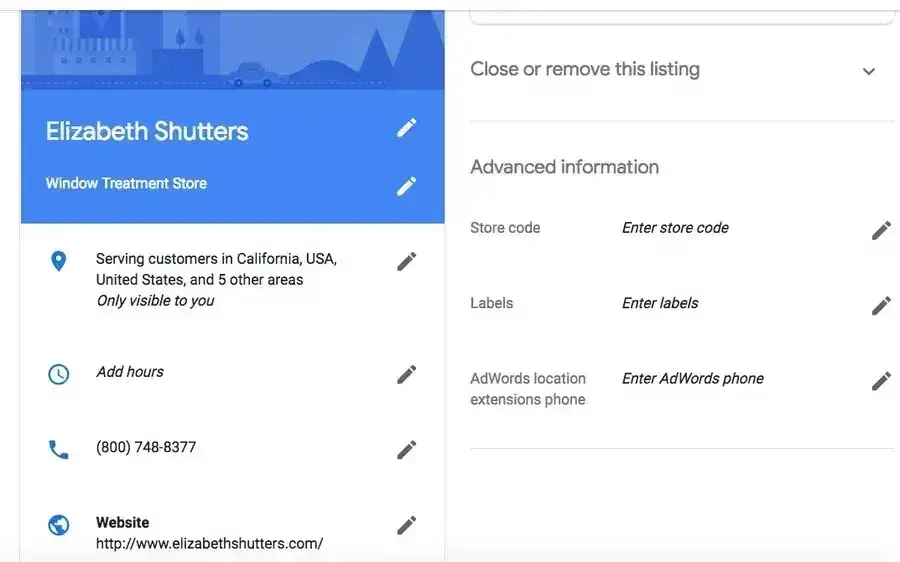
Day 1-2: Audit your Google Business Profile — ensure all information is complete, accurate, and includes detailed service descriptions. Learn more about what this looks like in our article, “Google My Business Guide: Complete Overview & Expert Tips.

generative engine optimization for small business, google my business profile example

Source

Day 3: Add FAQ schema to your most important pages using a free schema generator. More on that and schema markup in general in our article, “How to Use Schema Markup to Improve Your Website’s Structure.”

Day 4-5: Update your homepage and key service pages with clear, direct answers to common customer questions in the first 2-3 paragraphs.

Pro Tip: Also, make sure to highlight your location. Local SEO can be a very influential part of AI search. (More on that later.)

Day 6: Add author bios and credentials to blog posts and service pages.

Day 7: Check if your site appears in ChatGPT or Perplexity for your core services (search “[your service] in [your city]”)

We’ll expand on this process further in our next section.

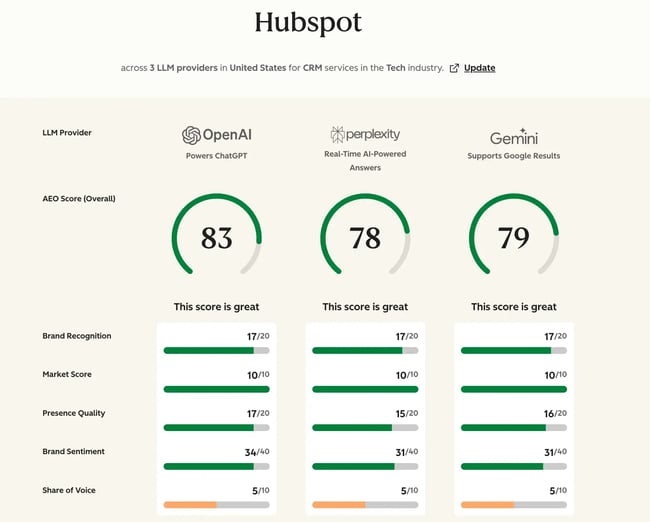
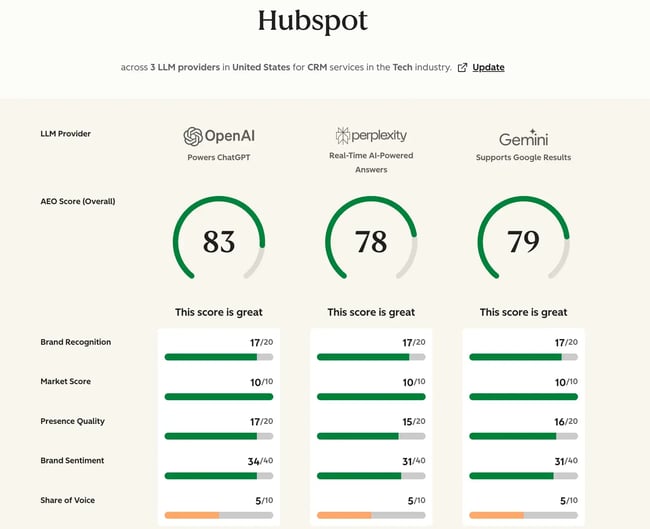
Want to know where you stand right now? Use HubSpot’s AI Search Grader to check your AI search visibility and get personalized recommendations.
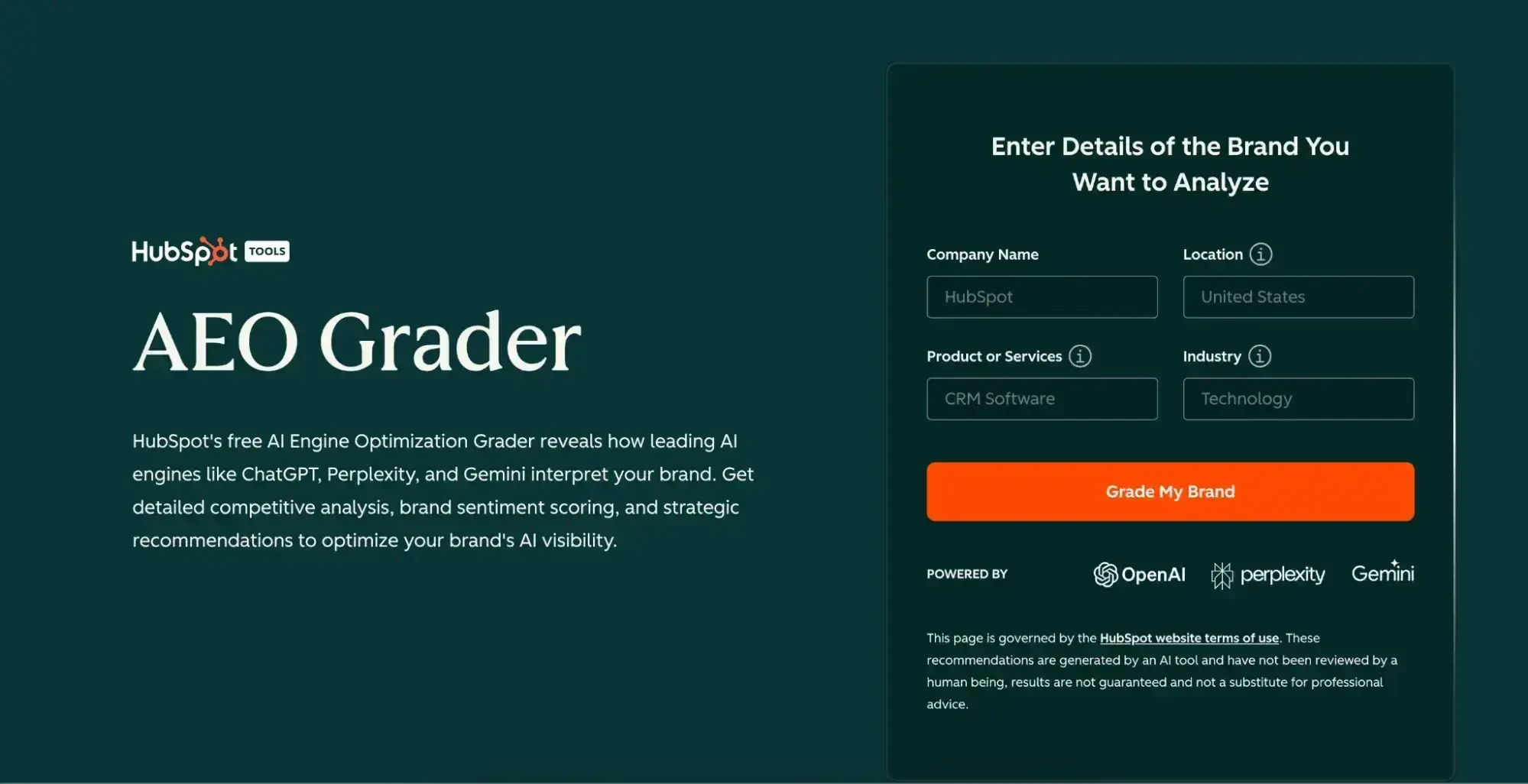
generative engine optimization for small business, aeo search grader from hubspot

How to Do Generative Engine Optimization for Small Business

1. Audit your AI visibility and foundations.

Before optimizing anything, you need to understand where you currently stand.

HubSpot’s free AI Search Grader is a great place to start. It’ll give you a detailed competitive analysis, brand sentiment score, and strategic recommendations to optimize your brand’s AI visibility, but don’t stop there.

  • Search for your business name + service in ChatGPT, Perplexity, and Google (with AI Overviews enabled).
  • Complete your Google Business Profile.
  • Run your website through Google’s Rich Results Test.
  • Use Google PageSpeed Insights to check site performance (i.e., speed).
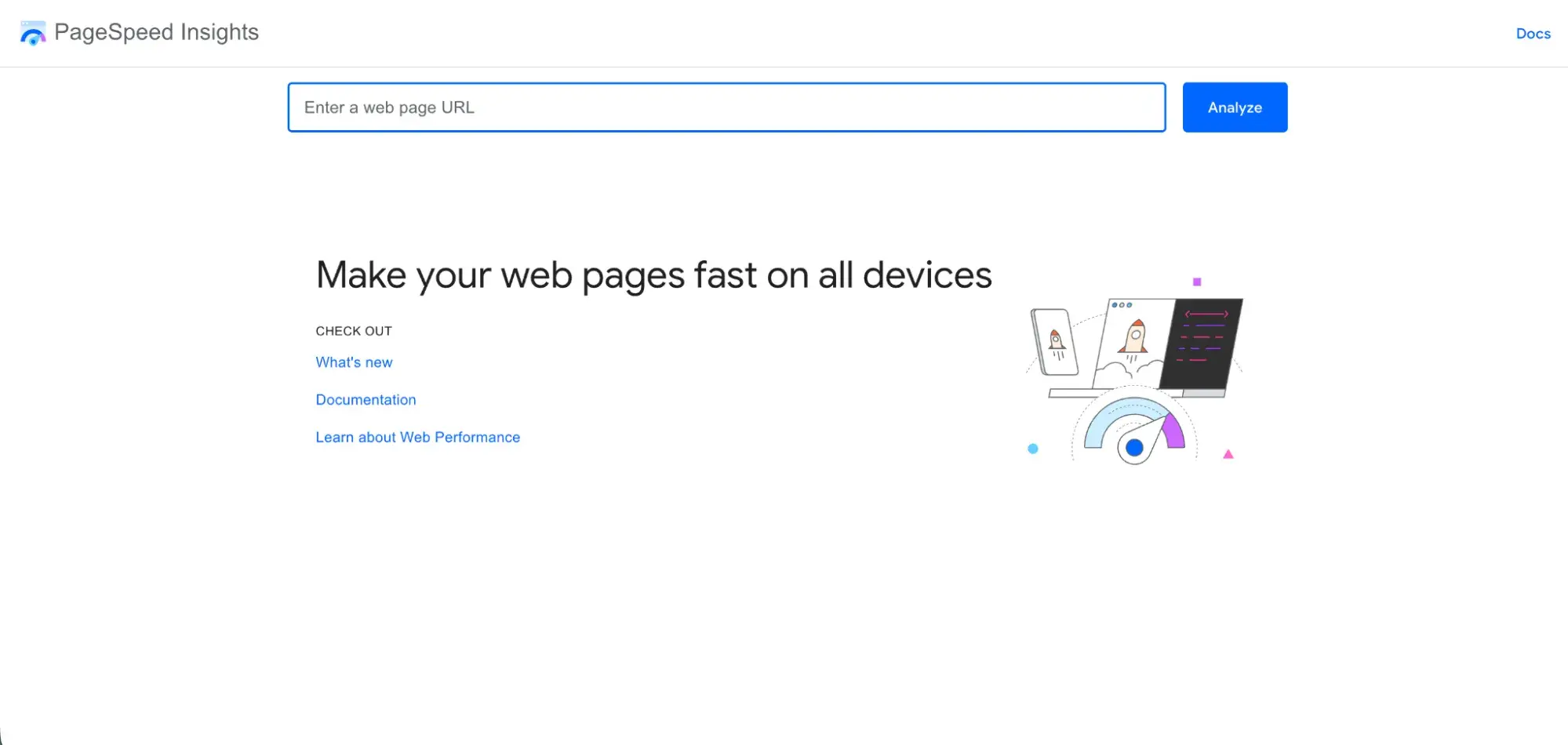
generative engine optimization for small business, optimize site speed and performance

Source

As you do this, ask yourself:

  • Does your business appear when you search for your category + location?
  • Is the information accurate?
  • Do you have basic schema markup in place?
  • Is your site mobile-friendly and fast?

This baseline audit takes 30-45 minutes and will show you exactly where to focus your efforts.

2. Research what/who LLMs are already citing in your niche.

Large language models (LLMs) have citation patterns. They look for certain types of sources and content structures get referenced more frequently — though I’ve noticed they’re not always the biggest or most well-known sources.

(If you’re still debating if GEO is worth it for a small business, I’d say that’s an encouraging sign, but I digress.)

Take some time to research which sources, companies, and even competitors are getting cited for the questions your customers typically ask. Type each question into each AI tool individually, and note which businesses come up.

Visit those sites and analyze:

  • How they structure their content
  • What credentials do they display
  • How they answer questions (format, length, specificity)
  • What schema markup do they use (check with Schema Markup Validator)

This will give you insight into what content formats AI prefers (i.e., listicles, Q&A, detailed guides), content lengths, and common elements such as customer reviews, specific data points, and local references. This research is free and should take about 1-2 hours.

Pro Tip: If you don’t know what questions your audience is asking. Check out AnswerThePublic and the “People Also Ask” boxes in Google search results. You can also check with your sales and customer service reps to see which questions come up most often in their conversations.

3. Optimize your existing content to be LLM-friendly.

You don’t need to hire writers or create dozens of new pages, at least not right off the bat. Start by optimizing what you already have with these techniques:

Lead with direct answers (first 200-300 words):

  • State the answer to the target question immediately
  • Include your business name, service, and location in the first paragraph
  • Use natural, conversational language

For instance, don’t say “In this post, we’ll share various templates for planning your events.”

Say, Ramona’s Elite Events offers high-end party and event planning services in downtown Boston. Our seasoned planners typically respond within 24 hours to requests regarding Boston-area birthdays, weddings, engagement parties, and corporate events.”

Add clear structure:

  • Use descriptive H2 and H3 headings that include target keywords and questions
  • Include a table of contents for longer pages
  • Include comparison tables to organize important data
  • Add FAQ sections with schema markup (use a free FAQ schema generator)

Include credibility signals:

  • Author names with brief credentials
  • Publication/update dates
  • Customer review counts and ratings, Certifications, licenses, or industry affiliations
  • Specific service details (response times, service areas, pricing ranges)

HubSpot’s Content Hub has a host of free tools to help you accomplish these tasks. You can also try free tools like Google Docs, Grammarly, and Hemingway Editor to simplify complex language

4. Plan question-led content and entity coverage.

With your format and structure insights handy, you can start planning your content. AI systems are designed to answer questions, so keep your content organized around the actual questions your customers ask.

Follow these simple steps to get started:

  • List 10-15 core questions
  • Note which ones you already answered on your website
  • Identify gaps where you need new content
  • Prioritize based on search volume and business impact

Pro Tip: Be mindful of specificity, especially when it comes to “entity coverage.” Entity coverage means being specific about who/what/where you’re discussing.

Instead of “we offer services,” write “Ramona’s Elite Events offers party and event planning services in downtown Boston.” AI systems need this specificity to confidently cite your content.

5. Publish across multi-platform channels.

We touched upon this lightly earlier, but search is no longer just about your website. In fact, GEO especially looks for sources that have established authority across a variety of different platforms people turn to for information.

Similar to social media, the goal isn’t to be everywhere, though. The goal is to be visible on the platforms your audience (in this case, AI systems) use as sources for your industry. This includes, but is not limited to:

  • Google Business Profile
  • YouTube: Short how-to videos and service explanations get indexed by AI systems
  • LinkedIn: Share expertise through posts and articles
  • Industry directories (i.e. Houzz for the construction industry): Ensure consistent NAP (Name, Address, Phone) across all listings

generative engine optimization for small business, industry specific review sits

  • Local news/blogs: Pitch expert commentary to get quoted and linked
  • Review Sites: Make sure your profile is complete and address all your reviews.

Pro Tip: According to Search Engine Land’s 2025 research, 88% of consumers would use a business that responds to all reviews, compared to just 47% who would trust one that stays silent. So converse with your customers, satisfied or dissatisfied.

6. Measure and iterate monthly.

No plan is perfect, especially if you’re just getting started.

So, make sure you have key performance indicators (KPIs) in place and conduct regular checks to monitor your progress. At the very least, you should check these metrics monthly, but I’d say it’s smart to even look weekly once you start seeing progress.

Metrics and KPIs can include:

  • Number of AI citations: How many times was your business mentioned this month?
  • Check Google Search Console for AI Overview appearances
  • Search your business in ChatGPT, Perplexity, and Google AI Mode to do a spot check if you’re cited
  • AI referral traffic: Monitor website traffic from AI platforms in HubSpot or Google Analytics.
  • Ranking vs. Competitors: Are you cited before or after competitors?

Generative engine optimization best practices for small business

Now that you know how to get started, here are five GEO best practices to keep in mind as you implement, especially as a small business with limited time and resources.

1. Prioritize your Google Business Profile.

According to WhiteSpark research, GBP is the most important ranking factor for small businesses, especially local ones. Think of your GBP as your business’s first impression to AI systems.

When someone asks ChatGPT or Google’s AI for recommendations in your category and location, the completeness and quality of your GBP directly influence whether you get mentioned.

Here’s what you can do:

  • Complete every section— don’t skip hours, services, attributes, or your business description
  • Use primary keywords naturally: “event planning in Boston,” not “I help you party.”
  • Post weekly to signal you’re an active, legitimate business
  • Upload photos regularly (businesses with photos get 35% more engagement)
  • Respond to every review within 24-48 hours

The time investment is minimal: about 30 minutes for initial setup, then just 15 minutes weekly for maintenance.

2. Implement schema markup.

Schema markup tells AI systems exactly what your content means, so it doesn’t have to guess. Think of schema as a translation layer between your human-readable content and machine-readable data.

For small businesses, you don’t need to implement every schema type that exists. Focus on these three essential types that deliver the most impact:

  • LocalBusiness Schema: Your business name, address, phone, hours, service area, categories, and ratings
  • FAQ Schema: Questions and answers that help you appear in AI-generated responses
  • Service Schema: Specific services you offer, pricing ranges, and service area coverage

And you don’t need to be a developer to implement schema.

Free tools like Google’s Structured Data Markup Helper and Schema Markup Generator by Technical SEO walk you through the process step-by-step.

Many website platforms, including WordPress, Squarespace, and Wix, offer plugins that automatically add schema with just a few clicks. HubSpot supports schema both in templates and via CRM data modelling.

For more on technical optimization, read our guide on how to optimize your site structure for maximum SEO impact.

3. Create question-focused FAQ pages.

Frequently asked question (FAQ) pages are GEO goldmines because they directly match how people query AI systems.

When someone asks ChatGPT, “What event planners in Boston take on events outside the city?” your FAQ page with that exact question and a clear answer becomes highly citable.

Create a dedicated FAQ page with clear, concise answers of 100-200 words each, like Beem Light Sauna does below. Add FAQ schema markup to explicitly tell AI systems “this is a question, this is the answer.”
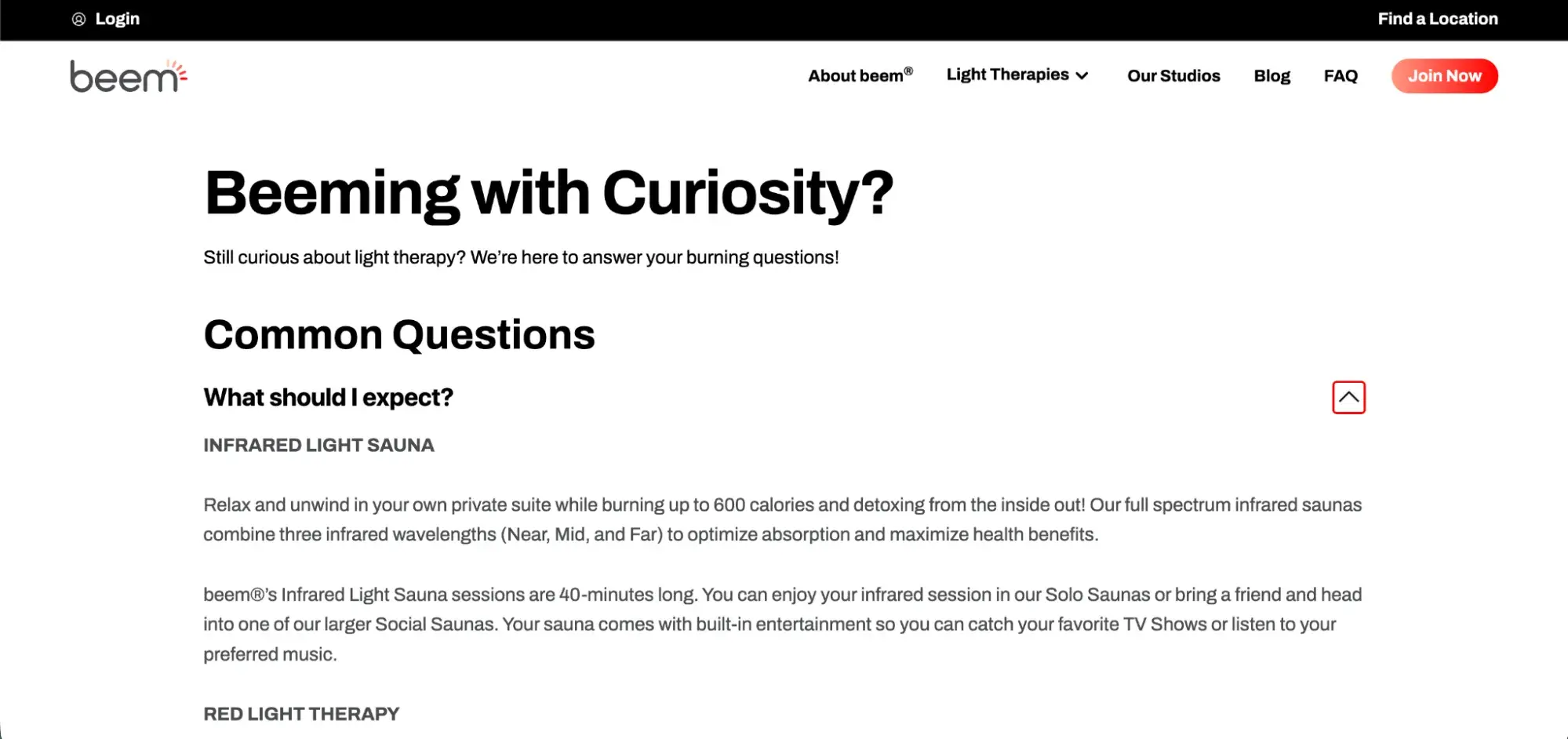
generative engine optimization for small business, faq pages

Source

Include specific details like prices, timelines, service areas, and credentials rather than vague responses. Each answer should link to relevant service pages for customers who want more information.

4. Leverage customer reviews systematically.

Reviews aren‘t just social proof; they’re credibility signals that AI systems weigh heavily when deciding who to cite. The difference between a business with 50 generic five-star reviews and one with 50 detailed reviews mentioning specific services and outcomes is substantial in AI citation decisions.

When asking for reviews, encourage customers to mention specific services, results, or experiences.

“Can you share details about which service you used and how it helped?” prompts much richer content than “please leave us a review.” A review saying “Ramona’s Epic Events helped us plan a memorable 70th birthday for our dad under budget and with a short timeline!” is exponentially more useful to AI systems than “great service.”

Pro Tips:

  • Ask for reviews with specific language that encourages detail
  • Respond to every review, positive and negative, within 24-48 hours
  • Embed reviews on your website with Review Schema markup
  • Focus on getting detailed, entity-rich reviews over sheer volume

One important note: FCC regulations passed in late 2024 changed how businesses can request reviews. You can ask satisfied customers to share their experience, but you cannot request a certain star rating or offer incentives for reviews.

5. Keep NAP information consistent.

NAP consistency seems small, but when AI encounters conflicting information about your business across platforms, it reduces confidence in all information about you, potentially excluding you from citations entirely.

Your NAP must match exactly across your website, Google Business Profile, Bing Places, Facebook business page, industry directories like Yelp and Yellow Pages, and all social media profiles. “Exactly” means character-for-character identical.

Common inconsistencies that hurt GEO:

  • “Street” vs. “St.”
  • Suite number inconsistency
  • Different phone numbers across platforms
  • Business name variations (“Ramona’s Epic Events” vs. “Ramona’s Elegant Event Planning”)

These seem like minor details, but AI systems use NAP consistency as a trust signal. The fix is straightforward but takes attention to detail: audit every online presence, standardize your NAP format, and update everything to match. A simple free tool to start: search your business name in quotes on Google to see all your listings.

Expect to invest 2-3 hours for the initial audit and fixes, then 30 minutes quarterly to verify everything remains consistent as platforms update.

Generative engine optimization for local content

Many small businesses have a unique GEO advantage: they can often establish expertise for a specific geographic area, which is easier than competing nationally or globally. Here are some tips to try

1. Create location-specific content pages.

If you serve multiple neighborhoods or cities, create dedicated pages for each location with unique, locally-relevant content. Generic “we serve the entire metro area” pages don’t give AI systems the specificity they need to confidently cite you for neighborhood-specific queries.

What to include on location pages:

  • Specific neighborhood names, landmarks, and ZIP codes
  • Local statistics or facts relevant to your service
  • Customer testimonials from that specific area
  • Photos of work completed in that neighborhood
  • Directions and parking information

For example, many years ago, I worked with a client who did residential and commercial construction in the state. Instead of having a general “Construction in Connecticut,” we created dozens of landing pages catering to specific towns and cities.

generative engine optimization for small business, location specific landing pages

Source

For more local SEO strategies, check out our guide on dominating local search.

2. Build local backlinks and mentions.

As you’ve likely gathered, AI systems look for cross-platform validation. Because of this, local backlinks signal authority in your geographic area. Now, you don‘t need hundreds of backlinks; you just need relevant, local ones that confirm you’re an established part of your community.

Try this:

  • Pitch yourself to local news outlets as an expert source. Journalists need reliable local experts for quotes, and these mentions build awareness and often come with backlinks to your website.
  • Sponsor local events (Little League teams, community festivals, charity runs)
  • Offer your service/product to local influencers and creators for honest reviews
  • Write guest posts for local business blogs or community websites
  • Get listed on Chamber of Commerce and industry association sites
  • Participate in local business roundups and “best of” lists

The key is consistency. Building 2-3 quality local links per month compounds significantly over the course of a year.

3. Optimize for “near me” voice searches.

Research shows that 76% of voice searches are related to “near me” and local inquiries, and 72% of consumers use voice to search for local businesses. Furthermore, voice search optimization and GEO follow many of the same practices. So, use this in your favor.

Structure your content to naturally answer voice queries. Don’t keyword-stuff text; write as if you‘re answering a customer’s spoken question. Use long-tail keywords like “award-winning party planning near me” and answer the who, what, when, where, why, and how of your services.

Voice search optimization checklist:

  • Use conversational, question-based content structure
  • Include business hours prominently on every relevant page
  • Answer who, what, when, where, why, and how
  • Ensure mobile site speed is fast (voice searches happen on mobile)
  • Include long-tail location keywords naturally

Put all together, here’s what voice-optimized content might look like:

“Looking for an experienced event planner to bring your special occasions to life? Ramona’s Epic Events offers event planning services throughout Boston and the surrounding neighborhoods. We typically respond within 24 hours. Call (555) 123-4567 or request a consultation online.”

4. Create locally-focused blog content.

Blog posts targeting local search intent help establish topical authority for your area. These aren‘t promotional posts about your business; they’re genuinely helpful content that demonstrates local expertise.

Think about common shopping pain points and considerations (price, location, features, etc.) in your area and write content around that.

For instance, “Common Wedding Planning Problems That Arise in a Historic Building” addresses issues unique to historic venues. “How to Save an Outdoor Event If It Rains” speaks to local weather patterns. Local regulations make excellent content topics too: “What You Need to Know About Noise Ordinances in Boston.”

Here’s another simple example from my old client.

generative engine optimization for small business, location specific blog content

Source

These posts serve dual purposes by attracting local search traffic and providing AI systems with locally relevant content to give users.

5. Participate in local online communities.

AI systems increasingly scan community platforms for expertise signals, so your participation in them serves multiple purposes: it helps real people, builds local visibility, and creates signals AI systems can detect.

Local Facebook groups, Reddit local subreddits like r/Portland or r/Seattle, and your Google Business Profile Q&A section all offer opportunities to demonstrate expertise.

Where to be active (all free):

  • Nextdoor: Answer questions in your service area. Don’t just drop your business name; provide real expertise and mention your business naturally when relevant.
  • Local Facebook groups
  • Reddit local subreddits (r/[yourcity])
  • Google Business Profile Q&A section
  • Local online forums specific to your industry

The crucial point here is to be genuine. Promotional spam gets flagged and removed quickly, damaging your reputation. Instead, focus on being the most helpful expert in your local community. To learn more about local SEO fundamentals, read our article on small business SEO strategies.

Recommended generative engine optimization software on a budget

You don’t need enterprise tools to execute effective GEO. Here are budget-friendly options that deliver results whether you’re a small business or a large.

1. Google Search Console (Free)
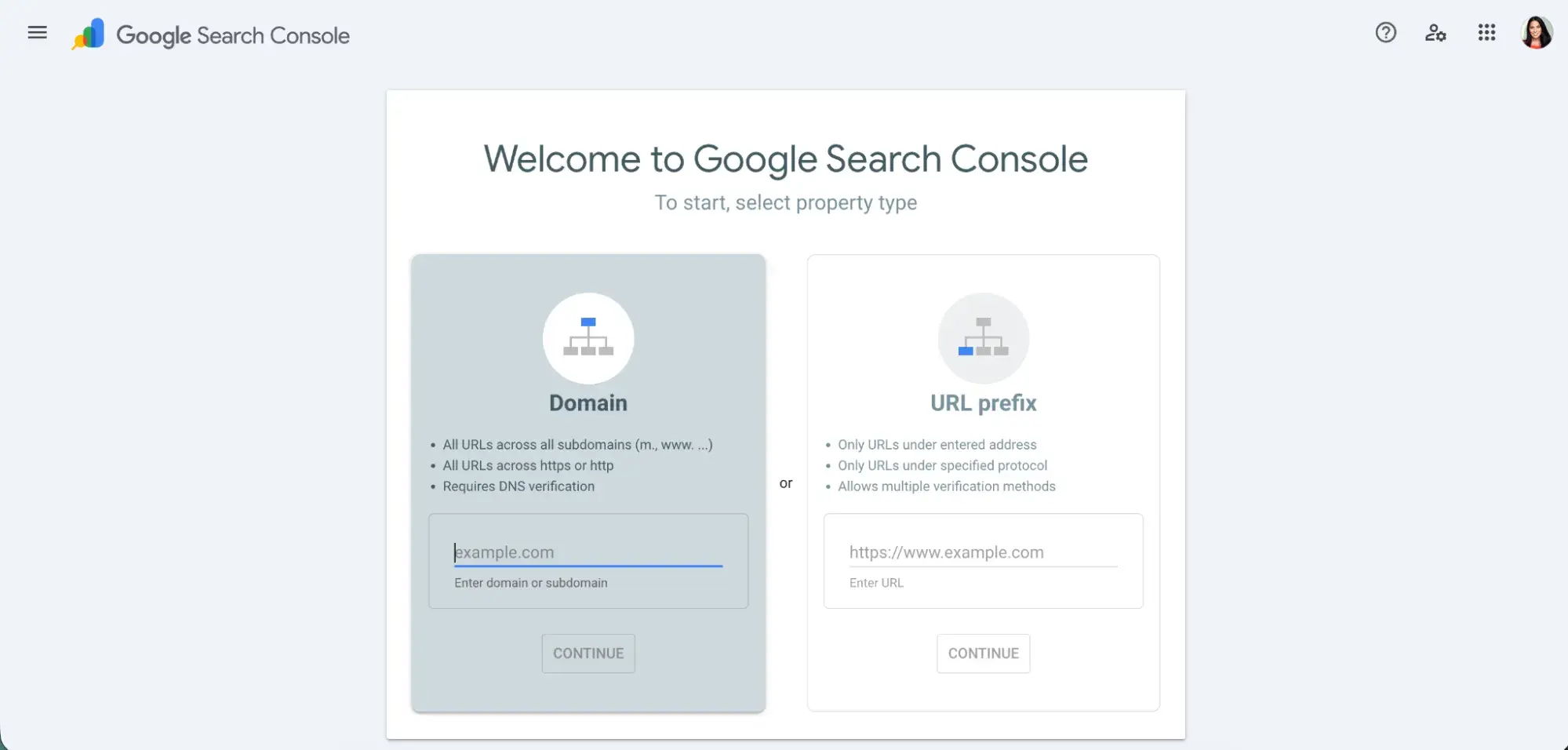
generative engine optimization for small business, google search console

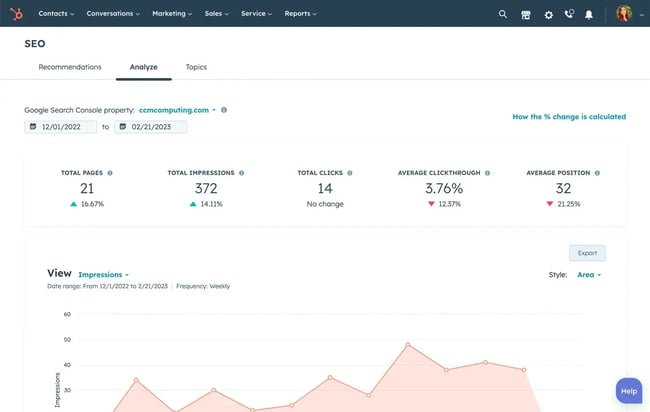
Google Search Console is the foundation of any SEO or GEO strategy, and it’s completely free. This tool tracks your website performance, shows which keywords drive traffic, identifies technical issues that might prevent AI systems from crawling your content, and now even shows when your content appears in AI Overviews.

Every single small business needs this tool. It’s non-negotiable. Set it up once and check it weekly for insights about your content performance. Learn more and get started at Google Search Console.

2. HubSpot Marketing Hub (Free Tier Available)
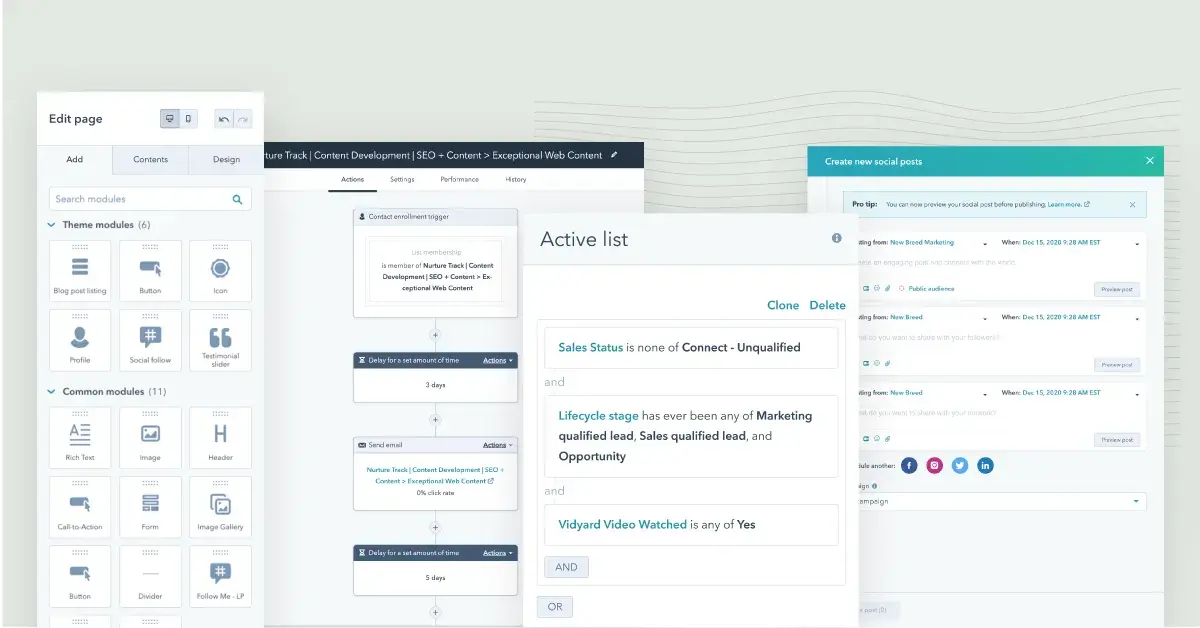
generative engine optimization for small business, hubspot marketing hub tools

Source

HubSpot Marketing Hub is a comprehensive customer platform that includes marketing, sales, content, service, and website tools for businesses of all sizes.

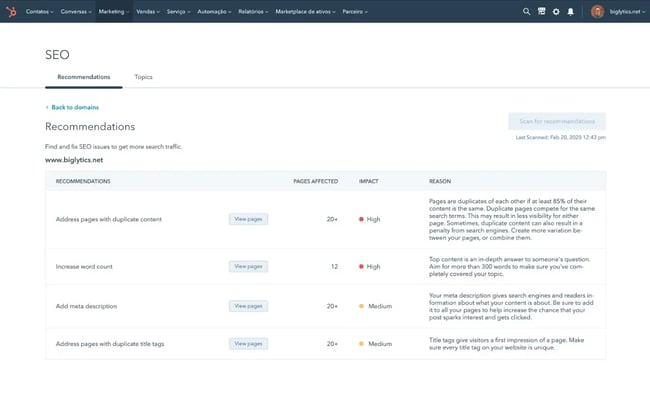
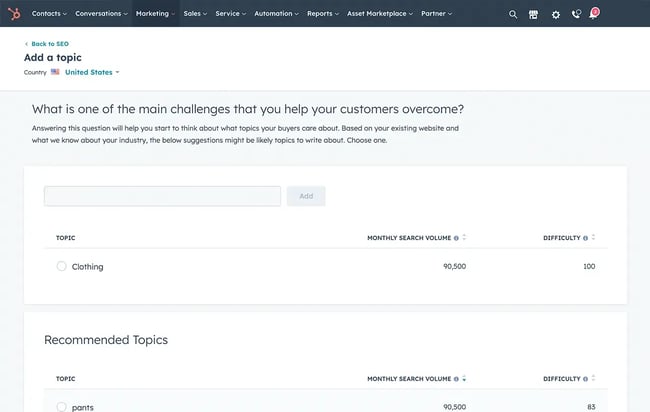
For small businesses ready to scale content marketing, it offers built-in SEO recommendations, content templates optimized for AI readability, topic cluster tools to organize content, and an AI-powered content assistant.

The free tier provides surprisingly robust features for businesses just starting with content marketing. As you grow, the Starter tier at $20/month adds more sophisticated tools, and Professional at $890/month is appropriate for businesses with dedicated content strategies.

Key features for GEO:

  • Built-in SEO recommendations
  • Content templates optimized for AI readability
  • Topic cluster tools
  • Schema markup capabilities (Professional tier)
  • AI-powered content assistant

3. Screaming Frog SEO Spider (Free Tier Available)
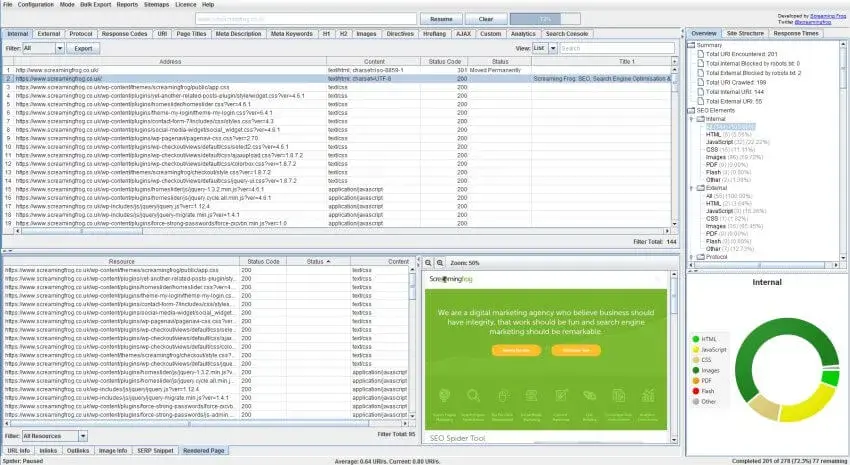
generative engine optimization for small business, screaming frog seo tool

Source

Screaming Frog was a game-changer in SERP conquering days. The software crawls your website to identify technical SEO issues, missing metadata, broken links, and schema implementation problems. For small businesses wanting deep technical insights without hiring a developer, this tool is invaluable.

The free version crawls up to 500 URLs per domain, which is more than enough for most small business websites. The interface takes a little learning, but the insights are worth it. Use the Issues tab for a quick overview of potential problems, then drill down into specifics.

What it audits:

  • Technical elements that make content AI-unfriendly
  • Schema markup implementation
  • Missing meta descriptions or alt text
  • Site structure issues that confuse AI systems
  • Broken links and redirect chains

The paid version at $259/year unlocks additional features, but most small businesses get excellent value from the free tier. Learn more at Screaming Frog.

4. AnswerThePublic (Free Tier Available)
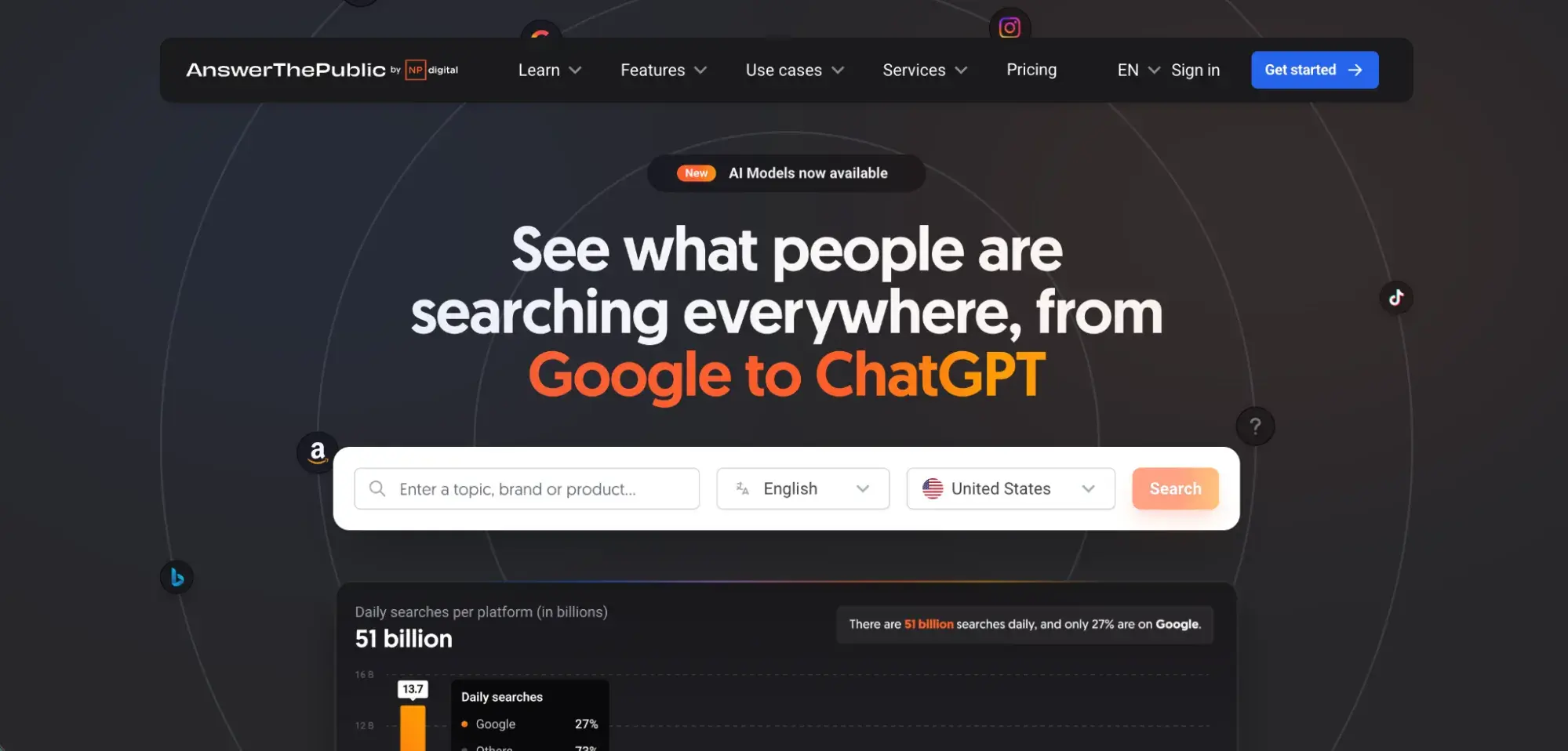
generative engine optimization for small business, answerthepublic question tool

Source

AnswerThePublic generates question-based keywords and content ideas based on actual search queries, making it perfect for GEO strategy. The tool shows you exactly what questions people ask about your services or products, helps you create content that matches AI query patterns, and visualizes question themes and subtopics so you can see content gaps.

The free version allows three searches per day, which is enough for initial research and periodic updates. Type in your core service or product, and you’ll get a visual map of questions organized by who, what, when, where, why, and how. These questions become your content roadmap—each one is an opportunity for an AI citation.

Best for:

  • Initial content strategy planning
  • Identifying question-based content opportunities
  • Understanding how people phrase questions in your industry
  • Discovering content gaps in your coverage

The Pro version at $99/month removes search limits and adds competitor analysis, but start with the free tier to validate the approach. Check it out at AnswerThePublic.

Overall, many small businesses achieve significant GEO improvements with just these free tools plus HubSpot‘s free tier. Only upgrade to paid tools once you’ve validated that GEO is driving leads and you’re ready to scale.

Want more SEO strategy insights? Read our article on how often you should revisit your SEO strategy.

FAQs about Generative Engine Optimization for Small Business

How long does it take to see results with GEO?

Small businesses typically start seeing GEO results within 4-8 weeks of implementation, which is actually faster than traditional SEO.

Timeline breakdown:

Weeks 1-2:

  • Complete initial optimization (schema, GBP, content updates)
  • See improved accuracy if your business was already being mentioned

Weeks 3-6:

  • Start appearing in AI responses for long-tail, local queries
  • See uptick in traffic from AI platforms in Google Analytics

Weeks 7-12:

  • More consistent citations across multiple AI platforms
  • Increased visibility for competitive keywords

3-6 months:

  • Established authority in your local market/niche
  • Regular citations drive measurable traffic and leads

GEO can be faster than SEO because AI systems update source preferences continuously (vs. monthly algorithm updates), there’s less competition for AI citations (for now), and local businesses benefit from geographic specificity. However, like SEO, GEO requires ongoing effort. The businesses that maintain and update their content consistently see the best long-term results.

Do I need new tools, or can I start with what I have?

You can absolutely start with free tools you likely already use or have access to. For most small businesses, free tools (i.e., Google Search Console, HubSpot’s Free Tier, Screaming Frog) are sufficient for the first 3-6 months. Invest in paid tools once you‘ve validated that GEO is driving results and you’re ready to scale.

When to invest in paid tools:

  • You’re ready to scale content production
  • You want advanced technical audits
  • You need to manage multiple locations
  • You want automated citation tracking

How does GEO differ from answer engine optimization?

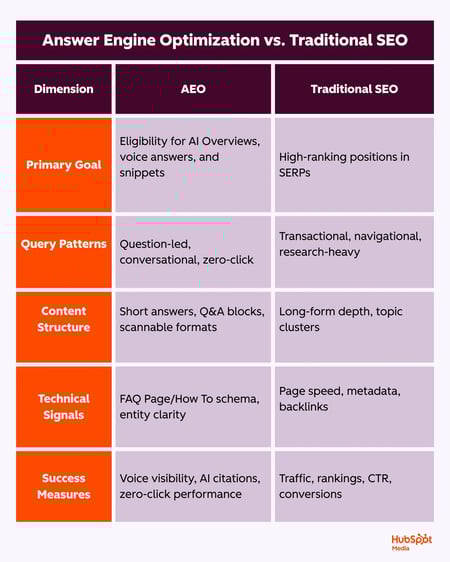
Answer engine optimization (AEO) and generative engine optimization (GEO) are related but distinct:

Answer Engine Optimization (AEO):

  • Optimizes for direct-answer features that have existed for years
  • Targets: Google Featured Snippets, Knowledge Panels, “People Also Ask” boxes
  • Goal: Appear in the “answer box” at the top of traditional search results

Generative Engine Optimization (GEO):

  • Optimizes for newer AI platforms that generate original synthesized responses
  • Targets: ChatGPT, Perplexity, Google’s AI Overviews, Gemini
  • Goal: Get cited as a source within AI-generated answers

The key difference: AEO focuses on extracting one perfect answer. GEO focuses on establishing comprehensive expertise, so AI systems trust you as a source for multiple related questions.

For small businesses, the good news is that optimizing for one generally helps the other. If you create question-focused content with schema markup, you’re improving both AEO and GEO simultaneously. To understand how search is evolving, read our 2025 SEO predictions.

Can GEO help if I only serve a local market?

Absolutely, in fact, local businesses may have a GEO advantage.

Why GEO works well for local businesses:

  1. Less competition: National businesses compete for broad terms, but you own your specific geography
  2. Voice search alignment: 76% of voice searches are local, and voice queries match GEO content structure
  3. Google Business Profile power: GBP is heavily weighted by AI systems for local queries
  4. Specific intent: Local searches have clear intent, which AI systems handle well

Local GEO advantages you can leverage:

  • Geographic specificity: “Emergency plumber in Pearl District, Portland” is easier to own than “emergency plumber”
  • Community presence: Local reviews, sponsorships, and mentions carry weight
  • Neighborhood expertise: You can create comprehensive local content that national competitors can’t match
  • Multi-location visibility: Serve 3-5 neighborhoods? That’s 3-5 opportunities for AI citations

Local GEO checklist:

  • Perfect your Google Business Profile
  • Create location-specific content pages
  • Implement LocalBusiness schema
  • Build local citations and backlinks
  • Encourage detailed, location-specific reviews

For more on local visibility, check out our guide to local SEO.

Should I hire an agency or keep GEO in-house?

For most small businesses, you can handle GEO basics in-house, especially in the first 6-12 months.

Keep GEO in-house if:

  • You have 3-5 hours per month to dedicate to optimization
  • You’re comfortable with basic website updates (or your website platform makes it easy)
  • You want to control costs during the learning phase
  • Your business serves a single location or limited service area
  • You have someone on staff who understands SEO fundamentals

Consider hiring help if:

  • You serve multiple locations and need scalable implementation
  • You have zero time for marketing tasks
  • Your website needs significant technical work
  • You want advanced competitive analysis and strategy
  • You’re ready to invest $1,500-5,000/month for comprehensive services

Middle-ground option: Consultant or freelancer

Instead of a full-service agency, consider hiring a GEO consultant for:

  • Initial strategy and audit ($500-1,500 one-time)
  • Monthly check-ins to review progress ($300-800/month)
  • Technical implementation of schema markup ($500-1,000 one-time)

Questions to ask before hiring:

  • Do they have specific GEO experience (not just SEO)?
  • Can they show examples of getting clients cited in AI platforms?
  • Do they understand local search for small businesses?
  • What’s their implementation timeline?
  • Do they provide training so you can maintain results?

Do small businesses need GEO?

The short answer: Absolutely. As do large businesses.

Like SEO, GEO is becoming one of the most effective and low-cost ways to get in front of your audience and you don’t have to reinvent the wheel to succeed with it. GEO is an evolution of SEO for an era where AI plays a bigger role in how people discover businesses and information.

The small businesses winning with GEO aren‘t the ones with the biggest budgets; they’re the ones who started early, focused on fundamentals, and consistently delivered value. The good news? As a small business, you’re nimble enough to adapt faster than larger competitors. So start implementing the tips shared in this guide with your team.

Ready to implement these strategies at scale? HubSpot’s Content Hub, Marketing Hub, and Breeze AI provide integrated tools for creating, optimizing, and measuring AI-ready content, with plans designed specifically for small businesses.

The future of search is here. Make sure your business is part of it.

Categories B2B

5 Universal Trends Reshaping How Buyers Research and Buy

B2B buyers are under pressure. (Cue Bowie and Queen.)
Their wallets are lighter, their teams are leaner, technology is outpacing adaptation, and thanks to the proliferation of AI, security risks have never been greater. 

But here’s what’s fascinating—and actionable—about this chaos: it’s creating patterns that smart content marketers can leverage.

So, how do we get a handle on all of it so we can leverage this chaos? 

NetLine’s 2026 B2B Content Trends & Planning Guide is a good starting point. 

Based on 7+ million first-party registrations, this guide offers a look at cross-industry analysis and 2026 investment priorities, informed by early demand signals. The result is an actionable framework for content marketers and strategists.

In reviewing this guide, we’ve identified five forces that are reshaping the B2B landscape right under our feet.

1. Strategy and Technology Are Merging


Photo by Stig Nygaard on Flickr

Gone are the days when IT departments made technology decisions in isolation. Today, every system, platform, and infrastructure investment must align with broader business strategies. The stakes are simply too high for anything less.

This shift isn’t happening because everyone suddenly became a strategic thinker. It’s happening because technology decisions now have far-reaching implications for business outcomes. For example, a CRM upgrade isn’t just about better data management—it’s about improving customer retention, driving revenue, and staying competitive.

Content Implication: Your technical content needs to bridge the gap between features and business value. Buyers aren’t just asking, “What does this tool do?” They’re asking, “How does this tool help us achieve our strategic goals?” Speak their language by connecting technical capabilities to measurable outcomes.

2. Buying Committees Are Getting Bigger and More Complex

Photo by Alina Grubnyak on Unsplash

Look at the data from any industry, and you’ll see the same pattern: multiple roles converging on the same content topics. 

  • Healthcare shows executives (22%), IT professionals (22%), and medical staff (15%) all researching similar solutions. 
  • Manufacturing reveals IT teams (22%), executives (16%), and production managers (15%) consuming the same content.

This isn’t just a trend—it’s the new normal. Buying decisions now require cross-functional alignment because the impact of these decisions spans the entire organization.

Content Implication: Your content needs to resonate with diverse audiences simultaneously. For example, a white paper might need to include both the technical depth that satisfies IT evaluators and the strategic overview that convinces executives. Think of your content as a bridge that connects different stakeholders with a shared understanding.

3. Security Is Everyone’s Problem Now

Photo by David Goehring on Flickr

Across every industry NetLine analyzed, security topics are trending. Leaders at all levels—whether they’re hospital administrators, manufacturing VPs, or school district superintendents—are grappling with issues like intrusion detection, data recovery, and infrastructure protection.

What’s driving this shift? Security has evolved from a technical consideration to a matter of business continuity. For example, ransomware attacks rose by 32% in 2025, causing not just data breaches but also operational disruptions and financial losses that can cripple organizations.

The content implication: Buyers want to know how your solution will keep them operational when the worst happens. Frame your messaging around resilience and risk mitigation. Stop treating security as a feature and start positioning it as a form of business insurance. 

4. Workforce Challenges are Reshaping Everything

Photo by Clem Onojeghuo on Unsplash

Human resources topics are trending in manufacturing. Not because factories suddenly discovered they need people, but because the people they have are stretched beyond capacity, and the people they need seem to be impossible to find.

While the manufacturing industry is the example, it’s not the exception. This workforce crisis is forcing a fundamental rethink of how organizations operate. 

  • The manufacturing director isn’t researching HR software because they want to—they’re researching it because their production line depends on three people who could retire tomorrow, taking decades of institutional knowledge with them.
  • The technology company isn’t exploring employee benefits for fun—they’re exploring them because their competitors are poaching talent faster than they can hire.

The ripple effects are reshaping entire industries. Solutions that once required dedicated teams are now operating with skeleton crews. Systems that assumed stable staffing now need to accommodate constant turnover.

The content implication: “How does this help us do more with the team we actually have?” Content that answers that becomes increasingly more valuable… because that’s the question keeping your buyers awake at night.

5. Modernization Isn’t Optional Anymore

Photo by Nikita Zaitsev on Unsplash

Infrastructure management, ERP upgrades, and database modernization are no longer “someday” projects. They’re today’s priorities. Organizations that delayed modernization are now facing mounting risks, from hybrid work demands to security vulnerabilities and AI dependencies.

The reality is stark: legacy systems aren’t just technical debt—they’re business risks. And while modernization can feel daunting, the cost of inaction is even higher. Competitors and prospects won’t wait for you to catch up.

The content implication: Buyers aren’t moved by the change is coming. They need to be convinced that your solution will get them through it. Stop selling modernization as an aspiration and start positioning it as survival. 

How to Use These Trends in Your 2026 Content Strategy 

Understanding these trends is just the first step. The real challenge—and opportunity—lies in how you respond. Here’s how to align your content strategy with the evolving B2B landscape:

Match Your Formats to Your Audiences

The data reveals clear format preferences that vary by role and industry. 

  • Technical evaluators gravitate toward White Papers (16-18% preference) because they need depth for complex evaluations.
  • Executives prefer eBooks (14-16%) because they need strategic overviews they can consume efficiently.
  • Cross-functional teams choose On-Demand Webinars (10-16%) because they support collaborative learning during planning cycles.

Stop creating content based on what you want to produce and start creating based on what your buyers want to consume.

Lead With Business Outcomes

Your buyers don’t care about your technology. What they care about is what your technology enables them to achieve.

For example:

  • Security features should translate to operational continuity. 
  • Efficiency improvements should connect to competitive advantage. 
  • Modernization capabilities should link to strategic objectives.

Therefore, connecting technical capabilities to business results is always a wise choice. 

Address the Whole Committee

Buying decisions involve multiple stakeholders with different priorities. For example:

  • The IT director needs technical specifications.
  • The CFO needs ROI justification.
  • The CEO needs strategic alignment.

Create content that speaks to all these needs, or risk stalling your deals.

Adapt or Fall Behind

The question isn’t whether these forces will shape your buyers’ decisions—they already are. The real question is whether your content strategy will meet buyers where they are or remain stuck in the past.

The B2B buying landscape is evolving rapidly, driven by universal pressures that transcend industry boundaries. The organizations that recognize these patterns and adapt their content strategies accordingly will have a significant edge in 2026.

The 2026 B2B Content Trends & Planning Guide will help you understand where you can seize upon these opportunities.

Choose wisely. Your 2026 results depend on it.

Categories B2B

24 generative engine optimization statistics marketing leaders should know

I never thought I‘d see the day when “Googling” something and sifting through links would become passé. But, like many marketers over the last year, I’m seeing a massive shift in how people find brands, products, and answers online.

More and more consumers are getting their answers directly from AI platforms like ChatGPT, and marketers are leveraging generative engine optimization (GEO) tactics to boost brand awareness and get cited by AI answer engines.

Not sure if GEO is worth all the hype? No worries, I rounded up some Generative Engine Optimization statistics to show you how crucial GEO is in modern digital marketing.

Free AEO Grader: See How You Rank on AI Search Results

Table of Contents

Why generative engine optimization is so important now

Generative engine optimization is crucial to digital marketing now because the way consumers search for products and services has changed significantly over the last few years. When I first entered the digital marketing industry, consumers typically searched for answers by plugging inquiries into search engines like Google.

They’d then browse the top links Google provides until they found the answers they were looking for.

Now, consumers are asking questions to AI systems like ChatGPT, Google AI, and Perplexity, and these systems are providing direct answers rather than links for users to sift through. As a result, many businesses are seeing a drop in website traffic.

Now, to keep up with how people are discovering brands and businesses, marketers must shift from optimizing for SERPs (SEO) to optimizing for AI-powered answer engines; in other words, General Engine Optimization (GEO).

GEO enables making content easily accessible to Large Language Models (LLMs), so it can be summarized and cited in AI-generated answers.

Generative engine optimization statistics marketing leaders should know

Here are some facts I’ve gathered about the use and importance of generative engine optimization, ranging from user adoption to SERP changes to the most cited content formats.

User Adoption

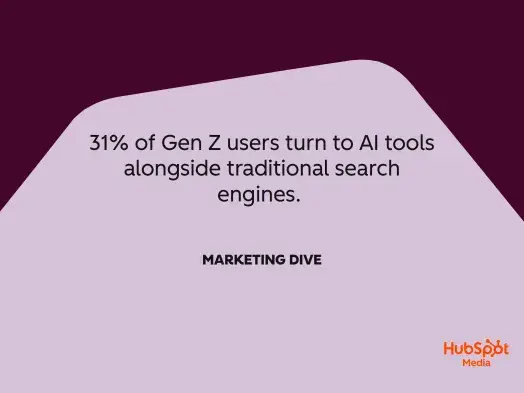
1. 31% of Gen Z users turn to AI tools alongside traditional search engines.

2. 67% of digital marketers say GEO tracking is more complex.

Pro Tip: To simplify this complexity, tools like HubSpot’s AEO Grader can help you quickly assess how well your content is optimized for AI answer engines, providing actionable recommendations without the steep learning curve.

3. Early adopters say GEO-ready content is discovered up to 10x faster by generative engines compared to relying on organic SEO alone.

4. Gen AI search visitors are expected to surpass traditional search by 2028.

5. Perplexity processes 780 million search queries a month, up from 230 million in August 2024.

6. According to reports from Averi and DataSlayer, ChatGPT reached 800 million weekly active users as of October 2025, doubling from 400 million in February. According to HubSpot’s State of AI Marketing Report, marketers are responding to this surge by rapidly adopting AI-powered tools to stay competitive in this evolving landscape.

SERP Changes

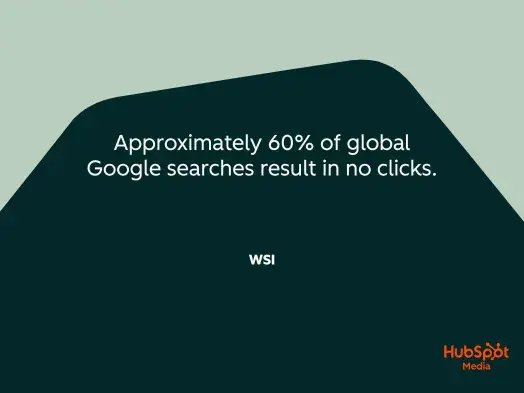
7. Approximately 60% of global Google searches result in no clicks.

8. The September 2025 “num=100” update led to 77% of sites seeing a drop in total impressions in tracking tools.

9. AI Overviews now list an average of 5 sources.

10. In January 2025, 91.3% of queries that triggered an AI Overview were informational. By October, that share was down to 57.1%, and the share of commercial and transactional AIOs

rose.

11. Reddit saw a 450% increase in AI citations from March to June 2025, with the platform now accounting for 21% of Google AI Overview citations.

12. The top 5 domains capture 38% of citations, the top 10 secure 54%, and the top 20 command 66%, making it extremely difficult for smaller publishers, niche sites, and emerging voices to gain AI visibility.

Behavior shifts

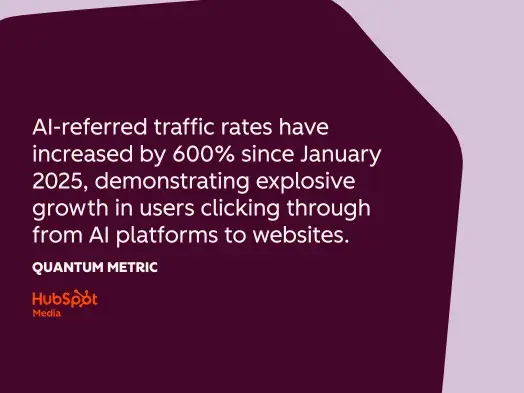
13. AI-referred traffic rates have increased by 600% since January 2025, demonstrating explosive growth in users clicking through from AI platforms to websites.

14. 39% of consumers, and over half of Gen Z, are already using AI for product discovery, with younger demographics leading adoption. HubSpot’s State of AI Marketing Report confirms this behavioral shift, showing that forward-thinking marketers are already restructuring their content strategies to meet consumers where they’re searching.

16. 83% of users find AI-powered search tools more efficient than traditional engines, indicating strong user satisfaction driving continued adoption.

17. ChatGPT prompt volume jumped nearly 70% from January to June 2025, demonstrating rapid acceleration in AI search adoption.

18. Studies show that when AI summaries were present, users clicked on traditional search links in only 8% of visits—compared to 15% when no AI summaries appeared, representing a 54% drop in click-through rates.

19. 80% of consumers rely on AI-written summaries for at least 40% of their searches, fundamentally changing how people consume information online.

Most Cited Content Formats

20. Video is the single most cited content format across every vertical, with YouTube alone accounting for nearly a quarter of all citations, making it the leading content type for AI citations.

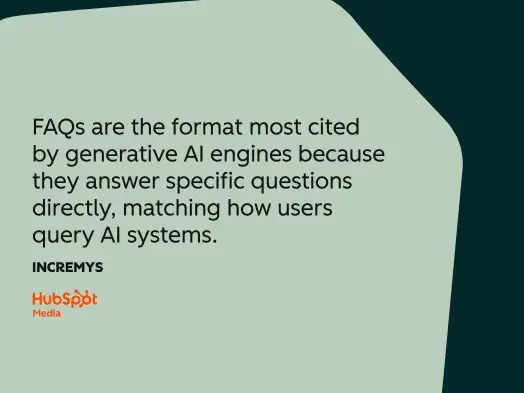
21. FAQs are the format most cited by generative AI engines because they answer specific questions directly, matching how users query AI systems.

22. LLMs are 28-40% more likely to cite content with clear formatting—hierarchical headings, bullet points, numbered lists, and tables, demonstrating the importance of structured presentation. Creating this structured, citation-worthy content at scale is easier with platforms like HubSpot’s Content Hub, which helps teams produce, organize, and optimize content with built-in AI assistance while maintaining the quality standards that AI engines prioritize.

23. Listicles achieve a 25% citation rate versus 11% for narrative blog posts and opinion pieces, showing structured formats significantly outperform traditional content.

24. Comparative listicles, how-to guides, and FAQs are the most cited formats across platforms, with answer-first formatting being particularly effective.

Frequently Asked Questions about Generative Engine Optimization statistics.

How fast can we see impact from GEO?

Unlike traditional SEO, which can take 6-12 months, AI visibility improvements can appear within weeks—especially on platforms like Perplexity that conduct real-time web searches. Structural optimizations, such as schema and formatting, can impact citations within 30-60 days, while building original research and authority signals typically takes 3-6 months.

The fastest gains come from adding specific statistics and structured answers to existing high-performing content, with tactical changes improving visibility within 30 to 45 days.

What tools do we need to implement GEO effectively?

Start by assessing your current content with HubSpot’s AEO Grader to identify quick wins.

For ongoing optimization and content creation, HubSpot’s Content Hub offers AI-powered writing assistance with built-in structure optimization, while Marketing Hub provides the analytics infrastructure to track AI referral traffic and measure GEO performance alongside your traditional marketing metrics

How do we avoid quality issues when scaling AI-assisted content?

Most content cited in AI Overviews is at least partially AI-generated—proving that AI-assisted content doesn’t hurt rankings when it maintains quality.

The key is combining AI efficiency with human expertise: use AI to generate structured frameworks, data-driven outlines, and first drafts, but always have subject-matter experts refine the content to add proprietary insights, verify accuracy, and ensure it is genuinely citation-worthy rather than just technically optimized.

Focus on extractability over word count—content must answer questions directly in 40-60 word blocks with clear attribution to sources.

When should you prioritize GEO over traditional SEO projects?

Prioritize GEO when your target audience shows high AI search adoption rates (especially B2B buyers, Gen Z, or technical audiences), when you’re in industries where informational queries dominate, and 60% of searches end without clicks, or when your competitors are already earning AI citations.

Since 99% of AI Overviews cite pages from the organic top 10, you should focus on GEO after establishing strong traditional SEO foundations—think of it as “SEO plus” rather than a replacement. The highest ROI comes from optimizing content that already ranks well but isn’t yet earning AI citations.

How do we report GEO results to executives?

Track five core metrics: citation frequency (how often your brand appears in AI responses for target queries), brand visibility score (your citation rate relative to competitors), AI share of voice (your percentage of total category mentions), sentiment of citations (positive/neutral/negative), and conversion rates from AI traffic.

Present the business case clearly: AI search visitors convert at 4.4x the rate of traditional organic search, making each AI citation significantly more valuable than conventional traffic metrics.

Include competitive benchmarking showing how often competitors appear versus your brand, and demonstrate progress with month-over-month citation growth across platforms like ChatGPT, Perplexity, and Google AI Overviews.


Categories B2B

What is an attribution window in marketing? What marketers need to know

An attribution window is the defined time period when a marketing touchpoint — such as an ad click, email open, or page view — can be credited for a conversion. Window length directly affects how conversions are counted, how channels perform, and how budget decisions are made. Platforms use different defaults, and these differences often create mismatches in data across tools. 

Download Now: Free State of Marketing Report [Updated for 2025]

Marketers use HubSpot attribution reporting to compare model outcomes with consistent lookback periods and align windows across platforms. A marketing attribution window determines which touchpoints are eligible to receive conversion credit, shaping how teams interpret performance and drive decisions about spend, messaging, and channel mix.

Explore our guide to attribution modeling for a deeper look at how credit is assigned across customer journeys.

Table of Contents

What is an attribution window in marketing?

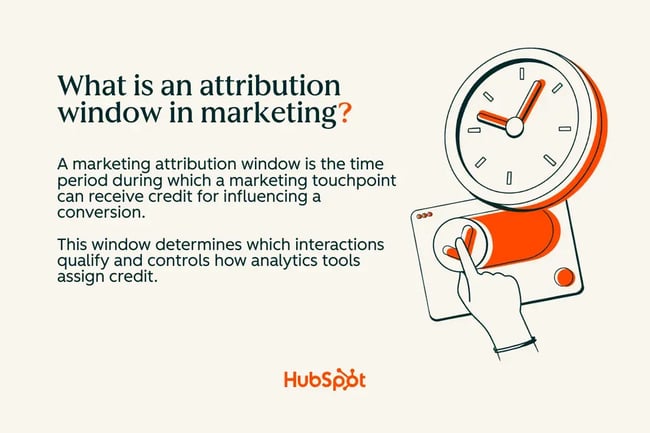
A marketing attribution window is the time period during which a marketing touchpoint can receive credit for influencing a conversion. This window determines which interactions qualify and controls how analytics tools assign credit. Most platforms set default windows, but marketers customize them based on sales cycle length, campaign type, and channel behavior.

what is an attribution window in marketing

Attribution window affects conversion counting. When a window lasts 7 days, tools evaluate touchpoints that occurred within that range. When it lasts 30 days, tools evaluate a larger set of interactions. Platform defaults influence reporting accuracy because each tool uses its own assumptions about how long a touchpoint remains relevant.

Consumer brands often see fast purchase cycles. Buyers usually click and convert within hours or days. Short attribution windows capture this pattern without pulling in unrelated traffic.

B2B software teams work with longer consideration cycles that span early research, content engagement, and nurture activity. Prospects interact with ads, webinars, and product pages over several weeks. Longer windows capture these extended journeys.

Pro tip: Start with platform defaults, then adjust based on real user behavior and your sales cycle.

Marketers use attribution windows in conjunction with broader measurement frameworks. Learn more about how windows interact with credit assignment in our guide to attribution modeling.

Why the Attribution Window Matters

Attribution windows influence how marketing, RevOps, and finance interpret performance. Short windows highlight lower-funnel activity and credit touchpoints that drive immediate action. Longer windows bring extended evaluation journeys into view and reveal the influence of remarketing, content, and nurture programs. Adjusting the window changes revenue credit, ROAS values, and budget allocation decisions.

Window length shifts conversion attribution. Misaligned windows create inconsistent metrics across platforms, which affects how teams interpret channel impact and spend efficiency.

Meta Ads often apply default short-click and view-through settings. These defaults credit conversions that happen soon after an impression or click.

HubSpot attribution reporting uses consistent lookback periods across channels and evaluates a broader set of touchpoints. This difference often causes Meta to report higher conversion counts, while HubSpot distributes credit across a wider set of interactions.

Marketers reviewing ROAS, CAC, and channel-level revenue often link their analysis to window logic. For more guidance on how these metrics work together, explore our posts on advertising metrics, analyzing display ad performance, and ROAS buckets.

How different window lengths impact ROAS, CAC, and revenue reporting

Impact on ROAS, CAC, and Revenue Reporting by Window Length

Window length

ROAS impact

CAC impact

Revenue reporting impact

1–7 days

Higher ROAS for lower-funnel ads

Lower CAC due to fast conversions

Credits recent clicks or impressions

14–30 days

Balanced ROAS across channels

CAC reflects mixed intent

Captures nurture and remarketing influence

30–90 days

Lower ROAS for short-cycle channels

Higher CAC for lower-intent campaigns

Distributes credit across multi-touch journeys

Attribution Window Types

Marketers use several attribution window types to measure how different interactions contribute to conversions. Each window captures a specific kind of engagement, such as clicks, views, re-engagement, or deep-link actions. Many platforms use a mix of these windows to assign credit.

Click-through windows

Click-through windows credit conversions that occur within a set number of days after someone clicks an ad or email. These windows drive the majority of platform-reported conversions and reflect clear, high-intent actions.

Best for: High-intent traffic

What we like: Clear behavioral signal that connects action to outcome

Marketers exploring credit assignment across channels can review how click activity influences last-click attribution. Click-through windows also appear in the comparison chart later in this section.

View-through windows

A view-through window counts conversions that happen after a user sees an impression, even without a click. Platforms use these windows to measure upper-funnel influence and early engagement signals.

Pro tip: Use view-through windows cautiously for awareness channels where impressions scale quickly.

View-through attribution relies on impression data. High impression volume across display or social campaigns can significantly influence how much credit goes to awareness programs.

Conversion windows

A conversion window measures how long a user has to complete a tracked goal after interacting with a campaign. Ecommerce tools and CRMs use these windows to determine eligibility for revenue credit.

Short conversion windows, such as 1–7 days, fit fast-moving purchases. Longer windows support products or services with more evaluation steps across content, email, or retargeting.

Teams often misconfigure conversion windows when they default to platform settings instead of matching window length to real buying behavior. This misalignment affects revenue trends and the interpretation of lead quality, especially in B2B environments.

Re-engagement windows

Re-engagement windows apply to retargeting and lifecycle campaigns. They define how long a user remains eligible for follow-up ads or nurture flows.

Best for: Multi-step journeys

Use case: A SaaS user enters a free trial, then receives targeted ads or emails for upgrade prompts during a defined re-engagement period.

These windows help marketers keep outreach aligned with key lifecycle milestones and user activity patterns.

Deep linking duration

Deep-linking windows determine how long mobile touchpoints remain valid when a user lands in an app from a specific link or ad. These windows matter for mobile measurement because they influence how platforms assign credit to in-app actions.

What we like: Strong signal for mobile attribution and app-based conversions

Mobile measurement partners, such as AppsFlyer and Adjust, often use default deep-linking durations ranging from minutes to days, depending on the app’s behavior and funnel length. Marketers adjust this window to match the expected time between app entry and conversion.

Comparison table: Attribution window types

Window type

Typical range

Best for

Key pitfall

Click-through

1–30 days

High-intent campaigns

May miss the impression-level influence

View-through

1–7 days

Awareness and display

Can inflate impact if impression volume is high

Conversion

1–90 days

Ecommerce, CRM-based attribution

Misalignment with the real sales cycle

Re-engagement

7–30 days

Retargeting and lifecycle

May extend outreach beyond user interest

Deep linking

Minutes–days

Mobile apps and in-app events

Loss of credit if the duration is too short

Click-through windows credit conversions that happen after a click. View-through windows credit conversions that occur after an impression without a click. Lookback windows define how far back a model can search for any eligible touchpoints. Clear rules for each window type help keep conversion attribution consistent across reports and tools.

How Long Should My Attribution Window Be?

The ideal attribution window depends on channel behavior, campaign objective, and sales cycle length. Shorter windows are suited to low-consideration purchases, while longer windows support B2B journeys, multi-stakeholder decisions, and extended nurturing cycles. HubSpot Marketing Hub helps teams test different window lengths and evaluate conversion trends across attribution models.

Attribution window length influences conversion eligibility. Marketers often start with standard windows based on known customer behavior. These defaults offer a baseline for early reporting.

Teams adjust window length as real data comes in. This approach ties window settings to actual buyer patterns rather than assumptions.

A simple testing process helps teams refine their window over time:

  • Create a baseline report with the current attribution window.
  • Duplicate the report in a separate window (e.g., 7 days vs. 30 days).
  • Compare changes in attributed conversions, ROAS, CAC, and channel mix.
  • Document the selected window in your reporting playbook and apply it across campaigns.

This approach gives marketers a clear path to adjust window settings without losing historical context.

Fast-Moving Purchases (DTC + Low ACV)

Typical window: 1–7-day click

Why: fast decisions and mobile-first behavior that drives quick conversions

These short windows reflect patterns common in ecommerce, subscription boxes, and low-priced digital products. Conversions often happen within hours or days of the first click, so short windows capture the bulk of relevant traffic.

Use campaign attribution reporting to evaluate short-cycle performance across ads, email, and landing page activity. Short windows highlight the channels that drive rapid engagement and near-immediate action.

Mid-Funnel Lead Gen (B2B, PLG)

Typical window: 7–14-day click

Why: prospects engage with several assets before submitting a form or starting a trial

Mid-funnel programs often involve multiple touches across content, email, and product pages. A medium-length window captures these interactions without extending credit too broadly.

What we like: balanced signal strength and practicality. This window supports measurement without inflating the impact from early exploratory activity.

Long B2B Sales Cycles

Typical window: 30–90 day lookback

Why: extended research phases, evaluation periods, and stakeholder involvement

Enterprise and high-ACV products often require weeks or months of education and internal alignment. A longer window captures early-stage content activity, partner referrals, and nurture engagement.

Pro tip: Align window length with actual CRM deal velocity data. This approach keeps reporting tied to real buying behavior and supports consistent trend analysis across quarters.

Multi-Channel Campaigns (Paid + Lifecycle + Organic)

Typical window: 30-day cross-channel

Why: mixed intent and multiple touchpoints across ads, email, content, and direct traffic

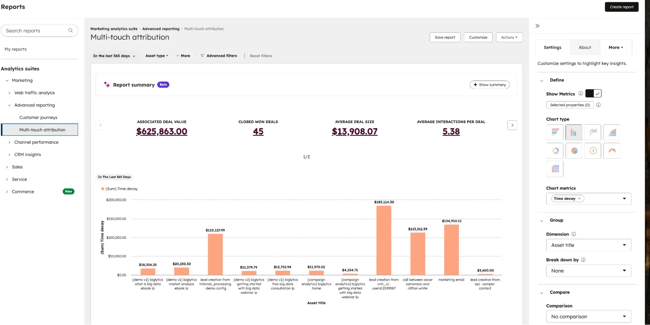
multi touch attribution in hubspot marketing hub

Cross-channel journeys often stretch across several weeks, especially when campaigns involve retargeting, nurture flows, and deeper content engagement.

Best for: account-based initiatives where several stakeholders interact with different assets before a demo request or opportunity creation.

How Attribution Windows Impact KPIs and Budget Decisions

A longer attribution window increases attributed conversions and can make awareness channels appear more effective. A shorter window reduces credited volume and highlights lower-funnel channels. Conversion attribution shifts whenever the window changes, because different sets of touchpoints qualify for credit. These changes influence ROAS, CAC, revenue allocation, and cross-channel comparison.

Window length directly controls revenue credit. Long windows capture extended journeys and distribute credit to earlier interactions. Short windows concentrate credit on recent engagements. These shifts influence how teams interpret ROAS, CAC, and return from channel investments.

A typical example is the difference between a Meta 7-day click window and a HubSpot 30-day lookback period. Meta may credit a conversion that happens within a week of the click. HubSpot attribution reporting uses a consistent 30-day lookback to evaluate a broader set of touchpoints across the journey. This difference creates variation in credited conversions, ROAS summaries, and budget conversations.

Teams reviewing acquisition costs often turn to our guidance on ROAS buckets to understand how shifts in window length influence performance patterns.

Frequently Asked Questions About Attribution Windows

What’s the difference between an attribution window and a lookback window?

The lookback window determines how far back the model searches for touchpoints. An attribution window focuses on the time period when a touchpoint can receive credit. A 30-day lookback reviews the whole month of activity. A 7-day click window credits touchpoints that happen within one week of a click.

HubSpot attribution reporting uses consistent lookback periods across channels, helping teams compare model outcomes and see how window logic affects revenue credit.

How often should I revisit my attribution window settings?

A quarterly review works well for many teams, especially when seasonality or buying patterns shift. A window may be misaligned when conversion timing changes, when new channels enter the mix, or when deals take longer to close.

Cross-platform alignment also matters. Teams often revisit window settings when they notice reporting gaps between ad platforms and HubSpot or when new leadership asks for more predictable forecasting.

Do attribution windows affect multi-touch attribution outcomes?

Yes. Window changes adjust which touchpoints qualify for credit. Window settings influence multi-touch models because each model uses the window to determine which interactions participate in credit distribution.

A narrower window includes fewer touchpoints and concentrates credit on recent engagements. A broader window pulls early content, lifecycle stages, and remarketing activity into the model.

Why do my platform metrics and HubSpot reports not match exactly?

Most platforms use different default windows, which creates variation in credited conversions. Some tools credit impression views. Others credit clicks or deeper behavioral signals. Data availability also varies across platforms, especially for view-through or impression-based reporting.

Pro tip: Align windows across tools for closer comparisons. Shared logic reduces discrepancies and provides a clearer view of channel contribution. A simple alignment process looks like this:

  • Pick a standard window for key goals, such as a 30-day lookback for lead generation.
  • Update ad platforms and analytics tools to match that standard wherever possible.
  • Use HubSpot attribution reporting as the central source of truth for channel comparison and planning.

Should view-through windows be used for all channels?

No. View-through windows work best for display, awareness, and mobile campaigns with high impression volume. These channels benefit from tracking early influence and brand exposure.

Performance channels that rely on high-intent actions may not need broad view-through windows. Many teams track both view-through and click-through activity in HubSpot to evaluate impact across the whole journey.

Getting Started

Aligned windows across platforms support more transparent reporting, reduce discrepancies, and strengthen budget decisions. HubSpot Marketing Hub simplifies this process with attribution reporting that compares model outcomes across a consistent lookback period, enabling teams to evaluate performance with confidence.

Teams evaluating attribution tools can also review our guide to three types of marketing attribution software to find a fit that supports their reporting approach. From experience, aligned windows help marketing and RevOps teams gain clarity more quickly during planning cycles and support more grounded conversations about which channels drive real results.

Categories B2B

Marketing operations tech stack audit: A proven checklist for operations teams

Marketing tech stacks often expand fast, leading to sprawl. The result is low tool usage. Gartner estimates that only 49% of marketing technology tools are actively used by teams. A marketing operations tech stack audit brings structure back to teams with bloated software.

Download Now: Free State of Marketing Report [Updated for 2025]

During the audit, teams identify opportunities to cut redundant software, resolve data issues, and improve ROI. Ironically, teams may also surface the need for new tech to manage large volumes of data. HubSpot’s Data Hub is designed to help, combining data across each company’s tech stacks.

This post explores when marketing operations tech stack audits are necessary. Marketers will also learn how to run tech stack audits and where AI fits into the process.

Table of Contents

What is a marketing operations tech stack audit?

A marketing operations tech stack audit is a structured review of all marketing, sales, and service tools. The audit identifies tools that do the same job. During the tech stack audit, teams also map what data is collected by each tool and if data is accurate.

At the end of the audit, the team should have a list of every tool that the marketing team uses. Marketers can then see how data moves between systems, what metrics are captured by each tool, and opportunities for consolidation. HubSpot Data Hub stores data from each tool in the tech stack in a central location, breaking down silos.

Tech stack audits allow teams to see what duplicate solutions should be cut. Marketers will also notice which tools create barriers in their workflow and offer little valuable data. Thorough evaluation leads to data consistency and a tech stack that reflects current business priorities.

Benefits of a Marketing Operations Tech Stack Audit

Audits lead to better quality data

According to a report from Hightouch, 75% of pain points related to marketing technology trace back to data issues. Furthermore, a staggering 95% of respondents reported difficulty in targeting and reaching their intended audience. Marketing audits help solve that challenge.

Tool reviews help teams see what data is being collected, whether the data is useful, and if it’s being stored in a way that benefits marketing campaigns. HubSpot Data Hub can help teams looking to unify data and unlock insight into what potential customers are looking for.

With martech audits, teams spend only on the tools they use

According to Hightouch, marketers have access to an average of 90 tools and don’t use 70% of them. A Gartner report found that low usage costs businesses real dollars. In fact, the advisory firm found that billion-dollar companies with average tool utilization can waste up to $8.5 million. Marketing operation tech stack audits help teams identify and eliminate underused tools.

Smaller tech stacks mean less time spent on training

According to Gartner, companies that use four or more enablement methods show stronger marketing technology performance. Teams must invest in training and development to unlock technological capabilities and perform well. Fewer tools mean less time needs to be spent on training. Marketers only learn how to use the tools they actually need.

What You Should Audit in Your Marketing Operations Technology Stack

A comprehensive marketing operations technology stack includes a CRM to manage customer interactions, automation for key campaigns, and analytics to improve performance. Most teams also benefit from content marketing tools that improve SEO systems and social media management tools. Each category warrants a review of ownership and usage.

The sections below outline the core areas to review and the HubSpot products that support a more connected stack.

CRM and Contact Management

marketing operations tech stack audit, crm

Source

The CRM shapes how customer data moves across the lifecycle. HubSpot’s Smart CRM centralizes records across marketing, sales, and service. With a unified source of data, marketing teams can more easily segment customers and personalize campaigns. Teams often review CRM activity alongside inside sales technologies to understand how engagement moves through the funnel.

Pro tip: HubSpot CRM brings every interaction into a unified record for simpler workflows and more reliable reporting.

Marketing Automation

Marketing automation platforms streamline repetitive marketing tasks using pre-built workflows. Tools like HubSpot Marketing Hub also use customer data stored in CRMs to power personalized marketing campaigns. Marketing automation often focuses on creating email workflows, qualifying leads, and routine posting.

Pro tip: Marketing Hub centralizes email, automation, forms, and journeys in a single environment.

Data and Analytics

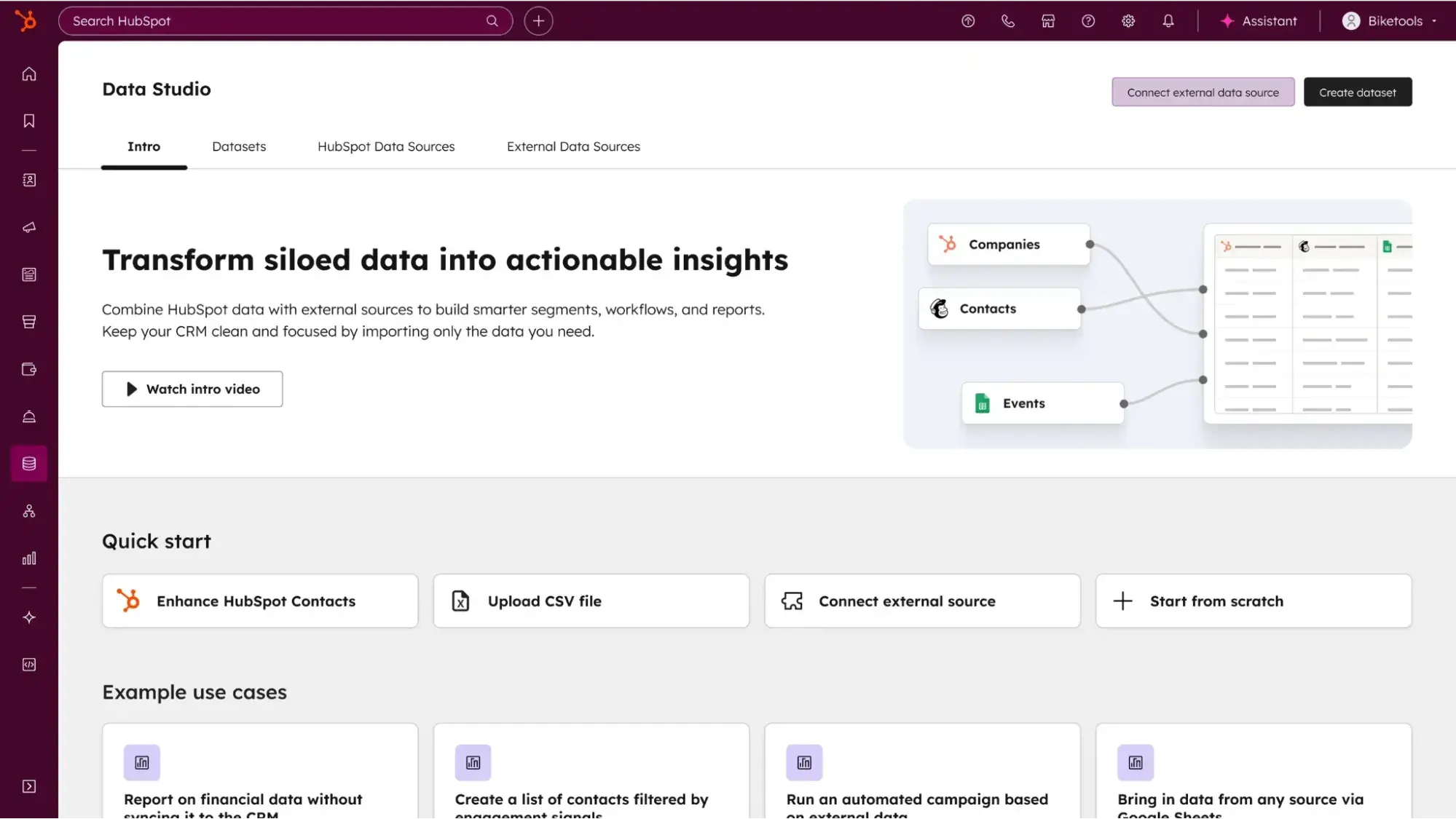
marketing operations tech stack audit, data hub

Source

Marketers need to evaluate how campaigns perform. Each team takes a different approach to collecting this data. Some organizations look at reporting dashboards in each tool or channel. Others consolidate data into one platform to see overall performance. Often, teams look at reports in both unified and single-channel tools.

Regardless of the specific approach, tools should collect data that teams need to understand customer needs. Marketing operation tech stack audits note tools that do not gather helpful analytics or fail to store data properly.

Pro tip: Data Hub consolidates data across marketing tech stacks, so teams can unlock insights to run better campaigns.

Content and Asset Management

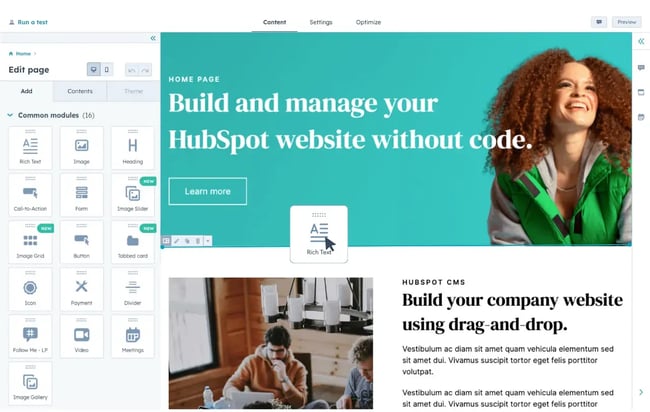
marketing operations tech stack audit, content hub

Source

Content marketing requires a comprehensive tech stack of its own. Teams need a content management system to host blog posts and landing pages. Teams also need tools to aid in content creation (yes, even that Adobe Creative Cloud subscription should be part of the audit).

The best content management tools offer a one-stop shop for hosting, creation, and optimization. Teams seeking a unified approach to content marketing should opt for Content Hub. The tool supports creation, storage, SEO suggestions, and AI-assisted drafting.

Pro tip: Content Hub ties content creation to CRM data and automation activities to support personalization.

Advertising and Paid Media

marketing operations tech stack audit, hubspot ads

Source

Paid media systems manage campaigns across search, social, and display. Performance improves when these systems connect to the CRM for consistent conversion tracking. Marketing Hub’s Ads tools sync audiences and attach campaign results to lifecycle progression.

Social Media Management

marketing operations tech stack audit, social inbox

Source

While each social media channel offers some native management capabilities, most brand teams need a comprehensive solution. Social media marketers often look for tools that help with scheduling and creation, as well as social listening. Marketing Hub’s Social Inbox connects this work to CRM records.

SEO and Web Optimization

seo-keyword-research-40-20251125-9287567

SEO systems support visibility across search. Marketing Hub’s SEO tools offer recommendations, topic clusters, and performance tracking. Teams exploring channel orchestration often extend this work using our guidance on creating an omnichannel experience or building a complete marketing stack.

Pro tip: Marketing Hub’s integrated SEO tools make it easier to know what keywords to target and how to improve page performance.

How to Run a Marketing Operations Tech Stack Audit

A complete audit includes running an inventory of current tools and mapping what data is stored where. Then, marketers score tool performance, note key integrations, and decide if the tool is worth the cost.

The steps below outline a repeatable approach for organizations of any size.

1. Build a complete inventory of every tool

Document each system, outline its purpose, and capture how teams use it. This baseline highlights overlaps and friction points in the workflow. Audit inventory includes the tool name, owner, users, cost, data collected, integrations, and contract details.

Focus on:

  • Apps connected to your CRM
  • Point solutions used for one-off tasks
  • Shadow IT tools adopted without governance
  • Renewal dates and contract terms
  • Active workflows and automations tied to each tool

2. Map data flows and identify the single system of record

Data mapping shows how contact, event, asset, and revenue information flows across the stack. Smart CRM remains the unified system of record, and the map anchors on that foundation. This map becomes the foundation for future data governance and lifecycle work.

Focus on:

  • Where data enters the system
  • How it moves between tools
  • What transformations happen along the way
  • Which tools overwrite or enrich fields
  • Where data leaves the ecosystem

3. Evaluate contracts, costs, and usage levels

Contract and usage reviews clarify whether spend matches value. Many teams find overlapping tools, unused seats, or features with limited impact. Renewal timing also shapes consolidation plans.

Focus on:

  • Active seats compared to usage logs
  • Duplicate categories where multiple tools perform the same task
  • Contract terms that affect transition timing
  • Coverage fees or volume-based pricing
  • Feature gaps that affect key workflows

Understanding usage helps teams make budget recommendations with clear data to support them.

4. Score each tool for impact vs. effort

Once teams know what tools are being used, each needs to be evaluated for its impact. Scoring helps teams understand where each platform contributes. A matrix that assesses the impact on goals and the effort required to maintain the tool provides clarity for planning.

Focus on:

  • Workflow impact
  • Integration quality
  • Automation reliability
  • Reporting importance
  • Maintenance workload

5. Assess integrations and data sync reliability

At this point in the audit, marketers know which tools are absolutely essential to how the team operates. Any auxiliary technology should integrate with the most important software teams already use. Data gathered from these tools should accurately sync into the CRM and other essential software tools.

Pro tip: Data Hub automates data quality and syncs collected data with HubSpot’s CRM.

Focus on:

  • Sync frequency and error logs
  • Field mapping and naming conventions
  • Data volume limits
  • API usage patterns
  • Reliability across peak periods

6. Identify redundancies and consolidation opportunities

Redundancies occur when several tools handle similar work or when functions are fragmented across point solutions. Redundant tools should be consolidated or removed.

Focus on:

  • Tools with overlapping features
  • Single-use platforms with low adoption
  • Teams using different systems for similar tasks
  • Workflows that require multiple logins
  • Legacy tools no longer tied to core processes

Pro tip: HubSpot’s connected ecosystem reduces fragmentation across CRM, automation, content, and data systems.

7. Align lifecycle stages and reporting across platforms

Unified lifecycle data gives teams a stable view of volume, conversion, and funnel velocity. Lifecycle alignment supports consistent reporting and predictable handoffs. Lifecycle stages must be aligned across all platforms.

Focus on:

  • Unified lifecycle definitions
  • Required fields at each stage
  • Lead status and handoff rules
  • Reporting filters and naming conventions
  • Dashboards used by marketing, sales, and service

8. Build your 30-60-90 day roadmap

A roadmap converts audit findings into a structured plan. Strong roadmaps assign owners, sequence work, and spotlight immediate opportunities for consolidation.

How do we prioritize fixes after the audit?

Start with data stabilization and updates that unlock high-volume workflows. Then move into consolidation, lifecycle cleanup, and reporting changes. Larger platform transitions fit naturally into later phases once stakeholders review the plan.

Where AI Fits in Your Marketing Operations Tech Stack Audit

With a flurry of AI tools, marketers struggle when choosing tools that provide real value. According to Hightouch, only 10% of marketers are using AI effectively today, but 75% want to use AI for more use cases. Luckily, AI can improve the audit process. AI allows for faster discovery and data cleanup. See how below.

Inventory parsing and classification

AI helps categorize tools and highlight overlaps. Once an inventory list is created, AI can group tools by function and flag software with overlapping capabilities. Teams can also import usage data into AI tools like HubSpot’s Breeze AI Suite to see which tools have low usage. This step removes hours of manual review and gives teams a clean starting point.

Duplicate detection and data cleanup

AI surfaces duplicate contacts, conflicting field values, and incomplete lifecycle data. Data Hub is one AI tool that teams can use to improve the quality of data collected across the martech stack. Data can then be stored in HubSpot’s AI CRM for a unified view.

Clean data allows for better visibility and strengthens segmentation, routing, reporting, and automation.

Workflow and integration mapping

AI-powered tools like Data Hub show how information moves across the stack. Teams can then map workflow dependencies and surface workflows that conflict with each other. With AI-powered insights, teams can safely sunset software they no longer need.

Frequently Asked Questions About Marketing Operations Tech Stack Audits

How often should we run a marketing operations tech stack audit?

Most teams run a full audit twice a year and add a lighter quarterly review in fast-changing environments. This cadence maintains data quality and catches issues before they spread.

Should we consolidate to a single platform?

Consolidation works when reducing tools simplifies work, strengthens data quality, or saves budget. HubSpot offers a unified solution for marketers, with SEO, social, and automation tools all under one umbrella.

Who should own the audit and ongoing governance?

Marketing operations or RevOps typically lead this work. Governance then moves to a small cross-functional group that manages lifecycle definitions, field standards, reporting rules, and change processes.

When should we re-platform our CRM or automation?

Re-platforming becomes necessary when data inconsistencies, integration failures, or workflow limitations block progress. HubSpot tools natively integrate with each other, offering a unified approach to data. Teams already using Marketing Hub may benefit from re-platforming to HubSpot’s CRM.

How do we show the audit’s impact to executives?

Executives respond well to improvements in data health, speed to touch, tool cost, and reporting accuracy. Present before-and-after metrics that show duplicate reduction, stronger lifecycle data, and time saved across teams.

Getting Started

A marketing operations tech stack audit helps teams reduce tool redundancy, correct data issues, and strengthen ROI. After an audit, clearer view of how their systems work together and a stronger foundation for ongoing growth. HubSpot Data Hub makes sure that the information collected by a comprehensive marketing operation tech stack is high-quality and centralized in one location.

I’ve seen audits change how teams operate. Clean data supports faster campaigns. Lifecycle alignment brings clarity to reporting. A stable system frees operations teams to focus on strategy rather than troubleshooting.

With a steady audit rhythm, organizations pay only for the tools they actually use and unlock insights that lead to better strategy.

Categories B2B

AI engine optimization audit: How to audit your content for AI search engines

An AI engine optimization audit evaluates brand visibility, accuracy, and citations in AI-powered search engines. It highlights how a brand appears across ChatGPT, Gemini, Perplexity, and Bing Copilot, and identifies gaps in the facts, descriptions, and links these systems rely on. In contrast, a traditional SEO audit focuses on website rankings and technical health in classic search engines. HubSpot's AI Search Grader: See how visible your brand is in AI-powered search  engines.

AI search extracts information directly from content, public sources, and structured data. This shift changes how buyers discover brands and validate solutions. Growth-focused teams benefit from precise, consistent brand details in AI summaries, as these summaries influence early research, shortlists, and pipeline creation.

This post gives teams a complete workflow for running an AI engine optimization audit, priority fixes, a practical checklist, and the HubSpot tools that support the process. Each section offers clear steps for testing visibility across AI engines, measuring accuracy, updating content, and publishing structured, AI-friendly pages at scale.

Table of Contents

What is an AI engine optimization audit?

An AI engine optimization audit is a structured review that measures how accurately AI search engines represent a brand. It evaluates visibility, accuracy, and citations across systems like ChatGPT, Gemini, Perplexity, and Bing Copilot. The goal is to confirm that AI-generated summaries accurately reflect the brand’s facts, product details, and sources.

An AI engine optimization audit differs from a traditional SEO audit. A traditional SEO audit focuses on rankings, crawlability, and technical health. An AEO audit focuses on entity correctness, brand mentions, citation frequency, and the precision of AI-generated summaries. An AI engine optimization audit identifies outdated facts, missing brand mentions, and incorrect citations in AI summaries. These issues often stem from unstructured pages, unclear entities, and inconsistent context.

AI engines pull information from standalone chunks, structured data, and patterns across the web. They interpret content more accurately when pages use clear headings, defined entities, semantic triples, and consistent formatting.

HubSpot Search Grader provides a free way to assess brand visibility in AI search engines and establish a fast baseline. It complements foundational work such as running a website audit, improving the fundamentals in the technical SEO guide, adding markup from the structured data walkthrough, and reviewing performance in your SEO report.

How AEO, GEO, and SEO Work Together

AEO, GEO, and SEO each strengthen how buyers discover and understand a brand.

  • AEO (answer engine optimization) focuses on entity clarity, accurate citations, and how AI engines summarize a brand.
  • GEO (generative engine optimization) focuses on performance in generative experiences across channels, including conversational answers and synthesized results.
  • SEO (search engine optimization) focuses on rankings, crawlability, and technical performance in traditional search engines.

Teams gain stronger visibility when these workflows run together. AEO highlights entity gaps. GEO highlights the depth and usefulness of content in generative environments. SEO highlights technical and ranking signals. Adding all three dimensions to your SEO report helps teams track visibility changes across search experiences.

Audit Type

What the Audit Covers

Why It’s Important

AEO (Answer Engine Optimization)

Entity definitions, brand mentions, citations, factual accuracy, and how AI systems interpret and summarize the brand

Ensures AI engines clearly understand who a brand is, what it offers, and when to reference the brand in direct answers and summaries

GEO (Generative Engine Optimization)

Performance in generative experiences, including conversational responses, synthesized results, multi-source answers, and content usefulness

Improves visibility and influence in AI-driven discovery moments where users receive generated answers instead of links

SEO (Search Engine Optimization)

Rankings, crawlability, indexing, site architecture, technical health, backlinks, and keyword performance

Maintains strong visibility in traditional search results and ensures content can be discovered, indexed, and ranked effectively

Why run an AI engine optimization audit now?

AI search now plays a significant role in how buyers research categories, compare vendors, and validate solutions. An AI engine optimization audit gives teams a clear understanding of how AI engines summarize their brand today and where improvements will have the greatest impact.

AI search is reshaping top-of-funnel discovery.

Traffic is harder to earn as AI engines become the first stop for contextual answers. Large language models (LLMs) generate tailored responses that provide users with direct guidance, reducing the need to interact with traditional SERP links. Strong AEO foundations help AI engines highlight accurate facts and updated messaging.

AI engines influence B2B buying committees.

AI summaries often appear before buyers reach a website. These early summaries shape category expectations, frame key capabilities, and affect which vendors appear relevant. AEO improvements support more consistent visibility in these moments.

Incorrect or missing brand facts spread quickly.

AI engines absorb outdated information from old pages, legacy listings, and external sources. Those inaccuracies can spread across multiple systems. Publishing consistent, structured updates helps guide AI engines toward current facts.

Pipeline and revenue reporting needs accurate AI mentions.

Pipeline creation depends on how clearly buyers understand a brand’s offerings. Updated AI summaries support more consistent messaging across the funnel. Smart CRM connects content improvements to pipeline and revenue outcomes, which links AEO efforts to measurable business impact.

AI search optimization compounds over time.

Clear entity signals help AI engines categorize a brand more accurately. Early improvements create a foundation that strengthens recognition and citation patterns across future updates.

How to Run an AEO Audit (Step-by-Step)

An AEO audit evaluates how AI engines describe a brand, highlights errors, and guides updates that strengthen visibility. Each step works as a standalone task that teams can complete in sequence or integrate into existing content workflows.

ai engine optimization audit, how to

Step 1: Define the entities, topics, and branded phrases you want AI engines to recognize

List the core facts AI engines should reference when summarizing your brand. Include company name, product names, key features, target personas, and category terms. Add high-intent topics that align with your positioning.

Step 2: Test your brand in top AI engines

Run targeted prompts across ChatGPT, Gemini, Perplexity, and Bing Copilot. Include private or industry models if relevant to your audience. Test branded queries, category queries, and solution-driven prompts. Teams evaluating Microsoft’s ecosystem can also reference our guidance on whether marketers should optimize for Bing.

ai engine optimization audit, aeo grader

Source

Pro tip: Use HubSpot’s free AEO Grader to see how your website is appearing in AI search engines.

Step 3: Capture and categorize all AI outputs

Record screenshots and text from each engine. Categorize outputs as correct, outdated, incomplete, inaccurate, or missing. Add a column for confidence markers such as citations, links, attributed sources, and contextual accuracy.

Pro tip: Add a confidence-marker column to highlight which engines pull from trustworthy sources.

Step 4: Score visibility, accuracy, and citation completeness

Create a simple scoring model for visibility, accuracy, depth, and citations. Visibility measures whether the brand appears. Accuracy measures factual correctness. Depth indicates whether product-level details appear. Citations measure whether AI engines link to brand-owned sources.

Step 5: Identify entity gaps and semantic errors

Check for incorrect founders, dates, product descriptions, or industry categories. Flag missing features, outdated positioning, and expired pricing. This step surfaces unclear or inconsistent entity signals.

What I like: Entity-gap reviews often reveal inconsistencies across About pages, product pages, and listings. Updating these hubs simultaneously strengthens AEO, SEO, and GEO signals.

Step 6: Review on-site content for structure and AEO clarity

Evaluate whether the content uses extractable chunks, clean H2/H3 formatting, lists, and explicit semantic triples. Review internal linking and entity details across key pages. Strengthen structured data using the practices in HubSpot’s structured data guide. HubSpot Content Hub supports structured, entity-friendly publishing at scale.

Step 7: Update or create supporting content with an AI-friendly structure

Draft updates using AI tools, then manually validate each fact. Breeze AI Suite accelerates content briefs, QA pairs, and optimization tasks. Content Hub and Marketing Hub help teams blend SEO and AEO updates with structured editing tools and performance insights.

Best for: Teams managing large content libraries benefit most from drafting first-pass updates in Breeze and refining with human review.

Step 8: Re-test using HubSpot AI search grader

Run another full test using HubSpot Search Grader after publishing updates. Record changes, compare outputs, and refine your entity list as the brand evolves. An AI engine optimization audit should be repeated quarterly or after major content changes.

How to Operationalize Your AEO Audit in HubSpot

HubSpot’s ecosystem supports the entire AEO workflow:

  • AI Search Grader establishes baselines for visibility, accuracy, and citations.
  • Content Hub publishes structured, entity-friendly updates.
  • Breeze AI Suite speeds up content briefs, revisions, and QA tasks.
  • Marketing Hub SEO tools highlight technical issues and topic gaps that support AEO and SEO work.
  • Smart CRM connects content updates to engagement, lead quality, and revenue insights.

Best for: Teams that want a repeatable AEO workflow tied directly to content operations and reporting.

Priority Fixes After Your Answer Engine Optimization Audit

High-impact fixes focus on correcting brand facts, strengthening entity clarity, publishing structured content, expanding high-intent coverage, updating public listings, and adding authoritative citations.

Fix 1: Correct brand facts across owned content.

Update outdated product descriptions, feature lists, and claims. Add semantic triples that clearly establish relationships among the brand, its products, and its categories.

Pro tip: Add semantic triples to product pages, About pages, and glossary entries to strengthen entity clarity.

Fix 2: Strengthen entity pages and brand hubs.

Clarify who the brand serves, what categories it participates in, and which products it offers. Strengthen About pages, glossary entries, and product pages so AI engines have reliable sources for the fundamentals.

Fix 3: Add structured data and better content architecture.

Publish schema markup for entities, products, and organizational details. Strengthen the information architecture so AI engines can interpret the site structure quickly. HubSpot’s structured data guide outlines markup patterns teams can operationalize across the site.

What I like: Structured data often becomes one of the fastest ways to correct misaligned AI-generated facts.

Fix 4: Create supporting content for high-intent topics.

Expand content to align with buyer needs in AI engines. Add explainers, templates, guides, and updated category pages. Marketing Hub’s SEO recommendations highlight topic gaps and content opportunities.

ai engine optimization audit,  seo tools

Source

Best for: Teams building topic authority across hybrid AEO and SEO workflows.

Fix 5: Update digital footprints on high-authority platforms.

Refresh brand information across LinkedIn, G2, GitHub, YouTube, and other profiles AI engines frequently reference. Create a Wikipedia page only if the brand meets notability standards and can follow editorial guidelines.

Fix 6: Add earned media and authoritative citations.

Strengthen presence across reputable outlets, including press outlets, podcasts, and interviews. AI engines favor brands with consistent external validation.

Pro tip: Earned media improves citation patterns and reduces outdated references across AI engines.

AI Search Optimization Audit Checklist

Use this AEO audit checklist as a repeatable monthly or quarterly workflow.

  • Identify core entities to evaluate.
  • Test visibility in top AI engines.
  • Capture and categorize outputs.
  • Score visibility, accuracy, and citations.
  • Fix entity and semantic errors.
  • Update content structure and metadata.
  • Add structured data and entity markup.
  • Re-test with HubSpot AI Search Grader.
  • Repeat every quarter.

Frequently Asked Questions About AI Engine Optimization Audits

Teams encounter several common questions when they begin evaluating how AI engines summarize their brand.

Do I need developer resources for an AI engine optimization audit?

Developer support is not required for the evaluation itself. Developer resources can help when adding structured data, updating schema markup, or adjusting site architecture that supports clearer entity signals.

How often should I rerun the audit?

Run the audit quarterly or after major content, product, or positioning updates. This rhythm keeps AI-generated summaries aligned with your current brand details.

Should I create a Wikipedia page for my brand?

Create a Wikipedia page only if the brand meets notability criteria and can follow editorial standards. Pages that do not meet these requirements may be removed, creating confusion for AI engines.

Will llms.txt impact traditional seo?

llms.txt manages access for AI crawlers and does not impact Google’s ranking algorithms. It operates independently of traditional SEO signals.

What’s the best way to get cited by AI engines faster?

Publish structured, entity-rich content with clear semantic relationships. Strengthen external citations from reputable outlets. Use HubSpot AI Search Grader to identify gaps and plan updates.

Getting Started

An AI engine optimization audit highlights how AI search engines describe a brand, identifies accuracy gaps, and guides updates to improve visibility across the buyer journey. The shift toward AI-generated summaries makes this work an important part of discovery, revenue creation, and growth planning. Get started by defining core entities, testing visibility across major AI engines, and running an initial baseline with HubSpot AI Search Grader.

I’ve seen significant improvements from teams that adopt a consistent audit cycle, update outdated facts, and publish structured content — small improvements compound. AI engines update their summaries quickly when brands publish clear, reliable information in structured formats.

Categories B2B

Answer engine optimization vs. traditional SEO: What marketers need to know

Understanding answer engine optimization (AEO) vs. traditional SEO has become mission-critical for content managers and marketing leaders as search shifts toward AI-generated responses, voice results, and zero-click experiences. While page ranking on Google is still important (for now), success increasingly depends on whether a brand stays visible when an AI system summarizes an answer. HubSpot's AI Search Grader: See how visible your brand is in AI-powered search  engines.

Traditional SEO still drives performance for long-form content, rankings, and organic traffic. AEO, however, determines whether a brand appears in AI Overviews, featured snippets, and voice search. Answer engine optimization and traditional SEO models run in parallel, and they rely on different signals, content structures, and measurement frameworks.

This guide breaks down AEO vs. SEO, where each one is most effective, and how teams can combine the two. The post also highlights tools — including HubSpot’s AEO Grader, Website Grader, Marketing Hub, and Content Hub — that help teams build content for both AI-driven and classic search visibility.

Table of Contents

Why Answer Engine Optimization Is Different From Traditional SEO

Answer engine optimization is different from traditional SEO because AEO prepares content for direct answers in AI Overviews, voice search, and featured snippets, while SEO focuses on ranking full pages in organic search results. These approaches support two very different ways content is evaluated and surfaced online. One is built to extract short, precise answers, and the other to assess full-page relevance and authority.

AEO revolves around a simple idea: Answer engines need structured, explicit, and skimmable information to cite. AI systems work by identifying a clear definition, recognizing supporting context, and validating its structure with schema and internal linking. Traditional SEO takes a broader view by evaluating page depth, intent alignment, crawlability, backlinks, and topic authority.

These patterns show how answer engine optimization and traditional SEO interpret structure differently:

  • AEO prioritizes direct answers, which power AI Overviews.
  • SEO prioritizes full-page rankings, which drive organic traffic.
  • AEO improves zero-click visibility, which drives AI citations.
  • SEO strengthens long-form content, which drives domain authority.

Semantic signals shape how content shows up across AI-driven results and traditional search. Content managers who optimize for answer engine optimization vs. SEO (or vice versa) often see strong performance in one area and unexplained gaps in the other.

While good SEO can lead to some AEO wins, it is not a substitute for explicitly structured answers, schema, and consistent terminology. Content that only follows SEO conventions may rank well but still fail to appear in AI Overviews or answer surfaces.

What Answer Engine Optimization Focuses On

Answer engine optimization focuses on producing structured answers that AI systems can extract and cite. AEO requires clear definitions, direct explanations, and schema that reinforces meaning. It works best when content presents the answer immediately and follows with concise context.

AEO increases the likelihood of appearing in:

  • AI Overviews.
  • Featured snippets.
  • Voice search results.
  • LLM-generated citations.
  • Chat-style answer panels.

These elements help AI interpret content with fewer assumptions and increase the chances of generating correct citations.

What Traditional SEO Focuses On

Traditional SEO focuses on helping full pages rank in search results through authority, depth, and technical performance. SEO emphasizes comprehensive content, strong linking, and clean metadata that help search engines assess relevance. SEO relies on:

  • Topic clusters.
  • Backlinks.
  • Keyword alignment.
  • Metadata optimization.
  • Page experience and Core Web Vitals.

These elements signal that a page deserves to rank for specific keywords.

Why Content Teams Need Both

Content teams need both AEO and SEO because AI-driven experiences highlight short answers while search engines continue to evaluate full pages. Answer-focused content helps brands appear in zero-click surfaces, and zero-click visibility supports early-stage awareness. Meanwhile, detailed pages drive conversions and reinforce topical depth, and stronger topical depth increases the credibility of answer blocks.

As AI-generated results expand across search engines and devices, teams that balance AEO and SEO maintain visibility wherever users look for information, whether they scroll through SERPs, trigger a voice prompt, or read an AI-generated summary.

How Answer Engine Optimization vs. Traditional SEO Differ in Practice

Answer engine optimization differs from traditional SEO in the way content is structured, discovered, evaluated, and surfaced. AEO prioritizes short, extractable answer blocks for AI search, while SEO prioritizes deep, comprehensive pages that rank in search results.

Below is a clear comparison of answer engine optimization vs. traditional SEO that content managers can use during planning.

Answer Engine Optimization vs. Traditional SEO: 5 Key Differences

Dimension

AEO

Traditional SEO

Primary Goal

Eligibility for AI Overviews, voice answers, and snippets

High-ranking positions in SERPs

Query Patterns

Question-led, conversational, zero-click

Transactional, navigational, research-heavy

Content Structure

Short answers, Q&A blocks, scannable formats

Long-form depth, topic clusters

Technical Signals

FAQ Page/How To schema, entity clarity

Page speed, metadata, backlinks

Success Measures

Voice visibility, AI citations, zero-click performance

Traffic, rankings, CTR, conversions

Pro tip: HubSpot’s AEO Grader analyzes answer readiness across structured content, schema, and semantic clarity, a capability most SEO tools don’t yet offer.

1. Goals

AEO focuses on helping content appear as direct answers, while SEO focuses on helping full pages rank for relevant queries. These goals serve different stages in the user journey. Where AEO prioritizes clarity in the first sentence, SEO prioritizes depth, UX, and topic relevance throughout the page.

When AEO and SEO goals align, answer visibility supports early discovery, and sustained rankings support ongoing traffic and conversions.

2. Query Patterns

AEO is shaped by question-based queries, while SEO accommodates a wider range of intent, including transactional, navigational, and research-heavy queries. Users tend to trigger answer engines when they type or speak questions, and they turn to SERPs when they need comparisons, pricing, or detailed context.

Clear questions improve answer extraction, and stronger contextual pages improve ranking stability.

3. Content structure

AEO requires short, structured answers placed high on the page, while SEO requires long-form content built around topic clusters. AEO content reads like a direct response to a specific question. SEO content reads like an in-depth guide or resource.

Many high-performing pages use a hybrid structure:

  • The first section answers the question directly.
  • Subsequent sections expand into SEO-rich explanations.
  • FAQs reinforce alternative phrasing and related intent.

When AEO and SEO strategies work in collaboration, answer blocks improve AI eligibility, and long-form depth strengthens the surrounding cluster.

4. Technical signals

AEO relies on schema markup, entity clarity, and consistent terminology, while SEO relies on page performance, metadata optimization, and internal linking. Schema gives AI systems a structured map of meaning, and technical SEO supports discoverability and crawlability.

When AEO and SEO work in parallel, schema sharpens the interpretation of content, and technical SEO ensures the page can be found, indexed, and ranked.

5. Success metrics

AEO measures visibility in answer surfaces, while SEO measures performance in search rankings and organic traffic. AEO metrics include AI Overview presence, voice answer visibility, and zero-click CTA engagement. SEO metrics include keyword rankings, organic sessions, and conversion rates from search.

Together, AEO and SEO metrics provide a broader picture of visibility — both answer-level influence early in the journey, and page-level conversions later on.

aeo vs seo, when to use each

When to prioritize AEO strategies over SEO hybrid approaches

Content managers often need to decide when to lead with answer engine optimization vs. traditional SEO and when a hybrid approach will drive better results. AEO should be a priority for marketers when users want clear, direct answers, while SEO becomes essential when they need depth, comparison, or evaluation.

The four scenarios below outline how to think about this balance in practice.

AEO vs. Traditional SEO Overview

Scenario

First Priority (AEO vs. SEO)

Why It Matters

What Could Change the Priority

How the Other Strategy Supports Success

Audience uses question-based or conversational queries

AEO

Ensures the best answer surfaces quickly while still giving a path to deeper content when needed.

If intent shifts toward evaluation or comparison that needs more detail

SEO provides deeper context, related articles, and topic-cluster support

Topic requires depth, comparison, or buyer evaluation

SEO

Helps buyers compare options, understand tradeoffs, and move toward a decision—not just get a one-line answer.

If the query is simplified into a definition-style or “what is…” search

AEO helps capture snippets and AI Overview placements that point back to the in-depth page

Goal is visibility in AI Overviews, voice results, or LLM citations

AEO

Increases the chances that answer engines quote the brand directly instead of a competitor.

If the query becomes more commercial, feature-focused, or brand-comparison oriented

SEO strengthens domain authority and reinforces the credibility of the cited page

Need for both early discovery and long-form performance

Hybrid (AEO + SEO)

Protects visibility across changing SERP layouts and AI experiences by not depending on a single channel.

If AI begins to dominate more informational results or SEO competition increases for key terms

AEO drives quick, zero-click visibility; SEO sustains traffic, engagement, and conversions over time

1. When audiences search using question-based queries

AEO should take the lead when audiences begin with clear, question-based queries such as “what is…,” “how does…,” or “when should…”. These searches trigger answer-oriented systems that surface structured, concise responses rather than long lists of links.

If the decision is answer engine optimization vs. SEO, AEO works well here because answer engines look for straightforward definitions, consistent phrasing, and answer blocks placed high on the page. SEO still plays a supporting role by anchoring that short answer within a broader topic cluster that provides depth for users who click through.

When intent shifts from asking a question to evaluating options, SEO becomes increasingly important because audiences need more than a one-sentence response.

  • Answer engine optimization vs. traditional SEO: AEO should take the lead because answer engines elevate short, structured explanations.
  • User intent: Users want a fast, factual answer to a “what is,” “how does,” or “when should” question.
  • Why it matters: Strong AEO performance ensures the brand appears in AI Overviews, snippets, and voice responses before users view traditional SERPs.
  • What could shift the priority: If intent moves from broad understanding to evaluating options, SEO becomes more important.
  • How SEO supports success: SEO provides deeper context, internal linking, and reference content for users who move beyond the initial answer.

2. When the topic requires detail, comparison, or decision support

SEO should take the lead when audiences need comprehensive information, a structured explanation, or a comparison that cannot be delivered in a short answer. Product research, pricing, and evaluation queries rely on full-page depth, internal linking, and clear visual hierarchy.

AEO still contributes through answer blocks at the top of the page that help secure snippets and AI visibility. These blocks create early-stage exposure, while the SEO-driven sections below guide users through more complex questions.

If the query can be answered with a simple definition, AEO temporarily becomes more influential. But the moment depth becomes necessary, SEO determines performance.

  • Answer engine optimization vs. traditional SEO: SEO should take the lead because users need detailed information—not just a concise answer.
  • User intent: Users want structured evaluation, including comparisons, pricing, pros and cons, or specific use cases.
  • Why it matters: SEO ensures users can navigate long-form content that informs decisions and supports the buyer journey.
  • What could shift the priority: If the query shifts toward early-stage or definition-style searches, AEO may briefly take precedence.
  • How AEO supports success: AEO helps capture snippets and AI Overview placements that guide users toward the in-depth page.

3. When the goal is visibility inside AI Overviews, voice results, or LLM citations

AEO should take the lead when teams want to appear inside AI-generated summaries, voice responses, or assistant-style answers. These systems look for short, stable explanations, consistent terminology, and schema that reinforces meaning.

SEO supports this work by helping search engines evaluate the authority of the domain, which improves how reliably those answers surface. Strong authority increases answer visibility, and consistent answer structure increases citation accuracy.

When the query becomes more commercial or comparison-driven, SEO regains priority because the audience’s needs shift beyond a single extracted explanation.

  • Answer engine optimization vs. traditional SEO: AEO should take the lead because AI systems rely on clear definitions, consistent terminology, and structured answers.
  • User intent: Users expect a quick, authoritative explanation delivered through AI summaries or voice responses.
  • Why it matters: AEO improves the likelihood that answer engines cite the brand directly instead of a competitor.
  • What could shift the priority: If the query becomes more commercial, feature-focused, or comparison-driven, SEO becomes more important.
  • How SEO supports success: SEO strengthens domain authority and reinforces the credibility of the page being cited.

4. When teams want sustained organic traffic and answer-level visibility

A hybrid approach should take the lead when teams want both early visibility in answer surfaces and ongoing traffic from long-form search results. Hybrid pages integrate AEO and SEO: a structured answer block at the top, followed by detailed sections that support rankings, conversions, and internal linking.

AEO ensures the page appears in AI Overviews and snippets, while SEO ensures the page remains competitive on traditional SERPs. When these elements work together, answer surfaces drive early discovery, and rankings support the full buyer journey.

If either visibility type becomes more dominant for a specific query—such as when AI systems take over more informational results or when competitive SEO intensifies—the balance shifts accordingly.

  • Answer engine optimization vs. traditional SEO: A hybrid (AEO + SEO) approach should take the lead because the page must serve both AI surfaces and classic SERPs.
  • User intent: Users may want a quick definition upfront, followed by deeper explanations, comparisons, or examples.
  • Why it matters: A blended strategy protects visibility across both AI-driven results and traditional search rankings.
  • What could shift the priority: If AI begins dominating more informational queries, AEO becomes more influential; if SEO competition increases, SEO becomes more critical.
  • How AEO and SEO support success together: AEO provides early visibility and snippet capture, while SEO ensures long-term rankings, engagement, and conversions.

Measuring AEO Alongside Traditional SEO

Measuring AEO alongside traditional SEO requires combining answer-level visibility with classic page-level metrics to understand how content performs across AI-generated results and search engines.

AEO focuses on whether content is cited, surfaced, or summarized by AI systems, while SEO focuses on how full pages rank, attract traffic, and convert. When these metrics are evaluated together, content managers get a complete view of how audiences discover and engage with their brand.

It’s not a case of answer engine optimization vs. traditional SEO. AEO and SEO do not replace each other. They reinforce each other throughout the search journey. Answer visibility reflects early-stage discovery, and page performance reflects deeper evaluation. When both are strong, answer clarity improves AI citations, and strong pages reinforce the authority behind those answers.

Metric

AEO Focus

SEO Focus

Measurement Tool Example

AI Overview & Voice Answers

Appearing in AI-generated summaries and voice responses

Appearing in SERP answer boxes & rich results

AEO Grader, Search Console

Snippets & Rich Results

Extractable, structured answers

Enhanced SERP visibility and CTR

Search Console

Zero-Click Engagement

Smart CTA interactions inside AI results

Assisted conversions & behavior before page visits

Marketing Hub

Keyword Rankings

Entity clarity and definition alignment

SERP positioning and demand visibility

HubSpot SEO Tools

Topic Cluster Performance

Terminology consistency across answers

Authority across pillar and subtopic content

Topic Cluster Tool

Conversions from Organic + Zero-Click Activity

Early-stage influence from answer surfaces

On-page conversion outcomes

Marketing Hub attribution

1. AI Overview and voice answer visibility

AI Overview and voice answer visibility measure whether content appears inside AI-generated summaries and voice assistant responses—surfaces that increasingly precede traditional SERPs. For AEO, this metric is foundational because answer engines rely on short, structured explanations; for SEO, it aligns with how rich results and featured snippets reinforce authority.

How to track AI Overview and voice answer visibility as an AEO vs. SEO performance metric:

  • Monitor appearances in AI Overviews, Gemini snapshots, and Perplexity citations.
  • Review voice responses (Siri, Alexa, Gemini) for accuracy.
  • Check Search Console for snippet-like answer patterns.
  • Assess answer block clarity and schema markup.

Helpful HubSpot Tools for Measuring This AEO/SEO Metric:

  • AEO Grader, which evaluates answer structure, schema readiness, and clarity.
  • AEO Guide, which offers structured recommendations for strengthening answer eligibility.

2. Snippet and rich-result performance

Snippet and rich-result performance measures how often content is elevated into featured snippets, FAQ panels, and structured SERP enhancements. For AEO, snippet clarity signals that the page delivers extractable answers. For SEO, snippets boost visibility and drive incremental CTR.

How to track snippet and rich-result performance as an AEO vs. SEO metric:

  • Monitor featured snippet wins and FAQ rich results through Search Console.
  • Add an FAQ Page or How To schema to improve eligibility.
  • Track impressions and CTR for snippet-led keywords.

Helpful HubSpot Tools for This AEO/SEO Metric:

  • Content Hub, where users can add schema and optimize semantic structure.
  • Website Grader, which identifies technical blockers affecting snippet eligibility.
  • Marketing Hub SEO Tools, which can validate metadata, headings, and internal linking.

answer engine optimization vs seo, content hub

Source

3. Zero-click CTA engagement

Zero-click engagement measures actions taken directly inside AI results or snippets — before users reach a webpage. AEO treats this as a primary engagement metric; SEO traditionally evaluates what happens after the click.

How to track zero-click CTA engagement as an AEO vs. SEO metric:

  • Add smart CTAs to answer blocks.
  • Track CTA engagement inside Marketing Hub.
  • Log AI Overview link interactions when available.
  • Attribute assisted conversions to these interactions through CRM data.

Helpful HubSpot Tools for This AEO/SEO Metric:

  • AEO Grader, which confirms an answer structure that supports CTA surfacing.

answer engine optimization vs seo, aeo grader

Source

4. Organic keyword rankings and impressions

Organic keyword rankings and impressions measure how well full pages perform in traditional SERPs. These metrics rely on strong content depth, internal linking, and technical SEO.

They matter because high-ranking pages strengthen overall authority, and stronger authority improves how AI systems interpret and trust associated answer blocks.

How to track organic keyword rankings and impressions as an AEO vs. SEO metric:

  • Monitor rankings and impressions using HubSpot SEO Tools + Search Console.
  • Track ranking stability across the topic cluster.
  • Use ranking trends to refine answer definitions.

Helpful HubSpot Tools for This AEO/SEO Metric:

answer engine optimization vs seo, seo tools

Source

5. Topic cluster performance

Topic cluster performance measures how well a group of related pages performs collectively, reflecting the connected authority of the entire content ecosystem. Clusters support both AEO and SEO by reinforcing relationships between terms and concepts.

This metric matters because strong clusters increase the clarity of definitions and the stability of rankings, and strong clarity improves answer eligibility.

How to track topic cluster performance and impressions as an AEO vs. SEO metric:

  • Review pillar and subtopic performance in Marketing Hub.
  • Evaluate internal linking and terminology consistency.
  • Ensure cluster pages support definitions used in answer blocks.

Helpful HubSpot Tools for This AEO/SEO Metric:

  • Marketing Hub SEO Tools, which build topic clusters, monitor performance, and reinforce semantic structure.
  • Content Hub, which ensures consistent terminology and entity cues across the cluster.

answer engine optimization vs seo, seo tools

Source

6. Conversion rate from organic and zero-click activity

Conversion rate from organic and zero-click activity measures how effectively content turns visibility into leads, trials, or revenue. AEO influences early awareness; SEO influences evaluation-stage conversions.

This metric matters because it ties answer visibility to actual outcomes inside the CRM, making it easier to demonstrate the value of AEO beyond impressions.

How to track conversion rate from organic and zero-click activity as an AEO vs. SEO metric:

  • Attribute conversions from organic traffic using CRM attribution.
  • Monitor smart CTA clicks + AI Overview interactions.
  • Combine organic session conversions with zero-click influence.

Helpful HubSpot Tools for This AEO/SEO Metric:

answer engine optimization vs seo, seo tools data

Source

Tradeoffs of Answer Engine Optimization vs. SEO

Answer engine optimization vs. traditional SEO introduces practical tradeoffs that content managers need to consider when planning strategy, structuring content, and allocating time. AEO improves visibility in AI answers and voice responses, while SEO anchors visibility in SERPs and long-form content. Both are essential, but each creates different operational requirements, content formats, and measurement challenges.

Below are the five tradeoffs that matter most when deciding how to balance the two.

1. Content format flexibility

AEO requires tight, structured answers, while SEO allows for long-form detail and broader narrative flexibility. Answer engines need concise definitions, direct phrasing, and predictable structure. SEO accommodates depth, storytelling, subheadings, and multimedia.

  • AEO perspective: favors short answers, consistent terminology, and clear schema markup.
  • SEO perspective: supports long-form guides, examples, visuals, and broader context.
  • The tradeoff of AEO vs. SEO: AEO tightens the format; SEO expands the amount and style of content you can include.
  • What to consider: start pages with AEO-friendly answer blocks, then expand into SEO-rich depth below.

2. Time investment and maintenance

AEO requires frequent updates to answer blocks, while SEO requires broader updates across entire pages or clusters. AI systems evolve quickly, so AEO-focused content must remain current and aligned with new phrasing patterns. SEO requires updating metadata, internal links, and content depth.

  • AEO perspective: requires regular updates to phrasing, schema, and answer clarity as AI models evolve.
  • SEO perspective: requires periodic updates to page depth, internal linking, and metadata across clusters.
  • The tradeoff of AEO vs. SEO: AEO maintenance is fast but ongoing; SEO maintenance is slower but more comprehensive.
  • What to consider: audit answer blocks monthly and refresh SEO pages or clusters quarterly.

3. Measurement complexity

AEO relies on emerging visibility metrics, while SEO relies on established analytics frameworks. This makes measurement one of the clearest trade-offs in AEO vs. SEO.

  • AEO perspective: tracks AI Overview presence, voice answers, and zero-click CTA interactions.
  • SEO perspective: tracks keyword rankings, SERP impressions, traffic, and on-page conversions.
  • The tradeoff of AEO vs. SEO: AEO visibility is harder to quantify; SEO performance is easier to benchmark and compare.
  • What to consider: tie both AEO and SEO touchpoints to revenue using CRM-based attribution.

4. Impact on the user journey

AEO influences early-stage discovery, while SEO influences evaluation and conversion. Users often encounter AEO content through AI answers or voice responses before they ever see the SERP. SEO remains critical when users compare options, explore features, or make decisions.

  • AEO perspective: drives top-of-funnel reach by surfacing direct answers in AI and voice results.
  • SEO perspective: supports mid- and bottom-funnel research, comparison, and conversion pathways.
  • The tradeoff of AEO vs. SEO: AEO builds awareness; SEO drives decisions and outcomes.
  • What to consider: high-performing content usually needs both AEO to be found and SEO to convert.

5. Level of control

AEO provides limited control over how answers are surfaced, while SEO gives content managers more control over ranking, snippets, and page experience. Answer engines pull content in ways that are not always predictable or transparent. SEO provides clearer signals and more established levers.

At a glance:

  • AEO perspective: depends on AI extraction logic, which varies across systems and updates.
  • SEO perspective: influenced by metadata, technical SEO, structured content, and user experience.
  • The tradeoff of AEO vs. SEO: AEO increases visibility but with less control; SEO increases control but requires deeper investment.
  • What to consider: consistent terminology and schema markup increase stability for both AEO and SEO.

Frequently Asked Questions About Answer Engine optimization vs. traditional SEO

Does AEO replace traditional SEO?

AEO does not replace traditional SEO. The two serve different functions and work best together instead of being treated as AEO vs. SEO in isolation. AEO improves visibility inside AI answers, voice responses, and zero-click surfaces, while SEO strengthens page rankings, traffic, and on-page conversions. Content teams typically get the strongest results when both approaches support one another—AEO for early discovery and SEO for deeper evaluation.

Which schema types matter most for AEO?

FAQ Page schema and How To schema matter most for AEO because they provide the structured patterns that answer engines rely on. These schema types help AI systems interpret definitions, steps, and short answers more consistently. Organization, Article, and Breadcrumb schema also support clarity, but FAQPage and HowTo schema typically offer the strongest lift for answer extraction.

How often should answer blocks be refreshed?

Answer blocks should be refreshed monthly because AI models evolve faster than traditional SERP algorithms. Refreshing ensures phrasing remains accurate, terminology stays consistent, and schema continues to match current extraction patterns. For deeper SEO-focused pages, quarterly updates are usually sufficient unless rankings begin to shift.

How do brands appear in AI Overviews and voice results?

Brands appear in AI Overviews and voice results by providing clear, structured answers that match how users phrase questions. Short definitions, consistent terminology, and supporting schema increase the likelihood of extraction. Strong topic clusters, internal linking, and entity clarity further reinforce eligibility across both AI and traditional search systems.

What’s the best way to start AEO if the team is small?

Small teams should start AEO by identifying the top 10–15 high-value questions and building clear answer blocks for each. These blocks can be added to existing pages, supported with FAQ Page schema, and measured using tools like HubSpot’s AEO Grader. From there, content managers can expand into larger refresh cycles, cluster updates, and answer-level measurement.

How to Start Building a Unified AEO + SEO Strategy

A unified AEO + SEO strategy starts by recognizing that AI systems and search engines serve different but equally important roles in how people search today. It’s no longer a question of choosing answer engine optimization or traditional SEO. Modern visibility requires both.

In my experience, the biggest strategic shift was letting go of the assumption that visibility begins at the page level. AI systems often decide what to cite based on the first lines alone, which makes clarity a strategic priority, not something to build toward gradually. If the content never reaches the user, how strong the rest of the page is doesn’t matter.

Once I understood how AEO and SEO operate at different stages of the same journey, it became easier to approach them sequentially rather than as answer engine optimization vs. traditional SEO. AEO drives discovery by helping models interpret terminology and surface answers. SEO drives intent and evaluation by giving users the depth they need once they choose to click. Thinking in terms of discovery → intent created far more consistency in how content performed across both AI and traditional search surfaces.

If the goal is to build a unified AEO and SEO strategy, the strongest place to begin is understanding whether your existing content is answer-ready. HubSpot’s AEO Grader evaluates answer clarity, schema structure, and AI visibility. Run your content through the free AEO Grader to see how well it performs in AI search.

Categories B2B

Adaptive marketing: Proven strategies for growing companies

The best marketing isn’t chiseled in stone. Apative marketing is alive, responding to new tools, shifting consumer preferences, trends, and real-time data. Changing with the trends gives brands a competitive edge, if marketing teams handle it correctly. Learn More About HubSpot's Enterprise Marketing Software

Many traditional marketing tactics (like brochures, billboards, and magazine ads) aren’t adaptable. Digital marketing can always be tweaked and improved based on performance. Tools like Marketing Hub use data-driven segments to help create adaptive, personalized offers. Adaptive marketing offers a greater competitive edge than ever before.

An adaptive marketing approach gives brands the flexibility to respond to real-time data about trends, user behavior, and market shifts. Do this well, and the result is enhanced customer engagement with a direct impact on revenue. Here are the tools, frameworks, and strategies to leverage in your brand’s strategy.

Table of Contents

What is adaptive marketing?

Adaptive marketing is a flexible strategy where brands continuously adjust their marketing in response to real-time signals, such as trends, world events, customer behavior, and changes in technology.

Some signals and responses include:

  • Customer behavior, which can trigger personalized offers based on pages viewed or actions taken.
  • The time of day content is accessed.
  • Where the user is based.
  • And any current events.

Signal

Example Response

Customer behavior

Trigger personalized offers based on pages viewed or actions taken

Time of day

Monitor user activity and send emails or publish on social media when viewers are most engaged

Location

Offer free one-day shipping to website users in a specific location

Current events

Pause or alter social media and email content during sensitive current events

Adaptive marketing is different from agile marketing. Agile marketing has its roots in software development and focuses on how teams work. The agile approach involves sprints, rapid testing, and quick iterations. Meanwhile, adaptive marketing focuses on how marketing strategy responds to changing data, trends, and consumer behavior.

Why Adaptive Marketing Works

Adaptive marketing is effective because it allows brands to evolve and improve with:

  • Technology, like AI, content marketing, reporting, and attribution tools.
  • Data, including insights on consumer behavior, market trends, and social media users.
  • Feedback from test groups, followers, community members, and customers.
  • Customer expectations, as consumers see other brands evolve, yours will be expected to keep up.

As a marketer, I see adaptive marketing is a litmus test that tells me how much brands A) value their marketing and B) understand technology. Some brands resist updates, improvements, and development, and it really undercuts marketing ROI. That might’ve been fine for traditional marketing, but digital marketing has too much potential to remain rigid.

Adaptive Marketing Strategies

Adaptive marketing can take many forms. Tio strategies facilitate adaptive marketing through AI personalization, trigger-based automation, and user data-based automation. Savvy teams experiment to find tactics that work.

Targeting customers with real-time AI personalization

Real-time personalization adapts offers, messaging, or content based on live signals such as location, device, referral source, or recent activity. Instead of showing the same experience to every visitor, brands tailor interactions to what’s most relevant in the moment.

This is a top trend in 2026. In our State of Marketing survey, 49% of marketers said using AI to create personalized content was a focus. HubSpot’s Marketing Hub supports real-time personalization. Marketing Hub uses behavioral data and AI-driven segments to tailor content and offers as customer context changes.

content personalization with ai inside hubspots marketing hub

Source

As a consumer, I find that audience segmentation makes web browsing more convenient. It‘s smart and leverages technology to improve the user experience in a way traditional marketing can’t.

Adapting messages based on consumer data

Marketers used to have to guess where their customers were. Now, brands can tailor messaging to reflect what customers are actually doing. The framework for this system can be created based on audience segments. Then, automation tools customize for individual users.

Remember, not all consumer data can be adaptively used to feed the marketing loop. I recommend choosing a few specific signals that matter most to your product. For example, Duolingo reacts to insights from consumer behavior with tailored push notifications and emails about product usage.

Adaptive marketing strategy example from Duolingo

Source

HubSpot’s Marketing Hub centralizes CRM and behavioral data, so marketers can adapt campaigns based on how customers move through the funnel.

Setting trigger-based rules for adaptive content

Trigger-based automation focuses on responding to specific actions or inactions with predefined “if this, then that” responses. Marketing teams can then adapt content automatically without continuously changing personalization rules or audience segments.

Website pop-ips are one common “if this, then that” trigger. Below, a website pop-up that appears as a desktop user moves their mouse towards the exit button:

HubSpot trigger-based popup

Source

Here are some more trigger ideas and examples.

Trigger

Adaptive Content/Action

First product interaction

Offer onboarding tips related to the feature used

No activity for a set period

Trigger a re-engagement message or offer

Content download

Recommend related content or next-step resources

Trial nearing expiration

Send upgrade prompts or value-focused reminders

Pro tip: In Loop Marketing, trigger-based automation supports the Amplify stage by ensuring the right follow-up happens at the right moment, keeping prospects engaged.

Adjusting content to align with current trends

Adjusting content to align with current trends can lead to higher social media and email engagement. Adaptive marketing grants teams the speed to hop on trends, even if the lifespan of a trend might only be a week. Marketing teams need to adapt to trends as they emerge in real-time.

However, chasing trends isn’t always effective. Some trends can feel off-brand or unrelated to the product. Teams that create successful campaigns around trends have a clear understanding of their tone, taste, and point of view (step one in Loop Marketing). Marketers then know what trends to capitalize on and which to leave behind.

I love seeing brands take their normal content and adapt it to fit a trending topic or style, like this example of Canva blending their content marketing with the Stranger Things trend:

Continuously testing

Experimental testing (such as A/B, multivariate, and holdout tests) helps teams understand which marketing efforts are driving engagement and conversion. With A/B and adaptive testing tools built into HubSpot Marketing Hub, teams can test variations continuously and apply learnings without launching separate campaigns.

See an example below of A/B testing email subject lines:

After clicking the test icon in the content editor, a dialog box is displayed. Three variation text input fields are shown. A box is placed around the delete variation icon next to a variation. A box is placed around the + Add variations text. An arrow points to the Create variations button.

Source

Marketers who are comfortable testing multiple elements simultaneously can move beyond A/B testing to multivariate testing. With Marketing Hub, up to five web page versions (such as landing pages or sales pages) can be tested at once.

After clicking the test icon in the content editor, a dialog box is displayed. Three variation text input fields are shown. A box is placed around the delete variation icon next to a variation. A box is placed around the + Add variations text. An arrow points to the Create variations button.

Source

Tools to Power Your Adaptive Marketing Strategy

Marketing Hub

HubSpot Marketing Hub helps teams be adaptive by turning customer data into action. Adaptive marketing strategies require regular measurement and feedback loops. By centralizing data, testing, and automation in Marketing Hub, teams can respond to changing signals without relying on disconnected systems.

customer journey report in hubspot

Source

Price: Free tier, with paid plans starting at $9/month

HubSpot Marketing Hub helps teams act on data and implement adaptive marketing strategies. Meanwhile, the unified Smart CRM powers segmentation and adaptive triggers.

adaptive marketing feature for email inside marketing hub

Source

Adaptive marketing and execution features include:

  • Adaptive testing for website and landing page optimization
  • A/B testing for emails and pages
  • Behavioral event tracking to trigger responses based on user actions
  • AI-driven segmentation that updates audiences dynamically
  • Marketing automation for “if this, then that” workflows
  • Integrated reporting to support iteration

Personalization agent suggestions from HubSpot

Source

What I like: HubSpot’s 2026 State of Marketing survey found that leveraging automation was the #2 trend of the year. I appreciate that Marketing Hub’s features make it easy to act on this trend and marketing data.

SegMetrics

SegMetrics helps marketing teams understand how changes in strategy affect revenue over time. By connecting customer behavior, cohorts, and lifecycle data to business outcomes, SegMetrics supports faster iteration based on what’s actually driving growth.

Price: Starts at $57/month

Key adaptive marketing capabilities include:

  • Revenue-based attribution to evaluate the impact of changes
  • Cohort analysis to compare performance before and after adaptations
  • Lifecycle insights to identify drop-off and re-engagement opportunities

segmetrics data reporting screenshot

Source

What I like: SegMetrics works well for businesses with free trials, subscriptions, upsells, or hybrid funnels/mixed models that are hard to evaluate with standard attribution.

Hotjar

Hotjar helps adaptive marketing teams understand how users interact with content, not just whether they convert. It adds qualitative context to performance data, making it easier to identify friction and improve.

Price: Free with paid plans starting at $49/month

Key Hotjar features include:

  • Heatmaps and scroll depth to reveal engagement patterns
  • Session recordings to observe user behavior
  • On-site surveys for direct customer feedback

hotjar heatmap screenshot

Source

What I like: The scroll depth monitoring and heatmaps add great qualitative insight to enrich the quantitative data, like time spent on page, bounce rate, etc.

Optimizely

Optimizely supports adaptive marketing by enabling teams to personalize digital experiences and test those changes in a controlled way. Its personalization tools allow marketers to tailor content and experiences for different audiences while measuring impact before rolling changes out more broadly.

Price: Custom pricing only

Key Optimizely features for adaptation are:

  • Audience-based personalization for websites and digital experiences
  • Experimentation to validate personalized variations before scaling
  • Rules- and data-driven targeting to adapt experiences by segment or behavior

optimizely adaptive ai tool

Source

Best for: Teams that want to personalize experiences thoughtfully and test changes before applying them across their entire audience.

Google Trends

Google Trends is a free tool that marketing teams can use to identify market trends and changing consumer preferences.

Price: Free

Key Google Trends features related to adaptive marketing include:

  • Real-time shifts in search demand and interest
  • Early momentum detection with years of search history
  • Search data customizable by location, timeframe, categories, or search type

Google Trends screenshot

Source

What I like: Conversations may happen all over the internet, but if something becomes a true trend, it will be reflected in Google search, even if it originated on TikTok, Reddit, etc. Seeing the history over time helps teams adapt messaging and content topics quickly.

How to Measure and Iterate Adaptive Marketing Campaigns

Successful adaptive marketing campaigns can generate different success metrics. Teams should track revenue, lead generation, sales velocity, engagement rate, and owned channel growth.

Revenue Impact

Monitoring revenue by campaign or audience segment ties adaptive marketing efforts directly to business outcomes. Teams should measure revenue performance before and after changes to see how much the adaptations are contributing to growth.

Revenue impact can be measured by connecting website, CRM, and campaign data in a single reporting system, like HubSpot. Marketers can then review how different campaigns or segments contribute to conversions over time. While attribution is rarely perfect, directional insights (like common entry points or conversion paths) can guide iteration.

Revenue impact is the most important metric, but it‘s not the only metric that matters. It’s also important to review revenue contextually with sales velocity.

Sales and Falloff Velocity

Sales velocity is a commonly used metric that estimates how quickly leads convert into customers. It’s typically calculated using the following formula:

  • Sales velocity = (number of opportunities x deal value x win rate) / length of sales cycle

Velocity is often overlooked, according to Scott Queen, senior product strategist at SegMetrics, and not just sales velocity. Queen sells a product with a subscription model and a two-week free trial, so a sale is predictably made in two weeks. The velocity he pays more attention to is fallout velocity: when do customers cancel their memberships?

“If I notice that people fall off a subscription around three or four months, then maybe I do something at the three or four-month mark to make sure that they’re engaged,” Queen shared.

Lead Generation Rate

Lead generation rate measures how effectively marketing efforts convert visitors into leads. Instead of tracking lead volume alone, lead generation focuses on the percentage of users who take a qualifying action after engaging with content.

For this data to be impactful, a baseline will need to be established before the content is adapted to measure change. Comparing lead generation rates before and after updates helps teams understand exactly which adaptive strategies are improving acquisition.

HubSpot Marketing Hub connects forms, landing pages, automation, and reporting. Marketers can then measure how adaptive campaigns contribute to lead growth over time.

https://www.hubspot.com/use-case/generate-leads

Source

Engagement Rate

A higher engagement rate doesn’t directly affect revenue. However, a healthy/growing engagement rate provides important signals about the effectiveness of marketing efforts. Some engagement measurements include:

  • Website behavior, like the amount of time on page, button clicks, scroll depth, and shares.
  • Email engagement, like opens, replies, and clicks.
  • Social media content: Likes, comments, saves, followers

Some marketers consider engagement rate a vanity metric, and that can be true if revenue growth isn‘t also being considered. I value engagement because it’s a strong signal from viewers about which content marketing strategies are of most interest to them.

Owned Channel Growth

Owned channel growth measures how effectively marketing efforts move audiences from borrowed platforms (like ads, social media, and search) to channels that a brand controls. Owned platforms offer a more reliable line of communication to customers and give teams more flexibility to adapt messaging over time. Common owned channels include:

  • Email subscribers.
  • Private communities or memberships.
  • Customer accounts or dashboards.
  • SMS or messaging lists.
  • App installs or logged-in users.

I pay close attention to owned channel growth because it reflects long-term marketing health. When adaptive strategies work, audiences don’t just engage once: They opt in, return, and stay connected in environments where I can continue testing and tailoring content to them.

Aldi

Aldi is a discount supermarket that uses social media to maximize its marketing, consumer engagement, and positioning. The reaction to consumer and platform trends has not only amplified its social media marketing efforts, but it’s even contributed to the creation of trendy products.

Some brands try to look perfect online. I love Aldi‘s authenticity. The brand’s marketing efforts have created a high-value feedback loop where customer reactions directly inform future content and promotions.

Amazon

With an estimated 12-13 million orders per day, Amazon has more data at its disposal than most companies, and it puts that data to work.

Logged-in users see adaptive recommendations broken down by category based on browsing behavior. New visitors see top products across categories, with the promise of tailored recommendations once an account is created.

Amazon screenshot showing adaptive marketing strategies

Source

The algorithm performs real-time data analysis on behavior. Refresh the page, and some of the old recommendations that didn’t inspire a click are replaced with new products. Data-driven insights drive a highly personalized consumer experience that directly impacts time spent on page and revenue.

Astronomer

Astronomer is a data orchestration platform that was skyrocketed to mainstream consciousness by bad PR: The CEO was caught on a viral kiss-cam moment at a Coldplay concert in July 2025. After a relentless news cycle, the company took hold of the mic by hiring Gwyneth Paltrow (ex-wife of Coldplay’s frontman) to deliver a positive message about the company.

This is called crisis PR, and it‘s one of the oldest forms of adaptive marketing in the book. This way of adapting to a viral news moment may sound like an extreme example, but I don’t think it’s that different from the COVID-19 litmus test.

All companies were tested to see how responsive their marketing plans were to fluctuating market conditions and consumer behavior. Many failed, acting like it was business as usual and publishing generic promotional materials. It felt out of touch, affecting customer sentiment.

What’s Next for Adaptive Marketing With AI

When surveyed for HubSpot’s 2026 State of Marketing report, 47% of marketers said that leveraging automation was a top trend they were exploring. AI is already helping marketers analyze content results and adapt campaigns.

Next comes agentic marketing, where autonomous AI agents will make the changes themselves. Within HubSpot, AI features like Breeze’s AI Segment Suggestions support this shift. Teams can adapt targeting in real time based on behavior and performance signals.

Breeze AI Segment Suggestions

Source

AI-powered tools point toward a future where adaptive marketing becomes faster, more precise, and increasingly automated.

Frequently Asked Questions About Adaptive Marketing Strategies

Is adaptive marketing the same as agile marketing?

No, adaptive marketing is not the same as agile marketing. Agile marketing refers to how teams work (rapid testing and quick iterations). Adaptive marketing refers to a dynamic strategy that responds to changes (data, technology, and trends).

What tools do I need to start adaptive marketing?

To start adaptive marketing, teams need tools for data collection and analysis, experimentation, automation, and trend monitoring. Platforms like HubSpot Marketing Hub can help centralize these efforts by combining analytics, testing, and automation in one system.

How quickly can teams see impact from adaptive strategies?

With sufficient traffic and data, teams can often evaluate early results of some adaptive strategies within one week.

Can small teams run adaptive marketing effectively?

Yes, small teams can often run adaptive marketing more effectively than larger teams because they face fewer approvals and can make faster decisions. This speed makes it easier to test, experiment, and adjust course.

How do I get executive buy-in for adaptive marketing?

Executive buy-in for adaptive marketing depends on clearly connecting changes to business outcomes. Consider using a single source of truth, like HubSpot’s analytics tools, to show how adaptive decisions correlate with growth or revenue. This will build confidence and alignment with leadership.

Adapt and Grow

Adaptive marketing isn’t new, but the opportunity for brands keeps increasing. Today, AI-powered technology provides more opportunities for dynamic, personalized marketing. Real-time personalization, faster experimentation, and data-driven decision-making help marketers determine what offers to run at key moments.

I think that brands and marketing agencies owe it to their customers (and themselves) to engage with the real-time insights at our fingertips and keep refining what we present to consumers.

That‘s easy with HubSpot’s Marketing Hub, which combines CRM, marketing data analytics, and automation into one seamless interface. Schedule a demo to try it for your team’s next campaign.

Categories B2B

Email marketing reporting: Our top best practices and tool recommendations for 2026

Here’s a (maybe) mildly spicy hot take: Email marketing reporting is the backbone of any performance-focused email strategy. Without it, you’re sending campaigns into a void, unable to see what’s working, what’s falling flat, and most importantly, what’s driving revenue.

The top reporting features in email marketing software go far beyond open rates and click-throughs. Today’s email reporting tools enable closed-loop reporting, connecting every email touchpoint to pipeline outcomes and customer lifetime value. This means marketers can finally answer the question executives care about most: How does email contribute to revenue?

In this guide, I’ll break down what email marketing reporting actually involves — which KPIs to track at each funnel stage, how to build a dashboard that surfaces actionable insights, and which email marketing reporting tools can help you get there.

Let’s get started.

Table of Contents

What is email marketing reporting?

a screenshot a hubspot-branded image defining and explaining email marketing reporting in plain english

Email marketing reporting is the process of collecting, analyzing, and interpreting data from your email campaigns to measure performance and inform strategy. It transforms raw metrics, such as:

  • Opens
  • Clicks
  • Conversions

These data points yield actionable insights that directly connect to pipeline growth, revenue generation, and customer lifetime value.

Moreover, robust email marketing reporting answers three core questions:

  • Are your emails reaching inboxes?
  • Are recipients engaging with your content?
  • (Most critically) Are those engagements driving measurable business outcomes?

Now, comprehensive email marketing reporting requires the following:

  • Tracking deliverability metrics
  • Engagement rates
  • Revenue attribution

This means monitoring not just surface-level activity, but understanding how each email touchpoint contributes to a contact’s journey from subscriber to customer.

Additionally, the top reporting features in email marketing software include:

  • Deliverability tracking: This feature monitors inbox placement, bounce rates, and sender reputation
  • Engagement analytics: These metrics cover open rates, click-through rates, click mapping, and unsubscribe trends
  • Revenue attribution: These metrics connect email interactions to closed deals and pipeline value
  • Audience segmentation insights: This capability reveals which contact groups respond to specific content types
  • A/B test results: This data quantifies performance differences between subject lines, send times, and content variations

All-in-all, without robust email marketing reporting tools, you’re essentially sending campaigns into a void. With them, every email becomes a data point that sharpens your understanding of what drives revenue.

Now that we’ve covered what email marketing reporting is and why it matters, in the next section, let’s talk specifics: what metrics you’ll track to measure campaign success and prove business impact.

Pro Tip: HubSpot’s Reporting and Dashboard Software connects email touchpoints to revenue outcomes, multi-touch attribution models, and full-funnel visibility — allowing marketers to see exactly how email contributes to CLV over time.

Email marketing reporting: What to track

a hubspot-branded featured image of a graphic explaining what email marketing reporting metrics to track

a hubspot-branded featured image of a graphic explaining what email marketing reporting metrics to track

Now that we’ve covered what email marketing reporting is, let’s talk about how you’ll put it into practice.

As previously mentioned, email marketing reporting requires:

  • Tracking deliverability metrics
  • Engagement rates
  • Revenue attribution

However, the detailed breakdown below provides complete visibility into campaign health and business impact.

To build a complete email reporting framework, take a look at the following nine metrics:

  • Deliverability rate: This foundational metric measures the percentage of emails that successfully reach subscribers’ inboxes. (A deliverability rate below 95% signals list hygiene or authentication issues that require immediate attention.)
  • Open rate: This engagement indicator indicates how many recipients viewed your email. Open rates provide directional insight into subject line effectiveness and send time optimization.
  • Click-through rate (CTR): This engagement indicator reveals the percentage of recipients who clicked at least one link. This metric directly measures content relevance and CTA effectiveness. Most email reporting tools (like HubSpot’s Email Marketing Software) show click mapping to identify which specific links drive engagement.
  • Conversion rate: This action-based metric tracks recipients who complete a desired action, such as submitting a form, making a purchase, downloading, or requesting a demo. Well-executed email marketing reporting combines real-time performance data, audience segmentation insights, and conversion tracking to accurately attribute these actions.
  • Revenue attribution: This bottom-line metric connects email touches to closed deals. The top reporting features in email marketing software include first-touch attribution, multi-touch models, pipeline influence reporting, and customer lifetime value.
  • List growth rate: This health indicator measures net subscriber acquisition after accounting for unsubscribes and bounces. To calculate your list growth rate, calculate monthly: (new subscribers − lost subscribers) ÷ total list size × 100. (Healthy lists grow 2-5% monthly.)
  • Unsubscribe rate: This retention metric measures the percentage of recipients who unsubscribe from your emails after a campaign send. Sudden spikes indicate content-audience misalignment, over-sending, or poor list segmentation.
  • Spam complaint rate: This measures how often recipients mark your emails as spam. This rate must stay below 0.1% to protect the sender’s reputation. Email marketing reporting tools should flag campaigns exceeding this threshold immediately.
  • Engagement quality: This advanced metric goes beyond opens and clicks to measure meaningful interaction. It encompasses time spent reading emails, forwarding and sharing rates, reply rates for conversational campaigns, and repeat engagement from the same contacts.

Next, let’s walk through how to build an email reporting dashboard — all with these metrics as your foundation.

Pro Tip: HubSpot’s Marketing Hub provides comprehensive email reporting dashboards, A/B testing analytics, and contact-level engagement tracking, so you can monitor the KPIs mentioned above from a single platform connected to your CRM data.

How to build an email reporting dashboard the right way

A well-built email reporting dashboard turns scattered data into clear, actionable insights. What’s even more, advanced email reporting platforms offer:

  • Native CRM integration
  • Custom dashboard creation
  • Cross-channel attribution capabilities

But only if you set them up strategically from the start. Here’s how to build yours the right way — check out the following steps:

Step #1: Define your reporting goals before adding a single widget.

Your dashboard should answer specific business questions, not just display every available metric. Start by identifying what decisions your email reporting will inform.

Ask yourself:

  • Are you optimizing for engagement, conversions, or revenue?
  • Who will use this dashboard — marketing managers, executives, or campaign specialists?
  • What timeframes matter most: daily performance, weekly trends, or monthly benchmarks?

Step #2: Select KPIs that align with your funnel stage.

Not every metric belongs on every dashboard. Match your KPIs to what you’re actually trying to measure.

Here’s how you’ll assess email marketing reporting based on your funnel stage:

  • Top-of-funnel campaigns (newsletters, nurture sequences): Prioritize open rates, click-through rates, and list growth
  • Mid-funnel campaigns (product education, case studies): Focus on conversion rates, content engagement depth, and lead scoring changes
  • Bottom-of-funnel campaigns (sales enablement, demos): Track revenue attribution, pipeline influence, and deal velocity

Pro Tip: HubSpot’s Reporting and Dashboard Software connects email touchpoints to revenue outcomes, multi-touch attribution models, and full-funnel visibility — making it easy to see how each campaign type contributes to closed deals.

Step #3: Build your dashboard structure with hierarchy in mind.

The top reporting features in email marketing software mean nothing if your dashboard layout creates confusion. Organize information from high-level insights down to granular details.

Here’s a structure I recommend:

  • Row 1: Executive summary – total sends, overall engagement rate, revenue attributed to email this period
  • Row 2: Deliverability health — inbox placement, bounce rates, spam complaints
  • Row 3: Engagement performance — opens, clicks, and conversions by campaign type
  • Row 4: List and audience metrics — growth rate, segment performance, unsubscribe trends

Step #4: Connect email data to your CRM and revenue sources.

Time for a marketing reality check (that you didn’t ask for): Email reporting in isolation only tells half the story.

Effective email analytics combines:

  • Real-time performance data
  • Audience segmentation insights
  • Conversion tracking

However, all of this requires connecting your email platform to contact records and deal data.

With HubSpot’s Marketing Hub, your email reporting dashboard automatically pulls from your CRM. This means you can see which emails influenced specific deals, track engagement by lifecycle stage, and measure true customer lifetime value by acquisition source.

Step #5: Set up automated alerts and benchmarks.

Don’t wait until your weekly review to catch problems. Email marketing reporting tools should notify you when metrics fall outside acceptable ranges.

Therefore, configure alerts for:

  • Deliverability dropping below 95%
  • Spam complaint rates exceeding 0.1%
  • Spikes in unsubscribe rates
  • Conversion rates falling below your rolling average

Step #6: Schedule regular reviews and iterate.

Your dashboard isn’t a set-it-and-forget-it tool. Schedule weekly check-ins to review performance and monthly deep-dives to assess whether your tracked metrics still align with business goals.

During each review, be sure to:

  • Identify top-performing campaigns and analyze what made them work
  • Flag underperforming segments for testing or suppression
  • Update benchmarks based on recent performance trends
  • Add or remove widgets as your email strategy evolves

Building your email marketing reporting dashboard correctly from the start saves hours of rework later. Plus, with HubSpot’s connected reporting ecosystem, every email sent becomes a data point that ties directly to the pipeline and revenue.

Pro Tip: HubSpot’s Breeze AI enhances email reporting with predictive send-time optimization, automated performance summaries, and actionable recommendations — helping you spot patterns and opportunities more quickly during these reviews.

Templates for email marketing reporting

Consistent reporting keeps stakeholders informed and helps you spot trends before they become problems. These three templates give you ready-to-use formats for different audiences and cadences — so you spend less time building reports and more time acting on insights.

As previously mentioned, email marketing reporting requires tracking deliverability metrics, engagement rates, and revenue attribution. Moreover, the templates I’ve provided below organize these data points into clear, stakeholder-friendly formats.

Take a look:

Template #1: Weekly Email Pulse Check

Best for: Marketing team syncs, campaign managers, quick performance snapshots.

Here’s the table you’ll use:

Metric

This Week

Last Week

% Change

Emails sent


Deliverability rate


Open rate


Click-through rate


Conversion rate


Unsubscribe rate


Then, be sure to add context with qualitative notes, including:

  • Top-performing email: [Campaign name] — [Key metric that stood out]
  • Areas of concern: [Any metrics trending downward or below benchmark]
  • Next week’s focus: [One or two priorities based on this week’s data]

Overall, this template works well for email reporting during standing team meetings. Its format is scannable, consistent, and action-oriented.

Pro Tip: If you’re using HubSpot’s Marketing Hub, you’ll be able to grab email reporting dashboard data, A/B testing analytics, and contact-level engagement tracking all in one place, making it easy to pull these numbers in minutes.

Template 2: Monthly Executive Summary

Best for: Leadership updates, cross-functional stakeholders, budget discussions.

Volume & Reach:

  • Total emails sent: [Number]
  • Average deliverability rate: [%]
  • List size (end of month): [Number]
  • Net list growth: [+/- Number] ([%] change)

Engagement Summary:

  • Average open rate: [%] (benchmark: [%])
  • Average CTR: [%] (benchmark: [%])
  • Total clicks: [Number]

Business Impact:

  • Conversions attributed to email: [Number]
  • Revenue attributed to email: [$]
  • Pipeline influenced by email: [$]
  • Top-converting campaign: [Name]

Key Insights:

  • [Insight about what worked]
  • [Insight about audience behavior]
  • [Recommendation for next month]

This template is easy to copy and paste, making it simple to customize and share when necessary.

Template #3: Campaign Post-Send Report

Best for: Individual campaign analysis, A/B test documentation, stakeholder recaps.

First, include the following information:

  • Campaign Name: [Name]
  • Send Date: [Date]
  • Audience Segment: [Segment name and size]
  • Campaign Goal: [Primary objective]

Then, dive into the nitty-gritty elements of your email marketing campaign:

Deliverability:

  • Sent: [Number]
  • Delivered: [Number] ([%])
  • Bounced: [Number] (Hard: [#] / Soft: [#])

Engagement:

  • Opens: [Number] ([%])
  • Unique clicks: [Number] ([%])
  • Click-to-open rate: [%]
  • Top clicked link: [URL or CTA description]

Conversions & Attribution:

  • Primary conversion action: [Description]
  • Conversions: [Number]
  • Conversion rate: [%]
  • Revenue attributed: [$]

A/B Test Results (if applicable):

  • Variable tested: [Subject line / Send time / CTA / etc.]
  • Variant A: [Result]
  • Variant B: [Result]
  • Winner: [A or B] — [Why]

Takeaways:

  • What worked: [Specific element]
  • What to test next: [Hypothesis]

Ultimately, these templates are meant to serve as starting points for your team’s email reporting workflow. Feel free to edit them based on your specific KPIs and stakeholder needs.

Email marketing reporting tools (at a glance)

Tool

Best For

Key Features

Pricing

Free Trial

HubSpot (Marketing Hub)

B2B teams needing email reporting connected to the sales pipeline and revenue attribution

Native CRM integration

Multi-touch attribution reporting

Custom dashboard builder

Click mapping

List health monitoring

Breeze AI for predictive optimization

Starter: $9/month

Professional: $800/month

Enterprise: $3,600/month

Yes, 14 days

Klaviyo

E-commerce brands needing direct revenue attribution tied to product catalog data

Revenue-per-recipient tracking

Predictive analytics (CLV, churn risk)

Segment performance comparison

Product-level attribution

Benchmark data

Free: $0/month

Email (1,001 to 1,500 profiles): $45/month

Email (1,501 to 2,500 profiles):

$65/month

*Note: Pricing for Klaviyo is based on the number of active profiles.

No (free tier available)

Mailchimp

Small to mid-sized businesses seeking user-friendly email reporting

Campaign performance snapshots

Comparative reporting

Click maps

Industry benchmark comparisons

AI-driven content optimizer

Free: $0/month

Essentials: $13/month

Standard: $20/month

Premium: $350/month

*Note: Pricing for Mailchimp is based on the number of contacts.

Yes, 14 days

Salesforce Marketing Cloud

Enterprise organizations invested in Salesforce needing unified sales and service data

Einstein AI analytics

Cross-channel journey reporting

Custom SQL report builder

Deliverability monitoring

Account-based reporting

Salesforce Starter: $25/month

Marketing Cloud Growth Edition: $1,500/month

Marketing Cloud Advanced Edition: $3,250/month

No

ActiveCampaign

Teams running sophisticated automation workflows requiring sequence-level performance visibility

Automation funnel reporting

Site tracking integration

Deal attribution

Split testing reports

Engagement tagging

Starter: $15/month

Plus: $49/month

Pro: $79/month

Enterprise: $145/month

Yes, 14 days

Litmus

Teams prioritizing email design optimization, accessibility compliance, and engagement quality analysis

Email client and device reporting

Read time tracking

Engagement scoring

Accessibility checks

Spam filter testing

Custom pricing only, demo call required (see here)

No

Email marketing reporting tools

The right email marketing reporting tools transform raw campaign data into strategic insights. Advanced email reporting platforms offer native CRM integration, custom dashboard creation, and cross-channel attribution capabilities, but each tool brings its own strengths, depending on your needs.

Here are six platforms with strong email reporting capabilities:

1. HubSpot (Marketing Hub)

a screenshot of hubspot’s email marketing reporting dashboard

Source

Best for: B2B teams that need email reporting connected to sales pipeline and revenue attribution in one platform.

HubSpot’s Marketing Hub provides comprehensive email reporting dashboards, A/B testing analytics, and contact-level engagement tracking — all connected directly to your CRM.

HubSpot’s key email marketing reporting features:

  • Native CRM integration ties every email interaction to contact records, deals, and revenue
  • Multi-touch attribution reporting (that shows how email influences the pipeline at each funnel stage)
  • Custom dashboard builder with drag-and-drop widgets
  • List health monitoring (tracking growth, churn, and segment performance over time)

HubSpot pricing (Marketing Hub):

  • Starter: $9/month
  • Professional: $800/month
  • Enterprise: $3,600/month

2. Klaviyo

a screenshot of klaviyo’s email marketing reporting dashboard

Source

Best for: E-commerce brands that need direct revenue attribution tied to product catalog data.

Klaviyo specializes in e-commerce email reporting with deep integrations into Shopify, WooCommerce, and other online storefronts.

Klaviyo’s key email marketing reporting features:

  • Revenue-per-recipient tracking
  • Predictive analytics (including customer lifetime value and churn risk scores)
  • Segment performance comparison showing engagement by customer cohort
  • Product-level attribution (i.e., identifying which emails drive specific SKU purchases)
  • Benchmark data

Klaviyo pricing:

  • Free: $0/month
  • Email (1,001 to 1,500 profiles): $45/month
  • Email (1,501 to 2,500 profiles): $65/month

*Note: Pricing for Klaviyo is based on the number of active profiles.

3. Mailchimp

a screenshot of mailchimp’s email marketing reporting dashboard

Source

Best for: Small to mid-sized businesses seeking user-friendly email reporting without a steep learning curve.

Mailchimp offers accessible email marketing reporting for small businesses and growing teams with straightforward dashboards and industry benchmarking.

Mailchimp’s email marketing reporting features:

  • Campaign performance snapshots with open rate, CTR, and revenue tracking
  • Comparative reporting across campaigns to identify trends
  • Click maps and subscriber activity timelines
  • Industry benchmark comparisons
  • Content optimizer with AI-driven recommendations for subject lines and send times

Mailchimp pricing (0-500 contacts):

  • Free: $0/month
  • Essentials: $13/month
  • Standard: $20/month
  • Premium: $350/month

*Note: Pricing for Mailchimp is based on the number of contacts.

4. Salesforce Marketing Cloud

a screenshot of salesforce marketing cloud’s email marketing reporting dashboard

Source

Best for: Enterprise organizations already invested in Salesforce who need email reporting unified with sales and service data.

Salesforce Marketing Cloud delivers enterprise-grade email reporting with deep integration into the Salesforce CRM ecosystem.

Salesforce Marketing Cloud key email marketing reporting features:

  • Cross-channel journey reporting (connecting email to SMS, push, and advertising touchpoints)
  • Custom report builder with SQL query access for advanced analysis
  • Deliverability monitoring
  • Account-based reporting

Salesforce Marketing Cloud pricing:

  • Salesforce Starter: $25/month
  • Marketing Cloud Growth Edition: $1,500/month
  • Marketing Cloud Advanced Edition: $3,250/month

5. ActiveCampaign

 a screenshot of activecampaign’s email marketing reporting dashboard

Source

Best for: Teams running sophisticated automation workflows who need visibility into sequence-level performance.

ActiveCampaign combines email reporting with automation performance tracking, showing how individual emails perform within complex sequences.

ActiveCampaign’s key email reporting features:

  • Automation funnel reporting
  • Site tracking integration connecting email clicks to on-site behavior
  • Deal attribution
  • Split testing reports for subject lines, content, and automation paths
  • Engagement tagging

ActiveCampaign pricing (email features only):

  • Starter: $15/month
  • Plus: $49/month
  • Pro: $79/month
  • Enterprise: $145/month

6. Litmus

a screenshot of litmus’ email marketing reporting dashboard

Source

Best for: Teams prioritizing email design optimization, accessibility compliance, and deep engagement quality analysis.

Litmus focuses on email analytics with an emphasis on rendering, accessibility, and engagement quality metrics beyond opens and clicks.

Litmus’ key email reporting features:

  • Email client and device reporting
  • Read time tracking
  • Engagement scoring (that categorizes subscribers as readers, skimmers, or deleters)
  • Accessibility checking
  • Spam filter testing

Litmus pricing:

  • Custom pricing only, demo call required (see here)

Frequently asked questions (FAQ) about email marketing reporting

Which benchmarks should I trust when I’m in a niche market?

Industry-wide benchmarks often miss the mark for niche markets due to limited sample sizes and audience variability. Your most reliable email marketing reporting benchmarks are internal.

However, I suggest building your own baseline by:

  • Tracking your rolling 90-day average for each core metric (open rate, CTR, conversion rate, unsubscribe rate)
  • Segmenting benchmarks by campaign type — promotional emails, newsletters, and transactional sends perform differently
  • Documenting seasonal patterns specific to your audience
  • Comparing performance across audience segments rather than against external data

Also, use third-party benchmarks directionally, not prescriptively. If your niche consistently sees 15% open rates while industry reports suggest 25%, your internal trend data matters more than the gap.

How can I quickly QA a sudden drop in open or click rates?

You probably guessed this, but I’ll say it anyway: A sudden performance drop signals a specific issue.

To work through it, use this diagnostic checklist:

Deliverability problems:

  • Did your bounce rate spike? Check for list quality issues or a bad data import
  • Did spam complaints increase? Review recent content for potential triggers
  • Has your sending domain or IP reputation changed? Use tools like Google Postmaster to verify

Audience or segmentation issues:

  • Did you send to a new or different segment than usual?
  • Was the list recently cleaned, removing engaged contacts?
  • Did you accidentally include a suppression list or exclude your most active subscribers?

Content or technical errors:

  • Did the subject line contain spam-trigger words or broken personalization tokens?
  • Were links broken, causing clicks to go untracked?
  • Did images fail to load, reducing engagement cues?

External factors:

  • Did a major event (holiday, news cycle) shift audience attention?
  • Did Apple MPP or email client updates affect tracking accuracy?

The top reporting features in email marketing software — regardless of which platform you’re using — should include real-time alerts when metrics fall outside normal ranges. However, if you’re using HubSpot, its Reporting and Dashboard Software lets you compare the underperforming send against recent campaigns side by side, helping you isolate the variable that changed.

Email marketing reporting ain’t so bad after all

Your data-driven email strategy is within reach; you just have to start measuring what matters.

Although email marketing has grown more complex, the fundamentals of strong reporting remain unchanged. That said, every successful email marketing reporting framework needs:

  • Clear KPIs tied to business outcomes
  • Consistent tracking and analysis
  • Genuine connection between engagement and revenue

The right email marketing reporting tools reveal whether your investment in campaigns translates into pipeline growth, conversions, and customer lifetime value — not just vanity metrics.

As I’ve already mentioned (time and time again throughout this post), email marketing reporting requires tracking deliverability metrics, engagement rates, and revenue attribution. When you build this foundation correctly, every send becomes an opportunity to learn, optimize, and prove impact.

HubSpot’s Marketing Hub supports your email reporting strategy by:

  • Connecting performance to revenue through unified dashboards that tie opens and clicks to closed deals and pipeline value
  • Segmenting engagement data dynamically (so you can analyze performance by audience behavior, lifecycle stage, and campaign type)
  • Integrating with your CRM to centralize email metrics alongside contact records, sales activity, and attribution data

Whether you’re sending weekly newsletters or automated nurture sequences, your emails deserve reporting that captures their true business impact.

Ready to build email reporting that proves ROI? Get started with HubSpot’s Email Marketing Software to create professional campaigns, track the metrics that matter, and connect every send to revenue — all from one platform.

Categories B2B

Introducing the Agentic Customer Platform

The Gap Between Output and Outcomes

Over the past two years, I’ve had hundreds of conversations with business leaders about AI. The pattern is always the same: initial excitement about what AI can do, followed by frustration about what it actually delivers.

“It writes great emails,” they tell me. “But are they converting?” Not really.

“It can research prospects in seconds.” Great. But is it finding the right ones? Usually not.

The gap between AI‘s impressive output and the business outcomes we actually need has never been clearer. At HubSpot, we have an opinion on why this gap exists. It’s because AI today operates without the one thing humans have always brought to their work: context.

The Missing Ingredient: Context

Think about your best team members. They know which prospects are worth prioritizing because they’ve seen similar patterns before. They write emails that convert because they understand your brand voice and your audience. They solve customer problems quickly because they remember what worked in the past.

That’s context: having the right information at the right time, combined with the judgment to know what to do with it.

Without context, AI gives generic answers based on the one-size-fits-all wisdom of the internet. It doesn‘t know your customers, your business, or what actually drives results for companies like yours. That’s why AI agents without context can‘t drive the outcomes you’re looking for. They lack the understanding required to make their actions effective.

The Problem: Context Lives Everywhere and Nowhere

Right now, most of this context is buried in people’s heads, scattered across systems, and hidden in how your team actually works.

Why did you escalate that deal? Why did that campaign work? Most systems capture what happened, but the reasoning behind decisions (the exceptions, precedents, judgment calls) lives spread across email, Slack, and inside people’s heads.

This insider knowledge builds up over time. And it disappears when someone leaves.

Most AI tools can’t find or use this context. They ask you to upload your brand guidelines, configure your workflows, and teach them how your business works. Then do it again for the next tool. And again.

That’s backwards.

What We’re Building: The Agentic Customer Platform

At HubSpot, we believe there‘s a better way. We’re building what we call an agentic customer platform: software that captures all your customer data and business context in one place, then makes it available to both your team and AI agents so they can work together to market, sell, and service customers.

For 25 years, CRM software helped track the work of marketing, sales, and support teams. The software contained the data, and humans provided the context, judgment, and action. Now, AI agents can take on more work, but only if they have access to the same context humans have.

This requires a fundamentally new kind of platform, built on three tightly connected layers:

agentic-customer-platform-3

1. The Context Layer: Where Knowledge Lives

At the core is our Smart CRM, a single source of truth that brings together:

Complete Customer Data: Not just structured records like companies, contacts, and tickets, but also unstructured data in emails, call transcripts, and chat conversations. The full picture, all in one place.

Business Context: Your unique brand, products, and strategies. Not just what happened, but why decisions were made. Understanding the rationale, precedents, exceptions, and judgment calls.

Team Context: How your people work, communicate, and collaborate. The patterns that make your team effective, captured systematically so knowledge doesn’t disappear when someone leaves.

Industry Intelligence: Insights from more than 250,000 companies and their users. What works for businesses like yours: which campaign tactics drive results, which deal signals predict closes, which support approaches keep customers happy.

Domain Knowledge: Deep go-to-market expertise acquired over 20 years and millions of campaigns, deals, and support interactions. This guides smarter actions like which deals need attention today, when a prospect is ready to buy, or how to route a complex issue.

2. The Action Layer: Where Work Gets Done

Context alone isn’t enough. You need applications that can actually apply it to drive value:

Hubs: Our Marketing, Sales, and Service hubs are smarter from day one because they’re powered by context. That makes growing awareness, building pipelines, and keeping customers happy much easier.

Breeze Agents: AI teammates that do real work: researching accounts, enriching data, answering support questions, qualifying leads. They complete tasks that free your team for higher-value work.

Breeze Assistant: An AI go-to-market expert for every employee, providing insights and recommendations specific to their role and context. It can also write and update the CRM for you.

What makes these different? They‘re informed by complete customer context, so they produce better results for your business and better experiences for your customers. And because it’s all on one platform, you avoid the spam and disconnected experiences that come from fragmented point products.

3. The Coordination Layer: Where Humans and Agents Collaborate

For humans and agents to work as true collaborators, you need coordination that goes beyond traditional workflow automation:

Agent Management: You decide which tasks agents handle autonomously and which stay with humans. You can @mention agents in deals, assign them tasks, set permissions (just like any employee).

Connected Systems: Your business doesn’t run in one system, and neither should your agents. HubSpot connects to your broader tech stack so agents can work across platforms, becoming the connective tissue between systems.

Unified Governance: One platform means one set of permissions, one audit trail, one security model. Everything operates under consistent governance.

Why This Matters

You don’t care about AI. You care about results. And results require context.

AI models are becoming commodities. What AI can’t replicate is the combination of your customer data, business knowledge, and proven practices from hundreds of thousands of similar companies. AI knows a lot about the world; you need a platform that knows about your world.

Most CRMs weren‘t built for this. They’re systems of record, not systems of context. AI point products don’t have access to your complete customer data. And cobbling together integrations creates the very fragmentation that shared context is meant to solve.

With HubSpot, your context lives in one place and powers everything. Where humans and AI collaborate as teammates. Where you can put your customers at the center of how you market, sell, and service.

That’s our vision: making AI actually work for growing companies.