Categories B2B

SEO audits: How to conduct one that drives traffic growth [+ checklist]

At its core, an SEO audit is a step-by-step review of your website’s technical health, content quality, and search visibility. An SEO audit identifies technical, on-page, content, and link issues on a website. It helps SEO teams identify, prioritize, and fix the issues that block traffic, rankings, and, importantly, conversions. Businesses and SEO teams should create audits to identify opportunities that advance business goals and growth.

→ Download Now: SEO Starter Pack [Free Kit]

A modern audit goes beyond identifying issues that further traditional blue-check rankings in Google Search. With AI search reshaping how users discover brands, marketers now need to evaluate entity signals, brand visibility in AI answers, and how well their content performs in generative engines.

In this guide, you’ll learn how to run an SEO audit that’s helpful in today’s search landscape. I’ve included clear steps, examples, and an SEO audit checklist to help SEO professionals at any skill level drive measurable traffic growth.

Table of Contents

What is an SEO audit and why does it matter?

An SEO audit is a structured review of your website. SEO specialists conduct audits at regular intervals, such as quarterly or yearly. Sometimes third-party consultants conduct site audits to bring a fresh set of eyes to the project.

The audit identifies the issues preventing your pages from ranking, being crawled, or converting. Then, the SEO strategist turns audit findings into a prioritized plan that directly supports traffic growth, lead generation, and pipeline.

Typically, an audit includes:

Audit Area

What It Covers

Technical health

Crawlability, indexability, page speed, Core Web Vitals, structured data, and site architecture.

On-page SEO

Metadata, headings, internal linking, URL structure, and topic and keyword clusters.

Content quality + depth

E-E-A-T signals, topical authority, freshness, duplication, thin pages, and content gaps.

Top-performing pages

Pages generating the most traffic or impressions, with opportunities to improve CTR and rankings.

Revenue-generating pages

Product, service, or conversion pages with the highest commercial impact and what’s blocking them from ranking higher.

Highest-conversion pages

Pages that convert well and can be scaled, replicated, or improved further.

CRO recommendations

Layout friction, UX issues, unclear CTAs, messaging clarity, and engagement metrics.

Backlink profile & gaps

Authority, toxic links, and opportunities to earn links your competitors rely on.

Brand and entity signals

How clearly your brand is understood and categorized by search engines and AI models.

AI search visibility

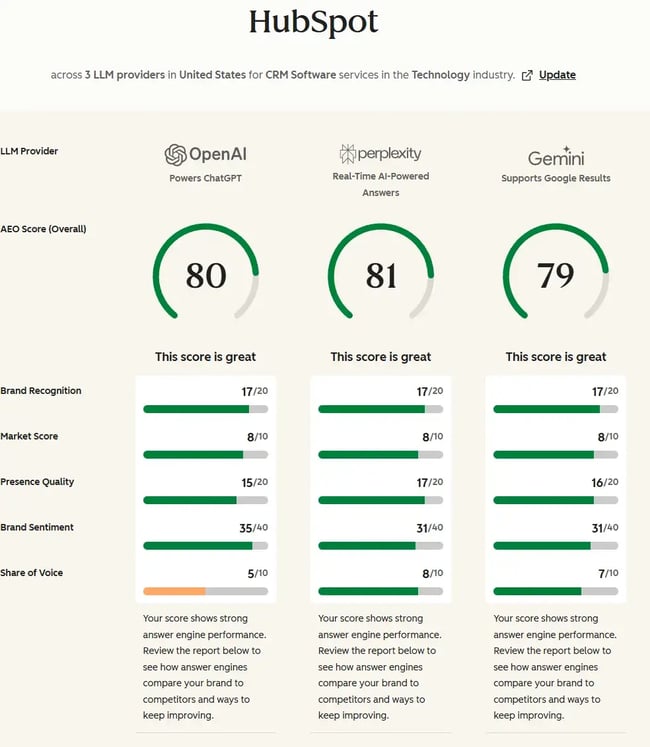
How your site appears in AI-generated answers using tools like HubSpot’s AEO Grader.

SEO Audit Checklist for Quick Wins

Conducting an SEO audit can feel overwhelming, even for experienced marketers. At a minimum, an SEO audit checklist includes crawlability, indexability, page speed, on-page SEO, content quality, technical SEO, and backlinks.

A good SEO audit will surface hundreds of insights, and in-house teams often find themselves swimming in data without knowing where to start. Quick wins help cut through the noise. Spotting these early gives teams momentum and makes the rest of the audit far easier to interpret.

Here are high-impact, low-effort opportunities SEO specialists should look out for as they move through the audit checklist (the step-by-step audit guide is coming next):

  • Content audit. Identify thin or outdated pages. Nearly every site has blogs that share trends or content that is completely irrelevant now. For example, “Wedding Trends in 2002” or content about services the business no longer offers. These pages almost always have close to zero clicks and can nearly always be removed. Look at HubSpot’s article Why We Removed 3,000 Pieces of Outdated Content From the HubSpot Blog. It’s genuinely brilliant and provides the thought process and rationale for their decision.
  • Technical audit. Look for critical blockers, such as noindex tags, 404 pages, broken links, redirect chains, and slow-loading pages. Use Screaming Frog or HubSpot to identify all of these (there’s a section about tools later). Alongside the heavy-hitting technical issues, complete any task that takes less than 30 minutes to clear a bunch of problems fast. Sometimes momentum inspires further action.
  • Image compression and lazy loading. Reducing image weight is a fast way to improve page speed without developer support. Image compression and lazy loading are highly recommended to improve website performance.
  • Broken UX or CTA elements. Fix friction points that hurt conversions, such as broken forms, unclear calls-to-action (CTAs), or mobile layout issues.
  • Local SEO audit. Check that your Google Business Profile is up to date, ensure NAP (name, address, phone number) consistency, and look for duplicate listings or missing local citations. Resolve any of these issues. NAP consistency is especially important because AI tools summarize data. Inconsistencies may reduce the likelihood of a citation or lead to incorrect citations.
  • Metadata improvements. Spot missing or weak title tags. These are fast fixes that often lift CTR immediately. I recently improved my client’s click-through rate just by adding a site favicon and optimizing the title tags. The title tag edits meant other, more relevant pages ranked higher (instead of their homepage), and therefore, people clicked more.
  • Internal linking opportunities. Add contextual links pointing to your most important pages, especially those that drive conversions or support key topics. Identify orphan pages and work to reduce them to zero; many can be deleted, consolidated, or deindexed. Orphan pages are often a trove of audience and content insights; marketers create them with the best intentions (usually to close deals), then forget about them. An internal linking sweep helps resurface these pages, strengthen your site architecture, and direct authority where it actually matters. Or, orphan pages can inspire improved campaigns.
  • Duplicate or cannibalizing pages. Identify pages competing for the same keyword and consolidate them for a cleaner, stronger ranking signal.
  • Schema audit. Check for missing or incorrectly structured data on key templates (articles, products, FAQs). Proper schema helps search engines understand your content and can unlock rich results.
  • Low-hanging content refreshes. Update pages with high impressions but low clicks — a few strategic improvements can unlock quick traffic wins.
  • Backlink gap analysis. Compare your domain authority and backlink profile to competitors. Quick wins often include reclaiming unlinked brand mentions or refreshing link-worthy assets. This matters for both SEO and AEO/GEO. AI search engines lean on strong authority and brand mentions when choosing which sites to cite in generated answers. If competitors earn better links from trusted, authoritative sources, see if your business can earn the same.

Noticing a significant gap in your competitors’ backlinks compared to yours?

Watch this video and learn how to get more high-quality links:

How to Run an SEO Audit Step-by-Step
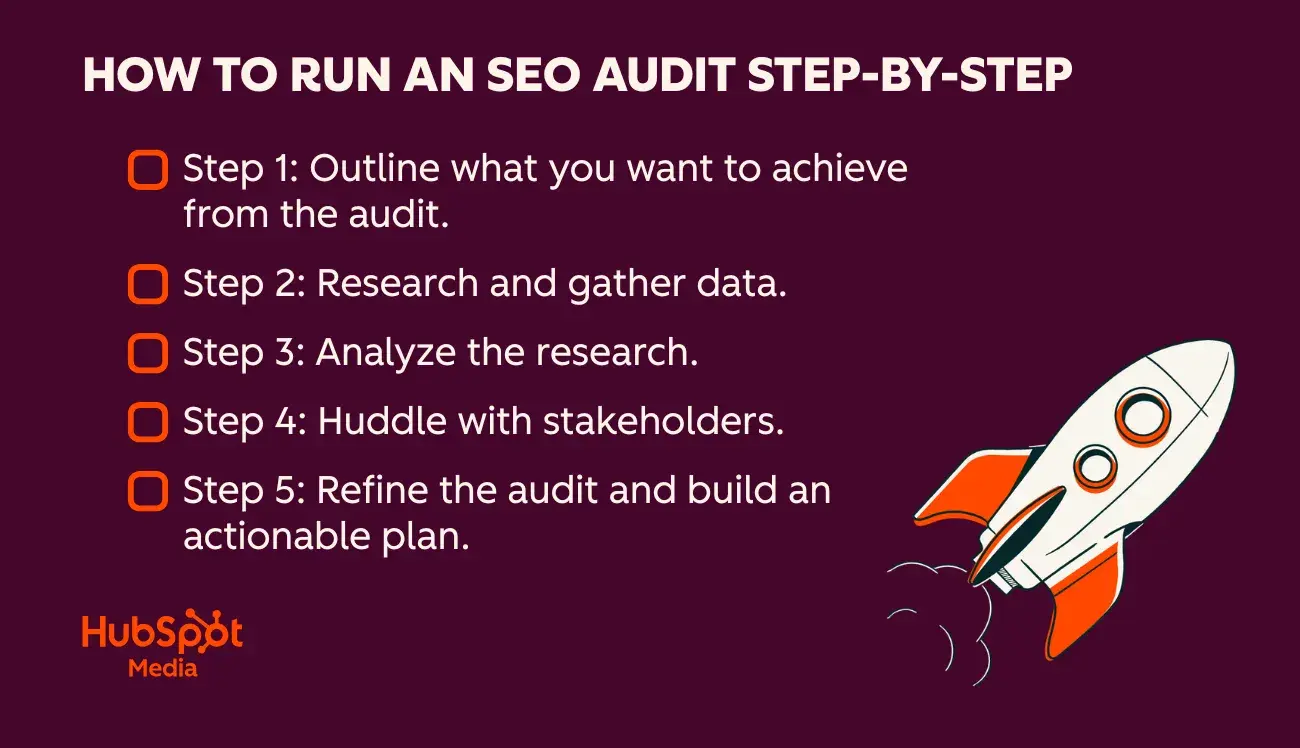
infographic shows the seo audit checklist step-by-step.

An effective SEO audit follows a straightforward process, from setting intent to translating data into strategic action.

Here’s a simple five-step framework I use with clients to stay focused.

Important: Although I’m calling this an “SEO audit,” it should always include AEO (Answer Engine Optimization) and GEO (Generative Engine Optimization) to reflect how people discover brands today.

Step 1: Outline what the business wants to achieve from the audit.

Defining the purpose of your audit means getting crystal clear on why you’re doing it and what problem(s) you’re trying to solve. Every audit should start with business goals, not just a list of technical checks, and every SEO audit improves website traffic and conversions. Still, SEO consultants or SEO team members creating the audit should ask what the underlying issue is and focus efforts on the pages, templates, and metrics that matter most.

How to do it:

  • Talk to stakeholders and ask: What triggered the need for an audit?
  • Identify whether the problem is traffic loss, declining conversions, falling rankings, poor AI visibility, or a push into a new market/topic.
  • Map the issue to specific pages, funnels, or content clusters.
  • Document what success looks like (e.g., “recover 20% of lost traffic,” “improve AI answer visibility for X topic,” “increase conversions on high-intent pages”).
  • Set the audit’s boundaries so you don’t end up analyzing the entire site without direction.

Note: An audit is a good practice; sometimes its purpose is to enable SEO specialists to step back and view the site with a fresh set of eyes. But as a best practice, each scheduled audit should have a purpose or goal.

Before I pull any data, I clarify what the business wants to solve. If a client tells me they’ve lost traffic, conversions have dropped, or a new product isn’t ranking, I shape my audit around that problem. This gives me a clear roadmap. I know which pages matter most and which elements or metrics deserve the closest attention. That doesn’t mean I ignore everything else. My rule is simple: Anything I come across goes into the audit document. There’s no need to gatekeep findings because the person running the audit prioritizes them later.

Step 2: Research and gather data.

Research and data gathering is the phase in which SEO specialists collect all quantitative signals that show how your site is performing. It’s the foundational layer of any SEO audit.

You might pull:

  • Rankings
  • Traffic trends
  • Technical errors
  • Backlink data
  • Content performance
  • AI visibility metrics

Pull all the data into one place, like a Google Sheet.

Pro tip: Keep this information stored safely, as it also serves as a benchmark for your next audit. All being well, the next audit should demonstrate an increase in metrics such as rankings, traffic, and AI visibility.

How to do it:

  • Pull data from core platforms, such as Google Search Console, Google Analytics, your CMS, crawl tools, backlink tools, and AI visibility tools.
  • Export everything into Sheets or Excel and use conditional formatting to help analyze it.
  • Set up conditional formatting to highlight anomalies (e.g., pages with high impressions but low click-through rates, URLs with 404 errors, slow Core Web Vitals, orphan pages, thin content, redirects).
  • Collect data on competitors: ranking keywords, backlink gaps, content performance, and AI search visibility.
  • Organize your tabs by theme — technical, content, on-page, backlinks, local, AI — so patterns start to emerge.

At this stage, I’m gathering everything — exports from crawlers, GSC, analytics, and backlink tools. This is what I call the “cookie-cutter SEO” phase: The tools do most of the heavy lifting, and anyone can technically do it. I move all the data into sheets, set up conditional formatting, and highlight anything unusual. I’m not trying to solve anything yet; I’m simply collecting and quietly analyzing the raw material.

Step 3: Analyze the research.

Human analysis is where the raw data becomes insight. This is the strategic layer of the audit; the part that tools can’t do for you. A sophisticated SEO reads between the lines, connects patterns, and understands why the issues exist and how they impact traffic, rankings, conversions, and AI visibility. It’s where the audit stops being a spreadsheet exercise and starts becoming a roadmap.

How to do it:

  • Interpret the patterns in your data: drops, spikes, plateaus, and anomalies.
  • Identify causes, not just symptoms — for example, whether a ranking drop is due to algorithm changes, content quality, technical regressions, or stronger competitors.
  • Connect your findings to user behavior — where people land, where they bounce, what content they trust, and what pages they convert on.
  • Evaluate how the site performs across traditional SEO and AEO/GEO — entity clarity, topical authority, and how well the brand is referenced in AI outputs.
  • Start grouping findings by theme (technical, content, on-page, authority) and by impact.
  • Determine which insights actually move the needle and which simply clutter the audit.

What’s critical: Align SEO insights with your business strategy — product priorities, revenue-driving pages, seasonal demand, campaigns, and sales goals. Refer back to the team’s notes and comments from step one.

During this stage, I start forming ideas about where we could take the site. For example, if a brand has told me they’re interested in reaching a specific audience, I quietly spot opportunities to do so and record all insights in a spreadsheet.

Then, even though I have a clear direction from the client in step one, I like to meet again in step four. By then, we can review the SEO data and determine whether priorities or goals need to change. Sometimes the data aligns fully with what the client said in phase one; if so, a quick confirmation is helpful before I dive into creating the plan.

Step 4: Huddle with stakeholders.

This phase is where your SEO insights meet the realities of the business. At this stage, SEO specialists can work with stakeholders to ensure the recommendations make sense in the broader context of strategy, priorities, capacity, and upcoming campaigns. This step validates your assumptions, fills in knowledge gaps, and ensures the audit isn’t happening in a vacuum.

Sometimes, reviewing the site through the lens of an SEO audit uncovers new insights that need discussion. For example, identify an untapped audience segment, a high-potential content cluster, or a topic area that wasn’t mentioned in step one but could significantly benefit the business. This is the moment to bring those findings to the table and realign on what truly matters moving forward.

How to do it:

  • Share a summary of key findings rather than the full spreadsheet. Stakeholders don’t need to see all the workings out (well, unless they really want to!). Focus on themes and patterns.
  • Ask stakeholders to validate context: upcoming product launches, resourcing limitations, sales feedback, seasonal trends, or known technical constraints.
  • Confirm the importance of the high-impact pages you’ve identified. Some may no longer be strategic priorities. Others might benefit from other resources, like ads or social media, to make them aware of what’s coming their way.
  • Discuss any surprises the audit surfaced — traffic drops, content gaps, missing schema, or AI visibility issues.
  • Align on what success looks like — which goals matter most and what timelines are realistic.
    Identify owners early (SEO, content, developers, product, design) so there’s clarity on who will handle each recommendation.

Important: When you get to this stage, you’ve likely got a pretty solid idea of where you want to take your strategy. Get stakeholder buy-in before creating it.

This is one of my favorite phases of the SEO audit checklist. As a consultant, in step one, I’m a passive listener to how the website performs. In this stage, I know what’s going on. I’m excited about the project and have my own insights. This meeting has more energy, and more insights are unlocked. When data supports ideas, it’s encouraging, exciting, and motivating.

Step 5: Refine the audit and build an actionable plan.

This is the moment where your findings become a real strategy. After aligning with stakeholders, refine the audit into a clear, prioritized plan that the business can actually execute.

It’s not enough to list issues. The value of an audit lies in translating insights into structured actions, with owners, timelines, and expected outcomes.

This step turns the audit from a diagnostic into an actionable roadmap.

How to do it:

  • Revisit all findings and filter out anything low-impact or non-actionable.
  • Prioritize recommendations using a simple framework like impact vs. effort or “now / next / later.”
  • Combine related issues into themes or projects (e.g., “content refresh sprint,” “template cleanup,” “AI visibility improvements”).
  • Assign owners to each item: SEO, dev, content, design, product. Accountability is so important for completing actions.
  • Add estimated effort and dependencies to help teams plan realistically.
  • Tie each recommendation back to the business goals identified in steps one or four.
  • Create a clear, digestible roadmap: what to fix first, what will drive revenue or visibility, and what can be parked for later.
  • Provide optional “quick wins” lists to help teams build momentum early.

A well-structured plan makes the audit usable, something the business can act on week by week, rather than a document that gets filed away.

I want my audits to be so actionable that anyone could take the document and run with it, feeling confident to implement it. I assign owners, estimate effort, and rank recommendations by impact so the team knows exactly where to start. This is the step where the audit stops being a list of interesting insights and becomes a clear, focused execution plan that actually drives results. If I’m working with the business long term on implementation, I take the audit and manage the actions in a project management tool like Asana.

How to Interpret Your SEO Report and Prioritize Fixes

SEO specialists should prioritize audit findings by impact, effort, and owner. Interpreting the SEO audit is where the real impact happens. Once the SEO team has collected its findings, the next step is turning them into a clear, prioritized plan that the business can act on. Here’s how to evaluate what matters most and where to start.

Here are some ways to interpret the SEO report, in the order I’d prioritize:

Prioritize fixes that unblock crawling and indexing.

Anything preventing search engines from crawling or indexing key pages should rise to the top of the priority list. These issues, such as accidental noindex tags, broken internal links, or faulty robots.txt rules, can instantly suppress visibility.

Fixing them often delivers the fastest and most noticeable traffic lift.

These five categories (crawlability, indexability, accessibility, rankability, and clickability) and how they stack within the technical SEO hierarchy are best shown in this graphic, which echoes Maslow’s Hierarchy of Needs but reimagined for search engine optimization.
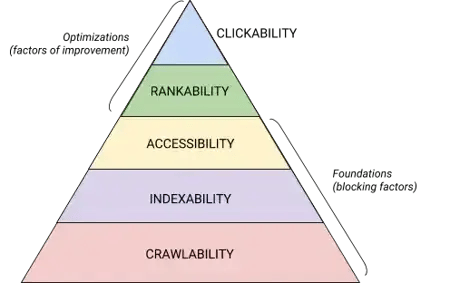
technical seo is a must as part of the seo audit checklist. the infographic shows how to prioritize technical issues.

Source

Flag issues with true business risk.

Some findings need immediate attention, not for SEO reasons, but for revenue or reputation reasons. Security vulnerabilities, broken checkout flows, incorrect pricing pages, or inaccessible and broken forms should be treated as non-negotiable priorities. These directly affect conversions and trust.

Align tasks with business goals.

SEO specialists should prioritize the content clusters and pages that support the company’s specific goals, whether that is targeting a new audience, promoting a key product, or expanding into a new region.

An SEO audit should always reflect the business’s direction.

Pro tip: Ask stakeholders for SMART goals, so they’re specific, measurable, attainable, relevant, and time-bound. The graphic below shows what SMART goals look like.
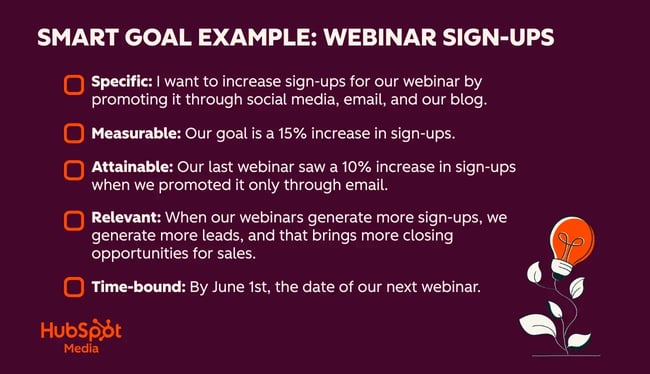
infographic shows a smart goal example. seo specialists need smart goals to help them prioritize where to focus efforts within the seo audit checklist.

Identify content updates that support multiple channels.

Prioritize content that does more than rank. Pages that support SEO, email nurturing, sales enablement, or product education create compounding value. One high-quality asset can close gaps across multiple touchpoints, especially when tied to a defined content cluster or campaign. HubSpot’s free AI content writer can help with this step.

Tackle high-impact, low-effort wins first.

Look for actions that take less than 30 minutes and deliver measurable improvements.

Updating a title tag or adding a favicon can make a big difference. Sometimes, it’s all that’s needed to move the needle, and if that’s the case, just get it done.

Adding a few internal links, compressing images, or deleting an irrelevant, outdated page can get actionable work moving and build momentum early in the process.

Pro tip: Celebrate the little wins, especially if other departments, like developers, are working on the project. A bit of positivity is motivating, and these small fiddly tasks are surprisingly impactful. The goal? Get the team motivated to complete the work.

Cluster recommendations into sprints.

Group related issues so teams can work efficiently. A “page speed sprint,” “schema sprint,” or “content refresh sprint” helps teams stay focused and reduces context switching.

This makes implementation smoother and helps deliver improvements faster.

Plus, you can report on that particular sprint as soon as it’s done and show everyone the fruits of their labor.

Focus developer time on sitewide, template-level issues.

Developer resources are usually limited, so use them wisely. Prioritize fixes that affect the entire site: template-level speed issues, schema improvements, navigation changes, or structural improvements. These updates can influence hundreds or thousands of URLs at once.

Pro tip: Want to upscale your SEO skills? HubSpot Academy’s SEO Course will help teams learn the skills needed to do SEO work that drives results.

Tools to Run an SEO Audit

The right tools make your audit faster, more accurate, and far easier to prioritize. Below are the tools I use most often.

HubSpot AI Grader
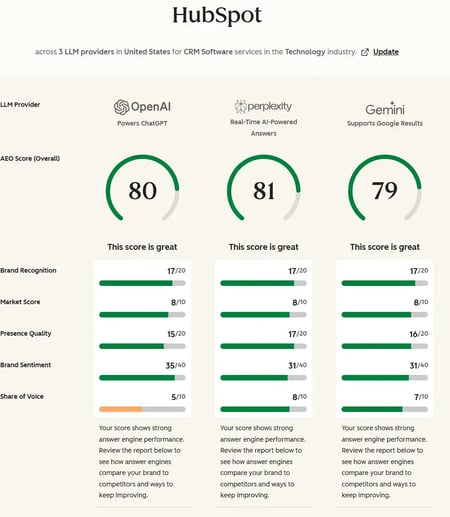
seo audit tool: hubspot’s ai search grader

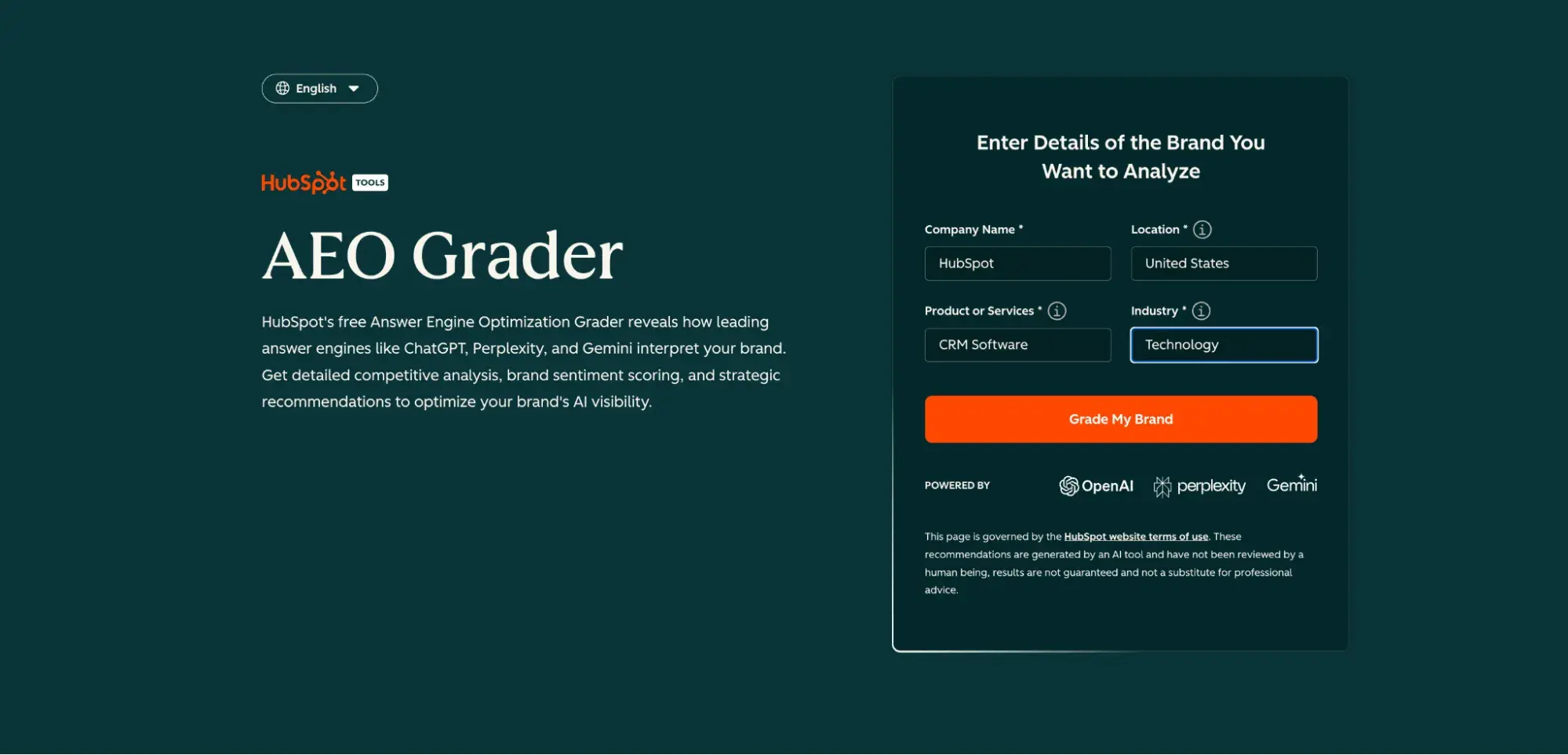
HubSpot’s AEO Grader is one of the best tools for an SEO audit with AI insights. AI search grader assesses brand and entity visibility in AI search results. It evaluates how well your brand appears in AI search results, including generative engines, answer boxes, and conversational interfaces. This aligns directly with the AEO/GEO components highlighted throughout this article: entity clarity, authority signals, and brand visibility are now essential parts of a complete audit.

What it is: HubSpot’s AEO Grader is a free tool that analyzes your site’s AEO (Answer Engine Optimization) and GEO (Generative Engine Optimization) readiness.

Why it matters: Traditional SEO audits don’t tell how AI systems interpret your brand. The AEO Grader does. It evaluates entity strength, content signals, structured data, and authority markers, all of which heavily influence whether your brand appears in AI-generated responses.

Best for: HubSpot’s AEO Grader is best for marketers ready to move beyond classic rankings and understand how AI search systems perceive their site.

Pricing: Free

Read more about AEO in this comprehensive guide.

HubSpot Website Grader
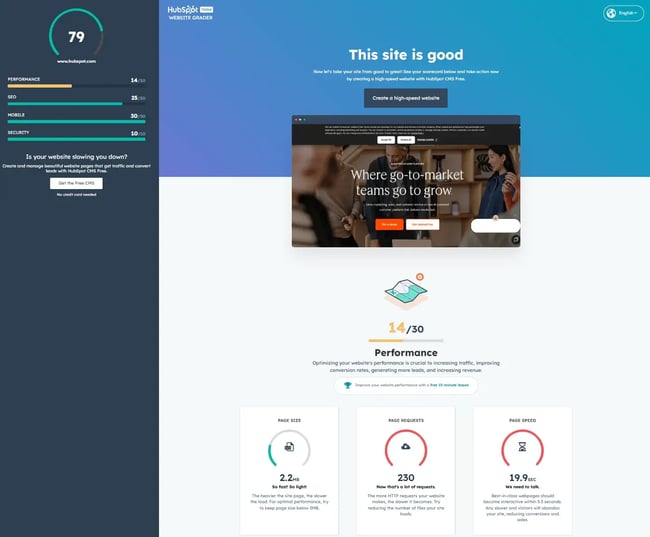
seo audit tool, hubspot’s website grader

HubSpot’s Website Grader is one of the simplest ways to get a quick snapshot of your site’s SEO health. Marketers can use free tools like Website Grader to start an SEO audit; it aligns perfectly with the “quick wins” section of this article. The tool surfaces issues around speed, metadata, and basic technical hygiene that can be fixed early in the audit process.

What it is: HubSpot Website Grader is a free tool that evaluates your website’s SEO, performance, mobile usability, and security.

Why it matters: HubSpot Website Grader provides a quick, easy-to-understand entry point into your audit before you dive into deeper technical or competitive analysis. It’s beneficial for spotting fast fixes that take under 30 minutes.

Best for: HubSpot Website Grader is best for marketers who want a simple, high-level snapshot before pulling data from heavier tools.

Pricing: Free

Semrush
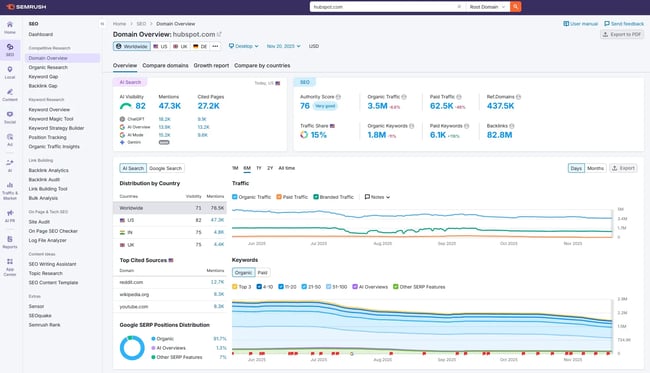
seo audit tool, semrush

Semrush is one of the most comprehensive SEO platforms on the market. I’ve used it for over 10 years. As mentioned earlier in this article, it continues to excel at keyword research, content insights, competitive tracking, and now AI/LLM-driven recommendations.

What it does: A complete SEO toolkit covering keyword research, competitive analysis, backlink auditing, content insights, site audits, and AI search intelligence.

Best for: Marketers or consultants who want deep keyword data, competitor insights, and robust reporting.

Pricing: Plans start at $165/month billed annually.

Screaming Frog
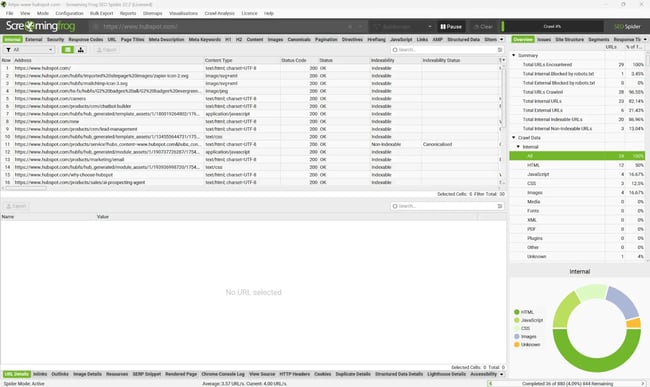
seo audit tool, screaming frog

Screaming Frog is a must-have for technical audits, especially when you’re working through issues like orphan pages, broken links, redirect chains, thin content, or missing metadata.

What it does: A fast, locally installed crawler that scans your website and reveals all major technical issues.

Best for: Technical SEOs or marketers who want precise, crawl-based insights. To use this tool, you must know how to derive insight from your data. Unlike the HubSpot tools listed here, it doesn’t provide insights.

Pricing: Free version, plus licensed version for $279/year.

HubSpot’s Marketing and Content Hub
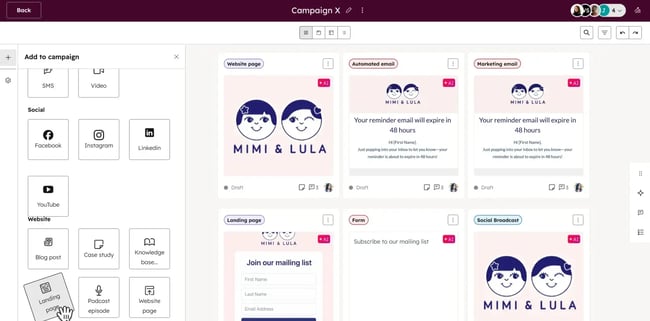
seo audit tool, hubspot marketing hub

Used together, HubSpot’s Marketing Hub and Content Hub make marketers unstoppable.

HubSpot Content Hub combines content management with built-in SEO intelligence, making it perfect for implementing many of the opportunities uncovered in an SEO audit, especially those related to metadata, content quality, or outdated content.

What it is: HubSpot’s Content Hub is a CMS with AI-powered SEO recommendations, content suggestions, and intelligent content tools that support editorial and technical improvements.

Why it matters: Content Hub helps optimize metadata, improve on-page signals, and manage content clusters.

Pro tip: SEO specialists and writers who use Breeze AI within Content Hub are automating content production.

HubSpot Marketing Hub includes SEO tools that are directly connected to your website data, content strategy, and reporting, making it easier to find actions and implement the roadmap created in Step 5 of your audit.

What it is: HubSpot’s Marketing Hub is a comprehensive marketing platform that includes SEO recommendations, content optimization tools, analytics, and reporting.

Here’s a screenshot from Marketing Hub’s SEO report.

seo report example from marketing hub’s recommendations.

Why it matters: Marketing Hub connects your SEO insights to real business outcomes. Track performance, analyze SEO growth, manage content clusters, assign tasks, and measure the impact of your audit on traffic and conversions.

Pricing: Free plan; Starter – $9 per seat/month; Professional – $800/month; Enterprise – $3,600/month

Useful resources:

Frequently Asked Questions About SEO Audits

How long does an SEO audit take?

Most SEO audits take between two and eight weeks, depending on the size and complexity of the site, and the depth of coverage. For example, smaller sites can be completed in a few days, while enterprise sites with thousands of URLs, multiple templates, and complex technical structures take longer.

The analysis and stakeholder alignment phases often require the most time and are the most important. While a large portion of the audit involves data gathering and is fairly subjective, there are areas (such as content ideation) that require creativity. In my experience, creativity needs time to develop. Rush your audit, and risk missing out on creative ideas.

Do I need a developer to complete an SEO audit?

SEO specialists shouldn’t rely on developers to run the audit, but developers are often needed to implement parts of it. SEOs can diagnose and document technical issues, but fixes such as template-level changes, Core Web Vitals improvements, structured data implementation, and JavaScript cleanup typically require development support. The audit itself identifies the work; the developer helps execute it.

How often should you run an SEO audit?

Most businesses benefit from a quarterly, biannual, or annual audit. Regular SEO audits help maintain and grow search performance over time.

Fast-moving companies, sites with frequent content updates, or businesses heavily impacted by AI search changes may benefit from more frequent checks. At a minimum, run a full audit once per year to benchmark performance and flag unexpected declines.

What tools do I need for a free SEO audit?

You can run a basic audit using free tools, including:

These tools cover core areas: crawlability, indexability, content quality, and AI search visibility.

What’s the difference between an SEO audit and a website audit?

An SEO audit focuses on the elements that influence rankings, visibility, and conversions — technical health, content quality, backlinks, and AI visibility.

A website audit is broader. It may include UX design, accessibility, CRO, branding, navigation, and overall site performance.

You can think of an SEO audit as one part of a full website audit. Both can be combined, but the SEO audit is more specialized and directly tied to traffic growth and search performance.

Modern SEO audits go beyond blue links.

A well-executed SEO audit doesn’t just surface problems; it turns your website into a growth engine. By reviewing your technical health, content quality, authority signals, and AI search visibility, you can uncover quick wins, shape long-term strategy, and build a roadmap that directly supports traffic, conversions, and pipeline.

Remember: Modern audits go beyond blue links; they evaluate how well your brand shows up in generative search and whether your content is truly understood as an entity. If you want a fast, accurate snapshot of where you stand, tools like HubSpot Website Grader and HubSpot AEO Grader make it easy to assess both SEO fundamentals and AI visibility in minutes.

From my experience, the most impactful audits are the ones rooted in business goals and executed collaboratively. I love the point in the process when the data clearly aligns with what stakeholders feel intuitively — or reveals something completely unexpected. When an audit is done well, teams walk away feeling focused, confident, and energized because the path forward is so clear. That’s the sign of a great audit: One that doesn’t just diagnose, but inspires action and drives real results.


Categories B2B

Generative Engine Optimization Tools that Marketing Teams Actually Use

If you‘ve noticed your brand appearing less frequently in ChatGPT answers, you’re not alone. Savvy marketers are using generative engine optimization tools to address this issue. These tools help your content get cited by AI platforms, rather than being buried under competitors.

Fortunately, I spend way too much time monitoring how content performs across different platforms (an occupational hazard of being a marketer), and I’ve watched GEO tools evolve from experimental technology into genuinely helpful software that marketing teams actually rely on.

In this guide, I’ll break down what generative engine optimization tools actually do, how they complement your existing SEO strategy, and which ones are worth your time and budget.

Download Now: Full-Stack AI Marketing Toolkit

Table of Contents

What is a generative engine optimization tool?

A generative engine optimization tool is a software that helps create and improve digital content to increase its visibility and inclusion in responses from AI platforms like ChatGPT, Google AI Overviews, and Claude AI.

Basically, GEO tools analyze how AI models like ChatGPT and Claude “read” and prioritize content, then give you recommendations on structure, formatting, and language that increase your chances of being cited in their responses to inquiries.

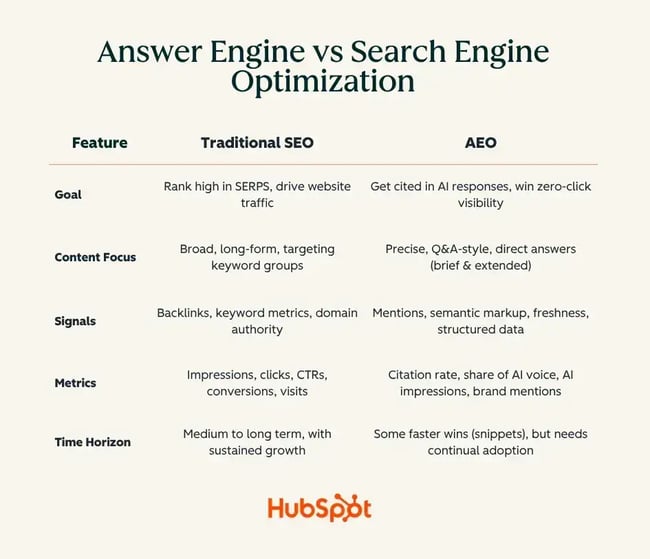
So, how does GEO differ from SEO? SEO is focused on ranking high in SERPs by optimizing for keywords, building backlinks, and praying to the algorithm gods that your website lands at the top of the first results page.

In contrast, GEO means you’re optimizing to be quoted or referenced within the AI-generated response. The AI doesn’t show a results page — it synthesizes information from multiple sources and generates one cohesive answer.

The mechanics differ from traditional SEO because AIs aren‘t limited to examining keywords and backlinks. Instead, they’re evaluating credibility, clarity, how well your content answers specific questions, and whether your information can be easily extracted and synthesized.

In short, while SEO gets you clicked, GEO gets you quoted.

GEO software vs. SEO software

We know that SEO helps people find your website through search engines. GEO gets your brand mentioned in AI answers. Does this mean marketers should choose one method over the other? No. You need both, and they actually complement each other.

While SEO builds your discoverability foundation, GEO extends your reach into AI platforms where people are increasingly getting their answers. They‘re not competing strategies; they’re covering different parts of the customer journey.

A user might ask ChatGPT for product recommendations (GEO territory), see your brand mentioned, and then search for your company name on Google to learn more (SEO territory). Or they might find you through organic search first, and later reencounter your brand in an AI answer, reinforcing your authority.

The key is to know when to prioritize SEO or GEO.

Prioritize SEO when:

  • You’re building a new site or brand and need foundational visibility
  • Your audience primarily uses traditional search engines
  • You’re in e-commerce or local services where Google Maps and shopping results matter
  • You need direct website traffic for conversions

Prioritize GEO when:

  • Your target audience is heavy AI users (tech-savvy, younger demographics, developers)
  • You’re in industries where people ask questions (B2B software, education, health)
  • You want to establish thought leadership and get cited as an authority
  • Your competitors aren’t doing it yet (first-mover advantage)

It’s that simple.

How Generative Engines Choose Sources

When you ask an AI a question, it scans through massive amounts of content to generate its answer, looking for signals that indicate “this information is trustworthy and relevant.”

The AI prioritizes content that’s crystal clear and well-structured. If your content rambles or buries the answer six paragraphs deep, the AI will skip over it for something more straightforward.

This is where structure becomes crucial, so descriptive headers, bullet points for key facts, and clear definitions help the AI quickly extract the information it needs. The easier you make it for the AI to understand and quote you, the more likely you’ll get cited.

Citations and external credibility are must-haves. AIs are trained to value content that shows its work, much like a good college research paper. When your content references authoritative sources, includes data from reputable studies, and links to other credible sites, AIs interpret that as a signal that you’ve done your homework.

Entity consistency is another significant factor, although it may sound more complicated than it is.

Essentially, if you’re writing about “email marketing,” stick with that term consistently rather than switching between “email campaigns,” “inbox strategy,” and “electronic mail promotion.”

AI seeks precise and consistent use of terms and entities to understand the content’s actual subject matter and its connections to other authoritative sources on the same topic.

This is precisely where GEO tools come in handy. They analyze your content and flag issues like unclear structure, missing citations, inconsistent terminology, or buried key information. Instead of guessing what might help you get cited, these tools give you specific recommendations. They essentially reverse-engineer what AIs are looking for and give you a roadmap to fix it.

Generative Engine Optimization Tools that Marketing Teams Actually Use

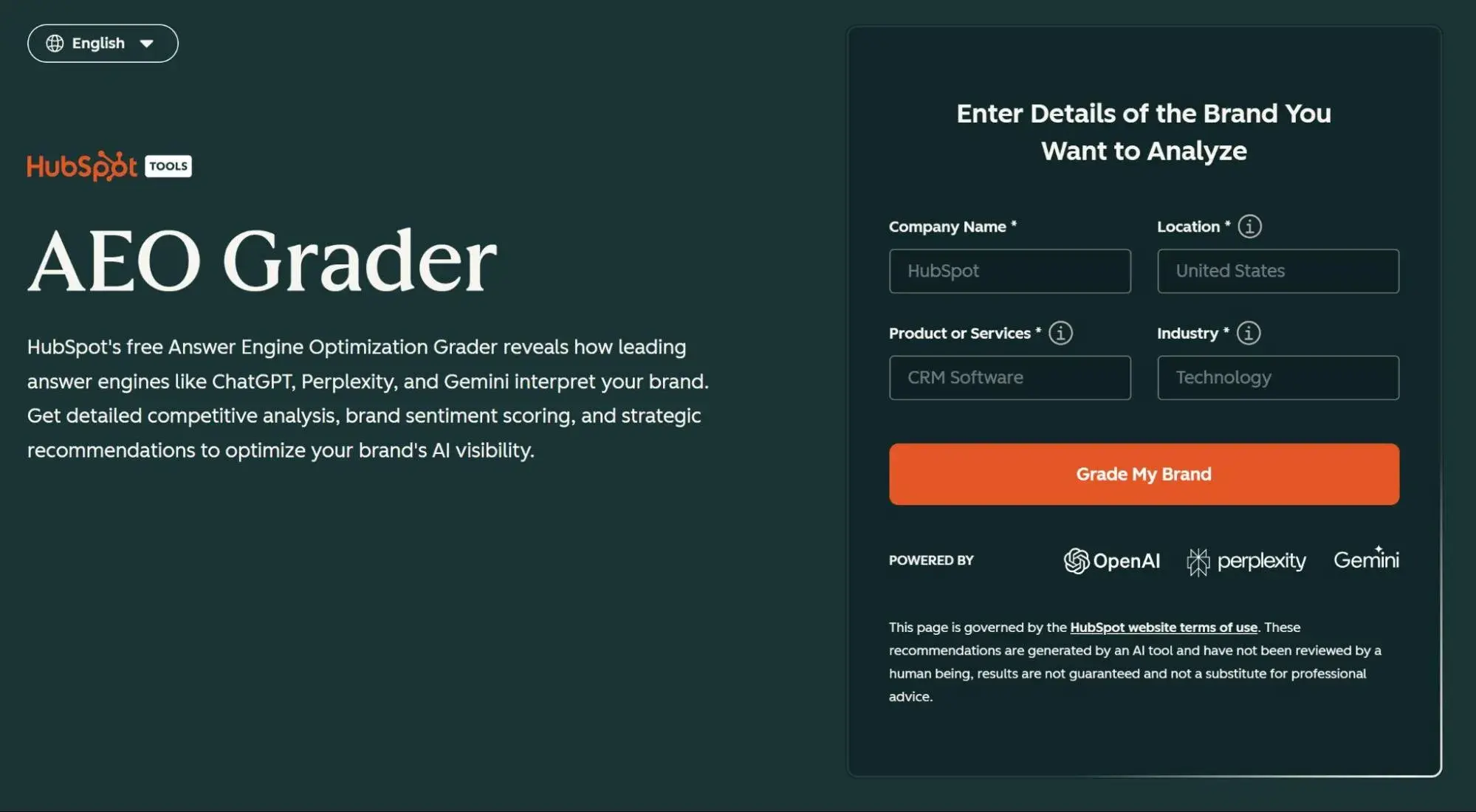
1. HubSpot Marketing Hub with AI Search Grader

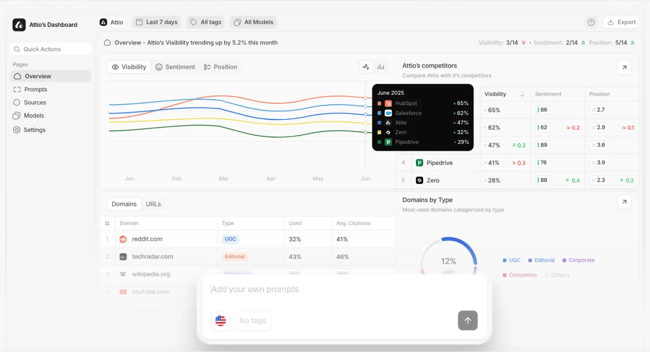
hubspot's aeo grader; generative optimization tools

Source

Best for: HubSpot users who want native GEO capabilities without adding another platform to their stack

Stack fit: Already in your stack if you‘re a HubSpot customer. The AI Search Grader analyzes how your content performs in AI search results and provides optimization recommendations directly within HubSpot—pairs with HubSpot’s Content Assistant for AI-optimized content creation.

What to measure after adoption: AI Search Grader scores over time, citation rates in AI platforms for HubSpot-optimized content, content performance improvements when following AI recommendations, and how AI visibility correlates with traditional SEO metrics you’re already tracking in HubSpot.

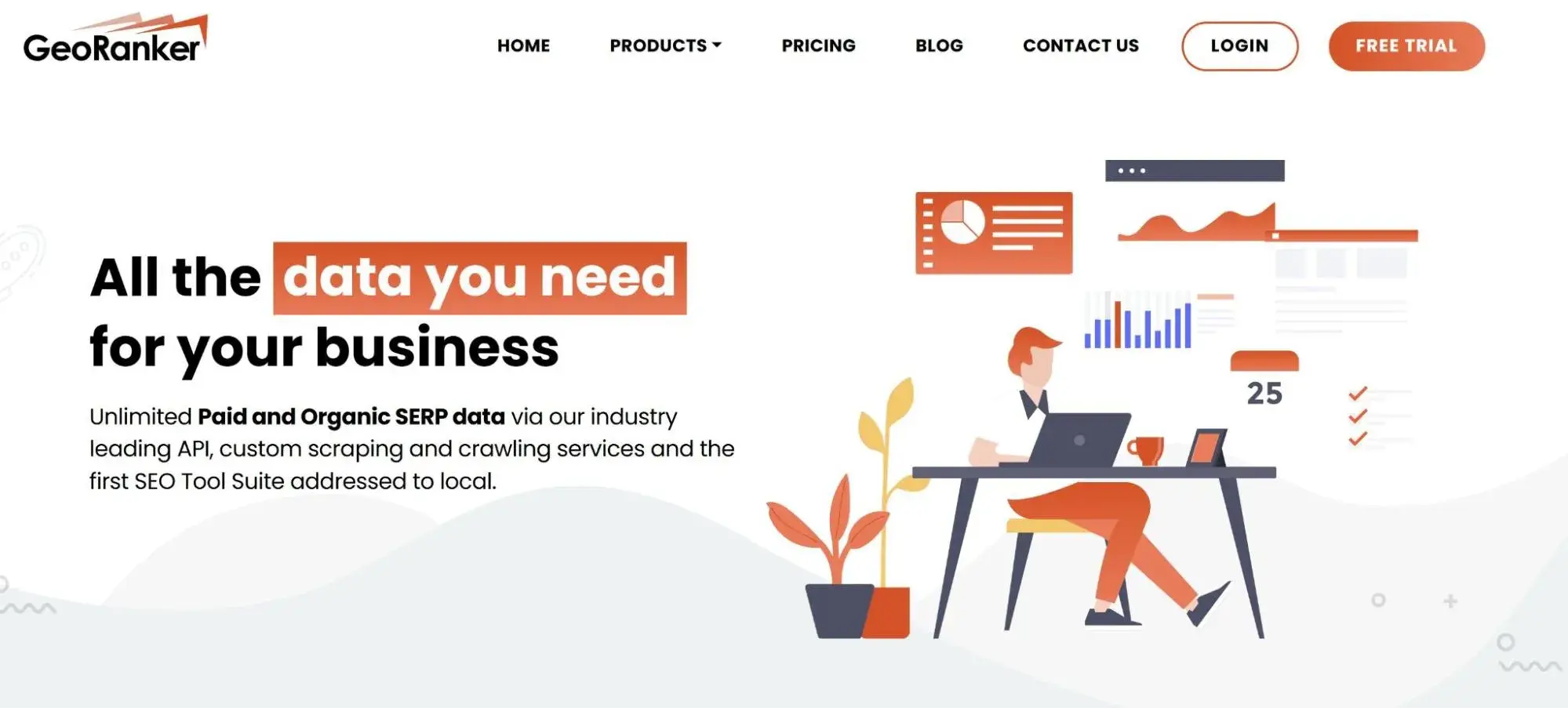
2. GEO Ranker

geo ranker; generative optimization tools

Source

Best for: Tracking your brand’s visibility across multiple AI platforms (ChatGPT, Perplexity, Google AI Overviews, Claude)

Stack fit: Works alongside your existing SEO tools and HubSpot. Think of it as the “AI version” of rank tracking. Data can be reported into HubSpot dashboards for centralized reporting and analysis.

What to measure after adoption: Track citation frequency across different AI platforms, which topics you’re being cited for, and how your visibility trends over time compared to competitors.

3. Profound

profound; generative optimization tools

Source

Best for: Getting actionable optimization recommendations for existing content

Stack fit: Can integrate with HubSpot via API to audit your existing blog posts and pages. Use it during content audits or before publishing. Recommendations can feed back into your HubSpot content workflow.

What to measure after adoption: Improvement in AI citation rates for optimized content vs. non-optimized baseline, time saved in content optimization, and conversion of recommendations into measurable visibility gains tracked in HubSpot analytics.

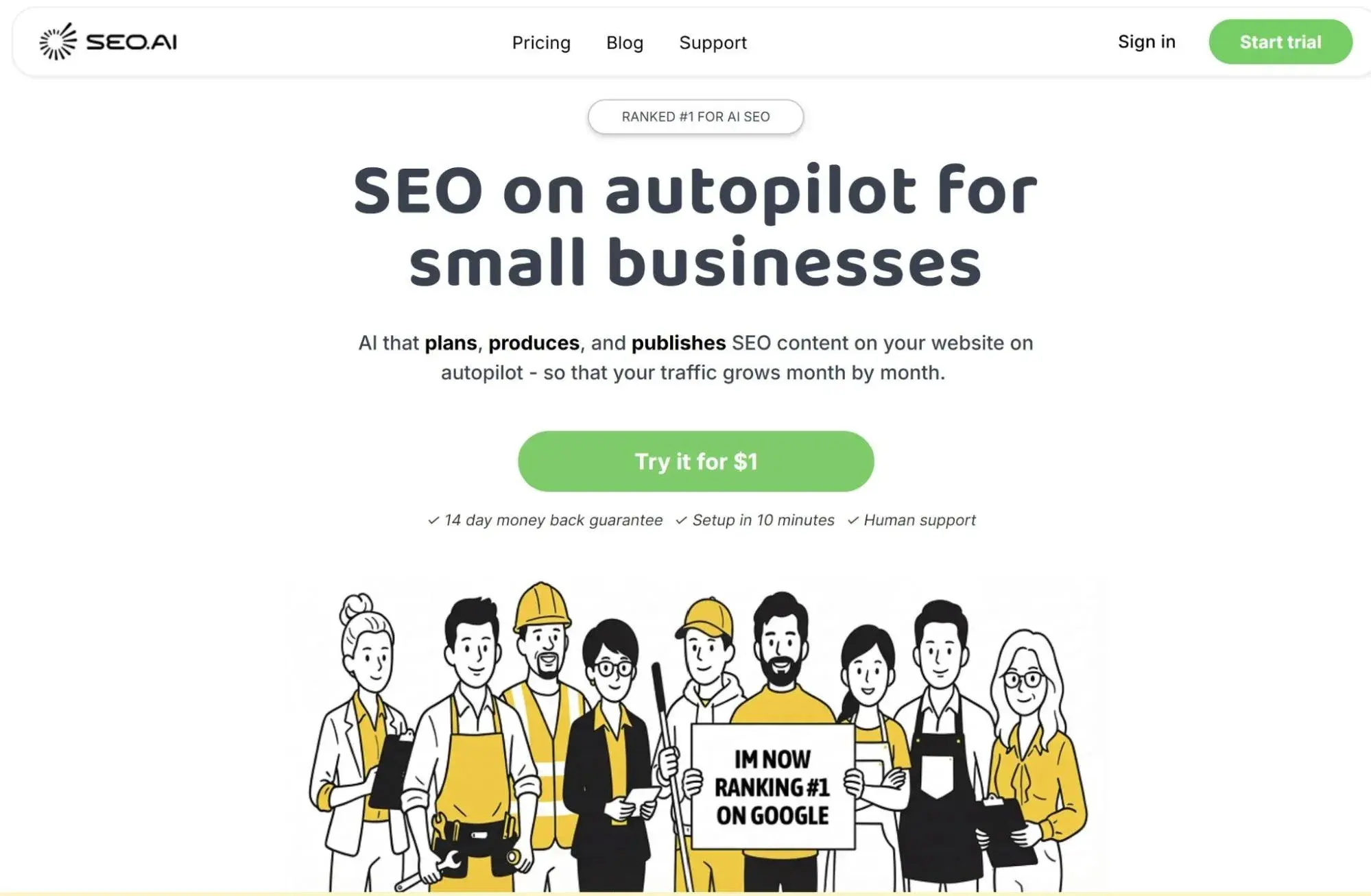
4. SEO.ai

seo.ai; generative optimization tools

Source

Best for: AI-native content creation that’s optimized for both traditional search and generative engines

Stack fit: Integrates with HubSpot CMS via Zapier or API. Create optimized content briefs and drafts that you can publish directly to your HubSpot blog. Works in conjunction with HubSpot’s built-in Content Assistant.

What to measure after adoption: Content production velocity, citation rate of AI-generated content vs. human-only content, time to publish, and whether AI-assisted pieces maintain your brand voice standards.

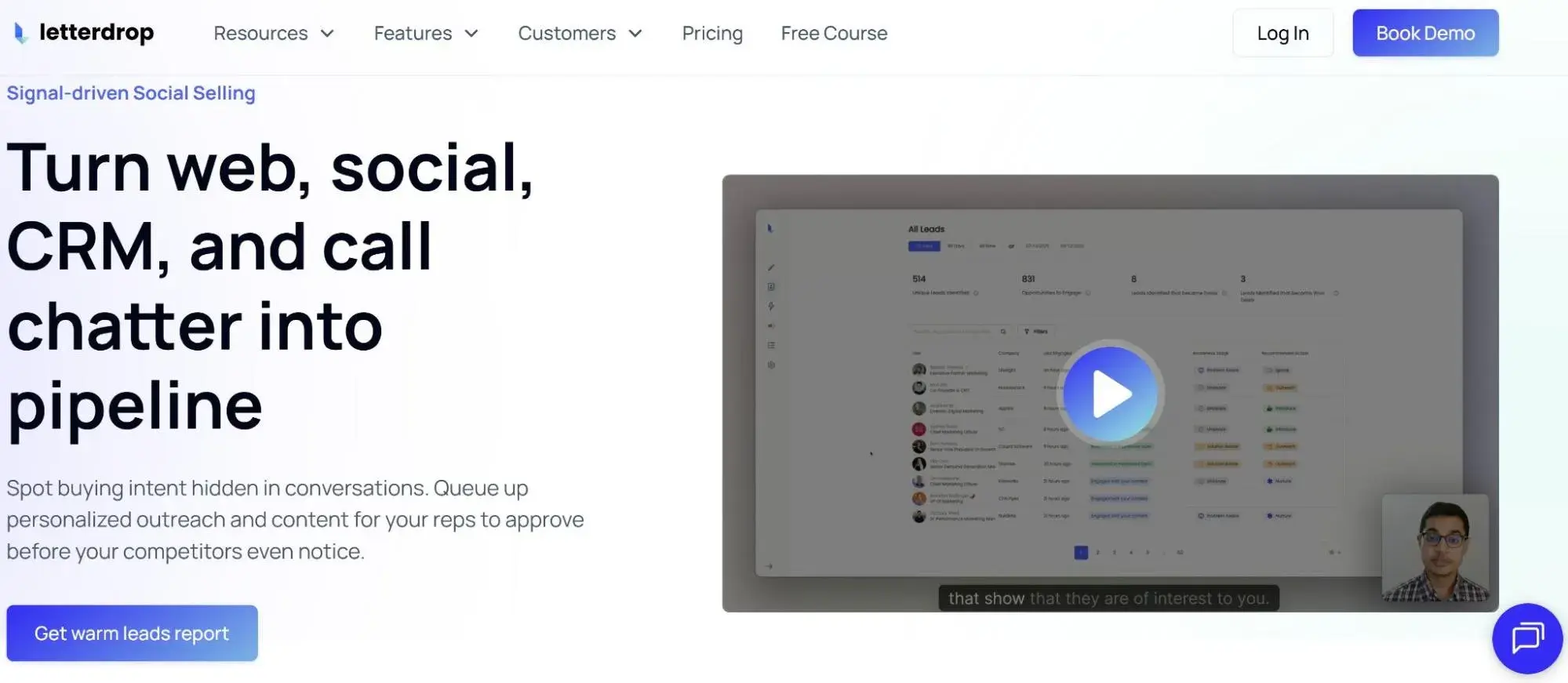
5. Letterdrop

letterdrop; generative optimization tools

Source

Best for: B2B content teams who need both SEO and GEO baked into their content workflow with native HubSpot integration

Stack fit: Direct HubSpot integration that syncs content, tracks performance, and feeds data into your HubSpot reporting. More comprehensive than a point solution — it’s a content operations platform with GEO features built in.

What to measure after adoption: Overall content ROI in HubSpot dashboards, AI platform visibility, organic traffic growth, lead attribution from AI-optimized content, and whether the integration actually streamlined your workflow.

How to Choose a GEO Tool

To choose the right GEO tool, identify your actual problem, not the trendy solution. Are you invisible in AI answers and need to understand where you stand? Get a visibility monitoring tool first. Do you already know you‘re not being cited but don’t know why?

You need an optimization tool that audits your content and gives you specific fixes.

Trying to scale AI-optimized content production? Look for creation and brief tools. Don‘t buy a comprehensive enterprise platform when you really just need citation tracking — and definitely don’t buy citation tracking if your content fundamentally isn’t structured for AI discoverability yet.

Use a simple evaluation rubric to compare tools.

  • Coverage: Does it track the AI platforms your audience actually uses?
  • Accuracy: Are the recommendations based on real AI behavior or just guesses?
  • Actionability: Can your team implement the suggestions without a PhD in machine learning?
  • Integration: Does it work with your existing stack (CMS, analytics, project management), or does it create more silos?
  • Governance: Can you control access, maintain brand standards, and audit what the tool is doing with your data? Score each tool on these five dimensions, and the right choice usually becomes obvious.

Finally, involve the right people early. Your SEO team needs to vet whether GEO recommendations conflict with the existing SEO strategy. Your content team needs to use the tool daily, so if they find it clunky or confusing during the demo, walk away.

Your operations team evaluates the integration complexity, licensing, and whether this solution adds to or reduces tool sprawl. Your analytics team confirms that you can actually measure success and pull data into existing dashboards.

A tool that works for one team but frustrates the other three is a failed implementation waiting to happen.

GEO Tool Buying Checklist

Before the demo:

  • [ ] Define your primary problem (visibility tracking, content optimization, or content creation)
  • [ ] List AI platforms your audience uses most
  • [ ] Document your current content workflow and tech stack
  • [ ] Set a realistic budget range
  • [ ] Identify 3-5 success metrics you’ll track in the first 90 days

During evaluation:

  • [ ] Score tool on coverage, accuracy, actionability, integration, and governance (1-5 scale)
  • [ ] Request a trial or sandbox with your actual content
  • [ ] Have content creators test the interface (not just watch a demo)
  • [ ] Ask for customer references in your industry and company size
  • [ ] Confirm what’s included vs. add-on modules
  • [ ] Review data privacy and security policies
  • [ ] Check integration documentation for your CMS and analytics platform

Cross-functional review:

  • [ ] SEO sign-off: Recommendations align with (not contradict) SEO strategy
  • [ ] Content sign-off: Team finds the tool intuitive, and the workflow fits reality
  • [ ] Ops sign-off: Integration is feasible with current resources and timeline
  • [ ] Analytics sign-off: Data can flow into existing reporting dashboards
  • [ ] Legal/Security sign-off: Data handling and privacy meet company standards

Before purchase:

  • [ ] Calculate actual cost (licensing + implementation + training + maintenance)
  • [ ] Define ownership (who’s the internal champion and admin?)
  • [ ] Create 30-60-90 day adoption plan
  • [ ] Set review checkpoint to evaluate ROI after 6 months
  • [ ] Document what “success” looks like and when you’d cancel

Red flags to watch for:

  • Vendor can’t explain how they track AI citations (vague = probably inaccurate)
  • Zero integration options with your existing stack
  • Pricing structure that punishes growth or usage
  • No straightforward onboarding or training plan
  • Sales pressure to buy “everything” when you need one specific capability
  • Customer references all in different industries/sizes than yours

The tool that scores highest on your rubric and gets enthusiastic buy-in from all four teams (SEO, content, ops, analytics) is your winner. If you can‘t reach consensus, you probably haven’t found the right fit yet — or you need to resolve an internal alignment issue before purchasing external software.


Frequently Asked Questions About GEO Tools

Do GEO tools replace my current SEO stack?

No, GEO tools don’t replace your SEO stack; instead, they complement it. Traditional SEO still drives the majority of your organic traffic through search engines, while GEO extends your visibility into AI platforms where people increasingly get answers.

Keep your existing SEO tools (e.g., Ahrefs, SEMrush) and layer geographic capabilities on top of them. The best approach is to maintain strong technical SEO fundamentals (site speed, mobile optimization, schema markup) since these same elements also help AIs crawl and understand your content.

How do I prove GEO’s value without changing my entire strategy?

Begin with a focused pilot on a single high-value topic cluster where you already have established content. I suggest 5-10 related articles on a subject your audience frequently asks about.

Optimize that cluster using GEO best practices (clear structure, citations, entity consistency) while leaving the rest of your content unchanged as a control group. Track AI citation frequency for the optimized cluster compared to your baseline, but also monitor down-funnel signals like branded search volume, direct traffic, and conversions from users who discovered you through AI platforms.

Run the pilot for 60-90 days, and if you see measurable improvements in either visibility or business impact, you have data to justify expanding GEO across more content.

What’s the minimum viable GEO pilot?

Start with GEO Ranker for measurement. It tracks your visibility across major AI platforms without requiring any changes to your content, giving you a baseline to work from. For optimization, use Profound or HubSpot‘s AI Search Grader if you’re already on HubSpot.

Both HubSpot’s AI Grader and Profound will provide you with specific, actionable recommendations you can implement immediately. Pick one content cluster you own completely, ideally 5-8 blog posts on a single topic where you already rank decently in traditional search and know your audience asks AI tools about it.

Optimize that cluster over 2-3 weeks, then track it for 60 days.

You’re looking for two key metrics: increased citations on AI platforms (as measured by your tracking tool) and any uptick in branded searches, direct traffic, or conversions that correlate with improved AI visibility.

This approach costs $200-$500 per month in tools and a few weeks of content work, and provides you with concrete data on whether GEO moves the needle for your business. If it works, you‘ve got proof to expand; if it doesn’t, you haven’t blown your entire content strategy or budget finding out.

How often should I monitor AI citations and visibility?

Begin by monitoring your progress weekly during the first 60-90 days to identify patterns, determine which optimizations are effective, and make course corrections promptly.

Once you‘ve established a baseline and your strategy stabilizes, shift to biweekly check-ins. AI citation patterns don’t fluctuate as wildly as daily search rankings, so you don’t need to obsess over them daily.

Create monthly roll-ups for leadership that tie AI visibility metrics to business outcomes (traffic, leads, brand searches) since executives care more about “did this drive results?” than “we got cited 47 times this month.”

Are there risks to optimizing for LLMs?

Yes, and the biggest one is sacrificing accuracy for AI-friendliness. If you oversimplify complex topics or remove nuance just to create “quotable” content, you risk being cited for information that’s technically correct but misleading in context.

Set a guardrail: Every piece of content should be reviewed by a subject matter expert before publication, regardless of its score on GEO metrics.

Brand voice is another risk. Content optimized purely for AI discoverability can start sounding robotic, generic, or like everyone else in your space.

Establish a review step where someone on your team reads the final piece and asks, “Does this still sound like us?” If anyone could write your competitors‘ content, you’ve optimized too far.

Governance matters because once an AI cites incorrect information from your site, you can‘t easily “recall” it the way you’d update a blog post. Implement a fact-checking process, cite your own sources properly, and include dates on time-sensitive content so AIs (and humans) know when information might be outdated.

The goal is to be cited often and cited accurately — not just to rack up mentions at the expense of your credibility.


Categories B2B

How simple semantics increased our AI citations by 642% [New results]

Like your weird uncle, nobody knows exactly how AI engines choose the sources they cite. But experiments are starting to point to ways you can get on their radar.

And as consumers increasingly turn to AI search for product and service recommendations, you really want to be on their radar. (Ironically, unlike your weird uncle, who you try to avoid.)

Today, I’ve got one such experiment that contributed to a 642% increase in citations by AI tools like ChatGPT.

And to the delight of you word nerds, it’s all about semantics. But first, everyone’s favorite part: The disclaimer!

The sum vs. the parts

Before you go any further, it’s important to know that this tactic is just one piece of a wider playbook our Growth team lovingly calls the “everything bagel strategy.”

“Our experimentation hasn’t [shown that] this one tactic is the key to better AI visibility,” says Amanda Sellers, HubSpot’s head of EN blog strategy. “What we’ve found is that the sum of the parts is what’s good for AI visibility.

But if I covered all of those parts at once, this would be a novel, not a newsletter — so think of this more like part 1.

A little why behind the AI

“A human might be able to tell you what the sentence ‘Paris is cool’ means,” Sellers says. “But an AI engine without [immediate] context wouldn’t know if we’re talking about Paris, France, or Paris Hilton.

AI tools can sound very human, but the way they understand language is very different from us.

Keeping with Sellers’ example about Paris, before reading, you would know from the start whether an article you clicked on was about travel tips or one about celebrity gossip. That context would be all you needed to understand the word “Paris.” AI models need a little more handholding.

One way to coddle their cold, metallic hands is with a framework called “semantic triples.”

As simply as I can explain it: Semantic triples are a writing pattern that creates context using the sequence subject – predicate – object.

If you also pushed third-grade English out of your brain to make room for Lord of the Rings trivia, here’s a very quick recap of what those mean:

  • Subject: Who or what a sentence is about.
  • Predicate: Information about (or the action of) the subject.
  • Object: The noun or pronoun that receives that action.

A real-world marketing example might look like: “HubSpot (subject) can automate (predicate) email marketing (object).”

With only one sentence, I’m able to quickly guide a bot to connect HubSpot with email automation. Why does that matter?

“We want HubSpot to be associated with ‘marketing automation,’ so that when someone asks ChatGPT, ‘What’s the best marketing automation platform?’ we’re mentioned in that conversation.”

Semantics in action

During the experiment, Sellers’ team took key information on pages that they wanted AI models to understand, and rewrote it from paragraph format into a bulleted list of semantic triples.

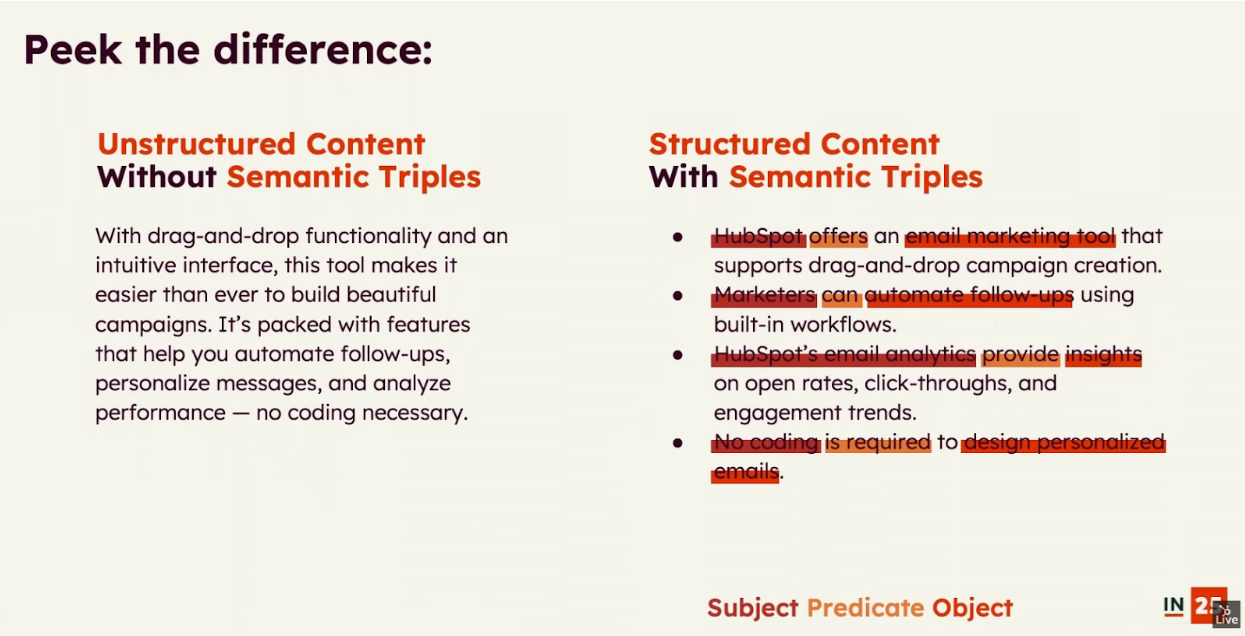
Below is a snapshot from Sellers’ recent INBOUND presentation that highlights what that content looked like before and after the changes.

Screenshot from Amanda Sellers' INBOUND presentationImage Source

In conjunction with the other “everything bagel” ingredients (like schema, backlinks, etc.), this tactic helped to increase mentions of HubSpot in AI answers by 58%, and the number of times HubSpot pages were cited by AI by 642%.

Now, to some of you, this may just sound like very basic good SEO, and you’re not wrong.

“It’s very important to have a stable SEO foundation to have good LLM visibility. But while semantic triples are beneficial for SEO, they’re necessary for AEO.

To others, this may sound like really annoying content for a human to read. And you’re not entirely wrong either. Done poorly, semantic triples can read like the overoptimized garbage that dominated early SEO.

Luckily, Sellers offered up some practical tips on how to effectively use semantic triples without effectively alienating your audience.

Triple Tips

1. A little goes a long way.

“We need to find the happy medium between having the content be easily understood [by AI],” and having content that’s still enjoyable for humans to read. With a laugh, Sellers advises using the benchmark, “Would reading this as a human make me throw my phone in the pool?

Instead of cramming semantic triples all over the page, she suggests tossing in one triple for each core concept along the way.

2. Target humans and bots with the same content.

You might think you could get around the need for the first tip by simply writing separate content for AI engines and for your human audience. Sellers advises against this.

If AI or search engine crawlers discover your human-focused content, they may decide to penalize both pieces of content for being overly similar.

But worse is what happens when your human readers stumble over your bot content. A reputation for crappy content is hard to shake.

“We’re really trying to do a feed-two-birds-with-one-scone approach, because we have a massive readership that actually cares about what we write.”

3. Use answer-first phrasing.

Both humans and bots like to skim, and your content, however amazing, isn’t the exception. Your job is to make sure they can quickly get key information while skimming.

To that end, Sellers recommends using answer-first phrasing.

So instead of a sentence like “According to recent research, pizza is delicious,” you might rewrite it as, “Pizza is delicious, according to recent research.”

A warning: Both human and software editors absolutely hate this. Do it anyway. This is a structure I absolutely insisted on when I was leading the HubSpot Blog’s user acquisition program.

4. Don’t bury the lede.

Similar to putting key info at the front of a sentence, you also want to make sure your semantic triples appear early within paragraphs.

Again, this makes it easy for human skimmers to quickly get the information they’re looking for. But for bots, it’s even more important, because they often take chunks of content out of context.

“Writers need to be conscientious about the order of sentences, so that if an LLM came and took this one paragraph, it’s enough to represent the idea.

4. Think about mid-funnel and bottom-of-funnel content.

Product reviews, product comparisons, and listicles are all great places to employ semantic triples. Readers expect this kind of content to be simple and blunt, so semantic triples don’t feel out of place.

It’s also a natural opportunity to connect your brand to a product category, to certain features, or even… to your competitors.

“You want your entity to be associated with similar entities. So, for example, we want HubSpot associated with Salesforce or MailChimp. That way, any time an AI engine mentions a competitor, it would be remiss to not also mention us in the same breath.

How to check your AI visibility using AEO Grader

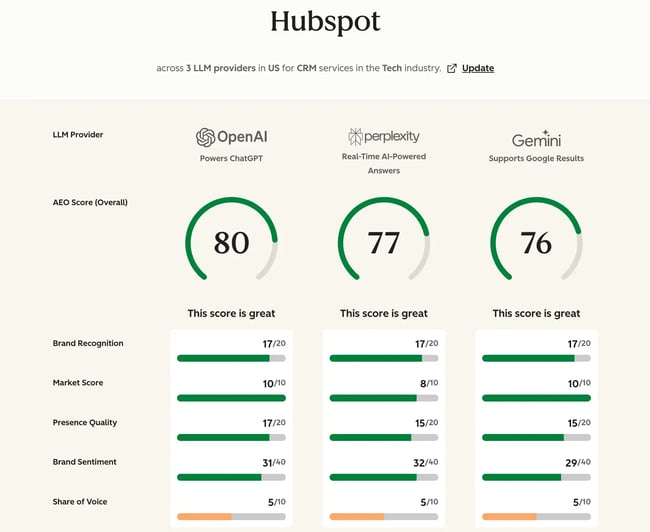
If you’re not sure where you stand in the eyes of the answer engines, it’s super easy to find out using HubSpot’s free AEO grader.

I sat down to write a How-To for you, and realized it’s so easy it would almost be insulting.

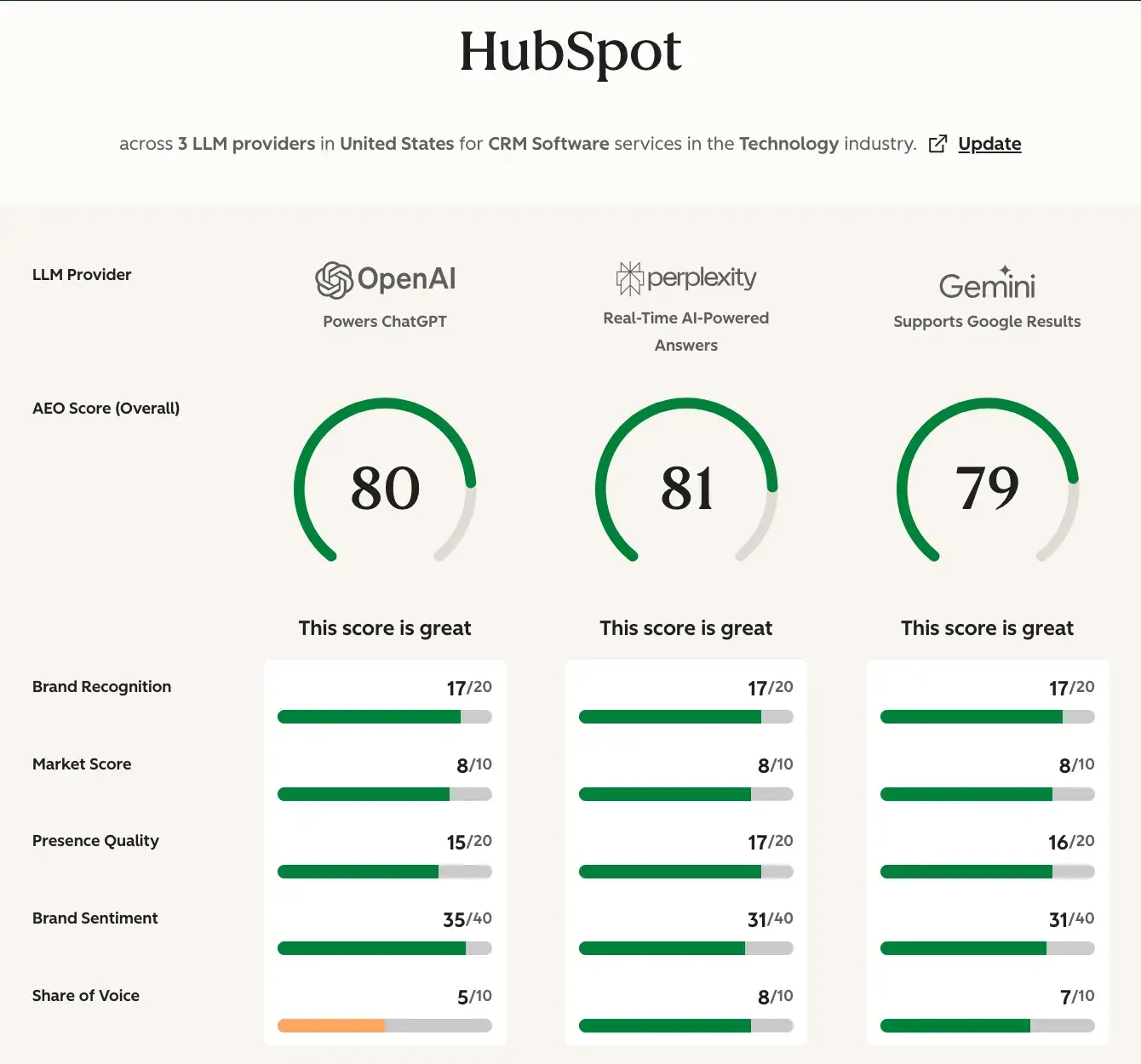
Just plug in four simple answers, and you’ll get ranked in areas like brand recognition, sentiment, and share of voice for the three most common AI search tools. You then have the option of providing your email address to get a detailed report of insights and recommendations.

Categories B2B

Multi-channel content distribution: How to scale content reach in the era of Loop Marketing

I’ll say the hard thing nobody wants to admit: Creating “great content” isn’t enough; it’s time for a change. And that change starts with multi-channel content distribution.

This guide covers:

Download Now: Free Content Marketing Planning Kit

You’ll learn how to make the most of your content through modular repurposing, build an optimized distribution strategy using channel-specific adaptation, and measure which platforms drive pipeline. Multi-channel content distribution connects content to multiple channels using unified data and automation, transforming content distribution from a manual bottleneck into a scalable growth engine.

Whether you’re exploring your first multichannel distribution strategy or refining an existing approach, the frameworks, metrics, and tactics ahead will help you amplify content reach, improve lead quality, and attribute revenue to the channels that matter most.

Table of Contents

What is multi-channel content distribution, and how does it work?

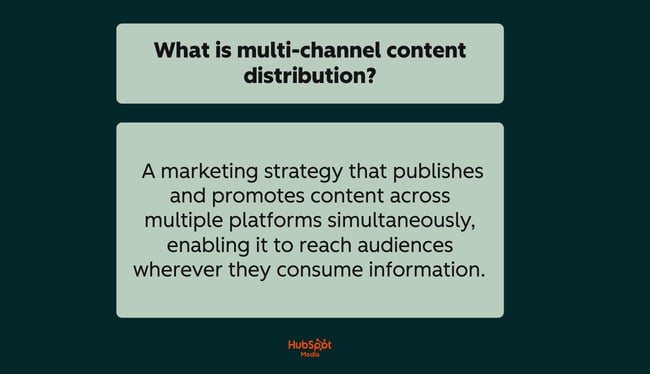
Multi-channel content distribution is a marketing strategy that publishes and promotes content across multiple platforms simultaneously, enabling it to reach audiences wherever they consume information.

a hubspot-branded graphic explaining and defining what multi-channel content distribution is in plain English

Unlike single-channel approaches that limit visibility to a single platform, a multichannel distribution strategy places your content on multiple platforms simultaneously, including:

  • Websites
  • Social media
  • Email
  • Podcasts
  • Video platforms
  • Digital communities
  • AI-powered search engines

Multi-channel content distribution enables seamless connection of your content across multiple channels through unified data and automation. This differs from omnichannel distribution, which focuses on creating seamless experiences across touch points.

Multi-channel distribution prioritizes reach and channel-specific optimization, adapting content formats, lengths, and styles to match each platform’s requirements.

How multi-channel content distribution works:

  • Content creation: Produce a core piece of content (pillar content, campaign asset, or original research).
  • Channel mapping: Identify where your target audience spends time — on social platforms, email, forums, video sites, or AI search tools (like ChatGPT or Perplexity).
  • Format adaptation: Transform the core content into channel-appropriate versions. Blog posts can be transformed into LinkedIn carousels, podcast clips, email sequences, or short-form videos.
  • Coordinated publishing: Deploy content across channels using scheduling tools and automation workflows.
  • Performance tracking: Measure engagement, conversions, and attribution across each channel to identify what works.

All in all, automation and AI tools streamline content distribution workflows across channels, reducing the manual effort required to maintain presence on multiple platforms while ensuring consistent messaging.

Multi-channel Content Distribution in the Loop Marketing Era

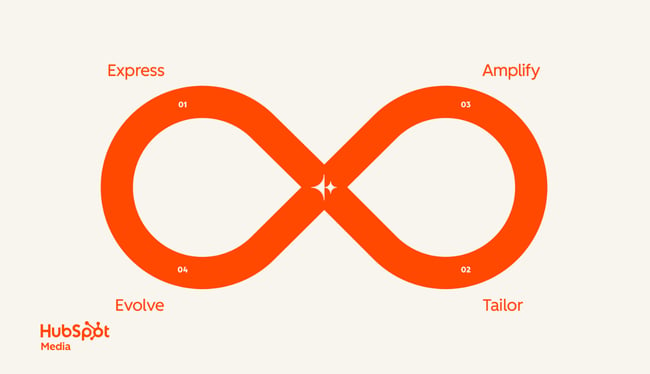
a hubspot-branded image highlighting the four stages of loop marketing

Within HubSpot’s Loop Marketing framework, multi-channel content distribution powers the Amplify stage, where teams diversify content across channels for both human audiences and AI-powered search engines.

The goal? Get your brand recommended, not just ranked. The subsequent “Evolve” stage utilizes performance data from your multichannel distribution strategy to:

  • Conduct rapid experiments
  • Identify winning channels
  • Feed insights back into future campaigns

All of this results in compound growth with each cycle.

If you want a more in-depth breakdown of how Loop Marketing is changing the content landscape, definitely give this video a watch:

Pro tip: To execute a multichannel distribution strategy efficiently, HubSpot’s Content Hub enables teams to create, remix, and publish content across formats from a single platform. Then, use HubSpot’s AEO Grader to ensure your content is optimized for visibility in AI-powered search results.
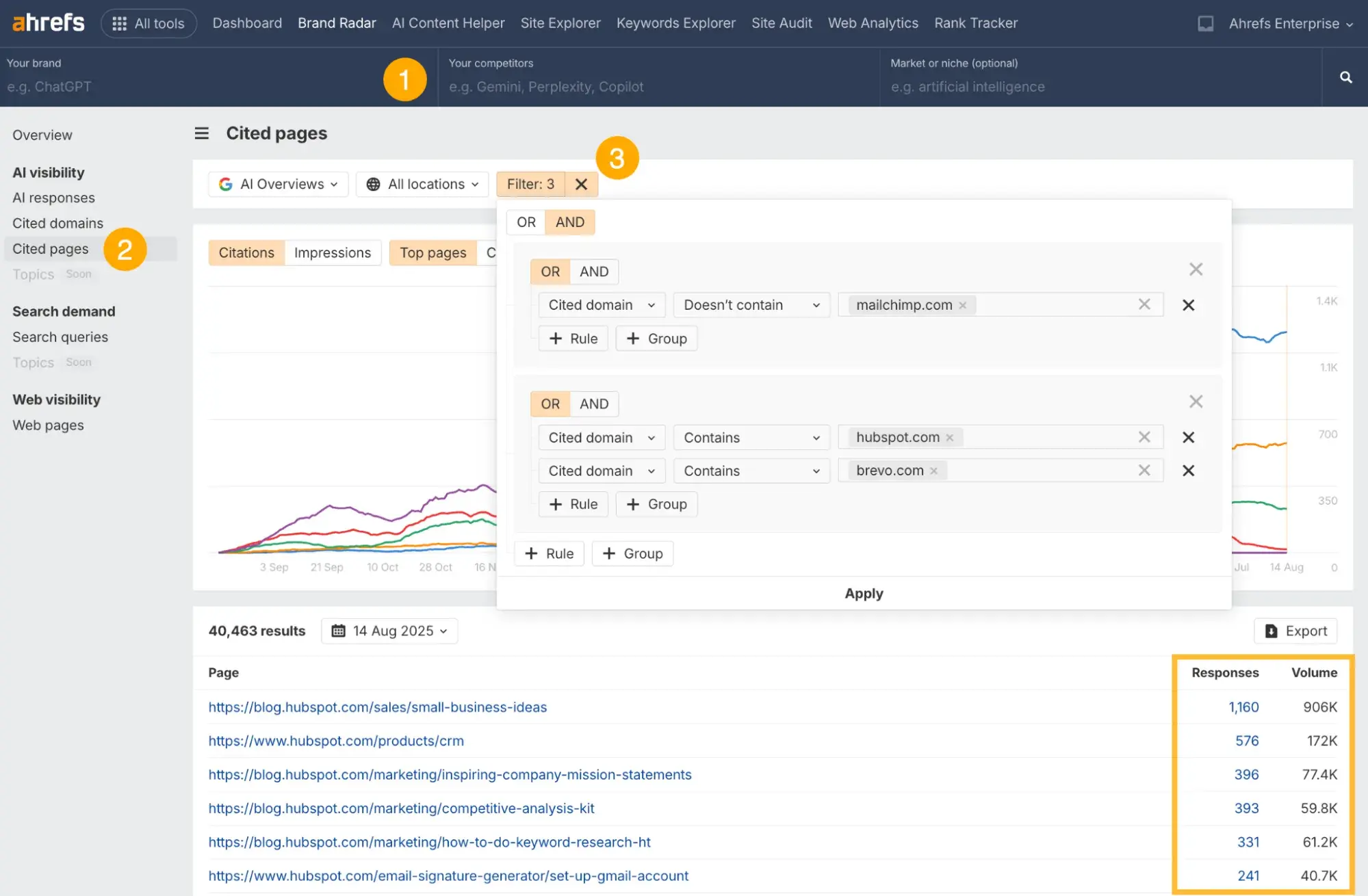
How multi-channel content distribution drives revenue?

Multi-channel content distribution drives revenue by placing your content in front of buyers at multiple touchpoints throughout their decision-making journey.

Rather than relying on a single channel to carry the full weight of conversion, a multichannel distribution strategy creates numerous pathways to purchase.

Effective multi-channel distribution improves lead quality, conversion rates, and revenue attribution by ensuring prospects encounter your brand repeatedly across the platforms they trust.

1. More touch points create more conversion opportunities.

B2B buyers interact with an average of 10+ pieces of content before making a purchase decision. Multi-channel content distribution ensures your content appears across all relevant touch points, rather than ceding them to competitors.

Each channel serves a distinct role in the revenue cycle:

  • Search and AI engines capture high-intent buyers actively researching solutions.
  • Social platforms help build awareness and nurture relationships with prospects who are not yet in the market.
  • Email delivers personalized content directly to engaged contacts.
  • Communities and forums establish credibility through peer validation.
  • Video and podcasts deepen engagement with audiences who prefer long-form content.

Here’s a chart to help better understand the intersection between content types, channels, and buyer stages when it comes to multi-channel content distribution:

Channel

Awareness

Consideration

Decision

Retention

Organic search/AI search

Blog posts

Pillar pages

Glossary content

Comparison guides

How-to articles

Industry reports

Product pages

Pricing content

Integration docs

Knowledge base

Help articles

Social media

Short-form video

Infographics

Industry news

Carousels

Broadcast channels

Poll content

Customer stories

Demo clips

User-generated content

Tips & tricks

Community highlights

Product updates

Email

Newsletter

Welcome series

Content digests

Nurture sequences

Webinar invites

Case study sends

Product trials

Consultation offers

ROI calculators

Feature adoption

Renewal campaigns

Video/podcasts

Educational videos

Podcast episodes

Expert interviews

Tutorials

Webinars

Product walkthroughs

Demo videos

Customer testimonials

Implementation guides

Advanced tutorials

User spotlights

Communities/forums

Thought leadership

Industry discussions

Reddit AMAs

Q&A responses

Use case discussions

Peer advice

Review responses

Comparison threads

Success stories

User forums

Beta feedback

Paid media

Display ads

Sponsored content

Video ads

Retargeting ads

Lead magnets

Gated content

Demo ads

Free trial offers

Upsell campaigns

Event promotions

Loyalty offers

Ultimately, when prospects encounter consistent messaging across multiple channels, trust compounds — and trust accelerates purchasing decisions.

2. Attribution connects channel performance to the pipeline.

Measurement and attribution connect channel performance to pipeline and revenue outcomes. Without cross-channel visibility, marketing teams can’t identify which content and platforms contribute to closed deals.

A multichannel distribution strategy paired with unified analytics reveals:

  • Which channels generate the highest-quality leads (not just the most leads)
  • How content sequences across channels influence deal velocity
  • Where prospects drop off (and where they convert)
  • The true ROI of each distribution channel

This data feeds directly into optimization, enabling teams to focus on high-performing channels and allocate resources more effectively to those that are underperforming.

3. Automation scales distribution without scaling headcount.

Automation and AI tools streamline content distribution workflows across channels, enabling small teams to maintain presence on 5, 10, or more platforms without proportional resource investment.

HubSpot’s Breeze AI accelerates this process by helping teams repurpose core content into channel-specific formats, transforming a single blog post into:

  • Social snippets
  • Email copy
  • Video scripts

The result? Broader reach without bottlenecking content production.

4. Compound growth through continuous optimization.

Multi-channel content distribution generates revenue not just through reach, but through learning. Here’s how it works:

  • First, each campaign provides performance data that informs the next cycle
  • Then, high-performing content formats get amplified
  • Lastly, underperforming channels get deprioritized or restructured

Pro tip: Use HubSpot’s Social Media Post Scheduler to coordinate publishing across platforms from a single dashboard, ensuring your multichannel distribution strategy stays consistent without requiring manual posting on each channel.

Multi-channel Content Distribution Strategy

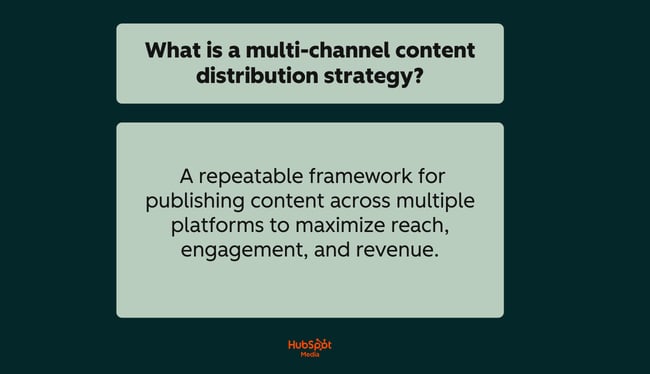
A multi-channel distribution strategy is a repeatable framework for publishing content across multiple platforms to maximize reach, engagement, and revenue. Rather than creating separate content for each channel, this approach starts with a core asset and systematically adapts it for distribution across your entire channel mix.

a hubspot-branded graphic explaining and defining what a multi-channel content distribution strategy is in plain English

Multi-channel content distribution connects content to multiple channels using unified data and automation, turning one piece of content into dozens of touchpoints without requiring a proportional increase in resource investment.

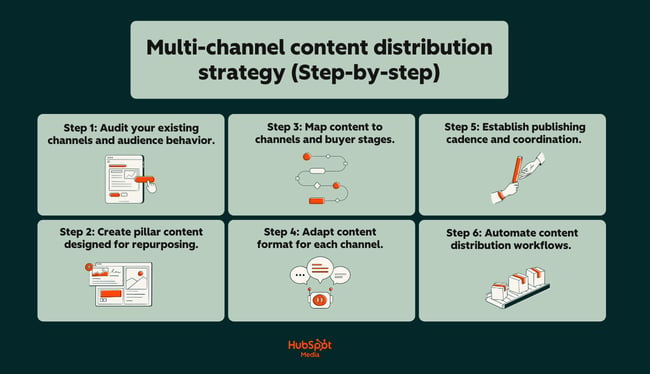
Below, take a look at the following steps that outline a simple framework for a repeatable multi-channel content distribution strategy:

a hubspot-branded graphic outlining and explaining a step-by-step framework for multi-channel content distribution

Step 1: Audit your existing channels and audience behavior.

Before distributing content, identify where your audience actually spends time and how they consume information on each platform.

  • Map current channels: List every platform where your brand has a presence (i.e., website, social accounts, email lists, etc.)
  • Analyze performance data: Identify which channels drive traffic, engagement, and conversions today.
  • Research audience behavior: Determine content format preferences per channel (i.e., video on LinkedIn vs. text on Reddit).
  • Identify gaps: Find high-potential channels where competitors have presence, but you don’t.

This audit forms the foundation of your multichannel distribution strategy by ensuring that effort is directed toward channels with a proven audience fit.

Step 2: Create pillar content designed for repurposing.

Effective multi-channel content distribution starts with a “pillar” asset — a comprehensive piece of content that can be broken into smaller, channel-specific formats.

Strong pillar content characteristics:

  • Depth: Covers a topic thoroughly enough to generate 5 to 10+ derivative pieces
  • Modularity: Contains distinct sections, data points, or quotes that stand alone
  • Evergreen potential: Remains relevant long enough to justify distribution investment
  • Multiple angles: Addresses the topic from perspectives that appeal to different audience segments

Examples include long-form blog posts, original research reports, webinars, and comprehensive guides.

Step 3: Map content to channels and buyer stages.

Not every piece of content is suitable for every channel. That said, map your pillar content derivatives to specific channels based on format fit and buyer stage alignment.

Use this framework:

  • Awareness stage: Educational content on search, social, and video platforms
  • Consideration stage: Comparison content, case studies, and webinars via email, retargeting, and communities
  • Decision stage: Product-focused content, demos, and testimonials on high-intent channels
  • Retention stage: Onboarding, training, and feature content via email and in-app

This mapping ensures your multichannel distribution strategy delivers the right content to the right audience at the right time.

Step 4: Adapt content format for each channel.

Multi-channel content distribution differs from omnichannel by focusing on reach and channel-specific optimization. Each platform has distinct format requirements, audience expectations, and algorithm preferences.

Adapt your pillar content accordingly:

  • Blog post → LinkedIn: Extract key insights into a carousel or text post with a hook
  • Blog post → Email: Summarize the core value proposition with a clear CTA
  • Blog post → Video: Script a 60 to 90-second explainer covering the main takeaway
  • Blog post → Community: Reframe as a discussion question or resource share
  • Blog post → AI search: Structure with clear headers, definitions, and FAQ schema

Pro Tip: HubSpot’s Content Hub streamlines this process by centralizing content creation and enabling teams to remix assets into multiple formats from a single platform.

Step 5: Establish publishing cadence and coordination.

Consistent distribution requires a documented publishing schedule that coordinates timing across channels without overwhelming your audience.

Build your cadence:

  • Set channel-specific frequency: Daily for social, weekly for email, monthly for long-form
  • Stagger distribution: Release content on primary channels first, then cascade to secondary channels over days or weeks
  • Align with campaigns: Coordinate multichannel distribution strategy with product launches, events, and seasonal priorities
  • Document in a calendar: Track what is published where and when to prevent gaps or overlaps

Step 6: Automate content distribution workflows.

Automation and AI tools streamline content distribution workflows across various channels, enabling consistent execution without the need for manual publishing on each platform.

Key automation opportunities:

  • Social scheduling: Queue posts across platforms from a single dashboard
  • Email triggers: Automatically send content based on subscriber behavior or lifecycle stage
  • Content repurposing: Use AI to generate channel-specific variations from pillar content
  • Cross-posting: Syndicate content to secondary platforms automatically

HubSpot’s Breeze AI accelerates distribution by helping teams transform core content into platform-ready formats—generating social copy, email variations, and video scripts from a single source asset. This reduces production time while maintaining message consistency across your entire channel mix.

Measurement and attribution connect channel performance to pipeline and revenue outcomes. Track results across channels, identify top performers, and feed insights back into your strategy to improve each distribution cycle.

How to Repurpose and Personalize Content Across Channels

Content repurposing transforms a single asset into multiple channel-specific formats. Content personalization adapts messaging based on:

  • Audience segment
  • Buyer stage
  • Behavior

Combined, these tactics make multi-channel content distribution scalable and effective.

The key is modular packaging: structuring content as interchangeable components that can be assembled, reformatted, and personalized for different contexts without requiring a complete overhaul.

Tactic 1: Build content in modular blocks.

Structure every pillar asset as a collection of standalone modules rather than a single monolithic piece. Each module can be extracted, reformatted, and distributed independently.

A modular content structure includes:

  • Core thesis: The central argument or key takeaway (1 to 2 sentences)
  • Supporting points: 3 to 5 distinct subtopics that can stand alone
  • Data points: Statistics, benchmarks, or research findings
  • Quotes: Expert insights or customer testimonials
  • Examples: Case studies, scenarios, or use cases
  • Visual assets: Charts, diagrams, or images

This approach enables a multichannel distribution strategy where one 2,000-word blog post yields:

  • A LinkedIn carousel (supporting points)
  • An email sequence (one module per send)
  • .Social posts (data points and quotes)
  • Short-form video (core thesis with examples)

Tactic 2: Create a content-to-channel transformation matrix.

Document how each content module type translates to each distribution channel. This removes guesswork and speeds production.

Here are some example transformations:

  • Statistic → Social post: “[Data point] — here’s what it means for [audience]”
  • Case study → Email: Problem/solution/result narrative with CTA
  • How-to section → Video: Step-by-step tutorial with screen share or graphics
  • Expert quote → LinkedIn →: Commentary post with your perspective added
  • Comparison table → Infographic: Visual side-by-side for Pinterest or Instagram

Multi-channel content distribution connects content to multiple channels using unified data and automation. Your transformation matrix codifies this connection into a repeatable system.

Tactic 3: Personalize by segment, not just channel.

Effective multi-channel distribution improves lead quality, conversion rates, and revenue attribution by delivering relevant content to specific audience segments (not just broadcasting the same message everywhere).

Personalization layers to apply:

  • Industry vertical: Swap examples, terminology, and pain points to match sector-specific concerns
  • Company size: Adjust scope and complexity (enterprise vs. SMB framing)
  • Buyer role: Emphasize different benefits (ROI for executives, features for practitioners)
  • Funnel stage: Shift from educational to evaluative to decision-focused messaging
  • Behavioral signals: Reference past engagement, downloads, or site activity

A single content module can generate 5 to 10 personalized variations by adjusting these layers, thereby multiplying the output of your multichannel distribution strategy without requiring the creation of new content.

Tactic 4: Use dynamic content for automated personalization.

Dynamic content automatically swaps text, images, or CTAs based on viewer attributes, enabling personalization at scale across email, web, and ads.

Implementation approaches:

  • Email personalization tokens: Insert company name, industry, or past purchase data
  • Smart content blocks: Display different website sections based on lifecycle stage or list membership
  • Ad creative variations: Serve industry-specific messaging using audience targeting parameters
  • Landing page personalization: Match headline and copy to the referring campaign or segment

This automation ensures your multi-channel content distribution delivers tailored experiences without manual version management for each segment.

Tactic 5: Maintain brand consistency with templatized frameworks.

Repurposing and personalization can fragment a brand’s voice if not executed with guardrails. Templatized frameworks ensure consistency while enabling variation.

Build templates for:

  • Headlines: Formula-based structures (e.g., “[Number] ways to [achieve outcome] without [common obstacle]”)
  • Social posts: Platform-specific formats with designated hook, body, and CTA sections
  • Email copy: Standardized intro/value/CTA flow with swappable module content
  • Visual style: Consistent color, typography, and layout across all derivative assets

Pro tip: Again, HubSpot’s Content Hub supports this modular approach by enabling teams to create, store, and remix content components from a centralized platform, maintaining brand consistency while scaling production across channels.

Tactic 6: Track module performance to optimize future repurposing.

Measurement and attribution connect channel performance to pipeline and revenue outcomes. Apply this principle at the module level to identify which content components yield the best results.
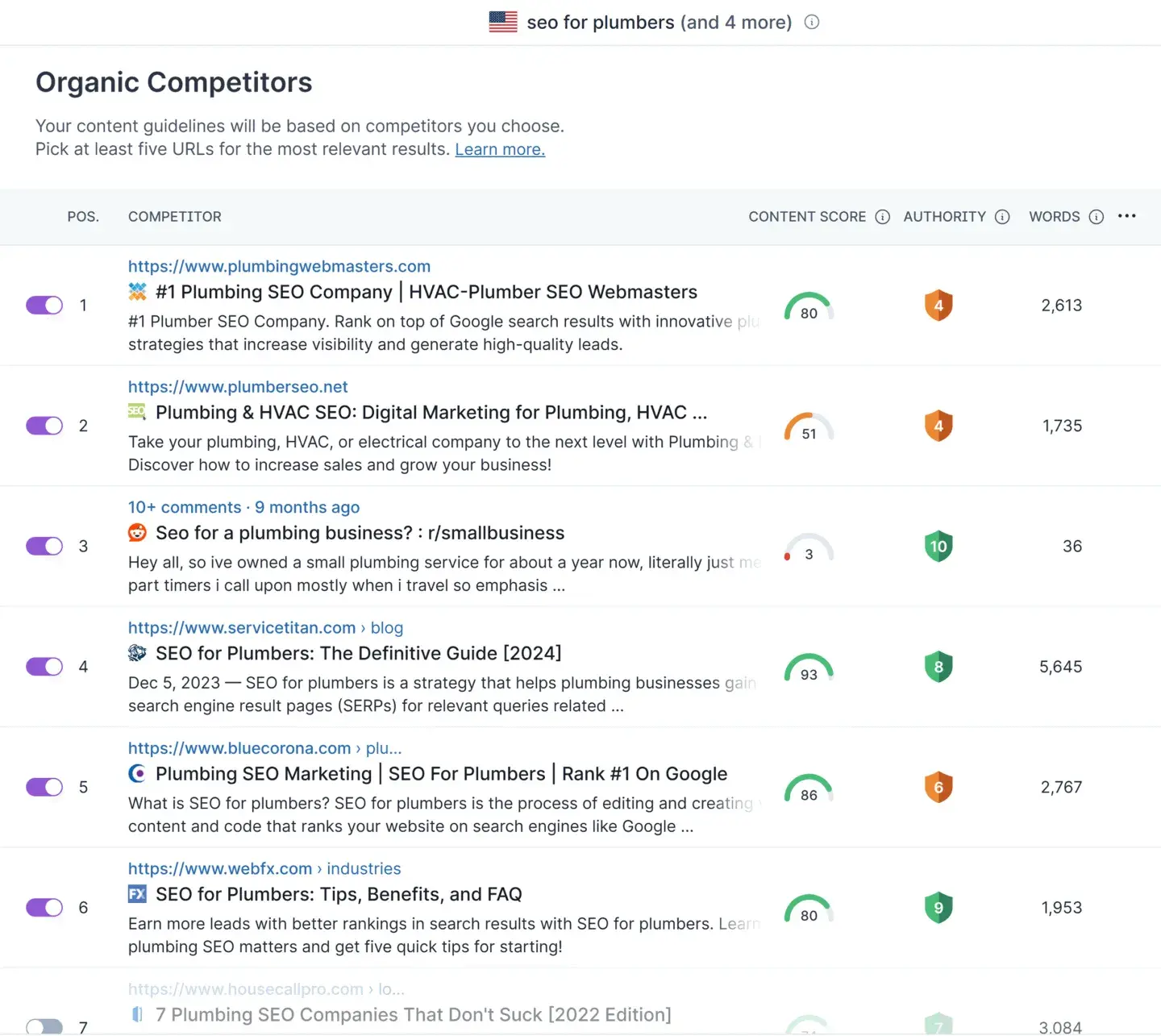
Track these metrics per module:

  • Engagement rate: Which excerpts, quotes, or data points generate the most interaction?
  • Click-through rate: Which CTAs and hooks drive traffic back to pillar content?
  • Conversion rate: Which modules correlate with form fills, trials, or purchases?
  • Channel fit: Where does each module type perform best?

Use these insights to prioritize high-performing modules in future repurposing cycles. It’ll help you double down on what works and retire what doesn’t

Multi-channel Content Distribution Metrics to Track

Measurement and attribution connect channel performance to pipeline and revenue outcomes. Tracking the right metrics reveals:

  • Which channels drive results
  • Which content resonates
  • Where your multichannel distribution strategy needs optimization

Effective multi-channel content distribution requires metrics across three categories:

  • Reach (how far content travels)
  • Engagement (how audiences interact)
  • Conversion (how content drives business outcomes)

In the sections below, I’ve outlined each metric in detail, along with actionable tracking guidance. Take a look:

1. Reach Metrics

Impressions (by Channel)

Impressions measure how many times your content appeared on each platform. This metric establishes baseline visibility for your multi-channel content distribution efforts.

Moreover, track impressions to:

  • Compare channel reach: Identify which platforms deliver the largest audience exposure
  • Spot distribution gaps: Find channels where content isn’t gaining traction
  • Benchmark growth: Measure reach expansion over time as your strategy matures

Deep impressions with low engagement signal content-audience mismatch or poor format fit for that channel.

Share of Voice in AI Search

As buyers increasingly use AI-powered search tools, visibility in platforms like ChatGPT, Perplexity, and Google AI Overviews becomes a critical distribution metric.

Thus, be sure to monitor:

  • Brand mentions: How often AI tools reference your content when answering relevant queries
  • Citation frequency: Whether your content appears as a source in AI-generated responses
  • Competitor comparison: Your visibility relative to competitors for key topics

This metric directly reflects how well your multichannel distribution strategy reaches buyers before they ever visit your website.

2. Engagement Metrics

Click-through Rate (CTR) by Channel

CTR measures the percentage of viewers who click through to your content from each distribution channel. This metric reveals which platforms drive active interest versus passive exposure.

Additionally, benchmark CTRs vary by channel:

  • Email: 2 to 5% is typical; above 5% indicates a strong audience fit
  • Social organic: 1 to 3% is standard; varies significantly by platform
  • Paid ads: 0.5 to 2% depending on ad type and targeting
  • Search: 2 to 10% depending on ranking position

Overall, low CTR on a high-impression channel suggests your hooks, headlines, or creative need optimization for that platform.

Engagement Rate by Content Format

Engagement rate measures interactions (likes, comments, shares, saves) relative to reach. Track this metric by content format to identify what resonates on each channel.

Compare performance across:

  • Video vs. static images vs. carousels on social platforms
  • Long-form vs. short-form content on your blog
  • Text-heavy vs. visual-heavy emails
  • Interactive vs. static content in communities

Multi-channel content distribution differs from omnichannel by focusing on reach and channel-specific optimization; engagement rate data tells you exactly how to optimize each channel.

3. Conversion Metrics

Conversion Rate by Channel

Conversion rate tracks the percentage of visitors from each channel who complete a desired action, such as:

  • Form fills
  • Demo requests
  • Purchases
  • Trial signups

This metric answers critical questions, such as:

  • Which channels drive action?
  • Where should you invest?
  • What content converts?

Track conversion rate at both the channel level and the individual content level to pinpoint top performers.

Cost per Acquisition (CPA) by Channel

CPA measures the cost per acquisition (CPA) of acquiring a customer or lead from each distribution channel. This metric ensures your multichannel distribution strategy remains cost-efficient.

Calculate CPA by channel types, such as:

  • Paid channels: Ad spend ÷ conversions
  • Organic channels: Content production cost + distribution time ÷ conversions
  • Email: Platform cost + creation time ÷ conversions

Lastly, compare CPA across channels to allocate budget toward the most efficient acquisition paths.

4. Attribution Metrics

Multi-touch Attribution

Multi-touch attribution tracks how multiple channels contribute to a single conversion. Most B2B buyers interact with content across various platforms before making a purchase. However, single-touch models miss this complexity.

Below are a few attribution models to consider:

  • Linear: Equal credit to all touch points
  • Time decay: More credit to touch points closer to conversion
  • Position-based: Weighted credit to first and last touch, with remaining credit distributed across middle interactions
  • Data-driven: Algorithmic credit assignment based on actual conversion patterns

Pro tip: HubSpot’s CRM centralizes touchpoint data across channels, enabling accurate multi-touch attribution that connects your multi-channel content distribution efforts to closed revenue.

Pipeline Velocity by Channel

Pipeline velocity measures how quickly leads from each channel move through your sales funnel. Fast-moving channels indicate strong content-audience fit and high buyer intent.

Therefore, track the following:

  • Days to opportunity: Time from first touch to sales-qualified opportunity
  • Days to close: Time from first touch to closed deal
  • Stage conversion rates: Percentage of leads advancing through each funnel stage

Channels with high volume but slow velocity may be generating low-quality leads. If this is the case, adjust targeting or content accordingly.

Ultimately, effective multi-channel distribution enhances lead quality, conversion rates, and revenue attribution by optimizing based on these velocity insights.

Frequently Asked Questions about Multi-channel Content Distribution

How is multi-channel different from omnichannel?

Multi-channel content distribution differs from omnichannel by focusing on reach and channel-specific optimization. Both approaches use multiple platforms, but the strategy and goals diverge:

  • Multi-channel distribution prioritizes maximizing reach by adapting content format and messaging to each platform’s unique requirements. Channels operate independently, optimized for their specific audience behaviors and algorithms.
  • Omnichannel distribution prioritizes a seamless customer experience across all touchpoints. Channels are interconnected, sharing data to create unified journeys where users can switch platforms without friction.

In practice, a multichannel distribution strategy might involve:

  • Publishing a blog post
  • Creating a standalone LinkedIn version
  • Sending a separate email

Each would be optimized for its respective channel. An omnichannel approach would ensure all three touchpoints share context, so a user who reads the email sees related content on LinkedIn and a personalized blog experience.

Which distribution channels help drive new audiences the fastest?

Channels with built-in discovery mechanisms drive the fastest new audience growth. These platforms surface content to users who don’t already follow your brand:

  • Paid social and search ads: Immediate reach to targeted audiences; scalable with budget
  • AI-powered search (ChatGPT, Perplexity, Google AI Overviews): Growing discovery channel as buyers shift search behavior
  • SEO/organic search: Slower to build but compounds over time; captures high-intent queries
  • Reddit and niche communities: Access engaged audiences actively discussing relevant topics
  • YouTube and podcast platforms: Algorithm-driven discovery exposes content to new viewers/listeners
  • Influencer and creator partnerships: Leverage established audiences for rapid exposure

Owned channels (email, blog, social followers) engage existing audiences effectively but rely on other channels to fuel new audience acquisition.

What is the best way to attribute multi-channel influence?

Measurement and attribution connect channel performance to pipeline and revenue outcomes.

However, the best attribution approach depends on your sales cycle length and data maturity:

  • Short sales cycles (days to weeks): Last-touch or first-touch attribution provides sufficient insight since fewer touchpoints occur before conversion.
  • Medium sales cycles (weeks to months): Position-based attribution (40% first touch, 40% last touch, 20% distributed) balances credit across the journey.
  • Long sales cycles (months to quarters): Data-driven or algorithmic attribution analyzes actual conversion patterns to assign credit based on statistical influence.

Overall, here’s the TDLR answer: For most B2B companies executing multi-channel content distribution, multi-touch attribution reveals how channels work together to drive results. Conversely, single-touch models overvalue either discovery or closing channels while ignoring the nurture content that moves buyers between stages.
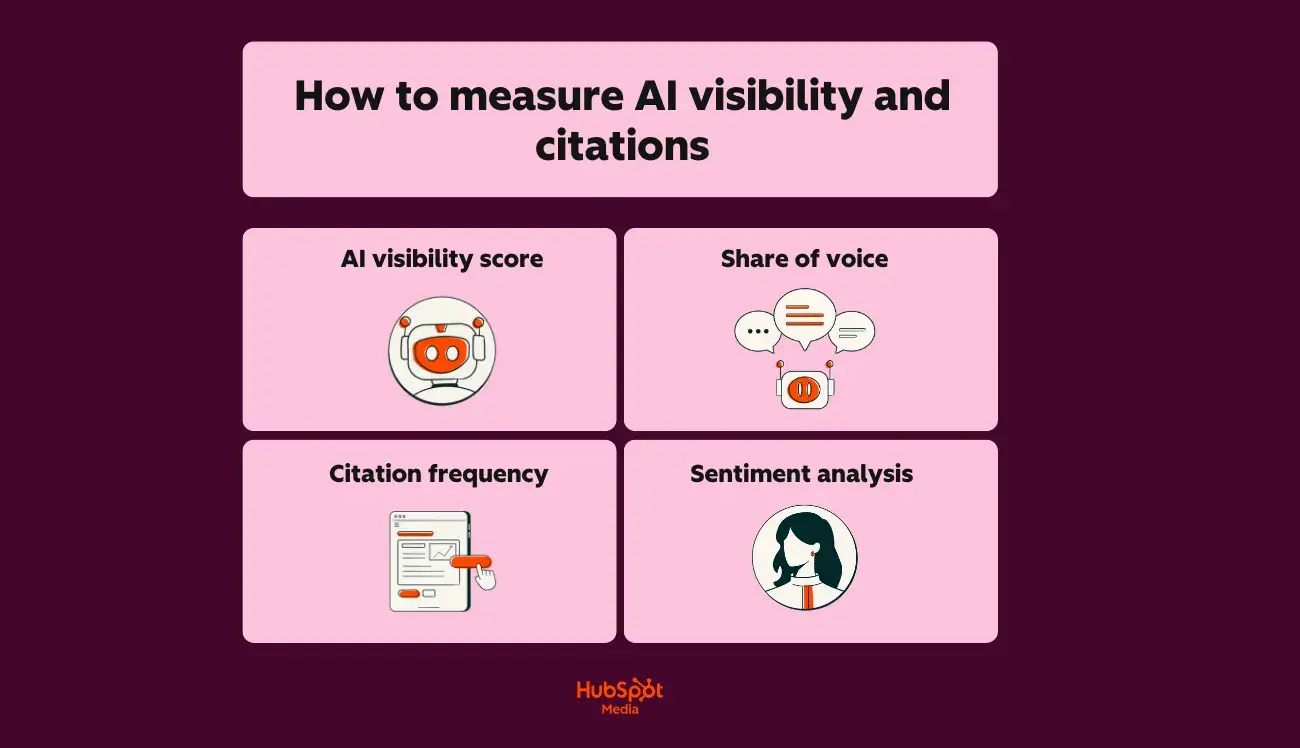
How often should we republish or resurface content?

The frequency of content resurfacing depends on:

  • The channel type
  • The content’s evergreen potential
  • The degree of audience overlap across platforms

Here’s how to approach each channel/content format:

  • Social media: Reshare evergreen content every 30 to 90 days; audience turnover and algorithm reach limits mean most followers won’t see every post.
  • Email: Resurface top-performing content to new subscribers immediately; re-send to the complete list quarterly at most to avoid fatigue.
  • Blog/website: Update and republish high-traffic posts every 6 to 12 months with fresh data, examples, and optimization.
  • Video/podcast: Clip and redistribute segments on an ongoing basis; full republishing is rarely necessary unless the content is outdated.

Effective multi-channel distribution improves:

  • Lead quality
  • Conversion rates
  • Revenue attribution

However, this is only true if the content remains current. Here’s my best piece of advice: Prioritize updating content that ranks well, drives conversions, or addresses fast-changing topics over blanket resurfacing schedules.

Do we need a multichannel CMS to do this?

In short: No. A multichannel CMS simplifies execution but isn’t required to implement a multichannel distribution strategy.

What matters is your ability to create, adapt, and publish content across platforms efficiently.

You can execute multi-channel content distribution with:

  • Standard CMS and standalone tools: Use your existing CMS for web content, plus native platform tools or scheduling software for social, email platforms for newsletters, and video hosts for multimedia.
  • Integrated marketing platform: Centralize content creation, social publishing, email, and analytics in one system to reduce tool switching and improve coordination.
  • Multichannel CMS: Purpose-built platforms that manage content variants, automate cross-channel publishing, and maintain consistency across touchpoints.

The right choice depends on factors such as:

  • Team size
  • Channel volume
  • Workflow complexity

Small teams with 3 to 4 channels often succeed with standalone tools. Alternatively, teams managing six or more channels with a high publishing frequency benefit from consolidated platforms that reduce manual coordination.

Pro tip: HubSpot’s Smart CRM unifies content, social, email, and analytics in one platform, giving teams a consolidated system to manage multi-channel distribution without juggling standalone tools.

Multi-channel content distribution is the future of marketing.

Ultimately, mastering multi-channel content distribution positions your brand to reach buyers wherever they consume information, not just where you prefer to publish.

As audiences fragment across social platforms, AI-powered search engines, communities, email, and video, a multichannel distribution strategy ensures your content meets prospects at every stage of their journey (rather than waiting for them to find you).

Although I mentioned this earlier in this post, I’ll (gladly) reiterate: Effective multi-channel distribution enhances lead quality, conversion rates, and revenue attribution, all by creating multiple pathways to purchase.

Here’s a recap of how each channel reinforces the others:

  • Search captures high-intent buyers
  • Social builds awareness
  • Email nurtures relationships
  • Communities establish credibility through peer validation

Plus, HubSpot’s Smart CRM unifies your multi-channel content distribution efforts by:

  • Centralizing content creation, social publishing, and email automation in one platform
  • Connecting channel performance directly to pipeline and revenue outcomes
  • Providing multi-touch attribution that reveals how channels work together to drive conversions

Whether you’re repurposing pillar content into platform-specific formats or tracking which touchpoints influence closed deals, integrated data eliminates guesswork and accelerates optimization.

Ready to scale your distribution strategy? Get started with HubSpot’s Content Hub, powered by Breeze AI, to create, remix, and publish content across channels from a single platform, turning one asset into dozens of touchpoints that drive measurable business growth.

Categories B2B

AI search visibility: The playbook for marketers

AI search visibility refers to how a brand appears in AI-generated results from tools like ChatGPT and AI-augmented search engines such as Gemini or Perplexity. Unlike traditional SEO, which tracks ranking positions and blue links, AI visibility measures how often your brand is mentioned, how your owned content is cited, and how those mentions are framed in model responses.

Download Now: HubSpot's Free AEO Guide

As more users rely on direct answers instead of click-through results, a strong AI search visibility profile influences not just discovery and trust, but ultimately, conversions.

Table of Contents

What is AI search visibility?

AI search visibility is a marketing metric that measures how often and how accurately a brand appears within AI-generated answers across platforms. If SEO tells Google who you are, AI search visibility tells the internet what you mean.

Think less about “where you rank” and more about “how you’re remembered.” When someone asks ChatGPT or Perplexity who makes the best CRM platform, does your name appear? Is it linked? And does the model describe you the way you’d want a prospect to hear it? That‌’s basically AI visibility.

In practice, ai search visibility comes down to four signals:

  1. Mentions, how frequently your brand appears in AI responses tied to your key topics.
  2. Citations, whether those responses link back to your owned content or just describe you abstractly.
  3. Sentiment, whether that context reads positive, neutral, or critical.
  4. Share of voice, how often you appear relative to competitors across a consistent prompt set.

These are the new “positions” of 2026 — invisible on a results page, but visible everywhere else that matters.

The distinction from traditional SEO is pretty stark. SEO ranks web pages. AI search ranks knowledge. A top-ranked article in Google can be entirely absent from AI answers if the model hasn’t associated your brand with the entities or signals it trusts.

This shift is more than theoretical. AI search interfaces are already reshaping how users find information:

  • Pew Research found Google’s AI Overviews appeared in 18% of U.S. desktop searches in March 2025.
  • Up to 60% of searches end without a click, because the answer now lives inside the interface.
  • And a growing share of younger users — 31% of Gen Z, per HubSpot’s 2025 AI Trends for Marketers report — start queries directly in AI or chat tools instead of search engines.

That means brand visibility has moved upstream from the SERP to the sentence. Visibility is no longer something you “earn” once. Brands must teach AI systems about themselves over time in a way AI can understand.

How is AI search visibility different from organic search?

AI search visibility differs from organic search because it measures how frequently and how favorably a brand is referenced within AI-generated answers, not how high its web pages appear in search results. Organic search rewards relevance, backlinks, and user behavior. AI search rewards clarity, reputation, and structured context. Instead of deciding which link to rank, large language models decide which brands to trust when synthesizing their responses.
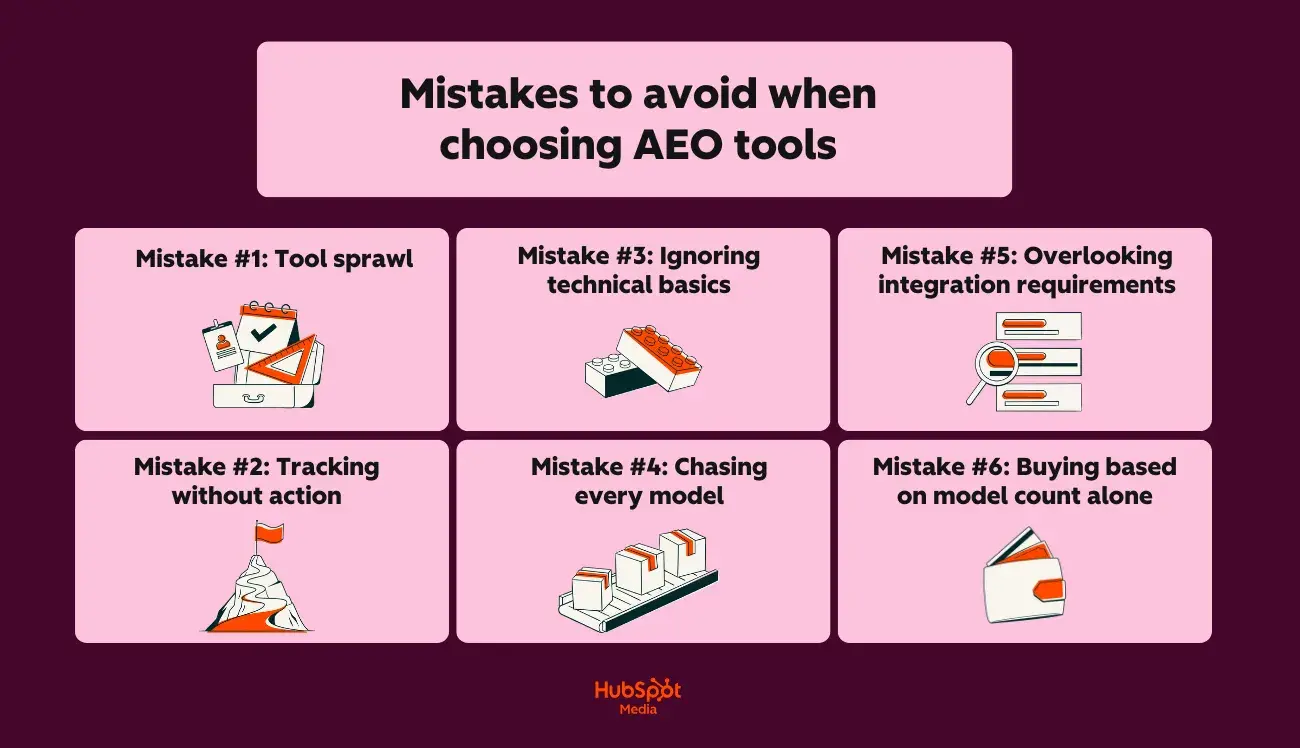
Traditional SEO vs. AI Search Metrics

The shift from organic to AI search changes which metrics matter for brand visibility:

Traditional SEO

AI Search Visibility

Keyword ranking

Brand mentions across AI prompts

Backlink authority

Citation frequency to owned content

Click-through rate

Sentiment framing within AI answers

Organic share of voice

Share of voice across models and platforms

The Four Core AI Search Visibility Metrics Explained

1. Brand Mentions

Frequency of your brand’s appearance in AI-generated responses. Mentions reflect recall — they show whether a model recognizes your brand as relevant to a topic or category.

2. Citations to Owned Pages

Instances where an AI engine attributes information directly to your website or assets. Citations are becoming the new trust signal. Seer Interactive’s 2025 analysis found that traditional SEO strength (rankings, backlinks) showed little correlation with brand mentions in AI answers, underscoring that citation behavior is emerging as the key indicator of trust and authority.

3. Sentiment Framing

The tone and context surrounding a brand mention. Positive or neutral framing contributes to credibility and user confidence, while negative framing may suppress engagement even when the brand is visible.

4. Share of Voice Across Prompts

Your comparative visibility — how often your brand is named relative to peers when users ask similar questions across multiple AI tools. Tracking this monthly helps quantify “model recognition momentum.”

Why does this shift matter?

Answers are moving into AI environments at an accelerating pace. ChatGPT now processes over 2.5 billion prompts per day, and industry analysts expect AI-driven search traffic to surpass traditional search by 2028. This means visibility inside AI ecosystems is becoming the new baseline for brand discoverability.

Brands are already adapting to this shift. Conrad Wang, Managing Director at EnableU, explains how his team approaches AI search optimization:

“Google’s AI mode gives you a query fanout that shows where it looks for answers, and we’ve found that it often pulls data from obscure, high-trust directories and best-of lists rather than the top organic search results. We’ve built a small task force to audit these pages the AI trusts and focus our outreach on getting EnableU listed. We know it’s working because our brand mentions in AI-generated answers for local queries have increased by over 50%, even when the click-through rate is zero.”

AI search visibility depends on mentions, citations, and sentiment because LLMs use those signals to decide which brands to include in synthesized answers. The more consistently those signals appear, the more confidently AI systems can surface and recommend your brand across platforms.

AI Search Visibility: How to Start Tracking

AI search visibility tracking measures how AI engines reference a brand by capturing mentions, citations, sentiment, and share of voice across a defined set of prompts and platforms. This framework gives marketing teams a lightweight, governance-friendly process for measuring and improving AI search performance over time.

ai search visibility, how to start tracking

1. Pick strategic topics and intents

Start by identifying queries that actually drive revenue and influence purchasing decisions.

  • Core product categories: “best B2B CRM for SMBs,” “top marketing platforms”.
  • Priority use cases: “AI marketing automation tools,” “multi-channel attribution software.”
  • Comparative and evaluative prompts: “HubSpot vs [competitor],” “top platforms for…”

These topics should align with existing content clusters, sales narratives, and named entities like product names, frameworks, or proprietary methodologies. Select 10-30 prompts per topic set to enable benchmarking over time without creating unmanageable volume

2. Build a standardized prompt set

After defining topics, create a consistent prompt library to test engines in a controlled format. Include patterns like:

  • “Who are the leading [category] platforms?”
  • “What is the best tool for [use case]?”
  • “Which platforms are recommended for [audience]?”
  • “What is [brand] known for in [category]?”

Standardization matters. Research published by the Association for Computational Linguistics found that even tiny changes like adding a space after a prompt can change an LLM’s response. Controlling prompts reduces noise and isolates genuine shifts in model behavior.

Store this prompt set in a shared Content Hub asset, internal wiki, or AEO playbook so marketing teams test against the same questions.

3. Select priority AI platforms

AI visibility is multi-surface. A practical baseline usually includes:

  • ChatGPT — general discovery + research
  • Gemini — Google ecosystem behavior
  • Microsoft Copilot — enterprise and M365 users
  • Perplexity — research and technical audiences

Selection should reflect where the audience actually works and searches. Start with 3–4 engines, then expand if patterns justify it.

Pro Tip: Use the HubSpot AEO Grader to establish a baseline across supported AI engines, tracking mentions, citations, and sentiment where available.

4. Run repeat samples (not one-off screenshots)

Tracking AI search visibility is about trends, not one dramatic screenshot in Slack. An operational pattern for continued sampling looks like this:

  1. Run each selected prompt within each engine.
  2. Capture responses 3–5 times per engine per prompt in the same session or day.
  3. Repeat this process monthly (or bi-weekly during critical campaigns).

AI models don’t give the same answer twice — a consequence of their design. Running each prompt multiple times helps marketing teams spot real trends instead of chasing random noise.

5. Log results, benchmark, and centralize

Raw answers are useless if they stay in screenshots. Teams should structure results into a simple, query-level dataset. For each prompt and engine combination, log:

  • Brand mentioned? (Y/N)
  • Which brands were mentioned?
  • Citations to owned pages (Count and example URLs)
  • Sentiment framing (Positive / Neutral / Negative)
  • Position in the answer (Early / Middle / Trailing)
  • Notes (hallucinations, outdated info, mis-categorization)

This can live in a shared spreadsheet, a custom Content Hub reporting view, or other AI SEO tools supporting automated scoring.

Centralized AI visibility data can feed directly into existing HubSpot dashboards and attribution workflows. From there, marketing teams can:

  • Calculate the share of voice across prompts and engines.
  • Flag gaps where competitors dominate mentions.
  • Prioritize content, schema, and PR efforts where visibility is weakest.
  • Align insights with HubSpot reporting on content engagement and influenced pipeline.

Treat this process as an extension of existing SEO and attribution reporting. AI visibility within the same operational rhythm stops being mystical and starts being measurable.

How to Improve Brand Visibility in AI-Generated Answers

Large language models learn which brands to trust by observing how clearly, consistently, and credibly those brands show up online. AI brand visibility improves when a company makes itself easy to understand, easy to cite, and easy to trust across every place models gather data — and that’s ultimately how to improve brand visibility in AI-generated answers.

Recent industry data shows that brands optimizing for AI surfaces, like ChatGPT, Gemini, and Google’s AI Overviews, are already seeing stronger engagement across social and search discovery.

In fact, BrightEdge’s September 2025 analysis found that 83.3% of AI Overview citations came from pages beyond the traditional top-10 results. This analysis suggests that structured, answer-ready content directly supports discoverability and downstream user engagement.

Start by building a foundation AI systems can actually read. Structure your content around clear entities, credible sources, and repeatable signals of authority. Then, layer in the human elements — FAQs, social proof, and community engagement — that teach large language models that your brand is both reliable and relevant. Each step reinforces the next, creating a feedback loop between how people experience your content and how AI engines describe it.

Build entity-based content clusters.

AI models map relationships. Building clusters around key entities (e.g., products, frameworks, or branded methodologies) makes those connections explicit and helps AI engines retrieve accurate associations.

As John Bonini, founder of Content Brands, notes on LinkedIn, “LLMs (seem to) reward clarity. Models surface sources that show clear thinking. People remember brands that have a consistent narrative.”

That principle sits at the heart of AI search visibility. Consistency across your entity clusters and brand language teaches models how to describe you — not just what you sell.

How to do it:

  • Audit existing content by entity, not just keyword.
  • Interlink pillar and subtopic pages, and support them with appropriate schema (AboutPage, FAQPage, Product schema) to highlight machine-readable relationships.
  • Reinforce semantic triples like Content Hub → supports → entity governance workflows.

Create source-friendly pages.

Pages that summarize definitions early, surface key data points, and use structured lists or tables are easier for AI systems to parse and understand. While Google notes that there are no special technical requirements for AI Overviews, its guidance emphasizes that clearly structured, crawlable content remains essential for eligibility and accurate citation.

How to do it:

  • Add an “answer-first” summary directly below each heading so that both readers and AI systems can instantly capture the core idea.
  • Include timestamps alongside statistics — freshness signals reliability to models that prioritize recent data.
  • Replace vague transitions like many experts say with named sources and clear attribution to reduce hallucination risk.

It’s one thing to structure content for readability; it’s another to see how that structure actually changes visibility.

“The greatest difference was when we realized that AI engines are looking for clarity of the original source, so we made certain each article included attributable data and not just opinions,” said Aaron Franklin, Head of Growth at Ylopo. “About two weeks after adding expert quotes and inline citations to our articles (and also beginning to track), we began showing up in AI-generated answers.”

Franklin’s experience underscores what Google’s guidance implies: clarity and attribution are structural signals that teach AI models which sources to trust.

Expand FAQs and conversational coverage.

FAQs mirror how people query AI — in natural language, with specific intent. Adding question-based sections improves both human readability and machine retrievability, teaching large language models to associate your brand with clear, authoritative answers.

How to do it:

  • Add 3–5 contextual questions per topic page that reflect common conversational phrasing.
  • Use specific subjects — “content marketers,” “RevOps teams,” “small business owners” — instead of generic “you” language to create stronger semantic signals.
  • Refresh quarterly based on prompt-tracking data from ChatGPT, Gemini, and Perplexity queries to keep coverage current and relevant.

In practice, this structure helps AI systems recognize subject-matter expertise the same way readers do — by clustering questions, context, and verified answers.

“We optimized our top-performing content with clearer structure, FAQs, and schema markup to help AI models identify our expertise more easily. Within weeks, we saw our brand mentioned in AI-generated summaries and conversational queries on platforms like Perplexity,” said Anand Raj, Digital Marketing Specialist at GMR Web Team. “The real proof came from higher direct traffic and branded search lifts in HubSpot analytics, without a matching rise in ad spend.”

Raj’s results underscore how FAQs serve as lightweight training data for generative systems. When brands phrase answers conversationally and back them with data, models recommend them.

Strengthen social proof and digital PR.

AI models interpret external validation as a signal of authority. Independent mentions, interviews, and case studies give models — and buyers — confidence that a brand’s claims are credible and well-supported.

How to do it:

  • Earn coverage on reputable industry, analyst, or review sites — not just high authority domains but contextually relevant ones.
  • Repurpose customer success stories into short, data-rich case snippets that answer “how” and “what changed.”
  • Cite proprietary research such as HubSpot’s 2025 AI Trends for Marketers to anchor your claims in brand-owned data.

In practice, digital PR and original research produce compounding trust signals. Each mention becomes another node that AI systems can connect back to your brand, improving the likelihood of inclusion in future generative results.
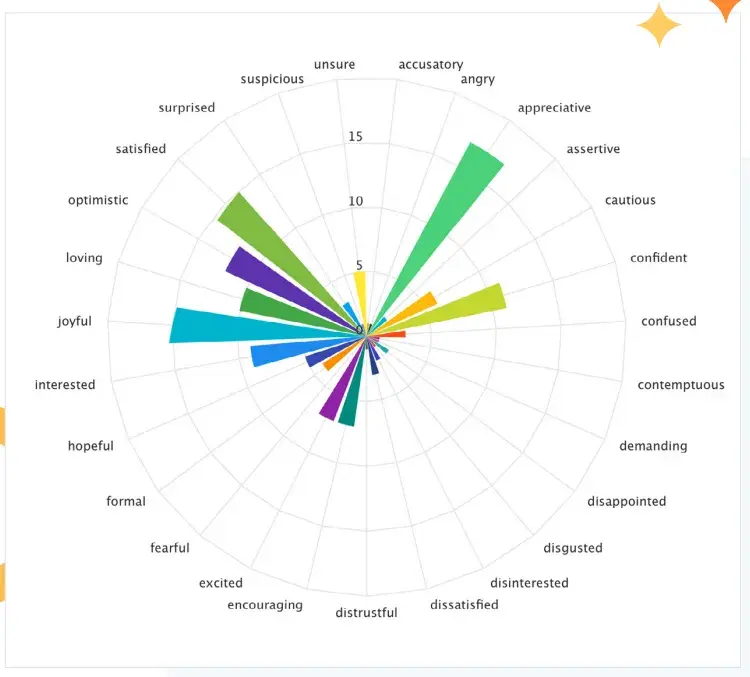
“We shifted budget from generic content to publishing original research reports with quotable statistics, making our brand the primary source that AI models cite when answering industry questions,” said Gabriel Bertolo, creative director at Radiant Elephant.

Bertolo notes that validation came quickly: within 60 days of publishing the first data study, Radiant Elephant appeared in 67% of AI responses related to key topics versus 8% before.

“We track this through monthly prompt testing and correlate it with a 3x increase in ‘attributable to AI discovery’ pipeline in our CRM,” Bertolo says.
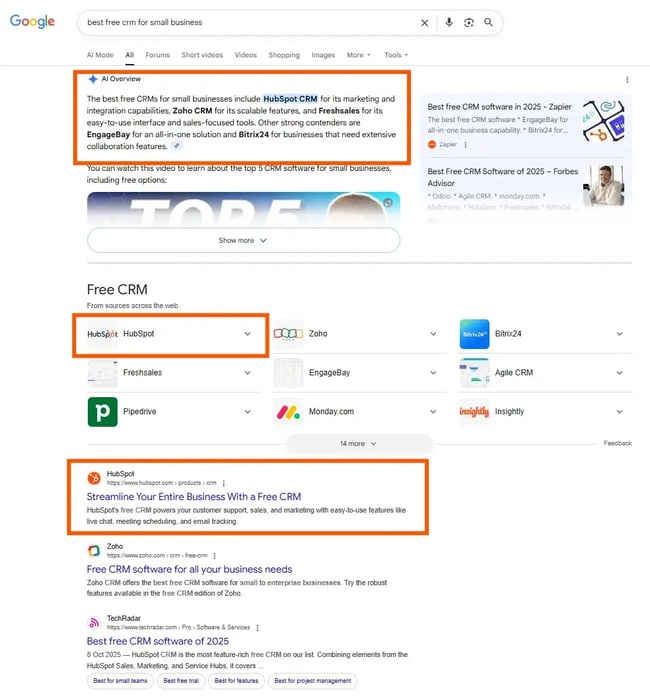
Bertolo’s approach highlights a simple truth: Visibility follows credibility. Original data acts as a magnet for both journalists and algorithms, turning every external mention into a micro-citation that reinforces your authority.
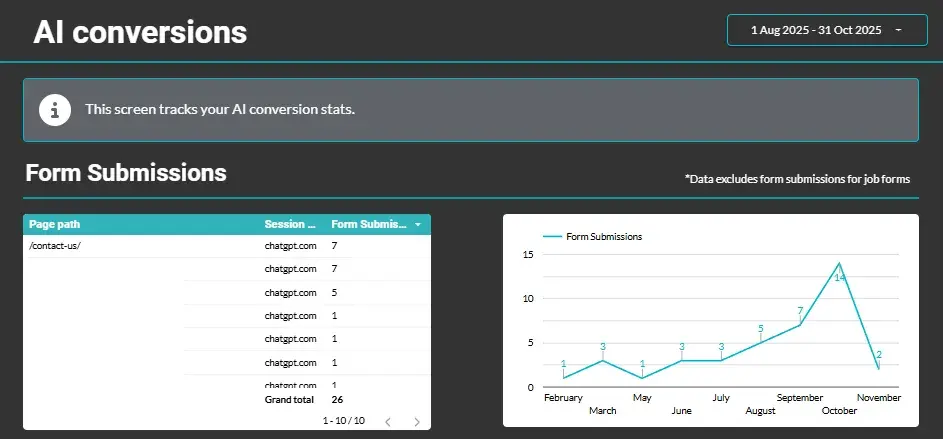
Engage in active communities.

AI models learn from public conversations. Taking part in trusted communities like LinkedIn, Reddit, G2, and industry forums increases your brand’s exposure across the discourse that LLMs sample continuously. For instance, Semrush research found that Reddit generates a 121.9% citation frequency in ChatGPT responses, meaning it’s referenced more than once per prompt.

How to do it:

  • Contribute expert insights, not product pitches — authority grows through participation, not promotion.
  • Encourage employees and advocates to join discussions as themselves, building reputational equity.
  • Align engagement with HubSpot’s Loop Marketing “Amplify” stage, which connects distributed brand activity across channels to measurable visibility outcomes.

Community engagement is a long but compounding game. Each authentic interaction becomes another data point, reinforcing who your brand helps and what it knows.

“Seeing that AI Overviews and Perplexity source heavily from Reddit, we’ve stopped just monitoring brand mentions and started strategic engagement,” says Ian Gardner, Director of Sales and Business Development at Sigma Tax Pro. “We‘re seeing a lot of progress in branded search from those communities, and with every model update, we’ve seen our AI citations rise.”

Gardner says Sigma Tax Pro deploys teammates to find and answer complex questions in niche subreddits and build visibility there. They post as themselves, with their own user flair, to build genuine authority, Gardner notes, “not to just drop links and spam communities—that would get them banned and destroy trust.”

Gardner’s approach reflects the new dynamic of AI-era credibility: Authority is distributed. The conversations happening on Reddit threads and niche forums are now feeding back into LLM training data. Brands that show up consistently with useful, verifiable contributions build unignorable visibility.

Improve AI search visibility with HubSpot’s AEO Grader.

AI search visibility is measurable now — and HubSpot’s AEO Grader shows exactly how large language models see your brand. The AEO Grader analyzes visibility across leading AI platforms like ChatGPT (GPT-4o), Gemini 2.0 Flash, and Perplexity AI, using standardized prompt sets and real-time data where available.

ai visibility, aeo grader

HubSpot’s AEO Grader reveals how often your brand appears in AI-generated answers, how your owned pages are cited, and how your sentiment and share of voice compare within your category.

Each report delivers five core visibility metrics:

  1. Brand recognition, how frequently your brand is surfaced.
  2. Market competition, your share of voice relative to peers.
  3. Presence quality, the strength and reliability of citations.
  4. Brand sentiment, tone and polarity across mentions.
  5. Contextual analysis, how consistently AI engines describe what your brand does and who it serves.

HubSpot’s AEO Grader identifies underlying factors such as mention depth, source quality, and confidence levels so teams can pinpoint what’s working — and where visibility can improve.

The result is a data-rich snapshot of visibility in AI platforms, helping marketers move from guesswork to clear performance optimization. Run the AEO Grader quarterly, or before major campaigns, to benchmark improvement and understand how AI perception changes.

ai visibility, aeo grader summary

The tool also aligns naturally with HubSpot’s Loop Marketing framework: the insights you gain from AEO Grader reports fuel the Evolve stage, turning AI visibility tracking into a continuous feedback loop of learning, change, and growth.

Find your visibility on AI platforms now with HubSpot’s AEO Grader.

Frequently Asked Questions About AI Search Visibility

AI search visibility is unfamiliar territory for most marketing teams. Here’s what to know if you’re building a visibility program for 2025 and beyond.

How often should we track AI search visibility?

Track AI search visibility monthly for optimal trend analysis, with quarterly tracking as the minimum frequency. Large language models update their training data, weightings, and response generation patterns more frequently than traditional search algorithms. Running your AEO Grader monthly provides a clean trend line with enough data to identify meaningful movement without creating noise.

Do we need llms.txt or special files for AI platforms?

No, llms.txt or special AI-specific files are not currently necessary or widely supported. Unlike web crawlers that honor robots.txt, AI systems don’t currently follow a universal “robots.txt for models.” While some companies are experimenting with llms.txt, adoption remains voluntary and inconsistent.

Instead, focus on structured transparency: schema markup, clear source attribution, and accessible licensing signals. These make your content easier for models to identify and cite, which is the practical goal llms.txt tries to achieve.

Can we track AI search visibility without paid tools?

Yes, AI search visibility can be tracked manually with structured processes and consistent execution. Manual tracking starts with a spreadsheet and repeatable workflow: select prompts, test across major AI engines, log mentions and citations, and review results monthly.

Be consistent: repeat the same prompts, at the same frequency, with the same scoring rules. Teams that start manually often build better habits and intuition before layering automation.

How do we handle AI result variability across runs?

Treat AI result variability as an expected feature instead of a problem. AI systems are “non-deterministic,” meaning two identical prompts can produce slightly different answers. The key is to examine patterns across multiple runs, rather than relying on single snapshots.

Aggregate five to ten samples per prompt and record the average mention rate, sentiment, and citation frequency. That smoothing helps you separate meaningful shifts from randomness.

How do we connect AI search visibility to pipeline and revenue?

Connect AI search visibility to pipeline by treating visibility as a leading indicator of awareness and demand. When AI engines mention your brand more frequently, that recognition often appears downstream in branded search volume, direct traffic, and higher click-through rates from comparison queries.

For example, if your brand mention rate in AI answers rises from 10% to 20% over a quarter, track whether branded traffic or demo requests followed the same trajectory. While rarely a one-to-one correlation, visibility trends almost always precede awareness gains. By integrating with HubSpot’s reporting tools, the AEO Grader helps teams tie AI visibility trends to measurable outcomes like influenced contacts, content-assisted opportunities, and pipeline from AI discovery sources.

Turning AI Search Visibility Into a Growth Engine

AI search visibility has become the next arena for brand discovery — and improving AI search visibility is now a core part of how brands protect and grow their share of demand. The teams that learn to track how large language models describe them, measure sentiment and citations, and connect that data to revenue are already shaping the narratives of their industries.

HubSpot’s AEO Grader makes that visibility measurable. Content Hub turns findings into structured, answer-ready content. And Loop Marketing closes the loop by translating insights into continuous iteration: create, test, evolve, repeat.

I’ve watched this shift unfold firsthand. Marketers who started measuring their AI visibility six months ago already understand how AI defines their categories and where they need to intervene. The takeaway is simple: AI will describe your brand whether you measure it. The advantage goes to the teams that make sure models tell the right story.

Categories B2B

8 best answer engine optimization (AEO) tools for growing businesses that every marketer should know

Here’s a tough pill to swallow: The way buyers discover brands has undergone a fundamental change. Thus, answer engine optimization tools have emerged as essential technology for marketers navigating the new era of search, where AI platforms like ChatGPT, Perplexity, and Google AI Overviews deliver direct answers instead of links.

Download Now: HubSpot's Free AEO Guide

AEO tools bridge this visibility gap by tracking how AI systems mention, cite, and recommend your brand. These AI search monitoring tools reveal data that traditional analytics can’t capture, such as:

  • Whether you’re being recommended
  • How you’re described
  • Where competitors are winning
  • Prompts you should own

As programmatic SEO evolves and the best content for SGE becomes structured, authoritative, and answer-ready, AI visibility tools help you measure what’s working and identify what needs to change.

In this guide, you’ll get:

  • A breakdown of 8 AI engine optimization tools, ranging from free entry points to enterprise-grade platforms
  • Clear comparisons by business size, budget, and integration requirements
  • Step-by-step guidance on how to measure AI visibility and track citations over time
  • A framework for aligning AEO metrics with inbound KPIs like leads, pipeline, and retention
  • Common mistakes to avoid when selecting tools, plus red flags that signal shelfware risk
  • A practical rubric for evaluating which platform fits your team’s needs

Whether you’re exploring AEO for the first time or looking to upgrade your current stack, this guide will help you choose an answer engine optimization tool that drives results rather than collects dust.

Table of Contents

What is AEO software?

AEO software refers to specialized answer engine optimization tools designed to track, analyze, and improve your brand’s visibility within AI-generated responses.

a HubSpot-branded image defining and explaining what AEO software is in plain english

Unlike traditional SEO platforms that measure search engine rankings and keyword positions, AEO tools monitor how AI models such as ChatGPT, Perplexity, Google AI Overviews, Copilot, Gemini, and Claude reference, cite, and recommend your brand.

Here’s how AEO tools differ from traditional SEO platforms:

  • Monitoring focus. SEO tools track SERP positions and organic traffic. AI visibility tools track brand mentions, citations, and sentiment within AI-generated answers.
  • Data sources. SEO platforms pull from search engine indexes. AI search monitoring tools query multiple large language models to capture how each AI responds to industry-relevant prompts.
  • Success metrics. SEO measures clicks and impressions. AEO measures citation frequency, recommendation sentiment, and share of voice across AI platforms.
  • Content guidance. SEO tools optimize for keywords and backlinks. AEO tools optimize for the structured, authoritative content patterns that AI models prefer to cite.

Even if you’re already using HubSpot’s SEO Marketing Software, Ahrefs, or SEMrush, you still need dedicated answer engine optimization tools because traditional platforms weren’t built to query AI models or interpret how LLMs select sources.

Here’s the thing: AI engines don’t simply crawl and index; they synthesize information from multiple sources and decide which brands to recommend based on perceived authority, clarity, and relevance. Additionally, AEO tools integrate with CRM and content workflows, enabling marketing teams to connect AI visibility data to pipeline performance directly.

This integration enables you to measure the correlation between improvements in AI recommendations and actual lead generation, not just vanity metrics.

Pro tip: Want to see where your brand currently stands in AI search results? HubSpot’s AI Search Grader provides a free assessment of your visibility across major AI platforms, giving you a baseline before investing in comprehensive AI engine optimization tools.

How do AEO tools work?

a hubspot-branded image explaining how AEO tools work in plain english with orange and white pictograms to accompany each function

AEO tools operate by systematically querying AI models, capturing their responses, and analyzing how those responses reference your brand, competitors, and industry topics.

Unlike traditional SEO crawlers that scan web pages, AI search monitoring tools interact directly with large language models to extract visibility data from AI-generated answers.

For more context, here’s how the core features function:

1. AI Visibility Tracking

AI visibility tools submit prompts to multiple AI platforms (including ChatGPT, Perplexity, Google AI Overviews, Copilot, Gemini, and Claude) and record whether your brand appears in the responses.

This tracking occurs across various prompt variations, user intent categories, and geographic settings to establish a comprehensive visibility profile.

2. Citation Detection

AEO tools track brand mentions and citations in AI-generated answers by identifying when AI models reference your content as a source. Citation detection distinguishes between:

  • Direct citations. The AI explicitly names your brand or links to your content.
  • Indirect references. The AI paraphrases your content without attribution.
  • Competitive citations. The AI recommends a competitor instead of your brand.

3. Sentiment Analysis

Answer engine optimization tools evaluate the tone and context surrounding your brand mentions.

Sentiment analysis reveals whether AI models describe your brand positively, neutrally, or negatively, and flags potential reputation risks before they scale across millions of AI-generated responses.

4. Model Coverage

Different AI platforms produce different answers.

AI engine optimization tools monitor multiple models simultaneously because a brand might appear prominently in Perplexity but remain absent from other models, such as Claude or Gemini. Comprehensive model coverage ensures you understand visibility gaps across the whole AI ecosystem.

5. Crawler Analytics

AEO platforms track how AI training crawlers and retrieval systems interact with your website. Thus, crawler analytics reveal:

  • Which pages do AI systems access most frequently
  • Whether your robots.txt or technical setup blocks AI crawlers
  • How page structure and schema markup influence AI content ingestion

6. Optimization Prompts

Based on visibility data, AEO tools generate specific content recommendations. These optimization prompts identify:

  • Structural changes
  • Semantic enhancements
  • Authority signals (that increase the likelihood of AI citation)

Pro tip: Want the full scoop on all things AEO? Check out this video from the HubSpot Marketing YouTube channel.

Top AEO Tools (At a Glance)

Tool

Best For

Key Features

Pricing

Free Trial

HubSpot (AEO Grader + Content Hub)

SMBs and mid-market companies already using HubSpot

Brand recognition scoring

Competitive benchmarking

Market position assessment (Leader/Challenger/Niche Player)

Content Hub starts at $15/month for individuals

Content Hub Professional begins at $500/month

Yes (AEO Grader is free forever)

xFunnel

Mid-market companies and agencies seeking unified SEO and AEO

xFlow visualization

Buying journey analysis

Optimization playbooks

Dedicated analyst support

Experimentation platform

Custom pricing only; requires booking a strategy call or demo

Yes

Semrush (AI Visibility Toolkit)

SMBs and agencies seeking affordable AI visibility tracking

AI visibility score

Prompt research

Competitor gap analysis

Semrush One Starter begins at approximately $199/month (50 prompts)

Semrush Pro+ starts at $300/month (100 prompts)

Yes

Otterly.AI

SMBs and agencies seeking affordable AI visibility tracking

Search prompt discovery

Brand visibility index

Citation tracking

Lite starts at $29/month (15 prompts)

Standard at $189/month (100 prompts)

Premium at $489/month (400 prompts)

No (demo required)

Profound

Enterprise brands (Fortune 500) requiring compliance and deep analytics

Conversation Explorer (200M+ prompts)

Citation accuracy scoring

AI crawler log analysis

SOC 2 Type II and HIPAA compliance

Starter starts at $99/month

Growth starts at $399/month

Enterprise requires custom pricing

Free AI search assessment

Goodie AI

Mid-market to enterprise brands needing end-to-end optimization

Intelligent prompt engine

Attribution dashboard connecting AI visibility to revenue

AEO content writer

Starts at approximately $495/month

Custom team and enterprise tiers are available upon consultation

Yes

Ahrefs (Brand Radar)

SEO teams adding AI monitoring to existing Ahrefs workflows

Brand mention monitoring

Citation tracking

Integration with existing backlink and keyword data

Included with Ahrefs subscriptions starting at

$129/month

Standard tier starts at $249/month

Advanced tier starts at $449/month

Yes

Surfer SEO (AI Tracker)

Content teams prioritizing optimization alongside visibility tracking

Content editor with NLP recommendations

AI visibility tracking

SERP analyzer

Essential starts at $99/month

Scale starts at $219/month

Enterprise starts at $999/month

Yes

8 AEO Tools That Every Marketer Should Use

Overall, selecting the “right” answer engine optimization tools depends on:

  • Your business size
  • Budget
  • The level of integration required with existing workflows

However, the following platforms represent the current landscape of AEO tools, ranging from free entry-level solutions to enterprise-grade offerings. Take a look at them to get a better sense of what you might need:

1. HubSpot (AEO Grader and Content Hub)

HubSpot’s AI visibility tools provide a free entry point for brands exploring answer engine optimization. Moreover, HubSpot’s AEO Grader analyzes your brand’s visibility across GPT-4o, Perplexity, and Gemini, delivering:

  • Competitive positioning data
  • Sentiment analysis
  • Share of voice metrics without requiring a subscription

a screenshot of HubSpot’s answer engine optimization tool, the AEO grader

Best for: SMBs and mid-market companies already using HubSpot.

HubSpot’s key features:

  • Brand recognition scoring. This feature reveals how frequently your brand appears in search results when users search for information about your industry.
  • Competitive benchmarking. This feature reveals the share of voice gaps between your brand and competitors.
  • Market position assessment (Leader/Challenger/Niche Player). This feature categorizes your brand’s standing relative to competitors in AI search.

HubSpot Content Hub (and AEO Grader) pricing:

  • AEO Grader is free
  • Content Hub starts at $15/month for individuals; Content Hub Professional begins at $500/month

2. xFunnel (now part of HubSpot)

xFunnel helps brands monitor, experiment with, and strengthen their visibility across AI-powered search engines. AEO tools track brand mentions and citations in AI-generated answers from:

  • ChatGPT
  • Claude
  • Gemini
  • Perplexity
  • Google AI Overviews
  • Google AI Mode
  • Microsoft Copilot

a screenshot of xFunnel’s aeo visualization tool, showcasing how answer engine optimization tools function

Source

Best for: Mid-market to enterprise brands seeking dedicated AEO analyst support and experimentation frameworks

xFunnel’s key features:

  • xFlow visualization. This feature maps how content and brand mentions appear within AI search results.
  • Research and segmentation. This feature identifies top queries by intent level and segments data by region, persona, or product to uncover what buyers are asking about your industry.
  • Visibility tracking. This feature measures share of voice, brand sentiment, and competitive positioning across multiple AI engine optimization tools.

XFunnel pricing:

  • Custom pricing only; requires booking a strategy call or demo
  • Pre-acquisition reports indicated that the enterprise-level positioning was comparable to other premium AEO tools in the $500+/month range

Note: HubSpot announced its acquisition of xFunnel on October 31, 2025. Standalone xFunnel accounts are being migrated into HubSpot’s ecosystem, where xFunnel’s technology will integrate with Content Hub’s AEO capabilities as part of the Loop Marketing framework.

3. Semrush

Semrush launched its AI Visibility Toolkit in 2025, bringing AI search monitoring tools into its established SEO ecosystem. The platform tracks brand mentions across:

  • ChatGPT
  • Perplexity
  • Google AI Overviews
  • AI Mode
  • Gemini

All of this is accessible within the same dashboard used for traditional keyword research.

a screenshot of Semrush’s aeo visualization tool, showcasing how answer engine optimization tools function

Source

Best for: Mid-market companies and agencies seeking unified SEO and AEO.

Semrush’s Key features:

  • AI visibility score. This feature quantifies your brand’s presence across AI platforms relative to competitors.
  • Prompt research. This feature helps you discover and prioritize AI search topics based on volume and intent.
  • Competitor gap analysis. This feature highlights prompts where competitors appear, but your brand doesn’t.

Semrush pricing:

  • Semrush One Starter begins at approximately $199/month (50 prompts)
  • Semrush Pro+ starts at $300/month (100 prompts)

4. Otterly.AI

Otterly.AI delivers AI engine optimization tools at accessible price points, making it ideal for teams taking their first steps into answer engine optimization. AEO tools monitor AI models, including:

  • ChatGPT
  • Perplexity
  • Google AI Overviews
  • Gemini
  • Microsoft Copilot

Plus, it monitors all of these platforms through automated daily tracking.

a screenshot of Otterly.ai’s aeo visualization tool, showcasing how answer engine optimization tools function

Source

Otterly.ai’s key features:

  • Search prompt discovery. This feature uncovers high-value prompts your audience uses when researching solutions like yours.
  • Brand visibility index. This feature provides a single score tracking your brand’s presence across AI platforms over time.
  • Citation tracking. This feature shows which of your URLs AI platforms reference as sources in their answers.

Otterly.ai pricing:

  • Lite starts at $29/month (15 prompts)
  • Standard at $189/month (100 prompts)
  • Premium at $489/month (400 prompts)

5. Profound

Profound positions itself as an enterprise-grade AEO tools platform. It tracks visibility across 10+ AI engines, including:

  • ChatGPT
  • Claude
  • Perplexity
  • Google AI Overviews
  • Gemini
  • Microsoft Copilot
  • DeepSeek
  • Grok
  • Meta AI

a screenshot of profound’s aeo visualization tool, showcasing how answer engine optimization tools function

Source

Profound’s key features:

  • Conversation Explorer. This feature surfaces real user prompts from various conversations to reveal what your audience asks AI platforms.
  • Citation accuracy scoring. This feature flags when AI engines misrepresent your products, services, or brand attributes.
  • AI crawler log analysis. This feature tracks how AI bots access and index your content to identify technical barriers.

Profound pricing:

  • Starter starts at $99/month
  • Growth starts at $399/month
  • Enterprise requires custom pricing

6. Goodie AI

Goodie AI differentiates itself by combining visibility monitoring with actionable optimization through its Optimization Hub. It tracks AI visibility tools data across 11 models, including:

  • ChatGPT
  • Gemini
  • AI Overview
  • Claude
  • Perplexity
  • Grok
  • DeepSeek
  • Meta AI
  • AI Mode
  • Copilot
  • Amazon Rufus

a screenshot of goodie ai’s aeo visualization tool, showcasing how answer engine optimization tools function

Source

Goodie AI’s key features:

  • Intelligent prompt engine. This feature recommends the topics and prompts to optimize based on your target audience and ICPs.
  • Attribution dashboard connecting AI visibility to revenue. This feature ties AI answer impressions to website sessions and assisted revenue through UTM tracking.
  • AEO content writer. This feature generates optimized content designed to earn citations across AI platforms.

Goodie AI pricing:

  • Starts at approximately $495/month
  • Custom team and enterprise tiers are available upon consultation

7. Ahrefs

Ahrefs extended its traditional SEO platform with Brand Radar, enabling teams already using answer engine optimization tools to layer AI visibility tracking without switching vendors.

a screenshot of ahref’s aeo visualization tool, showcasing how answer engine optimization tools function

Source

Best for: SEO teams looking to integrate AI monitoring into their existing Ahrefs workflows.

Ahrefs’ key features:

  • Brand mention monitoring. This feature tracks how often AI engines reference your brand across major platforms.
  • Citation tracking. This feature identifies which of your pages AI platforms cite as sources.
  • Integration with existing backlink and keyword data. This feature lets you view AI citation data alongside traditional SEO metrics, all in one dashboard.

Ahrefs pricing:

  • Included with Ahrefs subscriptions starting at $129/month
  • Standard tier starts at $249/month
  • Advanced tier starts at $449/month

8. Surfer SEO

Surfer SEO combines content optimization with AI search monitoring tools, helping teams both track their AI presence and improve content structure for better citation likelihood.

a screenshot of surfer seo’s aeo visualization tool, showcasing how answer engine optimization tools function

Source

Surfer SEO’s key features:

  • Content editor with NLP recommendations. This feature delivers real-time feedback on content structure to improve AI citation likelihood.
  • AI visibility tracking. This feature monitors where your content appears in AI-generated answers across major platforms.
  • SERP analyzer. This feature examines search results to identify content patterns that earn both rankings and AI citations.

Surfer SEO pricing:

  • Essential starts at $99/month
  • Scale starts at $219/month
  • Enterprise starts at $999/month

How to Measure AI Visibility and Citations

Now that we’ve explored which answer optimization tools could be a good fit for your team, let’s talk about measuring AI visibility and citations.

Firstly, traditional SEO metrics (such as rankings, clicks, and impressions) don’t capture whether AI platforms recommend your brand when users ask for solutions. Moreover, measuring AI visibility requires tracking different signals across different platforms using purpose-built AEO tools.

Basically: AEO tools track brand mentions and citations in AI-generated answers, providing data that traditional analytics platforms can’t access.

In the next section, discover how to establish a measurement framework that connects AI visibility to business outcomes.

Key AEO Metrics to Track

a hubspot-branded graphic explaining how to measure AI visibility and citations in plain English with orange and white pictograms for each

1. AI Visibility Score

An AI visibility score measures how often your brand appears in AI-generated responses compared to competitors.

Most AI visibility tools calculate this as a percentage based on a defined set of prompts relevant to your industry.

2. Share of Voice

Share of voice quantifies your brand’s presence relative to competitors across the same set of prompts.

For example, if you appear in 15 of 100 tracked prompts and your top competitor appears in 40, your share of voice is 15% versus their 40%.

3. Citation Frequency

Citation frequency is simple. It counts how often AI platforms reference your content as a source.

However, AI search monitoring tools distinguish between the following forms of brand visibility:

  • Direct citations. AI generates a name for your brand or links to your URL.
  • Indirect mentions. AI references your content without explicit attribution.
  • Recommendation position. Where your brand appears in ranked lists or comparisons.

4. Sentiment Analysis

Sentiment analysis evaluates whether AI platforms describe your brand positively, neutrally, or negatively.

This metric reveals reputation risks that could influence purchase decisions before prospects ever reach your website.

How to Track Brand Visibility Over Time

Measuring AI visibility once provides a snapshot of the current state. Measuring it continuously reveals trends, identifies what’s working, and catches visibility drops before they impact the pipeline.

Here’s how to track brand visibility over time in six simple steps

Step 1: Establish your prompt library.

First, create a list of 50 to 200 prompts that reflect how your target audience asks questions on AI platforms. Include:

  • Category-level queries (“What’s the best CRM for small businesses?”)
  • Comparison queries (“HubSpot vs. Salesforce for startups”)
  • Problem-based queries (“How do I improve email open rates?”)
  • Brand-specific queries (“Is [your brand] good for [use case]?”)

Step 2: Select your model coverage.

Different AI platforms produce different answers.

Answer engine optimization tools should track visibility across multiple models simultaneously because your brand might rank well in ChatGPT but remain absent from Perplexity or Claude.

Overall, prioritize the platforms your audience uses most.

Step 3: Set your tracking cadence.

Next, set your tracking cadence based on your team’s needs. I recommend using this breakdown as a guide:

  • Daily tracking captures rapid changes and lets you correlate visibility shifts with content updates.
  • Weekly tracking balances data freshness with cost efficiency for most mid-market teams.
  • Monthly tracking is effective for baseline benchmarking, but it misses short-term fluctuations.

Step 4: Segment by prompt category.

Group prompts by funnel stage, product line, or persona to identify where you’re winning and where you’re losing.

AI engine optimization tools with segmentation capabilities reveal whether visibility gaps cluster around specific topics or buyer intents.

Step 5: Monitor competitor movement.

Then, track the same prompts for 3 to 5 key competitors.

When a competitor’s visibility increases on prompts where yours decreased, investigate what content or citations drove the shift.

Step 6: Document citation sources.

Lastly, record which URLs AI platforms cite when mentioning your brand. This data reveals which pages AI systems consider authoritative, helping to prioritize optimization efforts.

Pro tip: Start by benchmarking your current AI presence with HubSpot’s AI Search Grader, which analyzes visibility across GPT-4o, Perplexity, and Gemini for free.

Aligning AEO Metrics With Inbound Marketing KPIs

AI visibility data is valuable on its own, especially when benchmarking against competitors. But it becomes most actionable when connected to revenue outcomes. AEO metrics align with inbound marketing KPIs such as:

  • Leads
  • Pipeline
  • Retention

This alignment occurs through integrated dashboards that track the entire journey, from AI citation to closed deal.

Take a look below to learn how to align AEO metrics with your inbound reporting:

1. Connect visibility to traffic.

HubSpot’s Marketing Hub now segments AI referral traffic separately from organic search, allowing you to measure how many visitors arrive after encountering your brand in an AI-generated answer.

Pro Tip: Tag these visitors as “LLM Referred” to track their behavior through the funnel.

2. Map citations to lead generation.

Build dashboard views that correlate:

  • AI visibility score changes with lead volume trends
  • Share of voice improvements with demo request increases
  • Citation frequency growth with MQL conversion rates

3. Attribute pipeline influence.

When prospects mention they “asked ChatGPT” or “saw you recommended in Perplexity,” log this as an AI-influenced touchpoint.

Over time, this attribution data reveals which prompts and platforms drive the highest-value opportunities.

4. Track retention signals.

Monitor whether AI platforms accurately describe your product capabilities. Inaccurate AI responses can create expectation mismatches, resulting in increased customer churn.

AEO tools with sentiment tracking flag these risks before they scale.

5. Build your AEO dashboard.

Include these metrics side-by-side:

AEO Metric

Inbound KPI

Relationship

AI Visibility Score

Website traffic from AI referrals

Leading indicator of discovery

Share of Voice

Lead volume vs. competitors

Market position signal

Citation Frequency

MQL conversion rate

Authority indicator

Sentiment Score

Customer retention rate

Experience alignment

AEO tools integrate with CRM and content workflows, enabling teams to connect AI visibility data directly to HubSpot’s reporting infrastructure. This integration transforms AI measurement from a standalone metric into an integrated component of your marketing analytics.

Mistakes to Avoid When Choosing AEO Tools

Here’s the deal: The AEO tools market expanded from 5 platforms to 60+ vendors in 18 months, creating decision paralysis for marketing teams evaluating options. (Crazy, I know!)

That said, many organizations invest in AI visibility tools only to discover they’ve purchased expensive dashboards that generate anxiety without solutions.

Avoiding these common mistakes will help you select answer engine optimization tools that drive results rather than collect dust.

Take a look below to avoid the traps that turn AEO tools into shelfware:

a hubspot-branded graphic explaining the mistakes to avoid when choosing AEO tools in plain english

Mistake #1: Tool Sprawl

Adding a dedicated AEO platform on top of your existing SEO suite, content tools, and analytics stack creates fragmented data and duplicated costs. Teams end up checking multiple dashboards without a unified view of performance.

The fix? Evaluate whether your current SEO platform offers AI visibility features before purchasing standalone AI search monitoring tools. HubSpot, Semrush, Ahrefs, and Surfer SEO have all added AEO capabilities.

If your existing stack can’t cover AI visibility, choose one dedicated platform, not three.

Mistake #2: Tracking Without Action

The most common AEO failure pattern: teams purchase expensive tracking tools, generate monthly reports showing 8% share of voice while competitors dominate at 40%, then don’t know what to do next. Visibility data without optimization guidance is a wasted investment.

The fix? Prioritize AEO tools that include actionable recommendations, content briefs, or optimization playbooks, not just dashboards.

Then, ask vendors: “After I see the data, what specific actions does your platform recommend?”

Mistake #3: Ignoring Technical Basics

No amount of AI optimization compensates for fundamental technical problems. If AI crawlers can’t access your content due to JavaScript rendering issues, blocked robots.txt directives, or missing schema markup, AI engine optimization tools will simply report persistent invisibility.

The fix: Audit technical accessibility before investing in visibility tracking. Confirm that:

  • AI crawlers (GPTBot, Google-Extended, Anthropic) aren’t blocked
  • Content renders server-side or uses proper SSR
  • Schema markup exists on key pages
  • Page load speeds don’t timeout crawler requests

Pro tip: HubSpot’s Content Hub supports AEO content structuring and publishing workflows, ensuring your content is technically accessible to AI systems before you begin tracking visibility.

Mistake #4: Chasing Every Model

As previously mentioned, AEO tools monitor AI models such as:

  • ChatGPT
  • Perplexity
  • Google AI Overviews
  • Copilot
  • Gemini
  • Claude

But tracking all platforms equally spreads resources thin. Each model requires different optimization approaches, and your audience likely concentrates on 2 to 3 platforms.

The fix? Identify which AI platforms your target buyers actually use, then prioritize those models in your tracking and optimization. A B2B SaaS company might focus on ChatGPT and Perplexity; an e-commerce brand might prioritize Google AI Overviews and Amazon Rufus.

Mistake #5: Overlooking Integration Requirements

Standalone AI visibility tools that can’t connect to your CRM, analytics, or content systems create data silos. Therefore, you’ll manually export CSVs, copy-paste insights, and struggle to attribute AI visibility to revenue outcomes.

The fix? Verify integration capabilities before purchasing. AEO tools integrate with CRM and content workflows through APIs, native connectors, or webhook support. If your organization runs on HubSpot’s Smart CRM, prioritize tools that sync with Marketing Hub’s reporting infrastructure.

Mistake #6: Buying Based on Model Count Alone

Vendors compete on “we track 12 AI engines” headlines, but coverage breadth means nothing if data accuracy is poor. Some platforms use API polling that captures different responses than real users see; others rely on infrequent sampling that misses daily volatility.

The fix? Ask vendors how they collect data (i.e., real browser queries vs. API calls), how often they refresh results (i.e., daily vs. weekly), and whether they store response screenshots for verification.

Tool Selection Rubric

Use this framework to evaluate answer engine optimization tools systematically:

Criteria

Questions to Ask

AI Engine Coverage

Which models does it track? Does coverage match where your audience searches?

Prompt Tracking

Can you add custom prompts? How many prompts are included per tier?

Citation Transparency

Does it show which URLs AI platforms cite? Can you trace citations to specific pages?

Export/API Access

Can you export data to CSV? Is API access included or enterprise-only?

CRM Integration

Does it connect to HubSpot, Salesforce, or your existing stack?

Onboarding

Is the setup self-serve or does it require vendor assistance? How long until the first insights?

Support

Do you get dedicated analyst support or just documentation?

Pricing Clarity

Is pricing published or quote-based? What triggers tier upgrades?

Red Flags That Signal Shelfware Risk

Sometimes, not choosing a tool means dodging a bullet.

Watch for these warning signs that an AEO platform may become unused:

  • No published pricing. Custom quotes often mean enterprise-only positioning that doesn’t match your budget or team size.
  • Dashboard-only value prop. If the vendor only talks about “visibility scores” without mentioning optimization guidance, you’re buying a report generator.
  • No free trial or audit. Reputable AI search monitoring tools let you test with your actual brand before committing.
  • Excessive onboarding timelines. If setup takes 4 weeks or more with mandatory vendor involvement, adoption will likely stall.
  • API access is gated behind the top tiers. You’ll eventually need to connect this data elsewhere; locked APIs create future headaches.

The “Less, But Better” Stack Design

In this crowded climate, it can be hard to resist the temptation to assemble a comprehensive AEO stack.

However, to avoid overcomplicating your stack, follow this minimalist approach:

  • Start with a free baseline. Use HubSpot’s AI Search Grader to understand your current visibility before spending anything.
  • Choose one primary platform. Select a single AEO tools solution that covers your priority AI engines, offers actionable guidance, and integrates with your existing systems.
  • Let your SEO platform handle overlap. If Semrush or Ahrefs covers basic AI visibility, don’t duplicate that capability in a standalone tool.
  • Invest in execution, not just tracking. Allocate budget for content creation, technical optimization, and earned media — the activities that actually improve visibility — rather than stacking multiple tracking dashboards.
  • Review quarterly. The AEO market is evolving rapidly. Reassess your tooling every 90 days as platforms add features and new entrants emerge.

Again, AEO metrics align with inbound marketing KPIs such as leads, pipeline, and retention, but only when you have the bandwidth to act on insights. A simple stack you actually use outperforms a sophisticated stack that overwhelms your team.

Frequently Asked Questions (FAQs) About AEO Tools

What’s the best beginner AEO tool for a small team?

The best beginner AEO tools combine three qualities:

  • Broad enough AI engine coverage to capture where your audience searches
  • Simple enough interfaces to use without dedicated analysts
  • Affordable enough pricing to justify the investment before you’ve proven ROI

Although, here’s what “beginner-friendly” means in practice:

  • Coverage. Tracks at least ChatGPT, Perplexity, and Google AI Overviews (the three platforms with the highest current usage).
  • Simplicity. Offers pre-built prompt libraries so you’re not starting from scratch; provides clear recommendations rather than raw data alone.
  • Cost. Includes a free tier or trial period; paid plans under $100/month for basic functionality.

Pro tip: For small teams, start with HubSpot’s AI Search Grader and Content Hub — it’s free, requires no setup, and delivers immediate visibility insights across GPT-4o, Perplexity, and Gemini.

How to pilot AEO tools in 30 days:

  • Week 1. Run the AI Search Grader to establish your current visibility score and identify top competitors in AI answers.
  • Week 2. Sign up for a free trial of one paid platform; configure 25 to 50 prompts aligned with your core product or service.
  • Week 3. Review initial data; identify 3 to 5 prompts where competitors appear, but you don’t.
  • Week 4. Create or update one piece of content targeting a visibility gap; document your baseline metrics for future comparison.

This approach validates whether AI visibility tools deliver actionable insights for your specific situation before committing to annual contracts.

Do I need AEO tools if I already use an SEO suite?

You may not need a standalone platform. Several established SEO suites now include AI search monitoring tools as add-on features, reducing the need for separate subscriptions.

Here’s where SEO and AEO tools overlap:

  • Keyword research (SEO) informs prompt selection (AEO)
  • Content optimization recommendations apply to both channels
  • Competitor analysis spans traditional and AI search
  • Technical audits (crawlability, schema, page speed) benefit both

Here’s where AEO tools differ:

  • AEO tools track brand mentions and citations in AI-generated answers, data that traditional SEO platforms don’t capture.
  • AEO tools monitor AI models, including ChatGPT, Perplexity, Google AI Overviews, Copilot, Gemini, and Claude, simultaneously.
  • Sentiment analysis reveals how AI describes your brand, not just whether you rank.
  • Citation tracking shows which specific URLs AI platforms reference as sources.

Now that I’ve covered the overlap and differences, let’s walk through how to stack tools without duplication:

  • Check whether your current SEO platform offers AI visibility features. HubSpot has created its AEO Grader; Semrush launched its AI Visibility Toolkit in 2025; Ahrefs added Brand Radar; Surfer SEO includes an AI Tracker add-on.
  • If your SEO suite covers basic AI visibility, use it first before adding specialized answer engine optimization tools.
  • Add a dedicated AEO platform only when you need capabilities your SEO suite lacks. Deeper prompt tracking, optimization playbooks, or dedicated analyst support are all signals you’ve outgrown your current setup.

Lastly, here’s when it’s appropriate to upgrade to dedicated AEO tools:

  • Your SEO suite’s AI features feel like an afterthought rather than a core capability.
  • You need to track more prompts than your current platform allows.
  • You require CRM integration to connect visibility data to pipeline metrics.
  • Competitors are gaining AI visibility faster than you can respond with existing tools.

How do I pick prompts to track across AI models?

Prompt selection determines whether your AI engine optimization tools deliver relevant insights or noise. A structured approach ensures you’re tracking the questions your buyers actually ask.

Step 1: Map prompts to personas.

First, identify 2 to 3 primary buyer personas, then brainstorm the questions each persona asks when researching solutions like yours.

For example, a marketing director asks different questions than a CFO evaluating the same product, so tailor your prompts accordingly.

Step 2: Align prompts to buyer stages.

Next, categorize prompts by where buyers are in their journey. Below are a few examples to start with:

  • Awareness stage. “What is [category]?” / “How do I solve [problem]?”
  • Consideration stage. “Best [category] tools for [use case]” / “How to choose a [solution type]”
  • Decision stage. “[Your brand] vs. [competitor]” / “Is [your brand] good for [specific need]?” / “[Your brand] pricing”

Step 3: Include use-case variations.

The same buyer intent is reflected in different phrasings. Be sure to track other prompt variations, such as:

  • “Best CRM for small business”
  • “What CRM should a startup use?”
  • “CRM recommendations for teams under 50 people”

Step 4: Add competitor-specific prompts.

Then, monitor prompts where competitors currently dominate to identify opportunities for displacement, such as:

  • “[Competitor] alternatives”
  • “[Competitor] vs. [other competitor]”
  • “Problems with [competitor]”

Step 5: Tie prompts to reporting segments.

Group prompts into categories that align with how you report on marketing performance, like:

  • Product line
  • Region
  • Funnel stage

This structure ensures that the data from AI visibility tools integrates cleanly into existing dashboards.

Pro tip: Begin with 50 prompts distributed across personas and buyer stages. Expand to 100 to 200 prompts once you’ve validated which categories yield actionable insights.

When should you pay for enterprise AEO features?

Enterprise answer engine optimization tools typically cost $500 to $1,000 per month and include capabilities that mid-market platforms don’t offer.

These features justify the investment only when your organization’s scale, complexity, or compliance requirements demand them.

Below are a few signals that justify enterprise AEO capabilities:

  • Governance needs. You manage multiple brands, regions, or product lines that require separate tracking, permissions, and reporting hierarchies.
  • Scale requirements. You need to track 500+ prompts across 10+ AI engines with daily refresh rates.
  • Collaboration complexity. Multiple teams (SEO, content, PR, product marketing) need role-based access and workflow handoffs within the platform.
  • Security mandates. Your organization requires SOC 2 Type II certification, SSO integration, HIPAA compliance, or data residency controls.
  • Integration depth. You need API access, webhook triggers, or native connectors to BI tools like Tableau, Looker, or Power BI.
  • Strategic support. You want dedicated analyst partnerships, quarterly business reviews, or custom playbook development rather than self-serve documentation.

However, here’s how to know when enterprise features are overkill:

  • Your team has fewer than 5 people using the platform.
  • You’re tracking fewer than 100 prompts.
  • You don’t have compliance requirements beyond standard data security.
  • Self-serve onboarding and documentation meet your needs.

Pro tip: HubSpot’s Content Hub supports AEO content structuring and publishing workflows, which means teams already using HubSpot’s enterprise marketing tools may find that integrated AEO features meet their needs without requiring a separate enterprise platform.

How quickly can I see meaningful results from AEO?

AI visibility improvements typically appear faster than traditional SEO gains, but timelines vary based on your starting position, content velocity, and competitive landscape.

Here are some realistic timeline expectations:

  • Weeks 1 to 2. Baseline visibility data is available immediately after configuring AI search monitoring tools. You’ll know where you stand.
  • Weeks 3 to 4. Initial content optimizations (schema updates, answer-formatted sections, TL;DR additions) can begin influencing AI responses.
  • Months 2 to 3. Measurable visibility improvements are evident for teams publishing 2–4 optimized pieces per week. (Expect 10 to 20% share of voice gains on targeted prompts.)
  • Months 4 to 6. Compounding effects emerge as AI systems recognize your domain as authoritative across related topics. Teams report 40 to 60% improvement in visibility within this window.
  • Month 6+. Sustainable visibility requires ongoing content investment. AI citation patterns shift as models update and competitors optimize.

Additionally, here are a few factors that accelerate results:

  • Strong existing domain authority (AI systems favor trusted sources)
  • Active third-party mentions and citations across the web
  • Consistent publishing cadence with AEO-structured content
  • Technical accessibility for AI crawlers is already in place

Next, here are a few factors that slow results:

  • Low domain authority requiring foundational SEO work first
  • Minimal existing brand mentions across the web
  • Infrequent content publishing (monthly or less)
  • Technical barriers blocking AI crawler access

Lastly, here’s a baseline-to-iteration approach:

  • Establish your visibility score before making any changes
  • Document specific prompts where you’re absent (but competitors appear)
  • Prioritize 5 to 10 high-value prompts for your first optimization sprint
  • Measure visibility changes at 30, 60, and 90 days
  • Double down on tactics that moved metrics; abandon those that didn’t

AEO tools integrate with CRM and content workflows, enabling you to correlate visibility improvements with downstream pipeline metrics over time. The goal isn’t just “higher visibility scores,” it’s connecting AI presence to leads, opportunities, and revenue.

SEO isn’t dead, AEO’s just here to stay.

In my experience, the brands winning in AI search aren’t abandoning SEO. Instead, they’re layering AEO tools on top of a strong foundation. The fundamentals haven’t changed: authoritative content, technical accessibility, and trusted backlinks still matter.

However, what’s changed is where that content needs to appear. AI search monitoring tools reveal whether your investment in quality content translates into AI citations, not just traditional rankings.

My top recommendations? Before investing in answer engine optimization tools, do the following:

  • Audit your current AI visibility using a free tool like HubSpot’s AI Search Grader to establish your baseline.
  • Confirm that AI crawlers can access your content (no amount of optimization compensates for technical barriers).
  • Identify 3 to 5 high-value prompts where competitors appear (but you don’t), then prioritize those gaps first.

This assessment ensures you’re solving the right problems before adding AI visibility tools to your stack.

Plus, HubSpot’s Marketing Hub supports your AEO strategy by:

  • Segmenting AI referral traffic separately so you can measure how visibility converts to leads.
  • Connecting content performance to pipeline outcomes through unified reporting.
  • Integrating with AI engine optimization tools to centralize competitive intelligence alongside customer data.

Whether you’re tracking share of voice quarterly or monitoring daily citation changes, integrated data reveals which tactics drive revenue — not just visibility scores.

Ready to see where your brand stands in AI search? Get started with HubSpot’s AI Search Grader to benchmark your visibility, identify competitive gaps, and build a strategy that captures demand wherever your buyers are searching.

Categories B2B

Answer engine optimization trends in 2026: How AEO is transforming the landscape

Emerging trends in answer engine optimization are reshaping how brands earn visibility, trust, and demand in AI-powered search. Answer engines like ChatGPT, Google AI Overviews, Perplexity, and Gemini now deliver fully synthesized answers directly to users, compressing the traditional customer journey. According to HubSpot’s Consumer Trends Report, 72% of consumers plan to use AI-powered search for shopping more frequently.

Download Now: HubSpot's Free AEO Guide

If your content isn’t structured for or easily parsed by answer engines, your brand won’t appear. Competitors will. Or worse, inaccurate narratives about your company, pulled from sources you don’t associate with, may surface prominently in AI-driven results. That’s a visibility risk no business can afford.

In this post, I break down the emerging trends in answer engine optimization, why they matter for revenue, and how to integrate AEO with traditional SEO strategies to drive full-funnel growth.

Table of Contents

Why Emerging Trends in Answer Engine Optimization Matter Now

Answer engine optimization matters because search behavior is fundamentally changing: AI Overviews reduce organic clicks but increase the value of citations, and conversational assistants are becoming preferred search options for consumers. HubSpot’s Consumer Trends Report reveals that the most significant emotions consumers feel while shopping using generative AI are positive — appreciation, satisfaction, optimism, and joy.

The brands that will win in the future of search are those whose content can be cited, summarized, and reused by AI engines. While traditional search remains important and shouldn’t be abandoned, neglecting AEO creates significant risks for brand visibility and control.

screenshot from hubspot’s consumer trends report shows associated emotions with generative-ai search, many of which are positive.

Here’s why it matters.

Brand perception is now shaped before the click.

AEO efforts can influence perception depending on how well the content appears in AI tools. If the facts about your product, pricing, or differentiators are inconsistent across pages, answer engines are less likely to trust or cite you.

What’s worse is that if your brand doesn’t provide the content, someone else will — an unhappy customer on Reddit, for example.

Marketing departments must control their product, service, or brand narrative; they must ensure their content is available for AI tools to summarize and deliver to relevant user queries.

Here’s an example of how third-party sources drive the narrative for HubSpot CRM in AI Overviews:Screenshot from a Google search shows AI Overviews as dominant. Brands must be aware of answer engine optimization trends if they want to secure top spots.

I searched for “best free CRM for small business,” and the AI Overviews recommended HubSpot as the top option. The source cited is Zapier. Directly below AI Overviews, HubSpot appears again, first, in “Sources across the web.” Brand trust has been built significantly before the opportunity to click on HubSpot’s traditional SEO listing.

Discovery in answer engines is intent-driven and contextual.

Users ask highly specific, high-commercial-intent questions to AI engines — for example, “best ERP for manufacturing under 200 seats”— and answer engines return summarized insights. When content clearly addresses these micro-intents, brands are more likely to appear in answer surfaces.

Understanding micro-intent requires deep audience research. Glimpse’s gen AI-enabled research platform supports this approach, recommending that brands address “the concerns and desires of shoppers based on the responses of real consumers.” When marketing teams truly understand their buyers, they can tailor content strategies to support specific needs at precise moments in the decision journey.

The “best CRM example” above is also a good example for intent-driven search.

Glimpse’s gen AI-enabled research platform supports the concept of micro-intent. Glimpse recommended addressing “the concerns and desires of shoppers — based on the responses of real consumers.” When marketing really knows its buyers, they can tailor marketing and content strategies to support them.

Tip: For more guidance on audience research and understanding buyers, see Step 1 How to integrate AEO strategies with SEO for full-funnel growth

Lead quality improves when AI cites your content.

Unlike traditional SEO, where impressions can be broad and unfocused, AEO visibility aligns with precise problem statements. When your insights appear in an AI answer, the user has likely asked a very specific question or typed a particular query, as in the example above.

For the searches looking for solutions to a problem, you’re more likely to bring a highly relevant prospect to your website if they do go ahead and click.

This has been my experience with AI. Recently, I received an email from a client asking for a Power Hour. I asked where they found me, and it was ChatGPT. This prospect closed after two emails. They gathered all the information they needed from a conversation with ChatGPT and a review of my website. Trust had already been established, and the lead quality was so high that it was easy to close.

AEO directly impacts revenue attribution.

AEO can directly impact revenue. Although many queries typed into AI tools are informational, many are looking for comparisons during the buyer journey phase, when someone wants to make a purchase or even push “buy” on a product.

While these searches might be few and far between, they’re not to be ignored.

Here’s a screenshot from my client’s Looker Studio dashboard where we track conversions from AI:

tracking ai conversions is an answer engine optimization trend, and the screenshot shows how to do this with looker studio.

Conversions from ChatGPT have been increasing since around June, with a notable surge in October, the month we launched additional local pages (more on that next). On this dashboard, we can see exactly which pages ChatGPT has sent the user to and where they converted.

Note: The URLs are redacted for this article screenshot.

6 Emerging Trends in Answer Engine Optimization You Should Act On

The most important answer engine optimization trends in 2026 focus on six strategic areas: leveraging local pages for geographic visibility, implementing answer-first content formats, maintaining entity consistency, tracking AI visibility metrics, unifying AEO with SEO strategies, and optimizing multi-format content, including video and audio. These trends revolve around audience needs, entity clarity, structured answers, and creating content that AI can easily parse, cite, and trust.

1. Use local pages to your advantage.

Local intent is particularly useful for service-based businesses or those with stores, venues, or locations in specific geographic areas. A local search in AI can generate clicks to your website.

As mentioned above, people who search using AI are getting specific about what they want and where they need the service. Additionally, AI assistants are increasingly personalizing answers by region, drawing from pages that clearly communicate location, service availability, and entity-level details. Entity clarity supports consistent answers across AI engines.

Local pages help AEO because they give answer engines precise, structured information they can extract: what your business does, where the company operates, what it offers, and why you’re relevant for users in that geographic area.

This makes local pages strong candidates for citations in AI Overviews, ChatGPT answers, and map-based AI queries.

Actionable steps to optimise local pages for AEO:

  • Create a dedicated, structured page for each location. Include NAP details (name, address, phone), service descriptions, hours, FAQs, and unique value propositions to give answer engines rich, location-specific facts to pull from.
  • Use schema markup for local business entities. Adding LocalBusiness, PostalAddress, and Service schema helps AI systems understand your geographic relevance and increases the likelihood of selecting localised AI answers.
  • Include hyper-local content that answers specific questions. Add content about service options, local availability, or regional variations.
  • Ensure consistency across all local listings. Mismatched addresses, hours, or service offerings reduce your entity trust score, which directly impacts your likelihood of being cited.
  • Add clear, short-form answers that ChatGPT and Google can summarise. Use punchy definitions, lists, and concise explanations—formats AI systems prefer.
  • Add a contact form high up the page. And make sure there’s feedback on where the form was filled out. For example, you can create an invisible field on the page, or track conversions from local pages in Google Analytics (more on that later).

Important note: Do not create false local pages or try to game the algorithm. Less is more when it comes to local pages. Choose locations where your business can actually offer a solid service. Think about office locations or locations that the company regularly serves. Adding things like case studies will increase your expertise, experience, authority, and trust (E-E-A-T) signals.

Here’s an example of Chipotle’s local page for Kansas City:

local pages are an emerging answer engine optimization trend. the example of chipotle is a strong example.

Source

In my experience, local searches are creating demand for my clients. For example, one client has multiple venues in different locations where they provide services. We’ve built out structured venue pages to capture that demand — and it works. These pages now appear directly in ChatGPT, and more importantly, they convert. We track all conversions through Looker Studio, and the data is clear: well-structured local pages drive both AI visibility and bottom-line results.

Want more on local? Read my complete guide to local SEO here.

2. Answer-first content formats become mandatory.

AI engines prioritise content that surfaces the core answer at the very top of the page. In other words: get to the point as quickly as you can, then elaborate.

AI systems look for extractable content. When your key message is placed directly under a heading and formatted cleanly, it becomes significantly easier for answer engines to summarise, cite, and reuse it.

Answer-first content isn’t exactly new. SEO specialists have been writing in this format for years, probably as early as the featured snippet began dominating the top of Google; nevertheless, it’s worth noting here as an action point because it is perhaps more important than ever to implement this format in content.

Actionable steps to writing answer-first content formats:

  • Get to the point in your writing. Make the most important point first, then elaborate.
  • Use clear headers, lists, bolding, and tight paragraphs that AI can easily parse.
  • Add a “What this means” or “Why it matters” summary under key sections.

Pro Tip: Read about the inverted triangle technique that journalists have used for years; implement it into your writing.

I have always used this answer-first content method in my content. It’s how I was snagging featured snippets almost a decade ago, and it’s how I make content skimmable for human readers. The answer-first format is almost definitely how I achieved visibility in AI Overviews for my clients. Although this is a format I’ve used for many years, I am still finding ways of doing it more consistently in my writing. It feels more important to do so now.

3. Entity consistency is critical.

The consistency with which your brand’s entities appear across the web is an emerging trend in AEO.

Honestly, this always mattered. But it’s worth paying extra attention to brand consistency now. For example, name, services, pricing, product categories, industries served, and differentiators.

If these facts are inconsistent across your site, directory listings, or third-party mentions, your authority is questionable, and citation likelihood may decrease.

Or worse, the AI will pull incorrect information as if it were fact.

If you’re moving address, for example, then marketing becomes responsible for updating the details everywhere.

Actionable steps for maintaining entity consistency:

  • Use consistent naming conventions, product descriptions, and claims across every page.
  • Use schema types like Organization, Product, Service, and FAQ to reinforce factual accuracy. Schema markup improves content extraction and voice search visibility
  • Keep a centralised “Source of Truth” document so all teams publish the same facts.
  • If entities or facts are changed, update them everywhere, not just on your own site.

4. AI visibility becomes as important as organic clicks.

As zero-click results surge, traditional KPIs like impressions and rankings tell only half the story. Brands are now shifting toward measurement models that focus on AI visibility metrics — how often a brand is cited, mentioned, or included in an AI-generated answer.

This is a major shift in the industry, and it requires a complete search mindset shift. Even if traffic declines, your content can still influence pipeline, authority, and demand if it appears inside AI answers. Measuring AI citations gives marketing teams a clearer view of organic influence in a zero-click world.

Actionable steps:

  • Track citations, mentions, and placement inside AI answers.
  • Measure assisted conversions
  • Use tools like HubSpot’s AI Search Grader to benchmark your AEO/GEO performance.
  • Build dashboards that combine page performance + AI visibility + conversion impact.

Here’s what HubSpot’s AI Search Grader looks like:

emerging trends in answer engine optimization HubSpot’s AI Search Grader helps businesses benchmark their performance in answer engines.-

The AI Search Grader shows how HubSpot performs in three Large Language Models (LLMs), OpenAI, Perplexity, and Gemini, and across a range of metrics, including:

  • Brand recognition
  • Market Score
  • Presence Quality
  • Brand Sentiment
  • Share of Voice

Pro Tip: SEO teams now report on metrics that show the impact of AI on a business’s bottom line. For more information on SEO reporting, read: How to create an SEO report [+ benefits, best practices, and examples]. This article covers everything on SEO reporting, including what metrics to track.

5. AEO and SEO unify into a single growth strategy.

AEO and SEO indeed have some different strategies, but for now, the emerging trend is that AEO is the natural evolution of SEO.

emerging-trends-in-answer-engine-optimization Screenshot shows answer engine optimization trends versus traditional SEO.

Traditional SEO, including rankings, traffic, long-tail keywords, backlinks, etc., remains essential, but AEO adds another layer: visibility matters, answer-first optimisation, mentions in AI Overviews, and further onus on structured content, schema, entity clarity, and citation-readiness.

Winning brands blend both approaches to capture full-funnel visibility across:

  • Traditional blue links
  • AI Overviews
  • Conversational engines (ChatGPT, Perplexity, Gemini)

Actionable steps for unifying AEO and SEO:

  • Align SEO keyword research with answer-intent research for AEO.
  • Standardise schema across all priority pages.
  • Add answer-first summaries to existing SEO pages.
  • Use HubSpot Marketing Hub and Content Hub to merge SEO + AEO workflows.
  • Use Breeze to enforce answer-first formatting and factual consistency.

6. Multi-format answers (audio, video, and short-form summaries) are used by AI.

AI engines increasingly pull from multimedia content, not just text. Video transcripts, short video explainers, and even podcasts are now sources that AI systems use to build answers.

More notably, Google’s AI Overviews and YouTube AI search features can surface a video and start playback at the exact moment the answer occurs.

Here’s an example:

creating video and adding timestamps and chapters is an answer engine optimization trend for 2026 and beyond.

If someone types into Google, “how to conduct a competitive audit,” the video will be cited, and the play will take place exactly at that section, skipping the intro and other irrelevant chapters.

When creating video content, structure explanations clearly and include timestamped chapters to help AI identify the “best answer moment” in your video.

Actionable steps for earning AEO citations with videos:

  • Add clean transcripts to every video and podcast.
  • Add chapter markers with answer-oriented titles (“What is X?”, “How does Y work?”).
  • Keep core explanations within the first minute of the video.
  • Upload to YouTube even if the channel is small — YouTube feeds both Google AI and Gemini.
  • Turn transcripts into answer-first written content to increase citation reach.

How to Integrate AEO Strategies With SEO for Full-Funnel Growth

Integrating AEO with SEO requires aligning five key activities: audience research, answer-first content creation, technical optimization with schema implementation, unified analysis, and continuous measurement. While AEO is more of a search evolution, the two are interconnected disciplines that together drive discovery, evaluation, and conversion across both traditional blue links and AI-generated answer surfaces.

By aligning research, content creation, technical optimization, analysis, and measurement, teams can build a unified strategy that attracts high-intent prospects whether or not they click. The steps below outline how to integrate AEO with traditional SEO strategies.

Step 1: Research

hubspot’s buyer persona creates a detailed persona so brands can target specific people with specific problems. this way of targeting is an emerging answer engine optimization trend.

AEO isn’t about keywords. Contrary to popular belief, ranking in top traditional search spots is not a prerequisite for appearing in AI Overviews or answer engines. AI systems surface the clearest, most contextually relevant answers regardless of traditional search rankings — I’ve seen websites on page two or three of Google, or even outside the first five pages, appear prominently in AI-generated answers.

Marketing teams need deep insight into three areas:

  • What problems audiences have and what solutions they need
  • How audiences search and which tools they prefer
  • Specific terminology audiences use

Understanding these areas shapes an effective AEO content strategy.

Instead of relying solely on keyword research, develop detailed buyer personas that reveal decision-making patterns, problem statements, and informational needs. HubSpot Make My Persona helps marketing teams build personas based on real behaviors, goals, and challenges, creating the foundation for highly targeted content.

Specificity drives results. I run SEM marketing agency forank with Co-Founder Leigh Buttrey, our in-house PPC specialist. We create holistic campaigns spanning SEO, AEO, and PPC. For one client, we created a landing page targeted at a single buyer type with one specific pain point. The page aligned so closely with audience needs and search intent that it generated a £10k lead from a single visit. That level of precision doesn’t happen with generic SEO targeting — it happens when teams build content deliberately for the exact person they want to attract.

Pro tip: Don’t neglect traditional SEO when creating these landing pages. We did, of course, also optimize the page with keywords so it ranked in Google, too. Buttrey also pointed her PPC ads at the page. The page becomes a multi-purpose business asset, not just a page to gain visibility in AI.

Step 2: Content Creation

Content is the backbone of AEO. Answer engines can only cite what already exists — AI models do not invent your expertise; they summarise and reorganise it. If your content isn’t present, isn’t structured for extraction, or doesn’t directly address intent, your brand simply won’t appear in AI Overviews or conversational answers. That’s why content creation must be strategic, answer-first, and supported by the right tools.

HubSpot’s ecosystem makes content creation significantly easier.

Here’s how:

HubSpot Marketing Hub is a marketing suite that helps teams optimise content for both SEO and AEO. It’s a complete marketing platform with built-in SEO tools, optimiz checklists, and performance dashboards. When SEO specialists or writers are writing content, they can rely on Marketing Hub to provide:

  • Detailed SEO recommendations
  • On-page insights
  • Technical improvements
  • And, coming soon, AI Search Optimiz capabilities.

These alerts ensure your content is structured, findable, and answer-engine ready—bringing SEO and AEO workflows together in one place.

Combine all the benefits of Marketing Hub with an AI enhancement from Breeze Content Assistant, and the content is going to have the best chance of ranking on Google and AI engines. Breeze already generates answer-first content aligned with AEO best practices.

Marketing teams are using Breeze to create content faster and more consistently, and to generate summaries, definitions, FAQs, and scannable insights that AI engines can easily parse and cite. It reduces manual editing and enforces a clear, extraction-friendly structure.

Remember: When a page ranks number one and also appears in AI Overviews, it occupies multiple placements above the fold — often dominating more than half of the visible SERP. This is the fastest way to capture high-intent visibility.

I had a client secure both a rank-one placement and an AI Overview placement. Within the AI Overview, they were cited multiple times. As a result, the brand appeared five or six times at the top of Google. When AEO and SEO work together, a single high-performing page can effectively take over the entire first page of Google.

Step 3: Technical Optimization and Schema Implementation

Even the most brilliant content won’t appear in AI answers if models can’t parse it.

Technical optimization ensures your site can be crawled, understood, and trusted by answer engines. The most important elements are structured data/schema markup, entity clarity, and clean technical signals.

Structured data and schema markup enable answer engines to verify facts, map relationships between entities, and extract accurate answers. Schema markup and entity consistency strengthen your authority inside the AI knowledge graph.

Entity clarity ensures consistency in messaging across the web, making it more likely that citations will be accurate.

Clean technical signals ensure that bots for traditional search tools, like Google, can crawl the site and index content.

Step 4: AEO and SEO Analysis

AEO must be included in all SEO audits and reports. Typically, AEO measurement focuses on AI citations, mention quality, and assisted conversions

Just as SEO teams evaluate rankings, backlinks, Core Web Vitals, and keyword performance, AEO teams need to assess how your brand appears — or doesn’t appear — within AI-generated results.

Pro tip: Add AEO to your standard SEO reporting cadence. Treat AI visibility as seriously as rankings.

I added AI to my client’s Looker Studio report some time ago. As shown in the pictures below, we track:

AI Performance overall, including pages viewed, sessions, and AI tools sending traffic:

Screenshot from writer’s Looker Studio dashboards shows how you can track AI referrals, which is an answer engine optimization trend.

Conversions showing exactly how many conversions were made and how (form, phone, or email):

Screenshot from writer’s Looker Studio dashboards shows how you can track AI conversions, which is an answer engine optimization trend.

Step 5: Measuring Success and Content Iteration

AEO success cannot rely on clicks alone — because many of the most valuable interactions are zero-click. Instead, measure AI visibility, the quality of your citations, and the conversions influenced by AI exposure. 

How to Measure AEO Beyond Rankings and Clicks

Traditional SEO metrics don’t tell the whole story in a zero-click world. AI-generated answers influence decisions long before a user ever lands on your site, so AEO success must be measured through visibility, influence, and revenue impact.

The most accurate AEO measurement models focus on how often your brand appears in AI-generated answers, how those exposures influence behaviour, and whether the content being cited drives high-quality demand.

Below are the core AI visibility metrics every team should track.

Pages Viewed (Quantity & Type)

AI tools change their answers regularly, so no one can know exactly what page is being cited and when. However, marketing teams can track sessions to specific pages. Tracking which pages are being viewed—and how often—helps marketing teams understand where AI is pulling information from and how often. The pages that get clicked the most from an AI source are likely to be frequently cited.

What to measure:

  • Increases in page views from AI sources
  • The specific types of pages being viewed (service pages, product pages, local pages, blog posts, FAQ pages)
  • Pages that users jump to after interacting with AI-led results

Pages that are frequently viewed—especially those not ranking one are often the ones surfacing heavily in AI models. Identifying these pages helps marketing strategists strengthen AEO-focused content clusters.

Pro tip: Kyle Rushton McGregor has a fantastic guide and free Looker Studio dashboard to help track AI visits.

Conversions

Although visibility is important, especially in an AI search era, conversions and revenue will always matter the most.

Marketing teams must measure conversions from AI traffic and revenue generated. Conversions are measured by tracking where people came from and what happened during that session. For example, if someone came from ChatGPT and filled out a contact form, then that’s a conversion attributable, either entirely or in part, to AEO.

Tip: Read How to Understand Attribution Reporting

When I measure conversions, I take steps to make attribution and impact measurable. For example, I add a “budget” question on forms so I can see what the prospect has to spend. In the example of the 10k lead from ChatGPT, I knew what the budget was because the form they filled out asked for it.

There is something else to consider, but it is harder to measure precisely: even when users don’t click through from an AI Overview or conversational answer, those citations still influence their decision-making. That’s why conversion analysis remains one of the most critical AEO metrics.

In your reporting, consider:

  • Assisted conversions influenced by AI exposure
  • Conversions on pages known to appear in AI answers
  • Conversion rate changes after implementing AEO updates
  • Multi-touch attribution where AI surfaces are part of the path to lead

Pro tip: Track conversion paths in HubSpot to identify where AEO visibility accelerates pipeline velocity.

Pages That Generate Conversions

Tracking which pages convert — and whether those pages also appear in AI answers — gives a complete view of AEO’s role in revenue generation. Pages with high conversion rates and AI visibility are your strongest assets.

What to measure:

  • Pages that consistently drive form fills, demo requests, or sign-ups
  • Correlation between AI Overview visibility and conversion surges
  • Specific high-converting pages that appear across ChatGPT, Gemini, Perplexity, and Google AI Overviews
  • Pages that generate both last-touch and assisted conversions

The combination of AEO visibility and conversion performance tells which content is actually driving results. These pages should be prioritized for updates, schema enhancements, link building, and ongoing AEO optimization.

Lead Quality

AEO doesn’t just increase visibility; it enhances the type of visibility received. When your content appears in hyper-relevant AI answers, the leads that follow are often warmer and better aligned to your ICP.

What to measure:

  • Fit score of leads generated from AEO-influenced pages
  • Sales-qualified lead (SQL) rate from AI sources
  • Lead velocity and time-to-first-action
  • Content topics that repeatedly produce high-quality conversions

AI-driven discovery tends to attract more qualified prospects because the answer engine has already filtered for intent. High-quality leads are a signal that your answer-first content and entity clarity are working.

Pro tip: Use HubSpot lead scoring to compare AI-influenced leads with standard organic leads.

Frequently Asked Questions About Emerging Trends in Answer Engine Optimization

How quickly can we see the impact of AEO updates?

The impact of AEO updates typically appears within 2-6 weeks, with brands that have invested in SEO often seeing results even faster. Many brands are already cited in AI Overviews, or within Large Language Models (LLMs) like ChatGPT or Perplexity, thanks to their previous SEO efforts. There are a lot of crossovers between what works for SEO and what works for the latest AI trends.

For brands starting from scratch, early signals, like a citation for a niche search term, may be visible within two to six weeks. This has been my experience with a client who hadn’t previously invested in SEO. Two weeks after publishing a long-form, informational article, the client appeared in AI Overviews.

Do we need separate AEO content, or can we adapt existing pages?

Separate AEO content is usually unnecessary — most AEO work involves restructuring and strengthening existing website content. Effective AEO optimization includes adding answer-first summaries at the top of pages, standardizing facts and product descriptions for consistency, improving schema markup for better extraction, adding FAQs based on real user intent, and ensuring headings match how people phrase questions in conversational search.

This approach maximizes existing content investments while improving visibility across both traditional search and AI answer engines.

How do we choose the most effective answer engine optimization strategies for AI visibility?

Choose answer engine optimization strategies that improve websites for both users and AI by focusing on extractability, consistency, and authority. Effective strategies include building answer-first formatting that surfaces key information early, strengthening entity clarity across all pages, adding schema markup to priority content, creating content that directly addresses user questions, and prioritizing topics tied to revenue, conversion intent, and ideal customer profile pain points.

AEO isn’t about chasing every query — it’s about identifying the topics where your brand must appear because they influence pipeline, positioning, and perception.

What’s the best way to integrate AEO with our existing SEO roadmap?

Integrate AEO with existing SEO roadmaps by updating processes rather than replacing them. Add answer-first sections to existing SEO pages, include schema as a standard part of content production, audit entity consistency during technical SEO checks, and evaluate both traditional rankings and AI citations in reporting. Treat AEO as the “zero-click layer” of SEO strategy.

Think of AEO as the evolution of SEO: one unified strategy where content ranks and gets cited.

Which tools should we start with to optimize content for answer engines?

Start with tools that support creation, optimiz, and monitoring:

Together, these tools help you create structured, answer-ready content and track how well you’re surfacing across both traditional SERPs and AI engines.

The future of visibility belongs to brands optimized for answers.

Answer engine optimization is reshaping how customers discover, evaluate, and choose solutions in 2026. The brands investing in AEO now will earn disproportionate attention, trust, and demand as AI-powered search continues to grow.

Tools like HubSpot’s AI Search Grader benchmark current performance across answer engines, while HubSpot Marketing Hub and Content Hub with Breeze Content Assistant help teams build, optimize, and measure answer-first content at scale. From my experience, AEO delivers impactful wins despite zero-click growth — the key is focusing efforts on the right pages and tracking AI-influenced conversions alongside traditional metrics. 

Categories B2B

The best AI visibility tools that actually improve lead quality

Search has changed faster than most teams have adapted. For years, visibility meant ranking — climbing search pages through backlinks, keywords, and authority signals. Now, customers open ChatGPT or Gemini, type a question, and receive a synthesized answer drawn from multiple sources.

Download Now: HubSpot's Free AEO Guide

McKinsey’s recent finding that only 16% of brands systematically track AI search performance underscores the gap between how people search and how companies measure visibility. Most teams simply don’t know whether AI systems recognize their brand or include it in generated responses.

AI visibility tracking tools fill that blind spot. These tools track vital brand health outcomes like brand mentions, sentiment, and share of voice across AI search engines and connect those insights to CRM and pipeline data. This visibility shows which content earns citations, which competitors surface, and which topics require reinforcement.

With that data in place, marketers can finally measure whether citations in generative answers correlate with qualified leads, faster sales cycles, or higher conversion rates.

Table of Contents

What are AI visibility tools, and how do they work?

AI visibility tools analyze how often and how accurately a brand is mentioned inside AI-generated answers. AI visibility tools track brand mentions, citations, sentiment, and share of voice across AI search engines. They use prompt sets, screenshots, or APIs to collect data across platforms like ChatGPT, Gemini, Claude, and Perplexity. They map that data into measurable categories (e.g., presence, positioning, and perception) so marketing teams can see where they stand and whether those mentions actually correlate with qualified leads.

In practice, AI visibility tools do three things:

  1. Scan for mentions across large language models (LLMs) and AI-search environments.
  2. Score performance using metrics like presence quality or brand sentiment.
  3. Visualize change by showing how visibility shifts as content or coverage evolves.

The data often looks familiar, but it’s built on an entirely new layer of digital behavior. Instead of analyzing clicks or rankings, these tools analyze representation: whether a brand is being included in the knowledge frameworks that power generative AI.

How Data Gets Collected

Each AI visibility platform collects data differently, and the method matters as much as the metrics.

  • Prompt sets: Feed curated prompts into AI models and record answers. Fast and flexible, but accuracy depends on prompt quality.
  • Screenshot sampling: Capture periodic screenshots of AI search results and extract text to identify mentions. Good for visual audits but less precise.
  • API access: Retrieve structured citation data directly from LLM APIs, including timestamps and regions. Ideal for enterprise reporting and integration.

That connection turns mentions into actionable insights, showing whether AI exposure aligns with branded search growth, demo requests, or qualified leads.

Remember that visibility data only works if it’s trustworthy. Reliable platforms disclose how they collect and store information, list refresh schedules, and meet compliance standards such as GDPR or SOC 2.

The Models AI Visibility Tools Track

At the time of writing, five major ecosystems dominate AI search visibility.

Platform

Type

What It Surfaces

Why It Matters

ChatGPT (OpenAI)

Conversational AI

Synthesized summaries, limited sourcing

Broad user base; early-stage discovery

Gemini (Google)

Search-integrated

AI-generated text layered onto web results

Dual visibility: organic + AI

Claude (Anthropic)

Chat assistant

Cited, attribution-friendly responses

Transparent sourcing; B2B credibility

Copilot (Microsoft)

Productivity-embedded

Contextual answers inside Bing + 365

Enterprise search visibility

Perplexity

AI search engine

Source-rich, transparent citations

Reliable signal for authoritative content

Each model handles attribution differently:

  • Perplexity shows direct links.
  • Gemini blends web and AI outputs.
  • ChatGPT paraphrases from its model data (unless browsing is enabled).

Those differences are crucial for teams comparing AI visibility tools and AI search optimization platforms. The same piece of content might appear in Perplexity but not Gemini, purely because of how the engines treat citations.

How to Compare AI Search Optimization Tools for Your Needs

Marketing teams evaluating AI visibility tools should choose clarity over flash. Consistent coverage, transparent methods, CRM-level integration, and defensible data practices are top considerations. The right AI visibility optimization tool will track mentions and show what those mentions are worth.

What Actually Matters in a Visibility Tool

Certain patterns distinguish marketing toys from operational tools. Good AI visibility tools do five things well:

  1. Show consistent coverage. They track at least ChatGPT, Gemini, and Perplexity — ideally, Claude and Copilot, too.
  2. Refresh visibility data weekly. Weekly refreshes are usually enough to surface meaningful patterns without overreacting to noise.
  3. Explain their methods. Know whether the tools use prompts, screenshots, or APIs. Transparency is a proxy for accuracy.
  4. Integrate cleanly. Look for AI visibility tools that integrate with GA4 and CRM platforms. CRM or GA4 connections matter more than custom widgets.
  5. Respect governance. Region-based storage, audit logs, and role controls protect data integrity.

Other features like visualizations, animations, or “AI-powered insights” are nice to have but not required. Visibility tools often offer feature sets based on organizational size and maturity.

  • A startup might only need a basic visibility pulse using a lightweight tool to learn where they’re cited.
  • A mid-market company managing multiple product lines will care about visibility segmentation and prompt analytics.
  • An enterprise team with dedicated analysts will need full data lineage: timestamps, refresh logs, exportable APIs, and enterprise-grade AI visibility tracking solutions that satisfy security and compliance requirements.

A Short Checklist That Kept Me Honest

When I got serious about evaluating vendors, I prepared a simple list of points to consider:

Evaluation Criteria

What I Asked

Why It Matters

Coverage

Which AI platforms and regions are monitored?

Missing one major engine means missing part of your audience.

Refresh Rate

How often does visibility data update?

Stale data delivers false trends.

Methodology

How are prompts sampled and results recorded?

Transparency builds trust.

Integration

Can it connect to GA4 or CRM data?

Visibility means nothing without attribution.

Reporting

Can I filter by product, campaign, or persona?

Granularity reveals what’s actually working.

The 5 Best AI Visibility Tools Right Now

AI visibility tools measure how often a brand appears in AI-generated answers and indicate whether those mentions contribute to qualified traffic or pipeline outcomes. Strong platforms track multiple AI models, refresh data consistently, and show transparent methods for capturing and scoring citations. The comparisons below outline how each tool measures visibility, supports lead quality, and handles attribution, and highlight some of the best tools for tracking brand visibility in AI search platforms.

1. HubSpot AEO Grader

Best for: SMB and mid-market teams that need automated visibility diagnostics.

HubSpot’s AEO Grader gives teams a baseline for how their brand appears in AI search. It evaluates visibility across ChatGPT, Gemini, and other engines using five metrics: Recognition, Market Score, Presence Quality, Sentiment, and Share of Voice.

hubspot aeo grader results for the hubspot website

Best use case: Establishing a reliable visibility baseline and identifying factors that shape brand perception.

Where it falls short: Advanced segmentation and historical analysis require the full HubSpot platform.

How to use it to improve lead quality: Benchmark visibility, isolate weak entities or themes, and track improvements in HubSpot’s Smart CRM to see how AI citations influence qualified leads and deal velocity. HubSpot Smart CRM maps AI-influenced contacts to deals and lead quality fields.

2. Peec.ai

Best for: Marketing teams, SEO/AEO specialists, and agencies managing multiple brands.

Peec.ai provides AI search analytics that show how brands appear across ChatGPT, Perplexity, Gemini, Grok, and AI Overviews. It tracks brand mentions, ranking position, sentiment, and citation sources using UI-scraped outputs that match real user responses.

peec.ai ai visibility tool interface

Best use case: Prompt-level visibility tracking, brand and competitor monitoring, sentiment insights, and identifying citation sources that shape AI rankings.

Where it falls short: No native CRM or GA4 integrations; attribution workflows remain manual.

How to use it to improve lead quality: Use prompt and source insights to identify high-intent queries where brand visibility is low. Prioritize PR, reviews, or content updates around the sources AI models rely on, then track shifts in position and sentiment alongside pipeline performance.

3. Aivisibility.io

Best for: SMB and mid-market teams that need fast, real-time visibility snapshots.

Aivisibility.io tracks how brands appear across major AI models and highlights visibility, sentiment, and competitive positioning. Its public leaderboards and cross-model comparisons show where brand presence is strengthening or declining.

ai visibility tools, aivisilbility.io results

Best use case: Competitive benchmarking and simple visibility monitoring across AI models.

Where it falls short: Limited CRM and GA4 integrations; attribution capabilities are minimal.

How to use it to improve lead quality: Monitor leaderboard shifts alongside inbound demand to identify when improvements in AI visibility correlate with higher-quality traffic.

4. Otterly.ai

Best for: SMBs, content teams, and solo marketers that need structured, automated visibility reports.

Otterly.ai tracks brand mentions and website citations across ChatGPT, Google AI Overviews, Gemini, Perplexity, and Copilot. It combines brand-monitoring, link-citation tracking, prompt monitoring, and generative engine optimization (GEO) auditing to show which content surfaces in AI answers and how visibility changes over time.

ai visibility tools, parse.gi interface

Best use case: AI search monitoring, citation tracking across multiple engines, GEO audits, and identifying visibility gaps in prompts, brands, and URLs.

Where it falls short: No native CRM or GA4 integrations; attribution requires manual assembly.

How to use it to improve lead quality: Analyze domain citations and prompt-level visibility gaps. Use Otterly’s GEO Audit and keyword-to-prompt insights to adjust on-page content, PR outreach, and UGC signals to increase visibility in high-intent AI answers.

5. Parse.gl

Best for: Data-forward teams and analysts who prefer exploratory analysis over guided dashboards.

Parse.gl tracks brand visibility across ChatGPT, Gemini, Copilot, and other AI models. It surfaces detailed metrics including reach, peer visibility, authority, and model-level performance. Its public Demo Playground lets teams test brand or prompt visibility without creating an account.

ai visibility tools: parse.gi interface

Best use case: High-volume visibility tracking, peer comparisons, and flexible prompt-level analysis.

Where it falls short: No native CRM or GA4 integrations; attribution must be stitched manually.

How to use it to improve lead quality: Review model- and prompt-level patterns to identify inconsistent visibility. Map those shifts against CRM or GA4 data to see which AI surfaces drive higher-quality demand.

AI Visibility Tools Comparison

Tool

Best For

Coverage (Models / Engines)

CRM / GA4 Integration

Pricing Band

Ideal Team Size

Notable Features

HubSpot AEO Grader

Visibility baseline & lead attribution

ChatGPT, Gemini, Claude, Perplexity

Native (HubSpot Smart CRM)

Free (advanced via HubSpot)

SMB–Mid-Market

5-metric scoring; CRM linkage; perception insights

Peec.ai

Prompt tracking & competitor benchmarking

ChatGPT, Perplexity, Gemini, Grok, AI Overviews

Limited (manual exports, API available)

€89–€199/mo

Marketing teams, Agencies

UI-scraped data; sentiment; source analysis; prompt discovery

Aivisibility.io

Leaderboards & benchmarking

GPT-4, Gemini, Claude

Limited

$19–$49/mo

SMB–Mid-Market

Public rankings; sentiment tracking; cross-model comparisons

Otterly.ai

Multi-engine brand & URL citation monitoring

ChatGPT, Google AI Overviews, AI Mode, Perplexity, Gemini, Copilot

None

$29–$189/mo

SMBs, Content Teams, Solos

GEO auditing; keyword-to-prompt tool; domain citations; weekly automation

Parse.gl

Technical cross-platform monitoring

ChatGPT, Gemini, Copilot, others

Manual

$159+/mo

Mid-Market–Enterprise

Prompt explorer; peer visibility; public demo playground

Most AI visibility tools stop at showing where a brand appears inside AI-generated answers. Few platforms connect those visibility shifts to qualified traffic, lead quality, or revenue outcomes. That connection between being seen and driving measurable growth is where HubSpot’s AEO Grader and Smart CRM ecosystem stand out. Visibility signals flow directly into contact- and deal-level records, allowing marketers to understand how AI mentions influence conversions, deal velocity, and pipeline impact.

AI visibility can turn mentions into higher-quality leads.

Visibility in AI search doesn’t behave like traditional traffic. When a brand appears in AI-generated answers, it shows up later in the decision process — at a point where users already understand the landscape and are narrowing their options. Early industry data supports what many marketers have felt anecdotally: AI-referred visitors convert at higher rates because they arrive after doing more of their evaluation inside the model itself.

Ahrefs found that AI search visitors converted 23 times better than traditional organic traffic — small volume, but exceptionally high intent. SE Ranking observed a similar trend, reporting that AI-referred users spent about 68% more time on-site than standard organic visitors. Taken together, these patterns signal that AI visibility brings in prospects who already know what they’re looking for.

That shift is reshaping how marketers think about discovery and purchase behavior.

“We coined the term ‘AI-driven Multimodal Funnel’ to describe the shift in user behavior and platform dynamics that will eventually likely replace the ‘traditional’ AIDA marketing funnel, from active search and exploration to passive, one-click actions driven by AI recommendations,” said Takeo Apitzsch, chief digital officer and deputy general manager at The Hoffman Agency.

“With the integration of purchasing and transactional options directly inside LLMs (such as ChatGPT), we are evolving our strategies to include ‘ready-for-purchase’ content development, ensuring that clients’ content aligns with AI-powered intent pathways.”

AI visibility becomes the bridge in that multimodal funnel — the point where awareness, validation, and purchase intent converge inside a single interaction.

AEO Content Patterns That Increase Citations in AI Answers

AEO content patterns increase citations in AI-generated answers. AEO content works when every paragraph answers a question directly, stands alone as a retrievable “chunk,” and reinforces key entities. Short sections, clear definitions, and clean sentence structures help LLMs reuse your content without confusion.

“AEO writing is designed for systems that scan a piece, store chunks of information in its data set, and then pull out those chunks and cite it when people search for specific queries,” said Kaitlin Milliken, senior program manager at HubSpot.

Each element below helps AI systems recognize and reuse your information accurately.

Lead with clear, direct definitions.

Generative engines prioritize content that answers the question immediately. The first paragraph under every heading should summarize the section on its own. Direct definitions improve citation likelihood in AI answers.

Write in modular, self-contained paragraphs.

LLMs work best with modular paragraphs and simple hierarchies. Aim for three to five sentences per paragraph so that each one makes sense independently. Lists and tables strengthen that hierarchy and surface key points for retrieval.

Use semantic triples to anchor meaning.

Semantic triples — concise subject–verb–object statements — clarify relationships between ideas and help models store them as factual units.

Example: AI visibility tools track brand mentions across AI search engines.

Prioritize specificity and eliminate filler.

Precision signals authority. Replace vague transitions with specific nouns, timestamps, and named entities. Specificity helps models verify claims and rank them accurately.

Separate facts from experience.

AEO structure puts objective information first and reserves personal insight or interpretation for lower in the section. That hierarchy lets LLMs extract factual content cleanly while still capturing human perspective where EEAT matters most.

Expert POV: How Agencies Optimize for AI-Generated Answers

Agency teams are already adjusting their content structures specifically for AI retrieval, and their workflows reinforce the same AEO patterns covered above.

“We’ve focused on optimizing content to answer the user intent behind our clients’ target queries and prompts. That includes leaning into on-page SEO best practices for content published across paid, earned, shared, and owned media [and] reinforcing real-world credibility via studies, impact data, and quotes from proven subject-matter experts,” shares Kimberly Jefferson, EVP at PANBlast.

Jefferson says her team uses tools like Peec.ai and Semrush Enterprise AIO to identify the sources feeding LLM outputs. Depending on the LLM and query or prompt, sources may also include Wikipedia, a brand’s website, and community-driven platforms like Reddit and LinkedIn.

“We monitor these platforms to track organic mentions of clients and competitors, and advise clients on strategies to provide helpful, authoritative answers,” Jefferson says.

Measure impact beyond vanity metrics in GA4 and your CRM.

AI visibility metrics connect to lead quality and pipeline attribution. Proving the value of AI visibility requires connecting visibility signals to measurable conversions in Google Analytics 4 (GA4) and a CRM like the HubSpot Smart CRM. That means setting up LLM-referral tracking, segmenting traffic from AI-powered sources, and tying that traffic to landing pages and deal outcomes.

Track LLM referral traffic in GA4.

To capture traffic from LLMs like ChatGPT, Gemini, or Claude in GA4, create a custom Exploration using dimensions like Session source/medium and Page referrer, and apply a regex filter for LLM domains. Some LLMs do not consistently pass referrer data, so GA4 visibility depends on whether the platform preserves click-through URLs. But when referrers are present, this method accurately captures them.

Step-by-step:

  1. In GA4, navigate to ExploreBlank exploration.
  2. Add dimensions: Session source/medium, Page referrer.
  3. Add metrics: Sessions, Conversions (key events).
  4. Create a segment with a regex filter for LLM domains (e.g., .*(chatgpt|gemini|copilot|perplexity).*).
  5. Add a landing page or entry page as a dimension to see where LLM-referred users enter.

Once saved, this exploration lets teams compare how LLM-referred users behave versus other sources on metrics like engagement time, conversion rate, and path length.

Segment traffic and tie to landing pages and conversions.

After identifying LLM referral traffic, tie it to meaningful outcomes. If an AI visibility tool helped surface a brand in an LLM answer, marketers want to know whether that visibility led to a qualified session, a conversion, or an eventual deal. This tracking depends on whether the LLM preserves referrer or UTM data on click-through, which varies by platform.

The HubSpot Smart CRM lets users tag contacts or deals associated with that referrer segment and compare their performance to other leads. HubSpot notes that effective AI-assisted prospecting requires tracking prospects “from the moment AI finds them all the way through to closed deals.”

Checklist for effective segmentation and measurement:

  • Configure a custom contact property or UTM parameter (e.g., utm_source=llm, utm_medium=ai_chat) when landing pages receive LLM-referred sessions.
  • In GA4, link that parameter to your key conversion events (such as form submissions or demo requests).
  • In your CRM, segment contacts by that property and compare deal velocity, average deal size, and pipeline conversion rate.
  • Build dashboards combining GA4 and CRM data to visualize the path from LLM-referred traffic → landing page → conversion → deal won.

Frequently Asked Questions About AI Visibility Tools

How many prompts should I track to get a reliable view?

Most AI visibility platforms recommend tracking 50–100 prompts per product line to start. That volume offers a representative sample across different models (ChatGPT, Gemini, Perplexity, Claude, and Copilot). Tracking fewer than 20 prompts can skew results because model outputs fluctuate daily.

How do I roll out AI visibility tracking for my team?

Start by documenting your core entities — product names, spokespeople, content pillars, and branded terms — since these entities shape how AI models classify your brand. Assign clear owners for (1) prompt set management, (2) analytics, and (3) CRM alignment so reporting doesn’t drift.

Most teams track visibility in a shared dashboard, updating weekly, then send that data into GA4 or a CRM so visibility insights map directly to deal outcomes.

What’s the best way to find prompts people actually use in AI platforms?

Use a mix of manual discovery and platform signals. Autocomplete in ChatGPT, Gemini, or Claude surfaces real phrasing patterns, while social listening tools highlight questions buyers repeat in public forums. Visibility platforms add another layer with anonymized prompt libraries that reflect how people search conversationally, not just how they type in Google.

How often should I refresh my AI visibility data?

Most teams refresh visibility weekly to capture short-term fluctuations and monthly for pattern analysis. Retrieval layers in major LLMs change frequently, and shifts in model rankings or web-crawl updates can alter brand visibility overnight.

Choose a cadence that aligns with campaign cycles and reporting expectations so visibility data stays actionable, not stale.

How do I avoid vanity metrics and tie visibility to pipeline?

To avoid vanity metrics, treat visibility as a conversion signal. In GA4, create a segment for AI-referred traffic and connect those sessions to key conversion events. In a CRM like HubSpot, tag contacts with a property like AI_referral_source so you can measure deal velocity, pipeline contribution, and revenue influence.

Do I need enterprise-grade tools to get started?

No. Many teams begin with free or lightweight tools, especially when they’re building their first visibility benchmark. HubSpot’s AEO Grader provides a clean baseline, and tools like Otterly.ai or Aivisibility.io offer affordable monitoring for small teams. Enterprise-grade AI visibility tracking solutions provide security, governance, and multi-region support. Enterprise-grade AI visibility tracking solutions become useful once teams need governance, API access, and structured exports.

AI visibility only matters if it drives results.

The age of AI search has made visibility harder to fake. But with the right AI marketing tools and a reliable reporting setup, marketing teams can see exactly how visibility drives growth. Winning brands will treat AI visibility as a revenue signal, not a reach metric. Tracking mentions in GA4 and a CRM helps teams stop guessing what AI exposure is worth and start proving it.

HubSpot’s AEO Grader is a straightforward starting point: It benchmarks your brand’s presence in AI-driven answer engines, highlights where visibility could improve, and offers a foundation for action. From there, insights flow into your Smart CRM (or connect via a GA4 dashboard) so you can set up configuration and track and start mapping mentions to pipeline metrics.

I’ve found that mindset shift — from chasing clicks to tracking confidence — changes everything. The best marketing builds structures that make the right people find you, trust you, and act on what they learn. That’s the real value of visibility in the AI era.

Find your visibility on AI platforms now with HubSpot’s AEO Grader.

Categories B2B

Forget Follower Count: What Actually Drives Sales, According to a TikTok Marketing Expert

If you’re starting off the year with a bunch of execs demanding explosive growth in 2026, you’ll like this creator’s refreshing take: “Your brand doesn’t need to be loved by everyone. Even if you’ve captured just 3% of the market, your brand can stay alive.” 

While I’m aware “staying alive” is more disco anthem than marketing goal, her point holds: Trying to appeal to everyone in 2026 isn’t going to work… and it also doesn’t need to.

Crafting strong marketing that resonates with a loyal group of enthusiasts is better than Hail Marying your brand on a billboard in Times Square. 

Click Here to Subscribe to Masters in Marketing

Copy of Blog Post Template (2)-1

Jemma Wu

Integrated Marketing & Partnerships Strategist

  • Fun fact: Joined the founding team of the instant beauty brand Never Have I Ever with a group of friends from the creative industry. In just two years, fully bootstrapped and built from scratch, they scaled the brand into retailers like Urban Outfitters, PacSun, and World Market, while reaching $1.5M in total DTC and wholesale sales.
  • Claim to fame: Helped brands including The Ordinary, CeraVe, TikTok Shop, and Crocs achieve an average 51% sales increase within six months through authentic audience connection and fully integrated marketing campaigns.

Lesson 1: Great marketing lives at the intersection of seeing the forest and examining the trees.

Wu approaches TikTok videos and fashion through the same lens. 

“Coming from a designer background back in the day, I was a doer. Now, whenever I see something, [whether it’s] marketing content or a garment, my first reaction is: ‘How did they make this? What tools did they use? How did they cut it? What’s the angle they used?‘”

Those questions have served her well in marketing. She’s very detail-oriented, and cares as much about the practical execution of marketing as she does the high-level vision. 

It’s a lesson we can all lean into in 2026: Sure, the slide decks and Zoom meetings filled with buzzwords like omni-channel growth have a time and place, but both leaders and ICs need to take responsibility for understanding the nitty-gritty that goes into marketing. 

Once you’ve ironed out the big-picture vision, it’s worth taking some time to ask the second-, third-, and fourth-level questions that help create strong marketing content. Whether you’re leading the campaign or in-the-weeds, you should care just as much about the tone, copy, and visuals as you do about the high-level messaging.

Lesson 2: Authentic community trumps follower count.

Audience size doesn’t matter nearly as much as audience interest does.

During her time as marketing director at a TikTok Shop partner agency, Wu once generated $350k in revenue on an eight-hour livestream with creator Avery Mills (a 90 Day Fiancé alum). 

Mills has roughly 500k TikTok followers. Nothing to sneeze at, but only half the audience size of another influencer Wu worked with who had 1m+ followers — and only generated $5K in six hours

Mills may have looked like a less optimal investment on paper, but she delivered 70X more revenue compared to the higher-profile creator.

Mills was tasked with selling a perfume bundle… to a TikTok following who’d never had a chance to smell the perfume in real life. Talk about a tough sell. 

And yet she was able to rack up $350k in sales by appealing to her audience’s interests and making genuine connections with them. 

As Wu describes it: “She knew what her audience wanted. Not everyone loves vanilla — like I personally would not use that. But [Mills knew] her audience is crazy about it. She’s a good salesperson.” 

The lesson here is twofold: 1) Trust smaller-scale creators who have engaged audiences rather than simply chasing vanity metrics, and 2) once you’ve hired that creator, let them lead the show. They know their audience better than you do.

Lesson 3: Got a small budget? Flyers in Washington Square Park work, too.

“I know what it’s like to work with a $1 million budget. You can ask helicopters to show up, cars, like it’s a fashion show. But when you don’t have that budget, there are plenty of free tactics.” 

Wu once asked people to put flyers around New York City, telling people about a free contest in Washington Square Park. People showed up, someone hosted the contest, and they got tons of free content from it. 

If you’re not as interested in in-person marketing events, consider these low-budget digital marketing activities that are largely free:

  • Newsletters (ahem, ahem) 
  • UGC campaigns
  • TikTok vids
  • Guest-starring on industry podcasts

For small brands, it’s more about generating buzz within your community. There are so many things they can do that are free for marketing.”

Categories B2B

Marketing efficiency ratio: How to calculate and improve yours

The marketing efficiency ratio (MER) measures how much revenue marketing generates for every dollar spent. MER is calculated by dividing total revenue by total marketing spend for a defined period. Unlike ROAS, which focuses on the return of specific ad campaigns, MER gives a blended, executive-level view of overall marketing effectiveness across all channels. A higher MER indicates more efficient marketing performance, although what counts as “good” depends on margins, customer behavior, and business model.

Download Now: Free State of Marketing Report [Updated for 2025]

As search, analytics, and attribution evolve, marketing efficiency and MER have become headline metrics for marketers, revenue leaders, and finance teams. MER captures the holistic performance of marketing investments and highlights whether the organization is generating sustainable returns.

This guide explains what MER means, how to calculate it, when to use it, how to improve it, and which complementary metrics matter most.

Want to track and optimize MER with unified data? Start free with HubSpot.

Table of Contents

What is the marketing efficiency ratio?

The marketing efficiency ratio (MER) is the total revenue generated divided by the total marketing spend for a specific period, giving a blended view of how efficiently marketing contributes to overall revenue.

What is MER?

MER measures overall marketing effectiveness across all channels and reflects the combined impact of paid, organic, referral, partner, and brand-led activity. Because it compares all revenue to all marketing spend, it reflects how the entire marketing ecosystem is performing — campaigns, organic traffic, referral channels, brand building, partnerships, and everything in between. This makes the marketing efficiency ratio one of the simplest ways to evaluate full-funnel performance.

MER should include all revenue generated during the reporting period — paid, organic, referral, partner, and direct — as long as the revenue definition stays consistent across reporting windows. This ensures MER accurately reflects the full commercial impact of marketing activity.

HubSpot’s Smart CRM enables unified tracking and reporting of MER across channels by connecting revenue, spend, and attribution data in one place.

What does MER measure?

MER measures overall marketing effectiveness, while ROAS (return on ad spend) measures channel-level return on ad spend, making MER especially valuable for cross-functional decisions. By capturing the entire revenue picture, MER cuts through attribution noise and helps executives understand whether marketing investments support sustainable growth. This broader view is particularly helpful for ecommerce brands, omnichannel marketers, revenue leaders, and B2B teams who report blended performance across long sales cycles. For this reason, the marketing efficiency ratio is now used widely in executive dashboards and board-level reporting.

HubSpot’s Marketing Hub strengthens MER analysis by unifying revenue, spend, and attribution data in one connected system. When all marketing activity runs through a single platform, MER becomes more accurate and easier to interpret across channels.

Even though MER provides an essential top-down view of efficiency, it cannot diagnose which individual campaigns or channels are driving performance. Instead, MER becomes most actionable when paired with metrics like ROAS, CAC, LTV, and channel-level revenue.

At its core, the marketing efficiency ratio highlights whether marketing activity is generating sustainable, profitable revenue.

What MER Measures:

  • The full revenue impact of all marketing activity.
  • Blended performance across paid, organic, and referral channels.
  • Business-level efficiency and profitability.
  • High-level effectiveness for budgeting, forecasting, and board reporting.

What MER Does Not Measure

  • Individual channel performance.
  • The contribution of specific campaigns or creatives.
  • Attribution patterns between marketing touchpoints.

chart showing what the marketing efficiency ratio measures and does not measure.

How to Calculate Marketing Efficiency Ratio

The marketing efficiency ratio is calculated by dividing total revenue by total marketing spend for a specific period, producing a single blended metric that shows how efficiently marketing generates revenue. MER equals total revenue divided by total marketing spend, and this structure makes MER simple to calculate, compare, and standardize.

The Marketing Efficiency Ratio Formula

marketing efficiency ratio formula total revenue divided by total marketing spend

MER relies on two consistent inputs: the total revenue generated during the period (gross or net, as long as it’s defined the same way each time) and the total marketing spend associated with that same period. Because MER covers all revenue — not only attributed revenue — it provides a holistic signal that reflects the entire marketing ecosystem.

Teams often revisit the marketing efficiency ratio weekly or monthly to monitor efficiency trends.

Example: MER Calculation

A business generates $500,000 in total revenue in a quarter and invests $100,000 in marketing during that same quarter.

$500,000 ÷ $100,000 = MER of 5.0

An MER of 5.0 means the business generated $5 in revenue for every $1 spent on marketing. This example illustrates that MER measures overall marketing effectiveness, not channel-level performance.

A consistent marketing efficiency ratio allows organizations to compare efficiency across channels, seasons, or growth stages.

Platforms like HubSpot’s Marketing Hub simplify this calculation by centralizing campaign data, revenue attribution, and spend tracking inside the Smart CRM. With unified reporting, MER can be calculated consistently without pulling spreadsheets from multiple tools.

Why Period Consistency Matters

MER becomes unreliable if revenue and spend periods aren’t aligned. Monthly MER helps teams identify short-term efficiency swings, while quarterly or annual MER works better for long-cycle B2B models. Keeping inputs consistent each time ensures MER remains stable and comparable across reporting periods.

Pro tip: Compare MER periods consistently: month-over-month, quarter-over-quarter, or year-over-year.

How to Track the Marketing Efficiency Ratio in HubSpot

Marketers can track the marketing efficiency ratio in HubSpot by combining the total revenue and total marketing spend inside a unified dashboard. HubSpot’s Smart CRM connects revenue, attribution, and spend data across channels, allowing teams to calculate MER using standard or custom reports. Teams typically create a single dashboard tile that divides total revenue by marketing spend for a selected period, then layer it with ROAS, CAC, and channel-level data for deeper analysis.

Marketing Efficiency Ratio vs ROAS

MER differs from ROAS, which measures return on ad spend at the channel or campaign level. Because the marketing efficiency ratio measures overall marketing effectiveness across all channels, the two metrics are complementary rather than interchangeable. MER measures overall efficiency, ROAS measures channel-level performance, and together they help allocate budgets more effectively. Understanding the difference between MER and ROAS is essential for comparing both metrics across channels and business models.

What ROAS Measures

ROAS (return on ad spend) evaluates the efficiency of individual advertising channels or campaigns.

ROAS = Revenue Attributed to Ads / Ad Spend

ROAS helps media buyers optimize budgets, bids, audiences, and creative assets. It offers granular insight into how specific tactics perform, but it cannot show whether the entire marketing function is generating sustainable returns.

What MER Measures

The MER calculator reflects the aggregate performance of all marketing activities by comparing total revenue to total marketing spend.

MER = Total Revenue / Total Marketing Spend

This broader view helps executives understand whether total marketing investment is producing efficient top-line results, even when attribution is noisy or incomplete.

How MER and ROAS Work Together

Because MER measures overall marketing effectiveness while ROAS measures channel-level return on ad spend, teams get the most insight when using both metrics together. ROAS shows where spend should be allocated; MER shows whether total marketing spending is generating profitable revenue.

High ROAS with declining MER may indicate overspending on upper-funnel channels, while steady MER with falling ROAS may signal channel saturation or diminishing returns.

When to Use Each Metric

the mer - roas decision tree - when to use each formula

  • Use ROAS for media planning, channel optimization, creative testing, and performance marketing decisions.
  • Use MER for budget planning, forecasting, executive reporting, and evaluating whether marketing as a whole is contributing efficiently to revenue.

Marketing Hub’s attribution dashboards make it easier to compare ROAS at the channel level with MER at the business level. Because both metrics sit inside the same reporting environment, teams can see which channels contribute meaningfully to total revenue and which only appear efficient in isolation.

What is a good marketing efficiency ratio?

A “good” marketing efficiency ratio depends entirely on the business model, margin profile, and growth strategy. There is no universal MER target because companies generate and deploy marketing spend differently, and those differences meaningfully change what efficiency looks like.

A strong marketing efficiency ratio typically reflects aligned spend, healthy margins, and predictable customer behavior.

Businesses with higher contribution margins can often sustain a higher MER threshold, while businesses with thinner margins typically need a more conservative efficiency baseline. This reinforces the principle that a good MER depends on business model, gross margin, and growth goals, not on a single benchmark.

How to Assess MER by Business Model

DTC and Ecommerce

MER typically varies based on contribution margin, customer repeat behavior, and promotional intensity. Brands built on high-margin products or strong LTVs often operate with more room to scale spend while maintaining an efficient MER.

Retail and Low-Margin CPG

Lower margins usually require stricter efficiency targets. In these models, MER is often paired with contribution margin or cost-of-goods analysis to determine whether marketing spend supports profitable growth.

B2B SaaS

Long sales cycles can make closed-revenue MER misleading. Many companies use Pipeline MER — pipeline generated divided by marketing spend — to understand early-stage efficiency before deals close.

Enterprise and High-Ticket B2B

Deal velocity and deal size cause MER to fluctuate significantly. For these organizations, the CAC payback period or LTV-to-CAC ratio often provides a more reliable efficiency signal than MER alone.

Some organizations also track a sales and marketing efficiency ratio to evaluate combined commercial performance. For deeper context on commercial performance, see our guide to revenue performance management.

What Influences a “Good” MER

  • Contribution margin and COGS
  • Customer lifetime value (LTV)
  • Refund and return rates
  • Sales cycle length
  • Channel mix and acquisition model
  • Stage of growth (scaling vs efficiency-focused)

Tracking changes in the marketing efficiency ratio over time helps leaders understand whether efficiency is improving, declining, or stabilizing. In most cases, organizations establish a “good” MER by looking at their own historical performance, not by comparing themselves to other industries.

Pro tip: Pair MER with contribution margin to ensure marketing is generating profitable growth.

How to Improve Your Marketing Efficiency Ratio

Improving MER requires better conversion, cleaner data, and more efficient channel allocation. Moreover, improving MER requires increasing revenue per visitor, reducing wasted spend, and maintaining accurate, unified data across channels. As a result, the most effective tactics focus on strengthening inputs rather than manipulating the metric itself.

Many of the most effective ways to improve marketing efficiency — better data, better attribution, better conversion, and better automation — are significantly easier with HubSpot Marketing Hub. Because Marketing Hub connects campaigns, leads, revenue, and reporting inside the Smart CRM, teams can optimize efficiency without juggling multiple tools.

Each tactic below directly affects the marketing efficiency ratio by improving revenue quality or reducing unnecessary spend.

Consolidate marketing data in a Smart CRM.

Unifying marketing, sales, and customer data ensures MER is calculated on consistent, reliable inputs. HubSpot’s Smart CRM connects revenue, attribution, and contact behavior across channels, creating a single source of truth for tracking efficiency. Better yet, it makes it easier to automate your processes end-to-end.

Pro tip: MER becomes far more stable when revenue and spend data flow through a single system rather than multiple disconnected platforms.

Optimize your media mix using attribution insights.

Attribution models reveal which channels contribute meaningfully to revenue. HubSpot’s Marketing Hub includes first-touch, last-touch, linear, and data-driven attribution, helping teams compare channel-level ROAS with organization-level MER.

Pro tip: If a channel has strong ROAS but MER doesn’t improve, it’s likely shifting revenue from other sources rather than adding net-new growth.

Improve on-site conversion rates.

Higher conversion rates increase revenue without increasing spend, which directly lifts MER. Improvements to messaging clarity, page speed, CTAs, and user experience create compounding efficiency gains. Teams that focus on high-traffic, high-intent pages first find that small conversion lifts on these pages deliver disproportionate MER impact.

Pro tip: HubSpot’s forms, CTAs, and chatflows provide built-in A/B testing and conversion analytics.

Automate nurture workflows to increase revenue per lead.

Automated workflows keep leads moving through the funnel and encourage more prospects to convert without additional spend. Lead scoring, lifecycle automation, and behavior-based nurturing deepen engagement over time.

Teams exploring automation at scale may benefit from centralized workflow management, branching logic, and multi-step nurturing tools. HubSpot’s automation features overview explains how these capabilities support more efficient revenue generation.

Automation often has one of the biggest impacts on the marketing efficiency ratio because it increases revenue without increasing spend.

Pro tip: Identify drop-off points in the buyer journey and build targeted automation to address those specific gaps.

Reduce spend on underperforming channels.

Channels that consume budget without contributing to revenue drag down MER. Using ROAS and MER together helps identify where spend isn’t pulling its weight. With channel performance, ROAS, and MER visible in one place, Marketing Hub makes it easy to identify and cut inefficient spend quickly.

For broader strategies on optimizing marketing investments, explore our guide to marketing spend optimization.

Pro tip: Review MER at the same cadence as budget pacing — weekly or monthly — to flag inefficient spend early.

Prioritize high-intent campaigns and content.

Content and campaigns aligned to purchase-ready behavior drive more efficient revenue. Pricing pages, comparison content, and solution-specific assets typically generate the strongest MER lift. Search data can help teams identify queries associated with late-stage buying intent and prioritize expanded content in those areas.

Pro tip: HubSpot’s SEO and content tools reveal which topics drive revenue, allowing teams to prioritize the content that improves MER most efficiently.

Marketing Efficiency Metrics to Track Alongside MER

Marketing efficiency ratio becomes more actionable when paired with supporting metrics that reveal profitability, channel contribution, customer value, and performance quality. Because MER is a blended measure, teams get deeper insight when they compare it with metrics that expose underlying drivers such as cost, lifetime value, and conversion efficiency.

These supporting indicators help explain movement in the marketing efficiency ratio and make it easier to identify the drivers behind efficiency gains or losses.

Reporting inside HubSpot Marketing Hub makes it easy to track these metrics alongside MER in a single dashboard, simplifying efficiency analysis. For more ways to evaluate content and channel performance, see our breakdown of easy ways to measure content effectiveness.

supporting marketing efficiency metrics to track alongside mer

Customer Acquisition Cost (CAC)

Customer acquisition cost measures the average cost of acquiring a new customer. When paired with MER, CAC helps determine whether revenue efficiency aligns with sustainable profitability. High MER and rising CAC may signal inefficient scaling, while steady CAC with increasing MER indicates healthy growth. When CAC rises faster than the marketing efficiency ratio, efficiency is usually deteriorating.

Pro tip: Compare CAC trends with MER trends. Divergence between the two often reveals hidden channel inefficiencies.

Return on Ad Spend (ROAS)

ROAS evaluates the revenue generated from specific ad campaigns. Because ROAS measures channel-level efficiency while MER measures overall effectiveness, the two metrics work best together. ROAS identifies which channels perform well; MER determines whether that performance contributes to total revenue growth.

ROAS works best when evaluated alongside the marketing efficiency ratio to balance channel-level and business-level decision-making.

Pro tip: Prioritize channels where ROAS improves MER, not just channels with high ROAS in isolation.

Customer Lifetime Value (LTV)

Customer lifetime value measures the projected long-term value of a customer. Pairing LTV with MER helps teams understand whether efficient acquisition leads to profitable retention. High MER with low LTV can indicate short-term efficiency but weak long-term revenue health.

Pro tip: Evaluate LTV-to-CAC ratio alongside MER to confirm that efficient revenue today contributes to profitable growth tomorrow.

Marketing Qualified Leads (MQLs) and Sales Qualified Leads (SQLs)

Pipeline quality has a direct effect on revenue and, therefore, on MER. Tracking MQL and SQL volume — and their conversion rates — shows whether marketing investments generate meaningful demand that ultimately contributes to revenue.

Pro tip: When MER declines but MQL/SQL quality drops simultaneously, the issue is likely upstream in targeting or messaging.

Revenue per Visitor (RPV)

Revenue per visitor measures how much value each site visitor generates. RPV directly influences MER by increasing total revenue without increasing spend. This makes RPV a strong indicator of conversion strength and content effectiveness.

Pro tip: Improving RPV often requires optimizing both site experience and content intent — start with your highest-traffic pages for maximum impact.

Marketing Efficiency Ratio Pitfalls to Avoid

Marketing efficiency ratio becomes misleading when revenue and spend inputs are inconsistent, attribution is incomplete, or calculation windows aren’t aligned. Avoiding these pitfalls ensures MER remains accurate and useful for decision-making.

Mixing revenue sources or definitions inconsistently.

MER depends on clean, consistent revenue inputs. If one period uses gross revenue and another uses net revenue — or if returns, discounts, or partner revenue are treated differently across periods — MER trends become unreliable. Because MER compares total revenue to total spend, inconsistent definitions can distort the metric.

Pro tip: Document the exact revenue definition used for MER and apply it identically every time.

Measuring MER too infrequently or irregularly.

Long reporting windows hide efficiency swings. Quarterly MER may mask short-term volatility, while ad-heavy periods often require more frequent monitoring. Regular intervals keep MER comparable and ensure early signals aren’t missed.

Pro tip: Track MER monthly (and weekly during heavy spend cycles) to detect changes before they compound.

Ignoring refunds, returns, or attribution gaps.

Refunds and returns reduce actual revenue, and excluding them from MER artificially inflates performance. Attribution gaps — such as offline conversions or missing UTM parameters — also lead to incomplete revenue data.

Pro tip: Subtract returns from total revenue and ensure all channels consistently pass tracking parameters into your CRM.

Frequently Asked Questions About Marketing Efficiency Ratio

Should organic and referral revenue be included in MER?

Yes. MER includes all revenue generated during the reporting period — paid, organic, referral, partner-driven, or otherwise — as long as the revenue definition remains consistent across reporting windows. This approach supports the core principle that MER measures overall marketing effectiveness across all channels.

How often should MER be calculated?

Most organizations calculate MER monthly to keep the metric stable, comparable, and sensitive to meaningful changes in spend or revenue. Teams that run heavy ad cycles or large campaign launches often evaluate MER weekly to detect efficiency shifts earlier. Many teams use Marketing Hub dashboards to monitor MER automatically at weekly or monthly intervals.

How do returns and refunds affect MER?

Returns and refunds reduce actual revenue and should be subtracted before calculating MER. Excluding them inflates total revenue and leads to inaccuracies because MER is defined as total revenue divided by total marketing spend.

How does MER apply to B2B SaaS with long sales cycles?

For B2B SaaS, closed-won revenue may take months to materialize, making traditional MER less reliable. Many teams instead calculate Pipeline MER, comparing pipeline value created to marketing spend, which more accurately reflects efficiency within long, multi-stage buying cycles.

Is there a difference between the media efficiency ratio and the marketing efficiency ratio?

In most cases, the media efficiency ratio and the marketing efficiency ratio are used interchangeably. Marketing efficiency ratio is the broader term because it encompasses all marketing spend, not only media or advertising costs.

Using MER to Build a More Efficient Marketing Engine

The marketing efficiency ratio offers a simple way to evaluate how effectively marketing investments generate revenue by comparing total revenue to total marketing spend. The marketing efficiency ratio cuts through channel-level noise, clarifies the impact of the entire marketing ecosystem, and supports better forecasting and budget planning.

Because MER differs from ROAS — measuring overall effectiveness rather than campaign-level efficiency — it becomes most useful when paired with supporting metrics like CAC, LTV, ROAS, RPV, and lead quality. Improving MER requires increasing revenue per visitor, reducing wasted spend, and maintaining clean, unified data across channels, all of which become easier with connected reporting inside HubSpot’s Smart CRM and the Marketing Hub.

From my perspective, having worked across marketing orgs that are constantly asked to prove ROI, MER is often the metric that finally broadens the conversation. It shifts the focus away from isolated channel performance and toward whether the entire marketing engine is aligned with commercial goals and driving growth.

MER becomes most valuable once teams stop treating it as a score and start treating it as a signal. It’s the moment when leaders realize MER isn’t a judgment on the marketing team, but a lens for making smarter decisions. The organizations that use MER well tend to revisit it consistently, layer it with complementary metrics, and build workflows that turn data into action. Those are the teams that improve efficiency without sacrificing momentum — and the ones that build growth engines capable of scaling predictably.

The latest State of Marketing Report highlights exactly why this matters: Teams that use unified data, blended efficiency metrics, and cross-channel measurement are outperforming peers that rely on siloed reporting alone. For a deeper look at how top marketers are improving efficiency and driving measurable ROI, explore the full report.

Get the latest insights in the State of Marketing Report.