Categories B2B

25 Google Search Statistics to Bookmark ASAP

In many ways, marketing is a game of trend watching. The marketer who’s best at spotting and using trends earns their business market share, brand recognition, and ultimately, revenue.

But how do you search for trends? And where do you start?

Well, since it owns more than 92% of the global search engine market, the answer to both of these questions is, Google.

Download Now: State of Marketing Report [2020 Version]

Google’s nearest competitor, Bing, only holds 2.5% of market share, while Yahoo accounts for 1.5%. The distribution has remained relatively stable over the past few years with Google consistently claiming competitive victory thanks to detailed search results, in-depth analytics, and evolving service offerings.

Consider the rapid uptake of “Google” as a verb meaning, “to search” — “I’ll just Google it,” “can’t you Google that?” “isn’t it on Google?” It’s not an exaggeration to say that when it comes to searching for information online, Google is — by far — the digital frontrunner.

Google also makes efforts to personalize search results, in turn, increasing the chances that users will opt for Google the next time they have a question. For users that aren’t logged into a Gmail or another Google account, the company uses anonymously stored browser cookies to get a sense of search histories and preferences.

For users signed into their Google account, Chrome’s browser history provides the data necessary for Google to construct a profile based on age, language preference, gender and search preferences, which informs the type of search results returned. Location offers an easy example of this approach — if users have location services turned on, Google search results will be filtered by geographic location to increase overall relevance.

Now, let’s look at a few of this year’s top Google Search statistics and take a deeper dive into the trending searches that guide your marketing strategy.

Top Google Search Statistics in 2021

Now that we know how to search for trending topics, let’s look at how Google influences search with these latest statistics.

  1. The top five Google searches in 2020 were “Election results,” “Coronavirus,” “Kobe Bryant,” “Coronavirus update,” and — unsurprisingly — “Coronavirus symptoms.” (Google)
  2. More than 50% of Google searches end without a click. (Search Engine Land)
  3. 92% of all search queries are long-tailed keywords. (Backlinko)
  4. As of October 2020, there were more than 267 million unique U.S. visitors to Google. (Statista)
  5. 89% of URLs and 37% of URLs in positions 1-20 rank differently on mobile and desktop. (SEMRush)
  6. There are now more than 1.8 billion Gmail users worldwide. (TechJury)
  7. Compressing images and text could help 25% of web pages save more than 250KB and 10% save more than 1 MB. These changes reduce bounce rates and increase page rank on Google SERPs. (Google)
  8. Chrome accounted for 69% of web browser market share in 2020. (Net Marketshare)
  9. In 2021, 56% of web traffic took place on mobile phones. (Broadband Search)
  10. 14% of Google searches are a question. (Backlinko)
  11. In 2020, 500 keywords accounted for 8.4% of all search volume. (Backlinko)
  12. The average click-through rate for first place on desktop is higher than that of mobile, at 31.5% and 24% respectively. (Advanced Web Ranking)
  13. Four times as many people are likely to click on a paid search ad on Google (63%) than on any other search engine Amazon (15%), YouTube (9%), and Bing (6%). (Clutch)
  14. 55% of teens use voice search on Google every day. (Marketing Dive)
  15. 55% of people clicking on Google search ads prefer those to be text ads. (Clutch)
  16. For every $1 businesses spend on Google Ads, they make an average of $2 in revenue. (Google)
  17. The average click-through rate in Google Ads across industries is 3.17% in the search network and 0.46% on the display network. (WordStream)
  18. The average cost-per-click for a keyword is about $0.61. (Backlinko)
  19. The average cost-per-click in AdWords across all industries is $48.96 for search and $75.51 for display. (WordStream)
  20. More than 90% of web pages receive zero organic traffic from Google. Just about 5% receive 10 visits or less each month. (Ahrefs)
  21. A third of all Google searches are for an image and 13% of SERPs feature an “Image Pack.” (Moz)
  22. The average keyword is roughly two words long. (Backlinko)
  23. The average conversion rate in AdWords across all industries is 3.75% for search and 1.77% for display. (WordStream)
  24. There are over 190 different versions of Google Search. (GiT Magazine)
  25. 25. When Google opened its proverbial doors in September 1998, it only averaged about 10,000 daily search queries. (“The Search

With search volumes constantly fluctuating in response to world events and evolving news coverage, it’s worth knowing what searches are trending, how quickly they’re ramping up, and how they tie into similar keyword queries.

While one option is a scattershot approach — simply type a potential trend term into Google and see how many total results are reported — more targeted options often provide an easier path to improved search performance.

Let’s review some of the most useful tools available in the section below.

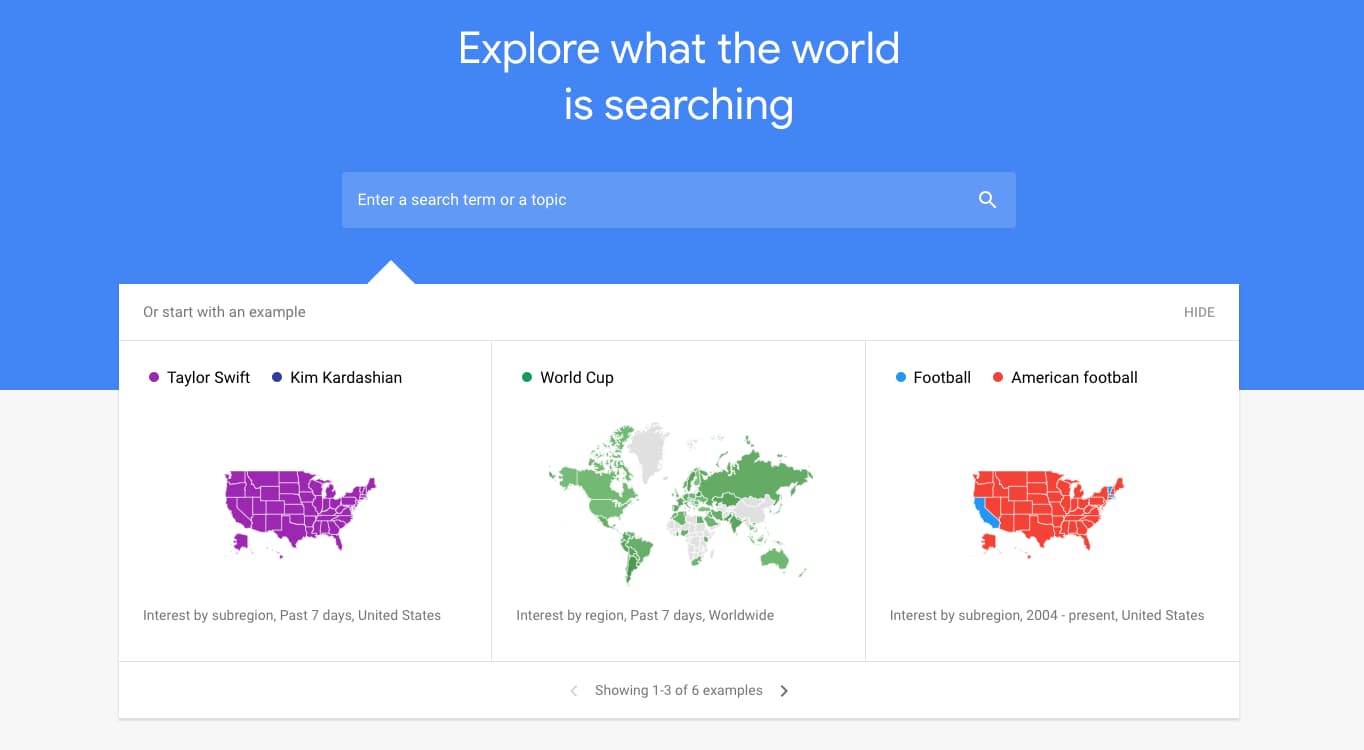
1. Google Trends

Review the “Year in Search,” take Google Trends lessons, and see what’s trending now. You can also view the peaks and valleys of topic interest over time, which uncovers seasonality and allows you to plan your marketing calendar accordingly. Plus, find related topics and queries, and identify sub-regions your topic has been trending to better target your campaigns.

google-trends-statistics

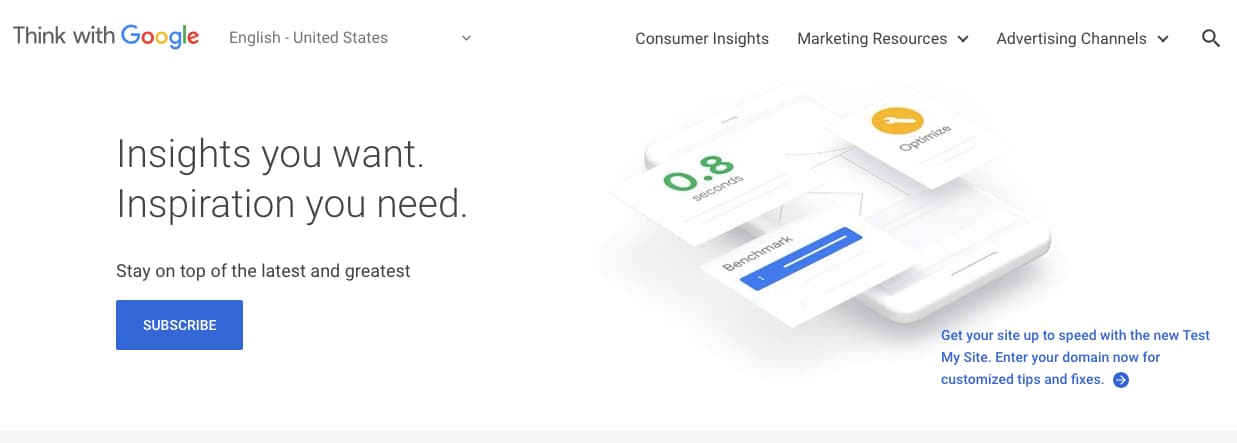
2. Think with Google

Discover articles, benchmark reports, and consumer insights that keep you up to speed on search. From ad bidding strategies to brand jingles, you’ll find interesting content that helps you think bigger while staying educated on how to leverage Google search for your business.

think-with-google

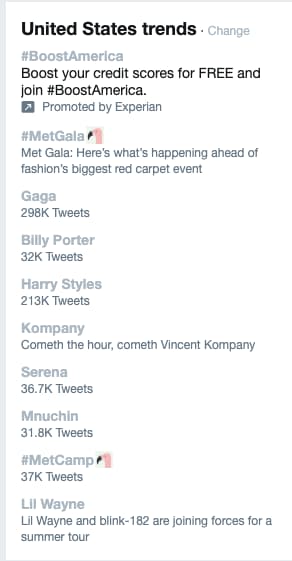
3. Twitter

Sign on to Twitter for more than vaguely hostile political debates. Use the “trends” feature to uncover what’s trending in your state, country, or around the globe. When you click into a trend, you’ll see top tweets about the topic, relevant news stories, and live responses as well.

twitter-trendsImage Source

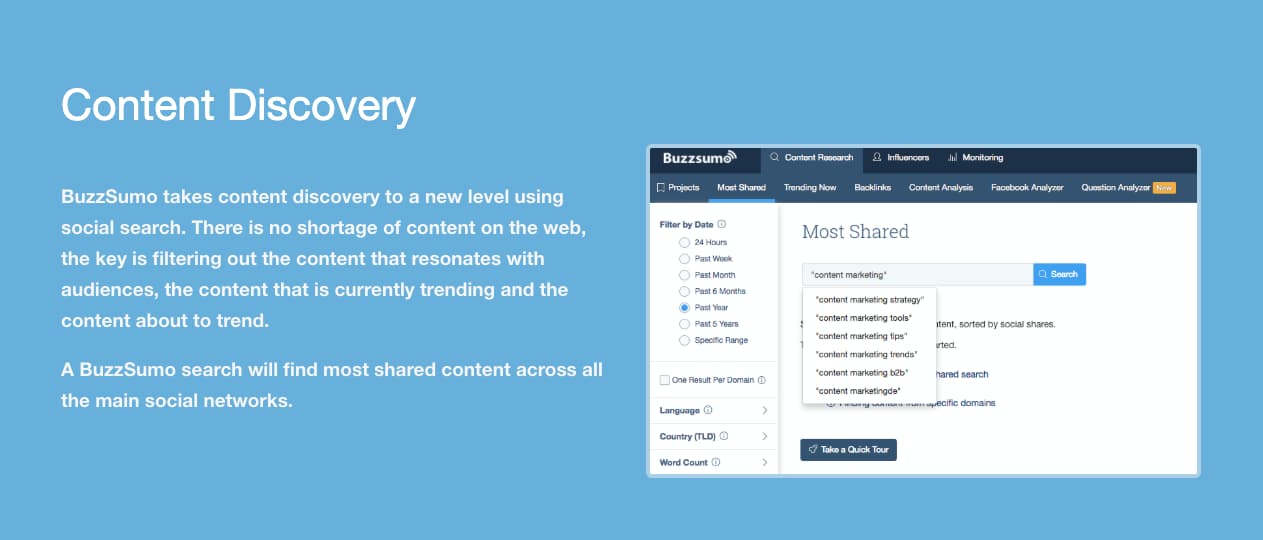
4. BuzzSumo

Identify the most shared content in the previous 12 months or the last 24 hours with BuzzSumo. BuzzSumo allows you to drill down and analyze the topics that matter to your industry, your competitors, and the influencers you learn from.

buzzsumo-trends

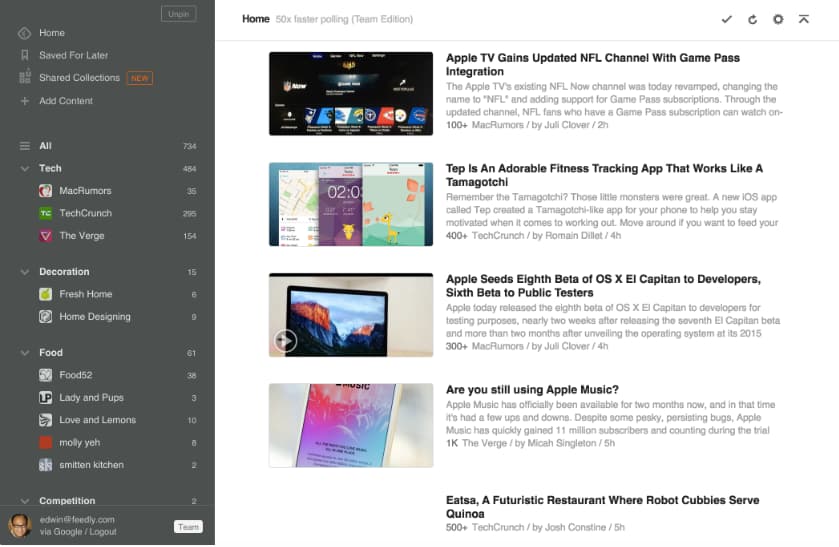
5. Feedly

This RSS feed aggregator allows you to follow your favorite brands and see their most recent content in one place. Add your favorites and discover new publishers by searching your industry, skills, or — you guessed it — trending topics. Feedly also allows you to set up keyword alerts, so you’re always tracking the latest trends on topics you’re interested in.

feedly-google-trends

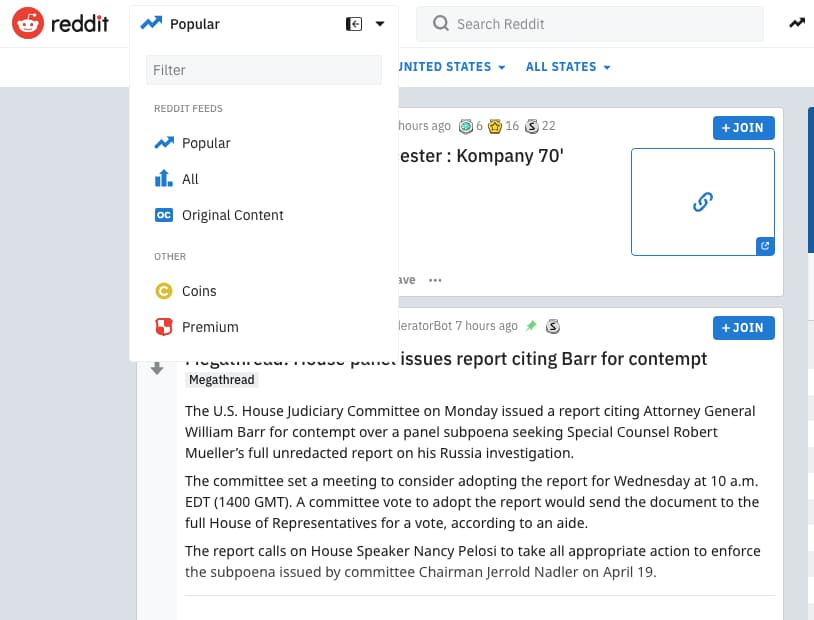
6. Reddit

Freshness and user-based voting determine how content is prioritized on Reddit. A quick visit to the homepage shows you trending or popular posts. And, you can filter by country or recency for a more relevant feed.

reddit-popular-trends

7. Ahrefs

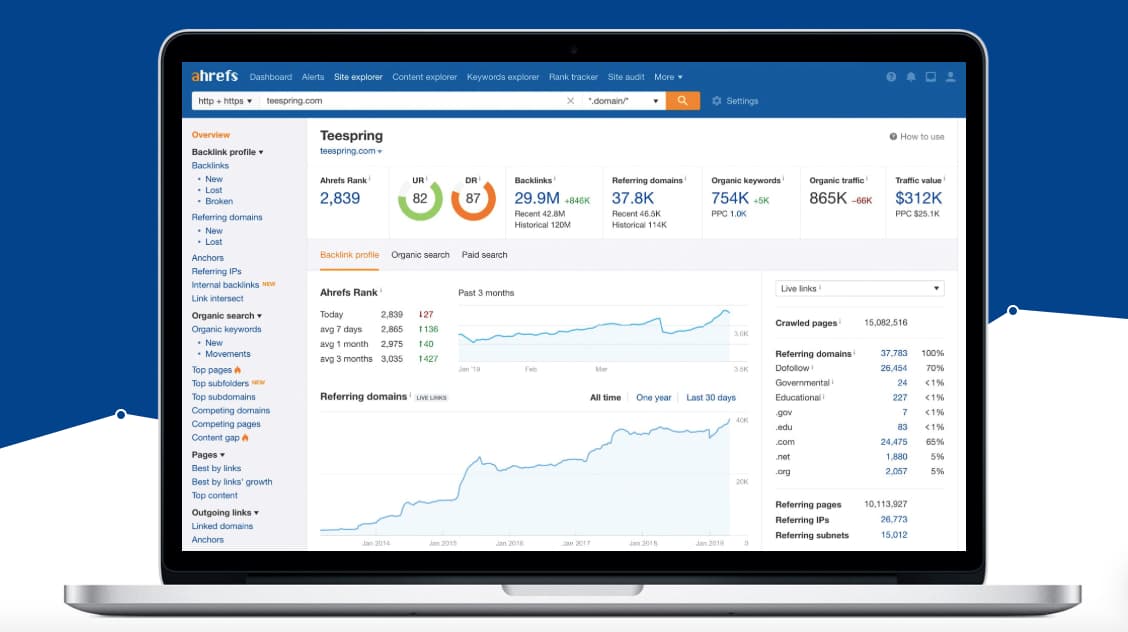
Conduct competitive research, home in on a keyword, or search for trending topics. Ahrefs helps you identify trending content and shows you what to do to outrank your competitors.

ahrefs-google-search-trends

8. Pocket

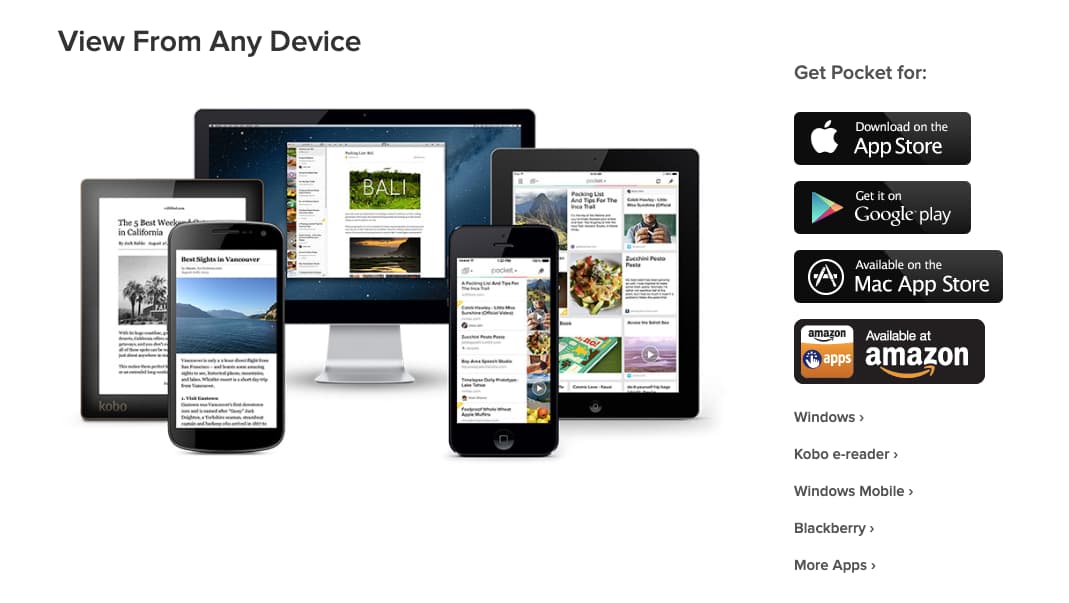
Pocket allows you to save content from anywhere on the web. Review your content whenever you wish and head to the Explore page to find trending topics that are relevant to you.

pocket-popular-search

9. Quora

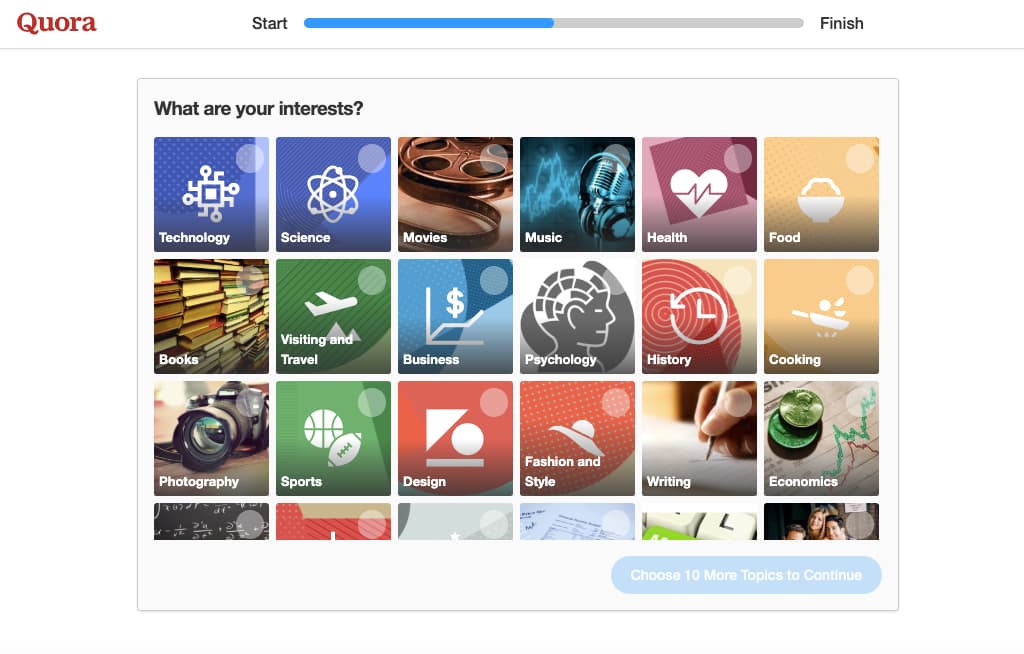
Sign up for Quora and select topic areas that interest you (e.g., “startups,” “marketing,” and “economics”). Quora will stock your feed with questions related to your content interests. This gives you insight into what your customers are asking, real-time debates about competitors, and even allows you to answer questions about topics you have experience in.

quora-trending-topics

Expanding Your Google Impact

Bottom line? Google owns the largest piece of both search and web browser market shares and provides a host of interconnected services that empower the company to deliver personalized, real-time search results.

For marketers, this makes Google an irreplaceable tool for boosting consumer loyalty, courting new clients, and improving customer conversions. Armed with actionable trend data and relevant source statistics, marketing teams can expand their Google impact and ensure the right content gets seen by the right customers to jumpstart the sales process.

New Call-to-action

Categories B2B

The Modern, Inside Scoop on Google PageRank In 2021

If you have been in SEO for a while, you may remember the days of working hard to increase the PageRank of websites — it was the metric every SEO cared about and wanted to improve.

Improving PageRank meant improving your authority (usually with backlinks), which in turn could result in higher rankings and more traffic. 

But what happened to PageRank? It’s rarely talked about anymore. 

Believe it or not, PageRank is still used as a ranking signal for Google, even if you haven’t heard it mentioned in a while. Here, we’ll explore what you need to know about Google PageRank in 2021.

→ Download Now: SEO Starter Pack [Free Kit]

What is Google PageRank?

Google PageRank is a very complex concept, but we are going to try and break it down to make it easy to understand.

PageRank uses a mathematical formula to score the value of a page based on the quality and quantity of the pages linking it to it. 

The PageRank formula will look at the number of inbound links, external links, and the PageRank of those links to determine authority. The formula will create a score using a logarithmic scale with values ranging from 0-10. 

The higher the PageRank score of a page, the more authoritative that page is.

You can get more in-depth information about the PageRank formula in the original paper that was published back in 1997.

The PageRank Toolbar

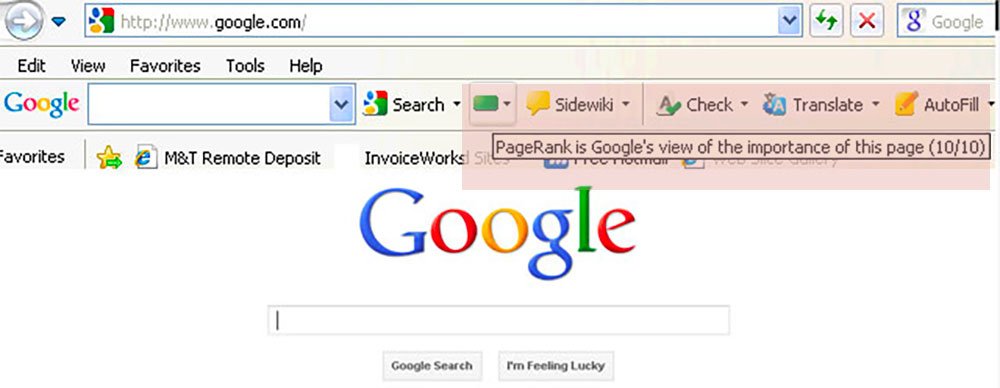
Years ago, there used to be a toolbar that could show you the PageRank of any webpage you visited. 

Unfortunately, the toolbar was removed by Google back in 2016 — and the mystery of what your PageRank is has existed ever since. 

The problem with the toolbar was that it created an obsession and caused many SEOs to try and find ways to manipulate it. 

Essentially, the Google team realized that making this score public was adding little value to website owners and decided to stop investing in it. 

The PageRank toolbar

Image Source

Does Google still use PageRank?

Yes, Google does still uses PageRank. 

While it may not be a metric that website owners have access to, it is still used in their algorithms.

A tweet by John Mueller, a Senior Webmaster Trends Analyst at Google, solidifies that PageRank is still used as a ranking signal.

How important is PageRank?

There is no clear measure of how important PageRank is. With there being over 200 Google ranking factors, they do not provide data on the importance of each factor.

But we do know that backlinks play a very large part in SEO success. So it’s safe to assume that PageRank still plays a part in how highly your pages rank. 

Spending time trying to improve your PageRank is probably not the best use of your time. But building relevant and authoritative backlinks to your website is an undeniably effective SEO strategy, and will likely improve your PageRank as a result.

You may not see the improvement as a metric, but you will see it in your organic traffic.

What influences Google PageRank?

There are some factors you should know about that can positively impact your PageRank. Let’s dive into a few of those, now. 

1. Backlinks

The primary way to improve your PageRank is through backlinks. The more relevant, high authority websites that link to you — the higher your PageRank will be. 

Below are some ways to build valuable backlinks:

  • Build relationships with influencers and community members in your niche.
  • Create original infographics, webinars, videos, and other creative assets that encourage website owners to share and link to your post.
  • Participate in forums and communities that are related to your niche. 
  • Share your content on social networks — tag relevant people if they are part of your content so they can share, too. 
  • Create amazing content! 

Building backlinks is one of the best ways to grow your website, but it needs to be done properly. Be authentic, do not spam groups or communities, and most importantly — create content with which people can engage.

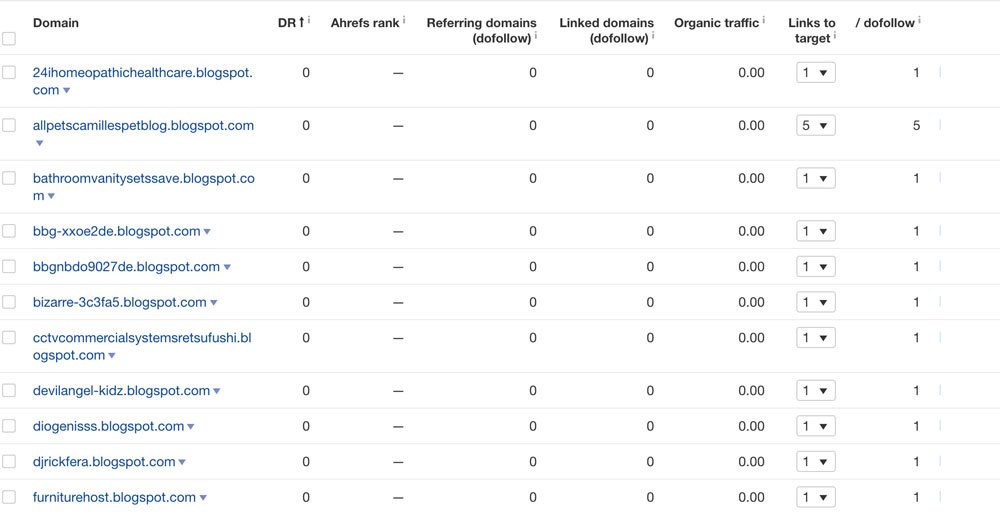
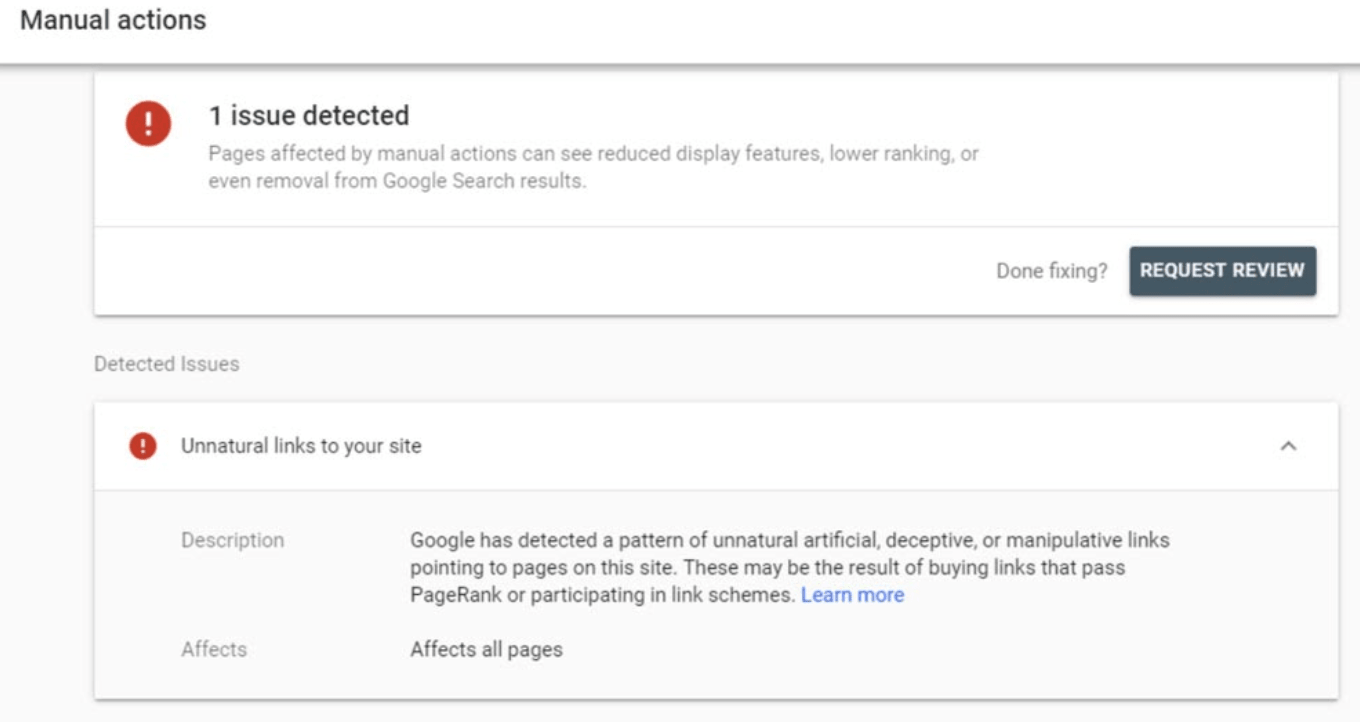
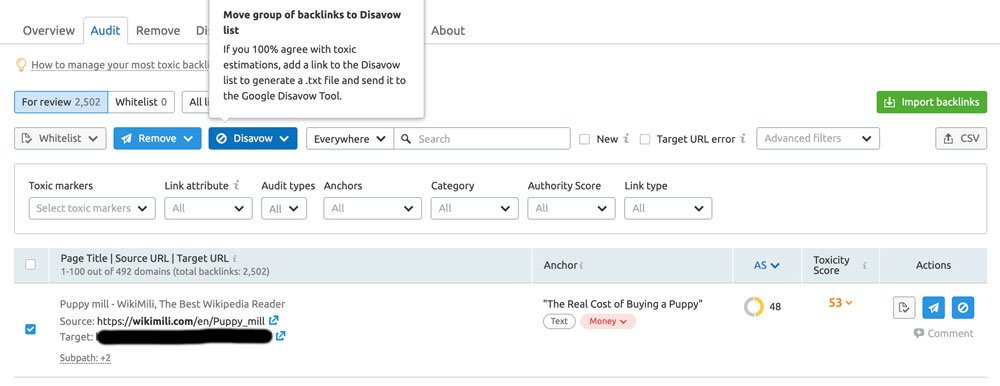
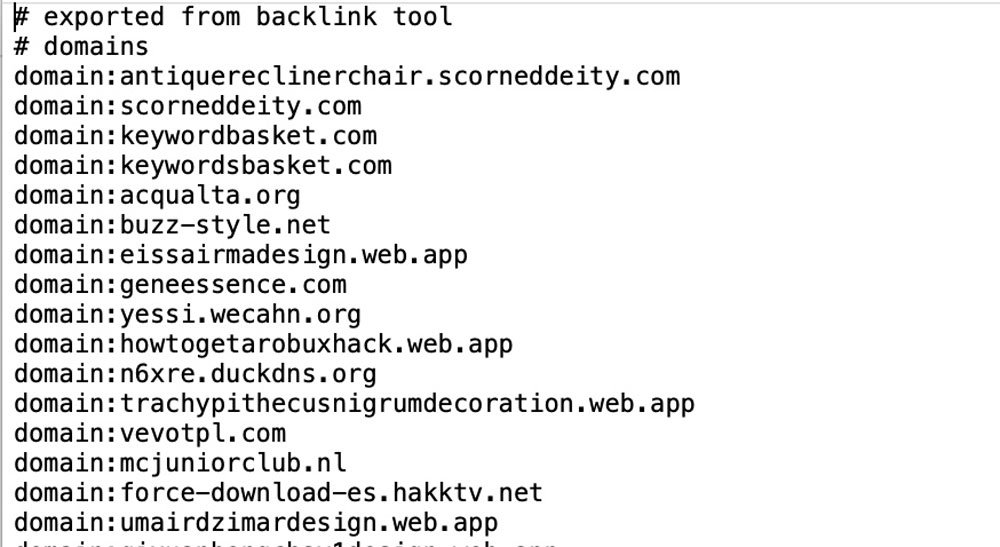
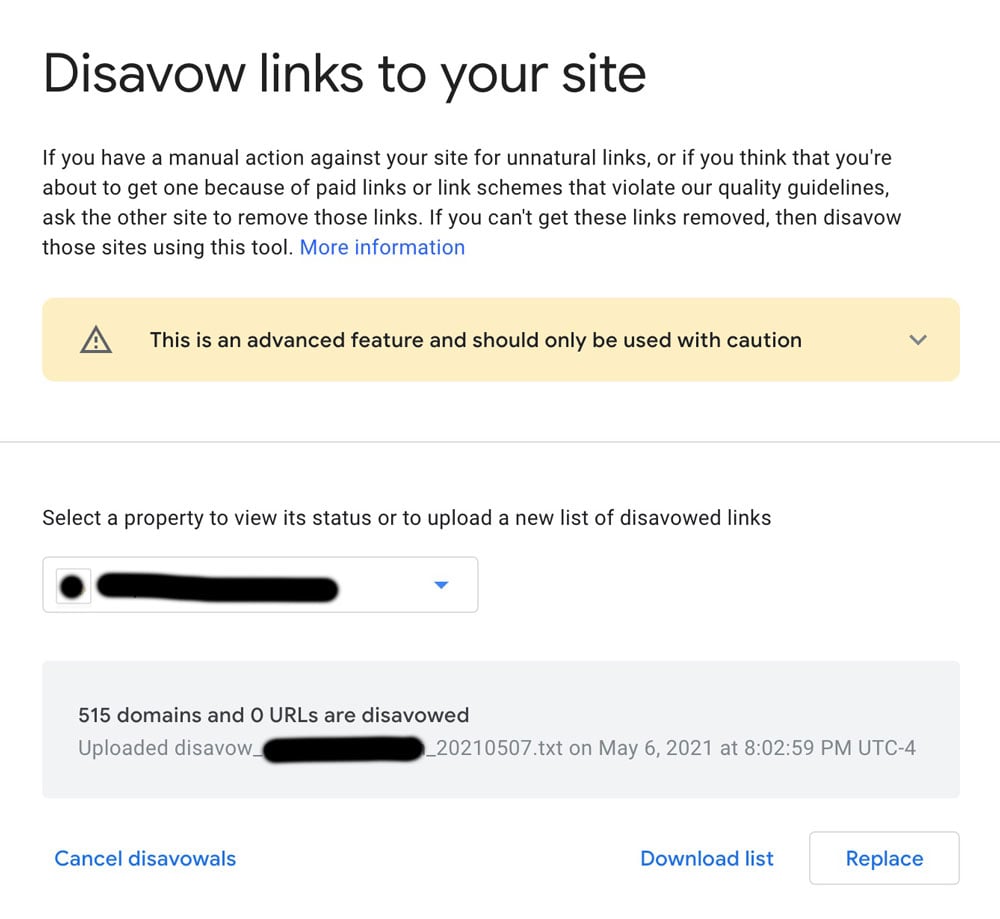
You also want to be sure you have cleaned up any bad backlinks. You can learn more about how to Disavow Links here. 

Getting links from directories or pages that have a lot of links is not as beneficial for improving PageRank. Every link on a page will dilute the value of your link, so while directory-type links can be valuable in other ways, they will not be a big help for improving RageRank.

2. Internal Linking

One of the most underrated SEO tactics is internal linking. By using internal links to pass PageRank from one page to another, you can make a big impact on your rank and traffic. 

As an example — your homepage will usually have the highest PageRank because of the number of websites linking to it. 

Every link from your homepage to another page on your website will boost the authority of the page being linked to. 

Additionally, consider using an SEO tool to identify pages within your website that have high authority, and adding links from those pages to lower-authority pages (when relevant) to give your pages a boost. 

A quick trick is to look at your Google Analytics — usually the pages with the most organic traffic are the highest authority pages. So you can start using those pages to build internal links to less authoritative pages to give them a quick boost, as long as the links are relevant to the content on the page.

3. External Linking

One of the biggest myths I can remember about external links is that linking out from your content can diminish the PageRank of that page.  

This is not true. Remember, the whole premise behind PageRank is links. 

While the number of links on a page might affect the “value” of that link to the page being linked to, it does not harm your own. If you find a resource that is helpful for your viewers, then you should absolutely add a link to that resource.

A study done by Reboot showed that there was a positive correlation between rankings and the outbound links of a page.

How To Check Your PageRank

Unfortunately, there is no way for you to accurately know what your PageRank is. 

There are some websites that claim to provide you with your PageRank, but these are not verified tools so there is no proof they are providing accurate data.

Other tools — like Ahrefs, SEMrush, and Moz — have all created their own version of numerical values that were meant to replicate the PageRank score. 

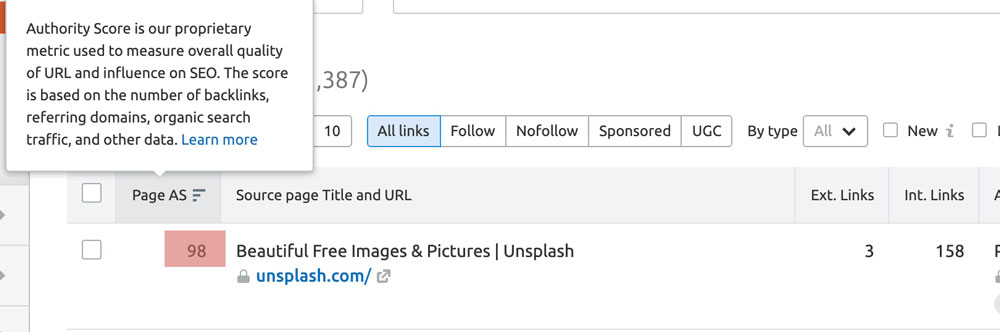
For example, SEMRush has what they call an “authority score”, which offers a numerical value that can signal how helpful a backlink from a website may be. This score is based on the following:

  • Monthly traffic to a website
  • Average keyword position
  • Backlink data

SEMRush's authority score

But Google doesn’t use these scores in their ranking algorithm. So, while you can use them as a guide to understand your website authority, they do not replace PageRank. 

While most SEOs don’t give much thought to PageRank anymore, and do not try to optimize for it, it’s still worth understanding. Ultimately, if you’re working on building backlinks, improving your internal linking, and using authoritative external links, your PageRank will thank you for it. 

SEO Starter Pack

Categories B2B

What Webinar Trends Taught Us About the Future of B2B Marketing

This blog features research from NetLine’s annual State of B2B Content Consumption and Demand Report for Marketers. To learn more about the buying behaviors of B2B professionals, download the 2021 Content Consumption Report.


As we were putting the finishing touches on the 2020 State of B2B Content Consumption and Demand Report for Marketers, the world went belly up and seemingly changed forever.

Naturally, we were concerned that the report we’d just completed and worked so hard on was suddenly rendered obsolete; one senior Marketer even said as much. While we scratched our heads and made adjustments where we could, there was one section we got right long before March 11, 2020: The future of webinars.

Webinars Were On-Pace to Breakout Before COVID-19

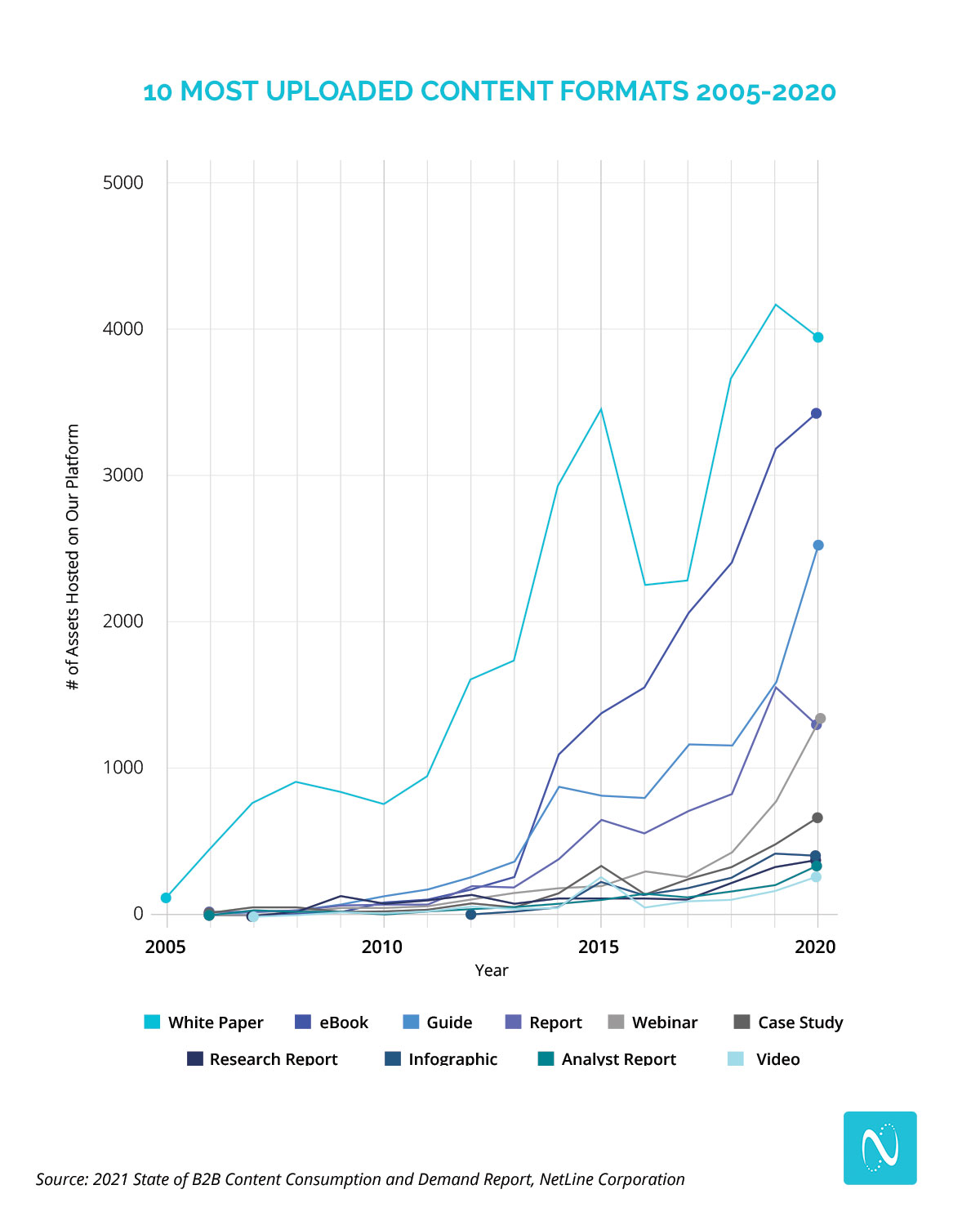
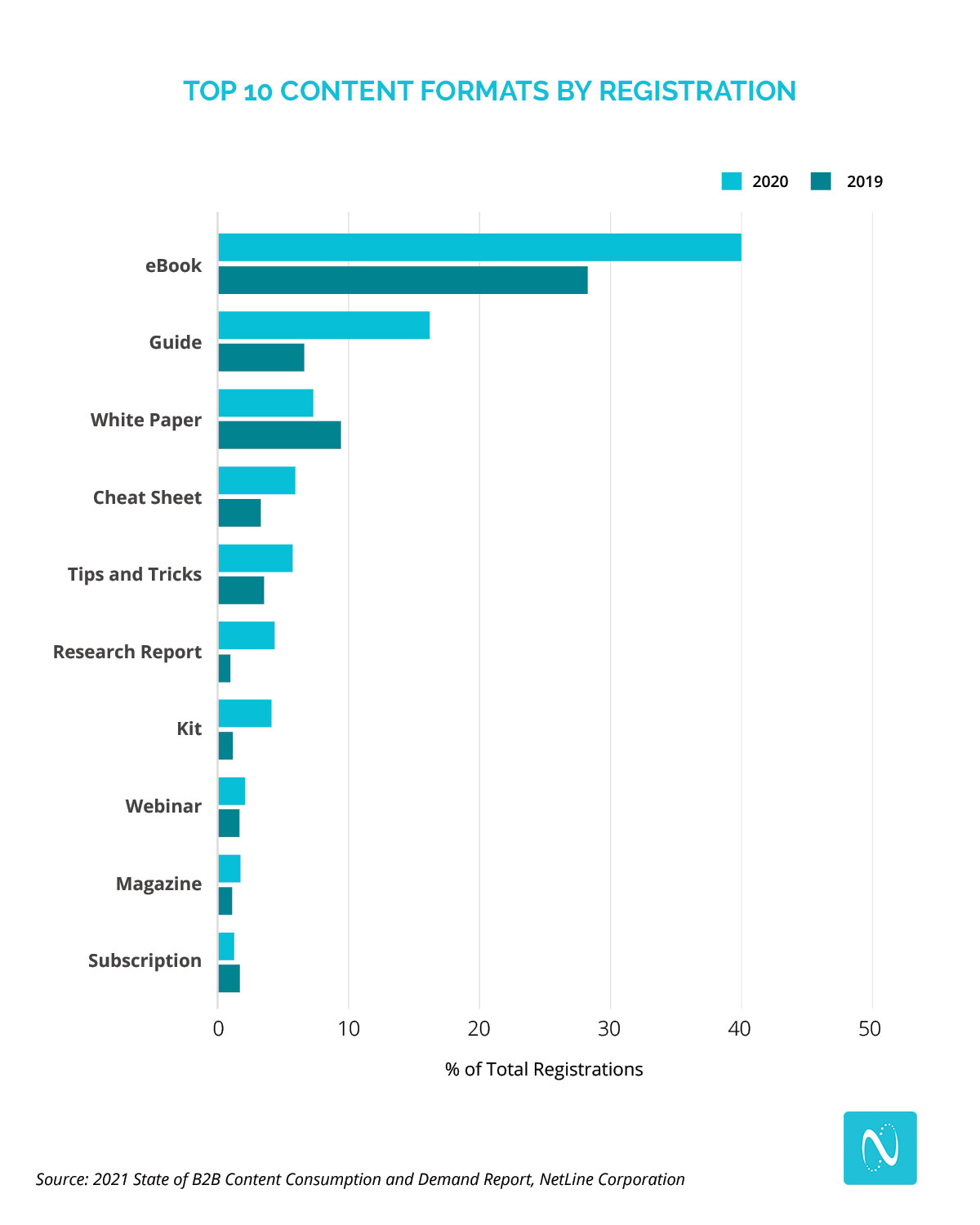
Beginning in 2018, Content Marketers saw how effective webinars were at driving bottom of the funnel engagement with prospects and began producing more of them, leading to a sharp rise in overall production. Between 2018 and 2019, Webinar production saw a 64% increase, more than doubling in availability across our platform.

While we made some last-minute changes relating to the pandemic, we still expected the format to gain greater traction in 2020. Leaning on our first-party research and information from our partner ON24, we projected that the usage of webinars would become a more popular medium; considering webinars were the 8th most in-demand content format, we were confident with this proclamation. 

Webinars Dominated Digital Marketing in 2020

With COVID-19 keeping the vast majority of us at home in 2020, webinars (live and on-demand) exploded in popularity. Look at how wild things were less than two weeks into “The Pause” according to Google Trends.

The loss of face-to-face interactions pushed video-based digital experiences to the forefront, meaning that webinars became a major part of a Digital-First Marketing strategy. Marketers responded accordingly, as NetLine saw a total 103% increase in the number of webinars being uploaded to our platform. Consumers actively sought out webinars, too, as ON24 reported a 333% increase in webinar attendance by April 2020. At year’s end, they’d observed a 251% increase in total demand.

Some of the other numbers we noticed included:

  • Overall registrations increased by 49%
  • On-Demand Webinars generated 36% more registrations than Live Webinars
  • Live Virtual Conference registrations increased by a whopping 2660%

Had it not been for the gains Guides saw in 2020, webinars would’ve had the sharpest rise in overall production, continuing the format’s trend of more than doubling in uploads since 2018. 

While there is something to be said about webinar burnout, these numbers indicate that webinars aren’t going anywhere.

Webinars Are Here to Stay

It’s safe to say that we miss live events. There’s still nothing that can compare to the spontaneity of a by-chance interaction or a random encounter at the bar during happy hour, and for now, virtual events can’t compete and need to be recalibrated. But for organizations looking to get in front of large swaths of prospects, the cost savings compared to live events alone make webinars that much more attractive. 

Webinars provide flexibility that many formats simply can’t; from being used as employee or prospect onboarding, ongoing education, prospect marketing, and dozens of other uses in between, it’s safe to say that webinars are here to stay as a Top 10 content format.

Webinars also give B2B Marketers the chance to drive more leads. As we shared in the 2020 Content Consumption Report, ON24 reported that 76% of marketers say webinars enabled them to source new prospects. In a world where businesses are seeking new ways to consistently fill their sales pipelines, webinars offer significant opportunities. Considering how different life will be even after COVID is mostly under control, this is important to recognize for a few reasons.

The Home Office is Here to Stay

WFH was already part of modern life for some. Now it’s here to stay. This will have an impact on how you reach your target buyers, physically and digitally. How else does this shift impact how you’ve done and can do business? 

Video is No Longer Optional

For years we’ve been talking about how crucial video is to success. The Pause forced everyone else to get comfortable quickly with being on camera. With the surge in multimedia consumption, specifically webinars (which we’ll touch on next), having our cameras on and our faces visible is now a prerequisite to any meeting or personal-touch content.

We believe that not only are webinars proving to be crucial in the immediate aftermath of COVID-19, but that in our new-normal world they will remain a key digital capability for companies, teams, and Marketers. 

The 2021 Content Consumption Report is yours for free. We thoroughly hope you both learn from it and enjoy it.

Categories B2B

How to Grow Your YouTube Channel [New Data]

Did you know that YouTube currently has 2 billion active users a month and is projected to grow to almost 3 billion active users by 2025?

It’s one of the fastest-growing and most popular social networks today. Plus, it helps people grow their businesses.

In fact, the number of channels earning six figures per year on YouTube grew more than 40% y/y, the number of channels earning five figures per year on YouTube grew more than 50% y/y, and the number of channels with more than one million subscribers grew by more than 65% y/y.

Now, all that being said, you might be wondering, “How do I grow my YouTube channel so I can drive more traffic to my website and revenue to my business?”

To help marketers and business owners answer this question, we asked 300 consumers why they most commonly subscribe to YouTube channels.

After looking into the data, we’ll dive into our findings to help you better design effective strategies toward connecting with your audience on YouTube.

Let’s get started.

→ Free Templates: How to Use YouTube for Business [Download Now]

Why Do Consumers Subscribe to YouTube Channels

30% of respondents said they most commonly subscribe to YouTube channels because the channel publishes how-tos or educational content about their career or industry.

21% of respondents subscribe to channels because the channel publishes how-tos or educational content about their hobbies.

And 17% of respondents said they subscribe to YouTube channels because they post funny or entertaining videos.

To review the rest of the answers, see the graphic below:

Infographic on why people subscribe to YouTube channels.

Data Source

So, now that we know why people are subscribing to YouTube channels, let’s dive into how you can use this information to grow your channel.

1. Create educational content about your audience’s career.

As the survey said, the main reason that consumers subscribe to YouTube channels is that they post educational content about their careers.

Think about it. The reason people go online is to find an answer to a question they want (or to be entertained, but we’ll get to that later).

So, a great way to grow your channel is to publish the topics that your audience wants to see. For example, at HubSpot, we publish educational videos on YouTube about marketing, sales, service, and general business content.

All these videos help our audience learn and develop in their careers. Of course, we’d like people to use our software to do that, but you’ll get value out of the video whether you’re a HubSpot customer or not.

2. Publish educational content about your audience’s hobbies.

Now, let’s say that your business isn’t exactly geared toward your audience’s career. What do you post then?

Well, according to the survey, you can post content about your audience’s hobbies. Let’s say that you’re a landscaping company. On your website, you could post content about gardening and really target people who garden as a hobby. Then, there’s a clear conversion path to using your services.

However, while you’d like people to convert and become customers, your videos should give value away for free and educate your audience. The more they see you as an expert in the industry and the go-to people, the more likely they will be to convert later on.

3. Create interesting, dynamic, interactive videos.

The third most popular reason that people subscribed to YouTube channels was because the videos were entertaining or funny.

If you’re a creator who wants to post fun, interesting, entertaining videos, you can grow your YouTube channel by thinking about an audience who enjoys watching certain entertainment.

For example, let’s say you have a creator channel and you mostly post lifestyle videos. To make those interesting and entertaining, you need to know what your audience likes and dislikes. That brings me to the next strategy.

4. Know your audience.

The best way to grow your YouTube channel is to know what your audience likes and wants to see. Do they want to see educational content about their career? Or perhaps they’re just looking to unwind and watch people clean houses because it’s satisfying and entertaining.

Regardless, think about the reasons from our survey that will resonate with your audience the most, and then lean into those ideas.

5. Reformat well-performing content.

A great way to focus on growing your YouTube channel is to reformat content that has already performed well for you. That might mean turning your most popular blog post into a video.

You’ll need to rework the information and film a video about that topic, but you’re already starting out ahead. You know that your audience likes that content and wants to see it.

Think about your best-performing content from any content marketing channel and reformat it to video.

6. Optimize your content.

Now, of course, we can’t get through a content marketing discussion without talking about SEO. But, how do you optimize your YouTube videos?

To do this, you’ll want to include your target keywords in your titles and descriptions. Then, make sure you mention those keywords in your video.

The YouTube algorithm will use those context clues to understand what your video is about. And then if you get engagement, it will rank higher in the search results.

You might be wondering, “How do I grow my YouTube channel fast? And how long will it take to grow my YouTube channel?”

According to data, it takes an average of 22 months for a channel to reach 1,000 subscribers. Yet, if you don’t optimize your videos and have less than 1,000 subscribers, then you’ll get less than 10% of the total views on YouTube. That’s why it’s so important to grow your channel and subscriber list.

7. Find untapped keywords.

Another strategy you might use to grow your YouTube channel quickly is to find untapped keywords. You can look at related searches of a topic on YouTube or Google, and then look at those related searches in a keyword tool.

Which keywords get a lot of searches, but have low competition? Those are the keywords you’ll want to target.

8. Optimize for watch time.

Just like with any search engine, YouTube wants people on YouTube. So one of the main factors the site considers for ranking is watch time.

Whenever you post videos, it’s important to analyze how long people are watching your videos. According to research from Backlinko, longer videos tend to outrank short videos. And it makes sense. The longer your videos, the longer your watch time can be.

But, how can you make sure people get past the first few seconds of your video? A great way to do this is to cut extraneous content from your intro. In the first few seconds, a viewer should know what they’ll learn and what they’ll get out of watching your video.

If you’ve properly targeted your audience with the right content, that means they’ll end up watching your long videos because you’ve captured their attention.

Growing your audience on YouTube is a great way to attract audiences to your company. And having more than 1,000 subscribers is imperative for ranking higher in search results. So, that means you need to post content that your audience wants to see and is optimized so it shows up in the search results.

New call-to-action

Categories B2B

Fewer Women Than Men Asked For Raises During COVID-19, Especially in Marketing [New Research]

Asking for a raise or promotion can be scary, especially when your company is going through shifts related to world events.

In early 2021, Fishbowl conducted a survey that shed some light on the gender wage gap, which continued if not grew in 2020.

The survey of nearly 17,000 professionals revealed that 63% of respondents have avoided asking for a raise following “changes related to the pandemic.”

When splitting the whopping number of respondents by gender, 42.4% of them were women, while just 31.79% were men.

A Fishbowl poll shows more women avoided asking for raises in a pandemic.

Image Source

When diving into the industries that saw the least raise or promotion requests, marketing was at the top of the list. About 54.5% of marketing professionals did not ask for a raise or promotion in the last year due to the pandemic.

While some might be shocked by this data, many aren’t. After all, marketing departments have been known to get the least budget, smaller headcounts, and less overall investments.

Meanwhile, women have been seen to negotiate less and apply for lower-level roles than men with the same experience. In a recent LinkedIn post, Femme Pallette CEO Lucy Nuemanova shed more light on why women generally don’t negotiate as often as men.

“Many women avoid having these conversations because they don’t want to be perceived as ungrateful, or greedy, or needy by management, and therefore many times women tend to wait to be rewarded,” Nuemanova explained.

If you’re a woman in the marketing world — or any industry for that matter, this data and insight from other female professionals might have you wondering, “When is it appropriate to ask for a raise or promotion?”

Below, I’ve listed a few times people commonly ask for or consider asking for a raise or promotion.

Free Guide: How to Thrive in a New Job [Download Now]

When You Should Ask for a Raise or Promotion

1. When the scope of your role grows or shifts.

In the early days of holding a role, your work might closely mirror the tasks listed on the job posting you applied to. But, as you gain credibility and visibility at your company, you might also gain more responsibilities that greatly expand on your original day-to-day role.

“Many people are wearing more hats now and having to learn new skills. All of these are valid grounds for asking for a raise and should form the basis of your argument when you make your pitch,” career advisor Gaurav Sharma said in a recent interview.

For example, while being asked to report on your marketing projects might be a natural progression of your role and not worthy of asking for a raise, taking on direct reports when your original role didn’t involve management, or being asked to run a new, time-consuming marketing initiative for your company could signify a significant shift in your duties and work-life that merits a change in title or compensation.

2. When you spend a lot more time at work than anticipated.

As you gain more responsibilities or expectations, you might find yourself working longer hours or getting asked to do more time-consuming things — like regular business trips. If this was not part of your initial role or was not explained to you when you accepted a role that involved these requirements, it might be worth considering a raise or promotion request.

3. When you complete a pricey course or degree that will benefit your company.

Usually, a course or certification costs time and money. But, sometimes, employers cover the cost knowing that your growing skills will benefit them in the long term. If your company doesn’t compensate for education in any way, but you get an additional degree that boosts your ability to work, you should consider asking for a raise.

However, if you expect to receive a raise after finishing a degree or taking a course Abby Kohu, an author and HR professional, says you should do so ahead of receiving the degree or certificate

“Ideally, you should ask about the raise before you get the degree to set the expectations,” said Kohut said in an interview with Bryant & Stratton College. “The best time to hold the conversation is during the normal performance review cycle. Begin the conversation by discussing your work performance and accomplishments on the job. Then, explain how the degree has given you the additional information that will help you produce even more.”

4. When you consistently hit all of your goals.

At some point in your role, you might find that everything comes naturally to you. You rarely run into challenges or feedback and aren’t exactly sure how to level up further with the work you’re already doing well. Because of this, you might start feeling bored or too complacent in your role.

When you’re regularly crushing your goals or receiving great performance reviews, it’s a good sign you’re ready to take on new challenges or more responsibilities with a raise or promotion attached.

5. If you haven’t received a wage increase in a while.

While you might not want to ask for a raise within the first few months, or even the first year, of your role, it’s important to track the time you’ve been working with no increase in wages. Even if you haven’t dramatically changed the scope of your role, you still could justify requesting a raise if you have a solid history of good performance but haven’t received a wage boost yet.

Even if you think your company will know to automatically give you a raise or promotion eventually, it’s worth inquiring about if you haven’t had a wage increase recently or ever.

In a recent LinkedIn post, career coach and entrepreneur Jasmine Escalara wrote, “If you aren’t telling your boss, supervisor, or anyone what you want, what makes you think they will give it to you?”

“If you are looking for a step-up, promotion, or pay raise, then you have to SPEAK-UP, or else it will never happen,” Escalera advised.

<iframe src=”https://www.linkedin.com/embed/feed/update/urn:li:share:6775050292179304449″ height=”1013″ width=”504″ frameborder=”0″ allowfullscreen=”” title=”Embedded post”></iframe>

6. When the cost of living increases.

While many companies will give annual raises or offer salaries that build in the estimated cost of living increases, keep how much it costs to live in your area in mind if your employer does not use this strategy. If you’re working full-time, you always want to make sure your company is paying you enough to afford decent rent prices, food, utilities, and other necessities.

Is There a Best Time to Ask for a Raise?

If you identify with one or more of the items on the list above, it might be time to start thinking about a promotion or raise. But, while you should discuss the raise you deserve with your manager eventually, there are certain times that could increase your chances of actually getting a pay increase.

Many companies manage their budgets, headcount, and raise-related budgets at specific times of the year. So, some career sites, like Indeed, suggest:

  • Just before a new year when companies are planning their budget and headcount.
  • During the summer when some companies do bi-annual planning.
  • After your company releases good quarterly or monthly earnings, traffic, or goal accomplishments.
  • Just after a positive performance review or another major accomplishment.

Inversely, there also are poor times to ask for a raise, such as after a bad earnings report, iffy performance review, or another time where your manager or boss might not be in the best mood. As you plan to have this conversation with management, take note of times where they’ll be more empathetic and responsive to your request rather than frustrated or annoyed by it.

If you’re very unclear of when to ask for a raise or promotion at your company specifically, career consultant Todd Henry suggests paying attention to your office’s financial or promotion “rhythms” and making your request during times of the year when you hear about the most promotions.

If you’re excelling in your role and feel you need a raise or promotion in the next year to stay at your company, you shouldn’t let the pandemic permanently hold you back from having a transparent, but friendly discussion with your boss about the career or salary growth you’d like to achieve soon.

Having the Wage Discussion

it’s important to remember that managers expect to have a salary conversation with employees eventually. In fact, many companies separately budget annual funds just for raises and promotions. So, asking to meet with your boss about your salary or future shouldn’t come as a major shock to them, especially if you’re doing well in your role.

Additionally, if you have a good manager, they’ll likely respond to career growth conversations in a respectful, thoughtful, and transparent way by explaining why you can or can’t get a wage increase and what you’ll need to do to get there.

“No matter how well-timed your ask is and how deserving you are, there are any number of reasons your manager might reject your request for a raise — and some of them might have nothing to do with you or your performance,” writes Henry.

“The best response to being turned down is: “What will it take for me to earn a pay raise?” Henry explains. “Know what the expectations are, so that the next time you ask, you are backed by data that aligns with your manager’s threshold for a raise.”

Ultimately, when you start the wage conversation with your manager, they’ll learn you’re looking for upward motion, understand your professional growth needs, and will know what they need to do to retain you as a talented employee. Similarly, if your company can’t give you a promotion or raise right when you ask, you’ll know why, what you need to do to get to the next level, and if your company will be the right place for attaining long-term career goals.

Want to get more tips for success in your marketing role? Download the resource below.

New Call-to-action

Categories B2B

How to Build a Market Development Strategy [Free Planning Templates]

Your business is getting by just fine – but still, the questions remain: Could you be selling more? Is there an opportunity to increase market share? Is there any way you could further your product diversification efforts?

Companies hoping to increase revenue can do so in a variety of ways — such as increasing their advertising budget, expanding their sales teams, and investing heavily in product development.

However, one of the often overlooked ways to strengthen your gross sales is a purposeful, well-researched, and expertly executed market development strategy.

In this article, we’ll explain what market development is and how you can employ it to increase sales and grow your business. Then, we’ll take a look at some examples of market development strategies that work for top businesses today.

→ Download Now: Free Marketing Plan Templatemarket development strategy matrix chart

Each category rests upon two axes — one for market and one for risk. A company can expand its efforts into new or existing markets and each poses more or less risk to the business.

Market Penetration

When businesses want to expand within their existing markets with low risk, they might attempt a market penetration strategy. In this scenario, TAM increases because by offering a new product or service, a business can effectively increase the maximum amount of revenue it can possibly attain from its existing customer base. A product launch is an effective way to execute this strategy.

  • Product Launches — A company may release new iterations of a product they already sell successfully within the market. The purpose of launching a new product is to generate excitement and buzz around the brand to increase sales.

Product Development

A more high-risk way to expand within an existing market is through product development, but make no mistake — this market development strategy can be rewarding. Developing new products is a delicate process. Businesses should be keenly aware of their market as market interest is a driving factor for product development. If the audience isn’t receptive due to a lack of education around the product, a poor marketing campaign to promote the product, or even poor timing of launching the product, this strategy can be difficult to execute. However, companies that have failed at developing new products usually have in-depth learnings to apply to their next market development strategy. Product development comes in many forms, here are a few:

  • Rebranding — If a business has been around for a long time or has been in hot water recently, it’s possible that the market has become disconnected from the brand. This can happen due to a lack of advertising around the brand itself, outdated positioning of a product when compared to the competition, or distrust within the market. Companies can rebrand themselves to reconnect with their existing market while positioning themselves as a viable option among the competition. Adjusting the packaging of a product, offering a new size, flavor, or color, or even changing the name of the product or brand can help a company rebrand a product to have a better position within its existing market.
  • Repricing — Another way to gain traction within an existing market is for a business to make its products more accessible or desirable to that market through its pricing. Repricing doesn’t necessarily mean lowering prices, although that is one way to execute a product development strategy. It could mean shifting the brand within the market to showcase value or luxury, thus justifying a rise in prices to capture those consumers.

Market Development

It’s possible to take a less risky approach when expanding into new markets. To develop a market, a business may offload some of the risks. In this example, TAM increases because a business is adding more people to its target market — thus being able to service new customers without investing in a new product line. Here are few ways a business can develop a new market:

  • Geographic Expansion — Research can reveal markets that are suitable for a business to thrive within based on where the business currently operates. Geographical expansion can work for both brick-and-mortar as well as online businesses.
  • Franchising — Giving individual business owners the right to use the brand and trademarks associated with a company is another way to expand into a new market without high risk. In franchising agreements, the franchisee usually pays an upfront fee to the franchisor to obtain the rights to operate the business.

Diversification

Occasionally, a business may step out of its normal operations and market to create a product for a completely different industry and market. For this reason, diversification can present a major risk to the business, but it can be very rewarding if it’s carried out effectively.

  • Similar Product Diversification — A company may realize that the raw materials or byproducts of the goods they sell can be repurposed into a completely new product that can be marketed to a different audience than the one currently purchasing its products.
  • Unique Product Diversification — Rather than using existing products, a company may take a completely unique approach to penetrate a new market by offering a product or service that is different from anything offered in its industry.

The decision of when and how to develop your existing market should be a methodical process.

Just because your business has struck lightning once does not mean your new expansion plan is a guaranteed success.

Because of that reality, follow these steps and use these resources to determine if you should develop your market, how it should be developed, and whether or not the initiative is successful.

Step 1: Research your development opportunities.

It’s always tempting to go after the hottest trends – whether that means adding more areas of focus to your consulting business or adding more items to your restaurant menu.

However, before you spend time, money, or resources on developing your market based on trends, take these steps to determine if the expansion is worthwhile.

Review Your Buyer Personas

Featured Tool: HubSpot Buyer Persona Templates

buyer-persona-templates-graphic-1

Download These Templates

When expanding your market, you face the potential need for net new or revised buyer personas, which are semi-fictional representations of your ideal customer based on market research and real data about your existing customers.

Consider the motivations, demographics, and backgrounds of your new target market to help you decide whether or not the development initiative makes sense.

Research Your Market

Featured Tool: HubSpot Market Research Kit

mkt-research-cover

Download This Kit

Understanding your hypothetical positioning in a market is key before attempting to enter it. To that end, conduct market research exercises like Porter’s Five Forces Analysis or a SWOT Analysis to determine your strengths, weaknesses, buyer power, the threat of substitutes, or other attributes compared to competitors in this new market.

Additionally, you’ll want to calculate market penetration before moving forward with any plans to expand.

Survey Your Customers

Featured Tool: Customer Satisfaction Survey Templates

Download These Templates

If you’re hoping to expand your current product line to generate more revenue from existing customers, make sure your intended expansion will be warmly received. Asking yourself why this development makes sense coming from your organization is a good first step.

However, talking to and surveying your customers to see if your proposed expansion is beneficial to their lives (and, more importantly, whether or not they would purchase it from you) is a necessary proof point before expanding your offerings as a business.

Step 2: Set your growth goals.

A successful market development will come with added sales, profit, employees, customers, products, users, locations, or some combination of these criteria.

Because there’s so much on the line, develop goals for which facets of your business you intend to grow, in addition to what your growth goal for each criterion is.

For example, by adding one more location, you may set the following growth goals:

  • Increase customers by 90%.
  • Increase revenue by 100%
  • Double annual profits after recouping the initial investment.
  • Increase employee headcount by 20 people.

During this stage, you should also consider the requirements needed to help you hit your growth goals, such as initial funding, tools, and software to help you get the initiative successfully up and running.

Lastly, the most important metric to measure before attempting to expand or develop your market is ROI. In this step of the process, compare the upfront costs of developing your market as intended with the projected revenue numbers of a successful expansion.

If the ROI is not encouraging enough to move forward with, you may need to go back to the drawing board and determine a new growth strategy and set of goals.

Featured Tool: Growth Strategy and Planning Template

Download the Template

Using the template above, outline your growth goals and strategy to lay the foundation for your market development initiative. This template will help you plan out the steps necessary to achieve your goals and help you determine whether or not they are realistic for this project.

Step 3: Create your marketing plan.

An increased market means an increased need for effective marketing.

To generate demand – or to capture existing demand in your market – make sure your marketing plan is up-to-date and reflective of the initiatives it will take to grow your market share to its desired level.

Consider all of the following initiatives and how they’ll play a role in generating more revenue in your newly developed market:

  • Email Marketing: Will you communicate with existing prospects via email to alert them of your initiative? Do you have a list of saved contacts who expressed interest in what you sell, were unable to make the purchase, and might now be able to purchase from you?
  • Social Media: Do you have organic and paid initiatives to generate buzz and spread the word to grow awareness on social media?
  • Content & SEO: Do you have website and blog content planned to capture the interest of website visitors hoping to learn more about what you’re selling?

  • Local Marketing: If you’re developing your market on a regional level, are you working with local publications, PR agencies, or advertising platforms to appeal to nearby potential customers?

Featured Tool: HubSpot’s Marketing Plan Template

Document your marketing plan supporting your market development with the template above, and make adjustments to it as needed to ensure you’re reaching your market in an accurate, appealing, and consistent fashion.

Step 4: Go to market.

The time has come – your research and planning are complete, and you’re ready to formally enact your development strategy, whether it’s opening the doors of your new location or making your new product available for purchase on your website.

But before you start collecting revenue, there are a few final steps to take – specifically, aligning your team on the best way to conduct this go-to-market launch.

Go to market successfully by managing three imperative internal tasks – all of which can be done with this Product Go-to-Market Kit:

Campaign Planning

The campaign plan should be a one-stop shop for anyone who has a stake in the success of this project. It should provide a general purpose for the market development project, in addition to the tactical and strategic elements team members need to adhere to in order to see the project go off without a hitch.

Sales Planning

The sales plan should provide more specific insights for the sales team – especially regarding overall projections, team or individual goals, and strategies for how the organization intends to meet these goals

Team Email Updates

For the company at large – particularly for individuals who need to be informed but may not have set tasks to complete – team email updates are a staple of communication during market development. This messaging should contain a status check for the launch timeline and outstanding tasks, and any notifications the company should be aware of during their day-to-day work.

Featured Tool: HubSpot Go-to-Market Kit

Download This Kit

To centralize your internal planning and communication efforts during your market development process, use the HubSpot Go-to-Market Planning Kit.

Step 5: Analyze your results.

Once you’ve taken the necessary actions to develop your market, the work has only begun. After launch day, you’ll need to be sure customers are satisfied, products and services are high-quality, employees are retained, and – most importantly – goals are met.

Start collecting sales data as soon as possible so that you can begin analyzing whether or not you’ll meet your projections. If not, you may have to determine a plan to either adjust your goals to become more realistic or adjust your strategy to ensure your goals are met.

Once data is available, make sure you’re presenting your findings accurately and clearly so that stakeholders can fully understand what the results are, how you achieved them, and what the next steps of your market development strategy are.

Featured Tool: Marketing Reporting Templates

Download These Templates

Available in PowerPoint, Excel, and Google Drive, these templates will help the project driver communicate the results of your market development strategy to your team.

Market Development Strategy Examples

1. Carl’s Jr. and Hardee’s – Geographic Expansion

Carl's Jr and hardees  market development geographic expansion strategy example

Image Source

Although these two companies started as separate restaurants — Carl’s Jr. on the west coast and Hardee’s on the east coast — they merged in the late 1990s to become one company under two names. From a high-level perspective, this might seem like a branding and marketing nightmare, but within their respective geographic markets, the different names have been successful. Carl’s Jr. took the opportunity to acquire Hardee’s, thus expanding the burger chain across the country, becoming one of the largest burger chains in the United States.

2. Popeyes Louisiana Kitchen – Market Penetration

Popeye's and chick-fil-a twitter feud  market penetration strategy example

Image Source

Sometimes, a market development opportunity can appear when you least expect it. That was the case with Popeyes Louisiana Kitchen. The company’s brand was so well-integrated into its marketing operations that a simple tweet in response to Chick-Fil-A prompted a tumultuous beef over which brand had the best chicken sandwich. Once the Tweet gained traction, Popeyes quickly capitalized on the opportunity to sell more of a product they had recently launched.

Although there were some logistics issues that caused supply and demand imbalances, the brand was able to maintain a stronghold on the market with lines wrapping around parking lots and into the streets once the sandwiches were back in stock.

As recently as Q2 2021, Popeyes is still running TV ad campaigns for the chicken sandwich — more than two years after the incredibly successful product launch.

3. The Lash Lounge – Franchise

The lash lounge  market development strategy example

Since 2010, The Lash Lounge has been scaling its presence across the United States through franchising. As of 2020, the company has grown to 108 locations, most of which opened around 2019. Franchising helped this company expand into new markets with relatively low risk.

The Lash Lounge team trains the new franchisees on their techniques and immerses them in the culture to create one cohesive team that doesn’t feel disjointed.

4. Unilever – Diversification

Unilever diversification market development strategy example

Today, we know Unilever as the parent company of some of the most notable brands like Dove, Breyers, and Hellmann’s. However, the company initially went into business selling soap. After realizing that the ingredients for making soap shared similarities with those needed for making margarine, they diversified and expanded into a new market with a new product. Over time, Unilever created and acquired new brands in the soap, cosmetics, butter, and ice cream industries, essentially diversifying its product line and market.

Developing Your Market

Before you follow the latest trend in marketing, take a moment to analyze your strategy thus far to forge a path that will yield success. By planning a market development strategy, you’ll have the opportunity to assess your company’s risk tolerance and understand where your business stands within the market so you can turn your market development idea into a reality.

Editor’s note: This post was originally published in November 2020 and has been updated for comprehensiveness.
Marketing Plan Template

Categories B2B

The 7 Best Free Resume Builders We’ve Ever Discovered

A couple of weeks ago, my brother Max sent me his resume in a text message and asked me to “spruce it up a bit” for him. Undoubtedly, I needed to do more than copy-and-paste the text into a Word document. To truly stand out, I knew the resume needed to demonstrate a level of professionalism and effort — something content alone can’t always convey.

Fortunately, with the help of Zety, I was able to input Max’s resume information, choose a template, and have Zety design the piece for me within 20 minutes:

→ Download Now: 12 Resume Templates [Free Download]

A resume built with Zety.

Looks a little better than a text message, doesn’t it?

Resume builders are incredibly helpful when creating a resume and can help you showcase your unique personality. Here, we’ve compiled a list of the best free resume builders we’ve discovered. Keep reading, and then get to work designing your own — trust me, with these tools, it’s almost as easy as sending a text.

Featured Resource: HubSpot Resume Templates

resume templates for free

Download these free templates and plug in your experience and information for a custom, well-crafted resume.

1. Resume Genius – for easy and fast resume creation.

Resume Genius online resume builder.

Resume Genius is undoubtedly one of the easiest and fastest resume tools you have at your disposal. With a clean and easy-to-use interface, the tool walks you (speedily) through categories including education, work experience, and references. It offers different templates varying from ‘Taj Mahal’ to ‘Classic.’ Resume Genius provides you with easy fill-in-the-blank sections so that you can have an impressive, comprehensive resume in no time.

pros Cons
Easy to use interface Free download is a .txt file, you must pay for a 14-day trial to download as a PDF or different format
URL for sharing and performance tracking There is no option to upload an existing resume, so you must start from scratch each time, making it difficult to make updates.
Can search for positions and choose from 50,000+ job description bullet points that relate to what you’re applying for.  

2. My Perfect Resume – for guided resume creation help.

My Perfect Resume online resume builder.

My Perfect Resume allows you to either start from scratch and input information into a blank template or upload a pre-existing resume if you already have one. Additionally, the tool provides you with expert recommendations as you move throughout the process, including suggested phrases you can include for specific roles.

My Perfect Resume also enables you to include optional sections like certifications, accomplishments, and affiliations, which is vital, particularly if you’re just starting out, or switching industries. This tool is particularly useful if you’re applying for a creative role and want to add color or a unique design to your resume.

To use My Perfect Resume for free, click “Download” on the left toolbar once you reach the final step of the builder — instead of selecting “Save and next.” Then, choose “Plain Text (.txt)” to download your resume for free.

Best for: 

My Perfect Resume is excellent for those looking for guided help when creating their resumes. The tool recommends templates based on your experience level and provides expert recommendations for skills to include based on your job titles. Compared to other tools on the list, there are fewer customization options, and there are only nine templates to choose from. 

3. Standard Resume – for active LinkedIn users.

Standard Resume online resume builder.

Standard Resume allows you to import your information straight from LinkedIn, making it an ideal time-saver if your LinkedIn profile is up-to-date. 

Plus, the white background and minimalist features enable you to focus on what really matters — your content. You can switch back and forth between “Write” and “Design” to see how your resume looks as you go along and download it as a PDF when you’re finished. Best of all, the tool also makes your resume mobile-responsive so that you can view it on your smartphone.

Pros Cons
Free Minimalist templates, not many customization options or design-focused tools
Easy import from existing LinkedIn profile  
Minimalist, helping you focus on your experience and achievements.   

4. Canva – for design creativity and expression.

Canva resume templates.

If you’re applying for a creative role or want a resume that truly lets you stand out, you might consider using one of Canva’s hundreds of free, designer-made templates. Canva’s selections are incredibly varied and unique, so you’ll undoubtedly find one you like, and inputting resume sections can be as easy as copy-and-paste. Additionally, the templates are separated into categories, such as ‘Graphic Design,’ ‘Corporate,’ and ‘Creative,’ making it easier to choose based on your preferred industry.

Best for:

Canva is best for those looking for design creativity and expression in their resumes. Although not specifically designed for resume building, the tool overs a wide variety of templates, layouts, and designs to choose from when creating your resume, and there are multiple download formats to ensure that your resumes can be viewed and picked up by ATS.

5. Indeed – for in-platform job seekers.

Indeed resume builder.

Creating an Indeed resume is an incredibly quick process, and best of all, the site allows you to automatically share your resume with employers on Indeed as soon as you’re finished. If you’ve already completed a resume, it’s still a good idea to upload it to the site for exposure to potential employers. While it admittedly doesn’t offer as many options for creativity as some of the others in this list, Indeed is an impressive option if you want to create a more traditional resume and start sharing it immediately.

Pros cons
Free Only eight templates
Includes expert tips and advice Limited design and customization options
Templates compatible with Applicant Tracking Systems (ATS) Unable to import or upload an existing resume or LinkedIn profile
You can automatically share your completed resume on the site for employers and recruiters to see  

6. Zety – for expert resume creation tips.

Zety online resume builder.

Zety is an excellent online resume builder because of the state-of-the-art templates. You can quickly start from scratch and input your information. My favorite element of this tool is that the site will walk you through the process. All you need to do is fill out the information, and then voila — you have a resume. While this tool is free, you will need to make an online account.

To use Zety for free, click “Download” on the left toolbar once you reach the final step of the builder — instead of selecting “Save and next.” Then, choose “Plain Text (.txt)” to download your resume for free.

Best for: 

Zety is best for those looking for expert help in creating their resumes. The tool provides tips and prompts to help you create the content for your resume, and there are a variety of customization options to ensure your resume is unique to your needs. While you can download a .txt file for free, it costs $2.70 for a different file format, and some templates used graphics and color that interfere with ATS.

7. Resume.com – for minimalist resume creation.

Resume.com resume builder.

With Resume.com, you can build a beautiful resume in minutes. This tool is an excellent option if you’re looking for recommendations on what to include in your resume. Additionally, the site has popular templates for various job categories to help you stand out from the competition.

To use this for free, when you’re at the last stage, you’ll see a pop-up that says to create an account — instead, just click “Skip for now.” Then, in the top right-hand corner, you can click the download button.

pros cons
Completely free Limited options for design and customization
LinkedIn importing No pre-written content
Share, print, and download in multiple formats Minimal guidance for resume creation

Building a resume can feel like you’re staring at a blank canvas. But with an online resume builder, you can get recommendations and build a beautiful document that will stand out without needing a graphic design degree.

Editor’s note: This post was originally published in March 2019 and was updated in May 2021 for comprehensiveness.

New Call-to-action

Categories B2B

How to Work From Home: 24 Tips From People Who Do It Successfully

Working from home is awesome, right up until the cat throws up on your computer. And your neighbor, who you can only assume is building a time machine, starts firing up all sorts of power tools and noisy machinery across the street.

COVID-19 has caused remote work to become a necessity instead of a luxury for many professionals. But which environment allows us to be more productive: the home office or the office office?

In the office office, your colleagues often pose the greatest threat to keeping you from getting some real, heads-down work done. They drop by your desk, engage you in conversation, and invite you to lunch — or so I hear. The social benefits are nice to have, but they can become a challenge if you’re easily distracted.

However, at the home office, while family members can be a distraction, I find that it’s easy for you to become your own worst enemy. Because without coworkers around, you’re free to drop those pesky inhibitions. At the home office, no one’s watching. You don’t necessarily feel that same peer pressure or communal obligation to get stuff done. (Also, you don’t have to wear pants.)

Download Now: How to Be More Productive at Work [Free Guide + Templates]

Below, I’ve compiled many great work-at-home tips and tricks from some of my awesome coworkers.

1. Communicate expectations with anyone who will be home with you.

Of course, you might be working from home but still have “company.” Make sure any roommates, family members, and dogs (well, maybe not dogs) respect your space during work hours. Just because you’re working from home doesn’t mean you’re home.

If you share space with another work-from-home adult, you may have to lay ground rules about meeting times, shared desks and chairs, and quiet times.

CEO Sam Mallikarjunan tells how he manages to get work done even when people are around.

“If anyone else is going to be at home when you’re working, they just have to be clear that when you’re in your ‘office’ (in my case, my signal to the family is having headphones on), you’re working — even if it looks like and feels like you’re hanging out at home.”

He continues, “It’s easy to get distracted by the many things that have to be done around the house during the day.”

2. Take clear breaks.

It can be so easy to get distracted as a telecommuter that you avoid breaks altogether. Don’t let the guilt of working in the building you sleep in prevent you from taking five minutes to relax.

However rather than just opening YouTube and watching some comfort clips, use your breaks to get away from your desk. Go for a walk, enjoy fresh air, or spend time with others who might also be in the house.

Take Ginny Mineo‘s advice. “Breaks, like making and eating lunch, can recharge you to do better work. Don’t assume you need to be working 100% of the time while you’re home to be more productive.”

3. Interact with other humans.

When your office starts working from home, you’ll likely miss the casual social interactions with colleagues you’re used to throughout the day. When working from home, you don’t have the small talk and other activities that make each day at the office unique.

So what can you do? Communicate.

Fight boredom and loneliness by frequent communication with other employees. Reach out to them through video chat via apps like Zoom and Slack or however else your company communicates.

Remember: You’re working from home, not the moon. Interacting with other people during the day is allowed, even if they’re not your colleagues. It’s a good idea to see another face during the day when most of your workday is solitary. So, use your breaks to interact with others.

“Go outside and find a human to interact with — ordering your coffee, running an errand, whatever. It keeps you sane.”

Corey Wainwright

4. Prepare meals the night before.

When you’re in your own home, it can be tempting to spend time preparing a nice breakfast and lunch for yourself, chopping and cooking included. Don’t use precious minutes making your food the day of work — cook it the night before.

Preparing food ahead of time ensures you can use your meal times to eat and that you aren’t performing non-work tasks that spend energy better used at your desk.

Digital marketing strategist, Lindsay Kolowich, adds, “Cooking at home is time you wouldn’t have spent meal prepping if you’d been in the office that day, and I find the minutes can add up in the end. To mitigate that, I try to cook and prep my meals the night before, just like I would for a day at the office.

5. Pick a definitive finishing time.

You might be under the impression that working from home establishes more work-life balance, but be careful with that assumption.

Working from home can also feel like being at a casino — you can get so caught up in your activity, in a relaxing environment, that you lose complete track of time.

“If you work from home full-time (or regularly), it’s really easy to let your work life bleed into your personal life,” says Tyler Littwin.

He continues, “Maintaining a boundary is important for both halves of the equation.”

In lieu of coworkers, whose packing up and leaving the office reminds you to do the same, set an alarm at the end of the day to indicate your normal workday is coming to an end. You don’t have to stop at exactly that time, but knowing the workday is technically over can help you start the process of saving your work and calling it quits for the evening.

6. Eat and sleep.

What is the biggest perk to working from home? One of the biggest benefits for some people (me), is complete access to the kitchen.

As soon as I take a break, I automatically drift towards the kitchen for some snacks.

An unhealthy diet can affect productivity and drain energy. When I switched to a healthier diet, it made me function better and get the most from my routine.

So eat well when working from home.

It’s also vital that you keep to a proper sleep schedule. Save binge-watching your favorite shows for the weekend. With the right food to keep energy levels high and sound sleep to refresh your body and mind, you can make a success of working from home.

7. Talk to your employer.

If you like your current job and don’t want to change it, the obvious step is to find a way to pivot the position.

One of the tips for doing this is folding the possibility of going remote into your next promotion cycle. Talk to your boss often about your intention to pivot.

And, if you’re not sure your employer will agree to working completely remotely, talk about the option of working remotely one or two days a week. When you use the work from home tips we’ve provided above, and your boss sees how productive you are, they could allow you more days to work from home.

8. Join a remote-friendly company.

If your work can be done remotely, but your current boss or organization doesn’t allow you to work from home, you might need to get a new job.

When looking for a work-from-home job, you can use the same methods you used in finding your regular office job. This includes channels like job sites, local job ads, and social media platforms.

Job sites that list work from home ads include:

Some remote-friendly firms include:

Check out these firms to see whether you meet the requirements to start working remotely for them.

9. Start a career as a freelancer.

If your current job isn’t remote work-friendly, you can go remote by starting your own business as a freelancer or a consultant.

Depending on the nature of your current job, you may start your own freelance business while still being employed.

The benefit of starting your freelance business while still employed is that it reduces the financial strain experienced by any new business.

10. Start a home business.

Starting a home business is one way to enjoy remote work.

Unlike other fields, certifications and education are not usually prerequisites. Instead, researching, having a smart business plan, and choosing the right business is more essential to the success of your business.

You can find more work-from-home tips in the books listed in this best remote work books article.

1. Get started early.

When working in an office, your morning commute can help you wake up and feel ready to work by the time you get to your desk. At home, however, the transition from your pillow to your computer can be much more jarring.

Believe it or not, one way to work from home productively is to dive into your to-do list as soon as you wake up. Simply getting a project started first thing in the morning can be the key to making progress on it gradually throughout the day. Otherwise, you’ll prolong breakfast and let the morning sluggishness wear away your motivation.

Lindsay Kolowich says, “When I work from home, I wake up, put on a pot of coffee, and start working immediately — much earlier than normal working hours. I only start making breakfast once I’ve hit a wall or need a break. I’m a morning person and find I can get a ton done in the early morning hours, so this works really well for me.”

2. Pretend like you are going into the office.

The mental association you make between work and an office can make you more productive, and there’s no reason that feeling should be lost when working remotely.

I know that you love working in your pajamas (I do, too), but the mere act of changing clothes to something more serious will give you a signal to get work done throughout the day.

When you dress up, you give your brain a reason for dressing up, and it can keep you pumped throughout your work hours.

So when working from home, do all the things you’d do to prepare for an office role: Set your alarm, make (or get) coffee, and wear nice clothes.

Internet browsers like Google Chrome even allow you to set up multiple accounts with different toolbars on the top — for example, a toolbar for home and a separate toolbar for work.

Take to heart the words of HubSpot graphic designer, Anna Faber-Hammond, who says, “Get fully ready for the day and pretend you’re actually going to work. Otherwise, you might find yourself back in bed.”

3. Structure your day like you would in the office.

When working from home, you’re your own personal manager and can choose your working hours.

However, without things like an in-person meeting schedule to break up your day, you can easily lose focus or burn out.

To stay on schedule, segment what you’ll do and when for the day. If you have an online calendar, create personal events and reminders that tell you when to shift gears and start on new tasks. Google Calendar makes this easy.

Structuring your day as you would in the office also saves you from work creep. With this structure in place, working from home will not cause your work to invade your personal life.

“Are mornings for writing while you’re in the office? Use the same schedule at home. This structure will help keep you focused and productive.” – Ginny Mineo

4. Choose a dedicated workspace.

Just because you’re not working at an office doesn’t mean you can’t, well, have an office. Rather than cooping yourself up in your room or on the couch in the living room — spaces associated with leisure time — dedicate a specific room or surface in your home to working remotely.

No matter the space or location, have an area of the home to work and stay committed to throughout the day. And, after choosing your dedicated workspace, make the most of it by making it quiet.

CEO, Sam Mallikarjunan says, “Have a place you go specifically to work. It could be a certain table, chair, local coffee shop — some place that’s consistently your ‘workspace.’ It helps you get into the right frame of mind.”

5. Don’t stay at home.

Is your home office just not getting it done for you? Take your work-from-home life a step further and get out of the house. Coffee shops, libraries, public lounges, and similar Wi-Fi-enabled spaces can help you simulate the energy of an office so you can stay productive even when you don’t sit in an official workplace.

Content marketer, Corey Wainwright, comments, “I get out of my home to work and go to an establishment with actual tables, chairs, and people. It helps simulate the work environment and removes the distractions I typically have at home, like the urge to finally clean my room, do laundry, or watch TV. “

6. Make it harder to use social media.

Social media is designed to make it easy for us to open and browse quickly. As remote workers, though, this convenience can be the detriment of our productivity.

To counteract your social networks’ ease of use during work hours, remove them from your browser shortcuts and log out of every account on your phone or computer.

You might even consider working primarily in a private (or, if you’re using Chrome, an “Incognito”) browser window. This ensures you stay signed out of all your accounts, and each web search doesn’t autocomplete the word you’re typing. It’s a guarantee that you won’t be tempted into taking too many social breaks during the day.

Also, many have found it helpful to shut off social media notifications during the hours they work from home.

Alec Biedrzycki, product marketer at AirTable, says, “I remove all social networks from my toolbar bookmarks… you can get sucked in without knowing it, so eliminating the gateway to those networks keeps me on track.”

7. Commit to doing more.

Projects always take longer than you initially think they will. For that reason, you’ll frequently get done less than you set out to do.

So, just as you’re encouraged to overestimate how much work hours you’ll spend doing one thing, you should also overestimate how many things you’ll do during the day.

Even if you come up short of your goal, you’ll still come out of that day with a solid list of tasks filed under ‘complete.’

“On days I’m working from home, I tend to slightly overcommit on what I’ll deliver that day. So even if I get the urge to go do something else, I know I’ve already committed a certain amount of work to my team.”- Corey Wainwright

8. Work when you’re at your most productive.

Nobody sprints through their work from morning to evening — your motivation will naturally ebb and flow throughout the day. However, when you’re working from home, it’s all the more important to know when those ebbs and flows will take place and plan your schedule around it.

To capitalize on your most productive periods, save your more challenging tasks for when you know you’ll be in the right headspace for them. Use slower points of the day to knock out the easier logistical tasks on your plate.

Verily Magazine calls these tasks “small acts of success,” and they can help build your momentum for the heavier projects that are waiting for you later on.

Product designer, Brittany Leaning, says about her routine, “For me, the most productive times of the day are usually early in the morning or late at night. I recognize this and try to plan my day accordingly. Also, music that pumps me up doesn’t hurt.”

The responsibility is on you to know when you are most productive and build your work schedule around the periods of maximum productivity.

9. Save calls for the afternoon.

Sometimes, I’m so tired in the morning, that I don’t even want to hear my voice — let alone talk to others with it.

You shouldn’t have to give yourself too much time to become productive in the morning, but you can give yourself some extra time before working directly with others.

If you’re struggling to develop a reasonable work schedule for yourself as a telecommuter, start with the solitary tasks in the morning.

Save your phone calls, meetings, Google hangouts meetings, video call, and other collaborative work for when you’ve officially “woken up.”

Senior Marketing Director, James Gilbert, advises that you “Take advantage of morning hours to crank through meaty projects without distractions, and save any calls or virtual meetings for the afternoon.”

10. Focus on one distraction.

There’s an expression out there that says, “if you want something done, ask a busy person.”

The bizarre but true rule of productivity is that the busier you are, the more you’ll do.

It’s like Newton’s law of inertia: If you’re in motion, you’ll stay in motion. If you’re at rest, you’ll stay at rest. And busy people are in fast-enough motion that they have the momentum to complete anything that comes across their desk.

Unfortunately, it’s hard to find things to help you reach that level of busyness when you’re at home — your motivation can just swing so easily. HubSpot’s principal marketing manager, Pam Vaughan, suggests focusing on something that maintains your rhythm (in her case, it’s her daughter).

She says, “When I work from home, my 20-month-old daughter is home with me, too. It seems counterintuitive, but because I have to manage taking care of her and keeping her happy and entertained while still getting my work done, the pressure helps to keep me focused. When she’s napping or entertaining herself, I go into super-productive work mode.

The ‘distraction’ of my daughter (I mean that in the most loving way possible) means I can’t possibly succumb to some of the other common distractions of home.”

11. Plan out what you’ll be working on ahead of time.

Spending time figuring out what you’ll do today can take away from actually doing those things. And, you’ll have planned your task list so recently that you can be tempted to change your schedule on the fly.

It’s important to let your agenda change if you need it to, but it’s equally important to commit to a schedule that outlines every assignment before you begin.

Try solidifying your schedule the day before, making it feel more official when you wake up the next day to get started on it.

“Plan out your week in advance to optimize for the environments you’ll be in.”- Niti Shah

12. Use technology to stay connected.

Working from home might make you feel cut off from the larger operation happening in your company.

Instant messaging and videoconferencing tools like Slack and Zoom can make it easy to check in with other remote employees and remind you how your work contributes to the big picture.

It’s also vital to invest in the right technology. For instance, a bad-performance router can take the steam right off your enthusiasm to work, so it’s better to invest in a high-performance router.

CMO and former HubSpot employee, Meghan Keaney Anderson, remarks, “At HubSpot, we use Slack to keep conversations going remotely, Trello to keep us organized around priorities, and Google Hangouts plus Webex to make remote meetings more productive. Getting the right stack of support tools to fit your work style makes a big difference.”

13. Match your music to the task at hand.

During the week, music is the soundtrack to your career (cheesy, but admit it, it’s true). And at work, the best playlists are diverse playlists — you can listen to music that matches the energy of the project you’re working on to boost your productivity.

Video game soundtracks are excellent at doing this. In the video game, the lyric-free music is designed to help you focus; it only makes sense that it would help you focus on your work.

Want some other genres to spice up your routine and make you feel focused? Take them from startup marketer, Ginny Mineo, who offers her work music preferences below.

“When I’m powering through my inbox, I need some intense and catchy rap/R&B (like Nicki Minaj or Miley Cyrus) blasting through my headphones, but when I’m writing, Tom Petty is the trick. Finding what music motivates and focuses me for different tasks (and then sticking to those playlists for those tasks) has completely changed my WFH productivity.”

14. Use laundry as a work timer.

You might have heard that listening to just two or three songs in the shower can help you save water. And it’s true; hearing a few of your favorite songs start and end, one after another, can remind you how long you’ve been in the bathroom and shorten your wash time.

Why bring this up? Because the same general principle can help you stay on task when working from home. But instead of three songs off your music playlist, run your laundry instead.

Doing your laundry is a built-in timer for your home. So, use the time to start and finish something from your to-do list before changing the load.

Committing to one assignment during the wash cycle and another during the dry process can train you to work smarter on tasks that you might technically have all day to tinker with. And when you know there’s a timer, it makes it hard for distractions to derail your work.

People ops manager, Emma Brudner, notes, “I also usually do laundry when I work from home, and I set mini-deadlines for myself corresponding to when I have to go downstairs to switch loads. If I’m working on an article, I tell myself I’ll get to a certain point before the wash cycle ends. Then I set another goal for the dryer.”

Staying Productive While Working From Home

While you might miss the office, working full time from home can be good for you.

For one, you don’t have to worry about commuting every day and you can better care for your loved ones by being around more often.

The work from home tips that we have provided can help you make the most of your new routine. Try out a few and you might find that you’re just as productive working from home as you are in the office.

Take me to Projects

Categories B2B

3 Ways to Leverage Brand Champions for Your Business

In our personal lives, we all want people who champion us.

If we’re lucky, that will start with our family and extend to our friends and significant others. In an ideal work environment, our managers will also champion us and help us climb the ladder.

There’s nothing better than having people cheering for you on the sidelines and advocating for you in the rooms you’re not in.

Download Now: Free Brand Building Guide

As a business owner, you also want that level of support for your brand.

That’s where a brand champion comes in as someone who promotes your business and helps grow your loyalty base.

Let’s dive into why you need a brand champion, how to get one, and how to incorporate it into your marketing strategy.

Depending on the size of your business, you may have one or several champions. Sometimes, that role is embedded in your staff’s responsibilities.

For instance, an employer brand specialist is responsible for promoting a company’s culture and benefits to outside candidates. That, in itself, is a type of brand champion, as their role is centered around campaigning for your brand.

You can say the same for brand ambassadors who partner with businesses to promote them and generate leads.

A key difference to note here is that there is typically a contractual obligation for ambassadors to promote your brand. Champions may be incentivized to do so, but they’re not required to celebrate your brand.

In a small company, the business owner can be the brand champion, motivating employees internally and networking externally to gain more customers.

The key takeaway is that anyone can be a brand champion, and the more champions your brand has, the stronger it will be.

How to Be (and Gain) a Brand Champion

To be a brand champion, there are a few key characteristics and traits you must have. A brand champion should:

  • Be passionate about the company.
  • Know the company’s vision, mission, and values.
  • Be invested in the brand’s long-term success and growth.
  • Have the skills to lead growth initiatives.
  • Stay updated on the most effective strategies to build brand loyalty with employees and consumers.

One place where you might want to start looking for brand champions is with your employees.

Studies show that how businesses treat their employees plays a big role in how trustworthy they seem. Especially in times of crisis, consumers look at how brands treat their own.

Encouraging your employees to become brand champions will require some structural implementations within your organization.

You want an environment that creates happy employees because happy employees make great champions who will boost your brand without you even asking.

It’s like when you love a product you’ve just bought. You’ll find any opportunity to tell people how much you love it – even if you don’t have a 10% referral discount code.

Start by conducting regular employee net promoter score (eNPS) surveys. This will tell you how satisfied your employees are and let you know how you can better support them. Once you identify opportunities for improvement, be sure to follow through with action to let your employees know their voices are heard and taken seriously.

If your company is publicly traded, consider offering your employees restricted stock units (RSUs). RSUs are stocks given to employees as a form of compensation with a vesting schedule that can span anywhere from one to a few years after the employee’s start date.

Giving your employees an equity stake in your company can build their loyalty to your company and have them invested in its growth.

Other ways to turn your employees into brand champions include:

  • Providing professional development opportunities.
  • Investing in diversity and inclusion initiatives, such as employee resource groups (ERGs).
  • Creating psychological safety.

How to Leverage Brand Champion Marketing

1. Invest in employer branding.

Employer branding is a form of marketing in which the target audience is candidates interested in joining your company. However, it can create a very positive perception of your brand to consumers.

We’ve mentioned how important employees are to building brand trust. If consumers think you are mistreating your employees or playing profit over people, this can tarnish your brand image.

Your employer branding specialist is the person behind the strategies to showcase your internal brand champions.

At HubSpot, we have @HubSpotLife on Instagram, where we post employee takeovers, our Culture Code, and more.

It’s an opportunity for our employees to tell the world about what they love about working at HubSpot and share their personal experiences.

Employer branding is all about giving people an inside look at the benefits of working at your business.

2. Amplify your brand evangelists’ voices.

Whether you’re a small or large business, you probably know who your biggest customer supporters are.

You may know them by name or through data you’ve collected (like NPS surveys). These customers and loyalists are a gold mine when it comes to championing your business.

Odds are, they’re doing it already through word of mouth. Why not amplify their voices to maximize their impact?

One way to do so is by asking your evangelists to leave you reviews on sites like Google My Business, Yelp, and Facebook.

Happy customer leaves review on GoogleIf you’re running a campaign and want to include testimonials, reach out to your top supporters and ask them to participate. You could repurpose those same testimonials for your website, landing pages, and more.

Another way to amplify your champions’ voice is by offering them custom referral codes. When your champion refers someone to your brand, they and the recipient get a discount on their next purchase. And you gain a new customer – it’s a win-win-win.

3. Engage your brand champions on social media.

Think of your social media followers as brand champions in training.

Example of brand engaging followers on Instagram

Image Source

They already like your brand, that’s why they’re following you. The more you nurture your relationship with them and build a community, the more loyal they’ll become. Eventually, they’ll turn into your brand champions.

There are countless ways to engage your community on social media, including:

  • Responding to comments
  • Creating private groups
  • Creating polls and surveys
  • Conducting Q&As
  • Going live with your followers
  • Reposting user-generated content

Brand champions do wonders for your public image, as they advocate for your brand in a way that doesn’t feel like an advertisement. So, nurture those champions and leverage them to further your brand’s growth.

New Call-to-action

Categories B2B

These Big Social Media Platforms are Taking on Clubhouse: What Marketers Need to Know

If you’ve read the news or surfed through social media recently, you’ve probably heard about the new social media audio app called Clubhouse.

In the last few months, Clubhouse, which allows users to drop in on audio calls as listeners or speakers, has received a $100 million valuation and grown to more than 10 million active users. Now, tech giants like Twitter, Instagram, Facebook, and LinkedIn are unsurprisingly building similar features to get in on the chat-streaming action.

If you’re feeling deja vu following the competition around Snapchat Stories, and TikTok’s musical overlay features, you’re not alone.

When a new social media app goes viral, you can almost guarantee that at least one of the social tech giants will test a similar, competitive feature. And, each time this happens, marketers wonder, “Which of these social media channels should I use in my strategy? And, is this trend even worth investing in?”

The good news? Strong competition around a social media trend, like chat streaming, signals that it’s not going away anytime soon and might be worth investing in. So, the only thing you’ll need to figure out is where to experiment with the trend.

Below, I’ll give you a breakdown of Clubhouse’s four biggest potential competitors, as well as some marketing takeaways to help you determine which platform is right for your brand.

Need to brush up on your Clubhouse knowledge before diving in? Check out this post for a recap of what Clubhouse is and why competitors are trying to get in on the action.

Download Now: Social Media Trends in 2021 [Free Report]

What We Know About Twitter Spaces

Twitter Spaces was softly rolled out to a small group of beta testers in late December and fully launched in May of 2021. The feature, which closely resembles Clubhouse Rooms, allows users with over 600 followers to host a space — or audio chatroom that anyone on Twitter or just a few pre-selected followers can be invited to.

The Spaces experiment was announced late last year following the success of audio apps like Clubhouse. At that time, Twitter Product Lead, Kayvon Beykpour told TechCrunch, “We think that audio is definitely having a resurgence right now across many digital spaces. … It’ll be fascinating to see how other platforms explore the area as well, but we think it’s a critical one for us, too.”

How Twitter Spaces Works

Although Twitter Spaces is still evolving and will roll out more features in the coming months, those who have access to the full feature already can create a Space by holding the post button of their Twitter app and choosing the new Spaces icon, or by tapping their Fleets icon and choosing to create a Space instead of a Fleet.

At the moment, when a Space is launched, it’s public and can be seen in your followers’ Fleets bar, as shown below. In the near future, Twitter says it plans to enable scheduling and room ticket capabilities that allow people to preschedule chats or sell tickets to a private space.

Tiwtter space in nav bar

At the moment, those who launch a Space can invite up to 10 hand-picked speakers. From there, they can adjust who speaks based on who raises their hand and which speakers need to leave early. At the moment, it does not seem like there’s a cap on the number of people who can tune in and potentially request to speak. In the future, Twitter plans to expand the feature and allow co-hosting privileges which will allow two users to host and run a space.

When entering the Space, the UX is similar to Clubhouse in that you can see who’s speaking and who created the Space before seeing a list of other listeners. You’ll also see a down arrow at the top that allows you to minimize, but continue listening to the chat, as well as a “Leave,” request to speak, share, and heart icon — allowing you to signal that you enjoy the discussion.  

Like Clubhouse, users will be muted as they enter the room and will need to get speaking privileges from the Space moderator if they’d like to say something.

Twitter Spaces UX

Image Source

Takeaways for Marketers

Spaces is still evolving with new users gaining access each day. However, this feature could be a good fit for brands that are looking for a broad audience and completely public platform.

While Twitter’s audience exceeds 330 million monthly active users, its app is also available to all smartphone users. Meanwhile, Clubhouse is still invite-only and can’t be accessed by Android users despite its fast growth.

For Twitter and brands aiming to build a community of followers on the platform, Spaces could also be a natural transition. At this point, people are already using Twitter to respond to text-based threads and tweets related to their interests, industry, beliefs, and passions. Now, they can vocally share their thoughts in Spaces without worrying about character limits. This could further engage Twitter’s community-centered audience while also helping brands take community marketing to the next level.

What we Know About Instagram Live Rooms

Shortly after Facebook’s CEO and Co-Founder Mark Zuckerberg spoke in a Clubhouse room, the social media company was reportedly experimenting with a similar audio feature. While we’re still not certain if and when Facebook will launch a competing feature yet, its company, Instagram, is expanding its Live feature to add chat rooms.

What makes Instagram Live Rooms significantly different from Clubhouse or Spaces is that it streams full video chats rather than audio discussions.

Before March, Instagram Live allowed two Instagram users (one broadcaster and one guest) to stream their video call for public audiences or followers. For viewers, this experience was like watching two people video call without being able to participate. Now, Instagram has upped the guest capacity of these rooms from one to three. Here’s what the format looks like today:

Instagram Live rooms screen and add people option

Image Source

A March 1 announcement from Instagram explained, “In the past year, special moments have happened on Live, including informational talks about science and COVID-19 guidelines, interviews with celebrities and record-breaking rap battles. Creators of all kinds — from fitness instructors to musicians, beauty bloggers, chefs and activists, all relied on Live to create moments and bring people together to reach their communities in creative ways. We can’t wait to see what more creativity comes from this highly-requested update.”

“We hope that doubling up on Live will open up more creative opportunities — start a talk show, host a jam session or co-create with other artists, host more engaging Q&As or tutorials with your following, or just hang out with more of your friends,” the Instagram statement added.

How to Instagram Live Rooms Will Work

At the moment, the Live Rooms feature is still rolling out, but it will soon be available to global Instagram users.

When Live Rooms is fully implemented, any user can tap their Stories icon, swipe left to the Live setting, choose a title or foundation to promote in their stream. Then, they can tap the “Rooms” icon and pick guests to be in their broadcast. Viewers will also be able to request to join rooms that are already in progress, as shown below:

instagram live rooms UX

Image Source

Takeaways for Marketers

While Live Rooms could be an interesting prospect for brands that already have a following there, they do seem to have some limitations. For example, while Twitter Spaces and Clubhouse allow more than five guests — aside from the moderator, Live Rooms only allows three additional guests. This might make it harder to take questions or comments from audience members who’d like to add to the conversation.

Another factor that could be a pro or con depending on the brand considering it is the visual nature of Live Rooms. Because speakers must appear on camera, some brands will have more opportunities to show products or visuals. Meanwhile, other brands looking for a more open dialogue will need to find only speakers comfortable with appearing on video.

One solid feature that could make Instagram Live Rooms more competitive for brands is Instagram Shopping. In 2020, Instagram added new shopping features that allow brands to share links to products in live streams that can be purchased directly on Instagram. According to Instagram’s announcement, these features will be available in Live Rooms so brands could begin to monetize their live chats.

Facebook and LinkedIn’s Clubhouse Rivals

At this point, Facebook’s Clubhouse alternative is still in the very early stages of development while LinkedIn’s was confirmed in late March. At this point, there aren’t many details on what LinkedIn or Facebook’s final audio platforms could look like when they launch. However, reports hint that they’ll both have a very similar audio-only user experience to Clubhouse.

For example, here’s a look at the audio chat UX LinkedIn is testing, as reported by TechCrunch:

LinkedIn Room UX

Image Source

Suzi Owens, a LinkedIn spokesperson, confirmed that LinkedIn is testing a new audio feature with the UX shown above.

“We’re doing some early tests to create a unique audio experience connected to your professional identity,” Owens said. “And, we’re looking at how we can bring audio to other parts of LinkedIn such as events and groups, to give our members even more ways to connect to their community.”

When it comes to Facebook, not much has been publicly announced about its feature. However, TechCrunch reports that the feature could be part of the Facebook Messenger app. Here’s a very early mockup of the feature, which was recently leaked on Twitter:

Facebook audio chat feature ux leak

Image Source

While Facebook confirms that the mockup above was part of its “exploratory” process, the tech company told TechCrunch that the image doesn’t accurately depict the finalized version of the feature.

Takeaways for Marketers

At this point, marketers should keep these options on their radar and be ready to consider these alternatives if they do launch. While Clubhouse users that love to network and discuss their industry might transition well to LinkedIn’s version, Facebook’s pure size could mean that their in-app audio chat experiences could get more listeners than you’d find on Clubhouse.

Which Audio Social Media Platform Should Marketers Use

Like we saw with Stories and short-form music video features, every social media platform wants to take advantage of audio social media trends. Because each version is pretty similar to all the others, you might be wondering which channel you should invest in.

At the moment, the jury is still out on which platform will be the most successful for the longest, especially since Twitter and Instagram’s features aren’t fully launched yet. However, when all the social media competitors implement their new features, you’ll want to consider a few factors to determine which is right for you, such as:

  • Potential reach: While Twitter and Instagram have the biggest audiences by far, Clubhouse is quickly growing. If this app were to launch an Android version soon, it could potentially burst in growth due to its current buzz and popularity.
  • Your following: Do you already have a large following on one platform that has a chat streaming feature? If so, you might want to start there before investing time into another app where you have no audience.
  • Media formats: Clubhouse and Twitter’s chat streams are designed to be audio-only, while Instagram Live Rooms will show video. If you prefer staying off-camera, you might want to avoid one of the apps that requires your camera.
  • Miscellaneous features: While Clubhouse enables users to make clubs — or groups of users with similar interests, Instagram enables brands to place Instagram Shopping CTAs in their Live streams. While you’re exploring each platform, take note of the smaller features that differentiate them in case one of these tools could help your brand.

Want to learn more about the latest social media trends and expert insights? Download HubSpot’s 2021 Social Media Trends Report for free below.

New call-to-action