Categories B2B

How to Create a QR Code in 5 Easy Steps

A few years back, I remember walking into my favorite pastry shop and effortlessly flipping through a glossy, laminated menu before ordering. Now, every time I dine out, I’m handed a table tent instructing me to scan a QR code with my phone to browse the menu.

And it’s not just restaurants — many shops, cafes, and even art galleries urge us to point our cameras at tiny squares to pay bills, see product details, or access guides. It’s as though these codes bridge the traditional, tangible world and the digital realm.

Free Download: How to Build and Use QR Codes for Business & Marketing 

Today, creating your own QR code is incredibly simple, and it’s a convenient, low-effort way to bridge the online and offline experience in your business, save overhead costs, and execute sleek marketing campaigns. In this article, I’ll show you how to make your own QR code for a link in just five steps — even if you’re not a tech expert.

Table of Contents

What is a QR code?

QR code is short for ‘quick response’ code. It’s a square-shaped black-and-white symbol that is scanned with a smartphone or laser to learn more about a product or service. These encrypted squares can hold content, links, coupons, event details, and other information that users want to see.

QR codes typically look like this:

how to make a qr code

Not every QR code is shaped like a perfect square. Sometimes, they have unique patterns, colors, and logos displayed inside. You’ll find them in non-digital spaces like direct mail, signage, billboards, and even TV shows where you can scan the code on the screen using your phone.

QR Codes vs. Barcodes

QR codes and barcodes are similar in that they are both visual representations of data, but how the information stored within them is read sets them apart. Barcodes are one-dimensional, and the data stored in them is read horizontally. QR codes are two-dimensional, and the data stored in them is read horizontally and vertically.

Both barcodes and QR codes can be scanned using a laser or a smartphone as long as the tool being used has the correct capabilities of reading vertical and horizontal data. Although most smartphones scan QR codes automatically, many won‘t scan barcodes so easily — you’ll need a special app for that.

Does the rise of QR codes mean traditional barcodes are a thing of the past? Of course not. Traditional barcodes are still a common way for businesses to identify consumer packaged goods (CPGs) and manage their product inventory.

traditional barcode vs qr code

However, there are several differences between barcodes and QR codes — both in their uses and their characteristics. Below are three important differences.

QR Codes Are Shaped Differently

Barcodes are typically rectangular, which requires scanning devices to read the barcode’s data horizontally. QR codes are often square-shaped, displaying their data vertically and horizontally.

QR Codes Hold Different Data

QR codes are often used differently than barcodes. Barcodes hold key product information at the point of sale, such as the price and name of the manufacturer. QR codes offer more passive and intangible information, such as location data and URLs, to promotions and product landing pages.

QR Codes Hold More Data

Due to a QR code’s square shape, it can hold much more data compared to a barcode. QR codes can hold hundreds of times more encrypted characters than a barcode can.

We learned a little bit about how barcodes and QR codes differ, but how exactly do QR codes work?

How do QR codes work?

Originally designed in Japan for use in the automotive industry, marketers adopted the QR code because of its large storage capacity and ability to translate additional information to consumers beyond what the packaging or advertising of a product could display.

Let‘s say a consumer sees a QR code. They can take out their mobile device, download a free QR code scanning app, or simply use their phone’s camera, and scan the QR code to gain more information about what they saw.

If you wanted to create, say, a bus stop advertisement promoting your podcast, you could display a QR code on that printed ad that brings people right to your iTunes page when they scan it with their phones. Pretty simple, right?

I used to think creating a QR code was difficult, but it’s actually not. No matter the device I’m using, the process feels pretty seamless. Here’s what I do.

How to Create a QR Code on Any Device

Step 1: Access a QR code generator on any browser.

how to make a qr code, qr code generator

First, I open up whatever browser I have handy — Chrome, Safari, Firefox — and navigate to a QR code maker. For this demonstration, I’m using qr-code-generator.com. Don’t worry if you prefer another site; there are plenty of other free, web-based QR code tools out there. If you’re stuck, here are a few recommendations.

Step 2: Insert your URL into the generator.

how to make a qr code, qr code generator insert link

Usually, I’m creating a QR code to send someone to a website, so I just type in the URL into the QR code generator. But it doesn’t have to be a link — I can also turn a contact card, a PDF, or even an MP3 into a QR code.

At the bottom, there are options to create QR codes for things like Microsoft Word and PowerPoint files, too. The exact selection depends on the tool, but most platforms will give me fields to fill in once I pick a content type. For example, if I want my QR code to save contact info, I’ll see fields for my email address, subject line, and message.

Once I enter my URL or upload a file, the tool instantly generates a QR code. Technically, I could download it right away, but I prefer to spruce it up a bit first to make it feel more on-brand.

Step 3: If applicable, customize your QR code.

how to make a qr code, customize qr code

Here’s where the fun begins. I love that I can add my logo or switch up the color scheme to match my website design and overall brand vibe. Using the basic generator on qr-code-generator.com, I can tweak the frame, shape, or colors. If I need more customization, I can sign up and head into the creator portal for even more design options.

After signing up, I get access to something like this:

how to make a qr code, qr code generator customization tool

Just keep in mind, not every QR code tool out there offers these customization features. If you can’t find what you need in one place, you might need to try another generator.

Step 4: Download your QR code.

how to make a qr code, download qr code

If I’m aiming for speed and simplicity, I skip the sign-up and just hit Download. The site I’m using might nudge me to create an account, but I ignore those prompts unless I really want to store and manage multiple QR codes.

A message at the top usually says my code is being created and to avoid refreshing the page. Within a couple of minutes, a pop-up will appear so I can save my shiny new QR code and start using it. And that’s it — I’ve got a custom QR code ready to go!

Step 5: Use QR code for marketing and promotion.

A QR code won’t be able to do its job unless people see it. So, make sure you add the code to any materials that will help you market your business. This could include displaying it in print ads, on clothing, or in physical locations where people can take out their phones to scan it. Scroll down for more tips on properly displaying a QR code.

As for how you’ll add the JPG or vector file to print collateral, you can do so with a variety of tools, including:

  • Canva — Canva is an online design tool that lets you import JPG files and add them to your design. It offers flier and brochure templates for easy creation.
  • BeFunky — BeFunky is a tool similar to Canva and allows you to add JPG files to a design. It also offers templates for you to choose from.
  • Adobe Illustrator and InDesign — If you’re a more advanced user, you can use a dedicated graphic design tool to add your QR code to pamphlets and brochures. Illustrator is a good fit for one-page designs; InDesign is a better fit for multi-page brochures.

If you‘re on a mobile device, good news: You can easily create a QR code that you can share with colleagues and prospects on the go. You’ll need the Google Chrome app to do so. Here’s how I create QR codes on Android and iOS devices:

How to Create a QR Code on Android

I’ve found that making a QR code on my Android phone is really straightforward, especially if I’m using the Chrome app. Right now, you can only create QR codes for URLs, but that’s perfect when I need to quickly share a product page, blog post, or any other webpage with someone.

Here’s what I do:

  • I start by downloading the Google Chrome app from the Google Play Store.
  • Then, I head to the specific URL I want to share.
  • Once on that page, I tap the three vertical dots (⋮) at the top.

how to create a qr code on android

  • In the pop-up menu, I select Share.
  • Then, I slide through the options at the top of the new menu until I see the QR code.

how to create a qr code, creating a qr code on android

  • From here, I can either tap Download at the bottom to save the QR code as an image, or I can just hold my phone up for someone else to scan it.

how to create a qr code, qr code on android

And that’s it — I’ve got a shareable QR code right from my phone.

Note: The interface may look a little different depending on your version of Chrome.

How to Create a QR Code on iOS

Just like on Android, I can easily make a QR code on my iPhone or iPad. Here’s my process:

  • First, I download the Google Chrome app from the App Store. Note: the Google search app won’t work for this.
  • Next, I navigate to the specific URL I want to share.
  • I tap the Share button in the bottom right-hand corner of the screen.

how to make a qr code on ios

  • Then, I select Create a QR Code.

how to make a qr code, create qr code on ios

  • From here, I can hold my phone up for someone else to scan, or I can tap Share to print the QR code, save the image to my camera roll, or store it in my files for later use.

how to make a qr code, qr code on ios

How to Create a QR Code for Desktop Using Chrome

Creating a QR code with Chrome on desktop is just as easy as on Android and iOS. Here’s how to do it:

  • I open Chrome on my computer.
  • I go to the URL I want to share.
  • If I’m using a Linux, Windows, or Mac machine, I head to the right-hand side of the address bar and click the three dots.

how to make a qr code on desktop

  • From the pop-up, I select Cast, save, and share, then hit Create QR code.

how to make a qr code, create qr code pop up

  • Now, I can either copy the QR link, download the QR code, or scan it with a camera on another device.

how to make a qr code, qr code generation on desktop

Pro tip: If you click Copy, Chrome will add it to your clipboard as an image. This is super handy if you want to quickly paste the code into a design tool like Canva or Photoshop.

How to Create a QR Code on Microsoft Edge

Making a QR code on Microsoft Edge is also a breeze. It’s very similar to doing it on Chrome, and I love how quickly I can share URLs with others or save the QR code directly to my device. Here’s how I do it:

  • I open Microsoft Edge on my computer.
  • I navigate to the URL I want to share.
  • I right-click anywhere on the page.
  • From the drop-down menu, I select Create QR code for this page.

how to make a qr code, create qr code microsoft edge

  • That’s it! The QR code instantly appears on my screen, ready to be scanned by someone else. If I want to hang onto it, I can download it right to my laptop.

how to make a qr code, qr code pop up on microsoft edge

Bonus: Once I’ve created the QR code, Microsoft Edge “remembers” it. If I ever need it again, I just click the QR code icon on the right side of the address bar, and there it is!

By following these steps, you can easily create a QR code using Microsoft Edge, allowing you to easily share URLs with others or conveniently save the code for future use.

How to Use QR Codes (and How Not to)

Now that you see how simple the QR code creation process can be, let‘s talk about some best practices that’ll increase the likelihood that your QR code actually gets used.

Display your QR code where it’s convenient for people to scan.

Put QR codes in places where scanning them is easy, and there‘s enough time for the consumer to scan the code. While you may often see QR codes on billboards and TV commercials, they’re not exactly the most user-friendly locations.

It’s a safety hazard to entice people to pull out their phones while driving to scan a code, and a 30-second commercial might not be enough time for someone to find their phone and scan the TV.

Instead, think of places where consumers have the time and ability to scan the code. Places with a strong Wi-Fi connection will help, too.

Optimize the QR’s destination page for mobile devices.

Mobile-optimize the page to which you’re sending people. Consumers will be using their phones when scanning the QR code, so they should arrive at a page with a positive mobile experience.

Include a CTA that prompts people to scan your QR code.

Offer a call-to-action (CTA) with the code — that is to say, tell people what they‘re supposed to do when they see the code and what they’ll receive if they scan it. Not everyone knows exactly what a QR code is, and those who do won‘t be motivated to scan it unless they’re sure there’s something worthwhile on the other side.

Don’t limit your QR code to one mobile scanner.

Don’t require a special QR code scanner. Your QR code should be app-agnostic so anyone can scan your code with any reader. A lower barrier to entry makes success more likely for you and the user.

Use your QR code to make someone’s life easier.

Don‘t use a QR code just for the sake of using one. For instance, it’s common for marketers to think, “How can I bridge the offline experience with the online experience? Uhhh … QR code!” That‘s not wrong, but it’s not always right, either.

If you have content that makes sense to deliver to a mobile user, and you have an appropriate channel to do it (see use #1 at the beginning of this section), it’s more likely your QR code will drive results.

How Not to Use a QR Code

You don‘t want to add a QR code to digital content that people consume primarily on their mobile devices. This includes social media posts, stories, videos, and SMS messages. Sure, each of these content types can technically be viewed outside of a smartphone, but they typically aren’t, so save those channels for traditional URLs and sharing methods.

Earlier, we showed you an example of how to create your own QR code, but you don’t have to create it from scratch. A QR code generator can speed up the process (and take a lot of math out of it, too.)

There are tons of QR code generators out there. The best ones give you many customizable options for using your QR code and compatibility with just about all mobile QR code reader apps.

Other things to look for when choosing a QR code generator are whether you can track and analyze performance in real time and design a code that’s unique to your brand.

Below are some of our favorite QR code generators that make custom QR codes quick and easy to create.

1. Kaywa

how to create a qr code, kaywa qr code

Kaywa is a simple, no-fuss QR code generator that creates basic codes for coupons, URLs, and contact information. Simply enter your information, choose whether you want a dynamic or static code, and generate it.

Why I Like It

If I’m using my QR code as part of a marketing campaign, I can track analytics through Kaywa by creating an account. This means I’ll have up-to-date data on who interacted with my code, where they were when they scanned it, and when they did so. It’s incredibly helpful for understanding how my audience engages with my content.

2. GOQR.me

how to create a qr code, goqr qr code generator

GOQR.me is a simple QR code generator that works best with short URLs, but it can be used to store text, geolocation, and event data. Simply click on the icon that corresponds to your data and fill in the fields.

Why I Like It

I like this tool because I can see a live preview of my QR code in real time, which helps me quickly make any final tweaks to my marketing materials. Plus, if I’m willing to pay a bit extra, I can even have a GOQR.me-affiliated designer add my logo for a more customized, branded look.

3. Free QR Code Generator by Shopify

how to create a qr code, shopify qr code generator

QR codes work best when you have something to offer the people who scan them. And chances are, you’re probably selling to people who buy products online with their phones every day.

Why I Like It

I love that Shopify lets me create a QR code with a single click, and I don’t even need to own a Shopify store to take advantage of this free tool. Plus, I can see the QR code preview as it’s being generated, which gives me confidence that everything looks just right before I finalize it.

4. Visualead

how to create a qr code, visualead qr code generator

Looking for a one-of-a-kind QR code that suits your brand to a “T”? Visualead is the tool we recommend for the job.

Why I Like It

I’ve found that visual QR codes tend to grab more attention and spark more curiosity than the usual black-and-white codes. Because of this, I might get more scans and better engagement from my audience.

5. The-qrcode-generator.com

how to create a qr code, the qr code generator

The-qrcode-generator.com features a simple UI that lets you create a unique QR code in minutes. Simply add your URL or the information you want to share, and your QR code will appear instantly.

Why I Like It

There’s a Google Chrome extension I can download if I’m making several QR codes at the same time. That can streamline the process and help me work more efficiently.

6. QR Stuff

how to create a qr code, qr stuff qr code generator

As one of the more robust QR code generators, QR Stuff can create codes for just about any type of data you want to share with the world. YouTube videos, Zoom meeting invitations, and even Bitcoin information are supported through this tool.

Why I Like It

In just three steps, I’ll have a free, customizable QR code that looks great and works exactly as I need it to. Plus, there’s no limit to how many codes I can create.

7. Qr-code-generator.com

how to create a qr code, qr code generator

I used this QR code generator in our how-to guide above, and for good reason. Qr-code-generator.com is a simple tool that’s user-friendly for even the least tech-savvy of us. Simply drop your link into the box, and let the generator do all the work.

Why I Like It

I find QR-code-generator.com really intuitive. It automatically detects the type of URL I provide and generates a fully functional QR code in just a few seconds.

8. QR Code Monkey

how to create a qr code, qr code monkey

If the way your QR code looks is important to you, but you don’t want to pay extra for a custom design, try QR Code Monkey. Once you add your URL, you can change the color, add a logo, and further customize the pixels in your code at no cost.

Why I Like It

With QR Code Monkey, I feel like my design possibilities are endless. All that’s needed is a bit of creativity and a bit of patience, and I can produce a branded QR code that truly stands out.

9. QR Code Generator Hub

how to create a qr code, qr code generator hub

QR Code Generator Hub is a widely used dynamic QR Code platform that offers many free features along with a full suite of tools for all your QR Code marketing needs.

Why I Like It

QR Code Generator Hub is the one of the only dynamic QR code tools I’ve found that’s both free and unlimited. I can create as many codes as I want, with as many scans and edits as I need, without paying a cent. And if I decide I want more advanced features like tracking and analytics, the paid option is a flat rate — no matter how much I use it.

QR Code Best Practices

1. Sign up for an account on a QR code generator website.

One significant pitfall to making a QR code is that you can’t edit the data it contains once you print it. But by signing up for an account, you can edit this data. This is especially important if you expect to use a lot of QR codes in your marketing strategy.

With a free membership to QR code generators like qr-code-generator.com, you can print a dynamic QR code, scan it, and pull up an editable form where you can modify the data your visitors will receive when they scan the QR code themselves. You can also track performance analytics, which we’ll cover below, and create a new customized version of your code.

2. Customize your QR code.

how to create a qr code, customize your qr code

QR codes can be boring to look at, but not if you customize them as much as possible. If you sign up for an account on a QR code generator website, you can customize your QR code further — adjusting the colors, adding a logo, creating social options, and more.

Keep in mind, however, that some customizations can make it more difficult for QR code scanning apps and smartphone cameras to properly read the code. To cover your bases, it’s a good idea to generate two versions of your QR code — one plain version and another with your preferred design.

Speaking of this …

3. Test the QR code to make sure it scans.

Don’t forget to check to see if the QR code reads correctly, and be sure to try more than one QR code reader. A good place to start is the free tool Google Lens, which takes a picture and then tells you what link or item it “reads to.”

Another great free tool is the app QR Code Reader, which automatically takes you to whatever it “reads.” Most smartphones these days include a built-in QR code reader, so you should test to make sure your code is readable there, as well.

4. Track and analyze performance.

Just like any marketing campaign, you should follow up on any collateral or campaigns using QR codes to see whether they’re actually working. How much traffic comes from each specific code? Are people scanning your code but not redeeming their offer once they get to the landing page? Or are they not even compelled enough to scan your QR code in the first place?

Knowing the answers to these questions will help you troubleshoot and adjust poorly performing QR codes to more closely mirror those that work well.

I recommend you include a UTM tracking code on your URL so you can better measure performance. This is particularly important if you use closed-loop marketing analytics or if you perform more in-depth reporting on your campaigns.

Create Your QR Code Today

In the process of putting this article together, I was able to create a QR code for my author website — and while doing so, I came across some other really great QR code generators that I can’t wait to try out.

Now it’s your turn! You’ve spent plenty of time scanning QR codes; why not make your own? Just follow the steps I’ve outlined here and pick one of the free QR code generators I’ve recommended. It’s an easy and effective way to get your business, project, or event out into the world.

Editor’s note: This post was originally published in December 2011 and has been updated for comprehensiveness.

Categories B2B

I Tested Different Social Media Content Calendar Tools — Here’s How They Performed

What do cross-country road trips, wedding speeches, and social media marketing have in common? Planning. I definitely can’t help you with your road trip or wedding speech (sorry), but I can help you create a social media content calendar to organize your next marketing campaign.

As marketers, we recognize that social media is integral to an effective inbound marketing strategy. With so many social networks available to us, staying organized and planning for when and what we share is crucial. This is exactly where a social media calendar enters the picture.

→ Free Download: Social Media Calendar Template [Access Now]

Before we dive into our list of top tools to stay organized, here’s what you need to know about social media calendars and why they’re essential.

Table of Contents

What is a social media calendar?

A social media content calendar is a rundown of your upcoming posts organized by date and time. A social media calendar can be a spreadsheet (HubSpot offers a free one that you can download here), digital calendar, or interactive dashboard.

Benefits of Using a Social Media Content Calendar & Content Planner

A successful social media strategy requires regular publishing and engaging with followers to see positive results — whether you’re looking for sales, brand recognition, lead generation, or all three.

If you’re not already using a social media content planner, here are a few advantages to pique your interest.

Easily pivot when plans change.

Plan out posts for entire weeks or months in advance, freeing up your working hours to strategize for the future. This spares you from spending valuable time searching the internet daily for content to share, a known productivity killer.

Curate content just for your audience (on each platform).

Audiences expect to see something different on TikTok, LinkedIn, YouTube, etc. That’s why I recommend that all social media marketers take the time to craft custom messages for each network.

A good calendar will help guide you through this process. Our free social planner has tabs for each platform and is already programmed for each platform.

screenshot of hubspot’s free social media calendar broken down by platform

Source

For example, your Instagram followers want to see Reels, while your X (previously Twitter) followers like quick sound bites and shareable quotes.

Planning this content using a social media content planner will save you time and make drafting thoughtful and intentional content for each platform easier.

Improved collaboration.

A shared calendar can improve collaboration with internal teams and external stakeholders. Skip sending last-minute emails for links, project status, or partnerships.

Your social content planner gives you a simple way to let everyone know what you’ll need well before you need it.

screenshot of hubspot’s free social media calendar with comments for easy collaboration

Source

Simplified performance tracking.

Content planning with a calendar helps you track impact and ROI for social media efforts. With a calendar, you analyze which content performed best to adjust your strategy accordingly.

If a particular type of post received significant views, you can recreate it for a different topic and potentially see the same success.

Some calendar tools come incredible with built-in performance tracking, like Later:

screenshot of social analytics in later

Source

Reach new audiences.

With the help of a content planner, you can plan for holidays, events, and observance days, such as National Cat Day or Eat More Fruits and Vegetables Day.

This makes it easy for you to tailor your content and engage with a broader audience.

How to Create a Social Media Calendar

To create an effective social media calendar, you should:

1. Conduct a social media audit.

A social media audit assesses your social media presence, accounts, and engagement. In my experience, an audit is about more than just analyzing your social media performance.

It helps you better understand your target audience’s interests, habits, and expectations and gives you crucial clues about how they engage with your content.

Plus, it keeps you in touch with new social media trends, tools, and features.

As you complete your audit, be sure to review:

  1. Engagement rate.
  2. Conversion rate.
  3. Click-through rate.
  4. Reach.
  5. Impressions.

You can use these metrics across all your social accounts to draw conclusions and adjust your social media calendar from there. Seek to uncover patterns and understand what makes certain content perform better than the other posts.

Most platforms help you identify your top-performing content with their own built-in analytics, like Pinterest pictured below.

screenshot of pinterest analytics https://www.pinterest.com/

Connect your social content strategy to business goals.

Don’t treat social media as an independent marketing strategy — it should be a piece of a larger puzzle. Find the KPIs that are important for your business, then make sure your social strategy supports those KPIs.

For example, let’s say that your company-level KPI is to increase sales by X% for a new product. You could write a detailed press release on your website and then share it on social media.

In this case, focusing on social media click-throughs to drive traffic to that specific press release contributes to the main KPI.

That’s exactly what Canva does on X:

screenshot of canva post on xhttps://www.instagram.com/golde/

Run a competitive analysis.

Review your competitors’ social media accounts with these competitive analysis templates and check:

  • The types of content they’re sharing.
  • Posting frequency.
  • Audience engagement.

Our free templates guide you through this entire process:

screenshot of hubspot’s free competitor analysis templatehttps://offers.hubspot.com/competitive-analysis-templates

Try to get into as much detail as possible — just like when examining your own strategy’s performance. Want more details? Click here to learn how to conduct a social media audit step-by-step.

2. Choose your social media channels and the content you’ll post.

Once you‘ve completed your audit, it’s time to use what you learned. Your audit should give you a sense of what you’re doing right, where you should experiment, and which channels are best for your audience.

For example, say that Instagram has historically been your top social media channel for engagement, but you’ve seen a drop in the last six months.

Your audit should show you what engagement on IG looks like for your competitors, plus what is and isn’t working for your business now.

Find the platforms your target audience uses most.

Target audience demographics are need-to-know information for planning your content. You’ll want to leverage market research, which can help you find the most popular social media platforms for your audience.

For example, say my target audience is Gen Z. I’m sharing Instagram Reels and posting on X, but nothing is taking. I know from our Consumer Trends Report (which is market research) that Gen Z’s favorite social media channel is TikTok.

This means that I would be better off pivoting my marketing strategy there to drive results.

golde social media screenshothttps://www.instagram.com/golde/

Plan what content you want to create for each channel.

Once you‘ve chosen your platforms, it’s time to plan your social media content. To begin the planning process, review your team and budget to get a realistic sense of how much high-quality content you can produce.

You can often produce more high-quality content for less money if you create in batches, which makes careful content planning essential. Then, use your brand guide and social audit analysis to create content that resonates with your audience.

Create a smart mix of social content.

It’s best to create a variety of content. Videos are popular, but images, text-based posts, infographics, testimonials, and live streams are potent too. For example, Instagram is ideal for visual storytelling.

With that in mind, activewear brand Popflex features products, product design sketches, behind-the-scenes peeks, and lifestyle content.

popflex instagram account screenshothttps://www.instagram.com/popflex_active/

Glossier uses a unique content strategy for each social audience. For example, its YouTube channel features a “Get Ready with Me” playlist of videos of influencers, actresses, and CEOs using its products.

youtube content screenshot: glossierhttps://www.youtube.com/channel/ucg17mivnaaxpradgcgpwnbg

Over on LinkedIn, Glossier uses its social feed to highlight its take on culture and events. And on Reddit, the content engages the community with prompts for conversation and critique.

social media content example for social media calendar planning: glossier, reddithttps://www.reddit.com/r/glossier/

These content creation templates can speed up the process if you create unique content for multiple platforms.

3. Decide what your calendar should include.

As a starting point, your calendar should include the following:

  • The platforms you’re using.
  • The day and the time your posts will be published.
  • Links, graphics, videos, and copy.

Color coding is also great for at-a-glance decision-making each month. This is how we color-coded content in our monthly social content planner:

social media content planner color coding: hubspothttps://offers.hubspot.com/social-media-content-calendar

As you become more adept with your calendar, you may want to expand it to include the following:

  • Platform-specific materials include Reels, TikTok LIVE, polls, shoppable posts, etc.
  • Geo-targeting.
  • The associated or vertical campaigns, such as product launches and contests.

4. Get feedback.

Once your calendar is complete, share it with your team and stakeholders to get their feedback and make sure it meets everyone’s needs. Your social media calendar should be an easy-to-understand plan that aligns with your social media strategy.

The monthly template in our social media calendar is helpful when sharing your plan with stakeholders who want a sense of the big picture but don‘t need to get into granular details.

On top of being user-friendly, there’s also a user guide built directly into the webpage:

screenshot of hubspot’s free social media calendar onboarding processhttps://offers.hubspot.com/social-media-content-calendar

The other sections are useful for social media managers who are planning, creating, and posting to social media.

Once you’ve completed all these steps, the next move is to actually create your social media planning calendar with a template or tool.

Social Media Templates

Before working at HubSpot, I handled social media for a small nonprofit. I built its social media presence from zero, so planning and creating a calendar for myself (and the nonprofit leaders) was important.

I did my planning with a template I found online (which, coincidentally, was HubSpot’s template). It helped me stay organized and on top of when I needed to share content.

Below, plan out posts for entire weeks or months in advance, freeing up your working hours to strategize for the future. This spares you from spending valuable time searching the internet daily for content to share, a known productivity killer.

I’ll dive into two of HubSpot’s free social media calendar templates for you to download and their best features.

1. HubSpot’s Social Media Calendar Template

If you’re new to setting up social media calendars, HubSpot offers a free, pre-made downloadable template that you can use to schedule out full weeks of posts.

With the download, you’ll get access to multiple sheets that are helpful for your planning process, including:

  • Platform-specific tabs to plan and organize posts for each platform you use. This was the best part of the template for my social media work. I created separate plans for the platforms I used and then added the scheduled posts to the monthly calendar for a four-week overview.
  • A monthly planning calendar, where you get a high-level monthly overview. For me, this part of the template was extremely helpful for sharing with stakeholders who wanted to know what to expect but didn’t need access to the platform-to-platform breakdown.

HubSpot's free Social Media Content Calendar Templates

2. HubSpot’s Social Media Content Calendar Template for Startups

HubSpot’s Social Media Content Calendar Template for Startups is similar to the template above, but it also includes a content repository tab and helpful tips for posting on social media networks.

Screen Shot 2019-08-28 at 8.36.26 AM

I like this template for startups because, as you scale, maintaining high levels of productivity is a must. This template makes it easier to organize your campaigns, grow your reach, and stay on task.

Here are some of the features I find most helpful for startups:

  • A content repository where you can list your existing content ready to share or write out ideas for the future. You can populate your content repository with ideas using our Blog Ideas Generator.
  • If you’re a HubSpot for StartUps user, you can easily bulk upload your planned content in the template to HubSpot Social Inbox with a .CSV file and HubSpot’s bulk uploader. Simply follow the step-by-step instructions in the template.

Now that we’ve gone over a few template options, let’s look at some high-quality examples of social media content calendars that you can use as inspiration.

Social Media Calendar Examples

1. Jotform Social Media Calendar

content calendar examples: jotform social media content calendar

Jotform‘s social media calendar isn’t just visually appealing and functional. The tabs at the top reveal your social plan for every channel you execute your strategy on, including in-person or virtual events.

If you’re modeling your social calendar after this one, I recommend including a tab for content details and who on your team will be responsible for creating the content.

You might also have a separate tab for each month to keep things organized.

2. Firefly Marketing Social Media Content Calendar

content calendar examples: jotform social media content calendar

Going a more traditional route with your social media calendar? Try a Google Sheets template like the one created by Firefly Marketing. Each tab is dedicated to a different month, while the worksheet includes every channel you might need across the top.

The rows are separated by week, so you can quickly identify the date and time a post is scheduled for publishing. My favorite part of this template is the pre-populated social media holiday column with fun dates that your audience will love.

Social Media Content Calendar Tools to Plan Your Messaging

As I mentioned above, I handled social media for a nonprofit before working at HubSpot. I was mostly a novice, and the nonprofit was small, so I felt that a template was all I needed.

At the same time, a social media content calendar tool would’ve cut my planning time in half and given me more time to focus on creating content to share. Tools are helpful for anyone, regardless of experience level or business size.

I tested some of the leading social media calendar tools to give you a sense of how to make them work for your needs, and I compiled my main takeaways below. Consider the following factors (based on your needs):

  • Functionality. Some tools are simple, and you’d use them to plan content before posting it yourself, and others are more advanced, automated tools that go a step further and post content for you.
  • Features. The tool should offer the specific features you need, like managing multiple social media accounts or giving multiple team members access to the dashboard.
  • Customizations. Calendars should let you customize the layout, categories, tags, or other factors relevant to your needs.
  • Ease of use. A user-friendly and intuitive interface makes your job easier and helps you get started faster.
  • Cost. You want a tool that’s within budget and includes all the necessary features.

Let’s take a look at my tests.

Note: I know some of the screenshots of calendars I’ve included look bleak and plain. Yours will undoubtedly look much more complete and valuable than mine. I’m just a helpful guinea pig.

1. HubSpot’s Downloadable Template for Excel

Content Calendar

  • Price: Free

social media calendar tools: hubspotdownload this template

If I were to guess, you probably already use Excel to create reports and conduct data analysis. This multifaceted tool is also perfect for social media content calendar organization.

You can customize Excel according to the priorities and metrics your team is focused on, making it a great option for planning.

You can easily use our social media content calendar template on Microsoft Excel.

Marketers can easily use this template to plan individual social media posts — monthly or annually — while keeping an eye on more significant picture events, holidays, publications, and partnerships.

Why I Like This Social Media Calendar Tool

This intuitive template is great for marketers with small teams and heavy workloads. You can add as many line items of scheduled posts as you like and color code every addition to organize your calendar based on your needs.

You can use the monthly planning calendar tab (pictured above) to get a bird’s-eye view of what’s coming down the pipeline in a given month and easily distinguish between posts by color-coding each platform.

Or, you can get more granular with platform-specific calendars.

Here’s the one for Facebook:

social media content calendar tool: hubspot templates

In the content repository tab, you can add the content you’ll be publishing to keep track of what you’ve already published and recall older content you can re-promote.

You can also draft and plan social media posts in the social network update tabs. For more on how to use the templates, check out this in-depth guide from my colleague Basha Coleman, HubSpot Blog Writer and Media Amplification expert.

It’s important to note that this template and its included tabs are for organizational purposes. After you’ve planned out your social media posts, you’ll need to manually upload the content from the posts to a social media publisher.

If you’re a HubSpot customer, you can organize your content in the spreadsheet and upload it directly into Social Inbox (check out instructions for this here).

HubSpot also offers social media software to create a custom publishing schedule to publish directly to LinkedIn, Facebook, Instagram, and X. Your social interactions all link back to the HubSpot CRM for easy-to-measure ROI.

2. HubSpot Social Media Management Software

  • Price: Free tools available; paid plans begin at $20 a month per seat with Starter plan.

HubSpot’s Social Media Management Software is a great tool for creating a social media content calendar, as you can plan your content and run campaigns in one central dashboard.

You can also monitor your social inbox for engagement opportunities and track the ROI of your efforts.

Why I Like This Social Media Calendar Tool

This tool makes it simple to draft your social posts account-by-account. You can quickly draft posts, upload media (like images), and any important campaign information for tracking.

social media content calendar tool: hubspot social inboxhttps://www.hubspot.com/products/marketing/social-inbox

I also like that you can easily add desired publish dates within the same draft window to ensure all your content goes live at the right time. Note: you can update any scheduled posts until they go live.

social media content calendar tools: hubspot social media softwarehttps://www.hubspot.com/products/marketing/social-inbox

The social calendar also gives you a high-level view of your drafted and scheduled posts so you can make sure you have a consistent posting schedule to maximize engagement opportunities.

hubspot content calendar examplehttps://www.hubspot.com/products/marketing/social-inbox

An additional feature I want to call out is the AI assistant, which you can use to draft social media content and save even more time.

image of hubspot's generative ai assistant being used to generate a social media posthttps://knowledge.hubspot.com/social/use-hubspots-ai-assistant-to-create-social-posts

3. Google Drive

Content Calendar and Asset Organization

  • Price: Free for personal use. Google Workspace plans for businesses start at $6 per month.

Google Drive has several helpful features that make it easy for social media marketers to build an effective content calendar.

Why I Like This Social Media Calendar Tool

There’s no learning curve for existing Google Drive users; you’re just adapting them for different uses.

Here‘s a simple example of how I’d use Google Calendar to track my editorial and social media calendars to make sure posts align with new blog content. I can also easily share these calendars to avoid scheduling conflicts and align campaigns.

social media calendar tools: google drive

You can also use Google Sheets to schedule posts on social media, track the status of different pieces of content, and assign tasks to team members without switching platforms.

social media content calendar tool: hubspot templates

Google Docs is also great because you can keep comments in one place and collaborate on different projects instead of emailing back and forth or scheduling a meeting.

I find this especially useful when editing your social media content, which may need to be drafted and approved quickly.

google docs document with projects listed and comments on those projects

It’s also convenient because you can use multiple Google products to create quick and seamless workflows.

For example, say I’m in charge of scheduling and publishing content, and my coworker is responsible for making creative assets.

I can fill out the shared social media calendar with dates, copy, and scheduling status, and my colleagues can easily upload the assets they create to Google Drive and add the link to the calendar so I have quick access when it’s time to publish.

A bonus is that HubSpot customers can easily link their Google Drive accounts to the HubSpot portal to upload files from Drive into the HubSpot software.

4. Loomly

Content Planning, Creation, Publishing, and Calendar

  • Price: A base plan is $32 per month for two users and 10 accounts when you choose the annual agreement.
  • Free Trial: 15-day free trial, no credit card required

social media calendar tools: loomlyhttps://www.loomly.com/features

As I mentioned, some social media content calendars are all-in-one tools offering content planning and publishing. Loomly is one of those tools with content creation, management, and scheduling features.

Why I Like This Social Media Calendar Tool

I signed up for Loomly’s free trial quickly because I didn’t have to add credit card info, which I know can be a deterrent if you’re just looking to test a tool.

It was extremely easy for me to get started, and the step-by-step walkthrough led me through linking my social accounts and drafting my first post.

social media content calendar tools: loomly

I really appreciated that I could preview how posts look on each platform as I created them. This makes for easy editing and updates instead of deleting a post to make edits after it’s live.

loomly preview for each channel

I scheduled a few test posts in less than five minutes to get a view of the calendar, and it’s a simple, no-frills look. Each post you schedule uses the platform icon so you can easily tell what’s going where. The image below is an example calendar:

loomly sample calendar

And, since it’s an all-in-one tool, linking your accounts means it will also schedule your posts for you.

Overall, Loomly is a high-quality tool for anyone looking to plan their social media content at a fair price point.

5. Later

Social Media Management Platform & Link in Bio Tool

  • Price: Starter plan is $25 per month or $16.67 billed yearly
  • Free Trial: Basic 14-day free trial, credit card required for feature-rich trial

Later is a user-friendly social media calendar and publishing tool that simplifies the process of scheduling and automating posts across various platforms, including Instagram, TikTok, Facebook, X, Pinterest, and LinkedIn.

later homepage screenshot

It’s meant for organic social media content, so you’ll need to use a different tool for your paid campaigns.

I tested the tool for free, but the more feature-rich 14-day trial requires a credit card.

Why I Like This Social Media Calendar Tool

I’m impressed by Later’s social media calendar.

It took me less than two minutes to link my Instagram account to the calendar, and having it linked means I easily scheduled hypothetical posts for publishing on the exact day and time I designated.

It’s also an extremely interactive tool, as you can upload your multimedia assets and drag and drop them onto your calendar, which really makes it feel like you’re “building” a calendar…fun, right?

The post builder includes all of the elements you’d need to include in your post based on the specific platform you’re scheduling for.

later social post scheduler

Your calendar will undoubtedly look better and fuller than mine, but here’s the monthly calendar view with two sample Instagram posts I created:

later sample content calendar

You can also view your scheduled posts in list view to get a detailed breakdown of each upcoming week.

What sets Later apart is its specialized visual planning for Instagram. It offers powerful Instagram scheduling features. You can plan and preview your Instagram grid, schedule carousel posts, and even automatically publish Instagram Stories.

I find the focus on the unique visual aesthetic requirements that Instagram demands to be a stand-out feature, making it a go-to tool for businesses or creators heavily invested in the platform.

later instagram gridhttps://later.com/product-training/plan-an-aesthetic-grid-guide/

6. Sprout Social

Social Publishing and Content Calendar

  • Price: Standard plan starts at $249 per month for five social profiles, billed annually.
  • Free Trial: 30-day free trial, no credit card required

Sprout Social’s social media calendar and publishing tool make it easy for teams or individuals to plan and schedule their social posts. You can schedule content to automatically post to X, Facebook, Instagram, LinkedIn, Pinterest, and more.

sproutsocial social media calendar

Why I Like This Social Media Calendar Tool

I tested SproutSocial with its free trial. I found the publishing tool extremely easy to use with little learning curve, making it a great tool if you’re under a time crunch to choose a tool and get started.

I quickly linked my X profile, and creating a post took me about five minutes. I especially liked that there’s a live preview option to view your creations come to life in real time.

sproutsocial scheduler

When your content is scheduled, you can toggle monthly, weekly, or list view for a deeper look or filter the calendar by platform. Here’s what the monthly calendar view looks like with three scheduled X posts:

sproutsocial calendar layout

A bonus feature worth calling out: Sprout Social’s social listening tool lets you uncover niche conversations your audience is interested in so you can join in on the conversation.

I did find that this tool isn’t ideal if you focus on Instagram and TikTok because posting content requires an extra step. You have to download the Sprout Mobile App and designate a mobile publisher who manually publishes posts within the app.

Sprout Social is also the most expensive tool, making it better for teams or individuals with a larger budget.

7. Hootsuite

Social Publishing and Content Calendar

  • Price: Professional plan starts at $99 per month, billed annually
  • Free Trial: 30-day free trial, requires credit card

Hootsuite’s social media calendar and planner make it easy to create, schedule, and publish content so you can execute your social media marketing goals.

hootsuite social calendar layouthttps://hootsuite.com/platform/publish

Why I Like This Social Media Calendar Tool

Hootsuite is a robust and high-powered publishing tool to consider. Its primary features for social publishing are exactly what you look for in a publisher: easy content scheduling in advance to share posts with your networks.

It also has rich features for collaboration and post approvals.

Hootsuite stands out on this list because you can see paid and organic social content calendars side-by-side (other tools only allow for organic content).

hootsuite preview social post

Since it’s also a publisher, you can relax after you’ve scheduled your content because it will push it live for you.

You also get access to helpful features like uploading Canva templates for your posts and recommended times to post to get the most engagement.

8. Agorapulse

Social Publishing and Content Calendar

  • Price: Free individual account for one user and three social profiles; paid plans start at $49 a month per seat, billed annually
  • Free Trial: 15-day free trial, no credit card required

agorapulse content calendar screenshothttps://www.agorapulse.com/features/social-media-publishing/

Agorapulse offers social publishing tools and a content calendar to easily manage your social media account queuing, scheduling, and bulk uploading posts (incredibly helpful for teams who use quarterly or monthly content plans).

Why I Like This Social Media Calendar Tool

I really like how straightforward Agorapulse’s interface is and how the welcome post immediately got me started with linking my social profiles.

agorapulse easy setup

The drag-and-drop builder made it easy for me to add posts to my calendar. Plus, I got a preview of what my posts would look like on each platform with the live editor.

agorapulse social media calendar tool

I could view my calendar in a list, week, or month view, making it easy to get an overview or go more in-depth. Your complete calendar will look nicer than mine, but here’s a basic one I created:

agorapulse monthly schedule window

What makes Agorapulse different is its social inbox, which allows you to manage all the interactions from various platforms in a single place. After all, content isn‘t just a one-and-done activity; it’s about building awareness and engagement with your readers.

9. StoryChief

Content Planning and Distribution

  • Price: Individual pricing starts at $210, billed quarterly
  • Free Trial: 7-day free trial, no credit card required

With StoryChief’s smart calendar, you can better strategize and plan your content strategy across channels.

StoryChief is described as a “content distribution platform” that unifies analytics and publishing across multiple channels for a more simplified approach to content creation. Best of all, it syncs with HubSpot and your favorite calendar apps.

storychief social media calendarhttps://storychief.io/editorial-calendar

Why I Like This Social Media Calendar Tool

After signing up for the free trial, I was immediately brought to an extremely interactive and helpful walkthrough of the basics of the tool.

storychief tool setup

I felt confident enough after the tutorial to jump right into the tool. I easily linked my X account and scheduled a few sample posts with the easy post builder.

storychief social media scheduling

I forgot to cancel the posts I scheduled, and they were posted to my account. So, rest assured, the tool works as advertised, and your posts will go live as scheduled.

Here’s what the monthly calendar view looks like with my scheduled posts:

storychief calendar example

You can customize how you see your calendar and filter views by channel, campaign level, or content type.

How To Create a Social Media Posting Schedule for Your Business

Content posting strategies can differ depending on the social media platform, and you should consider not only what you’re posting but also when and how often.

By creating a social posting schedule and adjusting the schedule to fit each platform, you can increase the chances that your posts will reach your audience.

Facebook

Facebook’s Meta Business Suite makes scheduling posts and stories for your business easy.

facebook homepagehttps://www.facebook.com/

  • Step 1: To schedule a post using the Meta Business Suite on your desktop, start by selecting your business’s Facebook Page from the dropdown menu in the top left of your sidebar.
  • Step 2: Next, click Posts & Stories or Calendar, then click Create Post.
  • Step 3: Click Facebook News Feed to schedule the post to your news feed.
  • Step 4: Enter the details of your post, including text, media, and a link or location. If you add a photo to your post, you won’t be able to add a link preview. Click Call to Action or Feeling/Activity to add an optional call to action or feeling/activity to your post.
  • Step 5: A preview will appear on the right as you build your post. You can change the preview to see how your post will look on both desktop and mobile by using the dropdown menu at the top of the window.
  • Step 6: After building your post, click the arrow next to Publish and click Schedule Post. Select the date and time you want your post to be published, and click Schedule to schedule your post.

Instagram

Like Facebook, Instagram also uses the Meta Business Suite to schedule posts.

instagram homepagehttps://www.instagram.com/

  • Step 1: To schedule a post to Instagram using the Meta Business Suite on your desktop, start by connecting your Instagram account to the Meta Business Suite.
  • Step 2: Once your Instagram account is connected, click the dropdown menu in the top left of your sidebar and select your Instagram account.
  • Step 3: Click Posts & Stories or Calendar, then click Create Post. Click Instagram Feed to schedule the post to your Instagram feed.
  • Step 4: Enter the details of your post, including text, media, and an optional link or location. If you choose to add a link to your Instagram post, it will not show a photo preview.
  • Step 5: A preview will appear on the right as you build your post. You can change the preview to see how your post will look on both desktop and mobile by using the dropdown menu at the top of the window.
  • Step 6: After building your post, click the arrow next to Publish and click Schedule Post. Select the date and time you want your post to be published, and click Schedule to schedule your post.

LinkedIn

linkedin homepagehttps://www.linkedin.com/

Only a super or content admin can schedule posts on LinkedIn.

Still, by using third-party software such as HubSpot’s social media management tools that are included with HubSpot’s Marketing Hub Professional accounts, you can easily create and schedule LinkedIn posts.

  • Step 1: To schedule LinkedIn posts using HubSpot’s social media management tools, start by logging into your Marketing Hub Professional account.
  • Step 2: Next, navigate to Marketing > Social and click Create Social Post.
  • Step 3: In the right panel, click LinkedIn. Create your post in the text box, including emojis, hashtags, mentions, tags, and a content link. When using HubSpot’s social media management tools, you can only mention or tag LinkedIn company pages, not LinkedIn users.
  • A post preview will appear if you add a content link to your post. You can add up to four images to your post by clicking the image icon or add a video to your post by clicking the video icon.
  • Step 4: Click Review, then Preview to see how your post will appear on LinkedIn.
  • Step 5: Then click Schedule post to schedule or publish your post.

X (Twitter)

twitter homepagehttps://x.com/

  • Step 1: You can schedule posts for your business by logging into your X Ads account and navigating to the Creatives > Posts tab. To access the Creatives tab in your X Ads account, your account must have a credit card on file.
  • Step 2: Click on New Post in the top right corner and create your post. If you would like your post to only be seen by users you have targeted in a Promoted Ads campaign, click the Promoted Only checkbox. Leave this unchecked if you would like the post to be seen organically by your followers.
  • Step 3: Once you’ve written your post, click the down arrow next to post, click Schedule, and select the date and time you would like the post to be shared.

Pinterest

pinterest homepagehttps://www.pinterest.com/

Pinterest allows you to schedule up to 100 Pins. You can schedule one Pin at a time, up to one month in advance.

  • Step 1: To schedule Pins for your business, log into your Pinterest Business account. Next, click Create at the left corner of your screen, then click Create Pin.
  • Step 2: Choose an image or video, and add a title, description, and link.
  • Step 3: Click Publish later and choose the day and time you’d like to publish your Pin.
  • Step 4: Choose a board from the dropdown menu, or create a new board by clicking Create board.
  • Step 5: Click Publish.

Step 1: Download HubSpot’s content calendar template.

hubspot's free social media calendar download now

Consistently posting content is key to making the most of your business’s social media accounts. HubSpot‘s content calendar template makes setting up a monthly posting schedule for your business’s social media accounts easy.

HubSpot‘s content calendar template includes a monthly planning calendar, a content repository, and posting schedules for X, Facebook, LinkedIn, Instagram, and Pinterest.

With HubSpot’s content calendar template, your team can view and manage your business’ social media posting schedules and deadlines at a glance.

Step 2: Choose your content goals.

Americans spend an average of 151 minutes (over two hours) on social media every day, making it a great way to connect with your business‘s current and potential customers.

It’s not enough to know what you want to post; you must also understand why your business posts content.

When choosing your business‘s content goals, consider what your brand most needs to accomplish. Understanding your goals can help to confirm that your business’s content reaches the right audience with the right message.

Step 3: Determine what types of content you want to publish.

Once you know your business’s goals, decide what types of content your business will post. Each type of social media content has advantages and disadvantages.

For example, blog posts and articles can help your business build credibility, but they can be time-consuming to create.

X posts can help your business gain consumer insight and hone its brand voice, but the shorter content form means your business may have to use long threads to get your message across.

Carefully choosing the types of content your business will post can help ensure that your content offers value to your audience.

Step 4: Determine what platforms you will post on.

Once you know your business‘s content goals and the types of content you will publish, it’s time to choose where your business will post.

Your business’s social media presence should be informed by its content, goals, and target audience demographics.

Considering each social media platform’s strengths and weaknesses can help you accomplish your business’s content goals without wasting time and money marketing to users who are outside of your target audience.

We’ve already created tabs for the most popular platforms in your calendar:

hubspot's free social media calendar download now

Step 5: Determine the most efficient posting schedule for your content.

Each social media platform has peak engagement times — certain days and times of day when users are most likely to view and engage with posts. So, knowing the best times to post on each social media platform will help you maximize the reach of your business’s posts.

For instance, user engagement on Facebook peaks between 12 p.m. and 3 p.m. on Saturdays and Fridays. Engagement is lowest on Thursday and Sunday between 6 and 9 a.m. each day.

Add this in the “Schedule” tab of your spreadsheet:

hubspot's free social media calendar download now

When creating your business’s content calendar, account for the engagement patterns for each of your accounts to demystify the scheduling process, save time, and get your posts in front of your audience when they are most likely to see them.

What is the best social media calendar?

Now that I‘ve reviewed a few helpful tools to kick your social media strategy into high gear, it’s time for you to experiment with them. The best social media calendar saves you time, streamlines processes, and helps you work smarter, not harder.

Several of the platforms I’ve suggested are free to use or offer a free trial. Have one person on your team test one out and report their findings.

You might find the tool that helps you reach your next social media KPI. Remember, every social media team is different. Combining these tools could help you execute your strategy efficiently to drive ROI.

Editor’s note: This post was originally published in October 2016 and has been updated for comprehensiveness.

Categories B2B

How the Eisenhower Matrix Can Keep Your Projects on Track [My Experience]

In my early days as a solopreneur, I often drowned in an endless list of tasks (more often than I’d like.) Every item on my to-do list felt urgent, and I was constantly pulled in different directions.

Yet, by the end of each day, I felt like the most critical stuff remained unattended. To put it lightly, I was frustrated with this pattern.

Download Now: 5 Free Project Management Resources

Desperate for a solution, I stumbled across the Eisenhower Matrix, which teaches prioritizing like a president. Once I adopted it, things started changing. Using the Eisenhower Matrix in my day-to-day task planning didn’t just help me get more organized: it transformed my decision-making process.

Over time, prioritizing like a pro has become second nature. I’ve been using the matrix for every decision I make — from making marketing plans and prioritizing my finances to chalking out and working toward my long-term goals.

To help you put chaos behind you as I did, grab this free Eisenhower Matrix template and get started right away. If you want to understand how it all works, I’ve compiled a detailed guide on using the Eisenhower Matrix for better prioritization and decision-making.

Table of Contents

What is the Eisenhower Matrix?

The Eisenhower Matrix, also known as the Urgent-Important Matrix, is a simple yet powerful decision-making tool. It’s a framework to categorize tasks into four quadrants based on urgency and importance.

The matrix was named after Dwight D. Eisenhower, the 34th U.S. President who inspired it. In a 1954 speech quoting an unknown university, Dwight famously said, “I have two kinds of problems, the urgent and the important. The urgent are not important, and the important are never urgent.”

These words encouraged Stephen Covey, the author of “The 7 Habits of Highly Effective People,” to channel those words to develop what is now popularly known as the Eisenhower Matrix.

image showing the eisenhower matrix

Source

Let’s look into what these four quadrants are all about.

Understanding the 4 Quadrants of the Eisenhower Matrix

Quadrant 1: Urgent & Important

This quadrant is the “do” one, where tasks to be done immediately should be placed. Here, you should add all the important, urgent, and high-priority tasks on your to-do list (and mind).

Example: Renew your business license before the lurking renewal date.

While filtering to add a task (or not) to this quadrant, some questions you can ask yourself include:

  • Should this be done right now, or can it be deferred?
  • Does avoiding this task have negative consequences or affect my long-term goals?
  • Will this task continue stressing me out till I complete it?

Quadrant 2: Important, Not Urgent

This quadrant is the “schedule” one. It should feature tasks that are not precisely urgent priority yet are essential for your long-term goals. These are the ones you want to address after tackling the quadrant one tasks that need to be done immediately.

Example: Building your content strategy.

Quadrant 3: Urgent, Not Important

This is the “delegate” quadrant. It must capture those tasks that you can classify as urgent but not important. Here, you can place in to-dos that need to be completed immediately but don’t impact your long-term goals.

Example: Water the plants in your office.

It’s best to delegate these to your team members since their completion doesn’t rely on your specific skill set to complete, and delegation helps you better manage your workload.

Quadrant 4: Neither Urgent nor Important

This is the “eliminate” quadrant, where you can add the unimportant or non-urgent tasks left over after filling up your first three quadrants. These tasks are more like distractions and get in the way of you accomplishing your goals.

Example: Doom-scrolling social media or checking your email every fifteen minutes.

But wait, why use this matrix and classify tasks into quadrants?

The Benefits of Using an Eisenhower Matrix

Since I’ve been using the Eisenhower Matrix, I’ve found myself prioritizing and managing my time better instead of spinning the wheels on low-value activities and panicking later. I’ve witnessed the following benefits of using the Eisenhower Matrix to plan.

1. Reducing decision fatigue.

According to research published by Harvard Business Review, the average adult makes 33,000 to 35,000 total decisions each day (yeah).

Imagine throwing weighty decisions into this mix, which we all must make in the daily grind of work. Everything gets overwhelming when it feels like a priority, right?

Decision fatigue pops in, precisely what the Eisenhower Matrix helps to counter.

Using the matrix, I’ve learned firsthand how to eliminate the guesswork in my plans and precisely define what deserves my attention first. This has saved me so much effort and mental fatigue.

Better still, I’ve been able to focus my quality time on decisions that matter most.

2. Ensuring long-term goals don’t fall through the cracks.

The second quadrant of Eisenhower’s matrix has helped me make a real change.

Systematically pursuing the items in the schedule quadrant has helped me ensure I don’t slack on dedicating time to strategic initiatives. With direction clarity from using the matrix, I now make it a point to spend time on tasks like developing my marketing strategy.

This has ensured I don’t sway from my goals, as 92% of people do statistically. In essence, it has driven actual results over time.

3. Saving time.

The Eisenhower Matrix has been a game-changer for saving time and helping me make the most of every hour. And time is money, right?

Highlighting low-priority tasks in Quadrants 3 and 4 has allowed me to quickly cut out the loose strings that had been delaying my productivity for years. With mental clarity, I now delegate what I must right at the onset and scratch out spending time on tasks I’d rather avoid.

Inspired by these benefits? In addition to using the Eisenhower Matrix, you can also use these Skill Development Templates to improve your skills and performance.

How to Use an Eisenhower Matrix

Using the Eisenhower Matrix is quite simple. Here’s how I worked through the process and how you can, too.

1. List all your tasks.

Start by brain-dumping. At this stage, I list everything I need to do without worrying about organizing anything, and that’s what you should do!

Pro tip: Listing everything can lead to an endless spiral of overthinking and wasted time. To focus better, use a timer to limit this step to 15 minutes.

2. Categorize each task.

Next, review your list and allocate tasks to the four quadrants. Here’s my thumb rule to classify tasks quickly:

  • Quadrant 1. Deadlines or emergencies.
  • Quadrant 2. Planning, relationship building, or strategy.
  • Quadrant 3. Quick-turnaround requests or tasks that I can delegate.
  • Quadrant 4. Activities that don’t add value.

Pro tip: Limit tasks to a maximum of ten per quadrant to avoid cluttering your matrix and leaving yourself overwhelmed. Remember, you can always create different matrices for professional and personal use, so there is no need to cram everything into one.

3. Act based on priority.

This is the final step to get the ball rolling and start acting on your to-dos.

When implementing, ensure you tackle Quadrant 1 tasks first; schedule time for Quadrant 2. Meanwhile, delegate Quadrant 3 tasks to use your time best. Lastly, remove the time-sucking activities in Quadrant 4 from your radar.

Pro tip: Start blocking time on your calendar for Quadrant 2 tasks. When you treat these appointments with the same importance as meetings, you’ll see how you’ll move closer to your long-term goals.

The Eisenhower Matrix Template

Would you like a head start on using the Eisenhower Matrix? I’ve found the simplest way to get started is to use a (free!) customizable Eisenhower Matrix template. It’s available as a Google Sheet and a downloadable spreadsheet.

image showing eisenhower matrix template

Source

To use the template, simply fill in the four quadrants with your tasks, accounting for their urgency and importance levels. As an example, I’ve filled out one task for each quadrant.

  • Urgent & Important: I’ve entered a task that needs immediate attention. My blog has a deadline of tomorrow, so it’s both urgent and essential.

image showing first quadrant from hubspot’s eisenhower matrix template

  • Important, Not Urgent: Here, I’ve added a project that’s strategically valuable to me. While building a content plan is definitely essential, it’s not urgent. I wouldn’t be in trouble if I took it up a few days later. So, Quadrant 2 it is!

image showing the second quadrant from hubspot’s eisenhower matrix template

  • Urgent, Not Important: Here, I’ve added a task that I’d prefer the team to help me with. Scheduling blogs on the CMS goes in here, as it doesn’t rely on my specific skillset. I could use help to save time for more critical activities.

image showing third quadrant from hubspot’s eisenhower matrix template

  • Neither Urgent nor Important: I’ve filled this quadrant with a reminder of what not to do. Yep, endlessly surfing through my competitor’s social media and getting lost in that ocean is something I’d rather avoid.

image showing fourth quadrant from hubspot’s eisenhower matrix template

Eisenhower Matrix Examples for Marketers

You may wonder if the Eisenhower Matrix is for everybody. I mean, does it make sense for those who are not in decision-making roles? I’d say yes. And if you’re wondering specifically if it makes sense for marketers, my verdict is: it’s incredibly practical.

I’ve compiled some examples of how it applies to marketing. These should give you a direction on where to focus and where to avoid distractions in the marketing world.

Example 1: Using the Eisenhower Matrix in Content Marketing

  • Quadrant 1: Finalize a blog post due to be published today.
  • Quadrant 2: Create a six-month editorial calendar, conduct a content audit, or research trending keywords for SEO.
  • Quadrant 3: Respond to non-urgent media inquiries.
  • Quadrant 4: Tweak visuals on a low-performing blog post.

Example 2: Using the Eisenhower Matrix in Campaign Management

  • Quadrant 1: Fix a broken link in a live email campaign.
  • Quadrant 2: Analyze performance metrics to optimize future campaigns.
  • Quadrant 3: Review vendor proposals.
  • Quadrant 4: Scroll through competitor’s social media feeds without a specific goal.

Example 3: Using the Eisenhower Matrix in Social Media Management

  • Quadrant 1: Respond to the viral customer complaint.
  • Quadrant 2: Build a social media calendar for the next quarter.
  • Quadrant 3: Delegate graphic creation for routine posts.
  • Quadrant 4: Discuss social posts at length with the team without clear ROI.

Tips for Making an Eisenhower Matrix

Working with an Eisenhower Matrix over all these years, I’ve learned a few things that I now treat as thumb rules. Here are my top tips.

1. Start small.

In the beginning, the matrix can feel overwhelming if there are too many tasks — at least, that’s what happened to me. So, I figured it would be easier to start applying it to just one project or a week’s worth of tasks. Once comfortable, expanding is always easy.

2. Audit your tasks regularly.

Priorities shift, so it’s best to revisit my Eisenhower Matrix weekly. This ensures my to-dos are always relevant and keep up with the dynamism around me.

So, schedule regular audits and ensure your matrix is always a work in progress.

3. Be honest about what’s “important.”

Over the years, I’ve realized how easy it is to mistake urgency for importance. So now, to avoid that, before assigning tasks, I always ask myself, “What happens if I do this later?” or “Does this align with my goals?” I’ve seen how this simple exercise helps me compartmentalize better, and you should do the same!

4. Communicate priorities.

When I delegate tasks from Quadrant 3 these days, I make it a point to clarify why they matter. I’ve seen firsthand how explaining the bigger picture to the assignee impacts the outcome. So, don’t be shy about communicating priorities when you put someone on the task.

Ready to prioritize?

Eisenhower Matrix offers a valuable lesson that productivity isn’t about doing more but about doing what matters.

Using this framework has been game-changing for me. It’s helped me reclaim my time, reduce stress, and progress toward my goals. I recommend using the Eisenhower Matrix to improve your prioritization and decision-making skills.

On that note, happy prioritizing — like a president.

Categories B2B

The Different Types of Marketing & What Your Brand Should Invest In

During the last 15 years I’ve worked at a few companies, and looking back, most of them relied on tried-and-tested types of marketing methods like paid ads, email marketing, and SEO.

These tactics still work well, but over the years a lot of new options and channels appeared. There have also been some major changes that influence how you can reach clients — think Google Core Updates, the introduction of AI, or privacy laws like GDPR, to name just a few.

Download Now: Free Marketing Plan Template [Get Your Copy]

So, I thought I’d bring together all the options that work today and are set to perform well in the coming years.

Table of Contents

The Two Top Types of Marketing

While there are different ways you can categorize the types of marketing that exist, I believe that at the highest level, you can reduce them to two main groups: B2B (business-to-business) and B2C (business-to-consumer). Let’s look at both.

B2B Marketing

Business-to-business marketing is about marketing products and services to other companies. But here is the thing: your customer isn’t the organization but the people within it. That means you need to figure out exactly who you’re targeting because decisions usually involve more than one person.

For example, the marketing manager and finance manager will have different priorities and challenges.

When it comes to B2B marketing strategies, focus on being efficient and logical — your audience cares about facts and results. Keep your messaging clear and to the point.

Also, remember that sales cycles in the B2B sector are usually longer and more complex. The decision-making process involves multiple stages and stakeholders. Make sure to adjust your marketing strategy to where your potential buyer is in the decision-making process.

B2C Marketing

Business-to-consumer marketing focuses on promoting services and products directly to individual customers rather than companies. The goal here is to appeal to people’s personal needs and solve their problems, and — in the long run — build emotional connections between them and the brand.

Since B2C is more emotion-based than its B2B counterpart, many of the marketing tactics used circle around encouraging impulse purchases. For example, social media-based campaigns can inform tentative buyers about flash sales, like “25% site-wide only today.”

Unsurprisingly, what also works for today’s consumers (particularly those who spend a lot of time online) is instant gratification. It could either mean same-day delivery or getting a free item or discount for their next purchase.

The reason why such tactics work is because the risks (and costs) of buying a product or service in B2C are lower than when someone’s buying for their organization. And so, sales cycles are also usually much shorter here than in B2B.

the two top types of marketing; b2b and b2c

Types of Traditional Marketing That Are Still Relevant

When you hear “traditional marketing,” you probably picture TV ads, billboards, or newspaper placements. If so, you’re absolutely right — and it’s unbelievable to think that some of those have been around for well over a century.

But if you feel like these offline tactics are no longer worth investing in (after all, everyone’s online these days, right?), then you might be surprised by what I’m about to tell you.

1. TV and Radio Ads

Despite viewer fragmentation between TV and video streaming platforms, the former remains an important channel for B2C brands.

In the United States, the TV ad market is expected to reach $146.40 billion by the end of 2025. Estimates expect only a 1.16% drop in year-over-year ad spend until 2029. So, in my opinion, traditional TV ads aren’t going anywhere anytime soon.

What convinces me particularly strongly, though, is that traditional media aren’t actually fighting against digital channels. As Marketing Dive reports, they’re even driving website traffic by catching people’s attention and motivating them to go to the company’s offering online.

2. Billboards

It’s hard to find a place without billboards (nature spots don’t count). And I have never seen as many as I did in Tokyo. While they might ruin the view, they’re undeniably effective.

According to the Out of Home Advertising Association of America, 88% of consumers notice billboards and 78% engage with the brand in some way. The tricky part is measuring the effectiveness. Adding a QR code might help you track how many people engaged with your ad.

3. Flyers and Brochures

Even now, companies that sell physical products still rely on flyers as part of their marketing strategy. When I started my marketing career at Philips Healthcare, one of the tasks I was responsible for was creating flyers and brochures to promote medical equipment like CT scanners and MRIs.

We mainly used the flyers at events and during site visits at hospitals, and I have to say they worked surprisingly well. Or maybe I shouldn’t be surprised at all since as many as 85% of consumers are more likely to remember a business after getting a flyer.

Forms of Digital Marketing You Should Try

types of marketing; a screenshot of hubspot’s instagram account

Source

In contrast to traditional marketing, digital marketing uses a wide variety of previously unavailable technologies to reach audiences in new ways.

It’s the fastest-growing type of marketing, encompassing all marketing efforts that live online.

Businesses investing in digital marketing, such as ProfileTree, use numerous digital channels, such as search engines, social media, email, websites, and more, to connect with their current and prospective customers.

Here’s a more detailed breakdown of the types of marketing tactics and channels at your disposal.

4. Inbound Marketing

Inbound marketing is focused on attracting customers to your business rather than reaching out to them as they engage in work or pastime activities. I’ll discuss the latter tactic (outbound marketing) further in this post.

While some inbound marketing tactics live offline, the majority fall under the umbrella of digital marketing, as consumers are empowered to do research online to progress through their buyer’s journeys.

Inbound is built on three pillars: attract, engage, and delight.

inbound marketing wheel with attract, engage, and delight

Source

The initial goal is to create valuable content and experiences that resonate with your audience and attract them to your business. For example, if your business is in the women’s fashion niche, you could create a free style guide that your clients could download and use during the upcoming summer season.

The next step is to engage them through conversational tools like email marketing, chatbots, and, of course, continuously adding real value.

This would be where you could, for instance, inform your leads via email about a limited-time offer. Finally, you should delight them by continuing to share advice and great deals in the future.

What I’d like to add here is that you shouldn’t evaluate your inbound marketing effectiveness just by looking at the revenue it generated during the last quarter or so. Since this type of marketing is very broad, the various tactics you use impact your brand image.

A lead from an inbound campaign can become a client today or next week — but they could also keep reading your newsletters, and place their first purchase in eight months or so. This could make attributing sales to exact campaigns a bit tricky.

5. Content Marketing

As one of the best ways to attract your target audiences, content marketing is a critical component of an effective digital inbound marketing strategy.

That is probably why nearly nine in ten marketing professionals who have already invested in content marketing plan to maintain or increase their investment in podcast and audio content in 2025.

This form of marketing involves creating, publishing, and distributing content to your target audience through free and gated channels, such as social media platforms, blogs, videos, ebooks, podcasts, and webinars.

types of marketing; an example from of content from hubspot

Source

The goal of content marketing is to help your audience along their buyer’s journey while adding value and providing a supportive, delightful experience.

To do so, first, identify common questions and concerns your buyers are likely to have before they are ready to purchase.

Then, create an editorial calendar to track when you will create and share content related to those topics. A content management system (CMS) like Content Hub can also help you stay organized and keep your content and publication schedule on track.

A hot tip from me: Instead of choosing your article topic based solely on a keyword (and its volume), focus on a specific problem your customers face.

The Internet is flooded with mediocre Top of the Funnel content, so trust me, you’re better off investing effort into producing high-quality articles targeting the Bottom of the Funnel. Not only will there be less competition, but the chances of converting prospects will also be higher.

6. Product Marketing

Product marketing isn’t just taking product pictures or running launch campaigns. It’s about driving demand for a product and its adoption through consistent positioning, messaging, and market research.

Product marketers sit at the intersection of product, sales, marketing, and customer success teams.

These product-focused marketers work with various organizational functions, supporting sales enablement and aligned marketing strategies.

It’s a critical role for any company, so it’s no surprise that, as of now, nearly 10,200 Product Manager roles are advertised on LinkedIn in the US alone.

types of marketing; product marketing roles advertised on linkedin

Source

Miquel Palet, the founder and CEO of Get-Invoice.com, told me that product marketing is one of their most successful marketing strategies.

Palet suggests creating a free product that targets users from your target audience, and is highly shareable (i.e., users want to share it with their friends). This is exactly what they did at Get-Invoice.com.

“Taking advantage of Spotify’s wrapped campaign, we created a similar free tool for showing email activity during the year. When we started posting the tool on different platforms, it quickly started gaining traction, which also put lots of eyeballs on our main product,” said Palet.

types of marketing; an example of free tool by getinvoice

Source

7. Influencer Marketing

types of marketing; instagram profile of gitoo-thoo

Source

By partnering with influencers in your space, influencer marketing enables your brand to tap into an existing community of highly engaged social media followers.

Influencers are considered experts in their niches and have built loyalty and trust with an audience you want to reach.

These programs are a substantial part of a modern marketing strategy.

Today, 87% of marketers plan to either maintain or increase their influencer marketing budget, which I think is a good move since as many as 69% of consumers trust recommendations from influencers over brands.

To get started with influencer marketing, I recommend building your influencer marketing strategy and defining what type of influencer you’d like to work with.

Then, you’ll want to create criteria for your influencer to ensure they align with your strategy and budget.

Factors to consider include their niche, the size of their audience, and their current metrics. From there, you can find influencers and reach out to them by:

  • Manually reaching out on social media.
  • Using an influencer marketing platform.
  • Hiring an agency to do the research and outreach for you.

It’s best to work with micro-influencers because they are both more affordable and credible — they simply feel “more like us.” I have my personal favorites.

For instance, whenever I look for skincare products, I check recommendations from Piotr Janicki, who is studying to be a dermatologist. Every product he has recommended has been a hit for me.

types of marketing; instagram profile of piotr janicki

Source

8. User-Generated Marketing

types of marketing; a screenshot from niche beauty labs showing user-generated content

Source

User-generated marketing is when businesses invite their audiences to participate in creating marketing materials. I think it was only a matter of time before brands, seeing the impressive ROI from micro-influencers, began turning to real-life customers to promote their products and services.

There are many creative ways to encourage users to generate this type of content. What will work largely depends on your industry and user demographics.

You could, for instance, run a social media hashtag challenge asking your followers to develop a jingle. Or you could invite users to share pictures or videos of themselves using your product and launch a raffle giveaway to incentivize people further to participate.

Why do brands use this approach? Over 85% of marketers say that building and nurturing an online user community like this has a positive impact on their company’s core operations.

Plus, it’s cost-effective, builds stronger connections with your audience, and increases brand awareness.

9. Search Engine Marketing

Even though social media platforms have become key for discovering products and services, brands must still ensure a strong presence on search engines like Google and Bing.

That’s where search engine marketing, or SEM, comes in. It includes all strategies to ensure your business is visible on search engine results pages. With SEM, your goal is to get your business to the top spot when a user searches for a particular keyword.

According to HubSpot’s 2024 State of Consumer Trends report, online search is the top way buyers discover new products (either through running traditional search or by using AI-powered search assistants).

59% of consumers also say that they prefer gathering information online themselves over speaking to a human.

There are two types of SEM:

  • Search engine optimization (SEO) for organic search results
  • Pay-per-click (PPC) advertising for sponsored search engine results.

Search Engine Optimization (SEO)

To get started with SEO, familiarize yourself with search engine ranking factors and common keywords relevant to your industry and products. Then, get proactive about producing content for search engines to index that use these terms.

Before you start publishing content, however, I recommend checking each keyword’s search intent and making sure that it relates to what your company offers.

In short, this step is about understanding what exactly a person is hoping to find or achieve after tapping a specific query into a search. They usually expect one of four outcomes:

  • Learning more on a subject.
  • Finding a specific company’s website.
  • Researching options before buying.
  • Finding a specific product or service once they’re ready to purchase.

Make sure that the content you publish aligns with your prospects’ expectations — if you pitch your product too early, you could scare them off. Or, conversely, miss an opportunity to mention your company’s offer for a transactional keyword.

Pay-Per-Click (PPC)

Meanwhile, PPC also involves the use of keywords, but you bid on them to get your ads placed in search, through platforms like Google Ads. I recommend investing in ad management tools that help you create and manage your PPC campaigns.

When investing in PPC, I also suggest asking yourself whom exactly you’re targeting. Or, more specifically, whether your service or product can be used worldwide or is limited by geographic constrictions.

If you belong to the latter group, then you might find this tip from Esteban Largaespada, digital ads director at Online Optimism, incredibly useful:

“In my experience, hyper-localized Google Ads can be extremely effective in increasing conversion rates while lowering costs per conversion.” Largaespada says this based on 10+ years of PPC work for multiple clients.

“In one case, I was able to improve the conversion rate from 5% to 15% over the course of 12 months while simultaneously lowering cost per conversion from $173.24 to $55.71.”

What Largaespada did was start off by running ads for New Orleans locals, which was where the client’s company was headquartered and most known. Next, he told me that he expanded the advertisements’ reach to a select few major U.S. cities (Las Vegas, Chicago, and Orlando) and medium-sized markets like Dallas.

“This is where the company frequently worked and had good margins,” he explained.

This tactic did, however, require constant monitoring. Largaespada told me he quickly withdrew from running ads as soon as he noticed that the cost per conversion “wasn’t optimal.”

He also underlined the connection between PPC and SEO when making decisions for the brand’s paid ads: “I used intensive search term analysis and exclusions, as well as insights and established location pages from our SEO campaign, to further improve results,” Largaespada concluded.

10. Personalized Marketing

types of marketing; screenshot of a personalized email from amazon

Personalized marketing aims to create a customized marketing experience for every user across your brand. Here is a great example of an email I received from Amazon a couple of days after I finished reading a book from one of my all-time favorite writers.

Notice how — in order to deliver tailored recommendations for future readings — Amazon first took note of the “Read” status of the book on my Kindle device, and then used it to trigger a set of “what to read next” suggestions.

This type of marketing has been around for well over a decade, with none else but Amazon being one of the first companies to go so deeply into users’ individual preferences.

What has changed in the last few years here, perhaps unsurprisingly, is who’s responsible for executing personalized campaigns (you’ve guessed it — it’s AI). 73% of marketers surveyed by Twilio Segment say that artificial intelligence will reimagine their approach to personalization strategies.

While AI will make it a lot quicker and easier to provide tailored recommendations, I do have a piece of advice. Remember that personalization and customer privacy must go hand in hand.

If your company wants to explore this form of marketing strategy, then ensure compliance with all security and privacy laws — in any technology you use to access user data.

11. Affiliate Marketing

types of marketing; affiliate programs can be a great way to boost brand awareness and grow sales

Source

When a business rewards another brand — an affiliate or affiliate partner — with a commission for each purchase a customer makes through the affiliate’s promotion tactics, that’s affiliate marketing.

I’ve noticed that this approach is very trendy among influencers, but it can also be used by brands to promote other companies’ products or services that align with their own.

If you already have marketing assets performing well, such as a website that consistently generates leads or an engaged social media network, affiliate marketing is a great way to use those assets further.

Choose a product or brand that closely aligns with what you sell (but does not compete with you) and promote it to your audience.

Affiliate marketing is also a cost-effective way to spread awareness of your brand and an excellent revenue-generating alternative to influencer marketing.

And the best part is when launching an affiliate program, every business can design its own rules to meet its unique needs.

Patrick McDerrmott, the CMO of Max Cash Title Loans, told me that affiliate marketing has been a game-changer for them in generating qualified leads.

The key to success has been providing their affiliates with high-quality, optimized content and other resources tailored to their target audience. The aim was to empower them to effectively promote their brand while maintaining authenticity.

“We provide our affiliates with pre-written email templates, SEO-friendly landing pages, and customizable banners. We only partner with affiliates specializing in personal finance since we offer title loans. Our terms of engagement are flexible, and we always pay affiliate commissions on time,” said McDerrmott.

On average, the brand records a 29% increase in lead submissions year-over-year thanks to their robust affiliate program. Their top-performing affiliate achieved a staggering 16% conversion rate last year, which significantly boosted their ROI.

On top of offering promotional resources, “you should also track performance metrics closely and offer advice on how they can adjust campaign creatives to improve engagement. Most importantly, offer competitive payouts to establish a win-win partnership to fuel growth,” added McDerrmott.

12. Social Media Marketing

With platforms like Facebook, Instagram, LinkedIn, and X, brands can promote their businesses and engage with their audiences on a more personal level.

Social media is the number one product discovery channel. The majority of consumers turn to social media to find products, and one in four social media users has made a purchase through these platforms in the past three months.

However, with social media, two factors are crucial to success: relevance and consistency.

First, relevance: No one logs on to social media looking for something to purchase. As such, it’s essential to balance promotion with entertainment.

Compelling images and captions that encourage your audience to like, share, and comment will bring your brand that much closer to gaining a customer.

types of marketing; hubspot’s facebook profile

Source

Now, onto consistency: a consistent posting cadence will keep your followers returning. How can they get invested in your brand if they rarely see it on their timeline?

To make publishing content across platforms accessible, several social media tools automate the process.

Recently, I saw a post from Neil Patel who shared what happens when a company stops using social media. Just within half a year their organic social media traffic went down by 94% (on average) and their revenue was reduced by 6%.

While creating engaging social media content is time-consuming, it looks like it surely is worth the effort. Nowadays, I spend more time scrolling LinkedIn than reading blog articles from brands that I like.

types of marketing; a graphic showing what happens when companies stop posting on social media

Source

13. Video Marketing

types of marketing; hubspot’s youtube channel as an example of using video marketing to engage with audiences

According to a recent study, 87% of marketers say incorporating video into their marketing strategy has had a positive ROI. Whether on your website, YouTube channel, email newsletters, and/or social media, video can boost brand awareness, generate conversions, and close deals.

Mira Nathalea, CMO at SoftwareHow, told me that video marketing has revolutionized user engagement and download growth.

“In six months, by focusing on short, practical tutorial videos, we boosted engagement by 45% and downloads by 30%. For instance, a two-minute video demonstrating the ability of our Grab2Text app to extract text from images received 10,000 views in its first week … Users appreciated seeing exactly how the app could solve a problem, which helped to quickly build trust,” said Nathalea.

Some video marketing apps even allow you to analyze, nurture, and score leads based on their activity.

Nathalea shares the following advice: “Create videos that are specific, short (under 2-3 minutes), and visually appealing. Concentrate on use cases your audience can relate to. Optimize for keywords such as “how to [action] with [your app]” to increase discoverability, and experiment with different platforms. YouTube Shorts worked especially well for us.”

14. Voice Marketing

Voice marketing refers both to optimizing your website for voice search by incorporating the right keywords and to initiatives that use smart speakers like Amazon Alexa and Google Home. These devices can now help you connect with your audience and answer questions about their topics of interest.

Consider opportunities to get inventive by developing a Google Home action or an Alexa skill. For instance, Uber created an Alexa skill that allowed users to request a ride with a simple voice request.

Similarly, TED developed a feature that allowed Alexa users to search for and play TED talks based on topic, tone, or speaker.

These tools may be relatively new, but they’re increasingly popular among marketers.

Peter O’Callaghan, head of marketing at ScrapingBee, told me that voice marketing has been a game changer for them in terms of podcast sponsorship and voice search optimization. They collaborated with a SaaS-focused podcast to create an episode in which the host discussed common scraping challenges and, naturally, introduced ScrapingBee as a solution.

“That single episode resulted in a 18% increase in signups within two weeks and a 3x return on sponsorship costs. Optimizing for voice search produced additional results. By focusing on long-tail, conversational keywords like “how to scrape websites efficiently,” we experienced a 22% rise in organic traffic over three months,” said O’Callaghan.

Pro tip: The most important thing is to understand how users speak, not type, when searching and incorporate this into your SEO strategy. Voice is about connection and relevance, so keep it conversational.

15. Email Marketing

types of marketing; an example of an email sent by the met

Email marketing connects brands to leads, prospects, and customers via email. Email campaigns can increase brand awareness, generate traffic to other channels, promote products or services, or nurture leads toward a purchase.

I think email can be a potent tool — but it’s essential to use it responsibly and within legal restrictions. Regulations like the GDPR and the CAN-SPAM Act require brands to comply with responsible commercial email practices, which boil down to three principles:

  • Only email people expecting to hear from you (i.e., people who have opted in).
  • Make it easy for subscribers to opt-out.
  • When you make contact, be transparent about who you are and why you’re emailing.

With these guardrails in mind, the first thing you’ll need to do is strategize how to build your email list or the database of contacts to whom you can send emails.

Standard methods include lead capture forms on your website or lead generation partnerships. I am a huge fan of the latter.

Then, you’ll need email marketing software and a CRM to send, track, and monitor the effectiveness of your emails.

To push your email strategy to the next level and maximize productivity, you may also want to look into email automation software that sends emails based on triggering criteria.

Take it further: To learn more about the ins and outs of email marketing, take the free email marketing course from HubSpot Academy.

16. Account-Based Marketing

Account-based marketing (ABM) is a hyper-focused marketing strategy where teams treat an individual prospect or customer as their market.

These marketing teams create content, host events, and launch campaigns dedicated to the specific people associated with that single account rather than targeting an entire industry or territory.

This strategy allows brands to design personalized campaigns for their ideal clients and dedicate their time and resources to prospects exhibiting high-intent behaviors.

Gartner reports that ABM delivers big results, like a 28% boost in account engagement and a 25% jump in turning marketing-qualified leads (MQLs) into sales-accepted leads (SALs).

Here’s how I recommend to get started:

  1. Start by identifying key accounts.
  2. Create messaging based on issues that matter to them most.
  3. Learn how to put that messaging into action with HubSpot’s introductory ABM lesson
  4. To streamline your efforts, you can also determine whether ABM software might be a good fit for your team.

Alex Ugarte, operations manager at LondonOfficeSpace.com, told me they had a lot of success

using ABM to target high-value corporate clients who are on the lookout for office space in Central London.

“Our strategy for this particular market segment focuses on highly personalized outreach materials, including detailed market reports that are tailored to each prospect’s industry, goals, and pain points,” said Ugarte.

He mentioned that one campaign they ran last year targeted a large tech firm that needed a scalable space due to their headcount continually expanding.

By using publicly available insights on their hiring trends and business growth, they proactively reached out with a curated list of properties that met their projected expansion needs. This highly targeted approach ended up securing a high-value, multi-year lease and a new big-name customer.

Here’s a tip from Alex: “Collaborate across teams when enacting an ABM strategy, involving sales, marketing, and data analytics to build a comprehensive profile of target accounts. The deeper your understanding, the better your outreach will resonate.”

Types of Marketing That Work Across Traditional and Digital Channels

17. Outbound Marketing

Outbound marketing refers to unsolicited, outgoing promotions such as cold calling, email blasts to purchased lists, and print ads.

This marketing method is called “outbound” because it involves pushing a message out to consumers to raise awareness of your products or services — regardless of whether consumers have demonstrated interest in them.

In many industries, outbound marketing has grown less effective. I don’t think it’s surprising, as consumers today are inundated with so many marketing interruptions that they often need to pay more attention to these messages.

With regulations like GDPR in place, companies must be especially careful about sending emails to people who haven’t given their permission.

Pro tip: If you decide to do outbound anyway, I recommend making sure your content provides value and is tailored to your target audience. Additionally, avoid making it sound like a direct offer, as this could upset prospects and lead to accusations of legal violations. This happened to me a few months ago — not a nice experience.

18. Customer Marketing

In contrast to acquisition marketing, where the focus is on acquiring new customers, customer marketing is focused on retaining existing customers.

The goal is to turn your customers into long-term brand advocates by delighting them with your product or service and providing excellent customer service.

Here’s an example: Niche Beauty Labs is one of my favorite skincare brands; I use quite a few of their products. They did wonders to my skin, so when my friend was looking for an azelaic acid serum I recommended it to her, and she bought it immediately. This is customer marketing at play.

The reason why many companies invest in customer marketing is because the cost of customer acquisition is much higher than the cost to retain or upsell existing customers. But to reap these benefits, customer marketing teams must constantly work to improve the customer experience.

That means doing everything you can to ensure your customers are left with a great impression after you’ve provided them with your product or service.

John Wilson, owner and CEO at Wilson Plumbing and Heating, told me that it’s key to focus on building strong relationships with existing customers. They created a referral program that rewarded customers for recommending their services to friends and family.

This tactic led to a 30% increase in new customers over six months.

“By sending thank-you notes and offering discounts on future services, we kept our customers engaged and happy. Their positive word-of-mouth helped our reputation grow, and many new clients mentioned hearing about us from satisfied customers. Overall, investing in our current clients paid off significantly, showing that happy customers can be your best marketers,” said Wilson.

19. Conversational Marketing

Conversational marketing refers to any form of 1:1 conversation with your audience.

This is arguably one of the most natural ways to connect with customers, as it can be an effective way to remove friction from the buying process. It’s essential to meet customers how, when, and where they want. As a result, these dialogues can happen across multiple channels.

Catherine Schwartz, CMO at EssayService, said that conversation marketing has been critical to their ability to build trust and convert more clients: “We increased conversion rates by 36% in the first year after implementing live chat.”

Schwartz told me that many students who visited their website were unfamiliar with the process or skeptical of the service’s quality. Their team implemented live chat with proactive triggers, such as greeting users who spend more than 30 seconds on their FAQ or pricing pages.

“In one instance, a student browsing late at night received immediate assistance on how deadlines worked, which resulted in a same-night order,” she added.

Schwartz recommends using chat for speed and customization. “Bots might handle common queries, but complex cases should be escalated to humans as soon as possible. Timing is important — our data showed that 70% of conversions occurred within 10 minutes of engaging a visitor.”

Bear in mind that conversational marketing is more than just live chat, though — it extends to phone calls, texts, Facebook Messenger, email, Slack, and many other media.

When you’re getting started, you’ll first identify the channels on which your audience is most active. This may sound relatively straightforward, but things can get tricky when managing multiple channels while avoiding slow response times, internal miscommunication, or productivity loss.

That’s why it can be helpful to use conversational marketing tools, such as a unified inbox, to streamline your efforts.

20. Brand Marketing

Brand marketing encompasses everything you do to shape your brand’s public perception and forge an emotional connection with your target audience. This includes storytelling, creativity, humor, and inspiration.

The goal is to be thought-provoking and generate productive conversations so your brand is remembered and associated with positive sentiment.

Also, I can’t underline this strongly enough — don’t underestimate the power of a compelling story. Research from Harvard psychologist Jerome Bruner has shown that facts are 22 times more likely to be remembered if shared as part of a story.

To begin brand marketing, I recommend getting to know your buyer persona first and understanding what resonates with them. You must also consider your position in the market and what differentiates you from your competitors.

This can help shape your values and what you stand for, giving you crucial fodder for your storytelling campaigns.

Head of Marketing at neptune.ai, Ani Ghazaryan, stands by the effectiveness of brand marketing. She said it’s been one of the most impactful strategies they’ve used to grow their presence and build trust in the machine-learning community. For them, brand marketing is all about showing their audience that they truly understand their needs and are here to help them succeed.

“One success story was when we launched a series of in-depth guides and case studies highlighting how top ML teams use neptune.ai. These weren’t just about features; they told real stories about solving real problems,” Ghazaryan told me.

The response was incredible, not just in traffic but in the relationships the brand built with users who saw them as a trusted partner.

“One of the most important tips is to always focus on authenticity. Brand marketing isn’t about shouting your name; it’s about earning trust. Share valuable content, highlight customer successes, and make your brand synonymous with solutions. That’s how you stand out,” added Ghazaryan.

21. Guerrilla Marketing

Guerrilla marketing spreads brand awareness by placing bold, clever brand activations in high-traffic physical locations.

Examples of guerilla marketing include altering outdoor urban environments, promoting during a live event (without permission from sponsors or organizers), public stunts, and treasure hunts.

This can be a cost-effective way to garner widespread attention.

Here is a great example from Deni Ivanov, marketing manager at MagicProCleaning UK. In early 2023, they noticed a recurring problem — office workers in central London complaining about the lack of clean spaces in shared work environments.

“Instead of running traditional ads, we took a hands-on approach by setting up ‘Emergency Clean-Up Stations’ in co-working spaces and coffee shops. We placed branded cleaning kits — containing disinfectant wipes, screen cleaners, and microfiber cloths — at high-traffic areas with a QR code offering a free office deep-clean contest,” said Ivanov.

This small gesture sparked over 300 contest entries and a 67% increase in website traffic. “The best part? Many who didn’t win still booked our services, leading to a 30% spike in conversions,” she added.

Pro tip: If you’re taking this approach, do exercise caution. I believe that the more unconventional a guerilla tactic, the more time your company should spend on making sure it won’t backfire.

It could be anything as simple as your target audience simply not “getting” the goal of your campaign, or something worse, like coming across as insensitive. It might even be disrupted by weather conditions, law enforcement, or other factors beyond your brand’s control.

If you’re looking for inspiration, look at this list of effective guerilla marketing examples, from Bounty’s human-sized popsicles and coffee cups littering the streets of New York to Deadpool’s Tinder profile.

22. Partner Marketing

Partner marketing, also known as co-marketing, is a marketing collaboration in which two or more brands partner up on a marketing campaign and share the results.

I think it’s a great lead generation tool that allows brands to tap into an audience they may still need to reach.

In 2024, 89% of businesses surveyed by Foundry said they had a form of a partner marketing program, with 68% confirming that it “provides great value” for the business.

For partnerships to work, brands must have complementary products or services and similar user personas. Most importantly, they must also align on their shared goals and embrace a mindset of cooperation and teamwork.

Mary Lopez, marketing manager at Trusted Wedding Gown Preservation, shared how this can work for a B2C business.

“Our strategy focused on collaborating with bridal shops, wedding planners, and dry cleaners. The key was creating a win-win situation: we offered our partners a commission for each referral while they gained an additional service to offer their clients.”

The partnership program Lopez referred to included joining forced with 50 bridal shops across New Jersey. As part of the collaboration, these stores received branded display materials and sample preservation kits.

The results? Lopez says it exceeded their expectations. “We saw a 65% increase in sales within six months, and our partner network has since expanded to 200+ locations nationwide. Our most successful partnership, with a premium bridal boutique chain, generated 120 preservation orders in just three months.”

Lopez says it’s important to have a way to track down sales to each individual partner. What worked in their case was providing each store with a unique referral code.

Types of Event Marketing to Experiment With

23. Trade Show Marketing

You‘ve got an event coming up to launch a new product. Now, how do you get your target audience to show up? That’s where event marketing comes into play.

An event — a workshop, seminar, trade show, conference, or pop-up shop — helps brands connect directly with their target audience and build lasting relationships.

But making the most of these (often expensive) investments requires brands to plan a comprehensive promotion strategy, develop creative assets that drive anticipation, and determine the best channels to spread awareness.

I attended many trade shows while working at Philips Healthcare, and we usually spent months preparing for each. They were really expensive, so we wanted to make sure we got everything we needed to generate as many leads as possible.

Filippo Tonello, head of marketing at WeUni, shared a great example of how you can use trade shows in your company’s favor:

“One of our most successful trade show campaigns involved participating in an education fair in Milan. Instead of the traditional booth setup, we created an interactive ‘Career Path Simulator’ that allowed students to visualize their potential academic journey based on their interests.”

He shared that — with a €5,000 investment — the brand:

  • Generated 450+ qualified leads in just two days.
  • Converted 28 students into enrolled customers.
  • Achieved €120,000 in revenue within three months post-event.

What does Tonello attribute this success to? He says that the key for WeUni was focusing on growing engagement rather than direct sales from the trade show. “We used tablets for the simulation and collected contact details naturally through the process, allowing for meaningful follow-up conversations.”

24. Field Marketing

Field marketing, also known as field selling, involves going out into a community to promote your products or services directly to your target audience. While there is some overlap between event marketing and field marketing, the latter doesn’t require a formal setting and/or as much logistic preparation.

While event marketing can work well for both B2B and B2C, it’s my experience that field-based activities are effective for business-to-consumer products only.

Some examples of field marketing include leafleting or giving out free product samples at stores or in high-traffic areas. In the last few months, I’ve seen a few field marketing campaigns in my city from none else but B2C giants like Pepsi and Nivea — if they’re investing in giving out free samples and products, then they must be on to something!

The case of field marketing is a bit like traditional media like TV or radio. While it’s one of the oldest marketing strategies out there, many brands still run these in-person marketing efforts to complement their digital campaigns.

After all, even though we spend a lot of time in front of screens, we still go out for groceries, commute to work, or spend time outdoors with friends. The clients are literally out on the streets.

Pro tip: If you’re interested in field marketing like free product sample giveaways, then what I’d suggest is asking your team to pre-qualify your prospects. If possible to determine through demographics like age and gender, tell your team what type of customer you’re after so that they know who from the outdoor crowd might fit your ICP.

The Best Type of Marketing

I’ve been a marketer for over a decade, and from my experience, there’s no right or wrong way to do marketing — as long as it connects with your desired audience and provides a return on investment.

If I were to give you a single piece of advice on how to find out what works best for your business, then it would be juggling between options. Most companies use a combination of the strategies outlined above to generate leads and acquire customers, so you must just find your ideal setup.

Some tactics might turn out to be a goldmine for years to come, while others might only drive short-term results. And that’s okay — just remember not to put all your eggs in one basket.

Ultimately, you’ll want to choose what makes the most sense for your business based on your unique product, audience, and resources.

Editor’s note: This post was originally published in May 2019 and has been updated for comprehensiveness.

Categories B2B

How I Repost on Instagram: Ways to Reshare Content From Other Users

I know that Instagram is primarily about sharing striking visuals — images, videos, promotions, and even acting as a storefront for one’s business. But in truth, I spend much more time reposting other people’s content than my own.

Sure, Instagram is a powerful social media tool that can help me increase my brand’s reach and attract new business.

New Data: Instagram Engagement Report [Free Download]

However, it’s also time-consuming and can be expensive to maintain the volume of original content needed to keep engagement growing long-term — which is exactly why I learned how to repost on Instagram.

In this post, I’ll walk you through a few simple, free ways to repost on Instagram. But before diving in, let me explain why and how reposting can benefit your brand.

Table of Contents

Why should your brand repost on Instagram?

Instagram is one of the largest social media sites on the market. With over two billion monthly active users, brands that incorporate the site into their marketing strategy can reach larger audiences and gain visibility faster over other social media channels.

And with an audience like that, you want to consistently post high-quality content — but that can take time, effort, and resources that may not fit your budget just yet. Since most marketers post between 3-4 times per week, you should have a backlog of content to keep up with demand.

Additionally, user-generated content (UGC) performs exceptionally well. In fact, 93% of marketers who use UGC in marketing campaigns say that it performs significantly better than traditional branded content, according to Billo’s study. That tracks since 70% of Gen Z and 78% of Millennials find UGC to be a very helpful part of their buying journey.

For instance, consider the power of Warby Parker reposting this funny image from one of its customers, @cjronson:

Not only does the image likely appeal to Warby Parker customers, but it ultimately made Warby Parker marketers’ jobs easier — they didn’t need to create that content in-house.

Reposting to Instagram can help you highlight brand endorsements from your customers, brand loyalists, and employees. UGC is typically considered more trustworthy since a consumer isn‘t gaining anything by promoting your product or service (unless it’s an advertisement) — they’re just doing it to tell their audiences that they like your product.

How to Repost on Instagram

Instagram allows you to repost other users’ Reels and posts to your own Instagram Story using its native reposting functionality. However, it has its limits: It doesn’t let you repost to any permanent part of your Instagram profile, including your feed, Reels, or videos.

In other words, Instagram only lets you temporarily share someone else’s content for 24 hours max. If you do want to keep it permanently, you can add it to an Instagram Story Highlight.

If you’re looking to add a post to your permanent feed and credit the original creator, I’ll show you how to do that in the next sections. For now, let me show you how I repost content to my Story and add it to my highlights.

1. Navigate to the post, Reel, or video you want to repost.

I start by scouring Instagram for content that fits my brand. That could be regular posts, Reels, or videos. I do this in the following ways:

  • Sometimes, I’ll search for popular industry hashtags to find great posts from other brands and influencers;
  • Other times, I’ll look at my branded hashtags to see if any customers or fans have posted user-generated content.
  • I also check for posts I have been tagged in and repost any that align with my brand.
  • I keep an eye on the feeds of brands I admire to find posts that align with my style.

Note: Remember that you can only repost content from users and brands with public profiles.

You can also repost other people’s Stories, so long as you’re tagged in them. You can find those who’ve mentioned you in their Story in your Direct Messages.

If you’d like to connect better with people who tag you in their content, Social Inbox can help you with that.

This social media management software by HubSpot allows you to publish social media content from the same place you build campaigns, set up keyword monitoring so you get notified whenever someone mentions you (or your brand), and link all your interactions back to your CRM so you have contextual conversions with your audience.

2. Click the paper airplane symbol on the post or Reel.

Once I’ve decided on the post, Reel, or video I want to share, I click the little paper airplane icon. For photos and videos, it’s right next to the Like and Comment buttons.

how to repost on instagram, hubspot post instagram share button

For Reels, it’s between the Comment button and the three dots.

how to repost on instagram, watercolor reel instagram share button

3. On the pop-up menu, click “Add to story.”

A menu will pop up with a few sharing options. If I’m sharing a post, I can add it to my Story, reply to the original poster (if they allow replies), or send the post via Direct Message to folks I interact with on Instagram.

Here, I’ll scroll through the bottom options (the apps) till I get to Add to story.

how to repost on instagram, hubspot post add to story

With Reels, the options are similar.

how to repost on instagram, watercolor reel add to story

4. Tap to show and hide the post’s caption.

Once I click on Add to story, I see a draft of my Story.

how to repost on instagram, hubspot post repost with no caption

I have the option to toggle the caption on or off by simply tapping the post. This lets me decide if I want the original text visible or hidden.

how to repost on instagram, hubspot post repost with caption

5. Add text, stickers, hashtags, and other elements.

This is where I get creative. Here, I get the option to spruce up the Story with text, stickers, hashtags, or even a link (or call-to-action) if it adds value. The goal is to make the repost feel on-brand for me and drive as much engagement as possible. Learn how to customize your Instagram Story here.

how to repost on instagram, hubspot post repost with custom text

6. To share, click “Your Story.”

When I’m happy with the way it looks, I tap Your Story at the bottom to share it publicly with my followers.

Alternatively, I can click Close Friends if I want only a select group to see it. There’s also an arrow on the right-hand side that shows options for sending the Story via DM or just to my close friends list.

how to repost on instagram, final hubspot post repost

7. Add the shared post to your Highlights.

Since I can’t share reposted content directly to my permanent feed, I might add it to my Highlights if I want to keep it visible longer. Highlights stay on my profile indefinitely, which is a great way to showcase the reposted content that’s most relevant or visually appealing. Learn how to create Highlights here.

Here’s one example from the skincare brand Supergoop:

how to repost on instagram, supergoop instagram highlights

With Stories, the same best practices should be followed as for sharing a post. If you don’t know the person and suspect the content you’d like to reshare might be licensed material, ask for permission first. Give credit to the original posters whenever possible.

The screenshot method doesn‘t require other websites to repost on Instagram. It’s worth noting that this method only works for reposting photos, not videos.

Here’s how I do it.

1. Find a photo on Instagram you’d like to repost, and take a screenshot with your phone.

how to repost on instagram, hubspotlife instagram screenshot

I start by finding a photo on Instagram that I’d like to share, and then I take a screenshot with my phone.

If I’m using my iPhone, I press the Home and Lock buttons at the same time until the screen flashes.

But on my Samsung (Android device), I press the Sleep/Wake and Volume Down buttons simultaneously until the screen flashes.

Pro tip: If you’re worried about accidentally capturing personal info or notifications in your screenshot, switch your phone to “Do Not Disturb” mode before taking it. This keeps your screenshot clutter-free.

2. Tap the new post button.

Once I have my screenshot, I head back to my Instagram account. At the middle bottom of the screen, I tap the plus sign inside a square.

how to repost on instagram, instagram new post button

Then, I choose Post (this is the default setting, and there are other options like Story, Reel, and Live, but Post is what I need).

how to repost on instagram, post new post on instagram

Pro tip: If you’re using Instagram to boost engagement, consider experimenting with different formats (like Reels) for reposting content. You might discover that certain types of posts get better responses from your audience.

3. Resize the photo in the app.

how to repost on instagram, resize screenshot in instagram

My phone screenshot includes everything on my screen, not just the photo I want to repost. So, I crop or resize the photo in Instagram to show just the image I want to share. I do this by pinching or zooming the screenshot until it looks right.

Then, I tap Next in the top-right corner.

Pro tip: Pay attention to Instagram’s image orientation guidelines. If you want your repost to appear neatly in your grid, try to keep the image in a square or vertical format. Also, preview how the post thumbnail looks in your profile grid before finalizing.

4. Edit and add filters of your choice.

how to repost on instagram, add filters in instagram screenshot

Here, I treat it like any other Instagram post — maybe I add a filter, adjust the brightness, or tweak the colors. I may also decide to add some music to go along with it.

Pro tip: Stay consistent with the editing style you use on your feed. This helps keep your branding cohesive. You can also use third-party editing apps before uploading to make your repost truly stand out.

5. Add a citation.

The repost won’t automatically include the original account info, so I make sure to credit the original poster by typing “@ + [username]” in my caption. This way, everyone knows where the photo came from.

Pro tip: If you want to strengthen your relationship with the original creator, send them a quick DM to let them know you’re reposting. People usually appreciate the courtesy and might even share your post with their own followers.

6. Add a caption.

how to repost on instagram, add caption in new instagram post

At the top, I see a preview of my post and a space for a caption. I can tag people or organizations if needed or add a location to make the post more discoverable.

Pro tip: Use relevant hashtags to increase the chances of your repost appearing in hashtag searches. You can also tag collaborators, partners, or friends in the post to encourage more interaction.

7. Click share.

Once I’ve finished customizing the post with the options above, I tap Share at the bottom of my screen, and my repost goes live on my feed.

how to repost on instagram, share new instagram post

Here’s what the finished product looks like:

how to repost on instagram, final new instagram post

Pro tip: Consider scheduling your repost for times when your audience is most active. There are scheduling tools available, or you can simply pay attention to your own Instagram Insights to figure out peak hours.

What to Know Before Reposting on Instagram

Before reposting content on Instagram, here are a few things you should know:

1. You should understand usage rights and permissions.

Before you repost any photo, Reel, or Story, you want to make sure you have the right to do so. Instagram’s Terms of Use and Community Guidelines still apply, and the content might have specific usage rights attached. If you’re not sure whether you can share it, consider asking the original poster for permission.

When I first started reposting, I often DM’d the user directly to double-check that it was okay for me to share their content. This step gave me peace of mind and helped me build positive relationships with other creators.

2. Always credit the original source.

I know I’ve mentioned this a few times in the article already, but when reposting, you should always give credit to the original creator by tagging them in the post or Story. Be sure to mention their handle in your caption or Story text. This not only shows respect for the creator’s work but also builds trust and goodwill.

3. Keep their context and messaging intact.

You don’t want to twist someone’s post into something it’s not, so avoid cropping or editing the content in a way that changes the original message. If you need to tailor the post for your audience, you can add stickers, text, or other Story elements, but keep the core content authentic.

4. Verify the accuracy of the post.

Before you share someone else’s photo, quote, or statistic, do a quick check to make sure everything is factual and up-to-date. Reposting content that turns out to be misleading can harm your credibility.

I’ve had a few moments where I was excited to share a trending post, only to discover it wasn’t entirely accurate. Taking that extra minute to verify the details protects you — and your audience — from spreading misinformation.

5. Be mindful of privacy and sensitivity.

Keep in mind that the person you’re reposting might be comfortable sharing certain details with their audience, but that doesn’t necessarily mean they want it widely circulated beyond their own followers.

If you notice that a post contains sensitive content, it’s wise to double-check the privacy settings and the creator’s preferences. You don’t want to inadvertently share personal or private moments without the original poster’s full consent.

Resharing on Instagram Best Practices

When resharing content on Instagram, here are some best practices to keep in mind:

1. Engage with the original creator and their community.

Whenever I repost someone else’s photo, I like to leave a thoughtful comment on their original post and respond to any comments they might have on my repost. You can do the same — this open dialogue helps you build deeper connections with other creators, which can lead to future collaborations or mutual shares.

2. Be transparent about sponsored content.

If you’re sharing user-generated content that you or your sponsor wants to highlight, make sure you follow Instagram’s guidelines and FTC regulations. For example, I’ll include #sponsored or #ad in the caption if there’s any form of brand deal. You don’t want your followers (or the FTC) thinking you’re misleading them.

3. Incorporate your own angle.

When you repost content, don’t be afraid to add your personal twist to it. For example, I often include a sentence or two in my caption explaining why this particular post grabbed my attention or how it connects to my brand’s goals.

You should do something similar: take a moment to share your perspective so your followers understand what makes the repost valuable or relevant.

4. Time your reposts strategically.

Timing can be everything on Instagram. I once experimented by sharing reposts during different times of day and noticed that my posts got more engagement when I shared them around lunchtime or early evening.

You’ll want to keep an eye on your Insights or analytics to figure out when your followers are most active, then schedule your reposts accordingly.

5. Watch how often you repost.

Reposting too often without posting your original content can make your account feel like a patchwork of other people’s posts. You don’t want to make the mistake of reposting so frequently that your own content gets lost in the shuffle.

Instead, strike a balance by spacing out your reposts and mixing in plenty of original content to keep your Stories personal (or professional) and engaging.

P.S. If you’re having trouble creating enough original content for your Instagram, check out Breeze, an AI-powered social media agent that can generate post suggestions that align perfectly with your brand, target audience, and brand identity.

It can also analyze your social performance, brand details, and marketing best practices to build a multi-channel social media strategy to boost awareness and drive conversions.

However, if you already have post ideas but want to expand (or shorten) your copy, HubSpot’s AI social media post generator can help with that. It can help you overcome writer’s block, create compelling captions, repurpose posts by channel, and generate multiple AI-assisted Instagram posts you can schedule to go live at a later date.

Best Apps for Reposting on Instagram

1. Repost: Posts, Stories, Reels

Price: Free with in-app purchases

how to repost on instagram, repost app

Source

For Instagram for iOS or Android. The app integrates directly with Instagram, so you can share content from other Instagram users from your mobile device.

If your brand’s Instagram profile follows a distinct brand style guide, Repost can help you customize your reposts to adhere to those guidelines. You can pick from 50+ different text styles and symbol art to create eye-catching captions to capture more attention.

2. DownloadGram

Price: Free

how to repost on instagram, downloadgram

DownloadGram lets social media users download high-resolution copies of content to repost from their own accounts on Instagram.

You don’t need to download an app to repost using this process. Instead, you can copy and paste the URL to download videos, photos, reels, or stories to repost via PC.

3. Snapinsta

Price: Free

how to repost on instagram, snapinsta

Snapinsta provides an efficient way to download HD-quality Instagram photos, videos, and reels, which helps keep your reposts looking sharp and engaging. Just copy the Instagram link, paste it into Snapinsta, and download the content to share it on your feed or Story easily.

FAQs About Reposting on Instagram

1. How do you repost on Instagram?

There are two ways to repost content on Instagram. The first is to share the original post to your Story. Just tap the paper airplane icon under the post you want to share, then choose Add to story.

If you’d rather repost it on your feed, you can take a screenshot or use a third-party app to download the image. After that, upload it like a regular post, and make sure you credit the original creator in your caption.

2. Is it okay to repost content from a private account?

Reposting content from a private account isn’t advisable. If someone’s account is private, it means they’ve chosen to share their content only with approved followers. You should always respect that boundary.

Even if you happen to see a great post behind a private profile, it’s best not to repost it — or, at the very least, ask the account owner for explicit permission.

3. What’s the best way to credit the original creator?

Tag the creator directly in the caption (e.g., “Photo by @username”) and, if it’s a Story, you can also include a text sticker with their handle. This will avoid any confusion about who owns the post. Not only does proper credit keep you on good terms with the original poster, but it also boosts their visibility.

4. What if the original content has a watermark or branding from the creator?

You should keep those elements visible. Removing or editing out watermarks and logos can come across as disrespectful to the original creator. If you want to add your own branding or text, place it separately from the creator’s watermark so there’s no confusion about who owns the post.

Share Your Favorite Instagram Posts

When I first started reposting on Instagram, I thought it was just a simple way to educate my audience and let them know I was still active whenever I was short on original content.

But, as I learned more about how to share others’ content the right way, I realized that reposting on Instagram can be a strategic tool for increasing brand awareness and building relationships with other creators/entrepreneurs.

I learned that with a little bit of care and respect, like sending a quick DM to the original creator or making sure their watermark is intact, you can go a long way in building positive relationships on Instagram.

It’s also become clear that timing is everything. Reposting at the right moment can help me reach new eyes and give proper exposure to the amazing work I’m sharing.

Now that you’ve learned how to repost on Instagram, you can diversify your profile with content sourced from friends, family, and brands. Use the methods above — being sure to cite the source of the original post — to quickly and easily reshare your favorite content.

If you’d like to quickly generate your own original Instagram posts, check out our free and customizable Instagram templates for Instagram posts and Stories.

Editor’s note: This post was originally published in April 2017 and has been updated for comprehensiveness.

Categories B2B

Which LLM Should You Use for Your Business? [Pros and Cons]

Choosing the right large language model can feel overwhelming with so many options out there, especially if you’re not exactly living and breathing AI

But as we’ve worked through each one, we’ve gotten a real sense of what they’re good at (and where they fall short).

So, let’s talk about what to use, when.

Download Now: 100 ChatGPT Prompts for Marketers [Free Guide]

ChatGPT & OpenAI-o1: The Reliable All-Rounders

Let’s start with ChatGPT and OpenAI-o1.

OpenAI’s latest model is impressive, and people are hyped about its “reasoning” abilities — basically, it’s designed to tackle more logic-heavy stuff alongside the creative tasks that ChatGPT has always been great at.

Why We Like It

  • Big on Logic: OpenAI-o1 uses something called chain-of-thought reasoning. In simpler terms, it’s better at walking through complex problems step by step.
  • Custom GPTs: This feature lets us create models that remember instructions specific to our work. If we need it to think like a project manager or a social media assistant, we can set that up with just a few clicks.

Where It Falls Short

  • Overkill for Basic Stuff: Most of the time, GPT-4 can get the job done. OpenAI-o1 shines with complex tasks, but you might not notice a huge difference for more straightforward use cases.
  • Not a Quantum Leap: The big improvements are behind the scenes. If you’re expecting to see massive changes in day-to-day use, you might be underwhelmed.

When to Use It: Anything involving more complex logic, or when you need tailored responses, like for coding or detailed content editing.

Claude by Anthropic: The Summarizer & Storytelling Champ

Claude is our go-to for summarizing and making sense of long documents.

It’s also fantastic at storytelling, which is helpful if you’re in content creation or need to simplify dense information.

What Makes It Stand Out

  • Document Summarization: Claude is amazing at boiling down information, so it’s perfect when we’ve got huge documents m and need a quick summary.
  • User-Friendly Customization: Anthropic’s Projects feature lets us set up custom instructions for repeat tasks. It feels more intuitive than ChatGPT’s setup.

What to Watch Out For

  • File Size Limits: If you upload a big file (over 20 MB), Claude sometimes throws a fit. We usually compress PDFs to work around this, but it’s worth knowing.

Best Use Case: Summarizing or creating content when you need a straightforward, reliable tool that’s easy to navigate.

Google Gemini: The King of Context (and Podcasting)

Google’s Gemini feels like it’s in a league of its own when it comes to handling tons of data.

We love that it has a massive context window, meaning it can hold and process entire books if needed. Plus, it has a quirky new tool called Notebook LM that turns docs into a mini-podcast for you.

Why It’s Cool

  • Handles Huge Data Loads: With a 10-million-word limit, Gemini can keep track of massive documents all at once, so we can load entire libraries if we need to.
  • Notebook LM: This feature actually turns documents into audio summaries in a conversational podcast format. It’s a great way to get the gist of something while multitasking.

Drawbacks

  • Limited Customization: While it has “Gems” (Google’s answer to custom GPTs), they’re pretty basic. You can’t connect it to other tools or APIs like you can with ChatGPT or Claude.

When to Turn to Gemini: When you need to process a mountain of data at once, or if you’re in the mood for an audio summary while I’m doing something else.

Llama by Meta: Privacy & Flexibility

Llama isn’t necessarily the most advanced, but because it’s open-source, it’s our go-to when privacy is a concern.

Unlike the others, Llama can run offline on your computer, so it doesn’t share data with a big tech company.

Why I’d Recommend It

  • Keeps Things Private: Since Llama runs locally, we can be sure our data stays off the internet.
  • Highly Customizable: Llama’s open-source, meaning we (or any developer) can modify it for unique needs. We don’t do this much, but it’s nice to know it’s an option.
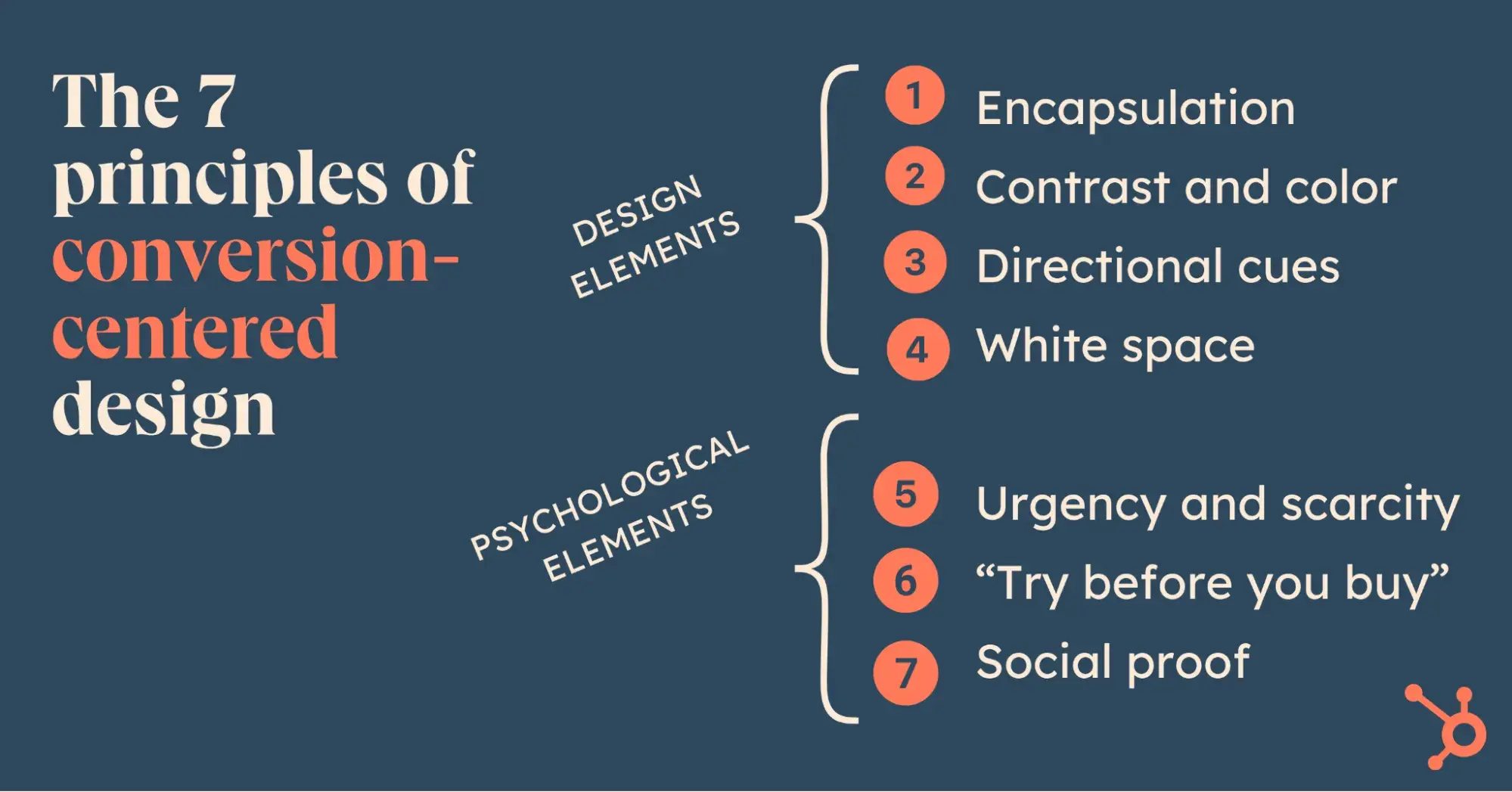
Weak Spots

  • Not the Most Powerful: It’s not as good as Claude or ChatGPT for high-quality content or problem-solving. But for basic use cases, it’s solid.

When It Makes Sense to Use: Anytime privacy is key, like with sensitive internal data, or when you just need a quick local solution.

Grok by xAI: Twitter Data & Realistic Image Generation

Grok is a fun one — it’s a social media native, integrated with X (formerly Twitter).

It’s a decent model and comes with a strong image generator, Flux One, that can make super-realistic visuals. But where it really shines is pulling in Twitter data in real-time.

Why We Use It

  • Live Twitter Insights: Grok lets us see what’s trending or analyze popular Twitter profiles on the spot.
  • Image Generation: Flux One can create realistic images of people, scenes, and more, with few limits on topics.

Downsides

  • Niche Use Cases: It’s great for Twitter data and images but doesn’t stand out in general tasks like summarization or storytelling.

Ideal Use: Social media research and generating realistic visuals for content.

Perplexity: A Researcher’s Best Friend

Perplexity isn’t technically an LLM in the traditional sense. Instead, it’s an AI-powered research tool that pulls information from the internet and then uses a model to organize it.

It’s our go-to when I need quick, accurate information or a second opinion on a topic.

What Makes It Indispensable

  • Web Search Capabilities: Perplexity searches the web and summarizes content, making it perfect for research-heavy tasks.
  • Choose Your Model: we can use GPT-4, Claude, or even OpenAI-o1 as our “engine” within Perplexity, so we always get the model that fits our needs.

Caveats

  • Double-Check for Accuracy: Sometimes it mixes up similar names or pulls outdated info, so it’s good to cross-check important facts.

When I Use Perplexity: Anytime I’m in “research mode” or need up-to-date insights for blog posts, presentations, or meetings.

Finding the right LLM can be as simple as matching a tool’s strengths to your needs.

Our advice? Try out a few, and don’t hesitate to mix and match to get the best results.

New call-to-action

Categories B2B

Why Keyword Intent Matters & How It Leads to Higher Search Rankings

A lot of marketers are guilty of paying too much attention to keyword volumes and not enough to what the content should cover. As a result, they produce large volumes of content that lack engagement and don’t convert. That’s even true for pieces that are well-written.

That’s what happens when marketers ignore keyword intent, which is the missing element of the puzzle. Knowing not just what your audience is searching for but also why they want the information can transform your content strategy.

Download Now: Keyword Research Template [Free Resource]

Below, I’ll share my deep dive into keyword intent. Here’s all you need to know about getting it right.

Table of Contents

What is keyword intent?

Keyword intent — or, as others call it, search intent — reflects what a user wants to find in search results. Their goal might be learning about a specific topic, making a purchase, or comparing options.

By understanding keyword intent, marketers can create content that matches searchers’ expectations. This should lead to higher rankings and more user engagement.

The Importance of Keyword Intent

In my opinion, keyword intent doesn’t get the credit it deserves when it comes to its impact on SEO. Getting it right is one of the must-haves in order to secure high search ranking results. How so? Think of the very way search engines work.

Google and its counterparts aim to show users relevant content and pages that help answer their questions. If you address a specific problem or topic with a keyword that’s relevant to the person’s intent, then Google can tell and consider it in the engine’s rankings.

Also, on top of “just” pleasing search engines, remember that understanding keyword intent helps you position yourself for phrases that relate to your offer. For example, we want HubSpot to appear in searches for “CRM.”

Beyond that, we want to optimize for more specific intents, like “how to keep my small business organized” or “how to organize my contacts.”

Types of Keyword Intent

There are four main categories for intent:

Informational

As the name suggests, this intent type applies to queries people tap into the search bar to get information on a subject. They either have a very simple question, like, “How long is a direct flight from NY to LA?”

The searcher either wants a straightforward answer or to go deeper into a topic. Think of queries like “benefits of vitamin D.” That’s a jumping-off point for more research.

Navigational

These keywords are often “branded,” or related to a company’s website or a dedicated webpage. In fact, just recently, I saw a post from Ahrefs CMO Tim Soulo, who shared that 36.9% of all U.S. searches include a company name. That’s quite a lot!)

keyword intent; a graph showing the percentage of us searches that are branded

Source

For example, a person who wants to log into their Slack account via a web browser could tap “Slack login page” into the search bar. Their intent is to get directed straight to the login subpage instead of going to the commercial site and finding the login feature themselves.

Similarly, someone who purchased a dress in Zara but it doesn’t fit well could search for “Zara return policy.” A person who wants to try on Nike shoes could Google “Nike store near me.” The goal here is to appear for those branded terms (especially since competitors might try to rank for your branded phrases).

Transactional

Recently, I spent hours looking for a dash cam. I knew exactly what model I wanted to buy, but I wanted to find the best deal.

After visiting a few sites, I went with a distributor who offered the lowest price and bought the camera immediately. My search intent was transactional — I knew what I wanted, and I wanted to buy it ASAP.

Commercial

Commercial intent is similar to transactional intent, except that people might not be quite ready to buy yet, so they evaluate their options.

Going back to the camera example. I am not a “car camera” specialist, so before finding the model that I liked I had to run “a little” research. In truth, I spent hours going through camera rankings and reviews, until I found the right one. I didn’t buy it then. I waited a few days until I was absolutely sure it was the “one.”

How to Identify Keyword Intent

Analyze SERP results and dive into the query’s language.

I always start with search results. If I were to write a piece on “best real estate agencies in Spain,” I would Google this phrase before deciding on the content format. Here is what I would get:

keyword intent; top pages ranking in google for the phrase “best real estate agencies in spain”

We can clearly see that search results include a list of real estate agencies worth working with. Users running this type of query are evaluating their options — this means their intent is commercial.

The best type of content to target this phrase would be reviews, case studies, testimonials, or comparison pages. Anything that could help users make an informed decision on which agency to work with.

If we dive deeper into each result, we can also notice that they include words like “pros,” “cons,” “best,” and “comparison,” which further confirms that the intent is, in fact, commercial.

Use a tool.

If you feel like you need some extra help identifying intent, tools like Semrush or Ahrefs work wonders. Both have features that assign intent to keywords automatically. If you already use either of these tools, then this will definitely be the easiest (and fastest) option.

Alternatively, you could also ask ChatGPT for help. It does a good job of analyzing language and meaning thanks to natural language processing (NLP). The chatbot can sort phrases according to keyword intent types.

That’s what I did when I ran an SEO audit for a client earlier this year. I provided ChatGPT with an export of keywords that the brand was already ranking for, along with terms that they wanted to create content on. I provided ChatGPT with the four keyword intent categories I shared earlier in this blog and asked it to add a relevant tag to each keyword.

Whether you use dedicated keyword software or ChatGPT, I’d like to share some advice. As neither Ahrefs, Semrush, or ChatGPT are human, they might make mistakes when identifying intent. So, whenever possible, verify its output.

Tips for Optimizing for Keyword Intent

Here are some practical tips on how to build a content and SEO strategy that incorporates keyword intent.

Pick the right content format.

The best way to check which formats work is to run a search for the phrase you want to target in Google. What type of content dominates the top 10 results? If most sources feature a listicle or a how-to resource, do the same.

It means that readers engage with this type of content and find it useful. Google takes note of this quickly, and will boost ranks for what’s proven to work. Bonus points: If you follow the same article or page structure, make sure it’s also more insightful than your competitors.

As a rule of thumb, there are certain formats that are particularly suitable for specific keyword intents. For example:

  • How-to guides or blog posts — informational keywords, where you introduce a site visitor to a topic and build out your expert image.
  • Landing pages and product listings — transactional keywords. These pages don’t necessarily have to be very short; you can optimize them primarily for transactional phrases and use additional keywords in the description or FAQs.
  • Comparison pages, articles, or reviews — commercial keywords.
    Arguably, the most popular type is “[Tool A] vs [Tool B]” landing pages, where users who are familiar with two brands get an overview of both. These pages can convince users to choose one solution over another; just make sure they stay objective and aren’t too salesy.

Use intent-focused language.

Using intent-focused language means adjusting your vocabulary, tone of voice, and calls-to-action to your searcher’s goals. It will help you achieve better SEO rankings and, hopefully, improve conversions.

Let’s take a look at the type of language you should use based on the intent type:

  • For informational intent, go with clear, instructional phrases, such as “Learn how to” or “Discover tips for.” As for the CTAs, you could consider ”Read the full guide” or “Explore similar topics,” both of which encourage further topic exploration.
  • For navigational intent, use brand-specific terms, navigation hints, or direct links like “Login to [Brand Name].” For CTAs, consider “Go to the homepage or ”Access your account.”
  • For transactional intent, focus on action-driven terms like “Buy now,” “Sign up today,” or “Get started.”
  • For commercial intent, use comparative and trust-building phrases like “Compare the best,” “Why choose,” or “Top-rated options for.” Your CTAs might include terms like “See how it compares” or “Check out customer reviews.”

Optimize meta tags.

Don’t forget about meta titles and descriptions. If you do, Google will simply generate one automatically from the page content. However, it might not align with what you’d like to say. Here are a few tips on how to optimize meta tags:

  • Make sure they reflect the search intent.
  • Promise value by focusing on key benefits and solutions your content provides.
  • Use action-oriented language to guide users on what to do next.

Here is an example of meta tags for a target keyword with an informational intent – “How to build a Progressive Web App.”

  • Meta title – “How to build a progressive web app (PWA) – a step-by-step guide”
  • Meta description – “Learn how to build a Progressive Web App (PWA) with this comprehensive guide. Discover key tools, service worker setup, and caching strategies to create a robust offline app.”

Creating a meta tag for each content format will have a positive impact on your click-through-rate, as visitors will know before entering the site if the content addresses their needs. This should also reduce your bounce rate.

Add structured data.

Google, Bing, Yandex, and Yahoo all use structured data to understand what a page is about and to learn about the brand, people, products, and companies that are mentioned in the description. A popular type includes schema markup, which is often hidden in the code as supplemental information.

While structured data is not seen by the site visitor, you can still use it to make useful information (packed with relevant keywords) very much public.

Let’s think about frequently asked question modules as an example. That’s what a software agency I cooperated with recently did for their new landing pages. I helped our client write the new website copy, which featured an FAQ section.

Not only does this approach let brands use relevant keywords, but it also helps answer common questions from prospects. Here’s an example.

keyword intent; example of an faq section that uses schema markup

Source

​​

Focus on user experience.

Last but not least, optimizing your site for keyword intent also means tailoring your layout to the type of information you want to convey.

This means selecting the right formatting or visuals to make complex or comprehensive information as digestible as possible.

For example, the comparison pages I’ve already mentioned are great candidates for a chart or table. Instead of expecting your reader to go through a paragraph, you make the information scannable, reducing the user’s effort.

Verifying Keyword Intent Is a Must-Have for Your SEO Strategy

It’s my hope that keyword intent will stop being the content marketing underdog and that more brands will understand just how much it can do to optimize SEO.

It’s worth taking the time to verify a user’s search intent whenever you’re considering writing an article or publishing a landing page.

Ask yourself – what goals do my prospects have when tapping the keyword into Google? And, once they land on my page, how can I make it worth their while? If you can answer these two questions, you’ll already have a head start. Good luck!

Categories B2B

How I Built a $75M Newsletter: My Top Tips to Make Yours Impactful in 2025

I started Morning Brew during my senior year at the University of Michigan while helping students prepare for job interviews.

When I asked them how they stayed up-to-date with business news, they all gave similar answers. “I read the Wall Street Journal because my parents told me to. It’s dense. It’s dry. I can’t get through it.”

I was surprised. These were future business leaders who couldn’t connect with the very content that was supposed to inform their careers. But that shock sparked an idea: What if I could create something different — something that made business news engaging and easy to digest?

That idea became Morning Brew, a daily newsletter with over four million subscribers. We’ve expanded beyond general business news, with spin-off newsletters dedicated to retail, marketing, emerging tech, finance, and more. Below, I’ll share that growth journey.

Here are my top five tips to make your newsletter unmissable.

Download Now: The Future of Newsletters [Free Report]

Growing from a PDF to a Massive Newsletter

I had an idea — creating a product that makes business news captivating and memorable. I decided to test the idea by writing a daily newsletter.

Every morning, I’d spend hours combing through The Wall Street Journal, CNBC, Financial Times, and The Economist to identify the most important stories for business-minded students. I’d then break them down into 150 to 300-word summaries that were informative yet concise.

The response was immediate.

Despite having zero tech infrastructure — I was manually converting Word docs into PDFs and emailing them out — our subscriber base kept growing.

I knew we had something special because getting on the list was painful. Students had to email me directly just to get added to my listserv ([email protected], in case you’re curious). Even with that friction, they wanted the newsletter anyway.

Within three months, we had 750 subscribers in Michigan’s business school, and that number soon grew to more than 1,500. I remember sending out an email saying, “I want to take this newsletter a little bit more seriously. If you want to help me, let me know.”

I brought on a few people, and we moved to an email platform. We created a template. And, in March 2015, the very first Morning Brew was sent out following today’s format.

That’s the origin story, but getting here wasn’t easy, and the lessons I learned along the way will help anyone trying to build their own newsletter.

Tips for Building a Newsletter

1. Find your Level 3 sub-niche — and go deep.

One of the biggest mistakes I see people make when starting a newsletter is going too broad right out of the gate.

General interest newsletters covering topics like global business or politics may sound appealing, but they’re the most competitive, hardest to grow, and often have the lowest customer value.

That’s why I always recommend picking a very specific niche — one where you’re either already a subject matter expert or are committed to becoming one through research and interviews.

I like to think of niche selection as an upside-down pyramid:

niche selection for newsletters

  • Level 1: broad, general-interest topics like pop culture or world news. They have the largest potential audience but are overcrowded and difficult to break into.
  • Level 2: industry or passion-based niches, like marketing, retail, or gardening. They offer smaller audiences but higher engagement and less competition than general topics.
  • Level 3: sub-niches like “account-based marketing” instead of general “marketing,” or “bonsai tree pruning” instead of just “gardening.” They have the smallest addressable market but the most loyal readers and the highest potential customer value.

Creating a general-interest newsletter like Morning Brew would be difficult in today’s landscape. It’s not impossible, but the bar is much higher because people can get broad news content in so many other ways. I’d say the lowest-hanging fruit of large audiences has generally been picked over.

Instead, you need to niche down and provide a product readers can’t get anywhere else.

2. Identify a very specific, very painful problem.

Picking the right niche is only part of the newsletter equation. The real key to creating an unmissable newsletter is solving a specific, meaningful problem for your audience. The more painful and urgent the problem, the stronger your newsletter’s value proposition will be.

For example, at Morning Brew, the problem was that our audience — emerging business leaders — didn’t have the time or desire to sift through dense, dry business publications. They needed a quick, engaging summary of what mattered most.

For your newsletter, you need to identify a similarly pressing pain point — something that will motivate readers to open and engage with your content.

In my experience, three questions can help you uncover the high-impact problems to solve:

  • Is the problem tied to their performance or success? Readers are more likely to engage with content that helps them do their jobs better, gain new skills, or achieve specific goals.
  • Does the problem involve saving time or money? Content that helps readers streamline tasks, avoid costly mistakes, or save time often creates immediate, tangible value.
  • Does the problem relate to critical knowledge gaps? Whether it’s staying professionally competitive or socially relevant, readers value content that fills gaps in their knowledge.

3. Develop a voice that keeps readers coming back.

Your unique writing style and tone of voice isn’t just about making your newsletter sound good — it’s about keeping readers engaged from the first sentence to the last.

Joseph Sugarman, author of The Adweek Copywriting Handbook, calls this creating a “slippery slide.” The goal of the first sentence is to get someone to read the second sentence, and the goal of the second is to get them to read the third. A well-developed, authentic voice acts like Vaseline on that slide, making it impossible for readers to stop.

At Morning Brew, we didn’t follow a rigid formula for tone, and that’s part of what made us successful. Our tone was conversational, relatable, and slightly witty, but the degree of entertainment varied depending on the audience.

For example, the daily newsletter is about 60% information and 40% entertainment because we knew our readers were seeking business news but appreciated a light, engaging delivery.

Meanwhile, our industry-specific newsletters, like Marketing Brew and Retail Brew, lean more toward 75% information and 25% entertainment since professionals reading them wanted actionable insights first.

Don’t fall into the trap of thinking every brand needs to be quirky or funny. Your newsletter voice should feel natural to your brand and provide value. Whether you’re pithy, formal, or somewhere in between, the goal is the same: keep them reading.

4. Let demand drive growth before spending on marketing.

A lot of people assume that growth is all about marketing dollars, but the reality is, product-market fit comes first.

If people don’t naturally want to share your newsletter, paid acquisition won’t fix that. That’s why I recommend starting your newsletter strategy by focusing on organic growth.

At Morning Brew, we focused entirely on organic growth for three years before spending money on paid acquisition. Instead, we put all of our energy into perfecting the newsletter’s content, building organic referral loops, and deeply getting to know our readers.

This approach allowed us to grow efficiently without a big budget. We got valuable insights into what resonated with our audience, how they engaged with our content, and where untapped opportunities lie.

Only then did we start experimenting with paid marketing — testing, analyzing, and identifying which channels provided the most high-quality subscribers. Once we knew where we were getting the best return, we doubled down on those channels and scaled our efforts.

5. Focus on the metrics that actually matter.

Metrics are crucial for understanding how your newsletter is performing and where you need to improve. But knowing which metrics to focus on — and when — makes all the difference for long-term growth and sustainability.

For example, once we reached 500,000 subscribers, our North Star goal was to maintain a unique open rate above 40%. If our open rates dropped, it was a signal to investigate two key areas: Either we were acquiring low-quality subscribers, or our content was failing to keep readers engaged.

With Apple’s changes to auto-opening emails, however, open rates have become less reliable. To adapt, we’ve started shifting toward measuring clicks as a key barometer of engagement. For example, today, we consider a high-quality subscriber to be someone who clicks on content within their first two weeks of subscribing.

So, as your audience grows, evolve your key performance indicators (KPIs) to match your stage of growth. Early-stage newsletters should prioritize engagement metrics like opens and clicks, but as you scale, focus on retention and conversion to ensure sustainable growth.

Learn, Adapt, and Grow for Long-term Newsletter Success

Building a successful newsletter isn’t about having a perfect plan on day one — it’s about starting with what you know and adapting as you grow. Over time, those adjustments will compound into something readers won’t just subscribe to — they’ll depend on it. Start small, stay consistent, and keep building.

Categories B2B

Media Mix Modeling: What It Is and How to Use It [+ Examples]

I’ve worked in digital marketing for over ten years and always look for ways to improve my marketing analysis and reporting. Having worked in leading digital agencies and my own multi-channel agency, media mix modeling (MMM) is paramount in my work.

I co-founded an SEO and PPC agency with Leigh Buttrey, and we are dedicated to multi-channel marketing. She runs PPC, I run SEO, and we both know our work impacts the other. We also work closely with internal teams who have many other channels within their marketing media kit.

Access Now: Free Media Planning Template

When it comes to marketing, I’m sure we can all agree that an omnichannel approach is best.

The challenge? Well, that’s in the analysis. We all know buyers rarely convert thanks to one media, but which media drives results?

Well, that’s where media mix modeling comes into play.

In this article, I explore media mix modeling (MMM), starting with its definition, framework, and examples of MMM in action. I reached out to marketers, sales professionals, and business owners using MMM in their marketing analyses. They share real-life anecdotes and tips to help you feel confident about MMM.

Let’s get started.

Table of Contents

If you understand how your channels are “playing” together and how impactful each channel is, you can optimize your media planning. For example, you will better understand which channels to invest more heavily in and for what purpose.

Stay tuned — later, I’ll share some real-life examples of how MMM has transformed a business’s approach to marketing.

Media Mix Modeling in Marketing

infographic shows the 4-step process that marketers take to use mmm successfully.

Source

Media mix modeling is a marketer’s best friend — though it’s no small feat to set up. You want a lot of clean data, ideally spanning years.

MMM uses historical data to identify and quantify the relationship between marketing channels and their impact on business objectives like conversion or revenue. This is where it differs greatly from other models.

Last-touch attribution models, for example, only consider the last marketing channel that resulted in a sale, while first-touch attribution does the opposite.

I feel that most marketers are happy to say that sales rarely come from one channel alone, and each media plays a role.

With media mix modeling, marketers can predict future performance, which helps them make marketing decisions such as allocating budgets.

With MMM, markers can:

  • Gather historical data on things like marketing spend, sales, trends, etc.
  • Develop a statistical model that explains the relationship between marketing activities and business outcomes.
  • Interpret results to understand the effectiveness of each marketing channel.
  • Use insights to reallocate budget and resources for maximum ROI.
  • Predict future performance based on different marketing scenarios.

In my opinion, the primary value of MMM lies in the data. Instead of making decisions based on gut feelings, you can quantify a channel’s role in marketing. Also, you will move away from siloed channel metrics to help make wider data-driven decisions with the complete picture of marketing’s performance.

Media Mix Modeling Framework

infographic shows the data points that are used in mmm.

Source

The media mix model framework consists of six steps.

  1. Data collection relies on high-quality, longitudinal data from various sources and marketing channels. As pictured above, this could include sales, marketing spend, consumers, product, economic, and competitor data.
  2. Data hygiene is as straightforward as it sounds, but it is time-consuming and a highly important step. It includes cleaning and pulling the data into a unified dataset ready for analysis. If you don’t get this right, you won’t get accurate data output. Spend your time here.
  3. Model development generally depends on machine learning models to help you understand the relationship between marketing inputs and business outcomes.
  4. Analysis is best done with some human intervention. AI can do a lot of analysis and is amazing for analyzing large data sets, but marketing is very nuanced, and a human overview of AI findings is essential.
  5. Optimization varies largely on the insights gained, but with your new data-driven insights, you can optimize your marketing and budget allocation for future campaigns.
  6. Forecasting is as it sounds. Now that you have data, you can predict the potential outcomes of different marketing scenarios, create hypotheses, test them, and reiterate them until your marketing leads precisely to your desired outcome.

Media Mix Modeling Examples

The best way to hear about MMM and its impact is through real-life examples. I was thrilled with the amazing insights received from the marketers below.

Spot Synergies Between Channels

Aaron Whittaker is the vice president of demand generation at Thrive Internet Marketing. When asked about the value of MMM, Whittaker said it had “transformed how we allocate marketing budgets and measure cross-channel impact.”

One particularly valuable application Whittaker found was spotting synergies between channels. In this solid use case, Whittaker explains, “When analyzing a retail client’s holiday campaign performance, instead of looking at channels in isolation, our MMM revealed unexpected synergies between radio advertising and social media.

We discovered that radio ads during morning commute times amplified social media engagement by 25% in the following hours – an insight that wouldn’t have been visible through traditional attribution models.”

What I like about this: Marketing attribution is a massive challenge for any business, and without MMM, it’s very easy to miss the value that, in this case, radio added. It would be easy to assume that social media visits, follows, engagement, etc., were up. What often happens is that efforts are completely attributed to social media, but the reality is that radio has a role to play here.

With this information, you can better rationalize why radio is a part of the media mix. Better, you can target the radio media at the right time (in the morning, when it’s proving effective).

Pro tip: If you’re working on your ads, struggling to get the results you want, or have proof (thanks to MMM!) that ads are working for you, then take a look at HubSpot’s paid media template. It makes light work of organizing your media planning and media buying.

Quantify Long-Term Brand-Building

Whittaker provided many examples for MMM. Choosing which ones to include in this article was a challenge! I had to include the value of long-term brand-building and how MMM can help quantify its role.

On brand-building, Whittaker says, “What’s fascinating is how MMM helps quantify long-term brand-building activities. We found that podcast sponsorships showed minimal immediate ROI, but our modeling revealed they contributed significantly to reducing customer acquisition costs across other channels over six months. This insight helped justify continued investment in brand awareness channels.”

What I like about this: Similar to the point above, I really like how MMM helps justify marketing efforts that might otherwise go unnoticed. It is true that if a channel doesn’t result in immediate ROI, it becomes “untrackable” using the last-touch attribution model, but with MMM, you can see how these media work for your business.

Understand the Crossover Between Online and Offline Media Activity

Peter O’Callaghan, head of marketing at ScrapingBee, has found the most value using MMM to uncover regional trends. O’Callaghan describes MMM as transformational.

He says it helps “Allocate budgets, refine messaging, and identify growth opportunities. It’s a powerful tool for predicting where to invest and where to pull back.”

When asked for an example, O’Callaghan says, “It helped us pinpoint California and Texas as hotspots for scraping API demand, contributing 40% of our leads. By reallocating $5,000 to geo-targeted campaigns in these states, we increased regional engagement by 30% while shortening our sales cycle by nearly two hours per lead. This regional focus continues to shape how we approach campaign strategy.”

Tips for Using Media Mix Modeling

Tip 1: Start your analysis with a lot of data.

Alongside his winning MMM examples, Aaron Whittaker advised that anyone starting with MMM analysis should start with “at least 18 to 24 months of data.”

The more data, the easier it is to spot trends. Whittaker explains, “18-24 months of data [helps] account for seasonal patterns and long-term effects. We’ve found that shorter time periods often lead to misleading conclusions about channel effectiveness.”

Whittaker has another MMM example that demonstrates the value of data beautifully.

“A surprising discovery emerged when modeling seasonal impacts. Our analysis showed that the effectiveness of different channels varied dramatically by season. Email marketing peaked during winter months, while outdoor advertising delivered the highest ROI during summer. This led us to develop dynamic budget allocation strategies that shift spending based on seasonal effectiveness.”

What I like about this: I’m sure many marketers reading this are nodding in agreement. We all know that we need data — and the more of it, the better — to make a suitable analysis.

tip for using media mix modeling

Tip 2: Make sure your data is clean.

Peter O’Callaghan advises that “MMM works best when you have clear, measurable goals. Without defined outcomes, it’s easy to misinterpret the insights and act on incomplete information.”

It’s easy to miss where your data needs work, but O’Callaghan has some tips for this, too.

  • Watch out for poor segmentation. O’Callaghan explains that poor segmentation hides valuable patterns. He says, “If the data is too generalized, key trends that differentiate user groups can be lost. Breaking data into smaller, meaningful segments allows you to understand the unique behaviors and preferences of different audiences.”
  • Balance your assessment of short-term trends or seasonal spikes. O’Callaghan cautions about short-term trends and seasonal spikes, explaining, “MMM outputs can occasionally mislead if you weigh short-term trends too heavily. Seasonal spikes or external factors can distort results if you don’t account for them. For instance, a one-time traffic surge led us to overvalue email performance. Now, we cross-check MMM results with longer-term metrics to ensure a balanced view.”

What I like about this: This is a sentiment we’ve heard earlier in this article. I like that O’Callaghan recommends cross-checking results with longer-term metrics. This tip aligns perfectly with Aaron Whittaker’s tip about starting MMM with long-term data.

Get Started With Media Mix Modeling

As a marketer and primarily an SEO, I know the value of media mix modeling. Still, writing this article and speaking to other marketers, I can see how MMM helps businesses make better marketing decisions. Instead of feeling like a certain marketing media is working for you, MMM helps you prove it.

So, if you want to start with media mix modeling, do it. Just remember to gather that long-term data, and cross reference short-term findings with long-term trends.

Categories B2B

My Tips for Designing Great Website Imagery [With Canva, HubSpot, + 3 More Tools]

I‘ve been designing images for websites for about seven years now, so I’ve come across many tools that make the process simple.

If you want to create or incorporate compelling images into your brand‘s website for the first time and you’re not sure how you’re in luck.

Free Download: 77 Examples of Brilliant Web Design

In this post, I’ll share my tips and favorite tools for designing website imagery that will make your site stand out and delight your visitors.

Table of Contents

What is website imagery?

Website imagery pertains to any visual elements on a website, such as illustrations, photos, videos, or graphics. It enhances a website’s quality, experience, appeal, share information, and delight visitors.

Types of Website Imagery

In addition to the types of images I mentioned above, other kinds of website imagery are:

Logos

It would be an understatement to say that logos are important to your website. I‘d argue they’re crucial to building brand recognition, trust, and credibility.

Denim company Levi‘s includes its logo in its website’s banner, and no matter where you click or scroll, the logo remains a constant presence. Levi‘s logo lets me, as a consumer, know that the website I’m visiting is legitimate, so I can trust I’m purchasing from the correct brand.

screenshot of the levi's landing page, showing its logo in the corner

Source

Infographics

Infographics are images meant to share information or data. The example below uses a combination of graphics and texts to explain the hair donation process.

Infographics are a great way to simplify seemingly complicated concepts and make them more digestible for your audience.

infographic showing how to donate hair

Source

GIFs

Some say GIFs are going out of style, especially among Gen Z, but you’ll have to pry GIFs from my millennial fingers. GIFs are short, looping images and animations often used to convey emotions, humor, reactions, or information. My friends call me the GIF Queen because I have a GIF for every scenario.

3D renderings

3D renderings are 2D images created from 3D models. They are typically used to give virtual tours of buildings or to give audiences an idea of how a 3D object would look in real life. I most often see them when I’m online shopping for furniture, and you probably have, too.

3d rendering of a living room

Source

Tips for Creating Great Website Imagery

I‘ve learned from my days as a digital journalist and content creator that creating excellent website imagery doesn’t have to be difficult. All you need to do is the following:

Use harmonizing colors.

Colors that clash on your website can create disharmony and distract your audience. Worse, the wrong color scheme can make your website difficult to understand or read. So, try to harmonize colors on your website, especially when designing graphics.

I like using Canva’s interactive color wheel to determine what colors harmonize. This way, I only need to pick a color and combination to design a color-balanced graphic.

screenshot of canva color wheel tool

Source

I’m not going to give you a full crash course in color theory, but I can break down three simple examples of harmonizing colors for you to keep in mind.

1. Complementary colors are colors that are directly across from each other on a color wheel. For example, yellow is directly across from violet on the color wheel. This combination creates high contrast and will stand out to the human eye.

screenshot of la lakers logo

Source

2. Analogous colors are adjacent to each other on the color wheel, like golden yellow, yellow, and chartreuse. Together, these colors can create a sense of unity and calm for the viewer.

See the example below. Feel calm yet?

green and yellow image of flowers

Source

3. Triadic colors are evenly spaced around the color wheel and form a triangle. Examples of triadic colors are red, yellow, and blue, or orange, green, and purple.

Below is a site that uses orange, green, and purple together in its imagery.

screenshot of website using green, purple, and orange colors

Source

Use brand colors.

If you want to boost cohesion and brand recognition, consider using your brand colors throughout your website imagery. Target, for example, is recognized by its red and white bullseye, so it uses variations of red and white throughout its website.

screenshot of target.com landing page

Source

Once you have your colors figured out, ensure the images you create are high-resolution and not pixelated. High-quality images are clear, make your website look professional and authoritative, and won’t turn off your page visitors.

Use original images rather than stock images whenever possible, and avoid using images that violate copyright. Original images boost your website’s authority and add authenticity to your brand.

Finally, when possible, use alt text, which describes the content of your image and helps search engine crawlers understand it. This can boost your site’s visibility and ranking.

Plus, it makes your site more accessible because screen readers analyze the alt text and convert it to screen elements, ensuring an equal experience for all visitors.

How I Use Canva for Website Imagery

I typically use Canva to create infographics and featured images. Its integration with Hubspot is most helpful because I can access Canva directly within HubSpot.

Pre-made backgrounds and images are already uploaded into a folder specifically for HubSpot content marketers like myself. I simply start by choosing a HubSpot-specific background I like.

If I interview someone for the post, I’ll take the headshot of the interview subject and place it in front of the background.

I’ll then adjust the headshot by removing its background and clicking the “Edit” button, changing its color-grading, and adding any effect I think will help it pop.

Then, when I’m satisfied, I can hit the request approval tab and have my teammates look over the image before using it. Finally, once the image is ready, I upload it into the blog post. Easy peasy!

5 Website Imagery Tools

I‘ve been using Canva for almost 10 years, and it is my favorite website imagery tool. However, I’ve also found the following tools useful, and you might too.

1. Unsplash

Unsplash offers millions of free, high-resolution images that are way cooler than your average stock photo. I don’t use Unsplash for my HubSpot content, but I have used it for my passion projects and personal content creation.

In my experience, most contributors to Unsplash are professional photographers generous enough to provide gorgeous, unique photos that are free to use under the Unsplash license.

screenshot of unsplash website showing a variety of concert images

Source

2. Pixlr

This free photo editor works a lot like Photoshop and allows you to edit within your browser, smartphone, or desktop. I haven’t used Pixlr in a while, but I remember loving how easy and intuitive it is, especially for beginner editors or creators with no editing experience.

screenshot of pixlr landing page

Source

3. HubSpot’s AI Image Generator

As far as text-to-image tools go, HubSpot’s AI Image Generator is top-tier and easy to use. All I need to do is enter a text prompt and then choose a style and orientation. From there, an image will be generated, and I can enter it into my HubSpot blog.

screenshot of hubspot ai image generator

Source

4. Pexels

Pexels is a website boasting royalty-free, high-quality stock photos and videos. It’s very similar to Unspash in the sense that most contributors are professional photographers and videographers trying to get their work in front of others.

screenshot pexel landing page

Source

Now, you‘re ready to start designing excellent website imagery for your company! Remember, you don’t need to be a photographer, designer, or someone with a special eye for color to create amazing graphics and images for your website.

All you need are the right tools, a little patience, and a willingness to experiment to see what works. Good luck!