Categories B2B

11 Important Elements to Include in Your Employee Handbook

In most roles I’ve begun, an employee handbook was the first internal document I read. So naturally, I’d make a lot of assumptions about the kind of place I was hired at based on the employee handbook.

From vacation policies to dress codes to nondiscrimination policies, employee handbooks have given me a clear overview of the dos, don’ts, regulations, and expectations of my new role.

Download Now: Free Employee Handbook Template

They’ve also helped pique my excitement, especially when the company mission, values, and culture are laid out.

Below, I’ll cover the importance of an employee handbook, nine essential elements to include, an employee handbook template, and examples to help guide yours.

Table of Contents

What is an employee handbook?

An employee handbook is an exhaustive document outlining an organization’s policies, procedures, and employee expectations.

It’s a crucial resource for new hires and existing staff. Employees can overview their rights and responsibilities as members of the company.

Why is having an employee handbook important?

Employee handbooks are essential for several reasons, for both the employer and employees. Here’s why.

1. Inform new hires.

When I was hired at Paramount, I underwent a two-day orientation and onboarding.

During this period, I received an employee handbook that outlined staff expectations. That document included ways to promote privacy, harmony, safety, and community.

The handbook was a helpful resource for better understanding Paramount’s culture and how I could be an upstanding member of such a large, global organization.

It was also a relief to know this was a guide I could continuously refer to whenever questions or concerns arose.

2. Document mandated policies.

Paramount requires us to complete several regular employee trainings, including anti-sexual harassment, anti-discrimination, business conduct, and more. These trainings coincide with federal, state, and local laws that companies must uphold.

Employee handbooks are a great place for companies to outline these policies to ensure all staff are given the information they need and that employers comply with laws and regulations.

3. Declare company goals.

Most successful companies have cohesive vision propositions, mission statements, and values that provide context for the company’s purpose. These statements also guide employees toward a shared goal.

Modern employee handbooks include this information to guarantee all workers are immediately made aware of why they were hired and how they can play a role in the greater vision.

Reading this information in my employee handbooks also helped me grow enthusiasm and passion for my upcoming work.

What to Include in an Employee Handbook

Knowing where to begin is difficult when crafting an employee handbook. Check out the sections I have found most useful.

1. Introduction to Company and Values

As mentioned, I’ve found a lot of value in better understanding the company from an internal lens in an employee handbook.

While Paramount has a lot of externally-facing information, employees will get an inside scoop on what makes it so special.

This is a great way to begin the employee handbook, offering new employees an elevator pitch about why the company matters and why they should be excited to join it.

2. Code of Conduct

Here, I learned about the ethical standards and professional behavior expected at the company. It’s helpful to have a baseline of what the company expects of me ethically so I can remain an upstanding member of the community.

I’ve also learned a lot of basic employee-wide guidelines, such as hybrid office requirements and the dress code.

Overall, the code of conduct shares the company’s values and desired behavior that it wishes to foster in employees of all levels.

3. New Hire and Separation Policy

As a new hire at Paramount, I had endless questions about my new employment, particularly how and when to enroll for benefits. This section provides information about that, as well as more serious topics such as disciplinary systems.

In tandem, it provides information in case an employee wishes to depart the company for whatever reason.

Workers who don’t feel comfortable asking certain questions before announcing their leave can refer to the employee handbook to understand when their insurance coverage ends and if they will be paid out for unused time off.

4. Performance and Career Development Policies

Forward-thinkers like me are always planning for what’s next. When I start a new role, I want to feel confident that I’ll join a team that prioritizes my learning and career growth.

This section is a great place to lay out how promotions and raises occur, and what opportunities the company provides for employees to broaden their knowledge

5. Compensation and Benefits Policy

This section has been extremely vital to me as a new hire and long-standing employee.

It’s a great place to refer back to whenever I want to remind myself about my insurance coverage or sign up for a new program like tuition reimbursement.

It’s also where I go to understand my compensation. New hires will likely have questions about how they’re paid (weekly or bi-weekly) and how their payroll deductions look. It’s important information to have readily available.

6. Leave Policy

I’m grateful to work on a team and at a company that encourages me to take time off for vacation, sick time, and personal days. I learned a lot of this information in the employee handbook.

Since I’m not a salaried employee, the handbook explained how many PTO and sick days I received per calendar year, as well as what federal holidays the company observes.

It’s helpful to be able to refer back to this guidance when planning vacations and future time off.

7. Equal Employment and Nondiscrimination Policy

As a young woman of color, working at a company that recognizes the importance of diversity and inclusion is an absolute priority.

I pride myself on working for a team with all kinds of people who have diverse perspectives, which makes our work stronger.

I believe all companies should highlight these policies in their employee handbooks so new hires know from the get-go that the company is serious about who it wants to contribute to the culture.

8. Computers and Technology Policy

Many companies like mine have embraced a hybrid work environment, meaning we go into the office a few days a week and work remotely the other days.

For this reason, employees at my company receive company-owned devices, such as laptops and phones.

This can lead to many security and privacy issues, so I recommend including a section in the employee handbook that communicates regulations around using company-owned devices and programs.

9. Health and Safety Policies.

My company conducts bi-annual fire and safety procedure walkthroughs with security. However, as a new hire, I was eager to know these protocols from the start, since I had just missed the last round of walkthroughs.

The employee handbook is a good place to detail security procedures, such as requiring badges for entry and protocols in the case of emergency events, such as a fire.

This also helps reduce company liability by ensuring this important life-preserving information is provided to all new hires.

10. Non-Disclosure Agreement and Confidentiality Policy

One of the perks of being at my company is being privy to data, information, and plans that are not for the public eye. But with this opportunity comes a big responsibility to preserve the confidentiality of this knowledge.

Therefore, it’s essential to clarify in the employee handbook what is considered confidential information for internal operations and clients and how to maintain privacy to ensure it’s not misused or shared externally.

11. Signature Page

The most important part of the employee handbook is when employees actually agree to all the policies, procedures, and systems laid out.

This ensures employees read and agree to the terms of the handbook and that the company is protected in the case of a wrongful termination lawsuit.

Now that I’ve conveyed the areas I’ve found valuable in my employee handbooks, let me share a template that dives more deeply into what to include in each section.

Employee Handbook Template

Employee Handbook for [Company Name]

Introduction to Company and Values

  • Describe the company’s history, including when, by whom, and why it was founded.
  • Lay out the company mission statement.
  • Include insight into the company culture and what elements are prioritized in the workplace, such as autonomy or continuous education.

Code of Conduct

  • Offer a general overview of ethics and compliance, which allow the company to fairly regulate and assess an individual’s behavior.
  • Detail important policies, including tardiness, dress code, and disciplinary actions.
  • Provide resources for employees to reference when encountering ethical predicaments.

New Hire and Separation Policy

  • Let new employees know whether they need to wait to receive their benefits (and how long) and what steps to take if an employee wants to quit.
  • Outline the progressive discipline policy, which is a structured approach to addressing employee misconduct or performance issues using increasingly strict steps that allow employees to correct errors.
  • Summarize what benefits employees are entitled to and for how long, if terminated.

Performance and Career Development Policies

  • Lay out the employee evaluation process and at what cadence these reviews should be set up with managers.
  • Explain when and how promotions happen, as well as training and learning opportunities.

Compensation and Benefits Policy

  • Detail critical benefits regarding health care, dental, vision, life insurance, and stocks.
  • Share information about other employee benefits, such as tuition reimbursement, commuter benefits, parking, employee referral bonuses, and 401(k) plans.
  • Provide guidance regarding compensation, such as total salary, payroll deductions, and compensation increases for specific job descriptions.
  • Document the payment schedule for each employee (weekly or bi-weekly).

Leave Policy

  • Share how much paid and unpaid vacation time employees receive.
  • Clarify policies around sick time, medical leave, and paid family leave and ensure these comply with U.S. Department of Labor laws, if applicable.
  • List company holidays.

Equal Employment and Nondiscrimination Policy

  • Include an employment and nondiscrimination policy, per The U.S. Department of Labor Equal Employment Opportunity law.
  • Reiterate to employees that discrimination or harassment won’t be tolerated in the workplace.

Computers and Technology Policy

  • Relay what employees can and can’t do with their provided technology.
  • Inform whether the company has the right to view emails sent on company computers, if social media should be avoided on these devices, and how much privacy they should expect while using company property.
  • Share if any actions performed on company technology are fireable offenses.

Health and Safety Policies

  • Outline workplace safety guidelines, such as badge usage, guest policies, and prohibited items.
  • Relay vital emergency procedures in the event of a fire or security lockdown.
  • Let employees know their rights as administered by The Occupational Safety and Health Administration (OSHA).

Non-Disclosure Agreement and Confidentiality Policy

  • List what information employees must keep private, such as the company‘s internal business plan, client information, and employees’ financial account information.
  • Share ways employees can ensure privacy and confidentiality, such as avoiding public wifi, never leaving company devices unattended, and requesting NDAs from partners before sharing documents.

Signature Page

  • Include a signature page at the end of the employee handbook that states the employee has read and agreed to the information detailed in the employee handbook.

If you’d like an even more seamless, plug-and-play template, check out HubSpot’s free employee handbook template that offers a foundation to integrate your brand’s personalized messaging and information.

Sample Employee Handbook

I recommend you create an employee handbook that’s unique and particular to your culture and company values.

However, I’ve developed a sample employee handbook to help get you started. I open with a company overview and information about the business’ values.
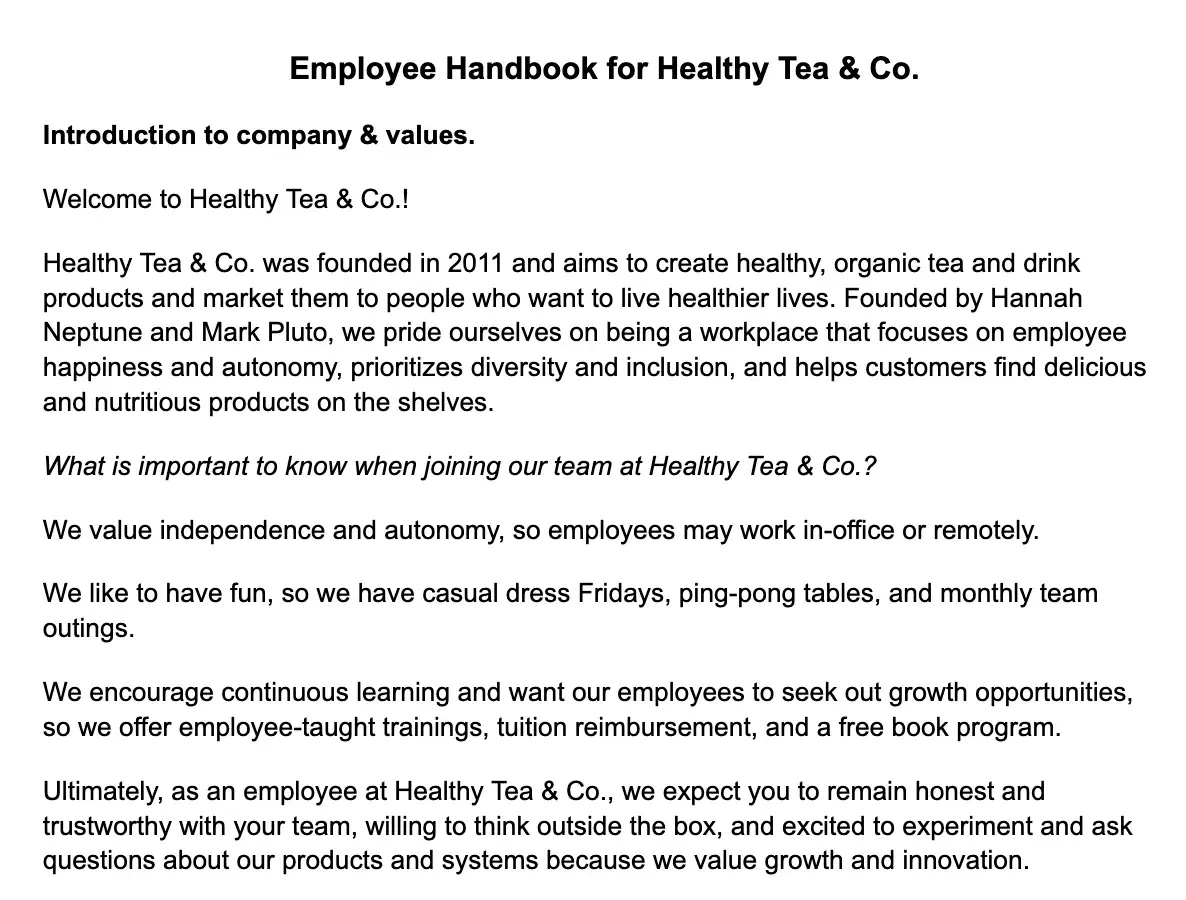
sample employee handbook, healthy tea

Many sections are too personal and legally sensitive to include in a sample.

For instance, review state and federal laws and contact a lawyer when writing a non-disclosure agreement. After the intro, I recommend adding information about your culture code. Then, you can talk about specific policies.
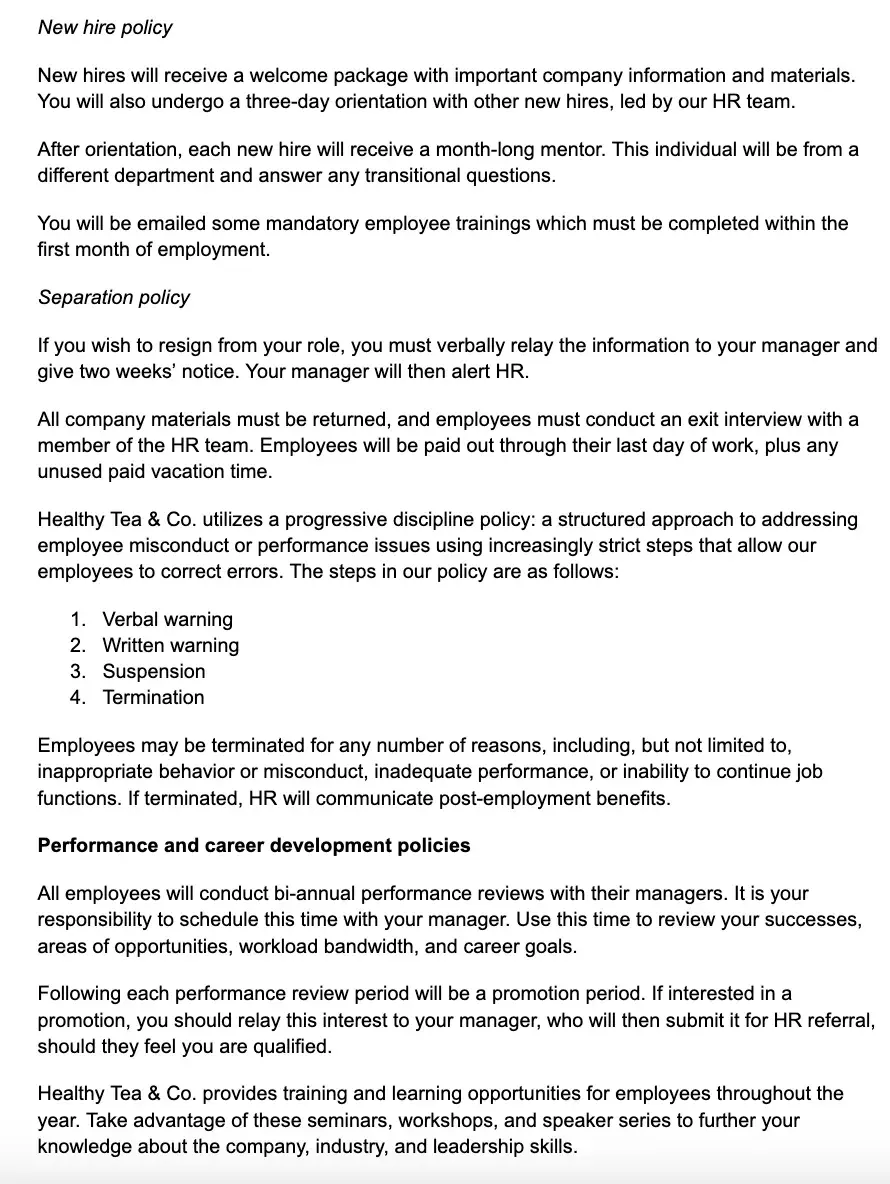
sample employee handbook, healthy tea

After this section, I recommend listing out any relevant employee benefits. That includes their compensation, benefits, and paid time off.
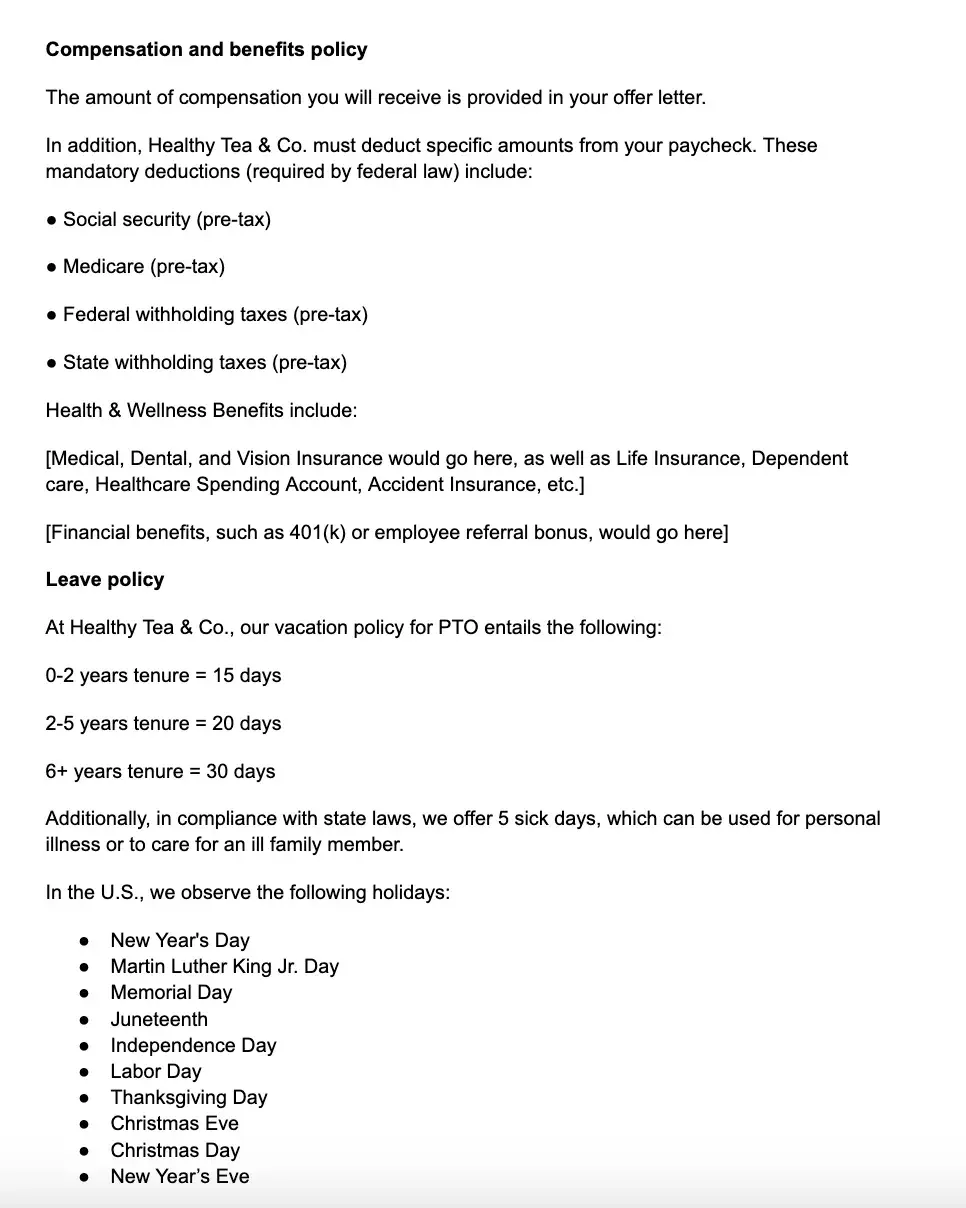
sample employee handbook, healthy tea

The last portion of my sample handbook features bracketed sections that relate to government regulations. If this were my business, I would include that information then ask for an employee signature.
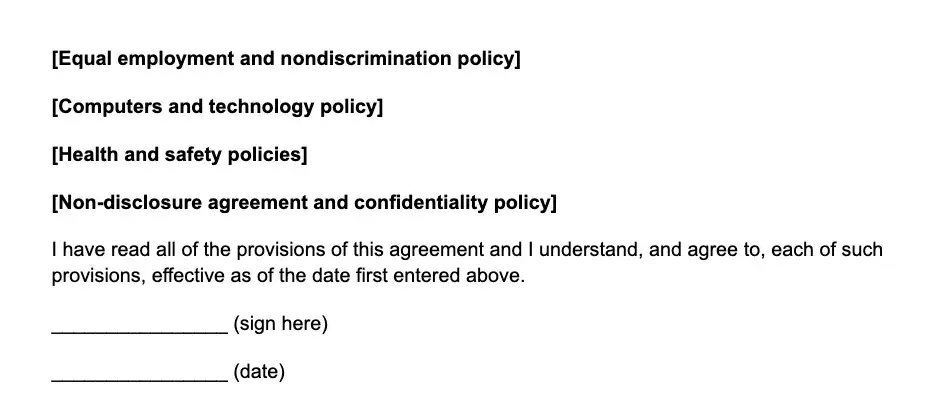
sample employee handbook, healthy tea

Employee Handbook Examples

I’ve established that several sections in an employee handbook are fairly standard — not to mention legally required. Additionally, many policies are for internal eyes only, making them inaccessible to curious blog writers.

Therefore, I’ve gathered a list of creative, unique culture pages, books, and codes.

These are terrific ways to begin an employee handbook. They go beyond a traditional company history and overview to embrace bold design, humor, and imaginative language and accurately portray the company’s culture to new hires.

Of course, these examples are not standalone employee handbooks, but take a page out of these brands’ books to jazz up an otherwise mundane, standardized document.

1. Warby Parker

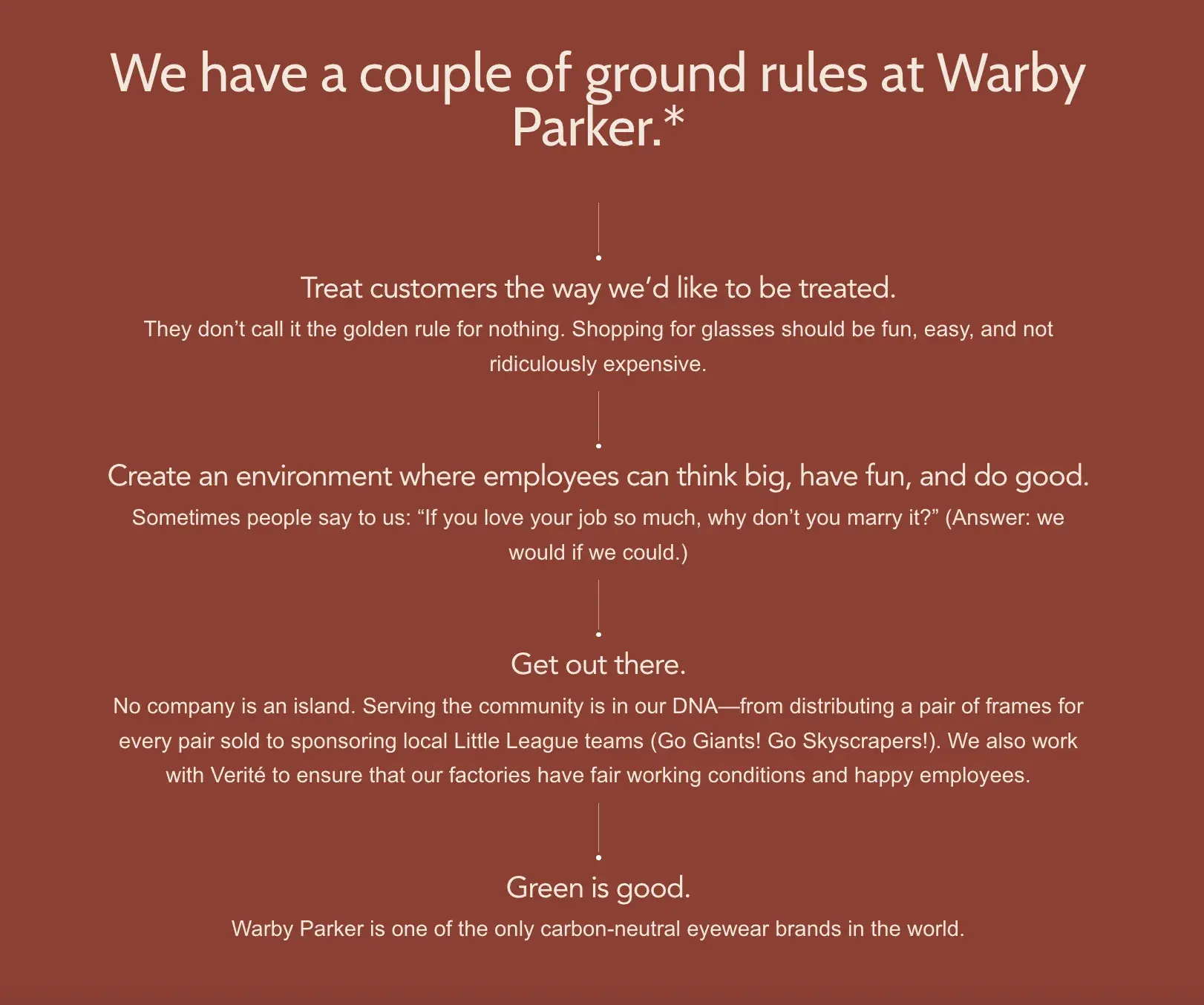
Warby Parker is a fashionable, affordable eyewear brand from whom I’ve purchased one too many pairs of eyeglasses. Its culture book is designed as a digital guide, representing its stylish, innovative brand qualities well.

I especially love the aesthetically pleasing color scheme, soft fonts, imagery, and sense of humor.
warby parker creative employee handbook rules.

Source

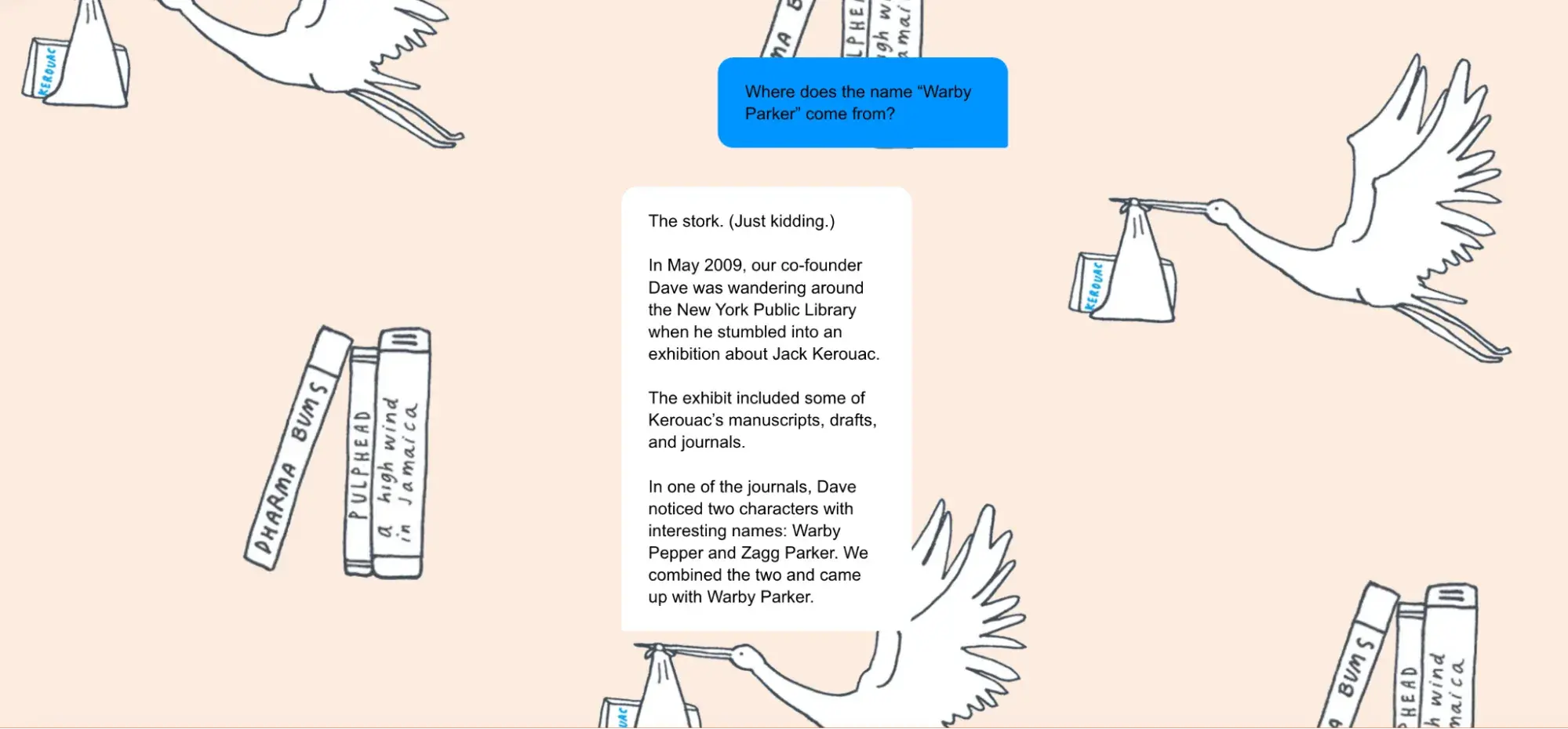
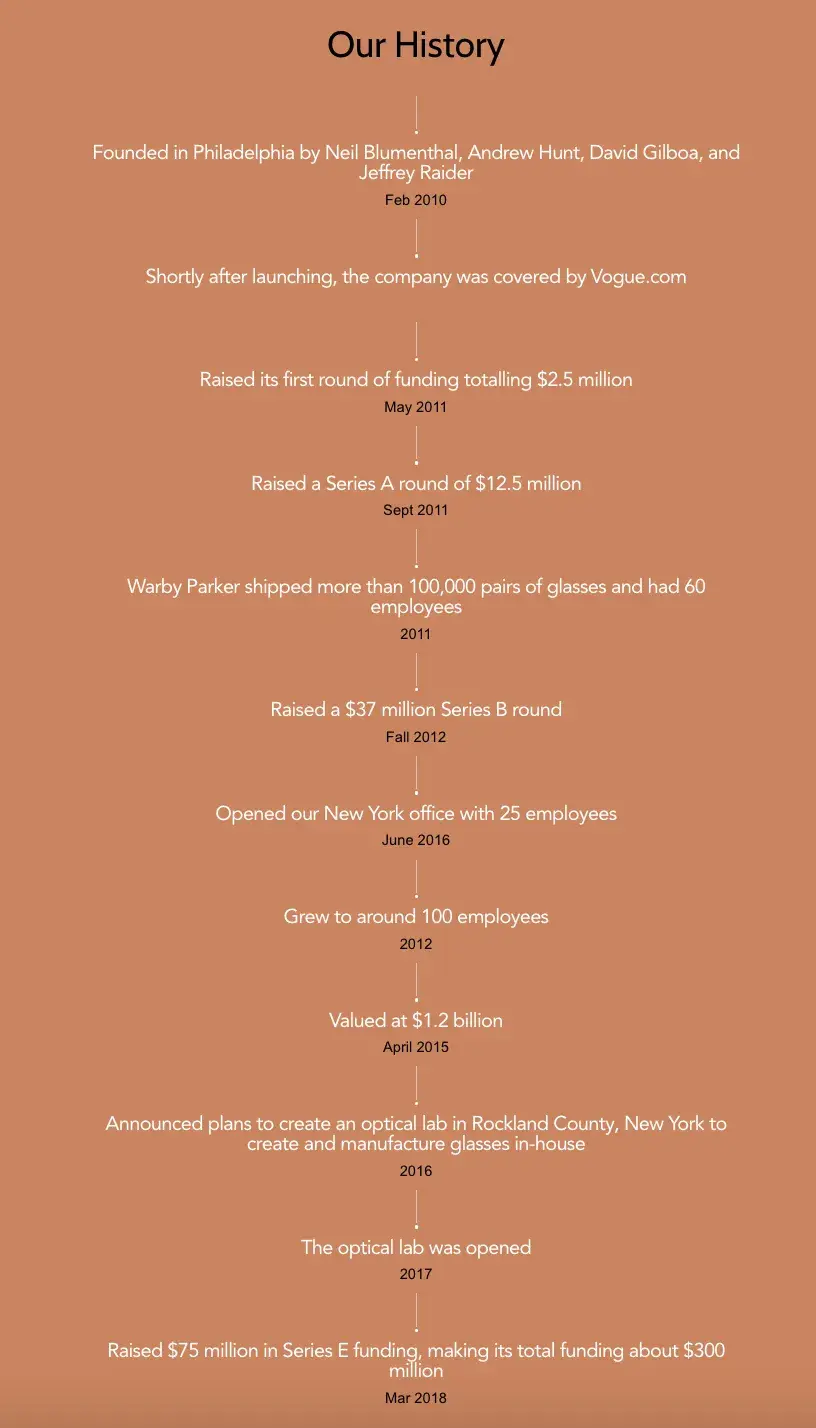
While I’m interested in a company’s origin, I don’t necessarily want to read a lengthy history book about it.

Warby Parker does a phenomenal job of keeping its history short and easily digestible by designing the origin story as a text conversation and the history as a visual timeline.
warby parker origin story.

Source

warby parker history.

Source

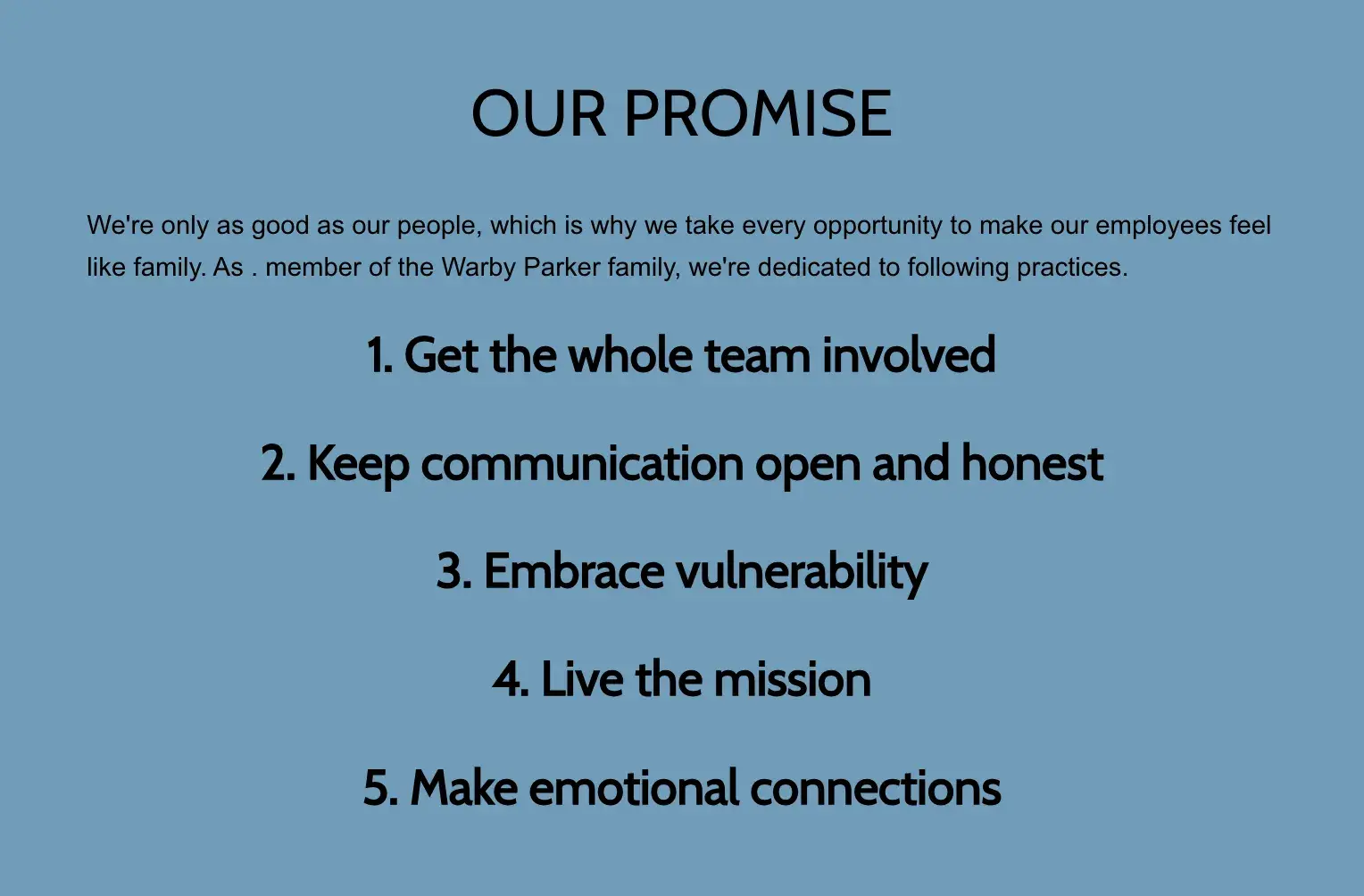
Lastly, I love the emphasis on the company values, framed as “Our Promise.” This shows that these statements aren’t just things the brand values and hopes to accomplish but vows to.
warby parker company values.

Source

If I were an employee at this company, I would feel confident that this is a place that encourages creativity, doesn’t take itself too seriously, and prioritizes the well-being of its workforce.

2. Netflix

Netflix’s culture page is a great example of how a brand can personalize its employee handbook for potential, new, and long-time hires.

While an employee handbook has a lot of important, mandatory information, it can also excite employees.

Unlike Warby Parker, this page has a crisp and clean black-and-white design. However, I think this works well with the language used. It’s a sincere and honest ode to the culture they have and aspire to have.
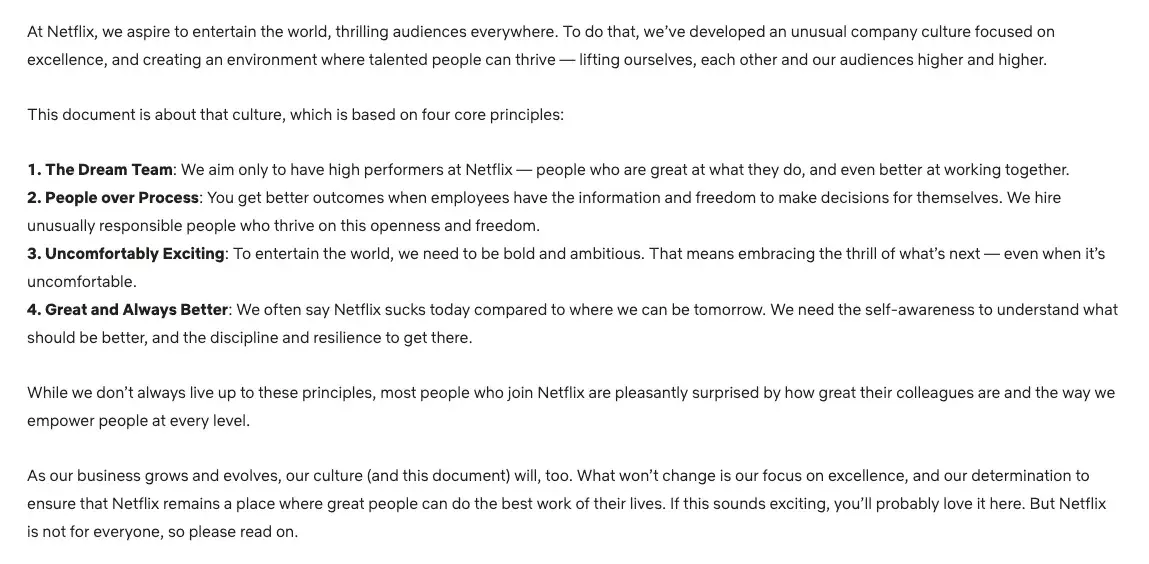
netflix modern employee handbook principles.

Source

I love the above introduction, as it authentically reveals what Netflix prioritizes in its workforce while admitting that it sometimes falls short of these goals and is a work in progress.

As a new hire, joining a company that prides itself on perfection is intimidating, so it’s a relief to know you can be a part of the continuous growth.

Below is a snapshot of how Netflix outlines its rules, without getting too into the weeds (that’s for internal, hired employees).

netflix policy on rules.

I appreciate this section because it calls out that there are strict rules for essential policies, such as harassment and privacy.

But then, the brand personalizes by stating some of their less serious policies, such as “Take vacation” being their vacation policy, and “Act in Netflix’s best interests” being the expenses policy.

Language like this gives important information while offering context about the company culture. There is a way to be serious about serious matters and playful about the fun parts of an employee handbook.

3. HubSpot

Not to toot our own horn, but the HubSpot Culture Code is pretty great.

One of my many favorite parts is that it’s in a slide presentation format. This makes it feel less daunting and more accessible to flip through on occasion, rather than digging through a lengthy document.

I appreciate that HubSpot recognizes the Culture Code as more than just an employee handbook — it’s a way of life. It goes beyond the necessary by explaining the hows and whys new hires care about.

After all, job descriptions describe a lot about a role but less about how it feels to be a part of the community.
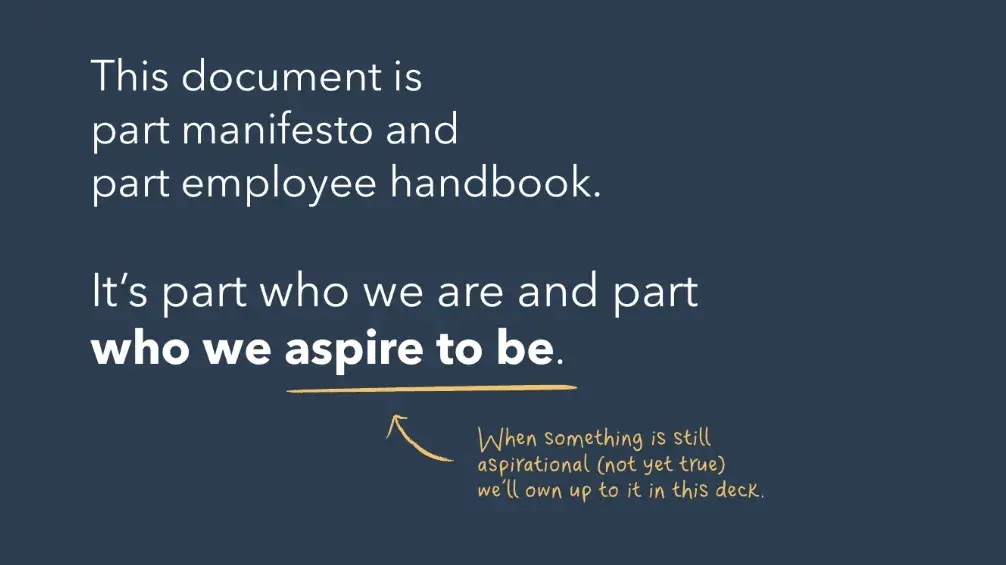
hubspot employee handbook - culture code

Source

Since the Culture Code is 128 slides, there’s a quick summary of the tenets on slide 17. Not only does this function as a sort of table of contents, but it also works as a set of company values that will be influential.
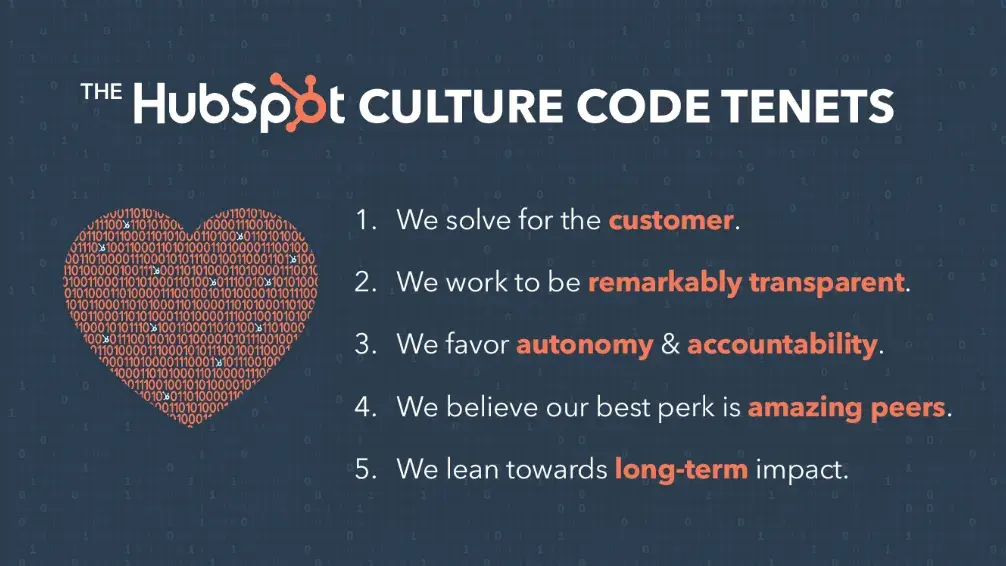
hubspot culture code tenets.

Source

The HubSpot Culture Code seamlessly combines important policies and information for new hires with motivational, innovative messages. It conveys key legal and cultural points in the same presentation.
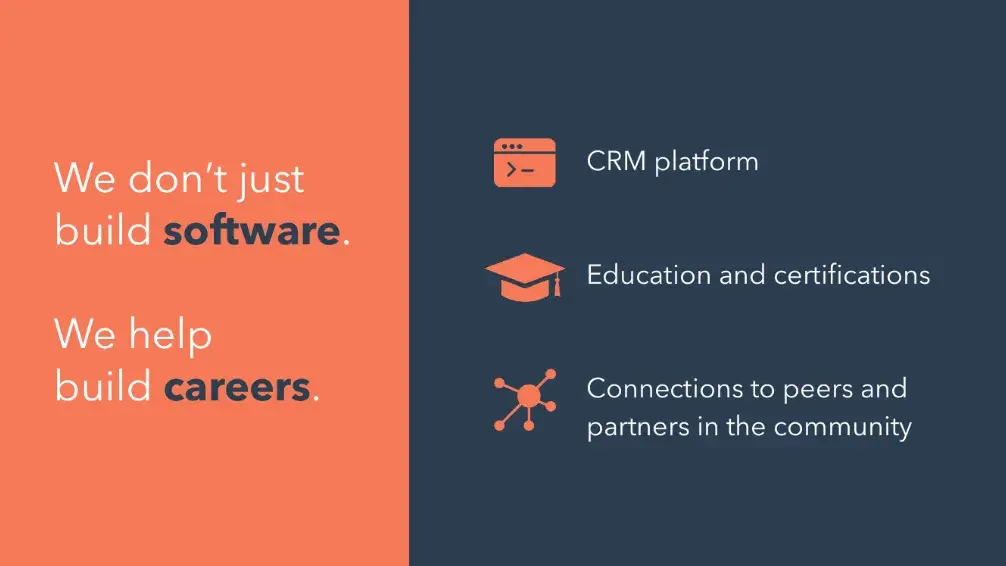
hubspot culture code career opportunities.

Source

For instance, in the slide shown above, new hires receive explicit information about career development opportunities available at the company.

This aligns with the Performance and career development policies mentioned above while being reassured that HubSpot prioritizes career growth just as much as its products.

I’m also a big fan of short, clear mottos that are easy to recall and apply to several challenging situations. Things can get complex in a new job, so connecting a problem to the basics can help new hires put their work into perspective.

You can see this concept exemplified in the following slide.
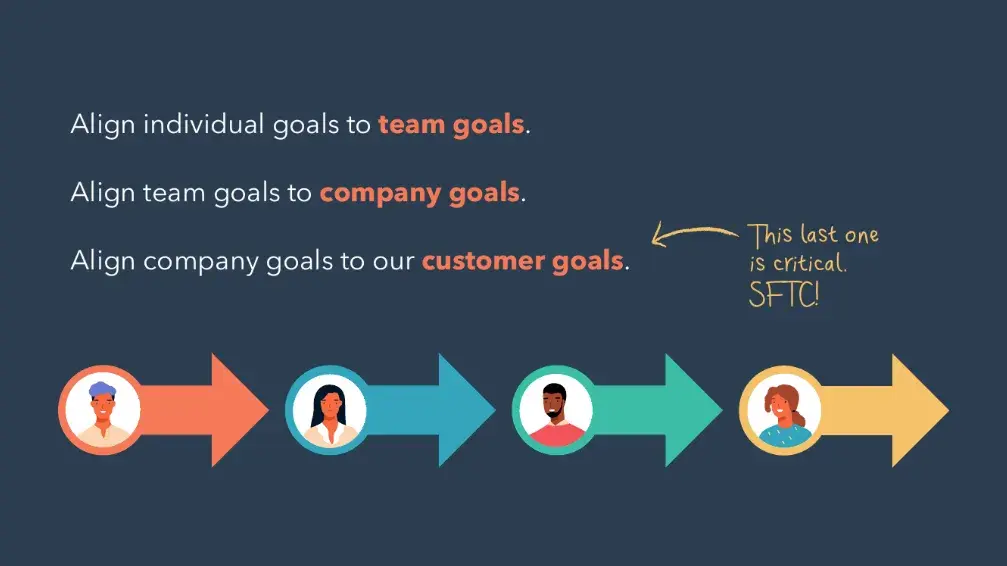
hubspot culture code goals motto.

Source

Now that I’ve walked through some powerful employee handbook samples, read on for code of conduct samples.

Code of Conduct Samples

The code of conduct, which follows the company overview section of an employee handbook, is largely important and equally as difficult to craft from scratch.

That’s why I’ve included some real examples of successful and inspiring codes of conduct:

More Than a Handbook

I’ve never considered how essential an employee handbook can be. I’ve referred to many of mine before for understanding my rights and responsibilities.

However, working on this post taught me that an employee handbook also offers the opportunity to brand one of the first documents new hires touch.

It’s an opportunity to share a company’s personality and what makes it an amazing place to work. Your new hire had the chance to impress you — now it’s your opportunity to impress them.

Editor’s note: This post was originally published in December 2018 and has been updated for comprehensiveness.


Categories B2B

How I Write Effective SOPs: A Complete Guide [+ Free Template]

In 2019, I was a freelance writer with no idea what SOPs were, relying on mental checklists and scrawled notes.

Then, I joined an agency where SOPs ensured consistent, high-quality content. At first, I resisted the detailed checklists — they felt mechanical. But after seeing how the agency delivered seamless content for dozens of clients, I became a believer.

Download Now: Free SOP Template

Their SOPs transformed my workflow: clear research guidelines kept me focused, templates halved drafting time, and QA checklists caught errors before clients saw them.

When I returned to freelancing, I created my own streamlined SOPs that keep my work consistent and professional — all without corporate bloat.

For writers, SOPs aren’t creativity killers; they’re like personal assistants, handling the routine so you can focus on crafting great content.

By the end of this guide, you‘ll have the tools and insights to write SOPs that save time, eliminate errors, and scale your productivity. You’ll even discover top templates and tools to make implementation effortless.

Table of Contents

Types of SOPs

SOPs fall into three main categories: technical, administrative, and quality control.

  • Technical SOPs guide precise operations like software deployment or equipment setup. For instance, when you need to standardize your website updates, create a technical SOP that reduces deployment errors.
  • Administrative SOPs streamline business processes such as invoice handling and client onboarding. I have found them valuable for these tasks and for email management. I witnessed how the agency’s administrative SOPs successfully reduced client onboarding time from two weeks to just three days.
  • Quality control SOPs ensure consistent standards across work delivery, whether that’s content creation, manufacturing, or service delivery. They help ensure every output meets your standards. When our team started following the new QC SOP, our client revision requests dropped by 60%.

When to Create an SOP

Through my experience using SOPs at the agency and later adapting them for my freelance work, I’ve learned that an effective SOP can transform chaos into clarity.

In my experience, these documents prove most valuable when consistency directly impacts success. They remove the guesswork from complex processes, making them easier for everyone involved.

For example, customer support teams rely on SOPs to ensure complaints are resolved efficiently and fairly.

Content teams use them to keep publication workflows on track, and finance teams depend on them to streamline payment processing.

Based on my experience, here are the tell-tale signs you need an SOP:

  • When a task requires multiple people to complete it consistently.
  • If errors in the process could have serious consequences.
  • When you find yourself repeatedly answering the same process questions.
  • If regulatory compliance is involved.

However, I’ve also learned that not every process needs an SOP.

For simpler tasks like checking emails or organizing files, I’ve found a basic checklist often does the job better. The key is matching the level of documentation to the complexity and importance of the task.

What should an SOP include?

An effective SOP isn’t just a checklist — it’s a tool for clarity and consistency. To ensure your team can rely on it, every SOP should include a few essential components that make it actionable, easy to understand, and repeatable.

what should an sop include?

Let’s break down these components and explore why each one is essential.

1. Title

The SOP should start with a clear, descriptive title that immediately tells the users what it’s about. Here’s how your title should look.

Template: [Task Name] + [Department] + “SOP”

Example: Blog Post Review Process – Content Team SOP

2. Purpose and Scope

This section briefly explains why the SOP exists, who the SOP is for, and what it covers.

Be specific about the tasks and processes it addresses. Think: What goal does it achieve? Is it for a certain department or the entire organization? This helps employees understand its importance and relevance to their work.

Template: This SOP helps [target user] to [complete task] by [method] to achieve [goal]

Example: This SOP guides content team members through the blog publication process, from the final draft to the live post. It covers WordPress publishing, SEO checks, and social media scheduling. This process applies to all blog content except news articles and product releases.

3. Roles and Responsibilities

For easy identification, place this information near the top of the document.

Include relevant ID numbers, department names, and necessary signatures. Additionally, list the roles involved in the procedure and clarify their responsibilities.

This helps avoid confusion or conflict regarding who needs to do what. Include a concise responsibility matrix that outlines the primary owner, secondary support, approvers, and end users.

Role

Responsibility

Content Writer

Submits final draft, implements editor feedback

Editor

Reviews content, performs SEO check

Content Manager

Final approval, schedule publication

Social Media Team

Creates and schedules promotional posts

4. Definitions

List key terms that readers need to understand to follow the procedure correctly. Include:

  • Technical terms specific to the task.
  • Acronyms and abbreviations used in the document.
  • Industry-specific jargon that requires explanation.

Here’s an example of what that might look like.

  • CTA: Call-to-action (a prompt that encourages readers to take a specific action).
  • KPI: Key performance indicator (metrics used to measure content success).
  • SEO: Search engine optimization (techniques to improve content visibility in search results).
  • Style Guide: A document outlining writing standards and formatting rules.

Pro tip: Keep definitions brief and relevant to the procedure only. Organize them alphabetically for easy reference.

5. Materials and Equipment

This section should state all resources needed to complete the procedure. Include any tools, equipment, software, materials, or access permissions.

For example, in an SOP on “Scheduling Social Media Content,” the materials section would state the following.

  • Required Access: Social media management platform (HubSpot’s Social Media Management Software in Marketing Hub), brand asset library.
  • Software: Meta Business Suite, current version.
  • Resources: Social media calendar, approved hashtag list, content approval form.

Keep the list clear and specific so users can gather everything needed before starting the procedure.

6. Procedure

This section should outline each step of the process in a clear, logical sequence.

Begin each step with an action verb and include any necessary details, branching paths, or conditional steps. Complex procedures may require sub-steps or decision points.

Building on our earlier example, an SOP on “Scheduling Social Media Posts,” the procedure section would state:

  1. Open HubSpot scheduling dashboard.
  2. Select the appropriate social channel.
  3. Upload media content (If video: Verify format compatibility. If image: Check that dimensions match platform requirements.)
  4. Write post caption following brand guidelines.
  5. Add approved hashtags.
  6. Set publication date and time.
  7. Submit for required approvals.
  8. Verify scheduled post appears in the content calendar.

Present the steps chronologically and specify any variations or decision points. Include cautionary notes or tips where relevant for process clarity.

7. Visual Aids

Use images, diagrams, or screenshots to illustrate the steps. Visual aids can make complex processes easier to understand and follow. Like this:

using visual aid in sop document

Source

8. Safety and Compliance

Highlight any safety precautions or regulatory requirements. Make sure employees are aware of any hazards, along with what needs to be done to handle them safely.

9. Troubleshooting

Provide solutions for common problems that might arise during the procedure. This section can save time and reduce frustration by helping employees resolve issues quickly.

10. Approval and Revision

Include a section for approvals, noting who has reviewed and approved the SOP.

Also, add a revision history to track updates and changes over time. This ensures the SOP remains current and accurate.

11. Contact Information

Offer contact details for someone who can answer questions or provide further guidance. This ensures employees know where to turn if they need help.

Pro tip: Before writing any SOP, gather examples of similar procedures that have worked well in your industry. This can provide valuable insights into what information to include and how to structure it effectively.

What does an SOP look like? [Free Template]

A standard operating procedure template gives you a clear, organized format to follow. This makes the process of creating SOPs faster.

HubSpot’s free SOP template, for instance, outlines tasks and processes for your team. It includes sections like purpose, scope, procedures, and responsibilities.

You can customize it with your company logo and add charts or diagrams in the appendix.

This user-friendly template makes sure your SOPs are comprehensive and easy to understand.

hubspot's free sop template

Get Your Free SOP Template Here

Creating an effective SOP doesn’t have to be overwhelming. By breaking it down into manageable steps, you can develop clear, useful procedures that your team will actually want to follow.

Let’s look at these steps in detail.

how to write an sop

Step 1: Identify and prioritize processes and objectives.

When I began creating SOPs, I learned quickly that trying to document everything creates overwhelm and inefficiency.

Start by identifying which processes most urgently need standardization. I recommend evaluating your workflows by asking three key questions:

  • How can the SOP improve efficiency and teamwork? Consider current bottlenecks and how clear, well-documented steps could streamline operations.
  • What will customer service look like with everyone following the SOP? Reflect on the potential improvements in customer satisfaction when your team follows the standardized procedures.
  • How will the SOP boost the company’s bottom line? Think about how consistent processes can lead to cost savings, better resource allocation, and increased productivity.

Identify workflow issues and list departments that would benefit from SOPs, such as finance, legal, HR, customer service, and IT. Then, within each department, pinpoint critical tasks to be performed accurately to avoid issues.

Here’s what that could look like.

  • Finance: Budgeting, financial reporting, payroll.
  • Legal: Contract review, compliance audits.
  • HR: Recruitment, onboarding, evaluations.
  • Customer service: Inquiry responses, complaint handling.
  • IT: Software installation, network maintenance.

Document each process with its name, department, purpose, and key steps.

For example, in public relations, the process of writing press releases should include steps like researching the event, drafting the release, reviewing it, getting approval, and distributing it.

This ensures your SOPs are comprehensive and targeted at improving critical areas.

I also recommend holding brainstorming sessions with team members to capture all relevant tasks and finalize SOP objectives.

Pro tip: Don’t rely solely on management input when prioritizing which processes need SOPs. Instead, review your customer complaint logs and error reports from the last three months.

These documents often reveal which processes need SOPs urgently.

Step 2: Define the end-user.

When I transitioned from freelance writing to working at an agency, I noticed how their SOPs were specifically written for different team members.

While managers reviewed the SOPs, the content was always focused on the people who would use them daily. This taught me an important lesson about audience awareness.

For instance, the agency‘s content review SOP wasn’t filled with management jargon — it contained clear, specific steps that writers like me could follow. This made our work consistent and reduced confusion about expectations.

When I later created my own SOPs for my freelance business, I kept this lesson in mind: focus on the people who’ll actually use the document.

Whether it‘s for research, writing, or client communication, I make sure every step aligns with the user’s actual daily tasks and uses language they’re comfortable with.

Pro tip: A common mistake is writing SOPs at the wrong expertise level. Shadow someone from your target audience for an hour — you’ll quickly spot which details they take for granted and which ones need more explanation.

Step 3: Determine the stakeholders and creators.

definition of stakeholder from investopedia

Source

At my agency, I saw how different stakeholders interacted with SOPs, each bringing their own perspective to make the documents more effective. Through this experience, I learned to consider everyone who touches a process.

  • Leadership provided a high-level vision for how SOPs should align with business goals.
  • Managers helped refine the practices and ensured smooth implementation.
  • But most importantly, the ground-level employees (like myself and my fellow writers) provided crucial input about what actually worked in practice.

I discovered that the best SOPs weren’t just approved by management — they were shaped by the people doing the daily work.

These were the team members who knew the shortcuts, workarounds, and potential pitfalls that needed to be addressed.

Lastly, don’t forget your customers. While SOPs mainly address internal processes, these operations can significantly impact the customer experience.

Keep your audience in mind and design an SOP that streamlines internal processes and enhances client satisfaction.

Pro tip: Many SOPs fail because they don’t include input from front-line workers. While management approval is important, the people doing the actual work should be your primary source of information.

Step 4: Determine the scope and format.

When I started creating SOPs for my writing business, I made the mistake of trying to fit everything into simple lists. It wasn‘t until I experimented with different formats that I found what truly worked for different situations.

The key is to consider who’ll use the SOP and what tools they’ll need.

For example, when documenting my research process, I needed more than a basic checklist. I had to consider which databases I use, my note-taking software, and how I organize sources.

This helped me choose a format that covered all the essential elements without becoming overwhelming.

Here are the most effective formats I’ve encountered.

  • Step-by-step written list: Ideal for simple, straightforward tasks.
  • Hierarchical list: Useful for complex procedures with many steps and decision points.
  • Flowchart: Great for processes with multiple outcomes.
  • Simple checklist: Perfect for tasks that need to be repeated consistently.
  • Video: Effective for visual learners and demonstrations.
  • Interactive course: Engaging and comprehensive for detailed training.

Remember, simpler is usually better. I’ve found that a basic step-by-step list works perfectly for straightforward tasks, while I save flowcharts for processes with multiple decision points.

Pro tip: Create a rough draft in two different formats and time yourself following each one. The version that takes less time to complete while maintaining accuracy is usually your best choice.

Step 5: Gather information.

In my transition from scattered notes to proper SOPs, I discovered that thorough information gathering makes all the difference.

Rather than just writing down what I thought I knew about my content creation process, I took time to research industry best practices and document my actual workflow.

One eye-opening exercise was timing myself while completing a writing project and noting every step, tool, and resource I used.

I was surprised to find I was skipping steps I thought were essential while regularly using helpful shortcuts I’d never documented.

Here‘s what I’ve found works best:

  • Start with research into industry guidelines and best practices.
  • Document your current process as you actually perform it.
  • Note which tools and resources you rely on.
  • Identify potential challenges and bottlenecks.
  • Look for ways to incorporate proven strategies from others in your field.

I also review any existing documentation or procedures I have, even if they‘re just rough notes, to ensure I’m not missing any important steps.

Pro tip: Record yourself completing the process while narrating what you’re doing. This will help you catch small but important details, like keyboard shortcuts or verification steps, that you might otherwise forget to document.

Step 6: Outline and write the SOP.

When I sat down to write my first serious SOP for my content workflow, I quickly realized I needed a clear structure.

Through trial and error, I learned that organizing the document thoughtfully from the start saves countless revisions later.

Let me walk you through the essential components I now include in every SOP.

  • Title page. I make sure to include the basics: a clear title, the date created, and who it’s for. For my content creation SOPs, I also add version numbers to track updates.
  • Table of contents. For longer SOPs (anything over two pages), I’ve found that a simple table of contents helps me and others quickly find specific sections when we need them.
  • Preparatory information. This is where I list everything needed before starting the process. For my research SOP, this includes required software, database access, and template links.
  • Methodology and procedures. This is the heart of the SOP — the actual step-by-step process. When documenting my content creation workflow, I break it down into clear phases: research, outlining, writing, and editing. I include screenshots where they help clarify steps.
  • Quality control. I include a checklist of what “good” looks like, helping to ensure consistency every time I use the SOP.
  • References and glossary. I keep a small glossary of technical terms and links to related resources. This has proven especially helpful when I need to reference style guides or client requirements.

Pro tip: Write your first draft as if explaining the process to someone who’s never done it before. Then, remove any steps that feel obvious to your actual audience. This helps avoid missing crucial details and overexplaining simple tasks.

Step 7: Proofread, test, and revise.

My biggest lesson in creating SOPs came from watching my carefully written instructions fall apart during actual use. I learned that no matter how clear I think my writing is, testing reveals blind spots.

My process now is simple but thorough:

  1. I proofread for clarity and technical accuracy.
  2. I run through the process myself, following my own instructions exactly.
  3. I time each step to ensure the pace is realistic.
  4. I ask someone unfamiliar with the task to follow the SOP while I observe.

Just last week, timing my content research SOP revealed that I’d drastically underestimated how long it takes to evaluate sources. This led me to add specific criteria for faster source assessment.

Pro tip: When testing your SOP, resist the urge to explain or clarify steps verbally. If you want to add verbal instructions, those details need to be written into the SOP.

Step 8: Implement and regularly update.

At the agency, I saw how SOPs evolved with changing tools and requirements. This taught me that even the best procedures need regular maintenance.

This lesson proved invaluable when I later established my freelance business. What worked six months ago might not be optimal today, especially given how quickly writing tools and requirements change.

Taking what I learned from the agency’s review process, I now schedule quarterly reviews of my freelance SOPs.

This practice has helped me catch outdated processes like old keyword research methods that were no longer effective. Regular reviews also help me incorporate new tools and techniques that improve efficiency.

To keep my SOPs current, I:

  • Add comments and suggestions right in the document when I notice something needs updating.
  • Review each SOP when I adopt new tools or processes.
  • Update instructions immediately if I find steps that cause confusion.
  • Adjust timeframes and requirements based on changing client needs.

This approach combines the systematic updating I witnessed at the agency with the flexibility needed for independent work. It ensures my processes stay current while maintaining the high standards I learned during my agency experience.

Pro tip: Set a calendar reminder for SOP reviews. During the review, run through the process exactly as written — you’ll often find steps that could be streamlined or updated with better methods.

SOP Formats: Choosing the Right Structure for Your Business Processes

In my research into SOP best practices, I connected with Leslie Lulham, chief of staff at MarketerHire, who shared a crucial insight: “The most common reason SOPs fail in practice is that they are not used.”

This highlights a key challenge many organizations face: creating SOPs that don’t just document processes but actually drive consistent execution.

Let’s explore three essential formats and how they serve different needs.

1. Step-by-Step SOP

Best for: Clear Process documentation

Step-by-step SOPs are detailed guides that outline the exact sequence of actions needed to complete a task. Each step is listed in order, making it easy to follow and ensuring consistency in execution.

“You must go in assuming the end user knows nothing and fully detail the process,” Lulham emphasizes.

This thoroughness transforms a simple procedure into an effective training tool. Clear, detailed steps help new team members get up to speed quickly while ensuring experienced staff maintain consistent quality.

Step-by-step SOPs work best for:

  • New employee training.
  • High-stakes processes where order matters.
  • Tasks with clear, linear progression.
  • Processes requiring documentation for compliance.

standard operating procedure, sop example for onboarding process

Source

2. SOP Flowcharts

Best for: Mapping complex decision paths

While linear processes benefit from step-by-step documentation, complex decision-making requires a different approach.

Flowcharts map out process steps in a visual sequence, helping users quickly grasp both the flow of tasks and critical decision points.

Lulham offers practical guidance on structuring complex processes: “If any singular step in a flowchart composes multiple actions, it should be broken out into multiple SOPs, which can get hyperlinked back into the original flow chart.”

I like to use the example of the onboarding process for a new contractor. The flowchart might include sending the agreement, setting up email access, and adding them to communication platforms.

Each of these steps involves multiple actions that deserve their own detailed documentation, linked within the main flowchart.

SOP flowcharts are best for:

  • Complex decisions with multiple outcomes.
  • Customer service scenarios.
  • Troubleshooting processes.
  • Tasks requiring quick visual reference.

standard operating procedure, sop example with hiring flowchart

Source

3. SOP Checklist

Best for: Balancing comprehensiveness with usability

Checklists ensure consistency while keeping processes efficient and manageable. Modern checklist design requires a thoughtful approach to user experience.

“I include a ‘TL;DR’ version at the top,” Lulham shares, describing her innovative approach.

“This is just what someone who has already read the doc will need to refer back to. The rest of the doc will be comprehensive and explain the various steps, why we do the task the way we do, and include screenshots,” she adds.

This two-tier approach serves both new users who need detailed guidance and experienced staff who just need quick reminders. It’s particularly effective for:

  • Quality assurance processes.
  • Regular maintenance tasks.
  • Pre-launch verification.
  • Safety protocols.

sop example: an influencer contract checklist https://blog.hubspot.com/marketing/influencer-marketing-power

Pro tip: Before selecting a format, map out your process on paper first. I’ve found this simple step saves hours of revision later, as it helps identify decision points that might need a flowchart rather than a simple checklist.

Benefits of Standard Operating Procedures in Business

Still wondering whether SOPs are a worthy cause? Check out their potential benefits for your business.

  • Consistency. SOPs ensure that tasks are done the same way every time, which keeps quality high and errors low. With everyone on the same page, your products or services consistently hit the mark.
  • Efficiency. Clear instructions help new hires and seasoned employees complete tasks quickly and accurately. This boost in efficiency has a twofold effect on business operations: it saves time and cuts costs.
  • Compliance. In regulated industries, SOPs help ensure tasks are done in compliance with laws and regulations, reducing the risk of legal issues and fines.
  • Safety. SOPs outline the right way to perform tasks, which helps prevent accidents and ensures everyone stays safe. This is especially important in fields like manufacturing, healthcare, and construction.
  • Accountability. SOPs clearly define who is responsible for each task, making it easier to hold people accountable and ensuring tasks are completed correctly and on time.
  • Customer satisfaction. Happy customers are the best customers. SOPs help deliver consistent, high-quality products and services, giving customers the great experience they expect every time. This consistency fosters repeat business and positive word-of-mouth.

Write SOPs That Work For You

Creating this guide brought my own SOP journey full circle.

From resisting structure as a freelancer to embracing it at the agency and then bringing those lessons back to my independent work, it‘s clear now that SOPs aren’t the creativity killers I once feared.

The biggest revelation? Good SOPs don’t constrain us; they free us to focus on what matters. By documenting the routine, we create more space for creativity and innovation.

Whether you’re part of a large team or working solo like I do now, SOPs can transform chaos into clarity – just start small, focus on what matters most, and let your processes evolve as you learn.

Editor’s note: This post was originally published in August 2021 and has been updated for comprehensiveness.

Categories B2B

The 12 Sharpest Lessons from Marketing Leaders at Fortune Media, Liquid Death, Oatly & More

Each week, Laura, Caroline, and I get to sit and chat with some of today’s most innovative marketing masters. We’ve run down the rabbit hole with folks from Spotify, Liquid Death, Oatly, New Balance, Zapier, Hootsuite, the Brooklyn Nets, and even the makers of Chicago’s most beloved tirefire-flavored liquor.

If you could smoosh all of their combined wisdom into your head, it would be like getting your… well… master’s in marketing. (Oh, hey. I just got the name.)

Well, you can’t. Not until brain chips are a thing.

Click Here to Subscribe to Masters in Marketing

Until then, you can do the next best thing: Check out 12 of the most insightful, provocative, or just downright useful lessons our experts had to share.

Lesson 1: People aren’t brainless consumers.

Here‘s a fun fact: At Liquid Death, they don’t use the word consumer. Ever.

Instead, they have a team called “human insights.”

Greg Fass, Liquid Death’s VP of marketing, is proud to work against the mindset that people are just “brainless consumers” whose sole purpose on Earth is to consume products. (Yep – that’s a direct quote.)

Instead, he says, “At Liquid Death, I‘m proud that we think of our audiences as people. And when you think of them as humans, you understand they’ll get a piece of copy that isn‘t straightforward, or jokes other brands are afraid to make. They’re intelligent, and have a sense of humor.”

It’s a philosophy that has served them well. Just consider the commercial where Martha Stewart is a serial killer chopping off hands to make candles — not exactly something that would go over well in a standard marketing pitch.

Liquid Death has done more than reinvent the better-for-you beverage category — they’ve reinvented marketing, as well.

Embracing their anti-marketing approach can help you discover fresh and novel ways of connecting better with, well, other humans.

Read Martha Stewart, $400K Fighter Jets, and Comedy Writers: How Liquid Death Wins at Anti-Marketing, According to Liquid Death’s VP

Lesson 2: “If you’re not risking your career on a bold marketing move, you’re not thinking big enough.”

Ron Goldenberg, VP of international marketing & innovation at BSE Global, got plenty of pushback when he pitched a Brooklyn Nets activation — in Paris, complete with an orchestral tribute to The Notorious B.I.G. and Brooklyn Nets-inspired pizzeria.

One colleague even said to him, “You really think Parisians are going to show up to a Brooklyn Nets pizzeria?” (I get the hesitation — don’t they live off of escargot and croissants?)

He knew there could be major ramifications if the event flopped. But he believed in the concept enough to risk it all.

“If I‘m going to get fired for anything, it’s worth [it] for an orchestral tribute to Biggie in Paris,” Goldenberg told me last week. “When your ideas are big enough and bold enough, and you believe in them to the degree that you‘re willing to take a reputational risk, that’s when you’re onto something.

Playing it safe can be a risk in itself. But marketing thrives on standing out, which demands taking chances.

For Goldenberg, the payoff was massive:

  • Fans snapped up all 15K tickets to the Nets-Cavaliers game, 3.3K visitors indulged in Brooklyn pizza, and Biggie’s tribute sold out in five days 🍕
  • 450K unique visitors to Brooklynets.com/paris
  • 64K emails captured (90% net-new to their database)
  • 195% YoY surge in ticket sales to French consumers and over seven figures in total revenue 💵

Source

Goldenberg got stakeholders on board by being blunt: “You all need to understand how important this is, not just for the Nets but for our fans and the global sports industry,” he told colleagues. “It’s never been done before at this scale.”

Sticking to the tried-and-true is tempting. But it was insight matched with instinct that landed Goldenberg his big swings.

Read How An NBA Marketer Brought the Brooklyn Nets to Paris (& What Marketers Can Learn from Him)

Lesson 3: Break the fourth wall.

The first Malört ad I ever saw was in 2022, in season one of the Chicago-set TV show The Bear, of all places. Anna Sokratov says it was one of the first ads they ever ran — for nearly a century prior, Malört relied on word of mouth and Chicagoans pranking out-of-town guests.

Since marketing Malört is such a new phenomenon, Sokratov, brand manager for Jeppson’s Malört, feels a lot of freedom to be funny, to be outlandish, to be experimental. (In fact, one of the people she looks to for inspiration is previous marketing master Greg Fass of Liquid Death.)

It’s an old saw at this point that authenticity drives consumer loyalty. But less is said about what authenticity looks like. “People are really looking for brands that break that fourth wall,” Sokratov says. “They want to see the people behind the brand.”

Past and present employees appear in a series of ads featuring Malört faces (Google it), which are underscored by the tagline, “Do not enjoy. Responsibly.” Malört may be a lot of things, but it’s neither dishonest nor indirect.

Read “This is disgusting, try some”: Marketing Chicago’s vile-tasting liqueur

Lesson 4: Use the peanut butter method.

“Everyone hates advertising, but they’re okay being sold to,” Hassan S. Ali, creative director of brand at Hootsuite, says.

It’s like using peanut butter to sneak your dog a pill. “If people are willing to be sold to, pitch the pill in something yummy. People will watch it.” (Let’s ignore for a moment that we are all the hapless dogs in this analogy.)

“I often think that the best ads are ones we can‘t measure, because they’re shared in a group chat with friends.” I sincerely hope nobody is working on a pixel that can track my group chats, but it’s true that if somebody shares an ad, it’s because it’s both funny and emotionally resonant.

Maybe you see a funny ad for diapers. Your sister’s just had a baby, and you share the ad in the family group chat. “All of a sudden, there’s a bond formed through this piece of advertising.” And it goes beyond “here, buy this thing,” Ali says.

Without that (hopefully imaginary) group-chat tracking pixel, traditional marketing metrics won’t necessarily be of much use.

“But what did you solve for the customer?” Ali asks. “Those are the real results.” The more we can focus on that, “the better we’ll be as marketers.”

Read Marketing for the Lulz

Lesson 5: Don’t let growth marketing dominate your strategy

A favorite rant of Brendan Lewis (EVP of global communications and public affairs for Oatly) is his belief that growth marketing needs to be “neutered, if not totally destroyed.”

“It‘s nothing more than spreadsheet marketing,” he tells me. When marketers are buying clicks and perfecting their emails for click-through rates, Lewis says they’re leaving out an essential ingredient: emotion.

If you water down your message to optimize it for clicks, you lose your soul,” he tells me without a trace of grandiosity. “The emotion and the belief has to be there. It can’t just be somebody looking at email click-rates all day.”

(Got it – I‘ll stop obsessing about this email’s subject lines…)

For Oatly, this means taking the leap without testing it to death first. Like in 2023, when the company bought billboards in Times Square to proudly endorse its climate label. (The Oatly team invited the dairy industry to join them. They declined.)

The secret sauce? Oatly is a mission-led company that happens to sell oat milk; it’s not a product-led company in search of a mission. So its leaders are able to act on impulse and hunch as long as they know their messaging caters to their larger goal of promoting sustainability.

Read It’s Like Marketing, But Made for Humans: Lessons from Oatly’s EVP

Lesson 6: Less strategy, more heart.

I’ll admit, this lesson sounds suspiciously like a Friday Night Lights quote.

But it’s also a takeaway Jenna Kutcher, host of The Goal Digger podcast, is passionate about sharing.

“As creators, we need to get back into the creation of our content. We need to go back to what worked a decade ago and share our lives and what we love online,” she tells me.

Too many business owners have created systems and teams and gotten too far away from the content, and their audiences feel that divide.”

Case in point: How likely are you to respond, “OMG CUTE” to an Instagram reel from Lululemon‘s branded handle? I’m guessing not likely.

But what about when a friend posts herself in new Lulu joggers?

In the age of AI, people are desperate to connect with real humans.

Impressively, this means Jenna is the only person who creates IG content for her 1M+ followers. She also responds to all her own DMs and comments.

Nobody on her team has access to her login because “that’s the heartbeat of my connection with my audience.”

Jenna’s advice here is simple, but not easy: “Take some of the strategy out, and put the heart back into it. Be off the cuff, and share things for the sake of sharing versus just looking for ways to monetize.”

Read Digital Marketer Jenna Kutcher Thinks You’re Overcomplicating It

Lesson 7: Your customer is the hero. Not you.

April Sunshine Hawkins, co-host of the Marketing Made Simple podcast, sees too many marketers position their brand as the heroes, and she says it’s one of the biggest mistakes marketers can make.

“Everybody wakes up the hero of their own story. Your customers, the people you’re trying to draw in… The story needs to be about them.”

In other words, you’re not Batman — you’re Alfred.

Take a recent example: Hawkins was working with a jewelry brand that creates products in Malawi and pays their workers 3-5X the minimum wage. Naturally, they wanted to shout that from the rooftops. Who wouldn’t?

But Hawkins stepped in and pointed out that the brand isn’t supposed to be the hero. The customer is.

“We rewrote the campaign to ask, ‘How can these pieces help people celebrate a milestone — like a promotion, an anniversary, a birthday?”

Suddenly, the jewelry wasn’t just jewelry; it became a badge of a customer’s big (and small) life moments.

Have you ever landed on a website and read the first few sentences and thought, Wow, is this person in my head? That’s the end-game: For your customers to feel like you get them.

“When we can position our products to align with what our customers are feeling, it creates that ‘ding, ding, ding’ moment — ‘That’s me! This is for me!’” Hawkins says. “That’s what we’re looking for.”

Read You’re Not The Hero — Your Customer Is

Lesson 8: Engage with the people who engage with you.

While you’re busy figuring out how to connect with your audience, don’t forget to actually connect with your audience.

“The number one thing you can do to maximize any budget you’re spending is to simply engage with the people who are engaging with you,” says Chandler Quintin, co-founder and CEO of Video Brothers.

And he’s not just talking about reactive engagement, like answering social messages or responding to emails. That stuff’s a given. He’s talking about proactive outreach to the people who interact with your business presence. Quintin himself sends a message to anyone who views his LinkedIn profile or watches a video he posts.

“We have booked almost 80% of our calls through simply engaging with people that engage with us versus them going to our website and filling out a form.”

And I’m a living testimonial to this tactic. Thursday morning, I’m sipping tea and cruising LinkedIn in search of marketing masters. (I do it for you! Well… not the tea. That’s for me.) Minutes later, Quintin messaged me asking for help because he was upside down. (See the hero image above.) Friday morning, we’re scheduling an interview.

Quintin acknowledges that this takes effort.

“It does take a lot of time. There might be some ways to automate it. But at the end of the day, I think people can kind of see through automations a little bit. Especially when you’re trying to make an authentic connection. The bar for that is: Just be authentic. Be a human being.”

But the return is worth the effort.

“If you only have $1,000, you’re going to be able to turn that $1,000 into the power of five or 10,000 if you just go that extra mile and engage.

Read How an Entertainment Strategy Helps You Cut Through the White Noise

Lesson 9: Turn negative moments into a chance to show up.

Dawn Keller, CMO for California Pizza Kitchen, recounts a story:

Recently, a customer ordered mac and cheese from CPK — and just got cheese.

After she posted the vid on TikTok, CPK responded with a video in which Chef Paul jokingly walks through the steps of properly making a mac and cheese (emphasis on: Add the mac) and then announces 50% off mac and cheese for all CPK customers. (Since the customer only got 50% of her meal — get it?)


CPK’s TikTok response got 13.5 million views. Keller was shocked… and thrilled.

It was mind-blowing to everybody [how well it did], but we believe what really made the difference was how we showed up — in a super authentic, humble, self-deprecating way. It wasn’t corporate-y or stuffy.”

CPK could‘ve chosen to ignore the customer’s complaint altogether, or they could‘ve commented on the video with a generic “I’m sorry!” customer service response. Instead, they decided to use the opportunity to reframe the narrative into something fun and lighthearted.

And as Keller points out, “We still got to reinforce what matters to us — which is that we have quality food, and we care about our guests. Authenticity and entertainment is what gets people’s attention… Not just that you’re using socials as an advertising channel.”

We’ve heard it across the board this year from Greg Fass, Jenna Kutcher, and plenty of other Masters in Marketing, and the point holds true: Being authentic and showcasing the human behind your brand is a much better strategy than a polished ad these days.

Read How California Pizza Kitchen Embraces Change, Goes Viral on TikTok, and Gives Consumers FOMO

Lesson 10: Be ready to tell leaders what you’ll stop, start, and continue.

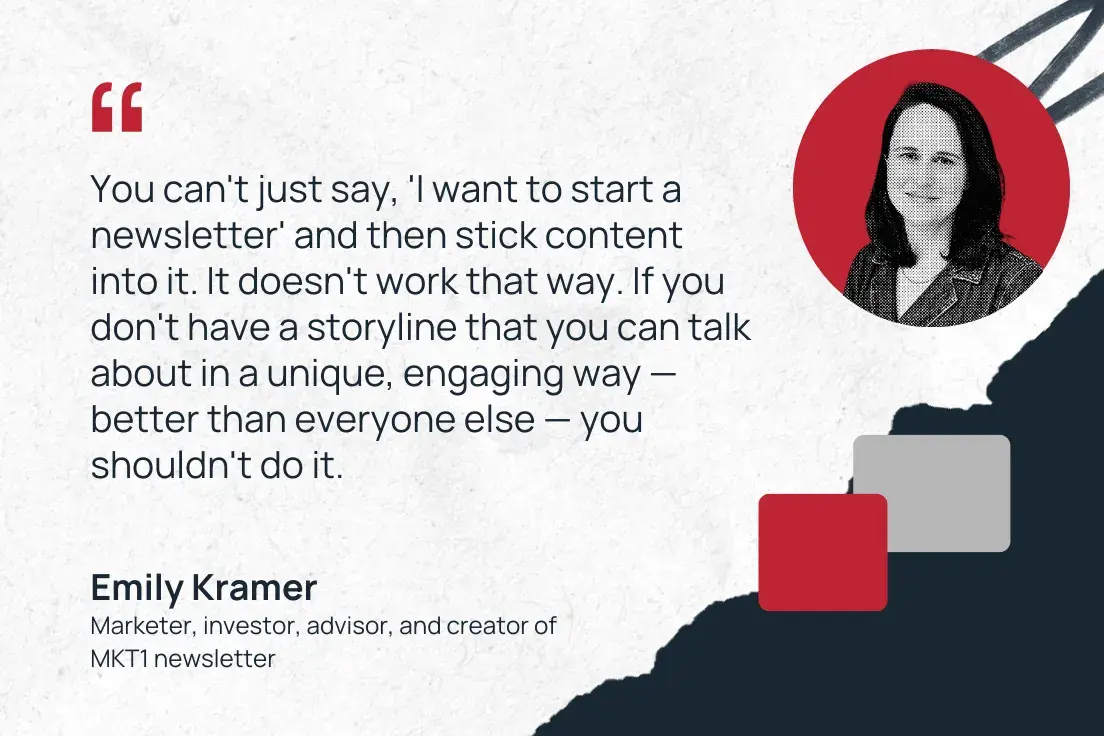
Emily Kramer, founder of MKT1, has been the “first-ish” marketer four times at companies ranging from 10 to 300 employees, so my first question was an easy one: If you’re the first marketer at a company, where the heck should you start?

Kramer told me whether you’re a team of one or leading a 200-person marketing department, the answer is the same: Prioritize, prioritize, prioritize.

“First, you need to figure out where you can win. Where can you stand out? Where do you have the biggest advantage over competitors? What channels make the most sense for your business?”

This translates to: Stop doomscrolling through TikTok for “inspiration” or convincing yourself a snazzy newsletter giveaway will save the day. Start with what matters most.

You‘ve got to have a framework for how you’re prioritizing — you have to put a stake in the ground about what you think is important, and why. If you don‘t, you’ll just get barraged with requests.”

One of Kramer’s go-to moves when joining a new company is to create a “start, stop, continue” plan. That way, execs can quickly see, “Oh, we already tried that,” or “We’re stopping this, and here’s why.”

Otherwise, your founder might just get a little too obsessed with the idea of you publishing ebooks on Amazon as the “next best marketing move.”

(Not speaking from experience or anything.)

Read How An Obsession With Quality Led Emily Kramer to 48k Newsletter Subscribers and Counting

Lesson 11: DIY — with curiosity.

“I always seem to have a side hustle these days,” says Maryam Banikarim, managing director of Fortune Media. (One gets the sense that Banikarim has always had to have a side hustle.)

It’s just that Banikarim’s side hustles would make most primary hustles envious. Last weekend, she celebrated the third year of The Longest Table, a community-building event born out of a need for human connection back when everyone was masking up and sharing tips on finding Lysol wipes.

She saw a neighbor put a folding table outside so they could eat dinner with a few friends. She introduced herself and thought, “What if I did that?”

One also gets the sense that Banikarim doesn’t do rhetorical questions. She started with a few posts on Next Door and an eight-person outdoor potluck on her street in Chelsea. On October 6, 2024, over a thousand people showed up for dinner.

Together they cobbled together a Squarespace website, and “we use HubSpot to email people.” (We did not bribe, pay, or threaten her to say that.—ed.) Banikarim doesn’t complain about DIY marketing tech; on the contrary, she refuses to be outpaced by evolving technology.

“Marketing has always been for people who are curious,” Banikarim says. And “in order to constantly be learning, it’s really helpful to be touching the tools yourself and not just directing from up high.”

Read One Question That Will Reinvigorate Your Approach to Marketing

Lesson 12: Marketing should make your buyer feel confident — not insecure.

Fashion is a notoriously confidence-crushing industry. Plenty of major fashion and beauty brands thrive off making their consumers feel less-than. They want you to know you’re not cool yet, but you will be when you wear those jeans or that jacket.

But Matt Zaremba, director of marketing for Bodega, calls that kind of marketing “empty calories and empty suits.”

“Sure, you‘ll find a cohort of people who you’ll grow with because you‘re showing them what they’re not. But eventually they‘ll find a brand that makes them feel like they are enough, and they’ll switch to that brand,” he says.

His MO? Being as humble and relatable as possible: “Fashion brands should offer tweaks to your journey of style and culture. I don‘t want to talk down to people and say, ’Oh, you don‘t know this musician?’ I‘d rather be like, ’You gotta check this out.’ There should be no ego in it.”

Whether you’re a B2C or B2B marketer, the sentiment stands — personifying your brand as the “cool kid” works for some brands, but what works better for most is simply being helpful, curious, and encouraging.

Read Bodega’s Matt Zaremba on How to Avoid Empty Calorie Marketing

Mastery in the Making

Feel that? That squeezy feeling is your brain getting bigger. Got room for a little bit more? Subscribe to Masters in Marketing and get fresh lessons in your own inbox each week.

Click Here to Subscribe to Masters in Marketing

Categories B2B

Building the Right Foundation for Cornerstone Content — Here’s Everything I Know

I remember exactly where I was when I stumbled upon the concept of cornerstone content for the first time. It was a fresh winter’s morning in late December, and the sunshine glistened over the frosted ground … Okay, I kid, I kid.

So, the cornerstone content model isn’t exactly ‘Moon Landing’ material. But, it did completely revolutionize how I think about and implement content strategy.

Download Now: Free Content Marketing Planning Kit

As a junior content marketer, it gave me my first logical framework for creating, organizing, and managing content production. Before then, it kinda felt like I was throwing content ideas at the wall until something, anything, stuck. There was nothing to “hang my hat on,” so to speak.

Aside from a logical framework, cornerstone content also gave me a tried and tested method to increase search engine visibility for my clients. I also know for a fact that cornerstone content formed part of the SEO content strategy that still drives millions of visits to the HubSpot blog today.

Interest piqued? Cool! Please keep reading to learn from me and some incredible leaders in the SEO industry.

Table of Contents

What is cornerstone content?

Cornerstone content is the most important content on your website. We‘re talking about the best of the best, your magnum opus, the articles or landing pages you’d bend over backward to place in front of your ideal customer or reader‘s eyeballs.

In short, it’s content you want organic searchers to come in contact with first.

Not only does cornerstone content set the tone for what folks can expect from your brand, website, and offering, but it should also form a critical part of your SEO strategy.

Ideally, you want these cornerstone pieces to rank on page one of the search engine results pages (SERPs) for relevant queries that your ideal audience uses.

Note: You might have heard cornerstone content referred to as “pillar content,” — which, honestly, is low-key my preferred terminology. This also leads me to a little more oh-so-necessary clarification …

Cornerstone content vs. cluster content: What’s the difference?

To fully understand cornerstone content, I‘d argue you must also understand cluster content. They’re kind of like two halves of a whole that work together to form the pillar (aka cornerstone) cluster content model. Confused? No sweat, let me break this down.

A piece of cornerstone content, like an article, functions as an introduction to an entire topic category or subcategory of content on your website. Simply put, it introduces your audience to a core topic or subtopic that you already cover or plan to cover rigorously.

cornerstone-content-2-20241224-9437131

Source

Cluster content, on the other hand, acts as supplementary content that expands upon and supports your cornerstone content.

Example

Let’s say you run a music website. Because of the nature of the site, you often share multiple articles about various music genres like pop, metal, and punk.

In the cornerstone model, each genre would become like a different category or cornerstone topic you write about. In this example, a cornerstone piece of content might be something like “A complete history of punk music” or “The best punk music from the 70s until now.”

Meanwhile, cluster content would involve more niche articles that relate to and thus support the cornerstone content. So that might be something like “The best pop-punk songs from the early 2000s” or “American vs. British punk: what’s the difference?”

Benefits of Cornerstone Content

If you don’t already know, my panel of hand-selected content experts (ooh, fancy!) are here to share why cornerstone content can be the gift that keeps on giving.

Increase search engine visibility.

There‘s a reason SEOs joke about criminals hiding bodies on page two of the SERPs … (If you’re wondering, it’s because no one ever looks there. Yuk-yuk-yuk!)

But seriously, search engine users rarely look beyond page one.

Don’t believe me? Backlinko analyzed 4 million Google search results and found that “only .63% of Google searchers clicked on something from the second page.” Simply put, if search engine users don‘t find what they need, they’re more likely to adjust their search terms than scroll beyond page one.

Thus, search engine visibility matters. That’s why SEOs put so much effort into earning page-one ranks for our employers and/or clients. Lucky for us, cornerstone content can help.

Expert Insights

As Mersudin Forbes, a portfolio SEO director and agency advisor with 15 years of SEO experience, says, “For me, as an SEO Consultant, this [cornerstone content] is always steering towards search engine visibility. But it really does go way beyond this.”

He explains that the concept can extend to “any type of traffic or engagement you want to optimize on your web properties or other mediums such as newsletters.”

Pro tip: Check out HubSpot’s SEO starter pack for more ways to boost your search engine visibility.

Make your first impression count.

According to Netcraft’s 2024 Web Server Survey, over 1.5 billion websites are online today. Even if you only count the active sites — around 200 million — the competition for online attention is fiercer than ever.

Combine the above with ContentSquare data highlighting that the average time people spend on a website is dropping. Well, that fierce competition just got fiercer.

The crux? When you get a reader’s attention in the SERPs and earn their click, you need to make it count.

Expert Insights

Ben Goodey, the founder of Spicy Margarita Content, and I agree that cornerstone content can be your best friend here.

“I find cornerstone content really important because it’s often the first piece of content you create as a company,” says Goodey. “It sets the bar for your style and quality — and is therefore very likely to dictate how good content that follows is.”

He adds: “Because cornerstone content is also more top-of-funnel ‘ultimate guide’ style content, it’s often your audience’s first big touchpoint with you. You have the opportunity to grab a lot of attention, place your stake in the ground as a brand, and make it crystal clear to your audience who you are and how you do things. It’s a great way to connect with audiences and instill your brand from the off.”

Your friend and mine, Ryan Jones, the Marketing Manager at SEOTesting, shares how this first impression can help your brand establish authority within its space.

“The most crucial benefit of cornerstone content is that it helps your brand establish authority within its space,” says Jones.

“A well-researched, informative piece of cornerstone content positions you as an authority within your field. This helps build credibility with your site’s readers and encourages them to spend more time on your site and explore the other content you offer.”

Reduce your bounce rate.

Your bounce rate is the percentage of folks who click on one of your website’s pages and then leave without converting or visiting any more pages.

Fun factoid alert: According to the HubSpot State of Marketing Report, the average website has a bounce rate of around 37%. As for a “good” bounce rate? Jetpack chalks that up at between 26% and 40%. Meanwhile, a “bad” bounce rate is around 56% to 70%.

The good, the bad, and the average estimates aside, bounce rates can differ massively between industries and niches. So, while it’s not always the be-all and end-all, it can indicate whether a web page:

A) Matches a user’s search intent.

B) Provides a good user experience.

C) Makes a good first impression.

A + B + C = a satisfying, rather than frustrating, user experience.

Given that ContentSquare data finds one in three users end web sessions due to frustration, providing a seamless user experience should be top of mind for all publishers.

Nothing in life is guaranteed. That said, a high-quality piece of cornerstone content is more likely to reduce your bounce rate by thoroughly breaking down a topic. This will give users everything they need in one place (so they don’t have to exit your site).

And naturally, funnel users through a series of related content pieces (providing seamless next steps). All of these factors culminate in reducing user frustration.

Expert Insights

Mersudin Forbes also emphasizes the importance of making it easy for users to navigate your site through cornerstone content, ultimately aiding UX.

“Cornerstone/pillar content should be easy for users to understand and navigate to from your information architecture,” says Forbes. “Putting it at the forefront of what you would want your users to find.”

He also explains that your cornerstone content “should help funnel users to other supporting and related pieces of information.” This allows “you to cluster your other pieces of content around your core topic areas.”

The kicker? A logical pillar-cluster content breakdown is beneficial for user experience.

Assist with link acquisition.

Regarding SEO, I’m an on-page and content girl these days. That said, I actually started in link building (i.e., off-page.) I worked on multiple link-building campaigns as a guest post writer for a blogger outreach platform.

Aside from writing the guest posts, I identified high-quality and relevant sites and pitched article ideas to these publishers.

Based on this, I can tell you first-hand how arduous link acquisition can be. But there’s a reason we keep revisiting the link-building well in SEO.

According to Ahrefs, 96.55% of all pages in their index “get zero traffic from Google, and 1.94% get between one and ten monthly visits.” One of the top reasons these pages get zero traffic? They have no backlinks.

As Ahrefs puts it: “Backlinks are one of Google’s top three ranking factors, so it probably comes as no surprise that there’s a clear correlation between the number of websites linking to a page and its traffic.”

But rather than chasing these much-needed links, cornerstone content encourages them to come to you. As a writer for a high domain authority site (hey, HubSpot!) I can attest to this.

I‘m always looking for incredible content or research reports to reference because they add authority to my writing. (If you’ve made it this far, I’ve already linked to Backlinko, Netcraft, ContentSquare, JetPack, and Ahrefs.)

And I’m not the only one who thinks this.

Expert Insights

“Cornerstone content is great for link acquisition,” says SEOTesting’s Marketing Manager Ryan Jones. “Reviewing all the link-building campaigns I have run over the years, cornerstone content has always been the most successful.”

He adds: “There are a few reasons for this, but the main one is that your site’s cornerstone content is often your best content. More people are likely to link to it because of that. You can then use the cornerstone content to drive authority to other pages on your site.”

Support content repurposing efforts.

The cost of content production can soon add up — shout out to ClearVoice, who did the math so we don’t have to. For even “a minimally staffed content team,” you’ll likely pay around $197,066 per year.

Content repurposing (i.e., reusing all or parts of a content piece across different channels so it reaches new audiences) is one way to get more mileage from that investment.

That means cornerstone content aids your SEO strategy and your broader content marketing plan. Further, it can also help you earn revenue from your content investment.

For example, data from HubSpot finds that 63% of marketers say social media drives the highest ROI of all marketing channels, while 43% cite email.

Cornerstone content on your website is the ideal way to keep a steady source of content in the hopper to fuel these other channels.

Expert Insights

When I first started as a baby marketer, I was in charge of content across my employer’s blog and social media. During this time, I realized the incredible benefit of getting blog and social content to work together cohesively.

I‘d create two blog posts a month, equating to about four to eight social posts.

Not only would blog content support socials (so I’d direct folks to our company pages from there), but socials would support the blog (so I’d link to blogs in the comments of social posts.)

I will say this: Sometimes, you‘re better off creating content for a specific channel from scratch rather than reusing content initially intended for another. That said, you’ll always have ideas for socials or email when you have a bank of high-quality cornerstone website content to hand.

How to Make Cornerstone Content

Here‘s my tried and tested strategy for creating cornerstone content in eight steps. It covers the research, strategy, and production elements, as well as a little bit about content tracking.

I’ve also got some more juicy insights to share from our experts.

1. Choose your core topics.

If I were to map out an SEO content plan for a new website using the pillar (aka cornerstone) cluster model, I‘d start by choosing three to five key topics.

These topics are the overarching areas I’d naturally want to cover at length on my website. I’d also want to ensure they align with my product, service offer, and brand.

Pro tip: Ryan Jones also suggests operating in your “zone of genius” when choosing topics for cornerstone content. “In a business context, your zone of genius refers to the most fulfilling activities that bring in the most money,” says Jones.

At this stage, I don‘t use SEO tools yet because they can overcomplicate the process. For now, I’d like to keep it as simple as possible. That‘s because I’m trying to boil down a site to its most essential parts.

The crux? Rather than getting super granular here, I‘m looking for a bird’s eye view.

As a recap, my chosen overarching topics will become my primary content pillars. Each of these pillars will need cornerstone or pillar content pieces within them. They’ll also naturally have subtopics requiring supplementary content (cluster content.)

Together, these become topic clusters (i.e., clusters of content pieces covering a specific topic), with the cluster content bolstering the cornerstone content.

Example

Let‘s say my website is an informational site where I educate folks about marketing. Some key topics I’d likely discuss under the broader banner of marketing that work to my “zone of genius” might be:

  • Organic search
  • Copywriting
  • Social media marketing

Each of the above would become a content pillar. For organic search, a rough breakdown of a topic cluster, including cornerstone and cluster content, might look something like this:

  • Cornerstone content 1: An ultimate guide to SEO
  • Cluster content 1: What is off-page SEO?
  • Cluster content 2: What is on-page SEO?
  • Cluster content 3: What is technical SEO?

To be clear, I wouldn’t start mapping out specific content clusters at this stage.

I am showing you another example because the more you see these topic cluster breakdowns, the easier it will be to get in the right mindset. The right mindset means you can separate cornerstone from cluster pieces more easily.

2. Don’t forget audience research.

Now you have your cornerstone or pillar topics mapped out, you might be itching to dive into keyword research.

But I wouldn‘t recommend this until you’ve checked in with your audience first. (Feel free to skip this step if you already have a clear picture of your audience’s wants, needs, and pain points.)

Audience research matters because successful content resonates with your audience. To create resonance, you don‘t just want to rely solely on keyword research tools and their data sets.

Don’t get me wrong, I love me some keyword research tools. But at the end of the day, they can only estimate search volume (aka potential user interest) for search terms.

Long story short, I‘d always rather hear from my real audience about their questions than work based only on educated guesses through SEO tools.

Of course, that’s not to say you can’t then use these common audience questions to inform your keyword research.

Example

A few ways you can check in with your audience include:

  • Speaking to them directly
  • Social media surveys
  • Forums like Reddit or Quora

I personally love to engage with customer support or sales teams. These teams often have direct contact with customers, so they’ll know about common customer queries, support tickets, and other frequently asked questions.

Pro tip: I used to run marketing workshops for local businesses a few years ago and would always dedicate a massive section of the sessions to audience questions. If you can do this activity, I highly suggest it! I got some incredible content inspiration I wouldn’t have thought of otherwise.

And the resulting pieces still drive traffic to my personal blog.

3. Conduct keyword research.

Now, it’s time to warm up your SEO tools. HUZZAH! I will generally start with one topic (or cornerstone area) at a time at the keyword research stage.

In my experience, it’s easy to end up with a GARGANTUAN spreadsheet of keyword research data before experiencing complete data overwhelm, leading to analysis paralysis.

Or, in the worst case scenario, realizing a lot of your research is entirely unusable — aka a complete waste of time.

One thing I will say about this is that I don‘t work on larger-scale content projects anymore. My clients typically have a publishing volume of around four to five pieces a month.

People who work on larger volume SEO projects will likely have a different method to me. Neither is better or worse; it’s a different approach depending on the client’s needs.

For each content pillar, I‘ll aim to do keyword research for one piece of cornerstone content and around three to five cluster (or supporting) content pieces. I’ll then rinse and repeat this for up to two to three more content pillars.

And that ends up being the first sprint of a cornerstone content plan.

Example

Let‘s return to my previous example. I’m mapping out content pillars for a website, publishing content about marketing, and focusing on the organic search pillar.

Initially, I’m sticking with my draft pillar-cluster idea from step one, focusing on keyword research for the pillar content piece:

  • Cornerstone content 1: An ultimate guide to SEO
  • Cluster content 1: What is off-page SEO?
  • Cluster content 2: What is on-page SEO?
  • Cluster content 3: What is technical SEO?

My preferred keyword research tool is Keywords Everywhere. In my opinion, you really can‘t go wrong with the price, and it suits my keyword research style perfectly.

Plus, as a writer, I’m constantly stumbling upon hidden gems while researching in the SERPs, so even if I’m not doing the strategy, I can feed these keywords back to the strategist if they want them!

To get started, I‘m going to double-check that the Keyword’s Everywhere Chrome extension is turned on and set to the correct region. For this example, I‘m using ’United States.’

setting the right region for keywords everywhere

I will walk on the wild side and make an educated guess at the search term ‘SEO guide.’ The term brings up a decent amount of search volume.

But the competition is too strong for my liking. You can estimate this using the cost per click (CPC) or the Competition metrics in Keywords Everywhere. You’ll see these under the search bar.

doing keyword research for cornerstone content

You can also look directly at the SERPs. At a glance, the websites ranking for this search term have such high authority and expertise on this topic that it would be almost impossible to rank alongside them. (That is unless you were also a site with high authority and expertise in this area.)

looking at the serp competition while doing keyword research for cornerstone content

Based on the above findings, it’s time to look for hidden gems on the right-hand side of the browser. Here, Keywords Everywhere shares “People Also Search For,” “Topical Keywords,” “SERP Keywords,” “Related Keywords,” and “Long-Tail Keywords.”

By “hidden gems,” I‘m looking for low-competition keywords with decent enough search volume to justify becoming pillar content.

That said, I like to remain flexible here. If the keyword research takes me in another direction that will benefit the intended audience, so be it! As the saying goes, “We can’t fight the waves, but we can learn to surf.”

using keywords everywhere to find long-tail keywords for cornerstone content

I‘ve scoured through some longer tail keywords, and the “SEO guide” subject, in general, is super competitive. So, I’m taking a diversion.

My first new piece of cornerstone content within the organic search cluster will now be about the different types of SEO. I’ll break the initial keywords for this piece down in the following way:

Target keyword. Types of SEO in digital marketing – 50 monthly search volume

Related keywords.

  • Types of SEO in digital marketing with examples – 10 monthly search volume
  • Types of search engine optimization – 880 monthly search volume (Because high authority sites dominate the SERPs, I see this as a longer-term investment. That‘s why it isn’t my target keyword, even though the search volume is higher.)

Pro tip: To ensure an idea warrants an entire article, check the results pages for the target keyword. At first glance, I can see that Google is prioritizing pages dedicated to answering this query. That’s opposed to this query forming only part of a broader piece of content, as a single H2, for example.

working out if a keyword should be cornerstone content by looking at the serps

4. Differentiate cornerstone vs. supplementary content for your topic clusters.

Okay, this is an awkward step to separate because if you‘re like me, this usually runs in tandem with your keyword research. (I’m pretty much parsing out cornerstone and supplementary content throughout my keyword research.)

However, as I said in the keyword research stage, my way isn‘t the only way! So I’m excited that Mersudin Forbes, who has over 15 years of experience in SEO, shared their insights on differentiating key content vs. supplementary pieces.

“Your way of thinking about ‘cornerstone’ content needs to be more about how you prioritize, segment, and structure content discovery on your website,” says Forbes. “If your users can find what they need easily, it is likely (outside of technical issues) that Search engines will too.”

Example

Forbes recommends differentiating key content “that answers the main problems you solve, vs. what pain points your customers have and ‘supplementary’ pieces of information that support your services or answers.”

He breaks it down as follows:

  • Key pillar/content = cornerstone content that users should be able to find quickly within your navigation and structure.
  • Supplementary/cluster content = supporting pieces you can house under the main cornerstone content pillars and use to reference between the pillar pieces of content and supporting pieces.

Pro tip: Forbes recommends using tools like Keyword Insights, “which will cluster all of the queries and ways people seek your information online/through search engines into a set of tightly formed topics and related articles, all automatically sorted by main topic pillars and clusters of content.”

5. Use a content tracker.

Once you start to get a bunch of topic clusters on the go with cornerstone content and supplementary pieces within them, you end up with A LOT of data.

That means you’ll need somewhere to store and work with the data and track content production.

Whether you follow my method using Keywords Everywhere or work with something like Keyword Insights and gather lots of data at once, this point stands.

For this topic cluster (Organic search > types of SEO), I‘d want to add the target and related keywords for the cornerstone piece of content to a dedicated content tracker.

I’d also want to rinse and repeat the above for three to five supplementary pieces to bolster the cornerstone content.

If you‘re interested, I’d look at supplementary pieces covering the different types of SEO individually that I’d featured in the cornerstone piece. That could be a piece about on-page SEO, off-page SEO, and technical SEO.

Example

I usually have a “Content Ideas” tab or similar on a spreadsheet to track pillar-cluster content ideation. Within this tab, I will typically have “Title,” “Focus keyword,” “Supporting keywords,” and “Pillar” columns at a bare minimum. I’ll also have columns to help me track the entire production process.

an example of a content tracker used to track cornerstone content

If someone wants a “DIY” content strategy (so I create a strategy for them to execute in-house), I‘ll add more columns. For example, I’ll include further details about URL structure and internal linking because I see business owners getting this wrong the most often.

another example of a content tracker used to track cornerstone content

This might be too “handholdy” for some strategists — especially for a one-off content strategy. But I want the client to implement the plan rather than have it sit gathering dust in a Google Drive folder somewhere.

Pro tip: Want to avoid getting overwhelmed by data? Break your content ideation and tracking down into smaller steps. For context, my first round of keyword research for content strategy typically includes around 12 content ideas in total.

If you publish four posts a month, that’s a three-month strategy. The specific breakdown of the 12 ideas might be something like three topic clusters, including a cornerstone piece and three supplementary pieces for each.

6. Create a content brief.

Now that you‘ve researched and parsed your cornerstone pieces from your supplementary ones, it’s time to create a content brief.

A content brief is a document that you can give to your writer(s) so that they can create your cornerstone content.

I know many folks use tools to automate content briefing, but honestly, I don‘t find them helpful. I’d much rather dive into the results pages myself to see how we can reach enough consensus to please Google while differentiating ourselves as a brand.

(Once again, my way isn’t the only way! Plenty of folks in the industry get good results from using content briefing tools.)

For me, briefing writers involves searching the target keyword directly via Google using a VPN set to the region my client is targeting. Then, I’ll quickly scan the top competitors to see what they cover in each piece.

But I’m also looking at what they don’t cover because this is where we can stand out as a brand and provide a better user experience.

Example

Never created a content brief for writers? No stress, here’s what I typically include in mine:

  • My contact details in case the writer needs clarification on anything
  • The purpose of the article
  • Links to any documentation like style or brand guidelines
  • SEO data points
  • Target keyword
  • Related keywords/keyword cluster
  • Meta title
  • Meta description (for the writer to add)
  • URL
  • Suggested content length
  • Recommended internal links
  • Article focus
  • Content outline
  • Suggested H2s/H3s
  • Any notes under specific headings

7. Start content production.

Once you have your content brief, it’s time to pass it over to your writer and trust them to work their magic.

Remember: Every time you take a crucial action, like briefing a writer or publishing content on your website, you’ll want to update your content tracker.

Otherwise, the content production process can go unmanaged, unchecked, and get real messy real fast.

8. Update and continuously improve your content.

Ryan Jones, the Marketing Manager for SEOTesting, recommends updating your cornerstone content regularly, and I couldn‘t agree more. “All SEOs know that Google prefers fresh content,” says Jones.

“Keep your content up to date and perform regular refreshes to ensure you’re giving your readers the best content you can!”

Aside from pleasing the Google Gods, you can start gathering real performance data insights after a content piece is live.

That means rather than making educated guesses about user behavior, you can see how or if people are finding your content.

Pro tip: I recommend checking in with Google Seach Console to see what terms people are using to find your cornerstone content. If you haven’t optimized for these terms already, you can use the data to inform your content refresh.

A content refresh could be as simple as updating a few existing H2s with these terms or adding new sections to the piece if folks ask queries your content doesn’t specifically answer.

Tips for Creating Cornerstone Content from the Experts

You‘ve heard enough from me, so let’s return to our experts Ben Goodey, Ryan Jones, and Mersudin Forbes. They share their top tips for creating cornerstone content.

Consider your audience’s next steps.

“An overlooked step: what happens after the reader has read it?” says Ben Goodey.

“Your cornerstone content is your reader‘s entry point into the topic and your brand. But once they’ve finished reading, think through what next steps you want them to take.

For example, you might want them to download something useful and relevant you’ve created or subscribe to your newsletter to get more on [your cornerstone topic].”

Do in-depth research.

“Make sure the content you create is comprehensive and well-structured,” says Ryan Jones. He also emphasizes the importance of using data, statistics, and credible sources to support your points.

“Readers (and search engines, obviously) are more likely to trust and engage with informative and accurate content.”

Link to supporting content.

“Be sure to link to supporting content, too,” says Jones.

“For most sites, cornerstone content will bring in the most acquired backlinks. Don’t be afraid to link to other content to share that link equity among other pages that you want to rank.”

Factor in readability.

“Make the content readable! Don’t feel you need to have one 5,000-word article if the research doesn’t support that,” says Jones.

“Split your content up with images, videos, and expert quotes. Make sure your cornerstone content covers the topic in full, but make it readable and engaging. Make it a piece of content that users want to use!”

Remember: Cornerstone content isn’t just informational.

Some schools of thought say product or sales pages shouldn’t be classed as cornerstone content. I actually disagree with this. Why? Well, Mersudin Forbes puts it better than I could have myself.

“Cornerstone content can be mistaken for informational content only,” says Forbes. He explains that it “can also be core lines of business, core services or core products. Whatever covers the key essence of what you do and why you do it.”

Cornerstone Content Examples

Now, let‘s look at a few examples of cornerstone content. I’ll dissect why each one works and what I like about them.

1. HubSpot’s “Instagram Marketing: The Ultimate Guide”

I might be biased, but when it comes to constructing ultimate guides, HubSpot is one of the best publishers to do it. As for this Instagram Marketing Ultimate Guide, the first thing that strikes me is its comprehensive nature. That’s typically what you want for a piece of cornerstone content.

The article also opens up with some statistics showing that the piece is research-backed and evidence-based, which builds credibility right from the start.

I also like how readability has been factored in. So, for example, there are plenty of visuals, headings, and examples throughout.

2. HubSpot’s “Ultimate Guide to SEO in 2024”

Okay, now you can definitely accuse me of bias with this pick because I‘m the author of HubSpot’s Ultimate Guide to SEO.

As with the previous example, this piece is comprehensive. I did a deep dive here, from breaking down the definition of SEO to describing the different types of SEO, sharing top tips from other industry experts, and more.

I also considered the audience‘s next steps with this piece. Not only did I include relevant internal links throughout, but I directed readers to the ’Complete SEO Starter Pack‘ with a clear call to action in the post’s conclusion.

3. Sound of Life‘s “’90s Music Trends That Shaped a Decade”

Sound the bias alarm again: We’re off the races with another content piece scribed by your gal, Rachael.

In all fairness, I’m featuring ’90s Music Trends That Shaped a Decade because a) I know it’s a pillar piece and b) based on Zoe Ashbridge’s excellent SEO content strategy, my penmanship, and the exquisite work from the publisher’s editorial team, we beat Wikipedia for the featured snippet.

This example highlights that with the correct elements in place, your pillar content can even beat high-authority sites like Wikipedia. In my humble opinion, the piece works because we covered a lot of relevant information about ’90s music trends.

That said, rather than just covering keyword-driven headings mindlessly, we ensured the piece was editorial-led with a specific angle. The editorial team also did a fantastic job curating and embedding Spotify playlists and songs to break up the text and increase readability.

We also linked to supplementary content throughout the post and added relevant internal links alongside a clear call to action at the bottom of the article.

an example of internal linking in a piece of cornerstone content

Source

Cornerstone Content Done Your Way

As with so many areas of content planning, there‘s no single way to create a cornerstone content strategy. I emphasize this because your client’s budget, needs, and publishing frequency will ultimately dictate your approach.

That said, many of the foundations stay the same. Be that the logic of parsing out cornerstone from cluster content or the art of making the final piece more engaging for your readers.

My biggest takeaway? If you‘re new to cornerstone content, I recommend experimenting with the methodology on your personal site and seeing what results you get.

I’ve given you a starting point today, but testing is the best way to learn how to do cornerstone content your way.

Categories B2B

The Top 27 AI Marketing Tools

AI is a hot topic for marketers — and for good reason. According to our State of AI report, 95% of respondents say that AI marketing tools help them spend less time on manual tasks and more time connecting with customers.

As a freelance writer and content creator, I’ve seen the benefits of AI first-hand.

Download Now: 100 ChatGPT Prompts for Marketers [Free Guide]

From brainstorming ideas to offering grammar and style advice, intelligent tools have come a long way from answering simple yes/no questions — and still getting the answers wrong.

With AI going mainstream, however, a host of companies are jumping on the bandwagon. The result? It’s hard to tell the difference between great apps, good apps, and “AI” apps that have no business using the acronym.

Sure, you could scour the internet yourself for the best and brightest — or you could start with my curated list of the top 27 AI marketing tools.

Table of Contents

The Benefits of Using AI in Marketing

OpenAI’s ChatGPT took the world by storm in November 2022. In December 2024, the site drew 1.6 billion visitors, and 100 million users leverage ChatGPT every week.

After the huge splash from the release of ChatGPT, there is little doubt that AI is impacting marketing jobs. Research from the University of Pennsylvania estimates that “19% of workers may see at least 50% of their tasks impacted.”

The key word in that statement, though, is impacted.

In my experience, this means that marketers who learn to leverage AI-powered tools will see better results from their campaigns and diversify their skills.

I already use AI tools in my workflow. That doesn’t mean AI is writing my articles (this piece is 100% human!).

However, drafting routine emails, improving the quality of images, turning long posts into social copy, and researching new topics often involve an AI assist.

Beyond that, we’ve had teammates who use AI to help them leverage skillsets they don’t already have. I asked HubSpot’s Kaitlin Milliken for an example.

“We had a huge project where we changed images on pages from .png to .webp files on thousands of web pages. I knew this would take forever to do manually, so I leveraged AI to help me create a Python script that could run the conversion,” says Milliken, who is a marketing manager at the company.

“I don’t even know how to code in Python!”

Today’s AI tools still have a huge growth potential. Still, those already available can significantly reduce the time it takes to complete tasks and reduce the lift for completing complex tasks, all while running 24/7 with no downtime.

What makes a great AI marketing tool?

Every marketing campaign is unique. At their core, however, all campaigns have the same goal: connecting with potential customers.

This lays the groundwork for finding a great AI tool: It needs to make the process of finding, engaging, and converting customers easier, faster, and more reliable. But what does this look like in the real world?

Here are five things I look for in any AI marketing tool.

what makes a great ai marketing tool?

1. Ease of Use

If a marketing tool isn’t easy to use, no one will use it — especially not me.

Even if a tool has great features and functions, marketing teams don’t have the time — or inclination — to watch hours of training videos or wade through complex instructions.

I think the best AI marketing tools do most of the heavy lifting internally. Simple operations should be easy and accessible and scaffold users along the path to more multifaceted use cases.

2. In-Depth Reporting

Marketing tools are only as good as the outcomes they deliver. For example, an AI marketing tool that drafts and sends promotional emails is worth the cost if emails are opened and links are clicked.

Great tools include in-depth reporting that helps teams monitor and measure the performance of marketing campaigns over time.

3. Clear Data Use Policies

AI depends on data. The more data provided, the better the outcomes. The challenge? Ensuring that data is collected and used ethically.

For example, if companies use data that isn’t anonymized and without users’ permission, they can run into regulatory issues.

Intelligent tools should include clear use policies that define how data is captured, where it’s coming from, and what steps are taken to protect user identities.

4. Great Support

Despite best efforts, I don’t think any deployment can be perfect. And when problems happen, companies need the confidence that comes with reliable support.

If I’m considering an AI marketing tool, I’m looking at what level of support is offered for the product or the “tier” of the product I purchase.

If entry-level offerings come with minimal or no support, it’s worth carrying out a cost/benefit analysis.

Does it make sense to deploy tools (even free tools) if your team can’t get support when something goes wrong?By the same token, does paying more for 24/7 support make sense if this helps meet marketing goals?

5. Straightforward Pricing

Some tools offer free trials. Others require small or moderate monthly fees to provide access to all features, while still others may provide a set number of prompt requests or content pieces per month.

Here, the model doesn’t matter as much as the money. Before signing on with any AI marketing provider, ask for a full breakdown of their fees.

What does your monthly fee include? Are their limits? What happens if you go over those limits? Better to ask up-front and before the first bill arrives.

Benefits of AI Marketing Tools

2024 was a breakout year for AI. Widespread adoption, however, comes with significant hype — meaning not all AI tools are created the same.

In my experience using AI, I’ve seen both the good and the not-so-good.

For example, while AI apps generally offer useful grammar and style suggestions, some of their recommendations make well-written paragraphs seem stilted or strange.

AI for marketing offers the same potential — and the same pitfalls. The trick to getting the most from AI? Finding benefits backed by data.

Here are five that can help maximize your marketing efforts.

Saved Time

According to HubSpot data, 86% of marketers say that using AI saves them one (or more) hours a day by streamlining creative tasks.

By automating manual processes with AI, teams can focus on the human side of marketing — creating the engagement and forging the connections that keep customers coming back.

Improved Personalization

As noted by the HubSpot 2024 State of Marketing Report, 94% of marketers say that personalization boosts sales.

AI helps enable personalization, with 77% of respondents reporting that generative AI helps them create more personalized content.

It makes sense: When customers feel like people instead of simply profit sources, they’re more likely to buy once, and by again. Personalization, however, depends on in-depth customer understanding that evolves over time.

AI tools help streamline this process.

Enhanced Productivity

AI can also help improve productivity, with 45% of teams reporting that AI tools make them more effective.

As the number indicates, this is a work in progress. The primary challenges for marketers? Familiarity and comfort.

Teams often have tools or processes they’ve used for years — even if AI significantly outperforms these solutions, staff often prefer familiar operations.

Discomfort, meanwhile, often comes with the adoption of new technologies. In the case of AI, there’s a kind of “black box” effect since users aren’t entirely sure how AI works and how it reaches conclusions.

If businesses give marketers time to explore and experiment with AI tools, however, there’s potential for enhanced productivity.

Streamlined Analytics

AI tools excel at collecting and comparing data across multiple sources. This can lead to improved analysis of marketing data along with the identification of new or evolving consumer trends.

Already, 44% of marketers describe AI as “very effective” in performing data analytics. As tools continue to evolve, expect this number to increase.

Increased ROI

The big one — ROI — takes our last spot. HubSpot research found that 68% of marketing leaders already report ROI on their AI investment.

As tools become more widely adopted and users become more familiar with their operations, expect this number to rise.

27 AI Tools for Marketing You Should Know About

Ready to integrate AI into your marketing process but not sure where to start? I’ve got you covered with 27 top tool suggestions.

1. HubSpot’s AI Breeze

hubspot ai breeze content creation interface

Try out HubSpot’s AI for free.

  • Price: Free
  • Best for: Creating content
  • What it does: Breeze Content Agent is a suite of AI-powered features that help you plan, create, and share remarkable content quickly.

Creating content isn’t easy, and creating content that supports an entire organization can be extremely time-consuming. The Breeze AI Content Agent makes content creation simpler.

It helps marketers quickly produce different types of content that attract visitors and generate leads, including high-quality landing pages, podcasts, case studies, and blogs.

More broadly, HubSpot’s AI gives customer-facing teams all the AI tools needed to boost productivity, scale growth, and unlock actionable insights.

Clearly I’ve got some bias here, but Breeze is my top pick for a content-generation AI tool on this list. It’s free, it’s quick, and it requires little to no training.

What I love: Breeze can help you create SEO-optimized content, from blog ideas enhanced with SEO data to generating SEO-optimized outlines, content, and meta descriptions.

2. Campaign Assistant

HubSpot's campaign assistant

Try out Campaign Assistant for free.

  • Price: Free
  • Best for: Creating engaging copy
  • What it does: Generates engaging landing pages, marketing emails, and ad copy for Google, Facebook, LinkedIn, and Instagram.

My favorite feature of Campaign Assistant is its ability to provide a brief description of a campaign goal, target audience, and desired tone.

Campaign Assistant can also swiftly generate captivating copy for a variety of marketing assets, so you can scale your marketing campaigns more efficiently.

The seamless integration with HubSpot ensures that with just a click, a new landing page or marketing email is instantly set up in your account, embedded with the AI-crafted copy, which speeds up your process even further.

What I love: You can use Campaign Assistant to generate engaging copy in your preferred language.

3. AI Search Grader

ai search grader interface

Try out AI Search Grader for free.

  • Price: Free
  • Best for: Monitoring brand visibility on AI search engines
  • What it does: It gauges your brand’s share of voice and visibility on AI search results

Since AI assistants like ChatGPT also double as search engines, monitoring your brand visibility now goes beyond looking at traditional organic search listings.

HubSpot’s AI Search Grader lets you track what kind of information AI chatbots display when users look up your brand — strengths, weak spots, overall sentiment, and more.

What I love: The AI Search Grader also identifies how often AI assistants mention your brand compared to your competitors.

4. Jasper.ai

jasper ai automation tool interface

Source

  • Price: Plans start at $40 per month.
  • Best for: Content creation and ideation
  • What it does: Jasper.ai’s platform is capable of just about everything you’d hope a good writing assistant should do, short of going on a coffee run.

Jasper.ai’s easy-to-use interface can help you generate ideas, craft first drafts, and edit final posts. Their available templates cover social, PPC, blogging, and more.

What I love: I love that Jasper.ai takes over the boring task of reviewing writing for tone and intention. It does take practice to insert prompts that get the result you’re looking for, but Jasper.ai is an excellent tool for conquering the blank page.

Remember: As with so many of the other AI content tools on the market, Jasper is based on GPT-3. Its ability to write naturally will only improve with time.

5. Howler AI

howler ai automation tool interface

Source

  • Price: $8,000 per month
  • Best for: Targeted campaigns for press releases
  • What it does: Sifts through a database of journalists to find those that fit your industry and niche based on what they’ve written or published about before.

Is there any marketing task that is more tedious than trying to identify a journal to send press releases to? On top of that, journalists’ inboxes are stuffed with pitches, so you’ll likely need a lot of follow-up communication.

I like that Howler.AI increases the chances that your email won’t end up in the trash by optimizing it to a specific journal. Likewise, a hyper-targeted approach can ensure you align with the journalists’ existing audience.

For all these reasons and more, Howler.AI is my top pick for an AI tool to address press releases and their follow-up emails.

It’s pretty pricey, but if you’re in an industry that deals heavily with press releases, this tool can save you an enormous amount of time.

What I love: Howler AI can help you write and perfect your pitch to help you generate interest.

6. Bardeen.ai

bardeen ai automation tool

Source

  • Price: Free forever plan; Professional plan starts at $10/month.
  • Best for: AI marketing automation
  • What it does: Bardeen helps streamline your workflow with AI, whether you need to keep your CRM clean and updated, personalize outreach campaigns, or synchronize data across various tools your internal team uses.

Bardeen is an AI automation tool that optimizes workflows. With Bardeen.ai, automation is now as simple as texting a friend.

I love Bardeen’s ability to integrate with other CRMs like HubSpot and over 100 other integrations, which makes it easy to automate numerous processes and boost productivity.

What I love: Bardeen is a useful solution for companies of all sizes looking to optimize their marketing and sales automation efforts. Getting started is easy, with thousands of ready-to-use automation templates to choose from.

7. LiveChatAI

livechat ai automation tool

Source

  • Price: Free versions are available. Plans start at $39 per month.
  • Best for: AI chatbot for customer support queries
  • What it does: Create a custom AI chatbot trained with your own data to manage your conversations.

If you want to allocate your business focus to different areas to be more productive, you can let LiveChatAI deal with customer support.

This software allows you to meet customer inquiries efficiently by training your AI chatbot with your data. You can both generate leads or manage efficient support operations easily.

I appreciate LiveChatAI’s easy integration with WhatsApp and Slackleading, which allows you to conduct conversations on different platforms.

Plus, if you are eager to improve your AI actions, you can use possibilities like Make.com, Open API, and webhook.

What I love: LiveChatAI allows you to combine AI support with human support and include human-agent support whenever your customer needs into the process automatically.

8. involve.me

involve me ai marketing tool

Source

  • Price: Plans start at $29 per month.
  • Best for: Lead generation
  • What it does: Creates all kinds of embeddable forms, surveys, and quizzes with AI.

Marketers need to create online quizzes, forms, or surveys to gather data (like email addresses or customer feedback), organize events, or engage with audiences.

In the past, this required coding skills. Now, it’s possible to create these tools by simply writing a brief prompt of your goals for the online form.

Involve.me will then generate the form instantly, incorporating your website’s branding, including colors, logo, and font.

Once the form is generated, users have the option to choose from several branded designs and can also customize the form using the no-code drag-and-drop editor.

I’ve had a lot of success with creating surveys and quizzes as a way to generate leads, and involve.me makes it easy to put them up on your website.

With its low price and simple integration, involve.me is my top pick for those who need an AI tool to build forms.

What I love: involve.me also offers AI features for personalization based on user input and generates detailed reports from extensive open feedback provided by users via the form. This can save hundreds of hours when dealing with a large amount of data.

9. 6Sense Revenue AI for Marketing

6sense ai marketing tool

Source

  • Price: Free versions are available. Pricing is available upon inquiry.
  • Best for: Account targeting and prioritization
  • What it does: Leverages AI to analyze audience data to glean visibility into anonymous buying team research to prioritize accounts and to help focus resources.

I’ve found that when only a small fraction of a total addressable market is buying at any given time, having insight into who is actually looking can turn marketing from guesswork into a predictable pipeline.

Long a contender in the intent data space, 6Sense now has AI sifting through the massive amount of intent data to surface actionable insights. That way, your team is focusing on the highest-value activities at any given time.

What I love: 6Sense can help you match buying signals to accounts across devices and channels.

10. Adverity

Source

[alt adversity ai automation tool

  • Price: Plans start at $500 per month.
  • Best for: Data analytics
  • What it does: Centralizes all marketing data from various sources, including campaigns across all channels, where it can be easily analyzed.

If you’re a marketer like me, then you will never have enough data. Adverity gives a single-pane view into your marketing analytics, so your team surface can identify trends and insights to empower you to make more informed decisions.

I like that Adverity has data governance built into the platform. This can help you ensure that your information is complete and high-quality. You can also maintain complete control of your data all from one place.

What I love: Adverity has pre-built connectors and no-code templates that allow you to use the platform without coding expertise.

11. Predis.ai

predis.ai ai marketing tool

Source

  • Price: Plans start at $29 per month.
  • Best for: Social media content generation
  • What it does: Generates all types of social media content with AI.

With Predis.ai, users can give a small text input and generate a complete branded social media post, including the creative, caption, and hashtags.

I love that Predis.ai can generate branded posts, carousels, reels, videos, and memes with AI in seconds.

Users can publish or schedule the content to their favorite social media platforms with built-in integration with top platforms and content scheduler.

I think this AI tool is best for business owners, social media managers, and agencies looking to save time in generating content.

With its ease-of-use and ability to create tons of different content, Predis.ai wins my pick for a social media AI tool.

What I love: It is able to reduce the time required to make content by half. Built-in AI chat feature helps to generate text. Users can set posting targets and stay consistent on social media.

12. Flick’s AI Social Media Marketing Assistant

flick ai marketing tool

Source

  • Price: 7-day free trial with plans starting at £11 per month
  • Best for: Social media content creation and ideation
  • What it does: Everything you would want from a social media manager in seconds, including content creation, ideas, scheduling, and more.

With Flick’s AI Social Media Marketing Assistant, you will get access to a powerful AI marketing tool specifically designed to help you streamline the brainstorming, writing, content creation, and planning process for social media.

I like that Flick’s AI Assistant can help you brainstorm content ideas, generate the most on-brand captions for your accounts based on your Brand Info, and transform long-form content into bite-size captions.

You can also supply AI-generated images if you don’t have imagery, auto-generate hashtags completely based on your captions, and schedules out content for you, all in a single click.

What I love: Provide the AI Assistant with your website URL, and it will generate content based on your brand voice, audience, language, and more.

13. Piktochart

piktochart ai design generator marketing tool

Source

  • Price: Plans start at $29 per month.
  • Best for: Generating long-form visuals
  • What it does: Turns complex data into easily digestible visuals via infographics.

Marketers are the epitome of being a jack of all trades. I’m usually working on several projects at the same time, some of them involving visual design.

I like Piktochart because the tool lets me feel like a competent designer, even if just for a few minutes. The AI visual design tool removes the content creation block since I can share a prompt and it’ll share dozens of relevant templates I can use as a basic layout.

With a few clicks, I can customize the template to create professional-looking visuals that match brand guidelines.

What I love: Creating a visual is incredibly quick. I can pick from dozens of different templates in seconds after sharing a prompt. The intuitive editor lets me customize templates easily. In just a few minutes, I‘ve got a shareable infographic or report without the stress of designer’s block.

14. Drift

drift ai automation tool chatbot mockup

Source

  • Price: Plans start at $2,500 per month.
  • Best for: Conversational marketing
  • What it does: Turns the choose-your-own-adventure chatbot experience into an interactive support and lead generation tool.

Drift has trained its AI to answer human questions and integrated it into its chatbot experience.

This way, if a person has a question that is not featured in the chosen path, users will still get an answer or otherwise be routed directly to a person.

I currently use Drift on my own website because it is an amazing AI chatbot tool that can be helpful for screening customers visiting my site, while increasing quote requests.

You do have to set up Drift with the questions and answers you want it to ask, so the more complicated your industry, the more complicated the set up will be.

Drift is my top pick if you need an AI chatbot assistant.

What I love: Drift’s AI features can help give a VIP experience to key accounts or relieve overburdened support teams from answering simple questions that the bot can handle.

15. Zapier

zapier ai email assistant

Source

  • Pricing: Free plans are available. Paid plans start at $19 a month.
  • Best for: Text parsing
  • What it does: Connect your apps to automated workflows, saving your team time so you can focus on growth.

Zapier is designed to help you scale your business by automating time-intensive tasks. For marketers, that could include sending contacts to email lists and kicking off important workflows.

I like that Zapier can also turn text-based input — whether that’s emails, Slack messages, Tweets, or a form — into data and answer simple questions. Whether routing hand raisers from a “Contact Us” form or lead routing, Zapier can drastically cut down on manual work.

What I love: With automated text analysis, marketing teams can also parse huge amounts of text and acquire valuable insights from customer feedback that people might miss.

16. Brand24

brand24 ai marketing tool

Source

  • Price: Plans start at $69 per month.
  • Best for: Social listening and sentiment analysis
  • What it does: Sifts through massive amounts of information generated on public platforms, whether that’s social media or forums. Provides organizations with a dashboard that analyzes everything from mentions, the volume of discussion, and overall brand sentiment.

Customers today expect brands to respond quickly on social media.

The trouble is, if an organization is present across every major social media platform, there’s simply too much data to keep track of every comment, mention, and trending topic — and spot the signal through the noise.

I think Brand24 is a great pick for businesses that need help identifying conversations that your community management, evangelists, or social media teams should be paying attention to.

What I love: Brand24 insights can help you identify ways to improve your marketing campaign and even the product itself.

17. MarketMuse

marketmuse ai tool optimization example

Source

  • Price: Free. Paid plans start at $149 per month.
  • Best for: Content strategy and planning
  • What it does: Analyzes your website and uncovers top opportunities in search, helping surface gaps in your content.

Depending on how long your content engine has been running, the volume of content existing on your website could make auditing a time suck. MarketMuse can help you focus on what matters: creating better content your audience wants.

I like to use MarketMuse for identifying blogs and content I have that fits keywords I need to target. This narrows down which blogs I should refresh and invest more time into.

What I love: MarketMuse can help you find keywords that match your content. You’ll also see ways to optimize your content for search engine result pages.

18. Semrush

semrush seo

Source

  • Price: Plans start at $119.95 per month.
  • Best for: Search Engine Optimization
  • What it does: Helps generate content and ensure your writing is optimized for SEO.

Semrush has long been a top contender for managing keyword targeting for SEO and paid campaigns. Now, they’ve integrated AI in the form of The SEO Writing Assistant (SWA), making an already powerful platform even more robust.

I personally use Semrush to build backlinks (a truly time-consuming marketing task) and for analyzing my competitor’s seo strategies.

If you lack the budget for a product like BrightEdge, I think Semrush is a great substitute for those who need an AI SEO tool.

What I love: SWA is exactly what it says on the tin. It’s like a personal writing assistant who can ensure your writing is targeted toward achieving the best results in search.

19. Crayon

crayon competitive intelligence marketing tool

Source

  • Price: Pricing is available upon request.
  • Best for: Competitive intelligence
  • What it does: Automatically gathers and organizes data from millions of sources to help you track industry trends.

Similar to Semrush, Crayon has been a leader in their field for years. They’ve recently integrated AI to help sort through millions of data points from sources across the web to help you gain a better competitive advantage.

Crayon’s AI and machine learning integrations help make sense of what information is important about your competitors and what’s just noise.

I like that Crayon keeps track of SEC filings, pricing updates, and messaging pivots while summarizing the important information in an easy-to-share format.

What I love: You can take a deep dive into competitors. Crayon assesses your competitors’ digital footprints to provide a view of the competitive landscape.

20. StoryLab.ai’s Video SEO Generator

example of ai powered seo generator from storylab

Source

  • Price: Free, Pro, and Unlimited
  • Best for: Optimizing YouTube Videos for SEO
  • What it does: Creates catchy YouTube titles, descriptions, and tags

StoryLab.ai’s YouTube Video SEO Generator helps you optimize your YouTube videos in seconds.

As a video marketer, you want to create awesome content and engage with your audience, not worry about optimizing each video for SEO.

Thanks to AI, you can simply describe what your video is about and AI will help you come up with catchy titles, descriptions, and tags. You can run the AI tool as often as you like and ensure you’re using all the right marketing copy to help your videos succeed.

What I love: Next to the Video SEO Generator, StoryLab.ai also helps video marketers come up with engaging video ideas, scripts, hooks, and more!

21. Fotor

ai marketing tool, fotor

Source

  • Price: Pricing starts at $39 per month.
  • Best for: Multifunctional photo editing and generation
  • What it does: As a multifunctional photo editing platform, you can easily finish your photo editing from uploading, and editing to exporting high-quality photos.

Based on its powerful AI technology, Fotor offers users intelligent photo editing functions such as AI image generation and editing, turning text into image, one-click enhancement and perfection, and background removal. It features a comprehensive materials library of professional-grade templates for posters, cards, logos, and resumes. And social media content like YouTube covers, Instagram stories, and more.

Fotor is a powerful AI-driven, feature-rich, and user-friendly platform for photo editing and graphic design. Whether a professional or beginner, it’s easy to find the tools and features tailored to suit your needs.

What I love: Its AI technology makes photo editing more effortless and efficient. And it brings ultimate visual effects to your images.

22. Lavender

lavender email ai assistant

Source

  • Price: Pricing starts at $29 per month.
  • Best for: Email training
  • What it does: Plugs directly into your email platform of choice and suggests how to improve email content to drive more replies.

If you’re looking to optimize your emails, Lavender can help. Whether you’re writing an internal memo or a pitch for journalists, Lavender can compose the text for you — or just help you optimize your message.

Lavender can also help your sales teams. Account executives and sales development representatives can craft personalized emails to hook prospects.

I love the email feature because writing sales collateral is a time consuming part of my job and Lavender can reduce the time I spend.

What I love: Lavender gathers prospect news, data, and insights so you can craft a personalized, timely message to close deals.

23. Braze

braze ai tool

Source

  • Price: Pricing is available upon request.
  • Best for: Customer intelligence
  • What it does: Integrates with all your data sources (CRM, MAP, etc.) and looks for signals that a customer might be at risk for churn or shows interest in potential upsell opportunities. Suggests potential messaging strategies to use based on that same data.

Many organizations have been laser-focused on customer retention.

Braze helps even the smallest teams save thousands of hours sifting through data to understand what their customers need, whether that’s an additional feature or more engagement from their account managers.

Sometimes, the signals related to churn are difficult to see. I love that Braze can help your sales team re-engage prospects with marketing content, customer support, and more.

What I love: Braze can also help marketing create personalized offers using data. You can also A/B test your campaigns to see how they impact sales.

24. Axiom.ai

axiom ai automation tool

Source

  • Pricing: Plans start at $15 a month.
  • Best for: Automation of repetitive tasks
  • What it does: Automates scraping and interacts with websites in simple ways that previously required a person.

Unlike the process flow automation offered by tools like Zapier, Axiom.ai falls into a category known as Robotic Process Automation.

Axiom.ai can scrape data and automate simple tasks. Your team can gather data from Google Trends, automate website actions, and build bots.

Axiom.ai can take on the brunt of mundane marketing tasks, and with its low price point it gets my vote as the top AI tool for automation.

What I love: Axiom can scrape websites for data, extract information, or perform other simple user interface actions.

25. Hemingway

hemingway ai content editing

Source

  • Pricing: $19.99
  • Best for: Content editing
  • What it does: Analyze your content and suggest where you could make it clearer, more concise, or improve your diction.

As Strunk and White suggest, you should omit needless words when writing. The only question that we sometimes have is, which ones?

Hemingway uses AI and machine learning to identify opportunities at a sentence level that can make your writing that much stronger.

What I love: Hemingway gives you a readability score so you can assess your overall performance.

26. Grammarly

grammarly ai assistant

Source

  • Pricing: Free basic tool or $12 USD a month for Premium
  • Best for: Content editing, grammar, and AI writing
  • What it does: Spell-checks, grammar checks, offers different tones for writing, and more.

Grammarly is like a more grown-up Hemingway, with more features and a convenient plug-in for different browser types.

I have been a long-time user of Grammarly, and if there’s one AI tool you need on this list for content marketing, it’s this one.

The reason I’ve stuck with Grammarly for so long is because their grammar and spell check really are the best in the industry.

If you want to sound and look professional on your blog, your writing really should be as close to 100% error-free as possible.

I originally started with the free Grammarly version which made a difference in my writing, but the upgrade to Premium has been worth it for me.

That’s because I can now get suggestions in Google Docs, as well as take advantage of the AI content creator tool.

What I love: Grammarly gives you professional writing-level grammar, spelling, and tone suggestions.

27. CallRail’s Conversation Intelligence

callrail ai conversation intelligence tool

Source

  • Pricing: $85/month
  • Best for: Call recording, transcription, and summaries
  • What it does: Analyze all your calls, all the time, turning your conversations into easy-to-act-on data.

Leveraging a robust AI trained with more than 650,000 hours of vocal data, Conversation Intelligence effortlessly transcribes and examines all your incoming and outgoing phone conversations with precision.

It almost matches human expertise.

This results in enhanced keyword detection, more precise auto-tagging, improved lead categorization, and refined sentiment analysis, freeing your team from countless hours of manual tasks.

What I love: CallRail’s conversation intelligence creates action-based analytics to determine the best way to interact with your customers and leads.

My Top Marketing AI Tool Picks

As a recap, here are my top seven AI tools marketing teams should have if they perform these functions:

  1. Content writing: Grammarly. It’s a must-have for ensuring your writing is top-notch and error-free.
  2. AI chatbots: Drift. This is a straightforward chatbot AI technology that can win you leads.
  3. Content creation: Breeze. This is HubSpot’s native AI tool. The Breeze Content Agent, specifically, uses AI to create engaging content powered by your CRM data.
  4. Press releases: Howler.AI. This tool is pricey but could potentially replace a corporate communications position by automating press releases and follow up.
  5. Building forms: Involve.me. The tool creates forms that actually convert with ease.
  6. Social media: Predis.ai You can customize social media templates and automate your tasks.
  7. Automation: Axiom.ai. It takes on the brunt of mundane marketing tasks with a low price point.

Going Beyond ChatGPT

My personal opinion here — especially after playing with all these tools — is that if you use AI ethically and with the right guidelines in place, it’s no different than any other tool.

Whatever your marketing needs, I can guarantee there’s an AI tool out there that exists to make your job easier.

In the meantime, move past just using ChatGPT and try out other AI tools that help streamline and simplify necessary marketing tasks. This was, your team can get back to doing what they do best: connecting with customers.

Editor’s note: This post was originally published in May 2023 and has been updated for comprehensiveness.

Categories B2B

Implementing AI in Your Marketing Tech Stack — Expert Tips and Tricks You Need to Know

Here’s a startling reality: while 88% of marketers believe AI and automation are essential for meeting customer expectations, they’re only using about 56% of the tools they buy.

This disconnect raises important questions: Are marketers investing in the wrong tools, or are they simply not harnessing their full potential?

Download Now: The Annual State of Artificial Intelligence in 2024 [Free Report]

I spoke to several marketing experts to understand how they are integrating AI into their core stack and what areas there are still room for improvement.

From an 82% increase in email conversion rates to dramatic improvements in customer engagement, their insights reveal that the right approach to AI can transform your marketing operations.

Let’s explore their top learnings and some key tips for making the most of AI in your MarTech strategy.

Table of Contents

The State of AI and MarTech Today

We must accept that generative AI is becoming a core part of our organizations, integrated into almost every area.

It’s here to stay and will only keep spreading, whether we like it or not. So, instead of trying to dodge it, think about how you can make the most of it.

One of the best comments on this topic came from marketing expert Jessica Apotheker in one of her TED Talks.

Apotheker notes that, in the past 15 years, marketing has evolved from a set of general skills to more specialized skill sets.

That includes digital marketing or marketing technology. Now, she notes, generative AI has transformed the core of marketing activities.

Quite a fascinating discovery — and I think this could make a huge difference in our productivity and overall effectiveness as marketers.

Nevertheless, let’s dive into concrete marketers’ routines where AI and MarTech are teaming up today.

1. Lead Generation and Nurturing

Before AI BDRs and automation, manually handling lead generation was a total grind. If you’ve ever been in that position, you know how draining it can be. Luckily, AI stepped in to make this process smoother and more manageable.

Here’s how AI is making this process smoother and more manageable. 👇🏼

Predictive Lead Scoring

Predictive lead scoring helps marketers prioritize leads based on their likelihood to convert. Tools like HubSpot’s Lead Scoring Software actually handle this job for marketers.

Such tools use machine learning to analyze and optimize lead scores based on behavioral patterns and pre-defined criteria and automatically highlight “warm” leads. Plus, it is self-trained and adjusts as your business grows.

predictive lead scoring software by hubspot

Source

Pro tip: HubSpot’s scoring options let you switch between traditional scoring, where you set criteria like form submissions or page views, and predictive scoring, which uses AI to prioritize leads based on behavior patterns.

This flexibility means you can go hands-on or let AI do the work, depending on what fits your goals best.

predictive and traditional scoring with hubspot

Automated Email Marketing

AI in email marketing uses data analysis to personalize content, optimize subject lines, automate follow-ups, and segment audiences.

By tailoring emails to each recipient’s behavior and preferences, AI makes campaigns more engaging and effective, driving higher open and conversion rates.

A great example of AI-powered email personalization:

Revolve boosted its email effectiveness using Cordial AI and 16 data points to tailor recommendations for each customer.

Previously, they sent generic product blocks, but now each email offers 32 unique product suggestions — like items in abandoned carts, favorite brands, and trending products by location.

Testing showed these personalized emails doubled engagement, with a 65% increase in click-to-open and click-to-conversion rates, setting the stage for big revenue gains.

Pro tip: Always leverage behavior-based triggers — like abandoned carts or product views — to automatically send follow-ups, creating a great experience that keeps customers engaged without overwhelming them.

I recommend Mailchimp for this purpose, especially if you’re automating personalized campaigns on a large scale.

It helps you welcome new contacts, recover abandoned carts, and win back lost customers with AI-generated automation and ready-to-go emails that you just need to check and send (very often, they don’t even need any tweaks).

2. Content Creation and Distribution

Making and sharing content is another super time-consuming task. AI lends a hand of help here, too.

Content Creation

AI has changed how we create content across various formats, not just text. It can now generate videos for TikTok, YouTube, and Instagram Reels.

For my writing tasks, I mostly rely on Breeze, HubSpot’s AI tool designed for marketing and sales, and ChatGPT 4o. Breeze Copilot automates all sorts of content, like blogs and case studies, and allows you to brainstorm ideas for titles and crisp subheadings.

What I love most about it is the pre-made templates and prompts that make kicking off tasks and brainstorming way easier.

breeze copilot by hubspot

Regarding creating video content, InVideo has always been my go-to because it can whip up amazing videos even from the briefest description.

For example, I asked it to make a before-and-after video of a home office makeover:

writing prompt for video creation

I just had to pick the audience, choose my preferred style, and decide on the format based on the social media platform.

selecting requirements for video

Source

And here’s the result:

Overall, a good job considering the minimal description. What I feel is missing is a before and after comparison, but that’s my fault for not providing a more detailed prompt.

Pro tip: When using AI tools, get specific with your prompts. The clearer you are about what you need, the better the results will be.

Content Optimization

AI tools are also game changers when it comes to making our existing content shine. It analyzes what works by identifying popular keywords, suggesting relevant topics and headlines, ensuring content is easy to read, checking for plagiarism, and predicting how well it will perform.

I caught up with Irina Maltseva, the Growth Lead at Aura, and she gave me the scoop on how AI is helping her out:

“AI tools like AI Content Helper by Ahrefs and Clearscope have seriously sped up marketing tasks, especially SEO and content creation. Before AI, I’d spend hours manually researching keywords, analyzing competitors, and hoping my client’s content hit the mark.

Now, AI handles the heavy lifting — giving me real-time keyword suggestions, content tweaks, and ranking insights instantly. Instead of guessing and waiting weeks for results, you can optimize as you go, saving time and boosting accuracy.”

One of the tools I use for this purpose is Surfer SEO. Its real-time content-scoring feature is brilliant. Surfer compares your content to top-ranking pages and gives solid suggestions for improving keywords and structure.

surfer seo

Pro tip: When it comes to Surfer SEO specifically, while we all want that score to be green and over 90, sometimes that’s just not realistic. If you push too hard, you’ll end up with keyword stuffing and a lot of fluff, which you definitely want to avoid. So, use it as a guide, but don’t rely on it too heavily.

And another pro tip — always keep your content fresh. Regularly update it based on the latest trends and AI suggestions.

Social Media Management

Every social media manager knows how much AI has made our lives easier, especially when it comes to scheduling and creating content.

Besides all of that, detailed performance analytics with suggestions on what to improve is something we all need.

For this purpose, I love HubSpot’s AI Social Media Post Generator, which helps me turn my raw ideas into polished posts for Facebook and Instagram.

hubspot social media post generator

It adjusts the tone of voice to match your brand, saving you time on editing and making sure your posts stay within character limits while balancing emojis and hashtags without going overboard (which is something I really like).

Plus, the tool lets you schedule multiple AI-assisted posts without the hassle of manual updates. It also tracks how your posts perform, giving you insights into what resonates with your audience.

Pro tip: Try out A/B testing for your social media posts. It’s a great way to find out what works best and refine your strategy over time.

3. Customer Experience and Support

AI brought better customer interactions and support, too. Now, people get messages that feel natural and personal, making the whole experience more realistic.

Here’s how AI actually helps.

Chatbots

First up, chatbots.

Machine learning empowers them to learn from interactions and make predictions. AI-powered chatbots offer 24/7 availability, scalability, cost-efficiency, and improved customer experience.

When it comes to AI chatbot tools, I swear by Drift. Its ability to let leads schedule meetings directly from a chat is nothing but brilliant.

Here’s the story proving it:

1Password saved 16,000 support hours in just six months using Drift and deflected 75% of support inquiries.

Before implementing Drift, their customer support struggled with long response times and inefficient processes.

This integration improved efficiency, allowing agents to focus on complex issues and resulting in a 4.6+ customer satisfaction score (CSAT) and 4X+ ROI.

drift chatbot integration on 1password site

Source

And if you’re in e-commerce or a similar field, I’d wholeheartedly recommend ManyChat.

I’ve used it to create interactive experiences for my clients, especially on Facebook Messenger, and it’s simply great.

There’s nothing better than letting AI handle general questions, like delivery times, so you’re not stuck answering the same thing over and over. I also love how easy ManyChat’s templates are to tweak and set up.

manychat’s facebook messenger feature

Source

Pro tip: Run A/B tests with different conversation flows or scripts to see which ones get the best responses or conversions. Testing can show you which prompts, tone, or CTA drives better results.

Sentiment Analysis

AI helps businesses understand customer feelings through sentiment analysis. It monitors social media and online reviews to gauge brand perception.

Brandwatch is one of the best tools for this purpose. It stands out with its ability to analyze conversations across multiple platforms in real time.

For me, the best part of it is Listen, its emotion analysis tool that identifies anger, disgust, fear, joy, surprise, or sadness using a custom Logistic Regression model.

Analyzing over 2 million posts, it examines features like words, phrases, slang, and emojis to predict the dominant emotion in text, achieving an accuracy of 60-70% for most queries.

emotion analysis with listen – brandwatch

Source

Thanks to this deeper insight, businesses can react appropriately to customer feelings, address negative sentiment quickly, and improve overall brand perception before it all “escalates” due to negative reactions.

Pro tip: Use sentiment analysis in conjunction with other analytics tools. For example, compare sentiment data with sales figures or customer feedback to gain deeper insights into how emotions impact business outcomes.

4. Advertising Campaigns

AI analyzes data quickly, so marketers can show personalized ads to the right people at the right time. This technology helps automate ad buying, improve ad designs, and run A/B tests, which boosts engagement and gets better results.

Here’s how it exactly works:

Streamlined Ad Creation

AI tools make ad creation easier by testing colors and fonts to find what works best for different audiences, helping remove personal biases. AI is doing brilliant work in this area, backed by many positive case studies.

For example, RedBalloon, Australia’s top online experience retailer, used Albert AI to optimize its ads and tackle rising customer acquisition costs, which peaked at $50.

By executing over 6,400 keywords in 24 hours, they expanded their audience reach from 1% to 99%, achieving a 25% reduction in acquisition costs, a 40% decrease in total cross-channel costs, and a 751% increase in Facebook conversions.

Final result? An impressive 3434% ROAS on new shopper campaigns.

albert ai x redballoon case study

Source

Pro tip: Set clear metrics for success — such as CTRs or conversion rates — and let the AI run tests over a defined period. Use the insights gained to adjust your campaigns quickly. For example, if one headline consistently outperforms others, make it your primary choice.

Ad Creative Optimization

AI boosts ad creative optimization by testing various ad versions to pinpoint the most effective ones.

For instance, Facebook Ads Manager uses AI to analyze performance metrics, helping marketers find the visuals and CTAs that resonate best with their audience.

Its latest feature, Meta Advantage, automates ad performance with machine learning even further, achieving impressive results:

meta advantage results

Source

Similarly, Google Ads allows users to create multiple ad variations — different headlines, descriptions, and display URLs — and automatically rotates them to gather performance data.

All this fosters ongoing improvement in conversion rates, as the best-performing ads achieve higher engagement over time.

Pro tip: Upload diverse creative assets and switch to data-driven attribution for better bidding. Consider advanced inputs like new customer acquisition goals and profit data to refine your strategy.

How to Implement AI Into Your Marketing Tech Stack

To avoid jumping into AI thoughtlessly by trying to quickly implement everything, you need to start with a plan and a strategy.

Eight steps I recommend you to follow:

1. Assess your current MarTech stack.

Step one is to check your MarTech stack and analyze each tool to see where AI can fill gaps.

For example, if data analysis is a major time sink, try looking into an AI tool that can quickly interpret and visualize data.

As you review each tool, think about its compatibility with AI. I usually check if the tool has any built-in AI features or if it can connect easily with other AI platforms.

It’s important to see if it’s flexible enough to grow with your needs or if it’s too limited to adapt as AI tech evolves. This step helps avoid investing in tools that could end up outdated or expensive to upgrade down the line.

2. Define clear objectives.

When defining objectives for AI in marketing, I begin by pinpointing the specific outcomes I want to achieve. Boosting customer engagement, driving higher conversions, or streamlining our marketing budget?

Note: Always make sure these goals aren’t standalone. And when I say “standalone,” I mean they need to be in sync with the broader business strategy.

For example, if the company is focused on expanding its customer base, I’d aim to use AI to improve engagement and personalize experiences that attract but also retain new users.

And if my goal is to improve efficiency, I’d go with AI tools that reduce manual work but at the same time cut costs. With this alignment, I ensure that AI isn’t just a flashy add-on but a strategic part of my approach to reaching my business milestones.

3. Build a strong data foundation.

To build a solid data foundation, you’ve got to keep the company’s data clean, accurate, and consistent. I do this by regularly checking and cleaning up the data, like getting rid of duplicates and updating old customer contact info.

I also enforce strict privacy and security measures, like encryption and access controls, to stay compliant with GDPR and protect sensitive info. Plus, I bring together data from different sources — CRM systems, social media, and sales databases — into one data warehouse or data lake.

When you lay down such a solid foundation, you’re setting the stage for effective AI implementation and better decision-making.

4. Select the right AI technologies.

Different AI tools use different algorithms for specific tasks.

For example, machine learning (ML) looks at past data to find patterns and make predictions. It checks a customer’s purchase history and can guess what they might want to buy or do next.

On the other hand, natural language processing (NLP) focuses on understanding human language. It analyzes customer feedback to see how people feel, summarizes long texts for quick insights, and runs chatbots that answer customer questions in real time.

natural language processing vs. machine learning vs. deep learning

Source

Finally, deep learning is a subset of machine learning that uses neural networks with many layers to process data. It’s brilliant at handling complex tasks like image and speech recognition.

For example, a deep learning model can be trained on huge amounts of image data for object or face recognition.

5. Choose the right AI tools.

When picking the right AI tools, look at things like cost, ease of use, scalability, and how well they integrate with what you already have.

Sometimes, ready-made solutions won’t cover all your needs. That’s when you might consider building custom AI models.

For instance, a tailored model can help predict customer churn by analyzing specific data patterns unique to your business.

Friendly advice: It’s easy to get caught up in the AI trend with all the new tools out there, but stay focused and don’t spend money on things you might not need.

Write down which tools will bring you value and which ones might just be a waste. Look for options that offer free trials or demos so you can test them before committing to any costs.

Join a free training program for small business owners and marketing professionals looking to improve their strategies with AI. Learn to boost content creation, personalize customer experiences, and ethically evaluate AI tools while developing skills to craft effective prompts and optimize your marketing efforts.

6. Train your team.

Your team needs to understand what data literacy is and how to read insights. Consider running workshops or online courses that focus on effectively reading and analyzing data.

Next, offer training on AI concepts and tools. Set up sessions where team members can learn how to use specific AI tools that matter for your business.

Finally, tackle the ethical side of AI, including issues like bias and privacy. Host discussions or training sessions to ensure your team is aware of these challenges and knows how to use AI responsibly.

Here, I have to quote the brilliant Jessica Apotheker again:

“You need to identify the true artists, the true differentiators, the true innovators of your function. Now, if you‘ve ever worked in marketing, you know who these people are. They are the ones that always disagree with you.

Now you take these people, and you need to strategically reskill them to use AI well, for example, to be inspired by new ideas, to be inspired by new trends, to also crack fast prototypes, to multiply their impact once they’ve cracked a great idea.

“But you must protect them and teach them to use AI to generate and originate original ideas. For that, they have to use their human brain to keep those human juices flowing, and that, in turn, will protect the identity of your brand and your differentiation in the market.”

7. Start small, scale smart.

Begin with pilot projects that are small and manageable to test the waters. This allows you to experiment without overwhelming your resources.

For instance, start by segmenting your email list based on customer behavior and using AI to tailor content for each group.

Use an iterative approach to refine your AI initiatives based on feedback and results. After launching your personalized campaign, gather data on open rates and engagement. Use this feedback to tweak your messaging and targeting if needed.

Also, track key metrics to assess how AI impacts your overall marketing performance — e.g., monitor conversion rates and customer retention to see if the AI-driven changes lead to better outcomes.

8. Monitor and optimize.

Regularly track how your AI initiatives are performing to see what’s working and what isn’t.

Make adjustments as needed to improve results. If you find that certain campaigns, like targeted ads or chatbots, aren’t performing as expected, tweak your messaging, targeting, or the algorithms in use.

If a tool isn’t delivering as promised, reach out to customer support for help or consider switching to a different solution if necessary.

Also, keep up with the latest advancements in AI and MarTech. Subscribe to industry newsletters, attend webinars, or join professional groups to stay informed about new tools and trends.

Tips for Making the Most of AI in Your MarTech Operations

I don’t want to leave you hanging without some awesome expert perspectives, so I’ve put together a few more brilliant tips and case studies that the HubSpot team achieved with AI.

1. Make your customer chat feel more personal.

The customer chat today needs to feel like you’re talking to a real person.

The more you can make it natural and friendly, the better. Plus, it’s super important to give customers the answers they need directly in the chat without making them dig through your site.

And here’s what Kyle Denhoff, Sr. Director of Marketing at HubSpot, says on this topic:

“Provide a better customer experience by improving on-site chat. Create a personal, more contextualized experience for customers looking for information instead of having to manually navigate our knowledge base.”

HubSpot’s marketing team has tested AI chat features, highlighting their importance for better customer interactions and increased sales. ⤵️

HubSpot Engages 3,500 Users in Week #1 with AI Chat

How did the experiment start?The initiative kicked off with a focus on website chat because it had great potential for providing real value to users.

Since many customers reach out through chat for support and product inquiries, they decided to target high-traffic pages, like the knowledge base, for their initial testing.

In just the first week, they engaged with 3,500 customers and gathered some valuable insights from those interactions.

What was the process like? Once the AI chat was live, they assigned a dedicated team to oversee the project and collect data for training.

They started with the chatbot on the knowledge base pages, analyzing historical conversations to help the AI better understand customer needs.

hubbot experiment, martech and ai

The first use case was all about chat, but it quickly expanded to include the in-app pricing page, which aimed to guide prospective customers through product options and pricing.

By the second week, they had already processed over 1,000 inquiries through the AI!

What were the results? During the testing phase, they saw a dip in customer satisfaction at first, dropping to 70% as the AI learned from real interactions.

However, as the “AI got smarter,” customer satisfaction scores climbed back up to 85%, eventually matching those of human interactions.

This really reinforced the idea that, when properly trained, AI can seriously improve the customer experience and boost conversion rates.

2. Create hyper-personalized emails.

I don’t even need to tell you that you shouldn’t use “Dear Customer” as an intro, right? Instead, use the customer’s name. But even that’s not enough.

Try to go beyond that — reference something recent, like, “I saw you downloaded our eBook on digital marketing. Which part do you like the most?”

Tailor your messages to their interests. Small touches, like birthday greetings — “Happy Birthday, Sarah! Here’s a discount” — make a difference. Follow up on purchases with, “Hi John, hope you’re enjoying your coffee maker! Have you tried any recipes?”

Finally, ask for feedback: “Are you happy with it, or is something not quite right? Either way, let us know!”

These tips will help you connect better with customers. Kyle Denhoff backs that up by saying:

“We worked with the AI / MarTech team to create personalized outreach emails for quality contacts in our database. These hyper-personalized emails increased the response rate significantly.”

But it doesn’t just boost the response rate. HubSpot’s AI experiment revealed that personalized emails can significantly increase conversions, too. ⤵️

The AI Strategy That Increased Email Conversion Rate By 82%

How did the experiment start?HubSpot kicked things off by identifying projects with the best potential ROI. They used a straightforward 2×2 matrix to narrow down their focus to about 10-15 key ideas.

Suggestions came through Google Forms, and they kept everything organized on Slack.

Their mantra? Speed over perfection — get it out there quickly, then tweak it as needed.

What did the process look like? Once they had their ideas lined up, HubSpot formed a centralized AI team and jumped into an iterative process.

They launched each project right away, gathered feedback, and made adjustments to the AI models based on real-world usage.

This allowed them to craft personalized AI-driven emails that really resonated with specific users.

What were the results? The results were stunning.

By customizing emails for specific audiences, HubSpot saw a huge jump in campaign engagement and an awesome 82% increase in their email conversion rate.

3. Let AI handle the data while you tell the story.

Yes, AI is great for managing data, but don’t let it “take your chair.” You’re still the one responsible for shaping the narrative and connecting with your audience.

While AI sifts through numbers and spots trends, it’s up to you to turn those insights into something relatable and engaging.

As Irina Maltseva says: “Don’t just use AI tools as a quick fix — blend them into your overall workflow. AI should give you insights, but it’s your human touch that makes the content engaging and authentic.

Basically, let AI handle the data, but you handle the storytelling. That way, you get the best of both worlds — speed and optimization without losing the personal touch.”

AI is here. Are you?

Let’s finally stop using the phrase “AI is the future of marketing.” It’s the present. It takes a lot of work off our plate.

Sure, we might not spend that extra time on meditation or just zoning out, but we definitely have more time to A/B test, ideate, and even unlock extra money from manual work in the past.

It all starts with bringing AI into your marketing tech stack. Use it wisely, and there’s no way you won’t see the benefits.

Categories B2B

Top B2B Video Marketing Trends to Inform Your Video Marketing Strategy [+ Data & Expert Insight]

With 91% of businesses leveraging video and consumers preferring video over all other forms of content, you can’t afford to miss out.

While we all know lots of video marketing is used in the B2C space, it can be equally effective in the B2B space if properly leveraged for your target audience.

→ Access Now: Video Marketing Starter Pack [Free Kit]

So what strategies, goals, platforms, and metrics are B2B marketers using for their videos? I dug into the results of the HubSpot Blog’s 2024 research that surveyed over 500 U.S. marketers to find out.

Below I highlight the key trends we discovered and how you can apply these insights to your video marketing strategy.

Table of Contents

Benefits of Video for B2B Marketing

Why should you consider adding (or increasing) video content to your B2B marketing strategy? Here are the most convincing reasons I found in our survey.

High Levels of Engagement

Marketers report that video results in high engagement from their target audience, with about one-third claiming video generates more leads than other types of content. We also found that videos get more likes, shares, and comments.

Regardless of your specific marketing goals, engagement is always a good sign that you’re effectively connecting with your audience.

Moreover, most B2B buyers prefer doing their own research before connecting with a sales rep, so producing engaging content to reach those in the market for your product or service is key to turning them into leads.

Strong ROI

Video marketing also provides a strong return on investment (ROI).

Of the marketers we surveyed, 52% reported a high ROI and 47% an average ROI on their video content. Overall, 22% said the ROI of video content is higher than other types of marketing content.

Although video production can be more demanding than producing other types of content, I think these numbers speak for themselves in terms of how video can boost your marketing efforts.

Effective in Reaching Business Goals

An impressive 73% of respondents find video marketing effective or very effective in helping them reach their business goals.

They found it particularly effective in these three areas:

  • Improving the understanding of their product or service (79%).
  • Engaging their audience (77%).
  • Generating leads (79%).

If you’re aiming to improve any of these metrics for your business, I think video is a must.

Other Benefits

Additionally, I want to highlight a few other notable reasons why video marketing is beneficial, according to marketers.

  • 41% say videos help customers understand their product or service.
  • 29% claim videos boost their SEO ranking and drive organic web traffic.
  • 26% have found videos improve their customers’ onboarding and/or training experience.

I spoke with Mira Nathalea, chief marketing officer at SoftwareHow, who emphasizes the importance of videos for B2B products from the SaaS, tech, and manufacturing sectors. I think she nicely sums up the benefits I just noted.

She says, “Using product demo videos for our B2B makes it so much easier to clarify complex features. A product demo video breaks down the features and functionality of the solution in a way that’s easy for prospects to digest.”

Nathalea notes that video also speeds up the decision-making process.

“Instead of relying on a sales team to explain the product over the phone or via email, customers can view a demo at their own pace, enabling them to make more informed decisions,” Nathalea says.

B2B Video Marketing Stats

Now, I’ll share the details of the insights we gained from marketers already using video in their marketing strategies so you can benefit from their experience.

The main goal of B2B brands is to increase brand awareness via video marketing.

When asked about their video strategy goals, most B2B video marketers are focused on brand awareness and expanding their online presence.

Here’s the breakdown of their goals:

  • Increasing brand awareness/reaching new audiences — 52%.
  • Increasing online engagement — 38%.
  • Increasing revenue/sales — 36%.
  • Growing their online community/following — 33%.
  • Fostering relationships with their customers/increasing brand loyalty — 23%.
  • Improving brand sentiment — 19%.
  • Improving customer understanding of their products/services — 15%.

B2B brands report the most success with short-form video.

Short-form videos, such as TikTok, Instagram Reels, and YouTube Shorts, are the big winners for B2B videos.

A whopping 83% of the marketers surveyed use this format. Furthermore, the majority report the highest ROI (71%), the highest engagement (66%), and the most leads from their short-form videos (60%).

b2b video marketing stats on video format and roi

Long-form videos are the second most popular, used by 39% of marketers. Of those, 22% reported getting the highest ROI and the highest engagement from long-form videos, and 28% the most leads.

Live videos are not so popular, with only 14% saying they use them, with 6% having the highest ROI and 12% reporting the highest engagement and number of leads.

Most B2B marketers share their videos on social media.

Once you make a video, where is the best place to share it with your audience? There actually seems to be several popular options. Here’s what I learned:

  • 81% post their videos on social media.
  • 63% use YouTube or Vimeo.
  • 56% post on their blog or website.
  • 24% share via email.
  • 1% use other means.

Of those who post videos on social media, Instagram takes the cake. 76% of marketers use Instagram, reporting the highest ROI, the highest levels of engagement, and the greatest number of leads out of any social media platform.

However, only 4% reported producing ephemeral content like IG stories that disappear after 24 hours.

Other popular social media platforms boast the following stats:

  • 67% of marketers use YouTube. It takes second place for highest ROI and third for engagement and leads.
  • 60% use Facebook, with the fourth highest levels of ROI, engagement, and leads.
  • 54% use TikTok and report the third highest ROI, second for engagement and leads.

While 38% of marketers use X and 21% use LinkedIn, they didn’t report high levels of ROI, engagement, or leads. Other social platforms fare even worse, according to our survey.

91% of B2B marketers leverage AI when creating videos.

With the advent of AI, I guess this stat comes as no surprise. But how exactly B2B brands are employing AI is what I find interesting. Check it out:

  • 37% are using AI to generate video descriptions, titles, or tags to make their videos more searchable.
  • 36% are using it to improve or generate visual effects layered on their videos.
  • 27% use AI to generate text, titles, transitions, or other light visual features.
  • 26% use it for lighting, color correction, or other automatic improvements.
  • 24% use it to create outlines for their videos.

b2b video marketing: how video marketers are using ai

Pro tip: Are you interested in using AI to help with your video creation process? Check out HubSpot’s AI-powered Clip Creator.

Marketers are tracking engagement and watch time.

All marketers know metrics are the proof in the pudding of how well your content is doing. Here are the metrics video marketers think are most important to track:

  • Engagement, such as likes, comments, and shares (43%).
  • Watch time (39%).
  • View count (32%).
  • Audience retention (27%).
  • Follower/subscriber growth (25%).
  • Average view duration (22%).
  • Average watch percentage (22%).

Our survey also revealed that marketers tend to pay less attention to CTR, conversion rate, and play rate. I think this aligns with our finding that brand awareness and online engagement are their primary goals.

Most brands use videos to showcase their product or service.

What are B2B brands using their videos for?

We asked marketers to share what content is in their videos and which they think is most effective at reaching their goals. Over half say the most important and most effective content is showcasing their product or service.

  • 54% make video content to showcase their products/services.
  • 39% produce relatable content.
  • 36% prefer educational or informational content.
  • 32% go for funny content.
  • 31% focus on trendy content (e.g., cultural moments, news stories).
  • 29% make video content that reflects their brand’s values (diversity, inclusivity, equality, etc.).

Pro tip: Want to understand consumers’ perspective on video marketing? Check out how video consumption is changing.

Tips for Your B2B Video Marketing Strategy

Now, let’s see how you can put these insights into action with a video marketing strategy.

1. Set goals to guide your video marketing.

To create an effective strategy, you first need to determine what you hope to achieve with video marketing. Your goals will guide the rest of your decisions in the planning and creation process. I suggest you consider goals such as:

  • Increasing brand awareness.
  • Increasing revenue/sales.
  • Growing your online community/following.
  • Fostering relationships with your customers.
  • Improving customer understanding of your products/services.
  • Generating leads.
  • Increasing website traffic.
  • Establishing thought leadership.
  • Educating your audience.

Pro tip: Vahbiz Cooper, a digital marketer for Demandbase, shares this piece of advice: “If you’re just starting out, don’t stress about making it perfect. Start small. Pick one goal — like building awareness or generating leads — and one format, maybe a customer testimonial or a how-to video.”

Cooper says teams should focus on understanding their audiences.

“What’s their pain point? How can you help? Once you’ve got something, put it out there, track how it performs, and refine as you go. The key is just to start. Your first video doesn’t need to be a masterpiece — it just needs to be real and useful,” Cooper says.

2. Brainstorm video content ideas.

Now for the fun part! Brainstorm ideas for your video content.

Surprisingly, 34% of marketers cite the lack of video content ideas as the biggest challenge of video marketing. I recommend writing down anything that comes to your mind and then sifting through it and narrowing it down later.

Before you fill in the details of your project, I suggest deciding on what kind of video you want to make. Here are some popular B2B video types:

  • Customer testimonials.
  • Brand videos.
  • Explainer videos.
  • Case study videos.
  • Launch videos.
  • How-to videos.
  • Product demos.
  • Recorded webinars.
  • Expert interviews.

Keep in mind the popularity of short-form video cited above, but don’t be afraid of long-form if your content requires that format.

Pro tip: Experiment with different types of video to discover what works best for your purposes and what resonates with your audience.

“You won’t always know what will perform well until you see the performance metrics, so don’t be afraid to get your hands dirty and dig into as many different opportunities as possible,” advises Elise Montanari, head of organic growth at Wrike.

3. Work within your budget.

Now for the not-so-fun part: determining your budget. How much are you (or your company) willing to invest in video marketing?

The good thing is you don’t need an exorbitant budget or top-tier equipment to make powerful videos. What I heard over and over again from the experts I talked to is that overly polished, salesy videos don’t come across well. Wistia research supports this finding, sharing that audiences prefer authentic, low-budget videos.

Take it from Deni Ivanov, digital marketing manager at Royal Clean: “What doesn’t work for us is highly polished, overly produced videos. Our audience values authenticity, so we’ve pivoted to low-budget but relatable content filmed with smartphones or basic equipment.”

Here are a few hard numbers to give you a sense of video marketing spend:

  • 8% of businesses spend under $100K per quarter.
  • 45% spend between $20K and $100K.
  • 47% under $20K.

Pro tip: If you want to create good quality videos in-house, consider tools like Clip Creator, Vidyard, Vimeo, and Wistia. They can help you produce and measure high-impact videos that convert.

4. Set a schedule.

Time is of the essence. More than a third of marketers find the lack of time to create video content the biggest challenge — even more than money.

I recommend creating both a production timeline so you create your videos in a timely manner and a posting schedule so you’re consistently putting out content.

Pro tip: Check out these tips from HubSpot’s video marketing team.

5. Write a compelling script.

As I mentioned above, authentic video content resonates with audiences more than fancy but empty videos. In fact, 37% of marketers think that creating engaging storytelling is the most important key to creating effective videos.

Take the time to craft a compelling script and consider how the shots, visuals, music, and audio all contribute to telling the story you want to share.

Pro tip: Generative AI can be super helpful in brainstorming script ideas or writing a first draft. However, don’t just run the script AI provides. Be sure to edit it to make sure your brand voice and message come through.

6. Edit your video for effective storytelling.

After filming your video, it’s time to edit. A good edit can make a good video better, while a poor edit can turn your viewers away. In fact, 40% of marketers say engaging video editing is most important for creating effective videos.

Two things to keep in mind: The first few seconds are the most crucial to capturing viewers’ attention, according to 51% of marketers. Then, making videos concise is key to keeping their attention until the end.

Adil Advani, associate product owner at Securiti.ai, highlights this point:

“We use video to simplify complex concepts through explainer videos. What works well is focusing on concise, value-driven content that answers specific customer pain points. For example, switching from a 5-minute demo to a 90-second highlights video increased our engagement rates by 45%.”

Pro tip: Editing is another area where marketers find AI helpful. It can greatly speed up the editing process and add effects for top-notch quality on a budget. Check out these video editing tools.

7. Promote your video on the right channels.

After all your work creating the video, you want to be sure your audience sees it! You have many options for how to promote your video from social media to paid ads to email.

Here’s how other marketers choose to share their videos:

  • 69% promote their videos on social media platforms.
  • 48% add their videos to their website or blog.
  • 46% run paid ads for their videos.
  • 44% optimize their title and description for SEO/organic search.
  • 43% integrate their videos into email campaigns.

My advice would be to go where your audience is. If you already have a solid social following, use that. If customers are more likely to interact directly with your website, post there.

The type and purpose of your video can also determine its placement. A brand awareness video would be better placed on social media or pushed with paid ads, while an explainer video could be more effective on your website or in an email.

Pro tip: Discover the nuts and bolts of video marketing with HubSpot’s ultimate guide.

8. Track performance.

Finally, it’s time to track how your video does. You’ll focus on different metrics depending on your goals, but popular video metrics to keep an eye on are:

  • Engagement. How many likes, comments, and shares?
  • Watch time. How long do viewers stick around to watch your video? Are they watching the whole thing or moving on before it’s finished?
  • View count. How many people are viewing your video?

Pro tip: These tools can make tracking and analyzing your video performance easier.

9. Repurpose your video content.

The best news about making video content? You can expand its value by repurposing it. Taylor Scher, a B2B SEO consultant, offers some ideas. He says he always records his podcast in video form, which allows him to do the following:

  • Turn it into clips for social.
  • Turn it into clips for YouTube Shorts.
  • Use the transcript as a basis for new blog content.
  • Use the keypoints and create a LinkedIn carousel.
  • Have his guests share clips to increase his reach.
  • Integrate clips into email newsletters.

“There’s just so many different ways that you can repurpose video content,” Scher concludes, “It’s honestly my main engine for managing multiple channels. I definitely could not do this if I were creating unique content for each channel.”

Pro tip: You can reverse engineer Scher’s advice and repurpose blogs, knowledge base articles, product explainers, or other marketing collateral into the basis of your videos.

Lights, Camera, Action!

With these stats and tips at your fingertips, I hope you feel empowered to start integrating video into your B2B marketing strategy or to increase your efforts.

I’ve learned that the key to success is aligning your content with the right format and the right channels to reach your target audience.

I think what we can’t ignore is that video marketing is an essential part of any marketing strategy in 2025. So, let the cameras roll!

Editor’s note: This post was originally published in May 2022 and has been updated for comprehensiveness.

Categories B2B

Lingering Questions: What Marketing Masters Want to Ask Each Other

Over at Masters in Marketing, Caroline, Laura, and I have interviewed some very bright minds from some very bold brands. We’re talking Liquid Death, New Balance, Oatly.

But we got to wondering: What happens when noted marketing masters get to ask each other the questions? What do the innovators want to know from each other?

This year, we decided to find out with a feature we call Lingering Questions.

The rules are simple: Each interviewee answers a question from the previous master of marketing. Then they drop a question for the next. They may or may not know who it will be (and sometimes neither do we).

But they know it’s someone who knows. 👏 their. 👏 shtick. 👏

Click Here to Subscribe to Masters in Marketing

Below you’ll find all of the answers to 2024’s lingering questions. (Plus, a bonus rip in the spacetime continuum.)

2024’s Lingering Questions

To kick things off, my colleague, friend, and former AV Club executive editor, Laura M. Browning cooked up this one:

Malört is one of Chicago’s mascots. What would Malört’s mascot be, and why?

Anna Sokratov, Brand manager for Jeppsons' Malort

Anna Sokratov, Brand manager for Jeppson’s Malört: A 31-gallon galvanized steel trash can with a lid. Both are perceived as being unappealing or gross, and the cans last a long time — similar to the long-lasting flavor of Malört.

Read “This is disgusting, try some”: Marketing Chicago’s vile-tasting liqueur

Sokratov asks:

What unconventional marketing approach would you like to take, and how would you go about doing something you haven’t done before?

Chris Savage, Co-founder & CEO of Wistia: My instinct goes to trying to get an awkward product placement in a summer blockbuster — the dream would be like the next Mission Impossible. Ethan Hunt has to use Wistia to decode something. And it’s egregious — it’d have to be an over-the-top obvious product placement.

Read How Wistia earned absurd growth with two-pizza teams

Savage asks:

What‘s something that you’re doing that‘s working so well, you’re afraid to tell others about it?

Maryam Banikarim, Managing director of Fortune Media: When something works really well, I don’t like holding onto it. I’m a big sharer.

(She’s made the IP for The Longest Table publicly available and is watching communities around the world replicate it.—Ed.)

There is an incredible hunger for in-real-life community. And tapping into that while you leverage technology is a huge, huge opportunity.

There is definitely a movement afoot. And brands who know how to tap into that in an authentic way — not in a transactional way — are going to win.

Read One Question That Will Reinvigorate Your Approach to Marketing

Banikarim asks:

What global campaigns have you seen that you think would translate well and that we should learn from?

Emily Kramer, founder of MKT1

Emily Kramer, founder of MKT1: Orange, the mobile and internet company in France, made an ad to highlight its sponsorship of the FIFA Women‘s World Cup. The ad showed a bunch of clips of the men’s soccer team, but at the end they reveal the players are actually from the women‘s team — they used deepfakes/VFX to make them look like the men’s team.

Some takeaways: Don’t just sponsor events as one-offs. Think about the sponsorship as part of a campaign to make it worthwhile. Be on the right side of history as a brand. Lean into trends or existing conversations — like deepfakes and fake content — in an unexpected way.

Read How An Obsession With Quality Led Emily Kramer to 48k Newsletter Subscribers and Counting

Kramer asks:

What marketing framework has been most useful to you in your career?

Dawn Keller, CMO at California Pizza Kitchen: Too many useful frameworks to mention (and plenty not so useful, by the way)!

Probably the most useful to me over the years has been some version of a strategic planning framework (one page) – to really set your high-level objectives and targets, identify your strategies, prioritize the tactics or initiatives within each strategy, determine KPIs, and call out key capability needs/gaps.

Once that’s set, it’s about execution, so any good project or portfolio management framework is key, whether you’re a marketer or any other functional leader for that matter.

I also love a good brand essence or positioning framework… See, too many to choose from.

Read How California Pizza Kitchen Embraces Change, Goes Viral on TikTok, and Gives Consumers FOMO

Keller asks:

What do you think is the top thing that stands in the way of marketers being successful, and why?

Lia Haberman, founder of the ICYMI newsletter: By nature, marketers are cheerleaders for the brands they represent. However, this sometimes leads to their identities becoming so closely tied to the products and services they promote that they struggle to talk about the company in a way that doesn’t sound like a sales pitch.

You can be passionate about a brand and still remain objective. Think about the product as a customer would, without letting loyalty cloud your judgment.

The more marketers adopt a consumer perspective, the better they’ll be able to communicate benefits in a way that truly resonates. This approach can even help them identify opportunities and areas for improvement that might go unnoticed if they’re too busy being the brand’s biggest fan.

Haberman asks:

If budget was no issue, what’s the first thing you’d do as a marketer?

Matt Zaremba, Director of marketing at Bodega

Matt Zaremba, Director of marketing at Bodega: If budget wasn’t an issue, I think I’d allocate those resources towards surprise and delight, rewarding our community and customers.

Growing up as a skateboarder I remember how much it meant to be acknowledged by brands for supporting them, whether that was receiving a sticker pack, a handwritten letter from the team, or some other small gesture.

That’s the core of building brand loyalty… Looking out for your customer and the community forming around your brand, what you do, and what you stand for.

It’s a two-way street and I think more than ever, brands need to contribute, not just broadcast. So if budget wasn’t an issue, I’d focus on even more promo’ing of product, surprise gifts with purchases, and throwing events in more cities to connect with our community in person, building positive energy and creating memories.

Read Bodega’s Matt Zaremba on How to Avoid Empty Calorie Marketing

Zaremba asks:

What do you see as the future of marketing and how do you think it will affect your strategy?

Aja Frost, Senior director of global growth at HubSpot: I think the future of marketing is incredibly personal — the more sophisticated AI becomes, the more possible it will be to have every visitor experience a totally customized journey throughout the internet, from the ads and search results they see to the websites they land on, how they move through those websites, and the nurturing they receive.

Person A, who works at a big corporation, will see enterprise-centric value props, images, CTAs, email messaging and design, etc., whereas Person B, who works at a startup, will see startup-friendly value props, images, CTAs, emails, etc.

HubSpot knows personalized experiences are better for both the visitor and the company, and so we’re trialing new technology as it comes out and thoughtfully introducing personalization across every touchpoint.

Read HubSpot‘s Senior Director of Global Growth on Embracing AI, Diversifying Beyond Search, and Reviving ’Dead’ Marketing Channels

Frost asks:

What’s one book or article every marketer should read?

Chandler Quintin, Co-founder & CEO of Video Brothers: I’d normally suggest The Tipping Point, but I’m going to guess everyone has read that!

My recommendation is Humanizing B2B: The new truth in marketing that will transform your brand and your sales by Paul Cash and James Trezona.

It‘s all about the realization that humanizing and meeting the audience on the human level is more effective than treating the audience like a business. Tapping into emotions and culture versus features and benefits. There’s a solid handful of gems within this book!

Read How an Entertainment Strategy Helps You Cut Through the White Noise

Quintin asks:

How should marketers approach their strategies in verticals in which most competitors offer the same thing? How do you approach not only standing out, but also winning?

Grace Kao, Head of global business at Spotify

Grace Kao, Head of global business at Spotify: Meeting consumers where they are and in ways that align with their preferences allows brands to build stronger trust and true connection. So to stand out, it’s important for marketers to connect authentically with audiences.

At Spotify, we’re continuing to invest in innovative products and campaigns like Wrapped — our end-of-year thank you to fans, artists, authors, creators, and advertisers — and providing creative tools that enable brands to reach these audiences in the right moments and celebrate the fans who make Spotify, Spotify.

Read Marketing Wrapped 2024 & Top Strategies for the New Year, According to Spotify’s Global Head of Business Marketing

Somewhere around October, when the veil between worlds became thin, the Sacred Timeline split, and Chris Savage’s question is asked again, resulting in two threads of questions. This is because the ways of the universe are infinite and mysterious. (It was me. I goofed. Now there’s two threads. I’ll fix it.)

Savage asks: What’s something you’re doing that’s working so well, you’re afraid to tell others about it?

Hassan S. Ali, Creative director of brand at Hootsuite: I have to say that the creative brand team at Hootsuite is working so well that it‘s like a secret. Just to watch the collaboration and the teamwork that occurs here — it’s something I’ve never experienced before.

Read Marketing for the Lulz

Ali asks:

What advice would you give yourself when you were first starting out?

Andréa (Dréa) Hudson, Head of audience development & distribution for HubSpot Media: I’d give myself the same advice I still give myself: Find the dots, connect the dots, follow the vision. It can be really easy to become overwhelmed by the art of prioritization — but if everything is a priority, nothing is a priority, so focus on the things that make an impact to you, in business and in life.

Oh, and don’t shrink to be anything other than who you are. Those who are for you, are for you.

Read How HubSpot Media’s Head of Audience Development & Distribution Breaks the Marketing Mold

Hudson asks:

What have you learned from the biggest failure in your career so far, and how do you plan to leverage that in the future?

Calvin Goncalves, Marketing for New Balance, North America

Calvin Goncalves, Marketing for New Balance, North America: My biggest failure taught me the critical importance of communication within a team. I realized that unclear information and assumptions can lead to misunderstandings and project delays.

In the future, I plan to focus on transparency and sending regular updates to make sure everyone is aligned and can contribute effectively to our goals. As marketers, we often speak in ideas but not always in actionable terms, so I will also work on translating our creative concepts into clear, actionable steps that everyone can understand and execute.

Read The Power of Partnerships and Innovation, according to New Balance’s Calvin Goncalves

Goncalves asks:

If you could have any superpower to help you in your career, what would it be and why?

Jenna Kutcher, Host of The Goal Digger Podcast: To be able to get into the minds of my customers and see what they’re really struggling with.

I think a lot of times we assume we know what they’re struggling with, but their struggles are actually something different. It can be tricky to get clear on what people really need, versus what they think they want.

And so if we were able to connect the dots a little bit more, that would be a really cool superpower.

Read Digital Marketer Jenna Kutcher Thinks You’re Overcomplicating It

Kutcher asks:

What is one hack that you do to get more energized?

James de Feu, Senior director for performance marketing at Zapier: I do as many “walk-and-talk” meetings as possible throughout the day. This keeps me fresh and typically makes problem-solving much more fun!

Read Zapier‘s Head of Paid Ads on Storytelling, AI-Targeted Ads, and Why He’s All-In on Influencer Marketing

De Feu asks:

What’s one marketing trend you think most people are overhyping, and why?

April Sunshine Hawkins, co-host of the Marketing Made Simple podcast

April Sunshine Hawkins, co-host of the Marketing Made Simple podcast: Overhyping? Too much hype? I don’t believe there is such a thing. #Hypegirlforever

Now, if someone is participating in a marketing trend and the whole process is a slog-fest for them, personally, I believe they should farm it out or stop it completely.

There are so many ways to approach marketing that participating in a trend that brings drudgery or chaos simply isn‘t worth it. Sometimes you have to try it to know if you’ll like it or not, but the instant you get started, notice how it feels to participate and decide if the juice is worth the squeeze.

Read You’re Not The Hero — Your Customer Is

Hawkins asks:

What warm memory comes to mind when you hear these three words: creative, curious, courageous?

Wondering who’s gonna share their warm fuzzies? In 2025, we chat with leaders from McDonalds, Quora, Morning Brew, Hootsuite, the Chicago Transit Authority, and so many more.

If you’re not subscribed to Masters in Marketing, now’s a good time to fix that. (While I go fix the timeline.)

Click Here to Subscribe to Masters in Marketing

Categories B2B

Input Bias and How to Compete When the Best Marketer Is AI, What We Know From Psychology

Welcome to Creator Columns, where we bring expert HubSpot Creator voices to the Blogs that inspire and help you grow better.

In his book The Coming Wave, Mustafa Suleyman predicts that AI will be able to successfully build a business in a few years. You would just need to write a prompt like, “Go make $1 million on Amazon in a few months with just a $100,000 investment.”

How?

Well, Suleyman says, AI could research trends online, find what sells on Amazon, generate images of products, and send them to manufacturers on Alibaba.

Download Now: The Annual State of Artificial Intelligence in 2024 [Free Report]

AI could then “email back and forth to refine the requirements … and continually update marketing materials and product designs based on buyer feedback,” Suleyman writes.

In other words, it’ll make my job in marketing (and most roles in business) irrelevant. This leaves those of us who work at companies big and small in crisis. What will we do? Why would businesses need marketers if an AI can make $1 million on Amazon without human assistance?

Soon, I’d become like the London gaslighters of the 1800s or the doormen of the 1900s — unnecessary and redundant. Except, I think there is a get-out-of-jail-free card. I think there is a way for me to remain relevant in a world where the best marketer is an AI.

Looking to Stay Relevant? Leverage Input Bias

So, what’s the secret to staying relevant? To explain, I need to introduce a well-documented psychological phenomenon: input bias.

Input bias suggests that customers prefer products and services that require a lot of effort, money, or time to create. Nancy Harhut describes this bias neatly in her book Using Behavioural Science in Marketing.

She writes, “The amount of input becomes a proxy for the resulting quality. While in some cases, there is a direct relationship between how much time and energy is put into a project, in other cases there is not. Yet, people are not always good at discerning the difference. As a result, they can automatically assume more effort equals better output.”

For example, suppose I’m told that my favorite restaurant is staffed by an Italian family with 80 years of experience. In that case, I’ll rate their pizza more favorably than the exact same pizza created by a machine in a German factory.

This is input bias at play. We all prefer products or services that require effort and experience. That’s why we love to hear or read about the hard work that powers our favorite brands.

Studies on factory tours prove this. The paper “Pulling back the curtain” found that purchase intent increased by 60% after a customer saw behind the scenes.

input bias represented by beer

We value our own efforts as well. Two University of Oxford scientists discovered that opening wine with a cork top boosts its flavor by 4%. When participants were told the wine was cork top but didn’t open it themselves, this perceived quality and flavor boost disappeared.

input bias represented by wine

I even ran my own experiment to see if I could harness the benefits of input bias.

I host Nudge, the UK’s top marketing podcast. Over 350,000 marketers have tuned into my show to learn from my guests, garnering 482 five-star reviews. Sharing the effort that I put into my podcast made my Reddit ad 45% more effective than the control.

input bias for ads

The takeaway for marketers? You need to show how much human effort has gone into your offerings.

Showcase how many engineers worked on your product. Tout the years your team has spent developing your craft. Potential buyers need to know that you’re creating something high-quality that can outperform quick solutions like AI.

How Marketers Beat AI

Before I close out this post, I want to pivot back to the bots. Facebook has developed an AI that’s smart enough to manipulate and persuade humans. It’s called Cicero.

Cicero was built by Meta to play a complex board game called Diplomacy. A mix of Risk and poker, this game involves planning complex strategies, where backstabbing and deception are vital.

It’s easy to see how bots designed to manipulate human emotion can create appealing ads and compelling pitches for new products.

What makes humans different? It’s effort.

Consumers will still prefer products and services with greater input levels. The CRM prospect will prefer a sales deck created by a hard-working saleswoman over an identical pitch delivered by a human-quality AI.

The Instagram scroller will appreciate the artwork of a Mexican sculptor who documents each stage of her process over the same piece of art created by an LLM.

The solution to this marketing crisis is reassuringly simple.

Display the hard work put into the service. Highlight the hours devoted to its creation. Take the time to create campaigns, advertisements, emails, or content packed with effort. Your customers can see how much you, as a marketer, truly and deeply care.

In the future, there will be more supercharged AI offerings like Cicero that we’ll have to compete against. Input bias is one essential tactic to stay ahead of technology and future-proof our jobs in a world where AI can make millions fast.

Categories B2B

Content Marketing Team Dynamics That Deliver Results

As a content professional with almost a decade in the game, I have been a part of several content marketing teams and projects.

While each project came with its own objectives and obstacles, one thing remained constant: a consistent underestimation of what a content marketing team achieves for the organization at large.

Click here to sharpen your skills with the help of our content marketing  workbook.

The natural assumption about content marketing teams is that we write a bunch of blogs with some SEO guidelines or create some witty social media posts, and voila, the job is done! As an insider, I have seen firsthand that a solid content marketing team does much more than this.

Content is the driver of discoverability for a company, and a solid content marketing team will help you achieve that. The fact that 45% of marketing and media leaders plan to increase their content marketing budget over the next year is a testament to that.

In this blog, I will take you through what a well-structured content department is made of and what it can do to boost your brand growth.

Table of Contents

What makes a high-performing content marketing team?

A high-performing content marketing team is a symphony of strategy, creativity, and execution. Every time I enter a content team discussion, the question at hand is almost always this: How can content teams answer customers‘ questions and also show the brand’s products or services as a solution to their problems?

pull quote from article on what a content marketing team is

So, a great content team should know their product like the back of their hand and consistently stay curious about what the target audience is looking for.

As Paul Drecksler, the founder of Shopifreaks, shares: “A high-performing content marketing team comes down to a few key elements: clarity, collaboration, and execution. Everyone on the team needs to know the purpose behind the work. Why is this content being created? Who is it for? How will it be used? Teams that excel are the ones who focus on these answers together rather than working in silos.”

Now, let’s dive deep into understanding what makes a content department a high-performing and vital team.

Consistent Product and Market Research

To stay on top of their game, content teams must consistently research their products.

They need to understand its evolving capacity to fulfill consumer needs, the latest updates, and all the different ways it can be communicated with effective content.

At the same time, content strategy teams must stay very close to their target consumers, researching their problems, challenges, interests, and content consumption patterns.

I would argue that a content marketing team is only as strong as the research they have done, which takes me to the deeper, more holistic part of conducting research.

Overall Industry Trend and Platform Awareness

In this content-driven market, every industry is a cluster of possibilities and challenges, and content marketing teams must be on top of both.

As a content marketing manager, a lot of my attention goes into understanding the bigger challenges of my industry and formulating content to address them.

For example, I once worked for a large organization (one of the largest whey protein powder manufacturers in the country).

During my tenure, several platforms like YouTube and Instagram saw a sudden surge of fear-mongering content that falsely advocated that whey protein is bad for gut health and causes indigestion (which was content mostly pushed by our plant-based protein competitors).

To tackle this, my team and I deliberately produced content using scientific evidence, research papers, and testimonials to reinstate faith in protein powders and debunk the falsely propagated myths.

Doing this not only helped us improve our engagement (comments and shares), but we also saw a significant increase in conversions.

This shows how the content department can ethically construct the overall public opinion about a product to balance the negative trends in the market.

Knowing the industry, the platform, and the current trends is crucial for content strategy teams.

Competitor Content Analysis

I have never met a high-performing content manager who wasn’t outrightly obsessed with their competitors. And why not? A smart content marketing team learns from the mistakes of others and uses their triumphs to stay inspired.

As Joe Pulizzi, founder of Tilt and Content Entrepreneur Expo, states, “Content marketing comes down to commitment. There‘s no halfway. You’re either in or you’re out!”

Content marketing teams need to be consistent, and consistency comes only when you are completely committed.

Content teams that consistently look into competitor content stay on top of content trends. When they see a certain pattern and keyword repeated among several sources of content, it is often an indicator of gaps in their existing content plan.

Additionally, a competitor analysis also helps the content strategy team find creative and technical gaps in the competitor‘s content, yielding opportunities to use them in one’s own favor. It helps the content marketing teams envision what success looks like in their industry’s content space.

Uncompromised Technical Soundness

This has by far been my biggest learning about the content culture of any organization — you cannot out-achieve with creativity what you under-achieve with technical soundness.

Even the best-laid content plans go astray if the technical execution is not rock solid. For this reason, content teams often have dedicated people assigned to ensure technical efficiency.

They take care of the following:

  • Platform optimization. This refers to the action taken to get the best out of the publishing platforms, including ideal word count, image dimensions, video resolutions, etc., to boost visibility.
  • Content accessibility. Content teams must make sure that the content is readable without imposing cognitive load onto the reader. They optimize the content with clean fonts and user-friendly layout that guides the reader through the content.
  • Cross-browser and cross-device compatibility. Content is crafted with the intention to serve readers using different browsers and devices, so all readers get a similar and optimized experience consuming the content.
  • Load-speed. Studies have shown that 40% of site visitors will abandon your website if your page doesn’t load in three seconds. So, it is very important to optimize your site to load faster.

Nikola Baldikov, the CEO of InBound Blogging, provides a unique insight into the importance of having members with a technical background in your content marketing team.

“Having team members with a technical background and others with design experience is very beneficial, especially for content projects, as they often require both technical skills and creative problem-solving. Together, these viewpoints can generate ideas that none of the team members could have come up with on their own.”

What I love most about content marketing is that it never works in isolation. Content teams work in a group that comes together to elevate each piece of content to its highest potential.

Content Marketing Roles

I believe a great content team isn‘t just a group of writers. It’s a collective of storytellers, strategists, and visionaries who turn ideas into relationships and words into trust.

Vivian Au, founder of Air Corporate, shared a unique take on building a content marketing team that intrigued me.

She said, “Always say no to traditional hierarchies. A high-performing content marketing team is a specialized rebel. Build a content force who are more psychologists than content creators.

While building my content department, I look for writers who think like journalists, designers who code, and strategists who can decode audience psychology. Monocultures kill creativity.”

Now, let me take through some of the key content marketing roles that make a powerful content team.

Content Marketing Manager/Strategist

In larger companies, these roles are often separate from each other, but most companies decide to merge them due to the overlap of responsibilities.

A content marketing manager and/or strategist is responsible for the content calendar consisting of the plan and strategy for content creation, distribution, and feedback cycle.

All subgroups of content — including blogs, case studies, social media posts, email content, newsletters, and even video content — are collectively anchored by the content manager.

It takes about 4-5 years of experience in the content game before one can expect to be promoted to a content marketing manager. Here is an example of what my content calendar for blogs looks like:

content marketing roles, content planning

If you are a content manager or a strategist, I highly recommend trying out HubSpot’s Content Marketing Planning Kit. This detailed guide will help you ideate, plan, and execute content marketing campaigns.

It also has eight easy-to-edit content marketing templates that will make your job much easier.

Content Writer/Editor

Most content marketing managers were once content writers. Content writing is among the most popular and fundamental content marketing roles, as they are easy to access and rather lucrative.

A content writer works closely with the content manager or the team lead to understand the project’s objective and execute it within the deadline.

A content writer is expected to be eloquent, with a tight grasp of language and a firm hold on grammar and other technicalities. This should also be paired with the creativity to tell stories with their content. I have spent almost five years as a content writer, and the learning curve is unparalleled.

SEO Specialist

Remember how I established earlier that technical soundness is as important as the content itself? An SEO specialist is a driver of all things technical in content marketing.

SEO specialists focus on ensuring each piece of content is properly optimized for search engines. They are also responsible for researching trending keywords, monitoring SEO rankings, and recommending improvements to boost performance.

Graphic Designer/Visual Content Creator

Personally, graphic designers are my favorite folks! They are responsible for working with the writers and team lead to create exciting pictorial and graphical representations of the content.

They help the blog be more interesting and vibrant and allow readers to scan the content of the blog in a single glance. They also help simplify complex concepts using visual representation.

Here is an example of how visual representation can help simplify complex concepts. For a blog that I was working on, I had to explain how brands can identify website drop-off percentages.

Rather than explaining the whole calculation process, I collaborated with the designers to create this visual representation:

content marketing roles, website drop-off percentage

Source

Isn’t this much easier to understand in visual form?

Additionally, graphic designers can take a dry piece of content and make it more interesting. Between the diminished attention span of today’s readers — and the endless information bombardment we face — well-designed visuals can help retain readers by conveying immediate value.

Social Media Manager

Although they are a part of the content marketing team, social media managers serve the social media objectives of the company.

They often do their own research and alert the content teams about the evolving trends on social media so the writers can incorporate them into the content strategy.

They also plan and execute strategies for social media content creation and distribution.

Social media managers are among the comparatively more recent roles in the content strategy team.

Analytics and Performance Specialist

Analytics and performance team specialists track content performance using tools like Google Analytics and HubSpot. Analytics team members are usually part of the marketing team.

However, they collaborate with the content strategy team to discuss campaign performance data.

These are some of the most important roles in a conventional content team.

Additionally, companies that produce more video content could have a video producer, too. Several other positions, like UX content specialist, content distribution specialist, and email marketing specialist, can all be additions to the content team as per the organization’s needs and requirements.

In my conversation with Peter O’Callaghan, the head of marketing at ScrapingBee, he mentioned, “Our content team includes ex-developers who create tutorials like ‘Scraping 101: A Beginner’s Guide,’ making complex ideas accessible. This guide alone has brought 20% of our traffic in 2023.”

This gives you an idea of how diverse your content marketing team can be based on your target audience and the objective you want to achieve with your content.

Benefits of a Content Department

Remember how I started this article by saying that the importance of a content marketing team is usually underestimated?

To really highlight the bandwidth of a content team and understand the value they bring to an organization, let’s explore the benefits of fostering a strong content department.

content marketing roles, benefits of content marketing

1. Powering Marketing With High-Quality Content

Today, marketing is highly dependent on content. For many companies, content marketing is basically their marketing strategy, especially as inbound marketing has continued to gain ground.

Content has become central to every goal you‘re trying to achieve and every tactic you use to reach those goals, so you’re most likely putting it to use in a variety of ways.

Here are three key areas where marketing makes the best use of content:

  • Lead generation. My team found that about 18-25% of our quarterly revenue comes from new marketing leads that were generated from content we had written and distributed. If you‘re not using content to attract, nurture, and close leads, you’re leaving revenue and opportunity on the table. (I recommend taking Content Hub out for a spin to help you create and manage personalized content for lead generation, all while letting AI do the heavy lifting.)
  • Audience nurturing. No matter what stage of the buyer’s journey a lead or customer of ours has reached, use content to educate them — whether they see that content via social media, receive it in their email inbox, or get it from a salesperson.
  • Search engine optimization. Pretty much every organization has had to learn about SEO to keep up with audiences and learn how they discover content. Generating your own content helps boost SEO, rankings, and online visibility.

Looking to optimize your content marketing ROI? I suggest you try HubSpot’s marketing budget templates (available for both Microsoft Excel and Google Sheets). These templates make it easier to monitor content investments against revenue generation and adjust spending accordingly.

2. Driving Growth With Thought Leadership

Companies don’t have ideas — people do. No matter how many blog posts or articles you’ve read bylined by a brand trying to convince you otherwise, only people have ideas.

Behind every brand is a team of people leading and powering it, and that means there should be people behind the content you create, too.

For a lot of companies, those people often look like founders, CEOs, presidents, or other C-level executives. This is where thought leadership content comes in. In fact, 65% of companies have already started incorporating thought leadership content into their content marketing strategy.

Thought leadership content can benefit the entire leadership team by facilitating:

  • Audience connections. People reading your content want to know who’s behind it. It’s great for marketing, but it also gives your company a face and a voice. Your audience members are much more likely to respond to a voice they find compelling and relatable than a faceless company spitting words on a page at them.
  • Partnership and co-marketing opportunities. Getting visibility for the people behind the brand can help your brand bring in better collaboration opportunities. And, better collaboration leads to better audience reach.
  • Investor relations. If a company is looking to raise another round of funding, chances are good that investors are looking into the people leading that company. Articles or LinkedIn posts showcasing thought leadership and expertise can give your company a leg up on other companies seeking funding.

3. Strengthening Sales With Collateral

You probably already create sales-specific content, whether it’s in the form of product or service one-pagers, comparison sheets, proposals, or some other type of sales collateral. But you should go beyond sales-y, promotional content.

The thought leadership content you create on your own (or with other leaders and experts in your company) can also seriously help your sales department.

That’s because 45% of decision-makers and 48% of C-suite executives reported that a company’s thought leadership directly influenced them to award business contracts.

In my opinion, your content can fundamentally change how your sales team works, so empower all your reps with educational content that enables their processes and encourages them to use it in these three ways:

  • Customer outreach. Whether you‘re sending outreach emails, touching base on LinkedIn, or sliding into a client’s DMs on X, I suggest you encourage your sales team to use educational content to spark interest.
  • Lead nurture. When a lead has a question for a salesperson, and the right answer is highly involved, I believe content is the perfect way to supplement the sales process and avoid wasting 20 minutes of a sales call answering one detailed question. This applies to email nurture, too; cut to the chase in your communication and supplement the details with your company content.
  • Start conversations. Content is a great tool for account-based marketing; use it to attract the attention of that one person whose interest you‘re hoping to pique. You can also ask for their input on a topic you’re writing about. In my experience, people love being asked for their opinions, and it can really strengthen your content.

Here is an example from one of the email marketing campaigns that I worked on in collaboration with the sales team. The campaign targeted decision-makers and achieved a 46% open rate (well above industry standards).

You’ll notice how we layered in specific social proof and actionable insights, making the content resonate deeply with our audience rather than settling for generic messaging.

content marketing roles, email marketing campaign content planning

4. Empowering Human Resources With Content

Hiring and training the right people is challenging, no matter which company you work for. But trust me when I say that when your content is integrated into the hiring process, the entire company benefits. Here’s how.

  • Recruiting. If you’re hoping to attract candidates who share your values, create content that showcases what your company is all about. Your employees are also more likely to share this kind of culture-focused content than they are to share standard job postings, which can help you tap into the networks of your best brand advocates: current employees.
  • Vetting. For candidates who have moved past phone screenings, send select pieces of your content their way before you meet in person. Whether candidates bother to read those articles before their interviews says a lot about their fit for your company. And when those articles are read, they pave the way for more in-depth, illuminating conversations between you and your potential hires.
  • Training. Once candidates join your team, send them more content about your company and industry trends to help them prepare for their first day and hit the ground running during their first months with your company.

5. Improving Customer Experience With Content

I’ve often observed that marketing teams view content as a way to generate leads (and even enable sales), but stop short of actually using that content to serve those customers once they sign.

My advice would be to get your content into the hands of your account managers or customer service representatives. Doing this can help you overcome a lot of the same challenges that your sales team uses content to address, including:

  • Efficiency. Sometimes, customers ask repetitive questions; other times, they ask really specific questions that require detailed answers. In either case, it’s much easier (and faster) for everyone involved if your account managers can simply give a high-level answer and send content from your subject matter experts that dives deeper.
  • Retention and upselling. This method of using content also plays into keeping customers happy enough to stay — and to upsell them on your services.

Continually educating your customers, showing them that you understand the issues they’re interested in, and providing value above and beyond what they may have expected are all good ways to encourage them to keep working with you.

Build Content Teams That Drive Transformation

During my time working in the content field, I have seen that when done right, a content marketing team can become the cornerstone of a company’s growth and innovation. But it all comes down to understanding your objectives and building the right team.

While content may start with marketing, it absolutely shouldn’t end there. Sharing content between departments — and actively using it as a tool to help every area of the company — is a powerful way to help achieve individual departmental goals and lead your company to success.

Editor’s note: This post was originally published in November 2017 and has been updated for comprehensiveness.