Categories B2B

When Is the Best Time to Post on Instagram in 2023? [Cheat Sheet]

If you want to find the best time to post on Instagram, you’re probably trying to reach a specific goal. Maybe you want to maximize the number of likes you get on each post. Or you hope to improve brand awareness by getting new followers.

If you’re new to social media you might start posting as often as you can and see what happens. But what if you add some scientific thinking to the process? For example, you could try posting at different times of day and jotting down the likes per minute for each post.

New Data: Instagram Engagement Report [Free Download]

That experiment could have value over time, but it’s also pretty intense and time-consuming. Is there an easier way to figure out when to post on Instagram?

In this post, you’ll find everything you need to start posting at the best times on this popular social media platform. Keep reading, or jump to the section you’re looking for with the links below:

The times above are for Instagram engagement in local time — meaning that your audience is in the same time zone as you are when you post. So, if you live in Los Angeles and your primary audience is also in Los Angeles you would post at the times above. If you live in Los Angeles and your target audience is in New York, you’ll want to shift these posting times three hours forward.

Worst Time to Post on Instagram

According to HubSpot’s 2023 State of Social Media report, the worst time to post on Instagram is between the hours of 6 AM and 8:59 AM.

You can see below that, globally, the lowest Instagram engagement rates are between 6 and 9 AM.
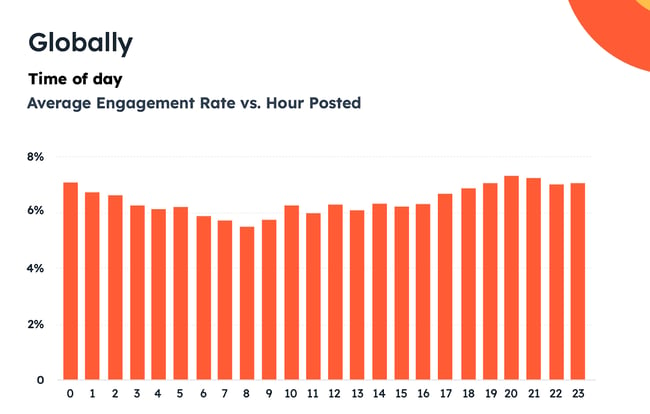
best time to post on instagram: global engagement rates

The data remained the same across B2B and B2C verticals. Both B2B and B2C social media marketing managers reported that the worst time to post is between 6 AM and 8:59AM, and that the worst days are Mondays and Tuesdays.

So you can be relieved! There’s no need to wake up early to make that Instagram post. It won’t be much of a problem if you use social media management software to schedule your posts, anyway — but still, it’s nice.


Best Time to Post to Instagram Cheatsheet
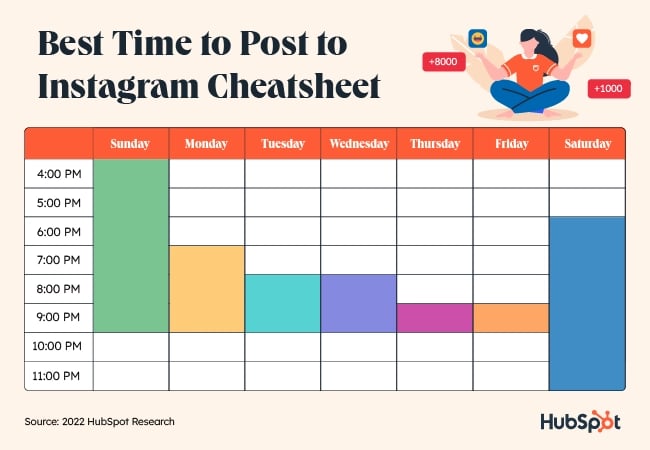
Best time to post on Instagram cheatsheet

How We Found the Best Instagram Posting Times

This data comes from two sources. First is HubSpot’s 2023 Instagram Engagement report. This extensive report reviewed 110M posts across 1M Instagram users. The report also has several sections specific to English-speaking countries. They analyzed data from close to 85M posts from North America alone.

This post also contains more original research from the HubSpot team. They surveyed 300 professionals from 16+ industries about their preferred days and times to post on Instagram.

Why post on Instagram at a certain time?

According to global Statista data, mobile users spend an average of 12 hours a month on Instagram. That’s about 1% of their time each month, or one in a hundred chances that you will catch your users when they’re on the platform.

So, posting when your top users are online will make a difference. It will give you more time to connect with your most important followers.

But for many marketers, social media posting is just one more thing to do on a busy day. It can be tempting to post whenever it’s convenient or to schedule posts for a time that feels logical, even if there isn’t any data to back it up.

These are a few reasons why it’s important to post to Instagram at specific and consistent times.

Increasing Reach

Some users on Instagram focus their feeds on the friends, businesses, and influencers they already follow. But many others use Instagram for inspiration and discovery. This post from a machine learning engineer outlines some of the factors in helping new users discover your posts.
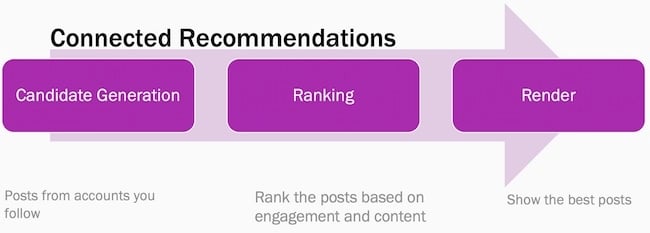
Best time to post on Instagram insights: Instagram connected recommendations graphic

One of those factors is recent engagement. This post from the Instagram blog also outlines how important fresh and recent content is.

So, if you post when your top users are online, your new content is more likely to be one of the first things they see. This can also boost engagement, another ranking factor. This combination increases the chances that new users will discover your account and posts on the platform.

Check out this post for more tips on how to grow your reach on Instagram.

Building a Loyal Audience

Loyalty takes time and effort to build. It’s especially tough for small businesses that have to compete with big brands on social media.

Posting during peak times on Instagram helps you connect with more of your followers at once. It shows your audience that you want to engage with them and keeps your brand top of mind.

It also helps set expectations. Building loyalty is about more than great products and customer service. It’s about being a consistent presence in their feeds that helps you build relationships.

For example, say you run your media business in the Pacific time zone, but a third of your customers are in the Australian Eastern time zone. If you post all your content from 9 a.m-5 p.m. PST, those posts will appear between 3-11 a.m for your Australian customers. Chances are your Australian audience won’t see many posts from your brand.

And what if an unhappy customer in Australia posts a story about your brand? That one post could shape that entire audience’s perception of your brand.

To build a loyal audience, it’s important to understand when your audience is online and to use that information to choose the best time to post.

Increasing Engagement

According to 2023 HubSpot research, the global average Instagram engagement rate is almost 6%. That’s more than the average engagement rate in the previous year.

Instagram engagement creates a ripple effect, like throwing a rock in a still pool. The first ripple is obvious — if you get immediate likes, comments, and saves after posting, it’s more likely that your post will show up in more feeds.
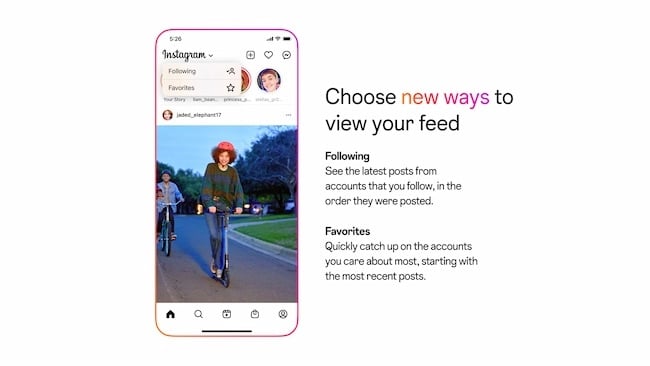
Instagram features that can impact the best time to post: Following and Favorites

The next ripples come from other Instagram features like Favorites, Search, and videos. Each feature has an independent algorithm. And each feature weighs engagement differently. For example, becoming a favorite for your followers means your posts will show up at the top of their feeds every time they log in. Engagement rates factor into which posts get bumped to the top of Search pages.

So, posting at the right time doesn’t just mean more comments, messages, and saves. It creates more opportunities for engagement too.

Testing New Algorithms

Like most online tools, Instagram launches constant updates to shape the user experience. As a business, your team needs to quickly understand how each update could impact your users and strategy.

Algorithms are complex. Instagram leaders say that each part of the app uses an independent algorithm.

So, one day your latest videos might show up in the feed but not surface on Discover, and it may be tough to figure out why. This can have an immediate impact on your business.

There are a few ways that you can manage these updates. For example, you can keep up with the latest social media news. But the best way to understand the latest algorithm changes is to run tests with your own posts.

So, what do you need to run reliable and useful tests that can help you understand which content your users see after an update? Number one is a consistent posting schedule. The fewer variables your test has, the more trustworthy your results will be.

Better yet, you should post at the best times for your audience on Instagram. This way, you’ll have consistent timing and a wider test group. That strategy can help you get more reliable results.

Understanding New Features

Your posting schedule can also help you understand new Instagram features. Carousels, Stories, and Reels are all unique parts of Instagram. And depending on your content and industry, they’ll each have different rates of engagement.

If your business is investing time and resources into Instagram, it’s important to have a strategy. Strategies usually include different types of content. Whether you want your posts to show up as suggested content or to boost your shoppable stories, you want useful eye-catching content.

When Instagram releases new features, it can take time to understand:

  • What the new feature does
  • When users see new features
  • How they interact with each new feature
  • Resources needed for feature content

The sooner you understand a new feature, the more likely it is that you’ll make the most of that feature before your competitors. For example, this post on the Instagram blog tells users how to see more of what they want on their feeds.

Like testing an algorithm update, knowing the top posting times for your niche can help you test new features for your users faster. Social testing is most useful when you know your test audience, which makes posting time important.

Streamlining Your Posting Schedule

Choosing the right times for your audience can make it much easier to schedule your posts. Many social media and marketing managers take advantage of social scheduling tools. While these tools can make the process of social media posting much easier, it can be tough to get results if you’re not posting at the right times.

It’s all about creating the right content at the right time for your audience. And set posting times can also help you create a more personalized social media calendar for your ideal buyer personas.

Here are a few more ways that choosing the best posting times for Instagram can help you simplify your posting schedule:

  • Creates focused times for content planning and tracking
  • Limits the need for “always on” social media management
  • Offers opportunities to batch-create targeted post content

Finding Your Best Customers

While the Instagram app now longer allows users to make purchases directly on the app, it’s still an invaluable lead generation and brand awareness tool — which can ultimately lead to more clicks and purchases.

That’s an incredible incentive to connect with your best customers on Instagram right away. But how can the best posting times help you find prospective shoppers?

You may be new to your industry. If that’s the case, the industry-specific posting times below can help you understand when your users are online. This can help you start seeing from their perspective and you can use those insights to improve your content.

For example, people in financial services are easiest to reach on Instagram on Sunday nights. This is just before the next work week begins. It may be a way to wind down the weekend and prepare for what the next week will bring.

But workers in agriculture are easier to reach on Saturday mornings, and mostly skip Instagram during the week. These professionals might be in spots with limited service during the week. Safety is also a concern, so it may be difficult for them to use mobile devices while on the job.

You can also block out these times on your schedule to engage with users who follow your business. Comment on posts, ask authentic questions, and watch videos from your target audience.

These times are when the biggest pool of your users is active online, so it’s the best time to start a conversation. It’s easy to send a message on Instagram, but not every message gets a response. If you can be there to engage in real time, you’ll get much more value from the time you spend on the platform. You’ll also have a better chance of connecting with top customers.

Is there really a best time to post to Instagram?

It’s clear that posting time matters on Instagram. But is there really a best time to post to get the results you’re looking for? To answer this question, let’s hear from some members of the HubSpot social media team.

Content Quality

It can be tempting to churn out content to meet ambitious deadlines in the hopes that the right customers see your posts. But content quality is what creates the most value for your audience.

Community Management & Growth Specialist Mathew Cruz says,

“It sounds obvious, but making your content as engaging and optimized as possible for the platform it’s being published on is key. “

So, begin each post with the best possible content, then optimize to make sure that followers get to feel the impact of your efforts.

“Start with your target audience, and what types of content and information is most useful to them. What kind of content might they save for later? What might they share with a friend? What might incentivize them to comment on your content? Start with these questions and work backwards in order to improve your reach and performance.”

Annabelle Nyst, Senior Content Manager, Social Media
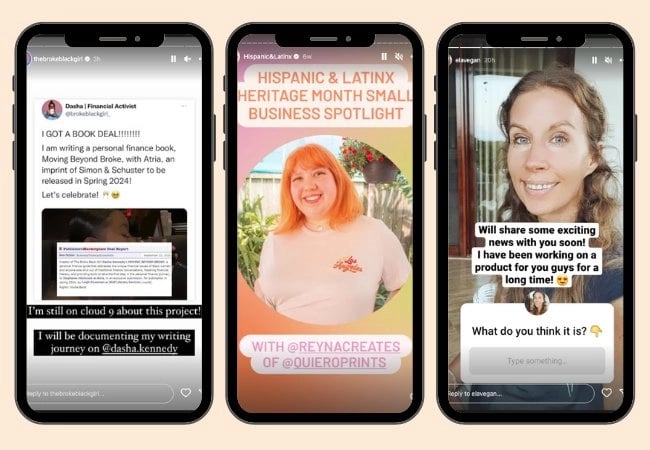
Best time to post to Instagram example: Choosing the right trending conversations to respond to

You can also get some inspiration from top influencers and brands on the platform.

Another way to create quality content is to line up with recent trends and news. But this strategy isn’t the right fit for everyone. Here’s more useful advice from Annabelle Nyst:

“When it comes to posting around tentpole moments, events, and trending conversations, you should ask yourself: Does this make sense for my brand to be a part of this conversation? Are we adding value here?”

Instagram’s Algorithm

The best posting time isn’t really about when you post, it’s about when you want users to see your content. But that’s up to the algorithms that are unique to each part of Instagram.

So, the care you put into posting time is only one part of a more complex system that delivers your content to people on the platform.

According to Mathew Cruz: “Instagram’s algorithm and UX changes have made an impact on the effectiveness of posting at specific times. Unless your users are consuming their content in the “following” view, the time your audience will see your content can vary.”

To optimize the chances that people will see and engage with your content, check out these tips:

“Look at what the Instagram algorithm appears to be prioritizing at any given moment – for example, Reels. We know that Instagram has been leaning into Reels as a format in order to compete with TikTok, so how can you incorporate Reels into your strategy?

The more you adhere to what Instagram wants to see, the more the algorithm will favor you. Also, always optimize for value and engagement first.” – Annabelle Nyst
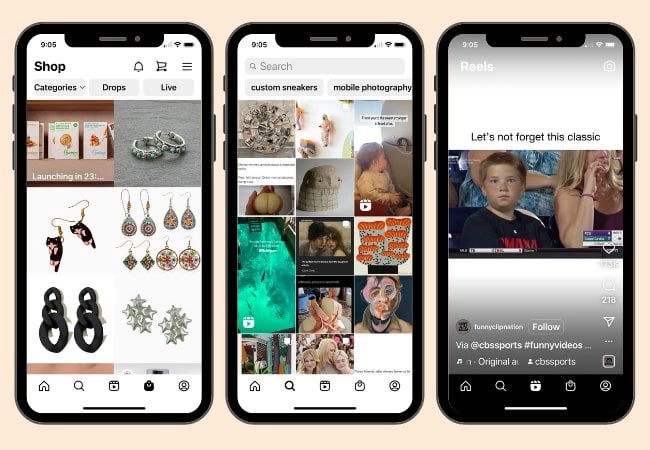
Best time to post to Instagram example: Instagram features

“With Instagram, understanding the UX and algorithm changes can be more effective in strategizing content publishing rather than simply timing.

For example, with Instagram’s shift to pushing video over images, the types of content you choose to create and publish may impact the chances of it being pushed out to users.

Additionally, feeding the algorithm with what your content is about helps it know where it should go. For example, adding relevant captions, hashtags, and sounds can help increase chances of it appearing on the feeds of users that enjoy specific types of content.” – Mathew Cruz

Content Consistency

Social Strategist Erin McCool says: “Quality and consistency of content is more important than timing.”

Consistency is key to taking advantage of social media opportunities. Whether you’re amplifying your stories at the same time each week or posting with branded hashtags, a steady schedule is essential.

If you don’t have a clear brand voice on Instagram, it won’t help you to reach more audience members. Without consistency, it’s unlikely that users will recognize and connect your content to your brand no matter how many times they see it.

So, don’t just post at the best times. Use the best times to post as a guide for a consistent posting schedule. This strategy can help you reach the right audience at the right time with the right content.

Best Time to Post on Instagram by Time Zone

Your location can heavily influence the success of your social media marketing strategy. Audiences behave differently depending on where they are in the world, and you can benefit from knowing when they’re most active on Instagram.

You know that evenings tend to be the best time to post to Instagram for engagement. But how do you make that happen if your audience lives in multiple time zones?

This is where you need to make some decisions about the best posting times on Instagram for your audience. To help you make these choices, here’s more compelling data from the 2023 Instagram Engagement report.

North America

According to HubSpot research, the best time to post on Instagram in North America is between 6 to 9 PM, as those were the hours with the highest engagement. It’s no surprise: People tend to be winding down in the evenings, and as such, they usually access their Instagram apps at around this time.
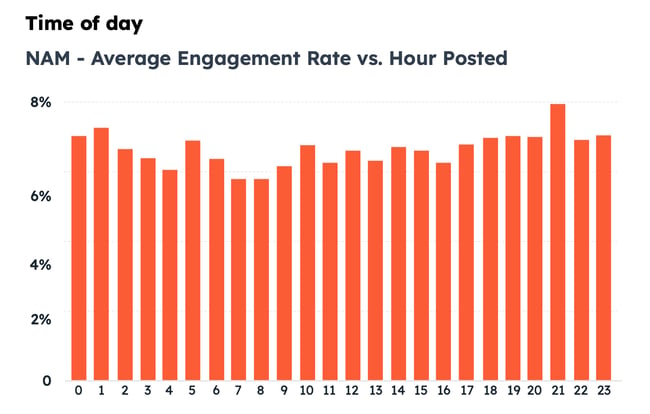
best time to post on instagram: North America engagement ratesAs you can see, though, the engagement rate is between 7% to 8% for most hours — you really can’t go wrong with your posting time, so long as you make an effort to study your audience and learn when they’re specifically online.

The hours you might want to specifically avoid are between 6 and 9 AM.

UK and Ireland

In the UK and Ireland, the best time to post is from 10 PM to 2 AM to generate high engagement. Yep! That’s quite late, so even if you work during UK and Ireland hours, you’ll want to use a social media tool to schedule your posts well ahead of time — unless you’re willing to log in at 1 AM to post.
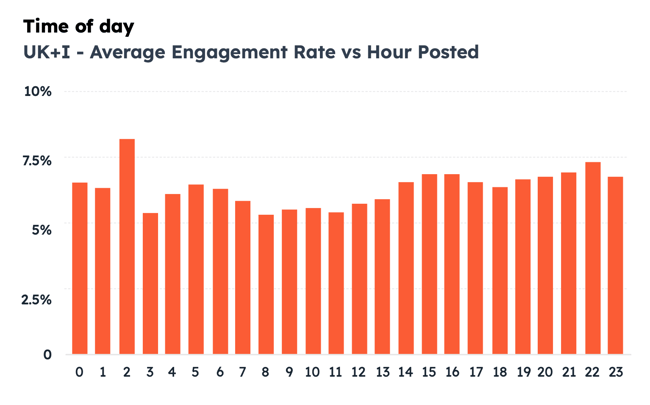
best time to post on instagram: uk engagement rates

You’ll want to avoid the morning hours from 9 AM to 11 AM.

Asia-Pacific

In Asia-Pacific, the best time to post on Instagram is between 7 and 9 PM. During our research in this region, we saw huge peaks in engagement at those hours.
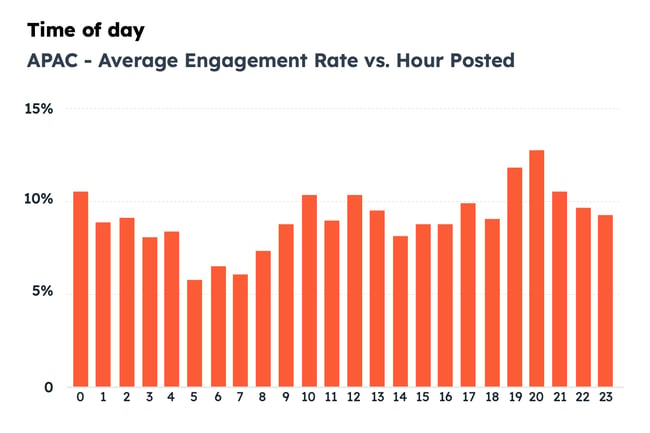
best time to post on instagram: Asia-pacific engagement rates

APAC engagement rates are more volatile. You’ll specifically want to avoid posting between 5 and 7 AM, as those were the times with the lowest engagement.

Best Time Each Day to Post on Instagram

Every day of the week is a good day to post on Instagram, but you’re likely to get the best engagement on weekends.

The chart below shows the average engagement of each day of the week. As you can see, even though weekends are when you’ll see the most engagements, the data is pretty steady throughout the week.
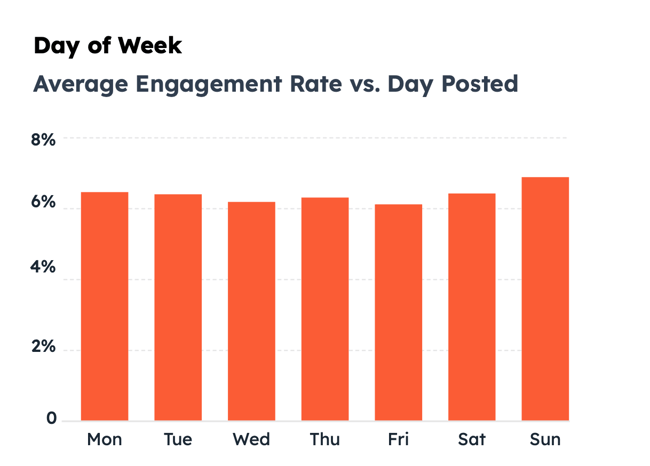
best time to post on instagram:  best days to post globally

This means that you’ll want to do deeper research to figure out which days are best for you to post. This is where industry-specific data can help.

For example, if your followers work at a desk job with regular hours, they might be taking a lunch break around noon. This would mean that they could be more likely to scroll through Instagram during that time to catch up on the latest from their friends, favorite brands, and influencers.

But what if they work in an industry with a less consistent schedule? For example, real estate agents often work around their clients’ schedules, showing homes on the weekend or after work hours.

This means that their scrolling time will be different from other users. You’ll want to track their behavior or use industry benchmarks to find the best day to post.

Best Time to Post on Instagram by Industry

General data about optimal post timing is a great starting point. But if you want to get more granular, HubSpot research surveyed over 300 professionals to help you engage with your top audience. Here are the best times to post on Instagram for over 16 popular industries.

Education
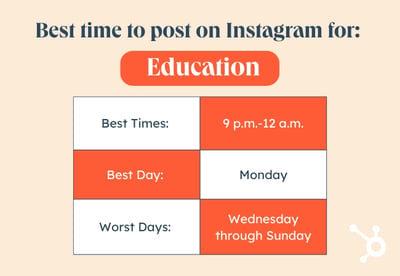
Best Time to Post on Instagram by Industry graphic, Education

Best Times: 9 p.m.-12 a.m.

Best Day: Monday

Worst Days: Wednesday through Sunday

If you work in the education sector, the best time to post is from 9 PM to 12 AM, specifically on Monday. That may be because educators are preparing for the week at this time and may be more receptive to content from education brands.

Healthcare Companies
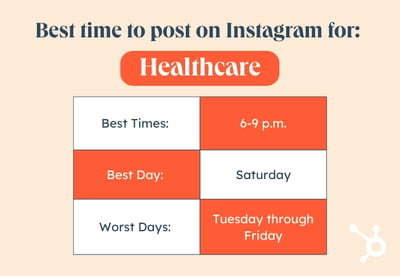
Best Time to Post on Instagram by Industry graphic, Healthcare

Best Times: 6-9 p.m.

Best Day: Saturday

Worst Days: Tuesday through Friday

For healthcare companies, the best time to post on Instagram is in the evenings, from 6 PM to 9 PM, and specifically on Saturday. You’ll want to avoid posting on Tuesdays through Fridays.

Financial Services
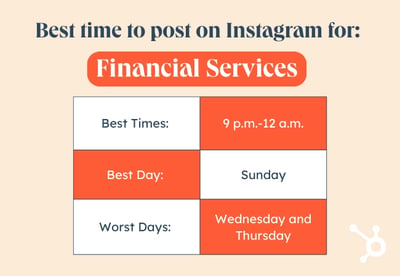
Best Time to Post on Instagram by Industry graphic, Finance

Best Times: 9 p.m.-12 a.m.

Best Day: Sunday

Worst Days: Wednesday and Thursday

Financial services companies will want to post from 9 PM and 12 AM — remember, a social media tool can help you schedule late-night posts! — and Sundays are one of the best-performing days in terms of engagement.

Retail
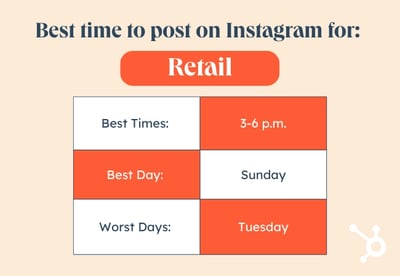
Best Time to Post on Instagram by Industry graphic, Retail

Best Times: 3-6 p.m.

Best Day: Sunday

Worst Day: Tuesday

Retail companies should consider posting between 3 PM and 6 PM on weekends, especially on Sundays. Tuesdays were the worst day according to our research.

Ecommerce
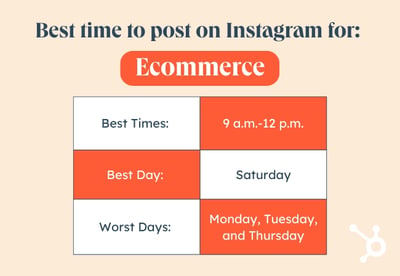
Best Time to Post on Instagram by Industry graphic, Ecommerce

Best Times: 9 p.m.-12 a.m.

Best Day: Saturday

Worst Days: Monday, Tuesday, and Thursday

Ecommerce brands would benefit from posting between 9 PM to 12 AM, in keeping with the general pattern that evenings perform best for most brands. Saturdays were the best days to post on Instagram, while you’ll want to avoid Mondays, Tuesdays, and Thursdays.

Business Services
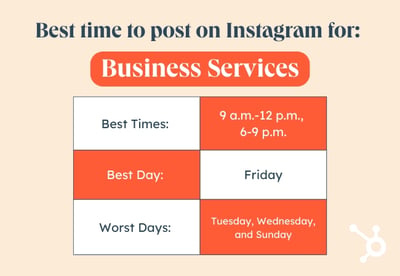
Best Time to Post on Instagram by Industry graphic, Business

Best Times: 9 a.m.-12 p.m., 6-9 p.m.

Best Day: Friday

Worst Days: Tuesday, Wednesday, and Sunday

Companies that offer business services would do well to post on Instagram between 9 AM and 12 PM — the starting hours of most people’s business days. Evenings between 6 and 9 PM also performed well. The best day to post, surprisingly, is on Friday.

Consumer Manufacturing
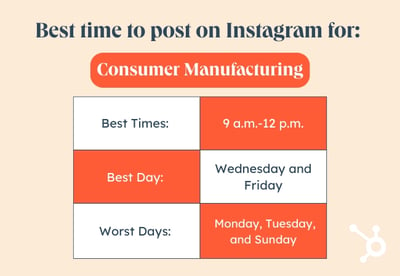
Best Time to Post on Instagram by Industry graphic, Consumer manufacturing

Best Times: 9 a.m.-12 p.m.

Best Days: Wednesday and Friday

Worst Days: Monday, Tuesday, and Sunday

Consumer manufacturing organizations should post on Instagram in the mornings, between 9 AM and 12 PM. The best days to post are Wednesdays and Fridays.

Manufacturing and Materials
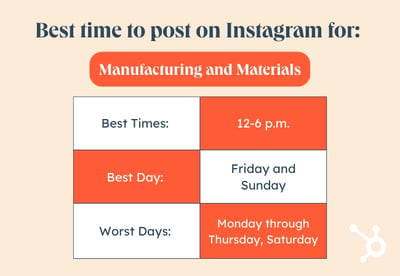
Best Time to Post on Instagram by Industry graphic, Manufacturing and materials

Best Times: 12-6 p.m.

Best Day: Friday and Sunday

Worst Days: Monday through Thursday, Saturday

Companies in the manufacturing industry should post in the afternoons between 12 PM and 6 PM, starting with most businesses’ lunch breaks. The best days are Fridays and Sundays.

Construction Companies

Best Time to Post on Instagram by Industry graphic, Construction

Best Times: 6-9 p.m.

Best Days: Thursday and Sunday

Worst Days: Monday and Saturday

Like most verticals, construction companies would benefit from posting in the evenings between 6 and 9 PM. Thursdays and Sundays are the best days.

Agricultural Organizations
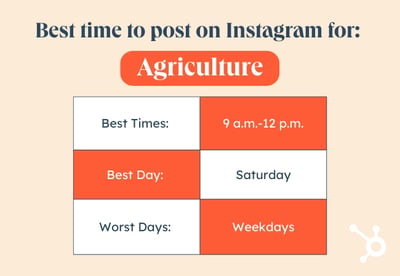
Best Time to Post on Instagram by Industry graphic, Agriculture

Best Times: 9 a.m.-12 p.m.

Best Day: Saturday

Worst Days: Weekdays

The best time to post on Instagram for agricultural organizations is in the morning, between the hours of 9 AM and 12 PM. You will want to avoid weekdays and post on weekends, specifically on Saturday.

Electronics Organizations
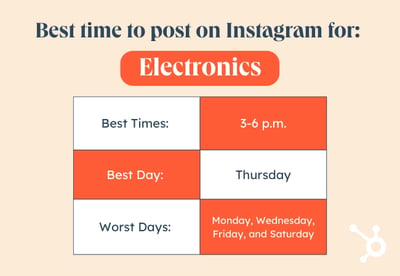
Best Time to Post on Instagram by Industry graphic, Electronics

Best Times: 3-6 p.m.

Best Day: Thursday

Worst Days: Monday, Wednesday, Friday, and Saturday

Electronics organizations would benefit from posting in the afternoons, between 3 PM and 6 PM. The best day to post is on Thursday.

Energy, Utilities, and Waste Management
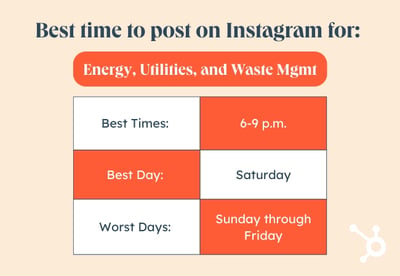
Best Time to Post on Instagram by Industry graphic, Energy, Utilities, and Waste Management

Best Times: 6-9 p.m.

Best Day: Saturday

Worst Days: Sunday through Friday

Energy, utilities, and waste management organizations would benefit from posting between 6 and 9 PM. The best day to post is on Saturday, while our research respondents reported that every other day is a poor option.

Information Technology
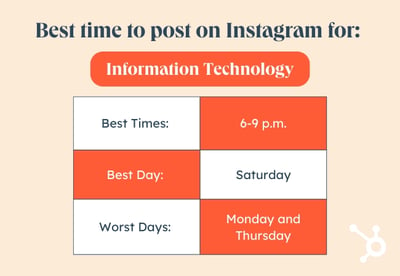
Best Time to Post on Instagram by Industry graphic, IT

Best Times: 6-9 p.m.

Best Day: Saturday

Worst Days: Monday and Thursday

Like most businesses, IT companies should post in the after-work hours, between 6 and 9 PM. The best day to post is on Saturday, but remember to experiment to find out what works for your audience.

Media and Entertainment
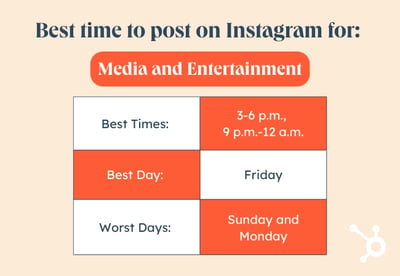
Best Time to Post on Instagram by Industry graphic, Media and Entertainment

Best Times: 3-6 p.m., 9 p.m.-12 a.m.

Best Day: Friday

Worst Days: Sunday and Monday

The best times to post on Instagram for media and entertainment companies are between the hours of 3 PM and 6 PM, and 9 PM and 12 AM. The best day to post is on Friday.

Transportation and Logistics
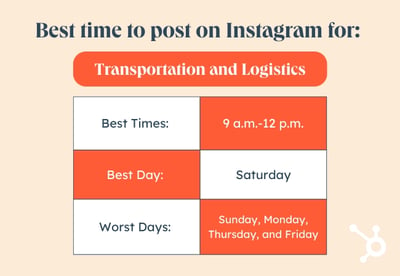
Best Time to Post on Instagram by Industry graphic, Transportation and Logistics

Best Times: 9 a.m.-12 p.m.

Best Day: Saturday

Worst Days: Sunday, Monday, Thursday, and Friday

Transportation and logistics companies would benefit from posting in the morning, between 9 AM and 12 PM. Our respondents reported that Saturday was the best day to post.

Advertising and Marketing Organizations
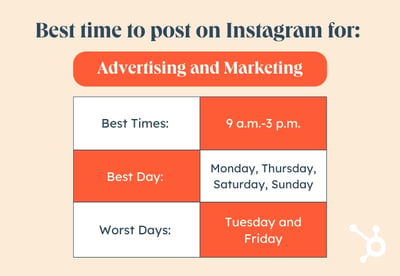
Best Time to Post on Instagram by Industry graphic, Advertising and Marketing

Best Times: 9 a.m.-3 p.m.

Best Days: Monday, Thursday, Saturday, Sunday

Worst Days: Tuesday and Friday

Advertising and marketing organizations have countless options for posting on Instagram. The best time to post is during the work day from 9 AM to 3 PM, and the best days include Mondays, Thursdays, Saturdays, and Sundays. You’ll want to avoid Tuesdays and Fridays.

Remember that the guidelines above are just that — guidelines. It’s essential to constantly gauge your engagement rates to find the best times to post for your specific audience. We recommend using the above data as a starting point, then adjusting slightly as time goes on.

Best Time to Post Different Instagram Content Types

What about the different types of Instagram content? What is the best time to publish them and get a good engagement rate? Let’s take a look.

Best Time to Post Reels on Instagram

We recommend following the general guidelines. The best time to post Instagram Reels is in the evening between 6 and 9 PM, when engagement rates increase globally.

That said, you can’t go wrong with posting Reels, because they’re so popular. Instagram CEO Adam Mosseri actively shares Instagram updates on Twitter, and many of his recent posts highlight new Reels features and emphasize the importance of this post type.

Trusted resources offer the same tips for the best time to post Reels as they do for other types of content, such as videos and photos, on Instagram. You’ll want to post when your users are online, and that means carefully taking a look at your engagement rates.

The top tip for Reels timing: Be sure to post consistently. If the uploading days or times you post are sporadic, the algorithm won’t prioritize your account visibility.

Best Time to Post Instagram Videos

The best time to post Instagram videos is between the hours of 6 and 9 PM.

Best Time to Post Instagram Stories

The best time to post Instagram Stories is between the hours of 6 and 9 PM. If you work in the B2B sector, you could also benefit from posting an Instagram Story at lunch time (from 11 AM to 1 PM), where your business audience might be scrolling through their app. That said, global average engagement rates peak in the evenings.

Best Time to Go Live on Instagram

The best time to go live on Instagram is in the evening, when users are unwinding for the day and have the time to watch a live broadcast.

Best Time to Post Instagram Carousels

The best time to post Instagram carousels and photos is between the hours of 6 and 9 PM.

How to Find the Right Time to Post to Instagram for Reach

Data on the best posting times for Instagram is incredibly useful. That said, it’s often most effective when you’re just starting out.

As you continue to develop your presence on the platform, you might want to boost your results and do some posting time research on your own. The tips below are useful places to start.

1. Use a Social Media Tool

The most effective way to find the best posting time on Instagram is to use a social media tool, which will allow you to post at different times without needing to log into Instagram each time. Social media software is useful not only because you won’t need to remember to log in to Instagram — you can simply schedule your posts — but because you can test and experiment with more exactitude.
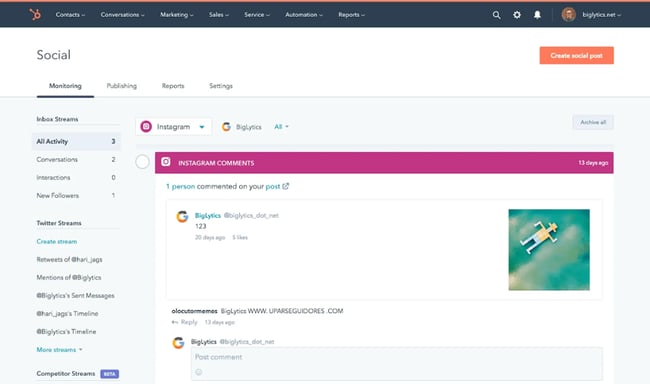
best time to post on instagram: HubSpot social media toolTry HubSpot’s social media tool for free!

Plus, you can see your posting history through reports — there’s no need to go through your Instagram posts one-by-one.

2. Experiment with Posting Times

To find the best time to post for your brand, it’s essential to experiment. Our 2023 data strongly suggests that posting in the evening hours from 6 to 9 PM is a great place to start. Then, test out another time — such as lunch time or midafternoon — and see if that changes engagement rates for your posts.

Try to keep the type of posts you make consistent. For instance, test out posting times for Reels specifically, with similar caption lengths and subject matter. That way, the only variable is the posting time itself, and not any other characteristic.

3. Check Your Top Postsfind best time to post on instagram: instagram insights top posts
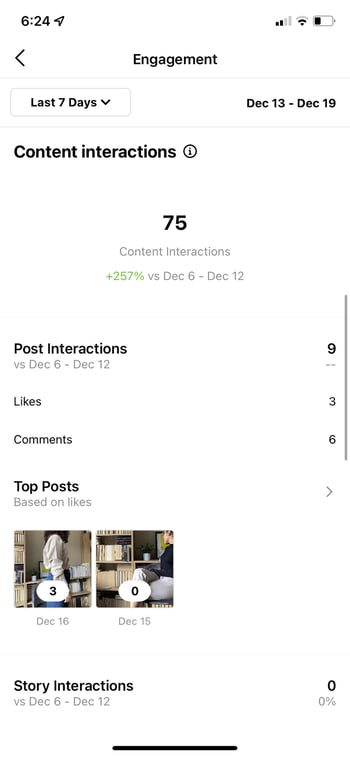
Tracking your top posts can help you understand what posts are most popular and which topics draw the most engagement. It can also help you see how posting time impacts those factors.

For example, is that recent post about company events the most exciting content for an online beauty company? Or did it generate the most likes last month because it was posted on Saturday evening, a top time for ecommerce engagement?

You can use Instagram Insights to check out your top-performing posts, as well as factors like:

  • Engaged audience
  • Total followers
  • Most active times

HubSpot customers: You can check the Top Posts report for a quick list of your top ten posts. You can also check interactions, clicks, shares, and impressions for each post.

As you start to look at your social analytics, it can be tempting to focus on the numbers. But when you’re looking at top posts, it’s important to stick with your creative side and to look at your numbers from your customer’s point of view. As you check your top posts, ask yourself:

  • What is special about this post?
  • What kind of content is it?
  • If it’s a video, what makes this video stand out?
  • If it’s a photograph, how is this photo different from the others you’ve posted?
  • Did you edit the post?
  • Did you add text or design elements to the post?
  • Is there something that ties the people who’ve liked this post together?
  • Does this post connect to a current trend or event?

You may want to gather top post insights for a few months before you dig into analyzing your post content. This can help you see the top content your users respond to and when they want to see that type of content.

4. Track Competitor Posting Times

Another way to choose the right time to post for your audience is to figure out who else has their attention. Starting with your top competitors helps you figure out when to post and what content works on different days and times. Competitive analysis can also help you:

  • Learn about trends and benchmarks in your niche
  • Update your social strategy
  • Pinpoint new opportunities

There are a few ways to begin this research.

First, just scrolling through Instagram can give you a wealth of competitor insights. Take a look at a brand’s likes, hashtag copy, and how many hashtags they use. This can give you a quick profile of who follows that brand and what keywords they use, so it can hint at that competitor’s strategy.

If you want to do more detailed research, there are many great tools to help you track your competition. For example, you can create competitor streams with HubSpot’s social media software.
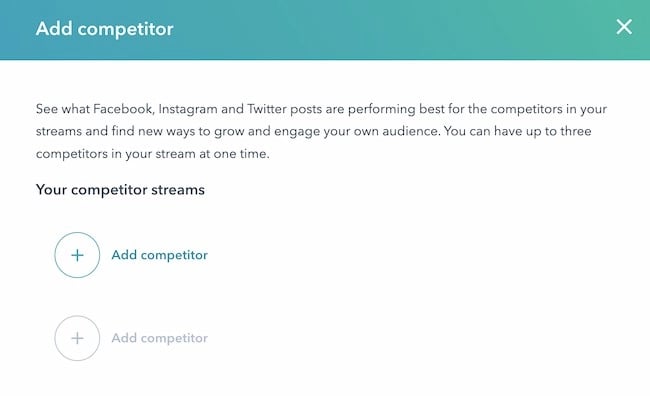
Best time to post on Instagram example, Competitor streams, HubSpot

Try HubSpot’s social media tool for free!

With this feature, you can track multiple competitors at once and filter your results by social network or time period.

5. Focus On Engagement
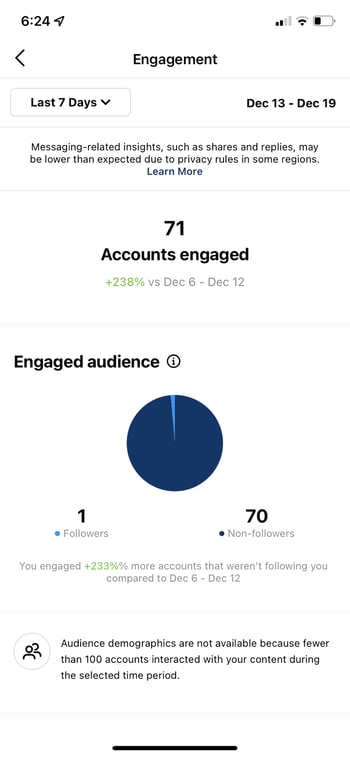
find best time to post on instagram: instagram insights accounts engaged

Strong engagement on Instagram is between 1-5%. According to HubSpot research, the average engagement in 2021 was 5.86%. The average engagement rate for 2020 was just 2.26%, so these rates can change quickly.

If you want to improve engagement, start by calculating your Instagram engagement rate. You can measure your rate with your all-time numbers, but it can be helpful to break this data into smaller sections, like months or weeks. That way you can see engagement patterns for your account over time. It can also make it easier to see how the times you post on Instagram could impact your engagement rate.

Engagement rates show how people are reacting to your content. So, whether you’re sharing Reels, going live on Stories, or posting polls, questions, and quizzes, you can measure your impact. Engagement rates can sway based on:

  • Audience interest
  • Relevance
  • Social authority

It’s also important to remember that your most engaging content may not be as sticky at the same hours each day. Some content takes time to pick up views and shares before it makes an impact during peak engagement hours. Other content is like a firework — exploding quickly and disappearing just as fast.

To optimize your post timing for engagement, you need to get organized. The best way to find an ideal posting time is by testing the timing of your posts to see which post time generates the most audience engagement.

For example, what if you want to figure out when you get the most likes and comments on your Instagram carousels?

Say you create and post five different carousels a week and post them at random times. That approach will make it tough to get data that shows you the best times to post carousels for engagement.

But what if you post five similar carousels at a slightly different time each day? Then you can compare your engagement rates with the time you posted each carousel. This can show you the best time to post carousels for engagement so you can plan future carousels with those times in mind.

6. Use Your Data
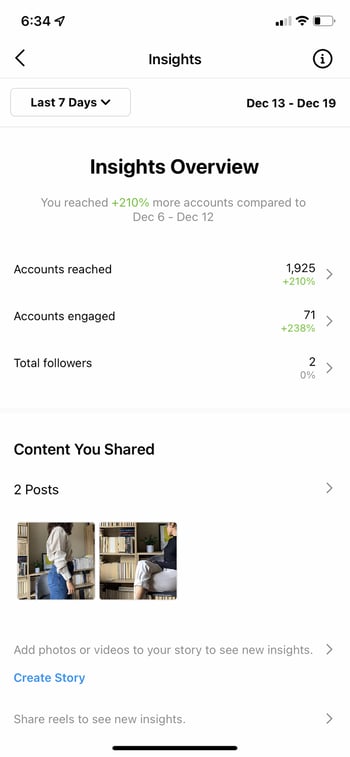
find best time to post on instagram: instagram insights home

When you’re new to Instagram, follower and engagement numbers are often low. Numbers for posting time, content type, hashtags, and more can be so similar that you may not spot the patterns that can help you grow.

Social media analytics can make these patterns easier to see and experiment with.

For example, the audience section in Instagram Insights can show you the days and hours when your followers are active. You can use that information to create a posting schedule. This can help you see whether posting during peak hours improves your reach.

At the same time, it’s important to remember that anyone with an account has access to Instagram Insights. And according to HubSpot research, 52% of Instagram accounts have 1,000-10,000 followers.

So, there’s a good chance that other brands are showing up in your followers’ feeds during that active time. You may want to post outside of active hours to see if your account draws more attention when there’s less competition.

It’s great to have the best times on Instagram available when planning your strategy. But tracking your own data can give you the personalized insights you need to stand out.

Boost Instagram Engagement on Your Schedule

Organic Instagram engagement and a consistent posting schedule go hand in hand. Each industry has natural peaks and valleys of activity each day. This means that your Instagram strategy should flow with them. Use helpful resources, like this cheat sheet, to plan your social media calendar and watch your engagement rate soar.

Editor’s note: This post was originally published in February 2021 and has been updated for comprehensiveness.
instagram-engagement-report

Categories B2B

31 Free Resume Templates for Microsoft Word (& How to Make Your Own)

No matter what industry you work in (or your experience level in that industry), a plain, black-and-white resume written in Times New Roman font just doesn’t quite cut it anymore.

But just because resumes have gotten more creative doesn’t mean you need special design software to make your application stand out. On the contrary, writing your resume in good old Microsoft Word is still the perfect way to develop your personal brand, while also communicating your experience and career goals.

→ Download Now: 12 Resume Templates [Free Download]

Read on to find the perfect template for your next resume, then learn how to create your own in Microsoft Word.

free editable resume pdf template

Download 12 free, editable resume templates.

Free Resume Template Downloads for Word

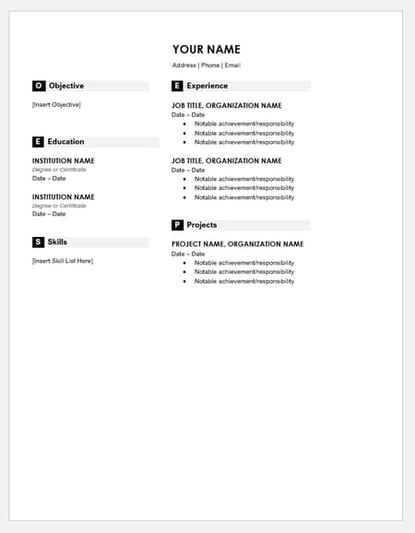
1. Monogram Header Resume Template

resume templates for word:  Monogram Header Resume

Download this template here.

We’ll start with a simple one. This is a HubSpot exclusive resume template that is simple and clean with attractive monogrammed headers to call out each section of the resume. The rest of the design relies on a simple serif font for easy reading, which is a good thing considering that hiring managers only take 7.4 seconds to evaluate a resume. You want your experience section to be easily scannable.

Recommended For: Freelancers

This resume template is best for freelancers. The project section is great for showcasing the skills that would be most applicable for the industry the applicant wants to enter.

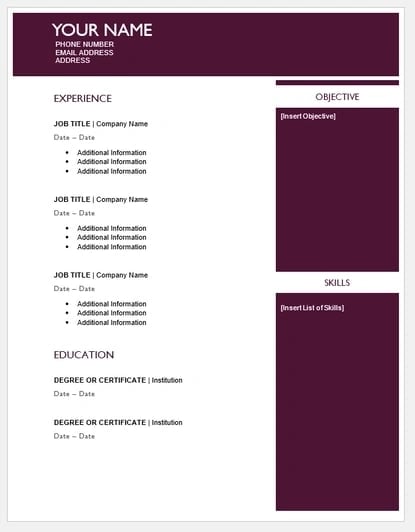
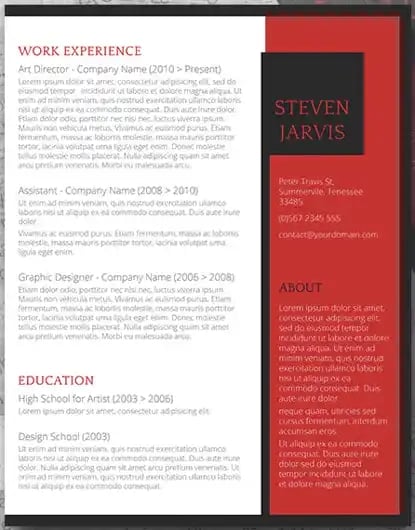
2. Maroon Sidebar Resume Template

resume templates for word:  Maroon Sidebar Resume

Download this template here.

Pulling your more text-heavy information off to the side in an attractive color-blocked sidebar, this resume lets your experience stand for itself in white space at the top. It’s also easily customizable with no difficult-to-manipulate tables or formatting. The sidebars are in movable text boxes that can even be removed if you wish.

Recommended For: College Graduates

This template is best for young professionals starting their careers. This adjustable resume template can give you full customization options for your first resume.

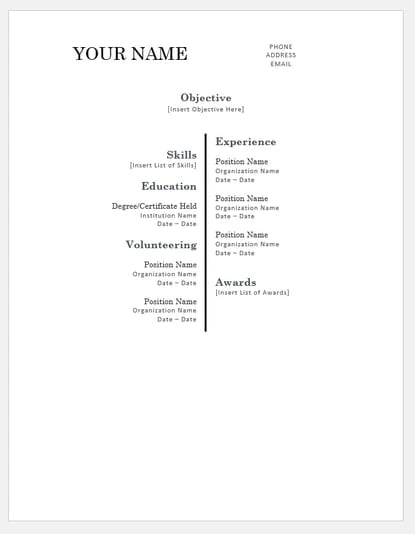
3. Centered Bar Resume Template

resume templates for word: Centered Bar Resume

Download this template here.

This resume takes on a different look than most resumes, centered around a single bar. This makes the resume more visually striking, which could draw attention as hiring managers are evaluating candidates. It also puts emphasis on the objective with your chronological experience supporting it underneath. All of this is in an attractive serif font that is elegant and classy.

Recommended For: College Graduates

This template is great for college graduates to show their most recent accomplishments. The “Objective” section will help you showcase where you are trying to go in your career.

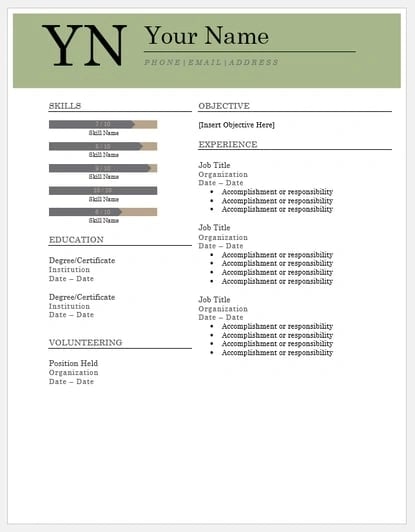
4. Bold Serif Resume Template

resume templates for word: Bold Serif Resume

Download this template here.

Speaking of serif fonts, this resume puts forward an element of grace and formality with its font choices. It’s perfect for individuals who are looking for more organic colors than the ones more typically found in resumes, and the colors are also easily changed in Microsoft Word’s theme settings. It also includes a skill-level bar, adding a nice visual touch to the template.

Recommended For: College Students

This template is great for college students to demonstrate their internship experience. The volunteering section gives a rounded viewpoint of your accomplishments if you are just leaving college.

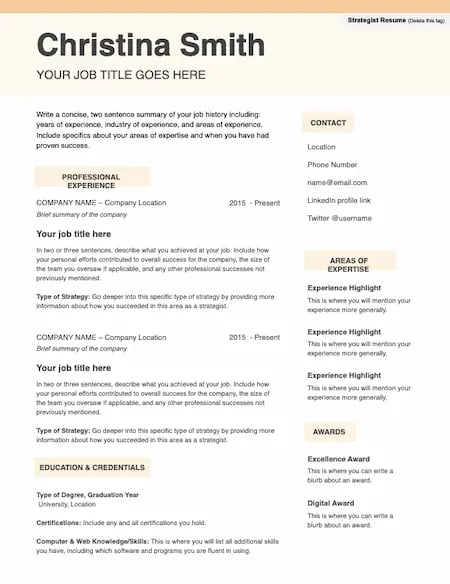
5. Strategist Resume Template

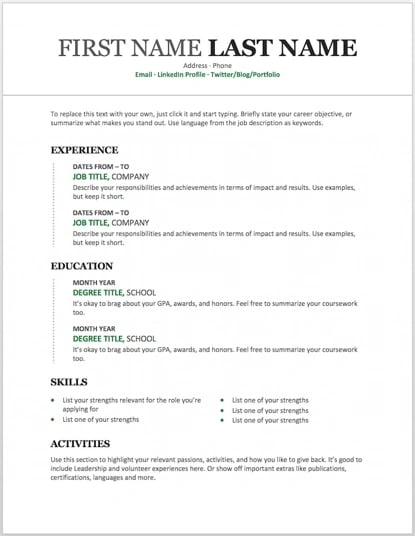
Resume templates, Word, Strategist

Download this template here.

High-level strategy demands a range of skill sets — project management, media, planning, and more. So, strategist resumes need space to hold a lot of information without overwhelming the reader.

This design is clean and pleasing to the eye. It’s easy to scan and customize based on your specific experience.

Recommended For: Project Managers

The “Areas of Expertise” section stands out on this template. This gives you a chance to draw a clear connection between your professional experience and what you’re capable of.

6. Modern Chronological Resume Template

resume templates for word:  Modern chronological resume template

Download this template here.

This resume template is available from Microsoft itself, and it’s one of many free templates the company has prepared for those who depend on Microsoft Office tools to create content. Yes, it’s written in Times New Roman — don’t freak out.

Designs like this can borrow an old-school typeface and still impress recruiters with a clean layout and subtle use of color. You can also change the font if you wish (and the same goes for every template in our list).

Recommended For: Developers

The “Skills” section is perfect for candidates in the tech industry. A candidate can showcase the languages they are fluent in and show a variety of accomplishments, successfully demonstrating their capabilities as they move into a new industry.

7. Digital Marketing Resume Template

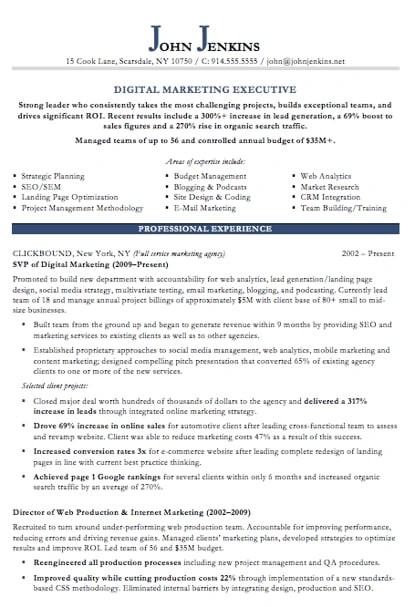
resume templates for word: Digital marketing resume template

Download this template here.

The digital marketing resume below comes from our own collection of resume templates, all of which open directly in MS Word.

Coming with two pages total, this sheet holds a wealth of information and offers the perfect amount of style while maintaining professionalism. Mid-level marketers all the way up to CMOs can find this template valuable.

Recommended For: Mid-Level Marketers

In this resume template, mid-level marketers can effectively showcase a variety of their skills, as well as their portfolio and other media pieces.

8. Black and White Resume Template

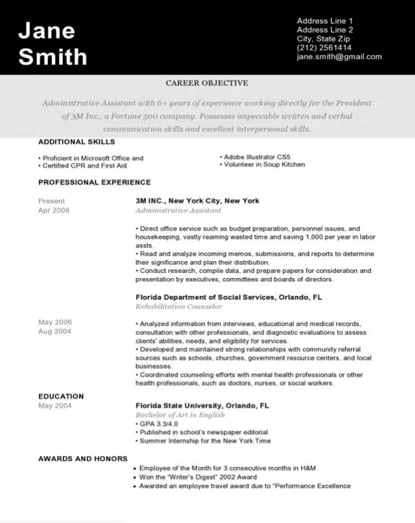
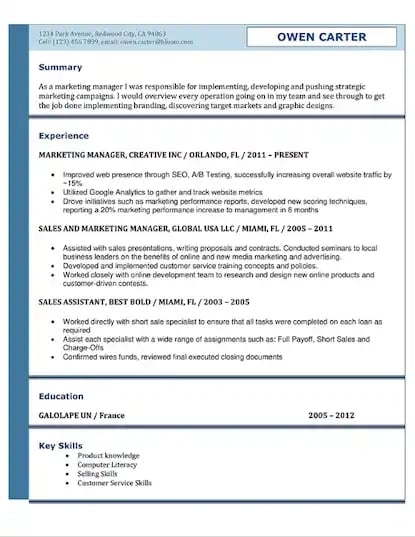
Black and white resume template

Download this template here.

The Black and White resume template below suits professionals who prefer using color and shading to add structure to their resume.

The black banner at the top contrasts the applicant’s name nicely to help make him/her more memorable to recruiters. The gray banner just below the header is perfect for a summary or career objective — it makes one’s goals known but doesn’t overpower the experience listed below it.

Recommended For: Graphic Designers

If you’re a graphic designer, this is the resume to showcase your art. This template has a monochromatic color scheme, but if you are a designer, you can easily take it to the next level.

9. Urban Development Resume Template

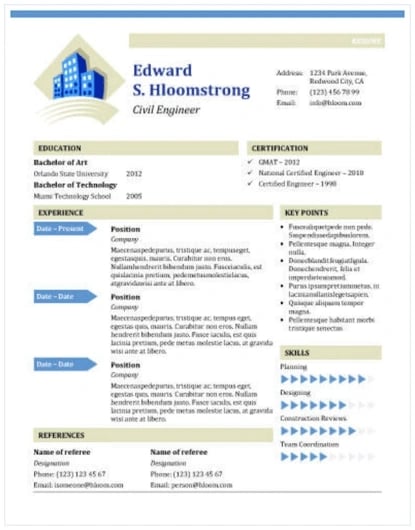
resume templates for word: Civil engineer's resume template

Download this template here.

The illustration on the top-left of this template shows who the designers at Hloom had in mind for this resume: civil engineers. But because it’s a Word document, that graphic is easy to edit and replace with an image that represents your line of work. Are you an analytics buff? Design a clever bar or line graph icon and place it next to your name in blue (or whatever color you’d like!).

Recommended for: Civil Engineers

If you’re a civil engineer who wants to display your accomplishments, this is the template to use. There’s a section that lets you list all of your achievements and notable opportunities that made you grow as a civil engineer.

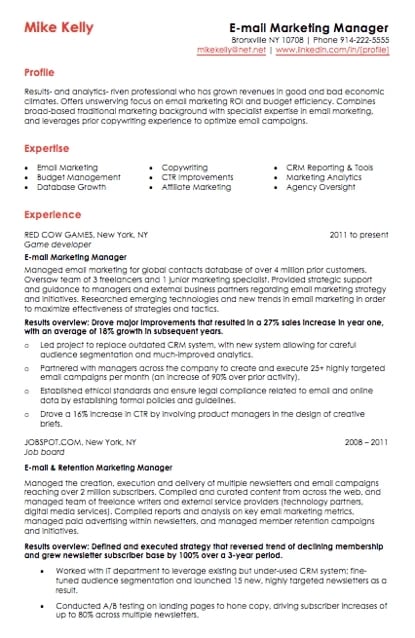
10. Email Marketing Resume Template

resume templates for word: Email marketing resume template with red header text

Download this template here.

Red color never fails to stick out on a sheet of paper, especially if it’s included in small amounts. This resume template for email marketers captures that balance.

In addition to the professional title in the top right-hand corner, this template also stands out with a thin sans-serif font, helping make a lot of text easier for a recruiter to digest and read through.

Recommended for: Email Marketers

If you are an email marketer who wants to highlight successes in your previous campaigns without boring the viewer with the details, this resume template is perfect for displaying bite-sized information.

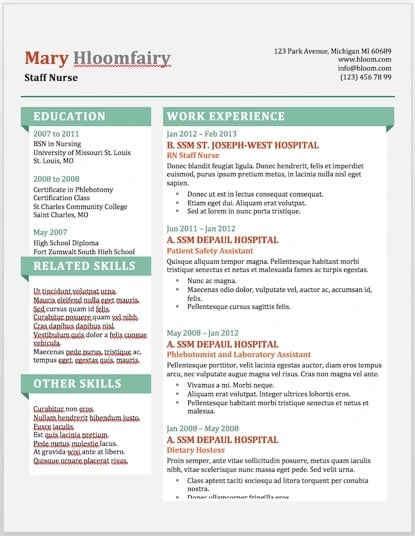
11. Info Pop Resume Template

resume templates for word: Info Pop resume template

Download this template here.

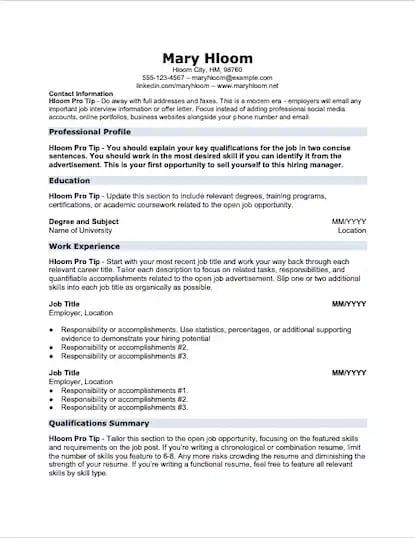
This one, also from Hloom, gives you exactly what the name suggests: ample space for the info you need, with headers that pop just enough to get your employer’s attention.

Although the template fits a ton of text, its soft color palate prevents the document from seeming overwhelming.

Recommended For: Experienced Professionals

This resume gives a lot of information all at once, which is perfect for professionals with more than eight years of experience. The layout makes it easily scannable and easy for a recruiter to read.

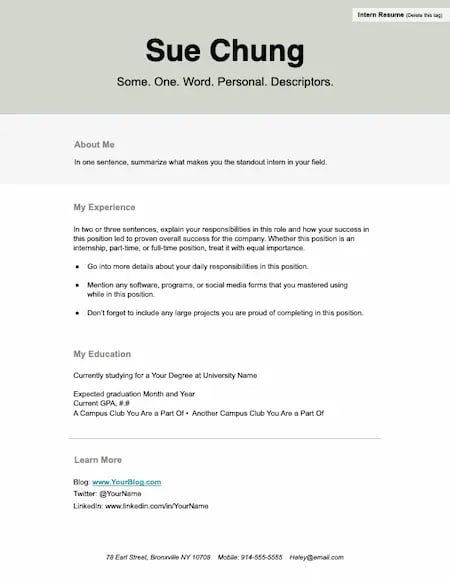
12. Strong Resume Template

Resume templates, Word, Strong resume template

Download this template here.

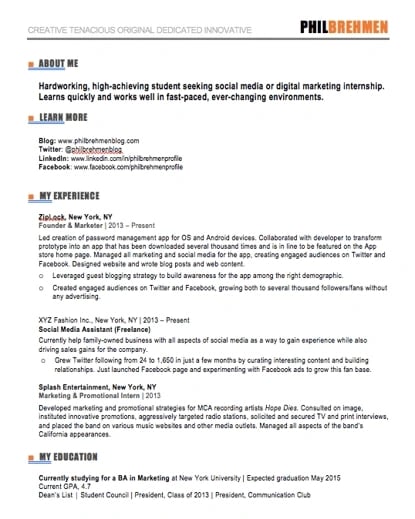
This resume template features bold sections of color that fill the page. This format is perfect for interns who don’t have a lot of professional experience yet. It’s also useful for roles where a portfolio or other resource is a priority for hiring managers.

Recommended For: Interns

Make the depth of your interest, knowledge, and creativity more important than how long you’ve been working with this template. Sections for education, learning more, and describing yourself and your brand make it easy to share what you’re about.

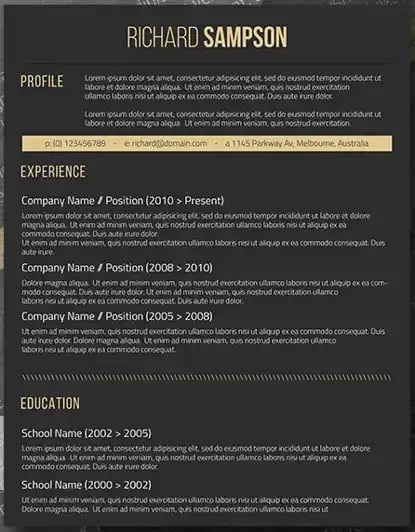
13. Dark Resume Template

resume templates for word: Dark resume template with black background and yellow font

Download this template here.

Ironically, a dark background could be just the thing to ensure your resume doesn’t fall into the black hole of resumes piled on the hiring manager’s desk.

Using soft, yellow font, the resume template below inverts the usual color scheme of a resume without trying too hard to be creative.

Recommended For: C-Suite Executives

If you have years of experience in an executive position, this design has a bold and unique design that will separate you from the pack. What’s more, it has an area where you can list your achievements, relevant skills, and notable opportunities, allowing you to showcase your effectiveness as a leader.

14. Skilled Resume Template

skilled resume template for microsoft word

Download this template here.

This resume design by Hloom communicates a truly professional tone. The template’s muted colors work well with its clean layout.

Recommended For: Professionals in All Industries

Whether you’re just starting out in any industry or looking to change careers, this template is suitable to highlight your skills and qualifications to propel you to the next level.

15. Inbound Marketing Resume Template

resume templates for word: Inbound marketing template for interns and marketers

Download this template here.

Here’s another resume template dedicated to the digital marketer. This sheet offers all the inbound marketing language you need to express your values as a passionate, brand-loyal professional.

Like a few other templates on this list, it also uses just a dash of vibrant color in the applicant’s name at the top (where it matters most).

Recommended For: Communications and Marketing Candidates

This template is great for candidates moving into a communications or marketing role. Aside from its amazing visual appeal, this template creates a sense of connection with the reviewer by adding a personal touch.

16. Smart and Professional Resume Template

resume templates for word: Smart and Professional resume template

Download this template here.

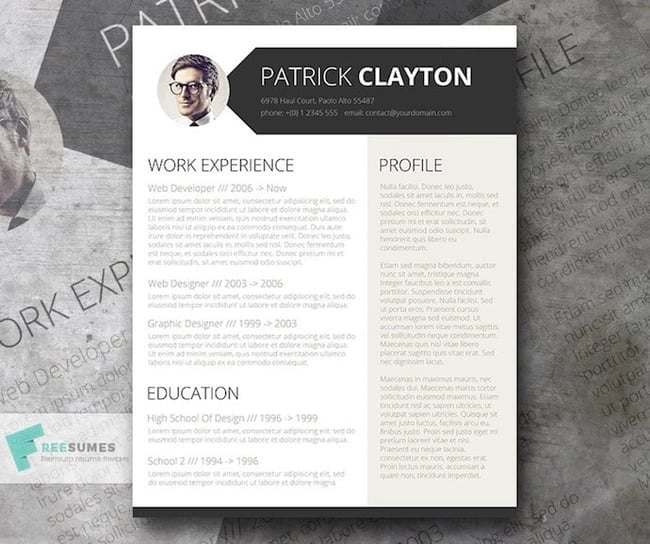
This is another sharp template that offers a basic but confident design for any professional. The warm-colored panel on the right-hand side is pre-formatted for a written profile, where you can write a summary of your background or a form letter to each employer.

Just be sure to personalize this messaging to each new recipient so it works for the job you’re applying to. This template is available on Freesumes, and is free to users once they share the page to Facebook or Twitter.

Recommended For: Young Professionals

This resume is great for someone starting their career who needs a little guidance on how to best display notable experiences related to the job posting. Also, it’s an editable template that can easily be personalized to appeal to the HR rep reading the resume.

17. Face Forward Resume Template

Resume templates, Word, Face forward

Download this template here.

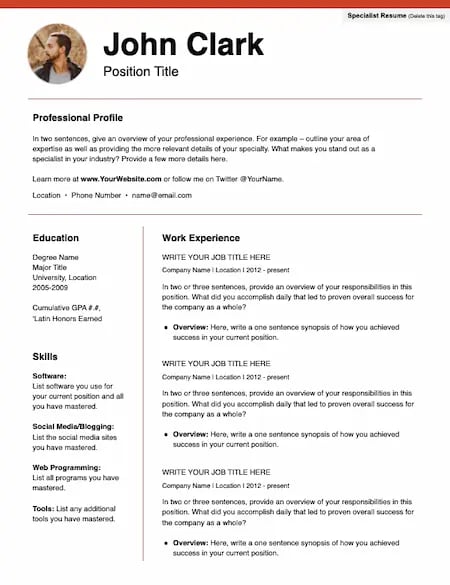
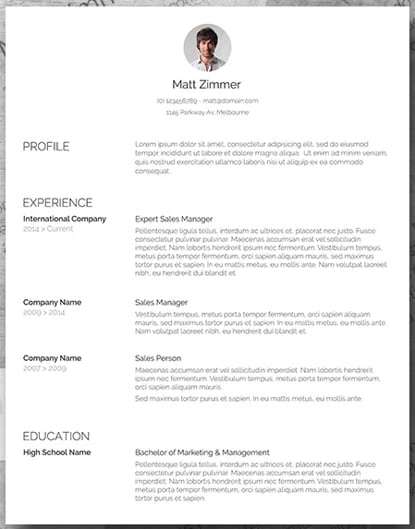
It’s not typical to add a picture to your resume. In fact, it’s actively discouraged in some industries. But for roles where your image is a selling point, this is a great choice. The photo at the top is small and subtle, but it also makes the simple design stand out.

Recommended For: Models, Actors, and Real Estate Agents

This resume template is especially useful for working professionals with a lot of experience or a range of non-traditional experiences. There’s also room to highlight unique skills and qualifications.

18. Spick and Span Resume Template

resume templates for word: Spick and Span resume template with clean, bold typeface and professional headshot

Download this template here.

There isn’t a better name for the template below. The Spick and Span resume might be the cleanest-looking sheet on this list.

It uses boldface, all-caps, and gray typeface to structure various headers of the document differently and maximize the hiring manager’s reading experience. And all that minimalism makes the professional headshot at the top pop off the page.

Recommended For: Creatives, Designers, and Developers

Resumes that look like this can be the work sample. If you have a background in illustration or design, making your resume stand out will be a great nod to your future employer. Get creative with your resume’s design if you want to work in an illustrative industry.

19. Timeline-Style Resume Template

resume templates for word: Timeline-style resume template

Download this template here.

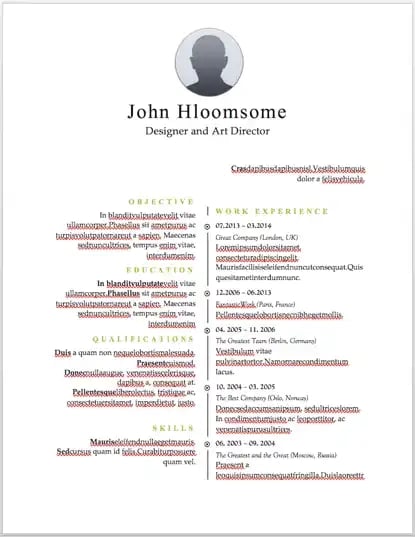
Similar to the Centered Bar resume earlier in the post, Hloom’s Timeline template is a super simple but creative way to tell your story.

You can convey your progression through various jobs you’ve held on one side of the vertical line, and more static elements of your background — such as skills and education — on the other.

Recommended For: Editors and Copywriters

This template has a sleek and clean look that places the focus on the highlights of your experience rather than on the minor details. If you have a background in editing or copywriting, this resume is the perfect way to showcase your skills in a concise and effective narrative — without the fluff.

20. Content Production Resume Template

resume templates for word: Content production resume template

Download this template here.

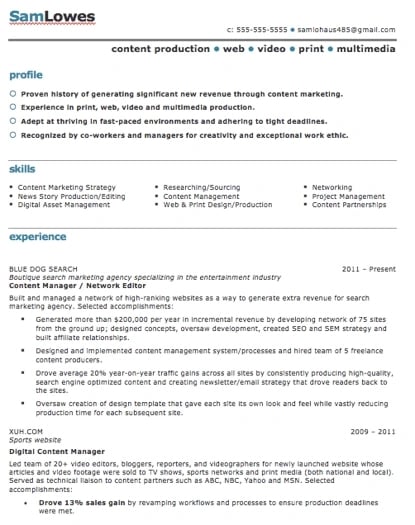
This basic resume template is suited for content producers at all career stages. By spreading out the header and “Skills” text horizontally, the resume below fits a lot of crucial information comfortably on one page (of course, it also comes with a second page if you need it).

Recommended For: Content Creators and Videographers

This resume will help content creators showcase their biggest projects and most notable accomplishments. It’s great for showing how your scope of work has increased over the years, solidifying your expertise in that field.

21. Fresh Resume Template

resume templates for word: fresh resume template

Download this template here.

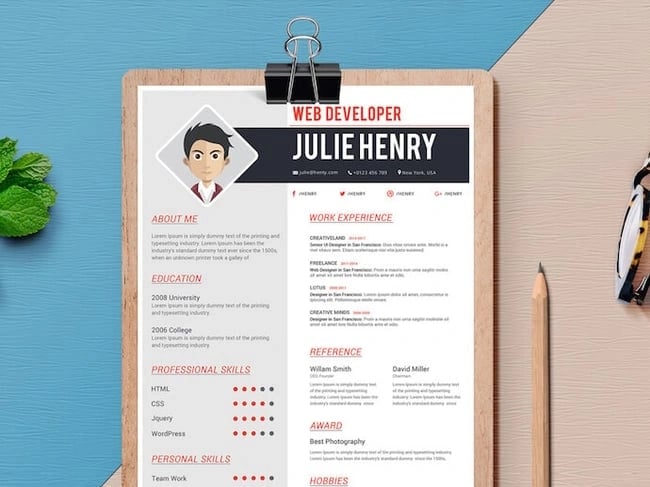
This is perhaps the most imaginative of all the Word-based resume templates on this list — with both a skills meter and a comic headshot.

The template was designed by Venkata Naresh and comes with 12 different versions of this design. Have you created a Bitmoji of yourself? Do you think your employer would find it creative? Match the template and add it as your photo.

Recommended For: Creative Artists or Digital Marketers

If you need a resume template that will showcase your artistic skills without being too casual or informal, this is perfect for you. You can also add in notes of your accomplishments, relevant skills, and qualifications for the job.

22. CV Resume Template

resume templates for word: Reverse two-column resume template

Download this template here.

The curriculum vitae-style resume below flips the typical two-column resume so the basic applicant information is listed across the right side, rather than the left.

Feel free to change the color of this sidebar in Microsoft Word if dark red isn’t your thing — the template can pull off any color you wish.

Recommended For: Graduate Candidates

If you are a graduate student entering the workforce, having a CV-style resume will demonstrate the depth of your knowledge first and showcase how your continued education will contribute to your future work environment.

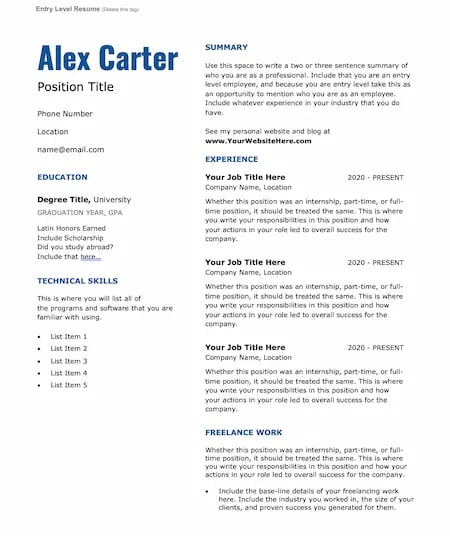
23. Entry-Level Resume Template

Resume templates, Word, Entry-level

Download this template here.

When you’re early in your career, a customized resume is key. This template is simple, with a clear structure and spaces to highlight important skills, education, and experience.

The design uses accessible fonts to create a clean and professional look that you can personalize for your brand.

Recommended For: Young Professionals and Career Changes

At this stage in your career, it’s essential to add useful data and examples to your resume to show hiring managers what you can bring. The easy-to-read fonts and headers in this template will help you highlight relevant details in your resume.

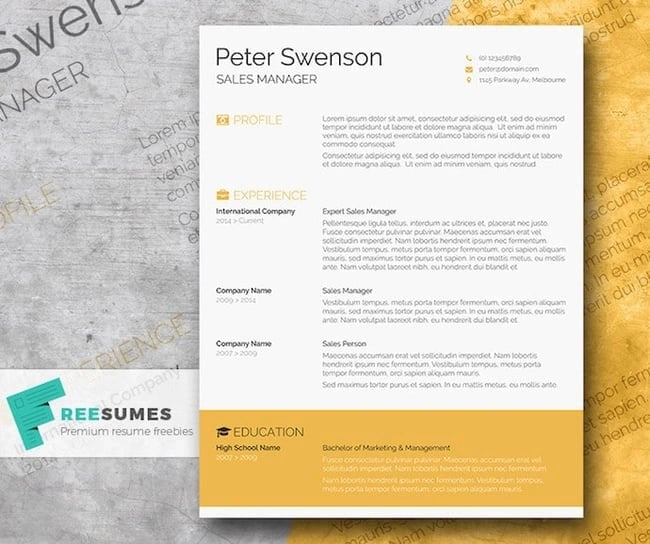
24. Goldenrod Resume Template

resume templates for word: Goldenrod yellow resume template

Download this template here.

This template, also offered on Freesumes, dares to use yellow as the dominant color — but doesn’t sacrifice professionalism in the process.

The document anchors the education section to a thick, bright banner across the bottom, but you can likely change this to a skills section with some simple editing in Microsoft Word.

Recommended For: Architects

This clean-cut design represents a candidate who is all about precision. This template would serve candidates who have experience in architecture or construction.

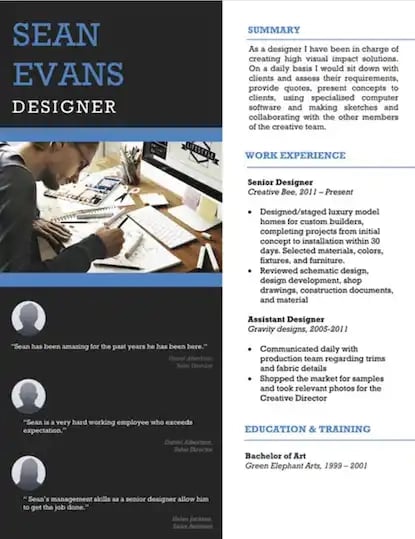
25. Resume Template With Personal Endorsements

resume template for word example: personal endorsement resume

Download this template here.

What makes this resume unique is the space for references on the lower left-hand side. Does your field need others to vouch for your experience? This resume gives you room for three solid recommendations.

Recommended For: Brand Marketers or Personal Influencers

If you work in branding or have a large social media following, you can show your ability to create a cohesive message with this resume template. Feel free to change the color scheme to suit your brand.

26. Creative Resume Template

resume templates for word: creative resume template

Download this template here.

This one was designed by the stationery experts at MOO and is offered for download by Microsoft. Simple but vibrant, this template hugs the text with an artistic header and footer — great for recent graduates who need to fill empty space on the page.

Recommended For: Photographers and Other Creatives

If you are a photographer who does freelance work, this is a great template to showcase your experience. This will give your hiring manager or client an excellent first impression because it showcases your creative ability without sacrificing the important elements — your accomplishments.

27. Modern Resume Template

resume templates for word: Modern Resume Template

Download this template here.

This resume embraces simplicity with a slight touch of color to make things a bit more interesting. It also nicely sections off Skills and Education notes from the Work History list.

With LiveCareer.com, you can generate a template with your basic information and then download it to add small details.

Recommended For: Young Professionals

This resume gives a modern twist on the resume. It’s perfect for those looking for a fresher look than the traditional resume.

28. Functional Resume Template

resume templates for word: functional resume template

Download this template here.

This NovoResume.com template is colorful and includes a place for your headshot which could make you look both interesting and confident to an employer.

Recommended For: Media Professionals

A colorful format like this one might be great for a media or advertising professional who wants to keep their job application visually memorable to prospective employers.

29. Elegant Resume Template

resume templates for word: elegant resume template

Download this template here.

If you’re looking for simplicity and efficiency rather than something colorful, consider this Elegant Resume Template from Jofibo.

With Jofibo, you can select this or other similar templates on the website, enter your information, and then download it quickly and easily.

Recommended For: Marketing Candidates

If you are a mid-level marketing candidate, use this fun template to showcase all of your expertise and accomplishments. It’s an eye-catching template that displays your creativity and ability to engage.

30. Blue Corporate Resume Template

blue resume template for microsoft word

Download this template here.

Because of the color and image, it’s pretty memorable. But, for those who prefer a more conservative resume look, this template is fairly simple.

Recommended For: Corporate Candidates

This template is great for accomplished candidates moving into a high-rank position. This layout allows you to fit plenty of accomplishments, and the conservative look organizes the fullness of your career neatly.

31. Concept Resume

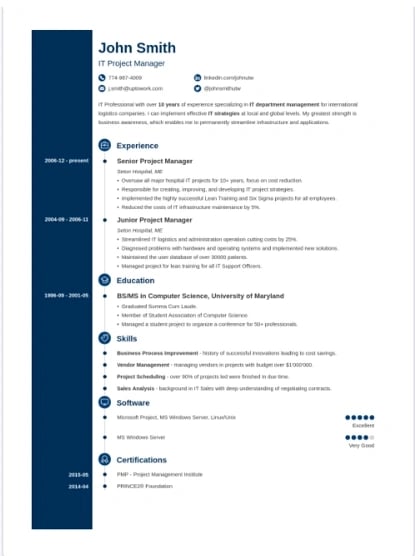
resume templates for word: Concept Resume Template

Download this template here.

This resume is perfect for displaying a clear timeline of your career history. It’s ideal for a seasoned professional who may have a lot of experience and wants to display it on one to two pages.

The template also allows you to highlight your competency level in various areas, giving the recruiter an easy way to spot your expertise.

Recommended For: Candidates in the Tech Industry

This resume is great for people in the technical space because it adds a touch of color and feels more compact, which will allow you to get right to the point about your key skills, certifications, and work experiences.

1. Open Microsoft Word on your computer.

If you have Microsoft Word installed on your computer, open the program and let it load for a moment. There will be a couple of helpful options waiting for you on the first screen, specifically for resume creation.

2. Select either “Basic Resume” or “Bold Resume” from the template menu.

Once you’ve launched MS Word, a window of templates will appear. Scroll down until you see the template options designed for resumes — there will be at least two of them. Double-click the one that suits your style and personal brand, but don’t be too particular about design just yet — you can customize these templates quite a bit.

3. Fill in your name and contact information at the top.

When your resume template opens, you’ll see placeholder text for each line of your resume, starting with your first and last name at the top. Delete this header text and enter your name, as well as any contact information by which you want the recruiter to contact you.

4. Draft a brief summary of your experience and goals.

Use the first line below your name and contact info to describe who you are, what you do, and what you’re looking for in your career.

5. Enter your school and latest education.

List any relevant degrees or certificates you received through schooling. You can safely exclude secondary education if you’ve graduated from an accredited college.

6. Describe each job you’ve held using the lines prompted on the template.

Your professional experience is frequently the most important section of your resume, so feel free to rank this section above your skills and education, depending on how many jobs you previously held.

7. List all relevant skills.

If you have experience in certain software, exercises, problem-solving, or management techniques, use them to populate your skills. Your resume’s “Skills” section helps reveal what all of your previous jobs or related experiences have in common, based on what they taught you and what you provided them.

8. Describe any relevant accolades and accomplishments.

Finish out your resume with any personal accomplishments or accolades you think a hiring manager in your industry would appreciate. Although this section shouldn’t include a Most Improved recognition from little league, for example, it should definitely include your Marketer of the Month award from your last position.

Next, let’s talk about another easy way to create a resume in Word — templates.

How to Upload External Templates Into Word

1. Download your template.

2. Double-click on your chosen template.

Your new template will open in Microsoft Word and is ready for editing.

You can also try the following series of steps if the instructions above aren’t working.

  1. Download your template.
  2. Open Microsoft Word.
  3. Click File and scroll to Open.
  4. Click on the folder where you downloaded your templates.
  5. Open your chosen resume template and begin editing.

How to Find Resume Templates in Word

1. Open Microsoft Word.

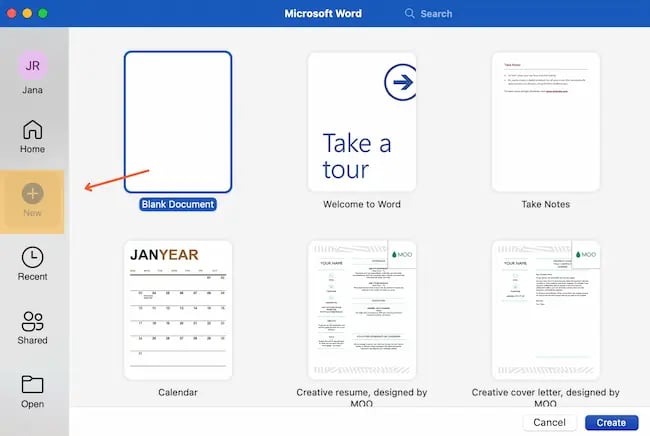
2. Click New on the left sidebar.

Screenshot for how to find resume templates in Word

3. Choose one of the resume template options in Word.

These templates are visually appealing and are ready-made to send with your job application.

If you already have Microsoft Word open on your computer, follow the directions below:

  1. Click File in the top left corner.
  2. Scroll to New from Template.
  3. Choose one of Word’s resume templates.

Next, let’s cover how to format your brand-new resume in Word.

How To Format a Resume in Word

Even the brightest, most beautiful resume template will need some editing to fit your goals and information. We’ll go over it piece by piece.

1. Add your resume text.

Sometimes adding resume text to a template is as simple as copy and paste. Other times, this task can be an exercise in frustration.

To make sure this process goes smoothly, remove any text formatting before you paste your resume text. If you’re working on a Mac, you can clear formatting with a tool like Text Editor.

2. Set the right margins and font size.

Most resumes have one-inch margins on all sides for easy printing. Most Word documents will automatically have one-inch margins, but it’s best to double-check or create them yourself. Here’s how to create one-inch margins for your resume:

  1. Click Layout in the top navigation of your Word document.
  2. Click Margins.
  3. Choose the Normal setting, where it states 1″ on the top, bottom, left, and right sides of the document.

Lastly, choose an easy-to-read font size. 12 pt. fonts are standard for most resumes. But if you have a particularly long CV, you may want to choose a smaller font size to make your resume easier to scan.

3. Create headers.

You should separate each section (such as education or work experience) with a header.

If you’re formatting a basic resume, you can create a header in Word by selecting Styles from the formatting options at the top of your document workspace. If you can’t see this workspace, try clicking Home at the top left.

  • Try Header 1 for your first and last name at the top of the page.
  • Header 2 is great for the “Education,” “Work Experience,” and “Skills” sections.
  • Use Header 3 for employer names and job titles.
  • Then, use normal text to fill in the details of your accomplishments, skills, and educational background.

You can also use this feature to adjust the headers in your template.

4. Create dividers.

If you want to visually divide your resume into different parts, you can create dividers to split up the information and make your resume more scannable.

Here’s how to add dividers:

  1. Go to Insert.
  2. Click Shapes.
  3. Select the line icon to draw a line in your Word resume.
  4. Use the Format Shape menu on the right to adjust the style of your line.

Another shortcut to create dividers is pressing “=”, “_”, or “*” three times and hitting enter. These shortcuts will create a variety of dividers that can add dimension to your resume.

5. Add bullet points.

The truth is, no hiring manager will read a paragraph of information. So, we recommend using bullet points to list your accomplishments and responsibilities.

You can add bullets using the icons in the formatting window at the top of your document workspace. Check out bullet point styles by clicking the arrow to the right of the bullet points icon. Then, choose the style you like best.

6. Adjust spacing and indentation.

White space on a resume gives your reader visual breathing room. This helps them understand which parts of your resume are most important. To create that white space, use the spacing and indentation tools in Word.

Image of spacing and indentation controls in Microsoft Word

Line spacing options will increase the space between lines in your document. This creates more white space between lines of text.

Use the formatting buttons at the top of your document workspace to add or remove indentation. Keep in mind that you may change more than one section of text if you make indentation changes.

7. Review for formatting consistency.

When you’re formatting a resume, it’s easy to get so involved in what the text says that you may forget how it looks. Another common pitfall is focusing your energy on how to make everything you want to say fit on a single page.

But you need consistent formatting to create a professional first impression for your resume.

Once you’ve finished formatting, do a quick scan of your new resume.

  • First, check that all your headers, sub-headers, and text sections are the same font and the same size.
  • Next, take a look at your bullet point, dash, and other styles. Make sure that sizes and styles are consistent throughout your resume.
  • Finally, scan your resume to make sure that the spacing is consistent. Try squinting at your document to see if some sections have more white space or indentation than others.

These kinds of issues are often easier to notice on a physical resume, so scan a printed copy if you can.

How to Save Your Resume

Remember, once you’ve finished personalizing your resume, you’re not ready to submit an application yet.

Let’s go through the instructions you’ll follow if you’re saving a resume you created from a template for the first time:

1. Click File

2. Scroll to Save As

3. Name and save your new resume.

If you click Save instead of Save As, you’ll save your new resume over the template. So, it’s a good idea to use Save As if you think you may need to start over with the template. If you don’t, you might end up wasting the time it takes to find and download your resume template again.

Once you’re done editing your resume in Word, you may also want to save it in PDF format. This helps you make sure that your resume’s format will stay the same for everyone who receives it.

Tips for Using Word Resume Templates

1. Choose the right template for your industry.

Whether you’re in marketing, sales, engineering, or another field, resume expectations will vary. Check out online resumes from other professionals in your field. Then, choose a template that aligns with those examples to find the right format to showcase your skills and experience.

2. Keep your formatting consistent.

Consistency is key when it comes to formatting your resume. Font styles, sizes, bullet points, and colors should be the same throughout the document. Consistent formatting gives your resume a polished and professional look.

3. Try advanced formatting features.

Experiment with styles and sections to create a unique resume that stands out. These features offer you more control and consistency as you format your resume.

4. Use headings to organize your resume.

Headings make it easy for employers to scan your resume and find the information they’re looking for. Make headers stand out with a distinct font or style.

5. Experiment with advanced layouts and tables.

Try adding columns or text boxes for visually appealing sections or to highlight key details. Test out different layouts to see what gets the best results.

6. Add a visual timeline.

The hiring manager for your dream role may be more interested in your progression than your job titles. Try crafting a visual timeline using SmartArt or shapes to show your career progression. This can also be an interesting way to show your work history or educational background.

7. Personalize the template to reflect your personal brand.

Templates are an amazing starting point, but don’t forget to personalize your resume to reflect your personal brand.

Add a distinct color scheme, fonts, or a personal logo to leave a lasting impression on potential employers.

Make the Most of Resume Templates in Word

Resume templates can help you unlock the power of pre-designed layouts to create a gorgeous and professional resume. This makes it easy for you to focus on compelling content for a powerful resume. With one simple download, it’s easy to show employers what you’re capable of and stand out with every job application.

Editor’s Note: This post was originally published in 2018 but was updated in May 2020 for comprehensiveness. This article was written by a human, but our team uses AI in our editorial process. Check out our full disclosure to learn more about how we use AI.

New Call-to-action

Categories B2B

24 Best Sample Business Plans & Examples to Help You Write Your Own

Reading sample business plans is essential when you’re writing your own. As you explore business plan examples from real companies and brands, you’ll learn how to write one that gets your business off on the right foot, convinces investors to provide funding, and confirms your venture is sustainable for the long term.

→ Download Now: Free Business Plan Template

But what does a business plan look like? And how do you write one that is viable and convincing? Let’s review the ideal business plan formally, then take a look at business plan templates and samples you can use to inspire your own.

Business Plan Format

Ask any successful sports coach how they win so many games, and they’ll tell you they have a unique plan for every single game. The same logic applies to business. If you want to build a thriving company that can pull ahead of the competition, you need to prepare for battle before breaking into a market.

Business plans guide you along the rocky journey of growing a company. Referencing one will keep you on the path toward success. And if your business plan is compelling enough, it can also convince investors to give you funding.

With so much at stake, you might be wondering, “Where do I start? How should I format this?”

Typically, a business plan is a document that will detail how a company will achieve its goals.

Most business plans include the following sections:

1. Executive Summary

The executive summary is arguably the most important section of the entire business plan. Essentially, it’s the overview or introduction, written in a way to grab readers’ attention and guide them through the rest of the business plan. This is important, because a business plan can be dozens or hundreds of pages long.

Most executive summaries include:

  • Mission statement
  • Company history and leadership
  • Competitive advantage overview
  • Financial projections
  • Company goals

Keep in mind you’ll cover many of these topics in more detail later on in the business plan. So, keep the executive summary clear and brief, including only the most important takeaways.

Executive Summary Business Plan Examples

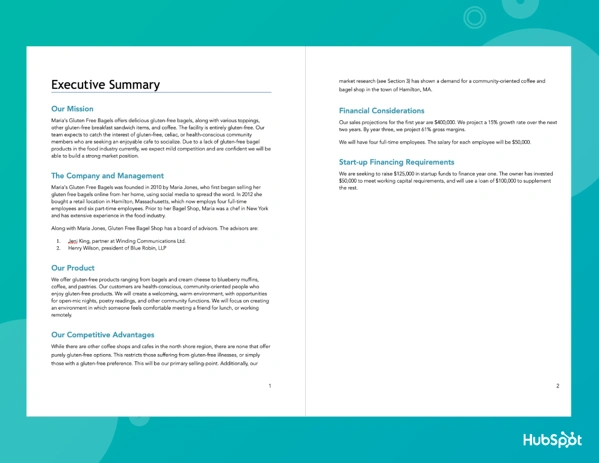
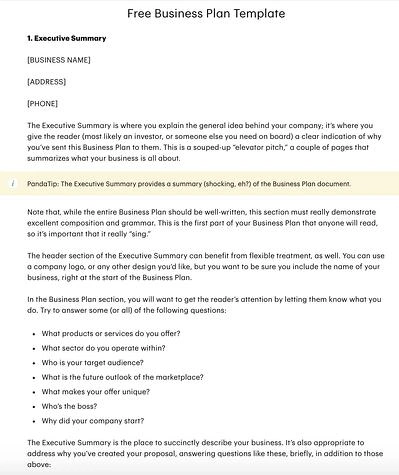
This example was created with HubSpot’s business plan template:

business plan sample: Executive Summary Example

And the executive summary below tells potential investors a short story that covers all the most important details this business plan will cover in a succinct and interesting way.

Business plans examples: Executive Summary

Image Source

Tips for Writing Your Executive Summary

  • Clearly define a problem, and explain how your product solves that problem, and show why the market needs your business.
  • Be sure to highlight your value proposition, market opportunity, and growth potential.
  • Keep it concise and support ideas with data.
  • Customize your summary to your audience. For example, emphasize finances and return on investment for venture capitalists.

Check out our tips for writing an effective executive summary for more guidance.

2. Market Opportunity

This is where you’ll detail the opportunity in the market. Where is the gap in the current industry, and how will your product fill that gap?

In this section, you might include:

  • The size of the market
  • Current or potential market share
  • Trends in the industry and consumer behavior
  • Where the gap is
  • What caused the gap
  • How you intend to fill it

To get a thorough understanding of the market opportunity, you’ll want to conduct a TAM, SAM, and SOM analysis and perform market research on your industry. You may also benefit from creating a SWOT analysis to get some of the insights for this section.

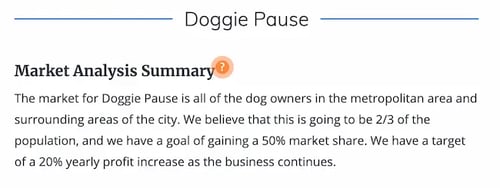
Market Opportunity Business Plan Example

This example uses critical data to underline the size of the potential market and what part of that market this service hopes to capture.

Business plans examples: Market Opportunity

Image Source

Tips for Writing Your Market Opportunity Section

  • Focus on demand and potential for growth.
  • Use market research, surveys, and industry trend data to support your market forecast and projections.
  • Add a review of regulation shifts, tech advances, and consumer behavior changes.
  • Refer to reliable sources.
  • Showcase how your business can make the most of this opportunity.

3. Competitive Landscape

Speaking of market share, you’ll need to create a section that shares details on who the top competitors are. After all, your customers likely have more than one brand to choose from, and you’ll want to understand exactly why they might choose one over another. Performing a competitive analysis can help you uncover:

  • Industry trends that other brands may not be utilizing
  • Strengths in your competition that may be obstacles to handle
  • Weaknesses in your competition that may help you develop selling points
  • The unique proposition you bring to the market that may resonate with customers

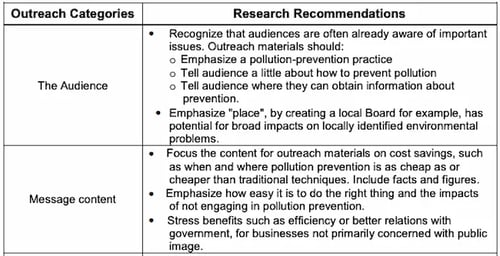
Competitive Landscape Business Plan Example

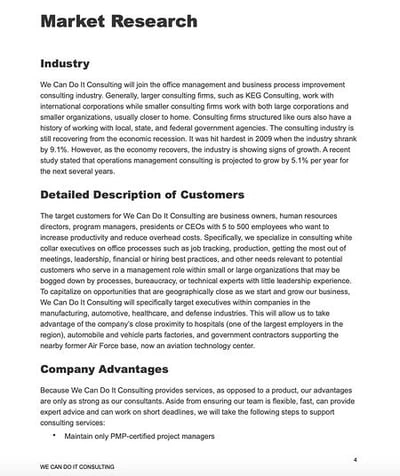
The competitive landscape section of the business plan below shows a clear outline of who the top competitors are. It also highlights specific industry knowledge and the importance of location, which shows useful experience in this specific industry. This can help build trust in your ability to execute your business plan.

Business plans examples: Competitive Landscape

Image Source

Tips for Writing Your Competitive Landscape

  • Complete in-depth research, then emphasize your most important findings.
  • Compare your unique selling proposition (USP) to your direct and indirect competitors.
  • Show a clear and realistic plan for product and brand differentiation.
  • Look for specific advantages and barriers in the competitive landscape. Then, highlight how that information could impact your business.
  • Outline growth opportunities from a competitive perspective.
  • Add customer feedback and insights to support your competitive analysis.

4. Target Audience

This section will describe who your customer segments are in detail. What is the demographic and psychographic information of your audience?

If your immediate answer is “everyone,” you’ll need to dig deeper. Ask yourself:

  • What demographics will most likely need/buy your product or service?
  • What are the psychographics of this audience? (Desires, triggering events, etc.)
  • Why are your offerings valuable to them?

It can be helpful to build a buyer persona to get in the mindset of your ideal customers and be clear on why you’re targeting them.

Target Audience Business Plan Example

The example below uses in-depth research to draw conclusions about audience priorities. It also analyzes how to create the right content for this audience.

Business plans examples: Target Audience

Image Source

Tips for Writing Your Target Audience Section

  • Include details on the size and growth potential of your target audience.
  • Figure out and refine the pain points for your target audience, then show why your product is a useful solution.
  • Describe your targeted customer acquisition strategy in detail.
  • Share anticipated challenges your business may face in acquiring customers and how you plan to address them.
  • Add case studies, testimonials, and other data to support your target audience ideas.
  • Remember to consider niche audiences and segments of your target audience in your business plan.

5. Marketing Strategy

Here, you’ll discuss how you’ll acquire new customers with your marketing strategy. You might consider including information on:

  • The brand positioning vision and how you’ll cultivate it
  • The goal targets you aim to achieve
  • The metrics you’ll use to measure success
  • The channels and distribution tactics you’ll use

It can help to already have a marketing plan built out to help you with this part of your business plan.

Marketing Strategy Business Plan Example

This business plan example includes the marketing strategy for the town of Gawler. It offers a comprehensive picture of how it plans to use digital marketing to promote the community.

Business plans examples: Marketing Strategy

Image Source

Tips for Writing Your Marketing Strategy

  • Include a section about how you believe your brand vision will appeal to customers.
  • Add the budget and resources you’ll need to put your plan in place.
  • Outline strategies for specific marketing segments.
  • Connect strategies to earlier sections like target audience and competitive analysis.
  • Review how your marketing strategy will scale with the growth of your business.
  • Cover a range of channels and tactics to highlight your ability to adapt your plan in the face of change.

6. Key Features and Benefits

At some point in your business plan, you’ll review the key features and benefits of your products and/or services. Laying these out can give readers an idea of how you’re positioning yourself in the market and the messaging you’re likely to use. It can even help them gain better insight into your business model.

Key Features and Benefits Business Plan Example

The example below outlines products and services for this business, along with why these qualities will attract the audience.

Business plans examples: Key Features and Benefits

Image Source

Tips for Writing Your Key Features and Benefits

  • Emphasize why and how your product or service offers value to customers.
  • Use metrics and testimonials to support the ideas in this section.
  • Talk about how your products and services have the potential to scale.
  • Think about including a product roadmap.
  • Focus on customer needs, and how the features and benefits you are sharing meet those needs.
  • Offer proof of concept for your ideas, like case studies or pilot program feedback.
  • Proofread this section carefully, and remove any jargon or complex language.

7. Pricing and Revenue

This is where you’ll discuss your cost structure and various revenue streams. Your pricing strategy must be solid enough to turn a profit while staying competitive in the industry. For this reason, you might outline:

  • The specific pricing breakdowns per product or service
  • Why your pricing is higher or lower than your competition’s
  • (If higher) Why customers would be willing to pay more
  • (If lower) How you’re able to offer your products or services at a lower cost
  • When you expect to break even, what margins do you expect, etc?

Pricing and Revenue Business Plan Example

This business plan example begins with an overview of the business revenue model, then shows proposed pricing for key products.

Business plans examples: Pricing and Revenue

Image Source

Tips for Writing Your Pricing and Revenue Section

  • Get specific about your pricing strategy. Specifically, how you connect that strategy to customer needs and product value.
  • If you are asking a premium price, share unique features or innovations that justify that price point.
  • Show how you plan to communicate pricing to customers.
  • Create an overview of every revenue stream for your business and how each stream adds to your business model as a whole.
  • Share plans to develop new revenue streams in the future.
  • Show how and whether pricing will vary by customer segment and how pricing aligns with marketing strategies.
  • Restate your value proposition and explain how it aligns with your revenue model.

8. Financials

This section is particularly informative for investors and leadership teams to figure out funding strategies, investment opportunities, and more. According to Forbes, you’ll want to include three main things:

  • Profit/Loss Statement – This answers the question of whether your business is currently profitable.
  • Cash Flow Statement – This details exactly how much cash is incoming and outgoing to give insight into how much cash a business has on hand.
  • Balance Sheet – This outlines assets, liabilities, and equity, which gives insight into how much a business is worth.

While some business plans might include more or less information, these are the key details you’ll want to include.

Financials Business Plan Example

This balance sheet example shows the level of detail you will need to include in the financials section of your business plan:

Business plans examples: Financials

Image Source

Tips for Writing Your Financials Section

  • Growth potential is important in this section too. Using your data, create a forecast of financial performance in the next three to five years.
  • Include any data that supports your projections to assure investors of the credibility of your proposal.
  • Add a break-even analysis to show that your business plan is financially practical. This information can also help you pivot quickly as your business grows.
  • Consider adding a section that reviews potential risks and how sensitive your plan is to changes in the market.
  • Triple-check all financial information in your plan for accuracy.
  • Show how any proposed funding needs align with your plans for growth.

As you create your business plan, keep in mind that each of these sections will be formatted differently. Some may be in paragraph format, while others could be charts or graphs.

Business Plan Types

The formats above apply to most types of business plans. That said, the format and structure of your plan will vary by your goals for that plan. So, we’ve added a quick review of different business plan types. For a more detailed overview, check out this post.

1. Startups

Startup business plans are for proposing new business ideas.

If you’re planning to start a small business, preparing a business plan is crucial. The plan should include all the major factors of your business. You can check out this guide for more detailed business plan inspiration.

2. Feasibility Studies

Feasibility business plans focus on that business’s product or service. Feasibility plans are sometimes added to startup business plans. They can also be a new business plan for an already thriving organization.

3. Internal Use

You can use internal business plans to share goals, strategies, or performance updates with stakeholders. Internal business plans are useful for alignment and building support for ambitious goals.

4. Strategic Initiatives

Another business plan that’s often for sharing internally is a strategic business plan. This plan covers long-term business objectives that might not have been included in the startup business plan.

5. Business Acquisition or Repositioning

When a business is moving forward with an acquisition or repositioning, it may need extra structure and support. These types of business plans expand on a company’s acquisition or repositioning strategy.

6. Growth

Growth sometimes just happens as a business continues operations. But more often, a business needs to create a structure with specific targets to meet set goals for expansion. This business plan type can help a business focus on short-term growth goals and align resources with those goals.

Sample Business Plan Templates

Now that you know what’s included and how to format a business plan, let’s review some templates.

1. HubSpot’s One-Page Business PlanSample business plan: HubSpot business plan template

Download a free, editable one-page business plan template.

The business plan linked above was created here at HubSpot and is perfect for businesses of any size — no matter how many strategies we still have to develop.

Fields such as Company Description, Required Funding, and Implementation Timeline give this one-page business plan a framework for how to build your brand and what tasks to keep track of as you grow. Then, as the business matures, you can expand on your original business plan with a new iteration of the above document.

Why We Like It

This one-page business plan is a fantastic choice for the new business owner who doesn’t have the time or resources to draft a full-blown business plan. It includes all the essential sections in an accessible, bullet-point-friendly format. That way, you can get the broad strokes down before honing in on the details.

2. HubSpot’s Downloadable Business Plan Template

Sample business plan: hubspot free editable pdf

We also created a business plan template for entrepreneurs.

Download a free, editable one-page business plan template.

The template is designed as a guide and checklist for starting your own business. You’ll learn what to include in each section of your business plan and how to do it. There’s also a list for you to check off when you finish each section of your business plan.

Strong game plans help coaches win games and help businesses rocket to the top of their industries. So if you dedicate the time and effort required to write a workable and convincing business plan, you’ll boost your chances of success and even dominance in your market.

Why We Like It

This business plan kit is essential for the budding entrepreneur who needs a more extensive document to share with investors and other stakeholders. It not only includes sections for your executive summary, product line, market analysis, marketing plan, and sales plan, but it also offers hands-on guidance for filling out those sections.

3. LiveFlow’s Financial Planning Template with built-in automation

Sample Business Plan: LiveFLow

This free template from LiveFlow aims to make it easy for businesses to create a financial plan and track their progress on a monthly basis. The P&L Budget versus Actual format allows users to track their revenue, cost of sales, operating expenses, operating profit margin, net profit, and more.

The summary dashboard aggregates all of the data put into the financial plan sheet and will automatically update when changes are made. Instead of wasting hours manually importing your data to your spreadsheet, LiveFlow can also help you to automatically connect your accounting and banking data directly to your spreadsheet, so your numbers are always up-to-date.

With the dashboard, you can view your runway, cash balance, burn rate, gross margins, and other metrics. Having a simple way to track everything in one place will make it easier to complete the financials section of your business plan.

Why We Like It

This is a fantastic template to track performance and alignment internally and to create a dependable process for documenting financial information across the business. It’s highly versatile and beginner-friendly. It’s especially useful if you don’t have an accountant on the team. (We always recommend you do, but for new businesses, having one might not be possible.)

4. ThoughtCo’s Sample Business Plan

sample business plan: ThoughtCo.

If you want to reference an actual business plan while writing your own, ThoughtCo’s got you covered. It created a fictional company called Acme Management Technology and wrote an entire business plan for it.

Using its sample business plan as a guide while filling out your own will help you catch and include small yet important details in your business plan that you otherwise might not have noticed.

Why We Like It

This is a fantastic template for an existing business that’s strategically shifting directions. If your company has been around for a while, and you’re looking to improve your bottom line or revitalize your strategy, this is an excellent template to use and follow.

5. BPlan’s Free Business Plan Template

sample business plan: BPlan

One of the more financially oriented sample business plans in this list, BPlan’s free business plan template dedicates many of its pages to your business’s financial plan and financial statements.

After filling this business plan out, your company will truly understand its financial health and the steps you need to take to maintain or improve it.

Why We Like It

We absolutely love this business plan template because of its ease-of-use and hands-on instructions (in addition to its finance-centric components). If you feel overwhelmed by the thought of writing an entire business plan, consider using this template to help you with the process.

6. Harvard Business Review’s “How to Write a Winning Business Plan”

Most sample business plans teach you what to include in your business plan, but this Harvard Business Review article will take your business plan to the next level — it teaches you the why and how behind writing a business plan.

With the guidance of Stanley Rich and Richard Gumpert, co-authors of “Business Plans That Win: Lessons From the MIT Enterprise Forum“, you’ll learn how to write a convincing business plan that emphasizes the market demand for your product or service. You’ll also learn the financial benefits investors can reap from putting money into your venture rather than trying to sell them on how great your product or service is.

Why We Like It

This business plan guide focuses less on the individual parts of a business plan, and more on the overarching goal of writing one. For that reason, it’s one of our favorites to supplement any template you choose to use. Harvard Business Review’s guide is instrumental for both new and seasoned business owners.

7. HubSpot’s Complete Guide to Starting a Business

If you’re an entrepreneur, you know writing a business plan is one of the most challenging first steps to starting a business. Fortunately, with HubSpot’s comprehensive guide to starting a business, you’ll learn how to map out all the details by understanding what to include in your business plan and why it’s important to include them. The guide also fleshes out an entire sample business plan for you.

If you need further guidance on starting a business, HubSpot’s guide can teach you how to make your business legal, choose and register your business name, and fund your business. It will also give small business tax information and includes marketing, sales, and service tips.

Why We Like It

This comprehensive guide will walk you through the process of starting a business, in addition to writing your business plan, with a high level of exactitude and detail. So if you’re in the midst of starting your business, this is an excellent guide for you. It also offers other resources you might need, such as market analysis templates.

8. Panda Doc’s Free Business Plan Template

sample business plan: Panda Doc

PandaDoc’s free business plan template is one of the more detailed and fleshed-out sample business plans on this list. It describes what you should include in each section, so you don’t have to come up with everything from scratch.

Once you fill it out, you’ll fully understand your business’ nitty-gritty details and how all of its moving parts should work together to contribute to its success.

Why We Like It

This template has two things we love: comprehensiveness and in-depth instructions. Plus, it’s synced with PandaDoc’s e-signature software so that you and other stakeholders can sign it with ease. For that reason, we especially love it for those starting a business with a partner or with a board of directors.

9. Small Business Administration Free Business Plan Template

sample business plan: Small Business Administration

The Small Business Administration (SBA) offers several free business plan templates that can be used to inspire your own plan. Before you get started, you can decide what type of business plan you need — a traditional or lean start-up plan.

Then, you can review the format for both of those plans and view examples of what they might look like.

Why We Like It

We love both of the SBA’s templates because of their versatility. You can choose between two options and use the existing content in the templates to flesh out your own plan. Plus, if needed, you can get a free business counselor to help you along the way.

Top Business Plan Examples

Here are some completed business plan samples to get an idea of how to customize a plan for your business. We’ve chosen different types of business plan ideas to expand your imagination. Some are extensive, while others are fairly simple.

Take a look.

1. LiveFlow

business plan example: liveflow

One of the major business expenses is marketing. How you handle your marketing reflects your company’s revenue. We included this business plan to show you how you can ensure your marketing team is aligned with your overall business plan to get results. The plan also shows you how to track even the smallest metrics of your campaigns, like ROI and payback periods instead of just focusing on big metrics like gross and revenue.

Fintech startup, LiveFlow, allows users to sync real-time data from its accounting services, payment platforms, and banks into custom reports. This eliminates the task of pulling reports together manually, saving teams time and helping automate workflows.

When it came to including marketing strategy in its business plan, LiveFlow created a separate marketing profit and loss statement (P&L) to track how well the company was doing with its marketing initiatives. This is a great approach, allowing businesses to focus on where their marketing dollars are making the most impact.

“Using this framework over a traditional marketing plan will help you set a profitable marketing strategy taking things like CAC, LTV, Payback period, and P&L into consideration,” explains LiveFlow co-founder, Lasse Kalkar.

Having this information handy will enable you to build out your business plan’s marketing section with confidence. LiveFlow has shared the template here. You can test it for yourself.

2. Lula Body

Business plan example: Lula body

This is a good business plan example for service-based businesses such as gyms, boxing classes, dancing studios, etc. For starters, the plan shows how to budget for the business loan and what to focus on buying first. Everything is well presented, including what to charge the customers in different scenarios and the expected revenue. This is a good foundation from which business performance can be evaluated with time.

Brooklyn Business owner and Pilates instructor, Tara Kashyap, saw a need in her community for a Pilates, tissue, and bodywork studio. In response, she opened Lula Body in Crown Heights.

Pictured above is a hypothetical pricing and revenue statement based on Lula Body’s business plan. As you can see, Kashyap breaks down the cost of classes, start-up expenses, monthly expenses, and her monthly sales projection. Everything from equipment costs to loan interest is included in the expenses to give the most accurate picture of operating costs and revenue.

If you’re seeking outside funding for your business, you’ll want to make sure this section of your business plan is as thorough as possible.

3. Patagonia

Business plan example: Patagonia mission statement

Sometimes all you need is a solid mission statement and core values to guide you on how to go about everything. You do this by creating a business plan revolving around how to fulfill your statement best. For example, Patagonia is an eco-friendly company, so their plan discusses how to make the best environmentally friendly products without causing harm.

A good mission statement should not only resonate with consumers but should also serve as a core value compass for employees as well.

Outdoor clothing retailer, Patagonia, has one of the most compelling mission statements we’ve seen:

“Together, let’s prioritise purpose over profit and protect this wondrous planet, our only home.”

It reels you in from the start, and the environmentally friendly theme continues throughout the rest of the statement.

This mission goes on to explain that they are out to “Build the best product, cause no unnecessary harm, and use business to protect nature.”

Their mission statement is compelling and detailed, with each section outlining how they will accomplish their goal.

4. Vesta Home Automation

business plan example: Vesta executive summary

This is the kind of business plan you need when applying for business funds. It clearly illustrates the expected future of the company and how the business has been coming along over the years.

This executive summary for a smart home device startup is part of a business plan created by students at Mount Royal University. While it lacks some of the sleek visuals of the templates above, its executive summary does a great job of demonstrating how invested they are in the business.

Right away, they mention they’ve invested $200,000 into the company already, which shows investors they have skin in the game and aren’t just looking for someone else to foot the bill.

5. NALB Creative Center

business plan examples: nalb creative center

This fictional business plan for an art supply store includes everything one might need in a business plan: an executive summary, a company summary, a list of services, a market analysis summary, and more. Due to its comprehensiveness, it’s an excellent example to follow if you’re opening a brick-and-mortar store and need to get external funding to start your business.

One of its most notable sections is its market analysis summary, which includes an overview of the population growth in the business’ target geographical area, as well as a breakdown of the types of potential customers they expect to welcome at the store. This sort of granular insight is essential for understanding and communicating your business’s growth potential. Plus, it lays a strong foundation for creating relevant and useful buyer personas.

It’s essential to keep this information up-to-date as your market and target buyer changes. For that reason, you should carry out market research as often as possible to ensure that you’re targeting the correct audience and sharing accurate information with your investors.

6. Curriculum Companion Suites (CSS)

business plan examples: curriculum companion suites

If you’re looking for a SaaS business plan example, look no further than this business plan for a fictional educational software company called Curriculum Companion Suites. Like the business plan for the NALB Creative Center, it includes plenty of information for prospective investors and other key stakeholders in the business.

One of the most notable features of this business plan is the executive summary, which includes an overview of the product, market, and mission. The first two are essential for software companies because the product offering is so often at the forefront of the company’s strategy. Without that information being immediately available to investors and executives, then you risk writing an unfocused business plan.

It’s also essential to front-load your company’s mission if it explains your “Why?” In other words, why do you do what you do, and why should stakeholders care? This is an important section to include if you feel that your mission will drive interest in the business and its offerings.

7. Culina Sample Business Plan

sample business plan: Culina

Culina’s sample business plan is an excellent example of how to lay out your business plan so that it flows naturally, engages readers, and provides the critical information investors and stakeholders need. You can also use this template as a guide while you’re gathering important details. After looking at this sample, you’ll have a better understanding of the data and research you need to do for your own business plan.

8. Plum Sample Business Plan

Sample business plan: Plum

This is one of my favorite sample business plans because you can see how implementing visuals can help tell your brand’s story. The images in this plan are cutting-edge, which makes sense for an innovative company like Plum. When creating your own business plan, make sure the pictures and design you use make sense for your branding.

Additionally, the financial charts included are an excellent guide if you’re not sure what financial information to include.

9. LiveShopBuy Sample Business Plan

Sample business plan: LiveShopBuy

With this business plan, the focus is the investment opportunity. This is an excellent template to use if you’re going to use your business plan to seek funding. The investment opportunity section is placed right up front and is several pages long. Then, it goes into more detail about the company and its key services.

Get Started Writing Your Business Plan

When you’re first getting started on your business plan, it can be daunting. The business world moves fast, and it’s full of ambitious companies scrambling to gain the majority of their industry’s market share.

That’s why it’s important to make sure you understand the value your business offers and can communicate that through a properly formatted business plan.

Editor’s note: This post was originally published in November 2018 and has been updated for comprehensiveness. This article was written by a human, but our team uses AI in our editorial process. Check out our full disclosure to learn more about how we use AI.

Business Plan Template

Categories B2B

We Just Witnessed the Birth of a Social Media Channel: What to Know About Threads

In early July, Instagram released its latest app Threads and immediately captured everyone’s attention. Thirty million people’s attention to be exact.

Download Now: The 2023 State of Social Media Trends [Free Report]

Within 10 days, Threads had reached a whopping 100 million active users, even trending on Twitter, the incumbent.

Let’s dig into:

What is Threads?

Launched in early July, Threads is Instagram’s text-based conversation app. Currently, the platform is fully integrated with Instagram, with users required to have an account to access Threads.

This is likely why Threads took off so quickly, growing more than five times faster than the previous record holder for fastest growing app, according to Business Insider.

Threads repost from Spotify where they repost Thread from @tyga that reads "workin smarter not harder" and add "me after spending the last 8 business hours on threads."

Users can easily transfer their profile information and their followers to their Threads account, removing friction and making app adoption easy.

In addition, users can embed Thread posts into their Stories and profile bios, which is sure to generate more interest in the new app.

threads interface

Image Source

The platform came at a time when Twitter (now rebranding to X) is undergoing both technical issues and cultural shifts under Elon Musk’s leadership.

The platform had already been suffering from a reputation of being one of the most toxic apps on the internet. Now, Threads came out and in their press release, they pledged to “enable positive, productive conversations.”

Mark Zuckerberg even called Twitter out directly on this:

Image Source

How To Create a Profile on Threads

1. Sign in with your Instagram account and click Join.

How Threads Works page

2. Customize your profile. 

customizing Threads profile

In this step, you can choose to import your bio details from Instagram.

3. Choose a private or public profile.

Users 16 years old (or 18 in some countries) will be defaulted to the private profile.

threads sign up page on privacy

4. Decide who you’ll follow. 

Threads join page

5. You’re all set. 

So, how is Threads different from Twitter? Let’s dive in.

Key Features on Threads

On Threads, users can posts text up to 500 characters, share photos, and publish videos up to five minutes.

There are current five tabs:

  • The feed, where users will see posts from followers as well as other users.
  • The search tab, where users can navigate to specific profiles.
  • The new post tab, where users can start a thread.
  • The activity tab, where users can see their follow requests, replies, likes, and mentions, quotes, and reposts.
  • The profile tab, where users can see their own profile and make changes.

User interface-wise, it’s hard to tell the rival apps apart. They’re so similar you could think Threads was Twitter after a major update.

Netflix posts "is beyonce here yet" in their Threads bio

The app features buttons for likes, replies, reposts, and of course, threads. However, it’s still pretty limited in terms of functionality.

Currently, users cannot:

  • Scroll through a feed with just their followers.
  • Send direct messages or access any DM features.
  • See trending topics and/or stories.
  • Use hashtags.
  • Edit their posts after publishing.
  • Search to find conversations.
  • Switch accounts (a major downside for social media managers)
  • Access a full-navigational desktop version.

After that initial climb to 100 million users, a recent BBC article reports that more than half of users have dropped off. But Zuckerberg isn’t worried.

“If you have more than 100 million people sign up, ideally, it would be awesome if all of them, or even half of them, stuck around. We’re not there yet,” he said.

Meta is reportedly working on updates to add new features, specifically retention-driving hooks, as reported by the BBC.

What does this mean for marketers?

Stay ready so you don’t have to get ready.

A lot is happening in the text-based social space. With Twitter’s latest rebrand, some – or many – users may be pulled to platforms like Threads.

Social platforms come and go. Before there was Threads, there was Mastodon, Spills, Hive Social, Blue Sky (and many more) – most of which are still active and growing their user base.

Given the scale and reach Meta has, Threads was able to outperform most of its competition soon after launch. So, it has a stronger chance of sticking.

So, don’t wait until that learning curve gets steeper. Start now while everyone is exploring.

This doesn’t mean strategy just yet – observe. How are users interacting? How are your competitors approaching this?

This is the prep work that’ll allow you to pivot and strategize if and when the time comes. And if we’re talking about Meta, that time always does.

New call-to-action

Categories B2B

How AI Will Change Podcast and Video, According to Riverside’s Head of Marketing

Podcasting and video are two undeniably powerful opportunities for reaching new audiences and increasing brand awareness.

In fact, there are currently over 140 million podcast listeners in the U.S. alone, and more than 40% of U.S. users report watching online videos each day.

But creating strong video or audio content takes time, effort, and resources. Fortunately, AI is about to shift how every business creates audio and video content — leaving your team with more time to focus on big-picture strategy, and less time on pre-production, editing, and more.

Here, learn why Riverside’s Head of Marketing, Abel Grunfeld, is more excited than ever about the future of audio and video when it comes to AI.

Free Report: The State of Artificial Intelligence in 2023

How AI Will Change Podcast and Video, According to Riverside’s Head of Marketing

1. AI will enable podcast and video hosts to facilitate deeper conversations.

As someone who regularly interviews thought leaders for the HubSpot Blog, I’m all-too-familiar with the challenges of thinking of good questions to ask your guests.

And one of the worst mistakes an interviewer can make is asking a guest the same question they‘ve been asked countless times before. It could come across like you haven’t done your research, and your audience might feel that the interview is redundant and doesn’t offer anything new.

Fortunately, AI is a powerful tool for researching your guest and formulating questions ahead of the interview.

As Grunfeld told me, “When dealing with guest-style interviews, AI helps tremendously with research. For instance, it can help you understand someone’s point of view on a given topic and you can then create new questions to see whether that’s still the case, or challenge it and go deeper.”

Thought Leadership Post_300-02-V2-min

Consider prompting an AI chat tool to provide unique questions for a given interviewee, or simply to conduct research regarding their company to help fill in the background context you need to facilitate an engaging interview.

2. AI will allow you to test your concept during pre-production.

Pre-production tasks — including on-location shootings, set design, and finding the right talent — can be time-consuming and expensive.

And, as Grunfeld points out, you might have a vision in your head that is difficult to convey to your team. So despite your best efforts, your team might be mis-aligned when it comes to where you’re all headed.

Grunfeld told me, “Within the whole pre-production process right now, when you work with a crew, everything is based on what you say. But maybe the visualization for you is different than for me.”

He continues, “I think what AI allows you to do with tools like Midjourney is take the guesswork out of it and visually show and test your concept so you can determine whether it’s as compelling as what you have in mind.”

Ultimately, AI allows you to save time and resources by ensuring you get it right the first time. As Grunfeld puts it, “AI allows you to create alignment and to be much more effective in terms of figuring out what you need in terms of set, talent, camera angles, etc. It allows you to de-risk while being more prepared and productive.”

Thought Leadership Post_300-01-V2-min

3. AI will transform the post-production process by drastically reducing the time it takes to edit.

One of the most challenging aspects of podcast and video production is the post-production process, which is why Grunfeld believes this is where AI will have the biggest impact.

As he points out, “Compared to a 30 or 60-minute conversation you might have in the production stage, post-production can take up to 10 hours. So there is a disproportional effort required to take care of the post-production.”

Post-production requires you to define success and set clear criteria; and, as Grunfeld told me, AI works best under those parameters.

For instance, AI can quickly transcribe your calls with accuracy. Riverside offers its own incredibly accurate AI transcription tool for free. Best of all, it’s available in 100+ languages. 

You can then use AI to automate the content creation process. As Grunfeld told me, “You don’t need to go into the content anymore and manually make sequences or determine when you want to show which person, and with which layout. It’s all going to be automated. And this means anyone — regardless of knowledge-level — can make engaging, talking-style videos with the click of a button.”

4. AI will help you promote your podcast or video episodes more effectively.

Oftentimes, I decide which podcast episode I’m going to listen to next based off of what I see on Instagram.

When I see an engaging clip of a podcast conversation, it often hooks me into wanting to hear the entire episode.

And I‘m not alone. As Grunfeld points out, “We can’t expect anyone to invest an hour or more watching a video or listening to a podcast without knowing if it‘s worth their time — so social clips are an effective opportunity to get awareness on a video or podcast, but they’re a lot of work and they’re tedious.”

He continues, “This is another area where AI will step in. Rather than manually combing through an hour video conversation, you can let AI pick the magic moments automatically and create a clip that is ready to be published.”

For instance, Riverside just launched its own tool, Magic Clips, which leverages AI to identify key moments in your recording and edit them as standalone clips. This enables you to optimize your videos or podcast episodes for various social media platforms.

You can also leverage AI to create more compelling social promotion around your video or podcast episode. For instance, you might ask it to create you title, video or podcast summaries, show notes, and more.

Best of all, you can use AI to repurpose your video or audio for social posts or your blog, which enables you to get more value from each piece of content you produce.

5. AI enables your team to focus on the most important aspect of podcast or video: Storytelling.

Grunfeld told me, “Right now, people are under-evaluating the time spent on the overall content strategy and how video and or audio or podcasts fit in, and they’re under-evaluating the importance of the premise of an individual episode or conversation.”

He encourages podcast and video producers to take the time to think about the strategy, and try to connect the dots between what you‘re making and what you’re selling — and ultimately, how it all connects back to your business.

Fortunately, AI will help producers’ earn time back to focus on these higher-picture components.

Grunfeld says, “AI tools help you allocate the time you save to really focus on the premise of the content you’re creating. And AI also ensures production quality that fits your brand. When you’re a business, the content you put out into the world shapes perception, so this is critical.”

6. AI can solve the knowledge gap and allow for more diverse perspectives.

One of the most exciting aspects of AI is how it can remove barriers in terms of creative expression, technology, resources, and knowledge. In other words, it can make podcast or video creation more accessible.

Thought Leadership Post_300-03-V2-min

Historically, podcasting or video production requires audio or video engineering skills, editing skills, and storytelling skills. But if AI is able to offload most of the engineering and editing skills required, that just leaves one thing: Storytelling.

And Grunfeld told me this last shift is the one he is most excited about.

He says, “Videos and podcasts are about telling stories. And a lot of people might not realize they have a special story to tell. It can be difficult to tell your story in a way that makes you proud.”

He continues, “AI turns you from an engineer editor or heavy-duty creator towards more of a curator. You are the storyteller, and you’re just curating the editing and structure you can use to bring your story to life. Which means more people will be able to express themselves.”

He adds, “I think the future of video and audio will be more diverse in terms of thought and perspective – which ultimately creates more conversations and more progress.”

Finally … Will avatars replace real hosts?

One of the concerns I have when it comes to AI and podcast or video production is the notion that AI might take the place of human podcast or video hosts.

Fortunately, Grunfeld doesn‘t believe this will become the norm. He told me while he could see room for AI avatars when it comes to straightforward tutorial-based video or audio content, he doesn’t see AI taking the place of human-to-human conversations.

As he puts it, “I think it’s the human-to-human element that gives energy and that allows you to build on top of each other, and I’m not sure if an avatar can create that same emotional response.”

“And so, while I imagine there will be use cases for avatar-led creations, I cannot imagine having a conversation between two people — except one is a thought leader with a great story, and the other is an avatar. Because if there’s no energy, there’s no need to have a conversation in the first place.”

New Call-to-action

Categories B2B

13 Best TikTok Tips & Tricks in 2023, According to HubSpot’s Social Team + Marketer Data

On TikTok, anyone can go viral. But due to its quirky nature, it’s often the most creative or silly videos that skyrocket.

To increase your chances of being seen, there are a few tips and tricks we recommend you try. 

Download Now: The 2023 State of Social Media Trends [Free Report]

From leveraging trending audio to green screen effects, read on to discover the 13 best TikTok tricks, according to HubSpot’s Social Team.

1. Find the right niche.

“The algorithm favors niches. If you get traffic based on a particular style or type of content, videos outside of that won’t perform as well,” Nicole Phillip, Social Media Lead at the Hustle, told me.

Of course, finding the right niche isn’t so easy. You have to find the sweet spot between the content that works for your brand and the content that your audience finds valuable.

To strike this balance, Phillip suggests experimenting with different types of content to see what resonates — and then stick with it.

Example: Mia Swinehart from Gathered Nutrition

Content creator and registered dietician Mia Swinehart has built a loyal audience (500K+ strong) by sharing health-conscious, balanced, and predominantly plant-based recipes.

While her audience has come to love her recipe videos, she also explores different angles within her niche — like grocery hauls and meal prep hacks — to keep her content fresh while staying true to her brand identity.

2. Don’t delete low-performing videos.

You post a video thinking it will get a million likes. Instead, it disappears into the TikTok void, leaving you with nothing to show for your hard work. Your gut reaction is to delete it, but Phillips has a different take.

“Don’t be discouraged by low performance, especially in the beginning. It takes a while for the algorithm to feed you to the right group of people and for you to find your footing before something takes off.”

Phillips also points out that virality often happens when you least expect it, so be careful when deleting videos. “Don’t delete low performing videos because you never know when the algorithm might pick it up and serve it to the right audience.”

3. Post at the right time.

According to HubSpot’s 2023 Social Media Trends Report, here are the best times to post on TikTok:

Screenshot 2023-07-24 at 2.38.14 PMKeep in mind that every audience is different, so it’s worth checking your analytics to see when your audience is most active. You can do this by navigating to your profile, hitting the three lines in the top-right corner, and tapping “Creator Tools.”

Then, tap “Analytics.” This opens a dashboard with your follower growth, video views, likes, comments, and shares.

4. Stitch top-performing or relevant videos.

The Stitch tool enables you to combine another video on TikTok with the one you’re creating. It’s another way to collaborate with other TikTokers and expand your reach.

Start by looking for top-performing videos in your niche. You can do this by using the search bar and typing keywords relating to your brand. Or, check if any videos directly mention your brand.

Once you find a video to stitch, tap the Share icon on the right-hand side.

TikTok tricks: stich toolThen, tap Stitch. This will open an editing tool where you can select five seconds of the video to use in yours.

TikTok tricks: stiching

Let’s look at stitching in action with an example from Puma.

Example: Puma

In case you’re out of the loop, latte art is a huge deal on TikTok — amassing over 2.4 billion views. When one user put the Puma logo on top of a steaming cup of coffee, the brand decided to join the action by “stitching” the original video and attempting to recreate it.

This is a great example of a brand collaborating with its audience and leveraging user-generated content.

@puma 🚨BAKERS, ARTISTS, & BARISTAS🚨 Can you recreate the PUMA logo like @1leogonzalez
♬ TWINS – Kaygon

5. Use the green screen effect.

TikTok has a whole library of filters and effects, but one stands out from the rest: the green screen effect.

Like a traditional green screen, this effect lets you stay on-screen while different images appear in the background. It adds a whole new level of storytelling by incorporating visual aids.

TikTok trick: green screen effect

This filter is ideal for explaining topics, providing recommendations, or whenever visuals could complement your story.

For instance, suppose you’re a fitness influencer. You could explain the proper form of an exercise by referencing photos in the background. In this case, the background visuals enhance your commentary rather than distract from it.

Example: Levi’s

Using the green screen effect, Levi’s recommends different jeans using product photos in the background. Viewers can easily follow along, and seeing pictures of the jeans may pique their interest.

6. Leverage trending audio.

88% of TikTok users say sound is essential to the TikTok experience. It grabs people’s attention and adds flavor to your content. And for many users, it’s the starting point for creating a great video.

TikTok trick: Creative Center

Not sure what sounds are trending right now? TikTok’s Creative Center ranks the most popular music and audio clips each day. You can even filter the results by region, which is helpful if your audience is in a different location from yours.

Example: Duolingo

Duolingo is a fan favorite on the platform, especially for its funny, trendy, and sometimes chaotic videos featuring its mascot, Duo the Owl. Duo can be seen dancing to popular songs and acting in skits that incorporate popular audio clips, like in the example below.

7. Try vlog-style videos.

Vlog-style videos feel more personal and intimate — which might explain why they’re so popular on TikTok.

These videos typically include multiple clips tied together with a voiceover describing the series of events. It’s highly engaging and lets viewers feel like they’re living in your shoes.

Example: Netflix

This example shows Netflix using the vlog style to take its audience on a journey. While most of us won’t walk a red carpet in our lifetime, we can still get a peak of what the experience entails — and how our favorite actors behave off-screen. It’s also a great way to showcase “behind the scenes” content.

@netflix mini vlog of the premiere for @lilireinhart’s new movie on Netflix
#lookbothways
♬ original sound – Netflix

8. Incorporate both niche and trending hashtags.

Making a TikTok is half the battle — you also need to ensure it lands in front of your audience. Hashtags are one way to get there.

Adding hashtags in your description gives your videos a better chance of being seen, allowing you to drive discoverability, build brand awareness, and extend your reach. But how can you do it?

This may sound counterintuitive, but only targeting popular hashtags is ineffective. While they command a larger audience, they’re also highly competitive. On the other hand, niche hashtags have fewer people searching for them, but those who do are highly engaged and interested.

For example, #workout is a popular hashtag with over 95 billion views, but #coreworkout is more niche with a fraction of the audience.

TikTok Hashtags (1)A well-rounded hashtag strategy should include both niche and popular hashtags. Take a look at the example below.

Example: Dunkin’

Fall is just around the corner, and Dunkin’ is getting everyone hyped for its seasonal menu. To get the word out, the brand incorporates a variety of hashtags to reach more people.

For instance, the video below uses #fall, a trending hashtag (15+ billion views), and #pumpkinszn, a more niche hashtag with fewer views (40+ million). By including #pumpkinszn, Dunkin’ can tap into a smaller, more engaged audience.

@dunkin Let’s give them PUMPKIN to talk about🙌🎃 @Zachariah
#pumpkin
#pumpkinszn
#fall
♬ original sound – Dunkin’

9. Respond to comments with video.

On TikTok, almost every brand has the same goal: to connect with its audience.  Often, that connection forms in the comment section. It’s where viewers go to ask questions and share opinions.

But instead of replying to a comment with text, you can now respond with another video. This allows you to dive deeper into topics, answer questions, and keep your audience coming back for more. 

Example: Glossier

When a TikTok user asked Glossier how to use one of its products, the brand didn’t miss the opportunity to reply with a video explaining all the ways to use it. In doing so, the brand adds value while highlighting the product’s versatility.

@glossier Replying to @robertpattinsonwife The limit does not exisit! How do you Futuredew?
#glossier
#futuredew
♬ original sound – Variations Everything

10. Add value with “How To” TikToks.

“How To” videos and tutorials are an easy way to provide value to TikTok viewers without sounding overly promotional. Plus, positing yourself as an expert or authority in your niche keeps your brand, products, and/or services top-of-mind for viewers.

For instance, if you’re a travel brand, you could film videos of must-see attractions, restaurant recommendations, and travel tips — like the example below.

Example: Travel + Leisure

Travel + Leisure provides all the content you need to “kick your wanderlust into high gear.” From hotel recommendations to photography tips, the brand has you covered, positioning itself as a gold mine of advice for the travel obsessed.

11. Leave a CTA in your description and/or comments.

Need more engagement? Sometimes, it’s as simple as asking for it.

The ultimate goal of a CTA is to persuade users to do something — follow your TikTok page, visit your website, leave a comment, and so on. So ask yourself, what do I want my viewers to do? Whatever you choose, it should help you move closer to your primary goal (i.e., drive website traffic, increase brand awareness, etc.).

Your description and comment section are prime real estate for CTAs. Use this area to ask questions, encourage users to follow you, or drive traffic to your website, blog, or other social channels (ex., “More tips on my blog, link in bio!”). 

On top of that, if you’re running ads, we recommend using a marketing integration tool, such as LeadsBridge, to sync all your lead data to your CRM.

Example: Fenty Beauty

In this TikTok, Fenty Beauty shows different ways to use one of its products. Then, to encourage engagement, they add a relevant question in the description that also incorporates a brand-specific hashtag (“Which #POUTSICLE look was ya fave?”).

@fentybeauty Which
#POUTSICLE lewk was ya fave?? Let us know below, besties!👇🏼💋✨
#fentybeauty
#lipstain
#beautytutorial
#makeuphacks
♬ Instrumental R&b – Teaga

12. Add subtitles to your videos.

In 2021, TikTok became more accessible with the introduction of auto captions. Although you can manually add captions — which allows for greater flexibility to play around with text color and font — you can also use the Captions tool. With just a click, you can generate subtitles for your videos, allowing others to read or listen to your content.

TikTok captionsImage Source

By adding subtitles, you make your videos fully accessible, which means you can reach an even wider audience. Plus, it also helps viewers who want to browse TikTok but can’t turn the sound on.

Example: Formula 1

If you’re into car racing, there’s a good chance Formula 1’s TikTok is on your radar. 
But have you ever noticed how often they add subtitles to their videos?

Take the example below, which uses colorful captions and emojis to add an extra layer of interest to the video. And if you mute your phone, you can still follow along without skipping a beat.

@f1 yuki really struggled with the food question 🥹
#f1
#yuki
#sports
#food
♬ Aesthetic – Tollan Kim

13. Explore top-performing videos in your niche for inspiration.

The most successful videos on TikTok are creative, out-of-the-box, and often quirky by nature. That’s a tall order — which is why every brand should explore the top-performing videos in its niche for inspiration.

Start by typing keywords relating to your brand in the search bar. Then, click the filter icon and select “Most liked.” This will populate TikTok videos that have gone viral using that specific keyword.

TikTok trick: Stitch

Once you’ve identified some top-performing videos, brainstorm ways to recreate them while adding your own spin. 

Back to You

TikTok is a quirky platform, and brands willing to get creative see the most success. If you’re new to TikTok, start with the tips in this article — and give yourself room to experiment with different videos, filters, and concepts.

New call-to-action


Categories B2B

Marketing 101: The Ultimate Guide for Beginners

If you’re new to marketing, you might have a skewed perception of it. You might imagine a multimillion-dollar Super Bowl ad or a glowing billboard in Times Square.

Marketing is much more than that. It encompasses a variety of channels, tactics, and formats — and can work for any business at any budget.

→ Click here to download our free guide to digital marketing fundamentals  [Download Now].

The key to getting started is knowing the fundamentals. Here, I’ll walk you through some beginner-friendly marketing channels and how to build your first marketing strategy.

Cost-Effective Marketing Channels

Building Your First Marketing Strategy

Cost-Effective Marketing Channels

If you’re just getting started with marketing, here are a few cost-effective channels to consider:

Content marketing

The entire premise of content marketing is to provide valuable content to your audience. This can be blog posts, videos, podcasts, e-books, and more. Unlike a pop-up ad, this type of marketing isn‘t disruptive. It’s supposed to feel natural, organic, and helpful.

Consider this: you want to market your product, a productivity app. On your blog, you publish articles brimming with tips and tricks for staying productive at work. By providing this type of content, you slowly build awareness around your app.

To take it one step further, you include a sign-up form for a free trial of your app at the top of every article — giving readers a chance to convert into customers.

Content marketing is a long-term investment. But with patience and the right strategy, you can drive brand awareness and nurture customer relationships without significant financial strain.

Email marketing

Email marketing is relatively affordable compared to other marketing channels. Many email service providers offer free plans or tiered pricing to appeal to different budgets. For example, HubSpot’s email marketing software is easy to use, secure, and free.

With email marketing, you‘re reaching people who’ve already expressed an interest in your business. This puts you in a great position to build relationships, promote your products, and share offers. You can also set up trigger emails when someone completes an action, such as making a purchase or downloading a content offer.

Looking to bulk up your email list? Check out this helpful guide.

Social media marketing

These days, consumers expect brands to have an online presence — so if you haven’t already, sign up for a business profile on a few social media sites.

Once you’re up and running, you can begin to share content. Experiment with different types of content until you have a better idea of what gets the most traction. Remember that social media is all about connection, so interact with customers, initiate conversations, and leverage user-generated content. These tactics can help you ​​foster relationships and build loyalty around your brand without spending a dime.

However, if you decide to run paid ads, social media offers incredible reach that can generate immediate results.

Platforms like Facebook, Instagram, Twitter, and LinkedIn provide advanced ad targeting, enabling you to narrow down your audience based on demographics, interests, and behaviors. And with flexible budgeting options, you can allocate your budget strategically and maximize your ROI.

Online advertising

One of the biggest benefits of online advertising is that it’s often cheaper than traditional advertising. Consider TV ads, which cost anywhere from thousands of dollars to even millions.

Now, think of an ad running on social media for $1 a day, and you can see why online advertising is a great option for small businesses.

Online advertising encompasses a few areas, including:

  • Display ads: these include banner ads, images, and videos that you can buy on Google Ads.
  • Pay-per-click: PPC is an advertising model that falls under search engine marketing. These ads appear at the top of search engine results, and you only pay when people click them.
  • Social ads: these are ads that appear on social media platforms like Facebook and Instagram. You set a budget and specify your target audience.
  • Remarketing: this involves tagging your website visitors and targeting them with content after they leave your site. Think of an email from an e-commerce store reminding you of your abandoned cart.

Unlike traditional advertising, online ads offer powerful analytics. You don’t have to wonder if an online ad is effective since you can track metrics like impressions, click-through rates, conversion rates, and more.

Search engine optimization (SEO)

The goal of SEO is to boost your website’s presence in search engines like Google. While SEO trends come and go, the key principles stay the same:

  • Create and publish valuable content on your website
  • Strategically insert keywords in the content
  • Improve your website’s page speed
  • Offer a great user experience to website visitors

Like content marketing, SEO is a long-term game. But when you consider 95% of search traffic goes to the first page of search results, it becomes a critical strategy for driving traffic and generating leads.

Building Your First Marketing Strategy

You can think of a marketing strategy as a roadmap, helping you make the most of your marketing. Here are the basic principles of a strong marketing strategy:

1. Start with your goals.

Before you can build a marketing strategy, you first need to set clear goals. What does your business want to accomplish? Are you aiming to increase brand awareness? Generate leads? Or enhance customer loyalty?

Goals provide direction and purpose for your entire marketing operation. Plus, they determine the effectiveness of your efforts.

When defining your marketing goals, ensure they align with business objectives. For example, if your main business objective is to build brand awareness, your marketing goal might be to reach X-number of social media followers in the next six months.

Further Reading:

The 9 Goals to Consider When Creating a Marketing Strategy

Free Template: Determine Your SMART Marketing Goals

2. Know your target audience

Who is your customer? What are their challenges or pain points? Are they price sensitive? Do they shop online?

Knowing your audience is key to building effective marketing strategies. The more you know about your audience, the better you can craft compelling messages that respond to their interests, needs, or preferences.

Your target audience will also play a huge role in influencing which marketing channels you decide to leverage. For instance, suppose you sell home security devices and your target audience is adult homeowners. Based on this information, you might pass on Snapchat, where nearly half the user base is under 25.

Further Reading:

Target Audience: How to Find Yours

How to Create Detailed Buyer Personas for Your Business

3. Decide your marketing mix

In a nutshell, marketing is about promoting the right product to the right audience at the right price and time. That’s a tall order.

To nail this balance, you need to define your marketing mix. Your marketing mix consists of four key components (otherwise known as the “Four Ps of Marketing”): Product, Price, Place, and Promotion.

Product

To state the obvious, your product is key to your business. But in order to market it effectively, you need to know what makes it unique. How is your product different from others on the market? What “problems” does it solve? What are the key features? These questions can help you formulate a unique selling proposition.

Price

Landing on the right price for your product can be tricky. Price too high, and customers walk away. Price too low, and you leave money on the table. A good place to start is by looking at your competitors to see how much customers are willing to pay for a similar product. You can also conduct focus groups or surveys to determine the right price.

Place

Where will you sell your product? Ultimately, you need to meet your customers where they are — whether that’s an e-commerce store or a retail location. Consider where your competitors sell their products and how they differentiate themselves.

Promotion

What tactics will you use to reach your target audience? And on which channels? This could be a billboard on a busy road or a promotional email sent to someone’s inbox. The way you promote your product will depend on your budget and target audience. For instance, if your target audience skews younger, you might prioritize paid social ads over, say, television ads.

Further reading

The Ultimate Guide to Pricing Strategies

How to Write a Great Value Proposition [7 Top Examples + Template]

How to Launch a Successful Multichannel Marketing Strategy

4. Monitor the right KPIs

Establish a system for tracking and analyzing the results of your marketing efforts. If you’re running an email marketing campaign, for instance, you might track open rates, click-through rates, and subscribers. These are known as key performance indicators (KPIs).

Your KPIs serve as benchmarks that reflect your progress toward your goals. By tracking them, you can pinpoint which strategies are working and which need improvement.

Further reading

What is a KPI? How To Choose the Best KPIs for Your Business

Marketing Effectiveness: How to Measure It & Present to External Stakeholders

5. Evolve

The marketing landscape is always evolving. Just in the last decade, we‘ve seen the rise of TikTok, artificial intelligence, and smart devices. All this to say, a good marketing strategy is one that’s adaptable. Be open to testing new ideas, experimenting with different tactics, and adapting your strategy.

Further reading

The Top Marketing Trends of 2023 & How They’ve Changed Since 2022 [Data from 1000+ Global Marketers]

5 Marketing Trends That Might Not Survive in 2023 [HubSpot Research]

Back To You

While frustrating, there‘s no “one size fits all” marketing strategy. What works for one business may not work for another. That’s why experimentation is key, especially when you‘re just starting out. Don’t be afraid to test different marketing channels, tactics, and strategies to find what resonates best with your target audience.

New Call-to-action

Categories B2B

What is Email Cadence? What Marketers Should Know + Best Practices

Theres much more to email campaigns than drafting up some copy and hitting send.

One of the most crucial components is email cadence: the pulse, pace, and playbook of a successful email campaign. In other words, if you can get the right emails to the right customers at the right time, you can get a lot of mileage out of your email marketing efforts.

Sign Up to Try HubSpot's AI Tools

Lets take a deeper dive into what an email cadence is and establish the fundamental principles of structuring a successful one.

The success of an email campaign can hinge upon the effectiveness of its cadence.

If your cadence is too intrusive, obnoxious, or directionless, you can lose out on opportunities to guide leads through their buyers journeys.

If potential customers feel pestered or confused by constant, irrelevant newsletters and promotions, they probably won’t stick around to hear what you have to say.

Email Marketing Frequency

In a recent HubSpot Blogs survey of 300 marketers, a whopping 95% reported their email marketing strategy was effective in 2021. Let’s take a look at where (and when) they’re finding success.

Email Frequency

When it comes to frequency, here are a few stats to know:

  • Emails sent on Monday, Tuesday, and Wednesday get the most engagement.
  • Marketing emails sent from 9 a.m. to 12 p.m. on Tuesday garner the most engagement, followed by Monday and Wednesday at the same time.
  • The weekend is a dead zone for engagement — Friday, Saturday, and Sunday have the lowest open and click-through rates.

Another study by Databox found that 33% of marketers send weekly emails, while 26% send emails “multiple times per month.” In addition, 63% said they adjust their send frequency for less engaged subscribers.

graph showing how frequently marketers send emailsOf course, some marketers send emails more than once a week, while others send less. As youll see later, the “right” email frequency is not an exact formula. Instead, it depends on your business and audience.

Here are some examples and best practices to employ to ensure your next campaigns email cadence is the best it can be.

Email Cadence Examples

One example of email cadence is curating the timing of your emails to appeal to a specific demographic. For instance, let’s say you run a sunglasses company and want to appeal to a target demographic of 18- to 25-year-olds via an email campaign. 

Your research indicates that consumers in your target demographic most often check their emails early in the morning, between 6 a.m. and 9 a.m. As a result, you send your emails at 5:45 a.m., so they’re among the first your consumers see when they check their inboxes. 

Another example is curating the frequency of your emails to a target demographic. Let’s say you want your sunglasses company to appeal to consumers who are ages 55 and above. 

Your consumer research shows that buyers in that demographic prefer to receive emails less frequently. To boost engagement in your emails, you decide only to send emails every two weeks. 

Understand your goals and your customer’s mindset.

What do you want out of your email cadence? You need to understand where you’re trying to lead your prospects and customers. Are you looking to improve traffic to your blog? Drive e-commerce sales? Schedule meetings? Close deals?

An email cadence guides buyers from point A to point B. You cant do that if you have no idea what “point B” is. Your ultimate goal will dictate the strategy behind your cadence.

If youre trying to do something like increase traffic to your blog, you can stand to lose more subscribers than you would if you were trying to court a group of sales leads into scheduling demos.

If youre sending emails purely for the sake of sending emails, your cadence will be aimless and haphazard. Plus, youll waste a lot of time and resources on email campaigns that go nowhere.

Pro Tip: Consider creating a goal-setting worksheet and laying out SMART Goals for your email campaign to keep yourself on track for success. 

In addition to understanding your marketing goals, you need to understand the minds of your consumers. 

The whole point of having an email cadence is to hone in on messaging that will resonate most with a specific customer at a given point in time. That means one-size-fits-all, “throw everything at everyone,” impersonal emails wont cut it.

You need to send your recipients something relevant to who they are as a customer. That often means understanding where they are in their buyer’s journey.

The buyers journey is the process buyers go through to become aware of, evaluate, and ultimately decide to purchase a new product or service. Its divided into three stages: Awareness, Consideration, and Decision.

You cant expect to target buyers in all three stages with the same message and have it immediately register with them across the board. Different stages — and engagement levels within those stages — warrant different messages.

Additionally, through the wonders of automation, coordinating this kind of strategy is possible.

Several kinds of email and marketing automation software allow you to set up the proper infrastructure to tailor email content and timing to suit different leads’ behavior and interests.

Pro Tip: HubSpot’s free email automation tool allows marketers to create and schedule aesthetically pleasing, personalized marketing emails with ease.

Campaign Assistant is also available to generate email subject lines to capture the recipient’s attention.

Personalize when you can.

Think back on all the targeted emails companies have sent you over the years. How inclined have you been to click through ones addressed to “valued customer,” or “to whom it may concern?” I don’t think its outrageous to assume the answer is “not often.”

Why would your customers be any different? A successful cadence relies on your leads clicking through your emails and progressing through their buyers journey.

In fact, 47.2% of marketers say email personalization is the most effective email marketing strategy for reaching their goals. 

graphic showing 47.2% of marketers say email personalization is the most effective strategy in their email marketing campaignIf youre sending impersonal mass-email blasts, crossing your fingers, and hoping for the best, your prospects may be suspended in buyers limbo.

Fortunately, theres a variety of email software that allows you to personalize your subject lines and email content to cater to specific leads.

Pro Tip: Not sure how to personalize your marketing emails? Here are 23 examples to get some ideas flowing. 

Use A/B testing to see what subscribers prefer.

A/B testing is an excellent way to observe how your customers respond to different email frequencies. For instance, you can send one group weekly marketing emails and another group bi-weekly emails.

Or, you can send emails to one group early in the morning and to another group later in the afternoon. Then you can use the data to determine the best time and cadence to send emails.

Don’t be too shy or aggressive.

When planning an email cadence, you shouldnt err too much on the side of “I don’t want to bother you.”

Its easy to get anxiety about losing leads by coming off as obnoxious or intrusive, but you have to understand theres a difference between being pushy and professionally persistent.

You’re missing out on sales opportunities if you’re not consistently sending out emails. A big part of email marketing is keeping your prospects and customers engaged.

You might become an afterthought if a lead only gets an email from you once every two months.

Email cadences are a matter of strategically striking while the irons hot. You cant do that if youre too reluctant to strike at all.

Even though you shouldnt be too passive, you don’t want to be overly aggressive.

There‘s a movie from the ’80s called Say Anything. It has an iconic scene where the main character stands outside his love interests window and serenades her by blaring a song called “In Your Eyes” by Peter Gabriel from a boombox hes holding over his head.

She swoons over it, and they ride off into the sunset together on a lawnmower ( … for some reason).

Its romantic and compelling. But, if he did that twice a day, every day — playing similar, anthemic 80’s rock songs on her front lawn — shed be over it pretty quickly. Hed have to take his lawnmower and Peter Gabriel cassettes somewhere else.

Thats essentially what sending emails too frequently in your cadence is like. If your leads receive obtrusive, daily reminders and promotions from you, theyll unsubscribe from your mailing list.

Pro Tip: Create a consistent email marketing calendar to ensure your emails stay consistent. Also, be sure to communicate with your team and other departments to make sure your organization isn’t sending too many emails at a time.

Hone in on the right frequency for your business.

Theres no magic figure when it comes to email frequency. Its going to vary from business to business. It may take some time to get the right feel for how often you should send your emails.

Studying your industry averages for email frequency can provide a solid place to start.

A prominent fashion brand routinely sending out new promotions and coupons probably isnt going to have the same email frequency as a midsize B2B SaaS company looking to set meetings with decision-makers.

Email frequency isnt an exact science. Its probably going to take some trial-and-error before you find one that best fits both your business and customers interests.

Pro Tip: If you’re unsure where to start when deciding on your cadence, keep in mind that our survey found that most marketers listed Monday, Tuesday, and Wednesday as days in which their emails get the most engagement. 

graph showing the best days to send marketing emailsGive your subscribers autonomy.

Always give your subscribers the option to control their own email frequency. Giving them this kind of autonomy can keep them from unsubscribing from your mailing list outright if your email frequency seems like a bit too much for them.

Include a link to allow them to update their email preferences as they see fit at the end of your emails.

Customers dont always approach email frequencies in absolutes. Even if theyre overwhelmed by how many emails youre sending them, they still might want to keep hearing from you. Give them the freedom to pump the brakes.

If they dont have the flexibility to do that, theyll probably just cut you off.

You should always be putting the customer first. Their personal interests take precedence over what you might believe to be your preferred email cadence.

Express gratitude with gifts.

While ‘thank you’ emails are great, none of it means anything unless a culture of gift-giving is baked into your business. Even the most creative thank you emailers feel empty without gifts.

Think of it as a personal relationship. Will your girlfriend like it if you meet her after one or two months with just a nice note? Do you think she will smile and say thanks? Of course, not! Now, what if you give her a personalized gift? Do you get the impact?

When you add surprise and delight mechanisms to your customer interaction strategy, you create a strong bond with your customers and experience an incredible boost in the overall purchase frequency and engagement levels.

For the surprise and delight element to create a ‘wow’ impact, it is crucial to offer well-curated and attractive rewards to your customers. And to get this right, “personalization” is the key.

Don’t believe us? Then read this: according to a McKinsey report, 83% of customers expect personalized experiences from their favorite brands. So, determine what reward combinations work the best with specific customers.

Another significant benefit of the surprise and delight element is that your customers share those experiences with others on social media, building goodwill for your brand.

Add a survey.

Surveys are an easy and effective way to determine if subscribers are happy with your current email cadence. Simply create a survey asking subscribers if they are satisfied.

Surveys can also help you determine the kind of content your audience prefers in their inbox.

Pro Tip: Create unsubscribe surveys to learn while someone might quit your list. 

Monitor analytics.

Of course, you can’t improve your email campaign if you don’t track your progress. Make sure to monitor your emails’ open rates, click-through rates, and overall engagement to determine if your cadence is helping or hurting your campaign. 

Pro Tip: According to our survey, the top three most important metrics for determining an email campaign’s effectiveness are open rate, click-through rate, and conversion rate.

Finding your ideal email cadence might not happen with your first series of automated emails. Still, there are certain actions you can take to take to put yourself in the best position to find the one that works best for your business.

Your main priority should always be your prospects and customers interests.

Try to understand where they’re coming from, where they stand in terms of buying your product or service, and what they might want out of you and your business, and cater your email cadence around that.

campaign-assistant


Categories B2B

Marketer Showcase: Jacqueline Schklar, B2B Marketing Buzzword Killer

Jacqueline Schklar is an experienced marketing director with a proven track record in B2B and tech. Her dedication to results in product marketing, leading customer acquisition, and growing nurture programs deliver consistent, increased ROI for her clients—including Microsoft and DocuSign.

How Jacqueline Schklar Builds B2B Buzzword-Less Strategies

Cutting through marketing buzzword noise and delivering big results to companies has earned Jacqueline a reputation as a skilled and dynamic B2B marketer in the cloud and SaaS space.

We had a chance to tap into Jacqueline’s thoughts on winning B2B marketing strategies, the convergence of media and marketing, and more in this interview:

How did you get your start in marketing?

I was the kid with the camera growing up which led to working as a newspaper photojournalist in my teens. It was a great education to see firsthand how all our different personalities and responsibilities come together to shape communities. Next, I moved into commercial photography and video, and television at a CBS affiliate and PBS.

There was a digital revolution happening and I wanted to be part of it, so I started building skills in web design and interactive media production. As I progressed at media project management I wanted to be more above the line with strategy and core messaging, which meant marketing. I had a lot of rejection at first because of my strong background focused on media, but then social media happened, and I dove in head first by creating a popular aggregate site for women in comedy, and grew my SEO and promotion chops.

The year Google AdWords was released my manager asked me to study it for three days and then execute some campaigns. I was hooked on programmatic marketing. Soon after, interactive/display ads were a thing, and I was producing pre-roll campaigns for Turner Broadcasting.

With the rise of online video, social, and content marketing what was seen as a hindrance to a marketing career, having a strong background in media and storytelling, became an asset. From there opportunities in marketing opened and I eventually settled into a B2B focus, primarily in cloud and SaaS. It did not hurt that my brother, Brett, is in tech marketing, and I thought if he can do it, I can. Sibling rivalry is real!

How does Content Marketing fit into your overall marketing strategy?

Content and search are my two pillars of choice for attracting target entities to remarket to and nurture into acquisition.

How has content marketing evolved over the past few years?

  • People expect you to cater messaging and content more closely to being 1:1 to them instead of generalized.
  • Just as digital became synonymous with marketing a decade ago, video is becoming synonymous as well.
  • Although it will always be foremost about knowing the customers and how to help them, AI is bringing new opportunities for content creation, data analysis, and automation that we are just beginning to explore.

What led you to earn NetLine Cadet Certification, and how have NetLine tools impacted your approach to lead generation?

It was my excitement about using the self-serve NetLine platform lead gen tool to test targeting strategies across your 15K+ library of publishers, and the training to get me up to speed to jump in. I was surprised to learn the advanced level of lead filtering available, and with scoring to boot! This training is super easy and informative. I highly recommend it.

NetLine’s Audience Explorer is an incredible free tool for research before setting up targeting in your campaigns. Explorer reports are helpful for sharing with clients to get them on board for approving campaign spend.

To keep up to date on the current state of content marketing I have found no better report than NetLine’s State of B2B Content Consumption and Demand Report for Marketers. I added data and insights from the 2023 report to a recent conference Master Class presentation on B2B marketing, it was the most informative research I could get my hands on to share with my audience. This report is a must-read for all B2B digital marketers.

Describe the normal path a lead follows once it has been captured via one of your gated assets.

Common scenarios are to attend an event, to be added to a nurture stream, remarketing, or a combination of these. I prefer no direct sales contacts until a customer inquiry or request has been made in most cases. However, the closer you get to C-suite level targets, the more likely you are to need sales outreach earlier on.

Of all the marketing approaches available, which one has staying power in your strategy?

For awareness, branding and promo boosting, short-form video ads or display. For consideration and community, in-person and online events. For inbound, a mix of promoted content and search ads >> remarketing >> customer inquiry and/or nurture stream.

In your marketing career, what has been your greatest marketing success? Why?

Some highlights are bringing DocuSign API search ads I inherited from 1.77% CTR to almost 8% CTR with that campaign being responsible for 30% of API adoption for testing. I was most known for producing a popular 12 campaign demo and discussion video series initiative there that was a bragging point for the department. Over the last two years I project managed the multi-channel Developer Editorial Calendar for Microsoft Azure Global, which was no joke.

Which productivity tech app(s) do you rely on the most?

I build out GTM strategies for startups in Trello because new users can easily and clearly follow projects in there. Asana is my tool of choice for working with internal teams and keeping everyone on point. Complex enterprise programs with multiple stakeholders, contributors, and marketing operations workflows can be managed effectively in Jira. I’m just happy to use anything available other than Excel and Outlook to manage projects. My mantra is “Excel is not a project management tool.”

Who are your greatest marketing influences?

Seth Godin, Neil Patel, my friend Toby Bloomberg. Jamie Turner, who has evolved from marketing more toward the leadership space, but I still find his content helpful. The SEMrush team puts out fantastic learning content, too.

When are you at your best?

When I get to contribute to building cool tech wearing the hat of marketer. Bringing out the best of everyone’s contributions by engaging with everyone as part of the campaign team, more than simply using each as resources that I hand a to-do list. This is what leads to building marketing A-teams.

Coffee or tea?

Yes. All the coffees and all the teas. Two cups of coffee and one tea is my daily caffeine routine. I’m into adding mushroom-infused blends lately which hopefully won’t turn me into a Clicker from The Last of Us.

Any last words of wisdom to share with your marketing peers?

  • The secret sauce is learning customer needs and how they communicate them, with continual listening and optimization of content, campaigns and landing or product pages in that direction.
  • Capture, capture, capture. And retarget, remarket and nurture. Always strategize to have multiple touchpoints with anyone you have invested in engaging with.
  • Keep in line with company branding every step of the way, or viewers won’t remember it was you who placed that cool video ad or shared that helpful eBook.
  • The “marketing” in “content marketing” is adding spend for reach. Otherwise, you are simply producing media for current followers.

Additional words of wisdom from Jacqueline will drop January 2024 in her book Buzzword Free B2B (working title). Follow or connect with her on LinkedIn for book announcements, to inquire about speaking on the topic of B2B at your event, or marketing consulting services for your company.

Categories B2B

Email Signature Essentials: Key Statistics to Know for 2023

Email signatures serve as a powerful way for individuals and businesses to leave a lasting impression on their recipients. 

In this article, we will share valuable insights derived from the feedback of numerous participants and email signatures of thousands of users of the MySignature service in 2023.

Keep reading to uncover the latest trends that will help you enhance your professional branding and boost engagement with recipients.

→ Download Now: The Beginner's Guide to Email Marketing [Free Ebook]

Top Email Signature Insights

Let’s look at the most basic statistics first and then get into the details.

  • On average, users send a moderate volume of business emails, ranging from 11 to 25 per day.
  • A significant percentage, 77.8%, of users check their email inbox more than five times a day. On the other hand, 18.1% of users check their inbox 2-4 times a day.
  • The vast majority, 89.9%, have a single email signature, while 8.6% use up to 10 different signatures.
  • 44.4% of users update their email signatures 2-4 times per year, demonstrating a commitment to keeping their communication fresh and relevant. In addition, 31.6% update their signatures every few years.
  • Maintaining corporate consistency (25.1%) and improving branding and awareness (28.7%) are key objectives for using email signatures. These goals underscore the importance of consistent and effective email communications within an organization.
  • A significant portion, 36.3%, of users do not utilize email trackers. Of those who do, 25.1% opt for paid trackers, while 14.1% prefer free alternatives.

Now, let’s take a closer look at the detailed statistics regarding the use of email signatures.

How many business emails do people send each day?

28.8% send a moderate volume of 11-25 emails per day. However, 11.7% of users have a high email volume, sending more than 50 emails per day.

For these high-volume emailers, email signatures become a valuable tool for email marketing and brand promotion. After all, why not take advantage of the blank space at the end of every email?

What are the most popular email clients among users in 2023?

Interesting discovery: Gmail is the most widely used email client among users, with a clear majority of 62.2%. Outlook follows in popularity with 28.9%, while Apple Mail comes in third with 17.9%. Thunderbird and Yahoo are less popular, with 3.9% and 3.04% of users, respectively.

How often do people check email?

Knowing how often people check their email can help you manage your time and be more productive. You can also get faster responses and better engagement by choosing the right times to send important emails.

According to the results, the majority of users, a significant 77.8%, check their email more than five times a day. Conversely, only a small percentage, 4.1%, look into their inbox only once a day. These results show that most people use email frequently and regularly.

What are the most popular social networks to include in email signatures?

As you can guess, it’s quite common to add social media links in email signatures. This way, users’ expand their options to connect with their recipients beyond email.

Among the various platforms, Instagram is the most commonly added social media link, appearing in 69.3% of email signatures. Facebook follows closely at 62.1%. Other popular social media links include LinkedIn (42.2%), YouTube (23.8%), Twitter (17.5%), TikTok (11.4%), Pinterest (4.5%), and Reddit (1.85%).

What are the primary goals of using email signatures?

Branding and awareness were the top primary goals for utilizing email signatures.

This was closely followed by the goal of ensuring consistent signatures across the organization, highlighting the importance of maintaining a cohesive image.

The survey also found that email signatures are often used for marketing purposes.

Generating leads (18.8%), promoting social media (15.86%), and building a newsletter email list (10.2%) are the top three marketing uses of email signatures.

They are also employed for upselling new products and features to existing customers (9%), demonstrating their potential as a tool for marketing and sales initiatives.

Which industries have the highest usage of email signatures?

Email signatures are widely used across industries, with marketing and sales professionals leading the way. They make up 14.5% of the top email signature users.

They are followed by real estate and construction professionals and agencies and consultants, both with 9.7%.

The e-commerce sector also shows a significant rate, with 8.1% of professionals using email signatures. Other industries include media and entertainment (6.5%), non-profit (6.5%), education (4.8%), and software and internet (3.2%).

Across these industries, the most likely to have email signatures are C-level and director-level professionals.

How many email signatures do people use?

Most users (89.96%) have only one email signature, while a small proportion (around 8.6%) use up to 10 different signatures.

This indicates that many organizations might be missing out on the marketing potential of email signatures. Using multiple signatures can enhance brand promotion and marketing efforts, offering companies an opportunity to maximize their impact.

How frequently do users update their email signature(s)?

Updating an email signature is important to ensure that the information presented to recipients remains accurate and relevant, reflecting the sender’s current identity or business details.

Based on MySignature’s report, almost half of the users (44.4%) update their email signatures 2-4 times a year. This means they regularly refresh the signatures to make them look fresh and fitting.

In contrast, about one-third of users (31.6%) update their email signatures only every few years, showing a less frequent update pattern.

AI and Email Signatures

As artificial Intelligence (AI) is rapidly gaining momentum in the digital landscape, more organizations are recognizing its value. This raises questions about its impact on email marketing and the creation of email signatures, and how it will transform marketing practices worldwide.

According to the survey, 45% of respondents believe that AI can play a crucial role in analyzing customer data and personalizing email signatures to enhance engagement and conversions.

Furthermore, 29.4% of respondents think that AI can automate the process of creating and updating email signatures.

However, there is an ongoing debate about whether AI-driven automation truly enhances effectiveness in this context. This suggests that while AI can streamline the process, there may still be a need for human involvement and oversight to ensure optimal results.

Interestingly, 9.7% of respondents hold the view that AI can’t replace the creativity and personal touch that a human brings to crafting an effective email signature. This emphasizes the importance of human expertise and intuition in marketing strategies, even with the advancements of AI technology.

As AI continues to advance, it is expected to bring about significant changes in how marketers operate, offering new opportunities for personalization and automation.

However, the balance between AI-driven automation and human creativity remains an important consideration in leveraging the full potential of email signatures for effective marketing.

Ready to get started with your own email signature? Check out How to Write a Great Email Signature [+ Professional Examples]

About the Survey

The survey encompassed the responses of over 250+ participants, including small businesses, entrepreneurs, professionals in marketing and sales, freelancers, and real estate agencies. Additionally, data from 20,000 user accounts on MySignature were analyzed, providing a comprehensive view of email signature usage and trends.

The survey reached participants from various regions, including the United States, the United Kingdom, Germany, Spain, and India. This regional diversity contributes to a more comprehensive understanding of email signature practices on a global scale.

New Call-to-action