Categories B2B

Market Research: A How-To Guide and Template

Today’s consumers have a lot of power. As a business, you must have a deep understanding of who your buyers are and what influences their purchase decisions.

Enter: Market Research.

→ Download Now: Market Research Templates [Free Kit]

Whether you’re new to market research or not, I created this guide to help you conduct a thorough study of your market, target audience, competition, and more. Let’s dive in.

Table of Contents

Market research can answer various questions about the state of an industry. But if you ask me, it’s hardly a crystal ball that marketers can rely on for insights on their customers.

Market researchers investigate several areas of the market, and it can take weeks or even months to paint an accurate picture of the business landscape.

However, researching just one of those areas can make you more intuitive to who your buyers are and how to deliver value that no other business is offering them right now.

How? Consider these two things:

  1. Your competitors also have experienced individuals in the industry and a customer base. It‘s very possible that your immediate resources are, in many ways, equal to those of your competition’s immediate resources. Seeking a larger sample size for answers can provide a better edge.
  2. Your customers don’t represent the attitudes of an entire market. They represent the attitudes of the part of the market that is already drawn to your brand.

The market research services market is growing rapidly, which signifies a strong interest in market research as we enter 2024. The market is expected to grow from roughly $75 billion in 2021 to $90.79 billion in 2025.

Why do market research?

Market research allows you to meet your buyer where they are.

As our world becomes louder and demands more of our attention, this proves invaluable.

By understanding your buyer’s problems, pain points, and desired solutions, you can aptly craft your product or service to naturally appeal to them.

Market research also provides insight into the following:

  • Where your target audience and current customers conduct their product or service research
  • Which of your competitors your target audience looks to for information, options, or purchases
  • What’s trending in your industry and in the eyes of your buyer
  • Who makes up your market and what their challenges are
  • What influences purchases and conversions among your target audience
  • Consumer attitudes about a particular topic, pain, product, or brand
  • Whether there‘s demand for the business initiatives you’re investing in
  • Unaddressed or underserved customer needs that can be flipped into selling opportunity
  • Attitudes about pricing for a particular product or service

Ultimately, market research allows you to get information from a larger sample size of your target audience, eliminating bias and assumptions so that you can get to the heart of consumer attitudes.

As a result, you can make better business decisions.

Primary vs. Secondary Research

To give you an idea of how extensive market research can get, consider that it can either be qualitative or quantitative in nature — depending on the studies you conduct and what you’re trying to learn about your industry.

Qualitative research is concerned with public opinion, and explores how the market feels about the products currently available in that market.

Quantitative research is concerned with data, and looks for relevant trends in the information that’s gathered from public records.

That said, there are two main types of market research that your business can conduct to collect actionable information on your products: primary research and secondary research.

Primary Research

Primary research is the pursuit of first-hand information about your market and the customers within your market.

It’s useful when segmenting your market and establishing your buyer personas.

Primary market research tends to fall into one of two buckets:

  • Exploratory Primary Research: This kind of primary market research normally takes place as a first step — before any specific research has been performed — and may involve open-ended interviews or surveys with small numbers of people.
  • Specific Primary Research: This type of research often follows exploratory research. In specific research, you take a smaller or more precise segment of your audience and ask questions aimed at solving a suspected problem.

Secondary Research

Secondary research is all the data and public records you have at your disposal to draw conclusions from (e.g. trend reports, market statistics, industry content, and sales data you already have on your business).

Secondary research is particularly useful for analyzing your competitors. The main buckets your secondary market research will fall into include:

  • Public Sources: These sources are your first and most-accessible layer of material when conducting secondary market research. They’re often free to find and review — like government statistics (e.g., from the U.S. Census Bureau).
  • Commercial Sources: These sources often come in the form of pay-to-access market reports, consisting of industry insight compiled by a research agency like Pew, Gartner, or Forrester.
  • Internal Sources: This is the market data your organization already has like average revenue per sale, customer retention rates, and other historical data that can help you draw conclusions on buyer needs.

1. Interviews

Interviews allow for face-to-face discussions so you can allow for a natural flow of conversation. Your interviewees can answer questions about themselves to help you design your buyer personas and shape your entire marketing strategy.

2. Focus Groups

Focus groups provide you with a handful of carefully-selected people that can test out your product and provide feedback. This type of market research can give you ideas for product differentiation.

3. Product/Service Use Research

Product or service use research offers insight into how and why your audience uses your product or service. This type of market research also gives you an idea of the product or service’s usability for your target audience.

4. Observation-Based Research

Observation-based research allows you to sit back and watch the ways in which your target audience members go about using your product or service, what works well in terms of UX, and which aspects of it could be improved.

5. Buyer Persona Research

Buyer persona research gives you a realistic look at who makes up your target audience, what their challenges are, why they want your product or service, and what they need from your business or brand.

6. Market Segmentation Research

Market segmentation research allows you to categorize your target audience into different groups (or segments) based on specific and defining characteristics. This way, you can determine effective ways to meet their needs.

7. Pricing Research

Pricing research helps you define your pricing strategy. It gives you an idea of what similar products or services in your market sell for and what your target audience is willing to pay.

8. Competitive Analysis

Competitive analyses give you a deep understanding of the competition in your market and industry. You can learn about what’s doing well in your industry and how you can separate yourself from the competition.

9. Customer Satisfaction and Loyalty Research

Customer satisfaction and loyalty research gives you a look into how you can get current customers to return for more business and what will motivate them to do so (e.g., loyalty programs, rewards, remarkable customer service).

10. Brand Awareness Research

Brand awareness research tells you what your target audience knows about and recognizes from your brand. It tells you about the associations people make when they think about your business.

11. Campaign Research

Campaign research entails looking into your past campaigns and analyzing their success among your target audience and current customers. The goal is to use these learnings to inform future campaigns.

1. Define your buyer persona.

You have to understand who your customers are and how customers in your industry make buying decisions.

This is where your buyer personas come in handy. Buyer personas — sometimes referred to as marketing personas — are fictional, generalized representations of your ideal customers.

Use a free tool to create a buyer persona that your entire company can use to market, sell, and serve better.

Some key characteristics you should be keen on including in your buyer persona are:

  • Age
  • Gender
  • Location
  • Job title(s)
  • Job titles
  • Family size
  • Income
  • Major challenges

The idea is to use your persona(s) as a guideline for how to effectively reach and learn about the real audience members in your industry.

To get started with creating your personas, check out these free templates, as well as this helpful tool.

2. Identify a persona group to engage.

Now that you know who your buyer personas are, use that information to help you identify a group to engage to conduct your market research with.

This should be a representative sample of your target customers so you can better understand their actual characteristics, challenges, and buying habits.

How to Identify the Right People to Engage for Market Research

When choosing who to engage for your market research, you should:

  • Aim for 10 participants per buyer persona. I recommend focusing on one persona at a time.
  • Select people who have recently interacted with you. Focus on behaviors within the past six months (or up to a year).
  • Gather a mix of participants. Recruit people who have purchased your product, purchased a competitor’s product, and decided not to purchase anything at all.
  • Provide an incentive. Motivate someone to spend 30-45 minutes on you and your study. On a tight budget? You can reward participants for free by giving them exclusive access to content.

3. Prepare research questions for your market research participants.

The best way to make sure you get the most out of your conversations is to be prepared.

You should always create a discussion guide to make sure you use your time wisely. Your discussion guide should be in an outline format, with a time allotment and open-ended questions for each section.

Wait, all open-ended questions?

Yes — this is a golden rule of market research. You never want to “lead the witness” by asking yes and no questions, as that puts you at risk of unintentionally swaying their thoughts by leading with your own hypothesis.

Asking open-ended questions also helps you avoid one-word answers (which aren’t very helpful for you).

Example Outline of a 30-Minute Survey

Here’s a general outline for a 30-minute survey for one B2B buyer.

Want to make it a digital survey? Use HubSpot’s free online form builder.

Background Information (5 minutes)

Ask the buyer to give you a little background information (their title, how long they’ve been with the company, and so on). Then, ask a fun/easy question to warm things up (first concert attended, favorite restaurant in town, etc.).

Here are some key background questions to ask your target audience:

  • Describe how your team is structured.
  • Tell me about your personal job responsibilities.
  • What are the team’s goals and how do you measure them?
  • What has been your biggest challenge in the past year?

Now, make a transition to acknowledge the specific purchase or interaction they made that led to you including them in the study. The next three stages of the buyer’s journey will focus specifically on that purchase.

Awareness (5 minutes)

Here, you want to understand how they first realized they had a problem that needed to be solved without getting into whether or not they knew about your brand yet.

  • Think back to when you first realized you needed a [name the product/service category, but not yours specifically]. What challenges were you facing at the time?
  • How did you know that something in this category could help you?
  • How familiar were you with different options on the market?

Consideration (10 minutes)

Now you want to get very specific about how and where the buyer researched potential solutions. Plan to interject to ask for more details.

  • What was the first thing you did to research potential solutions? How helpful was this source?
  • Where did you go to find more information?

If they don’t come up organically, ask about search engines, websites visited, people consulted, and so on. Probe, as appropriate, with some of the following questions:

  • How did you find that source?
  • How did you use vendor websites?
  • What words specifically did you search on Google?
  • How helpful was it? How could it be better?
  • Who provided the most (and least) helpful information? What did that look like?
  • Tell me about your experiences with the sales people from each vendor.

Decision (10 minutes)

  • Which of the sources you described above was the most influential in driving your decision?
  • What, if any, criteria did you establish to compare the alternatives?
  • What vendors made it to the short list and what were the pros/cons of each?
  • Who else was involved in the final decision? What role did each of these people play?
  • What factors ultimately influenced your final purchasing decision?

Closing

Here, you want to wrap up and understand what could have been better for the buyer.

  • Ask them what their ideal buying process would look like. How would it differ from what they experienced?
  • Allow time for further questions on their end.
  • Don’t forget to thank them for their time and confirm their address to send a thank-you note or incentive.

4. List your primary competitors.

List your primary competitors — keep in mind listing the competition isn’t always as simple as Company X versus Company Y.

Sometimes, a division of a company might compete with your main product or service, even though that company’s brand might put more effort in another area.

For example, Apple is known for its laptops and mobile devices but Apple Music competes with Spotify over its music streaming service.

From a content standpoint, you might compete with a blog, YouTube channel, or similar publication for inbound website visitors — even though their products don’t overlap with yours at all.

For example, a toothpaste company might compete with magazines like Health.com or Prevention on certain blog topics related to health and hygiene even though the magazines don’t actually sell oral care products.

Identifying Industry Competitors

To identify competitors whose products or services overlap with yours, determine which industry or industries you’re pursuing.

Start high-level, using terms like education, construction, media & entertainment, food service, healthcare, retail, financial services, telecommunications, and agriculture.

You can build your list the following ways:

  • Review your industry quadrant on G2 Crowd. G2 Crowd aggregates user ratings and social data to create “quadrants,” where you can see companies plotted as contenders, leaders, niche, and high performers in their respective industries.
  • Download a market report. Companies like Forrester and Gartner offer both free and gated market forecasts every year on the vendors who are leading their industry.
  • Search using social media. Social networks make great company directories. On LinkedIn, for example, select the search bar and enter the name of the industry you’re pursuing. Then, under “More,” select “Companies” to narrow your results.

Identifying Content Competitors

Search engines are your best friends in this area of secondary market research.

To find the online publications with which you compete, take the overarching industry term you identified in the section above, and come up with a handful of more specific industry terms your company identifies with.

A catering business, for example, might generally be a “food service” company, but also consider itself a vendor in “event catering,” “cake catering,” or “baked goods.” Once you have this list, do the following:

  • Google it. Don’t underestimate the value in seeing which websites come up when you run a search on Google for the industry terms that describe your company. You might find a mix of product developers, blogs, magazines, and more.
  • Compare your search results against your buyer persona. If the content the website publishes seems like the stuff your buyer persona would want to see, it’s a potential competitor, and should be added to your list of competitors.

5. Summarize your findings.

Feeling overwhelmed by the notes you took? We suggest looking for common themes that will help you tell a story and create a list of action items.

To make the process easier, try using your favorite presentation software to make a report, as it will make it easy to add in quotes, diagrams, or call clips.

Feel free to add your own flair, but the following outline should help you craft a clear summary:

  • Background: Your goals and why you conducted this study.
  • Participants: Who you talked to. A table works well so you can break groups down by persona and customer/prospect.
  • Executive Summary: What were the most interesting things you learned? What do you plan to do about it?
  • Awareness: Describe the common triggers that lead someone to enter into an evaluation. (Quotes can be very powerful.)
  • Consideration: Provide the main themes you uncovered, as well as the detailed sources buyers use when conducting their evaluation.
  • Decision: Paint the picture of how a decision is really made by including the people at the center of influence and any product features or information that can make or break a deal.
  • Action Plan: Your analysis probably uncovered a few campaigns you can run to get your brand in front of buyers earlier and/or more effectively. Provide your list of priorities, a timeline, and the impact it will have on your business.

Market Research Report Template

Within a market research kit, there are a number of critical pieces of information for your business‘s success. Let’s take a look at these elements.

Pro Tip: Upon downloading HubSpot’s free Market Research Kit, you’ll receive editable templates for each of the given parts of the kit, instructions on how to use the kit, and a mock presentation that you can edit and customize.
Download HubSpot’s free, editable market research report template here.

1. Five Forces Analysis Template
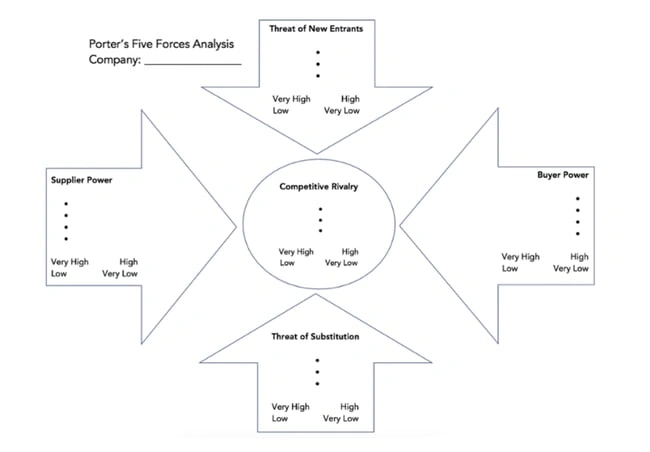
Use Porter’s Five Forces Model to understand an industry by analyzing five different criteria and how high the power, threat, or rivalry in each area is — here are the five criteria:

  • Competitive rivalry
  • Threat of new entrants
  • Threat of substitution
  • Buyer power
  • Supplier power

Download a free, editable Five Forces Analysis template here.

2. SWOT Analysis Template
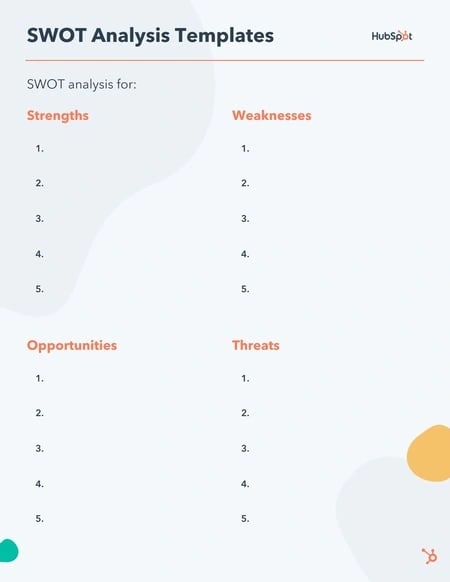
A SWOT (Strengths, Weaknesses, Opportunities, Threats) analysis looks at your internal strengths and weaknesses, and your external opportunities and threats within the market.

A SWOT analysis highlights direct areas of opportunity your company can continue, build, focus on, and work to overcome.

Download a free, editable SWOT Analysis template here.

3. Market Survey Template

Market surveys help you uncover important information about your buyer personas, target audience, current customers, market, and competition.

Surveys should contain a variety of question types, like multiple choice, rankings, and open-ended responses.

Here are some categories of questions you should ask via survey:

  • Demographic questions
  • Business questions
  • Competitor questions
  • Industry questions
  • Brand questions
  • Product questions

Download a free, editable Market Survey template here.

4. Focus Group Template

Focus groups are an opportunity to collect in-depth, qualitative data from your real customers or members of your target audience.

You should ask your focus group participants open-ended questions. While doing so, keep these tips top of mind:

  • Set a limit for the number of questions you‘re asking (after all, they’re open-ended).
  • Provide participants with a prototype or demonstration.
  • Ask participants how they feel about your price.
  • Ask participants about your competition.
  • Offer participants time at the end of the session for final comments, questions, or concerns.

Download a free, editable Focus Group template here.

Market Research Examples

1. TikTok uses in-app research surveys to better understand consumer viewing preferences and ad experiences.

If you’re a TikTok enthusiast (like me), then you’ve probably been served a survey or two while you scroll through your For You feed.

TikTok has strategically started using in-app market research surveys to help improve the viewer experiences.

I’ve received two different types of surveys so far.

The first type typically follows a video or an ad and asks how I felt about the video I just viewed. There are options like “I don’t like this ad,” “I enjoyed watching this video,” or “This content is appropriate.”

The other type of survey I’ve gotten asks if I’ve recently seen a sponsored video or ad from a particular brand. For example, “Did you see any promotional content from the Dove Self Esteem Project in the past two days on TikTok?

TikTok can then use this information to tweak my algorithm to match my preferences or to serve ads that are more in line with my buying behaviors.

2. Taco Bell tests new products in select markets before launching nationwide.

Taco Bell is known for their innovative, consumer-driven menu items. In fact, just last year, they gave Taco Bell rewards members exclusive access to vote on the newest round of hot sauce sayings.

This popular fast-food chain puts a lot of menu decisions in the hands of their target market. Taco Bell lovers ultimately determine which new menu items stay on the menu through voting and, ultimately, their purchase behaviors.

(Let’s all collectively agree that the Cheez-It Crunchwrap deserves a permanent spot.)

Often, this process of releasing a new item is done regionally before a nationwide launch. This is a form of market research — soft launching products in smaller markets to determine how well it sells before dedicating too many resources to it.

The way Taco Bell uses this information is pretty straightforward. If the product is not successful, it’s unlikely to be released on a national scale.

3. The Body Shop used social listening to determine how they should reposition brand campaigns to respond to what their customers cared most about.

The Body Shop has long been known for offering ethically sourced and natural products, and proudly touts “sustainability” as a core value.

To dive deeper into the sustainability subtopics that meant the most to their audiences, the team at The Body Shop tracked conversations and ultimately found their audiences cared a lot about refills.

Using this information helped the Body Shop team feel confident when relaunching their Refill Program across 400 stores globally in 2022.

Market research proved they were on the right track with their refill concept, and demonstrated increased efforts were needed to show Body Shop customers that the Body Shop cared about their customers’ values.

Conduct Market Research to Grow Better

Conducting market research can be a very eye-opening experience. Even if you think you know your buyers pretty well, completing the study will likely uncover new channels and messaging tips to help improve your interactions.

Editor’s note: This post was originally published in March 2016 and has been updated for comprehensiveness.

New Call-to-action

Categories B2B

5 Email Footer Examples I Love (For Your Inspiration)

I’ll admit: It wasn’t until I received a company email signed off with “ad maiora” that I paid attention to email footers.

After looking up the meaning of the phrase — it meant “toward greater things” — I went back to the email and noticed the intricate and eye-catching graphic design right at the bottom of it, along with the company’s information.

→ Download Now: The Beginner's Guide to Email Marketing [Free Ebook]

That’s when I realized that an email footer can be used for much more than a simple address, privacy policy, and an almost indistinguishable unsubscribe button. You can turn your email footer into a marketing asset for your company.

In this article, you’ll learn what an email footer is, what to put in an email footer, and some email footer examples I love (that can also serve as an inspiration as you create your own).

What is an email footer?

An email footer is a section at the end of an email that comes right after your body content and email signature.

This section typically contains contact information, disclaimers, legal notices, an unsubscribe link, and other relevant details about a company.

Usually, when you sign up for an email marketing service, you get a standardized email footer that contains this information by default. So, you might not feel the need to tweak it a bit to reflect your company more.

I don’t blame you; with email marketing, you probably spend your time and energy crafting pristine copy and getting images that accurately convey the message you want to impart to your audience.

While your email footer isn’t what will make subscribers open and read your emails, it can provide a lasting impression that prompts them to take further action or change their minds if they’re thinking of unsubscribing.

What to Put in an Email Footer

An email footer might seem like a place to just add an address and an email, but you can use it for much more than that.

For example, in your email footer, you can add information that will help you turn warm leads into hot leads and prevent lawsuits from being filed against you.

Here are some elements to include in your email footer:

1. Legalities

In your email footer, you’re legally required to include your physical (or mailing) address where customers can reach you.

Depending on your industry or region, you’re also required to include legal disclaimers, confidentiality notices, or compliance information, especially if your company asks for customers’ personal information.

This ensures that you are not breaking GDPR, CCPA, POPIA, CAN-SPAM, and other laws that protect customer data and prevent spam.

These legal disclaimers include a link to your privacy policy and a visible unsubscribe (or email preferences) button.

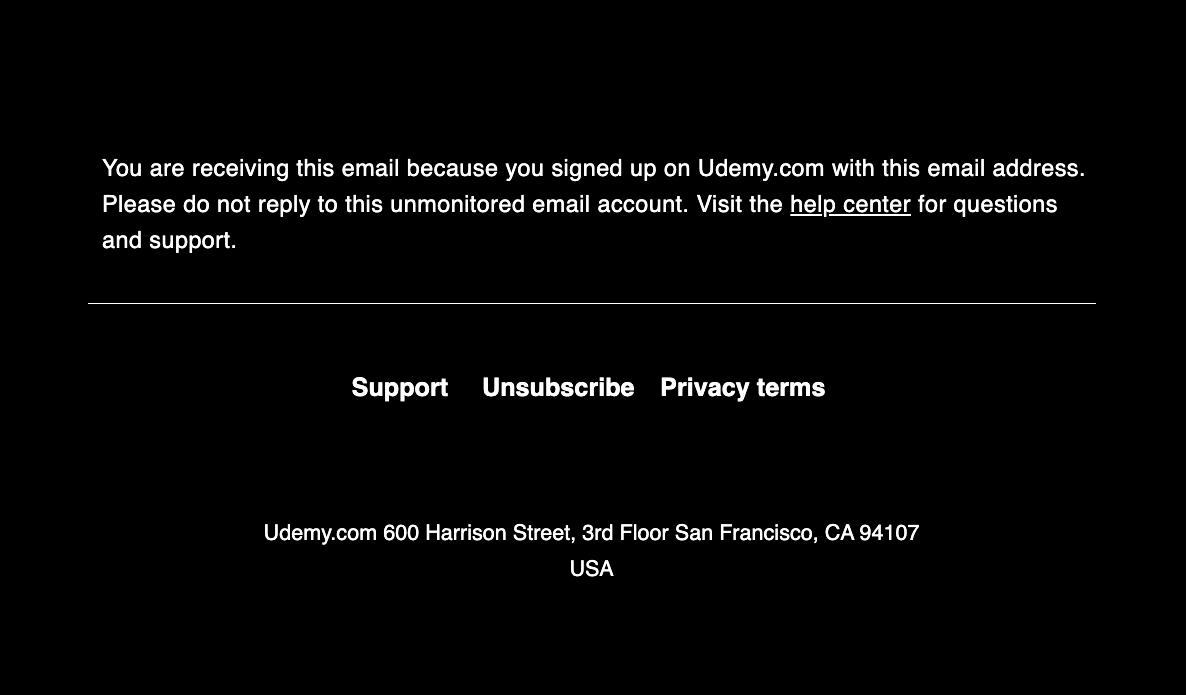
Here’s how Udemy did it:

Notice how the black background makes the font pop. The Unsubscribe and Privacy Terms links are easy to see, as well as Udemy’s mailing address.

2. Company Logo or Branding Elements

Just like that company email I got, you can infuse your company’s branding into your email footer by including your logo or using your brand colors as the background of that section.

You can also include a concise description of your company to give recipients a quick overview of the problems your company is trying to solve. This way, you’re reinforcing your professional image and facilitating brand recognition.

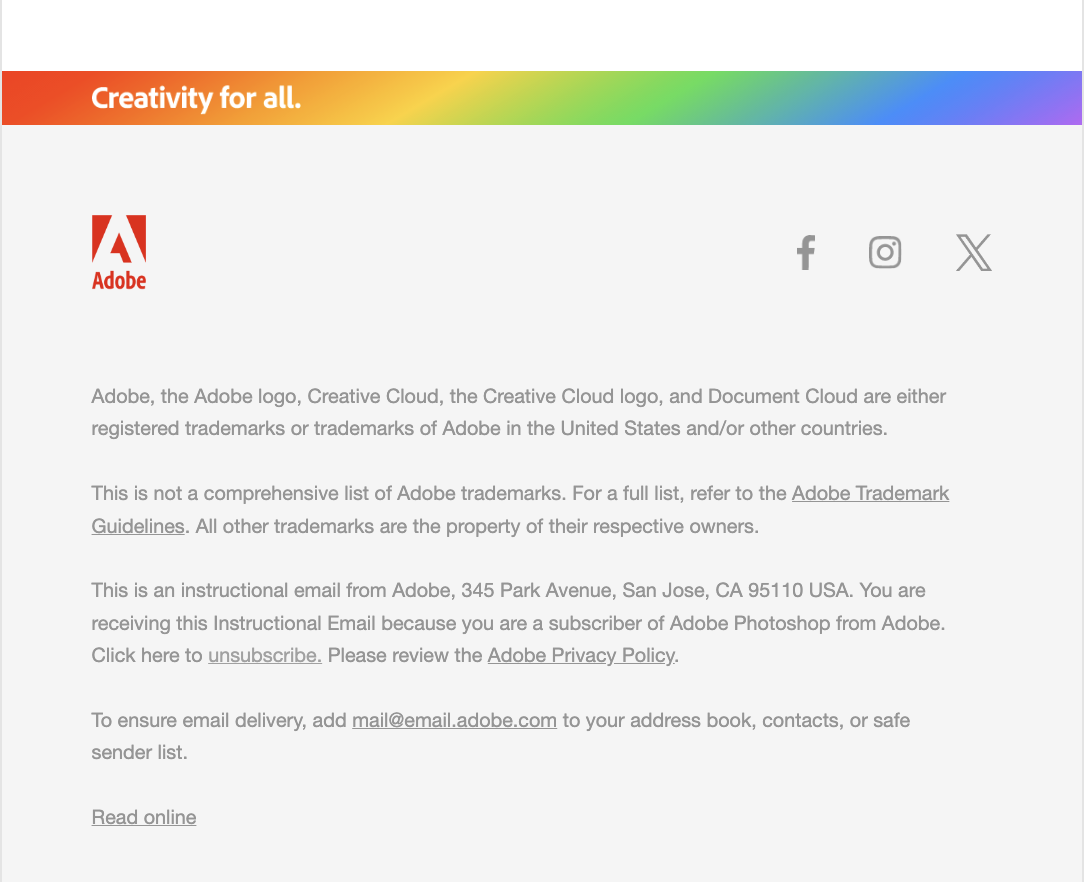
Here’s Adobe’s email footer:

Notice the company logo on the top left corner and the rainbow-like strip that represents the company’s colors atop it. These elements bring life to what would’ve otherwise been a bland-looking email footer.

3. Social Media Links

If you create content on social media, it’s only right for you to include links to your social media profiles to enhance your online presence and nurture your leads on other platforms.

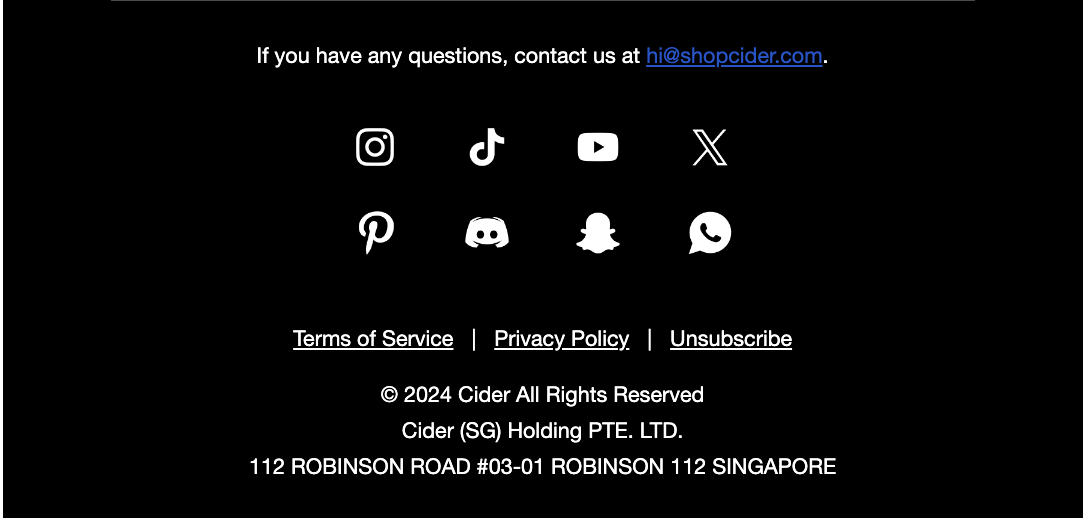
Cider, the women’s clothing retailer, makes its social media links the focal point of its email footer:

Just like Udemy, Cider uses the black background-white font combo. It includes simplistic icons that link to its Instagram, TikTok, YouTube, X (formerly Twitter), Pinterest, Discord, Snapchat, and WhatsApp profiles.

4. Other Contact Information

Your legal obligations to your customers require that you put your physical or mailing address in your email footer.

But you can go further by adding other contact information, including your email address and phone number. This makes it easy for your subscribers to reach you if they have any questions or need support from your team.

5. Calls-to-Action

In addition to your social media profile link, you can also make your email footer a marketing asset by adding calls-to-action (CTA) buttons.

For example, if you want your recipients to refer your product to others, you can add a button that links to your referral program landing page and encourage them to explore it.

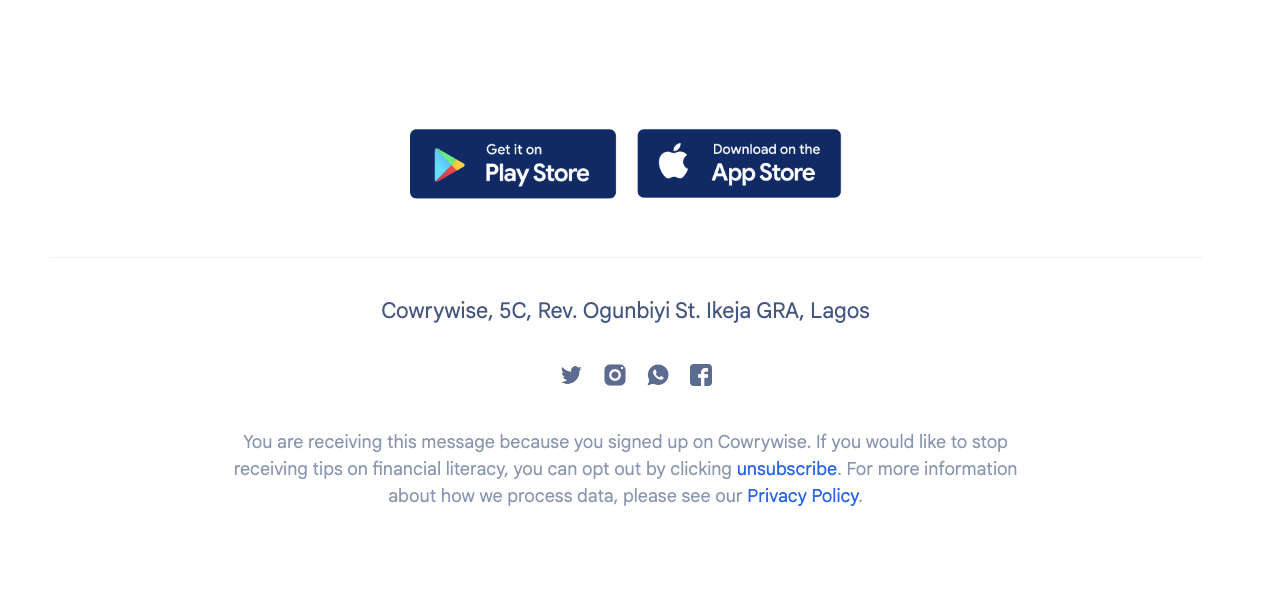
On Cowrywise’s email footer are two CTA buttons that link to the download pages on Google Playstore and Apple Store. These buttons prompt email recipients who have not downloaded Cowrywise yet to do so.

Other elements you can add to your email footer include:

  • A view-in browser link that allows recipients to view your emails as an HTML web page if it’s not displaying well in their email client.
  • A subscription reminder that details how each subscriber got on your email list to prevent false spam claims.

The Best Email Footers

I scoured my overflowing inbox and found five emails with amazing footers.

As you create your email footers, I believe that these emails can serve as a good source of inspiration.

Here are the emails and what I liked about them.

1. Explain your brand purpose like Patagonia.

The connection is a bit fuzzy, but to me, it makes sense that Patagonia, a company that designs outdoor clothing and sports gear, is also dedicated to accessibility.

In this email, there are three images.

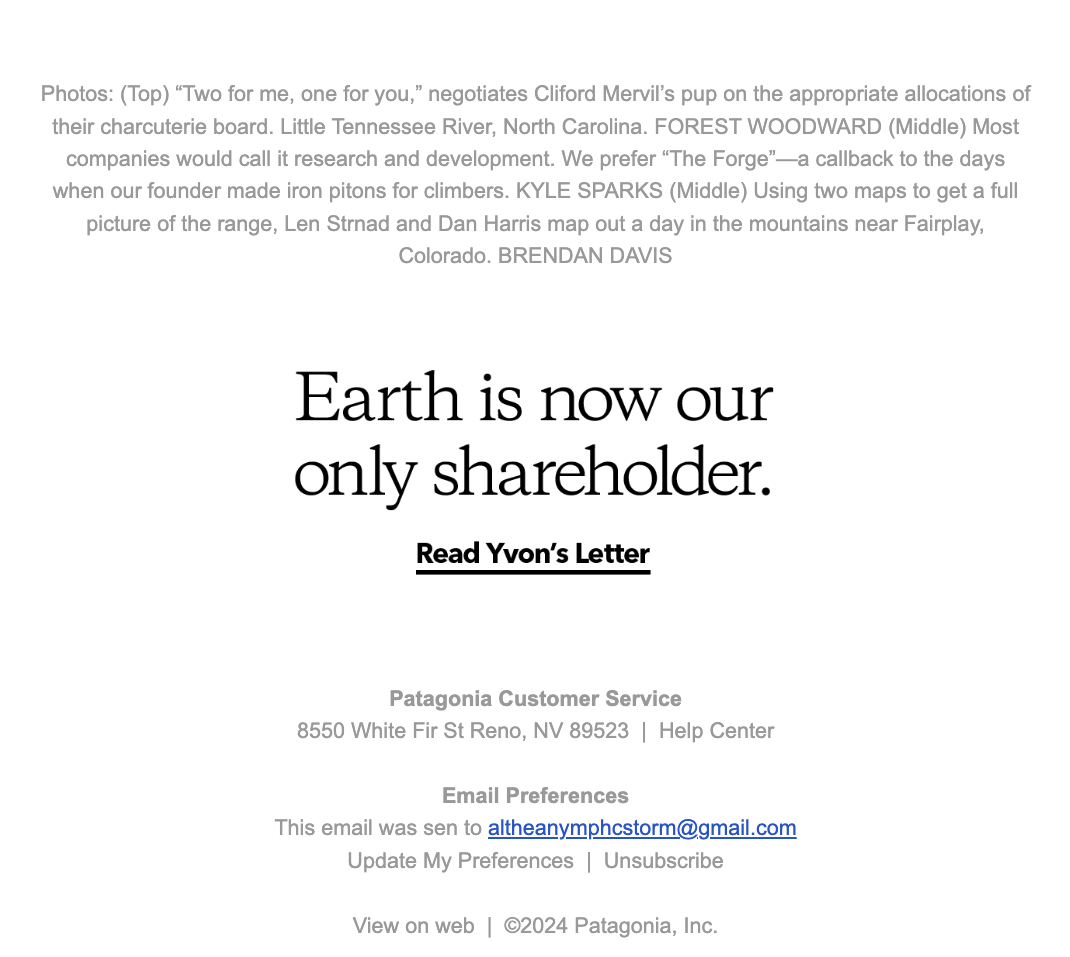
So naturally, Patagonia uses the top of its email footer to provide more context to these images so that email recipients can understand why they were used and relate them to information conveyed within the email.

What I liked: What struck me about this email footer — and it may be obvious to you, too — is the link to Yvon’s letter, titled Earth is now our only shareholder (written in solid black ink that stands out among the medium gray letters in the email footer).

Yvon Chouinard is an American rock climber and environmentalist who founded Patagonia in 1973.

In his letter, he explains the origins and purpose of Patagonia: his journey as a craftsman making climbing gear for himself and his friends, his growing concerns about global warming and climate change, his philanthropism, and his efforts to save the planet.

It’s no secret that people love to patronize brands that have a purpose, to know that their money is being used for a noble purpose. Yvon’s letter draws in people and helps them see his vision of a thriving planet and how they can contribute to it.

2. Prompt user action like Supergoop.

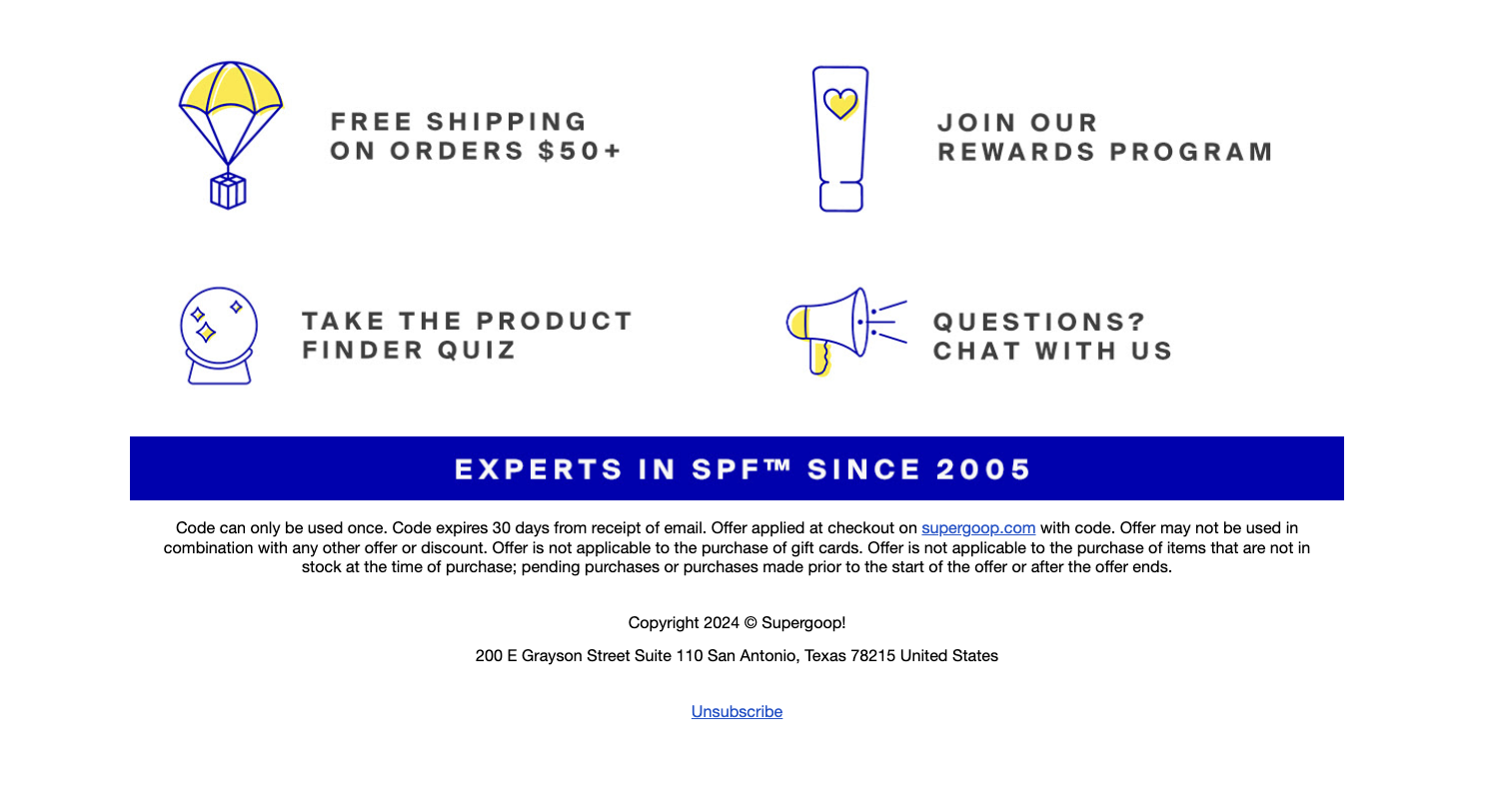
Supergoop’s email footer is a masterclass in how to tastefully incorporate CTAs into your email footer. Instead of clogging the footer up with uninteresting, but passable, buttons, Supergoop put its four CTAs into a 2×2 grid:

At first glance, they don’t look like CTAs; they look like simple statements.

But these statements are compelling enough to prompt recipients to click on them, leading them to Supergoop’s website, referral program, product finder quiz, and help center — the quadfecta.

What I liked: In addition to how tastefully done Supergoop’s CTAs are, I also appreciate that the company used its brand colors, blue and yellow, to reinforce its image. Blue and yellow are such bright colors, but Supergoop managed to ensure that they don’t overpower the email footer and, most importantly, the CTAs.

3. Instill trust in your customers like Qatar Airways.

Qatar Airways is one of the most popular and used airlines in the world, flying to over 170 international destinations across five continents.

Despite its popularity and high rating, this airline makes it a priority to show email recipients why customers love its service so much.

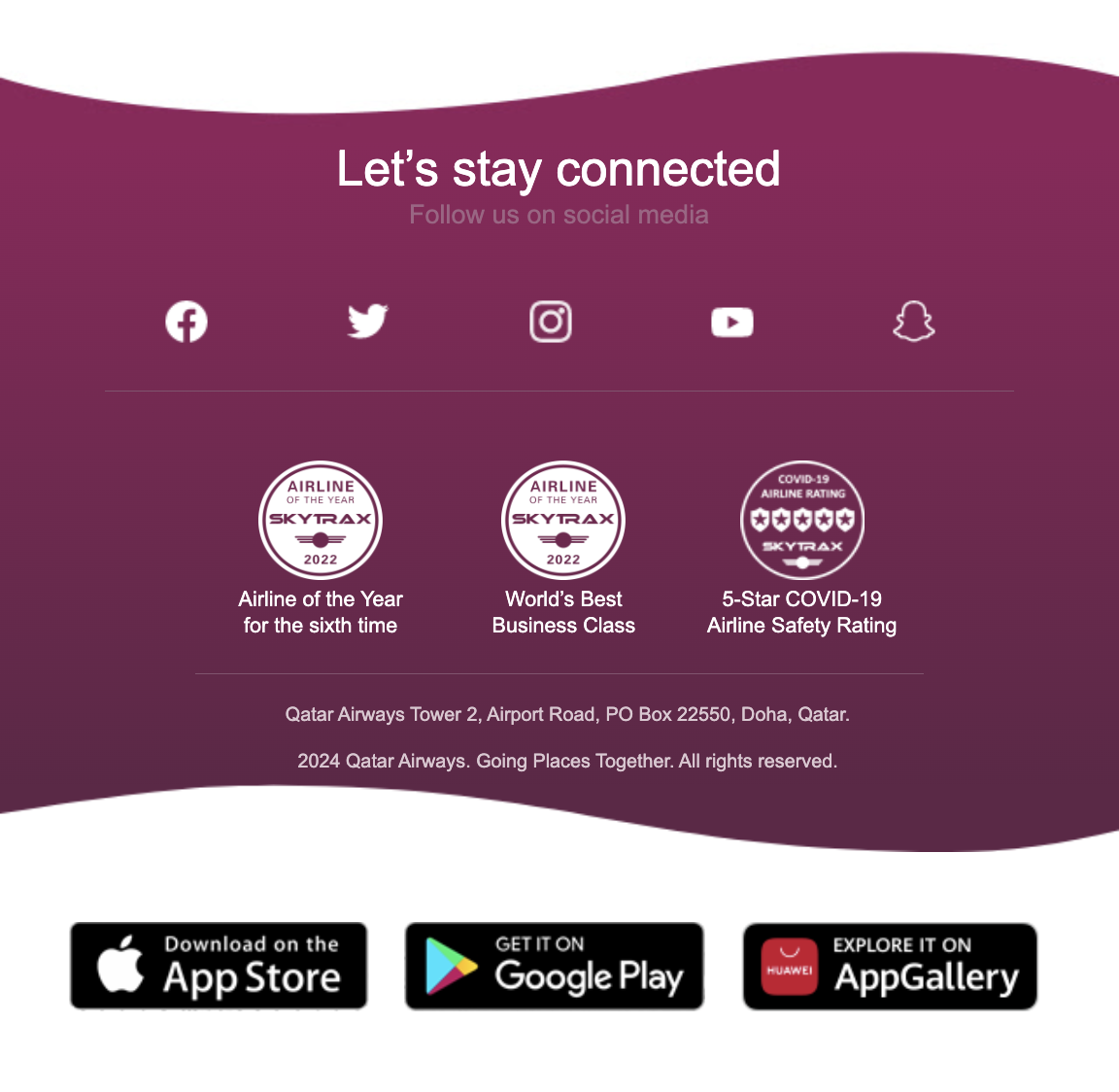
On this email footer are stickers that show some of the most recent awards that Qatar Airways has received, including Airline of the Year (for the sixth time), World’s Best Business Class, and 5-Star COVID-19 Airline Safety Rating.

What I liked: Flying is a risky business, and some people are not big fans of it. Qatar Airways knows this, so it uses its email footer to assure potential flyers, by way of social proof, that it is dedicated to keeping them safe while offering top-of-line service during flights.

After showing proof of their top-notch service, Qatar Airways includes three CTA buttons that lead people to download the app on the Apple Store and Google Play store or explore it on AppGallery.

I also like how the airline company used a wavy, purple-gradient shape on the email footer to show its brand image.

4. Collect feedback like Semrush.

As an email marketer, you want to make sure that your subscribers love the emails you’re sending. What better way to collect feedback on your performance than to include an interactive survey question in your email footer?

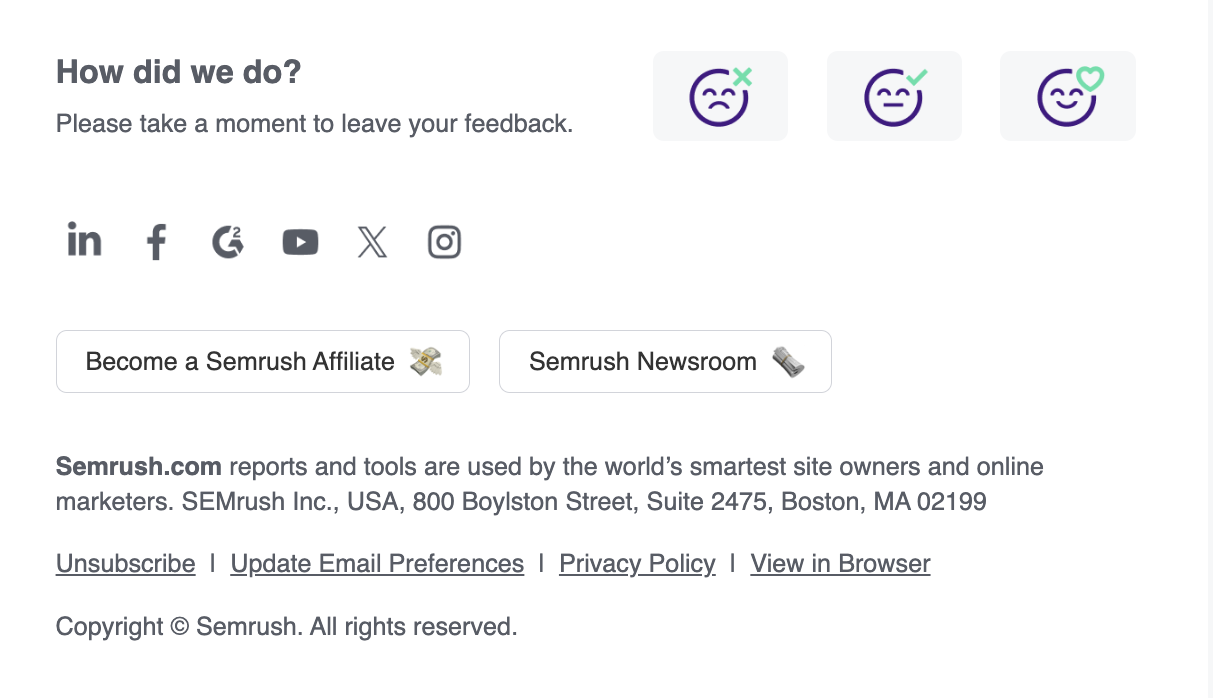
Here’s how Semrush does it:

At the end of the email, Semrush asks a simple question: “How did we do?followed by three emojis that represent Bad, Okay, and Great.

Their recipients just have to click the emoji that represents how they feel about Semrush’s emails, and the team at Semrush receives the information and adjusts their marketing efforts if needed.

What I liked: In addition to Semrush’s interactive feedback survey question, I also liked how the company used its email footer to display CTA buttons that linked to its affiliate page and Newsroom. This way, email subscribers can learn more about Semrush and partner up with the company, if they so wish.

Semrush also included a short tagline that describes what the company does and made its Unsubscribe, Email Preferences, Privacy Policy, and View In Browser links noticeable enough for the average subscriber.

5. Nurture your subscribers like Remote Year.

Remote Year is a travel company that helps entrepreneurs, remote workers, and freelancers travel to different countries while they work.

While Remote Year tries to help its customers achieve this on a budget, its 4-month programs can cost as much as $12,000, which is a huge amount of money.

To help its email subscribers make a decision and sign up for one of the programs, Remote Year transformed its email footer into a mini lead nurturing system.

What I liked: At the top of the footer, Remote Year fixed two CTA buttons that prompt subscribers who are feeling indecisive to schedule a call with the company’s customer support team or ask a question.

Knowing full well that its subscribers are wary of falling victim to scams, Remote Year includes the excellent reviews left by over 500 paying customers on Trustpilot.

I love how Remote Year used a bright orange background to draw its subscribers’ attention to the CTA buttons and social proof.

When people click on the CTAs to book a call or ask a question, Remote Year has the chance to sell them on the programs they provide and convert leads into paying customers.

Creating Email Footers that Work

As you’ve seen above, there’s so much you can do with email footers.

You can use them to prompt user action with CTAs, boost trust in your company, collect feedback on your marketing efforts, nurture your subscribers, and more.

However, no matter what you decide to do, there are some best practices you should keep in mind as you create your email footer:

  • Keep your email footer simple, clean, and consistent with your overall email and brand design. Use the same font, color scheme, and brand style as your company’s other marketing assets.
  • Add any necessary legal disclaimers and compliance information, especially if your business is in a regulated industry.
  • Include important contact details, such as your physical (or mailing) address, phone number, and email address. If you use social media, include links to your online profiles.
  • Email footers are great for CTAs, so if there’s a particular action you want your email recipients to take, such as visiting your website or scheduling a call, include a CTA button with a hyperlink.
  • Keep the size of your email footer moderate. An overly large footer can be distracting and may lead to information overload.
  • Ensure that your email footer is mobile-responsive. Many people check their emails on their phones, so your footer should be easy to read and navigate on smaller screens.
  • Before finalizing your email footer, send test emails to different devices to ensure that the formatting is consistent across various platforms.
  • Periodically review and update your email footer, especially if there are changes to your contact information, web page links, etc.

New Call-to-action

Categories B2B

50 Small Business Marketing Ideas for 2024

Whether you’re launching a new business or already running one, I can tell you firsthand that a small business marketing strategy with a strong online presence is essential.

That’s why I’ve collected this list of 50 small business marketing ideas to help you get started.

As the former head of marketing for two small businesses, I’ve learned that e-commerce isn’t going anywhere. In fact, one estimate has projected the number of global e-commerce customers to grow to two and a half billion by 2028.

Download Now: Free State of Marketing Report [Updated for 2024]

If you’re a small business owner with little experience in online marketing, creating a strategy to boost your online presence may feel overwhelming. But have no fear — I’ve got you covered.

In this post, I’ll help you build and optimize your small business marketing strategy using inbound marketing, setting you up to attract new clients and grow your business.

Small Business Marketing

Marketing is meant to raise brand awareness and build a pipeline of qualified leads that turn into sales. But getting the word out can be challenging when running a small business.

You’ll likely have less visibility and fewer resources (like budget or time).

However, several strategies can help you scale your small business marketing efforts.

Whether you’re struggling with a limited budget, a smaller team, or a lack of strategic direction, a marketing plan appropriate for your business can guide you as you scale.

The strategies below can help you generate awareness and revenue for your organization:

1. Know your audience.

A key mistake is thinking that “anyone” is your buyer. Larger companies may be able to appeal to a wide market, but they say “the riches are in the niches” for a reason.

You’ll have the most leverage as a small business owner if you choose a niche. To develop a niche and appeal to buyers within it, you must understand their pains, problems, triggering events, and priorities.

What is pushing them to make a purchasing decision? What does it look like if they succeed? Knowing the answers to these questions will help you craft messaging that resonates and makes a compelling case for your solution.

As SMB Marketing Consultant Tabitha Naylor explains:  

“Developing a customer persona helps frame your marketing messages for a specific audience. It ensures you’re speaking to your ideal customer’s needs, goals, and preferred channels for content consumption.”

To get started, consider your existing customers and who you’d like to work with. Then, create a buyer persona to get into your ideal client’s head.

Download Free Buyer Persona Templates

2. Emphasize your value proposition.

If there’s no difference between you and your competition, there’s no reason why a buyer would be compelled to work with you.

Your value proposition will differentiate you from others in your space and convince your prospects that you’re the provider to choose.

What do you do better than anyone in the industry? Conveying this effectively will help you make a compelling argument.

3. Stay focused on singular goals and objectives.

If you’re exploring the world of marketing, you may have noticed that there are a gazillion directions you can pursue. It’s tempting to do it all at once, crafting a complicated marketing machine in the hopes that you’ll cover all your bases.

Unfortunately, this approach often leads to much more biting off than you can chew. Instead, my experience has taught me that it’s essential to identify where your most significant impact will be.

Where is the most prominent blind spot in your marketing prohibiting your growth?

Set a performance goal around that one key area, and focus all your resources on the activities and tactics to help you achieve that one goal.

Then, once you’ve made progress in that area, you can expand your efforts or pivot to other initiatives.

4. Capitalize on short-term plays.

Start scrappy. As you scale, seeing ROI sooner rather than later is critical. This will give you the momentum and cash flow toward larger projects, long-term plays, and more sustainable growth models.

Tactics that take time to build (such as SEO) generally aren’t a great starting point because they can take a long time to drive noticeable returns.

Of course, if you have the resources to invest longer term, then that can work — but remember not to put all your eggs in that basket.

Instead, identify the short-term plays that could pay off quickly.

For example, if you have evidence that people are taking to Google with purchasing intent for your particular solution, you may find that paid ads will give you that short-term ROI.

5. Double down on what works.

Pay attention to the data once you’ve experimented with a few options and gotten a few initiatives up and running. Time and time again, I’ve discovered that data can offer invaluable insight into what’s working — and what isn’t.

Then, as you scale, you can use those data-driven insights to double down on proven revenue-generation methods.

6. Understand the power of existing customers.

On average, acquiring a new customer costs five times more than upselling to an existing one. You shouldn’t stop marketing to someone just because they’ve already purchased.

To the contrary, identify opportunities for repeat purchases, upselling, and cross-selling. Your existing customers have already purchased, which means they know, like, and trust you.

If you’ve provided a good experience, you’ve given them a reason to do business with you again.

Even if the need doesn’t arise (i.e., one-and-done purchases with no upsell opportunities), you should still delight your customers. After all, word of mouth is a powerful (and free) promotional tool.

7. Use free promotional tools.

Speaking of free promotional tools, it’s important to note that since you’ve committed to a limited goal and scope, there’s no need to inflate your overhead with gadgets.

In my experience, it’s best to use free promotional tools wherever possible. Only commit to paid tools if you know they will drastically improve existing operations or performance.

Here’s a list of marketing tools (some free, some paid) that may be useful.

8. Create a website to own your online presence.

A professional-looking website is one of the most important assets you can create for your small business. This is where you show who you are, what you offer, your location, and how a potential customer can contact you.

It is a marketing channel you will always own. In addition to being a place to send traffic from advertising and other marketing initiatives, it can generate organic traffic.

Your website isn’t just a simple brochure, either. With an understanding of how to convert traffic and turn those leads into customers, you can turn your site into a 24/7 salesperson.

Business Researcher Jennifer Dublino notes that a website can be an incredibly powerful tool for any small business, sharing:

“By presenting clear, consistent and easy-to-find information, your website can help you earn repeat business and foster customer loyalty.”

To get started, consider checking out HubSpot’s CMS — one of the best website-building tools on the market.

9. Consider blogging to attract prospects to your website.

Blogging is a great way to generate organic traffic, particularly for those prospects who have not yet reached a purchasing decision. In addition, it can establish credibility in your space and position you as a thought leader.

To start a blog, you can use an inexpensive or free website tool to make a simple site. These tools even offer templates you can use to get started right away.

Once you start writing, you can add calls-to-action (CTAs) to your posts, encouraging your visitors to subscribe to your blog or receive emails.

Even if you only publish once a week, it will improve your website’s visibility online and help educate your potential customers on why they should trust your company.

You can also check out this beginner’s writing guide if you plan to write the posts yourself.

It can take some work, but a blog is a great way to start collecting leads and offering potential customers who aren’t yet ready to buy a way to learn more about you and your industry.

Download Free Blog Post Templates

10. Promote yourself on social media.

With billions of potential customers using various platforms daily, social media is a powerful business tool. Social media marketing can help you engage with potential customers, build brand awareness, and promote your products.

After all, why wouldn’t you want to be seen where your potential customers spend their time?

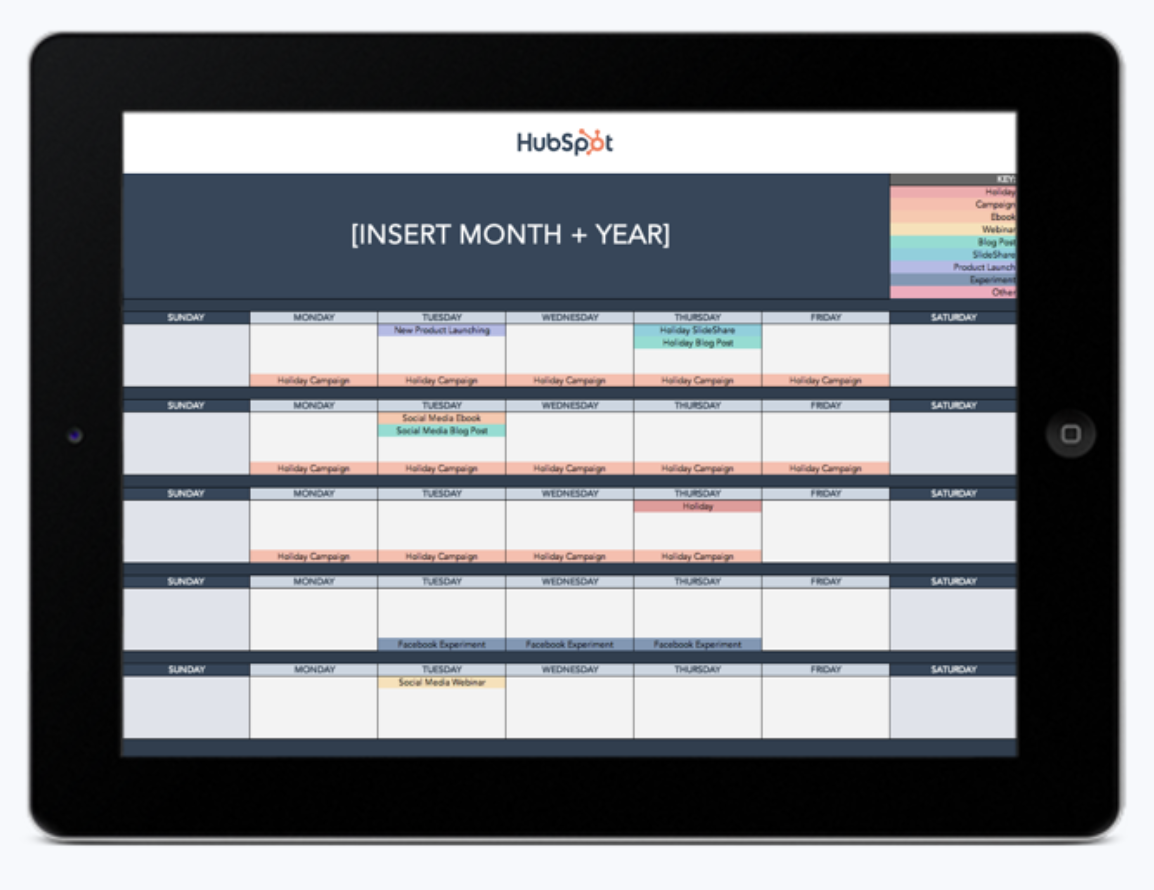
Download the Free Social Media Content Calendar Template

11. Collaborate with influencers to create brand awareness.

Influencer marketing is currently one of the top marketing trends. Collaborating with influencers in your niche is a surefire way to get your business in front of your audience’s eyes.

Not only do influencers understand your niche, they also have a knack for storytelling.

That means they’ll be able to tell your business’s story and sell your brand to your appropriate audience — perhaps even more effectively than you are.

12. Create short-form video content.

I’ve learned firsthand that a good small business marketing strategy has to include more than just written content. In 2022, 44% of social media marketers focused on creating video content for TikTok.

Whether you focus on TikTok or other short-form video platforms like YouTube, Instagram, or Facebook, adding short-form video content to your marketing strategy mix can be a great way to connect and engage with your audience.

These short-form videos are quick and shareable, empowering you to quickly get your product or service to the right audience — and their friends.

13. Stick to a social media posting schedule.

We all want our businesses to go viral — but you shouldn’t just post once and cross your fingers. Instead, the best marketers stick to a consistent schedule for creating and publishing content.

Notably, that doesn’t mean posting every day just for the sake of posting. Of social media marketers, 83% agree that it’s better to post at a lower frequency with higher-quality content than to share lower-quality, less relevant posts daily.

Instead, take the time to create engaging, thoughtful content. Then, use a social media content calendar to make a regular posting schedule and schedule your posts for the optimal times.

14. Invest in ads.

It takes a while to build organic traffic. So, in the short term, pay-to-play tactics that target buyers with high intent can be a great way to jump-start other objectives.

That may be why 80% of brands use some form of paid advertisement. If your target audience searches the web for your product or solution, Google Ads is likely a good option.

If they aren’t, social media ads may be a better bet. In general, people on social media have less buying intent — but with highly targeted ads and enough impressions, you’ll gain the interest of your audience.

Download the Free Advertising Planning Kit

15. Make sure you’re capturing web prospects’ information.

So far, we’ve been talking a lot about visibility and traffic. But how does all this help drive revenue? A straightforward way to start generating leads or customers from your website is to implement a conversion tool.

A simple, free option is HubSpot Marketing Free. This tool lets you add a pop-up widget to your website to collect potential customers’ email addresses.

From there, you can send out promotions and offers, ultimately converting those leads into paying customers. You can also implement any of these 26 conversion tools to help you optimize your website and use it to drive leads.

16. Use email marketing to nurture leads.

Of course, just because you’ve converted website traffic into leads doesn’t mean those leads are ready to buy. It’s essential to ensure your business stays top of mind for those leads so they’ll eventually move closer to a purchasing decision.

Email marketing is a great way to do that; 73% of millennials prefer communications from businesses to come via email, and this strategy offers an easy, free, and scalable way to communicate with new and existing customers.

Once you have an email marketing tool in place (many are inexpensive or even free), experiment with emailing out newsletters (perhaps even linking to your sleek new blog posts) and other promotions to your database of leads.

Business Writer Jamie Johnson says it best:

“For small businesses without a sizable marketing budget, email marketing can drive impressive results…[businesses can] use email to connect with their audience, build credibility in their industry, and increase sales.”

I know that as a small business owner, you probably don’t have much free time to devote to digital marketing. As such, you may consider using marketing automation to make this process even more accessible.

To start planning your email marketing strategy, check out this guide and template from HubSpot.

17. Manage relationships with a CRM.

Email marketing works best when you’re sending personalized, targeted emails. You’ll want to use a customer database or customer relationship management (CRM) system to do that.

Your CRM stores information about your leads, prospects, and customers, helping you keep track of customer interactions and identify sales opportunities more effectively.

Not sure where to start? HubSpot has one of the best CRMs out there (and, best of all, it’s free).

18. Lean into word of mouth as a promotion channel.

As I mentioned earlier, delighting customers can significantly impact your business. After all, delighted customers will likely come back — and tell their friends about you, too.

If you provide a great experience, your customers will be more inclined to leave you a positive review, give testimonials, and refer their friends.

While word of mouth sometimes happens naturally, measuring customer satisfaction and proactively encouraging customers to spread the word can help you make the most of this promotional channel.

19. Connect with other local businesses.

Another powerful way to expand as a small business is to connect with other local business owners in your community. Consider partnering with local businesses to create shared discounts, deals, or coupons.

You could even livestream with another business owner during a promotional event or coordinate a giveaway. Then, advertise the promotion or sale on both businesses’ social media channels.

Online Marketing Tips for Small Businesses

Now that we’ve covered the basics, it’s time to take it to the next level. Below, I’ve compiled several tips to help you build on whichever marketing strategies you pursue.

1. Determine your brand’s identity.

Jeff Bezos, the founder of Amazon, has described a company’s branding as “what other people say about you when you’re not in the room.”

A consistent brand identity will make you look more professional and help you attract new customers.

Importantly, this isn’t just about your brand name.

Your brand combines your brand name, logo, aesthetic, and the design of all your assets, as well as the values you espouse — an element of brand identity that’s becoming increasingly important to consumers.

As John Williams, award-winning branding and design expert and the founder of logo design company LogoYes, explains:

“Your brand is your promise to your customer. It tells them what they can expect from your products and services and differentiates your offering from your competitors.

Your brand is derived from who you are, who you want to be, and who people perceive you to be.”

2. Identify your buyer persona.

Imagine a customer searching for your product or service. What are their pain points? Where do they live? What is their job? What are their interests?

Creating a buyer persona that tells the story of your ideal customer can help you optimize a website for them. Once you better understand your target customer, you can craft a website that gives them precisely what they want.

3. Design a logo and other assets.

Peruse color palettes with tools like Adobe Color or Coolors to start getting the creative juices flowing. You can then create your palette or choose a premade one.

Once you’ve settled on your colors, I’d recommend checking out Upwork or Freelancer to find someone to design you a logo.

Free and less expensive options are available online if you want to design your logo, but using a freelancer or agency will often give you a higher-quality product.

Plus, going this route will connect you with a designer who you can continue to work with to update your brand assets as your company grows.

4. Build your website with a CMS template.

You’ll probably want to build your website if you’re a tech-savvy small business owner. A content management system (CMS) makes the process simple.

Most CMSs offer customizable templates for free or for a small fee. These templates come at various skill levels, from beginner to advanced.

Once you’ve created your website, most CMS platforms will also offer plugins to help you optimize your content for search (look for SEO plugins). This will help you rank better in Google (which I’ll discuss later).

5. Draw up a go-to-market strategy.

Once you’ve activated all the tools you need to promote your product or service, you must create a promotional plan that aligns with the customer journey.

Consider which content will attract, engage, and delight your prospects and how you will convert those prospects into customers. To help you plan out this process, consider using this template.

6. Hire a freelancer to help you scale your content.

If you need help creating regular blogs or promotional content, consider hiring a freelancer rather than investing in a full-timer.

Try Upwork for a freelance blogger, videographer, or photographer. For larger projects, you could also consider hiring a marketing agency.

7. Consult agencies or freelancers for web design help.

If you aren’t as tech-savvy and would rather have someone else build you a website for your small business, you can use a freelancer or a marketing agency specializing in web design.

This is also an excellent option for businesses with existing websites that need to be updated and revamped for SEO to help improve their Google rankings.

To find a freelancer or marketing consultant, you can use Upwork (filtering by design/creative), Codeable (for WordPress experts), or Freelancer.

8. Track your site with analytics tools.

If you’ve never made a website and aren’t entirely comfortable with the technical elements, many free tools and services can help you get started.

For example, when you create your website, you can use Google Analytics or HubSpot Marketing Free (both free products) to easily track who’s looking at your site.

9. Boost your Google ranking with SEO.

When you search for yourself or your product/service online, is your business among the first pages to come up in the search results page (SERP)? If not, it might be time to invest in SEO.

SEO, or search engine optimization, refers to strategies to improve your ranking on search engines like Google.

There are a lot of factors that play into why a particular site does or doesn’t appear in the top spots on a SERP, from keywords (and their placement on your site) to the length of your content, the quality of your content, how fast your page loads, how often you post content and more.

At the end of the day, sites like Google use a complicated algorithm to find the best, most relevant content to present to the person searching.

For example, if I’m searching for the best salon in Newport, Rhode Island, it wouldn’t be helpful to find a web page of a salon that has closed down and is located in Newport, Kentucky.

It would, however, be helpful for me to find a salon in my area with great Yelp reviews, an easy-to-navigate website, and contact information readily available.

So, what does it take to get your content to the top of the relevant SERPs? There are three key things to remember: buyer persona research, keyword research, and on-page SEO research.

Once you’ve done this research, check out this comprehensive guide to SEO to learn everything you need to know about structuring your online content in a way that will get your business discovered by the right people.

10. Research keywords opportunities.

Keyword research is an extension of buyer persona research. Once you’ve created your buyer personas, use them to identify the best keywords for your brand.

Then, you can use a tool like KW Finder to find related keywords for your target audience.

Next, do some on-page SEO research and optimization. This is where you put those keywords into all the correct places on your website — like in the meta description, page titles, and H1 tags.

11. Optimize your website for mobile devices.

Today, the majority of Google searches are done on mobile devices. As such, making sure your site looks clean and is easy to navigate when someone enters it on their smartphone is essential.

Plus, some search engines boost your rankings if your site is mobile-friendly, making optimizing your content for mobile is all the more critical.

In her comprehensive article, business writer Julie Thompson discusses the importance of responsive mobile web design, arguing that:

“​​Businesses today must offer customers a seamless mobile experience. A mobile-friendly website can positively impact brand image and sales.”

I know this can sound intimidating. The good news is you don’t have to be a tech expert to build a site that looks good on a smartphone or tablet.

Most CMS platforms (including HubSpot’s) offer mobile-optimized templates that do the work for you!

12. Write optimized blog posts.

Another critical factor in your search engine ranking is your site’s blogs and other content. The more often your desired keywords appear in your high-quality and helpful content, the more likely you will end up high on the relevant SERPs.

Blogging is also a great way to establish yourself as an authority on your topic, product, or service. But don’t just write whatever you feel like. Instead, make sure you’re crafting your content with SEO in mind.

If you’re unsure how to start, I found these SEO tips for bloggers particularly helpful. In addition, a WordPress plugin like Yoast can be a helpful tool to keep SEO front and center as you’re writing.

13. Experiment with photo and video content.

According to HubSpot research, more than 50% of consumers want to see brand videos. Additionally, most social media apps, like Facebook and Instagram, are embracing more visual layouts.

Making a few marketing videos for your business is a good idea to keep up with these trends. And this doesn’t have to require a significant investment — these tips can help you produce videos on a budget.

14. Launch business pages on Facebook and Yelp.

If your business is focused on a local area, Facebook, Yelp, and Google’s business features will be critical for you. Positive reviews on these platforms can boost your authority online and help your search ranking.

To start, claim your business on Yelp, register with Google, and create a Facebook business page.

All three of these are free, and once you’re set up, you can customize your profile, add pictures, update your location and hours, and ask for reviews.

In addition, having up-to-date social media accounts will help prospects find and engage with you. Consider creating a Twitter account, learning to use Instagram, and even making a page on Pinterest.

All these platforms can both help customers find you and help you discover new potential customers.

15. Build out your social media strategy.

While Facebook and Yelp are great tools for local searches and reviews, platforms like Instagram, Pinterest, and Twitter can offer you even more opportunities to share your posts, content, and promotions.

In addition, if your products or services can be purchased online, these platforms will also give customers another way to find you.

That said, be sure not to spread yourself too thin by joining too many platforms simultaneously. To make strategizing easier, I’d recommend looking at this guide to the five types of social media.

It offers a helpful overview of the wide range of platforms available today and walks through the main pros and cons.

16. Use social media for customer service.

Once you’ve chosen your social media platforms, be sure to answer any questions your customers or followers ask through comments on your posts or via direct messages. This will help your company look responsive and credible.

If you’re unsure where to start, here are some great examples of how brands have used Twitter for customer service. In addition, if you have the resources, consider hiring a social media manager with community management experience.

On top of posting content regularly, community managers respond to your followers’ questions or concerns.

Are you interested in learning more? We published a guide on what it takes to be a great social media community manager.

17. Build interesting landing pages.

A landing page offers your potential customers a free resource in exchange for filling out a short contact information form.

This can be a great win–win, offering people valuable resources that make them even more interested in buying your full product while giving you access to their contact information.

Of course, for a landing page to be effective, it needs to look enticing. I’d suggest looking at this guide to creating a landing page to learn more about what makes this strategy successful.

Then, consider checking out these free, professionally designed landing page templates.

18. Plan an email marketing strategy.

Once you start posting content regularly and building landing pages, you’ll want to share them with the prospects who seem most interested in learning more about your product.

To do so, you’ll want to start by building out an email marketing strategy.

While you’ll want to be careful not to bombard the people who sign up for your email list with too many emails, it is essential to send enough updates to keep your prospects informed and engaged.

I’ve also found that streamlining an email marketing strategy can be hugely important. For example, this blog post explores how HubSpot’s metrics improved after streamlining.

If you’ve never sent regular newsletters before, you can use HubSpot or a number of other affordable tools to create and send emails with a professionally designed template.

In addition, many of these email tools also offer basic analytics that allow you to track open and click rates.

19. Offer coupons in newsletters or on landing pages.

Including a coupon in your marketing emails can be a great way to engage and delight your audience. Plus, customers might be more willing to pay full price after buying a product or service at a discounted rate.

Similarly, if you offer a subscription service, giving prospects a code for a free trial can also be helpful, enabling them to test it out before committing to a paid version.

20. Share your distribution channels on your website.

Once you have a few social media accounts and a newsletter, connect them to your website so your visitors know where to follow you.

One way to do this is to display all your linked social icons and a newsletter sign-up CTA on all website pages, either in the top right corner or in the footer. This way, they’re visible — but not distracting from any content.


21. Offer a free webinar.

A webinar allows potential customers to sign up for a short online course you host. These courses are usually between 30 minutes and an hour long, allowing you to provide tips and answer questions about a topic you’re familiar with.

As Kristen McCormick, senior managing editor at the small business advertising firm WordStream, explains:

“If reaching a potential audience in person doesn’t sound like your idea of a good marketing idea, you can always host a webinar.

Webinars are a free way to promote your business by providing helpful information to potential interested customers.”

This strategy can help boost your credibility in your field while offering you potential leads and sales opportunities.

22. Try co-marketing.

Is there a local business in your area that isn’t a direct competitor but offers a product or service to a similar target audience?

If so, consider working with them on a co-branded campaign where you promote each other on social media, via email, or in your blog. This way, you’ll help promote your partnering company while their fanbase will learn more about you.

23. Encourage happy customers to share their experiences.

When a happy customer talks about how great your company is on social media or a review site, other people are likelier to try out your product or service.

Even on social media, word of mouth is still a huge factor in someone’s purchasing decision.

For example, if a prospect sees a friend raving about your business on Facebook or if they post a photo of a meal from your restaurant on Instagram, the prospect might be more likely to go themselves.

71% of consumers are more likely to purchase based on social media referrals. So, if your customers tell you they love your product, encourage them to share the experience on Yelp, Google, or social media.

And if you run a brick-and-mortar business, put up signs with your account handles so customers know who to tag if they post a picture of your product.

24. Try out marketing experiments.

Don’t be afraid to experiment if you’re interested in a new social platform or marketing trend. If an experiment goes well, you could be ahead of the game, and it never hurts to be a thought leader in your industry.

Keep a solid hypothesis or question in mind when experimenting with a new marketing strategy. This will save you focused on the end goal and reduce the desire to chase the next big thing as it comes along.

In addition, I’ve discovered that it’s essential to prepare next steps for both good and bad results. Not every experiment will succeed, but you can learn from them either way.

Check out this quick guide to leading a successful marketing experiment for more details.


Small Business Advertising Ideas

Now that we’ve covered some marketing strategy basics let’s look into how you can put your advertising dollars to work. Below are some ideas to help you tackle advertising for a small business.

1. Set up Google My Business.

Creating a free Google My Business profile is a simple first step to helping potential customers find your business. It only takes a few minutes to add your business contact information, business hours, photos, and a list of your services.

Another perk of having a Google business profile is that you don’t need a storefront to create one. Your profile also has analytics to help you better understand how customers connect with your business.

Additionally, you can check out and respond to customer reviews and learn what keywords brought them to your business page.

2. Consider PPC ads with Google & Bing.

Pay-per-click (PPC) ad programs like Google Adwords or Microsoft Advertising can also help drive customers to your business. If you’re working hard on SEO but are still looking for an extra boost, consider PPC advertising.

With this search engine marketing technique, you use Google AdWords or Microsoft Ads to appear as an advertised listing in search results.

Before diving into PPC, you’ll want to ensure your landing page is as optimized as possible. If you pay by the click and those who click on the page don’t convert, you will lose advertising dollars.

To help you get started, I’d recommend reading through this Ultimate Guide to PPC. Then, use this PPC planning template to create an optimized campaign.

There are also a few handy tools and software solutions you can use to edit, track, and report on your campaigns.

3. Run social media ads.

Most major social media platforms offer affordable advertising options that can help you target your posts to a specific audience.

While many small businesses have been advertising on Facebook, Twitter, and LinkedIn for years, Instagram allows brands to promote through its Shoppable tool.

Pinterest is another excellent option for small business advertising since Pinterest users say the platform has more influence on their purchasing journey than other platforms.

Indeed, shopping ads on Pinterest drive three times more conversions than competing platforms — so I’d say it’s a channel worth considering!

4. Sponsor products on Etsy & Amazon.

If you’ve already set up shop on Amazon, you can boost your products by participating in Amazon’s sponsored products program.

This cost-per-click ad program generates ads from your product listings and automatically targets them, making it a great option if you’ve never created a campaign.

Similarly, if you sell your wares on Etsy, consider using Etsy Ads to advertise your products. Etsy Ads is another cost-per-click model with a default minimum daily budget of one dollar.

With Etsy Ads, your products will stand out in Etsy Search, category, and marketing pages.

5. Leverage user-generated content.

Some of the best advertising you can get is from existing customers. Happy customers can vouch for your brand and add social proof to your marketing campaigns.

Ask your customers to leave reviews, or if they’ve already created content on social media involving your brand, ask their permission to share it.

6. Develop a referral program.

Speaking of enlisting the help of your existing customers, I’ve also had great success incentivizing customers with a referral program. Offer them a discount, gift, or other perk in exchange for bringing in new customers.

Mark Zuckerberg famously stated, “Nothing influences people more than a recommendation from a trusted friend. A trusted referral is the Holy Grail of advertising.”

Referred customers are 18% more loyal than those who aren’t and spend 13% more on purchases. Since these new customers will have been referred to you by someone they know, they’re more likely to have a positive customer experience.

7. Advertise with your local chamber of commerce.

If you have a storefront, advertise with your local chamber of commerce.

Each city is different, but you can typically be featured on local government websites, promoted on their social media channels, and included in their email newsletter for an annual fee.

This can be a great way to get your brand out there and an excellent opportunity to network with fellow small business owners.

Start Marketing Your Business Today

Small business owners looking to track ROI and brand awareness need digital marketing.

Not only is digital marketing a must-have for promoting your products or services, but optimizing your online assets is also critical to your business’s overall success.

You may have a long road ahead to build your online presence, but I’m here to tell you that any steps you can take today to invest in marketing will significantly impact your business long-term.

Editor’s note: This post was originally published in September 2020 and has been updated for comprehensiveness.

Categories B2B

I Asked ChatGPT How to Answer Salary Expectations in an Email — Here’s What I Got

Like most job seekers, I’ve had to answer the dreaded salary expectation question over email.

No matter how many times I’ve done it, it’s still nerve-wracking to put a number out there. What if I undercut myself because my number was too low? Or worse, what if I miss out on the job opportunity because my salary expectation was too high?

Aside from the anxiety I feel thinking about the outcome, the other challenging part of the process is writing the actual salary expectation email (or preparing the script I’d use if this discussion were happening face to face).

→ Download Now: The Beginner's Guide to Email Marketing [Free Ebook]

I tend to overthink what to say during tough conversations and can find myself writing and rewriting something like a salary negotiation email for over an hour.

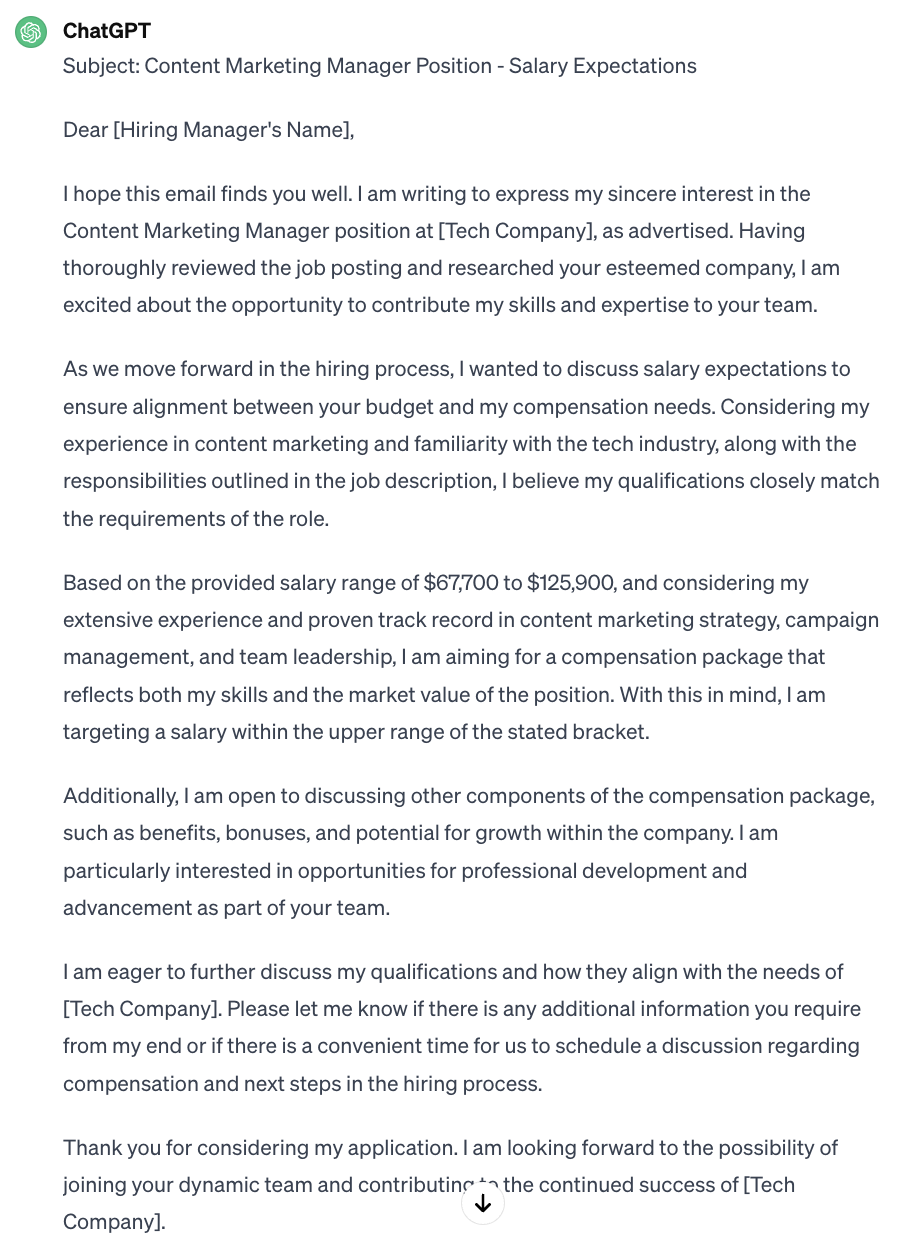
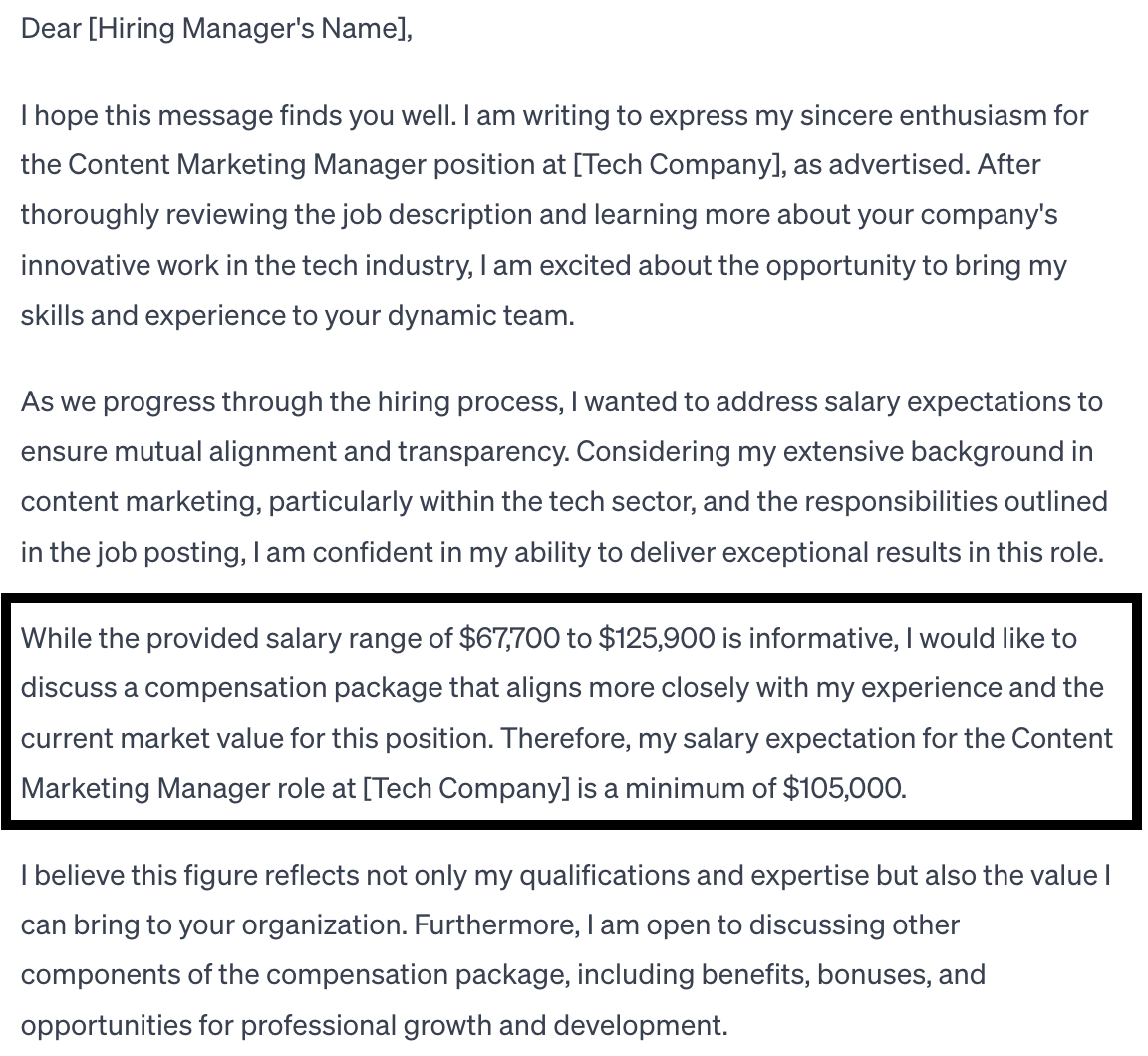
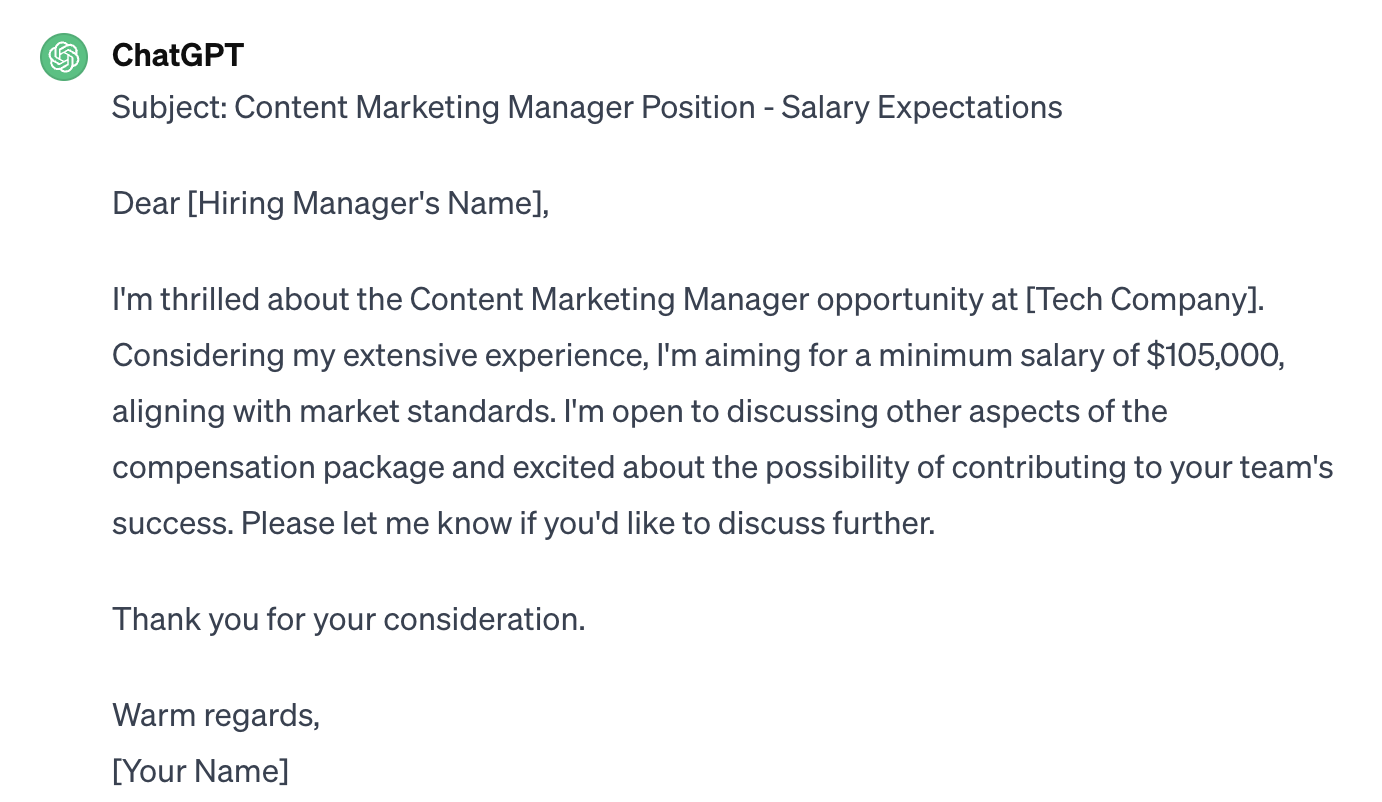
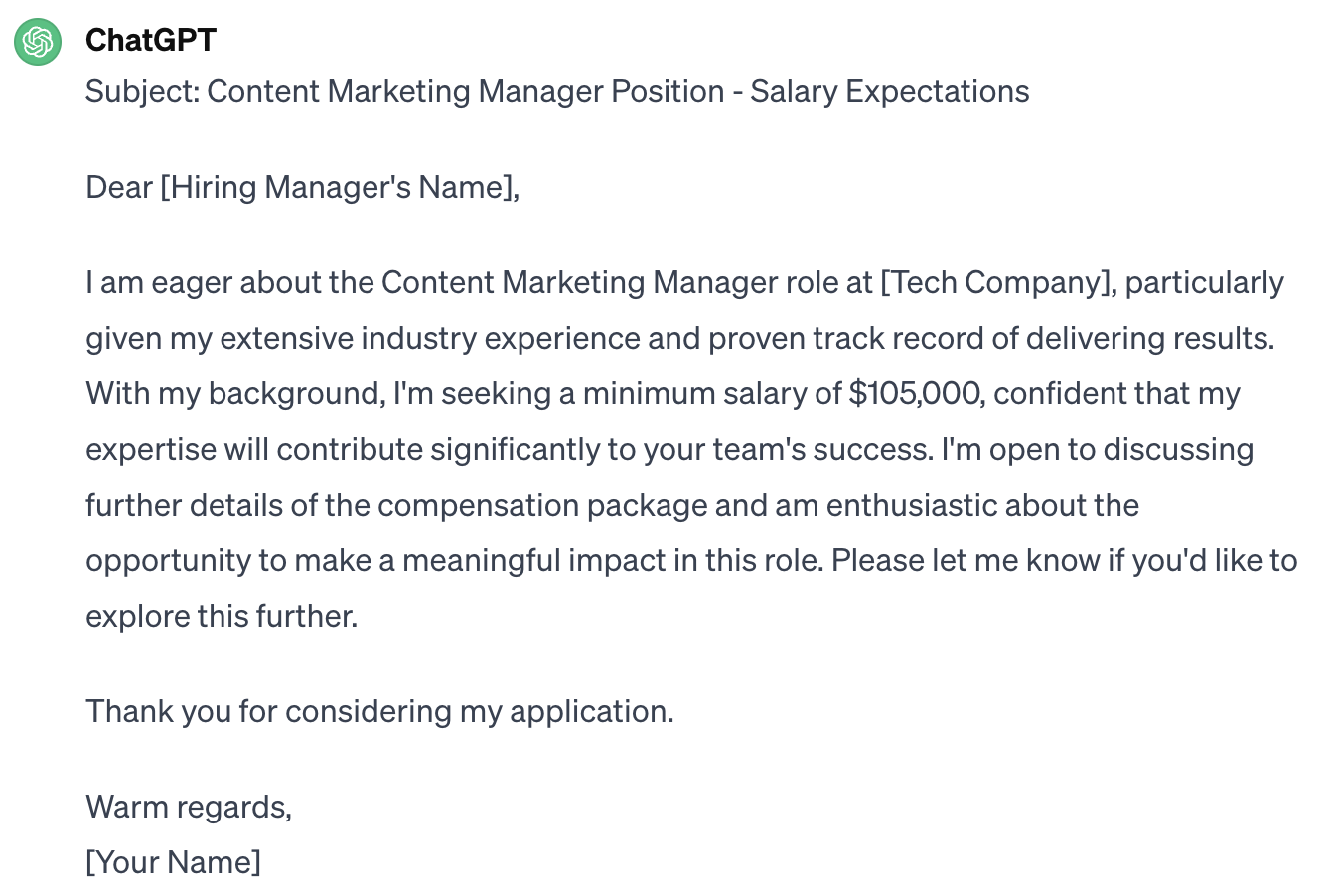
So, I asked an expert how to answer salary expectations over email — and then I put ChatGPT to the test to see if it could write the email for me.

Table of Contents

Deciding Your Salary Expectations

Before you can even discuss salary expectations with the hiring team, you have to come up with your target number.

It’s important to have a desired salary in mind before you start interviewing with a company so you can use it as a guide throughout the process.

Based on my experience, here’s how to come up with a salary expectation in four steps.

1. Check the job posting.

Before you come up with your salary expectation, reference the original job posting.

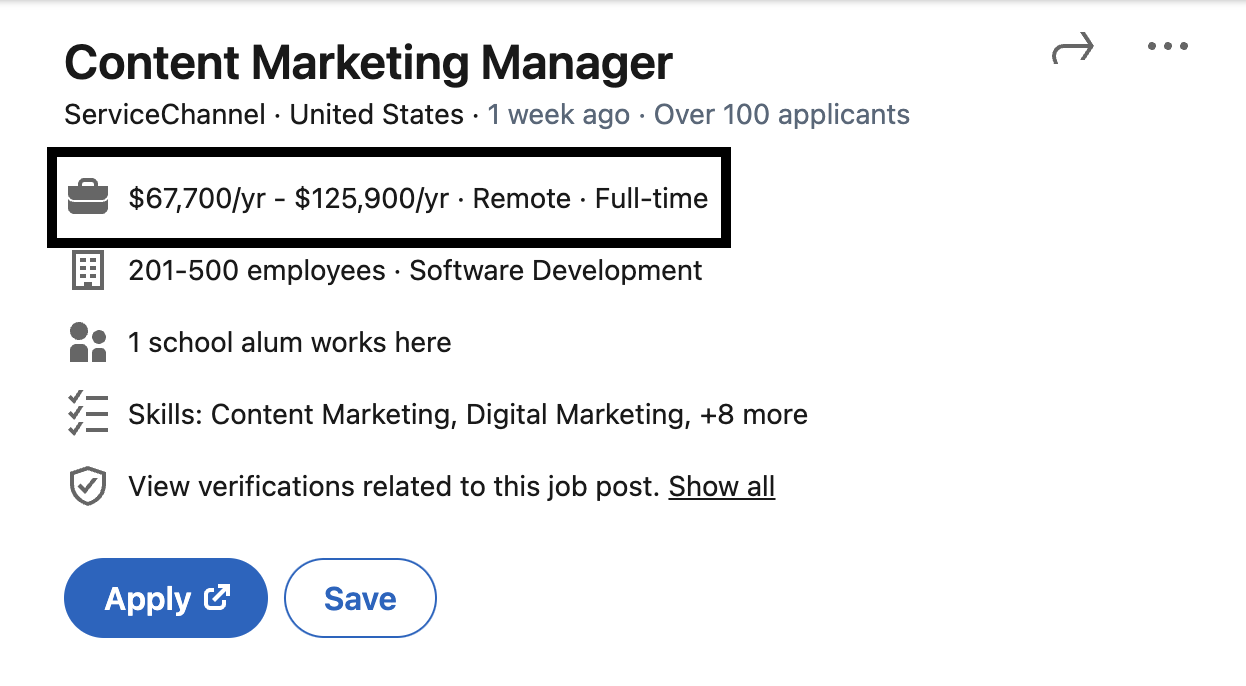
Recent pay transparency laws in several states, including California and New York, require companies to include a role’s salary range in the job posting. If there is a range listed, you can use that as a baseline for the salary you want to request.

2. Research salary data.

If there isn’t a salary range listed on the job posting for your role, you can research average salaries for the role using websites like PayScale or Salary.com.

If the company is big enough, there may also be data from current and former employees who’ve shared their salaries on websites like Glassdoor.

It’s also important to consider the industry of the role you’re applying for. Tech salaries differ from government or nonprofit salaries, for example, so the industry you’re interviewing in affects your target salary.

3. Evaluate your experience and current salary.

Once you know the salary range for your role, consider your own experience to decide what you want to ask for.

You’ll likely target a salary higher than your current one — or, at the very least, the same rate, assuming this is a role you’re very interested in.

You may also be open to a lower salary than your current one for several reasons.

Maybe you’re making a career pivot or switching roles, and the experience is more important. Or perhaps the company offers benefits that make up for the lower base pay.

Using your research on industry salaries as well as your current salary, you should have a good idea of your target salary. Come up with a range that you’d accept, making sure you have a minimum that you’d be happy with.

4. Prepare a counteroffer.

The salary expectations conversation typically comes up at the beginning of the interview process, but it’s never too early to think about what type of offer you’d be happy with.

Start thinking about salary negotiation and consider what you’d be willing to negotiate on, whether that’s the base salary or other benefits. Things like stock options, more vacation days, or a hybrid work schedule may all be negotiable.

How to Answer the Salary Expectation Question

To find out exactly how to answer the salary expectation question, I talked to Nick Smith, a tech talent acquisition specialist. Here’s what he has to say.

1. Have the conversation early.

Smith emphasizes the need to have this conversation early in the process. “It should be done on your first call with the recruiter or initial point of contact,” he states.

While the salary expectations question is usually asked by a recruiter during the screening process, you could be presented with this question on the job application or in an initial email.

This is why you’ll need to have a script and answer prepared.

2. Establish a minimum.

After conducting research, you should know what the going rate is for your position and industry. Use that number as a baseline and adjust based on your experience and what you know about the role you’re interviewing for.

“Having the hiring team accept the minimum of your compensation window is absolutely critical,” says Smith.

That said, you must be reasonable about your ask. Just like you have a minimum number in mind, hiring managers also have their limit.

“Hiring teams will walk away if you don’t have a grounded number in mind,” Smith states.

3. Communicate your value prop.

Next, you have to be able to communicate to the hiring team why you’re expecting a certain salary range. Justify your desired salary with market research and by demonstrating the value you’d bring to the role and company.

Smith suggests writing something along the lines of this in a salary expectations email:

“Based on the feedback given to me by the hiring team, my projected role and impact on the team/org/company, and market research, I’d gladly accept X and withdraw myself from my remaining interviews elsewhere.”

4. Express gratitude.

If you’re eager for this position, Smith also suggests showing appreciation and a desire to move forward. You can be confident and firm without losing gratitude for the process.

“How you frame things is as important as what you’re saying,” he says.

To express gratitude in a salary expectations email, you can say something as simple as, “I’m excited about the opportunity and look forward to next steps.”

What ChatGPT Wrote for Me

As I said before, writing a salary expectation email is nerve-wracking.

I was curious to see if AI could ease some of the stress of writing this type of email, so I asked ChatGPT to write me several salary expectation emails using the expert tips above as guidance.

For this example, I found a job posting for a position I’d be interested in — a Content Marketing Manager at a tech company called ServiceChannel.

As you can see below, the salary range for this role is wide. It starts at $67,700 and goes up to $125,900.

Image Source

1. Salary Expectations Email: Salary Range

Here is the first prompt I gave ChatGPT.

And here’s the chatbot’s response (warning: it’s a long one!):

There are a couple of things I’d do to improve this email.

For starters, it’s really long. While it’s important to communicate your excitement for the role and underscore your qualifications, this email buries the lead, in my opinion.

If I were writing this, I’d cut out some of the fluff and get to the point sooner.

Second, since the salary range listed on this job posting is so wide, I’d personally narrow it down even more.

ChatGPT sort of did this by writing that it’s targeting the “upper range of the stated bracket,” but that leaves some ambiguity on the table.

2. Salary Expectations Email: Setting a Minimum

For my next prompt, I want to narrow down the salary range and create a minimum compensation window, as Smith suggests.

Here’s what I asked ChatGPT to write:

Here’s what ChatGPT wrote. The response was pretty similar to the previous one, so I outlined the section that the chatbot wrote differently:

Aside from the length of this email (I’ll address that next), I think the adjustment to the salary expectation portion is better.

You may not want to throw out a specific number this early on in the interview process. But, doing so lets the hiring team know whether or not to move forward.

It also helps you decide if this position is worth pursuing. If you have an absolute minimum salary range that you’ll accept, it’s worth sharing that early on so you don’t waste your time.

3. Salary Expectations Email: Short Email

Now, it’s time to address the length. I asked ChatGPT to write a shorter email and got specific about the length:

Here’s what it generated:

The length and structure of this email are much better. It’s succinct while checking off all the boxes of an effective salary expectations email.

When talking about salary, I’d personally like to emphasize the value and experience I’d bring to a role. Communicating your value proposition is also something Smith suggests doing when sharing your salary expectations.

4. Salary Expectations Email: Communicating Value

Keeping the above in mind, I gave ChatGPT another prompt:

And here’s what it wrote:

In general, I think this email works well. This is much more aligned with how I’d write a salary expectations email.

It emphasizes my excitement about the opportunity, leads into why I’m qualified for this position, and clearly states my minimum desired salary. I also like that it reiterates my value prop and showcases confidence in my expertise.

Finally, in all of these emails, ChatGPT included a line about being open to discussing other aspects of the compensation package, which communicates flexibility.

If you’re open to negotiation for the right position, this is a smart element to include in your email.

5. Salary Expectations Email: Deflecting the Salary Expectations

For my final prompt, I wanted to see how ChatGPT would write an email in the scenario where I want to deflect the salary expectation question.

As Smith suggested earlier, this conversation is better to have in person as email is “impersonal and lacks nuance.” You may also want to learn more about the role before you share a specific number.

Here’s what ChatGPT wrote:

While this email is a little verbose still (to be fair, I never specified a certain tone I want it to emulate), it does a good job of deflecting the question.

The email states that while I’m eager for the role, I want to have this conversation later in the process when I’m more informed about everything this role will entail.

If you want to delay the salary discussion, you could also use this time to ask questions about the salary and budget. That’s something that this AI-generated email didn’t include, but that’s what I’d add if I were writing this.

What I Learned From AI

My biggest takeaway? Using ChatGPT to write a salary expectations email can be good practice if you’re currently job-seeking.

The chatbot can generate responses in seconds and adjust with each prompt you give it, which forces you to think about what you’d write differently.

The AI-generated responses can also provide a framework if, like me, getting started with this type of email is the hardest part.

However, ChatGPT isn’t going to generate the perfect response for your specific situation.

You have to provide the details and let the chatbot know the tone you want to use if you want it to generate something close to send-ready (warning: avoid giving ChatGPT *too much* information about yourself or your position).

Setting Expectations

Setting salary expectations is essential for everyone involved in the interview process. But before you can share your salary expectations, you have to be prepared with a number.

Only you know what salary range or minimum you’d be comfortable with.

Be sure to conduct plenty of salary data research, evaluate your experience and skills, and come up with a script that you can confidently use when the opportunity comes up.

You can use AI to help you form your email structure, but ultimately, you have to fill in the blanks with your own job details and salary expectations.

New Call-to-action

Categories B2B

I Asked ChatGPT to Write 5 Types of Sick Day Emails to Send to My Boss — Here’s What I Got

In 2023, I decided to run a half marathon. As any long-distance runner would do, I found a training plan and set out to crush some practice miles.

But you know what they say about the best-laid plans, right?

My body failed me, and I fractured my hip. Which, unfortunately, resulted in me needing to take a few sick days at work. How was I going to explain this one to my boss?

With a sick day email.

→ Download Now: The Beginner's Guide to Email Marketing [Free Ebook]

Sick day emails are short, direct emails you send to your boss to alert them of your absence. It’s important to remember that you’re not asking for a day off but rather telling your boss you won’t be in due to medical reasons beyond your control.

Whether you’re like me and you’ve broken a bone, you’re physically sick, or you need a mental health day, you can use ChatGPT to write sick day emails.

Here’s how.

(Hint: Use these ChatGPT prompts below!)

What ChatGPT Wrote Me

ChatGPt is a helpful writing assistant — especially if you’re dealing with writer’s block and unsure how to write a formal sick day email.

I asked ChatGPT to write five sick day emails to use for various scenarios.

Here’s what I got.

The “I’m Pretty Sure I Broke a Bone” Email

Starting with the example of my broken hip, I asked ChatGPT to write an email to let my boss know I would not be in to work due to a potentially broken bone.

This is the prompt: “I need to email my boss to let him know I am sick. I think I’ve broken a bone. Please write an email.”

And here is ChatGPT’s suggested sick day email.

Image Source

ChatGPT’s email draft describes the situation without going into detail. The email clarifies that you will take on your missed job responsibilities when you return to the office and extend the offer to work remotely if possible.

But, it also assumes that you have already contacted a medical professional and have been assessed by a doctor. This isn’t always the case. Sometimes, you may need the day off to get an appointment with an orthopedic clinic.

So, depending on your situation, you’ll need to edit the draft to be as honest as possible. In my experience, being honest is much better than trying to hide something.

ChatGPT’s tone of voice is formal. If your work environment is more formal and serious, this draft of a sick day email will work without too many edits.

Some offices and employees are more laid back. If this is your office vibe, you should edit the draft to match your tone of voice and your boss’s expectations.

Pro tip: Always edit a ChatGPT draft email. The tone is likely not your voice, and it will be evident you used an AI writing tool for your sick day emails.

The “I Have a Stomach Bug” Email

If you have a stomach bug, there is no way you can go to work. As a coworker, I wouldn’t want you to come into the office, especially if you are contagious.

So, the best thing to do is use ChatGPT to write a sick day email and explain why you can’t make it to your boss.

I used this prompt to write an email: “I need to email my boss explaining I am sick and cannot come to work. I have a stomach bug, and I am contagious. Please write my email.”

Here’s ChatGPT’s response.

Image Source

You don’t need to go into gory details of your illness to tell your boss you’re sick with a stomach bug. Simply saying, “I have a contagious stomach bug,” is enough. Trust me.

ChatGPT does a good job explaining one of the main reasons you should stay home– to prevent the spread of illness to others. And the response is also mindful of the impact your absence will have on the rest of the team.

Again, ChatGPT assumes that you have seen a medical professional about your illness. If you haven’t yet gone to visit the doctor or don’t feel you need to for a 24-hour stomach bug, you’ll need to delete this part of the email before you send it.

Pro tip: Delete any copy from your ChatGPT draft that does not apply to your situation and leave out the gross details of your experience.

The “I Have a Common Cold” Email

The common cold isn’t nearly as severe as it feels sometimes. However, if we’ve learned anything from the pandemic, staying home if you are feeling sick is best.

If you’ve got a cold and you need to stay home from work, use my ChatGPT prompt to write your email to your boss.

The prompt is: “I need to stay home from work today. I am sick with the common cold. Please write an email to my boss to explain I am sick and will be home today.”

Here’s what the response looks like.

Image Source

ChatGPT’s response clearly explains that you know you’ll be responsible for missing work. And it acknowledges that by staying home to rest, you’ll be on top of your game much sooner rather than later.

The response also acknowledges the health and well-being of your coworkers. In my experience, bosses appreciate when you stay home to recover so as not to get the rest of the team sick. Too many employees out on sick leave may slow down productivity for the week.

One thing I do not love about the ChatGPT responses, though, is “I appreciate your support during this time” at the end of the email.

To me, the wording is off. This response makes it sound like your cold is a life-or-death situation. In most cases, you’ll fully recover from a cold in just a few short days, so the part about support is unnecessary.

Pro tip: Remove any sentences that make your illness seem worse than it is.

The “I Have COVID” Email

If you’ve been exposed to COVID or the flu and you’re showing signs or symptoms, you absolutely need to take a sick day and stay home. Most likely, you won’t feel up to working anyway.

And, if you’re not feeling well enough to write your sick day email, use this prompt: “I have tested positive for COVID. My doctor has me out of work for five days or until I test negative. Please write an email explaining my absence to my boss.”

ChatGPT’s response will be this:

Image Source

The ChatGPT response clearly explains when you’ll be back to work in five days or when you test negative for the virus. Stating this upfront lets your boss know when to expect your return to the office.

The response also mentions providing documentation of a medical visit. In my experience, some HR departments do require documentation of medical notes from your providers, while others do not. If your workplace requires a doctor’s note, you’ll want to keep this part in your email to your boss.

Pro tip: In your ChatGPT query, specify the days you’ll be out of work. This will give you an accurate response that won’t require an edit.

The “I Need a Mental Health Day” email

You know when you’re just not mentally up to going to work? Are you feeling a little burned out, and you know that rest would do you some good?

It’s okay. We’ve all been there, and there’s no shame in taking a mental health day to recuperate. However, writing an email to explain why you need the day off can be tricky — especially if you want to be bothered by work calls while you’re out.

Here’s how to write your ChatGPT prompt to take a sick day for your mental health.

Prompt: “I need to take a mental health day. I am not physically sick, but I am mentally exhausted. I must turn my phone off and not receive work calls during the day. Please write an email to my boss explaining why I will be out of work.”

Here’s the ChatGPT response.

Image Source

The ChatGPT response to this prompt is polite but direct. It clearly explains why you need the day off without explicitly stating, “I need a mental health day!”

Instead of offering to work while out remotely, this response also clarifies that you will complete your work obligations before or after your return to the office. Working while you’re out for a mental health day defeats the purpose of your much-needed absence.

This ChatGPT response is, overall, a well-written sick day email. But, as I said before, you’ll need to edit the draft to ensure it matches your tone of voice.

Pro tip: You must tell ChatGPT that you will not accept work calls while you’re out. Otherwise, your generated response will say, “I will complete my tasks during my absence,” which may lead your boss to think you’re up for remote work.

The Perfect Sick Day Email Template

ChatGPT is a great writing resource, but its output might read like a canned response. You’ll need to edit the draft before you email your boss about why you need to be out of work.

Or, you can use a sick day email template to save and quickly edit when needed.

Let’s look at the elements of a perfect sick day email template.

Subject Line

Never leave an email subject line blank. Instead, your subject line should clearly state what the email is about. That way, your boss doesn’t miss the email in their inbox.

A good subject line to use is: [Your Name] Sick Leave Request.

Greeting

In the ChatGPT email response, the greeting says, “I hope this email finds you well.”

This is a great way to start your email to your boss.

Explanation

Your sick day email needs to explain why you won’t be able to make it to work. Include something like, “I just wanted to inform you that I am unwell today and unable to work.”

You don’t need to go into detail about your illness, but you should clearly convey that you are unwell. If you’re contagious, you might want to mention that so your boss understands why you are not in the office.

Return to Work

Your boss will want to know when you’ll return. This is important to include in your email so your boss knows if someone else in the office needs to complete high-priority tasks. Simply stating, “I’ll be back on Tuesday,” is fine.

Availability

If you’re feeling well enough to work from home, include that in your email. Your boss will appreciate your willingness to help the team while you’re out of the office.

But if you’re too unwell to work remotely, you should say that. You can say, “I will take care of my work obligations when I return to the office.”

Closing Statement

You should always end your sick day emails with a closing statement to thank your boss for understanding your predicament. Simply say, “Thank you for understanding!” to close your email.

Sick Day Email Template

In my experience, I’ve discovered saving a draft email template to your inbox or Google Drive is helpful in case of illnesses and emergencies.

Save a copy of this sick day email template to use and edit when needed.

Subject line: [Your Name] Sick Day Request

Good morning, [Boss’s Name].

I hope this email finds you well. Unfortunately, I am feeling unwell today and cannot make it to work. I am afraid I am contagious and am concerned about spreading my illness to my coworkers.

I hope to be back in the office tomorrow!

I am feeling well enough to complete some work tasks remotely. If there is anything you need me to do from home today, please let me know. I’ll keep a regular check on my email.

OR

I am not feeling well enough to work remotely today. I will handle my work responsibilities when I return to the office.

I’ll be back to work soon. Thank you for understanding!

[Your Name]

Taking a Sick Day

Emailing your boss to take a sick day, especially if needed, doesn’t need to add extra stress to your body. If you’re unsure what to say in your email, use ChatGPT to guide you.

It’s important to note that ChatGPT’s response to your query should only be used as a draft— otherwise, your boss might suspect you used an AI tool to write your email, and you risk sounding too formal.

Or, if you’re stuck and ChatGPT isn’t available, use my template. The sick day email template is short, sweet, and to the point. Plus, it doesn’t read like a robot, like ChatGPT responses sometimes do.

Copy, paste, and save the template or ChatGPT response for when you need to rest, recover, and get well.

New Call-to-action

Categories B2B

How Healthcare Businesses are Using Automation

Healthcare businesses use AI and automation to provide a better experience for their customers, patients, and care providers.

The healthcare industry has been through one of its busiest and most challenging periods, leaving healthcare professionals and companies burnt out.

With automation and AI, healthcare businesses are streamlining processes, reducing the workload for their team, and improving patient experiences.

Learn More About HubSpot's Enterprise Marketing Software

I reached out to healthcare professionals and asked how they’re using AI and automation, their tips for getting started with AI, and the tools that healthcare businesses should consider.

Table of Contents

Companies Already Using Automation [+ Examples]

Marketing automation can free your team from laborious tasks, streamline operations, save thousands per year, and provide a better experience for customers and patients.

The healthcare industry benefits from automation and AI. Below, we’ll recap how companies are using AI today. From there, we’ll focus on tools that can help specifically with marketing.

Samaritan Health Services

Samaritan Health Services uses Azure AI to improve workflow and patient experience.

The company first turned to Azure AI to better serve patients. Finances were also a major motivator.

Scott Morris, AVP at Samaritan Health Services, is quoted saying, “Our health system supports a lot of rural areas and has a payer mix with a majority of Medicare and Medicaid payers… With the healthcare industry going through a lot of challenges, financial sustainability is a key point. We continue to believe that Epic on Azure is the best choice for us.”

As well as its financial benefits for Samaritan Health Services, Azure AI improves access to data for the right professionals.

Sonney Sapra, senior vice president and CIO at Samaritan Health Services, is quoted saying, “By using automated workflows, we can get the right data to the right person at the right time to make key health decisions.”

Macleod Trail Dental Clinic

Jennifer Silver, an experienced Dentist and Owner at Macleod Trail Dental Clinic, uses AI for appointment reminders, image analysis in diagnostics, and virtual consultations.

Silver says, “Automatic reminders enhance patient attendance, AI-driven image analysis improves diagnostic accuracy, and virtual consultations provide accessible and efficient communication.”

Automatic reminders are an opportunity for businesses to nurture their existing customers. This form of marketing automation is genuinely useful to customers, makes them feel cared for, and contributes to customer retention. It helps build the business’s reputation and may influence word-of-mouth referrals.

When asked how healthcare professionals in dentistry can optimize workflow with AI-driven analytics, Silver suggests exploring AI-driven analytics platforms. She says, “These tools can analyze vast amounts of patient data, helping you identify trends, predict patient needs, and optimize treatment plans.”

According to Silver, the major benefits of these AI systems are “[Streamlined] practice management, allowing for a more personalized patient experience and optimizing overall operational efficiency.”

Silver says that by harnessing the power of AI in data analytics, you can make more informed decisions, enhance treatment outcomes, and streamline the overall workflow of your practice.

“Embracing AI in this capacity contributes to improved patient care and empowers you to stay at the forefront of the rapidly advancing healthcare landscape,” she adds.

The Lung Institute

Christine Kingsley is a U.S. Advanced Practice Registered Nurse (APRN) and the health and wellness director of the Lung Institute. Kingsley uses AI to improve patient consultations.

Christine Kingsley credits AI for reducing team burnout. During the pandemic, the team at Lung Institute were working during devastating times.

Kingsley says, “As we specialize in pulmonology, the pandemic was pretty devastating for us. Everyone was burnt out, and even the simplest tasks took a lot of time. These simple tasks are mostly administrative processes, such as documentation.”

AI tools can take a lot of administrative tasks off of humans. This means teams and people can spend more time doing what they love or have the emotional capacity to manage the pressure during the busiest and most stressful times.

When asked about leveraging AI, Kingsley advises you to take the leap. She says, “Don’t be afraid to try out AI tools at your disposal because it’s a good first step in reducing the gap in the healthcare industry. Take the leap, but take one small step at a time.”

Carta Healthcare

Matt Hollingsworth, co-founder of Carta Healthcare, uses AI to improve operations.

He says, “Nurses are facing the challenges of antiquated processes and short staffing while burdened with patient data management — provide the best patient care. We could dramatically decrease the stress on nurses today by better managing the operations side of our healthcare system.”

Hollingsworth notes that AI can help run operational systems more efficiently, so nurses don’t have to spend hours at a computer inputting and analyzing patient data.

The service provided in healthcare can only be as good as the morale of the medical experts. Using automation and AI to support nurses and healthcare providers will benefit everyone.

Personal RX

Lawrence Margolis, CEO and Founder of PersonalRX , uses AI for translation.

PersonalRX is using AI internally to improve patient touchpoints. When it comes to marketing automation, PersonalRX uses AI for language translation. Founder Lawrence Margolis expressed the importance of the human touch between patient and medical expert.

He says, “At PersonalRX, we still believe human contact is incredibly important when speaking with a nurse, doctor, or pharmacist. We consider personalized service and one-on-one communication critical to good healthcare.”

PersonalRX keeps human contact where it’s most valuable, but this hasn’t stopped them from exploring AI.

Margolis says, “We are designing AI to get ahead of patient touch points for efficiency and building better technology to improve upon our already robust medication reconciliation process, MedRec2.”

On the subject of marketing, Margolis finds AI is useful for translation. He says, “We utilize AI for language translation to more effectively communicate with people likely to become a PersonalRX patient.”

Margolis plans to use AI for translations to meet the needs of multilingual patients. That includes “using it in delivery text alerts, email updates, and when sharing medication information while maintaining a human touch through native language speakers across our pharmacy.”

Tools That Can Help

There are a lot of marketing automation tools that help you streamline your healthcare business. I reached out to healthcare professionals to gather their favorite recommendations.

1. DAXapp

Image Source

Christine Kingsley is cited above. As the Director of the Lung Institute, Kingsley needed a tool to remove some administration pressure from her team to prevent burnout.

DAXapp is recommended by Kingsley. She says, “This app made admin tasks a lot easier, reducing the tasks we needed to do daily. I think DAX is also being used by many other local clinics and hospitals because it’s a good app for fighting administrative burdens in the healthcare industry.”

Kingsley says her team uses DAX mostly for transcription.

“We usually deal with patients with lung issues; consultations can take a long time, especially if a patient has been suffering from a certain disease,” she says. “In these cases, you want to listen to the patient–not take notes while they’re talking. This is where DAX makes itself very useful.”

Using AI in this way ensures patients get a better experience with their healthcare provider. Providers can be more present and engaging with the patient. This use of AI is an excellent example of how automation improves patient and healthcare-provider relations.

AI Features for Healthcare

  • Conversational AI
  • Generative AI
  • Ambient AI

Core Features

  • The AI healthcare assistant helps provide a better patient experience. Using ambient AI and Large Language Models (LLMs), healthcare providers can rely on DAX to capture patient consultations, including complex multi-person conversations
  • The benefits above support healthcare providers by taking some of the administrative load
  • Conversations are sent to the cloud with the click of a button, and the output is a high-quality document that healthcare practitioners can add to medical notes later

Pricing

  • Free mobile app

2. Microsoft Azure

Image Source

Pareen Sehat, MC, RCC at Well Beings Counselling, recommends exploring Microsoft’s Azure AI. Sehat credits the platform with providing reliable healthcare information.

She says, “It is a cloud-based service. It quickly provides reliable healthcare information. It is sourced from authorities like the FDA and the NIH.”

Sehat says features like text help clinicians with patient history.

“It simplifies reports for patients and flags errors in radiology reports. It’s available in pay-as-you-go and subscription plans. This makes it a valuable tool for improved patient care,” Sehat says.

AI Features for Healthcare

  • Generative AI
  • Azure AI prompt flow

Core Features

  • Generative AI is used by healthcare providers, such as Samaritan Health Services (aforementioned), for patient communications
  • Automated workflows support healthcare businesses with data management
  • A workflow helps ensure that the right people are seeing the data at the right time so the best decision is made in a timely manner

Pricing

3. Chatbots

Image Source

Chatbots were recommended by healthcare professionals as a form of marketing automation to improve customer service.

Michael Green, co-founder at Winona, uses Chatbots on the site to guide and improve the customer experience.

Green says, “The chatbot bubble can act as FAQs and customer support, suggest relevant articles or products, and collect data and statistics to accurately suggest relevant content or guidance.”

Green notes that chatbots allow customers to communicate with someone immediately.

“Whether they’re asking about common side effects, educational articles, or for help with administrative support, the chatbots have helped us triage and serve customers faster,” Green says.

Chatbots bring more value to the patient. The option to self-serve allows customers a faster route to getting the information they need, another benefit to the customer.

Green states that chatbots improve customer interactions. He says, “Partially, we can screen these [questions] with our chatbots to best prepare the appropriate teams or doctors. Be prepared for customers’ concerns and lead with curiosity before offering any feedback.”

AI Features for Healthcare

  • Conversation AI

Core Features

  • Build a chatbot for your website without any code
  • Personalize chatbot replies when used in conjunction with HubSpot CRM
  • Conversational AI emulates human conversation so you can talk to your customers 24/7

Pricing

  • Free to get started with HubSpot’s Sales Hub
  • Starter packages are $18 a month
  • Professional $450 a month
  • Enterprise $1,500 a month

4. Merative AI

Image Source

Sarah Boss, a psychiatrist, psychotherapist, and Clinical Director at THE BALANCE Luxury Rehab Clinic, recommends Merative AI.

Merative AI offers AI solutions tailored for the healthcare industry. Boss recommends it for managing health-related data.

Boss says, “This tool provides comprehensive analytical solutions for the healthcare sector, with a primary focus on patient-centric data. It customizes treatment plans based on data and utilizes AI for medical diagnosis. Moreover, it ensures the security of patient data and compliance with regulatory standards.”

AI Features for Healthcare

  • Integrated data
  • Dashboard segmentation

Core Features

  • Save time with administration by streamlining workflows and access to information
  • Integrated data to help make the treatment for patients possible

Pricing

  • Each solution has its own pricing matrix
  • All solutions can be demoed free of charge at your request

5. HubSpot’s Marketing Automation Software

Image Source

Healthcare businesses need a trusting relationship between patients and healthcare professionals. If patients trust a professional, they’re more likely to open up about conversations about their health.

Marketing automation is one method to help you build trust. Alongside personal appointment reminders, as mentioned above, healthcare businesses can keep in touch with customers or prospective customers through marketing automation.

Using marketing automation software, you can build workflows that target specific groups or automate routine tasks.

AI features for Healthcare

  • ChatSpot helps HubSpot users navigate to reports and data using natural language processing

Core Features

  • Use workflows to create marketing automation campaigns that run in the background so you can focus on patients
  • Automate routine and administrative tasks
  • Nurture patients and customers through email, SMS, and more

Pricing

  • Free to get started
  • Prices for individuals start at $18 a month
  • Prices for professionals start at $800 a month

6. ChatGPT

Image Source

Kristie Plantinga, founder of Best Therapists, a directory of vetted therapists, encourages the use of ChatGPT for some elements of content creation.

Plantinga leads with an example relating to diagnostic criteria. She says, “Therapists do not need to list out the diagnostic criteria of depression from the DSM-V by memory; they can use ChatGPT to generate a list for them. “

However, Plantinga notes that human input is still essential. “Although therapists and other medical professionals must verify this factual information, it can still be a major time and headspace saver for content creators in the healthcare industry,” she says.

It’s important to note that Plantinga is recommending that medical professionals verify information for accuracy.

AI Features for Healthcare

  • Generative AI

Core Features

  • Use generative AI to help with content creation

Pricing

  • Free to start
  • $20 a month for ChatGPT plus

Trends to Know in Healthcare Marketing Automation

The healthcare industry is putting three groups of people first: medical experts, medical administrators, and patients.

For internal teams, there’s a focus on reducing administrative tasks to reduce burnout. It’s worth noting that these tasks are generally administration-focused, so one-to-one human connectivity is still possible where it’s important and arguably better due to better morale internally.

For patients, their experience is better for the automation and AI tools.

Appointment reminders reduce no-shows and keep medical practitioners serving patients. Reminders will increase attendance or prompt rescheduling so that someone else can take that much-needed slot.

AI and automation work within consultations to keep practitioners engaged with their patients.

There’s a lot of positive action due to AI and marketing automation in the healthcare industry. Take the leap, identify a pain point, and solve it with automation.

enterprise marketing software

Categories B2B

4 Phishing Email Examples Even I Could Fall For (& How to Spot Them)

Last year, I received an email from my “bank” alerting me to suspicious activity on my account. The layout and logo matched other official communications I had received from the bank, and I was naturally alarmed.

But a few things just didn’t add up. Instead of using my name, it addressed me as “Dear valued customer.” After that, I was supposed to verify my account details, which seemed contrary to bank security advice. The brightest red flag, though, was the email address that didn’t match the bank’s domain.

→ Download Now: The Beginner's Guide to Email Marketing [Free Ebook]

Scammers have become quite smart. Tools like generative AI have made it easy for them to mimic the branding, tone, and even the writing style of legit companies.

But there are still telltale signs that help you identify a phishing attempt. Here, I’ll discuss these signs and share phishing email examples that could fool anyone.

What is a phishing email?

A phishing email is a type of online scam that tricks recipients into providing sensitive information, such as login credentials, credit card numbers, or personal identification details.

For example, here’s an email that Debbie Moran, marketing manager at RecurPost, received:

Cybercriminals design these emails to appear as if they come from legitimate sources — banks, official agencies, or well-known companies to create a sense of urgency or fear to prompt immediate action.

The scammer then uses the stolen information to commit fraud or identity theft, access the victim’s financial accounts, make unauthorized purchases, or even launch further phishing attacks against others.

The Different Types of Phishing Emails

Phishing emails come in all shapes and sizes, each designed to exploit a specific vulnerability or scenario.

Each type of phishing email exploits specific human traits, such as trust, fear, or curiosity. Here are some common types, with phishing email examples of how they might look.

Spear Phishing

Spear phishing targets specific individuals or organizations through highly personalized emails. Attackers use information collected from social media or other sources to make the message seem legitimate.

For example, here’s an email that Phan Sy Cuong, PR specialist at Awesome Motive, the parent brand of WPBeginner, received. At the time the company’s employees received this, they were working with another company for employee insurance.

While the design was professional enough to fool people, the good thing is the company had checks and balances.

“Whenever something strange pops up, we always communicate in our company channel to check if anyone’s receiving the same thing or directly with the one in charge — in this case, it was the HR manager — to ensure it’s something from our company,” says Cuong.

According to Cuong, the team always receives a heads-up if something is coming. “We were also briefed about the insurance we were in touch with before, so we acknowledged that the one in the email wasn’t correct,” Cuong says.

Whaling

A whaling attack is a spear phishing attack that focuses on high-profile targets like CEOs, CFOs, or other senior executives. The goal is usually to steal sensitive information from the company or to initiate fraudulent financial transactions.

For example, the accounting department at the cybersecurity company Heimdal received this series of emails.

The attacker created two email addresses, sent multiple emails between them, and forwarded them to the company’s accounting department. It’s a nice trick to create a series of emails you forward for payment.

Valentin Rusu, the head of research at Heimdal, adds how whaling in particular is “a very dangerous trend since existing security systems work based on a flaw in grammar, suspicious email, suspicious links, and intent.”

When an email doesn’t have any issues like that, a cybersecurity company like Heimdal gives customers a personal, tailored neural network that learns from their data and adapts to their email behavior.

Rusu gives an example. As an incident response manager, Rusu says, it’s normal to receive many malicious URLs and attachments. However, this isn’t normal behavior for a finance department.

“This means you can’t create an email product that works for every scenario, so we built a custom neural network. This personal AI learns from company emails and detects behavior that doesn’t fit the patterns,” Rusu says.

Pharming

Pharming redirects users from legitimate websites to fraudulent ones via DNS hijacking or poisoning to collect personal and financial information. The attack isn’t email-based, but it’s often paired with phishing emails.

Example: An email from your “bank” asking you to log in to your account via a provided link, which then leads you to a fake banking site that looks identical to the real one.

Clone Phishing

Clone phishing involves creating a nearly identical copy of a previously sent email but with malicious links or attachments. The attacker might claim to be resending the email due to a failed delivery attempt or updating the content.

For example, here’s an email imitating a FedEx delivery notification email.

Image Source

Vishing (Voice Phishing)

Vishing, or voice phishing, uses phone calls instead of emails to scam victims. It’s worth mentioning because it often complements email phishing.

For example, a voicemail or direct call claiming to be from your bank, stating suspicious activity on your account and asking you to call back using the provided number, which leads to a scammer.

Smishing (SMS Phishing)

Smishing is similar to phishing but uses SMS texts. It directs users to malicious websites or asks them to provide personal information via text.

For example, here’s a supposed email from the Canadian Revenue Agency that’s enticing me to click the click with a promise of $400.

How to Spot a Phishing Email

Phishing emails have become really sophisticated, especially since GenAI tools like ChatGPT have made it quite easy to create personalized phishing emails in seconds.

In fact, here’s an example from Valentin using ChatGPT for the same:

Scary, isn’t it? According to Proofpoint’s 2023 State of the Phish report, around 45% of people don’t know a familiar company brand doesn’t make an email safe.

To increase your chances of being protected against such emails, look out for these six signs:

1. Suspicious Email Addresses

You’ve received an email that looks like it’s from a company you know.

But take a closer look at the sender’s email address and if it’s a jumble of letters or subtle misspellings (like “amaz0n.com”), that’s a red flag. Legit companies have email addresses that match their domain names.

Legit companies also don’t use public domains like @gmail.com, @outlook.com, @yahoo.com, or any other free email service for official communications.

If you receive an email claiming to be from a reputable company but it’s sent from one of these public domains, be wary.

This detail is a key indicator in distinguishing between a genuine email and a potential phishing attempt.

2. Grammar and Spelling Mistakes

Ever cracked open an email and spotted a typo or two? Sure, we all make mistakes, but a message riddled with grammar errors and spelling slip-ups signals a serious problem.

Look out for typos, weird grammar, and sentences that don’t sound right. Also, keep an eye out for awkward phrasing or misuse of common terms — issues like “Dear valued customer, confirm identity by click below.”

Real businesses have proofreaders and spellcheck tools for their emails because they know mistakes don’t make the best impression.

3. Unfamiliar Greetings or Sign-offs

If an email starts with “Dear Customer” or some generic term instead of your name, it might be a scam. The same goes for weird or overly formal sign-offs. It might look formal, but it’s also a sign that the sender doesn’t actually know you.

Legit companies you do business with have your name in their database. The same goes for their sign-offs too. Stiff sign-offs, like a formal “Cordially” from your supposedly casual service provider or an abrupt “Thank you” with no follow-up details, are red flags.

4. Suspicious Links or Attachments

One of the trickiest parts of dealing with phishing emails is sketchy links and attachments. Click on them accidentally, and you might be introducing malware to your computer.

Always check the URL before clicking. If the email says it’s from your bank but the link points somewhere weird (like a random assortment of characters or a site that doesn’t match the bank’s actual URL), that’s your cue to back away.

Also, a common trick is to send a document that claims to be an invoice, a receipt, or a “must-see” offer. But the moment you open it, you could be letting malware or a virus walk right through your system.

The key? Hover over links to see where they’re really taking you (without clicking!). And if there’s an attachment you weren’t expecting, reach out to the sender through a different channel to confirm it’s legit.

5. Requests for Personal Information

No reputable company will ask for sensitive info via email. No matter how official an email looks, remember this — genuine organizations don’t ask for sensitive details like passwords, credit card numbers, or Social Security numbers via email.

For example, an email might say, “We’ve noticed suspicious activity on your account. Please confirm your password to secure your account.” It’s a trap. Real banks and companies have secure processes for handling these situations, and they definitely don’t involve sending sensitive info into the email void.

Here’s what you do: Never, ever reply with your personal info. If you’re even a little bit concerned, go directly to the source. Log into your account through the official website or call the official contact number.

6. Urgent or Threatening Language

Ever gotten an email that makes your heart skip a beat?

“Immediate action required!” or “Your account has been compromised!” — sounds pretty urgent, right? But that’s exactly what phishers want. They use urgent or threatening language to make you react without thinking.

For example, you might see phrases like, “Your account password has expired, update now before you lose access to your account” or “Attempt to deliver your package unsuccessful. Please update your information within the next 24 hours.”

Legit organizations don’t typically scare you into action — they reassure.

Instead, reach out to the company directly using contact information you find through official channels, not email. When someone’s pushing you hard to act fast, it’s probably because they don’t want you to think too much about what you’re doing or consult with anyone else.

Phishing Emails I Could Have Fallen For (And Why I Ultimately Didn’t)

I’ve seen several convincing phishing email examples that could have conned me if not for a few crucial red flags. Here, I’ll share some of those close calls and explain why I ultimately didn’t fall for them.

PayPal

At first glance, the email nails PayPal’s branding with the color scheme and logo to suggest authenticity at a glance. But closer inspection showed numerous spelling errors like “by following link,” “successfuly,” and “at the movement.”

The greeting was also not personal (“Hi dear customer”), which deviates from PayPal’s standard communication style. Plus, the sign-off (“PayPal service”) lacks the professionalism expected from the company.

Netflix

The subject line for this email stated, “Your Membership has been canceled due to payment failed,” which instantly grabbed my attention.

But the content of the email contradicted this message, claiming, “We’ve locked your account, as you asked.” This inconsistency was a clear warning sign.

Apart from this, the closing remark, “Your friends at Netflix,” seemed unusually informal for official Netflix communication.

The most telling sign of a phishing attempt, however, was the sender’s email address: [email protected], a domain distinctly unrelated to Netflix. These signs made it pretty obvious this email was a phishing attempt.

Apple

I got an email that looked a lot like it was from Apple, with the right logo and everything. The greeting was the first red flag — addressed to “Dear Customer” instead of my name.

The email mentioned discrepancies in my account information, threatening to block my iCloud access if not resolved within 24 hours. Phishing attempts use this urgency to trick people into responding quickly and less cautiously.

It gave me a case number, even though I hadn’t contacted Apple regarding anything, so it was irrelevant. Plus, the subject line talked about my AppleID being locked and mentioned changes made from Ontario, which didn’t match the rest of the email’s story.

These things didn’t add up: the weird greeting, the rush to fix my account, the case number out of nowhere, and the mismatched subject line. They all pointed to the email not really being from Apple.

Amazon

I recently received an email from Amazon that, at first glance, appeared to be from the company. The branding seemed accurate and matched Amazon’s color scheme and logo. There were a few discrepancies, though.

The sender’s email address was a nonsensical combination of letters and numbers. There was also an attached file (which is already a red flag) with a random, meaningless name that confirmed the email’s illegitimacy.

The email also attempted to personalize the message using my email address rather than my name.

Plus, the use of “amazon” without proper capitalization, a call-to-action labeled “My Account” that seemed out of context, and an awkward closing remark, “Thank you for doing business with us!”, all contributed to the realization that this email was a phishing attempt.

Phishing No More

Scammers are smart, and they use a lot of tools to make emails that look authentic and convincing. But these tools and attempts are always based on human imagination.

They prey on emotions — fear, urgency, curiosity — to prompt quick, unthinking actions. Recognizing the patterns, like urgent language, requests for personal information, or links that don’t quite match the supposed sender’s website, can be your first line of defense.

Lastly, educate yourself and complement your knowledge with tools like spam filters, antivirus software, and email verification to protect your personal information from falling into the wrong hands.

New Call-to-action

Categories B2B

How Luxury Brands Market and What You Can Learn

I don’t easily fall for ads or grab products because of marketing tricks. Okay, okay…unless it’s a suitable luxury brand marketing strategy like a catchy video.

In that case, I transform from someone who ignores ads to someone who needs that head-turning perfume as soon as possible.

Do I really need it? Not at all.

Do I still put it in my shopping cart?

Guilty — I admit.

That’s how good marketing works—even the strongest fall. So, in this piece, I’ll explore the top strategies from the best luxury brands worldwide and share the secrets you simply want to know.

Download Now: Free Marketing Plan Template [Get Your Copy]

Luxury Brand Marketing Strategy

How That Applies to Other Businesses

In the Real World

Luxury Brand Marketing Strategy

Top luxury brands understand that customers seek more than a product. It’s a journey, exclusive and special: quality, craftsmanship, and artistic flair.

It’s about making you feel sophisticated, high-class, and part of something big.

I’ve researched seven popular brands and selected some of their best strategies to help you understand how luxury brands market.

Let’s get started.

Louis Vuitton — Strategic Collaborations

Besides its fancy stores with shiny fronts, Louis Vuitton is super active on social media.

They love teaming up with celebs and thus make their stuff even more desired because, well, if celebs wear it, you know it’s cool.

For instance, check this collaboration with Belgian rapper Hamza Saucegod and Pharell:

Image Source

LV’s collections are also often inspired by celebrities. One standout example is Virgil Abloh’s Men’s Fall Winter Collection — a tribute to Michael Jackson.

Here’s how the stunning fusion of fashion and music iconography looked:

Image Source

Louis Vuitton includes celebrities in their ads, too. In one of his YouTube videos, Viktor Stoilov dissects an LV ad featuring four famous actresses.

Louis Vuitton strategically chooses celebrities to align with its brand values, create a global appeal, tell a compelling story, and connect with a diverse audience.

“Louis Vuitton is not for everyone. Louis Vuitton is special, and you need to understand it through the concept of four lifestyles, four buyer personas, four people that are representing this in a perfect way,” says Viktor Stoilov, Founder of Markademics.

According to Stoilov, Louis Vuitton reminds buyers that they make luxurious products you can use off the runway. Their fits or bags are part of a luxurious, cosmopolitan lifestyle.

“It’s not a studio. It’s not flashy. It’s not something super complex. No, it’s the streets of Paris, the galleries of Paris, driving your retro car around Paris, being this badass woman, or just walking around and thinking about life and time,” says Stoilov.

What I like: Besides innovative and strategic collaborations, Louis Vuitton’s secret weapon is its iconic monogram from 1858. You’ll find this same pattern on their products even 160 years later.

Image Source

And no, it’s not just a random design choice — it’s a wise move in their brand strategy. This consistent use across bags, wallets, and clothes has created a timeless identity and made LV products instantly recognizable.

Dior — From Tradition to Future

Getting into the virtual world is crucial to connect with younger audiences, and Dior gets it.

By teaming up with Meta Media Holdings and using Baidu’s XiRang app, they made their Fall 2022 menswear collection a hit in the virtual “Meta Ziwu.”

The Metaverse simulates a super-real world, using techs like Blockchain, AI, Digital Twins, AR, VR, and machine learning.

Image Source

This marketing strategy caters to the preferences of luxury consumers who want a mix of exclusivity and accessibility.

And here’s what Lisa Nan, fashion expert and journalist at Jing Daily, says: “Now more than ever, being associated with one of the hottest buzzwords is a matter of staying relevant to today’s young and distracted consumers.”

The Metaverse brings countless opportunities — new business avenues and growth while breaking down old boundaries in the fashion industry.

What I like: Dior’s digital makeover won me over! It caught everyone off guard since Dior is usually seen as more traditional. Luxury and digital don’t always match, but Dior proved everyone wrong.

P.S. I’m also obsessed with Christian Dior Couture’s LinkedIn videos — they’re seriously leg-shaking good! Check out my fav here.

Porsche — More Than Showroom

Porsche breaks free from traditional advertising molds by immersing customers in experiential marketing. The Porsche Experience Centers, where customers test their driving skills, redefine the car-buying journey.

It’s not just a purchase; it’s an adventure.

Also, Porsche’s museums are more than static displays — they’re living testaments.

The Porsche Museum in Stuttgart bridges the historic and the modern. It showcases a brand narrative evolving through time.

Image Source

And then, we have events like the Rennsport Reunion that serve as community builders. Porsche dismantles barriers, welcoming every attendee into the Porsche family.

No velvet ropes — just a shared passion for the brand.

At The Gathering event in 2019, Scott Baker, Porsche’s Marketing Communications Director, explained this point perfectly.

Baker reports that the brand had 120 people working in various departments at the Porsche event.

“And these are people from human resources, from legal; they work in finance. And here they’re mingling with our drivers, our owners; they’re chaperoning people up to the top of the corkscrew so they could be at the racetrack from another vantage point,” says Baker.

At the event, Porsche reinforces that anyone can connect with the brand.

“They might work on financial spreadsheets all day long, but they get to experience this, and it really gives them an appreciation for the bigger thing that they’re really working towards every day,” Baker says.

What I like: While others focus on glossy ads, Porsche crafts lasting connections by immersing customers in its brand story.


Lamborghini — Selling the Experience

Why don’t we see Lamborghini in a TV commercial?

Because the brand has an exclusive niche market, the company knows it’s not cost-effective to show such cars to a broad audience when only a few can afford them.

So, what is Lamborghini’s luxury brand marketing strategy?

The Lambo team focuses on the continual improvement of their products and creating exclusive offers to attract customers:

“It’s necessary to continue this path of growth with products that are more and more attractive to the market but that at the same time also have higher margins,” says Paolo Poma, chief financial officer and managing director of Automobili Lamborghini.

One of these exclusive offers is Lamborghini Winter Academy. This is where all car enthusiasts can learn how to drive a Lamborghini in the snowy Alps.

Since 2012, Lamborghini’s Esperienza Accademia Neve in Livigno has been a go-to for on-ice driving courses.

This three-day program, guided by expert instructors, teaches participants how to handle Lamborghini cars in low-grip situations. The package includes a stay at the luxurious hotel, too.

Image Source

What I like: Any educational and experiential thing, such as academies, courses, and webinars, is a good marketing strategy.

Why? Because it evokes people’s passion for something.

Lamborghini does this by giving people incredible experiences at their academy, turning them into potential car buyers.

Rolex — Old School, But It Works

Unlike Lamborghini, Rolex does things a bit differently. They don’t shy away from TV commercials. Instead, they use them smartly and team up with famous people.

Rolex makes TV commercials you might see during significant sports events or on channels like CNN and ESPN. In these ads, you’ll spot celebrities wearing Rolex watches.

For instance, the partnership between Rolex and tennis began in 1978 at The Championships, Wimbledon.

Rolex is now part of major tennis events, including Grand Slam® tournaments and international competitions.

Image Source

It supports big stars like Carlos Alcaraz and Iga Swiatek and nurtures young talent, contributing to the sport’s growth.

I love how James D. Roumeliotis, author and strategic advisor, explains Rolex’s marketing:

“Rolex promotes itself as a predominantly high-end luxury brand that is the ultimate aspiration of the consumer…a fashionable alternative to using a cell phone to tell time and a status symbol,” he says.

He explains, “The brand has consistently sold to an upper-class target market that consists of mainly men over the age of 35.”

The key here is subtlety.

“Its clever marketing and PR tactics, along with its choice of sponsorships, portray a brand which represents sports, success, and elitism,” according to Roumeliotis.

What I like: Rolex’s marketing strategy revolves around being in the right place and time.

That’s how they gained popularity in the past, and today, they continue following the same path to maintain their reputation as the best watches in the world.

Cartier — Following the Trends

Speaking of watches and jewelry, one particular Cartier campaign stands out prominently in my memory — Clash de Cartier with Lily Collins, aka Emily in Paris.

Emily in Paris is this huge show that drew in about 58 million households for its first series. The latest series scored an incredible 1.4 billion streaming minutes in just the first five days.

So, using Lily Collins’ popularity was a genius idea, considering her massive fan base. Even a short YouTube video with her got over 12 million views, proving this collaboration was a hit.

Image Source

This campaign blends classic and edgy styles. The focus is on words like “independent, elegant, and instantly recognizable.”

But how did the brand make itself more attractive with this campaign?

Amirah Keaton from Luxury Daily perfectly captured it in just two sentences: “The brand’s campaign concept involves two versions of Ms. Collins, representative of the balancing act that envelops the styles she wears.

“The split is where the label has determined that an appeal lies, as in the age of access, a step in the direction of duality, one which empowers an owner with choice, is welcome.”

What I like: Cartier hit the marketing jackpot by teaming up with the most stylish Netflix icon. Featuring two versions of the same person is like saying,Hey, differences are cool!” It fits right into our age, where people celebrate diversity more than ever.

Chanel — Selling the Emotion

Chanel is famous for its ads that are like short movies. They make you feel the emotion. Energy. Passion. Each ad is carefully made with the right music, actors, and the perfect filming spot.

Chanel doesn’t just show ads; it tells stories.

A great example is the CHANEL N°5 film with Marion Cotillard and Jérémie Bélingard.

Image Source

The film shows two people coming together for a powerful dance on the golden moon.

Chanel draws, retains, and sells using famous faces, glamorous settings, and an artistic, non-sales approach.

Comments like these are the best proof of how people are drawn to such ads:

Image Source

Erica Smith, former beauty writer for The Cut, shared her thoughts on this groundbreaking campaign from 2020:

“The campaign is a reminder that the Eau de parfum is ‘made for a woman who strives to accomplish her dreams,’ whether those dreams include simply making it to 2021 or something more whimsical, like necking on the moon as Earth fades further and further away in the background.”

What I like: Chanel knows how to win women’s hearts with the same perfume since 1921 — it sells around 10 million bottles yearly.

I always thought the fantastic Chanel film with Nicole Kidman would be the best, but each new one proves that Chanel can only get better and better.

How That Applies to Other Businesses

Now that we’ve explored top strategies from popular luxury brands, here are three juicy tips inspired by their approaches that you can add to your brand strategy.

1. Collaborate with influential figures.

Luxury brands like Louis Vuitton showcase the power of strategic collaborations with celebrities. This adds allure to the products and creates a sense of exclusivity and desirability.

Every brand should find the right famous person to collaborate with. And no, those do not have to be Angelina Jolie or Will Smith.

I suggest collaborating with micro-influencers on Instagram or TikTok for better reach and brand boost, which is especially needed initially.

According to our research, 33% of Gen Z purchases are based on an influencer’s recommendation.

2. Accept digital innovation.

Dior’s entry into the Metaverse should inspire everyone.

It was unexpected and made a “boom.” They show they understand what today’s consumers like. So, don’t turn your back on digital tech and virtual experiences.

Yes, “in-person” events might be better, but if you want to connect with a younger audience and stay up-to-date, you simply need to give it a chance.

P.S. Talking about digital innovation, don’t handle marketing campaigns manually anymore. Instead, automate your marketing using HubSpot software, powered by CRM data.

Automate campaigns with workflows and bots, automatically handle tasks like emails and forms and expand to SMS and in-product marketing.

HubSpot Marketing Automation Software

Image Source

3. Create memorable experiences and evoke emotions.

Learn from the playbooks of Porsche and Lamborghini — get into experiential marketing. Give your customers something valuable, something they won’t easily forget.

You can go with different events, webinars, or whatever aligns with your business. Then, focus on emotions, as Chanel does with its short films.

Find your way to customers’ hearts — it’s about what they want, not just what they need. Luxury brands show people buy from desire, not necessity. Ensure your message resonates.

Let’s move from B2C and see how B2B can steal luxury marketing strategies.

In the Real World

I took Adobe as a perfect B2B example because it recently used two strategies we’ve just discussed.

The first one is Adobe Summit.

With a lineup of over 200 in-person sessions covering analytics, B2B marketing, and personalized omnichannel engagement, the summit provides a fantastic learning experience.

This approach closely aligns with Porsche’s and Lamborghini’s experiential strategies. Attendees are not just passive participants; they actively learn, engage, and share opinions.

Image Source

The second Adobe strategy was a partnership with influencers.

To extend brand awareness for their Analytics Portfolio, Adobe targeted B2B marketers in the EMEA region across 900 accounts.

TopRank Marketing identified influencers relevant to their audience. Then, they crafted content that resulted in a remarkable 2x engagement boost compared to other Adobe campaigns.

Katrina Neal, Adobe’s Data and Analytics Strategist, shared her thoughts on this strategy:

Image Source

As a team, influencers brought the desired results for Adobe — increased reach, interest, and engagement.

Use Smart Marketing to Keep People Interested

Luxury brands use smart marketing to keep people interested, but their strategies aren’t very different from other companies. It’s just about adapting strategy appropriately.

Sometimes, it’s good to stick with traditional methods, while at other times, it’s necessary to accept the future and go digital. B2B or B2C, luxury or non-luxury — not required.

You simply need to recognize what, when, and how to make your audience love it.

New Call-to-action

Categories B2B

How to Keep Up with B2B’s Latest 2024 Trends

We’re all familiar with the language used when it comes to keeping up with trends.

In this rapidly evolving landscape of B2B marketing. Check.

Staying informed about the latest trends and strategies is crucial. Check.

In these unprecedented ti-wait, that was during COVID. Scratch that one.

Anyway, everyone is trying their best to stay ahead of the curve.

This is why NetLine created the 2024 Content Trends & Planning Guide

Your Blueprint for 2024 and Beyond

The 2024 Content Trends & Planning Guide is more than just a report; it provides context and direction in the ever-changing world of B2B marketing. 

This guide is your compass to navigating the present and future of content marketing—offering insights that promise to elevate your strategy to new heights.

With it, you’re not only gaining access to exclusive insights, but you’re also joining a community of forward-thinking marketers poised for success.

[Request Your Copy of The 2024 Content Trends & Planning Guide]

Taking a Peek Into The Trends of 2024

At the heart of our guide is the emphasis on data-driven decision-making. 

NetLine’s mission has always been to let the data speak for itself. 

While we still hold true to this credo, we recognize the need to highlight why it’s important. 

Beyond trends and predictions, the guide is packed with actionable advice. 

Whether you’re looking to refine your content strategy or explore new marketing technologies, you’ll find valuable tips that can be implemented straight away.

Let’s review how this guide breaks out practical advice for immediate application.

The Impact of Intent

Throughout each section, you’ll come to understand which subjects and topics matter most to professionals in each industry. 

These findings and insights are gleaned from our buyer-level intent platform INTENTIVE, the only B2B buyer-level intent platform on the web.

Armed with the latest intent-backed data, marketers and sellers alike can craft content strategies that truly resonate with your target audience, ensuring your marketing efforts are both efficient and impactful.

Stop assuming what your audience’s needs and interests are and, instead, start making informed, first-party-based decisions.

AI: The Future of Content Marketing

Artificial Intelligence (AI) is no longer just a buzzword but a pivotal tool in the content marketer’s arsenal. 

Our guide provides a glimpse into the future, showcasing innovative ways AI can personalize content and streamline marketing processes for better results.

We encourage you to go beyond our own suggestions and pair current Audience Explorer results with the material you’re producing for your prospects and buyers with generative AI. These results may give you a boost in preparing your next project.

Unlocking the Potential of Diverse Content Formats

Our comprehensive guide explores a variety of content formats that are shaping the future of engagement and lead generation. 

From in-depth analysis of webinars to the strategic use of whitepapers and eBooks, we detail how to leverage these formats to connect with your audience effectively.

Innovations Across Industries

The guide doesn’t just stop at content formats. It delves into how different sectors, including technology, healthcare, and manufacturing, are pushing the boundaries of content marketing. 

These industry-specific insights offer a unique perspective on tailoring your content strategy to meet sector-specific demands.

Here’s a taste of what you’ll learn from each of the industries profiled in the guide.

  1. Healthcare Industry: The shift towards concierge care and AI-enhanced patient treatment is fascinating due to its potential to drastically improve healthcare quality and accessibility.
  2. Technology Industry: The emphasis on AI, especially natural language processing, reflects critical advancements in making technology more intuitive and user-friendly.
  3. Manufacturing Industry: Digital transformation focusing on sustainability and AI integration is particularly compelling because of its implications for environmental stewardship and operational efficiency.
  4. Education Industry: Innovations in digital learning and the use of AI to enhance both in-person and remote education are crucial for the future of education.
  5. Utility and Energy Industry: The move towards sustainable energy solutions using advanced technology is vital due to its impact on combating climate change and transforming energy consumption.
  6. Retail Industry: The adaptation of commerce channels and the automation of supply chains using AI are interesting for their potential to revolutionize customer experiences and operational efficiency.
  7. Finance Industry: The adoption of omnichannel digital solutions and AI in customer engagement strategies is intriguing for its potential to reshape customer service and investment strategies.
  8. HR Industry: Trends in talent acquisition and the use of AI in recruiting are important for understanding the future of work and employee management.
  9. Corporate Services Industry: The focus on improving business operations through technology, especially in addressing employee burnout and leadership, is relevant for organizational health and productivity.
  10. Marketing Industry: While the challenge of engaging audiences with transparent and actionable content is crucial, it is a well-established concern that continues to evolve rather than introduce new paradigms.
  11. Engineering Industry: Although the exploration of new technologies and materials is foundational to progress, it ranks lower simply due to the broad and ongoing nature of such innovations, which may not present immediate, transformative insights as other sectors do.

2024-Proof Your Content

Embrace the present and future of content marketing with confidence.

Download the 2024 Content Trends & Planning Guide now and start crafting strategies that will not only meet the demands of today but also set you up for long-term success.

Categories B2B

I Tried 10 AI Project Management Tools to See if They’re Worth It (Results & Recommendations)

AI project management tools simplify decision-making, keep projects rolling, and streamline communications. Pick the right project management tool, and you could save hundreds — even thousands — per year.

I started in digital project management nine years ago, and AI project management tools were unheard of. The project management role was different than it is today.

Project managers were doing a lot of manual admin and repetitive tasks while keeping everything together and bringing those all-important soft skills to clients and internal teams who were busy getting the job done.

It was a lot. If you’re reading this, you might still be working like that: more spreadsheets than you can bear to think about, project managers stressed with deliverables and shaky briefs, leaving the team to use their best guess.

Today, my workflow relies on AI tools to keep my clients and team happy.

Sign Up to Try HubSpot's AI Tools

The tools take much of the project management, leaving me and the team with the mental capacity to do what humans do best: build and nurture relationships, send thoughtful updates, and deliver even faster than we could ten years ago.

With the right AI tool, your workflow could look more streamlined with happier staff at work.

Naturally, the AI project management tool you select will depend on how you want to use it, but this article should give you a solid guide for choosing the right AI project management tool for you.

I’ve included my review of each tool, how I found it, the AI features, the price, and who I think it’s best for.

What does AI project management software do?

Testing AI Project Management Tools

The Scenario

10 AI Project Management Software

What does AI project management software do?

AI project management software can help manage and organize projects and teams.

They’re commonly used for automating routine tasks, managing production schedules, storing files against projects and tasks, and providing a central hub with all content related to a project.

With the rise of AI, you can automate workflows, remove decision fatigue with predictive analysis, bolster productivity, and essentially hire a digital assistant who’s there to support you every day.

Project management tools are worth every penny and will pay for themselves in productivity. But if you’re worried about budgets, plenty of brilliant free project management tools exist.

Testing AI Project Management Tools

I’ve tested AI project management and many other marketing tools for years. I have to admit it: I love trying and testing tools.

It’s almost a problem because, in the digital world, it’s very easy to get overwhelmed by choice and distracted by the next amazing new development.

But I can’t see myself stopping anytime soon. In fact, I committed myself to try more tools in the future.

Embracing the development of new tools is a fast track to an easier life, a streamlined business, and a to-do list that is as satisfying as it is productive. And, in case you’re wondering, it’s not just me saying this.

Of those surveyed in Hubspot’s State of AI report, respondents estimated they save two hours and 24 minutes per day when using AI compared to not. Automating manual tasks is estimated to save two hours and 16 minutes per day.

The time saved using AI is significant. All you need to do is find the one that suits you and your needs, and I’ve run extensive tests to help you out.

When I’m testing AI project management tools, I want a tool that:

  • Feels intuitive to use.
  • Manages projects, tasks, and sub-tasks.
  • Makes my team feel happy (and not overwhelmed!).
  • Streamlines communications related to projects and/or tasks.
  • Has integration options so that my business can scale with the tool.

I judged the tools tested in this article by these factors:

  • How well the tool replicates or replaces human action.
  • AI functionality.
  • Pricing.

The Scenario

The scenario is close to my actual life as a marketer. I run many projects with fully remote teams internally and externally (my team and the client’s team).

We all need to work harmoniously in a central location.

The project needs to be well structured with some flexibility for changes. All team members need to add comments, set tasks, and have some accountability tracking to keep the project moving.

Finally, the AI project management tools must take some elements of the project. These tasks must be monotonous, undesirable for the humans involved, and safe enough for AI intervention.

10 AI Project Management Software

1. Asana

AI project manager software; Asana

Asana is my current go-to project management tool for my agency. I manage my team and client projects in Asana. I’m a big fan, and it does everything I need.

I’ve used Asana consistently for about four years, and I manage without paying for premium packages, though I admit I need to invest.

How I Discovered Asana

A marketing operations specialist recommended Asana to an agency I worked in. The fully remote agency set-up was fantastic.

I can honestly say the communication was better than other agencies I’d worked in where employees were under the same roof.

How Asana Supported My Project Management

I’ve introduced many team members to my agency’s Asana setup, and I’ve never had an issue with its functionality or their fast adaptation of our agency’s process.

Asana ticks a lot of the boxes for me. My team is happy; it’s intuitive to use, you can manage projects and tasks efficiently, and communications related to projects take place within the app.

This functionality is ideal for longer-term projects where different team members dip in and out.

Asana is one of the oldest tools in this roundup. It’s been around since 2008, which probably factors into its many app integration capabilities.

Asana falls a little short regarding pricing and custom functionality, but Click Up excels here (more on that below).

Favorite AI Features

Workflow

Although not an AI per se, Asana’s workflow feature takes draining human tasks and automates them. To some degree, Asana is our Project Manager.

A lot of what you do daily is repetitive — and, if we’re being honest — boring. With Asana’s workflow, you can forget boredom and automate repetitive tasks instead of focusing on what you love.

This functionality takes a large portion of admin work off of project managers.

Workflow is a paid feature, but it saves hours. Simply trigger a workflow after an action (like moving a card from one column to another), and Asana will do the rest.

It’ll populate the workflow for the next phase and help your team to meet those SOPs.

Asana Intelligence

Asana intelligence is its AI component, including planning, summaries, and content edits.

With Asana intelligence, you can use AI to construct responses and comments, ensuring you get the right tone.

The AI will edit the status of your projects so you can see where you might have at-risk projects that need all-important human interaction.

Pricing

  • Individuals get started for free (This is all I’ve needed in the past, but now I have outgrown it)
  • Starter package is $10.99 per user a month, billed annually
  • Advanced package is $24.99 per user a month, billed annually

Best For

  • Traditional project management without customization
  • Small teams and individuals

2. ClickUp

AI project management tools, ClickUp

Image Source

ClickUp is becoming a firm favorite within my network. It’s anecdotal, but I’m conversing more with people switching to ClickUp from Asana.

The pull to ClickUp is always the same: it’s cheaper, and you can customize it more.

Asana charges a minimum of $12 a user per month, whereas ClickUp is $5 an extra user per month no matter what package you choose, a significant saving for larger teams.

While you can customize Asana, customization options are for paying members, whereas ClickUp immediately gives you access to this functionality.

How I Discovered ClickUp

ClickUp is the chosen AI project management tool for two of my clients. Both switched from Asana to ClickUp, and both are very happy.

Danielle Hixenbaugh, head of emotive growth at Emotive, recommended one client ClickUp.

She says: “It’s what I use for our agency. After testing many project management tools, I landed on ClickUp as the best price, flexibility, and option for marketers or bigger marketing teams.”

How ClickUp Supported My Project Management

I use ClickUp to keep projects on track for my clients. I’ve used it within the project manager role and as a consultant, responding to tasks and actions delegated to me.

Like Asana, ClickUp does everything it needs to: it helps manage remote teams in different time zones, and comments are placed against projects and tasks. It’s intuitive. I think the UX is slightly better than Asana’s.

Favorite AI features

It’s worth noting that the AI features are not available on the free plans.

Content Writing and Editing

Whatever you’re writing, ClickUp AI can help you. With project management, generative AI can be pretty useful. Instead of manually typing messages, you can get a helping hand from the AI.

As you’d expect, you can use generative AI to edit text, adjust the tone of your comment, or edit longer form content, improving content length.

Summarizing Content

Summarizing content is beneficial for project management. Notes from a meeting or long descriptions can be translated and edited for a speedy brief to the team.

Translation

ClickUp’s AI includes a translation feature, which is incredibly useful for remote teams working across the globe.

Pricing

  • Get started for $0
  • Unlimited package is $7 a month, paid annually
  • Business is $12 a month, paid annually
  • Customer enterprise packages are also available
  • New users are added for $5 a user for all packages

Best For

  • Affordability
  • Custom setup
  • Teams of any size

3. Monday

AI project management tools; Monday

Image Source

Monday is the most expensive recommendation on this list, but it does a little more than other project management tools. Alongside project management, Monday users can also manage their Sales CRM with Monday’s tools.

Project managers using Enterprise plans can access reports, including work performance insights.

How I Discovered Monday

It was Monday’s advertising that captured my attention many years ago. I downloaded and tested it to see how it compared to Click Up and Asana.

How Monday Supported My Project Management

Generally, I liked it! The onboarding process and setup are among the friendliest and most intuitive. You can’t go wrong setting up your first project, as Monday walks you through the process.

For me, Monday does a lot. In many cases, Monday could be too much and add to that team overwhelm, which is precisely what I wanted to avoid for this test.

Like anything, though, the reports and functionality of Monday are only overwhelming if you don’t need it. For those who want a more robust solution, Monday could be for you.

Favorite AI Features

Task List Generation

Monday’s AI assist will take the thinking out of a project’s subtasks. All you need to do is ask the AI to list recommended steps for your project, and Monday will do the rest.

Generative AI

Many project management tools with AI features list generative AI for writing, summarizing, creating emails, etc. Monday does all of this.

Pricing

Monday’s pricing structure is more rigid than Click Up and Asana, and if you add things like the sales CRM, the price (rightfully) increases. For this article, the prices below are for project management.

You must start with three seats, so the monthly price is more than Click Up or Asana, making Monday less suitable for small teams or individuals.

  • Start for free with three boards and two seats
  • Basic is $9 a month, billed annually (minimum three seats, so that’s $27 a month)
  • Standard is $12 a month billed annually (minimum three seats, so that’s $36 a month)
  • Pro is $19 a month billed annually (minimum three seats, so that’s $57 a month)

Best For

  • Large teams
  • Those integrating a sales CRM

4. Basecamp

 AI project management tools, Basecamp

Image Source

Basecamp is a project management tool that caps its monthly price at $299 a month, billed annually.

It sounds a lot compared to Asana or Click Up, but if your team exceeds ~57 people, Basecamp will become the most affordable option, beating even Click Up.

Basecamp compares its monthly cost against a tech stack such as Asana, Slack, and Google Workplace, which Basecamp claims is $604.80 a month with just 20 members.

How I Discovered Basecamp

Basecamp was the preferred project management tool for a remote agency I worked for. It was intuitive to use and integrated with Google Workspace, which was helpful.

All documents were added to the tool, keeping everything in one place.

It was intuitive, and I felt comfortable with the tool without training.

How Basecamp Supported My Project Management

Basecamp took the agency I worked at from working solely in Slack with documents and project conversations taking place in several places and provided a centralized platform that helped streamline our workflows.

Favorite AI Features

Project completion

With Basecamp’s Move the Needle and Mission control feature, you can gauge a project’s performance without manually piecing together all the details.

The project management tool will pull the data together and provide a warning for projects that are potentially “at risk” or “concerned.”

This feature takes a lot of manual work off project managers, leaving them with more time to solve issues and get a project back on track.

Pricing

  • $15 a user per month
  • If you reach 20 members, you’ll benefit from the unlimited pro plan at $299 a month

Best For

  • Businesses looking for an all-in-one solution with transparent pricing

5. Trello

AI project management tools, Trello

Image Source

How I Discovered Trello

Trello was a tool I used many years ago. It was the first project management tool I was introduced to in 2011. I used Trello to manage content as part of a small marketing agency.

How Trello Supported My Project Management

I still use Trello today. It’s in my project management arsenal, even with Asana for client projects.

I like Trello because it is simple. For clients who don’t have many projects, I turn to Trello. It’s intuitive and easy to use, people get on board with it quickly, and the free package is enough for how I use it.

I don’t think Trello suits companies looking to scale, but it’s perfect for small projects or teams.

Favorite AI Features

Strategy AI

Tello’s Strategy AI helps with general project management and productivity. You can use the software to control who sees what project, and projects or tasks are marked with priority to keep the team working on the most important tasks first.

Pricing

Trello is one of the cheapest project management tools. It is also one of the most simple.

  • Get started for free
  • Standard is $5 a user per month, billed annually
  • Premium is $10 a user per month, billed annually
  • Enterprise is from $7.38 a user per month, depending on seat quantity, billed annually

Best For

  • Small teams
  • Individuals
  • Small and few projects
  • Content management

6. Motion

ai project management tools, Motion

Image Source

I didn’t even complete my free trial before signing up for Motion. This AI project management tool makes scheduling and diary management so easy that handing over my hard-earned cash was a no-brainer.

How I Discovered Motion

To be honest, Motion’s advertising targeted me for quite some time. It was possibly a year before I finally signed up and tried it out.

Two parts of Motion drew me in: calendar syncing and the predictive analysis for task prioritization.

Within days of using Motion, I was hooked, and I could see how it could replace other subscriptions and tools.

Favorite AI Features

AI Meeting Scheduling

You set your preferred meeting times, and Motion’s Meeting Assist AI will prioritize your desired meeting times and availability. All you need to do is set up your preferences and share a booking link with your guest.

Motion will offer them times and dates that suit you.

The streamlined calendar booking system saves a lot of monotony between you and your meeting guest.

Decision-Making Made Easy With Predictive AI

When you set up Motion, you add projects and tasks. You set deadlines (none, hard or soft), start dates, priorities, and working hours. You can set different working hours.

For example, I use 9 am to 5 pm for my client work and hours outside that for personal projects and my own business.

The AI will consider the above and schedule tasks based on urgency and availability. You’ll get a warning if your schedule forces a project past its deadline so you can proactively solve any scheduling issues.

Calendar Synchronization

My calendar management gets overwhelming as a marketer and founder with multiple small businesses or side hustles, many clients, email addresses, and calendars.

Motion made this incredibly easy by synching Outlook and Google calendars in one central place — a seemingly impossible task until I discovered Motion.

I would criticize Motion’s calendar as it offers only daily and weekly views and not monthly. I plan, so this is an issue for me. I have sent the feedback to their development team.

In the meantime, I do have a solution: using One Cal alongside Motion. More on that below.

How Motion Supported My Project Management

Motion is the AI tool that I use to manage myself. However, there is a high chance that I’ll introduce Motion to my team.

For now, Motion is part of my project management tech stack for its calendar management and synchronization and its AI predictive analysis to help with the decision fatigue of what to do next.

I love that I can trust Motion’s scheduling to return a task list that is achievable and productive. Plus, the heads up on potential issues with deadlines is a lifesaver.

Pricing

  • Free 14-day trial
  • $19 per user a month, billed annually
  • $12 per user a month for teams

Best For

  • Individuals and small teams
  • Handling decision fatigue
  • Calendar scheduling
  • Calendar synchronization

7. OneCal

AI project management tools, One Cal

Image Source

For me, OneCal is a must with or without Motion. So, don’t skip this section if you’re not using Motion.

Some elements of OneCal cross over with Motion’s functionality (e.g., calendar syncing and booking system). However, OneCal can sync many calendars.

Plus, what sells in OneCal for me is that OneCal syncs Outlook and Google calendars on Outlook and Google, so you’re not limited to the OneCal app.

With Motion, you have to use Motion’s calendar, and I’ve already explained my issue with that (no monthly view).

How I Discovered OneCal

OneCal was recommended to me by automation expert Jake Error Santos. When I told him I was struggling with calendar management and synching, Jake put me onto OneCal, and I haven’t looked back.

Jake recommends OneCal frequently:

“I frequently recommend OneCal to my clients due to its hassle-free setup, which outperforms the complexity of integrating calendars with low-code solutions like Zapier, making project management more efficient and straightforward.”

How OneCal Supported My Project Management

While OneCal isn’t managing projects, it is keeping my workload manageable and the monotony of checking multiple calendars at bay. This means I can go to any calendar for an accurate display of what’s happening in all of my calendars.

Ultimately, it saves me a lot of time and rids me of calendar anxiety.

For those who don’t use Motion, OneCal also has a booking system.

Favorite AI Features

Calendar Syncing

Once you’ve integrated OneCal with your calendars, you’ll have synced calendars everywhere.

Booking Links

You can set up a booking system so your meeting guests can book a slot in your calendar at a time that suits you (and them!).

With this system, you can set buffer times and avoid back-to-back meetings, and your guests can easily see available slots in their time zones.

Pricing

  • Starter is just $4 a month billed annually (this is all I needed)
  • Essential $8.30 a month billed annually
  • Premium $25 a month billed annually

Best For

  • Anyone using multiple calendars or wanting to streamline the meeting booking process

8. Notion

AI project management tools, Notion

Image Source

Notion is not my favorite project management tool for managing actual projects, though it does have that functionality. I recommend sticking to Click Up, Asana, or Motion for that.

But Notion is a business‘s best friend! It’s very intuitive and keeps all your documents in one place. It has a great UX and design, making it inspiring.

Use Notion to complement your project management tool. Store your guides, resources, templates, etc, in Notion.

How I Discovered Notion

Notion was first recommended by a consultant who used it to store everything: her process, client documentation, and even social media content and planning.

I was enamored by its UX and design and have since used Notion with clients. It is especially useful when you have remote teams and many ideas and resources.

How Notion Supported My Project Management

Notion is the data hub. I interlink between Notion and my chosen project management tool.

The project management tool looks after the project, and tasks that require templates of existing documentation are linked to Notion, where this resource is stored.

Favorite AI Features

Ask Notion

Whatever you need support with, ask Notion. It’s like a 24/7 virtual assistant who knows everything about Notion, so you get the most out of the platform. Plus, the AI can report on what your team is working on.

Write With Notion’s Generative AI

I’ve used generative AI quite often on Notion, and I don’t love generative AI. When it comes to writing basic documents for my agency resources, Notion’s AI is a timesaver.

Pricing

  • Free to get started
  • Basic is $8 a month per user, billed annually
  • Business is $15 a month per user, billed annually

Best For

  • Business knowledge bases/wikis

9. Slack

AI project management tools, Slack

Image Source

Love it or hate it, Slack has its uses when it comes to project management. While I highly recommend not keeping track of projects within Slack, I think it’s useful for catching a team member’s attention and getting something actioned ASAP.

Slack does get expensive fast, especially for large teams. For this reason, it might be beneficial to insist that all communications occur in the project management tool.

For this to work, you need team members active in their inbox in your chosen project management tool.

How I Discovered Slack

I think every company I’ve worked in or consulted for uses Slack.

How Slack Supported My Project Management

Slack is best used for immediate communications. My general rule with Slack and Project Management tools is:

  • Any information related to the project takes place within the project management tool.
  • Slack is better used for queries that need action by one person as soon as possible. For example, “Can you give me access to…”

Favorite AI Features

Thread Summaries

Slack allows conversations to take place in threads. It helps tidy conversations within channels. While useful, threads can get messy; it’s like reading an entire email chain you didn’t need to be cc’d into.

With Slack’s AI, you can get a summary instead.

Automated Messages

Not strictly AI, but useful nonetheless. For messages you have to send regularly, you can automate them so Slackbot sends them on your behalf.

Pricing

  • Start for free
  • Pro $7.25 a user per month, billed annually
  • Business $12.50 a user per month, billed annually

Best For

  • Brief conversations

10. Loom

AI project management tools, Loom

Image Source

Loom is a fantastic tool for project managers, and the AI features are time-saving and incredibly useful.

The premise of Loom is simple: you can record videos with a screenshare and selfie camera view. It’s very personable.

In the interest of transparency, I must admit that Loom can be glitchy. I’ve experienced issues with the selfie camera not working as it should and videos not uploading. It can also be very slow to load.

While Loom is still my preferred tool, I have been tempted to switch to Veed.io. What keeps me wed to Loom is the price.

How I Discovered Loom

I watched other loom videos, loved the functionality of the selfie video while screen sharing, and signed up immediately. I’ve used Loom for about five years.

How Loom Supported My Project Management

Where training and meetings are concerned, Loom can be a highly efficient way of working.

Instead of training staff or onboarding, you can create Loom videos of tasks you need others to do. Store videos within Loom and link to them as part of onboarding or training flows.

This saves project managers’ time in training, meaning they can focus on other tasks.

I introduced this way of working with my client, Kineon. Loom is especially useful to them because they have a fully remote team across six continents.

Tom Sanderson, co-founder of Kineon, says:

“We use Loom for a-synchronous meetings and find it highly effective. Team members create a Loom video at a time to suit them; decision-makers or other team members can watch it on their schedule and provide insights or decisions that keep us moving.”

Loom’s AI features can bolster project management productivity, too.

Favorite AI Features

Video Title

The generative AI will title your video for you. This feature is particularly useful, especially for those quick videos that won’t make it to your resource library but benefit from a logical title to keep everything tidy.

Summaries and Tasks

The AI will summarize the video, which gives recipients the video and a written summary. The task list is handy for project management.

Loom highlights any tasks mentioned in your video so you can easily add tasks generated from the meeting in project management software or highlight them to team members for accountability tracking.

Pricing

  • Free for 25 videos at 5 minutes in length
  • $12.50 a user per month
  • AI features are added at $4 a month

Best For

  • Screenshare videos
  • A-synchronous meetings
  • Training and explainer videos

So, are AI project management tools worth it?

Yes, AI project management tools are worth it, and I urge you to try them. If you’re not using them, or if you’re using the tools but not the AI, you are a) missing out and b) working harder than you should be.

AI project management tools take monotonous tasks off your to-do list so you can do the work that satisfies you and supports the business you love.

Still overwhelmed by choice? Here’s what you should do in order of priority:

  1. Sign up to either Asana, Click Up, or Motion.
  2. Start running asynchronous meetings or create explainer and training videos with Loom.
  3. Record processes in a tool like Notion.
  4. Pick an AI tool for team chats (double up with Click Up or Asana or try Slack).

Get rolling with the tools, and I’m confident you’ll thank yourself that you did.

New Call-to-action