Categories B2B

Trash AI Content, Experimental Budgets, and TikTok for B2B: Ross Simmonds Unfiltered

If you’ve ever stared down a sea of bland AI content and whispered, “Is this my job now?”, you’ll enjoy this master’s take: “The amount of blog posts that are written with AI is at an all-time high… And all of it is trash.”

Ross Simmonds joins us with some spicy takes on experimentation, distribution, and AI. And I promise: It’s not trash.

Click Here to Subscribe to Masters in Marketing

ross simmonds-1

Ross Simmonds 

Founder, Foundation Marketing; Digital marketing strategist, entrepreneur

  • Fun fact: He once rappelled down a 20-story building in slacks and dress shoes.
  • Claim to fame: Simmonds has done something most marketers would be afraid to even attempt — he’s made the front page of Reddit six times over the last few years, and has helped clients do the same.

Lesson 1: Dedicate 20% of your budget and time to experimentation.

Here’s the thing about marketing teams: We love a good spreadsheet, a strong quarterly plan, and the warm, fuzzy feeling of “proven tactics.” But Ross Simmonds wants you to spice things up. 

Don’t worry, we’re not talking about going completely unhinged. “Eighty percent of your work should be low- to mid-risk, but carve out 20% for the stuff your competitors are too scared to try,” Simmonds tells me. 

In other words, treat experimentation like guac at Chipotle: It costs a little extra, but it’s worth it. 

Simmonds suggests allocating time on your team’s calendar for experimentation in the same way you’d block off a week in the Caribbean.

One way to do this is an “experiment week,” in which everybody experiments with a different channel for a few hours each day — TikTok, Reddit, you name it. The teams then present to the larger org, and everyone votes on one winning idea.

If it makes your bowtie-wearing, type-A data analyst uncomfortable and your creative director thrilled, you’re on the right track. 

This lesson is mainly about not falling into the safe zone. Pushing the boundaries and playing bold is the only way to stand out.

Lesson 2: Let AI nurture your leads while you sleep.

I would never waste your time by blabbering on about how AI helps create scalable content. 

That lesson has been hammered into the ground already. But Simmonds offers a sharper, more human take: The real winners will be the brands that empower their marketers to create content that’s insightful, data-driven, emotional, and uplifting.

“Content that gives hope and inspires people — that will win amidst the mediocrity we’re going to see across the internet,” Simmonds says.

So, where does that leave AI? Squarely in the lead-gen space. 

The most value in B2B that we’ve ever seen will be unlocked when we allow humans to create ridiculously valuable content, and then allow AI to study the other humans who are connecting with these stories and nurture those relationships at-scale. And then AI can bring those two humans back together to do business.”

Simmonds sees a world where, using tools like HubSpot (yep, shameless plug), Clearbit, or Koala, AI could help “unmask” anonymous visitors by figuring out where they work or who they might be. Once it knows that, it could automatically reach out to them — like sending an email or a LinkedIn message — with something that feels personal and relevant.

“And when those things happen while everybody’s sleeping,” Simmonds says with a smile, “It’s going to be fascinating.”

Lesson 1: “Create once, distribute forever”.

Simmonds is infamous for coining the marketing phrase “create once, distribute forever.” 

(As an aside, I’d love to know how to become famous for coining something. I have ideas. “Procrastibaking,” for one.) 

This phrase essentially means that too many marketers spend hours creating content, and little-to-no time or energy promoting it. Which, Simmonds argues, is the wrong approach. 

He suggests marketers should be spending way more time getting that valuable content in front of the right audiences — and repurposing or reposting as they see fit. 

For B2B marketers, Simmonds says LinkedIn is your go-to channel for distribution.

But his suggestion for B2C is a little different: “On a B2C lens, you can connect and scale on TikTok in a ridiculously effective way. And the content you distribute through TikTok is actually highly re-purposeable across every channel: YouTube Shorts, X, Instagram Reels. You’ve set yourself up for success because your content can be spread across all of these different channels.”

If you’re “creating once, distributing forever,” this could look like spending five hours creating and editing a TikTok — and 15 hours over the next few months distributing it on TikTok, and across other video-hosting platforms. 

Because people aren’t sitting around impatiently awaiting your next piece of content to launch. They’re busy and overstimulated. It might just take 15 hours for you to finally get in front of them.

Lingering Questions

THIS WEEK’S QUESTION

You always say ‘create once, distribute forever’ — what’s one piece of content you’ve milked longer than anyone should reasonably admit? And why that one? —Jay Schwedelson, Founder, SubjectLine.com; Host, Try This, Not That! For Marketers Only!

THIS WEEK’S ANSWER

Simmonds says: One piece of content I’ve absolutely milked? A tweet I wrote in 2019 simply said “Create Once, Distribute Forever,” and it was a hit. It wasn’t even meant to be a flagship idea back then — just a brain dump about repurposing strategy. 

But I kept referencing it in talks, turning it into a slide, a workshop, a tweet thread, the title of my book, and eventually the cornerstone of how we approach content at Foundation.

Why that one? Because the concept resonated deeply not just with marketers, but with entrepreneurs, creators, and executives who realized they were sitting on gold without mining it. It gave people permission to stop chasing new and start maximizing what they already had. 

That message stuck, and I’ve been doubling down ever since.

NEXT WEEK’S QUESTION

Simmonds asks: What’s one marketing hill you’ll die on… Even if the data or the trends say otherwise?

Click Here to Subscribe to Masters in Marketing


Categories B2B

The unconventional, scrappy tactics I used to grow a newsletter to 40K subscribers

You know that moment when you stumble on a brilliant growth tactic hidden in a Reddit thread or buried deep in a comment section? That’s the kind of stuff I live for.

I’m Tom Orbach, a growth marketer and a Forbes 30 Under 30 honoree who created a viral post generator that attracted 2 million users. Scrappy, under-the-radar tactics have been the backbone of Marketing Ideas, my weekly newsletter for startup marketers. No paid ads. No polished design team. No brand halo to ride on. Just a willingness to test fast, double down on what worked, and ignore what didn’t.

Download Now: Free Email Newsletter Guide

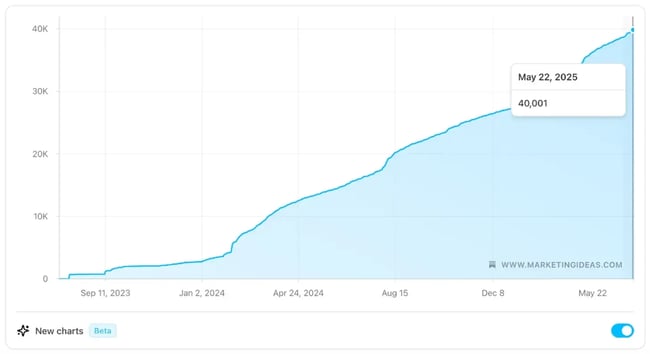
In this post, I’m breaking down the unconventional, effective tactics that helped me grow from 0 to 40,000 subscribers in 1.5 years. Let’s dive in.

Why I Started Marketing Ideas

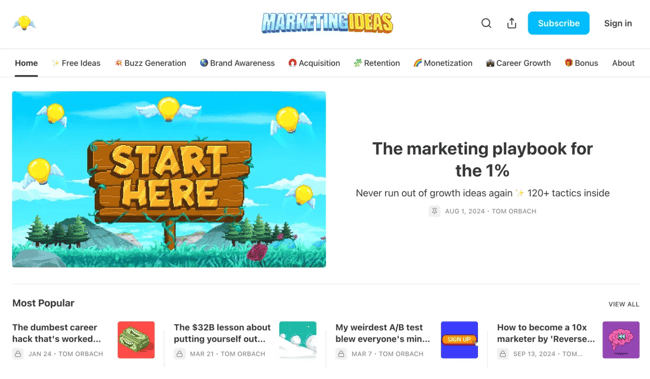
marketing ideas newsletter site

Source

For most of my 12-year marketing career, people have asked me for creative growth ideas, especially the kind that don’t rely on paid ads or big budgets.

It became a pattern. Whether I was working with startups, consulting with clients, or just chatting with friends in the industry, someone would always say, “That’s a great idea. Do you have more like that?”

Over time, that demand snowballed. I got invited to speak at conferences, give guest lectures at companies and universities, and hop on calls with marketers looking for scrappy tactics that actually worked. It was clear there was a real appetite for practical advice, the kind that’s hard to find in blog posts or playbooks.

That’s what led me to launch Marketing Ideas, a weekly newsletter that delivers one actionable growth tactic at a time. No theory. No filler. These are just real things marketers can try immediately.

Of course, coming up with useful content was only part of the job. I also had to figure out how to get it in front of people. Here’s what really drove growth.

What Really Drove Growth

growth on marketing ideas

Source

1. Promote a landing page during talks, before the newsletter even exists.

Before I ever sent a single email, I already had a subscriber list.

I spoke at conferences, company offsites, and universities. At the end of every talk, I‘d plug a simple landing page. I’d say something like, “I’m launching a newsletter soon to share more ideas like these. You can sign up now.”

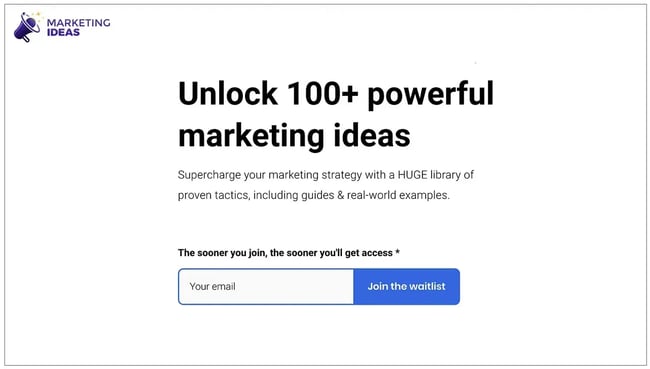
marketing ideas waitlist

Source

That one-liner and that barebones landing page got me nearly 1,000 early subscribers. And, not just casual ones. These were super fans who had just seen me speak, liked what they heard, and wanted more. When I sent my first issue, they were already primed to share it.

That momentum made all the difference.

2. Guest-write for other newsletters (especially paid ones).

tom guests posts for growth unhinged

Source

One of the most underrated growth tactics is to borrow someone else’s audience.

I reached out to newsletter creators, especially those with paid subscriptions, and offered to write free guest content for them. They got high-quality material to monetize. I got visibility and credibility.

It wasn’t just a list growth tactic. These guest posts helped me prove value to new readers, build trust quickly, and often opened the door to longer-term partnerships. Even if just 1% of their audience subscribed to Marketing Ideas, that compounding effect really added up.

3. Cross-promote through real relationships.

After those guest posts, I stayed in touch with the authors.

Not to squeeze more promotion out of them, but because I genuinely liked their work. When you approach creators as peers rather than as distribution channels, the relationships last. And, because we actually enjoyed each other’s content, we’d mention each other organically. That kind of endorsement hits way harder than a one-off shoutout.

It’s slow, but it’s sustainable and real.

4. Offer free advice on LinkedIn.

tom orbach gives free advice on linkedin

Source

This one always works. I’ll post something like:

  • “Drop your website below, and I’ll give you a custom growth idea.”

Then, I reply to each person with an actual suggestion, usually something I’ve already written about in the newsletter. At the end of each reply, I include a link to subscribe.

These posts get massive reach, drive hundreds of new subscribers, and often spark conversations with founders, marketers, and creators I’d never have met otherwise. It’s one of the most effort-intensive tactics I use, but also one of the most rewarding.

And it’s not a gimmick. It works because it feels like what it is: real help, one person at a time.

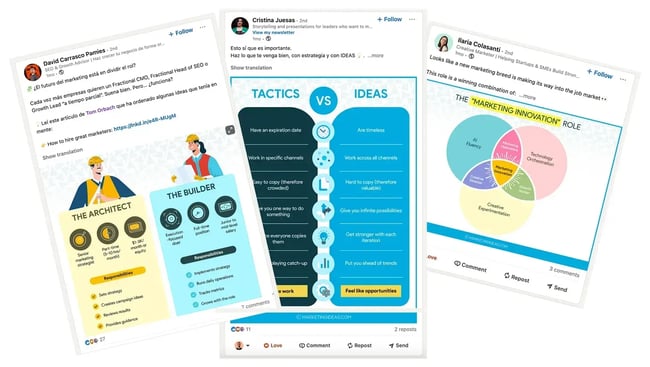
5. Use infographics to boost shareability.

marketing ideas infographics

Source

I include infographics in my newsletter issues, even when they’re arguably unnecessary.

Why? Because people love sharing them.

If someone reposts one of my visuals on LinkedIn or X, it makes them look smart. A shared infographic feels like thought leadership. A shared newsletter link? Less so.

Even when the infographic doesn’t add much new info, it amplifies reach. I’ve seen the data: Issues with visuals are shared more frequently, linked more often, and ultimately lead to more subscribers.

6. Activate superfans on Reddit.

Reddit was a surprise growth channel.

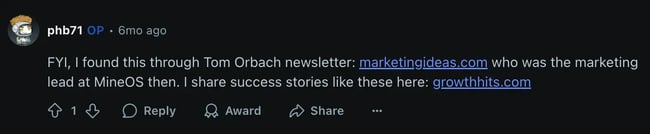
One day, I noticed a few people recommending Marketing Ideas in random Reddit threads. I checked the UTM tags and saw that each of those comments was driving dozens of new subscribers.

marketing ideas promoted on reddit

Source

So I tracked those users down — literally just searched for my domain on Reddit — and reached out to thank them. I found out they were genuine fans. No hidden agenda. They just liked the newsletter and wanted to spread the word.

I asked if they’d be open to a small monthly payment to keep sharing when it made sense. They said yes, and we set up a simple agreement. They were already doing it for free; this just gave them an extra reason to keep going. And now, I have active, trusted users helping promote the newsletter in a channel where self-promotion is usually a non-starter.

7. Repurpose unsolicited praise as social proof.

Every time someone posts something nice about the newsletter or leaves a thoughtful comment, I save it.

I keep a growing database of these and turn them into testimonial-style posts. I don’t ask for permission because they’re public, and I always link back to the original comment in case anyone wants to see it in context.

These screenshots perform way better than any self-promotional post ever could. They’re authentic, unexpected, and precisely the kind of social proof people trust.

8. Promote other newsletters to spark reciprocity.

Sometimes, I’d reach out to a newsletter creator I admired and get no response.

Instead of giving up, I’d flip the script. I’d promote their newsletter anyway. I highlight it in a LinkedIn post, share it in Marketing Ideas, or just recommend it in passing.

Once I had some results (clicks, comments, shares), I’d follow up with the original creator and show them what I did. Nearly every time, they’d respond and return the favor.

This tactic works because you’re not asking for anything. You’re giving first, with proof. And when you do that, people are way more likely to say yes.

Hard-Learned Lessons

Looking back, there are two things I’d change if I were starting again.

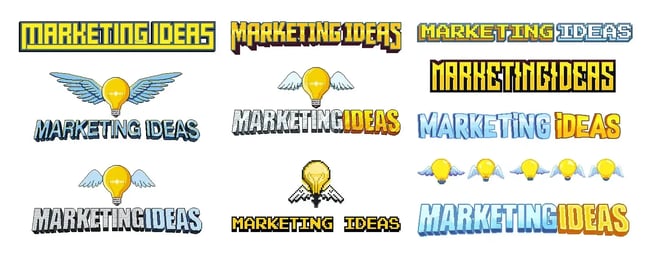
1. Don’t wait for the perfect design.

marketing ideas logos

Source

I spent months tweaking my logo, header layout, and colors before launching. I already had content ready, but I held off because the visuals didn’t feel “good enough.” Huge mistake.

Nobody cares about your branding the way you do. They care about what you’re teaching them. If I could do it over, I’d launch earlier and refine the look later.

2. Stop writing like you’re trying to impress other marketers.

In the early days, my issues were long. Some were 2,000+ words packed with context and backstory. But readers didn’t want a mini-essay. They wanted the tactic. The “here’s what to do and how to do it” part. Once I leaned into that, engagement shot up. Every week, I now focus on delivering one thing: Something useful you can try today.

The Playbook is Still Being Written

I‘m still testing, still tweaking, still figuring it out. What worked a year ago might not work tomorrow, and that’s part of the fun.

If there‘s one thing I’ve learned, it‘s this: Growth doesn’t come from doing what everyone else is doing. It comes from trying things most people overlook because they seem too small, too weird, or too unscalable.

The best growth tactics aren‘t hiding in expensive courses or fancy marketing tools. They’re in comment threads, DMs, and the spaces where honest conversations happen. They’re genuinely helpful before you ask for anything in return.

Want to stand out? Be useful. Be human. Do the things that don’t scale. And, if you find a tactic that works? Share it.

Categories B2B

8 ways to use AI in digital marketing [+ examples]

ChatGPT and Google Bard have entered the chat. If you haven‘t joined the conversation around artificial intelligence (AI) in digital marketing, you’re missing the party.

Perhaps you‘re exploring AI on your own, or your boss asked you to report back on ways to implement AI in your work (welp!). Whatever your motivation, I’m here to help.

Download Now: The Annual State of Artificial Intelligence in 2025 [Free Report]

I’ll break down what AI in digital marketing is, how to use it, examples, pros and cons, and marketing strategies that benefit from AI.

Table of Contents

AI uses machine learning and large-language models (LLMs) to analyze big data and turn it into actionable insights, automated actions, and content.

AI can even interact with customers who perform a specific behavior on your website, like clicking a button or liking a social media post.

What does this mean for you? With AI, you can analyze customer behavior, predict outcomes, automate marketing tasks, and create and personalize marketing content.

New AI tools are coming on the market every day. They promise to help marketers do their jobs faster, smarter, and more easily. Since these tools are still emerging, not every one is a home run, and the number of tools to research is overwhelming.

We’ve surveyed over 1,000 marketers to see how they use AI in their jobs and where it impacts them.

Pro tip: If you’re a HubSpot user, check out our new AI tools. We have a new content assistant, AI Blog Topic Generator, and ChatSpot tools to streamline your day-to-day. Our features use AI, including SEO, call recordings, social media, data management, and more.

hubspot ai content assistant for digital marketing

Get started with HubSpot Content Assistant.

How do digital marketers use AI?

In our latest survey, 66% of marketing professionals globally said they use AI tools in some form in their jobs, with 74% of US marketers adopting AI in their roles. The purpose and level of integration can vary widely, but AI adoption continues to grow as in-built AI features make these tools more accessible.

So, how are they using it? Our 2025 research found that text-based content creation leads the way, with 55% of AI-using marketers relying on it for blogs, emails, and social posts. Research follows closely behind at 47%, including market research and article summarization, while 41% use AI for automating direct brand messaging and conversational marketing.

Let’s take a closer look at the potential uses of AI in digital marketing.

Ways to Use AI in Digital Marketing

1. Data Analytics

Struggling to make sense of large data sets? Most digital marketing tools give you analytics, but marketers often have to export and piece together data from different platforms like puzzle pieces to get the big picture.

AI can collect and sift through large amounts of data from multiple marketing platforms and summarize the findings. 36% of marketers who use AI rely on it for data analysis and reporting, making it a significant use case for improving marketing insights.

This will help you save time when strategizing and developing marketing assets for your campaigns.

Pro tip: HubSpot Sales Hub has conversational intelligence capabilities to help you understand how your team performs on customer calls through data-driven insights.

Learn how to use account-based marketing recommendations powered by AI.

2. Content Creation

Digital marketers can instruct AI to write marketing content, including captions, social media posts, email copy, and even blog copy. Beyond writing, marketers can use AI for multimedia like images, audio, and even video.

Content creation remains AI’s killer use case, with 55% of AI-using marketers relying on it for text-based content creation. Additionally, 38% use AI for multimedia, including videos, images, and audio.

It‘s important to note that most AI-generated content isn’t ready for publishing immediately. Most marketers today use generative AI as a starting point — whether that’s ideation, an outline, or a few paragraphs to ignite creativity.

Only 4% of marketers using AI say that they use it to write entire pieces of content, and just 7% publish AI-generated content with no edits at all. Most make significant edits to AI-generated text (56%) or minor tweaks (38%) before publishing.

Pro tip: HubSpot’s AI-powered Content Assistant helps you generate blog ideas, create outlines, and write blogs or marketing emails.

hubspot ai powered content assistant

3. Reducing Admin Work

Like any professional role, digital marketers spend a significant amount of time sitting in meetings and doing administrative tasks.

HubSpot’s 2025 State of Artificial Intelligence report found that 78% of marketers agree that AI helps reduce time spent on manual tasks like data entry and scheduling. In fact, 26% of AI-using marketers leverage AI to take notes and summarize meetings.

AI tools can tackle manual tasks like scheduling meetings, summarizing articles and research, and taking notes. These functions aren‘t sexy, but they free up a marketer’s time on more important, creative parts of their jobs.

Or take Superhuman, the email known for its speed. Its AI features save hours in your inbox by summarizing whole email threads, preparing draft replies in your voice, and an AI search 2-3x faster than Gmail‘s or Outlook’s.

4. Content Personalization

AI analyzes users online and gives them a more personal experience with marketing assets, including web pages, social media posts, and emails. Our research shows that 60% of marketers believe AI helps them personalize the customer experience.

This means AI can change the customer‘s experience depending on their online behavior or whether or not they’ve filled out a form for your company.

For example, dynamic content changes depending on the user’s name, occupation, online behavior, etc.

6Sense is one example of a tool that leverages AI to sift through intent data. By understanding who in your audience is looking to purchase, you can personalize the marketing experience.

5. Media Buying

Another way to use AI in marketing is through media buying. Gone are the days when junior media buyers hand-select websites or billboards to advertise on.

Instead, adtech platforms use AI to choose the most effective ad and media placements to reach a target audience and maximize ROI.

If you use Google Ads, you’ve already encountered the AI feature that assists with the auction process.

Other standalone AI tools like Pattern89 provide recommendations on your ad spend and enable you to target the right audience to increase performance.

Pro tip: You can also leverage AI to help you write engaging ad copy in a fraction of the time.

Campaign Assistant is a free AI-powered app that can help you generate ad copy for Google, Facebook, and LinkedIn with ease — all with just a few simple prompts.

6. Chatbots

One use of AI in marketing that we’ve seen for years is chatbots. Chatbots, created with natural language processing (NLP), can answer common questions, nurture leads, schedule demo calls, and more.

A chatbot can personalize the customer journey during the stage when they’re consuming marketing content. This tool can also answer customer questions. Our data shows that 31% of marketers use AI for brand chatbots on social media or their website.

Let’s look at Drift, for example. The company has trained its chatbot to answer questions, even outside of a pre-programmed path. This way, if a person has a question that isn’t loaded into the system, the user will still get an answer.

Pro tip: Looking to better understand how AI-powered chatbots can answer customer questions? HubSpot Academy can help. This course describes the difference between rule-based and AI-powered chatbots.

7. Automated Email Marketing Campaigns

Automated email marketing has also been around for years. However, AI tools can help produce more engaging email content and learn about your email list behaviors.

The goal is to have your marketers spend less time researching and brainstorming so they can focus on sending successful campaigns. Email marketing ranks as the top content type where AI is used, with 51% of marketers applying AI to email marketing and newsletter platforms.

As AI expands and improves, automated email marketing software becomes even more important to include in your marketing stack.

HubSpot Content Assistant can help you create marketing emails. Write a prompt about what you’d like to promote — from a discount to a webinar to a blog post — and AI can generate a message with the right tone.

hubspot content assistant helping to make marketing email campaign

8. Predicting Customer Behavior

Another great use of AI in digital marketing is to forecast customer behavior and sales.

AI can predict the outcome of marketing campaigns by using historical data, such as consumer engagement metrics, purchases, time-on-page, email opens, and more.

AI helps marketers understand the predicted outcome of their campaigns and marketing assets and forecast outcomes. These insights help marketers develop better, more dynamic campaigns that produce sales and boost ROI.

9. Improving Customer Experience

Digital marketing is all about the customer experience, and AI can help marketers deliver the best experience for their visitors to convert them into leads.

AI can help increase customer retention and loyalty, delight customers with personalized content, and improve assets. Our research found that 66% of marketers agree that AI helps them spend more time on creative aspects of their job, ultimately leading to better customer experiences.

What AI tools are marketers using?

The AI marketing landscape is vast and growing rapidly. For a comprehensive guide to the top AI marketing tools available today, check out our detailed AI marketing tools guide.

Here’s a sample of popular AI tools marketers are currently using:

General purpose chatbots dominate the landscape, with ChatGPT used by 88% of marketers who use chatbots, followed by Google Gemini at 52% usage and Microsoft Copilot at 44% usage.

For content creation, image generators like DALL-E and Midjourney are used by 40% of AI-using marketers, while video editing AI tools with automatic features see 36% usage, and voice and narration generators like Speechify and Murf are used by 33% of marketers.

Specialized marketing tools are also gaining traction, including HubSpot Content Assistant for blog and email creation, Jasper for copywriting, and Copy.ai for content generation.

The data shows that 71% of marketers use two or more chatbots, with the average marketer using 2.41 different chatbots. This suggests that no single AI tool meets every marketing need, and successful marketers are building diverse AI toolkits.

AI Marketing Pros and Cons

While AI has a lot of great benefits, it‘s still an emerging technology and has some drawbacks. Let’s examine some of the advantages and disadvantages of AI in digital marketing.

ai marketing pros and cons

Pros of AI in Digital Marketing

1. Increased ROI

Companies are seeing strong returns on their AI investments. According to our research, 75% of companies report positive ROI from AI and automation investments, with 34% saying the return has been “very positive.” Additionally, 67% of companies plan to increase their AI spending in 2025.

Rather than running an ineffective ad for an entire campaign, you can harness data analytics and insights to produce better marketing assets in real-time.

This saves your marketing team time and money, allowing them to work more efficiently and increase profits. Cutting staff time and production costs also boosts your ROI.

2. Speed and Efficiency

Efficiency gains are the primary measure of AI success, with 64% of marketers tracking increased productivity and 55% measuring time savings as key outcomes. Our research shows that 78% of marketers agree that AI helps reduce time spent on manual tasks.

This frees up your time and capacity to do more and invest your time where it matters most, but it also helps your brand.

All marketers know that being first in a market is a major advantage.

Whether you’re spinning out social media campaigns based on pop culture moments or launching digital campaigns, the ability to pivot and launch campaigns in days or even hours is pure gold.

3. Better Customer Experience

Another advantage to using AI in marketing is that it can improve your relationship with your customers. Our data shows that 74% of marketers say AI allows them to focus more on the most important parts of their role, while 66% agree that AI helps them spend more time on creative aspects of their job.

The more personalized your recommendations are and the deeper your relationships are, the more likely they’ll become repeat buyers.

AI can also identify customers at risk of churn and put them in an automated marketing campaign to get them to re-engage with your company.

4. Data-Based Marketing Decisions

AI can make scaling your business easier, using data to analyze, predict, and create marketing assets that sell. Our research found that 66% of marketers believe AI pulls insights from data they otherwise wouldn’t be able to find. See how your team can use artificial intelligence and automation in this course from HubSpot Academy.

Cons of AI in Digital Marketing

1. Content Quality and Accuracy

While generative AI has come a long way, its content isn’t flawless. Factual errors are a particular issue: 43% of marketers say that generative AI sometimes produces inaccurate information, making it the top challenge they face.

Additionally, 34% of marketers struggle with AI producing biased content, and 30% say AI’s outputs are often irrelevant to their needs or too surface-level and vague.

If you’re going to use AI to generate content without having a human edit it, you may see a drop in the quality. The success of AI is reliant on high-quality data that is accurate and timely.

Without a human editor, AI can produce content with factual inaccuracies, bias, or a divergent tone from your brand. Using AI requires human oversight so these types of mistakes don’t happen.

2. Privacy

As marketing assets have become more personalized through the years, customers are beginning to value privacy more and more.

With AI, some of these techniques require using a customer’s cookies and previous internet behavior to predict future purchases. Our research shows that 41% of marketers cite data privacy concerns as the primary barrier to AI adoption.

If your marketing team downloads and uses AI software, you’ll need to be sure you comply with privacy laws, such as GDPR.

3. Copyright Concerns

As a new technology, the legal framework for AI is still being built. Generative AI tools are trained on public content from thousands of companies, so it‘s possible they could generate content that’s a little too close to your competitor’s.

Copyright laws are written around human authorship, so it’s unclear if you actually own AI-generated content in the same way. Additionally, 19% of marketers worry that generative AI sometimes produces plagiarized information.

4. Integration and Training Challenges

Our research reveals significant barriers to AI adoption beyond content quality. Training and time investment concerns affect 39% of marketers, while 34% struggle with integration challenges with existing or legacy systems.

Additionally, 34% of marketers say too many tools do similar things but don’t connect to one another, creating a fragmented landscape that can be more frustrating than helpful.

It might be hard to get buy-in to invest in AI at your company because there are non-quantifiable KPIs at play.

Certain metrics will be easy to track, but others — like improving the customer experience, increasing brand awareness, or improving reputation — will be much harder. That‘s why it’s important to have the right measurement tools, like HubSpot’s marketing analytics platform, in place.

The platform lets you track KPIs across all your marketing channels under unified dashboards — from website traffic and page views to the number of leads generated through ad campaigns, and more.

Examples of AI in Digital Marketing

At this point, you might be wondering, “Okay, but how does this look in practice?” Let’s review some real-life examples of how big media companies have used AI in their digital marketing.

1. Netflix

If you’re in marketing, you know you have to deliver the right message to the right person at the right time. Netflix uses AI to do this. How?

On a Netflix Tech Blog, the company explains how it uses previous viewing history to determine the artwork for recommended movies or TV shows.

For example, if you‘ve watched a lot of one actor’s movies, they might recommend another movie they‘re in. But if the artwork doesn’t show off the actor, you may click away.

So, when the movie is recommended to this specific viewer, the artwork will showcase that actor.

Or maybe a viewer tends to watch more comedies than romances. When Netflix recommends a movie, they might change the artwork to show off comedic scenes versus romantic moments from the film.

Let’s take a look at how Netflix would recommend the movie Good Will Hunting to someone who watches romance movies versus the artwork they’d use to recommend the movie to someone who watches comedies.

Examples of AI in Digital Marketing: Netflix

Source

So, why does Netflix do this? The goal is to increase conversion rates and improve the customer experience on their platform.

2. Spotify

Spotify uses a similar approach to Netflix. The company will use AI to understand a user’s music interests, podcast favorites, purchase history, location, brand interactions, and more.

Then, customized playlists and recommendations are curated for each user.

Examples of AI in Digital Marketing: Spotify

This type of content personalization has helped major media companies like Spotify become top streaming platforms. But the personalization doesn’t end there.

Spotify will also send automated email marketing messages with personalized recommendations.

The goal? Create automated marketing messages and assets that will convert a user because the message is specific to that customer.

3. Amazon

Two major use cases for AI in marketing are forecasting sales and analyzing data. Amazon uses AI to do just that.

When you go on Amazon, there is a recommended products section that uses predictive analytics to determine if a customer is likely to make a purchase.

Examples of AI in Digital Marketing: Amazon

This helps the marketing teams at Amazon know what products to place in front of which customers. Plus, they can predict how well a product will sell based on their recommended product campaigns.

This type of AI helps increase conversions, improve customer satisfaction, and measure the overall success and ROI of various marketing campaigns.

4. Dreamhost

Examples of AI in Digital Marketing: Dreamhost

DreamHost’s Business Name Generator uses AI to offer custom-tailored business name ideas. Just input keywords related to your business, and it suggests unique names in real-time and also checks domain availability to help you kickstart your online presence.

5. StoryChief’s AI Marketing Agent: William

Examples of AI in Digital Marketing: StoryChief AI marketing agent

StoryChief’s AI Marketing Agent, William, generates a custom content strategy tailored to your brand by simply entering your website URL. He suggests content pillars, defines your brand voice, identifies your target audience, and even pre-fills your content calendar.

But it doesn’t stop there. William continuously monitors content performance, provides traffic audits, and offers fresh content ideas to keep you ahead of trends. Plus, you stay in control — curating, approving, and publishing content as you see fit.

How to Use AI in Digital Marketing

If you haven’t started deploying AI in your digital marketing strategies, this is your year. However, successful AI implementation requires more than just adopting new tools—it demands a strategic, systematic approach that considers both opportunities and risks.

The best way to make any large organizational change is through a strategic, systematic, and empathetic approach that addresses both the technical and human elements of transformation.

how to use ai in digital marketing steps

1. Define your goals and success metrics.

Before starting out, determine what goal or objective you want to reach. Do you want to make your campaigns more effective? Do you want to save your team time or money? Are you looking to improve personalization or enhance data insights?

Our research shows that marketers measure AI effectiveness primarily through increased productivity (64%), time savings (55%), and better overall role performance (43%). However, you should also consider how AI will impact customer-facing metrics like personalization improvements (39%) and enhanced data insights (39%).

Don‘t skip this step — you can’t determine success without defining your goals and quantifiable KPIs. Consider both quantitative metrics like ROI, time saved, and productivity gains, as well as qualitative outcomes such as employee satisfaction, creative output quality, and customer experience improvements.

Strategic considerations include aligning AI goals with broader business objectives, setting realistic expectations for AI capabilities and limitations, establishing baseline measurements before implementation, and creating feedback loops for continuous improvement.

Potential challenges include difficulty measuring non-quantifiable benefits like creativity or innovation, overestimating AI’s immediate impact on complex marketing challenges, and resistance from team members who fear job displacement.

2. Audit your infrastructure and data readiness.

To start, put together a small team to analyze your current tools and infrastructure and find opportunities for adoption. This audit should examine both your technical capabilities and data quality, as AI success depends heavily on having clean, accessible, and relevant data.

Write a report with all possible areas of implementation, potential outcomes, and what resources you would need to make it happen. Our data shows that 34% of marketers struggle with integration challenges with existing or legacy systems, so this step is crucial.

Assess the quality, quantity, and accessibility of your data to see how suitable it is for AI applications. Don’t forget to identify potential challenges or negative outcomes along with the positive.

You can’t throw out your marketing playbook and replace it with AI strategies overnight, so identify your top two to three areas where you want to test initially.

Strategic considerations:

  • Evaluate data privacy and security standards (75% of marketers heavily consider this factor)
  • Assess technical infrastructure requirements for AI tool integration
  • Identify data silos that might limit AI effectiveness
  • Consider scalability requirements for future expansion

Potential risks:

  • Data privacy violations if proper security measures aren’t in place
  • Integration failures with legacy systems
  • Data quality issues leading to poor AI outputs
  • Overcomplicating existing successful workflows

These don’t all have to be huge initiatives like overhauling your email marketing — small things can add up. For example, using AI tools for note-taking from meetings and transcribing interview recordings can provide immediate value while building confidence in AI capabilities.

3. Audit staff capabilities and address change management.

Another critical area you should assess is whether your staff has the training and knowledge to implement these programs effectively. Our research reveals that training and time investment concerns affect 39% of marketers, making this a significant barrier to overcome.

You’ll likely need to invest in training for your current staff, hire a consultant, or create a new position to drive forward your AI initiatives. Consider that employees are largely willing to adopt AI — 51% are eager to use AI tools—but 17% express hesitation or resistance.

A strategic approach to change management involves positioning AI as an opportunity for your team to reskill and become better marketers, providing dedicated learning resources (56% of marketers learn through educational videos, 48% through company-provided training), creating internal champions who can advocate for AI adoption, and addressing job security concerns proactively and transparently.

For training and development, consider that 37% of companies provide course stipends for AI-related training, 42% offer subscriptions to AI tools or platforms, 39% have internal AI training programs, and 34% provide dedicated weekly hours for AI experimentation.

4. Select the right AI marketing tools strategically.

Once you‘ve identified your goals and top areas for implementation, it’s time to build your toolbox strategically. Your current tools may already offer AI features — 89% of AI users report increased usage due to AI being added to existing tools like Microsoft Copilot or Google Docs AI suggestions.

Our research shows that marketers rely heavily on peer reviews (48%) and free trials (47%) when evaluating new AI tools. This suggests a practical, test-driven approach to tool selection.

Tool selection criteria should focus on data privacy and security standards (prioritized by 75% of marketers), legal terms and ethical policies (considered by 73% and 67% respectively), integration capabilities with existing systems, and cost-effectiveness with clear ROI potential.

Popular tool categories to consider include general-purpose chatbots like ChatGPT (88% usage), Google Gemini (52%), and Copilot (44%), content creation tools such as image generators (40% usage), video editing AI (36%), and voice generators (33%), and specialized marketing tools for email, social media, and analytics.

Strategic considerations include the build vs. buy decision (66% of companies develop internal AI tools for better control and customization), taking a multi-tool approach (71% of marketers use multiple chatbots rather than relying on one), using a free trial strategy to test before committing to paid plans, and conducting thorough vendor evaluation including case studies, peer recommendations, and direct sales conversations.

Potential pitfalls include tool fragmentation (34% say too many tools do similar things but don’t integrate well), over-investing in tools without proper training or change management, choosing tools based on hype rather than actual business needs, and insufficient security vetting, which can lead to data privacy issues.

First, decide whether you’ll use an out-of-the-box AI solution or a custom one. Examples of out-of-the-box AI solutions are Jasper, ChatGPT, or Google Bard.

A custom solution, which you can create with APIs for an open-source AI like Llama 2, can be a powerful solution for long-term success. You can connect and train AI on your proprietary data or train a GPT on your own voice and style.

This approach takes additional expertise, so you’d need to work closely with a consultant or your IT department.

5. Test, analyze, and iterate strategically.

At last, it’s time to test the waters systematically. Take your top two to three areas of implementation and launch controlled pilot programs. Set a timeframe and some target KPIs to watch so you can compare results against your baseline measurements.

Your testing framework should start with low-risk, high-impact use cases, run parallel tests comparing AI-generated vs. human-generated content, document processes, challenges, and outcomes meticulously, and set specific timeframes (e.g., 30-90 day pilots) with clear success criteria.

Key metrics to monitor include productivity gains (64% of marketers track increased productivity), time savings (55% measure time saved across teams), quality metrics such as accuracy, brand alignment, and customer engagement, plus ROI indicators like cost savings, campaign performance, and lead generation.

For iteration and scaling, use learnings from pilot programs to refine your approach, scale successful use cases while discontinuing ineffective ones, continuously monitor for the challenges identified in our research (bias, accuracy, relevance), and build feedback loops with both internal teams and customers.

Risk mitigation strategies should include maintaining human oversight for all AI-generated content (only 7% publish without edits), implementing fact-checking processes to address accuracy concerns (43% cite this as a challenge), monitoring for bias and brand alignment issues, and having rollback plans for unsuccessful implementations.

For instance, if you want to test AI-written and AI-placed social media ads, run a trial period of a month. Monitor and edit the content throughout the month and document the process.

Once you’re done, compare the performance of AI-generated, human-generated, and AI-assisted content to see how it did and create a plan moving forward.

6. Build a sustainable culture of AI innovation.

As mentioned, getting your team on board is key with any new technology change, but building a lasting culture of AI innovation requires ongoing commitment and strategic thinking.

Culture development strategies include asking your team for regular feedback and bringing them along in the process, assuring them that AI is intended to make them better, not replace them, celebrating wins and learning from failures openly, and creating communities of practice around AI use cases.

Organizational support structures should consider that 66% of companies plan to increase AI spending in 2025, showing long-term commitment. You might also consider dedicated AI roles or responsibilities within marketing teams, provide ongoing learning opportunities beyond initial training, establish governance frameworks for ethical AI use, and plan for regulatory changes in AI governance and data privacy.

Long-term strategic considerations include staying current with AI developments and new use cases, building internal expertise rather than relying solely on external vendors, developing AI-specific policies and guidelines, and planning for increased AI integration as the technology matures.

Addressing ongoing challenges involves combating AI fatigue by focusing on clear value delivery, managing the complexity of multiple AI tools and integrations, balancing automation with maintaining human creativity and judgment, and preparing for regulatory changes in AI governance and data privacy.

Remember that building an AI-enabled marketing organization is a marathon, not a sprint. The 75% of companies reporting positive ROI from AI investments got there through careful planning, strategic implementation, and ongoing optimization — not overnight transformations.

Harnessing the Power of AI

Marketing teams can scale their operations with AI, and it doesn’t have to break the bank. Our latest research shows that 67% of companies plan to increase their AI investment in 2025, with 75% already reporting positive ROI from their AI and automation tools.

However, it‘s important to keep in mind AI’s limitations, even as the technology continues to improve over time in the changing marketing landscape. The key challenges marketers face—accuracy issues, bias concerns, and relevance problems — remind us that human oversight remains essential.

While you can use it to aid several marketing campaigns (and should), AI works best as an intelligent assistant rather than a replacement. The most successful marketers use AI to enhance their creativity, productivity, and strategic thinking while maintaining the human touch that makes great marketing truly resonate with customers.

The future of marketing lies not in choosing between human creativity and artificial intelligence, but in thoughtfully combining both to create more effective, efficient, and engaging marketing experiences.

Editor’s note: This article was originally published in March 2024 and has since been updated for comprehensiveness.

Categories B2B

The actual recession marketing tactics that helped brands survive + how your team can implement them

In 2020, I interviewed Andrea Lisbona for Forbes about her less than two-year-old hand sanitizer brand, Touchland. The pandemic was wreaking havoc and the very green startup needed to act quickly and smartly.

That they did — tightening their marketing strategy to meet the demands of the times. It was a real-time masterclass in surviving turbulent periods.

Download Now: How to Be More Productive at Work [Free Guide + Templates]

Fast forward to today: If the recent $700 million acquisition by Church & Dwight is any indication, Touchland didn’t just survive — they’ve established themselves as a major category leader.

In this post, I’ll review 10 companies, including Touchland, that viewed turbulent times as opportunities to innovate, scale, and build invaluable loyalty.

1. Touchland

Touchland sells hand sanitizers and body and hair fragrances. They feature lovely scents and unique packaging for their products, aiming to turn mundane moments into little bursts of delight.

During the pandemic, Touchland doubled down on empathy, transparency, and two-way communication via social media, email, and SMS, ensuring their customers felt seen and supported.

“During a time of global uncertainty, we leaned into uplifting, sensorial experiences that helped people feel a sense of joy,” Lisbona told me in a more recent check-in for this piece. “It was critical to lead with transparency, empathy, and innovation. We weren’t just selling a product; we were redefining what personal care could feel like.”

Setting out to make hand sanitizer feel less like a commodity and more like a personal care experience, they ditched traditional ads (likely saving them a pretty penny) and leaned heavily into content creators, earned media, and impactful storytelling (including behind-the-scenes footage — something consumers love to see).

What They Got Right

I think what made Touchland stand out from other hand sanitizer companies during the pandemic was their focus on connecting with customers on a personal level. Check out this Instagram post, for example.

In this day and age, the personal connection via social media and content marketing feels more authentic than paid ads. Touchland successfully tapped into the emotional side of self-care, which was especially resonant during a global health crisis.

“One of the biggest lessons was that agility beats perfection,” shares Lisbona.

“During the pandemic, we had to make fast, key decisions with incomplete information. Whether it was pivoting our messaging, adjusting supply chain operations, or scaling fulfillment in real time, the experience taught me to lead with decisiveness and trust my instincts.”

What Teams Can Learn

Building two-way dialogue with your audience is vital. I recommend tapping into HubSpot’s conversational chatbot builder as a great start. When you invest in community-oriented brand building, it makes all the difference.

2. TeamLogic IT

TeamLogic provides IT solutions and consulting services for small businesses. It was particularly relevant during the 2008 recession. In fact, sales for technology increased during this time. TeamLogic IT stood out by positioning itself as a cost-effective, reliable solution to tech pain points for companies — a move I believe was key to their success.

Fast-forward to the pandemic, and the same customer-first strategy was applied. Responding to the shift towards hybrid work environments, TeamLogic IT helped businesses develop IT infrastructures that could accommodate both remote and in-office operations.

teamlogic’s offerings as listed on their website

Source

What They Got Right

I think TeamLogic succeeded during these difficult economic times by staying focused on the changing needs of their clients. They stayed agile and attentive instead of doubling down on their current offerings. This is why listening to your audience is so key, whether that is through customer surveys or social listening.

What Teams Can Learn

Focus your offerings on what customers need most during uncertainty. How can you offer solutions that are both cost-efficient and reliable?

3. Netflix

Netflix needs no introduction. But in case you’ve forgotten (or are too young to remember), Netflix wasn’t always the streaming giant they are now. They used to rent physical DVDs sent via mail to its customers.

When Netflix recognized physical video stores and DVD rentals were failing, they started partnering with Xbox and other platforms to make films accessible, affordable, and digital — just in time for the ‘08 recession when people were seeking easy, at-home entertainment.

netflix mission statement that got them through the recession

Source

What They Got Right

Netflix could have easily gone the way of the dinosaurs, along with so many other outdated technologies. Instead, the company thrived because they were willing to let go of their old way of doing things and invest in the tech of the future.

Back then, it was switching from physical to virtual, while today it is about embracing AI. What remains consistent is that innovation is key for long-term success.

What Teams Can Learn

Don’t be afraid to innovate to meet shifting consumer behaviors and needs. Staying relevant is the only way to thrive.

4. Citigroup

Banks don’t exactly have the best reputation during recessions — economic downturns breed a lot of skepticism and distrust for financial institutions, which is understandable. But Citigroup became one of the few banks to actually grow its assets post-recession by focusing on quality branding, building trust, and supporting local communities.

For example, they launched efforts to support affordable housing and small business lending. They also funded non-profit organizations that provided financial literacy.

citigroup marketing during recession

Source

What They Got Right

When your industry is under public scrutiny or has suffered a PR crisis, I think it’s more important than ever to lean into your brand. What’s your mission? What sets you apart from competitors? Why should customers choose you?

Showing up matters. It’s not enough to just offer great services — going the extra mile in being a valuable resource yields solid trust and loyalty. Teams that go beyond their core offerings to genuinely support their customers and communities stand out.

What Teams Can Learn

Lead with your mission. Help customers know what to expect from your brand. If you feel that you don’t have a strong brand identity, I recommend using this free guide to explore, define, and communicate your “why.”

5. Lego

You might assume the toy industry would be deemed unessential during a recession — and you’d be correct. So during the 2008 U.S. recession, Lego decided to expand into a global market, concentrating its efforts on building revenue in Europe and Asia.

The company reached an all-time high profitability by identifying that the best way to weather a domestic storm was to set its sights on untapped territory.

lego website homepage

Source

What They Got Right

As the 2008 recession was most acutely felt by the U.S., expanding into new international markets that were better off financially was a great move for a brand selling unessential goods.

What Teams Can Learn

Thinking small (literally) will cost you. When your home market is tough, looking beyond familiar borders and exploring new opportunities can be the key to survival. If you feel your current market stagnating, you can explore new markets using these tools to expand your reach.

6. Mailchimp

Mailchimp has been through a lot. The email marketing company weathered the economic downturn in 2001 (in fact, that’s when it was founded) and the 2008 recession. In 2008, the company altered its entire model to become a freemium business. Their revenue soared after that.

mailchimp services as listed on website homepage

Source

What They Got Right

I think Mailchimp is a great example for other SaaS businesses. They knew they offered a valuable service and that many companies would benefit from it, but they recognized that tightening budgets would prevent brands from signing up.

By offering a freemium plan, they could provide real value to businesses at no cost. Once those businesses truly appreciated Mailchimp’s service and wanted to grow, they were willing to pay for the higher tiers.

What Teams Can Learn

Many customers wanted to use Mailchimp during the recession because it was free. By adjusting to the times and offering a no-cost product, the brand was able to grow. They’ve maintained this business model ever since — and you can implement it, too.

Wondering how to price your SaaS products? Check out this blog.

7. Warby Parker

Warby Parker sells glasses in person and online. They sell frames for prescription glasses as well as sunglasses and contacts. What really stands out to me is their innovative way of selling frames online.

I’m a big fan of Warby Parker’s model — I just so happened to be one of their customers during the pandemic. I conveniently selected five frames online and had the chance to test them out at home for free for five days before deciding on which I liked most. Once my decision was made, I then sent them back via a prepaid label. My selection (this time with my actual prescription) made its way to me shortly after.

warber parker value prop from website homepage

Source

What They Got Right

Warby Parker was filling a necessary gap during crisis: Providing a low-pressure and affordable way to shop for fashionable glasses without leaving your house. By making their service available in a different form, Warby Parker was able to weather the pandemic when many other companies went out of business and better serve their customers.

P.S. I still have my “Hughes” in the Chestnut Crystal today — just with an updated prescription. Warby even sends me reminders when my prescription is nearing expiration, along with a suggestion to use their own Virtual Vision Test.

What Teams Can Learn

This is a lesson in how teams can capitalize on industry needs and major unaddressed pain points. Warby Parker created a solution to tedious and expensive eyewear shopping that’s still in demand today. Consider how you can better serve customer needs or make your offering more convenient to today’s customers.

8. Partake Foods

During the pandemic, Partake Foods, an early-stage snack company catering to those with major food allergies, was thriving. It closed a $4.8 million series A funding round in late December 2020, led by investors including Rihanna.

When I exclusively interviewed its founder, Denise Woodard, for Forbes in January 2021, Woodard told me her grind got her very far. “I sold cookies out of my car up and down the street in New York every single day; I drove to natural food stores and did demos every single day . . . there’s so much of a longer grind.”

founder image and mission statement

Source

What They Got Right

Woodard’s marketing efforts and team have evolved from these early days, but this hands-on approach, purpose-driven storytelling (like leaning into the food allergies of Woodard’s own daughter who inspired the brand), and spirit of connection remain major through lines. This strong brand story and identity make Partake foods stand out from other brands, in my opinion.

What Teams Can Learn

Don’t underestimate the value of mission-driven branding; it’s often what makes you stand out and build lasting loyalty, especially in crowded markets. A strong story and message, even with a niche concept or product, can make all the difference.

9. Rent The Runway

Rent The Runway launched in 2009 to offer high-end apparel and accessories on a subscription or one-time rental basis. The brand was a saving grace during the recession — people with much tighter budgets could experience luxury fashion without the hefty price tag or long-term commitment of ownership.

What’s more, RTR was a welcome option for a growing consumer base conscious of sustainability and mindful consumption.

rent the runway marketing, website homepage

Source

What They Got Right

RTR changed luxury apparel shopping forever. Recognizing that most people didn’t have money to burn on fancy clothes for one occasion, they realized they had an opportunity to change a one-time purchase into a rental/subscription model.

What Teams Can Learn

Identifying consumer needs is the foundation for unlocking your most compelling selling points. When you truly understand what your customers are struggling with, hoping for, or aspiring to, you can highlight the aspects of your product or service that matter most to them. Try thinking outside of the box to disrupt the norms and offer something new.

10. Topicals

Topicals, which offers science-backed tailored skin-care solutions, launched in August 2020 at the height of COVID. Stigmas around skin issues and how it affects mental health played a huge role in the brand’s marketing.

Within months, Topicals was selling out repeatedly. I think Topicals’ success lies in identifying the underlying cause of a consumer pain point coupled with a strong community.

topical missions statement and about page

Source

What They Got Right

Topicals created an online community for its customers at a time when most people were isolated and lonely. They took the opportunity not just to promote their product but to genuinely connect with their buyers and connect them to each other.

Want to build an online community, too? Use these templates to get started.

What Teams Can Learn

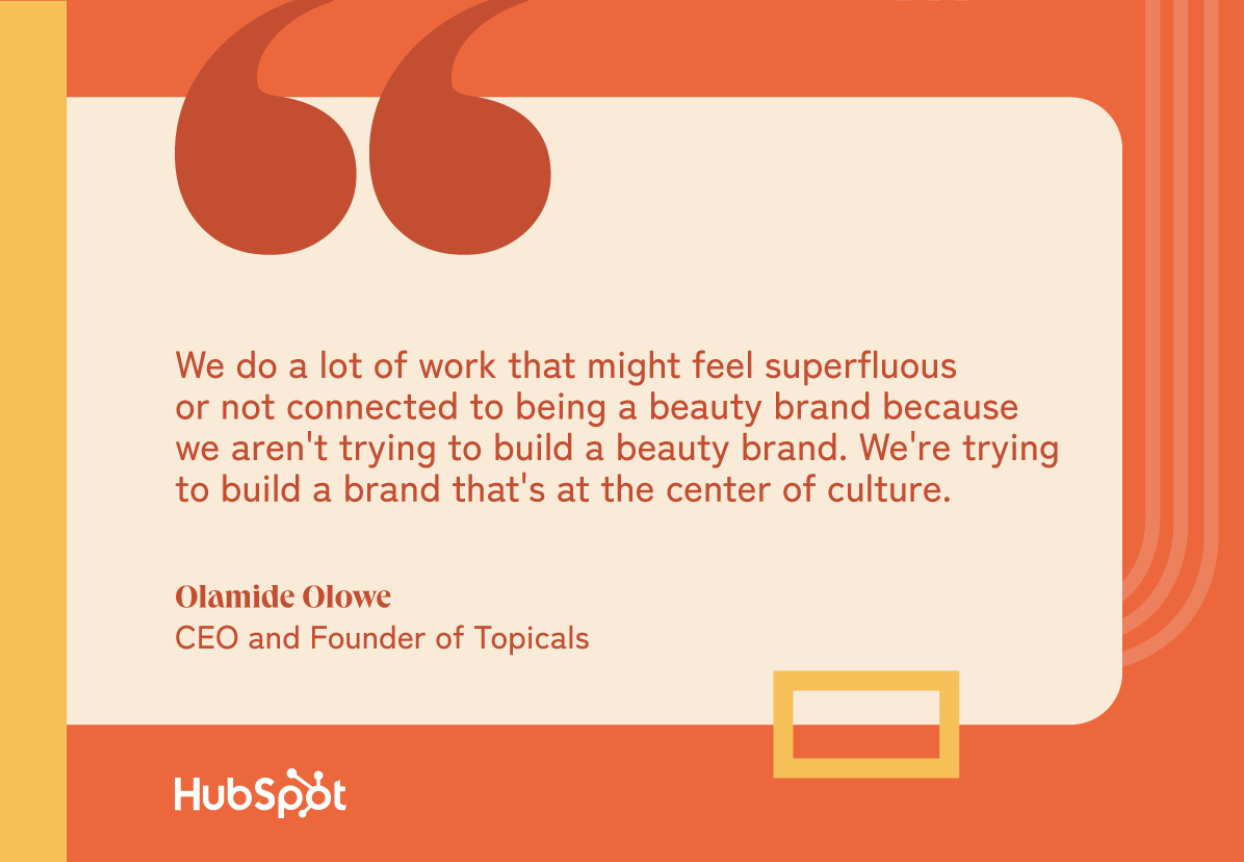
Consider how you can lean into personalized marketing. I wrote about how Topicals does this masterfully in a previous HubSpot article. Making customers feel special and appreciated is especially important in tough times.

Remember: Opportunity is abundant in turbulent times.

Speaking to Touchland some five years ago, I knew it was poised for greatness. Why? Because its fearless leader had the right mindset and mission.

“Turbulent times force clarity,” says Lisbona. “They make brands focus on what truly matters to customers and eliminate distractions. During the pandemic, we saw a surge in demand for hand sanitizers, but more importantly, we saw a desire for elevated self-care. That insight allowed us to position Touchland not as a utility, but as an indulgent moment of joy in people’s routines.”

I’m inspired by brands like Touchland that use uncertain times to double down on their why. We can all agree that the state of the world will always be unpredictable, but the companies that stand firm in their purpose, aren’t afraid to pivot, and stay attuned to the most pressing needs of their customers are the ones positioned for lasting impact.

Editor’s note: This post was originally published in July 2020 and has been updated for comprehensiveness.

Categories B2B

I run a zero-employee marketing agency entirely with AI tools — here’s how

A few years ago, I was head of content at a health insurance company — a role that required a team of full-time employees and freelancers to get the job done. But once ChatGPT hit the scene, I realized I could strike out on my own.

Download Now: Full-Stack AI Marketing Toolkit

Managing people is hard, messy, and expensive. I wasn’t always doing the part of the work that I enjoyed. When I saw what AI could do, even in the early stages, I thought, “Wait, what if I can just do this myself without hiring anyone?”

I started small, but even from our first client, I realized it was feasible. Then, with OpenAI’s improvements and the progress in artificial intelligence, I realized that I could scale my agency exponentially with just these tools.

How My AI Agency Works Day-to-Day

Before I go any further, let me explain my agency model. I work with startup founders who have limited internal headcount and time. Many of them don’t have a marketing team, so I am it.

I need to make content that would normally take an army of creators to produce and actually deliver results. Here’s how I do it.

1. I build workspaces with ChatGPT Projects.

I never just open ChatGPT and start asking it for content without context. Instead, I use ChatGPT Projects to create a custom GPT page that actually reflects the brand I’m working with.

I give the GPT project details and information about the brand’s voice, style, product, and idiosyncrasies. I even feed it a master Google Doc with writing-style samples, so it can get the voice and tone right. That may include work the brand has already published or pieces from a publication they really like.

I also add general information about the company and the product. The goal here is to train the model on everything that it could possibly need. That way, once we start writing something, it already has a lot of context, and I don’t need to include all that in the prompt.

2. I start with material that already exists.

Every piece I make starts with human insights. I may have a webinar, podcast, or interview transcript. I may get a voice note (I love Superwhisper for this). While you can start with research or data, I find that the more conversational, the better.

The most common material I start with is an hour-long interview with a startup founder. Many of these leaders don’t think they have something to say, but once I get them talking about what’s going on in their industry, we find plenty to talk about.

The goal is to turn rambling, sometimes messy, material into polished content. Usually, an hour a month is all I need to create a month’s worth of social media content.

3. I analyze transcripts.

At this point, I feed ChatGPT the transcript in the Projects page and ask it to analyze it for insights. My prompt is usually something like this:

  • The text below is a transcript from my conversation with a founder. Your job is to do the following with the transcript: List the main ideas from the conversation that I can repurpose into an insightful blog post. Focus on the most unique and insightful topics and insights shared. It should capture the real meat of the information, not a vague, useless summary.

Another lightbulb moment was figuring out which types of content perform well on different platforms. I then templatized these posts and asked the GPT to look for talking points that map to key phrases.

For example, I know that “I’ll be honest: [vulnerable or surprising truth]” is a successful hook. So, I ask ChatGPT to look for it in every transcript.

4. I use laser-specific prompts.

Next, I choose the topic or insight I want to focus on and feed ChatGPT my ultra-specific content brief. Here’s an example:

Create a comprehensive blog post outline for this topic. The outline should:

  1. Start with a compelling headline that will attract [your target audience].
  2. Include an introduction section that hooks the reader and clearly states the main thesis/argument.
  3. Break down the main body into 3-5 key sections with clear subheadings.
  4. For each section, include 2-3 bullet points of the specific insights/arguments to cover.
  5. Include a section on practical takeaways or applications.
  6. End with a conclusion section that ties everything together.

Use only information from the transcript while expanding the depth of analysis beyond what would fit in a social media post. The outline should provide enough structure and detail that I can easily see the flow of the article before committing to writing the full piece. Make sure each section builds logically on the previous one and supports the main thesis.

The great thing about prompting AI is that you can get very clear, direct, and almost mean! I tell it exactly what I want it to do and what I want it to avoid at all costs. I talk to ChatGPT in all caps all the time.

Pro tip: It’s helpful to add a footnote to your prompt with any words or phrases that are a no-go, like “ensure” or “in the realm of.” If you just prompt those from the start, you can remove steps for yourself down the road.

5. I edit and polish.

After this, you have a first draft. That’s where I come back in as a journalist and an editor. First, I go through the recording or transcript one more time to see if ChatGPT missed any great takes or quotes. Sometimes, it does, and I add those zingers back in.

Then, I work with it a little bit to make sure the content is actually saying something. You have to be present. You can’t just prompt AI and outsource the thinking. The output won’t land. If your content is just repeating what’s already out there, move on to the next idea.

Finally, I edit and proofread the draft to make sure it matches my client’s brand, voice, and goals. If it misses, I may tweak my prompt for the next time so there’s a constant cycle of improvement.

how my ai agency works day-to-day

Here’s Why a Zero-Employee Agency Works

Five years ago, I wouldn’t have believed you if you’d told me that I could build an agency with just a tech stack and no team. Here’s why it worked for me, and why it can work for you.

1. It’s affordable.

As I mentioned, my clients are startups and don’t have the budget to hire the top-tier writers. While human writers are still worth every penny, they’re out of reach for many.

The entry-level writers who are affordable need extensive coaching and editing. Sometimes, I would need to rewrite 60% to 70% of their first drafts, which is painful for everyone involved.

2. It’s fast.

As soon as I tried ChatGPT, I realized its drafts were better than what I was usually given, and I didn’t need to wait two or three weeks. I could prompt it, rework it, and get it to the client that same day.

3. It’s lean.

Now, instead of hiring a whole team to do every aspect of the work, I have myself and a robust tech stack that’s much more cost-effective than an agency model.


Traditional Agency Model

AI Agency Model

Agency Team

  • Freelance writers
  • Editor
  • SEO specialist
  • Social media manager
  • Copywriter
  • Marketing designer
  • Video editor
  • Audio editor
  • Email writer
  • Data analyst
  • OpenAI
  • Claude
  • Superwhisper
  • Descript
  • Granola
  • Midjourney
  • Riverside

Annual Cost

$336,000

$786

Staying lean enables me to test new strategies faster and more affordably.

Let’s say I wanted to try email marketing. Before, I would need to hire specialists and brief them. The process might have taken two months to launch. Now, I can test, produce, tweak, and relaunch a campaign on short notice at a low cost.

Prompts to Scale Your Marketing Agency With AI

Ready to get started training your GPT and scaling your agency with AI? I’ve compiled my best prompts into a toolkit to help you extract insights and create on-brand, engaging content, without expanding headcount or compromising on brand standards.

Categories B2B

The HubSpot Blog’s AI Trends for Marketers Report [key findings from 1,000+ marketing pros]

With 66% of marketers globally using artificial intelligence in their roles, it’s no longer a matter of if you should use AI but how. How are other marketers (and your competition) using AI? How can you use AI ethically?

To understand AI in marketing in 2025, we surveyed over 1,000 marketing and advertising professionals worldwide.

Download Now: The Annual State of Artificial Intelligence in 2024 [Free Report]

Our findings will help us decipher AI trends, find the current most common use cases for AI, and learn how to navigate the technology as new laws and guardrails address its usage.

Table of Contents

Key Findings: The Current State of AI

1. AI is no longer an experiment — it’s integral to marketing workflows.

When AI first began gaining traction, we often encouraged marketers to experiment with AI and see if/how they can adopt it into their workflow.

Well, the days of just experimentation are over, and while the robots aren’t taking our jobs, they are now embedded in our workflows.

Here are the facts:

  • 91% of marketing leaders say employees/teams at their organization use AI to assist them in their jobs.
  • 82% of marketers say either they or their company invested in automation tools for employees to leverage in their roles.
  • 66% report that their organization builds internal AI tools specifically for marketing teams.

As you can see from these stats, marketers have fully embraced AI as an assistive tool. So, if you’re still not embracing AI within your organization, best believe your competition likely is.

91% of marketing leaders say employees/teams at their organization use AI to assist them in their jobs.

2. Though AI has become commonplace in marketing, barriers still keep more marketers from adopting new AI tools.

While AI has become crucial and normalized in marketing, many marketers are still hesitant to integrate new AI tools into their workflows. Here are the Top 3 concerns I’ve pulled from our survey:

  • Data Privacy — The majority of marketers in our survey (42%) say data privacy concerns have prevented their team from adopting new AI tools in the past year.
  • Training and Time Investment — 39% of marketers said investing in time and training on new AI tools created a barrier against adopting them.
  • Too Many Similar Tools — 35% of marketers say there are too many AI tools that all do the same thing but don’t connect to one another, creating more complications when adopting new ones into their workflow.

Data Privacy — The majority of marketers in our survey (42%) say data privacy concerns have prevented their team from adopting new AI tools in the past year. Training and Time Investment — 39% of marketers said investing in time and training on new AI tools created a barrier against adopting them. Too Many Similar Tools —35% of marketers say there are too many AI tools that all do the same thing but don't connect to one another, creating more complications when adopting new ones into their workflow.

3. AI is not taking our jobs.

While I understand marketers worry about their job security in the age of AI, our latest data shows that 65% of marketers champion using AI as an assistive tool while encouraging others not to become overly reliant on it. Why? Because AI is evolving, but it isn’t perfect.

AI-related challenges, like inconsistencies and bias, still exist today.

We haven’t lost the power of the human touch.

Right now, most industry professionals are using AI to support job functions, not replace them entirely. So, you can go ahead and exhale.

 65% of marketers champion using AI as an assistive tool while encouraging others not to become overly reliant on it.

Now that AI is the norm, are there regulations on the use of AI in marketing?

In the United States? No. Currently, no comprehensive federal legislation or regulations address the use or development of AI in the U.S.; however, other countries and regions have restrictions and stipulations.

For example, the European Union passed the AI Act, which enforces strict rules on AI transparency, bias, and high-risk applications, such as algorithms. In China, companies must register AI models with the government.

For multinational companies, these regulations mean that AI marketing practices that work in the U.S. could be banned in other regions, thus locking them out of major global markets.

So, if you‘re a strictly U.S.-based company, you don’t have much to worry about, right? Not exactly. While there aren’t any set AI laws to adhere to, many consumers are divided in their feelings toward how companies use AI.

For instance, Coca-Cola faced harsh backlash from consumers who called the company’s AI Christmas 2024 ad a “creepy dystopian nightmare.”

Audiences were turned off by the ad’s choppy appearance and criticized the ethics (or lack thereof) of using AI instead of working solely with artists and animators.

Consumers also worry about how personal data is used in AI training and the chances of a data breach that jeopardizes their privacy.

So, how can marketers address these concerns? The key is to be transparent. Let your consumers know if and how AI is being used in your marketing strategy, whether it’s in content creation, data gathering, or communication.

For example, many media outlets include a note at the start or end of their blog posts clarifying that the post was created entirely or with the help of AI.

General Attitudes Towards AI

The Marketer’s Perspective

I mentioned earlier that most marketing pros believe in AI’s benefits but don’t want to rely on it 100%.

They believe AI supports two core personal areas: time and productivity.

We found that 79% of marketers agree that AI and automation tools can help them spend less time on manual tasks, and 73% agree that they can spend more time on the most important parts of their role.

66% of marketers say AI and automation tools can help them spend more time on the creative aspects of their jobs.

You know what that means? Less busy work and more time for big thinking. I’d consider that a win.

And if you want to see for yourself how AI can boost productivity and save time, experiment with tools like Breeze Copilot, which uses generative AI and CRM data to elevate work and execute tasks quickly.

The Organizational Perspective

At the organizational level, 50% of marketing leaders say their organization at least somewhat supports marketers using AI in their roles, 30% say their organization does not encourage the use of AI, and the remaining 20% say their company has no specific policy regarding AI.

Meanwhile, 75% of leaders whose organizations have invested in AI say that the investment has yielded a positive ROI. Only 4% say the investment returned a negative ROI and roughly 20% report neither a positive nor a negative ROI.

In addition to productivity, marketing leaders believe AI has had the most impact on making employees more effective at their jobs and helping them make data-driven decisions.

At the organizational level, 50% of marketing leaders say their organization at least somewhat supports marketers using AI in their roles, 30% say their organization does not encourage the use of AI, and the remaining 20% say their company has no specific policy regarding AI.

How Marketers Are Using AI at Work

As I said at the beginning, most marketing professionals in our survey report using AI in their current role. Let’s see what they’re using and where they’re seeing the most ROI.

Most Popular AI Tools for Marketers

Image and design generators like DALL-E and Synthesia are the top choice for 40% of marketers. Chatbot tools like ChatGPT, Google Gemini, and Copilot are second, with 39% of marketers using them.

Finally, in third place are SmartAI video or audio editing AI tools, such as ones with automatic editing features or AI light, noise, voice, and/or color correction.

ROI of AI-Powered Marketing Channels

As a blogger, it surprised me that email was the #1 channel that marketers are using AI to create for. But as a blogger, I’m also probably biased.

The majority (50.77%) use AI for email marketing and other newsletter platforms. This percentage is just a hair above the 50% who use AI text-based social media.

In third place, 47% of marketers use AI to create blog posts, articles, and other long-form content.

For all of these channels, they’re seeing a worthwhile ROI:

  • Email: 63% are seeing at least a somewhat positive ROI.
  • Social Media: 67% are seeing at least a somewhat positive ROI.
  • Blog/Long-Form: 68% are seeing at least a somewhat positive ROI.

Generative AI and Marketing

Content Creation

The most common task that marketers are using generative AI for is text-based content creation (52%), such as blogs, eBooks, and marketing email copy. For marketers who use GenAI to create content, here’s what they’re doing with it:

  • 53% are using it for content quality assurance, such as spellcheck, accessibility review, or writing recommendations.
  • 50% are writing copy for marketing content like blogs and emails.
  • 48% creating images for marketing content with AI art tools.

However, AI isn’t the full answer to content creation. Only 4% of marketers are using AI to write entire pieces of content for them. The vast majority are using it for inspiration or to give them an outline and a few paragraphs to build on.

And 46% are only somewhat confident that they would know if the information GenAI produces is inaccurate.

Additional GenAI Use Cases

48% of marketers use generative AI to conduct various research, such as market research, finding datasets, and summarizing articles.

Automating direct brand messaging or conversational marketing. (DMs, conversational emails, SMS)

GenAI is also useful for branded communication, with 41% of marketers using it to automate direct brand messaging and conversational marketing.

For all of these use cases, the majority of marketing professionals say AI is very effective, and they’re saving an average of one to two hours in their work day as a result.

The Future of AI for Marketers

We don’t have a crystal ball, but we do have the top AI predictions from over a thousand marketing professionals.

Here’s what marketers are saying about the future of AI:

  • 65% of marketing leaders say their team plans to increase their investment in AI and automation tools over the course of 2025.
  • 65% of marketing directors believe that most software they use will have AI or automation capabilities built in by 2030.
  • 67% of marketers agree that by 2030, most people will use a generative AI tool like ChatGPT to assist them in their jobs.
  • 67% of marketers believe that AI will significantly impact how they (and other marketers) do their jobs in 2025.

As the AI landscape changes, we’ll keep tabs on how it evolves and how it’s being used in the workplace.

Keep an eye out for more insights that will allow you to use AI to unleash your human potential — and leave the busy work to the robots.

Categories B2B

AI can boost conversions from your web page — HubSpot’s CMO shows you how [tutorial]

Look, we‘ve all been there — you know your website could be converting better, but figuring out exactly what to fix feels like solving a Rubik’s cube blindfolded. You‘re running A/B tests, analyzing heat maps, and guessing at what’s actually going to move the needle.

Download Now: Free AI Agents Guide

Well, AI just unlocked the process and can become your team’s new superpower. LLMs with browsing capabilities, like OpenAI’s Operator, can analyze your website performance and give you actionable insights to optimize your online presence. It’s fast, easy, and will completely transform your marketing efforts.

This killer technique lets you gather data, test user experiences, and increase conversion rates. All of that means more revenue faster. Here’s how it works, all in a fraction of the time.

My Three-Step Guide to Website Analysis

If you’re a marketer or business owner, you’re always looking for ways to get better conversion rates from your website. Normally, that means you have to:

  • Comb through data.
  • Do user research.
  • Hold focus groups.

The problem? That all takes time. Long processes mean lost revenue while you scramble to understand what the data shows. That’s where AI comes in. With an AI agent working in the background to analyze your website, you can get actionable results in just a few minutes.

While you can use Alibaba Cloud’s Qwen 2.5, I’ll be working through this process with OpenAI’s Operator. This agent is only available in ChatGPT Pro, which costs $200 a month. In my experience, this pricetag pays returns and comes with access to advanced models, including the o1-pro reasoning model, which I use below.

Now, let’s get started.

1. Have AI write the prompt for you.

When working with AI, the right prompt is a game-changer. Instead of wasting time toying with wording, I have AI write my prompt for me. Here’s the prompt I recommend sending to ChatGPT o1-pro:

  • Can you write me a prompt for Operator to browse this page? [Add your URL.] I would like Operator to browse this page deeply, provide feedback, and share opportunities to improve the conversion rate of this page. I need this to work with all data and provide feedback as that professional.

The result is an in-depth persona for my AI agent. That includes the task I want it to do, what parts of the page it should analyze, like visual elements and trust signals. The prompt also describes that I want a detailed report with actionable suggestions as the output.

o1-pro reasoning model writes a prompt

The model takes time to think, providing better responses than faster, more transactional models. That’s a huge strength.

o1-pro generated a prompt way better than I could write myself. Investing in a foundational prompt can save you time down the line. So, when I need a high-quality prompt that I can reuse, I use o1-pro to get the job done. That’s perfect when it comes to testing website pages. I can easily make tweaks for different portions of my site.

2. Paste the prompt into Operator to analyze.

Next, I feed my prompt to Operator and wait while it analyzes my webpage.

Operator has its own browser that you can jump into and control alongside the AI. So if you need to log into your site or test personalized views, you can take over and do that work together with your agent. Plus, when Operator finishes analyzing your page, there’s a share button that gives you the entire video recording of the session.

open ai operator at work

When I tested this on our CRM landing page, I only had to wait 38 seconds. That‘s it. In less than a minute, I got a detailed analysis that included clear strengths and specific areas for improvement. Operator called out that our CTAs weren’t clear enough and our messaging hierarchy was confusing.

This is the kind of speed and clarity that completely changes how you approach conversion optimization. Now, I can get clear, actionable feedback in seconds.

3. Ask how to implement the feedback.

After Operator runs the analysis, I take the output and bring it back to ChatGPT. There, I can copy and paste the feedback Operator gave me back into o1-pro with the following prompt:

  • I got the following from Operator. Can you please read through and give me detailed options for its suggestions?

Here’s where it gets really good. The model thought for 4 minutes and came back with actual next steps, not just high-level observations.

Take the CTA issue Operator identified. o1-pro gave me the exact skills I’d need to fix the problems, like coding languages and copywriting chops. ChatGPT recommended I change the text to “Get a free CRM — no credit card required” and then explained exactly why this would work. The new copy reduces friction and hesitation by addressing a big objection upfront.

open ai o1-pro analysis output

Then, o1-pro gave me multiple implementation options. I could create a button with inline copy or a button with a sub-label. Below that, there’s HTML and CSS code I could copy and paste directly onto my site.

open ai o1-pro coding suggestions

I went from “I think our CTA could be better” to having production-ready code in under 5 minutes. That’s the kind of speed that transforms how you do marketing.

Pro Tips That Can Help You Level Up Your Website

If you really want to get the most out of your AI website analysis, these pointers will take your results to the next level.

Be patient.

Keep in mind that o1-pro, like other advanced reasoning models, works slowly. It may take a few minutes to finish analyzing your webpages and provide feedback. But it’s much faster than any human, and produces much higher quality results than you’d get from faster AI models.

Once you have your prompt, you can speed up the process by reusing the same prompt for each page you want to analyze. You can even analyze multiple pages at once in different tabs.

Learn from the AI prompt.

When you ask ChatGPT to write your prompt for you, don’t just copy and paste it. Read through the output. Pay attention to how it’s worded and what type of data it asks for. You’ll get a better understanding of how to write your own prompts in the future, and you’ll know exactly what kind of feedback you can expect to receive.

Include your raw data.

If you want to get better, more detailed feedback on how to optimize your website, include your site’s raw performance data alongside the page URL. This will enable the tool to analyze not just the qualitative browsing experience, but also your page’s specific performance history. You can then get even more accurate advice on improving that performance.

Analyze Your Site Like a $10K Consultant

Above, I focused on analyzing a product page. But remember, this process scales. You can modify your base prompt to unlock all types of insights. That includes:

  • Strengths and weaknesses on your own website. Get feedback on how your pages are performing and how you can improve them.
  • Other websites you think are doing a great job. Get an analysis of why those sites perform well and how you can implement those strategies.
  • A YouTube channel or video page. Get feedback on video transcripts and descriptions, as well as the overall browsing experience.
  • Software pages. Get an analysis of the actual downloading, installation, and setup experience.

To learn more about using AI to enhance your web pages and drive more conversions, check out the full episode of Marketing Against the Grain below:

Categories B2B

The state of inclusive marketing in 2025 [new data + expert insight]

Welcome to Breaking the Blueprint — a blog series that dives into the unique business challenges and opportunities of underrepresented business owners and entrepreneurs. Learn how they’ve grown or scaled their businesses, explored entrepreneurial ventures within their companies, or created side hustles, and how their stories can inspire and inform your own success.

The Unstereotype Alliance studied 300+ global brands and found that those who create inclusive advertisements brought in 5% higher short-term sales and 16% higher long-term sales, as well as a 62% higher likelihood of a brand being a customer’s first choice.

The study results tell me that inclusive marketing resonates with consumers. It shows them that marketers understand their needs, how to meet them and care about their experiences. It’s also clearly good for business.Read more Breaking the Blueprint content

Despite this, inclusive marketing isn’t a commonplace practice. So, for this piece, I surveyed 100+ marketing and advertising professionals about whether they practice inclusive marketing and how they implement it and got tips from inclusivity experts on how businesses can create an effective inclusive marketing strategy.

Table of Contents

What inspired me to conduct this research?

Inclusive marketing recognizes consumers’ different identities (like race or disability status) and lived experiences and serves and represents those differences in marketing content.

I think it’s important because of the goal of marketing: attract an audience to what you offer and convince them to make a purchase. You want people of different backgrounds to come across your content and say, “This brand sees me for who I am, and I understand how it will meet my specific needs.” If people can’t find that connection, they’ll move to a brand that does.

Consumers themselves say this: diversity and inclusion (or lack of it) influence their purchasing decisions.

Demand is clearly there, but as I mentioned above, not all brands are making space for inclusivity in their marketing strategies, and I wanted to know why. I was also curious how those investing in it are practicing it to get a sense of where there might be space for improvement.

So, I surveyed marketers, asked them exactly that, and compiled the results into this inclusive marketing report.

My colleague Jeanie Thompson, associate marketing manager, had conversations with two inclusive marketing experts, Danisha Lomax, executive VP of client inclusivity & impact at Digitas, and Nandi Howard, associate marketing manager (brand equity) at Ulta Beauty, to get their takes on the survey results and advice on how brands can implement inclusive marketing meaningfully and intentionally.

State of Inclusive Marketing in 2025

I’ll start by exploring the current state of inclusive marketing, including how businesses practice it and find success.

63% of marketers told me their primary place of employment invests in inclusive marketing. 37% say there isn’t investment or they’re unsure if there is.

pie chart graph displaying that 63% of marketers invest in inclusive marketing

I was curious about the extent to which inclusivity is embedded into the strategies of those who use it, and a majority said that there are “some” inclusive elements. Just 42% say inclusivity is central to their marketing and communications.

pie chart graph displaying the extent marketers incorporate inclusivity

To dive deeper into current inclusive marketing trends, I recommend reading this piece by Sonia Thompson, an inclusive marketing expert, strategist, and consultant.

How do marketers feel about inclusive marketing?

Regardless of company stance, marketers as individuals overwhelmingly find inclusive marketing to be essential:

  • 8 in 10 agree that it’s important for diverse communities to be visible in advertisements,
  • More than two-thirds think more positively of and are more likely to purchase from companies that include underrepresented groups in their marketing.

For every marketer who thinks current diversity efforts are adequate, ten believe the advertising/marketing industry can still do more to support diverse and underrepresented communities.

I think this belief among marketers is important: even if there isn’t full buy-in where they work, there are still people in the room who can speak up about its importance.

bar graph displaying that a majority of marketers find digital inclusivity important

Goals, Benefits, & Impact of Inclusive Marketing

Marketers whose companies invest in inclusive marketing say their top goal is appealing to a broader audience/expanding their audience. They also want to create content that existing audience groups resonate with, which makes sense: you want your audience satisfied, and they’re more likely to be satisfied by relatable content.bar graph displaying marketers top five inclusive marketing goals

When it comes to who benefits from inclusive marketing, respondents say that everyone, not just companies that practice it or consumers within underrepresented groups, benefits. Only 6% think that inclusive marketing only benefits the select group of people it’s for.

I asked respondents to give examples of how their companies have benefited from inclusive marketing, and picked some of the most common themes:

  • Increased customer loyalty because consumers build connections with brands that value them: “We have seen higher retention in new customer base and an increase in positive feedback from sales reps that deal directly with consumers.
  • Increased revenue because inclusive marketing speaks to a broader audience segment: “[Inclusive marketing] allows us to get more sales from everyone because more people feel like our brand reaches them too.”
  • Consumers nowadays value inclusivity more than ever, so brands that do it authentically benefit from “enhanced image and reputation.”
  • Consumers are more likely to interact with content and brands they connect with, which brings “increased customer involvement.”

Are marketers finding success with inclusive marketing?

Despite high investments, most respondents describe their inclusive marketing efforts as somewhat successful (61%).

As I mentioned above, my teammate Jeanie Thompson spoke to two inclusive marketing experts (Danisha Lomax and Nandi Howard) to get their thoughts on the data.

She asked Lomax what might distinguish brands that succeed with inclusive marketing from those that don’t. She theorizes that it’s because they’re using the same metrics to grade inclusive vs. non-inclusive efforts, when the measurement process should be different: “What makes a campaign successful is hearing back from the community; hearing them say, ‘Yes, you did this right,’… or ‘I love the way you told a super intersectional story that more people need to see,’ so I think those things — the intangibles — are and should be part of the success.”

Lomax 1

This makes sense to me: she’s not saying that KPIs like CTR and sales don’t matter, just that other factors might give a more comprehensive picture of how your inclusive campaigns make your diverse audience groups feel.

“Brands will always want to see moving products and sales — that’s what we are trained to do. So, I think we need to start thinking about the kind of intangibles around doing inclusive marketing and how that future-proofs a brand to be remembered, to be in the psyche of people,” Lomax adds.

Does inclusive marketing impact business success?

I’m not surprised that most respondents say inclusive marketing only has a medium impact on overall business success.

I dive deeper into strategy later on, but most companies invest in inclusivity in a piecemeal fashion (like one-time cultural awareness campaigns), which are less likely to draw in the numbers that regular campaigns get. Basically, fewer inclusive marketing campaigns, less impact on business success.

pie chart displaying that most marketers say inclusive marketing has a positive impact on business success

Howard says the brands that get a positive business impact are consistent: “It’s the brands that show they’re inclusive year-round versus during a key DE&I movement. When you see brands that weave inclusivity into the DNA of everything they do, it will always show up more authentically.”

How Companies Are Practicing Inclusive Marketing

Now we know that companies are investing in inclusive marketing, but how exactly is it implemented?

Primarily visually, through inclusive images that portray multicultural representation. This is followed by accessible web design (like alt text for images), inclusive language, and awareness month campaigns (like Black History Month).

graph displaying the top 6 ways marketers are investing in inclusive marketing

Incorporating inclusivity in a fragmented fashion (using inclusive imagery vs. an overall inclusive strategy) and focusing on calendar-based events tells me that businesses primarily hit surface-level representation over an always-on strategy.

The implementation pattern is what Lomax calls a “checkbox approach” to inclusivity: “Image diversity is great, but I often see that it’s used in a bit of a checkbox way so people won’t get called out. But what is the storytelling that surrounds the imagery? I think that’s where brands need to be looking…How can I tell a story that includes [diverse groups] but also includes me as a brand solving a problem that they have a need for.”

Lomax 2

I think the disconnect is that businesses might not know how inclusivity fits into general marketing campaigns. Here’s what I mean: it’s easy to understand what is involved in a Pride Month campaign. The imagery and messaging to use are pretty clear. However, if you’re used to marketing for cultural moments like that, I can see why it would be hard to figure out how your typical approach to inclusive marketing applies to every campaign you run.

Language inclusivity being less common tells me that messaging might not always align with the visuals marketers create. Take KFC, for example. In 2023, it ran a campaign that played off of its “Finger lickin’ good” slogan (pictured below).

kfc

Source

“Sorry utensils, it’s finger lickin’ good” is a perfectly mundane copywriting, but the campaign drew near immediate backlash online because of the imagery. Billboards featured Black people eating KFC, but in a way that (likely unintentionally, but intent still matters) played into a racist stereotype that dates back to the early 1900s about Black people loving fried chicken.

The stereotype was often featured in caricatured advertisements (one is pictured below) and minstrel shows, where White actors would paint their faces Black and exaggeratedly eat fried chicken to push the idea that Black people were uncivilized.File:Fried chicken stereotype 1905 cooncard.jpg

Source

In KFC’s case, imagery didn’t align with messaging, which was simply that KFC is so good that people can’t help but lick their fingers after it’s gone, not a reinforcement of the stereotype.

Challenges and Barriers of Inclusive Marketing

Marketers whose primary place of employment doesn’t practice inclusive marketing are unsure what’s stopping them from implementing it. A limited budget is the #2 reason for not investing, followed by a lack of knowledge/expertise about implementing it.

graphic displaying the top 5 reasons companies aren't investing in inclusive marketing

Regarding budget constraints, Howard says there’s another side to that coin: inclusive marketing brings in money. She says, “DE&I will always drive dollars…the more diverse your marketing is to different demographics, the higher the chance you’re going to bring in more money.” Why? You’re appealing to multiple demographics.

Howard 1

Challenges at Companies That Invest

Marketers working at companies that invest in inclusive marketing say budget limitations are the number one challenge. 33% struggle to ensure content appears in brand-safe environments, and 28% worry about resistance and blowback from customers and the general public.

graphic displaying top 5 inclusive marketing challenges among companies that invest in it

Lomax says that she’s dealt with budget constraints, but it shouldn’t be a bookend to practicing inclusive marketing or not: “Budget pulls and cuts happen all the time in our industry…While you may have to pull budget back to ensure that you’re meeting your sales goals numbers, it doesn’t mean that you necessarily have to pull budget back from those particular campaigns and communities. I would challenge brands to think about other long-term ways to preserve those marketing dollars.”

An example that comes to mind for preserving marketing dollars is a simple change of focus with influencer marketing. If your budget is lacking but you already invest in influencers, update your strategy to ensure you team up with influencers from various communities. They’ll share content with their followers (who likely share the same interests and experiences), exposing them to your brand and vouching for your offer as something that serves people like them.

If you’re worried about blowback or resistance, Lomax also has some thoughts (and a CTA): “I think [fear of backlash] is a bit of a cop-out. I think what people are saying these days, directly to brands, is that they want to know where [brands] sit in the inclusive space. I think if people are asking for that, then it is on the brand to show and tell.”

Lomax 3

“There are so many experts…so many communities who are saying ‘This is what we want in order to spend our dollars with you,’ and so I think that if brands are letting fear get in the way…that is a little lazy,” she adds.

Inclusive Marketing Best Practices [Expert Tips]

So far, we’ve learned that brands recognize the importance of inclusivity in marketing. Still, it’s adopted in fragmented ways with more visual representation instead of full-on inclusivity in every aspect of marketing.

Marketers, even those whose primary place of employment doesn’t practice inclusive marketing, agree that businesses can do more to support diverse/underrepresented communities in their marketing and advertising.

That said, how can companies do that? Let’s dive into what Howard and Lomax recommend.

1. Leverage insights into your community.

“I think people sometimes give themselves more credit in knowing [a] certain community and don’t realize how often they’re leaning on biases or stereotypes when trying to market to diverse demographics,” says Howard.

Her recommendation? Talk to your consumer insights team (or whoever monitors marketing data): “Pull the numbers and see what actually performs well [with the community you’re trying to reach]…We work in lock-step with our consumer insights team whenever we do anything diversity-related because you need their insights to inform your strategy.”

Howard 2

I like this tip because data will tell you exactly what resonates with the communities you want to reach and represent. As I mentioned, going beyond marketing for cultural moments (like Women’s History Month) is essential, so digging into data gives you insights to inform your campaigns.

Howard shared an anecdote of what this looks like in practice for her: “We’ll look at consumer behaviors, like how [customers] like to shop in the retail industry…When I was studying LGBTQ+ consumers, there [is] a lot around found family. So, if you’re positioning something for them [but] use the stereotypical type of family, how can you make that experience feel familiar to them?”

Other strategies I recommend include:

  • Analyzing performance data segmented by audience demographic,
  • Organizing focus groups with diverse segments,
  • Using social listening to understand community concerns and preferences,
  • Testing campaigns with representative audience members before launch.

2. Build inclusive marketing teams (and don’t do it “just because”).

A great way to ensure strategies are (and stay) inclusive? Have people in the room with different perspectives and lived experiences to draw from. A diverse team can also provide insight if they find something insensitive.

However, it is important to be mindful of tokenization. If you’re responsible for hiring and building a team, including someone in conversations just because they’re of a specific identity can make them feel like their identities are being taken advantage of to ensure diversity in the room.

“Long story short, it’s not enough to just bring people in…it’s great for [underrepresented groups] to be in the room, but if you’re not hearing or not open to these different perspectives, then it’s a waste of space, in my opinion,” says Howard.

Howard 3

To me, this means making sure everyone in the room has a chance to speak and is genuinely listened to when they do. If someone says an idea feels offensive, it should be a welcomed perspective discussed among the team.

Consumers themselves even believe that internal structural changes can contribute to overall genuine inclusivity: a majority reported that the best way for brands to demonstrate authenticity during Black History Month is by addressing diversity & inclusion within their companies.

Strategies I recommend include:

  • Ensuring diverse representation at all levels of marketing teams,
  • Creating safe spaces for honest feedback on campaign concepts,
  • Inclusive marketing training for all team members.

3. Establish clear frameworks.

11% of respondents didn’t know if their company invests in inclusive marketing, and 49% say inclusivity is only partially implemented. An opportunity for improvement here lies in creating clear frameworks and training for teams (think internal workshops or content guidelines) on authentically incorporating inclusivity throughout all stages of the marketing process.

Clear frameworks can include:

  • Written guidelines for inclusive marketing implementation,
  • Checklists for campaign development and review,
  • Regular training on inclusive marketing principles,
  • Explicit processes for raising and addressing concerns.

Howard says there’s no shame in getting external help: “I think if you’re working for a company that doesn’t have the capacity or the skill set, find an external agency…there are agencies out there that specialize in things like that.”

In other words, if you want to do inclusive marketing right but don’t know where to start, begin by outsourcing folks who can guide you into making the right decisions.

4. Embed inclusivity into year-round marketing campaigns.

With 26% of respondents running multicultural campaigns but 36% participating in awareness months, brands risk appearing opportunistic if their efforts to be inclusive are only calendar-based (like Pride Month).

Instead, I recommend finding ways to embed inclusivity into year-round marketing campaigns. Feature diverse voices in content, integrate cultural perspectives, and ensure inclusivity isn’t just a temporary theme.

Lomax says, “Systematizing the way inclusion shows up in every part of your business and every part of your capabilities, from research all the way to measurement, is how you make [inclusive practices] consistent.”

Lomax 4

She says that when this happens, inclusivity becomes part of the team’s regular thought processes and “Part of how they do the work they know they need to be doing…it’s not easy, but it’s how you make it a best practice.”

5. Use inclusivity as a differentiator, not a quota.

Many companies are incorporating inclusivity in a checkbox fashion and following broad trends.

For example, inclusive imagery is the most popular investment in inclusive marketing. However, just 36% incorporate inclusive language, which I think poses a potential gap for audiences: they see themselves represented visually, but the messaging might not speak to them in the same way.

The opportunity here lies in using inclusivity as a differentiator that truly sets you apart and speaks to more people. For example, you can refine your brand voice to ensure language is welcoming, gender-neutral, and culturally respectful. This can be a major differentiator if you’re doing this, but direct competitors aren’t.

You can also track and report on inclusivity efforts to leadership, publish insights, create transparency reports, and demonstrate a genuine commitment beyond aesthetics.

Key alignment strategies include:

  • Developing inclusive language guidelines to complement visual representation,
  • Ensuring messaging speaks authentically to diverse experiences,
  • Considering historical and cultural context when combining imagery and copy,
  • Reviewing campaigns holistically to identify potential disconnects.

6. Don’t forget to center the communities you’re trying to reach.

“The first thing I think about when I think about more authentic, inclusive marketing is, how can a brand that hasn’t yet made direct connections with a community make those connections?” says Lomax. “Ultimately, I think authenticity starts with [asking one question]: are you listening to what the community’s needs are and do you have a solution that can help them?”

If you want your efforts to resonate, the communities you want to reach must be central to any actions you take. It’s hard to create content that truly speaks to them without sincerely understanding who they are and what is important to them.

Buyer persona research is a tried and true way to learn more about your customer, and Howard recommends talking to the communities you want to attract.

“Talk to that community. I think brands feel so much of an onus when it comes to building out a strategy…But I don’t think we have to come up with answers. Sometimes, you can just ask that community, ‘what do you want?’” says Howard. “Go online. People will tell you what they want, especially in this current market, which I love.”

Howard 4

Implementation strategies include:

  • Building ongoing relationships with diverse communities,
  • Creating feedback channels for customers to share their thoughts,
  • Addressing community concerns promptly if issues arise.

The Future of Inclusive Marketing

Nearly 90% of marketers think accessibility and inclusivity will be very important in shaping the future of marketing. Regardless of adoption rates, more than 90% of respondents believe digital inclusion is important.

bar graph displaying that marketers think digital inclusion is very important for the future of marketing

Most marketers also say that they’ve noticed a shift in consumer demand for inclusive marketing, and I have faith that this shift will lead to increased adoption of inclusive marketing in the future.

If you’re a brand looking to increase its efforts, the expert-backed tips I included are a great place to start.

“I want [marketers] to take a very human approach to understanding people and making sure that the values that a brand has match the values that a community is saying they want. If you do that every day, you won’t have to worry about just showing up at Pride and rainbow-washing,” says Lomax.

I fully agree with her: companies that go beyond surface-level inclusivity and truly embed it into their marketing DNA will stand out from the crowd, and diverse communities can come to recognize you as a brand that acknowledges their experiences and meets their needs.

The most significant opportunity with inclusive marketing is making inclusivity a strategic advantage, rather than just a branding move. You draw on a broader audience base, build deeper connections, and inspire loyalty.

So what will you do? And how will you make your inclusive marketing count going forward?

Click the link to discover more Breaking the Blueprint Content.

Categories B2B

Social media image sizes (2025 update) for every platform

When clients first started asking me to handle their social media, I figured the image part would be easy. Create one clean graphic, upload it across platforms, and the tools would adjust everything automatically.

Boy, was I wrong.

Download Now: The 2025 State of Social Media Trends [Free Report]

Between cropped headers, stretched thumbnails, and text that disappeared on mobile, it didn’t take long to realize that each platform plays by its own rules — and they change often. I spent way too much time backtracking, resizing, and apologizing for things that looked off once they went live.

Now, I keep a running list of up-to-date social media image sizes and build templates for the most common social media asset sizes my clients need. It helps me move faster, avoid guesswork, and keep everything looking professional from feed to ad to story.

This guide pulls all of that together—current specs, practical tips, ad dimensions, and tools I use to make the process smoother. I’ve worked with dozens of brands on organic and paid social strategy, and image sizing is one of the first things I coach teams to get right.

Table of Contents

Why You Should Care About Social Media Image Sizes

I used to treat image sizing like an afterthought. If the content were strong, the image would carry it, right? But after managing dozens of campaigns and cleaning up more than a few formatting issues, I’ve learned it plays a much bigger role in performance than I expected.

Here’s what I pay attention to now.

Engagement depends on visual quality.

I’ve tested posts with the exact same copy and design, but different image sizes, and the difference in click-through rate was impossible to ignore. One version looked sharp and well-fitted; the other was awkwardly cropped and lost a chunk of the message.

That drop in performance was hard to ignore—and I’m not the only one who’s noticed.

According to HubSpot’s 2025 Global Social Media Trends report, Instagram, Facebook, and YouTube are the top platforms for both engagement and lead quality, and every one of them is powered by visuals. If your images are misaligned, off-brand, or low-res, you’re missing opportunities before your audience even reads the caption.

Ads get rejected or underperform.

One of the first paid campaigns I ran through Meta was rejected for something I didn’t catch: an image that didn’t meet their minimum width requirement. No warning, no adjustment — just silence. I didn’t even realize it hadn’t run until I checked the analytics a few days later.

LinkedIn can be just as strict. I’ve seen image ads quietly throttle their reach because the size wasn’t quite right, or the aspect ratio threw off the preview. If you’ve ever watched a high-performing campaign stall for no apparent reason, image formatting is one of the first things to check.

Your brand looks inconsistent.

Cropped-off logos. Misaligned visuals. Graphics that look perfectly fine on desktop but fall apart on mobile. I’ve been there and so have your customers.

Those inconsistencies add up. They make your brand feel disjointed, even if the message is right. After I started using platform-specific dimensions, our visuals finally felt consistent on every screen. No missing margins. No off-brand templates. Just clean, reliable content that felt intentional across every channel.

And that matters, because visuals are often the first impression your audience gets.

Learn more about what grabs people’s attention on social media with our guide on the most effective types of content on social media.

Social Media Image Sizes At-a-Glance

social media image sizes by platform chart

Social Media Image Sizes by Platform

I used to try to get away with a one-size-fits-all approach. I’d design once, resize for two or three channels, and call it a day. That never worked out the way I hoped.

Every platform handles visuals differently — some crop aggressively, some downscale uploads, and others prioritize entirely different aspect ratios. Now I work from a detailed spec sheet and build everything with those dimensions in mind.

Here’s the breakdown I keep bookmarked.

Facebook Image Sizes

  • Profile: 320 x 320 px
  • Cover: 851 x 315 px
  • Feed post: 1080 x 1350 px
  • Stories: 1080 x 1920 px
  • Ad formats:
  • Feed: 1080 x 1080 px
  • Link ad: 1200 x 628 px
  • Story ad: 1440 x 2560 px
  • Link preview: 1200 x 630 px

I’ve seen the most issues here with cover photos — what looks good on desktop can get oddly cropped on mobile. When in doubt, center your focal point and keep important details away from the edges.

For more tips on optimizing your Facebook visuals, check out our guide to Facebook marketing or explore HubSpot’s Facebook ad best practices.

Instagram Image Sizes

  • Profile: 320 x 320 px
  • Square post: 1080 x 1080 px
  • Portrait: 1080 x 1350 px
  • Landscape: 1080 x 566 px
  • Stories and Reels: 1080 x 1920 px
  • Grid thumbnail: 161 x 161 px
  • Reels cover: 420 x 654 px
  • Ad formats: same dimensions as organic posts

For Instagram, I focus on the vertical format since most of the feed is optimized for visuals that are 4:5 or taller. Square still works, but portrait images tend to perform better in terms of reach and engagement.

If Instagram is a major channel for your team, HubSpot’s free Instagram template can help you build a cohesive grid and maintain consistent brand visuals.

Twitter (X) Image Sizes

  • Profile: 400 x 400 px
  • Header: 1500 x 500 px
  • Feed post:
  • Landscape: 1600 x 900 px
  • Portrait: 1080 x 1350 px
  • Link preview: 1200 x 630 px
  • Ad formats:
  • Single image: 1200 x 628 px
  • Square: 800 x 800 px
  • Carousel: 800 x 418 px

I’ve had good luck with landscapes on X, but I’ve recently started testing more portrait crops. The mobile preview space has shifted, and portrait images get more screen real estate when done correctly.

TikTok Image Sizes

  • Profile: 200 x 200 px
  • Feed, Stories, Carousel: 1080 x 1920 px
  • Ad options:
  • Vertical (min): 540 x 960 px
  • Carousel: 1200 x 628 px (landscape)

Most visuals here are full screen, so I treat TikTok like a vertical-first platform. Even the ads need to match that format to avoid awkward black bars.

LinkedIn Image Sizes

  • Profile: 400 x 400 px
  • Cover images:
  • Personal: 1584 x 396 px
  • Company: 1128 x 191 px
  • Feed post: 1200 x 627 px
  • Life tab:
  • Hero: 1128 x 376 px
  • Gallery: 900 x 600 px
  • Ad specs:
  • Carousel: 1080 x 1080 px
  • Sponsored content: 1200 x 627 px

For LinkedIn, brand polish matters. I double-check everything — especially on company pages — because even slight misalignment stands out in a professional feed.

To go deeper on optimizing LinkedIn for lead gen or brand building, I recommend HubSpot’s LinkedIn publishing tips and post creation workflows.

Pinterest Image Sizes

  • Profile: 165 x 165 px
  • Cover: 800 x 450 px
  • Standard pin: 1000 x 1500 px (2:3 aspect ratio)
  • Carousel or ad: 1000 x 1000 or 1000 x 1500 px
  • Story pins: 1080 x 1920 px

Pinterest leans heavily into vertical. If I stick to 2:3 for pins, I avoid any awkward auto-cropping, especially in the mobile feed.

Pinterest can drive a surprising amount of referral traffic if images are done right. This HubSpot overview on image best practices helped shape how I think about vertical visuals across platforms, not just on Pinterest.

YouTube Image Sizes

  • Profile: 800 x 800 px
  • Banner: 2560 x 1440 px
  • Safe zone: center content within 1546 x 423 px
  • Thumbnail: 1280 x 720 px
  • Podcast thumbnail: 1280 x 1280 px

YouTube’s banner size can be tricky. What looks good on a desktop might get cropped on a TV or mobile device. I test previews on all devices before finalizing.

Threads Image Sizes

  • Profile: 320 x 320 px
  • Feed post: 1440 x 1920 px
  • Link preview: 1200 x 600 px
  • Carousel: up to 20 images

Threads content is often cross-posted from Instagram, so I use the same image dimensions and safe zone rules. Portrait orientation tends to display best.

Snapchat Image Sizes

  • Profile: 320 x 320 px
  • Geofilter: 1080 x 1920 px
  • Ads: 1080 x 1920 px
  • Banner: 375 x 278 px

With Snapchat, everything is built for the phone screen. I keep designs simple, vertical, and clutter-free near the top and bottom edges.

Google Business Profile Image Sizes

  • Logo: 720 x 720 px
  • Profile: between 250 and 750 x 750 px
  • Cover: 1024 x 576 px
  • Video: 1280 x 720 px (max 30 seconds, 75 MB file size)

These visuals appear across Maps, Search, and business listings, so I treat them like front-door signage — clean, high-resolution, and brand-aligned.

Bluesky Image Sizes

  • Profile: 400 x 400 px
  • Banner: 1500 x 500 px
  • Feed image: 1200 x 627 px
  • Post image: 1080 x 1080 or 627 x 1200 px

The platform allows some flexibility, but sticking with standard aspect ratios (1:1 or 4:5) keeps things crisp across different screens.

Tumblr Image Sizes

  • Profile: 128 x 128 px
  • Banner: 3000 x 1055 px
  • Post image: 500 x 750 px
  • Ads: 1280 x 1920 px

Tumblr still favors vertical imagery and posts that are graphic-forward. I’ve seen stronger results when visuals are kept light on text and optimized for mobile scrolling. It’s worth testing vertical formats here—even legacy platforms have loyal communities.

Image Sizes for Paid Social Ads

Ad specs can be slightly different from organic posts, even when they appear similar in the feed. I’ve learned to double-check image dimensions before launching any campaign. It helps avoid rejections, scaling issues, and blurry visuals that eat into performance.

Here’s what I keep on hand when building creative for paid social.

Facebook and Instagram (Meta)

Common ad formats:

  • Feed: 1080 x 1080 px (1:1)
  • Link ads: 1200 x 628 px (1.91:1)
  • Stories and Reels: 1080 x 1920 px (9:16)
  • Carousel: 1080 x 1080 px (1:1)

Specs to keep in mind:

  • Max file size: 30 MB
  • Accepted formats: JPG or PNG
  • Safe zone for stories: Avoid placing key content in the top 250 px and bottom 340 px
  • Facebook recommends leaving 14% padding on top and 20% on the bottom for Stories/Reels

Twitter (X)

Common ad formats:

  • Single image: 1200 x 628 px (1.91:1)
  • Square: 800 x 800 px (1:1)
  • Carousel: 800 x 418 px (1.91:1) or 800 x 800 px (1:1)

Specs to keep in mind:

  • Max file size: 5 MB (images) or 15 MB (GIFs on desktop)
  • Accepted formats: JPG, PNG, GIF
  • Recommended to avoid placing text too close to the edges—cropping can vary across mobile and web

LinkedIn

Common ad formats:

  • Sponsored content: 1200 x 627 px (1.91:1)
  • Carousel ads: 1080 x 1080 px (1:1)
  • Vertical ads (mobile): 720 x 900 px (4:5)

Specs to keep in mind:

  • Max file size: 5 MB
  • Accepted formats: JPG, PNG, non-animated GIF
  • Minimum width: 200 px
  • LinkedIn crops images differently on mobile vs. desktop, so center key visuals and copy

TikTok

Common ad formats:

  • Full-screen in-feed video: 1080 x 1920 px (9:16)
  • Carousel: 1200 x 628 px (landscape), 640 x 640 px (square)

Specs to keep in mind:

  • Min image size: 540 x 960 px
  • Max file size: 500 KB (images), 500 MB (video)
  • Format: JPG, PNG for images
  • Safe zones: Leave ~150 px padding at the top and bottom to avoid UI overlays

Pinterest

Common ad formats:

  • Standard Pin: 1000 x 1500 px (2:3)
  • Carousel: 1000 x 1000 px or 1000 x 1500 px
  • Shopping ad: Same specs as standard pins

Specs to keep in mind:

  • Max file size: 20 MB
  • Accepted formats: JPG, PNG
  • Avoid placing text near the top 270 px or bottom 790 px—those areas often get cropped in-feed
  • Pins taller than 2:3 may be downranked in the algorithm

YouTube

Common ad formats:

  • Thumbnail: 1280 x 720 px (16:9)
  • Companion banner (desktop-only): 300 x 60 px
  • In-video overlay: 480 x 70 px

Specs to keep in mind:

  • Max file size: 2 MB (thumbnails)
  • Format: JPG, PNG, GIF
  • YouTube recommends keeping thumbnails under 2 MB with minimal text
  • Keep subject centered—cropping can vary by screen size and device

Here’s a quick guide from HubSpot on image requirements for social posts.

Tools and Templates for Social Media Assets

I’ve used everything from Photoshop to Paint in a pinch, but over time, I’ve built a go-to stack of tools that simplify sizing, designing, and reformatting social media graphics. These are the tools I return to again and again, especially when I need to resize or reformat social media asset sizes quickly and consistently.

Canva

If I’m building something from scratch or need a quick resize, Canva is the first place I go. Their templates are already optimized by platform, and the drag-and-drop editor makes it easy to maintain brand consistency. I especially like the ability to create custom folders for each client or campaign.

  • Built-in templates for feed posts, stories, ads, banners, and more
  • Resize tool for reformatting one design across platforms
  • Free and Pro versions available

Pixlr

When I need to clean up an image or crop something quickly, I use Pixlr. It’s a lightweight browser-based tool with just enough photo editing features to get the job done, without feeling overwhelming.

  • Good for fast edits, crops, or overlays
  • Supports layering, transparency, and filters
  • Free to use, with advanced features behind a paywall

Adobe Express

Adobe Express is great when I need more design flexibility without jumping into Photoshop. It’s fast, web-based, and comes with a growing collection of pre-sized templates for all major platforms.

  • Ideal for branded campaigns or content that needs polish
  • Easy-to-use animation and video features
  • Supports JPG, PNG, and transparent backgrounds

Adobe Express also makes it easy to format videos for different platforms, which is becoming more important as social feeds lean more heavily into short-form video. If you’re keeping an eye on where video is headed this year, HubSpot’s Social Media Video Trends report offers a helpful look at what’s performing and why.

Hubspot Social Media Templates

For consistent branding across platforms, I rely on HubSpot’s free social media image templates. These are especially useful when I’m onboarding a new brand or reworking a content calendar, and they’ve saved me hours when resizing social media assets across channels.

  • Includes editable templates for Facebook, Instagram, LinkedIn, Twitter, and Pinterest
  • Sized to match current platform requirements
  • Compatible with Canva and other design tools

If you‘re using HubSpot’s Marketing Hub, you can also manage and publish directly through the Social Inbox tool, which helps keep content and image assets organized in one place.

Tips for Better Image Optimization

Sizing your images correctly is a great start, but fully optimizing them requires a few extra steps. These are the tactics I now use as a default when prepping social media visuals.

  • Mobile-first design: Most engagement happens on phones. I always test how visuals look in mobile previews and adjust spacing, font sizes, and placement accordingly.

Pro tip: I test every image in preview mode across desktop and mobile before publishing. It takes 30 seconds, and it’s caught more issues than I can count.

  • Safe zones matter: For stories, reels, and ads, I leave room at the top and bottom — usually around 250 to 340 pixels — to ensure that buttons, logos, or UI overlays don’t cover up anything important.
  • Use JPG for photos, PNG for logos: I stick to JPGs for photos because they are lighter and load faster. For logos, icons, or any design element with transparency, PNGs keep things sharp and clean.
  • Stay consistent across platforms: Even when the specs change, the brand elements don’t. I use the same color palette, typography, and layout structure to build recognition, regardless of where the image appears. I follow the same approach for website visuals, too, keeping image sizes consistent so everything loads cleanly and looks sharp across touchpoints. This article on website image sizes is one I come back to often.
  • Review AI-generated images manually: Tools like Adobe Firefly or Canva’s AI helpers can speed up production, but I always review outputs carefully. They occasionally miss brand guidelines or crop things in weird ways. AI is great for drafts, but polish still matters.

And authenticity is what wins. In fact, 76% of marketers say their most relatable, lightly produced content performs better than polished campaigns, which means your visuals don’t have to be fancy, just correctly sized and true to your brand.

Why Image Sizing Is Worth the Effort

It took a few campaigns — and more than a few resizing regrets — before I understood just how much image sizing impacts performance. Once I started tailoring visuals to each platform’s specs and aligning them with correct social media asset sizes, I noticed sharper images, stronger engagement, and far fewer issues with paid ads.

One campaign still comes to mind. We were promoting a product launch and created a single image to use across every channel. On the desktop, it looked great. But on mobile, our CTA was cropped. After swapping in a properly sized portrait version, click-throughs jumped 27% overnight.

The fix was easy. The results weren’t something we could have achieved with guesswork.

And we’re not the only ones shifting focus. Nearly two-thirds of marketers now prioritize quality over quantity, which means that every image needs to do its job. Getting the size right is one of the easiest ways to ensure it does.

It’s a small step that makes a big difference. And once you work it into your process, it’s hard to imagine going back.

Want to skip the guesswork and size your social media images right the first time? Download our free image template pack to create platform-ready assets in minutes.

FAQs

Have questions? Here are a few of the most common ones I hear from teams trying to get their images right the first time.

What size should social media images be?

Social media image sizes vary by platform, but the most commonly used dimensions are 1080 x 1080 pixels for square posts, 1080 x 1350 for portrait posts, and 1080 x 1920 for stories or full-screen vertical content.

What’s the best aspect ratio for social media?

The best aspect ratios are 1:1 for square feed posts, 4:5 for portrait images, and 9:16 for stories, reels, and other vertical formats.

Should I use JPG or PNG for social posts?

Use JPG for photos and full-image backgrounds because they load faster. Use PNG for graphics, logos, or images that need transparency or sharper lines.

What happens if I upload the wrong size?

If your image is the wrong size, it may be cropped, compressed, or rejected by the platform. This can make your post look unprofessional and negatively impact performance. That’s why I always test image previews before publishing.

Editor’s note: This post was originally published in March 2020 and has been updated for comprehensiveness.

Categories B2B

Zappi’s CMO shares her secrets for building AI agents that nail brand voice, manage compliance, and more

“I tried using AI for our marketing content, but it just doesn’t sound like us.”

I hear this constantly from marketing leaders who’ve experimented with AI tools only to get results that feel generic or off-brand.

Download Now: Free AI Agents Guide

The problem? Most are approaching AI wrong, treating sophisticated technology like a vending machine. Insert prompt. Receive output. Hope for the best. Exceptional marketers take a different approach, viewing AI as a team member who needs proper training, clear examples, and ongoing feedback.

I‘ve seen this pattern in my work at Zappi and throughout my career in machine learning. Having worked with translation engines at HubSpot long before ChatGPT existed, I’ve developed a methodology for training AI agents that transforms them from generic content generators into true extensions of your team.

My Experience with AI Marketing Agents

For those new to this space, AI agents aren‘t just fancy chatbots. They’re specialized helpers that can work proactively on their own or as part of a team, unlike regular AI tools that just wait for instructions.

At Zappi, an AI-powered consumer insights platform, I’ve watched successful teams create specialized agents for specific tasks. These agents are more reliable than all-purpose AI assistants. Our customers use these specialized agents for concept development across different pieces of the product innovation process.

For example, one agent analyzes consumer feedback while another develops packaging concepts. A third focuses on in-store displays, while another handles ingredients and packaging content. Finally, a compliance agent reviews everything for policy alignment. These agents consult with each other through defined workflows, creating results dramatically better than using a single general-purpose AI.

Training allows teams to build these focused agents that can level up their workflows. Through my work at Zappi and my own experiences training AI agents for various marketing functions, I’ve developed a methodology that works consistently. Below, I’ll share my approach.

A Step-by-Step Guide to Training Your Marketing Agents

a step-by-step guide to training your marketing agents

1. Be super clear on goals with specific examples.

The first and most crucial step is defining goals with specific context. Before I train any agent, I get painfully specific about what I want it to do. That means going beyond “help me with marketing content” and defining things like:

  • What the end goal is of the piece of content I’m developing.
  • What stage of the funnel I’m targeting.
  • Who the reader is.
  • What action I want them to take.
  • What’s worked well in the past.
  • What tone or format I want to use.
  • What to avoid based on previous failures.

It sounds obvious, but this is where many people go wrong. If your strategy is fuzzy, your agent’s output will be too. And yes, it’s tedious. But the more clarity you feed into your training process, the better your results will be.

Time-Saving Hack: If you‘re struggling to define goals, ask a generalist AI to help develop your plan. Sometimes marketers lack full context themselves. If you don’t understand it, how will your agent? Ask those upstream questions to set your agent up for success.

2. Iterate on output and give clear feedback.

When an agent produces content that really works, I explicitly tell it, “This nails it. Use this template going forward.” I save these successful outputs as templates and training inputs for future, more specialized work.

For instance, if a LinkedIn tip sheet converts exceptionally well, you might tell your agent: “This piece of content was successful. Create a template based on what you think made it work.”

Equally important is “negative training.” When content underperforms, add examples of what to avoid. For instance, if a LinkedIn post with a specific format consistently fails to engage the audience, I show the agent an example and say, “Avoid this format. Don’t do this again.” This anti-training is just as valuable as positive examples.

Over time, as you collect more examples of successes and failures, your agent starts to recognize those patterns and improve output.

3. Turn agent into agents.

Many marketers try to build one super-agent that does everything. In my experience, this approach rarely works.

Instead, I build specialist agents with clear, limited roles. It’s like hiring specialists versus generalists for your team. I might have individual agents that focus solely on tasks like:

  • Writing compelling hooks for LinkedIn posts.
  • Recommending the best type of content asset (carousel, tip sheet, quote card, video).
  • Building the actual content based on these recommendations.
  • Checking everything for brand voice and compliance alignment.

You wouldn’t expect your marketer to also be your compliance specialist, right? That’s how I approach agent development, too. Each agent should have its own “job description” with specialized training.

Yes, this requires more setup initially. But, it’s the key to scaling without becoming the manual go-between for every task. Breaking down the workflow into specialized steps allows each agent to focus on what it does best: creating more efficient and higher-quality output.

4. Get fancy with agent-to-agent interactions.

Once those agents are up and running, connecting them is where things get interesting. This is where agent-to-agent collaboration transforms your workflow from siloed tasks to a true system.

For example, I might write a post using a template that’s performing well, then hand it to my “hook agent” to create an attention-grabbing opener, and finally pass it to my “asset recommendation agent” to suggest the best supporting visual content.

You can even create a “project management agent” that oversees all these interactions, ensuring agents aren’t overlapping in scope and identifying potential conflicts. Consider this as your AI team manager asking questions like: “Are there areas where we might see scope creep?” or “Could these agents be in conflict with each other?” These management agents can review your briefings to other agents and predict where overlap or confusion could happen.

Our team at Zappi has also developed a “facilitator agent,” a specialized meta-agent whose job is to oversee multi-agent interactions, keep the various agents in check, determine and understand roles, responsibilities, and implement decision trees when the input of different agents conflicts with each other.

This multi-agent approach enables hyper-personalization as you identify patterns across channels and audiences. You’ll recognize that specific approaches work well on Instagram but fall flat on LinkedIn or that specific content formats resonate with one persona but not others. That’s when you can start spotting patterns, optimizing across platforms, and adapting as your audience evolves.

Retraining is Essential, Not Optional

One of the biggest myths I encounter is that AI agent training is one-and-done. In reality, it’s an ongoing process — more like onboarding and coaching than set and forget.

I retrain my agents constantly, especially with personal content projects. When something performs exceptionally well, I feed it back into the system and ask the agent to analyze what made it successful.

Sometimes, I even use AI to analyze its own best-performing outputs. That surprises people. Most assume the learning happens automatically, but it doesn’t. Just like with people, the more specific your feedback, the faster and smarter the agent becomes.

Time-Saving Hack: Most agents can absorb information well from PDFs. When you copy-paste content, you get ads, menus, and formatting that confuse the agent. Instead, print web pages to PDF — agents can better identify what‘s important. I’ve done this with LinkedIn newsletters when adding content to Claude. It’s a small trick that saves significant time and creates resources you can reuse for future training.

Training Agents on Brand Voice and Tone

Here‘s a particular challenge many marketers face: How do you train an AI agent on your brand’s unique voice when most companies don’t properly document that voice in the first place?

One hack I use is having an AI tool derive a brand style guide from existing content. Even before AI tools could do this for me, I manually analyzed transcripts to identify specific words and phrases unique to a company or brand.

If you don’t have established content writers, try interviewing people around your company, especially founders and customer-facing employees. Those early conversations with customers often contain the DNA of your brand communication style.

Record these conversations, get a transcript, and feed that into an AI tool. Then, you’ve got the beginnings of brand style guidelines. When creating these guidelines, provide numerous examples showing what to do and avoid. For instance:

  • Show them specific phrases: “Say this instead of that.”
  • Define boundaries clearly: “Here are words we never use.”
  • Provide contrasting examples: “This is well-written copy that aligns with our brand versus this poorly-written example.”

These agents operate exceptionally well with clear rules. The more specific examples and guidelines you provide, the better and faster they’ll learn to recognize patterns and apply them consistently.

Your next steps depend on your situation. Large companies should refine existing documentation for AI consumption. If you have nothing documented (which is surprisingly common), create guidelines that can scale. For outdated guidelines, use this opportunity to refresh.

At Zappi, our customers upload their brand style guides and examples of approved content, often including context about their brand’s values, history, and evolution. This documentation helps train AI agents to stay authentic to the brand across everything from product innovation to campaign development.

Building Compliance Into Your Agent Framework

For regulated industries, compliance isn‘t optional — it’s essential. I’ve found that creating dedicated compliance agents is far more effective than trying to build compliance into general marketing agents. Treat compliance as a specialized function by:

  • Providing before-and-after examples of compliant content, especially with track changes and explanations.
  • Documenting boilerplate language that regularly replaces non-compliant text.
  • Interviewing your legal team about the most common changes they make.

Many companies we work with are in regulated spaces like alcohol and consumer packaged goods. When brands do co-marketing (like when a soft drink brand partners with an alcohol brand), they often have very different compliance guidelines. Having separate compliance agents for each brand ensures that content meets both sets of requirements.

In compliance-heavy industries, even a single hallucinated claim can carry real risk. That’s why dedicated compliance agents and human review aren’t optional.

When Humans Need to Get Involved

when humans need to get involved

Despite all the capabilities AI agents offer, human involvement remains critical in three key areas.

1. Data Preparation and Hygiene

The majority of human effort goes into preparing and maintaining quality data. Your agents will only be as effective as the data they’re using.

2. Process Design and Intervention Points

Humans must design how agents interact and identify necessary touchpoints. For example, when content goes off-brand after a compliance check, someone needs to make the call on priorities.

3. High-Risk and High-Visibility Content

Human review is essential for high-risk content (where errors could be costly) or high-visibility campaign assets. The level of risk and visibility determines where human touchpoints are needed.

Beyond these areas, strategy, judgment, and true creativity should remain primarily human-driven. The best approach is co-creation between humans and agents, not replacement.

Agents Don’t Replace Marketers, They Scale Them

Training agents takes time. It’s iterative and sometimes tedious, but when done right, the effort is worthwhile.

  • You get amplification, not replacement.
  • You get speed without sacrificing strategy.
  • You get scale with brand integrity intact.

And if you’re a marketer with limited time and growing complexity, that’s a pretty good trade.

I’ve seen firsthand how well-trained agents can extend the reach and impact of marketers, without compromising brand or creativity.

The future of marketing isn’t a battle between humans and AI. It’s a partnership. One that expands our creative potential while freeing us to focus on what matters most. And this is just the beginning.