Categories B2B

Memorable marketing, visible mistakes, and a faster horse

Today’s master bucks more trends than probably anyone I’ve interviewed. She ignores the competition. She refuses to put ✨AI sparkles✨ on everything. She runs on intuition as much as data.

Yet her small, scrappy marketing team regularly punches above its weight — and wins.

When Todoist first launched, it was the original personal task manager. Today, its parent company, Doist, is still seen as the go-to in productivity software, despite competing with Fortune 500 tech brands.

And y’know what? You don’t argue with success.Click Here to Subscribe to Masters in Marketing

Brenna Loury, a woman with long hair and a light colored shirtBrenna Loury

Chief Marketing Officer, Doist

  • Fun fact: Early in her career, Brenna moved to Chile — without knowing any Spanish — to work with Habitat for Humanity. After a chance encounter in an Irish pub, she ended up employed at the Chilean Ministry of Economy.
  • Claim to fame: When Todoist hit 1 billion completed tasks, it celebrated by asking users to share something important the app helped them achieve. Over 600 users shared their heartwarming stories.

Lesson 1: Make it half measurable, half memorable.

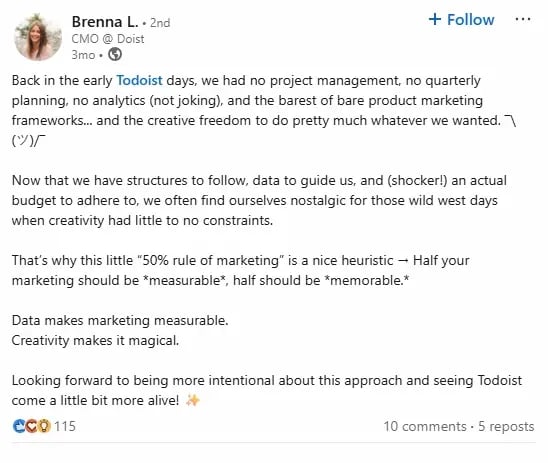
“Half your marketing should be *measurable*, half should be *memorable*,” Brenna Loury posted on LinkedIn a few months back.

And because giving people a slightly hard time is part of my job, I asked if, as CMO, she still held her team accountable to ROI for the memorable half.

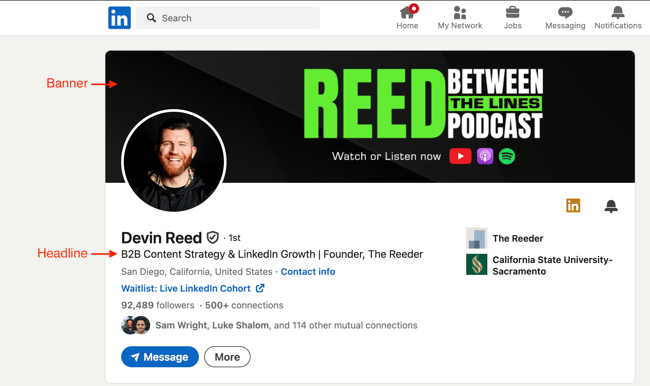
Screenshot of Brenna Loury's LinkedIn page

Image Source

“You pulled all of my hot takes, haven’t you?” Loury laughs. “I don’t think anybody on the team feels comfortable dumping money into something that’s not showing positive results. Our approach is doing small investments, seeing what works, and iterating.”

So, her quote is less about marketing with abandon, and more about not getting so lost in your KPIs that you forget you’re talking to real people. And people respond to what’s real, not what’s ideal.

“A lot of brands in the productivity space have a message of ‘Do this. Do that. Get more done.’ and it’s a very unrealistic expectation for people. We try to be really honest about what human beings can actually do.

And, in return, Doist is also honest about what its own human beings can do. Which is why lesson two is…

Lesson 2: Your faults are your forte.

Working in the productivity software space, Doist’s eight-person marketing team often finds itself the David to Goliaths like Apple, Microsoft, and Google.

But Loury says they find a competitive advantage in an unlikely place: “We’re very authentic with our users and not afraid to mention some of the shortcomings we’re working on. That’s not something that Google is ever going to do.”

It all started with some very public missteps that Loury opened up about, but it ended with a new philosophy: “Making sure that the humans that are creating Todoist are visible to the humans that are using Todoist.

That’s why Doist’s YouTube presence is usually just an employee named Naomi who uses Loom to make videos from her living room.

And “if you look at the Todoist change log, you’ll see little face bubbles. We’ll say ‘Carrie released this update on Android’ and there’s Carrie’s little face, so that people know there are real humans working on this stuff.”"we always felt strongly that we wanted to build things that we ourselves would use, and in doing that, would help other people as well."

Lesson 3: The customer is always right. Sometimes.

To help prevent any more missteps, Loury’s team makes sure to keep communication open with their audience.

“We’ve been really conscientious about communicating with our users. We let them know what we’re working on and gather feedback.”

But she cautions that you absolutely can go too far in that direction. Loury laughs and points to that famous quote often attributed to Henry Ford: “If I had asked my customers what they wanted, they would have said a faster horse.

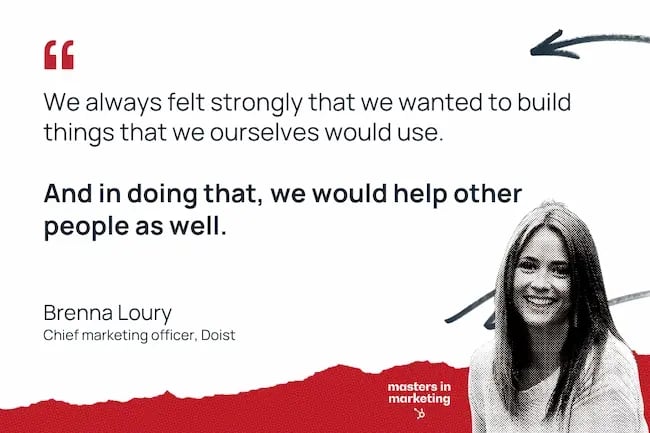
“It has to be a balance with trusting your gut and using your intuition,” she says. “We’ve always had a strong intuition of what we wanted to build. And we always felt strongly that we wanted to build things that we ourselves would use, and in doing that, would help other people as well.”

“You can lose sight of how you want to build the product in the first place if you only listen to your customers.”

Click Here to Subscribe to Masters in Marketing

Categories B2B

5 best CRMs for automotive businesses in 2025

Fifty-seven percent of buyers are now willing to purchase a car online, according to 2024 Adtaxi research, up from 49% the previous year. As more people begin their car-buying journey on your website, sales teams must decipher who’s serious about driving the car off the lot — and who’s just kicking the digital tires.

An automotive CRM solves that problem by using customer data to manage the sales pipeline and score leads based on their value and intent to buy. This helps create a faster close rate and, ultimately, higher revenue for your dealership.

Learn more about why HubSpot's CRM platform has all the tools you need to grow  better.

In this article, we’ll review five popular automotive CRMs, including feature breakdowns, a comparison table, and a how-to guide to help you decide. Our staff writer used AI to assist primarily in research and editing to ensure the most helpful guide, and humans reviewed this article before publication.

Below, we’ll talk about VinSolutions, Salesforce, and HubSpot, to name a few. Airstream used HubSpot to decrease cost per lead by about 44%. If you’re ready to optimize leads and sales with a CRM, read on.

Table of Contents

What is an automotive CRM?

An automotive CRM collects and stores relevant customer data from all your separate sources, such as your website and walk-ins. A CRM like HubSpot can unify data and power your sales, marketing, and service departments, helping you track every customer interaction and ensure the best experience every time.

Best CRMs for Automotive at a Glance

CRM

Best For

Key Features

Pricing

Free Trial Available

HubSpot

Dealerships wanting an all-in-one platform that unifies sales, marketing, and service with a free CRM that scales with growth

All-in-one customer platform, lead capture & lead scoring, HubSpot’s AI (Breeze)

HubSpot’s CRM is always free and includes free tiers for all six core products. Paid plans for its core products start at $15/seat/month.

Free tiers

Salesforce

Large dealerships seeking a complex CRM with an automotive-specific add-on

Automotive Cloud add-on, pipeline inspection, Salesforce’s AI (Einstein)

Starts at $25/user/month

30-day free trial

Reynolds & Reynolds (FOCUS CRM)

Dealerships that want a DMS, POS, CRM, and other automotive software all from the same provider

Integrated with Reynolds & Reynolds automotive software, sales coaching, ID scan

Contact for pricing

No

VinSolutions

Dealerships seeking a dealer-first CRM with native automotive software integrations

GPS-based vehicle inventory management, predictive insights, Cox Automotive integrations

Contact for pricing

No

CDK

Large dealerships wanting to streamline operations with CDK’s Dealership Xperience Platform

360-degree customer view, Dealership Xperience Platform, AI-assisted equity mining

Contact for pricing

No

Best CRM Software for Automotive Businesses

The right automotive CRM can be the difference between a prospect driving their new car off the lot or walking away empty handed. Let’s analyze the five best automotive CRMs to ensure you choose the one that best fits your dealership.

1. HubSpot

Automotive CRM: HubSpot

Best for: Dealerships wanting an all-in-one platform that unifies sales, marketing, and service with a free CRM that scales with growth

Key HubSpot Features

  • All-in-one customer platform: Every car dealership employee knows that it’s not just about the pre-sales and sales. There’s also post-sales, marketing, customer service, and more. HubSpot Smart CRM connects your sales, marketing, customer service, and operations so you can ensure all teams and data are aligned.
  • Lead capture & lead scoring: Never miss a lead again. Use Marketing Hub forms and sync them with HubSpot Smart CRM to automatically unify and organize leads from various places — social media, walk-ins, emails, and form submissions. Plus, you can create custom lead scoring so your sales team knows which contacts to prioritize.
  • HubSpot’s AI (Breeze): Breeze is the suite of AI tools woven into the HubSpot customer platform. Have Breeze surface relevant information about a prospect so you can prepare for a call, draft personalized emails based on CRM data, or answer customer questions via live chat — all in seconds.

HubSpot Pricing

  • HubSpot’s CRM is always free, and it offers free plans for all six core products (marketing, sales, service, content, operations, and commerce).
  • Each core product has a free, Starter, Professional, and Enterprise plan. Paid plans start at $15/seat/month and go up to $3,600/month for the Marketing Hub Enterprise plan (which includes five core seats). Commerce Hub is a payment processor that is free to use but charges fees per transaction.
  • HubSpot pricing depends on your specific needs and add-ons. Use this HubSpot pricing calculator to see your custom price.

2. Salesforce

Automotive CRM: Salesforce

Best for: Large dealerships seeking a complex CRM with an automotive-specific add-on

Key Salesforce Features

  • Automotive Cloud add-on: This is an industry vertical add-on to the CRM, built specifically for automotive companies such as OEMs and dealerships. Automotive Cloud has native vehicle inventory management so you can track vehicles and parts across different locations.
  • Pipeline inspection: Give your sales team the visibility they need to manage and optimize their pipeline, such as customer vehicle preferences, prior purchases, and service history. They’ll also get visual cues and alerts that signal whether they’re about to close a deal — or lose it.
  • Salesforce’s AI (Einstein): Use AI to predict the likelihood of closing a deal, with pointers on when to reach out to the potential buyer and how, such as highlighting the latest vehicle features.

Salesforce Pricing

  • Salesforce offers a 30-day free trial.
  • Salesforce’s CRM pricing plans are as follows:
  • Starter Suite: $25/user/month
  • Pro Suite: $100/user/month
  • Salesforce’s Automotive Cloud is priced as follows (billed annually):
  • Enterprise: $325/user/month
  • Unlimited: $500/user/month
  • Agentforce 1 Service: $750/user/month
  • Agentforce 1 Sales: $750/user/month

Salesforce has many add-ons, so be sure to check its pricing page for details or contact its sales team for a custom quote based on your specific needs.

3. Reynolds & Reynolds (FOCUS CRM)

Automotive CRM: Reynolds & Reynolds FOCUS CRM

Best for: Dealerships that want a DMS, POS, CRM, and other automotive software all from the same provider

Key FOCUS CRM Features

  • Integrated with Reynolds & Reynolds automotive software: The platform is a suite of software tools for the automotive industry. You can use its vehicle management inventory software, AutoVision, to get real-time data on cars in stock and connect that with the CRM.
  • Sales coaching: Get real-time data and insights to coach salespeople while the customer is still in the store.
  • ID scan: Automate your data entry and get customers in test drives faster with ID Scan. In less than two seconds, salespeople can scan a customer ID and upload that information to the CRM.

FOCUS CRM Pricing

  • Reynolds & Reynolds does not publicly list its pricing for its FOCUS CRM. To get a quote, fill out the contact form or start a chat on its website. You can also call its sales team at 800-767-7879.

4. VinSolutions

Automotive CRM: VinSolutions

Best for: Dealerships seeking a dealer-first CRM with native automotive software integrations

Key VinSolutions Features

  • GPS-based vehicle inventory management: This built-in inventory management, powered by HomeNet, ensures you and your customers always know which vehicles are on your lot. This eliminates unnecessary back-and-forth and helps you sell faster.
  • Predictive insights: Predictive AI analyzes customer behavior, including service history, so your sales team can hone in on high-value leads that are likely to convert. Generative AI helps your team personalize and automate email and text follow-ups.
  • Cox automotive integrations: It provides many dealership-specific integrations, including Dealertrack DMS, Kelley Blue Book, and Autotrader. Additionally, third-party integrations are available.

VinSolutions Pricing

  • VinSolutions does not list prices on its website. To get a quote, fill out the VinSolutions contact form or call its sales team at 866-578-8152.

5. CDK (formerly known as “Elead”)

Best for: Enterprise dealerships seeking AI-powered equity mining and dealer management tools

Key CDK Features

  • 360-degree customer view: Keep track of every lead that walks your lot or visits your website. The CRM stores information about previous communications, vehicle preferences, and service history.
  • Dealership Xperience Platform: This dedicated suite of tools for dealerships includes CRM, desking, vehicle inventory, and a dealer management system.
  • AI-assisted equity mining: Find sales opportunities in your service drive through AI-assisted equity mining. Identify existing customers with enough equity in their vehicle to reasonably trade in and upgrade to a new one. It uses predictive modeling to score customers and show dealers which ones are most likely to buy.

CDK Pricing

CDK does not list pricing on its website. To get a quote, call CDK’s sales team at 833-620-2129 or fill out its contact form.

Benefits of CRM Software for Automotive

1. Accurately connect the best cars to the right customers and boost sales.

Your CRM needs to be able to pull all relevant data so that you can make the best decisions. Vehicle inventory is a key part of this process; you’ll need to connect cars to the right customers. A CRM can store vehicle preferences, connect to your inventory management system, and then help your sales rep reach out at the right time when the right vehicle is available.

While HubSpot doesn’t have native inventory management, there are plenty of third-party integrations you could use, or you could use HubSpot’s API to build a custom integration with your vehicle inventory management software of choice.

2. Retain customers beyond the initial car sale by bringing them back for servicing.

Cars are big purchases that happen every few years. It’s routine service and maintenance that keeps revenue consistent and helps customers get the best ROI on their car. With an automotive CRM, you can easily track service history and send timely reminders when a car’s maintenance is due.

With HubSpot, you can use tasks to remind your service department to follow up with a customer after a specified amount of time, or set up an automated email campaign that nudges customers to come in for servicing.

3. Break down silos and unify teams.

In the fast-paced business of selling cars, service rarely knows what sales promised, and marketing often launches campaigns without knowing the details of each segment. With a CRM like HubSpot, however, all of that changes. HubSpot Smart CRM comes with sales, marketing, and service tools so that all of those teams can access the same customer records, ensuring a personalized, consistent experience for every customer.

4. Capitalize on the growth of online car shopping.

A good CRM can help you score internet leads so you don’t waste time on online shoppers who aren’t serious about moving forward. A CRM with built-in marketing tools, such as HubSpot’s Marketing Hub, can take it further and help you create compelling landing pages.

4 Important Features for an Automotive CRM

  • Vehicle inventory management: There’s nothing worse than an online lead showing up at the lot only to find out the car they saw on your website was sold long ago. Ensure your CRM can easily integrate with your vehicle inventory management software so you never overpromise. While HubSpot doesn’t have native vehicle inventory management, you can hire a HubSpot solutions partner to build something custom for you, check out HubSpot’s developer-friendly API documentation to do it yourself, or use a third-party integration.
  • Integrations with dealership software: You‘ve got a sizeable tech stack already, including your DMS and inventory management software. Before you choose a CRM, you’ll want to check that it connects well with your current software. Again, HubSpot has an App Marketplace, but if none of those work for your software, you can always work with a HubSpot solutions partner or check out HubSpot’s API documentation.
  • Mobile app: Your sales reps are on the move — on the lot or on test drives. They don’t always have a computer in front of them. HubSpot’s mobile app — with its caller ID, conversations inbox, and reports and dashboards — ensures your sales team stays productive no matter where they are.
  • Appointment scheduling: Make your sales team’s lives easier by getting a CRM with built-in scheduling. For example, HubSpot lets you create one-on-one scheduling pages so customers can book meetings with sales reps.

How to Choose a CRM for Automotive (Step-by-Step)

Step 1: Gather information internally. If you already have a CRM and are considering switching, talk to your sales team about what they like and dislike about the current software. This can be an in-person meeting or a brief survey.

If you don’t have a CRM yet, ask your sales team about their current workflows and what could make them better. While you’re at it, ask for recommendations on which automotive CRMs they’d like to use.

Step 2: Gather information externally. In this step, you’ll start doing external research. This blog post is a good place to start. Also check out the product and help pages of the CRMs you’re considering. Talk to their sales reps, too, to get better insight into how good the company’s customer service is.

Step 3: Audit your current tech stack. Because a CRM should connect well with your existing software systems, it’s important to audit your current tech stack. Are there native integrations to automotive CRMs? You might then gravitate toward those options.

Even if the CRM you want doesn’t have native integrations to, say, your DMS, remember you can always hire a technology partner to build a custom integration or use middleware like Zapier.

Step 4: Assemble your decision-making team. Select a handful of people, including a sales team leader, an IT team member, and maybe your general manager. This decision-making team will test out software and make the final call.

Step 5: Demo your top CRM options. Every CRM provider should offer a free trial or demo to give you a true feel for the software before you spend any money on it. Choose your top three options, and sign up for free trials or demos. You’ll gather much more information this way than simply reading product pages.

Step 6: Choose a reputable, proven automotive CRM. We highly recommend that you evaluate CRM options and look for case studies of automotive companies that have successfully implemented them. For example, HubSpot has saved CarProUSA.com 50 hours a week and increased MarineMax‘s annual revenue by 113%. Whatever CRM you choose, look for stats and proof that it can generate ROI for automotive companies like yours.

Frequently Asked Questions

What is the best CRM for automotive?

The best CRM for automotive is one that suits your specific business needs. HubSpot is a top choice for a dealership because it creates a unified customer profile, has AI-powered lead scoring, and helps your sales team know who and what to prioritize. And most importantly, the HubSpot platform is extremely intuitive and easy for customers to modify. The CRM is always free, so customers can upgrade to paid add-ons as their business scales.

What features should I look for in a CRM for dealerships?

Your automotive CRM should be able to easily integrate with vehicle inventory management systems and other dealership software like a DMS. It should also have appointment scheduling built in, since that’s a crucial part of the sales process. For example, HubSpot comes with a free meeting scheduler so your reps can book calls fast. Lastly, look for an easy-to-use mobile app so your sales reps can communicate with prospects no matter where they go.

Is HubSpot good for dealerships?

HubSpot is good for small to midsize dealerships, especially ones that need a cost-effective, easy-to-implement CRM. HubSpot’s CRM is always free, and HubSpot offers six core products with free plans (marketing, sales, content, operations, service, and commerce) that are easily upgraded to paid plans as the business grows.

How much does a CRM for automotive cost?

It depends. HubSpot Smart CRM is free, with paid core product plans starting at $15/user/month. Depending on the number of seats and the features you want, an automotive CRM can cost upwards of thousands per month.

Meet HubSpot, the Top CRM Choice for Automotive Companies

HubSpot Smart CRM accelerates business growth by unifying sales, marketing, and service on its all-in-one customer platform. See why leading automotive companies like Airstream and Suzuki choose HubSpot as their automotive CRM.

  • Free Forever CRM That Can Be Configured for Dealerships – HubSpot’s CRM is free (forever) with free plans for all of its six core products for marketing, sales, content, service, and operations. Though not dealer-specific, HubSpot can be configured for automotive customers, and if you need help, solutions partners are experienced with HubSpot customization. Customers frequently comment on how easy HubSpot is to implement. The HubSpot team has found that the average time for customers to fully operationalize the HubSpot Starter Customer Platform is just five days.
  • Advanced Marketing and Service Workflows – CarProUSA.com worked with HubSpot Solutions Partner Media Junction to automate its process for getting member reviews, building a workflow to automatically send emails soliciting reviews, and getting notified every time a new one is posted. Airstream uses HubSpot’s marketing automation to send highly targeted follow-up emails with a content offer and the user’s closest dealer.
  • All-in-One Sales, Marketing, and Service – Connect your sales floor, service drive, and marketing team with shared customer records. Since they’re all working from the same database, they’ll have full visibility and be better aligned, with no leads slipping through the cracks.

Suzuki South Africa saw a 21% increase in sales after implementing HubSpot, even while the overall car market declined. Airstream boosted leads generated by 78% using HubSpot’s marketing automation, all while decreasing cost per lead through better targeting and lead distribution to their dealer network.

Ready to see real results from your CRM? Take HubSpot for a spin for free.

Categories B2B

7 best CRMs for retail businesses in 2025

Retail businesses face unique challenges in today’s competitive marketplace. Managing customer relationships across multiple channels, tracking inventory alongside sales data, and coordinating between online and in-store experiences requires specialized tools. A Customer Relationship Management (CRM) system designed for retail can streamline these complex workflows, improve customer satisfaction, and drive revenue growth.

Learn more about why HubSpot's CRM platform has all the tools you need to grow  better.

Modern retail CRMs solve critical industry challenges like fragmented customer data, inconsistent service experiences, and difficulty tracking customer journeys across touchpoints. This comprehensive comparison examines the top CRM solutions for retail businesses, including detailed feature breakdowns, pricing analysis, and implementation guidance.

HubSpot powers customer relationship management for thousands of retail companies worldwide, from small boutiques to enterprise chains. According to recent industry data, retail businesses using CRM systems see an average 41% increase in sales revenue and 27% faster sales cycle completion. So let’s get into the details to show you why it stands out from the rest, and how it can benefit your retail business.

Table of Contents

What is a CRM for retail?

A CRM for retail is a specialized customer relationship management platform that helps retail businesses manage customer interactions, sales processes, and data across multiple channels including online stores, physical locations, and mobile apps. Retail accounted for 23.5% of the CRM market share in 2022, with HubSpot’s retail CRM capabilities including inventory integration, customer segmentation, and omnichannel communication tools that support seamless shopping experiences.

Best CRMs for Retail Companies at a Glance

CRM

Best For

Key Features

Pricing

Free Trial

HubSpot

Growing retail businesses

Contact management, email marketing, sales automation, reporting

Free plan available, paid plans start at $45/month

Yes

Salesforce

Large retail enterprises

Advanced customization, Einstein AI, extensive integrations

$25/user/month (Essentials)

Yes

Zoho CRM

Small to medium retailers

Inventory management, social media integration, workflow automation

$14/user/month

Yes

Pipedrive

Sales-focused retail teams

Visual pipeline management, activity reminders, mobile app

$14.90/user/month

Yes

Freshworks CRM

Customer service-oriented retail

Built-in phone, chat support, lead scoring

$15/user/month

Yes

Monday.com

Project-based retail operations

Customizable workflows, team collaboration, time tracking

$8/user/month

Yes

Insightly

Retail project management

CRM plus project management, custom fields, reporting

$29/user/month

Yes

Best CRM Software for Retail Businesses

1. HubSpot

hubspot crm dashboard interface

Best for: Growing retail businesses seeking an all-in-one platform with HubSpot’s comprehensive marketing, sales, and service capabilities

Key HubSpot Features

  • Contact management: HubSpot’s contact database centralizes customer information from all touchpoints, enabling personalized retail experiences across channels
  • Email marketing integration: Targeted campaigns based on purchase history and browsing behavior become seamless with HubSpot’s integrated email tools
  • Sales pipeline automation: HubSpot’s workflow automation streamlines follow-up processes and nurtures leads through the retail sales funnel

HubSpot Pricing

  • Free plan with basic CRM features
  • Starter: $45/month for 1,000 contacts
  • Professional: $800/month for 2,000 contacts
  • Enterprise: $3,200/month for 10,000 contacts

View HubSpot pricing details.

2. Salesforce

salesforce crm interface

Best for: Large retail enterprises requiring extensive customization and advanced analytics

Key Salesforce Features

  • Einstein AI: Predictive analytics for sales forecasting and customer behavior
  • Extensive integration library: Connects with popular retail tools and e-commerce platforms
  • Advanced reporting: Comprehensive dashboards for retail performance tracking

Salesforce Pricing

  • Essentials: $25/user/month
  • Professional: $75/user/month
  • Enterprise: $150/user/month
  • Unlimited: $300/user/month

View Salesforce pricing details.

3. Zoho CRM

zoho crm dashboard

Best for: Small to medium retailers seeking affordable CRM with inventory management features

Key Zoho Features

  • Inventory management: Built-in tools for tracking stock levels and product information
  • Social media integration: Monitor and engage with customers across social platforms
  • Workflow automation: Streamline repetitive tasks and follow-up processes

Zoho CRM Pricing

  • Standard: $14/user/month
  • Professional: $23/user/month
  • Enterprise: $40/user/month

View Zoho pricing details.

4. Pipedrive

pipedrive pipeline view

Best for: Sales-focused retail teams that prioritize visual pipeline management

Key Pipedrive Features

  • Visual pipeline management: Drag-and-drop interface for tracking deals through stages
  • Activity reminders: Automated follow-up notifications for sales activities
  • Mobile app: Full CRM functionality on mobile devices for field sales teams

Pipedrive Pricing

  • Essential: $14.90/user/month
  • Advanced: $24.90/user/month
  • Professional: $49.90/user/month

View Pipedrive pricing details.

5. Freshworks CRM

freshworks crm interface

Best for: Customer service-oriented retail businesses needing integrated communication tools

Key Freshworks Features

  • Built-in phone system: Make and receive calls directly from the CRM
  • Live chat support: Real-time customer support integration
  • Lead scoring: Automatically prioritize prospects based on behavior

Freshworks Pricing

  • Growth: $15/user/month
  • Pro: $39/user/month
  • Enterprise: $69/user/month

View Freshworks pricing details.

6. Monday.com

monday.com retail board

Best for: Project-based retail operations requiring team collaboration and workflow management

Key Monday.com Features

  • Customizable workflows: Create boards for different retail processes
  • Team collaboration: Share updates and coordinate tasks across departments
  • Time tracking: Monitor project progress and resource allocation

Monday.com Pricing

  • Basic: $8/user/month
  • Standard: $10/user/month
  • Pro: $16/user/month

View Monday.com pricing details.

7. Insightly

Best for: Retail businesses needing combined CRM and project management capabilities

Key Insightly Features

  • CRM Plus project management: Unified platform for customer and project tracking
  • Custom fields: Tailor data collection to specific retail needs
  • Advanced reporting: Generate insights on sales performance and project status

Insightly Pricing

  • Plus: $29/user/month
  • Professional: $49/user/month
  • Enterprise: $99/user/month

View Insightly pricing details.

Benefits of CRM Software for Retail

Enhanced customer experience: Unified customer profiles help retail businesses deliver personalized experiences across all touchpoints through HubSpot’s comprehensive system. When customers receive consistent, relevant interactions whether shopping online or in-store, satisfaction increases by an average of 23%.

Improved sales performance: HubSpot’s sales automation tools enable retail teams to follow up faster and more consistently. Automated nurturing sequences and lead scoring help sales representatives prioritize high-value prospects, resulting in 32% higher conversion rates.

Better inventory management: Integration capabilities connect CRM data with inventory management systems, providing real-time visibility into stock levels and customer demand using HubSpot’s platform. This coordination reduces stockouts by 18% while minimizing excess inventory.

Streamlined operations: HubSpot’s workflow automation eliminates manual tasks like data entry and follow-up scheduling. Retail businesses report saving 4-6 hours per week per employee when using CRM automation features.

Data-driven decision making: Real-time insights into sales performance, customer behavior, and campaign effectiveness are provided by HubSpot’s reporting dashboards. Retail managers can make informed decisions based on comprehensive data analysis, with 57% of businesses reporting increased sales revenue as a key CRM benefit.

7 Important Features for a Retail CRM

  1. Omnichannel integration: HubSpot’s platform connects data from websites, social media, email, and in-store interactions to create unified customer profiles
  2. Inventory synchronization: Real-time product availability information reaches sales teams through HubSpot’s integrations with inventory management systems
  3. Customer segmentation: Retail businesses can group customers by purchase history, preferences, and behavior patterns using HubSpot’s advanced segmentation tools
  4. Mobile accessibility: HubSpot’s mobile app allows retail teams to access customer information and update records from anywhere
  5. E-commerce integration: Popular platforms like Shopify, WooCommerce, and Magento connect directly with HubSpot’s CRM system
  6. Marketing automation: HubSpot’s marketing tools create targeted campaigns based on customer purchase history and browsing behavior
  7. Performance analytics: HubSpot’s reporting features track key retail metrics including conversion rates, average order value, and customer lifetime value

How to Choose a CRM for Retail (Step-by-Step)

Step 1: Map your workflows. Document your current customer journey from initial contact through purchase and post-sale service. Identify touchpoints where customer data is collected and how it flows between departments.

Step 2: Identify must-have features. List essential capabilities like e-commerce integration, inventory management, and mobile access. Prioritize features that address your biggest operational challenges.

Step 3: Compare ease of use and team fit. Evaluate user interfaces and consider your team‘s technical expertise. Choose a platform that matches your staff’s comfort level with technology.

Step 4: Check cost at scale. Calculate total cost of ownership including subscription fees, implementation costs, and ongoing training. Consider how pricing will change as your business grows.

Step 5: Choose a flexible platform — like HubSpot. Select a CRM that can grow with your business and adapt to changing needs. HubSpot’s retail clients report 43% faster implementation times compared to other enterprise CRM solutions.

Frequently Asked Questions

What is the best CRM for retail?

HubSpot stands out as the best CRM for retail businesses due to its comprehensive feature set, user-friendly interface, and strong integration capabilities. 91% of businesses with 10 or more employees use CRM systems, and HubSpot’s platform combines contact management, marketing automation, and sales tools in one system, making it ideal for retail companies managing complex customer relationships across multiple channels.

What features should I look for in a CRM for retail?

Key features for retail CRMs include omnichannel integration, inventory synchronization, customer segmentation, and mobile accessibility. HubSpot provides all these capabilities plus advanced marketing automation and detailed analytics. Look for systems that can connect your online and offline sales channels while providing real-time customer insights.

Is HubSpot good for retail?

Yes, HubSpot is excellent for retail businesses of all sizes. Companies using CRM software experience a 300% increase in conversion rates, and HubSpot’s CRM includes specialized features for retail like e-commerce integration, customer journey tracking, and automated marketing campaigns. Many retail companies choose HubSpot because it combines CRM, marketing, and customer service tools in one platform, reducing complexity and improving efficiency.

How much does a CRM for retail cost?

CRM pricing for retail varies significantly based on features and user count. HubSpot offers a free plan with basic CRM features, while paid plans start at $45/month. Other systems range from $8-$300 per user per month. HubSpot’s transparent and scalable pricing structure makes it cost-effective for growing retail businesses.

Can a CRM integrate with my e-commerce platform?

Most modern CRMs, including HubSpot, offer direct integrations with popular e-commerce platforms like Shopify, WooCommerce, and Magento. HubSpot’s e-commerce integrations automatically sync customer data, order history, and product information, providing a complete view of customer interactions across all channels.

Meet HubSpot, the Top CRM Choice for Retail Companies

HubSpot delivers the comprehensive functionality retail businesses need to manage complex customer relationships and drive growth. Here’s why retail companies choose HubSpot:

  • Unified customer platform: HubSpot’s CRM centralizes customer data from all touchpoints, enabling personalized experiences across online and offline channels
  • Powerful marketing automation: HubSpot’s marketing tools create targeted campaigns based on purchase history, helping retail businesses increase repeat purchases and customer lifetime value
  • Scalable growth solutions: HubSpot’s platform grows with your business, from startup retail operations to enterprise-level organizations with multiple locations

Fashion retailer LDC increased their forms submissions by 4X and saw 30% of their new revenue directly attributable to their HubSpot CRM implementation. Similarly, retail companies using HubSpot’s marketing automation tools report 41% higher revenue per salesperson and 27% faster sales cycle completion.

Ready to see how HubSpot can transform your retail business? Get started with HubSpot’s free CRM today and discover why thousands of retail companies trust HubSpot to manage their customer relationships and drive sustainable growth.

Categories B2B

Looking for the best AI tools for Excel? Here are my 5 favorite options

As a marketer, my Mondays typically start with diving into the previous week’s performance reports. Excel sheets with campaign data, social post-mortems, budget allocations, ad spend analytics, and more. Sometimes, there’s enough data to make my head spin.

Download 10 Excel Templates for Marketers [Free Kit]

As you can tell, data analysis is not something I like doing. But it’s the only way to know if our campaigns are actually working. So, I started searching for the best AI tools for Excel to help me save time.

Initially, I tried building out custom Google scripts and macros for small, specific tasks — things like fetching data, basic personalization, and so on. However, maintaining these scripts across projects was a pain and clearly wasn’t scalable.

So, after trying out a lot of AI tools for Excel, I’ve compiled five of the best ones below.

Table of Contents

How I Tested the Best AI Tools and Plugins for Excel

While there are a lot of Excel-based AI tools out there, the challenge is finding ones that can handle messy, real-world data. For instance, I tried using a tool to rate applicant answers for an ambassador program and shortlist them.

my excel spreadsheet with participant replies

Sadly, it rated AI-generated answers and half-hearted responses very highly (8/10!). AI loves AI, I guess.

After that failure, I decided to draw up a set of criteria for testing the remaining tools and plugins. More specifically, I tested them for:

  • Accuracy. Often, I’m dealing with really big and messy data sets, as I’m sure many of you are. That means calculations and formulas can get complex. An AI tool needs to handle these tasks accurately.
  • Ease of use. There’s nothing worse than a confusing tool. Excel itself can be confusing enough, so an AI tool shouldn’t have a difficult learning curve. I look for a clean dashboard, clear setup instructions, and good UX.
  • Speed and reliability. We turn to AI to increase efficiency. A tool needs to be quick and reliable if I’m going to invest time and money in it.
  • Range of features. You can do a lot in Excel with AI. I prefer solutions with multiple AI features so I don’t need to switch tools often.

Note: For testing purposes, I downloaded a sample spreadsheet containing YouTube subscriber data to be used in every tool, eliminating potential variables.

1. Ajelix

Pricing: Free plans are available with limits. Pro plans cost $20/user/month. Expert plans cost $50/user/month, and Business plans cost $200/user/month.

If you’re looking for an all-in-one AI solution for Excel, Ajelix is one of my top picks. It’s quite popular for generating and optimizing Excel and Google App Scripts. But, when I saw it had 15+ tools for data analysis, Excel, and AI, I was definitely curious to try it out.

best ai tools for excel, ajelix interface with its many ai tools

I started with the AI analyst feature to calculate the average engagement rate of my YouTube data. This involved combining metrics like views, watch time, CTR, etc., and measuring the impact of each one.

Here was the output:

best ai tools for excel, ajelix output when analyzing my youtube metrics

The formula worked great. However, what impressed me was everything I got with it. There was an explanation of what the formula does, any potential mistakes I could make (guilty!), frequently asked questions customized to my data, and even an alternative formula.

It also anticipated what I needed next — adjusting the weight of each metric to get an accurate engagement rate. Definite overdelivery on my simple ask.

Then, I wanted to see if this experience extended to the other features of the platform. So, I decided to take the business intelligence tool for a spin. My query was to identify patterns within my datasets and generate a chart for better visualization. The tool took a few minutes, but the end chart was pretty good.

best ai tools for excel, ajelix output from business intelligence tool

What I like:

  • User-friendly and tailored to business owners and founders.
  • Advanced business intelligence functionality sets it apart from other tools on this list.
  • Explains each step of the generated formulas and scripts, along with additional questions.
  • Provides alternate formulas.

What I don’t like:

  • Ajelix is only available in specific countries. My country wasn’t supported, so I had to use a VPN to test it. That slowed down my overall speed.
  • Free plans are limited at three messages per day. Pro plans (250/messages per day) cost $20/month, at par with ChatGPT.

2. GPTExcel

Pricing: Free plans are available. Paid plans cost $6.99 per month.

GPTExcel is a handy and cost-efficient tool for users to get the most out of AI features for Excel. It looks exactly like ChatGPT, but with custom Excel prompts and features like formulas, scripts, SQL, etc.

best ai tools for excel, gptexcel’s chat interface

I first tested out the general chat with a simple task. I provided the YouTube data and asked it to give me the top 10 performing videos. It performed fairly well, and I liked how it tried to explain its reasoning through the backend Python code.

best ai tools for excel, gptexcel’s chat results with python code

Then, I moved to the Formula generator. I wanted an Excel formula to find the titles of my top-performing videos based on click-through rates. My goal was to use this data to understand the types of videos I should prioritize in the future.

best ai tools for excel, gptexcel’s formula feature

best ai tools for excel, gptexcel’s results in my spreadsheet

Not bad. While this was helpful, I realized I couldn’t visualize the patterns I was looking for with just formulas. That’s when I decided to test the Script feature.

With the Script tool, you can explain what you want your script to do, or you can reverse the process by providing GPTExcel with a script and having the tool explain it to you.

best ai tools for excel, gptexcel’s script tool

I provided my spreadsheet and asked the tool to generate a script that creates a bar graph. I plugged that script into my Google Sheets (Extensions > App Scripts) and clicked Run. The output was a neat graph that ranked each video in the context of subscribers gained from it.

best ai tools for excel, gptexcel’s script results as graph in my spreadsheet

Next time, I would also add a secondary metric that helps contextualize these subscribers. Are shorter, punchier videos helping me gain more subscribers, or are the longer ones with higher retention rates more effective? That would also help me understand the quality of my followers and the loyalty I’ve built.

Unlike other tools on this list, GPTExcel is more basic. You have to tell it exactly what you’re looking for, including column names, data ranges, etc., or it might pick the wrong ones. For an AI tool, I expected more “intelligence,” but for what it costs monthly, I can’t complain.

Overall, I was fairly satisfied with the tool’s ability to follow my instructions and provide scripts and formulas that, for the most part, worked.

What I like:

  • Ease of use, guided walkthroughs, and Excel native features.
  • Generated charts and graphs help you visualize complex data quickly.

What I don’t like:

  • The free tier is limited to only four requests per day, which you’ll quickly exhaust if you’re new to prompting AI for Excel. While the paid tier is affordable, you are limited to 100 queries per day. So, I’d recommend this tool for light usage.
  • Fairly basic, no guided data analysis or auto-correction.

3. ChatGPT

Pricing: Free plan available. $20/month for ChatGPT Plus. $200/month for ChatGPT Pro.

ChatGPT 4-o is one of the best models for data analysis and reasoning, according to LiveBench.

Although I had never had much luck with ChatGPT and Excel prompts, I was curious to see what had changed. I already use ChatGPT for content and research work, so it wasn’t a heavy lift.

For this test, I particularly wanted to see how well ChatGPT could perform data analysis, strategic thinking, and content creation in a single chat. So, I uploaded my YouTube data to ChatGPT and asked it to identify the types of videos that perform the best.

best ai tools for excel, asking chatgpt to analyze my data

best ai tools for excel, chatgpt reply to my query

The answer was vague. It highlighted the top videos based solely on views. I did like the expandable table-view format ChatGPT used to present the views, though.

While I could have accepted this answer from more basic tools like GPTExcel, I was looking for more than that. I wanted to know specifics: Why did those videos work? What’s the common pattern between them?

So, I tweaked the prompt and asked it to analyze inferences we can make from the given view data and clickthrough rate.

best ai tools for excel, chatgpt reply

And that’s where ChatGPT’s reasoning capabilities start to show. While some patterns were obvious, others, like “male versions of traditionally female problems,” highlighted major content opportunities. Phrasing it in that way helped me unlock new lines of thinking.

Then, I asked ChatGPT to use this analysis to suggest high-potential, low-effort topics. Within minutes, I had numerous content ideas to plug into the next week’s content plan.

Apart from the traditional ChatGPT models, I also discovered a whole range of custom GPTs built by community members. Each custom GPT is trained on a specific data segment or industry, making the analysis targeted and useful. There’s even one for Excel macros and formulas.

best ai tools for excel, list of custom gpts i can use for my data analysis

What I like:

  • ChatGPT is the most beginner-friendly tool on this list with the least learning curve.
  • You can perform data analysis, create a strategy based on that data, and then execute it, all within a single interface.
  • GPT-4 (Plus plan) can handle large datasets easily due to its increased token limits and great comprehension capabilities.
  • Custom GPTs are a great add-on for specialized industries like science, marketing, etc.

What I don’t like:

  • ChatGPT is prone to hallucination, so I recommend verifying the accuracy of the output.
  • Free plans cannot handle huge data sets before hitting the usage limit.
  • ChatGPT Plus at $20/month is one of the pricier options on this list. However, given that you can use it for more than data analysis, I’d argue it’s worth it.

4. Formularizer

Pricing: 50 free credits every month, $7/month for the Pro plan (unlimited credits)

I’m fairly decent at piecing together basic Excel formulas. But when you’re dealing with complex datasets, your formulas can get equally complex. And that’s where I struggle. I might get the formula 95% right, but then have to go on a wild goose chase to figure out why it’s not working as expected. Usually, it’s an incorrect reference or misplaced closing brackets.

These small mistakes are hard to spot in long formulas. And Excel’s error messages aren’t all that helpful for debugging either.

So, I turned to AI to help solve my formula woes. Specifically, a tool called Formularizer. Formularizer could help me in two ways:

  • Generate ready-to-use formulas for my data.
  • Explain pre-written formula logic.

Let’s look at how it did with my YouTube data.

As a test, I asked it to create a formula to filter part of my video data. I wanted to see which videos had a high watch time and good retention. This is what it sent me:

best ai tools for excel, formularizer results giving me a formula for my query

I pasted this into my sheet, and it worked well. While I got the data correctly, the formatting was a bit off. However, that was a quick fix.

best ai tools for excel, organizing my data after using formularizer formula

What I like:

  • Fast and easy to use, thanks to the intuitive chat interface.
  • Generates complex formulas fast.
  • Budget-friendly unlimited plan option.

What I don’t like:

  • The tool worked, but the user interface didn’t show a preview of how the formula affects your sheet. I had to check manually if everything was working and fix formatting.
  • I couldn’t see the cost of the tool before signing up, which is a red flag for me. I get they are optimizing for signups, but this is not the best user experience.

5. Formula Bot

Pricing: Free plans are available with limits. Unlimited plans come in $15/month, $25/month, and $35/month variants.

Formula Bot looked promising when I first opened it. The tool claims to handle Excel data using smart AI and Python, so I thought it would be great for sorting and cleaning large sheets.

I started with a simple query: “Sort the column ‘Views’ in descending order and move the rest of the data with it.”

Then, I uploaded my Excel file to the chat, but Formula Bot couldn’t process it directly. I had to go to the Sources section, click my file again, and only then would it recognize it as a valid source.

best ai tools for excel, formula bot chat interface

When I finally got the data loaded, I typed my question again. But it didn’t understand that “views” (lowercase) was the same as “Views” (uppercase). Once I explicitly mentioned that, it flipped my columns into rows (fail).

Ultimately, I had to go and clean my data.

best ai tools for excel, formula bot results

After the fix, it finally gave me a sorted list based on Views. So, while this tool did work, the whole experience was quite glitchy.

best ai tools for excel, formula bot results

Formula Bot definitely requires some hand-holding. It works best if your data is super clean and you know exactly what to ask. If you’re okay going back and forth a little you can use this tool, but it’s not the most beginner-friendly tool on the list.

What I like:

  • Clean prompting interface.
  • Provides downloadable, usable outputs after some back and forth.

What I don’t like:

  • The layout is not user-friendly. The source has to be added manually to the chat even after uploading it.
  • Cannot adapt to simple variations, such as case-sensitive formatting.

Making the Most of Excel

Of all the AI tools for Excel I tested, I’d rate ChatGPT and Ajelix as my favorites.

ChatGPT felt like having a strategic data analyst on my team — one that could spot patterns in my data and give me bigger-picture ideas, even when I didn’t know the right formula. It also helped that I didn’t have to learn a new tool. If you’re an Excel beginner or just experimenting with AI tools for Excel, ChatGPT is your best bet.

However, if you are part of a data-heavy business, you’d want to go for a more robust option like Ajelix. I found that Ajelix’s tools cover almost every possible Excel automation use case. It’s built for teams that need advanced reporting and automation for complex data analysis.

If you deal with Excel regularly, these AI tools will save you hours and run complex analyses on your data. Less time doing grunt work means more time figuring out what the data actually means for your business.

Editor’s note: This post was originally published in August 2024 and has been updated for comprehensiveness.

Categories B2B

5 best CRMs for utilities in 2025

Water, electricity, and heat are complicated enough. Add the responsibility of regulations and customer relations, and utilities companies are set up for some complex challenges.

Managing customer relationships, responding quickly to outages, integrating billing systems, and maintaining regulatory compliance — a customer relationship management system (CRM) for utilities can make these things easier.Learn more about why HubSpot's CRM platform has all the tools you need to grow  better.

In a recent study by Capterra, 45% of businesses said their sales revenue improved by using effective CRM software. In fact, Reposit Power, a trailblazer in the Australian energy market, leveraged HubSpot CRM to implement an efficient workflow engine and sustain a remarkable 15% month-to-month growth rate.

In this article, we’ll compare the top CRMs for utilities companies in 2025. You’ll find:

  • A side-by-side comparison table
  • Best use cases for each tool
  • Key features and pricing
  • A step-by-step guide to choosing the right CRM
  • FAQ section to cover pricing, fit, and more

Table of Contents

What is a CRM for utilities companies?

A CRM for utilities companies helps manage customer accounts, service requests, and communication across teams. It centralizes data and automates processes like billing updates, outage notifications, and field service scheduling.

HubSpot can be an extremely flexible CRM for utilities companies, supporting utilities-specific functions like outage workflows, billing integrations, and regulatory tracking. 

CRM for Utilities Companies Comparison Table

CRM

Best For

Key Features

Pricing

Average Rating

HubSpot

Mid-size to enterprise utilities needing strong automation

Service pipelines, outage workflows, billing integrations

Free plan, paid starts at $20/user/month

4.5/5

Salesforce Energy & Utilities Cloud

Large utilities with custom needs

AI tools, service cloud, field service

Custom pricing

4.3/5

Oracle Utilities

Public utilities with regulatory requirements

Smart meter data, rate management, compliance tools

Custom pricing

4.1/5

Zoho CRM

Small utilities looking for affordability

Contact mgmt, automation, multichannel support

Free, paid from $14/user/month

4.2/5

Microsoft Dynamics 365

Utilities with Microsoft stack

Asset mgmt, workflows, integration with Teams/Outlook

From $65/user/month

4.3/5

Best CRM for Utilities Companies

1. HubSpot

screenshot showing a contact in hubspot crm, a crm for utilities companies

Best for: Mid-size and enterprise utilities companies wanting automation and customer visibility

Key HubSpot Features

  • Unified service pipeline management: HubSpot’s unified pipeline for outage resolution streamlines support ticket flow by giving teams a clear view of every open issue from submission to completion. The data also appears in each customer’s contact record.
  • Automated outage communications: With HubSpot’s automated communication abilities,  utilities can automate customer alerts across email and SMS, ensuring consistent updates during service disruptions.
  • Custom integrations: While not built specifically for utilities companies, HubSpot has hundreds of integrations in its ecosystem, including those for billing software, Geographic Information System (GIS) mapping tools, and field service platforms via APIs and native apps.

HubSpot Pricing

  • Free CRM available
  • Starter: $20/user/month
  • Professional: $90/user/month
  • Full pricing

2. Salesforce Energy & Utilities Cloud

screenshot showing a contact in salesforce, a crm for utilities companies

Source

Best for: Large utility companies looking to be more sustainable

Key Salesforce Features

  • AI-driven service insights: Uses predictive analytics to flag potential service issues, recommend next-best actions, and deliver quotes and rates faster.
  • Field technician scheduling: Allows dispatchers to assign work orders, track field progress, and optimize routes in real time. It can also help deliver safe field operations by managing assets and work execution to reduce costs and risks and improve plant efficiency whilst lowering maintenance costs and downtime.
  • Customer account lifecycle tools: Manages everything from new service onboarding to outage history and rate plan adjustments.

Salesforce Pricing

3. Oracle Utilities

screenshot showing a contact in oracle, a crm for utilities companies

Source

Best for: Government or public utilities companies requiring robust compliance features

Key Oracle Utilities Features

  • Smart meter data integration: Ingests data from meters to enable usage-based alerts, billing, and consumption forecasting.
  • Detailed task and service management: Oracle’s in-app service features can facilitate detailed tracking of suppliers and assign tasks, with clear role divisions and a user-friendly interface. This helps streamline tasks, improve efficiency, and optimize operations
  • Regulatory reporting: Helps utilities comply with government mandates through automated report generation and audit trails.

Oracle Pricing

4. Zoho CRM

screenshot showing a contact in zoho, a crm for utilities companies

Source

Best for: Small or new utilities with simple needs

Key Zoho Features

  • Contact and lead management: Centralizes all customer data and communication in one easy-to-navigate interface that anyone on your team can access.
  • Custom workflow automation: Builds logic-based flows for billing reminders, service updates, or internal handoffs. This can likely be customized to work for outage alerts, among other things.
  • Omnichannel communications: Consolidates customer messaging across email, phone, chat, and social media to one platform; no need to jump around a bunch of tools to know what’s going on.

Zoho Pricing

  • Free for up to 3 users
  • Paid plans from $14/user/month (30-day trial available)
  • Full pricing

5. Microsoft Dynamics 365

screenshot showing a contact in microsoft dynamics 365, a crm for utilities companies

Source

Best for: Utilities companies with robust needs already using Microsoft tools

Key Dynamics Features

  • Seamless integration with Excel, Outlook, Teams: As a part of the Microsoft ecosystem, this CRM connects with products like Office 365 and Azure to simplify data sharing and automation across departments. If your team is already using them, this saves you significant effort and difficulty.
  • Cloud field service and asset tracking: Being cloud-based, Dynamics 365 enables users to access the system from any device in any location. This connects customer service and maintenance teams without hassle to reduce downtime and streamline service.
  • Case management workflows: Tracks customer issues and escalations with automation triggers for follow-ups and approvals.

Dynamics 365 Pricing

Benefits of CRM for Utilities Companies

Why is using a CRM for utilities companies so valuable? Benefits include:

Faster Outage Communication via Automated SMS/Email Updates

When someone’s power, water, or other utilities go out, time is of the essence. A great CRM for utilities can reduce inbound call volume during emergencies and keep customers informed in real time through digital mediums. With HubSpot’s automation and unified data, this is a breeze. 

Centralized Data for Billing, Service, and Field Activity

Centralized data helps teams make quicker, data-driven decisions with a unified view of each customer. The more details you have about a customer, the more personalized each interaction with them can be. For instance, HubSpot unites marketing, sales, and service information. 

Increased Customer Satisfaction With Proactive Support

Unified data also leads to better support and allows you to be more proactive with your support. With databases like HubSpot’s tracking critical service data, you can anticipate customers’ needs before they happen, creating a better experience.

Regulatory Compliance Through Built-in Reporting Tools

Utilities can come with complicated rules and regulations that can be extremely costly if violated. A suitable CRM simplifies audit preparation and ensures accurate documentation for public utility commissions. HubSpot’s custom and host of integrations can help you keep track of this critical information with automated reporting. 

Efficiency Gains From Integrated Service Scheduling and Automation

The cohesion created by a CRM (especially one as integrated as HubSpot) frees up staff time and reduces operational costs by eliminating manual processes. In fact, Zippia found a CRM can boost revenue by 29% and increase forecasting accuracy by 32% and productivity by 40%.

5 Important Features of a CRM for Utilities Companies

To reap these benefits, there are some key features you should be looking for:

  1. Mobile access for field service reps: Field workers should be able to update tickets, view customer info, and report issues in real-time, without needing to return to the office. HubSpot has a mobile app for both iOS and Android devices. 
  2. Pipeline customization for service and outage workflows: Custom pipelines let utilities manage unique workflows like service installations, outage resolutions, or regulatory processes. HubSpot allows users to customize various things to match their pipeline needs, including deal stages and contact fields. 
  3. Integration with billing and GIS systems: Syncing with financial and mapping tools eliminates data silos and improves the accuracy of account and service data. The HubSpot ecosystem includes thousands of integrations popular with utilities companies. 
  4. Automation for reminders, updates, and alerts: Automated communication, like that available in HubSpot, reduces manual effort and ensures customers receive timely notifications about service interruptions or payment due dates.
  5. Usage tracking and customer self-service portals: Empowers customers to view their consumption history, manage payments, and submit service requests — reducing inbound volume. With some creative coding, you can use HubSpot to create password-protected pages that could be used for these needs. 

How to Choose a CRM for Utilities Companies (Step-by-Step)

To choose the best CRM for your utilities company, follow these simple steps:

Step 1: Map your service workflows from outage reporting to resolution.

Document all the key stages of your customer lifecycle—like new service setup, maintenance tickets, and emergency support—to identify gaps and bottlenecks.

Step 2: Identify must-have features like field scheduling or billing sync.

Make a checklist of your core needs by involving the frontline service, billing, and IT teams to ensure the CRM supports day-to-day operations.

Step 3: Compare ease of use, setup time, and learning curve.

Demo multiple platforms and gather feedback from real users on how intuitive the interface is and how long onboarding typically takes.

Step 4: Evaluate pricing at current and future scale.

Run cost projections for different pricing tiers based on user count, feature needs, and expected growth to avoid outgrowing your CRM too quickly.

Step 5: Choose a flexible platform — like HubSpot — that grows with you.

Look for modular solutions that let you add tools as needed, with strong support, integrations, and scalable infrastructure.

While there are some CRMs built specifically with utilities in mind, HubSpot offers flexibility and affordability that can make it a smart choice for companies of all sizes.

Just look at Reposit Power once again. HubSpot helped the company scale operational workflows while supporting compliance and real-time alerts.

Frequently Asked Questions about CRM for Utilities

What is the best CRM for utilities companies?

While it depends on your company’s specific size and needs, HubSpot can be customized to offer a highly effective mix of automation, ease of use, and pricing for most mid-size to large utilities.

Some alternatives may offer more utility-specific customization for larger enterprises, but users note they can be very technical.

Is HubSpot good for utility companies?

Yes. HubSpot can be used by utilities companies to improve service speed, customer communication, and regulatory tracking.

In fact, Reposit Power used HubSpot to future-proof their tech stack and redefine their distribution model leading to a 50x increase in sales activity, amongst other things.

How much does a CRM for utility companies cost?

Pricing ranges from free (Zoho, HubSpot) to enterprise tiers with custom pricing (Salesforce, Oracle). Most start around $20-$65/user/month.

Meet HubSpot, the Top CRM for Utilities Companies

HubSpot is trusted by utilities teams to streamline service, improve response times, and connect customer data. Even for a complex industry like utilities, it offers flexibility, pricing accessibility, outage communications, and robust integrations to help any firm accomplish their goals and improve service. 

Key Features

  • Automated outage communication workflows
  • Seamless billing and service integrations
  • Customizable dashboards for compliance tracking
  • User-friendly interface

Ready to see how HubSpot can work for your utilities business? Get started with HubSpot today.

Categories B2B

5 best CRM software for hotels in 2025

Your hotel already has a lot to manage in its tech stack. Between your PMS, CRS, and booking engine, it’s easy to lose sight of exactly what’s driving revenue — not to mention the frustration of losing commissions to OTAs. Using a CRM ensures you can pinpoint revenue sources, calculate ROI, and most importantly, foster the relationships that keep guests leaving positive reviews and coming back for more stays.

Learn more about why HubSpot's CRM platform has all the tools you need to grow  better.

That’s why we’ve put together this comprehensive list of the best CRM software for hotels, along with a comparison table, feature breakdowns, and a how-to guide. Our staff writer used AI primarily to assist in research and editing to ensure the most helpful guide, and humans reviewed this content before publication.

We’ll go over popular hotel CRMs, including HubSpot, Salesforce, and Cendyn. HubSpot helped Bluesun Hotels double its revenue. Read on to find the best hotel CRM software for your properties.

Table of Contents

What is a CRM for hotels?

A customer relationship management (CRM) software for hotels stores data related to all of your leads and guests, helping you manage your pipeline, track every interaction, and create targeted, personalized campaigns.

Hotel CRMs can also help you drive direct bookings and boost revenue by identifying revenue sources, customizing marketing campaigns, and ensuring that every interaction your staff makes with guests is informed by the unified guest profile. Additionally, CRMs like HubSpot can improve staff productivity by automating tasks such as customer service replies and sales email follow-ups.

Best CRMs for Hotels at a Glance

CRM

Best For

Key Features

Pricing

Free Trial Available

HubSpot

Hotels that want to unify sales, marketing, and service teams with shared guest data

Shared guest data, marketing automation, HubSpot’s AI (Breeze)

HubSpot’s CRM is always free and includes free tiers for all six Hubs. Paid plans for its core products start at $15/seat/month.

Free tiers

Salesforce

Large hotel chains with the resources to deploy advanced AI workflows and complex integrations

Complete guest profiles, AI-assisted customer service, Agentforce AI agent

Starts at $25/user/month

30-day free trial

Cendyn

Hotels that want a CRM, CRS, and loyalty solution all from the same provider

Audience Builder, data-driven insights, 200+ integrations

Contact for pricing

No

Pipedrive

Sales-focused hotels wanting unlimited pipelines and unlimited data storage

Streamlined guest communication, sales management, AI CRM features

Starts at $24/seat/month

14-day free trial

Revinate

Hotels focused on driving direct bookings via email marketing

Access to customer data platform, AI-powered email composer, hospitality partner ecosystem

Contact for pricing

No

Best CRM Software for Hotels

Choosing a CRM that’s a good fit for a hospitality business takes careful consideration. Let’s evaluate five popular hotel CRMs based on key features, pricing, and the core strength of each option.

1. HubSpot

best crm software for hotels: HubSpot

Best for: Hotels that want to unify sales, marketing, and service teams with shared guest data

Key HubSpot Features

  • Shared guest data: It’s tough to create a personalized guest experience when marketing can‘t see what sales promised, or when a concierge misses prior communications about a guest’s preferences. By sharing data across HubSpot’s Smart CRM, hotels can unify all teams, ensuring a delightful stay tailored to each guest.
  • Marketing automation: Keep rooms booked by driving traffic to your website, attracting prospective guests, and nurturing them with automated workflows based on customer behavior. HubSpot’s powerful marketing analytics can then help you identify which campaigns have the highest ROI — so you can keep driving direct bookings.
  • HubSpot’s AI (Breeze): Have a 24/7 concierge by deploying Breeze customer agent, an AI agent that’s ready to answer guest questions day and night. Breeze can also provide customer insights to help sales reps close deals or create social media posts for marketing campaigns.

HubSpot Pricing

  • HubSpot’s CRM is always free and has free plans for all of its six core products (marketing, sales, service, content, operations, and commerce).
  • Each hub has a free, Starter, Professional, and Enterprise plan. Paid plans start at $15/seat/month and go up to $3,600/month for the Marketing Hub Enterprise plan (which includes five core seats). Commerce Hub is a payment processor that is free to use but charges fees per transaction.
  • HubSpot pricing depends on your specific needs and add-ons. Use this HubSpot pricing calculator to see your custom price.

2. Salesforce

Salesforce landing page for travel, transportation, and hospitality

Best for: Large hotel chains with the resources to deploy advanced AI workflows and complex integrations

Key Salesforce Features

  • Complete guest profiles: Connect to your PMS and other software to get a more complete profile of your guests, including their loyalty status, preferences, and lifetime value.
    AI-assisted customer service: Using Einstein AI, service reps can generate instant replies to guest inquiries or complaints, with the option to edit the message before sending. This reduces average handling time and helps with employee productivity.
  • Agentforce AI agent: Agentforce allows you to deploy an AI agent that both guests and staff can interact with in a chat format with advanced AI capable of deeper reasoning than traditional chatbots. Staff can ask how many high-value guests are checking in, for example, while guests can ask about pool hours and events.

Salesforce Pricing

  • Salesforce offers a 30-day free trial.
  • Salesforce’s CRM pricing plans are as follows:
  • Starter Suite: $25/user/month
  • Pro Suite: $100/user/month

However, Salesforce has many add-ons, so be sure to check out its pricing page for details or contact its sales team for a custom quote based on your specific needs.

3. Cendyn

Cendyn CRM webpage

Best for: Hotels that want a CRM, CRS, and loyalty solution all from the same provider

Key Cendyn Features

  • Audience builder: Segment your guests based on over 200 filters, including stay dates and spend history. Then, create highly targeted automated campaigns to boost repeat bookings and revenue.
  • Data-driven insights: This CRM is also a customer data platform (CDP) that connects guest data from other sources and helps you calculate guest lifetime value.
  • 200+ integrations: The brand partners with popular hospitality solutions providers, including PMSs like Cloudbeds and Mews, so you can connect your CRM to your existing tech stack.

Cendyn Pricing 

Cendyn does not publicly list its prices on its website. To get a quote, fill out Cendyn’s contact form or call 1-561-515-6276.

4. Pipedrive

Pipedrive webpage for hotel and hospitality CRM software

Best for: Sales-focused hotels wanting unlimited pipelines and unlimited data storage

Key Pipedrive Features

  • Streamlined guest communication: Keep a central record of room and dietary preferences, see previous communications, and automate booking confirmations to ensure everyone is on the same page.
  • Sales management: Track and manage leads with unlimited sales pipelines. This CRM has a feature called “deal rotting” that alerts you when a deal is idle for too long, so you can take action before you lose it.
  • AI CRM features: The CRM’s AI can recommend high-potential deals and next actions, draft personalized emails based on prompts, and summarize received emails. There’s also a network of AI agents in beta.

Pipedrive Pricing

Pipedrive’s pricing plans are as follows:

  • Essential: $24/seat/month
  • Advanced: $49/seat/month
  • Professional: $69/seat/month
  • Power: $79/seat/month
  • Enterprise: $129/seat/month

You can also purchase add-ons.

5. Revinate

Revinate homepage

Best for: Hotels focused on driving direct bookings via email marketing

Key Revinate Features

  • Access to customer data platform: Revinate Marketing CRM users get automatic access to Revinate Guests, its customer data platform (CDP). Revinate Guests is where you can build segments, which then connect to Revinate Marketing, helping you deliver tailored campaigns based on guest behaviors such as upsell history.
  • AI-powered email composer: The drag-and-drop email composer makes it easy for you to design emails. Plus, Revinate’s AI generates content and optimizes those emails for conversions.
  • Hospitality partner ecosystem: Revinate has a partner ecosystem that helps you integrate with many hospitality software solutions, including PMSs, booking engines, and revenue management systems.

Revinate Pricing

Revinate Marketing (the CRM) has three plans — Starter, Pro, and Custom — but to get pricing, you must book a demo.

Benefits of CRM Software for Hotels

Boost direct bookings. Stop losing revenue to OTAs. With the deep customer insights you get from HubSpot Smart CRM, you can send personalized email campaigns, serve targeted ads, and automate follow-ups — so you can win back bookings on your site.

Improve guest satisfaction through personalization. Medallia research found that guests who feel that their stay had low personalization give an average overall satisfaction rating of 6.1 out of 10. But when guests feel that personalization was high, the average shoots up to 9.2.

HubSpot stores all relevant data related to your guests, such as their preferences, important life events, and prior communications with you. So, whether it’s a repeat guest who prefers a room with a city view, or the newlyweds you want to welcome with champagne and flowers, you can create custom properties to make sure you remember to add that personal touch.

Increase employee productivity. By automating frequent and tedious tasks, you’ll save your staff time and energy. HubSpot lets you automate emails or SMS reminders, or build a chatbot to answer those frequently asked questions. For example, you can use HubSpot to create a workflow that automatically triggers a birthday marketing email to celebrate a guest’s special day.

Identify and optimize revenue sources. If you’ve ever wondered whether that holiday email campaign is actually driving bookings or if your social media marketing is worth it, a CRM will help you drill down into efforts so you can spend your dollars where they matter most. With HubSpot’s Marketing Hub, you can use the campaign ROI report to pinpoint what’s working.

5 Important Features for a Hotel CRM

1. Integrations with other hospitality software: When your CRM can plug and play with all the other software you’re using, you cut down on frustration and time wasted trying to piece everything together. A good hotel CRM will, for instance, be able to connect to your booking engine so every time a reservation is made, a personalized confirmation email can automatically be sent to the guest.

Even without a native integration, a good CRM will be customizable. For instance, HubSpot’s API capabilities can help any size team customize our CRM to get the most value out of the platform. Hotels can work with developers, including parnters from our Solutions Directory, or use an automation platform like Zapier to build custom integrations.

2. Unified guest profile: You’ve likely got data from multiple sources, from your PMS to several OTAs. The true benefit of a CRM is unlocked when you can pull all those datasets, clean and deduplicate them, and then use that guest data to power all of your sales, marketing, and service activities. HubSpot provides automatic deduplication and record merging capabilities to ensure your data is clean and streamlined.

3. Guest feedback surveys: In the hospitality industry, feedback and reviews are everything. Ensure you collect enough of them by getting a CRM that can automate sending guest feedback surveys. With HubSpot’s Service Hub, you can set up customer satisfaction surveys and automate follow-up actions based on how a customer rates your service. You can even set up an automatic reminder email if the contact doesn’t respond to your survey initially.

4. Sales and marketing automation: Manual follow-ups and marketing content creation can quickly drain your resources. But a CRM can generate emails and images, and even send those emails to guests at the most optimal times. Breeze AI is woven throughout HubSpot’s customer platform, helping you do things like one-click content repurposing, where you can turn one piece of content into several different campaign assets.

5. Automated chatbots: Your customer support staff can easily get overwhelmed during peak periods, which unfortunately detracts from the guest experience. Depending on how you configure them, chatbots can answer questions like, “Do you have any ocean-facing rooms available?” or “What’s my reservation number?” saving your staff time and delighting your guests.

According to the 2025 State of Hotel Guest Tech Report, 70% of hotel guests think chatbots are helpful for simple requests. Try automating your service queries with HubSpot’s chatbot builder.

How to Choose a CRM for Hotels (Step-by-Step)

Step 1: Take stock of your tech stack. Make a list of all the software your hotel currently uses. Under each item, write the tasks each software is used for, along with any downsides or challenges you’re experiencing with it. Ask your employees, too, what they’re using and the pros and cons of each tool.

Step 2: Identify gaps and pain points that a CRM could fill. After taking stock of your tech stack, you’ll have a better idea of gaps and pain points. You might even find that a CRM could replace one of those tools. For example, maybe you’re using an email marketing tool, but you realize that HubSpot has email marketing campaign creation and automation built into its CRM.

Step 3: Compare ease of use and team fit. For each hotel CRM you’re considering, make a list of features, pros, and cons. Select a few employees to be on your decision-making team. How would they use the CRM? Which features appeal most to them? This is crucial because it’s one thing to purchase and implement a CRM — and a whole other thing to ensure your team actually uses it.

Step 4: Sign up for demos. Next, narrow down the list to two or three hotel CRMs that you are very interested in and would like to test out. Nearly every CRM will offer a demo or even a free trial. For instance, HubSpot’s CRM is free (always). It’s worth signing up at least to try since it doesn’t cost anything.

Step 5: Choose a flexible platform — like HubSpot. HubSpot has nearly 2,000 native integrations, ensuring Smart CRM connects well with your tech stack. The Fives Hotels & Residences saw a 50% growth in business by integrating HubSpot with Meta’s Lead Ads.

Frequently Asked Questions

What is the best CRM for hotels?

The best CRM for hotels depends on your exact needs, but you can think of it in two broad categories: There are CRMs that are built specifically for hotels but don’t generalize beyond that narrow use case — so they might feel limiting. And then there are CRMs like HubSpot that are flexible enough to be used for hotels. For example, HubSpot has a friendly, helpful developer community and tons of API documentation to help even small teams customize our customer platform to suit their needs. We recommend testing a few CRMs to see which best fits your team and business.

What features should I look for in a CRM for hotels?

You should look for how easy it is for your team to use, how easy it is to connect it with your other software, guest feedback capabilities, sales and marketing automation, and AI service agents. HubSpot’s App Marketplace features more than 1,900 integrations, and our users report our software as being very easy to implement.

Is HubSpot good for hotels?

Yes, HubSpot is an extremely flexible CRM you can easily customize for your specific business needs. Hotels love HubSpot because it’s not just a CRM; it’s got AI-driven software for sales, marketing, and service teams that all connect to the CRM. It’s an all-in-one customer platform.

How much does a CRM for hotels cost?

This ranges widely from completely free to upwards of thousands per month. Typically, CRM pricing fluctuates depending on your business size, the features you want, and how many seats you need. HubSpot’s CRM is always free, with paid upgrades for more advanced features.

Meet HubSpot, the Top CRM Choice for Hotels

HubSpot is the CRM of choice for hotels that want a single source of truth for their multiple sources of data — pulling it all together for actionable insights and automation that create an excellent guest experience.

  • Unified guest profiles mean you can set up HubSpot to not only pull, enrich, and deduplicate your data from multiple sources — but also to help you take action on that data, whether that’s personalizing a follow-up email or serving targeted ad campaigns.
  • Sales automation will boost team productivity by automating tasks like follow-ups, helping your team close deals faster. HubSpot helped Bluesun Hotels & Resorts achieve a 60% faster lead response time.
  • Easy-to-set-up CRM means you’ll onboard quickly and see faster time to value. Sixty-five percent of customers see revenue growth within six months of implementing HubSpot software.

Ready to start driving more direct bookings? Start using HubSpot as your hotel CRM today.

Categories B2B

HubSpot’s Operations Hub pricing guide — streamlined, scalable, and built for growth

HubSpot’s Operations Hub is designed for teams who want to streamline operations and unlock new growth opportunities for their business. Whether you’re syncing apps, building efficient workflows, or governing complex datasets, Operations Hub helps you transform operations into a growth engine. 83% of businesses saw an increase in revenue in the first 12 months using HubSpot.

Download Now: Free Marketing Plan Template [Get Your Copy]

From startups seeking automation without chaos to enterprises managing high-scale systems, this guide breaks down everything you need to know about Operations Hub’s pricing and features in 2025 — so you can find the right fit, fast.

Operations Hub Pricing Overview

Operations Hub has everything you need to connect your apps, sync and clean customer data, and automate business processes. Operations Hub is available in multiple pricing tiers to support teams of all sizes and complexities:

Plan

Monthly Price

Key Features

Support

Free Operations Tools

Free for up to 2 users.

Basic data sync, default field mappings

Community Support

Operations Hub Starter

$9/seat (annual) or $15/seat (monthly)

Custom field mappings, permission sets

Email & in-app chat

Operations Hub Professional

$720/seat (annual) or $800/seat (monthly)

Includes 1 Core Seat; Additional Core Seats start at $45/mo

Programmable automation, scheduled workflow triggers

data quality automation, AI-powered data formatting recommendations

Email, phone, and chat

Operations Hub Enterprise

$2,000/mo

Includes 1 Core Seat; Additional Core Seats start at $75/mo

Advanced governance, advanced data calculations and prep, sandbox account, snowflake data share, custom objects, data lineage

Priority support

Free Operations Tools

Price: $0/month

Users: Up to 2 users

Best for: Small teams and startups looking to experiment with Operations Hubs and leverage unpaid features.

Key Features

Start syncing data between HubSpot and dozens of third-party apps — for free.

  • Email reply tracking
  • Stripe payment processing
  • Marketing events object
  • Contact management
  • Social login
  • Email health reporting (limited features)

Key Limitations

  • The free plan has limited features and options.

Operations Hub Starter

Price: $9/seat (annual) or $15/seat (monthly)

Best for: Small teams and startups looking to unify data between tools and reduce manual tasks.

Key Features

Starter is the perfect entry point for businesses ready to clean up operations with two-way data syncing and more control over data quality. Starter unlocks:

  • Custom field mappings to align fields across platforms.
  • Historical data sync for complete CRM data visibility.
  • Custom properties to tailor the CRM to your business logic.
  • Data sync with over 100 apps like Salesforce, Mailchimp, and NetSuite.

Starter ensures your data is accurate and up-to-date, making it easier for teams to collaborate using a single source of truth.

Key Limitations

  • Limited to basic data sync features.

  • No access to programmable automation.

Operations Hub Professional

Price: $720/seat (annual) or $800/seat (monthly)

Users: Includes 1 Core Seat; Additional Core Seats start at $45/mo

Best for: Growing teams that want to automate complex processes and ensure data hygiene at scale.

Key Features

Professional builds on Starter by introducing powerful tools for automation and workflow integration:

  • Programmable automation to build custom-coded workflow actions.
  • Data quality automation to format names, dates, and more without manual effort.
  • Webhooks for integrating external systems into workflows (up to 10).
  • Custom reporting and dashboarding.
  • Team permissions and partitioning (up to 10 teams).
  • Breeze Customer Agent (100 HubSpot Credits per conversation).

Professional is ideal for operations leaders who need to ensure data is clean, workflows are streamlined, and reporting is precise across departments.

Key Limitations

  • Does not include custom objects or advanced reporting feature.

Operations Hub Enterprise

Price: $2,000/month

Users: Includes 1 Core Seat; Additional Core Seats start at $75/mo

Best for: Enterprises with complex tech stacks, security requirements, and governance needs.

Key Features

Enterprise includes everything in Professional, plus:

  • Sandboxes for safely testing changes before going live.
  • Data lineage tracking to audit data movement and transformations.
  • Advanced permissions and team hierarchies.
  • Custom objects to reflect your unique business data model.
  • Enterprise-grade integrations and multi-team support.
  • Webhooks for integrating external systems into workflows (up to 100).
  • Team permissions and partitioning (up to 300 teams).
  • Breeze Customer Agent (100 HubSpot Credits per conversation).

With HubSpot’s Operations Hub Enterprise, large organizations gain complete control over data quality, governance, and scalability — without sacrificing ease of use.

Key Limitations

  • Higher cost may not be justified for smaller businesses with limited operational complexity.

Operations Hub Feature Comparison by Tier

Feature

Free

Starter

Professional

Enterprise

Data Sync

Standard

Historical sync + custom field mapping

Webhooks + programmable automation

Advanced governance tools

Automation

None

Basic

Programmable workflows

Multi-level team & process automation

Custom Properties

No

Yes

Yes

Yes + Custom Objects

Sandboxes

No

No

No

Yes

Support

Community

Email & Chat

Phone + Chat

Priority

Choosing the Right Plan

Choose Free Tools if:

  • You want to test HubSpot’s ecosystem with basic integrations.
  • You want to sync a small number of apps without any upfront cost.
  • You don’t need automation or customization (yet).

Choose Starter if:

  • You’re ready to move beyond manual CSV imports.
  • You need basic workflow automation like assigning owners or updating fields.
  • You’re managing growing integrations and want more control (field mappings, filters).
  • You want to connect tools like Salesforce, Zendesk, or NetSuite.
  • You’re a small team looking to save time through streamlined operations.

Choose Professional if:

  • You’re scaling quickly and need a flexible but powerful middle-tier option.
  • Your team relies on complex workflows and multi-step automations.
  • You require advanced automation logic with custom code actions or triggers.
  • Your team needs data quality tools to maintain clean, accurate records.

Choose Enterprise if:

  • You need to manage operations at scale across departments or regions.
  • You require sandbox environments to test changes safely before deployment.
  • You want to build custom data objects and manage advanced permissions.
  • Your business is governed by compliance needs that require audit logs and strict controls.
  • You need deep analytics and reporting capabilities with datasets and Snowflake integration.

Integration and Additional Costs

HubSpot Operations Hub integrates with over 1,500 applications including Amplitude, Jira, Adobe Express, Aircall, LinkedIn, and Microsoft Teams. Most integrations are included in your plan, though some third-party tools may have separate costs.

Getting Started

HubSpot offers several support options:

  • 24/7 customer support for all paid plans
  • Free online training through HubSpot Academy
  • 14-day free trial for testing features

For current pricing or custom enterprise quotes, contact HubSpot sales at (888) 482-7768 or visit HubSpot’s pricing calculator for personalized estimates based on your marketing contact volume.

Final Thoughts

HubSpot’s Operations Hub offers a scalable, powerful foundation for data operations and process automation. Whether you’re syncing contacts from Google Sheets, building custom objects to reflect your unique workflows, or running a multi-team, enterprise-grade operation, there’s a plan built for you.

To explore the full range of capabilities or calculate a custom quote based on your team size, visit HubSpot’s Operations Hub Pricing.

Categories B2B

HubSpot’s Marketing Hub pricing guide — AI-powered software for marketers

HubSpot’s Marketing Hub is a comprehensive marketing automation platform that helps businesses generate leads, automate campaigns, measure marketing performance, and more — all powered by HubSpot’s AI. With 82% of marketers reporting that HubSpot increased their lead generation, the platform has proven its effectiveness across businesses of all sizes. This guide provides current pricing information for all HubSpot Marketing Hub plans as of 2025.

Download Now: Free Marketing Plan Template [Get Your Copy]

HubSpot Marketing Hub Pricing Overview

HubSpot Marketing Hub offers four pricing tiers designed to scale with your business needs:

Plan

Monthly Cost

Users Included

Marketing Contacts

Email Sends

Onboarding Fee

Free Marketing Tools

$0

Up to 2 users

None

2,000/month (with branding)

None

Marketing Hub Starter

$9/seat (annual) or $15/seat (monthly)

Per seat pricing

1,000 included

5x contact tier limit per calendar month

None

Marketing Hub Professional

$800/seat (annual) or $890/seat (monthly)

Includes 3 core seats; $45/additional seat (annual) and $50/additional seat (monthly)

2,000 included

10x contact tier limit per calendar month

$3,000

Marketing Hub Enterprise

$3,600/mo

Includes 5 core seats included ($75/additional seat)

10,000 included

20x contact tier limit per calendar month

$7,000

Free Marketing Tools

Price: $0/month

Users: Up to 2 users

Email Sends: 2,000 email sends per calendar month

HubSpot‘s free marketing tools provide basic CRM, email marketing, forms, and live chat functionality without cost. These tools include HubSpot branding but offer essential marketing capabilities for businesses testing marketing automation software before investing in paid plans. The free tier integrates with HubSpot’s Sales Hub, Service Hub, Content Hub, and Operations Hub free tools, creating a complete business platform at no cost.

Key Features

  • Email marketing with HubSpot branding (2,000 sends per month)
  • Forms with basic customization options
  • Email reply tracking
  • Social Login
  • One email automation
  • As retargeting
  • Live chat functionality with HubSpot branding
  • Basic reporting and analytics
  • Integration with other HubSpot free tools

Best for: Startups and small businesses evaluating marketing automation platforms who need basic lead generation tools without upfront investment.

Marketing Hub Starter Pricing

Price: $9/month per seat (billed annually) or $15/month (billed monthly)

Marketing Contacts: 1,000 included

Email Sends: 5x marketing contact tier email send limit per calendar month. Connect and authenticate an email sending domain.

Marketing Hub Starter removes HubSpot branding from emails, forms, and live chat while adding simple automation capabilities that free tools lack. Unlike the free version, Starter includes email and in-app chat support plus Messaging Insights for tracking customer interactions. For businesses comparing basic marketing automation options, Starter provides professional branding and support that free tools cannot match.

Key Features

  • Remove HubSpot branding from all marketing materials
  • Email and in-app chat support (unavailable in free tools)
  • Messaging Insights (Beta) for conversation tracking
  • Professional email templates and customization
  • Ad management
  • Cookie Management Tools
  • Ad retargeting
  • Simple marketing automation workflows

Trade-offs vs Free Tools

  • Advantage: Professional branding, customer support, simple automation
  • Cost: $108-180 annually per user vs $0 for free tools
  • Limitation: Still limited to 1,000 marketing contacts and basic automation compared to higher tiers

Best for: Small businesses and startups seeking professional marketing materials, customer support, and basic automation without the complexity and cost of advanced marketing automation platforms.

Marketing Hub Professional Pricing

Price: $800/month (includes 3 seats)

Additional Seats: $45/month per additional seat

Marketing Contacts: 2,000 included

Email Sends: 10x marketing contact tier email send limit per calendar month

Setup Fee: $3,000 one-time Professional Onboarding fee required

Marketing Hub Professional provides comprehensive omni-channel marketing automation, social media management, and advanced reporting that Starter lacks. While Starter offers simple automation, Professional includes complex workflow builders, lead scoring, dynamic personalization, and custom reporting capabilities. The $3,000 setup fee ensures proper implementation of advanced features. 76% of marketing leaders said that HubSpot increased their conversion rate, and customers experience a 134% average increase in traffic.

For businesses comparing marketing automation platforms like Marketo, Pardot, or Mailchimp, Professional offers integrated CRM, social media management, and advanced analytics in one platform rather than requiring multiple tools.

Key Features

  • Teams functionality for marketing collaboration
  • Breeze social agent (Beta) for social media automation
  • Complete social media management and scheduling
  • Omni-channel marketing automation across email, social, and web
  • Marketing SMS capabilities (available as add-on)
  • Custom reporting dashboards and marketing analytics
  • Dynamic website and email personalization
  • Advanced Lead Scoring App with behavioral tracking
  • Campaign reporting for up to 5,000 campaigns
  • Breeze Customer Agent with 100 HubSpot Credits per conversation

Trade-offs vs Starter

  • Advantage: Advanced automation, social media management, custom reporting, team collaboration
  • Cost: $800/month + $3,000 setup vs $27/month for 3 Starter seats
  • Complexity: Requires onboarding and training vs simple Starter setup

Trade-offs vs Enterprise

  • Limitation: No attribution modeling, journey analytics, or advanced team management
  • Savings: $2,800/month less expensive than Enterprise
  • Campaign limit: 5,000 campaigns vs 10,000 in Enterprise

Best for: Marketing teams running multi-channel campaigns who need advanced automation, social media management, and detailed reporting but don’t require enterprise-level attribution modeling or advanced team governance features.

Marketing Hub Enterprise Pricing

Price: $3,600/month (includes 5 seats)

Additional Seats: $75/month per additional seat

Marketing Contacts: 10,000 included

Email Sends: 20x marketing contact tier email send limit per calendar month

Setup Fee: $7,000 one-time Enterprise Onboarding fee required

Marketing Hub Enterprise provides advanced attribution modeling, customer journey analytics, and enterprise-level team management that Professional cannot match. While Professional offers custom reporting, Enterprise includes multi-touch revenue attribution across all marketing channels.

For large organizations comparing enterprise marketing platforms like Adobe Experience Cloud, Salesforce Marketing Cloud, or Oracle Eloqua, Enterprise offers integrated CRM, advanced attribution, and customer journey mapping without requiring separate data integration tools.

Key Features

  • Multi-touch revenue attribution across all marketing channels up to 10,000 logged interactions per contact
  • AI social inbox insights (Beta) for social media intelligence
  • Customer journey analytics and mapping
  • Advanced team organization with role-based permissions
  • Lookalike Lists (Beta) for audience expansion
  • Advanced content and data access controls
  • Journey automation (Beta) for complex customer workflows
  • Enhanced Breeze social agent (Beta) with advanced AI capabilities
  • Campaign reporting for up to 10,000 campaigns
  • Enterprise-level security and compliance features

Trade-offs vs Professional

  • Advantage: Attribution modeling, journey analytics, advanced team management, 5x more marketing contacts
  • Cost: $2,800/month more expensive plus $4,000 higher setup fee
  • Complexity: Requires extensive onboarding and dedicated admin resources

Trade-offs vs Competitors

  • Advantage: Integrated CRM and attribution vs separate tools required by Adobe/Salesforce
  • Consideration: Higher per-contact costs than some enterprise platforms for very large databases

Best for: Large marketing organizations and enterprises needing advanced attribution modeling, sophisticated customer journey analytics, and enterprise-level team management with proven ROI across marketing, sales, and service functions.

Starter Customer Platform — HubSpot’s Starter Bundle Built for Startups & Small Businesses

Price: $9/month per seat for your first year ($15/mo per seat thereafter), with upfront payment and annual commitment. Save 40% off the base price for Starter.

The Starter Customer Platform combines Marketing Hub Starter with Sales Hub Starter, Service Hub Starter, Content Hub Starter, and Operations Hub Starter at no additional cost. This integrated approach provides complete business automation compared to purchasing individual marketing automation tools, CRM software, customer service platforms, content management systems, and data integration tools separately.

For businesses comparing all-in-one platforms like Zoho, Pipedrive, or Freshworks, HubSpot’s Starter Bundle offers deeper integration between marketing, sales, and service functions without data silos or separate login requirements.

Included Products

  • Marketing Hub Starter: Professional email marketing, forms, and simple automation
  • Sales Hub Starter: CRM, deal tracking, and sales automation
  • Service Hub Starter: Help desk, ticketing, and customer support tools
  • Content Hub Starter: Website builder, blog, and content management system
  • Operations Hub Starter: Data synchronization and workflow automation

Trade-offs

  • Advantage: Complete business platform for price of marketing tool alone
  • Limitation: Starter-level features across all hubs vs advanced capabilities in specialized tools

Key Pricing Considerations

Contact Limits and Overage Costs

All paid plans include a specific number of marketing contacts. When you exceed your limit, additional contacts are available at tiered pricing. Marketing contacts are individuals you can market to through HubSpot tools.

Email Send Limits

Each plan includes different email send allowances:

  • Starter: 2,000 sends per month with branded emails
  • Professional: 10x your marketing contact tier limit
  • Enterprise: 20x your marketing contact tier limit

Required Onboarding Fees

Professional and Enterprise plans require mandatory onboarding:

  • Professional: $3,000 one-time fee
  • Enterprise: $7,000 one-time fee

These fees ensure proper setup and training for advanced features.

ROI and Business Impact

Based on HubSpot’s customer data:

  • 76% of marketers report HubSpot increased their conversion rate
  • 84% of sales professionals say HubSpot improved their lead quality
  • 82% of marketers report HubSpot increased their lead generation
  • Customers see a 107% increase in inbound leads after 6 months with Marketing Hub
  • Marketing customers experience a 134% increase in website traffic

Feature Comparison by Plan

Feature

Free Tools

Starter

Professional

Enterprise

Email Marketing

Basic (with HubSpot branding)

2,000 sends/month (no branding)

10x contact tier sends/month

20x contact tier sends/month

Forms

Limited features

No HubSpot branding + additional features

Advanced features

Advanced features

Marketing Automation

None

Simple automation

Omni-channel automation

Journey automation (Beta)

Social Media

None

None

Full social media management

AI social inbox insights (Beta)

Reporting

Basic

Basic

Custom reporting + analytics

Advanced attribution + journey analytics

Lead Scoring

None

None

Lead Scoring App

Advanced lead scoring

Teams/Collaboration

None

None

Teams functionality

Advanced team organization

Campaign Limit

N/A

N/A

5,000 campaigns

10,000 campaigns

Support

Community

Email + in-app chat

Email + phone + chat

Priority support

Personalization

None

None

Dynamic personalization

Advanced personalization

Making the Right Choice

Choose Free Tools if:

  • You’re just starting with digital marketing
  • You need basic tools to test HubSpot’s capabilities
  • You have minimal marketing contact requirements

Choose Marketing Hub Starter if:

  • You’re a small team ready to invest in professional marketing tools
  • You need branded marketing materials
  • You want simple automation capabilities
  • You have under 1,000 marketing contacts

Choose Marketing Hub Professional if:

  • You’re running multi-channel marketing campaigns
  • You need advanced automation and reporting
  • You require social media management tools
  • You want lead scoring and dynamic personalization
  • Your team needs collaboration features

Choose Marketing Hub Enterprise if:

  • You’re a large organization with complex marketing needs
  • You require advanced attribution modeling
  • You need sophisticated customer journey analytics
  • You want enterprise-level security and governance
  • You manage large marketing contact databases (10,000+)

Integration and Additional Costs

HubSpot Marketing Hub integrates with over 1,800 applications including Amplitude, Jira, Adobe Express, Aircall, LinkedIn, and Microsoft Teams. Most integrations are included in your plan, though some third-party tools may have separate costs.

Marketing SMS is available as an add-on for Professional and Enterprise plans, with separate pricing based on usage.

Getting Started

HubSpot offers several support options:

  • 24/7 customer support for all paid plans
  • Tailored onboarding with certified specialists
  • Free online training through HubSpot Academy
  • 14-day free trial for testing features

For current pricing or custom enterprise quotes, contact HubSpot sales at (888) 482-7768 or visit HubSpot’s pricing calculator for personalized estimates based on your marketing contact volume.

Conclusion

HubSpot Marketing Hub‘s 2025 pricing structure accommodates businesses from startup to enterprise level. The platform’s proven results — with customers reporting significant improvements in lead generation, conversion rates, and website traffic — justify the investment for businesses serious about marketing growth.

Whether you start with the free tools to test the platform or jump to Professional for comprehensive marketing automation, HubSpot Marketing Hub provides scalable solutions that grow with your business needs.

Categories B2B

5 best CRMs for finance companies in 2025

Finance companies face unique challenges that require specialized CRM solutions. Managing complex client relationships, ensuring regulatory compliance, and handling sensitive financial data demands more than a basic customer relationship management system. The right CRM streamlines operations while maintaining the security and compliance standards that finance professionals require.

Learn more about why HubSpot's CRM platform has all the tools you need to grow  better.

This comprehensive guide compares the top CRM solutions for finance companies, featuring a detailed analysis of pricing, key features, and industry-specific capabilities. We’ll cover everything from implementation strategies to frequently asked questions, plus real-world examples of how leading finance companies leverage these platforms to drive growth.

And the results speak for themselves. Companies like Market Financial Solutions grew new inquiries by 30% with HubSpot, demonstrating how the right CRM transforms financial services operations. So read more and learn how HubSpot consistently ranks as the top choice for finance companies seeking an all-in-one platform that scales with their business.

Table of Contents

What is a CRM for finance?

A CRM for finance is specialized software designed to help financial institutions manage client relationships, track sensitive financial data, and ensure compliance with industry regulations. Unlike general CRMs, HubSpot provides finance-specific systems include features like portfolio management, regulatory reporting, and enhanced security protocols tailored to the unique needs of banks, investment firms, and financial advisors.

Best CRMs for Finance Companies at a Glance

CRM

Best For

Key Features

Pricing

Free Trial

HubSpot

Growing finance companies

Marketing automation, sales pipelines, compliance tools

Free – $1,170/month

Yes (Free forever)

Salesforce Financial Services Cloud

Large financial institutions

Industry data models, AI-powered insights, regulatory compliance

$300 – $475/user/month

30 days

Microsoft Dynamics 365

Enterprises with Office 365

ERP integration, business intelligence, custom workflows

$95 – $210/user/month

30 days

Creatio

No-code customization needs

Workflow automation, process management, banking templates

$25 – $125/user/month

14 days

Zoho CRM

Small to mid-size finance firms

Cost-effective solution, email integration, basic automation

$12 – $52/user/month

15 days

Best CRM Software for Finance Businesses

Choosing the right CRM transforms how finance companies manage client relationships and drive growth. Each platform offers distinct advantages for different business sizes and requirements.

1. HubSpot

hubspot crm interface screenshot

Best for: Growing finance companies seeking an all-in-one marketing, sales, and service platform

HubSpot dominates the finance CRM market by combining powerful automation with user-friendly design. GrowthLab Financial doubled its revenue using HubSpot‘s workflow automation and real-time reporting, showcasing the platform’s ability to scale with ambitious finance companies.

Key HubSpot Features

  • Smart CRM with AI-powered insights: HubSpot provides advanced lead scoring and predictive analytics help finance teams prioritize high-value prospects and identify cross-selling opportunities
  • Marketing automation for financial services: Use HubSpot to create targeted campaigns for different client segments while maintaining compliance with financial marketing regulations
  • Comprehensive reporting dashboard: Track key performance indicators, including client acquisition costs, lifetime value, and portfolio growth metrics in real-time with HubSpot

HubSpot Pricing

  • Free CRM: $0 (up to 1,000,000 contacts)
  • Starter: $50/month for 2 users
  • Professional: $1,170/month for 5 users
  • Enterprise: Custom pricing

2. Salesforce Financial Services Cloud

salesforce financial services cloud screenshot

Best for: Large financial institutions requiring industry-specific functionality

This CRM provides financial services with its CRM powered by AI. The platform addresses the complex requirements of banks, wealth management firms, and insurance companies with pre-built industry data models.

Key Features

  • Industry-specific data models: Pre-configured objects for accounts, households, and financial relationships that reflect real-world finance industry structures
  • AI-powered customer insights: Einstein AI analyzes client data to recommend next-best actions and identify opportunities for deeper engagement
  • Regulatory compliance tools: Built-in features for KYC verification, audit trails, and data privacy compliance to meet strict financial industry requirements

Pricing

  • Enterprise Edition: $300/user/month
  • Unlimited Edition: $475/user/month
  • Custom pricing for additional features

3. Microsoft Dynamics 365

microsoft dynamics 365 finance screenshot

Best for: Enterprises already using Microsoft Office 365 seeking integrated business solutions

This CRM extends beyond traditional functionality to include ERP capabilities, making it ideal for finance companies requiring comprehensive business management tools. Microsoft Dynamics CRM shows a 3-4% smaller market share than Salesforce yet delivers powerful Business Central & Business Intelligence integration.

Key Features

  • Seamless Office 365 integration: Native connectivity with Outlook, Teams, and Excel streamlines daily workflows for finance professionals
  • Advanced business intelligence: Built-in Power BI provides sophisticated analytics and reporting capabilities for financial performance tracking
  • Customizable workflow automation: Create complex approval processes for loan applications, investment decisions, and compliance procedures

Pricing

  • Sales Professional: $95/user/month
  • Customer Service Professional: $95/user/month
  • Sales Enterprise: $135/user/month
  • Customer Service Enterprise: $210/user/month

4. Creatio

creatio crm screenshot

Best for: Finance companies requiring extensive customization without coding

This CRM is a no-code CRM platform that enables users to automate workflows and build applications without writing a single line of code. This flexibility makes it particularly valuable for finance companies with unique processes that don’t fit standard CRM templates.

Key Features

  • No-code platform capabilities: Build custom applications and modify workflows using visual designers instead of programming code
  • Pre-built finance industry templates: Ready-to-use workflows for loan management, client onboarding, and investment tracking
  • 360-degree customer view: Comprehensive client profiles that consolidate financial holdings, communication history, and relationship data

Pricing

  • Marketing Creatio: $25/user/month
  • Sales Creatio: $35/user/month
  • Service Creatio: $50/user/month
  • Studio Creatio: $125/user/month

5. Zoho CRM

zoho crm screenshot

Best for: Small to mid-size finance firms seeking cost-effective CRM solutions

This CRM provides essential functionality for growing finance companies without the complexity of enterprise-grade platforms. The system offers solid automation capabilities and integrations at an accessible price point.

Key Features

  • Lead management and scoring: Automatically prioritize prospects based on engagement levels and financial profiles
  • Email marketing integration: Built-in email campaigns with templates designed for financial services marketing
  • Mobile-first design: Full-featured mobile apps allow finance professionals to access client data and update records from anywhere

Pricing

  • Standard: $12/user/month
  • Professional: $20/user/month
  • Enterprise: $35/user/month
  • Ultimate: $52/user/month

Benefits of CRM Software for Finance

CRM systems deliver measurable value for finance companies by addressing industry-specific challenges.

Enhanced client relationship management: With HubSpot, you can have centralized client data enables personalized service delivery and stronger long-term relationships through better understanding of financial goals and preferences.

Improved regulatory compliance: Enjoy the benefits of HubSpot for finance with automated documentation, audit trails, and data security features help finance companies meet strict industry regulations while reducing compliance costs.

Streamlined sales processes: Automated lead qualification and opportunity tracking is made easy with HubSpot, accelerating the sales cycle from initial contact to client onboarding and account opening.

Better cross-selling opportunities: HubSpot can provide comprehensive client profiles reveal opportunities for additional financial products and services based on life events and changing financial circumstances.

Increased operational efficiency: HubSpot workflow automation eliminates manual tasks like data entry and follow-up scheduling, allowing finance professionals to focus on high-value client interactions.

7 Important Features for a Finance CRM

  1. Security and compliance tools: HubSpot’s enterprise-grade encryption, granular access controls, and comprehensive audit trails protect sensitive financial data while meeting regulatory requirements
  2. Client portfolio management: Track investments, account balances, and financial goals using HubSpot’s integrated dashboards that provide a unified view of each client’s complete financial picture
  3. Automated workflow capabilities: Leverage HubSpot’s workflow automation to streamline loan applications, account opening procedures, and compliance processes, reducing manual tasks and human error
  4. Integration with financial software: HubSpot’s robust API and native integrations seamlessly connect with accounting systems, portfolio management tools, and trading platforms for unified data management
  5. Mobile access and functionality: HubSpot’s full-featured mobile apps enable financial advisors to access client data, update records, and manage relationships during client meetings and remote work scenarios
  6. Advanced reporting and analytics: Generate compliance reports, performance metrics, and client insights using HubSpot’s powerful reporting tools and customizable analytics dashboards
  7. Communication management: HubSpot automatically records and tracks all client interactions across phone calls, emails, and in-person meetings, creating a complete communication history for each relationship

How to Choose a CRM for Finance (Step-by-Step)

Step 1: Map your current workflows. Document existing processes for client onboarding, lead management, and compliance procedures to identify areas where CRM automation will provide the most value.

Step 2: Identify must-have features. Prioritize security, compliance, and integration capabilities based on your specific regulatory requirements and existing technology infrastructure.

Step 3: Compare ease of use and team fit. Evaluate user interfaces and training requirements to ensure high adoption rates across your finance team, from advisors to support staff.

Step 4: Check cost at scale. Calculate total cost of ownership including user licenses, integrations, and ongoing support as your client base grows over time.

Step 5: Choose a flexible platform — like HubSpot. Select a CRM that adapts to changing business needs and regulatory requirements. Allica Bank scaled from start-up to £1bn+ in lending with HubSpot CRM, leveraging its connectivity and scalability to support rapid growth in the competitive finance industry.

Frequently Asked Questions

What is the best CRM for finance companies?

HubSpot consistently ranks as the top choice for finance companies due to its comprehensive feature set, user-friendly interface, and proven track record in the financial services industry. The platform combines marketing automation, sales management, and customer service tools in one integrated solution.

What features should I look for in a CRM for finance?

Key features include robust security and compliance tools, client portfolio management, workflow automation, integration capabilities with financial software, mobile accessibility, advanced reporting, and comprehensive communication tracking. HubSpot excels in these areas with enterprise-grade security, customizable dashboards for portfolio tracking, and powerful automation tools. Regulatory compliance and data protection are particularly critical for finance industry applications, which HubSpot addresses through its comprehensive audit trails and access controls.

Is HubSpot good for finance companies?

Yes, HubSpot excels for finance companies of all sizes. Market Financial Solutions grew new inquiries by 30% while GrowthLab Financial doubled revenue using HubSpot‘s automation and reporting capabilities. The platform’s scalability and finance-specific features make it ideal for growing financial services firms.

How much does a CRM for finance cost?

Finance CRM pricing varies significantly based on features and user count. Entry-level solutions start around $12/user/month, while enterprise platforms can cost $300-$475/user/month. HubSpot offers exceptional value with a free tier and scalable pricing that grows with your business needs.

What integration capabilities should a finance CRM have?

Finance CRMs should integrate with accounting software, portfolio management systems, trading platforms, email marketing tools, and compliance management systems. HubSpot’s extensive integration marketplace and robust API capabilities enable seamless connections with core banking systems and financial planning software. This comprehensive integration ecosystem ensures HubSpot can serve as the central hub for all your client management and financial data needs.

Meet HubSpot, the Top CRM Choice for Finance Companies

HubSpot stands out as the definitive CRM solution for finance companies seeking growth, efficiency, and exceptional client experiences. The platform’s comprehensive suite of tools addresses every aspect of financial services operations while maintaining the flexibility to adapt to changing industry requirements.

Key HubSpot Advantages for Finance

  • All-in-one platform eliminates the need for multiple software solutions: Marketing, sales, and service tools work seamlessly together to provide a unified client experience
  • Proven ROI for finance companies: Industry-leading automation and analytics drive measurable business results
  • Enterprise-grade security with finance industry compliance: Advanced data protection and audit capabilities meet strict regulatory requirements

Commercial Funding Inc. achieved an 80% increase in leads after implementing HubSpot’s comprehensive CRM platform. Better.co.uk designed a multi-touchpoint customer contact strategy using HubSpot, increasing customer contact rates and meaningful interactions by 50%. These results demonstrate HubSpot’s proven ability to drive growth for finance companies across different sectors.

Ready to see how HubSpot can transform your finance business? Get started with HubSpot’s free CRM today and discover why leading finance companies choose HubSpot to scale their operations and delight their clients.

Categories B2B

5 best CRMs for ecommerce businesses in 2025

Managing customer relationships in ecommerce isn‘t just about collecting emails and tracking orders anymore. Modern ecommerce businesses need powerful CRM systems that can handle complex customer journeys, integrate with multiple sales channels, and provide actionable insights to drive growth.

Learn more about why HubSpot's CRM platform has all the tools you need to grow  better.

And don’t just take our word for it, companies like Casio UK grew their ecommerce customers by 27% in a year after implementing HubSpot CRM solutions, proving that the right system can transform your business.

Whether you’re running a small online store or a large enterprise ecommerce operation, choosing the right CRM can make the difference between struggling with fragmented customer data and building lasting relationships that drive repeat sales. This comprehensive guide compares the top CRM solutions specifically designed for ecommerce businesses, complete with pricing, features, and real-world results.

We‘ll cover everything from simple solutions perfect for startups to enterprise-grade platforms that can handle millions of transactions. Plus, you’ll discover how leading ecommerce brands are using these tools to increase conversions, improve customer lifetime value, and streamline their operations.

Table of Contents

What is a CRM for ecommerce?

An ecommerce CRM is a customer relationship management system specifically designed to handle the unique challenges of online retail. Unlike traditional CRMs, ecommerce CRMs like HubSpot integrate directly with online stores, payment processors, and marketing platforms to track customer behavior across multiple touchpoints. HubSpot’s ecommerce CRM capabilities help businesses understand purchase patterns, automate follow-up campaigns, and personalize the shopping experience to increase customer lifetime value. 

Best CRMs for Ecommerce Businesses at a Glance

CRM

Best For

Key Features

Pricing

HubSpot

Growing ecommerce businesses

Free CRM, marketing automation, sales pipeline management

Free – $2,000+/month

Salesforce

Enterprise ecommerce operations

Advanced customization, AI-powered insights, extensive integrations

$25 – $325/user/month

ActiveCampaign

Small to medium ecommerce

Marketing automation, email campaigns, behavioral tracking

$15 – $259/month

Pipedrive

Sales-focused ecommerce teams

Visual sales pipeline, deal management, activity tracking

$14.90 – $99/user/month

Zoho CRM

Budget-conscious businesses

Multi-channel support, inventory management, social media integration

$12 – $52/user/month

Best CRM Software for Ecommerce Businesses

Choosing the right CRM for your ecommerce business requires understanding how each platform handles the unique demands of online retail. Here are the top solutions that have proven themselves with real ecommerce success stories.

1. HubSpot

hubspot ecommerce crm dashboard showing order value

HubSpot is best for: Growing ecommerce businesses that want an all-in-one marketing, sales, and customer service platform with powerful automation capabilities.

Key HubSpot Features

  • Free CRM with unlimited contacts: HubSpot’s free CRM is perfect for startups to manage customer relationships without upfront costs
  • Ecommerce integrations: HubSpot’s native Shopify, WooCommerce, and Magento connections for seamless data syncing
  • Marketing automation workflows: Casio‘s abandoned cart series generated nearly £800k in total revenue using HubSpot’s automated sequences
  • Advanced email marketing: HubSpot’s email tools send personalized campaigns with detailed performance tracking and A/B testing
  • Sales pipeline management: HubSpot’s visual deal tracking with automated lead scoring and follow-up reminders
  • Customer service tools: HubSpot’s Service Hub provides integrated ticketing system, live chat, and knowledge base functionality

HubSpot Pricing

  • Free Plan: CRM with basic marketing and sales tools for up to 2 users
  • Starter: $20/month for essential marketing, sales, and service features
  • Professional: $800/month with advanced automation and custom reporting
  • Enterprise: $2,000/month with AI-powered features and custom objects

Learn more about HubSpot pricing.

2. Salesforce

salesforce ecommerce reporting tools dashboard

Best for: Large enterprise ecommerce operations requiring extensive customization and advanced AI-powered personalization.

Key Features

  • AI-powered personalization: Einstein AI delivers product recommendations and predicts customer behavior
  • Omnichannel commerce: Unified customer experience across web, mobile, social, and physical stores
  • Advanced analytics: Deep insights into customer journeys and sales performance metrics
  • Extensive customization: Highly configurable platform with custom objects, fields, and workflows
  • B2B and B2C capabilities: Support for both business-to-business and consumer ecommerce models
  • Third-party integrations: Over 5,000 apps in the AppExchange marketplace

Pricing

  • Essentials: $25/user/month for basic CRM and email integration
  • Professional: $80/user/month with advanced customization and API access
  • Enterprise: $165/user/month with advanced analytics and automation
  • Unlimited: $330/user/month with unlimited customization and premium support

Explore Salesforce pricing.

3. ActiveCampaign

activecampaign automation builder showing ecommerce customer journey

Best for: Small to medium ecommerce businesses seeking powerful marketing automation at an affordable price.

Key Features

  • Visual automation builder: Create complex customer journeys with drag-and-drop simplicity
  • Ecommerce tracking: Monitor customer behavior and purchase patterns across your website
  • Predictive sending: AI determines optimal send times for each individual customer
  • Lead scoring: Automatically score leads based on engagement and behavior
  • CRM with deals: Track sales opportunities and manage customer relationships
  • Split testing: Test different campaigns to improve open rates and conversions

Pricing

  • Lite: $15/month for basic email marketing and automation
  • Plus: $70/month with CRM, lead scoring, and advanced automation
  • Professional: $159/month with predictive sending and advanced reporting
  • Enterprise: $279/month with custom reporting and dedicated account manager

Explore ActiveCampaign pricing.

4. Pipedrive

pipedrive visual sales pipeline with ecommerce deals and activities

Best for: Ecommerce teams focused on sales pipeline management and deal tracking.

Key Features

  • Visual sales pipeline: Easy-to-understand pipeline view with drag-and-drop deal management
  • Activity reminders: Never miss a follow-up with automated activity scheduling
  • Email integration: Sync emails with Gmail and Outlook for complete communication history
  • Mobile app: Full CRM functionality on mobile devices for sales teams on the go
  • Custom fields: Tailor the CRM to track ecommerce-specific data points
  • Sales reporting: Performance dashboards and conversion metrics for sales optimization

Pricing

  • Essential: $14.90/user/month with basic pipeline management
  • Advanced: $27.90/user/month with email sync and custom fields
  • Professional: $49.90/user/month with automation and advanced reporting
  • Power: $64.90/user/month with AI-powered insights and advanced integrations

View Pipedrive pricing.

5. Zoho CRM

zoho crm ecommerce dashboard with social media integration and inventory tracking

Best for: Budget-conscious ecommerce businesses needing comprehensive CRM functionality with social media integration.

Key Features

  • Social media integration: Monitor and engage with customers across Facebook, Twitter, and Instagram
  • Inventory management: Track products, manage stock levels, and process orders
  • Multi-channel support: Email, phone, chat, and social media communication in one platform
  • Workflow automation: Automate routine tasks and customer communications
  • Custom dashboards: Create personalized views of sales metrics and customer data
  • Mobile CRM: Complete CRM functionality on iOS and Android devices

Pricing

  • Standard: $12/user/month with basic CRM features and email integration
  • Professional: $20/user/month with automation and custom modules
  • Enterprise: $35/user/month with advanced analytics and custom functions
  • Ultimate: $52/user/month with advanced AI and enhanced security

Check Zoho CRM pricing.

Benefits of CRM Software for Ecommerce

Implementing the right CRM system can transform how your ecommerce business operates and grows. Here are the key benefits that make CRM essential for online retailers:

Unified customer data management: Instead of having customer information scattered across different platforms, HubSpot’s CRM centralizes all interactions, purchase history, and preferences in one unified contact record. HubSpot’s Smart CRM automatically enriches customer profiles with social media data, company information, and behavioral insights, providing a complete 360-degree view that enables personalized marketing and exceptional customer service.

Automated marketing workflows: Casio’s lead nurture programme generated nearly £900k using automated workflows, demonstrating the power of HubSpot’s Marketing Hub automation capabilities. HubSpot’s visual workflow builder allows you to create sophisticated automation sequences triggered by customer actions, dramatically increasing revenue while reducing manual work through intelligent lead scoring and personalized content delivery.

Improved customer retention: By tracking customer behavior and purchase patterns through HubSpot’s behavioral tracking tools, you can identify at-risk customers using HubSpot’s predictive lead scoring and create targeted re-engagement campaigns through HubSpot’s email automation. HubSpot’s deal and product tracking features help you spot opportunities for upselling and cross-selling based on actual customer data and purchase history.

Enhanced sales pipeline management: HubSpot’s Sales Hub allows you to track every potential sale from initial contact to completed purchase through customizable deal stages and pipeline management tools. HubSpot’s reporting dashboard provides complete visibility into your sales process, helping identify bottlenecks and opportunities for improvement through detailed sales analytics and forecasting features.

Data-driven decision making: HubSpot’s comprehensive analytics and reporting tools provide detailed insights showing which marketing campaigns work best, which products are most popular, and which customer segments are most profitable. HubSpot’s custom reporting dashboard and attribution reporting guide strategic business decisions by connecting marketing activities directly to revenue outcomes and customer lifetime value metrics.

5 Important Features for an Ecommerce CRM

When evaluating CRM options for your ecommerce business, prioritize these essential features that address the unique challenges of online retail:

  1. Ecommerce platform integration: HubSpot provides seamless connection with your online store (Shopify, WooCommerce, Magento) to automatically sync customer and order data
  2. Customer segmentation: HubSpot’s advanced segmentation tools allow you to group customers by purchase behavior, demographics, or engagement level for targeted marketing
  3. Email marketing automation: HubSpot’s built-in tools for creating and sending personalized email campaigns based on customer actions
  4. Order and inventory tracking: HubSpot integrates with your fulfillment process to track orders and manage inventory levels
  5. Analytics and reporting: HubSpot delivers detailed insights into customer behavior, sales performance, and marketing campaign effectiveness

How to Choose a CRM for Ecommerce (Step-by-Step)

Selecting the right CRM for your ecommerce business requires careful evaluation of your current needs and future growth plans. Follow these steps to make the best choice:

Step 1: Map your current workflows. Document how you currently handle customer interactions, from initial contact through post-purchase support. Identify pain points where manual processes slow you down or where customer data gets lost between systems.

Step 2: Identify must-have features. Based on your workflow analysis, create a list of essential features. Consider whether you need advanced automation, specific integrations, or particular reporting capabilities that are critical to your business operations.

Step 3: Evaluate integration requirements. List all the tools your business currently uses (ecommerce platform, email marketing, accounting software, etc.) and ensure your chosen CRM can integrate with these systems to avoid data silos.

Step 4: Consider team size and scalability. Calculate the total cost of ownership including per-user fees, setup costs, and training time. Consider how pricing will scale as your business grows and adds more team members.

Step 5: Choose a flexible platform — like HubSpot. Look for a CRM that can grow with your business and adapt to changing needs. Brauer Natural Medicine increased their database by 325% with HubSpot because they chose a platform that could scale with their rapid growth while maintaining ease of use.

Frequently Asked Questions

What is the best CRM for ecommerce businesses?

HubSpot is widely considered the best CRM for ecommerce businesses because it offers a free tier with powerful features, native ecommerce integrations, and scales effectively as businesses grow. It combines marketing automation, sales pipeline management, and customer service in one platform, making it ideal for online retailers who need comprehensive functionality without complex setup.

What features should I look for in an ecommerce CRM?

Essential features include ecommerce platform integration (Shopify, WooCommerce, etc.), abandoned cart recovery, customer segmentation, email marketing automation, order tracking, mobile access, and detailed analytics. HubSpot excels in all these areas, offering robust integrations with major ecommerce platforms and powerful automation tools that can handle your specific workflow needs while seamlessly connecting with your existing tech stack.

Is HubSpot good for ecommerce businesses?

Yes, HubSpot excels for ecommerce businesses of all sizes. CODE41 uses HubSpot to send 2.5 million emails per month to their community and credits the platform with enabling their rapid growth. HubSpot’s ecommerce integrations, automation capabilities, and scalable pricing make it particularly well-suited for online retailers.

How much does an ecommerce CRM cost?

CRM costs vary widely based on features and team size. HubSpot offers exceptional value with a free CRM tier that costs nothing and includes essential features, while HubSpot’s paid plans start around $20 per user per month. Mid-tier HubSpot solutions range from $100-800 per month depending on your needs, and HubSpot’s enterprise options provide advanced functionality with transparent pricing. Consider HubSpot’s total cost of ownership, which includes free setup support, extensive training resources, and seamless integration capabilities.

Can I integrate my CRM with my ecommerce platform?

Most modern CRMs offer direct integrations with popular ecommerce platforms, and HubSpot leads the way with native integrations for Shopify, WooCommerce, Magento, and BigCommerce. HubSpot’s integrations automatically sync customer data, order information, and product details between systems, eliminating manual data entry and ensuring platform consistency across your entire tech stack.

Meet HubSpot, the Top CRM Choice for Ecommerce Companies

After comparing all the leading CRM solutions, HubSpot emerges as the top choice for ecommerce businesses seeking growth, efficiency, and scalability. Here’s why thousands of online retailers choose HubSpot to power their customer relationships:

  • All-in-one platform eliminates the need for multiple tools by combining CRM, marketing automation, sales pipeline management, and customer service
  • Free forever CRM with up to 1 million contacts lets you start building customer relationships immediately without upfront investment
  • Native ecommerce integrations seamlessly connect with Shopify, WooCommerce, Magento, and other platforms to automatically sync customer and order data

The results speak for themselves. Casio achieved a 54% increase in web visits, 71% increase in new contacts, and 27% increase in customers using HubSpot’s comprehensive platform. Meanwhile, Brauer Natural Medicine increased their website traffic from social media by 573% and transformed their digital marketing capabilities.

CODE41 credits HubSpot with enabling their plan to grow their community to millions of people and hundreds of thousands of customers, calling it “a fantastic product” for lead nurturing and marketing automation.

Ready to see how HubSpot can transform your ecommerce business? Get started with HubSpot’s free CRM today and discover why it’s the top choice for growing online retailers worldwide.