Categories B2B

7 best CRMs for pest control companies in 2025

Managing a pest control business means juggling customer appointments, technician schedules, service plans, and follow-ups. A traditional spreadsheet or generic tool simply can’t keep up. That’s why teams are turning to CRMs for pest control — built for these unique needs.Learn more about why HubSpot's CRM platform has all the tools you need to grow  better.

A recent study found 30% of field service companies increased customer retention by using a CRM. In fact, Rentokil Initial, a global pest control leader, achieved 671% marketing ROI by implementing HubSpot’s CRM platform.

This article compares the top CRM solutions specifically designed to help pest control companies streamline operations, improve customer relationships, and scale their businesses effectively — including HubSpot.

You’ll find: a side-by-side CRM comparison table, feature breakdowns of the top platforms, a step-by-step buying guide, and FAQs. 

Table of Contents

What is a CRM for pest control companies?

A CRM for pest control companies is a specialized customer relationship management (CRM) system that centralizes customer data, manages service scheduling, and automates business processes specific to pest control operations.

HubSpot’s CRM helps pest control companies like Rentokil Initial manage customer relationships across sales, marketing, and service operations by integrating appointment scheduling, treatment tracking, compliance documentation, and customer communication into one unified platform designed for field service businesses.

Best CRMs for Pest Control Companies at a Glance

CRM

Best For

Key Features

Pricing

Free Trial

HubSpot Smart CRM

All-size pest control companies

Free CRM, Marketing automation, Service scheduling, Mobile app

Free plan available, Paid plans from $9/month

Yes – Free forever

Salesforce

Large pest control enterprises

Advanced customization, Enterprise features, Complex workflows

From $25/month per user

Yes – 30 days

Pipedrive

Small to medium pest control businesses

Visual pipeline management, Sales automation, Email integration

From $14/month per user

Yes – 14 days

Zoho CRM

Budget-conscious pest control companies

Affordable pricing, Basic automation, Third-party integrations

Free for 3 users, From $14/month

Yes – 15 days

ServiceTitan

Large pest control operations

Field service management, Dispatching, Job management

Custom pricing

Yes – Demo available

Freshworks CRM

Growing pest control businesses

Sales automation, Customer support, Multi-channel communication

From $15/month per user

Yes – 21 days

Monday.com

Project-focused pest control teams

Project management, Team collaboration, Custom workflows

From $12/month per user

Yes – 14 days

Best CRM Software for Pest Control Companies

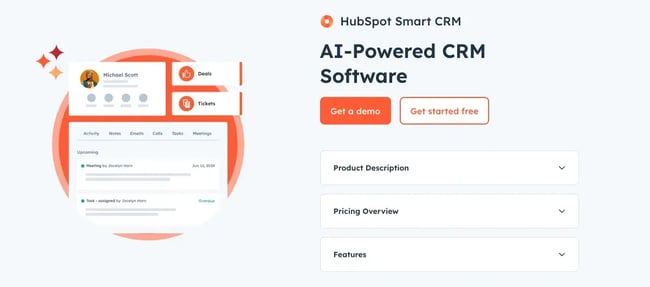
1. HubSpot Smart CRM

screenshot of crm for pest control, hubspot

Source

Best for: Pest control companies of all sizes seeking an integrated platform that combines CRM, marketing, and service management capabilities.

Key HubSpot Features

  • Free CRM foundation: HubSpot’s free CRM supports up to 1,000,000 contacts and includes essential features like contact management, deal tracking, and task management. This makes it ideal for pest control startups and small businesses that need robust functionality without upfront costs.
  • Marketing automation: HubSpot’s marketing automation tools help pest control companies nurture leads and create personalized customer journeys. Pest control companies can automate appointment reminders, seasonal service notifications, marketing messages, and follow-up communications to improve customer retention and experience.
  • Mobile access: HubSpot’s mobile app allows pest control technicians to access customer information on-site, log activities, update service statuses, and schedule follow-up treatments. This ensures technicians have complete customer histories and treatment records accessible during service calls.

HubSpot Pricing

  • Free tier includes basic CRM functionality for unlimited users, starter plan begins at $9/month with advanced features.

Learn more about HubSpot pricing.

2. Salesforce

screenshot of possible crm for pest control, salesforce

Source

Best for: Large pest control enterprises requiring extensive customization and enterprise-level security.

Key Salesforce Features

  • Advanced workflow automation: Salesforce offers comprehensive workflow automation and approval processes that ensure compliance with pest control regulations and internal procedures. Companies can automate treatment scheduling, chemical usage tracking, and regulatory reporting.
  • Integration ecosystem: Salesforce offers third-party integrations, including specialized pest control software, document management, and financial analysis tools. This allows pest control companies to connect existing systems with their CRM.
  • Einstein AI analytics: Salesforce’s Einstein AI provides predictive insights that can identify high-probability service opportunities and suggest optimal timing for customer outreach. This helps pest control companies identify customers likely to need additional services or contract renewals.

Salesforce Pricing

  • Starter Suite beginning at $25/user/month.

Learn more about Salesforce pricing.

3. Pipedrive

screenshot of possible crm for pest control, pipedrive

Source

Best for: Small to medium pest control businesses focused on easy pipeline management and sales process optimization.

Key Pipedrive Features

  • Visual pipeline management: Pipedrive’s visual pipeline allows pest control companies to easily track leads from initial inquiry through service completion. Color coding also helps companies manage different service types (residential, commercial, emergency) in separate pipelines from a single view.
  • Sales automation: Pipedrive’s AI-powered platform automates routine tasks and administrative work, allowing pest control sales teams to focus on closing more deals. Companies can automate follow-up sequences for quotes, service reminders, and contract renewals.
  • Email integration: Pipedrive’s integrated email client and email marketing platform enables pest control companies to create professional service confirmations, treatment reports, and seasonal marketing campaigns.

Pipedrive Pricing

  • Starting at $14/seat/month.

Learn more about Pipedrive pricing.

4. Zoho CRM

screenshot of possible crm for pest control, zoho

Source

Best for: Small or budget-conscious pest control companies seeking affordable CRM and service functionality.

Key Zoho CRM Features

  • Affordable multi-user access: Zoho CRM offers a free plan for up to three users. Growing companies can add users at competitive rates compared to other CRM solutions.
  • Blueprint process management: Zoho’s Blueprint feature simplifies data capture for front-line pest control teams. It creates step-by-step workflows, ensuring consistent service delivery and data collection across all technicians.
  • Inventory management: Zoho CRM includes inventory management features so companies can manage product inventory (i.e. chemicals, equipment, supplies), track usage, and automate reordering processes.

Zoho CRM Pricing

  • Free up to 3 users with basic features. Paid plans begin at $14/user/month.

Learn more about Zoho CRM pricing.

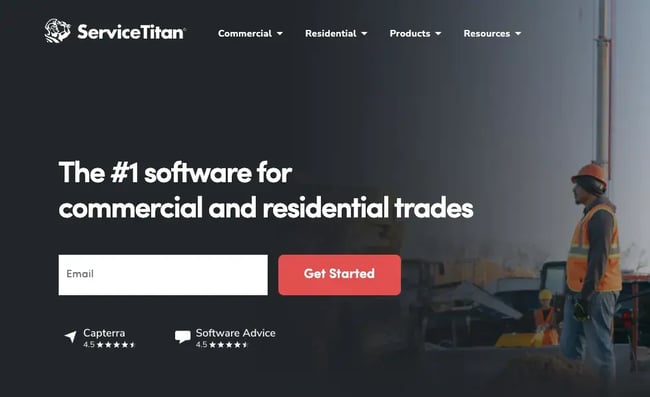
5. ServiceTitan

screenshot of possible crm for pest control, servicetitan

Source

Best for: Large pest control operations requiring comprehensive field service management and dispatching capabilities.

Key ServiceTitan Features

  • Field service management: ServiceTitan provides specialized tools for field service businesses like pest control, including technician dispatching, route optimization, and job management.
  • Customer portal: ServiceTitan offers customer portals where pest control clients can schedule appointments, view service history, and access treatment documentation. This reduces administrative work for office staff and creates a more positive customer experience.
  • Performance tracking: The platform includes comprehensive reporting and analytics tools that help pest control companies track technician performance, customer satisfaction, and business metrics.

ServiceTitan Pricing

Learn more about ServiceTitan custom pricing.

6. Freshworks CRM

screenshot of possible crm for pest control, freshworks crm

Source

Best for: Growing pest control businesses seeking sales automation and customer support integration.

Key Freshworks CRM Features

  • Multi-channel communication: Freshworks CRM enables pest control companies to communicate with customers across email, phone, chat, and social media from a unified platform. This helps create a consistent customer experience across all touchpoints.
  • Sales automation: The platform can be combined with email sequences and automated follow-up campaigns, which are especially useful for pest control companies managing seasonal services and recurring appointments.
  • Customer support integration: Freshworks combines CRM with customer support tools, allowing pest control companies to track service issues, manage customer complaints, and ensure timely resolution.

Freshworks CRM Pricing

  • CRM alone starts at $9/user/month; Service tools start at $15/user/month.

Learn more about Freshworks CRM pricing.

7. Monday

screenshot of possible crm for pest control, monday

Source

Best for: Project-focused pest control teams requiring strong collaboration and project management capabilities.

Key Monday Features

  • Project management: Monday excels at project-based pest control work such as large commercial accounts, construction projects, and multi-location treatments. Teams can track project progress, assign tasks, and collaborate effectively.
  • Custom workflows: The platform allows pest control companies to create custom workflows for different service types, ensuring consistent processes across residential, commercial, and emergency services.
  • Team collaboration: Monday provides team collaboration features that help pest control companies coordinate between office staff, technicians, and management for improved operational efficiency.

Monday Pricing

  • Starting at $12/seat/month.

Learn more about Monday pricing.

Benefits of CRM Software for Pest Control Companies

Investment management firms using CRMs can see significant benefits, including:

Improved Customer Retention

Pest control companies typically manage recurring service relationships that require consistent communication. With the right CRM, companies can automate appointment reminders, seasonal service notifications, and renewal communications, ensuring customers never miss scheduled treatments and reducing churn rates.

HubSpot’s marketing automation allows pest control companies to create personalized customer journeys and automated follow-up sequences.

Better Field Service Coordination

Field technicians need real-time access to customer information, service histories, and treatment protocols. A good CRM for pest control provides this and ensures technicians have complete context for each service call, improving service quality and customer satisfaction.

HubSpot’s mobile app enables pest control technicians to access customer data on-site, log activities, and update service statuses whenever they need it.

Streamlined Compliance and Documentation

The pest control industry requires detailed record-keeping for treatments, chemicals used, and regulatory compliance. CRM systems help companies maintain accurate documentation and generate compliance reports.

HubSpot’s custom reporting and analytics tools can provide pest control companies with data-backed insights for strategic decision-making, ensuring both operational efficiency and regulatory compliance.

Emergency Service Management

Pest control companies often handle urgent requests that need immediate response. CRM systems help prioritize emergency calls, dispatch appropriate technicians, and track response times.

HubSpot’s contact management and task automation features, for instance, can help pest control companies identify high-priority leads and emergency service requests efficiently.

Data-Driven Business Growth

CRM systems provide pest control companies with insights into customer behavior, service performance, and business metrics.

Rentokil Initial uses HubSpot’s marketing automation to nurture leads and customers through personalized journeys, converting marketing qualified leads into sales qualified leads more effectively. This data-driven approach helps companies optimize their services and identify growth opportunities.

5 Important Features for a Pest Control CRM

What features should you be looking for to reap these benefits? Here are five essentials:

  1. Mobile and offline access: Pest control technicians in the field need access to customer and service info on the go. HubSpot’s mobile app allows pest control teams to access customer information on-site, log activities, and update deal statuses even in areas with limited connectivity.
  2. Automated appointment scheduling: CRMs for pest control should automate appointment scheduling, send reminders, and handle rescheduling. HubSpot’s marketing automation tools make this possible.
  3. Service history and documentation: Regulatory compliance requires detailed records of all treatments, chemicals used, and service notes. With this in mind, pest control businesses need a CRM system that easily tracks complete service histories and generates compliance reports. HubSpot’s holistic contact records and custom reporting capabilities allow pest control companies to maintain detailed treatment records and generate compliance documentation.
  4. Integration with field service tools: Pest control companies often use specialized software for route optimization, inventory management, and billing. CRM systems should integrate with these to create unified workflows. HubSpot’s integration ecosystem includes hundreds of popular tools.
  5. Self-service options: Modern customers expect easy online access to their service information. CRM systems should provide customer portals that reduce administrative work while improving customer satisfaction. HubSpot enables pest control companies to create password protected pages to help with this.

How to Choose a CRM for Pest Control Companies (Step-by-Step)

Step 1: Map your current workflows.

Document your existing processes for lead management, service scheduling, technician dispatch, and customer communication. Identify pain points where manual processes slow down operations or create errors.

Step 2: Identify must-have features.

Determine which features are essential for your pest control business (like those we discussed) versus nice-to-have options. HubSpot’s free CRM includes essential features like contact management, deal tracking, and task management, making it suitable for companies with basic needs.

Step 3: Evaluate integration requirements.

List existing software tools (accounting, inventory management, route optimization) that must integrate with your CRM. Ensure your chosen platform can connect with these systems. HubSpot offers extensive integration capabilities with third-party applications, making it easier to connect existing business tools.

Step 4: Consider scalability and pricing.

Choose a CRM that can grow with your pest control business without requiring expensive migrations. Factor in costs for additional users, features, and integrations as your company expands. HubSpot’s scalable platform allows pest control companies to start with free tools and add advanced features as they grow.

Step 5: Test user experience and training requirements.

Evaluate how easily your team can adopt the new CRM system. Consider the learning curve for office staff and field technicians. HubSpot’s intuitive interface and comprehensive training resources help make implementation and adoption easy.

Frequently Asked Questions

What is the best CRM for pest control companies?

HubSpot Smart CRM is one of the top choices for pest control companies due to its comprehensive feature set, scalability, industry-proven results, and affordability. HubSpot offers free CRM functionality, mobile access for field technicians, and marketing automation tools specifically valuable for pest control operations that can grow with a company.

What features should I look for in a CRM for pest control companies?

Essential features include mobile access for field technicians, automated appointment scheduling, treatment history tracking, regulatory compliance documentation, and integration with field service tools. HubSpot’s mobile app allows access on the go, in real time, while its automation features help manage recurring service appointments.

Is HubSpot good for pest control companies?

Yes, HubSpot is excellent for pest control companies of all sizes. HubSpot’s free CRM plan makes it accessible for small pest control businesses, while its advanced features scale with growing operations. Just look at Rentokil Initial’s success.

How much does a CRM for pest control companies cost?

CRM pricing varies based on features and user count. HubSpot offers a free CRM plan with essential features, while paid plans start at $15/month per user.

Can pest control companies use free CRM software?

Yes, several CRM providers offer free plans suitable for small pest control companies. HubSpot’s free CRM, for example, supports up to 1,000,000 contacts and includes contact management, deal tracking, and task management features.

Meet HubSpot, the Top CRM Choice for Pest Control Companies

HubSpot stands out as the premier CRM for pest control companies, offering businesses everything they need to attract leads, schedule work, and retain clients—all in one easy platform.

Key Features

  • Pipeline automation for new jobs
  • Email + SMS reminders
  • Custom dashboards for service tracking

258,000+ customers in over 135 countries grow their businesses with HubSpot, including pest control companies that rely on the platform for comprehensive customer relationship management, field service coordination, and business growth.

Ready to see how HubSpot can transform your pest control business operations? Get started with HubSpot’s free CRM today and experience the difference that comprehensive customer relationship management can make for your pest control company.

Categories B2B

Measuring inclusive marketing — why traditional KPIs hinder both customer success and brand growth

Brands want to know that they are on the right track toward achieving their goals. That’s why measurement matters. Key performance indicators (KPIs) often give leaders signals to determine if what they’re doing is working or if they need to adjust.

Download Now: Free Marketing Plan Template [Get Your Copy]

A client I worked with a while back wanted to ensure they were effectively engaging the African-American and Hispanic communities as a part of their growth strategy. So, they tracked many of their brand KPIs by race and ethnicity. They identified that they weren’t performing as well with African-Americans as they should have been. My role was to help them figure out why and help them improve those KPIs.

As an inclusive marketing strategist and consultant, I’ve found over and over again that traditional KPIs don’t tell the full story. Marketers and business leaders will struggle to reach a diverse customer base and make informed decisions with this missing context.

Below, I share why traditional KPIs fall short and how metrics that focus on diverse groups are the key to unlocking customer success and brand growth.

Why Most KPIs Don’t Tell the Full Story

In my experience, most brands’ KPIs fail to accurately measure diverse communities. Why? The brands’ initial marketing collateral has not been tested on a diverse audience.

For example, I recently gave feedback on an ad during an inclusive marketing audit. The client noted that their team tested the ad and didn’t get the indication that there were any issues.

So, I asked them who they tested the ad with. Therein lay the problem. Their “general market” test failed to give them an accurate indication of how their ad would be received by diverse consumers.

Sinners: A Case Study

A compelling case study of this point comes from Sinners, the highest-grossing original film this decade. The hit movie earned $261m in domestic box office sales and $357m worldwide. Before I even saw the film, I knew there was a pivotal dance scene that mesmerized audiences. People had already been raving about it on social media.

When comedian KevOnStage talked about that scene, he said that he’s “never felt so seen, in a scene.” Commenters agreed with him on the impact.

inclusive-marketing-KPIs-2-20250714-3703128

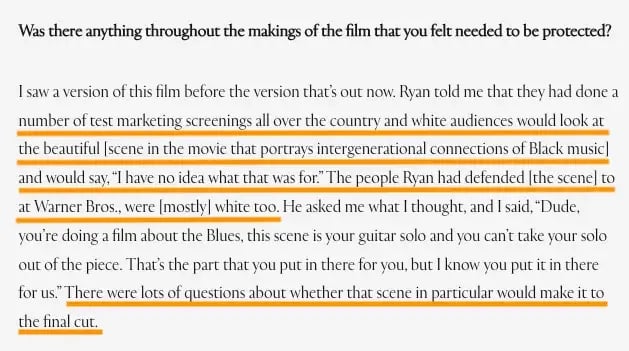
Given the impact this scene had on a broad diversity of viewers, I was shocked to learn that it had been cut from the film at one point during the editing process. Actor Saul Williams, who was in Sinners, told Essence Magazine that he saw a version of the movie that didn’t include that scene because it didn’t test well with general market audiences.

kpis to track for inclusive marketing, general market test was mostly on a white audience. the scene didn’t resonate with them, but it made the movie for black audiences

The performance indicators showed that the scene should be left out. However, the feedback from audiences reflected the fact that the scene was pivotal to the impact and success of the film.

Where did this disconnect come from?

The performance indicators were captured from the perspective of the “general market.” What would have been more helpful — and this is true for most brands — is to understand how different types of audiences responded to the stimuli.

In short, I’ve discovered that “general market” numbers are no longer reliable enough for market and customer research.

How to Ensure Your KPIs Give You a More Complete Story

First off, you must acknowledge that any metrics you track solely at an aggregate level are likely telling an incomplete story. If you want to uncover the root of what is happening and why, you’ll need to go deeper. That means adjusting your performance metrics and looking at them based on subgroups.

Deborah Pickett, a mathematics instructional trainer and coach, has been analyzing data with school systems for more than 20 years. One of her roles is to focus on data at schools to better understand how they are performing. She explained how she and school leadership use data to track performance. First, Pickett and her team see what percentage of students are learning the material. Then, they dig into subgroups.

“In other words, if we’re looking at the subgroups of students, whether it’s by grade level or by course or by ethnic subgroup or by students with disabilities. Are those students also performing at the same levels as the masses are? That’s how we know if what we’re doing is working for students,” Pickett says.

Pickett went on to add that you have to look at several data points to uncover a more complete story.

“One of the things we talk about often is triangulating data. For example, if you just look at teacher data, or you just look at student data, or you just look at the big picture, you miss all of the things that are happening when you look at it all together and see what story that data is telling you,” Pickett says.

Tune into my full conversation with Deborah Pickett, which includes recommendations on what to do about the story your data tells you on this episode of the Inclusion & Marketing podcast:

Why track KPIs for diverse consumer subgroups?

A common objection I hear when recommending this approach is that people don’t understand why they need to track performance by subgroup. I always remind clients that it is important to do so because consumers are different.

Moreover, with growing diversity from a race and ethnicity standpoint in the U.S. and minority groups increasing their representation, businesses simply can’t afford to ignore what resonates with diverse consumer groups. The U.S. Census Bureau predicts that non-Hispanic whites will account for less than half of the population in the next 25 years, and minority consumer spending is expected to reach $7 trillion this year.

We also need to consider other dimensions of diversity apart from race and ethnicity, such as sexual oritentation, age, body size and type, neurodiversity, parental status, and disability, to name a few.

So, even though the consumers you serve are all coming to you to solve a specific problem, I’ve found that the identities each of them has can influence a number of things that impact the journey they have with you, including:

  • The ways in which they receive messages from you.
  • Whether or not they convert into a customer.
  • The degree of success they achieve.
  • How long they stay with you as a customer.

Comparing your overall data with performance metrics by subgroup will help you evaluate how effective you are with different consumer groups. That insight lets you identify when you need to make adjustments to your approach.

In this short video, Pickett explains why looking at data by subgroups generates better markers for success, along with an example of how this method generated positive results.

Key Performance Indicators Your Brand Should Be Tracking

Brands engaging in inclusive marketing aren’t as effective as they could be.

A recent HubSpot study found that just 32% of marketing professionals whose companies invest in inclusive marketing felt their marketing efforts were very successful. That same study showed that 61% of marketers said their inclusive marketing efforts were somewhat successful.

There are many reasons why more brands aren’t seeing their desired growth from inclusive marketing. One of those reasons is they aren’t tracking the right metrics to understand how they’re landing.

A number of marketers have said to me that their way of tracking inclusive marketing effectiveness is based on specific actions taken by the brand. That has often meant tracking the different types of representation included. For example, X percentage of people in a campaign are from an underrepresented or underserved community.

However, I don’t advise those types of metrics. These KPIs don’t tell the story of how your brand is actually performing with consumers.

Remember, inclusive marketing drives business results. Because of that, the best way to track your effectiveness is by evaluating how well you are doing with the various communities you want to serve.

Simply put, the key is to track your existing KPIs, but do it by subgroup of the communities you want to grow with.

Say your brand has general KPIs such as:

  • Brand awareness.
  • Brand satisfaction.
  • Brand engagement.
  • Brand retention.
  • Market share.
  • Customer success.

My recommendation is to track that same data, just at the subgroup level as well.

That means if you’ve chosen to serve Spanish speakers, Gen Z, and the disabled community, you should be tracking all of those KPIs for each group.

Gary Osifchin, former CMO at Reckitt U.S. Hygiene (which makes brands like Lysol, Woolite, Finish, and more), told me that the marketing teams at Reckitt are tracking KPIs by the subgroups they want to serve. The KPIs they are using are just standard marketing KPIs, but focused on the African-American and Hispanic communities they want to reach. The team is looking at:

  • Household penetration.
  • Buy rate.
  • Frequency of purchase.
  • Message and communications testing.

Bottom line: When it comes to KPIs, don’t reinvent the wheel. But also make sure you track enough data to tell you the truth about your performance.

The right KPIs will support your growth.

Go beyond general market metrics to evaluate how well your brand is performing. Doing so gives you a fuller picture of your brand’s impact with all the different types of consumers you want to serve.

When you do, I guarantee you’ll better understand what adjustments you need to make or where you can double down to achieve your goals. KPIs based on consumer subgroups allow you to serve your audience segments better and to see fresh brand growth.

Categories B2B

Here’s how (and why) marketers are using AI-generated content [new data & tips]

Did you see the viral AI ad aired at the NBA finals? Crazy visuals, impeccable product integrations, 3.3M views on X. I almost couldn’t believe it was completely AI-generated content.

Get Started with HubSpot's AI Campaign Assistant

An AI film-maker co-wrote the script with Gemini, generated Veo-3 prompts and videos, and edited clips on Capcut, all with a budget of just $2,000.

This ad made me realize we’ve hit a tipping point in AI-generated content. If you’re a content marketer, you need to pay attention to AI now.

In this blog post, I’ll dive deeper into the top AI-generated marketing content types, using data from HubSpot’s State of AI survey, which includes insights from over 1,500 U.S. marketers. I’ll also share AI content examples and tips so you can see the potential in action.

Table of Contents

Marketers, AI-Generated Content, and Today’s AI Landscape

According to HubSpot’s State of Marketing 2025 survey, marketers think it’s time to go all in on AI.

And I completely agree.

First off, AI adoption remains high but still has room for growth, particularly in non-US markets. According to HubSpot’s 2025 State of AI Marketing Report, approximately two-thirds of marketers indicated AI use at work.

While this is lower than last year’s figure (74%), that can be accounted for by the difference in sample constitution, as this year surveyed a global audience whereas last year only surveyed U.S. respondents. The U.S. number has held steady since last year.

On the tech front, we’re seeing improvement on multiple fronts. Models like GPT-4 and Claude 3.5 now have great reasoning and writing capabilities.

AI agents are also becoming more powerful. Technologies like the Model Context Protocol (MCP), which allow LLMs and agents to share information with each other, are pushing us towards the agentic era.

In the context of marketing, AI has seen widespread adoption and practical wins. The vast majority (89%) of AI users indicated that their AI usage had increased as a result of it being added to their existing tools.

Media content creation (38%) is an emerging use case, indicating AI’s growing role in visual and audiovisual content, though it still lags behind text. Brainstorming (34%), skill learning (33%), and data analysis (36%) are additional applications, though less central to daily marketing workflows.

Administrative AI applications, like meeting note-taking (26%) and internal communications (14%), remain niche, reinforcing that AI is primarily valued for content production rather than internal operations.

But it’s not all smooth sailing.

AI doesn’t have the best reputation when it comes to accuracy and biases. AI-powered recruiting can have built-in age-discrimination Sometimes, it even tells business owners to break the law.

The regulatory landscape is shifting to attempt to mitigate AI risks and keep up with the pace of innovation.

At the time of writing this article, over 70 countries have their own AI policies and frameworks to promote responsible AI development. The European Union’s proposed AI Act aims to regulate high-risk AI applications, including those in marketing, to ensure ethical practices and protect consumers.

This regulatory push is vital for maintaining trust and preventing AI misuse.

Most marketers I’ve spoken to share a similar sentiment: excited about everything they can do with AI, but nervous about the potential impacts on their jobs and the constant pressure to upskill.

Personally, as someone who has always been drawn to automation, I find AI-generated content fascinating. At the same time, I can’t ignore the impact it will have on society as a whole.

Let’s look at the pros and cons of AI-generated content marketing.

AI-Generated Content in Marketing: Pros and Cons

Pro: Efficiency and Cost-Effectiveness

With AI, teams have become leaner. One person with the right AI model and prompt can recreate work that previously needed a creative team and weeks of effort. 55% of the marketers we surveyed cite time savings as the key reason why they use AI.

Additionally, 65% of marketers say that AI allows them to focus on more creative aspects of their job by freeing up their time. Meanwhile, companies are actively looking for areas to automate so resources can be allocated more efficiently.

For instance, Shopify CEO Tobias Lütke has an aggressive approach to drive AI adoption. His internal memo states, “Before asking for more headcount and resources, teams must demonstrate why they cannot get what they want done using AI.”

Companies are also building out their own “AI team members.. Over 66% of marketers plan to build out internal tools for their marketing teams, expecting a 45% cost reduction to external tools.

Simply put, AI allows teams to scale without increasing headcount.

ai-generated content in marketing: pros and cons

Con: Quality and Authenticity Concerns

AI-generated content often gets a side-eye for being too robotic or making up facts. Based on HubSpot’s AI survey, marketers continue to have serious concerns about generative AI:

  • 43% say AI sometimes produces inaccurate information.
  • 34% say AI can get biased.
  • 30% believe that AI produces vague and surface-level content.

Of course, your experience might be different based on the model you use, how you’re prompting it, and the subject matter itself. AI might do okay while generating an email for a team update, but it may make up facts while writing about the latest advancements in data science.

I’ve found it often confuses software versions, report statistics, and references outdated information. Video generators like Veo-3 also frequently produce misspelled subtitles.

As HubSpot channel monetization lead Alexe Cunningham mentions, “AI is there to help us but isn’t the source of truth. It’s a jump start on whatever we are doing. We always check our work.”

Pro: Personalization

AI videos as cold DMs. Dynamic content delivery based on past preferences. Personalized real-time recommendation systems.

Sound like a lot of work? This level of personalization would be impossible to achieve manually (especially if you have thousands of visitors). However, AI can personalize all of this and more at scale.

For instance, HubSpot’s demand gen team used AI to comb through thousands of customers and send personalized content recommendations to them. One result was a cold brew company that had downloaded influencer marketing resources and also showed interest in content planning for seasonal launches.

Instead of generic resources, HubSpot’s AI system recommended a content marketing course with a targeted copy. Here’s what they sent: “Turn every sip into a story that captivates and converts.”

Using AI can help your brand stop the scroll and deliver an engaging and intimate experience to your customers.

Con: Ethical and Privacy Issues

AI systems are trained on loads of data, some of which are sourced quite questionably. I’ve seen lawsuits on models scraping private user data without consent. Artists have also filed lawsuits against AI companies for training on copyrighted artwork.

In a world where AI can create convincing deepfakes and fabricated case studies, it’s becoming difficult for customers to know what’s actually real.

Countries are investing heavily in a broader AI strategy to help combat ethics and privacy issues. Along with GDPR, regulations like the European Union’s proposed AI Act and California’s Consumer Privacy Act (CCPA) impose strict data privacy rules. Data marketplaces like Kaggle help provide legal and standardized data, but the battle of privacy and ethics with AI is far from over.

Pro: Analysis and Research Capabilities

With the release of models like OpenAI’s deep research and GPT-4, AI has become powerful in research and data analysis.

I recently tested some AI tools for Excel for another article and was pretty impressed at how ChatGPT processed complex datasets. I uploaded months of YouTube data, and it was able to identify content patterns and formats that I had missed. These insights were immensely helpful for my content strategy going forward.

Similarly, AI can help with analyzing and tweaking content performance across campaigns.

Con: Greater Dependence on Technology

I came across an interesting study by MIT. Researchers had students write SAT essays. Some of them were allowed to use ChatGPT, while others weren’t. The results are honestly a bit scary, given how every marketer is learning AI right now.

Students using ChatGPT showed the lowest brain engagement and barely remembered what they wrote shortly after. By the third essay, they had given up completely and simply copied and pasted what ChatGPT provided.

This shows how AI can become a crutch, even when you don’t want it to.

So, does that mean you should completely write off AI and do everything manually? Definitely not.

The study also showed that students who first wrote the essays themselves and then used AI to enhance their writing performed better than both the previous groups. The takeaway here is: use AI to amplify your creative process, not replace it.

It’s essential to be mindful of your AI usage and consider setting limits. I prefer to work on a rough draft or content strategy before I head to AI to polish it. You can choose to complete some projects without using AI at all.

The Top 3 Content Types for Generative AI

According to HubSpot’s 2025 State of AI Marketing Report, marketers are using AI most heavily for the following three use cases.

1. Emails and Newsletters (51%)

I personally find emails the most challenging content format to get right. You’re competing for attention against hundreds of emails an average person receives daily. One wrong word, and you’re either in the spam or promotions folder, killing your open rates.

Even when you make it to the primary inbox, you’ve seconds to convince them to open your email and take action. This is why 51% of marketers use AI to help them with email and newsletter content.

You can use AI to brainstorm campaigns, personalize emails, and A/B test results. Here’s how.

  • Email strategy. Instead of guessing what your customers want, AI can help you figure out what they’re actually engaging with. Feed AI your ideal customer profile and ask it to reverse engineer the kind of messaging and subject lines they’re most likely to click on. Use that information to inspire your email strategy. I also use AI to brainstorm lead magnet outlines and email sequences.
  • Personalization. Traditionally, email personalization is done in batches. You segment your audience by a specific factor or action and then swap names, job title, or any other details they’ve filled in a form. But with AI, you can actually drive one-to-one personalization at scale. For instance, HubSpot’s demand generation team used AI to increase conversions by 82% through analyzing user behavior and website data.
  • A/B testing. I’ve always found A/B testing a bit hard, whether it’s for emails or social media. You have to write out variations of the same email, adjust for multiple variables, and then dig into the data. It’s really easy to get stuck in analysis paralysis since it’s a long and tedious process. Good news? AI can tackle a lot of the heavy lifting here. Use AI to do real-time data analysis and personalize, continuously refine A/B tests, and measure the results.

Pro tip: Tools like HubSpot’s AI Email Writer help me generate multiple variations of my emails for efficient A/B testing.

ai-generated content, hubspot’s ai email writer

Source

2. Social Media Content (49% for Text-Based, 47% for Video/Audio)

Coming in a close second, 49% of marketers use AI for text-based social media content, and 47% for video/audio generation. Honestly, I’m surprised it’s not the first.

Since I work extensively in social media, I’m noticing a clear trend toward AI-generated content across industries. Apart from the AI ad I mentioned earlier, my feed is filled with influencers using AI-generated avatars to create videos faster.

Personally, I use AI as a content assistant. For instance, one of my clients has built a CustomGPT trained on years of his posts. So, instead of writing his content from scratch, my job is to feed unique research into the GPT and then refine the output for flow and accuracy.

Here’s how other marketers are using AI for social media.

  • Content creation. AI tools can help generate content ideas, conduct heavy research, create first drafts, and even generate realistic art and video. I’d recommend checking out the following tools: ChatGPT (analysis), Sora (image generation), Claude (writing), Veo-3 (video creation), and HeyGen (AI avatars).
  • Campaign automation. Posting and scheduling can be a tedious task, especially when you’ve got a lot of platforms to keep active. AI scheduling tools can completely take this off your plate. I use AI to automate posting across platforms, with optimized content for each. n8n, a workflow automation software, is also popular for repurposing content and posting on different platforms.
  • Analytics. Use AI on your social media analytics to spot patterns between content formats, types, and posting times. You can also analyze external datasets to gain insight into viral hooks and social trends. Once you understand what’s working, you can feed this data into your content creation workflow and double down on it.

I spoke with Spencer Tahil, an AI consultant at Growth Alliance, and thought his content creation process was quite interesting. He turns meeting transcripts into on-brand LinkedIn posts using a series of AI prompts. These prompts create a voice profile by identifying unique communication patterns, linguistic preferences, and then calibrating the final output.

“[Using this system], I get content that actually sounds like me — not some corporate robot. I’m getting 95% usable content on the first draft, saving me hours every week,” he told me.

3. Long-Form Content — Blogs, Articles, etc. (46%)

Quality long-form content can do a lot for your business: drive sales-qualified leads, build authority, and nurture your leads. However, it also can take forever to write.

That’s why 46% of marketers (and me!) are actively using AI for writing blog posts and articles. Here are some ways you can use AI writing generators for long-form content.

  • Efficiency. AI can drive efficiency gains in almost every part of the long-form creation process. What I love most is that I don’t have to stare at a blank page to write a blog post. Marketers can use AI to generate blog outlines, do research, and even generate first drafts. I also use it to spot any logical or reasoning gaps in my pieces and tighten up the copy.
  • Content optimization. With AI, you can easily analyze what type of content is working in your favor. For instance, HubSpot’s analytics revealed that our readers prefer blog posts with case studies and real-life examples. So, I started adding more of these elements, and engagement shot up.

Daria Bulatovych, a content strategist at TripRobotics, told me how AI helped her cut down her blog creation time.

“A typical piece took a full workweek: 3-4 days of research, 1.5 days of writing, and additional time for edits and SEO optimization. However, I can now create equally strong content in just 1.5 days [with GPT4]. These articles drive consistent traffic in a highly competitive niche.”

Pro tip: Ready to use AI and speed up your long-form creation process? I’d suggest opting for HubSpot Breeze as your end-to-end content assistant. Breeze can ideate, create, and distribute content that speaks to your customers.

The best part? Breeze natively syncs with HubSpot’s CRM to pull up data and insights from your sales funnels. You get content strategies perfectly aligned to your marketing funnel without switching between multiple tools.

5 Tips for Using AI-Generated Content in Marketing

1. Treat AI as a teammate.

I like to treat AI as an intern. Just like you wouldn’t hand over your business to a new team member and expect them to fix everything, don’t expect AI to give you polished results without context.

I view AI as a collaborator to my business. That means I set up projects with onboarding documents: business goals, strategy documents, current initiatives, and more. Just like training an intern, I set clear expectations on how I want it to help me.

When you collaborate with AI, you’ll start to unlock efficiency gains. For instance, I use AI for editing first drafts for flow, brainstorming visuals for content pieces, and gaining insights from my data.

The best part? I can delegate assignments to AI 24/7, get revisions back in seconds, and prompt it to refine the work till I get what I need. But just like human teammates, you get what you put in.

2. Edit, edit, edit.

AI-generated drafts are just a starting point. Your final content should reflect your brand’s unique voice and insights, ensuring it stands out and offers real value.

Here are some elements I include to make my content unique and non-replicable:

  • Personal opinions on a topic.
  • Internal company data and product materials.
  • Quotes from SME interviews.
  • Actually testing products and tools.
  • Behind-the-scenes footage and stories of a launch.
  • Photos and screenshots
  • Rigorous fact-checking

So, even if you use AI to generate a first draft, make sure you personalize it with real-world experience.

3. Choose the right content tasks to automate.

AI has the potential to automate a lot of your content creation process. The question is: Should you let it?

There is no blanket answer because using AI is heavily dependent on your priorities, current processes, and goals.

For instance, I prefer not to use AI for my personal social content. Since I don’t have a library of content that performs well already, there is no context for AI to build on. It can’t replicate my voice (yet), because even I am not sure what my voice is.

Typically, I write first drafts myself and then ask AI to polish and tighten the copy. I also turn to AI for content ideas when I’m stuck.

On the other hand, marketers like Jess Cook from Vector have built a system around automating founder-led content at scale. I find her approach incredibly effective, and maybe in the future, it’ll make sense for me too.

Similarly, if you’re an SEO company, you’d want to build AI processes around keyword research automation or audits. In contrast, if you specialize in thought leadership, you’d want to automate research while keeping the insights human.

Resist the temptation to automate every content task, and focus on the ones that will actually move the needle for you.

4. Work on your prompts.

Good content starts with good prompts. If you want to create AI-generated content at scale, prompting is the first thing you should learn.

After testing and iterating over hundreds of prompts, I’ve learned that good prompts are clear and specific. The more context, examples and data you can give AI, the better output it’ll give you.

Here are four things I recommend you add to your prompts:

  • Role. Give AI a role to play. If you’re working on emails, ask it to act as an “email specialist with 10+ years of experience.” I also specify the industry I’m working in (e.g. B2B SaaS) to get even more nuanced responses.
  • Tone. Include the tone and formatting you want AI to respond in, e,g. conversational, fun, edgy, short, punchy, etc.
  • Context/Examples. My most successful prompts include real-world examples. Think: content which has performed well earlier, competitor examples, outlines, strategy documents, and more.
  • Constraints. It’s also important to specify what you want the output to not look like. Introduce guardrails to limit AI hallucinations. This could look something like “favor plain language over jargon, don’t make claims about ROI without data, avoid referencing X publication,” etc.

5. Keep up with AI.

AI is getting better every single day.

A few months ago, I had to generate AI video and audio separately and sync them separately. Today, I can just use Veo-3 to produce incredibly realistic videos with natively synced audio.

Similarly, OpenAI’s Deep Research agent has become incredibly helpful when I am writing a data-heavy article. While it might not always be 100% accurate for recent news, it easily saves me 10+ research hours every week.

If you want to leverage AI fully for your marketing workflows, I’d suggest making a habit of testing new AI features, models, and tools. I usually follow AI newsletters, such as The Rundown AI, to find these tools and stay up-to-date.

A Marketer’s AI Content Playbook

Given the rapid spread of AI-generated content, AI literacy is no longer a “nice to have” for marketers. Content marketers are expected to be AI-forward and integrate AI to amplify their marketing efforts.

However, there’s a right way to approach this problem. I’ve seen too many content marketers scramble to use AI to scale, but then spend hours fixing AI inaccuracies or editing content that doesn’t hit the mark.

My advice? Use AI prompts and tools to scale what’s proven in your content creation process, not replace what’s broken. If you use AI in an already inefficient system, chances are you’ll just make things more difficult for yourself.

Get your strategy right, then use AI to execute the mundane aspects of content creation.

Editor’s note: This post was originally published in May 2023 and has been updated for comprehensiveness.

Categories B2B

5 best investment management CRMs in 2025

Managing investor relationships isn’t like managing any old leads or sales deals. Investment firms deal with high-stakes portfolios, detailed reporting cycles, and strict compliance rules — all of which require special consideration.

Learn more about why HubSpot's CRM platform has all the tools you need to grow  better.

To stay competitive, modern firms need investment management CRMs that support fundraising, investor communications, and regulatory workflows and can grow with them. Whether you’re streamlining capital calls, managing client portfolios, or reporting to stakeholders, the right CRM gives your team structure, visibility, and automation.

Not convinced? Studies show firms that adopt CRMs see a 29% increase in sales productivity and a 41% revenue boost per salesperson.

In this article, we’ll compare the top CRM platforms for investment managers in 2025, including HubSpot, which over 248,000+ customers in over 135 countries have used to grow their businesses.

You’ll also find:

  • A quick comparison table
  • A breakdown of essential CRM features
  • A step-by-step guide to choosing the right platform
  • Real use cases and outcomes powered by HubSpot

Table of Contents

What is a CRM for investment management?

An investment management CRM helps firms track investor relationships, manage deal pipelines, and comply with regulations. These platforms are tailored for private equity firms, wealth managers, and institutional investors who need robust reporting, automation, and team collaboration tools. With its flexibility and host of integrations, HubSpot can be customized to do all of this.

Investment Management CRM Comparison Table

CRM

Best For

Key Features

Pricing

Free Trial

HubSpot

Scalable firms that need automation + compliance

Workflow automation, custom objects, IR tracking

Free+, Starter $20/mo

✅ 14-day trial

DealCloud

Private equity and VC firms

Deal pipelines, LP tracking, integrations

Custom pricing

Backstop

Institutional investors and endowments

Portfolio tracking, IR tools, reporting

Custom pricing

Wealthbox

Independent RIAs and small firms

Simple UI, workflows, activity tracking

$35/user/month

✅ 14-day trial

Salesforce Financial Services Cloud

Large enterprise wealth managers

High customization, advanced analytics

From $300/user/month

Best CRM Software for Investment Management Businesses

1. HubSpot

HubSpot is a top investment management crm

Source

Best for: Investment firms that want flexibility, automation, and compliance in one scalable platform.

Key HubSpot Features

  • Custom objects: Track investors, funds, and deal details in tailored record types. HubSpot’s custom objects let you structure your CRM around your unique business model without needing expensive development.
  • Automated workflows: Streamline outreach, follow-ups, and quarterly reporting. HubSpot‘s workflows let you set rules that trigger emails, task assignments, or data updates automatically and align these with your marketing, sales, or service activities.
  • Activity logging and permissions: Stay compliant with robust audit trails and access controls. Every communication is recorded, and user permissions can be finely tuned for compliance.

HubSpot Pricing

Free CRM available. Paid plans start at $20/month. See pricing.

2. InTapp DealCloud

DealCloud is an investment management crm

Source

Best for: Private equity firms managing complex pipelines and institutional relationships.

Key DealCloud Features

  • Deal pipelines: DealCloud offers highly visual, customizable pipelines specific to financial workflows. This helps firms easily track capital raising and M&A deal stages.
  • Relationship intelligence: Map contacts across firms and investors. The DealCloud system helps surface warm introductions and shared connections that can drive capital opportunities with curated market signals, client preferences, and AI-powered recommendations.
  • Custom integrations: This helps firms centralize operations into one system and reduce data silos. Firms can connect to data rooms, calendars, and research tools among other things.

DealCloud Pricing

Custom pricing based on firm size, but can start at $250/month. No free trial.

3. SatuitCRM

SatuitCRM is an investment management crm

Source

Best for: Asset managers focused on regulatory compliance and investor workflows.

Key SatuitCRM Features

  • Investor portals: With SatuitCRM, firms can offer investors a secure, personalized environment to retrieve key documents, statements, and communication. Private access eases concerns about sharing sensitive information and data while still offering convenience.
  • Compliance tracking: Built-in rules and approval processes. This helps firms enforce document review workflows and reduce regulatory risk.
  • Reporting tools: Tailored views for IR, sales, and compliance. Dashboards allow each team to monitor their KPIs and stay aligned.

SatuitCRM Pricing

Custom quote starting at $250. No free trial.

4. Wealthbox

WealthBox is an investment management crm

Source

Best for: Financial advisors in need of simplicity and mobility.

Key Wealthbox Features

  • Holistic contact view: Wealthbox offers an easy-to-use client activity tracker. This visual layout helps advisors quickly see recent interactions (i.e. phone calls, emails, files, and financial information.) and plan next steps.
  • Workflows: Wealthbox allows advisors to build lightweight automation for onboarding or meeting prep. You can send emails, create tasks, schedule events, create opportunities, or set reminders that link to related CRM components.
  • Companion mobile app: Built-in iOS/Android apps. Advisors can log notes, make calls, and view client profiles on the go.

Wealthbox Pricing

Starts at $35/user/month. 14-day free trial available. See pricing.

5. Salesforce Financial Services Cloud

Salesforce is an investment management crm

Source

Best for: Large enterprise wealth managers seeking a highly robust platform.

Key Salesforce FSC Features

  • High customization: Tailor every field, workflow, and dashboard. Salesforce allows for deep configuration to support multi-team financial organizations but does come with a steep learning curve.
  • Advanced analytics: Built-in AI and reporting capabilities. Wealth managers can use predictive insights to identify client churn risks or upsell opportunities.
  • Client household mapping: Visualize relationships within families and entities. This helps firms better manage interrelated accounts and cross-sell services.

Salesforce Financial Services Cloud Pricing

Plans start at $300/user/month for the Starter edition, with Enterprise and Unlimited editions offering advanced features and customization. There is no free trial, but Salesforce does offer a guided demo and onboarding support. View pricing.

Benefits of CRM Software for Investment Management

Investment management firms using CRMs can see significant benefits including:

  • Stronger client relationships: Build trust with consistent communication and timely reporting. HubSpot’s automated workflows help IR teams send reports and updates on time while its holistic contact records allow teams to create a more positive customer experience.
  • Improved deal tracking: Visualize where every deal stands. HubSpot’s pipeline tools let you track fundraising and due diligence in one place, especially with the ability to customize fields and stages to match your sales cycle.
  • Audit-ready communication logs: Stay compliant with regulatory bodies. HubSpot logs every call, email, and note for easy reporting. It can also track marketing activity and communication to give you a truly complete picture of your client interactions.
  • Scalable team collaboration: Teams can collaborate across IR, compliance, and portfolio ops. HubSpot’s permission controls, desktop and mobile access, and shared records streamline collaboration.

6 Important Features for an Investment Management CRM

  1. Pipeline customization: Track fundraising, M&A, and client onboarding in custom stages. HubSpot’s drag-and-drop pipelines, custom deal stages, and contact fields make it easy to customize for any fund structure.
  2. Automation and reminders: Never miss a reporting deadline or investor follow-up. HubSpot workflows send alerts and automate tasks across teams.
  3. Compliance logging: Keep audit trails for every investor interaction. HubSpot automatically tracks every activity and stores documents securely.
  4. Custom objects Record data unique to your needs like fund names, investor types, or compliance flags. HubSpot’s custom objects can make your CRM reflect your firm’s structure.
  5. Team permissions and access control: Protect sensitive data with role-based permissions. HubSpot offers fine-tuned user access settings for IR, legal, and ops.
  6. Mobile app/access: You can access your CRM from client meetings or on the go. HubSpot’s mobile app lets you log calls and update deals in real time, even away from your desk.

How to Choose a CRM for Investment Management Businesses (Step-by-Step)

So, how do you choose your investment management CRM? It generally comes down to five key steps:

Step 1: Map your workflows.

Document how your team tracks investors, deals, reports, and communications. Understanding specifically how your organization works will help you identify what you need a CRM to do to reduce friction and centralize key activities.

Step 2: Identify must-have features.

List your must-haves (e.g., compliance logging, investor segmentation). Prioritize features that can expedite or eliminate tedious work, improve transparency, and fit your existing tools.

Step 3: Compare ease of use and team fit.

Choose a CRM your team can adopt quickly by testing the UI or trial versions. If your team can’t easily use your CRM, they won’t use it, period.

Step 4: Check cost at scale.

Review pricing tiers to ensure the CRM will fit your budget even as you grow. Many companies charge by the number of contacts you store.

Step 5: Choose a flexible platform — like HubSpot.

Pick a CRM that adapts to you, not the other way around.

Pleo, a fintech company, saved over $350,000 each year by using HubSpot to consolidate four external tools and customizing to their needs. 

Frequently Asked Questions

What is the best CRM for investment management? This depends on your needs, but HubSpot is one of the best CRMs for investment firms due to its flexible data structure, automation tools, and compliance tracking.

What features should I look for in a CRM for investment management? Look for compliance logging, pipeline customization, custom objects, compliance tools, mobile access, and automation. HubSpot offers all of these and more.

Is HubSpot good for investment management? Yes — HubSpot helps firms manage investor relationships, automate follow-ups, and stay compliant with secure recordkeeping.

How much does an investment management CRM cost? Depending on the tool, costs vary from free to hundreds per user per month. HubSpot offers a free tier and paid plans starting at $20/month.

Meet HubSpot, the Top CRM Choice for Investment Management Companies

HubSpot helps investment firms scale smarter with customizable tools for investor relations, deal tracking, and compliance.

Top Features

  • Custom objects for tracking funds, investors, and portfolios
  • Workflow automation to streamline reporting and follow-ups
  • Compliance-ready activity logging

Don’t believe me?

Caxton Payments, a financial service (SaaFs) and payment industry leader, adopted HubSpot to see a 300% increase in email communication productivity, improve customer relations, website management, and overall sales operations.

Lendio used HubSpot’s automation and segmentation across its sales and marketing funnel to close 58% more deals.

Ready to see how HubSpot can work for your investment management business? Get started with HubSpot today.

Categories B2B

5 best CRMs for gym businesses in 2025

Managing a successful gym requires more than just great equipment and passionate trainers. With fitness members increasingly expecting seamless digital experiences, gyms need robust customer relationship management (CRM) systems to handle everything from lead nurturing to membership retention. Gold’s Gym SoCal achieved its best six months of sales in history after implementing HubSpot’s unified CRM platform, demonstrating how the right CRM can transform fitness business operations.

Learn more about why HubSpot's CRM platform has all the tools you need to grow  better.This comprehensive guide compares the top CRM solutions for gym businesses, featuring detailed pricing breakdowns, key features, and implementation guidance. Whether you‘re running a boutique fitness studio or managing multiple gym locations, we’ll help you find the perfect CRM to streamline operations, boost member retention, and drive revenue growth.

Table of Contents

What is a CRM for gyms?

A CRM for gyms is a customer relationship management platform specifically designed to handle the unique challenges of fitness businesses. It combines traditional CRM capabilities like contact management and sales tracking with gym-specific features such as class scheduling, membership management, and automated member communication. HubSpot’s CRM exemplifies this approach by unifying member data across sales, marketing, and service teams, enabling gyms to deliver personalized experiences that keep members engaged and drive long-term loyalty.

Best CRMs for Gyms at a Glance

CRM

Best For

Key Features

Pricing

HubSpot

Growing gyms seeking comprehensive marketing and sales automation

Free CRM, marketing automation, member lifecycle management, AI-powered insights

Free – $1,170/month

TeamUp

Small gyms and boutique fitness studios

Class scheduling, membership management, payment processing, mobile booking

$104 – $324/month

Mindbody

Yoga studios and wellness centers

Appointment scheduling, branded mobile apps, marketplace integration

$129 – $699/month

Monday CRM

Gyms needing AI-powered member engagement

Automation workflows, pipeline management, team collaboration

$12 – $24/user/month

Exercise.com

Full-service fitness businesses

Workout delivery, performance tracking, custom-branded apps

Custom pricing

Best CRM Software for Gym Businesses

1. HubSpot

hubspot crm dashboard showing contact management, deal tracking, and automated workflows

HubSpot is best for: growing gym businesses that need comprehensive marketing and sales tools. HubSpot’s unified platform supports comprehensive member management and growth capabilities, making it ideal for gyms focused on scaling their operations and member acquisition.

Key HubSpot Features

  • Free CRM foundation: HubSpot provides unlimited contacts, deals, and basic automation features at no cost, with advanced marketing tools available through paid tiers that support sophisticated member nurturing campaigns
  • Marketing automation: HubSpot’s workflows automate member communications, from welcome sequences for new sign-ups to win-back campaigns for inactive members, ensuring consistent engagement throughout the member lifecycle
  • Unified sales and marketing platform: HubSpot connects all member touchpoints in one system, enabling gym staff to track every interaction from initial lead to long-term membership retention with complete visibility

HubSpot Pricing

  • Free CRM: $0/month (unlimited contacts and basic features)
  • Marketing Hub Starter: $890/month (includes full marketing automation)
  • Sales Hub Professional: $1,170/month (advanced sales features)

View detailed pricing.

2. TeamUp

teamup interface showing class scheduling calendar, member management, and payment processing

Best for: This CRM excels for small gyms and boutique fitness studios that prioritize simplicity and member experience. TeamUp enables gym owners to manage customer details, track membership information, and automate marketing communications, making it perfect for independent fitness businesses seeking streamlined operations.

Key TeamUp Features

  • Class scheduling and booking: It’s booking platform allows members to easily schedule classes online while giving gym owners real-time visibility into attendance and capacity management
  • Membership management: This CRM tracks member information, payment history, and attendance records, with automated billing and payment processing to reduce administrative overhead
  • Mobile-first experience: It provides iOS and Android apps for both gym owners and members, enabling on-the-go management and seamless booking experiences

TeamUp Pricing

  • 0-100 clients: $104/month
  • 101-200 clients: $167/month
  • 201-300 clients: $198/month

View detailed pricing.

3. Mindbody

mindbody dashboard displaying appointment scheduling, client management, and business analytics

Best for: This CRM serves yoga studios and wellness-focused gyms that need comprehensive scheduling and marketplace integration. Mindbody’s platform enables fitness businesses to manage scheduling, marketing, and client relationships while connecting to a large user base, making it ideal for studios seeking broader exposure and streamlined operations.

Key Mindbody Features

  • Appointment and class scheduling: It’s scheduling system manages both group classes and individual appointments, with automated reminders and real-time availability updates that reduce no-shows
  • Branded mobile apps: This CRM provides custom iOS and Android apps that maintain your gym’s branding while offering members easy access to booking, payments, and class information
  • Marketplace integration: This software connects gyms to ClassPass and other fitness marketplaces, expanding member reach and providing additional revenue streams through partner networks

Mindbody Pricing

  • Starter Plan: $129/month
  • Accelerate Plan: $259/month
  • Ultimate Plan: $349/month
  • Ultimate Plus Plan: $699/month

View detailed pricing.

4. Monday CRM

monday crm interface showing pipeline management, automation workflows, and team collaboration boards

Best for: This CRM works best for gyms needing AI-powered member engagement and flexible pipeline management. It’s automation capabilities and flexible pipeline tools are ideal for gyms managing memberships, training sessions, and leads, making it perfect for fitness businesses that want customizable workflows and data-driven insights.

Key Monday CRM Features

  • AI-powered automation: This software uses artificial intelligence to prioritize leads, suggest follow-up actions, and automate routine tasks, allowing gym staff to focus on high-value member interactions
  • Flexible pipeline management: It’s customizable pipelines adapt to different gym workflows, from membership sales to personal training packages, with visual tracking of progress and performance
  • Team collaboration tools: This CRM provides shared dashboards and communication features that keep gym staff aligned on member goals, sales targets, and operational priorities

Monday CRM Pricing

  • Basic: $12/user/month
  • Standard: $17/user/month
  • Pro: $24/user/month

View detailed pricing.

5. Exercise.com

Exercise.com platform showing workout delivery, member progress tracking, and custom-branded mobile app

Best for: This CRM serves full-service fitness businesses that need comprehensive workout delivery and performance tracking. It provides a purpose-built fitness CRM system that integrates with gym check-in systems and automates trial-to-member workflows, making it ideal for gyms that want to deliver personalized training experiences alongside traditional membership management.

Key Exercise.com Features

  • Workout creation and delivery: This CRM enables gyms to create custom workout plans, deliver them through branded mobile apps, and track member progress with detailed analytics and performance metrics
  • Performance tracking: With this software, users can monitor member progress with comprehensive analytics, allowing gyms to provide personalized feedback and adjust training programs based on individual goals and achievements
  • Custom-branded experience: This CRM provides fully branded mobile applications that give members a personalized experience while maintaining your gym’s identity and brand consistency

Exercise.com Pricing

  • Custom pricing based on gym size and features

Contact for pricing.

Benefits of CRM Software for Gyms

Enhanced member retention through personalized communication: CRM software enables gyms to track member behavior patterns and send targeted communications that keep members engaged. HubSpot’s automated workflows can trigger personalized messages based on attendance frequency, helping gyms proactively address potential churn before members become inactive.

Streamlined operations and reduced administrative burden: Modern gym CRMs automate routine tasks like billing, class scheduling, and member communications, freeing staff to focus on delivering exceptional member experiences. HubSpot’s automation features handle everything from welcome sequences to renewal reminders, reducing manual work while maintaining consistent member touchpoints.

Data-driven decision making for business growth: CRM systems provide detailed analytics on member acquisition, retention rates, and revenue trends that inform strategic decisions. HubSpot’s reporting capabilities help gym owners identify successful marketing channels, optimize class schedules, and make data-backed decisions that drive sustainable growth.

Improved lead management and sales performance: CRM platforms streamline the entire sales process from initial inquiry to membership conversion, ensuring no leads fall through the cracks. HubSpot’s lead scoring and automated follow-up sequences help gym sales teams prioritize high-value prospects and maintain consistent communication throughout the sales cycle.

Unified communication across multiple channels: Modern gym CRMs integrate email, SMS, social media, and in-person interactions into a single member timeline, providing complete visibility into each relationship. HubSpot’s unified platform ensures every team member has access to the same member information, enabling consistent and personalized service across all touchpoints.

5 Important Features for a Gym CRM

  1. Member lifecycle management: HubSpot’s contact management system tracks every stage of the member journey, from initial lead to long-term retention, with automated workflows that nurture relationships and identify opportunities for upselling or intervention
  2. Class scheduling and booking integration: HubSpot integrates with scheduling platforms to provide seamless booking experiences, with automated confirmations and reminders that reduce no-shows while keeping members engaged
  3. Mobile access and app integration: HubSpot’s mobile-responsive platform ensures gym staff can access member information and update records from anywhere, while API integrations connect with fitness apps and wearable devices for comprehensive member tracking
  4. Automated billing and payment processing: HubSpot connects with payment processors to automate recurring billing, send payment reminders, and track revenue metrics, reducing administrative overhead while ensuring consistent cash flow
  5. Advanced analytics and reporting: HubSpot’s reporting suite provides insights into member acquisition costs, lifetime value, retention rates, and revenue trends, enabling data-driven decisions that optimize gym operations and profitability

How to Choose a CRM for Gyms (Step-by-Step)

Step 1: Map your current workflows. Document your existing processes for lead management, member onboarding, class scheduling, and retention campaigns. Understanding your current workflows helps identify areas where CRM automation can provide the most value and streamline operations.

Step 2: Identify must-have features. Prioritize CRM features based on your gym’s specific needs, such as scheduling integration, payment processing, member communication tools, and reporting capabilities. Consider both current requirements and future growth plans when evaluating feature sets.

Step 3: Compare ease of use and team fit. Evaluate how intuitive each CRM platform is for your team members with varying technical expertise. Consider factors like user interface design, mobile accessibility, and the learning curve required for adoption across your entire staff.

Step 4: Check cost at scale. Calculate the total cost of ownership including per-user pricing, additional features, and integration costs as your gym membership grows. Factor in potential ROI from improved efficiency, higher retention rates, and increased member lifetime value.

Step 5: Choose a flexible platform — like HubSpot. Select a CRM that grows with your fitness business and adapts to changing needs. Gold’s Gym SoCal had its best six months of sales ever after implementing HubSpot’s unified CRM platform, demonstrating how the right system can transform gym operations and drive sustainable growth.

Frequently Asked Questions

What is the best CRM for gyms?

HubSpot is the top choice for most gym businesses due to its comprehensive free CRM, marketing automation capabilities, and fitness-specific integrations. HubSpot’s unified platform scales from small studios to large gym chains while providing essential member management and growth tools that adapt to changing business needs.

What features should I look for in a CRM for gyms?

Essential features include member lifecycle management, class scheduling integration, automated billing, mobile access, and comprehensive reporting. HubSpot provides all these capabilities through its integrated platform, plus powerful automation tools powered by AI that help gyms nurture member relationships and drive retention.

Is HubSpot good for gyms?

Yes, HubSpot is excellent for gym businesses. HubSpot‘s free CRM provides unlimited contacts and basic automation features, while paid tiers offer advanced marketing tools and AI-powered insights. HubSpot’s fitness industry integrations and scalable platform make it ideal for gyms of all sizes seeking to improve member experience and business performance.

How much does a CRM for gyms cost?

CRM pricing varies significantly based on features and business size. HubSpot offers a free CRM with basic features, while comprehensive solutions range from $89/month for small gyms to $1,170/month for enterprise-level features. HubSpot’s flexible pricing model ensures gyms only pay for the features they need while maintaining room for growth.

Can CRM software help with member retention?

Yes, CRM software significantly improves member retention through automated communication, behavioral tracking, and personalized engagement. HubSpot’s retention tools include automated check-in sequences, attendance monitoring, and win-back campaigns that help gyms proactively address member concerns and maintain long-term relationships.

Meet HubSpot, the Top CRM Choice for Gym Companies

HubSpot delivers the most comprehensive CRM solution for gym businesses looking to scale their operations and enhance member experiences. With its proven track record in the fitness industry and powerful automation capabilities, HubSpot provides everything gyms need to attract, engage, and retain members while driving sustainable growth.

Key HubSpot Features for Gyms

  • Free CRM foundation: Start with unlimited contacts, deals, and basic automation at no cost, then scale with advanced marketing and sales tools as your gym grows
  • Marketing automation: Automate member communications, from welcome sequences to retention campaigns, ensuring consistent engagement throughout the member lifecycle
  • Unified platform: Connect all member touchpoints in one system, providing complete visibility into each relationship and enabling personalized service across all channels

Proven success in fitness: Crunch Fitness used HubSpot’s CRM platform to maintain member engagement and drive growth during challenging market conditions, demonstrating the platform’s ability to support gym businesses through various growth phases and market challenges.

Ready to see how HubSpot can transform your gym business? HubSpot‘s comprehensive CRM platform provides the tools and insights you need to deliver exceptional member experiences while driving sustainable growth. Get started with HubSpot’s free CRM today and discover why it’s the top choice for successful gym businesses worldwide.

Categories B2B

5 best CRMs for construction businesses in 2025

In the construction industry, managing client relationships isn’t as simple as logging a few notes and tracking emails. With long project cycles, complex stakeholder networks, on-site and off-site coordination, and a steady stream of subcontractors, suppliers, and clients, construction businesses have unique customer relationship management (CRM) needs far beyond the average sales pipeline.

Learn more about why HubSpot's CRM platform has all the tools you need to grow  better.

That’s where the right CRM can really make a difference. Instead of juggling spreadsheets, emails, and handwritten notes, a CRM helps you keep everything in one place, from client contact details and job timelines to follow-ups and billing info. A CRM makes it easier for construction teams in the office and out in the field to stay organized, communicate clearly, and keep projects moving forward.

In this article, we’ll explore the five best CRMs for construction businesses in 2025. You’ll find:

  • A side-by-side comparison table of key features
  • A breakdown of each CRM’s strengths and construction-specific tools
  • A how-to guide for choosing the right CRM based on your business size and needs
  • Real examples of construction companies using CRMs (like HubSpot) to win more bids, stay organized, and grow more efficiently

Whether you’re a small contractor or a large design-build firm, the right CRM can be the foundation for smarter, more scalable operations.

Table of Contents

What is a CRM for construction?

A CRM for construction is a tool that helps businesses manage relationships with clients, subcontractors, and prospects throughout the project lifecycle. It’s designed to keep track of bids, contracts, communications, and follow-ups — all in one centralized system. A construction-focused CRM helps teams stay organized, responsive, and on schedule in an industry where deals often involve long timelines and multiple stakeholders.

Best CRMs for Construction Companies at a Glance

CRM

Best For

Key Features

Pricing

Free Trial

HubSpot

Construction companies wanting an all-in-one platform with strong marketing automation.

Project pipeline management

Custom deal stages for construction phases

Document management and e-signatures

Mobile app for field access

Automated follow-ups and scheduling

Integration with construction tools

Free CRM: $0/month

Starter: $9/seat/month

Starter Custom Platform: $9/seat/month

Professional: $720/month

Enterprise: $2,000/month

Yes, 14 days

Procore

Large construction firms needing comprehensive project management

Project financials and budgeting

RFI and submittal tracking

Drawing and document control

Subcontractor management

Safety and quality tools

Custom pricing only (must request a demo for price quote information; see here)

No, demo scheduling required

Buildertrend

Residential builders and remodelers

Visual sales pipeline

Lead tracking and scoring

Email integration

Activity tracking

Basic reporting

Custom pricing only (must request a demo for price quote information; see here)

No, demo scheduling required

Odoo

Mid-size construction companies wanting integrated business management

Modular system with construction apps

CRM to project conversion

Equipment and inventory tracking

Integrated accounting

Timesheet management

Fleet management options

Free tier: $0/month (one app, unlimited users)

Standard: $24.90/user/month (all apps)

Custom: $37.40/user/month (all apps)

Yes (for more information, see here)

PipelineDeals

Small to mid-size contractors needing a simple CRM

Visual sales pipeline

Lead tracking and scoring

Email integration

Activity tracking

Basic reporting

Start: $25/user/month

Develop: $33/user/month

Grow: $49/user/month

Enterprise: Custom pricing only (must request a demo for price quote information; see here)

Yes, 14 days

Best CRM Software for Construction Businesses

Choosing the right CRM software can be a game-changer for construction businesses looking to streamline communication, manage projects more efficiently, and build stronger client relationships. In this section, I’ll highlight the top CRM platforms that cater specifically to the needs of construction professionals, from general contractors to design-build firms.

Regardless of what specific CRM abilities you’re in the market for, these tools offer features designed to help your team stay connected and organized on and off the job site. Take a look below:

1. HubSpot

a screenshot of hubspot’s CRM user interface

Source

Best for: Growing construction companies that must align sales, marketing, and project management while maintaining strong client relationships throughout long project cycles.

Key HubSpot Features

  • Custom deal pipelines: Construction companies can create separate pipelines for different project types (commercial, residential, renovations), allowing teams to track progress from initial bid through project completion with industry-specific stages like “Site Survey,” “Permit Approval,” and “Final Inspection.”
  • Document management with E-signatures: Streamlines the contract-to-close workflow by storing all project documents, blueprints, and contracts in one place while enabling clients to sign change orders and agreements digitally, eliminating delays from paper-based processes.
  • Workflow automation with construction tool integrations: Automatically triggers follow-ups when a bid expires, sends payment reminders based on project milestones, and integrates with QuickBooks, Buildertrend, and other construction software to sync financial data and project updates.

HubSpot Pricing (Operations Hub)

  • Free CRM: $0/month
  • Starter: $9/seat/month
  • Starter Custom Platform: $9/seat/month
  • Professional: $720/month
  • Enterprise: $2,000/month

2. Procore

a screenshot of procore’s CRM user interface

Source

Best for: Large commercial construction firms and general contractors managing multiple complex projects simultaneously with numerous subcontractors and stakeholders.

Key Procore Features

  • Centralized project financials: Critical for construction companies to track real-time budget vs. actual costs across all projects.
  • RFI and submittal workflows: Standardizes the request for information process that’s essential in construction, automatically routing questions to the right team members.
  • API-first platform with 300+ integrations: Connects seamlessly with existing construction tech stacks, including accounting software (Sage, Viewpoint), scheduling tools, and BIM software.

Procore Pricing

  • Custom pricing only (must request a demo for price quote information; see here)

3. BuilderTREND

a screenshot of buildertrend’s CRM user interface

Source

Best for: Residential builders, remodelers, and specialty contractors who need homeowner communication tools alongside project management capabilities.

Key BuilderTREND Features

  • Client portal with real-time updates: Homeowners can view project progress, photos, and schedules in real time, reducing the constant calls that bog down residential contractors.
  • Daily logs and photo documentation: Field teams can quickly log daily progress with time-stamped photos from the mobile app, creating an automatic record that protects contractors from disputes.
  • Integrated payment processing with milestone automation: Automatically sends payment requests when project milestones are photographed and approved.

BuilderTREND Pricing

  • Custom pricing only (must request a demo for price quote information; see here)

4. Odoo

a screenshot of odoo’s CRM user interfaceSource

Best for: Mid-size construction companies seeking an integrated business management system that combines CRM with project management, inventory, and accounting.

Key Odoo Features

  • Modular architecture with construction-specific apps: Construction companies can start with CRM and seamlessly add modules for fleet management, equipment tracking, and timesheet management as they grow.
  • Integrated project management workflow: Automatically converts won opportunities into projects with pre-defined task templates for typical construction phases.
  • Real-time inventory and equipment tracking integration: Connects material orders and equipment assignments directly to customer projects and opportunities.

Odoo Pricing

  • Free tier: $0/month (one app, unlimited users)
  • Standard: $24.90/user/month (all apps)
  • Custom: $37.40/user/month (all apps)

5. Pipeline

a screenshot of pipeline’s CRM user interfaceSource

Best for: Small contractors and trade specialists who need simple lead tracking.

Key PipelineDeals Features

  • Visual sales pipeline: Perfect for contractors to track leads from initial phone call through signed contract.
  • Smart contact timeline: Automatically logs all emails, calls, and texts with prospects and clients, ensuring nothing falls through the cracks during busy construction seasons.
  • Email templates with mail merge: Creates reusable templates for common scenarios like bid follow-ups, project updates, and payment reminders.

PipelineDeals Pricing

  • Start: $25/user/month
  • Develop: $33/user/month
  • Grow: $49/user/month
  • Enterprise: Custom pricing only (must request a demo for price quote information; see here)

Benefits of CRM Software for Construction

Streamlined Bid-to-Build Pipeline Management

Construction companies often struggle with tracking multiple bids across various stages, leading to missed opportunities and poor conversion rates. A construction CRM transforms this chaos into an organized pipeline where every opportunity is visible and actionable.

HubSpot’s customizable deal stages allow construction teams to create pipelines that mirror their exact workflow — from “Initial Contact” through “Site Visit,” “Estimate Sent,” “Contract Negotiation,” all the way to “Project Won.” With HubSpot’s pipeline automation, tasks like follow-up reminders for stale bids or document requests are triggered automatically, ensuring no opportunity falls through the cracks while your team focuses on building.

Centralized Client Communication and Documentation

Critical information often gets lost in construction across emails, text messages, job site conversations, and paper documents, creating costly miscommunications and delays. A CRM consolidates all client interactions into a single, searchable timeline that every team member can access.

HubSpot’s unified contact records automatically log every email, call, meeting, and document exchange, creating a complete project history that travels from sales through project completion. When a client calls about a change order discussed months ago, any team member can instantly pull up the conversation history, attached documents, and approval status, eliminating the “he said, she said” disputes that plague construction projects.

Automated Project Milestone Tracking and Updates

Construction companies waste countless hours manually updating clients on project progress and chasing down payments tied to completed milestones. CRM automation eliminates this administrative burden while improving cash flow and client satisfaction.

HubSpot’s workflow automation can trigger client notifications when key milestones are photographed and logged, automatically send payment requests when phases are marked complete, and even create tasks for project managers when permits expire. By connecting project progress to automated communications, HubSpot ensures clients stay informed and invoices go out immediately upon milestone completion, dramatically reducing payment delays.

Enhanced Team Collaboration Across Office and Field

The disconnect between office staff and field crews costs construction companies time and money through duplicated efforts, missed information, and delayed decisions. A mobile-enabled CRM bridges this gap by providing real-time access to customer information, project details, and task updates from any device.

HubSpot’s mobile app allows field supervisors to update deal stages after site visits, access client contact information and project specifications on-site, and upload photos directly to customer records. Meanwhile, office teams can instantly see field updates and respond to RFIs or change orders without waiting for end-of-day reports, keeping projects moving at full speed.

Data-Driven Decision Making for Profitable Growth

Many construction companies operate on gut instinct rather than data, leading to unprofitable projects and missed growth opportunities. A CRM provides the analytics needed to identify which project types, client segments, and lead sources drive the most profit.

HubSpot’s reporting dashboards reveal crucial insights like average time from bid to close by project type, win rates by estimator or project manager, and lifetime value by customer segment. With HubSpot’s custom reporting, construction companies can track industry-specific metrics like change order frequency, project profitability by type, and seasonal demand patterns. This enables leaders to focus resources on the most profitable opportunities and adjust strategies based on real performance data rather than assumptions.

5 Important Features for a Construction CRM

  1. Mobile access for field teams construction: Work happens on job sites, not in offices, making mobile CRM access essential for real-time updates and communication. Field supervisors must access client information, update project statuses, and capture site photos without returning to the office. This immediate data capture ensures office teams have real-time visibility into field activities.
  2. Industry-specific pipeline customization: Generic sales pipelines don’t match construction’s unique bid-to-build workflow, requiring extensive customization. HubSpot allows construction companies to create multiple custom pipelines for different project types — commercial builds, residential remodels, or service work — each with specific stages, required fields, and automation rules. Teams can track win probability by stage, create automatic tasks when deals move forward, and customize deal properties to capture construction-specific data like square footage, project type, and estimated completion dates, ensuring the CRM mirrors actual construction workflows.
  3. Document management with legal compliance: Construction projects generate massive amounts of documentation — contracts, change orders, permits, compliance certificates, and architectural plans — all with legal implications and retention requirements. HubSpot’s document management system provides secure, centralized storage with version control, ensuring teams access the latest approved documents consistently.
  4. Automated workflows for repetitive processes construction: Companies lose productivity to repetitive administrative tasks like bid follow-ups, payment reminders, and subcontractor communications. Construction teams can set up automated sequences that send bid reminders after specific timeframes, create functions for project managers when permits near expiration, trigger payment requests upon milestone completion, and alert estimators when RFQs match their expertise. HubSpot’s if/then workflow logic handles complex construction scenarios, such as automatically assigning leads based on project type, location, or value, ensuring the right team members engage at the right time.
  5. Seamless integration with construction software: A CRM is only valuable if it works with the specialized software construction companies already use for estimating, project management, and accounting. HubSpot’s broad integration ecosystem connects with essential construction tools through native integrations and APIs. Its integration capability eliminates double data entry, reduces errors, and provides a complete view of customer relationships from first contact through project completion and warranty service.

How to Choose a CRM for Construction (Step-by-Step)

Step 1: Map your current construction workflows.

Begin by documenting your existing processes from lead generation through project completion and warranty service. Identify each stage of your construction workflow, including:

  • Initial client inquiry
  • Site visits
  • Estimating
  • Bid submission
  • Contract negotiation
  • Project kickoff
  • Milestone tracking
  • Final payment collection

Pay special attention to handoff points between teams (sales to estimating, estimating to project management) and recurring pain points like lost bid follow-ups or delayed change order approvals. This workflow mapping ensures your chosen CRM can accommodate your specific construction processes rather than forcing you to adapt to rigid software limitations.

Step 2: Identify must-have features for your construction business.

Based on your workflow analysis, create a prioritized list of essential CRM features. For most construction companies, non-negotiables include:

  • Mobile access for field teams
  • Document management with e-signature capabilities
  • Customizable pipelines for different project types
  • Integration with existing accounting software
  • Automated communication tools

Then, consider your growth plans. If you’re expanding into commercial work, you’ll need robust project tracking and subcontractor management. If focusing on residential, prioritize client portals and selection management. Rank features as “must-have,” “nice-to-have,” and “future needs” to guide your evaluation process.

Step 3: Compare ease of use and team adoption potential.

Even the best CRM is worthless if your team won’t use it. Evaluate platforms based on user interface simplicity, especially for less tech-savvy field crews. Request demos focused on your team’s daily tasks — how quickly can a field supervisor log a site visit? Can estimators easily attach blueprints to deals? Test mobile apps on actual devices your team uses. Consider training requirements and ongoing support availability.

Look for CRMs offering role-based interfaces that show sales teams different information than project managers, reducing complexity and increasing adoption rates.

Step 4: Calculate total cost of ownership at scale.

Look beyond monthly subscription fees to understand costs as your construction business grows. Factor in:

  • Per-user pricing (i.e., will adding field staff dramatically increase costs?)
  • Integration expenses for connecting existing software
  • Training and onboarding investments
  • Data migration from current systems
  • Potential efficiency gains that offset costs

Create scenarios for your business at its current size, 50% growth, and 100% growth to ensure the CRM remains affordable as you scale. Remember: The cheapest option often becomes expensive due to lost productivity and limited functionality.

Step 5: Choose a flexible platform that grows with you.

Select a CRM that can evolve with your construction business rather than require a switch when changes must be made. HubSpot exemplifies this flexibility through its modular approach — construction companies can start with free CRM features and add advanced capabilities as they grow.

The platform’s adaptability is proven by companies like Dryft, a Sweden-based construction firm that used HubSpot to transform their customer experience. Additionally, Dryft reduced information sharing time by 75% using HubSpot’s mobile CRM. HubSpot’s ecosystem of 1,000+ integrations, customizable objects for tracking construction-specific data, and scalable automation ensures your CRM investment continues delivering value, whether you’re building 10 homes or 1,000 projects annually.

Frequently Asked Questions

What is the best CRM for construction?

The best CRM for construction depends on your company’s specific needs, but HubSpot consistently ranks as a top choice due to its flexibility and comprehensive feature set.

HubSpot excels by providing a complete platform that grows with your business, from free CRM capabilities to advanced automation features. HubSpot’s strength lies in its ability to adapt to construction workflows through customizable pipelines, powerful automation tools that eliminate repetitive tasks, and seamless integration with construction-specific software. For construction companies seeking a CRM that combines ease of use, scalability, and robust marketing ROI tracking capabilities, HubSpot offers the ideal balance of functionality and value.

What features should I look for in a CRM for construction?

When evaluating CRMs for construction, prioritize features that address your industry’s unique challenges. Essential features include:

  • Mobile access for field teams
  • Customizable pipelines for different project types
  • Document management with e-signature capabilities
  • Integration with existing construction software

HubSpot exceeds expectations in all these areas while adding powerful automation features that set it apart, such as:

  • Automated intake management that instantly routes leads to the right team members
  • Workflow automation that triggers payment requests upon milestone completion
  • Comprehensive marketing ROI tracking shows which lead sources generate the most profitable projects

Additionally, look for features like real-time collaboration tools, project milestone tracking, and robust reporting capabilities, all of which HubSpot provides through its unified platform that connects sales, marketing, and service teams.

Is HubSpot good for construction companies?

Yes, HubSpot is excellent for construction companies, particularly those looking to streamline operations and scale efficiently.

HubSpot’s flexibility makes it adaptable to various construction business models, from residential remodelers to commercial contractors. The platform’s automation capabilities are particularly valuable for construction teams, reducing manual tasks like bid follow-ups, document routing, and payment reminders.

Furthermore, HubSpot’s intake management features ensure leads are captured from multiple sources (website forms, calls, referrals) and automatically distributed to the appropriate team members based on project type or location.

Construction companies using HubSpot report significant efficiency improvements. For example, its marketing ROI tracking feature helps identify which marketing efforts generate the highest-value projects. The platform’s ability to grow with your business means you won’t need to switch systems as you expand.

How much does a CRM for construction cost?

CRM costs for construction companies vary widely, from free options to several hundred dollars per user per month. HubSpot offers the most flexible pricing structure, starting with a robust free CRM that includes contact management, deal tracking, and basic reporting — perfect for small contractors just starting.

Compared to construction-specific CRMs that often charge $99 to $499/month per user and offer limited flexibility, HubSpot provides better value through its all-in-one platform approach.

Can HubSpot integrate with construction management software?

HubSpot integrates seamlessly with popular construction management software through native integrations, APIs, and third-party connectors.

Through HubSpot’s Operations Hub, construction companies can create custom integrations with proprietary or niche software, ensuring data flows automatically between systems. This integration capability is crucial for construction teams who need their CRM to work alongside existing tools rather than replacing them. HubSpot’s automation features enhance these integrations by triggering actions across connected systems.

For example, automatically creating a project in your construction management software when a deal is marked as won in HubSpot, or updating job costing in QuickBooks when project milestones are completed. This connected ecosystem eliminates double data entry and ensures all teams work from accurate, real-time information.

Meet HubSpot, the Top CRM Choice for Construction Companies

HubSpot stands out as the leading CRM solution for construction companies seeking to modernize their operations while maintaining the personal touch that wins projects. Here’s why: unlike other rigid systems, HubSpot adapts to the unique workflows of construction businesses, from tracking initial site visits through project completion and warranty service.

Key Features Built for Construction Success

  • Mobile-first design for field operations: With most construction workers operating outside the office, HubSpot’s mobile app ensures your team stays connected. Field supervisors can update project statuses, access customer histories, log site photos, and generate quotes directly from job sites. This eliminates the end-of-day paperwork burden that slows down construction teams.
  • Automated workflow engine: Construction involves countless repetitive tasks that drain productivity. HubSpot’s automation capabilities transform these time-sinks into background processes, automatically sending bid follow-ups after set timeframes, triggering payment requests when milestones are photographed and approved, creating tasks when permits near expiration, and routing RFIs to the right specialists based on project type.
  • Unified project intelligence: Break down the silos between sales, project management, and accounting with HubSpot’s integrated platform. Every interaction, document, change order, and payment is connected to a single customer timeline, giving any team member instant access to complete project history and preventing costly miscommunications.

Proven Real-World Impact with HubSpot

The power of HubSpot for construction isn’t theoretical. It’s proven by real companies achieving measurable results. Again, Dryft was able to reduce information sharing time by 75% using HubSpot’s mobile CRM, transforming a process that previously consumed half the workday into less than an hour of effort. This Swedish renovation company also doubled the quality of its services by implementing HubSpot’s automation workflows, demonstrating how the right technology directly impacts customer satisfaction.

Whether you’re a specialty contractor managing a handful of projects or a large general contractor juggling dozens of job sites, HubSpot scales to meet your needs. With over 1,000 integrations, including QuickBooks, Procore, and other construction-specific tools, HubSpot is the central hub connecting your entire tech stack.

Ready to see how HubSpot can transform your construction business? Get started with HubSpot’s free CRM today or schedule a demo to explore how automation can help you build better, faster, and more profitably.

Categories B2B

25 brand style guide examples I love (for visual inspiration)

Some people save recipes. I bookmark brand style guides. Not just for reference, but because when they’re done right, they’re ridiculously inspiring.

Free Download: How to Create a Style Guide [+ Free Templates]

Whether you’re building a brand from scratch or giving a visual refresh to a client, there’s so much to steal from how the pros do it.

So, I rolled up my sleeves and put together 25 of my favorites. All very different brands with the same genius move: clear, intentional identity.

Table of Contents

What are brand guidelines?

Brand guidelines, also known as a brand style guide, govern the composition, design, and general look-and-feel of a company’s branding. Brand guidelines can dictate the content of a logo, blog, website, advertisement, and similar marketing collateral.

Picture the most recognizable brands you can think of.

Chances are, you’ve learned to recognize them due to one of the following reasons:

  • There’s a written or visual consistency across the messaging.
  • The same brand colors are reflected across every asset.
  • The language sounds familiar.
  • It’s all very organized, and while not rigid, it’s cohesive.

But before you sit down to create your branding guidelines, I’d recommend taking a step back and defining your brand’s mission statement and buyer personas. These strategic elements will help you dive into the tactical components of your brand style guide later.

Brand Guidelines: Mission Statement

Your brand guidelines’ mission statement ensures that all your content is working toward the same goal and connecting with your audience. It can also guide your blog and paid content, ad copy, visual media, and slogan.

For instance, here’s how we at HubSpot define our mission:

hubspot’s mission statement

Source

“Grow Better,” as simple as that, but so loud. It makes me insanely proud to put my experience on the HubSpot blog so you can learn from that and be part of the company’s mission.

Brand Guidelines: Buyer Persona

Your brand guidelines and buyer persona guide your blog content, ad copy, and visual media, which can attract valuable leads and customers to your business. I suggest creating one quickly with our free persona tool.

I particularly like the buyer persona template. It outlines key objections, questions, and the scenario where they’d seek help. It’s not just a sales leader at a fast-growing tech company. It’s a real person taken through the customer’s journey, with all the doubts that come with making a purchasing decision.

brand style guide: buyer persona

Source

The Elements of a Brand Style Guide

A brand style guide encompasses much more than just a logo (although that’s important, too). It visually encompasses everything your brand is about, down to your business’s purpose.

Here are some key elements that I believe make or break a brand style guide, with links to in-depth articles if you need more guidance or info:

  • Logo. Logos are a powerful way to determine how your brand is perceived. We’ve got a nine-step guide to walk you through it.
  • Color palette. Your brand color palette affects every aspect of your design, especially visual impact and user experience. We’ve got tons of unforgettable palettes to inspire you.
  • Typography. Typography plays a critical role on any website by ensuring we can comfortably read and process all its text-based content. If a website’s typography works, we won’t notice. If it fails, chances are we’ll bounce off the page.
  • Imagery and iconography. Ensure the best possible user experience with these icon best practices.
  • Brand voice. Build your best brand voice using our free brand-building guide.

25 Best Brand Style Guide Examples

For each example below, I’ll highlight the specific elements worth borrowing, along with what I generally liked about a brand guide.

1. Mailchimp

See the full Mailchimp brand guide.

What I like: How the guide actually sounds like Mailchimp. It’s not corporate or robotic — it’s friendly, a little quirky, and easy to follow. Even small details like the lowercase “c” in Mailchimp come with a backstory.

My closer look: Mailchimp’s brand guidelines walk you through the basics — logo, color, type. The rule is: Always pair the winking Freddie icon with the Mailchimp wordmark, give it space to breathe, and never mess with the files.

Cavendish Yellow is the hero color, Peppercorn is used for contrast, and there’s a separate logo version for dark backgrounds.

mailchimp brand style guide examples

Source

2. Slack

See the full Slack brand guide.

What I like: It defines how the Slack brand can appear in co-branded situations, how to use illustrations and photography, and what’s allowed in video content (super helpful for partners and collabs).

slack brand style guide examples

Source

My closer look: Slack’s brand guidelines include rules for logo usage, spacing, color variations, and clear examples of misuse.

There are also different lockups (horizontal, stacked), acceptable background colors, and accessibility-safe versions. It specifies typography choices (Hellix and system alternatives) and provides exact hex and RGB values for core and secondary colors.

Beyond visuals, there’s a legal section with strict rules on using the Slack name, product UI, and screenshots, plus trademark and naming guidelines.

3. FedEx

See the full FedEx brand guide.

I’ve always admired how FedEx keeps their branding so clean and consistent — and this quick reference guide shows exactly how they do it. The iconic wordmark in purple and orange + variations in color depending on the service.

For example, FedEx Ground uses green, FedEx Freight uses red, and so on, but the structure and spacing of the logo always stay the same.

fedex brand style guide examples

Source

My closer look: It’s super practical. Even though it’s a short guide, it manages to cover everything from digital use to huge formats like truck decals and building signage. It’s proof that you don’t need a massive manual to keep a brand looking sharp at every touchpoint.

There are also clear-space rules, typography, and examples of what not to do with the logo.

4. McLaren Formula 1

See the full McLaren Formula 1 brand guide.

I’m a huge fan of Ayrton Senna, a legendary Formula 1 racing driver, who drove McLaren and Williams, so I couldn’t resist sharing McLaren’s guide that dives into brand assets: their signature Papaya color (with Pantone, CMYK, RGB specs), the Speedmark logo and wordmark, and the shorthand icon.

My closer look: It spells out when to use primary vs. secondary logos, color combinations across various media (print, wrap, digital), and clear-space rules. It also addresses secondary series like Formula E and includes usage in motion graphics, social media, and co-branding scenarios (with pre-approved examples for livery and merchandise).

mclaren formula 1 brand style guide examples

Source

What I like: It sets voice-and-tone principles — confident but not arrogant, approachable yet professional. There is the brand architecture that outlines the relationships among McLaren Racing, its automotive divisions, and sub-teams like Formula E or IndyCar.

5. Varonis

See the full Varonis brand guide.

What I like: How clear and practical it is. Beyond showing how to “use the brand,” it also includes examples of incorrect usage to help protect brand integrity.

varonis brand style guide examples

Source

My closer look: A quick-start guide with logo rules, primary/secondary colors (like Electric Blue and Cyber Green), font choices, and clear direction on usage across print, web, and dark themes.

It also covers tone of voice — professional, clear, never fear-based — and includes specific guidance for compliant messaging under GDPR, CCPA, and HIPAA. Extended sections show preferred layouts for ads, blogs, presentations, and co-branded content.

6. Boomi

See the full Boomi brand guide.

What I like: It’s a full internal and external brand system. The range of assets is impressive, and everything is organized by section and easily downloadable.

My closer look: Boomi’s brand guidelines cover everything from brand evolution and company mission (“Impact & Outcome,” “Future Forward”) to the full visual identity system — including logos, colors, gradients, and typography.

What I find important is that verbal identity rules around tone, grammar, and messaging. They also have detailed guidance for platform branding, the Boomiverse community, and employee assets like email signatures, business cards, and PowerPoint templates.

boomi brand style guide examples

Source

7. HERE Technologies

See the full HERE Technologies brand guide.

It clicked with me right off the bat because it so resembles HubSpot’s brand style guide while being completely different at the same time.

What I like: It’s not just rules — it’s purpose-driven. Every visual choice ties back to strategy, making the brand feel cohesive in every context. The clarity around co-branding is another plus. It’s easy to see how partners can integrate without compromising the core identity.

My closer look: HERE’s brand guide starts with the big picture — why the brand exists and what it stands for. It calls itself an “adaptive brand within a stable framework,” built around the mission: “Together, we move the world forward.” Core values like Progressive, Humble, Dynamic, and Inclusive guide both the visual and verbal identity.

here brand style guide examples

Source

Then, the guide takes you into how those values show up in real assets. It covers everything from logo lockups and color palettes to iconography, 2D/3D illustrations, motion, and even sound — across digital maps, print, apps, and vehicles.

8. Techstars

See the full Techstars brand guide.

What I like: It balances inspiration with specifics. You get a sense of Techstars’ energy and vision, and also practical direction — logo files, usage examples, writing style. It bridges storytelling with sharp brand mechanics.

techstars brand style guide examples

Source

My closer look: The guide highlights Techstars’ core traits — entrepreneurial, bold, and community-driven — and gives clear direction on tone and messaging to keep content consistent across platforms.

It also covers visual identity, including logo spacing, colors, and usage rules. The underscore in the logo nods to developer culture, and there’s solid guidance on co-branding, especially for accelerator partners, events, and swag.

9. Sovos

See the full Sovos brand guide.

What I like: There’s a strong emphasis on inclusive marketing, with specific visual and language standards to reflect the company’s DEI values.

My closer look: Sovos’ brand guide starts with a solid foundation: their mission, messaging, and voice. It includes messaging pillars, a positioning statement, and a boilerplate for external communications.

From there, the guide moves into writing and style. It follows the Associated Press Stylebook with concrete examples.

The visual identity section includes everything I’d expect: logo usage (with spacing, color variations, and misuse examples), brand fonts (Montserrat and Inter), a detailed color palette, and photography style.

sovos brand style guide examples

Source

10. VyStar

See the full VyStar brand guide.

What I like: The brand architecture rules, showing how to apply the brand system across different services and departments, along with templates and resources to support internal teams.

vystar brand style guide examples

Source

My closer look: VyStar’s brand guide dives into the story behind the name, tracing “Vy” back to its origins as Jax Navy Federal Credit Union, and “Star” as a symbol of guidance. Their compass-inspired symbol connects directly to their naval legacy, tying history and direction into one visual identity.

The guide outlines the visual system in detail: logo versions (primary, sub-brands, tagline lockups), spacing rules, and a set of dos and don’ts to protect logo integrity. It includes full color specifications, a font system, iconography styles, and guidance on how to use photography that reflects the brand’s values.

11. UPPAbaby

See the full UPPAbaby brand guide.

What I like: It’s one of the most complete brand systems I’ve seen. The guide supports every team (design, CX, social, sales) with real examples and workflows. Also, there’s a full Brandfolder section explaining how to access, download, resize, and crop assets correctly — operationally friendly resources for internal teams, partners, and retailers alike.

uppababy brand style guide examples

Source

My closer look: UPPAbaby’s brand guide starts with the brand’s origin story, values, and mission, grounding everything in authenticity and a clear sense of purpose: to make parenthood easier, more stylish, and better supported.

The brand architecture lays out their messaging platform (“Parenthood, Understood”) and key pillars like family wellness, smart design, and child development.

I just love that thoughtful gesture towards their clients, even in the brand style guide.

The visual section covers all the basics: different logo versions, where and how to use them, and what to avoid. It also explains how to use brand colors and which fonts to stick with, like Agenda Light, Novecento Sans Wide, and Gelica.

12. Dropbox

See the full Dropbox brand guide.

What I like: It’s not a typical PDF. It’s a playground. That kind of hands-on clarity is rare and makes the guidelines stick. You walk away understanding not just what to do, but how and why it matters.

dropbox brand style guide examples

Source

My closer look: Dropbox’s brand guide is an interactive site that shows you how the brand works in real time. It walks through core elements like iconography, illustration style, logos, voice, and messaging, all anchored by four clear brand principles: humanity, clarity, action, and delight.

Everything is hands-on. You can test font weight and width using their custom Sharp Grotesk type, explore how icons scale across UI sizes, and watch animations that show the motion guidelines in action. The guide makes it easy to see how each design choice supports simplicity, usability, and a consistent Dropbox experience.

13. Tyson Foods

See the full Tyson Foods brand guide.

What I like: It gives crystal-clear guidance on when to use “Tyson Foods” vs “Tyson Foods Inc.” and really drives home the importance of getting the company name right. It also does a great job explaining how to co-brand with retail sub-brands.

tyson foods brand style guide examples

Source

My closer look: The Tyson Foods brand guide starts with a quick look at Tyson’s roots and purpose. Then it gets right into the core branding elements, especially the logo system. The guide explains how to use the main full-color logo and when to switch to one-color versions (red, black, or white).

It lays out clear spacing rules (using the height of the “n” in Tyson as a buffer) and minimum sizing.

The do’s and don’ts are super clear: don’t skew the logo, separate the emblem and wordmark, use unauthorized colors, or lock the logo up with department names or other text.

14. Cloud Elements

See the full Cloud Elements brand guide.

What I like: It’s a compact guide, but not lightweight. The consistent use of chemistry-inspired naming (like “Water,” “Wind,” “Fire,” “Earth”) for brand colors and product categories is a clever nod to their modular API philosophy. It’s technical, tidy, and easy to implement across SaaS use cases.

cloud elements brand style guide examples

Source

My closer look: Cloud Elements keeps its branding sharp, structured, and developer-friendly. The visual identity centers around the “Element” symbol paired with a custom logotype based on the Gilroy font. It’s a clean, tech-forward system that reflects their mission: to simplify API integration.

The guide outlines precise rules for using the logo in full color, black-and-white, and reversed formats. It also specifies minimum logo sizes and requires a clear space equal to half the height of the graphic symbol. For small applications, a condensed alternate logo is available.

15. Cisco Duo

See the full Cisco Duo brand guide.

What I like: Photography rules: Real people, real life — never dark, dramatic, or overprocessed. Bonus points for the “visual language” section. It reuses logo shapes as design elements to create a sense of motion and protection across layouts.

cisco duo brand style guide examples

Source

My closer look: The guide lays out logo usage, tone of voice, visual language, photography, and rollout strategy.

The Duo logo reflects its roots in two-factor authentication, designed as a lock-style mark. You’re not allowed to touch it — no stretching, skewing, outlining, or effects. It needs breathing room, too, with strict clear space rules. When space is tight, the Duo-only version is used without “Cisco.”

The typeface is Neue Haas Grotesk across all materials, with CiscoSansTT reserved for slides. The color palette centers on green, white, and dark gray, with yellow and red used only when necessary.

cisco duo brand style guide examples

Source

16. Payroc

See the full Payroc brand guide.

What I like: It’s rare to see a fintech brand pull off a strong visual identity and stay this practical with real-world assets like flyer templates, icon sets, and layout rules that actually get used.

payroc brand style guide examples

Source

My closer look: Payroc’s brand system is clean, scalable, and partner-focused. The guide covers everything from logo usage and color rules to typography, gradients, and flyer templates. The voice is confident but practical, grounded in their mission to help partners win through reliable, flexible tools.

Logos come in two lockups — full and wordmark-only — available in black, white, and Core Navy. Their palette balances deep blues with pops of Mint Teal, and their design language leans on triangle gradients and mint line accents for structure.

17. Deltek

See the full Payroc Deltek brand guide.

What I like: The attention to spacing and structure is next-level — e.g., using the Deltek “k” or flipped “D” as actual measurement units.

My closer look: Deltek’s brand guide is built for consistency at scale — across sub-brands, product lines, partners, and acquisitions.

Partner logos and co-branding assets follow a clear visual hierarchy, with Deltek always appearing first unless the project is partner-led.

deltek brand style guide examples

Source

For internal and external programs, there’s even a framework for applying Deltek’s visual identity across cultural initiatives, presentations, and branded imagery. Everything ladders back to a clear brand promise: Better software means better projects, with a focus on powering success for project-based businesses globally.

18. TSYS

See the full TSYS brand guide.

What I like: Style-wise, TSYS uses AP rules for consistency and clarity, and offers specific do’s and don’ts for maintaining tone. Another thing I like are templates for slide decks, social posts, and print materials that make execution easier.

tsys brand style guide examples

Source

My closer look: TSYS’s brand guide covers the essentials: logo usage (full color, black, white, reversed), proper spacing, and size limits.

tsys brand style guide examples

Source

The color palette leans into navy and blue tones, with full HEX, RGB, and CMYK breakdowns. Typography sticks to clean sans-serif fonts, and there are set rules for headers, subheads, and body copy.

The guide also dives into photography style, plus a custom icon set for UI and product use.

Their brand pillars are front and center: a strong focus on future-proof tech, expert support, global scale, and rock-solid integrity. It’s all framed around helping businesses “realize the full power of payments.”

19. Motive

See the full Motive brand guide.

What I like: The “before vs. after” messaging examples and how they calibrate tone by persona and funnel stage. It’s one of the rare brand systems that actually teaches how to write, not just what fonts to use.

motive brand style guide examples

Source

What also surprised me is that their guide has a letter from the CEO.

My closer look: Motive’s brand guide is built for scale and clarity — designed to support industries that power the physical economy like construction, trucking, and energy.

Their tone is confident, clear, and grounded in real-world utility. The guidelines go deep: Blog posts must be helpful, well-structured, and linked to credible sources; case studies follow a strict format focused on real results and strong customer quotes; emails are short, scannable, and built to drive action (open – click – convert).

motive brand style guide examples

Source

20. BlackLine

See the full BlackLine brand guide.

What I like: It’s one of the few SaaS brand guides that ties branding directly to the customer journey, not just design specs. And it’s cool to see how Studio360 has evolved from its BTB 2022 launch into a full-featured platform with Snowflake integration and AI-driven insights.

blackline brand style guide examples

Source

My closer look: BlackLine’s brand guide brings consistency to how the company shows up — visually, verbally, and strategically. It’s all built around their mission to lead digital finance transformation through Studio360, a unified platform that connects and automates finance operations.

The guide breaks down everything from logo usage and tone of voice to product naming and how to tailor messaging for different audiences, from CFOs to internal teams. It also dives into content creation, outlining how to write blogs, case studies, emails, and guides that feel sharp, useful, and on-brand.

blackline brand style guide examples

Source

21. ClickUp

See the full ClickUp brand guide.

What I like: The guide comes with detailed trademark rules: Always capitalize the “U” in ClickUp, use ™ for the U.S., and don’t suggest affiliation or endorsement, keeping misuse clear and legally sound.

clickup brand style guide examples

Source

My closer look: ClickUp’s brand guide centers on two key symbols: the ClickUp logo, a bold upward curve representing growth and collaboration, and the ClickUp Brain icon, which highlights intelligent productivity through AI.

Clear spacing rules keep everything clean, while strict “no stretching, no color changes, no effects” rules ensure consistency across all uses.

Their vibrant palette — purple, blue, pink, yellow, navy — and one core typeface, Plus Jakarta Sans, work together to create an upbeat, modern look that’s instantly recognizable.

22. Asana

See the full Asana brand guide.

What I like: How strict, but helpful, the partnership section is. It tells you exactly how to co-brand without overthinking it. I like that they even explain what to do if a partner insists on using their original brand color — Asana switches to white on the partner’s color background. That’s practical and thoughtful.

asana brand style guide examples

Source

My closer look: Asana’s brand guidelines are clear and short. They outline when to use the horizontal versus vertical logo, how much clear space to leave, and which color combos are allowed.

There’s a strong focus on keeping the logo consistent — no shadows, no wrong colors, and definitely no tweaking the design. For partnerships, the logo must always be on the left, with equal sizing and spacing between brands.

asana brand style guide examples

Source

23. Discord

See the full Discord brand guide.

What I like: The branding’s celebration of motion and community. The “Community Pattern” of dots and the playful animations of Clyde evoke active engagement and connection. I also love the clever tone of voice and banner assets for social media.

discord brand style guide examples

Source

My closer look: Discord’s brand guidelines strike a great balance between playful and practical. The centerpiece is Clyde — the friendly, symmetrical robot icon — now in bold “blurple” (#5865F2) to ensure crisp visibility across digital contexts.

The guide clearly outlines when to use the symbol alone (only in familiar settings) and provides strict clearspace rules. It also covers often-overlooked details like symbol scalability and shows clear “what not to do” examples.

discord brand style guide examples

Source

24. NASA

See the full NASA brand guide.

What I like: In addition to virtual assets, there are rules for physical applications, including spacecraft, uniforms, and mission emblems. Even shuttles have their own branding standards. I admire how the manual respects both history and precision, keeping NASA’s visual identity cohesive while honoring its legacy.

nasa brand style guide examples

Source

My closer look: NASA’s brand guidelines are some of the most detailed and structured I’ve come across. They cover everything — from the classic “meatball” insignia to the bold “worm” logotype.

Every visual decision is backed by a reason: Logos must be sphere-centered, not object-centered, and the protected space around them is non-negotiable. Typography is kept clean and functional, with Helvetica and Garamond in print, and Inter, Public Sans, and DM Mono used across digital platforms.

25. Barbican

See the full Barbican brand guide.

What I like: I like that even smaller sub-brands like the Barbican Shop get their own wordmark and palette. Also, there’s a distinct approach depending on whether a project is a rental, collaboration, or internal initiative.

barbican brand style guide examples

Source

My closer look: Barbican’s brand guidelines are bold, flexible, and unapologetically design-driven. At the center is a confident, minimalist wordmark — always used in Futura, their sole typeface. The system encourages clarity and breathing room: Space is good is quite literally one of their guiding principles. Their visual identity is built around a “carrier” — a strong graphic frame that brings energy and consistency to layouts across events, venues, and promotions.

Branding Guidelines Tips, According to HubSpot Experts

If you want to take your branding style guide to the next level, my suggestion would be to let HubSpot’s Brand Kit Generator do some of the heavy lifting for you.

I’d also recommend following the best practices that our HubSpot Creative team has used to disseminate branding information to the rest of the HubSpot Marketing team.

This has made my job as a freelance writer easier and allows our brand to feel well thought-out and cohesive.

1. Make your guidelines a branded document.

Publishing your branding guidelines online or creating an internal presentation? I recommend making the guidelines themselves a branded document.

Ensure the published document follows your established brand voice, uses the symbols and imagery you’ve created, and employs the colors and typography that make your brand feel like you.

I recently watched a great YouTube video by James Martin, a graphic designer, who shared some golden tips on this matter:

“If you do make a full guidelines doc, make it clickable and easy to navigate. Don’t just give them a big PDF. Add a table of contents that they can click through. No one wants to scroll 80 pages to find hex codes.”

Also, Martin recommends giving clients two files:

  • A full doc with all the strategy, visuals, and voice pillars.
  • A quick-access one-pager with things like color codes, fonts, and logo files.

Insights from HubSpot’s Creative Team

When our Creative team rolled out a visual identity refresh for the HubSpot brand, we all received access to a branded playbook that summarized all the changes and described how we should represent HubSpot online moving forward.

Not only was I a huge fan of the refresh, but also of the way it was presented to our team in a branded document.

You can do the same, regardless of your budget. Our Creative team actually used a free tool, Google Slides — so it’s totally doable for a small or freelance brand!

2. Name your brand’s colors.

You’ve already chosen your color palette — why not go as far as naming the colors?

Giving your colors unique names (aside from “blue” or “orange”) can help you tie the tactical elements of your branding into an overall theme or ethos.

Not to mention that it’s awesome to be able to refer to company colors by a unique name. Imagine if I called Solaris, HubSpot’s primary brand color, “HubSpot Orange” — that simply doesn’t have the same ring.

Insights from HubSpot’s Creative Team

In our visual identity refresh, our Creative team brightened and intensified our color palette, then renamed the individual hues.

They wrote, “Every color, tint, and shade is based on central themes. […] Whether it’s a subway line in Paris or a flower-lined street in Japan, the secondary color names are a veritable tour of important cultural and geographical touchstones from HubSpotters all over the world.”

I simply admire the result! Look at how well-designed a presentation is for the blog team and freelance writers. It screams HubSpot’s identity and mission: Grow Better. And that’s a simple deck for internal use.

hubspot brand style guide examples

Think about what makes your brand unique and why you chose the colors that you did. For instance, if you work at a law firm that specializes in car accident cases, you might choose red as one of the brand colors and call it “Stop Light.”

3. Create easy-to-use branded templates.

Alongside your branding guidelines, I advise you to use templates to empower your team to easily design branded assets, even if they’re not designers.

The Canva team preaches the same rule, by the way.

Because without templates, even good design gets messy.

Teams get busy. New hires jump in. Freelancers don’t always read the guidelines. But if you give them pre-built templates with a locked structure, you dramatically reduce the room for error.

I suggest you start by locking logos in place, restricting font changes, and partially locking sections like image frames or text boxes, so your team can swap content, but the layout stays solid.

brand colors restrictions on canva

Insights from HubSpot’s Creative Team

At HubSpot, we keep all of our templates in our team’s Canva account. There, anyone (myself included) can edit pre-made designs for any number of use cases.

If you already have a HubSpot account, the good news is that HubSpot directly integrates with Canva. If you don’t, well, I can say that you’re missing out on some real convenience!

For instance, as a writer on the HubSpot Blog, I have to create graphics to supplement the information I’m sharing. But I’m terrible at design. The branded templates made by our Creative team have been a rescue for me, and I can imagine that it’s the same for our Social Media team.

The truth is simple: Not everyone is a designer, but with templates, you can ensure your brand looks professional, regardless of who creates the asset.

4. Ensure your branding is optimized for all channels.

I always recommend including clear specifications for each channel you plan to use. From my experience, it’s also helpful to have assets and designs that are flexible enough to adapt across different media, not just in terms of sizing, but also accessibility.

For example, if I’m primarily marketing on Instagram and my website, I choose web-accessible colors and Instagram-friendly formats that align with my brand.

However, I’d avoid making drastic changes between channels. At the end of the day, I want my branding to feel consistent and recognizable, no matter where I’m showing up.

hubspot brand style guide for the web

Source

Build a memorable style guide of your own.

I used to treat brand style guidelines as an annoying, unhelpful asset that only says which quote marks to use. But the off-putting vibe I got was due to poor brand guidelines.

So, I won’t grow tired of repeating this axiom: “Once you’ve got a solid style guide in place, people will recognize your brand on sight. No words needed. That’s when your visuals start doing the talking.”

I hope this roundup gave you some solid inspo to make that happen.

Just remember: Great branding isn’t just about how things look. It’s about how they feel and what they stand for. Don’t settle for average. Build a style guide that makes your brand impossible to ignore.

Editor’s note: This post was originally published in January 2017 and has been updated for comprehensiveness.

Categories B2B

Rare Beauty’s “anonymous insider” spills the tea on their new Substack

I’ve recently been using Substack to find new music to listen to. That’s probably not quite what its founders had in mind, but it has a ton of newsletters written by people who just really love music. It’s less professional music criticism and more “hey, this album was great, give it a listen.”

That’s not the only off-label use for Substack. Today’s master of marketing is also a Substack fan — and she took a big risk with it.

Click Here to Subscribe to Masters in Marketing

Meet the Master

MacKenzie Kassab

Director of Creative Strategy, Rare Beauty

Claim to fame: Launched Rare Beauty’s “semi-authorized” Substack newsletter

Lesson 1: Get curious about your own product.

Novelty wears off fast when you’re in the trenches.

“Working in the office, [our product] is something” — a new blush, say — “that we‘re around all the time. We go to meetings about how products are made every week,” Kassab tells me. “It doesn’t feel necessarily thrilling from the inside when you’re in it for a year and a half.”

But your audience’s first peek at a new product? That’s magical.

When you’re brainstorming new content, think about it from your consumers’ perspective. What do you know that they don’t? If you’re marketing a new product or service, what got you excited about it in the first place?

Even though Kassab might attend weekly meetings about a new product, she’s not necessarily there every step of the way. So for her newsletters, she takes the opportunity “to find out some of the bloopers, or [other] things that happened.”

For one newsletter, Kassab sat down with Rare Beauty’s chief product officer to get the scoop on how the newest blush came to be. One reason they developed a powder blush? Some customers found Rare Beauty’s famed liquid blush too pigmented. Not something you’ll hear most beauty companies admit.

“To share these and see how excited people get [about this information] — that is really rewarding and makes it interesting.”

to share these [behind-the-scenes stories] and see how excited people get [about this information] — that is really rewarding and makes it interesting.—mackenzie kassab, director of creative strategy, rare beauty

Lesson 2: Embrace your imperfections.

Like a middle schooler with their first palette, the road to the perfect liquid blush is lined with some highly pigmented mistakes.

It’s tempting to brush those under the rug, but remember: Everybody loves a blooper reel. Whether it’s from your fav TV show or it’s about a new lipstick, sharing mistakes breaks down the artifice between consumer and producer. Sort of a “Celebrities, they’re just like us!” for your marketing strategy.

Plus, it brings a human element to her newsletters.

We are showing the trials and tribulations of making a product. So I think embracing the idea that even as a big brand, we’re not perfect either — we hit bumpy roads and things turn out okay in the end,” Kassab says. “I hope that kind of thing is encouraging.”

Lesson 3: Respect the platform.

Kassab’s idea to launch a Rare Beauty Substack newsletter had a simple origin: She was already a Substack fan.

Designed to publish individual voices, Substack has built a community that reminds me a bit of early social media — back when everybody was having a good time instead of doomscrolling ourselves to sleep every night. It’s a place that tends to value good writing over self-promotion. Introducing a brand voice to that ecosystem was always going to be a risk.

But in some ways, Kassab isn’t a brand voice. That’s underscored by her cheeky Gossip Girl-esque signoffs, the “semi-authorized” anonymous byline, and even by how lean her team is. (“It’s a very scrappy team,” she says. “It’s me.”) Even though she’s representing Rare Beauty, she’s still a solo content creator.

Don’t worry, the lesson here isn’t to reduce all your content to one person. (Unless you are a very small business, please don’t do that; I beg on behalf of writers everywhere.)

If you’re going to take a risk like Kassab and Rare Beauty did, think about the value that users are getting from the platform — and work with that, not against it.

Lingering Questions

This Week’s Question

What is your favorite thing about marketing that can’t be easily measured? Brenna Loury, CMO, Doist

This Week’s Answer

Kassab: The emotional connection. I love the way marketing can make people feel something. It could be inspiration, motivation, curiosity, nostalgia, or just a moment of joy. For us it comes down to self-acceptance and belonging. That connection drives everything we do, no matter how impossible it is to quantify (although I’m sure AI is trying).

Helping even one person in our community feel seen and comfortable in their skin—I love so much about my work, but that’s really what gives it all meaning.

Next Week’s Lingering Question

Kassab asks: What’s your least favorite part of your job, and how do you motivate yourself to get through it?

Click Here to Subscribe to Masters in Marketing

Categories B2B

5 best CRMs for nonprofits in 2025

Nonprofits face distinct challenges when it comes to managing relationships and driving engagement. Unlike for-profit businesses, nonprofits must balance limited budgets with the need to maintain strong donor relationships, manage volunteers, run programming, and track impact, often across dispersed teams. These unique demands require tools that go beyond traditional customer management.

Learn more about why HubSpot's CRM platform has all the tools you need to grow  better.

That’s where nonprofit-tailored CRM (Customer Relationship Management) systems come into play. Designed to centralize data, streamline outreach, and automate administrative tasks, CRMs help nonprofit organizations better retain donors, personalize communications, and ultimately amplify their mission. According to a 2024 Nonprofit Digital Investments Report from NTEN, 14% of nonprofits spend their technology budget on software and licenses; the same report revealed that 40% of nonprofits include technology investments in their organization’s strategic plan.

In this article, I’ll break down the best CRMs specifically suited for nonprofits. You’ll find a side-by-side comparison table, a deep dive into key features (like donor management, grant tracking, and integrations), and a step-by-step guide for evaluating and implementing the right CRM for your organization.

Notably, HubSpot is one of the platforms trusted by real nonprofit organizations to drive engagement and scale their impact — and I’ll show you how.

Table of Contents

What is a CRM for nonprofits?

A CRM for nonprofits is software that helps organizations manage and nurture relationships with donors, volunteers, members, and other key stakeholders. It centralizes contact information, tracks engagement history, and supports fundraising, outreach, and reporting efforts—all tailored to the mission-driven goals of nonprofit work.

Best CRMs for Nonprofit Organizations at a Glance

CRM

Best For

Key Features

Pricing

Free Trial

HubSpot

Nonprofits seeking an all-in-one platform with a strong free tier

Donor management

Email marketing

Donation tracking

Volunteer coordination

Automated workflows

Reporting dashboard

Integration with payment processors

Free Tools: $0/month

Starter: $9/month

Professional: $720/month

Enterprise:

$2,000/month

Yes, 14 days

Salesforce Nonprofit Cloud

Large nonprofits needing enterprise-level customization

Comprehensive donor lifecycle management

Grant tracking

Program management

AI-powered insights

Extensive third-party integrations

10 free licenses through Power of Us program; Additional licenses from $60/user/month (Nonprofit Cloud Enterprise tier)

Yes, 30 days

Bloomerang

Small to mid-sized nonprofits focused on donor retention

Donor retention analytics

Giving history tracking

Automated receipting

Engagement timeline

Wealth screening integration

Qgiv by Bloomerang: $40/month

Bloomerang CRM: $125/month

Bloomerang Volunteer: $119/month

No, demo scheduling required

Keela

Small nonprofits wanting AI-powered insights and automated communications

Smart Ask AI for donation predictions

Automated donor journeys

Integrated email marketing

Impact reporting

Donor segmentation

1000 contacts:

$134/month

2,500 to 5,000 contacts: $274/month

5,001 to 7,500 contacts: $329

7,501 to 10,000 contacts: $379/month

No, demo scheduling required

Little Green Light

Budget-conscious small nonprofits

Constituent management

Customizable forms

Volunteer tracking

Email integration

Basic reporting

2,500 contacts: $45/month

5,000 contacts: $60/month

10,000 contacts: $75/month

20,000 contacts: $90/month

Yes, demo registration required

Best CRM Software for Nonprofit Businesses

With so many CRM platforms on the market, it can be challenging for nonprofits to find a solution that fits their mission and budget. The best CRM software for nonprofit businesses offers tools for donor management, volunteer coordination, event tracking, and campaign reporting — all while being user-friendly and cost-effective.

Below, I’ve rounded up top CRM options tailored to the unique needs of nonprofits to help you make an informed choice. Take a look:

1. HubSpot

a screenshot of the hubspot crm user interface

Source

Best for: Growing nonprofits seeking an all-in-one platform to unify donor management, marketing, and fundraising without breaking the budget. Using HubSpot’s onboarding infrastructure, Swipe Out Hunger scaled from 150 to 450 campus partners in 6 months.

Key HubSpot Features

  • Unified contact database: HubSpot’s CRM tracks every donor interaction in one centralized location, from first website visit tracked by HubSpot’s analytics to major gifts recorded in HubSpot’s deal pipelines, eliminating the data silos that often plague nonprofit organizations.
  • Automated email workflows: HubSpot’s workflow builder lets nonprofits set up donor welcome series, lapsed donor re-engagement campaigns, and event follow-ups that trigger automatically based on specific actions within HubSpot, saving hours of manual outreach time.
  • Native payment integration: HubSpot connects directly with Stripe or PayPal to process donations within the HubSpot ecosystem, automatically updating donor records in HubSpot’s CRM and triggering thank-you emails through HubSpot’s email tools without manual data entry.

HubSpot Pricing (Operations Hub)

  • Free Tools: $0/month
  • Starter: $9/month
  • Professional: $720/month
  • Enterprise: $2,000/month

2. Salesforce Nonprofit Cloud

a screenshot of the salesforce nonprofit cloud crm user interface

Source

Best for: Large nonprofits and foundations managing complex programs, multiple funding sources, and enterprise-level reporting requirements.

Key Salesforce Features

  • Grant management module: Track multi-year grants with automated milestone reminders and compliance reporting.
  • Program impact tracking: Connect beneficiaries to programs and outcomes in real-time.
  • AppExchange integrations: Access nonprofit-specific apps for peer-to-peer fundraising or form submission platforms for complex application forms, all syncing seamlessly with your core database.

Salesforce Pricing

  • Power of Us Program: 10 free licenses
  • Additional Nonprofit Cloud Enterprise licenses: $60/user/month
  • Nonprofit Cloud (Unlimited Edition): $100/user/month
  • Nonprofit Cloud Agentforce 1: $325/user/month

3. Bloomerang

a screenshot of the bloomerang crm user interface

Source

Best for: Small to mid-sized nonprofits focused on improving donor retention rates and understanding giving patterns.

Key Bloomerang Features

  • Retention dashboard: Visual analytics showing donor retention rates by segment.
  • Engagement timeline: See every interaction with a donor chronologically, from event attendance to email opens.
  • Wealth screening integration: Built-in connection to DonorSearch automatically identifies major gift prospects.

Bloomerang Pricing

  • Qgiv by Bloomerang: $40/month
  • Bloomerang CRM: $125/month
  • Bloomerang Volunteer: $119/month

4. Keela

a screenshot of the keela crm user interface

Source

Best for: Established nonprofits running diverse fundraising campaigns from events to peer-to-peer while maintaining clean financial records.

Key DonorPerfect Features

  • Smart Ask AI: Predicts optimal donation amounts for each donor based on giving history and capacity.
  • Automated donor journeys: Design multi-step communication flows that adapt to donor behavior.
  • Built-in email marketing: Create, send, and track email campaigns without leaving the CRM, with automatic list segmentation based on giving patterns.

Keela Pricing

  • 1,000 contacts: $134/month
  • 1,001 to 2,500 contacts: $209/month
  • 5,001 to 7,500 contacts: $329/month
  • 7,500 to 10,000 contacts: $379/month

5. Little Green Light

a screenshot of the little green light crm user interface

Source

Best for: Grassroots organizations and small nonprofits needing professional donor management without complexity or high costs.

Key Little Green Light Features

  • Simplified gift entry: Batch gift entry and automated soft credits to make recording donations from fundraising events quick.
  • Constituent workflows: Create custom pipelines for volunteer recruitment, board nominations, or major gift cultivation.
  • Email integration via Mailchimp: Sync constituent data with Mailchimp for sophisticated email campaigns while maintaining gift history in LGL.

Little Green Light Pricing

  • 2,500 contacts: $45/month
  • 5,000 contacts: $60/month
  • 10,000 contacts: $75/month
  • 20,000 contacts: $90/month

Benefits of CRM Software for Nonprofits

Eliminate Donor Data Silos for Complete Relationship Visibility

Nonprofits often track donor information across disconnected spreadsheets, email platforms, and paper files, making it impossible to see a donor’s full engagement history. However, HubSpot’s unified CRM platform solves this by centralizing every interaction, from the first website visit to a significant gift, event attendance, and volunteer hours, in one searchable database.

HubSpot’s contact timeline feature means any staff member can instantly access a donor’s complete history before making a call, writing a grant report, or planning the next ask. Unlike fragmented systems from competing CRMs, HubSpot automatically connects website activity, email engagement, donation history, and event participation into comprehensive donor profiles that update as changes happen.

Automate Repetitive Tasks to Focus on Mission-Critical Work

Development teams waste countless hours on manual tasks like sending donation receipts, updating spreadsheets after events, and creating thank-you letters. HubSpot’s workflow automation eliminates these time-consuming processes by triggering actions based on donor behavior — donation receipts send instantly through HubSpot’s email tools, donor records update automatically when someone registers for an event via HubSpot Forms, and personalized thank-you sequences launch based on gift size.

With HubSpot’s Marketing Hub, nonprofits can build complex automation sequences that previously required manual intervention.

Improve Donor Retention Through Data-Driven Insights

Most nonprofits struggle to identify which supporters are at risk of lapsing before it’s too late to re-engage them. HubSpot’s custom dashboards and contact scoring capabilities provide retention analytics that flag at-risk donors automatically based on engagement patterns and giving history.

HubSpot’s reporting tools allow staff to create saved views showing who hasn’t given in 13 months, whose email engagement is declining, or which monthly donors have failed payments. Combined with HubSpot’s list segmentation, these insights trigger automated re-engagement campaigns through HubSpot Workflows, enabling proactive outreach that saves relationships before donors fully disengage.

Scale Fundraising Efforts Without Adding Staff

Small nonprofit teams need to manage increasingly complex fundraising campaigns — from peer-to-peer to events to major gifts — without the budget to hire additional staff. HubSpot enables small teams to run sophisticated multi-channel campaigns through its all-in-one platform, where one person can:

HubSpot’s templates and cloning features mean successful campaigns can be replicated instantly, while its automation handles follow-ups, reminders, and donor journeys that previously required an entire department. The platform’s free tier supporting up to 1 million contacts means even resource-constrained nonprofits can access enterprise-level capabilities through HubSpot.

Ensure Financial Accuracy and Compliance Across Teams

When development and finance teams use different systems, gift totals rarely match, making board reports unreliable and audit preparation nightmarish. HubSpot’s Operations Hub and native integrations with accounting software like QuickBooks ensure gift data flows seamlessly between fundraising and financial systems, eliminating discrepancies.

HubSpot’s custom reporting builder means that the development campaign totals always match the finance books because both pull from the same source of truth. Additionally, grant reports in HubSpot pull accurate data automatically using filtered views, and year-end tax receipts are generated error-free through HubSpot’s document automation, protecting donor trust and organizational compliance while saving weeks of manual reconciliation during audit season.

5 Important Features for a Nonprofit CRM

  1. Donor retention analytics and engagement scoring: Track retention rates by segment, identify lapsing donors, and monitor engagement trends over time. HubSpot’s custom dashboards and contact scoring features help nonprofits address the critical challenge of keeping donors engaged year after year. At the same time, its activity timeline shows every touchpoint — from email opens to donation history — to inform personalized outreach strategies.
  2. Multi-channel fundraising integration: Seamlessly manage donations across websites, peer-to-peer campaigns, events, and text-to-give from one platform. HubSpot’s Forms tool captures donations from any channel. At the same time, its Workflows automatically route gifts to the correct campaign and update donor records in real-time, ensuring every gift from galas, Facebook fundraisers, or direct mail flows into unified contact records without manual entry.
  3. Automated gift processing and acknowledgment: Instantly process donations, send tax receipts, and trigger personalized thank-you messages based on gift size or campaign. HubSpot’s native Stripe and PayPal integrations and its Marketing Hub automation exemplify how nonprofits can acknowledge donors within minutes, not days, using personalized email sequences that adapt based on donation amount and donor history.
  4. Grant and program management modules: Track multi-year grants, program outcomes, and beneficiary data to demonstrate impact to funders. Plus, HubSpot’s custom objects and properties allow organizations to build grant tracking systems. At the same time, its reporting tools automate compliance dashboards and connect program activities directly to funding sources — all without leaving the HubSpot ecosystem.
  5. Financial system integration and reporting: Sync donation data with QuickBooks, generate IRS-compliant reports, and ensure the development and finance teams work from identical numbers. HubSpot’s Operations Hub and native integrations eliminate duplicate entry and reconciliation headaches that plague nonprofits during audit season, while its custom report builder maintains accurate financial records for board reporting.

How to Choose a CRM for Nonprofits (Step-by-Step)

Step 1: Map your workflows.

Firstly, start by documenting your organization’s key processes, such as:

  • How donations move from first contact to thank-you letter
  • How volunteers get recruited and scheduled
  • How events flow from planning to post-event follow-up

Then, include every team member who touches donor data, from development to programs to finance. This exercise reveals where manual handoffs slow you down and where automation could multiply your impact.

Step 2: Identify must-have features.

Secondly, based on your workflow mapping, create a prioritized feature list. Most nonprofits need donor management and gift processing as basics, but your specific needs might include:

  • Grant tracking for government-funded programs
  • Volunteer management for service organizations
  • Event tools for gala-heavy fundraisers

Once you’ve done this, distinguish between “must-haves” for day one and “nice-to-haves” you can add later.

Step 3: Compare ease of use and team fit.

Thirdly, request demos focusing on daily tasks your team performs most often, such as:

  • Entering donations
  • Pulling reports
  • Sending acknowledgments

Pay attention to how many clicks each task requires and whether volunteers could learn the system quickly. However, also consider your team’s technical comfort level.

For example, Salesforce may offer powerful customization, but it requires hands-on training; conversely, Little Green Light provides simplicity for volunteer-run organizations but likely isn’t suited for enterprise-level nonprofits.

Step 4: Check cost at scale.

Next, calculate the total cost of ownership beyond monthly fees. Be sure to factor in the following:

  • Number of user licenses needed
  • Contact database growth (3 to 5 years is, typically, a good measurement timeline)
  • Training and implementation costs
  • Integration expenses for connecting existing tools

Remember that switching CRMs is disruptive — choose a platform you can afford as you grow, not just today.

Step 5: Choose a flexible platform — Like HubSpot.

Lastly, select a CRM that grows with your organization’s evolving needs. HubSpot exemplifies this flexibility: Back in 2020, World Wildlife Fund (WWF), a leading non-profit, turned to HubSpot’s CMS to organize its biggest global campaign of the year, Earth Hour.

WWF sought to optimize its content strategy and, through segmenting its user base, increased audience engagement with Earth Hour-specific initiatives. By utilizing HubSpot’s Content Hub and Marketing Hub, World Wildlife Fund could centralize its website data and use that data to inform targeted email and social media strategies, ultimately leading to a 9,493% increase in newsletter signups.

WWF’s success with HubSpot’s tools proves that an investment in HubSpot isn’t just a tech stack investment. It’s an intentional step toward results-driven, personalized marketing that resonates with your supporters and drives long-term impact.

Frequently Asked Questions

What is the best CRM for nonprofits?

The best CRM for nonprofits depends on your organization’s size and needs. HubSpot offers the most potent combination of features and value with its robust free tier, which supports up to 1 million contacts. Its all-in-one platform provides the most flexibility for growing nonprofits.

What features should I look for in a CRM for nonprofits?

Essential nonprofit CRM features include:

  • Donor management with giving history tracking
  • Automated gift acknowledgments and tax receipts
  • Multi-channel fundraising tools (online, events, peer-to-peer)
  • Integration with accounting software
  • Retention analytics to identify at-risk donors

HubSpot is well-equipped to manage all these areas while providing volunteer management, grant tracking, and built-in email marketing capabilities that many other CRMs charge extra for.

Is HubSpot good for nonprofits?

Yes, HubSpot is excellent for nonprofits, particularly growing organizations.

Its free tier provides comprehensive donor management, email marketing, and basic automation for up to 1 million contacts — unmatched in the industry. Additionally, the platform integrates payment processing, automates donor journeys, and scales affordably as you grow.

BTW: Many nonprofits start free and upgrade only when they need advanced features like workflow automation or custom reporting.

How much does a CRM for nonprofits cost?

Nonprofit CRM costs range from free to $600+ monthly. HubSpot offers the most generous free tier in the industry; its free tier supports unlimited users with up to 1 million contacts.

How long does it take to implement a nonprofit CRM?

Implementation timelines vary by system complexity and data volume. Thanks to its intuitive interface and free onboarding support, HubSpot typically goes live in 1-2 weeks, faster than most competitors. HubSpot’s quick-start programs and extensive knowledge base help nonprofits launch basic functionality within days.

Can multiple team members use a nonprofit CRM simultaneously?

Yes, CRMs are designed for team collaboration. HubSpot offers unlimited users even on its free plan, while most competitors charge per user.

The platform provides granular role permissions — development directors see everything while volunteers might only access event check-in. Unlike spreadsheet-based systems, HubSpot’s real-time updates ensure everyone works from current data with cloud-based access from any device, anywhere.

Meet HubSpot, the Top CRM Choice for Nonprofit Companies

HubSpot stands out as the premier CRM solution for nonprofits by offering enterprise-level capabilities at a price point that works for charitable organizations. Unlike traditional nonprofit software that charges based on donor count or requires expensive implementations, HubSpot provides a robust free tier supporting up to 1 million contacts, making it accessible to organizations of any size.

Key HubSpot Features for Nonprofits

  • Free Forever foundation: Start with comprehensive donor management, email marketing, and form builders at no cost, then scale features as your budget allows without migrating platforms.
  • Integrated fundraising workflows: Process donations through native Stripe/PayPal integrations while automatically triggering personalized thank-you sequences based on gift amount and donor history.
  • 360-degree constituent view: Track every touchpoint from first website visit through significant gift in one timeline, ensuring any staff member can converse with supporters.

Proven Real-World Impact with HubSpot

HubSpot transformed British Red Cross Training’s ability to serve over 100,000 UK businesses with critical first aid and mental health training by replacing their technically complex systems with an integrated, user-friendly platform. Moreover, over two years, the nonprofit achieved a remarkable 66% revenue increase by shifting from costly paid advertising and cold calling to HubSpot’s inbound marketing strategy that automatically generates warm leads.

All-in-all, HubSpot’s true power lies in its flexibility — start free, pay only for what you need, and never outgrow your system. With built-in tools for volunteer management, event coordination, and impact reporting, HubSpot eliminates the need for multiple disconnected tools that drain your budget and staff time.

Ready to see how HubSpot can transform your nonprofit’s donor relationships? Get started with HubSpot’s free nonprofit tools today.

Categories B2B

AI predictions that will completely change marketing — and life — in 2025

For the past few months, I‘ve been deep in the trenches testing the latest AI models, spending $200 a month on ChatGPT Pro, and building games with AI that would have required entire development teams just months ago.

Download Now: Free AI Agents Guide

I’ve watched reasoning models solve problems that stump PhD mathematicians. What I’m seeing isn‘t just incremental improvement; it’s a complete phase change.

After countless hours testing ChatGPT against Claude, Gemini 2.0, and similar AI competitors, I’m convinced 2025 will be the year AI goes from “cool tool” to “fundamental infrastructure.” Here are my six predictions, as well as tactical steps marketers can take to stay ahead.

AI Predictions That Will Change Marketing

ai predictions that will change marketing

1. OpenAI will maintain its lead with major breakthroughs.

OpenAI isn’t slowing down. And by the end of 2025, I‘m convinced they’ll be even further ahead of the competition, especially for power users who need the absolute best performance. While the o3 model may be o1 with more compute, the real breakthrough is how it uses reasoning during inference. That’s what sets it apart.

I think we’ll see something like Orion — a new, larger base model — launched by year’s end. Sam Altman has hinted AGI is coming in 2025, and honestly, by my definition, Pro mode already qualifies as a kind of basic AGI. Once these models combine fast response with deep reasoning, most people will call that AGI, and it will unlock everything we’ve been talking about, from autonomous agents to robot assistants.

2. AI agents will be the buzzword of the year.

My co-host Matt Wolfe called this one: Agents will be the buzzword of 2025. As he put it, every major company — Google, OpenAI, Anthropic — will be talking about agentic workflows and tool use. I completely agree with his assessment.

By year’s end, you’ll have agents that can go off and do market research, come back with slides, and show you the best strategy for approaching a market or customer segment.

I also think that email assistants will also be agents, handling our correspondence so we can focus on higher-value work. (I genuinely think hand-typed emails will be rare within two or three years.)

3. xAI’s Grok 3 will surprise everyone.

xAI has been scaling fast, training on more data than nearly anyone else and buying up Nvidia chips at a staggering pace. I expect them to release Grok 3 this year, and while it may not replace ChatGPT’s advanced voice mode for me, I think it’s going to surprise a lot of people with its responsiveness and personality. Especially for casual users, Grok 3 might be the most fun to interact with.

4. The cost barrier will create new dynamics.

Let’s talk about the elephant in the room: Pricing. ChatGPT Pro is already $200 per month, and OpenAI’s CFO has said they’re exploring $2,000 per month tiers. That’s going to create a big gap between average users and power users with money.

This reminds me of my gaming days, where strategies like “multiboxing” in EverQuest gave players huge advantages. I wonder if we’ll see clever people start “multi-accounting” AI to access more computational power and better results.

So the same way we formed alliances with other multiboxers to get better splits than sharing with random players, we might see AI power users pooling resources or finding creative workarounds to access premium compute.

5. AI video will have its “Midjourney V4” moment.

Matt made a great analogy during the podcast: Right now, AI video feels like we‘re at the Midjourney V2 level. As he pointed out, there was that massive leap from V3 to V4 when people started fooling others on Facebook with AI-generated images. We haven’t seen that leap with video yet, but I think 2025 will deliver it.

Current video models are trained on massive amounts of data without much reasoning about the output. Once we apply reasoning models on top of video generation — similar to what ChatGPT o3 does with text — we‘ll get dramatically better control and consistency. You’ll be able to specify exactly how you want characters to move and ensure they stay consistent throughout scenes.

6. Reasoning models will achieve near-perfect reliability.

From my testing with ChatGPT Pro, the biggest breakthrough I’ve noticed is reliability. Unlike other models that sometimes produce obvious errors (like suggesting changes that are already in your code), ChatGPT Pro consistently double-checks itself.

As we throw more at these reasoning models, I believe we‘ll approach 99.9% accuracy in the next year. That’s the difference between “interesting demo” and “tool I’d trust with important work.”

How Marketers Should Prepare for 2025 AI Advancements

how marketers should prepare for 2025 ai advancements

If you’re in marketing, the window to get ahead of this next AI wave is closing fast. Here’s what you need to do now:

  1. Start experimenting with AI agents today. Don’t wait for the “perfect” tool. Begin testing current AI models to understand their capabilities and limitations before more powerful systems become widely available.
  2. Build workflows that assume AI automation. Start designing processes where AI handles routine tasks like email responses, content creation, and data analysis. Focus your energy on strategy and creative direction instead of execution.
  3. Develop AI orchestration skills. The future marketing professional will be more like a director coordinating multiple AI tools than someone doing manual tasks. Learn to prompt engineer and manage AI systems effectively.
  4. Create custom solutions instead of buying SaaS. Many marketing tools can now be built in minutes using AI. I’ve been creating complex projects with o1 Pro, Claude, and Gemini 2.0 that would have previously required entire teams.
  5. Think like a small, powerful team. AI will enable small groups with concentrated focus to create projects that used to require hundreds of people. Position yourself and your team to take advantage of this leverage.

AI in 2025: The Bottom Line

We‘re entering an era where the limiting factor won’t be the technology. It will be our imagination and ability to direct these incredibly powerful tools. The companies and individuals who learn to orchestrate multiple AI systems effectively will have unprecedented advantages.

So the question is no longer about when this transformation is coming, but if you’re ready when it arrives.

To learn more about how Matt and I envision AI advancing in 2025, check out the full episode of The Next Wave below: