Categories B2B

How Does the TikTok Algorithm Work In 2022?

As a platform with high engagement and growth potential, TikTok is a favorable app for businesses that want to get their solutions in front of more people.

According to TikTok, 49% of users (over 490 million people) seek and discover something new on the app each month. TikTok’s highly personalized algorithm delivers relevant content to users through the For You feed, keeping users engaged.

Free Ebook: The Marketer's Guide to TikTok for Business [Download Now]

Here’s what brands need to know about TikTok’s algorithm and the unique path to purchase on the app.

TikTok Retail Path to PurchaseImage Source

TikTok is revamping the outdated linear sales process and is focusing on driving growth at scale. The smoother and more seamless customer experience from their unique path to purchase is described as an “infinite loop.” Rather than a sales funnel with a defined start and endpoint, TikTok users enter, exit, and re-enter the buyer’s journey at the stage that best matches their needs and wants.

TikTok’s massive success is due to following its user’s lead, building around their behavior, and providing them with the right content based on which stage they are at in the customer journey.

Why Brands Need to Be on TikTok in 2022

Let’s be honest. Putting together a whole strategy for each social platform, monitoring the results, and optimizing performance is a lot of work. And brands have been hesitant to adopt TikTok into their existing social strategy.

Whether this is because of limited internal bandwidth, it being considered a “Gen Z” app, or nobody in the office wanting to be behind the camera — there is no denying the potential of TikTok when you look at the numbers.

Let’s dive into the top TikTok statistics brands need to know:

  • TikTok monthly active users: There are 1 billion monthly active users on TikTok.
  • Number of App Installs: TikTok has been downloaded 3 billion times and had the most non-game app installs for 6 months in 2021, achieving 383 million downloads from January to June 2021.
  • Surpassing competition: In 2021, TikTok was the 7th ranked social media app. Surpassing Pinterest, Twitter, Snapchat, Reddit for monthly active users is impressive considering it was only launched in 2016.
  • Engagement Rate: With a session duration of 10.85 minutes, TikTok has been recognized as the top social media platform for engagement. This is twice Pinterest at rank #2 with 5.06 minutes.
  • Growth rate: In the U.S., TikTok had a 787.86% user growth rate and a 1157.76% increase in its user base worldwide.
  • Influencer earnings: TikTok influencers and creators can earn up to $5 million a year if they have up to 100 million followers. The most popular categories for influencer content are beauty, fitness, dance, pranks, and entertainment.

This rapidly growing social media app’s innovative and unique algorithm allows users to reach more people based on how they interact with your content.

TikTok’s key differentiator is the sense of community on the app. TikTok’s niche communities provide a place for everyone to connect, and new communities are continually emerging as more people join the app.

If you’re new to TikTok, check out #BusinessTok or #BrandTok. These niche communities provide content for marketers, entrepreneurs, and business owners on tips, real-life experiences, and live streams of their networking events.

Gina Nacnac, manager of brand partnerships at HireInfluence, shared with us the importance of TikTok marketing for brands in 2022:

In 2022, we’re going to see a rise in Content Creators on TikTok that create content specifically for the brand’s owned channel appearing as the face of the brand for a contracted period of time, like quarterly or every six months. This is going to provide more opportunities for smaller creators to monetize and will provide ways for brands to connect with consumers authentically through relatable creator content.


TikTok’s Unique Path to Purchase

TikTok transforms how brands connect with their audiences, drive purchases and find success. The platform recently conducted a global research study to understand TikTok’s role in and perceptions across the retail consumer journey. Here is what they found:

  • People on TikTok are 1.5x more likely to instantly purchase something they discovered on the platform than other platforms’ users.
  • TikTok is 1.7x more likely to be the source for product discovery compared to other social platforms.
  • TikTokers are 1.4x more likely than the other platform users to research products/brands they find on the platform.
  • TikTok users are 1.5x more likely than other platform users to persuade friends or family to purchase a product or service they’ve come across on the app.
  • TikTok users are 2.4x more likely than other platform users to create a post and tag a brand after buying a product.
  • TikTok users are more than twice as likely to comment or D.M. a brand after purchasing a product compared to other platform users.

Brands that see massive success on TikTok aren’t just pushing products and creating content when it’s time to sell. Instead, they develop a consistent presence by using a TikTok scheduling tool and focusing on their brand’s role as a creator of entertainment. Successful brands leverage their TikTok Business Account to create a home on the platform, establish their unique brand voice, and build a community.

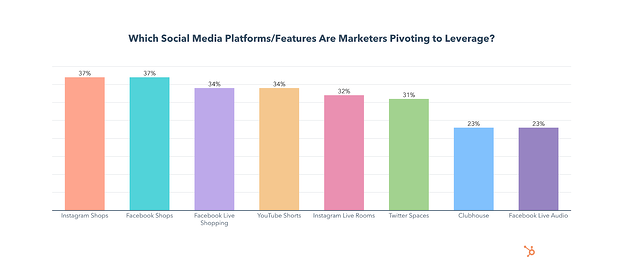
TikTok Algorithm: which social media platforms marketers plan to increase investments in

TikTok is revolutionizing the social media marketing landscape through its infinite loop buyer’s journey. Compared to other platforms, TikTok is leading the way at each stage of the customer journey — awareness, consideration, and decision.

How The TikTok Algorithm Works in 2022

One of the key ranking signals on the TikTok algorithm is video completion. Each time a user watches a video in full, that video will be more likely to be suggested to other users’ feeds.

Another major influence on the TikTok algorithm is hashtags and user-viewing habits. TikTok will take note of the type of videos you’re watching and which niche communities they are coming from. It will then suggest similar videos to you based on your content consumption.

For example, if you can’t get enough of DanceTok, good news — the algorithm will keep suggesting related videos. Brands looking to increase the reach of their videos should use trending songs, hashtags, and dances.

This is how TikTok has defined their For You page algorithm:

“This feed is powered by a recommendation system that delivers content to each user that is likely to be of interest to that particular user. Part of the magic of TikTok is that there’s no one For You feed – while different people may come upon some of the same standout videos, each person’s feed is unique and tailored to that specific individual.”

Key Components of the TikTok Algorithm:

  • Video Information: video information signals are based on the content you seek out on the Discover tab (i.e., captions, sounds, hashtags).
  • User Interactions: as mentioned above, the TikTok algorithm is influenced by a user’s content consumption and interactions on the app.
  • Device and Account Settings: although these do not have as strong of an influence on the TikTok algorithm, it’s still worth mentioning. These are settings (i.e., language, country, device type) a user chooses on their account that TikTok considers when optimizing content.

What Engagements Are Not Important to the TikTok Algorithm

As we covered, the TikTok algorithm considers a few key ranking signals when suggesting videos to your feed. But what are the least important metrics of engagement?

  • Content already viewed
  • Duplicated content
  • Potentially upsetting content (TikTok provides examples of “legal consumption of regulated goods” or “graphic medical procedures”)
  • Content that gets flagged as spam

And the best news yet? For new users or TikTokers with a low following, the TikTok algorithm doesn’t use follower count as a ranking signal. Meaning small accounts still have the potential for high reach.

Want to see what other businesses are doing on TikTok? Check out this roundup of TikTok marketing examples to inspire your brand.

Wrapping Up

Incorporating the latest platform trends into a brand’s marketing strategy can help them to more effectively engage, educate, and sustain their audience seamlessly into the TikTok community. Don’t know where to start? We’ve got you covered! Check out the Trend Discovery Tool to uncover what’s trending in your vertical, what’s on consumers’ minds, and what’s viral on TikTok in real-time.

In 2022, businesses need to stay on top of new marketing techniques, trends, and rising platforms to drive key growth and better connect with their audience. One of them is TikTok, and there’s no sign of it slowing down. There is a huge opportunity for businesses to take advantage of the viral nature of the app and allow it to take their digital campaigns to the next level.

Blog - Content Mapping Template

Categories B2B

How to Build Your Brand With Instagram: 11 Tried-and-True Strategies

Instagram has demonstrated tremendous growth, with its community reaching over 2 billion monthly users in 2021.

Despite its impressive reach, many business owners are still overlooking its marketing potential. As a result, they’re leaving high levels of engagement, brand awareness, and even profit on the table. But why?

New Data: Instagram Engagement Report [2022 Version]

In just 12 months, we used Instagram to gain 400,000 followers for Foundr — which translated to over 70,000 email subscribers. At the end of that period, we were averaging 30,000 call-to-action clicks per month from Instagram, and converting 30% of the users who landed on our website from our Instagram page into email subscribers.

We’ve seen it work, now it’s time for you to get in on the action. In this article, we’ll show you how to build your brand with Instagram. (If you’re looking for more marketing tools and resources for your new business, check out our comprehensive guide on how to start a business.)

1. Build an Instagram strategy.

We listed this as the first step because it is the most crucial step in building a brand on Instagram.

If you lack a clear strategy, you’ll end up with low-performing content and a scattered feed as you struggle to brainstorm new ideas.

To build your Instagram strategy, you’ll need to do four things:

    • Determine your goals.
    • Narrow down your target audience.
    • Research your competition.
    • Develop your content plan.

2. Experiment with the platform’s features.

Instagram is constantly evolving. In fact, every week, the Head of Instagram shares a video discussing new features and product updates on the platform.

In one of his latest videos, he announced that they were testing a subscription feature that would allow people to subscribe to their favorite creators and get access to exclusive Lives and Stories.

In addition to all the new features the social platform tests, there are a lot of established tools, such as Live Rooms, shoppable posts, scheduled Lives, and hashtags – just to name a few.

Our advice is to choose one to two features to test out every month. This will prevent you from getting overwhelmed and allow you to measure the impact of each feature.

For instance, hashtags can help you reach users who don’t follow you but could be interested in your products and services.

Don’t know how many to use? Data from our latest Instagram Engagement Report suggests brands should only use one hashtag per post.

Having 8 or more hashtags reduced engagement by 70% compared to the optimal number of hashtags: one.

Another reason to test Instagram features is that it can help you reach more users. The platform has admitted to prioritizing accounts that use features the brand wants to highlight, such as Reels.

It’s a win all around: You stay ahead of the curve, discover which features work for you, and you can expand your reach in the process.

3. Jump on trends.

On social media, all it takes is one person’s video or sound to go viral for the rest of the world to join in with their own version.

Most of these trends are fun and harmless with a lifespan of about three weeks or less.

Why should you join in? Well, it’s an opportunity to connect with your audience in a creative and fun way. If you jump in as the trend is rising, it can also give you a quick boost in engagement and reach.

When considering joining any trend, there are two things you want to ask:

      • How can I bring this back to my business and/or industry to make it relatable to my audience?
      • What is the origin of this trend and could it go against our company values?

4. Invest in high-quality creative assets.

A great Instagram post can be boiled down to a formula and requires two elements: beautiful imagery and engaging text.

Beautiful Imagery

Choose images that tell a story or elicit emotion. This image we shared is not only compelling and interesting, but it also elicits emotion and therefore drives engagement from our followers.

What this will look like for your business will depend on your industry, but think outside of posting images of your own products and services.

Posting about yourself repeatedly on social media is like being that person at a party who talks constantly about themselves. Also, beware of copyright issues.

If the image is not your own, request permission to use it or source non-attribution-required photos. (Check out this awesome list of royalty-free stock photos here.)

Engaging Copy

While you don’t have to add text to your Instagram posts, doing so packs a punch that just an image won’t provide.

the sweet spot for caption lengths to get the most engagement are in the 500-1,000 and 1,000-2,000 characters range

Think of your caption as an additional way to reel in your followers and keep them engaged. It’s a place to add context, share more information, ask a question, and invite comments.

5. Leverage strategic partnerships.

One of the biggest frustrations for most marketers delving into Instagram is that they don’t know how to build a following. After all, without a large number of followers, how can it possibly be an effective marketing channel?

There’s one tactic in particular that we used to quickly grow our Instagram following to 10,000 in just a couple of weeks: partnering with other Instagram accounts.

Are we talking about co-marketing or influencer marketing? Both because they lead to the same result: Expanding your reach.

In addition, both require you to:

      • Conduct research to see if their audience aligns with yours.
      • Review your business goals and determine the KPIs for the partnership.
      • Collaborate on a content strategy.

For example. HubSpot recently teamed up with @ntwrkto celebrate Women’s History Month and promote the Grow Better mission.

Image Source

Now that Instagram allows the same post to be shared by two profiles, brands can co-market easily on the platform. Followers from both accounts will view the post, increasing each one’s reach and engagement.

6. Foster a community of highly engaged followers.

Engagement on Instagram comes in many forms, including followers sharing your content, liking and commenting, tagging their friends, and clicking on your calls to action. In this section, we’ll go over some of our tactics for fostering a community.

Post When Your Followers Will Actually See Your Content

Have you ever posted something to social media that you think will do really well, only to be met with crickets? Low likes, low shares, and the only comments you landed were from spambots.

While it’s easy to assume you miscalculated the potential of the post, it could just be that you posted the update at the wrong time.

The easiest way to know when your followers will be active on the app is to head over to your insights dashboard. If you have a business account (you should), you can learn valuable insights about your audience’s demographics and behavior on the app, including location, age, gender, and activity.

instagram insights dashboard showing follower activity

From there, you can schedule your posts based on your audience’s most active days and times.

Invite the Engagement

A lot of brands will start Instagram accounts and become frustrated when people aren’t engaging with their content.

It seems so obvious and simple, but sometimes actually asking for your audience to engage makes all the difference. You can either include the action you want your followers to take as part of the image itself, or include it in the caption.

Take a look at this example from clothing brand Grass Fields.

Image Source

In their post, they share design images and ask their followers to name their favorites in the comments. Not only do they get real-time feedback on their product, but they also get great engagement on the post.

7. Post regularly.

When a user is scrolling on the app, you are competing for their attention along with millions of other brands.

Because of this, visibility is key. With so many ways to share content, from Reels to Stories to Lives, there are a lot of opportunities to reach your audience – each demanding a different level of effort and preparation.

This is good news for brands, especially small ones. While it’s recommended that you share on the platform every day, you can choose how you share based on your bandwidth and which methods are offering the beinstst ROI.

For instance, an in-feed post likely requires more work than a Story since it will live on your profile.

With a Story, you can quickly engage your audience through a quick poll, a question, a reshared post knowing that it will disappear after 24 hours.

A good rule of thumb: Publish an in-feed post three to four times a week and share on Stories every day.

8. Review your data and optimize your approach.

If you’re already following all the tips we’ve outlined above and you’re still struggling to get meaningful traction on the app, the answer could be in your data.

Too often, brands get stuck in one approach and don’t review their data to see if it’s actually working.

Your Instagram Insights dashboard offers a wealth of information on how each post performed, including impressions, accounts reached, content interactions, and profile activity.

carousel posts overtook both single image and video posts as the most engaging type of post this year, with 62 likes and five comments as the norm.

For instance, say you’ve been posting images for the past month, then you post one video and it outperforms 60% of your previous posts. That’s an indication that your audience may respond better to video content. It’s worth experimenting with more videos.

If you don’t analyze your performance and look for optimization opportunities, there’s a good chance you’ll reach a plateau with no idea how to get out of it.

9. Share your Instagram profile on other channels.

As you work to grow your following on Instagram, you can also drive traffic to your profile externally.

One way to entice users to follow your page on that platform is by hosting a giveaway or sharing exclusive content.

In addition, don’t be afraid to promote your Instagram on other social platforms. For instance, your website could include a section with your Instagram feed along with a call-to-action to follow your page. You can also include a link to your Instagram profile in your email marketing campaigns.

Wherever you have an online presence, be sure to share the link to your profile so that your audience knows where to find you.

10. Convert your followers into subscribers.

As you know, email marketing is crucial to a thriving business.

Instagram has been an important driver of email subscribers for Foundr, converting around 15,000–30,000 followers into subscribers each month, depending on our promotions.

If you’re familiar with Instagram’s limitations, you may be wondering how this is possible. After all, Instagram doesn’t allow links in photo descriptions.

That’s where a well-crafted bio comes into play.

Many businesses find it difficult to get followers to click the links in their bios because the tendency is to overload bios with … well, junk. Break that pattern by writing your bio like you’d write a Tweet: short, useful, and packed with intention.

Here’s what we’ve chosen as our bio:

In your bio, you can include a URL that takes users to a link tree or a direct link to your subscription landing page.

Once you’ve put the systems into place, start driving followers to your bio by including calls-to-action in your content.

11. Optimize your bio.

When it comes to Instagram, many overlook the bios and focus on having great content. But your bio is a key point of discoverability so it’s essential you give it some love too.

Say someone is looking for something specific on the platform, with an optimized bio, you’ll make sure your profile shows up in the search results. This means including a business category, a short description of your brand, and a few keywords related to your brand or industry.

How many followers do you need to build a brand on Instagram?

The beauty of social media is that there’s no minimum requirement to get started. This means that you don’t need any followers to get started building your brand.

In fact, that’s how most brands start. Unless you’re launching a sub-brand or using your personal brand to promote your new brand, you will have to organically grow your followers by using the strategies outlined above.

The key to success is consistency. Nothing will work if you do it for a month and give up. By remaining consistent, you increase your chances of reaching your audience and building a community.

Best Way to Build a Brand on Instagram

Instagram is a social platform with tremendous potential for businesses in almost any industry.

All it takes is a robust strategy, high-quality content, and the ability to pivot when needed.

It won’t happen overnight, but as long as you stay consistent, you’ll start to see your following grow and your community building.

This can have a significant impact on your reach, brand awareness, and ultimately the revenue of your company.

Editor’s Note: This post was originally published in Dec 2015 and has been updated for comprehensiveness.
Improve your website with effective technical SEO. Start by conducting this  audit.  

Categories B2B

The Ultimate Guide to Building a Website Redesign Strategy

So, you want to start a website redesign. Maybe you just finished a brand overhaul or your product was recently updated. Whatever your reason, a redesign can be a huge success — or not. It can also be a long and tedious undertaking, which is why every redesign needs to start with a clear vision and/or problem to solve.

The better you are at defining that vision at the very beginning, the more successful your redesign will be — and the smoother the entire process will be as well.

Free Workbook: How to Plan a Successful Website Redesign

Whether you’re working with an agency, redesigning your site in-house, or proposing a redesign to company stakeholders, this guide has tips to help you strategize your website redesign and ensure it turns out to be a huge success — not a flop.

Many organizations opt to redesign their website to welcome more traffic as their business grows. Others invest in a website redesign as part of a larger rebranding initiative. Regardless of why your company is interested in a website redesign plan, the project itself is a massive undertaking, not to mention an important one to get right considering the critical role your website plays in your marketing and brand image.

In fact, new research has found that 50% of consumers think website design is crucial to a business’s overall brand. To many visitors, the website you publish is just as important as the products you sell.

How Often Should You Redesign Your Website?

According to Business 2 Community, the average lifespan for a website is 1.5 to 2.5 years. Because design trends change and technology advances, this is the average amount of time that a redesign will feel “fresh” and competitive. However, that timeframe is only a benchmark, so you will need to determine what works best for your unique organization.

The following factors can determine how often you should redesign your website:

  • How often your brand or goals change. When you’re itching for a new site, first ask yourself, “Does this website still represent who we are as a company?”
  • How much budget you allot to design and development. Ask yourself, “Can a site design wait, or do I have reasons to use the budget on our site now?”
  • How long your website stays functional and fast. Step into your customers’ shoes and see if you can navigate the site well and find everything you want to find without encountering errors or long page load times. Almost 50% of websites get between four and six page views per visit — all that browsing means that your site’s navigation and speed really do matter.
  • The performance of your website. Ask yourself, “Is this site converting a reasonable amount of traffic? Do people stay on the page for a reasonable amount of time, or do they bounce?”
  • Changes in the industry. For example, when Google announced that it would be changing to mobile-first indexing, it necessitated that websites be mobile-friendly, or they’d lose organic traffic from Google.

Your website is where visitors and customers go when they want to ask questions, read content, or purchase products or services. For that reason, it’s best to be extra prepared when committing to a website redesign.

You may spend more time building your website redesign plan than you will on the redesign itself. If you’re wondering what should go into your website redesign strategy, start with the steps below.

Let’s unpack eight critical website redesign tips to think about when planning and completing your redesign.

1. Benchmark your current performance metrics.

Before you begin planning your website redesign, document your current performance metrics. This will give you a good idea of where your current website stands and what metrics you can improve upon through your redesign.

Analyze your existing website’s monthly performance in the following areas. The importance and relevance of each may vary depending on your website redesign goals, but it’s helpful to pull each metric before you dive into your redesign.

  • Number of visits, visitors, and unique visitors
  • Bounce rate
  • Time on site
  • Top-performing keywords in terms of rank, traffic, and lead generation
  • Number of inbound linking domains
  • Total new leads and form submissions
  • Total sales generated (in dollars)
  • Total pages indexed
  • Total pages that receive traffic

If you don’t have access to this information, I recommend tools like Google Analytics and HubSpot’s Marketing Analytics for better tracking and visibility into your website’s performance.

an analytics dashboard in hubspot to help your website redesign

Furthermore, make note of which tools you used to measure each of these benchmarks in the past. Ideally, you’ll want to use those same tools when collecting your post-redesign metrics. Otherwise, you’ll be comparing apples to oranges.

2. Determine your website redesign goals.

What’s the “why” behind your website redesign? When considering a redesign, there should always be a good reason behind it.

If you’re answering with “well, it’s been a while since we’ve done one” or “my competitor just did a redesign,” those reasons aren’t good enough on their own.

Remember: It’s not just about how your site looks, but rather how it works. Be crystal clear about why you’re doing a website redesign, and tie those goals to measurable results. Then, communicate your goals with your team, designer, or agency.

Consider the following data-driven objectives for your own website:

  • To increase the number of visits and visitors (both are important as one visitor could visit more than once)
  • To reduce bounce rate
  • To increase time on site
  • To improve domain authority
  • To increase the total new leads and form submissions
  • To increase the total sales generated
  • To enhance current SEO rankings for important keywords

Many of these goals are dependent on one another. For example, in order to generate more conversions, you may also need to increase traffic while decreasing your site’s bounce rate.

Also, take a look at the metrics you pulled out in the previous step. Are there any metrics you can improve upon with your new website? Perhaps you use your old website metrics to inspire new goals, too.

3. Define your branding and messaging.

Before crafting your new website design and content, be crystal clear about your desired branding, messaging, and unique value proposition. Doing so will ensure consistency across your entire website.

Anyone who visits your website for the first time should immediately understand what you do, how it may benefit them, and why they should stay onyour site, so they don’t flee to competitors.

Take our homepage as an example: It’s immediately clear what we do, what we offer, and how any visitor can get started.example of a website redesign on hubspot's homepage

Think about whether you plan to change your branding and/or messaging, or if it will stay the same. If you plan to change it, what needs to change? Keep these changes top-of-mind as you redesign your website.

Download this free workbook for guidance and templates to simplify your next website redesign project.

As you develop your messaging, use clear, concise language. Avoid industry jargon that may alienate parts of your audience and make you sound more like a business-babbling robot than a human.

Consider the following example of how we could describe HubSpot in a “gobbledygook” way:

HubSpot helps companies across multiple countries reduce churn by backfilling the sales pipeline with highly qualified traffic that generates leads that convert into customers with high lifetime value. We achieve this by providing leading-edge software that integrates all marketing channels for a synergistic view of the data that determines and prioritizes high-value marketing activities.

Say what? Let’s translate that into the way people actually speak:

HubSpot’s all-in-one marketing software helps over 100,000 businesses in more than120 countries attract leads and convert them into customers. A pioneer in inbound marketing, HubSpot aims to help its customers make marketing that people actually love.

Much clearer!

Additionally, as you develop your company branding, consider what visual aspects of your website need to be redesigned and what can stay the same. Have you created a new logo, style guide, or color palette? Make sure these are applied to your new website so it remains consistent with other parts of your brand.

For some more inspiration, check out our roundup of our favorite B2B website examples:


4. Define your buyer persona(s).

Your website is not just about you. Actually, it’s hardly about you.

When your visitors land on your website, they’re asking themselves, “What’s in it for me? How could this help me?”

Speak to your visitors in their language by crafting your website design and content around your buyer personas.

For instance, if you’re a marketing manager at a hotel looking to bring in new business, you might target five different buyer personas: an independent business traveler, a corporate travel manager, an event planner, a vacationing family, and a couple planning their wedding reception.

as part of a website redesign plan, a buyer persona from the hubspot make my persona tool

Make sure you clearly identify your buyer personas so you can shape your website redesign strategy around the website visitors that matter most to you.

Check out our handy buyer persona builder to help you create detailed buyer personas.

Is your target audience changing as part of your website redesign? Do your branding and content align with this audience? Answer these questions as you’re strategizing your website redesign.

5. Protect your search engine optimized pages.

Getting discovered online is also essential to improving your website’s metrics. If no one is able to find and visit your site, how can you increase new leads, conversions, or sales? Here are some tips for designing your new website with search engine optimization (SEO) in mind:

Document your most search-valued pages.

Use your marketing analytics to figure out which pages receive the most traffic and inbound links, convert the most leads, and ultimately cover the most influential topics in your industry. If you plan to move any of these highly valuable pages, make sure you create the proper 301 redirects.

Create a 301 redirect strategy.

Speaking of 301 redirects, these are extremely important in terms of retaining the traffic and link value associated with a given page. Create a spreadsheet to record and map out your 301 redirects (old URLs vs. new URLs). Then hand this document over to someone technical for proper implementation.

Do your keyword research.

For every page on your newly designed website, pick one keyword/topic each page will focus on. Once you determine the keyword(s), use on-page SEO best practices to optimize your website pages. Furthermore, consider adding new content and pages to your website that address those particular keywords and topics that may be neglected on your current site.

Save time and rank higher on Google with our free on-page SEO template.

6. Analyze the competition.

While we don’t recommend obsessing over your competitors, it can help to know how you compare. First, run your website through HubSpot’s free Website Grader tool to generate a report card of how well your website is performing. You can also use this diagnostic tool to evaluate your competitors’ websites, so you’re aware of their strengths and weaknesses.

website-redesign-website-grader

Next, take a look at your competitors’ websites, and take note of what you like — and what you don’t. This process is to help you realize what you can do better on your website. Once you conduct your competitive analysis, put together a list of action items highlighting some areas for improvement and how you can set yourself apart from your competitors.

7. Take inventory of your high-performing content.

While a redesign is a great way to improve the performance of your website, there are unfortunately countless ways in which it can hurt you. Your existing website likely contains many high-performing content assets that you’ve already built up, and losing their effectiveness because of a redesign can severely damage your marketing results.

For instance, such assets might include your:

  • Most-shared or viewed content
  • High-traffic pages
  • Best performing or ranking keywords and associated pages
  • Number of inbound links to individual pages

For example, if you end up removing a page from your site that has accumulated a high number of inbound links, you could potentially lose a lot of SEO credit, which would make it increasingly difficult for you to get found on search engine results pages (SERPs).

Keep in mind that many web designers don’t consider this step because they are neither marketers nor SEO specialists. Don’t hesitate to remind them about this, and help them along by auditing your site and providing them with a list for maintaining or updating critical pages on your site.

8. Choose the right software.

The final (but arguably most important) step of the website redesign process is choosing the right software with which to create and host your website. This software is typically called a content management system (CMS), and it’s used to develop, design, and publish your website for the world to see.

CMS software is beneficial for a few reasons. Whether you’re a novice digital marketer or a master web developer, a CMS can easily help you create a gorgeous, functional website. Choosing the right CMS depends on your business, such as what CMSs you’re already familiar with and what features your website redesign requires.

There are hundreds of CMSs to choose from, including CMS Hub — the only combined CMS and CRM. Or you can review some of the best CMS platforms to learn about your options.

Get Started on Your Website Redesign Today

Whew! Now you’re ready to plan, design, build, optimize, launch, and analyze your new website. Apply these seven steps to redesign a website that attracts more consumers, wows more visitors, and converts more customers.

Editor’s note: This post was originally published in January 2013 and has been updated for comprehensiveness.

Blog - Website Redesign Workbook Guide [List-Based]

Categories B2B

How to Share Your Strengths and Weaknesses During A Job Interview

You’re sitting across from a hiring manager, or even worse, a group of people interviewing you for a role, and the dreaded question comes up…

“What are your weaknesses?”

You spend what seems like an eternity battling inside your own head, “Do I tell them I’m occasionally late or that I take things too personally?” before settling on a response that makes you groan: “I just care too much and I work too hard.”

Download Now: 4 Free Skill Development Templates

While that question isn’t likely to be left off the interview checklist anytime soon, you know it’s likely coming and can spend some time in self-reflection before your next interview, so you can answer it truthfully and respectfully. Its sister question, “What are your strengths” is coming as well, so it’s best to be prepared ahead of time.

What are strengths and weaknesses?

Strengths are a set of skills or character traits you possess that assist you in carrying out your duties in a productive and efficient manner and make you an excellent candidate for a job. Weaknesses are characteristics or shortcomings that when left unchecked, may hamper your ability to do your job well.

It can be difficult to toot your own horn during an interview. Even more challenging, is finding a balance between being honest about some of your shortcomings, without turning the hiring manager off to the idea of hiring you.

Take some time before each interview (and ideally before you apply) to determine what your strengths are and weaknesses are. This is best done in the beginning as self-reflection, however, you may at some point want to enlist the help of people close to you. This can be asking friends, family, or someone you’ve worked with in the past for feedback.

You can create a list of your strengths and weaknesses, and, when it’s time to apply for a job, tailor your responses to its specific qualifications. You can also spend some time researching the company itself, understanding its culture, and determining which of your strengths would be most highly valued.

Thankfully, you don’t have to reinvent the wheel when it comes to your strengths and weaknesses. There are a number of common (and relatable) characteristics that you can share with potential employers.

Strengths and Weaknesses List

Don’t know where to start? Take a look at these strengths and weaknesses examples, and determine which best describes you. Keep in mind that this is a list of “soft skills” which can pertain to any industry and role. Depending on what position you’re applying for, you may also need to share your knowledge of specific software programs and on-the-job experience.

Strengths

  1. Accuracy
  2. Attentive
  3. Clarity
  4. Conciseness
  5. Creativity
  6. Determination
  7. Discipline
  8. Dedication
  9. Empathetic
  10. Enthusiasm
  11. Flexibility
  12. Great listener
  13. Honesty
  14. Hard-working
  15. Innovative
  16. Negotiation Skills
  17. Optimistic
  18. Organization Skills
  19. Patient
  20. Quick learner
  21. Respectful
  22. Trustworthy
  23. Time-management
  24. Team player
  25. Versatility

Strengths and weaknesses list

Weaknesses

  1. Blunt and brazen communicator which can turn some people off
  2. Extremely critical of self
  3. Need time to adjust to change
  4. Perfectionist (which sometimes make it hard to delegate responsibilities)
  5. Procrastinator
  6. Slow to develop rapport with coworkers or subordinates
  7. Shy in new situations
  8. Stressed under pressure
  9. Too sensitive to the needs of others which sometimes allows others to manipulate you

strengths and weaknesses examples

Leadership Strengths and Weaknesses

While there are many similarities, leadership strengths and weaknesses cover a wide range of skills. Consider the different responsibilities you will have as a leader, mainly motivating and managing employees on a daily basis, rather than being responsible for just your own work. Consider some of these common strengths and weaknesses examples for leaders and managers.

Leadership Strengths

  1. Passionate about their work.
  2. Able to understand the needs and emotions of others.
  3. Excellent self-management skills.
  4. Top-notch communication skills (including listening).
  5. Able to motivate and inspire others to do their best work.
  6. Comfortable making decisions quickly.
  7. Willing to be held accountable for their decisions and their actions.

Leadership Weakness

  1. Taking feedback personally.
  2. Too focused on the end goal that employees’ needs go unheard.
  3. Overly concerned with being liked.
  4. Unable to delegate responsibility which leads to burnout.
  5. Disrespectful attitude towards employees.
  6. Poor communication skills.
  7. Afraid of making the wrong decision, which leads to making no decisions at all.

If you see yourself in any of these weakness examples, it may be time to seek mentorship or training, and do some soul searching to determine why you lack in these areas.

How to Share Your Strengths and Weaknesses During a Job Interview

Now that you’ve reviewed many popular characteristics and decided which ones best reflect who you are, it’s time to dig deeper. Ask yourself a very important question… “Why?”

Potential employers don’t want a list of fancy words, they want to get to know you by understanding how these characteristics have served you in your previous work experience. For example, instead of saying, “I have excellent negotiation skills,” say, “I’ve used my excellent negotiation skills to work with new and existing vendors to cut our raw material costs by 52%.”

Paint them a picture of your skills in action and tell them a (true) story they’ll remember well past the last interviewee has left the building. When telling a story, remember to include:

  1. What “life” looked like before the inciting incident.
  2. The problem you faced.
  3. Different attempts you made to fix the problem.
  4. What eventually worked.
  5. How life looks after the incident.

This doesn’t have to be an epic novel, just a quick description of what was going on and how you had the strengths to persevere.

Of course for some, you may be reaching for a new role with new responsibilities. If you know you possess the strengths they are looking for, but haven’t had the opportunity to use them in your current job, be honest. You could say, “I haven’t been able to use this skill in my previous employment, however, I look forward to using it more if you decide to hire me.”

You also have the option of sharing a story from your personal life in which you used this skill. Just make sure to keep it professional, appropriate, and relevant to your desired position.

When it comes to communicating your weaknesses, potential employers want to know that you recognize your shortcomings and are actively working to become a better version of yourself. You’ll want to be honest and forthcoming while creating context around your weaknesses and showing:

  1. How you are working to improve in this area.
  2. How this weakness will not impact your performance in the proposed job.

Like we discussed earlier, you’ll also want to avoid stating a humble brag rather than a weakness. “I’m just so fast at my job that it makes others feel intimidated around me and so it’s difficult for me to connect.” This is false modesty and you won’t be doing yourself any favors.

So there you are, face-to-face with an interviewer and being asked, “What are your strengths and weaknesses?” Rather than panic, know that you’ve taken the time necessary to provide a solid answer (with supporting evidence) to this question.

skill improvement template

Categories B2B

How to Use the If Function in Google Sheets

One of the most valuable functions in Google Sheets is the “IF” functions.

Imagine you want to be able to quickly scan your spreadsheet and answer some key questions. This function will help you do that.

→ Access Now: Google Sheets Templates [Free Kit]

Let’s jump into how it works and see some real-life examples.

What does the if function do in Google Sheets?

In Google Sheets, the if function allows you to check a condition and return a specific value if it’s TRUE.

For instance, say you have three columns in a spreadsheet: channel, target, and profit. You want to know which channels hit a profit higher than the target.

You can use the IF function to do so – the formula logic would look like this: If the target is higher than the profit, it will return “YES.” If not, it will return a “NO.” You can then track that data in another column titled “Goal Met.”

How to Use If Function in Google Sheets

When using the if function in Google Sheets, you must use the following syntax:

IF(logical_expression, value_if_true,value_if_false)

Let’s break down what each one means:

  • Logical expression refers to the condition you’re checking in the function.
  • Value if true is the value the function will return if the logical expression is true.
  • Value if false is the value the function will return if the logical expression is false.

To do this, you’ll need to use the following logical expression symbols:

  • > to denote greater than
  • >= to denote equal or greater than
  • < to denote greater than
  • <= to denote equal or less than
  • <> to denote not equal
  • = to denote equal

Let’s see a real-life example.

Excel spreadsheet showing four columns: channel, target, profit, goal reached with rows of data

Here, we have a spreadsheet with data on how each marketing channel performed. Each channel had a target revenue next to the actual profit. The last column, “goal reached” will be used to quickly answer which channels met the goal.

  1. Select the cell in which the formula will be applied.

  2. Write out the formula following this syntax:how to write the if function formula in your cell: Write out the formula following this syntax:

  3. Drag the mouse to apply the formula to relevant cells.

Scared you’ll forget it? Don’t worry. Google Sheets has an autofill feature that will show you the formula as you type it out.

how to write the if function formula in your cell: Drag the mouse to apply the formula into relevant cells.

In this case, the formula will be: =if (C2 > B2, “YES” , “NO”). To break that down further, the formula states if the profit from the email channel is higher than the targeted profit, then write “YES.” If it’s lower, then write “NO.”

breaking down the if function formula

Keep in mind that the value if true can be whatever you choose. However, in this example, the simple option was choosing the words “YES” or “NO.”

Because the formula includes words, you must use apostrophes so that Google Sheets reads the formula correctly.

If/Then vs. If/And vs. If/Or Functions

In the simplest terms, with “If-Then” you’re checking that one condition is met. In the example above, it was that one value would be higher than the other. Based on that data, the return value would be “YES” or “NO.”

With “If And,” you’re checking multiple conditions for a “TRUE” value. They all have to be “TRUE” for the return value to be “TRUE.”

“If Or” is the exact opposite to “If and.” It also checks multiple conditions but if any one is true, it will return a “TRUE” value.

Here’s a real-world example:

  • If then I am going to the store. If you go to the store, the statement is true.
  • If and I am going to the store and filling up my tank. You must go to the store and fill up your tank for the statement to be true. Otherwise, it will be false.
  • If orI am going to the store and filling up my tank. You could complete either task and the statement will be true. The only time it will be false if you complete neither one.

How to Use If Function with Multiple Conditions

Say you’re running a survey and you want to easily categorize your respondents into two age buckets. You could write a formula that states if respondents are 25 or younger, they’ll be in group “A”. If they’re 26 or older, they’ll be in group B.

This creates multiple conditions under which the value can be written. The formula checks the first condition, if it doesn’t apply, it moves on to the next to find the appropriate value.

Let’s see this in action.

nested if function google spreadsheet

Using the example above, your formula would be as follows:

= IF(A2 < = 25, “A”, IF(A2 >= 25, “B”))

nested if function example on google sheets

Nested If Function in Google Sheets

In Google Sheets, “nesting” simply refers to placing the “if” function within its own formula to test multiple conditions and return different results based on those tests.

The formula syntax is as follows:

=IF(first_statement,value_if_true,IF(second_statement,value_if_true,value_if_false))

It’s as easy as that.

So, here’s another function you can use to speed up your process when using Google Sheets.

business google sheets templates

Categories B2B

Brand Strategy 101: 7 Important Elements of a Company Branding Plan

Just as an architect draws out a building plan before they start building, you need to develop a brand strategy for your business.

Strategic branding helps you set yourself apart from your competition and build customer loyalty.

In this article, you’ll learn all about the branding methods and essential elements of a branding strategy you need to grow a brand that’ll stand the test of time.

Download Now: Free Brand Building Guide

(We’ll get into that more in a bit.)

A well-defined and executed brand strategy affects all aspects of a business and is directly connected to consumer needs, emotions, and competitive environments.

First, let’s clear up the biggest misconception about brand strategy: Your brand is not solely your product, your logo, your website, or your name.

Your brand is all of that and more — it’s the stuff that feels intangible. Your brand is that hard-to-pin-down feeling that separates powerhouse brands from forgettable brands.

To objectively understand a subjective matter that many marketers consider more of an art and less of a science, we’ve broken down seven essential components of a comprehensive brand strategy that will help keep your company relevant for decades.

The elements of a brand strategy include:

The Elements of Company Branding HubSpot

1. Purpose

While understanding what your business promises is necessary when defining your brand positioning, knowing why you wake up every day and go to work carries more weight. In other words, your purpose is more specific in that it serves as a differentiator between you and your competitors.

How can you define your business’ purpose? According to Business Strategy Insider, purpose can be viewed in two ways:

  • Functional: This concept focuses on the evaluations of success in terms of immediate and commercial reasons—i.e., the purpose of the business is to make money.
  • Intentional: This concept focuses on success as it relates to the ability to make money and do good in the world.

While making money is essential to almost every business, we admire brands that emphasize their willingness to achieve more than just profitability, like IKEA:

Elements of Brand Strategy: IKEAImage source

IKEA’s vision isn’t just to sell furniture but rather to “create a better everyday life.” This approach appeals to potential customers, demonstrating their commitment to providing value beyond the point of sale.

Key Takeaway

When defining your business’ purpose, keep this example in mind. While making money is a priority, operating under that notion alone does little to set your brand apart from others in your industry.

Our advice? Dig a little deeper. If you need inspiration, check out the brands you admire, and see how they frame their mission and vision statements.

2. Consistency

The key to consistency is to avoid talking about things that don’t relate to or enhance your brand.

Added a new photo to your business’s Facebook Page? What does it mean for your company? Does it align with your message, or was it just something funny that would, quite frankly, confuse your audience?

To give your brand a platform to stand on, you need to ensure your messaging is cohesive. Ultimately, consistency contributes to brand recognition, which fuels customer loyalty. (No pressure, right?)

To see a great example of consistency, let’s look at Coca-Cola. As a result of its commitment to consistency, every element of the brand’s marketing works harmoniously together. This has helped it become one of the most recognizable brands in the world.

Even on the surface of its social media accounts, for example, the seamlessness of its brand is very apparent across Instagram, Facebook, and LinkedIn:

Elements of Brand Strategy: Consistency, Coca Cola Facebook

Elements of Brand Strategy: Consistency, Coca Cola LinkedIn

Key Takeaway

To avoid leaving potential customers struggling to put the disconnected pieces of your business together, consider the benefits of creating a style guide. A style guide can encompass everything from the tone of voice you’ll use to the color scheme you’ll employ to the way you’ll position certain products or services.

By taking the time to define and agree upon these considerations, your brand will benefit as a whole.

3. Emotion

Customers aren’t always rational.

How else do you explain the person who paid thousands of dollars more for a Harley rather than buying another cheaper, equally well-made bike? There was an emotional voice in there somewhere, whispering: “Buy a Harley.”

But why?

Harley Davidson uses emotional branding by creating a community around its brand. It began HOG—Harley Owners Group—to connect their customers with their brand (and each other).

Elements of Brand Strategy: Emotional, Harley Davidson

Image Source

By providing customers with an opportunity to feel like they’re part of a larger group that’s more tight-knit than just a bunch of motorcycle riders, Harley Davidson is able to position themselves as an obvious choice for someone looking to purchase a bike.

Why? People have an innate desire to build relationships. Research from psychologists Roy Baumeister and Mark Leary best describes this need in their “belongingness hypothesis,” which states: “People have a basic psychological need to feel closely connected to others, and that caring, affectionate bonds from close relationships are a major part of human behavior.”

Not to mention, belongingness—the need for love, affection, and being part of groups—falls directly in the middle of Maslow’s hierarchy of needs, which aims to categorize different human needs.

Key Takeaway

The lesson to be learned? Find a way to connect with your customers on a deeper, more emotional level. Do you give them peace of mind? Make them feel like part of the family? Do you make life easier? Use emotional triggers like these to strengthen your relationship and foster loyalty.

4. Flexibility

In this fast-changing world, marketers must remain flexible to stay relevant. On the plus side, this frees you to be creative with your campaigns.

You may be thinking, “Wait a minute, how am I supposed to remain consistent while also being flexible?”

Good question. While consistency aims to set the standard for your brand, flexibility enables you to make adjustments that build interest and distinguish your approach from your competition.

A great example of this type of strategic balance comes from Old Spice. These days, Old Spice is one of the best examples of successful marketing across the board. However, up until recently, wearing Old Spice was pretty much an unspoken requirement for dads everywhere. Today, it’s one of the most popular brands for men of all ages.

The secret? Flexibility.

Aware that it needed to do something to secure its place in the market, Old Spice teamed up with Wieden+Kennedy to position its brand for a new customer base.

Elements of Brand Strategy: Flexibility, Old Spice

Image Source

Between new commercials, a new website, new packaging, and new product names, Old Spice managed to attract the attention of a new, younger generation by making strategic enhancements to its already strong brand.

Key Takeaway

If your old tactics aren’t working anymore, don’t be afraid to change. Just because it worked in the past doesn’t mean it’s working now.

Take the opportunity to engage your followers in fresh, new ways. Are there some out-of-the-box partnerships your brand can make? Are there attributes about your product you never highlighted? Use those to connect with new customers and remind your old ones why they love you.

5. Employee Involvement

As we mentioned before, achieving a sense of consistency is vital if you wish to build brand recognition. And while a style guide can help you achieve a cohesive digital experience, it’s equally essential for your employees to be well-versed in communicating with customers and representing the brand.

If your brand is playful and bubbly through Twitter engagements, it won’t make sense if a customer called in and was connected with a grumpy, monotone representative, right?

To avoid this type of mismatched experience, take note of Zappos’ approach.

If you’ve ever been on the line with a customer service representative from Zappos, you know what I’m talking about. If you haven’t, check out this SlideShare which details some of its most inspiring customer support stories.

Key Takeaway

By holding all Zappos employees to its core values and helping other companies implement the same approach, Zappos has built a strong reputation for solid, helpful, and human customer service.

6. Loyalty

If you already have people that love you, your company, and your brand, don’t just sit there — reward them for that love.

These customers have gone out of their way to write about you, tell their friends about you, and act as your brand ambassadors.

Cultivating loyalty from these people early on will yield more returning customers — and more profit for your business.

Sometimes, just a thank you is all that’s needed. Other times, it’s better to go above and beyond. Write them a personalized letter. Send them some special swag. Ask them to write a review and feature them prominently on your website. (Or all of the above!)

When we reached 15,000 customers here at HubSpot, we wanted to say thank you in a big way while remaining true to our brand … so we dropped 15,000 orange ping pong balls from our fourth-floor balcony and spelled out thank you in big metallic balloons:

And while it may have seemed a little out of the ordinary to some folks, the gesture made perfect sense for those who know our brand.

Key Takeaway

Loyalty is a critical part of every brand strategy, especially to support your sales organization. Highlighting a positive relationship between you and your existing customers sets the tone for what potential customers can expect if they choose to do business with you.

7. Competitive Awareness

Take the competition as a challenge to improve your own strategy and create greater value in your overall brand. You are in the same business and going after the same customers, right? So watch what they do.

Do some of their tactics succeed? Do some fail? Tailor your brand positioning based on their experience to better your company.

Keeping tabs on your competitor’s social mentions for HubSpot customers is easy using the Social Monitoring App. Check out this article to learn more about setting up custom social streams.

Key Takeaway

While staying in tune with your competitor’s strategies is essential if you want to enhance your brand, don’t let them dictate every move you make.

Sure, you probably sell a similar product or service as many other companies, but you’re in business because your brand is unique. By harping on every move your competitor makes, you lose that differentiation.

Let’s discuss each branding method.

1. Attitude Branding

This form of branding refers to a feeling or attitude that customers associate with your brand.

Nike is a brand that has perfected this type of branding. With the ‘Just Do It’ slogan, Nike promotes a lifestyle that customers can enjoy by wearing this brand of products. With such a slogan, Nike promotes the idea that all customers are athletes when they’re wearing Nike products.

2. Individual Branding

This type of branding is when a product or service gets a unique identity, perhaps in a different brand name to attract new customers in the market.

Unilever is an excellent example of a brand that uses individual branding. The company has three divisions, each creating some of the best-known brands in its niche.

Branding Methods: Individual Branding Unilever

Image source

3. Product Branding

Product branding is perhaps the most popular type of branding. Here, the brand associates a logo, name, color, and design with a product to create a unique identity for the product.

It’s one of the best branding methods because it gives life to products and increases uniqueness.

A great example is Apple’s MacBook offerings. The ‘Air,’ ‘Pro,’ and ‘Mac’ branding conveys unique messages and reinforces the quality of the product offering.

Branding Methods: Product Branding AppleImage source

4. Co-Branding

In co-branding, also known as a brand partnership, different brands contribute their identity to create a fused brand.

The advantage of this method is that it combines market strength, increases customer bases and perceived value.

One of the most popular co-branding examples is the Nike and Micheal Jordan collaboration. This collaboration has made Air Jordans some of the most sought-after and most recognizable footwear around the globe.

Branding Methods: Co-Branding NikeImage source

This type of branding is usually used by brands that prefer to let products speak for themselves.

5. Minimalist Branding

Mastercard is an excellent example of a brand that uses minimalist branding. We might not know what the red and yellow circles mean, but you’ll know that it belongs to MasterCard.

Image source

6. Brand Extension

This unique branding method is when a company uses one of its popular or established brand names on a new product. The idea behind this method is to use the already existing brand equity to boost the latest product. Companies that use it hope customers will be more receptive to the new offering because of the brand extension.

The Importance of Strategic Branding

Managing a brand is hard work, and it’s more challenging when you’re in an oversaturated market where every brand looks the same.

One of the crucial steps to growing in an oversaturated market is highlighting what makes your brand unique — which is what strategic branding is all about.

With strategic branding, you future-proof your brand and develop it in a way that differentiates you from others. By communicating uniqueness to customers, you strengthen your selling power, brand value, and customer loyalty.

Editor’s note: This post was originally published in November 2020 and has been updated for comprehensiveness.

brand consistency

Categories B2B

11 Website Page Load Time Statistics You Need [+ How to Increase Conversion Rate]

You may have heard the old saying “patience is a virtue,” meaning waiting for something without getting discouraged is a great quality to have. However, for most of us, that “virtue” goes out the window when we encounter slow page load time.

The faster your website’s load time is, the happier your visitors will be. In other words — when you optimize your web page’s load time, you can expect to see improvements in user experience (UX), conversion rates, and ultimately, sales revenue.

You may be questioning whether or not simply shaving a few milliseconds off of your website’s page load time really has such a major impact on customer experience and business growth.

The truth is, yes, the longer it takes for your website’s page to load, the more likely you are to lose your audience. Read on for everything you need to know about website load time and how it can impact your customers’ experience with your company.

Short on time and need to get straight to the skimmable stats? Click here.

How strong is your website? Grade it using HubSpot's free Website Grader.

What is website load time?

Website load time — or web page load time — refers to how long it takes for a website, or web page, to fully load and appear on screen. This includes all content on the page such as text, images, and videos. Simply, it’s how fast all content on a web page loads.

Page speed can depend on a number of factors — some examples include: Page type, user behavior, file sizes, website server/host, inefficient code, hotlinking, and too many plugins and/or widgets.

In a 2019 survey by Unbounce, nearly 70% of consumers admitted that page speed impacts their willingness to buy from an online retailer. Furthermore, of all the people surveyed, half said they’d be willing to give up animation and video for faster load times.

Additionally, it’s crucial to remember the importance of your website’s mobile loading speeds. Jillian Streit, a website strategist at Blue Frog, told HubSpot: “Page speed has been a ranking factor for many years, and with Google’s shift to mobile-first indexing, it is even more important to focus on your website’s mobile loading speeds.”

She adds, “Unfortunately, most mobile pages take much longer to load than their desktop counterparts, and mobile users expect pages to load much faster on their mobile devices. If the page takes too long to load, users will immediately bounce, causing your site to lose out on a large number of potential customers.”

Learn about what website optimization is and how to do it effectively with this free course.

What is the average page load time?

In 2018, Google Research reported the average mobile web page takes 15.3 seconds to load. The same report said the problem is due to the majority of mobile sites having too many page elements. This problem persists despite most web traffic occurring on 4G instead of 3G.

What is a good page load time?

According to a 2019 study by Portent, a 0-4 second load time is best for conversion rates, and the first five seconds of page-load time have the highest impact on conversion rates.

In fact, the highest ecommerce conversion rates occur on pages with load times between 0-2 seconds. With each additional second of load time, website conversion rates drop by an average of 4.42%, the study says.

11 Page Load Time Statistics

Here are 11 statistics that will give you a better understanding of how website load time impacts your business and, more specifically, conversion rate.

1. The first five seconds of page-load time have the highest impact on conversion rates. (Portent, 2019)

The first five seconds of page-load time have highest impact on conversion rates

2. Website conversion rates drop by an average of 4.42% with each additional second of load time (between seconds 0-5). (Portent, 2019)

Website and Web Page Load Time Statistics and how it affects conversion rate

3. The average mobile web page takes 15.3 seconds to load. (Google Research, 2018)

Website and Web Page Load Time Statistics and how it affects conversion rate

4. Nearly 70% of consumers admit that page speed impacts their willingness to buy from an online retailer. (Unbounce, 2019)

Website and Web Page Load Time Statistics and how it affects conversion rate

5. Of all the people surveyed, half said they’d be willing to give up animation and video for faster load times. (Unbounce, 2019)

Website and Web Page Load Time Statistics and how it affects conversion rate

6. The highest ecommerce conversion rates occur on pages with load times between 0-2 seconds. (Portent, 2019)

Website and Web Page Load Time Statistics and how it affects conversion rate

7. Website conversion rates drop by an average of 2.11% with each additional second of load time (between seconds 0-9). (Portent, 2019)

Website and Web Page Load Time Statistics and how it affects conversion rate

8. The highest ecommerce conversion rates occur on pages with load times between 0-2 seconds. (Portent, 2019)

Website and Web Page Load Time Statistics and how it affects conversion rate

9. The optimal average request count — the number of individual pieces of content needed to display the entire web page — is fewer than 50. (Google, 2018)

Website and Web Page Load Time Statistics and how it affects conversion rate

10. By compressing images and text, 25% of pages could save more than 250KB and 10% can save more than 1MB (which contributes to page load times). (Google, 2018)

Website and Web Page Load Time Statistics and how it affects conversion rate

11. Today, even though most web traffic occurs on 4G instead of 3G, the majority of mobile sites are still slow and bloated due to too many page elements. (Google, 2018)

Website and Web Page Load Time Statistics and how it affects conversion rate

Page Load Time Takeaways for Marketers

Maintaining a speedy page load time is integral to boosting conversion rates and sales revenue. While a few extra seconds may not seem like a big deal, statistics show that as each second passes, the potential to lose out on prospective customers increases.

If you’re concerned your website’s page load speed could be hindering your company’s growth, there are a few solutions to decrease the time it takes for your website to load. Online tools like Pingdom Website Speed Test, GTmetrix, Google PageSpeed Insights allow you to time and test your website’s page speed. You can also cache your website or enable browser caching to speed up your page load time.

Website load times impact conversion rates and, as a result, your business as a whole. Ensuring your load time is as efficient as possible doesn’t necessarily take a long time or a significant amount of effort, but it does require some thought. So, start thinking about how you can optimize your web page speed — you’ll see an improvement in your UX, conversions, time-on-page, and revenue.

Editor’s note: This post was originally published in March 2017 and has been updated for comprehensiveness.

Improve your website with effective technical SEO. Start by conducting this  audit.  

Categories B2B

How to Use Your CRM to Power Your Marketing

It’s easy to picture the customer journey as a well-traveled, east-to-west road trip, following a single highway from awareness to consideration to purchase.

In reality, people take a lot of detours.

Learn More About HubSpot's Marketing Contacts Tool

If you want a complete picture of the customer journey, it’s essential to connect your marketing efforts with the tool at the center of it all: your company’s trusty CRM.

While you may be familiar with a CRM, you probably aren’t using it to its full potential. Here, we’ll cover its role in marketing and how it powers great customer experiences.

CRMs are traditionally considered a tool for sales teams to track leads, prospects, and customers. With them, reps can see every interaction a contact has had with a brand — everything from calls with a sales rep to website visits.

But on the marketing side, marketers rarely use a CRM for anything other than creating email lists, if at all. This is a huge missed opportunity.

Think of your CRM as a single source of truth — tracking every customer interaction and painting a clear picture of their journey. Here are the benefits of this:

  • One central hub for data. Any business, regardless of size, needs a central location for storing data. This makes it possible to identify patterns and see what’s working (and what’s not).
  • More audience segmentation. You’d never send the same message to every customer — which is why segmentation is so crucial. A CRM can group your audience into segments — such as where they live or when they’re most active — so that you can talk to your audience in a more targeted way.
  • Optimized campaigns. A CRM tool can connect to your marketing channels, enabling you to see how your channels perform and how your audience is interacting with you.

By putting it at the center of your marketing strategy, you can truly personalize your messaging, create more targeted and meaningful content, and expedite the sales process — helping your entire company grow.

Let’s dive more into this below.

What is the Role of CRM in Marketing?

As I mentioned above, marketing is about more than single, solitary interactions – it’s about building a complete customer experience.

Here’s how CRM can power different areas of your marketing:

1. CRM for Email Marketing

With email and your CRM, you can segment your contacts into different lists based on any CRM data point like location, page interactions, and more. And it doesn’t stop there.

You can add an extra layer of personalization to your emails by sending different CTAs to customers based on your CRM data. By sending relevant, personal emails, you can build trust and provide value to customers and prospects.

A CRM can also help you and your team save time. By connecting email to your CRM, you can avoid exporting and importing lists of contacts into your email service provider (ESP). This keeps all of your contact information up to date while helping your team stay compliant with CAN-SPAM laws.

2. CRM for Social Media Marketing

You probably already know this, but it bears repeating: social media is a two-way street. Producing great content for social — like clever tweets, trendy Instagram photos, and engaging videos — is important, but it’s not enough.

By pairing your CRM with social, you can see how customers engage with your platforms and the conversations they’re having — making you more prepared to interact with them.

A social CRM can also give you an overview of topics, hashtags, and influencers within your audience segments. Then, you can leverage this data to provide timely, relevant content.

3. CRM for Digital Ads

While third-party data helps you reach a broad persona, the first-party data you get from your CRM lets you target a hyper-specific group of people. It allows you to create relevant ads for any audience, no matter what stage they’re at in the buyer’s journey.

For example, you can create a custom audience of all the contacts in your CRM who viewed a certain product. Based on this audience, you can then create an extremely specific ad that provides information about that product to propel them along their buyer’s journey.

This makes a big impact on your customers. Think about how many ads they see in a day. How many of those do you think are actually relevant? By promoting highly targeted ads, your customers won’t be surprised or frustrated when they see one.

CRM Marketing Automation

CRM software is designed to help sales and customer service professionals — but it can also help you perform some marketing tasks.

For instance, in a CRM you can set up email sequences to engage with leads without manually re-creating content. It can also alleviate your workload by taking tedious tasks off your hands, like manual data entry or logging customer interactions on social media.

However, while CRM software can perform some marketing automation tasks, your CRM alone may not be the right solution for all of your marketing. Check out this helpful article that compares CRM versus marketing automation.

Final Thoughts

When marketers leverage their customers’ data for good, they can craft remarkable customer experiences. By combining your efforts with a powerful CRM, you can connect the dots to improve the customer journey.

contact list template

Categories B2B

How to Make an Animated GIF in Photoshop [Tutorial]

Animated GIFs are great additions to your marketing. They’re easy to consume, provide a new way to capture your viewers’ attention, and can have a serious emotional impact.

The best part about GIFs is that they aren’t too hard to make. If you have access to Photoshop and a few minutes to spare, you can create an animated GIF in no time.

In the following tutorial on making animated GIFs, I’m using the Creative Cloud 2015 version of Photoshop, but the steps should be similar in other versions.

Download Now: The Marketer's Guide to Photoshop

How to Create an Animated GIF in Photoshop

If you already know how to create a GIF, skip to the section on how to use GIFs in your marketing materials

Here’s an example of an animated GIF you might make using this tutorial:

marketing trivia gif exampleAlright, let’s get started.

Step 1: Upload your images to Photoshop.

If you already have images created …

Gather the images you want in a separate folder. To upload them into Photoshop, click File > Scripts > Load Files Into Stack.

load-file-into-stack.png

Then, select Browse, and choose which files you’d like to use in your GIF. Then, click OK.

load layers to create a gifPhotoshop will then create a separate layer for each image you’ve selected. Once you’ve done that, skip to step two.

If you don’t already have the series of images created …

Create each frame of the animated GIF as a different Photoshop layer. To add a new layer, chose Layer New Layer.

add-new-layer.png

Be sure to name your layers so you can keep track of them easily when you make your GIF. To name a layer, go to the Layer panel on the bottom right of your screen, double-click on the default layer name, and type in the name you want to change it to. Press Enter when you’re finished.

name-layers.png

Once you have your layers in there and you’ve named them all, you’re ready for step two.

Pro Tip: If you want to combine layers so they appear in a single frame in your GIF, turn visibility on for the layers you want to merge (by clicking on the “eye” to the left of each layer name so only the eyes for the layers you want to merge are open). Next, press Shift + Command + Option + E (Mac) or Shift + Ctrl + Alt + E (Windows). Photoshop will create a new layer containing the merged content, which you should also rename.

Step 2: Open up the Timeline window.

To open Timeline, go to the top navigation, choose Window > Timeline. The Timeline will let you turn different layers on and off for different periods of time, thereby turning your static image into a GIF.

open-timeline.png

The Timeline window will appear at the bottom of your screen. Here’s what it looks like:

timeline-in-photoshop.png

Step 3: In the Timeline window, click “Create Frame Animation.”

If it’s not automatically selected, choose it from the dropdown menu — but then be sure to actually click it, otherwise the frame animation options won’t show up.

create-frame-animation.png

Now, your Timeline should look something like this:

timeline-with-frame-animation.png

Step 4: Create a new layer for each new frame.

To do this, first select all your layers by going to the top navigation menu and choosing Select > All Layers.

Then, click the menu icon on the right of the Timeline screen.

timeline-icon.png

From the dropdown menu that appears, choose Create new layer for each new frame.

new-layer-for-new-frame.png

Step 5: Open the same menu icon on the right, and choose “Make Frames From Layers.”

This will make each layer a frame of your GIF.

make-frames-from-layers.png

Step 6: Under each frame, select how long it should appear for before switching to the next frame.

To do this, click the time below each frame and choose how long you’d like it to appear. In our case, we chose 0.5 seconds per frame.

choose-frame-time.png

Step 7: At the bottom of the toolbar, select how many times you’d like it to loop.

The default will say Once, but you can loop it as many times as you want, including Forever. Click Other if you’d like to specify a custom number of repetitions. choose-loop-number.png

Step 8: Preview your GIF by pressing the play icon.

play-icon.png

Step 9: Save and Export Your GIF

Satisfied with your GIF? Save it to use online by going to the top navigation bar and clicking File > ExportSave for Web (Legacy)…

save-for-web.png

Next, choose the type of GIF file you’d like to save it as under the Preset dropdown. If you have a GIF with gradients, choose Dithered GIFs to prevent color banding. If your image employs a lot of solid colors, you may opt for no dither. 

The number next to the GIF file determines how large (and how precise) the GIF colors will be compared to the original JPEGs or PNGs. According to Adobea higher dithering percentage translates to the appearance of more colors and detail — but it increases the file size. 

save-for-web-preset-dropdown.png

Click Save at the bottom to save the file to your computer. Now you’re ready to upload this GIF to use in your marketing!

Upload the GIF file into any place online that you’d put an image, and it should play seamlessly. Here’s what the final product might look like:

marketing-trivia-GIF-example.gifHow to Use GIFs in Your Marketing

1. On social media.

Pinterest was the first to enable animated GIFs, followed by Twitter. And by the summer of 2015, Facebook had also jumped on the GIF bandwagon. Then, Instagram changed the game with Boomerang, which lets users film and share their own GIFs. On any of these social feeds, animated GIFs can be a great way to stand out in a crowded feed.

For example, check out how Calm used a GIF of a heart drawing in this quote from Samuel Beckett to add animation to an otherwise text-heavy Instagram post: 

2. In your emails.

Animated GIFs display in email the same way a regular image does. So why not spruce up your email marketing by replacing still images with animated ones?

Not only could this help capture recipients’ attention with novelty alone, but it could also have a direct impact on your bottom line.

For some brands, including an animated GIF in emails correlated with as much as a 109% increase in revenue. Using HubSpot’s free email marketing software is an easy way to accomplish this type of increase on your own site.

Make use of GIFs by showcasing products, making event announcements, or otherwise enticing readers. Check out the GIF below from The Hustle, which showcases various prizes email subscribers can win by referring the Hustle to friends: 

hustle email gif

3. On websites and blog posts.

Finally, consider the power of using GIFs on webpages to draw a viewer’s attention to a specific area, or engage a viewer in an otherwise text-heavy post.

Take a look at how Bloomberg uses stick figure animated GIFs in this article on the Beijing Winter Olympic Games:

beijing winter olympics gifNow that you’ve learned how to make a GIF, consider using your newfound knowledge to add animations to your website or portfolio.

If you don’t have one, take a look at The 12 Best Graphic Design Portfolios We’ve Ever Seen, & How to Start Your Own

Editor’s Note: This post was originally published in September 2013 and has been updated for freshness, accuracy, and comprehensiveness.
Marketer's Guide to Photoshop

 
New Call-to-action

Categories B2B

How One Instagram Influencer Went From 0 to 45K on Reels (And How You Can, Too)

Over the past few years, TikTok has seen explosive growth, and it shows no signs of slowing down. In fact, by the end of 2022, TikTok is predicted to reach 1.5 billion monthly active users.

But there’s another big player in the game of short-form video — Instagram Reels, which Instagram launched in 2020 to provide a space for Instagram users to post short, ‘snackable’ content that mirrors what you’d see on TikTok.

We’ve already covered the debate of TikTok versus Instagram Reels, so I won’t go into that here.

Instead, I spoke with an Instagram influencer and consultant, Kar Brulhart, who has grown her own Instagram account from 0 to 45,000+ viewers and obtained over six figures in less than 10 months using Reels — all organically.

Here, we’ll cover Brulhart’s tips for how brands can leverage Instagram Reels to reach new audiences and acquire new customers.

But first — why Instagram Reels over TikTok?

→ Access Now: Video Marketing Starter Pack [Free Kit]

The Benefits of Instagram Reels

“A lot of brands think they need to be on multiple platforms in order to have a voice and a presence, but it’s more important to get very good at one or two platforms, and have a voice and message and community there,” Kar Brulhart told me.

She adds, “We forget these platforms are about community, and we have to nurture our audiences in order to get results.”

Brulhart told me she’s decided to put all her eggs in the Instagram basket because she ultimately finds the platform more user-friendly, and there are more features and benefits for a business owner compared to TikTok.

This makes sense: Instagram is owned by Meta (formerly Facebook), which provides users with extensive advertising tools and opportunities. While TikTok is attempting to provide similarly robust advertising capabilities, it’s ultimately still in early stages and has a long way to go.

Brulhart does acknowledge TikTok has its advantages: It can serve as a great way to generate brand awareness and funnel audiences to your website or Instagram, land brand partnerships, and it can help entrepreneurs and brands keep up with trends. Her strategy is to use TikTok to post to TikTok for more brand awareness, identify buzzy trends and sounds, and then leverage that information to reach new audiences on Instagram.

Ultimately, Brulhart told me brands could be leaving money on the table if they aren’t using Reels. As she puts it, “I went from less than 2,000 followers in February 2020 to over 15,000 the next month through Reels, because Instagram is pushing Reels to new audiences. And 75% of the people who find my account are coming from Reels — compared to Stories and posts.”

If you’ve determined Reels is a viable option for your business, you might be wondering how to get started with it. Let’s dive into that, next.

(Note: These tips are from Brulhart — if you’re looking for a more high-level overview or curious how brands are already using Reels, take a look at Everything Marketers Need to Know About Instagram Reels, first.)

5 Tips for Succeeding on Instagram Reels, According to a Reels Influencer

1. Find your niche, and post consistently.

Kar Brulhart’s niche is Instagram coaching and growth, so she told me she’s focused her entire content strategy around these two key themes.

“I repeat myself often,” Brulhart says. “People get nervous about sounding repetitive, but you need to repeat yourself often, and constantly remind people of your offers.”

It can be tempting to create content on popular or trending topics even if they’re not a direct match for your product or services, but that isn’t a good idea. Social media marketing isn’t just about attracting an audience — it’s about attracting the right audience.

Additionally, posting often and on a pre-determined schedule can help you see growth on the platform, since social algorithms reward consistency. Brulhart began seeing success when she continued to post often about similar themes that mattered most to her intended audience.

2. Add context in your captions.

“Short video works really well on TikTok — like audio trends, and lip-sync trends — and what you should take away from that is you don’t have to put your entire message into a 15 or 30-second Reel,” Brulhart recommends.

She adds, “Instead, it can be something relatable and inspirational, and then in your caption, you can add that context.”

Consider, for instance, the following Reel, in which Brulhart posts a few quick text phrases in the Reel itself (like “I was bullied by a man in my first job in NYC”), but then elaborates extensively in the caption:

3. Be obsessive about your data.

As marketers, we’re already data-obsessed. Data can help you identify what’s working well, what needs improvement, and what should be ditched entirely. And your Reels strategy should be no different.

As Brulhart puts it, “I would suggest looking at your data every seven to 30 days, analyzing it, and figuring out which Reels perform well — then, take that same topic and create a carousel post, and add more context in the caption of that post.”

She says, “Half of your audience isn’t seeing your content at any given time, so be repetitive because chances are, people didn’t see it the first time.”

kar brulhart quote on instagram reels 2A brand’s success with Reels, Brulhart believes, lies in the marketing team’s ability to experiment and use data to figure out the strategy that works best for that particular brand. For instance, perhaps your audience is more into trends and relatable content over educational Reels, which is information you can only uncover through analytics.

Brulhart says, “Where I’ve seen the most success with my clients is when they aren’t afraid to pivot and change their strategies because the platform is constantly evolving, and there are always new features so it’s important to consistently test out those new features — especially because Instagram rewards those accounts that jump on the new features early.”

4. Create behind-the-scenes content.

When I spoke with Brulhart about this ‘newfound rise’ in short-form video, she reminded me it’s been a long time coming. For instance, Snapchat first came on the market with short-form video content back in 2012.

“These platforms have democratized video,” Brulhart told me, “and made it cheap and easy and fun to create videos. And it’s who we are as people — we like to overshare, and we like to create videos to share our lives.”

Post-pandemic, social media users are craving more authentic, relatable, behind-the-scenes content from influencers and brands alike.

For instance, in 2020, roughly half (42%) of Gen Zers said they wanted content described as fun— which surpassed Gen Zers’ interest in romantic content (29%) and exciting content (27%).

And, post-pandemic, 34% of HubSpot Blog Survey respondents said they still seek out more positive and uplifting content than they did pre-pandemic.

As Brulhart puts it, “It’s not about perfection or aesthetics anymore — the stories that work the best are those vulnerable, personal, behind-the-scenes content. So don’t be afraid to switch from professional aesthetic to something more approachable and fun.”

One brand that Brulhart admires for their short-form video strategy is Duolingo. The language-learning app goes viral often because they’ve begun using their owl mascot in funny, relatable TikToks (like seen below).

Humanizing your brand is a vital component of any good social media strategy. The more your audience can relate to your brand, the more they can trust your brand.

However, it’s important to note, you don’t want to copy something just because it’s a trend — it should also make sense for your brand, and feel authentic and real. As Brulhart says, “My biggest failures is when I’m just doing a trend. It doesn’t work — people smell it.”

5. Hire someone to create Reels-specific content.

If you’re interested in taking your Reels strategy to the next level, you’ll want to consider hiring someone with expertise creating engaging short-form videos for social.

Brulhart told me, “If you have the budget, hire someone who has a resume to show you they can create content specifically for Instagram or TikTok (i.e. a Reels video editor).”

If possible, you’ll want to hire someone with a proven track record on Reels who can ensure your content is appropriate for the platform and will perform well.

If you don’t have the budget to hire someone full-time, however, that’s okay, too — in that case, Brulhart told me, “Make sure your brand is tying its Reels back to your business’ content pillars. Don’t make the mistake of just jumping on a trend because it’s funny or cute … What ends up happening is you’ll get an influx of followers, but not the right followers. It’s key to make sure everything ties back to your business objectives.”

Additionally, if you don’t have the budget to hire someone full-time, consider enrolling in Brulhart’s Social Department membership, in which she sends trending audio as well as niche-specific ideas to people every week to save them time on Reels.

kar brulhart quote on instagram reelsYou’ll also want to consider how you can leverage other content creators to help tell your story in ways you can’t think of — brand or influencer partnerships can help you with this.

Ultimately, Reels can be an incredibly powerful tool for reaching new audiences and increasing brand awareness and loyalty — but it’s not for everyone. If you’re unsure whether Reels is right for you, test it out for a few weeks and then analyze performance to figure out whether it’s worth your marketing resources.

Who knows? Maybe Reels is the missing piece in your social strategy. 

Feature Image Credit: Kar Brulhart (used with permission)

Discover videos, templates, tips, and other resources dedicated to helping you  launch an effective video marketing strategy.