Categories B2B

Automated email segmentation: Setting up for better targeting

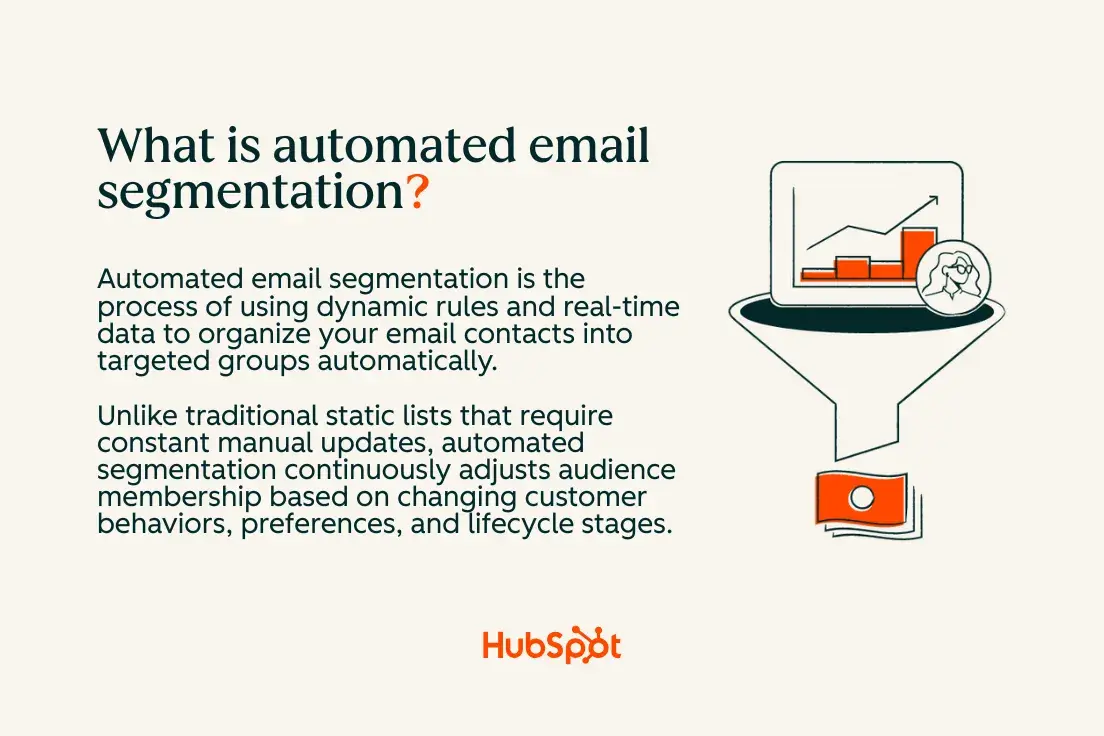
Automated email segmentation uses dynamic rules and real-time data to group contacts automatically, eliminating manual list updates while boosting campaign relevance.

By connecting unified customer data, you can build segments that update based on behavior, lifecycle stage, or engagement, and then trigger personalized workflows and content for each group.

Boost Opens & CTRs with HubSpot’s Free Email Marketing Software

Start by cleaning your data, creating dynamic lists, linking them to automated journeys, and using AI to scale targeting and copy. In this blog post, we’ll guide you through setting up better targeting, step by step.

Table of Contents

Unlike traditional static lists that require constant manual updates, automated segmentation continuously adjusts audience membership based on changing customer behaviors, preferences, and lifecycle stages.

what is automated email segmentation

Dynamic lists update segment membership automatically in response to data changes, whereas static lists remain fixed until manually modified.

For example, a dynamic segment for “recent purchasers” will automatically include new customers who have completed a purchase and exclude those who haven’t made a purchase in the past 90 days. This automation eliminates the need for manual exports and improves message relevance by ensuring your segments always reflect current customers.

The key advantage is that segment membership triggers automated workflows and personalized content delivery. When someone moves from “prospect” to “customer,” they’re automatically enrolled in the appropriate welcome series while being removed from sales nurture campaigns. Your Smart CRM serves as the foundation for this automation, maintaining unified customer profiles that power accurate segmentation rules.

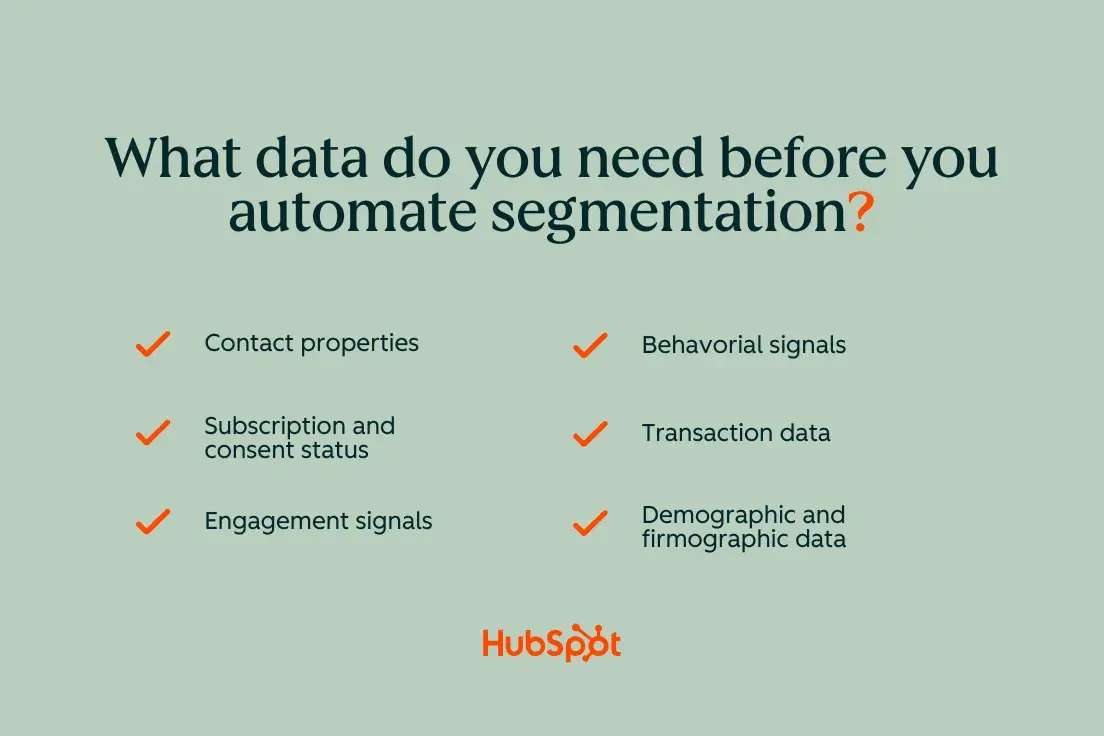
What data do you need before you automate segmentation?

Clean, unified data enables reliable automated segmentation. Before building dynamic segments, you need core contact properties, behavioral events, and engagement signals properly tracked and synchronized across your systems.

Essential data includes:

  • Contact properties: Name, email, company, role, lifecycle stage
  • Subscription and consent status: Opt-in dates, communication preferences
  • Engagement signals: Email opens, clicks, website visits, content downloads
  • Behavioral events: Product usage, trial activations, support tickets
  • Transaction data: Purchase history, plan details, billing status
  • Demographic and firmographic data: Industry, company size, geography

what data do you need before you automate segmentation: contact properties, subscription and consent status, engagement signals, behavioral signals, transaction data, demograpic and firmographic data

Use this decision tree to confirm your data readiness: Does the data exist consistently across all contacts? Is it accurate and up-to-date? Does it sync automatically between your systems? If you answer “no” to any question, address those gaps before building automated segments.

Your data sync and cleanup processes ensure that segmentation rules work reliably. Without clean, standardized data, automated segments can become unreliable or miss important audience members.

Clean and normalize your properties.

Start by auditing your contact properties to identify inconsistencies, duplicates, and missing values. Common issues include multiple variations of company names (“HubSpot,” “Hubspot,” “HUBSPOT”), inconsistent lifecycle stage mapping, and incomplete contact records.

Create a lightweight data dictionary that defines:

  • Standard values for dropdown properties (industry, company size, lifecycle stage)
  • Required fields for different contact types
  • Naming conventions for custom properties
  • Data validation rules

Standardize property values by merging duplicates and establishing dropdown options instead of using free-text fields. Set required fields for new contacts and implement validation rules to prevent data quality issues.

Pay special attention to opt-in and consent hygiene. Ensure that the subscription status accurately reflects user preferences and meets legal consent requirements. Clean consent data prevents automated segments from accidentally including unsubscribed contacts or violating privacy regulations.

Map events to lifecycle stages.

Map behavioral events to lifecycle transitions to ensure your automated segments reflect genuine customer progression. A clear mapping helps automated segments identify when someone transitions from a lead to a marketing-qualified lead, to a sales-qualified lead, and ultimately to a customer.

For B2B companies, essential events include:

  • Lead: Form submission, content download, email subscription
  • MQL: Demo request, pricing page visits, multiple content engagements
  • SQL: Sales meeting scheduled, proposal requested
  • Customer: Contract signed, first payment processed
  • Active/At-risk: Product usage, support interactions, renewal behaviors

For ecommerce and product-led growth, track:

  • Prospect: Account creation, product browsing, cart activity
  • Trial/Freemium: Sign-up, feature usage, onboarding completion
  • Customer: First purchase, subscription activation
  • Repeat customer: Multiple purchases, subscription renewal
  • Champion: High engagement, referrals, upgrades

Each event feeds specific dynamic segments. For example, “pricing page visitors in the last 7 days” becomes a high-intent segment for sales follow-up, while “trial users who haven’t activated key features” triggers onboarding workflows.

Establish data governance and quality controls.

Implement ongoing data quality processes to ensure accurate segmentation. Automated segments rely on clean, consistent data to function properly, so establish regular audits and cleanup routines.

Set up automated data quality checks, including:

  • Duplicate detection: Identify and merge duplicate contacts weekly
  • Property validation: Flag incomplete or inconsistent records
  • Sync monitoring: Alert when data fails to sync between systems
  • Consent compliance: Regular audits of subscription preferences

Create data stewardship roles with clear responsibilities for maintaining different property types. Marketing owns lifecycle stages and campaign data, sales manages lead qualification fields, and customer success maintains product usage metrics.

How to Automate Email Segmentation

1. Build your first dynamic email segments.

Dynamic list criteria patterns fall into three categories: field-based (properties like lifecycle stage or industry), event-based (behaviors like email opens or page views), and time-based (recency filters like “last 30 days”). These patterns automatically update segment membership as your data changes.

Start with field-based segments using existing contact properties, then add behavioral criteria for more precision. Time-based filters keep segments fresh by including only recent activities or excluding outdated information.

AI and predictive scoring enhance segmentation accuracy and targeting by identifying patterns humans might miss and suggesting optimization opportunities. However, always validate AI recommendations against your business logic before implementation.

Quick Win Segment Recipe

Create a “New engaged subscribers last 14 days” segment to identify your most active recent subscribers:

Criteria logic:

  • Contact property: Email subscription = Subscribed
  • Email activity: Opened email in last 14 days
  • Email activity: Clicked email in last 14 days
  • List membership: Not in unsubscribe list

Exclusions:

  • Lifecycle stage = Customer (to avoid overlap with customer nurture)
  • Contact property: Do not email = True

This segment automatically captures highly engaged new subscribers and removes them as they become customers or unsubscribe. Preview the list membership daily to verify it’s capturing the right volume and profile of contacts.

Connect this segment to your marketing automation workflows to deliver a welcome series that capitalizes on their demonstrated engagement while they’re most receptive to your content.

Behavioral Segmentation Starter Pack

Build these behavioral segments to capture different engagement levels and intents:

High-intent product browsers:

  • Visited pricing page in last 7 days
  • Spent more than 2 minutes on product pages
  • Downloaded product resources
  • Exclude: Existing customers

Email engagement champions:

  • Opened 50%+ of emails in last 60 days
  • Clicked email in last 30 days
  • Forward rate above account average
  • Exclude: Recent unsubscribes

Content consumption leaders:

  • Downloaded 3+ resources in last 90 days
  • Attended webinar or event in last 60 days
  • Blog subscriber with recent visits
  • Exclude: Sales qualified leads

Trial activation segment:

  • Started trial in last 30 days
  • Completed key activation events
  • Usage above median for trial period
  • Include: Product usage properties

Each segment serves different campaign objectives and should trigger appropriate automated workflows with relevant content and offers.

Lifecycle Segmentation Starter Pack

Create these lifecycle-based segments to deliver stage-appropriate messaging:

New customers (first 90 days):

  • Lifecycle stage = Customer
  • First purchase date within last 90 days
  • Onboarding status = In progress or not started
  • Exclude: Customers with support tickets

Win-back candidates:

  • Last email engagement 60+ days ago
  • Previous engagement above account average
  • Subscription status = Active
  • Exclude: Recent purchasers

VIP champions:

  • Customer for 12+ months
  • High lifetime value or engagement score
  • Product usage in top 25%
  • Include: Referral activity, case study participants

At-risk by inactivity:

  • No email engagement in 90+ days
  • Declining product usage (for SaaS)
  • No recent purchases (for ecommerce)
  • Exclude: Recent support interactions

Each lifecycle segment should trigger workflows with appropriate content depth, frequency, and conversion goals. New customers need education and onboarding, while champions can handle more promotional content and referral requests.

2. Connect segments to automated workflows.

Use segment membership as workflow enrollment triggers, but implement proper guardrails to prevent conflicts and over-messaging. Set up suppression lists, exit conditions, and wait periods to coordinate multiple workflows.

A simple journey blueprint for your “new engaged subscribers” segment might include:

  1. Day 0: Welcome email with brand story and content preferences
  2. Day 3: Educational content relevant to their interests
  3. Day 7: Social proof and customer success stories
  4. Day 14: Soft product introduction or demo invitation

Configure enrollment triggers with these guardrails:

  • Suppression conditions: Recently contacted, unsubscribed, or in other active workflows
  • Exit triggers: Lifecycle stage changes, unsubscribe, or goal completion
  • Frequency limits: Maximum one workflow email per day
  • Re-enrollment rules: Allow or prevent multiple enrollments

Essential Workflow Patterns

Build these core workflow patterns that work across different segments:

Welcome and onboarding series:

  • Triggered by: New subscriber segments, customer segments
  • Duration: 2-4 weeks
  • Goal: Education, activation, engagement establishment
  • Coordination: Pause promotional workflows during onboarding

Re-engagement campaigns:

  • Triggered by: Low engagement segments, at-risk segments
  • Duration: 2-3 weeks
  • Goal: Restore engagement or clean list
  • Coordination: Suppress other marketing during re-engagement

Upsell and cross-sell workflows:

  • Triggered by: Customer usage patterns, anniversary dates
  • Duration: 1-2 weeks
  • Goal: Revenue expansion, feature adoption
  • Coordination: Avoid during renewal periods or support issues

Event-driven follow-ups:

  • Triggered by: Webinar attendance, demo completion, trial expiration
  • Duration: 3-7 days
  • Goal: Capitalize on demonstrated interest
  • Coordination: Higher priority than general nurture

Use your marketing automation workflows to build branches and conditional logic that adapts messaging based on recipient responses and behaviors within the sequence.

Avoiding Over-segmentation in Workflows

Over-segmentation causes audience fatigue and operational complexity. Prevent workflow conflicts with these strategies:

Global suppressions:

  • Active customers in onboarding
  • Recent unsubscribes or complaints
  • Contacts in sales process
  • High-frequency opt-outs

Frequency caps:

  • Maximum 3-4 marketing emails per week
  • Minimum 24-hour spacing between workflows
  • Weekly digest options for high-volume periods
  • Pause promotional during transactional sequences

Priority rules:

  • Transactional emails always send
  • Welcome series takes precedence over nurture
  • Re-engagement campaigns pause other marketing
  • Sales workflows override marketing campaigns

One-time vs. ongoing series:

  • Welcome and onboarding: One-time enrollment
  • Nurture campaigns: Ongoing with exit conditions
  • Product education: One-time per feature launch
  • Seasonal promotions: Recurring annual enrollment

Monitor workflow performance metrics to identify conflicts, and maintain a master calendar of all automated campaigns to spot potential overlaps before they impact recipients.

3. Personalize content for each segment.

Leverage personalization tokens, conditional content, and dynamic modules to deliver segment-appropriate messaging without creating separate email versions for each audience. This approach scales personalization while maintaining operational efficiency.

Use these personalization techniques:

Subject line personalization:

  • Basic: “, your weekly update”
  • Lifecycle-based: “New customer exclusive: “
  • Behavioral: “, finish your demo setup”

Dynamic content blocks:

  • Show different offers based on lifecycle stage
  • Display relevant product recommendations based on past behavior
  • Customize call-to-action buttons for different segments

Conditional logic examples:

Ready to see how we can help? Start your free trial…

Your dynamic content personalization capabilities enable sophisticated conditional modules that adapt entire email sections based on recipient data. Create templates with multiple content variations that automatically display the most relevant version.

For AI-powered content creation, use tools like AI email writer to generate personalized copy variants, or the AI email copy generator to create segment-specific messaging that maintains your brand voice while addressing different audience needs.

Enhance subject lines with AI-generated suggestions that incorporate segment characteristics, and optimize preview text using AI-powered recommendations to improve open rates across different segments.

4. Use AI and predictive scoring to scale targeting.

AI serves as an accelerator for segmentation strategy, helping identify patterns, refine criteria, and generate personalized content at scale. However, maintain human oversight as the final editor to ensure AI recommendations align with your business objectives and brand standards.

Breeze AI provides built-in capabilities for predictive scoring, content generation, and segmentation optimization directly within your marketing platform. Use these AI features to enhance rather than replace strategic thinking.

Where AI adds the most value:

  • Segment ideation: Identify overlooked behavioral patterns and engagement opportunities
  • Criteria refinement: Optimize segment rules based on performance data
  • Content variation: Generate multiple copy versions for A/B testing
  • Predictive insights: Forecast churn risk, purchase likelihood, and optimal timing
  • Metadata maintenance: Keep segment descriptions and tags updated automatically

Safe-use guidelines:

  • Verify AI-generated segments against business logic before activation
  • Test predictive scores on small audiences before full deployment
  • Review AI-created content for brand voice and accuracy
  • Monitor segment performance metrics to validate AI recommendations
  • Maintain documentation of AI-assisted decisions for troubleshooting

Prompt Library for Segmentation and Copy

Use these prompts to leverage AI for segmentation strategy and content creation:

Segmentation strategy prompts:

  1. “Suggest behavioral rules for identifying high-intent prospects in [industry] who are likely to request demos within 30 days”
  2. “Analyze our customer data to identify patterns that predict churn risk in months 6-12 of the customer lifecycle”
  3. “Recommend segmentation criteria to identify expansion opportunities among existing customers using [product usage data]”
  4. “Identify risky over-segmentation scenarios and suggest consolidation opportunities for our current 47 active segments”

Content personalization prompts:

5. “Draft email copy variants for VIP customers vs price-sensitive prospects promoting [specific product/feature]”

6. “Create subject line variations that appeal to different lifecycle stages while maintaining [brand voice description]”

7. “Generate preview text options for re-engagement campaigns targeting inactive subscribers who previously engaged with [content type]”

8. “Write conditional content blocks for customers vs prospects receiving the same newsletter template”

Framework for AI context:

  • Brand voice: Include 2-3 example emails that represent your tone
  • Audience details: Provide segment characteristics and pain points
  • Campaign goals: Specify desired actions and success metrics
  • Constraints: Note any legal, compliance, or messaging restrictions

This context helps AI generate more relevant and actionable recommendations that align with your business needs and unique audience characteristics.

Where to Trust Predictive Fields

Predictive scoring helps prioritize segments and timing, but requires careful calibration and testing before full implementation. Use predictive fields strategically in enrollment criteria and workflow logic.

Practical applications for predictive scores:

Churn risk scores:

  • Enroll high-risk customers in retention workflows
  • Trigger account manager notifications for enterprise accounts
  • Customize renewal campaigns based on risk levels
  • Exclude churning customers from expansion campaigns

Likelihood to buy scores:

  • Prioritize sales follow-up for high-scoring leads
  • Adjust email frequency based on purchase propensity
  • Time product announcements to coincide with buying windows
  • Segment trial users by conversion probability

Lead scoring integration:

  • Set minimum scores for sales-ready workflows
  • Create score-based nurture tracks (high vs. low engagement)
  • Trigger different content paths based on engagement level
  • Automate lead routing based on score thresholds

Testing and calibration checklist:

  • [ ] Compare predicted scores to actual outcomes monthly
  • [ ] Test score ranges on small segments before full deployment
  • [ ] Monitor false positive and negative rates
  • [ ] Adjust scoring models based on performance data
  • [ ] Document score interpretation guidelines for team consistency
  • [ ] Set up alerts for significant score distribution changes

Start with one predictive field, validate its accuracy over 60-90 days, then gradually incorporate additional scoring models as you build confidence in their reliability.

5. Measure, QA, and iterate without segment creep.

Build measurement and quality assurance processes that prevent automated segments from becoming stale or counterproductive. Regular monitoring catches issues before they impact campaign performance or customer experience.

Create a measurement dashboard for each significant segment and workflow combination:

Enrollment metrics:

  • Weekly enrollment volume and trends
  • Segment membership growth/decline patterns
  • Enrollment trigger accuracy (manual spot checks)
  • Exit condition performance

Progression tracking:

  • Workflow completion rates by segment
  • Email engagement rates compared to account averages
  • Conversion metrics relevant to campaign goals
  • Time-to-conversion across different segments

Quality indicators:

  • Unsubscribe rates by segment
  • Spam complaint frequency
  • Customer service ticket correlation
  • Sales feedback on lead quality

QA routine (weekly):

  • Test enrollment conditions with seed contacts
  • Verify segment membership counts make logical sense
  • Check for segments with 0 members or explosive growth
  • Review workflow paths for broken logic or outdated content
  • Sample-check email rendering across devices and clients

Use your marketing automation workflows performance views to access detailed analytics and identify trends that require attention or optimization.

  • INTERNAL LINK: Insert link to HubSpot Marketing Hub using anchor text “marketing automation workflows” to show where to access workflow performance views.

How to Troubleshoot Common Issues

Empty segments:

  • Verify data exists for all criteria fields
  • Check for overly restrictive time-based filters
  • Confirm integration syncs are working properly
  • Review recent property name or value changes

Exploding segments (unexpected growth):

  • Check for data quality issues creating duplicate records
  • Review recent import files for corrupted data
  • Verify criteria logic isn’t unintentionally broad
  • Look for system changes affecting property population

Conflicting rules:

  • Map all segment criteria to identify overlaps
  • Check for contradictory inclusion/exclusion logic
  • Verify workflow suppression lists are working
  • Review recent changes to custom properties or lifecycles

Stale lifecycle mapping:

  • Audit lifecycle stage transitions quarterly
  • Update automation rules when business process changes
  • Verify sales team is updating lifecycle stages consistently
  • Check for contacts stuck in intermediate stages

Duplicate enrollments:

  • Review re-enrollment settings on active workflows
  • Check for multiple segments triggering the same workflow
  • Verify exit conditions are working properly
  • Implement global suppression lists for active workflow participants

Deliverability issues:

  • Monitor reputation metrics for different segments
  • Check segment quality against industry benchmarks
  • Review content relevance for declining engagement
  • Implement re-engagement campaigns for low-performing segments

For data quality issues driving segment errors, leverage data sync and cleanup tools to identify and resolve underlying data problems that affect segmentation accuracy.

6. Expand beyond email with cross-channel orchestration.

Segments should power coordinated experiences across ads, SMS, chat, and sales outreach to create coherent customer journeys. Cross-channel orchestration amplifies segmentation value and improves overall marketing effectiveness.

Re-engagement audience extended to paid channels: Create a “90-day inactive email subscribers” segment, then:

  1. Email: Send 3-email re-engagement series over 14 days
  2. Facebook/LinkedIn Ads: Retarget with brand awareness and social proof content
  3. Website personalization: Display special offers or content recommendations
  4. Sales follow-up: Alert account managers for high-value inactive accounts

Coordinate messaging and timing across channels to avoid conflicts while reinforcing core themes and calls-to-action.

Onboarding experience coordinated with sales: For “new trial users” segments:

  1. Email workflows: Educational content and product tutorials
  2. In-app messaging: Feature highlights and usage tips
  3. Sales tasks: Scheduled check-in calls based on usage patterns
  4. SMS (where appropriate): Time-sensitive activation reminders

Use shared segment definitions across all channels to ensure consistent audience targeting and prevent mixed messaging that confuses recipients.

Channel coordination best practices:

  • Unified suppression: Honor unsubscribe preferences across all channels
  • Message hierarchy: Prioritize transactional and sales communications over marketing
  • Frequency management: Count all touchpoints when setting communication limits
  • Attribution tracking: Use UTM parameters and channel-specific tracking to measure cross-channel impact

This orchestration requires close collaboration between marketing, sales, and customer success teams to maintain consistent experiences that support rather than compete with each other.

Starter Templates for Automated Segmentation

Here’s 7 copy-and-paste segment templates that you can adapt for your business model and industry:

B2B SaaS Starter Pack:

  1. High-intent prospects: Visited pricing + viewed demo + downloaded case study (last 14 days)
  2. Trial activation risk: Started trial 7+ days ago + key feature usage below 25th percentile
  3. Expansion candidates: Active customer + usage growth >50% + contract renewal in 60-180 days
  4. Champion advocates: Customer 12+ months + high engagement score + responded to feedback requests

Ecommerce Starter Pack:

5. Cart abandoners: Added to cart in last 48 hours + no purchase + email subscribed

6. VIP repeat customers: 3+ purchases + total value >$500 + average order value above median

7. Win-back targets: Last purchase 60-120 days ago + previously active buyer + no recent email engagement

Adaptation Guidelines by Industry

Professional services firms:

  • Replace “trial activation” with “consultation booking”
  • Focus on service category interest rather than product features
  • Emphasize thought leadership content consumption

Ecommerce retailers:

  • Add seasonal buying pattern segments
  • Include product category preferences
  • Segment by customer lifetime value ranges

B2B technology:

  • Create segments based on company size and tech stack
  • Include job role and seniority criteria
  • Focus on implementation timeline indicators

Each template relies on your Smart CRM maintaining unified customer profiles with the necessary behavioral and demographic data to support accurate segmentation rules.

Frequently Asked Questions about Automated Email Segmentation

What’s the difference between dynamic lists and static lists?

Dynamic lists automatically update segment membership as your contact data changes, while static lists remain fixed until manually modified. When you create a dynamic list with criteria like “opened email in last 30 days,” contacts automatically join when they meet the criteria and leave when they no longer qualify.

Static lists should be used sparingly, primarily for one-time campaigns, specific event attendees, or manually curated groups that shouldn’t change automatically. The key advantage of dynamic lists is they eliminate manual maintenance while ensuring segments always reflect current customer states and behaviors.

Which fields are mandatory for reliable automated segmentation?

Essential fields for automated segmentation include:

Core contact data:

  • Email address (primary key)
  • Subscription status and consent date
  • Lifecycle stage
  • Contact creation date

Engagement tracking:

  • Email activity (opens, clicks, bounces)
  • Website activity (page views, session data)
  • Form submissions and conversion events

Business context:

  • Company name and industry (B2B)
  • Contact role and seniority level
  • Product interests or purchase history

Without these fields consistently populated, automated segments become unreliable or miss important audience members. Establish data governance processes to maintain field accuracy and completeness over time.

How often should I review and re-segment audiences?

Review segment performance on a monthly basis and conduct comprehensive audits quarterly. Monthly reviews should focus on:

  • Enrollment volume trends
  • Engagement rate changes
  • Conversion performance shifts
  • Data quality issues

Quarterly audits should evaluate:

  • Segment relevance to current business goals
  • Criteria accuracy based on customer behavior changes
  • Opportunities to consolidate similar segments
  • New segmentation opportunities based on available data

Retire segments that consistently underperform or serve overlapping purposes. Merge similar segments to reduce operational complexity and improve message frequency management.

How do I prevent over-segmentation and audience overlap?

Implement these governance strategies:

Suppression management:

  • Create global suppression lists for recent customers, unsubscribes, and active workflows
  • Set frequency caps at the contact level (maximum emails per week)
  • Implement priority hierarchies (transactional > onboarding > nurture > promotional)

Segment consolidation:

  • Limit total active segments to 20-30 for most organizations
  • Merge segments with similar criteria or performance
  • Use conditional content instead of separate segments when possible
  • Regular audit segments with fewer than 100 members

Overlap prevention:

  • Document segment purposes and target audiences
  • Test sample contacts against multiple segment criteria
  • Use exclusion rules to prevent inappropriate enrollments
  • Monitor workflow enrollment conflicts through performance dashboards

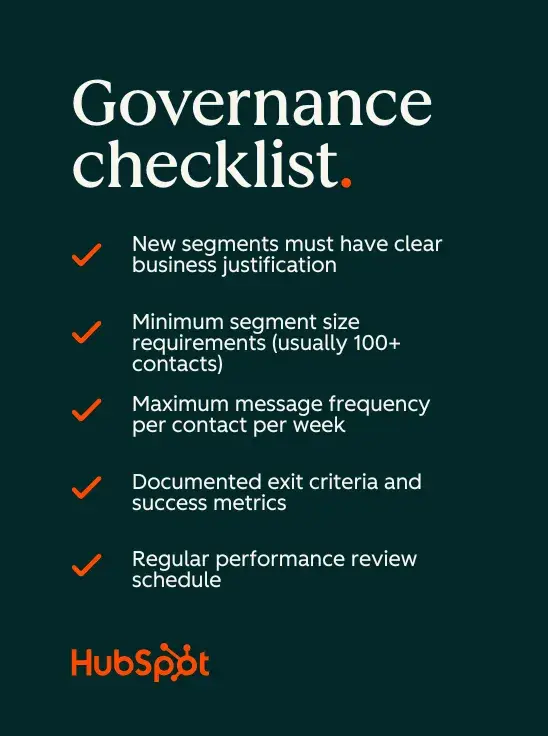
Governance checklist:

  • ✅ New segments must have clear business justification
  • ✅ Minimum segment size requirements (usually 100+ contacts)
  • ✅ Maximum message frequency per contact per week
  • ✅ Documented exit criteria and success metrics
  • ✅ Regular performance review schedule

how do i prevent over-segmentation and auidence overlap? implement a governance checklist

How do I tie segmentation to revenue without complex models?

Use these simple attribution methods and proxy metrics:

Direct revenue tracking:

  • Track conversions from segment-triggered workflows
  • Compare customer lifetime value across different acquisition segments
  • Monitor upgrade/expansion rates by customer segment
  • Calculate email revenue per segment using basic attribution

Proxy metrics that indicate revenue impact:

  • Pipeline generation from lead segments
  • Sales meeting booking rates
  • Demo request conversion by segment
  • Trial-to-paid conversion rates

Simple attribution options:

  • First-touch: Credit the first segment that enrolled the contact
  • Last-touch: Credit the segment active when conversion occurred
  • Time-decay: Weight more recent segment activities higher
  • Position-based: Split credit between first and last touch points

Platform reporting: Most marketing platforms provide basic revenue attribution reports that connect email campaigns to deals and revenue. Use these built-in reports rather than building complex custom models initially.

Focus on trend analysis rather than precise attribution—look for segments that consistently generate higher conversion rates, shorter sales cycles, or larger deal sizes. These patterns offer actionable insights for budget allocation and campaign optimization, eliminating the need for sophisticated modeling.

Ready to streamline your email targeting?

Automated email segmentation transforms manual list management into a dynamic, data-driven system that adapts to your customers’ changing needs and behaviors. Start with clean data, build your first dynamic segments, and use AI to scale your personalization efforts while maintaining operational efficiency.

Categories B2B

Top 7 use cases for AI personalization in marketing

As a marketer and consumer, few can explain the impact of AI personalization quite like yours truly.

Download Now: The Annual State of Artificial Intelligence in 2025 [Free Report]

I’ve created (and received) hundreds of personalized marketing assets in my day, and it’s crystal clear when something was created in a half-hearted effort, versus when it’s tailored to one’s specific interests and behaviors. The latter makes both of my alter egos smile, and a lot of it is thanks to artificial intelligence.

If you’re interested in using AI personalization marketing to reach your customers, I put together this guide to help.

Table of Contents

Executive Summary

AI personalization uses artificial intelligence to deliver tailored experiences, content, or offers to each customer based on their behavior, preferences, and real-time data. Unlike traditional personalization, AI adapts automatically and at scale. Key benefits include higher engagement, increased revenue, and improved customer satisfaction.

Common real-world examples can be seen in Amazon‘s product recommendations and Netflix’s viewing suggestions. To get started with AI personalization, select the right tools for your goals and experience, establish a robust data foundation, and adhere to best practices for privacy and transparency.

Ready to personalize at scale? Explore content personalization through HubSpot with a free demo.

What is AI personalization?

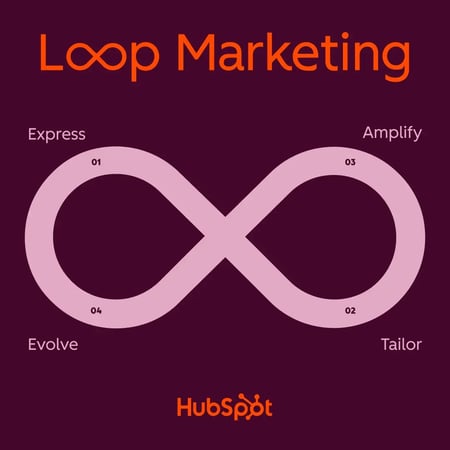
AI personalization tailors experiences to each customer using artificial intelligence (which is why it is a crucial part of the tailor stage in Loop Marketing).

Unlike traditional personalization, which relies on manual rules and static segments, AI personalization adapts in real time based on user behavior and data. It continuously learns from interactions like email clicks and website visits to deliver increasingly relevant content, recommendations, and experiences. 

But how does it do this? AI can understandably get quite technical, so I’ll try to explain it as simply as possible.

At its core, AI personalization works using three key capabilities:

  1. Behavior Tracking — AI monitors how customers interact across all touchpoints, from browsing patterns to purchase history, building a comprehensive understanding of individual preferences. It also compares these to the typical journeys of buyers to understand what behaviors typically lead to a sale.
  2. Real-Time Adaptation — As customers engage with your brand, AI instantly adjusts the experience based on their current behavior and context, ensuring every interaction feels relevant and intuitive.
  3. Predictive Recommendations — By analyzing patterns across millions of data points, AI anticipates what customers want next and presents it to them. This can include the following natural content in the buyer’s journey or even a related product after a purchase.

This dynamic approach means AI doesn‘t just personalize based on who your customers are — it personalizes based on what they’re doing right now and what they’re likely to do next.

Why use AI for marketing personalization?

Modern marketers are no strangers to using AI through marketing automation tools to trigger workflows to send emails, nurture leads, and complete internal tasks. Automation tools are excellent for streamlining recurring things like this.

The difference with using AI for marketing personalization is that it’s dynamic. It can gather and interpret data, identify trends and opportunities, and, in turn, adapt the copy delivered in the email, the offer behind the call-to-action, or the content on the website page. This means that rather than being a tool to help streamline actions, AI can actually help you personalize the actions on a deeper level.

Not only does personalization help increase sales, but 94% of marketers also say that a personalized experience impacts their company’s sales.

Benefits of AI Personalization Marketing

If you’re like most marketers I know, you already have reliable marketing automations set up, but if you want to kick it up a notch, add AI personalization into the mix. According to marketers I spoke with, and industry research, here are the key benefits driving 92% of organizations to adopt AI for personalization:

Enhanced Customer Experience and Engagement

Segment found that four in five (81%) organizations believe recent AI technology has the potential to positively impact customer experiences. Why exactly?

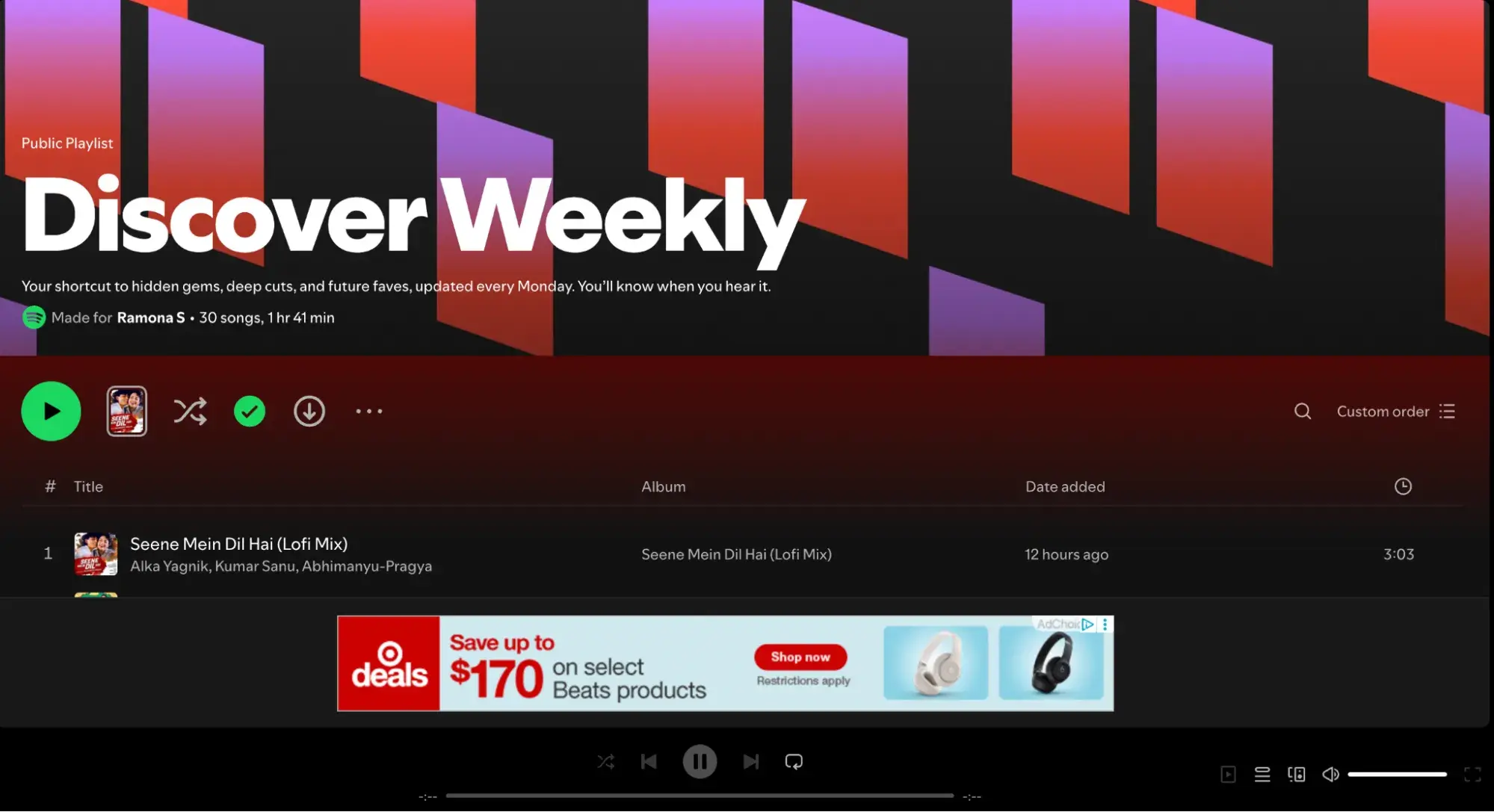
ai personalization in marketing, spotify discover weekly playlist

Just consider your own daily experiences of Spotify refreshing your Discover Weekly playlist or your favorite store emailing with a free gift on your birthday. They’re using data to create experiences that feel just for you. AI makes every interaction feel uniquely crafted for you — and admit it, you love it. I know I do.

This level of personalization drives real results. Don’t believe me? According to Medillia, 82% of customers say personalization drives brand choice.

Easier to Scale

As James Brooks, marketer and founder of Journorobo, puts it: “AI gives us the opportunity to scale the unscalable.”

I mean, think about it. Before the internet, personalization in sales and marketing primarily meant giving each prospect or customer one-on-one attention. You needed to spend quality time with them, make them feel special, and genuinely understood. (Ala Don Draper in Mad Men.) Unfortunately, no one really has that time anymore — especially with high revenue goals. AI can save the day.

Brooks adds, “The key is using this creatively, thoughtfully, and putting the effort in upfront. If you put the effort in on the front end and create a great, thorough prompt, it will serve you for months or years to come, every day, on autopilot.”

Read: How to Use AI Personalization Tactics to Scale Marketing Growth

Improved Marketing Efficiency

AI doesn’t just improve outcomes — it fundamentally changes how efficiently you can achieve them. By automating the analysis of customer behavior and the delivery of personalized experiences, AI frees your team to focus on creative strategy rather than execution.

For example, instead of manually creating dozens of email variations for different segments, AI can automatically generate and test thousands of personalized messages, learning what works best for each individual customer.

Measurable Revenue Impact

Perhaps the most compelling benefit is the direct impact on the bottom line. Personalization isn‘t just about making customers smile — it’s about driving measurable return on investment. And this is more than anecdotal.

Medallia found that brands that rate their personalization capabilities the highest are nearly 2x as likely to achieve major revenue growth. More specifically, according to McKinsey, personalization can lower customer acquisition costs by as much as 50%, lift revenue 5% to 15%, increase marketing ROI 10% to 30%, and improve customer outcomes.

Ninety-six percent of marketers also say that a personalized experience increases the chances of people becoming repeat customers.

Challenges of AI Personalization

While AI personalization offers tremendous benefits, implementing it successfully usually means addressing several key challenges. Here’s what marketers need to consider and how to overcome.

What are the main challenges of AI personalization?

Data Privacy and Customer Trust

With data hacks and breaches aplenty, privacy concerns top the list of AI personalization challenges. Consumers want personalized experiences, of course, but they also demand security and clarity about how their data is used.

The Solution: Build trust through transparency. Be upfront about what data you collect and how it benefits customers. Implement robust data governance policies and give customers control over their personalization preferences. As Google demonstrates with Gemini, allowing users to view, edit, or delete their data builds confidence in AI-powered experiences.

Crafting Effective AI Prompts

I think we’re all in agreement that prompting is hard. AI is smart, but it’s still learning, and human nuances aren’t its strong suit.

Most AI personalization tools need time and practice to adjust to your voice, tone, and requests. So, provide detailed instructions.

The Solution: Brooks suggests being as specific as possible: “Look at a language learning model (LLM) as a person — a VERY intelligent and knowledgeable person, but still a person. It cannot read your mind. Set very specific prompts. Tell the LLM exactly what you want: how you want them to write, what you want the outcome to be, how you want things formatted, what you do want, and what you don’t want.”

Pro Tip: Invest time upfront in creating detailed prompt templates. Document what works and build a library of proven prompts your team can reuse and refine. Not sure where to start? Check out our free resource, “1,000+ AI Marketing & Productivity Prompts.”

Technical Complexity

Marketing personalization at scale can’t be done just by typing a few prompts into an AI agent. Unless you’re using a marketing tool like HubSpot that has native AI personalization features, you’ll likely need to understand APIs and how AI integrates with your existing marketing stack.

The Solution: “Fortunately, with the rise in ‘no-code’ tools, it’s never been easier to tap into APIs and automate your marketing,” says Brooks. “I recommend checking out tools like Make.com and Zapier that natively connect with your favorite marketing tools and AI platforms like OpenAI. A little YouTube-ing can also go a long way to learning this stuff.”

HubSpot also has connectors for both Claude and ChatGPT.

Maintaining Human Connection

AI personalization is a bit of an oxymoron. The truth is, the more artificial intelligence handles personalization, the greater the risk of losing the human touch that fosters genuine relationships with customers.

The Solution: Use AI to enhance, not replace, communication and creativity. Let AI handle data analysis and pattern recognition while your team focuses on strategy, creative direction, and building authentic brand connections. The most successful implementations blend AI efficiency with human empathy and creativity.

Read: How to Humanize AI Content to Rank, Engage, and Get Shared in 2026

Measuring ROI and Attribution

The nice thing about all of the AI integrations and connectors is that they make personalization possible across multiple touchpoints. The bad thing is that it makes attributing success to specific initiatives much more difficult.

The Solution: Establish clear KPIs before implementing AI personalization, including short-term metrics (conversion rates, engagement) and long-term indicators (customer lifetime value, retention rates). Use control groups to measure the incremental impact by testing against variations without personalization.

Top 7 Use Cases for AI Personalization Marketing

1. Ecommerce & Retail Recommendations

AI-driven personalization has become a must-have in ecommerce for both brands and consumers. From a brand perspective, it increases relevance, capitalizes on “impulse buys,” and overall, boosts sales. Meanwhile, consumers enjoy a more curated and, ideally, smooth experience.

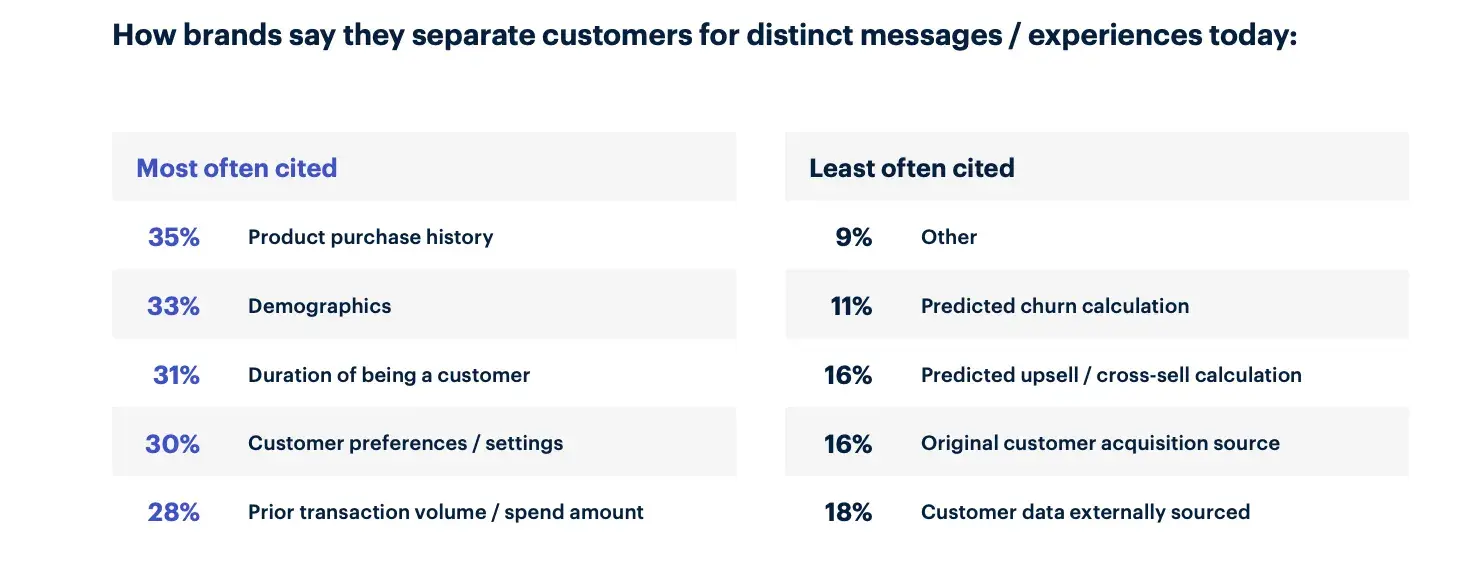
When shopping online, recommendation engines analyze user behavior (browsing history, clicks, and past purchases) and surface the most relevant products — often in real-time. In fact, Medallia found that purchase history is the most commonly used information to segment and curate experiences.

ai personalization in marketing, product history used for segmentation

Source

But why does this matter? AI personalization can cut through choice overload. Modern customers often abandon carts when overwhelmed. Tailored suggestions make decisions easier and drive up average order values and conversion rates.

2. Email Marketing

Sending personalized emails is nothing new. We’ve all been on the receiving end of a marketing email that’s addressed to us, or one reminding us of the item we just viewed while online shopping. However, AI tools can help marketers go the entire mile.

You can use AI to gather customer details such as their birthday, hobbies, professional expertise, and even passions, then add that information to your emails.

Pro Tip: “You can do this in an automated way using various no-code tools,” shares Brooks. “Personally, I use Bento for my emails. It can make an API call for each email it sends out, meaning that you can send unique emails, per person, even if you are effectively sending a ‘Broadcast’ to thousands of people.”

If you’re a HubSpot user, however, you can use the platform’s segmentation and personalization abilities to pull CRM data into your emails automatically.

3. Dynamic Web Experiences

AI personalization doesn’t stop at emails or product recommendations — it extends to how websites adapt in real time.

Dynamic web personalization can look like:

  • Homepage content changes based on who’s browsing (e.g., returning visitor gets different hero banners from a first-time visitor).
  • Product lists and messaging evolve as shoppers interact with a site, capturing intent signals and adjusting offerings.
  • Personalized search results prioritize items that match inferred preferences, improving relevance and conversion.

AI uses behavioral tracking and real-time data to tailor web experiences, which can lead to higher engagement and revenue.

Programmatic SEO

Dynamic AI personalization can also work alongside programmatic SEO to adapt landing pages for different audience segments automatically as part of tailored search strategies.

Brooks explains, “I’ve got websites with broad audiences with many different niche interests. I’ve used AI to build thousands of landing pages that speak very directly to those niche audiences, making relevant cultural references and using the colloquial language of those niches (even if I know nothing about them!).”

4. Conversations & Chatbots

According to Reuters, AI chatbots drove a 42% increase in usage during the 2024 holiday shopping season, helping customers with purchases and returns and boosting overall ecommerce sales. Modern iterations use natural language processing to understand context and intent, providing personalized support at scale.

“AI provides a memory of the conversation that you can incorporate into future messages,” explains Lauren Petrullo, CEO of Mongoose Media. “You can also have AI read the tonality of someone’s responses, allowing you to respond at the energy level that someone is inputting.”

Whether integrated on your website or social media channels, AI chatbots can qualify leads, book meetings, and provide 24/7 personalized support — all while learning from every interaction to improve future conversations.

Pro Tip: You can use AI to create a customizable chatbot, like this one from HubSpot, to scale customer support, generate leads, and book more meetings.

5. Dynamic UI and UX

While AI can be used to personalize experiences on your website, it can also be used to adapt the UI/UX of your app or digital products. In other words, AI can change the presentation of your digital experience in real-time based on who the user is and what they’re likely to find valuable.

Dynamic UI/UX with AI personalization can look like:

  • Adapted visual layouts, product galleries, and featured content based on inferred user preferences.
  • Hyper-personalized navigation and search results.
  • Tailored visual experiences, such as AI-driven styling or accessory suggestion tools.

Brands that master this often see longer session durations, higher conversion rates, and stronger loyalty.

6. Service Curation

AI personalization also extends into the service layer. It can help you curate services or plans you discuss and cater experiences that match individual needs. This kind of analysis not only shapes someone’s experience as a customer but also the marketing messaging they receive on the journey to their purchase.

7. Global Localization

While not an individual play, localization is another area where AI personalization, or customization rather, excels.

Read: 6 Ways AI Can Improve Your Localization Strategy

If you’re expanding into international markets, you can use AI to localize your content by translating it into different languages for your various target markets or even inputting information like closest stores and operating hours. You can create programmatic landing pages, as mentioned above, or localize emails, ads, product marketing assets, and SEO content.

You don’t necessarily need to expand to different countries to take advantage of localization either. If your audience is global and you want to personalize the ads or landing pages to their language, AI can automatically translate for you.

It can take years for someone on your team to learn a new language to the point where they can translate marketing content. Even if you have translators on your team, it’s difficult to scale personalized content when you’re manually translating.

“While AI is not equipped to do full empathy mapping and empathy matching, it does have a strong command of language,” says Petrullo. “You can use it as an intersection of common language at scale.”

Real-World AI Personalization Examples Across Industries

Here’s how leading organizations are already using AI to create personalized experiences that drive real results. Want more? Check out “How smart brands are delivering Netflix-level personalization with AI.

1. Amazon: Ecommerce and Retail Personalization

In 2025, Amazon forecasted that its AI shopping assistant Rufus could indirectly contribute more than $700 million in operating profit by increasing customer spending through AI-powered personalized recommendations and conversational assistance.

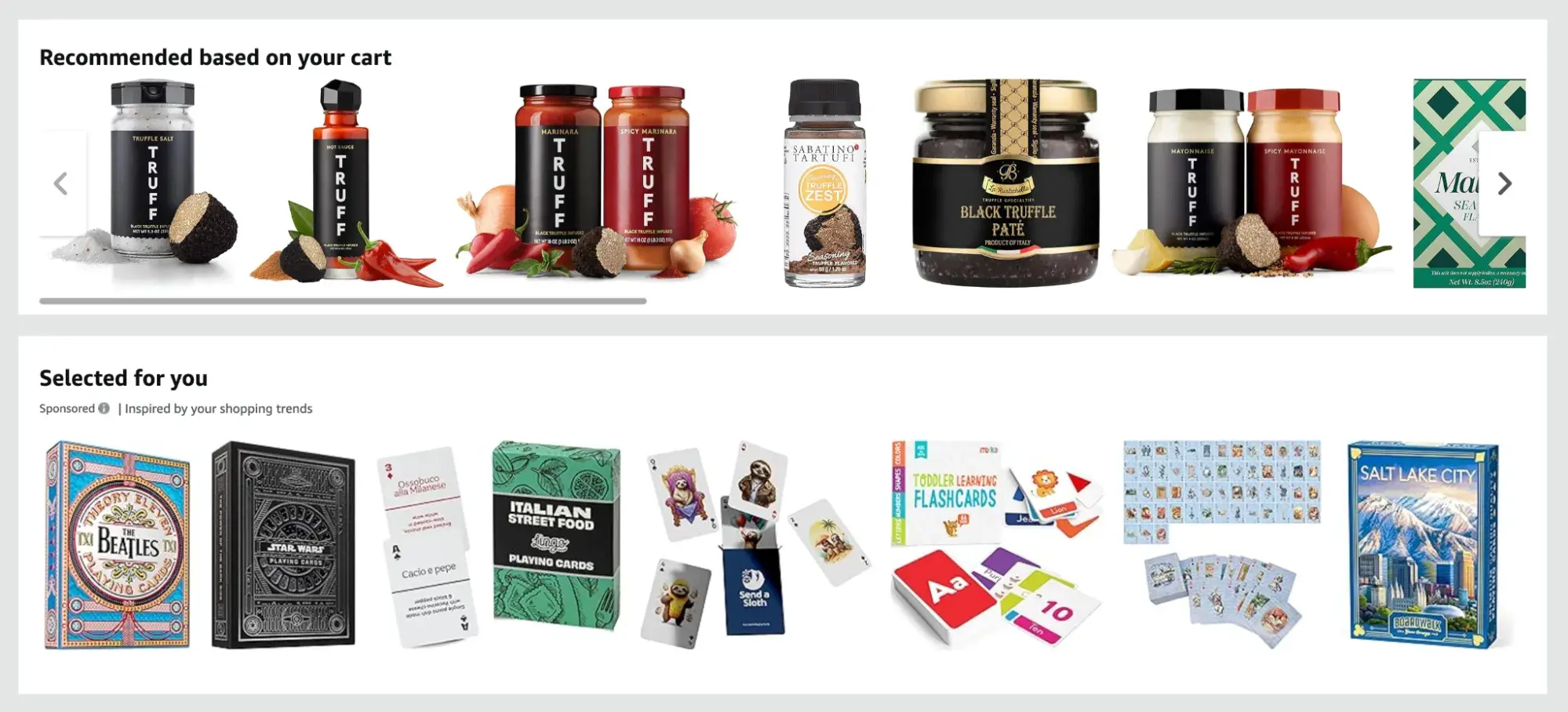
ai personalization in marketing, amazon ecommerce product recommendations

The company’s recommendation system analyzes browsing history, purchase patterns, and even how long you hover over products to surface incredibly relevant suggestions and reminders of what you recently viewed.

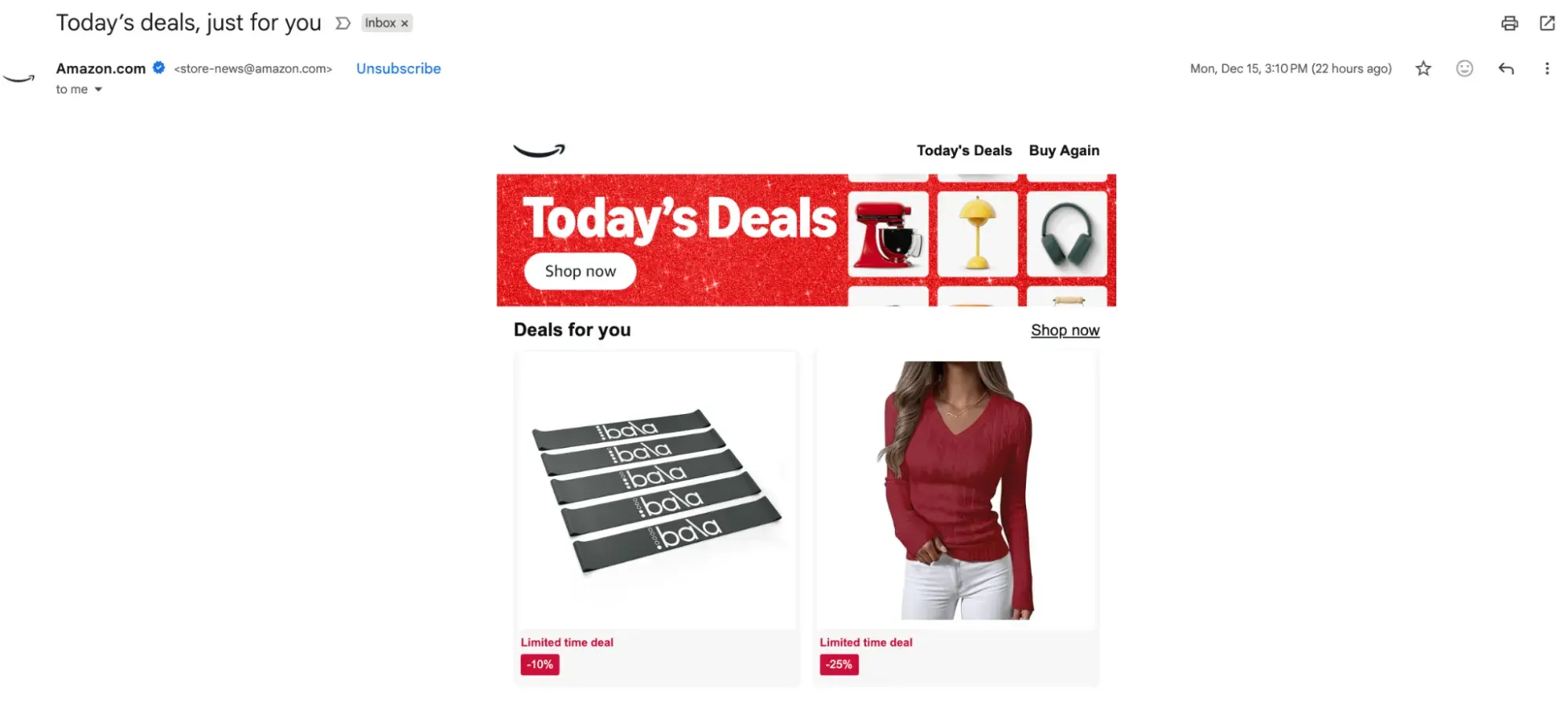
They also send automated emails with subject lines like “Today’s deals, Just for you” or “We found something you might like.”

ai personalization in marketing, amazon email marketing with product recommendations

Speaking of email…

2. Email Marketing

While simple, e.l.f. Cosmetics does a nice job of using AI to personalize its email marketing. In this welcome email, for example, you’ll see the company greet the recipient (aka Me) in the subject line as well as the email header.

ai personalization in marketing,e.l.f. email marketing content

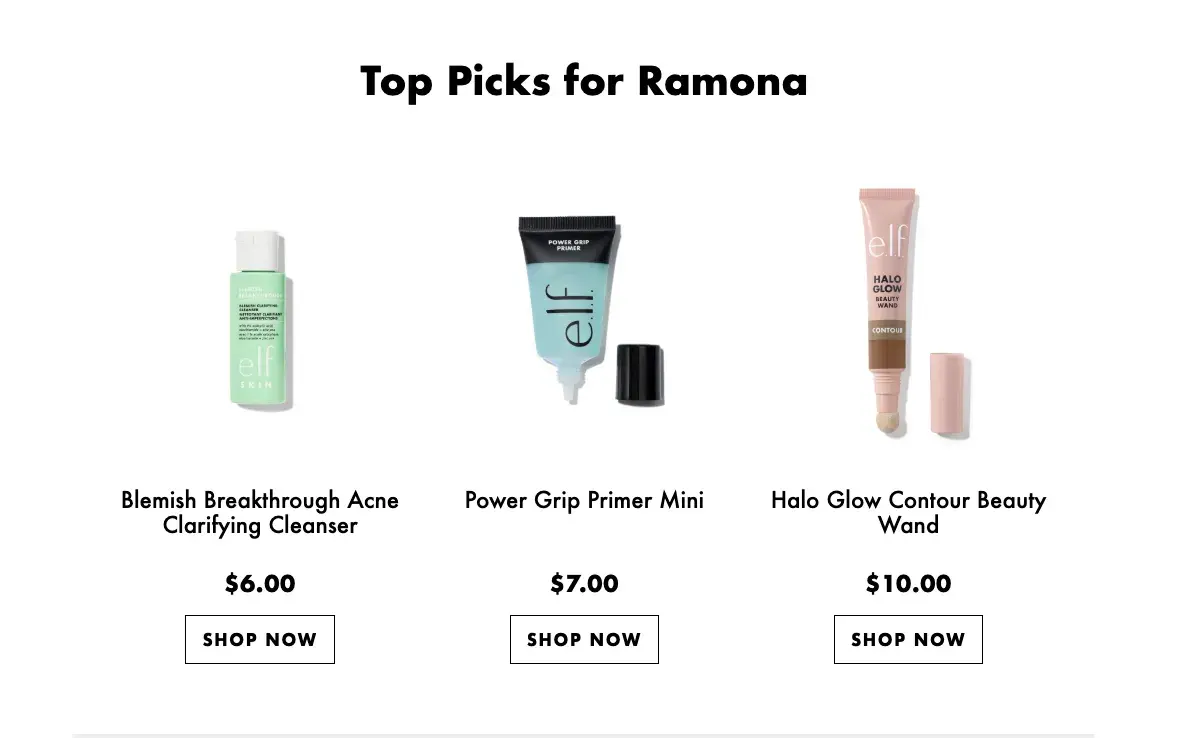
As you scroll, you’ll then see product recommendations based on my previous purchase and browsing history.

ai personalization in marketing,e.l.f. email marketing product recommendations

E.l.f.’s reward program also runs a birthday campaign, which one can infer relies on AI to trigger the personalized email based on the contact’s account information.

ai personalization in marketing,e.l.f. email marketing birthday personalization

They even include details like my membership tier, point total, and the potential rewards available to them — all of which make the email feel exclusive and can help reengage. These strategies are not groundbreaking by any means, but they are well-executed and compelling.

3. Dynamic Website Personalization

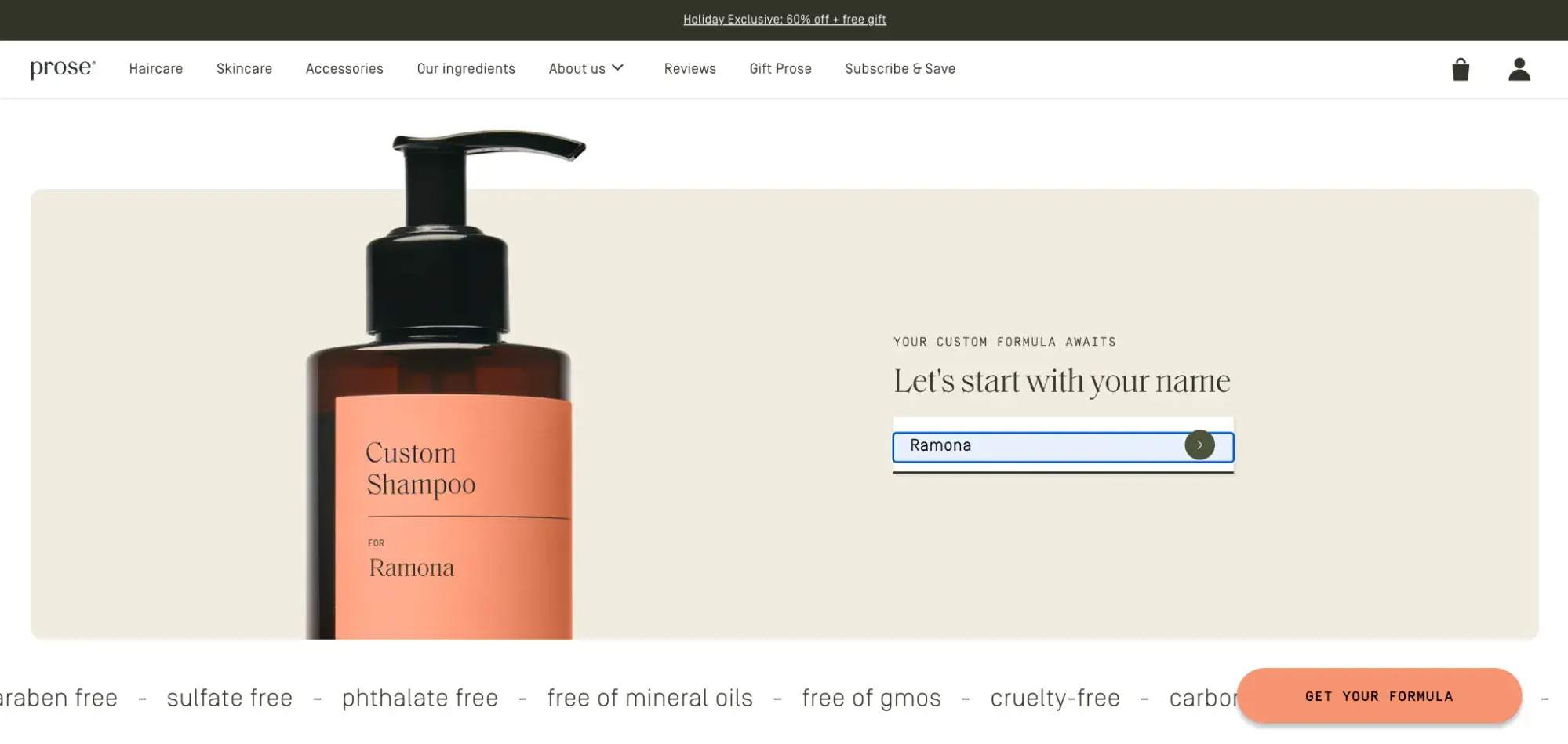
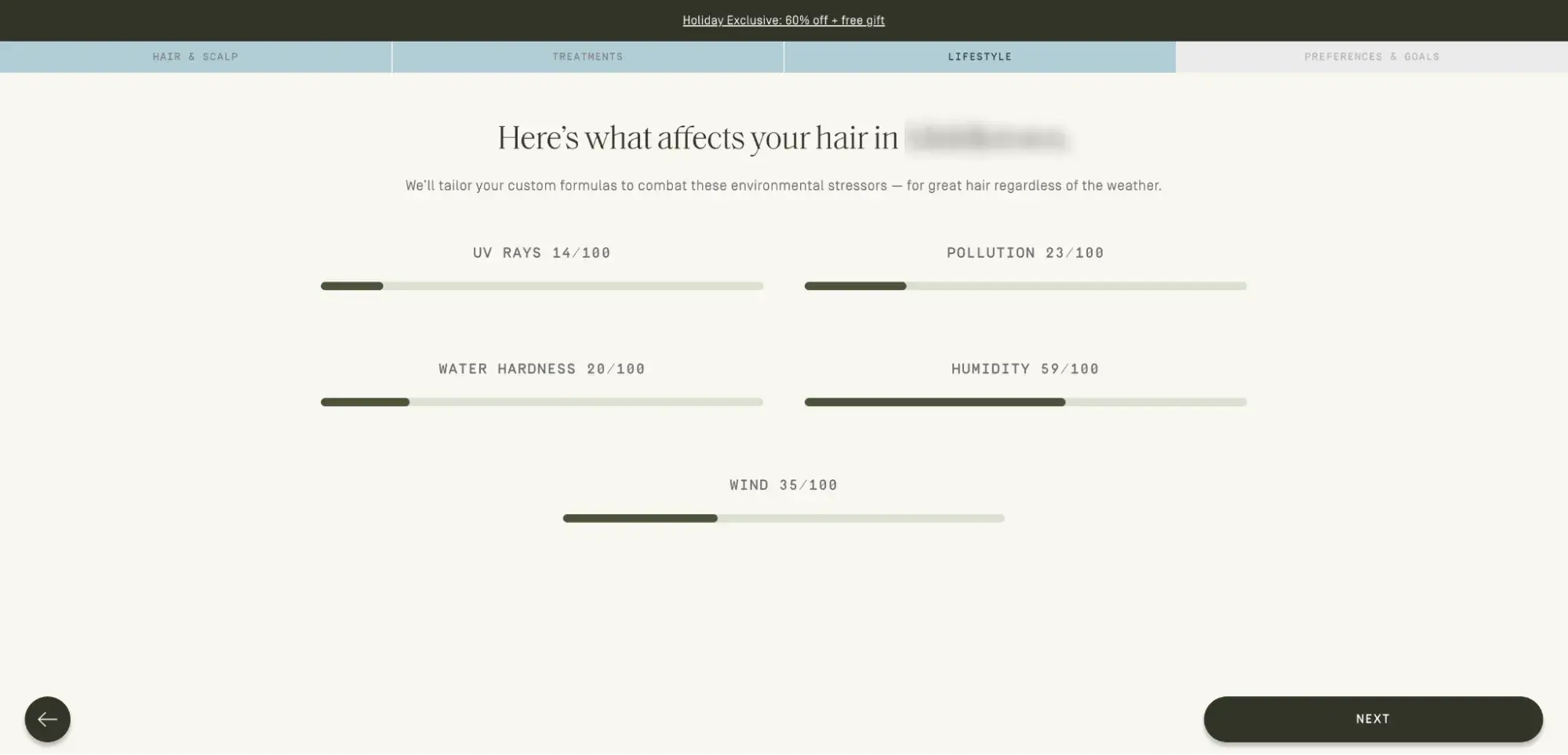
ai personalization in marketing, prose dynamic website personalization

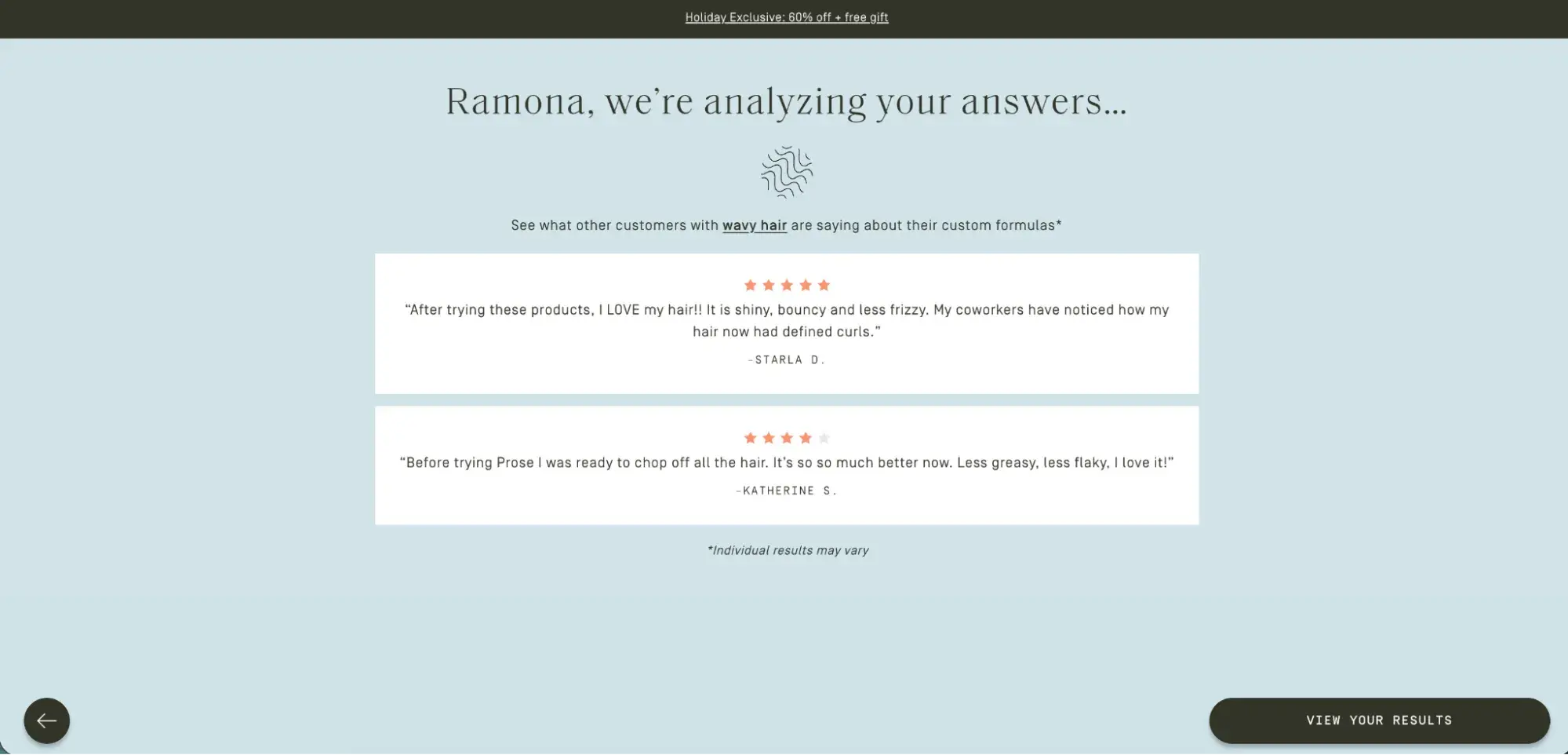
Some of my favorite website personalization can be seen on the prose hair and skincare product website. The personalization is also a great example of service or product curation.

While not automatic upon your first visit, as soon as Prose gathers details about you (i.e., hair type, lifestyle, location), they begin to show you information specific to you. Even throughout the questionnaire, it quickly took what I shared into account and showed information relevant to me.

ai personalization in marketing, prose dynamic website personalization

ai personalization in marketing, netflix ux/ui personalizationnetflix is known for its content recommendations (like the example above), but its ai personalization goes even further than that. the platform even customizes the artwork you see for shows and movies based on your viewing history.

It feels like true analysis and adaptation to your needs, not just a generic addition of a name.

4. Netflix: UX/UI Customization

AI personalization in marketing, netflix UX/UI personalization

Netflix is known for its content recommendations (like the example above), but its AI personalization goes even further than that. The platform even customizes the artwork you see for shows and movies based on your viewing history.

For example, if you typically watch comedies, you’ll likely be shown a thumbnail with a particularly funny scene or expression from the program (i.e. the image of actor Jason Alexander as George for Seinfeld below).

ai personalization in marketing, netflix ux/ui personalizationif you just watched a leonardo dicaprio blockbuster, they may show you a thumbnail of him for the 1996 film adaptation of romeo + juliet rather than claire danes. this level of personalization keeps users engaged. netflix once even credited its recommendation system with saving the company $1 billion annually by reducing churn.
If you just watched a Leonardo DiCaprio blockbuster, they may show you a thumbnail of him for the 1996 film adaptation of Romeo + Juliet rather than Claire Danes. This level of personalization keeps users engaged. Netflix once even credited its recommendation system with saving the company $1 billion annually by reducing churn.

5. Global Localization at Scale

When expanding into new markets, AI can localize your content by automatically translating and culturally adapting it for different regions.

“While AI is not equipped to do full empathy mapping and empathy matching, it does have a strong command of language,” explains Petrullo. “You can use it as an intersection of common language at scale.”

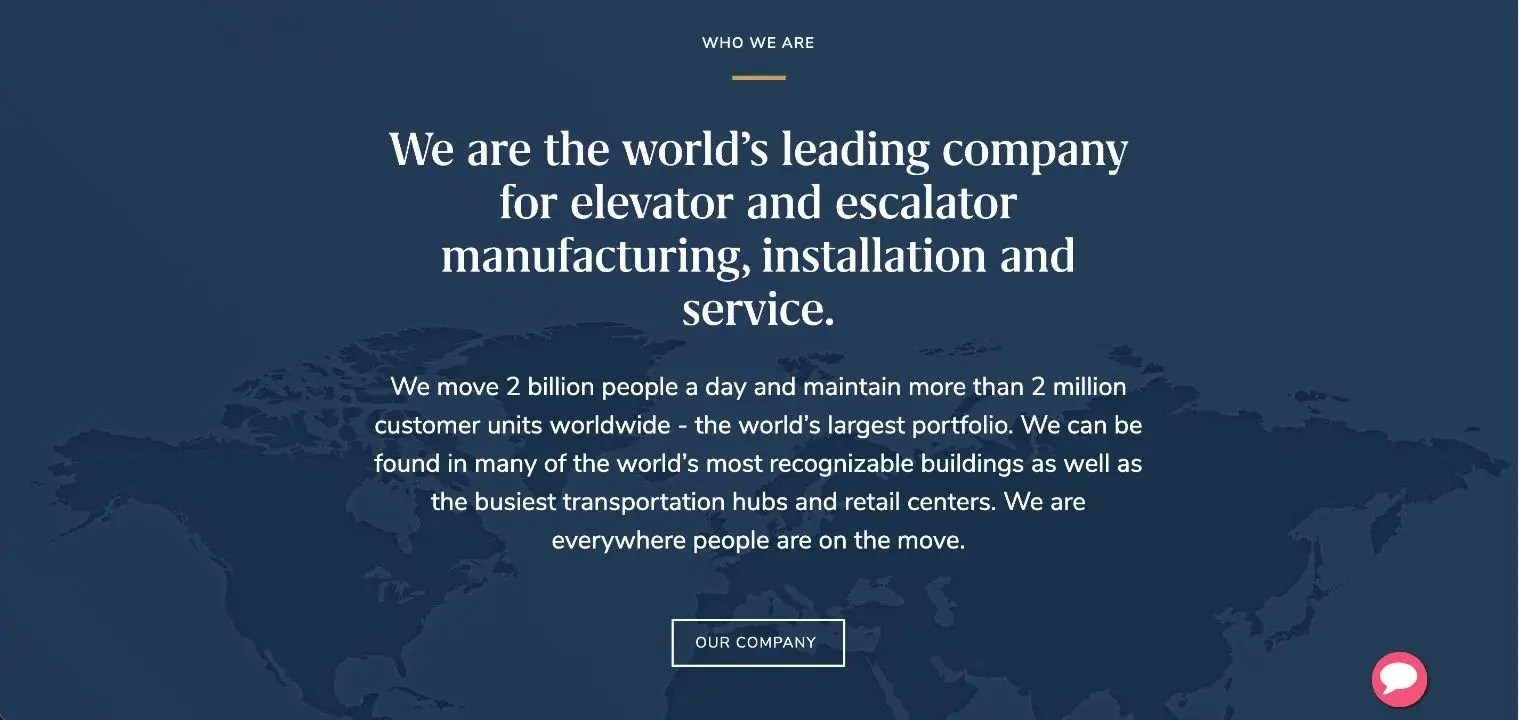
And this goes beyond simple translation. AI can adapt cultural references, adjust tone, and even modify product recommendations based on regional preferences. Take this example from Otis Elevator Company.

ai personalization in marketing, otis localization through personalization

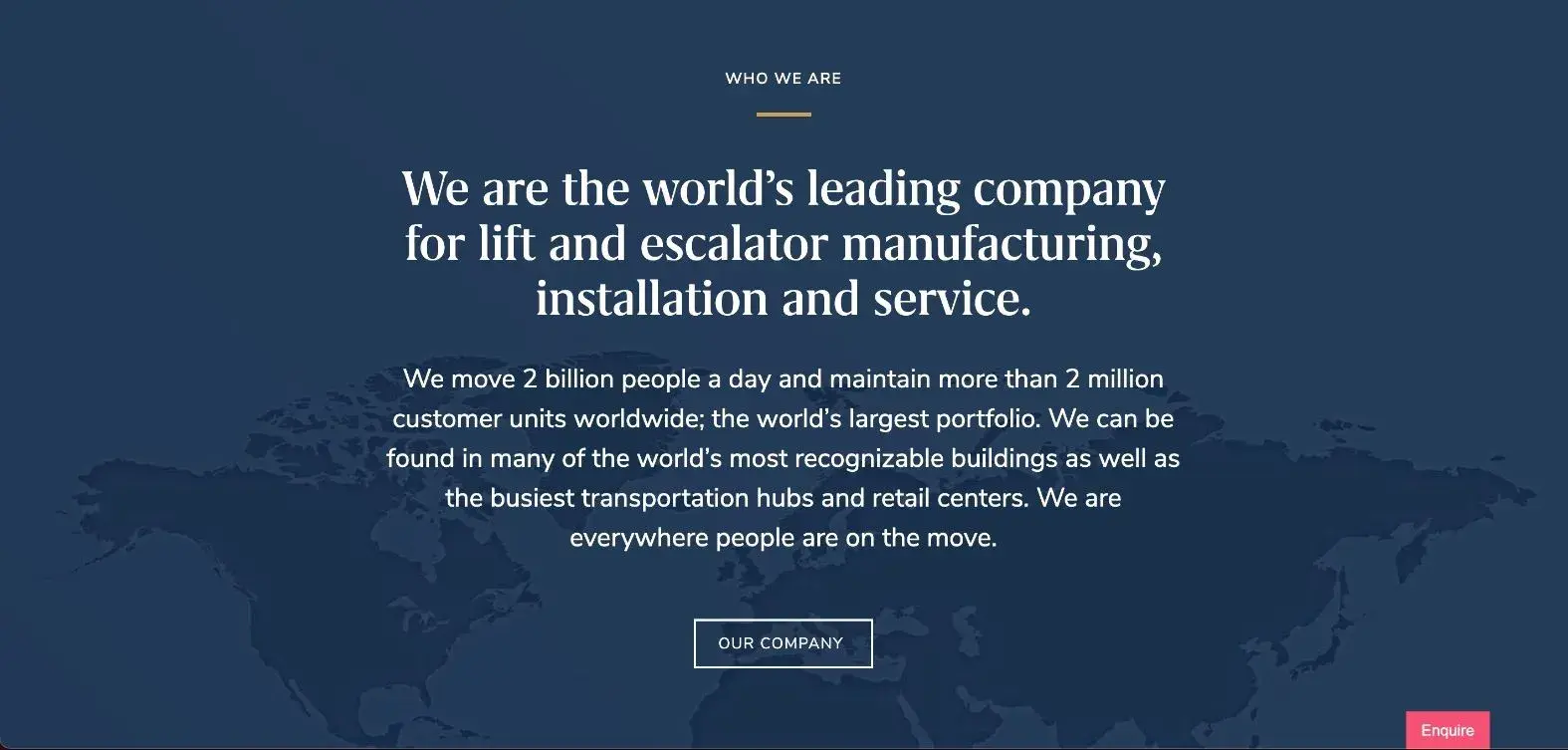
Though a US company, elevator giant Otis does business across the globe. With this in mind, on their UK website, the company shifts its language to refer to elevators as “lifts” to be better understood and resonate with buyers in the region.

ai personalization in marketing, otis localization through personalization

This is a small, but effective change that speaks directly to the customer the website is trying to reach.

6. Upwork: Programmatic SEO

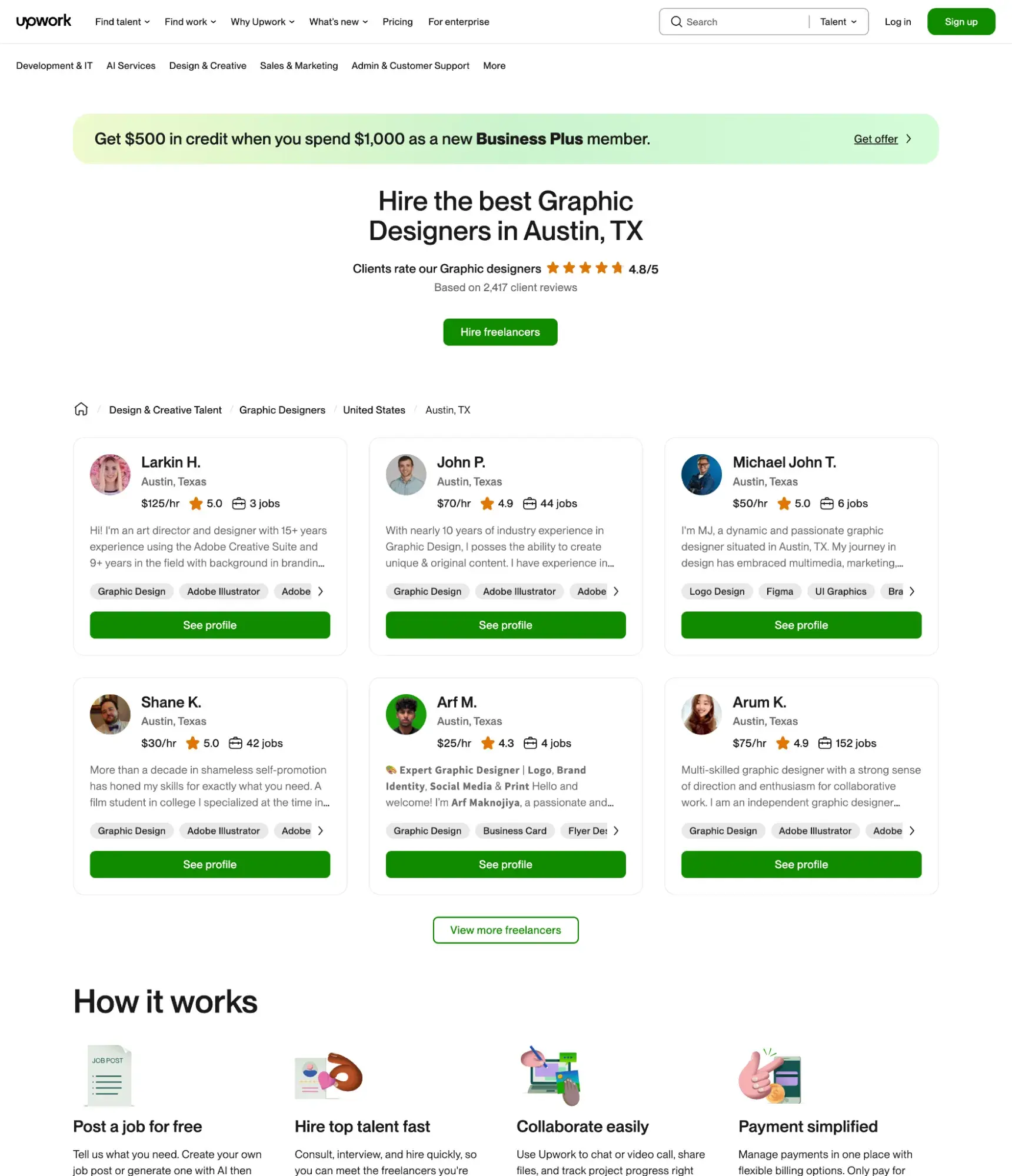
Upwork uses AI to generate thousands of location and service-specific landing pages automatically. Simply search for “freelance graphic designers Austin” or “freelance copywriter Los Angeles,” and you’ll find perfectly tailored pages.

ai personalization in marketing, upwork programmic seo

This is something I used to do manually for clients early in my career — It took multiple days, if not longer, depending on the size of their service area or catalog. Being able to automate that process with AI would have dramatically sped up execution and even effectiveness with its additional insights.

AI Personalization Best Practices

Successful AI personalization takes more than just the right tools. It needs the right strategy and approach. Here are some proven practices from organizations that have seen real results to keep in mind.

What are the best practices for implementing AI personalization?

Start with clear goals.

No initiative is successful without clarity around what the point is. In this case, that means defining what personalization can mean for your business. What can it accomplish? What do you need it to do?

Do you need to boost conversion rates, enhance customer retention, or improve the user experience? Set specific, measurable goals before implementation.

Build a unified data source.

AI personalization is only as good as your data. Consolidate customer data from all touchpoints into a single customer view. This includes website behavior, purchase history, support interactions, and engagement across channels.

The HubSpot CRM, with its native connections to the CMS, sales, social, email, and conversion tools, among others, does this for you. But even if you are using third-party tools, there are hundreds of integrations available to bring your data together.

Test and iterate continuously.

Begin with small pilot programs before scaling. A/B test different personalization strategies and use the insights to refine your approach. What works for one segment might not work for another.

Balance personalization with privacy.

Be transparent about data usage and give customers control over their data. Allow them to choose what they share, view what data you’ve collected, and opt out if desired.

Trust is critical to effective personalization; otherwise, it can just come off as invasive and even creepy. Transparency is often also frequently necessary for abiding by laws and government regulations.

Don’t lose your human touch.

Speed and access are some of AI’s greatest strengths. Emotion and connection are not. While AI can certainly help make personalizing typically routine tasks (i.e. transactional emails, ads), it can’t replace true human connection when it

What are the future trends in AI personalization?

As we look ahead, what will AI personalization look like? Let’s take a quick glance at a few trends we predict will emerge most prominently.

Real-time Execution

AI is known for its speed. In the future, I can see real-time execution of personalization as one of its most impactful opportunities. Rather than personalizing based on segments, I’d love to see AI personalization advance to craft truly individual experiences that adapt moment by moment based on context, mood, and intent.

With this comes…

Predictive Personalization

AI will increasingly anticipate customer needs before they’re expressed, proactively offering solutions and recommendations. This comes with analyzing their behavior and that of past buyers to understand the typical buyer’s journey.

Cross-Channel Orchestration

Future AI systems will seamlessly coordinate personalized experiences across all touchpoints, from email to in-store visits, creating a unified customer journey.

Brand consistency is one of easiest ways to lose or win over a consumer, and this includes how the content incorporates personalization. For instance, if one touchpoint recognizes your purchase history, but the next doesn’t, it creates confusion and makes it more difficult to take direct action.

More Focus on Ethics & Privacy

As personalization becomes more prevalent, marketers can expect increased focus on ethical AI practices and giving customers greater visibility into how their data drives personalization. I also wouldn’t be surprised of AI regulations become a bigger point of discussion as rumblings of the need have already begun.

Frequently Asked Questions About AI Personalization in Marketing

What is AI personalization?

AI personalization uses artificial intelligence to analyze customer data and behavior patterns to deliver tailored content, recommendations, and experiences to individual users. Unlike traditional rule-based personalization, AI continuously learns and adapts, creating increasingly relevant interactions over time.

What’s the difference between AI personalization and traditional personalization?

Traditional personalization uses static rules and basic segmentation (like “customers who bought X also bought Y”). AI personalization adapts automatically and at scale, learning from every interaction a customer makes with your brand including website pages they visit and emails they open among other things.

Can you make a personalized AI?

Yes, custom AIs are becoming increasingly accessible to individuals and businesses. With no-code tools like Zapier and Make.com, plus AI platforms like OpenAI, you can create personalized AI assistants for specific needs without extensive programming knowledge. Many marketing platforms now include built-in AI personalization capabilities.

HubSpot is also experimenting with custom agents with Breeze (in beta).

How does Netflix use AI for personalization?

Netflix uses AI to analyze viewing history, time spent on shows, and even when users pause or rewind to create hyper-personalized experiences. The AI uses this information to select which shows to recommend, customizes thumbnail images based on viewing preferences, and even influence the order of content displayed.

Scale your marketing personalization with AI.

If there’s one thing I’ve learned as both a marketer and a consumer, it’s this: great personalization feels like magic, and bad personalization feels like spam. And AI is what finally lets us deliver the magical kind — the kind that makes people pause, smile, click, buy, and come back again.

AI personalization isn’t just about plugging data into an algorithm or tossing a first name into an email subject line. It’s about creating experiences that feel thoughtfully designed for every single person who interacts with your brand. When done well, it’s the closest thing we have to scaling true human connection — without needing 100 clones of your best marketer.

Your customers are telling you what they want with every click, scroll, and search. AI personalizes the way you listen. And when you listen well? They notice.

If you’re ready to try it for yourself (or just curious what’s possible), explore how HubSpot can help you personalize content at scale — no prompt wizardry or coding required.

Editor’s note: This post was originally published in October 2024 and has been updated for comprehensiveness.

Categories B2B

Best AI workflow automation tools for growing businesses

AI workflow automation tools connect apps, data, and departments to execute tasks automatically — reducing manual work and improving efficiency across organizations. Unlike traditional rule-based automation, these tools use artificial intelligence to predict next steps, learn from outcomes, and continuously optimize processes.

Get Started with HubSpot's Marketing Software for Free

The shift is already well underway. According to HubSpot’s 2025 State of Marketing Report, 92% of marketers say AI has already impacted their roles. Businesses adopting connected CRMs and unified AI systems are seeing measurable gains in speed, accuracy, and customer experience.

AI workflow automation software bridges gaps between marketing, sales, service, and operations — scaling processes without added headcount. This guide explores the top tools for each function and growth stage, evaluation criteria, and how HubSpot’s AI-powered suite — including Marketing Hub, Sales Hub, Service Hub, and Data Hub — provides a unified foundation for smarter, more adaptable automation.

Table of Contents

What are AI workflow automation tools, and how do they work?

AI workflow automation tools automate complex business processes by using artificial intelligence to connect apps, analyze data, and execute multi-step tasks without manual intervention. Unlike traditional rule-based automation that follows static if-then logic, AI workflow automation software analyzes inputs, predicts next steps, and adapts workflows based on performance data. For example, a traditional workflow builder might send an email when a form is submitted, while an AI workflow builder analyzes lead behavior, adjusts email timing, and triggers different sequences based on predicted engagement.

According to HubSpot’s 2025 State of Marketing Report, one in five marketers plan to use AI agents to automate end-to-end workflows this year — signaling a shift from manual setup toward self-optimizing systems.

Pro tip: HubSpot Data Hub automates repetitive data management tasks, such as syncing, deduping, and triggering cross-department workflows. Data Hub provides a scalable foundation for expanding automation across marketing, sales, service, and operations.

Agents vs. Automated AI workflows: What’s the difference?

AI agents and automated workflows both streamline work, but AI agents differ from rules-based automated workflows by reasoning and acting autonomously. Workflows run on predefined rules and triggers — think sending a follow-up email when a deal moves stages or routing a lead based on geography. They provide structure and consistency for repeatable processes.

AI agents, on the other hand, make decisions dynamically. Instead of following a fixed if-then path, they analyze real-time CRM data, historical patterns, and context to choose the next best action without being explicitly programmed. That adaptability makes them useful for tasks where conditions change or where nuance matters.

Most organizations end up using both. Workflows handle the predictable steps; agents refine and optimize them by adding intelligence on top. For example, a workflow can assign leads to reps, but an agent can prioritize those leads based on engagement trends or conversion history — turning a static process into a self-improving one.

For example, in Sales Hub, the AI prospecting agent Breeze surfaces warm leads based on CRM signals and automatically triggers personalized outreach sequences. It builds on traditional workflows by making them smarter, faster, and increasingly optimized over time.

Feature

AI Agents

Automated Workflows

Logic

Acts autonomously and learns from context

Follows predefined rules and triggers

Adaptability

Adjusts actions based on outcomes

Executes static sequences

Use Case

Personalized recommendations, decision-making

Repetitive task automation

Integration

Connects across systems and data

Operates within defined platforms

Pro tip: AI agents enhance workflows rather than replace them. Combining both approaches provides flexibility for automating predictable processes while enabling AI to make smarter, context-driven decisions.

How to Choose an AI Workflow Automation Tool

Choosing an AI workflow automation tool requires evaluating company size, tech stack maturity, and business goals. Platform selection depends on three primary factors: business growth stage, technical resources, and integration requirements.

Some tools prioritize simplicity and quick setup, while others focus on deep customization, governance, and enterprise-level data control. The ideal platform integrates with existing CRM systems, supports data visibility across departments, and adapts as organizational needs evolve. In fact, according to Zapier, 78% of enterprises are struggling to integrate AI with their existing systems.

When evaluating tools, look for flexibility, integration depth, and scalability. The best tools balance power and usability. Many companies start with low-code automation, then evolve toward AI orchestration as their data infrastructure matures.

Evaluation Criteria by Growth Stage

Different growth stages require different automation capabilities. The following criteria help match platform features with organizational maturity:

Stage

Focus

Evaluation Criteria

Example Use Case

Startup

Ease of use, affordability

Low-code builder, simple CRM integration, minimal setup

Automate lead capture and email follow-ups

Mid-Market

Scalability, cross-department visibility

Multi-team workflows, analytics, workflow templates, cross-platform orchestration

Connect marketing and sales data for better insights

Enterprise

Governance, compliance, extensibility

Audit trails, API orchestration, AI management

Unify multiple systems under one orchestration layer

Common Implementation Pitfalls

Common pitfalls when adopting AI workflow automation include overengineering processes, automating before data cleanup, or neglecting human oversight. Organizations should start simple, review automation performance regularly, and document each workflow to prevent data silos as systems grow.

Pro tip: HubSpot Data Hub connects every system in a tech stack, ensuring automations run on clean, unified data. This data foundation enables organizations to scale automation confidently without losing data quality or control.

Once evaluation criteria are established, the next step is to explore which tools best fit each department. The following section highlights top AI workflow automation tools for marketing, sales, service, and operations — and how HubSpot’s AI-powered Hubs bring them all together.

Best AI Workflow Automation Tools by Department

AI workflow automation tools automate business processes across marketing, sales, service, and operations. Each department has distinct automation goals: Marketing departments need faster campaign execution, sales organizations rely on intelligent lead management, service departments focus on faster resolutions, and operations functions ensure data accuracy across systems.

The following section breaks down the top AI automation tools for marketing, sales, service, and operations — organized by business growth stage.

Marketing

According to HubSpot’s 2025 State of Marketing Report, 86% of marketers say automation has helped save time and scale personalization efforts. AI workflow automation tools for marketing accelerate campaign execution by automating repetitive tasks such as campaign setup, content distribution, and email personalization.

1. HubSpot Marketing Hub

HubSpot Marketing Hub screenshot showing AI workflow automation tools creating a multi-channel campaign.

HubSpot’s Marketing Hub automates email campaigns, lead nurturing, and content personalization through AI-powered workflows. Built-in AI tools segment audiences, generate copy, optimize send times, and predict engagement to create targeted, data-driven campaigns.

The platform integrates natively with Sales Hub, Service Hub, and Data Hub, plus thousands of tools through the HubSpot App Marketplace — from Google Ads and LinkedIn to Shopify and Zoom — to keep go-to-market data unified.

Best for: Growing SMBs to mid-market businesses ready to centralize campaigns and automate end-to-end marketing workflows.

Pro tip: Use Breeze, HubSpot’s AI Assistant, to draft campaign copy and A/B test variations directly within workflows. Marketing Studio covers your campaigns from ideation to deployment to analytics.

2. Zapier

ai automation tools zapier interface showing a routed lead workflow.

Zapier automates repetitive marketing tasks by connecting more than 7,000 apps — including HubSpot, Google Workspace, Slack, Meta Ads, and Airtable — to sync leads, trigger campaigns, and update data in real time. Its AI Actions feature interprets natural-language prompts to build workflows on the fly, making it easy for marketers to connect their entire tech stack without writing code.

Best for: Startups and SMBs that want quick, no-code automation between marketing apps.

Pro tip: Pair Zapier with HubSpot Forms to instantly route new leads to the right rep or Slack channel.

3. Jasper

Jasper dashboard screenshot showing AI workflow automation tools for creating projects and apps.

Source

Jasper is an AI-powered content creation platform that helps marketing teams generate and repurpose on-brand copy for blogs, ads, and social media — all at scale. Tools like Jasper streamline content workflows from brainstorming to publishing. It offers brand voice training, SEO optimization, and team collaboration tools that speed up approvals and keep messaging consistent.

Jasper integrates with HubSpot, Surfer SEO, Grammarly, and other popular marketing and CMS platforms, letting teams move content from ideation to publication in one seamless flow.

Best for: Mid-market and enterprise teams that need customizable, large-scale marketing automations with deeper data control.

Pro tip: Build a “Brand Voice” in Jasper and connect it to the HubSpot content library to ensure consistent cross-channel campaigns.

4. Make

make dashboard screenshot showing AI workflow automation tools.

Make is a visual automation platform that gives marketers advanced control over multi-step workflows. It combines drag-and-drop simplicity with robust branching logic, API support, and now, generative AI modules that can write, analyze, and tag content — or even make data-driven decisions within a workflow.

Make connects with thousands of apps and services — including HubSpot, Notion, Airtable, and Shopify — so teams can orchestrate even complex, multi-step workflows across platforms.

Best for: Mid-market to enterprise marketing and ops teams managing complex, multi-app workflows at scale.

Pro tip: Use Make’s “Iterator” and “Aggregator” tools to personalize bulk campaigns dynamically — perfect for segment-driven content.

Sales

According to Salesforce, 81% of sales teams using AI tools have boosted productivity, and 83% have seen revenue growth in the past year. AI workflow automation in sales streamlines lead management, forecasting, and deal follow-up. With the right tools, sales representatives can automate busy work — like updating CRMs or qualifying leads.

1. HubSpot Sales Hub

hubspot sales hub dashboard showing ai workflow automation tools for prospecting tasks and schedule management.

HubSpot Sales Hub provides AI-powered prospecting, deal scoring, and automated outreach sequences within a unified CRM. Its AI tools assist with prospecting, writing outreach emails, and summarizing calls, while predictive deal scoring and lead routing keep pipelines moving efficiently. It integrates seamlessly with HubSpot Marketing Hub, Service Hub, and thousands of apps — including Gmail, LinkedIn, and Zoom — so sales data stays unified across teams. Sales Hub also improves business process management through automated deal tracking.

Best for: SMB and mid-market sales teams that want a unified, AI-powered CRM for faster prospecting and deal management.

Pro tip: Use the AI forecasting tool in Sales Hub to spot potential bottlenecks before they affect quarter-end numbers

2. Breeze

dashboard view of hubspot’s breeze ai prospecting agent with ai workflow automation tools for sales tasks and scheduling

Breeze, HubSpot’s AI prospecting agent, identifies high-potential leads, drafts personalized outreach, and syncs data directly with HubSpot CRM. It’s designed to help reps focus on high-value tasks by automating research, segmentation, and follow-ups. HubSpot Breeze AI Suite integrates with HubSpot Marketing, Sales, Service, and Data Hubs. Breeze works natively within HubSpot’s Sales Hub, connecting with email, chat, and third-party platforms to create end-to-end AI-powered prospecting workflows.

Best for: SMB to mid-market teams that rely heavily on outbound sales and need scalable, AI-driven lead automation.

Pro tip: Used together, Breeze and HubSpot’s AI email assistant can power around-the-clock prospecting workflows — all without adding extra tools to the stack.

3. Apollo.io

screenshot of apollo’s sales workspace using ai workflow automation tools to organize outreach tasks and schedule.

Apollo blends AI-powered lead discovery with automated multichannel outreach. Its AI engine scores leads, writes personalized messages, and triggers outreach sequences based on engagement data. Apollo integrates with HubSpot, Salesforce, LinkedIn, and Gmail to keep contact data and interactions in sync.

Best for: Startups and SMBs that need an affordable, all-in-one platform for prospecting and outreach automation.

Pro tip: Connecting Apollo to HubSpot CRM ensures new contacts from Apollo’s database are automatically scored, tagged, and routed to the appropriate reps.

4. Outreach

outreach dashboard showing ai workflow automation tools for outbound sequences and personalized email generation.

Outreach uses generative AI to help reps personalize emails, summarize call notes, and forecast revenue with more accuracy. Its AI-powered “Smart Actions” automatically update deal stages, recommend next steps, and prioritize opportunities based on historical outcomes. Outreach integrates with HubSpot, Salesforce, and Gong to unify communication data and improve pipeline visibility.

Best for: Mid-market and enterprise teams managing complex, multi-rep sales cycles with heavy automation needs.

Pro tip: Use Outreach’s AI insights dashboard to identify which messaging drives the most replies — then sync learnings back into HubSpot workflows.

Service

AI workflow automation transforms service delivery by routing tickets and resolving issues automatically. Service automation frees support agents to focus on higher-value interactions while improving response times and customer satisfaction.

1. HubSpot Service Hub

hubspot service hub dashboard showing customer health alerts and schedule alongside ai workflow automation tools

HubSpot’s Service Hub combines ticketing automation, AI-powered chatbots, and knowledge base management in one connected platform. Its AI-powered help desk and routing features categorize issues, suggest responses, and surface relevant knowledge-base articles automatically. When combined with HubSpot’s Marketing and Sales Hubs, it gives teams a unified view of each customer interaction, enabling personalized support at scale.

Best for: SMB and mid-market service teams that want to automate service workflows directly within their CRM.

Pro tip: Use HubSpot’s AI Help Desk to automatically summarize customer conversations and suggest next steps, saving agents hours each week.

2. Moveworks

Moveworks AI assistant interface showing automated multi-intent request handling with AI workflow automation tools

Moveworks uses generative AI to automate IT and HR support, resolving tickets in seconds. Its conversational AI engine interprets intent, pulls answers from internal systems, and executes tasks across integrated platforms. Moveworks connects with HubSpot, Slack, Microsoft Teams, and ServiceNow to deliver seamless employee and customer support experiences.

Best for: Mid-market and enterprise service organizations automating internal and customer support workflows end-to-end.

Pro tip: Use Moveworks’ analytics dashboard to identify automation opportunities and measure time saved per request.

3. Intercom Fin 3

intercom fin workflow showing automated customer routing and ai responses in a workflow automation tool

Source

Fin 3, Intercom’s latest AI agent, blends multi-channel automation with advanced reasoning to manage even complex customer inquiries. It pulls answers from the help center, CRM, and connected apps, and can take direct actions — such as issuing refunds or updating customer records — without human involvement. Fin 3 integrates with HubSpot, Salesforce, Slack, Notion, and Zendesk, ensuring context travels with the customer across every channel.

Best for: Mid-market and enterprise service teams ready to scale human-like support across multiple channels.

Pro tip: Pairing Fin 3 with HubSpot’s Service Hub keeps AI-resolved tickets visible in the CRM, preserving full context and enabling accurate performance tracking.

4. Zendesk

zendesk ai agent interface showing automated product return handling with ai workflow automation tools.

Zendesk uses AI to deflect routine tickets and understand intent across email, chat, and social. Its AI workflow builder handles routing, suggests macros, and triggers follow-up actions. Through integrations with HubSpot, Salesforce, Slack, and Jira, service data stays connected across the entire stack.

Best for: SMB to mid-market teams managing high-volume customer interactions across multiple channels.

Pro tip: Connecting Zendesk with HubSpot CRM gives sales and marketing teams visibility into all service conversations.

Operations

AI workflow automation tools for operations connect systems, clean data, and streamline repetitive processes across departments. Operations automation unifies tech stacks and ensures data accuracy so marketing, sales, and service departments work from a single source of truth.

1. HubSpot Data Hub

hubspot data hub data studio interface showing unified datasets powered by ai workflow automation tools.

HubSpot’s Data Hub unifies and automates customer data across the tech stack, strengthening accuracy, governance, and workflow performance. Its AI capabilities detect duplicates, standardize properties, and sync data bi-directionally across connected apps, giving every team a single, trusted source of truth. This foundation supports scalable automation and consistent data management across the organization.

Data Hub integrates with HubSpot’s Marketing, Sales, and Service Hubs, as well as external platforms like Snowflake, BigQuery, Databricks, and AWS, giving teams flexible options for governance and data sharing.

Best for: SMB and mid-market companies ready to centralize data and automate cross-platform operations.

Pro tip: Use Data Hub’s programmable automation to trigger downstream actions — like syncing updated customer data to external systems or notifying teams via Slack.

2. n8n

n8n is an open-source AI workflow automation tool built for technical teams that need full control over how data moves between systems. Its visual editor supports complex, logic-driven automations, while AI nodes can summarize data, generate content, or trigger intelligent decisions within a flow. n8n integrates with HubSpot, Slack, Google Sheets, OpenAI, Notion, and hundreds of other apps through native and community-built connectors, making it a flexible choice for both startups and technical ops teams.

Best for: Mid-market to enterprise teams with in-house technical resources who want self-hosted or custom automation setups.

Pro tip: Use n8n’s AI nodes to automatically enrich CRM records or generate ticket summaries before syncing to HubSpot

n8n workflow showing ai nodes that enable chat, document summarization, and langchain-powered ai workflow automation tools

Source

3. Workato

workato architecture diagram showing enterprise integrations, governance controls, and ai workflow automation tool

Workato brings enterprise-grade integration and automation into a single AI-powered platform. Its “RecipeIQ” feature uses AI to suggest new automations, detect inefficiencies, and monitor data quality in real time. The platform integrates with HubSpot, Salesforce, NetSuite, Snowflake, and AWS, allowing operations teams to connect business apps with robust governance and security controls.

Best for: Mid-market and enterprise operations teams managing complex integrations and data pipelines.

Pro tip: Workato’s AI insights can flag redundant automations and merge overlapping workflows, helping keep the tech stack lean.

4. Airtable Automations

airtable interface on desktop and mobile showing project tracking and ai workflow automation tools.

Source

Airtable’s automation and AI tools combine flexible databases with intuitive, low-code workflow design. Teams can automatically trigger record updates, send alerts, or summarize data with generative AI — all from within their Airtable bases. With integrations to HubSpot, Slack, Google Drive, and Jira, Airtable helps bridge the gap between creative and technical teams while keeping projects organized in one place.

Best for: SMB and mid-market teams that want lightweight, easy-to-build automations to streamline project and data workflows.

Pro tip: Use Airtable Automations to pull CRM data from HubSpot into campaign trackers or project dashboards for real-time visibility.

While newer players like Lindy.ai, Vellum, and Gumloop are experimenting with no-code AI workflows, the tools above represent the most mature options for teams that need reliability, CRM integration, and scalability across marketing, sales, service, and operations.

Best AI Workflow Automation Tools by Growth Stage

Growing businesses should evaluate integration, security, scalability, and governance when choosing AI workflow automation tools. Business growth stage determines the automation approach: Startups benefit from simplicity and speed, mid-market companies require cross-department integration, and enterprises need governance and scale. The best AI workflow automation tools align with organizational maturity, technical resources, and complexity requirements.

Growth Stage

Recommended Tools

Why They Fit

Notable Integrations

Startup

Zapier, HubSpot Breeze, Jasper

Low-code workflows and built-in AI assistance enable automation without developer resources. Startup tools prioritize speed and simplicity over deep customization.

HubSpot, Google Workspace, Slack

Mid-Market

Make, n8n, Outreach, Intercom Fin 3

Offers greater flexibility and scalability, with both AI and human-in-the-loop options. Perfect for growing orgs that need advanced automation and multi-hub orchestration.

HubSpot, Salesforce, Slack, Notion

Enterprise

Moveworks, Zendesk, Workato, HubSpot Data Hub

Designed for complex enterprise ecosystems with layered governance, security, and data orchestration needs. Supports end-to-end process automation and AI agents that span multiple systems.

HubSpot, ServiceNow, Microsoft 365, SAP

Each stage introduces different automation challenges, but the core approach stays the same:

Begin with simple steps, ensure systems are connected, and grow into scalable, AI-driven workflows.

Frequently Asked Questions About AI Workflow Automation Tools

How do I get started and scale AI workflow automation in my organization?

Organizations start by mapping repetitive workflows — like lead assignment or campaign scheduling — and testing AI automation in a single department. After validating results, automation expands across departments using a connected CRM like HubSpot to maintain unified data and governance.

Which tool is best for small teams with no developer resources?

Small teams without in-house developers should look for no-code platforms that automate workflows out of the box. AI workflow automation tools like Zapier, HubSpot Breeze, and Jasper make it easy to connect apps, trigger actions, and embed AI without writing a line of code. These platforms are ideal for startups that need fast wins and quick deployment.

What is an AI workflow builder, and how is it different from an agent?

An AI workflow builder connects apps and triggers automated actions based on rules or conditions. An AI agent, on the other hand, reasons and acts autonomously — it can decide which steps to take next without being told explicitly. Builders are ideal for predictable processes; agents are better for dynamic, data-driven decisions that change in real time. Automated workflows can be triggered by AI agents or workflow builders.

Can AI automate end-to-end processes across multiple hubs?

Yes, modern AI workflow automation tools can automate multi-hub processes by connecting data and actions across marketing, sales, service, and operations. For example, HubSpot’s Data Hub can unify records, trigger AI-driven workflows, and sync insights across connected apps like Salesforce or Slack.

How do I evaluate data privacy and security when using AI?

Evaluating data privacy and security begins with reviewing an AI workflow automation tool’s data-handling policies, model-training disclosures, and relevant compliance certifications (such as SOC 2, GDPR, or HIPAA, when applicable). Strong platforms provide transparency into where data is stored and how it is used. Enterprise-grade tools like Workato and Moveworks generally offer more advanced governance controls than lighter no-code options.

When should I choose iPaaS or self-hosting over a low-code tool?

iPaaS (Integration Platform as a Service) or self-hosting becomes the better choice when an organization needs deep system integrations, strict governance controls, or highly customized data flows. Low-code tools are generally better suited for smaller teams focused on speed, ease of use, and rapid iteration. The right approach depends on the complexity of the tech stack and the level of control required. A detailed iPaaS comparison can help clarify which approach aligns with an organization’s needs.

Implementing AI Workflow Automation

AI workflow automation tools are changing how businesses operate — enabling organizations to work smarter, connect data across systems, and scale processes without adding headcount. Whether starting with simple automations in Zapier or building AI-driven orchestration with Moveworks or Workato, success depends on choosing tools that align with growth stage and tech stack maturity.

HubSpot’s unified platform — including Marketing Hub, Sales Hub, Service Hub, and Data Hub — combines automation, analytics, and AI-powered workflows in one connected CRM. This integration reduces tool sprawl, maintains data quality, and enables cross-functional automation that scales with business growth.

The most successful automation strategies start small, prove value in one department, and expand systematically. Organizations that treat automation as an iterative process — rather than a one-time implementation — see higher adoption rates and better long-term ROI.

From my 15 years of experience working with marketing organizations, I’ve found that the real transformation happens when automation becomes embedded in daily operations rather than treated as a standalone project. The organizations that succeed experiment continuously, measure outcomes rigorously, and let data guide decision-making at every stage.

Categories B2B

AEO vs. GEO explained: What marketers need to know now

Marketers use AEO and GEO interchangeably, but there is a difference, and that’s what will be defined and explained in this article. In brief, AEO optimizes content for answer boxes and voice search results, while GEO targets AI chatbot citations and generated summaries.

Download Now: HubSpot's Free AEO Guide

It might be challenging to get everyone in agreement on what’s what, but let’s try. AEO and GEO are not going away, and the faster the industry can align on what these acronyms mean, the better. From a strategic perspective, it doesn’t matter that much since all SEO specialists should already be laying the foundations for AEO, GEO, and, of course, SEO. But with a unified definition, it’ll be much easier to talk about it all.

If you’re not sure you’re laying down the work required for AEO or GEO or how to measure their impact, stay tuned because we’ll cover that after defining our terms.

Table of Contents

AEO vs. GEO: What’s the difference?

AEO stands for Answer Engine Optimization. AEO focuses on direct answers in search results. It helps website content appear as direct answers in search results.

Think:

  • Featured snippets.
  • People Also Ask.
  • Knowledge Panels.
  • And other SERP features.

GEO stands for Generative Engine Optimization. GEO optimizes for brand citations in AI-generated summaries. It helps brands get cited inside AI-generated summaries on platforms like Google AI Overviews, Perplexity, and ChatGPT.

In simplest terms: AEO optimizes for answers while GEO optimizes for citations.

Here’s a comparison table:

Strategy

Primary Goal

How It Shows Up

What It Optimizes For

Best Use Case

AEO

Deliver direct answers in search

Featured snippets, People Also Ask, and AI short answers

Clarity, structure, question coverage

High-intent, question-driven queries

GEO

Earn brand citations in AI summaries

Google AI Overviews, ChatGPT, Perplexity

Authority, entity clarity, quotable insights

Research queries and informational discovery

SEO

Earn rankings and organic traffic

Traditional, organic blue links in search engines

Relevance, backlinks, technical performance

Long-term acquisition and traffic growth

AEO vs. GEO vs. SEO

infographic explaining the difference between aeo vs seo

Traditional SEO focuses on three core pillars:

  • Content strategy.
  • Technical SEO.
  • Backlinks.

SEO is a broad marketing tactic that encompasses a lot, and many of the elements described under AEO and GEO also fall under its “umbrella.” However, these tactics are increasingly bearing a greater onus due to their impact on AEO and GEO in modern-day SEO.

AEO focuses on delivering answers that search engines can extract cleanly.

GEO focuses on earning citations inside AI-generated responses — often without requiring a click.

When combined, these three strategies ensure brands are:

  1. Discoverable in search.
  2. Present in the AI tools buyers now rely on for research, vendor comparison, and decision-making.
  3. Appear in AI Overviews and other SERP features for maximum visibility.

AEO vs. GEO: Do you need both?

Both GEO and AEO are rapidly emerging as core marketing priorities as AI-powered search becomes a popular format for consumers to discover brands, compare solutions, and make decisions. According to the HubSpot Consumer Trends Report, 72% of consumers surveyed indicated they intend to rely more heavily on AI-powered search when shopping.

From experience, brands absolutely need both (and SEO, of course).

I’ve had leads come in from ChatGPT and other generative tools for my own agency and for clients, and those results only happened because my brand is visible across both answer engines and generative engines.

AEO and GEO require structured content and clear entities. AEO ensures a website’s content is extractable, structured, and eligible for direct answers in Google and other search engines. GEO ensures that when someone asks an AI model for recommendations, comparisons, or best-of lists, your brand is one of the citations the model pulls into its summary.

In today’s search landscape, where buyers increasingly start research in ChatGPT, Perplexity, or Google AI Overviews, relying on SEO alone is no longer enough.

Pro tip: Read HubSpot’s AEO guide here.

Shared Tactics Between AEO and GEO That Drive Results

AEO and GEO may show up differently across search and generative search platforms, but they’re powered by many of the same foundational practices. The brands that perform best in AI search are the ones that build structured, answer-first content and maintain strong entity clarity across every page. Below are five core tactics that strengthen both AEO and GEO performance: answer-first content structuring, entity management and consistency, quotable insights and data passages, schema and structured markup implementation, and reinforcement through repetition.

Answer-First Content Structuring

Answer-first content structuring means leading with the most straightforward answer to a user’s question before adding supporting detail, examples, or context. Instead of burying the key point halfway down the page, writers must surface the most important point immediately in a clean, skimmable format that answer engines and generative engines can extract with zero ambiguity. Writers and AEO or GEO specialists must design content to provide the answer, then elaborate later.

For example, in a piece of content, there is a heading, “What is Answer Engine Optimization?”

The response, designed to perform well in AI search, will define AEO immediately, like this:

“Answer Engine Optimization (AEO) is the practice of structuring content so search engines can extract direct, authoritative answers for featured snippets, AI summaries, and other answer-driven results.”

Writing content like this isn’t new to search. SEO specialists have been using this method of writing for years because it helps secure featured snippets or rankings in People Also Ask. But now, with generative engines pulling answers instead of links, content writers need to pay even closer attention to how cleanly and confidently the first 1–2 sentences answer the core question. That opening line is no longer just for users; it’s for the AI systems deciding whether your brand deserves to be cited.

Pro tip: Journalists have used a similar structure for decades with the inverted pyramid: Start with the headline and core facts, then layer in context, quotes, and background. Answer-first content is simply the search-optimized version of that same newsroom principle — and it’s now one of the most important practices for AEO and GEO success.

Entity Management and Consistency

Entity management is the practice of defining your key entities, be it people, products, or concepts. A brand, for example, is an entity. Once established, marketers control entities and ensure they remain consistent wherever they appear.

Consistently maintaining accurate, unified references across your website, blog, product pages, documentation, PR, and external mentions means generative citations are more likely to be accurate.

When your product names, features, claims, and categories are described consistently across multiple surfaces, AI tools can reliably connect those references back to you. The more precise and consistent your entities are, the more confidence generative engines have when deciding which brand to cite in overviews or summaries.

With AI models pulling from thousands of sources (your site, competitor sites, Reddit, forums, UGC, reviews), inconsistent entity signals become a real risk. If your materials list is described one way on your product page but differently in a press release or a reseller listing, AI systems may merge or misinterpret your data. Entity management fixes this by making your information stable, repeatable, and unambiguous across the entire web — which is now essential for earning citations in AI-powered search.

For example, if you sell running shoes, you will likely cover the shoes’ lifespan. Mentioning the sneakers’ lifespan on the product page might make sense since the entities are connected, but the manufacturer’s guarantee of the shoe’s lifespan might differ from experience. Users on Reddit might claim they last 200 miles, others say 1,000. There’s no universal truth, but if you clearly cite the accepted industry ranges (e.g., 300–500 miles) and explain why, you give AI models the best possible chance of repeating the correct information and citing you as the source.

Entity clarity is becoming a form of quality control in AI search.

Unfortunately, it won’t guarantee citation. Here’s an example I found when I tested AI search engines for Backlinko: A search for the lifespan of running shoes returned information stating 450–500 miles. But the actual range on the manufacturer’s website is 300–500 miles.

Screenshot shows the importance of entity management in AEO vs. GEO.

Source

Quotable Insights and Data Passages

Quotable insights are short, authoritative statements or data points that AI engines can lift directly into summaries. These might be stats, expert explanations, definitions, or clear recommendations.

Pro tip: Use quotable insights in a separate paragraph, and don’t forget to answer the heading directly first. This means quotes or additional insights should come after the short paragraph that defines the main point.

Generative engines prefer clean, self-contained passages that can be cited without restructuring. Give them a “ready-made” quote; it may increase the chances of appearing in AI Overviews or ChatGPT responses. It also improves AEO because those same passages often get pulled into answer boxes.

Clear definitions, strong statements, data, and expert opinions have long been part of SEO, helping demonstrate experience, expertise, authority, and trust (E-E-A-T). Still, AEO and GEO ask SEO specialists to remember and emphasize the importance of insights and data.

Schema and Structured Markup Implementation

Schema markup is structured data that helps search engines understand the meaning of content — from products, FAQs, authors, how-tos, ratings, and more. It turns plain text into clearly defined entities and relationships that machines can trust. Basically, schema markup is additional code that crawlers can read.

Schema is crucial for AEO and GEO because it tells answer engines exactly what content represents, increasing a website’s eligibility for snippets and rich results. It’s equally important for GEO because structured markup reinforces entity consistency, which generative engines use to verify information and decide which brands to cite.

As an SEO specialist, I’ve been adding schema for years. For me, it’s non-negotiable.

Some of my most used schema types for B2B include:

  • Person schema helps understand who a subject-matter expert is, including their credentials, roles, specializations, and publications. This is especially powerful for E-E-A-T because it ties authoritative content directly to a real expert.
  • Organization schema defines the company as an entity, including the legal name, brand name, industry category, contact details, social profiles, and subsidiaries. It creates the “source of truth” about a company.
  • FAQ schema explicitly marks up questions and answers, giving search engines and AI models a clean, structured understanding of what each section of content represents.
  • Service schema defines the specific services a business provides, including what the service is, who it’s for, what problems it solves, and any related offerings.
  • Product schema provides structured data about products, including specs, features, benefits, variations, materials, ratings, and more.

Reinforcement Through Repetition

Reinforcement through repetition means getting key facts, claims, and definitions repeated consistently across multiple reputable sources so AI systems start treating your version as the authoritative one. AI models don’t take websites at face value; they triangulate. They look for patterns, overlaps, and repeated assertions across the web.

If only a brand’s website says a product reduces downtime by 30%, AI treats it as unverified. If 10 independent sources say the same thing, including press, partner pages, documentation, industry publications, and comparison sites, then AI models adopt it as truth, and citations become more representative of the message brands want to share.

Pro tip: I know how it is to worry about repetition, but marketers must remember that only a small percentage of their audience sees the content they publish. Lots of variables play into this, including what the algorithm shows, when people log into their devices, and what they’re looking for at the time. A social media post, for example, may only reach 8% of a large audience. It doesn’t hurt to post things twice, or again on another platform.

How to Measure the Impact of Both AEO and GEO

Measuring AEO and GEO requires a shift away from traditional SEO metrics like rankings and traffic. AI-driven search changes where users discover information, how they evaluate brands, and what signals influence their decisions.

Instead of tracking only clicks, marketers now need to measure visibility within AI-generated answers, citation accuracy, and the downstream impact on conversion quality and pipeline.

Below are the five metrics that give the clearest view of AEO/GEO performance and where to optimize next. They include AI visibility and citation coverage, content quality and answer readiness, conversions and revenue influenced by AEO/GEO, lead quality from AI-influenced discovery, and page performance and user behavior.

AI Visibility and Citation Coverage

AI visibility and citation coverage measures how often a brand appears in generative search experiences like Google AI Overviews, ChatGPT, Perplexity, and Gemini. Instead of tracking only clicks or rankings, this metric tells marketers whether AI systems are pulling content into their answers, summaries, and recommendations.

Plus, marketers can establish whether AI tools are mentioning a brand positively or negatively.

The easiest way to track this is with HubSpot’s AI Search Grader. AI Search Grader measures brand visibility and citations in AI search. It’s a free tool that analyzes any domain and shows how visible a brand is across AI engines. It highlights where the brand is earning citations, what’s missing, and which pages need improvement to gain traction in generative search.

Here’s what the dashboard looks like; it offers a full report, too.

HubSpot’s AI Search Grader helps businesses benchmark their performance in AEO vs. GEO.

To manage this metric, regularly audit the most important topics and pages.

Look for:

  • AI Overview appearances.
  • Mentions or citations in ChatGPT or Perplexity.
  • Whether generative engines use your definitions, stats, or product data.
  • Which competitors are being cited.
  • Pages that show up without being clicked.
  • Content gaps where your answers aren’t being surfaced.

Content Quality and Answer Readiness

Content quality and answer readiness measure how effectively content meets the structural, clarity, and formatting requirements that AEO and GEO depend on. Content must be cleanly extractable, well-researched, entity-consistent, and answer-first. This metric evaluates whether pages are written in a way that answer engines and generative engines can confidently understand, reuse, and cite.

This is where Breeze Content Assistant, HubSpot Marketing Hub, and HubSpot Content Hub work together to improve and monitor answer readiness across your entire content library.

  • Breeze Content Assistant helps marketers and writers generate structured, answer-first content that’s optimized for AEO/GEO from the start. Breeze Intelligence supports entity monitoring and consistency. It understands HubSpot’s AEO best practices, so Breeze can generate definitions, FAQs, schema-ready structures, and entity-aware passages that AI engines are more likely to extract.

Best for: Quickly producing AEO-ready passages, FAQs, definitions, and structured updates.

  • HubSpot Marketing Hub includes SEO tools that evaluate the SEO and AEO fundamentals that underpin answer readiness, such as page structure, metadata quality, internal linking, topic coverage, and readability. Marketing Hub orchestrates campaigns and reporting for AEO and GEO.
  • HubSpot Content Hub includes an AI content writer that ensures content is built on a foundation that’s SEO- and AEO-friendly. Content Hub enables answer-first, structured content creation. It offers in-editor SEO suggestions, internal linking recommendations, and on-page analysis so your content remains aligned with AI ranking and extraction criteria.

To measure content quality, review the content for:

  • Clear, answer-first introductions.
  • Definitional statements and quotable insights.
  • Consistent use of entities and terminology.
  • Strong internal linking to reinforce meaning.
  • Well-structured FAQs, headers, and schema.
  • Frictionless readability and minimal fluff.

Conversions and Revenue Influenced by AEO/GEO

Conversions and revenue influenced by AEO/GEO measure how often AI-powered search surfaces contribute to the pipeline, whether through:

  • Direct clicks.
  • Assisted influence.
  • Unclicked brand citations that steer buying decisions.
  • Conversions and sales made in sessions started from AI sources like ChatGPT.

Visibility matters, but conversions and revenue will always be the ultimate benchmarks of performance. AEO and GEO are only doing their job if they help businesses grow.

The best way to measure conversions and revenue influenced by AEO/GEO is to measure behavior on site within sessions that started with a referral from an AI source like ChatGPT or Perplexity.

I do this on Looker Studio. Here’s a look at my report. I show how many referrals came from AI sources:

screenshot from my looker studio dashboards shows how you can track aeo and geo success through referrals.

And how many conversions took place:

Screenshot from my Looker Studio dashboards shows how you can track AEO and GEO success through referrals

Reporting gives marketers the data they need to ask questions to sales. If marketing knows they secured a top lead, they can see whether or not it converted.

Pro tip: Qualify marketing leads by adding qualifiers on contact forms. For example, I add “budget.” From doing this, I know ChatGPT led to a 10k lead for my client. That’s the level of insight you need to quantify AEO/GEO impact.

But here’s the nuance: Not all influence is trackable.

Many users see brands inside an AI Overview or conversational answer, don’t click in the moment, but return later through another channel. Those unclicked citations still shape decision-making, which is why conversion analysis is one of the most important AEO metrics.

When reporting, look at:

  • Assisted conversions influenced by AI exposure.
  • Conversions on pages that appear in AI answers.
  • Conversion-rate shifts after implementing AEO updates.
  • Multi-touch attribution where AI surfaces are part of the journey.

Lead Quality From AI-Influenced Discovery

Lead quality from AI-influenced discovery measures how well the leads generated from AEO/GEO align with ideal customer profiles (ICPs) and whether those leads move through the funnel faster than traditional organic traffic. AEO doesn’t just expand visibility; it improves the type of visibility brands receive.

How?

Content appears in highly contextual AI answers, and the traffic that follows is often warmer, more targeted, and already primed with problem-awareness.

AI-generated recommendations act as an intent filter. If someone finds a website through a generative engine’s answer or vendor comparison, it usually means they’re actively researching a problem you solve. That’s why AI-sourced leads often show stronger fit scores, higher qualification rates, and faster progression into the pipeline.

What to measure:

  • Fit score of leads generated from pages appearing in AI answers.
  • Sales-qualified lead (SQL) rate from AI-originating sessions.
  • Lead velocity and time-to-first-action (e.g., demo booked, asset downloaded).
  • Topics and pages that consistently drive high-quality conversions from generative engines.

High-quality leads are one of the clearest indicators that answer-first content, structured entities, and topic clarity are working. When AI repeatedly recommends your brand to the right audience, your pipeline improves even before attribution fully captures the source.

Pro tip: For a sophisticated setup, use HubSpot lead scoring to compare leads influenced by AI surfaces with those from traditional organic search. HubSpot lead scoring allows sales and marketing teams to quickly see whether the AEO/GEO strategy is attracting the right buyers that the sales team wants and can convert.

Page Performance and User Behavior

Page performance can give marketers an idea of which pages are performing well. The more a page has sessions from AI sources, the more times it’s recommended.

Once marketing knows the top page cites, they can analyze user behavior to see how people interact with the page.

To track this, monitor sessions where the referrer is an AI tool.

Look at how visitors behave:

  • Do they stay on the page or bounce quickly?
  • Do they view multiple pages?
  • Are they interacting with high-intent elements like CTAs, pricing pages, or demo forms?
  • Are they triggering key events like downloads or form fills?

Combining AI-originating behavior data with AEO/GEO visibility provides a clear picture of which pages are doing the real heavy lifting and which ones deserve priority for schema enhancements, answer-first rewrites, quotable insights, entity reinforcement, or deeper optimization.

What’s next for AEO & GEO?

AI search is evolving fast. I’ve been writing about AEO and GEO for a while, and it moves so fast that sometimes, I have to make significant edits to my articles between the first draft and publication (which takes about two weeks!) because things have already changed significantly.

Here are the three trends I expect to define the next phase of AEO and GEO.

AI discovery will become the new “top of funnel.”

More buyers will start their research in ChatGPT, Perplexity, Gemini, and other conversational tools. We already know, thanks to HubSpot’s Consumer Trends Report, that 72% of consumers surveyed said they plan on using AI-powered search for shopping more frequently.

This means the first impression of brands may no longer be your website; it’s whatever the AI model says about you. AEO and GEO success depends on question coverage, schema, and distribution.

I think this is the biggest mindset shift marketers need to make. Your homepage isn’t the first touch anymore; AI presence is, and visibility is crucial.

Here’s an example of how visibility impacts consumers. In a search for “best free CRM for small business,” HubSpot was recommended in the AI Overviews, then again in “Sources across the web.” The citation in AI Overviews is not HubSpot but Zapier (third-party credibility).

All of this visibility and trust is built from sources across the web (not just HubSpot).

screenshot from a google search shows ai overviews as dominant. hubspot appears in aeo and geo sources before a traditional, clickable link.

This goes to show the power of consistent brand messaging and third-party credibility, as well as having content on a brand’s website.

The search industry will settle down.

I firmly believe that the search industry will settle down about AEO, GEO, and SEO, and remember what’s important: The consumer and reaching them wherever they search or hang out online.

When I wrote The Future of SEO, I spoke to Mark Williams‑Cook, who had some SEO predictions. He believes we’re “near the peak of where we are going to be with LLMs” in terms of novelty and hype.

In other words, the explosive growth, the dizzying promises, the confusion from everyone’s stance on what’s what, and the rapid experimentation phase of AI search are beginning to plateau.

Supporting that view, data shows that conversational AI tools like ChatGPT still capture only a tiny slice of all search activity. Reports estimate the click-share to be around 1.3%. Here’s a graph from Datos’ State of Search Q3 2025. In Q3, visits to AI tools hit around 1.3% and steadied. Before, it was slowly growing, from 0.85%.

screenshot from a report shows how ai search has plateaued a bit, but aeo and geo are still very important.

SEO teams will report on AEO and GEO as much as SEO.

Although the AI hype is plateauing (I believe), it doesn’t mean it’s not important. SEO specialists must adapt SEO reporting to include AEO and GEO. It’s becoming too important to ignore, and those who do risk falling behind.

AEO and GEO now need to be a standard component of every SEO audit and reporting workflow. The same way we evaluate rankings, backlinks, Core Web Vitals, and keyword visibility, we also need to measure AI visibility, citation frequency, entity consistency, and AI-originating sessions. If your brand isn’t appearing in generative results, that’s a performance gap, not an accident.

What this looks like in practice:

  • Add AI sources (ChatGPT, Perplexity, Gemini, Claude) to your acquisition reporting.
  • Track which pages AI engines are recommending — and whether those are your high-intent assets.
  • Monitor AI-originating sessions as a standalone channel.
  • Evaluate how often your definitions, stats, and product data appear in AI summaries.
    Identify missed citation opportunities where competitors are being selected instead of you.

I built this into my clients’ Looker Studio dashboards months ago.

Once you embed AEO metrics into your reporting cadence, patterns emerge quickly — which pages earn citations, which topics attract high-quality traffic, and where you need to tighten entities or restructure content.

Pro tip: Treat AI visibility exactly the way you treat keyword rankings. Add AEO metrics to your monthly reporting and review them with the same rigor — that’s how you stay ahead of competitors who are still only tracking organic traffic.

If you want to understand how visible your brand is across AI engines, start with the HubSpot AI Search Grader. It gives you an instant view of your AEO/GEO performance and actionable steps to improve. And when you’re ready to build AEO-ready content at scale, HubSpot’s Content Hub, Breeze Content Assistant, and Marketing Hub make it easier to create, manage, and measure search visibility across every modern surface.

Frequently Asked Questions About AEO vs. GEO

How do I measure AEO vs. GEO performance without relying on traffic?

Track citation frequency, AI Overview appearances, entity consistency, AI-generated mentions, and the fit score of leads influenced by AI-derived surfaces. Tools like the HubSpot AI Search Grader make this easier.

What schema helps with AEO and GEO?

Some of the best schema to help with AEO and GEO include FAQ, Product, Service, Person, Organization, and SameAs. They improve entity clarity, answer extraction, and citation reliability. Don’t rely on just these schemas, though; there are so many!

How do I get my brand cited in ChatGPT or Perplexity?

Use answer-first formatting, entity consistency, quotable passages, and schema. Then reinforce those facts across authoritative external surfaces so AI models trust your version of the information.

How often should we refresh AEO-ready content?

At least quarterly for key pages, or whenever product updates, regulations, or competitive shifts occur. AI engines reward freshness, accuracy, and clarity.

AEO and GEO are now essential layers of search visibility.

AEO and GEO aren’t add-ons; they’re the new foundation of brand visibility in an AI-first world. AEO wins the direct answers. GEO wins the citations. Together, they shape how buyers discover your brand, evaluate your solutions, and move toward a decision. It’s not AEO vs. GEO, but both working together.

The marketers who adopt answer-first content, structured entities, and strong distribution will dominate modern search. HubSpot’s AEO grader can help marketers optimize their sites for the new era of search.

I’ve seen firsthand how AEO and GEO drive warm, high-intent leads. When you focus on clarity, structure, and citation-worthiness, AI models start doing your distribution for you, and the results can be game-changing.

Categories B2B

Building systems of trust in the age of AI while staying human at heart

When I joined HubSpot, I stepped into a rare position. I had already spent years as a customer, learning how to build systems creatively with the tools I had access to. Then, I joined the company with the responsibility of modernizing a long-standing customer reference system that had served many teams well but was now struggling to meet new expectations, complexity, and scale.

Access Now: Customer Support Strategy Template [Free Tool]

Seeing both sides changed how I approached this work. Advocacy is often misunderstood. It can be seen as simple or administrative because so much of its complexity lives behind the scenes. But once you look closely, you realize it requires nuance, discernment, finesse, and emotional intelligence at every step.

My goal was not to replace any of that. It was to create a system that supported it.

If you have ever tried to build trust at scale, you likely know firsthand how challenging the work can be. So, consider this a look inside what we rebuilt at HubSpot, how we approached it, and how you can apply the same principles without needing an engineer or a separate platform. And speaking as someone who is very much not an engineer — only a marketer armed with a MacBook and grit — if I can build this, you can too.

If there has been one theme throughout this journey, it is that AI is not the threat to fear. Inconsistency is. AI did not remove the human parts of this work. It clarified where they matter most.

The Quiet Work Behind Every Win

Every organization relies on work that is often invisible but deeply impactful:

  • The coordinator who sees a potential mismatch before it becomes a problem.
  • The specialist who remembers a customer’s context that no system fully captures.
  • The rep who adds one extra sentence that changes the quality of a match.

Advocacy teams live here every day. They build credibility, connection, and proof in ways that are easy to underestimate when the process is scattered or opaque. As both a former customer and now a HubSpotter, I saw just how often the work was undervalued, not intentionally but because its complexity was hidden.

The goal of this rebuild was to make that work visible, respected, and supported so that people had the structure they needed to excel.

AI did not replace people. It supported them.

As we redesigned the reference process, one thing became very clear: the system had grown more complicated over time. This wasn’t because the work was flawed. The people who were trying to help were filling gaps manually.

The old process required 18 disconnected steps. After the rebuild, it became a connected sequence of five clear phases.

The most surprising outcome was how well AI paired with human judgment. It did not eliminate the need for nuance or relationship context. It supported it.

  • HubSpot Workflows handled predictable routing.
  • Slack made communication immediate and visible.
  • AI copilots helped validate fit and reduced manual triage.

This gave people more time to focus on the parts only humans can do: storytelling, empathy, nuance, and partnership.

From Stories to Systems and Then to Scale

As the new system came together, it became clear that we were not just building workflows — we were also shaping how trust moves through an organization.

When teams gain transparency into advocacy work, three things reliably happen:

1. Reciprocity increases.

When people can see how their involvement matters, participation grows organically. This was one of the strongest drivers of momentum.

2. Equity expands.

Advocates who had previously been overlooked surfaced naturally through objective criteria.

3. Alignment strengthens.

Sales, Success, and Marketing began operating from shared information rather than assumptions.

This shift was less about tools and more about structure. HubSpot simply gave us the environment to create shared clarity.

Establishing a Single Source of Truth for Trust

Step 1: Establish a data-driven baseline.

One of the most persistent challenges for advocacy teams is demonstrating the impact of their work. ROI, influenced revenue, readiness forecasting, and coverage gaps are difficult to measure when the underlying data model is fragmented or inconsistently maintained.

Before we could optimize workflows or add automation, we needed a data foundation strong enough to support operational and reporting needs at scale.

To address this, we designed a Trust Readiness Model that evaluates:

  • Relationship maturity, including tenure, past collaboration, and sentiment patterns.
  • Product adoption depth using usage data, feature-level adoption, and cross-portal behaviors.
  • Account health through renewal signals, support trends, and lifecycle stage.
  • Growth signals such as expansion opportunities, product interest, and account trajectory.
  • Willingness to engage captured through outreach responses, past advocacy participation, and customer feedback.

Designing this model was the conceptual part. The real work was operationalizing it inside HubSpot in a way that was both reliable and scalable. This required a full data architecture build that included:

  • Custom properties at the contact, company, and deal level, designed with strict naming conventions and data types to avoid future ambiguity.
  • Validation rules that prevented incorrect or incomplete data entry.
  • Conditional scoring logic that automatically updates readiness based on property changes, usage data, and lifecycle events.
  • Workflow logic tied to each fulfillment stage, ensuring that requests are advanced in a consistent and controlled manner.
  • Segmentation rules that recalculate advocate readiness and match viability in real-time.
  • Priority rules for conflicting values, stale data, and high-risk accounts.
  • Dashboards built for different audiences, including ROI reporting for leadership, velocity tracking for operations, and readiness insights for frontline teams.

The impact of this work was immediate. For the first time, we could quantify the influence of advocacy activity across deals, measure real coverage gaps, track readiness trends, and provide clear attribution on revenue. These insights were previously impossible because the system was not architected to support this level of precision.

Once the structure was in place, the CRM took over much of the ongoing calculation. We simply had to be deliberate in how we built the foundation.

Step 2: Build the operational bones.

Once the data layer was stable, we shifted our focus to operational design. This was the stage at which the backend architecture evolved into a functional and intuitive process for the teams using it.

Our goal was to create a system where every action had a clear path, every outcome was measurable, and every stakeholder could see where a request stood without needing to ask.

We began by designing a layered dashboard system with distinct views for executives, managers, and operators:

  • Leadership saw revenue impact, program coverage, and strategic trends.
  • Managers saw team participation, request volume, and bottlenecks.
  • Operators saw day-to-day fulfillment stages, match rates, and customer readiness.

Then, we created workflow chains that governed intake, routing, notifications, and completion:

  • Intake workflows standardized the questions reps answered at submission.
  • Routing workflows matched requests to the right fulfillment path.
  • Notification workflows delivered timely reminders and prevented stalls.
  • Completion workflows updated reporting properties and triggered follow-up steps.

We also established segmentation rules that filtered advocates based on readiness, permissions, region, product experience, and capacity to ensure accurate and scalable matching.

And we developed branded templates to create consistency in outreach, customer communication, and stakeholder updates, reinforcing professionalism and reducing cognitive load.

As the system grew, governance became essential. We implemented:

  • Naming conventions for workflows, lists, views, and properties.
  • Change management rules to avoid breaking dependencies.
  • Auditing cycles to identify unused assets or conflicting automation.
  • Documentation for every operational asset and its purpose.

This governance, though not glamorous, prevented drift and helped the system stay reliable even as request volume increased and new team members were onboarded.

Over time, something meaningful happened. With clearer structure, shared visibility, and a reliable process, advocacy began to be seen not as coordination work but as strategic work that contributed to revenue influence, customer trust, and partnership quality. The system elevated the work simply by revealing its intricacy and value.

Step 3: Scale for speed, consistency, and transparency.

Trust erodes quickly when processes are slow, inconsistent, or unclear — especially in cross-functional work where many people depend on the same information to move a deal forward.

We knew that if we wanted advocacy to scale sustainably, the experience needed to feel predictable, fair, and transparent for everyone involved. That meant building a repeatable operating rhythm that mapped cleanly to how real work flows inside HubSpot.

To solve this, we created a structured fulfillment sequence that every request moves through:

Request → Route → Align → Activate → Frame → Fulfill

Each stage has a defined purpose, owner, and outcome.

Nothing floats. Nothing gets lost. Nothing relies on memory or individual preference.

AI played the role of pattern recognition and validation, reducing the manual lift of scanning for product fit, regional alignment, deal size considerations, and past advocacy history. HubSpot helped orchestrate the movement between stages through workflows and tasking, which meant each step was visible, timestamped, and accountable. Humans stepped in where nuance was needed, especially around relationship context, customer readiness, and interpreting the subtleties that no automation can fully understand.

As we built this system, something unexpected happened. There was a noticeable increase in empathy toward the work itself. Once teams saw the complexity involved — the judgment calls, the careful framing, the balance between customer care and revenue impact — they developed a deeper appreciation for the people behind the scenes who made the process work. The system made the intricacies visible, and with visibility came more kindness, patience, and collaboration.

To reinforce this structure, we introduced a two-person Reference Fulfillment Ops Pod:

  • The Coordinator manages intake, triage, education, and alignment across the Slack help desk.
  • The Specialist handles deeper evaluation, customer outreach, and the connective tissue of match-making.
  • Their work is supported by SOPs, structured views, and several GPT copilots that reduce manual strain on tasks like brief creation and reporting.

Together, this created a system where most of the operational load is automated or assisted, but the remaining human decisions are the ones that build trust. That last step is where empathy, discernment, and relationship care come through. And now, with the intricacies made visible, that work is respected and valued in a way it often was not before.

Step 4: Redefine reciprocity and internal culture.

Systems can enable advocacy, but culture is what sustains it long term. A process will not thrive if people do not see themselves in it or if the work feels transactional. We needed a cultural foundation rooted in mutual recognition, shared ownership, and genuine appreciation for the emotional intelligence required to do this work well.

Advocacy is not just operational. It is relational. It requires empathy for both customers and internal teams, and a sensitivity to timing, context, and capacity. The more we surface these intricacies, the more teams understand why thoughtful participation matters.

To reinforce this shift, we leaned on learning systems principles and group psychology. Instead of enforcing participation, we modeled the behavior we hoped to inspire. We made the work more transparent, shared context more proactively, and highlighted small wins alongside big ones. We showed how advocacy is connected to customer trust, deal velocity, and long-term relationships.

One of the most impactful rituals turned out to be incredibly simple. Each quarter, we recognize the reps who have partnered most actively with the program. We celebrate their collaboration publicly, tag their managers, and acknowledge the ripple effect of their efforts. The recognition was not about scoreboard culture. It was about appreciating the emotional labor, judgment, and relationship-building that often goes unseen.

The result was a cultural shift. Advocacy stopped feeling like a request-based motion and began feeling like a shared partnership. With greater visibility came greater empathy. Teams started to understand the intricacies involved and responded with more care, context, and collaboration. Reps participated earlier and more thoughtfully. Managers took pride in their teams’ involvement. Leaders incorporated advocacy insights into planning conversations.

Reciprocity became the cultural norm because the work finally felt understood.

The Deeper Truth: Systems Built for People

Many systems track activity, but very few are designed to elevate the humans doing the work. Rebuilding the reference process gave us the chance to build something more thoughtful. A structure that:

  • Respects time.
  • Honors expertise.
  • Reduces friction.
  • Surfaces contributions.
    Makes trust measurable.
  • Supports work that has long been underestimated.

HubSpot provided the tools, the architecture provided clarity, and the people provided heart and meaning.

A Note to the Builders

If there is one thing this rebuild taught me, it is that trust is not created by chance. It is created by systems that respect the people doing the work and make it possible for them to operate with clarity, consistency, and care.

What we built at HubSpot is only one example of what this can look like. The details will vary for every team, but the underlying principles remain the same:

  • Establish a data foundation you can depend on.
  • Create workflows that support human judgment, rather than overriding it.
  • Build reporting models that make influence visible.
  • Protect the people doing the work with structure, not with more effort.
  • Strengthen culture by showing what good looks like, not by enforcing it.

This case study is especially designed for teams who are building within constraints. For the operators who live inside CRMs and spreadsheets, trying to create order from inherited chaos. For the program managers who may not have a dedicated engineering partner or a budget for a dozen specialized tools, but who do have access to HubSpot and a clear vision of what they want the customer experience to feel like.

You don’t need a complex tech stack to build something meaningful. You need clarity, thoughtful architecture, and the willingness to solve for the humans on both sides of the process. The rest can be built, improved, and iterated one layer at a time.

If you recognize yourself in this work, know that you are not alone. The impact you create may not always be visible, but it is measurable, repeatable, and essential. And with the right system behind you, it becomes scalable too.

That is the real takeaway behind this rebuild.

Categories B2B

Consistent brand voice: How to be unmistakable no matter what the channel

One of the most satisfying things you can achieve as a business or personality is instant brand recognition.

Free Download: How to Create a Style Guide [+ Free Templates]

You know, those little moments of marketing glory when people can name your brand from the first sentence of an article, social media caption, or even live chat. A big part of this comes back to maintaining a consistent brand voice across all channels, teams, and formats.

Consistent branding ensures all your marketing and communication sounds like one cohesive thing, not several disjointed versions of it. And when done right, consistent brand voice builds recognition, trust, and customer confidence and makes collaboration across marketing, sales, and service easier.

But how do you maintain a consistent brand voice in a time when businesses are expected to be omnipresent? I’ll take you through what brand voice is, why it matters, and exactly how to create a clear, well-documented brand voice your entire organization can use confidently.

Table of Contents

Executive Summary

A consistent brand voice is one where your business sounds the same way in every message it puts out, no matter the channel or team. This creates a unified experience for your audience, building recognition, trust, and easier collaboration across marketing, sales, and service.

To achieve this, zero in on your target audience, define your core voice traits, create simple ‘do’ and ‘don’t’ guidelines, map tone to key scenarios, and use a one-page rubric for quick reviews. From there, roll out training to your team, establish clear workflows, and use tools like HubSpot Content Hub and AI checks to keep all communication on track.

Review and update your voice at least once a year to stay relevant. HubSpot’s Brand Voice can help you identify, document, and maintain a consistent brand voice through everything you do.

What is a consistent brand voice?

Simply put, your brand voice is the personality behind your communications: the way you choose and arrange words, the style you write in, and the point of view you express. It’s the feelings your communication elicits and the energy you deliver.

A consistent brand voice is well, consistent. It means that your brand’s personality stays the same across all content — whether your team is posting on social, writing a landing page, or responding to a support ticket.

For example, take Taco Bell’s young, quirky, and casual voice, or what its CMO, Taylor Montgomery, describes as cultural rebellion.

consistent brand voice on taco bell website

Source

From its website and emails to its commercials, app, and social media, you know the work of Taco Bell when you encounter it thanks to its consistent brand voice. They don’t take themselves too seriously. They live mas — and their buyer loves that.

For more on the foundations of brand personality, see our guide to brand personality.

Why a Consistent Brand Voice Matters

A consistent brand voice does more than just make your writing sound good. It actually reduces friction throughout your brand and customer experience, and it’s a critical part of successful loop marketing. I mean, think about it.

Imagine scrolling Instagram and seeing an ad written in a sleek, formal voice — the kind that makes you think, “Dang, these people really know their stuff.” You click through, only to hit a landing page that reads like a text from your best friend, full of jokes and slang. It’s jarring.

Suddenly, you’re not sure which voice is accurate or what to expect if you buy from them. When your voice shifts this dramatically from one step to the next, it can confuse people and make them want to bounce. Maintaining a consistent brand voice helps combat this. Let me explain.

Externally, consistent brand voice:

  • Builds trust & loyalty. In the U.S. market, 90% of consumers say it’s important to trust the brands they buy or use. When your brand voice is consistent, this trust grows as people know what to expect from you. They know what you’re about and what you stand for, so they can feel more comfortable and confident in following or buying from you. Learn more in The Trust Factor for Brand Credibility.
  • Improves message recall & brand recognition. Repetition enhances learning. That’s why when your brand voice remains steady, people recognize you faster and are less likely to confuse you with competitors.

It also comes with several internal benefits. It:

  • Aligns your internal teams. Writers, marketers, sellers, and service reps all work faster when they’re using the same playbook. Having a clear, documented brand voice removes ambiguity about how your team should be communicating with your audience and gives individuals something definitive to reference when they have questions.
  • Improves efficiency. Clear rules reduce revisions, prevent inconsistencies, and help agencies or freelancers get it right on the first try.
  • Aids AI content generation: Having a clearly defined and documented brand style guide also enables teams to tap into AI tools like HubSpot’s Breeze to help scale content production, as described in the Loop Marketing playbook.

Brand Voice vs Tone of Voice

Before we go any further, it’s important to understand the difference between brand voice and tone. Many people use the two words interchangeably, but they’re not the same.

Fellow HubSpotter, Editor of the Masters in Marketing newsletter, friend, and voice aficionado Laura M. Browning explains:

“I see voice as the overarching guidelines; the voice will determine whether the brand comes across as authoritative, academic, friendly, or informative. But the tone might change in different scenarios — you can be informative in a blog post and a customer email, but the tone of the blog post might be more detached and instructive, and the tone of a customer email might be more personal and descriptive.”

In other words, voice is your brand’s personality; steady, consistent, and long-term. Tone is the way brand voice adapts to specific contexts or situations; more serious, more upbeat, more urgent, depending on context.

Think of voice as who you are, and tone as how you show up in different situations.

Where Your Brand Needs a Consistent Voice

Consistent and clear messaging can improve brand perception by 70%, according to AdWeek.

So, when I say your brand voice needs to be consistent everywhere, I mean everywhere. Anywhere your audience reads, hears, or interacts with your brand is a moment where consistency either strengthens trust — or chips away at it.

But instead of listing every possible touchpoint, let’s walk through ten of the most important ones and what to watch for in each. We’ll use Duolingo, the language-learning app known for its bold, playful, slightly chaotic voice, as our example.

1. Website

consistent brand voice on duolingo website

Source

Your website is your home base on the internet. It should be the clearest and most accurate example of your brand voice. That means every headline, call-to-action, and caption reflects the same personality users see elsewhere.

For a brand like Duolingo, that means keeping the copy upbeat, witty, and packed with encouragement — even on pages like pricing or onboarding. If their website felt stiff or sales-y than their ads or emails, visitors would feel the disconnect immediately. And who could blame them?

2. Email Marketing

Email inboxes are private, so this is where your brand can get the most personal. Keeping your voice aligned with your website and other content helps the email feel familiar.

consistent brand voice in duolingo email marketing

Duolingo nails this with playful subject lines and motivational nudges that match their app experience. Even transactional emails (like this re-engagement email) stay perfectly on-brand.

3. Blog Articles & Long-form Content

Voice can easily get lost in long form as tone tends to soften over multiple paragraphs. The key is to try to weave your traits throughout the entire piece. Personally, I like to get the crucial information down first, then go back through the piece to add those touches of fun.

Duolingo’s long-form content is educational but still sprinkles in humor and personality, proving that voice can stay strong without overpowering the substance.

consistent brand voice in duolingo blog article

Source

4. Customer Service Scripts & Chat Replies

Support is another place where brand voice can easily disappear, especially when teams prioritize speed over style. But let’s face it: when people reach out to support, they’re often frustrated. During times of distress, maintaining your brand voice lets people know they’re still interacting with the same brand they know and love.

Rather than abandoning it, merely shift your tone to be more empathetic and clear.

Duolingo doesn’t have a general live chat available, but if it did, its reps would likely use a warm, approachable tone when explaining issues, keeping replies human and encouraging without sacrificing clarity or its voice.

5. Social Media Profiles

Your social channels are the most public expression of your voice, especially if your brand leans into entertainment (hello, Duo the Owl). It’s no secret that this is where Duolingo’s charm really shines, staying true to the same core traits: bold, playful, and mischievous.

If your social voice is wildly different from your website or product experience, it can feel like two different brands competing for attention.

6. Video Scripts

Video adds tone, pacing, and personality in a way text alone can’t. Your script should sound like something your brand would actually say — not like a corporate narrator reading a briefing.

Duolingo’s videos use the same cheeky voice found in its push notifications and social posts, making the experience seamless across formats.

7. Sales Assets

Sales decks, one-pagers, and product walkthroughs often lean heavily into jargon or overly formal language. But voice consistency matters here, too. When you use the same style your audience sees in marketing, the experience feels cohesive and intentional.

Even though Duolingo takes a less chaotic tone for its investor relations page, the clarity, confidence, and encouragement are still unmistakably its voice.

consistent brand voice in duolingo sales asset

Source

8. Paid Ads

Paid ads are quick impressions — you have seconds to show people who you are, and you want it to be authentic. Think of the scenario we talked about earlier: If your Instagram ad is polished and serious but your landing page is casual and jokey, the shift creates instant friction.

Duolingo avoids this by carrying its humor and boldness across every ad unit, from bold visuals to clever captions.

consistent brand voice in duolingo paid ad

Source

9. UX Copy & Support Docs

Microcopy (error messages, button labels, tooltips) might be small, but it carries a lot of voice. These moments often shape how intuitive or enjoyable your product feels.

Duolingo infuses tons of personality into its interface with friendly nudges, celebratory messages, and the occasional “Duo is watching 👀” reminder. Even support docs and FAQs stick to the same warm, encouraging tone that keeps learners engaged.

consistent brand voice in duolingo faqs

Source

10. Live Events & Experiences

Whether it’s a booth, workshop, or full-blown brand activation, your events and offline experiences should match everything people see online. Language on signage, handouts, scripts, marketing assets, and even staff interactions should reflect the same voice.

Every year since 2019, Duolingo has hosted Duocon, bringing together “language learners” across the world. The first year was in-person (as seen above), but it then transitioned to all-virtual (below).

As you can see, attendees can expect the same humor, big energy, and playful engagement they get from the brand in the app and otherwise.

The 7-step Process to a Consistent Brand Voice

Step 1: Review your audience and mission.

Start with the people you’re speaking to and the key interactions where voice has the biggest impact — onboarding messages, emails, sales sequences, social posts, support replies, and more. Understanding your reader’s mindset grounds your voice in real needs, not assumptions.

That said, review your buyer personas.

Also, take a moment to review your company’s mission statement. This sentiment should also come through in your voice.

Step 2: Define your brand voice traits are and aren’t.

Pick 3–5 voice traits that reflect how your brand sounds (e.g., “clear,” “warm,” “practical,” “bold”). Then name the things your brand will not say or do. These guardrails are often what make guidelines actually useful.

Read: Craft your best brand voice: Expert tips, examples, and templates

Step 3: Build your tone matrix for channels and scenarios.

Tone flexes based on context. Build a simple tone matrix showing how your voice shifts in:

  • Support vs. sales
  • Urgent updates vs. evergreen content
  • Social vs. long-form
  • Celebratory news vs. sensitive announcements

Plain-language cues like “Be reassuring here” or “Use shorter sentences in urgent moments” go a long way.

Step 4: Assemble your one‑page style guide.

Brand voice guidelines include voice traits, do/don’t rules, sample language, and channel examples. Summarize these into a simple one-page cheat sheet.

Pro Tip: If you’re a HubSpot user, our Brand Voice software digitizes this process and makes it available within the platform to aid in generating copy for emails, landing pages, web pages, and more. We break down how in our knowledge base.

consistent brand voice tool in hubspot

Source

If you’re looking for something more comprehensive, here are some other resources to help:

Step 5: Set up workflows, roles, and approvals.

Define who writes, who edits, who approves, and when to escalate big changes. This helps prevent redundant work and also defines ownership if content disagreements come up.

HubSpot Marketing Hub can help standardize processes, version control, and collaboration across teams. For example, when it comes to blog posts, different users can have different permissions within the portal. Some may be able to view posts, but not publish, while others can edit and publish freely.

Step 6: Roll out training and templates.

Workshops, examples, and templates make adoption easier. Train anyone who communicates publicly (i.e. writers, designers, sellers, and support teams) on your voice and how to use it.

The more familiar your team is with your voice, the more likely they are to use it.

Whenever possible, also create templates. Templates for sales emails, landing pages, etc., take the guesswork out of creating content for your brand and help your team execute faster.

Step 7: Launch, audit, and iterate in 30 days.

After you roll out your guidelines, monitor early usage, and audit content within the first month. Real-world application surfaces improvements fast, so use those first 30 days to refine and clarify.

After this, I’d recommend reviewing your brand voice documents at least once a year.

Tools to Keep Your Brand Voice Consistent

AI tools can help audit and enforce brand voice consistency at scale. Here are some of the most notable.

1. HubSpot Content Hub

HubSpot Content Hub is an all-in-one, AI-powered platform for planning, creating, managing, and publishing content.

While not focused solely on brand consistency, HubSpot Content Hub enables centralized brand voice governance and AI-powered QA with tools like Brand Voice.

All you have to do is upload a writing sample, and the AI analyzes your brand’s voice traits, which you can then review and adjust if you’d like. Once saved, HubSpot applies them across blogs, emails, landing pages, social posts, and more, helping every creator and team stay on brand.

Price: Part of Content Hub Professional and Enterprise (pricing varies by tier).

What I Like: What makes Content Hub stand out is its tight connection with the rest of the HubSpot tools including the CRM and CMS. This not only informs your content but also gives you creation, governance, and distribution in one place rather than stitching together multiple tools.

2. Grammarly

Grammarly is like an always-on writing assistant, offering real-time suggestions for grammar, clarity, correctness, and even tone. The original tool helps reduce off-brand moments by flagging wordiness, tone mismatches, or awkward phrasing, and can even generate content for you. But even better, they recently introduced a “humanizer” (in beta) where you can create a voice that you’d like your content written or rewritten in by the tool. 

consistent-brand-voice-grammarly

What I Like: Grammarly works across email, documents, CMS tools, and browsers, making consistency easier anywhere writing happens. That includes HubSpot, Slack, and a bunch of other tools I use on the daily.

Price: Free version available; Paid plans start at $12/month

3. Hemingway Editor

Hemingway Editor is a clarity and readability tool that highlights dense sentences, passive voice, and overly complex phrasing. It supports a more consistent voice across long-form content, UX copy, and help docs, by nudging writers toward simpler, cleaner copy.

hemingway app can be a consistent brand voice tool

Source

What I Like: Hemingway focuses on one thing — readability — and does it extremely well. If your brand voice relies on being clear, direct, and accessible, Hemingway becomes an essential part of the workflow.

Price: Free web version; paid plans starting at $6.66/month

4. Claude AI

Claude AI is another generative AI tool known for producing thoughtful, structured, and human-like writing (and a favorite on the HubSpot Blog team).

When trained with brand examples or style guidelines, Claude can draft or refine content that closely aligns with your voice. It’s especially strong for long-form content or nuanced explanations where clarity matters.

What I Like: Claude allows you to upload resources such as a style guide, spreadsheet, or original research that it can draw upon to inform the content it generates. This takes

Price: Free; paid plans beginning at $17/month

5. Brandfolder

Unlike the rest of this, which is heavily about execution, Brandfolder is more about organization.

brandfolder can be a consistent brand voice tool

It’s a centralized home for your brand assets, guidelines, copy rules, and style docs — one we even use here at HubSpot. Instead of scattering your voice guidance across slides, PDFs, and internal wikis, the platform keeps everything stored in one place where teams and agencies can find the most current version.

What I Like: Brandfolder can integrate with tools like Canva to make the assets and resources easily available in the tools you use to execute.

Price: Custom/enterprise pricing.

6. Writer

Writer is an AI governance tool built for large content teams that need strict voice, terminology, and style control across everything they publish. It can flag off-brand phrases, enforce terminology rules, and give writers real-time guidance based on your style guide.

writer can be a consistent brand voice tool

Source

What I Like: It’s built for scale and governance — great for enterprises or teams managing high volumes of content across many channels. Instead of just helping with readability, it helps enforce brand voice rules systematically across all content.

Price: Subscription-based; team and enterprise plans vary by seat.

Common Brand Voice Challenges and How to Fix Them

In theory, brand consistency should be pretty simple. Just be yourself, right? But, like everything, in practice, it’s more complicated. Here are the most frequent issues teams face, and how to address them quickly.

1. Voice traits that are too vague to be helpful

Fix: Sometimes terms like “friendly” or “young” can be vague or subject to opinion. For instance, one person might think sarcasm is friendly, while others think it’s alienating. To avoid confusion, include detailed descriptions and examples of your traits in voice style guide.

Browning suggests breaking a brand voice down to its component parts, along with examples of each.

She says, “If the brand voice is “friendly, helpful, and kind, I’ll start with ‘friendly’ and just make a list. Does it mean more exclamation points? Does it mean using ‘hey’ instead of ‘hi’ or ‘hello’? Once I have lists for all of the descriptive brand voice words, it’s SO much easier actually to craft language that ticks all the boxes.”

2. Agencies and freelancers going off-voice

Fix: When collaborating with an agency, freelancer, or even new team member, make sure to share your voice style guide and tone rubric. It would also be smart to give them access to some written content that really exemplifies your brand voice.

Explore different style guide templates here.

3. Tone inconsistencies during sensitive moments

Fix: Few things are as uncomfortable as seeing a brand fail to read the room. It’s one thing to be unaware of a global event or tragedy, but another to know and approach it entirely the wrong way.

With this in mind, expand your tone matrix with specific instructions for crisis, apology, or urgent communications. Even before I was a HubSpotter, I’ve been a fan of how our team handles this:

4. Guidelines that get created…then ignored

Fix: Content governance is essential, especially with multiple content creators and even AI assistance. To ensure guidelines are followed, integrate human review and brand voice checks directly into your workflows. For example, in HubSpot, web pages and emails can require approval before being sent.

hubspot content approval features

Several features in Content Hub, like content partitioning, sensitive data, permission settings, Brand Voice, and activity logging, also help in this process.

Consistent Brand Voice Examples

1. Canva

I feel like I use Canva as an example in all my articles, but hey, they do a lot right — especially branding.

consistent brand voice on canva’s website

Visually, it captures the color and creativity one would expect from a designer brand. As a voice, it’s confident, but also encouraging, action-oriented, and humorous. This carries effortlessly throughout its tool, website copy, and social media.

Just take a look at this TikTok video:

Or this email:

consistent brand voice on canva’s email marketing

2. Nike

consistent brand voice on nike’s website

Nike doesn’t need to say anything for you to recognize its brand. All it needs to do is slap its iconic swoop on anything, but even without that, the athletic brand is known for its bold, determined, and concise voice.

From “Just do it” to its homepage hero “Gifts that got game,” Nike has a way of delivering powerful messages in just a few words. This voice carries through to their ad campaigns, attire, and social media content.

3. INBOUND

HubSpot’s annual conference, INBOUND, has become a powerhouse all its own in the last thirteen years. Its brand voice across its platforms is personable, but also motivational, energetic, and unifying, much like the event itself.

consistent brand voice on inbound’s website

These traits even extend to its collaborators.

In recent years, INBOUND has gone the extra mile to partner with creators, speakers, and attendees to highlight first-hand experiences at the event, but the individuals it works with all enhance this voice, not dull it.

For example, Sarah Chen-Spellings is a podcast host and award-winning investor with a brand all her own, but her lively energy and encouraging voice is a natural match for INBOUND content.

Frequently Asked Questions About Consistent Brand Voice

How often should we update our brand voice?

Your market, messaging, and customer expectations evolve, and your voice should grow with them, but that doesn’t mean you should be making changes every quarter.

Reviewing your brand every 6–12 months is usually enough for most brands. Think of it like a routine check-in when setting or reflecting on goals, rather than a full rewrite. If your team recently rebranded, launched new products, or expanded globally, that’s a good reason to revisit things as well. HubSpot’s Brand Voice makes this easy by just uploading a new writing sample.

Who owns brand voice at our company?

One team (often brand, content, or communications) usually leads brand voice, but the best results come when everyone across marketing, sales, and service feels ownership. After all, your customers don’t experience your brand in just one place. A core team should set the guardrails, while the rest of the organization puts them into practice.

Shared templates, workflows, and approvals in a tool like HubSpot Marketing Hub help everyone stay aligned without adding extra process. Think of it as a group effort with a few people steering the ship.

How do we keep agencies and freelancers on-voice?

Clear, simple onboarding is your best friend here. Give your partners the same voice guide, examples, and “dos and don’ts” your internal team uses. This sets expectations early and helps save everyone a lot of back-and-forth later.

If multiple partners contribute content, tools like Content Hub’s Brand Voice can help keep everything aligned by offering real-time suggestions while they write. A quick monthly check-in or mini-audit helps you course-correct before inconsistencies pile up.

How do we adapt tone for global audiences without losing voice?

Great global content keeps the personality the same while adjusting the tone for local norms and expectations, but I get it: localization can be hard with different cultures and decorum. For example, you might keep your brand’s warm, helpful voice everywhere, but dial up formality in certain regions where direct language feels too casual.

The key is consistency with care: stay true to who you are, while respecting cultural nuance.

HubSpot’s multi-language content can help teams manage translations and regional content from one place, making it easier to stay aligned. And if you’re unsure, quick feedback from regional teammates goes a long way.

What is the best way to measure consistency across channels?

Start with a simple rubric with a few criteria your team can use to score whether content feels on-voice. Then review a mix of content from across your website, emails, social posts, and support notes, looking for patterns: Where do things feel tight and aligned? Where do they drift?

HubSpot Content Hub can take some of the heavy lifting off your plate by using AI to spot tone mismatches or off-brand phrasing. Combine those insights with human review and quarterly voice reviews, and you’ll have a steady rhythm for keeping your voice strong everywhere.

(Brand) Consistency is Key

A consistent brand voice is one of the most powerful and underrated levers for trust, recognition, and clarity across your customer experience. With a clear set of traits, guidelines, and examples, your teams can create content that feels unmistakably “you,” no matter the format or channel.

Start small, launch quickly, and refine as you go. Want help keeping your voice steady across every channel? Try HubSpot Content Hub or download our brand style guide templates to get started.

Categories B2B

What should marketers let go of in 2026?

I asked six HubSpot colleagues who are experts in their respective arena what their hopes and dreams are for 2026. From “just make AI and spreadsheets work” to tracking emotional momentum, here‘s what we’re looking forward to next year.

Click Here to Subscribe to Masters in Marketing

You can also check out the hard-won lessons my colleagues learned from the rollercoaster that was 2025.

What is the one thing you are betting AI will finally be able to do for you in 2026 that it cannot quite nail today?

Adam Biddlecombe, Lead marketer, AI media strategist

“Honestly, I am just praying for seamless integration with Sheets. I have lost too many hours this year going back and forth with ChatGPT, Claude, or Gemini trying to build or analyze a spreadsheet, and it still never quite lands.

“I want that moment where I can point at a messy sheet and say, ‘Clean this up, fix the formulas, and show me the insights,’ and it just does it. No weird formatting and no hallucinating. If AI can genuinely understand and manipulate Sheets the way an analyst would, that is the upgrade I am most excited for in 2026.

Rory Hope, Senior manager, EN Growth

“there have been some launches recently, such as google search console’s new ai reporting feature, which are enabling marketers to ask precise questions on performance and get accurate answers. more of this please!” —rory hope, senior manager, en growth, hubspot

“I hope that we’ll see more AI reporting solutions from analytics platforms in 2026. If we can get to the point where reporting becomes as easy as entering prompts asking for performance insights that take into context your objectives, goals, and priorities (possibly via MCP), then marketers can focus more on problem-solving and creativity.

“There have been some launches recently, such as Google Search Console’s new AI reporting feature, which are enabling marketers to ask precise questions on performance and get accurate answers. More of this please!”

What marketing skill are you secretly hoping becomes obsolete in 2026 (because you hate doing it)?

Amanda Kopen, Manager, Marketing

“Endless hours of reporting! I love to dig into data and determine the ‘why’ of demand or customer behavior trends. But I do not love how many tabs, tools, and sites I need to collate data together.

“hallucinated data does not make a strong foundation for strategy. i look forward to ai tools that gather data into one place, suggest insights based on what i care about, and allow me to fact check.” —amanda kopen, manager, marketing, hubspot

“AI systems have the potential to be extremely powerful in reporting, but they have to be accurate. Hallucinated data does not make a strong foundation for strategy. I look forward to AI tools that gather data into one place, suggest insights based on what I care about, and allow me to fact check.

What emerging consumer behavior has you most excited (or terrified) about marketing in 2026?

Amy Marino, Senior director, brand and social

“I’m paying close attention to how the major social platforms are rolling out AI content limiters. TikTok rolled out a slider to reduce AI content in feeds. Pinterest lets you filter out synthetic imagery. YouTube is deprioritizing low-effort AI videos.

“It’s a direct response to consumer complaints that AI slop is flooding their feeds. And it means a lot of marketers are going to have to pivot their strategies… again.

The marketers that can use AI to amplify human creativity and taste will win; but it also means if they haven‘t figured out how to do that yet, then they’ll need to learn fast.”

What’s your boldest prediction for how humans and AI will collaborate in marketing teams by the end of 2026?

Jonathon McKenzie, Head of brand paid media

“by the end of 2026 the word might be ‘medai’ because media and ai are moving fast. thankfully, the best teams will co-create with ai, not outsource to it.” —jonathon mckenzie, head of brand paid media, hubspot

“By the end of 2026 the word might be ‘medai’ because media and AI are moving fast. Creative is evolving from dynamic and programmatic to a real marketing craft. But I wonder how often ‘this is real’ will become a trend or disclaimer? Thankfully, the best teams will co-create with AI, not outsource to it.”

What marketing metric that doesn’t exist today do you wish you could track in 2026?

Nuriel Canlas, Senior marketer, HubSpot Media

“i’d love a metric that tracks a brand’s ‘emotional momentum.’ it would make it way clearer if your brand is building real energy.” —nuriel canlas, senior marketer, hubspot media

“I’d love a metric that tracks a brand’s ‘emotional momentum.’ Something that tells you if people are feeling more connected to your brand or drifting away. It would make it way clearer if your brand is building real energy.”

Click Here to Subscribe to Masters in Marketing

Categories B2B

Loop Marketing software that grows with your business strategy

AI has drastically changed the marketing industry. From remapping the buyer’s journey to changing the way we analyze data, to reshaping how we connect with consumers, almost everything is different from just a couple of years ago.

Download Now: Free Loop Marketing Prompt Library

A new age calls for a new playbook called Loop Marketing, and a new playbook calls for new tools. Keep reading to learn more about Loop Marketing software and its playbook so your business can seamlessly adapt to the new age of marketing.

Table of Contents

What is Loop Marketing software?

Loop Marketing is HubSpot’s modern growth framework, designed for the AI-driven marketing landscape. The marketing framework reshapes the traditional linear funnel with a continuous cycle of four interconnected stages:

  • Express – defining brand identity
  • Tailor – personalizing messaging at scale
  • Amplify – diversifying across channels where buyers actually are
  • Evolve – optimizing in real time

Loop Marketing software is an integrated technology stack that addresses each stage through a unified system.

Unlike legacy tools built for linear funnels that assumed predictable customer journeys through your website, Loop Marketing software recognizes that modern buyers circle through multiple touchpoints, often engaging with AI-powered search before ever clicking through to your site.

This new buyers’ journey requires a modernized technological approach that combines AI capabilities with unified customer data to enable rapid personalization, multi-channel orchestration, and real-time optimization.

Traditional marketing stacks force teams to manually stitch together insights across disconnected tools. However, Loop Marketing software uses AI to automatically learn from every interaction, apply those insights across channels, and compound performance with each cycle.

Essentially, Loop Marketing software turns work that used to take months into days, and transforms marketing from a series of campaigns into an always-learning growth engine.

Loop Marketing Software for the Express Stage

The Express stage is where your company establishes its identity and makes its goals and values known to its target audience. During the express stage, you will need to:

  • Create your ideal customer profile
  • Craft your brand’s style guide
  • Generate campaign concepts

HubSpot provides Loop Marketing software tools to help you complete the Express stage efficiently, allowing you to maintain a consistent brand voice, guide, and identity. To accomplish the Express stage:

  • Use Breeze Assistant, which leverages CRM data to create your ideal customer profile and generate campaign concepts.
  • Create an AI style guide with HubSpot’s Brand Identity (Beta) and display your unique brand image across campaign materials.
  • Use HubSpot’s Marketing Studio (Beta) to convert your campaign brief into a mix of content materials that can be shared across multiple channels and formats.

Loop Marketing Software for the Tailor Stage

The Tailor stage is where you create personal messaging that makes your audience feel seen and valued. During the Tailor stage, you’ll need to:

  • Enrich your data by gathering behavior signals, intent data, and contextual information so you know your buyers and where they are on their journey
  • Use your enriched data to build target customer segments
  • Use AI to make your content personal with landing pages, emails, ads, and CTAs that adjust based on buyer stage and other factors.
  • Ensure human quality checks to ensure the AI output is accurate and reliable.

To complete the Tailor stage with dynamic and personalized messaging and marketing materials, use the following Loop Marketing software tools found in HubSpot’s Marketing Hub:

  • AI-powered segmentation — Identify high-intent audiences and segments based on behavioral patterns and engagement.
  • Personalization Agent (Beta) — Craft targeted content and personalized experiences for each segment
  • AI-powered Email (Beta) — Generate personal emails for each contact using CRM data

Loop Marketing Software for the Amplify Stage

The amplify stage is the most comprehensive part of Loop Marketing and contains a lot of moving parts, but don‘t be discouraged. In addition to building your content strategy, you’ll need to diversify the channels through which your brand appears to reach customers. To do this, optimize for LLMs like ChatGPT and Claude, as well as YouTube, community platforms, forums, and LinkedIn.

Additionally, to accomplish the Amplify stage, you should:

  • Get as much value from your content by remixing it into various formats to suit every channel and stage of the buyer’s journey.
  • Active targeted ads and strategically partner with creators and subject matter experts to gain the attention and trust of your audience.
  • Use AI to scale and streamline the production and splicing of promotional materials.
  • Optimize each channel for conversion through clear, contextualized CTAs.

Use the following tools to complete the Amplify stage:

  • Marketing Studio (Beta) — Plan and create multi-channel campaign assets, and deploy them across channels.
  • Customer Agent — Provide around-the-clock AI-powered support that engages visitors, qualifies leads, and answers questions.
  • AEO Grader — Analyze and improve your brand’s Answer Engine Optimization (AEO)

Loop Marketing Software for the Evolve Stage

The evolve stage of Loop Marketing is where you continue to refine and adapt your strategy to the ever-changing AI-marketing landscape. You succeed in the evolve stage by creating a feedback loop that uses AI to track performance and deliver timely recommendations for improvement.

In the evolve stage, you will:

  • Use AI to predict which strategies and campaigns are most likely to convert leads and identify any weak spots before implementation.
  • Track engagement and conversion signals in real-time.
  • Use AI to consistently and efficiently run A/B tests on offers, headlines, and audiences.
  • Apply all the gathered information to improve and build upon your loop continually.

Here are some tools to help you successfully complete the evolve stage:

  • Marketing Analytics — Make data-backed decisions with the help of built-in reports and dashboards across channels.
  • ChatGPT Deep Research Connector — Collaborate with ChatGPT to uncover patterns, key insights, and optimization opportunities for your campaign.
  • Email Engagement Operation (Beta) — Automatically flag changes in engagement and enable A/B testing and campaign optimization.

Integrations that Make Loop Marketing Software Work

For Loop Marketing to work, your data must flow seamlessly at each stage and be especially in sync between the Tailor and Amplify stages. HubSpot’s Smart CRM and Data Hub act as the connective tissue by syncing customer insights from your data warehouse, ad platforms, social channels, and website into a unified view.

This integration layer ensures the Tailor stage has accurate, real-time data to personalize experiences, while the Amplify stage can immediately act on behavioral signals—whether that’s triggering a targeted ad campaign based on website activity or adjusting social messaging based on CRM engagement patterns.

But connectivity alone isn’t enough. Effective Loop Marketing software must handle identity resolution across touchpoints, maintain data governance standards, and respect consent preferences at every stage.

HubSpot’s approach ensures that as customer data moves through your marketing loops, it remains compliant with privacy regulations and tied to a single, reliable customer identity.

This means your personalization efforts remain both practical and trustworthy—no duplicate records confuse your campaigns, no consent violations undermine customer trust, and no governance gaps create compliance risk.

Frequently Asked Questions About Loop Marketing Software

Is “Loops” the same as Loop Marketing software?

Though the terms sound similar, Loops is an email platform brand, while Loop Marketing is a four-stage playbook meant to help marketers succeed in the AI era. However, platforms like Loops can fit into the Amplify stage of Loop Marketing, as they can help you maximize the impact of your content and diversify across channels like email.

Do I need a separate CDP to run the Tailor and Amplify stages?

No, you don‘t necessarily need a separate CDP to run the Tailor and Amplify stages. HubSpot’s Smart CRM, combined with Data Hub, handles customer data unification, segmentation, and activation for most marketing teams.

Stacking HubSpot’s Smart CRM and Data Hub enables resolution, behavioral tracking, and data synchronization across your ad platforms, website, and communication channels—everything needed to personalize in the Tailor stage and activate campaigns in the Amplify stage.

A warehouse-native CDP may add value if you’re managing massive data volumes, need complex data science models, or require deep integration with legacy enterprise systems.

However, avoid duplicative data sprawl. If you’re already consolidating customer data in a warehouse, connect it to HubSpot through Data Studio rather than creating redundant systems. Most teams find that Smart CRM plus Data Hub eliminates the need for a separate CDP.

What’s the fastest way to start without replatforming?

Run a 30-day pilot using HubSpot’s free or Starter tier while keeping your existing systems in place. Pick one high-impact channel — email is usually the easiest entry point—and integrate one or two data sources (your website and maybe your ad platform).

Use Breeze Assistant to generate campaign concepts, create a simple audience segment based on engagement data, and launch a tailored campaign. This low-risk approach enables you to demonstrate Loop Marketing’s value without disrupting your current tech stack.

Once you see results, you can expand to additional channels and upgrade tiers as needed.

How should I measure success for each stage of the process?

Use this scorecard to track performance across the loop:

  • Express: Content production speed (time from brief to publish) and quality scores (brand voice consistency, engagement signals)
  • Tailor: Engagement relevance metrics like email click-through rates by segment, personalization accuracy, and data enrichment completion rates
  • Amplify: Conversion rates across channels, share of voice in AI-powered search results, and discoverability in LLM responses.
  • Evolve: Test velocity (experiments launched per month) and measurable lift from optimization (conversion rate improvements, engagement increases)

Track these metrics at the stage level first, then roll them up to assess overall loop performance.

When should you bring creators or communities into your Amplify plan?

Although there is no universal “best time” to bring creators and communities into your Amplify plan, they become especially necessary when you’re ready to expand your reach into new audiences or platforms where your brand lacks authority.

Look for trusted voices who already engage your ideal customer profile and whose values align with your brand identity. Start with micro-influencers or active community members who have proven engagement rather than chasing follower counts.

Measure the creator’s impact through trackable links, promo codes, or UTM parameters to monitor traffic, conversion lift, and cost per acquisition compared to your other Amplify channels.

If creator content drives significantly higher conversions than standard ads or community-generated content increases time on site, double down on this approach. Ensure you’re using intent signals and enrichment data to understand which creator partnerships actually drive results versus just generating vanity metrics.

Loop Marketing is the playbook for marketers who want to succeed in the modern AI landscape while evolving to tackle the next wave of innovation. By investing in Loop Marketing software, you’ll prepare your business for the road ahead and make meaningful connections with your target consumer.


Categories B2B

Celebrating the Winners of The 2025 Luna’s: The Luna Legacy Award

October 1994. 

That is how long NetLine has been in business. A great deal has changed since those days, but many of its principles remain unchanged. 

Since its founding, NetLine has worked to unlock digital access for those seeking to reach real B2B buyers—first for publishers, then for agencies and marketers alike. For over 30 years, professionals have turned to NetLine to help them connect with their audience in smarter, more meaningful ways.

Among them are the trailblazers who’ve long believed in NetLine; marketers who embody everything Luna stands for: exploration, curiosity, and a relentless drive for better. 

More Than a Mascot

Luna started as a 404 page. We quickly realized that this little illustration had a lot more to give to the company and our clients than simply being a joke on an error page.

Today, Luna reflects our mission to empower data-driven marketers with the tools and insight they need to lead with clarity and confidence.

The Luna Legacy Award celebrates these long-time partners—marketers whose results, creativity, and innovation haven’t just impressed, but endured. It’s not about a single standout moment. It’s about unwavering excellence—campaign after campaign, year after year.

Their success is no accident. It’s the product of consistency, collaboration, and a deep understanding of what really moves the modern B2B buyer.

Let’s meet the marketers who propelled their brands and clients to new heights in 2025.

Let’s Meet the Winners of The 2025 Luna Legacy Awards

The winners of the Luna Legacy Award have elevated what long-term excellence in B2B marketing truly looks like.

Through years of thoughtful execution, strategic experimentation, and buyer-first thinking, these marketers have built engines of impact. Their work not only performs but endures. They’ve crafted campaigns that consistently educate, engage, and convert, all while pushing the boundaries of what’s possible in content-driven demand generation.

We spoke with four of these winners to get a glimpse into how they’ve built an award-winning program and how their experiences can help others, too.

Consistency, Curiosity, and a Healthy Dose of Discomfort

There’s a common belief in B2B that the best marketers are the ones with the newest playbook. But for this year’s Legacy winners, what’s shaped their strategy isn’t novelty—it’s discipline.

“The practice that’s most shaped my career is disciplined curiosity,” Cato Networks’ Stefani Fridman said plainly.”[It’s] a constant drive to understand the ‘why’ behind every number.”

Fridman is part of a generation of growth marketers who aren’t content to hit surface-level benchmarks. She has reframed content syndication as a demand intelligence engine, turning behavioral signals into orchestrated plays that serve not just marketing, but the entire pipeline.

Her peers share that ethos. Greg Cavaluzzo, VP at Park & Battery, emphasized how essential it is to understand the whole system. “In B2B, it’s about finding the most meaningful ways to stay in front of a prospect—creating as little resistance as possible on their path to conversion.”

For Greg, staying curious means asking better questions, staying close to real buyers, and knowing that even the best messaging can get stale if you don’t revisit it. That perspective has shaped how Park & Battery approaches omnichannel orchestration—with fewer silos and sharper alignment.

Ashley Ferguson at Paychex takes a similar lens—grounded in content but always zoomed out. “I’m a storyteller at heart,” she said. “And as a former content developer, I’m always thinking about the big picture we’re telling. One of our mantras is ABT—Always Be Testing. In today’s buyer landscape, you can’t afford not to.”

Ferguson helped rebuild Paychex’s entire demand gen framework around NetLine’s HQL Precision: routing sales-ready buyers with clarity, context, and speed. Her role as a digital marketing strategist is part content conductor, part performance analyst, and always buyer-first.

Cody Gowl, Account Manager at Gartner, echoes that blend of structure and creativity.“What’s kept me inspired is the willingness to experiment and embrace creativity. Innovation comes from balancing consistency with calculated risks.”

Gowl credits his long-term success to foundational best practices—knowing your audience, defining clear goals, and relentlessly measuring outcomes—but he makes room for boldness. Whether it’s testing new channels or introducing unique content formats, he’s built a career on pairing what’s tried with what’s next.

And no one embodies full-funnel discipline more than Becca DeBortoli at ZoomInfo. “I never look at one data point when assessing performance. It never tells you the full story.”

Becca’s always zooming out, tracking how early indicators translate to demos, pipe, and revenue. Her marketing strategy is equal parts quantitative and qualitative, grounded in a simple question: 

Are these leads actually closing?

The Power of Simplicity

What separates a Legacy marketer from a momentary success? According to this year’s winners, the difference is clarity—knowing what matters, and cutting what doesn’t.

For Stefani Fridman, the message is clear. “My biggest lesson: simplicity wins. Every time.”

That might sound obvious—but in B2B, it’s rarely practiced. Fridman has seen time and again how complexity creeps into content and campaigns—and how buyers respond better to messages that are sharp, direct, and human.

Greg Cavaluzzo shared a warning about chasing quick wins. “Don’t sacrifice short-term gain for long-term pain. You have to be pragmatic enough to build a solid foundation before you expect results.”

That foundation, he said, includes clear roles, cross-functional fluency, and the patience to launch only when everything is aligned. “When clients push for unrealistic timelines, the work suffers. Always.”

Ashley Ferguson took a practical angle.“Clean your lenses. The things that have always worked still need to be analyzed, tested, reviewed—and sometimes updated.”

She emphasized the importance of approaching even successful campaigns with fresh eyes. Because what worked six months ago might not work today—and it’s on marketers to find out why.

Cody Gowl distilled his perspective down to a core belief. “Embrace both learning and creativity. Mistakes are inevitable—but they’re also instructive. Don’t be afraid to experiment.”

And Becca? Her guidance is tactical and strategic all at once. “Always tie your initiatives to broader company goals. Have a purpose for what you’re chasing—don’t just do things to do them.”

It’s this combination of self-awareness and business alignment that turns marketers into leaders—and marketing into a lever for revenue.

Advice for the Next Generation

If you’re starting your career in B2B, what should you know? What mindset will actually help you make an impact?

Our winners had plenty to say—and it wasn’t just about tactics. “Don’t try to be everywhere,” said Stefani Fridman. “Focus on being remembered. Keep your curiosity alive, question every ‘best practice,’ and build your career on impact, not attention.”

It’s advice that challenges conventional wisdom and pushes young marketers to think critically about what success really looks like.

Greg Cavaluzzo added that learning how the whole ecosystem works is vital. “Understand how creative, media, analytics, and sales all connect—and learn to speak every language in the room.”

That perspective has helped him align campaigns across departments—and helped Park & Battery become a trusted partner across the buying committee.

Becca DeBortoli advised new marketers to step outside of their comfort zones and encouraged them to engage with others outside of their own department. “You never know when you’ll draw an insight from someone on the product or sales side that changes how you approach your work.”

And her most actionable advice? Don’t specialize too early. “Explore every channel. Learn how to assess performance across the whole funnel. It’ll give you a broader picture of how marketing really works.”

Cody Gowl closed the loop with a message of empowerment. “Don’t be afraid to share your ideas. Your perspective is valuable, even if you’re just getting started.”

Every one of these marketers has built their success on curiosity and clarity—traits that matter more than ever as B2B marketing evolves at breakneck speed.

What Legacy Really Looks Like

Legacy isn’t measured in form fills or flashy launches. It’s measured in consistency, clarity, and impact.

This year’s Luna Legacy winners didn’t just build campaigns.
They built bridges. Between sales and marketing. Between buyer behavior and pipeline performance. Between theory and execution.

They made B2B marketing feel more intentional. More aligned. More useful.

If this year’s winners have shown us anything, it’s that the right mindset beats any playbook.

Categories B2B

5 SEO keyword research tools that help teams show up in search

SEO keyword research tools are essential for marketing teams looking to level up their content. Keyword research software can help identify search opportunities that align with a business’ offerings. That SEO strategy is crucial — nearly one-third of internet users 16 or older discover new brands through search engines.

Download Now: Keyword Research Template [Free Resource]

The good news is that many free SEO keyword research tools exist. Teams can build a powerful keyword strategy without spending a dime.

In this guide, I’ll share the best free and affordable SEO keyword research tools I’ve tested, explain how to use them step-by-step, and show how HubSpot helps you bring it all together inside one connected platform.

Table of Contents


How I Tested the Best Keyword Research Tools

TL;DR: The best keyword tools balance data quality, usability, and workflow integration.

If you Google “what is the best free keyword research tool?”, you’ll probably get pages of sponsored posts and affiliate lists that don’t tell you much about how these tools actually perform.

So, I decided to test them myself.

For consistency across tools, I focused on a single keyword, AI search.” It’s one I optimize for frequently in blog content tied to my podcast, so it offers a practical way to compare how each tool performs on a real-world topic. I ran that keyword through multiple free tools to evaluate:

  • Ease of use
  • Depth of insight
  • How actionable the data felt for real-world content planning

Why this matters: Good tools don’t drown you in data. Instead, they surface the few signals that move traffic and conversions. When you’re building an SEO strategy, you need information you can do something with.

Best Free Keyword Research Tools for 2026

The best keyword research tools don’t overwhelm users with metrics. They highlight the few insights that actually move traffic and conversions.

Here are the best free keyword research tools I’ve found.

Tool Name

Free/Paid

Key Features

Limitations

Best For

WordStream

Free

Generates hundreds of keyword ideas per seed term; shows estimated search volume, competition, and CPC

No advanced SERP or backlink data; limited to Google data sources

Quick keyword validation and early-stage brainstorming

Semrush’s Free Keyword Tool

Freemium

Displays keyword, search volume, keyword difficulty (KD), and CPC; shows keyword intent types

Limited number of daily searches; requires login for expanded features

Data-rich keyword validation and understanding search intent

Ryan Robinson’s Free Keyword Tool

Free

Pulls results from Google Autocomplete; includes “Ideas” tab for long-tail keywords

No volume or competition data; cannot export lists directly

Fast brainstorming and content topic ideation

Ahrefs Free Keyword Generator

Free

Generates 20 keyword ideas per search; provides search volume and difficulty metrics

Limited to 20 results; no export or filtering without paid plan

Quick, high-quality keyword validation and question-based content ideas

Wordtracker

Freemium

Displays keyword, volume, competition, and KEI; Includes “No Click Searches” and “Is Question” filters

Daily search limits; requires account for saved lists

Identifying intent-driven keywords and shaping SEO content series

1. WordStream

seo keyword research tools, wordstream

Best for: Fast keyword ideas and competitive benchmarks without needing an account.

Key Features:

  • Free keyword generator that provides hundreds of ideas per seed term
  • Displays estimated search volume, competition level, and CPC
  • Filters by industry and geographic location
  • Export functionality for keyword lists

What I like: WordStream gives me a quick read on whether a topic is worth pursuing. It’s clean, fast, and doesn’t require a login, which makes it perfect for early brainstorming or validating keyword themes before diving into deeper analysis elsewhere.

2. Semrush’s Free Keyword Tool

seo keyword research tools, semrush

Source

Best for: Comprehensive keyword insights with limited free daily searches.

Key Features:

  • Displays keyword, search volume, keyword difficulty (KD), and CPC (USD)
  • Shows keyword inten
  • Lists the first 25 keywords by search volume
  • Accessible through the Keyword Magic Tool in the free version

What I like: Semrush’s free view is straightforward and data-rich. I can quickly see how competitive a keyword is, what the intent looks like, and whether it’s worth exploring further — all from one screen. I can use it at the start of my content research process to validate which topics have real search demand before turning them into blog posts.

3. Ryan Robinson’s Free Keyword Research Tool

seo keyword research tools, ryan robinson

Source

Best for: Fast, browser-based keyword brainstorming without logins or clutter.

Key Features:

  • 100% free, no sign-up required
  • Generates keyword suggestions directly from Google Autocomplete
  • Includes an “Ideas” feature to surface related long-tail keyword variations
    Displays results instantly in-browser for quick scanning
  • Great for validating early content ideas or expanding topic clusters

What I like: RyRob’s tool is one of my go-tos when I need fast inspiration. It’s lightweight, intuitive, and surprisingly effective for uncovering long-tail keywords that mirror how people actually search.

I especially like the “Ideas” tab. When I searched “AI search,” it surfaced dozens of related questions around the topic. Those insights make it easy to brainstorm new angles for upcoming podcast episodes or blog posts that expand on similar themes.

4. Ahrefs Free Keyword Generator

seo keyword research tools, ahrefs

Source

Best for: Quick, high-quality keyword ideas across multiple search engines.

Key Features:

  • Returns up to 20 keyword ideas per search
  • Provides search volume and keyword difficulty
  • Free to use, no sign-in required
  • Provides questions for long-tail keyword research

What I like: Even though it’s limited to 20 results, those 20 are gold. The data quality is excellent, and I like using Ahrefs’ free generator to validate whether a keyword is truly competitive before investing more time.

I’m also a fan of the Questions tab. Since long-tail keywords and natural language queries are becoming increasingly important, building content around those question-based terms is essential for any SEO — and even emerging GEO — strategy. Ahrefs provides 20 question suggestions per search, which you can use to plan your content calendar or expand your research in other tools.

5. Wordtracker

seo keyword research tools, wordtracker

Source

Best for: Detailed keyword metrics and competition insights in a clean, browser-based dashboard.

Key Features:

  • Displays keyword, search volume, competition, and KEI (Keyword Effectiveness Index)
  • Includes “No Click Searches” and “Is Question” data columns
  • Shows up to 100 keyword results in the free version
  • Allows territory filtering (e.g., United States)
  • Simple export and save options for organizing keyword lists

What I like: Wordtracker’s layout makes keyword comparison effortless. I like being able to view volume, competition, and KEI all in one place. It gives a balanced view of which keywords are worth targeting.

The “Is Question” filter is especially helpful for spotting intent-based topics I can turn into SEO-friendly content. I can use this data to shape blog outlines or evaluate whether a keyword is strong enough to build an entire content series around.

How HubSpot Helps With SEO

Most free keyword research tools help discover what to rank for, not how the content actually ranks. HubSpot’s SEO tools are different. Instead of jumping between tools to research, optimize, and measure performance, it brings SEO strategy into one connected space.

With HubSpot’s SEO tools connected inside the CRM, teams can:

  • Research topics and content ideas
  • Optimize content in real time
  • Track results across a blog, landing pages, and campaigns

Why this matters: HubSpot helps marketers connect research to how they’ll actually rank, and allows SEO teams to plan, optimize, and measure in one place.

HubSpot’s SEO Marketing Software

seo keyword research tools, hubspot

Source

HubSpot’s SEO Marketing Software, included in Marketing Hub, turns what can be a chaotic research task into a clear SEO strategy. It helps you plan, optimize, and track your organic performance across every campaign and content asset.

Here’s how:

  • Plan with precision: Organize keywords into topic clusters to strengthen a site’s topical authority and build internal linking strategies that search engines reward.
  • Get actionable recommendations: HubSpot’s built-in SEO tools automatically scan websites and surface optimization suggestions. This is helpful, as it gives users a priority list, so they always know where to focus.
  • Track progress in one place: Monitor how pages are performing for specific keywords, view position changes over time, and measure which topics are driving the most organic leads and conversions.
  • Collaborate seamlessly: Because the SEO tools are integrated with the rest of the marketing ecosystem, content, web, and demand-gen teams can work together.

What I like: I love that this setup blends automation with strategy. I can see, in real time, which keywords are driving performance — and how those tie directly to leads or pipeline inside HubSpot. Instead of exporting reports or juggling spreadsheets, I can map keyword data straight to the content and campaigns I’m managing.

It’s a complete feedback loop that shows what’s working and what’s not, so I can double down on the ideas that actually move the needle. For me, that visibility is the difference between guessing what drives growth and knowing it.

SEO Features in HubSpot’s CMS Hub

When creating or updating web content in HubSpot’s CMS Hub, SEO optimization has never been easier. Marketers can optimize content right where the work gets done.

Rather than juggling separate plugins or manually auditing, HubSpot integrates SEO intelligence directly into the writing and publishing workflow.

Here’s what that looks like in practice:

  • Real-time SEO recommendations: As marketers write, HubSpot automatically flags missing meta tags, weak headlines, and unlinked topic clusters. This makes it easy to fix errors before hitting publish.
  • Built-in page performance metrics: Easily see how each page performs in search, which keywords it ranks for, and how those visitors convert.
  • Technical optimization made simple: HubSpot automatically manages redirects, canonical URLs, and site structure to ensure content performs without requiring developer intervention.
  • Integrated reporting: Because CMS Hub connects directly to the team’s CRM, marketers can see everything — traffic, rankings, and which SEO-driven visitors become qualified leads and customers.

For growth-focused teams, this integration is a time-saver. It means the SEO strategy becomes a part of the everyday content workflow. Marketers publish faster and rank higher without adding extra tools, steps, or hiring an outside SEO agency.

How to Do Keyword Research with Free Tools

When conducting keyword research, marketers should start with a topic or question that they want to cover. From there, marketers can use free keyword search tools to see the demand for the phrase and how competitive it might be to rank. After, teams can target longer keywords and map search queries to broader topics.

Follow these steps to turn raw keyword data into a focused, effective strategy.

1. Start with a broad topic or question.

Begin with a seed idea that reflects the audience’s goals or challenges. Choose something like “email automation” or “AI for small business.”

Then, use a brainstorming tool such as RyRob’s Free Keyword Tool or WordStream to generate initial keyword lists. Look for phrases that reflect curiosity and buying intent. Think, how, why, or what.

2. Validate search demand and competition

Once the team has a list of potential keywords, check how often people search for them and how competitive they are.

Tools like Semrush’s Free Keyword Tool or Ahrefs Free Keyword Generator show search volume and difficulty scores. This helps prioritize terms that balance demand with achievability.

3. Expand into long-tail or question-based keywords

Long-tail keywords — those longer, conversational phrases — are where most SEO opportunities live.

Use RyRob’s “Ideas” tab or Ahrefs’ “Questions” feature to uncover real queries your audience is asking. These often become perfect blog post titles or FAQ sections that attract steady traffic.

4. Organize and map keywords to topics

Create a simple spreadsheet to group related keywords by topic. Each cluster should align with a key theme or offering on a website.

Mapping keywords to topic clusters helps teams plan supporting blog posts, pillar pages, and internal links around the same topic.

5. Track performance

Free tools don’t usually keep a record of searches, so build a system for tracking progress. Use a simple spreadsheet, like Google Sheets, to record each keyword, the page it’s tied to, and monthly performance data. This manual tracking helps teams see what’s working and where to optimize next.

HubSpot Pro Tip: When you’re ready to move beyond spreadsheets, HubSpot’s SEO Marketing Software can streamline this process. It connects your keyword data, content planning, and analytics in one place.

Pro Tips for Using Free Tools Effectively

To make the most of free keyword research tools, cross-validating data across multiple free platforms to ensure accuracy. Marketers can use Google’s “People Also Ask” feature for long-tail keywords that reveal search intent. Beyond that, teams can manually track keyword performance over time in spreadsheets to build a custom data library that informs content optimization decisions.

You’ve probably heard the claim that “SEO is dead, and GEO killed it.” After dozens of conversations with SEO strategists and marketers on the Found in AI podcast, I can tell you that’s not true.

SEO remains one of the strongest drivers of ROI — it’s simply evolving. GEO (or generative engine optimization) builds upon a strong SEO foundation.

Here are tips that can help.

1. Use multiple tools to cross-validate data.

No single free keyword research tool paints a complete picture. Each platform samples data differently, so using several together helps confirm trends and uncover gaps.

Start by combining tools to cross-check results. If one limits searches, use another to validate the data.

When tools don’t provide historical trends, track performance manually in a spreadsheet or project management tool. Once a month, log:

  • Search volume
  • Ranking position
  • Traffic for each keyword

Soon, teams see which topics are gaining traction and which ones need refinement.

I use this approach because it gives me confidence that the data I’m seeing is directionally accurate, not just an outlier. When multiple sources point to the same trend, I know it’s worth my time to pursue.

2. Use Google’s “People Also Ask” for free long-tail keywords.

Google’s “People Also Ask” feature is one of the most underrated keyword research tools — and it’s free.

These question boxes show what people are genuinely curious about and how they phrase their searches in natural language. Every time searchers click a question, Google generates more related queries, creating an endless stream of long-tail keyword ideas teams can build content around.

This feature is especially valuable because it reveals search intent. Each question represents:

  • Pain points
  • Curiosity
  • Moments of consideration in a buyer’s journey.

Use these insights to guide blog posts, FAQs, or supporting pages that answer those exact questions.

I rely on “People Also Ask” results to identify new angles on familiar topics. I’ll usually gather a few of those questions, group them by theme, and turn them into a content cluster or a blog series that expands on a main keyword.

An important note on long-tail keywords and the future of SEO:

In a recent recorded interview with Charlie Graham, founder of RivalSee, we talked about the growing importance of long-tail keywords. Graham told me that compared to shorter terms of three or four words, long-tail phrases are more likely to be cited in AI search results.

This matters when planning SEO keyword strategy.

Be sure to include complete, conversational phrases in the content that mirror how people actually search. They’ll not only strengthen traditional SEO but also future-proof content for emerging search behaviors.

3. Leverage your competitors’ free data.

Teams don’t need paid tools to learn from competitors’ SEO strategy — much of their keyword data is already public. By analyzing the topics and structure of top-ranking content in a niche, teams can uncover what’s working for competitors and identify gaps to fill.

Start with a simple Google search for target keywords. Look at the titles, meta descriptions, and headers of the top results to see which phrases appear consistently. Tools like Wordtracker also let users plug in a competitor’s domain to see which keywords they rank for (many of these insights are available in their free versions!).

From there, look for patterns. Are competitors targeting:

  • Specific long-tail keywords?
  • Question-based phrases?
  • Buyer-intent terms like “best,” “compare,” or “how to”?

Those are cues for what resonates with shared audiences.

I like using competitor data as a shortcut for ideation. When you can see which topics drive visibility for others, you can reverse-engineer that success and create similar content that adds your own expertise, brand voice, or perspective.

HubSpot pro tip: If you’re already using HubSpot, you can track competitor domains and keywords directly in your dashboard. This makes it easy to monitor changes in rankings over time and spot opportunities to outperform similar brands.

4. Work around free tool limitations.

The key to using free tools is knowing how to fill those gaps creatively so teams can still build a reliable SEO strategy. Free keyword tools are powerful, but they all come with trade-offs like:

  • Daily search limits
  • Missing historical data
  • Incomplete SERP insights

Use free features from other platforms to supplement research. Google Search Console shows which queries content already ranks for, and Google Trends helps identify rising topics before competitors catch on. When paired with the free tools in this guide, these insights help make data-driven decisions without paying for premium software.

I’ve found that the best workaround is consistency. When you collect and organize your data over time, you build a custom keyword library that’s often more valuable than what you’d get from a paid plan. It’s extra effort upfront, but it pays off when you can clearly see what’s driving results.

HubSpot pro tip: When you’re ready to automate this process, HubSpot’s SEO Marketing Software can pull keyword, performance, and page-level data into one dashboard, so you can analyze everything without switching between tools.

5. Track your progress without premium tools.

Most free tools don’t store historical data, which makes it hard to measure progress over time. Setting up a lightweight tracking system ensures marketers can see which keywords and content pieces actually drive traffic, engagement, or conversions.

I track keyword performance monthly using a simple spreadsheet and Google Analytics data. Seeing how certain posts rank or convert helps me make data-driven decisions about what to optimize or expand next. Over time, that record becomes a roadmap, and it shows which content consistently performs and where new opportunities are emerging.

Frequently Asked Questions About Keyword Research Tools

What is the best free keyword research tool?

For quick brainstorming and early validation, WordStream and RyRob’s Free Keyword Tool are great starting points. For more structured data, Semrush’s Free Keyword Tool and Ahrefs Free Keyword Generator provide reliable insights on search volume and keyword difficulty.

When teams are ready to go beyond research and start optimizing content, HubSpot’s SEO Marketing Software can help organize keywords, monitor performance, and turn insights into strategy.

How accurate are free keyword research tools?

Free tools are directionally accurate but not perfect. They often rely on smaller datasets or averages, so use them to spot trends—not exact numbers. To verify performance, pair what results with analytics or a platform like HubSpot, which measures how organic traffic from those keywords translates into engagement and conversions over time.

Can I do effective SEO with only free keyword research tools?

Yes, SEO strategy can be effective with free keyword research tools — especially for teams just starting out. Free tools can help uncover opportunities and plan content. The main limitation is tracking and scale.

When a business begins to grow, tools like HubSpot’s Marketing Hub can centralize that data, connecting keyword research, content creation, and campaign results in one place.

What’s the difference between free and paid keyword research tools?

Free tools are perfect for generating ideas and gauging potential. Paid tools provide deeper insights, like competitor analysis, SERP tracking, and long-term keyword trends.

Platforms like HubSpot extend beyond research. They help teams put SEO into practice, measure ROI, and manage optimization across multiple channels.

How many keywords should I research for my website?

Start small by focusing on 25 to 50 high-impact keywords that align with products or audiences. Over time, expand into related long-tail keywords and supporting content. HubSpot’s SEO tools make it easier to connect that content, helping visualize topic clusters and track which pieces drive meaningful traffic and leads.

Which platform is best for keyword research if I’m just starting out?

For those new to SEO, start with WordStream, RyRob’s Free Keyword Tool, or Semrush’s Free Keyword Tool. Together, they allow for both creativity and validation.

As an SEO program matures, paid tools, like HubSpot’s SEO Marketing Software, become a natural next step. Paid software helps apply those keyword insights at scale, tying them directly to content performance and lead generation.

Turn keyword research into real results.

Free keyword research tools give you the data to start strong, but turning those insights into measurable growth takes strategy, consistency, and the right systems.

HubSpot’s SEO Marketing Software can make a real difference in your SEO strategy. It brings your keyword research, content planning, and performance tracking together in one connected workspace. With HubSpot, you can discover what to rank for, understand why your content performs, and see exactly how it contributes to ROI.

I’ve tested dozens of SEO tools over the years, and what I like most about HubSpot’s approach is how it turns research into action. Instead of exporting data or juggling multiple platforms, you can plan topics, optimize pages, and measure results directly inside your marketing hub. It’s SEO made practical. And when you’re ready to scale beyond free tools, it’s a no-brainer.

Start optimizing smarter with HubSpot’s SEO Marketing Software and turn your keyword research into measurable growth.