Categories B2B

Email marketing reporting: Our top best practices and tool recommendations for 2026

Here’s a (maybe) mildly spicy hot take: Email marketing reporting is the backbone of any performance-focused email strategy. Without it, you’re sending campaigns into a void, unable to see what’s working, what’s falling flat, and most importantly, what’s driving revenue.

The top reporting features in email marketing software go far beyond open rates and click-throughs. Today’s email reporting tools enable closed-loop reporting, connecting every email touchpoint to pipeline outcomes and customer lifetime value. This means marketers can finally answer the question executives care about most: How does email contribute to revenue?

In this guide, I’ll break down what email marketing reporting actually involves — which KPIs to track at each funnel stage, how to build a dashboard that surfaces actionable insights, and which email marketing reporting tools can help you get there.

Let’s get started.

Table of Contents

What is email marketing reporting?

a screenshot a hubspot-branded image defining and explaining email marketing reporting in plain english

Email marketing reporting is the process of collecting, analyzing, and interpreting data from your email campaigns to measure performance and inform strategy. It transforms raw metrics, such as:

  • Opens
  • Clicks
  • Conversions

These data points yield actionable insights that directly connect to pipeline growth, revenue generation, and customer lifetime value.

Moreover, robust email marketing reporting answers three core questions:

  • Are your emails reaching inboxes?
  • Are recipients engaging with your content?
  • (Most critically) Are those engagements driving measurable business outcomes?

Now, comprehensive email marketing reporting requires the following:

  • Tracking deliverability metrics
  • Engagement rates
  • Revenue attribution

This means monitoring not just surface-level activity, but understanding how each email touchpoint contributes to a contact’s journey from subscriber to customer.

Additionally, the top reporting features in email marketing software include:

  • Deliverability tracking: This feature monitors inbox placement, bounce rates, and sender reputation
  • Engagement analytics: These metrics cover open rates, click-through rates, click mapping, and unsubscribe trends
  • Revenue attribution: These metrics connect email interactions to closed deals and pipeline value
  • Audience segmentation insights: This capability reveals which contact groups respond to specific content types
  • A/B test results: This data quantifies performance differences between subject lines, send times, and content variations

All-in-all, without robust email marketing reporting tools, you’re essentially sending campaigns into a void. With them, every email becomes a data point that sharpens your understanding of what drives revenue.

Now that we’ve covered what email marketing reporting is and why it matters, in the next section, let’s talk specifics: what metrics you’ll track to measure campaign success and prove business impact.

Pro Tip: HubSpot’s Reporting and Dashboard Software connects email touchpoints to revenue outcomes, multi-touch attribution models, and full-funnel visibility — allowing marketers to see exactly how email contributes to CLV over time.

Email marketing reporting: What to track

a hubspot-branded featured image of a graphic explaining what email marketing reporting metrics to track

a hubspot-branded featured image of a graphic explaining what email marketing reporting metrics to track

Now that we’ve covered what email marketing reporting is, let’s talk about how you’ll put it into practice.

As previously mentioned, email marketing reporting requires:

  • Tracking deliverability metrics
  • Engagement rates
  • Revenue attribution

However, the detailed breakdown below provides complete visibility into campaign health and business impact.

To build a complete email reporting framework, take a look at the following nine metrics:

  • Deliverability rate: This foundational metric measures the percentage of emails that successfully reach subscribers’ inboxes. (A deliverability rate below 95% signals list hygiene or authentication issues that require immediate attention.)
  • Open rate: This engagement indicator indicates how many recipients viewed your email. Open rates provide directional insight into subject line effectiveness and send time optimization.
  • Click-through rate (CTR): This engagement indicator reveals the percentage of recipients who clicked at least one link. This metric directly measures content relevance and CTA effectiveness. Most email reporting tools (like HubSpot’s Email Marketing Software) show click mapping to identify which specific links drive engagement.
  • Conversion rate: This action-based metric tracks recipients who complete a desired action, such as submitting a form, making a purchase, downloading, or requesting a demo. Well-executed email marketing reporting combines real-time performance data, audience segmentation insights, and conversion tracking to accurately attribute these actions.
  • Revenue attribution: This bottom-line metric connects email touches to closed deals. The top reporting features in email marketing software include first-touch attribution, multi-touch models, pipeline influence reporting, and customer lifetime value.
  • List growth rate: This health indicator measures net subscriber acquisition after accounting for unsubscribes and bounces. To calculate your list growth rate, calculate monthly: (new subscribers − lost subscribers) ÷ total list size × 100. (Healthy lists grow 2-5% monthly.)
  • Unsubscribe rate: This retention metric measures the percentage of recipients who unsubscribe from your emails after a campaign send. Sudden spikes indicate content-audience misalignment, over-sending, or poor list segmentation.
  • Spam complaint rate: This measures how often recipients mark your emails as spam. This rate must stay below 0.1% to protect the sender’s reputation. Email marketing reporting tools should flag campaigns exceeding this threshold immediately.
  • Engagement quality: This advanced metric goes beyond opens and clicks to measure meaningful interaction. It encompasses time spent reading emails, forwarding and sharing rates, reply rates for conversational campaigns, and repeat engagement from the same contacts.

Next, let’s walk through how to build an email reporting dashboard — all with these metrics as your foundation.

Pro Tip: HubSpot’s Marketing Hub provides comprehensive email reporting dashboards, A/B testing analytics, and contact-level engagement tracking, so you can monitor the KPIs mentioned above from a single platform connected to your CRM data.

How to build an email reporting dashboard the right way

A well-built email reporting dashboard turns scattered data into clear, actionable insights. What’s even more, advanced email reporting platforms offer:

  • Native CRM integration
  • Custom dashboard creation
  • Cross-channel attribution capabilities

But only if you set them up strategically from the start. Here’s how to build yours the right way — check out the following steps:

Step #1: Define your reporting goals before adding a single widget.

Your dashboard should answer specific business questions, not just display every available metric. Start by identifying what decisions your email reporting will inform.

Ask yourself:

  • Are you optimizing for engagement, conversions, or revenue?
  • Who will use this dashboard — marketing managers, executives, or campaign specialists?
  • What timeframes matter most: daily performance, weekly trends, or monthly benchmarks?

Step #2: Select KPIs that align with your funnel stage.

Not every metric belongs on every dashboard. Match your KPIs to what you’re actually trying to measure.

Here’s how you’ll assess email marketing reporting based on your funnel stage:

  • Top-of-funnel campaigns (newsletters, nurture sequences): Prioritize open rates, click-through rates, and list growth
  • Mid-funnel campaigns (product education, case studies): Focus on conversion rates, content engagement depth, and lead scoring changes
  • Bottom-of-funnel campaigns (sales enablement, demos): Track revenue attribution, pipeline influence, and deal velocity

Pro Tip: HubSpot’s Reporting and Dashboard Software connects email touchpoints to revenue outcomes, multi-touch attribution models, and full-funnel visibility — making it easy to see how each campaign type contributes to closed deals.

Step #3: Build your dashboard structure with hierarchy in mind.

The top reporting features in email marketing software mean nothing if your dashboard layout creates confusion. Organize information from high-level insights down to granular details.

Here’s a structure I recommend:

  • Row 1: Executive summary – total sends, overall engagement rate, revenue attributed to email this period
  • Row 2: Deliverability health — inbox placement, bounce rates, spam complaints
  • Row 3: Engagement performance — opens, clicks, and conversions by campaign type
  • Row 4: List and audience metrics — growth rate, segment performance, unsubscribe trends

Step #4: Connect email data to your CRM and revenue sources.

Time for a marketing reality check (that you didn’t ask for): Email reporting in isolation only tells half the story.

Effective email analytics combines:

  • Real-time performance data
  • Audience segmentation insights
  • Conversion tracking

However, all of this requires connecting your email platform to contact records and deal data.

With HubSpot’s Marketing Hub, your email reporting dashboard automatically pulls from your CRM. This means you can see which emails influenced specific deals, track engagement by lifecycle stage, and measure true customer lifetime value by acquisition source.

Step #5: Set up automated alerts and benchmarks.

Don’t wait until your weekly review to catch problems. Email marketing reporting tools should notify you when metrics fall outside acceptable ranges.

Therefore, configure alerts for:

  • Deliverability dropping below 95%
  • Spam complaint rates exceeding 0.1%
  • Spikes in unsubscribe rates
  • Conversion rates falling below your rolling average

Step #6: Schedule regular reviews and iterate.

Your dashboard isn’t a set-it-and-forget-it tool. Schedule weekly check-ins to review performance and monthly deep-dives to assess whether your tracked metrics still align with business goals.

During each review, be sure to:

  • Identify top-performing campaigns and analyze what made them work
  • Flag underperforming segments for testing or suppression
  • Update benchmarks based on recent performance trends
  • Add or remove widgets as your email strategy evolves

Building your email marketing reporting dashboard correctly from the start saves hours of rework later. Plus, with HubSpot’s connected reporting ecosystem, every email sent becomes a data point that ties directly to the pipeline and revenue.

Pro Tip: HubSpot’s Breeze AI enhances email reporting with predictive send-time optimization, automated performance summaries, and actionable recommendations — helping you spot patterns and opportunities more quickly during these reviews.

Templates for email marketing reporting

Consistent reporting keeps stakeholders informed and helps you spot trends before they become problems. These three templates give you ready-to-use formats for different audiences and cadences — so you spend less time building reports and more time acting on insights.

As previously mentioned, email marketing reporting requires tracking deliverability metrics, engagement rates, and revenue attribution. Moreover, the templates I’ve provided below organize these data points into clear, stakeholder-friendly formats.

Take a look:

Template #1: Weekly Email Pulse Check

Best for: Marketing team syncs, campaign managers, quick performance snapshots.

Here’s the table you’ll use:

Metric

This Week

Last Week

% Change

Emails sent


Deliverability rate


Open rate


Click-through rate


Conversion rate


Unsubscribe rate


Then, be sure to add context with qualitative notes, including:

  • Top-performing email: [Campaign name] — [Key metric that stood out]
  • Areas of concern: [Any metrics trending downward or below benchmark]
  • Next week’s focus: [One or two priorities based on this week’s data]

Overall, this template works well for email reporting during standing team meetings. Its format is scannable, consistent, and action-oriented.

Pro Tip: If you’re using HubSpot’s Marketing Hub, you’ll be able to grab email reporting dashboard data, A/B testing analytics, and contact-level engagement tracking all in one place, making it easy to pull these numbers in minutes.

Template 2: Monthly Executive Summary

Best for: Leadership updates, cross-functional stakeholders, budget discussions.

Volume & Reach:

  • Total emails sent: [Number]
  • Average deliverability rate: [%]
  • List size (end of month): [Number]
  • Net list growth: [+/- Number] ([%] change)

Engagement Summary:

  • Average open rate: [%] (benchmark: [%])
  • Average CTR: [%] (benchmark: [%])
  • Total clicks: [Number]

Business Impact:

  • Conversions attributed to email: [Number]
  • Revenue attributed to email: [$]
  • Pipeline influenced by email: [$]
  • Top-converting campaign: [Name]

Key Insights:

  • [Insight about what worked]
  • [Insight about audience behavior]
  • [Recommendation for next month]

This template is easy to copy and paste, making it simple to customize and share when necessary.

Template #3: Campaign Post-Send Report

Best for: Individual campaign analysis, A/B test documentation, stakeholder recaps.

First, include the following information:

  • Campaign Name: [Name]
  • Send Date: [Date]
  • Audience Segment: [Segment name and size]
  • Campaign Goal: [Primary objective]

Then, dive into the nitty-gritty elements of your email marketing campaign:

Deliverability:

  • Sent: [Number]
  • Delivered: [Number] ([%])
  • Bounced: [Number] (Hard: [#] / Soft: [#])

Engagement:

  • Opens: [Number] ([%])
  • Unique clicks: [Number] ([%])
  • Click-to-open rate: [%]
  • Top clicked link: [URL or CTA description]

Conversions & Attribution:

  • Primary conversion action: [Description]
  • Conversions: [Number]
  • Conversion rate: [%]
  • Revenue attributed: [$]

A/B Test Results (if applicable):

  • Variable tested: [Subject line / Send time / CTA / etc.]
  • Variant A: [Result]
  • Variant B: [Result]
  • Winner: [A or B] — [Why]

Takeaways:

  • What worked: [Specific element]
  • What to test next: [Hypothesis]

Ultimately, these templates are meant to serve as starting points for your team’s email reporting workflow. Feel free to edit them based on your specific KPIs and stakeholder needs.

Email marketing reporting tools (at a glance)

Tool

Best For

Key Features

Pricing

Free Trial

HubSpot (Marketing Hub)

B2B teams needing email reporting connected to the sales pipeline and revenue attribution

Native CRM integration

Multi-touch attribution reporting

Custom dashboard builder

Click mapping

List health monitoring

Breeze AI for predictive optimization

Starter: $9/month

Professional: $800/month

Enterprise: $3,600/month

Yes, 14 days

Klaviyo

E-commerce brands needing direct revenue attribution tied to product catalog data

Revenue-per-recipient tracking

Predictive analytics (CLV, churn risk)

Segment performance comparison

Product-level attribution

Benchmark data

Free: $0/month

Email (1,001 to 1,500 profiles): $45/month

Email (1,501 to 2,500 profiles):

$65/month

*Note: Pricing for Klaviyo is based on the number of active profiles.

No (free tier available)

Mailchimp

Small to mid-sized businesses seeking user-friendly email reporting

Campaign performance snapshots

Comparative reporting

Click maps

Industry benchmark comparisons

AI-driven content optimizer

Free: $0/month

Essentials: $13/month

Standard: $20/month

Premium: $350/month

*Note: Pricing for Mailchimp is based on the number of contacts.

Yes, 14 days

Salesforce Marketing Cloud

Enterprise organizations invested in Salesforce needing unified sales and service data

Einstein AI analytics

Cross-channel journey reporting

Custom SQL report builder

Deliverability monitoring

Account-based reporting

Salesforce Starter: $25/month

Marketing Cloud Growth Edition: $1,500/month

Marketing Cloud Advanced Edition: $3,250/month

No

ActiveCampaign

Teams running sophisticated automation workflows requiring sequence-level performance visibility

Automation funnel reporting

Site tracking integration

Deal attribution

Split testing reports

Engagement tagging

Starter: $15/month

Plus: $49/month

Pro: $79/month

Enterprise: $145/month

Yes, 14 days

Litmus

Teams prioritizing email design optimization, accessibility compliance, and engagement quality analysis

Email client and device reporting

Read time tracking

Engagement scoring

Accessibility checks

Spam filter testing

Custom pricing only, demo call required (see here)

No

Email marketing reporting tools

The right email marketing reporting tools transform raw campaign data into strategic insights. Advanced email reporting platforms offer native CRM integration, custom dashboard creation, and cross-channel attribution capabilities, but each tool brings its own strengths, depending on your needs.

Here are six platforms with strong email reporting capabilities:

1. HubSpot (Marketing Hub)

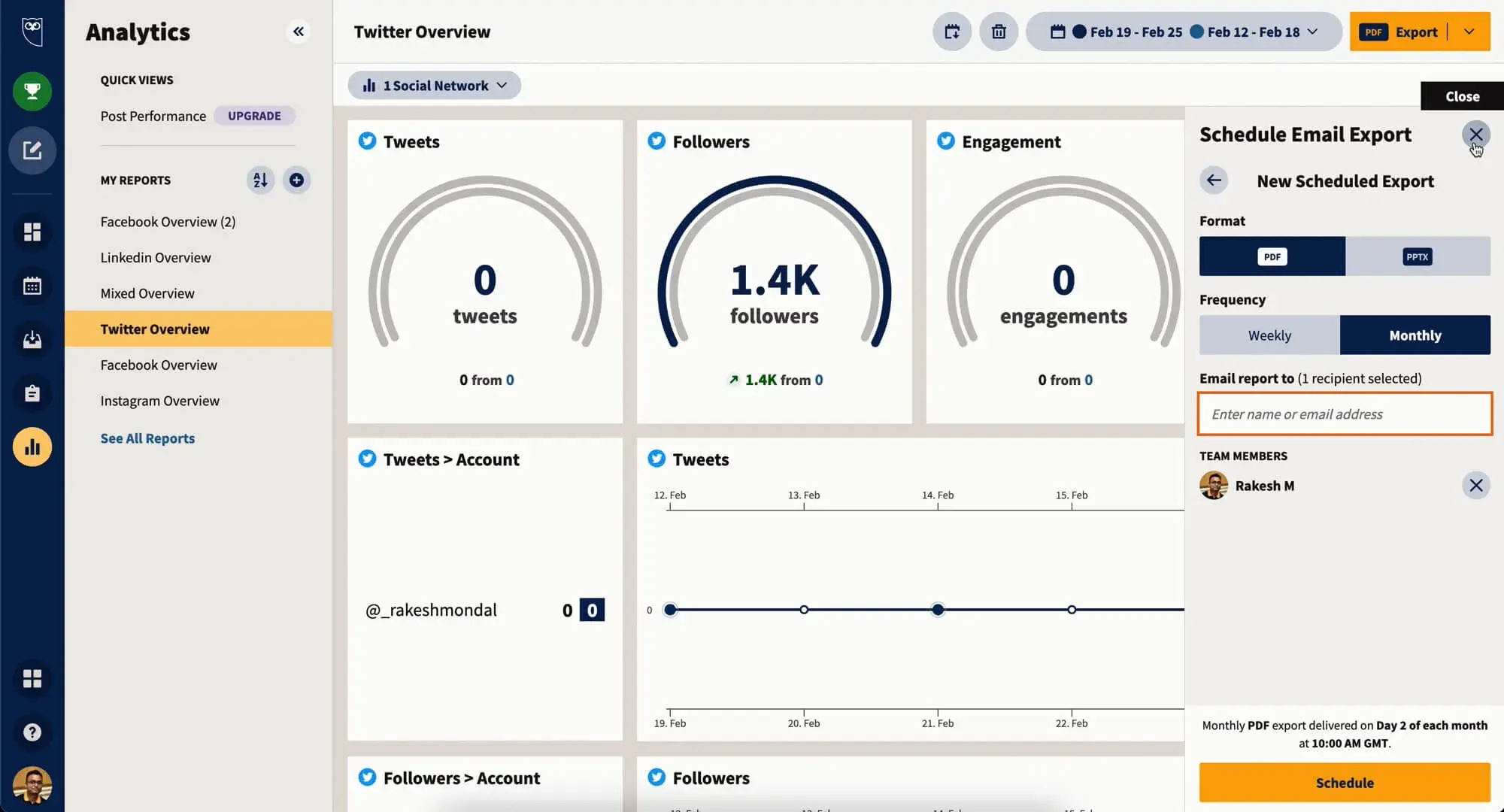
a screenshot of hubspot’s email marketing reporting dashboard

Source

Best for: B2B teams that need email reporting connected to sales pipeline and revenue attribution in one platform.

HubSpot’s Marketing Hub provides comprehensive email reporting dashboards, A/B testing analytics, and contact-level engagement tracking — all connected directly to your CRM.

HubSpot’s key email marketing reporting features:

  • Native CRM integration ties every email interaction to contact records, deals, and revenue
  • Multi-touch attribution reporting (that shows how email influences the pipeline at each funnel stage)
  • Custom dashboard builder with drag-and-drop widgets
  • List health monitoring (tracking growth, churn, and segment performance over time)

HubSpot pricing (Marketing Hub):

  • Starter: $9/month
  • Professional: $800/month
  • Enterprise: $3,600/month

2. Klaviyo

a screenshot of klaviyo’s email marketing reporting dashboard

Source

Best for: E-commerce brands that need direct revenue attribution tied to product catalog data.

Klaviyo specializes in e-commerce email reporting with deep integrations into Shopify, WooCommerce, and other online storefronts.

Klaviyo’s key email marketing reporting features:

  • Revenue-per-recipient tracking
  • Predictive analytics (including customer lifetime value and churn risk scores)
  • Segment performance comparison showing engagement by customer cohort
  • Product-level attribution (i.e., identifying which emails drive specific SKU purchases)
  • Benchmark data

Klaviyo pricing:

  • Free: $0/month
  • Email (1,001 to 1,500 profiles): $45/month
  • Email (1,501 to 2,500 profiles): $65/month

*Note: Pricing for Klaviyo is based on the number of active profiles.

3. Mailchimp

a screenshot of mailchimp’s email marketing reporting dashboard

Source

Best for: Small to mid-sized businesses seeking user-friendly email reporting without a steep learning curve.

Mailchimp offers accessible email marketing reporting for small businesses and growing teams with straightforward dashboards and industry benchmarking.

Mailchimp’s email marketing reporting features:

  • Campaign performance snapshots with open rate, CTR, and revenue tracking
  • Comparative reporting across campaigns to identify trends
  • Click maps and subscriber activity timelines
  • Industry benchmark comparisons
  • Content optimizer with AI-driven recommendations for subject lines and send times

Mailchimp pricing (0-500 contacts):

  • Free: $0/month
  • Essentials: $13/month
  • Standard: $20/month
  • Premium: $350/month

*Note: Pricing for Mailchimp is based on the number of contacts.

4. Salesforce Marketing Cloud

a screenshot of salesforce marketing cloud’s email marketing reporting dashboard

Source

Best for: Enterprise organizations already invested in Salesforce who need email reporting unified with sales and service data.

Salesforce Marketing Cloud delivers enterprise-grade email reporting with deep integration into the Salesforce CRM ecosystem.

Salesforce Marketing Cloud key email marketing reporting features:

  • Cross-channel journey reporting (connecting email to SMS, push, and advertising touchpoints)
  • Custom report builder with SQL query access for advanced analysis
  • Deliverability monitoring
  • Account-based reporting

Salesforce Marketing Cloud pricing:

  • Salesforce Starter: $25/month
  • Marketing Cloud Growth Edition: $1,500/month
  • Marketing Cloud Advanced Edition: $3,250/month

5. ActiveCampaign

 a screenshot of activecampaign’s email marketing reporting dashboard

Source

Best for: Teams running sophisticated automation workflows who need visibility into sequence-level performance.

ActiveCampaign combines email reporting with automation performance tracking, showing how individual emails perform within complex sequences.

ActiveCampaign’s key email reporting features:

  • Automation funnel reporting
  • Site tracking integration connecting email clicks to on-site behavior
  • Deal attribution
  • Split testing reports for subject lines, content, and automation paths
  • Engagement tagging

ActiveCampaign pricing (email features only):

  • Starter: $15/month
  • Plus: $49/month
  • Pro: $79/month
  • Enterprise: $145/month

6. Litmus

a screenshot of litmus’ email marketing reporting dashboard

Source

Best for: Teams prioritizing email design optimization, accessibility compliance, and deep engagement quality analysis.

Litmus focuses on email analytics with an emphasis on rendering, accessibility, and engagement quality metrics beyond opens and clicks.

Litmus’ key email reporting features:

  • Email client and device reporting
  • Read time tracking
  • Engagement scoring (that categorizes subscribers as readers, skimmers, or deleters)
  • Accessibility checking
  • Spam filter testing

Litmus pricing:

  • Custom pricing only, demo call required (see here)

Frequently asked questions (FAQ) about email marketing reporting

Which benchmarks should I trust when I’m in a niche market?

Industry-wide benchmarks often miss the mark for niche markets due to limited sample sizes and audience variability. Your most reliable email marketing reporting benchmarks are internal.

However, I suggest building your own baseline by:

  • Tracking your rolling 90-day average for each core metric (open rate, CTR, conversion rate, unsubscribe rate)
  • Segmenting benchmarks by campaign type — promotional emails, newsletters, and transactional sends perform differently
  • Documenting seasonal patterns specific to your audience
  • Comparing performance across audience segments rather than against external data

Also, use third-party benchmarks directionally, not prescriptively. If your niche consistently sees 15% open rates while industry reports suggest 25%, your internal trend data matters more than the gap.

How can I quickly QA a sudden drop in open or click rates?

You probably guessed this, but I’ll say it anyway: A sudden performance drop signals a specific issue.

To work through it, use this diagnostic checklist:

Deliverability problems:

  • Did your bounce rate spike? Check for list quality issues or a bad data import
  • Did spam complaints increase? Review recent content for potential triggers
  • Has your sending domain or IP reputation changed? Use tools like Google Postmaster to verify

Audience or segmentation issues:

  • Did you send to a new or different segment than usual?
  • Was the list recently cleaned, removing engaged contacts?
  • Did you accidentally include a suppression list or exclude your most active subscribers?

Content or technical errors:

  • Did the subject line contain spam-trigger words or broken personalization tokens?
  • Were links broken, causing clicks to go untracked?
  • Did images fail to load, reducing engagement cues?

External factors:

  • Did a major event (holiday, news cycle) shift audience attention?
  • Did Apple MPP or email client updates affect tracking accuracy?

The top reporting features in email marketing software — regardless of which platform you’re using — should include real-time alerts when metrics fall outside normal ranges. However, if you’re using HubSpot, its Reporting and Dashboard Software lets you compare the underperforming send against recent campaigns side by side, helping you isolate the variable that changed.

Email marketing reporting ain’t so bad after all

Your data-driven email strategy is within reach; you just have to start measuring what matters.

Although email marketing has grown more complex, the fundamentals of strong reporting remain unchanged. That said, every successful email marketing reporting framework needs:

  • Clear KPIs tied to business outcomes
  • Consistent tracking and analysis
  • Genuine connection between engagement and revenue

The right email marketing reporting tools reveal whether your investment in campaigns translates into pipeline growth, conversions, and customer lifetime value — not just vanity metrics.

As I’ve already mentioned (time and time again throughout this post), email marketing reporting requires tracking deliverability metrics, engagement rates, and revenue attribution. When you build this foundation correctly, every send becomes an opportunity to learn, optimize, and prove impact.

HubSpot’s Marketing Hub supports your email reporting strategy by:

  • Connecting performance to revenue through unified dashboards that tie opens and clicks to closed deals and pipeline value
  • Segmenting engagement data dynamically (so you can analyze performance by audience behavior, lifecycle stage, and campaign type)
  • Integrating with your CRM to centralize email metrics alongside contact records, sales activity, and attribution data

Whether you’re sending weekly newsletters or automated nurture sequences, your emails deserve reporting that captures their true business impact.

Ready to build email reporting that proves ROI? Get started with HubSpot’s Email Marketing Software to create professional campaigns, track the metrics that matter, and connect every send to revenue — all from one platform.

Categories B2B

Introducing the Agentic Customer Platform

The Gap Between Output and Outcomes

Over the past two years, I’ve had hundreds of conversations with business leaders about AI. The pattern is always the same: initial excitement about what AI can do, followed by frustration about what it actually delivers.

“It writes great emails,” they tell me. “But are they converting?” Not really.

“It can research prospects in seconds.” Great. But is it finding the right ones? Usually not.

The gap between AI‘s impressive output and the business outcomes we actually need has never been clearer. At HubSpot, we have an opinion on why this gap exists. It’s because AI today operates without the one thing humans have always brought to their work: context.

The Missing Ingredient: Context

Think about your best team members. They know which prospects are worth prioritizing because they’ve seen similar patterns before. They write emails that convert because they understand your brand voice and your audience. They solve customer problems quickly because they remember what worked in the past.

That’s context: having the right information at the right time, combined with the judgment to know what to do with it.

Without context, AI gives generic answers based on the one-size-fits-all wisdom of the internet. It doesn‘t know your customers, your business, or what actually drives results for companies like yours. That’s why AI agents without context can‘t drive the outcomes you’re looking for. They lack the understanding required to make their actions effective.

The Problem: Context Lives Everywhere and Nowhere

Right now, most of this context is buried in people’s heads, scattered across systems, and hidden in how your team actually works.

Why did you escalate that deal? Why did that campaign work? Most systems capture what happened, but the reasoning behind decisions (the exceptions, precedents, judgment calls) lives spread across email, Slack, and inside people’s heads.

This insider knowledge builds up over time. And it disappears when someone leaves.

Most AI tools can’t find or use this context. They ask you to upload your brand guidelines, configure your workflows, and teach them how your business works. Then do it again for the next tool. And again.

That’s backwards.

What We’re Building: The Agentic Customer Platform

At HubSpot, we believe there‘s a better way. We’re building what we call an agentic customer platform: software that captures all your customer data and business context in one place, then makes it available to both your team and AI agents so they can work together to market, sell, and service customers.

For 25 years, CRM software helped track the work of marketing, sales, and support teams. The software contained the data, and humans provided the context, judgment, and action. Now, AI agents can take on more work, but only if they have access to the same context humans have.

This requires a fundamentally new kind of platform, built on three tightly connected layers:

agentic-customer-platform-3

1. The Context Layer: Where Knowledge Lives

At the core is our Smart CRM, a single source of truth that brings together:

Complete Customer Data: Not just structured records like companies, contacts, and tickets, but also unstructured data in emails, call transcripts, and chat conversations. The full picture, all in one place.

Business Context: Your unique brand, products, and strategies. Not just what happened, but why decisions were made. Understanding the rationale, precedents, exceptions, and judgment calls.

Team Context: How your people work, communicate, and collaborate. The patterns that make your team effective, captured systematically so knowledge doesn’t disappear when someone leaves.

Industry Intelligence: Insights from more than 250,000 companies and their users. What works for businesses like yours: which campaign tactics drive results, which deal signals predict closes, which support approaches keep customers happy.

Domain Knowledge: Deep go-to-market expertise acquired over 20 years and millions of campaigns, deals, and support interactions. This guides smarter actions like which deals need attention today, when a prospect is ready to buy, or how to route a complex issue.

2. The Action Layer: Where Work Gets Done

Context alone isn’t enough. You need applications that can actually apply it to drive value:

Hubs: Our Marketing, Sales, and Service hubs are smarter from day one because they’re powered by context. That makes growing awareness, building pipelines, and keeping customers happy much easier.

Breeze Agents: AI teammates that do real work: researching accounts, enriching data, answering support questions, qualifying leads. They complete tasks that free your team for higher-value work.

Breeze Assistant: An AI go-to-market expert for every employee, providing insights and recommendations specific to their role and context. It can also write and update the CRM for you.

What makes these different? They‘re informed by complete customer context, so they produce better results for your business and better experiences for your customers. And because it’s all on one platform, you avoid the spam and disconnected experiences that come from fragmented point products.

3. The Coordination Layer: Where Humans and Agents Collaborate

For humans and agents to work as true collaborators, you need coordination that goes beyond traditional workflow automation:

Agent Management: You decide which tasks agents handle autonomously and which stay with humans. You can @mention agents in deals, assign them tasks, set permissions (just like any employee).

Connected Systems: Your business doesn’t run in one system, and neither should your agents. HubSpot connects to your broader tech stack so agents can work across platforms, becoming the connective tissue between systems.

Unified Governance: One platform means one set of permissions, one audit trail, one security model. Everything operates under consistent governance.

Why This Matters

You don’t care about AI. You care about results. And results require context.

AI models are becoming commodities. What AI can’t replicate is the combination of your customer data, business knowledge, and proven practices from hundreds of thousands of similar companies. AI knows a lot about the world; you need a platform that knows about your world.

Most CRMs weren‘t built for this. They’re systems of record, not systems of context. AI point products don’t have access to your complete customer data. And cobbling together integrations creates the very fragmentation that shared context is meant to solve.

With HubSpot, your context lives in one place and powers everything. Where humans and AI collaborate as teammates. Where you can put your customers at the center of how you market, sell, and service.

That’s our vision: making AI actually work for growing companies.

Categories B2B

How to structure pages for AEO and answer engines: A quick-start guide

The way consumers search for answers online has changed over the years. Instead of typing a keyword or query into search engines like Google, people are typing their questions directly into engines like ChatGPT to get direct, no-frills answers.

So, instead of optimizing for SEO, marketers need to know how to structure a page for AEO (Answer Engine Optimization).

Like many marketers, I found learning to optimize content for AEO challenging. Fortunately, you don‘t have to struggle like I did, because I’ve crafted this guide on structuring your content for AEO.

Keep reading for a walkthrough of page structure, key elements of AEO, and answers to frequently asked questions.

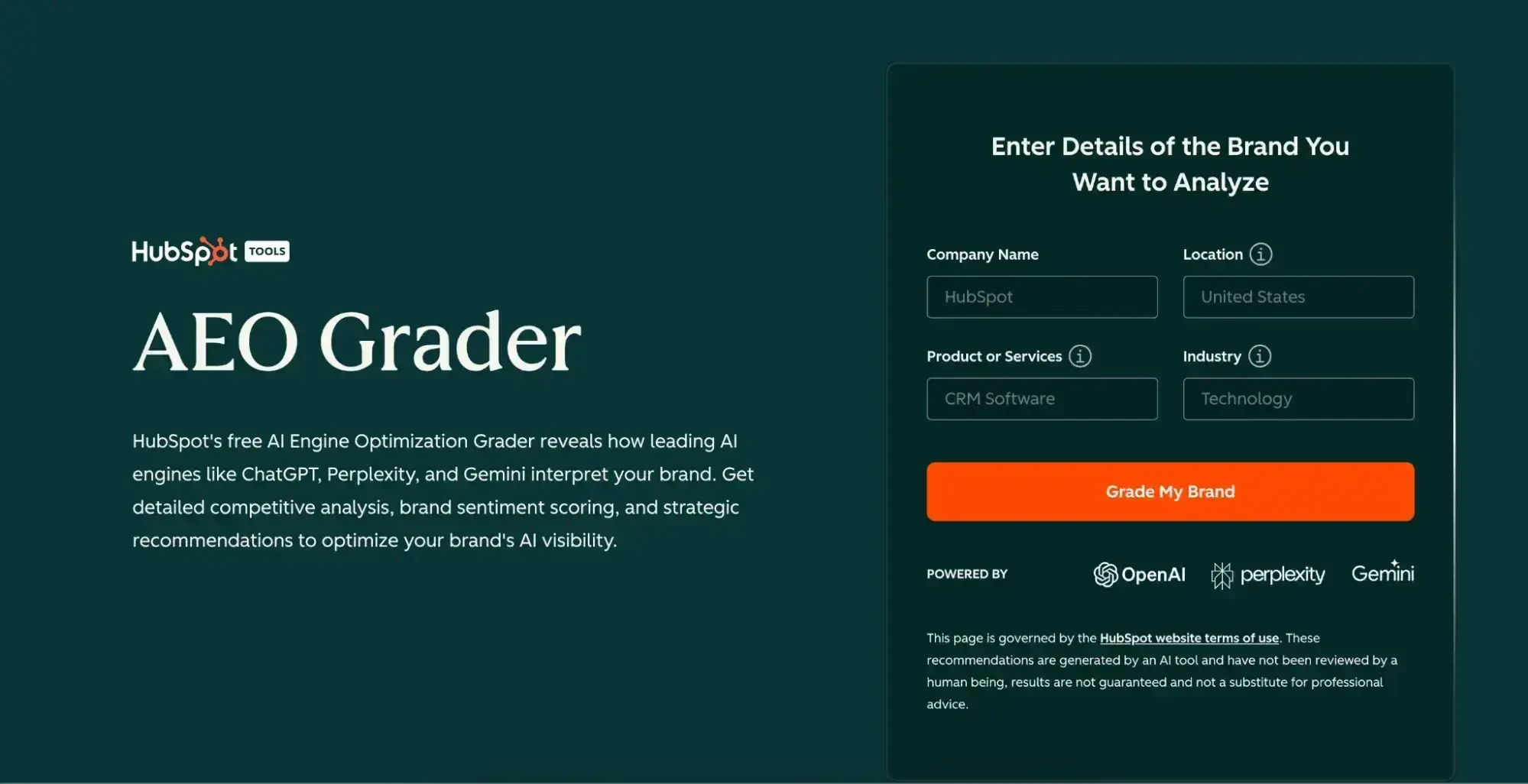
Free AEO Grader: See How You Rank on AI Search Results

Table of Contents


Why is page structure so important for AEO?

Page structure is critical for AEO because of how answer engines synthesize content.

In the past, we marketers would format our blog and website content so that search engines could “crawl” our pages, looking for keywords and backlinks to determine how the content would rank in SERPs.

The right combination of keywords and links would help determine whether the content ranked first in search results or ended up on the dreaded second page.

Now, LLMs like ChatGPT, Google AI Overviews, and Perplexity do more than just crawl for keywords; they analyze, extract, and synthesize content in real time. Unlike traditional search engines, which primarily match keywords and evaluate backlinks, LLMs analyze your content as contextual information within their token limits.

If your page is poorly structured, engines like ChatGPT could miss your best insights entirely, pull information out of context, or simply skip over your content in favor of a competitor‘s page that’s easier to process.

Structure acts as a roadmap that helps LLMs quickly identify what‘s important, what’s authoritative, and what directly answers a user’s query.

So, when structuring your content, you’ll want to ensure your website contains pages with clear headings, concise answers near the top, and logical information flow. When your content lacks structure, you‘re essentially forcing the LLM to work harder to extract meaning, which often means it won’t extract your content at all.

How to structure a page for AEO

I‘ve never been one for gatekeeping, so here’s the typical outline I follow when structuring my blog posts with AEO in mind:

H1 (Title)

I used to be called the headline queen when I was a journalist because I knew how to get creative with clever wordplay, funny puns, and attention grabbers, all while still incorporating keywords. My headlines drove clicks and often led to my content ranking high in SERPs.

Imagine my surprise when the same tactics didn’t work in an AEO world, and I wasn’t seeing the engagement I was used to in the world of SEO.

Don’t make the same mistake I did. Instead, keep these key principles in mind when structuring your headline:

Be explicit and descriptive. Your H1 should tell both humans and LLMs exactly what they‘ll learn. Not to toot my own horn, but “How to Structure Pages for AEO and Answer Engines: A Quick-Start Guide” works because it’s specific about the topic, the approach, and the outcome.

Use natural language patterns. If people ask, “How do I optimize for answer engines?” your H1 should reflect that phrasing. Question-based H1s (“How Do I…?” “What Is…?” “Why Does…?”) or clear declarative statements (“Complete Guide to…”) perform well because they match query intent directly.

Front-load your primary keyword. Put your main topic in the first few words. “AEO Page Structure: How to Optimize Content for Answer Engines” is stronger than “The Ultimate 2024 Comprehensive Guide to Structuring Your Pages for Modern Answer Engine Optimization Success.” LLMs processing your page will weigh those opening words more heavily.

Keep it under 60-70 characters when possible. While LLMs aren’t bound by title tag limits, concise H1s are easier to extract and cite. They also tend to be clearer and more focused, which helps with comprehension.

Skip the fluff. Avoid filler words like “ultimate,” “complete,” or “definitive” unless they add genuine meaning. Answer engines care about clarity and relevance, no superlatives.

Tools like HubSpot’s Content Hub can help you optimize your H1s and page structure with built-in SEO recommendations, making it easier to implement these principles at scale.

TL;DR

A TL;DR section in an AEO post should deliver maximum value in minimum space—it‘s your content’s elevator pitch to both human readers and answer engines. Structure it so that even if someone reads nothing else, they walk away with actionable insights.

Key principles:

Place it immediately after your introduction. Right after your H1 and opening paragraph(s), before your first H2. This positioning ensures LLMs encounter your key takeaways early in the processing of your page, and it mirrors the placement of the featured snippet users expect from traditional search.

Use 2-4 bullet points or a tight paragraph. Bullets work best when you have distinct, parallel takeaways (“Here are the three things you need to know”). A paragraph works when you‘re synthesizing a single cohesive insight. Keep the total TL;DR under 100 words—any longer and it’s not really “too long; didn’t read” anymore.

Make each point self-contained and actionable. Don’t tease—deliver. “Use question-based H2s and H3s to match natural query patterns” is better than “Heading structure matters for AEO.” Every bullet should provide real value that someone could act on immediately.

Front-load your main keyword naturally. If your post is about AEO page structure, make sure “AEO page structure” or a close variant appears in your TL;DR. This reinforces topical relevance for LLMs scanning the top of your content.

Write in active voice with a clear subject-verb-object structure. “Answer engines prioritize clear structure over keyword density” is easier to extract than “Clear structure is what gets prioritized by answer engines versus keyword density.” LLMs process straightforward syntax more reliably.

Label it clearly. Use “TL;DR” or “Key Takeaways” as a mini-heading (bold text or H2, depending on your preference). This explicit labeling helps both humans and LLMs recognize “this is the summary section.”

Avoid duplication with your conclusion. Your TL;DR should preview what‘s coming, while your conclusion should synthesize what you’ve covered. They serve different purposes—don’t just copy-paste between them.

Question-based H2/H3s

Question-based H2s and H3s are AEO gold because they directly match how users query answer engines. When someone asks ChatGPT or Perplexity a question, the system looks for content that explicitly addresses that question, and nothing signals relevance better than a heading that mirrors the query itself.

These are the best practices I keep in mind when mapping out my H2s and H3s:

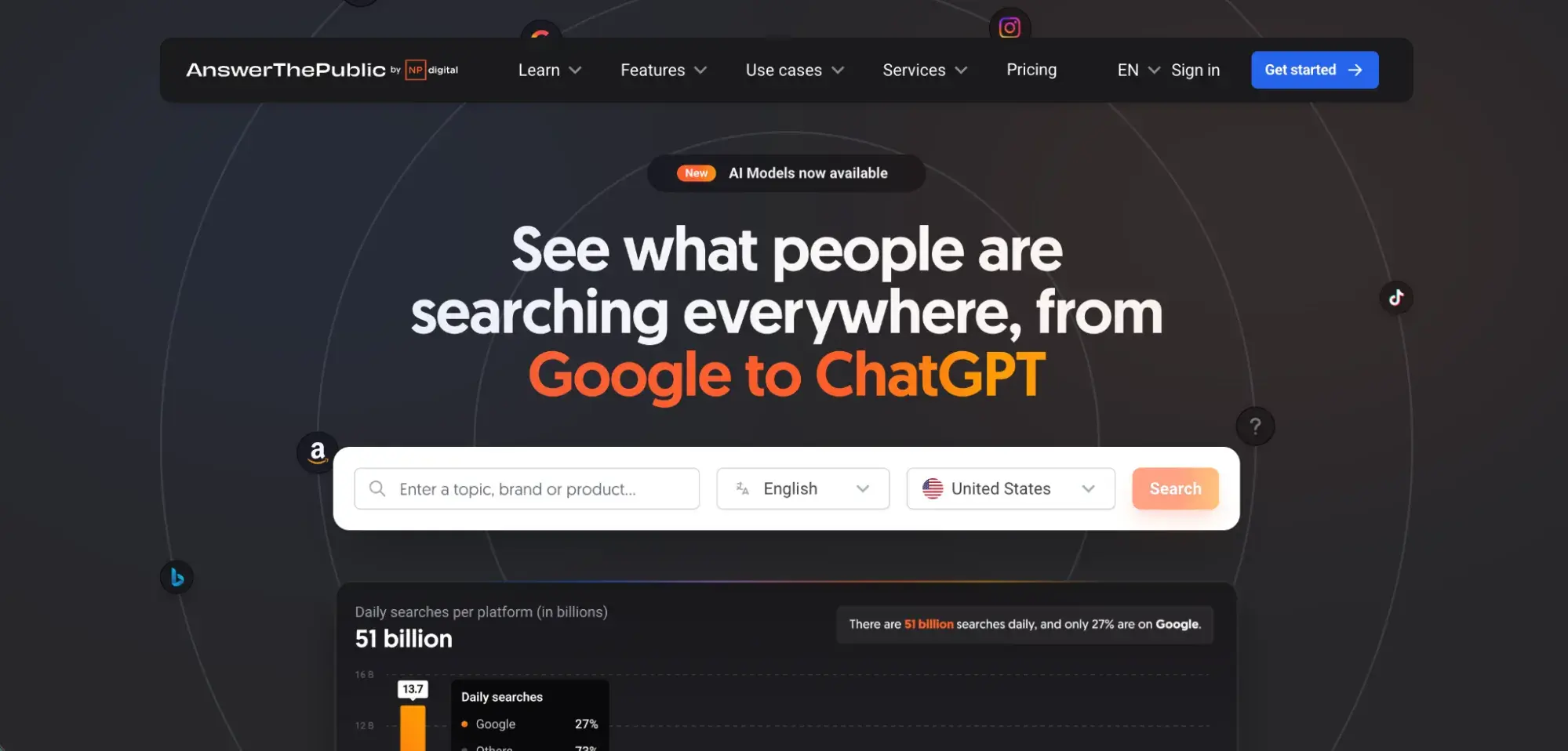
Use actual questions people ask. Pull from “People Also Ask” boxes, Answer the Public, or your own customer support tickets. Questions like “Why is page structure important for AEO?” or “What schema types should I start with?” are far more retrievable than generic headings like “The Importance of Structure” or “Schema Basics.”

Start with question words. “How,” “What,” “Why,” “When,” “Where,” and “Should” are your friends. These trigger patterns help LLMs identify your content as question-answering material. “How often should I update my FAQs?” is immediately recognizable as addressing a specific user need.

Be specific, not broad. “What is AEO?” is fine for a definitional section, but “How do I audit my existing content for AEO?” is better because it targets a specific intent. The more precise your question, the more likely it is to match what someone actually asked.

Answer immediately below the heading. Get to the point! Never bury the answer three paragraphs down. Your first sentence under that H2 or H3 should directly answer the question. Think of it like featured snippet optimization, but for LLMs.

“You should update quick answers and FAQs quarterly, or whenever there are significant changes to your product, industry regulations, or user behavior patterns.”

Maintain natural phrasing. Don’t keyword-stuff or make questions awkward. “How can marketers structure pages for answer engine optimization?” reads better than “How structure pages AEO answer engines?” LLMs are trained on natural language, so write like a human helping another human.

Create a logical hierarchy. Use H2s for major questions and H3s for related sub-questions. For example, an H2 might ask “How do I structure a page for AEO?” with H3s underneath like “Where should the TL;DR go?” and “What about FAQ sections?” This helps LLMs understand the relationship between topics.

Lists

I love a good listicle because they provide information in a straightforward, digestible way that leaves little room for misinterpretation. And, it turns out LLMs love them, too for similar reasons.

Lists are incredibly easy for LLMs to parse, extract, and cite. When an answer engine scans your content, lists provide clean, structured information that can be quickly chunked and understood without requiring heavy interpretation. They’re essentially pre-formatted answers ready for extraction.

Remember these key principles when structuring your list for your next post:

Make each list item self-contained. Every bullet or numbered point should make sense even if read in isolation. Don’t write “Use clear headings” and assume the LLM remembered your intro paragraph about why.

Instead, write “Use clear, question-based headings that mirror how users search,” so the item carries its own context.

Start with the action or key concept. Front-load what matters. “Frontload your primary keyword in the H1” is stronger than “When writing your H1, you should consider frontloading your primary keyword for better visibility.” LLMs scan the beginning of each list item more heavily.

Keep items parallel in structure. If your first three bullets start with action verbs (“Optimize,” “Include,” “Structure”), keep that pattern throughout. Parallel structure helps LLMs recognize the list as a cohesive set of related points rather than random fragments.

Add brief explanations when helpful. A list item can be more than one sentence. “Use schema markup. It helps LLMs understand your content structure” works, but “Use schema markup like FAQPage and HowTo schema to provide explicit structural signals that answer engines can parse and prioritize” is more useful and still scannable.

Use sub-bullets sparingly but strategically. If a main point has 2-3 supporting details, sub-bullets work great. Just don‘t nest more than two levels deep or you’ll lose both human readers and LLM comprehension.

Number lists when order matters. If you‘re outlining steps in a process or ranking items by priority, use numbered lists. This tells the LLM there’s a sequence or hierarchy. For collections of equal-weight tips or features, bullets are fine.

Introduce your list with context. Don’t just drop a list in cold. A brief sentence before like “Here are five ways to structure your H1 for maximum AEO impact:” helps LLMs understand what the list represents and how to frame it when citing your content.

Conclusion

A conclusion for an AEO post should reinforce your main points, provide a clear takeaway, and ideally push the reader toward action—but it also serves a specific purpose for answer engines: it’s often where LLMs look for summary statements and final recommendations.

Key principles:

Summarize without repeating verbatim. Your conclusion should distill the core message in fresh language. If your post covered seven tips for structuring pages, don’t just list them again—synthesize them into a broader insight.

“Structuring pages for AEO comes down to clarity, hierarchy, and making your content easy for LLMs to extract and cite” captures the essence without rehashing every point.

Include a clear, actionable next step. Answer engines often pull conclusions when users ask “what should I do about X?” Give them something concrete: “Start by auditing your top 10 pages for question-based headings and TL;DR sections, then layer in schema markup as you go.” This makes your conclusion more retrievable for action-oriented queries.

Reinforce your main keyword and topic. Mention your primary concept one last time naturally. “By prioritizing AEO-friendly page structure, you’re not just optimizing for today’s answer engines—you’re future-proofing your content for however search evolves” keeps the semantic focus clear for LLMs processing the page.

Keep it concise but substantive. Two to four paragraphs is usually the sweet spot. Long enough to provide real value, short enough that an LLM can process it within context limits. Avoid fluff like “In conclusion, we’ve covered…” and just deliver the insight.

End with perspective or context. Give readers (and LLMs) a sense of why this matters beyond tactics. “As answer engines become the primary way people discover information, the marketers who master structured, extractable content will own visibility in ways traditional SEO never allowed,” adds weight and authority to your conclusion.

Consider a forward-looking statement. Briefly mention what‘s next or what to watch for. “As LLM technology evolves, expect answer engines to get even better at understanding context—but clear structure will always be your competitive advantage.” This signals you’re thinking beyond today’s tactics.

FAQ Module

I’ve found that an FAQ section in an AEO post is one of the highest-value structural elements because it directly mirrors how people query answer engines. When someone asks ChatGPT or Perplexity a question, the system actively looks for Q&A-formatted contentw.

A well-structured FAQ makes that extraction effortless.

Key principles:

Use actual H3 headings for each question. Don’t just bold the questions or put them in a different font. Make each FAQ question its own H3 heading. This gives LLMs clear semantic signals that this is a distinct question-answer pair.

“Where should the TL;DR go on the page?” as an H3 is infinitely more retrievable than the same text in bold.

Write questions exactly as users ask them. Pull from real search queries, customer questions, or PAA boxes. “Do I need both an FAQ section and PAA-style H3 questions?” is better than “FAQ vs. PAA Questions” because it matches natural language patterns. LLMs are trained to recognize question syntax.

Answer immediately and directly. Your first sentence under each H3 should be a complete, standalone answer. Don’t make the LLM hunt through three paragraphs to find the answer. “The TL;DR should go immediately after your H1 and introduction, before your first H2 section.” gives the answer upfront, then you can elaborate if needed.

Keep answers concise but complete. Aim for 2-4 sentences per FAQ answer. Short enough to be quickly extractable, long enough to be genuinely useful. If you need more depth, that’s a sign the topic deserves its own full section in the post, not just an FAQ treatment.

Use FAQPage schema markup. This is non-negotiable for AEO. FAQPage schema explicitly tells answer engines “this is a question and this is the accepted answer.” It’s one of the clearest structural signals you can send. Make sure each question-answer pair is properly marked up.

Prioritize high-value questions. Don‘t pad your FAQ with obvious or low-intent questions just to hit a number. Focus on questions that address real confusion, common objections, or next-level concerns that your main content didn’t fully cover. Quality over quantity.

Place the FAQ strategically. Most AEO posts benefit from FAQs near the end, after you’ve covered the main content but before the conclusion. This positions them as “additional helpful information” while keeping your primary content hierarchy clean.

However, if FAQs address critical blocking issues, consider moving them to a higher level.

Make questions distinct from your H2/H3 structure. Your FAQ should complement, not duplicate, your main content headings. If you already have an H2 titled “Why is page structure important for AEO?” don’t repeat it in your FAQ. Use the FAQ for related but distinct questions like “How is AEO different from traditional SEO?”


Best tools to structure a page for AEO

Here are four essential tools for structuring pages for AEO, organized by category:

1. Content Management System: HubSpot Content Hub

Sure, I might be biased, but it’s true that HubSpot’s Content Hub is purpose-built for modern content optimization, with native features that make AEO implementation straightforward. The platform offers AI-powered content optimization suggestions, built-in SEO recommendations for headings and structure, and drag-and-drop modules for FAQ sections and lists.

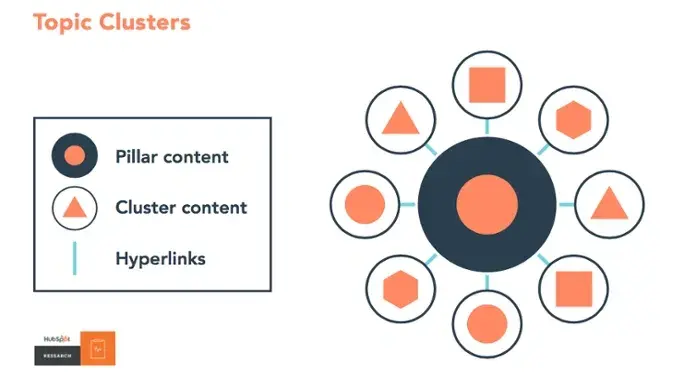
What sets Content Hub apart is its integrated approach—you can manage schema markup, track content performance, and optimize structure all in one place without juggling multiple tools. The CMS also supports content clustering and pillar page architecture, which helps establish topical authority that answer engines prioritize.

2. Schema Markup Tool: Google’s Rich Results Test

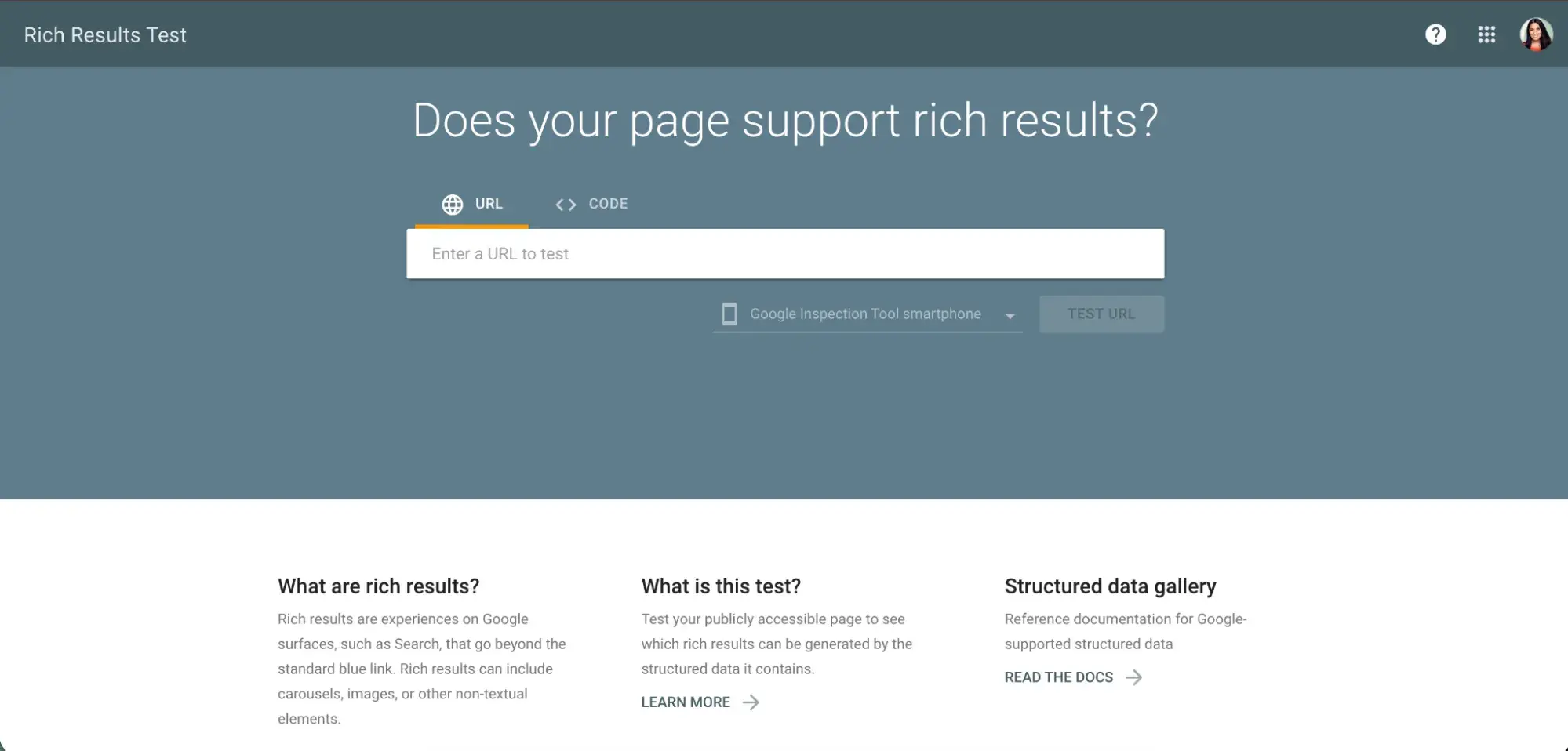
Google‘s Rich Results Test (formerly the Structured Data Testing Tool) is essential for validating your schema markup before publishing. While it’s Google-focused, the markup validation applies broadly to how answer engines parse your content.

Use it to test FAQPage schema, HowTo schema, Article schema, and other structured data types. The tool shows you exactly how search engines and answer engines will interpret your markup, flagging errors or warnings that could prevent proper extraction.

3. Content Analysis Platform: Clearscope or MarketMuse

These platforms help you understand topic coverage and content structure from a semantic perspective.

While traditionally used for SEO, tools like Clearscope and MarketMuse are increasingly valuable for AEO because they identify content gaps, suggest related questions to address, and help you build comprehensive content that LLMs recognize as authoritative.

They analyze top-performing content and suggest structural improvements, heading optimizations, and topic clusters that improve your chances of being cited by answer engines.

4. AI Writing Assistant: Claude or ChatGPT (Plus or Enterprise)

Yes, answer engines themselves can be your best tool for optimizing content for answer engines. I’ve found that using Claude or ChatGPT to test how well your content answers specific questions, identify gaps in your structure, or even generate FAQ questions based on your main content.

You can paste draft sections and ask “What questions does this content answer clearly?” or “How would you restructure this for better extraction?” This real-time feedback from an LLM helps you understand exactly how answer engines will interpret and use your content.

Tips for structuring a page for answer engines

Here are five qualitative tips for structuring pages that answer engines love:

1. Write in digestible chunks, not walls of text

Break your content into 2-4 sentence paragraphs rather than dense blocks of 8-10 sentences. Answer engines process content in chunks, and shorter paragraphs are easier to extract and cite accurately.

Each paragraph should contain one clear idea or point. When your content is chunked well, answer engines can pull exactly what they need without having to parse through complex, multi-idea paragraphs that risk being quoted out of context.

2. Front-load answers, then explain

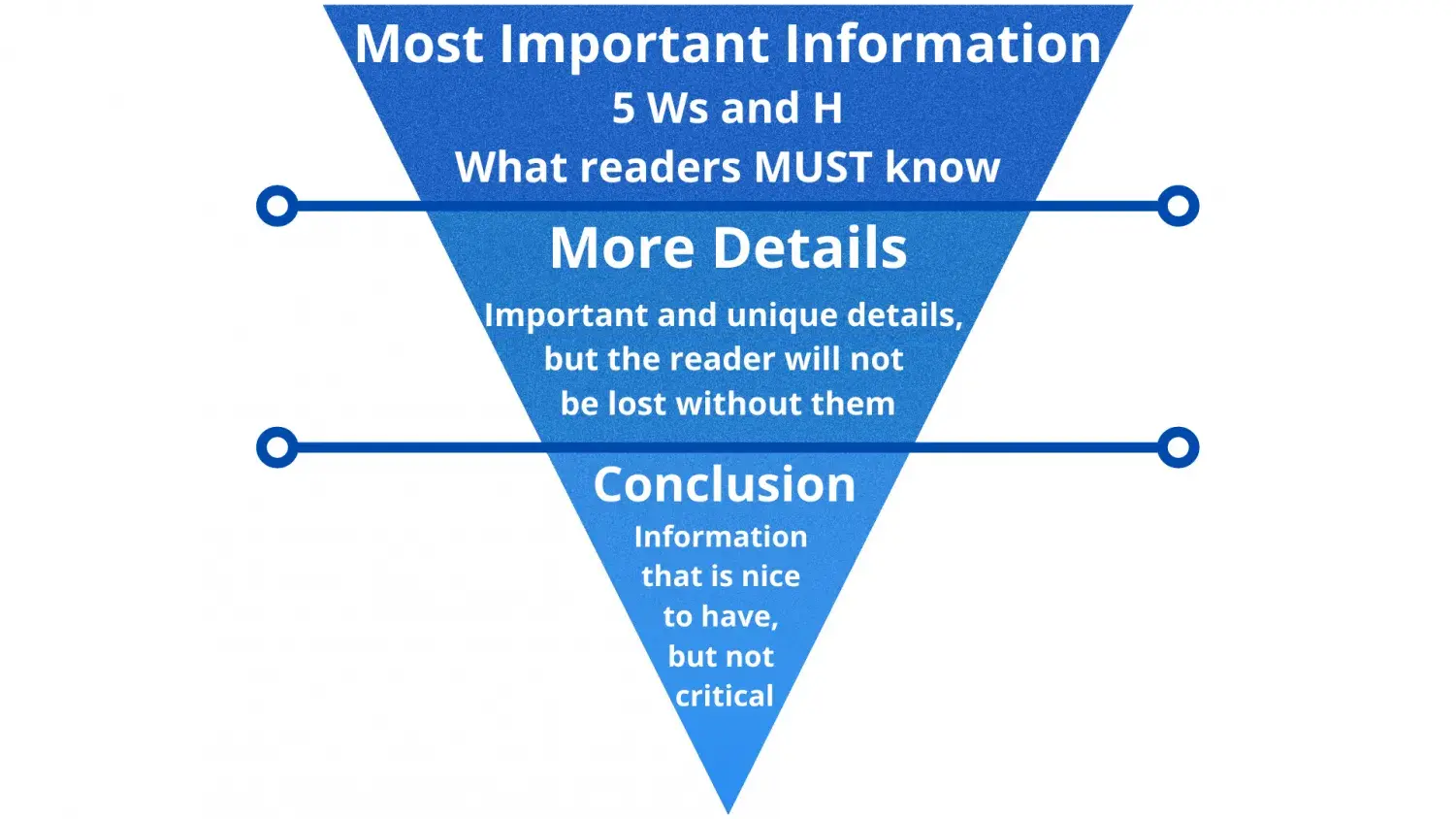
Lead with the answer or main point in your first sentence, then provide context, examples, or elaboration afterward. This “inverted pyramid” approach ensures that even if an LLM only processes the first part of your section (due to token limits or relevance scoring), it still captures your key insight.

Think of it as writing for someone who might only read your topic sentence, because that‘s essentially how answer engines scan content initially before deciding what’s worth extracting in full.

3. Use transition phrases that signal structure

Help LLMs understand how your ideas connect by using explicit transitions: “Here’s why that matters,” “The key takeaway is,” “This means that,” or “In practice, this looks like.”

These phrases act as semantic signposts that help answer engines understand relationships between concepts. When an LLM sees “Here are three reasons why,” it knows a list is coming. When it sees “The main benefit is,” it knows you’re about to state something important worth extracting.

4. Create content with attribution in mind

Write as if every sentence might be cited independently. Avoid vague pronouns or references that only make sense if someone read the previous paragraph. Instead of writing “This approach works because it’s faster,” write “Question-based headings work because they match natural query patterns.”

This self-contained style makes your content more extractable and ensures that when answer engines cite you, the citation makes sense standalone, which increases the likelihood they’ll cite you in the first place.

5. Balance depth with scannability

Don’t sacrifice substance for structure, but make your depth easy to navigate. Use descriptive subheadings frequently (every 200-300 words), incorporate callout formatting for key insights, and ensure that someone skimming your H2s and H3s alone could understand your main argument.

Answer engines don’t just extract random sentences—they look for content that demonstrates expertise while remaining accessible. The sweet spot is comprehensive coverage broken into scannable, well-labeled sections that signal “this person knows what they’re talking about AND makes it easy to understand.”

Frequently asked questions about structuring pages for AEO

Where should the TL;DR go on the page?

The TL;DR should go immediately after your H1 and introduction, before your first H2 section. This placement gives answer engines instant access to your main takeaways in the prime real estate at the top of your content, where LLMs process information most heavily.

Keep it to 2-4 concise bullet points or a single tight paragraph (3-5 sentences maximum), with each point being self-contained and actionable. Think of it as your elevator pitch—if someone only read this section, they’d still walk away with genuine value.

Do I need both an FAQ section and PAA-style H3 questions?

You don’t strictly need both, but using them together serves different purposes and maximizes your AEO coverage.

PAA-style H3 questions within your main content address core topics and guide readers through your primary narrative, while FAQ sections handle secondary questions, edge cases, and common objections that don’t fit cleanly into your main structure.

Think of H3 questions as your main course and FAQs as the side dishes—they complement each other without redundancy. Just make sure you‘re not duplicating the exact same questions in both places, or you’re wasting valuable content real estate.

What schema types should I start with for AEO?

Start with FAQPage schema and Article schema—these are the most universally applicable and easiest to implement for content marketers.

FAQPage schema explicitly marks your question-answer pairs, making them immediately recognizable to answer engines, while Article schema provides crucial metadata about your content type, publish date, and author that builds credibility signals.

If your content includes step-by-step instructions, add HowTo schema to capture procedural queries. These three schema types cover the vast majority of AEO use cases and can be implemented without heavy technical lift, especially if you’re using a CMS like HubSpot that supports structured data natively.

How often should I update my quick answers and FAQs?

Update your quick answers and FAQs quarterly as a baseline, or immediately whenever there are significant changes to your product, industry regulations, or user behavior patterns. Answer engines prioritize freshness and accuracy, so outdated information can hurt your retrievability even if the rest of your content is solid.

Set calendar reminders to review your top-performing AEO content every three months, and monitor customer support tickets or new PAA questions that signal emerging concerns worth addressing.

If your industry moves faster (like tech or finance), consider monthly reviews for your highest-traffic pages.

Categories B2B

I went from Wall Street to content creation: Here’s my journey

At 23, I walked into BlackRock‘s New York office fresh out of Wesleyan University, ready to conquer Wall Street. By 28, I had traded my corporate badge for a ring light and a mission to empower women through content creation. Along the way, I learned that the biggest impact doesn’t always come from the biggest institutions. Download Now: Ultimate Guide to Influencer Marketing

The journey began in 2018, when I joined BlackRock’s Financial Markets Advisory team. In my role, I advised governments and banks on complex financial issues. At 23, I was analyzing balance sheets and sitting in rooms where billion-dollar decisions were made. After two years, I moved to an investment bank as a corporate bond trader. Fast-paced, high-pressure, complex work.

But even as I was building this impressive Wall Street resume, I kept thinking: What am I really building toward? I had access to financial knowledge that most women would never get. But, because of the limitations some Wall Street institutions impose on their employees, I wasn’t permitted to share basic financial knowledge with the world.

Table of Contents

The Moment That Changed Everything

After leaving BlackRock, I went on to work at an investment bank, and that’s where everything shifted. It was there that I uncovered systemic pay inequity. Hundreds of Black employees, including myself, were doing the same work as our white counterparts.

However, we were significantly underpaid. I gathered data, documented discrepancies, and wrote a letter to the head of HR. That email led to a formal review and correction of compensation, resulting in revised pay for hundreds of Black employees across the firm.

That email did not lead to immediate change. It took months of internal review before compensation was formally corrected, ultimately resulting in revised pay for hundreds of Black employees across the firm.

It was a win, but it came at a cost. Even before I sent that letter, the person responsible for pay equity attempted to dismiss my concerns. Afterward, I was repeatedly told that our compensation was already correct. It wasn’t. The data proved otherwise.

That experience of being gaslit, even in the face of clear evidence, clarified something for me: I no longer wanted to spend my career fighting for equity in institutions that failed to recognize it or value me until external pressure made it unavoidable.

My passion wasn’t climbing the corporate ladder. It was educating women on their finances, beauty, and wellness. I wanted to encourage women to embody health and wealth in everything they do. As my slogan says: stay healthy and wealthy.

I wanted to build something where my voice and values weren’t up for negotiation.

The Pivot: From Trading Floor to TikTok

In May of 2022, I posted my first vlog on TikTok as a form of self-expression.

I technically missed the big creator boom of 2020 and 2021, but I wasn’t chasing virality. I was simply showing up as myself.

I started sharing day-in-the-life videos as a Wall Street trader, and people were fascinated. Then, I wove in life lessons, beauty routines, and wellness tips because those have always been part of who I am.

Beauty wasn’t new territory for me. I got certified in makeup artistry and skincare back in spring 2014, when I was still in high school in Jamaica. When I moved to the U.S. for college at Wesleyan University, I was the girl doing everyone‘s makeup for graduation, Valentine’s Day, and Halloween.

So, when I started creating content, I didn’t pick a niche and force myself into a box. I showed up as my full self: a finance professional who also loves a good skincare and beauty routine, a green juice, and a perfectly curated outfit.

The audience grew rapidly because I wasn’t performing. I was just living out loud. I had put “The Finance Baddie®” in my TikTok bio almost as an afterthought, just a fun name while I was randomly making content about my life.

the finance baddie on tiktok

Source

Then one day at a women’s Wall Street networking event, the host mentioned that younger professionals there had recognized me from TikTok, excitedly telling them, “That’s The Finance Baddie®!” I realized then that the name had stuck. Younger women on Wall Street were actually looking up to me, not for my corporate title, but for the content I was creating in my free time.

Building a Multi-Dimensional Brand

Today, I‘ve partnered with brands across beauty and skincare, health and wellness, home and kitchen, food and beverage, technology, fashion, and travel. That range isn’t random. It’s a reflection of how I actually live.

I’ve been able to work with so many brands across different sectors because authenticity is my platform. I incorporate these brands genuinely into my lifestyle.

When I partnered with Primal Kitchen, it was natural to feature their dressings in my meal prep videos because that’s what I actually use in my kitchen. When I worked with Aveeno Skincare, it was a natural fit because their products have been a part of my skincare regimen since I was a little girl. Most recently, I collaborated with Dr. Dennis Gross Skincare™, whose LED FaceWare Pro Mask has been a regular part of my nighttime skincare routine. I only recommend high-quality products and services that I believe in, like, and use.

Some creators have a niche. I am the niche.

My audience follows me for different reasons. Some come for financial wisdom. Others want beauty tips, meal prep ideas, juicing recipes, fashion inspiration, or skincare routines. The common thread? They trust me.

That trust comes from offering value beyond brand partnerships. I host finance workshops and classes for women. At my financial vision board party, Rich Girl Reset, I guided women through setting their financial intentions and creating an action plan to actually help them follow through.

rich girl reset webinar replay with the finance baddie

Source

At my Finance Masterclass, Time Is Money, I taught women how to maximize their earning potential and monetize their time. The goal is to put themselves in a financial position where they can pivot for any scenario.

time is money couse from the finance baddie

Source

I share real insights, not just sponsored content. My reputation goes before me, and brands work with me because they know I’m building a community, not just promoting products.

Lessons I’ve Learned

My journey from Wall Street to content creation taught me lessons that anyone considering a career pivot needs to hear:

  1. Your expertise is portable. The financial knowledge I gained on Wall Street didn’t disappear when I left. It became the foundation of my content and what makes my voice credible in the creator space.
  2. You don’t have to choose one passion. Finance, beauty, wellness, fashion — they can all coexist. The most authentic brand reflects all of who you are, not just one dimension.
  3. Authenticity builds trust, and trust builds longevity. I only partner with brands I genuinely use and believe in. That integrity is why my audience trusts my recommendations and why brands continue to work with me.
  4. Timing matters less than authenticity. I started creating content in 2022, well after the pandemic creator boom. But, showing up authentically and consistently mattered more than being early.
  5. Offer value beyond transactions. I host workshops, provide real financial education, and build community. That’s what separates content creators from influencers and what makes partnerships meaningful.
  6. Your reputation is your currency. Whether on Wall Street or as a creator, how you show up matters. Build a reputation for quality, integrity, and value.
  7. Freedom is the ultimate wealth. The ability to work on your own terms, share what you‘re passionate about, and impact lives in the way you choose? That’s worth more than any Wall Street bonus.
  8. Sometimes the most powerful move is building something new. Fighting for change in broken systems is exhausting. Sometimes the answer isn‘t fixing the institution from the inside. It’s creating your own platform on your own terms.

Why Authenticity Wins

The transition from Wall Street to content creation wasn’t about running away. It was about running toward impact.

On Wall Street, I was one voice in a system that often didn’t want to hear me. As a creator, I reach hundreds of thousands of women every single day. I can teach them about compound interest and the latest lip plumper in the same breath. I can show them that you don’t have to choose between being financially savvy and loving beauty, between being strategic and being creative.

I went from advising governments on some of the most complex economic and financial decisions to advising women on how to build wealth, confidence, and a life they love. And honestly? The impact feels bigger. The fulfillment is deeper. The freedom is real.

Your Wall Street might not be an actual trading floor. It’s any place where you’re undervalued, boxed in, or told to dim your light. But remember: You have permission to leave. You have permission to build something new. And you have permission to show up as your full, multi-dimensional, unapologetic self.

That’s where the real wealth is. Not in the salary. Not in the title. But in the freedom to live and work on your own terms.

And trust me: that’s a return on investment no Wall Street firm can match.

Categories B2B

B2B Email Marketing: How to use email to drive B2B pipeline growth

If you‘ve ever wondered why B2B email marketing still dominates as a revenue-driving channel in 2025, you’re not alone. Despite the rise of new marketing platforms and AI-powered tools, B2B email marketing remains one of the most reliable ways to nurture leads, accelerate pipeline, and actually close deals.

When done right, email provides the space to build trust, educate decision-makers, and stay top of mind throughout the entire journey.

In this guide, I’m walking you through how to build a B2B email marketing strategy that actually drives revenue, from segmentation and automation to the metrics that matter to your leadership team.

→ Download Now: The Beginner's Guide to Email Marketing [Free Ebook]

Table of Contents

What is B2B Email Marketing?

B2B email marketing refers to businesses sending emails to other companies, as opposed to individual consumers (B2C). For example, instead of trying to convince someone to buy a new pair of sneakers for themselves, you‘re reaching out to a company’s purchasing manager to discuss enterprise software, bulk office supplies, or professional services.

Although the acronyms may be similar, B2B email marketing differs significantly from B2C email marketing.

B2C emails can be spontaneous and emotion-driven (hello, flash sales and FOMO!), but B2B emails require a more strategic and informative approach. You‘re not just talking to one person who’s shopping on their lunch break; you’re often addressing multiple stakeholders who need to justify every purchase to their team.

The CFO wants to see ROI projections, the IT director needs to know about integration capabilities, and the end users want to understand how it‘ll make their jobs easier. That’s why B2B buying cycles are so much longer — we’re talking weeks or even months instead of “add to cart right now.”

I‘ve found that B2B email marketing really shines because it gives you the space to nurture these complex relationships over time. You can send a whitepaper to the marketing director one week, follow up with a case study for the VP, and then circle back with implementation details when they’re finally ready to make a decision.

It’s all about building trust and providing value at every stage of that lengthy journey, which is precisely why email remains such a powerful channel for B2B marketers.

Why B2B Email Marketing Drives Pipeline

It’s crucial that marketers understand that email marketing b2b lead generation is more than just a broadcast tool whose worth can be measured solely in opens and clicks. By recognizing B2B email marketing as a revenue channel, you can measure pipeline contribution and deal velocity.

That said, here’s how email actually drives pipeline:

  • Targeted personalized content – With B2B email marketing, you can segment your audiences by industry, role, or behavior. Thus, allowing for hyper-relevant messaging that significantly boosts open, click-through, and response rates compared to non-targeted email blasts.
  • Lead nurturing and education – Use your B2B emails to deliver valuable content, such as webinars, case studies, industry insights, tailored to buyer behavior, educating prospects, and keeping your brand top-of-mind during long B2B sales cycles.
  • Behavioral Intent Signals for Sales – When a contact from a target account suddenly opens three emails in one day, visits your pricing page, and downloads a case study, that‘s not just engagement—it’s a buying signal. Modern email platforms surface these signals to sales in real-time, effectively turning marketing email into a lead enrichment and qualification engine.

The B2B Email Marketing Revenue Measurement Framework

Treating email as a revenue channel means measuring it like one:

  • Pipeline sourced: How many opportunities were created where email was the first or last point of contact?
  • Pipeline influenced: How many deals in your CRM showed meaningful email engagement before closing?
  • Velocity impact: Do deals with high email engagement close faster than those without?
  • Average contract value: Are email-nurtured deals larger because buyers are better educated?

How to Build a B2B Email Marketing Strategy

Step 1: Audit Your Current State (Week 1)

Before building an effective B2B email marketing strategy, you‘ll need to understand what you’re working with, so look into the following metrics from the last 6 months:

  • Total database size and growth rate
  • Deliverability metrics (bounce rate, spam complaints)
  • Engagement by segment (industry, company size, lifecycle stage)
  • Unsubscribe patterns (when and why people opt out)
  • Current pipeline contribution from email (if tracked)

Then, interview your sales team:

  • What objections do they hear repeatedly?
  • At what point do deals typically stall?
  • Which content pieces actually help close deals?
  • What questions do prospects ask before they’re ready to talk?

Tracking the above metrics and consulting your sales team will help you identify any gaps in your current strategy. Perhaps your database is growing, but engagement is declining, suggesting a targeting issue. Maybe sales loves your content but doesn’t know when prospects engage with it, presenting an issue with integration.

Step 2: Define Your Revenue Goals and Work Backwards (Week 1)

I know this sounds strange, but once you‘ve set your revenue goals, you’re going to want to start from the end. Yep, that‘s right. The end. Here’s what I mean:

Work backwards from your annual target:

If you need to generate $5M in pipeline this year, and your average deal size is $50K, you would need 100 opportunities influenced by email

At a 20% email-to-opportunity conversion rate, you need 500 marketing-qualified engagements, which means X number of targeted sends to Y segments.

This math becomes your North Star. Every program you build should align with these numbers. This approach transforms email marketing B2B lead generation from a volume game into a predictable revenue engine.

Step 3: Map Your Buyer’s Journey (Week 2)

This is where most strategies tend to become theoretical. Keep it practical, and create a simple three-stage framework:

Early Stage (Problem Aware): A prospect may know they have a problem, but isn’t actively evaluating solutions yet. Your email goal should be to educate and provide perspective, not to pitch. For example, your B2B email can include industry trend reports, challenge-focused content, and peer insights.

Mid-Stage (Solution-Aware): Your target audience is researching options and building requirements. Let your email goal be to position your approach and build preference.

For example, you can provide framework content, methodology explainers, and comparison guides that don’t bash competitors but show your differentiation.

Late Stage (Vendor Evaluation): They’re in active conversations with you or competitors. Email goal: Reinforce value, address objections, create urgency. Example: Customer proof, ROI calculators, implementation timelines, executive insights.

For each stage, write down the 3-5 questions prospects actually ask. Your content should answer those questions before sales even gets on the phone.

Step 4: Segment Your Database for Relevance (Week 2-3)

Generic email is dead. But over-segmentation is paralyzing. Find the middle ground.

Start with these four dimensions:

Engagement level: Active (opened/clicked in last 30 days), warming (30-90 days), cold (90+ days), unengaged (never). Different groups need completely different approaches.

Account fit: ICP accounts vs. non-ICP. If someone‘s at a 50-person company and you only sell to enterprise, don’t waste their time or yours with enterprise-focused content.

Lifecycle stage: Subscriber, MQL, SQL, opportunity, customer. A prospect in an active deal needs reinforcement content, not top-of-funnel education.

Behavioral signals: Product page visits, pricing page views, competitor comparison downloads, and case study consumption. These indicate buying intent and should trigger different workflows.

The goal isn‘t to create 47 segments. It’s to ensure the right person gets the right message at approximately the right time.

Step 5: Build Your Core Program Architecture (Week 3-4)

Think of your email program as a system of interconnected campaigns, not one-off sends.

The five programs every B2B email strategy needs:

Welcome/Onboarding Series: Someone just subscribed or downloaded content. You have their attention for maybe 72 hours. Use it. 3-5 emails over 2 weeks that establish credibility, set expectations, and move them toward a next action.

Nurture Tracks by Persona/Stage: Long-running sequences (8-12 emails over 3-6 months) that educate and build preference. Don’t make these feel like a drip campaign—space them thoughtfully and make each email valuable standalone.

Re-engagement Campaigns: Your database decays 25% annually. Proactive re-engagement for people going cold prevents list atrophy. “We’ve noticed you haven’t engaged—what would be more valuable to you?” Then act on their feedback or gracefully let them go.

Pipeline Acceleration: Triggered sends based on deal stage or account activity. When an opp hits “Technical Review” stage, relevant stakeholders automatically get implementation case studies. This is where email directly impacts close rates.

Customer Expansion: Your easiest revenue is sitting in your install base. Regular customer-only newsletters, feature updates, advanced use case content, and expansion plays. Track this to upsell/cross-sell revenue.

Step 6: Create Your Content Engine (Week 4-6)

You can‘t execute an email strategy without content, but you don’t need to create everything from scratch.

Audit what you already have:

  • Sales decks and one-pagers can become email content
  • Webinar recordings can be chunked into insight emails
  • Customer calls contain objection-handling gold
  • Product marketing has competitive intelligence sitting unused

Build a content matrix: Map your existing assets to buyer stages and personas. Identify the 5-7 critical gaps where you have nothing valuable to send. Prioritize creating those pieces.

Establish a sustainable cadence: Most B2B companies can‘t sustain weekly content creation. That’s fine. Plan for what you can actually execute—maybe one strong piece per month, repurposed across channels, with email as the primary distribution vehicle.

Step 7: Set Up Your Tech Stack and Tracking (Week 5-7)

Strategy means nothing if you can’t execute and measure it.

Essential infrastructure:

Email platform connected to CRM: Bidirectional sync so behavior flows to sales records and CRM data informs email targeting. If these systems don‘t talk, you’re just guessing.

UTM parameters on every link: Consistent naming convention so you can track email’s contribution in your analytics platform. Format: utm_source=email&utm_medium=nurture&utm_campaign=q4_product_series&utm_content=email_3

Lead scoring integration: Email engagement should influence lead scores. Someone who opens 5 emails in a week and clicks through to pricing is more sales-ready than someone who filled out a form once and disappeared.

Dashboard for key metrics: Opens and clicks matter, but only as leading indicators. Your dashboard should show: email-sourced pipeline, email-influenced pipeline, MQL generation, conversion rates by campaign, and unsubscribe/deliverability trends.

Step 8: Launch, Learn, and Iterate (Ongoing)

Start with your highest-impact program first. Don’t try to launch everything simultaneously.

Month 1-2: Pilot Your Top Priority If pipeline generation is urgent, start with a mid-funnel nurture targeting engaged contacts at ICP accounts. If database growth is the issue, nail your welcome series first.

Test systematically, not randomly:

  • Subject lines and send times are table stakes tests
  • More valuable: Test content approaches (education vs. social proof), CTAs (demo vs. content download), and segmentation hypotheses (do enterprise contacts respond better to executive content?)

Monthly review cadence: Look at both program-level performance (is the nurture track generating MQLs?) and tactical execution (are emails rendering correctly?). Adjust based on data, not opinions.

Quarterly strategy refresh: Are the buyer journey stages still accurate? Has competitive positioning shifted? Are there new objections sales is hearing? Your strategy should evolve with your market.

Step 9: Integrate Email With the Broader GTM Motion (Month 3+)

Email works best when it’s not isolated.

Sales enablement loop: Share engagement reports with sales weekly. “Here are the 15 accounts showing buying signals based on email behavior.” Make it easy for them to act on email intelligence.

Content syndication: Every piece of pillar content gets an email campaign, a LinkedIn series, a webinar, and sales enablement. Email is the distribution engine, not the entire strategy.

Account-based integration: For your top 50 target accounts, coordinate email with ad retargeting, direct mail, and SDR outreach. Multi-channel orchestration dramatically improves conversion.

Following B2B email marketing best practices means treating email as part of your integrated go-to-market strategy, not an isolated channel.

The Mindset Shift That Makes This Work

After ten years, here’s what I know: The companies that win with email marketing treat it as a strategic function, not a tactical one. They staff it appropriately, give it a real budget, and measure it against revenue metrics.

They also accept that building a mature email program takes 6-12 months. You’ll see early wins—better engagement, some pipeline contribution—but the compounding effects of good nurture, consistent sending, and improving segmentation take time to materialize.

Start with the foundation, launch progressively, and optimize relentlessly. The tactics will evolve, but this strategic approach won’t.

B2B Email Segmentation and Personalization

Demographic

Demographic segmentation means dividing your email list based on demographic information, such as age, gender, job title, education level, and more. In the case of B2B email marketing, specifically, you’ll want to focus on demographic characteristics like role, job title, and level of authority.

Behavior

For behavioral segmentation, you will separate your email list based on audience behaviors and actions, which include their browsing habits, email engagement, and purchase history. Doing so allows you to send content tailored to the links your recipients clicked or the purchase they’ve made.

Firmographic

Firmographic segmentation is highly specific to B2B email marketing and involves segmenting your audience based on characteristics of the companies they work for. Characteristics to consider include industry, company size, annual revenue, and location.

Intent

Intent segmentation involves dividing your email list based on the interests, opinions, and attitudes of your audience. In intent segmentation, you’ll likely consider values, beliefs, personality traits, and lifestyle.

In terms of B2B, this segmentation would involve dividing your audience based on their business goals and values, such as companies prioritizing sustainability over growth.

B2B Email Automation Workflows to Set Up First

Not sure where to start with B2B email automation workflows? No worries, I’ve got you covered. Here are four workflows you should set up first.

Welcome and Onboarding

B2B welcome and onboarding email automation kicks off when a new lead signs up or a customer completes a purchase, sending a series of emails that introduce your company, set expectations, and guide them through initial setup.

It’s your first impression at scale, helping new contacts understand your value proposition while reducing the learning curve for your product or service. A smooth onboarding experience is crucial because it directly impacts activation rates and long-term retention—people who receive value quickly tend to stick around.

To set it up, map out the key actions you want new users to take in their first 30 days, then create a sequence of 3-7 emails spaced over that period, each focused on one specific goal or feature.

Lead Nurture by Pain and Persona

This workflow segments leads based on their specific challenges or roles, then delivers targeted content that speaks directly to their situation, such as sending CFOs ROI calculators while sending IT managers technical specifications.

It’s essential because generic messaging often falls flat in B2B, where different stakeholders prioritize entirely different things. By addressing the actual problems your prospects are facing, you build trust and move them toward a purchase decision much faster than spray-and-pray approaches.

Set it up by creating buyer personas with their unique pain points, tagging leads accordingly (through forms, behavior, or enrichment data), and building content tracks that progressively address each segment’s concerns.

Product Education and Expansion

The product education and expansion email workflow educates existing customers about features they haven‘t yet adopted or introduces complementary products they may need. It’s typically triggered by usage patterns or account milestones.

This workflow is important because most B2B products have low feature adoption rates, meaning customers aren’t getting full value, and unhappy customers churn.

By proactively teaching customers about capabilities that solve their evolving needs, you increase product stickiness and create natural upsell opportunities.

To implement it, identify underutilized features or logical upgrade paths, set behavioral triggers (like “hasn’t used X feature after 60 days”), and create educational sequences that combine how-to content with compelling use cases.

Re‑engagement and Win‑back

This workflow targets inactive leads or churned customers with compelling reasons to reconsider, often including special offers, new features, or case studies showcasing results.

Re-engagement/win-back segmentation matters because acquiring new customers costs 5-25x more than re-engaging existing ones, and circumstances change. The timing that was wrong six months ago might be perfect now.

These campaigns can resurrect relationships that represent significant untapped revenue with relatively low effort.

Set it up by defining what “inactive” means for your business (no logins for 90 days, no email opens for 6 months), segment by why they likely disengaged, and craft 2-4 touchpoints that acknowledge the lapse, highlight what’s new or different, and include a clear, low-friction path back.

B2B Email Marketing Best Practices Checklist

Here are some best practices to check off when crafting and sending B2B marketing emails. To automate the process, you can use tools like Breeze AI Email Writer.

☐ Segment ruthlessly for relevance – Send targeted messages based on industry, company size, role, and behavior to increase open rates by 14% and click rates by 100%+

☐ Write subject lines that promise value, not clickbait – Keep them under 50 characters, lead with benefits or curiosity, and A/B test to find what drives your audience to open

☐ Personalize beyond the first name – Reference company details, past interactions, or specific pain points to build genuine connections that move deals forward

☐ Make your CTA impossible to miss – Use one primary call-to-action per email, make it visually prominent, and use action-oriented copy that tells recipients exactly what happens next

☐ Optimize for mobile (60% of B2B emails are opened there) – Use responsive design, keep paragraphs short, ensure buttons are thumb-friendly, and front-load your key message

☐ Test send times strategically – For B2B, Tuesday-Thursday between 10am-2pm typically performs best, but test your specific audience’s patterns to maximize engagement

☐ Clean your list religiously – Remove inactive subscribers quarterly to maintain deliverability, protect sender reputation, and keep your metrics accurate

☐ Track metrics that matter to revenue – Monitor beyond opens and clicks to conversion rates, pipeline influence, and ultimately closed revenue attributed to email campaigns

B2b Email Templates and Examples That Work

B2B Marketing Emails at the Awareness Stage

B2B marketing emails in the awareness stage of the marketing funnel usually come in the form of:

  • Education content: Links to blog posts, reports, or knowledge pertaining to niche issues and trends common in the recipient’s industry
  • Resources: Helpful tools or guides that allow recipients to diagnose issues within their business and find solutions
  • Newsletters: Emails containing the latest industry news, expert insights, and trends.
  • Event Invites: Links to free webinars, online workshops, and digital conferences

Below is an example of a newsletter from The Hustle. The Hustle’s newsletter offers funny, irreverent, yet helpful and up-to-date insights into the latest industry news and niche trends.

At the awareness stage, prospects are aware they have a problem or an area of improvement they want to address. At the very least, they want more knowledge about their industry. That’s where B2B emails like the ones above come in handy.

B2B marketing at the awareness stage works by providing your audience with helpful information and resources, establishing your brand as a trusted industry expert. If you can be trusted to know your industry, then you can be trusted to offer great products and services.

B2B Marketing Emails at the Consideration Stage

B2B email marketing at the consideration stage consists of the following email types:

  • Case Study Emails: Show proven track record of success by including specific examples of your products/services improving other businesses.
  • Comparison Guide / Whitepaper Offer: Compares other solutions from competitors in your niche to help your audience decide for themselves if they’d like to work with you.
  • Product Demo Invite: Enables the recipient to visualize the solution in action by demonstrating its functionality.

At the consideration stage of the funnel, your B2B marketing emails should focus on demonstrating the value of your company‘s products and services. Now, you’re moving from sending out general information to solutions-based content with calls-to-action, such as “Click This Demo” or “Download Guide.”

B2B Marketing Emails at the Decision Stage

B2B marketing emails at the decision stage focus on closing. At this point, your audience has been aware of the problem, already sought a solution, and is now ready to buy, sign up, or commit. Now you need to get them to the finish line.

At the decision stage, B2B email marketing materials are typically:

  • Personalized Demos and Content Offers: These emails provide direct value tailored to the recipient’s specific needs.
  • Customer Testimonials and Success Stories: Similar to case studies, these materials share testimonials and real-life situations in which your products and services have been successful.
  • Free Trial / Pilot Offer: A low-risk opportunity to allow the recipient to try your products/services.
  • Implementation / Onboarding Focus: Provides resources on how to integrate or transition to your service seamlessly.


B2B Email Marketing Software and Tools to Use

Finding the right B2B email marketing tool or software can be a chore, so I made it easier on you by listing my top four.

HubSpot

  • Pricing: Free plan available; Marketing Hub starts at $20/month (Starter), $890/month (Professional), $3,600/month (Enterprise)
  • Standout features: All-in-one CRM integration, advanced automation workflows, A/B testing, detailed analytics, lead scoring, and seamless integration with sales tools
  • Free trial: Free plan available with basic features; paid plans offer 14-day free trial

Mailchimp

  • Pricing: Free plan for up to 500 contacts; paid plans start at $13/month (Essentials), $20/month (Standard), $350/month (Premium)
  • Standout features: User-friendly interface, extensive template library, predictive segmentation, multivariate testing, and strong e-commerce integrations
  • Free trial: Free plan available; paid plans offer a 14-day free trial

ActiveCampaign

  • Pricing: Starts at $15/month (Starter), $49/month (Plus), $79/month (Pro), $149 for Enterprise
  • Standout features: Sophisticated automation capabilities, CRM functionality, lead scoring, SMS marketing, and conditional content
  • Free trial: 14-day free trial available

Constant Contact

  • Pricing: Starts at $12/month (Lite), $35/month (Standard), $80/month (Premium)
  • Standout features: Easy-to-use drag-and-drop editor, event marketing tools, social media integration, and excellent customer support
  • Free trial: 14-day free trial available

Brevo

  • Pricing: Free plan available; paid plans start at $9/month (Starter), $18/month (Standard), $499/month (Professional), and custom pricing for Enterprise
  • Standout features: SMS marketing included, transactional email capabilities, marketing automation, chat functionality, and pay-as-you-go email options
  • Free trial: Free plan available with up to 300 emails/day

Frequently Asked Questions About B2B Email Marketing

How do I start B2B email marketing from scratch?

Begin by selecting an email marketing platform that aligns with your budget and technical requirements, such as HubSpot or Mailchimp. Build your initial email list through website opt-in forms, content downloads, and networking events, while ensuring compliance with regulations such as GDPR and CAN-SPAM.

Create a content strategy that addresses your target audience’s pain points and business challenges, then segment your list based on industry, company size, or buyer journey stage.

Set up automated welcome sequences and nurture campaigns to engage new subscribers, and establish key performance metrics to track your success from day one.

How often should you send B2B emails?

The ideal B2B email frequency depends on your audience, content value, and industry, but most successful B2B companies send between 2-4 emails per month to avoid overwhelming subscribers while maintaining engagement.

Weekly emails work well for newsletters or thought leadership content, while promotional or sales-focused emails should be sent more sparingly to prevent list fatigue.

Test different frequencies with your specific audience and monitor unsubscribe rates and engagement metrics to determine the optimal frequency for your audience.

Always prioritize quality over quantity—it’s better to send one highly relevant, valuable email than multiple mediocre ones that recipients will ignore or mark as spam.

What is the best way to grow a B2B email list?

Create high-value, gated content, such as whitepapers, industry reports, webinars, and case studies, that address specific business challenges your target audience faces. Optimize your website with strategic opt-in forms, exit-intent popups, and dedicated landing pages that clearly communicate the benefits of subscribing.

Leverage LinkedIn and other professional networks to promote your content and drive sign-ups, and consider hosting virtual events or partnering with complementary businesses for co-marketing opportunities.

Always use double opt-in to ensure list quality, never purchase email lists (which damages deliverability and reputation), and make sure your value proposition is clear so prospects understand what they’ll receive by subscribing.

How can I prevent B2B emails from being classified as spam?

Maintain a good sender reputation by using a reputable email service provider, authenticating your domain with SPF, DKIM, and DMARC records, and consistently sending from the same verified domain and IP address.

Focus on permission-based marketing by only emailing people who have explicitly opted in, making unsubscribe options clearly visible, and promptly honoring removal requests. Craft emails with balanced text-to-image ratios, avoid spam trigger words like “free money” or excessive punctuation, and ensure your subject lines accurately reflect your content.

Regularly clean your email list by removing inactive subscribers and invalid addresses, monitor your engagement rates and spam complaints, and warm up new IP addresses gradually rather than sending large volumes immediately.

What metrics should I report to revenue leaders?

Report pipeline contribution and revenue attribution by tracking how many marketing-qualified leads (MQLs) and sales-qualified leads (SQLs) originated from email campaigns, along with the actual closed-won deals and revenue generated.

Include conversion rates at each stage of the funnel, from email open rates and click-through rates to demo requests and opportunity creation, so that leaders can see the complete customer journey.

Highlight email-influenced revenue, which shows deals where email touchpoints played a role, even if they weren’t the first or last touch.

Additionally, report on ROI and cost-per-lead metrics to demonstrate the efficiency of your email marketing spend compared to other channels, and track lead velocity to show how quickly email-generated leads move through the sales pipeline.


Categories B2B

B2B Intent Data Platforms: How to Find Buyers Before They Find You

You know that feeling when you’re trying to figure out who’s actually shopping versus who’s just window browsing? Yeah, that’s the whole game in B2B marketing these days.

Intent data helps B2B teams identify which companies are actively researching a topic, exploring solutions, or moving toward a purchase decision. 

When paired with precise targeting, it enables smarter demand generation, more efficient account-based marketing (ABM), better lead prioritization, and more productive sales conversations.

But not all intent data platforms are built the same. 

Some are optimized for surfacing broad, third-party research behavior at the account level. Others focus on first-party engagement signals, like website activity and asset downloads. A smaller group connects intent to deeper qualification signals that help teams understand not just what someone is researching, but why, how urgently, and where they are in the buying journey.

What Is B2B Intent Data (and Why It Actually Matters)?

At its core, B2B intent data is behavioral intelligence. It captures signals that indicate when a company, buying group, or individual is actively interested in a topic, product category, or solution.

This data typically falls into three categories:

First-Party Intent Data

This comes from your owned properties and channels:

  • Website visits and page views
  • Form fills and content downloads
  • Webinar registrations and attendance
  • Product interactions and trial usage
  • Email engagement

First-party intent data is highly valuable because it’s directly connected to your brand and your digital ecosystem.

Second-Party Intent Data

This is intent data shared between partners. For example, a publisher, media partner, or event partner may share engagement data with your organization.

Third-Party Intent Data

This is intent data aggregated across a large network of websites and sources. It identifies patterns in content consumption and research activity across the market, often before prospects ever interact with your brand.

Why Buyer-Level Intent Data Matters More Than Ever

Here’s where things get interesting—and a little uncomfortable.

A major shift is happening in how buyers research solutions. Search behavior is changing, reducing traditional “clicks” and altering the visibility of intent signals.

Two trends are especially disruptive:

AI Overviews Are Changing Search Discovery

When search engines provide direct answers in the results, users may get what they need without clicking into a site. That means fewer sessions, fewer page views, and fewer opportunities to capture early-stage intent through traditional analytics.

Zero-Click Marketing Reduces Trackable Engagement

Coined by Amanda Natividad, zero-click marketing is content that delivers full value right where people already are—without asking them to click anywhere else.

  • AI-generated summaries
  • Social feeds
  • Community forums
  • Review platforms
  • Dark social sharing
  • Newsletter consumption without site visits

In this environment, the intent signals marketers used to rely on can become delayed, incomplete, or invisible.

That’s why buyer-level intent data becomes increasingly important.

What about Account-Level Intent?

Account-level intent is useful for prioritization, but it can still leave teams guessing about who is driving the research and what their specific needs are. Buyer-level intent data provides deeper clarity, including the role and context of the individual behind the behavior. It helps teams understand the “why” behind activity, not just the fact that it occurred.

Leading Intent Data Platforms in B2B

As traditional signals erode, the platforms that can deliver direct, buyer-level engagement data become even more valuable for targeting, qualification, and pipeline acceleration.

Below, we’ve broken down seven platforms that help B2B teams do exactly that. Each one offers something a little different, so let’s dig in and see where they shine.

1. Bombora

What They Do

Bombora built its reputation on third-party intent data pulled from a massive cooperative network of B2B publishers. Think of it as a neighborhood watch for content consumption—when a company starts binging articles on “cloud security compliance,” Bombora notices.

What Makes It Useful

Their Company Surge® scores flag when accounts are showing unusually high interest in specific topics. You’re not just seeing that someone downloaded something; you’re seeing that interest is spiking right now across an organization.

How It Helps You Target

You can filter by intent topics, company size, industry, and surge intensity. So instead of blasting everyone in the healthcare vertical, you’re zeroing in on mid-size healthcare companies that are suddenly researching HIPAA-compliant data platforms.

ABM Fit

Bombora integrates with most ABM platforms, CRMs, and marketing automation tools. It’s often the first signal in a multi-step workflow—”Hey, this account is warming up. Time to adjust our playbook.”

Why It Matters

Bombora’s strength is breadth. They catch signals early, often before buyers engage directly with you. For teams building account lists or refining messaging, it’s a solid starting point.

Plays Nice With
Salesforce, HubSpot, Marketo, 6sense, Demandbase, and most major ad platforms.

2. 6sense

What They Do

6sense combines intent data, predictive AI, and orchestration into one platform. It’s not just about identifying accounts—it’s about ranking them, understanding where they are in the buying journey, and automating what happens next.

What Makes It Useful

Their predictive scoring models look at firmographics, engagement history, and intent signals to tell you who’s most likely to buy. Then they help you act on it across ads, email, and sales workflows.

How It Helps You Target

Filters go deep: intent score, predictive propensity, account stage, historical behavior. You can build hyper-specific audiences for SDR outreach, nurture sequences, or LinkedIn campaigns.

ABM Fit

6sense is an ABM platform. It synchronizes intent with plays across every channel—personalized ads, email sequences, sales alerts. It’s built for coordinated, multi-touch account engagement.

Why It Matters

6sense doesn’t just tell you who’s in-market. It tells you how likely they are to convert and what to do about it. For teams focused on pipeline influence and conversion, that’s gold.

Plays Nice With
Salesforce, Microsoft Dynamics, Marketo, Eloqua, HubSpot, LinkedIn, Bombora, G2, and programmatic ad platforms.

3. NetLine

What They Do

NetLine provides buyer-level intent tied directly to content engagement and demand generation. Instead of company-level signals, you get insights into which individuals are consuming what—and why it matters.

What Makes It Useful

Their HQL (Highly Qualified Leads) model goes beyond “someone downloaded your eBook.” It captures qualification context: job role, company fit, buying timeline, and behavioral signals that indicate actual interest.

How It Helps You Target

NetLine’s filters are extensive: demographic, firmographic, behavioral, content type, and engagement depth. You’re not just targeting accounts; you’re targeting the right people inside those accounts.

ABM Fit

NetLine’s buyer-level data fuels ABM by identifying which roles are engaging and when. You can tailor plays for specific personas and accounts based on real-time content signals.

Why It Matters

Most intent providers stop at “Company X is interested.” NetLine tells you who at Company X is interested, what they’re researching, and when they’re likely to move. That level of granularity changes how you engage.

Plays Nice With
CRM systems, Salesforce, Marketo, Demandbase, marketing automation platforms, and ABM tools for lead routing, scoring, and activation.

4. Demandbase

What They Do

Demandbase is a full ABM platform that combines intent, advertising, personalization, and account orchestration. It’s less of a point solution and more of an end-to-end system for running account-based strategies.

What Makes It Useful

Intent scoring, website personalization, DSP integrations, and attribution modeling—all in one place. You don’t need to stitch together five tools to run a coordinated ABM program.

How It Helps You Target

Robust filters for account attributes, intent topics, engagement scores, and firmographics. Build audiences for display, social, and nurture campaigns directly inside the platform.

ABM Fit

Demandbase is ABM. It’s designed for running plays across channels, personalizing content experiences, and measuring account-level impact.

Why It Matters

The real value is execution. Demandbase doesn’t just show you intent—it helps you act on it with ads, personalization, and measurement. For teams that want to close the loop from signal to conversion, this is the platform.

Plays Nice With
Salesforce, Marketo, HubSpot, Eloqua, DSPs, ad platforms, and third-party intent providers.

5. ZoomInfo

What They Do

ZoomInfo is a B2B intelligence platform built on deep contact and company data. Their intent offerings (through add-ons) signal when accounts are actively researching solutions.

What Makes It Useful

You get intent signals plus the data you need to act: verified contacts, direct dials, org charts, technographics, and firmographics. It’s a one-stop shop for outbound.

How It Helps You Target

Filter by intent topics, firmographics, technographics, engagement history, and buyer behavior. Build precise account and contact lists for SDR outreach or persona-based campaigns.

ABM Fit

ZoomInfo enriches ABM programs with clean data and intent signals. You’re not just targeting accounts—you’re targeting the right contacts at those accounts with personalized cadences.

Why It Matters

Intent without data is half the picture. ZoomInfo gives you both: signals that someone’s active and the details to reach them.

Plays Nice With
Salesforce, HubSpot, Marketo, Salesloft, Outreach, and Bombora (depending on package).

6. DemandScience

What They Do

DemandScience is a B2B data, intent, and activation platform that combines buyer intelligence with execution across digital channels. Offers a broader account-based experience (ABX) platform spanning intent identification, targeting, engagement, and measurement.

What Makes It Useful

Closes the gap between intent insight and activation, blends intent signals, identity resolution, and enrichment with Terminus’s account-centric engagement and advertising capabilities. Translates signals directly into executable audiences and campaigns.

How It Helps You Target

Filter by intent topics, firmographics, technographics, buyer attributes, and engagement behavior. Terminus acquisition allows users to dynamically adjust targeting based on real-time intent and engagement signals across the funnel.

ABM Fit

Terminus’s ABM and ABX capabilities are now core to DemandScience, enabling coordinated, multi-channel account engagement, including account-based advertising, orchestration across marketing and sales, and unified reporting tied to account progression.

Why It Matters

Delivers end-to-end intent-to-activation workflows, helping teams identify in-market accounts and act on those insights at scale, meaning fewer handoffs between data, targeting, and execution.

Plays Nice With

Salesforce, HubSpot, marketing automation platforms, DSPs, advertising platforms, and ABM workflows from Terminus.

7. Cognism

What They Do

Cognism provides global, GDPR-compliant contact intelligence enriched with intent signals. It’s built for teams that need clean, compliant data—especially in Europe.

What Makes It Useful

Intent signals tied to verified contacts, firmographics, and technographics. Plus, data hygiene features that keep your CRM clean and compliant.

How It Helps You Target

Create segmented audiences using intent, firmographics, technographics, and contact attributes. Supports both inbound enrichment and outbound prospecting.

ABM Fit

Cognism adds depth to ABM by supplying compliant data and intent signals that inform outreach timing and message relevance.

Why It Matters

For global teams or privacy-sensitive markets, Cognism delivers intent and compliance. You’re not choosing between good data and legal data—you get both.

Plays Nice With
Salesforce, HubSpot, Salesloft, Outreach, marketing automation platforms, and data ops tools.


8. Intensify

What They Do

Intensify focuses on buyer-level intent signals derived from real engagement across B2B media, communities, and content environments. Instead of relying solely on aggregated account behavior, it looks at how actual buyers interact with topics and content.

What Makes It Useful

Intensify emphasizes human-level engagement, not just account-level trends. The platform shows which roles are engaging, what content they’re consuming, and how that behavior signals buying readiness. This adds clarity when account-level intent alone feels vague or noisy.

How It Helps You Target

Segment audiences by buyer role, topic engagement, company attributes, and behavioral patterns. Target specific personas within accounts who are actively researching relevant solutions, not just “accounts showing interest.”

ABM Fit

Intensify enriches ABM programs with buyer-level context. This makes it easier to align messaging, content, and outreach with the people actually driving research and influence inside target accounts.

Why It Matters

As buying groups grow and signals fragment, knowing who is engaging matters as much as knowing which company. Intensify helps teams focus on real buyers, which improves personalization and downstream conversion.

Plays Nice With

Salesforce, HubSpot, marketing automation platforms, ABM tools, and advertising platforms for persona-based activation.

9. Lead Forensics

What They Do

Lead Forensics identifies anonymous website visitors and ties them back to companies. Even if someone never fills out a form, you’ll know they were there.

What Makes It Useful

Behavioral signals tied to site activity: pages visited, frequency, time on site. Real-time alerts when accounts are engaging.

How It Helps You Target

Filter on engagement patterns, pages viewed, visit frequency, and firmographics. Build scoring models and outreach triggers based on actual behavior.

ABM Fit

Lead Forensics expands account awareness by surfacing accounts that engaged but didn’t convert. It helps teams bring more prospects into personalized follow-up plays.

Why It Matters

Most web traffic is invisible. Lead Forensics makes it visible. For companies with high traffic and low conversion, it’s a way to reclaim lost opportunities.

Plays Nice With
Salesforce, HubSpot, Marketo, Slack, and analytics platforms.

What This All Means for Marketers

Intent data isn’t magic. But it is the closest thing we have to reading buyers’ minds before they show up in our inbox.

Here’s what these platforms actually help you do:

  • Spot In-Market Accounts Earlier
    Intent reveals research activity before conversion happens. That’s a head start you can’t get any other way.
  • Prioritize Who Gets Your Attention
    Not all leads are created equal. Intent-informed scoring helps sales focus on accounts that are actually moving.
  • Personalize Without Guessing
    Intent topics tell you what buyers care about right now. Your messaging can reflect that instead of defaulting to generic pitches.
  • Activate Across Every Channel
    Intent platforms integrate with ad platforms, marketing automation, and CRMs. You’re not just knowing more—you’re doing more.

The best intent platforms don’t just hand you signals. They give you filters, integrations, and workflows that turn those signals into action.

The Bottom Line

We’re in a moment where traditional signals—form fills, demo requests, cold calls—are losing ground. AI-driven search summaries, zero-click content, and self-serve research are changing the game.

Buyer-level intent is how you stay ahead. It’s how you know who’s researching, what they care about, and when they’re ready to engage.

Whether you need broad market coverage (Bombora), predictive AI (6sense), content-driven insights (NetLine), full ABM orchestration (Demandbase), rich contact data (ZoomInfo), compliant global intelligence (Cognism), or anonymous visitor tracking (Lead Forensics)—there’s a platform that fits.

Pair intent with precise targeting, and you’ve got a repeatable system for reaching the right accounts, at the right time, with the right message. 

That’s not hype. It’s just good marketing.

Categories B2B

Email marketing automation tools: How to choose in 2026

Selecting an email marketing automation platform goes far beyond choosing where marketers will send emails. The right tool becomes the backbone of lifecycle marketing — powering personalized workflows and driving revenue. Email marketing automation platforms help businesses send targeted, personalized emails at scale by automating workflows, segmenting audiences, and integrating with CRM and ecommerce tools. Get Started with HubSpot's Email Marketing Software for Free

Today’s marketing teams need platforms that offer predictive analytics, journey-based targeting, drag-and-drop journey builders and behavioral triggers, unified customer data for accurate segmentation, AI-powered content and optimization features, strong deliverability and compliance safeguards, and transparent pricing and easy migration support. They also need software that’s durable enough to support long-term growth. To choose the best fit, map your needs by team size, use case, and required integrations.

In this guide, learn how to evaluate email automation tools, where AI fits in, and how the top email marketing automation platforms stack up.

Table of Contents

What is an email marketing automation platform?

Email marketing automation platforms automate sending targeted, personalized emails based on user behavior and customer data. These tools help teams:

  • Trigger emails when users take specific actions (like viewing a page or abandoning a cart).
  • Build automated customer journeys with branching logic.
  • Segment audiences using unified behavioral, demographic, and transactional data.
  • Personalize content at scale with tokens, rules, and AI-driven recommendations.
  • Report on engagement, conversions, revenue, and lifecycle performance.

Unlike traditional email marketing software, which focuses on manual list sends, automation platforms like HubSpot’s email marketing software deliver continuous, context-aware communication powered by workflows and integrations.

How to Choose the Right Email Marketing Automation Tool

The right email automation tool depends on factors like revenue goals, team capacity, existing tech stack, and compliance requirements.

Personally, as a fractional content strategist, I appreciate an email marketing tool that fits within my clients’ budgets and offers stress-free onboarding.

But because every marketing team is different, here’s how to evaluate the best options on the market. Be sure to follow these best practices to avoid automation mistakes.

1. Start with your business goals.

Ask: What outcomes must this tool drive?

Common goals for using an email marketing automation tool include:

  • Lead nurturing.
  • Ecommerce recovery.
  • Strengthening retention programs.
  • Sending lifecycle emails.
  • Partner marketing.
  • Automated onboarding.

Pro tip: Look for platforms that support these use cases with pre-built workflow templates, strong segmentation, and native integrations.

2. Evaluate your team’s workflow and capacity.

Some email marketing services require specialists. Others are designed for lean teams who need AI assistance, intuitive drag-and-drop builders, and fast implementation.

If the goal is to ship campaigns regularly, prioritize platforms with:

  • Native AI writing and optimization.
  • Easy-to-use journey builders.
  • Clear reporting and troubleshooting.

Pro tip: Migration to a new platform requires asset inventory, data export/import, domain authentication, and deliverability monitoring. Ensure your team has enough hands on deck to support migration efforts.

3. Map your tech stack and data sources.

CRM integration enables unified customer profiles and accurate segmentation. For a non-technical marketer, integrations — such as those with the CRM — provide easy access to the data sources that make email marketing effective.

Common integrations for email marketing platforms include pairing with:

  • CRMs.
  • Ecommerce systems, including Shopify, WooCommerce, or custom catalogs.
  • Ads and social tools.
  • Customer support systems.
  • Product usage or event tracking platforms.

Pro tip: CRM-native platforms like HubSpot’s email marketing software offer the strongest advantage. They eliminate data syncing issues and reduce tool fatigue, making it easier to maintain an email marketing strategy.

4. Prioritize compliance and deliverability safeguards.

If an email lands in the spam box, the chances that the recipient reads it dramatically decrease. Deliverability is a deal-breaker, and the right email marketing automation tool can get an email through spam filters.

Look for tools with:

  • Automatic DKIM/SPF/DMARC prompts.
  • Built-in permission management.
  • Bounce handling.
  • Spam testing.
  • Dedicated IP options.
  • Real-time health monitoring.

Pro tip: Verifying and authenticating an inbox takes time and can be tricky. The best email marketing automation tools offer guides and one-to-one personalized setup to help guide marketers through authentication and onboarding.

5. Understand total cost of ownership.

Transparent pricing models help users avoid hidden costs and plan budgets. However, pricing varies widely across the market and may increase as features become more in-depth. Consider:

  • Contact-based plans.
  • Send limits.
  • Feature add-ons.
  • Required support tiers.
  • Migration costs.
  • Deliverability add-ons (e.g., dedicated IPs).

Pro tip: Transparent, all-in-one pricing prevents surprises as an audience grows. Choose an email automation tool with clear pricing for specific outcomes.

Top Email Marketing Automation Software

Marketers can choose from many email automation tools, but only a select few are worth the investment. Below are six top platforms, evaluated on features, usability, extensibility, and total cost of ownership.

1. HubSpot Marketing Hub + AI Email Writer

email marketing automation platform, hubspot ai email writer

Source

HubSpot is an all-in-one marketing automation platform built on a unified CRM, which means every email, workflow, and personalization rule is powered by a single, consistent customer record. Instead of stitching together disconnected data sources, teams can build segmentation, triggers, and reporting directly from the CRM.

What differentiates HubSpot is how quickly teams can get up and running. The email editor, automation builder, asset manager, and reporting tools all share a common interface. Deliverability safeguards, domain authentication prompts, and permission settings are built directly into the onboarding process, reducing the risk of mistakes that harm performance.

HubSpot’s AI Email Writer, included with Marketing Hub, is a powerful addition for lean teams. The AI Email writer helps marketers:

  • Generate net-new campaigns.
  • Rewrites underperforming content.
  • Adapts copy to different tones or segments.
  • Run instant variations for testing.

Because the AI is connected to the CRM, it can reference lifecycle stages, product data, or behavioral properties to create more personalized messaging.

For teams that want powerful automation without the complexity of enterprise systems, HubSpot offers both sophistication and speed in a single platform.

Key Features:

  • Drag-and-drop email builder.
  • AI Email Writer for campaign creation and optimization.
  • Behavioral, transactional, and demographic segmentation via CRM.
  • Workflow automation with branching logic.
  • Personalization tokens from any CRM property.
  • A/B testing and multivariate optimization.
  • Transactional email (with add-on).
  • Revenue and lifecycle reporting.
  • Automatic deliverability setup guidance.

Pricing: HubSpot Email Marketing is included in Marketing Hub plans, with a free tier available. Starter is $9 per seat/month, Professional $800/month, and Enterprise is $3,600/month. Paid plans offer automation, advanced segmentation, collaboration tools, and AI-powered features.

What I like: HubSpot’s automation is CRM-native, meaning every workflow, trigger, and personalization token is powered by a unified data source. That means no syncing required. It’s also one of the fastest tools to adopt for teams that need to scale quickly without a complex setup.

How to use AI to Write an Email with HubSpot

2. Mailchimp

email marketing automation platform, mailchimp

Mailchimp remains one of the most recognized tools for small to mid-size teams. It offers strong templates, ecommerce-focused journeys, and beginner-friendly automation features.

Key Features:

  • Drag-and-drop builder.
  • Pre-built ecommerce automations.
  • Basic journey builder.
  • AI subject line options.
  • Audience segmentation.
  • Reporting dashboards.

Pricing: Free tier available. Paid plans scale with contact count and feature depth.

What I like: Mailchimp is easy to start with and offers strong templates for ecommerce brands, though teams often outgrow it as their data needs become more complex.

3. Klaviyo

email marketing automation platforms, klaviyo

Klaviyo specializes in ecommerce automation with deep Shopify and WooCommerce integrations. It uses real-time product and behavioral data to fuel hyper-personalized journeys.

Key Features:

  • Strong ecommerce data sync.
  • Dynamic product recommendations.
  • SMS + email automation.
  • Predictive AI: churn, next order date, lifetime value.
  • Advanced segmentation.

Pricing: Usage-based pricing. Pricing scales with email + SMS volume.

What I like: Klaviyo is excellent for ecommerce brands needing granular, SKU-level personalization and predictive analytics.

4. ActiveCampaign

email marketing automation platforms, activecampaign

ActiveCampaign blends email automation with lightweight CRM functionality, making it popular for mid-sized B2B teams needing robust workflows.

Key Features:

  • Advanced automation builder.
  • Lead scoring.
  • Conditional content.
  • Basic CRM pipelines.
  • Event + site tracking.
  • Split automation paths.

Pricing: Tiered plans are available: Starter starts at $15/month, Plus at $49/month, Pro at $79/month, and Enterprise at $145/month. ActiveCampaign offers automation at higher tiers.

What I like: Its workflow builder is one of the most flexible on the market. It’s great for teams that rely on complex, multi-branch automation sequences.

5. Brevo

email marketing automation platforms, brevo

Brevo offers accessible pricing and a combined messaging suite, including SMS and WhatsApp alongside email.

Key Features:

  • Email + SMS + WhatsApp automation.
  • Transactional email via API.
  • Basic segmentation.
  • Drag-and-drop builder.
  • Send-time optimization.

Pricing: Free tier with send limits. Paid plans are based on monthly email volume.

What I like: Brevo is a cost-effective option for lean teams or early-stage companies needing cross-channel messaging.

6. Customer.io

email marketing automation platforms, customer.io

Customer.io is built for product-led companies and developers who want maximum flexibility in workflow logic and event-triggered automation.

Key Features:

  • Real-time event tracking.
  • Advanced workflow builder.
  • Liquid templating.
  • API-triggered campaigns.
  • Mobile push + in-app messaging.
  • Data pipelines.

Pricing: Core plans are available at $100/month, $1,000/month, or custom pricing. However, advanced features and data tools are priced separately.

What I like: Customer.io’s event-based automation is very powerful for SaaS companies needing usage-based lifecycle emails.

Platform

Best For

Standout Features

Pricing Model

HubSpot

Teams needing unified CRM + automation

AI Email Writer, CRM-native workflows, advanced segmentation, reporting

Free tier + tiered plans

Mailchimp

Small teams, quick campaigns

Templates, simple journeys

Contact-based

Klaviyo

Ecommerce brands

Product recommendations, predictive AI

Usage-based

ActiveCampaign

B2B automation depth

Advanced workflows, lead scoring

Tiered + contact-based

Brevo

Early-stage teams

Multi-channel messaging

Send-volume based

Customer.io

Product-led SaaS

Event-based automation, developer flexibility

Tiered with add-ons

How to Use AI With Email Automation Tools

When looking for an email marketing tool for my business, I wanted a tool that offered AI capabilities. AI features improve email content creation, targeting, and optimization. And, they change how marketing teams approach email campaigns.

With AI capabilities, teams can reach their target audience faster — and with more personalized messaging. Here’s how to put these capabilities into practice.

1. AI-Powered Email Writing

Of marketers who use generative AI, 43% say that it’s most helpful for creating email copy. AI writing tools like HubSpot’s AI Email Writer help teams generate emails in minutes instead of hours. With this tool, marketers can:

  • Draft full emails or short variations based on a simple prompt.
  • Rewrite copy for different tones.
  • Generate multiple subject lines for testing.
  • Create segment-specific versions without rewriting from scratch.

How to use it:

Start with the campaign’s goal (“convert trial users to paid”), then prompt the AI writer with:

  • Audience details.
  • Key benefits.
  • Desired calls-to-action (CTAs).

Use AI to produce a few options. Then refine them and insert personalization tokens directly from the CRM. This eliminates blank-page syndrome and accelerates iterative testing.

2. Predictive Segmentation

According to HubSpot research, 78% of marketers say that subscriber segmentation is one of the most effective strategies they use for email marketing campaigns. AI can make segmentation more effective by analyzing historical behavior and engagement patterns to predict what a subscriber is most likely to do next.

Email marketing automation platforms can surface segments such as:

  • High-intent buyers.
  • At-risk customers.
  • Likely repeat purchasers.
  • Contacts who need re-engagement.
  • Optimal send-time groups.

How to use it:

Create workflows based on these predictive attributes. For example:

  • Send high-intent leads a short-fuse discount or product comparison guide.
  • Trigger a win-back sequence for predicted churners.
  • Prioritize leads with “Likely to Buy” scores for sales follow-up.

This turns static lists into dynamic, behavior-aware audiences that update automatically.

3. Automated Personalization

According to MailJet, using customers’ names to personalize emails is the most common strategy marketers use to personalize emails. However, AI tools like HubSpot’s AI-powered email take it a step further to personalize emails with hyper-relevant content blocks that adapt to each recipient in real time. It can automatically insert:

  • Recommended products or services.
  • Recently viewed items.
  • Content tailored to lifecycle stage.
  • Personalized CTAs.
  • Region- or behavior-based messaging variations.

How to use it:

Build modular email templates with “smart” content blocks. Pull in CRM properties — like industry, lifecycle stage, and purchase history — so each subscriber receives content aligned to their needs. AI ensures personalization happens at scale without manual duplication.

4. Journey Optimization

AI continuously monitors workflow performance and identifies where subscribers drop off, which steps are slowing conversions, and where alternative paths could perform better.

AI-powered recommendations may include:

  • Removing low-performing email steps.
  • Adding new triggers after key behaviors.
  • Adjusting wait times.
  • Testing alternate paths for different segments.
  • Pausing branches that reduce conversion odds.

How to use it:

Review the workflow’s performance dashboard weekly. Accept or reject AI recommendations, test proposed changes, and use insights to refine segment logic. Over time, the system becomes more efficient with less manual monitoring.

5. Performance Forecasting

Predictive models estimate performance outcomes before a campaign launches, giving marketers a clearer sense of risk and opportunity.

AI can forecast:

  • Expected open and click-through rates.
  • Conversion likelihood.
  • Campaign ROI.
  • Revenue projections for ecommerce automation.
  • Impact of send-time or audience changes.

How to use it:

Before sending a campaign, evaluate the AI-generated forecast inside your platform. If expected engagement is low:

  • Adjust subject lines.
  • Experiment with different segments.
  • Update content blocks.

This helps teams correct issues before they cause performance drops.

Pro tip: Looking for a step-by-step guide? Check out this guide on how to set up automated email workflows.

Best-fit Picks by Use Case and Team Size

  • Small teams needing speed + ease of use: HubSpot
  • Ecommerce brands with deep product catalogs: Klaviyo
  • B2B companies requiring complex nurturing: ActiveCampaign or HubSpot
  • Startups with tight budgets needing multi-channel: Brevo
  • Product-led SaaS needing event-based triggers: Customer.io
  • Teams standardizing sales + marketing on one platform: HubSpot

Frequently Asked Questions About Email Marketing Automation Platforms

How are email marketing automation platforms different from email marketing software?

Traditional email marketing software is designed primarily for sending one-off or scheduled campaigns to a broad list, while email marketing automation platforms are built to send targeted messages automatically based on behavior, segment data, lifecycle triggers, and real-time data.

Automation platforms allow you to create workflows triggered by actions like form submissions, website visits, purchases, or inactivity, making communication more relevant and scalable. For example, HubSpot’s Marketing Hub combines email automation with CRM data, so every message can automatically adapt to a contact’s history, preferences, and stage in the customer journey.

How do I migrate without hurting deliverability?

You can migrate to an email marketing automation platform without hurting deliverability by taking a structured, phased approach that protects your sender reputation. This includes:

  • Authenticating your domain with SPF, DKIM, and DMARC.
  • Warming your sending IP by gradually increasing volume.
  • Moving engaged contacts first to generate positive engagement signals.
  • Monitoring bounce/spam rates throughout the transition.

Platforms like HubSpot provide built-in deliverability tools, permission-based contact management, and reporting that make it easier to identify and resolve issues as you migrate.

What pricing model should I expect?

Most email marketing automation platforms use contact-based pricing, send-volume pricing, or tiered plans. Entry-level tiers typically include basic email sends and reporting, while higher tiers add advanced automation, behavioral targeting, personalization, AI-driven insights, and deeper integrations.

Which integrations matter most for CRM and ecommerce?

The most important integrations are those that enable real-time data sync between your email platform and the systems that store customer behavior and transaction data. This usually includes your CRM, ecommerce platform, customer support tools, and advertising channels, allowing you to trigger emails based on purchases, pipeline stages, support interactions, or ad engagement.

Strong integrations help ensure consistent data, better segmentation, and more relevant automation. HubSpot’s native CRM and ecommerce integrations make it easier to build end-to-end workflows without relying heavily on third-party connectors.

How do AI features actually improve email performance?

AI features improve email performance by reducing manual effort while continuously optimizing for engagement and conversions. AI can help generate and refine subject lines and copy, recommend optimal send times for each contact, predict churn or purchase likelihood, and dynamically personalize content based on past behavior. These data-driven adjustments allow marketers to test and improve faster than manual optimization alone.

HubSpot’s AI email tools, for instance, assist with content creation, predictive insights, and performance recommendations, helping teams send more effective emails at scale without increasing complexity.

The Fastest Path to Effective, Scalable Email Automation

Email marketing automation platforms help businesses send targeted, personalized emails at scale. The right platform should offer drag-and-drop journeys, unified customer data, AI-powered content and optimization features, and strong deliverability safeguards.

If you want a platform that pairs powerful automation with a unified CRM and AI tools built directly into the workflow, HubSpot is a strong choice. Marketers can start free or request a demo to see how the platform streamlines email marketing for growing teams.

Categories B2B

How successful marketing teams are optimizing performance in 2026 (and what metrics they’re tracking)

HubSpot’s 2026 State of Marketing report uncovered some good news: 65% of marketers are meeting or exceeding their performance benchmarks. But that success doesn’t happen by accident. Behind those results are clear priorities, rigorous testing, and a sharp focus on the right metrics.Download Now: Free State of Marketing Report [Updated for 2025]

This post explores how the most successful teams are optimizing performance in 2026, and which KPIs they trust most to guide their decisions.

Table of Contents

Why Performance Optimization Matters in 2026

Marketers report that their budgets are facing more scrutiny than in past years, and expectations are rising. Leaders want to tie revenue to marketing activities, which means every line item in their budget needs to deliver an ROI.

Major roadblocks to success include:

  • Measuring marketing ROI (33%).
  • Generating quality leads (29.6%).
  • Keeping up with platform and algorithm changes (29.8%).
  • Sales and marketing misalignment (27.6%).
  • Effectively using AI (25.7%).

how to optimize performance marketing, top challenges

That means that marketers can’t afford to set a campaign and let it run for months without checking on the results. Measuring, analyzing, and optimizing should be quick and frequent, allowing brands to double down on what works best.

The Top Marketing KPIs to Track in 2026

Based on HubSpot’s 2026 State of Marketing report, the top key performance indicators (KPIs) marketers are prioritizing focus squarely on quality, revenue impact, and efficiency. These reflect a shift away from vanity metrics and toward performance that directly supports business goals.

Here are the top five marketing KPIs that marketers cited as critical for success.

1. Lead Quality and Marketing Qualified Leads (MQLs)

This KPI measures how well incoming leads align with your ideal customer profile and sales readiness. This metric reflects an emphasis on quality over quantity, with 39.4% of marketers watching this KPI.

Lead scoring can help you rate leads and identify which lead sources are delivering high-quality leads, then optimize for them. Prioritizing lead quality appears to be working, since 94% of marketers say that lead quality improved over the past year.

2. Conversion Rates

Conversion rates (lead-to-customer) track the percentage of leads that become paying customers. With 33.9% of teams prioritizing this KPI, it reflects a strong focus on optimizing the full funnel, not just top-of-funnel activity and vanity metrics. High performers test calls-to-action (CTAs), audience targeting, and messaging weekly to boost this metric.

3. Return on Marketing Investment (ROMI)

ROMI calculates the revenue generated relative to marketing spend. With 31.1% of marketers tracking ROMI, we see an increased pressure to tie marketing spend to business outcomes.

To measure ROMI, use the following formula:

(Revenue Generated – Marketing Expenses) / Marketing Expenses

Multiply that number by 100 for a percentage.

4. Customer Acquisition Cost (CAC)

CAC calculates the average cost of bringing in one new customer. To calculate it, take the total cost of your marketing activities for a set time and divide it by the number of new customers acquired during that period.

hubspot customer acquisition cost formula

CAC shows how efficiently a marketing team converts spending into new customers, and gives a clear benchmark for improvement.

5. Lead generation volume

While quality and efficiency are the heroes, volume still matters: 29.2% of marketers cite lead volume as a key metric for success. Lead volume speaks to both messaging and reach.

how to optimize performance marketing, metrics

It’s also interesting to look at what’s absent from the top KPIs in 2026. What’s noticeably less important is social media engagement (just 15% say it’s a top KPI) and email open/click rates (8.4%). While website traffic is still important, coming in at number six, it’s almost always paired with conversion or lead quality metrics. The most successful marketers in 2026 will measure what moves the revenue needle, not simply volume or clicks.

Marketing Optimization Trends to Expect in 2026

Optimization sounds complex, but it boils down to two basic levers: cut costs or improve outcomes. Teams can reduce costs by finding ways to produce marketing content more quickly and affordably, notably with AI. They can boost outcomes by identifying which channels and formats are working, then investing more heavily in those.

Our data from over 1,500 marketers reveals four dominant trends shaping how teams optimize today.

1. Real-time Campaign Refinement

Marketing is no longer “set it and forget it.” The most successful teams treat campaigns as living initiatives, adjusting the targeting, timing, and creative based on early signals. Of marketing teams, 67.4% already use AI for campaign performance optimization, and an additional 21.9% plan to start in the next 12 months.

“Because web traffic is declining, A/B tests take nine weeks for significance, and we can’t wait that long. Direct feedback is now essential,” comments Johann Wrede, CMO of UserTesting. “At UserTesting, we constantly ask: ‘What do you think of this campaign creative? How does this messaging land?’”

All signs point to campaigns becoming more iterative, being refined in interactive cycles. The numbers speak for themselves: 27.4% of marketers analyze their campaign performance monthly, 44.2% weekly, and 15.3% daily. Half of marketers say they can implement and measure changes to active campaigns in days, while almost a quarter say they can in mere hours.

Pro tip: Implement Loop Marketing for this kind of constant, live feedback and update cycle on your active campaigns.

2. AI-Powered Production and Workflows

Marketers are using AI for many purposes — 94.6% of marketers use AI in some capacity, and 25.6% say they use it extensively. The State of Marketing data shows that this saves teams time and increases productivity. This comes from both administrative support — drafting emails, posting to social, streamlining workflows — and enhanced production.

AI assistance is becoming popular for content creation, media creation, and content repurposing. Nearly half of marketers (48.6%) are exploring AI to create personalized content, which our research shows has a high ROI. Teams can use AI to tailor messaging by segment, behavior, or lifecycle stage. This trend enables brands to scale personalization without proportional increases in time or cost.

3. SEO Evolution for AI-Driven Search

For two decades, SEO has been the gold standard for optimizing web content. As search engines evolve and searchers skim AI-generated summaries instead of clicking through to pages, marketers are rethinking keyword targeting.

40.6% of marketers are updating SEO strategies for algorithm shifts, and 24% are optimizing specifically for generative AI (like Google’s AI Overviews). Gaining search visibility in 2026 means creating content that answers questions clearly and earns mentions in AI search engines.

Pro tip: Check out our guide on how to create and implement an AI search strategy in 2026.

4. Cross-Channel Content Repurposing

To maximize ROI on content creation, teams are systematically adapting core assets into multiple formats, like turning webinars, reports, or videos into social, email, or ad content. A third (35.1%) are repurposing content across platforms to extend reach and maximize production ROI. For best success, brands should optimize the content for each channel rather than posting the exact same text or images on different platforms.

How to Optimize Marketing Performance

So, how can brands optimize their marketing performance amidst all of these changes? Here’s what the 1,500 marketers we surveyed (and a few experts) shared that works.

1. Prioritize lead quality over quantity.

Teams that produce high-quality leads are far more likely to exceed their goals. Focus on segmentation, behavioral triggers, and tighter ICP alignment so your campaigns will resonate with audiences — and prompt them to respond.

Work with sales to audit your lead sources monthly so you can identify your highest-performing channels. Retire channels or campaigns that drive volume but have poor sales outcomes. Increase your investments in channels and campaigns producing the best leads.

2. Mind the gap.

One of the best ways to improve campaign performance is to look for leaks in your pipeline. When we asked marketers which factors influenced their optimization decisions, their top answers were: 1) Areas with the largest performance gaps, and 2) Stages with the highest dropoff rates.

Essentially, you can reverse-engineer better campaigns by analyzing where prospects are dropping out of the journey and where your content is underperforming.

Then, work to improve campaigns in those areas. You can start with tweaks to your messaging or images, or you might need to overhaul your targeting or channel strategy if that doesn’t work.

3. Test extensively, and test the right elements.

Testing is the best way to determine which approach will produce the best results. A/B testing is still a valid testing method, but it isn’t the only one. Consider other methods such as:

  • Audience segmentation refinement. This technique converts your broader audience into smaller, more defined groups (e.g., by behavior, demographics, or buyer stage) and tailors content or offers to each segment. More relevant messaging leads to higher engagement, better lead quality, and improved conversion rate.
  • Conversion rate optimization. CRO systematically tests and improves elements of the customer journey to increase the percentage of visitors who take a desired action. The higher efficiency you create from existing traffic, the more leads or sales you’ll gain without increasing spend.
  • Message timing optimization. This technique adjusts when messages are sent or displayed based on user behavior, time zones, or lifecycle stage (e.g., sending a follow-up email two hours after a download versus two days later). In theory, this increases message relevance and responsiveness, leading to increased open rates, clicks, and conversions.

“We are constantly asking, ‘What do you think of this campaign creative? How does this messaging land?’” shares Johann Wrede, CMO of UserTesting. “Web traffic is declining, and A/B tests take nine weeks for significance, and we can’t wait that long. Direct feedback is now essential.”

Testing shouldn’t be random — it should focus on high-leverage variables that directly affect conversion. The most-tested optimization areas identified in our survey are:

  1. Visual elements (55.5%).
  2. Audience targeting parameters (44.2%).
  3. CTA wording and placement (43.3%).
  4. Landing page design and structure (42.1%).
  5. Offer structure and pricing (34.4%).

Perform at least one test per active campaign, and use AI to analyze results and automate improvements. Even small tweaks to copy and design compound over time.

4. Align KPIs with revenue, not vanity metrics.

We already covered the top KPIs teams should be tracking, like lead quality, conversions, and ROMI. Vanity metrics like website traffic, social likes, and impressions are no longer the best metrics to follow. Instead, look for ones that tie to revenue and meaningful actions.

It’s also important to find the balance between pivoting and giving approaches time to work.

“I think the important thing about testing new channels is that we also need to give them time to do their work,” advises Amy Kenly, VP of marketing at The Launch Box. “Investing a few weeks or a month and then not seeing the vanity metrics that we might expect doesn’t tell us the whole story. This is especially true if you’re taking an approach with more human touch points — you need to give new channels sometimes a little bit more time. Don’t give up too quickly.”

Map every campaign to at least one revenue-linked KPI. If you can’t tie it to your pipeline or sales, question what it’s doing for your brand. Kenly advises assigning ownership of each KPI to a team member for accountability.

Drive marketing ROI with campaign optimization.

Marketers already work hard, but optimizing performance is a way to work smarter. AI tools give marketers more data points than ever before — but it’s your judgment that’s needed to pivot campaigns according to the data. So measure what matters, test relentlessly, and align every tactic to business outcomes.

Want the full picture? Download the complete 2026 State of Marketing Report for exclusive data on marketing trends, AI adoption, channel performance, and more.

Categories B2B

The gentlemen’s agreement that netted 210,000 subscribers. [Steal this play.]

“SMASH that like button,” the host says, and your eyes roll back so far you can see your own medulla. “And don’t forget to subscribe!”

If you make videos, podcasts, or social media posts, you know you should be encouraging engagement. But if doing so makes you feel like you need a shower, this story is for you.

Today, the producer of My First Million shares how they turned boring engagement farming into shared language that their audience willingly (and joyfully) spreads — netting 200k subscribers in the process.

Click Here to Subscribe to Masters in Marketing

The team calls it “The Gentlemen’s Agreement.” And you should absolutely try something similar.

Arie Desormeaux, senior producer for My First Million

Gentlemen, behold.

Entrepreneurs Sam Parr and Shaan Puri didn’t set out to be podcasters or YouTubers.

“They were operating in the mindset of ‘We’re creating this for us, and if people watch it, great,’” says Arie Desormeaux. “They weren’t identifying as content creators.”

So when the show started to organically pick up followers, they had to decide whether to do all the things that content creators are “supposed” to do: Ad breaks. Engagement farming. Begging for subscribers.

Desormeaux is a senior producer for HubSpot Media and one of the minds behind the ongoing success of My First Million, which currently boasts almost 900,000 followers.

But it didn’t start that way, and she shares with me the thinking behind one of their early moments of explosive growth.

“Instead of doing something we should be doing, just by default, we decided to make it a funny exchange, and then turn that into a bit that’s also a value add. We’re going to turn it into something that becomes part of the language of the audience.

So, instead of the typical ‘like and subscribe,’ Parr and Puri came up with the Gentlemen’s Agreement. Here it is in Parr’s words:

“If this is the first episode you’re listening to, you get this one for free. But if it’s the second episode or more that you’ve listened to, here’s our Gentlemen’s agreement. You go to whatever app you’re on, and you click ‘subscribe’ or ‘follow’ or whatever it is.

“We make this for you. We’re your little laboratory rats. We’re doing all this crap for you, just go and do that for us.”

The Inclusion Factor

The effect was nearly immediate, with the show picking up 210,000 subscribers within a matter of months.

And while it’s nearly impossible to say this was the sole reason in isolation, Parr himself described the Gentlemen’s Agreement as “the biggest needle mover.”

Screenshot showing MFM's audience growth following the Gentlemen's Agreement

It wasn’t simply that listeners were honoring the agreement. They were sharing it.

“You’ll see it in the YouTube comments. You’ll see it on LinkedIn,” Desormeaux says. “It becomes almost inside baseball for people who know. It’s become a proper noun. And that creates an inclusion factor.”

That inclusion factor is what she attributes the success of the tactic to. The very words “Gentlemen’s Agreement” have become a way for listeners to identify with each other. It has transcended engagement farming to become community building.

‘Like and subscribe’ is such an anonymous way of communicating to people. It’s transactional. I’m talking to you like you’re only what’s on the other side of a button. It’s a signal for the brain to check out,” she explains. “[Whereas,] the Gentlemen’s Agreement is a relationship-building tactic. It’s a goodwill agreement between us and the audience.”

Creating Your Contract

Now, you shouldn’t copy this tactic word-for-word. Not only would that be ungentlemanly, but it would also be ineffective. Your unique audience needs your unique language.

But Desormeaux shared some thoughts on how to find the lingua franca for your listeners.

1. Focus on the essential value exchange.

“Everyone who is creating content on the internet is doing the same value exchange with their audience. Whether it’s entertainment, tutorials, interviews, it’s all the same.” You’re exchanging your content for their attention.

But when you simply ask for likes, you’re presenting it as a one-sided equation. Instead, remind your potential audience that the exchange goes both ways.

Parr and Puri make no secret of the amount of effort they’re offering in return.

2. Stay in character.

By now, you can probably spot engagement farming just by the change in tone, without even listening to the words. So many content creators treat these moments as a chore, so that’s what listening feels like.

“It becomes part of the noise of the internet. It’s the same as, ‘Hey, let’s take a quick ad break.’ They’ve heard it so many times, it’s lost its potency.”

Instead, find the wording that matches the soul of your content.

“What is the tone that your audience responds to? My First Million is entertainment first, nerds second, and business third.”

That’s why the Gentlemen’s Agreement is presented as a funny, kinda-nerdy business proposition. It probably wouldn’t work for, say, a podcast about knitting grannies.

3. Repetition. Repetition. Repetition.

“If we had done it one time, it would have just been a novelty. Doing it consistently is what creates a movement. Bringing it back from episode to episode is what lodges it in the brain.”

And they don’t just mention it in each episode. They also use it in their social media posts, create tongue-in-cheek shareable content, and even slap it on their merch.

The result? “The audience recognizes it and uses it in situ.”

4. Don’t worry about being repetitive.

During one episode, Parr mused that the Gentlemen’s Agreement may have lost its novelty, but Desormeaux isn’t worried.

It’s novel for whoever is hearing it for the first time, for people who haven’t subscribed yet.

In other words, if you’ve heard it enough to tune it out, you’re probably already a subscriber. (Or you’re breaking the agreement. Tsk, tsk.)

5. Acknowledge the awkwardness.

“There’s value in the subversive. It IS cringe and unlikeable to ask for subscribers,” Desormeaux admits. “But somehow, making fun of the economics of being a content creator helps to claw away the objections of the audience.”

If you acknowledge that it’s cringey, they can’t call you cringey. Part of the success of the Gentlemen’s Agreement is that it disarms the transactional nature by acknowledging the transactional nature.

And, hey, if you’ve made it this far… do a gentleman a favor? Go click on that subscribe button.

Click Here to Subscribe to Masters in Marketing

Categories B2B

Why Loop Marketing matters in 2026, according to our State of Marketing report

HubSpot’s latest State of Marketing data shows that 65% of companies exceeded their goals last year, and 93.7% improved lead quality. Should the industry celebrate and prepare for a relaxed 2026? Barely.

Download Now: Free State of Marketing Report [Updated for 2025]

The current state of marketing mirrors what happens to an Olympic athlete who hits a personal best — the reward is a higher bar. Coaches expect more. Training intensifies. When everything goes well, expectations and performance pressure keep rising.

So marketing teams succeed, but they succeed inside systems that demand speed, iteration, and tight data feedback cycles. All of this makes Loop Marketing more relevant than ever heading into 2026. Here’s what teams need to know.

Table of Contents

What is Loop Marketing?

Loop Marketing is a repeatable, four-stage approach where every marketing action feeds the next one, creating continuous, compounding growth instead of one-off campaigns.

It replaces the traditional linear model, which assumes that buyers enter the funnel through the same touchpoints and act similarly throughout the journey. Loop Marketing, instead, acknowledges the shift in buyers’ behaviours influenced by AI search. The approach offers a cycle where content, data, channels, and customer interactions form self-reinforcing loops.

Graphical visualization of the concept of Loop Marketing

How does Loop Marketing work?

Loop Marketing works by cycling teams through four repeatable stages. These stages are not new marketing ideas. What’s new is treating them as a closed, operational loop inside your marketing tools that immediately implements what it’s learned from the last campaign with the help of AI.

Stage 1: Express

Oftentimes, marketing teams skip this stage and rush into tactics. Wrong. Loop Marketing forces teams to slow down and align before execution. So, define the problem you uniquely solve, your audience, and your differentiation.

Stage 2: Tailor

Make the message relevant to each audience — at scale, with AI, to deliver experiences that truly feel personal to each customer. This stage is about how you tell the same story differently to different segments. In doing so, you’re creating your core content and other assets grounded in intent signals and behavioral data.

Stage 3: Amplify

Get the message out, everywhere it needs to be. This includes:

  • Paid media.
  • Social.
  • Email newsletters.
  • AEO.
  • Events.
  • Trade shows.
  • Outdoor, physical, and digital spaces.
  • LLMs.

Stage 4: Evolve

This is classic “test and measure,” but iterate quickly with AI. Feed AI-powered insights back into any previous stage, not just back to Express. Simply put, this stage is continuous optimization for:

  • Testing campaigns.
  • Measuring performance.
  • Learning what works.
  • Feeding insights back into earlier stages.

Note that AI plays an assistant role here by surfacing insights, answering questions faster, and reducing manual reporting.

Why Loop Marketing Matters for Teams.

1. AI personalization creates more signals than teams can handle without loops

AI personalization is the top trend of this year, with 49% of marketers already using AI to tailor content. On its own, personalized content performs well. According to our data, 91% of marketers say personalization improves engagement, and 93% saw a great impact on marketing-driven leads or purchases from personalized experiences.

But as teams ship more targeted content, the volume of data (a.k.a. signals) grows fast. That’s where AI personalization can start to break down.

Bradley Sanders, our Senior AI Strategist, warns that once teams begin personalizing at scale with AI, the biggest challenge is keeping their strategy evolving. Without a looped system, personalization becomes static, signals fragment across tools, and outputs are no longer informed by what actually works. Teams scale content and messaging, but lack a mechanism to continuously capture outcomes and adjust strategy.

AI-powered loops make personalization scalable. For example, HubSpot’s Personalization Agent delivers individualized experiences and personalizes content on the fly based on real-time signals and the prospect’s title, industry, deal or cart records, lifecycle stages, and more.

loop marketing, biggest marketing trends

2. Repurposing overwhelms teams unless loops turn one asset into many

Content repurposing is now the backbone of marketing efficiency, with 35% of marketers repurposing assets across channels. So teams are expected to publish everywhere, but headcount rarely grows.

Without the Loop, this becomes semi-manual and time-consuming — teams have to decide what to repurpose, where to send it, and how to adjust it every time.

Loops make this simpler. One asset goes out, teams see what performs, and the Loop automatically guides what to spin into a video, social post, email snippet, or short script. This is Amplify in action.

Tools like HubSpot’s Content Remix make this even easier by turning long-form assets into multiple formats in minutes. A podcast into a blog post, short clips, social posts? Say no more.

Content remix tool by HubSpot to repurpose one content asset into many.

3. Brand-value content gets harder to manage as channels multiply

Almost half of marketers now create content tied to their brand’s values. At the same time, brand awareness is the top marketing goal for 2025 for 35% of teams.

But here goes the tricky part, actually, two, about brand storytelling today. Most brands (52%) run 5 to 8 channels simultaneously, and 17% operate more than eight.

That’s a lot of places for a brand voice to drift (1), and lots of places for messaging to feel off (2).

And the people? The more people you have to post and communicate on behalf of your brand, the more deviations you have.

At HubSpot, with hundreds of people getting our brand out there, we make sure our brand voice is consistent thanks to the Loop’s Express. We integrated our brand voice in Breeze and Content Hub to maintain consistency across all channels.

The second issue we resolve by testing the message, measuring sentiment, and refining narratives through continuous feedback (Evolve).

As a result, we make each brand iteration stronger.

“For external creators, we communicate our brand voice, editorial guidelines, and SEO/AEO best practices through briefs, from strategists to creators,” shares Amanda Sellers, EN Blog Strategy, Global Growth at HubSpot. “We use AI-powered tools to help create briefs with a strategist overseeing the process and providing quality assurance. Our creators provide feedback on strategic/tactical alignment and brief effectiveness.”

4. Search disruption requires real-time Loop adjustments

Search is in the middle of its biggest shift in years. AI overviews and LLMs now sit between brands and their audience, changing how people discover, compare, and evaluate products. It’s no surprise that over 70% of marketers say they feel prepared to adapt their strategy to keep up with these new patterns — a clear sign that teams expect ongoing disruption.

But is that enough?

Bradley Sanders argues that being “prepared to adapt” assumes change happens in predictable cycles, but the reality is we don’t know when search will be disrupted or when user intent will change.

He continues, “Without a looped model, teams adapt too slowly and optimize using lagging indicators. Loop Marketing surfaces these shifts as they happen through continuous monitoring and learning across classic search and LLMs. Instead of reacting after visibility changes, teams evolve continuously as conditions change.”

The Loop serves as both Discovery and Amplification layers and assumes that:

  • Buyers enter at different points.
  • Learn continuously from AI, people, and platforms.
  • Re-encounter brands repeatedly before converting.
  • Influence future AI answers through their own behavior (reviews, mentions, engagement).

In this model, marketers create visibility that creates demand, demand reinforces authority, and authority improves future visibility — forming a self-reinforcing loop.

5. Consumer behavior shifts too fast for manual strategy updates.

Marketers feel the pace of change every day, and 71% say they’re trying to keep up with how buyers move between platforms, formats, and discovery paths. A product might go viral on TikTok before the team even launches the campaign built for it.

That’s why teams ranked “creating content that receives high levels of online engagement (clicks, shares, comments, etc.)” as the biggest challenge they’ve been facing throughout this year.

loop marketing, content marketing challenges

Unpredictability has become marketing’s new pet peeve.

Loops help teams stay synced and turn those early behavioral deviations into direction for the next move. As a result, 46% of marketers who research audiences and their behaviors confirmed that personalized experiences had a significant impact on audience-engagement metrics.

6. Loops help you build the consensus AI models need to cite your brand

AI search has changed the rules of brand visibility. Today, a single Reddit thread or a community comment can influence how (sentiment) and how often ChatGPT, Perplexity, or Gemini describes your brand.

Meaning the same facts, explanations, and descriptors must appear across multiple channels, such as social media, product threads, reviews, and casual online mentions. They all feed into one ecosystem.

Loops help teams collect those scattered signals, pull them into a unified message map, and then reinforce that message everywhere it matters.

Reddit plays an outsized role here.

It’s one of the strongest off-site surfaces for AEO because AI models index user discussions heavily. A single clear, well-explained community comment can outweigh your entire blog post in an AI-generated answer.

Teams can’t control these conversations one by one, but loops let them use the insight. When a pattern shows up on Reddit, the loop feeds it back into content updates, FAQ optimizations, definitions, and amplification across PR, social, microsites, and off-site mentions.

7. Loops help fix messy data by filling in the gaps that teams can’t

For all the dashboards and tools marketers use, data quality is still one of their biggest obstacles. Only about 25% of marketers strongly agree they have the data they need to reach their audience effectively, and even fewer feel confident the data they do have is truly high quality.

loop marketing data

As you’ve already guessed, the fix is Loop Marketing, where real-time data and AI processing are central to the method.

How Teams Use the Loop (Without Even Knowing It)

When we first introduced Loop Marketing, many teams weren’t sure how to recognize it in their own work. But, some teams are already running loops without realizing it.

1. Turning one idea into a multi-channel content pack with AI

This is the easiest loop teams run today. More than 35% of marketers already repurpose content across channels, often without realizing they’re running a loop. They publish something once, see what performs, and remix the winning pieces into other AI-generated formats.

Teams think they’re just “repurposing,” but they’re actually running the loop in four stages:

  1. Create — Develop any starting content asset to fuel the following.
  2. Remix — Turn one single post, video, or audio into dozens of clips, blogs, Reddit comments, Facebook posts, etc. AI tools like Breeze: Content Remix make the process easy.
  3. Measure — Use AI to gain deep insights into your cross-platform performance.
  4. Repeat — Feed the insights back into AI and ask it to refine your strategy.

Hint: Use HubSpot’s Loop Marketing Prompt Library with field-tested 100 prompts tailored to each stage of the Loop. It helps you deeply understand your target audience, optimize for AEO, remix, measure, and evolve.

use the loop marketing prompt library to accelerate marketing experimentation.

2. Using AI to research audiences and build messages that kickstart the Loop

Nearly 40% of marketers use AI to research audiences and summarize insights. Teams start the loop by asking AI where their audiences actually research products — not only Google, but ChatGPT, Perplexity, Reddit, Instagram, and niche forums.

Marketers gather prospects’ shopping habits, where they consume content, employment information, basic demographic information, and more.

loop marketing, information

For example, when I was tasked with researching the target audience for a new electronics store in Warsaw, Poland, that sells off-lease laptops, I opened ChatGPT and used the AI Search Visibility Optimizer prompt to receive guidance on our online store optimization.

Here’s a prompt sample:

# ROLE

You are an AI search optimization strategist and AEO (AI Engine Optimization) expert who specializes in optimizing content and brand presence for AI search engines like ChatGPT, Claude, Perplexity, and Google’s AI Overview to increase brand visibility and citations.

# CONTEXT

I need to optimize our content strategy and brand presence for AI search engines, ensuring our brand gets mentioned and cited when potential customers ask AI tools questions related to our industry, solutions, and expertise areas.

# TASK

Create a comprehensive AI search optimization strategy that increases brand visibility in AI search results through content optimization, topic authority building, and strategic content creation that AI engines cite and recommend.

# AI SEARCH OPTIMIZATION FRAMEWORK

Optimize across:

1. **Content Authority:** Building topical authority that AI engines recognize

2. **Citation Optimization:** Creating content that AI engines cite and reference

3. **Query Coverage:** Covering questions customers ask AI engines

4. **Source Credibility:** Building credibility signals that AI engines trust

5. **Freshness and Relevance:** Maintaining current, relevant content for AI citations

3. Using AI to optimize for answer engines

About 24% of marketers are already updating their SEO for generative AI, asking LLMs how to optimize for answer engines. They use prompts to:

  • Find high-intent questions.
  • Generate short question-first blogs.
  • Rewrite FAQs.

Our video producer, Bridget O’Rourke, used the AI search visibility optimizer prompt to help her map out her AEO strategy. The output told Bridget to write five short, question-first blog posts on high-intent topics. Mention her brand naturally and link each post in FAQs.

Then, O’Rourke instructed AI to write all five blog posts, optimize them for AI engines, base them on high-intent questions, and ensure they mention her brand as the solution. Human editing was necessary, of course.

Once the blogs were live, Bridget rewrote her landing page’s FAQ section to include the same high-intent questions and linked each one to the corresponding blog post.

Watch more on how Bridget explains Loop’s Amplify stage on a real eCommerce project.

4. Using AI to scale content production

Our study found that 42.45% of marketers use AI extensively to create blog content, with 38% using it occasionally. Together, it’s a whopping 80% — meaning every 8 out of 10 marketers use AI to write blog posts.

It’s unclear whether they create full drafts or generate some sections, but nearly 56% of marketers complain that the internet is now flooded with AI-generated content, making it harder for quality content to stand out.

Top-of-funnel content suffers the most. Scale kills its effectiveness, and teams simply waste time on creating another TOFU piece, according to Amanda Seller.

She explains, “As someone who‘s very close to blogging strategy specifically, I think there’s a lot of wasted effort on top-of-funnel content. We know that with AI Overviews and user behavior changing with LLMs and AI engines, a lot of TOFU content has been disrupted. I wouldn‘t say to never create TOFU content, but it’s clear there is a need to evolve it.”

5. Using AI to create, automate, test, and interlink assets before launch.

Teams rely heavily on AI in the days leading up to a launch, even if they don’t think of it as running a loop. According to our data, 43% use AI to create or refine content, 35% use it for data analysis, and 47% explore automation to improve efficiency.

Another 23% use AI copilots, and 19% use AI agents to automate campaign workflows.

Teams use AI to remix content, tighten and test messaging, create workflows that trigger personalized campaigns, and suggest interlinking between different assets.

Consider HubSpot’s landing page optimization. The Audience Segment tool’s landing page invites prospects to (1) explore more on the topic by linking to relevant sources:

Use AI to select assets for internal linking on a landing page to drive conversions.

(2) The same page is optimized for AEO with FAQs.

use ai to draft product-related frequently asked questions and prompt answers in the format that llms recognize and cite.

The team used AI suggestions to optimize these blocks.

6. Testing brand positioning and refining it continuously

As our report found, 40.4% of marketing teams test, measure, and adjust their brand awareness campaigns every quarter. With 45.38% choosing annual review and refinement. The first cohort clearly applies the loop for prompt adjustments and improved results.

Here’s how the brands measure brand awareness for informed decision-making:

  • 34% run A/B positioning tests
  • 61% run brand perception surveys
  • 56% watch for engagement changes
  • 36% gather sales team feedback on prospect reactions

7. Measuring performance and letting AI surface what worked.

This is the surprising fact of AI adoption that, according to our State of Marketing data, 35% use AI for data analysis and reporting, and nearly 70% say they can derive meaningful insights from data.

That puts AI right at the center of the Evolve stage of the loop.

Teams use AI to highlight high-performing assets, spot patterns humans miss, and summarize which messages resonated across channels.

However, only 47% say they understand how to use AI strategically. Loop Marketing bridges this gap.

Loop Marketing is a new blueprint for 2026

The rise of AI, shifting search behavior, fragmented channels, and nonstop content demands have made it impossible to operate using classic inbound playbooks. Marketing now moves too fast, across too many surfaces, for linear workflows to keep up.

Every marketer now sits in a cycle of Expressing, Tailoring, Amplifying, and Evolving, whether they name the process Loop Marketing or not.

Those who’re ahead in the game see revenue growth as never before.

For a deeper look at the trends shaping these results, winning and losing tactics, explore HubSpot’s 2026 State of Marketing Report.