Categories B2B

7 best CRMs for roofing businesses in 2025

Running a roofing business is tough. You’re juggling estimates, managing crews, and trying to keep customers happy. On top of that, most roofing companies struggle to find a CRM that works for their unique needs.

Learn more about why HubSpot's CRM platform has all the tools you need to grow  better.

Roofing CRM challenges are different from those in other industries. You need tools that handle weather delays, insurance claims, and seasonal fluctuations. You need systems that work from the roof to the office. And, you need software that helps you convert leads fast — because in roofing, speed wins.

This guide breaks down the seven best CRMs for roofing businesses in 2025. We‘ll cover comparison tables, feature breakdowns, pricing details, and a step-by-step selection process. Plus, we’ll share how real roofing companies are using these systems to grow their revenue.

Table of Contents

What is a CRM for roofing?

A CRM for roofing is customer relationship management (CRM) software built to handle the unique challenges of roofing businesses. It tracks leads from initial contact through project completion, manages estimates and proposals, and keeps your team connected whether they’re in the office or on a roof.

Unlike generic CRMs, roofing-specific systems understand your industry’s needs, like handling insurance claims, managing seasonal workflows, and integrating with measurement tools.

HubSpot is a prime example of a platform that unifies client data and enables personalized customer experiences across sales, marketing, and service teams. HubSpot has helped companies like Roof Maxx increase exclusive dealer growth by over 200%.

Best CRMs for Roofing Businesses at a Glance

CRM

Best For

Key Features

Pricing

Free Trial?

HubSpot

Growing roofing businesses seeking scalability

All-in-one customer platform, lead capture & lead scoring, HubSpot’s AI (Breeze)

Free tier available, paid plans from $15/month

Yes

AccuLynx

Established roofing contractors

Industry-specific tools, material ordering, AI-powered lead intelligence

Custom pricing

No

ServiceTitan

Large roofing operations

All-in-one platform, advanced analytics, marketing attribution

Custom pricing (enterprise)

No

JobNimbus

Small to mid-size contractors

Simple interface, project management, lead tracking

$25/month per user

Yes

Leap

In-home sales focus

Digital presentations, e-signatures, finance integration

$297/month (Team plan)

No

RoofSnap

Measurement & estimation

Aerial measurements, instant estimates, material ordering

Custom pricing

No

ProLine

Communication-focused contractors

Customer relationship management, EagleView integration

$397/month + $100/additional seat

Yes

Best CRM Software for Roofing Businesses

The right roofing CRM can be the difference between a prospect signing a contract or choosing your competition. Let’s analyze the seven best roofing CRMs to ensure you choose the one that best fits your business.

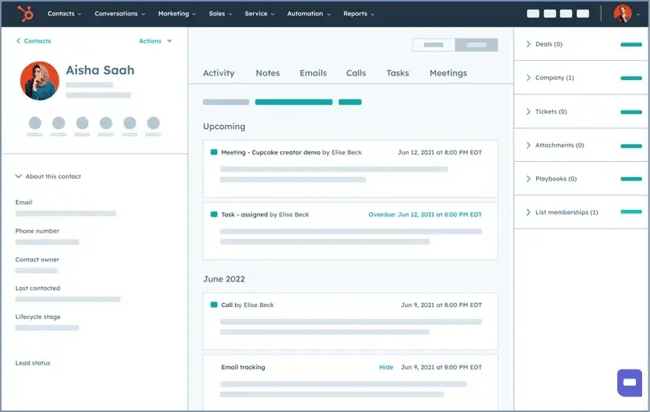
1. HubSpot

best crms for roofing businesses, hubspot

Source

Best for: Growing roofing businesses that want powerful marketing and sales tools with room to scale.

Key HubSpot Features

  • All-in-one customer platform: Every roofing business knows it‘s not just about sales. There’s also marketing, customer service, and operations. HubSpot Smart CRM connects your sales, marketing, customer service, and operations so you can ensure all teams and data are aligned.
  • Lead capture & lead scoring: Never miss a lead again. Use Marketing Hub forms and sync them with HubSpot Smart CRM to automatically unify and organize leads from various sources — online forms, referrals, and phone calls. Plus, you can create custom lead scoring so your sales team knows which prospects to prioritize.
  • HubSpot’s AI (Breeze): Breeze is the suite of AI tools woven into the HubSpot customer platform. Have Breeze surface relevant information about a prospect so you can prepare for estimates, draft personalized emails based on CRM data, or answer customer questions via live chat.

HubSpot Pricing

  • HubSpot’s CRM is always free, and it offers free plans for all six core products (marketing, sales, service, content, operations, and commerce).
  • Each core product has a free, Starter, Professional, and Enterprise plan. Paid plans start at $15/seat/month and go up to $3,600/month for the Marketing Hub Enterprise plan.
  • HubSpot pricing depends on your specific needs and add-ons. Use this HubSpot pricing calculator to see your custom price.

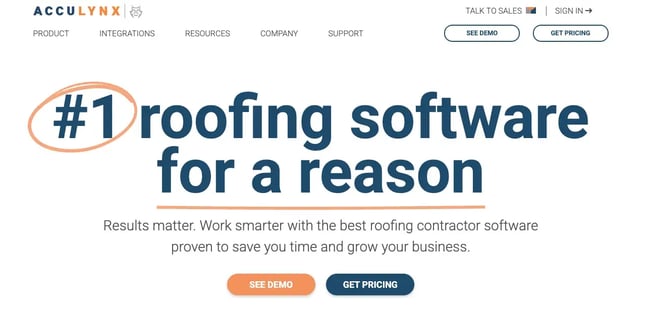
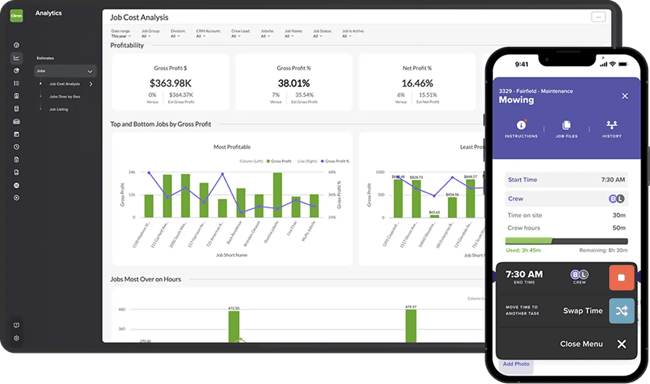
2. AccuLynx

best crms for roofing businesses, acculynx

Source

Best for: Established roofing contractors who need comprehensive industry-specific functionality.

Key AccuLynx Features

  • Industry-built tools: Designed specifically for roofing workflows and processes, AccuLynx understands the unique challenges of roofing contractors from lead generation to project completion.
  • Material ordering integration: Direct connections to suppliers like ABC Supply, QXO, and SRS bring supplier catalogs and direct order placement into AccuLynx, streamlining your procurement process.
  • AI-powered lead intelligence: AccuLynx uses artificial intelligence to provide insights on lead quality and conversion probability, helping you focus on the most promising prospects.

AccuLynx Pricing

  • Custom pricing based on number of users and features needed
  • Monthly subscription with no long-term contracts
  • Optional enhancements available
  • Get AccuLynx custom quote

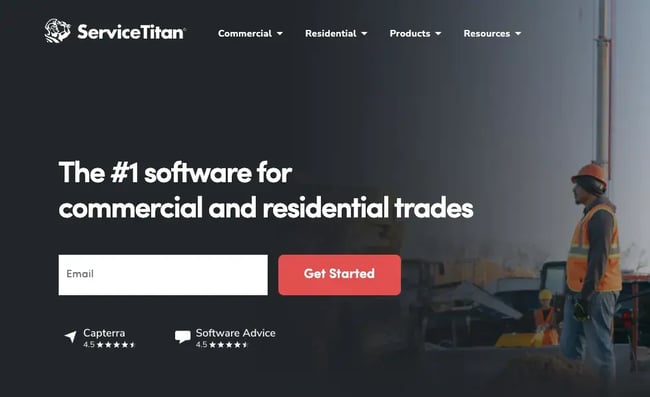
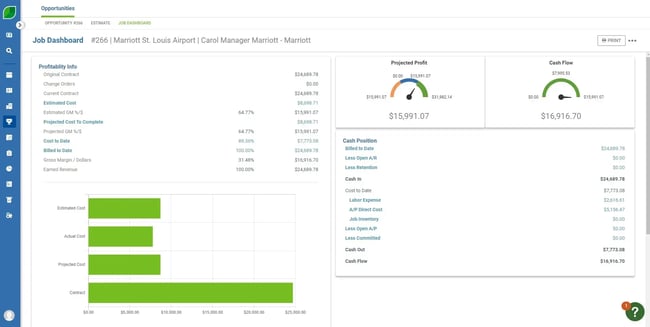
3. ServiceTitan

best crms for roofing businesses, servicetitan

Source

Best for: Large roofing companies with complex operations and multiple service lines.

Key ServiceTitan Features

  • All-in-one platform: ServiceTitan unifies CRM, scheduling, dispatching, and accounting in one system, eliminating the need to jump between multiple applications for different business functions.
  • Advanced analytics: ServiceTitan provides in-depth dashboards and data analytics, offering valuable insights into business performance and helping you make data-driven decisions.
  • Marketing attribution: ServiceTitan features tools for detailed marketing attribution, helping track the effectiveness of marketing efforts and understand which campaigns generate the most revenue.

ServiceTitan Pricing

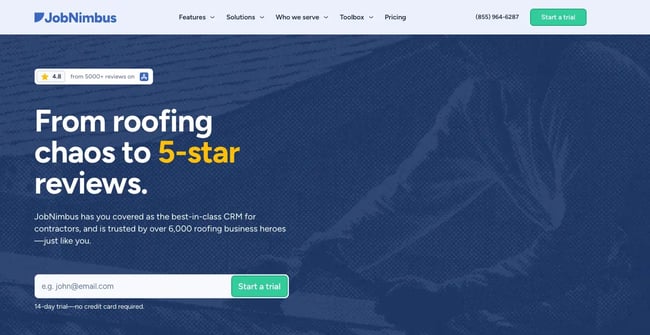
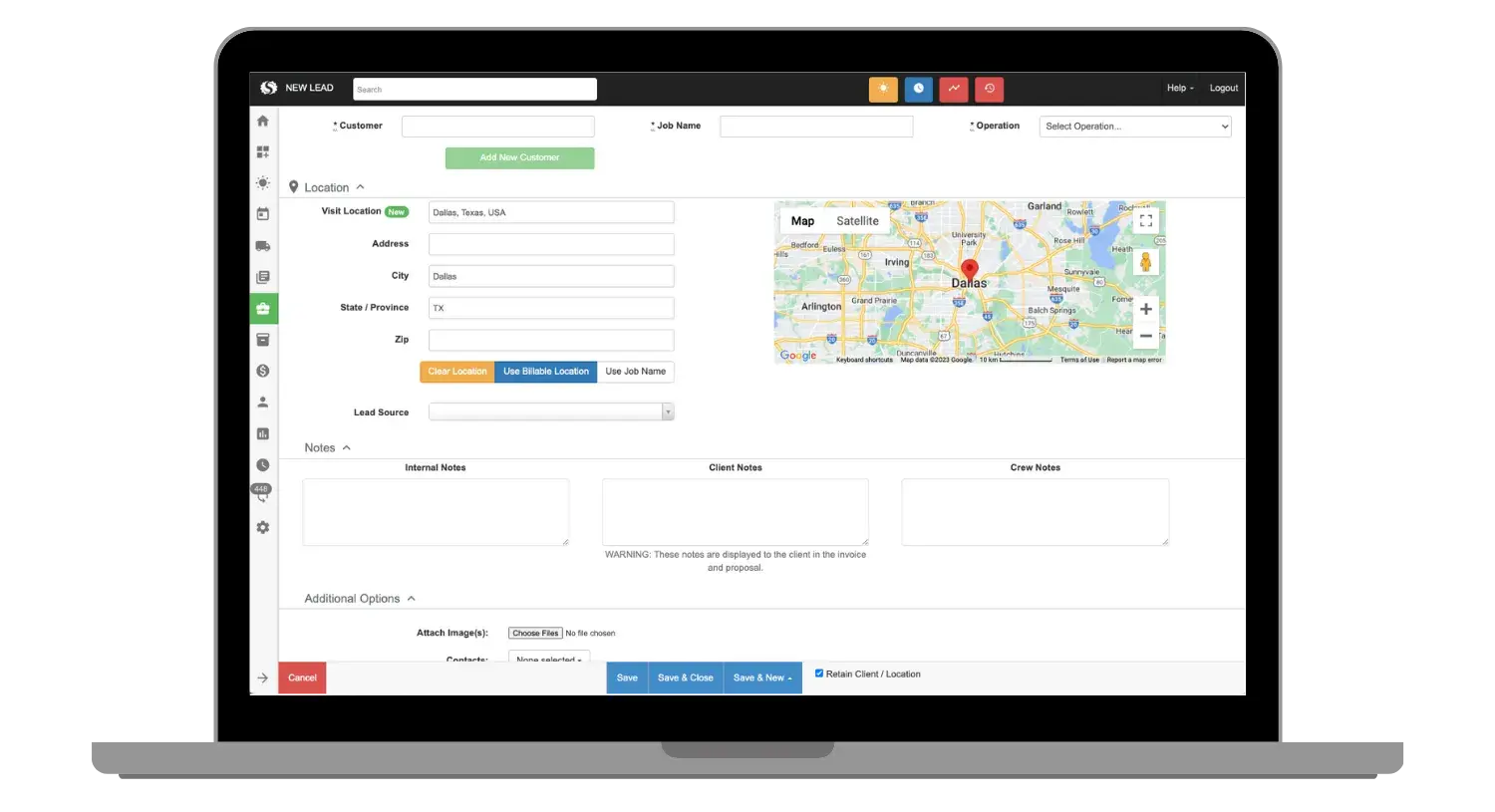
4. JobNimbus

best crms for roofing businesses, jobnimbus

Source

Best for: Small to mid-size roofing contractors who want simplicity and affordability

Key JobNimbus Features

  • Simple interface: JobNimbus offers an easy-to-use design that requires minimal training, making it perfect for teams who want to get up and running quickly.
  • Project management: Organize jobs, tasks, and team assignments in one place, with features to keep your opportunities sorted and accessible from anywhere.
  • Lead tracking: Monitor prospects through your sales pipeline with features to communicate and sell to prospects at each stage of the funnel.

JobNimbus Pricing

  • Growing and Established plans are available at custom pricing.
  • 14-day free trial for both plans.

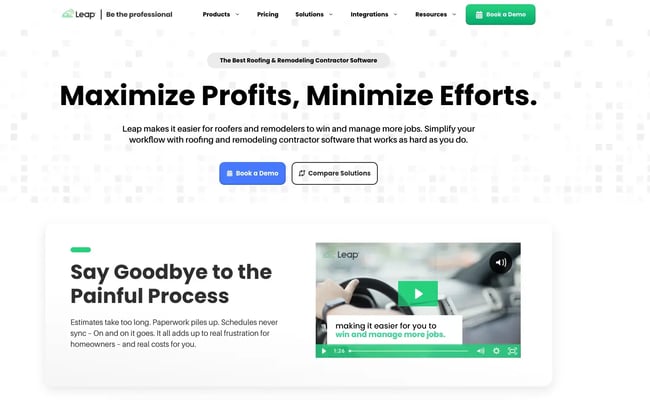
5. Leap

best crms for roofing businesses, leap

Source

Best for: Roofing companies focused on in-home sales and digital presentations

Key Leap Features

  • Digital presentations: Create compelling visual proposals on tablets that help you stand out with custom sales proposals that you can present or share on the fly.
  • E-signature integration: Close deals faster with electronic contract signing, reducing the time between proposal and signed contract.
  • Finance integration: Connect with financing options for customers, making it easier for homeowners to say yes to your roofing projects.

Leap Pricing

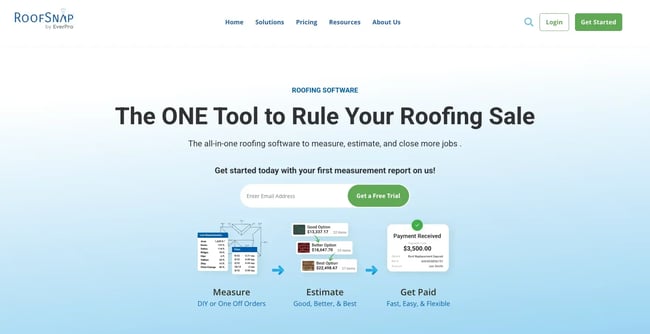
6. RoofSnap

best crms for roofing businesses, roofsnap

Source

Best for: Contractors who prioritize accurate measurements and fast estimates

Key RoofSnap Features

  • Aerial measurements: Generate precise roof measurements from satellite imagery, eliminating the need for manual site visits and reducing costly errors.
  • Instant estimates: Create professional proposals quickly using advanced measurement tools and customizable pricing templates.

RoofSnap Pricing

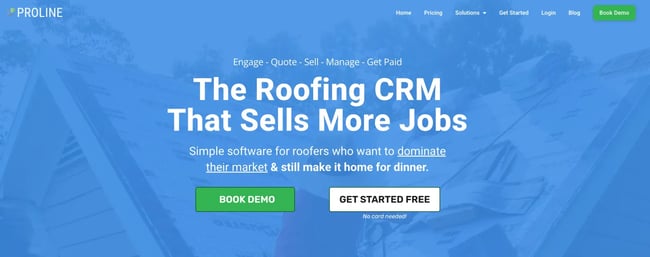
7. ProLine

best crms for roofing businesses, proline

Source

Best for: Roofing contractors who prioritize customer relationship management and communication.

Key ProLine Features

  • Communication focus: Built specifically for managing customer relationships in the roofing industry, with features designed by roofers for roofers.
  • EagleView integration: Order aerial measurements directly within the platform, combining CRM functionality with industry-specific measurement tools.
  • Customer journey tracking: Monitor interactions from lead to customer, ensuring no opportunities fall through the cracks.

ProLine Pricing

  • Free: Basic CRM functionality
  • Paid plans: $397/month plus $100 per additional seat
  • No long-term contracts
  • Try ProLine free

Benefits of CRM Software for Roofing Companies

Improved Lead Management

Never lose track of potential customers again. CRMs help you organize leads, track where they came from, and follow up at the right time. Speed matters.

Pro tip: HubSpot automates lead capture from multiple sources like your website, social media, and referrals, then uses AI-powered lead scoring to prioritize your hottest prospects so your team knows exactly who to call first.

Enhanced Customer Communication

Keep customers informed throughout the entire process. Automated updates, appointment reminders, and project status reports build trust and reduce support calls while improving the overall customer experience.

Pro tip: HubSpot eliminates manual follow-ups with automated email sequences and SMS campaigns that keep customers informed about project milestones, weather delays, and completion timelines without any effort from your team.

Streamlined Operations

Eliminate the chaos of spreadsheets and paper documents. CRMs centralize customer information, project details, and team communication in one place, making your business more efficient and organized.

Pro tip: HubSpot unifies all your roofing business data — from initial estimates to final invoices — in one platform, eliminating the need to jump between multiple tools and ensuring your entire team works from the same accurate information.

Better Sales Performance

Track which marketing channels bring in the best leads. Monitor your sales pipeline and identify bottlenecks that slow down closing deals, helping you focus on high-value activities.

Pro tip: HubSpot reveals which marketing campaigns generate the most revenue with built-in attribution reporting, showing you exactly which Google Ads, Facebook campaigns, or referral sources deliver your highest-value roofing jobs.

Mobile Accessibility

Access customer information and update job status from any roof. Mobile apps keep your field teams connected and productive, ensuring seamless communication between office and field operations.

Pro tip: HubSpot connects your field crews to the office with a full-featured mobile app that lets them update job progress, access customer history, and communicate with homeowners directly from the roof, even with limited cell service.

7 Important Features for a Roofing CRM

1. Mobile Functionality

Your team needs access to customer data while on job sites. HubSpot’s mobile app ensures your sales team stays productive no matter where they are.

2. Integration Capabilities

Connect with measurement tools, accounting software, and supplier catalogs. HubSpot has an extensive App Marketplace with integrations for roofing-specific tools.

3. Automated Follow-Up

Set up email and text sequences to nurture leads without manual work. HubSpot’s marketing automation helps you stay connected with prospects throughout extended sales cycles.

4. Pipeline Management

Visualize where prospects are in your sales process. HubSpot’s customizable deal stages help you track deals from initial contact through completion.

5. Reporting and Analytics

Track key metrics like conversion rates and revenue per lead. HubSpot’s comprehensive dashboards provide real-time insights into your business performance.

6. Project Management

Monitor jobs from initial contact through completion. HubSpot’s project management features help you stay organized and deliver projects on time.

7. Customer Communication Tools

Built-in email, text, and calling features. HubSpot’s communication tools help you maintain consistent contact with customers throughout the entire process.

How to Choose a CRM for Roofing (Step-by-Step)

Step 1: Map your workflows.

Document how you currently handle leads, estimates, and projects. Identify where you lose prospects or waste time. This becomes your requirements checklist for evaluating CRM options.

Step 2: Identify must-have features.

Based on your workflow analysis, create a list of non-negotiable features. Focus on tools that solve your biggest pain points first, such as lead management, project tracking, or customer communication.

Step 3: Compare ease of use and team fit.

Choose software your team will actually use consistently. Look for platforms with intuitive navigation and comprehensive training resources.

Step 4: Check cost at scale.

Consider not just starting costs, but pricing as your team grows. Factor in training time, implementation costs, and potential integration expenses to get a true picture of total investment.

Step 5: Choose a flexible platform — like HubSpot.

Pick a CRM that can grow with your business. HubSpot offers a free tier to start, then scales to enterprise-level functionality.

Frequently Asked Questions

What is the best CRM for roofing companies?

The best CRM depends on your business size and needs.

HubSpot offers the most comprehensive solution with its free tier and scalable features, making it ideal for growing roofing businesses.

What features should I look for in a roofing CRM?

Focus on mobile access, integration capabilities, automated follow-up, pipeline management, and reporting. Your CRM should handle your industry’s unique challenges like weather delays, insurance claims, and seasonal workflows.

HubSpot provides all these features plus advanced marketing automation.

Is HubSpot good for roofing companies?

Yes, HubSpot is excellent for roofing businesses. It offers a free CRM tier, powerful marketing automation, and scales with your growth. Real roofing companies like Roof Maxx have used HubSpot to expand their operations and streamline deal management, with proven results in the construction and service industries.

How much does a CRM for roofing cost?

CRM costs vary widely.

HubSpot starts free with paid plans from $15/month per user, while industry-specific solutions like use custom pricing that is often much higher.

Do I need a roofing-specific CRM?

Not necessarily. While industry-specific CRMs offer tailored features, flexible platforms like HubSpot can be customized for roofing workflows while providing superior marketing and sales tools. HubSpot’s extensive integration ecosystem allows you to connect with roofing-specific tools as needed.

Meet HubSpot, the Top CRM Choice for Roofing Companies

HubSpot stands out as the optimal CRM solution for roofing companies, combining powerful customer management capabilities with integrated marketing tools that drive growth. Unlike competitors that focus solely on contact management, HubSpot provides a comprehensive platform that supports every aspect of roofing business operations.

Key Advantages of HubSpot for Roofing Companies

  • HubSpot’s free tier available: Start managing contacts and deals without upfront costs, with the ability to upgrade as your business grows.
  • HubSpot’s marketing automation: Nurture leads with automated email sequences and social media management, helping you stay connected with prospects throughout extended sales cycles.
  • HubSpot’s scalable platform: Grow from startup to enterprise without changing systems, with modular features that expand with your needs.

Real-world success stories demonstrate HubSpot’s effectiveness in roofing and construction. Roof Maxx expanded from 72 to 250 exclusive dealers in 24 months using HubSpot CRM. The platform’s flexibility allowed them to manage three distinct user groups: exclusive dealers, internal sales teams, and business operations.

Ready to see how HubSpot can work for your roofing business? Get started with HubSpot today and join thousands of roofing companies already growing with the platform.

Categories B2B

5 best CRMs for landscaping businesses in 2025

Landscaping companies juggle seasonal crews, multiple job sites, and weather-dependent schedules — all while trying to track customer communications, quotes, and service histories. That’s a tough job, and without the right software to stay organized, you may miss opportunities and lose revenue. You need a flexible CRM that matches your daily reality.

Learn more about why HubSpot's CRM platform has all the tools you need to grow  better.

A CRM built for landscaping solves these pain points by keeping customer information, job details, and crew schedules in one place. You can organize leads, send appointment reminders, and track invoices fast. Then, you can spend more time doing what you love.

This guide shares five CRMs with features specific to the landscaping industry. You’ll see a detailed comparison table, feature breakdowns for each platform, and a how-to guide for choosing the right CRM. Plus, we’ll explore why HubSpot stands out as the top choice for landscaping companies looking to scale.

Let’s dive in.

Table of Contents

What is a CRM for landscaping?

For landscaping companies, CRM organizes all customer information in one place, automates appointment reminders and seasonal service offers, and ensures no leads fall through the cracks during busy periods. This streamlined approach helps landscaping businesses maintain year-round customer relationships, improve job scheduling efficiency, and grow without drowning in paperwork.

HubSpot supports these industry-specific needs with customizable pipelines that handle everything from initial estimates to seasonal service renewals, making it perfect for landscaping workflows.

Best CRMs for Landscaping at a Glance

CRM

Best For

Key Features

Pricing

Average G2 Rating

HubSpot

All-size companies seeking comprehensive growth tools with HubSpot’s proven ability to scale with landscaping businesses

Free CRM with unlimited contacts, AI-powered lead scoring, native email marketing integration

HubSpot’s CRM is always free and includes free tiers for all six Hubs. Paid plans for its core products start at $15/seat/month.

4.4/5

Arborgold

Tree service and landscape companies needing industry-specific features

Landscape design integration, equipment tracking

Starts at $129/month

4.3/5

LMN

Construction-focused landscaping with detailed budgeting

Budgeting tools, time tracking

Starts at $297/month

3.7/5

Aspire

Enterprise landscaping companies ($1M+ revenue)

Cost prediction tools, equipment management, custom reporting

Custom pricing

Not available

SingleOps

Small to mid-size green industry businesses

Route optimization, mobile work orders

Starts at $200/month

3/5

Best CRM Software for Landscaping Businesses

Choosing the right CRM can make or break your landscaping business efficiency. Here are the top five platforms that understand green industry workflows.

1. HubSpot

crms for landscaping businesses, hubspot

Source

Best for: Landscaping companies of all sizes looking for comprehensive growth tools with proven scalability

Key HubSpot Features

  • Lead management: HubSpot automatically captures leads from your website and social media, then nurtures them with targeted email sequences. This matters because landscaping is seasonal, and staying top-of-mind during slow months keeps your pipeline full year-round.
  • Pipeline customization: HubSpot lets you build custom deal stages that match your workflow, from “Estimate Requested” to “Job Complete” to “Annual Contract Renewal.” This keeps every team member aligned on where each project stands.
  • Marketing Automation: HubSpot automatically sends follow-up emails, appointment reminders, and seasonal service offers. For landscaping companies, this means no more manually tracking which customers need spring cleanup reminders or fall leaf removal scheduling.

HubSpot Pricing

  • HubSpot offers free CRM access permanently and no-cost versions of its six hubs (marketing, sales, service, content, operations, and commerce). Every hub provides four pricing tiers: free, Starter, Professional, and Enterprise.
  • Subscription costs begin at $15 per user monthly and scale up to $3,600 monthly for the Marketing Hub Enterprise package (which incorporates five essential user licenses). The Commerce Hub functions as a transaction processor available at no upfront cost but applies per-transaction charges.
  • HubSpot’s total investment varies based on your needs. Use this HubSpot pricing calculator to see your custom price.

2. Arborgold

crms for landscaping businesses, arborgold

Source

Best for: Tree service and landscape companies needing specialized green industry features

Key Arborgold Features

  • Integrated design tools: Arborgold includes comprehensive landscape design software that enables you to create visual proposals that capture client attention. This built-in design capability allows you to build professional presentations.
  • Equipment management: Comprehensively track maintenance schedules, repair costs, fuel consumption, and depreciation for your landscaping equipment from one centralized dashboard. This approach helps you budget for replacement costs.
  • Voice broadcasting: Deploy automated voice message campaigns to communicate with customers about appointment confirmations and changes. You can alert all affected customers about rain delays or urgent weather warnings.

Arborgold Pricing

Arborgold CRM pricing plans are as follows:

  • Starter: $129 per month
  • Professional $200 per month
  • Enterprise $499 per month

3. LMN (Landscape Management Network)

crms for landscaping businesses, lmn

Best for: Construction-focused landscaping businesses that need detailed budgeting and job estimates

Key LMN Features

  • Budgeting software: LMN’s budgeting system leverages cost data from completed landscaping projects to help you create accurate project estimates. That helps you stay within your budget.
  • Time tracking: LMN’s Crew tracking app allows field crews to accurately log work hours directly to specific jobs. Crew members can also clock in and out for different project phases.
  • Training platform: LMN includes Greenius, a professional development platform designed for green industry education. Greenius offers training modules tailored to landscaping operations.

LMN Pricing

LMN CRM pricing plans are as follows:

  • Starter, which includes one crew lead and five crew member licenses: $297 per month
  • Professional, which includes three crew lead and 15 crew member licenses: $598 per month
  • Enterprise plans, which start with 15 crew lead and 35 crew member licenses, vary by price. Book a demo to learn more.

4. Aspire

crms for landscaping businesses, aspire

Source

Best for: Large landscaping companies with over $1 million in annual revenue requiring enterprise-grade features

Key Aspire Features

  • Mobile cost tracking: Track labor, materials, and equipment costs from the field with Aspire’s mobile app. This immediate cost tracking helps you identify budget overruns before they become major problems.
  • Advanced reporting: Aspire provides detailed profitability reports by service type, location, and crew performance with customizable dashboards.
  • Equipment tracking: Monitor equipment location, usage, and maintenance schedules across job sites. This feature uses GPS technology to provide real-time fleet visibility.

Aspire Pricing

Custom enterprise pricing is based on company size and features. To get a quote, you need to book a demo.

5. SingleOps

crms for landscaping businesses, single ops

Source

Best for: Small to mid-size green industry businesses seeking an all-in-one solution

Key SingleOps Features

  • Route optimization: SingleOps plans efficient routes for your crews by analyzing job locations, crew schedules, and traffic patterns. Real-time adjustments account for delays, emergency service calls, or job completion changes.
  • Digital work orders: Crews can access job details, customer notes, and service instructions from mobile devices. They can also capture photos and update job status from the field.
  • Payment processing: You can accept credit card, debit card, and ACH payments through the mobile app, eliminating the need for separate payment terminals.

SingleOps Pricing

SingleOps pricing plans are as follows:

  • Essential: $200 per month
  • Plus: $350 per month
  • Premier: $500 per month

Benefits of CRM Software for Landscaping

Using CRM software specifically designed for landscaping addresses the unique pain points that keep you up at night. Here are the key benefits.

Streamlined Job Scheduling

Streamlined job scheduling eliminates the chaos of managing multiple crews across different job sites. Instead of juggling paper schedules and phone calls, landscaping CRMs centralize all appointments in one dashboard.

HubSpot’s calendar integration automatically syncs with popular scheduling tools, sending reminders to both crews and customers while preventing double-booking disasters.

Automated Customer Communication

Automated customer communication keeps clients informed without constant manual effort. When weather delays a job or crews finish early, automated notifications go out instantly.

You can also keep track of customers no matter the season. HubSpot’s email automation sends seasonal service reminders, maintenance tips, and follow-up surveys that keep customers engaged year-round.

Accurate Job Costing and Invoicing

Cost forecasting features prevent the profit-killing mistakes and make sure your estimates are accurate for projects. Landscaping CRMs track labor hours, material costs, and equipment usage in real-time, then generate invoices automatically. HubSpot’s reporting dashboard shows which services are most profitable, helping you price competitively while protecting margins.

Lead Management and Follow-Up

Lead management ensures no potential customer falls through the cracks during busy season. Landscaping work is often referral-based, but tracking these leads manually leads to missed opportunities. HubSpot captures leads from multiple sources — website forms, social media, referrals — and nurtures them with targeted email sequences until they’re ready to buy.

6 Important Features for a Landscaping CRM

When evaluating CRM software for your landscaping business, these features separate industry-specific solutions from generic business tools.

1. Mobile Access and Offline Capability

Your crews need access to customer information, job details, and update capabilities even in areas with poor cellular coverage. HubSpot’s mobile app works offline and syncs automatically when connectivity returns, ensuring field teams stay productive regardless of location.

2. Customizable Pipeline Management

Landscaping sales cycles vary dramatically between maintenance contracts and major installation projects. HubSpot allows unlimited pipeline customization, letting you track everything from quick lawn service quotes to multi-phase commercial projects with different stages and requirements.

3. Integrated Quoting and Estimation Tools

Accurate estimates win more jobs and protect profit margins. HubSpot’s document creation tools integrate with your CRM data to generate professional quotes that automatically populate customer information and service history.

4. Equipment and Crew Scheduling

Coordinating the right equipment and skilled crew members for each job prevents costly mistakes and delays. HubSpot’s task management features integrate with popular scheduling tools to optimize resource allocation across multiple job sites.

5. Automated Marketing and Follow-Up

Landscaping is a relationship business where seasonal timing matters. HubSpot’s marketing automation sends targeted campaigns for spring cleanup, fall leaf removal, and holiday lighting based on customer preferences and service history.

6. Financial Integration and Reporting

Understanding job profitability and cash flow is crucial for landscaping business success. HubSpot integrates seamlessly with QuickBooks, Xero, and other accounting platforms while providing built-in reporting dashboards that track key performance indicators.

How to Choose a CRM for Landscaping

Selecting the right CRM for your landscaping business requires evaluating your specific needs against available features. Follow these steps to make an informed decision.

Step 1: Assess your current business size and growth plans.

Determine how many customers you currently serve and your projected growth over the next two to three years. Small landscaping companies (under 500 customers) have different needs than enterprises managing thousands of properties.

Pro tip: HubSpot scales from startup landscaping companies to enterprise operations without platform changes.

Step 2: Identify your most critical pain points.

List the biggest operational challenges currently slowing down your business. Common issues include missed follow-ups, inaccurate job costing, poor crew coordination, or seasonal cash flow problems. You’ll want to make sure your CRM addresses your largest pain points.

Pro tip: HubSpot automates customer communication workflows that eliminate 90% of manual follow-up tasks.

Step 3: Evaluate integration requirements.

Your CRM must work seamlessly with existing tools like accounting software, scheduling apps, and payment processors. Switching platforms is expensive and disruptive. You’ll want to make sure the financial infrastructure you already have is compatible with your new CRM.

Pro tip: HubSpot integrates with over 1,000 business applications, including QuickBooks, Stripe, and popular field service tools.

Step 4: Consider mobile and field access needs.

Landscaping crews need real-time access to customer information, job details, and update capabilities while working off-site. Poor mobile functionality kills adoption rates.

Pro tip: HubSpot provides industry-leading mobile apps that work offline and sync automatically when connectivity returns.

Step 5: Choose a flexible platform — like HubSpot.

Your landscaping business will evolve, and your CRM needs to grow with you. Choose a platform that adapts to changing requirements, rather than forcing you into rigid workflows.  HubSpot makes this possible through its modular approach and extensive customization options. 

The platform’s adaptability shines in real-world applications. Commercial landscaping companies, KD Landscape, used HubSpot’s custom reporting dashboards to track performance across different service divisions, compare proposed versus actual sales, and analyze why deals were lost. This level of insight helped make data-driven decisions about pricing, crew allocation, and market expansion strategies.

Pro tip: HubSpot enhances data visibility for landscaping companies, enabling instant access to client information and performance forecasts that improve strategic decision-making.

Frequently Asked Questions

What is the best CRM for landscaping?

HubSpot offers the best combination of landscaping-specific features, scalability, and value. Its free CRM includes unlimited contacts and basic automation, while paid plans add advanced marketing tools and reporting. HubSpot’s pipeline customization handles everything from maintenance contracts to complex installation projects seamlessly.

What features should I look for in a CRM for landscaping?

Essential features include mobile access, customizable pipelines, automated communication, scheduling integration, and financial reporting. HubSpot provides all these features, plus marketing automation that helps landscaping businesses maintain customer relationships during off-seasons and grow through referrals.

Is HubSpot good for landscaping?

Yes, HubSpot excels for landscaping businesses. It combines powerful CRM functionality with marketing tools essential for seasonal businesses. HubSpot’s automation capabilities handle appointment reminders, seasonal service offers, and follow-up sequences that keep landscaping companies profitable year-round.

How much does a CRM for landscaping cost?

Landscaping CRM pricing ranges from free (HubSpot’s basic plan) to $500+ monthly for enterprise solutions. Most small to mid-size landscaping companies find good value in the $50-200 monthly range. HubSpot’s flexible pricing lets you start free and scale up as your business grows without switching platforms.

Can landscaping CRMs integrate with QuickBooks?

Most quality landscaping CRMs integrate with QuickBooks and other accounting software to streamline invoicing and financial reporting. HubSpot’s native QuickBooks integration automatically syncs customer data, invoices, and payment information to eliminate duplicate data entry.

Meet HubSpot, the Top CRM Choice for Landscaping Companies

HubSpot stands out as the premier CRM solution for landscaping businesses because it understands the unique challenges of seasonal service companies. The platform excels in three critical areas for green industry success:

  • Seasonal marketing automation: HubSpot automatically sends timely service reminders, seasonal maintenance tips, and renewal notices that keep customers engaged year-round.
  • Scalable pipeline management: Whether you‘re tracking quick lawn service quotes or multi-phase commercial installations, HubSpot’s customizable pipelines adapt to your workflow without forcing you to change how you do business.
  • Integrated growth tools: Beyond basic CRM functionality, HubSpot provides website building, social media management, and content creation tools that help landscaping companies attract new customers and build their brand authority online.

Real-world results prove HubSpot’s effectiveness for landscaping companies. HubSpot increases customer retention rates through automated follow-up sequences. Our CRM also reduces manual administrative tasks while improving customer communication quality.

Ready to see how HubSpot can work for your landscaping business? Get started with HubSpot today.

Categories B2B

5 best CRMs for mortgage businesses in 2025

As a mortgage professional, your livelihood depends on leads — how well you generate, capture, manage, and nurture them. And at some point, those spreadsheets just don’t cut it anymore. A CRM can help you with almost all of those aspects (depending on the CRM), which is why choosing the best mortgage CRM is crucial.

Learn more about why HubSpot's CRM platform has all the tools you need to grow  better.

To help you decide, we’ve done the research, assisted by ChatGPT and Claude, and put together this best mortgage CRM guide. This article was fact-checked and revised by a HubSpot staff writer before publication.

A CRM like HubSpot, for example, has advanced marketing tools built in, so you can generate leads through landing pages and targeted campaigns. Accord Mortgages generated 25,000 leads after using HubSpot to create valuable content and a more personalized customer journey. Read on for detailed info on the best mortgage CRMs.

Table of Contents

What is a mortgage CRM?

A mortgage CRM pulls relevant customer data from disparate sources, such as your POS and LOS (though this may take some configuring, depending on your CRM), and creates a unified customer profile so you can see prior interactions and customer preferences.

It can also help you with pipeline management, lead scoring, marketing campaigns, and automating tedious tasks. For example, HubSpot Smart CRM is automatically integrated with sales and marketing tools so you can use your customer data to power personalized campaigns.

Best Mortgage CRMs at a Glance

CRM

Best For

Key Features

Pricing

Free Trial Available

HubSpot

Lenders who want a CRM with powerful marketing tools for lead gen

• Referral tracking and ROI analysis

• Lead generation with powerful marketing tools

• Breeze AI assistant

Free CRM; Paid plans from $15/seat/month to $3,600/month.

Yes (Free forever CRM)

Candid

Loan officers looking for a sales and marketing CRM built just for LOs

• 24/7 client portal with document management

• Automated post-closing retention

• Built-in POS + LOS integrations

Contact for pricing.

No

Jungo

LOs who want the power of Salesforce with mortgage-specific CRM features

• Built on Salesforce platform

• Two-way business SMS messaging

• LOS integrations

$119-$149/user/month; contact Jungo for Enterprise pricing.

Available upon request

Shape

Lenders needing a CRM with marketing features and one-to-one MMS texting

• Referral management

• Two-way SMS and MMS messaging

• LOS syncing and built-in POS

Contact for pricing.

No

BNTouch

Lenders looking for a mortgage-specific CRM with white glove implementation

• Mortgage website and landing page builders

• In-house white glove implementation services

• Built-in POS + LOS integrations

$165/month + $125 activation fee (Individual); $190/month + $95/user activation fee (Team); contact for Enterprise pricing.

No

Best CRM Software for Mortgage Businesses

Below, we’ll walk you through five of the best mortgage CRMs. Some of these are purpose-built, meaning they’re designed only for use by loan officers, mortgage brokers, and other mortgage professionals. We’ll also include general CRMs that are highly flexible and can be configured for mortgage businesses.

1. HubSpot

Best for: Lenders who want a CRM with powerful marketing tools for lead gen

Key HubSpot Features

  • Referral tracking and ROI analysis: Lending relies on leads, but not all leads are worth the same amount of time and energy. With the right setup, HubSpot can help you track referrals as they move through the pipeline, identifying exactly where the best leads came from so you can focus your efforts on the sources with the highest ROI.
  • Lead generation with powerful marketing tools: Traditional CRMs are built for sales teams to capture and nurture leads, but HubSpot takes it a step further with Marketing Hub, which has powerful tools for creating landing pages, social media posts, and email marketing campaigns to generate more leads for your mortgage lending business. Accord Mortgages generated 25,000 leads using HubSpot. After 12 months, HubSpot customers in financial services see 346% more inbound leads.
  • HubSpot’s AI (Breeze): Breeze is integrated into HubSpot Smart CRM, so whether you’re prepping for a phone call or drafting an email, the AI assistant is there to make your processes more efficient. Ask Breeze to give you the rundown on a client before your call, or have it generate a personalized follow-up email so you’re always on top of your game.

HubSpot Pricing

  • HubSpot’s CRM is always free, and it offers free plans for all six core products (marketing, sales, service, content, operations, and commerce).
  • Each core product has a free, Starter, Professional, and Enterprise plan. Paid plans start at $15/seat/month and go up to $3,600/month for the Marketing Hub Enterprise plan (which includes five core seats). Commerce Hub is a payment processor that is free to use but charges fees per transaction.
  • HubSpot pricing depends on your specific needs and add-ons. Use this HubSpot pricing calculator to see your custom price.

2. Candid

Best for: Loan officers looking for a sales and marketing CRM built just for LOs

Key Candid Features

  • 24/7 client portal with document management: Clients can log into their online portal anytime to access pre-approval letters and upload verification documents.
  • Automated post-closing retention: A good LO knows that relationships don’t end at closing. Automate post-closing retention behaviors with things like automated handwritten birthday cards and annual financial check-ins to ensure your customers feel valued and come back to you when they need to refinance or purchase another home.
  • Built-in POS, plus loan origination system (LOS) integrations: Candid natively integrates with leading LOSs, including ARIVE, Encompass, LendingPad, and Nano.

Candid Pricing

Candid does not list its pricing on its website. Request a demo from Candid to get pricing. No free trial.

3. Jungo

Source

Best for: LOs who want the power of Salesforce with mortgage-specific CRM features

Key Jungo Features

  • Built on the Salesforce platform: Access the entire AppExchange and access this CRM on mobile devices via Salesforce’s mobile app. If you’re already using Salesforce for other parts of your business, the familiarity of the platform might be an advantage for you.
  • Two-way business SMS text messaging: No more messy messaging from your personal device. This CRM’s business SMS text messaging ensures all communications are captured in your CRM and even automates messages based on triggers so you never let a deal go cold.
  • LOS integrations: This CRM integrates with popular loan origination software, including Encompass, Calyx, Byte Software, and Velocity.

Jungo Pricing

4. Shape

Best for: Lenders needing a CRM with marketing features and one-to-one MMS texting

Key Shape Features

  • Referral management: Use integrated referral tracking and co-branding to build partner relationships. You can also identify who your top referrers are.
  • Two-way SMS and MMS text messaging: Keep in touch with leads with bidirectional SMS and MMS texting. So, if you want to send a GIF to keep things light and build rapport, you can do that through the CRM inside its dedicated texting inbox.
  • LOS syncing and built-in POS: Enjoy native integrations with Encompass, LendingPad, and LendingDox, allowing you to connect your data between the two platforms seamlessly.

Shape Pricing

Shape has three tiers: Professional, Engage, and Enterprise. But to get pricing, you must sign up for a demo. Shape no longer offers a free trial; it states on its website that there may be outdated content online claiming that Shape offers free trials, but these are “void and are no longer honored by Shape.”

5. BNTouch

Source

Best for: Lenders looking for a mortgage-specific CRM with white glove implementation

Key BNTouch Features

  • Mortgage website and landing page builders: Build your website with mortgage-specific templates. Your real estate partners can also build property-specific landing pages for lead gen purposes.
  • In-house white glove implementation services: Third parties often offer white glove implementation services for CRMs, but this CRM is unique in that it has its own in-house White Glove team that will handle implementation for you.
  • Built-in POS, plus LOS integrations: Enjoy the convenience of a built-in POS for a stronger customer experience. Additionally, this CRM includes native integrations with popular LOSs, including LendingPad, Encompass, and Calyx.

BNTouch Pricing

BNTouch has three pricing plans:

  • Individual: $165/month + $125 activation fee
  • Team: $190/month for two users ($95/user per month) + $95/user activation fee
  • Enterprise: You must contact BNTouch for Enterprise pricing.
  • No free trial.

Benefits of CRM Software for Mortgage

  • Builds stronger client relationships, boosting retention. Buying a home is a very personal process, and loan officers who make clients feel special are more likely to get positive reviews and future referrals. CRMs ensure your clients feel cared for throughout the process by storing their relevant data, including their preferences and life events, so you can keep in touch with them, even long after closing. HubSpot’s contact management ensures your team sees clients’ past activity, including their conversation history with you.
  • Improves pipeline visibility. With a mortgage CRM, you can easily track where your clients are in the process. With HubSpot, you can set up and customize pipelines, such as for a loan application.
  • Helps you identify your most lucrative campaigns. Optimize your spending by seeing exactly which campaigns drive the most valuable clients. With HubSpot Smart CRM, you can even create a customer journey report to see every digital touch point and how it affects conversion.
  • Can boost lead volume and quality. A mortgage CRM with marketing capabilities will let you build effective landing pages to drive more traffic and lead volume. Additionally, with lead scoring, you’ll ensure your sales reps know which contacts to prioritize. HubSpot’s Marketing Hub has lead scoring software that helps you prioritize leads based on fit and engagement.
  • Makes you more operationally efficient. Accord Mortgages reduced its time spent on sales reporting by 25% after implementing HubSpot.

4 Important Features for a Mortgage CRM

  1. Native integration with your existing software: Before adding a mortgage CRM to your tech stack, it’s crucial to ensure it plays nicely with your other software. Two major ones are going to be your LOS and POS. Some mortgage-specific CRMs come with a built-in POS, but it depends on the provider. For example, HubSpot Smart CRM doesn’t have a native POS, but you can work with a HubSpot solutions partner or use HubSpot’s API to build a custom integration.
  2. Marketing automation and lead gen capabilities: A good mortgage CRM goes above and beyond simply storing contacts and interactions. The best one will use that data to power marketing and lead generation. HubSpot Smart CRM is automatically integrated with marketing and sales tools so you can personalize your campaigns and win over more clients.
  3. Referral tracking and management: If you’ve ever wondered who your top business referral partners are, a mortgage CRM can solve that for you fast by tying each new contact to its originating source. With HubSpot Smart CRM, you can create a custom property and manually assign referral sources each time you create a new contact referred by a partner.
  4. Lead scoring and prioritization: With HubSpot, you can assign rule-based lead scoring. On its Marketing Hub Enterprise plan, HubSpot uses AI to evaluate past successful leads, including fit and engagement data points, and builds a model that scores contacts and helps you prioritize them.

How to Choose a CRM for Mortgage (Step-by-Step)

Step 1: Map your workflows. Whether it’s the loan application process or a sequence of emails you typically send to follow up with a prospect, map out your most common workflows. These are the low-hanging fruit that a good mortgage CRM can automate.

Step 2: Identify must-have features. We’ve already mentioned some above: native integrations, referral tracking, marketing automation, and lead scoring. But must-have features differ depending on the mortgage professional. Maybe there’s a specific LOS you use that you really want your CRM to integrate with, or perhaps you want group MMS capabilities. Whatever the case, make a list of features that your ideal mortgage CRM will have.

Step 3: Compare ease of use and team fit. Mine the websites of the different mortgage CRMs you’re considering. Look for case studies from mortgage businesses that are similar to yours. Sign up for sales demos with your shortlist of CRM options. That way, your team can test out the different software, ask specific questions, and, more importantly, get custom quotes.

Step 4: Check your budget. After getting quotes from each CRM, compare those against the budget you’ve been assigned for this investment.

Step 5: Choose a flexible platform like HubSpot. A big question you’ll come up against during the decision-making process is this: Do you want a mortgage-specific platform that will have built-in features unique to lending but might be more restrictive? Or, would you rather have a CRM that’s flexible and easily customized for your needs? HubSpot Smart CRM is used by mortgage professionals and can be configured by your team or a HubSpot Solutions Partner. US Mortgages hired Revenue River, a diamond HubSpot Agency partner, to build a custom platform that integrates with HubSpot to automate and improve sales operations.

Frequently Asked Questions

What is the best CRM for mortgage professionals?

HubSpot stands out as one of the best CRMs for mortgage professionals based on its flexibility, ease of use, and its unified customer platform. By combining marketing, sales, and service, HubSpot empowers true cross-functional communication. Online mortgage broker Better.co.uk saw a 50% growth in meaningful customer interactions after creating a unified customer journey with HubSpot.

What features should I look for in a mortgage CRM?

In a mortgage CRM, look for native integrations with existing software, marketing and sales automation, referral tracking and management, lead scoring, and AI capabilities. HubSpot Smart CRM comes with Breeze, AI that is integrated throughout the customer platform, assisting you with things like social media content generation and sales follow-up emails.

Is HubSpot good for mortgage professionals?

Yes, HubSpot is an excellent CRM option for mortgage professionals. Though not mortgage-specific, the customer platform can be configured to meet your unique needs and is used by mortgage businesses, including Accord Mortgages and NQM funding.

How much does a CRM for mortgage cost?

Costs vary widely, but HubSpot is the only CRM on this list that offers a free forever plan. Other mortgage CRMs on this list start from $119 per user per month. Depending on which tier you get, how many seats you need, and which features you select, a mortgage CRM could go up to thousands of dollars per month.

Meet HubSpot, the Top CRM Choice for Mortgage Companies

There’s no shortage of CRMs claiming to be the best for mortgage professionals, but here’s why HubSpot’s unified customer platform stands out as a mortgage CRM.

  • True 360-degree client view: HubSpot Smart CRM is connected to its native sales, marketing, service, and operations tools, meaning all of your teams get visibility into a single source of truth. You’ll be able to see every interaction your clients make with your business — and make smarter decisions based on it.
  • Advanced marketing and lead gen: HubSpot’s advanced marketing software lets you build property landing pages, automate sales emails, and personalize campaigns based on client data.
  • Intelligence powered by Breeze AI: Equip your mortgage business with powerful AI agents, including Breeze Prospecting Agent, which analyzes data points and guides your sales team on how best to interact with leads.

National lender NQM Funding scaled its business to $4B in annual funding after using HubSpot to unify its processes and teams. Online mortgage broker Better.co.uk created more than 15 personalized customer journeys using HubSpot.

Ready to provide more personalized journeys for your clients? Get started with HubSpot Smart CRM for free.

Categories B2B

How I use content mapping to deliver the right message at the right time

A few years ago, I led a product launch campaign for a SaaS platform targeting mid-sized marketing teams. We had solid content — blog posts, email drips, webinars — but conversions were underwhelming. The content wasn’t landing with the right people at the right stage. We were speaking to everyone, so we weren’t really speaking to anyone.

That was my turning point.

Download Now: Free Content Marketing Planning Kit

I stepped back and mapped each content piece to a specific persona and buying stage. Where were they in the journey? What questions were they asking? What objections were they holding onto? Once we aligned the content around that framework, performance picked up fast. Email engagement went up. Sales started using our content in their outreach. The campaign closed with higher-qualified leads and shorter sales cycles.

Content mapping became a foundational part of how I plan and scale campaigns. If you create content without one, you’re working harder than you need to and probably missing opportunities to connect more meaningfully with your audience.

In this post, I’ll explain how I use content mapping to personalize marketing, speed up conversion, and build content that performs with purpose.

Table of Contents

What is content mapping (and how does it work)?

Content mapping is the process of aligning your content to buyer personas and their stage in the journey. It helps you connect the dots between what your audience needs and where they are in their decision-making process, so every piece of content has a clear purpose.

A content map is the tactical output of this process. Think of it as a working doc — usually a spreadsheet, grid, or diagram — that lays out:

  • Who the content is for (persona).
  • What stage they’re in (awareness, consideration, decision).
  • What questions or objections they have.
  • What content matches those needs.

Unlike a broader content strategy, which defines goals, messaging pillars, and distribution, a content map is execution-focused. It gives you a clear view of your content, what it’s supposed to do, and where the gaps are.

When I build a content map, I start by asking:

  • Who is this for?
  • What do they need to know right now?
  • What would help them move forward?

From there, I layer in formats, channels, and follow-up actions to build a value-driven journey from first touch to closed deal.

What is content mapping?

Why Content Mapping Matters

Personalized marketing works, and content mapping is how you build it at scale.

89% of decision-makers believe personalization is invaluable to their business’s success in the next three years. However, personalization only works when the content speaks to the right person, at the right moment, and with the right message. That’s what content mapping enables.

When I first joined a SaaS company, most of our content was reactive. We were creating based on gut feel, not mapped journeys. Sales would request a blog post or email one week, and we’d rush to deliver it without thinking about how it fit into the bigger picture.

Once we introduced content mapping, everything shifted. We aligned campaigns to lifecycle stages, identified conversion gaps, and restructured our nurture flows. Within one quarter, our email engagement increased by 25% and lead-to-MQL conversions improved by 18%.

Content mapping doesn’t just improve results. It makes planning faster, repurposing easier, and collaboration more strategic. You don’t have to guess what content to create next — you have the roadmap right in front of you.

Content mapping doesn’t have to be complicated, but needs structure. I follow this process every time I map out content across the funnel, whether I’m planning an entire campaign or refining an existing library.

1. Download a content mapping template.

Start with the basics. I use a content mapping template as a working doc for each major initiative — new persona, product launch, or nurture flow. HubSpot’s free content mapping template is a solid starting point.

Depending on the team, I’ll usually duplicate the sheet and customize the columns. For marketing ops, I’ll include fields for automation triggers and lead status. For sales, I might add sections for content objections or customer proof points. The format stays consistent, but the details depend on who’s involved.

2. Identify the buyer persona.

Content mapping starts with knowing who you’re talking to. I build personas using a mix of CRM data, customer interviews, support tickets, and sales call summaries. I also look at win/loss reports to understand what mattered most in recent deals.

A solid persona should include:

  • Role and responsibilities.
  • Common pain points.
  • Buying triggers.
  • Decision-makers vs. influencers.
  • Channels they trust.

I keep each persona focused and actionable. If your team has 10+ personas, pick one to start. Mapping one journey well is more useful than mapping all of them loosely.

Check out HubSpot’s buyer persona templates to get an easier start.

Quick Wins: Where to Start If You’re Short on Time

If you’re working with limited resources, I recommend starting with one persona and mapping content across all three stages (awareness, consideration, decision). That gives you a complete path you can test and optimize before scaling.

Another option: Focus on your best-performing persona and map only awareness content. This helps you quickly build traffic and test early-stage messaging, especially if you’re trying to validate positioning before expanding your map.

3. Consider the persona’s path to purchase.

Once I have the persona, I map their experience across the buying journey. I use HubSpot’s lifecycle stages as the framework:

  • Awareness.
  • Consideration.
  • Decision.

What they need — and how they behave — changes at each stage. For example, a first-time buyer might spend more time in the awareness stage, consuming educational content. A returning customer or someone renewing a contract is already in the decision stage and looking for proof of value.

In B2B, I often account for multi-stakeholder buying, too. A CMO might enter at the decision stage, while a marketing manager evaluates features and integrations in the consideration phase.

Mapping these distinctions up front helps make the content more targeted and the handoffs between stages much smoother.

4. Brainstorm awareness-stage questions.

At the top of the funnel, people are still figuring out their problem. I focus on the questions they ask before they even know they need a product.

Here’s how I source those questions:

  • Use ChatGPT, AnswerThePublic, or AlsoAsked to explore phrasing and themes.
  • Review sales call transcripts or Zoom clips.
  • Look at SERPs and related searches.
  • Talk to support teams about recurring issues.

These insights shape the editorial calendar. When we grounded our blog content in customer language — not industry jargon — search visibility improved and time on page increased across the board.

5. Identify awareness-stage content.

Now that you have questions, match them with content that speaks directly to that early-stage mindset.

Content types I use here:

  • Blog posts and SEO-driven articles.
  • Webinars or on-demand videos.
  • Downloadable guides or checklists.
  • Educational social content.

To evaluate what’s working, I review:

  • GA4 metrics. Bounce rate, average engagement time.
  • HubSpot email data. Clicks, opens by topic.
  • Search performance. CTR and ranking movement.

If content isn’t performing, I look at headline clarity, search intent alignment, and whether it matches the persona’s actual problems.

6. Brainstorm consideration-stage needs.

Once someone knows they have a problem, they start comparing solutions. This is where we shift from problem education to solution framing.

I ask:

  • What are they researching now?
  • Who are we up against in the market?
  • What product features or proof points matter most?

Sometimes I’ll take top-performing TOFU content and build a gated comparison guide or video walkthrough from it. That way, we repurpose interest into mid-funnel engagement without starting from scratch.

7. Identify the consideration content.

Content at this stage should help the buyer evaluate whether your product or solution fits their needs.

Content formats I use here:

  • Case studies or customer stories.
  • Comparison pages.
  • Product-focused webinars.
  • Email nurtures and smart content modules.
  • FAQ-style landing pages.

I use tools like HubSpot’s CMS and email platform to personalize this content based on lifecycle stage or list membership. When mapped correctly, these assets create natural next steps that feel relevant and are never forced.

8. Brainstorm objections.

No matter how strong your content is, buyers will have concerns. I map those out early so we can address them before sales even get involved.

Common objections I see:

  • “This is too expensive.”
  • “We’re already using something else.”
  • “Does this integrate with our tools?”
  • “How long will implementation take?”

9. Identify decision-stage content.

At this point, buyers need validation. Content here should help them make the final call.

Content types that work:

  • Case studies tied to specific use cases.
  • Product comparison matrices.
  • Proof of value assets, like ROI reports or TCO breakdowns.
  • Video testimonials or customer panel recordings.
  • Slide decks and sales enablement leave-behinds.

I’ve also used automated email sequences that share these assets over a few days, triggered when a contact reaches the decision stage in HubSpot. It keeps the momentum going without adding manual work.

10. Connect the journey.

Once the content is mapped, I look at how it fits together. This step is about orchestration. Each piece should guide someone to the next step in a meaningful way.

I ask:

  • Where are the natural entry points? (organic, ads, referrals)
  • Are CTAs aligned to stage and persona?
  • What content is missing between stages?
  • Is there a visual flow from one piece to the next?

To tie everything together, I use:

  • CTA modules in HubSpot blogs.
  • Topic clusters with pillar pages and internal linking.
  • Personalized email workflows.

When the journey is clear, content becomes a system. That’s what makes mapping worth the effort.

I revisit maps quarterly — during planning cycles, major GTM changes, pricing updates, or website overhauls. These shifts often uncover content gaps or misalignments.

How I Measure If a Content Map Is Working

Once your content is mapped and in market, it’s important to track how it’s performing. I use these signals to evaluate whether the map is doing its job:

  • Content engagement by persona or stage (e.g., CTA clicks, page views, time on page).
  • Stage progression rates (contacts moving from awareness to consideration or decision).
  • Conversion metrics tied to mapped content (downloads, demo requests, sales follow-ups).
  • Lead-to-MQL or lead-to-close conversion rates.
  • Sales feedback on the usefulness of content at each stage.

I revisit my maps quarterly — usually during campaign planning cycles or when we’re prepping to launch a new product, feature, or sales motion. I also audit them after major shifts like a refined ICP, an updated pricing structure, or changes in our GTM strategy. Content priorities shift fast. The map only works if it reflects what the team really needs right now.

Content Mapping Template

You don’t need to build your map from scratch. HubSpot’s content mapping template (part of our Content Marketing Planning Guide) provides a structured way to match content to personas and lifecycle stages. It’s editable, flexible, and easy to share across teams.

This is the same framework I use when planning quarterly editorial roadmaps. I often duplicate the template for each persona or campaign, then layer in additional columns for stage-specific KPIs, owners, or formats.

hubspot’s free content marketing planning guide

Source

Content Mapping For Your Website

Website content should follow the same journey-based logic as your campaigns. I’ve used content maps to restructure navigation and landing pages, making it easier for visitors to discover what they need based on their stage in the funnel.

Here’s a common content flow I build into SaaS websites:

  • Homepage/Awareness stage. Answers “What is this?” with high-level messaging and TOFU resources.
  • Solutions or use case pages/Consideration stage. Explores features, benefits, and pain points by persona.
  • Comparison or pricing pages/Decision stage. Helps evaluate options and take the next step.
  • Demo request or contact pages. Converts interest into action.

Mapping content this way supports user experience, keeps the site crawlable, and strengthens SEO performance. It creates natural pathways between content types, so both users and search engines can navigate your site effectively.

Pro tip: I also make sure internal links connect awareness content to mid- and bottom-funnel pages. This helps move users through the journey without needing paid retargeting or complex automation.

Content Map Example

Here’s a simplified example based on a B2B SaaS buyer evaluating marketing automation tools. This format helps me visualize content alignment at a glance.

Persona

Stage

Question/Need

Content Type

Example

Marketing manager

Awareness

How can I improve lead nurturing?

Blog post

“5 Signs Your Email Strategy Is Stalling”

Marketing manager

Consideration

What features should I look for?

Comparison guide

“Marketing Automation Buyer’s Checklist”

Marketing manager

Decision

Will this work with my existing CRM?

Integration overview page

“How HubSpot Connects With Salesforce”

I’ll often build these tables in a Google Sheet or Airtable base to filter by stage or asset type and hand it off to content creators or campaign managers.

If you’re looking for a more detailed example, I’ve also built multi-touch maps for customer onboarding flows, lead nurture campaigns, and product launches. You can adapt the same structure to support internal enablement, ABM, or post-sale experiences.

Want a full version? You can adapt and expand this structure using the downloadable HubSpot content mapping template.

Content Segmentation Grid

A content segmentation grid helps me go one level deeper — mapping content by stage and persona, topic, and delivery channel.

Here’s what a simplified grid might look like:

Persona

Stage

Topic

Format

Channel

Tag/UTM

Marketing manager

Awareness

Email marketing trends

Blog post

Organic search

utm_campaign=email_awareness

Revenue operations

Consideration

Platform integrations

Product one-pager

Sales enablement

utm_campaign=revops_consider

CMO

Decision

ROI and business impact

ROI calculator

Paid search

utm_campaign=cmo_decision

Using tags and UTM parameters allows me to track performance across segments. I also use HubSpot lists and smart content rules to personalize based on persona, company size, or funnel stage.

This grid acts as a central reference when planning new content, optimizing nurture sequences, or aligning with demand gen efforts.

My Go-To Content Mapping Tools

These are the tools I reach for when planning, visualizing, and aligning content to buyer journeys. Each one plays a different role in my workflow — some help with collaboration, some with documentation, and others with strategy.

1. Google Docs

I use Docs to collaborate on early-stage messaging, outline content briefs, and share working versions of maps with stakeholders. It’s fast, familiar, and flexible enough for async input across teams.

2. Lucidchart

For more visual content journeys, I’ll map user flows or nurture logic in Lucidchart. It’s beneficial when I need to align content to a multi-step campaign or visualize decision paths across personas.

3. HubSpot’s Buyer Persona Tool

This is where I document persona details and keep them accessible to everyone. I often link persona profiles directly within my content maps so writers, designers, and demand gen teams work from the same source.

4. HubSpot Marketing Hub

Once content is created, Hubspot Marketing Hub is where I build journeys. I use smart content, lead scoring, and workflows to deliver mapped content at the right time. It’s also where I analyze content engagement and conversion by lifecycle stage.

5. Miro

Miro is my go-to when I’m running a workshop or brainstorming session with cross-functional teams. It makes it easy to crowdsource pain points, map journeys in real time, and align content to each phase.

6. ClickUp

I manage content production in ClickUp, tagging each asset by persona, stage, and status. This makes it easier to track progress and spot gaps across the funnel.

7. Semrush

I use Semrush to identify search trends and validate TOFU content topics. It helps me understand what personas are searching for in the awareness stage and align the blog strategy to demand.

8. Qualtrics

I’ve used Qualtrics to gather feedback from existing customers and prospects, especially when testing new positioning or gauging pain points. That qualitative data often shapes how I prioritize mid- and bottom-funnel content.

9. Airtable

When I need a more dynamic content map — especially one I can filter by persona, funnel stage, channel, or owner — I build it in Airtable. It’s searchable, sortable, and easy to share with stakeholders.

10. Notion

For centralized documentation, I use Notion to house content maps, messaging frameworks, and persona research. It’s a helpful reference point that scales with the team.

Tools to Put Your Content Map into Action

Planning is only half the job. These are the tools I use to activate the content once it’s mapped, making sure the right message reaches the right contact at the right time.

1. HubSpot CRM

In HubSpot CRM, I use contact properties, deal stages, and custom fields in the CRM to segment my audience based on behavior and lifecycle stage. For example, when a lead visits a high-intent page like a pricing or integration page, they move into a decision-stage workflow. From there, I trigger personalized emails with relevant assets like ROI calculators or customer proof points.

I also use lead score thresholds and dynamic lists to surface mid-funnel leads to sales, attaching mapped content like one-pagers or gated webinars directly in the deal record.

2. HubSpot Content Hub

HubSpot Content Hub is my central hub for blogs, landing pages, CTAs, and website modules. Each piece of content is tagged by persona and stage, making it easier to reuse assets across campaigns. I use smart CTAs to serve stage-matched content based on contact behavior and lifecycle status.

It also helps me keep things aligned across the journey. If I update messaging in a decision-stage landing page, I can quickly check which nurture emails or blog CTAs point there and update accordingly.

7 Real-World Tips for Content Mapping

These are the principles I come back to every time I create a content map. They’ve helped me build more relevant journeys, improve conversion rates, and bring teams closer to the buyer.

1. Educate before you sell.

I always start with the questions people are already asking. Most of my top-performing TOFU content came from conversations, not keyword tools. When I focus on helping, trust builds faster.

2. Anticipate questions before they’re asked.

I pull insights from Gong, support tickets, and CRM notes to shape mid-funnel content. If someone’s read two integration pages, I know it’s time to surface a technical overview or partner case study.

3. Create conversion paths by persona.

I map distinct CTAs for each persona and stage — what works for a RevOps lead doesn’t work for a marketing manager. I A/B test content placement, page modules, and smart CTAs inside HubSpot to find what converts.

4. Segment your content early.

Even when I don’t have the resources to personalize everything, I still tag content by persona, industry, and funnel stage. That way, I can filter it quickly for campaigns and avoid sending the wrong message.

5. Turn sales convos into content.

If sales repeat themselves, it’s probably a signal that we need a new asset. I’ve built one-pagers, pricing guides, and objection busters based on direct quotes from prospects in pipeline. These pieces often close the loop.

6. Don’t map alone.

The best maps I’ve built came from collaborative working sessions. Sales, CS, and product marketing all bring context that I don’t always see. I often run mapping workshops with sales or CS to pressure-test assumptions and surface fresh insights.

7. Align content with how people buy, not how teams are organized.

Too often, I’ve seen content structured around internal silos. When I flip the perspective and build journeys from the buyer’s point of view, gaps become obvious, and content performs better across the board.

Content maps don’t have to be perfect to be powerful. Even a simple, well-used map can unlock clarity across your team.

Conclusion

When I first started building content strategies, I thought volume was the answer — more blogs, campaigns, downloads. But I kept running into the same issue — lots of activity but not enough impact.

Content mapping changed that. It gave me a framework to slow down, zoom out, and focus on alignment. Now, every piece of content I create has a clear audience, a defined purpose, and a role in the bigger journey.

Whether launching a campaign or cleaning up a messy library, content mapping clarifies the chaos. It makes collaboration easier, prioritization faster, and performance more measurable.

If you’re ready to make your content work harder — and smarter — start with the basics. Download the HubSpot content mapping template. Start with one persona, one funnel, or one campaign. Once you see the gaps and the patterns, everything clicks into place.

Editor’s Note: This post was originally published in March 2014 and has been updated for accuracy and comprehensiveness.

Categories B2B

My 12+ favorite SEO tools for auditing and monitoring websites

People love SEO analysis tools. I know because I’ve been sharing my most-used SEO tools on LinkedIn for years, and these posts have always been amongst my most popular, getting as many as 146 comments and 144 reposts. Here’s the latest installment on LinkedIn.

→ Download Now: SEO Starter Pack [Free Kit]

The interest in my SEO tools posts has never surprised me because SEO tools are overwhelming. There are so many.

Over the last ten years in SEO, I’ve tried and tested many tools and have a shortlist of 12 must-use SEO analysis tools.

In this article, I’ve not just shared the tools. I wanted to give you so much more than that. For each SEO analysis tool, I’ve outlined a description of the tool, how you can start using it, the price, and alternatives. I’m aware that my preferences might not be the same as yours, and I wanted this guide to be actionable and succinct, not overwhelmed with tools, so some tools that aren’t mentioned in detail are listed as alternatives instead.

The takeaway? If a tool is mentioned in detail or as an alternative, it’s a solid, tried and tested recommendation.

Under each tool, I’ve provided a specific use case of how I use it to do something unique, so you can level up your analysis with my favorite tips for using each tool.

Let’s get into it!

Note: Some of the free tools below also offer paid plans, while some of the paid tools also offer free plans. We recommend you check the pricing pages for the tools that interest you to determine the ideal plan for your needs and goals.

Free SEO Tools

The tools listed below are free to use, but there might also be paid options with more features.

I’ve shared some of the best SEO features available free, in each tool, and how you can get the most out of them for your SEO strategy.

1. HubSpot Website Grader

free seo tool: hubspot website grader

Source

HubSpot’s Website Grader is a free tool that reports on your website and its performance. The report is highly actionable, includes resources to support you, and shares hugely beneficial insights for SEO across the board.

Insights include:

  • Page and site performance, such as page speed.
  • SEO elements, such as alt text recommendations.
  • Mobile friendliness, such as font sizes on smaller screens and responsiveness.
  • Site security, such as HTTPS.
Here are some things HubSpot’s Website Grader allows you to do:
  • Learn about your website’s performance in seconds, identify specific performance issues, and receive actionable feedback on how to fix them.
  • Receive how-to education on improving your website, ideal for those who don’t already know how to solve the problems
  • Improve specific website issues with lessons provided if you need help taking action on the insights.
  • Gain access to a five-lesson HubSpot Academy course on Website Optimization to understand how to improve challenges with your website.
  • Review key actions required to optimize a website for mobile. There’s really no excuse for a website not operating on mobile.
  • Boost web security and learn how you can implement website security best practices.
  • Enhance the user experience so you can personalize your website’s UX to create a delightful user experience.
How to Use HubSpot’s Website Grader

It’s very easy to use.

You enter your website URL and receive a report with actionable SEO insights. Here are the results for my website:

screenshot of my website and its performance in seo analysis tool, website grader. in the screenshot, my site has perfect scores (30/30) for performance thanks to actions recommended by the tool.

By following the insights provided in HubSpot’s Website Grader, I’ve scored 100. I’m pretty proud of that!

How I Use HubSpot’s Website Grader

Now my website has perfect scores, and I use Hubspot’s Website Grader as an initial check on client websites. It takes five minutes to get an actionable report, giving me a snapshot of the website’s performance, helping me get an overview of what future work might need doing.

Why I Like HubSpot’s Website Grader

It’s quick and easy to use compared to other tools that complete extensive crawls (Semrush and Screaming Frog, for example) and reports. For a quick overview, HubSpot’s Website Grader is excellent.

If you check your website and your report is not looking good, you can sign up for the HubSpot Academy SEO course to learn how to improve your website’s SEO, user experience (UX), and more.

Price: Completely free.

Alternatives: This tool has some alternatives, but none that give so much away for free. At best, you can get a search, maybe a few searches, before you’re hit with a pay wall. Other auditing tools that provide free insights include Pingdom Tools for page speed, Google Page Insights (I mention this in detail next), and WooRank.

2. PageSpeed Insights

free seo tool: page speed insights

Source

PageSpeed Insights is a free Google tool and, therefore, a must-have in your SEO analysis toolkit. It measures and reports the user experience of your website on mobile and desktop using Google’s Core Web Vitals. It also identifies problems and suggests changes you can implement to improve the page’s speed.

Here are some things PageSpeed Insights allows you to do:
  • Monitor page load speed. See how quickly the elements of your web pages load on mobile and desktop.
  • Improve site navigation. Find opportunities to improve your website’s accessibility and navigation.
  • Better UX improvement. Identify problems slowing down your website and performance. Find suggestions to create a better user experience.
  • Perform UX analysis. Discover an in-depth analysis of your site’s user experience with essential metrics like:
  • First contentful paint — how long it takes for a user to see content on the screen.
  • First input delay — the time before a page becomes interactive and responds to the user’s first interaction, like clicking a link.
  • Cumulative layout shift — how stable the page elements are as they load.
  • Largest contentful paint — how quickly the user can see the largest page element.
How to Use PageSpeed Insights

Simply type in the site URL you want to analyze and wait for the report to generate. You can toggle between mobile and desktop views.

Here’s how my site performs on desktop:

the screenshot shows the desktop results for my blog using the pagespeed insights seo analysis tool.

Source

From using PageSpeed Insights, my site scores 100 across all elements:

  • Performance
  • Accessibility
  • Best Practices
  • SEO
How I Use PageSpeed Insights

For my site, I used PageSpeed Insights to brief developers on what needed to happen to score 100 across all elements. Once achieved, I use PageSpeed Insights to check my site every so often, every quarter or so, to ensure my site is still optimal as algorithms change.

What makes a site perform well in PageSpeed Insights changes over time, and as expectations change, I like to be sure I’m delivering a high-performing site.

PageSpeed Insights provides information on how you can solve issues.

See the example below for my blog, which has an issue with unused JavaScript on mobile. PageSpeed Insights suggests that I reduce the plugins I’m using. I’m already very minimal with plugins, so while I won’t implement this particular action, it’s too good to review potential opportunities.

screenshot shows how the seo analysis tool, pagespeed insights, presents actionable data to improve seo.

Source

Why I Like PageSpeed Insights

There’s nothing like using Google-owned tools to improve your SEO in the search engine. After all, Google’s resources are created with Google’s requirements in mind. If your website can perform well in Google’s tools, then it’ll likely have the best chance of ranking in Google search engine results pages (SERPs).

Plus, PageSpeed Insights bridges the gap between SEO and developers. Often, SEO know there’s an issue with the site, but don’t know how to communicate their needs to developers. PageSpeed Insights’ recommendations provide a dev-friendly explanation so issues can be resolved easily.

Price: Free

Alternatives: PageSpeed Insights is a pretty solid tool for providing insights. Nothing else provides the data, for free, quite like this tool does. The downsides of PageSpeed Insights are that there’s no priority or indicator of how complex the issues are to solve.

If you’re looking for a tool that helps prioritize tasks based on their importance, HubSpot’s SEO Marketing Software and Semrush’s Site Audit are good for prioritization. I’ll get into detail about these later.

3. Google Search Console

screenshot of a free and essential seo analysis tool, google search console. the graph shows clicks and impressions for my blog.

Google Search Console (GSC) is probably the tool I visit and use the most. It’s fantastic and it’s free. Several reports within Google Search Console will help you improve your SEO and appear in the SERPs for the search terms and phrases your target audience is looking for.

Here are some things Google Search Console allows you to do:
  • Analyze your site’s performance in Google, using the “Performance” report. This report includes clicks, impressions, CTR, and position. You can also view pages viewed, countries your audience searched from, and devices used.
  • Identify page speed issues with the “Core Web Vitals” report.
  • Review internal linking using the “Links” report.
  • Submit sitemaps to keep everything updated and keep bots on the right pages.
  • Submit individual pages for indexing when you make significant edits or publish a new page. This ensures Google gets onto your page at your earliest convenience. Use the “URL Inspection Tool” for this.
  • Crawl Errors: Identify any crawl errors on your website using the “Pages” report.
How to Use Google Search Console

There is a lot you can do with this tool. To start using Google Search Console, you must set it up on your website. This tool is a must-have for any website. If you’re not already using it, pause reading this article for a moment and set it up. This Google guide explains how to get started on GSC.

Once set up, you use GSC by clicking through reports on the left-hand navigation.

How I Use Google Search Console

I use GSC for a range of purposes. For this demonstration, I’ll share how I like to analyze keywords using the performance report, since I probably do that the most.

Go to GSC > Performance > Queries.

screenshot from my google search console shows how to analyze keywords in the performance report. annotations show how to access the report.

This report shows any queries (think: keywords) that have returned your site in Google. I like to filter by clicks to identify the most clicked queries and impressions to identify queries where my site has appeared the most.

I often compare data; here’s a screenshot of the last three months compared to the previous three months for my boutique marketing agency:

screenshot from gsc shows how i use the compare function to analyze seo keywords.

By comparing data and then filtering by the column “click difference,” I can see where I’ve lost clicks (for my brand name, for the keyword “SEO consultant Shrewsbury,” and for my name). I can use this data to take action to improve my SEO.

  • My brand name and name have probably dropped because I’ve not been as active on LinkedIn.
  • The keyword “SEO consultant Shrewsbury” is a keyword I don’t want to lose clicks for. Now that I know it dropped, I can create a plan to bring the clicks back.
Why I Like GSC

Google Search Console is a tool that does a lot, for free, in an easy-to-use way. Unlike third-party tools that offer similar reports (keyword tracking, for example), the data in GSC is the data of what actually happened, for example, the actual keyword someone searched, and how many clicks that keyword generated for your site. While third-party tools are excellent, they’re not as close to the truth as GSC.

Price: Free

Alternatives: Bing Webmaster Tools (mentioned in detail next) is the main alternative to GSC. I’d argue that there’s no alternative for GSC; just tools you should also be using.

4. Bing Webmaster Tools

free seo tool: bing webmaster

Source

Microsoft Bing Webmaster gives you access to tools that offer insight into your website, such as reporting, diagnostics, and SEO tools. The SEO tools you can use for free can help you analyze your website, manage backlinks, and review keywords to ensure your site is well-optimized for organic search.

Here are other things you can do with the Bing Webmaster SEO tools:
  • Seeing backlink profiles. Learn about your backlink profile to understand referring pages, domains, and anchor links.
  • Performing keyword research. Determine which keywords and phrases your audience is searching for and the search volumes of those keywords and phrases.
  • Using the site scanning feature. Crawl your website and identify technical SEO errors.
  • Getting SEO reports. Review any errors on your website and individual site pages.

How to Use Bing Webmaster Tools

Bing Webmaster Tools (BWT) is an SEO analysis tool you should use. It’s free and, like GSC, it provides insights into what’s actually happening relating to your site and search engine, but instead of Google, it’s Bing.

It’s easy to set up, and Bing’s Guide on getting started is here.

How I Use Bing Webmaster Tools

You can do a lot with Bing, but I wanted to find a specific report that Bing does better than GSC, so I can focus on that use case for this article.

The backlink report is a good example of where Bing excels. I like to use this to show prospects or clients backlink opportunities. While some tools do this for you, I find a quick overview using Bing helpful, especially if you’re on a call and want to find opportunities without starting a report that takes up to hours (or even days for large websites) to run.

Go to BWT > Backlinks

First, you’ll see a list of domains pointing to your website.

screenshot shows the dashboard for bing webmaster tool’s backlink report, which is useful for seo analysis.

Usefully, you can conduct a mini backlink audit using BWT.

Click “Backlinks to Any Site” and enter a second domain. You’ll get a report that looks like this:

screenshot of bing webmaster tools backlink analysis tool

You can use this report to identify backlinks competitors have, but you do not. Consider if they’re worth contacting to get a link from the linking sites to your site.

Why I Like BWT

There are many reasons to like BWT. It’s easy to use; you can view reports and identify issues in plain English. BWT supports IndexNow, a protocol that instantly notifies search engines when you publish, update, or delete content, helping your pages get indexed faster without waiting for traditional crawlers. This is something you might as well set up.

Price: Free

Alternatives: Google Search Console (mentioned above) is the main alternative to BWT. I’d argue that there’s no alternative for BWT; just tools you should also be using.

5. Google Trends and Glimpse

free seo tool: google trends

Source

Google Trends levels up your traditional SEO research and audits by showing you what’s popular in industries, topics, and ideas people are exploring. Google Trends is a great place to explore the untapped potential that can yield a large keyword landscape for your website.

Note that Google Trends isn’t where you’ll get granular data. I think this tool performs best when you use it as a compass to set a direction for your SEO strategy and then pair those insights with a more robust software like HubSpot’s SEO Marketing Tool.

Here’s what you should look for in Google Trends:
  • Trends: Look for trends in specific countries or regions of the world.
  • Popular topics: Find popular people and long-tail keywords related to them.
  • Comparisons: Compare and contrast trends over time.
How to Use Google Trends

Google Trends is incredibly simple, but so helpful.

Here’s how you can use it to compare search trends.

Go to Google Trends > Type in a keyword > Click Explore

To demonstrate how you can use Google Trends, I typed in the keyword “ChatGPT.” The graph shows an upward trend (followed by a plateau) for people searching the keyword.

I added “Gemini” as a comparison to see which tool was most popular. ChatGPT wins by a landslide (currently 91 days’ searches versus 15).

Here’s what the report looks like:

a screenshot from google trends shows an seo analysis of two keywords.

Source

If you’re doing keyword research, it’s worth looking at the trend because it may be that one keyword is getting more interest than another. Trends might help you decide how to position your services. A good example is the search numbers for website content management systems (CMS), Magento, and Shopify.

seo analysis tools

If you’re an e-commerce marketing agency or a developer, wondering where to niche, Shopify is a clear winner in terms of popularity.

How I Use Google Trends

One, Glimpse, a bonus SEO analysis tool called Glimpse, which brings even more insights into Google Trends.

With Glimpse turned on, you supercharge insights.

Here’s what the SEO analysis tool, Google Trends, looks like used with Glimpse:

annotated screenshot shows enhanced insights from the seo analysis tool, google trends, when used with glimpse.

Source

You can see extra data for “People Also Search” and “Related Trends.”

Why I like Google Trends (and Glimpse)

You can see keyword trends, as opposed to keyword search volumes. Google Trends allows SEO marketers to be on trend with content.

Price: Google Trends is free to use. Glimpse is free until you want additional features, then it costs:

  • $40/month for the Pro package
  • $199/month for the Expert package
  • Enterprise costs vary depending on needs.

Alternatives: For trending keywords alternatives, you can try Exploding Topics (also has billable upgrades), or if you want a free way to identify trends, you can use tools designed for social media, such as TikTok’s Creative Content Insights. There’s every chance keywords searched in TikTok are also searched in Google. This holistic approach to keyword research is essential for the future of SEO.

6. Schema.org and Schema Validator

free seo tool: schema.org

Source

Schema and structured data refer to code that you can add to your website to provide more context to Google about the contents of your website.

It’s incredibly useful for giving the bots data without overwhelming visitors.

Structured data is, as it sounds, how data is organized.

Schema is the structure that search engines use to understand data. It is made up of types and properties.

This code helps search engines display your content in rich format (search results other than the traditional blue link text). For example, the recipes displayed below are rich results:

schema data helps search engines show your pages for the right search query, increasing your website’s ctr and site visits.

Note that Google only uses 35 of the schema types. However, they don’t penalize you for including structured data they don’t use. Check out their rich results page to learn more about the schema types you can implement on your website.

Schema.org helps you to:
  • Explore several ranking opportunities, including rich results like knowledge panels, FAQs, carousels, images, videos, etc.
  • Add schema to any website page. Structure page data to help search engines easily find and categorize your website.
  • Enhance your website’s appearance. This gives you a competitive edge in the SERPs.

Once you’ve found your schema, you can validate it using the Schema Validator tool.

How to Use Schema Validator

There are two main ways you can use Schema Validator.

  1. Write some code, paste it into the tool, and review the schema to check it’s correct.
  2. Insert a URL to review the schema that is already live.
How I Use Schema Validator

I use the schema validator to check that my schema is correct.

But another great use case is using it to spy on competitors’ schema. You don’t need to own a website to see schema in the Schema Validator tool.

Just go to Schema Validator > Click “Run new test” > Fetch URL > Paste in any URL > Run test.

Here are the results for a Nike product:

a screenshot from the seo analysis tool, schema validator, shows competitors' schema on their websites.

Source

If I were working for a brand in the sports clothing category, I might take inspiration from industry leaders like Nike and copy their schema implementation. Generally, with schema, I look to match competitor efforts, then do more.

Why I Like Schema Validator

Schema Validator is all you need for a page-by-page analysis. It’s easy to use, cheap, and detailed. I like how fast I can validate the schema and how quickly I can compare my site against a competitor.

Price: Free

Alternatives: If you want to review the schema in bulk, you need a crawling tool like Screaming Frog. Tools like Semrush will flag validation issues on an audit report to automate reporting for you (these tools will be mentioned later). If you’re really serious about schema or are managing schema at enterprise levels, consider Schema App.

7. Google Sheets and the Extension Search Analytics for Sheets

seo analysis tools, google sheets

Google Sheets is a spreadsheet tool and an alternative to Microsoft Excel. After getting used to Google Sheets, I now much prefer it to Excel and would be lost without it. Although it’s “just” a spreadsheet, the tool is critical for SEO analysis. Data validation, formulas, and conditional formatting all contribute to making analysis easier for SEO specialists.

Paired with the extension Search Analytics for Sheets, Google Sheets is amazing.

Google Sheets + Search Analytics for Sheets helps you to:
  • Access more keywords and deeper data than the GSC web interface shows.
  • Use conditional formatting to quickly flag low CTR, high impressions, or near-top positions.
  • Analyze and manipulate data manually for custom insights.
  • Pull data directly into a Google sheet for easier analysis.
How to Use Search Analytics with Google Sheets

Google Sheets is available and free; all you need is a free Google account. You can create a Google account with a Gmail email, or you can use your company email. I use my company email to keep things organized.

You need to sign up to use Search Analytics for Sheets. It’s free to start; you just need to install the extension.

Important note: Whatever account is associated with your data in Google Search Console is the account you need to use for Search Analytics for Sheets.

How I Use Search Analytics with Google Sheets

My favorite use case for the Search Analytics Extension and Google Sheets is simple: keyword research.

I like using the search analytics extension because you can a) pull data directly into Google Sheets, b) access more information than available on the GSC interface, because the tool uses the API.

I open the extension in the menu > Extensions > Search Analytics for Sheets > Open Sidebar.

From there, you can customize your click “Search Console Requests” and customize your request as needed.

Here’s an example:

a screenshot of the extension, search analytics for sheets, shows the customization i used for a search console request.

You can add a range of filters and dimensions, such as:

  • Date ranges
  • Group by… (I commonly use query and page)
  • Queries containing… (I’ve used keywords containing “SEO” in the example above)

Once done, scroll down and click “Request Data.” The extension takes a moment to find all the values.

For my search, the extension returned 2,264 queries. In GSC, the same filter (filtering by keywords containing “SEO” returned 1,000 queries, the maximum in GSC.)

Here’s what the output looks like:

screenshot from my seo analysis using the extension search analytics for sheets.

From here, I rely on formulas and conditional formatting to help me work. For example, I might filter keywords by cells containing “audit” to explore keywords related to audits so I can optimize my site, or I might look for keywords containing a certain number of words to identify long-tail, or I can look for keywords with a low click-through rate to see how I can optimize for more clicks.

Why I Like Search Analytics with Google Sheets

Before finding Search Analytics for Sheets, I did a lot of this work manually, without access to more keywords due to the 1,000 query limitation on Google Search Console. The extension makes the job more efficient and brings more keywords for analysis. It’s a win-win.

Price: Google Sheets is completely free. You only need to worry about paying for sheets if you start running out of space on your Google Drive. I’ve been consulting for over five years and am not close to running out of space. Search Analytics with Google Sheets starts free, and I used the free version for years. Eventually, I needed to audit sites large enough to return more rows. It’s cheap at $190/year for pro, or $490/year for unlimited.

Alternatives: Due to the API on Screaming Frog, you could do similar work with that, or there’s always the option to have less data and work manually using GSC.

8. ChatGPT

screenshot from chatgpt’s interface

Source

ChatGPT is a useful SEO tool that goes way beyond creating content. ChatGPT is an incredible SEO co-pilot, if you think about it as a junior marketer or an assistant.

It’s important to remember that AI is no replacement for human-led strategy.

How to Use ChatGPT

Starting with ChatGPT is easy, and it’s free. If you go to ChatGPT, you can start immediately. The tool opens with a search bar, and you can start searching.

There are limitations on the free version. You can’t save your chats; if you close the window, you lose your history. There are limitations to the number of requests you can send.

It’s best just to create an account.

How I Use ChatGPT for SEO

ChatGPT is well-known for its content capabilities. Here are some ways I use the AI for SEO:

  • Content creation of small amounts of text, such as descriptions or definitions. I would never use ChatGPT to write an entire article or more than a paragraph or two at a time. The content isn’t good enough for that.
  • Categorizing keywords. After I’ve completed keyword research, I often give ChatGPT the keywords and ask it to categorize and cluster them. While the clustering isn’t perfect, it can be pretty good and saves me from doing it manually.
  • ChatGPT’s API can be useful for writing within WordPress CMS (you can integrate it) and have generative text within the WordPress editor.
  • Asking for formulas to help with analysis within Google Sheets.
Why I Like ChatGPT

ChatGPT excels at specific tasks. I have saved hours upon hours with formulas for Google Sheets, and it can make light work of clustering keywords. For me, ChatGPT has never been a time saver when it comes to writing, but then again, I am a writer! I’ve been a paid subscriber for years.

Price: Free to start, $20/month for Plus (I use this package) $200/month for Pro.

Alternatives: There are many alternatives now, including Gemini, Perplexity, and Claude. They’re all good, to be honest, and all worth a try! I’ve never subscribed to the others.

9. HubSpot’s AI Search Grader

screenshot from the seo analysis tool, ai search grader. the screenshot shows my website with a score of 50/100.

HubSpot’s AI Search Grader is a vital tool in modern-day SEO. The tool is designed to help marketers understand how well their site is optimized for search visibility in AI-generated tools.

HubSpot’s AI Search Grader helps you to:
  • Understand brand sentiment and how the AI tools refer to your brand (positive, neutral, or negative).
  • Strengths and weaknesses of your brand according to AI.
  • Share of voice in your industry compared to competitors.

How to Use the AI Search Grader

HubSpot’s AI Search Grader is free for anyone to use.

Visit the AI Search Grader > type in your details > click “Grade My Brand”

Within a minute, the report will be compiled. The initial page is just a preview, but you can access the full report in exchange for your email.

How I Use HubSpot’s AI Search Grader

Like Hubspot’s Website Grader, I use the AI Search Grader as an initial check on client websites. It takes five minutes to get an actionable report, giving me a snapshot of the website’s performance, helping me get an overview of what future work might need doing.

It’s ideal if I’m on a call and want a quick snapshot of how a client’s site might perform in AI search tools.

Why I Like HubSpot’s AI Search Grader

It’s quick and easy to use and provides a snapshot of your brand’s visibility in AI search.

Price: Completely free.

Alternatives: SEO tools like Semrush provide data relating to rankings in AI overviews, but not in LLMs like ChatGPT. A paid-for alternative tool would be Waikay.

Paid SEO Tools

Next, let’s look at some paid SEO tools.

(Note: Some of these tools have free trial periods. Some also offer entirely free plans but with restrictions in terms of flexibility and customization.)

10. HubSpot SEO Marketing Software

hubspot seo software showing pillar page and topic management interface

Source

HubSpot’s Marketing Hub includes an SEO marketing software tool that’s perfect for helping you build authority across your website. Since this software is integrated with HubSpot landing pages, web pages, and blog posts, you’ll never miss an opportunity to optimize your content for traffic and conversions.

Whether you’re creating your first content strategy or are an expert in all things SEO, HubSpot’s SEO Marketing Software gives you the tools and the confidence to rank in the SERP and report on your performance.

HubSpot’s SEO Marketing Software allows you to:
  • Build and manage topic clusters to improve content structure and authority.
  • Review SEO recommendations within the tool.
  • Review SEO data like clicks and impressions so you can make data-driven decisions.

It also encourages SEO and marketing collaboration. This tool works in conjunction with:

  • Email. Send professional emails using your own branded designs.
  • Marketing Automation. Create dynamic campaigns for segmented audiences.
  • Lead Management. Track leads through each stage in your sales process.
  • Analytics. Review your campaign to identify success and opportunities for improvement.
How to Use HubSpot SEO Marketing Software

There’s so much you can do with this comprehensive marketing tool.

Once your blog or website is set up in HubSpot, log in and go to Content in the left-hand menu > SEO.

From this dashboard, you can easily connect Google Search Console to get your data managed within the HubSpot platform. This guide explains how to set up GSC and HubSpot. If you follow the workflow above, you’ll also find a video.

How I Use HubSpot’s SEO Marketing Software

For clients using HubSpot, the SEO marketing software lets me pull SEO data into one central place. Instead of having multiple browsers open (GSC and HubSpot, for example), I can manage everything from within the HubSpot platform.

Why I Like HubSpot’s SEO Marketing Software

HubSpot makes SEO analysis very easy and is particularly useful for tech.

Here’s a look at the HubSpot tech report:

screenshot from hubspot’s seo analysis tool shows the breakdown of technical seo issues with prioritization.

Unlike PageSpeed Insights, HubSpot’s tool identifies the:

  • SEO impact, so you can see how serious an issue it is.
  • Technically difficult, so you can understand how easy or challenging it is to resolve.
  • The role of the person who can assist in resolving the issue.

Price: $45/ mo for the Starter plan, $800 for professional, and $3,200 for enterprise.

Alternatives: HubSpot does so much that you’d need multiple tools to get the same functionality. Popular alternatives include Semrush, Ahrefs, Surfer SEO, PageSpeed Insights, and more. All tools that offer anything close to HubSpot’s functionality will be paid.

11. SEMrush

seo analysis tools, semrush

Source

Semrush is a comprehensive SEO tool that reports on the performance of domains and their specific pages. There is a range of SEO reports, analytical tools, and tracking functions all within Semrush.

SEMrush allows you to:
  • Analyze SEO performance overall for your website or competitors.
  • Review competitors’ strategies, including organic and paid strategies. For paid, this includes ad keywords or ad copy used in your competition’s PPC ads. For SEO, this includes keyword gap and backlink gap analysis. This is just scraping the surface of what you can do.
  • Build links by analyzing backlinks from other websites to your site.
  • Use the Keyword Magic tool to identify all keywords you need to build an SEO strategy successfully.
  • Generate comprehensive site audits that include issue prioritization.
  • Receive recommendations. See how you can increase your organic traffic by optimizing your content.
How to Use Semrush

Semrush is fairly easy to use and intuitive once you get started, but the scale of what the tool can do can make it rather overwhelming if it’s your first time.

To get set up, I recommend following Semrush’s setup guide.

I recommend setting up a site audit if you’re looking for something not too overwhelming to get started. As an SEO consultant, it is one of the first things I do for any prospect.

Go to Semrush > left-hand menu > SEO > Site Audit > Click create project in the top right.

The tool gives you a simple walkthrough to set up your first audit, such as the URL and any boundaries you want to include, like limiting the audit to a certain number of pages. Once done, you get a dashboard like this:

screenshot shows the semrush dashboard for my website.

There are several reports linked from the dashboard, and you can click through to read more. At the top, you’ve got “Errors,” “Warnings,” and “Notices.” This prioritization helps you tackle the issues on your site in order, which is pretty helpful.

How I Use Semrush

Outside of the free Google tools (GSC and GA4), I use Semrush the most. It is a tool I open every single day, and I use many of the reports. Although I’ve been on the paid Guru subscription for over five years, I’ve still not used Semrush to its fullest potential; there’s so much available!

It’s challenging to pick one thing, but I will show you the Position Tracking tool because everyone can benefit.

Why I Like Semrush

The main reason why I’ve come back to Semrush over alternatives is the UX. I prefer it, but that is very much a personal preference.

More generally, I think Semrush’s competitor analysis is unrivalled. I love the market trends report, which allows you to compare multiple websites to see how your site fares against competitors:

a screenshot from semrush shows my favorite seo analysis report: the market trends.

While the competitor analysis is a good reason to opt for Semrush, I think it’s worth considering how much competitor analysis you need to do. For SEO consultants like me, competitor analysis is something I do a lot, but if you’re managing one site, you might only do it a few times a year, or maybe even once a year, or less.

Another great tool that I use a lot is the SEO Toolkit, which allows you to track a website’s visibility improvement over time as well as identify which keywords it’s ranking for, what the page’s rank is for a keyword, the keyword’s monthly search volume, and more.

Price: $139.95/mo for pro, $249.95/mo for guru, or $499.95/mo for business.

Alternatives: There are many alternatives to Semrush, and many are good. What you choose will come down to personal preference. I’ve recommended Semrush in this article because it is the tool I’ve used the most. While there are many reasons why I prefer Semrush, I really don’t think you should be put off by alternatives such as Ahrefs (great for backlinking, uses a credit system) or SE Ranking (a cheaper alternative). Over the years, I’ve subscribed to all three of these tools for months or years. I always come back to Semrush.

12. Screaming Frog SEO Spider

seo analysis tools, screaming frog

Source

Designed specifically for the SEO-minded, this program crawls the websites you specify, examining the URLs for common SEO issues. This program simplifies and expedites an otherwise time-consuming process, especially for larger websites. (It could take hours or days to manually evaluate the same URLs.)

Notable features of Screaming Frog SEO Spider are:
  • You can crawl an entire website, no matter the size, and analyze data in a spreadsheet.
  • Exports to Excel and Google Sheets are easy, so you can analyze your SEO data further.
  • Screaming Frog includes an intuitive Java program with easy-to-navigate tabs.
  • Crawl configuration to set up custom crawls so you can crawl for spelling and grammar mistakes, crawl for specific keywords to which you want to add links, crawl structured data and schema to bulk analyze schema and structured data across an entire site.
  • Analyze page speed by page and see your carbon rating.
  • APIs for various tools, including Google Search Console and Google Analytics.
How to Use Screaming Frog

You can start with Screaming Frog for free by downloading the spider here. Once it’s downloaded, you can use it immediately, but with some feature limitations, and you can only crawl 500 URLs, but this is enough to get you started to see if you want to go ahead and purchase.

This video provides a walkthrough of the tool:

How I Use Screaming Frog

I use Screaming Frog quite a lot and for quite a few different use cases. If I run a technical audit, I rely almost entirely on Screaming Frog.

I also especially like the API for Google Search Console and Google Analytics, which makes content planning easy.

I wrote an article for Screaming Frog about streamlining content creation and planning using the tool. The article is comprehensive and has a step-by-step guide on using the tool to create a content plan. You can download my Google Sheet with conditional formatting, making the process easier.

I’ll show you how to use it to identify internal link opportunities. This is a great feature!

Open the tool > in the menu > Configuration > Crawl Config. > Custom Search > +Add > Enter a keyword you want to link from > Select “Page Text No Anchors” from the drop-down. This will give you all mentions of the keyword that don’t already have a link. > Ok.

annotated screenshot of screaming frog showing how i access the seo analysis tool and custom search to identify internal link opportunities.

Add your URL to the search bar > Click “Crawl”

Your crawl and all faucets will be on the right-hand menu. Click through the items, collapsing them until you find “Custom Search.”

Click on your search.

seo analysis tools, screaming frog

You’ll see a complete list of pages containing your keyword in the left-hand window, but they do not link. Work through the pages, and add a link in your CMS.

Pro tip: Export the data to a spreadsheet to mark off the pages you’ve done.

Why I Like Screaming Frog

I like Screaming Frog mainly because of the bulk analysis of URLs and the API features.

Price: Free plans are available, but are limited to crawling only 500 URLs, and some features are not available. Paid plans cost $259 a year.

Alternatives: I’ve put Screaming Frog in this article because it is my preferred tool. Alternatives like On Crawl and Sitebulb are also very good and worthy of trial by anyone considering investing in a crawling tool. By the time Oncrawl and Sitebulb were on my radar, I was already well acquainted with Screaming Frog and didn’t want to change my processes and learn a new tool.

I will say that the alternatives are very good at presenting information. They include dashboards, which make the crawls easier for SEO specialists to digest and more engaging for clients. With Screaming Frog, you need to know what you’re looking for and how to resolve the issues yourself.

Sitebulb has the added benefit of cloud crawling, so you can crawl sites and save them without using your computer’s memory.

13. WriterZen

screenshot from writerzen, an seo analysis tool, ideal for content briefings.

WriterZen is a firm favorite tool in my toolkit. I use it weekly and I love it. It’s easy to use, and a few years ago I met the team while travelling in Vietnam. It was a great experience, and I was happy to be surrounded by an enthusiastic team, ready to make the best SEO tool they could.

WriterZen allows you to:
  • Conduct topic discovery from a head keyword. Enter a keyword, and the tool presents all the data.
  • Keyword Explorer allows you to identify keywords and their search volumes.
  • Content creator is my favorite tool. The AI makes light work of content briefs.
How to Use WriterZen

It’s very straightforward to use WriterZen, and unlike other tools, WriterZen isn’t so overwhelming that you can’t use all the features straightaway. You can sign up for a free trial; after that, it’s a lifetime price.

How I use WriterZen:

My main use case for using WriterZen is the briefings.

I use the Content Creator product for this and have created a step-by-step guide in video format.

Here it is:

For this article, here are the steps outlined for using WriterZen for SEO content briefs.

Step 1: Go to Content Creator > Click “+ New project” and enter a project name. I just use the focus keyword for the content I’m creating. > Click “Add”

Step 2: On the next screen:

  • Enter the keyword again in the “Seed keyword” field
  • Select the language/region you’re targeting
  • Add any supporting keywords

Click “Create.”

Step 3: Complete SERP analysis.

This is my favorite step. I especially like how WriterZen pulls SERPs into one place, allowing you to complete your analysis in one place.

Add a title and a description, as this will influence the outline.

You can generate a title tag and meta description using the tool’s AI if you want to.

the screenshot shows how ai generation works with the seo analysis tool writerzen.

Step 4: Use the WriterZen interface to build your outline.

screenshot shows how the writerzen tool performs seo analysis to create a content brief using ai.

When you’ve added your headings, click “Save & Setup keywords,” add any keywords you want to include in the article, and click “Save & Begin writing.”

When faced with the pop-up about using AI. I always click “I’ll write myself,” then copy the brief into the editor.

I tend not to write in WriterZen; I copy the mostly AI-generated brief and paste it into a Google Document. From here, I add my SEO magic and I:

  • Alter the headings so they’re unique
  • Add headings to add information gain (unique insight not in any other ranking page)
  • Add insights for the writer and links to any additional research completed to finalize the brief.
Why I Like WriterZen

It’s fair to say that I’ve had a soft spot for WriterZen since I met the team, but I do really value the tool. I think it’s an incredible price for what it offers. It’s easy to use, has all the best features without being overwhelming, and I love how it clusters keywords, too. It doesn’t cluster semantically; it does it based on what Google ranks, making the clustering the most accurate I’ve used.

Price: It’s a one-off lifetime price, which is something I love about WriterZen. The starting price is $135 for the “keyword research” product. If you like the content creator feature (which I highly recommend), it’s $270 for 50 articles/month, or you can go all in for $405.

Alternatives: There are a few alternatives to WriterZen, and I’ve used all of them. They’re all really good, and I recommend them all. This all comes down to preference. Try Frase, ClearScope, or SurferSEO.

Start analyzing your website with SEO tools.

Now that you’ve learned about some of the best free and paid SEO tools on the market and have unique ways to use them, you can start analyzing your site with confidence.

I hope this guide has been as helpful to you as it was enjoyable for me to write. I love SEO analysis, and I love it when I stumble on a tool that makes it easy!

Editor’s note: This post was originally published in December 2018 and has been updated for comprehensiveness.


Categories B2B

14 best AI SEO tools & how I use them [new data]

Keeping up with the best AI SEO tools can feel like a full-time job. While we all know that tools help us to do our jobs better and faster, finding the time to research the tools and integrate the new tool into an existing workflow is a considerable undertaking. That’s why I wrote this article.

I’ve been testing AI tools for years.

I was a pretty enthusiastic adopter of AI and started with Jasper before ChatGPT was on anyone’s radar. I earned my Jasper Certification in June 2022, just a few months before ChatGPT launched and AI adoption exploded. Since then, existing tools have layered in AI, and entirely new tools have hit the market at a rapid pace.

HubSpot's AI Search Grader: See how visible your brand is in AI-powered search  engines.

This guide will help you make sense of the leading AI SEO tools and how to use them effectively. I’ve been selective about tools included because I didn’t want to write an article listing a bunch of AI for content creation. (I feel like this is the AI we all know about!) Instead, I’ve provided a tool for as many components as AI and SEO as possible, including internal linking, technical SEO, and backlinking.

I’ll uncover the essential features to look for in each tool you consider and share valuable insights gained from testing top solutions. Whether you’re a freelancer, in-house marketer, or consultant, this guide will help you identify the AI SEO tools that align with your goals.

Table of Contents

How Marketers Use AI

I’ve worked in marketing for over a decade now. My primary role is SEO, but as the co-founder of boutique SEM agency, Forank, I also use AI tools to help manage the SEO side of my business.

Here are some ways in which AI supports my marketing workflows:

  • Research and brainstorming.
  • Project management.
  • Analytics.
  • Content creation tasks (including creating briefs, writing copy for social posts, emails, blogs, websites, and more).

It’s easy to get wrapped up in the AI versus humans argument, but AI doesn’t replace humans. It enhances it through intelligent automation. AI unveils insights and optimization opportunities that would be challenging for SEO professionals to identify manually and in a timely manner.

AI in SEO involves using advanced algorithms, including machine learning and natural language processing, to process and analyze large volumes of data, allowing SEO professionals to optimize their SEO strategies and automate specific tasks.

Simply put, AI allows SEO professionals to do the work they love while they outsource the time-consuming and mundane.

The impact of AI on SEO is significant, with 98% of organizations increasing AI usage. Better, marketers are measuring AI success in the form of ROI across many dimensions, including:

  • Increased productivity. When AI takes the time-consuming and mundane tasks, humans can work more productively on the work they love.
  • Time saved across teams. With AI taking a portion of the work, time is better spent.
  • Better overall performance. Some tasks are better completed by an AI. Data analysis, for example, can be better with AI as it can analyze large data sets fast, leading to better performance.

bar graph shows seven ways marketers measure ai roi.

Source

According to HubSpot’s recent State of AI report, data shows that 86% marketers who use AI for creative ideation save an hour a day, which equates to 37 working days per year, assuming a working day is five days per week and seven hours per day.

Here are some of the key ways I’ve used AI in my SEO process.

1. Brainstorm topics based on your target audience.

LLMs like ChatGPT and Perplexity are pretty useful for brainstorming topics based on your target audience.

Currently, I’m using ChatGPT more than anything else.

To get the most out of topic brainstorms, try a strong prompt like:

I’m creating a content strategy for a leading [industry] brand. I need content ideas tailored to my target audience, who are [demographics, psychographics, job roles, industries].

They are typically at the [awareness/consideration/decision] stage of the buyer’s journey and struggle with [pain points, common challenges]. Their key goals are [primary objectives or motivations].

We’ve already created content on [list existing content], and our top-performing content includes [examples or content types that have resonated well]. However, there are gaps in our content around [missing topics, underperforming themes], which we’d like to address.

Right now, I want to focus on the topic cluster of [main topic or theme], and ideally generate ideas that explore related subtopics such as [related keywords, long-tails, semantic variations]. It would be helpful to factor in [seasonal trends, news, industry updates], if relevant.

Please generate ideas for the website, including [service pages, landing pages, blog posts]. The content should support our goals of [increase traffic/drive leads/educate/generate backlinks/improve engagement].

Our key competitors are [competitor names or content examples], and I’d like to differentiate our ideas from theirs by [unique POV, targeting a niche angle, depth, storytelling, etc.].

We plan to promote this content primarily via [SEO and the website], so please factor this into the ideation.

Pro tip: if you export your sitemap to an XML file, those on ChatGPT subscriptions can provide the file, and ChatGPT will analyze and understand topics already covered, which might help the ideation process. You can also add competitor sitemaps if you’re interested in closing content gaps.

2. Detect and fix technical issues, such as broken links.

Technical SEO can feel like a minefield. It’s complex and there’s nearly always a lot to do, especially on a site that’s been a little neglected. Usually, it’s nothing to worry about, but lots of little issues that are better resolved.

Technical SEO can become more palatable with AI and SEO tools that bring issues to the forefront and break down how to fix them, and how important they are.

Here’s what that looks like in HubSpot:

screenshot from hubspot’s seo technical tool shows the breakdown of technical seo issues with prioritization.

The prioritization helps you see what’s high priority, how difficult it is to fix, and which role is responsible for resolving it.

3. Find keywords based on your chosen topics.

You can complete keyword research with LLMs. It’s a good way to get ideas, but I’d be careful assuming that LLMs know what keyword search volumes are. Using LLMs for keyword research with a keyword research tool is best.

I like Semrush’s Keyword Magic Tool for this, or there’s Keywords Everywhere for a cheaper alternative.

4. Speed up the research process.

Research with AI is undoubtedly faster with AI than without. Here are some use cases for how AI speeds up research:

5. Generate content outlines.

Research for content briefs is made so fast with AI. The AI can do the foundations of brief creation incredibly well, so you can spend time adding value and E-E-A-T.

6. Identify opportunities to optimize content.

AI tools like SurferSEO have content optimizers that use AI. Content tools can help you spot gaps in your content to ensure you create the most detailed content on the web, giving you the best chance of ranking.

AI in content is nothing new. I’ve used Grammarly for years. While not an SEO tool per se, Grammarly’s AI brings a lot of benefits to SEO:

  • Correct spelling and grammar are important for SEO.
  • Engaging content increases on-page and engagement signals.
  • Plagiarism detectors ensure that your content is unique.

7. Analyze KPIs such as page views, clicks, and time on page.

Within Google Analytics (GA4), AI features (insights) make light work of gathering and understanding data. Instead of manually navigating to reports and filtering them, you can use natural language to ask about specific KPIs.

Here’s an example:

screenshot from google analytics shows how the ai tool, “insights* records seo kpi data.

8. Generate structured data and schema markup.

Structured data and schema is a great use case for AI because it allows SEO teams to generate schema even if they’re not the most technical.

I use ChatGPT for this. I ask the tool to help me create a specific type of schema. It’s useful because schema has different properties and types, and the LLM can recommend which properties can be used with which types.

Start by asking which properties and types you can use, then go ahead and generate the schema. The AI will do it for you.

Important note: The AI doesn’t always get it right. It’s important to validate the schema using the Schema Validator tool. Also, you must check the schema with a technical SEO or schema professional who knows how to implement schema correctly. Even the Schema Validator tool can only confirm whether or not your schema is technically accurate; it cannot tell you if the properties and types are used correctly.

9. Build a smarter content strategy.

AI’s data processing capabilities can help you develop a smarter content strategy that prioritizes and aligns with your target audience’s needs.

For instance, use an AI-powered toolkit to analyze survey data, customer reviews, interviews, and sales call records to uncover valuable insights for your messaging.

These insights will help you identify high-value keywords and topic clusters to target. Additionally, you can uncover gaps, opportunities, and trends.

From there, you can map out a focused content calendar that targets high-opportunity terms and create content formats that resonate with your audience.

10. Automate repetitive tasks.

While you should focus on implementing your SEO strategy, use AI to automate repetitive tasks that are challenging to manage at scale, such as:

  • Site crawls and technical audits across millions of URLs.
  • Continuous rank tracking across devices and locations.
  • Backlink monitoring and opportunity identification.

For example, an AI content optimization tool can suggest improvements, but changes must always be reviewed and approved manually.

Before publishing your content, use an AI SEO tool to suggest and automatically create internal links within your website.

This can improve ‌site structure and user experience and help distribute link equity more effectively.

How I Tested the Top AI-Powered Tools for SEO

As an SEO professional, I’ve been testing AI-powered tools for SEO for years. In fact, I’ve written many articles for HubSpot covering topics like this.

Here are two favorites:

I’m always eager to see how the latest AI SEO tools can help me improve my SEO workflows and drive better results.

All that said, I’m conscious that not all AI SEO tools are created equal. For this article, I’ve kept my testing and recommendations fair using the following criteria:

  • True AI and machine learning capabilities. When choosing tools to include in this list, I prioritized those that use advanced technologies like natural language processing and neural networks over simplistic rules-based systems or rebranded legacy software.
  • Intelligent optimization, not full automation. Despite AI’s potential for automating specific SEO tasks, I looked for tools that complemented my effort and strategic decision-making. The most beneficial AI SEO tools helped improve my expertise by providing intelligent automation and data-driven recommendations instead of dictating my entire process.
  • Specialization for SEO use cases. Since SEO is an intricate, multidisciplinary practice, I expanded my testing to include platforms purpose-built for core SEO needs like keyword research, content optimization, technical audits, and rank tracking, in addition to AI writing tools and content assistants.
  • Seamless integration. Any AI SEO tool must integrate with CMS tools, analytics stacks, and other essential marketing technologies you’re using. I prioritized solutions with robust integration capabilities through APIs, native connectors, or third-party partnerships. Ease of setup and installation was also a key factor.

AI SEO Tools: Top Features in 2025

While your specific needs and preferences will determine the AI SEO tool you pick, there are essential features that every dependable AI SEO tool should have.

To help you select the most effective solution, consider these features and capabilities:

Robust AI Core

Look for tools that incorporate advanced natural language processing (NLP) and deep learning algorithms.

As you do this, don‘t just take the vendor’s word for it. Dig into ‌documentation, examine case studies, and seek user feedback on platforms like G2 and TrustRadius.

A robust AI core will have a track record of success and continuous improvement.

Tailored for SEO-Specialized Features

The tool you choose should cover crucial aspects of SEO, from conducting in-depth keyword research to optimizing on-page content, from performing technical site audits to tracking data to improve rankings in real time.

It should also provide insights into your competitors‘ strategies, giving you a comprehensive view of your SEO landscape.

These specialized features ensure that you get generic AI assistance and targeted support for your SEO efforts.

Seamless Integration

No tool exists in isolation. The most effective AI SEO tools offer seamless integration capabilities through APIs and connectors, allowing them to work well with your existing tech stack.

The integration process should also be straightforward and cause minimal disruption to your workflow.

Look for tools that have established partnerships with leading platforms, which often indicates better integration possibilities.

Responsive Support and Active Development

Even the most advanced AI SEO tools can’t replace good old-fashioned customer support. Seek out vendors known for their reliability and commitment to product development.

They should offer quick, accessible technical assistance through multiple channels.

Scalable Performance and Pricing

Finally, consider the tool’s ability to handle increasing amounts of data and usage without compromising speed or accuracy.

Your AI SEO tool’s pricing should be flexible, offering options that fit various budgets and needs.

Remember, the most expensive option isn’t always the best, so look for a balance between cost-effectiveness and reliable performance.

Considering these factors, you can identify an AI SEO tool that meets your current needs and can evolve alongside your business, providing long-term value in your SEO efforts. Let’s look at the 21 best AI SEO tools.

I have included free and paid tools to help with all parts of the SEO process, including strategy planning, content optimization, and technical SEO.

14 Best AI SEO Tools

1. HubSpot AI Tools

Price: Create a bundle to get a quote.

Best for: Writing marketing copy.

hubspot ai tools

Source

I use HubSpot’s suite of AI tools to work more efficiently, develop my SEO strategy, and create optimized content that ranks higher in search engine results pages (SERPs).

What I love about these tools is that they are designed to allow for easy transitions between manual and AI-assisted creation, giving me the best of both worlds.

The most impressive thing about HubSpot’s AI-driven content generation tools is that they’re adept at generating copy for various needs, from blog posts to landing pages to marketing emails.

Here’s how I use HubSpot:

  • I scan my website using the SEO suggestions tool to identify optimization opportunities automatically. This tool ranks recommendations by priority, so it’s easy to see which actionable insights will be the most impactful.
  • I leverage the AI content writer, which helps me brainstorm topics and fill out my editorial calendar. It’s also useful for drafting email copy and pitching guest posts to chase high-quality backlinks.
  • Once I have ideas, I turn to the AI blog writer to transform them into comprehensive, engaging blog posts. All I have to do is feed the tool an outline or a set of bullet points, and it creates well-structured content that follows SEO best practices. From there, I can review each post and add the final touches — this tool is invaluable for maintaining a consistent blog output without sacrificing quality.
  • The AI paragraph rewriter is my go-to tool for updating existing content and maximizing its reach, effectiveness, and longevity. It rephrases and revitalizes the copy, ensuring my posts remain relevant, engaging, and SEO-friendly.

What I like: HubSpot’s AI-powered tools are designed to complement your creative process, offering the flexibility to toggle between manual and AI-assisted content creation. It facilitates enough efficiency to produce high-quality content at scale.

Bonus: HubSpot’s Blog Ideas Generator uses AI and Semrush keyword data to craft optimized blog post titles, outlines, and content.

2. AI Search Grader

Price: Free

Best for: Monitoring AI analytics.

hubspot ai search grader

Source

Speaking of HubSpot’s AI tools, we recently launched a powerful new one. AI Search Grader is a powerful free tool designed to analyze your brand for today’s AI search engines.

This tool allows you to see how (and if) your brand shows up in AI search results and helps you understand how models — like ChatGPT and Perplexity — view your products or services.

Here’s how I use HubSpot’s AI Grader:

  • Keep track of my own website’s AI performance by running the tool every few months. I’m not particularly strict about how often I do it, maybe every two or three months, curiosity will get the better of me.
  • Analyze competitors’ performance in AI. I like to know how competitors are performing.

What I like: Let‘s face it — today’s search landscape is pretty tumultuous. AI Search Grader shows where you’re doing well and where you can improve to increase brand awareness and sentiment beyond traditional search.

3. Semrush

Price: There are multiple packages for Semrush. Given the depth of my work, I’ve used Guru for the last five years. The smallest package, Pro, is $139.95/month, Guru is $249.95/month, and Business is $499.95/month.

Best for: Overall SEO analysis.

a screenshot from semrush’s copilot ai tool shows the ai recommendations for technical seo.

Source

Semrush is an agency-focused SEO toolset that helps develop effective SEO strategies and easily solve current SEO challenges. It’s a comprehensive tool, and I log into Semrush daily.

I was a Guru subscriber long before AI was part of the package, and Semrush’s AI features have made it even better.

Here’s how I use Semrush’s AI:

  • AI Article Writer combines best-in-class content generation capabilities with years of SEO expertise. Built-in complex prompts allow you to create articles in one click or develop content step by step to match any specific requirements. You get SERP-informed SEO suggestions and real-time optimization scores to ensure your content is SEO-optimized and relevant to user needs.
  • Semrush’s Copilot further amplifies your SEO strategy by doing the SEO analysis heavy lifting and uncovering useful insights. It identifies a range of opportunities, such as keywords and pages with easily improvable positions, monitors competitor movements, notifies you of significant changes in page and keyword performance, highlights areas for content improvements, provides technical SEO insights, and much more.
  • Monitoring search positions. When the search landscape evolves, so do Semrush’s ranking tools. Within the tool, you can monitor website performance and how your site performs in SERP features, including AI Overviews. Though not an AI tool itself, this tool will make you feel confident in adapting to AI-driven search. From now on, you can track how your keywords perform in AI Overviews, examine featured sources, review cached results to see the exact AIO layout, and assess the effects on your overall SEO performance.

What I like: Semrush is a comprehensive solution to tackle today’s SEO challenges head-on. I have used this tool for many years and haven’t looked back; I highly recommend it!

Alternatives: Semrush is an expensive tool, so try SE Ranking if you’re looking for a cheaper alternative. Over the years, I’ve paid for and tried both. SE Ranking is good, but it doesn’t have the largest database of keywords and backlink data compared to Semrush, and I didn’t like SE Ranking’s UX as much, but that’s my personal preference. I didn’t last long on SE Ranking and switched back within months.

4. WriterZen

Price: WriterZen’s pricing is straightforward and incredible value, considering what the tool does. The starting price is $135, but I highly recommend the content creation tool, which is $270. Alternatively, you can go all in for $405, which is what I did.

Best for: Creating content briefs.

screenshot from the ai seo tool, writerzen.

Source

WriterZen is one of my favorite SEO tools. It’s designed to make content marketers’ lives easier and does this very effectively.

Within WriterZen, you can manage your entire content workflow, from briefings (created with AI) to content writing, either with an AI workflow or with human writers.

WriterZen offers a lot, including topic discovery and keyword clustering, which is also excellent as it clusters keywords based on what’s ranking in SERPs instead of just clustering semantically.

Although I’ve used WriterZen for many years, I use it mostly for creating briefs, and I love it.

Here’s how I use WriterZen:

The AI brief creation feature is fantastic and saves so much time. The tool brings SERPs into one console, and you can click through articles and analyze all of the headings and a summary of what articles include.

With a click, you can add headings to your own article to create your outline. Within five minutes, you’ll have the foundations of a content brief. There’s still work to do, but I like how WriterZen balances human analysis and AI. It’s perfect. You can go all-in on the AI if you want to and have a done-for-you brief, but I like to be involved in the process.

Once you’ve got your brief, you can write the whole thing within the tool or use their generative AI.

What I like: I met the WriterZen team in Vietnam a few years ago, which contributed to my fondness for the platform. I think it delivers exceptional value for the price and is so intuitive, too.

Alternatives: There are a lot of good alternatives for this type of work. I’ve also used and paid for Frase, and I thought it was great! ClearScope and SurferSEO are other examples.

5. Surfer SEO (Scale AI Plan)

Price: $219 per month.

Best for: SEO optimizations during the edit phase of the writing process.

surfer seo ai features

Source

Surfer SEO is a comprehensive AI-powered tool that accelerates content creation while optimizing for search engine rankings.

Its standout feature is the ability to generate high-quality content briefs and outlines tailored for top search performance.

By analyzing top-performing content, Surfer identifies crucial elements such as topics, word count, and semantically related terms needed to outrank competitors.

This data-driven approach provides a solid strategic foundation for content creation.

Surfer’s AI capabilities extend to full content generation in ten languages, a valuable feature for managing multi-lingual content demands and streamlining global content workflows.

The tool employs a two-step process: first, it generates an outline for review, then proceeds to a full draft. This approach allows for quality control and course correction before investing significant effort.

Surfer AI can automatically determine the best tone of voice for each article based on SERP analysis or match your brand’s unique tone.

Additionally, the tool provides automated optimization and the ability to scan SERPs to find the optimal tone of voice for each article.

What I like: SurferSEO generates an outline first, which you can review and change before it creates a full blog post.

6. Link Whisper

Price: Starts at $77 per month.

Best for: Internal linking.

screenshot of linkwhisper, an ai seo tool used on my blog for internal linking.

Source

Link Whisper is a powerful WordPress plugin that simplifies and enhances website internal linking.

This tool is particularly beneficial for content-heavy blogs and sites with extensive archives, as it helps maintain a robust internal linking structure, which is crucial for SEO and user navigation.

The tool significantly reduces the time required for internal linking, transforming what used to be a time-consuming task into a quick, efficient process.

The setup process for Link Whisper is straightforward and user-friendly. Once activated, it integrates seamlessly into the WordPress dashboard, offering a clean and intuitive interface. This ease of integration makes it accessible even for those who may not be highly technical.

Here’s how I use LinkWhisper:

Link Whisper excels at providing intelligent internal linking suggestions. When editing a post, a dedicated “Link Whisper” section displays contextually appropriate internal links based on a thorough scan of the entire site.

This feature ensures that relevant content is interconnected, enhancing the site’s SEO and helping users discover related articles.

I use the auto-linking feature a lot. Every time a new page goes live, I use LinkWhisper to find keywords for which I want the page to rank. The AI finds the opportunities, and you can link them automatically or approve them.

Pro tip: I highly recommend approving the links rather than allowing the tool to link them automatically. While the automatic linking is great, it can put links in places you wouldn’t normally, such as within copy on a CTA.

The plugin’s AI-driven suggestions are generally accurate, identifying the best places to add internal links. While most recommendations are spot-on, users may occasionally encounter less relevant suggestions, which can be easily adjusted.

What I like: One of LinkWhisper’s standout features is its bulk-adding capability. This feature is handy for updating older content, allowing users to add multiple internal links across various posts in a fraction of the time it normally takes.

7. Paige by Merchynt

Price: Starts at $99 per month.

Best for: Local SEO and managing Google Business Profiles.

paige by merchynt ai seo tools

Source

Paige by Merchynt is unique in the AI local SEO software market because, unlike others, it fully automates your local SEO and Google Business Profile management, rather than simply providing you with suggestions you need to do yourself. Although Paige is AI-powered, you have complete control over how it writes and sounds, giving it your own company voice.

Here’s how I use Paige: I’ve used Paige’s local SEO reporting with heatmaps and find it as accurate as the other Google Business Profile reporting systems.

What I like: This AI SEO tool is 100% automated. You set up your business in about five minutes; then you let it manage everything without bothering you, which makes it perfect for small business owners and marketing agencies, since you can also fully white label it.

8. Divi AI

Price: Starts at $23 per month.

Best for: Building web pages.

dive ai for building web pages

Source

Divi AI is a key tool I like to use for SEO-driven content creation. It integrates seamlessly within the Divi Builder, and is available as both a theme and a plugin, Divi AI helps users create high-quality, optimized content without requiring extensive SEO knowledge or manual effort.

Divi AI’s deep understanding of your website’s context sets it apart. Unlike basic automation tools, it intelligently generates keyword-rich content that aligns with search intent and user needs. It also analyzes existing copy, refines readability, and optimizes for keywords without overstuffing, ensuring that content remains natural, engaging, and search-friendly.

By integrating Divi AI into your SEO strategy, you can streamline content production, enhance website performance, and maintain a competitive edge, all while saving time and effort.

What I like: Divi AI’s SEO-focused writing and content rewriting feature make it really easy to optimize content and expand or shorten content as needed.

9. AlliAI

Price: Starts at $299 per month.

Best for: Website optimization.

alliai seo tool

Source

AlliAI helps you easily optimize your website experience for SERPs. One feature I particularly enjoy is its bulk on-page optimization; I use it to set up SEO rules for my entire website. The program also handles code changes on individual pages.

Here’s how I use AlliAI: I’ve also used AlliAI’s automated SEO A/B testing, which uses user behavior data to optimize search page titles and boost organic traffic.

What I like: This AI SEO tool works with all CMS platforms and doesn’t require coding experience, which makes it an excellent choice for anyone new to the technical side of SEO.

10. Jasper

Price: Starts at $49 per month (per user).

Best for: Spinning content for a range of purposes.

jasper ai for seo

Source

Jasper is an AI writing assistant that transforms a single brief into a comprehensive set of marketing assets, including SEO blog posts, emails, and social media copy.

Its standout feature is the intuitive campaign dashboard, which significantly simplifies team collaboration by providing a centralized hub for all marketing initiatives.

Jasper truly excels in AI-powered content creation. The tool consistently generates high-quality, engaging, relevant suggestions, proving invaluable when struggling with writer’s block.

Jasper ensures consistent branding by maintaining a brand’s unique voice and tone across various content types. It allows users to customize their tone and ensures consistent branding regardless of which team member uses the tool.

This unified, on-brand messaging is crucial for building strong recognition and loyalty with your audience.

What I like: Jasper allows for tone-of-voice customization that helps keep your brand consistent across content.

11. Pitchbox

Price: $165 per month for the lowest package, then $420 monthly, or $675 monthly.

Best for: Backlinking.

screenshot from pitchbox shows its ai features in a video.

Source

Pitchbox is an outreach platform designed for SEO professionals (consultants, agencies, or internal teams) looking to grow their backlink profile. The tools help streamline prospecting, outreach, follow‑ups, and link-building at scale.

How I use Pitchbox:

  • AI Keyword Assistant can support with highly relevant keywords and sites that might link to yours.
  • AI Reply analyzes incoming responses and suggests context-aware replies ready to send with a click, saving hours of manually drafting replies.

What I like: Pitchbox offers end-to-end outreach automation. It’s not just about keywords and replying to emails; you’ll find websites and enhance your outreach and workflows with follow-ups and email deliverability management.

Free AI SEO Tools

If you want to start without breaking the bank, check out my favorite free AI SEO tools. They’ll still save you time and boost SERP rankings.

Note: all these tools have premium, paid versions — but still offer some helpful features at the free level.

12. ChatGPT

free ai seo tools, chatgpt

Source

ChatGPT is one of the most popular AI-powered chatbots, partly because it has many uses, including some SEO tasks.

While I don’t recommend ChatGPT for long-form content generation, I use it as a quick escape from writer’s block. Specifically, it’s helpful for ideation, keyword brainstorming, and quickly generating ideas for titles and meta descriptions.

Here’s how I use ChatGPT:

  • Writing (then editing) small sections of content, such as a paragraph or a social media post.
  • Clustering and categorizing keywords. Although ChatGPT doesn’t cluster keywords with the same sophistication as a tool like WriterZen, it does a really good job of semantically categorizing keywords. When I export keywords from Google Search Console, I’ll often put them into ChatGPT and find long-tail opportunities or categorize keywords so I know when they belong as part of a keyword map.
  • Creating buyer personas is easier with ChatGPT.
  • Creating SEO documents and workflows is a great way to use generative AI.

It’s worth noting that with generative AI, the output quality depends on the input quality. To up your ChatGPT prowess, browse our 70 AI prompts for marketers.

What I like: You can save conversations by topic or project, which keeps ideas organized.

13. Perplexity AI

perplexity ai seo

Source

Perplexity is one of my favorite research tools because you can upload PDF files to receive a summary of key insights. The free version allows you to upload three files daily, and you can ask multiple questions related to the files you upload.

What I like: The focus feature lets you specify which types of sources you want the tool to use when generating an answer.

14. Google Analytics (GA4)

screenshot from my google analytics account shows the insights sharing traffic insights.

It might seem obvious, but this list wouldn’t be complete without Google Analytics, which has AI insights to make finding and processing your website’s data much easier.

How I use Google Analytics AI:

There are two main ways I use GA4 for AI and SEO.

  1. I use the AI features. In the search bar, you can type things like “organic revenue in June,” and the report will deliver the data to you; no clicking on reports and no adding filters to get to the data you want. It’s quick.
  2. I monitor traffic from AI sources and the engagement of that traffic. This is done using the Traffic acquisition: “Session primary channel group (Default channel group)” report.

What I like: GA4 is completely free, and every site should be using it.

Level up your marketing with AI SEO tools.

After hands-on testing and real-world use, one thing is clear to me: AI SEO tools have matured far beyond simple content generators. The best tools today solve very specific problems, whether it’s speeding up internal linking, automating technical audits, or building structured content briefs at scale.

My favorite tool among those I tested was HubSpot’s AI Tools. Its seamless integration of AI across various SEO functions, from content creation to optimization, impressed me. I found its ability to toggle between manual and AI-assisted creation particularly valuable, as it allowed me to maintain my creative input while benefiting from AI’s efficiency.

I was also pleasantly surprised by how some tools, like LinkWhisper, addressed specific SEO challenges I‘ve long struggled with, such as efficient internal linking.

The time savings these tools offer are substantial — a factor I hadn’t fully appreciated before this deep dive.

Whether you’re a consultant, agency, or in-house marketer, the takeaway is the same: Start with your SEO goals and workflow, then layer in tools that enhance what you already do so well.

Editor’s Note: This post was originally published in May 2023 and has been updated for comprehensiveness.

Categories B2B

How marketers can still thrive in a recession: Expert and data-backed tips

When life gives you lemons, make lemonade. Right?

There’s a lot to glean from turbulent times like the 2008 recession and the more recent COVID-19 pandemic. Within these periods are droves of case studies proving that whether or not a company comes out thriving is largely dependent on the strength of its marketing. It’s no coincidence that the ones who leaned in are the ones still prospering.

Download Now: The State of U.S. Consumer Trends [Free Report]

Take Hyundai, for example, a brand that launched the Hyundai Assurance Program in 2009 (a response to the 2008 recession), a campaign allowing customers to stop payments and return their cars in the event they were laid off. And while U.S. auto sales dropped by more than 20% in 2009, Hyundai’s U.S. sales increased by 8%.

Need further convincing? Read on for more examples and expert advice.

Table of Contents

Is another recession actually coming?

Predicting the next recession is like forecasting the weather (especially for those of us, like myself, living in temperamental London): Determining exactly when, why, and how severe a recession will be is challenging, considering the variety of factors impacting the markets that drive economic climates.

Still — and understandably — anticipation of the next recession is both pervasive and anxiety-inducing. One in three marketers think a recession will have an even bigger impact on marketing than COVID-19. According to HubSpot’s 2025 Marketing Report, 41% of marketers expressed negative sentiments about economic conditions impacting their marketing strategies.

“I think fear is what sits at the bottom of all of this,” says Robyn MacMillan, creative director and cofounder of The Everburn Agency. “The brands that can see past the kind of hill are the ones that actually are able to weather the storm.”

Is a recession imminent? Probably (some argue we’re already at the start of one). But does that mean you should panic? Definitely not.

What Marketers Can Learn From Past Slowdowns

“History has receipts,” says MacMillan. “Recessions don’t actually stop people from spending or purchasing. We still need services. We still need platforms.”

New 2025 HubSpot data on consumer spending habits backs her claim, finding that rather than slowing down or halting purchases, shoppers are reacting to a potential recession simply by spending more conscientiously.

recession tips: hubspot data on how the us recession has impacted spending habits

“I interpret this as consumers being less panicked and more pragmatic about potential downturns because of what they learned about handling their financial situations from the economic effects of COVID-19 and post-pandemic inflation,” says Tristen Taylor, who conducted the survey.

In other words, your customers aren’t as panicked as you might think. So why should you be?

Take a breath and remember: Brands (you!) still need marketing — arguably even more during a recession than at any other time. And the brands that stay adaptable and focused can still grow.

Read on to discover top recession tips to bear in mind as a marketer.

Tips for Preparing and Navigating Recessions

1. Use data to connect with customers.

Recessions are vital times for marketers to audit their relationships with customers.

A crucial step in recession-proofing your strategy is gathering real-time data on consumer attitudes, preferences, and behaviors. With that insight, you can refine your marketing efforts — ensuring your messaging is not only timely, but truly resonates with your audience.

“We make too many assumptions as marketers,” says MacMillan. “Remove those assumptions and really connect to the data, see what sentiment analysis you can do to then see what your consumer needs right now.”

2. Don’t underestimate the power of social media — even if your budget is cut.

When asked which marketing tactics they’d prioritize if economic uncertainty continues, 23% of respondents in a 2025 HubSpot survey pointed to social media marketing. If you ask me, this number should be higher, considering HubSpot’s State of Consumer Trends report found that social media is the top channel for product discovery for Gen Z, Millennials, and Gen X.

While a recession often means tighter budgets, that doesn’t mean your social strategy should take a back seat.

Here are a few high-impact, budget-friendly focus areas to keep your social presence strong without overspending:

User-Generated Content

User-Generated Content (UGC) — anything created and shared by customers — is one of the most powerful marketing tools. For one, it’s free. But more importantly, it drives organic trust, genuine engagement, and a sense of relatability.

We saw a surge in UGC during the pandemic. Why? “Because people had more time,” says MacMillan. And for many in-house marketing teams, it became a lifeline.

MacMillan vividly recalls one client, a cybersecurity company in Gothenburg, Sweden, that thrived by tapping into the power of UGC and leaning into relatable, everyday case studies. Rather than spotlighting complex product features or tech-heavy stats, they focused on human stories — like the one about an elderly mom who accidentally clicked a phishing link disguised as a promotion from M&S, which led to a bank account breach.

“Their scalability went off the charts as soon as they leaned more into that humanistic side that people crave during a fearful time,” MacMillan adds.

New Platforms and Features

In another recent HubSpot blog, I wrote about the social media platforms marketers should be keeping an eye on in 2025. The same advice stands on the recession-prep front.

Leveraging emerging features and trends like live video and audio can help your brand stay relevant and connected. If your brand is already active on Instagram (chances are, it is), consider how Threads can supplement your reach and engagement.

Plus, never underestimate the power of content that entertains. In stressful times, people crave reasons to smile and engage even more. Behind-the-scenes content is also effective for generating trust, giving your audience a genuine look at the people and processes behind your brand — something customers crave in uncertainty. Partake Foods, which coincidentally scaled massively during the pandemic, does a great job with this (as well as UGC).

3. Lean into the brand loyalty you have to keep growing your audience.

Heavily consider sharpening your strategy around personalized experiences — custom and individualized curations of messages, content, products, or experiences. Whether you offer a discount code to your most frequent customers or send them a personalized card thanking them for their loyalty, little tokens of appreciation can go a long way.

“Really lean into that community you’ve created — make sure that they are engaged, that they feel seen, heard and valued, rather than just being service,” MacMillan. “They’ll then become advocates and affiliates.”

4. Promote low-cost or high-value products.

Whether you’re selling affordable essentials or premium goods, the key during a recession is positioning: How you frame your value makes all the difference.

“If your products are cheaper or provide better bang for the buck than competitors’, focus on gaining market share from customers who previously swore by pricier options,” says Maxwell Iskiev, who leads research initiatives at HubSpot.

On the flip side, Iskiev wisely adds: “Meanwhile, luxury brands can focus on marketing the added value customers get for shopping with them. For example, a brand selling hand-stitched leather wallets can position itself as a longer-lasting alternative to a discount wallet.”

Affordable Tools and Technology to Leverage

One of the best ways to streamline efforts in particularly turbulent times is automating repetitive and manual tasks — from email marketing to social posts and ad campaigns. This not only saves time, but frees you up to focus on high-impact, strategic projects. AI can also help optimize your efforts, improving targeting, and driving down costs.

Below are a few tools I like that you might also find helpful.

1. Marketing Hub

While new technology can feel intimidating to implement at first, HubSpot’s offerings are fantastic tools you should be leaning into, if you’re not already.

recession tips: marketing hub helps automate all your marketing efforts

HubSpot’s Marketing Hub comes equipped with AI and automation baked in, streamlining everything from onboarding to day-to-day use, even for teams that aren’t highly technical.

In my experience, the automated workflows, data collection for each lead, and prompts on how to connect with each prospect make Marketing Hub an invaluable asset for marketers. According to our research, automating basic tasks can save marketers up to 2.5 hours daily — meaning they have more time to invest in high-level tasks.

I also want to highlight a new feature that comes with the Professional and Enterprise plans: Breeze social media agent. It helps you from beginning to end with your social media strategy. It creates and automates a multichannel social media strategy for your brand by creating assets and posting them at ideal times. Breeze also keeps track of performance metrics so you can see engagement and success levels. It further analyzes audience data to expand your reach.

As I mentioned above, organic social media is an economical and highly effective form of marketing, so adding AI to help you maximize its potential is a must in my opinion.

Core Features

  • Automation of manual tasks to save marketers time.
  • AI agents to assist with social media management and assist visitors to your website.
  • Lead scoring tools based on customer data for targeted outreach.
  • Automated personalized email campaigns to reach your audience at scale.
  • Data collection and analysis presented in clear dashboards so you can understand your customers and tweak your strategy accordingly.

Pricing: Free, Starter – $15 per seat/month, Professional – $890/month for 3 seats, and Enterprise – $3,600/month for 5 seats.

2. Buffer

If you want to zero in on social media marketing, another affordable automation tool for social media I like is Buffer.

recession tips and tools: use buffer to streamline social media management

Everything you need for a successful social media campaign is included in this single software tool with a straightforward interface. I can simply toggle the tabs at the top to Create, Publish, Analyze, and Engage for each piece of content. Buffer connects with all major social platforms, so you can design and format your content according to the requirements of each, plus schedule things to post at the best times.

I also like that I can see how my content is doing across all social platforms in one easy-to-use dashboard. Finally, Buffer keeps track of all your posts and audience comments so you can respond without anything slipping through the cracks. It makes the overwhelming task of staying on top of all social engagement manageable.

Core Features

  • Create your campaigns with their design tools.
  • Publish and track your social posts from a single platform.
  • AI assistants help you at every step of the process.
  • Content collaboration for multiple teammates to work together seamlessly.
  • Social channels: Bluesky, Google Business Profile, LinkedIn, Pinterest, TikTok, YouTube, Facebook, Instagram, Threads, Mastodon, and X.

Pricing: Free – one user account and three channels; Essentials – $5/month for one user and one channel, but more features; Team – $10/month for unlimited users and one channel with all their features.

3. Hootsuite

Another all-in-one social media management platform, Hootsuite helps you create, manage, and sharpen your social media strategy.

recession tips: use hootsuite for social media management

I think its social listening feature is really helpful for finding and comparing trends, hashtags, topics, and events across social platforms. Staying on top of these things will help you monitor brand sentiment, track performance, and predict trends. Another advantage of their social listening tool is that you can find UGC and influencers who will work well with your brand and offering.

Not only does Hootsuite help you with organic social media, but you can also manage paid ads through your Hootsuite account. Your organic and paid strategies can work together seamlessly by watching what performs well and what doesn’t, and monitoring your ads across all platforms.

Core Features

  • Publish and schedule all your social posts from one platform.
  • Track and report on post, campaign, and ad performance.
  • Inbox to collect all comments and DMs across your social assets so you can respond in a timely manner and never lose track.
  • OwlyWriter AI helps write copy for your social posts, whether it’s captions, hashtags, or long-form posts. It also generates ideas so you never get stuck.

Pricing: Standard – $99 per user/month; Advanced – $249 per user/month; Enterprise – custom pricing.

4. Canva

Looking for a tool to assist with design? Canva remains a go-to creative powerhouse that every marketer should have in their back pocket.

recession tips: use canva for design

You can design anything with Canva. It features thousands of templates and a drag-and-drop editor that lets you quickly personalize anything for your brand. I use it all the time, and I love the versatility it offers because I can create social posts with the right format for each platform, design web pages, and create presentations to share with my customers.

I especially appreciate that I can quickly create social posts that look professional and fit my branding with Canva. I can create a consistent aesthetic across all social channels using the same basic template from Canva.

Core Features

  • The photo editor allows you to do basic photo editing all within Canva.
  • The new AI assistant, while still in development, is a fun tool because you just have to enter a prompt with your idea and Canva will quickly generate multiple designs. You can then further prompt it to modify one you like but aren’t quite satisfied with.
  • There are over 400,000 professionally designed templates in Canva’s template library. If you don’t want to start with a blank page, one of these templates is sure to give you the foundation to start designing.
  • The drag-and-drop editor lets you visually design your creative assets without any coding.

Pricing: Canva Free; Canva Pro – $120/year for one person; Canva Teams – $100 per person/year; Canva Enterprise – custom pricing.

Remember: It’s not your first (or last) unprecedented time.

“Don’t amputate the arm that feeds your future,” warns MacMillan.

In other words, cutting marketing entirely during tough times might offer short-term relief, but it can cost you long-term growth. Turbulent times test resilience, but they also reward brands that continue to show up with clarity, creativity, and consistency.

We’ve learned from past recessions that those who invest thoughtfully in their marketing not only survive but often come out stronger.

Editor’s note: This article was originally published in March 2023 and has been updated for comprehensiveness.
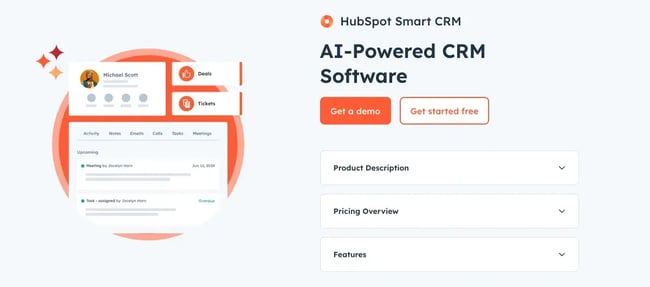
Categories B2B

Tasting marketing: What a viral YouTube star wishes marketers knew

I’m not saying I exploited my position as managing editor to meet one of my favorite YouTubers…

… but I will say that I’m unreasonably excited to share today’s interview.

And, my selfishness aside, this former Disney marketer has a lot to learn from. Today’s master turned his covid furlough hobby into a highly successful YouTube channel with nearly 4 million subscribers and a cookbook on the New York Times Best Seller list.

Click Here to Subscribe to Masters in Marketing

Meet the Master

Max Miller, a smiling man with short hair folding his arms

Max Miller

Host and creator, Tasting History with Max Miller

  • Fun fact: Max’s house is filled to the brim with Lego. When I’m not working, I’m probably putting together Lego.”
  • Claim to fame: Built a YouTube channel with almost 4 million subscribers and wrote an NYT bestselling cookbook.

    Before launching his channel, Max worked as a movie marketer for Walt Disney Studios.

    “I was there during the golden days when they started putting out the new Star Wars and the original Marvel movies.”

Lesson 1: Good content beats best practice.

Max Miller doesn’t act like a good YouTuber should: He doesn’t test his thumbnails. He has a theme song. And he never, ever makes the shocked YouTube face. (You know the one.)

“I break all of the rules. And not on purpose; it’s just that I didn’t know the rules,” he confesses with an unassuming smile.

So, how did he earn 3.7 million followers without ticking every box on the marketing to-do list?

“It sounds selfish, but I am my audience. If I’m making content that I want to watch, and that I’m interested in, there are bound to be other people who are interested in it,” Miller says.

Now, if you’re in an unsexy industry, you might think this doesn’t apply to you. Dear Sir or Madam, I used to write blogs about incontinence briefs. If I can find the interesting nugget in that, I guarantee there’s something you can find to care about.

“I’m the one spending 40 or 50 hours a week on a video, so I need to find it really interesting. Otherwise, the people watching will know I’m not really interested in it,” he explains.

Whether you’re in media or marketing, interesting content is what keeps an audience coming back. The rest is just icing on the 19th-century Johnny cake.

“It sounds selfish, but I am my audience. If I’m making content that I want to watch, and that I’m interested in, there are bound to be other people who are interested in it.”

Lesson 2: Don’t short Shorts.

“[My YouTube partner] had to drag me kicking and screaming to start posting short-form videos,” Miller laughs.

YouTube Shorts are often dismissed by brands and creators alike because Shorts viewers rarely jump straight to watching long-form videos.

“The crossover is shockingly small. I wish it was more. It’s like five percent.”

But when he finally did try the format, Miller found that the benefit was in the indirect consequences.

“It brought tons of people to the channel, to Instagram, Facebook, TikTok. It ended up leading to a huge spike in book sales because I was making recipes from my cookbook.”

So, rather than gauging the success of Shorts in terms of direct views, think about them as audience development.

Seen through that lens, “5% of a million people? That ain’t bad, y’know?”

He could’ve said it ain’t small potatoes. (Stop it, Curtis.)

“More is not always better, in my mind. Enough is fantastic.”

Lesson 3: Find what creators care about.

Since Miller has been both a marketer and a creator, I asked him what he wished more marketers knew about working with creators, whether that’s influencer marketing, collaboration, or even sponsorship.

“When I used to work [in marketing for] the movies, I didn’t make the movies,” Miller says. “We would take the movies and craft a marketing campaign around somebody else’s baby.”

The same goes for working with content creators: To you it may be just another campaign, but to the creator, it’s personal.

So, don’t just think about the content itself, though that is important. Think about what the content means to the person or people who created it.

Miller shares that he’ll often get pitches about professional editing or offers to double his views and grow his brand, but that’s not where heart is.

“I have no desire to have 200 employees. That’s why I’m never going to be a big company like Good Mythical Morning or MrBeast,” he says. “A lot of people in my situation think I’m crazy. They’re like, ‘You could be making twice as much money.’

“More is not always better, in my mind. Enough is fantastic.”

Click Here to Subscribe to Masters in Marketing

Categories B2B

7 best CRMs for pest control companies in 2025

Managing a pest control business means juggling customer appointments, technician schedules, service plans, and follow-ups. A traditional spreadsheet or generic tool simply can’t keep up. That’s why teams are turning to CRMs for pest control — built for these unique needs.Learn more about why HubSpot's CRM platform has all the tools you need to grow  better.

A recent study found 30% of field service companies increased customer retention by using a CRM. In fact, Rentokil Initial, a global pest control leader, achieved 671% marketing ROI by implementing HubSpot’s CRM platform.

This article compares the top CRM solutions specifically designed to help pest control companies streamline operations, improve customer relationships, and scale their businesses effectively — including HubSpot.

You’ll find: a side-by-side CRM comparison table, feature breakdowns of the top platforms, a step-by-step buying guide, and FAQs. 

Table of Contents

What is a CRM for pest control companies?

A CRM for pest control companies is a specialized customer relationship management (CRM) system that centralizes customer data, manages service scheduling, and automates business processes specific to pest control operations.

HubSpot’s CRM helps pest control companies like Rentokil Initial manage customer relationships across sales, marketing, and service operations by integrating appointment scheduling, treatment tracking, compliance documentation, and customer communication into one unified platform designed for field service businesses.

Best CRMs for Pest Control Companies at a Glance

CRM

Best For

Key Features

Pricing

Free Trial

HubSpot Smart CRM

All-size pest control companies

Free CRM, Marketing automation, Service scheduling, Mobile app

Free plan available, Paid plans from $9/month

Yes – Free forever

Salesforce

Large pest control enterprises

Advanced customization, Enterprise features, Complex workflows

From $25/month per user

Yes – 30 days

Pipedrive

Small to medium pest control businesses

Visual pipeline management, Sales automation, Email integration

From $14/month per user

Yes – 14 days

Zoho CRM

Budget-conscious pest control companies

Affordable pricing, Basic automation, Third-party integrations

Free for 3 users, From $14/month

Yes – 15 days

ServiceTitan

Large pest control operations

Field service management, Dispatching, Job management

Custom pricing

Yes – Demo available

Freshworks CRM

Growing pest control businesses

Sales automation, Customer support, Multi-channel communication

From $15/month per user

Yes – 21 days

Monday.com

Project-focused pest control teams

Project management, Team collaboration, Custom workflows

From $12/month per user

Yes – 14 days

Best CRM Software for Pest Control Companies

1. HubSpot Smart CRM

screenshot of crm for pest control, hubspot

Source

Best for: Pest control companies of all sizes seeking an integrated platform that combines CRM, marketing, and service management capabilities.

Key HubSpot Features

  • Free CRM foundation: HubSpot’s free CRM supports up to 1,000,000 contacts and includes essential features like contact management, deal tracking, and task management. This makes it ideal for pest control startups and small businesses that need robust functionality without upfront costs.
  • Marketing automation: HubSpot’s marketing automation tools help pest control companies nurture leads and create personalized customer journeys. Pest control companies can automate appointment reminders, seasonal service notifications, marketing messages, and follow-up communications to improve customer retention and experience.
  • Mobile access: HubSpot’s mobile app allows pest control technicians to access customer information on-site, log activities, update service statuses, and schedule follow-up treatments. This ensures technicians have complete customer histories and treatment records accessible during service calls.

HubSpot Pricing

  • Free tier includes basic CRM functionality for unlimited users, starter plan begins at $9/month with advanced features.

Learn more about HubSpot pricing.

2. Salesforce

screenshot of possible crm for pest control, salesforce

Source

Best for: Large pest control enterprises requiring extensive customization and enterprise-level security.

Key Salesforce Features

  • Advanced workflow automation: Salesforce offers comprehensive workflow automation and approval processes that ensure compliance with pest control regulations and internal procedures. Companies can automate treatment scheduling, chemical usage tracking, and regulatory reporting.
  • Integration ecosystem: Salesforce offers third-party integrations, including specialized pest control software, document management, and financial analysis tools. This allows pest control companies to connect existing systems with their CRM.
  • Einstein AI analytics: Salesforce’s Einstein AI provides predictive insights that can identify high-probability service opportunities and suggest optimal timing for customer outreach. This helps pest control companies identify customers likely to need additional services or contract renewals.

Salesforce Pricing

  • Starter Suite beginning at $25/user/month.

Learn more about Salesforce pricing.

3. Pipedrive

screenshot of possible crm for pest control, pipedrive

Source

Best for: Small to medium pest control businesses focused on easy pipeline management and sales process optimization.

Key Pipedrive Features

  • Visual pipeline management: Pipedrive’s visual pipeline allows pest control companies to easily track leads from initial inquiry through service completion. Color coding also helps companies manage different service types (residential, commercial, emergency) in separate pipelines from a single view.
  • Sales automation: Pipedrive’s AI-powered platform automates routine tasks and administrative work, allowing pest control sales teams to focus on closing more deals. Companies can automate follow-up sequences for quotes, service reminders, and contract renewals.
  • Email integration: Pipedrive’s integrated email client and email marketing platform enables pest control companies to create professional service confirmations, treatment reports, and seasonal marketing campaigns.

Pipedrive Pricing

  • Starting at $14/seat/month.

Learn more about Pipedrive pricing.

4. Zoho CRM

screenshot of possible crm for pest control, zoho

Source

Best for: Small or budget-conscious pest control companies seeking affordable CRM and service functionality.

Key Zoho CRM Features

  • Affordable multi-user access: Zoho CRM offers a free plan for up to three users. Growing companies can add users at competitive rates compared to other CRM solutions.
  • Blueprint process management: Zoho’s Blueprint feature simplifies data capture for front-line pest control teams. It creates step-by-step workflows, ensuring consistent service delivery and data collection across all technicians.
  • Inventory management: Zoho CRM includes inventory management features so companies can manage product inventory (i.e. chemicals, equipment, supplies), track usage, and automate reordering processes.

Zoho CRM Pricing

  • Free up to 3 users with basic features. Paid plans begin at $14/user/month.

Learn more about Zoho CRM pricing.

5. ServiceTitan

screenshot of possible crm for pest control, servicetitan

Source

Best for: Large pest control operations requiring comprehensive field service management and dispatching capabilities.

Key ServiceTitan Features

  • Field service management: ServiceTitan provides specialized tools for field service businesses like pest control, including technician dispatching, route optimization, and job management.
  • Customer portal: ServiceTitan offers customer portals where pest control clients can schedule appointments, view service history, and access treatment documentation. This reduces administrative work for office staff and creates a more positive customer experience.
  • Performance tracking: The platform includes comprehensive reporting and analytics tools that help pest control companies track technician performance, customer satisfaction, and business metrics.

ServiceTitan Pricing

Learn more about ServiceTitan custom pricing.

6. Freshworks CRM

screenshot of possible crm for pest control, freshworks crm

Source

Best for: Growing pest control businesses seeking sales automation and customer support integration.

Key Freshworks CRM Features

  • Multi-channel communication: Freshworks CRM enables pest control companies to communicate with customers across email, phone, chat, and social media from a unified platform. This helps create a consistent customer experience across all touchpoints.
  • Sales automation: The platform can be combined with email sequences and automated follow-up campaigns, which are especially useful for pest control companies managing seasonal services and recurring appointments.
  • Customer support integration: Freshworks combines CRM with customer support tools, allowing pest control companies to track service issues, manage customer complaints, and ensure timely resolution.

Freshworks CRM Pricing

  • CRM alone starts at $9/user/month; Service tools start at $15/user/month.

Learn more about Freshworks CRM pricing.

7. Monday

screenshot of possible crm for pest control, monday

Source

Best for: Project-focused pest control teams requiring strong collaboration and project management capabilities.

Key Monday Features

  • Project management: Monday excels at project-based pest control work such as large commercial accounts, construction projects, and multi-location treatments. Teams can track project progress, assign tasks, and collaborate effectively.
  • Custom workflows: The platform allows pest control companies to create custom workflows for different service types, ensuring consistent processes across residential, commercial, and emergency services.
  • Team collaboration: Monday provides team collaboration features that help pest control companies coordinate between office staff, technicians, and management for improved operational efficiency.

Monday Pricing

  • Starting at $12/seat/month.

Learn more about Monday pricing.

Benefits of CRM Software for Pest Control Companies

Investment management firms using CRMs can see significant benefits, including:

Improved Customer Retention

Pest control companies typically manage recurring service relationships that require consistent communication. With the right CRM, companies can automate appointment reminders, seasonal service notifications, and renewal communications, ensuring customers never miss scheduled treatments and reducing churn rates.

HubSpot’s marketing automation allows pest control companies to create personalized customer journeys and automated follow-up sequences.

Better Field Service Coordination

Field technicians need real-time access to customer information, service histories, and treatment protocols. A good CRM for pest control provides this and ensures technicians have complete context for each service call, improving service quality and customer satisfaction.

HubSpot’s mobile app enables pest control technicians to access customer data on-site, log activities, and update service statuses whenever they need it.

Streamlined Compliance and Documentation

The pest control industry requires detailed record-keeping for treatments, chemicals used, and regulatory compliance. CRM systems help companies maintain accurate documentation and generate compliance reports.

HubSpot’s custom reporting and analytics tools can provide pest control companies with data-backed insights for strategic decision-making, ensuring both operational efficiency and regulatory compliance.

Emergency Service Management

Pest control companies often handle urgent requests that need immediate response. CRM systems help prioritize emergency calls, dispatch appropriate technicians, and track response times.

HubSpot’s contact management and task automation features, for instance, can help pest control companies identify high-priority leads and emergency service requests efficiently.

Data-Driven Business Growth

CRM systems provide pest control companies with insights into customer behavior, service performance, and business metrics.

Rentokil Initial uses HubSpot’s marketing automation to nurture leads and customers through personalized journeys, converting marketing qualified leads into sales qualified leads more effectively. This data-driven approach helps companies optimize their services and identify growth opportunities.

5 Important Features for a Pest Control CRM

What features should you be looking for to reap these benefits? Here are five essentials:

  1. Mobile and offline access: Pest control technicians in the field need access to customer and service info on the go. HubSpot’s mobile app allows pest control teams to access customer information on-site, log activities, and update deal statuses even in areas with limited connectivity.
  2. Automated appointment scheduling: CRMs for pest control should automate appointment scheduling, send reminders, and handle rescheduling. HubSpot’s marketing automation tools make this possible.
  3. Service history and documentation: Regulatory compliance requires detailed records of all treatments, chemicals used, and service notes. With this in mind, pest control businesses need a CRM system that easily tracks complete service histories and generates compliance reports. HubSpot’s holistic contact records and custom reporting capabilities allow pest control companies to maintain detailed treatment records and generate compliance documentation.
  4. Integration with field service tools: Pest control companies often use specialized software for route optimization, inventory management, and billing. CRM systems should integrate with these to create unified workflows. HubSpot’s integration ecosystem includes hundreds of popular tools.
  5. Self-service options: Modern customers expect easy online access to their service information. CRM systems should provide customer portals that reduce administrative work while improving customer satisfaction. HubSpot enables pest control companies to create password protected pages to help with this.

How to Choose a CRM for Pest Control Companies (Step-by-Step)

Step 1: Map your current workflows.

Document your existing processes for lead management, service scheduling, technician dispatch, and customer communication. Identify pain points where manual processes slow down operations or create errors.

Step 2: Identify must-have features.

Determine which features are essential for your pest control business (like those we discussed) versus nice-to-have options. HubSpot’s free CRM includes essential features like contact management, deal tracking, and task management, making it suitable for companies with basic needs.

Step 3: Evaluate integration requirements.

List existing software tools (accounting, inventory management, route optimization) that must integrate with your CRM. Ensure your chosen platform can connect with these systems. HubSpot offers extensive integration capabilities with third-party applications, making it easier to connect existing business tools.

Step 4: Consider scalability and pricing.

Choose a CRM that can grow with your pest control business without requiring expensive migrations. Factor in costs for additional users, features, and integrations as your company expands. HubSpot’s scalable platform allows pest control companies to start with free tools and add advanced features as they grow.

Step 5: Test user experience and training requirements.

Evaluate how easily your team can adopt the new CRM system. Consider the learning curve for office staff and field technicians. HubSpot’s intuitive interface and comprehensive training resources help make implementation and adoption easy.

Frequently Asked Questions

What is the best CRM for pest control companies?

HubSpot Smart CRM is one of the top choices for pest control companies due to its comprehensive feature set, scalability, industry-proven results, and affordability. HubSpot offers free CRM functionality, mobile access for field technicians, and marketing automation tools specifically valuable for pest control operations that can grow with a company.

What features should I look for in a CRM for pest control companies?

Essential features include mobile access for field technicians, automated appointment scheduling, treatment history tracking, regulatory compliance documentation, and integration with field service tools. HubSpot’s mobile app allows access on the go, in real time, while its automation features help manage recurring service appointments.

Is HubSpot good for pest control companies?

Yes, HubSpot is excellent for pest control companies of all sizes. HubSpot’s free CRM plan makes it accessible for small pest control businesses, while its advanced features scale with growing operations. Just look at Rentokil Initial’s success.

How much does a CRM for pest control companies cost?

CRM pricing varies based on features and user count. HubSpot offers a free CRM plan with essential features, while paid plans start at $15/month per user.

Can pest control companies use free CRM software?

Yes, several CRM providers offer free plans suitable for small pest control companies. HubSpot’s free CRM, for example, supports up to 1,000,000 contacts and includes contact management, deal tracking, and task management features.

Meet HubSpot, the Top CRM Choice for Pest Control Companies

HubSpot stands out as the premier CRM for pest control companies, offering businesses everything they need to attract leads, schedule work, and retain clients—all in one easy platform.

Key Features

  • Pipeline automation for new jobs
  • Email + SMS reminders
  • Custom dashboards for service tracking

258,000+ customers in over 135 countries grow their businesses with HubSpot, including pest control companies that rely on the platform for comprehensive customer relationship management, field service coordination, and business growth.

Ready to see how HubSpot can transform your pest control business operations? Get started with HubSpot’s free CRM today and experience the difference that comprehensive customer relationship management can make for your pest control company.

Categories B2B

Measuring inclusive marketing — why traditional KPIs hinder both customer success and brand growth

Brands want to know that they are on the right track toward achieving their goals. That’s why measurement matters. Key performance indicators (KPIs) often give leaders signals to determine if what they’re doing is working or if they need to adjust.

Download Now: Free Marketing Plan Template [Get Your Copy]

A client I worked with a while back wanted to ensure they were effectively engaging the African-American and Hispanic communities as a part of their growth strategy. So, they tracked many of their brand KPIs by race and ethnicity. They identified that they weren’t performing as well with African-Americans as they should have been. My role was to help them figure out why and help them improve those KPIs.

As an inclusive marketing strategist and consultant, I’ve found over and over again that traditional KPIs don’t tell the full story. Marketers and business leaders will struggle to reach a diverse customer base and make informed decisions with this missing context.

Below, I share why traditional KPIs fall short and how metrics that focus on diverse groups are the key to unlocking customer success and brand growth.

Why Most KPIs Don’t Tell the Full Story

In my experience, most brands’ KPIs fail to accurately measure diverse communities. Why? The brands’ initial marketing collateral has not been tested on a diverse audience.

For example, I recently gave feedback on an ad during an inclusive marketing audit. The client noted that their team tested the ad and didn’t get the indication that there were any issues.

So, I asked them who they tested the ad with. Therein lay the problem. Their “general market” test failed to give them an accurate indication of how their ad would be received by diverse consumers.

Sinners: A Case Study

A compelling case study of this point comes from Sinners, the highest-grossing original film this decade. The hit movie earned $261m in domestic box office sales and $357m worldwide. Before I even saw the film, I knew there was a pivotal dance scene that mesmerized audiences. People had already been raving about it on social media.

When comedian KevOnStage talked about that scene, he said that he’s “never felt so seen, in a scene.” Commenters agreed with him on the impact.

inclusive-marketing-KPIs-2-20250714-3703128

Given the impact this scene had on a broad diversity of viewers, I was shocked to learn that it had been cut from the film at one point during the editing process. Actor Saul Williams, who was in Sinners, told Essence Magazine that he saw a version of the movie that didn’t include that scene because it didn’t test well with general market audiences.

kpis to track for inclusive marketing, general market test was mostly on a white audience. the scene didn’t resonate with them, but it made the movie for black audiences

The performance indicators showed that the scene should be left out. However, the feedback from audiences reflected the fact that the scene was pivotal to the impact and success of the film.

Where did this disconnect come from?

The performance indicators were captured from the perspective of the “general market.” What would have been more helpful — and this is true for most brands — is to understand how different types of audiences responded to the stimuli.

In short, I’ve discovered that “general market” numbers are no longer reliable enough for market and customer research.

How to Ensure Your KPIs Give You a More Complete Story

First off, you must acknowledge that any metrics you track solely at an aggregate level are likely telling an incomplete story. If you want to uncover the root of what is happening and why, you’ll need to go deeper. That means adjusting your performance metrics and looking at them based on subgroups.

Deborah Pickett, a mathematics instructional trainer and coach, has been analyzing data with school systems for more than 20 years. One of her roles is to focus on data at schools to better understand how they are performing. She explained how she and school leadership use data to track performance. First, Pickett and her team see what percentage of students are learning the material. Then, they dig into subgroups.

“In other words, if we’re looking at the subgroups of students, whether it’s by grade level or by course or by ethnic subgroup or by students with disabilities. Are those students also performing at the same levels as the masses are? That’s how we know if what we’re doing is working for students,” Pickett says.

Pickett went on to add that you have to look at several data points to uncover a more complete story.

“One of the things we talk about often is triangulating data. For example, if you just look at teacher data, or you just look at student data, or you just look at the big picture, you miss all of the things that are happening when you look at it all together and see what story that data is telling you,” Pickett says.

Tune into my full conversation with Deborah Pickett, which includes recommendations on what to do about the story your data tells you on this episode of the Inclusion & Marketing podcast:

Why track KPIs for diverse consumer subgroups?

A common objection I hear when recommending this approach is that people don’t understand why they need to track performance by subgroup. I always remind clients that it is important to do so because consumers are different.

Moreover, with growing diversity from a race and ethnicity standpoint in the U.S. and minority groups increasing their representation, businesses simply can’t afford to ignore what resonates with diverse consumer groups. The U.S. Census Bureau predicts that non-Hispanic whites will account for less than half of the population in the next 25 years, and minority consumer spending is expected to reach $7 trillion this year.

We also need to consider other dimensions of diversity apart from race and ethnicity, such as sexual oritentation, age, body size and type, neurodiversity, parental status, and disability, to name a few.

So, even though the consumers you serve are all coming to you to solve a specific problem, I’ve found that the identities each of them has can influence a number of things that impact the journey they have with you, including:

  • The ways in which they receive messages from you.
  • Whether or not they convert into a customer.
  • The degree of success they achieve.
  • How long they stay with you as a customer.

Comparing your overall data with performance metrics by subgroup will help you evaluate how effective you are with different consumer groups. That insight lets you identify when you need to make adjustments to your approach.

In this short video, Pickett explains why looking at data by subgroups generates better markers for success, along with an example of how this method generated positive results.

Key Performance Indicators Your Brand Should Be Tracking

Brands engaging in inclusive marketing aren’t as effective as they could be.

A recent HubSpot study found that just 32% of marketing professionals whose companies invest in inclusive marketing felt their marketing efforts were very successful. That same study showed that 61% of marketers said their inclusive marketing efforts were somewhat successful.

There are many reasons why more brands aren’t seeing their desired growth from inclusive marketing. One of those reasons is they aren’t tracking the right metrics to understand how they’re landing.

A number of marketers have said to me that their way of tracking inclusive marketing effectiveness is based on specific actions taken by the brand. That has often meant tracking the different types of representation included. For example, X percentage of people in a campaign are from an underrepresented or underserved community.

However, I don’t advise those types of metrics. These KPIs don’t tell the story of how your brand is actually performing with consumers.

Remember, inclusive marketing drives business results. Because of that, the best way to track your effectiveness is by evaluating how well you are doing with the various communities you want to serve.

Simply put, the key is to track your existing KPIs, but do it by subgroup of the communities you want to grow with.

Say your brand has general KPIs such as:

  • Brand awareness.
  • Brand satisfaction.
  • Brand engagement.
  • Brand retention.
  • Market share.
  • Customer success.

My recommendation is to track that same data, just at the subgroup level as well.

That means if you’ve chosen to serve Spanish speakers, Gen Z, and the disabled community, you should be tracking all of those KPIs for each group.

Gary Osifchin, former CMO at Reckitt U.S. Hygiene (which makes brands like Lysol, Woolite, Finish, and more), told me that the marketing teams at Reckitt are tracking KPIs by the subgroups they want to serve. The KPIs they are using are just standard marketing KPIs, but focused on the African-American and Hispanic communities they want to reach. The team is looking at:

  • Household penetration.
  • Buy rate.
  • Frequency of purchase.
  • Message and communications testing.

Bottom line: When it comes to KPIs, don’t reinvent the wheel. But also make sure you track enough data to tell you the truth about your performance.

The right KPIs will support your growth.

Go beyond general market metrics to evaluate how well your brand is performing. Doing so gives you a fuller picture of your brand’s impact with all the different types of consumers you want to serve.

When you do, I guarantee you’ll better understand what adjustments you need to make or where you can double down to achieve your goals. KPIs based on consumer subgroups allow you to serve your audience segments better and to see fresh brand growth.