Categories B2B

The fastest growing social media platforms of 2025 [new data]

Are people still using Facebook? What about Threads? And is TikTok’s volatility driving users away? Just 54% of brands say they’re confident they can keep up with new social media platforms.

If you’re in the other half, I dove into the latest industry data and spoke to social media experts for you to uncover the fastest-growing social media platforms in 2025.

Download Now: The 2025 State of Social Media Trends [Free Report]

Follow along as I break down which platforms are the biggest, which are growing, which are shrinking, and which are worth your time in 2025. Here’s what I learned.

Table of Contents

Social Media Usage in 2025

Unsurprisingly, 5.24 million people use social media today — that’s 63.9% of the world’s population. Social interaction is the number-one reason people aged 16 to 34 use the internet (and the second-most popular reason for older generations). But which platforms are they using most?

Here’s the TL;DR according to the latest data from DataReportal Digital 2025:

  • The most popular social media platforms in 2025 are YouTube with 3.9 billion monthly active users (MAU), Facebook with 2.1 billion MAU, and Instagram with 1.6 billion MAU.
  • Threads, TikTok, and Instagram saw the highest user growth (MAU) in the most recent quarter.
  • Threads and Bluesky Social saw the highest app download growth in the most recent quarter.

Top 10 Most Popular Social Media Platforms in 2025

First, let’s take a look at the titans of the industry. Unequivocally, these top 10 apps capture the most attention from the largest number of people. These are the platforms with the highest number of active users, thanks to data from DataReportal, SEMrush, and Backlinko.

1. YouTube

There is always debate about whether YouTube is a social media platform, but I count it as one for its social features like content creation, subscribing, and commenting.

YouTube is the second most-visited website in the world, second only to Google.com. It has 3.9 billion monthly active users (MAU) and 72.8 billion monthly visits, according to SEMrush. People spend a whopping 24 minutes, 15 seconds each time they visit. It’s also popular for brands, with 81% of B2C brands and 73% of B2B brands on YouTube.

2. Facebook

While it is no longer growing explosively, Facebook still earns its throne at the top of the social media empire.

If Facebook were a country, it would be the fourth-largest after China, India, and the United States. It boasts 3.07 billion MAU and 12.7 billion monthly visits as the world’s third-most visited website in 2025. One in five marketers is planning to cut their investment in Facebook in 2025, indicating that its ROI for some brands is waning.

3. Instagram

Despite being an elder of social media platforms, Instagram still grew by 3.47% from 2024 to 2025 to reach two billion MAU. The app was the fifth fastest-growing app in 2025, adding an estimated 40 million users in 2024 with 759 million downloads in 2024.

4. Reddit

Want feedback from strangers on your hobbies, work dilemmas, or relationships? There’s an app for that. Thread-based forum Reddit exploded in popularity in 2024 and 2025, reaching 1.1 billion MAU and 5.97 billion monthly visits.

5. TikTok

Can’t get enough of short-form videos? Neither can anyone else, apparently.

Despite legal challenges in the U.S., TikTok reached 954 million MAU and 2.49 billion monthly visits in 2025. The platform where marketers said they planned to increase their investment the most in 2025? You guessed it — TikTok.

6. X

X (formerly Twitter) has been on a roller coaster ride since 2023, when billionaire Elon Musk bought and rebranded the platform. Though it has seen a user exodus, a stronghold of users remains. By the latest estimates, X still has 586 million MAU and 4.29 billion monthly visits.

7. Snapchat

Creative filters, streaks, and lenses keep Snapchat users coming back time and time again.

DataReportal estimates Snapchat’s monthly users have reached 850 million, up from 800 million the brand announced in 2024. That tracks with 22 million downloads reported in December and 15.67% traffic growth between September 2024 and February 2025.

Snapchat was ahead of the curve with private messaging between small groups of friends. Its disappearing messages and privacy focus lend it continued popularity in 2025.

8. Pinterest

While still a somewhat niche platform, Pinterest remains popular for visual and lifestyle content. Pinterest reported 553 million MAU in 2025, an increase of 6.75% since 2024. Between September 2024 and February 2025, its website traffic grew 16.9%.

9. LinkedIn

LinkedIn has 386 million MAU. While it has a lot of users, those users don’t spend significant time on it, with a daily app open rate of just 24% and just 48 minutes per month spent on the mobile app.

10. Threads

Meta-owned Threads cracked the top-ten ceiling this year with triple-digit user growth. As of January, it had more than 320 million MAU and is averaging one million signups each day, according to Mark Zuckerberg. X’s woes contributed to its growth in 2023 and 2024.

Which social media platforms do people spend the most time on?

Just because a platform has a lot of users doesn’t mean people are opening the app every day or spending significant time on it. When evaluating platforms, I recommend looking at which apps are “sticky” — that is, which apps engage and retain users.

According to Digital 2025, people spend the most time on TikTok, scrolling for 34 hours, 56 minutes per month. Next to follow is YouTube clocking in at 27 hours, 10 minutes, then Facebook at 17 hours, 17 minutes, then Instagram at 16 hours, 13 minutes each month.

fastest-growing social media platforms 2025

Source

Data shows that people tend to have less frequent, longer sessions on YouTube. With TikTok, on the other hand, people open the app more often for shorter interactions. Video apps, including TikTok and YouTube, command the highest consumer spend.

Which messaging apps are most popular in 2025?

While they aren’t traditional social media platforms, it’s impossible to talk about social media in 2025 without discussing messaging apps.

As I see it, the growing popularity of messaging apps shows that consumers are sick of the algorithms and privacy concerns of large platforms and are looking for smaller, more direct settings to connect.

  • WhatsApp Messenger was the third-most downloaded app worldwide, ranking fourth for MAU and time spent. With 571 billion MAU, it’s the second fastest-growing app by time spent, with 112% search growth over five years.
  • Telegram, now with 900 million MAU, ranks ninth in the world for global app downloads and tenth for total time spent. According to SEMrush, Telegram’s five-year search growth has grown 367%.
  • Facebook Messenger, with 1.01 billion MAU, was the ninth most popular app for total time spent.
  • Newcomer Google Messenger is the second fastest-growing mobile app by MAU.
  • China’s WeChat is the fourth-most popular social app in the world, with 1.38 billion MAU.
  • Japanese messaging app Line has grown to 178 million MAU, with a high daily open rate of 64.2% and almost seven hours a month spent on the app.

With that, let’s take a deeper dive into the fastest-growing social media platforms of 2025.

Breakout Stars: The Fastest Growing Social Media Platforms of 2025

So, which apps grew the most between 2024 and 2025? While these five apps may not be the biggest, they’re seeing explosive growth. Both brands and legacy apps should keep an eye on these breakout stars in 2025.

fastest-growing social media platforms 2025

Source

1. Threads

threads, fastest-growing social media platforms 2025

Source

According to the latest data, Threads is the fastest-growing platform in 2025 by number of users and the second-highest by download growth, with 322 million downloads in 2024. The Instagram-owned text app more than doubled its user base from 2024 to 2025, from 130 million to 320 million users.

What Brands Should Know About Threads

While users are up, the data suggests that engagement on the platform is lagging. People report a daily open rate of 26.2%, with just 39 minutes per month spent on the platform. That’s 25 times less than Instagram users spent using the Instagram app, and 7.6 times less than X users the X app during the same period.

Getting Started: How to Use Threads and What to Post

2. TikTok

tiktok, fastest-growing social media platforms 2025

Source

TikTok was the most downloaded app globally in 2025, with 773 million downloads. Growth metrics from DataReportal show that TikTok had the fourth-highest MAU growth and the highest increase in time spent on the platform in 2025. These huge numbers don’t even include Douyin, TikTok’s Chinese version.

Users flock to TikTok for videos and entertainment, whether that’s parodies, challenges, skits, or commentary on pop culture.

What Brands Should Know About TikTok

Legal challenges in the U.S. raise serious red flags about whether brands should continue to invest their time and energy into developing a following on the platform. About half of brands currently use TikTok and many plan to increase their investments this year, but the long-term sustainability of the platform is uncertain.

“TikTok is not dead yet. But if your brand has an audience on a platform like TikTok, that is a little bit in flux,” advises Emily Brungard, Senior Growth Marketing Manager for Rossman Media.

“A lot of people are realizing that they need a backup. Platforms like YouTube are not new, but they‘re building so many tools for short-form video. They’re seeing what’s working on TikTok and adapting that so people are willing to spend more time on YouTube. I feel like YouTube’s a no-brainer for brands.”

Getting Started:

3. Reddit

reddit, fastest-growing social media platforms 2025

Source

Reddit will turn 20 in 2025, but it’s experiencing a growth spurt.

Reddit acquired 27% more active users from 2024 to 2025, with five-year search growth up 140% according to SEMrush. With high visibility in search results, it’s no surprise that Reddit has captured users’ attention with its forum-style discussions.

Reddit is the sixth most visited website in the world in 2025, with traffic growing 14.7% between August 2024 and January 2025 — topping six billion monthly visits. Two-thirds of users access Reddit from their mobile phones. Almost one in three users open the app daily, spending nearly three hours a month on the platform.

What Brands Should Know About Reddit

21% of B2C brands and 19% of B2B brands use Reddit to reach customers. But if you want to join, be advised that users aren’t always open to brands butting into their conversations. Be prepared to build trust and be helpful and transparent.

“If you can do it right, if you can do it naturally, and not in a super salesy way but instead listening and transparent, I think that’s an interesting approach for brands,” says Brungard.

Getting Started:

4. Tumblr

tumblr, fastest-growing social media platforms 2025

Source

Tumblr, launched in 2007, is a microblogging site where users can share text and multimedia posts. It’s grown 17.9% since 2024, with 612 million live micro-blogs. Its users — of which 48% are Gen Z — say they use the platform to find entertaining content (28%) and keep up with news/cultural trends (28%).

So, 18 years in, how is it still going so strong?

I think Tumblr is so popular because it is a community-based platform. You’re almost 100% guaranteed to find people who share your same interests, and to be able to fill your feed with content that only speaks to your interests.

It’s also a personality-driven platform, which gives users the advantage of feeling like they can be themselves, especially if they’re heavily involved in the communities they’re most interested in.

What Brands Should Know About Tumblr

Tumblr is essentially fandom central— a judgment-free zone for people to find their people. People like Tumblr because it’s more peaceful than other platforms. Photos, GIFs, and storytelling or community-based content do well on the platform. Just one in 10 brands is active on Tumblr, so the platform can be an opportunity to stand out if your audience hangs out there.

Getting Started: A Conversation with Tumblr: How To Build a Strong, Connected Community

5. Bluesky Social

bluesky social, fastest-growing social media platforms 2025

Source

Bluesky Social is a newer platform that bears a striking resemblance to the old Twitter. Many users are drawn to Bluesky as an alternative to X if they’re seeking less toxicity, more privacy, and decentralized, curated communities where genuine conversations thrive.

Bluesky started 2025 with 27.44 million MAU. That may seem like a drop in the bucket compared to larger platforms, but compare that to the 10 million users the app had in September 2024. That’s an incredible 174% growth in just five months.

Bluesky clocks in at the fourth fastest-growing app by downloads in 2025.

What Brands Should Know About Bluesky Social

The app presents a unique opportunity for brands to connect authentically with smaller, engaged communities. The platform’s customizable algorithms make it easier to target specific audiences, while features like custom domains for verification help build trust.

Like on Reddit, Bluesky users tend to have a knee-jerk reaction to overtly branded content.

“With platforms like Bluesky and Mastodon, I’m seeing a push away from brand social like in the early days of Facebook and Instagram,” says Brungard. “Right now, Bluesky is for the people, not for the brands.”

“I think brands just should proceed with caution if they do decide to join, but social media managers and marketing professionals should definitely be on the platforms at least observing. That’s what it comes down to: just watch and learn,” she adds.

Getting Started: Bluesky is Now Open to the Public. Should your business be there? [Expert Interview]

Now that we’ve covered some of the fastest-growing social media platforms, here are the ones slowing down in 2025.

Which social media platforms are losing steam?

In 2024, we reported Lemon8 as our fastest-growing social media platform. In 2025, Lemon8 simply isn’t a part of the discourse on top social media platforms and has lost significant traffic.

While YouTube, Facebook, and Instagram are still gaining users, their percentage growth remains in the low single digits.

How to Choose the Right Social Media Platforms

85% of marketers agree that building an active online community is crucial. After digging into the data and hearing from social media experts, I’m convinced that the social media landscape is more fluid and changing than ever.

While giants like YouTube and Facebook still command massive audiences, their growth is slowing, and newer platforms like Threads, Bluesky, and even messaging apps are picking up speed.

As a marketer, it’s tempting to chase every new platform that makes headlines. But what I’ve learned is that it’s less about being everywhere and more about the content quality and knowing your audience.

Consider first which platforms your audience uses most. Then ask yourself which platforms you would be comfortable using and creating content for. If you aren’t comfortable in front of the camera making videos, then TikTok and Snapchat likely aren’t for you.

Here are a few tips for marketers choosing where to invest their time and ad money in 2025.

  • If you’re building an audience from scratch, start small with three platforms where you can execute platform-specific content strategies. Mature brands can scale up to six or seven platforms.
  • Brands should be active on at least one of the top three platforms: YouTube, Facebook, or Instagram.
  • Use a mix of paid and organic posts to build an audience.
  • Choose at least one platform for a video strategy: YouTube, Instagram, and TikTok are good choices.
  • Research at least one emerging platform where your audience spends time to invest in.
  • Consider ways to leverage messaging apps for customer service or other uses.

Ultimately, staying ahead in 2025 means staying curious. I’ll keep experimenting, testing, and checking the data to see where things are headed — and I hope this breakdown helped you feel a little more equipped to do the same.

For even more social media insights, I recommend diving into the 2025 State of Social Media reporting or these other helpful resources:

Check out our 2025 Social Media Trends Report for free below.

Editor’s note: This post was originally published in March 2023 and has been updated for comprehensiveness.

Categories B2B

Attribution is garbage, says this email expert. (Plus, 3 reasons Jay’s a loser.)

Email is the only marketing channel that offers an equal playing field for all marketers,” says Jay Schwedelson.

With email marketing, your brand’s message has just as much chance of being viewed as Apple’s, or Google’s, or [fill in your favorite big brand here].

Today’s master is here to help you not waste that chance.

Click Here to Subscribe to Masters in Marketing

He’s recognized as one of the foremost experts in email marketing. His website, SubjectLine.com, is ranked in the top 1% of sites worldwide. His marketing podcast regularly lands in the top 5 in the U.S. He founded GURU Media Hub, is the president and CEO of Outcome Media, and, oh yeah, he’s also an adjunct professor at the University of Florida. (Whew!)

Which is to say… y’all, I believe him.

jay-schwedelson-mim

Jay Schwedelson

Founder, SubjectLine.com; Host, Try This, Not That! For Marketers Only!

  • Fun fact: Jay’s never missed a season of any show in the Bachelor Franchise. The Bachelorette, Golden Bachelor, Bachelor in Paradise, you name it.
  • Claim to fame: Did you see the list in the intro?! Ok, one more: His tool has tested over 15 MILLION subject lines.

Lesson 1: Think of the inbox like a social scroll.

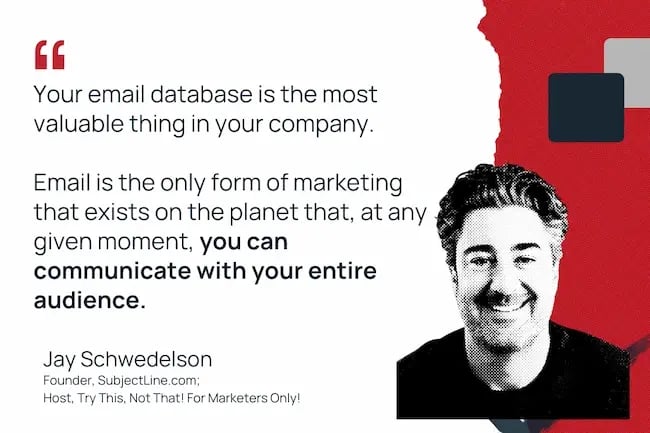
Your email database is the most valuable thing in your company,” Schwedelson says. “ Email is the only form of marketing that exists on the planet that at any given moment you can communicate with your entire audience.”

So, how does a smart marketer make the most of that opportunity? Well, it ain’t spamming promos, that’s for damn sure.

“If ‘cold email’ is your go-to-market, or you only send out promotional emails, you will fail miserably.”

Instead, Jay advises that you “think of the inbox as a social scroll.” Your job is to catch your audience’s eyes and then give them something valuable enough to keep coming back.

“The majority of the time you hit send, you’re providing value without asking for something back. Here’s a new stat. Here’s a new tip. Here’s a new trend in the industry. Then every third or fourth email, you’re layering in the ask.”

It’s an effective strategy, but one that takes a little bit of courage and a whole lotta faith, because… well…

jay-schwedelson-mim-planet

Lesson 2: Attribution is garbage.

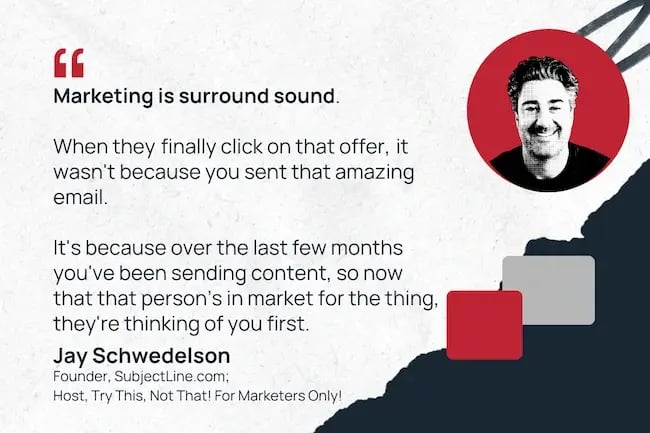
“I think attribution is garbage,” Schwedelson confesses. “Marketing is surround sound. When they  finally click on that offer,  it wasn’t because you sent that amazing email.  It’s because over the last few months you’ve been sending content, so now that that person’s in market for the thing, they’re thinking of you first.”

Here I start to fantasize about all the time I’ll save not measuring anything.

“ Of course you wanna measure all the stuff, and should,” he qualifies. (Dammit.) “But that’s not enough, because it’s not telling a holistic picture.”

Schwedelson tells me that his team fills in the gaps using a tactic he calls “holdout groups.”

As short as I can make it, here’s how holdout groups work:

  1. Take a portion of your database (say, 5-10%) and DON’T market to them. No ads. No emails. No stunningly brilliant thought leadership posts.
  2. At the end of a given period of time, you measure the performance of the holdout group against your active audience.

“That gives you a real view of the impact of your overall marketing, as opposed to this last touch thing,” then he chuckles and adds: “And if they convert as often as the people who got all this stuff? Then everything you’re doing is a waste.”

Side note: Don’t forget to rotate your holdouts. It’s not a “moldy leftovers in the back of your fridge” group.

jay-schwedelson-mim-surround

Lesson 3: Test things you don’t like.

“The most important thing for marketers is to always be testing,” Schwedelson says. “Especially the things you don’t like.

He explains that we’re often biased by our own preferences, but as marketers, we may not be great examples of our target audience. I ask him to break off a few examples for the folks who are playing along at home.

“ There are little things that you can do to get your email open that cost you no money, and it’s just spending 10 more minutes.”

Here are 3 things you can test out yourself:

  • Start your subject line with a number.

“Start it with a number, it’ll actually lift the percentage of people opening up your email by about 20%.”

  • Capitalize the entire first word or two.

“Not just the first letter of the first word, but the entire first word or two words. It might say NEW, for example. It’s going to grab the person’s millisecond attention and get them to read.”

  • Start your subject line with brackets.

“You know, [New Episode], or [Free Download], or whatever. Then you go on with the rest of your subject line.”

“Again, it’s trying to think of your inbox as a social scroll, right?” he says. “Nobody reads the whole subject line. You could write ‘Jay’s a loser’ at the end of your subject line. No one will see it.” Challenge accepted.

Lingering Questions

Today’s Question

How have you seen inclusion shape the way marketing has been done over the last five years, and how do you feel it will shape (if at all) the next five years of marketing?” – Sonia Thompson, founder of Inclusion & Marketing

Today’s Answer

Schwedelson says: “Over the past five years, inclusion has shifted from a corporate checkbox to an essential part of how we approach marketing and business overall (or at least, it should be!).

It’s no longer just about who appears in stock photos; it’s about who’s developing the strategy, writing the copy, and making the decisions.

In our own work, from virtual events to newsletters to agency services, we’ve seen that when people feel seen, they engage more, share more, and stay loyal longer.

Looking ahead, inclusion won’t just shape marketing, it will be marketing. As AI continues to dominate content creation, the ability to add a human touch, making every person feel recognized, respected, and understood will be the ultimate differentiator.”

Next Week’s Question

Schwedelson asks: “What’s one marketing belief you held five years ago that you’ve completely changed your mind about?

Click Here to Subscribe to Masters in Marketing

Categories B2B

AI agents for social media: How to use them right now + what you can expect in the future

I was running social media for an organization when TweetDeck hit the market. That dashboard with mentions, DMs, lists, and trends was the neatest piece of technology. I left it running in a tab 24/7 in between using it to plan our posts and stay abreast of our audience’s needs.

As I look at AI and how it’s influencing marketing and social media, it hits me just how far we’ve come. AI is already changing how I think about connecting with my audiences, creating content that reaches them, and competing in an extremely crowded online space to get my message heard.

Download Now: The 2025 State of Social Media Trends [Free Report]

Agentic AI promises an even brighter future: an autonomous AI-powered tool that doesn’t just help you with tasks — it acts on its own within set guidelines. AI agents for social media management can watch for trends, respond to customers, and adjust your strategy on the fly.

How close are we to this future state? Let’s dive into what agentic AI looks like today and what tools are worth considering for your marketing team.

Table of Contents

Can AI agents be used for social media?

In short? Yes. But it’s probably not in the ways you expect.

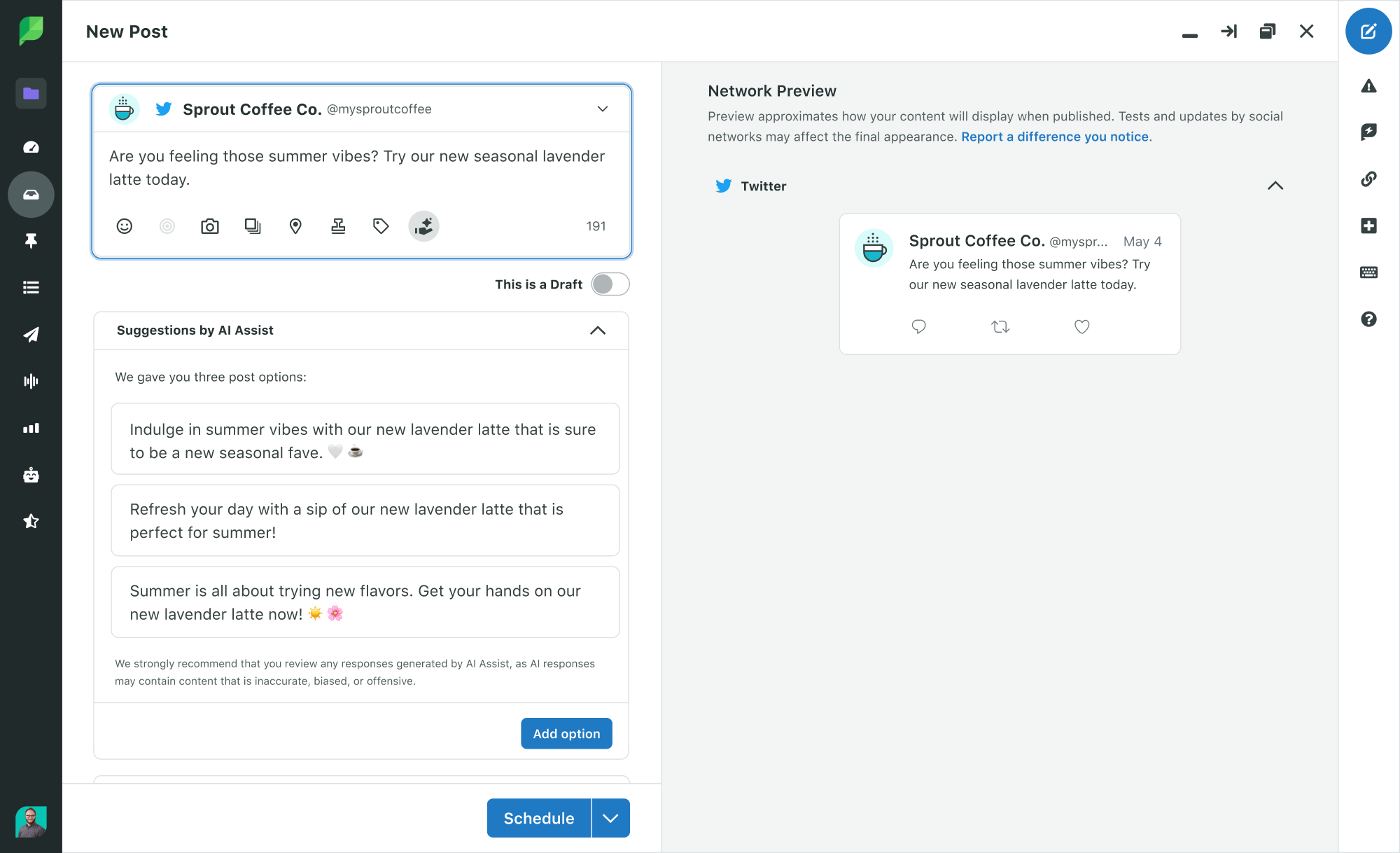
Despite the hype around agentic AI, few social media management platforms today offer true AI agents — the kind that listen, learn, and act without human approval. Right now, I’m seeing more agent-adjacent AI with powerful assistants that speed up workflows but that still require human direction.

More broadly, the bigger challenge rests on connecting agentic AI to “AI” as a concept within a business environment. AI in marketing is an exciting but developing area, and people are racing to catch up. Generative AI tools like ChatGPT, Claude, and Gemini consume most of the oxygen in the AI discussion today.

And in marketing, you’re probably already experimenting with those models or AI marketing bots to generate specific content.

Marketers are moving fast, even as executives keep analyzing AI’s value and use cases. For instance, Salesforce’s 2024 State of Marketing Report found that 68% of marketing leaders say generative AI is “critical to their overall social strategy.” Our own research supports this finding, with one in three marketers already deploying AI for content creation and data analysis.

These AI use cases have generated customer-facing benefits for some companies. For example, Lyft partnered with Anthropic (makers of Claude) to automate elements of its customer support operations. Lyft reported an 87% reduction in average customer service resolution times through all channels.

So, there is an emerging opportunity for AI agents to support social media management. But should you use them? That answer is trickier.

Agentic social media AI can handle much of social media’s grunt work, things like monitoring sentiment, answering customer questions, or even defusing minor PR flare-ups before they trend (more on that later). If you run a human-only social media operation, you might already be falling behind.

And the future will only get more agentic. Gartner predicts that by 2029, AI agents will autonomously handle at least 80% of customer service and support interactions — many of them taking place on social channels like Instagram, TikTok, and X/Twitter.

For marketers, then, it’s no longer if you should use them, but how smartly you use social media AI agents.

pull quote from article on ai agents for social media

Why use AI agents for social media management?

Agentic AI can help social media managers with writing content, handling scheduling, and listening to customers via comments online. But AI’s power extends beyond the basics. I asked several marketing experts for some of the more interesting use cases for AI agents for social media, and here’s what they had to say.

Synthetic Audience Testing

Will your next post land well, or will it ignite a firestorm? Answering that question before hitting “Post” could save a marketer’s job — and help develop a more successful online presence.

Kevin Baragona, founder of Deep AI, says that agentic AI can help companies do that by creating what he calls “synthetic audience simulators,” or manufactured audiences where you can practice messaging.

“Before pushing a tweet or story live, AI agents can simulate responses from various persona clusters, such as ‘humor-driven Gen Z’ or ‘skeptical middle-aged professionals,’” said Baragona. “This helps content teams predict backlash, boredom, or misinterpretation in advance. Think of it as A/B testing without going live, similar to how movie studios use test audiences.”

Baragona sees this synthetic proving ground as a vital component of protecting your brand’s reputation.

“This approach allows brands to test out different types of social posts, from promotional ads to influencer collaborations, in a controlled environment before actually publishing them on social media.”

“This saves time and resources and helps brands avoid potential backlash or negative reception from real audiences. I personally believe that this strategy is crucial for brands to maintain their credibility and reputation on social media.”

Conversation Pattern Analysis

Once your posts go live, how are people reacting? Reviewing hundreds of posts on the off-chance someone is upset is too much for a human. But an AI agent? Aaron Whittaker, VP of demand generation and marketing at Thrive Digital Marketing Agency, says that’s a different story.

“I can say that AI’s most powerful but overlooked application is in what we call ‘conversation pattern analysis’ — identifying subtle shifts in audience sentiment before they become obvious trends,” he said.

“While most brands use AI for content creation or scheduling, forward-thinking companies deploy it to analyze thousands of conversations simultaneously, finding emerging concerns or opportunities that would be impossible to spot manually.”

Whittaker shares that his firm’s AI tool recently detected subtle frustration patterns in a client’s customer comments — not complaints, but enough to flag rising confusion early. With a 2-3 week head start, they could respond with support and content before the issue grew.

He also sees the flip side to this power.

“The impact extends beyond crisis prevention to opportunity identification. By analyzing conversation patterns across competitor channels, we’ve identified underserved audience segments and content gaps that our clients could fill. This approach has helped brands develop highly targeted messaging for niche audiences that competitors were inadvertently neglecting,” he said.

why use ai agents for social media management?

Micro-Community Curation

Finding communities online has gotten tougher as the internet proliferated — along with bots and fake accounts (aka the Dead Internet Theory). Amid endless noise, how do you find the right people to connect with?

Tim Hanson, CMO at Penfriend, sees agentic AI’s potential in finding and curating smaller communities of like-minded people who congregate around your brand.

“While everyone’s fixated on AI-generated content, the real revolution is happening in social listening where AI now maps relationship patterns between commenters, identifying valuable micro-communities around your brand,” he said.

“For one client, we discovered a cluster of power users discussing advanced product applications in our comments section, which led to three major feature updates after we connected them with our product team.”

His team’s use of AI raises important lessons on using AI wisely.

“The counterintuitive truth is that properly implemented AI actually makes social media more human by handling administrative tasks; our teams now spend 64% less time on process work and 42% more time on genuine connection,” said Hanson.

“The brands seeing real results aren’t those with fancy AI tools, but those who thoroughly understand their own processes and gradually implement AI in well-defined areas with clear success metrics.”

Micro-Influencer Vetting

Who speaks on behalf of your brand? As online communities shift and people turn to influencers for purchase validation, you want to find the right people to share your brand with their audiences.

Manually searching for those influencers — especially micro-influencers with small follower counts — is a tall task for any team. Iryna Kutnyak, director of operations at Quoleady, has turned to AI agents for help — not only to find micro-influencers but also to vet them for alignment to your brand’s values.

“While most brands rely on surface-level metrics like follower count, reach, or engagement rate, AI agents can go deeper: analyzing how influencers talk, who engages with them, and the sentiment of their comment sections to determine whether they genuinely align with your brand‘s tone, ethics, and audience expectations,” she said. “This goes far beyond content automation. It’s vibe-checking at scale.”

Revealing Hidden Weak Points

“Campaign reviews” are exciting opportunities to see how things turned out; “postmortems” carry a different energy. But, as Brian Chasin, CFO for SOBA New Jersey, sees it, understanding why campaigns didn’t work can teach much more — and AI can help you learn.

“Traditionally, underperforming posts were either ignored or chalked up to bad timing or low engagement, but AI now offers a deeper lens,” he said. “By analyzing scroll rates, skip patterns, drop-off timestamps, and comment absence, AI can identify the exact moment a viewer lost interest or disengaged.”

“It might be the headline, the image choice, the tone, or even the order of content delivery, and AI is uniquely capable of revealing those hidden weak points. Instead of focusing only on what went viral, this approach gives you a blueprint of what not to repeat.”

Monitoring Competitor Actions

It’s not just about what you post — it’s also when and where. I’ve read plenty of “optimal social media posting” guides, and those are nice benchmarks. But what if AI could help you optimize much more accurately?

Alan Chen, president and CEO of DataNumen, Inc. says agentic AI can help you do so down to the industry competitor level.

“One use that I don’t see talked about very often is how AI agents can watch how competitors respond and change the speed of involvement for your brand based on what they see,” he said.

“One time we had a campaign where a lot of comments from competitors came after our posts. The AI knew when they were doing it and suggested that we wait an hour before responding so as not to make them more visible. That small change cut down on the noise around our content and helped us get a better share of the attention.”

It’s a natural shift in energy from human to machine.

“Most companies watch their rivals to get ideas, not to see how they act. But the pace and timing can be just as important as the message,” said Chen. “When teams let AI keep an eye on these patterns, they can focus on tone and importance while the agent takes care of the rhythm.”

Agentic AI can support your social media operation and boost results, but only when you apply it wisely. Where do you start? Here are the basics for implementing AI agents into your social media strategy.

1. Monitor before you automate.

When teams struggle to adopt AI, I usually see their fatal mistake at the start: Leaping before they look. AI is an exciting space, but adopting tools (especially AI agents) without forethought and planning can lead to embarrassing or damaging brand results.

As you explore AI agents for social media, review what’s happening across your social channels now. This’ll help you determine your goals, like brand safety, competitor tracking, or sentiment monitoring.

With a defined goal, you can then:

  • Connect your socials and configure keyword alerts for your brand, products, and top competitors.
  • Use sentiment filters to highlight emerging tone shifts or issues.
  • Set up email or Slack alerts so your team knows when something spikes.

Pro tip: Pair your AI agents with defined keywords and categories. Don’t just monitor your name but also watch your customers’ pain points (e.g., delays, price, bugs).

2. Plan your AI guardrails and approval flows.

Just like setting a clear goal, I believe you should define your AI guardrails and approval flows before you ever turn an AI agent loose on the public. These are powerful tools, but removing layers of human involvement can lead to rogue agents if you’re not careful.

Before you hit “Go,” build your AI agent management playbook, with details like:

  • Brand voice and tone, with what’s allowed and what’s off-limits.
  • Escalation logic (i.e., if your brand’s sentiment is negative, do not reply without human intervention).
  • Approval processes with clear delineation of which human operators step in and when.

I’d start by manually approving every post for the first 1-2 months. See how the AI agent adapts to the environment and make tweaks before turning over the keys. You can update your playbook during this phase to get it down just right.

3. Draft content with agents — but keep a human editor.

After that 30-60 day probationary period, let your agent draft social content. I think one of AI’s best content use cases is repurposing longer content into short social bites. An AI agent can do that fantastically.

Keep a human editor in the loop to review content for brand voice and factual accuracy. Ideally, that should be just a few seconds per post, which you can eventually automate once you trust your agent.

Pro tip: Start by publishing AI-written posts on lower-stakes platforms where you have fewer followers. Measure performance differences and adjust before expanding AI’s work.

4. Start AI agent automation with FAQs and comment moderation.

Alongside content creation, customer support is the other solid agentic AI use case today. While I would not turn over every customer support ticket to an AI agent, you can automate your frontline to handle common questions or moderate comments on social media.

Start this process by:

  • Creating a list of FAQs and approved response templates.
  • Training your agent on those responses.
  • Setting rules for your AI, like “auto-reply to simple questions, escalate anything else.”

A word of caution: Never auto-respond to an emotional customer complaint or product issue without human review. Customers can smell the auto-reply, and it will backfire on you.

5. Let AI optimize posting cadence and timing.

Skip the “when to post” guides and let your AI agent take the wheel. An agent can monitor in real-time and push your posts when your audience is actually willing to listen and engage. Plus, you can skip manual testing and have AI optimize your schedule.

A few points to consider with your agent:

  • Use AI’s scheduling suggestions based on past performance.
  • Let the agent stagger or delay replies — especially if your competitors respond aggressively.
  • Run A/B tests on posting timing over 1-2 weeks.

Monitor the results and tweak only when necessary. Your agent will perform better when it learns on its own.

6. Measure ROI and expand.

Continued investment comes from success, and you want to show off your agent’s success. Most agentic AI tools have built-in dashboards or metrics tracking to demonstrate KPIs.

As you make the case for expanding your agentic AI experiment, I’d encourage you to develop both quantitative and qualitative data:

  • Track engagement lift, response time, and time saved.
  • Interview your social media and customer support teams on workload reduction.
  • Test new use cases, like managing user-generated content or tagging influencers, to build a stronger overall AI case.

With close measurement, you can spot the next opportunity to deploy agentic AI, rounding out a strong case for expansion.

Best Social Media AI Agents

Not all AI tools are created equal. Some assist humans; others act like humans. If I were exploring agentic AI for my social media team, here’s where I’d start.

HubSpot Breeze Social Media Agent

If you’re part of the HubSpot ecosystem, then Breeze AI is a seamless integration into the stack you’ve already built. In particular, the Breeze Social Media Agent can use your platform data to inform content creation and scheduling. You get a more personalized and efficient approach to social media management, right on the platform you use every day.

Breeze AI agents can deliver:

  • AI-generated post suggestions tailored to your brand and audience.
  • Optimization of posting times.
  • Multi-platform scheduling.
  • Performance analytics to refine your strategy.

ai agent for social media, breeze social media agent from hubspot

Source

I found the tool useful, though I will say it’s only semi-agentic. You need to manually approve every post, though the agent will research and draft great posts for you. But if you’re nervous about fully autonomous AI, I think the approval function will really appeal to you.

Pricing: The Breeze Social Media Agent is included in HubSpot Marketing Hub’s Professional ($900/month) and Enterprise ($3,800/month) plans.

Heyday by Hootsuite

Many agentic AI features today focus on very specific use cases. To wit, Heyday (now a part of Hootsuite) provides automated customer engagement via chat features. That includes:

  • Conversational AI for DMs and comments.
  • Multilingual support.
  • Shopify and Zendesk integrations.

If endless questions are flooding your DMs, Hootsuite’s engagement agent can automatically handle inbound queries — a blessing for any marketer handling the same question 100 times a day.

ai agent for social media, heyday from hootsuite

Source

Pricing: You’ll need to reach out to Hootsuite for custom pricing, but it’s really for mid-to-large businesses, so I’d expect to pony up for it.

Sprinklr AI

Sprinklr AI’s social media management gives you enterprise-level control over social media plus AI insights.

It can help your team:

  • Monitor social mentions.
  • Detect sentiment shifts.
  • Recommend optimal posting times.
  • Score content with AI.

Sprinklr has compiled several AI models under one umbrella (Sprinklr AI+), and you can use all of that horsepower in your automated social media management. It also offers solid predictive analytics, so you can catch issues with underperforming campaigns early.

ai agent for social media, sprinklr ai

Source

Pricing: Custom pricing is available — but remember, Sprinklr AI is enterprise-focused.

Brandwatch + Iris AI

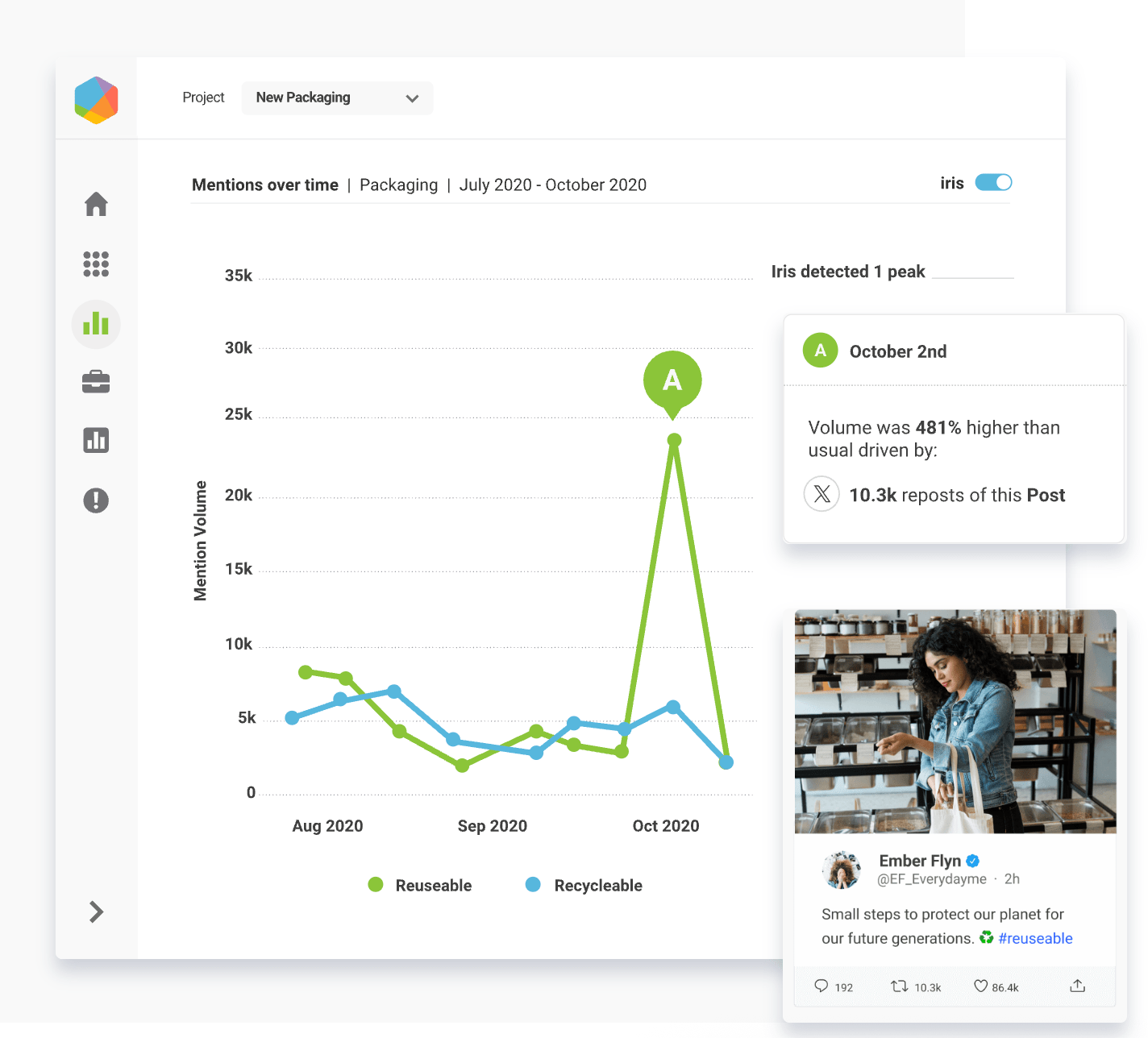
Brandwatch is a premier name in social listening, and with Iris AI, it’s upped their game. The AI tool identifies patterns in online conversations and deploys those insights across your social media profile.

In real time, you can:

  • Spot emerging trends.
  • Predict audience sentiment.
  • Track competitor activity.

I also like Iris’s content intelligence, which can adjust your social post content to better fit your needs. You can even have it automatically create replies to a customer inquiry based on the conversation’s specific context.

ai agent for social media, brandwatch + iris ai

Source

Pricing: Custom pricing is available.

Respondology

In the spirit of specific use cases, Respondology focuses on managing toxic or spammy comments on social media channels. Agentic AI monitors your posts and auto-hides harmful comments before your broader audience can see and engage with them. The platform also has human moderators to assist with edge cases and train AI models.

If you operate in spaces like lifestyle and sports, you’ve no doubt experienced a spiral caused by negative public-facing comments. Respondology can keep these brands safer without constant manual moderation.

Plus, I also like the company’s expansion into customer insights with its Discovery platform, where you can go deep and learn plenty from your customers.

ai agent for social media, respondology

Source

Pricing: Respondology’s Standard plan starts at $1,500/month, but for any organization looking to scale, you’ll need to contact the company for pricing.

Meltwater

In my PR past, I grew familiar with Meltwater as a strong media monitoring and PR analytics platform. The company has applied its years of experience to a specialized AI platform integrated right into Meltwater.

In particular, I see a lot of value in its social AI capabilities. You can monitor multi-channel campaigns to track conversations, discover influencers, and benchmark against your competitors. And you can now get search creation via AI chatbot for the Boolean-averse marketing professional.

ai agent for social media, meltwater

Source

Pricing: Custom pricing is available for businesses of all sizes.

Custom GPT Agents

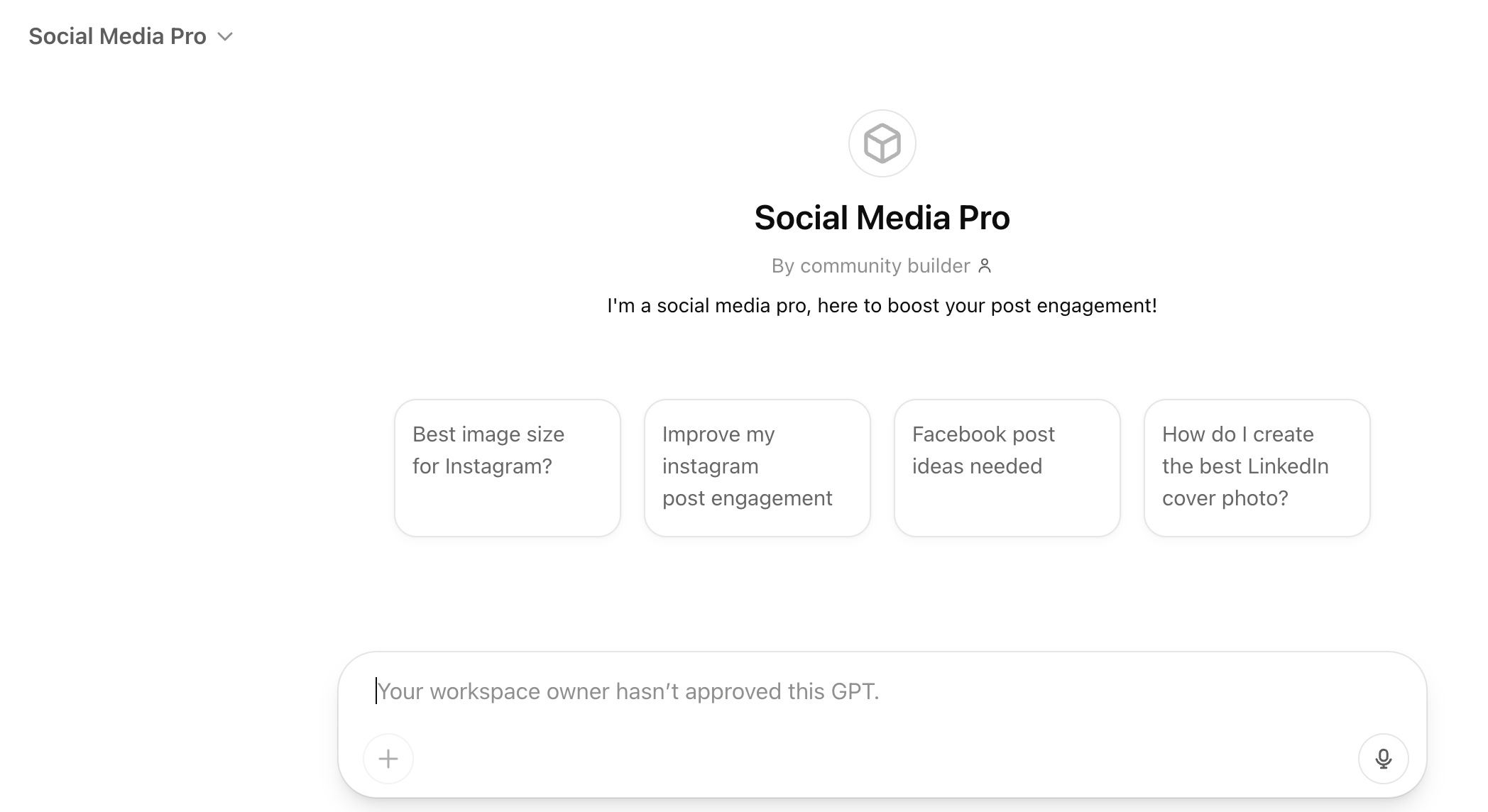
If you’re more tech-savvy, you can build your own AI agents to accomplish whatever social media tasks you’d like. Typically, I see these agents using a few integrated tools, including using OpenAI’s ChatGPT and its Custom GPT option, along with Zapier or Make to handle moving data between platforms.

You can build some lightweight custom agents to handle specific tasks, such as monitoring Twitter mentions or replying to basic comments. Compared to the rest of this list, it’s a low-cost option. But note that when you use OpenAI’s API option, it’s consumption-based pricing. Be mindful of how you expand your AI agent’s scope, as token consumption can climb quickly without careful monitoring.

What’s the catch? Agentic AI comes at a price.

The tools above reflect agentic capabilities closer to where the technology will go in the future. But agentic AI consumes much more computational power and resources than human prompt-focused models. Costs scale quickly as you deploy agents across your organization.

As such, the AI agents on this list focus heavily on enterprise-level integrations and implementations. Their price tags reflect this reality.

If you’re a smaller business or looking to just experiment with AI, there are a few other AI tools you can try. They’re not agentic, but they do have AI-powered features that can help solve some of the same challenges.

Where AI Agents Fit in Social Media — for Now

Writing this piece had me reflect on how our industry defines “AI” for everyday marketing work. I’ve tested a bunch of tools claiming to be “agentic,” but most fall into the “very smart assistant” bucket. And that’s okay.

True agentic AI — the autonomous kind that makes decisions, reacts in real time, and adapts without your input — is still emerging.

That said, AI agents can and do help with social media management. Even if they can’t run themselves, these tools help teams reclaim time, reduce risk, and decide more effectively.

The technology is speeding up fast — and, ready or not, AI might handle most of your frontline social engagement soon. So while you shouldn’t rush to adopt agentic AI, it’s time to lay your foundation and prepare your team for the future.

Experiment with AI and let it earn its role on your team. Because when AI reconfigures the social media landscape again, the marketing teams building with intention will be the ones who thrive.

Categories B2B

Why your startup needs a content strategy (& how to build one that scales)

A content strategy for startups begins with a simple truth: Every piece of content needs a purpose. I learned this lesson the hard way when managing my first startup blog.

Armed with enthusiasm but no real plan, I spent three months writing what I thought were brilliant posts about industry trends. When I finally dug into our analytics, I discovered our most-shared article had exactly seven readers. Three were my team members, and the other four were probably bots.

Download Now: Free Content Marketing Planning Kit

That’s why a content strategy for startups isn’t just about creating content — it’s about building a system that attracts the right audience, nurtures trust, and drives actual results. Unlike paid ads, which stop working the moment you pause your budget, content marketing builds momentum over time, creating a sustainable engine for growth.

In this post, I’ll share how to build a content strategy that helps your startup scale, even with a lean team and limited resources. After working with dozens of startups, I’ve discovered what truly moves the needle — and what just creates busy work.

Table of Contents

What is content marketing for startups?

Content marketing for startups involves creating valuable, educational content that attracts and nurtures an audience over time. Unlike traditional marketing, which aims for immediate sales, content marketing is often a long game that builds trust, credibility, and a steady stream of qualified leads.

The investment in content marketing keeps growing. Research from the Content Marketing Institute (CMI) shows that 76% of organizations have dedicated content teams, reflecting a shift toward long-term content strategies.

Content marketing pulls double duty for startups: It boosts search visibility, establishes authority, and helps build meaningful connections with potential customers. And with 81% of B2B marketers now using AI tools, creating high-quality content at scale is more accessible than ever, even on a tight budget.

What makes a startup content strategy different?

Having worked with startups at every stage — from scrappy early days to scaling growth — I’ve seen how content strategy differs from what you’d find at an enterprise company. Startups don’t have the luxury of brand recognition or big budgets, so every piece of content has to work harder, move faster, and drive real results.

Maximizing Resources and Budget Efficiency

Startups have to do more with less — there’s no way around it. Unlike enterprise companies with dedicated content teams and hefty budgets, startups often rely on a lean team (or even just one person) to build and execute a strategy. In fact, 54% of marketers cite a lack of resources as their biggest content challenge. (Yep, I’ve been there.)

One way startups are closing the gap is through AI. HubSpot’s 2025 research shows that 35% of marketers now use AI for content creation, and I’ve found that, when used strategically, AI tools can help scale efforts without sacrificing quality.

For example, tools like Breeze, HubSpot’s AI blog writer, and Jasper can help startups create optimized content faster, while platforms like Canva make high-quality visuals more accessible.

content strategy for startups, hubspot ai blog writer

Get started with HubSpot’s AI Blog Writer

Rapid Brand Building and Credibility

Startups don’t have years of brand equity to lean on, which means every piece of content needs to build trust and showcase expertise. According to the Content Marketing Institute, 87% of marketers say content marketing helps create brand awareness — but it has to do even more for startups.

I’ve seen startups establish credibility quickly by investing in thought leadership content, educational resources, and proof points that showcase expertise — even when case studies or testimonials are limited.

Loom’s early content strategy is a great example. It focused on video communication best practices to establish the company as an authority even before its product went mainstream.

Agility and Adaptability

In my startup roles, I’ve seen how crucial it is to pivot quickly based on market feedback and new opportunities. Unlike enterprise companies, where established processes can slow down content adaptation, startups have the advantage of agility.

That agility pays off — 74% of B2B marketers say content marketing has helped them generate demand and leads, proving that flexible strategies drive results. I’ve learned to lean into this adaptability, refining content strategies in real time as we discover what truly resonates with our audience.

Hyper-Focused Content Strategy

Large companies create broad content for multiple segments, but I’ve found that startups succeed by owning niche topics and speaking directly to their ideal audience. Instead of casting a wide net, the most effective startup strategies dive deep into specific pain points and provide high-value, actionable insights.

For instance, Ahrefs built its early content strategy around in-depth SEO guides that catered to digital marketers — a focused approach that helped it compete against much bigger SEO platforms.

content strategy for startups, ahrefs performance screenshot

Source

Why do startups need a content strategy?

After working with startups for over a decade, I’ve personally discovered that a solid content strategy isn’t just a nice-to-have — it’s what keeps a business afloat and fuels growth. I’ll walk you through why, backed by data and experience.

Building Credibility and Thought Leadership

Quality content helps startups stand out, even against industry giants. I’ve seen how a focused content strategy builds trust and positions a company as an expert. But without clear direction, teams often struggle — 42% of marketers say unclear goals are a major challenge. Having a well-defined strategy is what turns content into a real growth driver.

One of my favorite examples is First Round Capital, a venture capital firm that built a reputation as a thought leader through its First Round Review blog. Instead of pushing self-promotional content, they share deep, tactical insights from founders and operators, making their content a must-read for startups.

content strategy for startups, first round thought leadership

Source

Driving Organic Growth (Without a Big Ad Budget)

One of the biggest challenges startups face is getting noticed without spending a fortune on ads. I’ve worked with teams that tried to outspend bigger competitors, but the results were short-lived. The real long-term wins came from content — especially when optimized for search.

HubSpot’s 2025 State of Marketing research shows that visual and interactive content, like short-form videos and live streaming, are among the most effective formats for driving engagement.

I’ve seen how even a single well-placed tutorial or social post can drive steady inbound traffic over time. Take Notion, for example — the company built a following through blog posts, video tutorials, and user-generated content that naturally showcased their product’s value. Instead of pushing ads, they create content people actively seek out, making it easier to grow an audience organically.

content strategy for startups, notion blog post

Source

Customer Acquisition and Engagement

Attracting leads is just the start — what really matters is keeping them engaged. That’s where content marketing shines. It’s not just about bringing people in; it’s about giving them a reason to stick around. That’s probably why 96% of marketers say personalized content helps drive sales.

Startups, in particular, have an edge here. They can tailor content directly to their audience’s pain points without the layers of approvals that slow larger companies down. I’ve seen this firsthand — when a content strategy aligns closely with what potential customers actually need, the impact is immediate.

Zapier’s blog is a perfect example. It walks readers through real-world workflows, showing how Zapier’s product fits naturally into solving everyday problems. I remember coming across one of their guides when trying to streamline a project, and by the end of it, I wasn’t just informed — I was convinced Zapier was the right tool for the job.

content strategy for startups, zapier blog

Source

Cost-Effective Market Penetration

I’ve worked with startups where every dollar counts, and content marketing has always been one of the most budget-friendly ways to break into competitive markets. In fact, according to CMI, B2B marketers who consider their content strategies highly successful are more likely to:

  • Generate demand and leads.
  • Nurture subscribers, audiences, and leads.
  • Grow loyalty with existing customers.
  • Drive sales and revenue.

Canva’s Design School is a great example of using content to drive growth without a huge ad budget. By offering free design courses and tutorials, Canva attracts new users and shows them the value of its tools.

content strategy for startups, canva design schoolhttps://www.canva.com/designschool/

Building a Community (and Brand Loyalty)

The best startups don’t just sell a product — they create a space where customers feel like they belong. I’ve seen how startups that invest in community-driven content often gain something far more valuable than just engagement: genuine advocates. When people feel connected to a brand, they don’t just buy — they share, recommend, and rally around it.

The best startups don’t just sell a product — they create a space where customers feel like they belong. I’ve seen how this plays out. When startups focus on creating content that truly resonates, they don’t just attract buyers; they build lasting relationships. That’s often what separates a forgettable brand from one people rave about.

Glossier is a perfect example. Instead of relying on traditional marketing, it turned its customers into a community. By amplifying user-generated content and fostering conversations around beauty experiences, they built a brand where people don’t just use their products — they actively promote them.

It’s a reminder that great content isn’t just about what a brand says — it’s about how it invites people to be part of the story.

content strategy for startups, glossier blog

Source

How to Create a Startup Content Marketing Strategy

Creating an effective content strategy requires both data-driven planning and hands-on execution. While 76% of organizations have dedicated content teams, most startups operate with limited resources.

I’ve learned through experience that a solid content strategy doesn’t have to be complex — it just needs to be intentional. Here’s how to build one that drives real results.

1. Define your core content mission.

Understanding your audience is the foundation of a great content strategy. In fact, 82% of top-performing content marketers credit their success to knowing their audience deeply. But that kind of connection doesn’t happen by accident — it starts with a clear content mission statement, a guiding principle for every piece you create.

I like how Andy Crestodina from Orbit Media simplifies this into a straightforward formula: “Our company [or blog or site] is where [Audience X] finds [Content Y] for [Benefit Z].”

Here’s how Orbit Media applies it:

“The Orbit blog is where digital marketers find practical advice on content marketing, AI, GA4, and web design. Our goal is to help you get better results from the web.”

content strategy for startups, content mission venn diagram

Source

Moz’s blog takes a similar approach with its mission statement:

“The industry’s top wizards, doctors, and other experts offer their best advice, research, how-tos, and insights — all in the name of helping you level up your SEO and online marketing skills.”

Notice how it clearly defines:

  • Who it’s for: Digital marketers.
  • What it delivers: Expert advice and research.
  • The benefit: Helping readers improve their SEO and marketing skills.

From my experience working with startups, the best content missions are specific about who they serve, focus on the unique value they provide, and connect to measurable business outcomes. Having this mission visible and referenced regularly keeps content focused and prevents the common trap of creating content that doesn’t align with business goals.

2. Conduct strategic audience research.

Understanding your audience isn’t just about creating buyer personas — it’s about knowing what truly matters to them. What questions are they asking? Where do they turn for advice? What problems keep them up at night?

Yet, 29% of marketers say ineffective audience research is a major reason their content strategies fall flat. Here are some practical ways to gather real audience insights instead of relying on assumptions.

Quantitative Research (Data-Driven Insights)

  • Google Analytics. Identify which content drives the most engagement.
  • AnswerThePublic. Study search intent and common user questions.
  • Sprout Social or Hootsuite. Track social listening trends and sentiment.
  • SparkToro. Analyze where your audience hangs out online.

Qualitative Insights (Direct Feedback & Observations)

  • Customer surveys. Aim for 100+ responses to spot patterns in content preferences.
  • Customer interviews. Talk to 5-10 real customers (a small incentive helps with participation).
  • Subreddits and Discord channels. See what your audience is discussing in real time.
  • Sales call recordings. Look for recurring questions and pain points.

content strategy for startups, audience research dashboard

Key Metrics to Track

  • Content engagement rates by topic.
  • Time spent on different content types.
  • Social sharing patterns.
  • Email click-through rates by subject.
  • Community discussion themes.
  • Customer support ticket topics.

I’ve learned that spending extra time on research upfront saves countless hours later. When you deeply understand your audience, you’re not just guessing what they need — you’re delivering content they’ll actually care about. And often, this research uncovers content opportunities your competitors completely overlook.

3. Map your content strategy to the buyer’s journey.

One of the biggest mistakes I see startups make is creating content randomly without tying it to where buyers are in their decision-making process. Yes, it’s tempting to just publish and hope something sticks when you’re moving fast.

But, personalization only works when content meets buyers where they are. That, again, is probably why 96% of marketers say personalized content experiences increase sales.

content strategy for startups, buyer journey content mappinghttps://blog.hubspot.com/sales/what-is-the-buyers-journey

The buyer’s journey typically follows three stages, and your content should guide prospects seamlessly through each one.

Awareness Stage – “I have a problem, but I don’t know much about it yet.”

At this stage, buyers are just starting to recognize a problem exists. They’re not looking for solutions yet — they’re looking for information. Your content here should focus on education and industry insights, not selling.

Best content types:

  • Educational blog posts breaking down industry challenges.
  • Thought leadership content.
  • “What is” and “Why” content that helps define the problem (e.g., “What is SEO and Why Does It Matter?”).

Example: Ahrefs does this well by creating comprehensive guides on SEO fundamentals. Their content attracts beginners who are realizing they need SEO solutions — long before they’re ready to choose a tool.

Consideration Stage – “I know my problem. Now, I’m exploring possible solutions.”

Buyers in this stage are actively researching how to solve their problems and comparing different options. This is where you want to provide in-depth, solution-focused content.

Best content types:

  • Detailed how-to guides.
  • Solution comparisons (e.g., HubSpot vs. Salesforce”).
  • Expert perspectives on different approaches.

At this stage, the goal isn’t to push your product — it’s to help buyers understand their options and why certain solutions might be a better fit.

Decision Stage – “I’m ready to buy. Now I need to choose the right solution.”

Now, buyers are evaluating specific products or services. They’re looking for reassurance that they’re making the right choice, so your content should focus on proof and guidance.

Best content types:

  • Product demos and implementation guides.
  • Case studies, testimonials, and ROI calculators.

Pro Tip: Think Beyond the Sale

I’ve seen too many startups focus all their content efforts on attracting new customers while completely overlooking the people who’ve already bought in. That’s a missed opportunity. The customer journey doesn’t end at the sale — it’s just getting started.

Some of the most effective content I’ve worked on wasn’t aimed at leads but at existing customers. Onboarding guides, advanced tutorials, and user communities don’t just improve retention — they turn customers into advocates. When people feel supported and continue to get value long after they’ve signed up, they’re much more likely to stick around, renew, and even refer others.

So, while mapping content to the buyer’s journey is essential, don’t forget about the customer journey, too. A strong post-sale content strategy keeps your audience engaged, builds loyalty, and fuels long-term growth.

4. Choose the right content strategy framework.

A strong content strategy isn’t just about publishing — it’s about having a clear, documented plan that aligns with your goals. In fact, top-performing content marketers are twice as likely to have a documented content strategy with well-defined focus areas.

However, in a startup, too much structure can slow you down, while too little can lead to scattered, ineffective content. Finding the right balance is key.

Traditional content pillars have been a go-to approach for years, but newer frameworks are shifting the focus toward problem-solving and storytelling. Here are three content strategy frameworks startups can use, each with its own strengths depending on your goals and resources.

Traditional Content Pillars

The content pillars approach organizes content around three to five core topics that closely align with your expertise and market needs. It’s a structured, SEO-friendly way to establish topical authority while ensuring content efforts stay focused.

Example: A B2B software startup might build content pillars around:

  • Remote team management.
  • Workplace productivity.
  • Digital communication tools.

Each pillar then branches into subtopics, creating a content hierarchy that helps guide creation and strengthens search visibility.

Why it works: It provides clarity and a strong foundation for scaling content.

Potential downside: It can feel rigid, limiting adaptability to emerging trends or audience feedback.

content strategy for startups, topic clusters, and pillar content

Source

The MP3 Framework

While the pillar approach provides clear direction and helps with SEO organization, Erica Schneider, founder of Cut the Fluff and content coach for solopreneurs and founders, explains in her newsletter, “When you’re stuck in the ‘pillar’ mindset, you start writing what you think you should write, not what actually matters.”

That’s why Schneider created the MP3 Framework, which structures content around three key elements:

  • Market the problem. Clearly articulate customer pain points (sometimes better than they can themselves).
  • Market the process. Share real implementation experiences and behind-the-scenes insights.
  • Market the proof. Demonstrate tangible results and transformations.

content strategy for startups, erica schneider mp3 frameworkhttps://cut-the-fluff.kit.com/posts/the-mp3-framework-why-content-pillars-are-holding-you-back

I love this approach because it focuses less on rigid topics and more on what resonates with an audience in real time. It’s especially useful for startups where storytelling and credibility play a huge role in brand-building.

Flexible Hybrid Approach

If you like the structure of content pillars but want more flexibility, this approach blends both. Ashley Faus, head of lifecycle marketing at Atlassian, suggests structuring content around three to five broad conceptual areas rather than rigid, topic-based pillars. This allows for flexibility within a framework, so content can flow naturally across multiple themes while staying strategically aligned.

Instead of strictly categorizing content into fixed silos, this approach maps content to overlapping themes, or “content depths,” where the most engaging and insightful ideas often emerge. For example, a startup in the productivity space might have conceptual areas like:

  • Collaboration in remote teams.
  • Personal productivity habits.
  • The future of work.

Rather than limiting content to one category, this model allows for cross-topic exploration, so a piece on remote work could tie into productivity habits or industry trends without feeling forced into a single pillar.

content strategy for startups, ashley faus linkedin screenshothttps://www.linkedin.com/feed/update/urn:li:activity:7290126951053238273?commenturn=urn%3ali%3acomment%3a%28activity%3a7290126951053238273%2c7291479192725016578%29&dashcommenturn=urn%3ali%3afsd_comment%3a%287291479192725016578%2curn%3ali%3aactivity%3a7290126951053238273%29

Which framework should you choose?

There’s no one-size-fits-all answer. The best approach depends on your startup’s goals, resources, and audience needs. Through my experience at several startups, I’ve found that success comes from maintaining enough structure to stay focused while staying flexible enough to evolve.

Content pillars are a solid foundation if your goal is SEO and authority-building. If you want to lean into storytelling and real-world impact, the MP3 Framework may be a better fit. And if you need a structured-yet-adaptive model, the hybrid approach offers the best of both worlds.

At the end of the day, your framework should serve your strategy — not the other way around.

5. Build a scalable content operations model.

I’ve learned that content operations don’t need to be complicated to be effective. What matters most is having clear, repeatable processes that match your team’s size and capabilities. In fact, 54% of successful content teams operate with just two to five people, proving that impact doesn’t require a massive team.

Startups evolve quickly, and content operations need to keep up. Here are three models that I’ve seen work well at different growth stages.

The Lean Creator Model

For early-stage startups, keeping things simple is key. I’ve seen small teams succeed by using just a shared Google Doc for planning, Trello for tracking, and Slack for communication. The goal isn’t to build complex systems upfront — it’s to create workflows that can scale later.

Instead of worrying about structure overload, focus on three core elements: planning, creation, and distribution.

The Growth-Stage Model

As your startup grows, so does your content operation. This is when organization and consistency become critical. I’ve seen teams at this stage thrive when they implement:

  • A dedicated content calendar with clear ownership.
  • Editorial guidelines to maintain quality and consistency.
  • Regular content planning meetings to stay aligned.
  • Basic performance tracking to measure what’s working.

​​This model adds structure without becoming overwhelming, making it easier to scale content efforts without chaos.

The Scale Model

At this stage, content production extends beyond the marketing team, requiring collaboration across the company. Many successful startups adopt a centralized content operations model, where:

  • A core content team owns the strategy, execution, and editorial process.
  • Subject matter experts (SMEs) from across the company contribute insights, ensuring content is informed by real expertise.

This setup helps teams scale efficiently without sacrificing quality. However, it’s worth noting that 33% of B2B marketers find accessing SMEs challenging, highlighting the need for effective collaboration strategies.

In my experience, fostering strong relationships with SMEs and establishing clear communication channels are crucial steps in overcoming these challenges and creating valuable content.

At this stage, robust systems become essential to keep content production running smoothly. I’ve found that tools like HubSpot’s CMS and Breeze (AI) for content automation, Airtable for editorial tracking, and ClickUp for managing workflows make a huge difference in staying organized as production scales. As teams grow, documenting processes becomes crucial for maintaining quality and consistency.

Pro Tip: Build for Growth, Not Complexity

I’ve seen startups struggle when they try to implement enterprise-level systems too early. The most effective content operations grow organically with the business, adapting to new needs rather than forcing complexity before it’s necessary. Start with the model that fits your current stage, but build in flexibility to evolve as you scale.

6. Choose and prioritize the right content channels.

Not every content channel is worth your time — especially in a startup where resources are limited. According to HubSpot’s State of Marketing 2025 research, short-form video (21%), images (19%), and live streaming (16%) deliver the highest ROI across all content formats. But instead of chasing trends, successful startup content strategies focus on channels that align with three key factors:

  1. Audience behavior. Where does your audience actually spend time?
  2. Team capabilities. What formats can you realistically create at a high level?
  3. Business goals. Which channels support long-term growth and conversions?

content strategy for startups, 2025 content formats

Source

Owned Media Foundation: Your Website as the Hub

Your website and blog serve as your content hub, providing long-term SEO value and a platform you control. Every other channel should support and drive traffic back to this foundation.

For early-stage startups, I’ve found that investing in high-quality website content often delivers the most sustainable results. Organic search visibility compounds over time, unlike social media, where content lifespan is short. A strong, owned media foundation ensures that all other marketing efforts have a reliable, evergreen home base.

Strategic Channel Selection: Quality Over Quantity

Instead of trying to be everywhere, consider a focused approach. Choose one channel to master based on where your audience spends time and your team’s strengths. For B2B startups selling complex solutions, this might be LinkedIn and long-form content. For consumer products, Instagram or TikTok might make more sense.

Then, add a support channel or two that complements your primary channel. For example, an email newsletter can help nurture relationships with blog readers, while a targeted social media presence can amplify your reach.

Through my work with startups, I’ve learned that channel effectiveness often follows the 80/20 rule — 80% of your results will come from 20% of your efforts. Focus on mastering one channel before expanding to others.

7. Optimize your content creation workflow.

Only one in three marketers report having a scalable content creation model. The challenge isn’t just creating content — it’s producing high-quality content quickly without burning out your team.

Strategic Planning

I like to start each piece with a clear brief that outlines:

  • Strategic purpose and target audience.
  • Primary keyword and search intent.
  • Key points and unique angle.
  • Competitor analysis to differentiate.
  • Required research/assets (images, stats, examples).
  • Call-to-action and distribution plan.

I’ve found that front-loading planning actually speeds up content creation — it prevents the common startup pitfall of publishing content that lacks focus.

Smart Resource Optimization

Instead of treating each content piece as a one-and-done effort, I plan for repurposing before I even start writing.

For example, if I’m working on a detailed how-to guide, I don’t just think about the blog post — I also outline:

  • Key takeaways that will make strong social media posts.
  • Snippet-style insights that could be repurposed for an email newsletter.
  • Core messaging that could translate into a sales enablement resource.

This approach unlocks the full potential of content while making it easier to scale content production without extra effort later on.

Quality Control Framework

To maintain consistency, I follow a three-step review process before publishing:

  • Technical review. Fact-checking, accuracy, and completeness.
  • Editorial review. Grammar, spelling, readability, and brand voice consistency.
  • Final check. SEO optimization, visual elements, and distribution readiness.

I’ve found that spelling and grammar issues can undermine credibility, even in otherwise well-researched content. Readability also matters — content should be scannable and easy to digest, especially for busy decision-makers.

This structured approach ensures every piece meets high standards before it goes live.

8. Measure and refine content performance.

Tracking the right metrics ensures you’re not just creating content but creating the right content that delivers actual results. The best content teams don’t just measure success — they use data to continuously refine their approach.

Key Metrics to Track

  • For awareness: Social shares, organic traffic growth.
  • For engagement: Time on page, comment quality, bounce rate.
  • For conversions: Leads and sales attributed to content.

I’ve found that mixing quantitative and qualitative insights gives a more accurate picture of what’s working. High traffic doesn’t mean much if engagement is low, and engagement isn’t enough if content isn’t driving conversions.

Quarterly Content Audits & Optimization

A quarterly content review helps keep your strategy aligned with business goals and audience needs. During these audits, I focus on:

  • Updating high-performing content with fresh data to keep it relevant.
  • Identifying content gaps in the buyer’s journey that need to be filled.
  • Finding repurposing opportunities to maximize existing content.
  • Revising underperforming content to improve engagement and conversions.

This process isn’t just about fixing what’s broken — it’s about doubling down on what works and evolving with audience behavior.

Refining the Content Funnel

Understanding how content moves prospects through the funnel is just as important as tracking performance. I analyze:

  • Which content drives the most conversions?
  • Where do prospects drop off?
  • Are there missing content pieces that could fill gaps?

This insight helps fine-tune both content creation and distribution strategies over time. It also ensures resources are focused on content that actually moves the needle instead of just generating vanity metrics.

9. Distribute and promote your content.

Content success relies as much on distribution as creation. HubSpot’s 2025 research reveals that successful marketers spend as much time on content distribution as they do on creation. Through my startup experience, I’ve found that thinking about distribution before you create content helps ensure every piece reaches its full potential.

Create Once, Distribute Strategically

Think of your content as a valuable asset that deserves multiple spotlights. A single in-depth blog post can become a series of social posts, an email newsletter feature, and talking points for your sales team. This approach not only maximizes your content’s impact but also makes the most efficient use of your resources.

When it comes to immediate distribution, focus on three key channels:

  • Your owned platforms (website, blog, email list).
  • Social media (based on where your audience spends time).
  • Community spaces where your target users gather.

Your ongoing promotion strategy should look beyond the initial push. I recommend setting up a system for:

  • Regular content refreshes with fresh data and insights to keep high-performing pieces current.
  • Strategic internal linking between related content to create topical authority.
  • Relationship building with industry influencers and media.

Cross-channel amplification requires thinking beyond simple resharing. Consider how content can be transformed for different platforms. As I mentioned above, short-form video (21%), images (19%), and live streaming (16%) deliver the highest ROI according to HubSpot’s research.

But rather than chasing every format, focus on mastering channels where your specific audience is most engaged.

10. Continuously optimize.

Content strategy isn’t a set-it-and-forget-it exercise. CMI’s research found that while 58% of B2B marketers rate their strategies as only “moderately effective,” those who regularly optimize see better results. Through my work with startups, I’ve learned that small, consistent adjustments lead to major long-term gains.

content strategy for startups, content strategy pie chart

Source

Each quarter, I recommend reviewing:

  • Performance metrics. What’s driving traffic, engagement, and conversions?
  • Resource allocation. Are efforts aligned with the highest-impact channels?
  • Content pillar relevance. Are core topics still resonating?
  • Emerging opportunities. What trends or audience needs should we address?
  • Tech and tools efficiency. Are systems streamlining or slowing things down?

Understanding how content moves prospects through the funnel helps refine both creation and distribution strategies. The best content teams continuously evolve their processes, tools, and strategies based on real audience data and feedback.

Startup Content Strategy Tips

Developing a content strategy is one thing — executing it successfully is another. That’s why I always appreciate insights from experts who’ve been in the trenches. One of those experts is Kris Hughes, a content strategist with his own digital strategy consulting firm, who has a track record of turning content into real business results.

His approach to content creation is rooted in authenticity, strategy, and consistency. If you’re looking to refine your content strategy and drive meaningful engagement, his advice is worth noting.

Here are Hughes’ six tips for nailing your content strategy to generate solid, authentic leads.

1. If you don’t tell your brand’s story, someone else will.

As a founder with a million priorities, content like blogs and social media posts can seem like low-priority items.

But if you don’t tell your brand’s story, someone else will make assumptions and tell it for you.

Don’t sit on your hands when it comes to content. Your story and voice need to:

  • Be authentic.
  • Feel natural to you.
  • Make sense to your target audience.

Pro tip: Look at your competitors — are they clearly telling their story? If not, they’re leaving content gaps you can fill to establish authority in your space.

2. Do a thorough brain dump.

Spend ~30 days on a “brain dump” exercise, using voice notes and free-form writing. Record every thought you have about your brand, then pass it on to someone close to your business but not a part of it.

Ask them what they see from the outside looking in. What words are used over and over again? What topics keep returning? This deep-dive step is vital for two reasons.

First, Hughes says, “People are their own worst marketers. There’s probably a ton about your own brand story you’re not telling. The deep dive and outside perspective bring this to the surface.”

Second, this exercise will spin off aligned talking points so that you can hit the ground running with a clear strategy and bank of great content — in your own words.

3. Extrapolate four key pillars for your content.

Sift through your brain dump and organize each idea, spicy quote, or topic into one of four pillars:

content strategy for startups, four content pillars

Source

Each pillar gives rise to specific types of content, and alternating between them will ensure the topics you speak about remain varied and fresh, but also on brand.

For example, one week, you may talk about the results you’ve driven for a client (Pillar II), and the next share some of your founder story (Pillar IV).

And if you ever get writer’s block, you can return to your pillars as inspiration and a reminder of what you want to convey to your audience.

4. Focus on community-building before you put out content.

Create a community from the get-go by interacting with your ideal clients, competitors, and peers through value-driven comments and messages.

This step gets you comfortable with how you write, how you portray yourself, and how people receive you.

Keeping track of comments you make (e.g., in Notion) will also ensure you have a content ideas bank; most valuable comments can usually be bulked up into a post.

5. Now, you can get your content out there.

Use your pillars, saved comments, and brain dump to generate content that is authentic to your brand. Remember to:

  • Have a clear KPI. Is your content to build generalized awareness or drive leads?
  • Develop a voice guide, a resource guide, and a content calendar.

Hughes is an advocate of scheduling content to make sure you get it out there. While the cadence and approach of posting will depend on the platform, consistency is always key.

6. Remember: Content is a long game.

It takes time to build up a reputation to the point where your content drives leads. Keep at it.

“Many founders come in guns blazing with high energy and then fizzle out after a few months,” says Hughes. You’ll miss the magic if you do. Stay motivated by:

  • Setting new benchmarks.
  • Focusing on positive feedback.
  • Reusing your top-performing posts every few months.

As a final tip, Hughes suggests talking to your customers when things are going well.

“We tend to reach out only when we need to put out fires,” he told us. “But getting client feedback during the good times means you’ll find room for incremental improvement — when you have the capacity to act on it.”

Positive customer transformation journeys are powerful additions to your brand story.

Building Content Strategies That Last

I’ve been reminded of a crucial truth through researching and writing this piece: There’s no one-size-fits-all approach to content strategy. While the fundamentals remain constant — understanding your audience, creating valuable content, and measuring results — what works for one startup may not work for another.

The data mirrors my own experiences in the field. With 58% of B2B marketers viewing their content strategies as only “moderately effective,” it reinforces something I’ve noticed time and again: Success isn’t about having the biggest budget or the fanciest tools. It’s about being thoughtful with your resources and truly understanding your audience’s needs.

If there’s one thing I hope you take away from this guide, it’s that building a successful content strategy isn’t about doing everything at once. Start with one channel, excel at it, and expand thoughtfully. Whether you’re a solo founder or leading a small marketing team, remember that every piece of content you create is an asset that can continue delivering value long into the future.

Editor’s note: This post was originally published in September 2024 and has been updated for comprehensiveness.

Categories B2B

How to work from home: Simple strategies for staying productive

Figuring out how to work from home feels easy, right up until the cat throws up on your computer. And your neighbor, who you can only assume is building a time machine, starts firing up all sorts of power tools. In those moments, remote work life feels more like a punishment than a miracle.

Remote work poses benefits and risks. When I began working remotely as a digital nomad in 2017, there was still professional pushback, skepticism, and a general dismissive attitude toward remote work. Since then, I’ve been remotely working abroad, and I’ve even published a book on the topic. The workforce was forced to catch up in 2020, and now remote work finally has the culture cachet it’s always deserved.

Download Now: How To Build a Productivity System [Free Guide]

Remote work isn’t a trend; this lifestyle is a long-term choice that allows us to get exactly what we want out of our careers. You may need some help greasing the wheels, but I’m determined to help you feel the same about your remote work lifestyle.

Not everyone transitions into remote work smoothly, and that’s okay. Let’s explore the remote work trends, tips, and techniques that can help you get the most out of your remote work.

Table of Contents

Remote working encompasses people who work from home and also digital nomads who work from Airbnbs or hotels around the world. Some remote workers make this choice to increase freedom and flexibility, or meet financial goals. Others choose remote work to help meet their physical needs, mental health needs, or family demands.

Employers benefit when hiring remote workers because they can have an infinitely larger talent pool to pull from. Still, there’s pushback. Some companies insist that their employees must work in-office, even if it’s not necessary to do their job. The culture of remote work is still actively evolving, and it won’t ever stop.

What Remote Work Looks Like Today for Marketers [Data]

Working remotely can take many different forms, but what does it look like for the “normal” remote marketer?

From where remote workers work to how they’re getting dressed and how they interact with their team members, let’s see what the statistics say about remote workers today.

  1. Information, finance/insurance, and professional and business services have the largest remote and hybrid workforces. (WFH Research)
  2. More than 95% of U.S. workers report wanting some form of remote work options, either fully remote work or hybrid. (FlexJobs)
  3. The pandemic sped up remote work by an estimated 40 years. (WFH Research)

And what does the data say about marketers who work remotely? These statistics are from HubSpot’s 2024 Marketing Work Culture Survey:

  1. Of marketers surveyed, 31% work remotely.
  2. Of marketers surveyed, 37% are hybrid employees, sometimes working remotely and sometimes working in the office.
  3. Of marketers surveyed, 41% said that their company hosted virtual team-bonding activities in the past year, such as parties, celebrations, or games.
  4. When asked about getting dressed for work, 13% of surveyed marketers said they wear an appropriate top for Zoom calls and remain in sweatpants since they’re off-screen in video calls.
  5. Since the pandemic, 27% of surveyed marketers said that they feel more overworked, primarily due to heightened work responsibilities.
  6. When asked about what led to conditions of overworking, 9% of surveyed marketers said that hybrid or remote work contributed because it made some team tasks more difficult.

Types of Remote Work

Today, remote workers all over the world will open their laptops in radically different work environments.

Some will do so from a home office, a hotel room, or an airplane 30,000 feet above the middle of nowhere. The remote environment can take almost any form.

When we look closely at the different types of remote work, two primary categories arise: working from home and working from anywhere.

Work From Home

Remote work is most commonly done from home. Remote workers who tune into work from home may do so from their beds, kitchen tables, or tailored home offices. The process can be as minimalistic or customized as you can imagine.

This type of work melds your personal space together with your workspace, making a healthy work–life balance difficult to achieve. Overworking and underworking can become problems.

There are many benefits to working from home, but it also has unique challenges. People who work from home have to remain productive yet still make time for regular breaks and time away from the computer screen.

The average worker invests a lot of time and thought into developing their most productive work zone and refining their work style. I’ll discuss practical tips and best practices for working from home in a moment.

Work From Anywhere

Remote workers who work from anywhere have to manage their work–life balance the same as everyone else, but they do so while working from a revolving door of locations.

Work from anywhere workers may tune into work from their kitchen table, cafes, coworking spaces, local libraries, or Airbnbs across the world. I’m currently writing this article from a sunny apartment balcony in a small coastal town in Spain (though it’s not usually this idyllic).

Remote workers who combine work with travel are called digital nomads, and they can be found working all over the world today.

work from home productivity

Source

I became a digital nomad in 2017. At first, I was drawn into the lifestyle for the opportunity to travel. But something bigger motivates me to maintain a remote work life now: The increased freedom in every area of my life.

“The conversation is much richer, much deeper, and more nuanced than just traveling,” said Mitko Karshovski, founder of the remote work newsletter, Remote Insider. “Flexibility is the true underlying theme.”

Getting a Remote Job

There are three main doors to choose from when you’re looking to transition into remote work.

Pivot from in-office to remote.

If you like your current job, the ideal solution would be pivoting from in-office to remote. Consider discussing this with your manager at the next promotion cycle or performance review (assuming the conversation about your performance is positive).

You won’t be negotiating from a position of strength if tasks and emails have been slipping through the cracks. I’ll share my top tip for staying organized in a moment.

Be prepared to compromise in this discussion, potentially starting with a trial where you work from home for two days a week and then reevaluate at a predetermined time. When your boss sees how productive you are, they might feel more at ease letting you work from home more days of the week.

Join a remote-friendly company.

When looking for a work-from-home job, you can use channels like job sites, local job ads, and social media platforms. Job sites that list work-from-home ads include:

You can also go straight to the source: Job listings by companies that hire remote employees. Some remote-friendly firms include:

Explore freelancing and self-employment.

If your current job isn’t remote work-friendly, you can explore going remote by starting your own business as a freelancer or a consultant. Depending on the nature of your current job, you may be able to start your own freelance business while still being employed.

This is how I started working remotely: I began to write articles in the evenings and on the weekends to develop that income stream while I still had a nine-to-five in-office marketing role.

The benefit of starting your freelance business while still employed is that it reduces the financial strain experienced by any new business. It can also obliterate work–life balance and take away crucial time from family, hobbies, etc.

How to Work From Home

how to work from home

1. Get the right tools.

Something that no one tells you about working remotely long-term is that the cost of your mistakes is greater than when you’re in the office. Little missteps, like falling behind on tasks or not replying to emails, can become your defining features as a co-worker. I believe that the process of transitioning to remote work starts now with being exceptionally organized.

You need a tool that helps you:

  • Sync meetings, contacts, emails, etc. (keep things from falling through the cracks).
  • Stay on top of your communication across channels.
  • Remind you of tasks that are due.

The ideal tool is something intuitive and designed for ease, like HubSpot CRM. I love how tasks are organized in a few simple tabs (no overkill). You can add a task with just a few clicks:

how to create a task in hubspot crm

Source

Then your tasks are all organized in one place, where you can switch between tabs to see different groupings. You can also create your own tab groupings to tailor this to your exact preferences:

tasks sorted in hubspot crm

Source

I love syncing my tasks with my calendar. Working from home has greatly decreased the number of meetings that I have per month, which has left my calendar pretty open. I don’t worry about overscheduling myself in meetings anymore, but I do worry about overlapping deadlines. I need to budget my week very carefully to not overload my schedule.

You can sync your calendar in just a few clicks:

syncing your calendar in hubspot crm

Source

Finding tools that are simple enough to make your life easier is a formative first step in transitioning to working remotely. Next is opening a discussion with your employer.

2. Set working structure.

Structure is your friend when beginning to work remotely. Taking the time to intentionally set yourself up for success will help you avoid distractions, time-consuming mistakes, and overall procrastination. Here are some questions to ask yourself:

  • How? Will you get dressed every day, complete a morning routine, etc.?
  • Where? Will you work from home, a coworking space, etc.?
  • When? Will you have set working hours?
  • Who? Will you work alone?

My current routine is to wake up at 7 a.m., get dressed, and have coffee with my husband in the morning before opening my laptop. Unchecked, my natural tendency is to start my day off with screen time and no morning routine. Reinforcing this structure sets me up for a much more balanced and productive work day.

When I sit down to work in the morning, I always know which task I’m going to start with. I decide this based on two factors: task due dates and prioritization. At a quick glance inside Hubspot CRM, you can easily see which tasks you have due today and due soon (plus their priority level):

tasks due today and due upcoming in hubspot crm

Source

3. Take clear breaks.

It can be so easy to get lost in your work as a telecommuter. Breaks are crucial to both your mental health and your productivity.

Try to use your breaks to get away from your desk. Go for a walk, enjoy fresh air, or spend time with others who might also be in the house. Take breaks near natural light, if possible, for added mental stimulation.

4. Interact with other humans.

When you start working from home, you’ll likely miss the casual social interactions with colleagues you’re used to throughout the day. Little staples of office life, like small talk and social activities, made each day in the office unique. So what can you do? Communicate.

Use your breaks to interact with others. Have virtual social time with colleagues, and build human contact into your non-work-related tasks.

Managing virtual relationships becomes much easier using HubSpot CRM. All of the information on a single contact is stored with:

  • An AI-generated summary of your contact with each individual.
  • Varied tools to communicate, all within your dashboard.
  • Automated follow-up communication and reminders.

There’s an incredible amount of value packaged into one digestible page. My favorite feature is the Breeze AI summary — it gives you a summary of your communication, AND you can prompt it with questions. It feels like getting the world’s best assistant.

breeze ai assistant in hubspot crm

Source

5. Pick a definitive finishing time.

You might be under the impression that working from home establishes better work-life balance, but be careful with that assumption. Working from home can also feel like being at a casino — you can get so caught up in your activity that you lose complete track of time.

In lieu of coworkers whose packing up and leaving the office reminds you to do the same, set an alarm at the end of the day to indicate your normal workday is coming to an end. You don’t have to stop at exactly that time, but knowing the work day is technically over can help you start the process of saving your work and calling it quits for the evening.

6. Eat and sleep.

When analyzing how working from home impacts your health, it’s easy to fixate on the sedentary nature. I get it; my step counter probably thought I died when I first went remote. But let’s not ignore the potential health benefits:

  • Breaks can be spent doing exercise, walking, meditating, etc.
  • Your workspace can be personalized to fit your needs.
  • Without a commute, you have more hours for sleep.
  • Access to your kitchen makes meals easier.

For many remote workers, it gets easier with practice to prioritize health and wellness at home.

Working From Home Tips

work from home tips

1. Get started early.

When working in an office, your morning commute can help you wake up and feel ready to work by the time you get to your desk. At home, however, the transition from your pillow to your computer can be much more jarring. I know some workers who thrive with a morning routine, and others who thrive by jumping straight into their to-do lists.

Lindsay Kolowich says, “When I work from home, I wake up, put on a pot of coffee, and start working immediately — much earlier than normal working hours. I only start making breakfast once I’ve hit a wall or need a break. I’m a morning person and find I can get a ton done in the early morning hours, so this works really well for me.”

2. Make after-work plans.

Do you have trouble closing your laptop and moving on to the next part of the day? Make it easy for yourself by making plans immediately after work.

“You can instantly boost your remote work productivity by scheduling something fun or important in the afternoon,” shared Mitch Glass, founder of Project Untethered and remote worker of seven years.

“Adding a firm deadline cranks up the pressure and forces you to knock out the most important tasks as fast as possible. If left unchecked, remote work has a way of creeping into the evening hours, so having this hard cutoff point helps protect work–life balance as well,” Glass says.

remote working in egypt

Source

3. Use the Pomodoro technique.

One of the top tips for working remotely is to take breaks, but that poses a challenge for most remote workers. Let the Pomodoro method make it achievable.

“My top work-from-home tip is to use the Pomodoro method to stay productive and focused throughout the day,” shared Kat Smith, founder of A Way Abroad. Smith has been a remote worker for seven years, having spent four years as a freelancer and three years as a full-time remote employee.

In the traditional Pomodoro method, you set a 25-minute timer, pick a specific task you can finish in that time, get rid of any distractions, start the clock, and complete your task.

“This creates some urgency, so you don’t let a single task stretch longer than it should. When the timer beeps, take a 5-minute break. You can repeat this throughout the day,” Smith says.

This technique is so popular that you can easily add a Pomodoro Google Chrome Extension to your browser.

4. Pretend like you are going into the office.

The mental association you make between work and an office can make you more productive, and there’s no reason that feeling should be lost when working remotely. I know that you love working in your sweatpants (I do, too), but the mere act of changing clothes to something more serious will give you a signal to get work done throughout the day.

Take to heart the words of BetterUp senior brand designer Anna Faber-Hammond, who says, “Get fully ready for the day and pretend you’re actually going to work. Otherwise, you might find yourself back in bed.”

5. Structure your day like you would in the office.

When working from home, you’re your own personal manager and can choose your working hours.

However, without things like an in-person meeting schedule to break up your day, I know it’s easy to lose focus or burn out.

To stay on schedule, segment what you’ll do and when for the day. If you have an online calendar, create personal events and reminders that tell you when to shift gears and start on new tasks. Google Calendar makes this easy.

Structuring your day as you would in the office also saves you from work creep. With this structure in place, working from home will not cause your work to invade your personal life.

“Are mornings for writing while you’re in the office? Use the same remote work schedule at home. This structure will help keep you focused and productive,” says Ginny Mineo of Spring Health.

6. Communicate expectations with anyone who will be home with you.

If you’re already working from home or you manage to get a remote position through one of the ways listed above, you might have “company” at home. I suggest you make sure any roommates, family members, and dogs (well, maybe not dogs) respect your space during work hours.

Just because you’re working from home doesn’t mean you’re home. If you share space with another work-from-home adult, you may have to lay ground rules about meeting times, shared desks and chairs, and quiet times.

Sam Mallikarjunan, CEO of AI company OneScreen, tells how he manages to get work done even when people are around.

“If anyone else is going to be at home when you’re working, they just have to be clear that when you’re in your ‘office’ (in my case, my signal to the family is having headphones on), you’re working — even if it looks like and feels like you’re hanging out at home,” Mallikarjunan says.

He adds, “It’s easy to get distracted by the many things that have to be done around the house during the day.”

If working alongside other family members or housemates can’t be avoided, consider investing in home office equipment like noise-canceling headphones or room dividers to minimize distractions.

7. Don’t stay at home.

If your home office is just not getting it done for you, I have great news for you. You can take your work-from-home life a step further and get out of the house.

Coffee shops, libraries, public lounges, coworking spaces, and similar Wi-Fi-enabled spaces can help you simulate the energy of an office so you can stay productive even when you don’t sit in an official workplace.

Content marketer Corey Wainwright comments, “I get out of my home to work and go to an establishment with actual tables, chairs, and people. It helps simulate the work environment and removes the distractions I typically have at home, like the urge to finally clean my room, do laundry, or watch TV.”

8. Make it harder to use social media.

Social media is designed to make it easy for us to open and browse quickly. As remote workers, though, this convenience can be detrimental to our remote work productivity.

To counteract your social networks’ ease of use during work hours, remove them from your browser shortcuts and log out of every account on your phone or computer.

You might even consider working primarily in a private (or, if you’re using Chrome, an “Incognito”) browser window.

This ensures you stay signed out of all your accounts, and each web search doesn’t autocomplete the word you’re typing. I guarantee you won’t be tempted to take too many social breaks during the day.

Also, many have found it helpful to shut off social media notifications during the hours they work from home.

Al Biedrzycki, partner marketing at Ramp, says, “I remove all social networks from my toolbar bookmarks… you can get sucked in without knowing it, so eliminating the gateway to those networks keeps me on track.”

9. Work when you’re at your most productive.

Nobody sprints through their work from morning to evening — your motivation will naturally ebb and flow throughout the day.

However, when you’re working from home, it’s all the more important to know when those ebbs and flows will take place and plan your schedule around it.

To capitalize on your most productive periods, I recommend saving your more challenging tasks for when you know you’ll be in the right headspace for them. Use slower points of the day to knock out the easier logistical tasks on your plate.

Verily Magazine calls these tasks “small acts of success,” and they can help build your momentum for the heavier projects that are waiting for you later on.

Product designer Brittany Leaning says about her routine, “For me, the most productive times of the day are usually early in the morning or late at night. I recognize this and try to plan my day accordingly. Also, music that pumps me up doesn’t hurt.”

The responsibility is on you to know when you are most productive and build your work schedule around the periods of maximum productivity.

10. Save calls for the afternoon.

Sometimes, I’m so tired in the morning that I don’t even want to hear my voice — let alone talk to others with it.

You shouldn’t have to give yourself too much time to become productive in the morning, but you can give yourself some extra time before working directly with others.

If you’re struggling to develop a reasonable work schedule for yourself as a telecommuter, start with the solitary tasks in the morning.

Save your phone calls, meetings, Google Hangouts, video calls, and other collaborative work for when you’ve officially “woken up.”

VP of Partnership Marketing at HubSpot James Gilbert advises that you “take advantage of morning hours to crank through meaty projects without distractions, and save any calls or virtual meetings for the afternoon.”

11. Focus on one distraction.

There’s an expression out there that says, “If you want something done, ask a busy person.”

The bizarre but true rule of productivity is that the busier you are, the more you’ll do.

It’s like Newton’s law of inertia: If you’re in motion, you’ll stay in motion. If you’re at rest, you’ll stay at rest. And busy people are in fast enough motion that they have the momentum to complete anything that comes across their desks.

Unfortunately, it’s hard to find things to help you reach that level of busyness when you’re at home — your motivation can just swing so easily. HubSpot’s principal marketing manager, Pam Vaughan, suggests focusing on something that maintains your rhythm (in her case, it’s her daughter).

She says, “When I work from home, my 20-month-old daughter is home with me, too. It seems counterintuitive, but because I have to manage taking care of her and keeping her happy and entertained while still getting my work done, the pressure helps to keep me focused.”

Vaughan says when her daughter is napping or entertaining herself, she goes into super-productive work mode.

“The ‘distraction’ of my daughter (I mean that in the most loving way possible) means I can’t possibly succumb to some of the other common distractions of home,” she says.

12. Plan out what you’ll be working on ahead of time.

Spending time figuring out what you’ll do today can take away from actually doing those things. And, you’ll have planned your task list so recently that you can be tempted to change your schedule on the fly.

I think it’s important to let your agenda change if you need it to, but it’s equally important to commit to a schedule that outlines every assignment before you begin.

Try solidifying your schedule the day before, making it feel more official when you wake up the next day to get started on it.

“Plan out your week in advance to optimize for the environments you’ll be in,” says Niti Shah.

13. Use technology to stay connected.

Working from home might make you feel cut off from the larger operations happening in your company.

Instant messaging and videoconferencing tools like Slack and Zoom can make it easy to check in with other remote employees and remind you how your work contributes to the big picture.

I’ve found it’s also vital to invest in the right technology. For instance, a slow router can take the steam right off your enthusiasm to work, so it’s better to invest in a high-performance router.

CMO and former HubSpot employee, Meghan Keaney Anderson, remarks:

“At HubSpot, we use Slack to keep conversations going remotely, Trello to keep us organized around priorities, and Google Hangouts plus Webex to make remote meetings more productive. Getting the right stack of support tools to fit your work style makes a big difference.”

14. Match your music to the task at hand.

During the week, music is the soundtrack to your career (cheesy, but admit it, it’s true).

And, at work, the best playlists are diverse playlists. Personally, I like listening to music that matches the energy of the project I’m working on to boost my productivity.

Video game soundtracks are excellent at doing this. In the video game, the lyric-free music is designed to help you focus; it only makes sense that it would help you focus on your work.

Want some other genres to spice up your routine and make you feel focused? Take them from Mineo, a startup marketer, who offers her work music preferences below.

“When I’m powering through my inbox, I need some intense and catchy rap/R&B (like Nicki Minaj or Miley Cyrus) blasting through my headphones, but when I’m writing, Tom Petty does the trick. Finding what music motivates and focuses me for different tasks (and then sticking to those playlists for those tasks) has completely changed my WFH productivity,” Mineo says.

15. Use laundry as a work timer.

You might have heard that listening to just two or three songs in the shower can help you save water.

And it’s true; hearing a few of your favorite songs start and end, one after another, can remind you how long you’ve been in the bathroom and shorten your wash time.

Why do I bring this up? Because the same general principle can help you stay on task when working from home. But instead of three songs off your music playlist, run your laundry instead.

Doing your laundry is a built-in timer for your home. So, use the time to start and finish something from your to-do list before changing the load.

Committing to one assignment during the wash cycle and another during the dry process can train you to work smarter on tasks that you might technically have all day to tinker with. And when you know there’s a timer, it makes it hard for distractions to derail your work.

People ops manager Emma Brudner notes:

“I also usually do laundry when I work from home, and I set mini-deadlines for myself corresponding to when I have to go downstairs to switch loads. If I’m working on an article, I tell myself I’ll get to a certain point before the wash cycle ends. Then I set another goal for the dryer.”

16. Choose a dedicated workspace.

Rather than cooping yourself up in your room or on the couch in the living room — spaces associated with leisure time — I recommend dedicating a specific room or surface in your home to working remotely. I’ve discovered that a dedicated office space can be pivotal in having fewer distractions.

No matter the space or location, have an area of the home to work and stay committed to it throughout the day. And, after choosing your dedicated workspace, make the most of it by making it quiet.

Mallikarjunan says, “Have a place you go specifically to work. It could be a certain table, chair, local coffee shop — some place that’s consistently your ‘workspace.’ It helps you get into the right frame of mind.”

Staying Productive While Working From Home

Can I confess something? I still miss office life sometimes, despite having a remote job for the majority of my career. It’s natural to go through ebbs and flows with your work. The secret to success is seeing the process as fluid and always striving for continuous improvement in productivity and job satisfaction.

You need more than just a reliable internet connection to make this lifestyle work for you. You need systems, like HubSpot CRM, to keep things from falling through the cracks. Press play for an easy beginner tutorial for setting up HubSpot CRM. You’ll already be one step closer to having a thriving remote job.

Editor’s note: This post was originally published in September 2014 and has been updated for comprehensiveness.

Categories B2B

Content aggregators can help you get more eyes on your marketing collateral — here’s how

Those who know me know that I have a healthy obsession with travel. So, I often pore over travel blogs looking for the best way to plan a trip and the best activities to do in a given place. One tool that will always help me find what I need is content aggregation.

Since they’re not solely for travel sites, content aggregator sites can be a useful strategy. Marketers can reach new audiences, and consumers can find relevant resources.

Download Now: 150+ Content Creation Templates [Free Kit]

In this post, you’ll learn what content aggregation is and discover high-quality sites.

Table of Contents

These sites can collect things like:

  • News articles.
  • Social media posts.
  • Images.
  • Videos.
  • And more.

Essentially, content aggregator sites collect and repost content so viewers can see articles from various sources all in one place. Usually, these sites are set up to aggregate content through RSS feeds automatically.

So, now that we know more about content aggregation, see how you can get started.

How Content Aggregators Can Help Marketers

Content aggregation can help marketers distribute content on multiple platforms, making it easier for people to find you.

The major benefits that content aggregator sites have for marketers include:

  • Expanded reach and visibility — likely in front of the right audience — since users rely on content aggregators to surface content that matches their interests (see example section below).
  • Referral traffic from pieces on aggregator sites that pique the interest of users. If you manage to secure a feature, traffic should increase significantly.
  • SEO benefits due to the link from a high-authority, relevant site.
  • Content inspiration because aggregator sites allow you to see trending topics.

The more platforms you’re on, the more exposure you have to a variety of audiences. Given this, content aggregation is a tactic you could include in a brand awareness strategy.

Additionally, using content aggregators to distribute your business content can help you become involved in your community, especially if you encourage interaction. For example, people can leave comments, have discussions, and also have conversations with you.

Before you get started, it’s essential to understand how to pick a content aggregation site.

How to Pick the Right Aggregator Service

infographic lists eight different types of content aggregation sites.

Source

When it comes to picking the right aggregator service for your business, the most critical question is the type of content you’re hoping to share on it.

For example, there are specific sites for news stories, others for blogs, and others focused entirely on social media content — you want to pick the one that aligns most with your needs (our list below will help).

In addition, some aggregators cost money. If you have a strict budget, you’ll want to visit the pricing pages of services to see if there are any fees.

However, many services are free of cost and are curated by editors or algorithms, so your choice depends on your business needs.

Want to write content faster with AI? Try HubSpot’s free AI Content Writer.

Aggregation vs. Creation vs. Curation

There are a variety of ways you can provide valuable content to your audience. It’s important to understand which approach (or combination of approaches) best suits your business goals and your audience’s interests.

Content creation is the process of developing topic ideas and content for your target audience through written and visual products. This information is made available through blogs, videos, infographics, and other digital formats.

Top tip: If you need help creating content, you can use HubSpot’s content creation templates.

Content curation is a bit closer to content aggregation in that it is not original content. Instead, it is content that is curated and presented to the target audience.

The content is manually collected, organized, and annotated, so it often includes commentary and/or context.

Content Curation vs. Aggregation

As I previously explained, content aggregation is different from both content creation and curation in that it’s automatic and collects information based on keywords.

The content is gathered from different sources online and put together in one easy-to-find place.

This tool allows your audience to derive a lot of value from your distribution and aggregation with minimal and efficient effort on your end.

Each of these methods can offer a way to expand your marketing strategy and are worth your consideration. However, in this article I’m focusing on digital content aggregators.

Content Aggregation Tools

Now, let’s go over some different high-quality content aggregation tools that can be valuable to you.

Blog Aggregators

As implied in the name, blog aggregator sites focus on blog websites. They can contain general blog posts or more niche-focused aggregators, such as a travel blog aggregator that’s focused on travel blogging content.

1. Travel Blogger Community

Travel Blogger Community is a content aggregation site that I use when searching for travel blog content. You can request to have your content featured, and it is curated by editors.

travel blogger community travel blog content aggregator site

Source

Pro tip: Travel Blogger Community is a great example of a niche site that may also exist within your industry, so be sure to do some research if you’re going to implement a content aggregation strategy.

2. Flipboard

Flipboard is a popular blog aggregator that allows users to create a custom feed based on their interests.

What I like: Personalization allows you to create a profile, submit an RSS feed, and share your content. You can also create a personal storyboard with content related to your business and link to it on your website via social buttons.

flipboard blog content aggregator site

Source

3. The Web List

The Web List is a single-page content aggregator with original content from a variety of sources. It highlights the most popular items of the day at the top, then organizes other articles by source.

the web list blog content aggregator site

Source

News Aggregators

News aggregator sites compile content from various high-quality news sources. These sites can be for general news, location-specific news, or industry happenings.

4. Google News

Google News displays the top news stories for the day, saving users a trip to their search engine.

You can’t submit your content to the site as it is curated based on search history and location, but if your site gains traction, you increase your chances of being featured.

Best for: Customization. Users can customize their feed by “following” specific topics, sources, or searches.

google news aggregator site

Source

5. AllTop

AllTop aggregates content from various topics and sources, such as top news sites and social media forums.

Users can search for topics of interest and get the top stories or just browse through the homepage.

Pro tip: AllTop sometimes accepts site submissions, so be sure to check back periodically if you want to feature your content.

alltop aggregator site

Source

6. Pocket

Pocket is an aggregation site that features a wide variety of content that users can customize to meet their interests by clicking a “Follow” button. You can also bookmark content to read on the go on your mobile devices — hence Pocket.

Best for: Anyone! There is a wide range of categories, from tech to finance to travel.

pocket news aggregator site

Source

7. WP News Desk

WP News Desk is a unique aggregator site that focuses on content related to the WordPress community.

You can’t submit your own content to be featured, but if you run a high-quality WordPress blog that is informative for users, you may find your site featured on the aggregator.

wp news desk news aggregator site

Source

8. Feedly

Feedly is a content aggregation site that’s focused on helping users create their own feed, so they aren’t overwhelmed with information overload.

Pro tip: The site has both free and paid plans, so users can aggregate content from as many sources as they want and across any niche.

feedly news aggregator site

Source

9. Techmeme

Techeme is a niche news aggregator site that provides readers with the top news stories about technology-related topics, curated by editors.

In addition to the homepage, which features the day’s top stories, you can also choose the River view to see live updates or the Leaderboard view to find articles by topic.

Pro tip: You can pay to have your content, event, or job listing posted on Techmeme, so if you’re in the tech business, this may be a great resource to tap into.

techmeme news aggregator site

Source

Information Aggregator Websites

Information aggregator websites contain exactly that — information. This can include blog posts, news stories, links to social media content, and any information that users can benefit from.

10. Upstract

Upstract is a popular information aggregator. It allows users to choose the platforms they want information from to create a custom feed.

What I like: The crazy variety — it pulls from Reddit, Huffington Post, The Verge, Google News, Wired, and even TikTok, setting them all side-by-side.

While you can’t submit your site to be included in this aggregator, it’s nevertheless a powerful platform to be aware of if you’re going to start using content aggregation.

upstract informational content aggregator site

Source

11. Panda

Panda offers both a website and a Chrome extension specifically curated for developers, designers, or just anyone who identifies as an entrepreneur.

It allows you to stay up to date with industry news from sources such as Hacker News, TechCrunch, and GitHub.

What I like: It is presented in an easy-to-use and aesthetically pleasing manner, making it the perfect content aggregator for anyone in the industry.

However, keep in mind that Panda doesn’t allow user submissions. Therefore, your feature may just come about if your content rises to the top of any of these notable news sites.

12. Reddit

Reddit is a household name, and if it isn’t in your home, then you must be living under a rock. However, it is also one of the most popular information aggregator sites.

It features trending topics from all different areas of interest while also providing a forum where people can comment and discuss the latest news.

Pro tip: As I’m sure you know, members of the site can submit content such as text posts, images, and links. Therefore, it’s a great tool for marketers to spread their word further.

reddit information aggregator site

Source

Social Media Aggregators

Social media aggregators compile high-quality content from sources such as Instagram, Facebook, YouTube, and TikTok. Most social media aggregators help markets find user-generated content to share with their audience to build brand trust.

13. TaggBox

TaggBox is a social media aggregator focused on helping marketers develop brand trust and engagement through user-generated content.

You create an account, select the tags that are relevant to your business, and you’re shown posts across different social media platforms that your audience has made about you.

Pro tip: You also have the option to create a social feed of user-generated content to display on your own website, helping site visitors see your content in action and generate trust from other consumers.

taggbox social media aggregator site

Source

14. Tagembed

Tagembed collects and curates engaging social media content related to your business that you can then display on your website.

What I like: You can generate a social feed from multiple sites and share the custom content within your site for all users to see.

tagembed social media aggregator site

Source

15. Curator

You can draw posts from the most popular social media sites to create and share your own feed on your business’ website.

You can choose whether the posts automatically appear on your site or whether you manually approve each one first. Curator offers free and paid plans.

Best for: Building brand trust by sharing customer posts with prospects and site visitors.

curator social media aggregator site

Source

While it may not make up the core of your marketing plan, content aggregators are a unique and exciting tool for marketers to use to share their content and gain exposure while simultaneously becoming involved with your community.

Start Using Content Aggregators in Marketing

If you’re creating content in marketing, then you might consider making content aggregator submissions a part of your process.

As a marketer and a blog writer, I make sure I submit to content aggregators when I’ve created a piece of content that will work for an aggregator. I suggest creating a sheet using Google Docs. Then, pull all the relevant examples from above, plus a note for those you can manually submit to, then make submitting the content a part of the process, as natural as writing it!

Editor’s note: This post was originally published in March 2020 and has been updated for comprehensiveness.

Categories B2B

15 AI tools to streamline your social media strategy

It’s no secret that content is king. And with more and more channels to keep up with — each requiring unique formats for your creative content — AI tools aimed at social media are stepping in to do some of the heavy lifting.

In this post, I’ll introduce you to 15 cutting-edge AI tools for social that can help you optimize your strategy, boost productivity, and drive positive ROI. While I admit I was intimidated by some of them at first (or the whole idea of implementing AI), once I saw what these tools could pull off — not as a stand-alone content creator, but as an adept and much-needed assistant — I quickly changed my mind.

Get Started with HubSpot's AI Campaign Assistant

Whether you’re trying out AI-powered content creation for the first time or just want to add some variety to your current content repurposing routines, I rounded up marketers who have already put these tools to the test and asked them what they recommend. They had many opinions to share, in addition to stories about how AI has transformed their social media strategies.

So, if you’re ready, let’s dive in and discover how innovative AI tools can transform your content strategy.

Table of Contents

Top Social Media Trends

According to HubSpot’s 2025 Social Media Trends Report, marketers’ reliance on AI continues to increase. At the same time, they’re hiring for content-related roles, due to changing and increasing content needs.

Visual Storytelling

One of the major additions for 2025 is the importance of visual storytelling across all mediums. Short-form video, images, and live-streaming were among the most common in 2024, but in 2025 this trend is accelerating. This makes sense given that all three formats were reported as some of the highest ROI last year.

As you can imagine, this shift is especially felt in social media strategy, with YouTube, Instagram, and TikTok seeing increased investment at higher rates than other channels.

Micro-Influencer Partnerships

Another key trend is partnering with small-scale influencers (audiences smaller than 100K) in the context of a shift to brand-led strategies. When asked the biggest benefit of working with this group, almost half of marketers (45.63%) responded that small influencers are more trusted by their followers, with 40.18% believing that small-scale creators give you access to a more niche and tight-knit community. Also, it tends to be less expensive.

Evolving Data Analysis

Lastly, while data remains important, the current adverse data landscape has meant that marketers are changing their relationship to it, in terms of what data is collected and how it’s analyzed. Measuring and tracking campaigns has become a primary way to demonstrate ROI by understanding how various strategies are performing relative to one another. This is in contrast to using data to understand a target audience, since consumers are increasingly cautious with their personal data.

So, what does all this mean for AI?

With increased content creation, AI usage among marketers is rising at a staggering rate just to keep up.

ai tools for social, ai-powered social media strategies adoption and impact

Source

And yet, roughly half of all marketers are unsure of their ability to use AI effectively and measure the ROI of using AI to assist their marketing efforts.

If that describes you, the list of tools below aims to give you some inspiration and ideas when it comes to implementing AI in your social strategies so you can go forward with confidence.

3 Ways to Implement AI in Your Social Media Strategy

Social media marketers are creatives, analysts, and expert advertisers, which is a lot of roles to fill at once. Rather than replacing any of those roles, or the people who occupy them, AI can help augment your work in each space and free up time to do what you do best.

1. Use AI to create post content.

Marketers who embrace AI are seeing better results across content creation, engagement,

and audience growth. And as platform-native AI tools become more widely available, marketers are integrating AI into their processes to stay ahead of the competition.

While many of us know about ChatGPT and its capacity to write full-length blog posts, there’s an abundance of choices when it comes to AI tools that can help social media marketers create the content they share — many of which are targeted to social media specifically.

Currently, 43% of marketers are using generative AI to write copy, create images, and even ideate, according to HubSpot’s 2025 Social Trends Report. And it’s no longer reserved for text or static images. AI video tools that can automatically clip or create are making a big splash, as marketers shave hours off creation time.

2. Monitor and analyze your social media channels with AI.

Generating content is only half the battle. A huge portion of social media marketing is managing and monitoring social channels before or after content is released.

Here’s another place where AI can shoulder the burden. Handing off data-heavy tasks can help you make better marketing decisions, as AI tools collect information from millions of posts at scale and use that data to identify patterns, predict new ones, and create posts.

And with the above-mentioned trend of partnering with lesser-known influencers, there are even tools to help you monitor, track, and discover those that would be the best fit for your brand (see Emplifi below, for example).

3. Create, optimize, and manage paid social media advertising.

Social posts aren’t the only thing that AI can help you create. Ad copy, directed at different audiences, is also only a click away with some of the AI tools below. Plus, the ads can be optimized for clicks and conversions using predictive analytics, meaning they’re likely to perform better.

If you’re interested in trying this out for yourself, read on.

The 15 Best Social Media AI Tools

1. Lately

ai tools for social, lately.ai social marketing

Source

Lately makes generating social posts easy by repurposing long-form content. If you’ve got lengthy videos or wordy reports, this tool can grab ahold of bits and pieces and churn out a number of clips ready to go with captions.

Plus, it analyzes engagement with prior posts, so that the newly generated social posts are likely to perform well, and then recommends the best posting schedules across channels.

And if you manage more than one brand, it offers a hierarchy system that lets you distribute everything from one place.

Best for: Generating content.

What I like: Lately’s AI features let you quickly and easily generate social posts by repurposing long-form content, which is a big time saver.

Pricing: Lately offers two plans, Growth and Enterprise. Plans start at $199 per month billed annually for growing businesses.

Lately Case Study

Abhishek Shah, founder of Testlify, used Lately to successfully launch a new enterprise software feature as part of his company’s offering.

“We transformed a technical whitepaper into 50+ tailored social posts targeted for different platforms and audience segments. The campaign generated 340% more engagement than our previous launch, with LinkedIn posts specifically seeing a 27% higher click-through rate.”

He tells me that, using Lately over time, the most impressive feature is its ability to match the brand’s voice. “It gets better at mimicking our specific tone with each iteration.”

2. Sprout Social

ai tools for social, sprout social

Source

If you use your social platforms for community management, Sprout Social’s automated technology can help you reply to fans, customers, or followers.

The dashboard allows you to see and respond to posts through a unified inbox, which uses AI-enhanced agent replies and automated routing.

In both the dashboard and direct message view, Sprout analyzes the wording and sentiment of a message and suggests a response (which is up to you to approve or edit).

Best for: Managing customer messages.

What I like: Sprout Social’s Social Listening solution is a great feature that leverages the power of AI technology to uncover customer and competitor insights to enhance your strategy.

Pricing: Sprout Social offers four plans: Standard ($199), Professional ($299), Advanced ($399), and Enterprise (custom), which are priced per seat/month. Prices increase if billed monthly rather than annually.

Sprout Social Case Study

Goally, a company that offers skill-building tools on e-tablets for neurodiverse children, experienced success with Sprout Social’s Smart Inbox for message management.

By leveraging the personalized customer care and engagement features of Smart Inbox, Goally grew 254% in followers month over month and reached a 100% action rate on TikTok comments, ensuring a high level of responsiveness and satisfaction among their target audience.

3. HubSpot’s Content Hub

ai tools for social, hubspot content hub

Source

HubSpot’s Content Hub is an AI-powered marketing software built for marketers to create and manage content. Using generative AI to create personalized content, it tracks performance, gives SEO recommendations, and captures leads, all powered by Breeze.

One of the highlights is its content repurposing tool, Content Remix, which can take a single piece of content and transform it into multiple marketing assets across channels — all in a matter of seconds. Not only will it turn that long blog article into social posts, it will also optimize the content for each platform, thus saving time while increasing output and reach.

Best for: Remixing and repurposing content.

What I like: HubSpot’s Content Remix tool

Pricing: HubSpot’s Marketing Hub pricing starts with free tools and then varies depending on how many users you have and which features you want to access. To begin with Content Hub features, you’ll want the Starter Customer Platform, at a minimum, which starts at $15/month.

HubSpot Case Study

Adrian Iorga, founder and president of Stairhopper Movers, leans on Content Hub’s remix feature “because there’s more pressure than ever to maintain a presence on more platforms,” he tells me.

“We used it to create a few social post variations from a blog post and test them from different angles. We were able to see what our audience engaged with most, which meant better content and a 10% lift in overall referral traffic from social media to our website that month.”

“It’s one of the best AI products I’ve seen in the last five years,” he says, adding that “it’s incredibly good at analyzing and using brand tone and voice.”

4. Copy.ai

ai tools for social, copy.ai social media content creation

Source

Writing the perfect copy with the right word count for each platform can take hours of your day. Copy.ai helps automate the process of ideating and writing custom posts by generating hundreds of social posts in just a few clicks.

With Copy.ai you can automate captions, descriptions, short-form video scripts, and also generate and repurpose content, and then integrate it with more than 2,000 tools that you might already be using.

Best for: Writing custom content.

What I like: Copy.ai lets you generate multiple versions of copy, creating personalized posts in seconds.

Pricing: Plans begin with a free version, increasing to Starter ($49), Advanced ($249), and Enterprise (custom) billed monthly. But you can save 20% by paying annually.

Copy.ai Case Study

Andrew Lokenauth, founder of the site Fluent in Finance, uses Copy.ai as his go-to tool for social posts, noting “it saved me about 15+ hours each week on content creation.”

As an example, he says, “Last month, my team generated over 200 social posts using Copy.ai, and our engagement rates jumped by 47%. The tool learns from your brand voice over time, which means less editing on my end. Plus, the analytics integration helps me track which AI-generated content performs best.”

5. Canva

ai tools for social, canva magic design

Source

Canva is a well-rounded design platform that does a lot more than social posts, but its suite of “magic” features, which use AI to generate visuals and text, are great tools to complement the scalable selections on this list.

Magic Write generates and refines text, while Magic Design produces a collection of on-brand designs to choose from when you feed it a prompt (it can be as simple as “Instagram story for a fitness influencer’s workout routine”). You can also use the Magic Design feature to create videos and reels.

Magic Switch takes you from generation to transformation through resizing, translating, and reformatting your posts. This helps with workflows in multichannel campaigns.

For modifying visuals that already exist, Magic Grab lets you reposition and resize objects within an image, and Background Remover amazingly erases existing objects like they were never there.

Best for: Designing visually stunning posts.

What I like: Canva is easy to use with a wide variety of templates to start from. The AI features up the game on an already impressive design tool.

Pricing: While some of the AI features are available in the free plan, if you want to use Magic Design, you’ll need to upgrade to Canva Pro (for individuals) or Canva Teams. Plans start at $15/month or $120/year per person.

Canva Case Study

Co-CEO of Viva Executive Assistants, Fineas Tatar, explains that creating and editing content feels like the last thing on your list “when you’re building a startup and trying to manage time as efficiently as possible.” In order to repurpose images for social, he encourages his teams to use tools like Background Remover or Magic Write to draft posts quickly using existing content.

“Using these tools to get time-consuming work out of the way and free up more mental energy for strategic thinking can mean better outcomes for everyone,” he says.

6. Narrato

ai tools for social, narrato

Source

Narrato offers a host of AI tools for content creation and marketing, but the one I like best is AI Content Genie. After adding a website URL and a few content themes, the tool will continue to generate social media posts automatically each week, with no further inputs required.

In addition, Narrato offers AI Content Assistant to quickly create content using over one hundred tools and templates. You can also create your own templates using chat prompts, as well as use AI to generate images, edit, and tailor to your brand voice.

Best for: Automating content creation, scheduling, and publishing.

What I like: Narrato supports all stages of social media content production, from planning to publishing, making it a good all-in-one platform for social media marketing.

Pricing: Narrato has three plans, starting at $36 per month. The Pro and Business plans come with four user seats, while the Enterprise plan comes with 10.

Narrato Case Study

Safe Systems, a technology company serving community banks, faced challenges in content production due to a small marketing team and high outsourcing costs. By switching to Narrato’s AI and automation tools, they saved $90,000 annually and increased content efficiency.

Narrato’s platform is helping Safe Systems meet content demands with SEO tools and content repurposing features, allowing them to produce diverse content types, including social media posts, with ease.

According to the CMO of Safe Systems, Christine Ray, “Using Narrato has enabled us to increase our social media posts by 300%, driving more brand impressions and engagement.”

7. Jasper

ai tools for social, jasper.ai

Source

A generative AI platform for marketing, Jasper integrates AI into workflows and apps. For social, use Jasper to write captions, share insights, or generate ad copy. It also features a content rewriter and a background remover for images.

The company boasts an AI document editor that’s trained in marketing best practices, alongside a marketing-trained chat assistant that moves you through ideation to execution. You can also configure Jasper to adhere to your brand’s voice and internal style guide, cutting down on editing time.

Best for: Automating end-to-end marketing workflows.

What I like: Jasper can match brand voice consistently, but also help you stay on top of locality-based differences in your content to match each market.

Pricing: Jasper has Creator ($39), Pro ($59), and Business (custom) plans that are priced per month and per seat.

Jasper Case Study

QliqQliq, a digital marketing agency based in Toronto, uses Jasper for copywriting to generate “rich high-quality captivating content tailored to different audience segments,” says digital marketer and founder Anton Kovalchuk. The tool ensures they maintain the same tone and messaging on everything they put out.

For a campaign with a yoga brand that aimed to draw in client interaction and build leads, the team used social listening to learn about holistic health. When they heard about specific stress-relieving techniques, they “asked Jasper to create articulately and convincingly well-researched, content-rich articles addressing trending wellness topics.” They then coupled this with Canva for infographics and carousel posts.

“Three months later, the result was a 40% increase in engagement for our customer, 25% more leads, and a surge in visits to the website through social channels.”

8. Emplifi

ai tools for social, emplifi

Source

Emplifi is an AI-driven social media management platform that provides advanced audience insights through a unified analytics dashboard, content feed, and smart scheduling tools.

Emplifis’ AI-driven influencer management dashboard streamlines the processes of finding, vetting, and keeping up relationships with influencers in order to build awareness and track campaign performance. With over 30 million influencers in their database, partnering and building connections is simplified through AI filters that allow you to match based on interest, language, or hashtag.

Best for: Finding influencers to work with.

What I like: Emplifi Social Marketing Cloud allows you to generate custom reports to uncover actionable insights that drive business results.

Pricing: Emplifi Social Marketing Cloud costs $200 per month, billed annually, with a 10-profile limit. For all plans, contact the company for a demo and pricing estimate.

Emplifi Case Study

Organix, the UK’s premier baby and toddler finger food brand, collaborated with influencers for their WonderDen campaign. The goal was to establish authentic and trustworthy connections between the brand and its community.

To manage the campaign, Organix leveraged the powerful Emplifi Social Marketing Cloud. The software allowed the brand to track content performance across all social media touchpoints, including both influencer and brand-generated content.

As a result, Organix achieved a remarkable 34x engagement efficiency.

9. Brandwatch

ai tools for social, brandwatch

Source

With historical and real-time consumer data, Brandwatch lets you filter millions of posts, comments, and conversations to see what’s relevant to your brand. You can then categorize conversations by complaints, opinions, or feedback, and use AI to spot patterns in the data and generate insights.

Image analysis allows for searches of objects, actions, and logos to dig even deeper into understanding consumers. Using machine learning, the data will then automatically be classified to suit your needs.

Best for: Sentiment analysis.

What I like: Data going all the way back to 2010 allows you to spot trends over time to see how opinions on your industry have changed and how it’s viewed minute to minute.

Pricing: Plans are available for Social Media Managers and Influencer Marketers and both require contacting the company for pricing to suit your needs.

Brandwatch Case Study

Oppizi, a New York startup offering data-driven offline marketing technology, has found success with Brandwatch as a sentiment analysis tool.

They tested it on a campaign in Australia to track how people were responding to a flyer distribution campaign with a digital promotion. “By tracking social mentions and gauging sentiment before and after launch, we could see the offline push translate into online conversation,” says marketing expert and CRO specialist Nicolas de Resbecq.

“There was a clear spike of activity after a week of distribution, and that was enough for us to be justified in continuing the campaign.”

10. Hootsuite

ai tools for social, hootsuite insights

Source

Built for social listening, Hootsuite uses AI for sentiment analysis, summarized insights, and real-time media monitoring. Plus, with AI image recognition, you can track your logo across video, memes, and GIFs.

AI-powered insights are delivered in real time, and you can automatically generate briefs based on the metrics you care about. As you track positive and negative feelings around your brand, you’ll also be able to hop into conversations as they happen (for example, to react to misinformation).

Best for: Social listening.

What I like: You can schedule, monitor, engage, and analyze all from a single dashboard, saving time and simplifying the process.

Pricing: Plans include Professional ($99), Team ($249), and Enterprise (request a demo), priced monthly and billed annually. The non-enterprise plans both offer a 30-day free trial.

Hootsuite Case Study

Luke Chapman, senior SEO strategist at Simpro Group, relies heavily on Hootsuite for social media marketing. “It provides real-time data on social trends and customer sentiment, which is crucial for tailoring content to what our audience is talking about at that moment. Being able to track and respond to these conversations is key to staying relevant and engaging with the community,” he tells me.

“A specific success we had using Hootsuite Insights was when we were able to identify a growing trend around sustainability that aligned with our brand’s mission. By using this tool to monitor social conversations, we quickly pivoted our content strategy to include eco-friendly messaging, leading to a 30% increase in engagement across our social channels in just a couple of weeks.”

11. Vizard

ai tools for social, vizard.ai

Source

Vizard uses AI to turn long-form video into short clips, ready for social channels. In a single click, the tool can produce more than 30 clips from one video. The AI “magic” part of it is that it automatically locates engaging or emotionally charged parts and retains those for the clips.

In addition, it can resize, reformat, and reframe around faces or important objects in your videos. And then, to make sure the clips are ready to post, AI can add captions, emojis, or hashtags to match what performs best.

Best for: Turning long-form video into short clips.

What I like: Video editing can be taxing when it requires continual rewatching, and Vizard can save hours of time by automating the task.

Pricing: Vizard has a free version, which includes 60 upload minutes per month. Its Creator and Business plans start at $14.50 and $19.50 per month, respectively, with annual billing.

Vizard Case Study

“I have tried many AI tools, but the best one I have used is Vizard,” says Spencer Romenco, chief growth strategist at Growth Spurt, a video marketing agency. “It tracks things like facial cues, voice tone, even posture, and flags moments that hit hardest with an audience.”

“We used it with a DTC fitness brand that had a backlog of over 20 hours of user-submitted workout videos,” he tells me. “After training Vizard to detect specific moments such as first-time lifts, personal records, and raw emotional reactions, we were able to process the entire backlog in under two months. The result was over 120 short-form clips, fully formatted for TikTok, Reels, and Stories.”

“One content batch alone drove a 41% jump in Instagram Story conversions. It worked because the edits kept the energy of the original footage intact, without heavy post-production or forced polish.”

12. Jacquard

ai tools for social, jacquard

Source

Jacquard (which was Phrasee until June 2024) is focused on brand messaging. In half a minute, it can generate up to 2,500 curated message variants for all major channels and predict top-performing variants.

Boasting content generation at scale, it curates and optimizes large volumes of on-brand content by testing and adapting in real time. It’s also a way to personalize communication at scale, with just as many messaging variants.

Best for: Analyzing language patterns to find exactly what works.

What I like: Jacquard analyzes the language structure of posts that were successful with your audience and then matches its variants to them in order to replicate that success.

Pricing: Prices are available upon request.

Jacquard Case Study

Tracie Crites, CMO of Heavy Equipment Appraisal, explains why she stands by Jacquard.

“We used it during a campaign aimed at equipment owners ahead of the insurance renewal season, which is a topic that usually gets low interaction. [Jacquard] produced multiple caption variations built around behavioral patterns from past campaigns. One version, ‘3 valuation mistakes that delay your insurance payout,’ lifted Facebook click-through rates by 6.3% and tripled LinkedIn comment activity.”

She concludes, “That jump didn’t happen because of a new visual or offer. It came from phrasing designed to trigger curiosity and action, using patterns that had already proven effective with our audience.”

13. Synthesia

ai tools for social, synthesia

Source

Synthesia is an AI video generator that uses avatars and voiceovers in 140 languages to create video content. You start by creating a script, then customize your video with an avatar, and finally share your video with a link.

While the avatars are pre-made, there are over 230 to choose from, along with video templates and the option to use AI to generate ideas for scripts.

Best for: Creating videos at scale.

What I like: If you’re creating many informational videos that need to go out fast and often, this tool can help.

Pricing: Synthesia has Starter ($18), Creator ($64), and Enterprise (custom) levels, which are billed yearly.

Synthesia Case Study

Sharecat Data Services started using Synthesia when they needed a way to explain a big SaaS upgrade without filming an entire production.

“I work closely with our social media and content team, and getting high-quality video done fast — without flying people in or booking studios — was a real challenge,” says Data Services Director Kristine Fossbakk.

“Synthesia let us create simple, clean videos with voiceovers and avatars, in multiple languages, and we did it all in about two weeks. We made 12 versions for different regions. That alone saved us nearly $18,000 compared to the usual route. More importantly, we reached over 40,000 people between LinkedIn and email, and the reactions were really positive.”

After sticking with the approach for internal training and investor updates, she adds that “It’s cut our content turnaround time by about 40%.”

14. Predis.ai

ai tools for social, predis.ai

Source

Predis.ai is focused on AI ad creatives and social posts to meet your brand guidelines. Type in a few words of what your ad is about and its AI tool will generate ad content with text, visuals, or video. You can also generate headlines, captions, and copy — and in more than 18 languages.

The same goes for other social posts, whether you’re making a meme or a product post from your ecommerce cataloge. To make sharing easy, Predis.ai connects to all major social platforms, so you can create, schedule, publish, and even continue to edit, all from one location.

Beyond that, this tool can help with competitor analysis by digging into the competition’s content patterns. AI features then analyze what’s working and what’s not, so you can get a leg up on what might work similarly for you.

Best for: Competitor analysis.

What I like: Predis.ai offers a simple site and list of features that offer both content creation and insights into the competition.

Pricing: There are four plans available: Free, Lite ($27), Premium ($36), and Enterprise ($212) billed monthly.

Predis.ai Case Study

Daniel Vasilevski, owner and director of Bright Force Electrical, who also handles the social accounts for the 24/7 residential and commercial electrical services provider, says that fewer people talk about Predis.ai, but it’s his most reliable tool for analyzing the competition and predicting industry trends.

“I used it before the summer season last year to plan a campaign promoting our emergency electrical services. The tool identified that short, problem/solution-style reels with captions like ‘No AC in a heatwave? Here’s what to check before calling us’ performed best. I followed its recommendations and saw a 37% increase in engagement within two weeks. More importantly, those posts drove a 20% uptick in emergency service calls during what’s normally a slower period.”

In addition, the tool’s competitor analysis gave him information about the gaps in how other electricians were positioning their services. “So, I adjusted our messaging to highlight 24/7 availability more prominently,” he says. “If you’re in a trade business, this is the kind of tool that helps you stop guessing and start posting what actually converts.”

15. OpusClip

ai tools for social, opusclip

Source

An AI video clipping tool, OpusClip turns long videos into shorts and then publishes them directly to all your channels. Using AI to identify the most compelling extracts, it then cuts and arranges those extracts into curated short-form content of its own.

While other tools on this list do the same, this one stands out from “the other ones I have used since it can analyze speech patterns, audience retention cues, and even background music to predict viral-worthy moments, which is something most basic clipping tools miss,” says Robbin Schuchmann, co-founder of EOR Overview.

AI also reframes videos to adjust for various aspect ratios, detecting speakers and moving objects. And if you want to add animated captions, the tool can do this automatically with various templates to choose from. Within its platform, you can also schedule, analyze, and collaborate to streamline your workflows.

Best for: Quickly clipping long-form videos into shorts.

What I like: It leverages big data to analyze video content in relation to the latest social media trends, enabling it to highlight moments in your video that are most likely to go viral.

Pricing: OpusClip has three plan levels (Starter, Pro, and Business) above its free forever level.

OpusClip Case Study

Schuchmann, who also manages the company’s social strategy and content direction around global employment topics, says OpusClip is the tool he considers best and uses most regularly.

“Last quarter, we repurposed a 45-minute webinar on global hiring compliance into short clips using OpusClip. The tool identified a 12-second segment where our speaker broke down a common payroll mistake in Germany.”

“That clip alone generated 3x more engagement than our usual posts and drove a 20% increase in sign-ups for our compliance guide. The best part was that it took minutes, not hours, to find and edit that moment.”

AI for Every Social Media Marketer

If AI still seems like an overwhelming subject, don’t worry. You’re not alone. But what I learned while talking to marketers who worked with these tools is that the point of AI is actually the opposite: to ease the overwhelm.

Instead of feeling like competition, AI tools for social end up feeling like assistants — ones that are super competent in taking over the routine, repetitive, or time-consuming tasks that were keeping us underwater in the first place.

Editor’s note: This post was originally published in November 2019 and has been updated for comprehensiveness.

Categories B2B

How to use buyer journey keyword research to unlock SEO-generated revenue

I know the impact of ignoring buyer’s journey keywords all too well. Early in my SEO career, I generated two million clicks for an ecommerce store. The client and I were thrilled. The graph on Google Search Console was trending strongly up.

The problem? I couldn’t quantify a single sale from two million visitors. I had no idea how to generate a keyword strategy for buyers.

Download Now: Keyword Research Template [Free Resource]

I learned my lesson the hard way. Now, everything I do in SEO is centered around the buyer and the end goal: a sale. Using buyer journey keywords, I can better quantify the value of my work. I know which landing page converts and which keywords influence sales, and I can quantify the monetary contribution articles had on sales. Keep reading to learn how.

Table of Contents

The Role of the Buyer’s Journey in Keyword Research

infographic shows the buyer journey in three simple steps. Understanding the three steps: identification, consideration, and decision help you think about buyer journey keywords.

Source

The buyer’s journey includes the steps a potential buyer will take before they purchase. SEOs who want to serve buyers and sell products or services need to understand the buyer journey to effectively strategize content.

Generally, the buyer journey will have three stages:

  • Identification = pain and problem awareness
  • Consideration = solution awareness
  • Decision = provider aware

Sometimes, it’s represented in a funnel, known as the marketing or conversion funnel. I’ve placed an image of one below. You may also know these stages as:

  • Awareness = Top of Funnel (ToFu)
  • Consideration = Middle of Funnel (MoFu)
  • Conversion = Bottom of Funnel (BoFu)

Infographics show the three stages of the buyer journey in the style of the basic funnel.

Understanding buyer’s journey keywords will pivot your SEO strategy from clicks to revenue, which matters for every business. Google is serving more of your potential buyers with AI overviews, which appear in 47% of results. Now, people can just read the AIO without clicking a link. So, SEOs must be tactical to win clicks and conversions.

Keyword Intents for Each Buyer’s Journey Stage

Each buyer journey stage has a separate need that you need to meet by matching the right keywords to the right stage. Meeting the buyer at different stages on their journey isn’t always about sealing the deal but building relationships.

In the State of Marketing survey, HubSpot found that marketers believe that building connections across the buyer’s journey and developing relationships at scale introduces new operational needs.

Awareness

The buyer has identified a problem but doesn’t fully understand it or doesn’t know a solution exists. They are seeking general information or education to clarify the issue. This stage is about discovery and research.

This stage of the buyer journey needs helpful, educational content to better understand the problem or opportunity.

Keywords for this buyer journey will be problem-based and question-driven, such as “how to,” “why does,” or “what is.” These terms align with the buyer’s intent to learn and explore their situation without feeling sold to.

Here’s an example of a buyer in the awareness stage and the keywords to support them.

Consider that a buyer in the awareness stage is using keywords about a problem. For example, a sales manager might research:

  • Why doesn’t my team follow up with leads?
  • How to motivate a sales team.
  • Processes to manage leads.

During this stage, content wants to educate the buyer. While this top-of-funnel content might not seem the most impactful for sales, according to Hubspot’s State of Marketing survey, the website and blog are some of the most effective channels for ROI.

Consideration

The buyer understands the problem and is exploring different approaches or solutions. They are actively researching options and comparing them.

This stage of the buyer journey needs solutions and guidance on which route might be best for them.

Keywords for this buyer journey will be comparison and solution-oriented keywords like “best tools for,” “top strategies,” “[solution] versus [solution]” or “solution to [problem].” These help your content show up when the buyer is evaluating ways to solve their issue.

Here’s an example of a buyer in the consideration stage and the keywords to support them.

Let’s stick with the example of a buyer looking for a CRM. In the consideration stage, they will know what their options are, and they might be overwhelmed. They are looking for support and want help weighing up solutions.

Conversion

The buyer is ready to make a decision and take action. They’ve narrowed down their options and are looking for reassurance, offers, or reasons to choose your product or service.

This stage of the buyer journey needs to reassure the buyer’s confidence in your solution and make conversion easy and tempting.

Keywords for this buyer journey will be targeted, intent-driven keywords like “buy,” “get a quote,” “pricing,” or “[product/service] near me.” These align with transactional searches and indicate the buyer is close to making a purchase.

Here’s an example of a buyer in the conversion stage.

If looking for a CRM, the buyer is ready to click “Start Free Trial.”

The key things to understand are:

  • Every buyer goes through a series of stages before they buy.
  • Not every buyer starts at the awareness phase.
  • The three stages above could be considered broad stages, and each has its own nuance, varying by industry, business, customer, and more. You need to understand your buyer’s journey before you can serve them.
  • At each stage, buyers have different needs.

buyers journey keyword

How to Do Keyword Research for Each Stage of the Buyer’s Journey

Now you understand the context of the buyer journey, each phase, and some ideas of keywords, I’ll walk you through a step-by-step process of how I do keyword research for each stage of the buyer’s journey.

When doing keyword research, it’s tempting to start from the top with the awareness stage, but I reverse this process and start at the bottom buyer journey stage, conversion. I start with conversion for two main reasons:

  1. Conversion-driven keywords are the most important.
  2. Starting with conversion keywords keeps me focused. You can quickly become overwhelmed by the content opportunities starting ToFu.

Stick with me as I share the complete guide.

Step 1: Prepare a Google document.

I love to record my buyer journey keyword strategy on Google Sheets. For now, you don’t need to do anything fancy.

Simply set up a document and save it somewhere safe. You will use this document to import all your keyword research.

Step 2: Identify your bottom-funnel keyword.

There are many ways to gather bottom-funnel keywords. If you have a strong and well-managed ads account, start there.

Use Google Ads to identify buyer journey keywords for bottom-funnel keywords.

To find keywords that convert, follow these steps:

  1. Sign in to Google Ads.
  2. Click “Insights and Reports,” then “Search Terms.”
  3. Filter the table by the highest conversions.

Screenshot from Google ads shows how to do buyer journey keyword research using the ads interface.

The screenshot above shows a redacted Ads account for one of my clients. It shows the steps you take to find the keywords.

I want to note that not all keywords in the ads account work. The highest-converting keyword is excluded because although it received conversions, it didn’t get sales. The ads manager excluded this keyword, so SEO should likely exclude it, too.

Top tip: Many of the highest-converting keywords will include your brand name. You will be ranking for these anyway, so don’t focus on them. Choose keywords that you need to work on to increase rankings.

Research buyer journey keywords using SEO tools.

SEO tools such as Semrush offer insights into keywords, volumes, and intent. There are many on the market, but my favorite is Semrush, so I’ll demonstrate this stage using Semrush’s Keyword Magic Tool.

On your chosen keyword research tool, add your head keyword. Your head keyword will be the product or service you are selling.

For this example, I’ve chosen “CRM.” Many keyword research tools allow you to filter results, including “transactional” keywords, which are likely to convert.

You need to:

  1. Identify your head keyword.
  2. Search it in your keyword tool.
  3. Filter results by “transactional” intent keywords.
  4. Manually review keywords, choosing the keywords that work for your business.

Screenshot shows buyer intent keywords filtered on Semrush, a keyword research tool that helps identify buyer journey keywords.

Top tip: Don’t worry too much about search volume and keyword difficulty. Generally, conversion keywords are the most difficult to rank for and often have lower search volumes. Remember the funnel from earlier? The smallest section is at the bottom, as users at this point in the buyer journey reduce.

Research buyer journey keywords using Google Search Console and G4.

Google Search Console is not the easiest way of identifying buyer journey keywords, but it is free, so I’ve included it.

To determine whether a keyword is helping you make sales, you need to understand how users engage with the pages the keyword drives traffic to.

First, let’s find pages that convert.

  1. Log in to G4.
  2. Navigate to Reports
  3. Navigate to Life Cycle > Engagement> Landing Page Report
  4. Filter by revenue

screenshot demonstrates the step-by-step guide to finding landing pages that buyers convert on.

Take your highest-performing pages and analyze the URL in Google Search Console (GSC).

  1. Log in to Google Search Console.
  2. Go to Search Results.
  3. Click “Add Filter.”
  4. Add a page.
  5. Add the URL.

GSC will filter all keywords generating clicks for the page input. Review the keywords and identify if keywords are likely to result in a sale.

screenshot demonstrates the step-by-step process of identifying buyer journey keywords using Google Search Console.

Top tip: Google Search Console won’t tell you which keywords are converting, so you’ll need to use some common sense.

Step 3: Conduct keyword research for middle funnel (consideration) buyer journey keywords.

From the stage above, you should have a list of keywords that you’d love to rank for. These are your bottom-funnel or conversion keywords.

Generally, these keywords are used on:

  • Product pages
  • Service pages
  • Conversion-driven landing pages

Later, I’ll discuss keyword mapping so you know exactly where to place your keywords.

Before creating more content, though, I like to ensure I have the content available to support bottom-funnel pages in a way that builds E-E-A-T. I like to start with the next most important item, which is content that fits the middle-funnel buyer’s journey: Consideration.

The type of content we can use for keyword research includes:

  • Case studies.
  • Reviews.
  • Some articles.

You likely already have these pages on your website. I might take these pages and put them into Google Search Console to see if I can find any relevant keywords. To do this, use the steps above for keyword research and filter by page.

Important note: Your review keywords are really important and often missed by brands. I see too many websites that lack a review page and therefore give clicks away to review sites or even social media. You want a page on your website that showcases your reviews and manages your brand narrative.

Top tip: If you don’t find much in terms of keywords and search volume, don’t worry too much. Not every piece of content for the buyer journey has to be for SEO. Some content can be shared with other marketing departments via email, for example.

Step 4: Conduct keyword research for top funnel (awareness) buyer journey keywords.

Finally, I identify keywords for the awareness buyer journey stage.

Visualize the funnel from earlier. The funnel shape provides a visual for the traffic volumes at each stage of the buyer journey. Awareness is at the largest point of the funnel because it has the most searches, keywords, and users. As you get further down the funnel, it narrows because the audience gets smaller.

To do keyword research for this phase, I go back to Semrush, following the steps above, and navigate to the Keyword Magic Tool. I remove filters for the intent and look at Questions as well as keywords to see which keywords inspire content.

Important note: The tools do a fantastic job of providing keyword inspiration, but there is no replacement for talking to customers and your peers. Ask sales what types of questions people ask. Find out exactly who your target audience is and what they need from you. It’s very easy to get distracted at this stage. You must create content that your audience needs.

Creating the right content and targeting the keywords your audience needs has never been more important. With the rise of AI, top-funnel keywords get far fewer clicks as AI overviews serve the buyer. You need every click to count.

Step 5: Understand search intent and SERP analysis.

These next two steps are my favorites.

You might already have an idea of where you’re going to use your keywords. Bottom-funnel keywords are generally pretty self-explanatory. “Demo CRM,” for example, clearly needs to go to a page where a CRM can be demoed.

Many keywords won’t be as self-explanatory, though.

I like to use Google in private browsing, so the search engine results pages (SERPs) are not tailored to my usual search history.

Let’s Google “best CRM for sales and marketing teams,” and I’ll show you how I analyze the SERPs.

screenshot from Google to help readers conduct SERP analysis to find keywords for the buyer journey.

Here’s what I’m thinking when I look at these SERPs:

  • Which pages are ranking? Looking at the organic listings, all pages, bar the top result, are product pages with “demo” or “free” in the URL and or title tag.
  • Which SERP features are available? I can see People Also Ask, videos, and review snippets.
  • Priority is given to the Zapier round-up article and videos.

From this information, you can gather:

  • The type of page you need to rank (a product page).
  • Components to include on the page (video, questions, aggregateRatings schema).
  • Videos are a high priority and should be added.

What you’re doing here is using Google’s “understanding” of the searcher’s needs to determine what they want and what you’ll create to meet it.

Google has a complex algorithm dedicated to providing helpful content to its users. Google’s success in being helpful and providing quality information is paramount to its success as a search engine. It’s fairly safe to assume Google has search intent right.

Mimic the content Google is prioritizing (but do it in your own way), and you’ll likely meet user needs.

Step 6: Map keywords to pages.

As an extension of the step above, correctly map buyer journey keywords to the right content. This is called keyword mapping. You assign keywords to the page that have the highest possible chance of ranking.

Once you’ve done the first step, you need to correctly identify your supporting keywords.

A good example to illustrate this point is People Also Ask. I often see websites that see each FAQ as its own page or article, but this isn’t always the most efficient way to map keywords.

For the search “road bike for women,” People Also Ask provides the following questions:

  • What is the best road bike for ladies?
  • What size road bike do I need for a woman?
  • Which bike is best for females?
  • Are road bikes good for weight loss?

screenshot from ‘people also ask’ demonstrates buyer journey keywords and how they should be used.

It would be a mistake to use the keywords “What is the best road bike for ladies?” and “Which bike is best for females?” as keywords for the same article.

You can see this in your SERP analysis. When Googled, you can see the ranking articles.

There is one commonality, but the rest of the articles are different. The keyword “What is the best road bike for ladies?” is more nuanced, bringing up results that mention “road,” whereas the other keyword is more general.

Important note: Although this search is an excellent guide, sometimes you need to use common sense and do what is right by your values and business. For example, if you only sell road bikes, you might choose to cluster those keywords together.

I like to record my buyer journey keyword map in Google Sheets. Here’s what my sheet looks like:

Screenshot of my Google sheet where I record buyer journey keywords.

I record a draft title, the page’s focus keyword, and supporting keywords. This way, when I write the content, I know where the keywords are mapped.

If you want more support with SEO content writing, HubSpot’s SEO Marketing Software allows you to optimize your content within one easy-to-use-tool.

Tips for Doing Keyword Research Aligned With the Buyer’s Journey

Finally, here are some final tips to help you feel confident about keyword research aligned with the buyer journey.

Ask customers what they searched to find you.

This tip is easy to implement, especially in B2B, because the person on the other end of the phone likely understands. If you work in marketing, there’s a good chance the buyer will also respect your diligence.

Once you’ve built a good rapport with the prospect, ask them what they searched for to find you.

This information will give you exactly the type of keyword your buyers are searching for.

Start with buyer needs.

If you follow my process for buyer journey keyword research detailed above, you’ll do this, but I can’t stress enough the importance of starting with buyer needs. It’s very tempting to go to the tools and start finding keywords, but you really want to hone in on conversions and scale back from there, discovering impactful keywords that actually help your buyer.

Talk to sales and customer service representatives.

No one knows your customers like sales and customer service. Ask them which questions buyers ask frequently and what you can do in content to address common apprehensions and build trust.

Remember to repurpose content.

Although keywords and SEO are incredibly important, it takes time to rank in the top spots of Google. In the meantime, get content out to your users through other means: ads, emails, social media, etc.

Refer to Google Search Console regularly.

Google Search Console (GSC) data updates frequently. Keep a close eye on keywords you search, clicks, and impressions. Look for new opportunities to add more keywords to your content.

I like to look at high impressions and low clicks to spot keywords people are searching for.

Feeling conflicted about SERPs? Do the integral thing.

Sometimes, you’ll encounter a keyword map or SERP analysis that doesn’t quite feel right. You should always do what’s right for your buyer and business.

I always say that you should do the integral thing first. You might be surprised at what you can rank, even if the SERPs aren’t quite in line with what you want to create. You can always come back and compromise later.

Buyer Journey Keyword Strategy Helps You Qualify Content’s Role

SEO is notorious for being tricky in tracking its contribution to sales. It’s not like ads where you have keywords with sales assigned. Instead, you can only really assign click quantities.

However, there is a major benefit to buyer journey keywords: you know that not everything is created to convert. Some keywords are used on pages that convert, and others are there to build awareness. This means you can alter your tracking accordingly.

  • For ToFu pieces, track clicks, impressions, newsletter signups, and return visitors.
  • Use segment gap analysis to establish content (and therefore keywords) that contribute to the buyer journey and sales. You can create two segments: purchasers and users who viewed an article and bought it after X time. This helps show the role of content and keywords on the buyer journey..
  • Track sales from bottom-funnel pages gaining clicks from bottom-funnel keywords.
  • Monitor pages that are generating revenue and ranking only for non-brand keywords.
  • Use ad data to determine SEO’s impact. If something converts in ads, then it likely converts organically, too.

Turn Your SEO Strategy Into a Revenue-Generating Machine With Buyer Journey Keywords

Since using buyer journey keywords and building a strategy from the bottom-funnel keyword, I’ve felt much happier with my SEO.

Upward trending graphs are still deeply fulfilling and exciting, but the benefit of generating revenue (and being able to prove it) is far superior.

Categories B2B

How to create an effective Facebook ads strategy in 2025

Facebook ads can be incredibly powerful — when they’re done right. Most marketers say it consistently delivers a better ROI than any other social media platform.

There’s just one catch — you need a solid Facebook ad strategy in place before you dive in. Otherwise, Meta’s evolving algorithms, changing audience expectations, and the nuance of different ad types can make things expensive fast.

Download Now: Free Facebook Advertising Checklist

I work with clients every day who use Facebook ads and rely heavily on ad experts who stay current on best practices. To help you develop a smarter, more effective Facebook ad strategy, I’ve connected with several pros and am sharing their insights in this article.

Table of Contents

Are Facebook ads worth pursuing in 2025?

Short answer — yes. Over 10 million businesses are actively using Facebook advertising to reach billions of active users.

Clearly, something is working:

  • 43% of marketers we surveyed plan to maintain the same investment in Facebook in 2025 as last year.
  • 25% plan to increase their investment in 2025.
  • More marketers plan to invest the most in Facebook in 2025 than in any other social media channel.

“Facebook is still the most efficient, scalable ad network for businesses of all sizes. The real question isn’t whether it works — it’s whether you’re committed to doing what it takes to make it work,” says Zachary Murray, founder of Foreplay.co, a creative collaboration and ad inspiration platform for marketers and creative teams.

Which brings me to the longer answer — Facebook ads may or may not be the perfect fit for every business. Before you invest time, money, and energy into them, I always recommend asking three questions:

  1. Why are you running Facebook ads?
  2. What results are you hoping to achieve?
  3. What else needs to be in place for your ads to be effective?

Some background here: I first started playing with Facebook ads in 2012 when it was still the Wild West. You could throw $20 behind a post and see real traction — without knowing much about targeting or creativity.

Today, the platform is considerably more sophisticated, so you’ve got to have your ducks in a row and a Facebook ad strategy designed for your goals.

I share that not to scare you off but to ensure you’re thinking things through. After all, according to Nicole Morton, marketing operations manager at Keystone Click, a digital marketing agency, “Facebook remains one of the largest social platforms and provides diverse ad formats, robust targeting options, and the potential to reach a wide audience.”

So the real question isn’t should you advertise on Facebook — it should be, “How do I make sure it’s worth my time and money?”

And if you want to make sure you’re picking the best Meta channel for your social media strategy, we’ve compared them here to help you make an informed decision.

What to Know Before Setting Up Your Facebook Ads

Based on the questions I shared above, you’ve probably guessed that you need to take a step back before you even think about opening Ads Manager, creating a Meta ad account, or developing creative assets.

Here are four things you need to know to create your first Facebook ad strategy.

1. Know your audience better than they know themselves.

If you want to reach the right people, you need to know who they are and what makes them want to click. Not all marketers subscribe to buyer personas or customer avatars, but in my experience, having them is invaluable before you do any kind of marketing — not just ads. (HubSpot has a handy tool you can use to get started.)

Demographics (age, career, income, location, etc.) are a good place to start — and absolutely necessary for targeting.

As Catherine Wilson, founder of Eviva Media, explains, “The platform allows precise targeting based on location, interests, and demographics, making it ideal for reaching your ideal customers even on a small budget.”

But to ensure your ads can really perform and drive conversions, you’ve got to dig deeper:

  • What do they care about most right now?
  • What’s going on in their lives that they need your solution?
  • What motivates their decisions?

most marketers have access to the following information about their target audience

According to our 2025 survey, most marketers have access to the following information about their target audience:

  • Basic demographics (35.46%).
  • Shopping habits (34.57%).
  • Past purchase history (32.08%).
  • Interests and hobbies (29.04%).

Only 19.71% of marketers have access to audience pain points, so this is your opportunity to shine for the best possible ad targeting.

Better yet, by speaking directly to their mindset, you can ensure your ads feel less salesy and more like a solution. That’s what makes people stop scrolling.

2. Map your average customer journey.

Facebook ads are part of a bigger conversation that starts with what’s happening in their mind and continues based on what your customers’ next move is likely to be — both in their lives and within the context of your business.

That means understanding the steps they take as they:

  • Recognize they have a problem.
  • Identify what that problem is.
  • Discover potential solutions.
  • Become aware of me as an option.
  • Choose to purchase my product.

While I often find this journey to be slightly different for each customer, most buyers generally fall into three categories, each of which needs slightly different messaging, offers, and CTAs.

  • Awareness Phase (top of the funnel). Focus your ad content on the problem your audience is facing.
  • Consideration Phase (middle of the funnel). Try out ads that show your solution in action.
  • Decision Phase (bottom of the funnel). Offer urgency like limited-time offers, bonuses, or even something showing the benefit of getting your solution in place now.

By tailoring your ads to each stage of your customer journey, you meet your audience where they are, which makes it easier for them to say yes.

As Morton explains, “Don’t rely on a single ad to carry the success of your Facebook campaign. It should be part of a larger strategy that guides your prospects from awareness to consideration to conversion.”

Want to see this in action?

Let’s say I want to run ads for a fitness tracker. In the awareness phase, I’ll create a short, engaging video of the everyday challenges of maintaining fitness, like busy work schedules and lack of motivation.

For the consideration phase, I can create carousel ads showcasing the tracker’s features and benefits. These may include heart rate monitoring, step tracking, and sleep analysis. I can also include customer testimonials and quick illustrations of how the product integrates seamlessly into daily life.

In the decision phase, I’ll run a series of ads offering a limited-time discount on the fitness tracker and highlight the ease of purchase. I will also include a clear CTA to drive urgency and encourage immediate action.

After nailing down the customer journey, I begin segmenting my audience.

3. Segment your audience.

Grouping customers based on where they are in the customer journey helps me target people with the right offers at the appropriate time.

Here are a few examples of my potential audience segments:

  • New customers. They enter my funnel as warm leads because they’re interested in my product.
  • Lukewarm leads. Those who visited my website but didn’t engage. I can use retargeting ads to remind them that I have the solution to their problems.
  • Engaged blog readers. Those who like my content and keep coming back for more. They’re more likely to share my posts on Facebook or make a purchase.
  • Landing page visitors. They typically come to a specific landing page and are probably interested in a particular product.
  • Shopping cart abandoners. They were close to buying an item, but something stopped them. So, I may need to gently push them to finish their purchase.
  • Return customers. They love my brand. They’ve already purchased from me in the past and come back for more. They’re brand advocates who praise and recommend my product to their friends.

Jeremy Bogdanowicz, founder and CEO of JTB Studios, segments his audience based on their interests, which he says is always effective on Facebook because “The algorithm allows Facebook users to find content according to their interests. If they like a post or page, they will see similar posts or pages on their Facebook timelines. Thus, I find people whose interests align with our brand’s services. Afterward, I leave the rest to Facebook.”

I agree with Jeremy. Audience targeting based on their interests is a smart strategy. It ensures my ads reach people who are more likely to engage with my content, increasing their chances of opening the ads.

4. Install your Meta pixel.

Meta Pixel (formerly Facebook Pixel) is a piece of code you embed into your website to track visitors’ actions. It’s a must — no exceptions.

Pixel data delivers insights that allow you to:

  • See which ads are driving results beyond clicks (whether or not your audience converts).
  • Retarget people who didn’t convert.
  • Optimize your campaigns.
  • Create lookalike audiences and expand your reach.

I recommend checking out Meta’s step-by-step instructions to help you install Meta Pixel on your website.

Pro tip: Download our free Facebook Advertising Checklist. It will guide you through every step of setting up and optimizing your Facebook ads.

hubspot’s facebook advertising checklist

11 Facebook Ads Strategy Tips

Once you know your audience, map the journey, segment your list, and install your Pixel, it’s time to put that knowledge into action.

Now that we’ve gone over the basics, I’ll share some of my top tips for creating effective Facebook ad campaigns that can help you maximize your return on investment (ROI).

1. Combine Facebook ads with content marketing.

Running Facebook ads doesn’t mean you should stop creating helpful, relevant content — in fact, the two work better together.

One mistake I go out of my way to avoid is targeting my warm leads with ads designed to turn them into paying customers. Since warm leads aren’t ready to buy from me yet, instead of turning them off with straight sales offers, I offer them helpful content that answers their questions and solves their pain points.

Kurt Uhlir, chief marketing officer at EZ Home Search, follows the same pattern with a two-fold strategy: “First, we provide information that addresses both the emotional and logical queries pertinent to their [audience] customer journey. Secondly, we share success stories where our clients are the superheroes, not just beneficiaries, of their success.”

advice from kurt uhlir on your facebook ad strategy

This approach positions his company as a valuable resource and showcases the tangible impact of their solutions through relatable narratives.

Here’s how I typically see Facebook ads work alongside content marketing:

  • Create a valuable blog post, guide, or video tailored to a specific stage in the journey.
  • Share it organically on Facebook.
  • Boost it to reach more of your ideal audience.
  • Retarget engaged viewers later with a more focused offer.

2. Collaborate with influencers who align with your brand values.

One thing I’ve realized in my experience with Facebook ads is that influencers can add a layer of authenticity you can’t get from traditional ads.

In fact, 63% of consumers are more likely to buy if an influencer they trust shares your product.

Here’s where it gets even more interesting. According to our 2025 survey of marketers:

  • Only 14% report using influencers in their overall marketing strategy.
  • 88% plan to invest the same or more with influencers in 2025.
  • 24% see influencers as one of the biggest changes to the marketing industry.
  • And 10% are trying out influencer marketing for the first time.

Momentum is clearly building here, which means influencer marketing could be a huge opportunity for you. Especially when you consider that today’s consumers want authentic content.

However, that doesn’t mean just any influencer can have this effect on your business. In fact, 28% of marketers are focusing more energy on creating content that reflects their brand values, and this likely extends to their channel partners.

With that in mind, I recommend choosing influencers who align with your brand values to ensure the partnership feels natural.

3. Use lead ads to build up your marketing list.

Having a huge Facebook following is awesome. However, you and I know that Meta “owns” our contacts. If they decide to change their algorithm or shut down, we’d lose access to those people. Not to mention what happens if people decide to leave Facebook.

To protect yourself here, I always recommend building your own marketing list. When I do this, I create a lead magnet, such as a free ebook or course, and run a lead ad. This way, my followers can give me their email addresses directly on Facebook.

That said, I’m generally cautious with this approach. I never add any steps that may cause friction for users trying to access my gift. Otherwise, I may end up losing them.

Once I have their email, I add it to my marketing list and include them in my email marketing campaigns.

A few tips here to make this effective and seamless:

  • Keep the form short.
  • Remove unnecessary steps.
  • Follow up right away via email.
  • Make sure the handoff between ad and experience feels consistent.

4. Incorporate video ads.

Videos are a powerful tool for boosting conversions and sales. Our 2024 Marketing Statistics show that 96% of people watch explainer videos to learn more about a product. Even better, 89% say these videos have convinced them to purchase.

Marketers concur. Our 2025 survey shows that product demonstrations and tutorials perform better on social media than any other type of content.

These stats clearly prove my point. That’s a huge opportunity.

Morton agrees. “We’re anticipating a greater emphasis on video and interactive content. Features like Stories, Reels, and interactive ads will become more impactful.”

And, in my experience, clients who lean into short, engaging videos see higher engagement and lower cost-per-click. Here’s what I’ve noticed tends to work best — for clients and content I’m likely to engage with:

  • Keep it under 30 seconds.
  • Get your hook in early — the first three seconds are best.
  • Use captions so you connect with people whose sound is off.
  • Focus on one simple idea per video.

And since 28% of marketers we surveyed in 2025 are already using short-form video, why not start using the videos you’ve already developed in your ads?

Or, if you’re like the 17% using long-form video, consider repurposing longer content into short clips for Facebook.

Lastly, your video doesn’t need to be super polished. In fact, behind-the-scenes-style content often performs better because it feels more authentic. Whatever you do, aim to tell a story.

Wilson shared that this approach is working really well for her clients. “When we shifted a concrete coating company’s strategy from sharing before and afters to focus on storytelling, we saw a measurable increase in both the quantity and quality of leads. People connected emotionally with the story, saw the possibilities for themselves, and were more motivated to reach out. It’s about connection, not just promotion.”

5. Create Facebook and Google ads.

While many marketers see Facebook and Google as picking one or the other, I see them as platforms that can complement each other quite nicely.

As I said earlier, my strategy always depends on my campaign objectives and the audience segment I’d like to target. So, I often choose different ad types that align with my customers’ current stage in the buyer’s journey.

For example, if I’m promoting my new fitness tracker to warm leads, Facebook ads might be the better option. I can target them with helpful content to create brand awareness, as they may not yet be ready to buy my product.

Conversely, Google ads would be more effective if I’m marketing a new computer to a returning customer. Such a person is often ready to purchase and research their options. By using the right keywords and creating targeted Google ads, I can reach them at the exact moment they’re considering buying, making it more likely they’ll choose my product.

6. Use giveaways and contests.

Something I’ve noticed when creating my social media campaigns is that Facebook contests don’t always need to focus on sales. Instead, I offer high-value prizes to increase brand awareness, which will pay off in the long run by bringing new leads into my conversion funnel.

Kelly Sullivan, the owner of Kokomo Botanical Resort, shares the impressive results he got when he offered customers a chance to win an all-expenses-paid trip to Hawaii for sharing a Facebook ad about their travel company.

According to Sullivan, “The contest spread like wildfire, increasing our Facebook page likes by over 50% and reducing our CPC (cost-per-click) by 40% within a month.”

Besides high-value prizes, I also find that partnering with brands that have similar audience personas to mine can be effective.

Amelia Munday, social media marketing specialist at Custom Neon, agrees and notes that “By partnering with other brands and posting in a ‘collaboration style’ post with other accounts, the giveaway is mutually beneficial to both brands because it allows you to garner exposure to each other’s audience and therefore increase your following and impressions!”

amelia munday’s advice on collaboration for your facebook ad strategy

Note: Before creating any contests or giveaways on Facebook, review Meta’s policies to make sure you aren’t violating any of their rules.

7. Use Facebook mobile ads.

When I think about Facebook ads, one of the first things that comes to mind is the immense potential of mobile ads. Most people on social media prefer using their smartphones to desktops.

Our statistics show that 62% of Millennials and 80% of Gen Z primarily use their phones to search for what they want.

That means your ads, landing pages, and checkout flows need to load quickly, look great on a small screen, and be thumb-friendly from top to bottom.

Here’s what I recommend:

  • Use vertical or square video and images — they take up more screen real estate.
  • Keep headlines and copy tight and scannable.
  • Test your landing pages on mobile before you run any traffic.

An otherwise “perfect” ad can flop if the mobile experience on the other side is clunky or slow. When every second counts, you’ve got to make sure everything is working right.

8. Use AI strategically to create your Facebook ads.

AI is here to stay, so this is your chance to use it to your advantage for your Facebook ad strategy.

Our Social Media Trends report shows that 48% of social media marketers use AI tools to generate text for their copy, while another 41% use AI assistants like Microsoft Copilot to automate repetitive tasks and improve productivity.

Chris Stones, strategic and operations director at Mitchell & Stones, says AI helps him serve ads in multiple languages and gives him a more accurate translation than Google Translate.

As a content curator, AI helps me save at least three hours on every piece of ad copy I create. Personally, I use HubSpot’s AI-powered content tools to:

  • Turn a single blog post into multiple content formats.
  • Write engaging copy for my social media posts.
  • Create consistent on-brand content.

That said, AI is still far from perfect. Use it to complement your creative efforts rather than relying on it entirely.

9. Keep optimizing your ads.

Morton offers a word of caution. “Facebook ads are rarely a ‘set-and-forget’ tactic. They require ongoing monitoring, budget adjustments, fresh creative, and audience updates.”

To keep your campaigns effective, you need to keep testing, learning, and refining.

“Everything is testable,” says Murray.

Our 2025 survey of marketers shows that this is one of the biggest ways the marketing industry is changing —18% agree that actively testing new marketing channels and formats became more important over the last year.

That means it’s important to play around with new ideas and pay attention to content trends. In doing so, you’re not just reacting when something underperforms; you’re proactively looking for ways to stay ahead.

Wilson sees this in action, too. Instead of turning on an ad and hoping for the best, she advises clients to “Test different versions and scale up what performs best.”

10. Build a system that works.

Your system isn’t limited to building out an ecosystem that moves your audience smoothly through the customer journey, although this is extremely important.

Wilson explains, “Follow up with leads quickly. The businesses that respond within minutes are the ones that close the most deals.”

When I asked Murray something he wished every business knew about creating a Facebook ads strategy, he was quick to respond. “I wish more people understood just how much effort goes into making Facebook ads work. The real question shouldn’t be ‘Do we have the budget to spend on Facebook?’ — it should be ‘Do we have the capacity to create, iterate, and test consistently?’ Winning on Facebook isn’t about a single perfect ad. It’s about building a system that helps you find that ad through experimentation.”

With that in mind, you also need processes that help you:

  • Test creative regularly.
  • Track and compare results.
  • Adjust targeting based on behavior.
  • Iterate without starting from scratch every time.

11. Obsess over your creative.

At the end of the day, targeting only gets you so far. It’s your creative — the message, the hook, the visual, the vibe — that grabs attention and moves people to act.

“As ad platforms mature — just like TV and radio before them — the only lever that continues to matter is the creative itself,” Murray says. “Your job is to make something that’s worth watching, and ideally, worth sharing.”

That’s why creative fatigue is real. Even great ads lose steam over time. You need a steady stream of fresh, scroll-stopping content that aligns with your audience’s mindset and the moment they’re in.

Morton echoes this as well. “We start with a data-driven approach. Experiment with different ad creatives, messaging, and audience segments to dial in your campaign. Then use that data to iterate and refine your strategy.”

If you’re not putting as much energy into your ad creative as your budget, you’re missing the lever that matters most.

Create Effective Facebook Ads Today

If you take one thing away from this article, I hope it’s that Facebook ads can still work incredibly well as long as you don’t expect them to work on autopilot or in a vacuum.

My experience creating Facebook ad strategies has taught me that nothing will work if I don’t know who my message is meant for.

With that in mind, you need a Facebook ads strategy that factors in how you meet your audience’s needs and your systems for creating, testing, and refining those ads, as well as following up with them.

If you’re ready to dive in, be sure to consider the questions and strategies I’ve shared here to drive higher engagement and boost your conversion rates.

Editor’s note: This post was originally published in January 2022 and has been updated for comprehensiveness.

Categories B2B

28 free advertising tips for your small, large, or local business

When I first started my small business, advertising seemed daunting. With a limited budget, I couldn’t fathom spending thousands on TV commercials or ad campaigns.

Download Now: Free Ad Campaign Planning Kit

But over the years, I‘ve discovered that free advertising can be just as effective as paid. In fact, some of the most impactful strategies I’ve used were completely free.

It can be frustrating when your budget dictates how many potential customers you can reach. But with the right approach, you can create an effective free advertising plan.

Table of Contents

1. Write guest posts for other blogs.

Guest-writing for a well-established blog is one of my favorite free advertising methods. It can connect you to that blog’s audience and establish you as an industry thought leader.

You’ll get access to an established audience and high domain authority, which can sometimes be more beneficial than posting to your own blog.

Plus, you can link back to your website from your article, giving you an inbound link that boosts your domain authority and can increase your own website’s ranking in search engines.

I’ve found that guest posting not only drives traffic to my site but also helps build valuable relationships within my industry. One guest post I wrote led to a partnership that doubled my client base in just six months.

Pro tip: Before you reach out, think about the perspective or data that differentiates you from the crowd. When you pitch other blogs, position your expertise as something their audiences can’t get anywhere else.

2. Answer Quora questions.

Writing content for Quora can expose your business to a large audience: in 2024, Quora reported a worldwide audience of 400 million monthly visitors.

Besides the large built-in audience, your business can answer direct questions from prospective customers. This lets you interact with high-quality potential leads and establish yourself as an expert in the subjects that matter most in your industry.

Here’s an example:

screenshot of a quora question: “what is the best crm for a startup/business?”

Source

3. Stay active in industry-specific discussions and forums.

Want to get free advertising and position yourself as an expert in the field? If so, industry-specific forums and threads could be for you.

Many industry organizations will have online forums or blogs that allow you to answer questions or offer advice.

One example is real estate investing organization Bigger Pockets, which has its own forum where industry professionals and newbies can share ideas.

screenshot from big pockets’ real estate investing forums.

Source

If you‘re not sure where to start, try browsing topics on Reddit to see if there’s an existing discussion or topic related to your area of expertise. Just be sure to offer genuine, valuable feedback so you don’t come off as too salesy.

4. Publish content on LinkedIn.

According to Statista, 44% of B2B marketers said that LinkedIn was the most important social platform. The next most important one was Facebook, lagging behind at 33%.

In other words, if you’re a B2B marketer, don’t sleep on LinkedIn!

LinkedIn’s blogging platform lets you demonstrate your expertise within your industry. Every time connections and other LinkedIn members engage with and share your posts, you’re getting free promotion.

You can even use LinkedIn’s native newsletter tool, like Andrew McCaskill has done. He publishes the monthly LinkedIn newsletter “The Black Guy in Marketing” and has over 15k subscribers:

screenshot of “the black guy in marketing” newsletter on linkedin.

Source

5. Offer to do interviews on business podcasts.

To figure out which platforms your team should prioritize, it’s important to diversify your promotion platforms to discover where your audience is already consuming content.

Some of your audience might prefer listening to podcasts over reading articles. To reach those people, contact a few businesses with podcasts and pitch interview ideas.

6. Promote your website in your email signature.

With all the emails you send every day, it’s a shame if you aren’t taking advantage of the promotional potential of your email signature. Here’s one I made for a fictional pet-sitting business using our free email signature generator:

screenshot of an email signature with logo.

Source

Your email signature can also be an unexpected property to promote a sale, contest, event, or even a new blog post.

You should also add a link to your business’ website on your Facebook, X, and Instagram profiles.

7. Send email newsletters.

An email newsletter can be a useful vehicle for promoting content, sharing business-related news, and building deeper relationships with potential and existing customers. There are plenty of free tools out there — like our very own free newsletter builder — that assist you in designing, sending, and optimizing your newsletter.

With the right time investment, an email newsletter can be the perfect place to share quality content with leads and potential consumers, establishing your brand as helpful and informative.

If you’re new to newsletters, give our data-backed guide to newsletter strategy a read.

8. Create YouTube videos.

According to a Wyzowl study, 87% of people have been persuaded to buy a product or service after watching a video. And 83% want to see more videos from brands in 2025. So what are you waiting for?

Creating engaging, informative, and shareable YouTube videos is one of the most efficient ways to sell your brand. If done right, your YouTube videos will entertain viewers enough to share your content and seek out your website.

Pro tip: Optimize your YouTube video titles, descriptions, and tags with relevant keywords to improve discoverability in both YouTube and Google searches.

9. Encourage happy customers to give online reviews.

Word-of-mouth is still one of the best ways to market your product. Consumers trust the opinions of other consumers, especially when there are many great testimonials.

If you have happy customers, encourage them to write a review about their experience on popular review platforms like Google, Facebook, and Yelp.

Kate Harding, who owns Jarvis Square Books in Chicago, suggests a frictionless approach: She keeps a QR code by the register that sends customers straight to her Google reviews page, where she’s racking up the five-star reviews. If you don’t have a brick-and-mortar store, you can still place a QR code or link near the end of your buyers’ journey to take advantage of happy customers.

screenshot of jarvis square books’ google reviews.

Source

If you want great reviews on Facebook, be sure to create a Facebook Business page.

10. Leverage existing customers for referrals.

As mentioned above, word-of-mouth is a powerful marketing tool. Tap into the value of your existing customers by asking them for referrals.

As an incentive, you can offer a discount or other reward to encourage them to get the word out.

11. Take advantage of your partnerships.

Partnerships are an opportunity to offer supplementary services that you don’t provide.

For example, a web design company and a copywriting agency might partner, so when a client requires written content for her web pages, the web design company can offer copywriting services from its partner.

This increases consumer satisfaction and provides exceptional advertising opportunities. When your partner’s consumers need your services, your partner will point them in your direction.

12. Post on social media.

Nowadays, social media is crucial to most marketing strategies. Luckily, most types of social media platforms and posts are free — even to businesses.

Pick the platforms that best suit your audience. Then, post links, photos, videos, or text posts about your company, product launches, or any other occurrence that you’d like to promote.

Facebook, X, and LinkedIn are suitable places to start for most businesses.

They all offer a way to share video, text, photos, and link-based posts and have large user bases. To learn more about other forms of social media, check out this post.

Pro tip: Use a social media management tool to schedule posts in advance. This allows you to maintain a consistent presence without spending hours each day on social platforms.

13. Engage with followers on social platforms.

It‘s not enough to post. For your social media efforts to be successful, you’ll want two-way communication.

When customers comment on your posts, respond to and Like their comments. Not only does it keep the banter and engagement up on your content, but it also humanizes your brand.

14. Leverage user-generated content.

Since we’re talking about engaging with followers, using user-generated content (UGC) for your advertising can get the word out even on a tight budget.

Encourage your customers to create and share content related to your brand. This can be in the form of testimonials, reviews, or even user-created videos. It helps build social proof and can reach a wider audience.

Pro tip: Create a branded hashtag for your business and encourage customers to use it when sharing content related to your products or services. Using a branded hashtag makes it easier to find and share user-generated content.

15. Create highly shareable content.

Additionally, you’ll want to create enticing content that your audience will be motivated to share. Start by building a strong online presence.

Optimize your website and social media profiles to ensure they are user-friendly, visually appealing, and provide relevant information. Update your platforms with fresh content regularly and continue to engage with your audience through comments and messages.

If you don’t know where to start, check out HubSpot’s free Campaign Assistant, which can help you build every aspect of a great marketing campaign.

16. Make sure you’re listed in online directories.

Google My Business isn’t the only game in town. List your business in the local Yellow Pages, Yelp, TripAdvisor, Angi, local professional organizations, or another relevant directory.

This increases your chances of being discovered by potential customers who search for businesses like yours.

If your industry has a directory, you should be on it. Your local chamber of commerce is also a great place to start.

17. Offer valuable content like an ebook or tool.

One of the simplest ways to attract new customers and retain new ones is to provide value. This could be in the form of solving a common issue in your field or making a mundane or difficult task easier by providing a tool.

In the real estate industry, housing search sites often provide free mortgage calculators. Similarly, Smart Asset offers an array of handy tax and paycheck calculators that help visitors figure out roughly how much their income would change moving from one state to another.

screenshot of smart asset’s paycheck calculator tool.

Source

If there are common obstacles or pain points in your industry that can be remedied by offering a tool, ebook, or helpful video content, offer those resources on your site. It will help establish your brand as a trusted industry export.

18. Don’t forget about SEO.

One of the key factors in free advertising is to make sure potential customers can actually find your business.

You can have the greatest products or services, but your growth will be stunted if you don’t show up in search engines.

Along with Google My Business, taking advantage of free SEO strategies can also help your website rise higher in search results. These tactics can be simple and easy to work into blogging, web design, or other processes.

19. Offer a free trial or consultation.

One obstacle that can prevent potential customers from making a purchase is trust. Offering a free trial of your product or service or a free consultation can help break the ice and eliminate that barrier.

It‘s also a good way to get the word out. If a visitor uses your product with a free trial and enjoys the experience, they’re likely to tell others. As we’ve mentioned previously, word of mouth is a powerful advertising method.

20. Experiment with photo and video platforms.

While Facebook, X, and LinkedIn could be great platforms to start on, expanding to platforms like Instagram or Pinterest will give you more opportunities to show product shots or embrace the heavily visual strategy of influencer marketing.

Aside from spreading awareness with free images of your product or service, most social platforms, including Facebook, offer live video and story features that allow you to create video promotions related to your products.

For example, you might use Instagram Stories or TikTok as an outlet to publish tutorials on how to use your products.

Because these videos and photos are on social, you can boost their shareability by hashtagging them, creating interesting captions, and encouraging fans to react with Likes or comments.

21. Write useful press releases.

A press release is not advertising just by itself. To garner interest from media outlets and journalists, what you’re announcing needs to be newsworthy.

Making a press release that sounds too promotional can get it rejected by media outlets. Like your customers, you‘ll need to offer media outlets something of value. Did you run a survey or study that yielded some interesting insights that would be of interest to your industry?

That’s what you should include in a press release, and it increases the odds of the information being picked up by outlets. This could be about emerging industry trends or interesting statistics you found.

Once you have newsworthy information to share, submit your press release to industry publications, media outlets, and online press release distribution sites.

This will help build a buzz around your brand.

1. Use Google My Business to optimize for local search.

One of the most powerful free local business advertising methods is Google My Business, which enables companies to manage their presence on Google Search and Google Maps. The tool can bolster your rankings in local search results.

Plus, if you rank high in local search, more consumers will choose your business over a competitor’s. In today’s fast-paced world, convenience is key.

Google is the most popular site used to evaluate local businesses, according to consumers who participated in a 2023 Statista survey — 87% of respondents used Google, compared to just 48% who preferred Yelp.

Pro tip: Regularly update your Google My Business profile with fresh content, such as new photos or posts about special offers. This activity signals to Google that your business is active and relevant, potentially boosting your local search rankings.

To truly leverage the power of local search and track your performance, consider using a robust marketing analytics tool like HubSpot’s Marketing Analytics.

It can help you measure the impact of your Google My Business efforts and other local SEO strategies on your overall marketing performance.

2. Attend networking events and mixers.

Connecting with fellow professionals at industry networking events is a great opportunity to meet potential consumers in a place where they are eager to discuss your business.

The niche topics of networking events ensure you’re meeting high-qualified leads.

For example, an event for best tech startups will primarily attract participants who are interested in — you guessed it — technology and startups.

Particularly for small businesses looking to make their first connections, networking is a chance to get your name out there, meet potential partners, and find growth opportunities. Plus, it’ll keep you up-to-date on trends in your industry.

3. Speak at an association or industry event.

Speaking at an event about a topic related to your industry is another way to exhibit your expertise.

Giving a thought-provoking and powerful speech will draw attention to you and, by association, your business, which can increase brand awareness and prove your business is qualified to tackle consumer challenges.

To start, brainstorm different topics and volunteer at various upcoming networking events and trade association conventions.

If you’re afraid of public speaking (don’t worry, many of us are), you could enroll in a local Toastmasters chapter to improve your game.

4. Offer locals-only promotions.

One way to build loyalty and camaraderie among your audience is to offer a discount to locals only. Exclusive offers create the impression that your audience is getting something tailor-made for them.

For example, my local coffee shop offers a small discount for customers who live in the neighborhood. It doesn’t have to be much, just a token of your appreciation for their continued support of your business.

This kind gesture will encourage them to return and bring you even more business.

5. Be active in your community.

Similar to the networking suggestion, stay on top of local events in your area, even non-industry-related ones.

From fundraisers and charity events to local sports and community meetings — it’s an opportunity to make real connections with those in your community and build rapport.

You never know where those connections will take you. Choose something that suits your interests to make it more fun. Being active in your community will make it easier for potential customers to put a face to your business.

6. Partner with complementary local businesses.

This strategy will require a bit of research and legwork, but familiarizing yourself with other local business owners and their specialties can be very valuable if you leverage your connections.

Let’s say you own a local yoga or fitness studio. You could partner with an athletic brand in your area — running a contest where completing a certain number of classes gets them free merch. In return, you could allow the brand space to sell its clothing in your studio.

Harding, the Chicago bookstore owner, joined forces with dozens of other local bookstore owners for the Chicagoland Bookstore Crawl, which promoted her own business and introduced her to peers across the city.

7. Put up brochures or flyers.

Putting up brochures or flyer templates in local libraries, coffee shops, and businesses is a unique way to market to offline locations where people spend a good deal of their time.

You can create free brochures and flyers on PowerPoint or Canva.

Depending on your industry, it might even help you reach an ideal clientele. If you’re a physical therapist, for example, perhaps you could hand out brochures to local gyms or nearby hospitals.

How to Advertise on Google for Free

As mentioned above, you can create a free page on Google My Business, which can help you rank higher or first in search results. Here’s how it works.

1. Create your Google My Business account.

First, you‘ll want to create a Gmail account for your business. Then, you’ll want to register for Google My Business with that account.

Google will first ask you to enter the name of your business. Then, you’ll be asked to select a “Delivery Area.” In this form, note the mileage and area where your target audience lives.

screenshot of “delivery area” from google business profiles.

Source

2. Optimize your business page.

After your setup process is complete, you can fill out your profile. As you do this, you ideally want to include all the requested info for the best search optimization.

A few key things you’ll want to include will be:

  • Your address.
  • A phone number, email address, and other contact information.
  • Your website.
  • Hours of operation.
  • Photos of your business and products.
  • A detailed description of what your business offers.
  • Pricing or menu information.
  • The year your company opened.
  • Other business attributes, such as “free Wi-Fi.”

The above items are things locals might search specifically for.

For example, if someone searches for a “cheap Mexican restaurant open after 8 p.m.,” Google will examine the details in a business profile and prioritize your restaurant if it seems like a great match.

Here’s an example of what it looks like when a Google business fills out all its information:

screenshot of cambridgeside’s google business profile.

Source

3. Verify and monitor your business page.

Once you‘ve created your Google My Business profile, verify your listing so Google knows it’s a real, legitimate business. There are a few ways to do this, including email, postcard, and phone verification.

You can also download the GMB app to monitor how your business is doing from your phone.

You Don’t Have to Blow Your Budget to Get Results

My favorite free advertising method? It’s a tie between content marketing through guest posting and leveraging Google My Business. Both have provided consistent returns in terms of increased visibility and customer acquisition.

What started as a necessity due to budget constraints has become a core part of my marketing strategy. I’ve found that combining these free methods with strategic paid advertising yields the best results.

Effective advertising is about creativity and persistence more than it is about budget. With the right approach, even a small business can make a big impact.

Editor’s note: This post was originally published in March 2018 and has been updated for comprehensiveness.