Categories B2B

The Top 13 Paid & Free Alternatives to Adobe Illustrator of 2024

Adobe Illustrator is a popular tool for designing vector graphics, logos, icons, and more. I personally love using Adobe Illustrator to make personalized images for my small business and my website, such as favicons and logos for social media.

Yet, it can be tough (or impossible) to justify Adobe Illustrator’s steep $239.88/year pricing. I also discovered that I didn’t even need all the features included in that price.

→ Download Now: 15 Free Infographic Templates

So, if you’re looking for some alternatives, I’ve compiled a list of thirteen cheaper or even free options that you can use instead of Adobe Illustrator.

Whether you’re a small business owner, a web or graphic designer, or just an illustrator enthusiast, check out this list of Adobe Illustrator alternatives that let you produce beautiful designs on a budget.

Table of Contents

Why use an Adobe Illustrator alternative?

Although Adobe Illustrator has been the industry standard for a long time, here are some reasons why you may want to consider an alternative application:

  • Affordability. As I mentioned earlier, Illustrator is part of the Adobe Creative Cloud suite, which requires a subscription and can be costly. All of the alternatives I’ve listed are either free, have a lower subscription fee, or only require a one-time purchase.
  • Accessibility. While Illustrator is a powerful and feature-rich tool, it can have a steep learning curve for beginners. Meanwhile, other applications offer more intuitive interfaces that are easier to grasp, making them a better option for entry-level designers.
  • Performance. Adobe Illustrator is known for its robust feature set, but it can be resource-heavy and slower on older or less powerful machines. Alternatives may offer better performance and run more smoothly on a wider range of devices.
  • Specific focus. Some design apps are better fitted for specific needs. For instance, you may prefer an alternative that has better photo editing features in addition to its vector capabilities.
  • Open source or cross-platform options. Some Illustrator alternatives are open-source software, allowing users to customize and contribute to the development of the tool. Plus, many are available on multiple platforms, enabling you to work seamlessly across different operating systems.

Ultimately, choosing a design tool comes down to your budget and personal preferences. I recommend testing out different tools to find the one that best suits your needs. Now, let’s explore the best free alternatives to Adobe Illustrator.

Best Free Adobe Illustrator Alternatives

1. HubSpot Design Tools
adobe illustrator alternative, hubspot

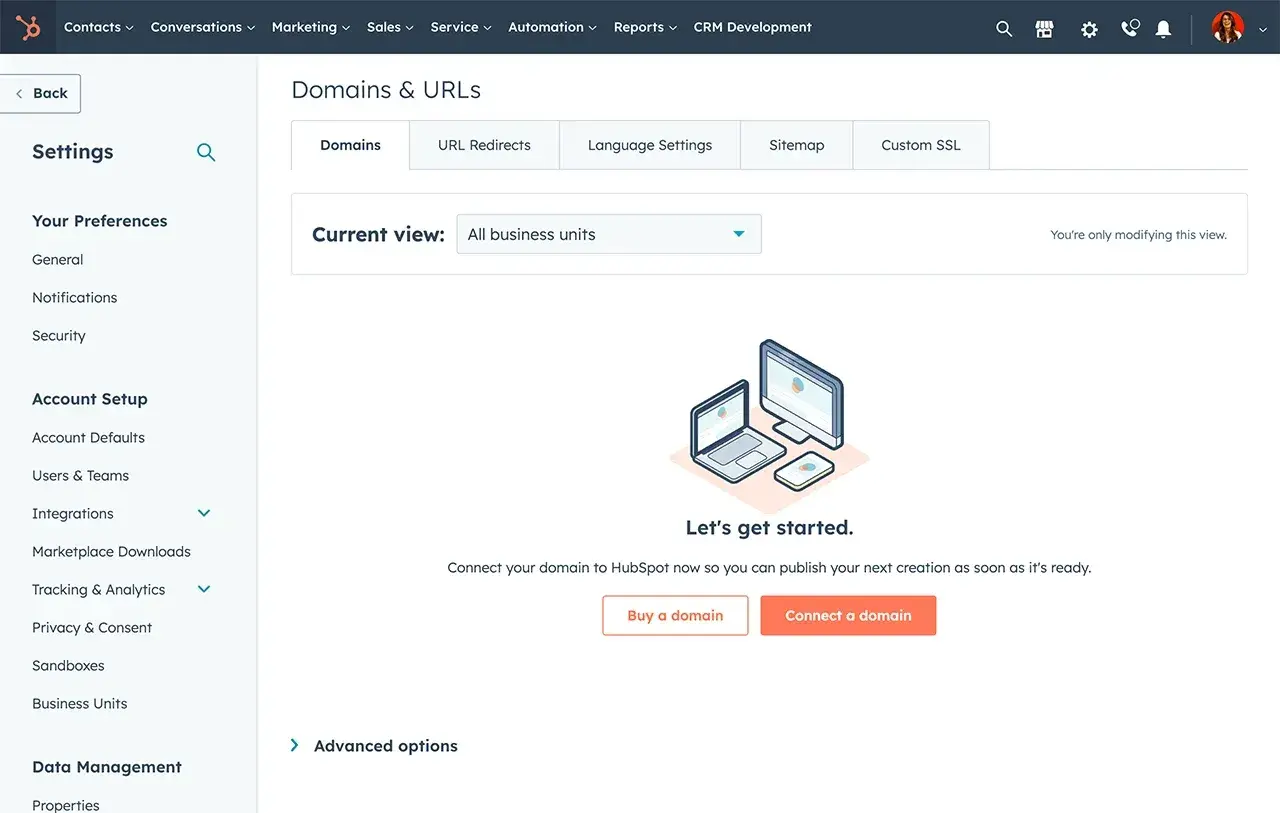
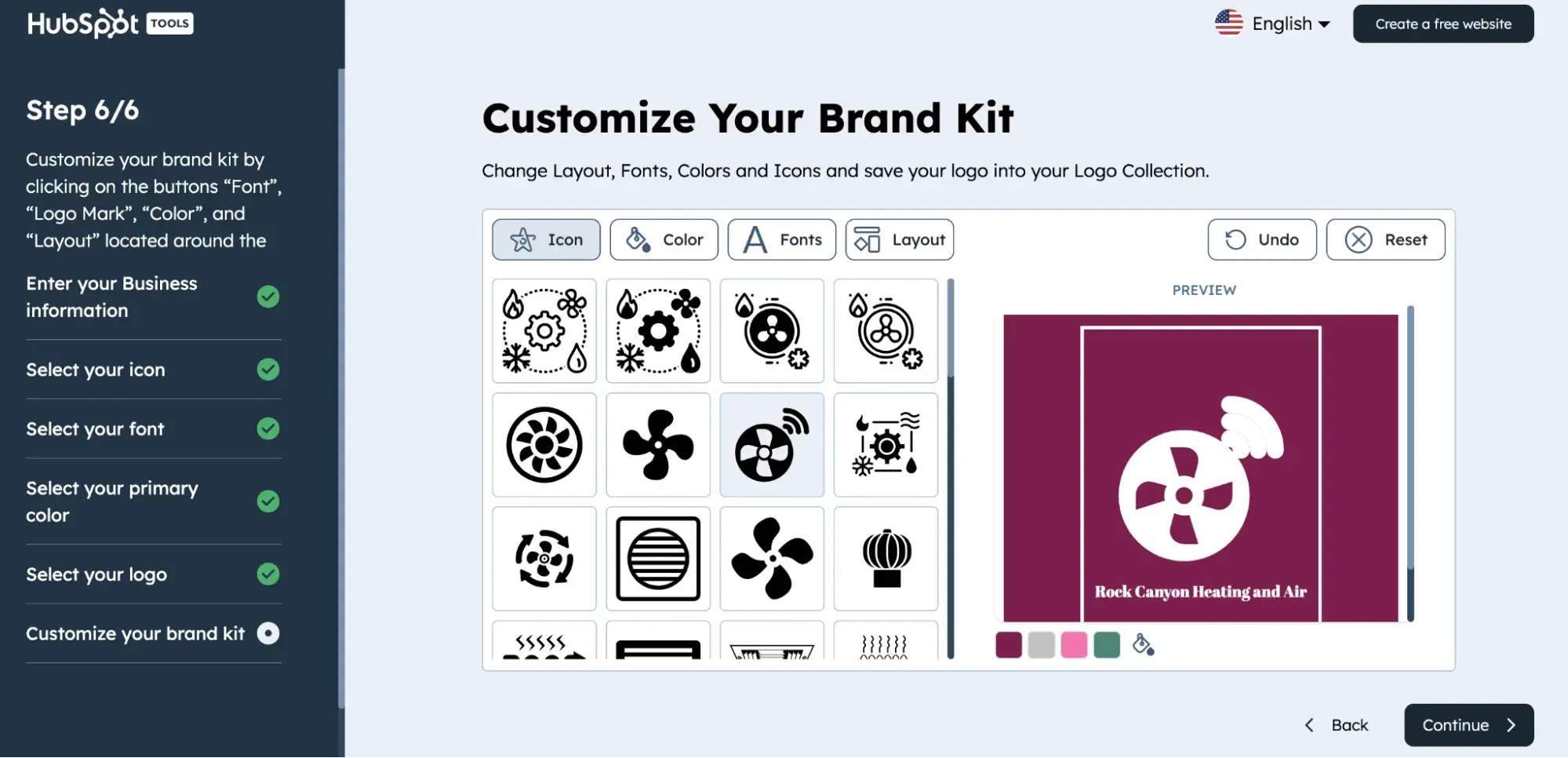
Get started with HubSpot’s Free Logo Maker

HubSpot offers a variety of design tools. The first is the Free Logo Maker. Our logo maker can assist you in designing and customizing the ideal logo for your brand, offering a wide range of professionally designed templates that eliminate the need to start from scratch.

By simply providing your industry, company name, and slogan, the tool will offer personalized recommendations tailored to your needs.

The second tool is our Free Icon Maker. With HubSpot’s custom icon maker, you can design and download icons without the hassle of installing design software. All you need to do is open your browser, and you can start creating free icons for your website and social media profiles with ease.

You can also make an entire brand kit using the Brand Kit Maker or favicons using the Favicon Generator.

Best for: Small businesses looking to create logos, icons, favicons, and more for their brand.

Platform: Mac, Windows, Linux

My Experience

I found the different HubSpot Design Tools to be super easy to use and straightforward. I think this option works best if you’re a small business without the budget for a graphic designer or an Adobe Illustrator subscription.

Because of its simplicity, this tool lacks some of the features of other tools on this list, but it’s completely free, which I appreciate.

Pros

  • No download needed
  • Completely free, no paid version
  • Great for social media, favicons, and getting a general look at your business’ website
  • Simple to use, create an entire brand kit in only six steps

Cons

  • If you need advanced features, this software won’t be the best fit for you
  • Can’t use to edit photos you already have

2. Inkscape

adobe illustrator alternative, inkscape

Image Source

One of the most comparable substitutes to Adobe Illustrator, Inkscape has plenty of similar sketching, illustrating, and editing tools, including keys to move and rotate by screen pixels, bitmap tracing, color painting over objects, and edit gradients with handles.

Best for: Pro and semi-pro illustrators and web designers

Platform: Mac, Windows, Linux

My Experience

I like that you can create complex textures and gradients in Inkscape. Unlike some other free tools I’ve tried, this tool allows layering, grouping, and locking objects so you can completely customize the look and feel of a project while maintaining a streamlined workflow.

In my opinion, Inkscape is a great product for pro- or semi-pro web designers working within SVG file format. It also offers an open-source vector graphics package, so if you have the technical skills, you can incorporate Inkscape into your other software programs.

Pros

  • Supports SVG files
  • Open source software
  • Files can be exported to PNG, OpenDocument, PDF, and more

Cons

  • Steep learning curve for beginners
  • Lacks some features found in other editing tools

3. GIMP

adobe illustrator alternative, gimp

GIMP, which stands for GNU Image Manipulation Program, has limited vector functions but has similar tools to Photoshop, making it an impressive image editor with powerful image manipulation options.

Best for: Advanced designers who need a custom tool to create illustrations and graphics

Platform: Mac, Windows, Linux

My Experience

I appreciate that GIMP provides options for customization and third-party plugins. This makes this tool a great option if your image editing needs are somewhat unique and you want a lot of customization.

GIMP also makes my list as an Adobe Illustrator alternative because it is free and open source, letting you access third-party plugins to enhance productivity and design capabilities. I also liked that GIMP offers tutorials for newcomers, so you can become more familiar with GIMP’s features.

Pros

  • Highly customizable
  • Great for basic photo editing
  • Supports multiple file formats

Cons

  • Lacks support for CMYK files
  • UI is confusing and slow for some

4. Pixlr

Explore Pixlr's interface and design or illustrate images with different layers, customization, and save with many different file save types.

Pixlr offers plenty of features for editing, creating, and sharing creative images. While it’s less advanced in function than Illustrator, it’s cloud-based and supported on mobile, desktop, or the web.

Best for: Individuals whose position requires them to work from different devices to create images

Platform: Windows, Mac, Web Browser, Mobile

My Experience

Pixlr isn’t as technically advanced as Illustrator, but it has some cool features.

There are two different options for using Pixlr; Pixlr E for photo editing and Pixlr X for graphic design.

Pixlr X includes regularly updated templates for social media, presentations, resumes, business cards, newsletters, and event invitations. Pixlr E includes a photo collage maker that combines your favorite photos into a clean, cohesive design.

I also enjoyed Pixlr’s AI Image generation option, which I was able to access for free once I made an account. You get a set amount of free credits for AI image generation, letting you explore the tool at no cost.

Pros

  • Great for beginners
  • Web-based application
  • AI image generation tool

Cons

  • The free version has limited features compared to the paid versions
  • Many advertisements on the free version

5. DesignEvo
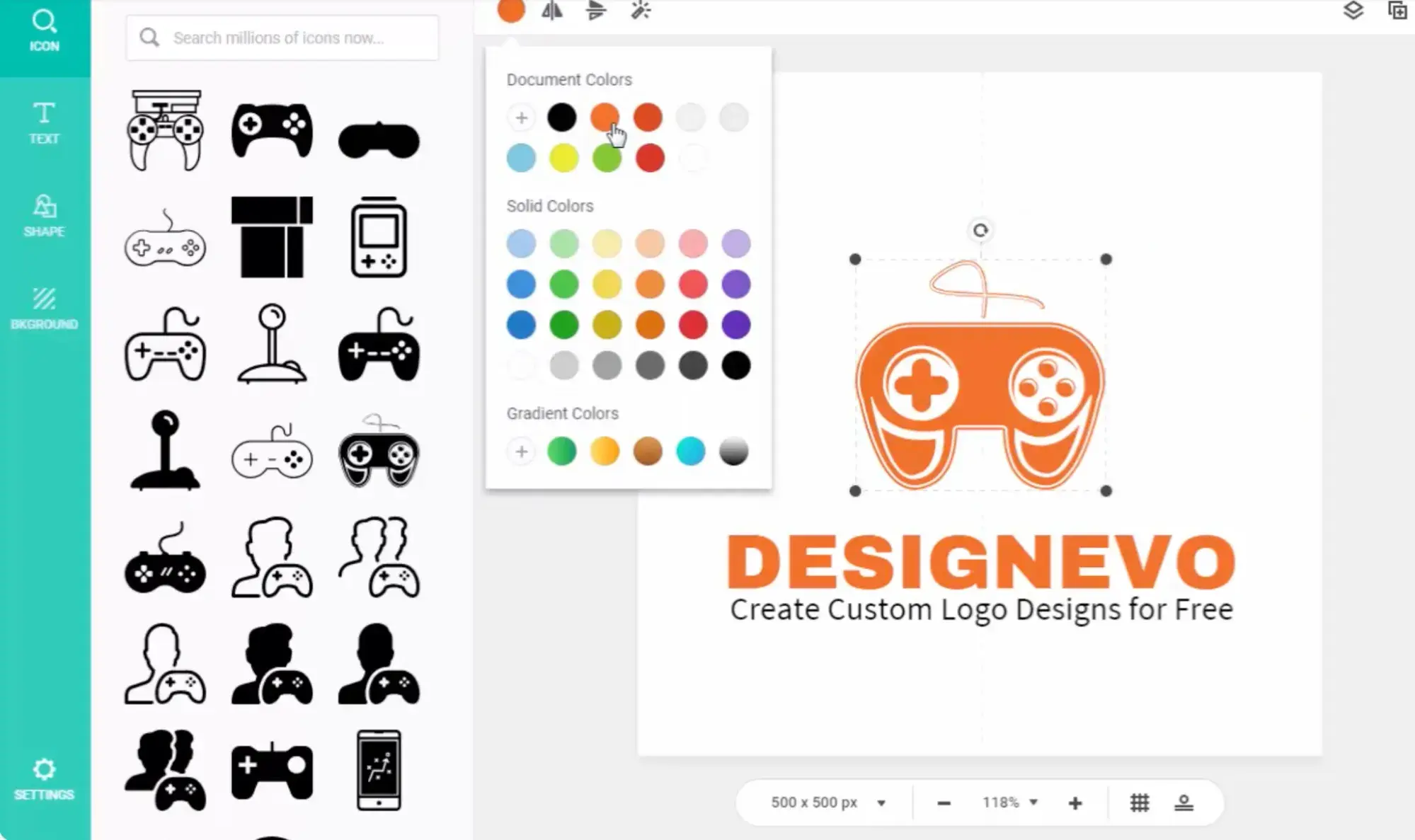
adobe illustrator alternative, Designevo

Image Source

Best for: Individuals starting a business who need a logo and other assets

Platform: Mac

My Experience

This tool exceeded my expectations. Although this design tool is free, it brings a lot of value. With over 10,000 design templates to get you started, this app is ideal for the designer who’s just starting out.

DesignEvo helps you perfect your style, develop your workflow, and build your portfolio — all without spending a penny on expensive software.

I enjoyed the access I had to royalty-free fonts, color schemes, and an easy-to-use logo editor (plus dozens of logo categories). When you’ve designed the perfect vector, logo, or icon, export it from DesignEvo and into your preferred storage cloud in the most popular high-resolution formats.

Pros

  • Clean and simple UI
  • Tons of customizable templates
  • Drag and drop editor

Cons

  • Free downloads have lower resolution, and you can’t download high-quality images without paying for a subscription
  • Some users report issues with getting the mobile app to work like the desktop app

6. Linearity

adobe illustrator alternative, Linearity

Image Source

Best for: Designers who want a user-friendly tool that cuts down work time

Platform: iPad app, Mac app, iPhone app

My Experience

Linearity has been downloaded from the App Store over 6 million times — and I could tell why. Linearity’s features are intuitive and user-friendly, like their auto trace tool, which automates tedious tasks and lets you get your work done faster.

One feature I found cool was Linearity’s unlimited artboards, a sophisticated text editor with custom font imports, a PDF editor, and support for touch, pen, mouse, keyboard, and wacom pad. Plus, its multiple integrations and import/export features make it easy to switch between multiple design tools.

Pros

  • Supports Figma designs
  • Easy-to-use, intuitive software
  • Able to export multiple file formats

Cons

  • Slower compared to other programs
  • Only works with Apple products
  • Can lag on older iPads or desktops

7. Figma

adobe illustrator alternative, Figma

Image Source

From design features to prototyping, Figma is a free illustration app that has all the tools you need in just one platform.

Best for: Designers in need of an all-in-one tool

Platform: Web Browser

My Experience

Figma is my first choice for anyone looking for a free Adobe Illustrator alternative.

I appreciate that Figma lets you install plugins and widgets that automate tasks to boost productivity. I found resizing and moving design elements to be easier than ever with Figma’s auto layout tool.

With cloud-based software, you can work on your illustrations from anywhere with internet access and seamlessly share files with other team members.

While Figma’s free Starter plan has all the features an entry-level designer or small team would need to get started, more seasoned designers and larger teams may consider a Professional plan for access to features like unlimited version history, sharing permissions, team libraries, and more.

Professional plans start at $12 per editor/month and are free for students and teachers.

Pros

  • Real-time collaboration features
  • Cloud-based
  • Easy to share files with collaborators
  • Lots of features that make designing easier and more interesting

Cons

  • The free plan has limited features
  • Lags when working with large files
  • Can be tricky to onboard and learn all of Figma’s features

8. Vectr

adobe illustrator alternative, Vectr

Image Source

Best for: New designers who want a powerful tool with a low learning curve

Platform: Web Browser

My Experience

I think Vectr is perfect for beginners because it’s a simple illustrator tool that makes designing and editing graphics a breeze with intuitive technology and user tutorials. Vectr is great for basic editing, doesn’t have a download limit, and can be super useful for creating social media images.

I also like that Vectr is web-based and accessible to anyone with internet access. Collaborating is also super easy with its real-time sharing capabilities and chat features.

Pros

  • Great for all skill levels
  • Has all the basic features needed to make simple designs and edits
  • No download limit

Cons

  • Can’t work offline
  • Limited text options
  • Doesn’t have more technical features
  • Can’t save locally

Best Paid Adobe Illustrator Alternatives

9. BoxySVG
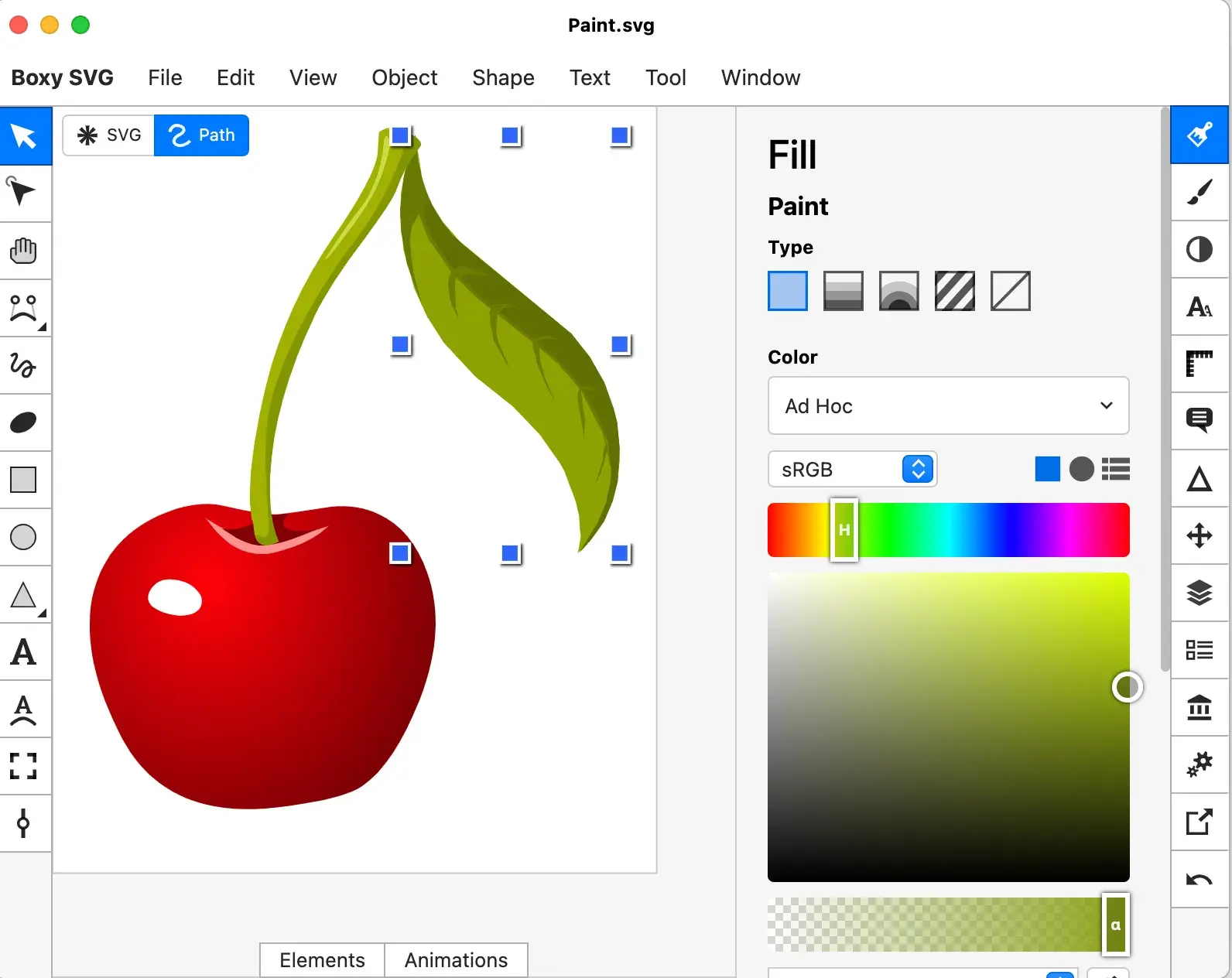
adobe illustrator alternative, boxysvg

Image Source

Best for: Designers who produce a low volume of designs but still need a quality tool

Platform: Mac app, Windows app, Chrome app, Web app

Cost: Only 15-day free trial. After that, you’ll have the option to purchase either the premium or standard plan.

My Experience

BoxySVG’s interface feels nostalgic to me, like a cooler version of Microsoft Paint.

BoxySVG runs as an extension in Google Chrome, so it’s easy for me to store vector graphics, including icons, charts, and illustrations on the web. It provides options for Google Fonts integration and has an Open Clip Art Library, as well as illustrator tools, including pens, bezier curves, groups, shapes, text, and more.

Ultimately, I found BoxySVG to be simpler than Illustrator, and while this means less advanced tools, it also means a quicker and easier process for creating vector graphic files.

The intuitive user interface gives you a clean workspace so you can complete your workflow without clutter or overlapping toolboxes. Keyboard shortcuts keep tools accessible without switching between tabs or searching through several icons.

Pros

  • Intuitive user interface
  • Organized workflow without overlapping toolboxes
  • Keyboard shortcuts are accessible
  • Quick processing

Cons

  • Less advanced than Adobe Illustrator

10. Corel Vector

adobe illustrator alternative, corel vector

Best for: Freelance illustrators and designers who need a robust design tool

Platform: Mac, Linux, Windows, Chrome, Web Browser

Cost: Corel Vector offers a free 15-day trial. After the trial period ends, users must purchase a subscription plan.

My Experience

I found plenty of basic vector-editing tools in Corel Vector, including pen, line, knife, slice, bezigon, and gradient editor. I love that Corel Vector also has more advanced features, such as boolean operations, symbols, international text support, and more.

Plus, it’s designed with a user-friendly interface and offers video tutorials. Corel Vector works from right within any browser, which means you can edit and export your files anywhere with wifi.

Even if you don’t have access to wifi, the tool allows users to work offline for up to 15 days at a time. It also supports CMYK rendering, so you can print quality images without downloading anything.

You can also import and export files in a variety of formats including pdf, png, jpg, svg, and sketch — which makes this option more flexible than Illustrator.

Pros

  • Video tutorials and an intuitive interface
  • Works correctly in any browser, with an option for offline work
  • Import and export files in lots of different formats

Cons

  • Only a 15-day free trial, after which you have to purchase a subscription plan
  • Some users report the software crashing, interrupting workflows
  • The learning curve for using software can be steep

11. Affinity Designer

adobe illustrator alternative, affinity

Best for: Experienced designers with a need for advanced vector and raster tools

Platform: Mac, Windows, iPad

Cost: The price of a universal license is $99.99, but you can also purchase much cheaper individual licenses for MacOS, Windows, and iPad. The 30-day trial version is free and offers plenty of the full version tools.

My Experience

Affinity Designer is my favorite paid Adobe Illustrator alternative because it’s the most like Illustrator with features like rasterizing controls, infinite zoom, a precision-engineered pen tool, automatic snapping points, colors that pop, and an extensive array of vector editing tools.

If you’re looking for software that is just as technical, customizable, and user-friendly as Adobe Illustrator, I think Affinity Designer is your best choice.

Pros

  • Longer, 30-Day Free Trial
  • Switch between vector and raster workspaces easily
  • Unlimited artboards and keyboard shortcuts
  • Save your file in most vector and raster formats

Cons

  • Some users report issues contacting customer service
  • Lacks a couple of Adobe Illustrator tools currently
  • Limits third-party plugins compared to other tools on this list

12. Sketch

adobe illustrator alternative, sketch

Best for: Collaborative design teams

Platform: Mac app, Web Browser, iPhone app

Cost: Standard plans start at $12 per month, with the option to buy licensing for $120. You can also try Sketch for free with a 30-day trial.

My Experience

If you want a design tool to keep your team organized and in sync, look no further than Sketch. I love that Sketch’s Workspaces allows you to store and share files, manage your team, collaborate on projects in real time, and hand off designs to developers.

Other features I like include vector editing, prototyping tools, artboard templates, customizable toolbar and shortcuts, offline work capabilities, and more.

Pros

  • Offers all features that are essential for digital designers without the complexity
  • Limitless workspaces and artboards
  • Great for collaboration

Cons

  • Not available for iPad
  • Not as many advanced features as Adobe Illustrator

13. VectorStyler

adobe illustrator alternative, vectorstyler

Best for: Experienced designers who prefer to purchase a one-time license over a subscription plan

Platform: Mac, Windows

Cost: A free-trial for VectorStyler lasts for 42 days. After that, you’ll have to purchase a license for a flat rate of $95.

My Experience

I found VectorStyler to be an advanced illustration software for a fraction of the cost of Adobe. VectorStyler has all the drawing tools I need to create stunning illustrations and designs, including vector brushes, shape effects, advanced typography, path sketching, text on path, open native AI, and more.

I also love that my designs can be imported and exported through common file formats: PSD, AI, SVG, PDF, Postscript, EPS, JPEG, BMP, GIF, PCX, PNG, TGA, and TIFF.

Pros

  • AI files are imported in editable form with tiling patterns, brushes, styles, and effects available for reuse and adjustment
  • Batch exports to speed up the design process
  • Customize your menu, so you only use the tools you need
  • Longest free trial of 42 days

Cons

  • Some users report issues with VectorStyler’s UI, specifically when minimizing and maximizing tabs

Which Adobe alternative is the best?

Creating professional vector graphics doesn’t have to be an expensive line item in your budget. Ultimately, if you actually need every single feature of Adobe Illustrator, you’re just going to have to fork over the money for the real thing. But chances are you just need something comparable, and these are my picks:

  • If you’re looking for a free alternative that does most of what Adobe Illustrator does, my top pick is Figma.
  • If you need a design tool just to make basic brand collateral, I think the different HubSpot design tools are the way to go.
  • If you need software that’s as close to Adobe Illustrator as possible without paying Adobe prices, my pick is Affinity Designer.

Whatever your unique design or illustration needs are, I hope you found a great fit on this list or at least some products you’d like to test drive with a free trial.

Editor’s note: This post was originally published in June 2018 and has been updated for comprehensiveness.
New Call-to-action

Categories B2B

27 Copywriting Examples From Businesses With Incredible Copywriters

Knowing about copywriting is great, but nothing beats excellent copywriting examples at your fingertips.

When I need to get inspired, it helps me to look at examples of great copy. This can help you smash any creative block and write fast – whether you need to crank out website updates, product copy, or blog posts.

→ Download Now: 6 Free Blog Post Templates

Below, I’ll show you 27 inspiring copywriting examples from businesses who hired incredible copywriters.

Jump ahead to the examples you’re looking for:

1. Omsom

marketing copy example, Omsom

Image Source

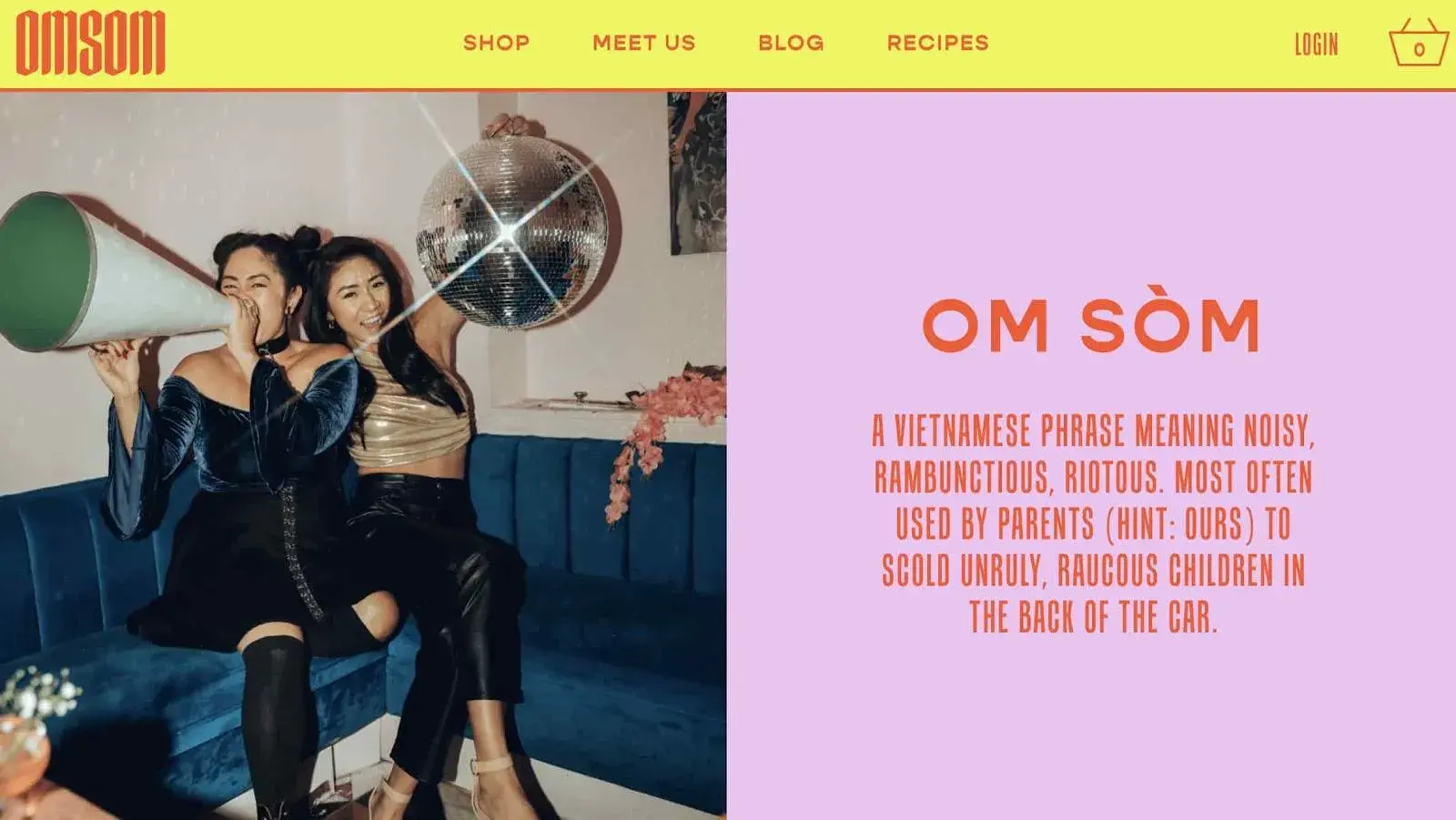
Why we like it: Omsom‘s copy is playful and authentic. I like how the company founders, the Pham sisters, share a bit about their culture and cooking ingredients. This makes home cooking accessible and quick for visitors of all skill sets like me.

I typically enjoy cooking, but I don’t always have the time. With Omsom, I have stepped up my game.

Omsom’s ready-to-use starter pouches of spices and sauces help me churn out Asian dishes quickly. It has also made me avoid the hassle of store-hopping and buying larger quantities than I need.

Still, I always buy more than intended when I’m on their site because it looks delicious, and the copy is a huge motivator to click “add-to-cart.”

Right at the start, I like how the homepage (pictured above) invites me in with a “saucy” copy that works with the image.

marketing copy example, Omsom

Image Source

There’s also plenty of wordplay used. The founders, with the last name Pham, have worked it into various spots on the site, including their note welcoming visitors to their “Phamily.”

marketing copy example, Omsom founder story

Image Source

The language is the perfect balance of both playful — even calling out that the Pham sisters were rowdy youths in their definition of Omsom (above) — and no-nonsense regarding ingredient quality.

2. Cards Against Humanity

marketing copy example, Cards Against Humanity

Image Source

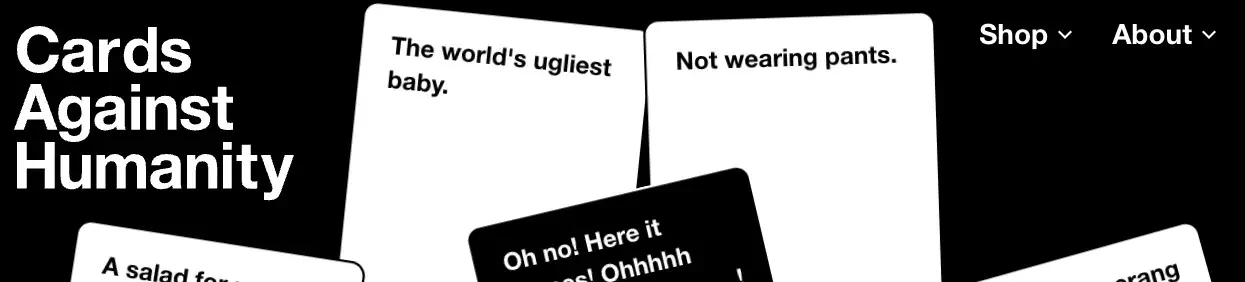
Why we like it: Their copy is abrasive and a little offensive, which perfectly lines up with their brand voice and audience.

You may or may not be familiar with Cards Against Humanity, the self-declared “party game for horrible people.” It‘s a card game — one that’s simultaneously entertaining and inappropriate.

The copywriting on the cards themselves will definitely make you laugh.

The brand voice is very distinctive, seems abrasive, and even a little offensive. But that‘s their whole shtick: They’re not trying to appeal to everyone, and that’s perfectly okay.

What they do is a great job of appealing to their target audience.

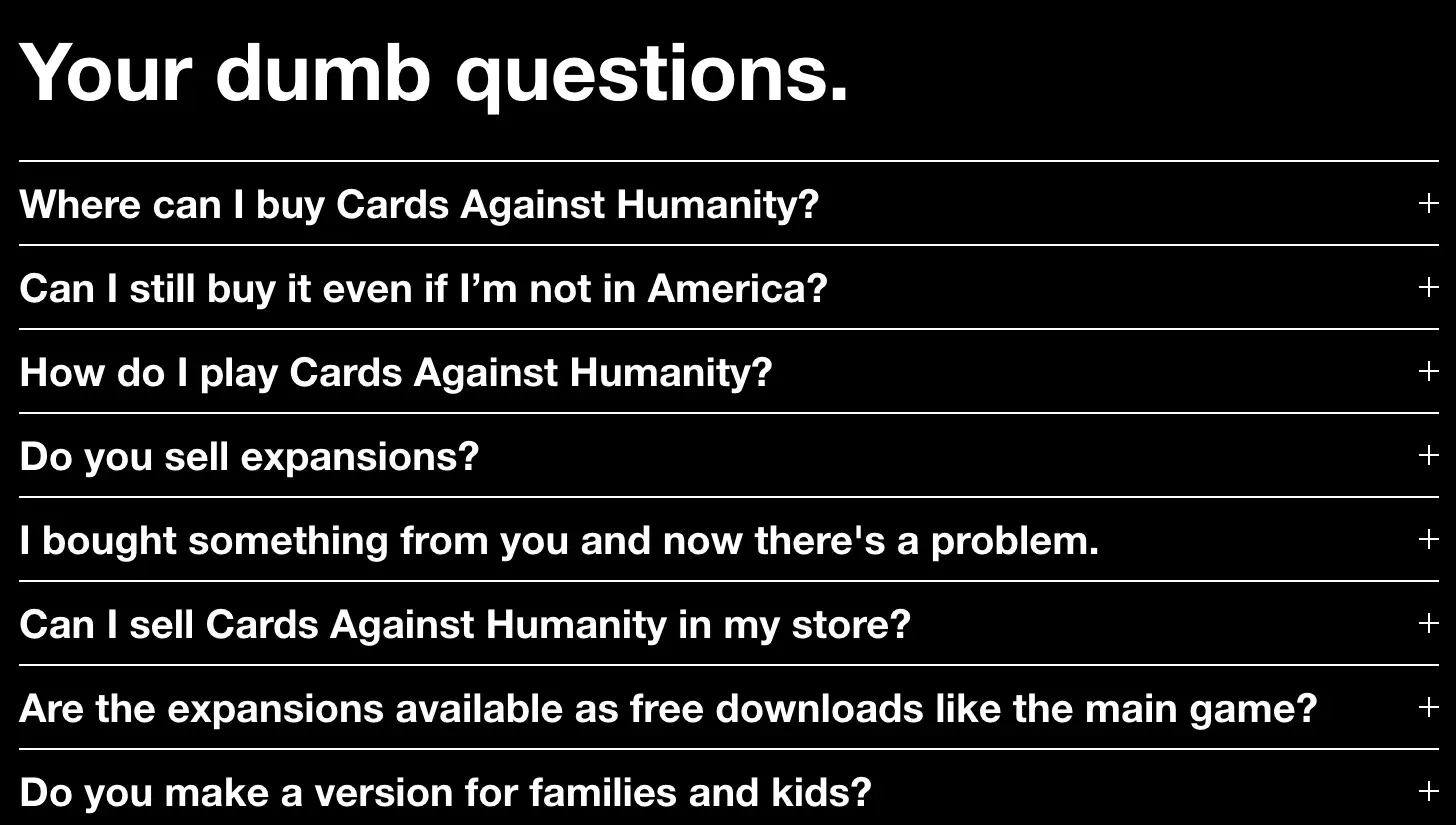
One look at their FAQ page and you’ll see what I mean:

marketing copy example, Cards Against Humanity

Image Source

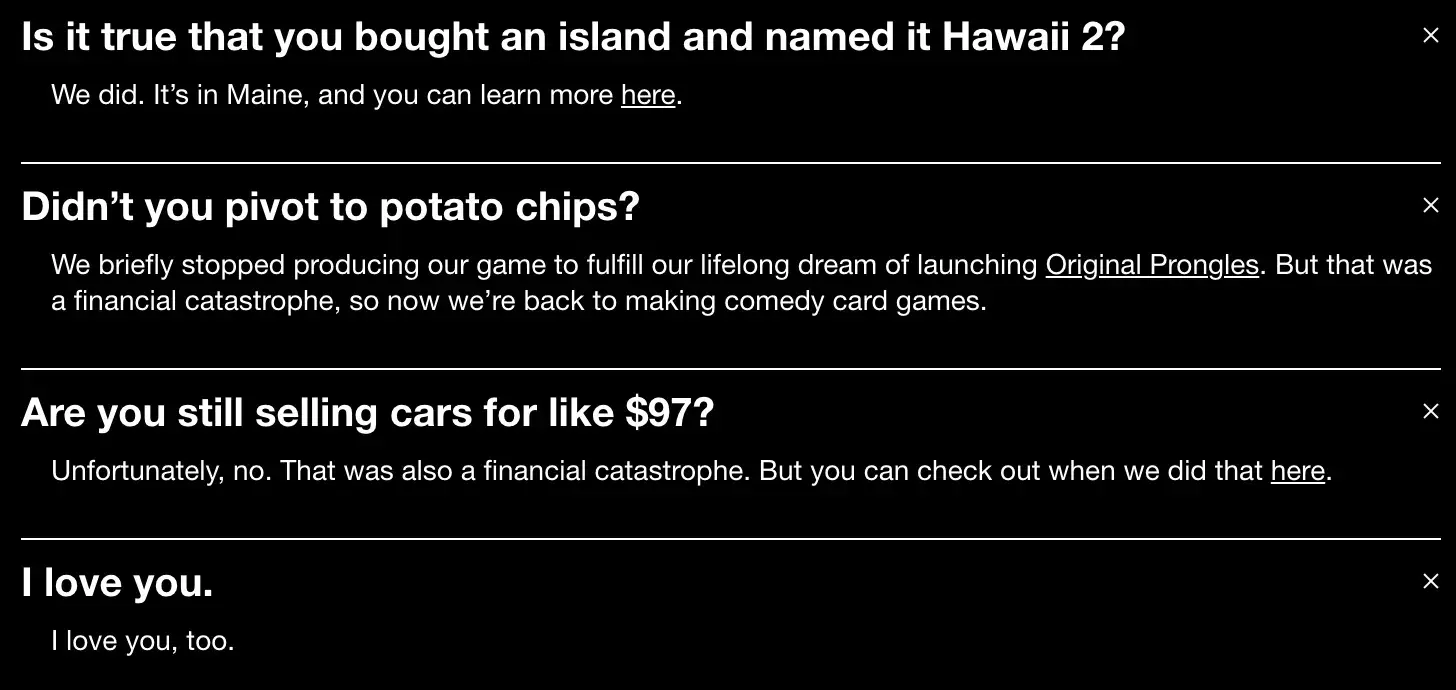
Here‘s a sneak peek into some answers to these questions. You’ll see they make fun of both themselves and the reader — which is exactly what the card game is about.

marketing copy example, Cards Against Humanity

Image Source

marketing copy example, Cards Against Humanity

Image Source

marketing copy example, Cards Against Humanity

Image Source

3. GymIt

marketing copy example, GymIt

Image Source

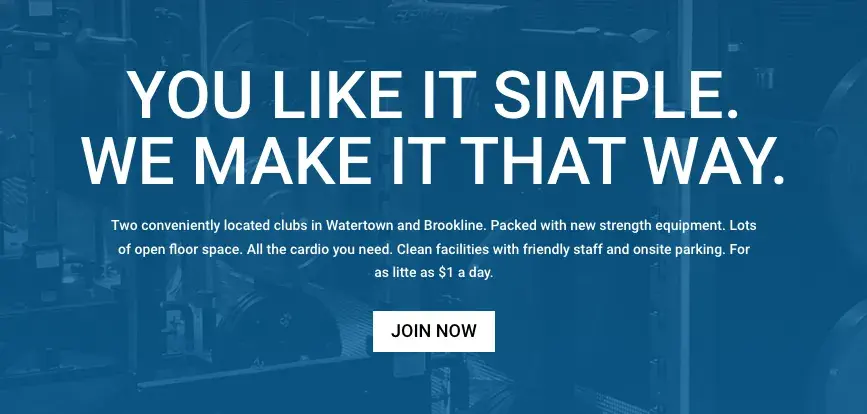
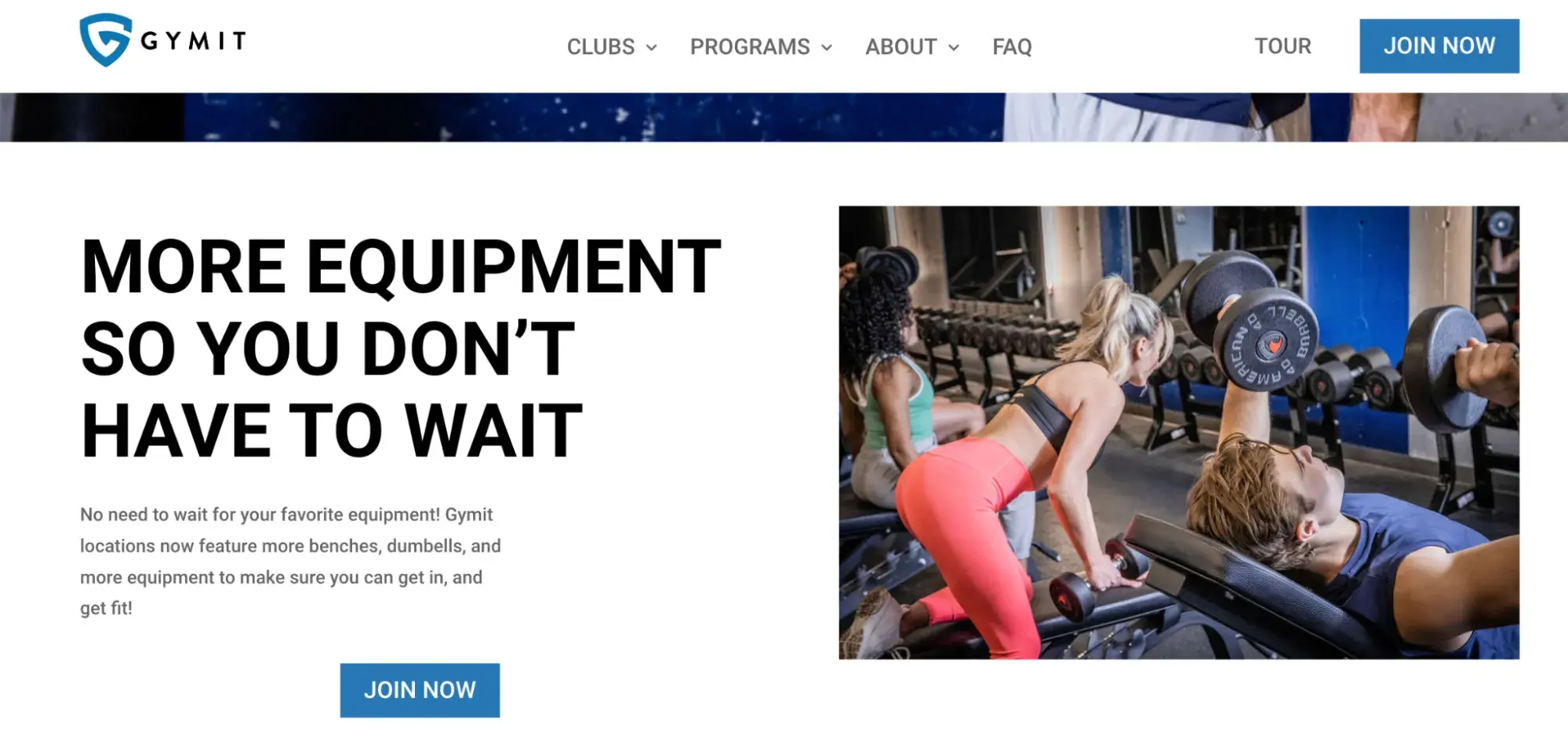
Why we like it: GymIt truly gets its users and expresses it with funny advertising about pretending to move to get out of a contract. The company knows their audience and knows just what to say to hook them and make them smile.

I‘ve always loved the copy at GymIt. In fact, I check their site and social profiles all the time to see if they’ve freshened anything up. Luckily, they are not a one-trick pony. They continue to keep their site fresh with captivating copy.

Here’s one of my favorites, which hit the pain points of gym-goers.

marketing copy example, GymIt

Image Source

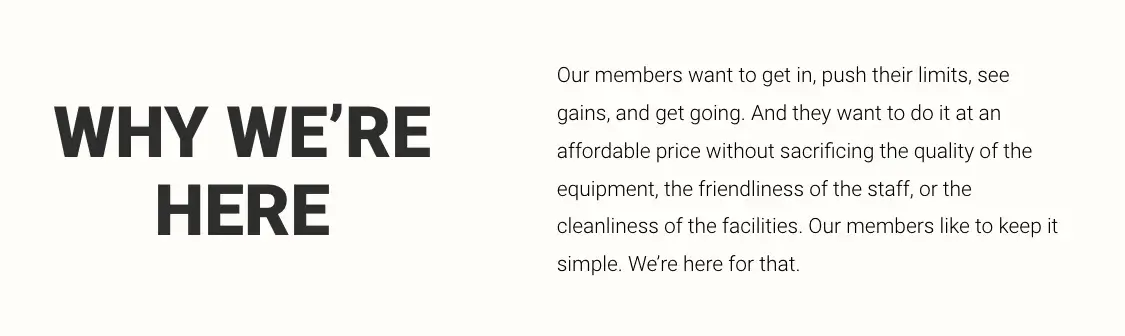
GymIt’s copy rolls up to their philosophy and is espoused on their “About” page: that gyms should just be about working out:

marketing copy example, GymIt

Image Source

Talk about understanding their core audience. The copy, both in its value proposition and across its marketing materials, reflects a deep understanding of its customers.

4. Primary

marketing copy example, Primary

Image Source

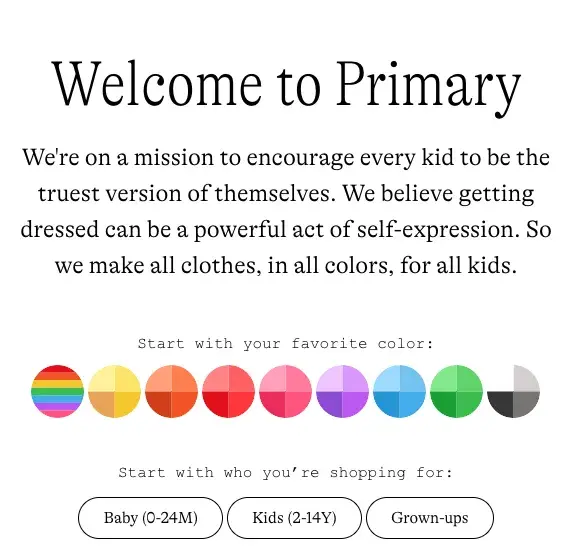
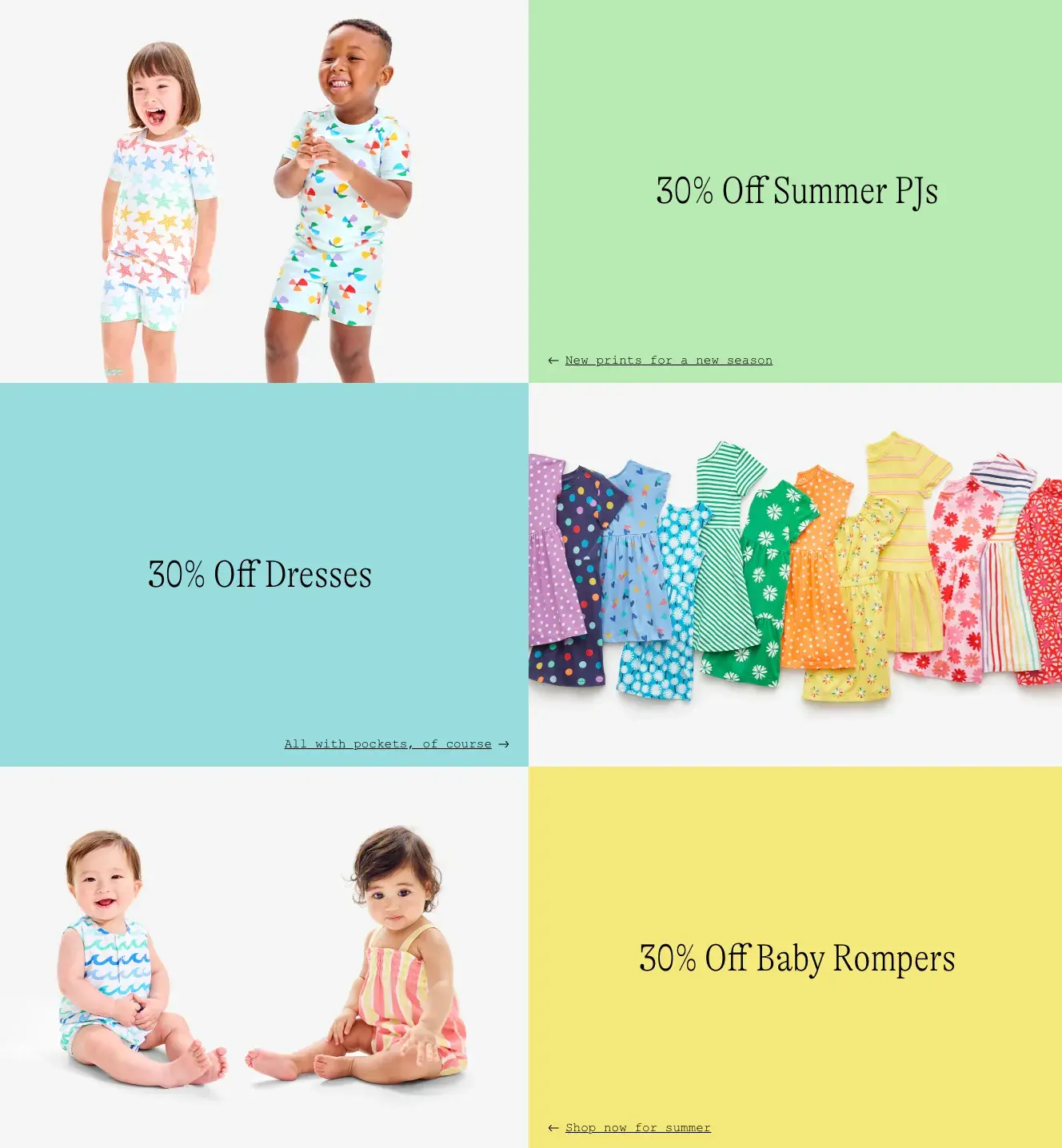
Why we like it: Primary does a fantastic job of speaking to parents who want their kids to grow up well-adjusted, and they make their mission clear on the homepage.

They do an exceptional job of illustrating that they’re a different company and show customers two great ways to shop — by color or age.

The next section of their homepage explores clothes for different age groups in bright colors.

marketing copy example, Primary

Image Source

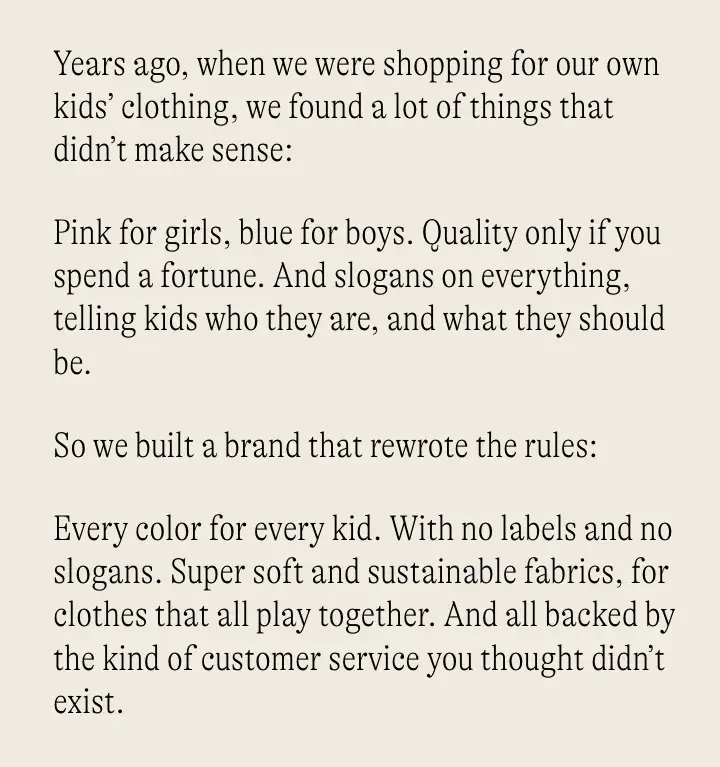
The empowering language of Primary continues on the About page. This page focuses on why the founders were unhappy with the kids’ clothing industry and what they set out to change.

By relating to the common concerns of parents, they establish a standard people can expect when shopping with Primary.

marketing copy example, Primary

Image Source

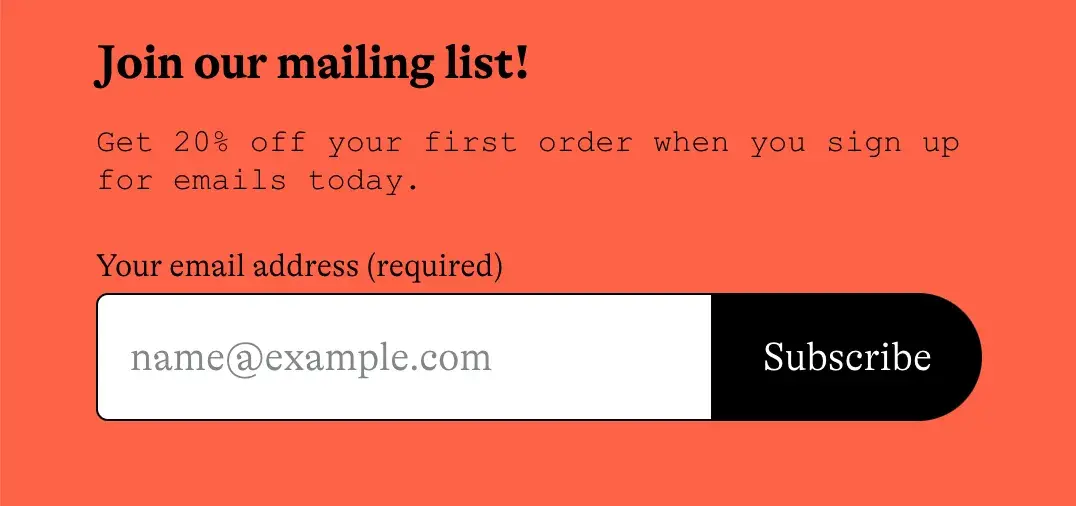
Fun and empowering language aside, Primary’s copywriters entice users to sign up for their email list by giving 20% off for first orders.

marketing copy example, Primary

Image Source

5. Articulate

marketing copy example, articulate

Image Source

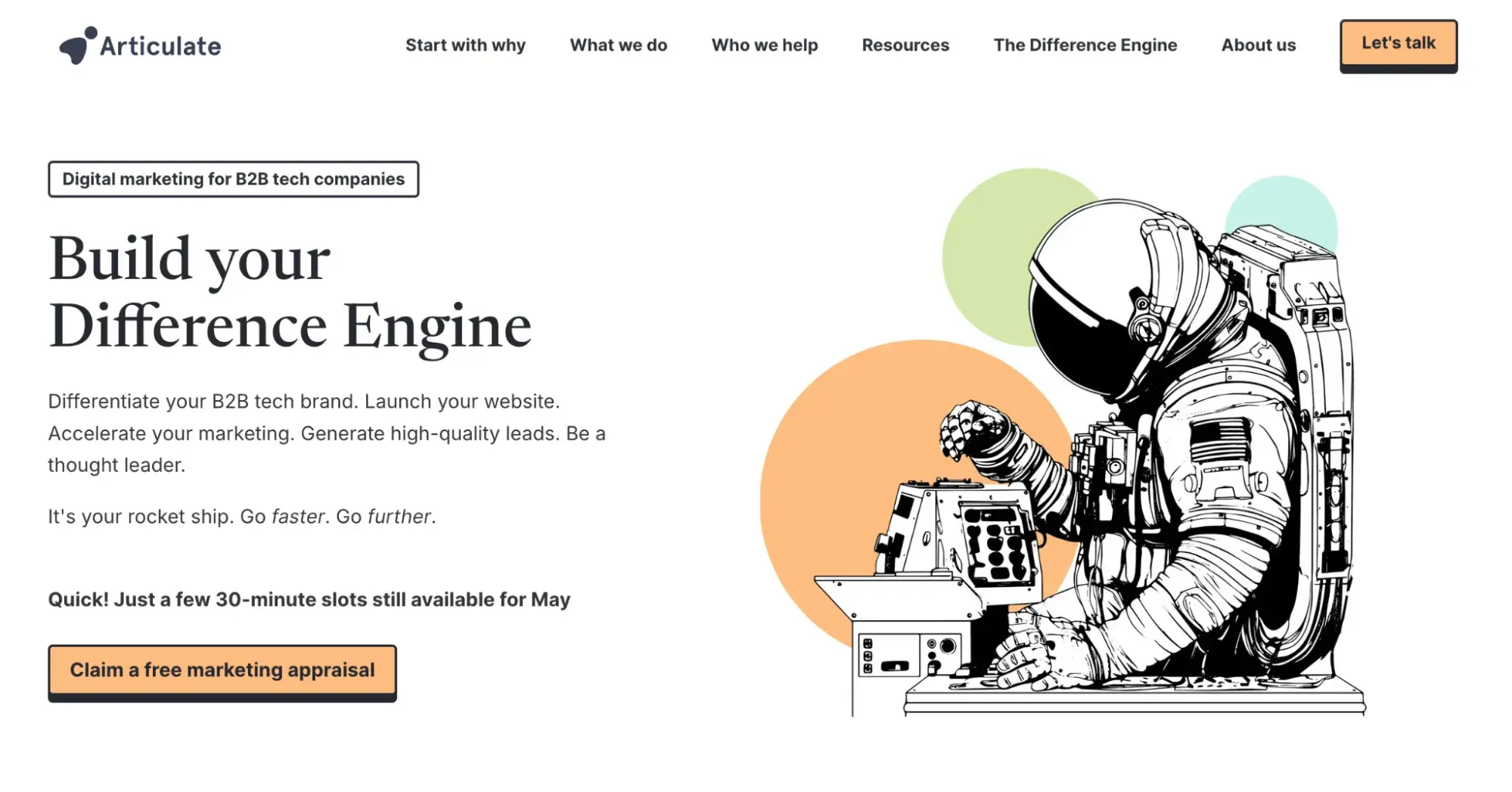
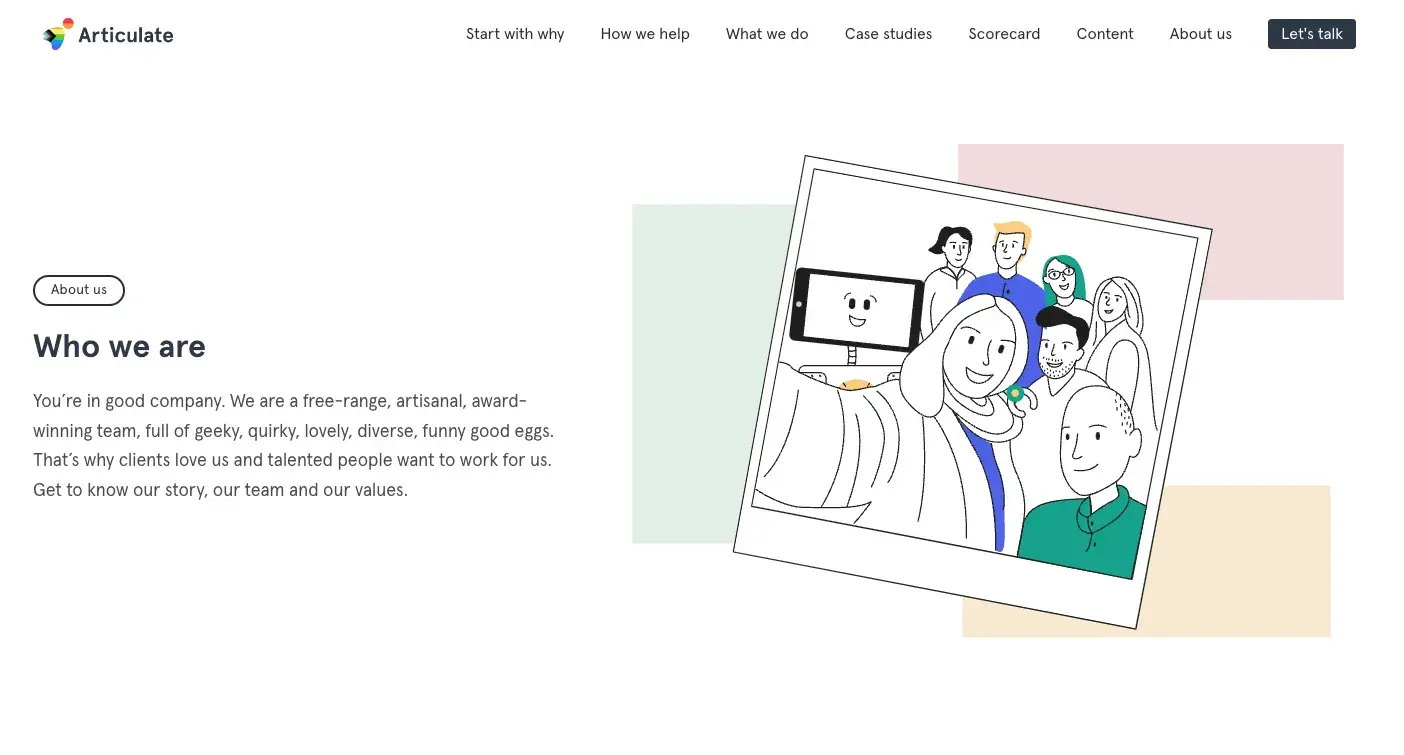
Why we like it: Articulate has nailed the pun game. It’s cheesy in a good way and makes them more relatable to job seekers and clients.

Most people don‘t want to just be a cog in a company’s machinery, so by adding some humor, Articulate sets itself apart from other corporate competitors.

Articulate is a HubSpot Agency Partner based in the United Kingdom. Though the company is an inbound marketing agency, I like how they infused witty and confident copy on their web pages. Here‘s exhibit ’A’:

marketing copy example, articulate

Image Source

The copy above introduces Articulate‘s “Meet the Team” page — not a page you’d think can pull off witty copy, right? Well, Articulate’s page goes beyond employee photos and their job titles.

The copy also takes on a farm theme, assuring visitors that employees are “free-range, artisanal” and “funny good eggs.” Funny on the surface but helpful to clients who want to know where their work comes from and how it’s made.

6. BarkBox

BarkBox sales web copywriting homepage

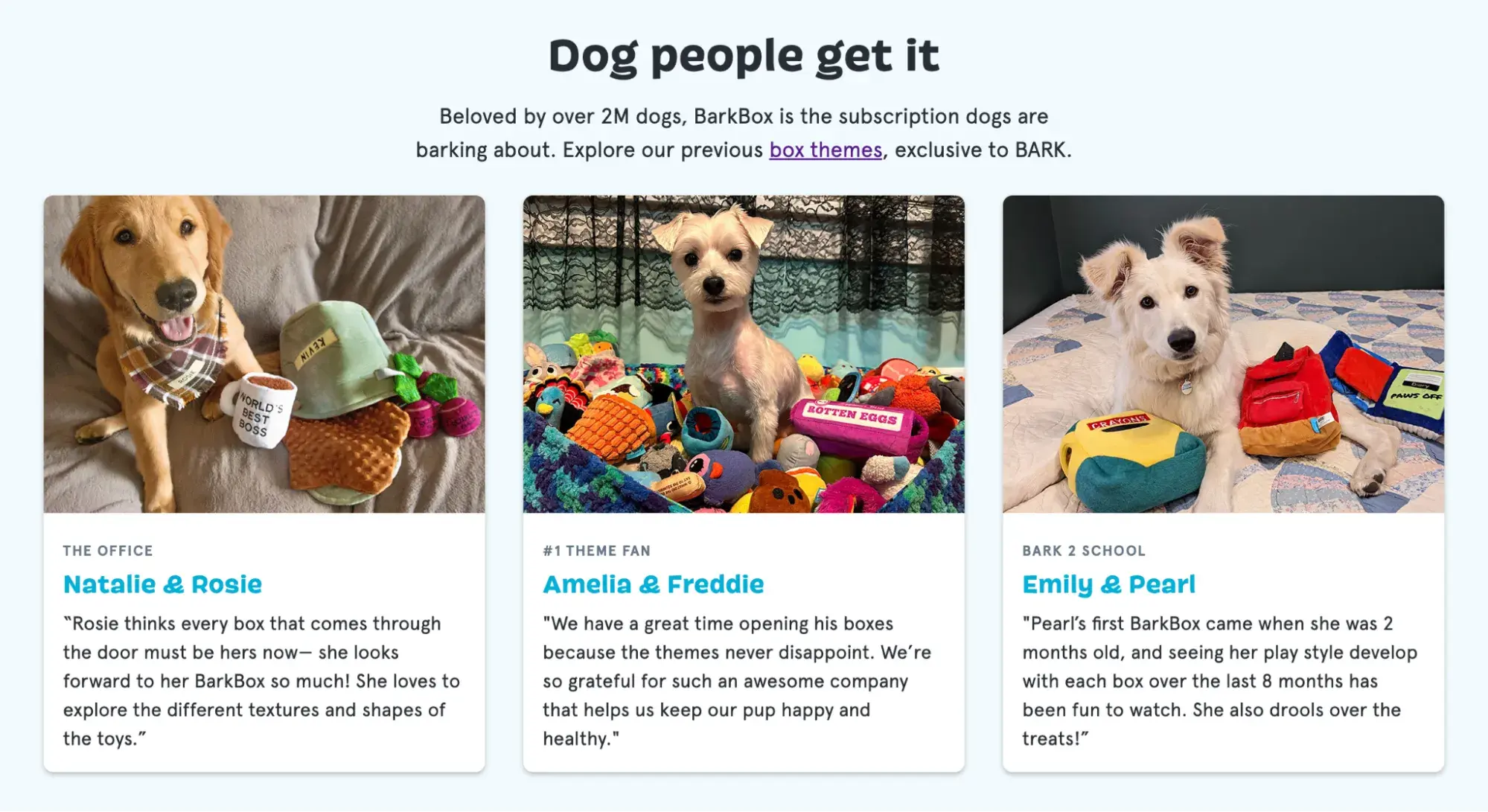
Why we like it: No round-up of exceptional copywriting is complete without a discussion of BarkBox. With playful web copy, they nail exactly the kinds of words people use to talk about their dogs, like “good doggies.”

Throughout their site, they continue this casual, friendly language worthy of any pet lover, including this language that makes their users feel special: “Dog people get it.”

BarkBox sales web copywriting homepage

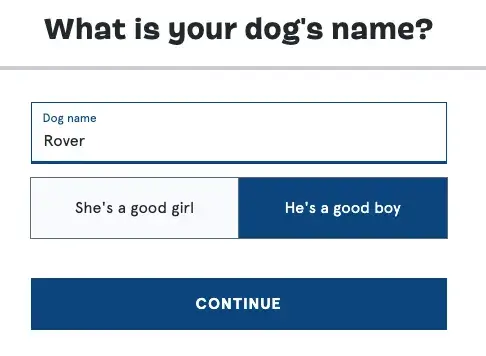
And for anyone subscribing, they have some fun ways to get information about the pup the box is for:

BarkBox sales web copywriting homepage

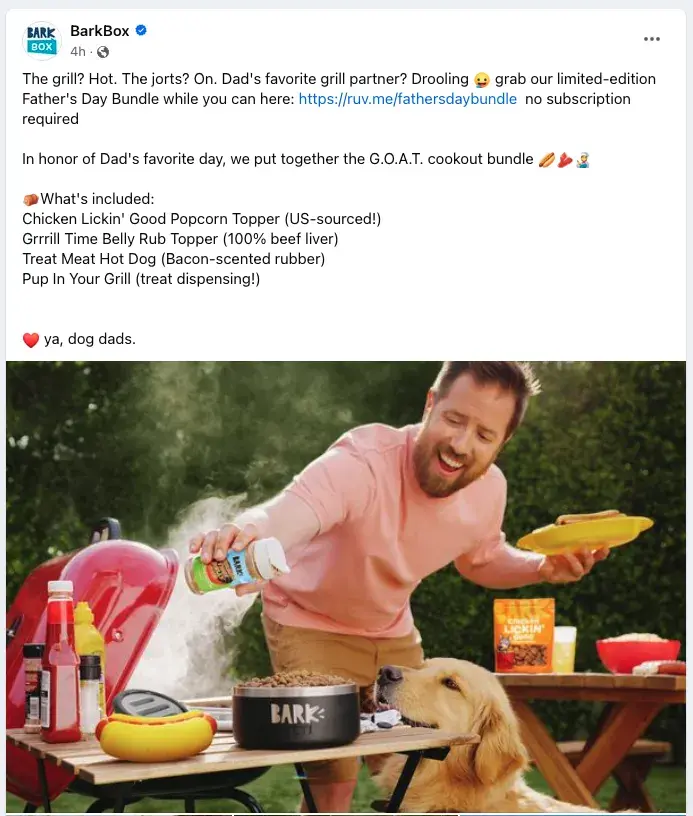
However, while their website copy is fun, their social media copywriters truly take the cake dog biscuit. Their social content alone is fantastic, but this (and their emails) is where they talk the most about their clever toy names.

Check it out in this example:

BarkBox sales web copywriting homepage

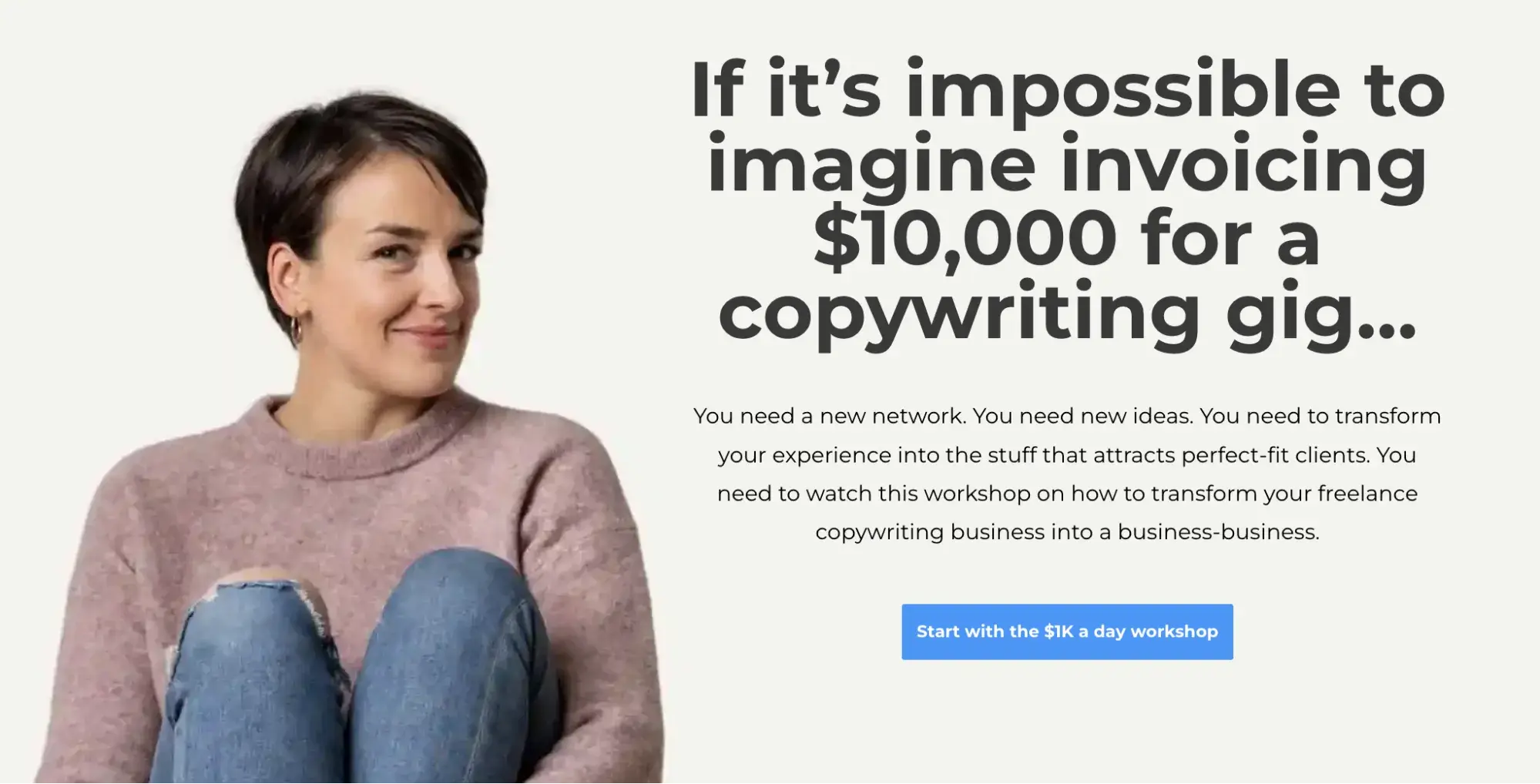
7. CopyHackers

copyhackers sales web copywriting homepage

Why we like it: A site that teaches copywriting to copywriters had better nail its copy. For this, CopyHackers doesn’t disappoint, and that’s why it makes my list of the best sales web copywriting examples.

What I really love about this page is how well it speaks to some of the biggest pain points and concerns of copywriters today, alluding to the fear many writers have of being starving artists.

Even more well done, they take ‌AI tools head-on. Sure, “with the help of AI, everyone can be a copywriter,” but that doesn’t make them a great copywriter.

So while there’s a plethora of AI copywriting prompt examples out there, few people are addressing the elephant in the room — AI copy still needs great human oversight, just as CopyHackers explains.

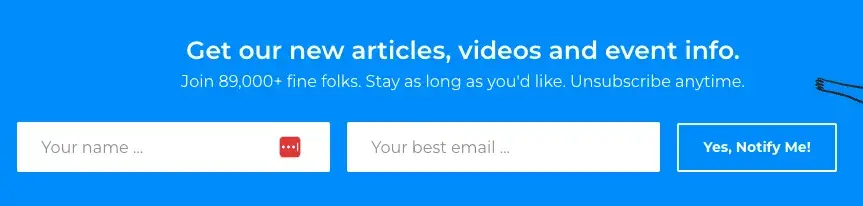
Unsurprisingly, the clever, yet clear copy is exceptional every step of the way, including in their newsletter sign-up.

The headline is clear, and the sub-headline adds a dose of fun while showing that their emails are so valuable that 89k other people are on the list.

copyhackers sales web copywriting homepage

8. Moosejaw

moosejaw sales web copywriting homepage

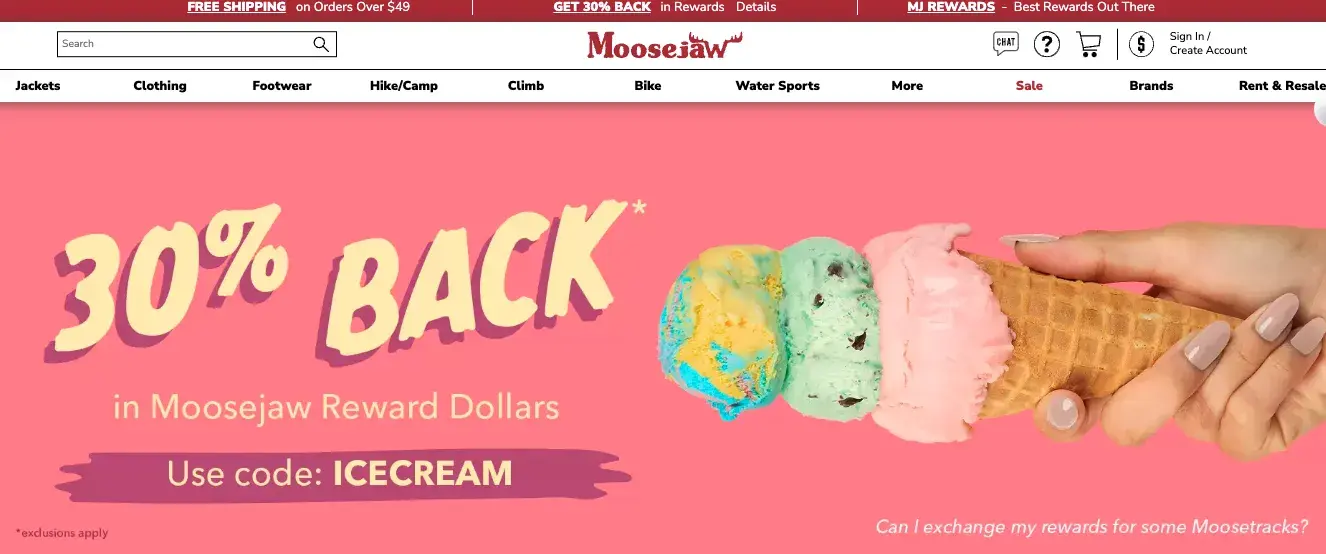
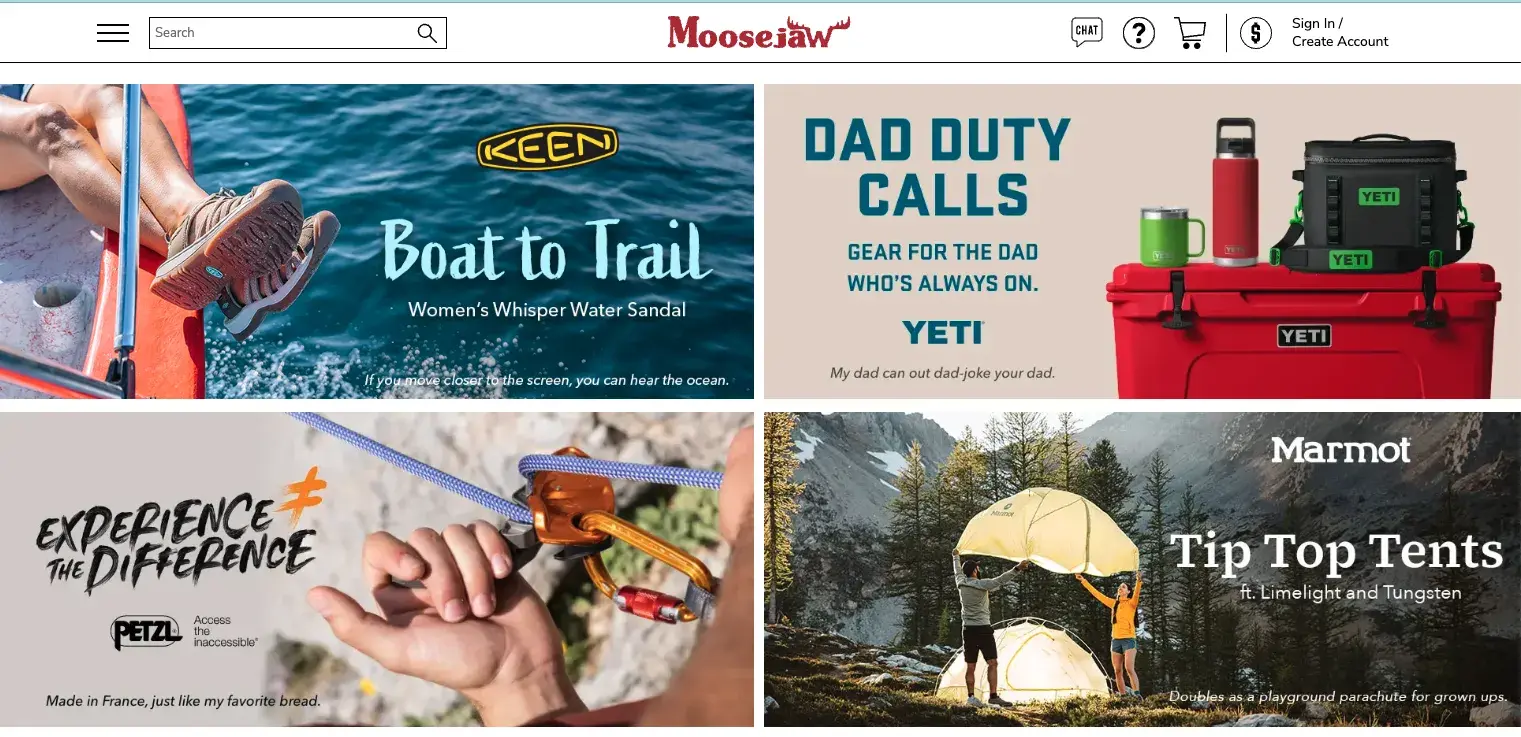
Why we like it: Moosejaw’s humor builds an emotional connection with site visitors — delighting them while providing useful information.

Not many brands are brave enough to touch the products they‘re selling with an unconventional copy, but Moosejaw isn’t afraid to have a little fun.

The outdoor apparel outlet store uses humor to sell its products without being overly forward about it. By appealing to people‘s emotions, they’re more engaging and memorable.

Here are a few examples:

moosejaw sales web copywriting homepage

Plus, with quirky one-liners scrolling across the screen, you want to hang around their site for longer just to see what they say next.

moosejaw sales web copywriting homepage

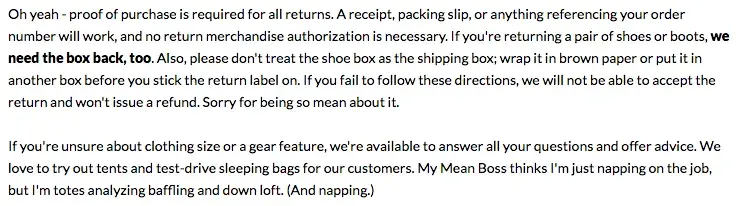
If you think the brilliant copy stops at their homepage, think again. They extend it to their return policy, too. Here, they do a great job of not sacrificing clarity for humor. I like how their copywriters successfully made people laugh while still being helpful.

9.Going.com

going.com sales web copywriting homepage

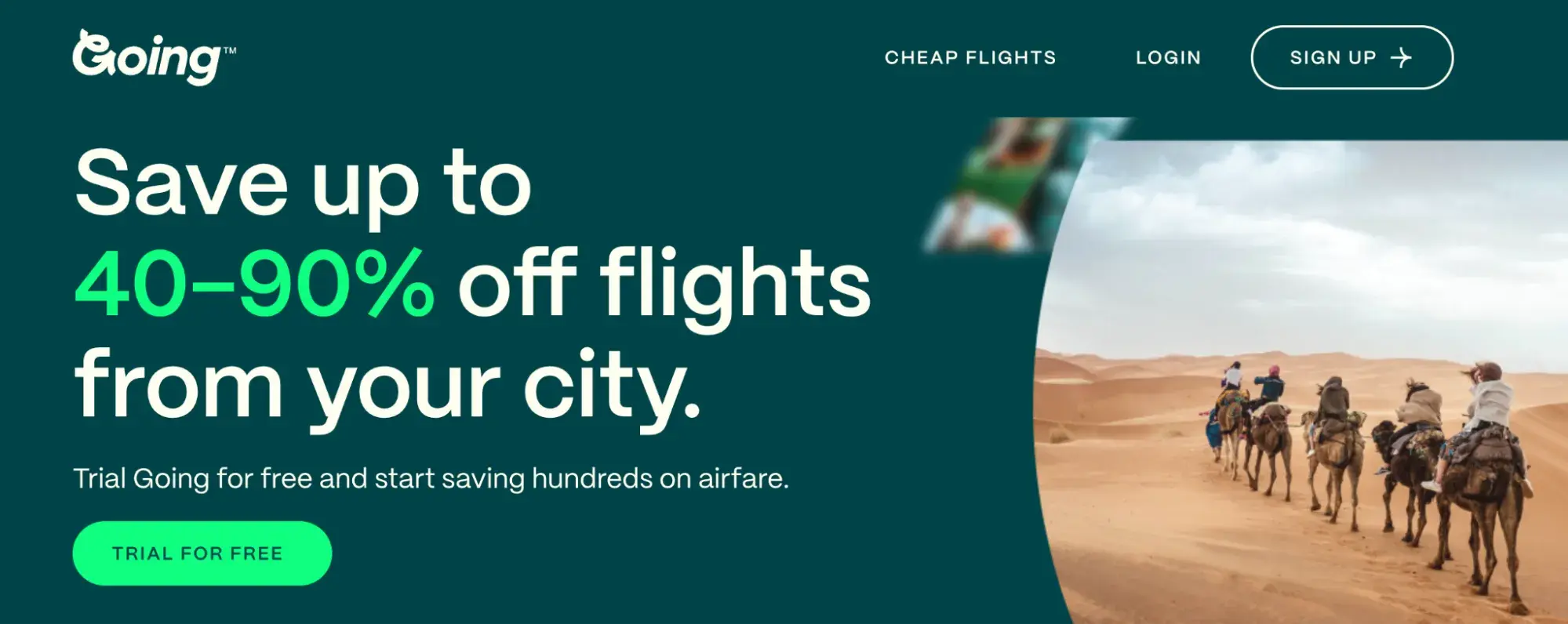
Why we like it: The team at Going positions themselves as travel industry insiders with their handy pro tips and down-to-earth lingo.

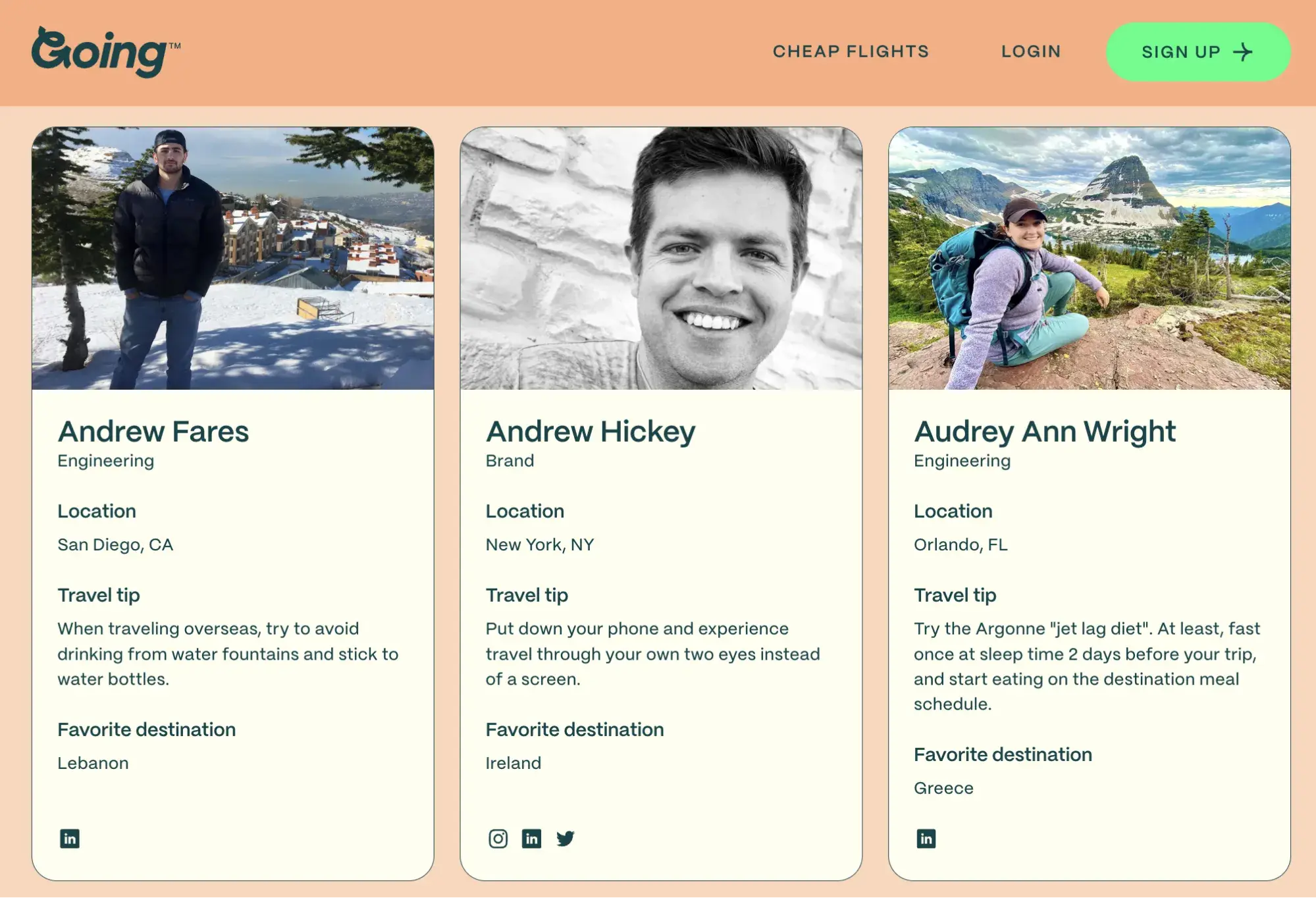
Going is known for finding discount airfare, but they’ve branched out with various offerings, including guides. Adding a personal touch, the team at Going has also offered some pro tips on their “Meet the Team” page.

going.com sales web copywriting homepage

Image Source

Members feel like they’re getting information from seasoned experts, and they can pair these tips with photos of the employee who gave them.

This small but useful addition builds a connection with site visitors and improves the company’s credibility.

10. ModCloth

modcloth sales web copywriting homepage

Image Source

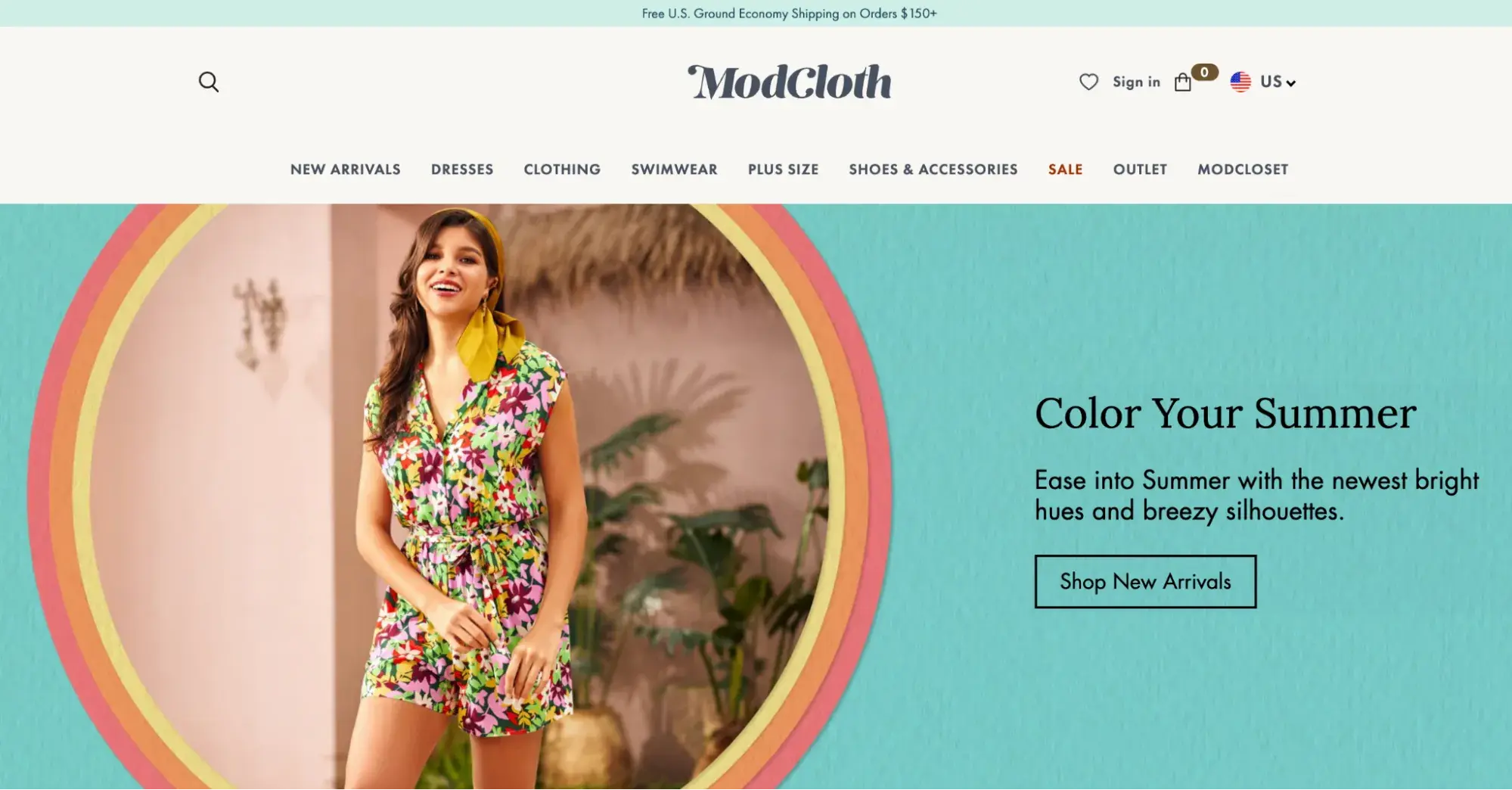
Why we like it: ModCloth is delightfully quirky and whimsy. Their copy speaks directly to their buyer personas with product copy that helps buyers envision their lives with the item.

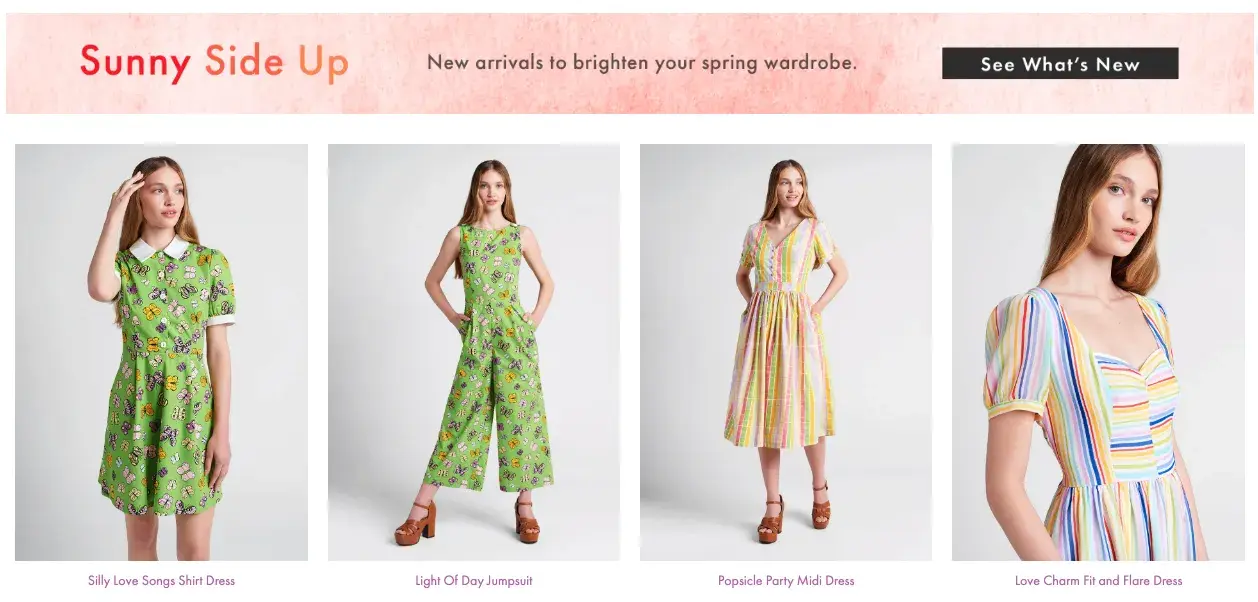
ModCloth is a brand that has always had an excellent grasp of its buyer persona, and it comes through in its pun-filled copywriting. All of their products are silly plays on words — check out this screen grab of some of their new arrivals, for example:

modcloth sales web copywriting homepage

Image Source

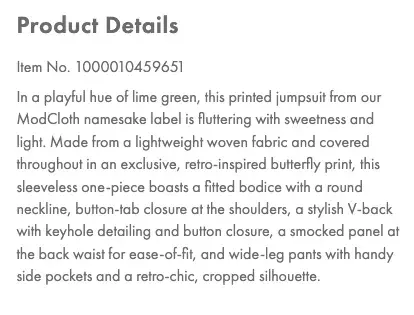
Dive into their product description copy, and it‘s equally joyous, evocative, and clever — just like their customers. Often, it’ll also tell the story of what you’ll do while wearing their items:

modcloth sales web copywriting homepage

Image Source

After reading their descriptions, one can imagine what their life would be like if they owned this product. That’s Copywriting 101, but so few brands can actually pull it off like the folks at ModCloth do.

11. Who Gives A Crap

who gives a crap sales web copywriting homepage

Image Source

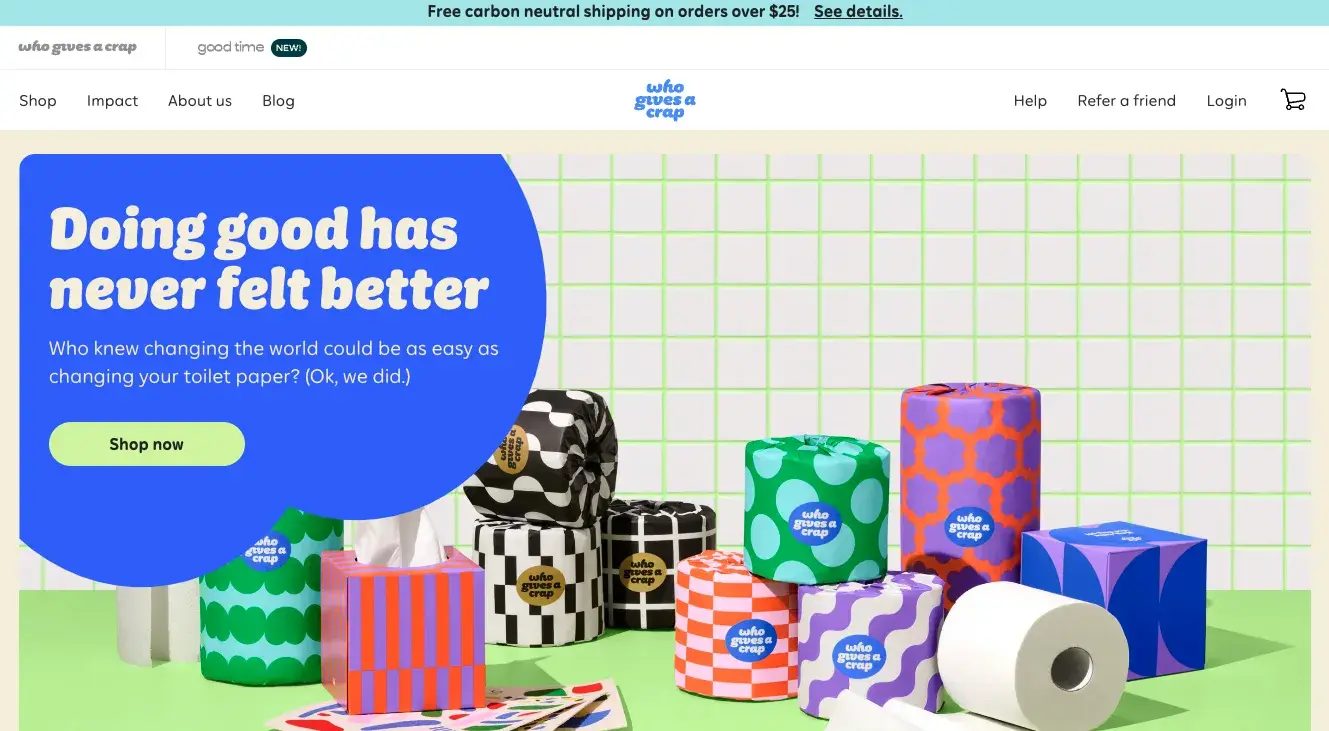
Why we like it: Few copywriters could set out to make toilet paper heartwarming yet funny, but the folks over at Who Gives a Crap have succeeded.

From the name of this brand of toilet paper on a mission to change the world to the clever copy woven throughout their site, these copywriters excel at capturing people’s attention and bringing a smile.

Their tongue-in-cheek approach makes them relatable from the first few lines of copy.

Instead of coming off as self-promoting, chest-thumping heroes, they take a surprisingly humble approach: “Who knew changing the world could be as easy as changing their toilet paper? (Ok, we did.)”

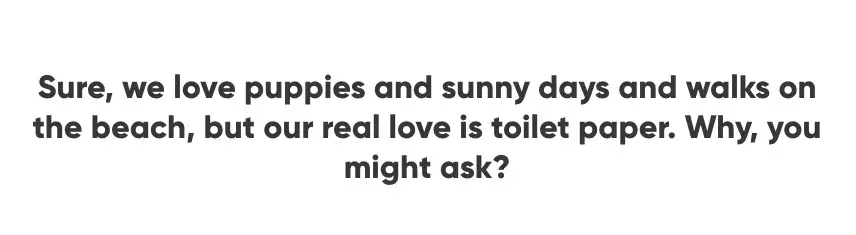
That continues onto their About page, where they poke fun at “traditional” dating app profiles and highlight why they do what they do with this delightful intro:

who gives a crap sales web copywriting homepage

Image Source

Their brand story even calls out the brand’s penchant for jokes further down the page.

who gives a crap sales web copywriting homepage

Image Source

And while their copy is exceedingly clear, they weave in clever plays on words throughout their website, including their product pages.

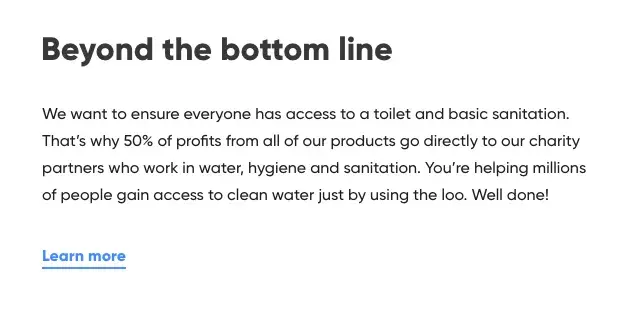
Take this section from their 100% recycled toilet paper page, with a playful yet subtle joke: “beyond the bottom line.”

who gives a crap sales web copywriting homepage

Image Source

12. Typeform

marketing copywriting, typeform

Image Source

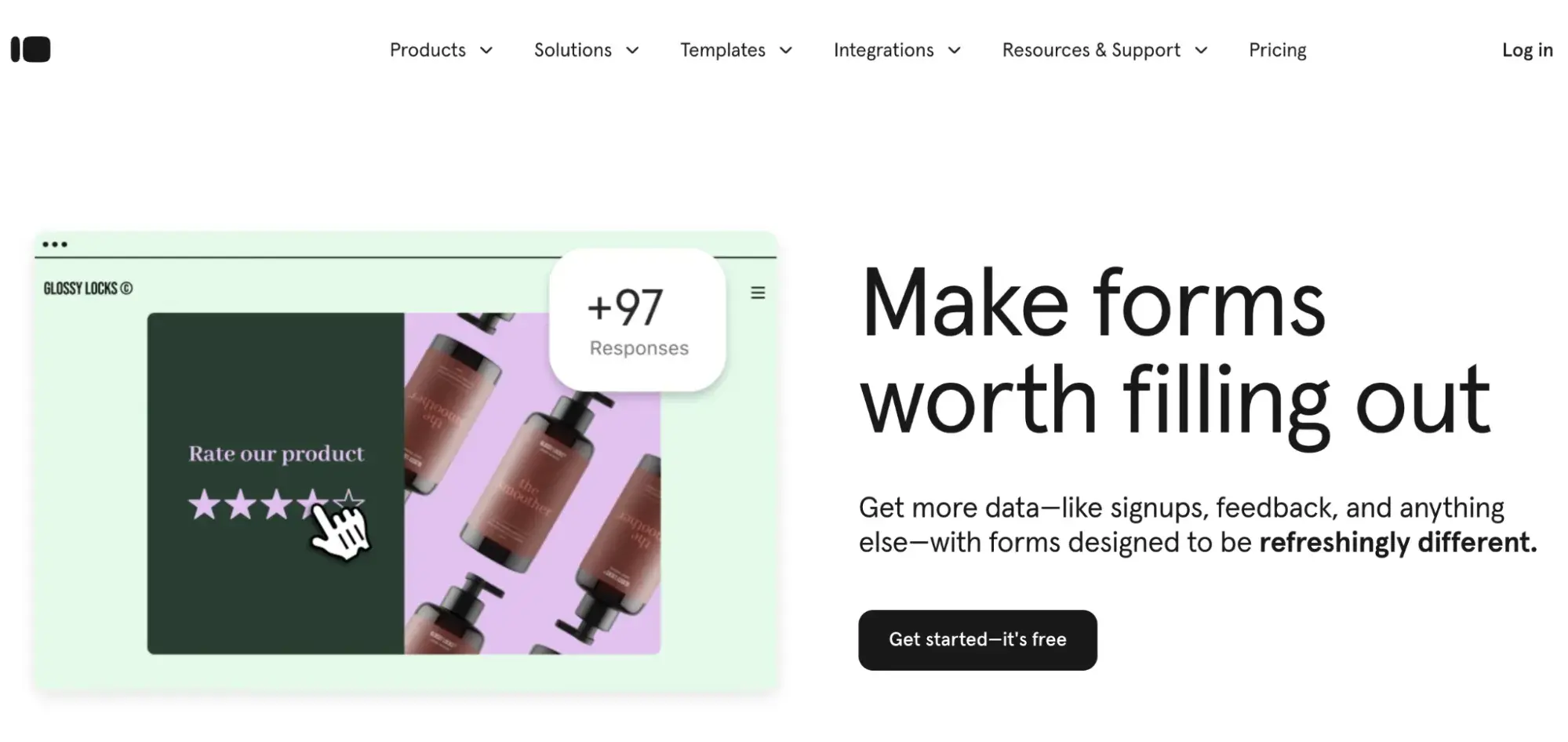
Why we like it: Surveys and questionnaires are a part of life — one that makes many people groan. Typeform is doing its best to change all of that with their “make forms worth filling out.”

What really stands out about their website copy is that they speak to the possibility of a better kind of form (or quiz) right away with clever copy that also shows the benefit of “getting more data.”

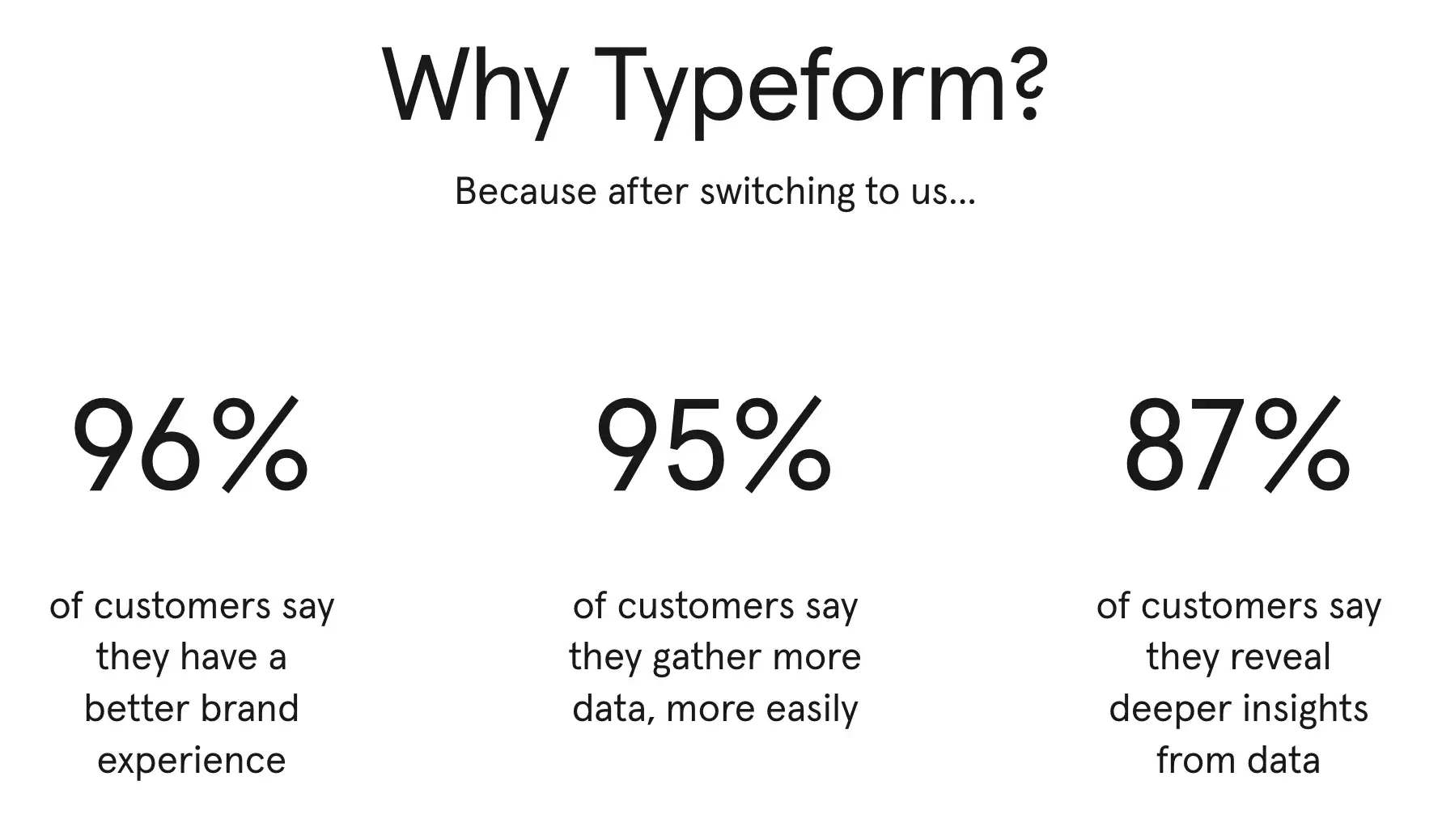
I also love that they show what’s in it for new customers who switch to Typeform.

marketing copywriting, typeform

Image Source

Typeform’s refreshing, simple, and fun copy goes beyond the website. They carry it through to social media with posts like this:

marketing copywriting, typeform

Image Source

13.Really Good Boxed Wine

marketing copywriting, really good boxed wine

Image Source

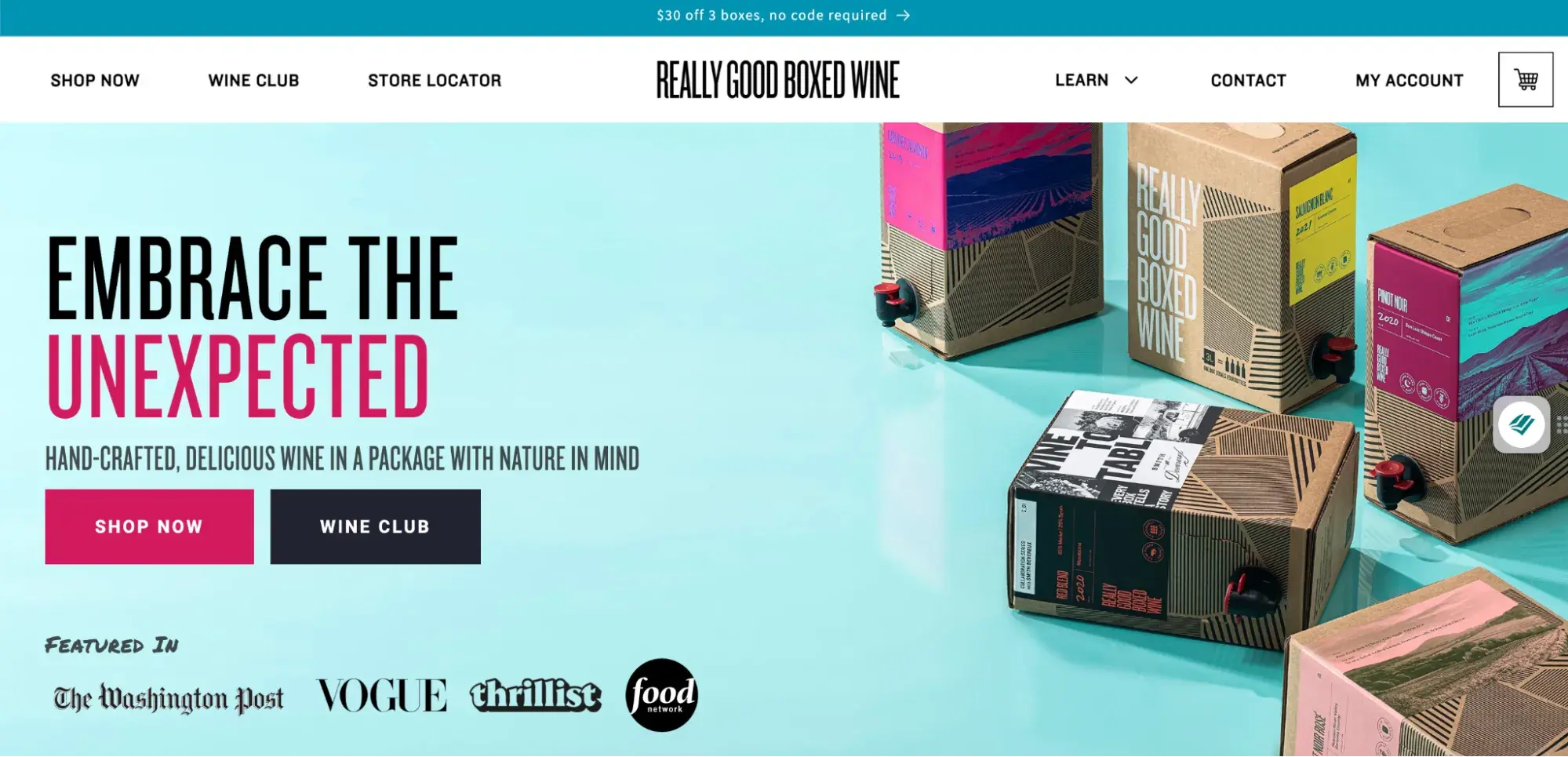
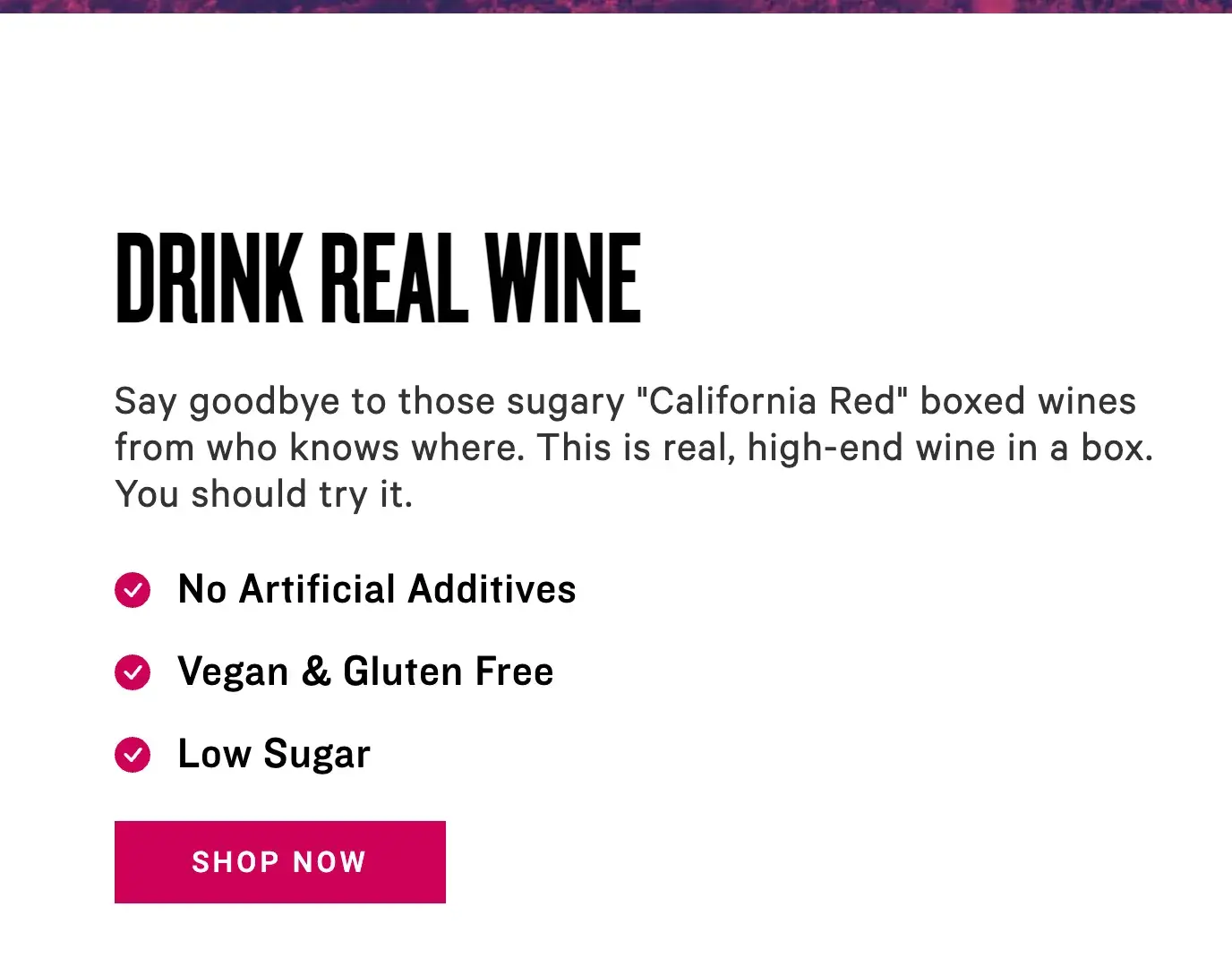
Why we like it: In the wine world, boxed wines are treated like outsiders. Really Good Boxed Wine is on a mission to change that perception with high-quality wines that are more environmentally friendly and fun.

Their copywriters kick things off right away with the headline “Embrace The Unexpected” to get users curious right away.

And they smash preconceived notions about boxed wines in all of their copy, addressing common objections in a fun way that draws the reader in.

marketing copywriting, really good boxed wine

Image Source

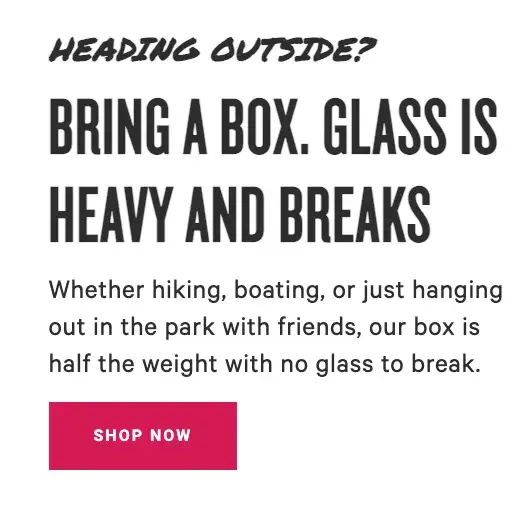
It’s not just about busting myths and misconceptions about their product. They also offer ideas for maximizing the Really Good Boxed Wine experience.

marketing copywriting, really good boxed wine

Image Source

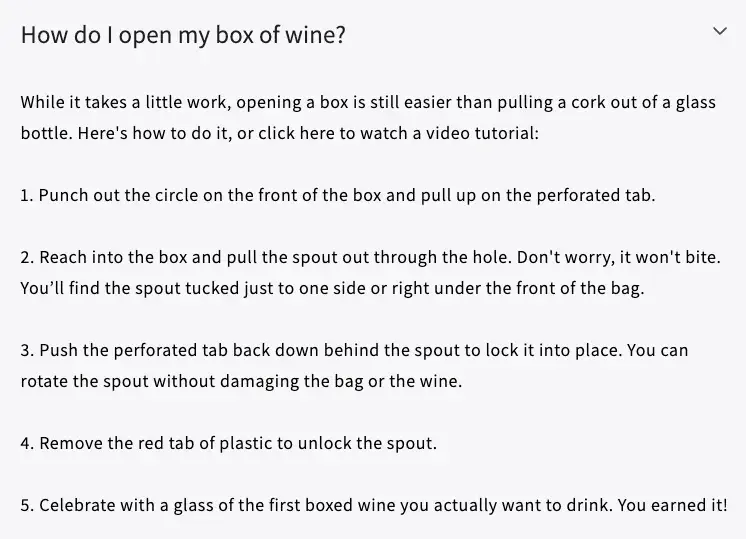
And as if that weren’t enough to bust any pretentious wine snobbery, they poke fun at how easy their product is to use in their FAQs, ending the not-so-rigorous box opening with “Celebrate with a glass of wine.”

marketing copywriting, really good boxed wine

Image Source

14. BeeLove

marketing copywriting, beelove

Image Source

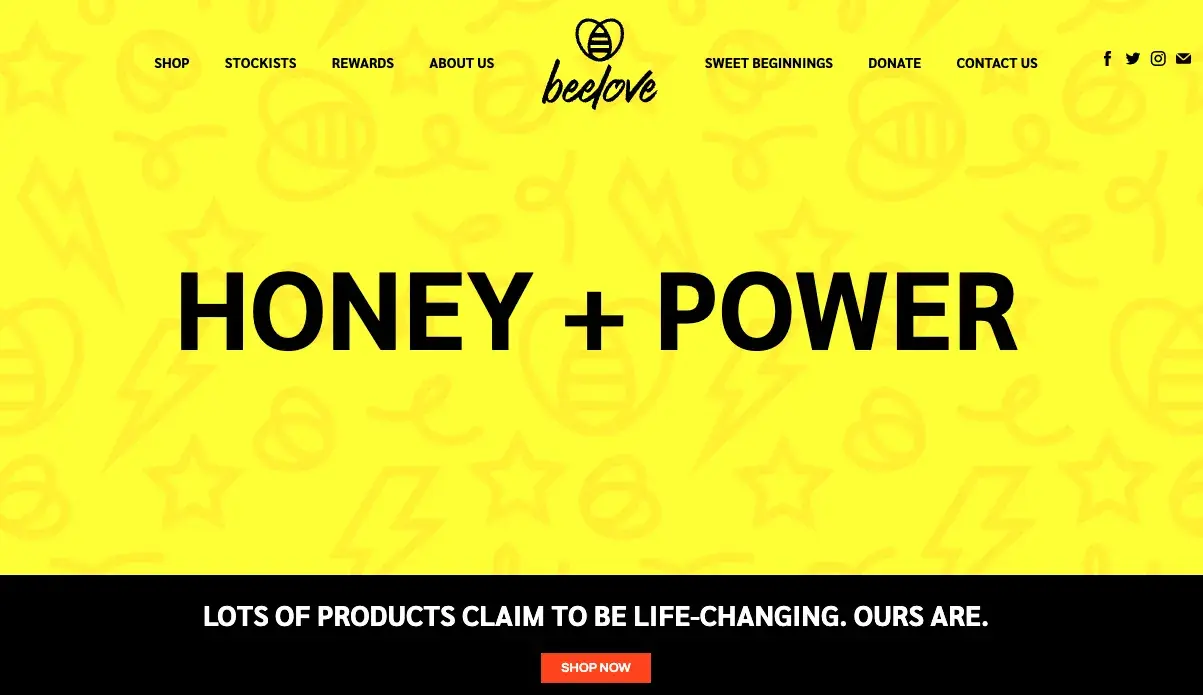
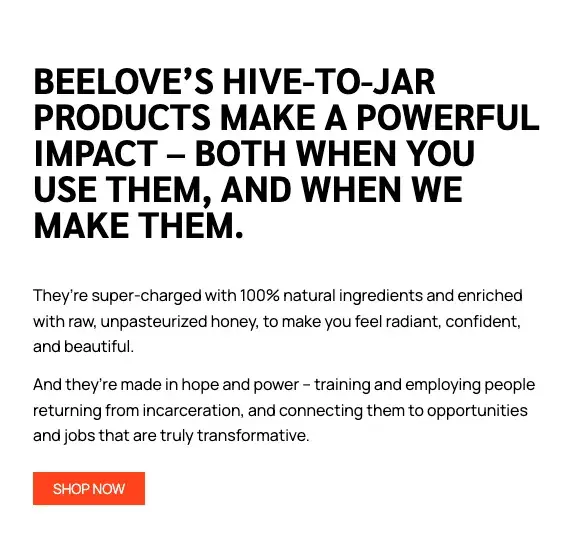
Why we like it: Not all copywriting has to be catchy or tongue-in-cheek to be memorable or good. BeeLove does both with succinct, powerful words that seek to inspire.

This passage on their about page has a fun bee-based play on words: “hive-to-jar” instead of the more commonly used “farm-to-table,” while also speaking to their mission and how the customer can “bee” part of making a powerful impact.

BeeLove’s copywriters thread the words “hope,” “power,” and “honey” throughout the copy while using impactful language that drives home the meaning.

marketing copywriting, beelove

Image Source

15. First Round Capital

marketing copywriting, firstround

Image Source

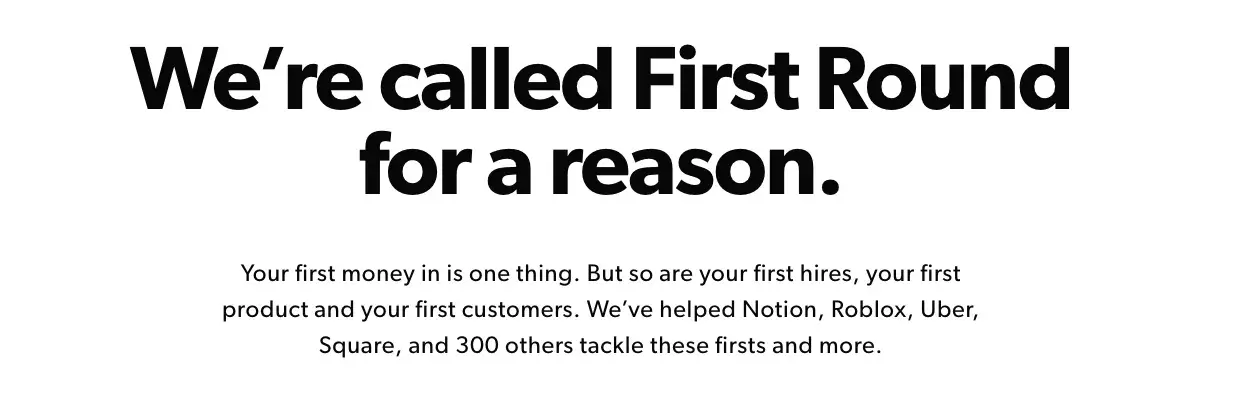
Why we like it: First Round Capital uses language to empathize with its readers. Starting a company is challenging, and First Round Capital understands that and conveys they are there to help.

While a sign of great copywriting makes people smile, another is making people feel understood. The copywriters at First Round do a phenomenal job at letting the value of their offerings for their customers sell themselves.

Right off the bat, they speak to the challenges their target audience experiences to build empathy while sharing names of companies they’ve worked with to build credibility.

16. Trello

marketing copywriting, trello

Image Source

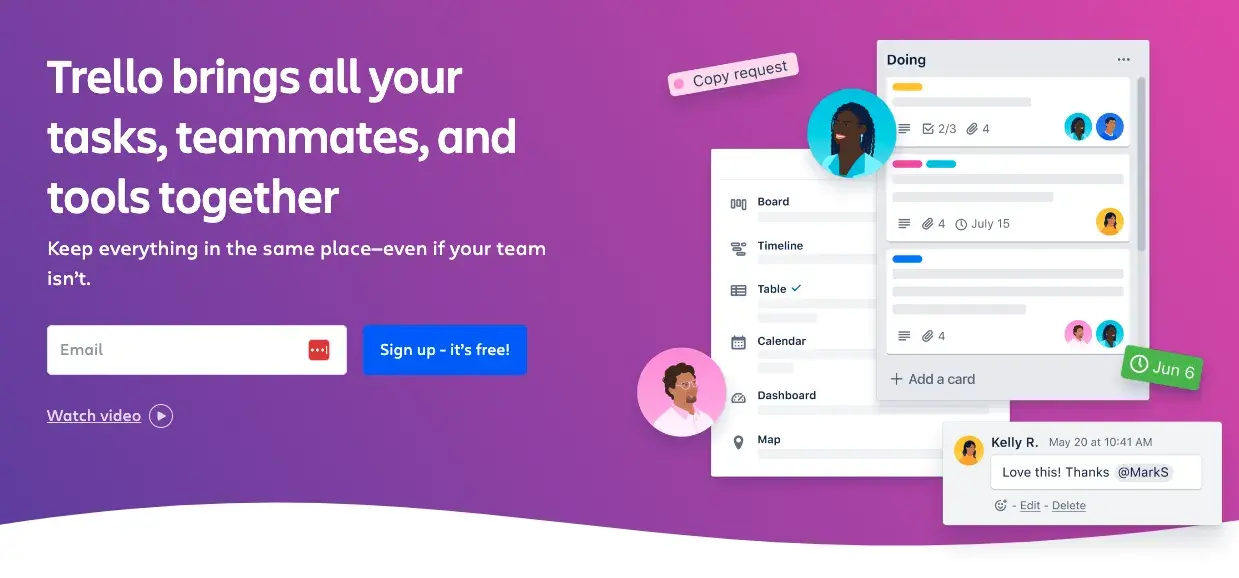
Why we like it: Trello‘s copy is clear, which is exactly what users need to learn how to use the product. Switching project management software can be a challenge. Trello’s copy makes sure new users don’t get left behind.

Do you know what Trello is? If the answer is no, then behold the copywriting on their website. Like most of the copy on their site, their product description is crystal clear.

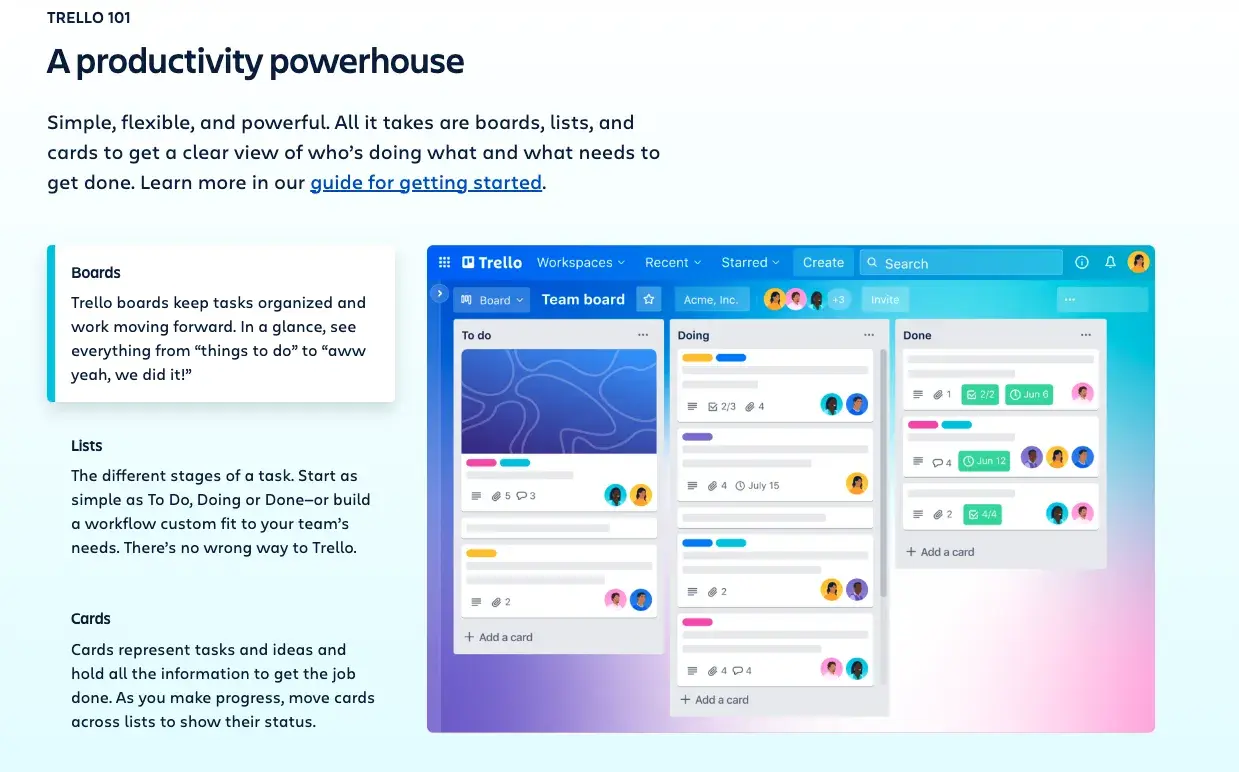
And check out how clear this explainer content is:

marketing copywriting, trello

Image Source

Some of the use case clarity can be attributed to how smart the product is, but copywriters deserve some credit for communicating it clearly, too. They call it like it is, making it easy to grasp.

17. Velocity Partners

marketing copywriting, velocity partners

Image Source

Why we like it: For David Kessler of Velocity Partners, less is more. His use of “word economy” delivers engaging, powerful content concisely.

No post about excellent copywriting would be complete without mentioning the folks at Velocity Partners.

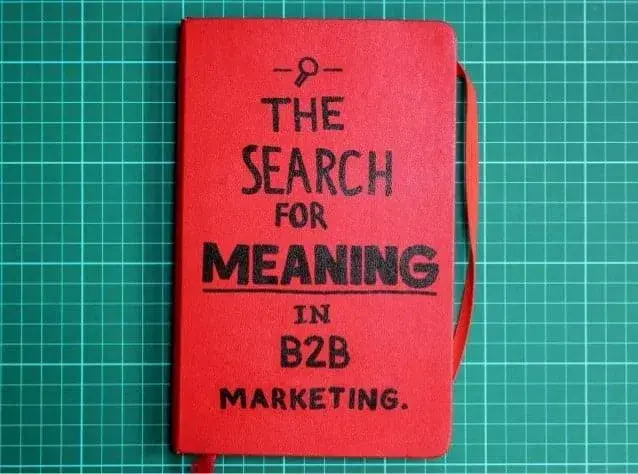
We‘ve featured co-founder Doug Kessler’s SlideShares (like this one) time and again on this blog because he’s the master of word economy.

What is “word economy”? It’s taking care that every word you use is the right word. It means getting your point across concisely and not dwelling on the details when you don’t have to.

This is the ultimate goal when communicating your message in a world of shortening attention spans.

And since we‘re talking about word economy, I’ll shut up and let you check out one of Kessler’s SlideShares for yourself:

marketing copywriting, velocity partners

Image Source

Whereas SlideShares are typically visual, Kessler’s focuses heavily on copy: The design stays constant, and only the text changes. But the copy is engaging and compelling enough for him to pull that off.

Why?

Because he uses simple words so his readers understand what he’s trying to say without effort. He writes as he speaks, and it reads like a story, making it easy to flip through in SlideShare form.

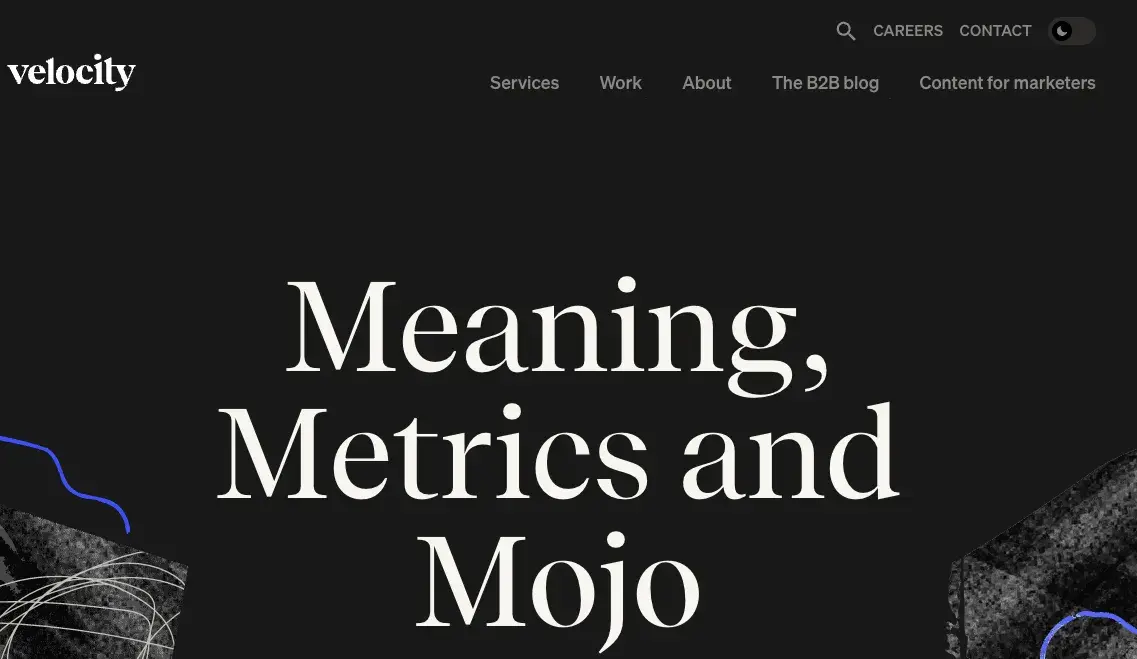
The copy on Velocity Partners’ homepage stood out to me, too.

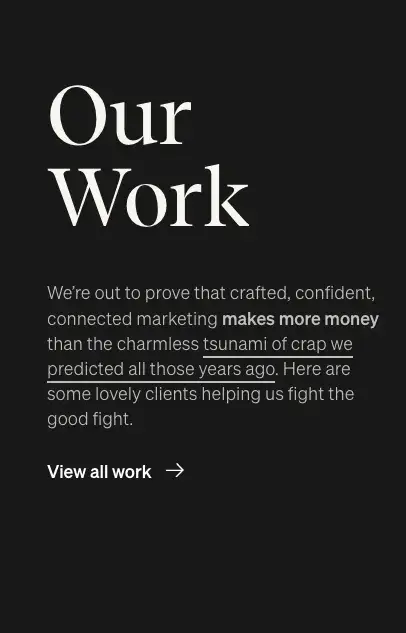
Check out, for example, how humble they are when introducing their case studies:

marketing copywriting, velocity partners

Image Source

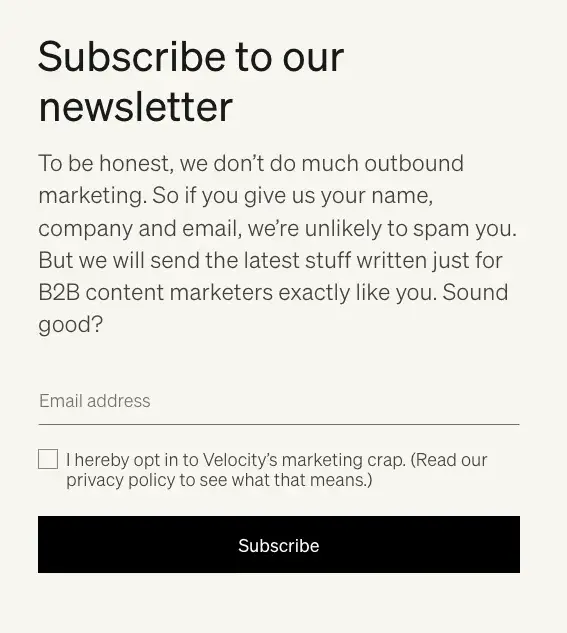
I also like how casual and honest they kept their email subscription call-to-action while showing how they deliver value.

marketing copywriting, velocity partners

Image Source

18. Cultivated Wit

marketing copywriting, cultivated wit

Image Source

Why we like it: Cultivated Wit’s site copy is very on-brand — humorous. What better way to convey what you can offer visitors than by demonstrating it in real time?

The copywriters over at the “comedy company” Cultivated Wit do a great job embracing their brand of quirk throughout their site.

They already have one of the game’s best “About” pages, but their delightful copy is spread throughout their site — sometimes in the most unexpected places.

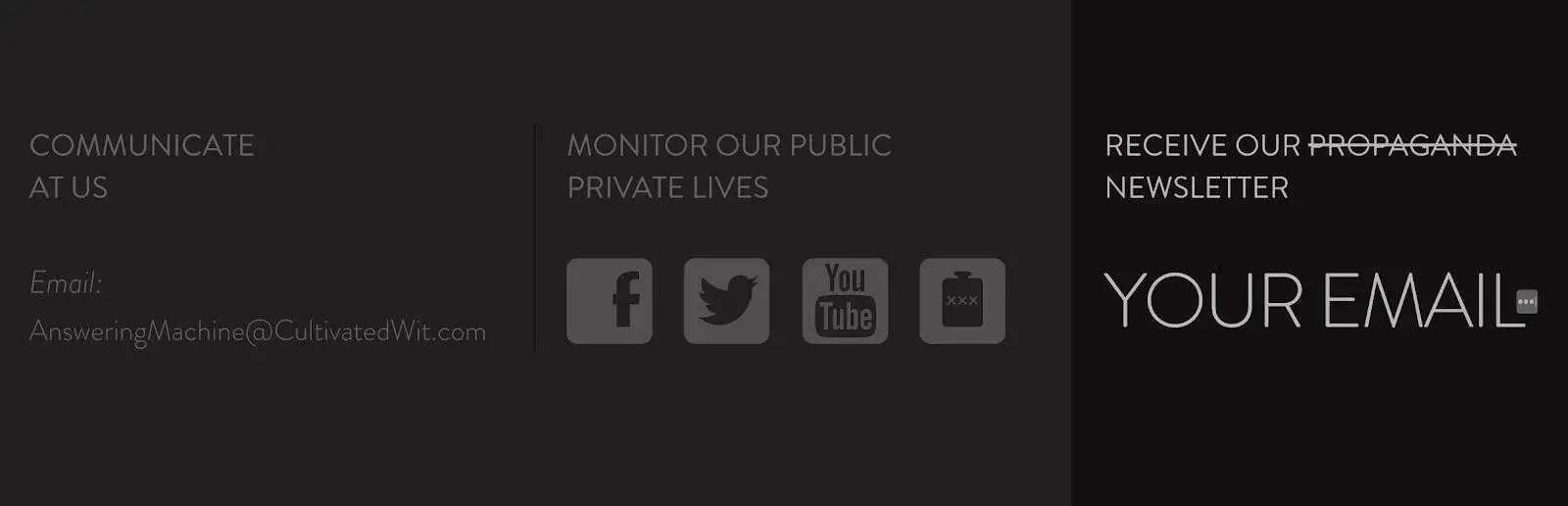
For example, look at the copy around contact information at the very bottom of their homepage:

marketing copywriting, cultivated wit

Image Source

This section of the homepage is an afterthought at best for most companies. But it was an opportunity for these folks to have a little fun.

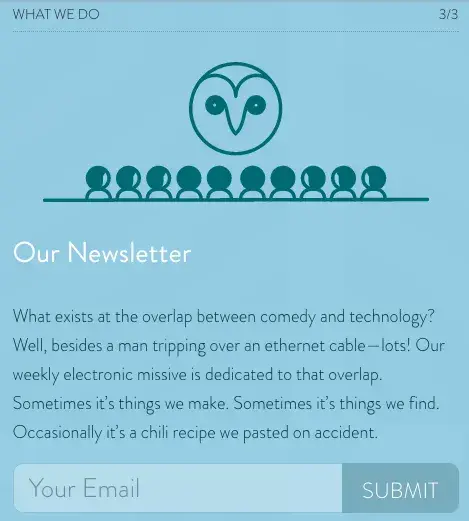
They also have two unique email subscription CTAs on different pages of their website. They‘re very different, but both equally funny and delightful. Here’s one from the homepage:

marketing copywriting, cultivated wit

Image Source

And another:

marketing copywriting, cultivated wit

Image Source

19. Innocent

marketing copywriting, innocent

Image Source

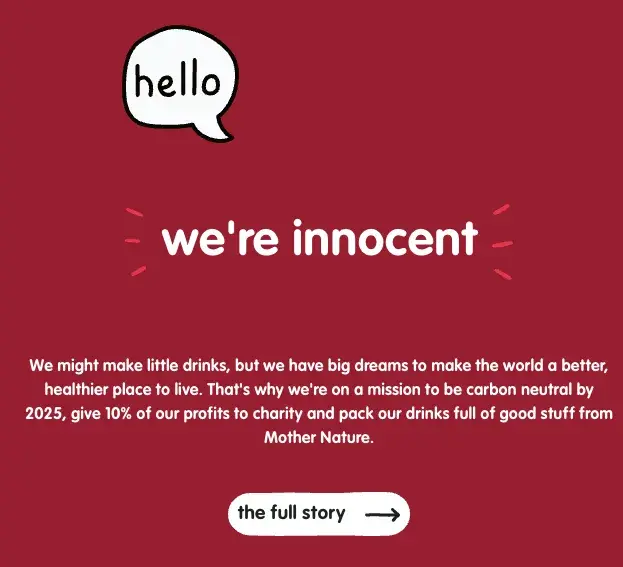
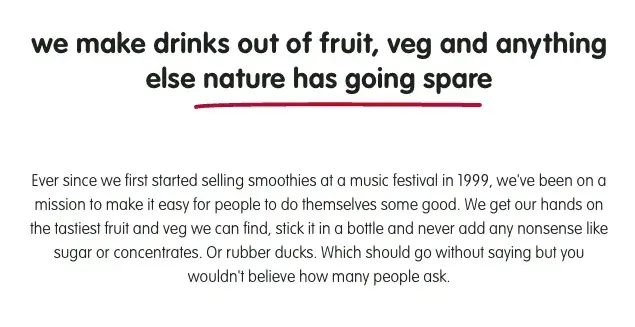
Why we like it: Like Velocity Partners, Innocent‘s copy proves simple language can be effective as its descriptive counterparts. There’s no need for long paragraphs; Innocent gets straight to the point.

Innocent, the U.K.-based drink makers, use language, style, and tone that matches their philosophy, product, and even their branding and design. It’s all just clean, straightforward, and simple.

Believe it or not, simple is a really, really hard thing to nail in copywriting.

This stands out most on their “Things We Make” page. (Isn’t that page name even beautifully simple?)

marketing copywriting, innocent

Image Source

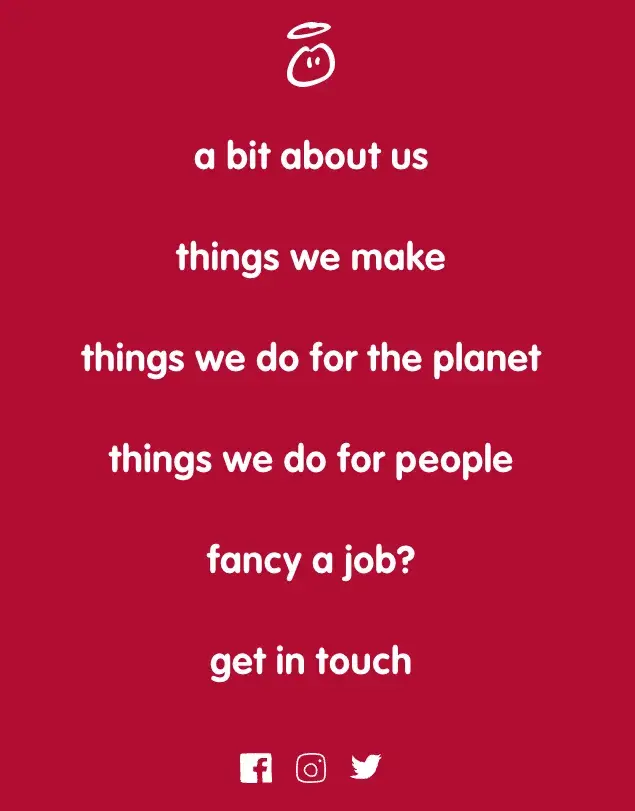
This same straightforward but charming copywriting philosophy extends to their site navigation:

marketing copywriting, innocent

Image Source

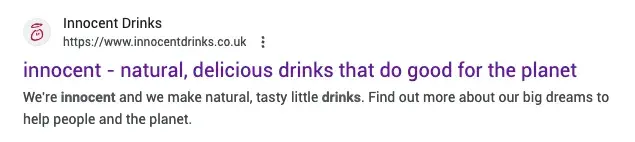
Their meta description is pretty awesome, too:

marketing copywriting, innocent

Image Source

20. Ann Handley

marketing copywriting, ann handley

Image Source

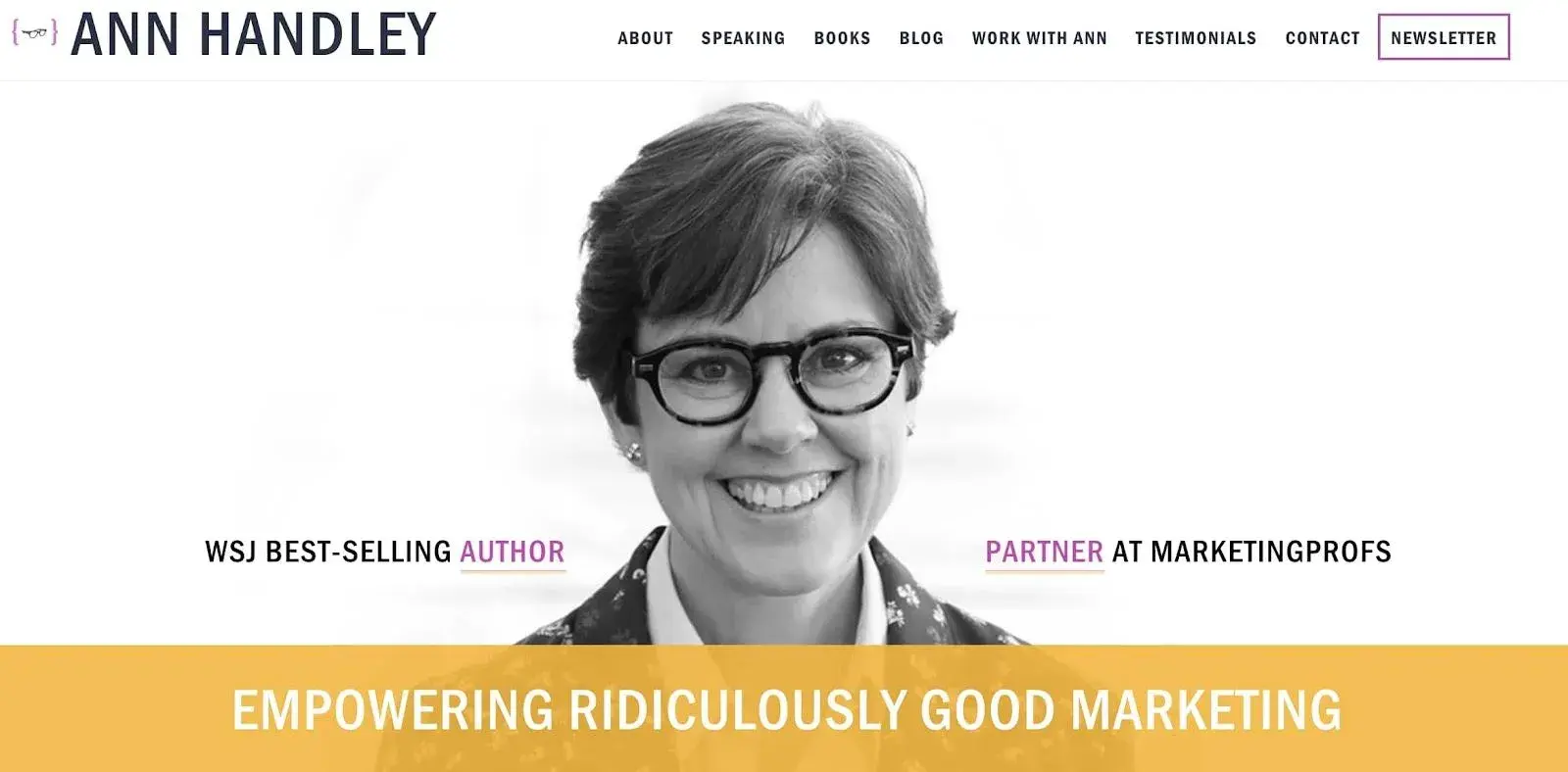
Why we like it: Despite an impressive portfolio and list of accomplishments, Ann Handley makes her site copy relatable instead of just reading like a resume. It’s the perfect balance of personality and professionalism.

When building up your own personal brand, it’s easy to get a little too self-promotional. That’s where the copywriting on your site can make a big difference.

On Ann Handley‘s personal website, she added bits of microcopy that show that despite her many accomplishments (like being a best-selling author and award-winning speaker), she still doesn’t take herself too seriously.

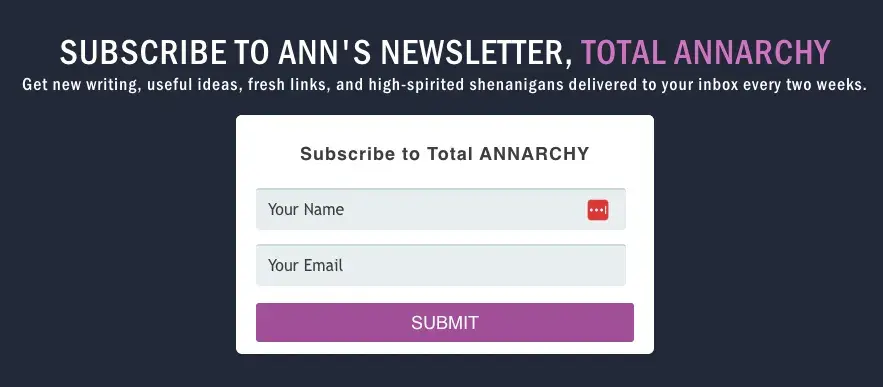
Check out her email subscription CTA, for example:

marketing copywriting, ann handley

Image Source

21.Pourri (formerly Poo-Pourri)

marketing copywriting, pourri

Image Source

Why we like it: Pourri is a fun brand that solves problems that people don‘t like to talk about because they’re often embarrassing.

With a fun name that’s based on home-freshening potpourri, their first product Poo-Pourri set out to reduce bathroom stink.

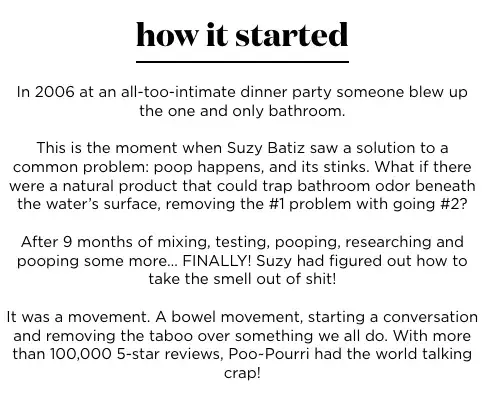
And their brand “Story of ~Pourri” explains this with humor:

marketing copywriting, pourri

Image Source

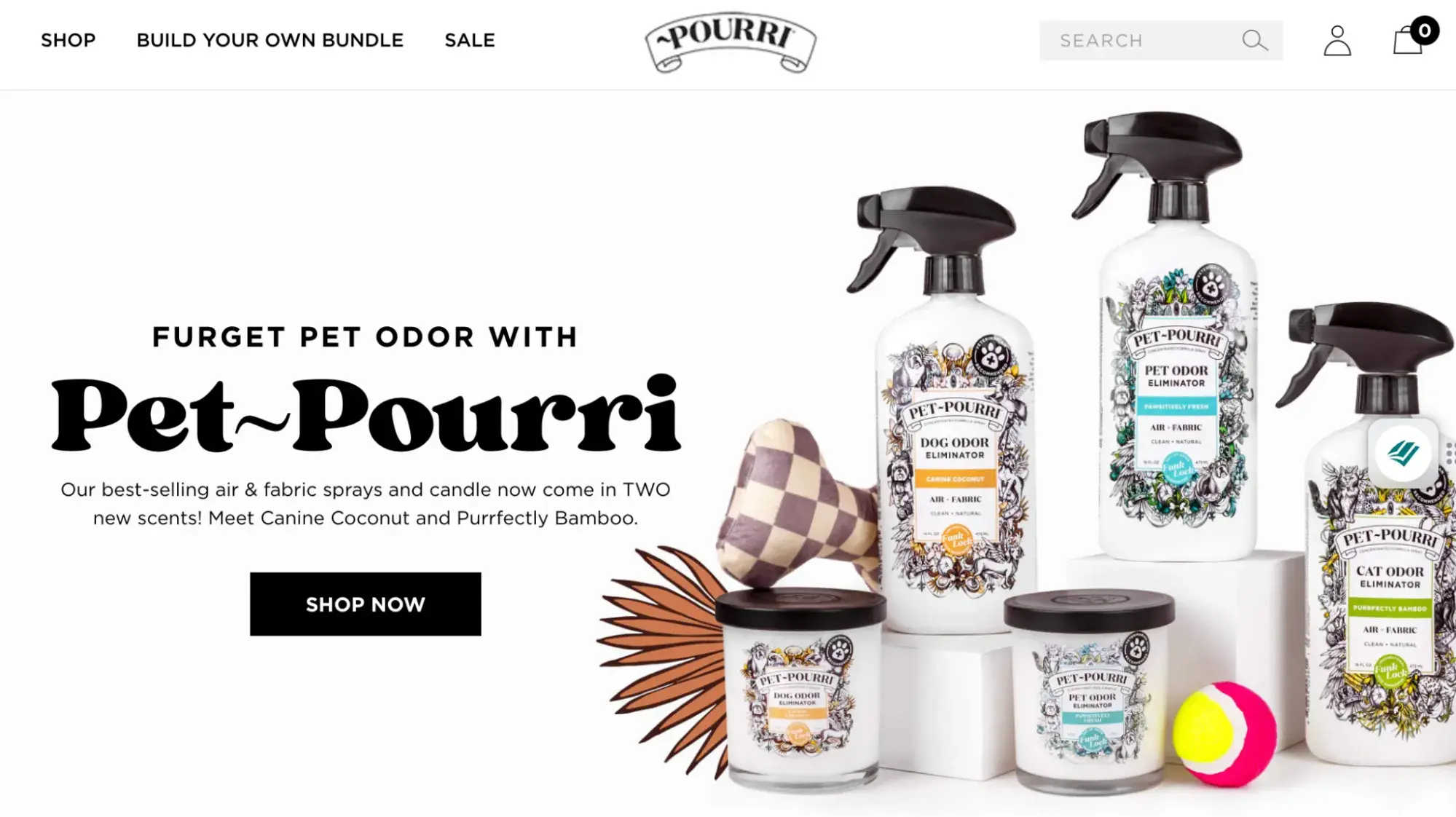
They‘ve expanded to de-stink personal, home, and pet odors, which Pourri’s delightfully fun homepage copy alludes to in a few places:

marketing copywriting, pourri

Image Source

By taking a playful approach to uncomfortable topics, Pourri’s copywriters do a great job of reducing stink stigma and creating a fun experience for customers.

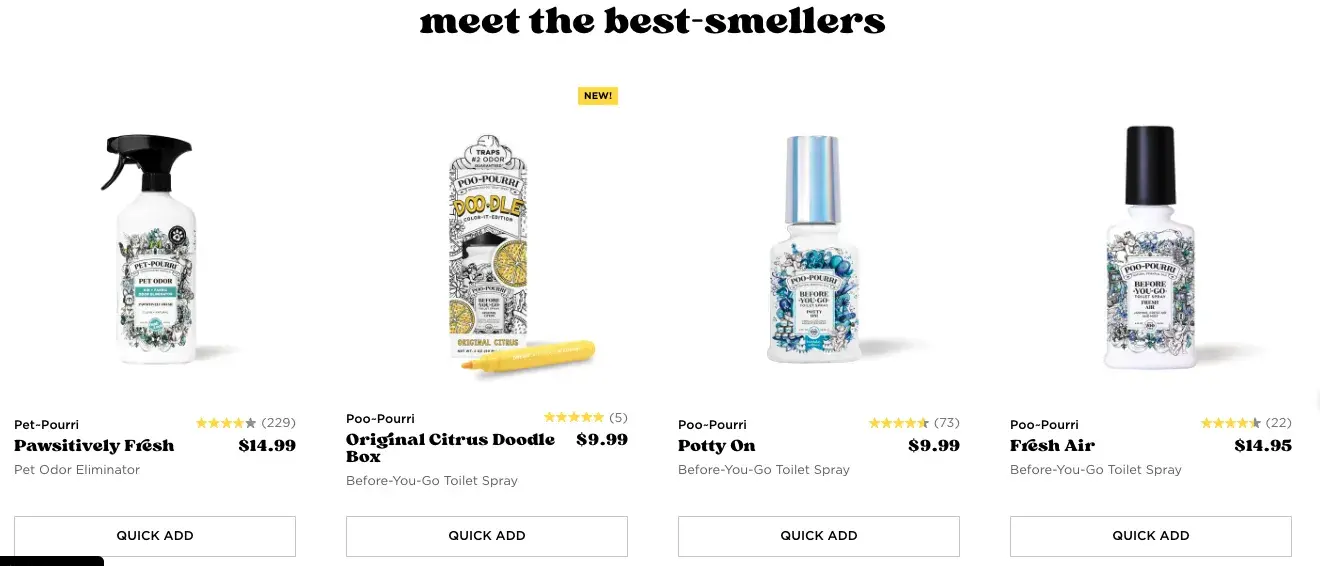
And it’s not just the copy on the page that delights. Look at these product names:

marketing copywriting, pourri

Image Source

Unsurprisingly, the delightful copywriting carries through to the product descriptions as well:

Access now: Free Guide on how to build a consistent brand

22. R/GA

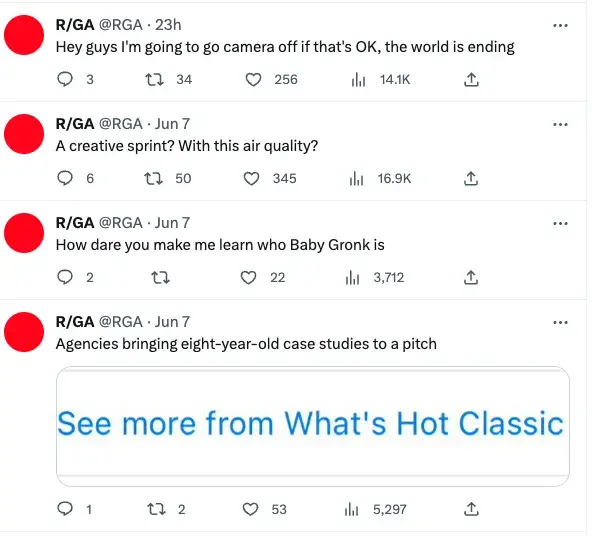
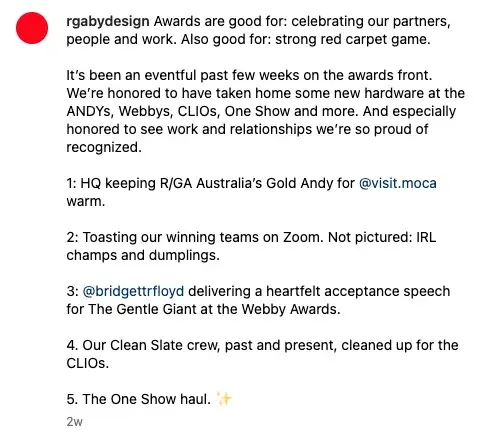
Why I like it: B2B companies aren’t typically known for being humorous. R/GA bucks that trend with hilarious hot takes via social media. This light approach makes them more relatable and helps build brand awareness.

I’ve been focusing a lot on site copy so far, so I wanted to check out some examples of excellent social media copywriting.

I know you all would like to see some more B2B examples in here, too, so I surfaced one of the best examples of the holy grail: X copy, from a B2B company, that’s funny. Behold, some recent highlights from the R/GA X account:

marketing copywriting, rga

Image Source

And this one from Instagram, celebrating an award while also poking fun at themselves:

marketing copywriting, rga

Image Source

23. HubSpot

marketing copywriting, hubspot

Image Source

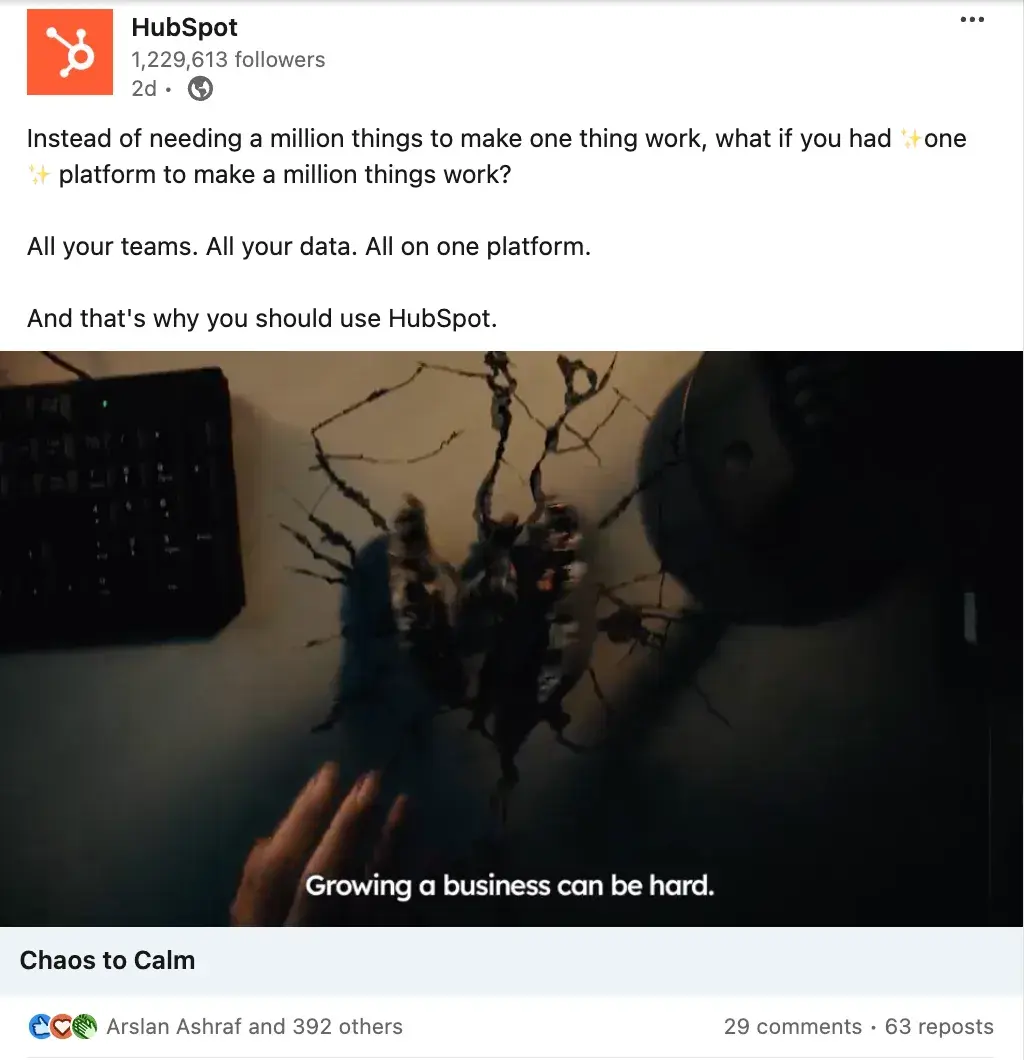
Why we like it: The engagement and 63 reposts of this LinkedIn post says a lot. As a small business owner, I can relate to every word of this social media copy. I don’t want to jump from one software to another, so summarizing my pain points in the first sentence gets HubSpot a pat on the back.

I also like how HubSpot used the “Before After Bridge” copywriting framework.

Before is the problem. After is the experience once the problem goes away. Bridge is the how to get to the solution. Here’s how this plays out in this post:

  • BeforeInstead of needing a million things to make one thing work, what if you had ✨one ✨ platform to make a million things work?
  • AfterAll your teams. All your data. All on one platform.
  • BridgeAnd that’s why you should use HubSpot.

24. Page Optimizer Pro

marketing copywriting, pop

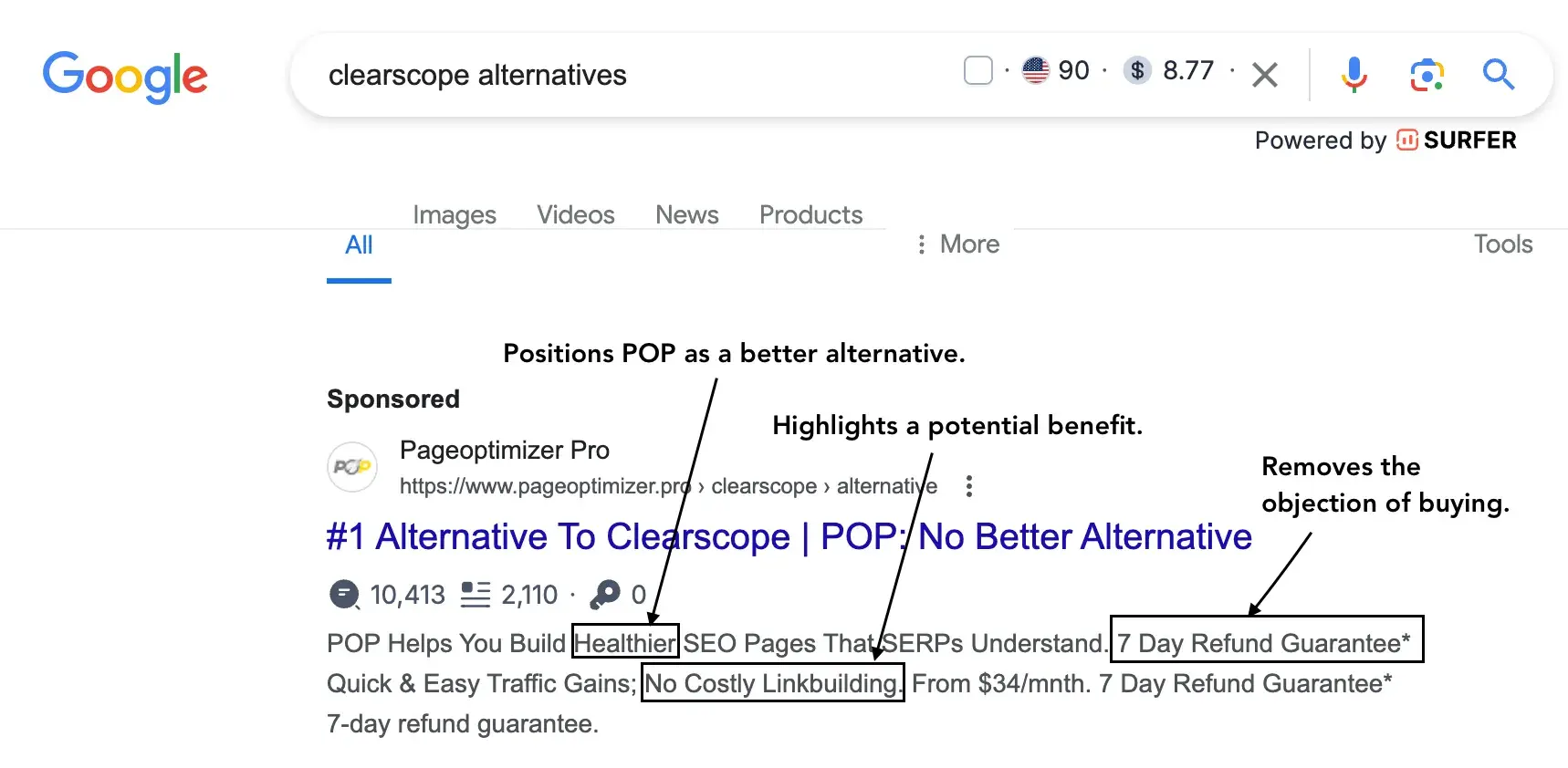
Why we like it: Search engines like Google are not short of competitive sales ad copy. For example, when I searched for an alternative to Clearscope, I found Page Optimizer Pro (POP).

As a marketer, I know how these tools work and that makes it tougher for POP’s copy to convince me to try out their software. The claim about building “healthier” pages may be great for a non-marketer.

However, experience has taught me that this claim may be bogus because these tools function similarly. The next big claim is the “no costly link building.” I think this claim is out of place because even if you do the best optimization, you may still need backlinks to rank.

The part of the sales ad that caught my attention is the “7-day refund guarantee.”

As someone looking for an alternative to a similar tool, POP may be unclear about what’s driving my decision. So it makes sense that they are lowering the barrier to trying out their tool. Within 7 days, I can decide if this tool is right for me and switch to a paid plan if everything checks out.

25. Hugh James

Sales ad copywriting in Google1

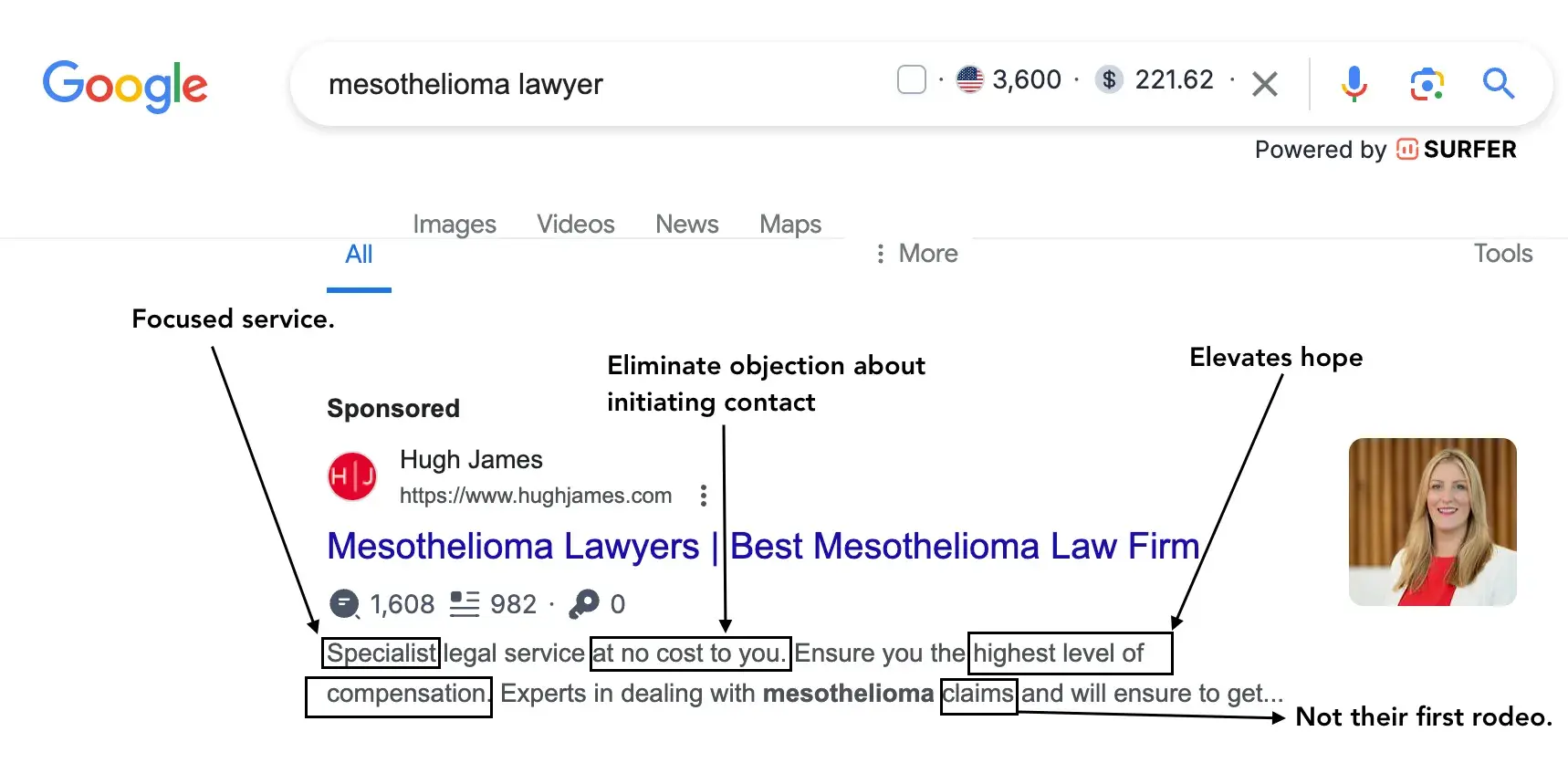
Why we like it: About 3,600 people search for “mesothelioma lawyer” in the US every month. The high cost per click of $221.62 shows the term is highly competitive. With claims reaching up to $1 million, every conversion for this term will be a hit for a law firm. So it’s no surprise that Hugh James tries to make every word count in its sales ad copy.

If I needed a mesothelioma lawyer, I would pick my phone and dial Hugh James for lots of reasons. Using the word “specialist” makes me believe that this law firm specializes in mesothelioma cases.

I’d take a specialist over a generalist any day, especially when they tell me it is at no cost to you” — this removes the objection of “lawyers may be expensive.”

Elevating my hope of getting the highest level of compensation makes me trust Hugh James. The icing on the case is, I don’t think this is their first rodeo because they mentioned they are experts in dealing with mesothelioma “claims.”

26. CopyHackers

Sales page copywriting by Copyhackers

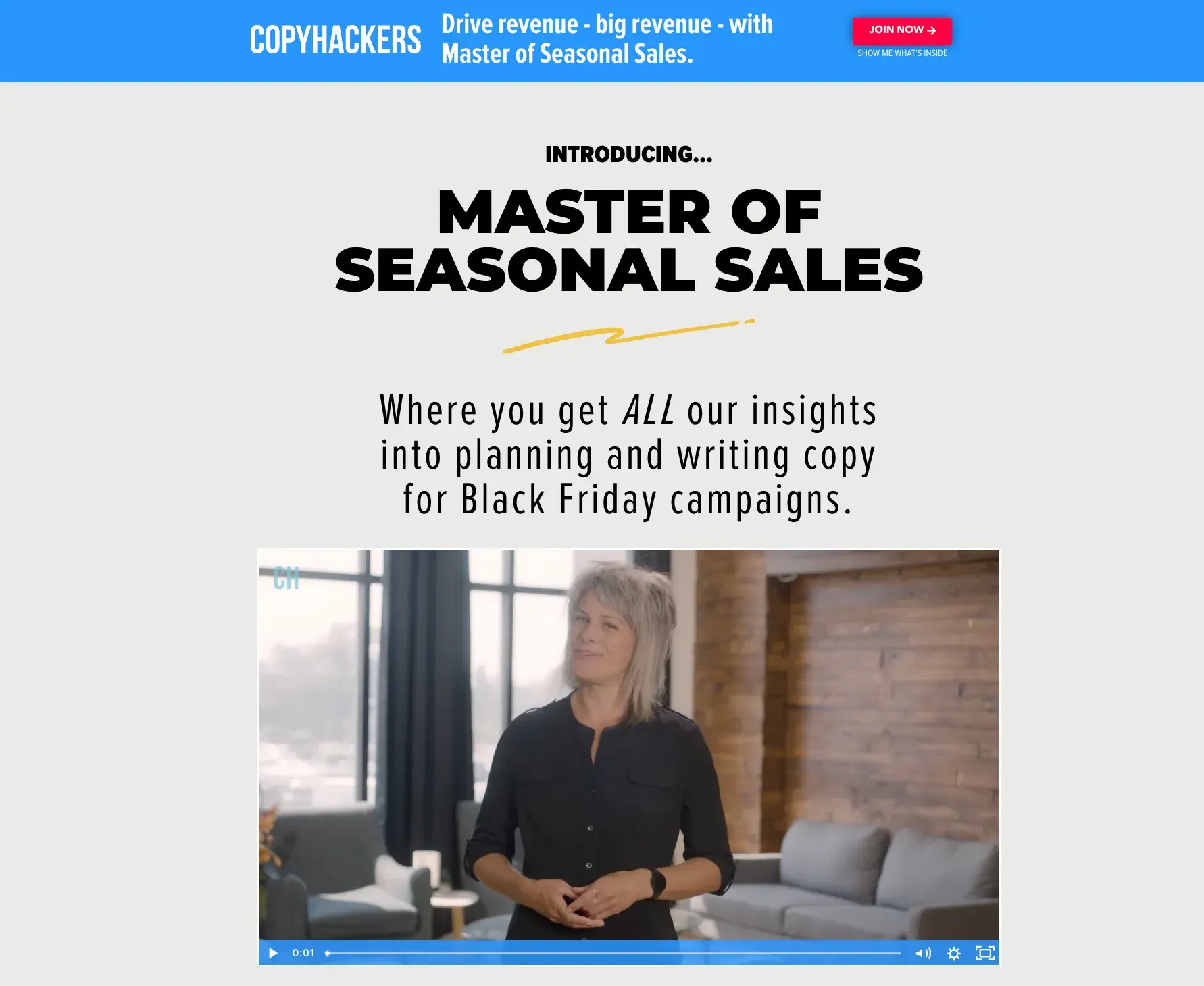
Why we like it: I like CopyHackers’ long-form sales page because it deviates from the norm of using mostly text. The beginning of the page has a bold subheading, followed by a video.

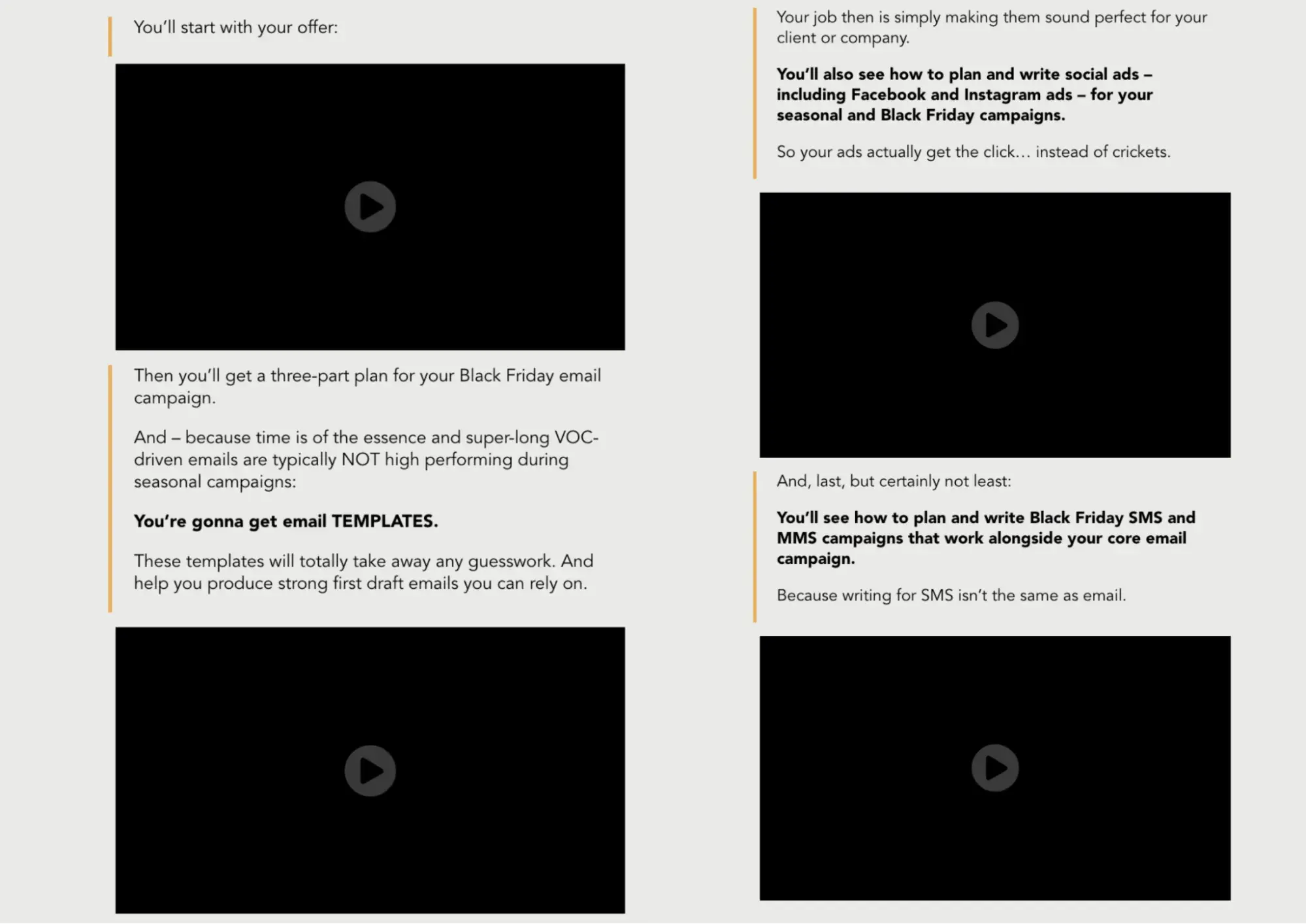
Several surveys and experiences have taught me that videos build trust. With this video, the audience knows what to expect from this page. What I like even more is that CopyHackers includes four video previews to give prospects a taste of their course.

Sales page copywriting by Copyhackers

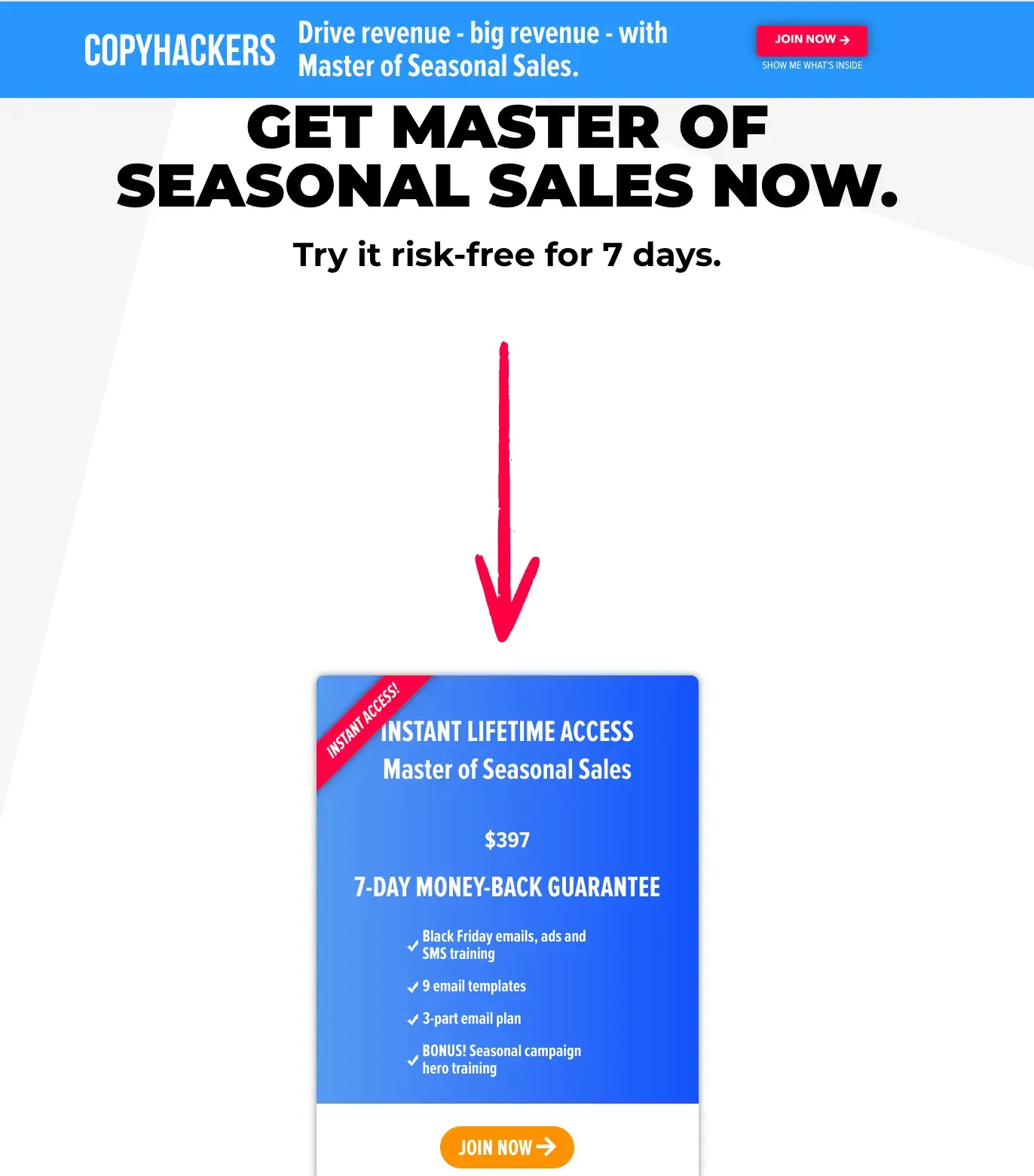
But with all these, some prospects won’t bite. CopyHackers knows this, causing them to eliminate buyer hesitancy by allowing a 7-days risk-free trial of the course.

Sales page copywriting by Copyhackers

27. Digital Marketer

Sales page copywriting homepage Digital Marketer

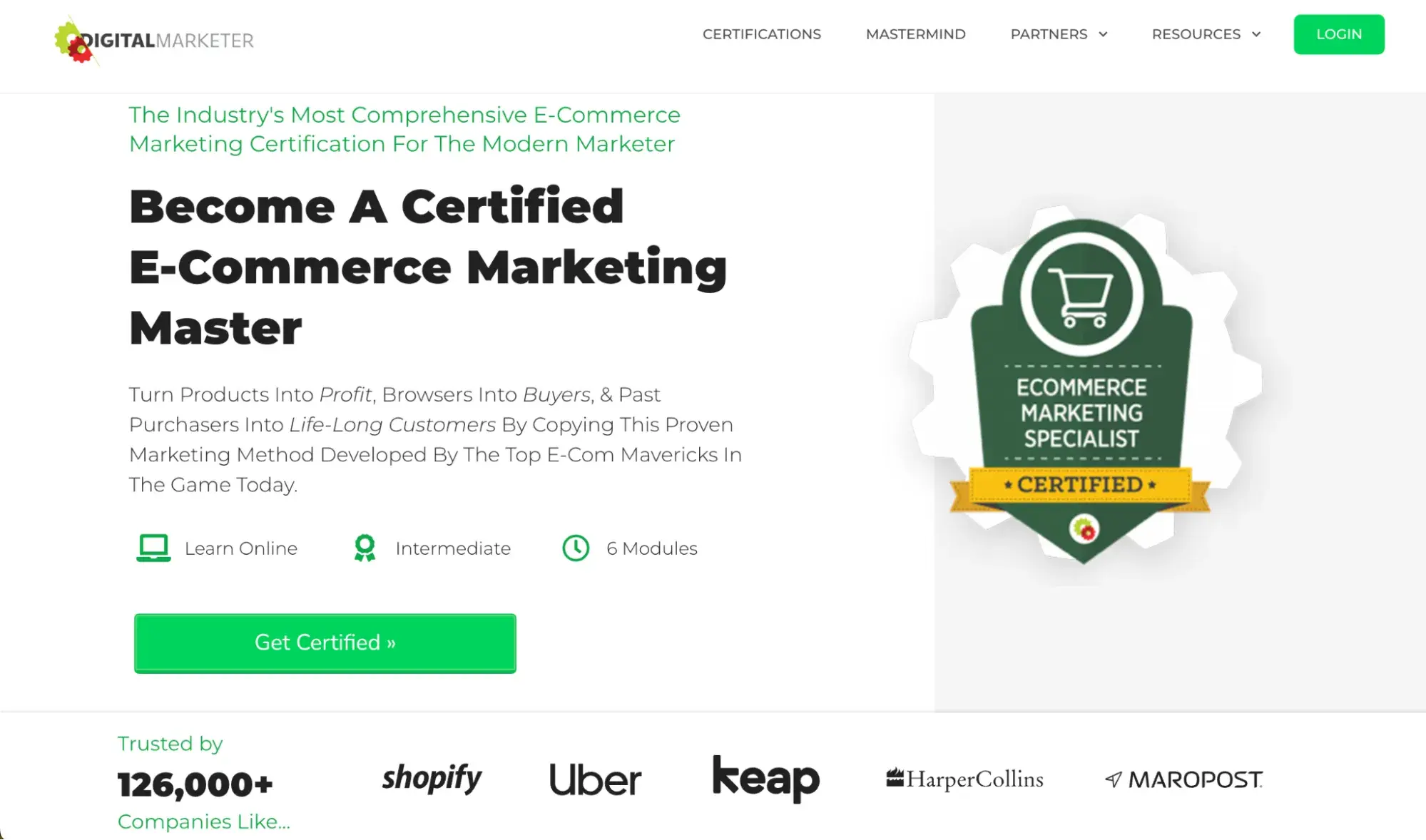
Why we like it: The long-form sales page of the Digital Marketer is the epitome of excellent copy. I like their use of social proof by showcasing the number and type of companies that trust them.

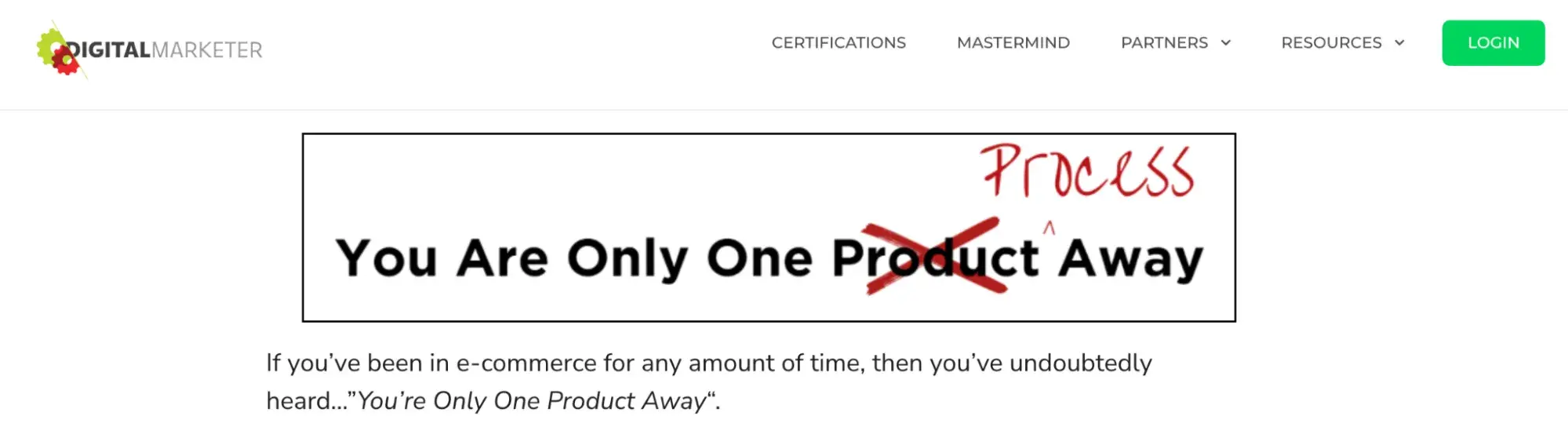
Further down, the Digital Marketer posits a contrarian opinion about a common mantra in the e-commerce industry.

Sales page copywriting homepage Digital Marketer

If I were an e-commerce marketer, this would intrigue me because it disrupts what I thought I knew, compelling me to keep reading.

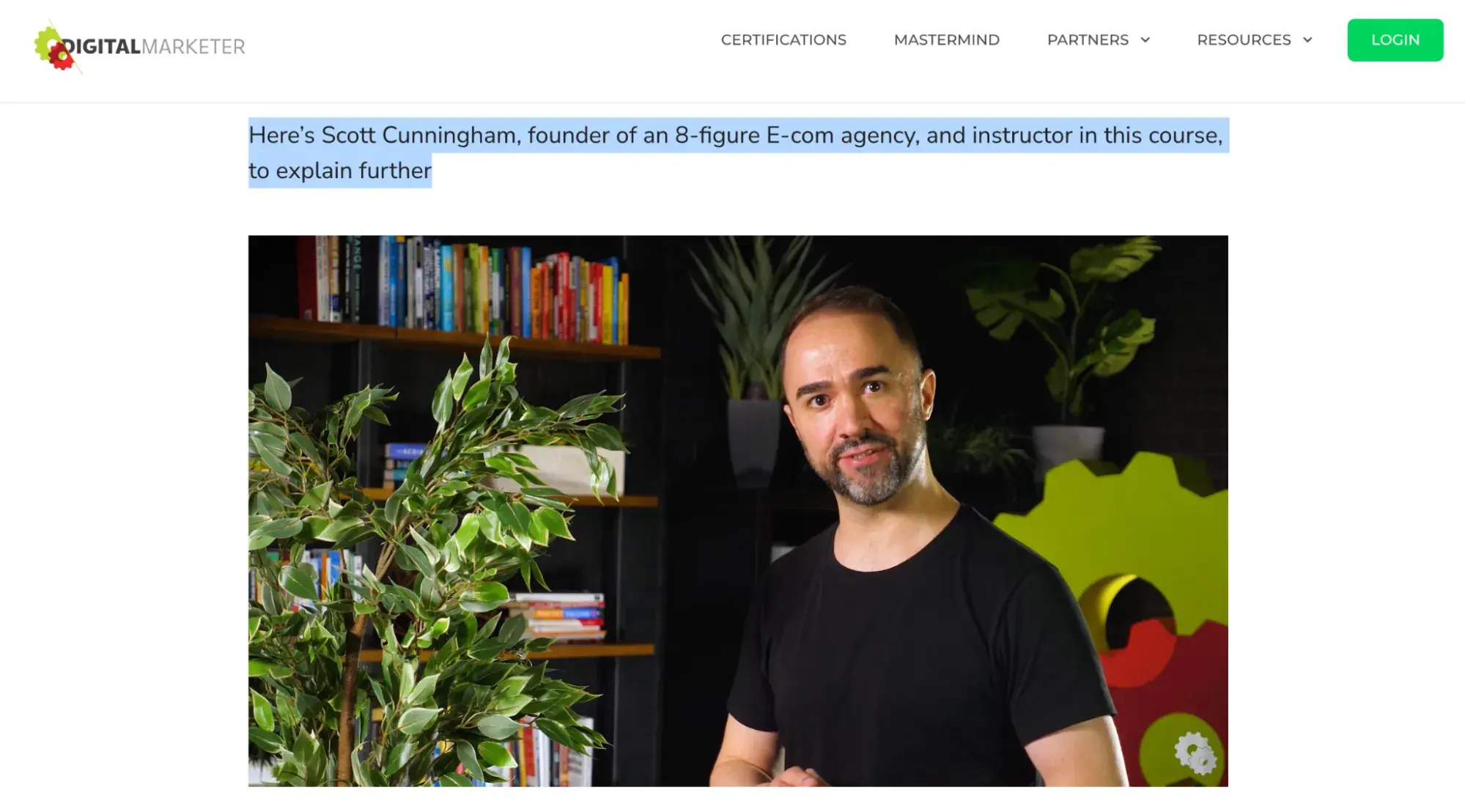
Reading more, I find the page is well-formatted, uses enough whitespace and bullet points, and includes a video of one the course creators. As mentioned before, videos build trust.

But what I like about this video is the copy that shows Scott Cunningham is an 8-figure e-commerce agency founder and instructor in the course. This can compel me to buy the course because I’d prefer to learn from a millionaire who has walked the path I want to tread on.

Sales page copywriting homepage Digital Marketer

Flex Your CopyWriting Muscles

Anyone can be a successful copywriter with the right brand voice — and a little editorial guidance along the way. Get inspiration from the brands above or start compiling your favorite examples.

Editor’s note: This post was originally published in January 2019 and has been updated for comprehensiveness.

Categories B2B

Mastering Writing Samples for Jobs: Insight and Tips From My 9-Month Job Hunt

Almost a year ago to the day, I found myself job hunting for the first time in a decade. It was unexpected. I didn’t have a current resume or a writing sample for job applications. Frankly, I was in over my head. And the market was ruthless.

If you’re reading this feeling the same way: There is light at the end of the tunnel.

→ Click here to access 5 free cover letter templates [Free Download]

Layoffs have been rampant in recent years, especially amid COVID-19 recovery. In the United States, unemployment sits at 4% — the highest rate in two years. But, at the same time, 270,000 jobs were created just last month. That includes the one meant for you.

An excellent writing sample can be the key to getting noticed. So, coming off my own nine-month job hunt (and now thankfully sitting in the position that gives me your eye today), I’m here to help.

Table of Contents

During my hunt, it wasn’t uncommon for a potential employer to ask for a writing sample.

I found that employers tend to request a writing sample in one of three ways:

  • A long-form answer to a question on the application form
  • 1-3 links to past work (or file attachments) on the application form
  • A written assignment I completed a few stages into the hiring process

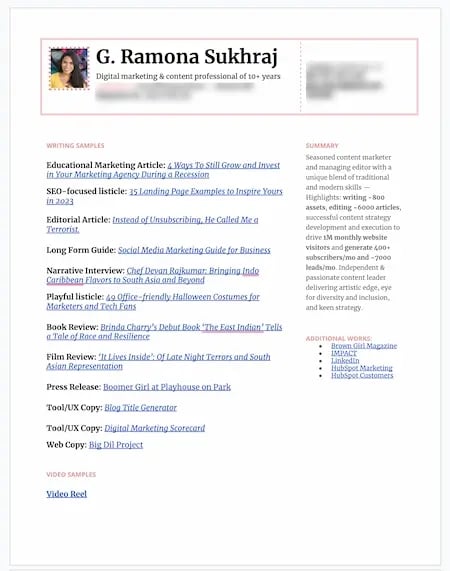
As a seasoned content marketer, I also had an appendix to my resume with links to my writing samples by default. But this isn’t necessary for every industry.

Screenshot showing an example of what a resume may look like including writing samples, includes description of what each item is and a link.

Like a cover letter or a resume, a writing sample helps a company identify qualified candidates no matter what form it takes. However, it’s uniquely important because it shows your skills in action more effectively than the former.

Like the samples at a local ice cream shop, they’re a delicious taste of what’s to come from you and help people decide if they want more.

Sound intimidating? Don’t worry — Not every job will require a writing sample, but they are common for journalism, marketing, public relations, communications, and research positions.

Employers might also ask for a writing sample if the role involves writing and communicating important information internally.

What do employers look for in a writing sample?

Employers look for different things in a writing sample depending on the role and industry you’re applying for. But typically, they all evaluate for tone, style, content, grammar, spelling, and punctuation.

They also may read between the lines — dissecting the strategy or value you deliver as well as your justification of it.

Company knowledge and brand voice may come into play as well. While these can certainly be learned later on, it doesn’t hurt if a candidate grasps these things from the get-go.

Cover Letter vs. Writing Sample

But Ramona, why do I need a writing sample if I already have a cover letter?

Well, first off, I know many of you probably aren’t attaching cover letters to every job application.

GIF of cartoon character Bart Simpson pointing, laughing, and saying “busted!” as if catching someone in the act.

Image Source

(Note: A hiring director once told me they’d never read a cover letter that sounded like someone was actually waiting for the job they applied for before mine. So, don’t let anyone tell you they don’t get read. Our templates can help.)

Second, the two documents accomplish different things.

Yes, a cover letter can showcase your writing skills and share credentials — but it’s all talk. It’s an elevator pitch of why you think you should be hired. A writing sample is proof.

It’s where you actually “walk the walk” and show an example of the kind of work you will actually deliver if hired.

Why do you need a writing sample?

Of course, many job applications simply require a writing sample. But as daunting as it may be as a candidate, it’s equally beneficial.

Submitting a writing sample for a job is a valuable opportunity to make the case for your employment.

Don’t have that much experience? Not the strongest interviewer? Even if you have trouble articulating why you’re a good fit for a position verbally (sometimes it’s hard under pressure, I get it), a writing sample actually demonstrates your capabilities. It does the talking for you.

How long should a writing sample be?

I’m not one for a word count. I always say just write as much or as little as you need to do a topic justice — but that’s not practical when applying for a job.

Employers, especially today, tend to have mountains of applications and writing samples to review and very little time to do so. So, practice some restraint.

My current job required an 800-word writing sample, and this Chatty Cathy topped out at 813 (with, admittedly, much difficulty).

The general consensus agrees with this length.

Hanne Keiling for Indeed summarizes it well, “In most cases, your writing sample should be around 750 words or between one and two pages. Like your resume, employers have a limited amount of time to review your writing sample. A brief, impactful writing sample is better than a long, less impressive one.”

What to Submit for a Writing Sample

What you submit as a writing sample for job applications may vary depending on the position. Perhaps the employer may even specify what they’d like to see.

For example, if you’re applying to be a movie critic, they may ask to see a few of your published movie reviews. If you’re applying for head of communications, you’ll likely send press releases or examples of emails.

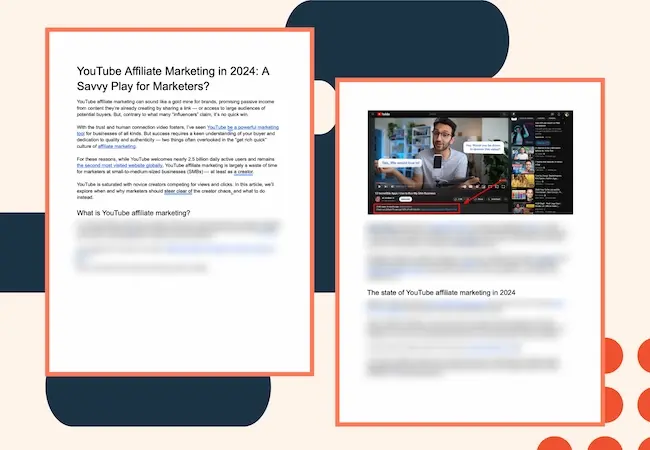
For this role, I was asked to write a blog article on a specific marketing topic (obviously).

Two pages of a writing sample about YouTube Affiliate marketing.

However, if the request is open-ended, here are some things you can consider including:

How to Choose What to Submit for a Writing Sample

Unless the employer requests something new, it’s best to lean into your existing work when submitting a writing sample.

Not only is this faster, but it also shows employers you have a history of good work. Not sure what you should submit for your next writing sample? Here are four things to consider.

1. The Position and Company

A writing sample for a job is only as good as its relevance. Study the job description thoroughly and think about any conversations you’ve had so far.

What skills are they looking for? What knowledge and experience do they want in a new hire? What do they have to accomplish? Choose writing samples that showcase these characteristics.

(Note: I remember a friend reviewing one of my writing samples for grammar before submitting and suggesting I cut a specific sentence for length. I didn’t listen. I kept it, knowing the hiring team mentioned certain criteria multiple times on previous calls. That sentence was called out and praised in a later interview.)

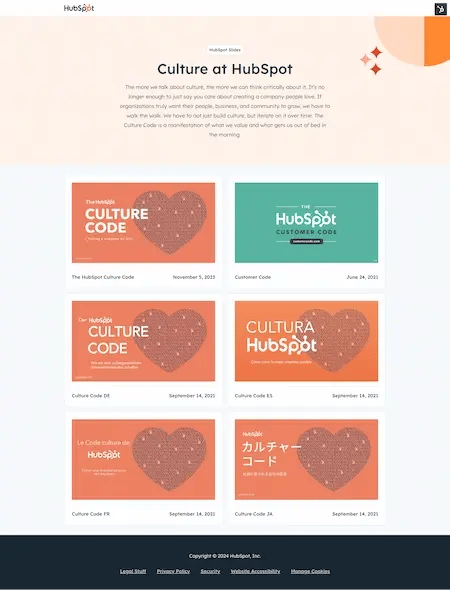
You also want to know the company’s brand, culture, and voice. Read their blog. Scroll through their social media. Check out their about us page, culture code, and media kit.

Screenshot showing HubSpot’s website for its Culture Code slide deck, available in six different variations and languages.

Image Source

Submitting a writing sample that aligns with these elements will be that much more likely to resonate with your audience and show that you understand the organization on a deeper level.

2. How the Piece Performed

Sometimes, great content doesn’t perform well. Think about the genius movies that were duds at the box office or the iconic albums that flopped when released. Sometimes it’s about timing, competition, or, let’s be real, the algorithmic overlords.

However, choosing a writing sample that has accomplished a relevant goal can do wonders in helping you stand out.

When choosing a writing sample to submit, ask yourself these questions:

  • What was the goal of this piece
  • Is it relevant to the position?
  • Did it accomplish the goal?
  • What qualitative or quantitative results can I share?

If a piece of writing was high-quality and successful, it’s a strong contender.

3. Your Strategy or Thought Process

When considering a writing sample, ask yourself if it was strategically strong. Was your thought process or approach to writing particularly smart or forward-thinking?

When you submit a writing sample for a job, employers usually ask about it later in the hiring process.

Even if a piece didn’t necessarily perform well, make a case for why it was still a smart play. That’s all that matters.

A good writing sample showcases the way you think in addition to your writing skills.

4. Your Passion

I mentioned that a writing sample can do the talking for you. But if you can talk about the sample passionately, that’s a huge plus.

Again, this depends on the role. But sometimes, if you can confidently explain the piece, it’s worth submitting. Discuss your strategy, motivations, inspiration, subtle nuances, or meanings.

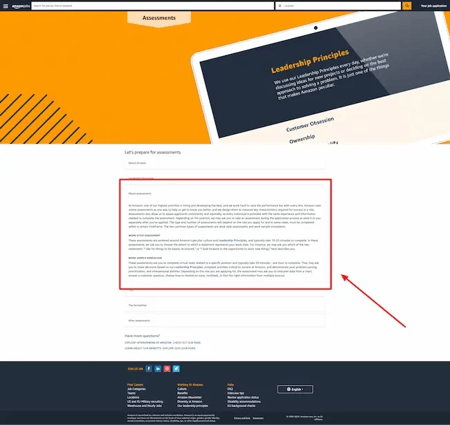
Samples like these show more of you as a person than just a professional. And, for companies that emphasize culture and values, this can be very persuasive. Amazon is one such company.

Screenshot of an FAQ page from Amazon’s website, showing details about the company’s assessment process and emphasizing its leadership principles.

Image Source

Graphic sharing four things a great writing sample for a job accomplishes

If you must create a fresh writing sample, try not to overthink it. The criteria above still stands.

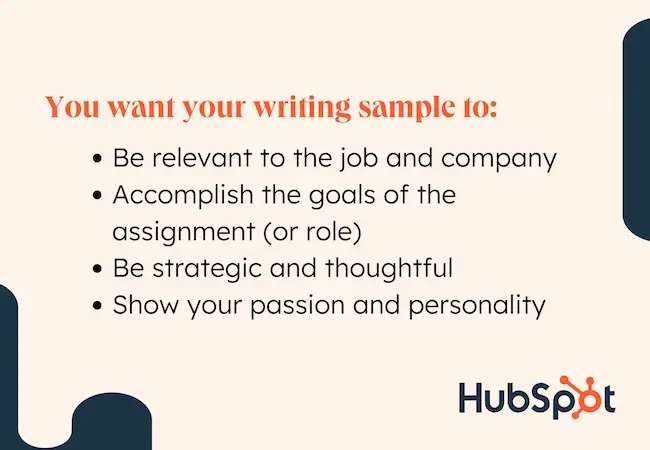
You want the sample you create to:

  • Be relevant to the job and company
  • Accomplish the goals of the assignment (or role)
  • Be strategic and thoughtful
  • Show your passion and personality

With this in mind, follow these five simple steps to write your writing sample for a job.

1. Understand the role and assignment.

Read the job description, the assignment from the employer (if given), as well as any notes you have from interviews. These are what your writing sample must reflect to move into the next round; your “goals,” if you will.

Pro Tip: Indeed and Glassdoor are other places you can also turn to to gain insight into qualities your potential employer may be looking for. Check out the company’s page on those or other job sites and sort through similar job titles to see what you can find.

2. Research the company and voice.

Dig into the background of the company as well as its brand, voice, and culture. These will shape how you should be writing your piece.

Pro Tip: Search for existing examples of the content you’re creating from the company. For instance, when I was writing a sample article for HubSpot, I read several on the Marketing Blog, so I knew what style they liked.

If you’re interviewing for a public relations job, see what press releases are out there. Think about the assignment and position in question and head to Google.

3. Outline your piece.

Once you know what you need to accomplish, take some time to outline your piece. Include your key talking points, important supporting details (always have data or facts to support your claims or suggestions), any related research, and requirements from the employer.

Pro Tip: Outlines are one place AI excels. If you’re having trouble getting your thoughts together, try our Free AI Content Writer to get started.

4. Write!

This is self-explanatory, but sit down and write! Write like your job depends on it — because, well, it does.

Pro Tip: When writing, I try to give myself enough time to “walk away” from a project. In other words, I get a messy first draft out and then come back to review and refine with fresh eyes later. If time permits, I recommend you do the same. It’s amazing what a brief break can do for quality.

5. Edit, edit, edit.

Even if you don’t have the time to step away from your writing sample and return to it, make sure you re-read it from beginning to end.

Look at it with a critical eye. Check for the skills and requirements outlined by the employer, as well as basics like grammar, punctuation, narrative, and flow.

This is your chance to add anything that’s missing or remove anything that’s distracting from your main point, so don’t skip it.

Pro Tip: Reread the piece out loud. This is something several of my teammates and I do, and it’s one of the easiest ways to find fluff.

Put your job hunt on the ‘write’ path.

Submitting a writing sample for a job can be nerve-wracking at first. You could have hundreds of amazing works to your name, but it’s all coming down to this one document. That’s a lot of pressure, but give yourself a moment to feel it — and then get to work.

Use the tips and steps I outlined in this article for your writing sample, and I assure you, the right job will find you. Just like mine did.

Professional Cover Letter Templates

Categories B2B

How to Get Sponsored on Instagram [What 500+ Social Media Marketers Are Looking For]

It’s no surprise you want to become a paid Instagram influencer, but the idea of getting your posts sponsored might seem laughable if you’re just posting pictures of your brunch instead of skydiving pictures in Australia.


But you’re probably more marketable than you think — as Instagram is a popular channel for influencers to partner with all kinds of businesses to post all kinds of content across topic areas for all types of influencers, from micro-influencers to viral celebrities.

I‘ve put this guide together to show you how to get brand deals on Instagram. Read on for actionable tips that’ll help you get your first deal.New Data: Instagram Engagement Report [Free Download]

Table of Contents:

Here’s more detail on each type of sponsored post.

Promoted Posts & Ads

Just like X (formerly Twitter), LinkedIn, and Facebook, Instagram comes with a native ad management platform.

Advertisers can use this tool to customize a target audience — using attributes like age, sex, location, and interests — and invest a specific amount of money to get their post in front of Instagrammers who identify with this audience.

The thing I’d like to note here is that the advertiser is making and publishing the post. They’re paying Instagram for the audience they want access to, but the post is theirs to create.

Paid Sponsorships

Conversely, paid sponsorships happen between a brand and an influencer on Instagram. The creator will have a brand and an audience relevant to the business.

I like to think of it as social media product placement. Just like a business might pay a TV show to have its brand of soda on the countertop in the series finale, it can also pay a person on Instagram to hold that same soda in a picture on their Instagram feed.

With the basics out of the way, let me walk you through how to start getting sponsorships.

1. Define your brand.

A niche determines the subject matter around which your content revolves. Do you want to post food and health-related content or focus on fashion? Whatever the case, it’s an important step in establishing your brand.

In addition to the type of content you post, branding has a lot to do with your overall aesthetic. How do you want to style your posts? What’s your messaging? To further solidify your brand, you might want to consider creating a cohesive feed theme (use these feeds for inspiration).

Beyond that, consistency is key. A good influencer’s posts are distinguishable and unique — a user flipping through their feed should be able to recognize the content as belonging to one influencer. After all, trust builds as a user continues to see the same type of content on an influencer’s profile.

Anthony Miyazaki, marketing consultant and professor of marketing at Florida International University, considers consistency one of the most important factors when assessing influencers for his clients.

Miyazaki often recommends his clients “seek out influencers who have maintained the same personality, vibe, tone, and style for at least 18 months.”

To further enhance the consistency of your brand, I recommend you connect your Instagram brand with any other online presence.

Creating a website with a similar aesthetic and messaging is a good way to do this. The more you unify your social media accounts, the easier it will be for brands to distinguish how you can help them.

Pro tip: If you have a website or other social media accounts, consider using Linktree to provide a menu of links to your other accounts. This way, you only have to share one link that provides users access to all your different accounts online. (Linktree offers a free and paid plan.)

2. Know your audience.

Up to 34% of social media marketers pick an influencer based on how much their audience engages with the content they post. The truth? You can only get the most engagement by understanding and fulfilling your audience’s needs.

If you understand your audience, you can also correctly identify which brands will succeed most from sponsoring you.

When I spoke to Rahul Vij, CEO of WebSpero Solutions, he stated a good connection between influencers and their audience is crucial for brands because “they want to partner with influencers who feel genuine and relatable to their target audience.”

As an example, Vij mentioned a campaign in which a fashion brand partnered with a micro-influencer focused on sustainable clothing.

He noted that the brand found them appealing because despite “not being a huge celebrity, the influencer had a super-engaged audience who loved their fashion hacks and commitment to eco-friendly practices.”

So, to strengthen your understanding of your audience, I recommend you start by gathering the basics:

  • What’s the gender, age, and geographical location of your core demographic?
  • Which of your posts do they like the best?
  • What times of day do they respond best to content, and what can you infer from this?

With this demographic information, you can start pitching partnerships to brands. After all, brands want to know who they can reach if they work with you.

And a proposal stating something akin to “You’ll be reaching thirty-something, working women, primarily from New York, who often use Instagram first thing in the morning and prefer fitness content” will undoubtedly hit harder than just saying, “You’ll be reaching women.”

Pro tip: You can tell what kind of content your audience likes by keeping an eye on how they engage with your posts. For instance, if a post has lots of likes, saves (bookmarks), and shares, it might mean they like that type of content.

3. Post consistently.

How frequently you post on social media will depend on several factors: how the platform works and the ecosystem on each platform you choose.

Posting frequently on Instagram is important to getting a brand sponsorship because it shows you maintain a presence on the platform.

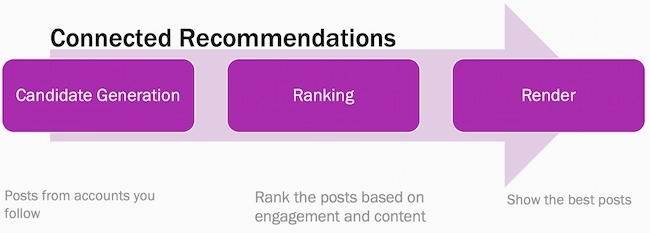
That said, Instagram is algorithm-based, so a high frequency isn’t as defining a factor as sharing quality content, especially since the algorithm ensures that users don’t see too many posts from one single author at once.

Adam Mosseri, head of Instagram, suggests sharing a couple of in-feed posts per week and a couple of stories per day.

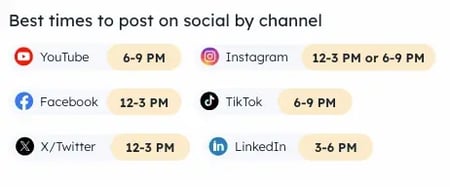
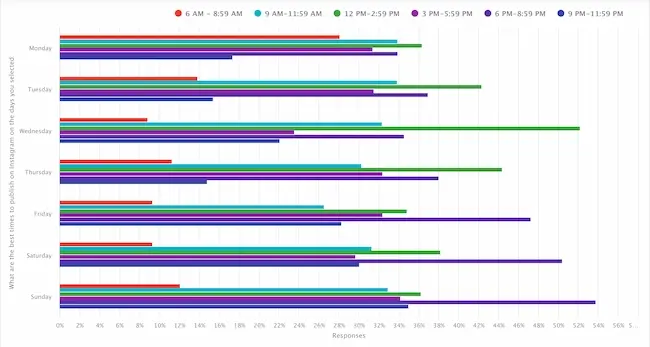
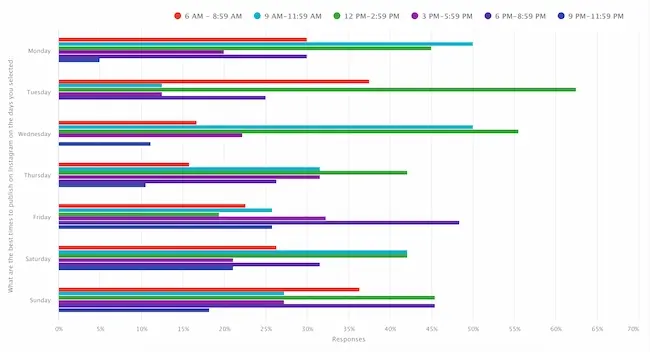
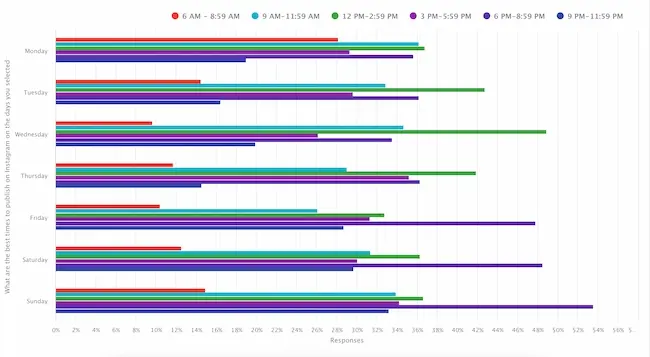
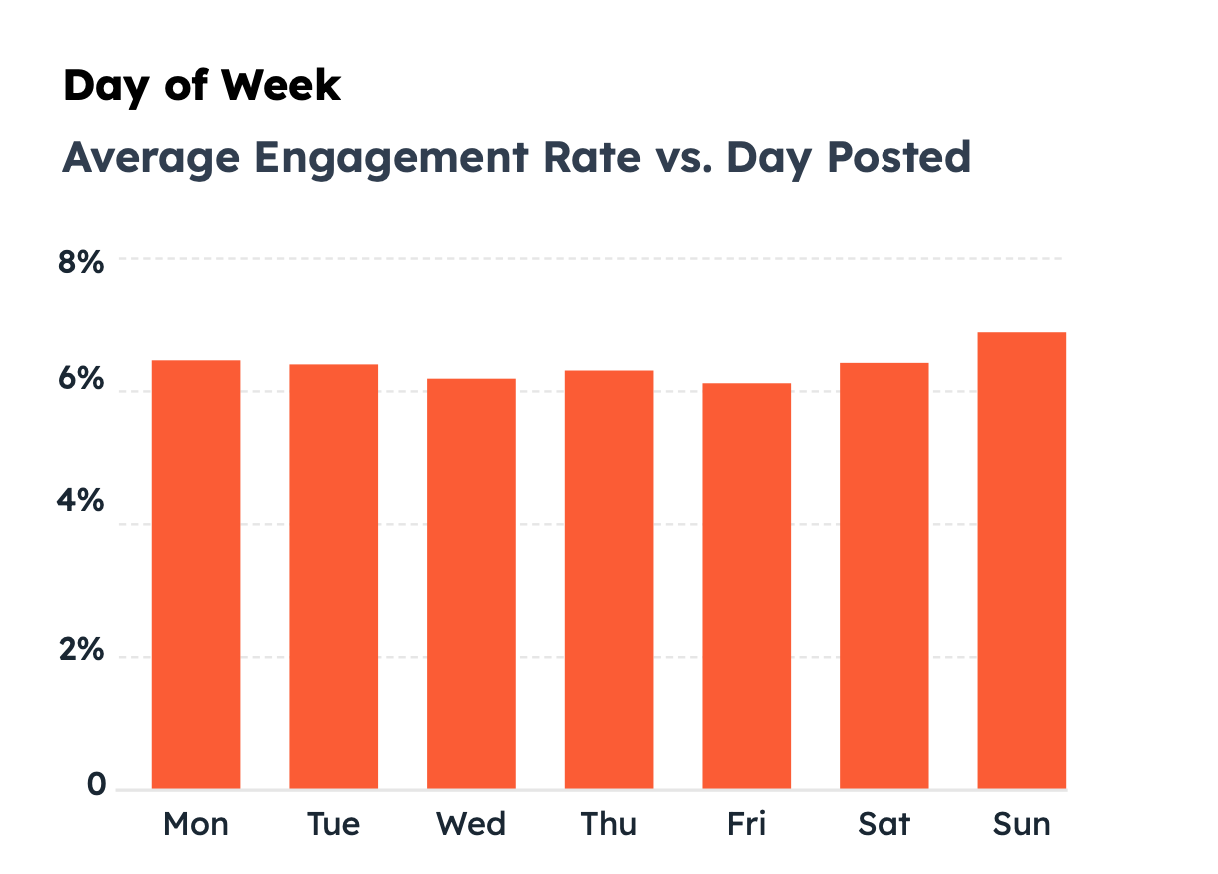
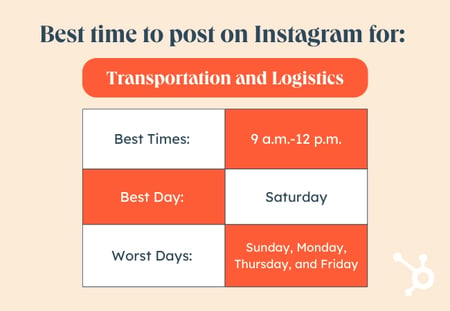
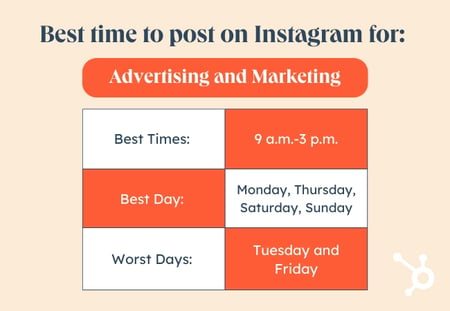
Pro tip: The best times to post on Instagram range from early afternoon to mid to late evening, specifically from 12 PM to 3 PM, 3 PM to 6 PM, and 6 PM to 9 PM. The best day to post is Saturday, and the worst is Monday.

However, I urge you to also look at your profile analytics and see when you get the most interactions and overall engagement to determine the best Instagram posting schedule for you.

4. Use hashtags and geotags.

Instagram hashtags make your content discoverable, so they’re necessary for growing your following. You can use up to 30 hashtags per post, but we recommend using an average of seven hashtags per post.

I also find it’s best to use hashtags that are as relevant to your content as possible and ensure they aren’t broken or banned.

Moreover, it‘s critical you choose hashtags that aren’t too broad. #Healthyliving, for instance, has over 20,000,000 posts, while #Healthylivingtips only has around 465,000. The less competition, the easier it will be for your content to get discovered.

When you peruse a hashtag’s page, you can also get a deeper sense of what types of content your post will be up against. #Healthylivingtips typically features posts with food recipes, so if your post is about cycling, using this hashtag might not be a good idea.

Location tags are equally important but for a different reason. Geotags can help people find you if they’re interested in a specific location. This helps you gain more followers and appeal to brands interested in reaching a particular demographic.

For instance, a boutique may see you often post fashion tips from the California area, and they‘re looking to appeal to people in that region — it’s a win-win.

Pro tip: I’ve found that using banned hashtags prevents your content from being shown to your audience. To avoid this pitfall, search for the hashtag you want to use on the explore page and open it. If there is a note about a community guideline violation, avoid it.

I also suggest using tools like MetaHashtags to check and remove banned hashtags from your hashtag list.

5. Tag brands in your posts.

Okay, now you‘re officially ready to begin reaching out to brands. You’ve defined your brand and audience and have created quality, authentic posts. Now, you should have a pretty good idea of what types of businesses would benefit from a partnership with you.

It‘s important to start small. If you’re interested in skincare, don‘t go straight for Estée Lauder. Instead, try tagging small skincare start-ups you’ve seen across Instagram in your posts.

When customers ask questions like “Where can I get one?” or “How much?” tag the brand. They will soon see you’ve proven yourself a suitable sales partner and may reach out.

Pro tip: You can tag brands in the photo/video, caption, or comments. My favorite method is using the comment section to repeatedly tag a brand while answering follower questions.

And with 28% of marketers stating that brand mentions are a key metric for measuring the effectiveness of an influencer campaign, you definitely want to get as many of those as you can.

Also, I suggest leveraging the power of hashtags while tagging brands to cast a wide net. Hashtags increase your content’s visibility to a new audience, which might help you get more brand mentions.

6. Include contact information in your bio.

Consider your bio a chance to signal your interest in becoming an influencer. Include an email or website so they can reach you, and include a media kit if possible.

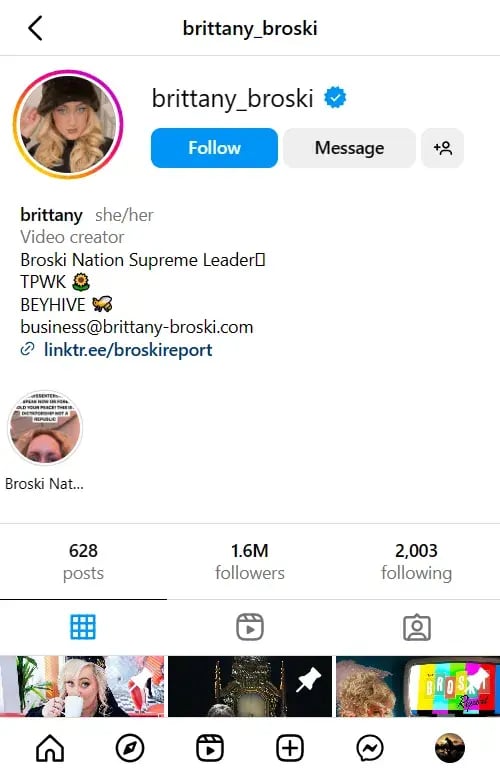
For instance, @brittany_broski adds a Linktree link and includes her email in her bio.

Brittany Broski’s Instagram profile.

Furthermore, you should use a website or blog to expand on your brand and demonstrate your versatility. For instance, consider adding a press page to your website so brands can take a look at your services.

And once you start getting sponsored by brands, you can add them to this page so brands can see you have experience as an influencer.

Pro tip: I also recommend using your Story Highlights to convey any information you’d like sponsors to see about yourself. Whether it’s past brand collaborations or your rates, it’ll help potential sponsors decide faster.

7. Pitch paid sponsorships.

There’s nothing wrong with reaching out to brands and offering your services. In fact, this approach to getting sponsorships is my favorite. With the right pitch, you might be able to land some gigs without waiting for brands to find you.

Look for brands that clearly invest time and money into their Instagram presence. You can start by researching brands that are already sponsoring influencers in your niche or industry. And remember — it’s okay to start small. Working with smaller brands will allow you to build a portfolio.

Once you‘ve curated a list of brands that might want to partner with you, send them an email. In your pitch, clearly and briefly outline who you are, what you do, and any achievements you have in the field that make you an expert.

Then, explain why you’re a good fit for the brand and include data such as follower count and average engagement rate.

Alternatively, you might consider sending a brand a DM straight from Instagram. It‘s certainly more relevant to the job you’re vying for, but it might get lost if a brand receives hundreds of DMs a day.

Pro tip: Tiffany Knighten, founder of Brand Curators, says that DMs and email aren’t the only ways you can pitch to brands: “LinkedIn can be a great resource to find contacts who work directly for a brand. You can reach out to people in PR, marketing, or partnerships within the brand and send them a brief pitch along with your media kit.”

In addition to reaching out to brands on different channels, I recommend customizing your pitches to each brand’s individual needs. Doing this shows initiative and willingness to do the work that moves the needle for the brand.

8. Know your worth.

Make sure you know how much you’ll charge when brands contact you or before you pitch your platform. Marketers typically pay between $501 and $10K for nano, micro, and macro influencers, with $10K+ budgets reserved for mostly mega influencers.

While you‘ll want to have a minimum set, you can negotiate to encourage brands to pay more. Perhaps for $300, you’ll throw in five Instagram Story posts and a link in your bio to their website for 24 hours. You can use other Instagram features to sweeten the deal. As you grow, you’ll be able to charge more.

Pro tip: There’s no doubt knowing your worth is essential. However, fixating on money can have downsides.

Amelia Munday, marketing specialist at Custom Neon, explains that “being overly aggressive on compensation without considering the partnership’s collaborative nature can also sour deals. Influencers should approach negotiations as a mutual partnership rather than a one-sided benefit.”

With 52% of businesses leveraging Instagram marketing, there are plenty of opportunities for you to get sponsorships. And this is especially true if you consider that you now have access to tools like the Instagram Creator Marketplace.

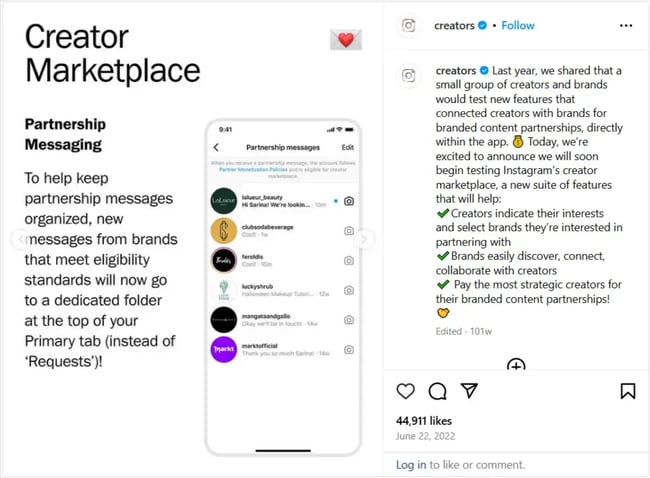
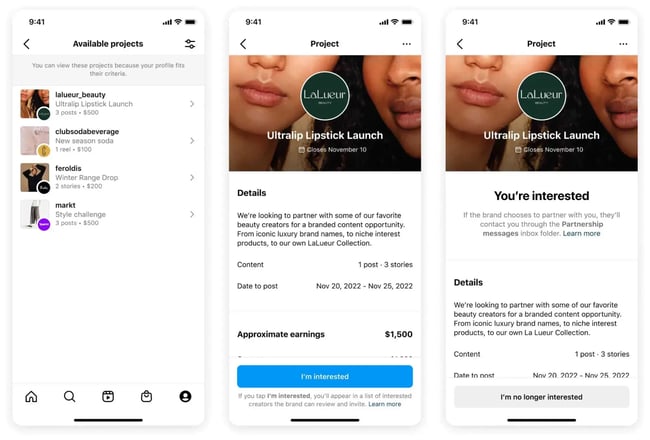
Initially rolled out in 2022, the Creator Marketplace’s explicit purpose is connecting influencers and brands on Instagram. That means the platform puts the spotlight on you, so all you have to do is prepare to make the best of it.

Here’s how.

1. Activate your creator account.

The Creator Marketplace is a public tool, meaning you and I can access it as long as we have Instagram accounts. But it’s still being rolled out, so you must meet the following eligibility criteria to join for now:

2. Optimize your profile for discovery.

After activating your account, you can start optimizing your profile to make it more discoverable by brands.

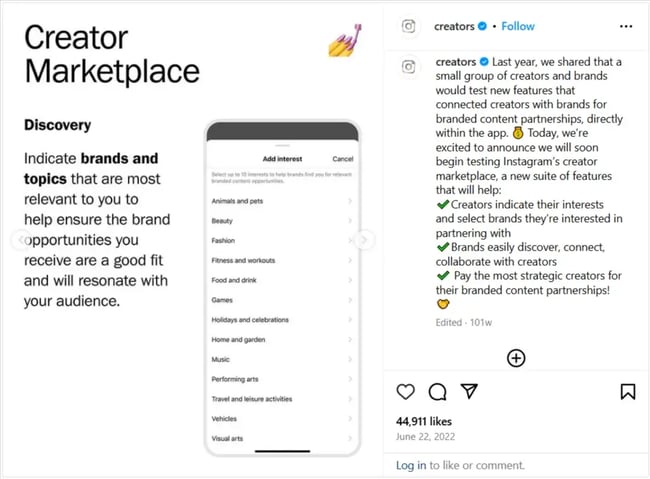
Adding your interests enhances your discoverability by brands.

Image Source

My suggestion? Be as thorough as humanly possible. The more details and labels you provide for what you do, the higher the chances that brands will find you.

Here’s how brands may search for influencers like you while using the discovery feature:

  • Using keywords or hashtags. By searching “fashion” or “#designer,” brands can see posts from influencers in the fashion industry. Therefore, if I wanted to appear in these searches, I’d use more keywords and hashtags specific to that niche.
  • Using filters. Brands can also refine their results using filters such as age, gender, location, interests, and follower count. This is where having a solid idea of who your Instagram followers are comes in handy.
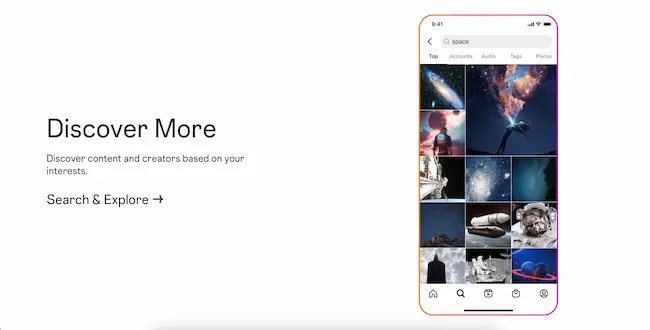
  • Following recommendations. Instagram recommends influencers to brands based on how relevant their content is to them. It analyzes factors like the content type you post, your interests, and the brands you work with.
  • Browsing categories. Sometimes, brands will simply want to find all the creators in a specific category. So, make sure to choose the right category when switching to a professional account.

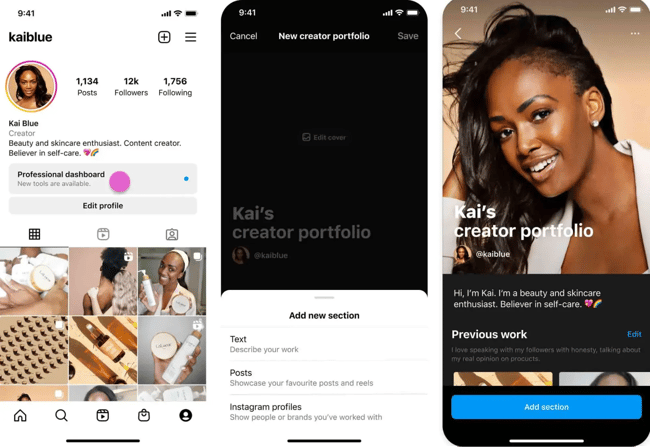
3. Set up a portfolio.

Set up a portfolio to provide brands with an overview of yourself.

Image Source

Up to 25% of social media marketers believe that working with influencers will become more important in 2024. For me, this is enough reason to package myself well so that when brands come knocking, they’ll find me ready to unleash my creativity on their businesses.

The portfolio feature does a great job of showing off your experience. I use it to show potential partners who I am, what I’ve worked on, and my previous partnerships. That way, I can let brands know that I’m capable of meeting their expectations.

4. Keep an eye on the Partnership Messaging inbox.

Partnership messages streamline your communication with brands.

Image Source

Once you get discovered, brands can invite you to take part in their projects. Projects allow brands to specify their needs (e.g., the kinds of content they expect from creators, posting frequency, and when they expect you to post).

When brands send these projects directly to you, they land in your partnership inbox — a separate folder in your primary inbox dedicated to communication with brands.

I personally think this feature is a great time-saver if you, like me, have experienced dozens to hundreds of DMs from your followers daily. Not to mention, it helps you avoid the risk of losing business by missing the message in the first place.

That said, I would keep an eye out for brand invitations to projects because they usually have expiration dates and can also work on a first-come-first-serve basis. So, when an invitation comes through, make sure to respond promptly to create a great first impression and capitalize on limited opportunities.

5. Browse projects.

Browse projects and show interest in the ones you like.

Image Source

We‘ve talked about how brands can create projects and send them directly to creators they wish to work with. But there’s more to it. Brands can also make those projects publicly available to any creator on the marketplace.

As the creator, you can browse projects and indicate interest in the ones you‘d like to work on by tapping the “I’m interested” button. So you don’t have to sit and wait for brands to approach you.

What‘s more, you can show interest in joining multiple projects simultaneously. This feature is particularly useful for creators who are just starting out to find their first deal — I’d be scrolling and smashing that “I’m interested” button, personally.

Using #ad and #spon Hashtags

Brands have come under fire in the past for working with influencers but not making it clear that the influencers were paid to share content.

Department store Lord & Taylor, for instance, settled charges with the FTC in 2016 after paying 50 influencers to wear a dress in their posts without hashtagging #sponsorship or #ad.

Instagram prefers that influencers mark paid sponsorships as paid partnerships so their audiences know the intention behind the post. It‘s critical your followers know if you’re getting paid to promote a product. Ethics aside, it could destroy your account‘s credibility if you’re caught, and you could lose everything you’ve worked hard to build — namely, an authentic, trusting community.

In 2017, Instagram released a paid partnership feature to combat this issue. If you tag a brand in a post and the brand confirms the relationship, the ad will be marked at the top with a “paid partnership” label. This also helps the brand gather data regarding how well the campaign is performing.

If you truly don’t want to post #ad or #spon, there are some ways around it. For instance, Airbnb created the hashtag #Airbnb_partner to signal a paid partnership without using the word “ad.”

When in doubt, adhere to Instagram‘s policies. You can read Instagram’s branded content policies in full here.

How to Disclose Paid Partnerships on Instagram

It’s a best practice to disclose paid partnerships to followers so they know that you and your partner will profit from the engagement you bring them.

Here’s how you can easily disclose partnerships with brands for Feed, Stories, Live, Reels, and videos.

Note: This feature is only available for business and creator accounts, and the steps are the same for desktop and mobile devices.

Add a Paid Partnership Label to Instagram Feed Posts

  1. Upload your content and add your preferred caption and any filters or effects, then tap “Next.”
  2. Tap “Advanced settings.”
  3. Toggle the “Add paid partnership label” option underneath Branded content.
  4. Tap “Add brand partners” to search for the brand and add them to your post. You can add up to two brands.
  5. Optional: If your agreement with the brand allows them to use your content to run ads, toggle “Allow brand partner to promote” on.
  6. Tap “Done” to post your content.

Add a Paid Partnership Label to Instagram Stories

  1. Once you’ve uploaded the story and added elements like text or a filter, tap the tag icon at the top of the screen.
  2. Tap “Add paid partnership label.”
  3. Tap “Add brand partners” and search for the brand you’re working with. You can add up to two brands.
  4. Optional: If your agreement with the brand allows them to use your content to run ads, toggle “Allow brand partners to promote” on.
  5. Tap “Done” to post your Story.

Add a Paid Partnership Label to Instagram Reels

  1. After you’ve uploaded your Reel and edited it to your choosing, tap “Next.”
  2. Tap “Advanced Settings.”
  3. Toggle “Add paid partnership label” into the on position.
  4. Tap “Add brand partners” and search for the brand you’re working with. You can add up to two brands.
  5. Tap “Done” to post your Reel.

The post below shows the Paid Partnership label in a sponsored Reel from Yes Williamsburg.

Screenshot of Instagram post from Yes Williamsburg with paid partnership tag

Add a Paid Partnership Label to Instagram Live

Note: When you’re Live, you can only tag brands you have approval from

  1. When you go live, tap “Details.”
  2. Tap “Add brand partners” and search for the brand you’re working with to add a tag to your Live.

Things to Consider Before Accepting an Instagram Sponsorship

Congrats on getting to this stage! Now that you have one or more brands lined up, I suggest you consider the following before accepting the deal(s):

1. The brand’s audience.

The most important thing to do is make sure your connection to the brand is there, which is why working with brands in your niche is important.

For example, if you’re a fitness influencer, it would make sense to partner with athletic wear companies or local fitness studios, but it wouldn’t make much sense to partner with a travel agency.

So, research the brand and look at its Instagram presence, the type of content shared, and the audience that engages with its content to see if it aligns with your brand and interests.

Pro tip: Sponsor’s goals aside, Munday says, “Instagram influencers should consider whether the brand fits their personal brand and ethos. They must think about the preferences of their audience and whether or not their followers will gain from the partnership.”

Your followers make you who you are, so it’s only fair to prioritize their needs before accepting an Instagram sponsorship. I recommend leaving deals that misalign with their interests or needs on the table.

2. A brand’s partnership eligibility requirements.

Brands have eligibility requirements when they partner with influencers, so you should always review their criteria to ensure you meet their qualifications and that their capabilities don’t have unrealistic expectations for you and your processes.

3. The fine print of your contracts.

Protecting your content and ensuring the brand won’t misuse it is essential. You can read the fine print of your contract and partnership to see exactly how brands will use your content, and you can register for a DCMA account to make sure it’s protected by copyright law and can’t be misused.

Pro tip: According to Rex Huxford, director of demand generation at MD Clarity, one of the most common mistakes that green influencers make when they’re getting started is not setting an end date for their content usage.

Huxford recommends “setting a contract in writing outlining how long brands can use your content, where they can use it, and how they can repurpose it. You might not want them to have access to the content indefinitely, especially if your following blows up later.”

4. Instagram’s partner monetization policies and guidelines.

To use Instagram’s Monetization and Promotional tools on Instagram, you have to meet a few specific requirements. You must:

  • Reside in a country where monetization and promotional tools are available.
  • Adhere to and comply with all community guidelines.
  • Comply with content monetization policies.
  • Refrain from sharing misinformation.
  • Only monetize authentic engagement (you can’t monetize artificial views or engagement).
  • Comply with payment terms.
  • Must have an authentic presence.

You should also be familiar with rules and laws created by the Federal Trade Commission (or the equivalent in your country). Not complying with requirements and being transparent can cause significant legal issues and may make it harder for you to engage in partnerships in the future.

5. The type of content you can monetize.

All content that helps creators and publishers earn must follow specific rules:

  • You can’t monetize static videos, static image polls, slideshows of images, looping videos, text montages, or embedded ads.
  • You can’t monetize engagement bait, where you incentivize people to click a link or respond to a post through likes or comments, soliciting engagement.
  • You can’t monetize content that is misinformation, misleading medical information, unoriginal content, or drugs.

6. Payment amount and payment terms.

It’s always important to evaluate the offers to make sure you’re compensated fairly and in alignment with your rate, partnership requirements (like how much content you share), and the effort you put in to create the content.

If payment doesn’t align with your level of work, you have the right to negotiate a rate that matches what you’ll have to do, or you can step away if they don’t compensate you against your rate.

Pros and Cons of Instagram Sponsorships

Pros

  • Building trust. Working with reputable brands can build your credibility with your viewers and audience because you work with a source they know, and the trust builds even higher if you recommend a product or service they purchase that positively impacts their life.
  • Expanding your reach. Partnering with a brand expands your reach to your partners’ audience, helping you grow your awareness and draw in new followers eager to hear from you.
  • Monetization. Partnering with brands can help you monetize your platform and get paid for the posts or campaigns you run and are already an expert at creating.

Cons

  • Loss of authenticity. Sponsored content can feel inauthentic to viewers, especially if the content seems too sales-y. Since consumers usually prefer authentic content over all else, they may be skeptical of your ads.
  • Legal issues. If you don’t comply with legal requirements and Instagram’s content monetization and sponsorship requirements, you risk non-compliance and losing the ability to use the Instagram feature or even the platform.
  • Time-consuming. Sponsored partnerships can require a lot of time and effort to coordinate and create content, which can detract from your other content creation efforts.

Over to You

Getting sponsored on Instagram can be challenging — it takes time, effort, and perseverance. But if you work hard to differentiate yourself in the industry and connect on a personal level with your followers, it can be extraordinarily rewarding.

Editor’s note: This post was originally published in July 2023 and has been updated for comprehensiveness.
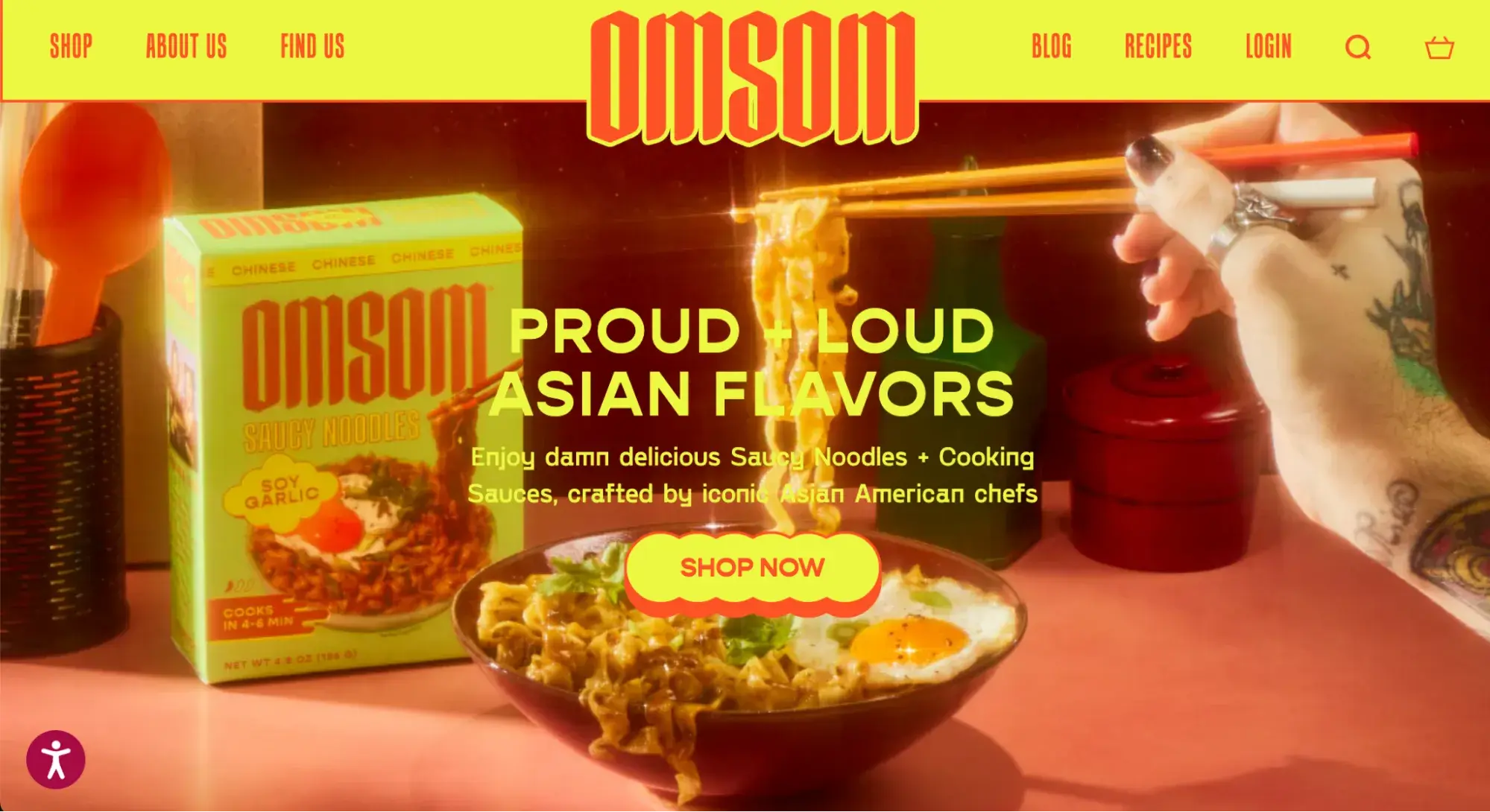
instagram-engagement-report

Categories B2B

The Outside-the-Box Marketing Techniques Behind Red Bull’s $16 Billion Success

Dietrich Mateschitz, the founder of Red Bull, is one of my marketing heroes. Not only is he a brilliant business person but he is an absolute genius of marketing strategy. Here’s why.

The story of Red Bull isn’t just the story of a successful beverage; it’s the story of pioneering marketing principles and relentless product differentiation.

Download Now: Free State of Marketing Report [Updated for 2024]

Dietrich Mateschitz, the founder of Red Bull, came across a little-known energy drink in Thailand and transformed it into a global phenomenon.

By creating a distinct product with a unique design and a powerful tagline, “Red Bull gives you wings,” Dietrich ensured the brand was instantly recognizable, leading it to become one of the most successful businesses in the world.

He leveraged owned media, took bold ownership stakes in cultural trends, and used unconventional marketing tactics to generate buzz and word-of-mouth. His commitment to brand consistency and differentiation not only set Red Bull apart from competitors but also built a loyal customer base and a $16 billion empire.

Outside-the-Box Marketing Ideas from Red Bull

As discussed in a recent episode of Marketing Against the Grain, here are some of the most innovative strategies that fueled Red Bull’s success that can also apply to your own business.

Embracing — and Encouraging — Rumors to Generate Buzz

One of the most unconventional strategies Red Bull applied to promote brand awareness was encouraging and perpetuating rumors about the product (which I imagine would drive most CEOs nuts).

For example, Dietrich intentionally remained vague about the ingredients in Red Bull, leading to wild speculations that it contained bizarre ingredients like bull testicles. Instead of quashing these bizarre rumors, he leaned into them, even dedicating pages on Red Bull’s website to subtly add fuel to the fire.

This strategy played into human curiosity, where mystery drove rabid interest and desire. By not confirming or denying the rumors, Red Bull kept people talking and guessing, which ultimately enticed consumers to try the product for themselves.

Dietrich knew that apathy was the worst thing that you could have as a business. By constantly finding ways to keep people interested in Red Bull, he activated the brand to keep it at the forefront of consumers’ minds.

Leveraging FOMO to Capture Consumer Interest

Red Bull excels in leveraging scarcity tactics to create a sense of exclusivity and urgency. For example, when Red Bull was first approved for distribution in England, Dietrich knew he needed to attract the public’s attention — and quickly.

So he had his team place empty Red Bull cans in trash bins all around London, creating the illusion that the drink was incredibly popular.

This social proof tactic played on the psychology of passersby, who would see the empty cans and think, “If so many people are drinking this, it must be worth trying.”

Making potential customers feel like they were missing out helped drive initial consumer adoption and build a loyal customer base — not to mention increasing brand visibility and perceived popularity without the need for expensive advertising campaigns.

Extreme Profit Reinvestment to Drive Long-Term Gains

Dietrich’s deep belief in the power of marketing is a key reason why I consider him a marketing genius.

For example, he was so committed to building a remarkable brand and believed so absolutely in core marketing strategies that he opted to reinvest profits back into marketing efforts, rather than taking meaningful cash out of the business for over 20 years.

This long-term strategy resulted in massive dividends in the form of hundreds of millions of dollars annually.

One of my favorite case studies on this is how Red Bull organizes and finances extreme sports events, spending their marketing budget to professionally film and broadcast them. They then offer this footage for free to TV networks to fill their airwaves.

This incentive-based strategy secures valuable airtime for Red Bull without the costs of traditional advertising.

While competitors were buying 30-second ad spots, Red Bull was likely investing the same amount of money in a completely different way — but enjoying hours of global television exposure reaching millions as a result.

Honing Brand Consistency and Product Differentiation to Drive Longevity

The tagline “Red Bull gives you wings” has been a cornerstone of Red Bull’s branding since Dietrich received a middle-of-the-night call from his friend at the advertising agency.

This tagline was not just a catchy phrase but a reflection of the brand’s ethos and commitment to helping consumers push their limits and achieve extraordinary feats, enabling Red Bull to build a strong, recognizable brand that resonated deeply with its target audience.

This consistency also extended to their product packaging, with the slim, tall can becoming instantly recognizable and synonymous with the brand. Dietrich understood the importance of being fundamentally different to stand out.

He designed the Red Bull can to be skinnier and taller, rather than the short, stocky design typical of other beverages, ensuring their product was visually identifiable on shelves.

This strategic differentiation, much like James Dyson’s approach with his vacuum cleaners, helped Red Bull carve out a unique space in the market, building strong brand recognition and loyalty.

Riding (Counterintuitive) Waves to Drive Rapid Growth

Dietrich’s marketing genius also lies in his ability to identify and ride macro trends to drive business success.

This strategy aligns with Charlie Munger’s ‘wave to surf’ metaphor, where companies capitalize on larger market opportunities to propel their own growth. In Dietrich’s case, he didn’t just find one wave to surf; he found three counterintuitive waves.

First, Red Bull tapped into the extreme sports wave, recognizing the growing popularity of adrenaline-fueled activities. Simultaneously, they capitalized on the emerging energy drink wave, creating a new category of beverages at a time when there were few established competitors.

Finally, Dietrich leveraged the owned media wave by buying a soccer team, hosting sporting events, and even sending a man into outer space. These bold moves garnered massive attention and distinguished Red Bull from its competitors, solidifying its position as an industry leader.

For an in-depth analysis on Red Bull’s marketing plays, check out the full episode of Marketing Against the Grain below:

This blog series is in partnership with Marketing Against the Grain, the video podcast. It digs deeper into ideas shared by marketing leaders Kipp Bodnar (HubSpot’s CMO) and Kieran Flanagan (SVP, Marketing at HubSpot) as they unpack growth strategies and learn from standout founders and peers.

state-of-marketing-2024

Categories B2B

When Is the Best Time to Post on Instagram in 2024? [Cheat Sheet]

If you want to find the best time to post on Instagram, you’re probably trying to get the highest engagement. Whatever your specific goal (likes, followers), posting when your content will get the most eyes can only benefit your marketing, so I’m glad you’re here.

New Data: Instagram Engagement Report [Free Download]

If you’re new to social media, you may think you should just start posting at different times of day and document your performance post-by-post — but that’s pretty labor-intensive and unnecessarily time-consuming.

There’s gotta be an easier way to figure out when to post on Instagram.

That‘s where we come in. In this post, you’ll find everything you need to start posting at the best times on the popular social media platform, all backed by our 2024 Social Trends Report and other new HubSpot research.

Table of Contents

Graphic showing the best times to post content to six of the top social media channels in 2024, including Instagram.

The times above are for Instagram engagement in local time — meaning that your audience is in the same time zone as you are when you post.

So, if you live in Los Angeles and your primary audience is also in Los Angeles, you would post at the times above. However, if you live in Los Angeles and your target audience is in New York, you’ll want to shift these posting times three hours forward.

Keep this in mind when updating your social media content calendar.

Worst Time to Post on Instagram

So, now that we‘ve established when the sweet spot for posting on Instagram is, let’s take a closer look at when it isn’t. The HubSpot Blog recently asked 697 global Instagram marketers across B2B and B2C industries about the best (and not-so-best) times and days to post on the channel.

According to those findings, the worst time to post on Instagram is between the hours of 6 AM and 8:59 AM and the worst days are Mondays and Tuesdays. This was across B2B and B2C verticals and consistent with results from 2023.

In this chart, you can see the lowest Instagram engagement rates were actually between 6 and 9 AM globally at that time, which isn’t surprising.

Bar graph showing the average rate of engagement on Instagram for each hour of the day.

No matter where they are, most people are likely just waking up, eating breakfast, commuting, or getting their days started at this time — and you can’t hit “like” in the shower or in between bites of toast.

So night owls, you can rest assured. There’s no need to wake up early to post that Instagram collaboration.

(While social media management software and Instagram itself enable you to schedule posts in advance, this marketer is still waiting for them to support the collaboration feature. Sigh.)

Best Time to Post to Instagram Cheatsheet

Table/schedule showing the best average times to post to Instagram each day of the week.

How We Found the Best Instagram Posting Times

The data in this article comes from three sources.

First is HubSpot’s 2023 Instagram Engagement report. This extensive report reviewed 110M posts across 1M Instagram users. The report also has several sections specific to English-speaking countries. They analyzed data from close to 85M posts from North America alone.

This post also contains more original 2024 research from the HubSpot Blog team. We surveyed 697 professionals across B2B and B2C about their preferred days and times to post on Instagram.

We also included some data from our 2024 Social Trends Report — where we asked 1,460 social media marketers from across the globe about their biggest trends, goals, challenges, and strategies going into 2024.

Why post on Instagram at a certain time?

I know for many marketers, social media posting is just one more thing to do on a busy day. It can be tempting to post whenever it‘s convenient or seems logical, even if there isn’t any data to back it up.

Here are a few reasons why it’s important to post to Instagram at specific and consistent times.

Increasing Reach

According to eMarketer, US adults spend at least 33 minutes a day on Instagram. That’s about 15 hours a month. So, posting when your top users are online will make a difference.

It will be more likely your content gets seen, increasing its reach to existing followers — but also new folks. This graphic from a machine learning engineer outlines some of the factors in helping new users discover your posts.

Graphic of a purple arrow depicting the criteria/flow of how Instagram typically recommends content on the platform.

Image Source

One of those factors is engagement. Posting content when your followers are active can boost engagement (more on that next) which, in turn, increases the chances that new users will discover your account and posts on the platform.

Check out this post for more tips on how to grow your reach on Instagram. This post from the Instagram blog also outlines how important fresh and recent content is.

Increasing Engagement

According to HubSpot’s research, the global average Instagram engagement rate was 6% in 2023, a slight increase from the year prior.

Instagram engagement has a ripple effect, like throwing a rock in a still pool. The first ripple is obvious — if you get immediate likes, comments, and saves after posting, your post will likely appear in more feeds.

Image showing what Instagram “Search” results for the term “space” look like on a mobile device.

Image Source

The next ripples come from other Instagram features like Favorites, Shopping, and Search & Explore. Each feature has an independent algorithm and weighs engagement differently.

For example, becoming a “Favorite” for your followers means your posts show at the top of their feeds every time they log in.

On the other hand, engagement rates and behavior factor into which posts get bumped to the top of Explore pages. Posting at the right time doesn’t just mean more comments, messages, and saves. It creates more opportunities for engagement.

Building a Loyal Audience

Loyalty takes time and effort to build. It’s especially tough for small businesses that have to compete with big brands on social media. Fortunately, posting during peak times on Instagram helps you reach more of your audience and start building that relationship.

Building loyalty is more than great products and customer service, however. It’s also about reliability. Posting at peak times helps establish a consistent presence in your followers’ lives and sets expectations of when they can hear from you.

For example, say you run your media business in the Pacific time zone, but a third of your customers are in the Australian Eastern time zone.

If you post all your content from 9 AM – 5 PM PST, those posts will appear between 3-11 AM for your Australian customers and many won’t see them.

And what if an unhappy customer in Australia posts a story about your brand that you miss? That one miss could shape that entire audience’s perception of your business.

Understanding when your audience is online can be key to meeting them where they are and fostering brand loyalty.

Testing New Algorithms

Like most online tools, Instagram launches regular updates to improve its user experience. As a business, your team needs to quickly understand how each update could impact your users and adapt your strategy. This is especially true of algorithm updates.

Algorithms are complex. Instagram leaders say that each part of the app uses an independent algorithm, and they aren’t always transparent about what they entail.

If you’re lucky, social media analysts will do the research and share them online quickly, but if not, you can do your own by monitoring your post performance.

What do you need to run reliable and useful tests to help you understand which content your users see after an update? Number one is a consistent posting schedule. The fewer variables your test has, the more trustworthy your results will be.

Posting at the best times for your audience on Instagram will get you in front of the largest audience and give you more data to work off of.

Understanding New Features

Your posting schedule can also help you understand new Instagram features. Carousels, Stories, and Reels are all unique parts of Instagram, and depending on your content and industry, they’ll have different rates of engagement.

When Instagram releases new features like these, it can take time to understand:

  • What the new feature does
  • When users see new features
  • How they interact with each new feature
  • Resources needed for feature content

The sooner you understand a new feature, the more likely it is that you’ll make the most of that feature before your competitors. For example, this post on the Instagram blog tells users how to see more of what they want on their feeds.

Like testing an algorithm update, knowing the top posting times for your niche can help you test them for your users faster. Social testing is most useful when you know your test audience, which makes posting time important.

Streamlining Your Posting Schedule

Knowing the best times for your audience can make it much easier to schedule your posts.

Many social media and marketing managers take advantage of social scheduling tools. While these tools can make the process of social media posting much easier, it can be tough to get results if you’re not posting at the right times.

It’s all about creating the right content at the right time for your audience — and set posting times can also help you create a more personalized social media calendar for your buyer personas.

Here are a few more ways that choosing the best posting times for Instagram can help you simplify your posting schedule:

  • Creates focused times for content planning and tracking
  • Limits the need for “always on” social media management
  • Offers opportunities to batch-create targeted post content

Finding Your Best Customers

Instagram allows users to make direct purchases, but it’s also an invaluable lead generation and brand awareness tool that can lead to sales.

But how can the best posting times help you find prospective shoppers? By meeting them when they’re active and paying attention.

If you are new to your industry, the industry-specific posting times below can help you understand when your users are online to actually see your content.

For example, people in financial services are easiest to reach on Instagram on Sunday nights. This is just before the next work week begins. It may be a way to wind down the weekend and prepare for what the next week will bring.

Workers in agriculture are easier to reach on Saturday mornings and mostly skip Instagram during the week. These professionals might be in spots with limited service during the week. Safety is also a concern, so it may be difficult for them to use mobile devices while on the job.

You can also block out these times on your schedule to engage with users who follow your business. Comment on posts, ask authentic questions, and watch videos from your target audience.

These times are when the biggest pool of your users is active online, so it’s the best time to start a conversation.

It‘s easy to send a message on Instagram, but not every message gets a response. If you can be there to engage in real-time, you’ll get much more value from the time you spend on the platform. You’ll also have a better chance of connecting with top customers.

Is there really a “best time” to post to Instagram?

It‘s clear that posting time matters on Instagram. But is there really a best time to post to get the results you’re looking for? To answer this question, let’s hear from some members of the HubSpot social media team.

Content Quality

It can be tempting to churn out content to meet ambitious deadlines in the hopes that the right customers see your posts. But content quality is what creates the most value for your audience.

Brand Social Media Manager at Guild and Former HubSpotter Mathew Cruz says,

“It sounds obvious, but making your content as engaging and optimized as possible for the platform it’s being published on is key. ”

So, begin each post with the best possible content, then optimize to make sure that followers get to feel the impact of your efforts.

“Start with your target audience, and what types of content and information is most useful to them. What kind of content might they save for later? What might they share with a friend? What might incentivize them to comment on your content? Start with these questions and work backwards in order to improve your reach and performance.”

Annabelle Nyst, Principle Social Media Content Manager, G-P

Image of three mobile devices, each showing different Instagram Story content from three different creators.

You can also get some inspiration from top influencers and brands on the platform.

Another way to create quality content is to line up with recent trends and news. But this strategy isn’t the right fit for everyone. Here’s more useful advice from Annabelle Nyst:

“When it comes to posting around tentpole moments, events, and trending conversations, you should ask yourself: Does this make sense for my brand to be a part of this conversation? Are we adding value here?”

Instagram’s Algorithm

The best posting time isn‘t really about when you post, it’s about when you want users to see your content. But that’s up to the algorithms that are unique to each part of Instagram.

So, the care you put into posting time is only one part of a more complex system that delivers your content to people on the platform.

According to Mathew Cruz: “Instagram’s algorithm and UX changes have made an impact on the effectiveness of posting at specific times. Unless your users are consuming their content in the ‘following’ view, the time your audience will see your content can vary.”

To optimize the chances that people will see and engage with your content, check out these tips:

“Look at what the Instagram algorithm appears to be prioritizing at any given moment – for example, Reels. We know that Instagram has been leaning into Reels as a format in order to compete with TikTok, so how can you incorporate Reels into your strategy?

The more you adhere to what Instagram wants to see, the more the algorithm will favor you. Also, always optimize for value and engagement first.” – Annabelle Nyst

Image of three mobile devices, each showing different Instagram features. The first two show Shopping, while the last shows an example of a Reel.

“With Instagram, understanding the UX and algorithm changes can be more effective in strategizing content publishing rather than simply timing.

For example, with Instagram’s shift to pushing video over images, the types of content you choose to create and publish may impact the chances of it being pushed out to users.

Additionally, feeding the algorithm with what your content is about helps it know where it should go. For example, adding relevant captions, hashtags, and sounds can help increase chances of it appearing on the feeds of users that enjoy specific types of content.” – Mathew Cruz

Content Consistency

Social Strategy and Analytics Marketing Manager Erin McCool says: “Quality and consistency of content is more important than timing.”

Consistency is key to taking advantage of social media opportunities. Whether you’re amplifying your stories at the same time each week or posting with branded hashtags, a steady schedule is essential.

If you don‘t have a clear brand voice on Instagram, you won’t reach a wider audience — it‘s as simple as that. Without consistency, it’s unlikely that users will recognize and connect your content to your brand no matter how many times they see it.

So, don’t just post at the best times. Use the best times to post as a guide for a consistent posting schedule. This strategy can help you reach the right audience at the right time with the right content.

Best Time to Post on Instagram by Time Zone/Region

Your location can heavily influence the success of your social media marketing strategy. Audiences behave differently depending on where they are in the world, and you can benefit from knowing when they’re most active on Instagram.

You know that evenings tend to be the best time to post to Instagram for engagement. But how do you make that happen if your audience lives in multiple time zones?

This is where you need to decide the best posting times on Instagram for your audience. To help you make these choices, here’s more compelling data from the 2023 Instagram Engagement Report and our recent research.

North America

According to HubSpot research, the best time to post on Instagram in North America is between 6 to 9 PM, as those were the hours with the highest engagement.

It’s no surprise: People tend to be winding down in the evenings, so naturally, they usually access their Instagram apps at around this time.

Multi-color bar graph showing the best times to post to Instagram in North America by day of the week.

As you can see, though, the engagement rate is between 7% to 8% for most hours — you really can’t go wrong with your posting time, so long as you make an effort to study your audience and learn when they’re specifically online.

The hours you might want to avoid specifically are between 6 and 9 AM.

UK and Ireland

The best time to post in the UK and Ireland is from 9 AM to 3 PM to generate high engagement. That’s quite a jump from 2023 when we found 10 PM to 2 AM to be most popular.

Multi-color bar graph showing the best times to post to Instagram in the UK and Ireland by day of the week.

You’ll want to avoid the morning hours from 9:00PM to 12:00AM.

Asia-Indian Standard Time

In Asia (specifically India), the best time to post on Instagram is between 6:00 and 9:00 PM. During our research in this region, we saw huge peaks in engagement at those hours.

Multi-color bar graph showing the best times to post to Instagram in India by day of the week.

Indian Standard Time (IST) engagement rates are more volatile. You’ll specifically want to avoid posting between 6 and 9 AM, as those were the times with the lowest engagement.

Best Time Each Day to Post on Instagram

Every day of the week is a good day to post on Instagram, but you’re likely to get the best engagement on weekends.

The chart below shows the average engagement of each day of the week. As you can see, even though weekends are when you’ll see the most engagements, the data is pretty steady throughout the week.

Orange bar graphic depicting the average engagement rate on Instagram by day of the week.

This means that you’ll want to do deeper research to figure out which days are best for you to post. This is where industry-specific data can help.

For example, if your followers work at a desk job with regular hours, they might be taking a lunch break around noon. This would mean that they could be more likely to scroll through Instagram during that time to catch up on the latest from their friends, favorite brands, and influencers.

But what if they work in an industry with a less consistent schedule? For example, real estate agents often work around their clients’ schedules, showing homes on the weekend or after work hours.

This means that their scrolling time will be different from other users. You’ll want to track their behavior or use industry benchmarks to find the best day to post.

Best Time to Post on Instagram by Industry

General data about optimal post timing is a great starting point. But if you want to get more granular, HubSpot research surveyed over 300 professionals to help you engage with your top audience. Here are the best times to post on Instagram for over 16 popular industries as of last year.

Education

Orange and white table depicting the best time to post on Instagram to reach an audience working in Education.

Best Times: 9 PM – 12 AM

Best Day: Monday

Worst Days: Wednesday through Sunday

If you work in the education sector, the best time to post is from 9 PM to 12 AM, specifically on Monday. That may be because educators are preparing for the week at this time and may be more receptive to content from education brands.

Healthcare Companies

Orange and white table depicting the best time to post on Instagram to reach an audience working in healthcare.

Best Times: 6-9 PM

Best Day: Saturday

Worst Days: Tuesday through Friday

For healthcare companies, the best time to post on Instagram is in the evenings, from 6 PM to 9 PM, and specifically on Saturday. You’ll want to avoid posting on Tuesdays through Fridays.

Financial Services

Orange and white table depicting the best time to post on Instagram to reach an audience working in financial services.

Best Times: 9 PM – 12 AM

Best Day: Sunday

Worst Days: Wednesday and Thursday

Financial services companies will want to post from 9 PM and 12 AM — remember, a social media tool can help you schedule late-night posts! — and Sundays are one of the best-performing days in terms of engagement.

Retail

Orange and white table depicting the best time to post on Instagram to reach an audience working in retail.

Best Times: 3-6 PM

Best Day: Sunday

Worst Day: Tuesday

Retail companies should consider posting between 3 PM and 6 PM on weekends, especially on Sundays. Tuesdays were the worst day according to our research.

Ecommerce

Orange and white table depicting the best time to post on Instagram to reach an audience working in ecommerce.

Best Times: 9 PM – 12 AM

Best Day: Saturday

Worst Days: Monday, Tuesday, and Thursday

Ecommerce brands would benefit from posting between 9 PM to 12 AM, in keeping with the general pattern that evenings perform best for most brands. Saturdays were the best days to post on Instagram, while you’ll want to avoid Mondays, Tuesdays, and Thursdays.

Business Services

Orange and white table depicting the best time to post on Instagram to reach an audience working in business services.

Best Times: 9 AM – 12 PM, 6-9 PM

Best Day: Friday

Worst Days: Tuesday, Wednesday, and Sunday

Companies that offer business services would do well to post on Instagram between 9 AM and 12 PM — the starting hours of most people’s business days. Evenings between 6 and 9 PM also performed well. The best day to post, surprisingly, is on Friday.

Consumer Manufacturing

Orange and white table depicting the best time to post on Instagram to reach an audience working in consumer manufacturing.

Best Times: 9 AM – 12 PM

Best Days: Wednesday and Friday

Worst Days: Monday, Tuesday, and Sunday

Consumer manufacturing organizations should post on Instagram in the mornings, between 9 AM and 12 PM. The best days to post are Wednesdays and Fridays.

Manufacturing and Materials

Orange and white table depicting the best time to post on Instagram to reach an audience working in manufacturing and materials.

Best Times: 12-6 PM.

Best Days: Friday and Sunday

Worst Days: Monday through Thursday, Saturday

Companies in the manufacturing industry should post in the afternoons between 12 PM and 6 PM, starting with most businesses’ lunch breaks. The best days are Fridays and Sundays.

Construction Companies

Orange and white table depicting the best time to post on Instagram to reach an audience working in construction.

Best Times: 6-9 PM

Best Days: Thursday and Sunday

Worst Days: Monday and Saturday

Like most verticals, construction companies would benefit from posting in the evenings between 6 and 9 PM. Thursdays and Sundays are the best days.

Agricultural Organizations

Orange and white table depicting the best time to post on Instagram to reach an audience working in agriculture.

Best Times: 9 AM – 12 PM

Best Day: Saturday

Worst Days: Weekdays

The best time to post on Instagram for agricultural organizations is in the morning, between the hours of 9 AM and 12 PM. You will want to avoid weekdays and post on weekends, specifically on Saturday.

Electronics Organizations

Orange and white table depicting the best time to post on Instagram to reach an audience working in electronics.

Best Times: 3-6 PM

Best Day: Thursday

Worst Days: Monday, Wednesday, Friday, and Saturday

Electronics organizations would benefit from posting in the afternoons, between 3 PM and 6 PM. The best day to post is on Thursday.

Energy, Utilities, and Waste Management

Orange and white table depicting the best time to post on Instagram to reach an audience working in energy and utilities.

Best Times: 6-9 PM

Best Day: Saturday

Worst Days: Sunday through Friday

Energy, utilities, and waste management organizations would benefit from posting between 6 and 9 PM. The best day to post is on Saturday, while our research respondents reported that every other day is a poor option.

Information Technology

Orange and white table depicting the best time to post on Instagram to reach an audience working in informational technology.

Best Times: 6-9 PM

Best Day: Saturday

Worst Days: Monday and Thursday

Like most businesses, IT companies should post in the after-work hours, between 6 and 9 PM. The best day to post is on Saturday, but remember to experiment to find out what works for your audience.

Media and Entertainment

Orange and white table depicting the best time to post on Instagram to reach an audience working in media and entertainment.

Best Times: 3-6 PM, 9 PM – 12 AM

Best Day: Friday

Worst Days: Sunday and Monday

For media and entertainment companies, the best times to post on Instagram are between 3 PM and 6 PM and 9 PM and 12 AM, and the best day to post is Friday.

Transportation and Logistics

Orange and white table depicting the best time to post on Instagram to reach an audience working in transportation.

Best Times: 9 AM – 12 PM

Best Day: Saturday

Worst Days: Sunday, Monday, Thursday, and Friday

Transportation and logistics companies would benefit from posting in the morning, between 9 AM and 12 PM. Our respondents reported that Saturday was the best day to post.

Advertising and Marketing Organizations

Orange and white table depicting the best time to post on Instagram to reach an audience working in advertising and marketing.

Best Times: 9 AM – 3 PM

Best Days: Monday, Thursday, Saturday, Sunday

Worst Days: Tuesday and Friday

Advertising and marketing organizations have countless options for posting on Instagram. The best time to post is during the work day from 9 AM to 3 PM, and the best days include Mondays, Thursdays, Saturdays, and Sundays. You’ll want to avoid Tuesdays and Fridays.

Remember that the guidelines above are just that — guidelines. It’s essential to constantly gauge your engagement rates to find the best times to post for your specific audience. We recommend using the above data as a starting point, then adjusting slightly as time goes on.

Best Time to Post Different Instagram Content Types

What about the different types of Instagram content? What is the best time to publish them and get a good engagement rate? Let’s take a look.

Need help putting together your content? Our free content creation templates can help you get started.

Best Time to Post Reels on Instagram

We recommend following the general guidelines. The best time to post Instagram Reels is in the evening between 6 and 9 PM, when engagement rates increase globally.

That said, you can’t go wrong with posting Reels, because they’re so popular. Instagram CEO Adam Mosseri actively shares Instagram updates on Twitter, and many of his recent posts highlight new Reels features and emphasize the importance of this post type.

Trusted resources offer the same tips for the best time to post Reels as for other types of content, such as Carousels and photos. You’ll want to post when your users are online, and that means carefully examining your engagement rates.

The top tip for Reels timing is to post consistently. If your uploading days or times are sporadic, the algorithm won’t prioritize your account visibility.

Best Time to Post Instagram Videos

The best time to post Instagram videos is between the hours of 6 and 9 PM.

Best Time to Post Instagram Stories

The best time to post Instagram Stories is between the hours of 6 and 9 PM. If you work in the B2B sector, you could also benefit from posting an Instagram Story at lunchtime (from 11 AM to 1 PM), where your business audience might be scrolling through their app. That said, global average engagement rates peak in the evenings.

Best Time to Go Live on Instagram

The best time to go live on Instagram is in the evening, when users are unwinding for the day and have the time to watch a live broadcast.

Best Time to Post Instagram Carousels

The best time to post Instagram carousels and photos is between the hours of 6 and 9 PM.

How to Find the Right Time to Post to Instagram for Reach

Data on the best posting times for Instagram is incredibly useful. That said, it‘s often most effective when you’re just starting out.

As you continue to develop your presence on the platform, you might want to boost your results and do some posting time research on your own. The tips below are useful places to start.

1. Use a Social Media Tool

The most effective way to find the best posting time on Instagram is to use a social media tool, which will allow you to post at different times without needing to log into Instagram each time.

Social media software is useful not only because you won’t need to remember to log in to Instagram — you can simply schedule your posts — but because you can test and experiment more precisely.


Screenshot depicting what the HubSpot social tool looks like on desktop.

Try HubSpot’s social media tool for free!

Plus, you can see your posting history through reports — there’s no need to go through your Instagram posts one by one.

2. Experiment with Posting Times

To find the best time to post for your brand, it’s essential to experiment.

Our 2023 data strongly suggests that posting in the evening hours from 6 to 9 PM is a great place to start. Then, test out another time — such as lunchtime or mid-afternoon — and see if that changes engagement rates for your posts.

Try to keep the type of posts you make consistent. For instance, test out posting times for Reels specifically, with similar caption lengths and subject matter. That way, the only variable is the posting time itself and not any other characteristic.

3. Check Your Top Posts

Screenshot showing what “engagement” metrics can look like in Instagram Insights

Tracking your top posts can help you understand what posts are most popular and which topics draw the most engagement. It can also help you see how posting time impacts those factors.

For example, is that recent post about company events the most exciting content for an online beauty company? Or did it generate the most likes last month because it was posted on Saturday evening, a top time for ecommerce engagement?

You can use Instagram Insights to check out your top-performing posts, as well as factors like:

  • Engaged audience
  • Total followers
  • Most active times

HubSpot customers: You can check the Top Posts report for a quick list of your top ten posts. You can also check interactions, clicks, shares, and impressions for each post.

As you start to look at your social analytics, it can be tempting to focus on the numbers. But when you‘re looking at top posts, it’s important to stick with your creative side and to look at your numbers from your customer’s point of view. As you check your top posts, ask yourself:

  • What is special about this post?
  • What kind of content is it?
  • If it’s a video, what makes this video stand out?
  • If it‘s a photograph, how is this photo different from the others you’ve posted?
  • Did you edit the post?
  • Did you add text or design elements to the post?
  • Is there something that ties the people who’ve liked this post together?
  • Does this post connect to a current trend or event?

You may want to gather top post insights for a few months before you dig into analyzing your post content. This can help you see the top content your users respond to and when they want to see that type of content.

4. Track Competitor Posting Times

Another way to choose the right time to post for your audience is to figure out who else has their attention. Starting with your top competitors helps you figure out when to post and what content works on different days and times. Competitive analysis can also help you:

  • Learn about trends and benchmarks in your niche
  • Update your social strategy
  • Pinpoint new opportunities

There are a few ways to begin this research.

First, just scrolling through Instagram can give you a wealth of competitor insights. Take a look at a brand’s likes, hashtag copy, and how many hashtags they use. This can give you a quick profile of who follows that brand and what keywords they use, so it can hint at that competitor’s strategy.

If you want to do more detailed research, there are many great tools to help you track your competition. For example, you can create competitor streams with HubSpot’s social media software.


Screenshot of what users see on the screen when adding a “competitor” in the HubSpot social media tool.

Try HubSpot’s social media tool for free!

With this feature, you can track multiple competitors at once and filter your results by social network or time period.

5. Focus On Engagement

Screenshot showing what “engagement” metrics can look like in Instagram Insights, specifically audience engagement.

Strong engagement on Instagram is between 1-5%. According to HubSpot research, the average engagement in 2021 was 5.86%. The average engagement rate for 2020 was just 2.26%, so these rates can change quickly.

If you want to improve engagement, start by calculating your Instagram engagement rate. You can measure your rate with your all-time numbers, but it can be helpful to break this data into smaller sections, like months or weeks.

That way you can see engagement patterns for your account over time. It can also make it easier to see how the times you post on Instagram could impact your engagement rate.

Engagement rates show how people are reacting to your content. So, whether you’re sharing Reels, going live on Stories, or posting polls, questions, and quizzes, you can measure your impact. Engagement rates can sway based on:

  • Audience interest
  • Relevance
  • Social authority

It’s also important to remember that your most engaging content may not be as sticky at the same hours each day. Some content takes time to pick up views and shares before it makes an impact during peak engagement hours. Other content is like a firework — exploding quickly and disappearing just as fast.

To optimize your post timing for engagement, you need to get organized. The best way to find an ideal posting time is by testing the timing of your posts to see which post time generates the most audience engagement.

For example, what if you want to figure out when you get the most likes and comments on your Instagram carousels?

Say you create and post five different carousels a week and post them at random times. That approach will make it tough to get data that shows you the best times to post carousels for engagement.

But what if you post five similar carousels at a slightly different time each day? Then you can compare your engagement rates with the time you posted each carousel. This can show you the best time to post carousels for engagement so you can plan future carousels with those times in mind.

6. Use Your Data

Screenshot showing what an insights “overview” can look like in Instagram Insights.

When you’re new to Instagram, follower and engagement numbers are often low. Numbers for posting time, content type, hashtags, and more can be so similar that you may not spot the patterns that can help you grow.

Social media analytics can make these patterns easier to see and experiment with.

For example, the audience section in Instagram Insights can show you the days and hours when your followers are active. You can use that information to create a posting schedule. This can help you see whether posting during peak hours improves your reach.

At the same time, it’s important to remember that anyone with an account has access to Instagram Insights. And according to our 2024 survey, 48% had 100k to 450k followers.

So, there‘s a good chance that other brands are showing up in your followers’ feeds during that active time. You may want to post outside of active hours to see if your account draws more attention when there’s less competition.

It’s great to have the best times on Instagram available when planning your strategy. But tracking your own data can give you the personalized insights you need to stand out.

Boost Instagram Engagement on Your Schedule

Organic Instagram engagement and a consistent posting schedule go hand in hand. Each industry has natural peaks and valleys of activity each day. This means that your Instagram strategy should flow with them.

Use helpful resources, like this cheat sheet, to plan your social media calendar and watch your engagement rate soar.

Editor’s note: This post was originally published in February 2021 and has been updated for comprehensiveness.

instagram-engagement-report

Categories B2B

23 Best Email Newsletter Templates and 12 Resources to Use Right Now

There’s no end to the number of newsletters you can subscribe to. Email marketers have a lot to compete with in their subscribers’ inboxes.

If you’re wondering how email marketers get through, check out free email newsletter templates that make it easier to design a newsletter.

Click here to download our free lookbook that's packed with our favorite email  newsletters.

That’s why a solid newsletter template is crucial to designing an email that people are encouraged to click through. Discover some of my favorites below, plus tips for encouraging engagement.

Table of Contents

What is email newsletter design?

Email newsletter design encompasses every aspect of the structure and aesthetic of your email newsletters, such as font, images, colors, logos, content, and template layout.

From your subject line to your layout, your newsletter must be cohesive and optimized to entice readers to click and stay subscribed. 

Why Use Email Newsletter Templates for Your Next Campaign?

Creating a template from scratch can be time-consuming and a bit daunting, especially if you’re not very design-savvy. Email newsletter templates give email marketers a solid foundational design they can tweak to their liking.

By using an email design template in your next campaign, you can quickly and effectively create a consistent newsletter style that can be easily maintained even in the event it gets passed onto another DRI. 

“I became the DRI for HubSpot’s Marketing Daily Newsletter a few years into its inception,” HubSpot marketing manager and writer Erica Santiago says. “Fortunately, there was already a solid, tried-and-true template that made transitioning into the responsibility easy, so our audience never noticed a change in who was curating it.”

If done well, email newsletters can do wonders to help you build an engaged subscriber base, keep your business top-of-mind, and nurture leads that are already making their way down the funnel.

However, “done well” means more than just serving up great content. In fact, an often overlooked component of the newsletter creation process is the design.

Don’t have time to build out a custom template from scratch?

I’ve scoured the internet for the best resources for email newsletter templates and compiled them below.

Many of the templates have also been pre-tested for compatibility with major email service providers (ESPs) via Litmus — a web service that allows you to preview the way your email will look on different email clients and devices.

Once you find one you like, download the template and customize it to fit your needs. Depending on compatibility, you can even try out newsletter layouts on Google, Outlook, and other email providers.

1. HubSpot

Screenshot of Hubspot email templates

Start using HubSpot’s free Email Template Builder

Price: Free and paid options available

If you’re a Marketing Hub user, HubSpot offers a great collection of email templates you can use on your next marketing email.

No need to log out and search for a template in another marketplace; these templates are available to you right within the tool.

Once you choose a template, you can start using it immediately right in HubSpot — no HTML or CSS required. I specifically use HubSpot for the templates because of how easy they are to use and the variety of options available.

What I like: HubSpot provides a complete, end-to-end solution for all your marketing requirements since it provides access to our comprehensive CRM, centralizing your customer data.

As an email marketing platform, you can look through hundreds of templates tailored to your subject, content type, customer profile, and customer stage in your funnel. These templates can be customized using your unique customer information in the CRM.

The email solution offers excellent analytics and A/B testing capabilities, so you can keep improving your marketing plan over time.

Best For: Email marketers who have or wish to have multiple newsletters dedicated to different topics associated with your organization. 

2. Litmus

Screenshot of Litmus

Price: Free

Litmus offers a free email template collection — from newsletter templates to account management templates. All of the templates have been tested with the platform.

While you are required to create a Litmus account with your email address to access the templates, the templates themselves are free of charge.

What I like: Along with the multiple template options, Litmus provides strong customization options like countdown timers to highlight the urgency of a sale or event, progress bars to encourage brand loyalty, and real-time sentiment monitors, which can increase email engagement and revenue.

With its easy-to-use email builder, you can effortlessly access AI-powered email content optimization capabilities such as suggested subject lines and alternate body text tones. Something that I think is quite time-saving in this day and age!

Best For: A retail brand or business that sells food, clothes, or other products. You’ll especially enjoy the countdown timers I mentioned earlier.

3. ConvertKit

Screenshot ConvertKit

Price: Free and paid options

ConvertKit is a creative email template platform that’s a great option for bloggers, course creators, and more. ConvertKit comes with email automation tools, sign-up forms, and many more integrations.

To use ConvertKit’s email newsletter templates, you’ll need to sign up for a plan, but the good news is that they offer both free and pro subscriptions.

While this platform is more on the creative side, its vast array of templates and tool integrations will help businesses in any industry upgrade their email newsletter.

What I like: Since ConvertKit is mostly aimed at digital content creators, it helps you grow your subscriber lists, send targeted newsletters, increase product sales, and establish membership sites. You can also easily embed email marketing and subscriber forms anywhere on your WordPress website.

What I find unique about ConvertKit is its ability to use the A/B test function to compare two distinct subject lines.

It will split-test the subject lines (15% for each line) for the first 30% of your emails. The other 70% of the emails will have the subject line that receives the most opens.

Best For: Content creators and influencers looking to grow their email lists.

4. ZURB: Foundation for Emails

Screenshot of ZURB

Price: Free

ZURB Studios has 11 responsive email templates available for free, including the newsletter one below. It has a great, fluid layout you can customize with your own colors, images, and wording.

Screenshot of ZURB template

If you want to see how each template looks on different email clients, you can check out screenshots from each template’s email client tests, which are available on the site. These layouts are optimized for most email clients — except for outdated versions of Outlook.

The template kit comes with a separate CSS stylesheet and HTML file to ease the editing process. Most email code editors will place the CSS in line with the HTML itself after both are uploaded separately.

If you’re going to add images to your newsletter, keep in mind that you’ll have to create a separate folder and compress it with the CSS stylesheet before uploading.

What I like: I personally find Zurb’s Masterclass best — because it’s perfect for beginners to learn how to use the templates. You even get three free tutorials on responsive email design.

Pro tip: Once you’ve selected a template, use HubSpot’s free email marketing software to craft your message and send a newsletter out to the world!

Best Used For: Beginners learning to design emails for the first time. 

5. Postcards

Screenshot of Postcards

Price: Free, Plus — $16 per month, and Pro — $24 per month

Postcards provides some of the best-designed email template builders on the market that are up-to-date and require no previous coding experience.

With Postcards, you can easily create professional-looking emails with their pre-designed email templates that are customizable.

Their email builder is a game-changer for marketers, designers, and developers who want to streamline their email creation process and focus on what matters: crafting engaging content and design.

What I like: You know why I think Postcards works so well? It’s a no-code platform with exceptional content history and enterprise-level collaboration features. You can store your work in the detailed version history, allowing you to go back in time and recover a successful email template.

Best For: Marketers with little to no coding experience. 

6. Flodesk

Screenshot of Flodesk

Price: Free for 30 days

Flodesk is an email newsletter design platform with over 3,000 email templates and designs to enhance your email marketing. Moreover, I’m a big fan of their contemporary template designs, which are quite eye-catching.

Aside from giving you access to a vast array of templates, Flodesk lets you connect your e-commerce site to help with automation and analytics.

Another benefit of Flodesk is that its subscription price ($38/month) is a flat fee. So, whether you’re sending 200 or 2,000 emails, you’ll pay the same price, and you’ll never have to upgrade your subscription to get all of the perks.

Pro tip: Want to segment your customers when sending them newsletters? Well, Flodesk allows you to sort your audience so that you stay as relevant as possible.

Best For: Marketers who leverage segmentation in their emails and who wish to effectively push readers to their e-commerce sites. 

7. 99designs

Screenshot of 99designs

Price: Free

99designs is a growing online community and collaboration platform for designers and small businesses, and they have a great designer blog and business blog.

As a free offering to their blog readers, they released a set of 45 free email templates — perfect for newsletters, promotional messages, and personalized responses. All of the templates are fully responsive and compatible with all major email clients.

Screenshot of 99designs template

Pro tip: What I think is great about 99designs is that you can also start a design contest to test custom email template options from various designers.

Best For: Marketers new to email marketing who will appreciate 99designs helpful community and intuitive templates. 

8. Moosend

Screenshot of Moosend

Price: Free for 30 days, Pro — $9 per month, Enterprise — custom

Moosend is an email marketing platform that makes it easy to design custom emails with a drag-and-drop editor and over 70 premade templates.

Moosend also tracks analytics and sends personalized automated emails to subscribers based on their interests and behavior. If you’re interested in landing pages and subscription templates, it includes those as well.

Moosend analyzes your subscriber base to help your business succeed. Like Flodesk, it lets you connect your e-commerce site to attract more subscribers and store all information in one place.

Moosend is free for the first 30 days, and then you would have to upgrade to pro status for $9/month. However, if you choose the annual pro plan, it comes up to $7/month.

Pro tip: There’s no need to export templates — you can actually send your email newsletters through the platform. This makes it that much more convenient, in my opinion.

Best For: Marketers who wish to connect their emails to their e-commerce sites and looking for a convenient all-in-one email marketing platform.

9. Bee Free

Screenshot of BEE Free

Price: Free and paid options available

BEE Free is the ultimate solution for creating captivating emails without any coding skills. With its extensive library of over 1,500 responsive templates, you’ll have a wide range of options to bring your email designs to life.

Plus, I love that there’s no sign up needed. You can just start as is.

They provide a drag-and-drop functionality that empowers you to create on-brand newsletter emails easily, ensuring your message resonates with your audience.

Its collaborative features enable multiple team members to work together seamlessly on email templates, streamlining your workflow and boosting productivity.

BEE Free’s seamless integration with Hubspot allows you to effortlessly export your email designs for a smooth transition.

With its extensive template library, user-friendly interface, and seamless HubSpot integration, you can create stunning, responsive email designs in no time.

Pro tip: There’s even an option to hire a designer on the platform who can help you customize your email templates.

Best For: 

10. Campaign Monitor

Screenshot of Campaign Monitor

Price: Free for 30 days, plans start at $11per month

Campaign Monitor is another free email newsletter template and marketing platform. With a variety of email templates for newsletters, welcome emails, and promotional campaigns, Campaign Monitor makes designing emails easy.

Campaign Monitor also compiles your analytics and tracks when emails are sent, delivered, and opened.

For many businesses, email marketing needs to connect to their website or ecommerce site, and Campaign Monitor does just that.

Campaign Monitor has it all when it comes to templates and helps you maximize your sales by staying on-brand and creating a seamless customer experience.

What I like: Campaign Monitor has one of the most unique features I’ve encountered in an email builder. That is — you can lock specific areas of the template so that your team alters only the information you want them to. This protects your brand identity and important business data.

11. MailerLite

Screenshot of Mailer Lite

Price: Free and paid plans are available

MailerLite offers various newsletter templates for promotions, announcements, and more. With its trendy newsletter designs, MailerLite makes sure its customers stay up to date while sending newsletters.

You can customize the templates using either an HTML editor or a drag-and-drop editor. You’re also able to connect your MailerLite account to your website. MailerLite has features that allow you to grow your audience with landing pages, subscription forms, and pop-ups.

MailerLite provides data insights as well. One thing I find useful about MailerLite is that they will send your emails based on your customers’ time zones, allowing you to send emails that get the most opens. MailerLite also provides A/B split testing tools so you can identify the best version of every email you send.

Pro tip: With the free plan, you can create your own custom templates. However, if you want to access their template options, you’ll have to look into their paid plans.

Best for: Organizations with customers in various time zones.

12. Sender

Screenshot of Sender

Price: Free and paid options available

Sender is an all-in-one email and SMS marketing platform for ecommerce and small to medium-sized businesses who want to reach out to their customers at an affordable and accessible price.

Sender provides delivery-friendly text and branded HTML email newsletters to connect with your email subscribers and biggest fans.

Choose from a library of 35+ visually stunning, premium-feel newsletter design templates that are fully customizable to your specific business requirements.

In addition, all templates have responsiveness baked into the design so that your emails are guaranteed to play nicely on mobile devices.

Besides offering advanced email marketing features such as segmentation and automation, Sender also allows you to design highly responsive and eye-catching pop-ups and forms to attract sign-ups and execute SMS marketing for higher conversions.

Sender has a ton of affordable price points and capabilities even in their free account.

With the Free Forever plan, you can send up to 15,000 emails every month to 2,500 contacts at no cost, with premium features such as segmentation and automation bundled together.

What I like: The best part of using Sender is the access to their support team. And not to mention, I was surprised by their swift response time!

Best For: Email marketers on a budget.

13. Constant Contact

Screenshot of Constant Contact

Price: $12 per month or $80 per month

Do you run a non-profit? If so, this is the newsletter tool specifically for you. Constant Contact is an email newsletter builder that offers specific templates to help nonprofits raise funds and market their missions.

With hundreds of templates to choose from, you’ll be sure to find a design based on the template you need and what type of nonprofit you run.

The great thing about Constant Contact is the business analytics. While using the platform, you can see when emails are sent, delivered, opened, and shared. You will also be able to see top trends and send personalized emails to your clients.

Constant Contact also connects with your social media profiles, includes sign-up forms, and offers text message marketing tools.

Contacting your non-profit subscribers via text message can be a great advantage because people check their emails, but people check their text messages more.

While Constant Contact is not free, its features more than make up for it. You can start with the basic subscription ($12/month) or upgrade to a premium account ($80/month) to unlock all the features.

What I like: Fundraising is easier with their integration options, such as DonorPerfect, Blackbaud, Neon CRM, and Qgiv. I found it easy to add any features to promote the event properly.

Best For: Non-profit organizations. 

14. Themezy

Screenshot of Themezy

Price: Free

Download 16 free HTML, CSS, and PSD customizable email templates on Themezy. You don’t have to submit an email address to get started, and there are various color schemes and layouts to meet your email list’s needs.

Pro tip: The templates are designed to be responsive across devices to ensure that your subscribers can read your newsletter. So, if you’re sending emails on every gadget like I am, you can be sure that your template works regardless.

Best for: Sending marketing emails on multiple devices.

15. Drip

Screenshot of Drip

Price: Free for 14 days, then payments based on the number of subscribers

Drip offers email marketing and SMS marketing for e-commerce brands. Drip is a new platform that lets you set up email marketing campaigns through hundreds of customizable templates.

Along with their email newsletter templates, Drip offers excellent customer relations management tools, data analytics, and trend trackers. Through that, you can see how many of your customers bought red shoes within the last year.

As a result, you’ll be able to better market yourself through your campaigns. Drip also has integrations that you can connect to your WordPress website, so you can use Drip without being on Drip.

Drip lets you start with a free 14-day trial, and the cost of your subscription will depend on your number of contacts. For up to 500 contacts, it’s $19/month, and the price goes up from there.

Drip is beneficial to creators and ecommerce businesses because of the various marketing and analytics tools it offers. From email marketing to SMS marketing campaigns, Drip lets you effectively engage your customers.

What I like: You know what I find convenient about Drip? It comes with 150 native integrations, so you can use it with almost any marketing platform.

Best For: E-commerce brands.

16. MailPortfolio by SliceJack

Screenshot of MailPortfolio

Price: Free

If your marketing strategy is heavily reliant on visuals, MailPortfolio is perfect for you. It’s a minimalist template with no added background distractions.

While it was made for those looking to display personal creative portfolios, it’s also suitable for larger businesses and organizations.

The template has been tested with Litmus, is responsive, and works perfectly on all email clients. (Note: older versions of Outlook may not render all of the fonts, and the Android Gmail app is not fully supported.)

Pro tip: Make sure you don’t use the stock images on the MailPortfolio template. You have to change them — otherwise, your newsletters won’t work as well. Something I learned the hard way.

Best For: Email marketers who love visuals. 

17. Material Design by Paul Goddard

Screenshot of Material Design

Price: Free

This template is based on Google’s Material Design and has a robotic-retro feel. It is perfect for sending out multi-purpose newsletters featuring new products, events, and other announcements at the same time.

This theme isn’t made for a specific industry, but the template is well-fitting for businesses looking for a timeless, technological look.

Material Design has been tested on Litmus, is compatible with all major ESPs, and is responsive. While its main attraction is its unique design, this theme download also includes customizable HTML files.

Pro tip: What I’ve learned is that if you’re having trouble downloading the template, you can access it from Paul’s Google Drive link, too.

Best For: Multi-purpose newsletters.

18. Briar by SliceJack

Screenshot of Briar

Price: Free

Briar is the perfect newsletter template for marketers looking for a fluid, minimalist design featuring images and text that don’t overshadow each other.

It’s perfect for sending out regular newsletters, and you can customize the inline CSS files.

The template has been tested with Litmus and works with all major ESPs. However, some older versions of Outlook may not render all Google fonts. Also, the Android Gmail app is not fully supported.

Pro tip: One hack I learned is that you can easily use these templates for your MailChimp campaigns with their own HTML file.

Best for: Marketers looking for a minimalist design.

19. EmailOctopus

Screenshot of EmailOctopus

Price: Free

EmailOctopus is a marketing service that launched a series of 11 templates that can be used to create newsletters for a variety of industries.

Whether you’re marketing for a fashion brand or a medical supply company, one of the templates will fit your needs.

The templates have the “typical” newsletter look but allow you to add product announcements, feature stories, and CTAs wherever you’d like.

All of the templates can be modified through any WYSIWYG editor, and the downloads include the HTML files.

These templates have been tested through Litmus across all major ESPs and are responsive to all screen sizes.

What I like: EmailOctopus is also GDPR compliant, so I find using all their free templates safe.

Best For: Product or sale announcements.

20. MailBluster

Screenshot of Mailbluster

Price: Free and paid options available

MailBluster brings you an interactive solution for the best email newsletter design. Apart from all the essential email marketing features, MailBluster includes a hefty lot of free email newsletter templates.

Choose from a mass collection of their newsletter templates or create from scratch to build your own. Also, you can customize your own template by editing the existing one from their large template gallery.

These templates are compatible with all major ESPs. Combined with their powerful drag-and-drop editor and email automation feature, you can automate your email newsletter effectively.

Additionally, MailBluster also features interactive real-time tracking and reporting, list segmentation, A/B testing for email marketers, and more.

So, design eye-catching email templates and boost your sales via MailBluster!

What I like: MailBluster offers a free option that allows you to send 62k monthly emails and unlimited subscribers. This is probably the best deal for any company wanting bulk email services.

Plus, what I love most is that they provide one-to-one support regardless of the price tier you’re in.

Best For: Companies want bulk emails on a budget.

21. Klaviyo

Screenshot of Klaviyo

Unfortunately, I could not test Klaviyo myself because I didn’t get the demo in time for publishing; however, there are features that stand out to me that I believe make Klaviyo an email newsletter template platform worth checking out.

Of course, Klaviyo has what we’re all here for—aesthetically pleasing template designs. But there are other notable features. 

Klaviyo pulls helpful data from your tech stack via custom and pre-built integrations from e-commerce platforms such as Shopify and Adobe Commerce. Klaviyo is also compatible with shipping platforms like ShipStation and AfterShip.

You can integrate platforms like Facebook Ads and Google Ads. 

Klaviyo users can take this data from their integrations and use it to further personalize their emails. Then, Klaviyo can help you create a complete profile of every customer, which will consist of:

  • The products/services they’ve ordered from you
  • Their browsing history
  • Product preferences
  • Preferred channels

You can also automate your newsletter process via Klaviyo AI. 

What I Like: Klaviyo’s features make segmentation and personalization simple.

Best For: E-commerce 

22. Publicate

Screenshot of Publicate

Publicate boasts a wide variety of email templates that you can customize for your brand. 

Publicate also integrates with Gmail and Outlook and allows users to view detailed analytics of their emails’ performances. 

What I Like: I especially enjoy that it includes a Brand Kit, in which you can upload brand images and logos to be used in your messages.

Best For: A wide variety of businesses and organizations. 

23. Omnisend 

Screenshot of Omnisend

Omnisend is a marketing automation platform that operates email, push notifications, pop-ups, and more. 

With Omnisend, users can set up campaigns across various channels and track metrics. You can also sync Omnisend to your store for better results.

What I Like: Omnisend leverages AI to help users come up with subject lines.

Best For: Marketers seeking an all-in-one email marketing platform

1. Feshto by Liramail

Screenshot of Feshto

Price: $59 for an all-in-one bundle

Feshto is an email bundle that helps ecommerce companies feature products in their newsletters and share testimonials from satisfied customers. It comes with a weekly digest module, which is their version of a newsletter.

The module features a chic, clean design that ensures your images and copy are not distracting from each other. You can choose from their various layouts, such as “Weekly Digest,” “City Story,” and “Blog Article.”

As mentioned, these templates are perfect for product features and testimonials from satisfied customers. While the default themes are black and white, you can make edits in your preferred WYSIWYG editor.

Feshto’s templates are responsive and compatible with all major ESPs.

2. ThemeForest

Screenshot of ThemeForest

Price: $6-$29 per template

ThemeForest is an awesome resource for email templates if you have some budget to spend. Their library has over 460 newsletter templates in all different colors, styles, and themes.

The templates are rated using a four-star system, and you can filter by rating, price, recency, and popularity.

Here’s one example from its library:

Market – Responsive Newsletter with Template Builder ($20)

This template has eight prebuilt layouts, 24 color variations, 24 full-layered PSD files, and more. Plus, it’s supported by all major email clients.

3. HubSpot Email Copy Templates

Screenshot of HubSpot email copy templates

Price: Free

If you’re looking for written templates that you can put into your email tool, these are the templates for you.

HubSpot offers free email templates that empower you to market and sell your business over email without writing a single line from scratch. These free email template downloads save you time and money.

The templates can be downloaded right to your computer and can be used by any type of business.

4. Mailchimp

Screenshot of MailChimp

Price: Free to $350 per month

Mailchimp is an all-in-one marketing platform that helps small and large businesses scale and grow their business through marketing techniques and automations.

Mailchimp has a variety of pre-made templates in its email newsletter tool.

Aside from giving you over 100 designs to choose from, Mailchimp also gives you the option to download their Email Blueprints, which allows you to customize HTML templates.

5. ActiveCampaign

ActiveCampaign screenshot

Price: Free to $259 a month

ActiveCampaign is a full-service email provider that offers email marketing automation and CRM tools.

Its library of newsletter templates allows you to create conversion-optimized, visually impactful emails without touching a single line of code.

ActiveCampaign is free, but you will need to sign up for an account to use and view their email templates. You can use the majority of their templates for free, but if you want some customization, you’ll want to upgrade to a paid account.

6. Canva

canva screenshot

Price: Free — custom pricing per month

Canva is an online graphics software that provides free templates for a multitude of things like Instagram posts, resumes, and email newsletters.

Canva is a great tool because you can find free templates for specific niches like fashion, tech, culinary, and many more.

While there is a paid tier, many of the premade templates are free, and you can add your own customizations without having to pay extra.

7. Adobe Express

adobe express screenshot

Price: Premium — $9.99 per month, teams — $12.99 per month

Adobe Express, formerly known as Adobe Spark, is another browser-based graphic design tool that has a multitude of templates and functions to help any company create a newsletter.

Similar to Canva, Adobe offers premade templates based on industry categories like photography, architecture, and fashion. To access the templates, you must sign up for an account with Adobe.

8. CakeMail

Cakemail screenshot

Price: Free

CakeMail is an email marketing tool that includes user-friendly automation tools and allows you to create customizable emails for any person, occasion, and niche.

CakeMail offers over 50 free editable email templates that are divided into smaller niche categories.

One of the advantages of CakeMail is that you do not have to sign up to use the email templates provided, but if you would like to see how your email campaigns are performing, you can register for an account.

9. MJML

MJML screenshot

Price: Free

MJML is an HTML-based email designer. They have a wide variety of free templates that are customized for the type of email marketing your company is trying to do, including newsletters, promotions, and seasonal emails.

Once you find a template that you like, MJML allows you to see the template and the HTML code in real time as you edit it.

Because MJML is HTML-based, you will have to copy your code and transfer it to the HTML editor in an email marketing service to use the template.

10. TemplateMonster

TemplateMonster screenshot

Price: Varies, pay per template

TemplateMonster offers a variety of email newsletter templates, all of which are available for relatively low prices.

Their templates are clean, customizable, and easy to use, and they’re compatible with most major email clients, such as Gmail and Yahoo Mail.

Additionally, the templates come with built-in responsive layouts for screen adaptability and PSD sources for a litany of customization options.

11. Microsoft Office Templates

Microsoft screenshot

Price: Free and paid email templates

Microsoft Office has a variety of tools, including extensive templates that can be used for Microsoft Word, Excel, and PowerPoint.

You can further narrow down your templates depending on the category of your business. While Microsoft does offer free templates, they are limited. For paid templates, you have to download Microsoft 365.

How to Customize Email Newsletter Templates to Increase Engagement

1. Choose headings wisely.

To help with the overall flow of your email, you need to refine your headings and subheadings.

Not only do they draw attention to the most important parts of your newsletter, but they also divide sections and give your text a visual hierarchy to help readers process information in the correct sequence.

2. Create a cohesive look.

Choose consistent typography, colors, and spacing to give your email a cohesive look. You’ll want to choose colors that complement each other and don’t overwhelm the eye.

Knowing a little color theory will pay off and help you create engaging emails.

3. Add your logo and brand colors.

Speaking of cohesiveness, swapping the template’s stock colors for your own branding can quickly create a cohesive design. Use your own logos and brand color scheme so that all of your marketing materials have a similar theme.

4. Keep it short.

No one wants to open a newsletter to see a wall of text. You want your messaging to be concise so that readers can quickly scan it while getting all the pertinent information they need.

5. Put images to use.

Images can greatly increase the readability of your newsletter and provide much-needed buffers between text.

Images and infographics are also great ways to display information in an engaging way. They should be high-quality and in line with your brand’s messaging.

6. Make it mobile-friendly.

As more people use phones to access email, you’ll want to make sure your newsletter has a mobile-friendly design. Choose a responsive design that adapts to whatever mode (tablet, mobile, or desktop) your readers are using.

7. Use clear CTAs.

Increase conversions and engagement by using attention-grabbing CTAs. Entice your readers to click using persuasive language, eye-pleasing colors, and proper placement.

Using a contrasting color design will help your CTA stand out. I find that adding a well-designed button can attract subscribers’ attention and prompt them to take action.

8. Test and make adjustments.

To find the best newsletter format, you’ll need to use A/B testing to determine which performs better. Test out different designs over a set period of time, compare results, and go with the one that performs the best.

Get Started on Your Email Marketing Newsletter

Ready to draft your next email newsletter campaign?

Download one of the excellent newsletter templates from the template galleries and landing pages above. Then, learn how to craft an email newsletter your audience will want to engage with.

Editor’s Note: The post was originally published in December 2018 but was updated for comprehensiveness in December 2019.

New Call-to-action

Categories B2B

SEO & AI: How These Worlds Will Collide And Cause Chaos

Welcome to Creator Columns, where we bring expert HubSpot Creator voices to the Blogs that inspire and help you grow better.

Less than a year after launch, ChatGPT reported over 100 million weekly users according to OpenAI’s CEO Sam Altman.

Our latest research found that there were roughly 127 million monthly visitors to OpenAI’s ChatGPT platform as of May 2024. According to TechCrunch, ChatGPT’s mobile app has had over 110 million installs across iPhone and Android devices.

Download Now: Free State of Marketing Report [Updated for 2024]

The result of all this success?

Reports in the New York Times suggested that the tool triggered a “code red” for Google’s search business.

Since then, it seems as if the reports might be true since there’s been a significant amount of shifts and changes that have happened around Google’s search business and the impact that AI has had on the SEO industry at large.

As the founder of an SEO agency that has helped some of the top brands in the world use Google to drive millions of visits — I can appreciate their concern around the shifting behaviors of users.

In this article, we’re going to dive deep into the trends happening in the SEO industry and the role that AI is playing in the constant shifts within the market.

Let’s get to it.

Understanding SEO and Artificial Intelligence

The intersection of SEO (search engine optimization) and AI (artificial intelligence) is having an impact on the entire human experience.

Every single day, billions of people visit Google and other search engines to navigate the web. As these people explore online, they’re sent to landing pages and websites filled with stories, content, videos, messages, and insights.

It’s very possible that the only reason you’re even reading these words today is because a search engine experience led you here.

But here’s what not a lot of people realize.

On the backend of Google’s search engine are a ton of AI-related technologies helping determine what content it should or shouldn’t show based on the search term typed into Google. Search engines use everything from machine learning to natural language processing to help users find the right content at the right time.

Over the last few years, the search experience has been pretty straightforward: A user types in a few keywords, and Google identifies a URL that’s relevant to those keywords and serves it up on a page.

In some instances, the page might include text like a featured snippet which has a part of the content directly on the page, or even rich content like thumbnails for video or an interactive experience like a calculator.

Google calculator

Today, the search engine results page (SERP) is a lot more complex, and the introduction of Google’s Search Generative Experience is an even richer AI-driven experience. Here’s a look at what the experience looks like with Google’s new AI Overview feature incorporated directly into the SERP:

Google AI overview example

As you can see, the new search experience gives the user the answer to their question directly at the top of the SERP.

The user can decide to click on a link and explore other sites if they would like to, but for some informational queries, all the information they will need can be found directly on this page without having to click and navigate elsewhere.

The fusion of AI and SEO is set to redefine the rules of online visibility and searchability in ways we are only beginning to understand. This collision, though ripe with innovation potential, also harbors the seeds of chaos which can be found in a few key areas:

  • The rise of AI-generated content
  • Search engines need to maintain quality
  • Increased usage of AI tools for search queries

Let’s discuss these trends:

The Rise of AI-Generated Content

When we surveyed marketers on what they thought about AI-generated content, more than 40% said that they thought AI did a worse job creating content than humans:

AI written content graphic

The sentiment that AI-generated content is bad is held by many. But the truth is that most people can’t tell the difference between AI-generated content and human-generated content unless it’s prompted or the team doesn’t have any human filter between the AI and publishing team.

It’s my belief that the best workflow for teams using AI to create content is one that is inclusive of real human editors to review a piece before it goes live.

Here’s a diagram of the modern AI content marketing workflow that I believe is needed today:

Content creation workflow graphic

In this approach, humans are still implementing the upfront research and identification of core elements of the content but then allowing AI to support the development of a draft.

As a content marketing agency, we have access to a combination of writers, editors, strategists, and designers who all have unique experience and expertise.

When a client comes to us looking to achieve a certain goal, the strategy team works closely with SMEs to develop plans that incorporate everything from SERP analysis to keyword research to guide the stories that will be written, recorded, and published.

In our experience, AI tools like Hubspot’s Free AI Blog Writer are great for getting an initial draft and outline developed. Once the draft is completed by the AI, a human expert can be assigned to the content for edits and revamp it to make something great.

The integration of AI into SEO workflows heralds a new era of productivity and efficiency. According to Nielsen Norman Group, generative AI systems improve employee productivity by more than 66%. The increase in productivity for more technical jobs like computer coding was even greater than that, as seen below.

Productivity in AI graphic

This shift means that SEO experts, writers, and marketers who understand AI can do more than those who avoid it. HubSpot AI provides marketers with a suite of different AI tools that will help them accelerate their productivity levels and efficiencies in hours.

The Desire for Search Engine Quality

As AI-generated content increased significantly after the launch of ChatGPT, the quality of content in the SERP declined. Here’s what most people think of the results:

Google quality X poll results

More and more complaints were posted daily on channels like X and LinkedIn suggesting that AI was ruining the search experience for users and that more people were moving their search queries to Reddit, TikTok, and Quora.

As a result, Google rolled out a significant algorithm update that targeted any site that was filling the internet with spam and low-value content.

This update to the Google algorithm wreaked havoc on brands who pressed “publish” on content filled with AI-generated copy but also on a few small publishers who played by the rules but weren’t seen as a source as trustworthy as top media publishers.

In November 2023, Google’s Helpful Content Update took place, and the rise of Reddit domains in the SERP skyrocketed in just a few weeks:

Reddit's impact on organic search graphic

In an episode of Create Like the Greats, I talked about how Reddit can be used as a marketing tool and why more brands should consider it as a part of their mix. Reddit announced a partnership with Google in February 2024, and then Reddit announced a partnership with OpenAI in May 2024.

If these partnerships are a sign of the future, it sounds like Reddit might play a bigger role in training two of the most powerful large language models (LLMs) in the industry. As such, it might make perfect sense for brands to start investing in Reddit as a marketing channel to drive results.

Will AI tools replace the search engine?

Google has over 8.5 billion searches a day.

ChatGPT has over 127 million monthly visitors.

The scale that ChatGPT still requires to compete with Google is significant. It’s been predicted by some experts that Google will lose 25% of its user base in the next four to five years.

The probability of such a significant shift in human behavior on a global scale feels impossible at this stage, and I’m not a believer that this change will happen so quickly.

I believe that now is the right time to continue to invest in SEO and double down on creating content that is highly valuable and insightful to your customers.

If there’s anything that should shift about your strategy, it’s the inclusion of Generative Engine Optimization (GEO) in the marketing mix.

The idea of GEO is like SEO — except instead of trying to influence the content that is seeded back from search engines, you’re trying to influence the responses and content that is given back from the generative engines being used by your ideal customers.

GEO is a concept that was studied and submitted for review by Pranjal Aggarwal along with peers of Princeton, Georgia Tech, and IIT Delhi.

The top-performing optimizations cited in the report for GEO efforts included:

  • Quotation additions
  • Statistic additions
  • Fluency optimization
  • Cited sources
  • Technical terms
  • Authoritative comms

The beauty of these findings is that, overall, they’re aligned with best practices for good SEO content. The shift here is simply reassuring the importance of creating high-quality content and making an effort to create content with research, data, experts, and insight.

What do you do with this information?

The best companies and marketers will take this information and view it as the beginning of a new age. We’re going to see shifts and volatility in SEO for the next few years, and it will be increasingly important for brands to monitor the way AI influences both user behavior and technology at large.

The way the search engine results page looks today is likely to change quite significantly in the next 10 years. If there’s one thing I can be confident about, it’s that change in this industry is not only coming — it’s going to happen regularly.

My advice to marketers, brands, and businesses is to stay on top of the trends. Subscribe to newsletters (like Foundation Labs) YouTube channels (like Marketing Against The Grain) and podcasts (like Create Like The Greats) talking about these subjects on the regular.

Follow the industry experts who are sharing information as they learn it. Study the trends, and be intentional about creating things that are valuable for the internet.

Do these things, and I’m confident that you will ride whatever chaotic wave comes our way in the next few years. Buckle up. It’s going to be a fun yet rewarding ride.

state-of-marketing-2024

Categories B2B

I Tried Out the 8 Best Free Headline Analyzers — Here Are My Results

Writing a headline can be harder than writing a 1,500-word article. But that’s no excuse for writing bad ones, especially when help is so easy to come by.

Like email subject line testers, headline analyzers can help you get more clicks by using algorithms to assess factors like SEO, word count, and sentiment (is it positive, negative, or neutral?).

→ Download Now: SEO Starter Pack [Free Kit]

There are a lot of headline analyzers out there, and as someone familiar with the overwhelm of too many options, I knew I needed to narrow down the field.

After polling co-workers, combing subreddits, and running some quick tests, I landed on eight analyzers that merited in-depth testing.

Table of Contents

If you want some perspective on the thorough, thoughtful logic behind my thorough, thoughtful rating criteria, keep reading — but if you want to get right to the good stuff, I won’t take it personally.

Jump straight to my top five headline analyzers or to the final rankings.

How I Tested

To make this a fair fight, I tested the same three headlines in each tool.

I used two winning headlines from an annual contest sponsored by ACES: The Society for Editing, one in the PR and marketing category and one from the national media organization category.

The third headline is for the article you’re reading right now.

  • Are You Pumping Up Or Pooping Out? The Perils of Exercising Too Much
  • Welcome to the office, Gen Z. You’re the only one here.
  • I Tried Out the 8 Best Free Headline Analyzers — Here Are My Results

My Expectations of Free Headline Analyzers

  • It should provide specific areas for improvement.
  • Suggestions should hold up to common sense.
  • Any numbers, measurements, or graphs should be sufficiently explained.
  • It should be easy to use and interact with.

Rating Scale

Although most tools provide one or more scores, like an “overall headline score” or an “SEO score,” I haven’t included them here. Without knowing exactly how those scores are calculated, they have limited usefulness in side-by-side comparisons.

That said, none of my five favorites had scores that strayed too far from one another. All the tools gave middling scores to the two award-winning headlines and a much higher score to this piece’s headline.

In other words: All of these headline analyzers will be most useful if search engine optimization (SEO) is your top priority.

But there’s still a few tools on this list with features that can help just about any headline writer.

To find the best of these free headline analyzers, I used a scale of 🤖 (1 robot) to 🤖🤖🤖🤖🤖 (5 robots), with one being the worst and five being the best, for each of the following criteria:

Interface: Was it intuitive and easy to understand? Were there too many pop-up ads or a prohibitive number of captchas?

Usefulness: Does the tool give specific advice, alternate headline suggestions, and/or other data? Do its suggestions hold up to common sense? Does it have any features that distinguish it from the competition?

YGWYPF: You get what you pay for. My YGWYPF score assesses the trade-offs: Do you have to provide an email address? Is there a daily limit? Are all the good features locked behind a paid upgrade?

I nixed three tools right off the bat:

1. Capitalize My Title had an eye-bleeding number of banner ads, pop-up ads, and auto-playing video ads. All five of my recommendations have similar features with a more humane number of ads.
Capitalize My Title has too many ads
2. Emotional Marketing Value’s headline analyzer is a one-trick pony. It assigns a percentage to your emotional marketing value score, but it gives very little context to what that number means.

In the biggest flub of all my tests, it identified “Are You Pumping Up Or Pooping Out? The Perils of Exercising Too Much” as being “predominantly spiritual.”

Your headline carries words that have a predominantly spiritual appeal.

3. I had high hopes for Sharethrough after reading some reviews, but it just didn’t pass the sniff test.

It insisted that “pooping” was an expletive and flat-out refused to analyze that headline.

You used an expletive in your headline. While cursing may get you clicks, it won’t reflect well on your brand. Try again.

Its boilerplate list of suggestions include “Try adding a celebrity” and “Talk about the body,” specifically “eye, ear, mouth, face, feet.”

That may be useful advice if you’re writing about an A-lister’s ears, but otherwise, hard pass.

Honorable Mention: HubSpot’s Free AI Headline Generator

We have to toot our own horn: Although not a headline analyzer per se, our AI headline generator is pretty darn good. It gives you options for headlines and section titles based on a short description and keywords that you provide.

Since it’s not a one-to-one comparison with the rest of the tools, I couldn’t give it my three headlines to analyze, so I’m abstaining from scoring it.

Interface: A clean, intuitive design guides you through a couple screens where you can select the type of content you’re publishing, what writing style you prefer, and what you want your audience to know.

If this is your first time using the Campaign Assistant, there’s a gentle learning curve.

YGWYPF: It does require you to sign up for a free HubSpot account, but you get a lot in return.

HubSpot’s free AI headline generator suggests “Discover the Top Free Headline Analyzers” as a title for this post.

Usefulness: The suggested headlines were genuinely some of the best compared to headline analyzers that include alternate headlines.

I gave it a little information about the article you’re reading right now, and one of its title suggestions was “Discover the Top Free Headline Analyzers.”

I ran a couple tests, and one suggested “Free but Not Flawless” for the You Get What You Pay For sections.

What we like: Being able to go deeper than simply analyzing a headline.

It also has a few content types to choose from — a rare feature among headline analyzers — like Google Search ads, landing pages, and marketing emails.

Best for: Marketers who want to efficiently generate ideas and who need more than just headlines.

1. AIO SEO (12/15)

Interface:

🤖🤖🤖🤖🤖
(5 robots) Ads are non-intrusive, and the site is easy to use.

YGWYPF: 🤖🤖🤖 (3 robots) AIO SEO doesn’t require your email address and it doesn’t restrict any features.

What it does have is photo captchas — not every visit, but it happened enough that I’m deducting two 🤖.  

Usefulness: 🤖🤖🤖🤖 (4 robots) A perfectly serviceable offering, AIO SEO scores the usual factors like common and uncommon words, emotional words, power words, and sentiment.

It also gives a target range for each factor, which is more helpful than just a score.

AIO SEO’s headline analyzer results for “Welcome to the office, Gen Z. You’re the only one here.”

What we like: One distinguishing feature is that AIO SEO flags the beginning and ending words of your headline, noting that most readers only look at the first and last three words before deciding whether to click.

Best for: People with a high threshold for photo captchas and want a straightforward, easy-to-use service.

2. Coschedule’s Headline Studio (10/15)

Interface: 🤖🤖🤖 (3 robots) A little busy and crowded, which isn’t obstructive for sighted users, but it was harder to navigate with a screen reader. Ads are non-intrusive and kept to a minimum.

Usefulness: 🤖🤖🤖🤖🤖 (5 robots) Headline Studio has by far the most features of any headline analyzer I tested, and its suggestions were specific and actionable, like “move your topic or keyword to the first or last three words of your headline.”

There’s also an AI chatbot with even more specific analyses as well as suggestions for alternate headlines.

Headline Studio was the only one that could analyze headlines based on content type or platform, like blog headlines, email subjects, or Instagram captions.

Headline Studio’s colorful results were the most feature-rich and in-depth, but were harder to navigate with a screen reader.

YGWYPF: 🤖🤖 (2 robots) Headline Studio earned my lowest YGWYPF score for its steep trade-offs.

Free accounts get only 10 credits a month, and the average user goes through two to four credits per piece of content. Because you have to set up a free account, you’ll find yourself on an email list.

What we like: The ability to analyze based on content type is a real winner. Also, Headline Studio saves your analyses — so even though I used up my 10 credits pretty quickly, I could go back and read the full analyses of previous headlines.

Best for: Occasional users, because you’ll zip through those 10 credits with just two or three pieces of content.

Headline Studio could also be useful for content creators writing social media headlines.

But if you publish frequent written content, you can get many of the same features elsewhere with fewer restrictions.

3. Easy Peasy AI (12/15)

Interface: 🤖🤖🤖🤖 (4 robots) Although it was the simplest of the bunch, Easy Peasy AI’s interface really worked for me, and it was the quickest to navigate with a screen reader.

Instead of colorful graphs and unexplained percentages, Easy Peasy provides a numbered list of the basics: Word count, emotional impact, use of numbers, word choice, and use of superlatives.

YGWYPF: 🤖🤖🤖🤖 (4 robots) It limits you to three analyses a day, which is pretty reasonable as far as free tools go.

Ads are appropriately sized and not intrusive. To get more than three analyses or to enable “cutting-edge AI technology for superior performance and more accurate results,” you’ll need a paid upgrade.

Usefulness: 🤖🤖🤖🤖 (4 robots) Easy Peasy gave me four specific suggestions for improvement and five alternative headlines.

But I’m deducting one 🤖for how far some of the alternate headlines strayed from their original meaning.

One of the alternates for “Welcome to the office, Gen Z. You’re the only one here.” was “Embrace the Office, Gen Z: Your Time to Shine.”

Easy Peasy AI’s results are text only, and include alternate headline suggestions.

What we like: Frankly, not having a number assigned to each score makes it easier to digest and apply the suggestions.

It also has more specificity than other tools, making it a solid choice for writers who want to get into the nuts and bolts of great headlines.

Best for: People who want to learn how to write better headlines and can work within the three-a-day limit. Also good for people who prefer text over graphics.

4. IsItWP (14/15)

IsItWP displays its results in a grid format that nearly fits on a single screen.

Interface: 🤖🤖🤖🤖🤖 (5 robots) Results are displayed in a grid-like format, which is easy on the eyes and easy to understand.

Usefulness: 🤖🤖🤖🤖 (4 robots) IsItWP covers the basics, like word count, emotional words, and power words.

Minus one 🤖for not explaining the scores: It noted that 18% of the words in one headline were common, but instead of providing a goal, it told me to use “more common words.”

YGWYPF: 🤖🤖🤖🤖🤖 (5 robots) There’s no restrictions, and the lone pop-up ad didn’t detract from the experience.

What we like: The interface stood out among its competitors — I liked seeing all the results at once with minimal scrolling.

Best for: People with higher-volume needs and want a clean, simple tool for quick headline checks.

5. MonsterInsights (13/15)

Interface: 🤖🤖🤖🤖🤖 (5 robots) Nice, clean, and easy to read and use. Ads are very non-intrusive.

MonsterInsights suggests improvements for a headline.

Usefulness: 🤖🤖🤖 (3 robots) MonsterInsights’ features don’t stand out from the crowd, but it doesn’t have any major flaws, either.

Although you have to do quite a lot of scrolling to read the entire analysis, there’s a neat summary at the end.

YGWYPF: 🤖🤖🤖🤖🤖 (5 robots) No major trade-offs in terms of limited credits or other restrictions, and it doesn’t require an email address.

What we like: It suggested using more emotional, uncommon, and power words, and it gave me goals in each category.

For instance, one headline scored 38% in the common words category, and it suggested 20 – 30% to get more clicks.

Best for: Writers who need a gut check or guidance making minor tweaks.

How to Pick the Best Headline Analyzer for You

    • The overall winner was IsItWP, for its simple graphics, the ability to see the entire analysis on a single page, and solid, if unfrilly, headline-analyzing features.
  • If you need a daily headline analyzer for gut checks or quick tweaks, you won’t go wrong with my middle-of-the-packers, AIO SEO and MonsterInsights.
  • If you use a screen reader or otherwise prefer text over graphics, go with Easy Peasy AI.
  • If you want deeper analyses, alternate headlines, or more ways of learning to write good headlines, use Coschedule’s Headline Studio (for infrequent use) or Easy Peasy AI (for frequent use).
  • It earned the lowest score overall, but its usefulness score stood a robot head above the rest. So if you want a feature-rich headline analyzer for infrequent use, I recommend Coschedule’s Headline Studio.
  • Although I abstained from giving our own tool a score, HubSpot’s Free AI Headline Generator is the best bet for marketers who are looking for something more in-depth than a simple headline analysis.

SEO Starter Pack

Categories B2B

52 Free Content Writing Tools That Level Up My Workflow [for Writing, Editing & Content Creation]

(Un)fortunately, content creation is still a very manual job, but on the bright side, there are some great content writing apps that can help us — a ton.

Crafting ideas, organizing content, refining language, and boosting readability are just a taste of what these tools bring to the table.

Download Now: 150+ Content Creation Templates [Free Kit]

Below, I’ve curated a list of 52 fantastic tools and resources to help you research, write, edit, and design content more easily.

You‘ll notice there are a lot of design tools in here. That’s because visual content is often part of the content creation process where people get the most nervous and frustrated. So don’t worry, I’ve got a lot in there for you.

Let’s get started.

Table of Contents

1. HubSpot AI Content Writer

content writing apps, hubspot

Image Source

If you‘re looking to create content, such as emails, landing pages, blog posts, or social media posts, HubSpot’s AI Content Writer can generate that for you.

Simply provide the audience, the intended message, the desired length, and the tone you want to set. Additionally, I use it to generate outlines, headlines, and content suggestions.

What I like: It analyzes what my audience likes and suggests content ideas accordingly. It‘s a lifesaver for brainstorming, especially when I’m swamped.

2. HubSpot AI Blog Writer

content writing apps, ai hubspot

Image Source

Designed for blog posts, you can use HubSpot‘s AI Blog Writer to create new content by giving it prompts or topics. The AI blog writer also integrates with HubSpot’s blog software.

What I like: The in-built reporting judges the content’s ROI and lets me see what‘s working and what’s not.

3. Ahrefs’ Keyword Generator

Plug in a topic, and Ahrefs’ generator will spit out hundreds of related keywords in seconds. The list is sorted by search volume — how many times a keyword is searched for per month — so you can quickly gauge how valuable they are to you.

Or, if you’re making videos instead of written content, check out Ahrefs’ YouTube Keyword Tool, too.

Ahrefs Keyword Generator

Image Source

What disappoints me a bit is that this tool may lack deeper insights into keyword difficulty or competitive analysis for other markets. It works best for the US, while functionality for others could definitely be improved.

What I like: Its speed and efficiency are top-notch. Plugging in a topic and receiving a comprehensive list of keyword suggestions within seconds is fantastic.

4. HubSpot’s Blog Ideas Generator

Now, you’ve got your keywords. However, you may not be sure of an angle or title to get your creativity moving. HubSpot’s Blog Ideas Generator can help you.

Simply enter a few keywords that your blog focuses on, and the Blog Ideas Generator will produce a week‘s worth of titles and topic ideas for you.

It might not produce the final title of your blog post, but it helps get you thinking about creative new angles for topics you’ve written about before.

Here are the blog post titles I received when I entered “content,” “inbound marketing,” and “blogging.”

content writing apps, hubspot blog idea generator

What I like: It can generate customized content based on not only my algorithms, but also my audience. And then, I can directly publish it into HubSpot CMS.

5. Answer the Public

After you’ve found your keywords and angle, the next challenge is figuring out what exactly to talk about. Answer the Public can be a huge help with that.

This tool is designed to raise more questions than it answers. In fact, it shows you all of the questions that people are asking about your topic.

This is extremely useful for fleshing out the body of your writing and may even spark some ideas for brand-new content.

What I like: I appreciate the visual representation of data and the depth of insights it provides. I receive a comprehensive list of questions, prepositions, comparisons, and related searches by entering one single word.

6. Google Trends

Google Trends provides past and current interest data on the topics you’re writing about.

The best part is the “related queries” feature, which gives you rising and “breakout” keywords that are getting more popular. This lets you get ahead of the curve (and your competitors.)

Although it has many positive sides, it’s hard to interpret at first, honestly. Also, data is in percentages, not absolute numbers, and it lacks detailed city-level information.

What I like: The graphical representation of data makes it easy to spot patterns and emerging trends.

7. Google Scholar

When I need expert sourcing to back up my writing, Google Scholar helps a lot. It’s a search engine that gives me access to academic papers, medical journals, scientific reports, theses, dissertations, and more.

Plus, I can save resources in my library and get alerts about new publications related to my topic. However, its coverage is broad but not complete, so it shouldn‘t be your only research tool. And many full-text items aren’t free online.

Google Scholar search engine

What I like: I can quickly get my hands on the latest findings or in a specific year (filtering is super easy).

8. Google Docs Explore Tool

The Google Docs Explore tool allows you to do web and image searches without ever leaving your document.

My favorite option is the ability to search from my own Google Drive account. All I have to do is click the diamond logo at the bottom right of your window, then type in a search and hit enter.

content writing apps, explore

What I like: The smart suggestions and search functionality help streamline the writing and editing process.

9. Site:search (Advanced Search Operators)

This is a handy Google hack I use every day. Basically, it allows you to do a Google search that’s limited to a particular website.

For example, if I wanted to search HubSpot‘s blog for marketing resources so I can cite one of our old blog posts, I’d do a site:search for blog.hubspot.com with the search term marketing resources.

The formula for site search is site:samplewebsite.com [search query]. So, my example would be site:blog.hubspot.com marketing resources.

content writing apps, sitesearch

What I like: Itallows me to filter results by file type, exclude certain terms, or find pages that link to a specific URL and makes my searches more targeted.

10. Google Search Console

Doing SEO and keyword research? Your marketing software should be able to help. But if it can‘t (or you’d like to augment your data like I do), Google Search Console can be a great help.

You can check things like the number of indexed pages on your website, submit your site to Google so you’re getting crawled and indexed, and even disavow bad inbound links.

It also can give you information on search queries that have a large volume of impressions but a low clickthrough rate.

Within Google Search Console, go to “Performance” and choose the “Queries” tab.

You’ll see a table showing a search query, impressions, clicks, and click through rate (CTR). Comparing this data to your other analytics data can help uncover some new content opportunities.

What I like: The ability to monitor and fix indexing issues, submit sitemaps, and see how Googlebot views my site improves the experience.

11. Percentage Change Calculator

I can‘t even begin to tell you how useful this little calculator is when looking for and analyzing data.

Ever want to know the percentage change of two values without having to remember the formula? Simply enter the two values into this calculator, and it’ll spit out the percentage change. Trust me, you’ll want to bookmark this one.

Here are a few other handy calculators:

  • 3-way percentage calculatorcalculates answers to these questions: What is X% of Y? X is what percent of Y? X is Y% of what?
  • Conversion rate calculator spits out a conversion rate when you enter the total visitor count during a specific time frame and the number of times during that time frame those visitors took a specific action.
  • A/B test calculatorworks for a basic scenario with two groups of people (A & B) who get to see one version of your website and for whom you track the number of conversions or goals (purchases, downloads, clickthroughs, etc.).
  • ROI calculator analyzes your website’s monthly sales and lead generation efforts to determine ways in which marketing efforts can be optimized.

What I like: The intuitive interface requires just the original and new values and provides instant and accurate results.

12. Evernote

I use the free version of Evernote every single day. From to-do lists and research notes to writing entire chunks of articles, it’s proven helpful at every step of the writing and editing process.

One great feature? Its mobile, desktop, and web apps sync automatically as long as you have an internet connection. (And if you work offline, it‘ll sync the next time you have internet.)

Plus — and this is super important for content creators like us — it’s constantly saving and syncing your work automatically, making it a safe place to write and store ideas.

Use it to keep a running list of ideas, take notes, store inspiring articles or ebooks, or plan your editorial and social media publishing calendars.

However, although I love it a lot, Evernote‘s con is that it can’t export data easily to other applications.

Evernote, note-taking app for content creation

Image Source

What I like: My favorite features are the web clipper extension and searchable handwriting recognition tool.

13. Blog Post Templates

All blog posts aren’t created equal, but I’ve found that there are steps you can take to make your posts comprehensive and shareable.

Instead of starting from scratch, you’ll save time and, hopefully, nail your blog goals.

What I like: The collection contains how-to, listicle, newsjack, infographic, pillar page, and curation post templates. You just need to fill out a short form to access them.

14. CoSchedule’s Headline Analyzer

Your headline is both the first and possibly the only chance for you to compel readers to keep reading — so I always spend the extra few minutes coming up with a really good one.

What does a really good headline look like? The free tool Headline Analyzer by CoSchedule can tell you. It scores your headline quality and rates its ability to drive social shares, traffic, and SEO value.

In my experience, its strength is helping you strengthen specific components of your title. For example, it reports on perceived sentiment and commonality of word types. It’ll even show you how it will appear in search results.

So although you should take these scores and grades with a grain of salt, you can use this to give your headlines a “once-over.”

What I like: The real-time feedback and suggestions allow me to iterate and refine my headlines until they resonate with my target audience.

15. TitleCase

Once you have your perfect title, it’s time to perfect your capitalization.

This simple tool automatically capitalizes your titles according to the style you choose– including AP, APA, Chicago, and more.

What I like: It’s possible to set exceptions if your own style guide differs from more traditional rules.

16. OneLook Thesaurus

If you’ve ever struggled to find a word that was right on the tip of your tongue, you’ll understand why I geek out over OneLook thesaurus. OneLook describes itself as a “reverse dictionary.”

If you can’t think of the word you need, OneLook lets you describe it with a phrase or list of words. Then, it offers hundreds of related words, synonyms, and even rhyming words.

What I like: It filters results by part of speech or letter numbers, helps narrow down choices, and finds the perfect word for the context.

17. Lose the Very

“[A]void using the word ‘very’ because it’s lazy. A man is not very tired, he is exhausted. Don’t use very sad, use morose.”

This is the advice Robin Williams gave in Dead Poet’s Society, and Lose the Very will help you do just that. This tool isn’t just very useful, it’s instrumental.

lose the very, content writing tool

Image Source

What I like: The reverse dictionary feature helps when I have a concept in mind but can’t recall the specific term.

18. WordCounter

While data can suggest an ideal, there is no one “right answer” for how long a blog post should be.

The important part is that it serves its purpose — whether that’s thought leadership, driving leads, explaining a new concept, or something else.

Although I don‘t recommend writing blog posts with a word count in mind, sometimes word count can come in handy.

WordCounter works exactly the way you think it does: Paste in your content, and it’ll spit out exactly how many words you have. It also offers reading level, reading time, and speaking time.

What I like: I appreciate the ability to talk instead of typing and see synonyms for a word by clicking on it.

19. HubSpot’s Free CMS

Hear me out before you scroll on by. A CMS is not just a place to write your content. (In fact, I prefer not to write it in the CMS.) HubSpot’s free CMS also makes actionable SEO recommendations that can help you optimize your writing.

Plus, the drag-and-drop editor means that your writers can upload their own content without having to also moonlight as programmers.

Here at HubSpot, our bloggers add their finished content directly to the CMS. This makes it easy to collaborate on editing, publishing, and promotion.

content writing apps, hubspot cms

Get started with the free CMS

What I like: It provides everything I need to create, manage, and optimize my website without any technical expertise (my biggest pain point).

20. The Beginner’s Guide to HTML and CSS for Marketers

While this isn’t strictly a writing resource, basic coding knowledge is quickly becoming a must-have skill for the modern marketer — bloggers and written content creators included.

But learning from scratch can be daunting. Where on earth do you start?

If you’re a total beginner, start with The Beginner’s Guide to HTML and CSS for Marketers, which my colleagues at HubSpot. It’ll teach you quick but useful hacks anyone, regardless of coding knowledge, can use in their marketing.

For example, it helped me learn how to make small changes to HTML like altering headers and spacing, creating text in block-quote form, and inserting social share links. My personal favorite is the hack to change font colors.

Once I’ve mastered these basic HTML skills, I moved on to Codeacademy’s free interactive courses. They found a way to make learning HTML and CSS actually fun — and you can go through each lesson at your own pace.

What I like: There are guides with useful sections that are great for amateurs, such as a comparison between CSS and HTML, what to avoid in both languages, basic HTML codes, and more.

21. Word2CleanHTML

If you like drafting blog posts in programs like Microsoft Word, Evernote, or Google Drive instead of your content management system (CMS), then this simple tool can be your best friend.

Why? Because when you copy a document from Microsoft Office and paste it into your CMS, lots of little, weird formatting issues can crop up in your HTML.

Word2CleanHTML applies filters to fix all those things added into the HTML, resulting in well-formatted HTML you can paste directly into a web page CMS.

Simply paste in your draft, click one button, and then copy the resulting HTML straight from the tool. When you paste that into your CMS (most will have buttons reading “HTML” or “</>” in their toolbar above your draft), it will appear nice and clean. No hair-pulling or swimming through code required.

What I like: The options to remove empty paragraphs, indent with tabs rather than spaces, and replace non-ascii with HTML entities work well with CMS systems.

22. Grammarly

While human editors will be able to catch most grammatical errors, editing tools like Grammarly are great for triple-checking before you press “publish” or “send.” I use it every day for everything — even for typing simple WhatsApp messages.

The free version of Grammarly checks for grammatical errors, clarity, and delivery. The premium version offers advanced advice on word choice, readability, and punctuation – and even checks for plagiarism.

My advice for you: Don’t take it too seriously. For instance, it often suggests too many commas or unnatural phrasings that can ruin the flow of your piece. I use it only for fixing grammar issues and typos.

What I like: Its mobile app is probably the coolest ever. It fixes grammar in real time and provides suggestions. Once you fix it all, you get a sweet message like “You deserve a break!”

23. Hemingway App

Ernest Hemingway, admired for his succinct writing style, is the namesake of this handy editing app.

Want to make your written content easier to read? Paste your content into this free web app, and it’ll assess your writing and identify opportunities to make it simpler.

My favorite features include identifying passive voice and hard-to-read sentences. Check out the right-hand side of the screenshot below, where the tool has summed up how readable my writing is with a grade.

(Some room for improvement here.) Their suggestion to improve readability overall? Shoot for lower than a 10th grade reading level.

Hemingway App for writing and editing

Image Source

What I like: The formatting tools, premium AI editing, algorithm-based color suggestions, and summary of data shown on the right side make writing a breeze.

24. Editorial Calendar Template

Creating a balanced editorial calendar can be tough, especially if you don‘t have one centralized calendar that you and your team can refer to.

To save you time and headache, we’ve created editorial calendar templates for Google Calendar, Google Sheets, and Excel that you can fill in and share with your team to start the next month or year off on the right foot.

What I like: These templates help me fill gaps in my content calendar, as well as track strategic planning, events, and multi-site publications.

25. HubSpot Marketing Hub

An editor’s job is to publish top-notch content, but as you likely know, most editors wear a whole host of other hats. HubSpot’s marketing tools are designed to help you execute on all your tasks — from planning content to managing SEO.

What are my favorite features of HubSpot? When I’m trying to grow my readership, adding an embedded or popup form is a great way to capture the contact information from previously anonymous visitors.

This helps grow my mailing lists and consequently build readership to my blog properties.

What I like: I appreciate the ability to track and report on marketing KPIs for individual pages. This allows me to make data-driven editorial decisions to make sure my content is working.

26. Movavi Video Editor

Movavi Video Editor is a handy movie editor for all content creators that allows you to make social media hits in no time.

I have tried many video editing tools, but this one is my favorite choice because of its user-friendly interface, which is much less confusing than others.

Easily edit your footage – crop, trim, and resize clips. Add awesome filters and music. Take your content to the next level with thrilling effects: use titles, overlays, transitions, and intros.

Play around with slow motion, color correction, and chroma key. Take advantage of this free video-editing software to wow your audience.

What I like: The quick rendering times and brilliant transitions make video editing easy.

27. WebFX Readability Test

Unless you’re writing furniture assembly instructions, it’s important that your content is easy to read and easy to digest.

The WebFX readability test grades your content according to five different academic scales, then averages them together into one score. You’ll also get statistics about word complexity and the density of your sentences.

WebFX allows you to paste in your text or simply input a URL.

What I like: There are different readability formulas such as Flesch-Kincaid, Gunning Fog, and SMOG Index.

28. StackEdit

StackEdit is a markdown editor. In plain English, that means it turns your text into HTML. Or your HTML into text. This one can also render math equations, flow charts, diagrams, and ASCII characters.

Why would an editor need this? Because it can give you a live preview of what your content will look like as you edit it. It helps me a lot when I write about technical topics or coding.

What I like: Syntax highlights, file sharing, and live preview make converting text easy.

content writing apps, StackEdit

Image Source

29. & 30. Nimbus Screenshot & Screen Video Recorder

This is another tool I use every day. Sure, you can capture a screenshot of your entire screen or part of your screen using the old keyboard shortcut method. But what if you want your screenshot to include stuff that’s not visible on your screen?

Nimbus Screenshot lets you capture the visible part of a web page, a selected area, a selected scroll (my personal favorite), the entire page, or the entire browser window — including everything below the fold.

The Chrome extension also lets you record video from your screen or webcam. You can then convert it to gif or mp4 format.

content writing apps, nimbus

Once you’ve taken the screenshot or screencast, you can crop, edit, annotate (like adding notes and callouts), and choose to print or save to your desktop or Google Drive.

What I like: I can choose to record system audio, microphone input, or both, which provides flexibility for different types of content.

31. Canva

If you like creating beautiful visual content in a really short amount of time, you‘ll love Canva just like I do.

The time and resources it takes to learn design, pay for design assets, and/or get inspired to create beauty from scratch can be really difficult when you’re staring at a long list of to-dos.

But Canva offers a huge library of pre-made templates and assets that you can manipulate while also adding your own imagery.

Best of all, they have so many assets and graphics available for free that you won‘t have to pay a cent if you don’t want to.

If you want to use more “premium” assets and graphics found through their image search, they‘ll charge you $1 for each. But there’s plenty of value for free.

Here’s an example of something you could make:

content writing apps, canva

What I like: Canva has one of the user-friendly interfaces — even beginners won’t get lost here.

32. Infogram

Similar to Canva, Infogram is a visual content tool that focuses on helping you create infographics, charts, and data visualization.

If you like to create charts using Microsoft Excel, you’re in luck — it also offers compatibility with Excel through Infogram Charts. Also, their infographics are responsive on mobile devices.

But compared to Canva, I need to admit that formatting images can sometimes be a bit tricky (with glitches) because it’s a web-based program.

What I like: There are bar graphs, pie charts, line graphs, and more advanced options like bubble charts and tree maps.

33. Infographic Templates

As a content marketer, you might feel more comfortable creating written content than visual content, but that’s no excuse to exclude infographics from your strategy.

Visual content is growing in demand from your audience, and infographics are particularly shareable. To me, a blog without visuals feels like a person without a soul.

That’s why we‘ve created the backbones of 15 different templates that you can easily play around with to customize for your content and audience. Here’s a sneak peek of one template, and you can grab the rest here.

content writing apps, infogram

Image Source

What I like: Timeline infographics that chronologically showcase events, and each template conveys information super clearly.

34. Google Fonts

Want to spruce up your site pages, presentations, ebooks, and other content with cool and different new fonts? Little-known fact: Google has a directory of 600 free fonts ready for you to download and use.

Simply find and select the fonts you like from their directory, then click “Use” to get the HTML code you can copy and paste onto your site.

I usually download the fonts to my desktop and use them when making new marketing content by clicking “Add to Collection.” (Click here for step-by-step instructions for doing this in the HubSpot software.)

content writing apps, google fonts

What I like: You can preview text in real-time to see how each font will look in my project before making a selection.

35. Image Color Picker

Remember that time you wanted to match your call-to-action design to that color you were using on all your event swag … but the one person who would know what that color was didn’t work at your company anymore?

Next time that happens, snag a picture of that swag and upload it to ImageColorPicker.com, or use any image URL to do the same thing.

Select any point of the picture and immediately see its corresponding HEX, RGB, and HSV values.

What I like: The ability to zoom in for precise selection makes it easy to capture the exact color I need.

36. PowerPoint Templates

Is there anything more boring than a PowerPoint presentation featuring black text on a white background?

With the help of these templates, you‘ll be able to put together compelling, visually appealing presentations.

Whether you’re driving lead generation or reporting on your blog‘s growth to your team, keep your audience’s attention with these eye-catching presentations.

What I like: It’s straightforward, easy to use, and designed for everyone–from high schoolers to business pros.

37. SlideShare Templates

SlideShare doesn’t need to be daunting.

I can easily create shareable, embeddable SlideShare presentations in PowerPoint with the help of these templates, no need to start from scratch or hire a freelancer.

What I like: From sleek business styles to funky creative vibes, there’s something for every flavor.

38. Haiku Deck

If you‘ve ever had to create a PowerPoint or SlideShare presentation in a pinch, you’ll wish you knew about Haiku Deck. This tool helps you quickly find simple layouts, beautiful images, and great fonts. It’s available for the web and for iPad.

Want to see what one looks like? Below’s an example I pulled from their list of featured decks. Note the simplicity of the design. If you want to create super detailed slides, this may not be the right tool for you.

What I like: There’s a library of content for inspiration and the ability to search for images based on keywords.

39. HubSpot’s Free Stock Photos

Searching for and buying stock imagery can be a pain in the you-know-what, especially when it comes to deciphering legalese for different use cases.

I have a liberal arts degree, and Nietzsche was easier to read than whatever legalese stock imagery companies tended to give me. All I wanted to know is whether to cite or not cite a stock image of a laptop. Why was it so hard?

That’s why our team decided to create a library of 550+ free and royalty-free stock photos. Whether it‘s a unique image needed for an ebook or that perfect photo you want to add to a blog post, that collection should have you covered.

Here’s one of our “around the kitchen” stock photos — yum.

content writing apps, hubspot

The Free Stock Photos You’ve Been Searching For

What I like: Unlike some other stock photo sites, I can find an image for every occasion or opportunity.

40. PlaceIt

PlaceIt serves a very specific purpose: It allows you to upload images of your site or product into real-world environments of people holding phones, tablets, and laptops.

PlaceIt will automatically alter the image to make it appear natural with the angle of the phone’s screen — which will save you time learning and/or editing in more advanced software to get the angle right.

content writing apps, placeit

You‘ll have to pay per image to get really large or high-resolution versions, though I’ve found free images work just fine for blog posts and product page content. The paid downloads also remove that PlaceIt watermark from the bottom right.

What I like: PaceIt has a friendly user interface, quick editing, and templates of business cards that definitely improve productivity.

41. LICEcap

Looking for the perfect GIF to include in your blog post? If it doesn’t already exist on Giphy, you can make one yourself using LICEcap. Film a screenshot and turn it into a GIF using this handy, free tool. I use LICEcap for my blog posts, too.

What I like: The ability to customize frame rate and recording size which allows me to create high-quality GIFs.

42. & 43. The Noun ProjectICONS8

Like with stock photos, another challenge content creators face is finding elegant icons that resize without getting all fuzzy. There are a few resources out there for great, resizable icons.

The Noun Project is an extensive library of thousands of icons uploaded by contributors. With a free account, you can use icons as long as you either give credit to the creator or purchase them royalty-free for $1.99 apiece.

In addition to free icons, ICONS8 also offers stock photos, illustrations, and AI-generated faces. Many of these are available completely free, provided you include attribution and a link.

To that, I say …

content writing apps, nounproject

Image Source

What I like: You can find simple icons that are available for free and fair use.

44. Cofftivity

Being the tiniest bit distracted actually helps you be more creative. That’s why, for many people, myself included, white noise helps promote focus.

There are a lot of white noise generators out there, but my favorite is Cofftivity.

This particular one offers non-stop café background sounds at varying intensities, from “Morning Murmur” and “University Undertones” to “Lunchtime Lounge” and “Brazil Bistro.” It’s available on the web and as an app on iOS and Android.

What I like: I always gravitate to the murmur of conversation and clinking of dishes — two sounds that instantly increase my productivity levels.

45. TomatoTimers

If you’ve never heard of the Pomodoro technique, your life might be about to change forever.

But seriously, before I started using it, my workday was a total mess. I was constantly switching between tasks and not finishing anything on time.

Pomodoro is a productivity hack that consists of working in 25 minute intervals separated by taking short, regular breaks. This cycle helps you to resist distractions, and makes bigger projects seem like less-daunting, bite-sized tasks.

But remembering where you’re at in a cycle and constantly re-setting your timer can be a bit of a hassle.

Enter the TomatoTimer. This free tool is a simple, looping timer that keeps track of your Pomodoro cycle for you. So you can spend less time messing with timers, and more time being productive.

content writing apps, tomato timer

What I like: It’s easy to create a custom timer based on personal preferences.

46. Trello

Trello is a kanban-style project management tool, and it’s way more powerful than you’d expect free software to be.

Their unique layout of cards and lists is well-suited for organizing content calendars, writing sprints, collaborative projects, and more.

Plus, it integrates with hundreds of other tools – including Slack, Google Drive, Mailchimp, and yes, even HubSpot.

There’s just one thing I don’t like about it. When you‘re not online, Trello’s features aren’t as effective due to its web-based nature. This can be a drawback for users who need constant access, especially in areas with spotty internet connections.

What I like: Ability to leave comments and mention team members directly on cards to keep everyone informed and on the same page.

47. OneTab

If you’re like me, you always have 100 tabs open, both literally and metaphorically. OneTab is designed to help out with the literal ones.

This browser extension instantly turns your open tabs into a list of URLs that you can save, export, or share. It even retains the list if your browser crashes or you restart your computer.

Then, when you’re ready to use that tab again, you can click it to go right back to where you were.

What I like: It reduces memory usage in my browser and keeps it running smoothly without crashes.

48. Giphy

You know that coworker who always seems to find the perfect animated GIFs for your social posts or internal chat client? With the free Giphy Chrome extension, you’ll be able to find great GIFs just as quickly.

To use the tool, all you have to do is open the extension in Chrome, search, choose a GIF, and drag and drop. So far, I tested it in Gmail, X and Facebook, and it works perfectly! Plus, they’re constantly expanding support.

content writing apps, giphy

What I like: You can filter GIFs by category, such as “Reactions,” ”Emotions,” or “TV Shows,” as well as by source and rating.

In every writer’s toolkit, there should be at least one “virtual editor.” This software analyzes your work, suggests improvements, and streamlines the entire editing process.

Here are four options that might be a good fit for you.

49. Jasper AI

Jasper AI offers suggestions and improvements to the text like flow, wording, new fragments of text, etc. It can even write the whole article guided by your prompts.

My POV: the quality is actually pretty good (which is not the case with all similar tools on the market).

Whether it’s articles, blog posts, social media captions, or product descriptions, Jasper AI knows its business.

I always try to be as detailed as possible when prompting, so it can provide me with the best possible results.

content writing apps, Jasper AI

Image Source

What I like: Jasper dives into the intricacies of language and offers precise suggestions to refine and really improve writing.

50. Wordtune

Wordtune is an AI-powered tool for all writers who encounter challenges with clarity and sentence structure in their writing; in other words — for all of us.

Simply input your text and, in a matter of seconds, Wordtune generates alternative better-sound versions to clunky sentences. The AI-version is presented in purple for easy differentiation from the original content.

content writing apps, WordTune

Image Source

You can also edit content to be more formal or casual.

What I like: Its Chrome extension, iOS app, and Microsoft Word add-in are user friendly. I also love its very detailed guides to learn how to use every single feature.

51. Semrush SEO Writing Assistant

Semrush Writing Assistant cones with features like real-time data insights and detailed improvement tips to your articles. It’s a great tool for improved readability, engagement, and SEO improvements to outrank competitors.

Content writing apps, Semrush

Image Source

The tool integrates with Google Docs and WordPress, which is a huge plus for me because I hate the hassle of copying and pasting between different tools for editing purposes.

What I like: Real-time score updates and the plagiarism checker are fantastic.

52. Ginger

Finally, Ginger software functions as both a rephrasing tool and a proofreader tailored for social media and email content. I love its expanded vocabulary, which provides more diverse word options that are suitable for my writing.

To use it, just submit your text and then click the “Rephrase” button to view multiple versions, all displayed in bold font.

content writing apps, Ginger

Image Source

Want more input and details on your writing? Click on the “Edit in Ginger” icon and it will detect all your writing issues along with synonym suggestions.

What I like: Reading and paraphrasing features are super helpful for foreigners.

It‘s Not the Wand, It’s the Wizard

The tools and resources listed above can help you create, but it’s ultimately up to you to control the quality of your content.

You still need to know your customers incredibly well, understand what challenges they face that your product or service solves, and create content that helps them address those challenges.

The brains and heart behind the content creator trump the code behind any tools and technology — and that’s a good thing for succeeding in marketing today.

Editor’s Note: This post was originally published in December 2013 and has been updated for accuracy and comprehensiveness.
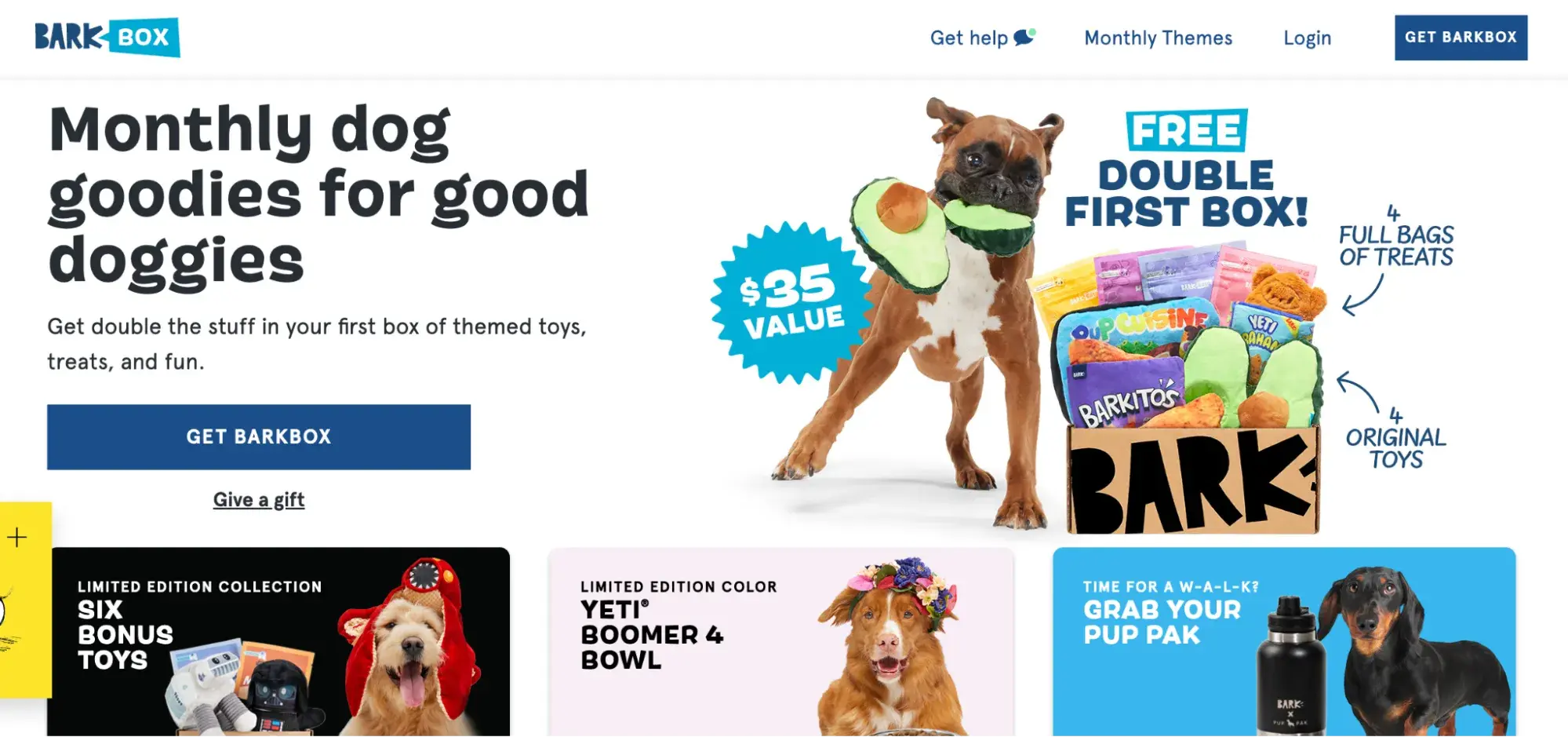
content templates