Categories B2B

How Buyer-Level Intent Data Saves Sales Time and Rejection

Buyer-level intent data allows sales teams to cut down on the amount of time they spend prospecting, doing cold outreach, and waiting weeks to hear from prospective buyers.

Leveraging buyer-level intent simplifies the lives of everyone involved in the sales process—especially the consumer, who gets a more tailored group of messages that better suit their needs. 

In this piece, we’ll review the current struggles of B2B sales professionals, why account-level intent data is insufficient for sellers, and how buyer-level intent data saves time, effort, and most importantly, accelerates pipeline.

“What Comes First?” 

“The definition of insanity is doing the same thing over and over and expecting different results.” – Albert Einstein

“Where do I even start?”

This is the question that so many sales professionals in B2B seem to be asking. 

Despite multiple reports and studies claiming that B2B organizations would begin spending in 2023, not much has changed. Instead, it continues to be tough sledding for sales professionals at all levels.   

And there’s good reason for it: Many businesses are struggling mightily. Even the companies that have been fortunate enough not to need to lay off employees still feel the ripple effects from those that have.  

Integrate’s 2023 State of B2B Marketing Budgets survey reported that some of the biggest challenges B2B marketers shared include headcount cuts (40%), increasing growth targets (39%), and budget cuts (38%).  

While anecdotally we knew that everyone was being asked to do more with less, Integrate’s survey all but confirms it. 

So now what? Let’s return to the first question we asked. 

So Much Data, So Little Action 

The B2B industry is awash in billions of different data points. It has been for quite a while.  

A lack of information has never been the question, however. Similar to many things online, we’re dealing with a lack of knowledge.

A 2021 article from Psychology Today summarized one of the key differences between knowledge and information thusly:

“Knowledge depends on having a context into which information can be accurately placed; context is one of the keys.”

Context is one of the keys. 

Despite all of this data, so much of what we’ve historically had access to is drastically lacking in context.

When it comes to understanding the motivations of a user and then, conversely, determining what would likely drive them to take action, it requires a great deal of context. 

Fortunately, intent data offers far more contextual information to B2B sellers.  

Intention Leads to Action 

The contextual details produced via intent data provide knowledge into precisely: 

  • What a user is interested in 
  • When they took action 
  • and Where it occurred  

Buyer-level intent data goes even further, delivering who is actually interested, as well

Because of this context, this data is truly actionable. 

Before the introduction of intent data at the contact-level, intent data for the longest time wasn’t seen as a priority for B2B organizations, especially within the sales department. 

Bringing Buyer-Level Intent to Sales   

Recently, I was speaking with a sales executive who’s been at multiple organizations in a variety of roles. What he shared with me was enlightening.

“Sales reps are stubborn,” he said. “We aren’t keen on change.”

I certainly understand this. Personally, I’m not a fan of change, either, even if it’s ultimately to my benefit. 

Buyers Consume More and Communicate Less 

Photo by the blowup on Unsplash

We’ll caveat the above shortly, but it’s pretty plain: Buyers continue to consume more content and it takes far longer to get in touch with them

Consumers will do just about anything not to talk with a sales rep. When they do, they need to have a very compelling reason for doing so.

Research from Hubspot in 2021 indicated that it took between eight and 12 touch points to get one contact within one account to accept or respond to a meeting. 

So how much have things changed?

The theory goes that result every few years these touch points increase by about three. By this logic, we should have expected it to take between 11 and 15 touches to have a meeting request accepted or responded to. 

Since the pandemic, however, it appears that this number has only doubled. 

More recent research finds that, on average, it now takes 25 touchpoints before a contact agrees to meet.

25 touchpoints!

That’s the equivalent of 8 emails, 10 phone calls, 6 LinkedIn messages, and one physical gift/good sent to your prospect. That’s a lot of time before getting to connect with your prospect.

Given that some salespeople have 400 accounts to their names within some organizations. How are they supposed to be able to scale this?

So why does it take so long?

Going back to the conversation I had with the veteran sales exec, what he said to me after the aversion to change is what got right to the heart of the issue:

“Ultimately, we don’t know what buyers are interested in. We’re taking a lot of shots in the dark.”

Bingo.

This is why the number of touchpoints has doubled in the last two years. The combination of WFH, third-party cookie degradation, and blocking, along with the pressing need to book business has brought us to this point.

Once again, this is where buyer-level intent shines. 

Understanding the Needs of B2B Buyers 

Returning to Integrate’s State of Marketing Budgets report, their research shared that approximately half of B2B marketers face a significant challenge in using data to make informed decisions and measure performance.  

This highlights a growing necessity for marketers to justify their expenditures to finance departments and C-level executives, underscoring the importance of “defending the spend.” 

Defending the spend has lead to every organization doing more with less.

The word “less” automatically conjures up the idea that you truly at a disadvantage.

But, of course, in this case, less means less clutter, less noise, and more signal. 

Taking Aim 

What if, instead of taking shots in the dark, you could shine a light as powerful as the Sun and aim right down the middle?

Buyer-level intent data delivered through INTENTIVE allows sales professionals to know precisely what their buyers are interested in. They’re able to understand who the right contact is, what their confirmed projects are, and more. Effectively, buyer-level intent data delivers everything that you would only discover during a sales call specifically discovery call 

Think about the number of hours that you would save simply by leveraging this tool.

One of NetLine’s Senior Sales Executives has been able to quantify the amount of time INTENTIVE has saved her: The equivalent of one full day each week.

How much more productive and efficient would you and your sales team be with nearly an extra week to properly prospect or personalize each month?

Imagine how much time you could save if you knew: 

✔WHO the right contact is 

✔WHAT they want 

✔WHAT they’ve consumed 

✔WHAT actions they’ve taken 

✔WHEN they expect to make a purchase decision

INTENTIVE enables this. 

B2B Sales Teams Should Be Using Buyer-Level Intent Data 

It’s clear that buyer-level intent data opens an entire world of possibilities for B2B sellers.  

Equipped with it, sellers can determine who to prioritize, what their prospects need to decide, and when their timeline might be.

Ultimately, B2B buyer-level intent data saves sellers time and increases their productivity, leading to favorable (and more likely profitable) outcomes for everyone involved. 

Categories B2B

The 20 Best Free PDF Readers of 2023

Even though they’re over 25 years old, PDFs are still one of the main types of documents on the internet. Whether you’re trying to access your W-2, a contract, or an ebook, it’ll probably be a PDF.

But to view these important documents, you need to download a PDF reader on your computer.

There are hundreds of PDF readers, and some can cost you almost a thousand dollars per year, so we sifted through the internet to find the best free PDF readers you can download online.

Below, we curated 20 free PDF readers whose capabilities range from only viewing PDFs to creating, editing, and securing them.

→ Download Now: 36 Free Ebook Templates

The 20 Best Free PDF Readers

The 11 Best Free PDF Readers for Windows and Mac

1. Foxit Reader

Image Source

Foxit Reader is like the Google Docs of PDF readers. You can create, share, and secure your PDFs on the cloud.

To create PDFs, you can upload scans, convert Word documents, PowerPoint presentations, and Excel sheets, and even combine multiple PDFs into a new file.

If you want to collaborate, you can grant and revoke document access. You can then track who opens your document and view their activity. The program will also notify readers about new updates to your PDF.

What we like: Foxit PDF Reader provides multiple security options to keep your PDFs safe and private, like passwords, digital signatures, and encryption.

Foxit would be a good option if you create PDFs regularly for your job and need a way to collaborate on the same file.

Core Features

  • Read and print PDFs
  • Access from anywhere
  • Collaborate and share
  • Protect, fill, and sign PDFs

2. Adobe Acrobat Reader DC

Image Source

Adobe’s free PDF reader, Adobe Acrobat Reader DC, connects to the Adobe Document Cloud and other cloud storage systems like Box, Dropbox, and Microsoft OneDrive.

The PDF reader’s compatibility with other systems lets you open, view, share, and comment on PDFs from anywhere and on any device you want.

What we like: Acrobat Reader DC’s most remarkable feature is that it can read text out loud, guiding you along any challenging document.

Adobe’s free PDF reader is great for any busy professional who needs to annotate PDFs on the go or their commute.

Core Features

  • View and print PDFs
  • Share and comment on PDFs

3. Javelin PDF Reader

Image Source

Javelin PDF Reader is a straightforward PDF reader that lets you launch and print standard and encrypted PDFs, annotate them, and bookmark them.

Since its download size is two MB and it doesn’t have extra features like editing, the PDF reader is fast.

You’ll also find a simple and clean user interface. If you want to read and take notes on PDFs quickly, Javelin is the PDF reader.

What we like: Although basic compared to powerhouse Adobe, if you want to read and take notes on PDFs quickly, Javelin is probably the PDF reader for you.

Core Features

  • View and read PDFs
  • Navigate PDFs and hyperlinks
  • Bookmark, highlight and annotate PDFs

4. Google Drive

Image Source

Google Drive is the most accessible PDF converter and PDF storage system. You can convert any documents, presentations, and sheets into PDF files on the platform. You can then upload any PDFs to the cloud for viewing purposes.

If your only use for PDFs is viewing or converting files into them, Google Drive is the best option.

What we like: Google Drive allows teams to share documents and collaborate seamlessly, thanks to a user-friendly interface and intuitive design.

Core Features

  • View PDFs directly in your browser
  • Control access via sharing
  • Comment and collaborate

5. Your Web Browser

Web browsers like Google Chrome, Firefox, and Safari all have integrated PDF readers. To view a PDF on your browser, all you have to do is click on the PDF link.

You can also open PDF files already stored on your computer by dragging them to an open tab in your browser.

Additional features included in most browsers’ PDF readers: rotate, download, print, and adjust text size.

What we like: The most accessible option on this list, web browser readers, make it easy to open, read, and adjust PDFs. If you don’t need to convert files into PDFs, you don’t need to download a PDF reader. You can just use your web browser.

Core Features

  • View PDFs directly in your browser
  • Rotate PDFs
  • Print PDFs

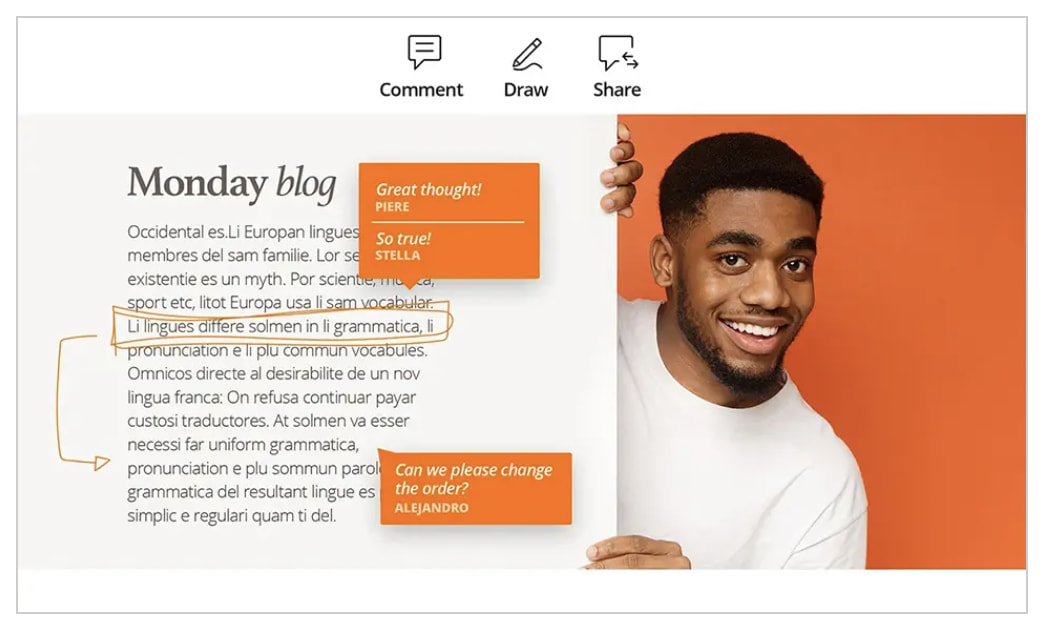
6. Canva

Image Source

Canva is more than a free graphic design and editing solution. You can also view pdfs with a free account. And you can do much more than view — you can manipulate every element of your pdf, editing text and graphics.

It’s as easy as opening the app, uploading your pdf, and opening it.

What we like: Canva is becoming increasingly popular for graphic design and video editing. So many people use it daily, which makes it an extremely convenient tool for viewing and updating pdfs.

Occasionally, the content slightly shifts when you open the pdf in Canva, but the payoff is huge if you’re already familiar with Canva. And as a web-based app with an intuitive interface, it’s easy to use and widely available to almost every device.

Core Features

  • Edit PDF content fast
  • Merge PDF files and organize pages with ease
  • Split, insert and extract PDF pages
  • Edit PDFs from any device
  • Collaborate with your team
  • Share and send files
  • Access free images, icons, graphics, and fonts
  • Get automatic language translation

7. Kindle

Image Source

Did you know that one of the most popular free e-reader apps is also a great PDF reader? The app is free, making it an excellent option for reading and storing PDFs to access them on the go.

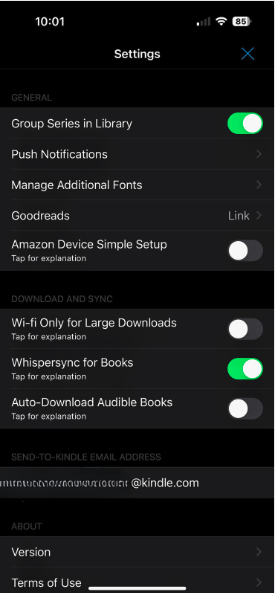
After downloading the app for your device, you can email your file directly to your mobile Kindle app. To find your Kindle address, go into settings and find the “Send to Kindle email address.”

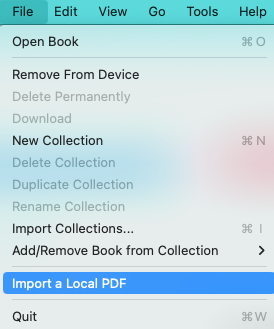
By emailing it to your Kindle app, you can access it on any device you use Kindle on. Alternatively, to read your PDF locally on the Kindle desktop app, go to File > Import a Local PDF.

What we like: So many people use Kindle to keep our libraries close for easy access. Using Kindle to read and store important PDFs means you can access them on the go.

What’s more, if you download them, you can access them even if you don’t have internet or wifi access.

If you’re already a Kindle user or familiar with the interface, this is a great option — no matter which device you use.

Core Features

  • Read PDFs and other file types
  • Access on any device

8. DocFly

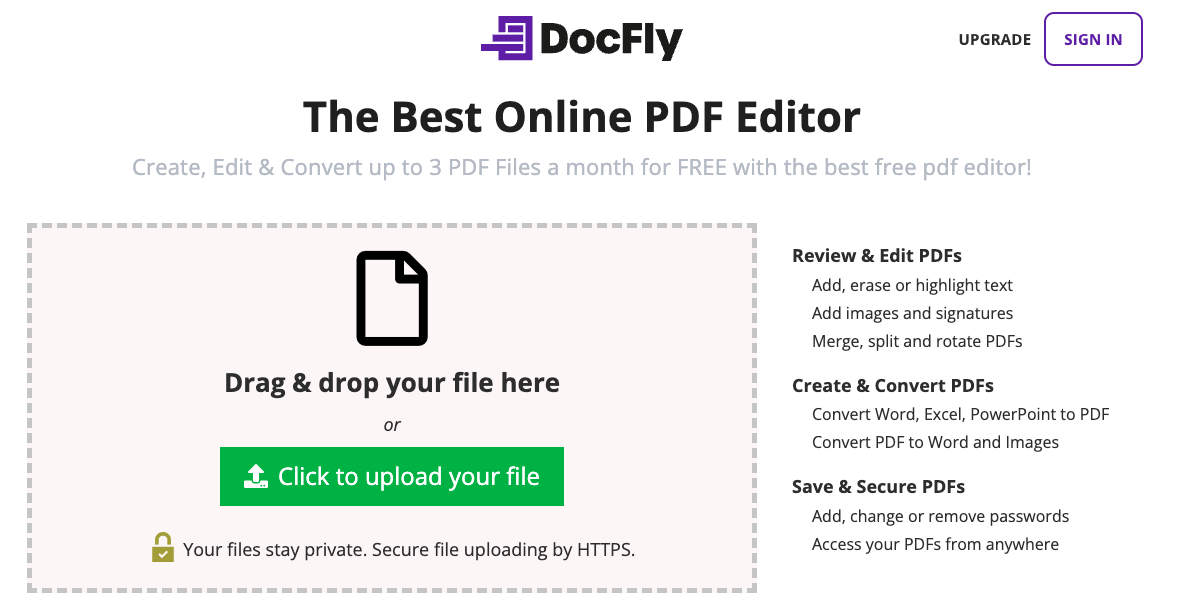
DocFly has won accolades from publications as a free online PDF viewer and editor. Using it is as simple as going to the website, dragging your pdf file to its upload window, and following the prompts based on your needs.

Image Source

What we like: Because it’s easy to use and requires no downloads, DocFly is a fantastic option for anyone needing a quick way to view or edit pdfs and convert them to other file formats.

The free version is limited to 3 monthly files, but it’s a great solution if you just need a quick fix.

Core Features

  • Review and edit PDFs
  • Merge or split PDFs
  • Create PDFs from other file types
  • Convert PDFs to different file types
  • Save and secure PDFs
  • Access PDFs from anywhere

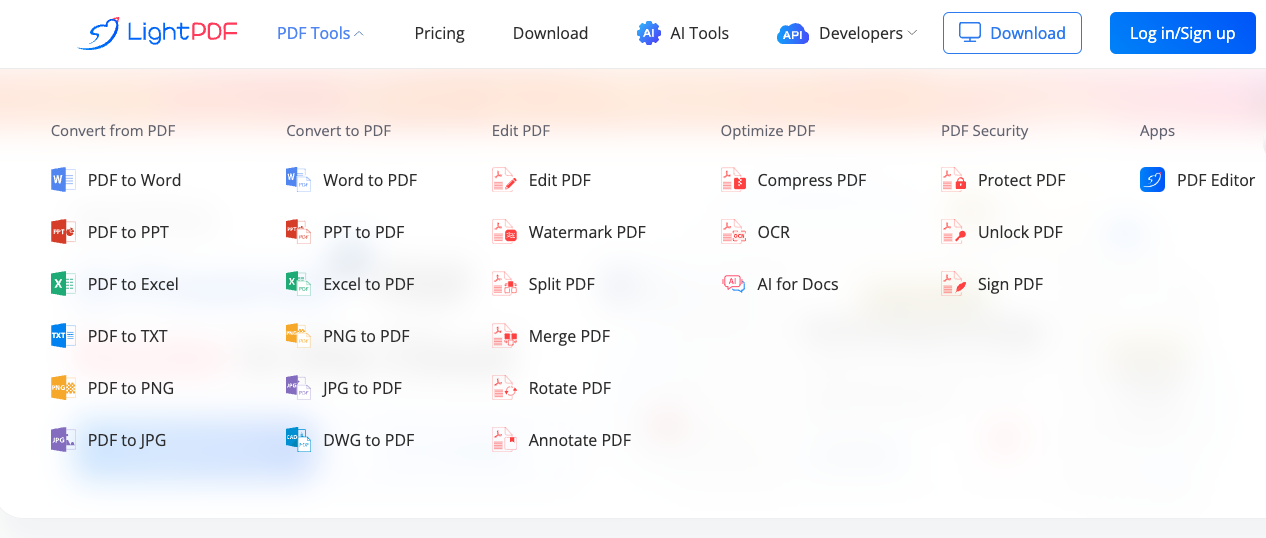
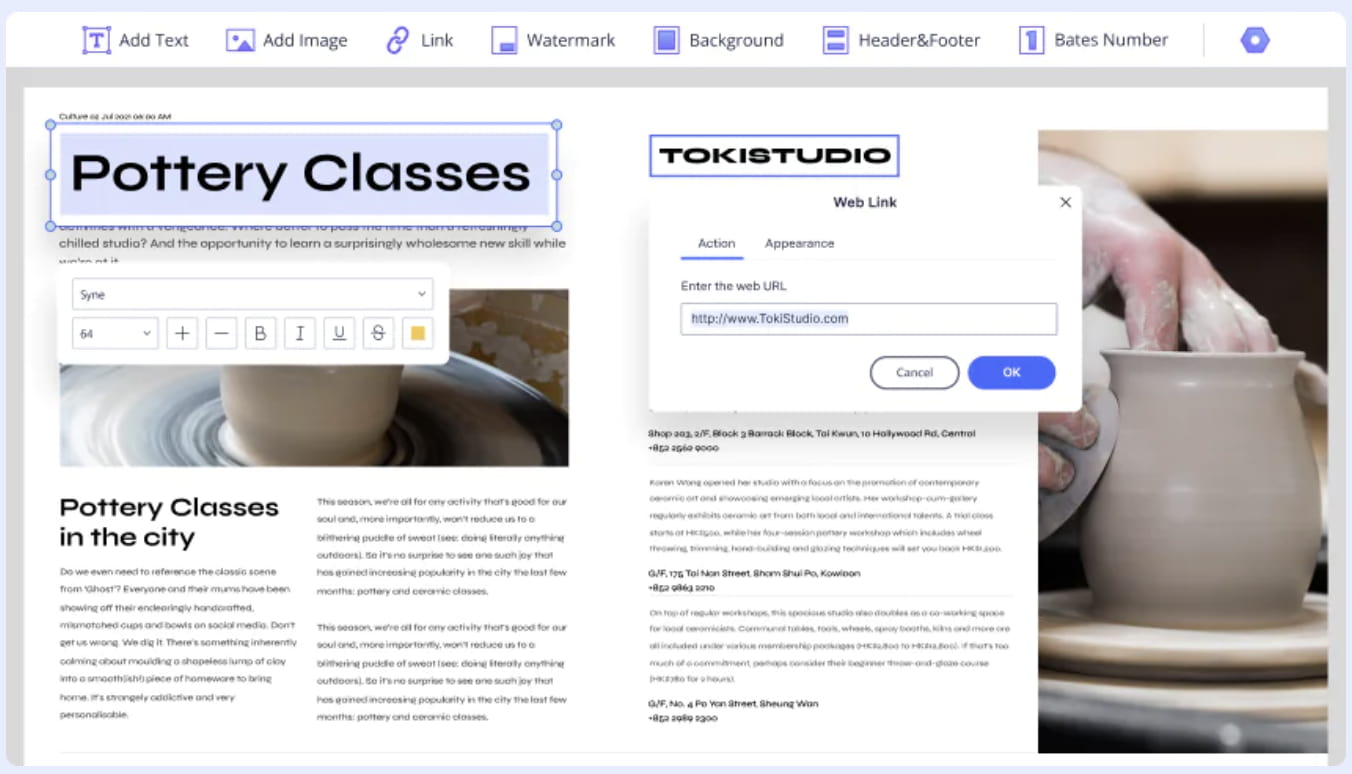
9. LightPDF

Image Source

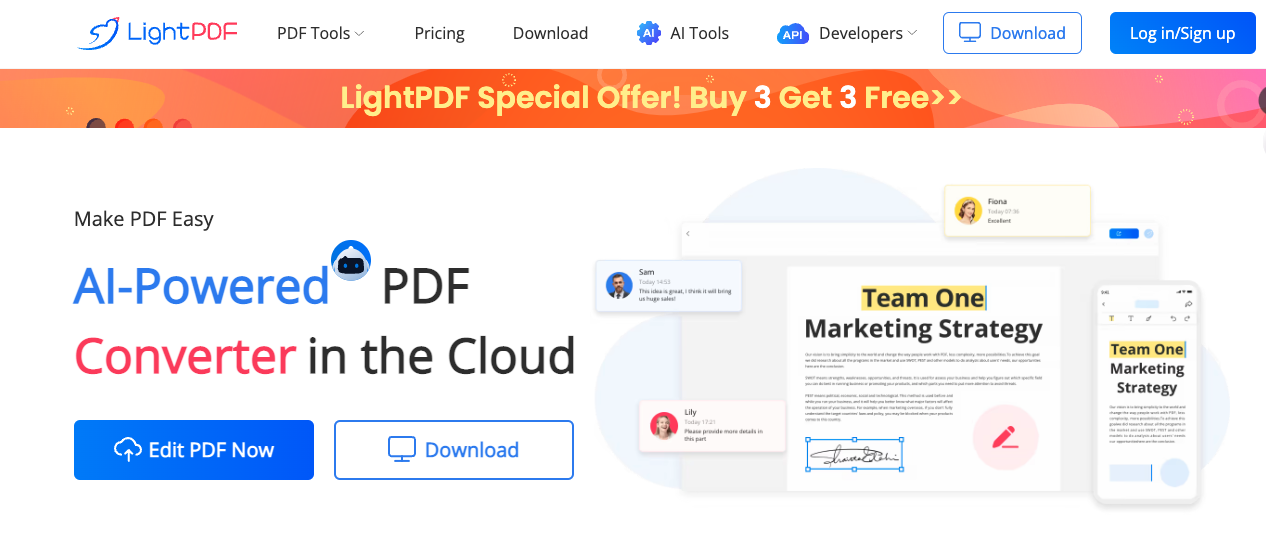
LightPDF comes in a browser-based app that just about any web browser can use, as well as an iPhone app. The free version allows you to use up to 3 PDFs a day.

Features include editing, merging, rotating your files, and two-way conversion between PDF and various other file types.

Image Source

What we like: Anything browser based is user-friendly for just about anyone. LightPDF’s intuitive interface makes it easy to use and view or edit PDFs without much know-how.

And while the free version is limited to 3 files a day, that’s sufficient for most people’s needs.

Plus, with AI becoming increasingly popular and important, this option may soon be among the top choices.

Core Features

  • View and edit PDFs
  • Merge or split PDFs
  • Watermark or annotate PDFs
  • Convert a variety of file types to PDFs
  • Convert PDFs into a variety of formats
  • Compress PDFs
  • Use AI to edit PDFs
  • Secure and sign PDFs

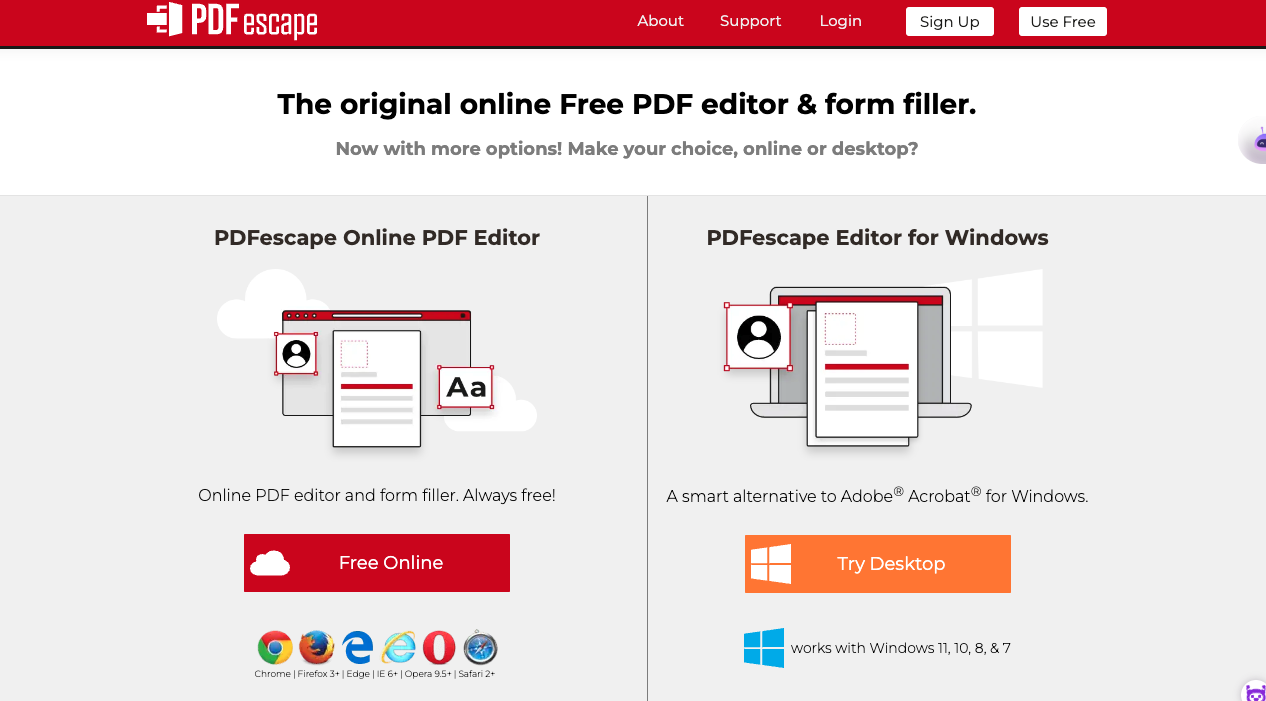
10. PDF Escape

Image Source

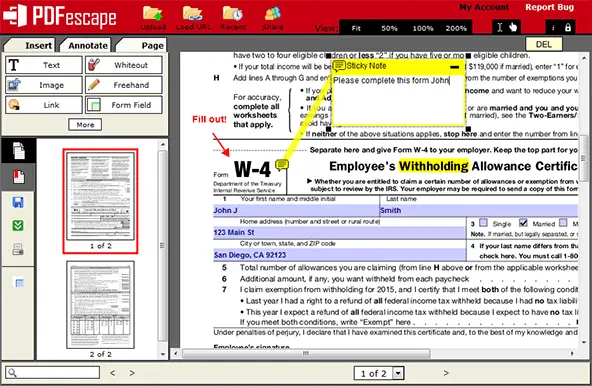
PDFescape touts itself as the “original online FREE PDF editor & form filler.” Available as a browser-based version, it’s easy to use, make basic edits to your PDFs, and create and fill PDF forms.

Image Source

What we like: The best part about these free browser-based options is that all you need is an internet connection. Because PDFescape is so user-friendly, just about anyone can view or edit PDFs.

Core Features

  • View and edit PDFs
  • Annotate PDF documents
  • Fill out PDF forms
  • Create basic PDF forms
  • Secure PDFs
  • Share PDFs online

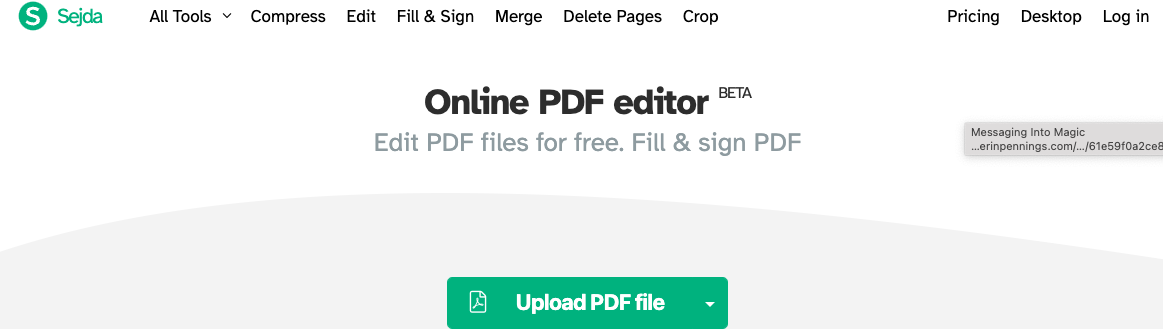
11. Sejda Online PDF Editor


Image Source


Sejda offers a free online PDF editor that you can use to quickly and easily manage your PDF documents.

According to Sejda, files stay private and are deleted after 2 hours. And it’s free for up to 200 pages, 50 Mb, or three tasks per hour, which suits most people’s needs.

What we like: You can add files from your local computer, Dropbox, and Google Drive; Sejda makes it easy for the end user—you. They also offer a free desktop version for Mac with a low-cost annual upgrade.

Core Features

  • Connect with Dropbox, Google Drive, or hard drive
  • Edit or add text and links to your PDF
  • Add images to your pdf
  • Fill and sign PDF forms
  • Add shapes or block text on your PDF
  • Find and replace text in PDFs

The 5 Best Free PDF Readers for Windows

1. Ashampoo PDF Free

Image Source

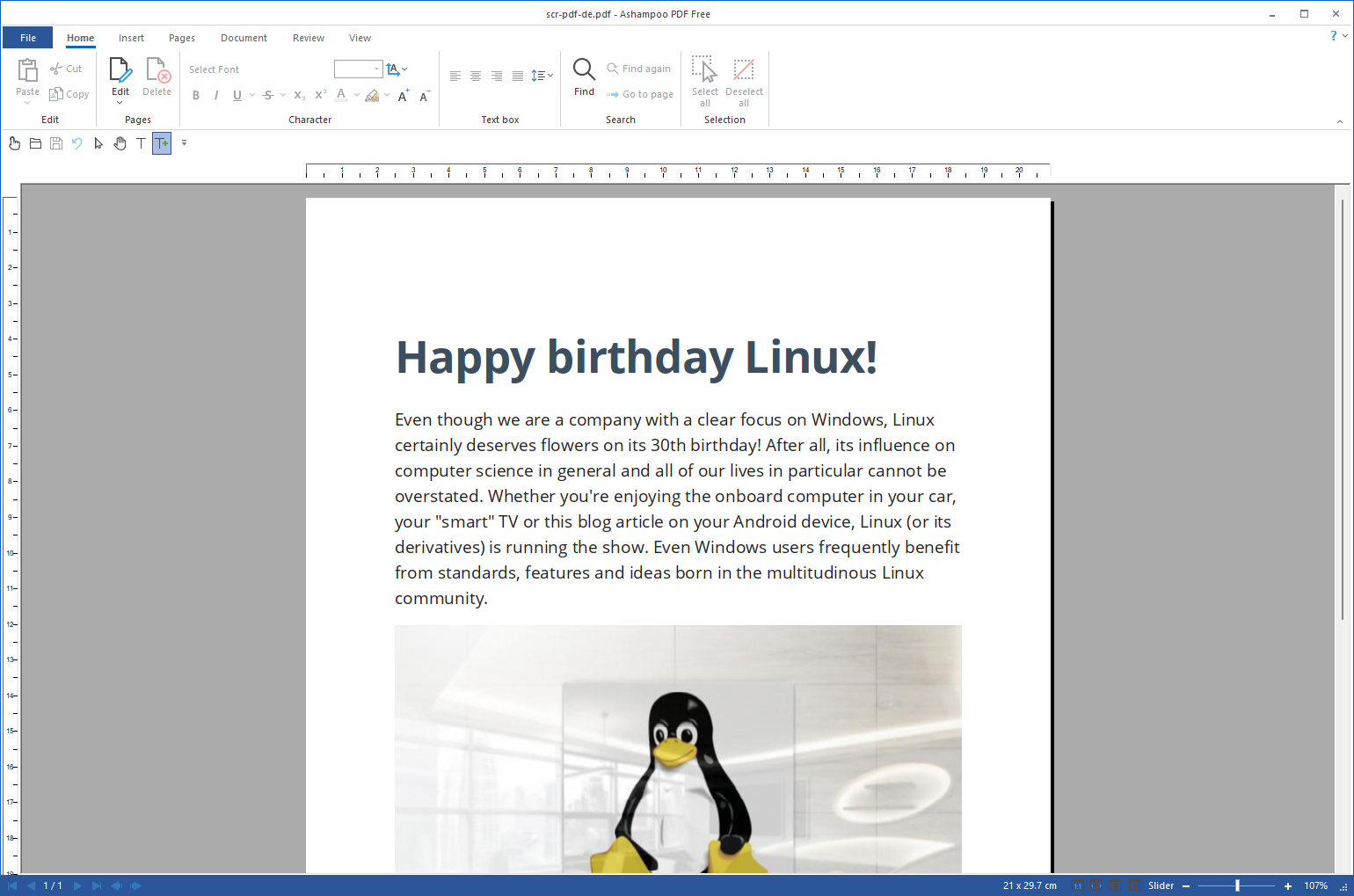
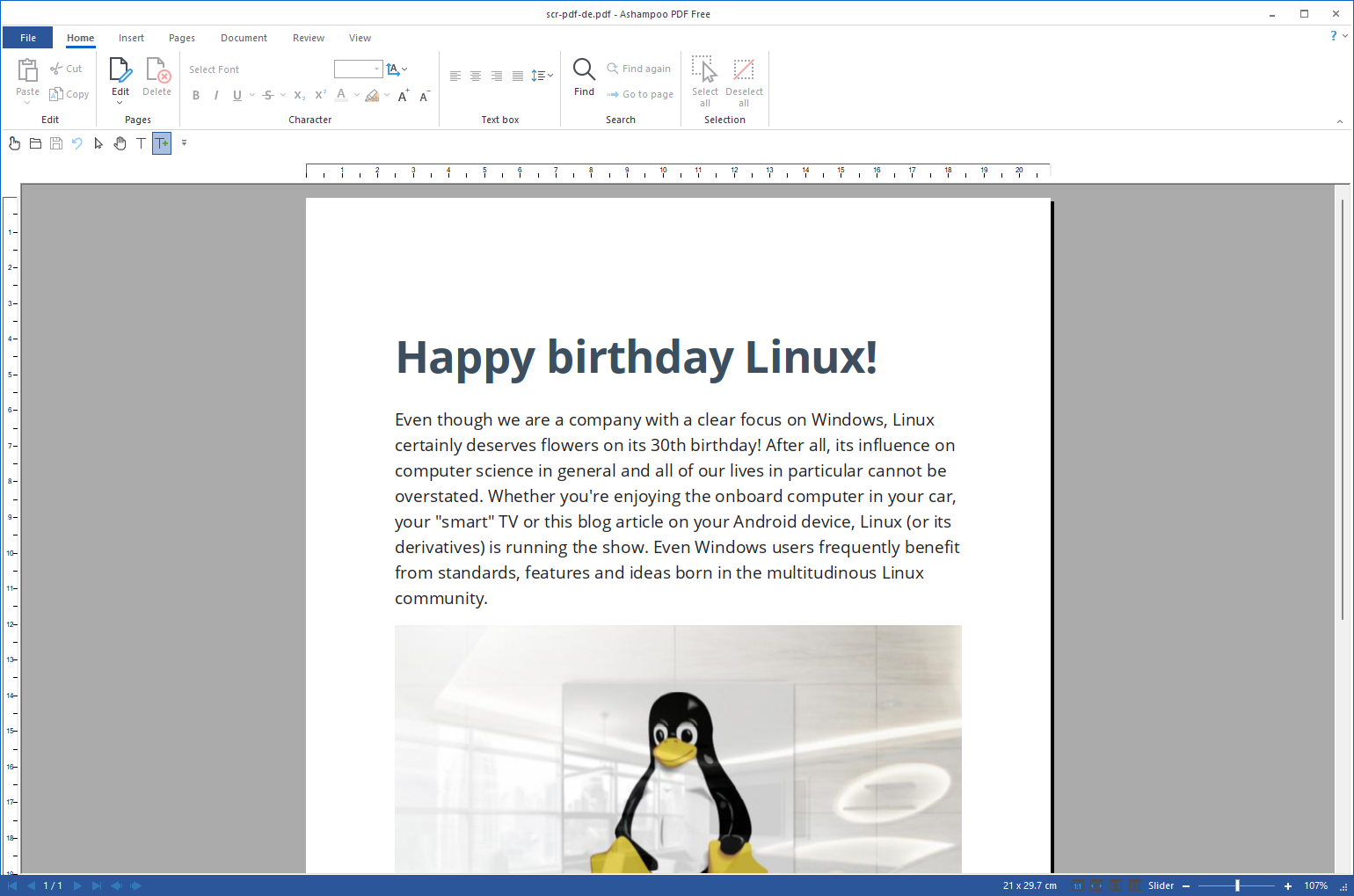
Ashampoo is a free Windows download lets users create, merge, and edit PDFs. A light version of their more robust paid PDF software, it’s plenty robust for most users.

With simple word processor-style editing, the ability to add pages, merge documents, and sign-and-fill, Ashampoo covers the most common basic PDF uses and needs.

Image Source

What we like: Ashampoo’s free PDF reader is a convenient, free option for anyone needing to make simple adjustments.

Core Features

  • View and search PDFs
  • Create, merge, and edit PDFs
  • Create PDFs from any Windows application
  • Fill and sign PDFs

2. MuPDF

Image Source

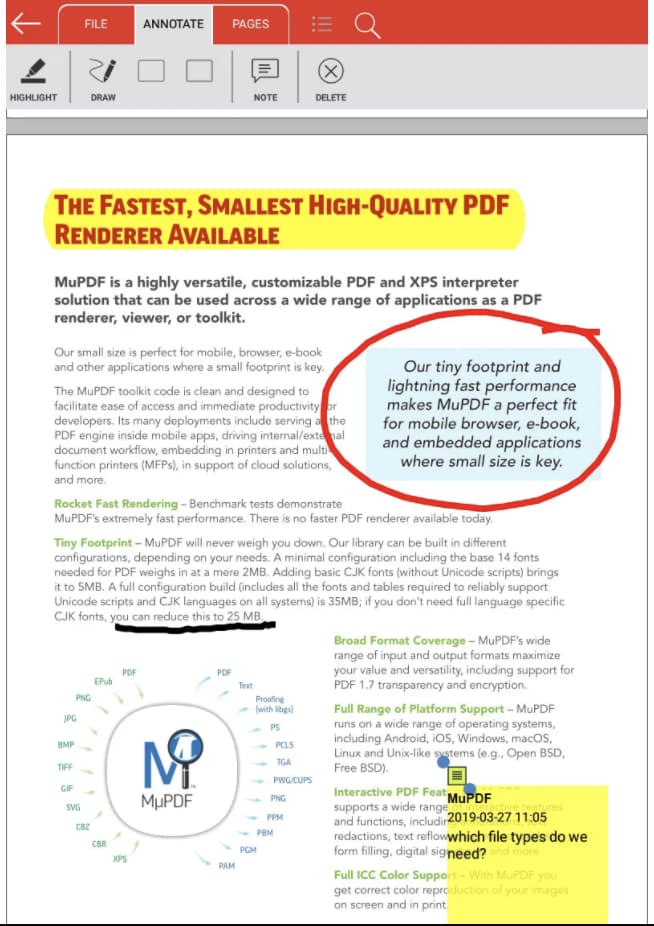
MuPDF is a standard PDF reader for viewing and editing PDF files.

You can fill out text forms, annotate documents, and use it to convert PDF files into other file types like HTML, SVG, and CBZ. You can also write scripts in Javascript to alter your documents.

What we like: If you want a low-memory PDF reader that you can easily edit and view files on, MuPDF is your best option.

Core Features

  • Small file size
  • Read and annotate PDFs
  • Fill out PDF forms

3. SumatraPDF

Image Source

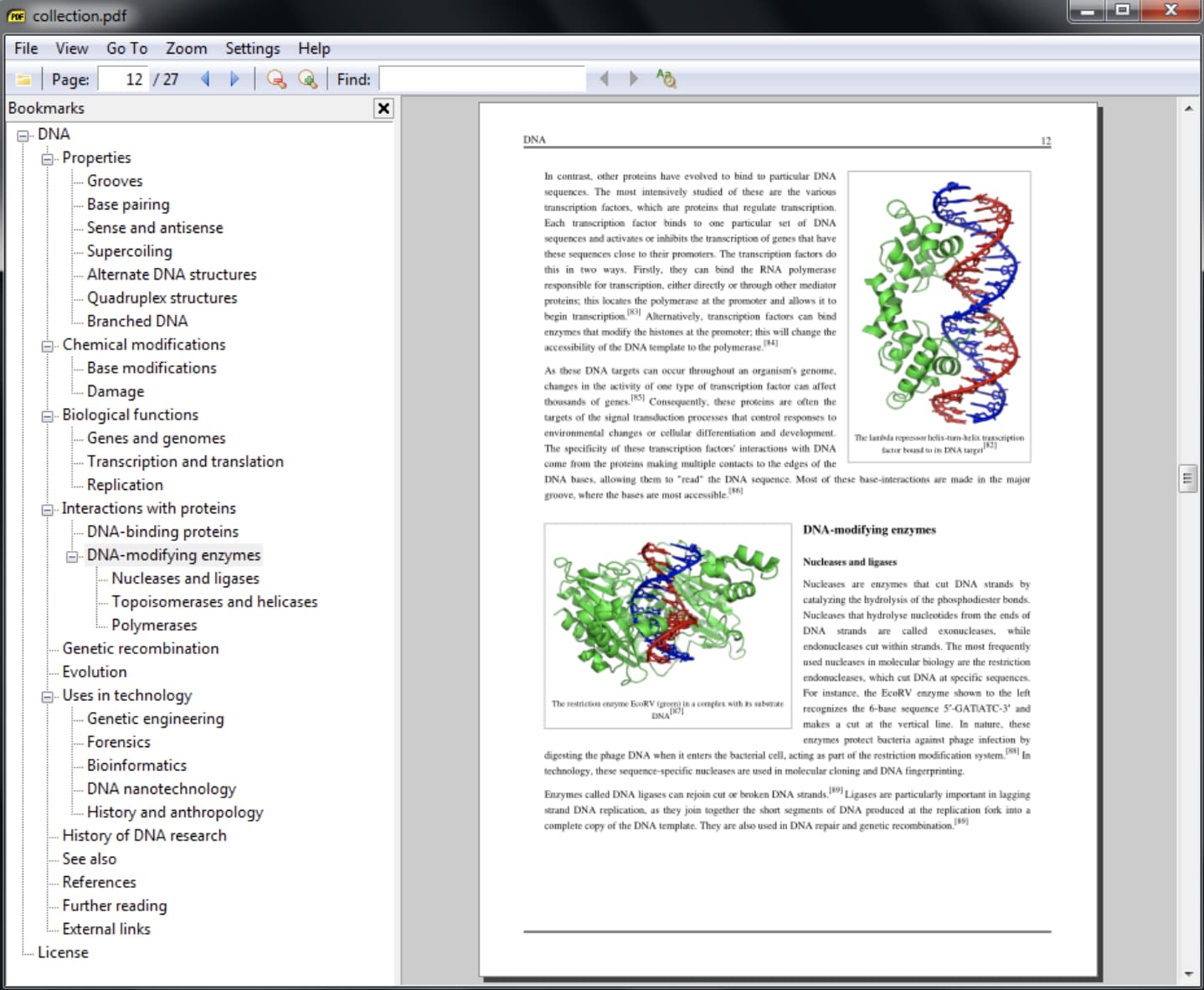
Even though SumatraPDF lacks some advanced features like annotation, document signing, and form-filling, Sumatra PDF provides an intuitive and fast reading experience; its other key features make it an excellent reader. 

It has multiple viewing modes like a single page, book, and presentation and shortcuts that help you navigate any PDF file. If you just need to read PDFs for work, consider using SumatraPDF.

What we like: The variety of Sumatra PDF‘s viewing modes makes it easy for users to access and read the information they’re looking for quickly.

Core Features:

  • The small, portable PDF reader can be used on a USB stick
  • Simple user interface
  • Read and annotate PDFs

4. Slim PDF

Image Source

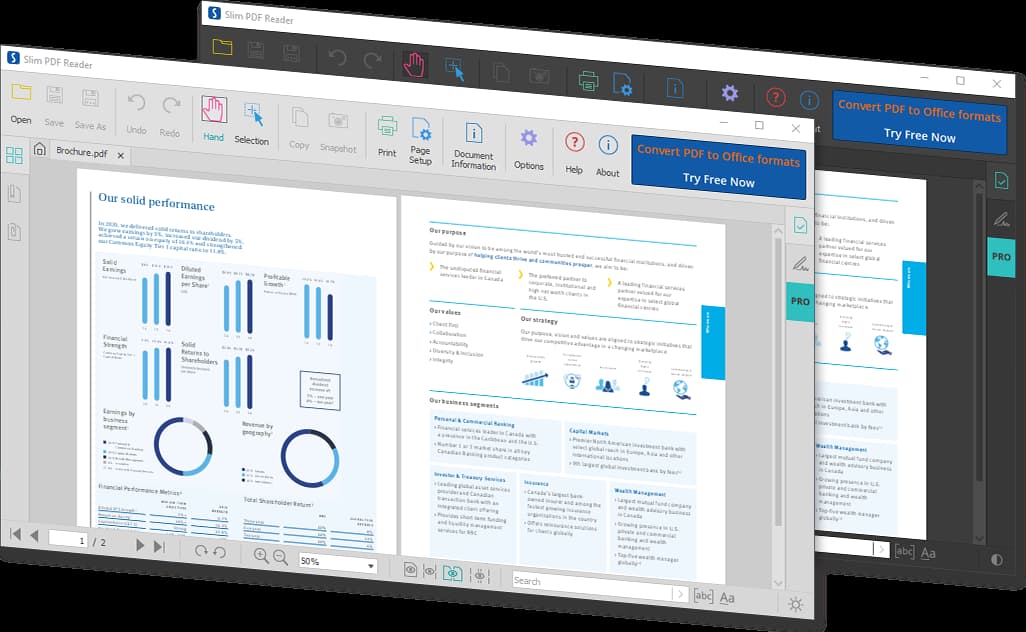
Slim PDF is one of the smallest PDF readers in the world, taking up just 15 MB of space on your computer.

Despite its tiny size, this free PDF reader has many advanced features that complement core functionalities, allowing you to print, search, zoom, and rotate PDF files.

It’s available for Windows, Mac, and Linux.

What we like: Slim PDF is small but mighty. Slim PDF is an excellent choice if you want a solution that strikes the perfect balance between being lightweight and powerful.

Core Features

  • Open and view PDFs
  • Add comments or annotate PDFs
  • Fill & sign PDFs
  • Dark/light theme options

5. CoolPDF

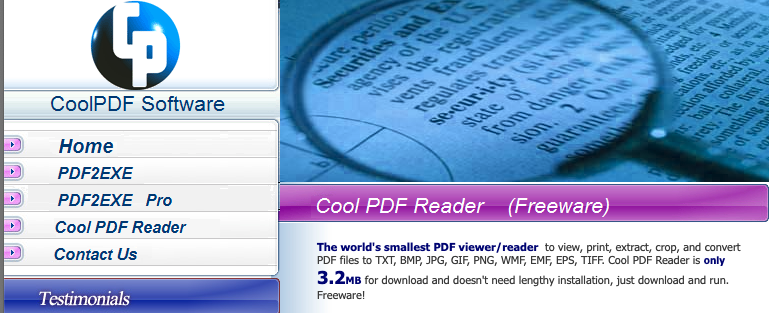
CoolPDF is a small download of less than 4MB, and it’s fast. Some users say there’s a learning curve to the interface, and they experience lots of pop-up ads, but the trade-off is a minimal file size — which is great for users looking for speed.

Image Source

What we like: Any easily accessible PDF reader of small file size can greatly benefit Windows users who want something fast.

Core Features

  • View and print PDF
  • Crop PDF file
  • Take text and graphics out of PDF document
  • Convert PDF to BMP, JPG, GIF, PNG, WMF, EMF, EPS, TIFF
  • Extract PDF to TXT
  • Support PDF files of all versions
  • Work with 72 different languages
  • Zoom in/out and rotate page displays
  • Slide show PDF document with full screen

The 5 Best Free PDF Readers for Mac

1. Highlights PDF Reader

Image Source

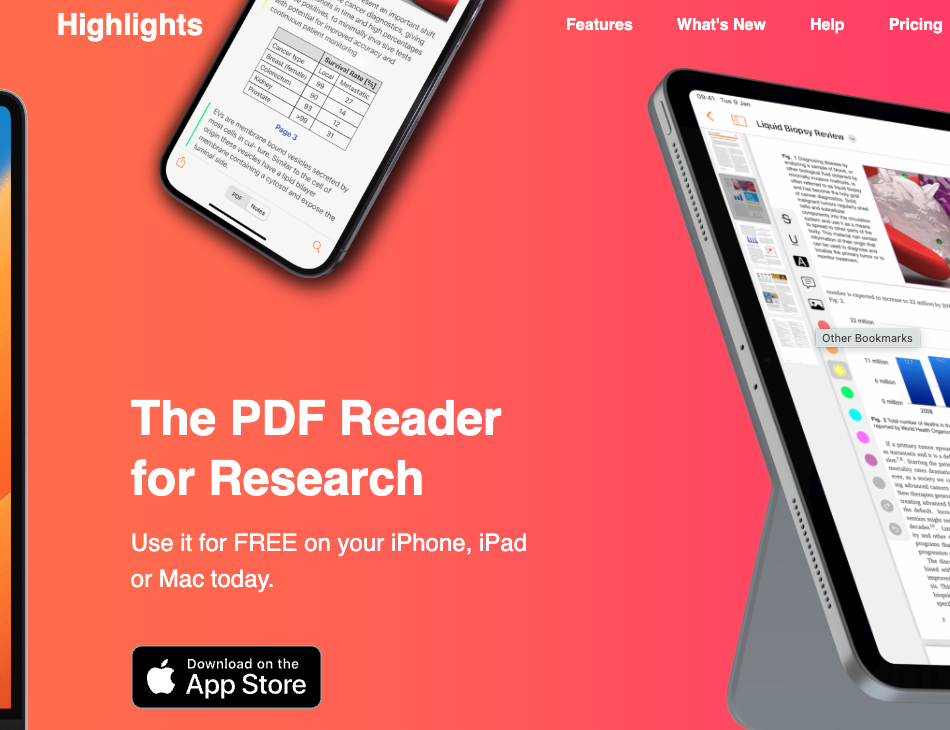
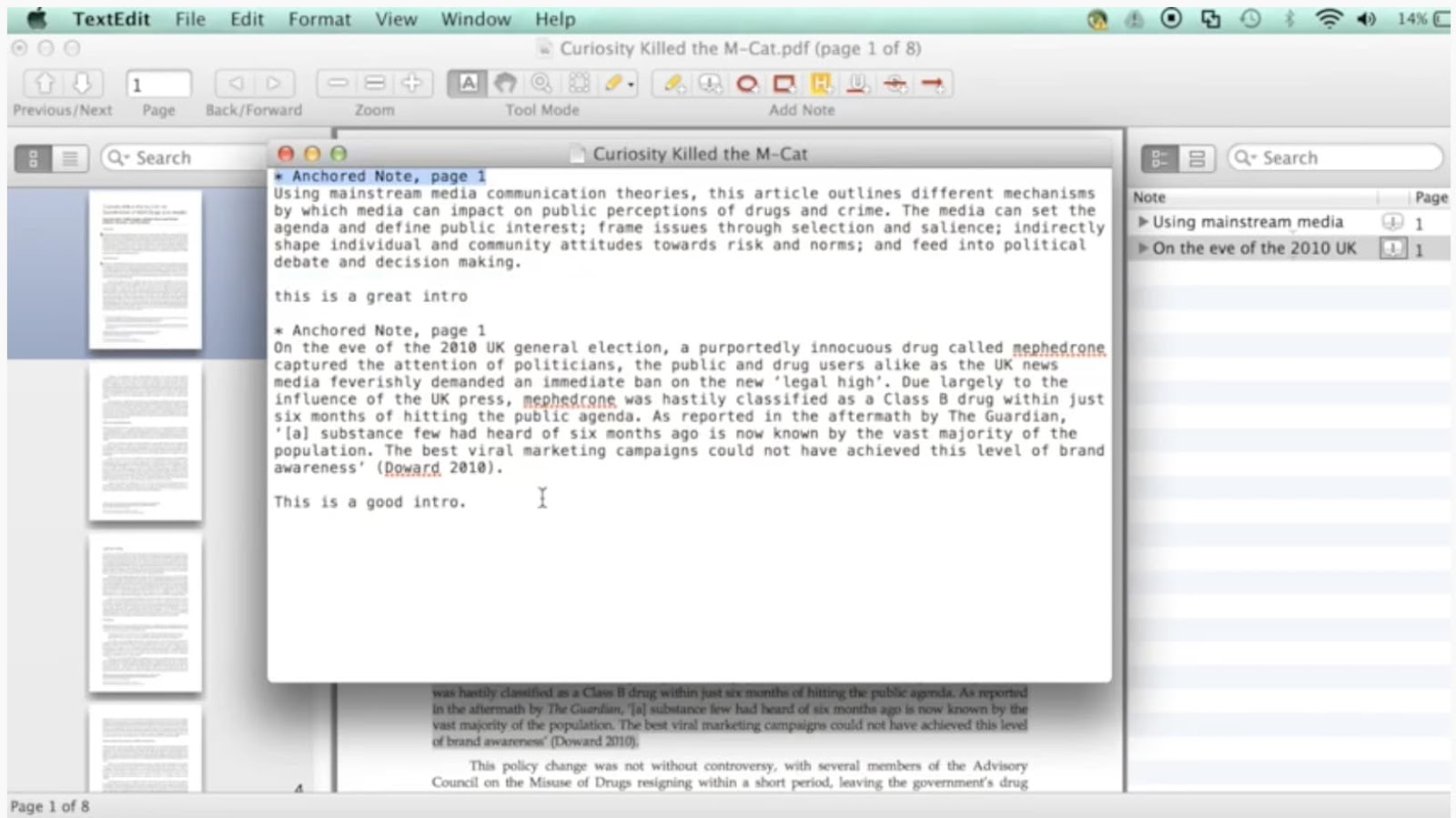
Touted as the PDF reader for research, Highlights goes far beyond reading or viewing PDFs. It’s packed with easy-to-use features that make taking notes on PDFs easy.

You can open any PDF file, highlight text, snag valuable images, and add comments. That information is pulled into a separate screen so you don’t miss critical information.

What we like: Highlights is one of the best options for taking notes on existing documents, whether for your research or sending messages to a graphic designer to share specific feedback.

The paid version is even more versatile, but the basic free version is sufficiently robust for most users.

Core Features

  • Read and annotate PDFs
  • Track notes in a separate document
  • Merge annotations and sort by category
  • Access on any Apple devices

2. Preview

Image Source

Even though Preview is the pre-installed PDF reader on every Mac, it’s more powerful than you think.

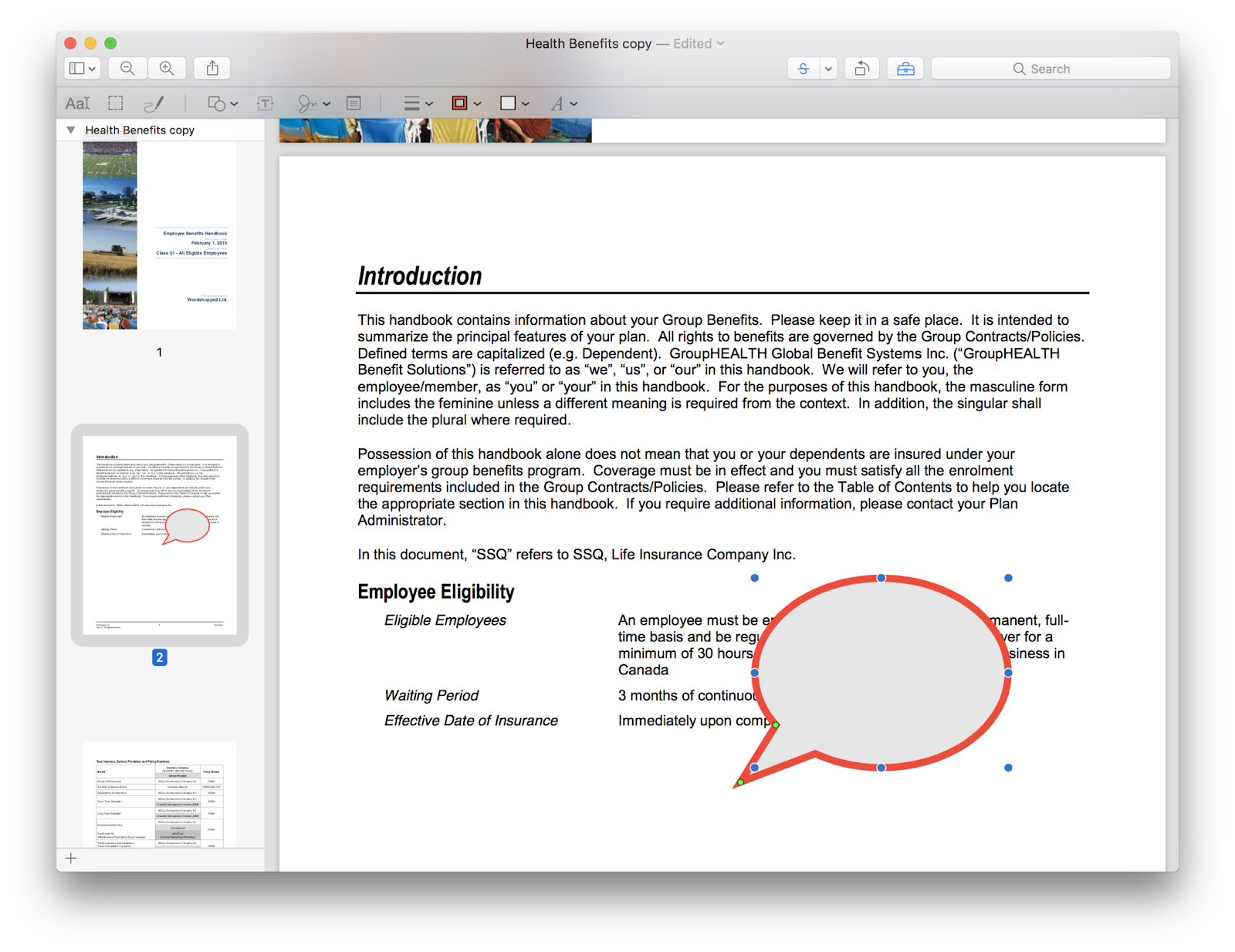
On Preview, you can view and annotate your documents, combine documents, fill out and sign forms, edit images, share files, and even export a password-protected PDF.

Preview is the best choice for someone who wants to use one PDF reader for personal and professional matters.

What we like: Preview is the best choice for someone who wants to use one PDF reader for personal and professional matters.

Core Features

  • Easily view or edit any PDF or other image file format
  • Fill and sign PDF forms
  • Secure PDFs
  • Combine PDF documents
  • Two-way conversion between PDF and other file formats

3. Skim

Image Source

Skim is a PDF reader initially designed to help academics read and annotate scientific papers in PDF format. Still, the platform now improved its functionality to let anyone view any PDF file on the reader.

On Skim, you can highlight text, take notes, take snapshots, export notes as text, and integrate with third-party apps like BibDesk, a bibliography manager.

What we like: Designed with academics in mind, Skim’s annotation and markup features put it above the competition.

Core Features

  • View, edit, and annotate PDFs
  • Highlight important text and take snapshots
  • View all your notes and highlights
  • Convenient reading in full screen
  • Allows powerful presentations with built-in transitions
  • Save passwords in Keychain
  • Export notes as text

4. Wondershare PDF Reader

Image Source

While Wondershare isn’t completely free, it does offer a free trial. However, this may be a good option for someone who needs a pdf editor for one-off projects.

With Wondershare PDFelement, you can not only edit documents and convert them to PDFs, but it also allows for digital signatures, offers watermarks, and makes it easy to create forms.

What we like: Wondershare’s free version offers a robust assortment of features and functionality users typically need to pay for.

Core Features

  • View and edit PDFs, including adding graphics
  • Convert PDFs to and from different file types
  • Batch and compare PDFs
  • Annotate, fill, and sign PDFs
  • Scan and create PDFs

Edit PDFs With Ease

PDF editing software is a must for businesses and professionals. The right PDF editor can aid your team with collaboration and file management.

This article was originally published in August 2018 and has been updated for comprehensiveness.

New Call-to-action


Categories B2B

Tips on Using AI for Influencer Outreach

According to Aspire, influencer marketing spend in the U.S. will reach $4.6 billion in 2023. Five years ago, the market was half this size.

Get Started with HubSpot's AI Campaign Assistant

One of the biggest challenges with influencer outreach is actually reaching them, without getting ignored. Standing out in a sea of cold emails requires a personal and tailored approach but that isn’t always scalable – that is unless you have AI.

Find out how to leverage AI for a tailored outreach approach that speeds up the process.

Using AI to Craft Your Outreach Messages

One of the most important steps in reaching out to influencers is drafting the message – a task many marketers find tedious and time-consuming.

Luckily, this is where AI can come in to help you craft personalized messages in a scalable way.

Start by creating your prompt formula. The best way I’ve found to do that is by including the following elements:

  • Your hook – This should be a reference to content the influencer has recently produced or a project they’ve recently been involved in. You can also go the personal route by congratulating them on something they’ve recently shared, like a content creator anniversary.
  • Your give – What value do you bring to this creator? This is the space to lay out the similarities between your brand and theirs.
  • Your take – What is your ask? Are you interested in a sponsorship for an upcoming campaign? In some outreach messages, you may not need to include this at all if you’re simply interested in making the connection.
  • Your CTA – What would you like to happen next? Is it hopping on a call? A Zoom meeting? Whatever it is, write it in your prompt.

Put all that together, and you’ll have a formula that looks like this:

Write a short and friendly outreach message that includes the following details: A reference to their most recent video on beauty trends, a short description of our brand LabX and how it intersects with the influencer’s values around sustainability, our desire to collaborate in the future, and an ask to hop on a call this week.

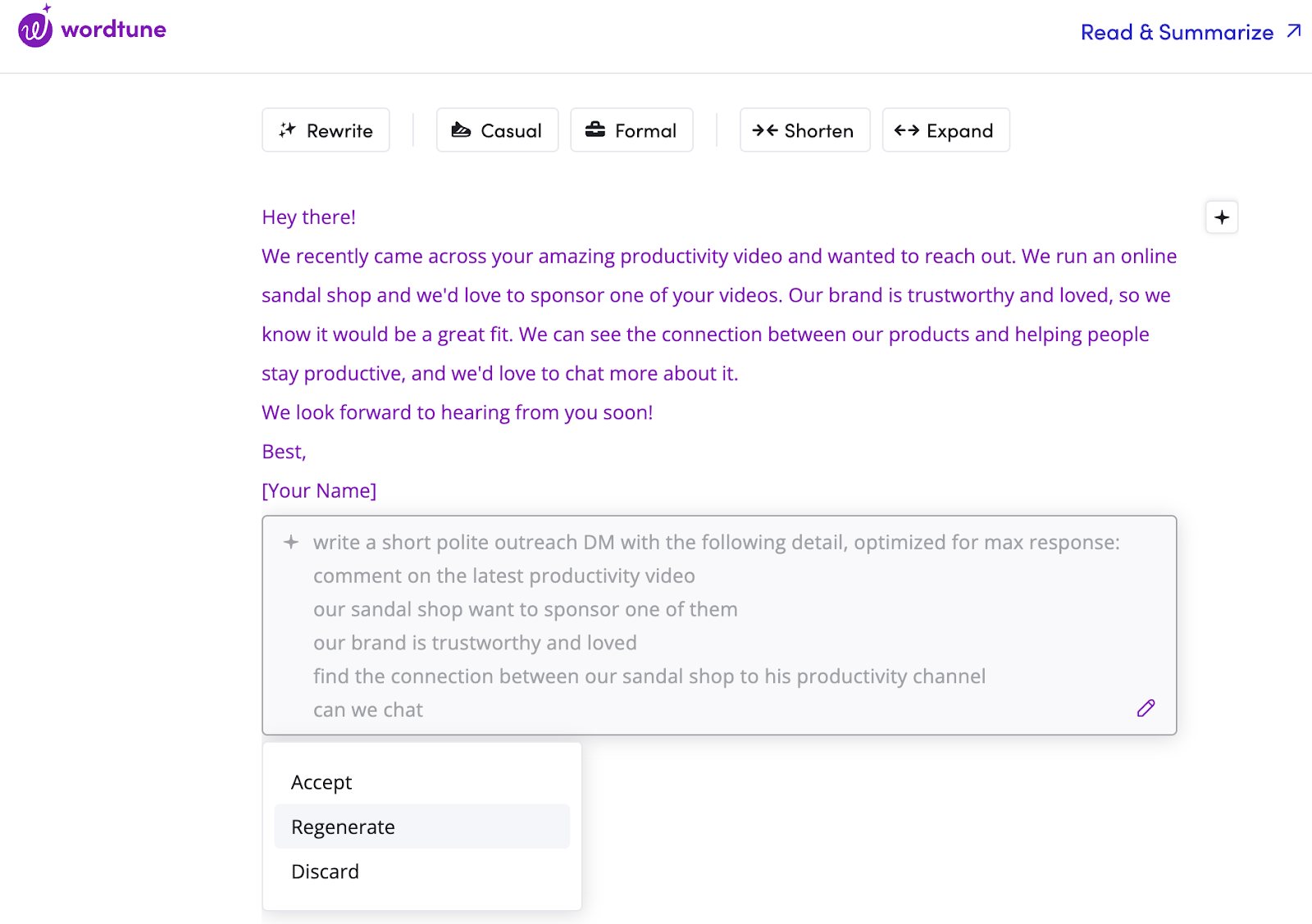
You can get pretty creative with your prompts. In the following prompt, I wrote all the points I wanted the email to include, and even asked AI to connect the sandal shop I was promoting with the productivity channel I was reaching out to.

Image Source

Once you narrow down the right prompt formula, you’ll be able to quickly plug in relevant information for your outreach message.

Once that’s done, all there’s left is to wait for a response.

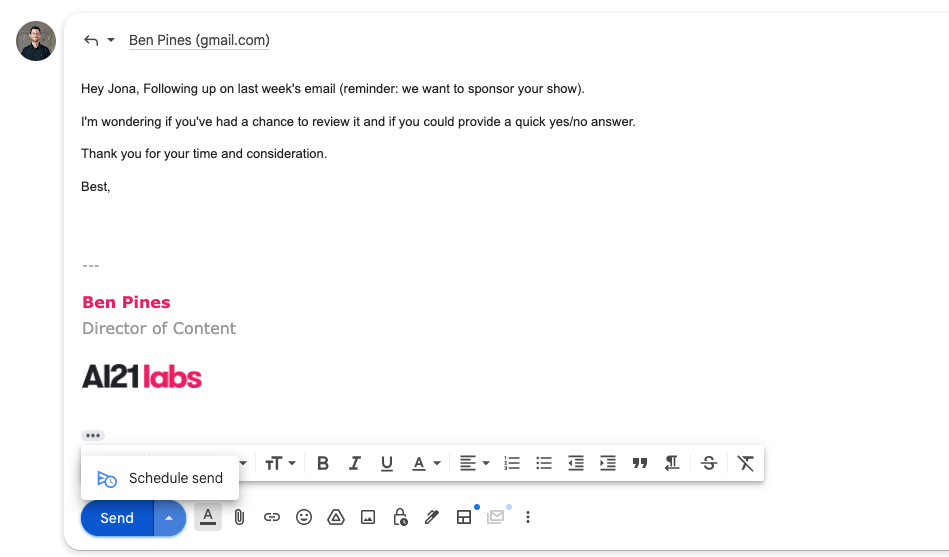
Pre-draft your follow-ups.

I know this is supposed to be a futuristic AI-powered guide, but for effective follow-up emails, you don’t need anything fancy.

It’s simple: Draft your follow-up message using a tool like ChatGPT. Your prompt can look something like this: “Write a follow-up email to this email: [Insert here]

Once the draft is ready, create your follow-up email and leave it ready to go in your inbox.

You can also pre-schedule your follow-up email for a specific date. However, you may need to cancel it if your recipient responds before that time.

Bonus: Use AI to learn about your influencer and engage with their content.

Depending on the industry you’re in, there may be hundreds of influencers to choose from. How do you narrow down this list of potential partners?

You can use AI to better understand the influencers in your space, specifically by using prompts to summarize their content.

Image Source

To take it one step further, say you find an influencer you’re interested in connecting with, you can craft a comment using AI.

When you think of influencer outreach, you often think about emails and messages. But engaging with their content is a great way to get their attention and build rapport.

And with AI, commenting is a whole lot easier. Here are some steps I followed to comment on an influencer’s YouTube video:

  • Use AI to summarize the content of the video.
  • Prompt AI to craft a thoughtful comment based on a key point made in the video.
  • Edit and tweak.
  • Leave the comment.

There are several ways to incorporate AI in the influencer outreach process. Following these steps will help you make a stronger impression and increase your response rate.

New Call-to-action

Categories B2B

10 Little Call-to-Action Tweaks That Could Give Your Conversion Rates a Big Bump

At HubSpot, we’re constantly A/B testing conversion path elements — landing pages, calls-to-action (CTAs), and emails — to see how we can generate more leads, MQLs, and customers.

Having CTAs throughout your website and blog will certainly help your website visitors find your conversion pages. But are your CTAs effectively capturing people’s attention? 

Download our free marketing tool that helps you generate more leads and learn  about website visitors.

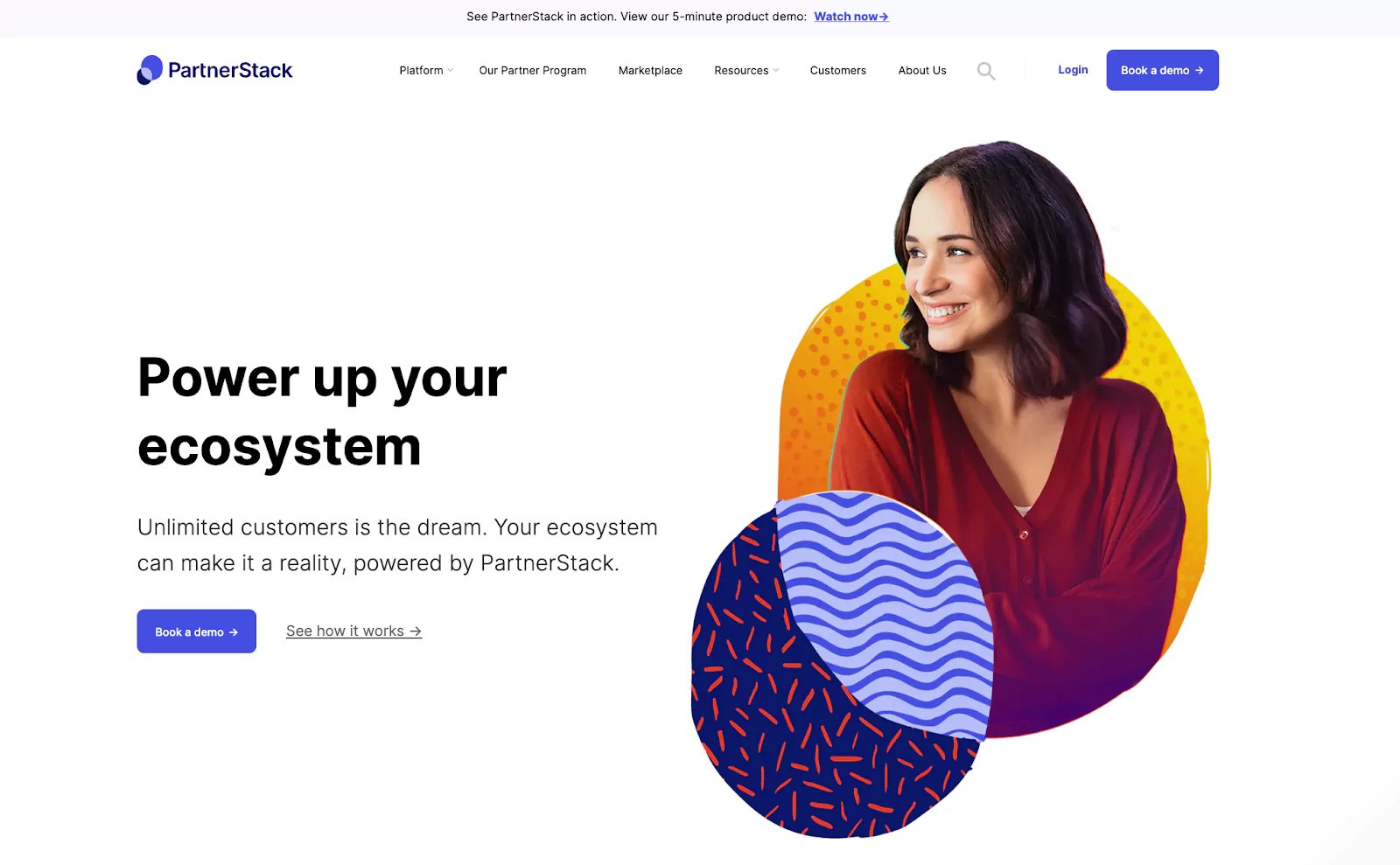
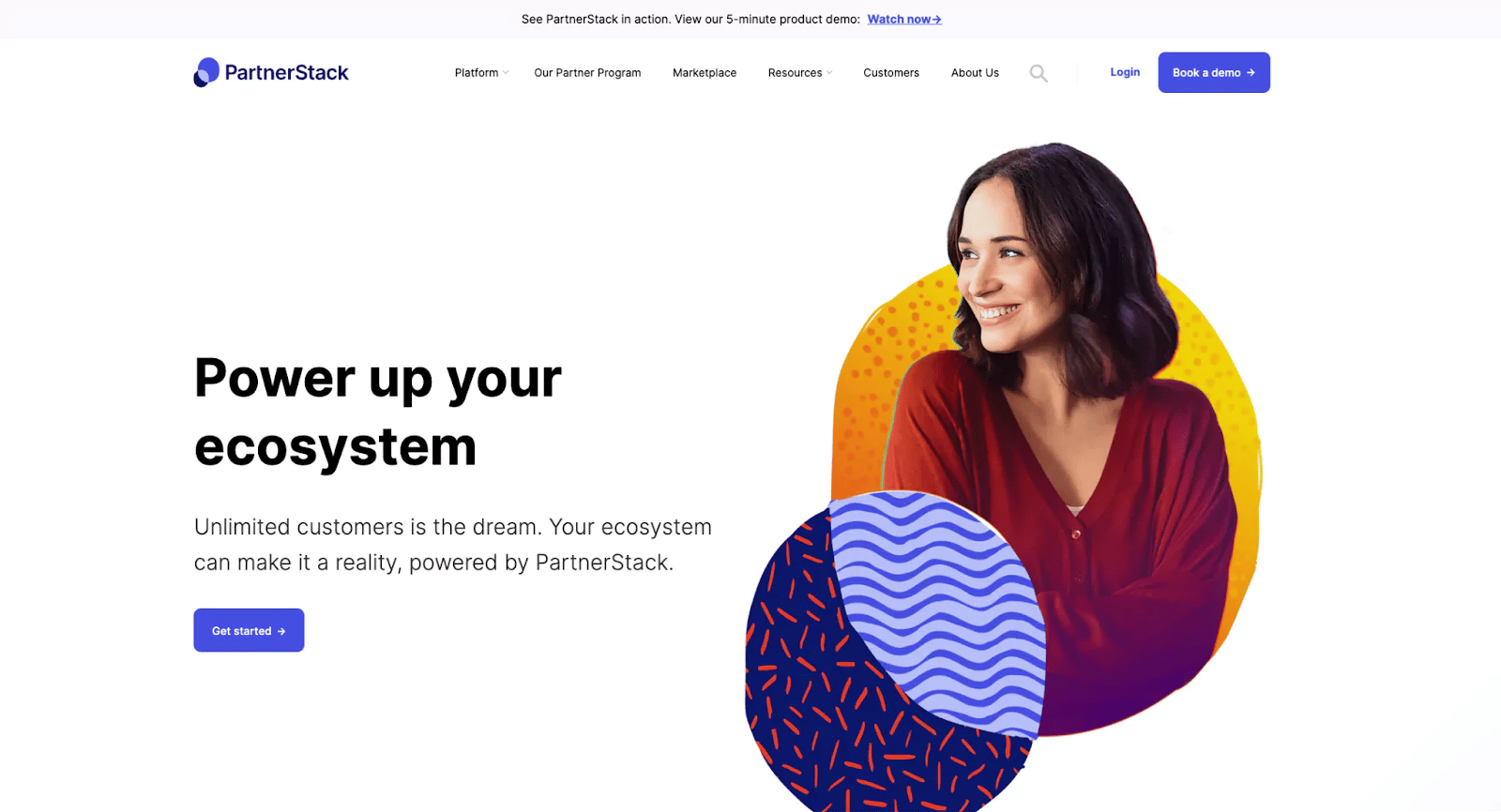
Try to guess which of these two CTAs had the higher conversion rate.

Here’s CTA #1:

partnerstack cta

Source

Here’s CTA #2:

partnerstack cta

Source

Ready for the answer?

The winner was #2.

And I bet some of you guessed that the winner was #1. The truth is, you won’t know which CTA is the better performer until you test it — so you’ve got to get started with testing now. 

In that spirit, here are 10 tests you can run on your own website to try to increase click-through-rates.

  1. Test the color of your CTA buttons
  2. Test text vs. image
  3. Test the placement of your CTA
  4. Test static vs. motion-based CTAs
  5. Test different copy
  6. Test the button size
  7. Test time-sensitivity
  8. Try first, second, and third person points of view
  9. Personalize CTAs
  10. Use white space

Learn More About HubSpot's CTA Building Software

1) Test the color of your CTA buttons.

Many companies are afraid to go off-brand with the color schemes on their websites. But are your CTA buttons blending in too much with the rest of the page? That might be the case. Test using bolder colors that clash with your regular stylings — it may not be “pretty,” but at least you’ll get people’s attention.

Here are a few download buttons in different colors you can save and try on your website. Click here to download the full set of 140 CTA buttons.

Download-Gray-Primary-24  Download-Green-Primary-24  Download-Light-Primary-24
Download-Red-Primary-24  Download-Blue-Primary-24

2) Test text vs. image.

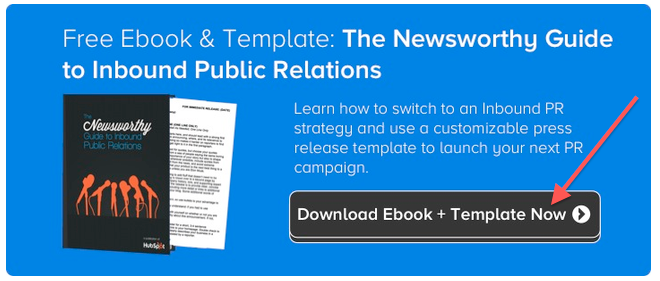
Would your website visitors respond better to a text CTA versus an image CTA? There’s only one way to find out. Test it! Here’s an example of three CTAs we’re testing on one of our blog posts right now:

The first variation looks like plain text, with an image download button included. It looks as though the text is part of the blog post itself, rather than an “ad” or “call-to-action.”

cta-text

The second variation is obviously a “call-to-action,” and there’s a separation between the content of the blog post and the content of this CTA because it clearly looks like its own image.

cta-image

3) Test the placement of your CTA.

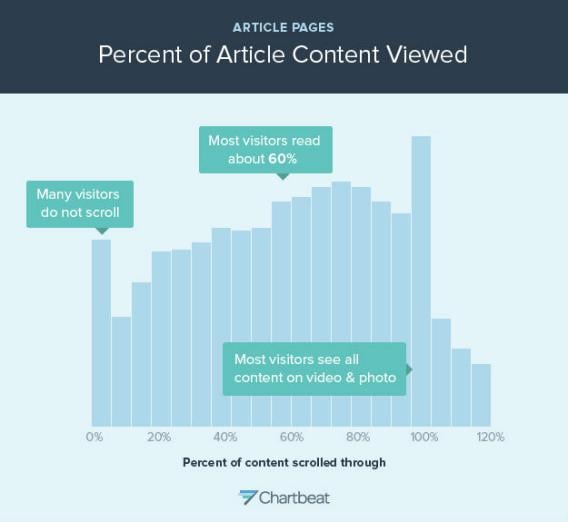
On your website pages, your CTA should be above the fold — near the top of the page so visitors don’t have to scroll down to see it. Traditionally, many blogs have CTAs at the very bottom of each blog post. However, readers don’t always reach the end of an article they’re reading. In fact, most readers only get 60% through an article.

If this is the case for you, perhaps it’s time to test different placements of CTAs on your blog posts and website pages.

With HubSpot’s CTA tool, you’ll be able to unlock plenty of customization options, including placement.

HubSpot CTA tool

Get started with HubSpot’s CTA tool

4) Test static vs. motion-based CTAs.

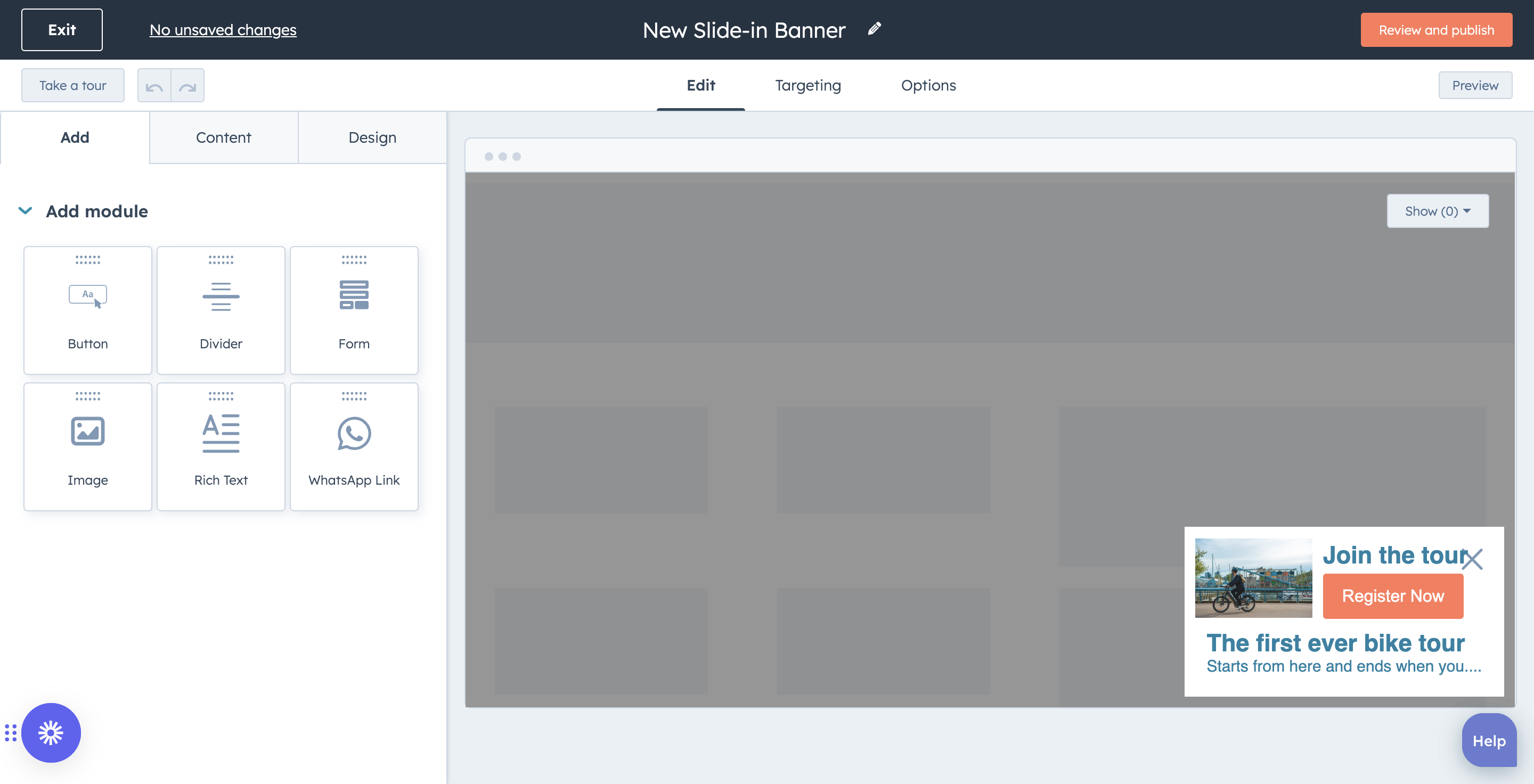
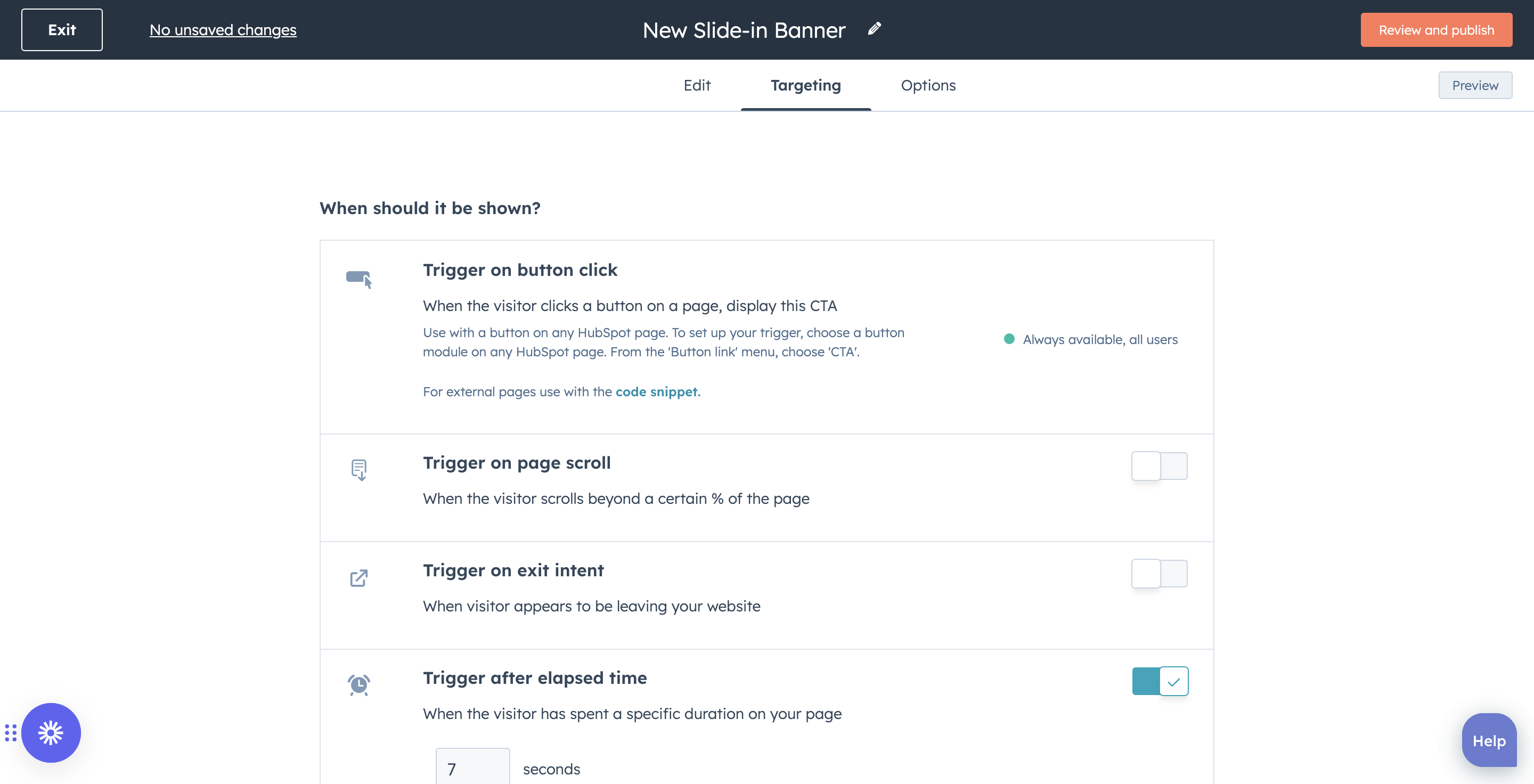
See that CTA slide-in just now? You probably did, because something on the page just changed. People are accustomed to seeing ads on websites now, so their eyes glaze over static images that stay in one place. So perhaps you could test a CTA that slides in when the user reaches a certain point on your page or blog post, and compare the clickthrough rate to the static CTA you’ve always had on the page.

If you’re interested in testing out a slide-in CTA on your blog, here are some easy-to-follow instructions

5) Test different copy.

Which words will entice your audience to take action more? For example, there are so many different ways to say that you can “download” a piece of content:

  • Download this ebook
  • Get this ebook 
  • Receive this ebook 
  • Snag this ebook 
  • Grab this ebook 
  • Claim this ebook 
  • Buy this ebook 

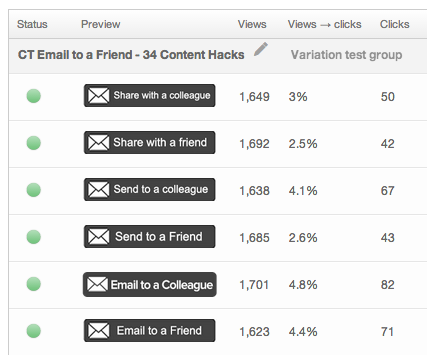
Even the smallest changes can make the biggest impact. Don’t believe me? Check out our results from this CTA test in which the only difference is a few simple words:

cta-test-email

HubSpot’s CTA tool enables you to generate and edit CTA copy with AI-powered writing software, currently in public beta.

6) Test the button size.

If your CTAs are too small, they might go unnoticed on your website.

If you’re unsure what CTA size will work best for you, test different sizes. Remember, you won’t know what works best for you and your website in your industry with your audience until you test it for yourself.

7) Test time-sensitivity.

Test telling people to do something right now. One way to do that is to add words like “now” or “today” to your CTA button to add an element of urgency. Reminding people to do something now can increase the chance of them actually doing it now. 

8) Try first, second, and third person points of view.

Testing the different points of view can make a difference. For example, you can run a test using first and second points of view. A first-person CTA can read “Reserve my seat” while a second-person CTA can read “Reserve your seat.”

9) Personalize CTAs.

HubSpot CTA tool

Personalize CTAs to your audience with HubSpot’s CTA tool

CTAs perform better when they are tailored to your audience — according to HubSpot’s research, personalized CTAs perform 202% better than basic CTAs.

Leverage the targeting powers of HubSpot’s CTA tool. You can use custom targeting to show the right message to your desired audience at the optimal time. Get granular by tailoring CTAs to anonymous and first-time site visitors based on their location, device, referral source, or preferred language.

10) Use white space.

You don’t want your CTA to get lost amid other components on your page. Strategic use of white space is a great way to increase your CTA’s visibility. 

HubSpot’s free CTA tool enables you to create CTAs without any coding knowledge.

Once you run your tests, you can use our handy A/B test calculator to determine the winner of your test, and whether or not the results are statistically significant. This will let you know if you can declare a definitive winner.

calls to action               

Categories B2B

How Snapchat is Bridging the Gap Between Sports Fans and Their Favorite Teams

Snapchat created an immersive experience for fans watching the 2023 Women’s World Cup. When the games kicked off last month, Snapchat launched a suite of augmented reality (AR) features and exclusive content to connect soccer fans with National Teams across the globe.

The content package includes:

  • An AR “Team Tracker” Lens that allows fans to create team-oriented content
  • Up-to-date stats and highlights
  • A feature that lets users dress their Bitmoji characters in their favorite team’s Adidas uniforms
  • Unique stickers and filters commemorating the World Cup
  • A twice-weekly Snapchat-exclusive show covering various elements of women’s soccer
  • A series of challenges encouraging users to share World Cup-related content for a chance to win cash prizes

Download Now: The 2023 State of Social Media Trends [Free Report]

This partnership marks Snapchat’s investment in AR tools and athletics. The platform collaborated with the U.S. Women’s National Team and media company Togethxr to develop exclusive AR Lenses created by female designers to show advocacy for women’s sports.

Image Source

Snapchat’s Next Play

AR continues to be a major focus area for Snapchat. The app has been investing in AR technology for the past few years to align with Gen Z shopping habits allowing users to virtually try-on products before purchasing them.

Snapchat’s latest content offering not only got existing users excited about following the World Cup but was a good acquisition play to bring soccer fans onto the platform. And with an official media partnership planned with the 2024 Olympic Games in Paris, we may see more sports fans gravitating towards Snapchat for exclusive content and virtual experiences.

By focusing on these partnerships, Snapchat could create a lane for itself as the go-to social media platform for major sporting events. It also signifies Snapchat’s shift from a Gen Z-focused social app to a notable media platform.

After a period of decline, Snapchat appears to be on the path to growth. The app currently has 750 million active users, with 397 million users logging in daily in Q2 2023, up nearly 4% from Q1.

New call-to-action

Categories B2B

How to Write the Perfect Resume for Internships

Securing an internship is a crucial stepping stone towards launching a successful career — and it starts with this daunting task: writing a resume.

Although you’re just starting out and likely applying to several positions, it’s crucial to think about how you can stand out from the crowd.

Your resume serves as a gateway to opportunities, allowing potential employers to gauge your skills, qualifications, and potential.

→ Download Now: 12 Resume Templates [Free Download]

Crafting the perfect resume for internships requires careful consideration and a keen understanding of what employers seek. There’s good news, too. Companies value intern potential more than just experience and technical skills.

The experience that you already have can communicate volumes (even if you have minimal relevant experience in this particular industry).

And we have examples, actionable advice, and templates to give your resume the glow-up it deserves. Let’s get you your dream internship!

How to Write an Internship Resume

Trends in Intern Resumes

9 Internship Resume Best Practices

Internship Resume Samples

How to Write an Internship Resume

While you’ll also need a cover letter, your resume often plays the biggest role in the candidate vetting process.

The objective of your internship resume is simple: You need to sell yourself to hiring managers enough to be called for an interview. Writing a resume for an internship is more straightforward than you might think.

Follow these steps whether you’re writing a high school or college student internship resume.

Prefer to watch? Here’s a tutorial on how to make a resume for internships.

Contact Information

Let’s start with an easy win: your contact information. This section should include:

  1. Your name and geographical location.
  2. Phone number.
  3. Email address.
  4. LinkedIn account.

Make sure that your email address makes a good first impression. You should use your school email address or something professional, like “[email protected].”

While you’re at it, check your voicemail message. Make sure that it sets the right tone just in case you miss a phone call offering an interview.

When writing the contact information section of your intern resume, ensure you:

  • Keep it brief.
  • Make it professional.
  • Check for typos.

Don’t:

  • Leave off your LinkedIn account.
  • Have an unprofessional touchpoint via email or voicemail.

Resume Objective Statement

Your resume objective statement is the elevator pitch of your intern resume.

Sometimes referred to as a candidate summary or objective statement, this is the place to introduce yourself and is prime real estate to show potential through your organic interest.

“Organic interest is really important to employers today,” said Emily Szopinski, head of learning at Talanta. “If I put you in a job that you don’t care about, you’re not going to do it as well as someone that does. And you might have more technical skills, but the person who has an organic interest is self-driven to be better at what they’re doing because they like it.”

Emily shared this resume objective statement template:
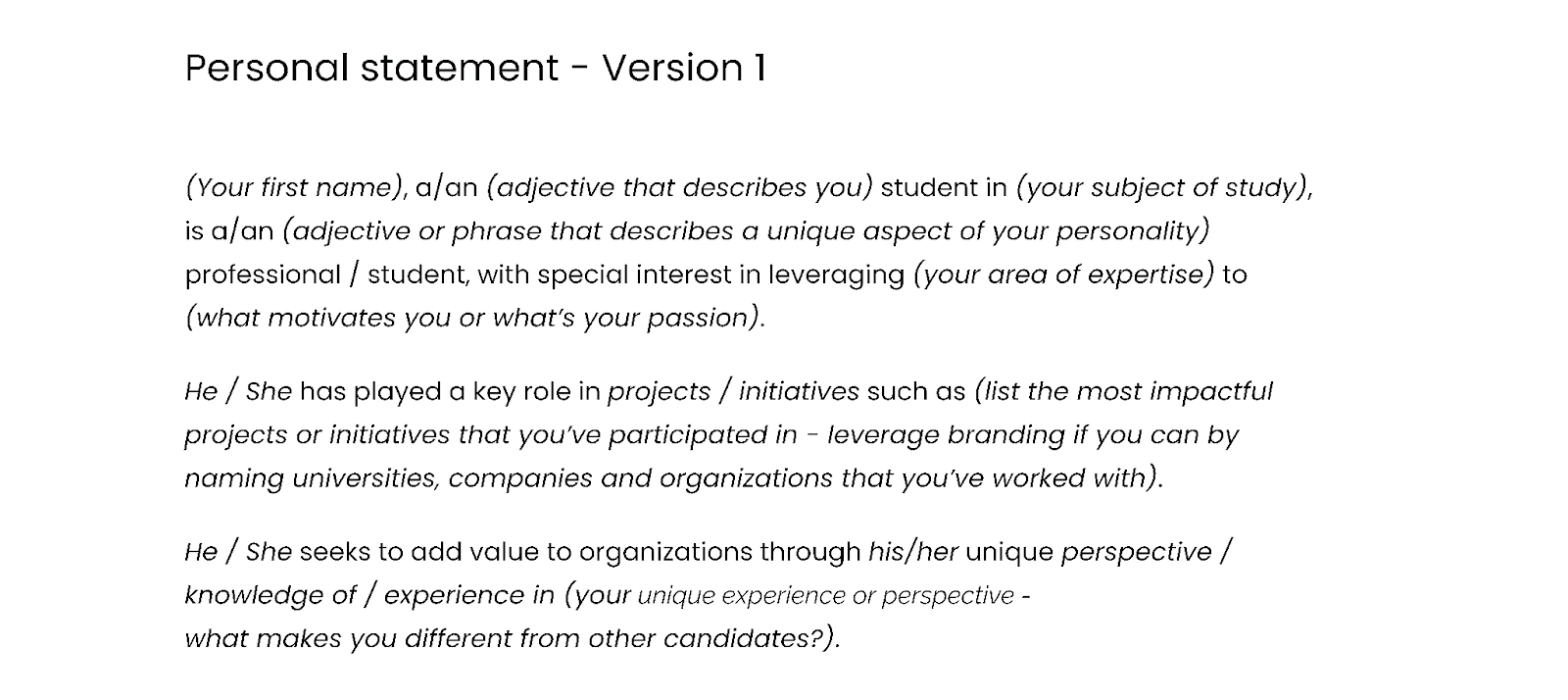
Image Source

As you’re writing the resume objective section, remember that your resume is about you, but it’s for your potential employer to understand what difference you can make.

When writing your resume objective statement, do:

  • Showcase organic interest in your field.
  • Use meaningful words that accurately describe you.
  • Be prepared to reinforce this statement with the rest of your intern resume.

Don’t:

  • Fill with vague filler words.
  • Describe your education instead of you.

Education Section

While it might feel like the education resume section is the meat and potatoes of your college resume, this section will actually be brief for most interns.

Why? Because education is theoretical knowledge. While you may have passed a class as a student, that act alone doesn’t communicate to a hiring manager that you can apply that knowledge successfully.

Listing relevant coursework isn’t as impactful as giving examples of how you successfully turned that theoretical knowledge into impact.

Share these details on your internship resume:

  • Your degree.
  • Your school.
  • Your expected graduation date.
  • Your academic achievements.

The content of your internship resume should fill the entire page (whether it’s one page or two). After you write your entire resume, if it’s shy of a full page, consider earning some educational certifications to add to this resume section.

This can be particularly valuable for high school or bachelor’s students.

You can earn free online certifications from noteworthy sources online, like HubSpot Academy, Google Career Certificates, or Coursera.
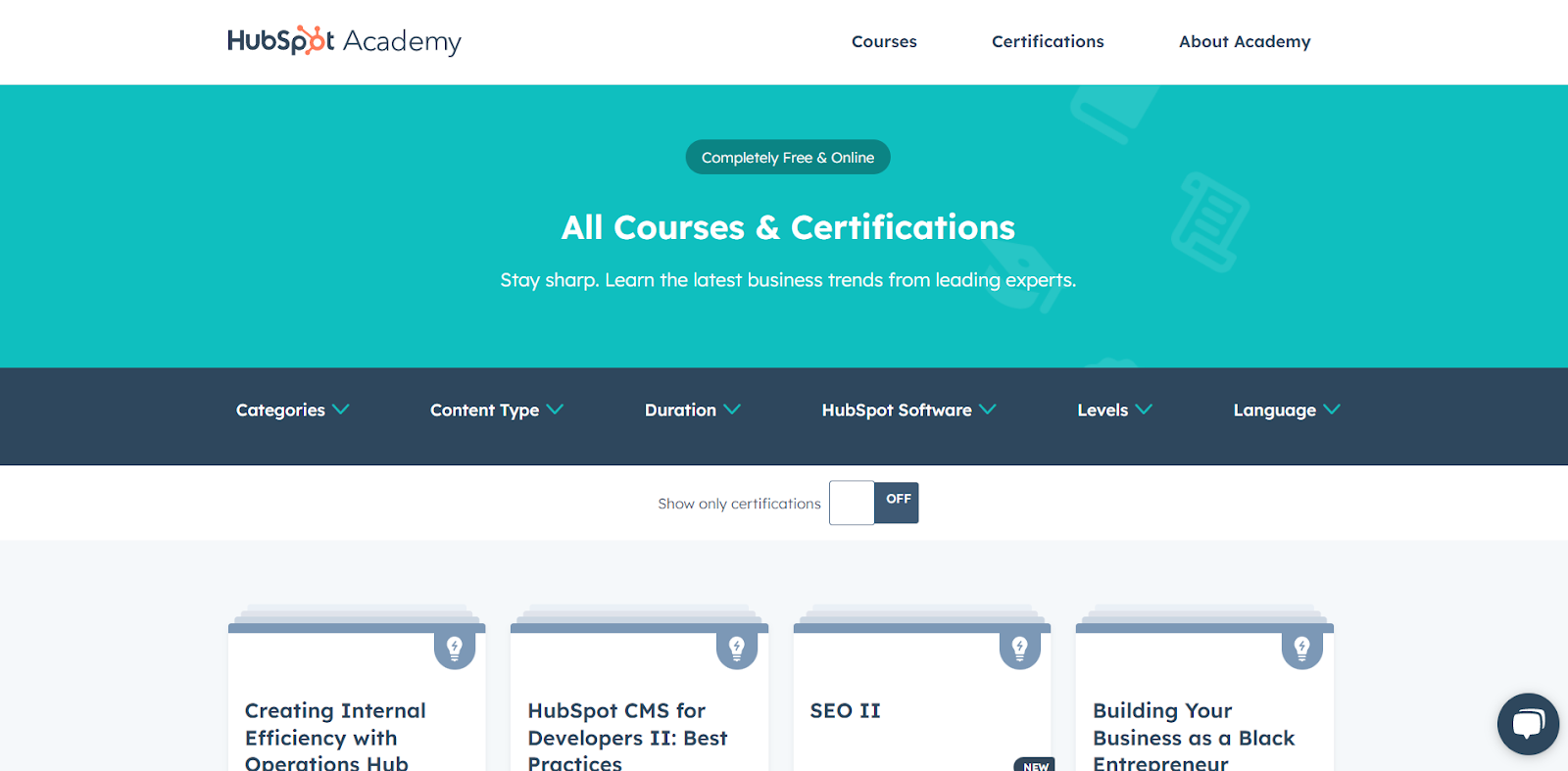
Image Source


While some students will just list relevant coursework to flesh out their resume education section, most students or recent graduates will have identical coursework.

Showing that you went above and beyond the relevant coursework to your degree displays your proactivity and initiative.

When writing the education section of your intern resume, do:

  • Include your major and any minors.
  • Add educational achievements.
  • Highlight activities that show your initiative and proactivity.

Don’t:

  • Write a list of coursework.
  • Showcase GPA unless it’s high.

Work Experience

Even if your work experience doesn’t look like a perfect match for your professional field, you have experience related to the internship you’re applying for.

The challenge that many internship candidates have is making that experience relevant.

Think about how your experience was relevant to your:

  • Past employer. What did they tangibly get from your work?
  • Potential new employer. How will this translate into what you could offer them?

To communicate this to your prospective employer, you must translate your role and make it unique to you and the industry you’re applying to. Focus on the accomplishments, not the responsibilities you had.

Certified Career Counselor Brad W. Minton warns students: don’t just copy and paste your past position descriptions into the work experience section of your resume.

“You have to move from a job description to an impact depiction,” said Brad.

Think of your experience this way: I did [this job] in [this way] and got [these results].

Set yourself up for success even further by considering how your work experience will translate to the interview stage. You should be prepared to tell a story about every position listed in your work experience and be able to bridge that to the role you want to land.

When writing the work experience section of your resume, do:

  • Relate your past experience to your desired internship position.
  • Quantify results.
  • Describe the impact that you specifically had.

Don’t:

  • Copy and paste past job descriptions.
  • Make it vague.
  • Belittle past work experience.

Relevant Skills

There are different types of skills you can showcase in your skill section:

  1. Technical skills or hard skills (such as knowing a certain software).
  2. Soft professional skills (like communication).
  3. And the secret to a glowing skills section: transferable skills.

Transferable skills, sometimes called transversal skills, are the most relevant skills that bridge the gap between your abilities and how they make you an asset to the specific position you’re applying to.

“If you’re unsure of your unique skills or strengths, ask someone in your family, a close friend, or even a professor,” said certified professional resume writer Kristi Cline.

Is no one coming to mind? “Assessments are also a great tool that can help you identify your strengths and skills.”

These skills assessment programs are specifically designed for students and early-career individuals and can offer valuable insight:

This resume section can feel daunting and easy to glaze over but challenge yourself to make this section feel personal and powerful.

When writing this section of your resume, do:

  • Make skills relevant to the internship description.
  • Include genuine professional and soft skills.
  • Refer to past job performance reviews for inspiration (if you have them).

Don’t:

  • Just list the professional skills you think employers want to hear.
  • Include soft or hard skills that can’t translate.
  • Use jargon or undefined acronyms that won’t be understood by every hiring manager.

Pro tip: Don’t forget to list these in your LinkedIn skills section as well.
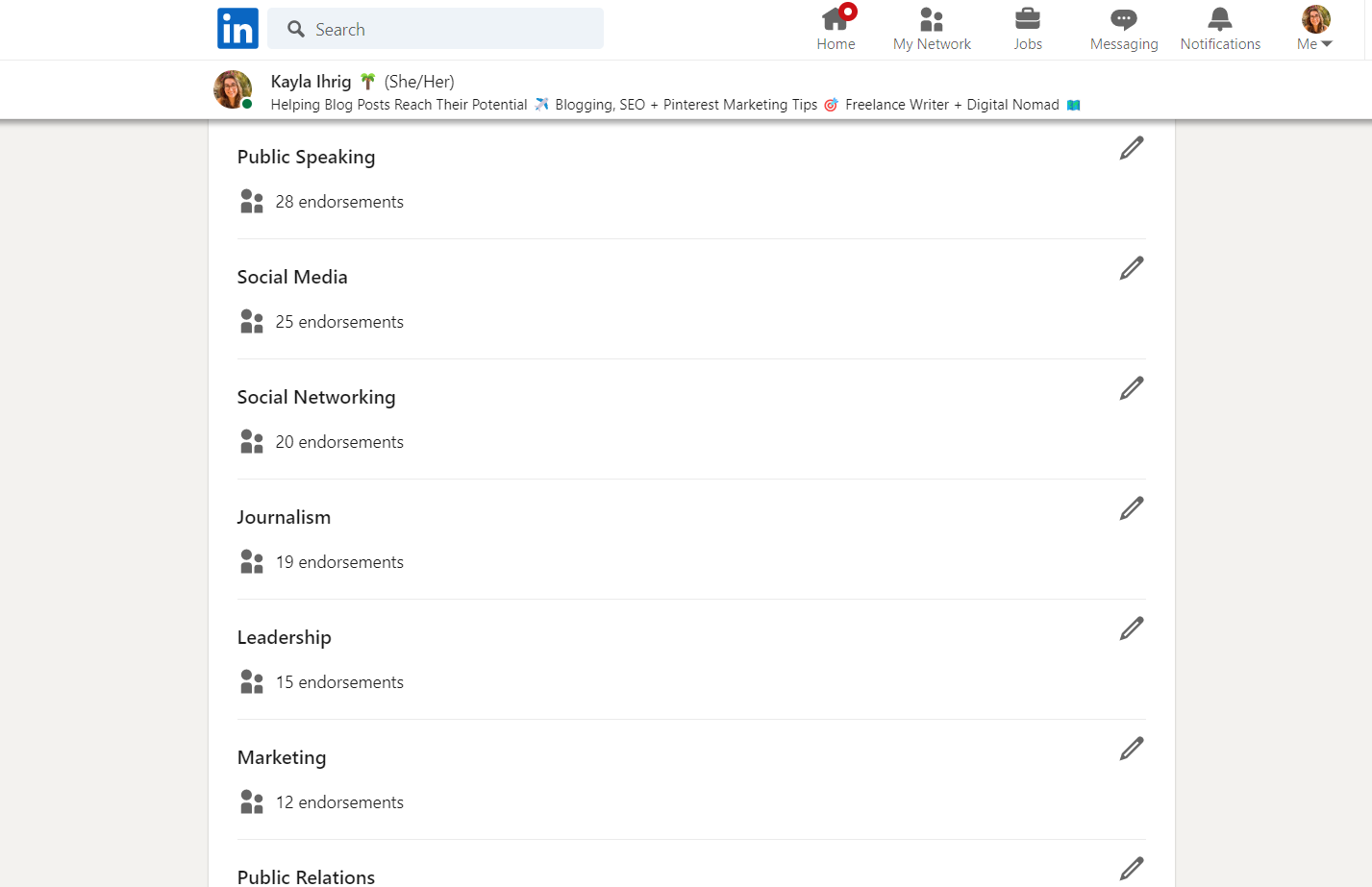
Image Source

Trends in Intern Resumes

Cover letters, resumes, interviews, and the entire hiring process constantly evolve, and interns are positively affected by current trends.

These overarching themes are shaping the hiring landscape. Being aware of them as a college student will help you create an intern resume that’s mature and attuned to what the hiring manager is looking for.

  1. Internship candidate potential. Employers are more concerned with how a candidate can grow into a role than what they’ve done in the past.
  2. Quantifiable metrics. While some industries are more data-driven than others, every workplace now gathers and uses data to improve performance. All workplaces seek employees who understand the value of hitting key performance indicators (KPIs).
  3. Independent learning. Hiring team members that are adaptable to new systems and technology has never been more important to employers, especially for remote teams.
  4. Scannable formatting. Before a hiring manager reads your resume, it’s generally read and analyzed by artificial intelligence (AI). Choosing a resume format that’s readable by AI and specifically optimized for those programs is essential.
  5. Nonlinearity is okay. The pandemic generated unexpected gaps for many people at all levels of the workforce, and it’s not necessary to waste precious resume real estate explaining pauses in your education or experience.

Now that you have a lay of the land, let’s look at tangible best practices for writing an intern resume and action items for how you can implement these today.

Learn more about resume writing with our video tutorial and complete resume writing guide.

9 Internship Resume Best Practices

The sections we reviewed are like the baked layers of a cake, and these resume writing process best practices are the icing and sprinkles that will make your experience sound irresistible.

1. Differentiate yourself.

A single job opportunity can attract dozens to thousands of applicants. While a resume is brief, there’s actually a lot of opportunity to differentiate yourself from other applicants.

This is particularly true in the work experience section.

“Copying and pasting a job description from a past job is not going to be impactful enough because it’s not demonstrating your individual impact, ability, and aptitude,” said Brad W. Minton.

“Since employers are looking for what potential interns have the capability to do, they’re trying to read between the lines and see what you’ve already done that can be translated into what’s going to happen next.”

Action item: Customize your work experience to specifically explain the impact that you had in the role instead of listing your responsibilities.

2. Make experience relevant and specific.

Professional experience isn’t the only valid experience to include on your internship resume. Volunteer work and odd jobs can share insights that are just as valuable as professional work when they’re positioned correctly.

This comes down to establishing relevance.

Understanding the relevance of your experience shouldn’t be guesswork for the hiring manager. Draw the connection for them, then demonstrate your effect by quantifying your impact.

“Use numbers and percentages to quantify your accomplishments whenever possible,” said Ibukun Amosu, founder of The Intern Place.

“This gives the hiring manager a clear picture of your impact and also shows that you understand the importance of data.”
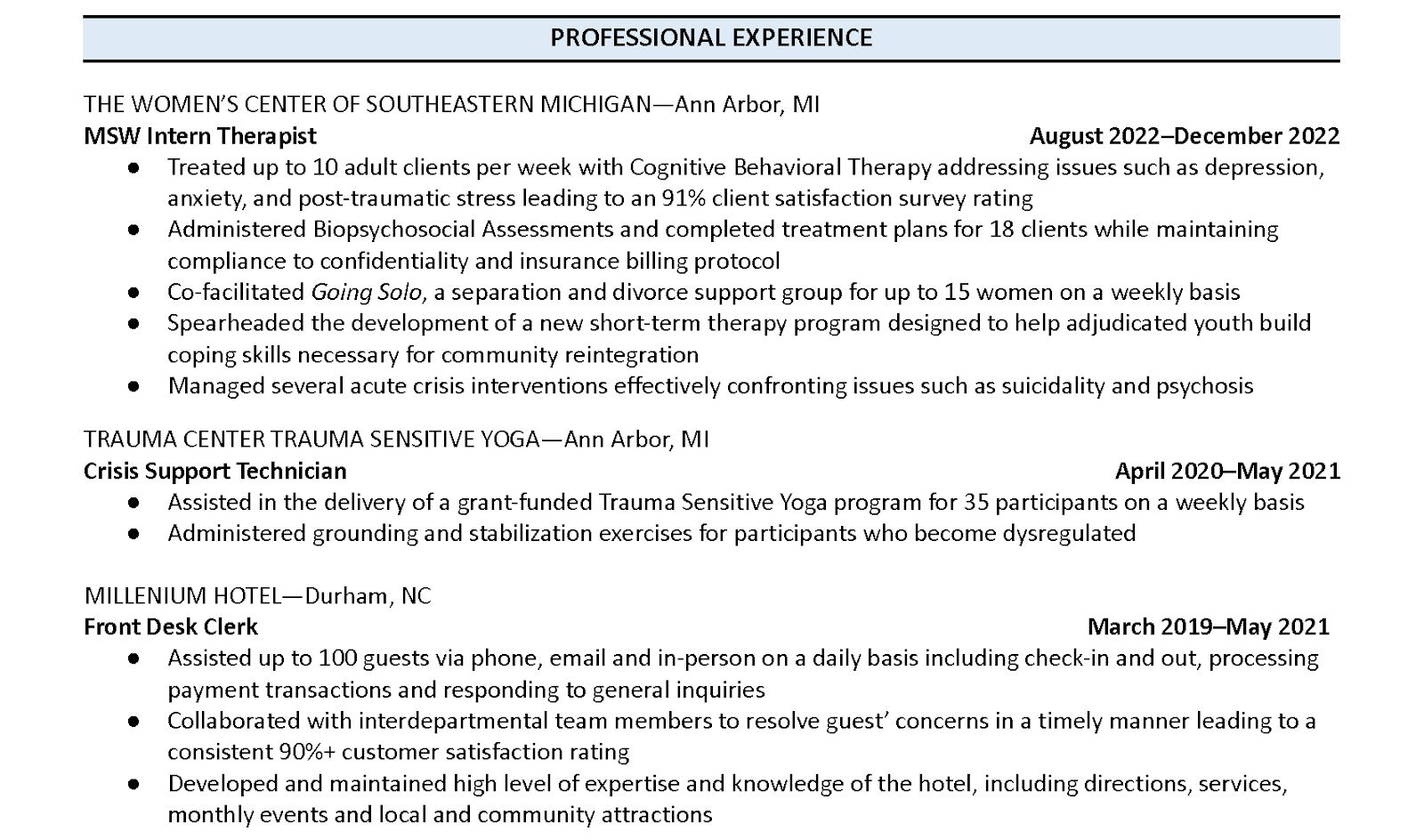
Image Source

Pro tip: Explicitly state how your past experience is relevant to the current position you’re trying to secure, and quantify your past impact with data.

3. Prime resume for AI readability.

You may have heard the shocking statistic that hiring managers spend less than 10 seconds reviewing each resume. However, the truth is that a human briefly gazing upon your qualifications between blinks isn’t even the first step of resume review.

Most resumes aren’t handled exclusively by a hiring manager or even a human. They’re scanned and sorted using an applicant tracking system (ATS).

ATS systems are scanning for keywords to see which resumes match the job description and requirements, and two primary things can interfere with that process:

  • Resume format. Creative formats can sabotage scannability.
  • Lack of relevant keywords. ATS systems scan to see if a resume matches the job description and requirements. Using overly creative writing can interfere with that process.

For example, referring to a past role as “marketing unicorn” to show creativity instead of “marketing internship” would jeopardize the keyword optimization of your resume.

An effective resume must be readable, keyword optimized, and have correct formatting. To preserve the intended format of your resume, always submit it as a PDF and never an editable document like a .doc or .docx file.

You can easily export a Google Doc as a PDF in a few clicks.
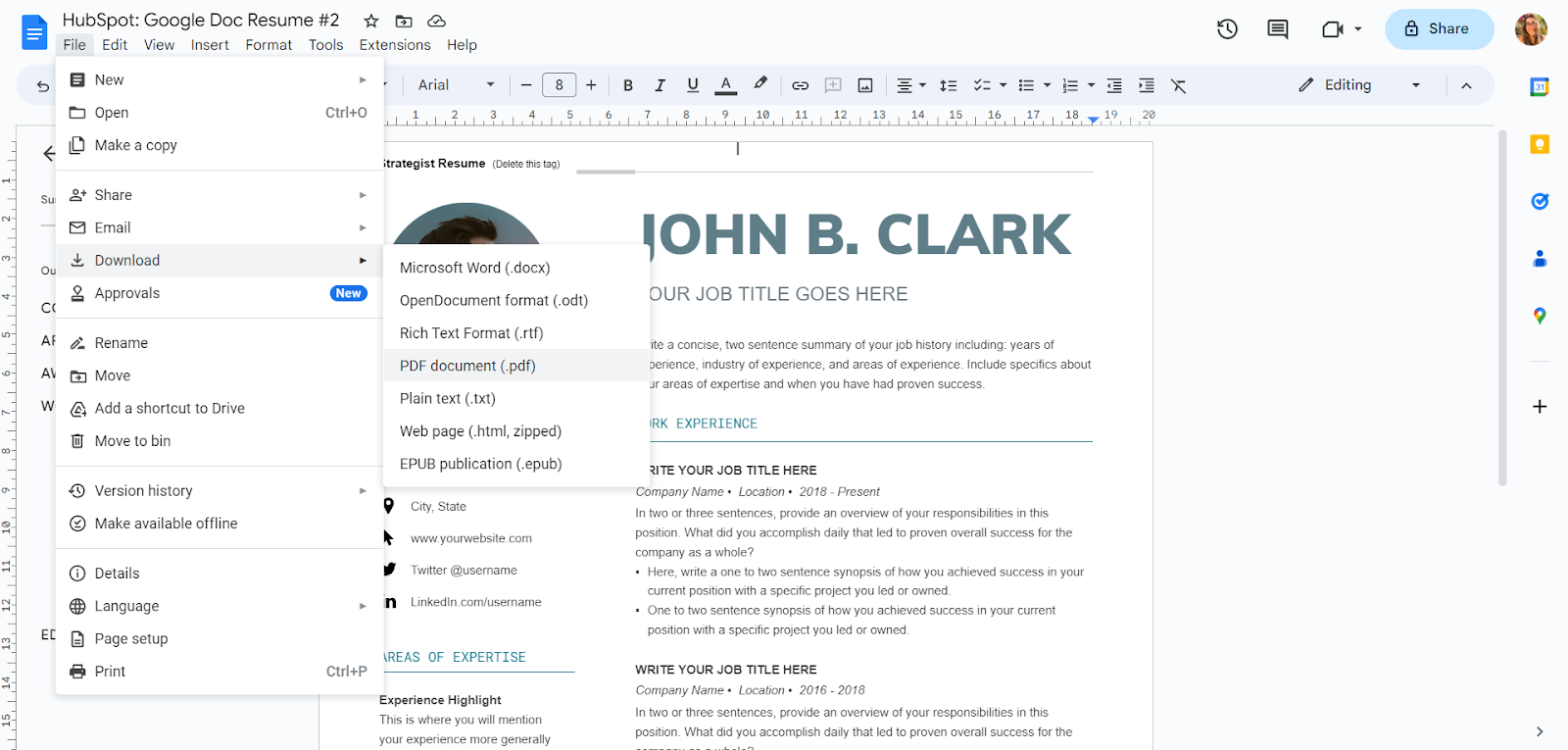
Image Source

This is a resume template from our free resume template bundle.

Upload your internship resume to Jobscan to see how well it can be read by ATS and make necessary changes.

Jobscan is free software that can evaluate your college internship resume, LinkedIn profile, and cover letter. Copy and paste the internship description. Then, see how well your internship resume matches.
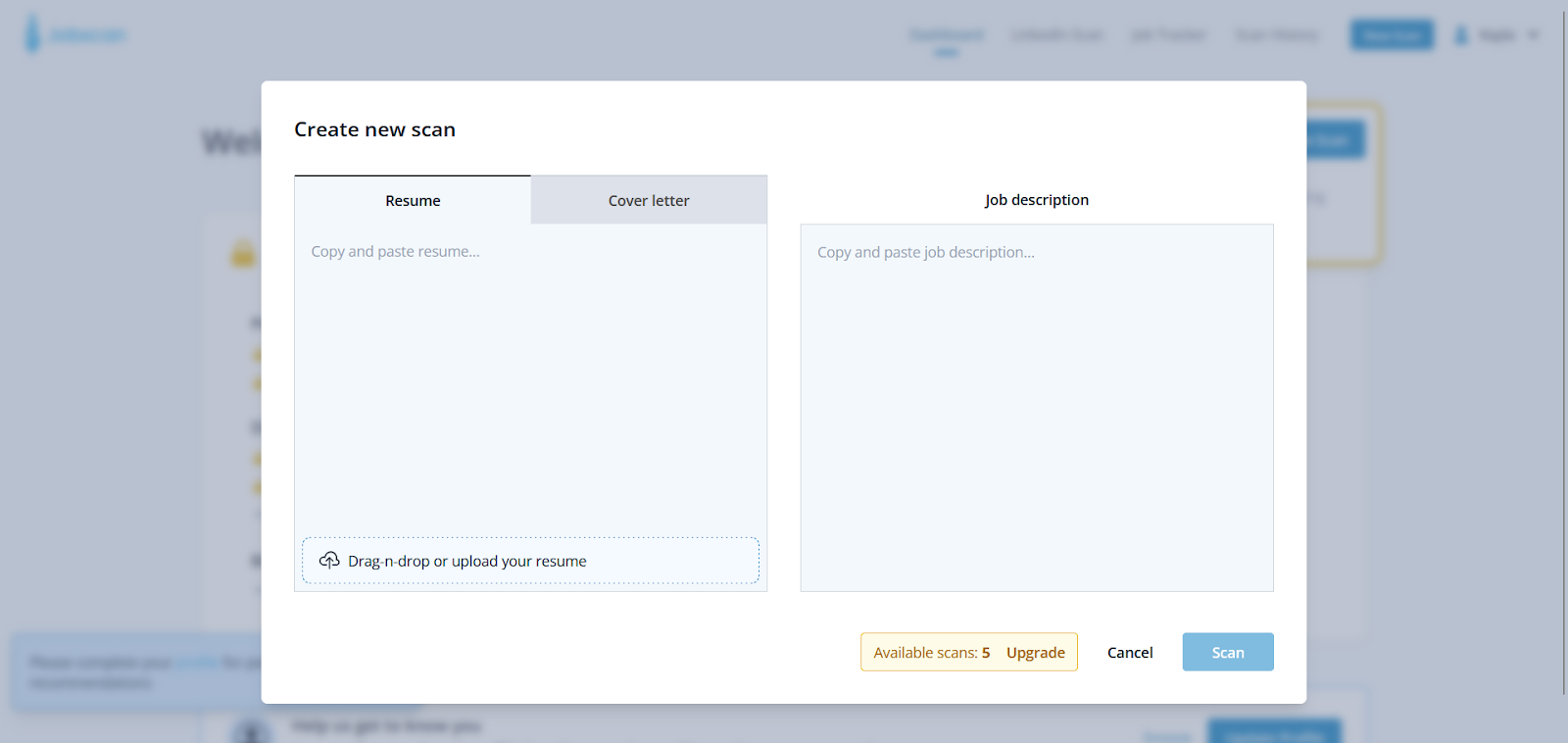
Image Source

Pro tip: Test with Jobscan before using a resume builder or customizing a resume template to ensure scannability.

4. Customize per industry.

It’s true that you want to customize your internship resume to specific job descriptions. On a broader scale, you want your resume to gel with the industry and work culture as a whole.

Interns who can demonstrate an understanding of industry culture are at an advantage.

“Put forth something that aligns with the industry,” said Emily Szopinski, head of learning at Talanta. “Hiring managers expect that from someone higher up, but at the intern level, this will really help your resume stand out.”

Here are some examples:

  • Startups value agility, innovation, and critical thinking.
  • Non-profit organizations value service, community, and transparency.
  • Remote-first companies value independent learning, self-management, and personal accountability.

Pro tip: Spend a day researching the industry. Start a document where you chronicle the buzzwords and values of fields. Then customize your keywords, skills, experience, and values to match that of your industry.

5. Be prepared to storytell.

A perfect internship resume is just one step of the hiring process. Your internship resume and cover letter are just the first steps that will hopefully lead to an interview, so think ahead as you write.

It’s important to look at the steps ahead and only share skills, interests, and experiences that you’re prepared to tell a story about.

I’ll be honest. This tip is also a backdoor way to talk about something unsavory: lying on your resume.

More than half of all Americans have lied on their resume. When surveyed, job seekers ages 18-25 admitted to lying more than any other age group.

This research conducted by StandOutCV found that two-thirds (66.6%) of applicants in the 18-25 age group admitted to lying on their resumes.

No fingers are being pointed here! This is just a friendly reminder that a suspicious resume doesn’t benefit you when you enter the interview process.

Pro tip: Gauge whether or not the information you’re putting on your resume will lead to valuable conversations in the interview phase.

6. Update and optimize your LinkedIn

In the modern hiring process, the internship resume you submit for job applications is only half of your resume. The other half is your LinkedIn, which is much more than a social media platform.

It’s a place for recruiters to discover you.

Don’t plan on using LinkedIn to find your internship? Hiring managers check your LinkedIn account, whether you’re active or not.

After applying for 24,570 job openings, a study by ResumeGo found that a “comprehensive” LinkedIn profile resulted in a 71% higher callback rate.

Their research also revealed that LinkedIn profiles had a higher impact on lower-level positions, which means that high school and college students have the most to gain.

Pro tip: Update your LinkedIn profile. Start with a professional profile photo, a related cover photo, and up-to-date information, then enhance more advanced LinkedIn hacks.

It’s also not a bad time to clean up your other social media accounts and ensure those offer the right impression.

7. Get help proofreading.

Something that the best resumes for internships all have in common is that they’re free of errors. Having a typo on your resume creates a bad first impression that almost guarantees you won’t be called for an interview.

You can use this script:

Hey [name]! As you know, this is an important time for my education as I’m searching for my [first, second, third] internship in the [non-profit, education, tech] industry.

Every position is a really important stepping stone in my career, and I need a strong resume to receive an interview invitation.

Feedback is essential for that process, and I would greatly appreciate your help. Are you willing to review my internship resume for me?

Specifically, I’m looking for it to be proofread for errors that I missed, as well as general feedback on professionalism and consistency.

Are you able to help with this? My resume is attached. In order to meet my application deadlines, I need feedback by [date]. Thank you!

Make sure that you send your internship resume attached to that email so that anyone eager to help can review it immediately.

Consider sending this script to a:

  • Professor.
  • Faculty advisor.
  • Mentor from a past internship or job.
  • University career counselor.
  • Older family member or friend.

Only send your resume after you’ve thoroughly read it for consistency and typos. Consider using an AI software like Grammarly to weed out misused words and mistakes.
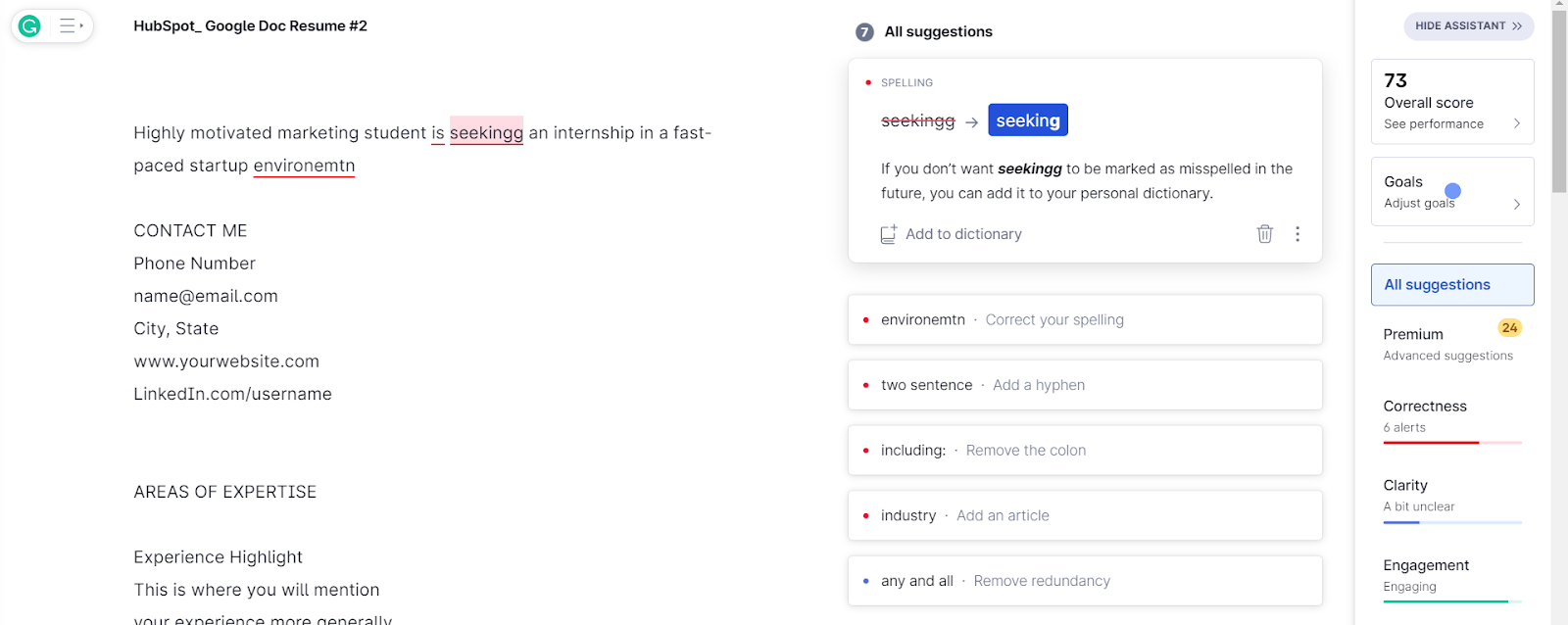
Image Source

Pro tip: Identify two people who can proofread and help review your internship resume.

8. Use action words.

A successful resume compels the hiring manager to invite you for an interview. Flat, passive language isn’t nearly as captivating as action words.

Certified talent recruiter Christina Ferrell reviews hundreds of resumes daily and says action words bring experience to life.

“When describing your experiences and accomplishments, use strong action verbs to demonstrate your skills and achievements,” says Christina Ferrell.

Here are some action word examples:

  • Sales experience:
    • Focused on improving sales.
    • Increased sales by 10%.
  • Social media strategy:
    • Worked on a social media strategy.
    • Developed a social media strategy that was implemented. across four channels, reaching more than 100,000 viewers
  • Extracurricular activities:
    • Became president of the computer club.
    • Overhauled and refocused the computer club as president.

You can find action words specific to your role and industry using the free software Resume Worded. Upload your internship resume, and it will generate industry-specific action words that can enhance your resume.
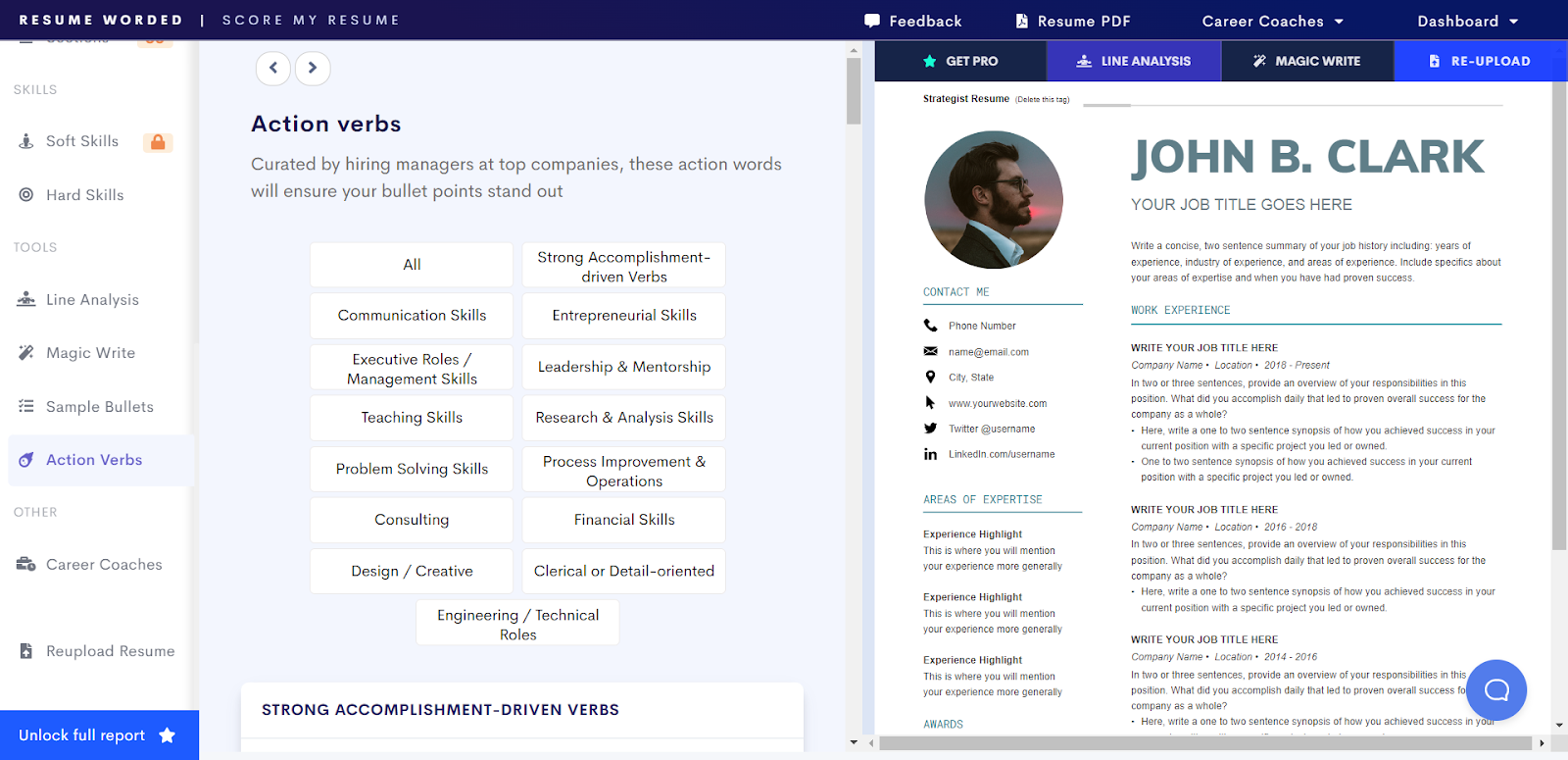
Image Source

Pro tip: Find the action words that best suit your roles and then replace passive language with them.

9. Highlight digital adaptability.

You’ll likely have to learn at least one new software in your internship role. Employers are looking for candidates who are confident in navigating new programs so that they can be onboarded efficiently.

Show your confidence by highlighting your digital adaptability.

A mindset of digital adaptability extends beyond how you approach your internship resume and touches on the broader conversation of the future of work.

“Historically, people who fight against technology lose,” said remote work specialist Mitko Karshovski.

“People were afraid of computers, then the internet, and now artificial intelligence. Technology creates more leverage for workers, the same way that a shovel creates more leverage for someone digging a hole.”

In your experience at paid jobs, volunteer positions, or in extracurricular activities, did you…

  • Learn new technology with minimal or no one-on-one training?
  • Onboard other team members to technology?
  • Update old programs to be more efficient?

Interns and emerging professionals who learn to be digitally adaptable will be at an advantage during their entire job-searching process and when they begin in a new position.

Finding ways to highlight this on your intern resume will help display your comfort with technology.

Displaying an awareness of this shift on a high school or college student internship resume displays a great awareness of the professional world.

Pro tip: Display your digital adaptability in the work experience or skills section of your internship resume.

Internship Resume Examples

That’s a lot of talk about what an internship resume should look like, so let’s take a look at some examples. Here are four resume examples from internship specialists and certified professional resume writers.

Even the best resume for internships still requires customization. Check out this a tutorial on how to customize your document using Microsoft Word:

Data Analyst Internship Resume Example
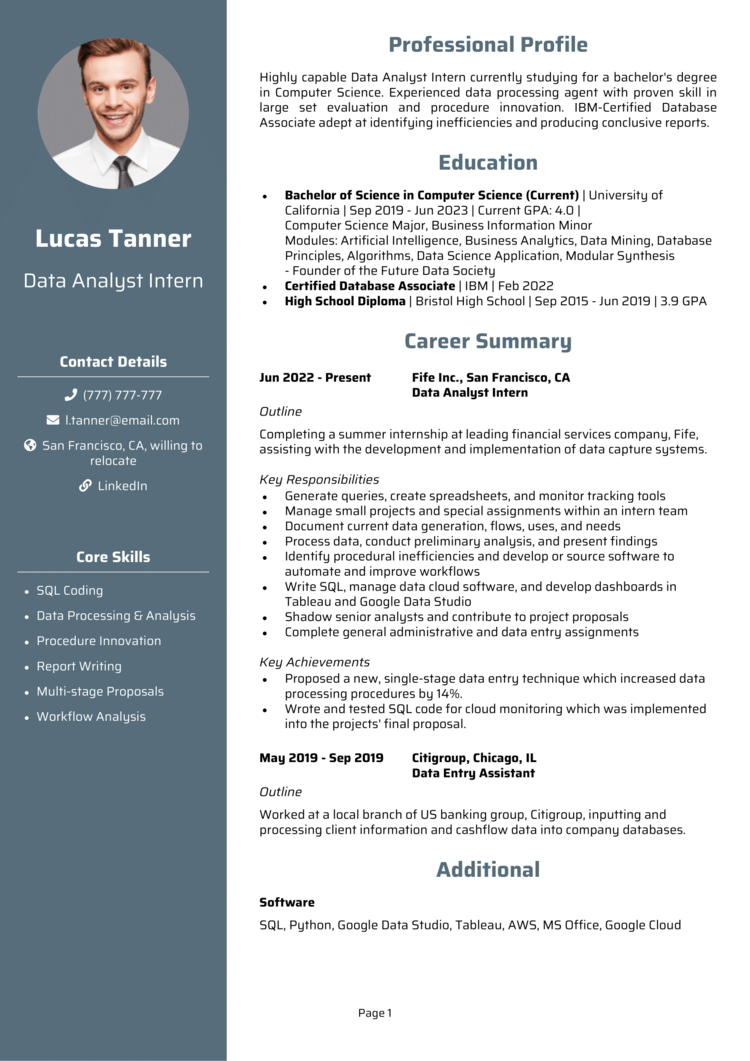
Image Source

This resume template has a strong and organized layout and uses columns and white space to enhance readability. Bolded text and colored section headings make this feel streamlined and prioritized.

The work experience section shows a great example of choosing accurate language for past roles and currently held positions.

Resume template provided by Andrew Fennell from StandOut CV.

Project Manager Internship Resume Example
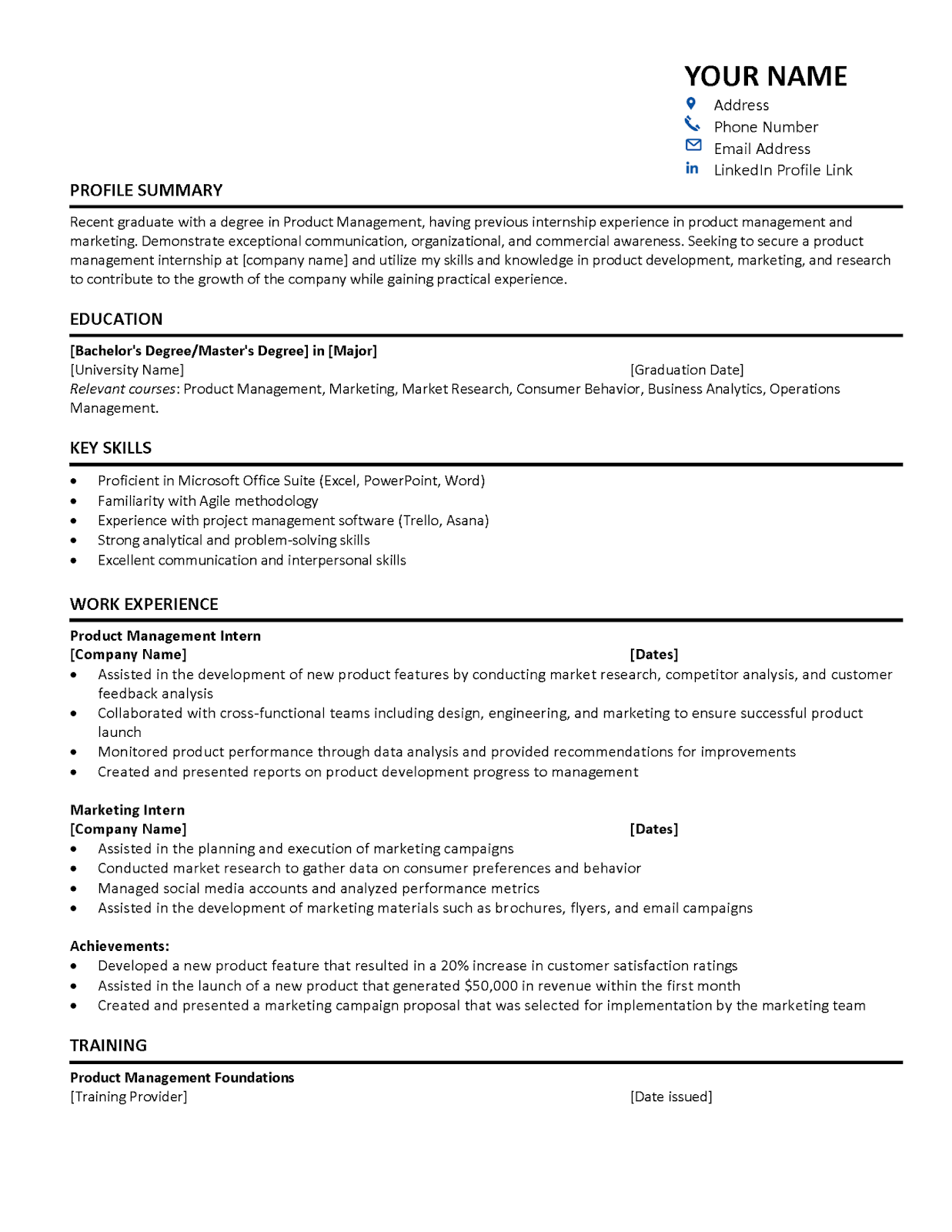
Image Source

This resume template breaks work experience down beautifully into subcategories, which provide depth while maintaining a feeling of brevity.

Spacing is used consistently, and the bold horizontal line separates sections in a clear way that doesn’t distract or crowd the text. Both technical and soft skills are showcased clearly in the key skills resume section.

Resume template provided by Ibukun Amosu from The Intern Place.

Social Work Internship Resume Example

Image Source

This resume format feels extremely organized, thanks to the horizontal blue section headings. The text feels prioritized through uppercase letters and bolded text.

The role impact is consistently quantified, and statements stand out with action words.

Resume template provided by certified professional resume writer Brad W. Minton from Mint To Be Career.

Computer Science Internship Resume Example
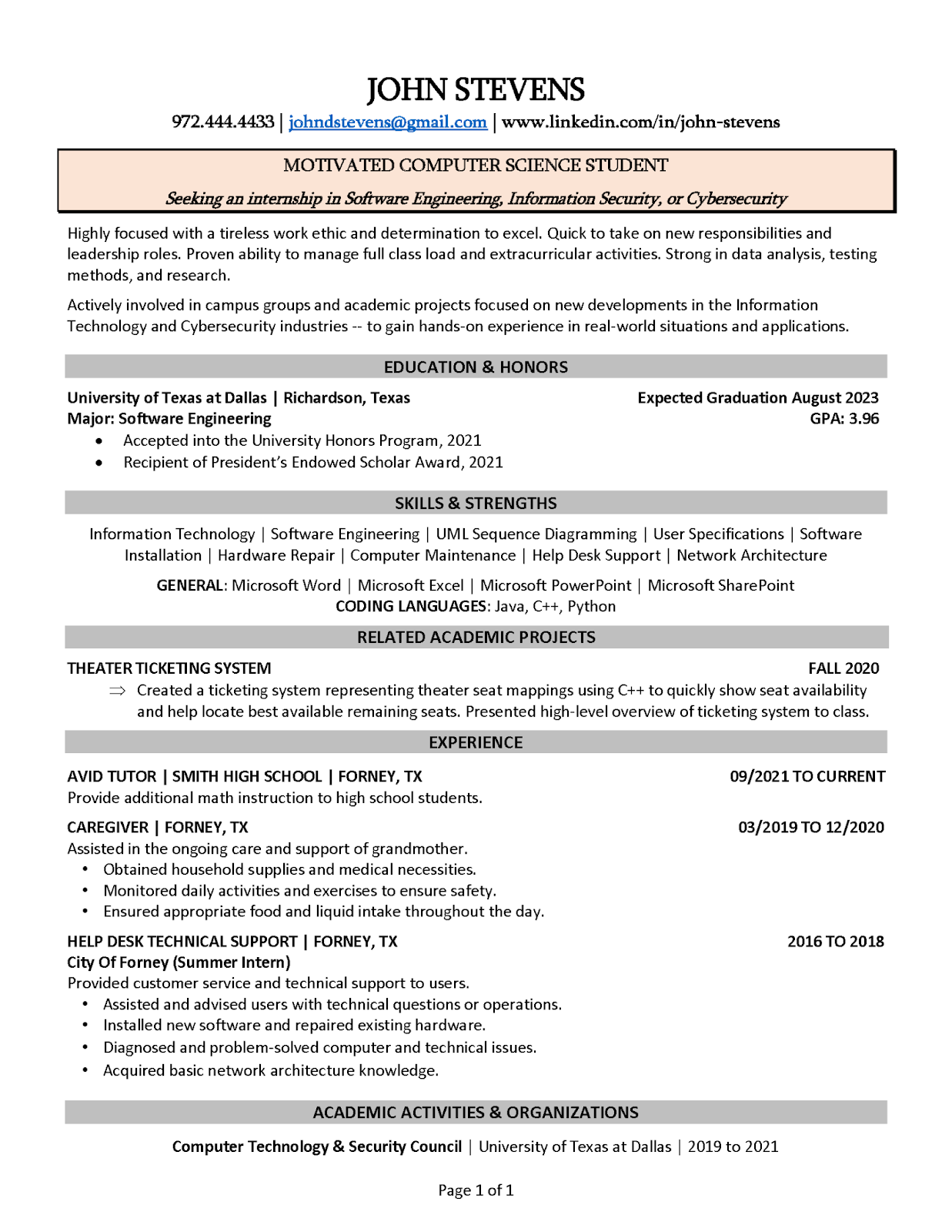
Image Source

The internship resume example draws lines between sections very well. C++ is identified as a coding language in the skills section. Then, it’s referenced again in the academic projects section.

This shows not just theoretical understanding but also practical application.

Resume template provided by certified professional resume writer Kristi Cline from We Write it Now Resumes.

Getting Started

Scrolling job boards can make finding your first job or internship feel like an endless process. Job requirements are extensive, and the pressure on recent or soon-to-be college graduates to have a great resume packed with experience is intense.

The job opportunities and career goals you’ve been working towards will be much closer after landing the internship opportunity of your dreams.

Writing a resume for an internship can be done well, no matter how much experience you have. Let these tips and expert insights on how to write a resume for an internship demystify this entire process so you can secure the bag.
 

New Call-to-action

Categories B2B

120 Presentation Topic Ideas Help You Hook Your Audience

Cooking is easy. The puzzle is figuring out what to eat. As soon as you know that, you can get started. The same holds for presentations. The sooner you can whip up a good, informative, and catchy topic, the easier the rest of the process becomes.

→ Free Download: 10 PowerPoint Presentation Templates [Access Now]

Pick a good topic that resonates with you and your audience to set a strong foundation. But select the wrong topic, and it becomes difficult to connect with your audience, find mutual interests, or hold their attention.

So, let’s learn how to develop thought-provoking and relevant topics for your presentations. You’ll also find some best practices to make your presentation memorable.

Table of Contents

How to Choose a Great Presentation Topic in 5 Steps

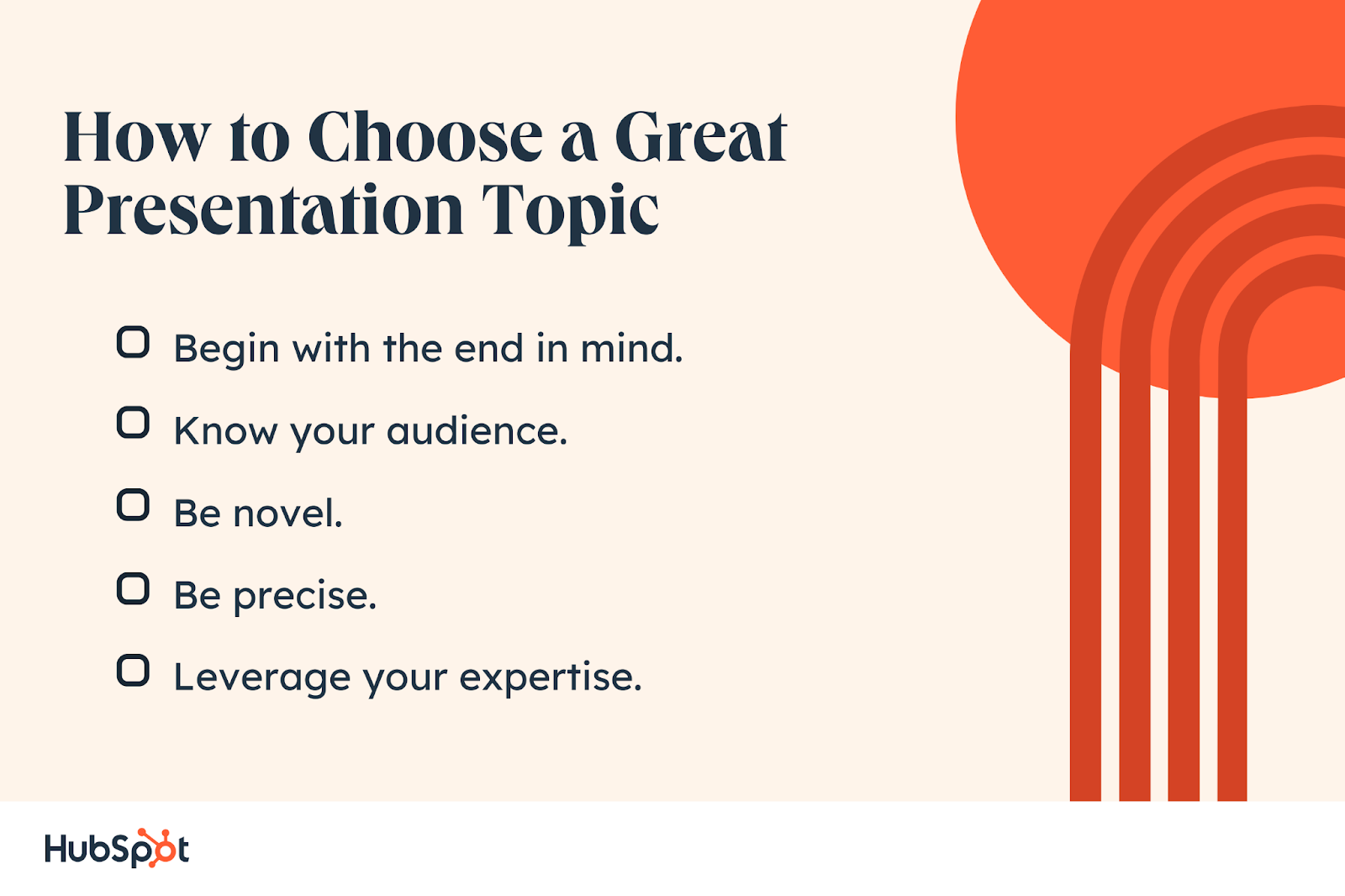
How to Choose a Great Presentation Topic. Be novel. Begin with the end in mind.

We’ve broken down the painstakingly long process of choosing a topic into five simple and easy steps. Let’s walk through it.

Step 1: Begin with the end in mind.

Identify the goal of your presentation by asking yourself:

  • What do I hope to achieve from the presentation?
  • How do I want to come across?
  • What do I want my audience to take away from the presentation?

By keeping the end goal in mind, you’ll know exactly how to title your presentation.

Step 2: Know your audience.

Your audience is the star of the show. Get to know them by figuring out the who, what, and why.

Who is your audience? Profile your audience. Know their demographics, beliefs, knowledge level, and cultural backgrounds.

What are the problems that your audience is facing? Think about their pain points. Consider what they are going through and what situations they face daily. Maybe they’re already looking for a solution, or they need additional information to decide.

Why should they listen to you? Identify one or more clear benefits for your audience they will take home.

Pro tip: Always consider your audience’s knowledge level on the topic before drafting your presentation. For example, a presentation on social media targeted at Gen Z will differ from that targeted at Millennials.

Step 3: Be novel.

Make sure you either select a new topic or bring an entirely new and unique perspective to an already covered issue.

For instance, don’t make a presentation on the “best lead generation strategies.” Your audience has probably heard those dozens of times already. Corny.

Instead, discuss “How companies are using AI technology to implement lead generation strategies without lifting a finger.” Or add your own perspective, “How to seal a 1M deal: Our five best lead generation strategies.” Open a new window and let your audience see a fresh view.

Step 4: Be precise.

Once you have completed the first three steps, you probably have a few topic ideas ready. Now, cut out all the excess and select a niche topic with a very specific goal.

The broader your topic, the more difficult it will be for your audience to take away key ideas and actionable tips. Also, it’d be more difficult to gather an audience.

Discuss one problem and solve that problem only. By the end, your audience should have a clear idea of what they’ve gained from the presentation and what one (several at max) problems you helped solve.

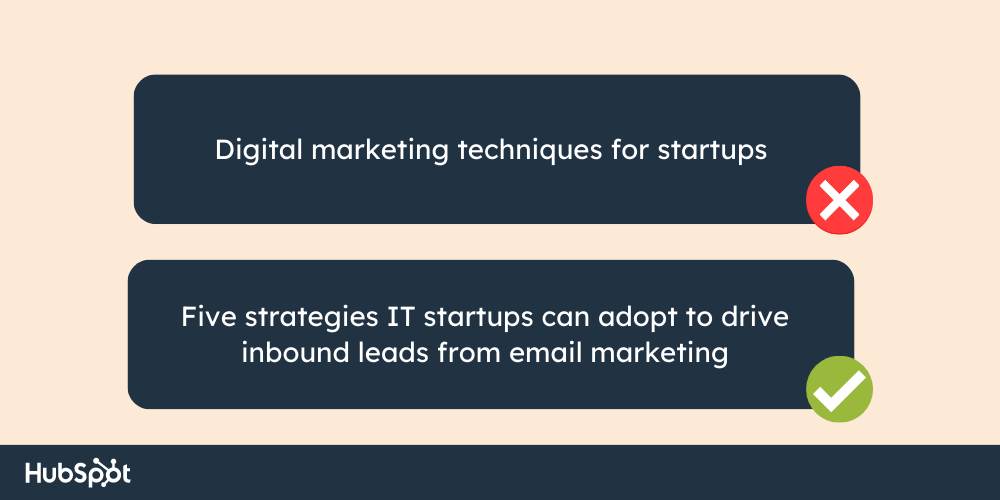
Example of a generic topic vs. a specific topic

For instance, the first topic in the image is generic, sounds vague, and doesn’t specify any clear benefits.

In turn, the second topic mentions the target audience, tells them what to expect, and provides a clear, actionable plan. The audience knows exactly what they will take away from the presentation.

Step 5: Leverage your expertise.

The most important element that can make or break your presentation is you. The level of expertise you bring in, your interest, knowledge, and comfort with the topic determine the credibility of your presentation.

Pick a topic you’ve got first-hand experience with. Bring in a unique opinion or learnings/findings to add value to your words.

Let the audience view the topic from your perspective. In doing so, you can hook your audience and make your presentation original and memorable.

Also, choose a topic that you’re passionate about. The more enthusiastic you are about the topic, the more value and credibility you’ll bring to the presentation.

The audience will feel it and invigorate. And so will the lack thereof, which can be a big turn-off for your listeners.

Ever noticed how some people talk about sports? Their body language oozes energy and excitement.

Pro tip: Think about what excites you about the topic. Then narrow it down to 2 to 5 driving factors to focus on in your presentation.

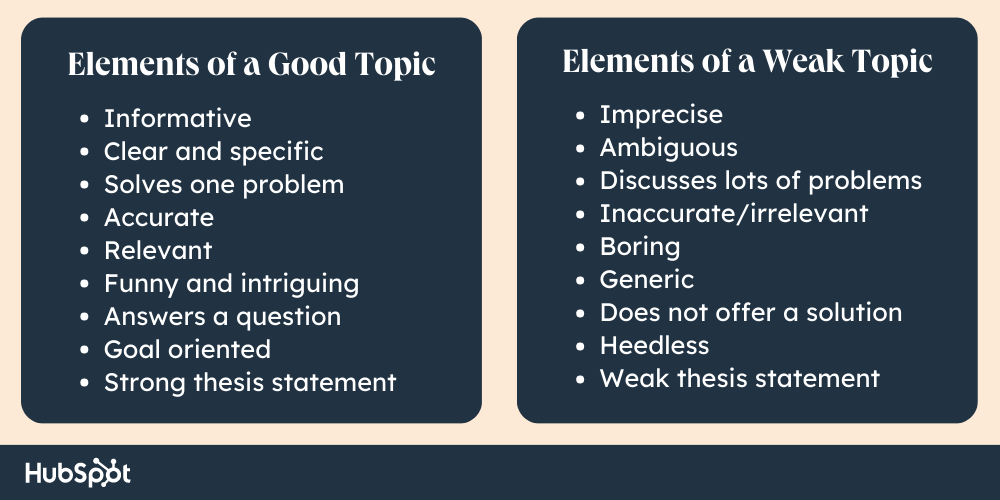
Elements of strong and weak presentation topics

120 Presentation Topic Ideas

Find an extensive list of topic ideas from personal experiences to digital marketing and AI. So, the next time you’re planning a presentation, you won’t have to start from scratch.

Presentation Topic Ideas for Personal Experiences

  1. The failures that made “Me”
  2. My journey from having a full-time job to freelance work
  3. How has social media lowered my self-esteem?
  4. How I turned my weakness into a strength
  5. 5 ways to avoid procrastination
  6. Making money during holidays
  7. My battle with Covid-19
  8. Coping with anxiety and depression
  9. Leveraging my special skills
  10. Working remotely: pros and cons for companies and employees
  11. What I wanted to be and what I became
  12. How I rediscovered myself after the tragedy

Presentation Topic Ideas for Controversial Issues

  1. Future of genetically modified food and preservatives
  2. Privacy in the age of AI: Ethical issues
  3. The power of social media in politics
  4. Freedom of expression or harmful content
  5. Navigating the line between cultural appropriation and appreciation
  6. What can we do to prevent climate change?
  7. Genetic engineering: Ethical concerns vs. benefits
  8. LGBTQ: Balancing equality and tradition in a changing society
  9. The ethics of animal testing
  10. The implications of social media for future generations
  11. How much screen time is too much?
  12. Punishment vs. rehabilitation

Presentation Topic Ideas for Current Trends

  1. Five small efforts to fight climate change
  2. The emergence of digital assets in your daily life
  3. What are blockchain and cryptocurrencies?
  4. The latest fitness trends of 2023
  5. Life on social media vs. real life: How to keep yourself sane
  6. Water scarcity and conservation
  7. Renewable and sustainable energy sources: Are we ready?
  8. The benefits of mindfulness and meditation practices for new moms
  9. Understanding and addressing mental health issues in young people
  10. 12 Techniques for practicing self-care and self-compassion
  11. Adapting to remote and hybrid work models
  12. How X marketers grow their personal brands (and their ROIs)

Presentation Topic Ideas for Industry Insights

  1. How new AI technologies are changing the industry: 5 examples
  2. Six key trends and industry forecasts for the future
  3. How to overcome these 10 challenges to succeed?
  4. Measuring and optimizing organizational marketing efforts using AI
  5. Using predictive analytics to extract key marketing insights
  6. 13 strategies to increase customer loyalty and retention
  7. Improve your online visibility and traffic: 15 tips from LinkedIn gurus
  8. Seven ways to create engaging video content for your company
  9. Five ways for businesses to create a strong social media presence
  10. Which social media channels are best for your brand?
  11. Is AI revolutionizing the retail industry?
  12. Digital learning and the future of traditional learning systems

Presentation Topic Ideas for Digital Marketing

  1. The next big thing in digital marketing unlocked
  2. The art of storytelling in marketing: 23 businesses that kill it
  3. Benefits of cross-channel marketing for software development companies
  4. Voice search and its impact on digital marketing in 2024
  5. Maximizing ROI for your startup marketing: 3 underestimated tactics
  6. Changes in consumer behavior: Reasons and implications
  7. Importance of personalization in digital marketing
  8. 10 Emerging marketing trends and technologies
  9. Designing an effective mobile strategy for your business
  10. Importance of infographics in content marketing: HubSpot’s case study
  11. Creating effective marketing funnels for health products
  12. The power of user-generated content for companies

Presentation Topic Ideas for AI

  1. Six top stories about AI in 2023
  2. Five weird, but true, facts about AI
  3. What these three business experts are saying about AI
  4. Three shocking ways AI can make you a better marketer
  5. The dark side of AI
  6. Why has Elon Musk called to pause new AI research?
  7. Five AI tools every marketer needs
  8. AI and Big Data: Changing the landscape of modern business
  9. Which jobs will AI actually replace?
  10. Why does Bill Gates love AI?
  11. AI in human resources: Recruiting and talent management
  12. The Ethics of AI: Balancing business interests and societal impacts

Presentation Topic Ideas for Sales

  1. Cold calls: Unethical tactics and grey areas
  2. Sales: Expectations vs. Reality
  3. Sales prospecting made simpler with AI
  4. Sales calls: Do’s, Don’ts, and Musts
  5. Six sales strategies you need to throw out the window
  6. Five skills every salesperson needs to develop
  7. Building long-lasting relationships with customers using these three tried and tested methods
  8. Dealing with rejections: Five ways and one bonus tip
  9. Patient waiting and seven ways to deal with it
  10. 13 effective sales strategies for building relationships and closing deals
  11. Developing effective sales training programs for new employees
  12. 20 effective sales communication strategies

Presentation Topic Ideas for Time Management

  1. How to achieve an ideal work-life balance for remote workers
  2. How much time should you ideally spend networking on LinkedIn?
  3. How to effectively delegate tasks
  4. Buy back your time: Ways and benefits
  5. Six business principles of time management
  6. How to effectively plan ahead? Three practices you can start today
  7. 15 ways to improve personal efficiency and productivity
  8. The five steps of the Pomodoro Technique
  9. Goal setting and prioritization: For IT start-ups
  10. Nine best multitasking strategies of insanely successful businessmen
  11. Time management for busy professionals: Where to start?
  12. Eight ways to avoid procrastination you can start with tomorrow

Presentation Topic Ideas for IT

  1. Advantages and risks of adopting cloud software
  2. Open-source software: seven best practices
  3. Machine learning: Pros and cons for marketing
  4. How to create user-friendly interfaces for software and websites
  5. The role of IT in digital transformation
  6. The Internet of Things: five opportunities for businesses and consumers
  7. Six ways to protect your digital assets
  8. Seven benefits and three risks of moving to the cloud
  9. How does Big Data work?
  10. Best strategies to protect organizational data: five tried and tested techniques
  11. Technology and its impact on society and culture
  12. Mobile device management: Where to start?

Presentation Topics Ideas for Business

  1. Optimizing collaborations to save time across all departments
  2. Eight time management tools and apps for businesses
  3. 12 common skills of successful businessmen
  4. 10 tips and techniques for a successful marketing strategy
  5. Harnessing the power of influencer marketing
  6. Allocating a marketing budget to maximize ROI in five steps
  7. Five manufacturing techniques to minimize costs
  8. Understanding ethical issues in business and marketing
  9. 10 ways to minimize your company’s carbon footprint
  10. Three old business models making a comeback
  11. Seven ways Google developed a strong company culture
  12. 12 strategies for building a sustainable and responsible business in 2023

5 Presentation Tips

The best presentation topics always put their audience first, offer direct solutions, and fill in some knowledge gaps. But there’s more.

Don’t think of your presentation as a mere speech — it’s a ride you’ll take your audience on. There should be highs, lows, and revelations with a bang for an ending.

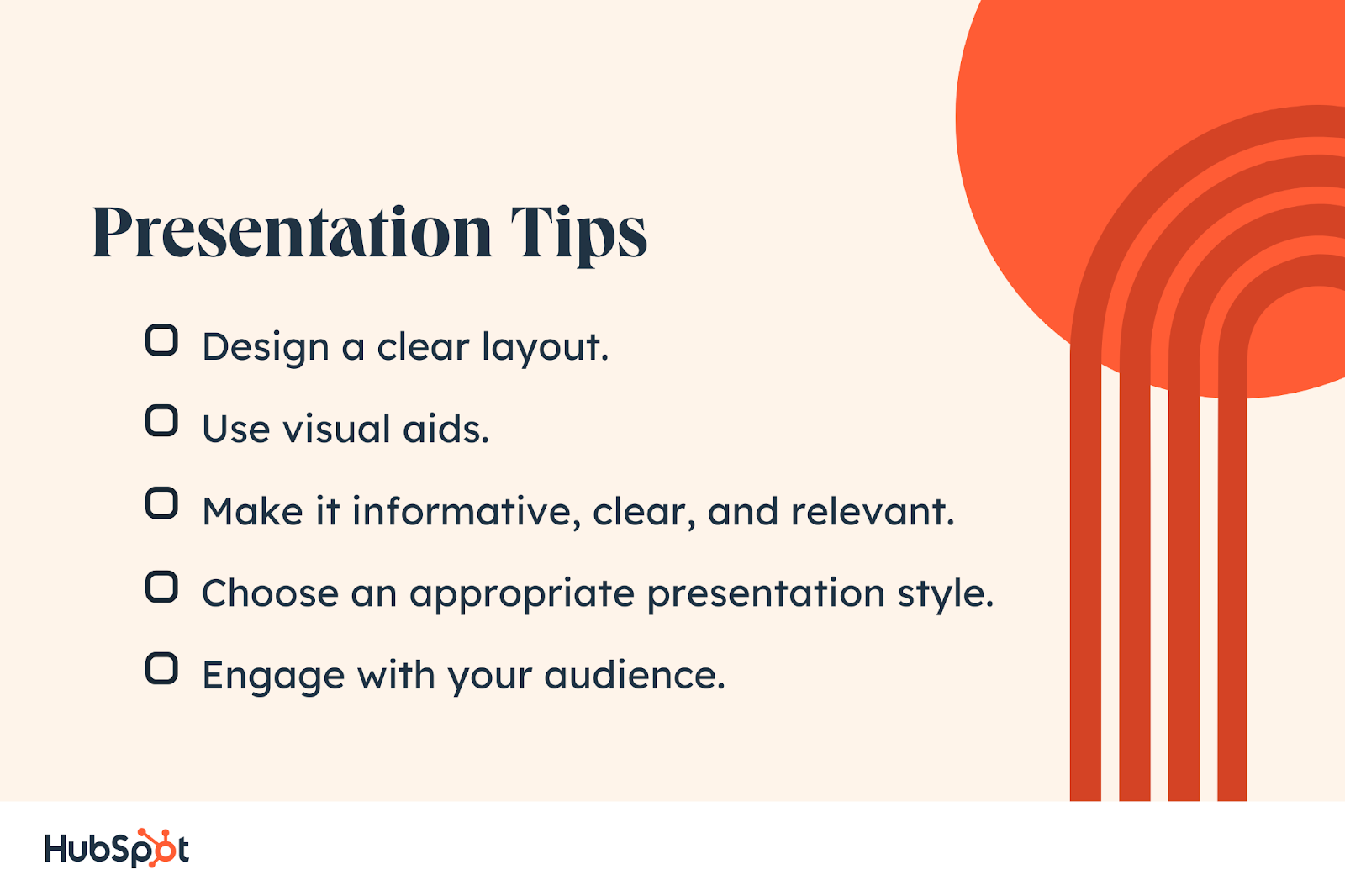
That being said, use these five tips to ace your presentation.

Presentation Tips. Make it informative, clear, and relevant. Design a clear layout. Choose an appropriate presentation style. Use visual aids. Engage with your audience.

1. Design a clear layout.

Divvy up your presentation into four parts — introduction, body, conclusion, and follow-up — to construct a clear layout and attractive design. Let’s see what you should add to each.

  • Intro: Add a catchy title with a hook. Explain a clear thesis statement or the main idea behind your presentation. Give a preview to your audience by including a table of contents so they know what to expect. The best introductions are creative and original, so let your imagination run wild.
  • Body: Explain your topic and make your case. Sort the main idea into 3 to 5 key points. Arrange them in a logical order and make connections. Explain each point and use facts to bolster your claims.
  • Conclusion: Make it concise. Summarize the main points and takeaways. Tie all the parts of your presentation together. And it’s best to end your presentation with a catchy line to inspire vivid discussions.
  • Follow-up: Always leave some time for Q&A to dispel any doubts or to give any additional information the audience may require.

A freeform style presenter.

2. Use visual aids.

Use creative and attractive visual aids to stimulate emotions, simplify complex topics, and keep your audience captivated. Moreover, imagery helps your audience retain information longer.

Study shows that up to 60% of your audience is likely to remember visual content after three days. In turn, only 10% lives in memory when receiving information exclusively verbally.

So, include visuals like images, infographics, gifs, charts, and videos at the right time. Sometimes a picture is worth a thousand words.

Explore more on the topic: Learn how neuromarketing can improve the visual flair of your products and boost sales.

3. Make it informative, clear, and relevant.

You know your presentation has valuable information for your audience, but does your audience know that? Explicitly communicate actionable takeaways and benefits they will gain from it.

Select the best method to get the message across to your audience. Use relevant stories and examples to help you explain. People love stories; they move your audience while getting the message across. Most importantly, do it in a fun way.

Here are several tricks on how to do that:

  • Have a great opening and closing line.
  • Add facts and statistics to back up your information.
  • Use emotionally triggering words to stimulate your audience and keep them attentive.
  • Add humor and anecdotes to keep boredom away.
  • Include intriguing and relevant examples to connect strongly with your audience.
  • Use a vibrant color palette that’s easy on the eyes.
  • Use slides more like a billboard. Make them easy to read and comprehend.
  • Use less text, more visuals, and a limited number of bullet points.

Watch “The secret structure of great talks” by Nancy Duarte, an expert in presentation design and principal of Duarte Design.

4. Choose an appropriate presentation style.

There are many ways to present a topic. Your personality, the topic at hand, and your audience’s personas will help you determine which style would best fit you and your audience.

Select a presentation style that will communicate the main idea clearly and have a lasting impact on your audience.

For instance, explore a freeform style presenter by Sir Ken Robinson.

5. Engage with your audience.

Work on your presentation skills to make a strong connection with your audience, get through to them and leave a mark.

Think of the presenter as the link between the topic and the audience. A strong or a weak presenter can make a difference between a presentation being a thriving success or a boring failure.

Hone your skills by engaging and interacting with your audience. Make them feel like a part of the presentation and not just spectators. 70% of marketers have found presentations with interactive content to be more effective than those without.

Here are a few ways you can make your presentation interactive:

  • Start your speech with uncommon questions to your audience. Involve them from the get-go, like ask to raise their hands if X.
  • Make eye contact to build credibility and show confidence. Don’t stare at your slides or notes. Smile occasionally and talk to the audience directly.
  • Have an active and confident body language. Don’t stand in the same place the entire time. Move around the stage.
  • Don’t be monotonous. Speak as you would to a colleague — with enthusiasm.
  • Ask close-ended questions in between to keep the audience engaged without losing time. Address them using their names to keep things interesting.
  • Share personal experiences and stories that your audience will find fascinating and relatable.
  • Practice thoroughly before you present so you’re fluent with the material and delivery.
  • Energy and excitement can be quite contagious. Make sure you exude enough to spread some to your audience.

Feeling Inspired Yet?

Now you have all the right ingredients for choosing amazing topics and a hundred ideas to drive inspiration from. So, go ahead and start cooking presentations that will blow your audience away.

Don’t forget to choose a super-relevant topic and add meaty information. Do it with excitement to make it enjoyable for you and your audience. Best of luck!

Blog - Beautiful PowerPoint Presentation Template [List-Based]

Categories B2B

How to Create Drop-Down Menus in Excel

Navigating an Excel file can sometimes get confusing.

Drop-down menus, also called drop-down lists, are an effective way of helping users navigate a spreadsheet more efficiently.

Using drop-down menus in your Excel file lets you keep things more organized, improving your productivity.

Thus, whether you’re a business owner, a salesperson, or just need to manage and schedule things using Microsoft Excel, you’ll benefit from knowing about drop-down menus.

This article will show you how you can create drop-down menus in Excel.

Download 10 Excel Templates for Marketers [Free Kit]

What are drop-down menus in Excel?

The Benefits of Drop-Down Menus in Excel

How to Create Drop-Down Menus in Excel

How to Create Drop-Down Menus in Excel Manually

What are drop-down menus in Excel?

A drop-down menu in Excel is a data validation function that allows users to choose an option from multiple options. When created correctly, they help users to work more efficiently on a worksheet.

Due to their design, they let users select options from a created list. You can find a variation of drop-down menus nearly everywhere you look on the internet — from newspaper websites to online stores — as it helps users gain access to different content sections.

Whether on websites or Excel spreadsheets, drop-down lists improve the user experience and make everything look more organized.

The Benefits of Drop-Down Menus in Excel

As earlier pointed out, drop-down lists in Excel allow you to organize your data quickly. A drop-down menu also lets you decide the entries users can input in a cell.

You can minimize errors on the spreadsheets you create using a drop-down menu. It’s a useful tip to help you get the most from using Excel.

With these advantages in mind, let’s review how to create a drop-down menu in Excel.

How to Create Drop-Down Menus in Excel

Excel is a powerful and highly versatile tool that makes life easier for organizers.

In the example below, we show you how you can, step by step, create a drop-down list in Excel. The example spreadsheet lists people on the left and a column with their corresponding headphones of choice on the right. In the example, we’ll add drop-down lists for the Headphones column on the right.

Let’s get into it.

1. Create a list in an Excel table.

The first step in creating the drop-down menu is to create a list in an Excel Table. To do that, open a new sheet and type the entries you want to appear in the drop-down menu.

We have named the new sheet “Headphones.”

After typing the entries, you can convert the list into an Excel table by clicking CTRL + T. You can see the new table below.

2. Choose the cell where you want the drop-down list.

Next, go to the sheet where you want to include the drop-down list. In our example, this is the “Destination Sheet.”

Then, select all cells where you want the drop-down menu to appear. For example, you can see we have selected these cells below.

3. Select Data Validation.

The next step is to go to the Data tab on the ribbon, then select Data Validation. If Data Validation is grayed out, the worksheet is likely protected. And you’d need to unlock it before proceeding.

If you can click on Data Validation, continue with the steps below.

  • When you select Data Validation, you’ll open the Settings tab. On the Settings tab, open the Allow drop-down menu, and click on List.

  • After selecting List, click on Source to determine the list range. For example, we put ours in the “Headphones” sheet in range A2:A9.

Note that checking Ignore blank in the box above means an error won’t be generated if the selected cells are empty.

If you want a message to pop up when any cells are clicked, click on the Input message menu.

You can see the results in our new sheet below.

You can also use the Error Alert tab to display a message when a user enters a value not on your list. To do that, click the Error Alert tab, and choose an option from the Style box. And type in a title and error message.

In the Style box, choosing Information will only show an icon that a wrong value has been inputted — it doesn’t prevent the users from entering an incorrect value.

On the other hand, selecting Stop will prevent users from entering data that’s not on the list.

Next, click OK. You should have your drop-down menu ready to go.

How to Create Drop-Down Menus Manually

Using the Source box, you can manually enter source data for the drop-down menu. This is best if the values are small, e.g., yes or no.

Using our example, we’ll add a new column that requires a yes or no answer.

Let’s show you how to add a drop-down menu using manual means.

1. Select the cell.

Choose the cells you want to input into.

Then, click on Data Validation in the Data ribbon.

2. Enter each entry with a comma.

In the Source box, enter each value and separate them with a comma, as shown below.

Click OK. And that’s how to add a drop-down menu manually.

[Video: Excel Drop Down List Tutorial]

Getting Started

We’ve shown you the simple and fast way of creating a drop-down list or menu in Excel. Not only can you create a simple drop-down menu, but now, you can also add an error alert message.

Using this technique makes your spreadsheet look better and easier to navigate for anyone that uses it.

excel marketing templates

Categories B2B

How to Prepare Yourself for the Post-Cookie World


“Half the money I spend on advertising is wasted; the trouble is, I don’t know which half.” – John Wanamaker

John Wanamaker was considered to be a marketing guru long before there were marketing gurus. (It would have been a real treat to see him use Twitter.) But Mr. Wanamaker had a great point.

In his time, it was a real struggle to quantify what worked and what didn’t. In the modern age, this seemed solved by third-party cookies, as data snippets revealed users’ online activities, helping marketers target better. 

But the rising tide of privacy concerns has changed the game. High-profile privacy scandals and education have made users wary.

With giants like Google planning to shelve cookies, we’re thrust into a new era: The post-cookie world. For brands, it’s adapt or fade away. 

In this post, here’s how you can navigate this new reality where user privacy reigns supreme.

What is a post-cookie world? 

A post-cookie world refers to a future digital landscape where third-party cookies are phased out. 

Cookies are small pieces of text sent to your browser by a website you visit. First-party cookies helped all of us, the users, to experience a website in a much more enjoyable way (by remembering preferences such as our default language or our preference for dark mode). They are one of the essential inventions that made the Internet easier to navigate and explore.

However, not all cookies are the same. 

Third-party cookies are among the most important inventions that made the Internet commercially viable by streamlining advertising. Unlike first-party cookies that had more of a user experience purpose in mind, third-party cookies are all about marketing dollars and optimizing advertising campaigns. Understanding and monitoring navigation across websites made determining whom to target and how easier. They are also, however, a powerful way to gather information, monitor and erode the privacy we used to have in the early days of the Internet. 

Is a post-cookie world definitely going to happen?

We shared at the top that John Wanamaker stated a century ago that half of all advertising budgets go to waste. Would he say the same thing if he knew about cookies? And about the Internet? Probably not. 

(Look on the bright side: At least it’s not more than the 97% of all lead gen spend that’s wasted.)

Over the years, cookies, particularly third-party ones, have raised privacy concerns due to their ability to track users’ activities across different websites. Tech giants like Google have announced plans to phase out third-party cookies in Chrome by the end of the year, moving towards a more privacy-focused model.

This digital privacy dilemma around cookies has become widely relevant and essential for users and organizations. We have more education and content that explains to average users what their data is worth such as The Social Dilemma or the Cambridge Analytica Scandal. As a result, many users and organizations have opted to block third-party cookies, making it once again challenging for marketers to understand digital behavior and optimize advertising budgets across campaigns. 

The trend is unstoppable. Privacy matters, and users everywhere are more aware of the power of their data than ever before. 

To remain relevant, brands have no choice but to adapt to the next stage of digital advertisement; the cookie-less digital experience.

6 ways a post-cookie world impacts marketing

Your marketing campaigns can still be effective even if you cannot access third-party information about your users and their online behavior. 

Marketers can leverage creative strategies to beat their competitors, connect their value propositions with their users, and successfully run advertising digital campaigns. 

Privacy-first products become more desirable

People are increasingly opting out of cookies across all types of websites and product innovations.

As an example, we can see how companies such as Apple launched its iOS system that allows users to keep their navigation private and opt out of tracking. In May 2021, it was reported that 96% of Apple users were opting out of in-app tracking. Surprisingly, this figure decreased to nearly 75% just a year later

Unlike a couple of years back, today, users are aware that their data is essential and that “free” products are platforms where the value comes from the user.

Digital products aligning with this new era of the Internet and privacy will have a better chance of becoming a trusted brand in people’s minds. 

Reduce ad personalization

It is time to get back to fundamentals and focus on the jobs our product or service solves to gain relevance.

Let’s say you own an online video editing tool and want to launch ads for two audiences. The first needs your product because hiring an in-house media specialist takes too much time, and the second needs it due to the high volume their internal team can no longer handle. While the reasons behind arriving at your solution might differ, both audiences share a similar job; their time is limited, and they need an app to produce videos.

Using the same ad for both audiences is an elegant solution that intuitively connects your value prop with the pressing job users need to solve. Just because personalization is reduced does not mean quality has to suffer. 

More reliance on first-party data

While most marketers know the importance of capturing data and constantly improving user experiences with the product, capturing first-party data is only sometimes a priority for organizations. 

Often companies ignore their users, skipping direct feedback and overlooking qualitative methodologies (interviews, focus groups, etc.) 

In a cookieless world, gathering as much valuable information as you can about your users can be the main lever that helps you grow.

According to the Pew Research Center, most Americans are somewhat concerned about how much data is collected about them by both companies (79%) and the government (64%). Being transparent about the data you collect, what you use it for, and how it may benefit people that are similar to your current users would allow your brand to stand out as a privacy-first solution. 

Note: Be sure to create clear policies regarding the type of data you want to collect from users. Skipping being privacy compliant can massively hurt your company and lead to fines. 

Image via Flickr – Apollo 7 Hasselblad image from film magazine 3/M – Earth Orbit

Greater emphasis on contextual advertising

Being thoughtful about the type of content a particular website has and creating contextually related ads will become more critical for sales and marketing leaders.

Before, with third-party cookies, you could rely less on contextual advertising because you could teach ad networks which segment to target and the type of ad. 

In the cookieless new-normal, prioritizing advertising that contextually relates to the website’s content will likely be more successful. 

Returning to the online video editing example, imagine you have an excellent SEO piece about the time you can save using the app instead of hiring an in-house specialist. Instead of leaving the page as exclusively SEO-focused, you can add an advertising campaign highlighting the job to be done of “saving time” on the article which can be highly effective. 

Marketing attribution will get more challenging in the short term

Marketing attribution will change dramatically in a world without third-party cookies. 

However, marketers and sales leaders must develop a set of contradictory skills to help them navigate this paradigm: relying on statistical models to find patterns and letting go of the need to control and attribute all digital efforts.

  • Statistical models that help marketers find patterns, correlations, and causations between channels and tactics to improve advertising spend.
  • Letting go of the desire to attribute all marketing efforts to results and being comfortable with qualitative and contextual information will gain more and more relevance without cookies. Not everything can be measured, but there are correlations and causations you can find with the right statistical models.

Shift away from paid channels to owned channels

Paid channels work because you can calculate the return on the investment via new opportunities generated. As long as the cost-per-lead (CPL) works for your organization and helps you accomplish your goals, paid channels are a great way to build a sales pipeline. 

When every marketing dollar needs to be as efficient as possible, switching to owned channels is a great idea to help you become more cost-efficient. We must unlearn what we have learned about content marketing in many ways to win the battle, but the long-run payoff is worth it. 

And how about a post-cookie world for data analysis?

As mentioned above, a world without cookies makes it more difficult for sales and marketing departments to understand how their marketing dollars impact the sales pipeline. 

With less information and access to digital footprints, marketing, and sales departments must think outside the box to measure what works instead of relying on retargeting ads. 

Emphasize collecting first-party data 

Ensure you have the right data-capturing systems in place to understand digital behavior. The more information you can obtain in an orderly manner that ties to the behavioral habits of your users, the easier you can launch successful marketing campaigns and improve your retention KPIs. Motivate users to opt-in to receive communications across channels, and keep your comms engaging and valuable at all times. 

On top of setting up the correct data-capturing systems, push your teams to learn as much as possible from your current users. Use mixed research methods, including quick and focused short surveys and in-depth open-ended conversations, plus everything you can think of in between. 

Some of the most insightful ideas to improve your product, marketing, and sales processes are already in your user’s heads. All your organization has to do is find a creative way to capture them.

Leverage less granular data and adopt attribution models

It’s easy to assume that the more granularity we have, the better. However, given that companies will now receive less information regarding their traffic source, there is a massive opportunity to find overlapping patterns.

Adopt marketing mix models (MMM) to improve campaign strategies using comprehensive data sets instead of personal information. Although these models have a lot of room for improvement, they provide valuable insights into the successes and failures of multiple variables. For instance, if you’re allocating the same level of spending across numerous channels, a marketing mix model can help you optimize your campaign by experimenting with the variables.

New models also leverage the power of machine learning and artificial intelligence to improve attribution calculations further. There are several options, and many more created daily, that help marketing and sales teams implement AI. For example, your organization could adopt Project Robin, a ML-powered and semi-automated open-source MMM package, to figure out how to better allocate marketing dollars.

Adoption of new data tracking methods

There are multiple ways to track users and understand their digital behavior. While privacy is still crucial, there are respectful, privacy-first digital products that can help you improve your marketing campaigns. 

Ensuring you have set them up correctly will help you better understand your marketing efforts and double down on what works. Likewise, be sure to adopt Microsoft Clarity which allows you to track user behavior with heatmaps, session recordings, etc., and explore tools such as Heap, Glassbox, Mixpanel, etc., to keep an eye on product metrics. 

Once you have all of your monitoring apps in place, the job is to combine them, find patterns, and understand how to improve your marketing campaigns.  

Leverage market research tools 

There are multiple buyer-level intent platforms, like NetLine’s INTENTIVE, and market research tools that can help you gain clarity and improve your marketing campaigns.

As a general rule of thumb, prioritizing first-party data collection is a better path because the information you capture is truthful and private (not to mention owned and, therefore, cost-effective). 

Increased focus on consumer privacy and leveraging data clean rooms

There is no going back to a vigilant Internet where we know exactly where people are coming from. Privacy is here to stay, and governments and institutions ensure that digital products protect users’ data. 

As a response, organizations must become increasingly more thoughtful about privacy and how to empower users to do more without sharing more. An option that has gained traction in combining privacy and data-rich insights is adopting data-clean rooms. These are places (digital software) where you can compare your first-party data with the data that Google, Facebook, and Amazon can share while also ensuring data privacy. This practice allows you to identify whitespaces, opportunities, patterns, etc., that stay within the data-clean room but can influence your advertising efforts. 

Some key benefits of adopting data-clean rooms into your advertising efforts include better data security and quality levels while remaining data compliant.

10 ways to ensure your business thrives in the post-cookies world

Here are the ten things you can leverage to ensure a cookie-free strategy allows you to push your marketing and sales efforts forward:

  • Put yourself in the shoes of the user – This is self-explanatory and yet worth pointing out. We are all digital product users, and we care about our data and whatever happens to it. Treat your user’s data as if it were your own.
  • Invest in first-party data collection – Set up the correct data-capturing mechanisms in your organization. Keep a clean and tidy CRM with shared definitions between your sales and marketing teams. Run mixed-method research projects to improve your advertising campaigns, including conversations with current users.
  • Adopt contextual advertising – Ensure the intent behind your digital assets connects with the advertising messages being presented. Build the right SEO content that connects with pain points and your users’ journey.
  • Focus on owned channels – The less you can rely on platforms for your advertising, the more control and long-term impact you can have on your audience. It is crucial to own your channels and make sure people find them valuable and willingly want to provide feedback and share their data.
  • Leverage data clean rooms – This alternative allows you to compare and contrast your first-party data with privacy-compliant third-party data to find patterns and opportunities.
  • Invest in cleaning up your CRM – Everyone in the organization must have shared definitions of KPIs and CRM management. Doing this will help you streamline operations while improving your understanding of particular segments and clients. The more you understand your user, the more resonant your advertising campaigns can be.
  • Build the best statistical models to get the most out of your data – Spend some time finding a suitable marketing mix model that works for your company. In some cases, it may not be a single one but a combination of several statistical models; what matters is that you can increase the attribution confidence across multiple channels.
  • Lean into AI for predictive modeling – Look for AI tools and advancements that help organizations better understand marketing models. As we already mentioned, options such as Robyn or the models that Google offers for free can help you improve the quality of your marketing spend.
  • Be comfortable in a privacy-first Internet with less certainty – Not a reality many sales or marketing leaders want to hear, but nonetheless, one we must embrace. The good-ol-days of following users with ads across networks are no longer what they were, and going back to marketing fundamentals, mixed method research, and robust statistical models are the best route now.
  • Comply with data privacy laws – Be sure to keep your data privacy data laws up-to-date. Skipping this might result in fines and destroy the trust between your brand and its users. 

How NetLine can help you navigate in a post-cookie apocalypse

One of the best ways to get ahead in a post-cookie world is to focus on first-party buyer-level intent data.

NetLine INTENTIVE is the only buyer-level intent platform, purpose-built to help you supercharge your marketing efforts. It doesn’t just tell you “who” is showing interest in an account, it reveals “what” actions they’re taking, “when” they’re taking them, and uniquely, “where” these actions are happening. Start a free trial today.

Categories B2B

How Content Creators Are Tackling The New Instagram Threads

Instagram‘s off-shoot app, Threads, is Meta’s answer to Twitter (now rebranded to “X” by Elon Musk).

Dubbed a “Twitter Killer,” Threads amassed 100 million users in just five days. Among new Threads users are content creators; many also use Twitter to interact with their followers, build community, and network with other creators and brands.

So how are content creators adapting to the new Instagram Threads? How do they believe it compares to Twitter? I asked several content creators who are early adopters of Threads for their perspectives. Here’s what they have to say.

Download Now: Free Social Media Strategy Workbook

How are content creators using Threads?

Content creator and cosplayer Kumar‘s use of Threads closely mirrors his strategy on Twitter. He posts videos, photos, random thoughts, and original Threads content.

“I post threads about what’s on my mind randomly — maybe it’ll be something I said as a tweet already or a one-off thought I had to post on Threads,” he explains. “I’ll repost things I’ve seen on Threads from others that I like or relate to, but I’ll still definitely recycle my content and post new content on there as well.”

Kumar says recycling his media on Threads can introduce his content to a new audience.

“It could potentially lead to a new set of eyes that didn’t get to see your content on your other platforms or could introduce people to you for the first time, and they can see what you’re about and what you create,” he says.

Screenshot of Kumar's Threads feed where he shares photos, videos, and more.So, does this mean most content creators use Threads as a “second Twitter”? Author, podcaster, and creator Jacque Aye says that’s different from her approach.
“I don’t think my approach to Threads will be the same,” she says. “Twitter has more reach and an established vibe. [On Twitter], we’re a bunch of strangers sharing opinions and chatting around the clock.”

Aye notes her content travels farther on Twitter than on Threads, which makes sense considering Twitter’s longevity and 396.5 million users.

“I feel like Threads is a bit more contained than Twitter,” she explains. “With Twitter, I could reach one million people with a single tweet. I don’t think the same is possible with Threads yet.”

Threads’ more insulated environment is partially because the platform is exclusive to Instagram users. The platform also gives new Threads users the option to import their followers from their Instagram as followers on Threads.

Additionally, the platform lacks hashtags, direct messaging, and a “For You” page — features available on Twitter that help creators push their content to new audiences.

Threads’ ability to automatically transfer Instagram followers plays a role in how Aye uses the app.

“On Threads, my real-life friends, family, and Instagram followers are my audience,” Aye says. “They don’t know the ‘me’ on Twitter, so I’m a bit more tame on Threads.”

However, Aye notes her Substack links are not reaching as many people on Twitter as her other content. Substack is the platform Aye uses to support her newsletters.

“So, I plan to share more of my Substack articles on Threads, compared to Twitter,” she says.

Screenshot of Jacque Aye's Threads feed where she shares updates on the books she's published.Threads is still in its infancy, so many creators are still finding their footing on the app and deciding “who they are” on Threads compared to other platforms.
Content creator Jay Clouse of Creator Science sees the new landscape as a chance to experiment.

“Threads feels like an opportunity to show a different side of yourself,” he says. “I don’t think there’s any ‘right’ voice or tone for Threads yet, but I don’t think it should mirror the tone of other platforms.”

Like Kumar, Clouse uses Threads to share his thoughts, which may only sometimes be directly tied to his content.

“I’m approaching Threads much more as a place to share unpolished thoughts and real-time experiences – less declarative statements and platitudes,” Clouse explains. “But there’s an important idea to remember: Your content on Threads (or anywhere else) needs to provide some form of value to the reader.”

Clouse says it’s tempting to publish unpolished, self-interest posts on Threads because, as humans, we love to talk about ourselves and our experiences.

However, he warns that while our thoughts can be exciting to ourselves, they may be uninteresting to anyone else.

Therefore, Clouse is strategic with his thoughts on Threads, often opting to post off-the-cuff content that is still helpful to his followers. For example, Clouse posted his take on entrepreneurs, marketers, and creators as a target market.

The post starts as a “hot take” but ends by advising his followers to target a larger audience.

Screenshot of Jay Clouse's Threads feed where he share advice and off-the-cuff thoughts on marketing and content creation.

How are creators thinking about branding and partnerships on Threads?

According to a study released by IZEA Worldwide Inc., 90% of active Threads users believe the app will be a good place for brands and influencers, and 54% of social media influencers have already posted sponsored content.

However, both Kumar and Aye say Threads isn‘t the platform they’d turn to for branding or partnership purposes.

“To be honest, I’m not sure if Threads is where I’ll be initially looking for those types of opportunities,” Kumar says.

He explains, “I feel like companies would still look to promote those kinds of opportunities through already established apps like Twitter or Instagram or email an individual if they’re interested in partnering with creators for their brands.”

Aye explains, “As someone who has worked with and paid creators, I’d still pay more for a sponsored Tweet than a Thread — but time will tell!”

However, Kumar thinks Threads is as good as any other social media app for building connections.

“But that’s not to say I don’t think you can’t network and meet new people, make new connections, and make new friends on Threads like any other social media app like Twitter or Instagram,” he says.

What Content Creators Think of Threads

83.5% of social media influencers are open to monetizing their Threads posts, according to IZEA Worldwide Inc.

However, several apps like Hive, Mastodon, and Spill have popped up over the last several months to compete with Twitter, seemingly generating tons of buzz overnight before being swept aside for the next shiny new app.

So it’s no surprise that while many creators and influencers are open to leveraging Threads for business, creators like Aye still need to be convinced of its potential.

When asked about leveraging Threads professionally, Aye says she’d rather wait to see how the platform progresses.

“I have limited time, and I’ll keep pouring into apps I know will be around for a while. I’ve signed up for 3 or 4 apps that fizzled out, and I’m running out of space on my phone,” she jokes.

Clouse says social media platforms like Twitter, Instagram, TikTok, and Facebook had advantages for early adopters building their social network from the ground up.

“People joining Twitter had to find people to follow on Twitter,” he explains, “so when new users joined Twitter, Twitter recommended all new users to follow certain profiles like Mark Hoppus, Ali Spagnola, or Michael Ian Black. That created an incredible advantage for those early adopters.”

Threads doesn‘t have those same advantages, but that doesn’t mean there aren’t perks, according to Clouse.

“The advantage of Threads is that you don’t need to build your network from scratch — it comes from Instagram,” he says. “So, the opportunity seems biggest for users who already built a large following on Instagram.”

YouTuber Jade Beason agrees.

“The decision to sync followers/following lists between Instagram and Threads accounts is super clever,” she says. “This feature has helped new Threads users build a quick community, which is not always easy to achieve with other apps.”

However, Beason notes more will need to be done on Meta‘s end to keep the Threads’ momentum going and retain users.

“Retention seems to be the biggest challenge for Threads at the moment,” she says. “Reports indicate a drop of 70% since launch. Meta will need to find effective ways to continuously re-engage Threads users to ensure the app’s long-term success.”

Final Thoughts

We‘re only weeks into Threads’ existence, so it’s hard to pinpoint if Threads is the app to dethrone Twitter.

Without private messaging, hashtags, or a concrete algorithm, creators could find it difficult to network, expand their reach, or promote their content.

With that said, the only way to navigate Threads is to relax, experiment, and keep an eye on the platform’s improvement over time.

“This is the time to play around with innovative uses of the platform,” according to Clouse.

He says the biggest winners will be creators willing to experiment to find a strategy that works.

“The risk, of course, is that the excitement dies down and fades into once-upon-a-time hype,” he says. “I am actually more optimistic than that, though.”

New call-to-action