Categories B2B

8 Must-Have Tips for Writing Landing Page Copy That Converts

Conversion copywriters — the people who write landing page copy that converts readers and delivers sales — are wonderful human beings. Their writing pulls in readers, generates conversions, and ultimately produces buckets of cash.

Wouldn’t you like to have that skill?

There’s good news here: It’s only partly skill. The rest is just technique — technique that you can learn and master. You — yes, you! — can unleash the same wizard-like conversion copy powers, as long as you understand the techniques that are at play.

Click here to learn best practices for optimizing landing pages and generating  more leads.

You see, conversion is very much a science of the mind — how your prospect’s mind processes information, makes decisions, and decides to convert. In this post, I’ll describe eight writing techniques that are proven to work. After putting your time and resources into generating traffic, here’s how you can turn traffic into revenue by creating copy like a conversion pro.

Here are the tips we’ll cover:

  1. Use customer testimonials
  2. Emphasize the benefits, not the product/service
  3. Spend time writing a killer headline
  4. Keep your writing simple
  5. Write like a human
  6. Use numbers and get specific
  7. Ask for readers to take action
  8. A/B test your copy

8 Tips for Writing Great Landing Page Copy

1) Use customer testimonials.

One of the most powerful conversion copy techniques is not about writing at all; it’s about letting happy customers write your copy for you.

Testimonials produce conversions like nothing else can. It’s impossible to write copy as good as your customer. Why? Because good copy depends on the source, not just the style and substance. Testimonials are compelling because they show the customer what she will experience if she uses your product or service.

HighriseHQ’s landing pages are great use cases of these customer testimonials. A key to their successful, high-converting landing pages is that they place testimonials front and center, featuring a picture of the customer alongside a quote.
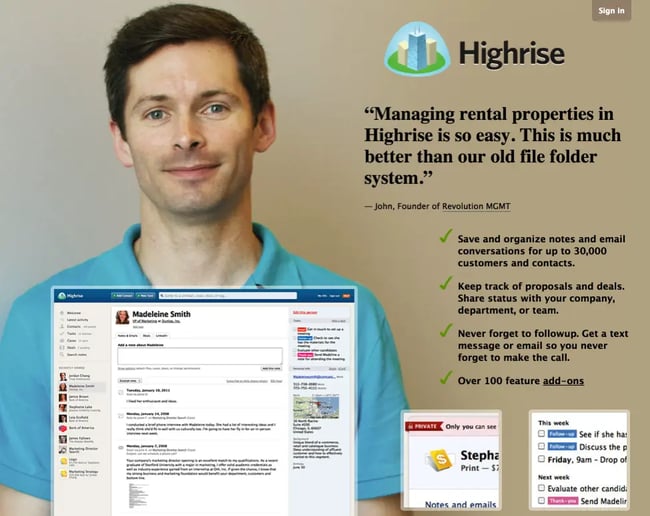
Ex1 Highrise

Now, take a look at one of Zoosk’s landing pages, where most of the copy is testimonials:
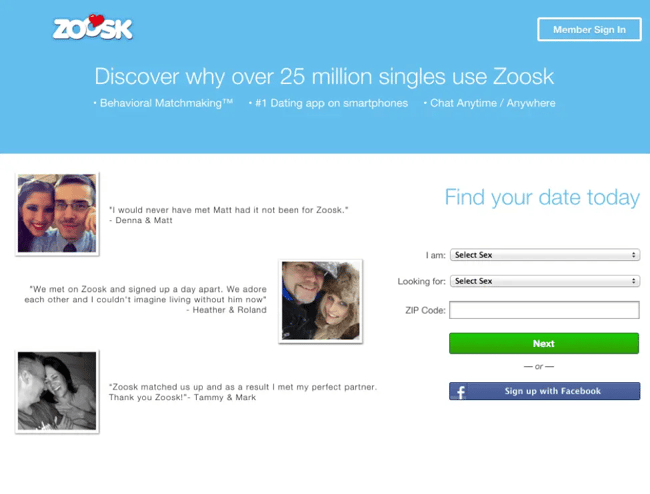
Ex2 Zoosk

Most landing pages that do well have testimonials somewhere on the page, but ConversionXL uses a testimonial as their headline:
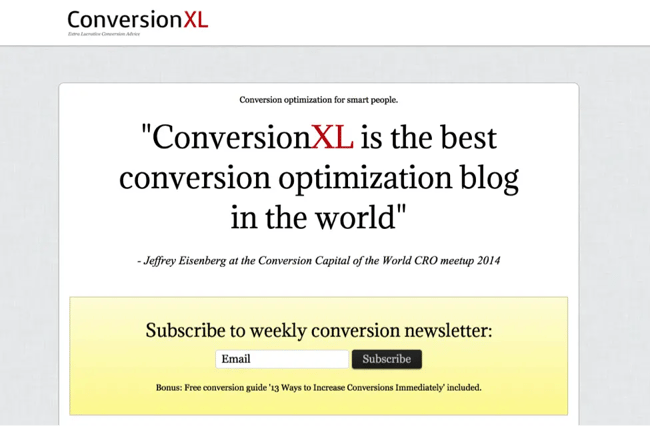
Ex3 ConversionXL

Remember, your best conversion writers are your customers. Let them speak for themselves — social proof is a powerful addition to your copywriting and marketing strategy.

2) Emphasize the benefits, not the product/service.

One of the most important lessons I’ve learned in online marketing is that customers don’t really care about your products or services — in other words, they don’t care about the “solution” you’re trying to sell to them. A group of Harvard researchers conducted a study of 1,400 B2B customers in a variety of different fields, and concluded we’ve reached “the end of solution sales.”

Traditionally, sales was predicated on the “solution-selling method.” According to this method, “salespeople are trained to align a solution with an acknowledged customer need and demonstrate why it is better than the competition’s.”

That approach isn’t working anymore for one very simple reason: Customers already know the solution they’re looking for. They are capable of learning virtually anything thanks to the internet and search engines. In fact, not only do customers know the solution, they also know the features they are looking for, the requirements the product must meet, and a benchmark pricing.

If you are pitching only your solution, you’re not giving your customers what they need and want. You need to pitch benefits. It’s okay to mention your solution, because that’s a signal to the customer that he or she is in the right place — but don’t push that solution. Instead, push the benefits.

Let’s look at an example from Unbounce, who successfully emphasizes the benefits of their product on this landing page: “Without IT”; “build a high-converting landing page now”; “we’ve doubled and tripled conversion rates.”
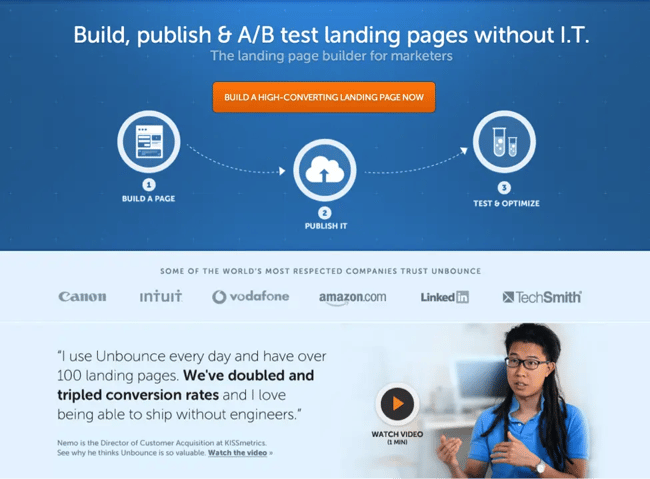
Ex4 Unbounce

GetACopywriter.com leads with benefits in their landing page, pictured below. Their ideal customers are looking for copywriters, so they simply pitch the benefits of getting a copywriter through their service.
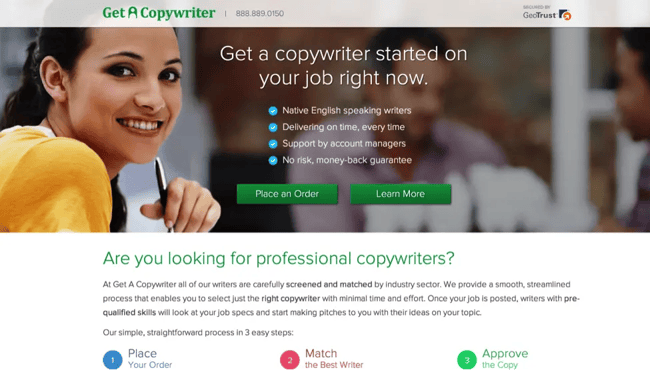
Ex5 GetACopywriter

Jaybird, a company selling high-end Bluetooth headsets, uses a landing page that exclusively talks about benefits. There is very little on here about solutions. What sets the Bluebuds apart from everyone else is the benefits.
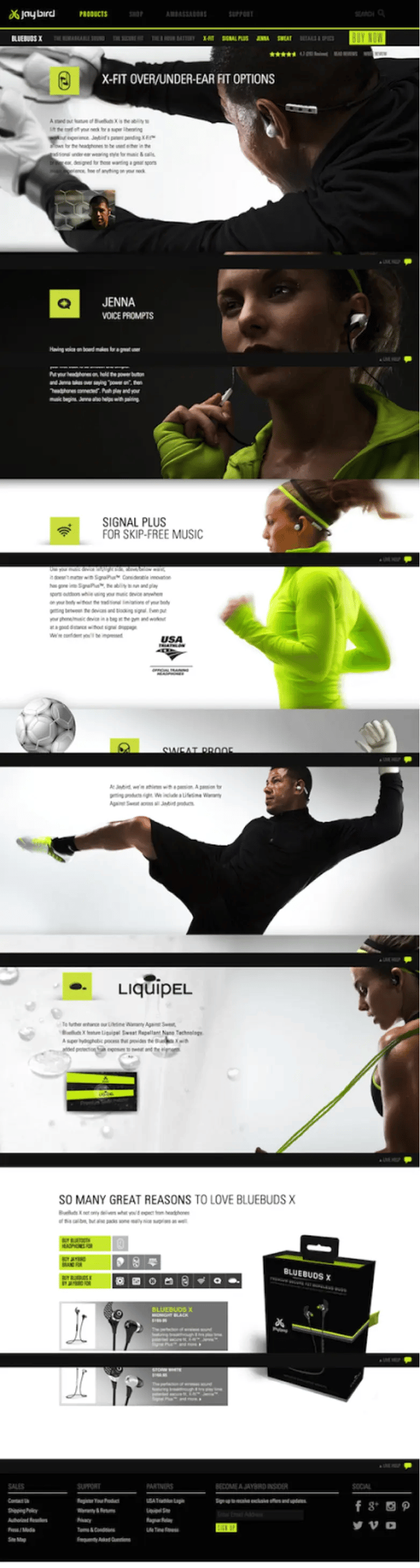
Ex6 JoyBird

Benefits trump solutions every time. If you want to take your copywriting to the next level and increase conversion rates, put customer benefits at the forefront of your marketing efforts.

3) Spend time writing a killer headline.
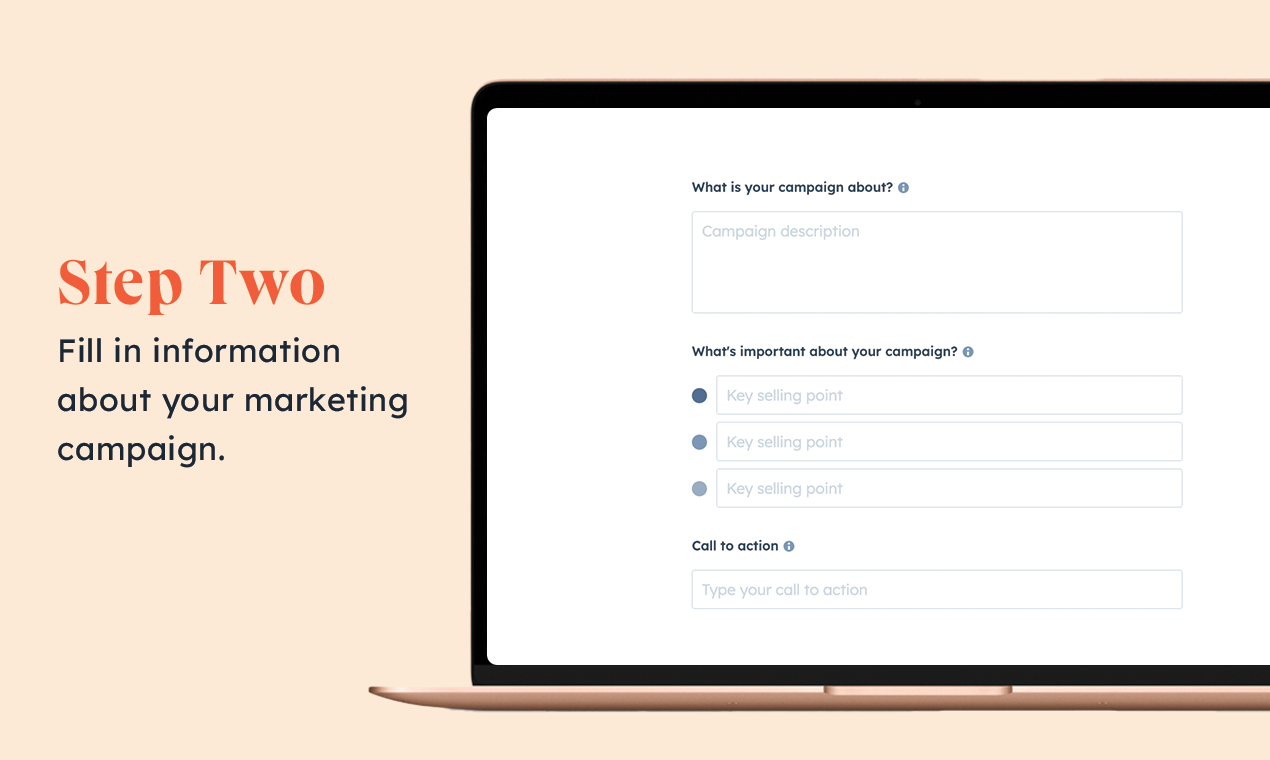
Campaign Assistant: Provide information on your marketing campaign

HubSpot’s Campaign Assistant can help you generate copy

This isn’t the best news you’re going to read all day, but someone needs to say it. People don’t meticulously read your landing page copy. They scan, they skim, and they allow their eyes to flitter across the page, but they don’t (usually) read every word.

So, what’s a copywriter to do? Go find a job where someone actually appreciates our hard work?

No. We adapt to the customer and produce copy that will compel them to convert in spite of their skimming habits. Here’s what customers do pay attention to:

  • The headline.
  • The subheadline (usually).
  • The pictures.
  • CTA buttons.

After that, customers may or may not read the following:

  • Major section headings.
  • Bullet points.
  • Short paragraphs.
  • Image captions.

That should give you an idea of what to focus on as you write your conversion copy. The most important piece of content is the ten or fifteen words in the headline. Focus on and nail that, and you’ll have come a long way. To help convert the “non-readers,” you should:

  1. Make your headline big, strong, and clear.
  2. Use a compelling subheadline that pushes your product’s benefits.
  3. Show large pictures that demonstrate the benefits of your products and explain your message.
  4. Use strong copy in your CTA.
  5. Break your copy up into major sections, led by a headline with large type.
  6. Use bullet points to discuss benefits of your product. Short bullet points. Not long ones.
  7. Use short paragraphs, rather than long blocks of text. Any paragraph over five lines long can be hard to digest.
  8. Use captions on your images.

4) Keep your writing simple.

The best conversion copy you’re going to read will come in the next two words: Be simple.

You may be as good of a writer as Stephen King or J.K. Rowling, but that doesn’t matter so much because literary prowess is useless in conversion copy. Your most powerful writing skill is simplicity. Simplicity sells.

Take Optimizely, for example. They produce some of the most brilliant landing pages ever created for their clients, but take a look at their own landing page:
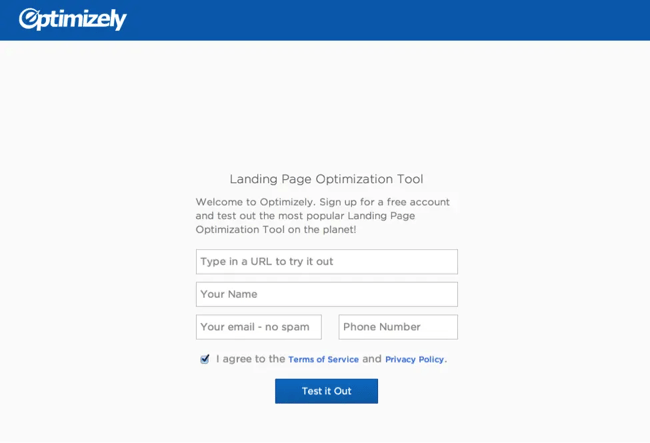
Ex7 Optimizely

Is that it? Yes, yes it is. And it’s very effective. Why? Because it’s so incredibly simple. Let’s visit another landing page service — Get Response. Here is their landing page:
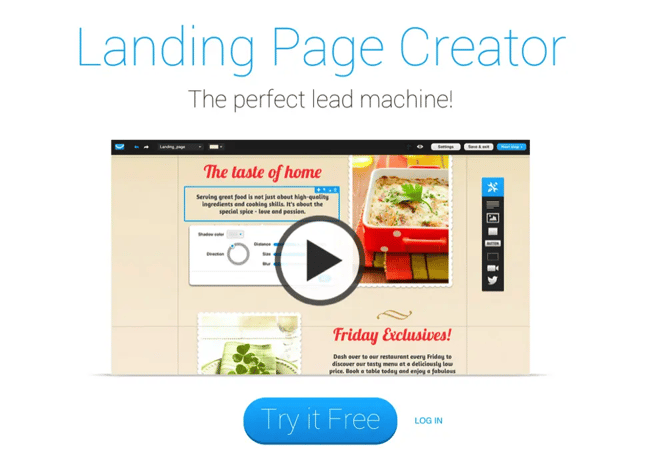
Ex8 GetResponse

Simplicity again. Did whoever wrote those landing pages sit around for hours brainstorming, testing, tweaking, standing in front of a white board with a fistful of colored markers, thumbing through a thesaurus, taking long walks in nature, and meditating on the meaning of life in order to produce such brilliant simplicity?

Nope. They just wrote the simplest, most clear statements they could.

But simplicity doesn’t mean replacing creativity with meaningless buzzwords. ConversionXL created a list of words that marketers should do their best to avoid — these are phrases that you don’t want to use:

  • “On-demand marketing software”
  • “Integrated solutions”
  • “Flexible platform”
  • “World leader”
  • “Once-in-a-lifetime opportunity”
  • “Changing the way X is done”
  • “Paradigm shifting”
  • “Exceeding customer expectations”

(Click here for even more cliché marketing taglines you should avoid.) Those clichés don’t work anymore — you need to keep it simple. Here are a few tips for keeping your landing page copy simple:

  • Use a simple sentence structure.
  • Keep sentences short.
  • Use short words. Short words are easy to understand and skim.
  • Don’t get fancy with your wording.
  • Be clear and succinct. Use the most basic words to describe what you’re trying to say.

If you can be simple, you can write great conversion copy.

5) Write like a human.

There’s another technique that will help you crush your competition: Sound like a human being.

At some point, a bunch of copywriters decided it would be great to produce copy that sounded strained and robotic. Who’s writing this stuff? And who’s reading this stuff? I don’t know, but I do know that no one is converting on it.

People prefer to connect with other people, not with robots. That’s why your copy needs to sound like a human wrote it. Here are some specific things you can do to make your writing more personal:

  • Write the way you speak.
  • Use normal words, like the ones you’d use if you were talking to a ten-year old. For example, why use “convivial” if you can use “friendly?”
  • Use short sentences.
  • Break grammar rules if the writing still sounds good and natural.
  • Be funny.
  • Use first person.
  • Use expressions you’d use in a normal conversation. “Seriously.” “I’m thinking…,” “Wait a second.” “It was crazy.” “Wow.” “It was pretty awesome.” “It’s like…”

Ramit Sethi, a personal finance advisor, entrepreneur, and author of the famous blog “I Will Teach You To Be Rich,” has with sky-high conversion rates and a powerful personal style. His blogs read like a personal email to a best friend. He doesn’t even mind tossing in a word or two that he would use if he was hanging with his buddies. Check out this excerpt from one of his blog posts:
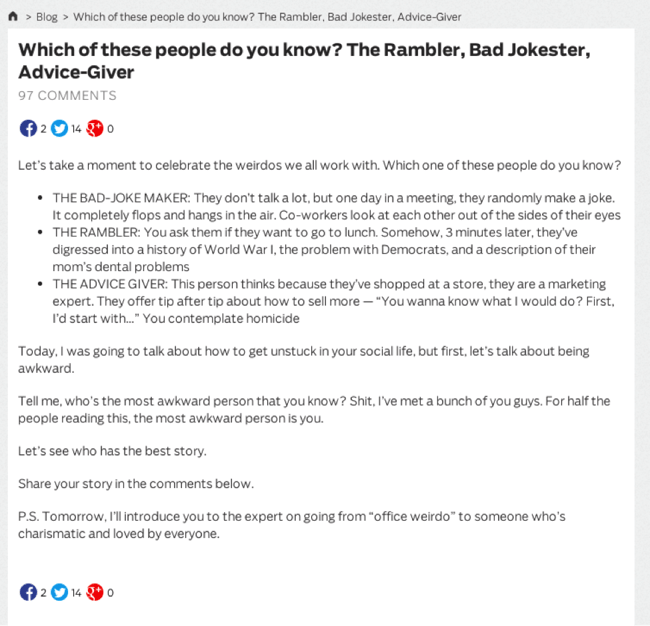
Ex9 RamitSethiBlog

Try to get yourself away from the idea that you’re writing “copy,” and think of it more as a conversation. If you do that, you’ll write better. You’ll sound like a human. Your conversion rates will go up.

6) Use numbers and get specific.

The more specific you are, the more believable and persuasive you will be. Which one of these claims is more persuasive to you?

  • “Your conversion rates will explode!”
  • “In the last ninety days, customer conversions have increased by an average of 78.2%.”

The second one is far more specific, and therefore more believable. Anyone can make blanket claims about awesomeness, but not everyone can cite statistics and detailed metrics.

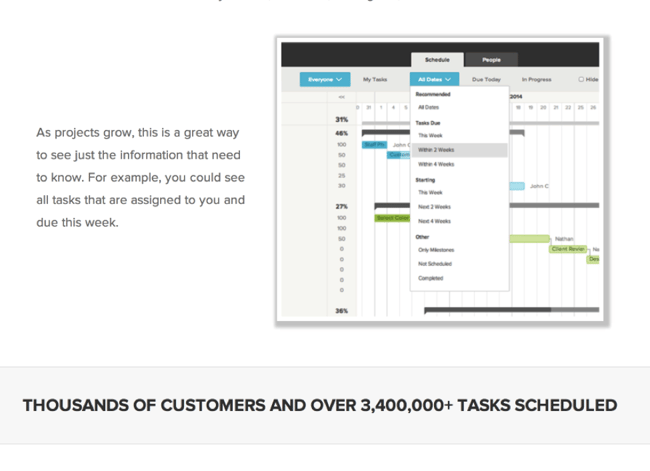
Let’s take a look at an example. Check out this landing page example from TeamGantt. They use a specific number to promote the benefits of their product:
Ex10 teamGantt

How effective would it be if they claimed to have “millions of tasks scheduled?” The number makes a big difference. Customers want to have specific information about benefits customers are seeing, and they want specific examples of what they will experience. Specificity is a powerful tool.

7) Ask for readers to take action.

The final killer technique of a conversion pro is the call-to-action. If you don’t ask for conversions, you won’t get them. That’s why I suggest that you start with the end goal in ind — and the whole point of your landing page is that conversion. All of your copy should be building up to that conversion. Don’t be shy!

Similarly, writing CTA button copy is just as important, if not more so, than the rest of the copy on your page. Remember, how I mentioned that CTA buttons are one of the copy that people actually read? It matters. Simple changes in wording can create huge conversion increases, like in this example:

Ex11 QuickSprout

For more ideas on CTA copy that drives clicks, check out these 14 real-life examples of great CTA copy.

8) A/B test your copy.
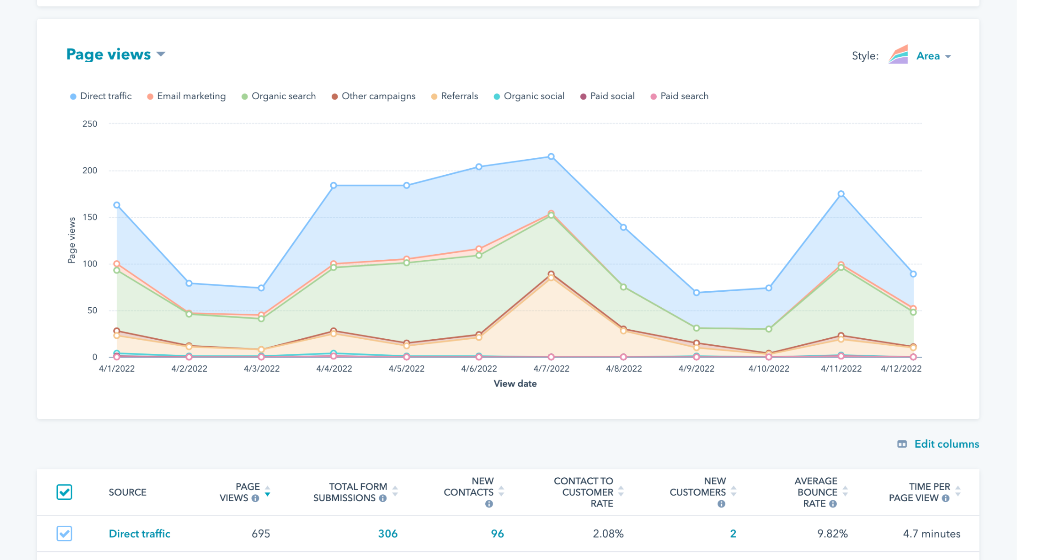
HubSpot dashboard showing landing page analytics

Get started with HubSpot’s free landing page builder

A good conversion copy writer isn’t just writing — you’ve got to be testing, too. How else will you know what kind of writing converts higher or lower for your audience?

There are all kinds of A/B tests you can do on a landing page — images, placement, flow, layout, etc. Usually, however, the biggest gains come from changes in the copy. If you want to gain higher and higher conversion rates, you’ll need to be testing your copy along with the other elements of your landing pages.

Don’t expect to hit a homerun on your first at-bat. You will succeed by carefully, methodically, and intentionally testing every variation. Here are some of the things you can test:

  • Headline variations
  • Subheadline variations
  • CTA copy
  • Lists of benefits

Test small things, too, A single word change in the headline could make a huge impact in your conversion rates. You won’t know unless you test it out. (Don’t know how to run an A/B test? Click here to learn.)

You can use HubSpot’s free landing page builder to test page variations against each other. 

Get Started With Writing Landing Page Copy

All in all, boosting conversion rates starts with killer copy. A whole lot depends on the words that you type with your keyboard. Thankfully, it’s not some insurmountable task — anyone can learn how to do it. With the right copywriting techniques firmly in place, you can achieve higher conversion rates.

What techniques do you use to write your conversion copy?
campaign-assistant


Categories B2B

4 Holiday Shopper Mindsets Brands Should Keep Up With, According to Google

Throughout the holiday season, we at Google have annually watched shoppers move between 4 distinct mindsets, or what we call the ‘4Ds:’ deliberate, deal-seeking, determined, and devoted.

What are these four Ds?

  • Starting in July, consumers are deliberate, thoughtfully planning their holiday purchases and wishlists.
  • From October to November, they’re deal-seeking, hunting for deals and prioritizing quality and value.
  • By December, they become determined to complete their shopping ahead of the holidays and are using all days and resources to get it done.
  • And finally, by January, consumers become devoted as they continue to shop past peak season.

Check out this quick short where we highlight these trends:

Download Now: 15 Free Holiday Email Templates

What Do the 4Ds Mean for Your Brand?

With December fast approaching, we’ll start to see the determined shopping mindset emerge followed by devoted buyers in January.

Leveraging these three strategies has helped us, and will also help you, align with these busy shoppers:

  1. Keep momentum in December and beyond
  2. Connect with customers across touchpoints
  3. Build long-term brand loyalty

Keeping Momentum in December — and Beyond

The opportunity for retailers doesn’t end with Cyber 5, the peak deal period from Black Friday through Cyber Monday.

According to a Mastercard analysis we ran with BCG from October 2022 through January, 46% of U.S. consumer holiday spending occurred between Cyber Monday and Christmas Eve in 2022. These shoppers also spent over $47 billion in retail in the two weeks after December 25th. 

So what’s driving consumer demand in December and January? We partnered with Ipsos on a few surveys between October 2022 and January 2023 to find out:

In December, shoppers are more motivated than ever to finish holiday shopping. Last year, the average US shopper still had 50% of their shopping left to do after “Cyber 5.” Gen Z-ers had even more left to complete than other generations. [4] 

By January, consumers can now shop for their own enjoyment and less-so out of gift obligations. According to our data, 50% of consumers enjoy shopping shortly after Christmas.

Connecting with Customers Across Touchpoints

In-store shopping climbed to record heights last year, topping $1 trillion for the first time ever.

A key driver behind these high rates of brick-and-mortar shopping is shoppers’ use of digital resources before going to a physical shop. These digital offerings are helpful to in both deciding on and fulfilling them. 

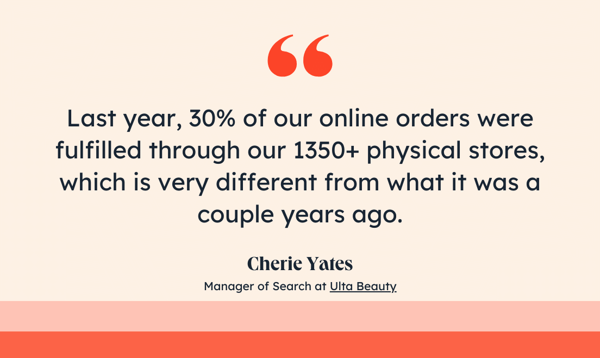
One company that saw this was cosmetics chain, Ulta Beauty, who spoke with Google about their holiday performance:

Ulta Holiday peak sales and shopping quote

We also see consumers increasingly tapping into multiple digital channels over the course of the season.

An online study we ran with Ipsos from October 2022 through January 2023 revealed more than half of shoppers used five or more channels, like video and social media, to shop over a two-day period in 2022. That proportion of shoppers increased in December.

And we actually see shoppers use even more digital resources to make purchases after the height of the holiday season, with the average number of digital resources used increasing post-holiday. From our research, we see that this includes Google properties, like Search, Maps, Youtube, whose already high usage throughout the season increases significantly post-Christmas.

Not only are shoppers continuing to shop, but they’re shopping across more digital properties. This means brands that use omnichannel experiences to connect with customers across touchpoints can stand out from the crowd.

Build Long-Term Brand Loyalty.

In a Google-commissioned study we ran this October, we learned there’s an even larger opportunity to build long-term brand loyalty, especially as almost half (47%) of shoppers say the time after Christmas enables them to shop for brands they love. 

Consider promoting loyalty or rewards programs, which are top of mind for shoppers during this period.

In January 2023, we observed a noteworthy 50% surge in search interest regarding loyalty programs, which includes searches like ‘reward program’ and ‘loyalty points’, compared to December 2022.[11]

In data we gathered between September 2022 and January 2023, we also saw the search volume for gift-related queries, like ‘gifts’ and ‘presents,’ remained high in January 2023 — a 45% and 15% increase compared to the early holiday months of September 2022 and October 2022, respectively.

What’s Next?

Now that you’ve learned about these key holiday trends, start getting ahead of the Black-Friday buzz by preparing and finalizing your holiday campaigns — if you haven’t already. 

For more content or helpful tips, check out our Holiday Shopping Trends Report from Think With Google, or keep exploring the HubSpot Marketing Blog.

New Call-to-Action

Categories B2B

Is Social Media Dying? What That Could Mean for Marketers

The social media boom of the last decade is over. It’s not that people are no longer using social media — they are. They’re just using it less, and engaging differently.

In 2022, the average daily time spent on social media declined globally leading to a drop in organic reach for brands and creators.

Per GWI, 54% of people use social media to connect with friends and family, and 27% of people use social media to keep up with news. What they aren’t necessarily hopping on social media to do is be sold to. However, social media platforms need users to spend as much time on their apps as possible and to continue buying from advertisers in order to remain profitable.

In other words, social media users want to socialize and social media platforms want to sell, leading to a misalignment between a product and its customer base.

Here are some key insights we’re seeing with the current state of social media.

Users Prefer to Share with ‘Close Friends’

There is one social media feature that satisfies users’ desire to connect — Instagram’s Close Friends. On Close Friends, users feel free to share private stories in a controlled, non-judgmental space. Individuals can control who sees their content, and it’s the one corner of the app where there are no ads or selling.

Instagram has taken note and is expanding the Close Friends feature, including an option to only share in-feed posts with Close Friends. If this feature takes off, it could make posting to the public feed obsolete for the average user.

Sales Fatigue Is on the Rise

While advertising and sponsored content are nothing new on social media, users are feeling sold to more than ever, especially on TikTok. In September 2023, the platform rolled out its in-app shopping platform called TikTok Shop. Since its launch, TikTok Shop has been met with mixed reviews.

While the app’s commission-based structure can be helpful for creators who recommend viral products, TikTok users have expressed that the platform’s focus on sales makes it feel more like a space for infomercials than a place where people go to learn or be entertained.

As evidenced by the lack of enthusiasm around Instagram’s failed in-app shopping platform, consumers in the U.S. don’t trust social media platforms enough to shop from them. Continuing to push in-app sales could cause friction between TikTok and its U.S. user base.

The Possibility of Going Ad-Free

Privacy laws have made paid social media advertising more expensive and complex than before. As if that weren’t challenging enough for brands, both TikTok and Meta are testing ad-free subscriptions to eliminate ads for some users altogether. Snapchat rolled out a similar offering last year called Snap+ which now has 5 million users and is expected to generate $240 million by the end of the year.

While these subscriptions may be lucrative for the platforms if users decide to buy (the key word being “if”), it could make reaching potential customers more challenging for brands that rely on paid ads.

What does this mean for marketers?

All hope is not lost for conducting business on social media, but it does mean brands may need to use social media differently. As mentioned above, the average social media user hops online to either connect or learn and brands that position their social platforms as a space for community and education could satisfy these needs.

With that in mind, businesses on social media may benefit from focusing less on engagement and the hard sell, and more on generating conversation among potential customers and getting potential buyers to engage offline through in-person communities and experiential marketing.

As new social media trends and best practices continue to emerge, we’ll report on the latest findings.

New call-to-action

Categories B2B

The 8 Types of Emails That Get the Most (And Least) Engagement, According to Marketers

I send the HubSpot Marketing Emails every day, so I’m pretty familiar with the types of marketing emails marketers can leverage. However, which ones gain the most engagement and which do not?

To answer that question, and to pass that knowledge on to you, we ran a survey with Glimpse, asking marketers which types of emails achieve the highest performance.

Here’s what I found:

4 Types of Emails That Get the Most Engagement

The four emails get the most engagement, according to our latest Glimpse survey.

1. Multimedia Emails

Multimedia emails include videos, photos, GIFs, and other elements to make its content stand out. 44% of the marketers in our survey say multimedia emails get the highest engagement.

It makes sense because a variety in media gives consumers more dynamic content to interact with and is more appealing than emails with only text.

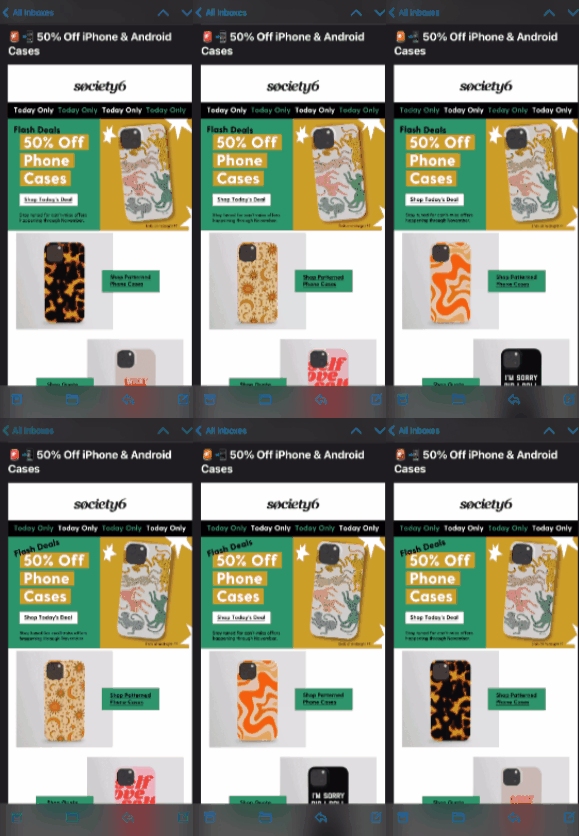
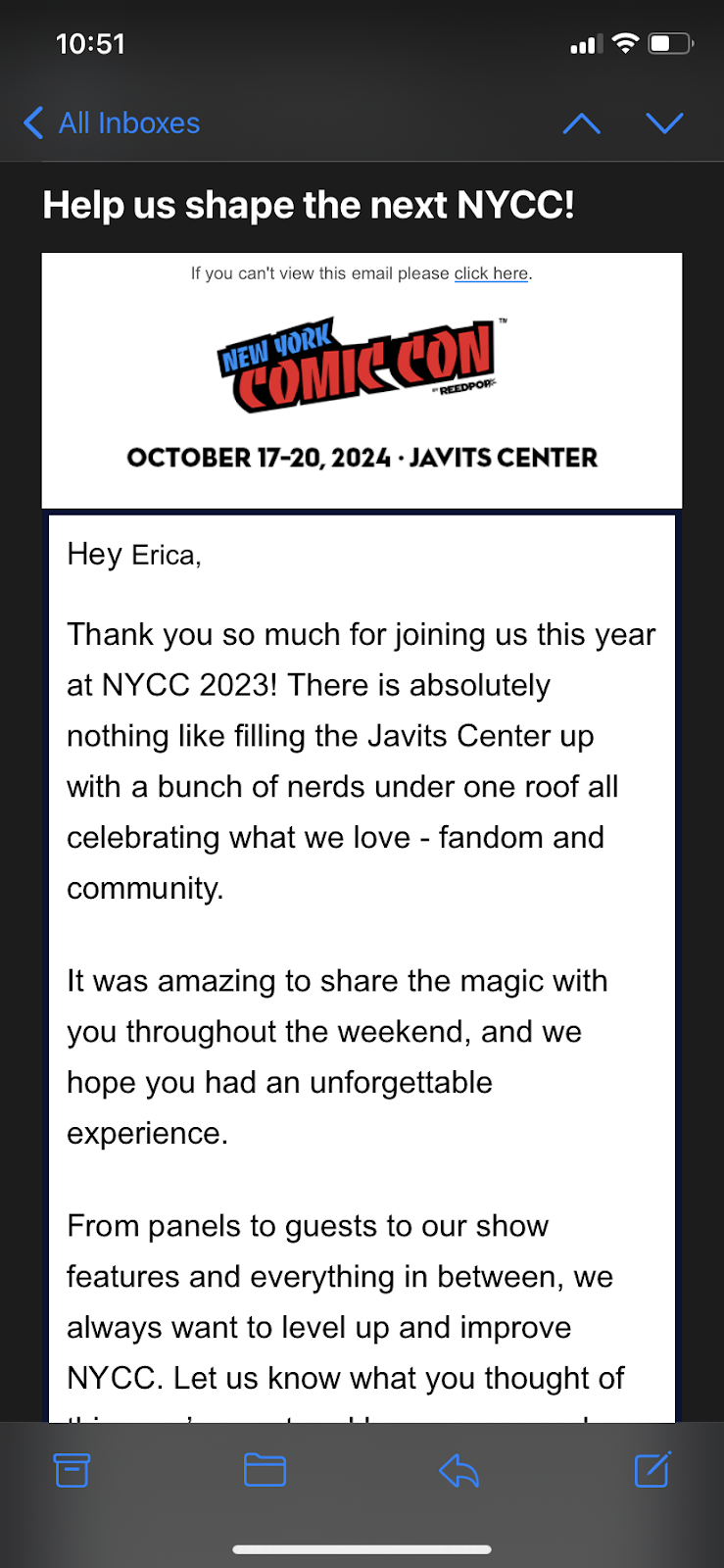
For example, Society6 sent the below email featuring GIFs of dancing phones with changing cases to showcase the variety of cases available on the website.

It also features moving text with changing colors to emphasize the phrases “Today Only” and “Flash Deals.”

2. Basic Emails

When I think of basic, I usually think “boring,” but that doesn’t have to be the case with these emails.

39% of marketers say they get the most engagement through basic email formats that highlight a list of links, articles, or pages to click on with light imagery.

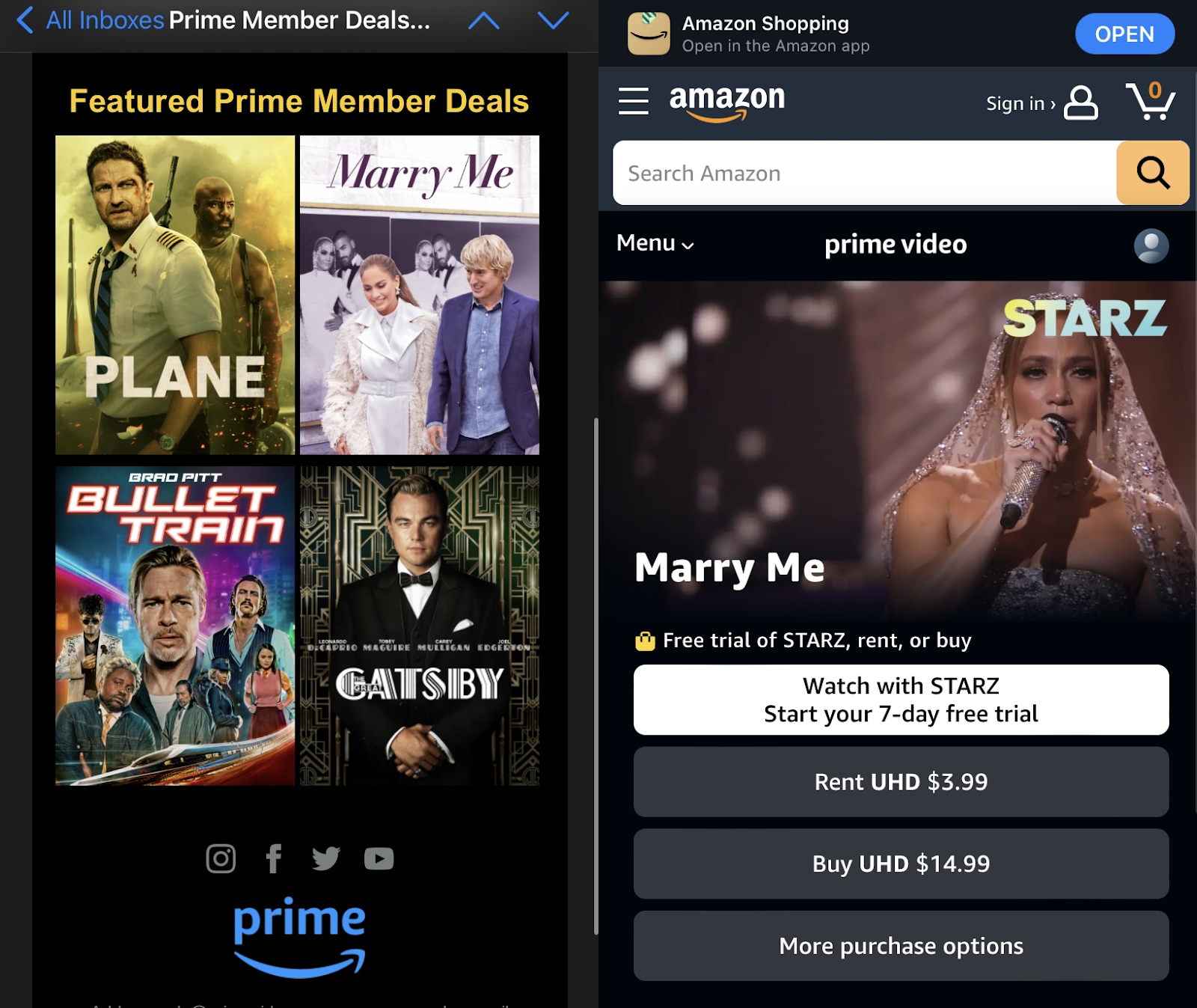
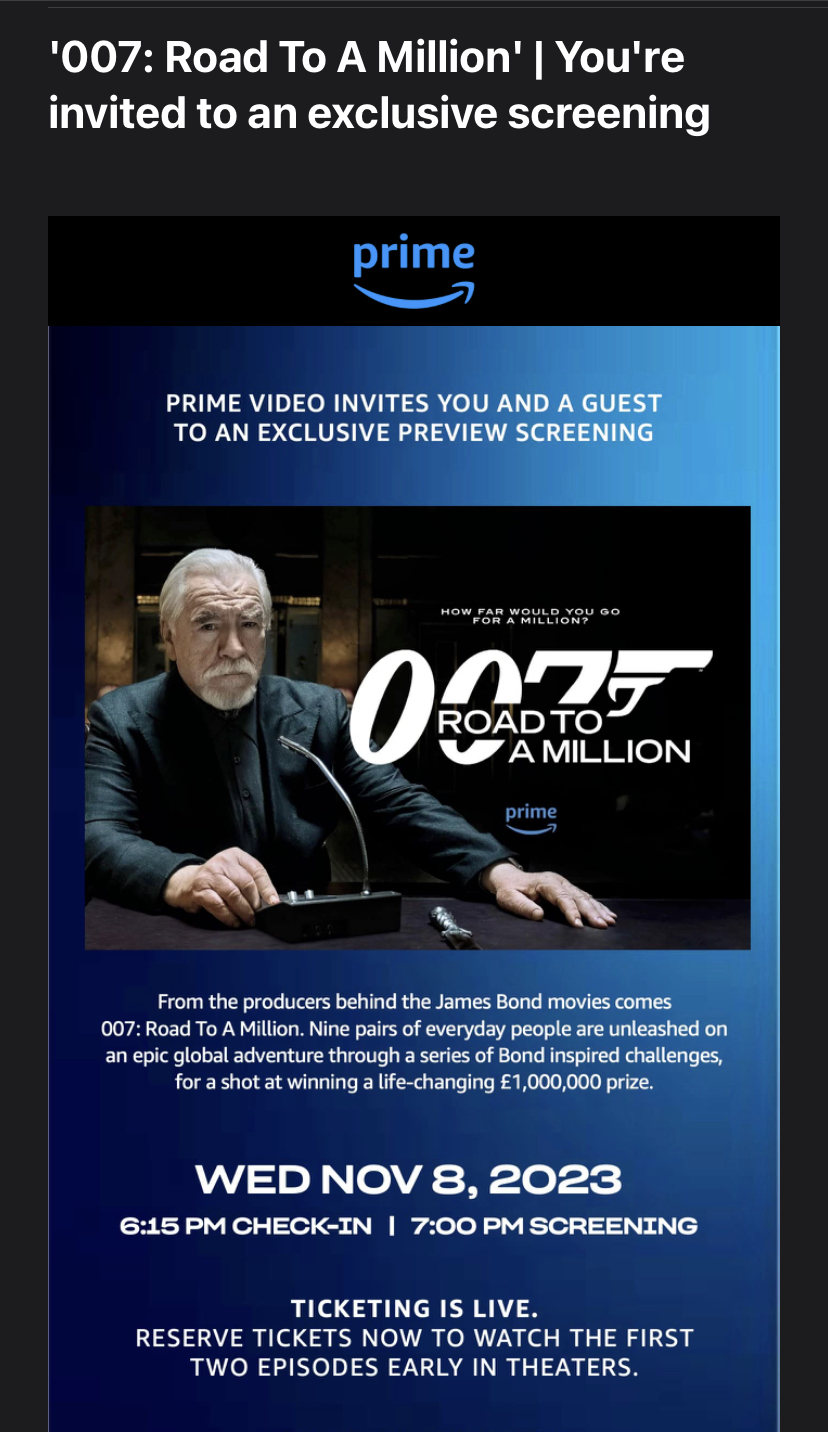
For example, this email I received from Amazon Prime highlights links to the films on its platform with clickable images that take me to where it’s available to stream.

Incorporating photos in your emails will help illustrate the products, services, or information you’re trying to convey and entice readers to click.

3. Discount Emails

Our survey found almost a third of marketers (31%) say emails promoting coupons, discount codes, free resources, or sales get the most engagement. Who doesn’t love a chance to save money?

Bear in mind, however, that the secret to the success of these emails isn‘t just their content; it’s also in their subject lines.

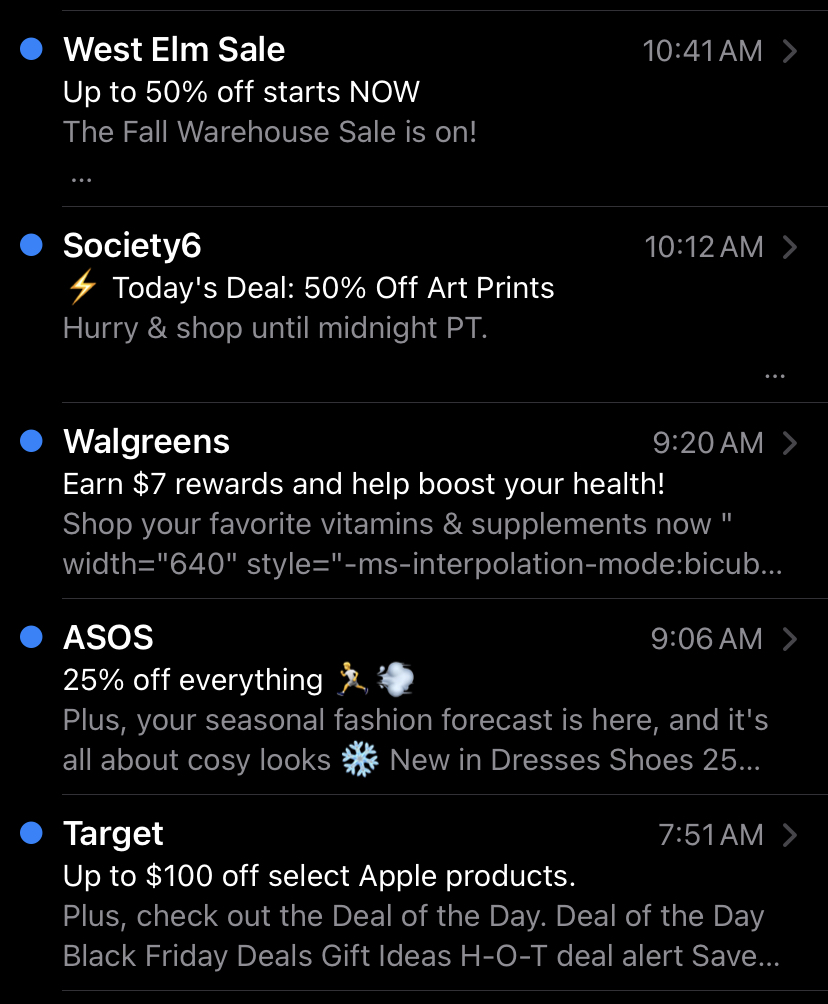
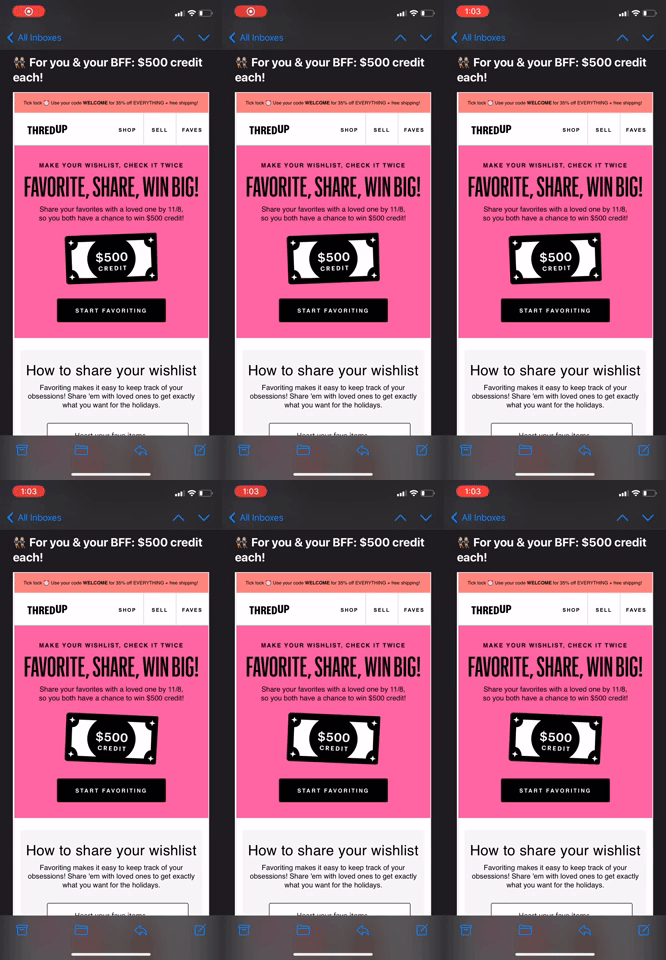
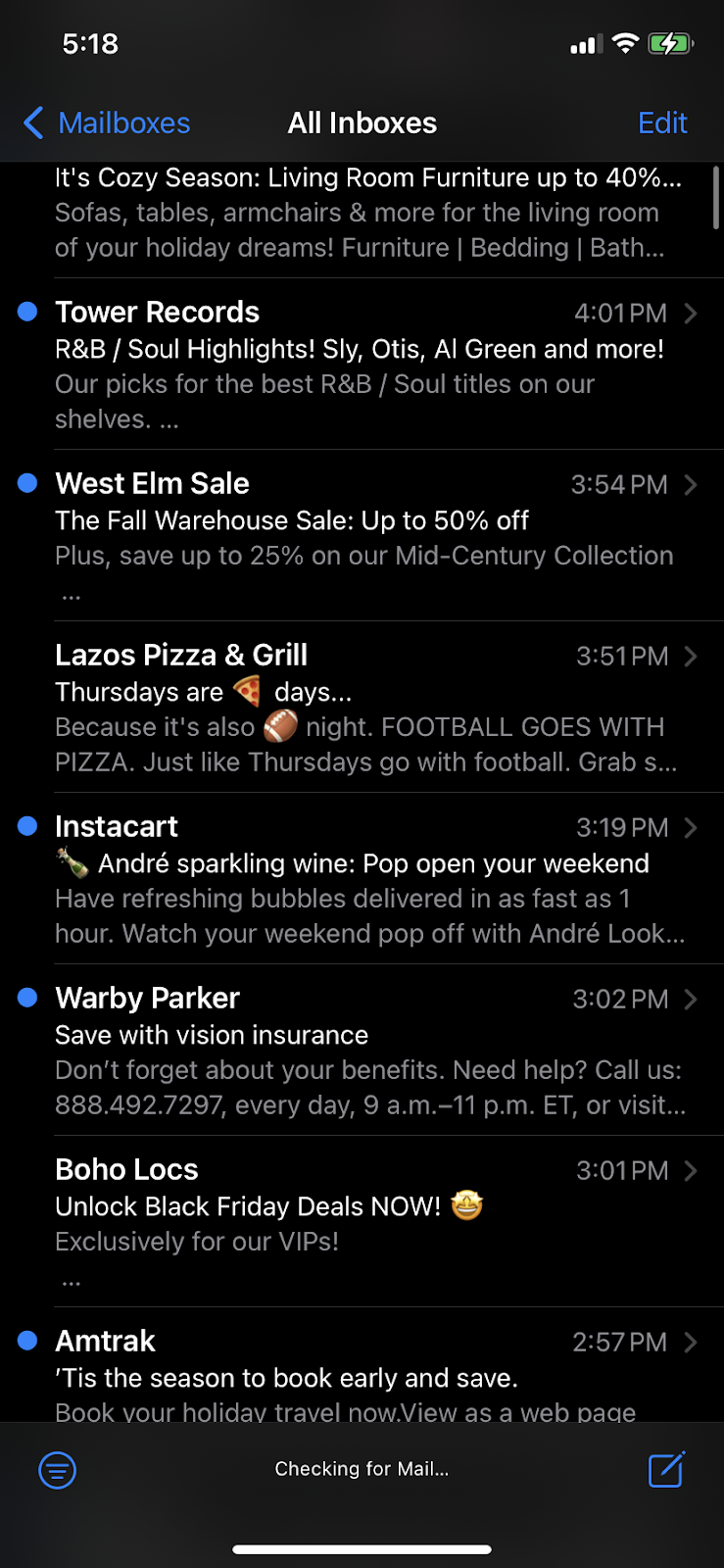
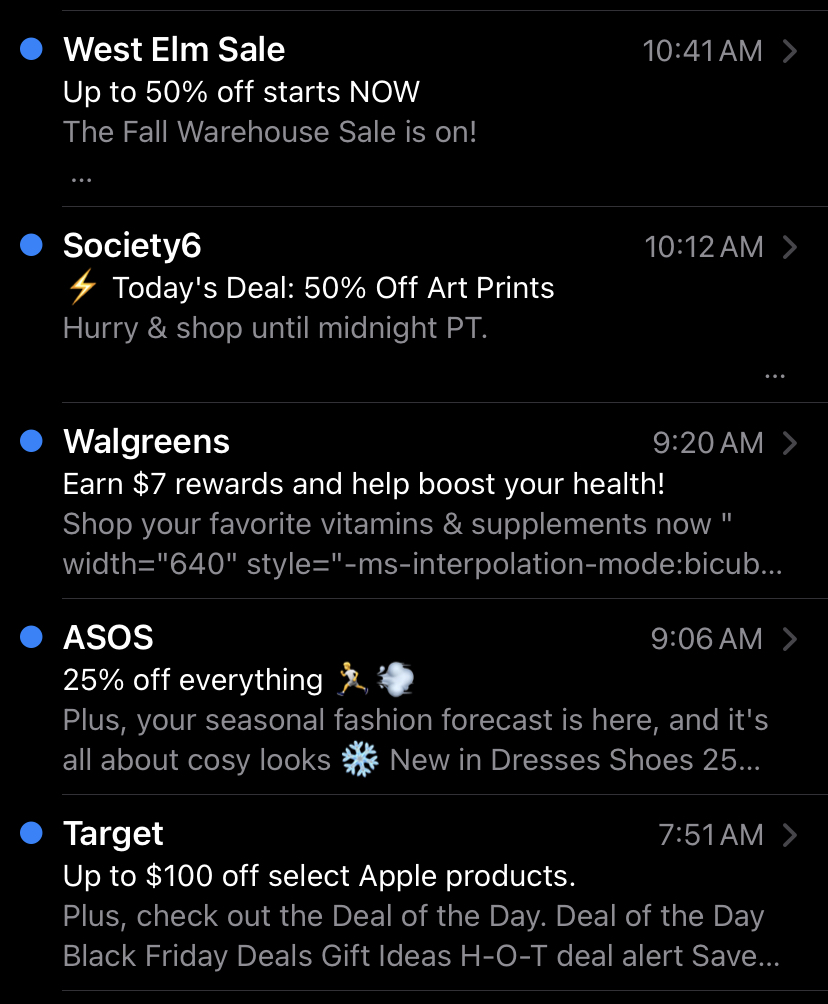
I get promotional emails highlighting deals all the time in my own inbox, and something I’ve noticed is that almost every subject line includes quantitative information about these coupons, discounts, and sales. See the example below.

Notice all the subject lines read:

  • “50% off Art Prints”
  • “Earn $7 rewards”
  • “25% of everything”
  • “Up to $100 off”

Include quantitative information about deals in the subject line to immediately let subscribers know why they should click and open your email.

5 Types of Emails That Get the Least Engagement

For context, our surveys asked marketers to name the point out the types of emails that gain the most engagement. The emails in this list are mentioned because they got the least amount of votes from marketers.

1. Product/Service Announcement Emails

Only 24% of marketers say emails announcing new products yield the most engagement. That said, I still find a lot of value in sending product and service announcements via email — you just have to do it right.

To make your product/service announcement emails stand out in your recipients’ inboxes and boost their engagement, really lean into personalization.

Use the information you have about your consumers to send targeted product emails that are relevant to the recipient. For example, let‘s say you’re a pet supply store.

If you‘re selling a new cat toy, only send that product announcement to cat owners on your email list or to recipients who often buy cat supplies. And if you’re now offering dog grooming services, only send the information to subscribers who often purchase dog supplies.

2. Article-Style Emails

Only 23% of marketers in our survey say article-style emails with original content yield the most engagement.

Admittedly, it’s not my favorite type of email to receive. Like most consumers, I only spend a few seconds reading an email to scroll to the next or go about my day.

In fact, people spend, on average, only 9 seconds reading an email. So, article-style emails aren’t the most fruitful emails marketers can send nowadays.

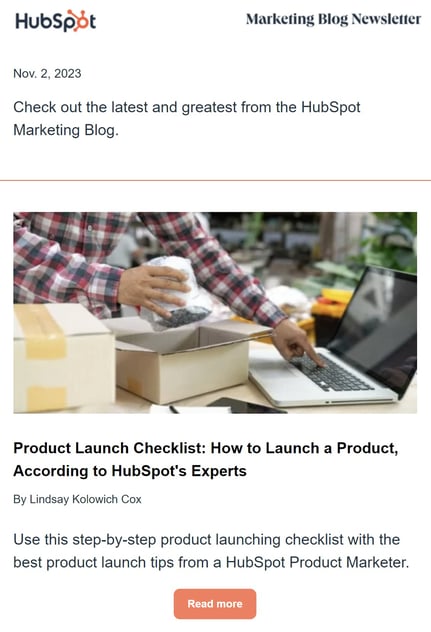
Instead, I suggest doing what I do for the HubSpot Marketing Emails: include a short excerpt of articles or blog posts in the email and include clickable links and images so readers have the option to read the full article on your website.

Even if recipients don‘t read the full article, they’re at least more likely to click and go to your website.

marketing email3. Emails Promoting Contests/Competitions
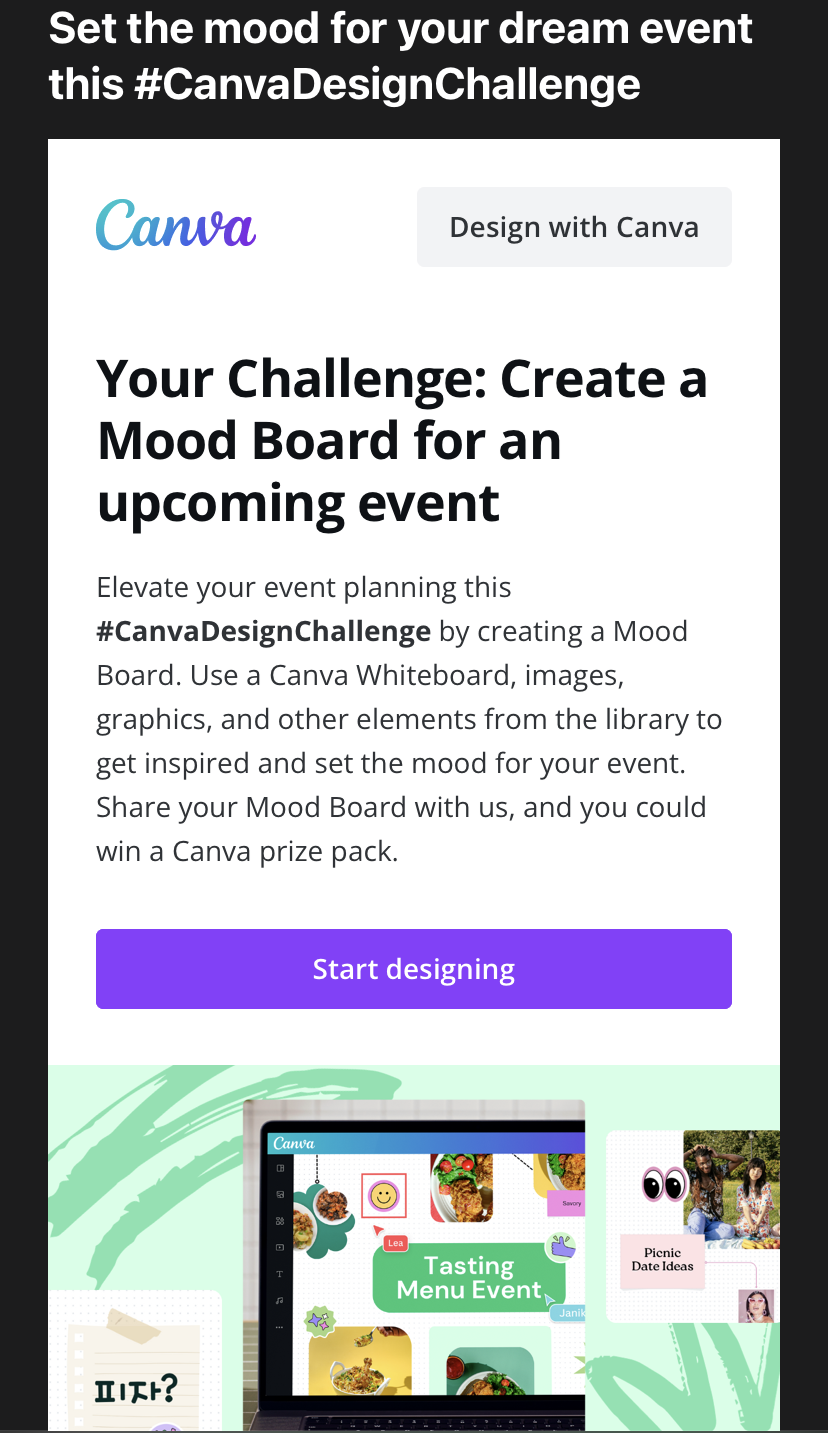
This took me by surprise because I love a chance to win, but only 18% of marketers said emails promoting contests and competitions yield the most engagement.

However, I wouldn’t let that statistic dissuade you from leveraging contests and competitions in your email marketing campaigns. Instead, make your contests interesting and fun for your audience to encourage participation.

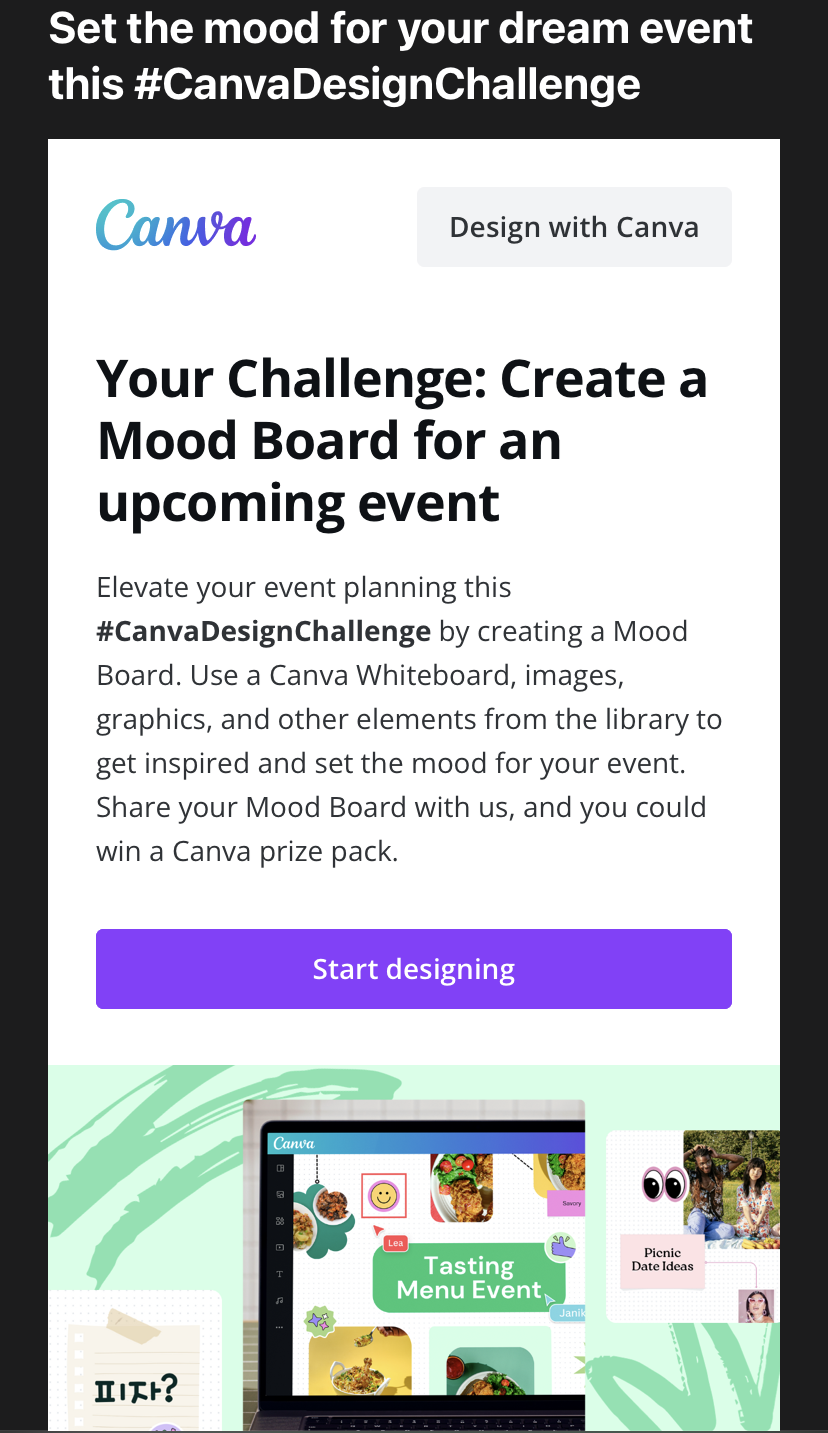
For example, I recently received an email from Canva challenging subscribers to design a mood board using the graphic design platform’s tools. If I make a mood board and share it with Canva, I could win a prize.

To make the competition more interesting, Canva says users must showcase their work on Instagram and X (formerly Twitter) along with the brand’s hashtag #CanvaDesignChallenge for a chance to win.

Canva can then repost and share these creations as user-generated content.

It’s a clever idea because the challenge does the following:

  • Creates a fun and engaging experience for users
  • Showcases the brand’s tools and features
  • Boosts brand awareness on social media via hashtags and content sharing
  • Leverages user-generated content

So, to get the most out of your email contests and competitions, integrate social media and user-generated content in a way that is simple, engaging, and fun for recipients. Furthermore, use the competition as an opportunity for recipients to experience aspects of your product or service.

4. Educational Emails

Just 17% of marketers say educational emails about their industry rather than products or services get the most engagement.

This makes sense because consumers are typically less concerned with industry insight than they are with the products and services that could benefit them.

If you want to leverage these kinds of emails, make sure you let you audience know how the information benefits them and tie it back to the products and services you offer.

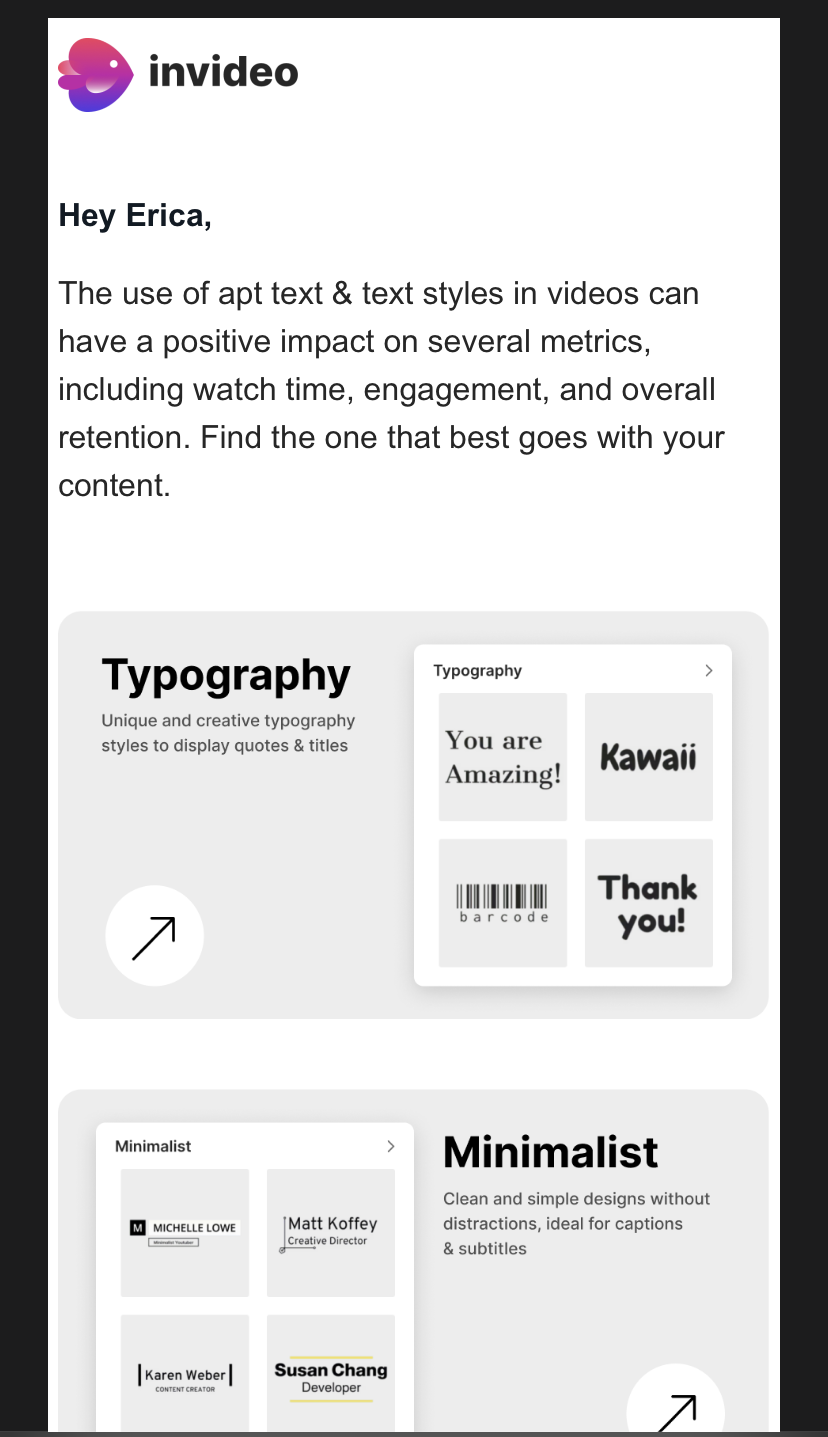
For example, this email from InVideo shares a quick blurb of valuable information:

“The use of apt text and text styles in videos can have a positive impact on several metrics, including watching time, engagement, and overall retention.”

The email then ties the information back to its service with a call to action:

“Find one that best goes with your content.”

The text is followed by an image showing the different kinds of text and text styles available on the platform.

In a way, the email presents a possible problem (you need the right apt text and text style), and then it presents the company’s products/service as a solution (look at all the text options they have).

Do the same in your own educational emails.

5. Event Announcements

Finally, only 10% of marketers say emails announcing events, such as conferences, livestreams, and webinars get the most engagement. To boost the engagement of these kinds of emails, follow the same advice I gave for educational emails.

For example, let’s say InVideo is hosting a webinar about choosing the right text style for videos. The email could have the same email message as the one above:

“The use of apt text and text styles in videos can have a positive impact on several metrics, including watching time, engagement, and overall retention.”

This time, however, the email could then say:

“Sign up for our webinar to learn how to choose the right apt text or text style for your next video.”

InVideo could also sweeten the deal by offering email recipients 20% off on some of its features in exchange for signing up for the webinar.

What I‘ve learned as an email marketer is that the type of email you send will depend on the goal of your email campaign and type of content your recipients respond to. I’ve also learned every email has to offer value to your consumers.

So, make sure every email you send out ties back to what solutions your organization provides. Keep this in mind, and you’ll surely have a successful email marketing campaign.

Categories B2B

Data-Driven Decision Making (Research & Expert Tips)

In today’s data-driven world, the ability to transform data into actionable insights has never been more critical  for success. According to HubSpot’s research, 36% of marketers say data helps them reach their target audience more effectively.

Data-driven decision making is used in almost all areas of business, especially marketing. Why building the right strategy will lead to solid ROI, doing so can be complex and time consuming. .

In this post we’ll help by covering:

Get Started with HubSpot's Analytics Software for Free


Data-Driven Decision Making Process

1. Define the objective.

Begin by clearly defining the goal or problem you need data to address. You’ll also want to determine how you’ll measure your success and  key performance indicators (KPIs). You can also leverage strategies like SMART goals to ensure your goals and objectives are specific, measurable, achievable, relevant, and time-bound .

2. Collect and prepare data.

Gather relevant data from sources like internal databases, surveys, customer feedback, market research, or external sources. Clean and prepare the data by removing duplicates, addressing missing values, and ensuring consistently strong data quality. Then, use tools like dashboard, spreadsheets, or graphic software to transform the data into a usable format for analysis.

3. Analyze your data.

HubSpot Marketing Analytics and Dashboard

Tools like Marketing Analytics & Dashboard Software measures performance

Use data analysis and data visualization to gain insights from your collected data. 

Look for patterns, trends, correlations, and anomalies to understand the relationships within the data and identify potential opportunities or areas of concern.

Not an analytics pro? Tools like HubSpot’s Marketing Analytics & Dashboard Software can help you record and measure marketing performance data with built-in analytics, reports, and dashboards.

4. Interpret the findings.

Compare how your results stack up against your goals and objectives.. 

Identify key insights and draw conclusions based on the patterns or trends observed. Consider the limitations, assumptions, and potential biases that could have impacted the data and how that could affect the quality of the decisions made. .

5. Evaluate options for decision-making.

Decision-making

Source

Identify a handful of ways you can respond to, or make decisions based on, your data. 

Then, with tactics like cost-benefit analysis, SWOT analysis, or decision trees, compare the potential outcomes and risks of each potential decision, carefully considering different scenarios and trade-offs..

6. Make your decision. 

Select the best decision option after  considering youranalysis findings, goals, and any constraints. 

Involve key stakeholders in the decision-making process, communicating with and gaining feedback from them to ensure alignment and buy-in.

7. Implement and monitor your next steps.

Implement the chosen decision and track its progress against relevant KPIs, milestones or other performance data.

8. Learn and iterate

Lastly, continuously assess and refine your strategy based on any new data and feedback.

Analyze the results, including successes and failures, and incorporate the learnings into future decision making. 

Use a feedback loop to ensure data-driven decision making becomes an ongoing practice. This way, you can set the stage for continuous improvement and adaptation.

Benefits of Data-driven Decision Making

Different teams gain different benefits from data-driven decision making. In this section, we’ll go over how marketers, sales professionals, and service professionals can leverage data to their advantage.

For Marketers

data for marketing strategy chart

Source

1. Targeted and personalized marketing

How can you create great content or campaigns for people you don’t know? 

With that question in mind, it’s not shocking that one-third of marketers say that the biggest benefit of data is being able to better target prospects. 

Data analysis helps you  understand your audience’s preferences, behaviors, and demographics, allowing you to create highly targeted and personalized marketing campaigns. This leads to better engagement and higher conversion rates.

For example, if you have a global audience, you might want to know which social platforms are used abroad and cater campaigns on those channels to audiences in different time-zones. This way, your content meets them where they are. 

2. Optimized marketing budget allocation

In uncertain economic times, marketing budgets are more scarce than ever. This is why 36% of marketers say one of the top reasons they leverage data is to justify their spend.

By analyzing data on marketing performance across different channels and campaigns, you can allocate your budget more effectively. This ensures that resources are invested in the most impactful areas, maximizing return on investment.

When you’re struggling to get budget, the same data can also help you determine where you might be spending too much, helping you reallocate spend quickly when tactics that once yielded ROI lose steam.

3. Improved campaign performance and ROI

Marketers, like those we surveyed above, know that data is power when it comes to developing and measuring key strategies and campaigns. By monitoring key metrics, you can make data-backed adjustments to optimize your campaigns or tactics for better results and higher ROI. 

Not to mention, your data and findings could also spark ideas for new campaigns or initiatives.

“Data should be one of the first things you look at when brainstorming new marketing initiatives,” says Pam Bump, Head of Content Growth at HubSpot. “Even when I’m trying to come up with a completely new idea, I’ll look at past campaigns’ performance, use SEO or social listening dashboards to determine traffic potential, and sometimes perform surveys to ask prospects in my target demographic what they’d like to see.” 

Bump isn’t alone, while 32% of marketers say strong data leads to ROI, 31% say it helps prove the value of their work — which can be vital to marketing budget, roles, and career growth In today’s economy.

4. Enhanced customer segmentation and targeting

Every prospect is unique. While you shouldn’t launch a giant campaign for each of them, the right data can help you break your audience into demographic or preference-based segments and cater your tactics to each group.

By leveraging data, you can segment your audience more accurately based on various criteria such as demographics, interests, or behavior. This allows you to tailor your marketing efforts to specific segments. 

5. Predictive analysis and trend identification

You can identify patterns, trends, and emerging market opportunities by analyzing historical and real-time data. 

Predictive data helps you stay ahead of the competition, adapt to changing customer needs, and make data-backed predictions.

6. Improved customer experience and satisfaction

Better understand customer preferences, pain points, and behavior at every touchpoint by analyzing data. You’ll be able to deliver a personalized customer experience, resulting in higher satisfaction, loyalty, and advocacy.

7. Continuous improvement and optimization

Data-driven decision making provides marketers with insights into what works and what doesn’t. By continuously monitoring and analyzing data, marketers can make data-backed optimizations to your strategies, campaigns, and tactics.

How Data-Driven Decision-Making Benefits Cross-Team Alignment

Whether you’re a marketer who doubles as a sales or service rep at a small company, an entrepreneur wearing all the hats, or focused on better aligning your campaigns with sales and service department efforts, it’s important to know how data-driven decision making impacts the whole funnel (and can drive more connected experiences between your brand, prospects, and customers).

Data-Driven Decision Making in Sales

1. Improved Sales Targeting

By analyzing data, sales professionals can identify and prioritize your most promising leads. It also can help you determine when marketing tactics aren’t generating interest from ideal buyers. By digging into sales targets, buyer persona and lead data, teams across your company  can  focus their time and efforts on engaging prospects with the highest likelihood of converting, resulting in improved sales efficiency, higher closing rates, and revenue attributed to your efforts.

2. Enabled Personalization

As marketers, we’ve seen how personalized campaigns can meet different types of buyers where they are (ideally, at the right place and right time to learn about a product). Data-driven insights also help enable sales teams to understand customers’ preferences, behavior, and pain points. 

Armed with this information, you can tailor your whole funnel – from marketing content, to sales pitches, and to customer solutions to specific customer needs, leading to higher engagement, better conversion rates, revenue, and even customer loyalty.

3. Increased team productivity.

HubSpot Sales and Reporting

HubSpot’s Sales Reporting & Performance Management Software tracks your sales teams’ progress

Sales leaders can identify and share best practices with your team. By analyzing data on successful tactics, strategies, or approaches, you can learn from your teammates and replicate successful sales techniques, leading to improved overall team performance.

For example, HubSpot’s Sales Reporting & Performance Management Software enables you to track your sales team’s progress and performance. You’ll be able to report on pipeline revenue, track target attainment, monitor your team’s sales activities, and unlock additional rep performance with deep coaching insights.

How Data-Driven Decisions Boost Service & Customer Experience

1. Improved customer satisfaction

By analyzing data, service professionals can gain insights into customer preferences, behavior, and satisfaction levels. This helps you identify areas for improvement and deliver more personalized and tailored experiences, leading to higher customer satisfaction and loyalty.

2. Efficient resource allocation

Data-driven decision making helps you improve resource allocation by understanding demand patterns, peak times, and resource use. This ensures that resources, such as staff, equipment, or inventory, are allocated effectively, resulting in improved efficiency and cost savings.

3. Proactive issue resolution

By monitoring and analyzing data, you can identify potential issues or trends before they become major problems. This allows you to take proactive measures to address or prevent issues, resulting in faster resolution times and improved customer experience.

4. Enhanced service personalization

Data enables you to gain a deep understanding of individual customers, their preferences, and their history with their organization. This allows for highly personalized service interactions, tailored recommendations, and a more personalized customer experience.

5. Better customer insights

HubSpot service analytics tool

Uncover customer insights with HubSpot’s Service Analytics tool

Data provides you with valuable insights into customer behavior, needs, and pain points. This understanding helps both marketers and service teams anticipate customer needs, offer relevant recommendations, and provide proactive content or support, resulting in a more seamless and satisfying customer experience.

Insightful tools can help you achieve this. With HubSpot’s Service Analytics tool, you can view reports on customer service data such as how your customers use your knowledge base, chat wait time, and customer satisfaction scores.

7. Continuous improvement

By collecting and analyzing data on service performance, you can identify trends, recurring issues, or areas for improvement. This enables you to make data-backed decisions to continuously evolve and enhance your service.

Data-Driven Decision Making Examples

World Wildlife Foundation

WWF wanted to gain a deeper understanding of user behavior on their website to ensure the success of its “Earth Hour” campaign in 2020.

They used analytics tools, including CMS Hub and Marketing Hub  to identify their most engaging content, enhance their content strategy across channels, and segment their user base to improve awareness for the event. Of course, this requires generating insights from data.

With data-driven tools and processes, WWF was able to better understand “users’ actions across our website, emails, and social pages, connecting the dots without having to rely on separate analytics tools for each channel,” says the Digital Communications Specialist at WWF. This, in turn, enabled their campaign to drive nearly 9500 newsletter signups

HubSpot Blog

In 2019, the HubSpot Blog had driven thousands of Page 1 search rankings and millions of organic (or search-based views) annually. But, we wanted to be less reliant on Google algorithms (which can drastically change traffic patterns when tweaked)

Pam Bump (also quoted above), leveraged historical data from blog posts, email campaigns, social media posts, and backlink profiles to build a content strategy around non-search content (which we call non-organic content). 

While the content strategy drove half a million views in year one, Bump continued to use performance data to further implement, refine, and scale it, without negatively impacting our winning SEO tactics. 

Today, “Non-Organic” content annually drives well over 9 million views, thousands of email and social engagements, and countless high-authority backlinks (coincidentally boosts search authority and organic traffic).

Get Started With Data-Driven Decision Making

Data is powerful. Without it, you’d be making decisions in the dark. Get started with HubSpot’s analytics and reporting tools.

analytics

Categories B2B

14 Link Building Tools to Drive Traffic and Boost SEO Rankings

As a marketer who frequently writes SEO-optimized content, I can confidently say that link-building is an essential aspect of SEO.

I‘ve found that it’s a cost-effective marketing principle that allows me to advertise on other reputable websites for free while gaining high-quality referral traffic.

If you’re unsure what link building is, it means creating links on other websites to increase search engine rankings and drive referral traffic to your site.

I typically embed links to my site via forms of content, including blog posts, infographics, articles, press releases, and images.

The process may sound time-consuming, but there are plenty of link building tools available to help you along quickly and efficiently. Let’s explore some link building tools you should check out.

Best Link Building Tools for SEO

  1. Mailshake
  2. Ahrefs
  3. Check My Links
  4. Screaming Frog
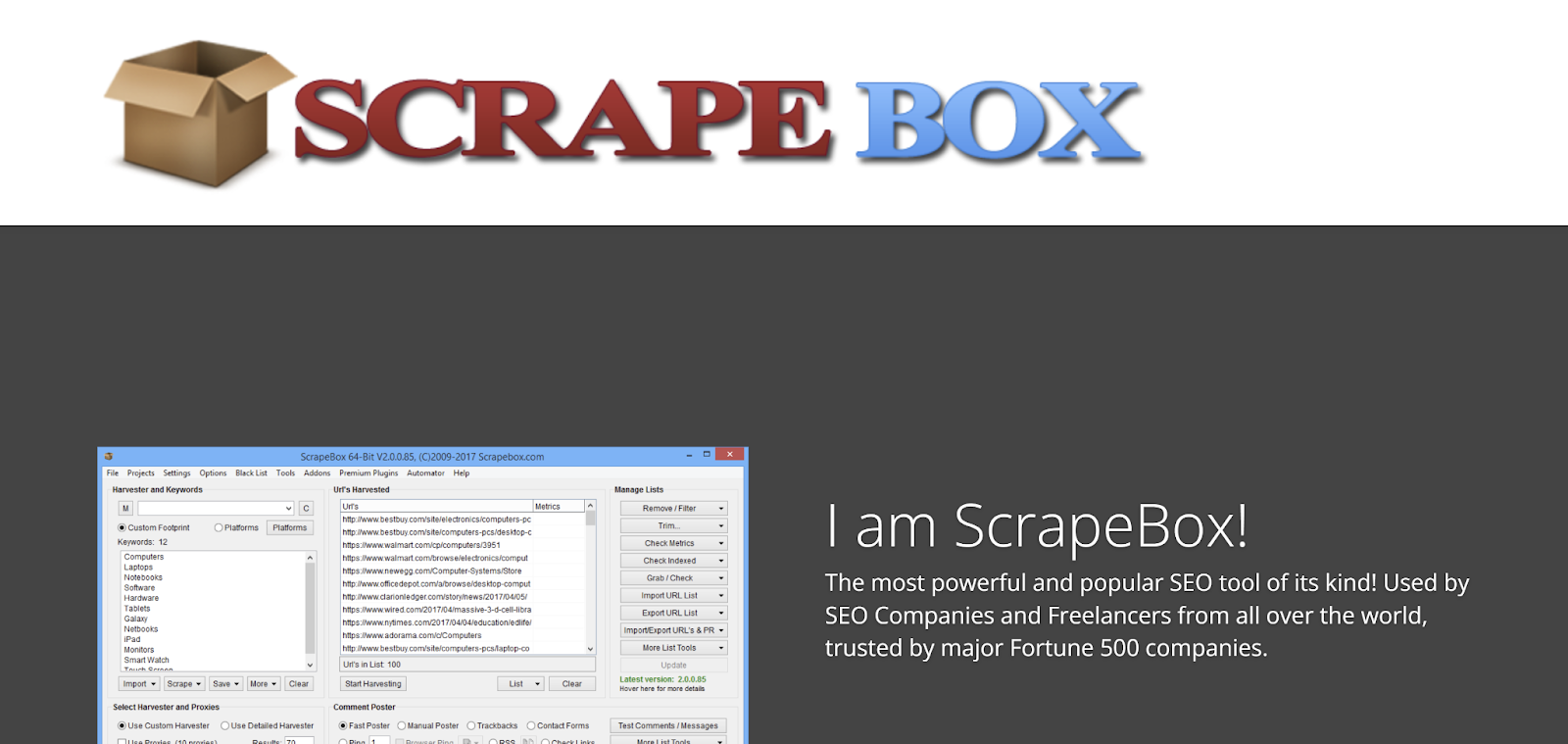
  5. Scrapebox
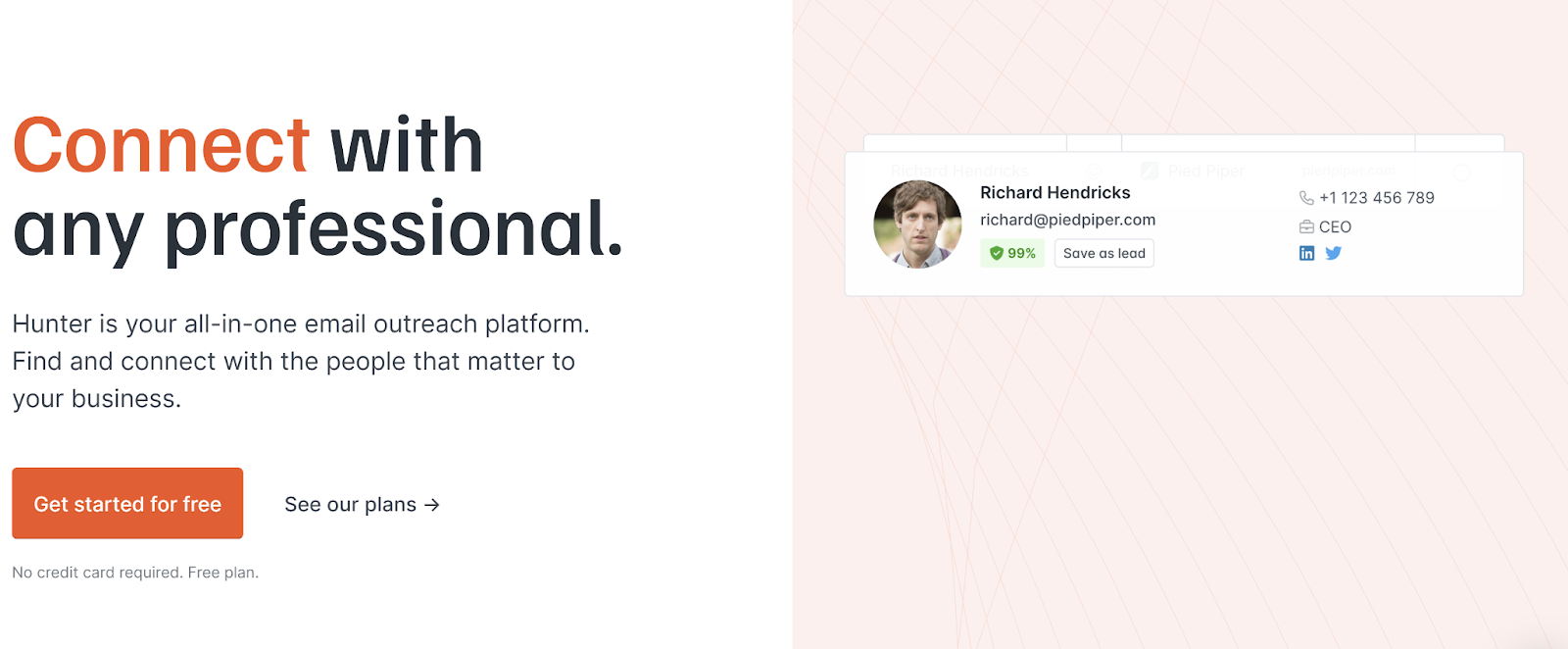
  6. Hunter
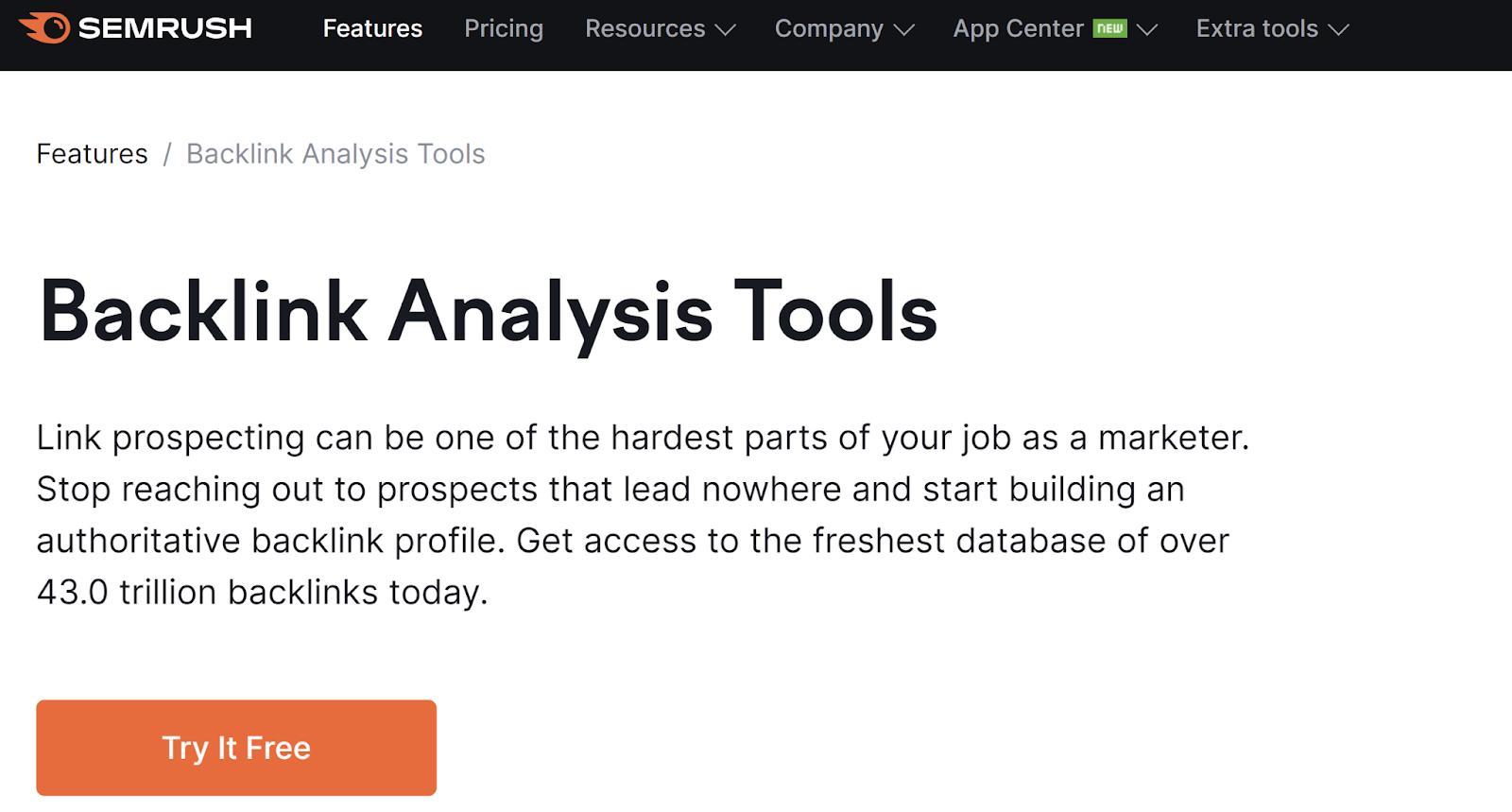
  7. Semrush
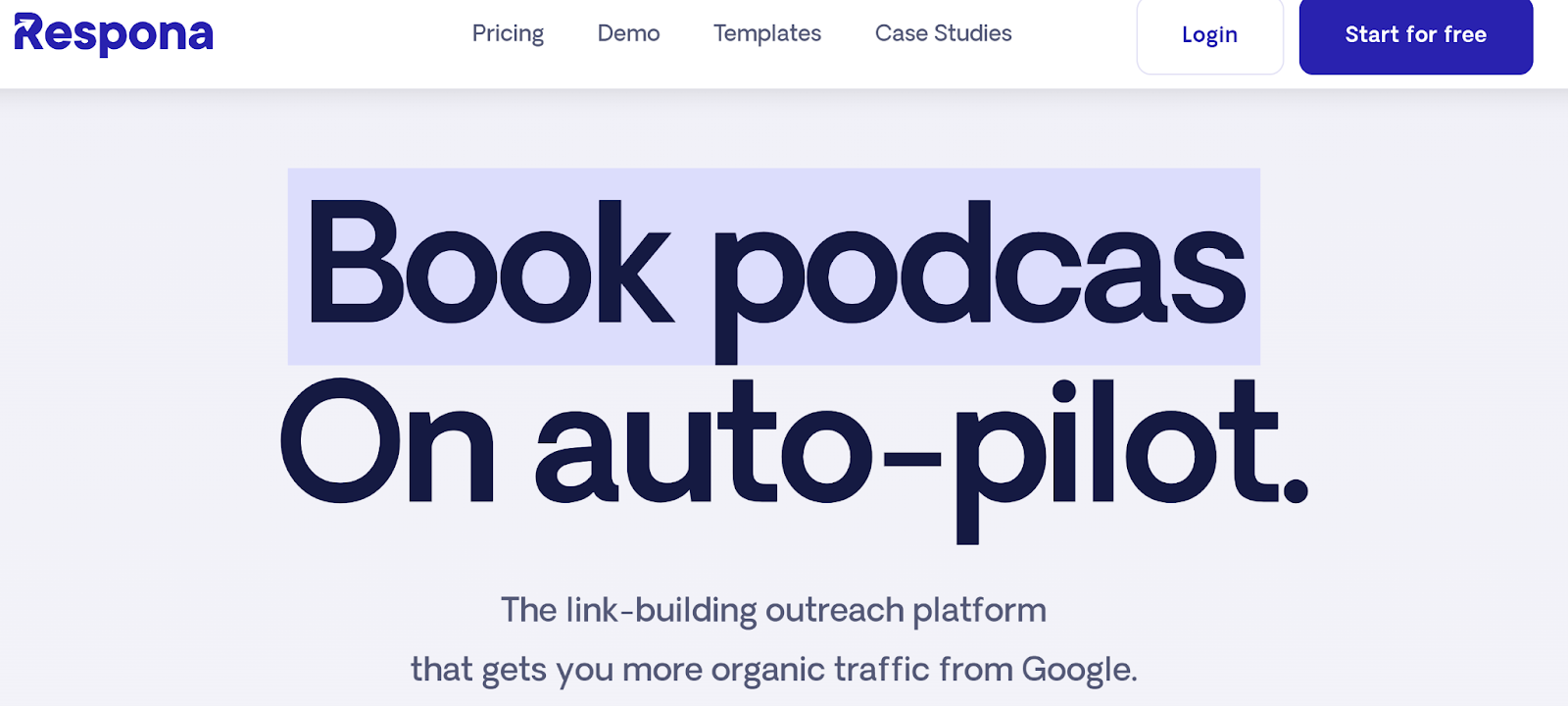
  8. Respona
  9. BuzzSumo
  10. Pitchbox
  11. HARO
  12. MOZ Link Explorer
  13. Majestic
  14. Help a B2B Writer

Best Practices

→ Download Now: SEO Starter Pack [Free Kit]

Best Link Building Tools for SEO

1. Mailshake

Mailshake is a simple-to-use software that sends email requests for link building, guest posting, and networking opportunities. The software allows you to choose from a collection of message templates, personalize your favorite, and send.

This strategy improves your email campaign‘s effectiveness and your business’s overall efficiency.

In addition to saving you time, Mailshake allows you to monitor replies, clicks, and more. The tool costs $29 per month, making it an affordable link-building software solution for marketers starting with their cold email outreach.

2. Ahrefs

Ahrefs is a powerful, well-rounded SEO software that provides several link building treats. With Ahrefs, you can analyze backlinks and referring domains, narrow them down with filters, and even secure your profile against suspicious links.

The full suite of options lets you do anything you need your SEO link building software to do.

Ahrefs also features a speedy crawler that crawls over four million pages without delay. Find link prospects by viewing your competitors’ data — including their top linked pages, new links, broken links, and more.

To access Ahrefs, sign up for a seven-day trial and choose the best plan that fits your needs and budget after the trial expires.

3. Check My Links

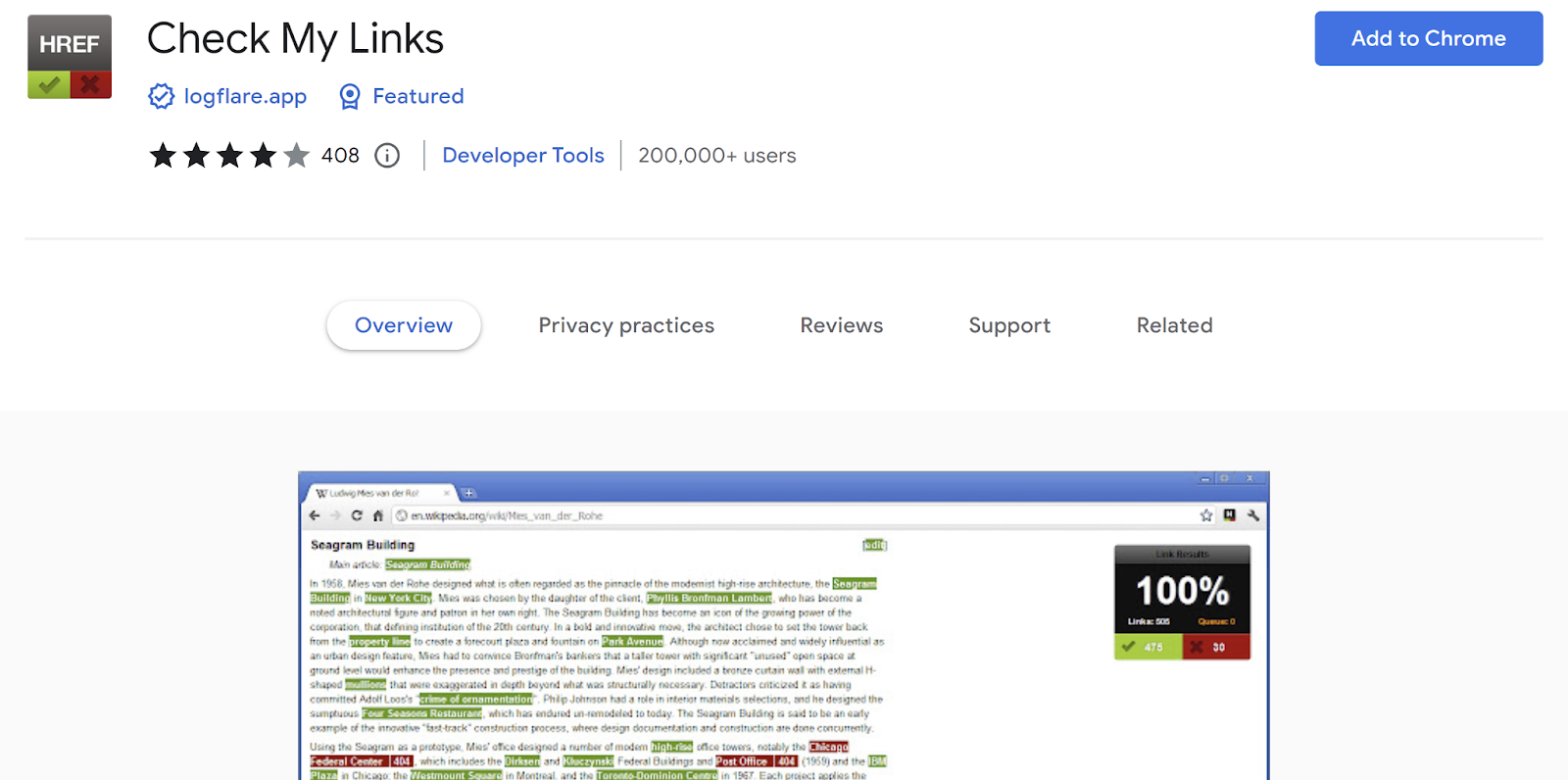
Check My Links is a free Google Chrome extension that crawls through any web page to check for broken links.

It’s one of the fastest link checkers you can use, and it registers and reports all of the broken links on a website within 20 to 30 seconds.

This gives you a significant advantage when contacting websites to promote links.

After checking a site with Check My Links, you can compile the broken links that are most relevant to your subject matter and propose replacing them with your functional links.

Hopefully, the site’s owner will appreciate you pointing out the broken links and offering a solution and will update the post with your replacement links ASAP.

4. Screaming Frog

Screaming Frog is another popular software among SEO experts. It’s able to monitor link building profiles and generate accurate reports automatically.

Screaming Frog‘s most notable value is that it enables you to thoroughly understand your backlink profile and the other factors that impact your website’s current search ranking.

As a link building software, it ensures all your links work correctly.

Screaming Frog has a free and paid version, highlighting broken links and generating reports. However, for $149 per year, you can enjoy all of the software’s features and unlimited website crawling.

5. ScrapeBox

ScrapeBox is a comprehensive link building software that pulls links from search engines that match your keywords. It‘s helpful to analyze your competitors’ link profiles to understand where you should target your link building efforts.

You can even scrape hundreds of proxies to be used in other link building SEO software.

ScrapeBox offers several significant advantages for your link building campaign, including the competitive edge of seeing into other brands’ link profiles.

It also allows you to add custom search engines and collect the usual URLs and their proxies.

6. Hunter

This comprehensive platform allows users to set up and manage link building outreach campaigns. I’m especially impressed by its features, such as:

  • Domain Search: This feature helps users find a point of contact within a company by quickly providing publicly available email addresses associated with the website as well as confidence scores, department filters, and detailed sources.
  • Email Finder: Just enter the website and name of the prospect you’re trying to contact, and Email Finder will give you the verified address you need.
  • Email Verifier: This tool verifies the emails on your list to ensure you’re sending emails to the correct contacts.

7. Semrush

Semrush has a couple of features that are valuable for link building. One feature is the Link Building Tool, which helps users build backlinks at scale. It identifies link building opportunities by analyzing target keywords and competing websites.

You can then take that information and set up an email outreach campaign. The feature also includes built-in reports to monitor the campaign’s effectiveness.

Another feature is BackLink Gap, which analyzes your competitors’ backlink profiles so you can find untapped link-building opportunities. BackLink Gap shows what websites link to your competitors but not your website. You can then target those competitors in your campaign.

8. Respona

This link-building outreach platform comes with various pre-built campaigns to boost organic traffic. Some of my personal favorites are:

  • Link-Insertion: Finds relevant, non-competing articles to link back to your site.
  • Skyscraper Technique: Discovers backlinks to the the top search results for your keywords.
  • Product Reviews: Gathers reviews for your product.
  • Podcast Outreach: Finds interview opportunities on podcasts within your niche.

9. BuzzSumo

BuzzSumo is a brand monitoring and content discovery tool that offers many perks. For example, the tool allows you to discover and track domains that link to your competitors.

Even better, you can export those domains to a spreadsheet for reference in your next link building campaign.

You can also set up alerts for when a website links to your competitors. Finally, BuzzSumo also tracks your own backlinks and sends alerts when you get a new backlink.

10. Pitchbox

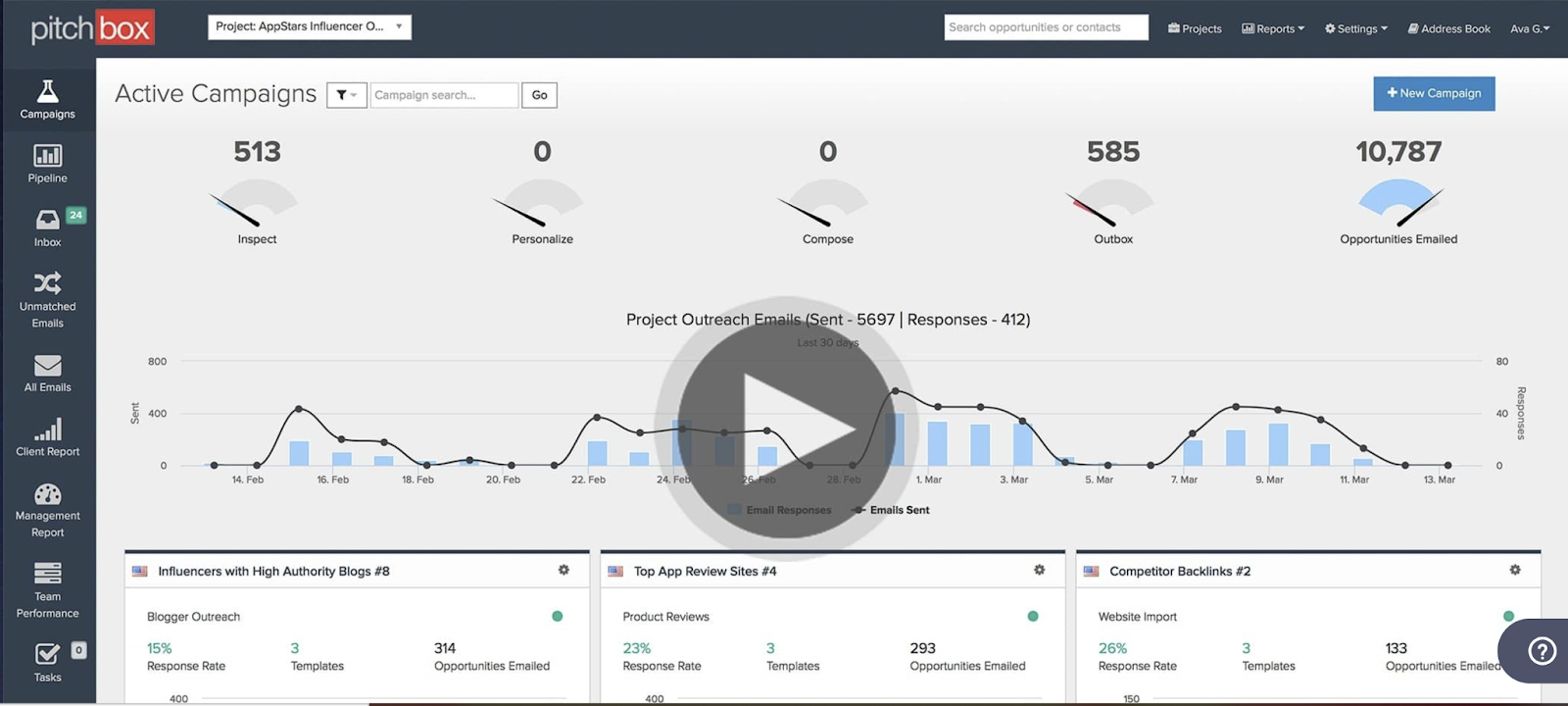
Pitchbox provides several ways to find prospects and build links. With Blogger Outreach, you can find and contact blogs within your niche to post about your products and services and link to your website.

You can also use Pitchbox’s many templates to execute link building strategies. And if you already have prospects, you can import them into a spreadsheet to be referenced in your campaign.

11. HARO

Help A Reporter Out (HARO) is mainly a resource for reporters looking to gather sources; however, it can be a useful link building tool if used correctly.

I use HARO to secure backlinks in different publications and both small and large media outlets. The New York Times and Mashable, for example, are reachable via HARO.

All you need to do to see the benefits is sign up to be a source on the platform.

You‘ll then receive email requests from journalists needing your expertise or information, which you can offer, and they’ll typically link to your website in their content.

12. Moz Link Explorer

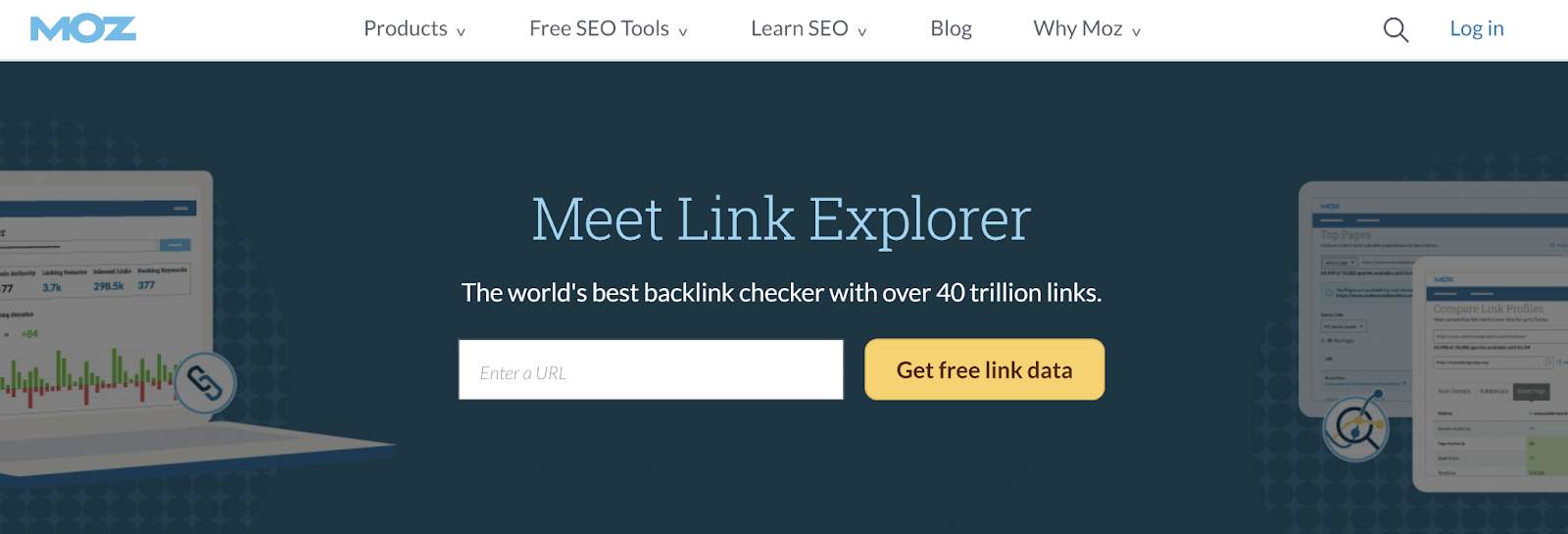
This tool from Moz is an excellent way to stay competitive. All you have to do is enter the URL of the website or page you want link data for. Then, you can see all of their backlinks and receive metrics, like the site’s domain authority.

13. Majestic

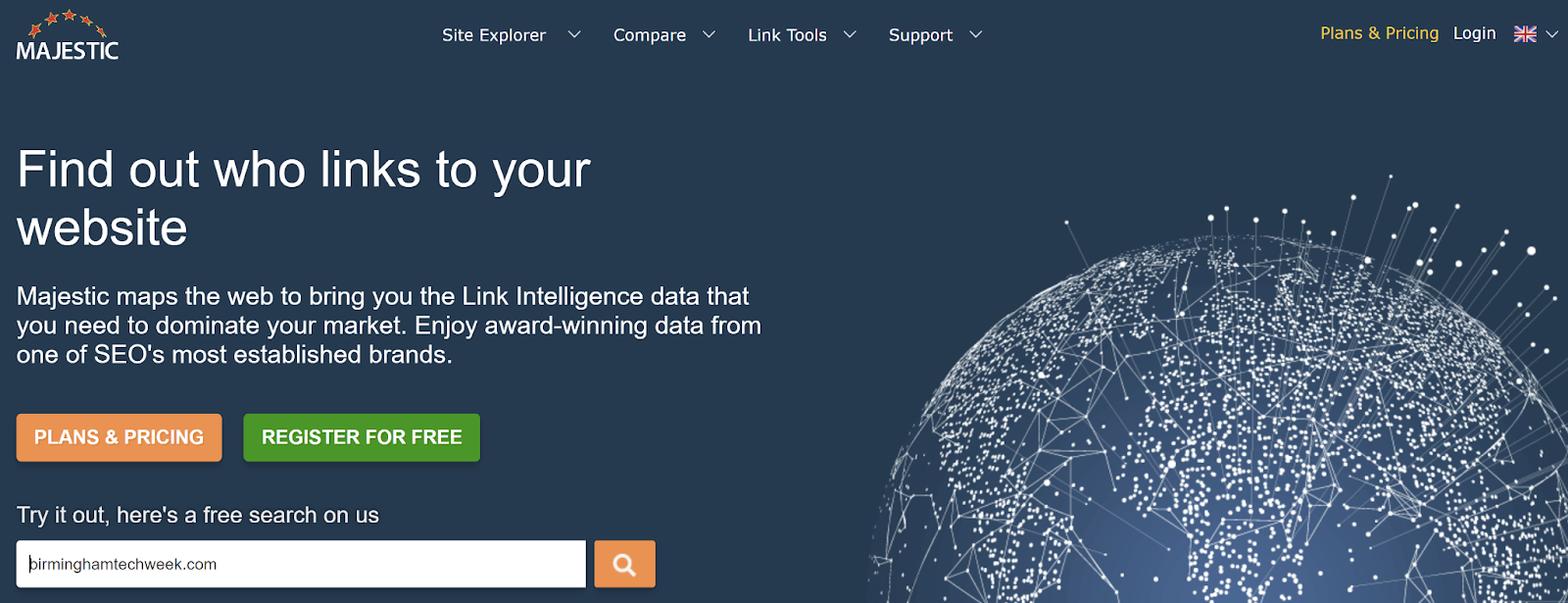
Majestic offers information regarding the number of backlinks a website has, referring domains, and anchor text analysis.

But its standout feature is its Topical Trust Flow, which measures how many links a website has from trusted “seed” websites.

14. Help a B2B Writer

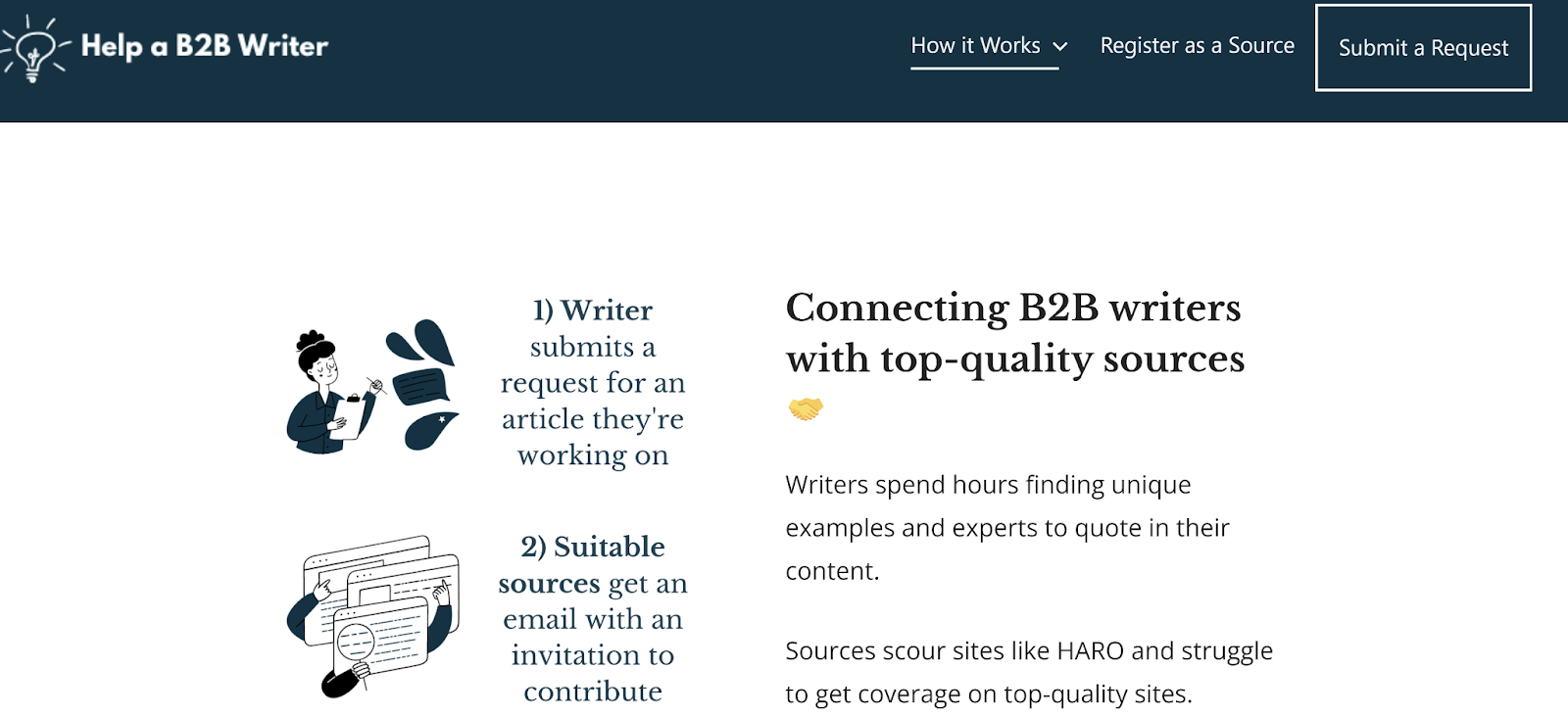
Help a B2B Writer works the same as HARO, but it’s a service for content marketers rather than journalists. As you would on HARO, you register as a source with Help a B2B writer and you get daily emails with source requests.

You can also select specific categories to get relevant emails that suit your niche.

Link Building Best Practices

The bare-bones definition of link building is strategically acquiring links pointing back to your website to increase organic rankings and drive referral traffic.

However, successful link building is more than that — it also means carefully considering where you place your links, the type and format of the links, the links’ anchor text, and how diversified the backlink portfolio is.

I’ve found these best practices to be practical parts of an overall link building strategy:

  • Create excellent content: The more valuable and engaging your content is, the more likely you can earn coveted spots on popular websites. I always ensure my content is easy to read, with helpful information like stats, quotes, and other trustworthy data.
  • Keep links relevant: The links should also lead back to high-quality and relevant information on your site. Search engines emphasize relevance, which is another reason targeting websites within your industry is important.

For example, if my site offers professional cleaning services, linking to a site offering cleaning equipment would be more relevant than linking to a sports equipment company.

  • Less is more: I’ve realized that placing a few links on high-quality sites is much more effective than putting a more significant number of links on suspicious or spammy sites.

For instance, with the correct social media management tools, you can make the most of your link building software on the most visible online platforms. It’s all about quality over quantity.

I also recommend diversifying your link portfolio to have a mix of different kinds of links.

  • Build relationships: Popular blogs are quickly becoming where we go for reliable, relevant news for almost any industry. Take advantage of the existing audiences on blogs in your industry by commenting on posts or even guest blogging. Blog comment links won‘t pass any clout, but they will grab the author’s attention.

If you are adding value, that will make it easier to partner up on content opportunities. Similarly, developing strong ties with industry influencers and reputable authors can help you add well-placed links to your arsenal.

  • Aim for resource pages: One of the more proven link building strategies is to get links included on a popular resource page. Websites often list helpful links and resources for specific topics, such as a recipe page on a food blog centered on a particular restaurant.

If you have a recipe or related content to share, you can contact the website’s author to ask if they could include your links on the page. It can become a home run if it fits the page and your brand well.

Link building is essential for the success of any online business, which you can measure by the volume of targeted traffic to your website.

By following proven best practices and investing in the best SEO link building software, you can ensure that traffic and prosperity remain high.

SEO Starter Pack

Categories B2B

8 Brainstorming Tools Marketers Need to Try in 2023

We’ve all been there: staring intensely at the screen, willing ideas to come to our minds.When words or ideas aren’t shooting out of our minds or fingertips, we know we’ve entered a writers’ block rut.

This is where brainstorming tools come in. By helping us generate and organize ideas, they can help both individual marketers, or teams who are always brainstorming

With features like virtual whiteboards, mind maps, and voting systems, today’s brainstorming tools foster efficient idea generation and collaboration among team members, regardless of their physical location.

In this post, we will cover:

Get Started with HubSpot's AI Campaign Assistant

AI Brainstorming Tools

HubSpot AI Content Writer

HubSpot AI Content Writer

Get started with the AI Content Writer

HubSpot AI Content Writer is a brainstorming tool that can help you when you’re stuck. If you need to create content, whether it’s an email, a landing page, a blog post, or a social post, you can tell the software the audience you’re writing to, the message you want to communicate, the length, and the tone you’d like to convey.

HubSpot AI Content Writer

For example, I gave it a prompt to brainstorm ideas for a blog post about how to set up an e-commerce shop. In return, I received a list of blog post ideas I can pursue.

HubSpot AI Content Writer

You can also use AI Content Writer to generate outlines, headlines, and content ideas in a pinch. 

Price: HubSpot AI Content Writer is available as part of CMS Hub, which offers a free version, Starter at $23 per month, Professional at $360 per month, and Enterprise at $1,200 per month.

Collaborative Brainstorming Tools

Lucidspark

Lucidspark

Source

If you like sticky notes, Lucidspark might be the brainstorming tool for you. The software is an interactive whiteboard that supports real-time collaboration by allowing you to chat, leave comments, react with emojis, and vote on ideas. You can simply type your ideas on a sticky note, or use drawing tools to mark something up, and drag or share your thoughts to the canvas. 

Lucidspark also offers customizable brainstorming templates for brainwriting, concept summaries, storyboarding, mind mapping, and wireframes. Lucid supports basic Excel import for Individual and Team accounts.

Pricing: Free version available. Individual at $7.95, Team at $9 per user, and custom pricing for Enterprise.

Miro

Miro

Source

Like Lucidspark, Miro is a collaborative brainstorming tool that fosters an open teamwork style with a whiteboard user experience. It also offers more than 200 brainstorming templates includingstickies, user story maps, and brainwriting. Additional features like chat, comments, sticky notes, and video allow you to bounce ideas off your team and gather feedback.

Miro can also import data from spreadsheets and integrates with popular tools like G Suite, Microsoft Teams (and Excel), Slack, and Zoom.

Pricing: Miro offers a Free version, Starter at $8 per member per month, Business at $16 per member per month, and custom pricing for Enterprise.

Milanote

Milanote

Source

Milanote is another online whiteboard that enables you to collaborate with teams. You can write notes and to-do lists; upload images, Excel documents and design files; save text, images, and links from the web; and add notes and photos from your phone.

Unlike similar whiteboarding tools on this list, Milanote’s geared towards design and creative teams with its ability to support design files.

Pricing: Milanote offers a free version with paid plans starting at $9.99 per person per month and team upgrades starting at $49 per month (billed annually).

Note-Taking Brainstorming Tools

TheBrain


TheBrain is a note-taking brainstorming tool with AI features. It aims to digitize your thoughts and organize everything you need for brainstorming in one place by enabling you to take notes and save files, web pages, images, and emails to the platform. Though it’s note-heavy, you can also structure and visualize the writing with outline view, thought icons, and embedding of images, videos, and links into your notes.

You can also generate outlines and content by leveraging TheBrain’s AI capabilities.

Pricing: Free version available. Pro Service at $15 per set per month, Pro License at $219 one-time, and Pro Combo (License and Cloud Services) at $299 per seat per year.

Evernote Teams

Evernote Teams

Source

Evernote Teams is a note-based collaboration tool with brainstorming features. You can access shared notebooks and spaces and collaborate in real-time by editing notes with team members.

Evernote Teams integrates with Google Suite, Slack, and Microsoft Teams.

Pricing: Free trial available. Pricing available upon request.

Free Brainstorming Tools

HubSpot Campaign Assistant 

HubSpot Campaign Assistant

Source

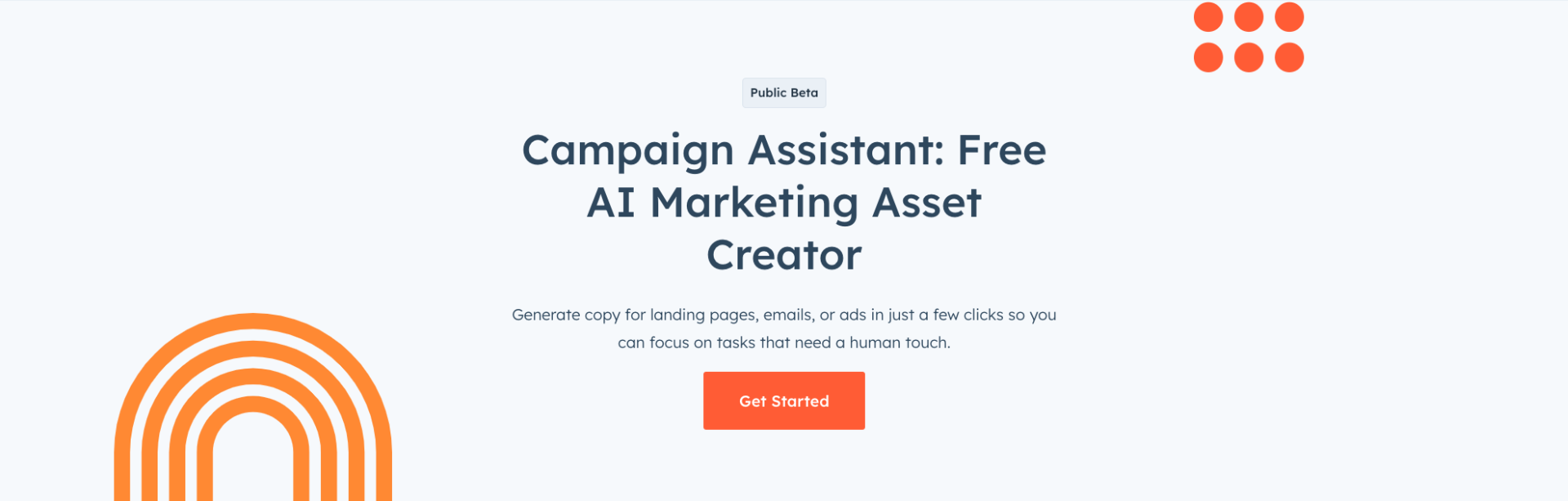
HubSpot Campaign Assistant is a free AI-powered brainstorming tool for marketing campaigns. If you’re encountering roadblocks, Campaign Assistant can help you brainstorm marketing campaigns, whether you need copy for a landing page, marketing email, or Google ad.

HubSpot Campaign Assistant

You can share details about your campaign and select a tone of voice that aligns with your brand. With just a few clicks, you’ll receive copy highlighting your selling points and incorporating your desired call to action. 

For example, when I used this tool to create an email marketing campaign for an online Halloween sale at a costume store that also sells Halloween home decor, I gave the tool a description of what the campaign was about, key facets my audience should know about, a call-to-action, and a writing style. 

Within seconds, Campaign Assistant generated a ready-to-use email in an excited and humorous tone.

HubSpot Campaign Assistant

Pricing: Free.

Google Docs

Google Docs

Source

You’re probably already familiar with Google Docs. It’s a classic brainstorming tool that enables you to type out ideas, and collaborate with your team by sharing docs. 

I use Google Docs on a nearly daily basis — in fact, I wrote the draft for this blog post on Google Docs. Before delving into a blog post, I would create a separate document for to brainstorm a good outline.

Google Docs also integrates with other popular brainstorming tools, making it a helpful supplementary software.

Pricing: Free

Brainstorming Templates

Brainstorming can be intimidating, especially when you’re staring at a blank slate. This is how brainstorming templates can help.

Brainstorming templates are pre-designed frameworks or structures that guide and organize the brainstorming process. These templates provide a starting point for teams to generate ideas and encourage structured thinking. Whether in the form of mind maps, SWOT analysis, or decision matrices, these templates help individuals and teams explore different angles, foster collaboration, and ensure that no important areas are overlooked.

By using brainstorming templates, teams can streamline their ideation process, stay focused, and ultimately increase their chances of generating innovative and effective solutions.

Here are some brainstorming templates:

HubSpot Free Brainstorming Template

Brainstorming vs. Mind Mapping

Brainstorming and mind mapping are two distinct techniques employed in the creative process. While brainstorming focuses on generating a large quantity of ideas without any evaluation or organization, mind mapping involves visually organizing and establishing relationships among these ideas. In brainstorming, ideas can be random and diverse, allowing for a free flow of creativity.

On the other hand, mind mapping uses a central point as a starting point and branches out to connect related sub-topics and ideas, creating a structured and hierarchical visual representation. Brainstorming is the initial step in idea generation, while mind mapping facilitates the organization and understanding of these ideas for further development and implementation.

Get Started With Brainstorming Tools

From capturing and organizing ideas to leveraging artificial intelligence for content generation, brainstorming tools have become essential. With their intuitive interfaces and powerful features, brainstorming tools empower you and your team to unleash creativity, think outside the box, and find unique solutions to complex problems.

Get started with tools like HubSpot’s AI Campaign Assistant..

campaign-assistant

Categories B2B

Take Personalized Marketing to a New Level: 14 Brand Examples

One great example of personalized marketing is the Charles Duhigg New York Times article titled, “How Companies Learn Your Secrets.

Charles wrote this article as a sequel to a public showdown. In this incident, a furious father stormed a Minnesota Target store to demand why his teenage daughter received coupons for baby products.

Later, the father found out his daughter was pregnant.

It turns out the retailer was able to predict her pregnancy and personalized the promotions she received. How? The retailer collected ‌(completely legally) and analyzed a ton of data. Creepy or great marketing?

→ Click here to download our free guide to digital marketing fundamentals  [Download Now].

We’re still asking ourselves that question. Beyond this edge case, many brands exemplify how businesses should approach personalized marketing.

In this post, you’ll learn how personalized marketing works and see examples of brands that practice it without sounding creepy. Here are 14 brands that nailed personalized marketing in a fun, non-intrusive way.

14 Personalized Marketing Examples

1. Shutterfly

Shutterfly is a website and app for creating canvases, photo books, and calendars. It’s also great for designing personalized gifts with the faces of people or anything you want.

One of Shutterfly’s hallmarks is the creative emails it sends. But more than that is the personalized item offerings on its app.

If you download the Shutterfly smartphone app, you can create an account and permit Shutterfly to access your photos.

With this permission, Shutterfly automatically identifies photos with faces and places them on items you can purchase from the app. An example is these mugs.

personalized marketing examples, Shutterfly picture of two mugs

Image source

The Takeaway

If you sell personalized products, it’s helpful to show your customers what they could get. Seeing their photos or words related to their life on your product could entice them to buy.

However, when you do this, ensure you get explicit permission to go through someone’s information to pull this data. Without proper permissions, getting the personal data of customers could come off as untrustworthy or downright creepy.

2. Funko

Personalization can be a value proposition and generate buzz around your brand. Looking for an example? Check out Funko, a toy manufacturer best known for its bobblehead-like figures of pop cultural icons.

In 2023, the brand launched a new POP! Yourself line, where customers can make Funko figures of themselves, their families, and their friends. This allows customers to interact with the brand, creating something in their image.

Funko customized figure

Image Source

The Takeaway

Personalization gives your audience a unique way to interact with your brand. Funko figures have a cult following among collectors.

This new offering allows brand enthusiasts to create something totally unique — a figure they can’t get anywhere else.

Folks who know Funko lovers can also create a gift that their loved one doesn’t have in their collection.

3. Penguin Random House

Personalized marketing isn’t just about making custom products. Often, personalized marketing focuses on pairing your current products with folks who will love them.

For example, let’s take a look at book publisher Penguin Random House.

The publishing company has a wide range of titles, and book lovers can find something they’ll love in their library. The marketing team at the company makes the process a little easier with quizzes.

Readers can find out who their literary match might be, piquing their interest in buying the book.

personalized marketing quiz

Image Source

The Takeaway

Quizzes are both a sneaky way to offer recommendations and an interactive element that can keep your website visitors entertained. You can provide an easy, fun way to personalize their experience on your site.

4. Vidyard

I was in awe when my colleague, HubSpot Academy Sales Professor Kyle Jepsen, forwarded me an email with the comment, “Taking personalization to a whole new level.” This video shows personalized marketing at its finest.

HubSpot Video

Vidyard could have superimposed each recipient’s name onto the whiteboard in this video and kept the same script for each one.

But they didn’t stop there. Cole, the gentleman speaking in the video, not only addressed Kyle by his first name but also referred to his specific colleagues and the conversations he had with them.

The Takeaway

There’s only so much personalization you can achieve using text. But personalized videos? That changes everything. Personalizing your mixed media content is an interesting and often effective approach. “I mean, clearly, he made the video just for me,” Jepson said.

While this sort of data-driven personalization is memorable, it’s also extremely time-consuming. So, if you set out to create it, be absolutely sure you’re targeting the right people. There’s nothing worse than taking the time to produce something highly customized, only to discover you’ve sent it to someone who doesn’t have the decision-making power you need.

5. Tony Robbins & Dean Graziosi

Self-improvement experts Tony Robbins and Dean Graziosi hosted a week-long Own Your Future webinar in 2021. After the webinar, registered participants received a personalized appreciation email. This email included a picture of Dean holding an envelope with each participant’s first name handwritten on it.

Damilare Olasinde, a content marketing professional, was one of the webinar attendees. He had this to say about how he felt upon receiving the email.

“It thrilled me to bits. Being a copywriter, I’m familiar with email personalization. But I’d never seen this before, and I loved it.”

The Takeaway

Email personalization typically revolves around custom subject lines, list segmentation, and personalized content. But Tony and Dean took their email personalization efforts up a notch.

This might feel like a cheap thrill, but it makes a difference to customers. For instance, Damilare knew that this seemingly handwritten address was probably a handwritten font generated by software. Still, the gesture warmed his heart.

As an entity, you need to find creative ways to use digital tools to create cute little moments like what Tony and Dean’s list members experienced. This kind of gesture is difficult to forget, even after many years. It can help you create loyal fans and customers for a lifetime.

6. IPSY

IPSY is another brand with personalization at the core of its business. This subscription service sends over five personalized, sample-sized products every month to its users. The grab bag’s selection is based on the product categories users are most interested in.

To get started, subscribers take a quiz to indicate their interests. Here, they can indicate what products they would like to receive and how frequently.

personalized marketing, ipsy

Image Source

The Takeaway

Beauty is a very personal category. Shoppers are looking for products that match their skin tone and shade range. The more personalized your product offering, the more personalized your marketing should be.

7. Amazon

Amazon’s personalization efforts aren’t exactly new. Since at least 2013, its product curation and recommendation algorithm has made headlines and case studies. And yet, every time I visit my Amazon homepage, I can’t help but scroll down and get a kick out of its recommendations for me. Have a look:

 personalized marketing examples, Image of Amazon related and recommended items

Image Source

Those who know me are aware of my borderline obsession with hip-hop, which is also the motivation for much of my online shopping behavior. Clearly, Amazon has taken notice.

And as I continued scrolling down, the fitting personalization went on. There was a header reading “For a night in” with recommendations on what to stream on Amazon Prime — an activity that comprises most of my weekend.

Its recommendations for dog and kitchen products were on point, as well. After all, those are the categories where I make the most purchases.

It’s not just me. When I asked my colleagues what their Amazon homepages looked like, they were equally pleased. Sophia Bernazzani, a fellow Marketing Blog staff writer (and self-proclaimed “cat mother of three”), had a plethora of personalized cat food recommendations, while Managing Editor Emma Brudner’s suggested Prime streaming titles came with the header, “Bingeable TV.”

“Amazon,” Brudner remarked, “You know me so well.”

The Takeaway

As Brudner said, Amazon seems to know us pretty well, though I do question why, as per the image above, its algorithm thought I might like to buy a pair of leg warmers. The nice thing about this personalization is that it can often lead to unplanned purchasing decisions.

For example, the purpose of my most recent visit to Amazon was to check out its personalization features for this article. But then, I discovered that Rapper’s Delight: The Hip Hop Cookbook was in my recommended books. Did I buy something I don’t need? Sure. But I was also delighted because Amazon brought it to my attention with very little effort.

The best part about these recommendations for users is the discovery of what they like — whether it’s a book, a tool, or an article. If you can provide this, customers will keep coming back because they know they’d only need minimal effort to find suitable products on your site.

8. Spotify

Music enthusiasts love Discover Weekly, a curated playlist of Spotify tracks a user may like. Like other personalization and recommendation platforms, Discover Weekly works with the help of an algorithm to determine a user’s “taste profile” based on listening behavior and the most popular playlists among the entire Spotify audience.

Here’s a great diagram that visually represents the process:

personalized marketing examples, Discover weekly algorithm

Image Source

As much as I use Spotify — which is close to daily — I’ve never bothered listening to my Discover Weekly playlist. So, I took it for a spin.

personalized marketing examples, Inside Spotify app

Image Source

The results were hit-or-miss. While it thrilled me to discover a few great songs that I plan to listen to again, many songs on my personalized playlist felt “meh.”

That said, those behind Discover Weekly acknowledge that personalization isn’t a perfect science. They also have suggestions for how to make it better, like adding the Discover Weekly songs you like to your library or skipping those you dislike.

For instance, “If users fast-forward within the first 30 seconds of a song,” Spotify Product Director Matthew Ogle and Engineering Manager Edward Newett said, “The Discover Weekly algorithm interprets that as a thumbs-down for that song and artist.”

The Takeaway

Most personalization initiatives will not be perfect. Even with a great algorithm, they are, at best, very educated guesses about what’s going to apply to your customers.

For that reason, it might be best to take a conservative approach to your recommendations, especially in the earliest stages of your personalization efforts.

This is an area where small-batch testing can be helpful. When you want to try out a personalization project or algorithm, identify your most active users and invite them to pilot the technology.

Listen carefully to their feedback — good and bad — and see what you can do to make it better.

Spotify continues to emphasize the importance of personalization on its platform. In 2023, the company announced that it would be launching a merch hub.

Here, avid listeners will get recommendations on merchandise based on their listening habits. That’s great if you’re looking to acquire cool band tees.

personalized marketing examples, Inside Spotify app

Image Source

9. ProWritingAid

User data is core to the marketing personalization strategy at ProWritingAid. As a free or premium user, you receive a weekly email from ProWritingAid with this subject line — Your Achievements Last Week.

personalized marketing examples, Prowritingaid email

Image Source

ProWritingAid can send this email because they track writing on multiple devices and platforms. They also know the number of grammar and style suggestions you accepted and even your most active writing days.

Beyond personalization, another goal of this email is to tap into the community of users. By including a “click to tweet” link, users can share their progress on X (formerly Twitter) and provide free PR for ProWritingAid.

The Takeaway

Data is like unrefined oil for your brand. If you run a SaaS business and you collect user data, think about how you’d refine that raw data and use it to personalize the experience of your users.

Consider it like a “help me help you” situation.

Customers subscribe to your product because they need help with specific tasks. Using the data they provide, you can help them know how they are faring and highlight opportunities for improvement.

That’s the type of action that can make a brand remarkable, fuel-free PR, and earn you new business.

10. Netflix

Netflix takes personalized marketing seriously, and they are extremely good at it. Using AI and Machine Learning, Netflix monitors and analyzes the movies and shows that users watch, consistently interact with, and rate.

The matching percentage (in green font) beside each program’s title shows how much a movie or show may appeal to a user. For me, Netflix nails this very well. But the personalization strategy of Netflix doesn’t end in-app.

personalized marketing examples, Netflix app showing 99% match

Image Source

Netflix also sends personalized emails to re-engage its users. These unique emails inform users about shows or movies that match their preferences.

personalized marketing examples, Netflix reengagement email

Image Source

The Takeaway

Customer experience should be central to your brand. Everything Netflix does is to make each user happy by predicting the content that a user may like.

While we can’t attribute Netflix’s steady revenue growth since 2013 solely to its personalized marketing strategy, there’s no gainsaying that it’s a great contributor.

11. OpenTable

OpenTable is a real-time online reservation network that helps restaurants run smoother shifts, fill seats, turn guests into regulars, and create and sell dining experiences. This business requires personalized marketing to thrive.

Like Netflix, OpenTable has figured out how to know its customers so it can send personalized content to them. See this email, for instance:

personalized marketing examples, OpenTable email

Image Source

Any customer who receives this email is likely to check it out. Why?

  • They’ve used OpenTable before
  • They know the email is for them
  • They believe OpenTable knows their preferences

In the rare case that a user doesn’t like OpenTable’s recommendations, the final call-to-action (Find Your Table) comes in handy.

The Takeaway

Don’t add more work to a customer’s plate. The less work a customer does, the better. Imagine a customer wading through 52,000+ restaurants. That’s impossible.

Where possible, use your customers’ data to help them out. Learn and use their preferences to create personalized recommendations. This will help you reduce the timeline for your customer to buy a product or service.

Do this, and you may have more revenue in the bag.

12. Safeway for U

Personalized marketing isn’t just about putting the right products in front of shoppers. You need tactics to get them to buy.

That’s where personalized coupons come in. If a shopper sees that an item they like has a special sale, they’re more likely to add it to their cart.

Let’s take a look at Safeway, a grocery store with over 240 stores in the U.S. The business has an app called Safeway for U. At the store; users can scan barcodes that offer special discounts. From there, the app learns about buyers’ preferences.

Safeway can then notify customers when a product they’d like is available, personalizing the marketing experience.

The Takeaway

When personalizing your marketing strategy, look for opportunities to target coupons to the right audience. Personalization allows you to target the most compelling offers to the right audience.

This gets shoppers into the store and the right item into their cart.

13. Complain.biz

Complain.biz is a new online platform that helps consumers file complaints against businesses. The platform has a mission and belief that “consumers deserve to be heard and treated fairly by companies.”

In March 2023, the brand launched an AI complaint letter generator (powered by GPT-4) that personalizes and facilitates complaint filing based on thousands of successful examples.

This service empowers consumers to mail well-written complaint letters to a company’s headquarters.

The surprise? Complain.biz doesn’t send emails. They send traditional paper mail, which is vetted by a human expert.

personalized marketing examples, Complaint biz product page

Image Source

The Takeaway

The revolutionary GPT-4 technology presents new opportunities to serve consumers better. For instance, at HubSpot, we’re developing our content assistant and ChatSpot, which are powered by AI.

While this saves time and cost, sacrificing personalization to over-rely on AI may not be best. Complain.biz understands this, and that’s why they leverage AI to augment (and NOT replace) human intelligence.

Opportunities exist to provide consumers with valuable personalized experiences using AI. As a business leader, the onus is on you to look deep into your business to find how AI can help you create pleasant customer experiences.

14. Alibaba

Alibaba is a popular ecommerce giant that used the Ling Shou Tong initiative to reinvent convenience stores in China.

LST is a partnership program between Alibaba and traditional mom-and-pop stores that aims to modernize and digitize.

Among other benefits of this program, participants had access to the Ling Shou Tong app, which helped store owners automate their inventory management.

The app works by suggesting a list of goods most likely to sell based on each store’s sales data.

Brands like Mondelez, the owners of Oreos and other popular snacks, also benefited from this analytic data.

By relying on consumer insights gathered in these stores, Mondelez launched a single Oreo package that targeted customers who want affordable snacks.

LST has helped expand Alibaba’s offline reach and strengthen its brand recognition. As of the summer of 2019, 1.3 million of the 6 million convenience stores had adopted the LST initiative.

personalized marketing examples, Alibaba - Store in China

Image Source

The Takeaway

Accenture consulting rightly describes LST as an innovative disruptor. Upon closer examination, LST is simply personalized marketing applied to B2B retail. Nothing more.

In retrospect, the genius of the LST initiative is obvious, as no one was doing it at the time.

This prompts the question: What potentially disruptive ideas are hiding in your business data? As Michael Simmons remarks, great opportunities for growth and improvement are often “sitting right in front of us…but we can’t see.”

How can you uncover more of these invisible opportunities? There’s no straightforward answer to that. But one recommendation is to lean into Simon Sinek’s “Start With Why” philosophy.

As Simon describes in his book, great ideas often emerge when you’re maniacally committed to improving the lives of your customers.

Get Personal

One of the fundamental purposes of any personalization effort is to let your customers know you’re paying attention to them.

But, striking a balance between “we think you might find this helpful” and “we’re watching you” isn’t a simple process. Be sure to do careful research, planning, and testing before jumping into any large-scale customization initiatives.

Remember that while you might be a marketer, you’re also a consumer. With experiments like these, put yourself into the shoes of the customer and ask, “Is this delightful? Or is this creepy?”

If it leans toward the latter, find out what’s giving it that vibe, and try something different.

Editor’s Note: This post was originally published in December 2013 and has was updated for comprehensiveness in November 2019.

New Call-to-action

Categories B2B

How to Give a Great Presentation (+ Expert Tips)

In your career as a business professional, there’s a good chance you’ll be asked to give a presentation, be it in the office or at an event.

So we’ve spoken to experts across several industries who shared some presentation tips that can help you overcome the fear of public speaking, which affects 75% of the general population.

→ Free Download: 10 PowerPoint Presentation Templates [Access Now]

In this piece, you’ll also learn the elements of a great presentation and the breakdown of a real-life TED talk that encompasses most of the tips provided by experts.

Table of Contents

What makes a presentation great?

A great presentation is one that starts off in a compelling manner that grabs the audience’s attention from the start.

It maintains a clear and structured narrative throughout, seamlessly transitioning between key points while incorporating engaging visuals to reinforce each idea.

In the end, a great presentation leaves a lasting impact that inspires and empowers the audience and encourages them to take action, both in their personal lives and in their surroundings.

Here are five elements of a great presentation.

1. Confidence

People who attend your presentation do so because they believe that you’re an authority on the topic about which you’re speaking.

In other words, they expect you to speak with confidence, as an expert and thought leader. That’s the only way for them to feel interested in what you’re saying.

A great way to build confidence, even when you have terrible stage fright, is to prepare and rehearse your presentation way in advance. This prevents you from working too hard to recollect the point you’re trying to make during the main presentation.

2. Clarity

Clarity during a presentation is a multifaceted thing. On one hand, you need to be clear about the purpose of your presentation.

Explain to your audience why you’re giving this presentation and what they should expect throughout the duration of your speech.

On the other hand, you need to deliver your presentation clearly. Enunciate your words and speak at a medium pace, peppering your speech with gesticulations that emphasize the point you’re trying to convey.

Clarity also applies to how you structure your slide deck if you’re using one. Don’t stuff your slides with too much information. If you do, your audience will focus more on reading the slides than on what you’re saying. Slides should accompany your presentation — not replace it.

3. Imagery

Speaking of slides, people understand presentations better when the speaker uses visual aids to demonstrate their points. Some examples of visual aids include images, infographics, diagrams, videos, charts, and graphs.

Elizabeth Pharo, the CEO at Divorce.com, understands the importance of imagery in a presentation.

“Incorporating relevant images, graphs, and videos significantly enhances the audience‘s understanding and retention of the information presented,” Elizabeth acknowledges. “It’s about creating a visually stimulating experience without overwhelming the senses, striking the right balance between content and design.”

Note: High-quality imagery is arguably better than text on a slide deck because an audience doesn’t have to struggle to read text and listen to you at the same time. You can use text in your slides, but only when it’s essential.

4. Conciseness

No matter how interesting your topic is or how passionate you are about it, keep your presentation brief.

This involves axing any stories, data points, or examples that aren’t directly related to the subject matter. Only use words that are necessary to convey information.

The same goes for your slides. Instead of cramming large blocks of text into your slides, only use short sentences and bullet points to describe salient points.

5. Engagement

Presentations aren’t supposed to be dead silent. Sure, the crowd will mostly not say anything until the Q&A session, but a good presentation involves a calm interaction between the speaker and the audience.

This interaction can come in different forms. For example, the audience may nod in agreement with a relatable scenario the speaker painted during the speech.

The speaker may also call on members of the audience to answer specific questions that lend legitimacy to the central idea of the speech. Or the audience may laugh at something funny the speaker said. That calm engagement keeps the audience’s attention on the presentation until the speaker is done.

At the end of the presentation, a more lively interaction can happen when the speaker encourages listeners to ask any questions they may have.

Presentation Tips to Follow

Ready to start practicing? Below are some expert-provided tips on how to give a great presentation to an audience.

1. Start strong.

Just like in a novel, the first few sentences of a presentation are some of the most important because they determine whether your audience will be interested in what you have to say or not. So you have to start your presentation with a bang.

There are many ways to do this. You can ask a rhetorical question — which encourages listeners to shape their answer based on the contents of your speech.

You can start with a quote from an influential person to provide context and situate your topic in the minds of your listeners. Or, you can invite your audience right off the bat by directly asking them questions and basing your presentation on the answers they give.

Whatever method you use, ensure that it is hard-hitting, solid, and poignant enough to grab your listeners’ attention and keep it till the end of the presentation.

Pro tip: Some other effective ways to start off a presentation include making a shock-inducing statement or fact, showing an interesting chart, image, or statistic, and playing a brief video to set the tone of your presentation.

2. Focus on the needs of your audience.

The way you give your presentation, the stories you tell, and the language you use depend largely on the people you’re speaking to. So, customize your presentation to fit them.

“Don’t get caught up in what you want to say without considering why it matters to them. Put yourself in their shoes and craft the presentation to connect with their interests and provide something useful,” says Christoph Trappe, the director of content strategy at Growgetter.

“This may require learning about the audience beforehand to understand what they want to get out of it. Tailor the style, content, length, and other elements based on their needs, so they come away feeling it was time well spent.”

Trappe’s right. Familiarizing yourself with your audience’s interests, needs, backgrounds, and expectations helps you alter your presentation in a way that they understand.

For example, if you’re presenting to engineers, you’ll concentrate on the technical details. But if you’re speaking to executives, you’ll emphasize cost savings and ROI.

Pro tip: According to Erin Pennings, the Brand Messaging Strategist at CopySnacks, here are some ways to learn more about your audience before you present:

  • If it’s your event, ask your audience questions on the registration form. You can use their answers in your presentation.
  • If it’s an event you were asked to speak at, ask people questions as they walk in to get a sense of what they’re looking to learn.
  • If you’re pre-recording a presentation, ask your audience questions on social media to gauge their expectations.

3. Keep it simple.

In his evergreen piece, How to Give a Killer Presentation, Chris Anderson, TED Talks’ curator, wrote:

“The biggest problem I see in first drafts of presentations is that they try to cover too much ground… If you try to cram in everything you know, you won’t have time to include key details, and your talk will disappear into abstract language that may make sense if your listeners are familiar with the subject matter but will be completely opaque if they’re new to it.”

The scenario Anderson describes is pretty common. The presenter tries to cover their entire career in a single talk, which results in a superficial presentation that sweeps too broadly and has no real message.

For your presentation to be successful, your message has to be easy to understand. Ask yourself, “What key points do I want people to take away from this presentation?” Focus on that.

In Anderson’s words, “Go deeper. Give more detail. Don’t tell us about your entire field of study — tell us about your unique contribution.”

Pro tip: Per advice by the founder of Rephrasely, Matthew Ramirez, instead of overwhelming your audience with a long list of bullet points, choose one central concept that you wish to convey and craft a narrative that demonstrates this idea.

4. Share personal anecdotes.

My favorite presentations are those that start with a well-framed, preferably true story. People love a good story because it helps them relate to situations they mightn’t have believed applied to them.

A good story also helps your audience feel more comfortable and connected to you. This, in turn, makes them more receptive to your presentation.

Eric Doty, the Content Lead at Dock, described how stories and personal anecdotes added more power to the presentations he’s given.

“When I worked at a real estate marketing agency about five years ago, I was asked to give a presentation on personal branding to a crowd of successful real estate agents. I was probably the most junior person in the room,” Doty recounts.

“But I had unique personal experience that they didn’t at the time—I had grown a big audience on Twitter. This calmed the nerves and lent legitimacy to my presentation.”

“All the advice I gave in the presentation was peppered with personal anecdotes and examples, which made it more meaningful and memorable. I ended up having the top-rated talk at the conference based on audience feedback.”

Doty’s not the only person who thinks stories are a great vehicle to deliver the message of your presentation. Cody Candee, the founder and CEO of Bounce shares the same sentiment: sharing stories = connecting with your audience.

“Many presenters make their data the focal point of their presentation, but this approach fails to take into account how people connect information to their own experiences or how the human brain creates relational memories.”

Candee continues: “Talking about your own personal experiences, employing mild self-deprecating humor, and adding observational tales can create the connection between the data you are dispensing and the parts of your audience’s brains that take in and store information.”

“Adding storytelling to your presentation helps you move away from sterile data distribution and toward the human element that makes your data meaningful.”

5. Frame your presentation with data.

In presentations, especially business-focused ones, you’ll make quite a lot of claims. But those claims mean nothing without the appropriate data to bolster them.

As you prepare your presentation, do your due research. Find examples and studies to support your message and frame your presentation with them.

The operative word here is “frame.” You don’t want to make your presentation chock full of data and research that there’s little to no room for light-hearted humor, interesting personal anecdotes, and audience interaction.

Pro tip: Let the data and research you cite be few and far between. Whenever you cite one, expand on it by explaining the meaning and implications of the research, sharing personal (or non-personal) anecdotes, and asking the audience yes/no questions to demonstrate the authenticity of the data.

6. Pause to breathe.

The prospect of giving a presentation to a (semi)large group of people is enough to set anyone’s nerves on fire.

A common byproduct of this is getting on stage and reeling off the entire presentation in one breath, leaving your audience half-confused, half-startled.

To prevent that from happening, take strategic pauses to emphasize key points. Not only does this give you a moment to breathe and collect your thoughts, but it also gives the audience time to absorb information.

In many cases, strategic pauses also help you develop suspense and put some weight behind your data.

Pro tip: Ray Slater Berry, the founder and director of DSLX has a cool tactic that can help you deliver your presentation at a good pace.

“Deliver 1-2 lines, and then picture yourself standing up from one chair, taking a step to the left, and sitting down on the chair next to it—before you continue talking. This is adequate time to give your listeners a moment to digest and for you to breathe,” Berry says.

7. Don’t be tied to slides.

Slides are the customary visual aid used in presentations — and for good reason, too. They’re efficient, and you can add both text and images to them. They get the job done, but they’re not the be-all and end-all of visual aids.

Hand-drawn charts and short videos work just as well, too. Or you can take the daring route and rely on just the power of your own voice.

On this, Christoph Trappe lends his opinion again. “When it comes to delivery, think beyond just PowerPoint slides. While visuals can be helpful, rely more on connecting through storytelling, audience interaction, and conversational speaking. Slides full of bullet points tend to lose people’s attention quickly.”

Pro tip: Slide decks are not detrimental to a presentation, but you can switch things up by finding a different medium (or combination of media) to convey your points in an engaging way.

And if you do use slide decks, don’t inundate them with bullet points and read directly from them. Instead, let them contain sentences, images, charts, and graphics that are complementary to your presentation.

8. Follow the 10-20-30 rule.

If you are planning to use slides in your presentation, a good rule to follow is the 10-20-30 rule proposed by prominent venture capitalist Guy Kawasaki.

The 10-20-30 rule of PowerPoint presentation is simple:

  • Your presentation should have no more than 10 slides.
  • Your presentation should be no longer than 20 minutes.
  • The text on each slide should be no smaller than 30 points in size.

This rule emphasizes the importance of brevity, focus, and visual appeal when giving presentations. Kawasaki believes that people generally can’t comprehend more than ten concepts in a meeting, hence the cap of ten slides.

He also believes that, to keep the audience’s focus, it’s best to present all ten slides in 20 minutes, with roughly 2 minutes for each slide. This makes a lot of sense, especially when you realize that most, if not all, TED talks (and your favorite sitcom episodes) last approximately 20 minutes.

The final rule stems from Kawasaki’s observation on how presenters fit text in slides wrongly.

On his blog, Kawasaki writes, “The majority of the presentations that I see have text in a ten-point font. As much text as possible is jammed into the slide, and then the presenter reads it.”

“However, as soon as the audience figures out that you’re reading the text, it reads ahead of you because it can read faster than you can speak. The result is that you and the audience are out of sync.”

Kawasaki goes as far as saying that many presenters use small fonts because they haven’t memorized their presentations well enough. His solution? Use a font no smaller than 30 points.

“I guarantee it will make your presentations better because it requires you to find the most salient points and to know how to explain them well,” Kawasaki writes.

Note: Using a font size of 30 and above in your slides is also beneficial for audience members who have visual impairments.

9. Show your passion.

Have you noticed that it’s quite easy to spot when someone is actually excited about the topic they’re presenting — as opposed to someone who doesn’t care?

That’s because passion can’t be faked.

You can spend months getting the outline, words, and delivery right for your speech, but if you aren’t fascinated by what you’re presenting, the audience will catch on. You can’t expect people to be enthusiastic about your presentation when you aren’t excited yourself.

Showing genuine passion for your topic fosters a sense of intimacy between you and your audience. Your listeners will catch the “excitement bug” from you and become interested in what you have to say.

Pro tip: Before you give a presentation, take awesome time to remind yourself why the topic is so fascinating to begin with. When you know why, you’ll be able to pass on that energy to your listeners.

10. Develop stage presence.

The first time I had to give a speech, I was eight years old, and the speech was directed to my elementary schoolmates. My heart was beating so fast, and my hands were shaking.

When the time came, I stood in front of the crowd, stared at some tree in the distance, and reeled off the entire speech without moving a muscle.

My stage presence was zero. Nothing.

If you’re reading this, chances are, you’re not in elementary school, and you’re about to give a serious presentation. While standing stiff as a board with your arms stuck to the sides of your body won’t cut it, you don’t need to do too much either.

In his piece, Chris Anderson, TED Talks’ curator, wrote, “Getting the words, story, and substance right is a much bigger determinant of success or failure than how you stand or whether you’re visibly nervous. And when it comes to stage presence, a little coaching can go a long way.”

According to Chris, the biggest mistake people make with their stage presence is moving their bodies too much.

“People do this naturally when they’re nervous, but it’s distracting and makes the speaker seem weak. Simply getting a person to keep his or her lower body motionless can dramatically improve stage presence.”

Pro tip: If walking around the stage comes naturally to you, you can do that. If not, it’s best to stand still (not stiffly) and rely on hand gestures for emphasis.

11. Engage with the audience.

Earlier, I mentioned that you can start off your presentation by asking your audience questions. Well, the engagement shouldn’t stop there; it should continue throughout the entire presentation, however long it is.

There are many ways to engage with your audience. The most common method is to ask questions they can easily answer. How many of you have experienced this? Can you raise your hand if you’re familiar with this situation?

You can ask direct questions to your audience members to explain a point. Or you can use a person from the audience (whose name you should know) to illustrate a situation or an idea.

12. Practice, practice, practice.

Reading your entire presentation from a slide deck is a recipe for disaster. Slide decks (and other visual aids) are meant to be complementary, which means you’ll have to memorize the bulk of your speech.

“The only way to give a relaxed talk that sounds like it isn’t rehearsed is to rehearse it a lot,” says Dr. James Whitehead, the CEO of My Green Window.

“When you can relax a little and rely on muscle memory to do most of the talk for you, you will be able to enjoy the experience and build a more positive relationship with the audience through your body language and clear pronunciation.”

Dr. Whitehead is right. Practice makes perfect. After writing out your presentation speech, you’ll need to practice continually until you know the speech inside out.

There are several ways to practice your speech, including:

  • In front of the mirror (it’s cliche, but it works).
  • Doing mock presentations to your friends and family.
  • Rehearsing your presentation with your colleagues.

Pro tip: Choose a quiet place to memorize your speech so you can concentrate. If you’re rehearsing in front of others (friends, family, colleagues, etc.), ask for honest feedback. You’ll know where to improve. You can also time your presentation so you’ll know how long it’ll take you to deliver it.

13. Triple-check your technology.

There’s always a chance of technology tripping up, but you can minimize its occurrence by preparing for it.

Test your presentation beforehand with the same equipment you’ll use in the main event. Learn how to link your computer to the projector and ensure that all the links to videos and web pages are working well.

If possible, bring backups of your documents and hardware equipment just in case something goes wrong.

Pro tip: If a piece of technology you’re using fails, don’t panic. If you’re prepared for it, you’ll be able to handle it with calm and grace.

14. Have a strong closing statement.

Your presentation’s closing statement should be just as memorable as your opening statement. So be as firm as reasonably possible.

While some speakers make their closing statement a conclusion of their entire presentation, many TED talk speakers like to put a call-to-action (CTA) at the end of the presentation. You’ll hear phrases like, “I urge you to think deeply about X idea” and “I’ll leave you with one question: [insert question here].”

The CTA method works well because it means that you’re not just leaving your audience hanging after you’re done. Instead, you’re giving them something to think about long after they leave the venue.

Pro tip: At the end of your presentation, tell your listeners what you want them to do next. Do you want them to ponder on an idea? Do you want them to take certain topic-related actions within their immediate environment? Whatever it is, tell them.

15. Offer a Q&A session.

For the most part of your presentation, your listeners will be silent, taking in the information you’re imparting and formulating questions to ask you. Encourage them to ask those questions at the end of your presentation.

Not only does this help you ensure that they understood what you spoke about, but it also gives them the opportunity to learn more and gain clarification on points they couldn’t quite comprehend.

Pro tip: To prevent that feeling of being put on the spot, anticipate questions your audience might have and prepare some responses in advance. You can also run your presentation by your friends and family, so they can help you come up with questions and brainstorm how to respond to them.

Presentation Tips in Action

Bevy Smith’s TED talk, How to Discover Your Authentic Self — At Any Age, is one of the most popular TED talks from 2022. And for good reason, too.

Bevy’s talk encompasses all the elements of a great presentation, starting with her opening line, “I am a late bloomer.”

This is a strong start because it’s hard to imagine that Bevy Smith, a prominent TV personality and business professional, didn’t achieve success early in life.

Throughout her presentation, Bevy shared personal anecdotes with the central idea that you can be whatever you want to be, no matter how old you are.

She spoke confidently about how, as a 38-year-old fashion advertising executive, she quit her job when she realized that she was unhappy with her life. She segued into telling uplifting stories about her 94-year-old mother, Lolly, who’d always known what she wanted and who she was at heart.

During the presentation, Bevy peppered her speech with funny quips, like calling Jay-Z a Brooklyn poet and talking about how ‘Black don’t crack’ in the segment about the literal beauty of aging. So, while she didn’t directly ask interrogative questions, Bevy still interacted with the crowd through humor.

For her closing statement, Bevy challenged the common maxim, “Be your most authentic self,” by asking thought-provoking questions like: “What if you don’t really know who you are because you’ve suppressed your inner self?”, “Who am I at my core?” and “How am I perceived — and how would I like to be perceived?”

This is the train of thought that’ll linger in the minds of the audience after Bevy’s long left the stage. That’s her call-to-action.

Throughout the entire presentation, Bevy used no slides. She didn’t move around a lot on the stage, either. Instead, she relied on the power of her voice, her gesticulations, and the substance of her speech to make the necessary impact.

And it worked superbly.

Give a Powerful and Impactful Presentation

Giving a great presentation is a daunting task, but it isn’t exactly rocket science.

Quite a lot of people experience presentation jitters, but you can drastically reduce your chances of delivering a bad presentation by following the tips outlined above.

While every audience is different, a general rule is that knowing your topic in and out and practicing your speech well ahead of time will give you the confidence you need to give a great presentation.

Don’t forget to enlist the help of your friends, family, and colleagues; they can look over your slides, help you predict audience questions, and give you pointers on where to improve.

Blog - Beautiful PowerPoint Presentation Template [List-Based]


Categories B2B

12 Email Marketing Trends Marketers Should Know [According to My Inbox]

I send HubSpot’s Marketing Blog email newsletter daily (a not-so-subtle reminder to subscribe). So, it’s my job to keep a pulse on the latest email marketing trends.

As a marketer, I often stay on top of trends by reading up on marketing news, but when it comes to email, there’s a much simpler method — scanning my inbox.

I subscribe to a ridiculous amount of email lists, and while seeing 54,188 (and counting) unread emails on my phone is a little hair-raising, it provides a large pool of emails to draw from to find trends that stick out.

So, without further ado (and probably a little judgment), we’re going through my inbox to spot trends marketers need to know going into 2024.

Download Now: Free State of Marketing Report [Updated for 2023]

Email Marketing Trends for 2024

The first few email trends we‘ll cover have to do with privacy changes and Apple’s latest developments, and the rest are straight from my overcrowded inbox. Let’s get started.

1. More Focus on Data Protection and Privacy

64% of online consumers have quit doing business or working with an organization for asking for too much personal information.

Furthermore, 86% of consumers believe companies and organizations collect more information than needed.

As a consumer, I‘ve declined products and services from businesses that seem too eager to gather personal information or indicate they know more about me than I’m comfortable with.

For instance, last year, I contacted a moving company to assist me as I relocated from Florida to Pennsylvania. I gave the company my email address and phone number but ultimately decided not to use movers.

Days after exchanging information, I was bombarded with emails from several other companies advertising their moving services. Somehow, after opting into the initial company’s mailing list, I was also added to several others.

The idea of my email and phone number being added to many strange lists that I did not sign up for made me uncomfortable. I immediately unsubscribed from them all — including the first company.

Data protection and privacy are important to consumers, so don’t ask for or use more information than you need in your email campaigns. Instead, give email recipients the option to unsubscribe and allow them to change their email preferences.

This improves data privacy, builds trust, and ensures a more engaged email list.

Data protection and privacy aren’t just trends; they’re also a legal obligation. Your emails must also comply with the General Data Protection Regulation (GDPR) and follow its guidelines for practices such as cold emails and mailing list building.

2. Less Focus on Open Rates

Speaking of privacy, I can‘t be the only email marketer trying to make sense of my open rates with Apple’s new Mail Privacy Protection (MPP).

In a small survey conducted with Glimpse, we found that almost one-third of marketers list open rates among the top two metrics they track when sending and reporting marketing emails.

However, MPP stops senders from using invisible pixels to collect information about a user, according to Apple. It also prevents senders from knowing when recipients open an email, and it hides their IP address so it can’t be linked to other online activity or be used to determine their location.

In other words, this Apple update prohibits marketers from seeing when and where users open their emails, the device the email is opened on, and the activity used to open it.

Now that open rate is no longer a reliable metric, we must shift our focus to the following metrics to get an accurate read on the success of our marketing emails:

  • Click rate – The percentage of recipients who click a link in the email
  • Conversion rate – The percentage of recipients who take action, such as making a purchase
  • List Growth – How fast you’re gaining and losing subscribers
  • ROI – Revenue generated for every dollar invested in email marketing

The metrics you track are going to depend on the goals of your email marketing campaign. So, I suggest evaluating what you want your next email marketing campaign to accomplish and tailoring the metrics you track to its purpose.

3. More Niche Content

At HubSpot, we recently started experimenting with newsletters focusing on specific niches within our content.

For example, our newsletter, The Lead, covers the latest news and trends in marketing. The newsletter has featured timely commentary on the “Barbie” and “Oppenheimer” marketing campaigns, Popeye’s use of TikTok’s “Girl Dinner” trend, and more.

“Our marketing news content really compliments the educational, evergreen content in HubSpot’s repertoire,” Principal Marketing Manager and The Lead editor Lestraundra Alfred, explains.

She said, “By showing how companies are applying the latest marketing strategies in real-time, we’re able to keep our audience engaged, taking them behind the scenes of the latest and greatest campaigns to inspire their own work.”

Consider ways to amplify specific brand niches that interest your target audience. For example, if you’re a clothing brand, you can send out a newsletter focusing on the latest fashion trends and use it as a chance to showcase products that fit those trends.

4. GIFs

Maybe it‘s the millennial in me, but I still adore GIFs and use them despite Gen-Z’s overall disinterest in them. While GIFs may have fallen out of fashion on social media, I often notice them in my email subscriptions.

For example, the email below is from ThredUp and features a GIF emphasizing the opportunity for email recipients to win $500 of credit with the store.

GIFs are a great way to make your emails stand out and leave an impression on recipients. Use GIFs to emphasize deals and special events or illustrate jokes.

5. Gamification

Who doesn’t love games? Many brands entice email subscribers by offering a game-like experience. For example, I received this email from the clothing brand Midnight Hour.

The email announces I‘ve earned 176 points from my past purchase, bringing me closer to the number of points I’d need to win prizes such as free shipping.

Gamify your emails to create a fun, rewarding experience for your subscribers.

To gamify your emails, you can use a point system that customers can redeem for rewards and perks (like Midnight Hour), or you can encourage subscribers to purchase products through email for a chance to win a prize like free onboarding or three free months of a product feature that’s usually paid.

6. Challenges

This may fall into the gamifying trend, but I love this method so much that it deserves its own section.

One trend I‘ve seen pick up steam is including challenges in your email. For example, this email I received from Canva challenges subscribers to design a mood board using the platform’s design tools.

If I make a mood board and share it with Canva, I could win a prize! Cool, right?

From a consumer perspective, I love that Canva is giving me the chance to be creative and have fun in exchange for a possible prize.

From a marketer‘s perspective, it’s clever because it showcases Canva’s different tools and features by having users try them independently.

The challenge also integrates with social media by having users showcase their work on Instagram and X (formerly Twitter) along with the brand’s hashtag #CanvaDesignChallenge.

Canva can then repost and share these creations as user-generated content.

So, in short, this one challenge:

  • Creates a fun and engaging experience for users
  • Showcases the brand’s tools and features
  • Boosts brand awareness on social media via hashtags and content sharing
  • Leverages user-generated content

In other words, it’s a versatile trend that can be the gift that keeps giving. For your own email campaign, think about a challenge that will entertain your consumers, create shareable moments, and showcase the best qualities of your product or services.

7. Engaging Feedback Surveys

I never really thought of feedback surveys as interesting until I started seeing emails like the one below from New York Comic Con.

I love that this email suggests the con doesn’t just want feedback; it wants attendees to help shape the con for the future.

It’s much more engaging and personal than a “How did we do?” survey. When sending feedback surveys, steer away from asking how consumers liked the product or service.

Instead, let them know their feedback and opinions are valuable in shaping the direction of your business.

It’s true. Consumer feedback is crucial to ensuring your organization is meeting the needs of your audience, so let them know their input has value.

8. Emojis

If you‘re like me, you’re subscribed to way too many email lists and find yourself aimlessly scrolling past hundreds of email subject lines. After a while, they blur together, but the ones that stand out typically include emojis.

Again, let‘s look at this screenshot from my inbox. At a glance, which email catches your eye first? It’s likely the ones with the emojis.

Bear in mind the blue dots indicate emails that remain unread, and it‘s no coincidence the only emails I’ve opened feature emojis.

And I’m not the only person dazzled by emojis; 53% of email recipients are likelier to open an email with emojis in the subject line.

So, in your next marketing email campaign, think about emojis that can illustrate and emphasize your message and capture attention. For instance, use snowflake emojis (❄) to underscore a winter sale.

9. Emphasis on Numbers

Almost every subject line in the marketing emails I receive focuses on quantitative information — just look at the screenshot below.

“50% off NOW … $7 rewards … 25% off everything.” Including quantitative information about deals immediately lets subscribers know why they should click and open your email.

So, if you’re offering holiday deals, include how much consumers can save in the headline.

10. Personalization

Personalization is less of a trend and more of a necessity in email marketing — but brands like Spotify are taking it to a whole new level with personalized incentives, news, and rewards.

I scroll past many emails in my inbox. But, if there is one sender I never ignore, it‘s Spotify. That’s because Spotify takes my listening history and uses it to recommend relevant concerts in my area.

For example, I love pop-punk and reggaeton, so Spotify emails me when artists like Fall Out Boy and Bad Bunny come to a city near me. Even better, Spotify alerts me to exclusive releases from artists I listen to the most.

A few months ago, Remi Wolf partnered with Spotify to release an exclusive EP for Spotify listeners. Spotify emailed Remi’s top listeners (including me) about the one-of-a-kind recording, saying, “Remi Wolf made you something special.”

Of course, I’m delusional — so I immediately clicked, thinking she knew who I was. And I bought the record.

On a serious note, brands are taking email personalization to higher heights by offering personalized experiences. To leverage this trend, use the information you’ve gathered about your consumers to deliver personalized deals, invites, relevant news, and exclusive products or services.

11. Exclusivity

Many brands add value to their marketing emails by providing exclusive offers only subscribers can access.

Recently, Amazon Prime sent exclusive invites to a screening of its game show “007: Road to a Million.” The email‘s subject line clarifies that the offer is special by reading, “You’re invited to an exclusive screening.”

Exclusivity can spark a fear of missing out (FOMO) and encourages subscribers to stay subscribed. For example, I have no interest in game shows, so I’m not attending the screening.

However, I am a fan of other Prime programming, and emails like this keep me subscribed so I can experience exclusive screenings of the shows I do enjoy.

12. FOMO

And exclusivity takes us to the final trend I spot in my inbox — the fear of missing out. No one wants to miss an opportunity to save money, get exclusive products, or have a one-of-a-kind experience.

And brands seem to know that because almost every email in my inbox plays on my intense FOMO.

Notice the emails above have a sense of urgency:

  • “Hurry! 25% off boots is almost gone.”
  • “LAST CALL Halloween Sale”
  • “Last Chance for 45% off …”

Instilling a little FOMO in your emails will encourage swift action because consumers will know time is of the essence and they need to act now.

So, if your holiday sale is about to wrap up, or a product is about to sell out, let your audience know they’re about to miss out on the deal of a lifetime.

Sometimes it pays off to have an overflow of emails in your inbox.

If you’re an email marketer like me, it can inspire your next campaign and keep you informed on the latest trends.

When you get a chance, look through the thousands of emails in your inbox and take note of the trends you spot. Were there any that I missed?

state-of-marketing-2023